Xbox One X is having an “amazing first week,” says Aaron Greenberg

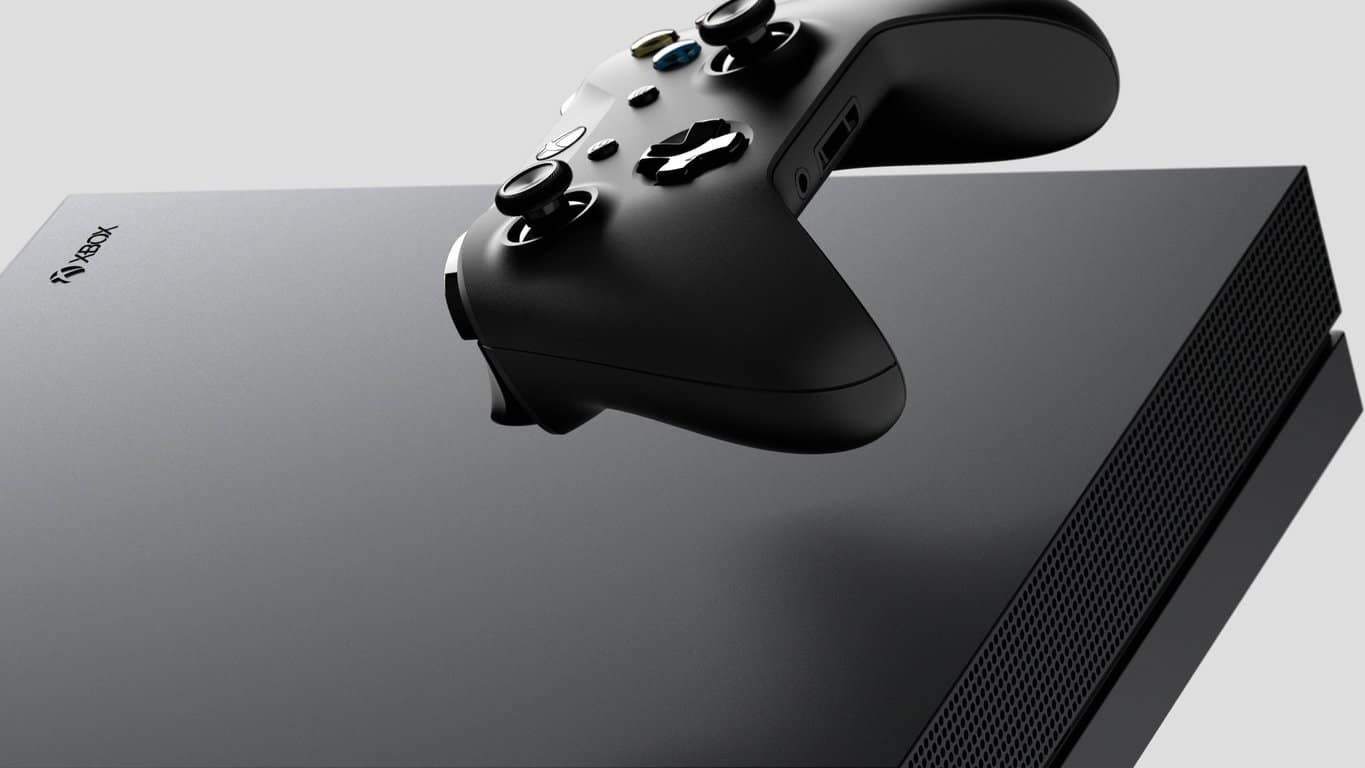
Along with the Nintendo Switch and the iPhone X, Microsoft’s Xbox One X was probably one of the most anticipated tech products to launch this year. So far, it seems that the new console will do very well during the holiday season, and we reported earlier this morning that it sold 80,000 units in the UK during its first week sales, matching Nintendo Switch performance in the country in March of this year.

Xbox Marketing chief Aaron Greenberg has since echoed these promising sales in the UK, highlighting “great initial results” across Europe and an “amazing first week” in North America:

If we’d love to have more hard data about Xbox One X sales, it’s been a couple of years since Microsoft stopped sharing how many consoles it sells every quarter. Instead, the company prefers to focus on Xbox Live engagement, which makes sense as consumers who purchase and play a lot of games are much more valuable for Microsoft.

Still, we’ll continue to pay attention to what Xbox execs says about Xbox One X performance during the holiday season. As Microsoft announced earlier today, there won’t be any Black Friday Deals on the new console (which is completely understandable), though the older Xbox One S will reach its lowest price ever at $189. You can expect the company to push the S as the low-cost holiday alternative, but don’t be mistaken, the Xbox One X and the Nintendo Switch should remain under the spotlight over the coming weeks.

Xbox One X’s first week of UK sales matches Switch launch with 80,000 units

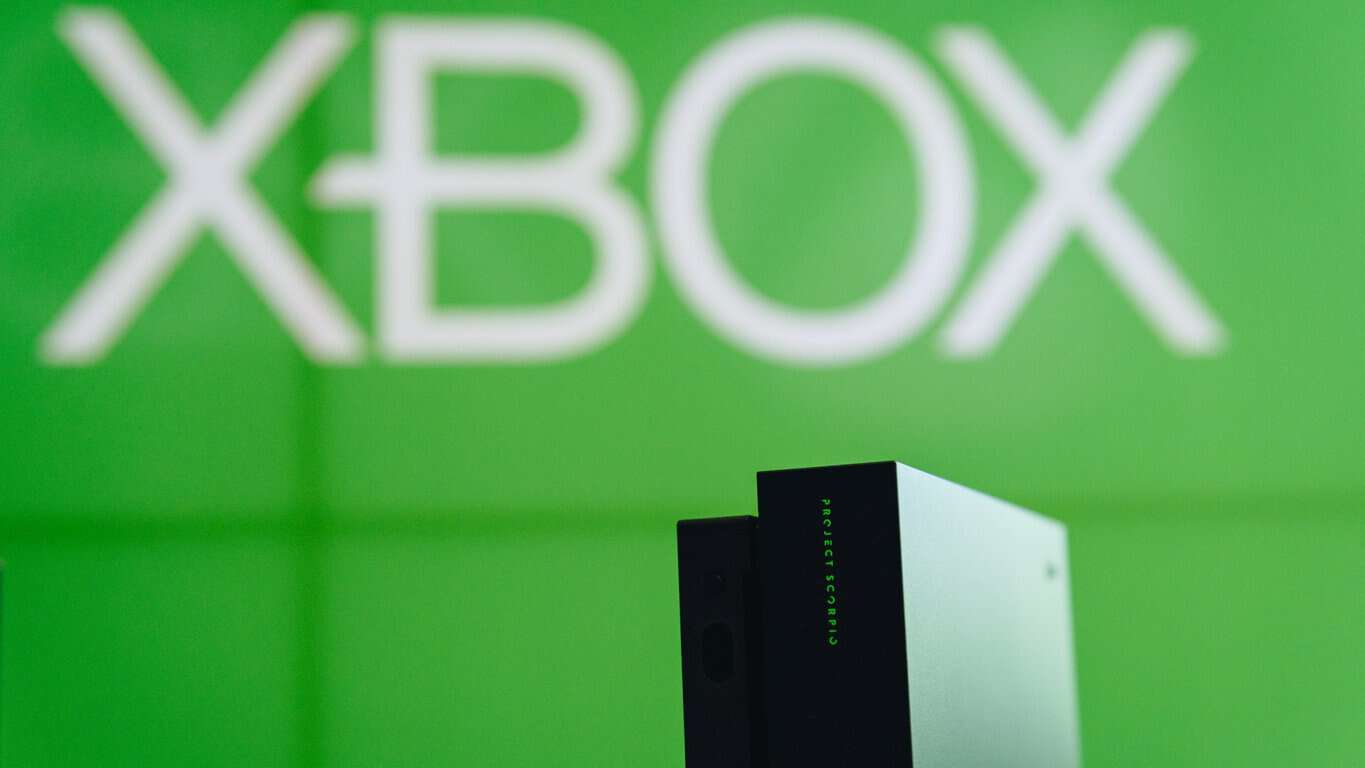
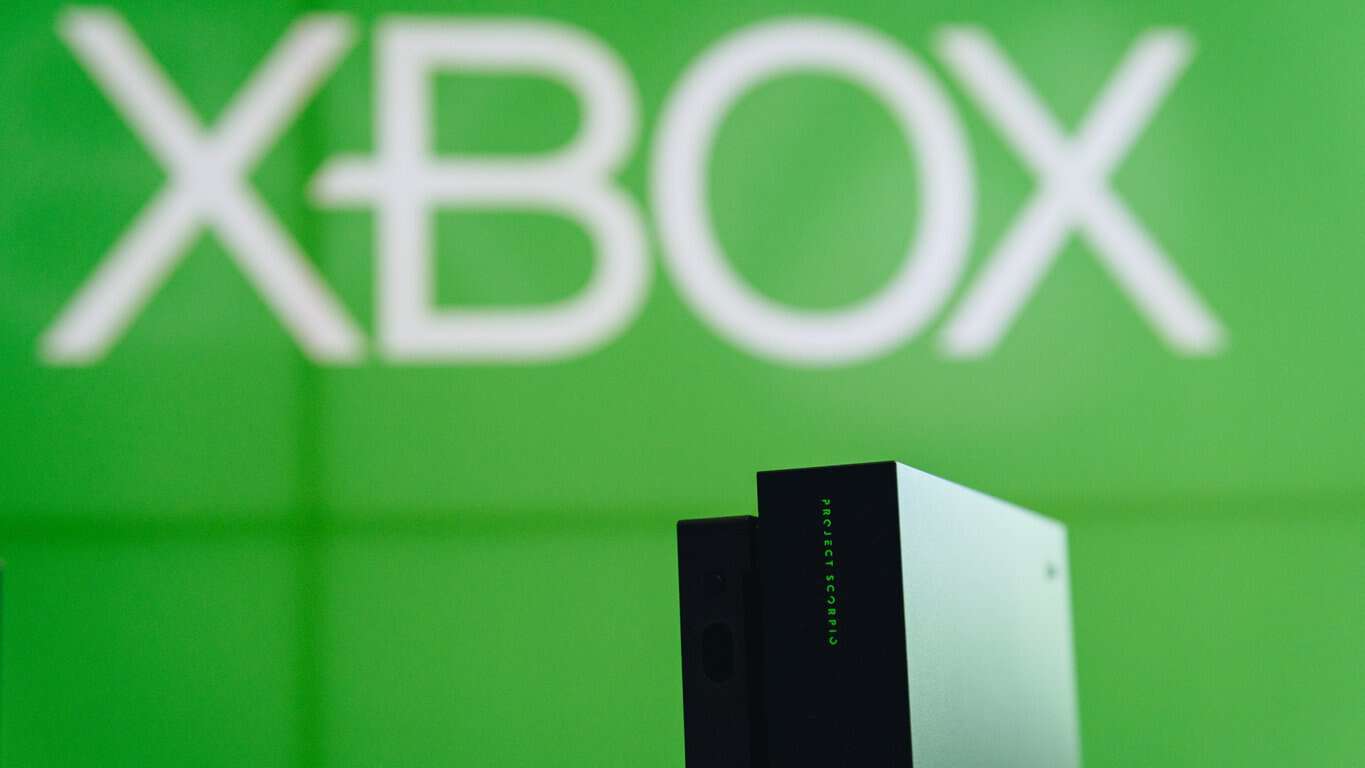
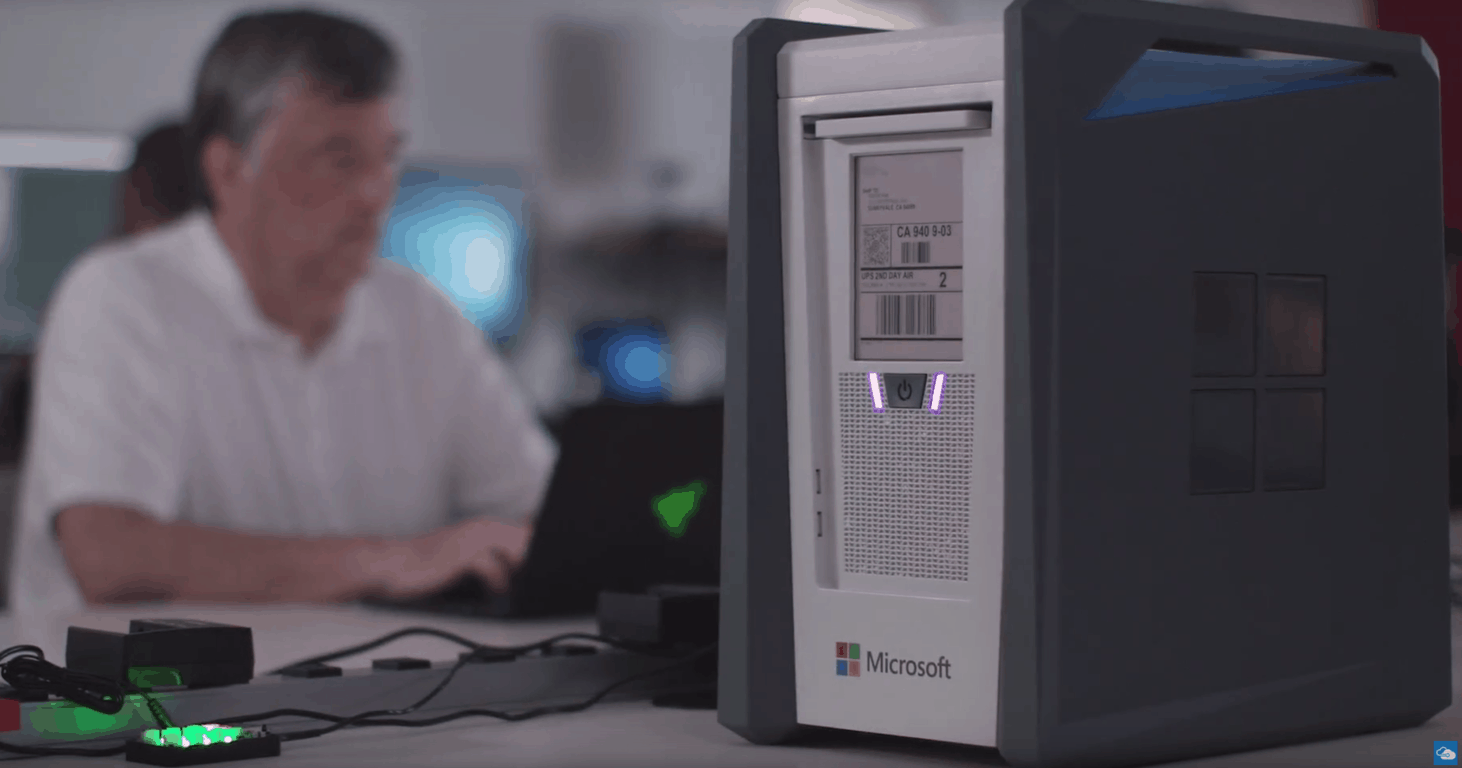
Following what Microsoft described as its “biggest Xbox launch” ever last week, we’re starting to have an idea of how the Xbox One X has been performing so far. According to a new report from Gamesindustry.biz based on data from local retailers, Microsoft sold 80,000 units of its new console in the UK in its first week, matching what Nintendo achieved with its Switch back in March. “The majority of sales were for the special Project Scorpio version of the machine,” the report says.

This is a good result for Microsoft, especially since the first week sales of Sony’s cheaper PS4 Pro were a little over 50,000 in the country back in November 2016. “It took PS4 Pro four weeks to reach the same number,” noted Gamesindustriy.biz. When you consider that the Xbox One X is the most expensive console in the market right now (it’s priced similarly to the original Xbox One with Kinect), this kind of performance is even more impressive.

We don’t have any data about US sales for now, but a quick look on Amazon shows that the Xbox One X is currently the 22nd best selling item in the retailer’s Video Games category (the Nintendo Switch is 6th, the PS4 Slim is #56 and the PS4 Pro is #77). Moreover, Microsoft’s 4K gaming console is the 8th product most often added to Amazon wish lists (Nintendo Switch is #2).

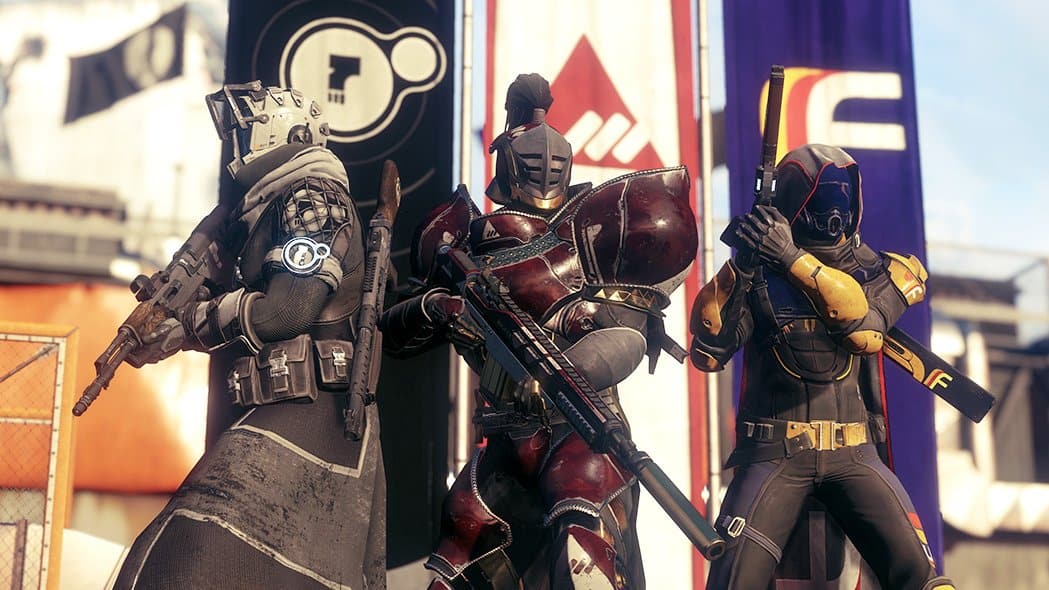
The Nintendo Switch will probably be the best-selling console during the holiday season, but the Xbox One should do really well. The growing list of over 70 Xbox One X enhanced titles, including hot sellers Destiny 2 and Call of Duty: WW2 should also help. Let us know in the comments if think the freshly released Xbox One X will really boost Xbox One sales in the last two months of 2017.

Xbox news recap: Xbox One X releases, Microsoft could let you buy games with Gamerscore and more

Welcome to our weekly Xbox news recap series, where we go over the top stories of the past week in the world of Xbox. Let’s get started.

Xbox One X releases

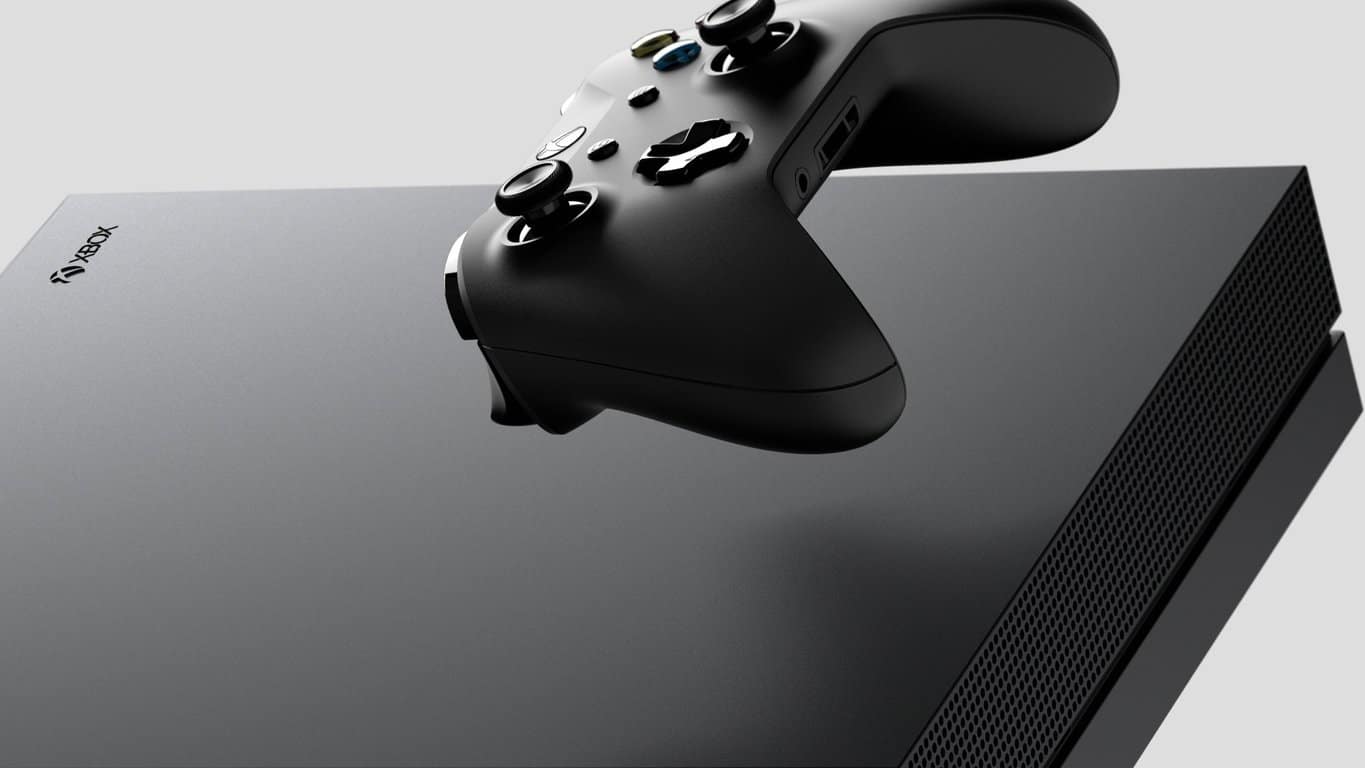
The Xbox One X, Microsoft’s big premium offering for console gamers that want a high-quality, expensive console, is finally out. The Xbox One X is being met with some fairly positive reviews, and has so far been selling better than many analysts expected. You can pick up the console for $499 if you’re able to find it somewhere that it isn’t totally sold out, and you’re willing to drop that amount of cash on a gaming console.

Microsoft could let you buy games with Gamerscore

Sony recently announced a new system that would let you get points in their rewards program with points you get from Trophies. According to a tweet from Phil Spencer, it looks like Microsoft is looking heavily into doing something like this for Xbox gamers. In his words, “Competition is a good thing, keeps us all working hard.”

There will likely be at least two years until a new console releases

According to the CEO of Ubisoft, we probably have at least two more years before a Playstation 5 or Xbox 4 ends up hitting shelves. The reasoning for this is that companies tend to get a couple of years worth of warning before a new console launches, in order to help them develop a launch lineup to drive sales. While Ubisoft doesn’t have any information we don’t have on this front, the company’s perception is probably on point. The Xbox One X/PS4 Pro generation is probably the last one for a couple years.

Xbox Nordic launches Butlerservice giveaway

In one of the weirdest Xbox promotions I’ve ever seen, Xbox Nordic is giving away a butler to four lucky Xbox gamers. In the participating countries – Denmark, Sweden, Norway, and Finland – a giveaway is now in full force, offering to give gamers a break from all of the little things that keep them away from their Xbox One X’s.

Xbox One Controller

Thanks for joining us. To keep up to date with all the latest Xbox news, keep a close eye on our Xbox One tag.


Microsoft news recap: Microsoft Rewards delivers Xbox gift card discounts, Microsoft being sued over Windows phone and more

Microsoft (MSFT) news recap is a weekly feature highlighting the top Microsoft news stories of the past week. Sit back, grab some coffee, and enjoy the read!

Microsoft Rewards adds Starbucks, Pizza Express, Debenhams and more gift cards in the UK

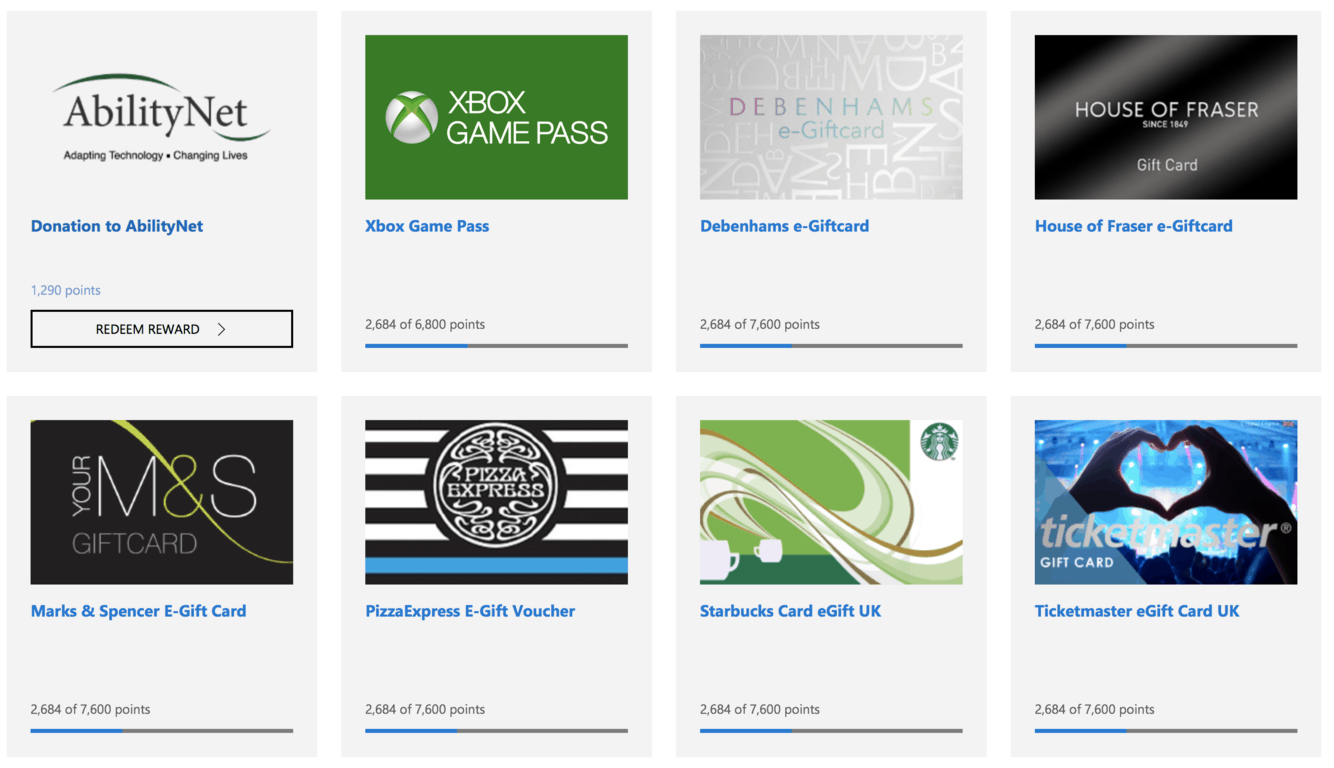
To please Microsoft Rewards’ UK members, Microsoft is adding a range of new gift card options that points can be redeemed for. The new gift cards cover some of the UKs top retailers, such as Marks & Spencer, Debenhams and Starbucks.

Hot Deal: $5 and $10 Xbox Gift Cards discounted at Microsoft Rewards

Not only do Microsoft Rewards’ UK members get new gift cards, but those in the US are able to redeem Xbox gift cards at a discounted rate, allowing their points to go further ahead of the festive season.

Microsoft being sued, Some Windows phones possibly infringed on patents

In a sudden twist in the world of Windows phone, Microsoft is reportedly being sued for infringing on patents in its Lumia 950 and 950 XL handsets. Lemaire Illumination is suing Microsoft over infringements of LED technology in the devices, such as the flashing of LED lights, and how they manipulate colour.

Lumia 950XL

Microsoft launches Who’s In as standalone iOS & Android app

To aid in organising outings with friends, Microsoft is making its Who’s In iMessage add-on available as a standalone app, on both iOS and Android. This makes it even easier to organise the outings.

The app was not found in the store. ?


The app was not found in the store. ?

That’s it for this week. We’ll be back next week with more Microsoft news.

Microsoft Rewards adds Starbucks, Pizza Express, Debenhams and more gift cards in the UK

As Microsoft’s Rewards program continues to grow and expand, the company is also expanding the range of rewards that are available for users to redeem. Initially, the program launched in the UK with a set of Microsoft gift cards for Xbox and the Windows Store, later adding charity donations, then Xbox Game Pass.

Now, Microsoft is adding more rewards, this time for non-Microsoft companies. A number of UK retailers are now appearing, enabling users to redeem their earned points for e-gift cards for the following retailers:

  • Debenhams
  • House of Fraser
  • Marks & Spencer
  • Pizza Express
  • Starbucks
  • Ticketmaster

All of these new rewards are likely to make the program far more appealing, and comes at a good time, as Christmas shopping begins to get underway.

myTube is bringing 4K YouTube videos to Xbox One, currently in beta

myTube, a third-party YouTube app for Windows 10 devices and Xbox One, is working on adding support for playback of 4K YouTube videos.

Perhaps arriving at a convenient time with the launch of Xbox One X, 4K support for YouTube is now in beta, which users can download from the Store.

So, if you’ve got your hands on a 4K-ready Windows 10 device or Xbox One console and enjoy YouTube, now is a good time to get in on the myTube beta.

myTube Beta
myTube Beta
Developer:
Ryken Studio
Price:
Free

The 6 Best Windows Mixed Reality Gaming Experiences

Mixed Reality headsets have been around for awhile, yet they never seem to have really taken off with the general public. One of the reason behind this is that the headsets were far too expensive for the average gamer.

Furthermore, there wasn’t a large selection of games that had Mixed Reality Headset capabilities. However, all of that is about to change.

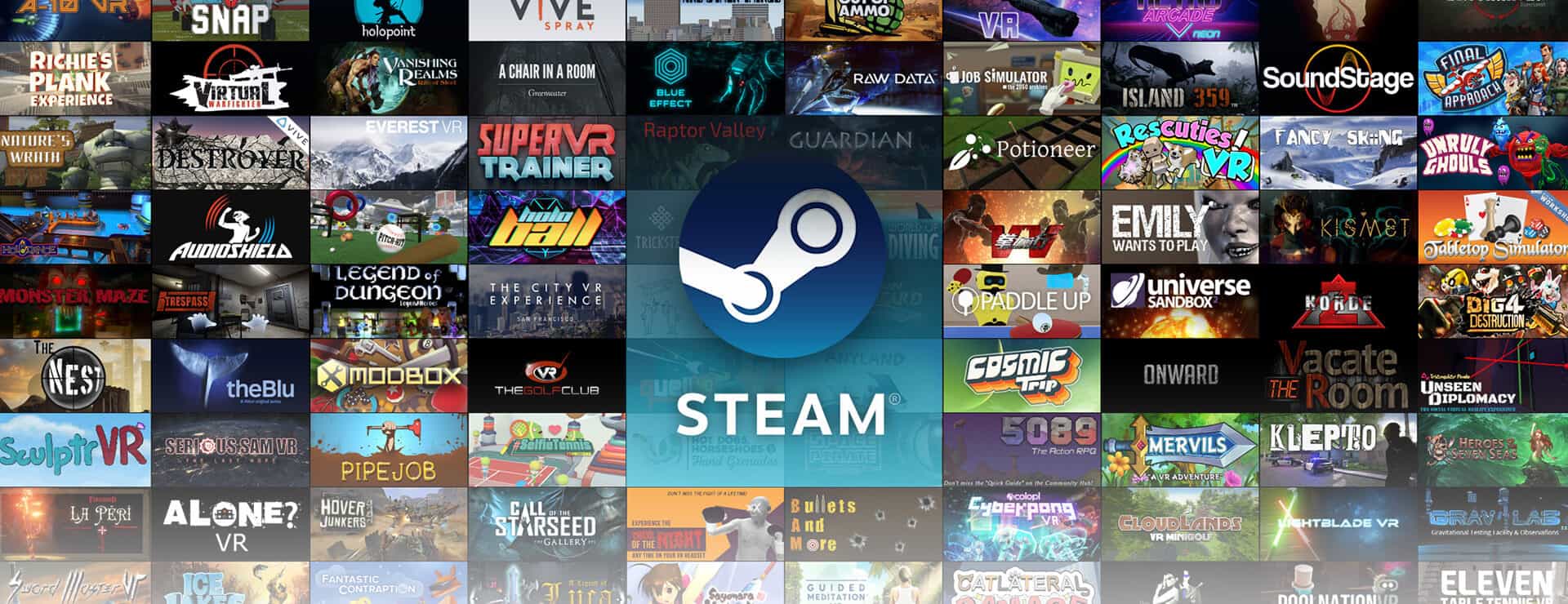
First of all, Windows Mixed Reality, or more commonly known as VR (virtual reality), will soon have access to Steam virtual reality games later this month. This will bring a whole lot of amazing games to the mixed reality system.

Furthermore, WMR Headsets and controllers are steadily becoming cheaper and cheaper. They also do not require an insanely expensive, powerful computer to run.

Finally, Microsoft announced that they are working together with 343 Industries to create a mixed reality experience based on the popular Halo games.

There’s a ton of exciting things to look forward to in the near future for WMR. However, for now lets talk about the best Windows mixed reality apps for gaming already available on the Microsoft Store.

Top Mixed Reality games in the Microsoft Store

Arizona Sunshine 

Perfect for the gamer who wants to experience a shoot em up through a WMR system. Also, there’s zombies.

Arizona Sunshine is one of the best big budget shooter games specifically built for a VR system.  It features amazingly detailed graphics, a massive world, and most importantly, great gameplay.

The game is set in a post-apocalyptic, war torn western America where zombie hordes roam freely. Use your survival instincts to navigate through the numerous flesh eating monsters as you try to find other human beings. Handle your weapons with motion controllers as you expend scarce ammo on the nearest human turned walking(or running) horror.

This game is absolutely thrilling. Not to mention that the WMR system will make the gameplay all the more immersive.

You can get it on the Microsoft store for $40.


Form

Immersive and surreal, Form gives you a WMR adventure that is hard to forget. 

In the game Form, you play as a gifted physicist known as Dr. Devin Eli who is investigating a strange signal which is emanating from an alien artifact. The environment you play in is abstract and dreamlike . Thoughts of the mind are shown in this environment as complex machines. And it is your job as Dr. Devin Eli, to adventure to the center of the human mind in order to discover the alternate realities that are found there.

The large majority of the gameplay is composed puzzles. The puzzles are in an alien environment and are created in such an intriguing way that they will always capture your curiosity and interest. Also, the puzzles are not overly complicated that you will have to watch a walk through on YouTube to get through it.

Perhaps the most stunning part of this game, however, is its visuals. The complex visuals can be described as being similar to lucid dreaming. The world is constantly morphing around you as you put together each piece of the puzzle. Of course, complex, stunning visual on a VR system requires a high end computer to run. So, it is important to make sure that your computer is powerful enough to run this game smoothly.

Form costs $15 on the Microsoft Store.

Check out more: These VR controllers for PC will boost your gaming experience


Skyworld

Strategy game fanatics will love this game to bits.

Playing Skyworld will give you access to a beautifully animated world that is filled with fantasy themes. Build an empire on Skyworld as you conquer and battle your opponents in both single player and multiplayer.

Yes, that is right, Skyworld is a WMR game that allows you to compete against your friends or fellow gamers online. Furthermore, it supports cross-platform multipler.

Since Skyworld is a RTS game, the controls are unique as you will be using WMR controllers to navigate and control your armies. If you are looking for an innovative approach to the classic strategy gameplay, then you will want to try Skyworld.

This game is available at about $40.


Space Pirate Trainer

An arcade shooter that is great for people who like moving around a lot in a room scale environment. 

Space Pirate Trainer is fast, action-packed, and not expensive at all. In fact you only need to pay $15 to get this WMR game.

In this arcade game you shoot up waves after waves of drones in FPV and protect your ship at all cost with a wide variety of guns and tools.

The game costs $15.

Check out more: 7 best VR games for kids to play on PC


Tee Time Golf

Too lazy to hit your nearest golf field? Tee Time Golf has got you covered. 

The MWR system is not only great for first person shooters and puzzle solving games, but it is also perfect for sport games. Handle the motion controllers like you would an actual golf club to move that tiny ball into that tiny cup for a highly satisfying VR experience on Tee Time Golf.

The great thing about Tee Time Golf is that you can create your own golf courses. When you are building your own course, you have buildings, foliage, tee boxes, hazards, and other objects to work with. Of course, there are already pre-built courses for you to enjoy.

Also, apparently there will soon be a multiplayer option coming soon, which will make this game even better.

Tee Time Golf is priced at $15.


SuperHot

Indulge in your burning desire for mayhem, strategy, and fast paced shooting games with SUPERHOT VR.

Yes, the game is a FPS, but it is completely different from your typical shooters game. It is a FPS game, but there is a strategy element added to it. Specifically, you can literally freeze time. In other words, your enemy moves only when you move. This means that you can pause the game in the middle of a gun, knife fight to figure out your next best course of action is.

SUPERHOT is super fun and immersive and only cost $25. Here is a quick peek into the game:

Conclusion

Some say the day and age of VR gaming is almost here. With all the good news lately, it might just be true. Experience the world of WMR with the best windows mixed reality apps for gaming. Whether you are into shooters, strategy, or sport games, Windows store has it all.

Here’s some related articles:

Fall Creators Update triggers many Surface Pen issues, here’s a fix

If your Surface Pen won’t work, it usually means that the battery either needs to be changed or you need to pair the pen with your Surface device.

On the other hand, some Windows 10 users seem to have some issues with the Surface Pen after installing the Fall Creators Update. Charging the battery or pairing the pen with the Surface fail to fix the problems.

A bug in the Windows 10 Fall Creators Update

It seems that there’s a bug in the Windows 10 Creators Update that does not allow pinch to zoom to work anymore.

Also, the system will no longer recognize the Surface Pen. There are various posts on this subject dating from October 22 until November 2 and all these posts discuss the issues on both Reddit and Microsoft Answers Forum as well.

Most users state that the Surface Pen stops working for no apparent reason out of the blue and it stops interacting with the screen. On the other hand, the side buttons on the pen are still working.

Microsoft provides a solution

surface pen issues windows 10 fall creators update

Microsoft offered a solution and a workaround for the issue, and this appeared to solve most users’ problems.

  1. Type Troubleshooting in the search box and click on Troubleshooting.
  2. Choose Configure a device from under the Hardware and Sound.
  3. The Hardware Troubleshooter will open.
  4. Click on Next in order to run the Hardware and Devices Troubleshooter.
  5. Choose what you want to fix and click Next.
  6. The Hardware and Devices Troubleshooter will do its best to solve the issues with the Surface Pen.

In the Feedback Hub, you can also see a post marked as “We got it!” where some users report that restarting the Intel Precise Touch driver from Device Manager will also solve the problem.

RELATED STORIES TO CHECK OUT:

Bitcoin Miner Windows 10 app gets an interesting update

Bitcoin mining is a worldwide phenomenon and it’s certainly not news-worthy anymore.

What is newsworthy, however, is the fact that there is a Bitcoin mining app available for Microsoft’s Windows 10 right now.

Cleverly named Bitcoin Miner, the app has even received a new update which brings about some interesting new features and functionalities. Those that are already using the app are surely eager to know what’s going on in the world of Windows 10 Bitcoin mining.

Windows 10 Bitcoin update changelog

The update has arrived with its own patch notes, and this lets users know exactly what has changed since the app was updated to the latest version.

For those that are curious about what’s new in Bitcoin Miner, here are all the new changes:
  • The Satoshi yield estimate display has been increased. It has been upped to a total of 4 decimal places when mining, which will certainly furl some brows.
  • The new update has also brought modifications to how Rename Accepted and Rejected share count displays, specifically to Shares and Errors.
  • The new build also features a number of performance related improvements which set out to make the overall experience better for Bitcoin Miner users. While these changes accumulate to a noticeable difference, it’s worth mentioning that individually, they are just minor improvements.

While it might seem a bit outlandish to some, the existence of an app such as Bitcoin Miner can actually open some important doors for people interested in Bitcoin mining.

While the traditional tools of the trade might be daunting or cumbersome to understand, at least at first glance, Bitcoin Miner can help beginners. The fact that it’s an app available on Windows 10, both on PC and mobile, makes it a lot easier for curious, would-be miners to get into Bitcoin Mining.

While there are many people which aren’t affected at all by this new update, the new Bitcoin Miner app has surely managed to turn a couple of head, given the rising popularity of crypto-currency mining as a whole.

It remains to be seen if these new additions help the app become more popular in the Windows Store.

RELATED STORIES TO CHECK OUT:

Xbox Live Networking Service missing? Here are 9 ways to fix it

aIf you get issues around Xbox Live networking service missing, we’ve got some solutions you can try to fix it.

With Xbox Live, you can do so many things like download and play free game demos, catch up on movies and television with cable networks like Hulu Plus and Netflix, watch sports, listen to personalized music, enjoy unlimited online multiplayer gaming with friends anywhere, or even access games saved on cloud from anywhere.

These and many more things you can do with Xbox Live can’t work with the Xbox Live Networking service missing, because then you won’t be able to connect.

How to fix Xbox Live Networking Service missing

Solution 1: Check Xbox Live Status

Xbox Live Networking Service missing

You can go to the Xbox Live Status page on the Xbox website, and check for service alerts, then see if any appears for Xbox Live service at the top of the page. If there’s an alert, wait till the service resumes or says back up and running (in green color), then try to connect again.


Solution 2: Test Xbox Live connection

fix Xbox Live Networking Service missing

Here’s how to do this:
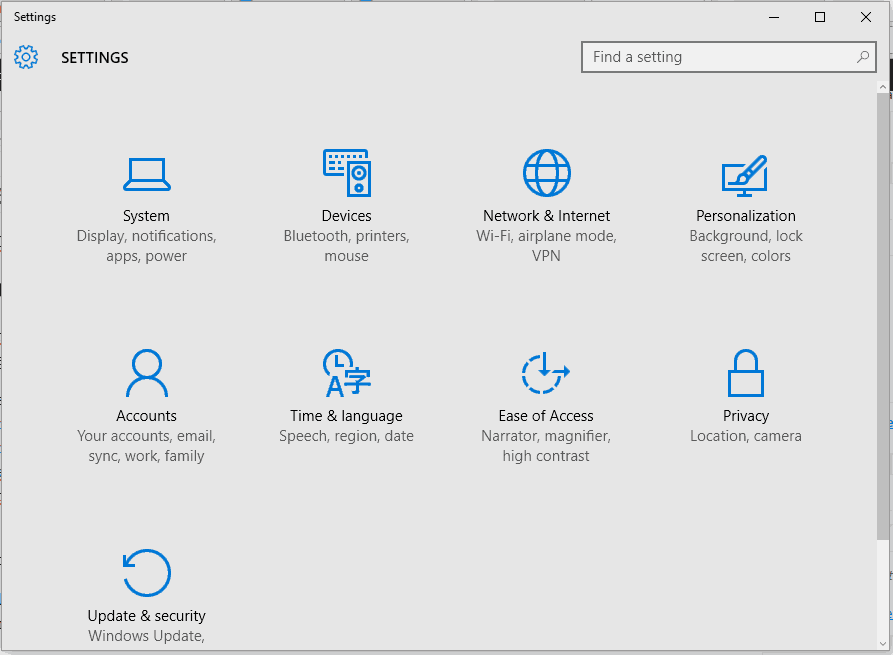
  • Press Guide button on your controller

Xbox Live network service missing

  • Select Settings
  • Select System Settings
  • Select Network Settings
  • Select the Wireless Network you’re on (or select Wired Network where applicable)
  • Select Test Xbox Live Connection

Note: if prompted to update your console’s software, click Yes. If you still get the Xbox Live network service missing problem, try the next solution.


Solution 3: Reset network settings

Before you reset the network settings, write the current settings down in the event you may need to restore them later, then do the following:

  • Press Guide button on your controller
  • Select Settings
  • Select System Settings
  • Select Network Settings
  • Select Wired network (you may need a password if it is a secured wired network) or your Wireless network under the network list
  • Select Configure Network
  • Go to the Additional Settings tab
  • Select Restore to factory defaults
  • Select Yes, Restore to Factory defaults. This resets the network settings only.
  • Switch off the console, then turn it back on again
  • Follow the steps in solution 2 to test Xbox Live connection

Did this fix the Xbox Live networking service missing problem? Try the next solution if it persists.

  • ALSO READ: Fix voice chatting and multiplayer issues with the new Xbox Networking feature

Solution 4: Try a different port, or cable

Xbox Live network service missing

If you have another cable, try using it temporarily, then verify it is working by doing the following:

  • Unplug Ethernet cable from your console and the networking device (modem, router or other)
  • Use a different cable to connect to your console and networking device
  • Follow the steps in solution 2 to test your Xbox Live connection

If this fixes the problem, then the issue is your network cable.

If Xbox Live networking service missing persists, test the port on the networking by doing the following:

Xbox Live network service missing

  • Switch off your console
  • Unplug the cable connecting your console and networking device but only unplug it from the device
  • Unplug the cable connecting your networking device and computer but only unplug from the networking device
  • Connect cable from the console to the port on the networking device
  • Turn on your console
  • Test Xbox Live connection using the steps in solution 2 above

If this fixes the problem, then the issue is the port on the networking device.

Reconnect the cable from the networking device to your computer, then connect it to your console on a different port on the networking device.

Does this help fix Xbox Live networking missing issue? If not, test the Ethernet port on your console by doing the following:

  • Turn off your console
  • Unplug the network cable from the Ethernet port on the console
  • Unplug the cable connecting your computer and networking device but unplug only from the computer
  • Plug in the network cable to your console
  • Test Xbox Live connection using the steps in solution 2 above

Does this help fix Xbox Live networking missing issue? If not, the problem is with the Ethernet port on the console. In this case, submit a repair request to repair your console.

Unplug the network cable from the console, then plug back the network cable to your computer.

If the steps in this solution worked, you should be able to connect to Xbox Live again meaning your Xbox Live networking service will resume.


Solution 5: Try connecting directly to a modem instead of router

This is a temporary solution to determine the cause of Xbox Live networking service missing issue. If you manage to get it back up and running, then your console and modem are working just fine.

Take the steps below to connect directly to a modem:

  • Unplug the network cable from your router, but leave one end plugged into the console
  • On the modem, unplug the network cable connecting it to the router such that neither the console nor modem is plugged to the router
  • Connect your console to the modem directly using the cable you use to connect to the router
  • Turn off the console
  • Unplug the power cord from the modem
  • After about 60 seconds, plug back the modem, then wait for all lights to return to normalcy
  • Turn on the console
  • Test Xbox Live connection using the steps in solution 2 above
  • Update console software if prompted to by selecting Yes

Solution 6: Test the connection in a different location

Follow the steps below to execute this:

  • Disconnect the console and any other accessories related to it
  • Take your console and accessories to a different location with a different network connection so you can determine if the error is in your own network, or your console
  • Reconnect the console and accessories
  • Restart the console
  • Test the Xbox Live connection using the steps in solution 2 above
  • Update console software if prompted to by selecting Yes

ALSO READ: How to fix a black screen of death on Xbox One


Solution 7: Power cycle your console and network hardware

Take the steps below to for a power cycle reset:

  • Unplug the power cable from the networking device (router, modem or other)
  • Restart the console
  • Wait for about 5 minutes
  • If using a router, plug in to it then wait for the lights to return to normalcy
  • Plug in the other network hardware and see if the networking service is restored, and your wireless network is displayed

Solution 8: Restore router to factory default

This ensures all router settings are returned to the way they were when you bought the router. It will reset the SSID plus delete the current wireless password so you need to reconfigure the SSID and password after you reset the router.

Use the steps below to do this:

  • Check the router for a button or little hole labeled Reset
  • Press the Reset button and hold for up to 30 seconds. If the lights on the router start to blink, it has been reset
  • Reconfigure your wireless SSID and password for the router

Once you reset the router, check if you still experience Xbox Live networking service missing.


Solution 9: Get a new network hardware

Xbox Live network service missing

Sometimes if you still experience Xbox Live networking service missing, it may indicate that your router is incompatible with your console, or with Xbox Live, or the router is damaged or not working as it should. In this case, contact your router’s manufacturer. You can also get a new router altogether that is both compatible with your console and Xbox Live.

Did any of these solutions help fix the Xbox Live networking service missing issue? Let us know in the comments section below.

RELATED STORIES TO CHECK OUT:

Yes, Sea of Thieves will be Xbox One X ready with full native 4K

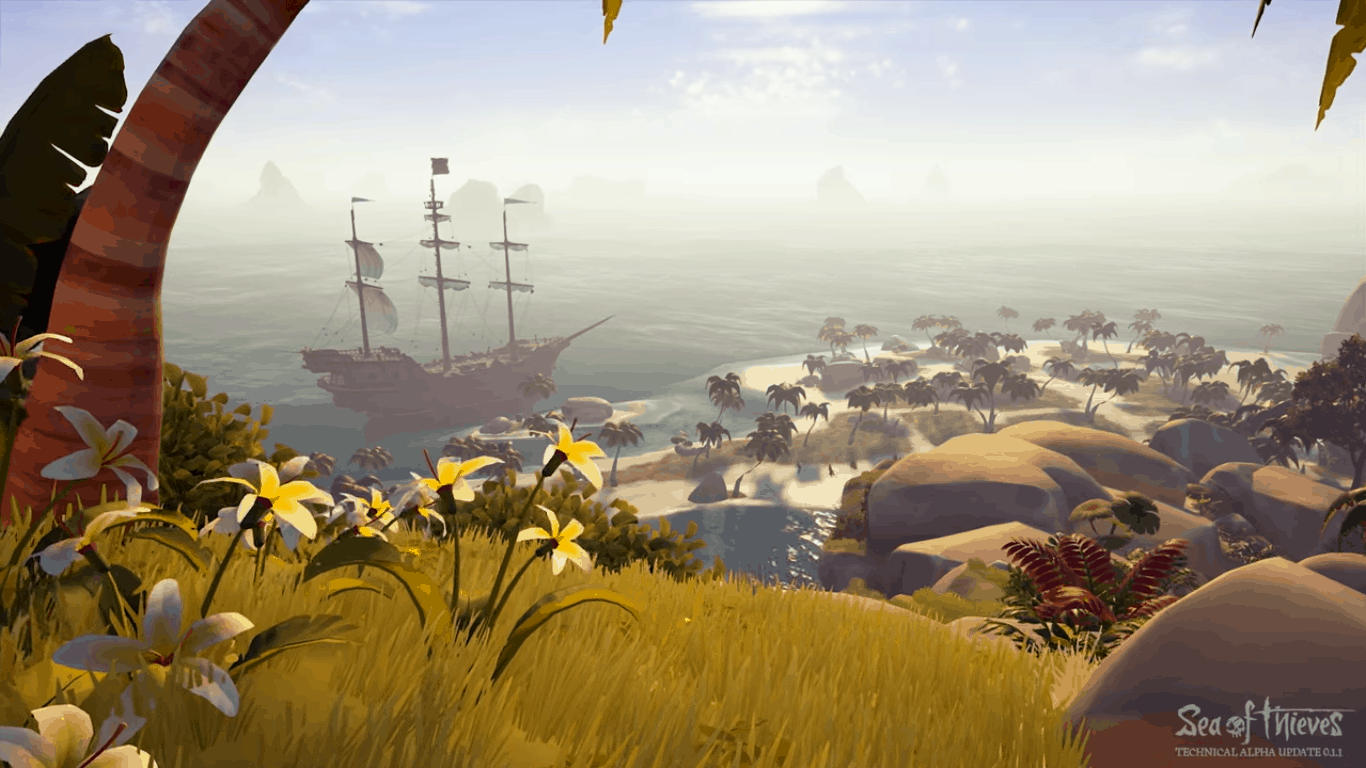
Sea of Thieves, the pirate adventure from Rare Studios is one of the most anticipated Xbox exclusives Microsoft has in the pipeline for 2018. Back at E3 2017, the company revelead that the game would be optimized for the Xbox One X with support for 4K graphics and HDR, something that should be standard for all Microsoft Studios titles going forward.

In a new behind the scenes video published yesterday, Rare’s Engineering team shared more details about enhancing Sea of Thieves for Xbox One X (via Windows Central). Good news, the game will run in native 4K on the new console, with no dynamic scaling like on some other Xbox One X enhanced titles. “For the most part, it should be on par with our ultra specs PC settings,” the team shared.

The developers didn’t say if Xbox One X owners will be able to test the 4K graphics during an upcoming Technical Alpha play session, though we hope that it will be the case. The game is still expected to be released in early 2018, and it will also support cross-play multiplayer between Xbox One and Windows 10.

Destiny 2 to get true 4K in December for Xbox One X

A little more than two months after its initial release on 8th gen consoles, Destiny 2 will will soon receive 4K updates for the Xbox One X and Playstation 4 Pro. “On December 5, along with the launch of Curse of Osiris and Season Two, we’ll be deploying an update to Destiny 2 that will deliver stunning gameplay with high dynamic range (HDR) lighting to these new consoles,” developer Bungie recently announced. “You’ll also see adaptive 4K resolution on the PlayStation 4 Pro and 4K on the Xbox One X.”

It great to see that one of the biggest games of the year will support true 4K graphics and HDR on the freshly released Xbox One X. The fact that the PS4 Pro version of the game will only support adaptive 4K resolution also proves that Microsoft’s new console can really deliver the best console versions of multiplatform games.

Sony does have marketing deals with publisher Activision for Destiny 2 and Call of Duty: WWII this year, with exclusive PS4 content for each game. But as both titles will soon be Xbox One X enhanced, players will have the choice between the best-looking versions (on Xbox One X) or the most complete versions (on Playstation 4) of these games.

Fix: Windows 10 ‘Unexpected error from external database driver’

Are you getting the ‘Unexpected error from external database driver’ error message while trying to export import your Microsoft Office docs?

If you are, don’t panic as this problem can be fixed without hassle and we will be checking how to address all the problems in a few moments.

As you might know, Microsoft itself released two dedicated Windows 10 updates (with build numbers KB4052233 and KB4052234) for automatically fixing the ‘Unexpected error from external database driver’ bug.

However, it seems that these two updates managed to add more problems than addressing the existing issues which made Microsoft pull the updates down. Shortly, the problems are still there and the updates that should resolve the issues are also down. That’s why you need to fix the malfunction manually as explained below.

How to solve ‘Unexpected error from external database driver’ on Windows 10

Since the problem is related with a recent Windows 10 update, for addressing the problem you will have to manually uninstall the very same update patch.

Additionally, you must also turn off the automatic update feature since the Windows system might apply the update automatically again, situation during which the initial problem might reappear.

1. Manually uninstall the KB4041691 update patch or any other recent system update

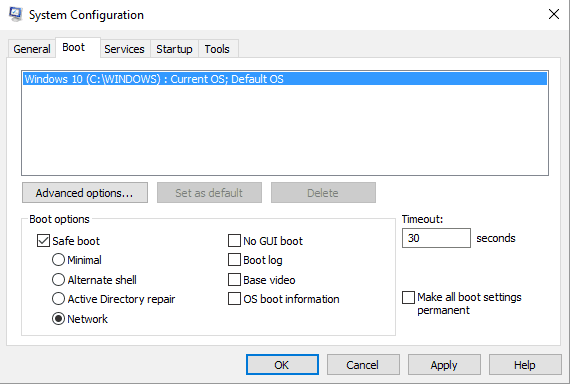
  1. First, go to Safe Mode (this will disabled third party apps and processes that might block certain access within recent update files) – so, press Win+R and execute msconfig; from the next window, switch to Boot tab and select Safe mode; reboot your device.safe mode with networking
  2. Now, press Win+I and from System Settings click on Update & security.fix update and security not working windows 10
  3. From the left panel click on Windows Update.
  4. Now, from the main window click on Advanced options.
  5. Next, select View your update history.remove windows 10 update fix unexpected error database driver
  6. A list of update patches will be listed there.
  7. You can choose to uninstall certain updates – find the KB4041691 entry and uninstall it for fixing the ‘Unexpected error from external database driver’ problem.

2. Turn off automatic update feature

  1. Press the Win+R keyboard hotkeys.
  2. Inside the Run box type gpedit.msc and press Enter.
  3. From Local Group Policy window, go to the following path (from the left panel): Computer Configuration – > Administrative Templates – >Windows Components – > Windows Update.
  4. Now, from the right side of the main window double click on the Configure Automatic Updates entry.
  5. Check the Enabled option for enabling this policy when asked.
  6. From the available options choose the second one: ‘notify for download and notify for install’.
  7. Now, Windows will no longer apply updates automatically. When an update will be made available you will receive a notification and you can choose whether to install it or not.

So, removing the KB4041691 Windows 10 update will help you fix the ‘Unexpected error from external database driver’ issue.

If this solution isn’t working, you can additionally choose to initiate a system scan: open an elevated cmd window – right-click on the Windows Start icon and select Command Prompt (Admin) – and in the cmd window execute sfc /scannow.

Moreover, you can also choose to make a System Restore: make sure you choose a restore point where the ‘Unexpected error from external database driver’ error didn’t exist.

You can use the comments field from below for sharing your own troubleshooting experience with other users who might be facing the same problem.

RELATED STORIES TO CHECK OUT:

Need for Speed Payback now available to play for all Xbox One players

Need for Speed Payback is now available to play for all Xbox One players after its three-day advance access for Deluxe Edition buyers wraps up.

This latest game in the Need for Speed franchise continues the series’ tradition of blending racing and story and sports a wider variety of vehicles and locations to explore than its predecessors.

Here’s some of its features.

  • Scrap to Stock to Supercar: Your car is at the centre of everything you do in Need for Speed Payback. Endlessly fine-tune your performance through each of the five distinct car classes: Race, Drift, Off-Road, Drag, and Runner, to turn the tables on the competition in any race, mission, or challenge. Find abandoned derelict cars scattered throughout the world to build your perfect car from the ground up. Collect, win, or buy the hottest after-market parts and craft multiple cars into the perfect driving machines.
  • Live out an action-driving fantasy: Play through an explosive, action-packed adventure as three distinct playable characters united by one common goal: revenge. Tyler, Mac and Jess team up to even the score against all odds, and enter the ultimate race to take down The House. Battle cops with ever-increasing intensity, race against rivals across the city, and drive on and off-road through mountains, canyons, and desert.
  • High stakes competition: Get on a roll and win big with all-new Risk vs Reward gameplay. The return of intense cop chases means the stakes have never been higher. Put your reputation on the line and challenge your friends or potential rivals via Autolog recommendations throughout the campaign events or go head-to-head in classic online leaderboards.

Have you had a chance to play Need for Speed Payback yet? Let us know if you think it’s better than previous games in the comments below.

Need for Speed™ Payback

Popular songs from Microsoft’s Surface videos are now on Spotify

Stephanie Tarling’s covers of Pure Imagination, The One That I Want, and Fly Me To The Moon, which were featured in Microsoft’s Surface Studio, Surface Laptop and Surface Book 2 reveal videos, are now available to listen to on Spotify.

All three songs garnered a significant positive reaction from users on social media after each video was released with many immediately asking who sang the songs. Tarling announced the songs’ addition to Spotify earlier today via her official Twitter account and specifically referred to them as the songs from Microsoft’s Surface ads.

Are you a fan of these covers? Let us know which one is your favorite in the comments below.

Xbox One X will soon get HDR10+ support via firmware update

Microsoft proudly poises the Xbox One X as the most powerful gaming console in the world.

Recent reports confirm that the console loads GTA 5 in just 24 seconds, and one of the most popular games in the world, Final Fantasy 15 looks stunning.

If you already own an Xbox One X or you’re planning to buy one soon, we’re got one excellent piece of news for you.

The Xbox One X will support HDR10+ via an upcoming firmware update. The information has been unofficially confirmed by both Samsung and Microsoft Xbox Support. Thanks, Redditor DeadPool2 for spreading the news.

The ETA for the update is not available yet.

As a quick reminder, Samsung partnered with Microsoft a few years ago, so this information is not surprising. The Korean company recently released a Windows Mixed Reality headset.

I spoke with Samsung first. I didn’t ask them directly about the Xbox One X. I asked them which devices support HDR10+. They said that the 2017 Samsung 4K blu ray players (confirmed by an insider at AVS Forum with contacts at Samsung engineering) and they said the Roku and Xbox One X would add support in the future. Then I spoke with Xbox support to confirm, without mentioning what Samsung told me.
So it would be an enormous coincidence if Samsung, who wasn’t directly asked about the X, specifically picked out the X as a compatible device, and Xbox support corroborated this, if it wasn’t true.
Then you have to consider the partnership between the two companies.

HDR10+ content — an enhanced version of HDR10

Amazon Prime Video will be the first provider of HDR10+ content. The company is expected to launch this format sometime in December.

The lower end displays will benefit most from this new format. Dynamic metadata will optimize the image depending on the TV’s limitations.  The static HDR10 format doesn’t support such optimization features.

RELATED STORIES TO CHECK OUT:

Xbox Nordic launches “Butlerservice” promotion, helps give gamers more Xbox time

Xbox has launched a ton of weird campaigns to help advertise their products, from creating the Xbox Onesie to launching an Xbox themed hotel experience. This latest one from Xbox Nordic might just take the cake, though. The new program, called Butlerservice, has you sign up for a chance to win – what else – a butler of your very own! It’s exactly what it sounds like. If you win the contest, you’ll get a butler to take care of your household chores while you chill out with your Xbox One X.

No more shall a lovely Forza race be interrupted by a stinking pile of laundry, a wonderful game of Shadow of War be ruined by a sink full of dishes or an amazing mission in Assassin’s Creed be pushed aside by dirty windows.

There will be four butlers being sent out across the participating countries (Denmark, Sweden, Norway, and Finland) that can take care of whatever household tasks you’re trying to weasel out of. Among the listed tasks are picking up take-out, walking your dog, doing laundry, and of course, gaming. We’re extremely excited to see what kind of stories come out of this giveaway.

Windows 10 build 17035 released to Fast Ring Insiders

Microsoft recently rolled out a new Windows 10 Redstone 4 build, adding a series of new features to the upcoming OS version.

Windows 10 build 17035 finally allows users to mute tabs playing audio in Edge. The tab audio will unmute when clicked again.

Insiders who use Edge to read free EPUB books can now save them on their computers. For more information about the new features introduced by this build, you can read Microsoft’s official blog post.

As it happens with every build, this release also brings many issues of its own.

The Redmond giant added three known issues on the list:

  • Broken functionality in Mail, Cortana, Narrator or missing some features like Windows Media Player.
  • There’s a noticeable screen flicker when using hotkeys or the touchpad to switch between Virtual Desktops.
  • Insiders might notice checkboxes missing from certain Win32 apps. Microsoft is investigating this issue.

If you encounter some of these issues, you can check out our extensive guides on how to fix them. It might be a good idea to bookmark this page in case you’re experiencing these glitches. Here’s how to fix them:

Windows 10 build 17035 reported bugs

Unfortunately, the list of issues doesn’t end here. Insiders who already installed this build complained that context menu is dead. When they right-click on a certain item to open the context menu, nothing happens.

Properties fails to open when selected after right-click on This PC in build 17035. This PC context menu is entirely dead. […] Nothing happens. In fact nothing on that context menu works at all

Other Insiders reported that when selecting the shutdown option, their computers restarted instead of powering off.

Did you install build 17035 smoothly or not? Do tell us know in the comments below.

New Microsoft video celebrates global launch of Xbox One X

Microsoft released a video on YouTube celebrating the release of the Xbox One X worldwide. The video features many celebrities, here’s a list of all of them (in order of appearance):

Conan O’Brien
Chris Evans
Shaquille O’Neal
Odell Beckham, Jr.
Rhonda Rousey
Lauren Cohan
Dwayne Johnson

Here’s the Xbox One X launch celebration video to see for yourself.

The Xbox One X was created directly from feedback from the Xbox community and in the video, the Xbox team describes what the Xbox fans loyalty means to Microsoft:

“There is no way to overstate just how important the fans are for Xbox, and everything we do today, and everything we are going to do in the future.”

Microsoft also included vignettes of Xbox One X launch parties in New Zealand, Australia, Taiwan, Germany, UK, Paris, Mexico, Canada, and culminating with the big Xbox One X launch event at the Microsoft Store in New York City.

Game gifting is now available for all Xbox insiders

About half a month ago, Microsoft began testing game gifting with Xbox Insiders. Today Microsoft’s Brad Rossetti has revealed that game gifting is now available for all Xbox Insiders.

More specifically, the game gifting feature has been opened up to the Preview Omega ring, the lowest and least risky ring of the Xbox Insider Program. This is also the ring that any average Xbox user can join, allowing them to test minor changes made to previously released monthly updates.

Given the timing, it also can be assumed that Microsoft may be pushing out the final update including game gifting to all Xbox users soon. The Omega group has been known to get early access to an upcoming update shortly before it goes to General Availability.

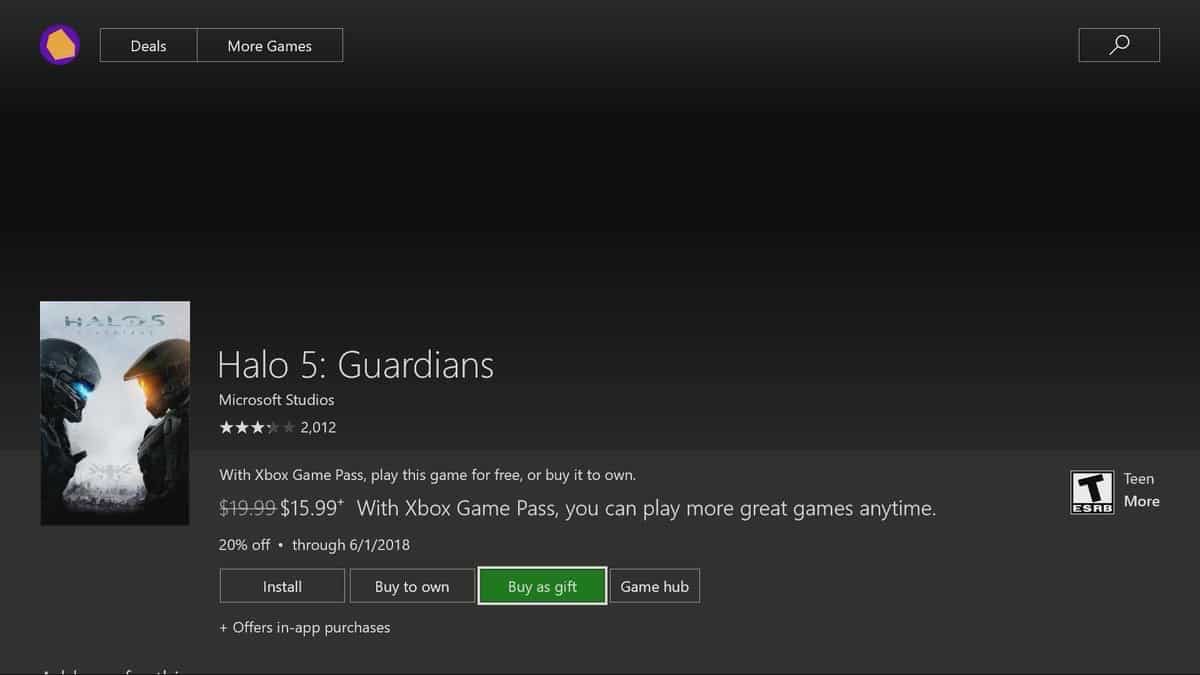
Game gifting works just as one can expect. All you need to do is to find the listing in the store, press on “buy as a gift,” and then enter in an email address or choose from a list of friends. The recipient should then receive a message from Xbox Live with a redemption code for the game.

Xbox One’s successor could be at least 2 years away, says Ubisoft CEO

A little more than a year after Sony launched its Playstation 4 Pro, Microsoft released its new Xbox One X earlier this week, continuing this somewhat unusual trend of mid-cycle upgrades. Both consoles are being marketed as 4K-ready, even though only the Xbox One X with its 6 teraflops of computing powers can truly deliver native 4K gaming.

Since the Playstation 4 Pro and the Xbox One X are still 8th gen consoles, everyone is now wondering if this console generation will last longer thanks to these mid-cycle releases. According to Ubisoft CEO Yves Guillemot, that probably won’t be the case.

“As Sony launched PlayStation 4 Pro last year and Microsoft Xbox One X this year, we think we still have a minimum of two years in front of us before something new is coming,” Guillemot said in an investor’s call (via GameSpot). “But that’s our perception, we don’t have any confidential information on that front.”

It remains to be seen if a Playstation 5 and a new Xbox console could launch in 2019 at the earliest, but in the meantime the Ubisoft CEO says that these mid-cycle upgrades are a good thing for developers and the video games industry in general. “That is going in the right direction rather than trying to do accessories or other things,” he explained. “That is going to help the industry a lot because the games will be really beautiful on those machines.”

These days, Microsoft is marketing the Xbox One X as the best console to play games of the past, present and future, and this is a pretty good tagline. The new console seems pretty much future-proof, it you don’t take into account the fact that most Xbox One X enhanced games won’t run at 60 FPS. Maybe 9th gen consoles will finally deliver true 4K gaming at a consistent 60 FPS, and even more than that.

Do you really believe that 9th gen consoles could be just two years away, or do you expect the current console generation to last longer thanks to the Playstation 4 Pro and the Xbox One X? Let us know below.

Windows Mixed Reality to get SteamVR video games on November 15

The first wave of Windows Mixed Reality headsets should become much more fun to use next week. Indeed, Rolling Stone revealed yesterday that Microsoft’s Windows Mixed Reality platform will get access to Steam’s VR games on November 15. The open beta will welcome everyone owning one of the headsets from Acer, Asus, HP Lenovo, Dell and Samsung and a PC running the Windows 10 Fall Creators Update.

As there are currently only around 60 VR apps and games available on Microsoft’s Windows Mixed Reality platform, opening access to Steam VR games should be a boon for users and developers. Rolling Stone had the chance to try out SteamVR with the freshly released Samsung Odyssey HMD, and here is how it will work:

The SteamVR bridge essentially shuttles people from Windows 10’s virtual reality Cliff House to Steam’s own virtual reality home. Once there, players can try out any of the SteamVR games they own with mostly good, but occasionally mixed results. The goal is to eventually make all games behave as they should, but Microsoft is still working through the occasional issue, so this is essentially an open beta.

The Steam VR catalog already includes high-profile titles such as Superhot VR, Batman: Arkham VR and Fallout 4 VR (to be released in December), and it’s great to see that all this content will soon be available with a Windows Mixed Reality headset. With their inside-out tracking technology, these headsets are also much easier to set up and use compared to the HTC Vive, the VR headset that the Taiwanese company co-developed with Valve.

Battlefield 1 gets Dolby Vision HDR in latest Xbox One update

Battlefield 1 latest Xbox One update is a big one and in addition to adding Dolby Vision HDR colors and brightness to its visual presentation, players will also gain a new map to play in, improved player progression, a revamped UI & HUD, and a huge number of smaller fixes and improvements.

This update will also introduce new operation campaigns. “When we’re running an active campaign, you’ll be greeted by a slightly different user interface on the Operation globe screen. The Operation Campaign tracker, located at the bottom right corner of the screen, will indicate which Operations are part of the active campaign, the necessary cumulative score you need to unlock your reward, and the amount of time remaining before the active campaign ends,” the official blog post reads. “You’ll also notice a small star on particular Operation icons, signifying that it is part of the active campaign. Participate in these Operations and your end of round score will be applied toward the progress of unlocking a Battlepack reward. PTFO to maximize your score, but be sure to stick around until the end of the match to have it applied toward your progress. Try to unlock as many rewards as you can before the active campaign expires.”

This update can be installed right now. Have you checked it out yet? Let us know if you like these changes in the comments below.

Battlefield™ 1 Revolution

Grab World of Tanks X Edition for free on Xbox One right now

World of Tanks X Edition is now available to play on all of Microsoft’s Xbox One consoles and is currently free to own until January 2018.

This version of World of Tanks has been optimized for the new Xbox One X and will play in 4K when played on that console. Here’s the official description, trailer, and link.

World of Tanks is the global online multiplayer phenomenon dedicated to tank warfare in the mid-20th Century on Xbox 360, Xbox One S, and in glorious 4K Native HD on the new Xbox One X! Kick start your career with the T1E6-X1 – American Tier II Light Tank plus 3 Days of Premium Time. This is the perfect boost to earn more experience and Silver per battle plus research new tanks and upgrade packages at an accelerated pace. Download and play for free today!

Are you a World of Tanks fan and have you played this new version yet? Share your impressions with the community in the comments below.

World of Tanks X Edition
Developer:
Wargaming.net
Price:
Free

Crypto Widget for Windows 10: 3 Best to Check the Prices

If you haven’t been hiding a rock without an Internet connection in the past few years, then you’ve probably heard about Bitcoin, Ethereum, and other forms of cryptocurrencies. And to keep track of the prices, you need a crypto widget for Windows 10.

If you are an investor or soon-to-be investor of cryptocurrency, then it is essential to monitor and compare various currencies. And it’s become all the more important for website owners to add a cryptocurrency widget. Keep reading to find out the best options.

Do I need a crypto widget for Windows 10?

Cryptocurrencies, in particular, are known to be highly volatile. This means that the crypto you’re investing in could be taking nose dives or soaring to new heights at any given moment.

You may use numerous tools to keep up to date on your investments. You can choose anything from mobile applications to Google Sheets to determine the future course.

Perhaps, one of the best ways to keep tabs on your crypto investments is to use a Windows 10 crypto widget. Fortunately, numerous websites offer free widget plugins and script coding you can add to the HTML code of your website.

What are the best crypto widgets for Windows 10?

Bitcoin Widget – The preferred choice

Bitcoin.com is an amazing website that offers free script coding for a wide variety of widgets related to Bitcoin. The cyrypto currently has the highest value, so naturally, most people will be interested in it, making this BitCoin widget the best for Windows 10.

On the website, you will find widgets that will give the latest Bitcoin news, active forums, news tickers, Mining pool hash rate, and of course, prices, and charts.

All of these features are not part of a single coding, which means they are divided into different widgets. You can easily choose what type of information you want to show on your website.

At the bottom of this web page, there are simple and clear instructions on how to add individual crypto widgets to your site. Of course, you will still need basic HTML editing skills to add the widgets.

Finally, you have instructions to personally customize the widgets. They give you coding information on changing the widget’s color theme and how much information is displayed.

These Bitcoin widgets are amazing, but obviously, you won’t find information about other cryptocurrencies when using them.

⇒ Get Bitcoin Widget

CryptoCompare Widget Wizard – Offers customizations

The Widget Wizard from CryptoCompare is the perfect widget-creating tool to use if you are invested in other cryptocurrencies. In fact, the website allows you to easily customize the widget to make it ideal for your website.

You can choose literally any coin to compare with major currencies. For example, you can see how Ethereum is holding up against Bitcoin, USD, CNY, and even Gold. They also have a search option where you can find information about pretty much any cryptocurrency out there.

CryptoCompare also offers several different types of Widget settings that you can choose from. For instance, if you want to have a widget on your website that provides more information, use the Chart Advanced widget setting.

On the other hand, you can try the Header V2 widget setting for a more minimalistic widget. Once you choose the setting or theme, customize the widget further.

As you can see, the Widget Wizard from CryptoCompare is highly versatile and useful. All you have to do is find the ideal widget for your website and copy the coding to the website’s HTML.

⇒ Get CryptoCompare Widget Wizard

CodeCanyon Crypto Widgets – Best for WordPress websites

To access Windows 10 crypto widgets that are built specifically for WordPress, you will have to pay a small fee and install a plugin. Obviously, this is the best crypto widget for WordPress websites.

Apparently, you do not have to copy or edit any HTML coding as the plugin they offer allows you to add cryptocurrency widgets to your site easily. Therefore, users do not need any technical skills to utilize these Widgets from CodeCanyon.

After buying and installing the plugin, you will be able to edit and choose a widget template to your liking. Furthermore, the Widgets support up to 1500 cryptocurrencies, so you shouldn’t have a problem finding the one you’ve invested in.

⇒ Get CodeCanyon Crypto Widgets for WordPress

Cryptocurrencies are growing more popular with each passing year. Therefore, people are always on the lookout for live price tickers of cryptos. And a reliable Windows 10 crypto widget does the job perfectly.

Before you leave, find out the best crypto mining VPNs and explore new revenue-generate avenues in the blockchain space.

Tell us your pick in the comments section below.

The free upgrade offer for Windows 10 ends December 31, 2017

Back in 2015, Microsoft announced that Windows 10 would be a free upgrade to users of Windows 7 and Windows 8/8.1, the first such deal in the history of the company. The deal came with no caveats, something that perhaps helped Windows 10 achieve a staggering adoption rate of 29.26% over the last two years.

Windows 10 is Microsoft’s first operating system being offered as a service and while Microsoft stopped offering the free Windows 10 upgrade a couple of months ago, some could still download the same by making use of the “assistive technologies” exception.

Microsoft has now announced that this exception will end come December 31, 2017. Microsoft already extended the offer to individuals who use “assistive technologies.” This is how a Microsoft Spokesperson had explained the terms:

We are not restricting the free upgrade offer to specific assistive technologies. If you use assistive technology on Windows, you are eligible for the free upgrade offer. That said, it is not intended to be a workaround for people who don’t use assistive technology and who missed the deadline for the free offer.

Earlier, the Microsoft page under the FA heading said: “We will make a public announcement prior to ending the offer.” But now, the page is edited: “The accessibility upgrade offer expires on December 31, 2017.”

The changes are also reflected on the Upgrade to Windows 10 FAQ page which now includes the expiration date for the offer.

That said, the changes will only affect a few. Those genuinely using the accessibility options still have more than a month to upgrade to Windows 10. It is quite likely that the Enterprises have already updated to the latest build.

Starting next year, Windows 10 Home will start at $119.

Kroger joins a growing list of recent Microsoft Cloud converts

While part of the tech industry fawns over the latest shiny new smartphone and debates whether or not the next crop of handhelds will embrace face recognition as a standard biometric security barrier, another larger portion of the community watches as Microsoft, Amazon and Google play for much higher stakes in a kind of Game of Thrones posturing for cloud dominance.

As Amazon continues to grow and encroach on other competitive ventures, Microsoft and Google are find themselves the recent benefactors of Amazon-scorned businesses looking to alleviate their dependency on a direct competitors solution.

The American retail chain Kroger has recently decided to move its cloud business away from AWS and instead, split its dependency between Microsoft and Google going forward. According to a report from CNBC, Kroger isn’t an outlier in wanting to move its business away from Amazon as the online retail giant continues to gobble up mindshare across several verticals.

Kroger, which exist primarily as a grocery store justifies the move as such, “For obvious reasons competitively, it doesn’t make sense for us to do a ton to help grow that business for them,” Chris Hjelm, Kroger’s chief information officer, told CNBC in an interview. With Amazon’s recent purchase of Whole Foods, the company now finds itself at odds with business partners who are in the same sector.

Wal-Mart and Target have also joined the mass exodus away from AWS and to other cloud solutions which now include infrastructure-runner up Microsoft Azure.

Hjelm said the company started investing heavily with Microsoft Azure and the Google Cloud late last year. With Azure, the grocer is rolling out digital shelf technology to combine the use of sensors and smartphones to alert customers about relevant deals. For e-commerce, delivery and data-focused initiatives such as smart pricing, Kroger is turning to Google. The company also uses infrastructure technology from Pivotal.

Kroger will not be completely extricated from AWS as it will still have some projects that remain, but as far as growth efforts, Kroger plans to continue to invest in Microsoft and Google.

Judging by Microsoft’s recent quarterly results, the company’s pivot to the cloud and aggressive partnership efforts have seen it continually gaining ground on the industry leader in AWS. With the company squarely focused on the cloud, the next few quarters will be an observation test to see if the company can continue its momentum and capitalizes on any other Amazon missteps.

Microsoft blocking PCs with AMD processors from receiving build 17035 due to bugcheck issue

Microsoft pushed out Windows 10 Insider build 17035 this afternoon, and it’s packed with a lot of new features, enhancements, and fixes. Those with PCs with AMD Processors, though, should be aware that they will not be seeing this build due to a bugcheck issue when upgrading to new builds.

Microsoft made note of the AMD issue at the start of today’s blog post for build 17035. Brandon LeBlanc, a senior program manager on the Windows Insider team notes:

Due to a bug that causes PCs with AMD processors to bugcheck during upgrading to current builds, we are blocking PCs with AMD processors from receiving this build. We are investigating and working to fix so we can remove this block.

While a bit frustrating, you can expect Microsoft to work hard to find a resolution to this problem soon. For now, you can catch up and add to the anticipation of a fix coming soon to your AMD-powered PC by checking out our coverage of this build here.

Skype Highlights picks up new Snapchat-like photos effects

Ever since Microsoft introduced the new Skype, the company has been adding new features to the experience of the application across iOS, Android, and Windows 10. Today, the company is highlighting one of these new aspects, a new Snapchat-like photo effects component for the Skype Highlights feature.

Microsoft is calling photo effects “smart, whimsical effects, like quirky face stickers and witty captions.” The photo effects work with both the selfie camera and the world camera, allowing a user to see customized smart effects based on what Skype sees in a picture.  Effects are powered by Sprinkles by Microsoft, an app which also allows a user to make photos fun in 2 seconds.

With photo effects on Skype, you can easily add a dash of wit and creativity to your everyday moments. Share decorated photos with your friends and family via chat or on your Highlights. We’re excited to see how you use photo effects to add more fun to your conversations, photos, and Highlights!

Photo effects

To use the new feature, a user needs to swipe right from the home screen on Skype for iOS or Android to get to the camera. After that, the user can take a photo and add the photo effects by pressing on the magic wand button in the top portion of the screen. Just like with Snapchat filters, the photo effects can be browsed by swiping right.

We’ve included a collection of the effects above, such as a witty auto-suggested caption, a beach and wave themed effect, and the location and temperature. Microsoft is saying that Photo effects will always change, so its best to check on them on different days of the week and during holidays.

LinkedIn announces Resume Assistant, an AI powered Word feature to help you find the ideal job

Microsoft is making its Word Office app a better tool to create your resume with a little help from artificial intelligence. The company announced today Resume Assistant, a new feature powered by LinkedIn that can help Office 365 subscribers create a compelling resume by using insights from the professional social network.

“With over 80 percent of resumes updated in Word, Resume Assistant helps job seekers showcase accomplishments, be more easily discovered by recruiters, and find their ideal job,” explained Bryan Goode, general manager for Office 365. Resume Assistant can help you find inspiration from other LinkedIn professionals, identify top skills needed for the job you’re seeking and more. You can see how it works in the video below.

Following Microsoft’s acquisition of LinkedIn last year, Microsoft has been working hard to create synergies between its productivity offerings and the professional social network. Last month, LinkedIn gained direct integration into Office 365, giving subscribers personalized LinkedIn insights in Outlook and other Office 365 apps and services.

Resume Assistant in Microsoft Word will roll out this week to Office Insiders on Windows using English display language. The new feature will be generally available on more platforms and markets over the coming months, Microsoft said.

Our guide to 4K, HDR, and getting the most from your Xbox One X

In this article

Now that the Xbox One X is finally here, you may need to look into whether or not you really need to buy a shiny, brand-new 4K TV. There have been a lot of terms thrown out there; 4K, High Dynamic Range (HDR), supersampling, and Xbox One X Enhanced. All those terms can make “just buying a TV” really confusing.

If you are interested in getting the most bang for your buck, you should make sure you are getting the best deal on a new TV that will suit your needs. You need to think about what you use your new TV for; gaming, streaming content, and more. In order for you to get the Xbox One X experience you really want, let’s go over what all the terms mean.

Microsoft, Xbox, Xbox One X, Xbox One

4K

Simply put, 4K means that you are viewing the highest resolution currently available. If you have a 1080p TV, you are viewing a 1920×1080 resolution. By comparison, a 4K TV displays a 3840×2160 (2160p) resolution. Basically, that means you will get an even sharper display to play Xbox One games or stream 4K content (where available).

Usually when you hear someone refer to 4K, you will also hear terms like UHD, 4K Ultra UHD, and others. These terms still refer to 4K. It’s more just buzz words to get you to buy a particular brand 4K TV than anything else. You are still getting a 4K resolution TV.

HDR

While 4K provides the higher resolution, High Dynamic Range (HDR) provides a richer media experience by providing contrast with what we are playing or watching. HDR provides us with deeper color contrasts with blacks and whites, as well as the to be able to differentiate distance and view changes in light (object shading, shadows, etc.). HDR helps to make Xbox game environments and TV media content look more realistic and provides more details.

Supersampling

Supersampling is another term that has been used a bunch of times with the Xbox One X. While the Xbox One X was meant to play 4K games on a 4K TV, you can still use the console on a 1080p TV. Supersampling takes a high resolution image and scales it down to your TV’s native resolution (720p or 1080p TVs). Xbox One X supersampling provides lower resolution TVs with an extra boost in graphics and special effects.

Last month, Major Nelson sat down with Albert Penello from the Xbox Team to discuss what Xbox One X Enhanced games are and how these Xbox games will look on your 4K or 1080p TV.

Xbox One X Enhanced games are games that the game developer has updated to use the full power of the Xbox One X. You’ll still be able to play the same games you played on the original Xbox One or Xbox One S, but with Xbox One X Enhanced games you’ll have faster loading times, higher resolution textures, and higher framerates than were in the originally released Xbox One game. It’s up to the game developer in what they think should be included. Yesterday, OnMSFT posted a list of Xbox One X Enhanced titles that would be available at Xbox One X launch. Microsoft has their full list of Xbox One X Enhanced games available here.

Xbox One X Enhanced will help optimize a lot of games released on Xbox One. Games like Quantum Break really pushed the Xbox One to its processing limit. Xbox gamers will enjoy the power provided by the Xbox One X, regardless of resolution. Now that the Xbox One X has arrived, we will just have to look forward to the first Xbox game built specifically to be played on the Xbox One X.

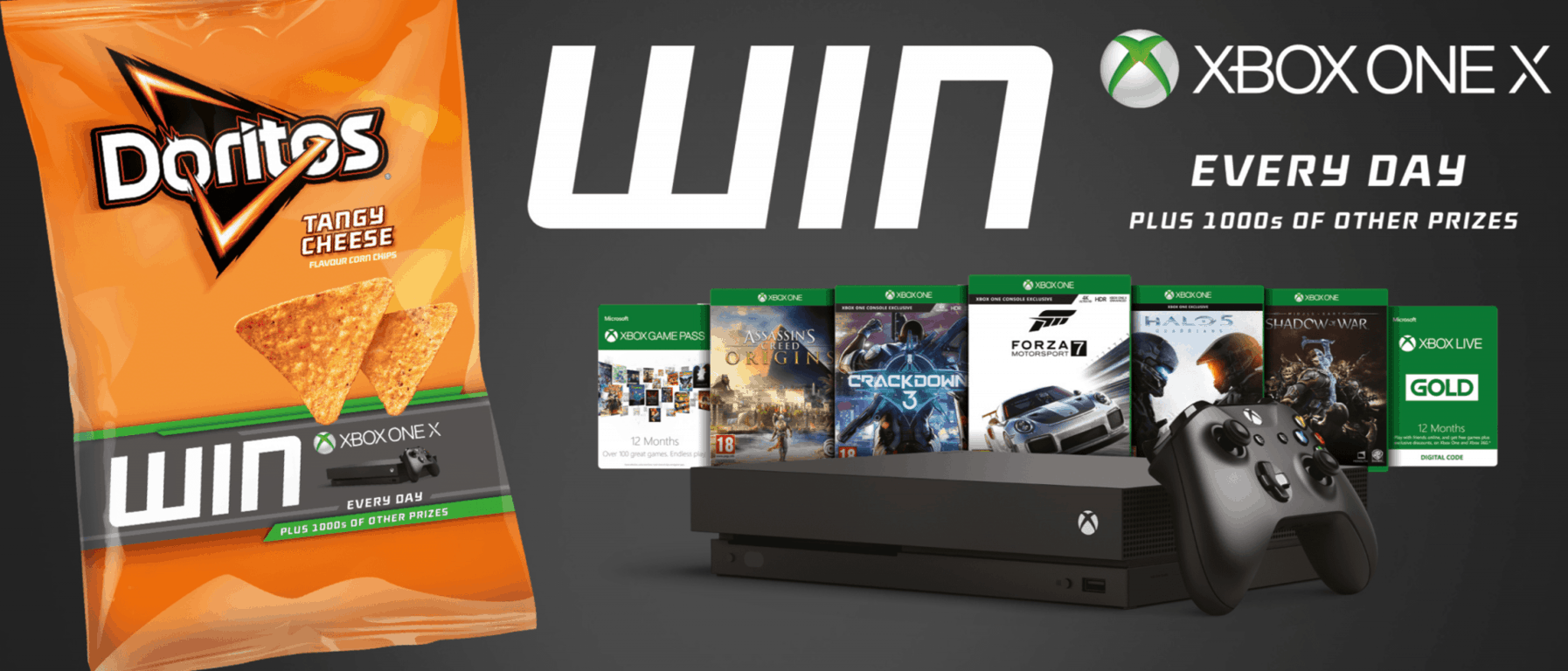
Microsoft and Doritos U.K. are giving away an Xbox One X every day until the end of the year

With many gamers complaining about Amazon failing to deliver Xbox One X pre-orders in the U.K. eager Xbox fans might want to try their luck at scoring the console by eating some Doritos instead. Indeed, Microsoft and Doritos have teamed up in the United Kingdom to give away an Xbox One X every day until the end of the year.

All it takes to try the luck of a winning the Xbox One X in the U.K. is to buy promotional packs of Doritos and enter some personal details and the unique code on the pack at doritos.co.uk/xbox. There are also tons of other prizes that can be won as part of the promotion, including digital game downloads, Xbox Live Gold subscriptions, and Game Pass memberships.

In the words of  Jack White, Xbox and New Devices Partnerships and Events Manager for Europe, the Middle East and Africa:

“The campaign is an amazing opportunity for Doritos and Xbox fans to get their hands on the world’s most powerful console, the Xbox One X… It’s great to be working with Doritos in this way, and we’re really pleased to be able to offer such a fantastic set of prizes every day.”

Doritos also worked with Microsoft to film a series of interactive videos as part of a #PlayBold campaign. The videos can be found via the Xbox dashboard, and star famous YouTubers, including Ali A, Jelly, and AlphaSniper  A similar Doritos themed promotion was announced in the United States well before yesterday’s launch of the Xbox One X.

Microsoft partners with Under Armor to create the Xbox One X and Curry 4 “More Power” VIP Kit

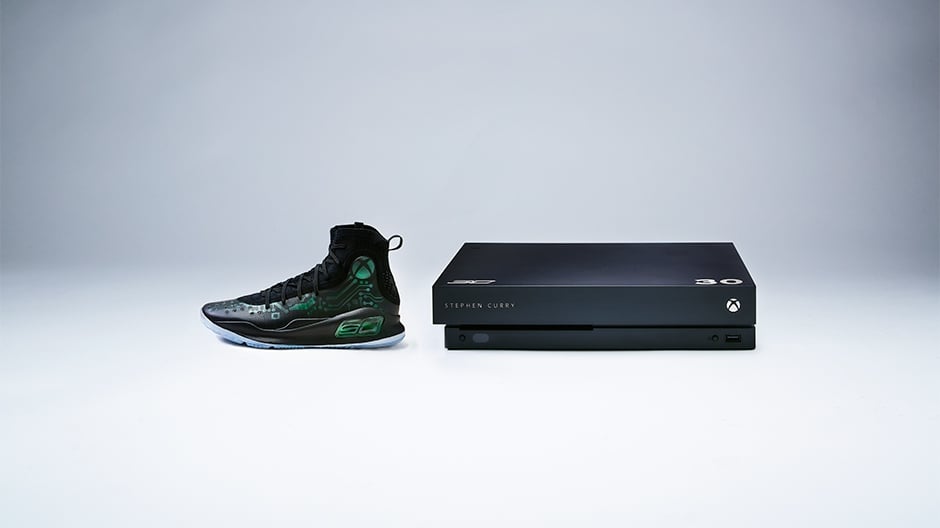
If you thought the Xbox One X Project Scorpio Edition was pretty unique, think again. Yesterday, Microsoft unveiled the Xbox One X and Curry 4 “More Power” VIP Kit, created in collaboration with Under Armour, Stance, V-Moda and Incase. The kit includes a custom-designed Xbox One X console, a pair of customized Under Armour Curry 4 sneakers and many more cool accessories to make your gaming life even more awesome.

“The Xbox One X ‘More Power‘ VIP Kit is a dream for sneakerheads, gamers, entertainment enthusiasts, and lifestyle aficionados,” said Aaron Greenberg, GM Xbox Marketing. “We have the custom Curry 4 “More Power” colorway inspired by the world’s most powerful console, Xbox One X, paired with the console itself, the super-premium Xbox One Elite controllers and the best products in their respective categories from Stance, V-MODA, and Incase in a single package.”

The Xbox One X “More Power” Curry 4 VIP Kit.

Here is the list of everything that’s included in the Xbox One X ‘More Power‘ VIP Kit:

  • A custom-designed Xbox One X Console with 2 Xbox One Elite controllers, select Xbox One games and 12 months of both Xbox Live Gold and Xbox Game Pass
  • Under Armour Curry 4 “More Power” custom colorway
  • Stance Athletic limited edition socks featuring the Xbox logo
  • V-MODA Crossfade 2 Wireless Headphones customized with Xbox logo
  • Incase NoviConnected 4 Wheel Hubless Travel Roller, which includes high power charging for all your mobile devices
Incase’s hardshell roller can even charge your Xbox controller on the go.

“While the kit is intended for select press and influencers, fans should keep their eyes on all partner social channels for a chance to get their hands on one,” explained the Xbox team. Let us know in the comments if you think this is a cool partnership to celebrate the launch of Xbox One X.

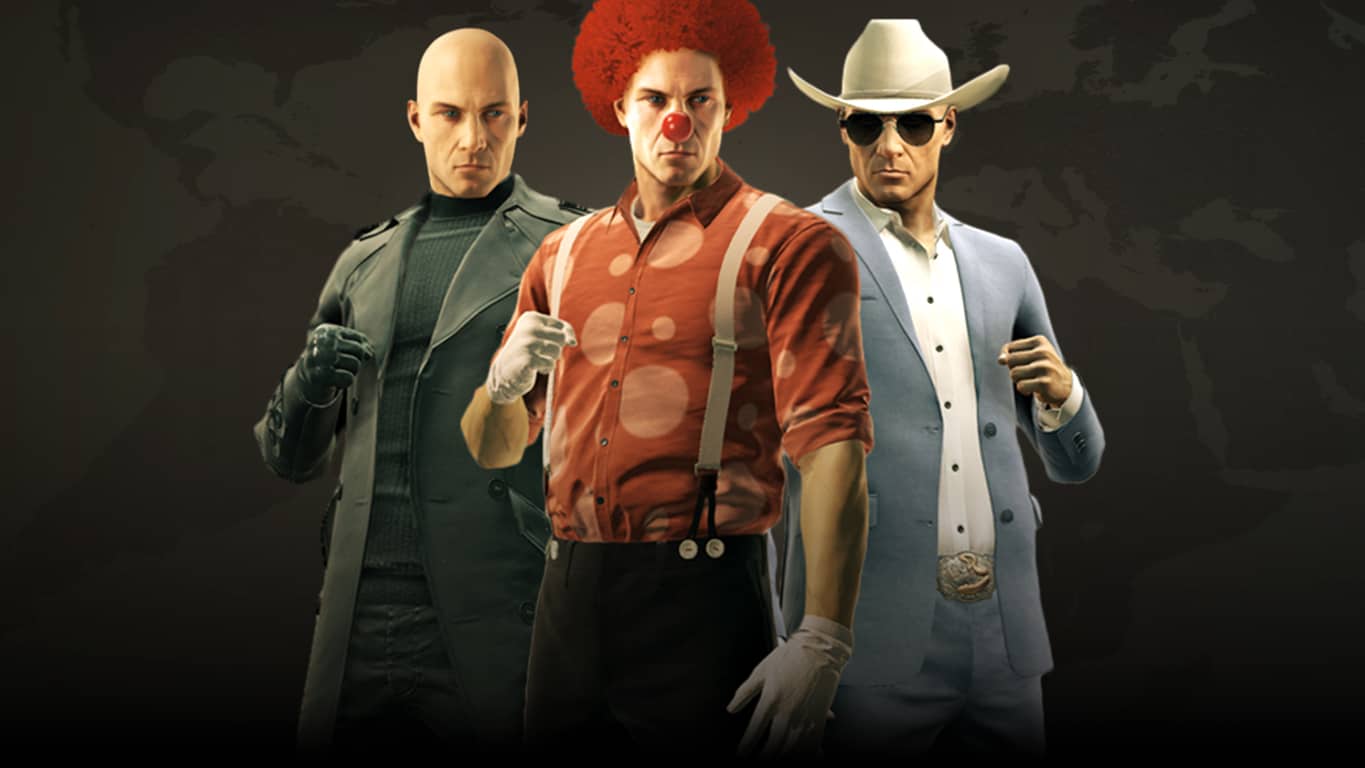
Hitman’s special Xbox One X update is here

The big Xbox One X update for the Hitman video game is now available. This update adds loads of improvements and additional in-game content and also adds 4K graphics for when it’s played on the Xbox One X console.

To get this update, current owners of the game can buy the Hitman Game of the Year Edition Upgrade pack while those who have never played the game can buy the Hitman Game of the Year Edition which includes the update and the original base game. Here’s the official description:

Experiment and have fun in the ultimate playground as Agent 47 to become the master assassin. Travel around the globe to exotic locations and eliminate your targets with everything from a katana or a sniper rifle to an exploding golf ball or some expired spaghetti sauce.

Are you going to upgrade or buy the full game. Do you think the upgrade should be free? Let us know in the comments below.


Need for Speed Payback: Deluxe Edition is available now on Xbox One

The Need for Speed Payback: Deluxe Edition is now playable on the Xbox One. This version of Need for Speed Payback lets owners play the game three days before the official launch of the regular edition and also comes with a variety of mission packs, cars, and other digital items. Here’s the official list of additional content gamers can expect.

  • Upcoming Story Mission Pack
  • Exclusive Deluxe Edition NOS color (Can be applied to 5 cars)
  • Exclusive Deluxe Edition License Plate
  • Exclusive Deluxe Edition Leaderboard icon
  • 5 Shipments
  • 5% Rep Bonus
  • 10% Discount on in-game content using earned in-game currency
  • Exclusive Platinum Blue Underglow & Tire Smoke Vanity Items†
  • Nissan 350Z 2008
  • Chevrolet Camaro SS 1967
  • Dodge Charger R/T 1969
  • Ford F-150 Raptor 2016
  • Volkswagen Golf GTI Clubsport 2016

Did you pre-order this Deluxe Edition or are you waiting for the launch of the regular version of Need For Speed Payback? Let us know in the comments.

Oops! Xbox One X is plagued by black screen issues

Microsoft officially launched the long-awaited Xbox One X today to gamers’ delight.

This new device is touted as the most powerful console in the world and is already very popular among gamers.

However, not all of them have been able to enjoy smooth gaming sessions on the new console. Actually, many gamers reported that the Xbox One X is affected by frequent black screen issues. This problem affects all games, it is not specific to a certain title.

Here’s how one gamer described this issue on Reddit:

Hey man, the exact same thing just happened to me.
I was able to set up the system no problem. I start Titanfall 2, no problem. After about 45 minutes of playing, my screen goes black and the system turns off. I press the Xbox logo, nothing. Unplug, then replug, nothing. Press the Xbox logo again on console for 10 seconds, nothing. I swap out the one x with my old one s, but keep the same cords, my one s powers up no problem.
…My One X is dead.

Judging by gamer reports, it appears that this problem is prevalent for the Xbox One X Scorpio Edition.

How to fix Xbox One X black screen issues

xbox one x scorpio black screen issues

For the time being, there are two solutions to fix this problem… kind of:

  1. take it back to the store to exchange it
  2. contact Microsoft support for a replacement.

By far, the first option is also the quickest way to get a new one. However, there is no guarantee that the new console won’t be affected by black screen issues as well.

Unfortunately, gamers said that basic troubleshooting steps such as power cycling the device or ejecting the disc failed to fix the problem.

Our guess is that the black screen errors on the Xbox One X are triggered by software-related bugs or incompatibility issues. The Redmond giant invested months of research into this console, so it’s very unlikely that this problem is caused by faulty hardware.

Microsoft has yet to issue any comments about this situation. This wouldn’t be the first issue of its kind – we also have a very useful guide on how to fix the infamous black screen of death on the Xbox One.

If you have encountered black screen issues on your Xbox One X, use the comments section below to tell us more about your experience.

RELATED STORIES TO CHECK OUT: