Mass Effect: Andromeda Pathfinder Helmet missing? Just have a little patience

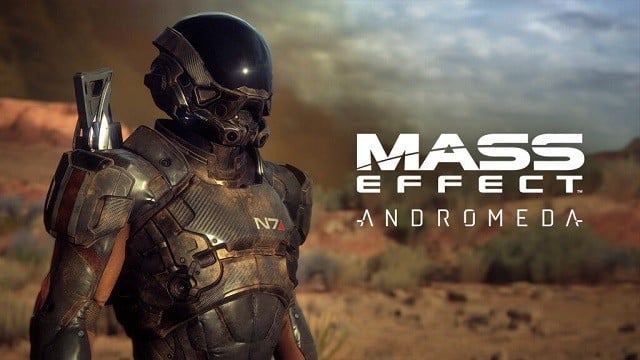
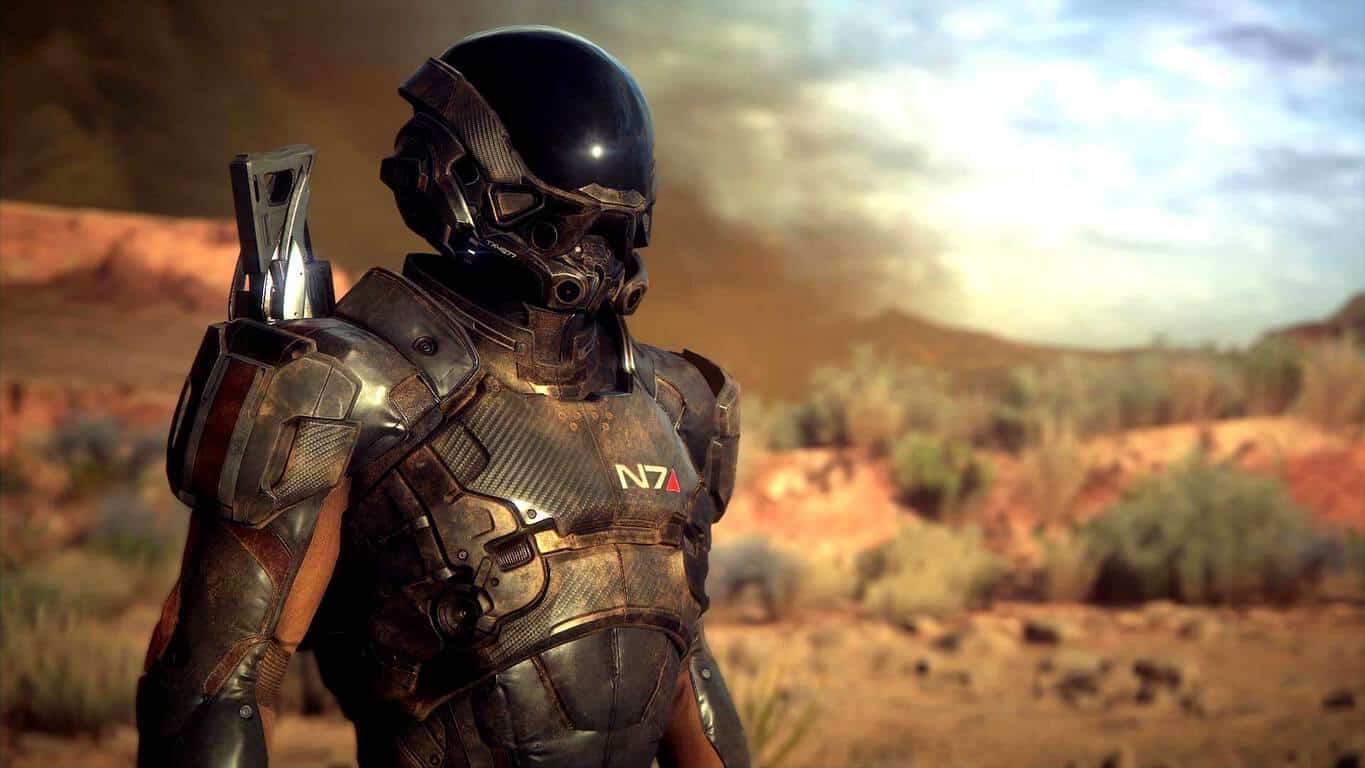
EA came up with an interesting idea to promote Mass Effect: Andromeda in providing a free Pathfinder helmet to everyone who watched all six of its videos on the Training Hub site. While the majority of players were delighted by this generous offer, some of them haven’t received the prize despite completing the task.

One player recently complained on the EA forums about how, despite watching all the videos, he hasn’t received the helmet yet:

I have a question about exclusive Pathfinder helmet. I’ve watched all 6/6 tutorial videos, but I haven’t get any notification, that I’ve got this helmet. I was logged in my origin account, where I have made ME Andromeda pre-order before. There is only one notification, that my progress is recorded, but I didn’t get any e-mail about this helmet. I just want to know, is it normal or there should be some notification and I’ve done something wrong.

Although it looks like an issue at first sight, everything’s probably fine as other players from the thread said that he received a notification about the helmet but simply missed it. Folks from EA added that the helmet will become visible in-game, so checking it out is advised.

I just finished the 6th video today as well and when completed, there was a statement that said I had watched all the videos and my account has been credited with the bonus gear. It was in pretty small print, so I’d imagine you might have just missed it when you finished the last video. As long as the initiative says you’ve watched 6 of 6 videos, you should be set.

If you’ve completed the training, don’t worry about receiving your helmet because it’s most likely there. Just make sure to check out all notifications and emails.

To find out about more extra content, bonuses, and promotions, check out this video:

Have you purchased Mass Effect: Andromeda already? What are your first impressions about the game? Let us know in the comments below.

RELATED STORIES YOU NEED TO CHECK OUT:

Microsoft engineers appreciate your contributions, Windows 10 Insiders!

Even though Dona Sarkar has announced on her Twitter that there won’t be any new builds today, that doesn’t mean she and the team aren’t busy. In fact, the day seems to be full of the engineering team’s review filled with data, feedback, and meetings.

In another of today’s tweets, Sarkar also noted that Windows Insiders were given praise during today’s all-day Engineering review.

As we get closer to the Windows 10 Creators Update, expected to roll out to the public on April 11th, Windows Insiders have had the opportunity to assist through every step of the way. Whether in the Fast or Slow rings, early access to features, fixes, and our fair share of bugs lets us actively partake in the development of Windows 10.

So give yourselves a pat on the back Windows Insiders, we did our job!

Pre-order the The Disney Afternoon Collection on Xbox One today

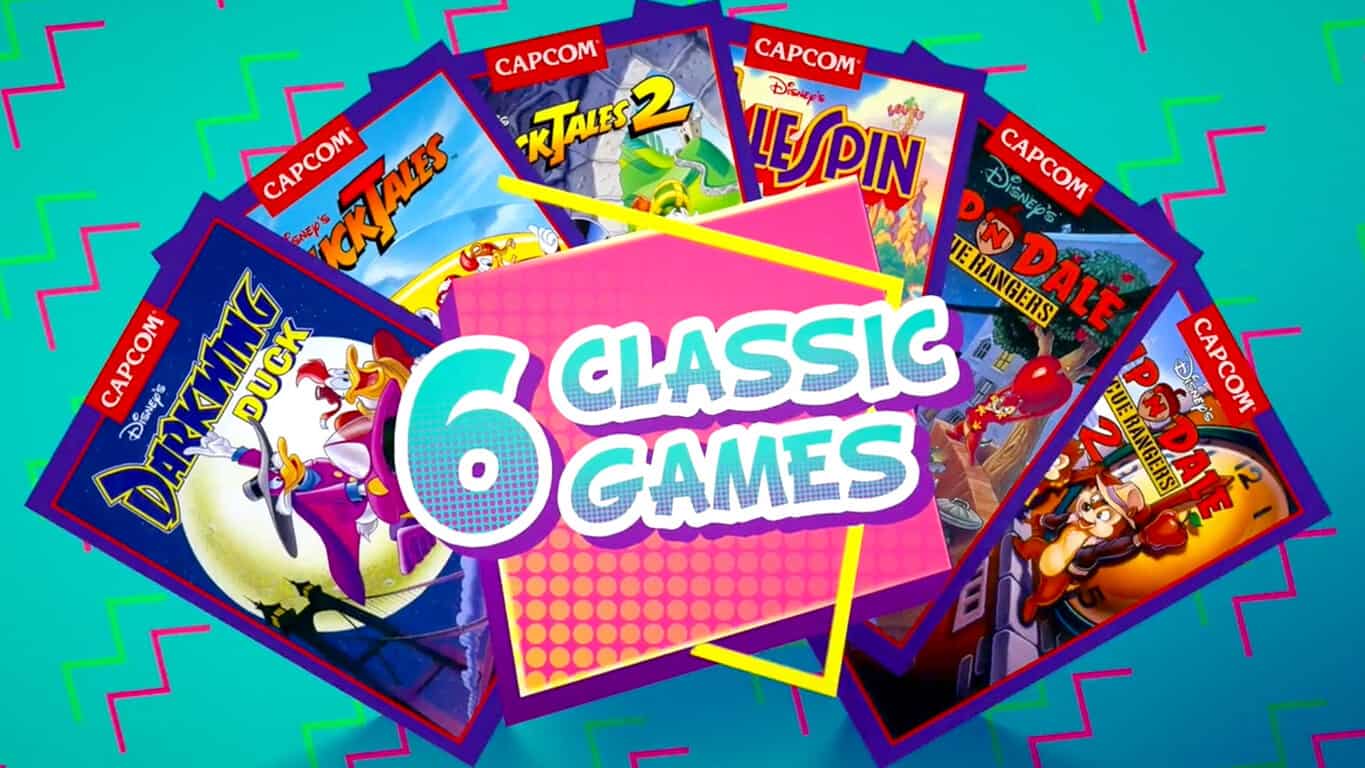
The Disney Afternoon Collection is now available to pre-order and pre-download on the Xbox One. This collection contains several classic Disney titles from the 90s such as Darkwing Duck, TailSpin, and the first and second DuckTales and Chip ‘n Dale Rescue Rangers games. All of the games have been given a visual refresh however players are given the ability to switch back to the original classic designs. Here’s the official description:

Starring a cast of beloved Disney characters, The Disney Afternoon Collection takes you back to a golden era of gaming and afternoons filled with adventure. Hunt for treasure around the globe as Scrooge McDuck, fight crime as the hero Darkwing Duck, take to the skies as ace pilot Baloo the bear, and enjoy co-op as Chip and Dale to take down Fat Cat. All six classic games feature new and improved visuals and include filtering options that replicate a retro look and feel. This collection also offers new ways to play with Boss Rush and Time Attack modes, each of which encourages time-based gameplay and features online leaderboards. Additionally, a new “Rewind” feature makes these challenging titles more accessible for newcomers, with the option to rewind time and enjoy a swift recovery from blunders. Best of all, the in-game Museum will provide history buffs with a wealth of extras to celebrate the era of the original releases, such as concept art, and music – all lovingly preserved.

Pre-order The Disney Afternoon Collection on Xbox One

Are you excited for The Disney Afternoon Collection? Which Disney video game is your favorite? Let us know in the comments below.

Windows 10 build 15063 available to Insiders on Fast ring

Another week, another Preview build! Microsoft continues its fast-paced strategy of releasing new Preview builds every few days. This time, we have the new build 15063, which is available to Insiders on the Fast ring, on both PC and Mobile.

As you probably know, the new build brings no new features, but just a few system improvements and bug fixes. This probably is the thinnest Creators Update build so far, because it brings just two bug fixes for PC, and six for Mobile. The bigger number of improvements for Mobile was expected, since we haven’t seen a Mobile build in a while.

Here’s the complete list of system improvements in Windows 10 Preview build 15063 for PC:

  • “We fixed a reliability issue from Build 15061 resulting in Microsoft Edge hanging and becoming completely unresponsive.
  • We fixed an issue for Insiders where the localized files and registry keys associated with any additional language packs on the system would not be installed after enabling .NET Framework 3.5.”

Here’s the complete list of bug fixes and system improvements for Windows 10 Preview build 15063 for Mobile:

  • “We fixed the bug causing a number of inbox apps to fail to launch (such as Store) and also preventing any app updates from the Store from working. Thank you all for sending us feedback around this.

  • We fixed the bug causing background tasks to not run in the background like they should such as OneDrive’s camera roll sync feature. Background tasks should be working again as expected and your camera roll will sync to OneDrive again.

  • We fixed the issue where in some cases you may lose your call, text, and email history may be lost if your device experiences an unexpected reboot.

  • Speech Packs should download and install normally.

  • We fixed an issue for Insiders with certain cars resulting in connection failures after pairing Bluetooth.

  • We fixed an issue where replacing the default APN for LTE on the phone wouldn’t work.”

According to Microsoft, the new build also causes some issues to Insiders who install it. To check out the complete list of the known issues for both PC and Mobile, check out the official build announcement blog post. We’ll also soon gather reports from actual users, and write our traditional issue-report article, to give you a better insight into the stability of Windows 10 Preview build 15063.

As the Creators Update release date approaches, Microsoft will be releasing new builds faster than ever. So, expect one or two more builds during this week.

Have you installed the new build for Windows 10 Preview yet? What’s your experience with it so far? Let us know in the comments below.

RELATED STORIES YOU NEED TO CHECK OUT:

Those Microsoft Reactor tech hubs are getting positive reaction

If you were curious about the progress of the Microsoft Reactor project, the Redmond giant made a quick update post to tell us that the project has been a resounding success. The three Microsoft Reactor locations in New York, Philadelphia and San Francisco have all been doing exceptionally well, being host to hundreds of events and becoming a workspace for tons of startup tech businesses.

The New York Reactor, opened last October in the Grand Central Terminal, has about 90 startups based there. The Philadelphia Reactor, which officially opened last November, is described by Philadelphia Magazine as being “in a league of its own.”

Microsoft Reactor is the latest effort from Microsoft to empower local communities to do more with technology, offering up space where startups can do whatever they need to in order to realize their full potential. Each Reactor is tailored to the community that it’s built in, and offers a place where innovators can engage in truly meaningful dialogues.

Xbox Live, Microsoft account services coming back online

A number of reports on Twitter and elsewhere, and our own testing is showing that Microsoft account services, accessed via login.live.com, and Xbox Live are coming back online after being inaccessible for more than an hour.

The Xbox Live Status page still shows red alerts, as does the Office 365 Service Health page, but services are apparently coming back on line.

So far there has been no word other than on the two status pages on what may have gone wrong, but we’ll keep you posted as more information becomes available.


Outlook.com, OneDrive login problems acknowledged as “intermittent”

Microsoft has posted a notice on the Office 365 Service Health page acknowledging the login issues, calling them intermittent and “analyzing service logs”:

Office 365 Service healthHere’s the text of the notice:

Title: Can’t sign in to Outlook.com

User Impact: Users may be intermittently unable to sign in to the service.

More info: As the issue is intermittent in nature, users may be able to reload the page or make another attempt successfully.

Current status: We’re analyzing system logs to determine the next troubleshooting steps.

Start time: Tuesday, March 21, 2017, at 5:15 PM UTC

Next update by: Tuesday, March 21, 2017, at 7:30 PM UTC

We’ll keep you posted if and when things change.

Xbox introduces a new custom line of Wireless controllers: the Tech Series

Major Nelson today announced a brand new line of special edition Tech Series Wireless Xbox One controllers. The first controller of the series, named Recon Tech Special Edition, will be available for $69.99 USD and is shipping to retailers worldwide starting April 25.

The Xbox Wireless Controller Tech Series

According to Major Nelson, the controllers are inspired by military technology and the patterns used in technology to improve performance. The controller also includes the same features of a standard Xbox Wireless Controller, including a rubberized textured grip, improved wireless range and Bluetooth technology for gaming on Windows 10 devices. You may learn a bit more about the controllers by reading the excerpt below.

“Inspired by military technology and the patterns used in technology to improve performance, the design team explored concepts stemming from robots, armor, vehicles, and more to create the new line of controllers. Fans will be delighted by premium finishes like a laser etched texture on the front, gold accents and insignia, and our fan favorite diamond rubberized grips on the back. These additional touches will enhance comfort and performance.”

If the controllers have grabbed your attention, it’s best to keep it tuned to the Microsoft Store, and your local retailers for more information on availability. Until then, let us know your thoughts on the controller by dropping us a comment below!

Ten years later, Xbox 360 scratched disk case makes it to the US Supreme Court, sorta

Nearly ten years later, a case that Xbox fans have been pushing for against Microsoft is finally being looked at by the U.S. Supreme Court. But not necessarily in the way that they wanted.

As GeekWire explained in detail, there has been a bit of back and forth to sift through about the lawsuit in the last decade. Users of Xbox 360 filed against Microsoft claiming that the console scratched game disks, ruining them and costing more money than intended. The problem, however, was that the group of gamers were denied filing status as a class action. Because they couldn’t sue as a group, the gamers then tried to take Microsoft as individual cases. But those got thrown out because the cost of the games was minimal compared to rather expensive court proceedings.

So instead of accepting the loss, many (former?) Xbox users decided to voluntarily dismiss the lawsuit. It might sound counter-productive, but instead, it was a tactic to set Microsoft up for a later case. Legally, this meant the individuals could return to the case at a later date should they ever finally receive the class action status. These rulings were accepted by the Ninth Circuit Court of Appeals.

Microsoft, however, doesn’t intend to let that fly it seems. Instead, the Redmond giant is bringing the legality of this turn of events into question. Today, the U.S. Supreme Court will be reviewing the case after five years of festering in hiatus. According to the court’s news post, if the strategy is found legally permissible the case would resume.

The voluntary-dismissal strategy, by contrast, stops the district court proceedings in their tracks pending appellate resolution of the certification decision. Thus, the strategy often leads to lengthy delays in the adjudication of the merits; courts traditionally oppose piecemeal interlocutory appeals primarily to avoid just such delays. On that point, it is greatly to Microsoft’s advantage that this case arose in one of the slowest courts of appeals.

Seth Baker, only one of the plaintiffs involved, argues that the dismissal is the only way for courts to realize the need for a class action lawsuit. Microsoft brings up the point that if the plaintiffs are willing to dismiss the case in a court of law, then it is implied that the claim is moot, and thus the need for class action.

If one thing is to be taken out of this, it is to be noted that gamers are some of the more determined people and Microsoft has crossed them. It will be interesting to see how the case proceeds further and we’ll be sure to follow it closely here at OnMSFT. Which side do you agree with most? We’d love to hear your opinion in the comments below.

Disqus releases Universal Windows 10 app with lots of new features

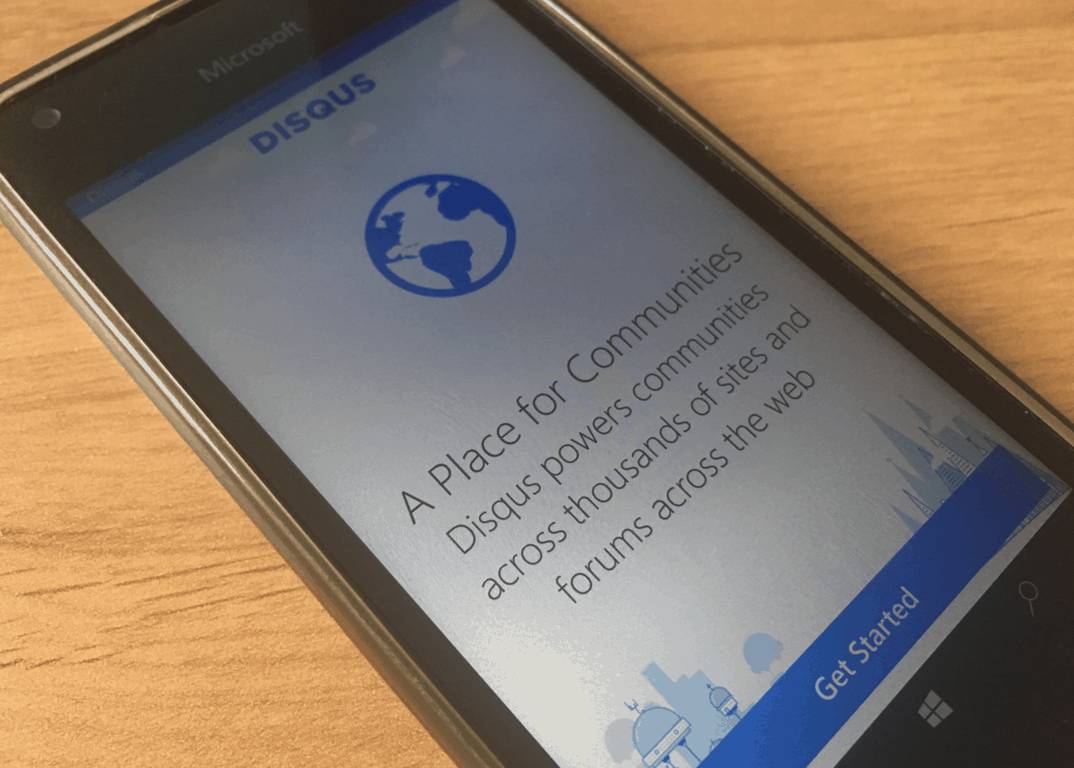
Last year, Disqus launched a new UWP app in Beta which received several feature updates. After extended testing, the new UWP app is now rolling out to users of the previous Windows Phone app, and you can also install it on your Windows 10 PC, too.

The blog comment hosting service has always been a big supporter of Windows Phone, and and the new UWP app is pretty solid. Compared to the previous Windows Phone version, the universal app brings a refreshed design, an improved login experience (including social login support with Facebook, Twitter and Google+ accounts), a new image uploader and real-time updates in discussions.

There is no changelog yet for the latest version 4.0.19, so there may well be some new features and improvements that we haven’t seen yet. You can get the app from the download link below, sound off in the comments if you spot anything new.

Disqus
Disqus
Developer:
Disqus
Price:
Free

OnMSFT is on Microsoft: our move to Office 365, Teams, and Planner

When we made the switch from WinBeta.org to OnMSFT.com, we needed to move away from our (free) legacy Gmail custom domains setup (yeah, we know – Google, ugh!) to a paid solution, and Office 365 was pretty much a no brainer. For about $5 per user per month, which is what Google charges now for custom domain email, and a lot less than Dropbox charges for storage, we got both custom email, 1TB of storage, and a lot more with Office 365 Business Essentials.

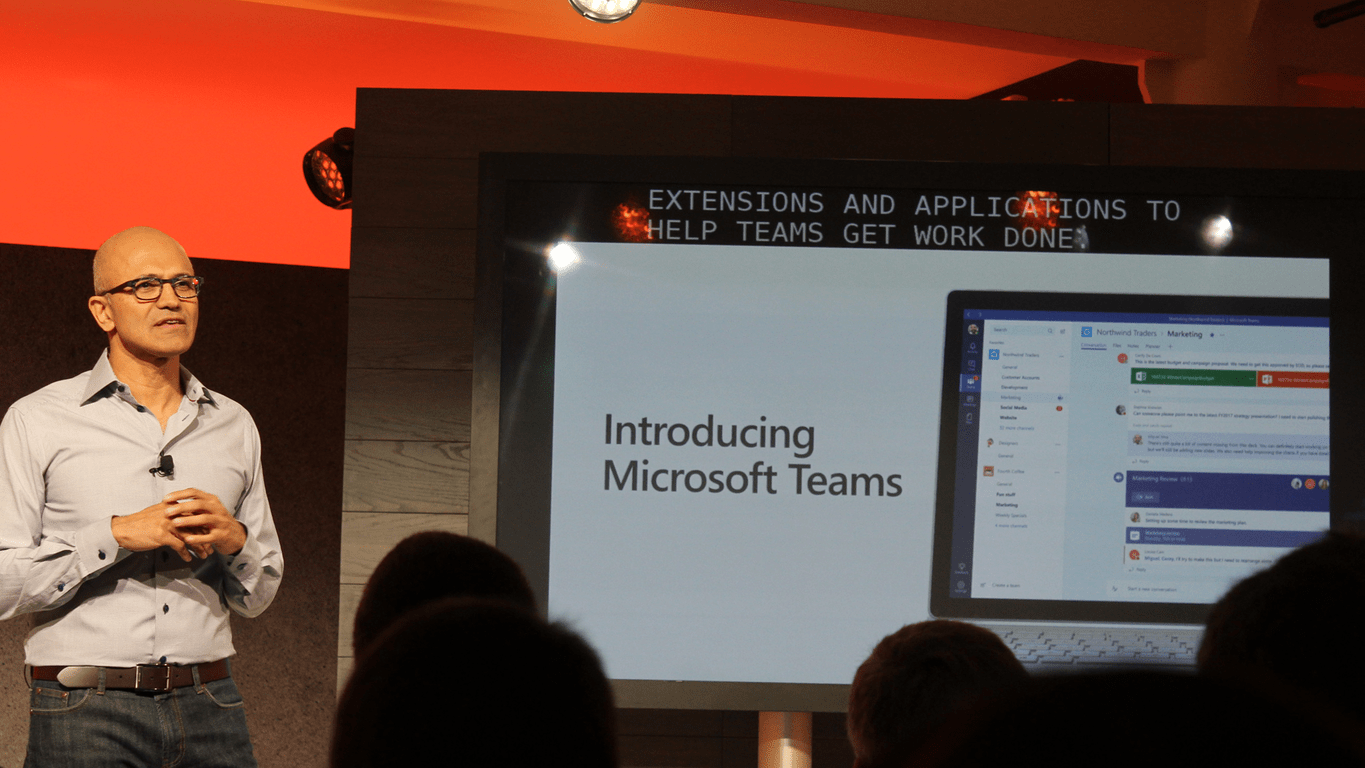
So, we’ve been using Office 365 mail for some time, now, but last week we celebrated the launch of Microsoft Teams by moving from our combination of Trello for workflow and Hipchat for internal communications to Teams and Microsoft Planner.

We’re still getting used to the new system, and while some things are better, to be honest some things aren’t. One advantage of jumping on the Microsoft Teams / Planner bandwagon early, though, is that we’re expecting lots of upgrades, some of them coming in the near future.

We’ll be telling you lots more about Microsoft Teams, Microsoft Planner, and Office 365 in the days and weeks ahead, but for now we’re happy to announce that OnMSFT is truly On Microsoft!

Xbox’s Europe special sale offers “epic deals” on Xbox classics

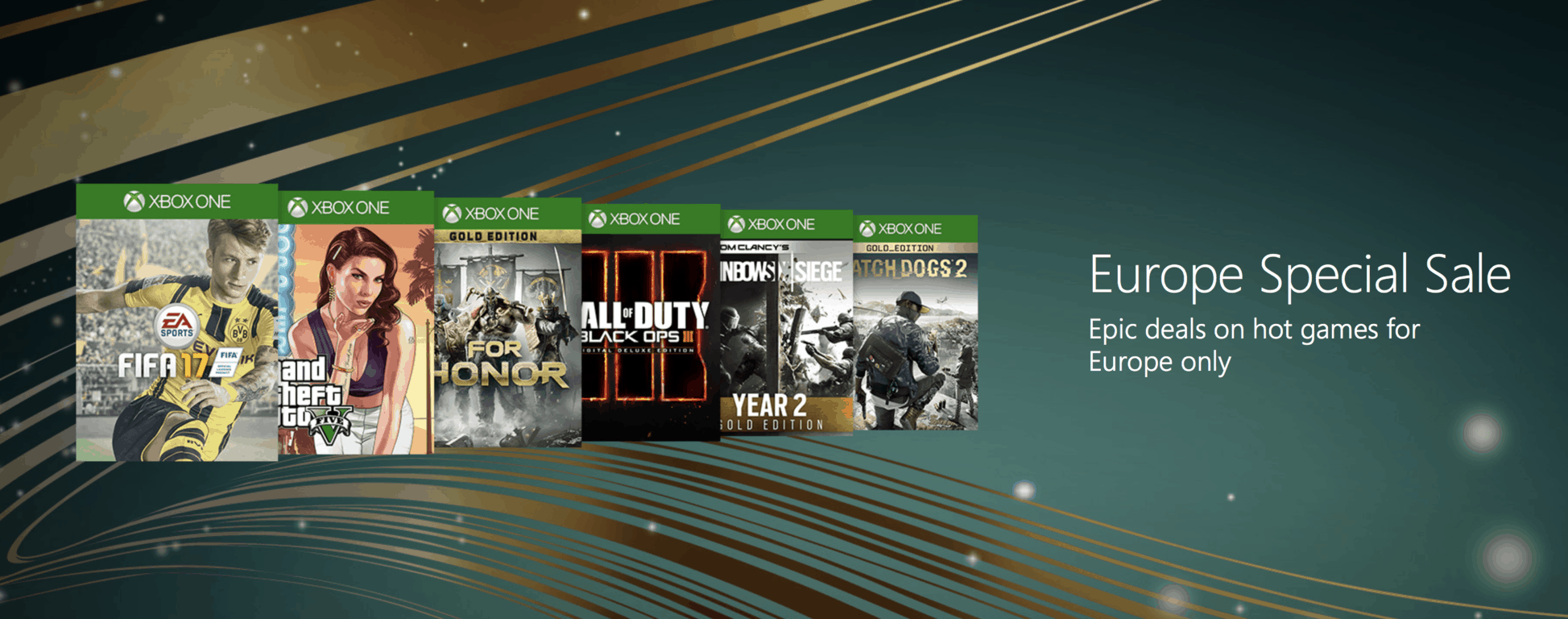
Xbox gamers have a lot of opportunities to save big on game purchases this week: outside of we have the usual Deals with Gold for Xbox Live Gold subscribers, we have a big Spotlight Sale with great discounts on NBA 2K17, Resident Evil games and more, but European consumers are getting some love from the Xbox team, too (via Windows Central).

Indeed, Xbox fans in Europe can now take advantage of “epic deals on hot games” during Xbox’s Europe Special Sale, which features many AAA titles such as GTA V, Titanfall 2, Rainbow Six Siege, Destiny – The Collection and more. There is also a nice selection of backward compatible Xbox 360 titles such as Call of Duty: Black Ops, Red Dead Redemption, the BioShock trilogy and more. You can find some of the most interesting discounts below and you can find the full list of games on the dedicated page.

Xbox One Games:

Xbox 360 backward compatible games:

Pricing may vary by region, so we invite you to check the store listings to get full pricing details. Let us know in the comments if of these games do you plan to buy during the exclusive sale.

Latest Xbox One Insider build is now rolling out to Preview Beta and select Ring 3 Xbox Insiders

It’s been a busy past week for Xbox Insiders, as we saw the Xbox team release several new builds for Preview Alpha, Beta and Ring 3 Xbox Insiders. On Sunday, Preview Alpha members received the last preview build which brought performance improvements and fixes to localisazed content. This same build is now rolling out to the the Preview Beta ring and select members of the Preview Ring 3:

You can find the complete changelog below:

DETAILS

OS version released: rs2_release_xbox_1703.170317-1902
Available: 6:00PM PDT 3/20 (1:00AM GMT 21/3)

FIXES:

  • Localization: Miscellaneous fixes to localized text and content.
  • Miscellaneous: Miscellaneous performance fixes and improvements.

KNOWN ISSUES:

  • Game Clips: After capturing a game clip, the game clip fails to automatically post to the Activity Feed (if your profile is configured to do so). Workaround: Manually view game clips in Profile > Captures > Manage captures and post to the Activity Feed.
  • Settings – Display & sound: The Audio output page is under construction and some of the new settings are not yet functional. New support is planned for Dolby Atmos for home theater, Dolby Atmos for headphones, and more in upcoming builds. An announcement will be made when these new features are ready to try out; enabling these settings now will have no effect.
  • Wireless Display: The Wireless Display app fails to launch and immediately crashes to Home.

Yesterday, the Xbox team also announced the upcoming availability of several new features including custom gamer pics, Arena on Xbox Live, improvements to Clubs and Looking for Groups and more. According to Microsoft, all these upcoming new features were all long requested by Xbox fans and we’re looking forward to try them in the coming weeks.

Mass Effect: Andromeda launches on Xbox One amidst negative reviews

The highly-anticipated video game, Mass Effect: Andromeda, has finally launched on Microsoft’s Xbox One console today however the title has been met with quite a few negative reviews from games critics with most agreeing that it fails to live up to its predecessors and suffers from a variety of odd animations that look more like glitches than deliberate design choices. Like with the newly released Iron Fist series on Netflix which was also panned by critics, many fans are choosing to disregard what the critics say though and are actually enjoying their purchase.

Here’s the official game description:

Mass Effect: Andromeda travels deep into the Andromeda Galaxy, far beyond the Milky Way. There, you will lead our fight for a new home in hostile territory where we are the aliens. Take command as the Pathfinder, a leader of a squad of military-trained explorers, with deep progression and customization systems. This is the story of humanity’s next chapter, and your choices throughout the game will ultimately determine our survival in the Andromeda Galaxy. As you unfold the mysteries of the Andromeda Galaxy and the hope for humanity lies on your shoulders, you must ask yourself – how far will you go? HDR enhanced for richer, more luminous colors.

Buy Mass Effect: Andromeda on Xbox One

Buy Mass Effect: Andromeda Deluxe Edition on Xbox One

Buy Mass Effect: Andromeda Super Deluxe Edition on Xbox One

Have you played Mass Effect: Andromeda yet on your Xbox One? Let us know what you would rate the game in the comments below.

Microsoft now has a 12 year old Certified Solutions Expert

An 11-year old boy has finished six Microsoft-certified courses, making him the youngest Microsoft charter member. The boy, Uzair Abdullah (now 12-years old) enrolled himself in the courses and travelled to his nearest Microsoft Center in Peshawar to take the tests where he became certified in web development, server and networking, cloud platform and infrastructure, among others.

“We always wanted him to do such courses to enhance his abilities in his field of interest,” his mother, Ambreen Abdullah, told The Tribune. “A tutor used to teach him at home during his stay in Gujranwala where he did not go to school. With the help of tuitions he appeared in the board examinations of class eight.”

Microsoft offers a wide range of certification exams based on the company’s technologies ranging from entry-level courses through to those targeted towards IT professionals (or really motivated 11-year olds). Have you ever taken one of Microsoft’s courses? Share your experience with the community in the comments below.

Final Fantasy XV gets massive Games With Gold discount on Xbox One

This week’s Games With Gold video game discounts have been announced and there are some great savings to be had on both the Xbox 360 and Xbox One. This week in particular is a great one for Final Fantasy fans as the franchise’s latest entry, Final Fantasy XV, has been given some major discounts with the regular version of Final Fantasy XV getting a 40% discount and the FINAL FANTASY XV Digital Premium Edition receiving a 30% price cut.

Other Xbox One bargains to watch out for this week are The Peanuts Movie: Snoopy’s Grand Adventure with its 80% discount and Blood Bowl 2 and Divinity: Original Sin: Enhanced Edition which are now reduced by 75%. Also on Xbox One, Beyond Eyes, Thomas Was Alone, and Three Fourths Home: Extended Edition are now 67% cheaper than usual.

One the Xbox 360, Spider-Man: Dimensions, Realms of Ancient War, Mars: War Logs, Farming Simulator, Contrast, and Bound by Flame have been given 75% discounts. A full list of all of the Deals With Gold titles can be seen in the Games With Gold tab on the respective consoles.

Have you bought any cheap video games this week? Let us know which ones in the comments below.

Fitbit for Windows 10 now supports tracker notifications and Connected GPS with Creators Update

Fitbit kicked off a closed beta testing for the Call and SMS notification feature of its app in Windows 10 Mobile. The test followed recent Creators Update improvements that introduced support for the Bluetooth GATT server profile. A few weeks later, the beta has gone live.

The activity tracking company announced on its support forum that those who submitted a valid email address have started to receive an update to the Fitbit app. That means some Fitbit users are now getting device notifications.

The beta is available to users with the Windows build 15055. Beta testers are also receiving version 2.19.983.0 of the Fitbit app. Upon syncing their tracker, users on the latest app version will get a new permission request, asking them to accept the update in order to enable notifications.

Known Issues

In the forum, Fitbit also disclosed some known issues:

There are known stability issues at this time. We are not seeing the stable performance on current insider builds that we are seeing on internal builds from Microsoft. We’re investigating potential improvements we can make in the app, and also hoping that Insider build updates could resolve some of these issues.

Fitbit added:

These features are in active development, and are running on an in-development OS build. It’s highly likely that things may be broken, or perform badly and break from updates to the OS or the app.

The idea is for things to steadily improve until we are super solid for launch. You’re helping to make this feature awesome. If you’re expecting to get early access to a fully working feature, you’ll be disappointed.

The company also promised to add support for Calendar and third party app notifications and Connected GPS support in future versions of the app.

RELATED STORIES YOU NEED TO CHECK OUT:

Paladins issues: The game fails to start, audio problems, and more

Paladins has become quite popular over the course of a few months. Players love the new characters, game mechanics, and of course the fact that the game is free to paly.

However, not everything is a bed of roses in the Paladins universe. According to various players, the game is plagued with various bugs and issues. More or less annoying. To break it down for you, we’ve gathered some of the most common issue reports, and included them in this article.

So, if you’ve been experiencing some issues while playing Paladins, we want you to know that you’re not alone. Also, if you haven’t played the game yet, you should keep these in mind.

Paladins reported issues

Invisible crosshair

One player complains on the Steam forums that when he reloads, his crosshair becomes invisible:

“Sometimes, when i reload, my crosshair goes invisible and then reappears with my next reload. This might be gamebreaking for some players. Let’s hope they fix it.”

Other people from the thread suggest that pressing the Tab button solves the problem. Additionally, they also suggest one extra reloading, however there’s an ongoing discussion about whether that one extra reload could cost you a game. We’ll let you decide whether that’s correct or not.

Not receiving awards

Another player says he’s unable to receive rewards for winning games:

“Im not recieving any rewards for winning games, not exp, not gold, etc…. Im playing casual ina party with 2 friends, one of them is having the same problem, the other one not….”

HirezProxyLaunch has stopped working

Apparently, there’s a major problem with the “HirezProxyLaunch has stopped working” error, which prevents players from launching the game. There are numerous reports about this issue all around the internet. People have tried various solutions, but the problem still appears.

“Every time I try to launch Paladins, I face an immediate error popup saying “HirezProxyLaunch has stopped working”, with subtext saying the usual “Windows is checking for a solution to the problem…” just for the popup to close out on its own with no actual solution found or suggested.”

SMITE players had to deal with the same issue recently. However, the solution that helped them is not useful in this case. So, we’re sure players would like to know what’s going on.

All skins got unequipped

Some players have problems keeping their skins equipped on their characters. According to one player on the forums, skinks constantly get unequipped. Unfortunately, no one has a viable solution for this problem so far.

“Failed to initialize assembly file” error message

There’s another error that prevents players from opening the game. One user has reported the “Failed to initialize assembly file” error message, that appears every time he tries to launch Paladins.

“Guys Pls Help me once i try to open paladins this error message appaer “failed to initialize assembly file”  Help Me PLS”

Another player from the threat suggests that verifying the game cache resolves the issue, but nobody else confirmed this solution.

Unable to watch Replays

The problem with watching replays in Paladins is widespread, as numerous players have reported the same issues. Here’s what one of them says:

“Hey guys i wanted to watch a replay from my game but its just saying “Demorec.replay.fail” What to do?”

Unfortunately, we only managed to find more and more issue reports, but no confirmed solutions. So, it looks like the majority of players is experiencing the issue, but no one actually knows how to resolve it.

Login issues

We’re not done with launching issues. This time, one player says that he’s unable to login into the game.

“I can access the launcher, Pressed “Play”, Then Paladins came up, “Logging in”, Then “Loading Your Profile” Comes up and does not take me to the main menu. I have restarted Steam and no effect.”

Unfortunately, no one answered the thread, so the solution for this problem still remains unknown.

Audio problem

Audio doesn’t appear to be working in Paladins for everyone. One player hit the forums to tell us about audio issues in the game. However, he didn’t provide any additional info about the problem, so we can’t tell you if there’s solution for it. In case you’ve encountered any audio issues in Paladins, feel free to let us know in the comments.

Mid-game crashes

And finally, one player says that he experiences crashes mid-game, because of the server issues.

“Sometimes I can ply it without any crash. But always get crash in the middle of game.
Anyone else get crash? Or only me?”

Once again, no one had a proper solution for this problem, so we can’t tell you more about it.

That’s about it for our list of the recently reported problems in Paladins. If we take the number of reports into account, it looks like the game desperately needs a new patch.

But don’t get us wrong on this one, we still think Paladins is a great game, worth your time. It’s just that some players might get more lucky with issues than others.

If you’ve experienced some problem that we didn’t list in this article, feel free to let us know in the comments below.

RELATED STORIES YOU NEED TO CHECK OUT:

The Crow’s Eye issues: Puzzles can’t be completed, stuck on respawn, and more

The Crow’s Eye is a new psychological horror puzzle game that arrives on Steam today. So far, only testers and press members had the opportunity to try it, and write their first reports and reviews about this game.

According to the earliest reports, developer of the game, 3D2 Entertainment will have more work to do, as there are a few issues that already appear. We’ve wandered around Steam forums, and found the reported issues. So, if you’re planning to purchase the game, keep these in mind.

The Crow’s Eye reported issues

Stuck on platform puzzle

One player complains that he’s unable to reach the ladder, due to un unusual bug in the game. Here’s what he says:

“I’ve figured out how to raise the platform, but now the ladder’s too high for me to reach and I can’t see any way to pull it back down. Any hints from playes who have gotten past that? :)”

However, as some other players pointed out, the issues gets resolved with the latest fix. So, if you eventually get stuck on platform puzzle, as well, it’s time to patch your game.

Cube Puzzle Can’t Be Completed

Another player reported a similar issue. Only this time, the cube puzzle in level 6 can’t be completed:

“Without wishing to spoil anything, I won’t go into too much detail, but the cube puzzle early in level 6 can’t be completed and needs a quick fix. The purple socket isn’t correctly lined up as when the cube is pushed into it, the cube doesn’t slot in as it should and actually ends up going through the socket instead of inside it. The others all slot in as they should.”

Bug on Level 5

There’s also a bug that disturbs respawn in the game. Here’s what one player says about it on Steam forums:

“I’m currently in the sewers, in the room with moving platforms and poisoned water. It happened to me multiple times, that after falling in the water I didn’t respawned in the room but in the entrance area of the sewers.”

That’s it for now. Maybe three issues aren’t such a big deal for a game, but keep in mind that the game has been around for just one day. So, there’s still plenty of time and space for more issue reports. However, we hope there won’t be too many of them in the days to come.

Have you purchased The Crow’s Eye already? Is there anything bugging you in this game? Let us know in the comments below.

RELATED STORIES YOU NEED TO CHECK OUT:

New Microsoft video covers details about the Surface Dial

The Microsoft Dial has been understandably viewed as an accessory to the spotlight stealing Surface Studio. However, the Surface design team wants users to know the Dial is much more than hockey puck-sized add-on, the Surface Dial is as masterfully designed and complicated as the rest of the Surface line.

In five minute long video, the folks over at Microsoft Mechanics walk through the various capabilities and design features that make up the Surface Dial that include explaining how the Bluetooth works and its 3,600 points of precision.

For many, the Surface Dial has come to replace the decade’s old utility of the mouse and for good reason. The Surface Dial seems to mesh the world of tactile feedback with the precision and accuracy of a mouse, in a neat little package.  It’ll be interesting to see how Microsoft plans to improve on the Dial in iteration 2.

Windows 10 Creators Update could force updates over metered connections

Brace yourself for hefty data bills, as Microsoft changes language around Windows updates over metered connections, causing Windows 10 jitters among users. The changes are set to come along with the Creators Update next month.

Currently, Windows 10 handles updates on mobile data networks (metered connection) in a manner different from those over Wi-Fi connections. That is because updates released by Microsoft can consume large bandwidth, therefore leading to costly bills.  To help control huge data charges, Windows 10 downloads only the Priority Updates over metered connections.

However, a new report from SuperSite Windows indicates that the Windows build 15058, now available on the Insider Fast Ring, has altered that setup. The Windows Update section within Windows Settings now states that it will “automatically download only those updates required to keep Windows running smoothly” on metered connections.

Before, Windows 10 dispplayed the following language concerning Windows updates:

Available updates will be downloaded and installed automatically, except over metered connections (where charges may apply).

The new language now presents the following message:

We’ll automatically download and install updates, except on metered connections (where changes may apply). In that case, we’ll automatically download only those updates required to keep Windows running smoothly.

It was not immediately clear what these priority updates are or what size an update should have to qualify as a priority item. Microsoft has now alleviated worries among Windows 10 users by clarifying that it does not plan to push large updates over metered connections. On the other hand, the software giant intends for the change to send critical fixes whenever necessary going forward.

Redmond is also developing a new update delivery method that will push smaller updates in the future regardless of the nature of connection. Do you agree with Microsoft’s plan to force updates over metered connections? Share your thoughts in the comments.

RELATED STORIES YOU NEED TO CHECK OUT:

Ghost Recon Wildlands: How to skip all the intro videos

We’re sure that many Ghost Recon Wildlands players would like to simply skip the game’s intro videos and dive immediately into action. In this article, we’re going to show you how to make the game start up faster by removing the cutscenes.

How to remove Ghost Recon Wildlands intro videos

1. Go to Ghost Recon Wildland’s folder, and access the video file, which should be located at this address: Local Disk (C:)/Program Files/Steam/steamapps/common/Wildlands/videos

2. Locate these two video files: Nvidia.bk2 (wit the NVIDIA logo video) and Ubisoft_Logo.bk2 (with the Ubisoft logo video)

3. Rename the two files. This simple action helps you to remove the annoying Ubisoft and NVIDIA intros from the game. If you want to further speed up the start of the game, you can rename other files as well.

4. You can skip the cutscenes that always play when starting up the game by holding the ESC button. If you want to remove them completely, so that they don’t appear at all, rename the files VIDEO_EXPERIENCE.bk2 for the Operation Kingslayer intro, VIDEO_GLOBA_000.bk2 for the Sueno intro and VIDEO_INTRO_GAM.bk2 for the Santa Blanca intro.

5. Go into the TRC folder. A list of folders of different languages will appear on the screen. Select the folder for your language, and then rename Epilepsy.bk2 so it gets removed. If you do have epilepsy, pay attention to the warning or simply don’t rename the file and keep the video. Rename WarningSaving.bk2 to remove the intro that presents you the save icon.

It is good to know that these files will go back to their default names when Ghost Recon Wildlands gets an update or you download the game again. In this case, you need to perform the steps listed above once again.

RELATED STORIES YOU NEED TO CHECK OUT:

Windows 10 cumulative update 14393.969 is rolling out to PC users

Earlier today, PCs in the Production Ring started updating automatically with the latest cumulative update for Windows 10, build 14393.969, otherwise known as KB4015438. Compared to the changelogs from last week, this latest PC Production Ring build only has a couple of bug fixes, mainly regarding the update we saw last week.

Here is the changelog:

  • Addressed a known issue with KB4013429 that caused Windows DVD Player (and 3rd party apps that use Microsoft MPEG-2 handling libraries) to crash.
  • Addressed a known issue with KB4013429, that some customers using Windows Server 2016 and Windows 10 1607 Client with Switch Embedded Teaming (SET) enabled might experience a deadlock or when changing the physical adapter’s link speed property. This issue is most commonly seen as a DPC_WATCHDOG_VIOLATION or when verifier is enabled a VRF_STACKPTR_ERROR is seen in the Memory dump.

Devices should be updating already. If you haven’t yet, you can force a check in your Windows update settings.

More Windows 10 partners are adding Windows Hello into new PCs

Windows Hello is a password free solution to securely logging into your Windows 10 device using either a PIN, an integrated biometric sensor, or an external accessory. Microsoft has previously highlighted the growing list of Windows Hello enabled companion devices, and today the Redmond giant is highlighting how more Windows 10 partners are adding Windows Hello support into new PCs.

Covered in the Microsoft post are 10 Windows 10 PCs that unlock Windows Hello with built-in facial recognition cameras or fingerprint readers. The PCs range in price, form factor, and functionality, so we’ve included the list for you below!

Devices that support Windows Hello facial recognition:

Devices that have a built-in fingerprint reader for Windows Hello:

Do you use Windows Hello on your Windows 10 device? Or do you prefer to use a password since the feature is still in beta? Feel free to check out our Dave Shanahan’s post on how to set up and get started with Windows Hello and be sure to drop us a comment below with your other thoughts!

Xbox One S bundles include more free games, includes Mass Effect: Andromeda

Microsoft has been pushing the sale of Xbox One S bundles as of late. While some speculate that this eagerness to sell off stock of the most recent console to make way for Project Scorpio, that doesn’t stop us from reaping the benefits. Today, Major Nelson brought attention that more free games are being tossed into the $299 Xbox One S bundles to sweeten the deal (via Neowin.)

Perhaps the most interesting free game on the list, as Mr. Hryb notes, is  Mass Effect: Andromeda from BioWare that isn’t even released yet. During its early access this last week, the new piece of a long-loved franchise has been the topic of much internet controversy concerning its animations.

Nonetheless, this and plenty of other games can be nabbed from the list upon checkout. Here are a few more you might recognize:

  • Watch Dogs
  • Just Dance 2016
  • Just Dance: Disney Party 2
  • Hasbro Family Fun Pack
  • Assassins Creed Syndicate
  • The Crew
  • Tom Clancy’s Rainbow Six Siege
  • Tom Clancy’s The Division
  • Halo 5: Guardians
  • Mirror’s Edge Catalyst
  • Battlefield 1
  • Call of Duty: Infinite Warfare
  • Dead Rising 4
  • Deus Ex: Mankind Divided
  • Final Fantasy XV
  • For Honor
  • Forza Horizon 3
  • Gears of War 4
  • Halo Wars 2
  • ReCore
  • Lego Worlds
  • Watch Dogs 2

To choose your free games, add a preferred Xbox One S bundle to your Microsoft Store cart. From there, it will walk you through the process of selecting your titles.

As far as we can tell, there isn’t an end date for the promotion at this time so it is probably best to take advantage of it while you can. As we get closer to the Project Scorpio, expected by the end of the year, we’re sure to see only more ways for Microsoft to push off the Xbox One S. Games, however, will also play on the new console, so don’t expect a major standalone discount on them anytime soon.

Microsoft Bookings begins global Office 365 Business Premium rollout

Eight months ago, Microsoft announced a new tool to join the Office 365 suite: Microsoft Bookings. Since then, customers in U.S. and Canada have already had access to it. Today, the appointment scheduling software is rolling out globally.

The online scheduler lets customers make appointments with your business/organization, not to mention the addition of a private calendar to manage personal affairs on the sideline. From reminders, re-scheduling, customer lists, and automatic calendar updates, your business can access all of your booking needs through the addition, hence the name. Customers that use the tool to make appointments don’t have to even have a business email to be routed through Office 365 to your calendar.

Here are some of the features rolling out worldwide:

  • Add your Office 365 calendar to Bookings—Connect your Office 365 calendar to Bookings, so that the times you are busy will automatically be blocked in your public Booking page.
  • Add buffer time before and after your appointments—Do you need prep time before or after an appointment? Adding buffer time to a service automatically blocks that time in your Booking page too.
  • Bookings apps for your iOS and Android phone—Now you can book an appointment, contact a customer or check a staff member’s appointments while away from the office.
  • Customize your Booking page—We added more color customization options, so you can better personalize your Booking page.

To use Microsoft Bookings in Office 365, you have to have a Business Premium subscription. It is also available to download via iOS and Android to keep up with new appointments. Check them out with the links below.

Microsoft Bookings
Microsoft Bookings
Price:
Free


‎Microsoft Bookings
‎Microsoft Bookings


New Xbox One Preview build brings performance improvements for Preview Alpha users

The Xbox team has been quite busy this past weekend, as it released new preview builds for Alpha, Beta and Ring 3 Xbox Insiders. Yesterday, another Xbox One preview build rolled out to the Preview Alpha Ring with additional performance improvements and fixes to localized content.

Please note that this new preview build has the same known issues as before, which will hopefully be fixed soon. You can find the full changelog below:

DETAILS

OS version released: rs2_release_xbox_1703.170317-1902
Available: 2:00PM PDT 3/19 (9:00PM GMT 19/3)

FIXES:

  • Localization: Miscellaneous fixes to localized text and content.
  • Misc Performance Fixes: Various performance fixes

KNOWN ISSUES:

  • Game Clips: After capturing a game clip, the game clip fails to automatically post to the Activity Feed (if your profile is configured to do so). Workaround: Manually view game clips in Profile > Captures > Manage captures and post to the Activity Feed.
  • EA Access: The EA Access app may indicate you are not an EA Access subscriber when you are. This does not affect your ability to download or play games from the Vault, or receive discounts on EA titles.
  • Settings – Ease of Access: When enabling the Mono output setting in Ease of Access – Audio, Settings becomes unresponsive, crashes, and fails to launch on subsequent attempts. Workaround: To launch Settings, perform a hard reset (hold down the button on the front of the console for five seconds until it fully powers down, then power it back on).
  • Settings – Display & sound: The Audio output page is under construction and some of the new settings are not yet functional. New support is planned for Dolby Atmos for home theater, Dolby Atmos for headphones, and more in upcoming builds. An announcement will be made when these new features are ready to try out; enabling these settings now will have no effect.
  • Wireless Display: The Wireless Display app fails to launch and immediately crashes to Home.

If you have been selected to receive this update, let us know in the comments if you notice some performance improvements after installing the new build.

NetCrunch Tools for Windows helps network administrators perform daily tasks

The NetCrunch network tools for Windows offer an all-in-one network administration solution with utilities including host ping, tracerouting, wake-on-LAN, DNS query functions, whois, and service scanning that help network administrators carry out their daily tasks.

NetCrunch comes with a set of basic IP tools, scanners, and subnet tools that you can use for network audit operations instead of using the command console. On top of those tools, the program also boasts a modern and intuitive interface that lets you gain access to all the functions with a single click. The tool integrates seamlessly with Windows 10.

NetCrunch Tools features

The Ping function allows you to check any available host or IP address and then estimates the time necessary to transmit a message to a PC in the network. The Traceroute tool, on the other hand, works to retrieve data related to packet transfer delays. You can also read view details about a domain or a DNS server using NetCrunch’s wake-on-LAN, DNS query and whois functions.

The tool also automatically verifies whether hosts in a certain IP range can be reached or not, courtesy of its built-in host scanner. You can search for opened ports in the input IP range as well and verify the status of some network services with the TCP port scanner and the service scanner. NetCrunch also includes a dedicated tool to audit SNMP nodes.

NetCrunch allows you to carry out reverse DNS lookup, identify errors in the DNS setting, and retrieve the MAC addresses for each host in an IP range. With that in mind, NetCrunch collects basic network audit and management tools in a single package, while offering a user-friendly GUI as an alternative to the command prompt.

Network administrators can, therefore, conduct simple tasks such as verifying whether a host is reachable or checking the status of network services and ports. The tool is available to download from Adrem Software.

RELATED STORIES YOU NEED TO CHECK OUT:

Mass Effect: Andromeda system requirements for PC

Mass Effect: Andromeda is a challenging game that takes players to the edge of space. Your mission is to explore distant galaxies and find a new home for mankind. This is not an easy task and you’ll confront many hostile alien forces that will put your will to survive to the test.

As a player, you’ll take control of either Scott or Sara Ryder from a third-person perspective. Once you’ve selected your character, you can start exploring the Andromeda galaxy by selecting various destinations.

As quests are completed, players earn “Andromeda Viability Points” that they can use for various upgrades. At the same time, planets increase their viability level, which means that explorers can build outposts there.

Completing the quests is not an easy task, as each planet has a boss that players need to defeat. However, if your character is not strong enough, you may not be able to defeat the boss on your first attempt and you may need to revisit the planet later.

If you’re planning to buy Mass Effect: Andromeda, don’t forget to check the system requirements. Make sure that your computer is capable of running the game in order to avoid technical issues.

Mass Effect: Andromeda minimum system requirements

  • CPU: Intel Core i5-3570 or AMD FX 6350
  • GPU: GeForce GTX 660
  • RAM: 8GB
  • OS: Windows 7, Windows 8.1 or Windows 10 (64-bit versions)
  • HDD: 55GB free space
  • DirectX: Version 11

Mass Effect: Andromeda recommended system requirements

  • CPU: Intel Core i7-4790 or AMD FX 8350
  • GPU: GeForce GTX 1060 3GB or GeForce GTX 970
  • RAM: 16GB
  • OS: Windows 7, Windows 8.1 or Windows 10 (64-bit versions)
  • HDD: 55GB free space
  • DirectX: Version 11

For more information about the game, you can watch the trailer below:

RELATED STORIES YOU NEED TO CHECK OUT:

Windows 10 news recap: Sling TV to come pre-loaded, updates on metered connections and more

Welcome back to our Windows 10 news recap. We are continuing the trend of our weekly “Windows 10 news recap” series where we go over the top stories of the past week in the world of Microsoft’s flagship operating system.

Sling TV partners with Microsoft to pre-load app on Windows 10, gives Xbox One app a facelift

Windows 10 will begin to come pre-loaded with the Sling TV app, as Microsoft now partners with Sling TV.

SlingTV

Windows 10 Fitbit app finally bringing device notifications with Creators Update

The Fitbit app for Windows 10 now supports device notifications, if you’re on the Creators Update. This is a feature that many have asked to have for some time.

fitbit

Windows 10 will soon update on metered connections despite user preference

As we know, mobile data connections and metered connections don’t come cheap. Soon though, Windows 10 will begin to update even on metered connections, regardless of what the user would like.

Microsoft lets Windows 10 users opt-in for advance Creators Update access

If you’re not on the Windows Insider program, it will still be possible to get the Windows 10 Creators Update a little earlier than others, as Microsoft is allowing users to opt-in to receive the update in advance.

Windows 10 Creators Update

That’s all the Windows 10 news for this week – we’ll be back next week with more!


Microsoft news recap: award for clean energy, Kellyanne Conway distrusts microwaves and more

Microsoft (MSFT) news recap is a weekly feature highlighting the top Microsoft news stories of the past week. Sit back, grab some coffee, and enjoy the read!

Microsoft employees poke fun at Kellyanne Conway’s “microwave cameras” comments

White House advisor Kellyanne Conway recently made a comment that microwaves can turn into cameras. In response, Microsoft employees took it lightly by placing a sign on a microwave in the office.

Microsoft’s commitment to clean energy is awarded as NA Wind Deal of the Year

Microsoft has been awarded “North American Wind Deal of the Year,” showing the company’s commitment to clean energy throughout its business.

Microsoft House Milan

Microsoft’s Project Torino helps visually impaired kids participate in coding classes

Microsoft has created a physical programming language that aims to help those who are visually impaired learn to code, known as Project Torino.

Microsoft details the top 10 grammar mistakes made in Word and Outlook

Grammar mistakes are made all the time, be it in writing, a Word document or an e-mail. Microsoft has detailed the top 10 grammar mistakes that are made in Word and Outlook.

  1. Leaving too many white spaces between words
  2. Missing a comma
  3. Missing a comma after an introductory phrase
  4. Missing a hyphen
  5. Incorrect subject-verb agreement
  6. Incorrect capitalization
  7. Mixing up possessive and plural forms
  8. Incorrect agreement with noun phrases
  9. Commonly confused words
  10. Incorrect verb form after auxiliary

That’s it for Microsoft news this week – we’ll be back next week with more!

The UC Browser for Windows 10 PC lands in the Windows Store

While the UC Browser may be far from the top browser, the program is increasingly gaining traction among mobile and desktop users. Now, the UC Browser is a step closer to dominating the mobile and desktop browser market after developer UCweb finally released the app’s Universal Windows Platform version to Windows Store.

UCweb announced several months ago that it would launch UC Browser on the Windows 10 PCs. The goal is to rival existing browsers that dominate the segment such as Google Chrome and Microsoft Edge. However, the browser won’t be available for mobile users. Also, it remains unclear when the developer plans to launch the mobile version of the app.

UC Browser features

UC Browser comes equipped with Cloud Sync, Voice Search, Tile-view Bookmarks, and Password Manager. Other features of the browser include:

  • Minimalist UI: Focus on the content.
  • Switch Between Tablet and Mouse/Keyboard Mode: If you are using a 2-in-1 computer like Surface Pro or Surface Book, it’s easy to switch the layout by turning on/off Tablet Mode. Find the most comforta
  • Mouse Gesture: Right-click and move to go back, forward, reload page, etc.
  • Smart Address Bar(Omnibar): Just type one letter to get most relevant suggestion. You can also use it to find matching bookmarks and browsing history, or enter any words to launch search engine.
  • Tile-view Bookmarks: Colorful and touch-friendly design for bookmarks.
  • InPrivate Window: Don’t want to leave browsing trace on the device? Go for InPrivate Window.
  • Cloud Sync: Sync bookmarks between mobile/other PCs by logging in to UC browser.
  • New Tab: Metro-style Magnet for popular sites.
  • Password Manager: Store your login info of all kinds of websites and lock them with a PIN. Easy to retrieve and edit.
  • Voice Search: Tap the microphone icon and say the words. We will take care of the rest.
  • Tab Stack: Smart tab-stacking to locate the active tab in a glance when there are many tabs open.
  • Floating Navigator: Use the sphere to quickly search, go forward and back, and view all the tabs.

You can now download UC Browser from the Windows Store.

RELATED STORIES YOU NEED TO CHECK OUT:

How to fix common Mass Effect: Andromeda bugs

Just like any new game, Mass Effect: Andromeda is also affected by a few technical issues. The good news is that BioWare has already published a very useful list of workarounds to help players fix the most frequently encountered Mass Effect: Andromeda bugs.

Fix: Mass Effect Andromeda common issues

1. Black screen on start-up/game only runs as a background process

This is a very common Mass Effect: Andromeda issue. To fix it, try uninstalling the Corsair Utility Engine. Launch the game again and see if the issue is still present. If this is the case, use the other workarounds listed in our dedicated article on how to fix black window issues in Mass Effect: Andromeda.

2. Ryder is stuck and won’t respond to commands

  1. Switch between Combat and Exploration mode
  2. Jump
  3. Open and close your scanner
  4. Save the game and restart it.

3. Ryder is stuck in the game and can’t get out

In this situation, simply fast travel to resolve the problem.

4. Low graphics quality

  • Alt-Tab away from the game several times
  • Turn HDR off and on again.

5. Multiplayer connection issues

  1. Restart your router to refresh your connection
  2. Make sure you’ve got an active Xbox Live Gold membership
  3. Check your Xbox One privacy or online safety settings to make sure they’re not blocking the connection. For more information, check out Microsoft’s support page.
  4. On PC, disable your proxy or disconnect from your VPN, especially if you get one of the following errors: 10044, 5800, 5801, 5802, 5803, 9001

These are the workarounds currently available for Mass Effect: Andromeda. We’ll update this article as soon as new fixes appear. If you’ve encountered any particular issues and you managed to fix them, feel free to list the troubleshooting steps in the comment section below.

RELATED STORIES YOU NEED TO CHECK OUT:

Posted in Fix

Preview Beta and Ring 3 Xbox Insiders receive update, brings new update screen and one fix

Following in the footsteps of the recent Preview Alpha build that was released to Xbox Insiders, the Xbox Insider team are also pushing new builds to those on the Preview Beta and Ring 3.

With this build comes 1 new feature: a new update screen. This screen will let you know when the Xbox console has been updated when you turn it on and offers a video showing what’s new.

Fixes

• Xbox App

Fixed an issue which would cause game streaming to stop when launching a new game.

Known issues

• Controller

Upon resuming from connected standby, you may be prompted to update your controller firmware when no update is available.

• Notifications

Some users may not receive certain types of notifications.

• Game Clips

After capturing a game clip, the game clip fails to automatically post to the Activity Feed (if your profile is configured to do so). Workaround: Manually view game clips in Profile > Captures > Manage captures and post to the Activity Feed.

• EA Access

The EA Access app may indicate you are not an EA Access subscriber when you are. This does not affect your ability to download or play games from the Vault, or receive discounts on EA titles.

• Settings – Ease of Access

When enabling the Mono output setting in Ease of Access – Audio, Settings becomes unresponsive, crashes, and fails to launch on subsequent attempts. Workaround: To launch Settings, perform a hard reset (hold down the button on the front of the console for five seconds until it fully powers down, then power it back on).

• Settings – Display & sound

The Audio output page is under construction and some of the new settings are not yet functional. New support is planned for Dolby Atmos for home theater, Dolby Atmos for headphones, and more in upcoming builds. An announcement will be made when these new features are ready to try out; enabling these settings now will have no effect.

• Wireless Display

The Wireless Display app fails to launch and immediately crashes to Home.

Let us know what you think of the new update screen in the comments below!

Xbox Insiders on the Alpha ring receive a new build with several fixes

The Xbox Insider team has released a new build for those who are on the Alpha ring. With this build, there’s quite a few fixes (mostly localised fixes) with a large reduction in known issues from the previous builds we’ve seen, showing that we’re getting close to RTM.

Fixes

• Game DVR

Fixed an issue which would cause two notifications to pop (instead of one) when uploading a Game DVR clip or screenshot.

• Localization

Miscellaneous fixes to localized text and content.

• Audio

• Fixed an issue which would sometimes cause audio to stop playing after plugging in a headset.

• Fixed an issue with Dolby Atmos for headphones that would cause audio to stop playing if headphones were plugged in or unplugged while using the Blu-Ray Player app.

• Resolved an issue with Dolby Atmos for headphones where apps would play no audio.

• Blu-Ray Player

Fixed an issue where the Blu-Ray Player app would incorrectly indicate an audio format is not supported, and fail to continue without closing and relaunching the app.

• Games & Apps

Resolved an issue which could sometimes cause newly installed apps to fail to launch, if launched while another app is in use.

• Beam

Pressing X while the virtual keyboard is open should no longer quit the stream.

Known issues

• Game Clips

After capturing a game clip, the game clip fails to automatically post to the Activity Feed (if your profile is configured to do so). Workaround: Manually view game clips in Profile > Captures > Manage captures and post to the Activity Feed.

• EA Access

The EA Access app may indicate you are not an EA Access subscriber when you are. This does not affect your ability to download or play games from the Vault, or receive discounts on EA titles.

• Settings – Ease of Access

When enabling the Mono output setting in Ease of Access – Audio, Settings becomes unresponsive, crashes, and fails to launch on subsequent attempts. Workaround: To launch Settings, perform a hard reset (hold down the button on the front of the console for five seconds until it fully powers down, then power it back on).

• Settings – Display & sound

The Audio output page is under construction and some of the new settings are not yet functional. New support is planned for Dolby Atmos for home theater, Dolby Atmos for headphones, and more in upcoming builds. An announcement will be made when these new features are ready to try out; enabling these settings now will have no effect.

• Wireless Display

The Wireless Display app fails to launch and immediately crashes to Home.

This build will hopefully deliver a smoother experience to Alpha Insiders – and let’s see how quickly those remaining issues will get resolved.

Let us know how your experience with this build is in the comments below!

Seven of the best first-person shooter games for PC

The first-person shooter is one of the biggest Windows and console game genres. Nothing beats the thrill of blasting away hordes of terrorists, soldiers, aliens, zombies or whatever the games throw at you. The best first-person shooters have fantastic 3D graphics, barrel loads of devastating guns, gripping single-player campaigns, pulsating soundtracks and enthralling multiplayer modes where players the world over blast their way to glory in one-on-one or team duels.

These are some of the best ever first-person shooters for Windows.

Half-Life

Half-Life isn’t just one of the greatest first-person shooters: it’s one of the best games ever. Launched in the late ’90s at a time when players were getting a little tired of Doom clones with weak plots, Half-Life revamped the first-person shooter genre. This was the game that propelled Valve in the gaming industry, and the publisher further expanded Half-Life with the Opposing Force, Blue Shift and Decay expansion packs.

Half-Life is a game with an absorbing plot, realistic gameplay, strong narrative and absolutely no cutscenes with the story unfolding through scripted sequences. The game, and the rest of its series, stars scientist Gordon Freeman who sets out to flee the Black Mesa compound in New Mexico after sparking an alien invasion from planet Xen. Aside from blasting away aliens, Freeman also has to deal with U.S. Marines deployed to mop up the outbreak. Half-Life was a tour de force of game design and scooped more than 50 Game of the Year awards.

You can buy Half-Life for $9.99 from Steam. If you’re planning to buy some of the game’s expansion packs, check out GamesDeal’s offer. The platforms offers interesting discounts for Half-Life’s packs.


Half-Life 2
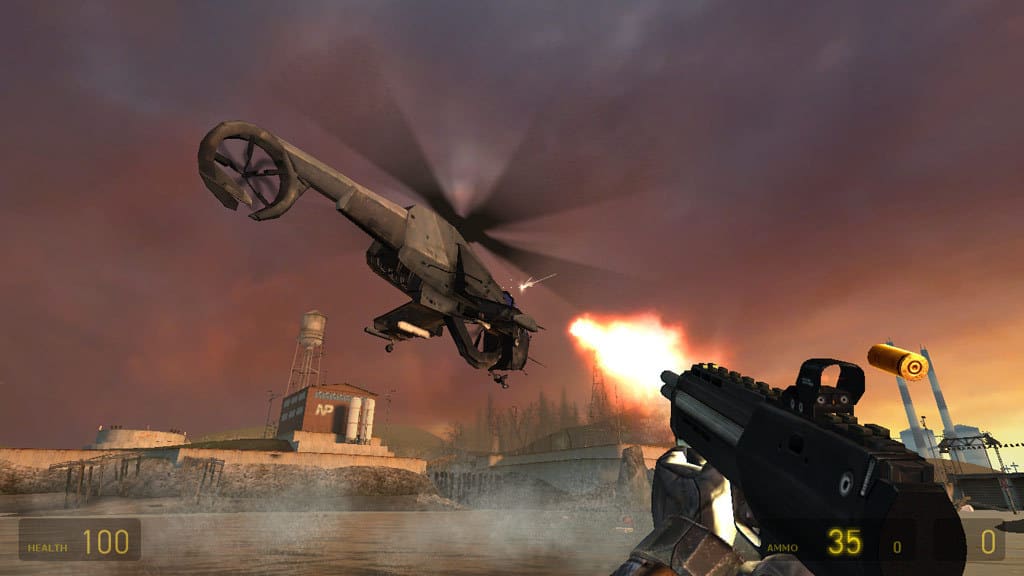
This was the much-anticipated sequel to Half-Life that went through a $40 million development phase before Valve launched it. Valve didn’t rush through a half-baked sequel and delivered a game that was bigger and better than the original with larger environments, enemies and an even more absorbing plot. For many, Half-Life 2 is the best game ever. It was also the first title for Valve’s Steam client. You can add it to Windows from this Steam page.

In Half-Life 2, Freeman takes on the alien Combine that has taken over Earth 20 years after the resonance cascade at Black Mesa. The game is most notable for its advanced Havok physics engine that enables players to draw in objects and push them away with the Gravity Gun. It had advanced graphics, which although not quite photo-realistic still look pretty real. Half-Life 2 also had highly detailed environment designs that are especially memorable. Although the game is a tad dated, its graphical and audio quality still shine. It’s a pity that there’s still no Half-Life 3, and some Valve insiders have hinted the publisher has no plans to expand the series.


Call of Duty 2

Call of Duty is probably the biggest first-person shooter series on Windows and consoles and consists of 13 games. Call of Duty 2 was the second addition to the franchise and this was the blockbuster that really launched the series into the stratosphere. The game regenerates some of World War 2’s most epic battlefields in Russia, France and North Africa with realistic graphics and unsurpassed attention to detail. The game is compatible with Windows and macOS platforms and there’s also a phone version.

Call of Duty: 2 has some of the most gripping campaigns in any COD game because of how it tells the story of WW2 from the perspective of the soldiers. The game featured more expansive battlefields with a variety of mission objectives for less linear gameplay. At its time of launch, Call of Duty: 2 had a revolutionary game engine that enabled the developers to incorporate fantastic weather and graphical smoke effects into the game with dynamic lighting and shadows. The NPC squads that support you throughout the campaigns with realistic battle chatter also contributed to bringing the game to life. With various multiplayer modes to shoot through including tons of guns and maps, COD2 pretty much has all you could hope for from a first-person shooter game.

You can buy Call of Duty 2 for $19.99 from Steam.


Overwatch

Overwatch is a relatively new first-person shooter that made a big splash in 2016. This is a team-based multiplayer shooter set in the near future with a diverse range of hero characters. This is only Blizzard’s second attempt at launching a big game franchise, and the publisher certainly delivered an innovative shooter in Overwatch. The game is available for Windows, PlayStation 4 and Xbox One and retails at $59.99.

Overwatch features 6 vs 6 team duels with 24 heroes to select from that have different roles for offense, defense, support and tank. Players battle it out across 14 unique, colorful and luxuriantly detailed maps that have their own supported game modes for escort, assault, control and hybrid assault/escort combination. The game places greater emphasis on teamwork and has more strategic depth than most first-person shooters. Although Overwatch might have been a little light on features at launch, as a new game it will certainly get bigger and better with further free updates that add more maps, game modes, etc.

You can buy Overwatch for $39.43 from GamesDeal.


Call of Duty 4: Modern Warfare

Call of Duty 4: Modern Warfare dragged the COD franchise from its WW2 setting to modern times and for many fans remains the best game in the series. A 2011 Civil War setting for the COD 4 campaign gave the series a fresh new look and feel with a plethora of more advanced modern-day guns and accessories for players. With its modern setting, the game could also incorporate attack choppers, tactical helicopters, and aerial gunships into the gameplay for the first time, which made it a little more special.

Call of Duty 4’s epic campaign is undoubtedly one of the best in any first-person shooter. The campaign is based on a fictional 2011 Civil War in Russia in which players control both a U.S. Marine and SAS recruit for various operations. The campaign had plenty of thrills and spills on memorable missions such as All Ghillied Up and Charlie Don’t Surf.

Call of Duty 4 also has cinematic sound and graphics with some dazzling special effects. The remastered Call of Duty 4: Modern Warfare, launched last year, has even better graphical quality with enhanced rendering and high-dynamic range lighting and textures. The remastered version’s gameplay is almost exactly the same as the original title, so now you can play Call of Duty 4 with a state-of-the-art graphics engine. The snapshot below highlights just how photo realistic the remastered game is.

You can buy Call of Duty 4: Modern Warfare for $19.18 from GamesDeal.


Team Fortress 2

Team Fortress 2 is a team-based multiplayer first-person shooter that’s a sequel to a Quake mod. After Half-Life, this is another of Valve’s best game titles and delivers terrific multiplayer gaming. Team Fortress 2 is also freely available and you can it add to Windows, Linux or macOS by pressing the Play Game button on this Steam page.
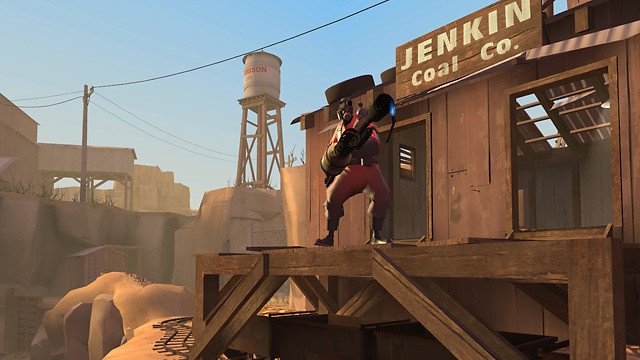
In Team Fortress 2, players can select nine character classes that fall into defense, support and offensive roles. The game includes plenty of game modes for multiplayer battles, such as Capture the Flag, Special Delivery, King of the Hill, Payload, Arena, Control Point, Payload Race and more. This game also has cartoon-style graphics with unique animations and plenty of comical moments. One of the best things about Team Fortress 2 is that it gets regular free updates and patches that keep it fresh. The game has had 609 updates to date that have expanded its content, so TF2 has evolved considerably since Valve first launched it.


Titanfall 2

Titanfall is a very decent multiplayer first-person shooter romp, but it lacks a single-player campaign. Titanfall 2 is a sequel that refines the original game’s winning formula and expands it with a diverse campaign. This was one of the most exciting games of 2016 that you can play on Windows, PlayStation 4 and Xbox One. Standard and Deluxe editions are currently retailing on Origin from £19.99 ($24.30).

Titanfall 2 is a first-person shooter that includes Titans, which are huge mecha-style exoskeletons deployed for war. Players get to control Titan pilot Jack Cooper with and without his BT-7274 Titan armory through the single-player campaign, which is based on a war between the Interstellar Manufacturing Corporation and Frontier Militia. The campaign has plenty of highlights with time travel, space dinosaurs and planet-destroying weapons thrown into the mix for a diverse single-player game. The sequel retains all the terrific movement and combat mechanics from the first game and its multiplayer also includes new Titans, maps and playing modes.

You can buy Titanfall 2 for $26.64 from GamesDeal.


For some heart pumping, action packed first-person blasting, Call of Duty 2 & 4, Half-Life 1 & 2, Titanfall 2, Team Fortress 2 and Overwatch are hard to beat. These are Windows games that raised the bar for first-person shooters with their innovate campaigns, enthralling multiplayer modes, frenetic gameplay and amazing graphics.

RELATED STORIES YOU NEED TO CHECK OUT: