Microsoft (MSFT) news recap is a weekly feature highlighting the top Microsoft news stories of the past week. Sit back, grab some coffee, and enjoy the read!
The story of how Valve’s move to Linux “lit a fire” under Microsoft Xbox execs
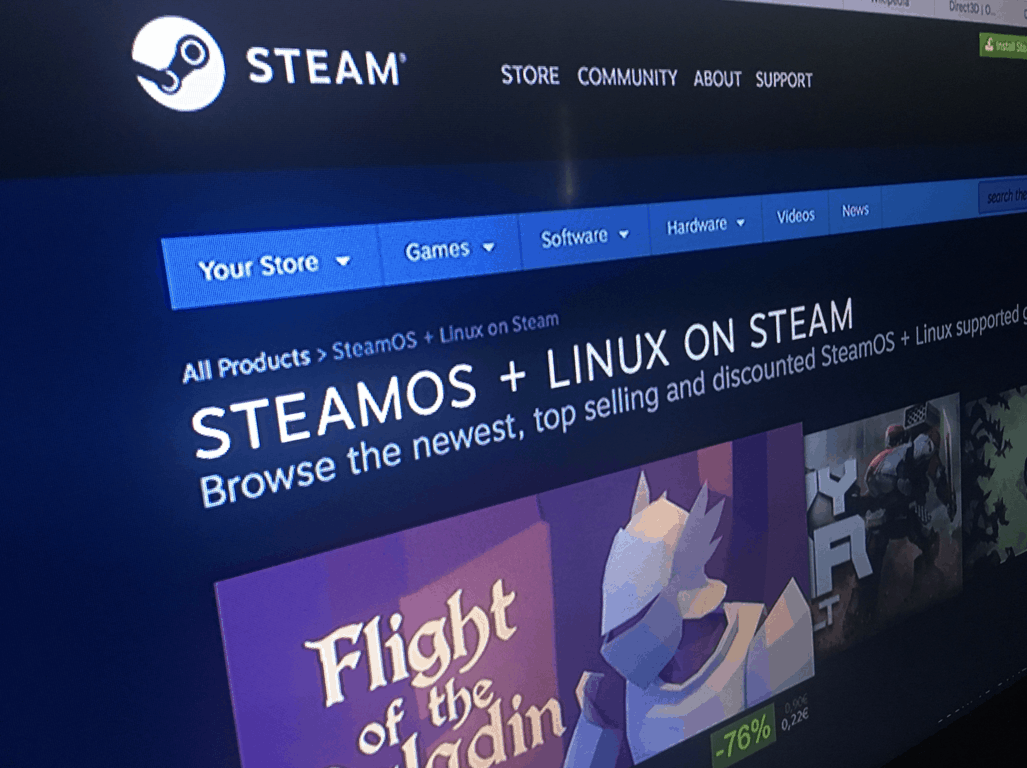
Steam is a well-known gaming distribution platform for Windows gamers. It provides a wide-ranging collection of games, from AAA to Indie titles. If you ask any Windows PC gamer which store they use, they’ll probably say Steam. Valve, the owning company of Steam, however, pushed early to support Linux, despite Windows being the platform where it gains the most revenue.
Valve developed SteamOS on Linux and pushed for more Linux devices in the form of Steam Boxes. All this “lit a fire” for Microsoft execs, as Windows was the choice platform for gaming, but suddenly a big PC gaming company was trying to change that into Linux.
This pushed the execs to take DirectX and Direct 3D seriously, resulting in continued updates.
Microsoft India gets a new boss, and he talks about his vision for transformation
Microsoft continues to push ‘One Microsoft’ with another reorg affecting sales, partner and services teams
Microsoft is beginning to reorganise its business into its ‘One Microsoft’ vision. It’s already been working on this transformation with its products, namely Windows 10, which shares code with Windows 10 Mobile, Xbox One and other platforms. Now, the company is turning to its workforce.
The reorganisation takes place on February 1st and it’s going to result in the combination of Microsoft’s Enterprise & Partner Group (EPG) and Public Sector, Small and Mid-Market Solutions and Partners (SMS&P) businesses. Chris Weber will take charge of the combined businesses.
Astroneer is an interesting space exploration game that challenges you to travel throughout the Universe in order to exploit rare resources. As you already know, the game is still work in progress. In this article, we’re going to list a series of quick tweaks that you can use to improve Astroneer’s graphics quality.
Fix and enhance Astroneer’s graphics using these tweaks
To start with, you’ll operate all the changes in this folder: C:\Users\[Computer Name]\AppData\Local\Astro\Saved\Config\WindowsNoEditor.
How to fix FPS rate issues
Open the Astro folder mentioned above > open the Engine.ini file in Notepad
Locate the following command line: [/script/engine.engine]
After this line, enter the following command: bSmoothFrameRate=False
Save the Engine.ini file
Open the GameUserSettings.ini file > search for these two values: bUseVSync and FrameRateLimit=144
Change them to:
bUseVSync=False
FrameRateLimit= change the default 144 value to your Monitor Refresh Rate or above.
Improve post-processing quality
This tweak removes the washed out effect on images. Astroneer’s graphics will be sharper, with fewer jagged lines around objects. Here’s how to improve the game’s post-processing quality:
Open the Engine.ini file with Notepad
Add the [/script/engine.renderersettings] command line after the FrameRateLimit line
As always, if you’ve come across other tweaks and quick workarounds to improve Astroneer’s graphics quality, list the steps to follow in the comment section below.
HDR stands for high dynamic range, a technology that renders images closer to what the human eye actually sees. This resolution is created by both balancing and better contrasting light and dark areas. Color equilibrium is the secret behind stunning HDR realistic images.
As expected, HDR TVs come with a high price tag, but the crystal clear images they deliver are worth every penny.
Best HDR TVs to buy in 2017
Samsung KU6300 HDR TV
Samsung’s KU6300 HDR TV series relies on the latest display technologies currently available to render stunning, crystal-clear images. The 4K UHD resolution creates images that are 4 times sharper than full HD since its PurColor technology accurately expresses colors in life-like details.
UHD Dimming perfectly blends color, contrast, and sharpness, delivering a vibrant viewing experience. Last but not least, its Upscaling Picture Engine upgrades lower resolution movies and TV shows to a near ultra high-definition experience.
Samsung’s KU6300 HDR TVs feature a slim design that adds a modern touch to your living room. Smart Remote lets you navigate your Smart TV and control other devices in a simple and smart manner.
You can buy these HDR TVs from Amazon or Samsung for from $499.99 to $1,499.99, down from $649.99, and $2,299 respectively.
Sony XBR55X850D HDR TV
Sony’s XBR55X850D HDR TV reveals incredible 4K HDR details for unique gaming and movie experiences. HDR video content delivers stunning color and contrast, with impressive highlights and fine detail.
The TRILUMINOS Display technology that Sony uses on its XBR55X850D HDR TV increases color depth, offering rich and vivid colors with more shades of red, green and blue.
Thanks to Sony’s refresh rate technology (Motionflow XR 960), fast moving action sequences movies and games look smooth and clear.
The Hisense H7 series offers 4 times more pixels (8.3 million) than standard HD TVs. This device displays vivid colors, sharp lines, and bold contrast in every image for the ultimate viewing experience.
Thanks to its 4K resolution, you’ll never miss any details when you watch movies or play your favorite games. Dbx-tv’s Total Audio Technology brings unique audio quality to the built-in speakers.
Hisense H7 is equipped with the following inputs: 4 HDMI ports, 3 USB ports, 1 LAN port for Ethernet, 1 RF input, 1 L/R audio input, 1 RCA component input, and 1 RCA composite input.
The price for the Hisense H7 ranges from $368.00 to $992.94. You can buy the Hisense HDR TV models listed above from Amazon.
LG OLED65B6P HDR TV
The LG OLED65B6P HDR TVset has three unique features: Perfect Black, Cinematic Color, and OLED HDR. The individually illuminating OLED pixels can brighten, dim and power off to achieve perfect black. LG OLED TVs have a color palette that matches the hues seen in modern digital cinemas.
This TV is capable of delivering over a billion rich colors and infinite contrast on a flat screen. Dolby Vision is an elevated HDR standard that faithfully matches filmmaker intention. The crystal-clear Harman Kardon sound together with the stunning image quality create worlds that almost feels real.
Quick note: When you connect the LG OLED65B6P HDR TV to an Xbox One S to enjoy HDR games, you need to go into General settings and turn on HDMI Ultra HD Deep Color to the HDMI input you’re connected to. This is because HDR only auto-detects when you stream from the built-in apps on the TV.
The LG UH6030 HDR TV series offers incredible details, fully immersing you into the action. It has three key features:
8.3M Pixels, 4 times the resolution of FHD TVs
HDR Pro
webOS 3.0: LG’s best Smart TV just got better.
The IPS panel relies on in-plane switching to deliver rich colors and strong contrast ratio even at wide viewing angles. In this manner, any seat in the house becomes the best. The TruMotion 120Hz technology lets you see movies and video games and high-speed action with no motion blur.
The following LG UH6030 HDR TV sets are available:
A brand new year deserves a brand new update, right? Well, at least the good folks over at Rockstar agree with us since they’ve already released a new update for GTA 5 just a few days in. The update isn’t just a gimmick, though, bringing new cool features to the game which further push on the title’s emphasize on taking things to the extreme.
To celebrate 2017, Rockstar also surprised its player base with some nice discounts that are bound to brighten the mood of anyone that didn’t really feel the holiday spirit. Among these discounts, players can enjoy 25% price reductions for multiple items such as masks, armor, weapons, and even warehouse revamps.
Players passionate about motorcycles will be pleased to learn that a new bike is now in the game: the Pegassi FCR 1000. According to the developers, this particular bike encompasses both the spirit of old school bikes as well as elements from modern designs. Bike collectors will definitely be thrilled to get their hands on this one.
If discounts and bikes aren’t your thing, no need to worry: There’s plenty of content left for you to check out. A new game mode called Vehicle Vendetta, where vehicular combat aided by power-ups takes center stage, is now here.
There are all kinds of power-ups, such as the rocket boost, bomb boost, detonator, repair, ghost, jammed, flipped, deadline or beast. There are a couple of other boosts available and they can all be used to shoot and throw stuff at your opponents, gain ghostly properties such as avoiding collision or blowing objects up and out of the way.
The coming Windows 10 Creators Update has already shown a big chunk of what is to come, with insider builds and leaked installation files. However, it seems like Microsoft might have more news up its sleeve, as the recent WinHEC event in China revealed that the company will be introducing WiFi 802.11ad support (via Neowin), also known as WiGig.
WiGig is a technology utilising a whopping 60GHz frequency, allowing speeds up to 8Gbps through a wireless connection.
Before you get all too excited, know that this will require new hardware, both a new network card or even a new laptop as well as a new router, that supports this technology. This addition won’t improve your current internet speed.
Microsoft prepared a presentation that shows off all of the details:
This was revealed as part of the new Wireless Docking technologies presented by Microsoft. Microsoft’s goal is to make sure every Windows device, no matter if it’s a PC, tablet or a phone, should be able to connect to these universal docking stations, wirelessly.
After a long wait, Forza Horizon 3 fans can finally download the latest update for the game. Microsoft rolled out the January Update two days ago, but some severe bugs prevented gamers from downloading and installing it on their computers.
Well, the waiting is over now and Microsoft confirmed its team managed to fix the download issues affecting FH3. The latest version of the Forza Horizon 3 PC update, version 1.0.39.2 is now out and brings the coveted 2015 BMW i8.
FH 3 January Update download issues have been fixed
The latest version of the Forza Horizon 3 PC update is now available. This version (1.0.39.2) includes the Rockstar Energy Car Pack content. Apologies to all our PC players who were eagerly awaiting this update and thank you for your continued patience.
As a quick reminder, the initial FH3 January Update was actually a dev build that did nothing but download the whole game again. However, there’s also a piece of good news in this tangled story: fans got a glimpse into the upcoming car models.
Don’t forget that if you have installed the FH3 version ending with .37.2, you now need to uninstall it and install the correct playable .35.2 version. If you haven’t created a new saved game on version .37.2, then your last saved game on version .35.2 should work correctly once the update is available.
As stated above, the latest FH3 update features the Rockstar Energy Car Pack which brings seven new cars that will “kick your year off to a high-speed start”.
FH3 Rockstar Energy Car Pack content
2015 BMW i8
2015 Volvo V60 Polestar
2015 Radical RXC Turbo
1972 Ford Falcon XA GT-HO
1987 Nissan Skyline GTS-R (R31)
2014 Ford F-150 Trophy Truck
2016 Bentley Bentayga
Have you managed to download the latest FH3 update? Did you notice anything usual related to this update or is everything running smoothly?
Vertigo is a first-person shooter for the HTC Vive in which you’ll explore the underground facilities of Planck Energy Solutions’ Quantum Reactor. Throughout the game, you’ll discover dark secrets and enter mind boggling parallel universes the deeper into the earth you go.
The reactor uses a black hole to generate energy and although the facility appears to be abandoned, various clues like security drones and active turrets securing the perimeter and indicate otherwise. Your task is to find out what’s hiding in the facility and escape the depths of the quantum reactor.
Vertigo recently received an important game update that fixes a series of annoying issues. Unfortunately, gamers report it is still affected by many bugs.
Vertigo reported bugs
Vertigo crashes
Players report that Vertigo often crashes when they enter the first big puzzle room on the 4th floor. Gamers are tossed back to their Steam dashboard while Vertigo’s audio still plays, with an unresponsive Steam VR status window. The only solution for gamers is to simply close the game and launch it again. Unfortunately, their progress is reset and they need to start all over again.
Game is kinda unplayable, it crashes in first big room with puzzle, at floor 4. Not only that, game does not remember the save, and you have to start over. Very annoying!
Players can’t climb ladders
There are many instances where players need to climb a ladder as they explore the quantum reactor facility. However, this is not always possible because one of their hands refuses to grab the ladder. It seems that the game’s code understand that players are holding something in their hand already, which could explain why they can’t grab the ladder.
When I try to climb a ladder, only my left hand will grab on. My right hand interacts with everything else in the game, but refuses to grab on to ladders. Any help?
Players can’t scan Brian’s finger bone
Just like the ladder issue above, players cannot take Brian’s finger bone and scan it for DNA. Apparently, the bone is in the Space Time Manipulator, but players cannot move it. As one gamer suggests, you can try the following solution to fix this problem:
Restart the level
Walk up to the table and press the “Button”
Take out the Space Time Manipulator
With your free hand, grab and hold the finger bone. Make only one attempt. The hand you’re trying to grab the bone with should turn invisible.
Move your hand into the sphere on the table.
Save/checkpoints don’t work
When players die, they need to start over. If the game crashes, players are sent back to the beginning of the level. If this happens multiple times, it can become quite frustrating.
I was posting the same, the game is very nice but force to restart the whole level it’s just unfair, I spent almost 40 minutes exploring carefully every meter of the huge room with the four robots to activate, and just noticed I’ve lost everything because the save is just from the starting elevator.
Low FPS rate when using Teleport
Players report that Vertigo is affected by low FPS rate issues from time to time, but this problem intensifies when they use Teleport.
Also whenever I use the teleport, from the moment I activate it, until a second after I teleport, I get dropped frames. A bit annoying, but not game breaking. Until I entered level 2 (4th floor). As soon as the elevator reached the floor, my “Missed Frame” Warning window was off the charts.
Fortunately, one player managed to come up with a quick fix to solve this problem:
1. Update the Nvidia GeForce GameReady Driver
2. Disable Core Parking
3. Lower mirror screen resolution on the desktop. Hold ALT and open the Unity Settings window. Select the lowest value resolution.
Attacking from a position of strength is typically a well-regarded approach when strategizing for any sort of long-lasting dominance, and as the war for car buyers dollars evolves, we’re watching companies such as Amazon, Google, Apple and Microsoft launch arrows from their respective high perches.
During this year’s Consumer Electronics Show in Las Vegas, a cornucopia of technology companies have offered their interpretation on the evolution of the automobile and how connected technologies will shape the next generation of car buying experiences.
Thanks to days worth of leaks and announcements coming from CES, we no longer have to ask ourselves, who is doing what in the automotive space, but rather the new question becomes, who’s approach to the connected car will likely be the future.
Per my opening analogy, we’re seeing a growing divide between how companies such as Apple and Google are using their positions of mobile strength to help shape the connected car experience than how others are choosing to approach the market. With Android Auto getting time on the stage during a Chrysler-Fiat demonstration, we get a view of the smartphone extended and refined for a more personal driving experience.
At this year’s CES, the three companies, Panasonic, Qualcomm, and Google are taking Android to new places. Instead of just running phones or being mirrored on a car’s screen, the companies are showing off a standalone in-vehicle infotainment (IVI) system that runs on the Android 7.0 Nougat operating system. The system includes everything to make it operational in a car, including the hardware, LTE modem, and the operating system.Car manufacturers could purchase the system, then customize it with desired appearance and features. Think of it as how different phone companies, such as Samsung and HTC, have proprietary interfaces but still run on the same types of Android OS. – Headline News
While not directly tied to CES, Ford also announced several of its “smart cars” in-dash infotainment units will also support Android Auto as well as Apple’s CarPlay platforms. Nevertheless, both Apple and Google are looking to extend a consumers mobile experience, either through aftermarket additions or built-in hardware, offering another touch-screen-centric app focused interaction in the car.
On the other side of the battlefield we are now seeing cloud computing giants such as Amazon and Microsoft take an indirect approach to the connect car. Thanks to a technology company called Inrix, we see Amazon’s smart assistant Alexa make its way to the automobile for the first time at CES.
Technology company Inrix has announced that it will integrate Amazon Alexa into its OpenCar platform for connected vehicles.
In laymens terms, this means that vehicles enabled with Inrix’s OpenCar platform will be given access to all the features of Amazon Alexa, including Audible audiobooks, Amazon Music and numerous Inrix Driver Services including parking, traffic and road weather conditions.
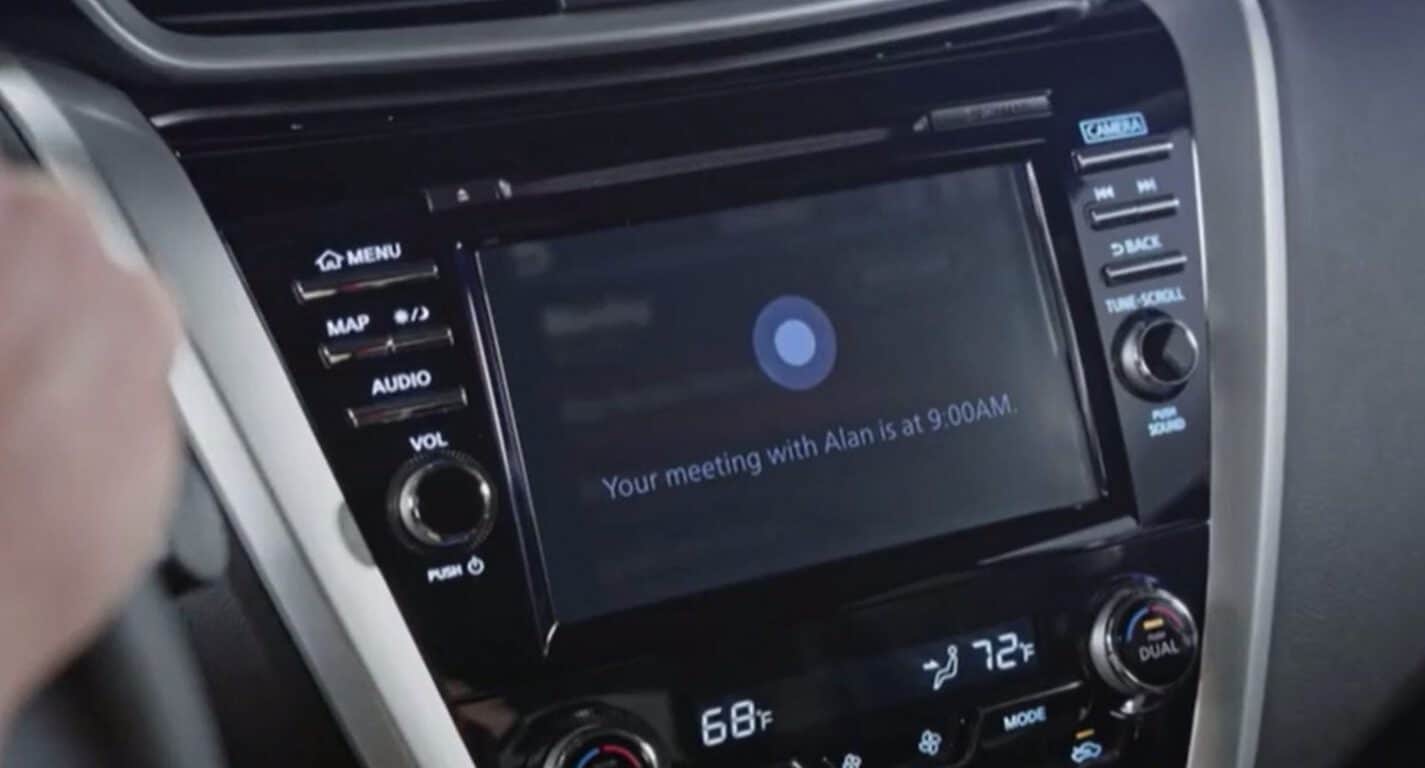
Also, late Thursday night, we got a glimpse at how Microsoft’s cross-platform multi-device digital assistant Cortana will make its way to BMW and Nissan smart cars in the coming months.
Mr. Ghosn announced today at CES that the Renault-Nissan Alliance is continuing its partnership on the development and deployment of advanced connected technologies, such as Microsoft Cortana, an in-vehicle virtual personal assistant. With features such as Cortana speech analytics, drivers can benefit from advanced in-vehicle voice recognition and intuitive human machine interface (HMI).
Cortana will allow the vehicle to adapt to personalized driver settings, even understanding different driver preferences in a shared vehicle, almost making it feel like your own.
The Renault-Nissan Alliance will develop and launch new connected services and applications that make it easier for people to stay connected to work, entertainment and social networks. It will also offer vehicle-centric services that can simplify and enhance engagement with the car through usage-based information, remote access, remote diagnostics and preventive maintenance.
Beyond just having a witty and preventative maintenance assistant in the car, Nissan will also be using an underlying layer of Microsoft’s services called the Microsoft Connected Vehicle Platform that includes Azure, Office 365, Cortana and other cloud-based intelligent services.
While infotainment units are a measured quantity in a vehicle, and Apple and Google are looking to leverage their strong mobile presence in that specific area, it’s becoming clear that Microsoft, along with Amazon, are looking to take a road less traveled. Rather than putting a drivers focus on the in-dash unit of their car and forcing auto makers to pick and choose which of their inventory supports these mobile operating systems, Amazon and Microsoft are looking to leverage their impressive cloud services across hardware.
Car buyers are watching an ever so slight rift develop as the concepts of connected cars develop. Taking a 30,000 foot view of the divergent timelines, there is a future where car companies and lawmakers agree on the right circumstances for a completely autonomous future. In this future, autonomous cars become moving entertainment centers, fully equipped with the latest apps and are an extension of a user’s preferred smartphone experience.
On the other hand, there is a more immediate and slightly less autonomous future where a car becomes the hardware extension of an ever-present cloud assistant. To which, a user begins a conversation, internet search, appointment, schedule, document, phone call, meeting, briefing etc from a PC, continues that same conversation throughout the home or a car (hands-free) and ends it on any mobile device of their choosing.
Apple and Google definitely have the market cornered on the mobile experience, but if CES 2017 is any indication, the connected car landscape remains a wide open and changing market. It will be interesting to see which of the two approaches become mainstays in the future.
Let me know which interpretation you prefer or think will win out in the end and why, in the comments below.
If you’re a PC gamer, you may well think that PC gaming has always been synonymous with Windows: over the years, the huge market share of Microsoft’s operating system led to more game developers supporting the platform, and today most AAA games are released first on Windows. That doesn’t mean that it’s not possible to play games on macOS and Linux though: indeed, Valve, the owner of the most popular digital distribution platform for video games Steam, has been a big Linux supporter over the years, developing its own Linux-based SteamOS operating system to compete with Windows.
But while Steam is really popular on Windows today, Valve’s early Linux support actually pushed Microsoft to take PC gaming more seriously. Rich Geldreich, a game engineer at Unity who used to work at Valve during the company’s big push for Linux recalled some of his memories from that period on his personal blog this week (via Gamasutra).
Geldreich specifically mentioned a blog post titled “Faster Zombies” written by Valve co-founder and President Gabe Newell back in August 2012: in it, Newell shared that Valve had successfully ported its first-party game Left 4 Dead 2 to Linux, and the Linux version of the game which used OpenGL ran better than the Windows version using Direct 3D. According to Geldreich, the blog post had an unexpected influence on the game industry, forcing Microsoft execs to react:
A few weeks after this post went out, some very senior developers from Microsoft came by for a discreet visit. They loved our post, because it lit a fire underneath Microsoft’s executives to get their act together and keep supporting Direct3D development. (Remember, at this point it was years since the last DirectX SDK release. The DirectX team was on life support.) Linux is obviously extremely influential.
It’s perhaps hard to believe, but the Steam Linux effort made a significant impact inside of multiple corporations. It was a surprisingly influential project. Valve being deeply involved with Linux also gives the company a “worse case scenario” hedge vs. Microsoft. It’s like a club held over MS’s heads. They just need to keep spending the resources to keep their in-house Linux expertise in a healthy state.
Since then, Microsoft has clearly embraced PC gamers, emphasizing DirectX12 as a one of the key sources of performance improvements on Windows 10 PCs. More importantly, it seems that Valve’s Linux support didn’t resonated with game developers and consumers: in December 2016, only 0.80% of the Steam user base was using Linux while more than half of Steam gamers are now using Windows 10.
Lastly, it’s worth reminding that Microsoft has ultimately become a big Linux supporter, joining the Linux Foundation as a Platinum member a couple of months ago. Ironically, Valve is also a member of the foundation though at the lower Silver membership tier.
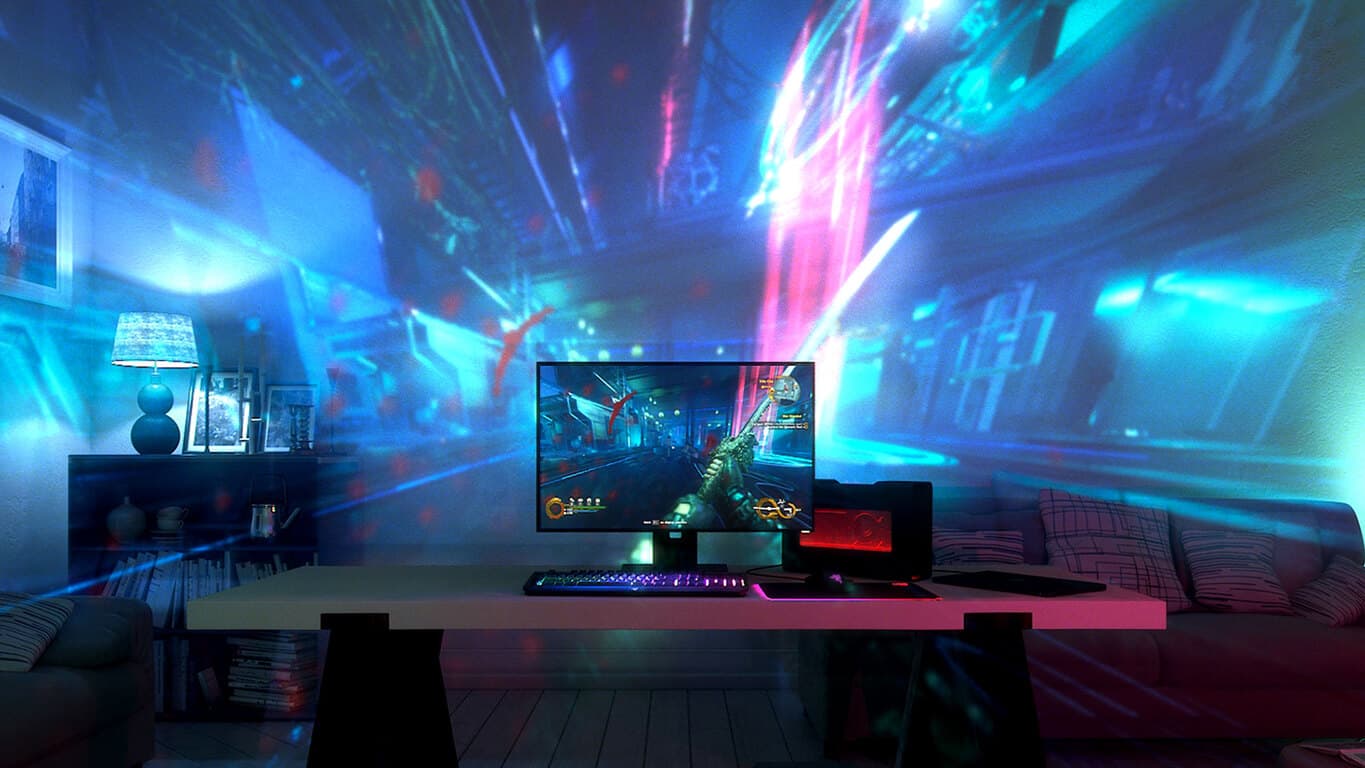
Razer Zone has just unveiled a new projector named, Project Ariana, which is designed to enhance the video gaming experience by expanding the play area of a video game onto the area around the TV screen.
The Project Ariana projector contains two 3D cameras which it uses to scan the room its in and adjust the images being projected. “Project Ariana brings a whole new dimension to immersive gaming with Razer Chroma which communicates with the game in real time to create both lighting and video effects. This results in everything from peripherals to smart lighting and even video projection, all working as one to give you a truly incredible visual gaming experience,” the official description reads. “The world’s first video projection system designed for immersive gaming, Project Ariana is a cutting-edge video projector which uses an ultra-wide fish eye lens and advanced processing capabilities to take your game beyond your setup, extending it to your entire room.”
The future of technology is a wild frontier, and just about anything is possible as we continue to advance into the golden age of gadgetry. Microsoft showcased optimism about the future of technology with the STEM student challenge: a program where they had students put together ideas for new inventions that they could see themselves using 20 years from now. Ideas ranged from the interesting (a drone that carries medical supplies around) and the fantastic (a tree with data stored in its leaves.)
Teams of students all over the world are putting together ideas for the STEM student challenge, and we’re sure that each one of them is going to be a fascinating look into the the future, in one way or another. Some of these ideas might seem silly now, but as one student put it, “anything could be possible” 20 years in the future.
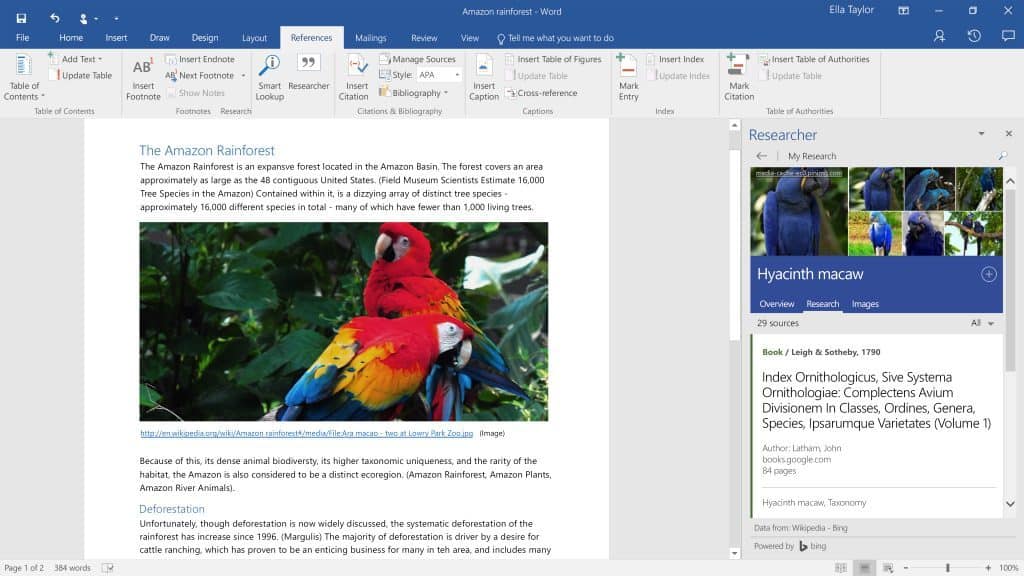
In mid-2016 Microsoft’s Office 365’s Word application gained two new features to help teachers, students, writers, and journalists produce credible and reliable written documents in Researcher and Editor.
Now, when writing papers or producing written work, users can in-line bring up relevant and perhaps more importantly, accurate information and drop it into documents.
With Researcher, anyone can search for and incorporate reliable sources and content, including properly formatted citations, all within a few clicks and without having to leave the document.
“It’s really bringing the library to the students and enabling them to be good researchers,” says Aron Early, research technology specialist at Sammamish High School in Bellevue, Washington. “Being able to research sites, collect and curate your information all in one program is kind of amazing.”
For anyone donning Office 365, Word’s new Researcher and Editor features have or should be enabled via a software update that’s been rolling out to users for the past few months. To try out the new Researcher feature, head to the Office Ribbon in Word for Office 365 and search under the Review Tab. If Researcher is not there yet, users can also head to the Word apps store to install the add-in as well.
Let us know what your thoughts are on how Microsoft has incorporated the research and collaboration tool.
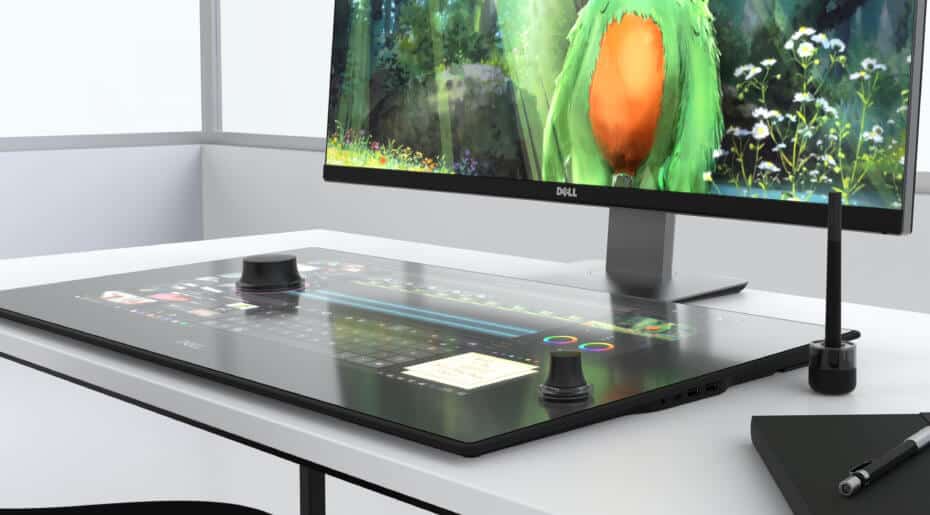
The 2017 Consumer Electronics Show is still rolling on, and so are the announcements from tech companies. We have just learned (via VentureBeat) that Dell has unveiled a $1,799 Canvas display which may very well end up a Surface Studio Competitor.
The Canvas Display is not a computer, but rather a flat 27-inch anti-glare QHD display which can be connected to a Windows 10 desktop, tablet, or laptop. Just as with the Surface Studio, one can also draw on the Canvas Dispay with a pen, move around using touch gestures, or control certain UI elements with a Surface Dial like contraption which Dell calls a “Totem.”
The similarities to the Surface Studio may end there, though, because Dell’s Canvas Display can not be tilted up to various angles. Dell rather envisions users making use of the Canvas alongside an existing display, or laptop. Another difference worth noting is that the “Totem” accessory only works on the screen, and can not work if it is sitting on the desk by itself.
Pricing on the Dell Canvas is $1,799 (blessedly cheaper than a $3000 Surface Studio,) and availability will begin on March 30th, 2017. Do you think this display may end up competing with the Surface Studio? Let us know what you think of this latest CES news by dropping us a comment below!
With the new year, Microsoft India got a new leader. As announced by Microsoft in August, 2016, Anant Maheshwari took over the operations of the company from Bhaskar Pramanik, Chairman, Microsoft India from January 2.
Anant had joined the company on September 1 as President, Microsoft India. Bhaskar Pramanik, a veteran of Indian IT industry for four decades, will retire from Microsoft in March 2017 after leading the company for five years.
Maheshwari will be responsible for all of Microsoft’s product, service, and support offerings across India and will continue the company’s transformation into the leading productivity and platform company for the mobile-first, cloud-first era.
As he took over the new responsibilities, Microsoft shared a video of him in conversation with Microsoft partners, a Microsoft student partner, and a Microsoft employee about his vision for transforming Microsoft India, enabling partners, empowering entrepreneurs and making Digital India a reality.
In another video, Anant talks to Prashanth S, Executive Director, Quadrasystems.net (India) Pvt. Ltd. about the relationship Microsoft shares with its partner community in India.
Anant Maheshwari joins Microsoft from Honeywell where he was their President for India, and held various business leadership roles over 12 years. Prior to Honeywell, Anant was with McKinsey & Company. At Microsoft, Anant will report to Jean-Philippe Courtois, EVP and President of Microsoft Global Sales, Marketing & Operations.
There’s a new movie in the Windows Store, “The Girl on the Train.” The movie is based on Paula Hawkins’ bestselling thriller “The Girl on the Train” which is available through Amazon.
The story tracks how Rachel, played by Emily Blunt, is blindsided by a recent divorce and becomes obsessed with a happy couple in a home that she passes every day as she takes the train into work. One day, something happens that changes everything.
The Girl on the Train is available in the Windows Store two weeks before it’s available on Blu-ray or DVD.
Reports have spread like wildfire that the MS-DOS style command prompt is out the door to make way for PowerShell. The “news” riled up many enthusiasts, developers, and businesses that rely heavily on the Cmd.exe. So much so that Senior Project Manager at Microsoft Rich Turner posted an official blog today that announces that no, the sky is not falling!
The speculation first entered circulation after the release of Windows 10 Insider build 14971 where some of the patch notes were taken out of context. It read:
PowerShell in the Shell: In an effort to bring the best command line experiences to the forefront for all power users, PowerShell is now the defacto command shell from File Explorer. It replaces Command Prompt (aka, “cmd.exe”) in the WIN + X menu, in File Explorer’s File menu, and in the context menu that appears when you shift-right-click the whitespace in File Explorer. Typing “cmd” (or “PowerShell”) in File Explorer’s address bar will remain a quick way to launch the command shell at that location. For those who prefer to use Command Prompt, you can opt out of the WIN + X change by opening Settings > Personalization > Taskbar, and turning “Replace Command Prompt with Windows PowerShell in the menu when I right-click the Start button or press Windows key+X” to “Off“.
Computer World’s misconception that PowerShell was replacing Cmd.exe grabbed everyone’s attention. Fortunately, Turner clarified that Cmd is a vital feature of Windows and isn’t going anywhere. He explained:
Much of the automated system that builds and tests Windows itself is a collection of many Cmd scripts that have been
created over many years, without which we couldn’t build Windows itself!
Cmd is one of the most frequently run executables on Windows with a similar number of daily launches as File Explorer,
Edge and Internet Explorer!
Many of our customers and partners are totally dependent on Cmd, and all it’s quirks, for their companies” existence!
Another notion that seemed to strike a nerve for Turner was the assumption that the Cmd was virtually the same as MS-DOS, the simple command-line shell operating system that last shipped over sixteen years ago. Turner went on to clarify in great detail the differences between the two, noting that MS-DOS was written in x86 assembly and wasn’t at all portable to further CPUs. Whereas Cmd was written as a Win 32 app in C language, making it much more versatile all the way from Windows NT to the current Windows 10.
Interesting note: 32-bit versions of Windows derived from NT include an additional shell “command.com” which runs many MS-DOS scripts and legacy 16-bit apps in a Windows NT Virtual DOS Machine (NTVDM) using the x86″ Virtual 8086 mode along with some legacy “quirks”. 64-bit versions of Windows do not include command.com or the NTVDM.
PowerShell is the powerful younger brother to Cmd and has been around in the background for ten years already. While it is designed for more use in the future, much of the Windows build system continue to use the Cmd environment. “If we change Cmd, we tend to break someone,” Turner stated simply.
It’s obvious Turner feels very passionate about the Cmd misconception. He’s even tagged the link to the blog post on his Twitter bio, just in case.
(edit: updated to reflect the differences between MS-DOS command prompt and CMD, although we note it in the post)
While Insiders are still receiving updates for the Windows 10 Creators Update expected in April, Microsoft watchers continue to excite enthusiasts with leaks of “Project NEON“. MSPU reports that they’ve gotten an exclusive look at the polished user interface and toyed with some of the features that we can expect to see later this year.
The changes aren’t expected to be a major overhaul, but instead using apps will feel more smooth and look better. The “Acrylic” component will blur the background, sidebar, or navigation of the app says the report. It even works with the Connected Animations and Conscious UI that makes using apps smooth such as mousing or scrolling over an area to reveal information.
MSPU likens the focus of Project Neon to “Aero” in Windows 7, especially with a new component called “acrylic”:
Project NEON will heavily focus on animations, simplicity, and consistency – essentially bringing back Windows 7’s Aero Glass and mixing it up with animations like the ones from the Windows Phone 8/7 era.
Microsoft is introducing a new component called “Acrylic” to the Windows 10 design, which is essentially blur in the background, sidebar or the navigation of the app. These are known as “Side-Nav Acrylic”, “Background Acrylic” and “In-App Acrylic” respectively – in the screenshot below we get to see the Side-Nav Acrylic:
Here is a GIF image that shows the Acrylic blurring the background of a Connected Animation when the user scrolls down in Groove Music, design elements already included in the latest Windows 10 Insider builds.
Image Credit: MSPU
Another app that is known to have elements of Project NEON is Paint 3D. Insiders that have been checking out the Creators Update noticed that the revamped app was different in design. Turns out, the changes are a glance at what is to come in the future.
Perhaps most interesting is that Project NEON interactions are being developed towards 3D and HoloLens users as well. Instead of using the mouse to interact with the components, eye movement and clickers will determine when they come into play.
The project is still in development, so many more changes could be made before we see it rolled out. In fact, even the taskbar has some slight modifications from the screenshots provided. It’s hard to know what exactly the end-game will be, but it’s exciting to see some change coming to Windows 10.
Project NEON expected later this year in the Redstone 3 release, but the article mentions that we’ll likely see some of these features come to app developers in the Windows 10 Creators Update this spring.
Activision has been purging licensed games from online stores recently, taking games off of the market that have been around for a while. The trend started very recently with the removal of Spider Man licensed games, and has been continuing today. The trend was continued with Platinum’s Teenage Mutant Ninja Turtles games today, which were removed from stores in just the same way.
Activision hasn’t yet given a reason for these skins disappearing, but it’s a shame for anyone who hasn’t played them yet. Of course, retail copies of the games are still in stores and pre-existing digital copies are still totally valid to play with.
At this point, the real question is why these takedowns are happening. It’s not normal for a company to just take something off of the market – we can only guess that it’s due to an upcoming deal that might complicate Activision’s rights to these franchises. For example, a new Spider Man game is on its way to PS4 in the near future.
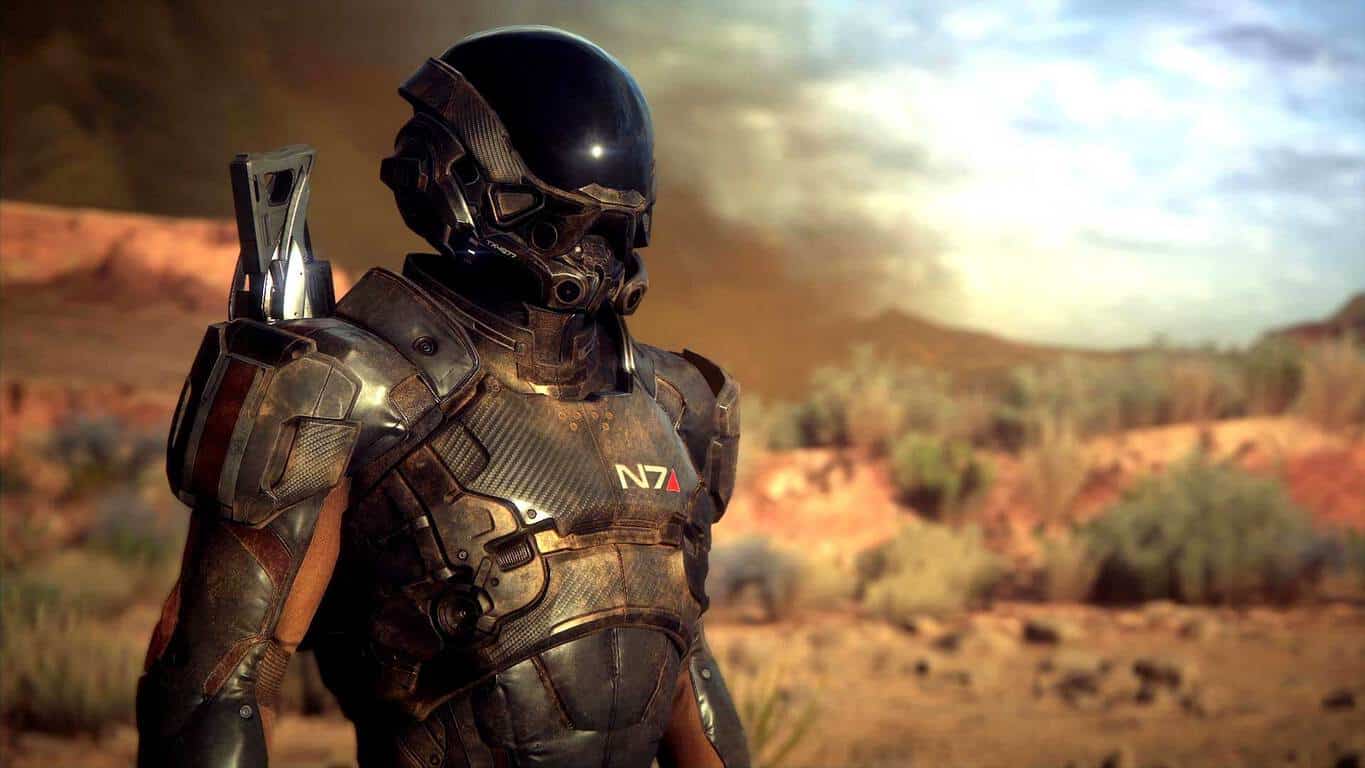
Mass Effect: Andromeda, the next installment in the popular sci-fi action role-playing franchise finally has a release date after being delayed last year. Developer Bioware has announced today that the game will launch on March 21 in North America and then on March 23 in Europe.
“Mass Effect: Andromeda is our most ambitious Mass Effect game to date. We’re telling completely new stories, creating new characters, new planets, new species, and introducing new gameplay systems,” said the company in the blog post announcing the news. The new episode will be the first to launch on next-gen consoles, and the game will also use EA DICE’s latest Frostbite engine which we previously saw on Battlefield 1, FIFA 17 and Mirror’s Edge Catalyst last year. You can have a look at the game in the following trailer which was released in November:
Mass Effect: Andromeda is already available to pre-order on Origin for PC gamers and on the Microsoft Store for the Xbox One, let us know in the comments if you looking forward to playing it in March.
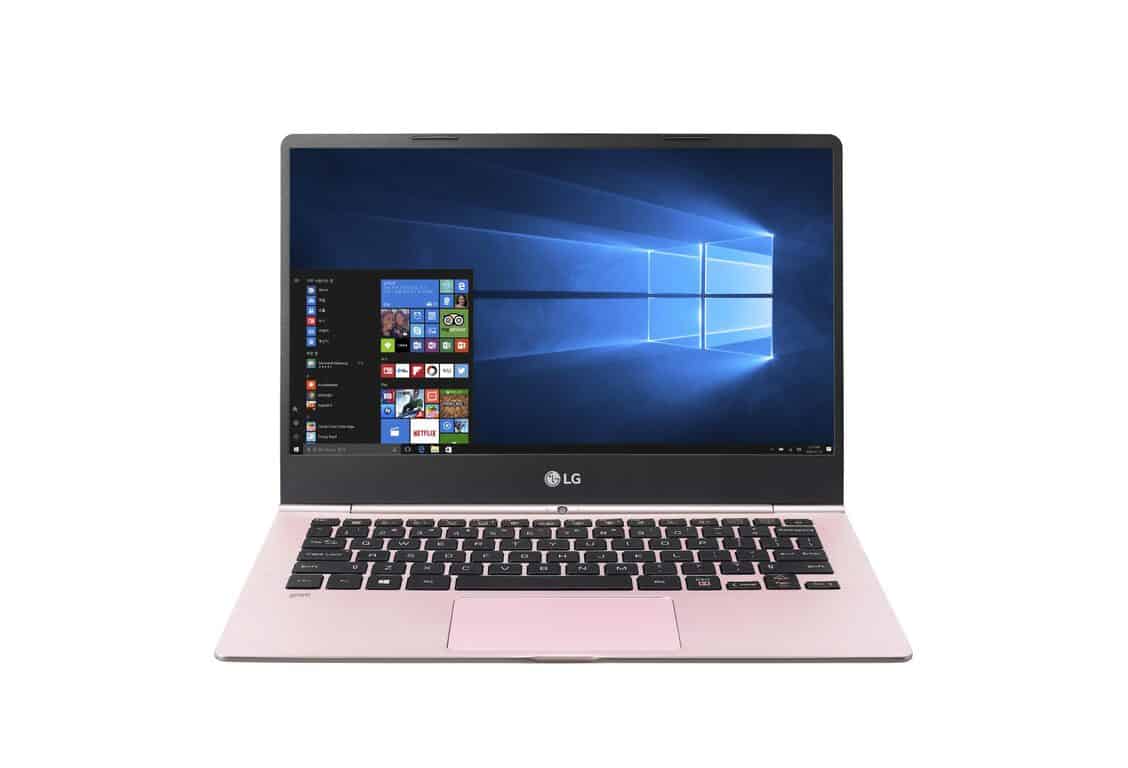
Like every other manufacturer at the Consumer Electronics Show (CES) 2017, LG has revealed their next device to hit the shelves. The newest LG Gram laptops will be coming in three difference sizes: 13.3″, 14″, and the 15.6″ screen. All of which are light weight and have nearly edgeless touch screens.
Of course, along with many of the other devices shown off at the CES, it also has a built-in fingerprint reader to make logging in much easier, and a backlit keyboard.
Other specifications include:
60W battery
7th Generation Intel Core i7 processor
Up to 512 GB SSD
Up to 16GB DDR4 Dual Channel Memory
Consumers will get to choose from three different colors: dark silver, shiny white, and metal rose.
The larger 15.6″ LG Gram will have a Thunderbolt port and USB Type-C ports, a necessity for today’s busy world of technology. That way, users will be able to transfer data, audio, and charge all at the same time with less cord hassle.
We’ll keep bringing you more news from the CES 2017 event as it unfolds so check back or follow us on Twitter to keep up with all the new devices being revealed.
2016 was a pretty good year for Microsoft’s database software, as SQL Server has just been acknowledged as the database management system of the year by Austrian consulting company Solid IT (via Wired). While Oracle remains the leading system in the company’s ranking, “the release of SQL Server 2016 and the announcement to port SQL Server to Linux has certainly helped to curb interest in that product,” Solid IT explained in a blog post published today.
It’s worth noting that the ranking is not based on hard data: instead, the company measures the popularity of different database management systems by mixing different parameters including job offers, professional profile entries, citations on the web and more. “SQL Server is particularly strong in the ranking categories job offers and LinkedIn profiles, but it scores very well also in all the other ranking components such as Search Engine hits, Google Trends and StackOverflow discussions,” explained the company.
Solid IT ranks database management systems according to their popularity.
“We look forward to working with developers even more in 2017,” said Rohan Kumar, General Manager, Microsoft Database Systems Group in a statement shared with Solid IT. “By listening and learning, we aim to make it extremely easy to use the latest database technology, including machine learning, to build amazing and hopefully even life-changing applications,” he added.
Just yesterday we reported on a known issue where a massive 53 GB update made its way to the Windows 10 desktops of Forza Horizon 3 players. While there were not many immediate details on what caused the update to be pushed out, we have since learned that the update was an accidental public release of a developer build (via Windows Central.)
Word on what caused the issue was first spread by Forza Community Manager, Brian Ekberg on the Forza Motorsport forums. He explained that an incorrect PC version of Forza Horizon 3 was pushed out, and players should uninstall version ending on .37.2 and re-install in order to avoid corruption of saved data.
The incorrect PC version of FH3 has now been removed and replaced. PC players who have the FH3 version ending with .37.2 should immediately uninstall that version of the game, then re-install. The correct playable version should end in .35.2.
PC players who completed the download of .37.2 and then started a new game save will have a corrupted saved game. Avoid creating a new saved game on .37.2, and only play on .35.2 to avoid this issue. As long as you have an existing save and have not created a new one on .37.2, your saved game will work correctly once the update is available.
Forza Horizon 3 car
On the bright side of things, some players also have reported seeing several new cars in the debug developer version of the game. These cars include the following:
Aston DB11
Cadillac ATS-V
Chevy Vega
1992 Ford Falcon GT
VK Commodore Group A
1932 Ford Coupe
2016 Civic Type R
Honda S800
Jensen Interceptor SP
Lamborghini Sesto Elemento
Land Rover Series III
Lola T70
Mercedes 300SEL 6.3
Zonda R
Renault Alpine GTA LeMans
Did the accidental release of the developer build affect your saved file? Or did you notice any other new cars which were not mentioned above? Let us know what you think by dropping us a comment below!
Digital versions of The Amazing Spider-Man and The Amazing Spider-Man 2 video games have been removed from the Xbox One and Xbox 360 online stores as well as Steam, WiiU, and PlayStation marketplaces. No reason has been given for their removal though the likely cause is the expiration of their licences which need to be renewed by the companies involved.
Why the licences weren’t renewed is unclear but it could possibly be connected to the big screen reboot of the Spider-Man films (both of these games were based on the previous iteration starring Andrew Garfield) and Sony’s upcoming Spider-Man video game which is expected to launch in late 2017 or sometime in 2018 as an exclusive for their PlayStation 4 console. Basically, it could be part of a deliberate brand refresh.
Physical disk copies of The Amazing Spider-Man and The Amazing Spider-Man 2 are still available to buy in stores and anyone who has the digital game already installed on their consoles or PC can continue to play them as usual.
Are you frustrated by the disappearance of digital content from online stores? Let us know in the comments below.
It has been a week since the upcoming build 14997 accidentally surfaced online with a slew of updates coming to Windows 10 PCs this year that include overhauled Edge browser and Settings apps, Blue Light Reduction, and new Windows themes. But while Windows 10 for PCs often receive updates on a regular basis, Windows 10 Mobile has been left out in the cold for quite a while now.
This will soon change as Microsoft is preparing to revamp Windows 10 Mobile. A new feature called Web Payments is coming to Windows 10 Mobile. Build 14986 already includes this feature, which lets you make payments through websites that support the Payment Request API.
The Edge browser for Windows 10 Mobile will also be getting a makeover, which will revamp its Hub into something similar to the desktop interface. Insiders might now see the various new options on Edge.
Microsoft is also working on an integrated book store for Edge to let users save or bookmark books in the EPUB format. The software giant recently introduced EPUB features including EPUB file support and a refreshed UI for improved reading on Edge. The new feature will most probably complement said features.
The Settings app will receive a major overhaul such as reorganized sections to help users navigate the app more easily. One of these changes will be an Apps section that will display more information about the installed apps on a device and let users reset them. The Devices section, meanwhile, has a revamped UI for connected devices and now displays separate categories for various devices that link to yours. Another slight change in Edge is an improved Add a Device UI plus the addition of a fresh icon for the Continue App Experiences feature.
Just like the new features coming to Windows 10 for PCs, the ability to pause updates in Windows Update for as long as 35 days will also come to Windows 10 Mobile. If you’re looking to view 3D content on your device, Microsoft will soon let you do so with a new feature called the View 3D app, which will arrive for Windows 10 Mobile users. The feature comes pre-installed in one of the latest internal builds. While the app currently allows you to only view 3D content, Microsoft is working to make the feature let you capture 3D content in the future.
We will hear more about these new features once Microsoft rolls them out to Windows 10 Mobile this month.
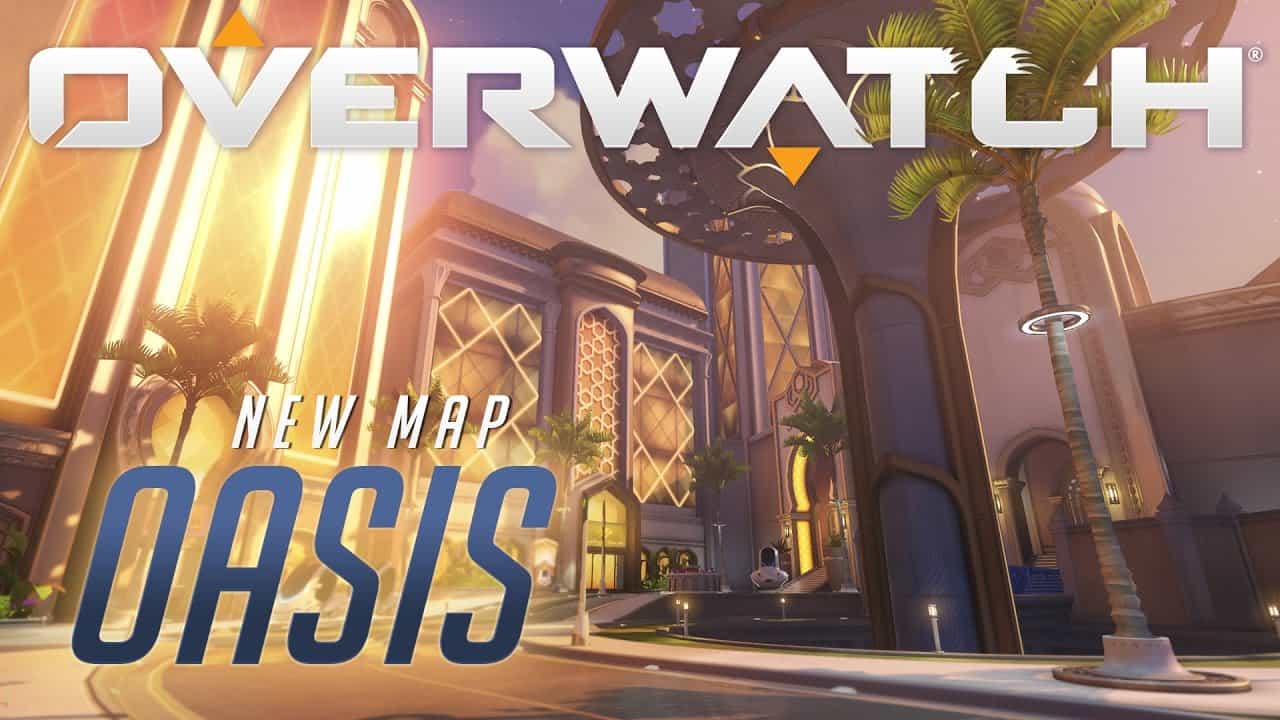
When Blizzard said Overwatch’s new map would go live early next year, they really meant early next year! Oasis was revealed during BlizzCon 2016 and just three days into the new year, the Xbox One and PC team-based shooter is welcoming brand new game mechanics unlike any other map in the game so far.
Oasis is a stunning new type of point control map located in the Arabian Desert. The advanced city is detailed with cultural ornaments and architecture highlighted with monumental music for the map.
It wouldn’t be a Blizzard game without a little bit of lore behind the reasoning. Here is the description:
Researchers and academics from around the region came together to found a city dedicated to scientific progress without restraints—a monument to human ingenuity and invention. The city and its inhabitants are governed by the Ministries, a collection of brilliant minds who possess many secrets that have attracted the interest of powerful organizations from around the world.
Like maps already in the game, Oasis is a king of the hill style of team fighting with a unique twist. With jump pads, which were introduced in a temporary arcade mode called Lucioball, normally non-flying characters can take to the air if only for a brief moment before the sniping shot. Not to mention playing ‘dodge the cars’ with the fast paced traffic along the map since now the environment can and will kill you.
Oasis is an experience unlike any other map in the game and is the sign of much more to come for Xbox One and PC, so be sure to check it out in Overwatch today.
In a post on the Office blog, Jacqueline Campbell, a computer science teacher at St. Mungo’s High School in Falkirk, Scotland, explains how well the OneNote Class Notebook app worked when used with Office 365. In early 2015, St. Mungo’s High School became a part of Microsoft’s OneNote pilot program. At the time, many teachers began using the OneNote Class Notebook app in the Falkirk school system’s Glow (Scottish schools intranet) workspace menu.
Campbell and other teachers met with their Senior Leadership Team (SLT) to make the OneNote Class Notebook app an integral part of the school system’s Teaching and Learning policy. By August 2015, early adopters of the OneNote Class Notebook app trained all staff on how to use this new tool in Office 365.
Throughout the 2015-2016 school year, the use of OneNote Class Notebook continued to grow. More than 60% of the teachers agreed that the OneNote Class Notebook app helped complement their teaching curriculum and helped to better engage their students.
OneNote Staff Notebook is also a vital resource for the whole staff as well as staff who work together on other school-related projects. St. Mungo’s deputy head teacher, Annemarie Jess stated her thoughts:
“OneNote has helped the SLT collaborate with team members by accessing planning documents with ease, in a range of locations. Using OneNote helped the SLT develop digital learning skills and experience the tool in the same way as the learners. We are currently in the process of creating a Teacher Toolkit for the entire staff. This will be a one stop shop for sharing of resources, ideas and professional reading. Our MIE Experts teacher is helping to deliver training on OneNote not only to our staff but also our primary colleagues and students.”
Even Microsoft recognized St. Mungo’s High School for its work using OneNote, recognizing St. Mungo as the Microsoft Showcase School. On November 3, 2016, St. Mungo officially officially launched their showcase year with a special school event. Guests included teachers from schools across Scotland and were allowed to visit classrooms and be a part of focus groups. A Digital TeachMeet was held where teachers showcased how they use OneNote and other Office 365 applications in their classrooms.
OneNote Class Notebook has had a miraculous impact on St. Mungo’s High School. So much so, that Campbell hopes to extend the use of OneNote, by focusing on the use of the Collaboration Space and the OneNote Learning Tools add-in. St. Mungo’s hopes to expand their use of other Microsoft applications with OneNote, including Office Mix, Yammer and Sway. St. Mungo hopes to expand the number of their teachers who are Microsoft Innovative Educator Experts (MIEE). Overall, Campbell hopes that her experience at St. Mungo’s will inspire other schools in Scotland to do more to improve their students education to prepare them for a brighter future.
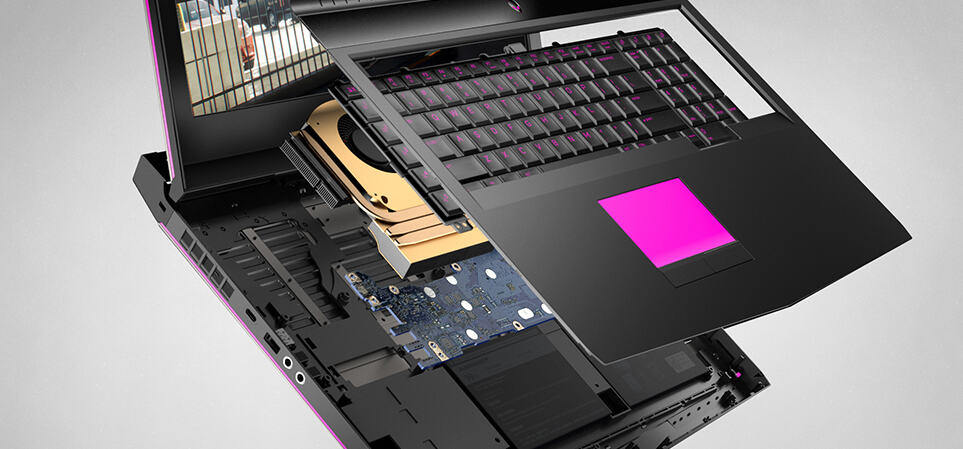
Dell unveiled yesterday a sleek new XPS 13 convertible laptop just in time for CES 2017, but today the company had other good news to announce to PC gamers. Indeed, the PC maker has just revealed an update to its latest Alienware portfolio plus a brand new Inspiron 15 gaming laptop featuring powerful specs in a more affordable package.
The Alienware 13, 15 and 17 laptops are getting an iterative update with the latest 7th Gen Intel Core processors, new NVIDIA graphics plus new SSD technology. The 15 and 17 models will now come with the more powerful NVIDIA GeForce GTX 1050 Ti GPU, and Dell is also offering optional 99WHr batteries providing up to 10 or more hours of battery life with a Full HD display.
The Dell Alienware 15.
The updated Alienware 13 will be available on January 5 with an entry price of of $999, while the Alienware 15 and 17 will be available on January 12 starting at $1199 and $1299, respectively.
As for Dell’s new Inspiron 15 Gaming laptop, the company claims that it’s “the first introduction gamers can expect to see from Dell’s Inspiron gaming line.” The notebook will be available with 7th Gen Intel Quad Core processors as well as NVIDIA GeForce GTX 1050 and 1050Ti GPUs, but there are additional options if you want a 4K screen or add up to 32GB of RAM. Other highlights include dedicated forward and rearward thermal outlets, dual fans and a 74WHr battery.
The Dell Inspiron 15.
The Dell Inspiron 15 gaming notebook will be available in red or black and be sold exclusively at Best Buy and Dell.com starting January 5. Pricing will remain consistent with the consumer-focused Inspiron line, starting at $799.
It’s been three years and most people have probably already forgotten Rime. The game was revealed at Gamescom 2013 as a PlayStation 4 title but it was a few years later that Sony got impatient waiting for the game to come to fruition, according to Polygon. Now Rime is back and it is better than ever with expected availability for Xbox One and PC as well.
Rim is a third-person adventure/puzzle video game being made by Tequila Works. The story is about a boy that is stranded on a mysterious island with a curse, and it’s up to him and only him to survive and escape.
For a long time, the only information that was known about Rime was through the reveal. Tequila Works made promises of open world gameplay and a “unique control system” that will include sounds, light, and touch. With a unique art style and captivating score, the game has already mustered a fanbase.
Today, IGN got a first look at what they describe as ” the promising part-Zelda, part-Last Guardian action-adventure game”. The new trailer was titled as the Rime Re-Reveal.
Towards the end of the video, it’s revealed that Rime will not only be on PlayStation 4 as originally believed. Instead, it’s coming to Nintendo Switch, PC, Xbox One, and PS4.
The studio was quiet about the game’s development until recently. Now that the release is etched in stone, perhaps we’ll learn more about the game in the next couple of months. Oh, and Sony might be interested in changing Rime’s game page in the near future considering it still says that the game is “Only on PlayStation”.
Microsoft may no longer have a giant marketing booth at CES, but the company’s fingerprints remain all over the conference floor as its OEM partners introduce new devices housing Windows 10, Cortana or Windows 10 Mobile platforms.
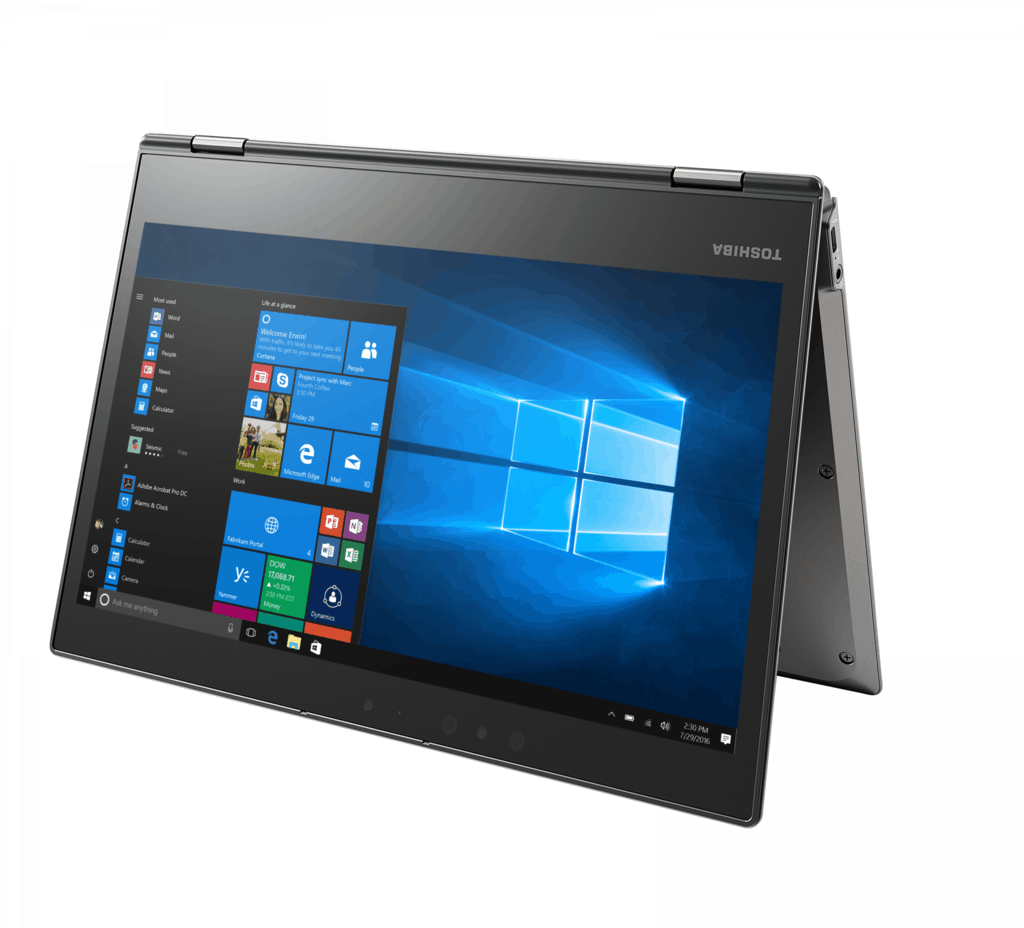
To meet the demands of the modern workplace, the Portégé X20W encompasses a 7th Generation Intel Core Processor, Windows 10 Pro, 12.5-inch diagonal Full HD multi-touch wide viewing angle display, Intel 802.11ac Wi-Fi and a solid state drive all inside its durable magnesium casing.
As with a growing number of 2-in-1’s, the Portégé X20W is utilizing the industry consolidating 360-degree dual-action hinge allowing it to fold back into a tablet among other modes.
Other features of the Portégé X20W include:
Premium audio experience via Harman Kardon stereo speakers and DTS Sound software. Toshiba’s exclusive custom-tuned speakers adapt to the rotational view of the display, delivering a robust, crisp and natural audio from every angle
A USB Type-C port, USB 3.0 port and headphone/mic combo port. As the industry’s new universal standard, the USB Type-C port on the Portégé X20W features reversible plug orientation and supports Display, Power Delivery and Thunderbolt 3 with speeds up to 40Gbps
All-new Corning Gorilla Glass 4, offering higher levels of damage resistance as it’s better able to withstand the shock of accidental bumps
A 12.5-inch diagonal, Full HD (1920 x 1080), multi-touch wide viewing angle display packs over 2 million pixels onto the screen
Included TruPen using Wacom Feel technology, which can detect 2,048 levels of pressure, perfect for taking notes, drawing on webpages in Microsoft Edge and using Windows Ink
Compatibility with two advanced docking solutions– the Toshiba WiGig Dock and Toshiba Thunderbolt 3 Dock, which will be available later his quarter
So far, there are no pricing options, but we’ll update as soon as they become available.
The Windows Insider Program has always been a great way for Windows or Microsoft enthusiasts to try out new versions of Windows 10 before the company pushes it out to the public. In fact, Microsoft uses the program to improve on Windows 10, and frequently encourages members of the program to send feedback through the Windows 10 Feedback Hub. So, while the program is great, there is always room for improvement, and head of the Windows Insider program Dona Sarkar has now taken to Twitter to ask what you would like to see out of the Insider program next!
#WindowsInsiders: I'm writing some of our tacticals. What are some things you'd like to see from the program? Yes, prod changes, what else?
— Dona Sarkar at #AbilitySummit (@donasarkar) January 3, 2017
Many Twitter users have pointed out that they would like to see more detailed changelogs, more Microsoft feedback on the feedback posted by the community, and even some more Feedback hub badges. In fact, Twitter user Robert McLaws went as far to say that he would like to see Windows Insider program stats, and more overall transparency in the program.
What new elements would you like to see in the Insider Program moving forward? Let us know what you think by dropping us a comment below!
CES 2017 is officially underway, and today marked a big day at the trade show for the Chinese multinational technology company Lenovo. While we already covered the new Windows 10 laptops which Lenovo has to offer, the company has branched out at CES 2017 and also announced a Windows Holographic headset, a smart glass product, a mini-keyboard, and more. Since the news might be overwhelming for some, we’ve digested some of it all into one post, with all you need to know.
Back at the WinHEC conference in China, several non-Microsoft mixed and virtual reality headsets were first mentioned as part of the Windows Holographic Project. Today Lenovo unveiled their first VR headset which is a part of this project, with hopes that it would be released sometime in 2017 at prices of around $300-400 dollars. As our Brad Stephenson reported this morning, Lenovo’s headset is reportedly lighter than the Oculus Rift and the HTC Vive, and also uses two 1440 x 1440 OLED panels for the visuals and implements inside-out six-degrees tracking. Unlike the HoloLens, however, there are no motion controllers on this device, and it may have to be used with external peripherals.
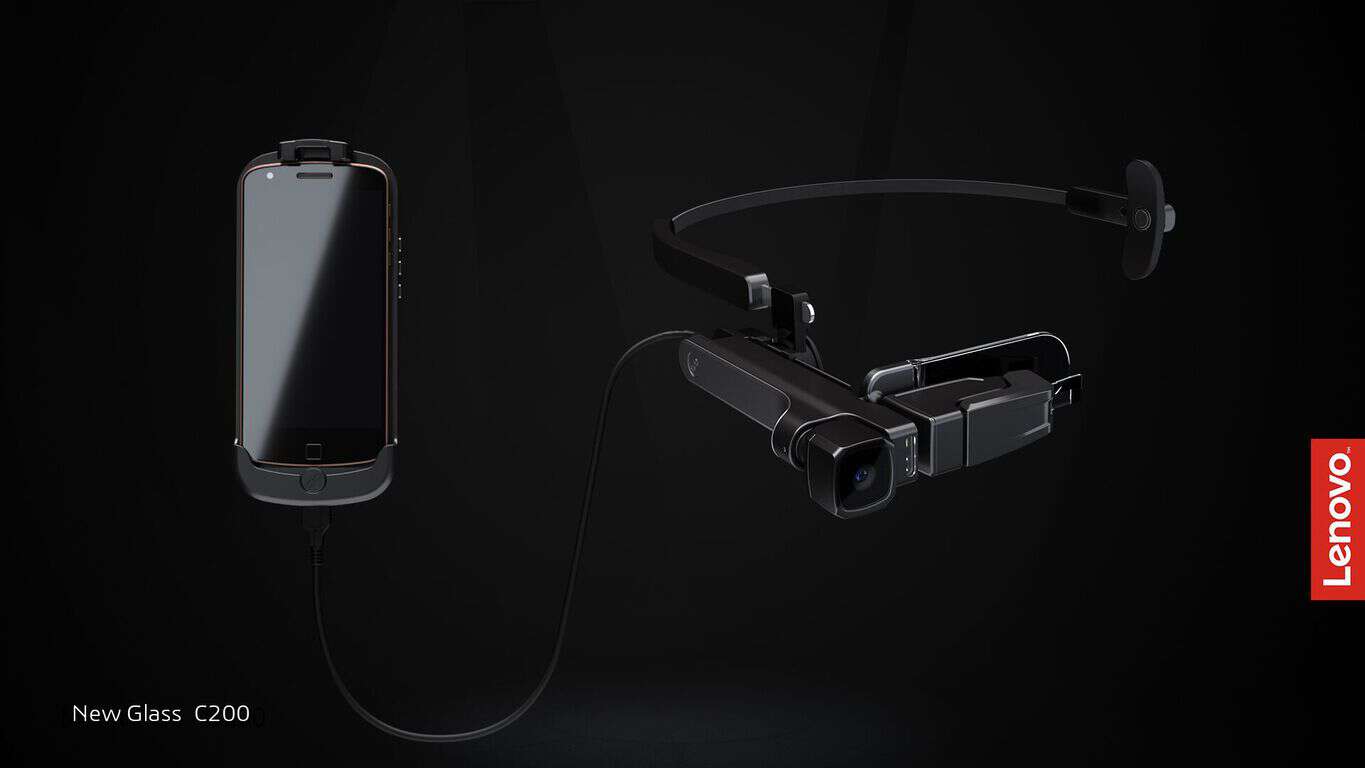
The Lenovo Glass C200 is a smart glass product which leverages both AR and Artifical intelligence. According to Lenovo, the smart glass solution has the capability to provide commercial customers the ability to better perform their jobs, access information faster, connect with remote co-workers easily and so much more.
Lenovo New Glass C200 is a monocular smart glass system that recognizes and identifies real-life objects using AI technologies. The product comes with two main parts, a Glass Unit and Pocket Unit, making for a user-friendly wearable experience. The Glass Unit is super lightweight, under 60 grams, and runs on Linux operating system. It only uses one eye, enhancing a user’s perception of “mixed reality” while viewing the AR world simultaneous to the real world.
Starting at $54.99, the wireless (via USB dongle) Lenovo 500 Multimedia Controller keyboard has an entire area which doubles as a Windows 10 gesture supported multi-touch capacitive trackpad. Lenovo believes that this little device is great for those who have Smart TV’s, and notes that it will dramatically improve not just the way homeowners connect to their PCs, the web and displays, but also redefines the very notion of how a compact, Human Interface Device (HID) should look, feel and function. It weighs in at only .31 pounds, and according to Lenovo has a battery life of up to 8 months with 2 AAA batteries.
To the surprise of many, the Lenovo Smart Assistant is powered by Amazon’s Alexa cloud-based voice solutions, and not Cortana. The device seems very similar to the Amazon Echo, but at a lower price of just $129.99 and with multiple color options of Light Gray, Green and Orange. As is expected, the device features eight 360-degree far-field microphones with noise suppression and acoustic echo cancellation so a voice can be picked up to as far as 15 feet away. There is also a more premium Harman Kardon Edition with more power speakers which starts at the price of $179.99.
Lenovo Smart Assistant
Which of these devices do you look forward to purchasing in 2017? As always, please do let us know what you think by dropping us a comment below! And, please be sure to stay tuned to our coverage of CES, as we will be here all week long to bring you the biggest news from the trade show!
Lenovo unveiled their first VR headset designed for Microsoft’s Windows Holographic project earlier today at CES. It’s unclear what its actual name will be but The Verge got their hands on it and were told that Lenovo is hoping to release it to the general public for around $300 to $400 sometime in 2017.
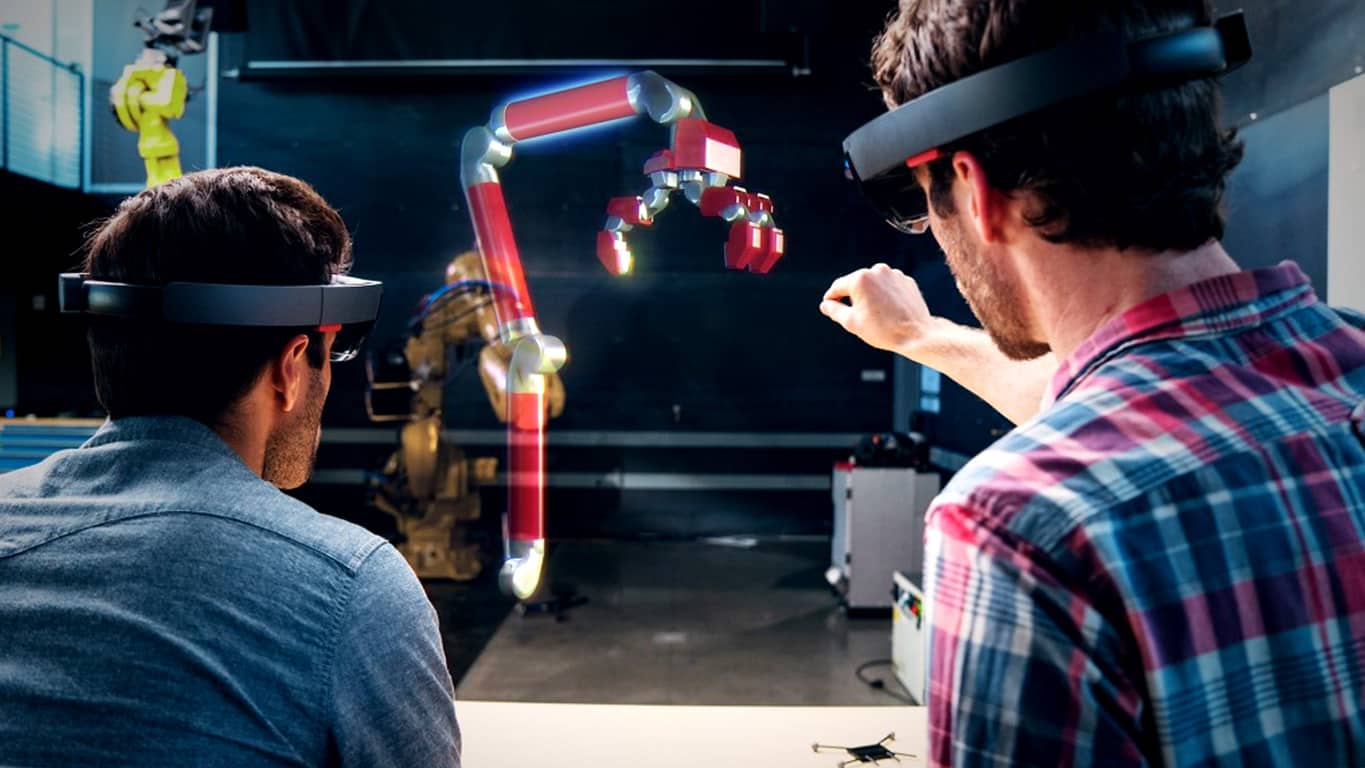
Lenovo’s VR headset is reportedly lighter than the Oculus Rift and the HTC Vive with a 350g target weight being planned for the final version. It uses two 1440 x 1440 OLED panels for the visuals and implements inside-out six-degrees tracking. No motion controllers are apparently planned from Lenovo so a third-party device would have to be used in conjunction with it or a solution creation by Microsoft such as the Xbox One’s Kinect camera or even physical devices like Sony’s PlayStation Move controllers which are used with PlayStation VR. All Windows Store apps will work in some form with the headset and a selection of HoloLens (pictured above) apps being converted for use by other Windows Holographic devices.
Astroneer is one of the most popular games at the moment. As a player, your task is to become the best space explorer and strike it rich. Search for valuable resources on planets and moons, extract and trade them. You can also craft them into new tools, vehicles, and industrial buildings.
If you haven’t played Astroneer before or have just started playing, we’ve got a series of tips and tricks for you. The following guide will introduce you to the game, and help you progress faster.
Astroneer: How to get started
When you launch the game for the first time, you’ll choose which astroneer you want to be. Then, you’ll land on the planet. Take good care of your pod because this vehicle is going to be your home and will play an important role in your survival.
Astroneet controls
Use W, A, S, D to move around
Hold Shift to sprint
Q or I to open your inventory
Left click to interact and pick up objects
Hold rightclick to turn camera
E to equip ground mining and placing tool
Left click to mine with tool equipped
Hold Left Alt to place ground with tool equipped
Hold Left Control to flatten/smooth ground
Tab to enter and leave vehicles/pod
T to place teathers down after you have crafted them.
You’ll then be teathered to your pod which provides oxygen to you. The blue horizontal bar you’ll see on your back is your oxygen level. The vertical yellow bar is your power level. You deplete oxygen when you’re not near your pod, and mining tools drain power.
Astroneer resources
Compound is the most basic resource and you can find almost everywhere. You can use compound to craft various tools, such as teathers and solar panels. For each tool, you need one compound. After you have created a solar panel, place it on your shoulders for extra power regeneration.
Resin is a common resource that you can use for base building. Collect resin, take it back to your base, and click on the cylinder on the base of your pod to use it to expand your base.
Other resources include:
Hydrazine: Turns into rocket fuel, good for trading in the trading platform
Laterite: Turn into Aluminum ore, used in lots of crafting recipes and buildings
Malachite: Turns into Copper ore, same usage as Laterite
Lithium: Turns into Lithium, used in crafting recipes
Titanium: Turns into Titanium, used in crafting recipes
Astronium: Found very far below ground. For the time being, there is no exact information as to what this resource is used for.
Astroneer Base Building Modules
Your landing pod can have up to 6 platforms that will help you craft and create more tools and base elements. Here’s what you need to know about the base building modules:
Smelter: Use it to convert ores into usable materials like aluminum and copper
Printer: Build complex parts for your base and vehicles, including solar panels or wind turbines
Research Unit: Grants you craftable items and rare resources
Vehicle Bay: Makes vehicles and parts for vehicles
Trade platform: It allows you to trade in resources for other resources
Caves: They contain resources like malachite, laterite, raw oxygen, and raw energy.
For more information about the vehicles available in Astroneer and multiplayer mode tips, check out this Steam guide.
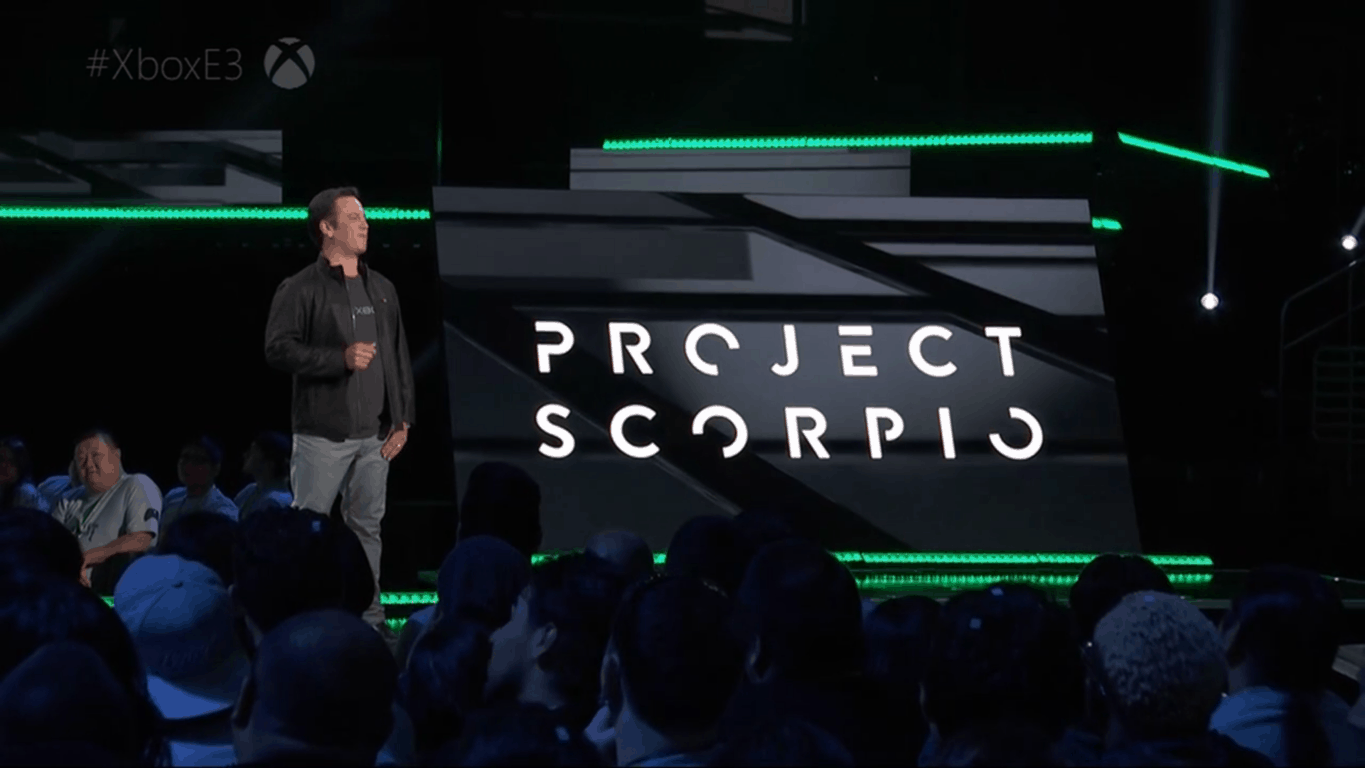
Microsoft is already in full swing as they begin to hype up the next generation of gaming to consumers. Project Scorpio, the successor to Xbox One, is the 4k resolution, VR-ready console set to be released later this year. However, how much ‘later’ that might be is up to speculation. According to some sites, it could be earlier than the aforementioned Christmas 2017 that we were lead to believe.
Aaron Greenberg, head of Xbox marketing, pinned a new favorite tweet on his profile for New Years Day declaring that 2017 is the “year of Project Scorpio”.
It is 2017, the year of PROJECT SCORPIO, are you ready for the beast!? ????♏️???? pic.twitter.com/25SKDZMXfK
— Aaron Greenberg ????????♂️????U (@aarongreenberg) January 1, 2017
This tweet wasn’t the only tease that the Xbox team put out. Community Manager for Microsoft Studios Josh Stein asked his followers if they were excited and accompanied the question with a dancing gif.
Eager for more information, desperate fans clamored over to the Head of Xbox Phil Spencer. His response to them was a quite a bit more reserved and reminded people that perhaps they are getting ahead of themselves. “I’m waiting to hype until we show games,” he explained in his own Tweet.
Going to be a good year. Work to do on games, platform, XBL and hardware, fun times. Im waiting to hype until we show games
Clearly, the fans and team at Microsoft and Xbox are eagerly anticipating Project Scorpio. What remains to be seen is when exactly it will release. For now, we’ll have to trust Microsoft that at least we’ll be seeing the next-gen console in homes just in time for another end of the year celebration.
In the meantime, some good deals on the Xbox One S have already kicked off the new year for gamers. Could they be clearing up stock for the new console to take the Xbox One’s place already? Let us know what you think in the comments below or tweet us @OnMSFT.
Microsoft is preparing to show off at the annual National Retail Federation’s BIG Show 2017 later this month. Between January 15-17th, over 500 exhibitions will be presenting to 33,000 attendees from countries all over the world and our favorite Redmond company could be plotting something big for just the occasion.
The event will be hosted at the Jacob K. Javits Convention Center in New York where Microsoft will set up a booth with hundreds of other retailers. At #2803, the tech giant has quite the intriguing line-up planned with ‘new tools – mobile devices…’, ‘intelligent self-scanning robots’, and more.
Hear firsthand success stories from the world’s leading brands and start conversations with Microsoft & partner teams on how you can build on your infrastructure and drive digital transformation
Experience a unique “day-in-the-life” style personalized digital shopping journey walkthrough featuring Cortana Intelligence, bots, recommendation engines, AI, beacons, mobile solutions and more.
Check out new tools – mobile devices, role-optimized dashboards and apps like StaffHub that will improve productivity and sales effectiveness of your sales associates
Learn how advanced analytics and predictive capabilities are enabling retailers to gather insights on shopper demographics and preferences, improve customer service and response time, optimize forecasting and inventory levels, personalize offerings, and better manage supply chains to meet customer demand.
Get a first look at game changing offerings like intelligent self-scanning robots, blockchain with RFID for supply chain, innovative lighting that understands traffic patterns, smart buildings and more in our Innovation Zone.
If you’re heading to the retail flagship event, you’ll be able to visit Microsoft booth #2803 to see what they’re up to. Furthermore, the customer panel is available for all Expo attendees to take part. It will be located at the Level 3 Expo Hall (Room 3) onTuesday, January 17th starting at 11:30 a.m. and running for an hour.
But if you want to get in on the good stuff, you’ll need to register before the event. Sign-ups are available to meet with Microsoft Executives, get a hosted booth tour, and take part in the Exhibitor Insights session.
CES 2017, the Consumer Electronics Show, is officially underway, and tech companies from around the globe are using the trade show as a chance to showcase their latest and greatest technologies. While we’ve already discovered Dell’s new XPS 13 2-in-1’s ahead of CES, we have also just learned about Dell’s new 27″ Ultrathin Monitor.
The Dell 27 Ultrathin Monitor
According to Dell, the Dell 27 Ultrathin Monitor offers a “state-of-the-art design with the world’s overall thinnest profile, articulated hinge design, and fluid tilt and swivel, offering an unhampered view from nearly any angle.” The monitor was also designed with PC users in mind, and thanks to Dell’s HDR (high dynamic range) feature, has a superb viewing with groundbreaking technology, exceptionally rich colors with high contrast, and depth and range.
Other notable features on the monitor include Built-in USB Type-C connectivity, ComfortView and a flicker-free screen. It also all comes together in a Simple, intelligent design with a connectivity hub located at the rear of stand base, which eliminates unsightly cables on the desk.
The Dell 27 Ultrathin Monitor will be available in the United States on March 23, 2017 for $699.99. Worldwide availability will follow soon after. Let us know if you will be purchasing this monitor for your setup by dropping us a comment below!