Skype Translator judged as the greatest software innovation of the year by Popular Science

Popular Science, the popular American magazine that carries science and technology content for general readers, has judged Skype Translator as one of the greatest software innovations of the year. Interestingly, out of the six winners, Skype Translator goes on to be the Grand Award winner.

Skype’s artificial-intelligence-based Translator is our digital Tower of ­Babel. It lets us talk to anyone, anywhere, regardless of mother tongue.

Made available in late 2015, Skype Translator aims to break down language barriers with your friends, family, and colleagues and helps communicates in eight languages for voice calls and in over 50 languages while instant messaging.

Using machine learning, when a user speaks, the AI, drawing on millions of speech examples, analyzes the words and transcribes them into text. The text is then scrubbed of ‘ums’ and word repetitions, and run through a translator. The AI is self-learning and the more you use the service, the smarter it gets and the better it functions.

Do you use Skype Translator? How has your experience been with the service?

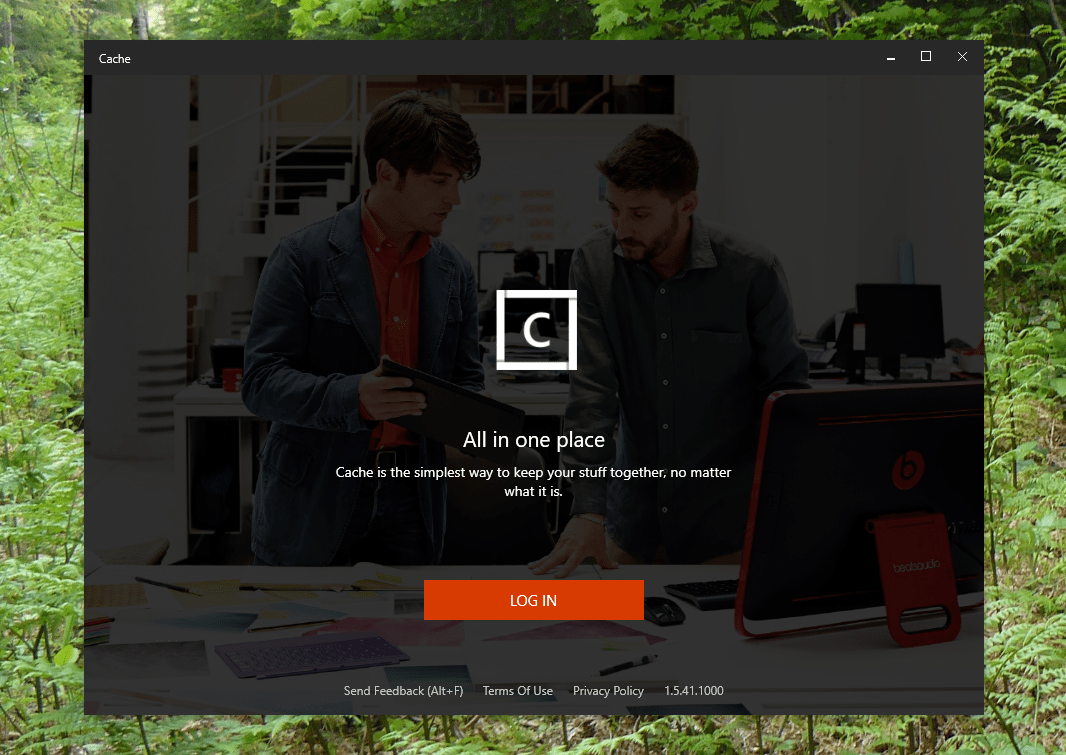
Microsoft OneClip, rumored for Redstone 2 release, reappears as “Cache”

A year ago last May, word filtered out on news of a new Microsoft app/service called OneClip. The Microsoft Garage app, since pulled, worked as a virtual clipboard, not only storing and organizing “clips,” but sharing them in the cloud. A couple of months ago more news surfaced on continued work on the app, with an Office and Windows 10 focus and a possible Redstone 2 release.

Now today, a number of reports are indicating that OneClip may be re-introduced, this time as “Cache.” The app appears to have pivoted somewhat, to include a number of preset tasks, as highlighted in this video found by Rafael Rivera among others:

https://twitter.com/WithinRafael/status/788774869550895104

The tasks, as noted by Windows Central, are:

  • Curate your Reading List
  • Organize your school projects
  • Manage your shopping list
  • Keep important docs handy
  • Keep everything you copy

Earlier today, prolific Microsoft watcher WalkingCat tweeted out a link to a “Cache” download, which installs at least some of the app but requires that you are included in a private preview, so you won’t be able to see much.

Microsoft has dabbled in the idea of a clipboard for the web for years, as far back as Ray Ozzie’s idea of a Windows Live Clipboard back in 2006, so it will be interesting to see how much traction “Cache” gets, once we get our hands on it for real.

Microsoft balks at UK’s Daily Mail use of How-old.net in refugee age controversy

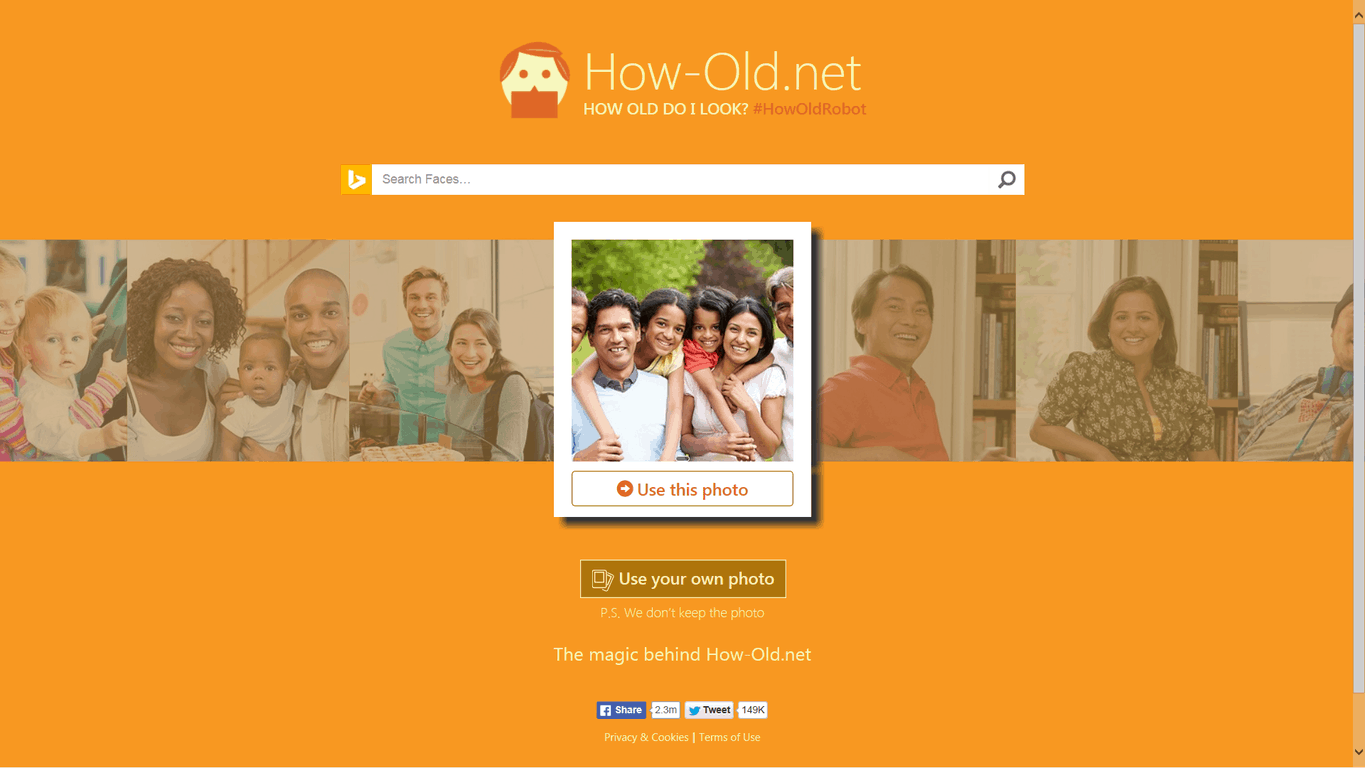
You may recall that in May of 2015 Microsoft introduced the How-old.net website as a fun tool to show off the possibilities of Machine Learning. Unfortunately, in an article discussing the age of migrants, one UK-based publication labeled the How-old.net website as a facial recognition tool, and Microsoft is not happy (via The Guardian.)

According to The Guardian, the issue first arose with The Daily Mail publishing an article which stated that the age of a photographed migrant, “was rated by a facial recognition program as having the features of a 38-year-old.” The article, however, was apparently originally published following comments from a Conservative MP for Monmouth, David Davies, who seemed to have suggested in a tweet that the age of minors is not properly represented in the media. Microsoft, nonetheless, put forward that How-old.net was misused, and in a statement to The Guardian, said:

“How-old.net was designed to be an example of how developers could build a fun app using modern development practices. It is not intended to be used as a definitive assessment of age”

The migrant crisis remains a hot topic in the United Kingdom, and some in the Kingdom have come to question whether or not it appropriate or ethical to photograph the migrants coming from war-torn nations such as Syria and South Sudan. Other issues in regards to the migrant crisis include the fact that some politicians such as Davies himself, want to screen migrants to verify age by using dental tests. Groups such as the UN Refugee Agency, nonetheless, have labeled the Syrian migrant crisis, as the “biggest humanitarian and refugee crisis of our time, … around the world.”

Check out the new Xbox One S ad, “the best-selling console in America”

Microsoft unveiled today a brand new ad for its Xbox One S gaming console. The one minute video highlights some of the console’s best killer features including nearly 100 Xbox exclusive titles, the fastest gaming network with Xbox Live, support for High Dynamic Range and 4K video streaming and more.

While the new ad is a good summary of what makes the $300 Xbox One a lot of bang for your buck, this video passed on some other good selling points such as the 40% smaller design, the growing library of backward compatible Xbox 360 games and the ability to upscale all current games to 4K on eligible TV sets. It’s also worth nothing that while Microsoft included the “The best-selling console in America” in the video’s title on YouTube, the company doesn’t highlight it in the video. That’s too bad, as the Xbox One claimed this title for three months in row between July and September 2016 according to The NPD Group.

One Tap Messages for Windows is the latest app from AdDuplex Garage

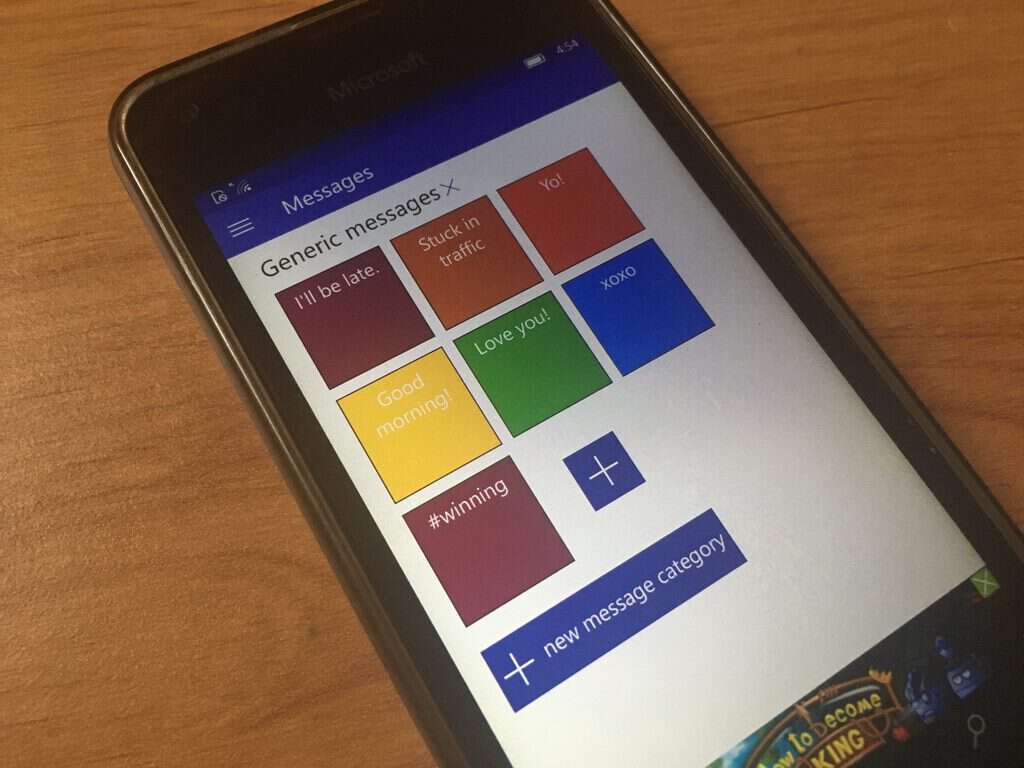
Earlier this month, AdDuplex opened its own “AxGarage” to share some of its internal tools with Windows 10 users. Following the launch of two Windows 10 UWP apps called Random Tools and One Tap reminders, the cross-promotion network for Windows Store apps announced today the release of One Tap Messages, a messaging app that allow users to create message templates and send generic SMS, email and other messages with a single tap.

The app is available on both Windows 10 and Windows 10 Mobile and here is the official description:

Send SMS, emails and other messages with just one tap right from your start screen. Create message templates for frequent message types or message activated services and get rid of a bunch of unnecessary extra steps. One Tap Messages lets you create and send messages very easily and quickly. It allows you to pin messages to your Start screen and send them with a single tap.

One Tap Messages AxGarage
One Tap Messages lets you create generic messages and pin them to your start screen.

In the blog post announcing the news, AdDuplex CEO Alan Mendelevich explains that he uses the app to park his car in the city where he lives by sending text messages in a predefined format to a special number. According to him, this method may actually be faster than using the dedicated parking app which is not available on Windows Phone.

Beyond this use case, Mendelevich adds that “you may have various services accessible this way where you live: from public transportation tickets, to hailing a taxi, to buying stuff from a vending machine.” Overall, the app seems pretty versatile as it leverages the Windows 10 share contract to let you send messages through a broad selection of services including social media apps.

One Tap Messages is a free app with in-app purchases and you can try it by using the download link below, sound of in the comments if you think this new messaging app is a nice addition to the Windows Store.

One Tap Messages
One Tap Messages
Developer:
UAB AdDuplex
Price:
Free

Government technology advisor calls UK Azure data centers a “win-win” for government and citizens

According to United Kingdom (UK) technology advisor, Liam Maxwell, Microsoft’s decision to open data centers in the country is a “win-win.” Maxwell spoke with over 100 senior British business leaders at Microsoft’s offices in London, to discuss the cost benefits of storing government and business data in the cloud as opposed to on-premises solutions.

“To be able to have a data centre structure here which is commercial grade and allows us to have UK data residency, so it’s open to the public sector, has been the win-win that we all wanted. To have this capacity with UK data residency is one of the factors that makes the UK the best place for a tech start-up or to start a tech corporate initiative. It’s not unreasonable that people want to keep data in the UK. Citizens want to trust that their Government – and companies – is holding their data securely. The UK provides that assurance.”

liam maxwell
Liam Maxwell

The Microsoft Cloud in the UK opened last month, with Azure and Office 365 now being generally available in many UK data centers. In early 2017, Dynamics CRM Online will be generally available too. As far as the UK is concerned, several companies have already signed up, including South London and Maudsley NHS Foundation Trust, Aston Martin, Capita, and Rosslyn Analytics.

These companies will join other companies and government agencies that are already using Microsoft’s Cloud services; Glasgow City Council, Marks & Spencer, Confused.com, Natural Resources Wales, Pizza Hut, and Virgin Atlantic. The UK Ministry of Defence will also use Office 365 and Azure, citing the cost benefits to using Microsoft’s Cloud services.

Gabriel Karawani, co-founder, and director at ClearPeople, spoke at the meeting as well, saying his company wouldn’t have been able to compete if they had not switched to using the Microsoft Cloud.

“By adopting Microsoft’s cloud early, we leapfrogged some of the competitors that didn’t do it and helped some of our clients leapfrog their competitors. It also gave us access to some things that we didn’t have access to before, such as infrastructure and scale. I don’t think we would be in business now if we hadn’t done it, or we would have been a very different business. We would have been trying to play catch-up with many of our competitors. It has meant that we have been able to transform our business.”

Nicola Hodson, General Manager for Marketing and Operations at Microsoft UK, hopes that more UK companies see the savings, benefits, and security available by switching to the Microsoft Cloud.

“What we hope is that this move brings the benefits of the cloud to every business in the UK. This doesn’t just bring world-class reliability and performance, it also brings UK data residency. We know that customers only use the cloud if they trust it, so our cloud services are built from the ground up with trust in mind. We implement measures to ensure your data security is well looked after.

“Privacy is at the centre of everything we do, it’s designed in; it’s your data and we make sure it’s your data. We make sure your data stays compliant with any local, international or other laws. We are one of the first to market with meeting most compliance regulations, such as the EU Privacy Shield. We also tell you where your data is at any one time, so there is full transparency from Microsoft.”

If you are interested in signing up for Microsoft Cloud services for your UK business, check out Office 365 and Azure for more details.

Fix: Shadow Warrior 2 crashes when loading missions

Shadow Warrior 2 is a great, unpredictable game that will take you to an incredible fantasy world to battle thousands of fierce demons. The game is quite addictive, but sometimes all the fun can turn into frustration due to various game issues.

The game developers work closely with the Shadow Warrior 2 community to detect and patch these annoying game bugs, and they already posted a list of workarounds for various issues. However, there is one problem that seems to be difficult to fix: game crashes.

The good news is that if the Shadow Warrior 2 crashes you’re experiencing are caused by corrupted character save files, you can now quickly solve the problem.

Follow the troubleshooting steps listed below:

1. Go to C:UsersUsernameSaved GamesFlying Wild HogShadow Warrior 2profilessteam_0000000000000001

2. Open “save_auto.bin”  and extract “bin”

3. Open “bin” in Notepad++ and see if your “DefaultWeapon” is set to a weapon that is not equipped and change it to one that is.

shadow warrior 2 crashes

4. Save and replace the “bin” file in “save_auto.bin” with your modified file and try to use your save.

If there is no data in the save_auto.bin file, this means that the file is corrupted and you need to use another workaround. Find the last file that is not corrupted, make a copy of it and then delete the original “save_auto.bin” and rename the copy “save_auto.bin”. The latest file is the one with the largest quest number at the end.

Try these workarounds and tell us in the comment section below if they solved the problem for you.

RELATED STORIES YOU NEED TO CHECK OUT:

Fix: FIFA 17 crashes after first loading screen

FIFA 17 is still affected by many issues, even two weeks after its official release. The good news is that many of these bugs can now be fixed thanks to the latest patch for Windows PC and all the workarounds that gamers have developed.

Many gamers report the game often crashes as soon as the first loading screen appears. FIFA 17 launches, the first loading screen appears, but when the languages page should be available, the screen goes black and the game simply crashes.

Gamers complaing about FIFA 17 crashes after first loading screen

I was playing FIFA 17 since relase date and everything was alright, but yesterday FIFA stopped working. Game launches, first loading screen is shown but when the languages are supposed to pop up screen goes black and the game just crashes without any crash report.

I reinstalled the game, brought back old graphic drivers, tried to launch game on lowest quality, windowed mode, as administrator, reinstaled c++, ran CCleaner and cleared everything wrong, scanned for updates and repaired on Origin and still nothing.

If you’re experiencing these crashes, follow the troubleshooting steps listed below:

  1.  Go to Application settings and then Installs and saves in Origin and switch off cloud save
  2. Cut your save file from My Documents and paste it anywhere you want.
  3. Run the game and see if it works.
  4. If you want to get your previous save back, copy the Settings folder from the previous save file and paste it in the new save file.

For other issues, check out our dedicated fix article where you can find various workaround for the most frequent FIFA 17 issues on Windows PC.

RELATED STORIES YOU NEED TO CHECK OUT:

Microsoft talks up their government cloud, “not all clouds are created equal”

“Not all clouds are created equal” seems to be the latest Microsoft pitch when to comes to creating services for the U.S. government. Earlier today, we reported about Microsoft Office 365 becoming compliant with Security Restriction Guidelines on Level 4 and 5. The service has been approved for high-security data for government defensive offices and is being implemented into the Microsoft Government Cloud. This makes Microsoft the first and currently the only commercial cloud provider to have Level 5 clearance for the Department of Defense.

In celebration of this achievement, Corporate Vice President Jason Zander released a blog post that detailed more reasons why the Government Cloud was a cut above the rest.

Some of the key points the post pointed included:

  • Microsoft has signed more than six times Criminal Justice Information Services than their closest competition
  • There are six data centers for their government cloud across the nation.
  • The company has two dedicated data center regions for Department of Defense L5
  • Microsoft has well-documented government compliance certifications with the IRS, FERPA, FedRAMP, and more.
  • Security is top priority with very select access from approved requests.

There is little doubt that Microsoft Government Cloud is making strides in the industry to ensure the safety of high-level information. Azure Government is already servicing over six million users from federal to local government offices. With the addition of Office 365, now the Department of Defense will have access to all service’s needs across each of their approved devices.

By combing Azure Government and Office 365 U.S. Government Defense services, the Microsoft Government Cloud continues to improve and expand to, even more, data centers. Two of which should be available at the end of the year and another couple joining the list in early 2017.

Land o’ Lakes uses Office 365 to make agriculture more productive

The agriculture business is booming, and it’s only going to be getting bigger. As the world’s population continues to grow year after year, demand for food grows right alongside it. While we may not usually think of agriculture as the sort of industry that needs technology to run smoothly, this massive demand means that items such as Office 365 are necessary to keep the business in good shape. To better highlight, this dynamic, senior director of IT Services at Land O’Lakes Tony Taylor wrote a bit about it on the Office blog.

The guest piece is an interesting read, shedding a bit of light on what happens behind the scenes for a company that so many of us have dealt with before to various degrees. It’s a bit odd to think of an agricultural organization as something that needs to stay on the cutting edge of technology, but the vast amount of moving parts to keep track of to farm and produce food requires a lot of organization. The team at Land O’Lakes was so impressed with Office 365, in fact, that they decided to pick up the extended premium enterprise functionality. Going forward, they’ll be using services such as MyAnalytics and Power BI to empower their employees further.

As usual with these guest posts, you can take a look at the case study for Land O’Lakes to go into a lot more detail about their experiences with Office 365, including migration to the cloud, increasing flexibility, and attracting new talent.

Take a look at the next version of Microsoft’s Channel 9

Microsoft’s video archive Channel 9 is undergoing some significant design changes. For those that may not know by now, Channel 9 is a site for developer videos and event broadcasts that Microsoft employees contribute to. But it seems the team might be looking to streamline the site for new and unfamiliar users. As of today, a preview of the new Channel 9 design is available for public consumption.

The design is much easier on the eyes particularly with a gray background that can make watching videos much nicer. With the current layout, finding videos and information can be a bit overwhelming. The minimalist design has a font that is easy to read and the preview even looks better on mobile devices.

In an announcement post by Vi Nguyen, they detailed the emphasis on user experience.

The goal is to provide visitors and contributors up-to-date content, with clear, accessible, responsive, consistent, and attractive user interface.  We have fixed numerous problems with the old, non-accessible, and non-responsive homepage.  This work is still in progress and we will be improving the experience in the upcoming months.  If a feature is missing, it doesn’t mean it has been cut.  Hang tight, we are working on it!

If you’re usually interested in what Channel 9 has to offer, you might be interested in taking a gander at the design. Microsoft is welcoming feedback about the preview so be sure to voice your thoughts on the Site Feedback Forum.

Excellent Windows 10 archiving app 8 Zip on sale for just $0.99, down from $19.99

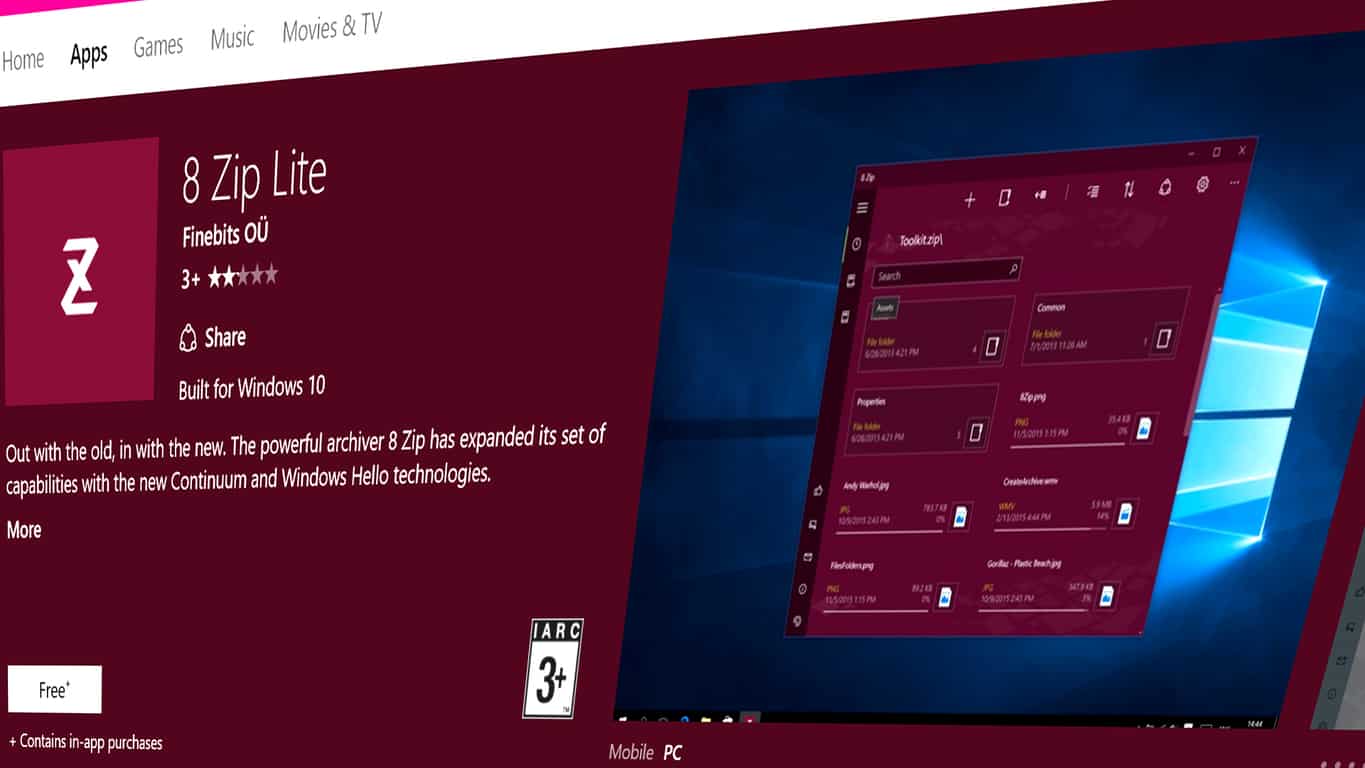
Need to extract a ZIP or 7Z file on your phone? Or maybe you want an archiving app with a cleaner interface? Well, you’re lucky then. 8 Zip by Finebits, the developers of Torrex, has discounted their app with 95% of its original price.

8 zip’s regular price is $19.00, which may be a little too much for some. However, today, the app has once again been discounted to the same price it was in May. The, more reasonable price for 8 Zip is now $0.99, and it will remain like that for the next six days only, so hurry up.

So, what is the advantage of 8 Zip compared to tools like WinRAR (which is also paid), or 7zip (which is free)? The biggest difference is that 8 Zip is a part of the Universal Windows Platform and runs on your tablet and phone. The interface is well suited for touch devices, which may be the app’s main selling point.

You can download the app from the link below:

8 Zip Pro - advanced archiver

Microsoft meets Department of Defense cloud standards with Office 365 compliance service

The Microsoft Office 365 team announced today that their service for the U.S. Government Cloud has now met Security Requirement Guidelines. The SRG Level 4 and Level 5 controllers are now available to defense departments and organizations big and small that deal with Controlled Unclassified Information (CUI). Meeting the requirements for L5 data is quite the achievement for Microsoft who is the only commercial cloud provider that has such a high-security clearance.

This will let the Department of Defense employees access everything from Office 365 that they could need. Likewise, it’ll work across devices and receive quick over the air updates to stay protected.

Only departments that have clearance can access the Office 365 U.S. Government Cloud service. Probably one of the more secure cloud services available currently, it has physical and software layers of protection to keep all the data safe.

According to their Enterprise blog released earlier, both Office 365 U.S. Government Defense and Azure Government will have physically separated versions created for the Department of Defense by the end of the year. Bob David will be giving more detail about the new compliance service at the Microsoft Government Cloud Forum in Washington D.C. next week.

As Vice President for Office 365, Ron Markezich stated, not all clouds are created equal.

Abnormal Xbox One S fan noise affecting many users

The Xbox One S console is the ultimate gaming and 4K entertainment system. This impressive console supports 4K Blu-Ray, 4K video streaming, and HDR while being 40% slimmer than the Xbox One. However, the Xbox One S is not a perfect console with many of its users annoyed by an abnormally loud fan noise.

Xbox One S owners have complained about a loud fan noise since the day the console was launched. When you first install and use the console, the fan noise is not that annoying. Over time, it gets louder and louder — especially under load. Some users even reported their consoles suddenly becoming very noisy — “like a jet engine for a few seconds” — with the fan’s noise level eventually going back to normal.

Moreover, many Xbox One S users panicked when first hearing the console’s abnormal amount of noise given Microsoft’s history with heat problems across the Xbox lines.

Xbox One S owners complain about abnormal fan noise

came home today and turned my xbox on to find the fan running extremely loud, almost like it was under extreme load. Tried looking up my problem but all i can find is posts about fans vibrating and such. Mine is just running really loud, and was not doing this yesterday. Any known fixes? i’ve tried unplugging it and plugging it back in as well as restarting.

The good news is that the console is still cool to touch, means that the problem isn’t caused by an overheating issue. Microsoft has yet to comment on this situation.

Have you also experienced loud fan noise on your Xbox One S? Did you find a workaround to reduce the fan noise?

RELATED STORIES YOU NEED TO CHECK OUT:

Quickly rename multiple files in Windows 10 using the Tab key

Everyone knows that renaming a file in Windows is as easy as right-clicking that file and selecting the “Rename” option. But, not many know it’s possible to rename a file in Windows by tapping the F2 key and entering the new name of the file. The F2 key is very useful especially if you want to rename multiple files at once. To do this, you will first have to select all the files you want to rename and, after that, press the F2 key. Then, you will have to enter a name for the selected files and press Enter key.

If you do this, Windows will automatically add numbers to the end of the file names you’ve selected. For example, if you rename 10 files with the name “test”, numbers will be added to all the files that were renamed.

Here are the steps you can take to use this yourself:

  • Open the folder containing all files you want to rename.
  • Select the first file from the list and press the F2 key.
  • After entering the new name for the file, press the TAB key. By doing this, you will save the new file name that you’ve just written but also automatically select the next file to rename it
  • If you want skip a file, you can always press the TAB key twice.

You can also use keyboard shortcuts to perform specific commands. For example, if you want to create a new folder, you can always use the CTRL+SHIFT+N keys in Windows 7, Windows 8 and Windows 10.

RELATED STORIES TO CHECK OUT:

Microsoft introduces two new data science utilities on GitHub

Today, Microsoft introduced two new data science utilities on GitHub to help boost productivity; Interactive Data Exploration, Analysis, and Reporting (IDEAR) and Automated Modeling and Reporting (AMAR). Both IDEAR and AMAR run in CRAN-R are accessible via GitHub for your enjoyment.

Team Data Science Process (TDSP) was initially launched at the Microsoft Machine Learning & Data Science Summit in Atlanta in September, and TDSP is responsible for the creation of IDEAR and AMAR. let’s take a quick look at what IDEAR and AMAR are and what they do for machine learning and data science.

IDEAR

IDEAR is a tool that helps data scientists visualize and analyze data and can provide data scientists with helpful insights into that information in an interactive way.

Some unique IDEAR features include:

  • Automatic Variable Type Detection
  • Variable Ranking and Target Leaker Identification
  • Visualizing High-Dimensional Data

AMAR

AMAR is a customizable tool that helps train machine learning models with the use of hyper-parameter sweeping, check the accuracy, and look at the importance of variables. A parameter input file is needed to select which models run, what data is used, parameter ranges, and the best parameter strategy to use; bootstrapping, cross-validation, etc.

When AMAR is finished, a standard HTML model report is compiled and displays the following information:

  • A view of the top few rows of the dataset used for training
  • The training formula used to create the models
  • The accuracy of various models (AUC, RMSE, etc.), and a comparison of the same, i.e. if multiple models are trained
  • Variable importance ranking

Both IDEAR and AMAR are available by cloning this GitHub repository. Additionally, there are two dataset samples available for both IDEAR and AMAR to give you examples of how to use IDEAR and AMAR, but you can also use your own dataset as well.

Microsoft hopes you give both IDEAR and AMAR, as well as TDSP a try in your next data science project. If you have any comments or features requests, the Cortana Intelligence and Machine Learning team value any feedback they receive.  You can provide your comments at the end of their blog post, via the issues tab of their GitHub repository, or send them a tweet @zenlytix.

Minecraft delays Boss Update for Windows 10, Pocket editions due to Creeper bug

We were supposed to be able to report on the new Boss Update for Minecraft Pocket Edition and Windows 10 Beta. Unfortunately, the release of ocean monuments, new boss battles, and introduction to slash commands has been put on hold.

Minecraft PR Aubrey Norris announced via Twitter that the update was being delayed due to a catastrophic glitch. It seems that creepers were able to explode through walls without being able to even see the player character. This would have been a game-breaking bug for a lot of players considering creepers not only destroy the blocks around them in a radius but pack enough punch to kill the player and send them straight back to spawn.

https://twitter.com/Chupacaubrey/status/788405388760584192


Ever since its announcement at Minecon, the Boss Update has been an exciting topic for PE and Windows 10 players. It’s even updating the Minecraft Gear VR edition to support the use of an Xbox One controller. Players will also have access to the new Add-On platform to install new maps and content into their games conveniently from the Minecraft.net website. It’s safe to say that a lot of die-hard fans holding their breath with anticipation.

There isn’t an estimated time as of yet for the taming of the creepers. Aubrey said that she hopes it’ll just be a few days. Hopefully, it won’t be long before the update rolls out.

But what can you do? Creepers gonna creep.

Skype rolls out single sign on to Microsoft services

Microsoft is further integrating Skype with the rest of Microsoft services by allowing you to use a single sign-in through a Microsoft account. Now instead of having separate login details, you can use your Skype Name to sign in and access other Microsoft services, including Xbox, Office, and OneDrive.

Recently, Microsoft made some changes to the look and feel of some Skype accounts, and successfully moved Skype from a peer-to-peer architecture to a more mobile-friendly cloud infrastructure with the help of Azure. Microsoft is looking to the future where you can have a single sign-in to access all Microsoft services without the need to remember separate login information, as all Skype Names are now also Microsoft accounts:

You may have recently noticed a few changes in the look and feel of your Skype account. We’ve been working to bring Skype and Microsoft closer together and are excited to announce that soon you will be able to use your Skype Name to sign into other Microsoft services like Xbox, Office and OneDrive. With a single sign-in (and an email address for certain services) you will soon be able to have fun on Xbox Live, access your photos and docs through OneDrive, check your email on Outlook.com, and connect with your friends and family on Skype.

As Skype continues to change, none of these changes will affect your ability to use Skype; you can still sign in using your Skype Name. However, in order to access all Microsoft services, an email address may be required. To stay up-to-date with the latest Skype features, be sure you have the latest version of Skype.

If you have the Windows 10 Anniversary Update, then Skype Preview is already installed.

Download Skype for Windows

Skype
Skype
Developer:
Skype
Price:
Free

Microsoft makes genome sequencing tools run seven times faster on Azure

While genomic analysis is expected to become increasingly important to diagnose genetics condition in the future, it seems that the Microsoft Cloud could very well contribute to the kickstart of a genomics revolution in the coming years. In a new blog post, the Redmond giant explained today how its Azure cloud allowed two different genome sequencing methods to run seven times faster than before, providing critical time savings to medical professionals.

As of today, researchers and medics are using both the Burrows-Wheeler Aligner (BWA) and the Broad Institute’s Genome Analysis Toolkit (GATK) for genome sequencing. As Microsoft explained, both methods which rely on complex computational work can be executed much more efficiently on the company’s Azure cloud:

Cloud computing is ideal for this type of computational work, because it takes a lot computing power, requires a lot of data storage and requests can come in fits and bursts. For most hospitals, research labs and other biological sciences facilities it would be too expensive to invest in the necessary computing capability, and impractical to take on the job of hosting all that data on their own, if only because the sheer volume of data is growing exponentially.

This new use case for Microsoft’s cloud computing platform enables significant cost savings and could be fascinating for hospitals, clinics and research institutions who currently face an exponential growth of genome sequencing requests. “It’s getting to the point where tens of thousands of genomes are being sequenced, so efficiency really matters,” explained Ravi Pandya, a principal software architect in Microsoft’s genomics group.

For now, Microsoft is working with the Broad Institute to improve future versions of its Genome Analysis Toolkit. Ultimately, the company’s genomics team would like to partner with hospitals and other healthcare institutions to find more use cases for its Azure cloud in healthcare. We invite you to read the full blog post to learn more about Microsoft’s genomics-related efforts.

Outlook.com Premium Preview opens to all US customers

Earlier this year, Microsoft started testing a new Outlook.com Premium email service which offers an ad-free inbox, five personalized email addresses on the custom domain on your choice and more. Following a few months in public preview, the service now seems to be available to all users in the US.

According to the official web page, you can try Outlook Premium for free for the first year even though Microsoft mentions a “special price of $19.95/yr (regular $49.99/yr)” right now. We successfully signed up with several Outlook.com email adresses today, and it also seems to work outside of the US despite Microsoft’s claims of US exclusivity.

You're invited to choose your custom email address after signing in.
You’re invited to choose your custom email address after signing in.

After signing in, you will be invited to choose your personalized email address with the custom domain of your choice. Microsoft will help you with suggestions but you will also be able to configure it with a domain that you already own. While it’s possible to skip this step, you’ll have to do it to enjoy the ad-free experience on Outlook.com.

The ad-free inbox is nice.

Back in April, the official web page stated that the premium service would be priced at $3.99 per month, but according to these new pricing details the service would now be slightly cheaper than that following the end of the free year offer. We invite you to try to sign in for Outlook Premium over here and to let us know in the comments how it works for you.

SAP to use Microsoft Azure in new five year expanded partnership

Microsoft has announced an expanded partnership with German multinational software corporation SAP. As part of the partnership, Microsoft will provide public cloud services for the SAP SuccessFactors HCM Suite and SAP will make available its cloud-based human capital management solutions on Microsoft Azure over the next five years.

Overall, the deal is an addition to the already existing partnership between Microsoft and SAP, such as previous integrations made between Office 365 and SAP SuccessFactors HCM Suite, as well as SAP Fieldglass Vendor Management System, SAP Ariba and Concur solutions. It also comes as Microsoft recently announced the general availability of Azure large instances, hardware configurations specifically designed for the largest and most demanding SAP workloads.

Additionally, the deal marks SAP’s first move to “supplement its own infrastructure and operate SAP SuccessFactors solutions in a third-party public cloud.” Judson Althoff, executive vice president, Worldwide Commercial Business at Microsoft put the deal best and said:

“Microsoft and SAP share a commitment to empowering digital transformation across every aspect of business… The combination of SAP’s market-leading, innovative human capital management solutions with Microsoft’s intelligent cloud will equip companies around the world to help maximize the potential and skills of their most valuable asset, their people…”

According to a statement from Mike Ettling, president of SAP SuccessFactors, SAP SucessFactors is “the fastest growing core HR solution, and SAP has seen exponential growth in the past two years, with 42 million users benefiting from their market-leading solutions.”

You won’t be able to download Windows Essentials after January 10, 2017

From its Photo Gallery, Movie Maker, Mail, and even Live Writer, Windows Essentials has held on as a suite of Windows applications which help you do more on your Windows PC, even after the demise of the Windows Live era.  Thanks to a tip from a reader (Thanks, Nicola!) we can now report that you no longer will be able to download Windows Essentials 2012 after January 10, 2017.

Windows Essentials end of support message

As seen above, word on this first spread via a support web page for Windows Essentials, which now has a banner that reads, “Windows Essentials 2012 suite will reach end of support on January 10, 2017.” Those who have the series of Windows Essentials apps installed can still use the applications after the January 10th date, but with the security risk  associated with the use of unsupported products past the end of support.

Microsoft is also pointing users of the Windows Essentials applications to the built-in Mail, Photos, One Drive, and Family Safety features in Windows 8.1 and above. As an added bonus, (and as we previously reported,) the company also hints in the support page that Windows Movie maker will soon be available from the Windows Store for Windows 10 users:

Movie Maker lives!
Movie Maker lives!

And lastly, for users of Windows Live Writer, Microsoft points to the open source third party Live Writer app, which we previously described in this post here.

Are you sad to hear about the end of the Windows Essentials era?  Let us know what you think by dropping us a comment in the section below!

Battlefield 1 Ultimate and Early Enlister Deluxe Editions now out on Xbox one

Major Nelson has taken to his blog to announce that the Ultimate Edition and Early Enlister Deluxe Editon of Battlefield 1 are now available for purchase on Xbox One. The release of the special editions come one week ahead of the launch of the standard edition of the game.

Battlefield 1 Early Enlister Deluxe Edition is available for purchase at the price of $79.99 or $71.99 with EA Access, and Battlefield 1 Ultimate Editon is available for the price of $129.99 or $116.99 with EA Access. In case you did not already know, Battlefield 1 is the fifteenth installment in the Battlefield series, and is set in the World War 1 time period. The game puts you in control of various armored vehicles and even horses, and features dynamic open environments complete with a 64-player multiplayer online mode.

Do you think you will be picking up the special editions of Battlefield 1 so you can play early? Let us know what you think by dropping us a comment below!

Be The Batman with Xbox One’s Batman: Return to Arkham

Batman: Return to Arkham is now available to purchase, download, and play on Microsoft’s Xbox One video game console. The title is a bundle of the two previously released Batman video games, Arkham Asylum and Arkham City, which have received graphical upgrades and contain all of the downloadable content that was released after their initial launches. Here’s the official game description:

Return to Arkham and experience two of the most critically acclaimed titles of the last generation – Batman: Arkham Asylum and Batman: Arkham City, with fully remastered and updated visuals. Batman: Return to Arkham includes the comprehensive versions of both games and includes all previously released additional content.

Batman: Arkham Asylum exposes players to a dark and atmospheric adventure that takes them into the depths of Arkham Asylum –Gotham City’s high security psychiatric hospital for the criminally insane. Use Batman’s legendary gadgetry, strike from the shadows, and confront The Joker and Gotham City’s most notorious super villains.

Batman: Arkham City sends players soaring into Arkham City – a heavily fortified sprawling district in the heart of Gotham City. Batman Arkham City introduces a brand-new story that draws together an all-star cast of classic characters and murderous villains from the Batman universe, as well as new and enhanced gameplay features.

Buy Batman: Return to Arkham on Xbox One

Are you a fan of the Batman Arkahm video games? Let us know which one is your favorite in the comments below.

Create Custom Live Tiles in Windows 10: How to Do It

Live Tiles are one of the signature features of Windows 10. There are two types of Live Tiles, one that fits into the system’s color theme and one that doesn’t. And while we didn’t have many customizations earlier, you can now create custom live tiles in Windows 10.

So in this article, we’re going to explore how to create custom Start menu live tiles in Windows 10.

How do I add custom tiles to the Start menu?

Use Better StartMenu

  1. First thing first, download Better StartMenu from the Windows Store
  2. As soon as you open the app, you’ll notice a section for downloading the StartMenu Helper. Follow the instructions, and download StartMenu Helper. Since it comes as a .zip file, unwrap it to get started. Open StartMenu Helper.custom live tiles windows 10 4
  3. To create a new tile, select New Tile, click on the Auto Generate all from a single image button, and then select an image for your tile.
  4. Under Other options, add some more details, like the name, a background color (you can even use a transparent color), and more.
  5. Once you’ve entered all the needed details for your Live Tile, head over to the Action section. Select Run desktop appcustom live tiles windows 10 6
  6. Now, in the Select section, add the file path of an app/program you want the Live Tile to link to. The easiest way to find the file path is to right-click the program you want to create the Live Tile for, go to Properties, and copy the Target location.custom live tiles windows 10 5
  7. Click on Generate tile data, and then your tile will show up in the Better StartMenu app.
  8. After you’ve generated and set everything, click on Pin select tile to Start Menu, and your newly created Live Tile will show up.

Better StartMenu is a UWP app available in the Windows Store, and it comes with a price of $2.99 (but you can use a trial version, which has no limitations).

It consists of two parts – Better StartMenu and StartMenu Helper. Better StartMenu collects all title data, including the program’s name, icon, and path, while Better StartMenu is used to pin a Live Tile to your Start Menu.

For more advanced changes, check the best customization software for Windows 10, and get one today!

If you have any comments, questions, or suggestions, just let us know in the section below.

The Galaxy TabPro S Gold Edition is Samsung’s new Windows 10 hybrid

After the recent controversy generated by Samsung’s explosive Galaxy Note 7, the company plans to redeem itself with the release of the Gold Edition Galaxy TabPro S. Its predecessor was included in our best Windows 10 Hybrid’s list, so we hope this release can perform miracles.

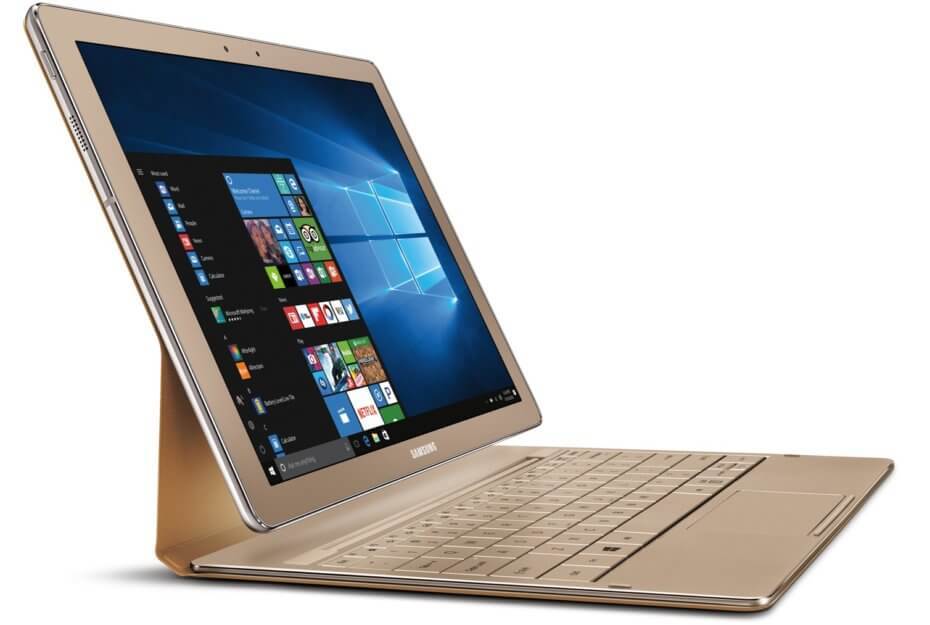
The lurid remake of the already lithe Galaxy TabPro S tablet runs Windows 10 and has an Intel Core M processor. After the unveiling of the Galaxy TabPro S at CES in January, the Korean brand decided to upgrade some of its features in addition to gilding the device. The latest sixth generation Intel Core M processor model comes with 8GB of RAM, a 256GB SSD solid state hard drive and a battery that should be good for 10.5 hours of video playback.

It hasn’t even been an entire year since the PC replacement debuted and Samsung is already taking big leaps with its Galaxy TabPro S by introducing double memory space and storage than their previous release. The gold-finished model possesses a sleek and svelte metal bling body, is only a quarter-inch thin, and weighs only 1.53 pounds. The 2-in-1 Galaxy TabPro S also holds a detachable keyboard with integrated touchpad. The keyboard is connected via the Pogo pin connector eliminating the need for pairing or individual charging.

Additionally, Samsung Flow allows for unified connectivity between the Galaxy TabPro S and your Samsung handset. Now users can get instant phone notifications and incoming calls right on their convertible.

Though there is nothing much innovative in the model apart from the gold finish on its magnesium alloy body. The Galaxy TabPro S Gold Edition packs the same 12-inch Super AMOLED Full HD display, a 2.2 GHz Intel M3 processor and a 5MP front facing as well as rear-facing cameras. Another difference lies in the entire package costing you $999.99. It goes on sale at Best Buy and Samsung.com starting today. If you are not a fan of this tablet’s design, a more restrained version with 4GB of RAM and 128GB of storage goes for for $799.99, $100 less than before on Samsung’s site. There is also a TabPro Pen up for purchase that users can utilize for inking experience pleasures.

Take a look at the full specs below:

Galaxy TabPro S Gold (SM-W700NZDBXAR) Specifications

  • Display: 12-inch Super AMOLED Full HD+ (2160 x 1440)

  • Processor: 2.2 GHz Intel Core M3

  • RAM: 8GB

  • Internal Storage: 256GB

  • Camera: 5MP front camera | 5MP with Auto Focus rear camera | 4X Digital Zoom

  • Battery: 5200mAh

  • Dimensions: 11.43″ x 7.83″ x 0.25″ (without keyboard)

  • Weight: 1.53 pounds (without keyboard)

5 best Windows 10/11 news apps

With so much going on in the world of technology, politics and not to mention the unending celebrity drama, a robust Windows 10 news app is a must have on your PC. Gone are the days when people used to visit the vendor’s shops pretending to buy the newspaper only to cast a brief look at the news headlines. Today, there is a respectable collection of Windows 10 news apps that break the news for you even before it hits the press.

These news apps can be linked to a news reader that pulls news from different sources or dedicated to a single news agency. Some apps target a certain niche such as sports only while others cover every story that has made the headlines ranging from politics to sports, pop culture to medicine and more. Some of these titles are very familiar and you may have heard of them while others are very new but you’ll realize that they have quite a lot to offer. In this roundup, we’ll only mention the news apps that are available in the Windows 10 store.

Related: 5 Best Windows 8, Windows 10 RSS Reader Apps


The Top 5 Best Windows 10 News Apps

NewsFlow

best_news_apps_newsflow

There are many news apps for Windows 10 and Windows mobile but none beats NewsFlow. The app is a new player in the game and comes with a beautiful user interface, the kind that you’ve not seen before on RSS readers. NewsFlow strictly follows all the Windows 10 UI guidelines which partly explain why it has such a clean and really nice user interface. But the secret is not in the UI, but in what the app brings on the table.

NewsFlow comes with a ton of features all geared to give you an unparalleled user experience. It brings all the news from your favorite website in one central place, so you don’t have to browse the internet looking for additional information. Below find a few of the top features you will find in this app.

  • Favorites and read later lists
  • Portrait and landscape orientations
  • Live tile with the latest news
  • Notifications for all the top news
  • Offline news storage
  • RSS, RDF, and ATOM support
  • Standalone feeds synchronization engine

Even better, NewsFlow is one of the few news apps that do not include in apps advertisements. The app is 100% free and is available on the Windows store.

Get NewsFlow


Discovery News

best news apps, Discovery News

Discovery News is your solid source of information in the world of science and technology. As the name suggests, Discovery News is a product of the Discovery Channel and it was specifically designed to unravel the science mysteries and bring the answer right into your fingertips. The interface is stunning, yet very informative. The home page is divided between the latest featured stories and the various news channels.

News stories and videos are added on regular basis. Countless videos are added on daily basis and you also get the lowdown every weekday from hosts such as Anthony Carboni. In addition to videos, you can swipe through a large catalog of HD photo galleries. You also get a dose of crazy facts that you might not find elsewhere.

Download Discovery News


MSN News

best_news_apps_msn_news

MSN News is the official news app created by Microsoft Inc. and it brings curated news stories from many sources and customizes it to suit your topics of interest. The app has a clean interface and is renowned for bringing news, sports, and weather right to your desktop. The stunning interface has a live tile support that delivers the current headlines of the day, gathering information from global sources.

MSN News has a layout that allows you to quickly tap to your news of interest. All the news categories are displayed across the top of the screen with the menu buttons on the left side. Microsoft gives you the option to edit the categories so as to hide the ones that are of no interest to you. The menu bar will help you navigate to your topics of interest and also has the option to send feedback to Microsoft. You can use the arrow key to navigate between articles and the action button to share any article on social networks.

Read also: MSN News App gets serious improvements in Windows 10 

Download MSN News


CBS News

Best news apps-CNS News

CBS News is a free universal app available for both Windows mobile and Windows 10. The CBS News app delivers on-demand videos from the company’s award-winning news program including CBS This Morning, CBS Evening News as well as CBSN—the 24/7 digital streaming network from CBS news.

The CBS News app covers many news categories including US News, World News, Entertainment, Health, Technology, Science, Politics, and more. The app also brings you live news shows such as Face the Nation and 60 Minutes. You can also bookmark or share the stories of interest through the hamburger menu.


USA Today

best_news_apps_usatoday

USA Today is a popular news app that brings what you would expect to find in a newspaper to your Windows 10 PC and Mobile devices. The app covers daily news stories from vast categories including politics, technology, travel, money, lifestyle and more. Clicking on each category will open into more refined sub-categories, for instance in Sports, you will find NFL, NCAA, NBA and other sports leagues.

The USA Today app has an intuitive interface and the layout consist of the hamburger menu nested on the top left corner. Clicking on the hamburger menu opens many options to choose from. You can share the stories, tag as favorites, or save to read later. The app also allows you to use keywords to search for specific news stories. USA today is a no compromise app that brings the top news and trending stories right into your Windows 10 PC.

Download USA Today


Conclusion

The world has evolved so much such that almost everything that used to be done manually has a digital platform that simplifies the way things are done.

The list above only highlights the top apps and is by no means exhaustive. Other top news apps that you should also check out include ESPN Sports, READIY, Redditting, News Republic, CNN, and Flipboard.

If you’re a Windows 11 user, you should know that news feed is no longer available and we covered this change in detail in our Windows 11’s Widgets board: News Feed no longer an issue article.

Feel free to toss out your recommendations if you have a favorite news app that you feel deserves a place on the list.


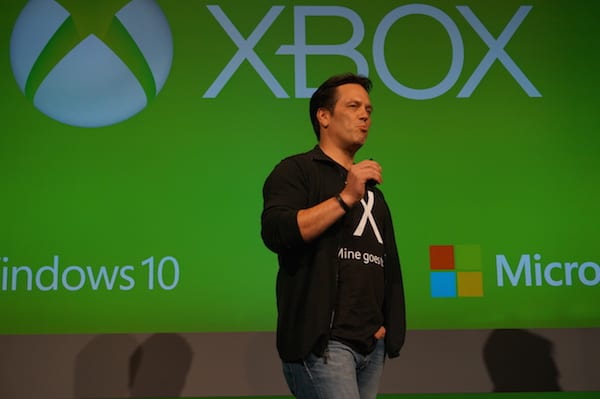
Xbox chief Phil Spencer talks about improving Xbox One’s popularity in Japan

It is no secret that the Xbox has yet to find a substantial audience in Japan and aptly so, for various reasons. Head of Xbox Phil Spencer believes he may have narrowed down a few key reasons why the Xbox and the Xbox One, in particular, may being doing so poorly in the region.

In an interview with Famitsu magazine, Spencer discusses several topics related to Microsoft’s Xbox division such as the One, Xbox One S, Project Scorpio, and VR and during the interview, he reveals a few tidbits about why the company has been having trouble grabbing a Japanese audience.

How do you feel about the current Xbox One market in Japan? As you have seen it is not doing well in sales, what are your current thoughts regarding this matter?

Phil: Sadly the Xbox One is not living up to the amount of sales I originally thought the country would put out, but with the Xbox One S we will release it in Japan and with the co-operation of many developers we’re hoping to make a giant change in sales compared to the current climate!

What are your personal thoughts on why the Xbox One is not a much bigger name over here in Japan?

Phil: I think it’s due to a lot of games that are released on the console, I feel that a lot of the games are not games that the Japanese public would play and get themselves into. A lot of Japanese gamers really seem to like games such as Persona 5 or Nioh and that is why we decided to get in touch with Japanese developers to create such games as Blue Dragon and Lost Odyssey for the Xbox 360. If we plan on doing better in the Japanese game market, we want to release games that the average Japanese gamer will really enjoy.

You are working close with Japanese developers to create games for the Xbox One, how is it going so far?

Phil: So far we have made friends with a variety of developers that then asked to create games for our system; such as Mr. Inafune Keiji with ReCore & Mr. Kamiya Hideki and the staff from Platinum Games for the development of Scalebound. We plan to talk with many other developers in order to bring more games to the Japanese market; we were happy to announce Final Fantasy XV on the Xbox One which made me extremely happy and as mentioned we plan on a lot more connections.

While it’s been assumed for years that the Xbox’s lineup of games has catered to a very specific market, it’s also very interesting to see the head of the division admit that the console has failed to meet the demands of varied gamers.

Despite Microsoft doing a recent about-face and concentrating on being a more gamer-centric company for a wide variety of users by working to combine platform play between PCs and consoles, it seems Spencer and the Xbox team aren’t entirely sold on competing in the Japanese gaming industry.

Coupled with an earlier lackluster Xbox One release in the Japan, Spencer was careful to say, “If we plan on doing better in the Japanese game market,” rather than “we plan,” it seems the Japanese gaming market will remain on the peripheral while the company figures out a new approach.

Microsoft is hosting an exclusive event at Microsoft Store in NYC on October 26

Microsoft is sending out invites to some people for an exclusive event at the flagship Microsoft Store at Fifth Avenue, New York City.

Earlier on the same day, Microsoft is holding a press event in the city where the company is expected to talk about Xbox, Windows 10, OEM partner devices and the expansion of the Surface brand with the rumoured All-in-One PC.

The event, marketed as ‘Imagine What You’ll Do’, at the Microsoft Store starts at 7:30 PM EDT, although the invite shares no specifics except ‘Music by Questlove’. One would expect the new Surface devices and accessories that will be announced earlier in the day to be showcased (and maybe up for pre-order?).

How to run the new Microsoft Paint app on Windows 10

Microsoft is bringing a new Microsoft Paint app to Windows 10 which, according to its launch video, will include features from the current version of Paint as well as new changes like 3D object support and pen- and touch-friendly features. It’s not clear when the revamped Paint app will officially be released, but users who don’t want to wait can install the leaked .appx that is x64.

Thanks to Gustave M, the guy behind Interop and GusTools, Windows 10 users are able to download the Paint .appx file signed from the Store. It’s very easy to install the new Paint app and below, we’ll tell you what steps you need to take:

• Head to this page to download the .appx file
• After the download is complete, double-click the file and associate it with App Deployer
• You will get a warning from SmartScreen Filter, but instead of clicking “Don’t Run”, select “More info”
• Continue with the installation by selecting “Run”
• From the installer select Install
• When the installation is complete, choose Launch or find the Paint in the Start menu.

You will not need Developer Privileges enabled because the app is signed, but you can turn them on by going to Settings -> Update & security -> For developers -> Sideload apps/Developer mode.

Also, know that the new Paint Preview works only on desktop PCs because their graphics can handle the 3D software. For now, the leaked .appx is x64 but most likely, Gustave M will post an x86 version on his Twitter account.

Users who installed Paint Preview said the app works well, but  experienced a few crashes. We remind you this is the leaked app and when Microsoft finally makse it available, all glitches will be fixed.

RELATED STORIES TO CHECK OUT:

Battlefield 1 available free for a limited time

DICE together with EA, did a great job when it came to support for the Xbox One. EA Access lets gamers play a continually expanding collection of games and also gives them privileged access to certain games before anybody else. This is what’s happening with Battlefield 1 out on October 21st.

Initially, Battlefield 1 underwent a beta test that went live in August. It was limited to one map and two modes for multiplayer, but fans were happy to test it out nonetheless. The Access Play First Trial from EA comes with many more features such as five maps (together with the Sinai Desert map present in the test version), a couple more levels from the campaign and four multiplayer modes. Many people are worried that if they play the trial and progress, they will have to start over again in the full version. However, the company assured everybody that progress will indeed be transferred to the final game to not lose anything.

The First Trial for the game will only last ten hours and you might want to use it to the fullest. If you launch the game, you will get a dog tag but if you play the game the entire ten hours, you will also receive a free Battlepack when the final game is out.

If you’re a member of the EA Access program, you can also enjoy a 10% discount on a pre-order for Battlefield 1. Also, if you’re not interested in the bonuses offered by EA, you can simply pre-order the physical version of the game from Amazon. to playing the First Trial, launch the EA Access on Xbox One and search for Battlefield 1 there.

RELATED STORIES TO CHECK OUT:

Microsoft simplifies Azure offerings for business with “Contoso in the Cloud” infographics

Today, Microsoft unveiled a poster titled “Contoso in the Microsoft Cloud,” showing what Microsoft can do for enterprise customers that are looking to move forward by adopting a “cloud-inclusive IT infrastructure.” The Contoso Corporation is a fictional company created by Microsoft years ago, and is now being used to show how enterprise customers can benefit when using all of Microsoft cloud services, including Azure, Office 365, Dynamics 365, and Intune.

Microsoft, Azure, Cloud, Contoso
Contoso in the Cloud

The “Contoso in the Microsoft Cloud” poster includes the following highlights::

  • An overview of the fictional Contoso Corporation, its three-tier design for its offices, and key elements of Contoso’s implementation of the Microsoft cloud.
  • A review of Contoso’s on-premises IT infrastructure and how its business needs map to Microsoft’s cloud offerings, including opportunities for Azure PaaS and IaaS.
  • Contoso’s private WAN infrastructure, its app design for its offices, its use of Azure ExpressRoute Premium, and its step-by-step path to cloud networking readiness.
  • Contoso’s on-premises Windows Server Active Directory (AD) forest, how it geographically distributes authentication traffic, and how it uses Azure IaaS to provide authentication infrastructure redundancy for the 15,000 workers in its Paris headquarters.
  • Contoso’s structure for Microsoft cloud offering subscriptions, licenses, its common Azure AD tenant, and user accounts synched with Azure AD from its on-premises Windows Server AD forest.
  • Contoso’s security requirements in the cloud, its data sensitivity classification and mapping of cloud features to each level, and its step-by-step path to cloud security readiness.

This poster in is available for download via PDF or Visio format, and you can also view it online on Docs.com. Microsoft plans to add additional highlights to posters like these that will include Azure PaaS, SQL Server Stretch Database, and others. Microsoft hopes to use these posters to shift enterprise customers from an on-premises IT infrastructure to a cloud-enabled one.

Take a look at the additional posters that are available in the Microsoft Cloud for Enterprise Architects Series.

Microsoft Cloud Services and Platform Options
Microsoft Cloud Identity for Enterprise Architects
Microsoft Cloud Security for Enterprise Architects
Microsoft Hybrid Cloud for Enterprise Architects
Microsoft Cloud Networking for Enterprise Architects
Microsoft Cloud Storage for Enterprise Architects
Microsoft Cloud Mobility and Security for Enterprise Architects

If you are an IT administrator and you have a scenario that you would like to see available in a future update to this poster email the Microsoft Cloud team at [email protected].

The Xbox Elite Controller a remarkable breakthrough for disabled gamers

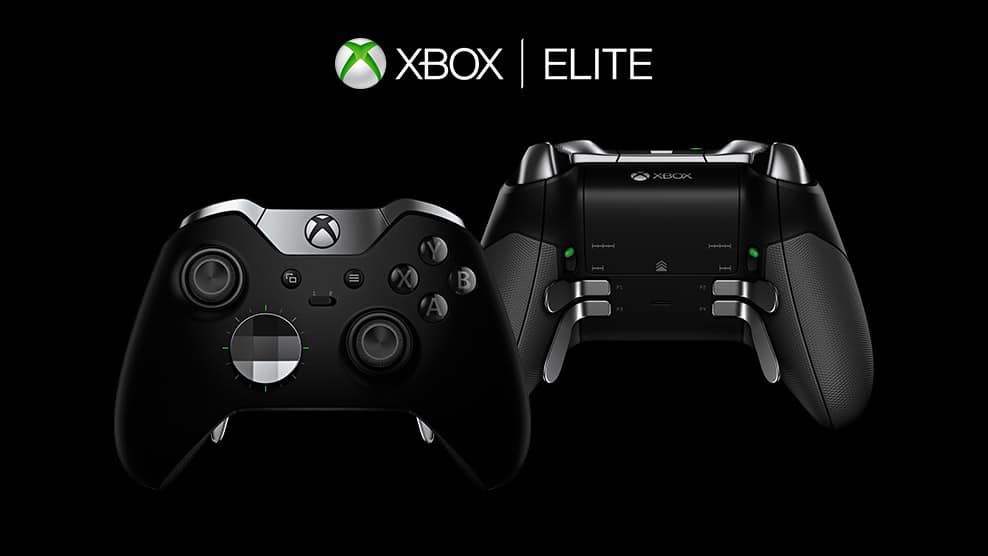
A little more than a year ago, Microsoft introduced a new Xbox One controller for hardcore gamers during its E3 2015 presentation. Called the Xbox Elite Wireless controller, the new gamepad was designed in collaboration with pro-level players and offered premium materials, extra buttons on the back and more mapping options through the Xbox Accessories app.

While the $149 controller quickly became a popular hit among Xbox enthusiasts, the customizable gamepad also offers a lot of value for people with disabilities who need special and expensive controllers to enjoy video games. Craig Kaufman, Program Director at the AbleGamers Foundation explained why to the folks over at Engadget.

“There’s a social isolation that happens for people with disabilities when you’re inside all the time,” explained Kaufman to Engadget. That’s why the AbleGamers Foundation tries to help improve the quality of life of people with disabilities through the power of video games. According to Kaufman, the removable parts, extra buttons and mapping options found on the Xbox Elite controller can sometimes be a good replacement for more specialized controllers that can be used with one hand or mounted on a wheelchair. That’s why the foundation has started buying Xbox One Elite controller to give them away to disabled people.

To demonstrate the versatility of the controller, Kaufman even filmed a video of himself using the controller with his mouth and just one hand and showed it to a man who lost the use of one his hands. “This is a $150 solution that you can go buy at Wal-Mart, and it helped that dude with a stroke play games. That’s huge,” he explained. Kaufman also sent Microsoft a gamepad layout for first-party title Gears of War 4 that doesn’t use the controller’s triggers, and Microsoft accepted it.

Lastly, Kaufman explained that it makes sense for the video games industry to be more inclusive to sell more games, and Microsoft seems well aware of it according to him. “The fact that we give these out is huge for them, and they’re always looking at how to include more players,” he added.

HP Elite x3 can run full Windows apps with Continuum and HP Workspace, but it’s $49 a month

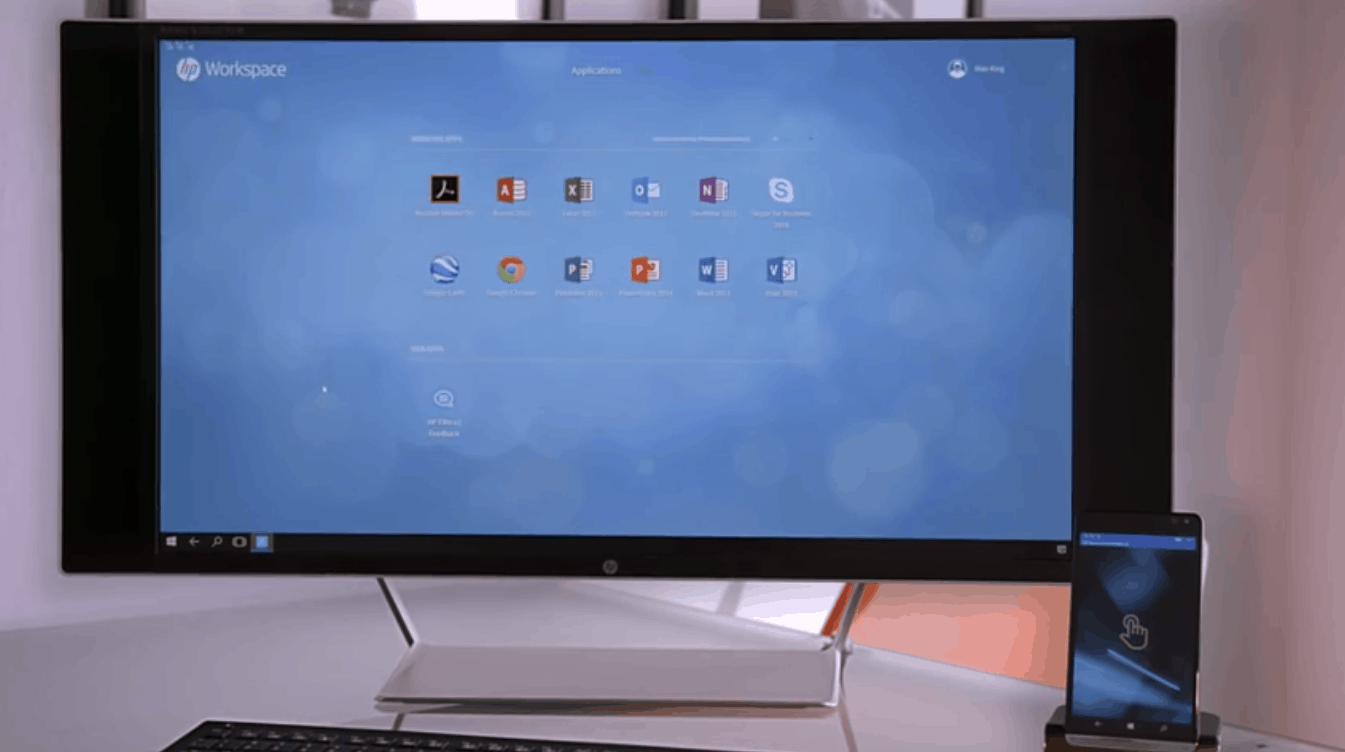
HP’s Elite x3 Windows 10 Mobile phone is now available in the US and it’s the most powerful and versatile Windows phone you can buy right now. As a 3-in-1 device mainly targeted at business users, the premium handset aims to make the Windows 10 Mobile Continuum feature a more complete desktop experience than what you can currently enjoy with Microsoft’s Lumia 950 and 950XL phones. This is possible thanks to HP Workspace, a new app that allows users to run virtualized legacy Windows apps in Continuum mode.

As of today, Windows 10 Mobile’s Continuum mode is pretty limited: it only works with UWP apps that support it (and there are not a lot that do so far), and it doesn’t support windowed apps yet. But HP Workspace changes that as it enables a familiar desktop experience with access to legacy desktop apps such as Chrome, Internet Explorer, the Office 2013 apps and more. However, the virtualized environment is a premium service targeted at business users. Engadget got the chance to test it and you may be surprised by some of the details.

First of all, HP Workspace is available as a subscription service and there are two different tiers:

  • For $49 per month per user, the virtualized environment is limited to 4GB of RAM, 10 different apps and 40 hours of monthly usage.
  • For $79 a month per user, you get 8GB of RAM, unlimited apps and 80 hours of monthly usage.

HP Workspace works with both HP’s Desk Dock and the company’s Lap Dock which is not yet available. According to Engadget, using virtualized apps is not as smooth as using those apps on a real computer, but that was to be expected. But while the experience seems pretty good overall, it remains to be seen how the service will scale after many enterprise users start using it on the Elite x3.

More importantly, it’s still not clear if HP’s all-in-one solution is cheaper and more effective than a classic setup including your average smartphone and laptop/PC. The 3-in-1 device could be appealing to some users, but the premium price and the technical limitations (you’ll need to have a good Internet connection to make it work) could also be too much to handle for many. It’s still early days though, and HP deserves credit for trying to reinvent the smartphone experience nine years after Apple changed everything with the original iPhone.

Microsoft Ventures invests in SMS platform company Zipwhip

Founded in 2007, Seattle-based tech startup Zipwhip has more recently been known for its technology which “allows business customers to send texts from the web, desktop, and smartphones through the major US Wireless carriers.” Today it has been announced that the same startup company has received a $9 million Series B investment from a number of investment firms, including Microsoft Ventures (Via GeekWire.)

As part of the investment, funding for the 100 employees and the company will reach $20 million, and the funding will also be used to help grow the company’s sales and product development teams.  Zipwhip and its software, nonetheless, functions similar to a Microsoft Exchange Server and allows businesses to text with their customers using already existing landline phones and toll-free numbers for customer service, appointment scheduling, and sales.

Customers of Zipwhip come from a wide variety of fields such as transportation, radio, medical, insurance, and fitness.   Zipwhip CEO John Lauer put the situation best and told GeekWire,

“Businesses are late adopters, They don’t want the new thing and they don’t want to What’s App-enable or Facebook Messenger-enable their business. They just want to text-enable because everyone has texting… What’s so interesting about Microsoft participating in this round is that they’re looking at us and saying, ‘OK, we dominate the email space with respect to business software, and email is an open communication medium… Texting is emerging as an equivalently-important open communication medium. Some company will dominate the business software for that open communication medium, and we are in that position.”

ZipWhip has contacts with the major wireless carriers, which allows the start-up company to, “create industry policies which text-enabled existing hardline numbers.” According to GeekWire, the startup is also on pace to reach  $10 million in annual recurring revenue by Q3 of this year and is also looking to double the existing 100 person workforce, and expand their 50 person sales team.

Instagram app for Windows 10 now works on tablets and PCs

Instagram is a popular mobile video/photo sharing and social networking service that allows users to take videos and pictures and share them either privately or publicly. At the same time, the application comes with a simple user interface, which will make life easier for new users.

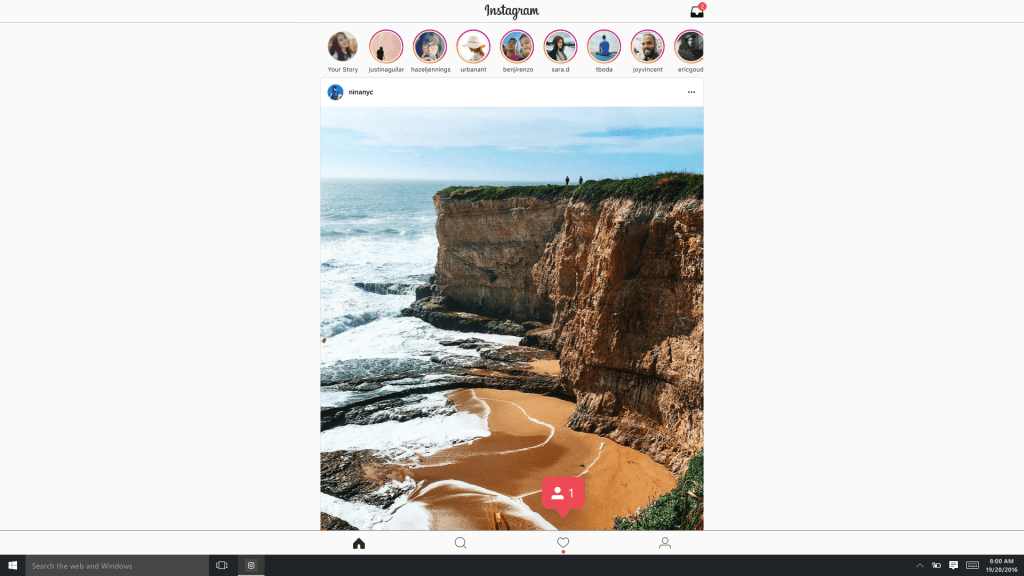
The Instagram application for Windows 10 has just been updated and it can now be installed on both tablets and PCs. It is good to know that the new Instagram application is almost identical to the mobile version.

However, it seems that posting a photo or video content on Instagram from a tablet or PC that runs on Windows 10 will be limited to devices with backwards facing camera and touchscreens (such as the Surface Pro line and Surface Book). This is mostly because the user interface of Instagram is influenced by the smartphone application design.

Here are more features that the Instagram application for tablets and PCs running on Windows 10 comes with:

  • Post and edit photos – Instagram makes sharing moments with everyone in your world easy, speedy, and fun.
  • Stories – Stories from people you follow will appear in a row at the top of Feed.
  • Instagram Live Tile – Find out what your friends and family are up to at a glance.
  • Rich, native notifications – You will receive the notifications you want to see so that you don’t miss important updates.
  • Instagram Direct – Instagram Direct lets you exchange threaded messages with one or more people, and share posts you see in Feed as a message.
  • Full featured Search, Explore, Profile, and Feed.

It seems that Instagram is getting more and more popular and now the company wants to expand its services on any platform.

Are you using Instagram to share your videos and photos with your friends? Tell us your thoughts about this social network!

RELATED STORIES TO CHECK OUT: