DreamSpark program rebranding to Microsoft Imagine

Microsoft released some exciting news for college students today. According to the announcement post, the previously known education initiative called DreamSpark is now being renamed to Microsoft Imagine. The new name seems to fit much better with the annual Imagine Cup that inspires young developers to test their abilities against thousands of others for a grand prize.

Along with the change, Microsoft Imagine will be communicating most closely with institutions periodically with program updates and news. Likewise, administrators will get a visual update to the interface and have an improved experience with maintaining the program’s benefits for their students. Of course, there will not be any change in price or value of benefits due to the transition and students will have access to everything they did before the name change.

Even though the announcement took place just today, the rollout to change the sites and redirect links started a few days ago. The DreamSpark home page has even already switched to Microsoft Imagine instead. By the end of Q1 in the new 2017 fiscal year, the DreamSpark title will be officially retired from the program. This also means that DreamSpark Standard and DreamSpark Premium subscription models will be transferred over to the name Microsoft Imagine for each product.

Microsoft Imagine Standard includes the following products:

  • Visual Studio 2008, 2010, 2012, 2013, 2015 Professional Editions
  • Visual Studio LightSwitch 2011
  • Expression Studio 4 Ultimate (became a free product as of 2013, discontinued)
  • Microsoft SQL Server 2014
  • Microsoft SQL Server 2012
  • Microsoft SQL Server 2008
  • Windows Server 2008 Standard Edition 32-bit
  • Windows Server 2008 R2 Standard Edition 64-bit
  • Windows Server 2012 Datacenter and Standard Editions 64-bit
  • Windows Server 2012 R2 Datacenter and Standard Editions 64-bit
  • Windows Embedded CE 6.0
  • Windows Embedded Standard 7
  • Windows Embedded 8 Industry Pro
  • Windows Embedded 8.1 Industry Pro

Microsoft Imagine Premium includes almost any Windows operating system and access to all editions of Visual Studio instead of just the professional editions found in the Standard list.

DreamSpark was originally announced on February 20, 2008 and has run for over eight years. the program has provided over 35 million students with necessary software design and development tools for little to no cost. All that the program required was student verification by either selecting some of the top universities listed or supplying their student ID card manually. It’s likely the same verification process will remain intact.

DreamSpark was available for over 80 countries for university and college students, as well as some promising high school students. However, according to the Microsoft Imagine announcement, it seems that there will be some changes coming towards the program. It’s not been said whether this means that Imagine will be strictly for collegiate students or if there will be the previous exceptions made for younger coders.

Xbox One outsells PS4 for second straight month, says NPD

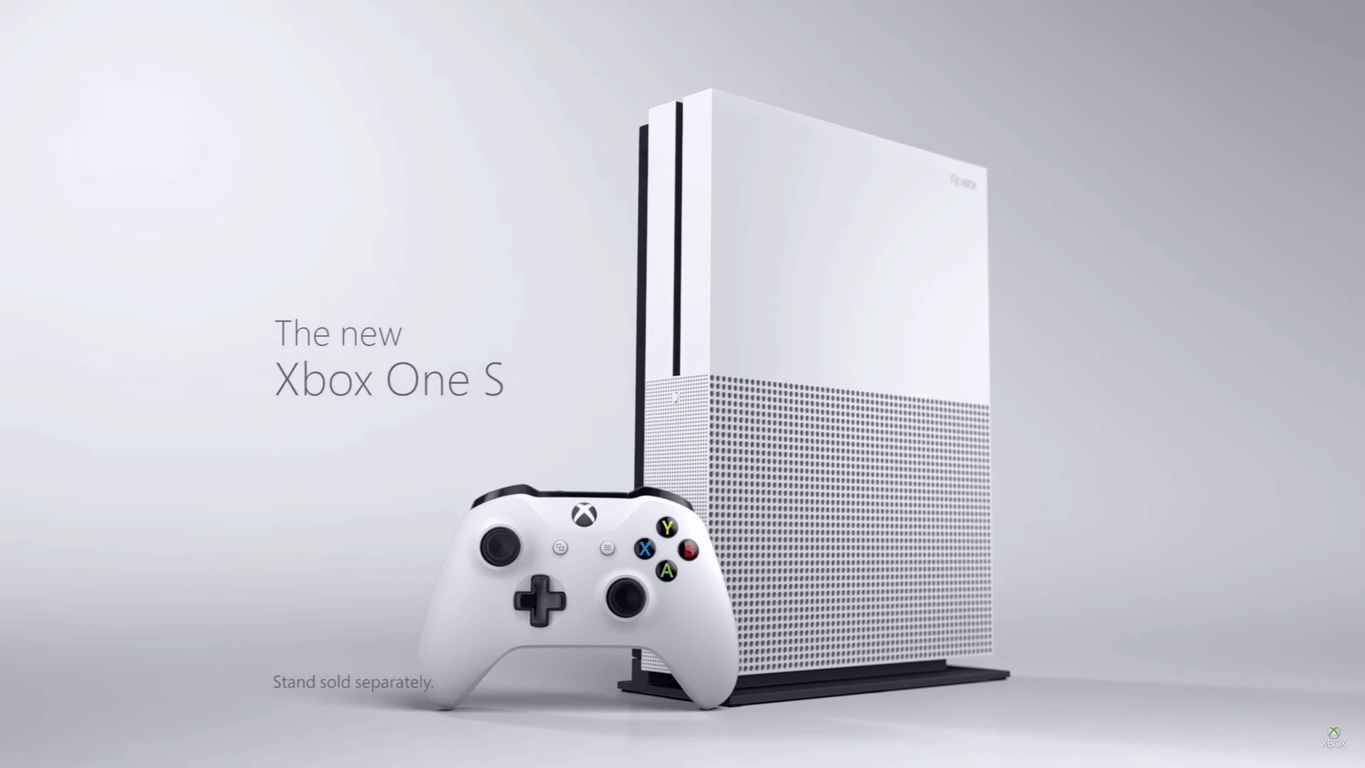
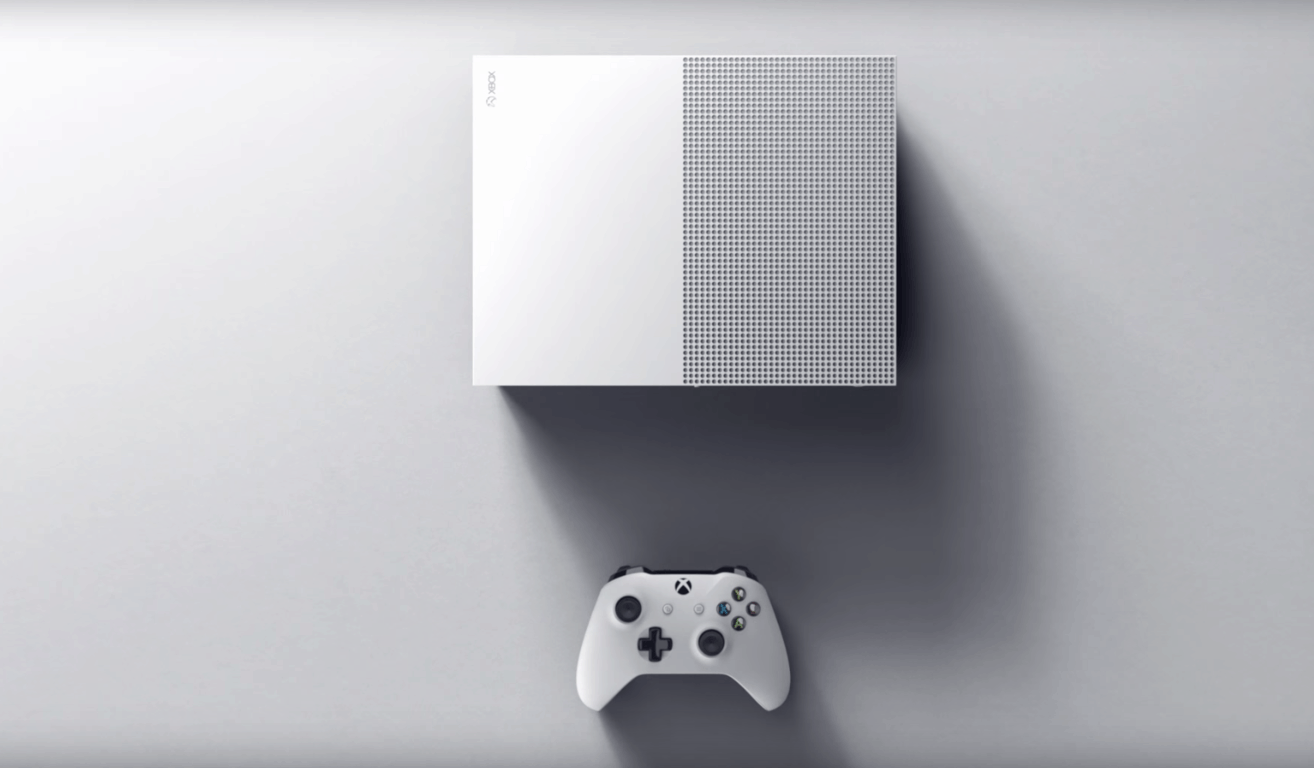
Data tracking firm The NPD Group announced Microsoft’s minor victory over Sony for the second month in a row with their recent report. The results were likely due to the Xbox One S that just released last month alongside the Windows 10 Anniversary Update. The upgraded and slimmer console has played a significant role in the sudden boost of hardware sales over PlayStation 4.

Venturebeat  posted a statement from Xbox marketing boss Mike Nichols:

“Thanks to our fans and their excitement for new Xbox One games and the recently launched Xbox One S — which is the only console available this holiday with built-in UHD 4K Blu-ray, 4K video streaming, and HDR for video and gaming — Xbox One was the best-selling console in the U.S. in August, according to NPD Group. In addition, we continue to see strong engagement on Xbox Live — the fastest, most reliable gaming network — with total global gaming hours on Xbox One consoles increasing 42 percent year-over-year. We’ve also received an incredible response to Xbox Design Lab, which saw millions of visits to the site and hundreds of thousands of designs created by fans. We’re excited to launch Clubs and Looking for Group on Xbox Live broadly this holiday alongside some of our biggest titles for the year, including ReCore, Forza Horizon 3, Gears of War 4 and Dead Rising 4.”

Sony is probably starting to feel the heat of Microsoft, especially after the announcement of Xbox Live’s superior social gaming network, or so the study by IHS Markit claimed.

Other than October 2015, when Halo 5: Guardians was released, Sony has outplayed Microsoft in the console sales. NPD doesn’t consider this a turning point in the battle, however. In fact, it’s more likely that once the new Xbox One S sales diminish, Sony could pull ahead once more, especially since they are preparing to release the new PlayStation 4 Pro on November 10, 2016.


Microsoft set to ‘throttle release’ new Xbox One Preview build to all members at 6PM PT tonight

The Xbox team has been teasing an upcoming Preview build for eager gamers that’s scheduled to bring some new features for greater community play. Among the new features are the Clubs and Looking for Group tools.

Thanks to a press release accompanied by a podcast from Major Nelson aka Larry Hyrb, we’ve gotten a pretty clear idea of how the new additions will work.

Now, thanks to a tweet from partner director of program management for the Xbox and Windows platforms Mike Ybarra, we now know when more people will be able to get their hands-on time with the new additions.

According to Ybarra, the wider pool of Xbox Preview members should expect to see the feature packed update hit their devices at 6 PM PST September 8, 2016.

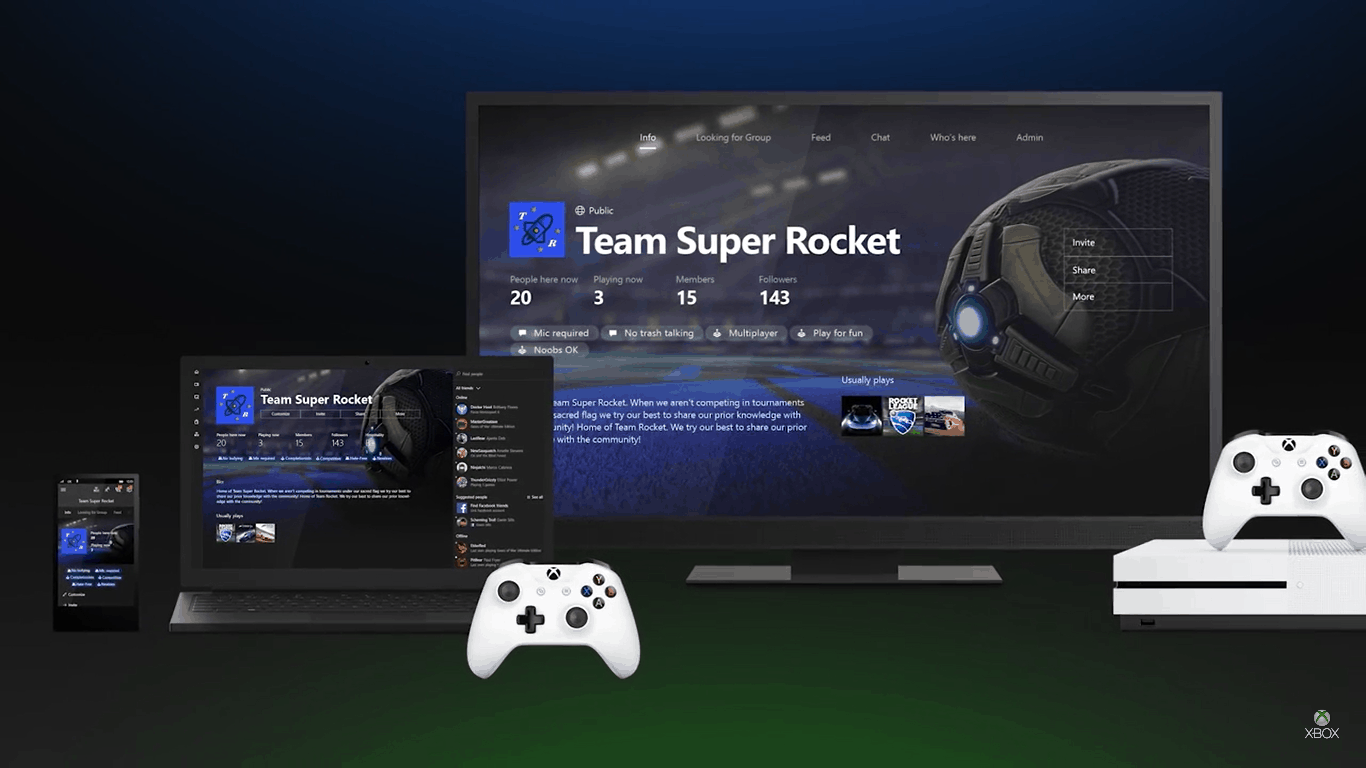
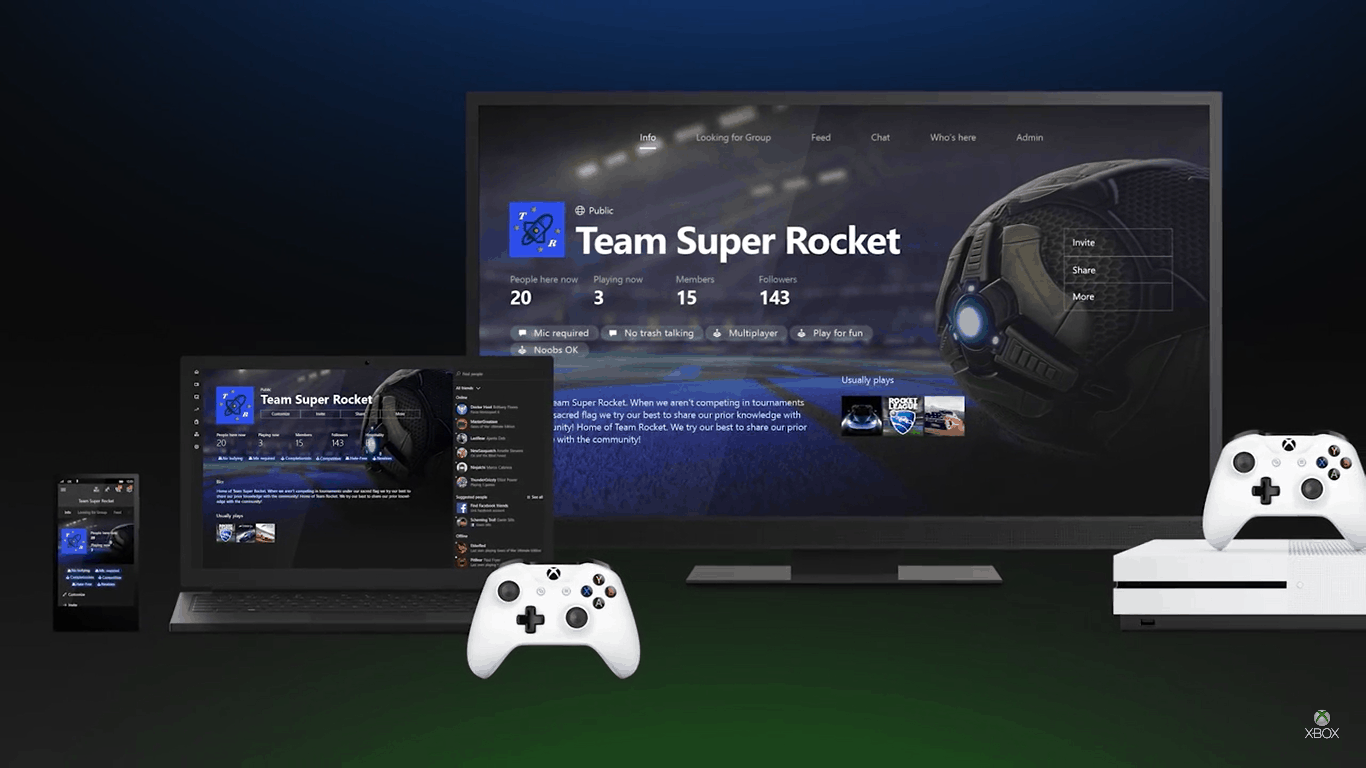
Gamer created clubs on Xbox Live has been on the docket for quite a while. With the preview build, users will be able to create their own public, private, or hidden clubs. They will also be able to join, chat, share, and manage administration over the groups. Clubs also have a voice that will make communicating even easier.

It’s worth noting that the club names are similar to usernames and must be unique. This means that if you have a club name that you want to get your hands on, it might be in your best interest to do so as soon as possible.

The Looking for Group feature will be a new social tool for finding other gamers to play with. Upon opening the LFG, your recently played games will list automatically, or you can search for the game you want to find players for. Tags help you set what kind of social experience you want such as limiting swearing, requesting the use of a microphone, and setting specific achievements for that game that you want to accomplish with the group. You will be able to select how many people you want to join you and view the respondents easily through the tool.”

For those interested in testing out the new features, the Xbox team is encouraging fans to sign up for the Xbox Preview program here. Corrected, the Xbox Preview program remains invite only, someone already in the program will need to invite you.

Let us know what your thoughts are on the new additions and what other features you’re hoping come to the Xbox One.

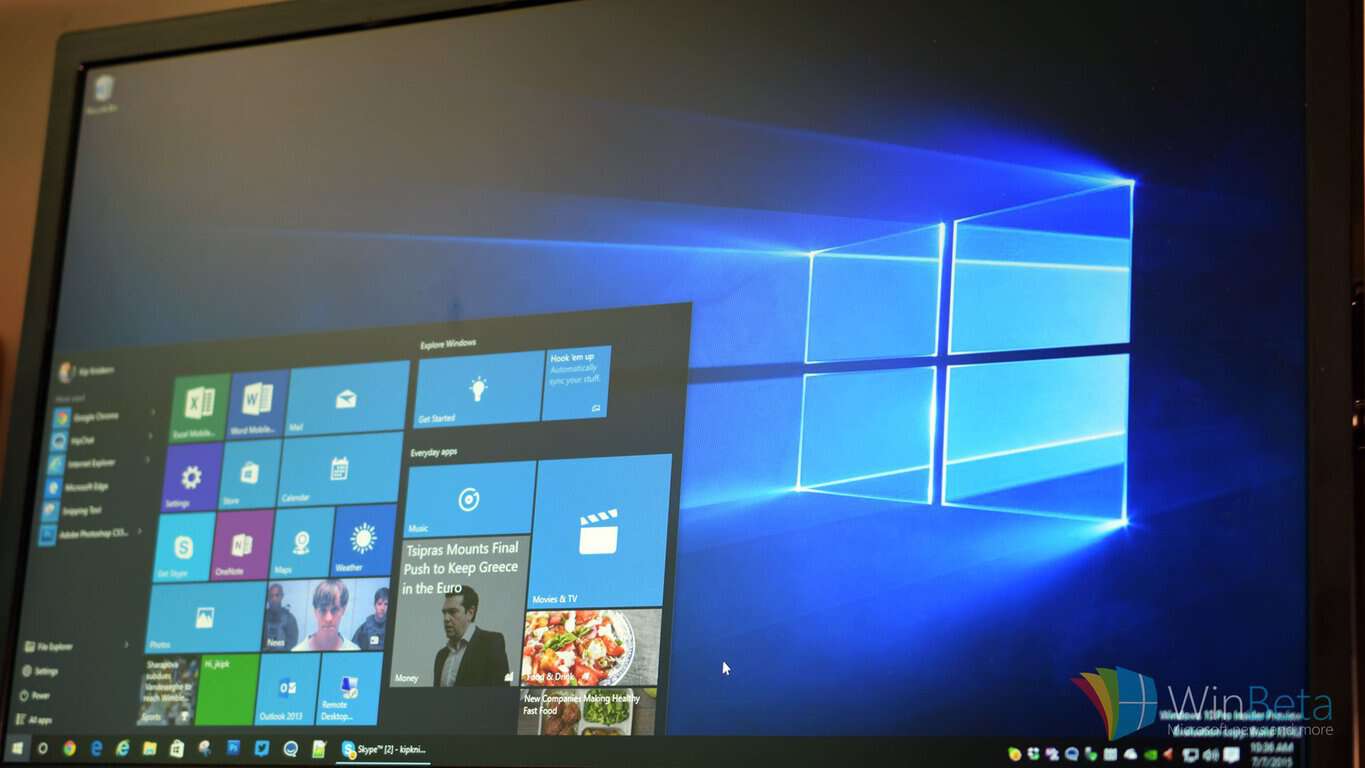
What does it mean to “Defer feature updates” in Windows 10?

Most of us are pretty excited whenever a new feature lands itself onto Windows 10 for us to start experimenting with. Windows 10 is an operating system that touts itself as being all about constant evolution, so those of us who are passionate about those concepts are more often than not willing to dive head-first into what new frontiers Microsoft is sending us down. There is, however, a pretty sizeable group of people who want nothing to do with new features, and would rather stick with a stable, consistent operating system that doesn’t have any of those extra bells or whistles.

There is, however, a pretty sizeable group of people who want nothing to do with new features, and would rather stick with a stable, consistent operating system that doesn’t have any of those extra bells or whistles over the occasionally unstable feature release.

For those people, Microsoft included a helpful option in Windows 10. If you go to your Windows settings, select “Update and Security,” and go to the advanced options, you’ll see that you can defer any number of updates from Windows 10 – at least for a while. If you don’t see the option there, it means that your edition of Windows 10 doesn’t support the feature. As it stands, most people running Windows 10 Home (as opposed to Windows 10 Pro) don’t get the option to defer updates.

However, if you’re running Windows 10 Pro and thus have the option to defer new feature updates, here’s Microsoft’s official explanation of the process:

When you defer upgrades, new Windows features won’t be downloaded or installed for several months. Deferring upgrades doesn’t affect security updates. Note that deferring upgrades will prevent you from getting the latest Windows features as soon as they’re available.

Note that, if you’re looking for a way to delay security updates, you’re simply out of luck. Other than that, however, this is the best course of action if you’re trying to keep Windows 10 nice and consistent. Checking off the option is going to keep away any new features for quite some time, so by the time they arrive you can be sure they’ll be polished and relatively bug-free.


Study: Xbox Live performs better than Sony’s PlayStation Network

The competition between Microsoft’s Xbox and Sony’s PlayStation has always been a hot topic. The Xbox and PS4 consoles are constantly compared and fans meet head to head in debates of which is better. The same could be said for their social gaming networks where players log in, load up games, invite friends, and spend most of their time. But for Microsoft, that it’s no longer a mystery on whom the clear victor is.

According to IHS Markit, Xbox Live has scored higher than PlayStation Network. The report was a result of side by side testing to compare the two gaming networks to each other’s capabilities. They were tested in three distinct categories: Reliability, Speed, and Overall Quality.

Reliability

Xbox Live outperformed the PlayStation Network in terms of reliability. Logging into the Network and Game Servers were clearly in Xbox’s favor. It was a tighter competition in terms of uninterrupted play, but still Xbox Live came out on top. The one area that PlayStation Network took the score in terms of reliability was the ability to find players through the matchmaker.

Speed

Another clear winner for Xbox Live once again was logging into the network and game servers which was much faster than those on the PlayStation Network. Uploading was even faster for the Xbox One, but as with the reliability testing, the matchmaking wasn’t up to snuff and PlayStation Network found some points in their favor once more.

Overall Quality

According to the report, this is the category that combined the reliability and speed while also taking note of other features such as the speed of joining another player’s party and the quality of voice chat. Once more, Xbox Live took the cake for all of these except for matchmaking.

Xbox Live has gone ‘ham’ with the news and rightfully so. Their new web page shows off the report’s results with some gloating. “What does it mean to be the fastest gaming network?” one question asks with a well-written answer to allow gamers faster and more reliable tasks such as logging in, loading games, finding friends, and sharing rewards.

If you’d like to read the full Xbox Live vs PlayStation Network report, be sure to check it out.

Mojang releases Minecraft snapshot 16W36A with a host of bug fixes

Mojang is revving up their Minecraft build as they prepare to head out to Minecon. The most recent snapshot tagged 16W36A is mostly just bug fixes, but what a list of bugs there was. A whopping total of eighteen bugs were squashed with the snapshot including correcting some animations, recovering sign data when broken, and fixing the smelting with lava buckets.

Here is a full list of the bugs fixed in Snapshot 16W36A:

  • [Bug MC-29544] – Particles from falling/landing/sprinting on leaves do not use foliage color
  • [Bug MC-41270] – Resourcepack’s glyph_sizes.bin and some unicode_pages are only loaded on startup
  • [Bug MC-83905] – Compass animates incorrectly
  • [Bug MC-95460] – Compass needle spins only in lower half randomly in the End and Nether
  • [Bug MC-96463] – UV mapping in cross.json and tinted_cross.json models is incorrect / South face of crossed textures of saplings, plants, etc. is mirrored
  • [Bug MC-101555] – Resource pack fails to load when the itemframe blockstate is multipart
  • [Bug MC-103550] – Malformed ping packet from server crashes client
  • [Bug MC-105886] – World File Names Containing Brackets Will Not Load Packaged Resource Packs
  • [Bug MC-105978] – Lingering Potions lose their effect when thrown in survival
  • [Bug MC-105982] – Placing a sign that was in a stack of 1 causes it to lose it’s data
  • [Bug MC-106046] – Lava bucket gets used up in smelting
  • [Bug MC-106084] – Passengers do not upgrade correctly from old versions
  • [Bug MC-106314] – Don’t know what stat.killEntity.Creeper is
  • [Bug MC-106485] – Crafted Banner applied to a Shield defaults color to black/doesn’t change the shield
  • [Bug MC-106536] – The block model of bone blocks lacks some cullface definitions
  • [Bug MC-106665] – Pause on lost focus inconsistent spelling.
  • [Bug MC-106675] – Command feedback inconsistency.
  • [Bug MC-106708] – Block Model Random Offset Compatibility

This update is a relative letdown compared to the previous snapshot which at least contained some featured changes. As usual, be careful to update to any Minecraft snapshot update as it could potentially corrupt your game’s data.

The anticipated 1.11 build for Minecraft will officially be announced at Mojang’s Minecon event, where they’ll be showing off all the new features for the release. Even the name of the upcoming update hasn’t been revealed yet. Jeb, a developer of Mojang, did confirm that build 1.11 will be slightly bigger than 1.10 (also known as The Frostburn Update), but still relatively small.

This could be the last snapshot before the big event, but nothing is for certain as Mojang has been known to sneak in a few more at the last minute. It’s only two more weeks until Minecon and fans are excited to attend the event in Anaheim, CA on September 24 and 25.

343 Industries officially launches Halo 5: Forge, Anvil’s Legacy update for the Xbox One

Halo 5: Forge and Anvil’s Legacy officially launch today on Windows 10 PCs and Xbox One. Halo 5: Forge’s Windows 10 app started showing up in the Windows Store yesterday. But today 343 Industries is officially rolling out Halo 5: Forge and the new content update Anvil’s Legacy.

Halo 5 Forge Tidal Setup
Halo 5 Forge Tidal Setup via Xbox Wire

Microsoft first revealed that Halo Forge would be coming to the PC back in May. Brining Halo’s map and game creation studio to the PC enables more granular control. And the free Windows 10 Halo Forge app will enable the Halo 5 community to create even more custom content.

Anvil’s Legacy

The launch of Halo 5: Forge coincides with a simultaneous content update for Halo 5: Guardians called Anvil’s Legacy. Anvil’s Legacy is Halo 5’s ninth free content update since the game launched last October and includes new game content and community features, such as:

  • Content Browser that Spans Platforms. The Anvil’s Legacy content release brings the highly anticipated content browser to Forge mode in Halo 5: Guardians on Xbox One – a new, streamlined way to discover community-created Forge content, with support for custom maps, game modes and Forge Object Groups. Combined with Halo 5: Forge on Windows 10 PC, the new content browser will let users browse, access and enjoy content from both PC and console Forgers, regardless of which system it was originally created on.
  • New Arena and Warzone Maps – Mercy and Temple. With the addition of “Mercy”, a new battleground is open for competitive Arena players, while “Temple” brings the desert environment of Sanghelios to Warzone Assault modes.
  • New Weapons, REQs, Customization Options and More. Anvil’s Legacy brings several new desirable REQ items including three new weapons, new Sound Dampener attachments, weapon and armor skins, and more.

Halo 5: Forge

The Halo 5: Forge app for Windows 10 is available for free now in the Windows Store. It also requires that another free app, the Halo app, be installed in order to work. With the Halo 5: Forge app you get all the same editing features available on the Xbox One app, while also gainomg support for high-resolution displays, including 4k, and mouse and keyboard support.

Halo 5 Forge Fathom Strongholds
Halo 5 Forge Fathom Strongholds via Xbox Wire

Furthermore, the PC version of Forge works seamlessly to browse and post content in the current Halo 5: Guardians online community. To start building your own custom levels and Halo 5 games today you can download Halo 5: Forge for free here. Let us know in the comments if you’re excited about today’s releases.

Microsoft pushes NFL with tips on how to follow on Cortana, Outlook, new NFL on Xbox ad

Earlier today, Microsoft revealed that Bing Predicts would once again be prognosticating on the upcoming NFL season. The NFL theme is apparently continuing at the Redmond-based company, and Microsoft has just published a new NFL on Xbox ad along with a few more ways to celebrate the start of the season.

In the new ad, NFL Superstars Russel Wilson, Antonio Brown, and Von Miller work on their “people skills” and play Madden alongside the Xbox live community. The results are, to say the least, very hilarious.

On the other hand, in a separate NFL-themed post to the Windows Experience Blog, the Redmond company revisited its series of NFL Type Covers, which is available in flavors of all 32 teams. Additionally, the same post also highlights how the Cortana Notebook can be used to track your favorite NFL Team to get notifications on score updates, upcoming games, and even the final score.

Cortana Knows Football!

Of course, the Windows Store is also included in the NFL fun, and Microsoft mentions that The Touchdown! Collection in the Windows Store will prepare you for the NFL with ways to watch the game. Last up is the fact that you can use the new

Last but not least, you can use the new Interesting Calendars feature for Outlook.com and Outlook on the web to add and sync your team’s schedule directly to your Outlook.com or Outlook on the web calendar. If you want to make sure your upcoming games are in your Outlook calendar, follow these simple directions in Outlook.com or the Office 365 calendar:

  1. Log in to Outlook on the web.
  2. View your calendar and then click Add calendar.
  3. Select Interesting calendar.
  4. Select Sports, the sport category and then your favorite team.
Interesting calendars Football
Add your favorite team to your Outlook calendar.

Will you be checking out any of these great football themed and Microsoft-related things? How do you use your Windows devices to follow your favorite NFL team? As always, please let us know what your answers to these questions, and your other thoughts by dropping us a comment in the section below.

No new builds this week as Microsoft upgrades Windows Insiders services

If you expected Microsoft to drop a new Insider Redstone 2 build this week, don’t hold your breath. According to a new post on the Windows 10 Feedback Hub, the team is currently busy updating the services used to monitor and deliver builds to Windows Insiders. Once that work is done, the company expect to release the next Redstone 2 build to Windows Insiders as soon as next week.

In the meantime, the Windows Insider engineering team also explains that any changes to your Windows Insider ring settings will not be taken into account until Microsoft is done upgrading its services. In other words, switching to another Insider ring won’t do anything for now. You can get more details in the full post below:

Hello Windows Insiders,

We are performing some upgrades this week to our services that are used to approve and monitor builds from the Development Branch to our Windows Insiders. Once the upgrade is complete, just as we flight the OS through the rings, we will be flighting the service upgrades through the internal rings first. We won’t have any new builds from the Development Branch for you this week, but plan to return to schedule next week.

As part of this upgrade, any changes to the Windows Insider ring settings via Settings > Update & Security > Windows Insider Program will not take effect until the service upgrade has finished. If you are setting up a new device or changing rings, your device will not receive new builds available to that ring until the upgrade is complete.

In the meantime, keep sending us feedback on any issues you run into on the latest Insider Preview builds via Feedback Hub.

As a reminder, the latest Windows 10 Redstone 2 build is the build 14915 that was pushed to Windows Insiders in the Fast Ring a week ago. This latest build was not as stable as the previous ones as we reported that it could kill Wifi for some users. We hope that this issue will be fixed in the next Insider build.

Report: Microsoft to unveil Surface “Cardinal” at October launch event

We’ve heard these rumors before, but Mary Jo Foley at All About Microsoft posted today with more on Microsoft’s plans to unveil a Surface All-in-One type device as early as next month.

Foley is hearing that the new Surface, code named Cardinal, “could be positioned as a product that can turn your desk into ‘a studio’”. We posted on earlier reports that this All-in-One could be a consumer oriented Surface Hub, based on that device’s Perceptive Pixel based screen technology.

Microsoft isn’t commenting on the reports of the event, or even that there will be an event at all, so it’s all officially still under wraps for now.

Microsoft has held October events, in New York City, before, to launch new products like the Surface Book and the Lumia 950/950XL phones and to showcase OEM devices, and Foley is hearing that this rumored event, complete with its own code name, Rio, will again showcase new Windows 10 OEM devices along with the new Surface line of “Cardinal” devices.

Foley also made note that other Windows 10 devices, including the Surface Book 2 and the Surface Pro 5, could still be waiting until Spring 2017 to make their debut. Furthermore, the rumored Surface Phone could be waiting until even later in 2017, and the successors to the Surface 3 and Band 2 remain uncertain.

Radio Widget App for Windows 10: We Ranked Top 8

Listening to online radio is fun and has more advantages than using a playlist. There are millions of radio stations available online and you can listen to all of them using dedicated Windows 10 radio apps.

There are tens of radio apps in the Windows Store, and choosing the right app for you is not an easy task. In this article we’re going to list the best 5 radio apps for Windows 10, and their main features to help you choose the right app for you.

App Radio

app radio windows 10 radio app
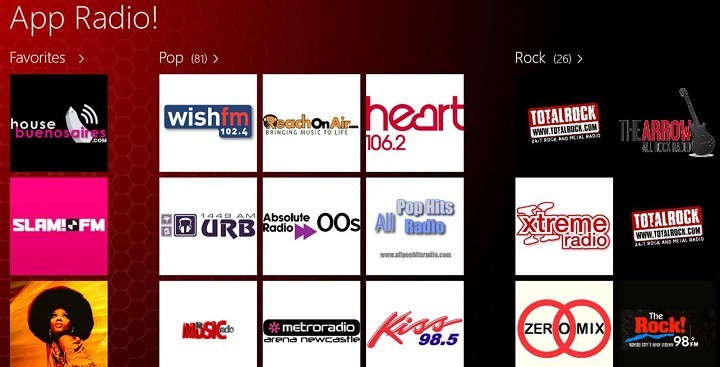
App Radio allows you to listen to your favorite music and internet radio stations. Staying connected with friends is important, and this app allows you to share your favorite radio stations with your friends. With App Radio you can listen to numerous radio stations worldwide. If you like a particular radio station, you can add it to your favorites. Also, you can personalize the background color of the app.

User feedback: “Radio stations from around the world with more and more each day. Not all stations work. It is the best radio app I had and I had many.”

You can download App Radio from the Windows Store for free.

Tuba. FM

Tuba.FM windows 10 radio app
Tuba.FM’s developers describe the app as being the first application that matches music with the taste of every user. The user interface is simple, intuitive, user-friendly and gives unlimited options of listening to every kind of music.

Other features include:

  • Uses advanced algorithms to find the best music for you
  • Lets users create and share own radio channels
  • Over 300 authorial channels of well-known music artists
  • Over 30 musical genre radio channels.

User feedback: “Works perfectly and provides a stream of really nice music that fit my tastes. My only problem is that whenever I search, say, Beyoncé and I click her name, it sometimes plays Rihanna or Lady Gaga or some other related artist. […]Otherwise, I’d give it 5 stars.”

You can download Tuba.FM from the Windows Store for free.

iHeartRadio

iHeartRadio windows 10 radio app
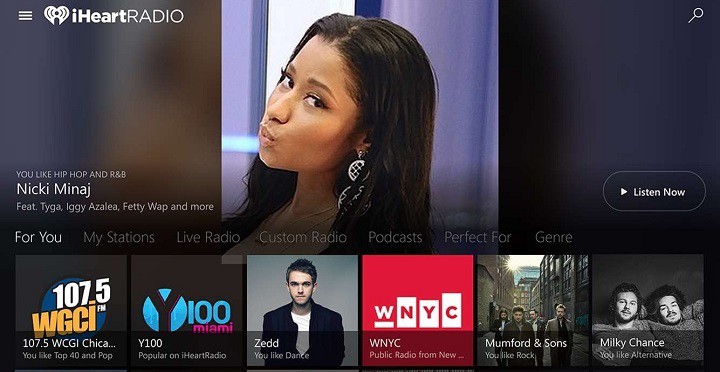
This free radio app brings thousands of radio stations covering a plethora of genres such as: Pop, Country, Hip-Hop, R&B, Alternative, Rock, Talk, News, Sports, and Comedy.

Other features include:

  • Listen to the best of live radio
  • Create custom music stations: choose your favorite song or artist and iHeartRadio does all the work to create your station from our library of 20 million songs and 800,000 artists.
  • Exclusive iHeartRadio live music events
  • Personalized For You with station recommendations
  • Hundreds of stations Perfect For any mood or activity.

User feedback: “And that is why I love it. Music from all over. Even stations I used to listen to as a child! I love it. Every genre you want is included. Many stations, and more! Not to mention fantastic quality. You must get this if you love music!”

You can download iHeartRadio from the Windows Store for free.

Classic FM Radio App

Classic FM Radio App windows 10 radio app
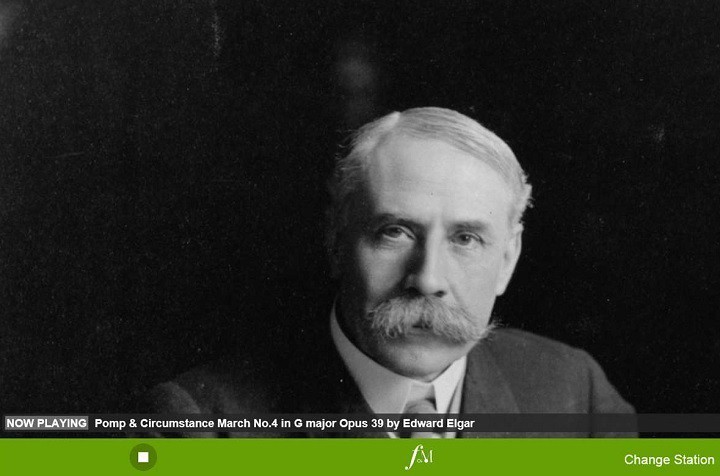
This app is the world’s greatest classical music radio station. While you listen to Classic FM, you can also discover which piece is playing and its composer. Thanks to knowledgeable and welcoming presenters, users can gain more insight into classical music. Users can also change the radio station to Heart, Gold and other popular radio stations.

User feedback: “Do not miss this amazing and great radio app. please make the UI more modern and win 10 style 😉 love it”.

You can download Classic FM Radio App from the Windows Store for free.

Moodflow

Moodflow windows 10 radio app
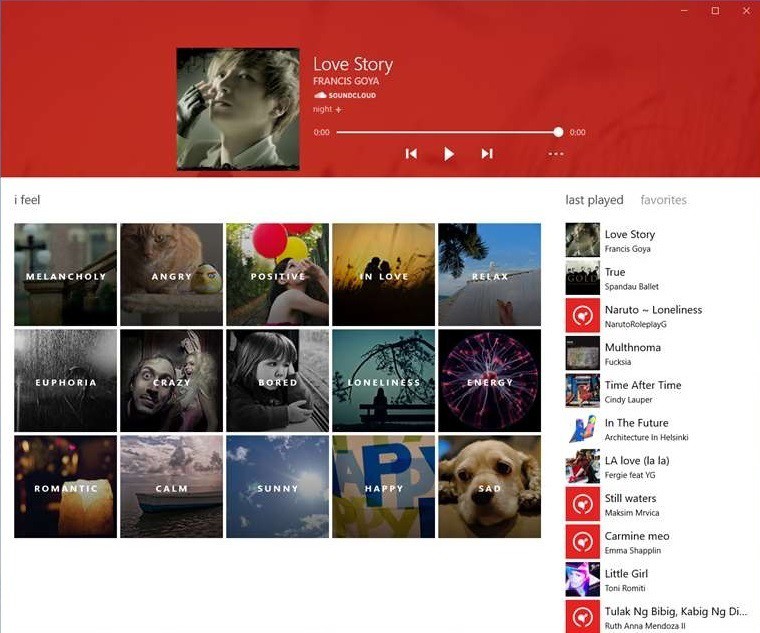
Moodflow promises to help you find the music that matches your mood. The current version of the app was reimagined for Windows 10 and now acts more like a radio. Other features include: tracks history, tags, favorites and Live tile.

User feedback: “Lovely UI design & great for discovering indie music!I don’t use this app often, but when I do it’s always a great selection of unpopular music played.”

You can download Moodflow from the Windows Store for free.

If you’re looking for niche radio apps, you can check out the Windows Store and install the radio app of your choice.

RELATED STORIES YOU NEED TO CHECK OUT:

Office Insider gains new Fast Ring release that brings collaborative ‘Share Me’ feature

Microsoft continues to expand its Insider program by including its Office software suite to the lineup of preview options. Similar to the Windows 10 Insider program, eager productivity hogs looking to be on the cutting edge of Office features can sign up to be a part of the Office Insider program and its various release rings.

Until recently, the Office team had only released Slow Ring equivalent previews to Insiders, but on August 30, 2016, testers were altered to a new Fast Ring release cycle coming down the pipe and that new features will accompany the addition soon after.

True to their word, the Office team has now released its first set of Office Insider features via its Fast Ring to testers today.

Office Insiders opting into the Fast Ring will now find a new Share With Me feature in their Office File settings that enable users to notify and get notified to when a document in shared among collaborators. More specifically, Microsoft describes the addition as such:

Here’s how it works: When someone shares a document, presentation, or spreadsheet with you, that file will automatically appear when you click Open > Shared with Me. For the file to show up in Shared with Me, the shared document must be stored on OneDrive, OneDrive for Business, or SharePoint Online.”

New Office Fast Ring Share with Me feature

Microsoft is encouraging users who are interested in bumping up to the Fast Ring to visit its support page for more details or the following instructions:

How to opt into the Office Insider Fast level

Already an Office Insider? Here’s how you can switch from the Slow level to the new Fast level and install the first Fast build:

  1. Ensure that 16.0.7341.2021 is installed, which we released to Office Insiders last week.
  2. In any Office 2016 app, click File > Account > Office Insider > Change Level.
  3. Select Insider Fast as your level, agree to the terms of use and then click OK.
  4. Click Update Options > Update Now to install the Office Insider Fast build.

At this point, you should be on version 16.0.7329.1000. To check, click File > Account and look for the version information under the Office Updates heading. Don’t worry if you see Version 1610 (Build 7329.1000) instead of 16.0.7329.1000. It’s the same build. As an Office Insider on the Fast level, you’re just getting a sneak peek at our new naming convention. ?

For those who have yet to join the Office Insider program but are interested, head over to the sign-up page with a Microsoft ID ready.

Battlefield 1 Open Beta to end this Thursday

Battlefield 1 is the upcoming first-person shooter developed by EA DICE and published by Electronic Arts. Even if it is named Battlefield 1, this is the fourteenth installment from the Battlefield franchise and the first main entry in the entry since the Battlefield 4 released back in 2013. This is also the first video game inspired by World War to be published by Electronic Arts since Wings of Glory, a game released back in 1994.

Battlefield 1 will be released for Xbox One, PS4 and Windows PC on October 21, 2016, but the open beta started last week on August 31, 2016. Unfortunately, the Battlefield 1 beta week ends tomorrow, which means that its servers will go offline and you’ll have to wait for launch day to be able to play it again.

If you pre-order the Battlefield 1 Early Enlister Deluxe Edition, you will be able to play it three days earlier on October 18, 2016, but there will also be a Play First trial for Origin Access and EA Access members, who will be able to start playing the game on October 13, 2016.

However, if you didn’t play the beta until now, you still have some time left before servers go offline. All you will need to do is download the Battlefield 1 beta from there. If you are a PC gamer, then you will need to install Origin and search for “Battlefield 1 beta”.

RELATED STORIES TO CHECK OUT:

Mafia III arrives October 7, offers three expansions

Mafia III is an upcoming historical open-world crime action game developed by Hangar 13 that 2K Games will release on October 7 for PC, Xbox One and PlayStation 4. After its launch, the game will receive free and paid DLC; currently, fans can pre-order Mafia III for $59.99.

In Mafia III, the action takes place in a fictional city called New Bordeaux (inspired by New Orleans) in 1968. The main character is an orphan named Lincoln Clay who is a Vietnam War veteran. He is planning on creating a new crime organization and to attack locations owned by the Italian mob. During the game, players will complete various objectives, eliminate their enemies using shotguns and revolvers, and interrogate non-playable characters to obtain information on their objectives.

After Mafia III is made available for PC and consoles, it will receive free content such as new weapons and outfits for Lincoln, car customization, and free races. “Take your tricked-out fleet into the city and enter a series of races. From there, you can earn money, new customization options for your car, and other awesome rewards. We’ll have more details on exactly how the races will work in the future,” promises 2K Games.

Besides free content, the game will receive three paid, story-based expansions:

– “Faster, Baby!” will bring fast cars, dramatic chases and stunt driving. Lincoln will join forces with Roxy Laveau and will try to defeat a corrupt Sheriff that terrorizes Civil Rights activists.

– “Sign of the Times” – The citizen of New Bordeaux are terrorized by a string of ritualistic killings and Father James is asking Lincoln to hunt down the cult responsible for the murders.

– “Stones Unturned” – Lincoln will have to deal with a merciless rival he met in the war-torn jungles of Vietnam. This time, the protagonist will join forces with CIA agent John Donovan.

The entire Season Pass of Mafia III will be available for $29.99, but players can purchase each expansion separately. The Deluxe Edition of the game will cost $79.99.

New Azure Active Directory features generally available next week

Next week is going to be another exciting one for Microsoft Azure. The team has been working hard on the Azure Active Directory and sure enough it’s about to pay off. Next Thursday, September 15, Identity Protection and Privileged Identity Management are going to be made generally available. As well as the release of the Azure AD Premium P2 SKU.

The most recent blog post from the Enterprise Mobility and Security Blog featured a highlight the new addition to Azure Active Directory thanks to team members Alex Simons, Alex Weinert, and Joseph Dadzie.

The article explains that Azure AD Identity Protection will analyze nearly 10TB of behavioral and contextual data. It will scan through user behavior data, attacker behavior data, threat data, Botnet data provided by Microsoft’s Digital Crimes Unit, and Malware information from the Windows Defender team.

All of this scanning results in collecting Risk Events. This panel will show login issues such as anonymous locations, infected devices, or unsafe networks. It will also reveal the specific users being affected and log that user’s amount and severity of risk events to help magnify persistent issues.

clip_image0025
Azure AD Identity Protection

Following up on the Azure AD Privileged Identity Management, Dadzie explained that organizations will be able to see clearly what users have privileges across Azure AD, Office 365, Intune, and more. Furthermore, administrators can reduce any risk of vulnerability by assigning “Just in Time” (JIT) roles instead of permanent ones. The JIT roles can be requested for specific instances and can be limited severely compared to other administrators.

clip_image0029
Azure AD Identity Roles

Both of these are rolling out with the new Azure Active Directory Premium P2. The SKU of Azure AD will be continuing to grow over the course of the next year and we’ll be certain to follow it.

Learn more about all of these additions to Azure AD coming next Thursday by reading the full blog post here.

Chrome for Windows updated with Material Design

During the last months, Microsoft has really been messing with the battery performance Chrome has been showing. The American company showed how big of an influence the Google browser has on your laptop battery life. They have been doing tests over tests in order to get some precise data and they proved what many users already suspected: Chrome really drains a laptop battery. However, their tests also showed other browsers to have the same issue: Opera and Firefox use more battery than the Microsoft designed browser, Edge.

This seems to be clearly a strategy to convince more people to switch to Edge instead of using the old broswers.

On the other hand, Google has been releasing some updates for its browser. This week, they just released Chrome 53, a stable update which improves GPU and CPU consumption for video playback. Moreover, it also brings some serious improvements in performance and power, which has been really appreciated by consumers worldwide. Though they haven’t been tested at maximum power, it is a step forward for Google to tackle the issue of battery consumption for laptop users.

Besides battery improvements, the most recent Chrome update brings some HiDPI changes alongside an injection of Material Design. With it, the UI is flatter with several changes made to the navigation, tabs and iconography. The company even added a dark mode for those times you go incognito, which is useful. Moreover, you will also get color emoji support if you are using Windows 10.

To customize Chrome further, we have a great guide on how to create AI theme for Chrome, so don’t miss it.

Next generation Kaby Lake and Zen CPUs will only support Windows 10: here’s why

After Intel launched it’s 6th Generation “Skylake” CPUs, Microsoft announced that only Windows 10 would be supported for this latest generation and all generations going forward. This irked many Windows 7 and 8.1 users. It felt to some that Microsoft was forcing their hand to upgrade to a Windows 10 PC.

Microsoft promptly reversed course and announced they wouldn’t end Windows 7 and 8.1 support in 2018 as planned. Instead, Microsoft will support Windows 7 and 8.1 on  “Skylake” processors for the entire lifespan.

But there was an important exception to this about face as it only applies to 6th Generation CPUs. Future generations, such as Intel’s Kaby Lake processors and AMD’s Zen CPUs, “will indeed only by supported on Windows 10.” But what does “supported” really mean and why is Microsoft drawing a line?

Kaby Lake and Zen

Marco Chiappetta at Hot Hardware dove into next-gen CPU features to find out what Windows 10 only support means. There are a few key takeaways from the in-depth article which you can read here. First, Kaby Lake and Zen are still X86 processors, so operating systems other than Windows 10 should still be able to run on them. Chiappetta stresses there is a distinction between “support” and “compatibility.”

Intel-Kaby-Lake-Roadmap-pcgh
Leaked Kaby Lake roadmap

Microsoft is only optimizing Windows 10 to support Kaby Lake and Zen’s new features. And there is likely very good technical reasons for this. Chiapetta explains, “both of these microarchitectures have new features and technologies that require significant updates to Windows 10 to optimally function.”

Intel is updating features like Speed Shift and Turbo Boost Technology 3.0. And AMD is introducing “fine-grained clock gating.” Chiapetta notes this will require “more than just basic driver support.” These feature updates allow for improved capabilities like quicker transitions between power states, prioritizing critical workloads between CPU cores, and new multi-threading technology.

And these new hardware technologies are going to require Microsoft to make significant updates to the Windows kernel and system scheduler. It only makes sense for these new technologies to be supported on Microsoft’s newest operating system. Windows 7 is already past the halfway point in its lifecycle, meaning Microsoft is only committed to security updates, not feature updates. And Windows 8’s small market share has only shrunk even more since Windows 10 came out.

Microsoft may have been over-eager and downright annoying in trying to convince people to upgarde to Windows 10. But the absence of Windows 7 and 8.1 support on Kaby Lake and Zen CPUs is something far different, and much more sensible.

Get started with Raspberry Pi 3 projects with Microsoft’s Grove IoT Kit

Have you always wanted to build your own smart device, robot, or drone? Now might be the most opportune time to try it out. Microsoft’s campaign to build up the Internet of Things, the company is literally putting the puzzle pieces in your hands. Microsoft has compiled a kit for the developers that have difficulty physically putting together a project with Raspberry Pi 3.

Microsoft’s IoT Grove Starter Kit has everything that developers will need all in one convenient package. Except for the fact that it doesn’t include the Raspberry Pi board which will have to be bought separately. Usually it runs a simple $35 price tag. Otherwise, the list of contents is quite impressive including cables, sensors, and a 5 inch HDMI touchscreen display.

According to the retailers, here is a full list of what you will be getting with your purchase:

PART LIST

  • 1x GrovePi+
  • 1x 5 Inch HDMI Display with USB TouchScreen
  • 1x Grove – Relay
  • 1x Grove – Temp&Humi Sensor
  • 1x Grove – Ultrasonic Ranger
  • 1x Grove – LED Bar v2.0
  • 1x Grove – Rotary Angle Sensor(P)
  • 1x Grove – Buzzer
  • 1x Grove – Sound Sensor
  • 1x Grove – Light Sensor v1.2
  • 1x Grove – Button
  • 1x Grove – LCD RGB Backlight
  • 1x Flat HDMI Male to Male Cable (1M)
  • 1x Micro USB Cable (1200px)
  • 10x 26AWG Grove Cable

untitled

The kit is available from both Seeed and DigiKey retailers for $154.99 USD. Seeed even sells many of the components separately but this kit puts them all together. For many developers, it will be a nice change not to have to hunt down every compatible piece.

The GrovePi+ is compatible with Raspberry Pi B/B+/A+/2/3 making it quite the versatile setup for practically any IoT project.

The kit was announced earlier this year at the April Build conference. Now that it’s here, what will you build with the new IoT Grove Starter Kit?

Microsoft Azure, Office 365 now available from UK datacenters

Microsoft has announced today that Azure and Office 365 are now generally available from multiple UK datacenter locations. As data residency is expected to be an important concern for many business looking to accomplish their digital transformation by moving to the cloud, this announcement will be especially important for customers in industries such as healthcare, banking and the public sector.

“Customers choosing Microsoft benefit from the company’s experience in enterprise computing and hybrid cloud – offering everything from optimization of compute resources to higher-level services for advanced analytics, media services, the Internet of Things (IoT), and big data,” explained the blog post.

Azure is generally available in 28 regions.

As of today, Azure is generally available in 28 regions and 11 geos around the world (more than any major cloud provider), and Microsoft has already announced plans for 6 additional regions and 2 additional geos. We invite you to check this dedicated website to learn more about the various locations of Microsoft’s Azure datacenters.

Xbox FanFest coming to Sydney Australia

Just last month at Gamescom, Microsoft passed up the usual press conference in favor of an Xbox FanFest. With such a reaction from gamers across the world, they are now taking to the land Down Under with swag, games, and more.

Xbox fans are being offered an opportunity to take part in an exclusive FanFest experience in Sydney, Australia. The main events will take place between September 27 to September 29. However, 250 lucky people will be getting the VIP treatment from Xbox.

Some of the perks of being one of the lucky few includes:

  • A special Forza Horizon 3 launch event at Sydney Dragway, Tuesday afternoon, September 27.
  • A secret Wednesday late afternoon activity, September 28, for Gears of War 4.
  • Exclusive early access to the Xbox booth at EB Games Expo, Thursday night, September 29, where fans can access the Xbox Booth before it’s open to the public.
  • Fan swag, Xbox fan shirt and other goodies.
  • Meet and greet some of the industry’s top developers, leaders and influencers.

According to the recent news release, the tickets are being handed out on a first-come, first-serve basis. This means that you’ll want to make sure that you’re at the Microsoft Store at Pitt Street Mall and in line long before the 10:30 a.m. AEST starting time. It’s also worth noting that each ticket is only for one person so they cannot be traded or resold.

Other restrictions include that the ticket holder be over the minimum of 18 years of age and present a valid government issued ID. Parents with children under 18 will not be allowed.

Another interesting tidbit in the FAQ is the mention of EB Games Expo taking place in Sydney this year. The event takes place from September 30 to October 2nd. Xbox news teases that they have nothing to reveal about the “lucky 250” being given tickets to attend the event and that there is “nothing to reveal at this time”. Just the topic being shared on the post seems to leave a lot of speculation for fans eager to be one of the chosen attendees.

NBA 2K17, launching Sept 20th, will be the first Xbox One S HDR color game

If you already purchased a brand new Xbox One S, get ready for the release of the first HDR-enabled games in the coming weeks. On September 20, NBA 2K17 will be released on Windows, the Xbox One and the Xbox 360 and the Xbox One version will be the first game to support High Dynamic Range on the new console (via Polygon).

Back at E3 2016, Microsoft announced that Forza Horizon 3, Gears of War 4, Scalebound and NBA 2K17  would be the first HDR-enabled games and the Xbox team promised at the time that these games will “look even better thanks to a higher contrast ratio between lights and darks, bringing out the true visual depth of your favorite games.” However, be aware that the Xbox One S only supports HDR 10, which is an open standard established by the UHD Alliance and supported by Sony, Samsung and some other manufacturers. Dolby Vision, the other HDR standard, requires manufacturers to add licensed Dolby hardware in their 4K TV set to display HDR content but we could soon see TVs supporting both HDR standards in the future.

While we can’t wait to see how NBA 2K17 will look on an HDR TV set, the game’s audio is also expected to be much improved over the previous episodes. In a new video published yesterday, developer Visual Studios and published 2K Sports explained that every game arena will feature custom sounds:

The 2K development team traveled to all 30 NBA arenas to record and analyze the different sounds exclusive to each arena. Logging thousands of miles to bring you the most authentic experience in a sports game ever, watch how each arena in NBA 2K17 will have it’s own flavor and be more realistic than ever before.

You can pre-order the Xbox One version of NBA 2K17, and let us know in the comments if  you’re looking forward to enjoy this first HDR game later this month.


US Air Force expects to complete Windows 10 migration by early 2018

The United States Airforce has decided to upgrade all of their systems to Microsoft’s Windows 10 operating system by January 31st 2018, a year after the Department of Defense (DOD) is expected to complete their upgrade (on January 31st 2017).

This upgrade will not just involve basic software updates but will also require the replacement of hardware as well with Air Force personnel being instructed to only purchase new devices through AFWay (the Air Force’s IT purchasing department) and to refrain from buying new desktop PCs.

“In many cases, users will receive replacement mobile computers with Windows 10 preloaded, while remaining users will have their existing computers upgraded to the new operating system,” a report in FedTech Magazine reveals.

In addition to the basic Windows 10 upgrade, all DOD components will incorporate the Windows 10 “Secure Host Baseline” which includes additional preconfigured secure applications for extra security.

An official statement explains the importance of the comprehensive upgrade. “The standard desktop configuration provides a single standard, enterprise-wide managed environment across the Air Force Network. New security features in Windows 10 will allow the Air Force and DOD to install software patches faster and counter a major cyber-intrusion technique called ‘pass the hash,’” it says. “Using this technique, attackers may access remote servers by using a stored hash, or a one-way transformation, of a user’s password rather than the standard plain text password. The new operating system also will increase accountability and transparency across DOD networks, allowing cyber defenders to better detect malicious activity.”

Windows 10 has long been touted as having a vastly improved security over previous Microsoft operating systems and the company has been actively promoting its importance during the year since its launch. Back in June, Microsoft’s director of program management at Windows enterprise and security, Rob Lefferts, specifically mentioned Windows 10’s hardware based isolation with Virtualization Based Security (VBS) as being one of the more compelling parts of the added security and stated that, “With Windows 10, this secure execution environment powered some of our most impactful security features, including Virtual TPM, Device Guard and Credential Guard. Credential Guard has proven so impactful that customers have told us that it’s their top-priority security feature and a benefit that is so compelling that it justifies the Windows 10 deployment all by itself.”

Has the added security offered in Windows 10 motivated you to upgrade or is it something you don’t really think about? Let us know in the comments below.

Gameloft bringing Asphalt Xtreme and Zombie Anarchy to Windows 10

Video game publisher, Gameloft, will be releasing two new games for Windows 10 devices, Asphalt Xtreme and Zombie Anarchy. Very little is known about Zombie Anarchy at this time but Asphalt Xtreme will be the latest entry in the popular Asphalt racing game series, following Asphalt 7: Heat, Asphalt 8: Airborn, and Asphalt Overdrive, all currently available in the Windows Store.

While all of the previous Asphalt video games have stuck to the typical car race formula, Asphalt Xtreme appears to be trying something different with less restrictive gameplay and off-road missions in a similar vein to the Forza Horizon series on Xbox One. No release date has been given but a teaser site is now online and a very short trailer has been released which you can watch right here on this page.

Are you excited for these two new Windows 10 video games? Do you even play games at all on Windows 10? Let us know your favorite video game titles in the comments below.

Microsoft’s Personal Shopping Assistant is coming to the Edge browser

It’s been a few months since we’ve seen news for Microsoft’s Personal Shopping Assistant (PSA). The browser extension from the developers at Microsoft Garage is a useful tool that can save, compare, and share shopping items across multiple sites.

Now, according to Walking Cat from Twitter, the Personal Shopping Assistant will be made available for Microsoft Edge.

https://twitter.com/h0x0d/status/773298549559693312

We don’t know much about when the PSA will be coming to Edge except that it will be ‘soon’. The extension is already available currently for Google Chrome and Opera browsers. Take a look at how it makes your shopping experience easier with the video below.

Will any of our readers find this extension useful? Share your thoughts in the comments below.

How to get a cheap Windows Product Key

The price of the Windows 10 Home Edition is $119.99 while the Pro Edition costs $80 more. There are many people living in poor countries who think these prices are exaggerated and because of this, usually downloading pirated copies of Windows 10 from the internet instead of spending money on a discounted license offered by retailers like Amazon.

A product key for Windows 7 Pro can cost $100 or more, and users are not interested in paying that much money on an old version of Windows. However, those who are smart enough can find cheap product keys on the online marketplace eBay, where they go for less than $20.

When finding a cheap Windows Product Key on one of the online marketplaces, sellers claim their product key is genuine, comes from third-party Microsoft resellers, is a lifetime activation, and that its updates really work. Martin Brinkmann of GHacks performed an experiment and purchased product keys for Windows 10 Pro, Windows 8 Pro, Windows 7 Pro and Windows 10 Enterprise

. To his surprise, he received a key within two minutes after hitting the payment button while the other keys were sent to him in less than an hour.

Brinkmann explained that merchants usually provide links to Microsoft servers from where customers are able to download the operating system, with a product key costing between $10 and $15. Enterprise editions are found at the same price as the Pro editions, but buyers must be careful not give money to fake sellers. This is why it’s very important to verify them before making purchases, even for product keys of previous Windows versions.

Of course, buying products from sellers on eBay and other marketplaces is very risky as you could end up with a product key that expires after a period of time — forcing you to spend more money on a new one.

RELATED STORIES TO CHECK OUT:

Latest Xbox One preview release coming with Clubs & Looking for Group, among other improvements

Build 1610 for Xbox One is going live for preview users today and it’s certainly worth looking into. Beyond the Gamerscore Leaderboard being improved, the addition of the highly anticipated Clubs and LFG is now available for preview.

Gamer created clubs on Xbox Live has been on the docket for quite a while. With the preview build, users will be able to create their own public, private, or hidden clubs. They will also be able to join, chat, share, and manage administration over the groups. Clubs also have a voice that will make communicating even easier.

It’s worth noting that the club names are similar to usernames and must be unique. This means that if you have a club name that you want to get your hands on, it might be in your best interest to do so as soon as possible.

2016-09-06 (1)

The Looking for Group feature will be a new social tool for finding other gamers to play with. Upon opening the LFG, your recently played games will list automatically, or you can search for the game you want to find players for. Tags help you set what kind of social experience you want such as limiting swearing, requesting the use of a microphone, and setting specific achievements for that game that you want to accomplish with the group. You will be able to select how many people you want to join you and view the respondents easily through the tool.

2016-09-06 (5)

Larry Hyrb, aka Major Nelson hosted a quick preview of the update through his usual talk show to show off some of the upcoming features.

Both LFG and the Clubs feature will be able to be managed through any device with the Xbox app on it, i.e. Windows 10, Windows 10 Mobile, iPhone etc. The update will roll out for the Xbox app across Windows 10, iOS, and Android devices not long from now.

The Culling is a gruesome Windows 10 game where only the fittest survive

The Culling is a battle-royale style video game developed by Xaviant. The game was released for Microsoft Windows and Linux via the Steam Early Access on March 4, 2016.

The Culling comes with a number of traits from the survival genre, but also focuses on action-oriented play. If you’re a fan of the Battle Royale or The Hunger Games series, then The Culling will surely appeal to you. In this game, a group of random players are deployed into a closed arena map where they fight to the death. Supplies will be randomly scattered across the map and players will have to race against the clock to collect the equipment they need in order to survive.

Currently, The Culling comes with a single expansive level set on an abandoned tropical island. A few competitive systems are built into the map in order to make sure that players will encounter one another. These systems are slowly introduced during the round, motivating players to venture into some more dangerous sectors of the map.

Earlier this year, there were rumors saying The Culling would also be released for the Xbox One via Microsoft’s Game Preview program, but that didn’t happen. There is no official date available for the release of the game on the Xbox One. Meanwhile, you can test your surviving skills playing the PC version of the game.

Have you played The Culling yet? Tell us your thoughts about this video game.

Windows Defender’s Limited Periodic Scan won’t turn off

In Windows 10, Windows Defender is automatically disabled once a third-party antivirus program is installed. Thanks to a new Windows Defender feature called Limited Periodic Scan, users can now add a second layer of protection by performing automatic scans with Windows Defender even if a third-party antivirus is running on their PCs.

However, some antivirus companies still advise users to completely turn off the Limited Periodic Scan feature and rely solely on their antivirus solution. According to recent reports, turning off this feature is not as easy as it first seems: After users click the off option,  Windows Defender quickly turns the Limited Periodic Scan feature right back on.

Windows Defender’s Limited Periodic Scan won’t turn off

I am using Bitdefender AV on Win 10 Anniverser., Defender’s periodic scan option was turned on, but now I want to turn it off. I click the option and it shows it is off, but when I go back into defender settings in is back on again and wont stay off. Keeps wanting to scan which is very annoying.

Unfortunately, the user who started this thread on Microsoft’s forum didn’t offer any more details about this issue. He didn’t say if there were any error codes presented or if he had made any changes on the computer prior to the scan. Also, after turning off the Limited Periodic Scan feature, the computer should be rebooted so that all changes take effect.

Maybe the user who first reported this issue forgot to restart his computer, which may explain why the Limited Periodic Scan feature won’t turn off. However, almost 150 people viewed the respective forum thread in just one day. Also, 14 users confirmed they encountered the same issue.

We’ll keep an eye on this forum thread and update this article as soon as new information is available.

Are you using the Limited Periodic Scan feature? Did you encounter any issues when trying to turn it off?

RELATED STORIES YOU NEED TO CHECK OUT:

Windows Device Recovery Tool updated to support HP Elite x3

The Windows Device Recovery is a tool you can use on your computer in order to fix software issues. The tool will install the latest version of Windows that works on your mobile device and remove everything else, including games, texts, call history, apps and more, to do so.

In order to use this tool, you will need the following:

  • a USB cable to connect your mobile device to a PC
  • a PC that runs Windows 7, Windows 8 or Windows 10
  • 4GB or more of free storage on your PC.

This tool works for Acer, HTC (One M8 and MX), Lumia, Neo, UniStrong, Yezz, VAIO and Alcatel smartphones that run Windows Phone 8 or later. And starting from today, add the HP Elite x3 to the list: Its developers released a new version of Windows Device Recovery Tool that adds support for the HP Elite x3.

The Windows Device Recovery Tool version 3.10.24401 that supports HP Elite x3 can now be downloaded and installed on your computer without any problems. Along with the support for HP Elite x3, the new version of the tool comes with the usual bug fixes.

The HP Elite x3 Windows Phone has not yet been released in the United States yet, but the device is already being shipped out to the UK. The device comes with Windows 10 Mobile, a Snapdragon 820 chipset, 64GB internal storage and a QHD display of 5.96-inch.

We can’t say this confirms that the HP Elite x3 will be added to the Windows Insider Program, but there is a  high chance this happens. Other phones, such as the Yezz Billy 4.7, were added to the Windows Insider Program right after they started being supported by the Windows Device Recovery Tool.

RELATED STORIES TO CHECK OUT:

Microsoft on the road to open sourcing the search system used to power Bing

Once again, Microsoft’s new development spirit has the company going to the open source well for inspiration and foresight. According to InfoWorld, Microsoft is in the process of extending “its open source activity to include projects derived from work done on its Bing Search engine.”

So far it seems that teams within Microsoft have been able to jump start three major projects based on the BitFunnel full-text search system powering the company’s search engine and intelligent mind behind Cortana, Bing. The first of the projects can be found on the GitHub site for BitFunnel titled BitFunnel text search/retrieval system. Unfortunately, the project seems to be in a nascent state as of right now with very little code organization and no documentation accompanying the README file it thus far.

The second of the three projects is classified under WorkBench, which appears to be a tool for translating text for use in BitFunnel. The last of the three projects and perhaps the most in-depth exploration from Microsoft comes in as NativeJIT. Referencing InfoWorld’s analysis, it would appear the Microsoft’s NativeJIT project will be able to take expressions using C data structures and repurpose them into “highly optimized assembly code.”

The idea behind the NativeJIT project stems from optimizing conditions for developers when:

  • The expression isn’t known in advance.
  • The cost of compiling the statement to assembly will be more than offset by the number of times the expression will be run.
  • “Latency and throughput demands require a low cost for compilation,” meaning there are so many queries being processed in this manner that compilation can’t afford to be a bottleneck.

The overall development of Microsoft’s newly open sourced endeavors could mean the company is looking into having Bing become a much wider networking web for new technologies. Open development of Bing could also mean that newer standards and features are adopted faster resulting in a tool that can generate and process search engine front ends while producing just-in-time machine learning results.

Microsoft’s BitFunnel projects are in early development and have ways to go, but it should be encouraging for Bing, Windows, Windows 10 Mobile, IoT, HoloLens and Xbox fans to see the company looking beyond its walls for future tech.

Xbox adds Bejeweled 3, more to Backward Compatible list

Just a week after Forza Horizon and Castle of Illusion joined the growing list of backward compatible games on the Xbox One, Major Nelson announced today that three new Xbox 360 titles to enjoy on the next generation console: puzzle game Bejeweled 3, action role-playing game Deathspank: T.O.V. and shooter Gatling Gears.

You can find the official descriptions and download links for each game below:

Bejeweled 3 ($14.99)

The biggest, brightest Bejeweled ever! Discover all-new ways to play the world’s #1 puzzle game. Find your perfect match with 8 breathtaking game modes that meet all your moods — ease into Classic Bejeweled for cascades of fun, journey through 40 challenging Quest puzzles, charge into the electrifying Lightning for non-stop action, and tailor your experience in Zen for a revolutionary new way to relax. Enjoy the amazing sights and sounds and engage in endless gem-matching fun, and earn flashy achievement badges as you soar to dazzling new heights!

DeathSpank: T.O.V. ($14.99)

Join DeathSpank, in his all new adventure! Fight through war-torn battlefields, tame the violent High Plains and sail your own pirate ship through the savage seas. DeathSpank will vanquish all-new evils, help all-new downtrodden, and dispense justice as only he can. Wield exciting new weapons, slay unbelievable new creatures and get to the bottom of the Thongs of Virtue. The downtrodden cry for justice and DeathSpank will save them or kill them trying.

Gatling Gears

When the Empire begins its reign of destruction in a thirst for natural resources, it’s up to Max Brawley, a retired Gatling Gear pilot, to stop them. Together with his niece and his trusty Gatling Gear unit he must fight his way to the heart of the Empire and eliminate the destruction at its source.

As with all backward compatible games, you can buy them once and play them on every Xbox 360 or Xbox One console. If you’re an Xbox Live Gold subscriber, you’re also free to save your progress in the cloud and  and transfer your progression and achievements across consoles. Let us know in the comments what do you think about these latest addition to the Xbox One Backward Compatibility list.

Microsoft’s Chief Storyteller tells his own story in this TEDx talk

Microsoft’s Chief Storyteller and General Manager of Microsoft’s Image & Culture team Steve Clayton recently got the opportunity to share his journey from Liverpool to Redmond in a TEDx talk. If you’re not familiar with them, TEDx events are independent TED (Technology, Entertainment Design) based events where executives, artists, politicians and more are given twenty minutes or more to deliver engaging exposés. Clayton, a 18 years Microsoft veteran is now in charge of team of storytellers and you can watch his very interesting talk after the video description below:

Steve joined Microsoft almost 20 years ago and in this TEDx talk reflects on the journey from Liverpool to role of Chief Storyteller at Microsoft’s HQ in Seattle. Using story, cartoons from his pal Hugh MacLeod and 3 short lessons, Steve shares insights from the journey with his home town crowd in Liverpool.

Steve’s personal journey takes him from Merseyside to Microsoft, Seattle. He rose to international fame when he became the very first person to conduct a public interview with the newly appointed CEO of Microsoft, Satya Nadella. He is now Chief Storyteller at Microsoft and General Manager of Microsoft’s Image & Culture team.

Clayton is a very good speaker and his talk definitely gives us a lot of insights about the importance of storytelling at Microsoft today. Let us know your thoughts this video comments below.

Poll: Do you have the new Outlook.com?

Microsoft dropped the “Preview” tag from its new Outlook.com experience over six months ago, but many users still haven’t been switched over. Microsoft has promised that all users will be moved over “by the end of summer,” which here in the northern hemisphere is only a few weeks away, and called an inference that the rollout might not be completed until next year “incorrect.”

To be honest, I’ve had the new Outlook.com for so long I forget what the old one looks like (I was in an early preview program and have had it ever since), but to recap, the new experience brings a new refreshed look, powered by an Office 365 infrastructure, pinned emails, and lots more. Here’s a sizzler video posted by the Outlook team way back in May of 2015:

So are you on the new Outlook.com? Take our poll below and let us know where you stand:

View the poll results

One last note, in Microsoft’s denial of an extension of the rollout to next spring, they did mention that shared calendars may be a sticking point. Are you using shared calendars, and have you received the new Outlook.com? Tell us your experiences in the comments below.

Microsoft begins exploring the artistic side of artifical intelligence

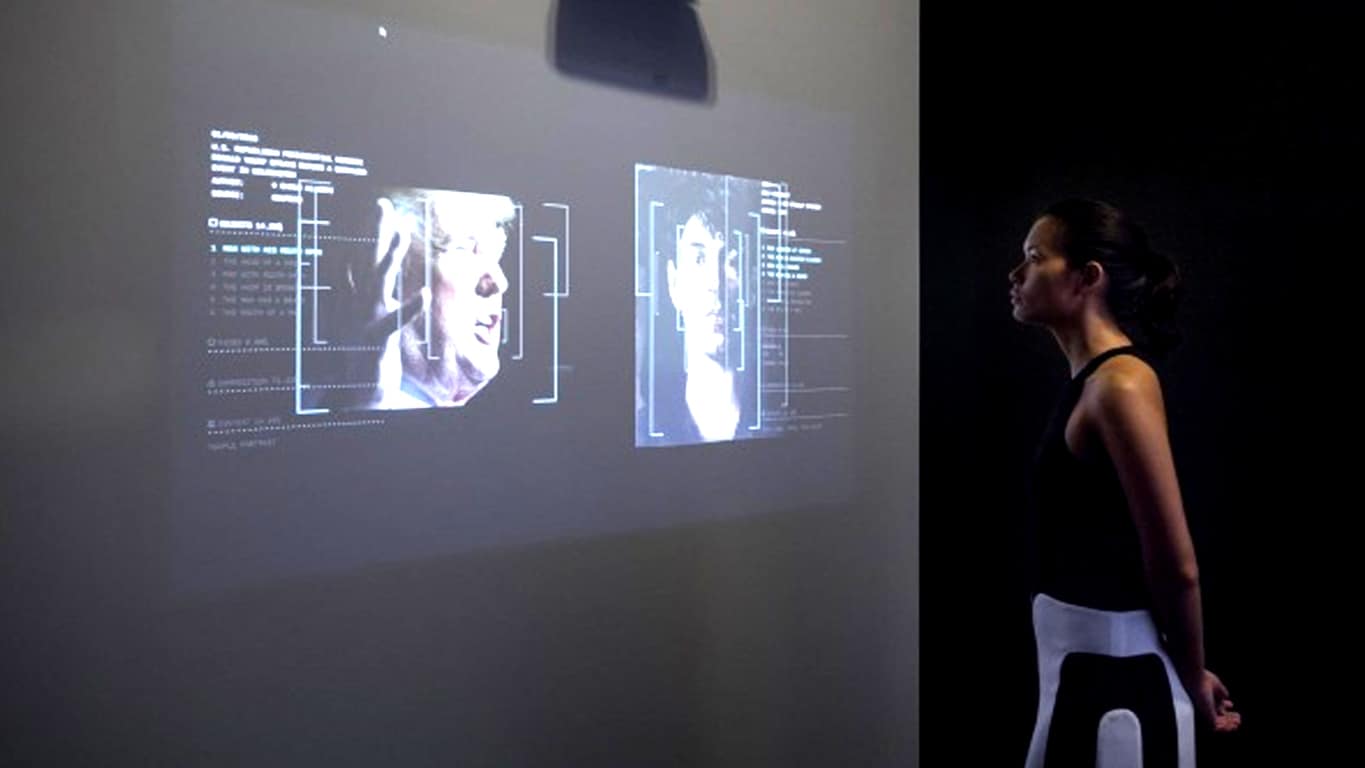
For the first time, Microsoft has partnered with Tate Britain to sponsor the IK Prize, an annual competition which rewards artists who incorporate digital technology into their pieces. This year’s winner? Recognition, a fascinating AI project, created through the collaboration of Italian research center Fabrica and Microsoft’s Cognitive Services, that uses facial recognition and image detection to pair seemingly unrelated images to specific artworks within Tate’s database of over30,000 images.

“From a Microsoft perspective AI is the future – we’re betting the company on this technology that extends the reach of humanity.There is this narrative that it’s all about the cold world of computers, while we live in a world of warm emotion,” Microsoft’s Dave Coplin told The Drum in a recent interview. “We want to be driving the conversation of ‘humans plus machines’ rather than ‘humans versus machines’. We’ve got 40 years’ heritage in helping humans achieve more with technology than they could do on their own, and nowhere is this more important than in a world of AI.”

Recognition will be showing in Tate Britain until November 27th 2016. An official website for the project is also online and allows interested parties to interact with the project directly.

Are you interested in seeing AI used in this way or do you have other ideas for the technology? Let us know in the comments below.

Your purchase couldn’t be completed error on Windows 10 [FIXED]

Windows Store is a big part of Windows 10, but unfortunately some users are having issues with it. According to users, they are getting Your Purchase Couldn’t Be Completed error message while downloading apps from Windows Store.

What to do if Windows Store purchase couldn’t be completed

Fix – Your purchase couldn’t be completed Windows 10

Solution 1 – Change your account type

There are two types of Windows accounts, local and Microsoft. Although both types are similar, Microsoft account will save your settings and memorize your account details so you won’t have to enter your password while using Universal apps.

Unfortunately, this can sometimes lead to issues with Windows Store, and in order to fix them you’ll need to change your account type. To switch to a local account, do the following:

  1. Press Windows Key + I to open the Settings app. When Settings app opens go to Accounts.
  2. Select Sign in with a local account instead option.
    your-purchase-couldnt-be-completed-account-1
  3. Enter your Microsoft account password and click Next.
    your-purchase-couldnt-be-completed-account-2
  4. Now enter the desired username and password and click Next.
    your-purchase-couldnt-be-completed-account-3
  5. After doing that your account will be converted to local account. Now you just need to sign out and log back in again to complete the process.

If you wish to switch from a local account to Microsoft account, you can do that by following these steps:

  1. Open Settings app and go to Accounts.
  2. Select the option to use Microsoft Account.
  3. You should see three options available. Choose the desired option and follow the instructions.

Solution 2 – Restart Windows Update service

Many Windows 10 components have their own services that run in background, and sometimes in order to fix a specific problem you need to restart certain services. According to users, you can fix Your Purchase Couldn’t Be Completed error simply by restarting the Windows Update service.

To do that, follow these steps:

  1. Open Command Prompt as administrator. To do that, press Windows Key + X to open Power User Menu and select Command Prompt (Admin).
    your-purchase-couldnt-be-completed-device-1
  2. When Command Prompt starts, enter the following commands:
    • net stop wuauserv
    • net start wuauserv

Users are also suggesting to run these commands as well:

  • net stop wuauserv
  • net stop cryptSvc
  • net stop bits
  • net stop msiserver
  • ren C:WindowsSoftwareDistribution SoftwareDistribution.old
  • ren C:WindowsSystem32catroot2 catroot2.old
  • net start wuauserv
  • net start cryptSvc
  • net start bits
  • net start msiserver

After Windows Update service is restarted, restart your PC and check if the problem is resolved.

Solution 3 – Set Windows Update service to start automatically

As we previously mentioned, Windows 10 relies on background services, and in order for Windows Store to work properly, you need to ensure that Windows Update starts automatically. To do that, follow these steps:

  1. Press Windows Key + R and enter services.msc. Press Enter or click OK.
    your-purchase-couldnt-be-completed-services-1
  2. Locate Windows Update service and double click it.
    your-purchase-couldnt-be-completed-services-2
  3. In the Startup type field select Automatic and click Apply and OK.
    your-purchase-couldnt-be-completed-services-3
  4. Restart your PC and check if the issue is resolved.

Some users are suggesting to restart Windows Update service. You can do that simply by right clicking the service and choosing Restart from the menu.

Solution 4 – Run Windows Update troubleshooter

Sometimes there might be some issues with Windows Update that can prevent you from using Windows Store. The simplest way to fix these issues is to run Windows Update troubleshooter. To do that, follow these steps:

  1. Press Windows Key + S and enter troubleshooting. Choose Troubleshooting from the menu.
    your-purchase-couldnt-be-completed-troubleshoot-1
  2. Select Fix problems with Windows Update option.
    your-purchase-couldnt-be-completed-troubleshoot-2
  3. Follow the instructions and wait for the troubleshooter to fix the problem.

If troubleshooter finds and fixes the problem you should be able to purchase applications from Windows Store again.

Solution 5 – Run WSReset.exe

This is the simplest solution, but few users reported that it works, so you might want to give it a try. To run WSReset.exe, follow these steps:

  1. Press Windows Key + R and enter wsreset.exe. Press Enter or click OK.
    your-purchase-couldnt-be-completed-wsreset-1
  2. Wait for the wsreset to complete, and try to purchase the application again.

Solution 6 – Delete your card

Few users reported that Your Purchase Couldn’t Be Completed error can appear due to your card. According to users, even though your card information is valid, sometimes there might be a bug with Windows Store that causes this error. To fix this issue you just need to remove your card from Windows Store and add it again.

Solution 7 – Use Command Prompt

According to users, this issue can be caused by dll modules that aren’t properly registered, and in order to fix this problem you’ll need to use Command Prompt and PowerShell commands. Bear in mind that PowerShell commands can be dangerous, therefore it’s highly recommended that you create a System Restore point. To perform this solution, do the following:

  1. Open Command Prompt as administrator.
  2. When Command Prompt opens, enter the following commands:
    • powershell -ExecutionPolicy Unrestricted Add-AppxPackage -DisableDevelopmentMode -Register 'c:program fileswindowsappsMicrosoft.VCLibs.120.00_12.0.20812.1_x64__8wekyb3d8bbweAppxManifest.xml'
    • powershell -ExecutionPolicy Unrestricted Add-AppxPackage -DisableDevelopmentMode -Register 'c:program fileswindowsappsMicrosoft.VCLibs.120.00_12.0.21005.1_x64__8wekyb3d8bbweAppxManifest.xml'
    • powershell -ExecutionPolicy Unrestricted Add-AppxPackage -DisableDevelopmentMode -Register 'c:program fileswindowsappsMicrosoft.WinJS.2.0_1.0.9600.16384_neutral__8wekyb3d8bbweAppxManifest.xml'
    • powershell -ExecutionPolicy Unrestricted Add-AppxPackage -DisableDevelopmentMode -Register 'c:program fileswindowsappsMicrosoft.WinJS.2.0_1.0.9600.16408_neutral__8wekyb3d8bbweAppxManifest.xml'
    • powershell -ExecutionPolicy Unrestricted Add-AppxPackage -DisableDevelopmentMode -Register 'c:program fileswindowsappsMicrosoft.WinJS.2.0_1.0.9600.17018_neutral__8wekyb3d8bbweAppxManifest.xml'

Users also reported that you can use these more compact commands to fix this problem:

  • FOR /F %I IN ('dir "c:Program Fileswindowsappsmicrosoft.vclibs*" /B') DO (call powershell -ExecutionPolicy Unrestricted Add-AppxPackage -DisableDevelopmentMode -Register 'c:program fileswindowsapps%IAppxManifest.xml')
  • FOR /F %I IN ('dir "c:Program Fileswindowsappsmicrosoft.winjs*" /B') DO (call powershell -ExecutionPolicy Unrestricted Add-AppxPackage -DisableDevelopmentMode -Register 'c:program fileswindowsapps%IAppxManifest.xml')

Solution 8 – Try logging in with a different account

Users reported that they were able to fix this issue simply by logging in with a different account to Windows Store. In fact, you can even log in with the same account and add a payment option. After doing that, the issue should be resolved.

Solution 9 – Try using a different connection

According to users, sometimes certain traffic might be blocked by your router, and the simplest way to fix that is to try using a different network or your phone. Alternatively, you could try changing your router settings.

Solution 10 – Change your location

Sometimes you can fix this issue simply by changing your location. To do that, follow these steps:

  1. Press Windows Key + S and enter region. Select Region from the list of results.
    your-purchase-couldnt-be-completed-region-1
  2. Go to Location tab and change your Home location. You can try using your own location or choose United States, UK or Canada.
    your-purchase-couldnt-be-completed-region-2
  3. After changing the location, check if the problem is resolved.

Solution 11 – Try using Windows Repair (All in One) tool

If this problem still persists, you might want to try using Windows Repair (All in One) tool. Several users reported that using this tool and choosing the Repair Windows App Store option fixed the issue for them, so you might want to try this tool.

Solution 12 – Wait until Microsoft fixes the problem

Sometimes these types of errors can be caused by technical issues at Microsoft, and the only thing that you can do is to wait a few days until Microsoft fixes this issue. Users reported that after waiting for a couple of days the issue was completely resolved, so you’ll just have to be patient.

Fix – Your purchase couldn’t be completed because your internet connection is slow Windows 10

Solution 1 – Disable your antivirus software

According to users, you antivirus can interfere with Windows Store and cause this error to appear. The simplest way to fix this issue is to temporarily disable your antivirus software and check if that fixes the error. If the issue persists, you might want to remove your antivirus software and see if that fixes the problem.

Users reported issues with Avast, but bear in mind that almost any antivirus software can cause this issue, therefore try disabling or removing your antivirus even if you don’t use Avast.

Solution 2 – Run wsreset.exe and restart your router

Users reported that they fixed this issue simply by running wsreset.exe and by restarting their router. We explained how to run wsreset.exe in one of our previous solutions, so be sure to check it out.

To restart your router, simply press the power button on it, wait for about 30 seconds and press the power button again.

Solution 3 – Install the latest updates

According to users, you can fix this issue by installing Windows Updates. In some cases Microsoft can release an official fix in form of Windows update, therefore to fix this and many other problems with Windows Store we highly recommend that you download the latest updates frequently.

Solution 4 – Change your DNS

If you have this problem with Windows Store and you’re unable to purchase apps, you might want to try changing your DNS. To do that, follow these simple steps:

  1. Press Windows Key + X and choose Network Connections.
    your-purchase-couldnt-be-completed-device-1
  2. When Network Connections window opens, locate your network connection, right click it and choose Properties.
    your-purchase-couldnt-be-completed-dns-2
  3. Click on Internet Protocol Version 4 (TCP/IPv4) and click on Properties.
    your-purchase-couldnt-be-completed-dns-3
  4. Select Use the following DNS server addresses and enter 8.8.8.8 as Preferred DNS server and 8.8.4.4 as Alternate DNS server. Alternatively, you can use 208.67.222.222 as Preferred and 208.67.220.220 as Alternate DNS server.
    your-purchase-couldnt-be-completed-dns-4
  5. Click OK to save changes.

Solution 5 – Change your location settings

Sometimes this error can appear if your location settings aren’t correct. To fix this problem simply visit Microsoft’s website, log in with your account and choose the option to edit your account details.

Make sure that country setting matches the country where you purchased your PC. Few users reported that after changing this setting the issue was resolved, so you might want to give it a try.

Solution 6 – Make sure that a payment method is added

Users reported that you might be able to fix this problem simply by adding payment method to the Windows Store. After adding PayPal or any other payment method this issue should be resolved.

Solution 7 – Try disabling your wireless adapter

Few users claim that they fixed this issue simply by disabling and re-enabling their wireless adapter. To do that, follow these steps:

  1. Press Windows Key + X and choose Device Manager.
    your-purchase-couldnt-be-completed-device-1
  2. When Device Manager opens, locate your wireless adapter, right click it and choose Disable. Now repeat the same steps and enable your wireless adapter. If you don’t have wireless adapter installed, try disabling and enabling your network adapter instead.
    your-purchase-couldnt-be-completed-device-2

Your Purchase Couldn’t Be Completed error will prevent you from downloading Universal apps, but we hope that you’ll manage to fix this issue by using one of our solutions.

READ ALSO:

Windows 7 driver update for Intel HD Graphics 4600 fails

Many Windows 7 users are complaining about failed driver updates for Intel HD Graphics 4600. When they accept to install the update listed on the Windows Update center, the error code 80070103 appears on the screen.

Thousands of users have viewed the thread about this issue, which means that this problem is not at all an isolated one. The driver update for Intel HD Graphics 4600 is marked as important, and many users are trying to install it fearing a potential security risk.

Driver update for Intel HD Graphics 4600 fails with error 80070103

I’m using Windows 7 (won’t be upgrading to 10 and have done all I can to avoid it!) and I’ve just noticed an important update showing but I’ve tried twice now to install through the update center and it keeps coming back saying it’s failed. Comes back with an error code of 80070103. Don’t know what’s going on, can someone explain to me how to fix it, or alert Microsoft of there being an issue?

Although this update has been available for quite some time, there is no specific information about its content. When users click on “More information”, they arrive to the Windows Help pages, where no details are listed about the Intel HD Graphics 4600 update.

This made many users assume that Microsoft is pushing an Intel update that it doesn’t actually know anything about. Moreover, users confirm their video works properly even if they don’t install this update.

The solutions offered by Microsoft’s support engineers (running the Windows Update troubleshooter and reseting the Windows Update components) didn’t work so far. One user confirmed that the driver update for Intel HD Graphics 4600 can be installed using the direct download link from Intel’s website.

Overall, this update issue is bugging many users as they have already lost faith in Microsoft: “[…] it’s obviously a fault on Microsoft’s side of things but of course, they won’t acknowledge that until hundreds of people come forward and confirm this is the same issue for them as it is for us.”

Did you manage to install the Intel HD Graphics 4600 driver update? Did you notice any video improvements?

RELATED STORIES YOU NEED TO CHECK OUT: