Collection of Best Windows RT Games for 2014

Do you want to play perfect optimized games for your Windows RT based device? If you do and if you want to use only dedicated apps without testing tools that aren’t working properly on your Windows RT tablet, then check the review from below and learn about what games to download from Windows Store for your Windows RT and RT 8.1 device.
best windows rt games
Windows RT dedicated apps are not hard to find even though on Windows Store there isn’t a special category of such tools. When talking about games you should know that you can choose from a variety of tools, depending on your preferences. You can find free or paid apps and you can choose RPG, strategy, puzzle, racing types of games and lot more. But in order to help you out I have developed the following review where I have listed the most appreciated Windows RT games that are currently available on Windows Store.

Best 8 Windows RT Games from Windows Store

Cold Alley

Cold AlleyIf you want to play a great and addictive action game then you need to try Cold Alley. The graphics on this Windows RT game are great, the game play and the plot are well written and developed, so you will spend many ours playing this air combat game. Anyway do note that Cold Alley is priced $6.99 on Windows Store and it is compatible with both Windows RT and Windows 8 based devices.

Read Also: SmartUse is a New Professional Windows 8 Construction App

Into the Dead

Into the DeadIn case you want to try a great horror game, then Into the Dead will be the perfect choice. Into the Dead unveils a word ruled by Dead, where you are still alive – what to find out for how long? Well, just try to survive this amazing first person shooter game. Into the Dead is of course compatible with Windows RT platform and it is priced at $1.99 on Windows Store.

Despicable Me: Minion Rush

Despicable Me: Minion RushDespicable Me is one of the best and most popular game on Android and iOS and now you can play the same on your own Windows RT and Windows 8 based device. Playing Despicable Me is fun and quite catching as you will try to outbest your old scores, to reveal new characters and unlock new missions. You can also share and compare your game results with your friends and with the Despicable Me community. The game is available for free on Windows Store so you can anytime test the same.

Asphalt 8: Airborne

Asphalt 8: AirborneIf you are a racing game addict, then you must play Asphalt 8: Airborne on your Windows RT tablet. This game is featuring amazing graphics, great cars and best tracks where you will try to finish the race first in order to receive points and money for unlocking new cars and events. The best is that Asphalt 8: Airborne is available for free on Windows Store, so don’t hesitate and download the same on your Windows RT or Windows 8 based device.

Doom and Destiny

Doom and DestinyA great and classic 2D action game that you can try on your Windows RT device is Doom and Destiny. This game is fun and also interesting as you will be able to enjoy more than 25 hours of fun, 200+ skills to defeat the 300+ enemies and over 500 between items and equipment to unlock. Doom and Destiny is priced $3.49 on Windows Store and can be installed on both Windows 8 and Windows RT based device.

Read Also: Best Windows 8 Indie Games to Download From the Store

Angry Birds Star Wars

Angry Birds Star WarsWe all know what Angry Birds is, how to play it and also why is this game so appreciated by all the users who have tried it on smartphones, tablets, laptops and desktops. Because of that we must include the Windows RT compatible Angry Birds Star Wars on our list. So, without any other reviews, try the game on your own device – on Windows Store Angry Birds Star Wars is priced $3.49.

Dungeon Hunter 4

Dungeon Hunter 4If you have liked Into the Dead, then a similar action and horror Windows RT game for you is Dungeon Hunter 4. Unlike Into the Dead, Dungeon Hunter is a RPG where you can experience great characters, powerful abilities and amazing skills. All these are of course used for killing your enemies while trying to survive in a fantasy and dangerous world. Dungeon Hunter 4 can be downloaded for free from Windows Store.

Six-Guns

Six-GunsThe last game which will be reviewed here is Six-Guns. This free distributed Windows RT game unveils a great Wild West story where you can discover your favorite cowboys and bandits along with unnatural enemies, all in a well-developed first person shooter. The graphics are also quite impressive so, you have all the reasons for trying Six-Guns on your own Windows RT and Windows 8 device.

That was all for now, but we will keep updating the article, so do keep checking and have a look at another list that we did a few months back. Those were what I believe to be the best Windows RT games that you can try on your own device. Of course, there are many other apps available on Windows Store, so if you find something interesting, don’t hesitate and point it out by using the comments field from below and we will update this review accordingly.

Read Also: Top 10 Windows 8 RPG Games to Play

Exploring the arrest of Windows leaker Kibkalo: what happened and whats next

Microsoft

Microsoft kept a close eye on who had access to Windows 8 during its development phase, and even went so far as to personalizing the development builds which enabled Microsoft authorities to quickly and easily track down leaks via a unique hash ID built with the operating system. 

This hash ID made it more difficult, but not impossible for a leak to occur, as Microsoft could pretty much instantly find out where the build came from. Windows 8 and Windows 8.1 are the first Windows operating systems in a long time to not have leaked as frequently. 

Windows 7 had countless builds leak, as did Windows Vista and Windows XP. This was because the operating system was never personalized to an individual or group during its development phase, meaning it was pretty much impossible for Microsoft to identify a source of the leak. 

A total of four Windows 8 builds leaked during its development phase, and seven Windows 8.1 builds. The amount of builds leaked during the Windows 8/8.1 development phase compared to older Windows operating systems is shocking, but it showed how much Microsoft was cracking down on leaks. 

Although Microsoft is making it harder to leak information regarding Windows during its development stages, it’s still able to happen. With Windows 8, we got a lot more information/screenshot leaks rather than actual builds, which is still a good thing. 

Microsoft can’t really track a leak if the screenshot is edited by the leaker to hide the unique hash ID, which was often the case with screenshot leaks. Blogs such as WinUnleaked and WZOR.net always made sure the hash ID was hidden from view to protect their sources. 

With the recent news claiming that a Microsoft Employee who had been arrested for supplying development builds of Windows 8 to a French Blogger, it’s got us all wondering what actually went down inside the walls of Redmond and with the French Blogger. 

Firstly, let’s take a look at the damage this news has caused. A known leaker by the name of WZOR has shut down his blog and Twitter account which was dedicated to leaking information regarding Windows. 

WZOR claims he is ceasing activities due to personal factors, which is interesting. Alex Kibkalo, the former Microsoft Employee who was supplying the leaks, hasn’t worked for Microsoft for a long time, so WZOR couldn’t have possibly been receiving the leaks from him. 

Let’s jump back in time, shall we? During the development of Windows 8, a leaker came to fame rather quickly by the name of ‘Canouna’, and even launched his/her own blog dedicated to leaking information regarding Windows 8. The blog went by the name of WinUnleaked, and was literally the go-to place for all Windows 8 leaks. WinBeta frequently reported on leaks from that blog, along with others such as Neowin and The Verge. 

We understand that Canouna was French, and according to the report regarding the Microsoft Employee, he was supplying the leaks to a ‘French Blogger’.  

At some point in 2012, Kibkalo was caught in the act. He was questioned by Microsoft and we assume he was fired soon after. Around this time, Canouna literally disappeared from the internet. WinUnleaked went with it, and nothing was said on the matter. 

Looking at it now, WinUnleaked disappeared for a reason. Kibkalo was caught, meaning Canouna didn’t have a source anymore, and Microsoft were onto him too. 

Kibkalo also leaked an SDK, in which the blogger went to another an outside source to confirm it’s legitimacy. The the outside source did the right thing on his/her standard by going to a Microsoft Executive, who at the time was Steven Sinosfky to tell them that someone outside of Microsoft had gained access to the SDK. This is what got the ball rolling.

Soon after, Microsoft went ahead and dived into the account in which the blogger used to contact the Microsoft Employee. Microsoft could do this, as the blogger used a Hotmail account, a rookie mistake indeed. 

This is most likely how Kibkalo was caught. Within the account, the Microsoft team in charge of searching the bloggers account found emails from Kibkalo containing things such as hotfixes for Windows 8. At the time, Windows 8 had not been released. 

They also found a chat log between him and the French blogger, which confirms that the Windows 8 Enterprise N leak that happened in 2012 was indeed from Kibkalo. August 2nd, 2012 was the date in which our first Windows 8 RTM build leaked. We covered the news as it happened, and the leak came from WinUnleaked/Canouna. 

Kibkalo: I would leak enterprise today probably 
Blogger: Hmm 
Blogger: Are you sure you want to do that? Lol. 
Kibkalo: why not? 
Blogger: 1st time I speak with a “real” leaker since Zuko era 
Kibkalo: mm 
Kibkalo: To be honest, in nwin7_rtm and win7_sp1 I leaked 250GB ? 

Microsoft also found emails in which Kibkalo described himself sneaking into Building 9 at Microsoft and copying files from a secure server. Yes, apparently it’s that easy. 

But, what does this mean for future leaks? Well, this news has made everyone with access to development builds quiet regarding the matter. WZOR completely shut down all operations with it, and we assume others will do the same soon. 

As of this moment, we’ve still got leakers from China, and websites like WinClubl may or may not return with future leaks. But for now, the main leakers have gone into hiding. 

What’s interesting is that Microsoft didn’t really care about screenshots of Windows 8 leaking, it was more the SDK which Kibkalo attempted to leak. The SDK never got around to leaking publicly, but we can see why Microsoft got worried about it. 

Unfortunately, I have a feeling we’re going to hear a lot less regarding the development of Windows 9 now that leakers are going quiet. We’ll have to wait and see what happens. What are your thoughts on this?

For the fourth year running, Microsoft appears on World’s Most Ethical Companies list

For the fourth year running, Microsoft appears on World's Most Ethical Companies list

The 2014 version of the World’s Most Ethical Companies (WME) list features Microsoft for the fourth year running. Appearing, unsurprisingly, in the Computer Software category, Microsoft is recognized as one of the “companies that truly go beyond making statements about doing business “ethically” and translate those words into action.”

The WME is a list dominated by US companies, and is put together by the Ethisphere Institute, “an independent center of research, best practices and thought leadership that promotes best practices in corporate ethics and compliance.”

Writing on the Microsoft on the Issues blog, Dan Bross, Senior Director, Corporate Citizenship at Microsoft says: “We are proud to be included in the 2014 list… Ethical and responsible business practices are the bedrock of our corporate governance practices.”

He goes on to say: “We work diligently to meet our responsibility to serve the needs of the communities in which we live and work, and to manage our business with the utmost integrity. At Microsoft, we are committed to applying our technology, ingenuity and collaborative spirit to help solve critical social and environmental challenges and create fulfilling opportunities for people around the world.”

But Microsoft is not ready to rest on its laurels. “While we are very grateful and highly appreciative of this honor, we recognize there is more work to be done, and we commit ourselves to ongoing improvement.”

SmartUse is a New Professional Windows 8, 10 Construction App

The Windows Store is growing day by day and I’m happy when I see awesome apps getting published. One such really professional application is Smart Use, a new app that you are invited to download right away on your Windows 8 tablet if you happen to work and deal with construction.
windows 8 construction app
SmartUse is a new addition to the Windows Store that I spotted during this week and I finally got a moment to talk about it. This is a really professional application that will help those working in the construction field and even amateurs with their projects. The can be downloaded completely for free and has a size of less than 4 megabytes. To be able to enjoy all of its features and to decided whether you’ll be interested in buying the paid app, you have at your disposal a free 30-day trial with full features and 100 sheets of storage.

Read Also: Fix: Cursor Jumping While Typing in Windows 8

After that, it will be either a monthly fee of $49 or a one time payment of $749. It might seem as too much, but since it’s aimed at a niche audience, it makes sense to price it premium. Plus, their product is professionally made and deserves this prices. Since this app is obviously aimed at Windows 8 tablets thanks to their portability and ease of use in the workfield, the developer has decided to include Windows RT support, as well, so if you own a Surface or a Nokia Lumia 2520 tablet, you will be able to use the app in all its grandeur.

Manage construction projects on your Windows 8 tablet

construction app windows 8

The best app to handle your construction projects. Manage and redline your plans, create and track your punch lists, collaborate with your team and partners from anywhere with the fastest solution available. With an intuitive and touch-friendly user interface, SmartUse runs on all Windows devices and iPads, and they can all communicate together. Work smarter and take a step forward with SmartUse.

Aimed at tablets, SmartUse is also available on iPads, but rest assured that information is correlated and synchronized across all devices – a really useful features for teamwork. By using the SmartUse construction app for Windows 8, you will be able to  manage much easier your construction projects – redline plans, create and track punch lists, collaborate with colleagues and track progress of your goals and goals.

The app comes with plenty of useful features, such as the following – fast PDF viewing; the ability to quickly share markups, new revisions, pictures, videos, notes and more; the option to track and complete punch lists directly from the jobsite; auto-hyperlinking of your detail callouts; the ability to easily navigate between documents; comparison tool between sheets and much more.

The Windows Store is quite poor when it comes to apps related to homes, construction or architecture, but we’ve managed to write about some, such as Electric Toolkit to manage your house wiring projects, Live Interior 3D for interior design and others. If you’re interested in SmartUse, go ahead and follow the link from below to download it on your devices.

Download SmartUse construction app for Windows 8, Windows 8.1 

Windows XP users can save $100 upgrading hardware through MicrosoftStore.com

Windows XP users can save 00 upgrading hardware through MicrosoftStore.com

There are just two and half weeks to go until support for Windows XP officially ends. In spite of the deadline drawing ever-nearer, there are still a lot of people running the aged operating system. Microsoft is keen for user to migrate away from XP to Windows 8 and the company has already saved as number of incentives in front of the noses of would-be buyers. Now there is a new deal on the table — $100 off a new system.

The offer can be redeemed in bricks and mortar Microsoft Stores as well as online at MicrosoftStore.com. Take an old XP device into a store and customers can save $100 off a number of qualifying systems priced at $599 and above.

If you don’t happen to live near a Microsoft retail store, you can visit the online version from your Windows XP computer. The site will detect that you’re still running XP and will display the offer. So if cost has been a stumbling block holding you back from moving to Windows 8, this obstacle has now vanished (at least partly).

Many people are concerned about losing access to their valuable data after buying a new computer, but Microsoft has a solution. A free data transfer service is available so a Windows 8 system can be up and running complete with personal files in next to no time.

Microsoft explains why it accessed private emails without a court order

Microsoft explains why it accessed private emails without a court order

Privacy is of the utmost importance to all of us these days — it’s one of the reasons we password-protect all of our online accounts, after all. As you’ve probably heard, a Microsoft employee has been arrested for leaking information about Windows to a third party as well as the activation SDK. There has been something of a furore following the revelation that Microsoft was able to hone in one the source of the leaks by accessing the email account of the third party (“the third party’s Microsoft operated accounts”).

Ordinarily it would be reasonable to expect a court order to be required for such action to be taken, but Microsoft has made it clear that it feels this is not the case. Whilst maintaining that “we believe that Outlook and Hotmail email are and should be private,” the company explains that it “took extraordinary actions based on the specific circumstances [in this case]”.

But this does little to assuage the fears of those who now have concerns that their accounts could be accessed at any time; the revelations about the activities of the NSA have put many people in a state of high alert. Microsoft says that “our actions were within our policies and applicable law”

The statement goes onto say that “courts do not … issue orders authorizing someone to search themselves,” — the implication being that searching through the emails stored in a Hotmail or Outlook.com account equates to Microsoft searching through its own data as these are both Microsoft services. This is the part that many people have a problem with, as it opens up the possibility that anyone’s account could be accessed in the same way. Microsoft explains that its “terms of service make clear our permission for this type of review”.

To help allay these concerns, there is the caveat that this happens “only in the most exceptional circumstances”. It is possible to understand where Microsoft is coming from here. Just as the NSA can justify some of its actions by saying that surveillance was only carried out with a view to preventing crime and catching terrorists, so Microsoft is able to fall back on its terms of service documentation and the fact that user accounts were only accessed with a view to obtaining legal redress.

But while Microsoft’s position is something many people will be able to empathize with, there will still be ongoing concerns. The defence that: “In this case, there was a thorough review by a legal team separate from the investigating team and strong evidence of a criminal act that met a standard comparable to that required to obtain a legal order to search other sites” is slightly difficult for some to digest. It almost sounds as though Microsoft has taken the law into its own hands.

Microsoft is keen to be seen to do the right thing, and to this end the company has announced four procedures and promises that will be implemented:

  • Customer accounts will not be searched unless it could be justified by a court order.
  • A separate legal team will be used to assess the evidence collected by the investigating team. The skills of an outside attorney who is a former federal judge will also be called upon.
  • If searches are conducted, only data relevant to the investigation will be included.
  • The number of account searches that are performed will be published in Microsoft’s bi-annual transparency report.

What do you think of Microsoft’s actions? Is the terms of service documentation sufficient to permit search user data without a court order? Have you even read through the policy documents that grant Microsoft permission to access your data when circumstances demand it?

It is, of course, worth pointing out that Microsoft is far from being alone in having these clauses in their policies. If you were to take the time to sift through the policies of other companies’ services, you will find numerous similar paragraphs in the user agreements you have signed up to.

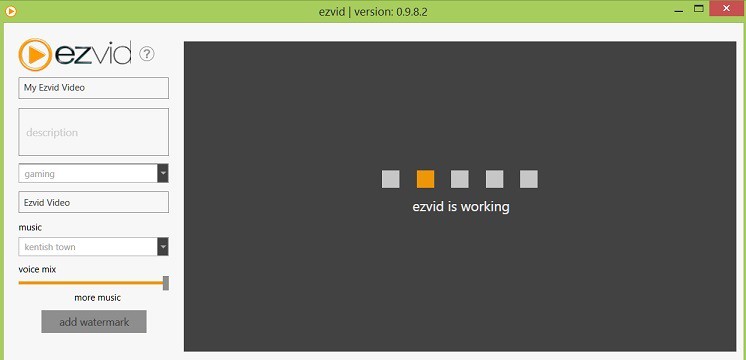
Download Ezvid for Windows 8, 10 [Latest Version]

When it comes to screen capture software, one of the best tools that you have at your disposal is the Ezvid software, a well known product in this market. The software is also known because it is a really easy tool to upload directly to Youtube
download ezvid windows 8
I have been using myself the Ezvid software to quickly upload videos to Youtube with my own blog, so I can gladly recommend it to anybody who is looking for a hassle-free screen capture tool. The software can be downloaded absolutely for free (download link at the end), but you can donate to the developer if you want to support their work. One of the reasons why Ezvid is so popular is that it is really easy to use by everybody, as its commands are very basic and easy to understand.

Read Also: Windows 8 VLC App Updated to Fix Crash on Start & Other Glitches

Albeit Ezvid doesn’t mention this officially on their website, the software works flawlessly with Windows 8.1 10, and I can confirm this myself. When starting your first project with Ezvid, you will be able to capture the screen separately and then add your own audio or your voice. It also comes with some basic editing tools, such as the ability to add text, pictures or more videos.

When recording your own video, you can also add your watermark, if you want to further brand and protect your creations. When you are finished recording, you can easily upload to Youtube and you get to choose the quality that you want. I always choose the 720p version, despite the fact that it takes longer, at least I know I will be getting the best quality. The single downside is the fact that Ezvid always adds its logo at the beginning, so you will have to go to Youtube an trim it from there.

Get Ezvid software for Windows 8, 10

Ezvid 1.003

This update dates from August 19, 2015 and has fixed a false ezvid already open warning. Furthermore, the Google API libraries have been updated, as well.

Ezvid 1.002

Released in April 24, 2015, it brought bug fixes to YouTube uploader and fixed installer errors, as well. The previous 1.001 update only contained a couple of minor bug fixes.

Ezvid 1.0

This was released in April 13, 2015 and comes with the following features:

  • SHA256 code signing certificates for maximum security
  • Massive number of new video file formats supported
  • Transcoding performance increases
  • Improved support for x64 Windows
  • Improved screen recording performance
  • Improved multi-core support and multi-threaded cpu support
  • YouTube V3 API support
  • Improved non-English support
  • Improved screen capture stability
  • Improved YouTube upload reliability

ezvid latest version download

Download Ezvid for Windows 8, 10 [Size 1.3 MB, Version 0.9.8.2, Updated November 8, 2013]

We can see that Ezvid hasn’t been updated in quite a while, but this means that the latest version is just great as it comes with some important improvements in their security certificates. Also, Ezvid has replaced a screen drawing stamp” to appease society’s gorgonizing effect on our senses of humor”. We will keep you informed when the next version of Ezvid gets launched, so stay tuned.

Windows Store finally reaches the 150,000 app milestone, but are you impressed?

Windows Store finally reaches the 150,000 app milestone, but are you impressed?

The Windows Store, home to apps and games for Windows RT and Windows 8, has finally reached the 150,000 app milestone. To put things in perspective, the Windows Store hit the 100,000 app milestone back in July of 2013. The Store passed the 40,000 app milestone back in January of 2013.

According to data from MetroStore Scanner, the Windows Store has finally reached the 150,000 app milestone, worldwide. Microsoft has been working very hard as of late, offering developers new app availability settings and simplified certification requirements so apps can be published faster. Microsoft even recently revealed that in-app purchases account for the main revenue source for monetizing apps, especially when it comes to games. Microsoft is trying to make it easier for developers to create Windows Store apps.

While the Windows Store continues to see improvement as the months go by, the app count has struggled to climb. The Windows Store has seen a slow climb in apps since July of 2013, having only jumped up by 50,000 apps in just eight months. Of course, of all these new apps that have been made available, a lot of them are crap or spam apps. Only a handful of the 150,000 apps are actually considered “quality apps” – apps that have a balance between design, content, and usefulness. An example of a quality app would be the Facebook app, or a game like Asphalt 8 Airborne.

But its not all grim for the Windows Store. We are beginning to see a gradual influx of new quality apps being added to the store. In fact, VLC Beta, Tapatalk, Flipboard, Tweetium, Rayman Fiesta Run, and much more were made available to the Windows Store over the recent months. Microsoft themselves are quite proud of this achievement.

“Many new great apps are added each day every day to the Windows Store, now with downloads growing 49 percent in the last six months. We are proud of the quality apps that are available and the interest consumers are showing. The majority of top apps have joined our platforms – over the last 7 months, 16 high profile apps or portfolios joined either the Windows Store, the Windows Phone Store or both, such as Facebook, Flipboard, Instagram, Vine, Mint, Trip Advisor and Asphalt 8: Airborne. And the number of visitors to the Windows Store alone has quadrupled,” a Microsoft spokesperson told WinBeta.

But are you impressed with the 150,000 app milestone? What can Microsoft do to help boost interest in the Windows Store? Sound off in the comments below.

Official: Download Windows 8.1 Update 1 [x86, x64 and ARM Links]

Microsoft is said to release the first update to Windows 8.1 this spring, and it could be called “Windows 8.1 Update 1” or just “Windows 8.1 Spring Update”. After having taken down download links, Microsoft has now released them again. Brows below for the links and more details
download windows 8.1 update 1

Update 2

It’s 8 April here, which means Windows XP dies and we get official links for Windows 8.1 Update 1 that everybody can go ahead and download. The easiest way is just go to Windows Update and search for the latest updates. However, if for a certain reason you’re not getting the latest Windows 8.1 Update, you can go ahead and follow the official links from below to download for your x86, x64 or ARM devices. What you need to remember is that these need to be installed in the right order that we put below.

Download links for Windows 8.1 Update x86

Download links for Windows 8.1 Update x64

download windows 8.1 update 1

Download links for Windows 8.1 Update ARM

Update

Download Windows 8.1 update from MSDN

If you can’t wait for April 8, when the official Windows 8.1 update will be available, (as the KB2919355 Windows Update), then you can go ahead and download it from the MSDN website. All Windows version have been updated (not the new Windows IoT one), so just go to this link and choose what is the version that you need. Here are all the versions currently updated and available:

download windows 8.1 update

  • Windows 8.1 Update  New!
  • Windows 8.1 with Update  New!
  • Windows 8.1 Enterprise with Update  New!
  • Windows Server 2012 R2 Update  New!
  • Windows Server 2012 R2 with Update  New!
  • Windows Embedded 8.1 Industry Update  New!
  • Windows Embedded 8.1 Industry Enterprise with Update  New!
  • Windows Embedded 8.1 Industry Pro with Update  New!
  • SQL Server 2014  New!

You would think that the Windows 8.1 update was enough to fix the problems and frustrations that Windows 8 was causing for some users, but apparently it isn’t like that. Microsoft is now expected to release yet another update which will ugly be called “Windows 8.1 Update 1” or “Windows 8.1 Spring Update” which is said to bring some really useful features for users. At the beginning of March, some leaks have appeared online and they brought official links to the download files. Also, with some tweaks to the registry, users were able to get the Windows 8.1 update 1. However, if you have missed those tricks, you now have another occasion, as official downloads links for x86, x64 and ARM devices have been made available once more.

Read Also: Top Windows 8 Wallpapers Apps with Awesome Images

x86, x64 and ARM download links for Windows 8.1 Spring Update

Microsoft hasn’t officially confirmed the links yet, obviously, so we don’t know 100% if they are genuine. But since those who have used the registry tweak have reported to get the new features which Microsoft itself has been talking, it makes sense to assume this is the real thing. It might not be the final for, but it’s definitely an almost final build, as March is coming to an end and Microsoft is said to release the Windows 8.1 Spring Update during this April. I download the updates myself and can confirm that Windows 8.1 looks different indeed. So, here are the download links, grab them while they’re hot!

Windows 8.1 Update 8.1 links for x86 devices

  • kb2919442
  • kb2919355
  • kb2932046
  • kb2937592
  • kb2938439
  • kb2939087

Windows 8.1 Update 8.1 links for x86 devices

  • kb2919442
  • kb2919355
  • kb2932046
  • kb2937592
  • kb2938439
  • kb2939087

Windows 8.1 Update 8.1 links for Windows RT 8.1 ARM

  • kb2919442
  • kb2932046
  • kb2937592
  • kb2938439
  • kb2939087

In my case, the kb2919442 update was already there, so this might be the case with you, as well. You will need to download and install them in the exact order as arrange above. The updates will require multiple reboots, so don’t get scary that it will somehow crash or even brick your system, it’s a natural behavior.

windows 8.1 spring update download

Update: and that was it, folks, download links are already down, so I hope you were swift enough to download. We’ve been approached and asked to remove the links, so you can try your luck and search for the specific updates online, maybe somebody has uploaded them to another server. We’ll keep you updated if and when they are made available again.

Top Windows 8, 10 Wallpapers Apps with Awesome Images

The best thing when having a Windows 8 device is that you can choose from endless personalization possibilities. You can use numerous apps that can customize the looks of your tablet and of course you can set any wallpaper or background image you want or prefer the most.
But if you want to use only the best Windows 8 Wallpapers apps available on Windows Store for receiving HD pictures and live wallpapers you should check the review from below. The following list is revealing only the most appreciated tools that can be downloaded from Windows Store, all the software described here being free distributed ones. As you will see, you can easily choose to set live seasons wallpapers, background images with cars, celebrities, nature, pets and lot more. All these apps are featuring HD wallpapers that are compatible with any Windows 8 device, whether we are talking about tablets, laptops or desktops. Therefore, don’t hesitate and learn which Windows 8 wallpaper app to your on your device and also don’t forget to share your favorite tool with your friends and family.

Read Also: Download the Latest Desktop Skype Version for Windows 8.1

Best Windows 8 Wallpapers Apps

Backgrounds Wallpapers HD

Backgrounds Wallpapers HDWith this dedicated app you can have your own source of high-resolution Backgrounds, Wallpapers, Photos and Images for your Windows 8.1 device. The app is featuring an easy to use UI and comes with great options and capabilities that can easily be used for managing your own private gallery of HD wallpapers. Backgrounds Wallpapers HD can be downloaded for free from Windows Store, so don’t hesitate and try it now.

Wallbase 8

Wallbase 8If you want to have instant access to a database that contains over a million HD wallpapers for you Windows 8 device then Wallbase 8 should be perfect for you. You can choose or select wallpapers by tags, popularity, random or by your own query. Moreover you ca download and set images of dogs, cats and other pets along with cars, celebrities and much more. You can anytime download for free the Wallbase 8 app by going to Windows Store.

Explore HD Wallpapers

Explore HD WallpapersAnother great Windows 8 app that you can use on your tablet, laptop or desktop is Explore HD Wallpapers. By using this tool you can easily personalize and customize the looks of your Windows 8 device by using high resolution images. You have numerous possibilities on a distance of a „tap” therefore test Explore HD Wallpapers by downloading the software from Windows Store (the app is free distributed).

Read Also: Winamp for Windows 8.1: Download the Latest Version

FunUtilities

FunUtilitiesUse FunUtilities for having access to more than 4500 wallpapers and use this Windows 8 tool for downloading your favorite images right on your device. Also use FunUtilities and change the way your handset looks like by seting and managing new and amazing wallpapers, profile pictures, lock screen and so on. FunUtilities is available for free on Windows Store, so go ahead and test it by yourself.

Explore HD Cars Wallpapers

Explore HD Cars WallpapersExplore HD Cars Wallpapers is a great Windows 8 app that can be downloaded for free from Windows Store. This tool will be the best for those who loves cars and everything related to car racings, drifting and so on. You can download and use numerous and amazin wallpapers with the most popular and unique cars for personalizing your Windows 8 based tablet, desktop or laptop.

So, those were the most appreciated Windows 8 wallpapers apps that are currently available on Windows Store. The tools described above received 5 or above stars of ratings, so you can safely test each software you want. Moreover, the tools are also available for free, meaning that you don’t have to pay anything for being able to download the wallpapers you prefer the most on your Windows 8 device.

Read Also: Download the Latest Version of Opera Browser for Windows 8.1

MyEnel App for Windows 8, 10 Released for Romanian Users

At the end of February this year, we’ve seen RCS & RDS network launch in Romania their official Digi Online Windows 8 App. Romanian Windows 8 users now have  a new app – the official MyEnel app to manage your account and pay your bills with the electricity provider. Below are more details
myenel windows 8 app
Those of you who have installed the Android version of MyEnel will notice that the Windows 8 application comes with exactly the same structure. I tried searching the Windows Store on my browser to offer you a download link, but somehow I wasn’t able to find it. So, I’m afraid that you’ll just have to go to the Windows Store for yourself and just type there “enel” or “MyEnel” and you should be able to find it. Of course, the app is absolutely free to download and is perhaps the easiest and most comfortable way to manage your account with the Enel electricity provider.

Read Also: Download the Latest Version of Opera Browser for Windows 8.1

Pay your electricity bills on time with MyEnel for Windows 8

Now you have MyEnel account in your pocket. Save time with the new mobile app that we have included all features that you found in our website. You can access all the information you need in real time, right from your phone. All you have to do is enter your username and password in MyEnel section. You can always view invoices, track your payments or consumption evolving, history of indexes, and during the reading period you can even submit the index.

enel windows 8 app

By using the official MyEnel app for Windows 8, you can view invoices, track your payments and the evolution of your electricity consumption evolving. The app also comes with a history of indexes, and lets you even submit the index during the reading period, which is usually between the 25th and 5th of the next month. However, the app does come with some glitches and mainly the fact that in the bills section you will see that the status for some of them is “unpaid” even if you’re sure you have paid them.

The app also has contact numbers where you can reach Enel, news relevant to Enal, promotions and other offers. A really cool feature is that you can have a look at how the weather is going to be for the next days. To be able to use the app, you will just have to login with the same username and password that you have used to login to their website, as well.

Read Also: Windows 8 Medical Apps: Selection of Best Ones

Get 20% off a Windows Store gift card ranging from $10 to $100

Get 20% off a Windows Store gift card ranging from 0 to 00

Windows Store gift cards are a fantastic way for Windows Phone and Windows 8.1 users to purchase apps, games, and more. Now you can snag a 20% discount on various amount of Windows Store gift cards via Newegg. You can snag a $10 Windows Store gift card for $8, a $20 gift card for $16, a $25 gift card for $20, a $50 gift card for $40, and a $100 gift card for $80.

These gift cards are not applicable for purchases at Microsoft’s online store, rather you can use them to purchase apps, games, and more from the Windows Store or Windows Phone Store, via your Windows or Xbox device. The deal ends March 20th. Enter promo code EMCPGWB87 at checkout for the discount. Head over to the VIA link below to snag the gift cards. Enjoy!

Thanks for sending this in, Anon and James!

Windows 8, 10 Medical Apps: Selection of Best Ones

Do you want to learn how to live a healthier life? Or maybe you need to interpret medical tests, images or medical prescriptions? If you do, then you can now easily manage these medical activities right from your own Windows 8 device.
windows 8 medical apps
How is that possible? Well, by using a dedicated Windows 8 medical app from Windows Store. In order to help you out, I have described the apps from below. So, during the following review you can download and test several tools compatible with any Windows 8 powered tablet, laptop or desktop for being able to plan your schedule in order to achieve the medical results you are aiming at. Moreover, you can use some of these tools for uploading medical images on your own device, for learning what to eat and drink when you are in pain and for accessing medical knowledge and terminology.

Read Also: Download the Latest Desktop Skype Version for Windows 8.1

Anyway, read the lines from below and see which app you need in order to resolve your own problems. The tools reviewed are selected based on user experience, all the platforms receiving 5 or above stars of ratings.

Be your own medical specialist by using Windows 8 medical apps

Medical Dictionary

Medical Dictionary

If you want to have a medical database to use each time you need extra info about medical terms, knowledge and terminology then you need to use Medical Dictionary. As the name suggest, this apps provides definitions and details about everything that’s related to the medical domain. Medical Dictionary is available for free on Windows Store.

HealthVault

HealthVaultAnother free distributed medical Windows 8 app to use on your own device is HealthVault. With HealthVault you can take control of your health and keep your most important health information at your fingertips. You have great options and features to use so don’t hesitate and test HealthVault for further info.

Health Organizer

Health OrganizerA great medical Windows 8 app that received 4 stars of rating on Windows Store is Health Organizer. By using Health Organizer you can easily and safely record and track the medical information for yourself and your loved ones in order to make the first steps towards a healthier life. The tool comes with extremely useful features, but it is priced $1.49 on the Store. Anyway, if you want a great medical software, then you should try Health Organizer on your Windows 8 device.

Active Life

Active LifeWe all know that proper food and daily exercises are meaning a healthy life and fewer visits to the doctor. So, learn how to live a healthier life by using the Active Life tool right on your Windows 8 device. You can create a profile for each person in your family to track their diet, medication, exercise and other health needs for free as Active Life is a free distributer tool on Windows Store.

Read Also: Winamp for Windows 8.1: Download the Latest Version

Health Scope

Health ScopeA highly appreciated Windows 8 app that received only great reviews on Windows Store is HEALTH SCOPE. Learn how to stay in fit and how to be healthy by checking what exercises and yoga to perform and what kind of food you have to take. Don’t worry, HEALTH SCOPE is available for free so you can anytime download and test this new medical app.

Medical Image Vault

Medical Image VaultWith Medical Image Vault you will be able to view and share yours or your family’s medical images right from your phone, tablet or desktop Windows 8 device. Medical Image Vaul can upload, query, receive and display yours or your family’s medical images while being at the doctor’s office or anywhere else. This tool can turn out to be extremely useful in numerous situations, so do test the same by your own.

Secure Health

Secure HealthThe last Windows 8 medical app reviewed is Secure Health; this free distributed tool is quite amazing as by using the same you can easily apply all kinds of home remedies for treating different health problems without using drugs. With Secure Health you can now successfully combat real life stress and become an optimistic person who is living a healthier and better life. Check out the other features included on Secure Health by downloading the software from Windows Store.

The apps detailed above are maybe the best choice to make when needing medical assistance on the go. So, without consulting a doctor you can now learn more about medical terms and you can also learn how to live a healthier life by eating properly and by combating real life stress. Feel free and use the comments field from below if you want to share something related to this topic with us and with other Windows 8 users.

Read Also: Top 5 Windows 8 Shopping Apps for the Best Prices

Design your House With ‘Live Interior 3D’ App for Windows 8, 10

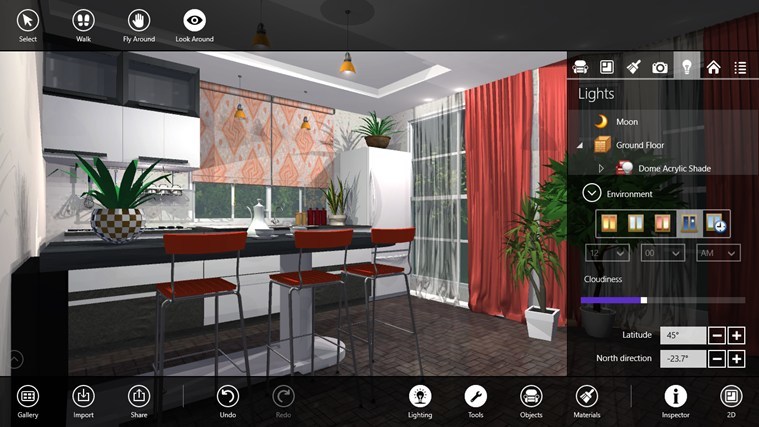
Back in July last year, we shared with you an interesting collection with some of the best interior design apps that you could use on Windows 8. Now the Live Interior 3D app gets launched and it looks absolutely great.
interior design app windows 8
Applications like this one make the Windows Store a great place for those who own especially Windows 8, 8.1 and RT touch devices. Live Interior 3D is a new interior design application for Windows 8 users which has been recently submitted in the Windows Store and can be downloaded absolutely for free. Looking at how much work has been put into the app, I applaud the developer for deciding to offer it for free, albeit many would pay for such quality. But since the app has a “free” word in its title, I guess that there will be a paid version without advertisements.

Read Also: Winamp for Windows 8.1: Download the Latest Version

Probably the best interior design app for Windows 8 currently available

Ever dream of designing the house of your dreams on your Windows 8 device? Live Interior 3D can deliver! And it doesn’t matter whether you’re a homeowner planning some upcoming home improvements or a professional interior designer trying to bridge the gap between ideas and visualization.

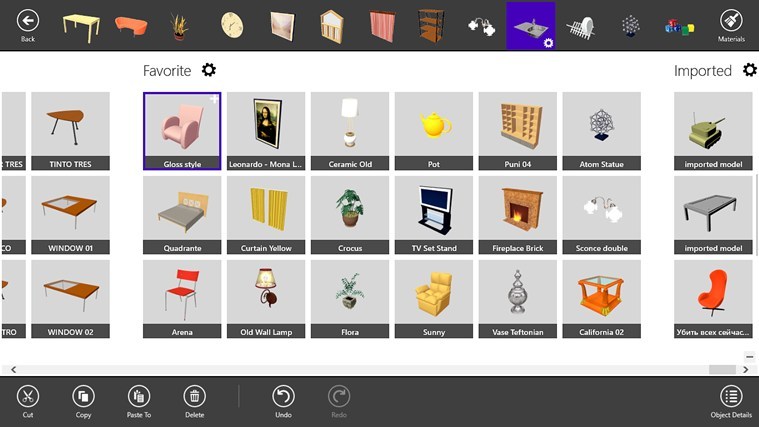
windows 8 interior design appThe single downside, if I can call it like that, is the pretty big size of the app – almost 400 megabytes, but if we have a look at everything that’s inside the app, it makes sense. There are more than than 1,200 objects and 1,500 materials to choose from in order to help you decorate and design your house. The app looks really masterfully crafted, so it can be equally used by those who want to design their own house but even by professional who want to showcase projects to their clients.

The app comes with many useful features, such as the ability to create detailed 2D floor plans, great looking real-time 3D rendering and the option to quickly add and customize a roof. You can build up to two stories with a loft from within the app and you can also apply materials, move objects, adjust light, walk around, and a bunch of other stuff in the realistic 3D environment. If you happen to already have a model in the Trimble 3D Warehouse, then you can import it and modify it inside the app.

There are other features such as interior lighting fine tuning and the ability to adjust natural lighting. Of course, you can easily share images or save them in the Gallery. The will work on touch and desktop Windows 8 and Windows 8.1 devices but also on Windows RT. Follow the link from below to get and also have a look at the Architecture app for Windows 8.1.

Download Live Interior 3D Free app for Windows 8, Windows 8.1

Best Windows 8 App This Week: Animation Desk

When talking about the latest edition of Windows 8 Red Stripe Deals, I told you that we’ll have a closer look at Animation Desk, a really cool new Windows 8 animation app that has made it in our “best app of the week”
windows 8 animation app
If you are really good with drawing on your Windows tablet or just at drawing on modern device – such as this 97-year old who used Paint to create some awesome works of art -, then you will probably be interested in downloading an animation app. From all the apps currently available in the Windows Store, I dare to say that Animation Desk is currently the best Windows 8 animation app that you can download and install. It is available for only $1.99 but the good part is that there’s a free trial option available, as well, so you get to try out the app before paying for it.

Read Also: Kobo App for Windows 8 Receives Important Improvements

Really cool Windows 8 animation app lands in the Store

Animation Desk for Windows8 provides an intuitive drawing environment so that anyone can enjoy creating their own animated works. With an interface that resembles a traditional animation desk, each frame is completed in the working environment of a professional animator.

windows 8 animation desk app

This app can be used by everybody, of course, but only those who are really good at drawing (unlike me), will be able to make the most of it. So don’t give it a poor rating just because you can’t handle it properly. The app is beautifully designed and comes with plenty useful features such as the following – works on desktop and touch Windows 8 and Windows RT devices, you can use your mouse or your fingers to draw; a really nice looking interface which resembles a traditional animation desk, onion skinning and all the right tools needed to make a gorgeous animation.

The application supports layers and you can use different sized brushes with pressure sensitivity. You can adjust the size and opacity of your brushes and also employ the color selection palette. When you are ready to give life to your drawings, there are four sets of frame rates to choose from. When you’re not too happy with your creation, there’s an eraser tool that you can use. You can easily export your project as MP4 file, or choose to play, delete and duplicate it within the app. To know more of the app and see how it feels, go ahead and download it by following the link from below.

Download Animation Desk app for Windows 8, Windows 8.1

Still using Windows XP? We want to know why

Still using Windows XP? We want to know why

Windows XP, an operating system we’ve probably all used at least once in our lives, is old. It was released over 10 years ago now, and Microsoft is finally about to kill support for the OS in favor for its more recent and up to date operating systems. Still, that hasn’t stopped over 29% of the worlds population from using what’s soon going to be a hackers paradise.

On April 8th, Microsoft will kill support for Windows XP as a whole. The operating system will no longer receive security patches and updates, therefore being left out in the cold for any old hacker to write up a quick virus script and set it off on the internet for all Windows XP users to be vulnerable to unless you’re using third party security. This doesn’t seem to be an issue for 29% of the population though, and we’ve heard many people say they WILL not move from Windows XP no matter what.

We want to know why. If you’re a user who uses Windows XP as their daily driver, we want to know why you refuse to upgrade to a more recent version of Windows. Is it because you don’t like change? Perhaps it’s because the hardware you use Windows on is too ancient to run anything newer. Either way, let us know in the comments section below!

Microsoft’s One vision really could be Steve Ballmer’s greatest legacy

Microsoft's One vision is Ballmer's greatest legacy

Branding is important. It may not be quite as important as a product or service, but if the branding is wrong, the message and experience is diluted. Around nine months ago, Steve Ballmer set out a new vision for Microsoft — One Microsoft — and it could be his greatest legacy. It was heralded as “a far-reaching realignment of the company that will enable us to innovate with greater speed, efficiency and capability in a fast changing world”. It’s a process that is still on-going, but the sharpened focus has already paid off.

The singular vision for Windows 8.x, Xbox One and Windows Phone is hugely versatile and helps to create a sense of family, a sense of belonging that has been missing from Microsoft for some time. It is something that Apple users have enjoyed for years, but the One Microsoft vision sees the company successfully catching up in this field, “delivering a more coherent message and family of product offerings.”

One the face of it, there is the interface convergence between the desktop, mobile and gaming platforms, but it goes further than this. Talking to the New York Times, new CEO Satya Nadella said: “One things we’ve talked a lot about, even in the first leadership meeting, was, what’s the purpose of our leadership team? The framework we came up with is the notion that our purpose is to bring clarity, alignment and intensity. What is it we want to get done? Are we aligned in order to be able to get it done? And are we pursuing that with intensity?  That’s really the job.”

Unity, oneness, circularity, singularity — this is what Microsoft is now about.

The company is more streamlined, but this is something that is only really visible from the inside. For the average Microsoft consumers, it is the products that do the talking. The look of software and platforms is important for creating the family of products that Microsoft is so keen to foster.

The One branding is quite important to this. There is an obvious suggestion of a singular vision in the name, and it kicked off with Xbox One. Being forced into changing the name of SkyDrive ended up being a blessing in disguise. It is a strong naming convention that is very powerful on a subconscious level, and it works very well with the 365 brand.

The Office 365 brand is similarly strong. It conveys a sense of being there whenever needed — it exudes reliability, the perfect partner to One. Would it make sense to extend the One branding to create One Office, One Windows? It’s certainly something that could be argued, but 365 is also very powerful. It not only suggests ‘always’ but also ‘everywhere’, tying in beautifully with the gradual move to the cloud and SaaS (Software as a Service).

It would be good to see the One name extending further into Windows Phone — perhaps this is something we’ll see with the release of Windows Phone 8.1 — as the singular vision is still slightly fragmented at the moment. But with the right focus and drive, Microsoft’s One vision really could be Steve Ballmer’s greatest legacy.

Windows 8, 10 FLAC Player App Gets Fixes for Surface 2 Owners

If you are looking to read FLAC music files easily on your Windows 8, 8.1 or Windows RT device, then one of the easiest ways would be to download and install the “FLAC Player” application. Even more that it has now received some needed updates.
flac player windows 8 app
For those who don’t know or simple aren’t aware of this, FLAC stands for Free Lossless Audio Codec which represents a codec for lossless compression of digital audio. It is said that digital audio compressed by FLAC’s algorithm can typically be reduced to 50–60% of its original size, which is why many are interested in this file types, especially those who are dealing with music on a professional level, like DJs or those in recording studios. And here’s some more on it:

Read Also: Plex App for Windows 8 Receives Multiple New Features

FLAC is an open format with royalty-free licensing and a reference implementation which is free software. FLAC has support for metadata tagging, album cover art, and fast seeking. Though FLAC cannot store floating-point data, and playback support in portable audio devices and dedicated audio systems is limited compared to lossy formats like MP3 or uncompressed PCM, FLAC is supported by more hardware devices than competing lossless compressed formats like WavPack.

Use FLAC Player app on Windows 8 to open FLAC music files

windows 8 flac files

The app seems really useful as it is a really clean and simple audio player that everybody can use to play FLAC files. What I don’t like is the fact that there’s no free trial option available, as not everybody will be ready to pay $2.99 for an app without seeing what it’s worth. Among its most important features we find the customizable playlist, background playing and automatic album cover art support if there’s one.

Of course, you can play, pause, seek and there’s some nice audio visualization to “see” sounds. It also supports snapped view on Metro, or the Modern interface, as it’s called now. A really feature is that it allows you to convert FLAC files to other formats like WAV, MP3, WMA, M4A. And according to its latest update which has been detailed in the changelog, a really annoying playback issue that Surface 2 owners have been reporting is now fixed. If you’re interested in such an application, then follow the link from below to get it.

Download FLAC Player app for Windows 8, Windows 8.1

Plex App for Windows 8, 10 Receives Multiple New Features

When it comes to organizing your media files in a single places, you can use the built-in Xbox Music app for such third-party titles as Media Monkey or Multimedia 8. But Plex is also a pretty good alternative and now it’s been updated with more features.
plex windows 8 app
Released not so long ago in the Windows Store for Windows 8, 8.1 and RT users, the official Plex app is now getting a pretty important update. If I recall correctly, the application was initially available for free, and it then required a subcription once you wanted to acess content inside the app; now, it seems that the app has been available for a price of $4.99, but what I’m not sure about is whether or not you’ll be further required to log in. However, my guess is that 5$ is only for its media player abilities.

Read Also: Metro News App for Windows 8 Launched, Canada’s Popular Newspaper

Plex app for Windows 8 receives important update

windows 8 plex app

Plex organizes all of your personal media, wherever you keep it, so you can enjoy it on any device. With Plex, you can easily stream your videos, music, photos and home movies to your Windows device from your home computers running Plex Media Server

The latest version of Plex for Windows 8 brings quite a few new features, as well as bug fixes and various other improves. First of all, the player discovery tool has been seriously fixed and the HTTP Live Streaming stack has been updated. Also, you can now disable the background art and the space bar no longer behaves funny during video playback.

Others fixes include the problem with resuming HLS content, the ability to run the app concurrently by multiple users and many other crashes reported by users. Also, the custom library section icons now appears and more granular video quality bitrates have been put in place, as well.

Just like before, you can use the Plex Media Server to stream your videos, music and photos across your Windows devices. You will be able to control your big screen from your Windows 8 tablet which will act as a remote. Also, many online channels such as TED, Revision3, TWiT, CNN and others will be made available. Follow the link from below to get the app which has less than 3 megabytes.

Download Plex app for Windows 8, Windows 8.1

Top 5 Windows 8, 10 Shopping Apps for the Best Prices

windows 8 shopping apps

Do you want to manage your shopping list with ease? If so, then you can now learn how to plan and organize your shopping schedule right from your own Windows 8 device. In that matter you can now use dedicated apps which can be anytime downloaded, mostly for free, from Windows Store. In order to help you out, I have developed the review from below, so take a look over the following list.

Nowadays, it’s extremely easy to buy stuffs, whether we are talking about clothes, shoes, bags, electronics, high end devices and lot more. You can do all this from the comfort of your home as you can use numerous online market places. Online shopping can now be used on your Windows 8 device too, on Windows Store being a variety of dedicated tools. All the major online retails are offering easy to use platforms from which you can check the latest offers, catalogs and lot more. Moreover you can order your products by using your Windows 8 tablets, laptops and desktops, so do check the review from below for learning which are the most appreciated Windows 8 shopping apps available for your device.

Read Also: VLC Media Player App for Windows 8.1 is Here [Review]

Best Windows 8 shopping apps reviewed

Amazon

Amazon

Amazon is maybe the most popular worldwide online retail and now you can shop your favorite products from Amazon on your own Windows 8 device by using the official Amazon client. The app can be downloaded for free from Windows Store and any use can use it for shopping different products, for comparing prices, reading reviews, share shopping list with friends and lot more.

eBay

eBay

Another extremely popular online market place is eBay. Similar with Amazon eBay is offering different products for online buyers around the world. Now you can download the official eBay client on your Windows 8 tablet, laptop or desktop for free from Windows Store. The app which is available on the Store comes with great features and with stability improvements as recent releases of the tool were buggy, according to users’ reviews.

Zappos.com

Zappos

From Zappos.com online retail you can buy shoes, clothes, bags and many other appreciated products. You can use Zappos for getting a brand selection and for having access to a large database of articles that can be easily purchased from your own Windows 8 device. In that matter you can anytime download Zappos.com client for free from Windows Store.

Victoria’s Secret PINK

Victoria's Secret PINK

Victoria’s Secret PINK dedicated app for Windows 8 devices can now be installed on any portable device, so you can buy your favorite looks straight from your tablet, laptop or even desktop. You will be using the official platform developed by Victoria’s Secret, thus all the products will be available for you, while you will be able to buy different articles from the comfort of your home. You can anytime download Victoria’s Secret PINK Windows 8 app for free from Windows Store.

Coupons

Coupons

A great app that you can use is Coupons. As the name suggest this Windows 8 tool is featuring numerous coupons that can be used for buying discounted products. Wit Coupons you can view and check the latest RedPlum and Amazon discounts so you can organize your shopping schedule. Moreover, by using this software you can save money and you can order different products from one of the most popular market places. Don’t hesitate and check Coupons for free by heading to Windows Store now.

Zara

Zara

Do you want to have access to the latest fashions for women, men and children on your own Windows 8 device? If so, then you must try the official Zara client for Windows 8 platform. With Zara you can buy your favorite clothes online, you can participate to weekly contest and you can keep up with the latest discounts. Try Zara anytime you want, the app being available for free on Windows Store.

Another highly appreciated Windows 8 shopping app is Office Depot. This tool has been previously described and detailed here on Wind8apps, so if you want to learn more about it don’t hesitate and read our review. You

Good; now those were the best shopping apps that are available for the Windows 8 system. The tools described above are being the most popular ones and received good reviews from the users who have used them.

Therefore, download and test the Windows 8 shopping apps on your own device and share your experience with us and with our readers. Some shopping apps like 7-Eleven may not be working but this is universal for any app and the fixes are easy to execute.

These kinds of shopping apps sometimes fail to load or show errors. We explained common fixes in our Flipp app not working guide.

Also, point out any other shopping app you are using on your Windows 8 handset and we will update this review with the same.

Read Also: Top Windows 8 NFC Apps in the Windows Store

VLC Media Player App for Windows 10 is Here [Review]

After a long journey, waiting times, and the certification process needed as part of the official release, VLC is officially here. Read below for more on it and a video overview of its features.

At the very beginning of 2013, VideoLAN already had all the money it needed to continue the development of the official VLC app for Windows 8, as its Kickstarter crowdfunding campaign had even exceeded the goals it has set. But it is finally over, and VLC for Windows 8 is here.

We’re taking it for a ready, and you can see what it looks like in the video below before downloading it (link at the end of the article).

Your favorite media player is now in the Microsoft Store

VLC for Windows 8 is an experimental port of VLC media player for the WinRT platform. VLC media player is an open source application that plays all multimedia file formats, from files, streams and discs on all platform. This application will play most video file formats, including Ogg, FLAC and MKV.

vlc app windows 8

VLC for Windows 10 is currently in Beta, and when you will first enter the application, you will see this mentioned inside the app itself, so bugs and other glitches are to be expected. This means often updates will make their way on the official changelog, and we’ll be here to report on that, as well timely.

Using the official VLC app for Windows 10, you can virtually play every kind of video, even Ogg, FLAC, and MKV.

As you will see in the video below, the app comes with the following sections: Home, Videos, Music, External Storage, and Media Servers. The ‘Last Viewed’ will display the latest videos and tracks that you have played.

However, currently, you aren’t able to add music files to the VLC media player, as only the “open video” command will be available. I’ve tried various audio formats, but no good. I guess that will get included in the future.

When playing a video, you can increase and decrease its playback speeds, go to the next available file, and add the subtitle file. You can choose to disable the soundtrack of a movie or change its tracks if there are some.

Another early bug I discovered occurred when adding a new video file while playing one. The newly added file would wrongly inherit the name of the previous video file, as you can see in the short overview of the app for yourself. This is a minor bug, and I’m sure it will get fixed.

The application is officially in version 0.2.0 and will work for Windows users, as well, because VideoLAN cited the fact that many still haven’t jumped to Windows 8.1.

The app also won’t work on Windows RT devices, as it has been compiled for x86 and x64 devices. Again, this is another feature that will get added with a future release.

VLC for Windows 8 supports the same codecs as the VLC application for desktop, from MPEG-1 to H.265, through WMV3 and VC-1; it also supports multiple-audio tracks selection, embedded subtitles, background audio playback, Live Tiles, removable storage, and DLNA servers, as you have seen in the above video.

Besides the glitches I have observed, VideoLAN also says that the app is currently slow, subtitles support is not very good, and there are some issues with audio.

Nonetheless, it performs the basic jobs quite well, so go ahead and download it from the Windows Store by following the link below.

Get VLC

Microsoft releases infographic on Windows XP end of support, explains why you should upgrade

Microsoft releases infographic on Windows XP end of support, explains why you should upgrade

As most if not all of you know, Windows XP is set to reach its end of support on April 8th. That’s just a few short weeks away. Microsoft’s Services team has put together a cool new infographic showcasing details on why you should ditch Windows XP for a more modern operating system.

In the infographic, you are given reasons as to why Windows XP’s end of support is crucial, meaning there will be more more patches, no more updates, and no more service packs. In fact, Microsoft highlights the operating system infection rate and showcases how Windows XP has a high infection rate, compared to Windows 8, which has the lowest.

“Organizations that continue to retain a Windows XP environment not only are leaving themselves exposed to security risks and support challenges, but also are wasting budget dollars that would be better used in modernizing their IT investiments,” the infographic states.

This infographic is perfect to print out and hand over to your IT department or boss, if your organization still utilizes Windows XP. Hit the download link below to snag the infographic.

Top Windows 8, 10 NFC Apps in the Windows Store

These days using a WiFi connection isn’t the only way possible for transferring data from one device to another. As you know, most of the Windows 8 devices are coming with NFC support, so by using the mentioned protocol you can easily establish a proper connection between different devices like tablets, laptops, or desktops. In case you want to learn which NFC apps works best on the Windows 8 platform, don’t hesitate and take a look over the list from below.
nfc windows 8 apps
NFC or Near Field Communication represents a short-range protocol used for contactless communication between various devices. You can understand NFC as a simplified WiFi connection, though the terms are quite different. In order to establish the mentioned connection both Windows 8 devices must have support for NFC. You can use this connection for exchanging data but only on a short range distance (less than 2 cm). Of course with NFC you can transfer only small amount of data, but the service is quite useful especially when you need to get something quick and by using high-speed data transfer.

Read Also: Windows 8.1 Video & Music Apps Updated: Curated Lists & Playlist Improvements

Anyway, if you want to properly use NFC on your Windows 8 device, then check the list from below and learn which app to download from Windows Store in order to enjoy a stable and proper connection.

Some of the best Windows 8 NFC Apps

Share My Files

Share My FilesShare My Files is a dedicated NFC app compatible with Windows 8 devices, the app bringing important features that can be used for transferring data and for completing other operations. In a few words with Share My Files you will be able to send files to other Windows 8 tablets, laptops or desktops using either NFC or Wi-Fi Direct, while you can also upload your local files to your SkyDrive account, or send them to any other Windows 8 PC using “Tap and send” in the Devices charm, which leverages NFC. Share My Files is priced $1.99 on Windows Store but a free trial can be anytime downloaded for testing the tool by yourselves and for free.

TagWriter

TagWriterThis tool is perfect for those who are new in using the NFC concept. TagWriter is coming with basic features and with advanced options that can be used for managing NFC accounts, transfers and so on. Moreover, TagWriter is available for free on Windows Store so you can test this app without spending any money. You can learn easily how to send files and data using NFC and you can also develop new strategies for improving your NFC experience.

NFC Kits

NFC KitsAnother free distributed Windows 8 NFC app is NFC Kits. NFC Kits is a highly appreciated tool on Windows Store as the software received four stars of ratings and great reviews from the users who have tested it on their own Windows 8 devices. Basicially with NFC Kits you can easily create your own NFC tags, while the tool can be used for reading, or writing messages from proximity devices. Tag format supported: URI, Mail, Telephone, Contact, Launch App, Windows Phone and Printer. If you like it, then don’t hesitate and head to Windows Store and download for free NFC Kits.

That was all for now; this was my review related to the best Windows 8 NFC apps that are currently available at Windows Store. You can anytime test these apps in order to choose the tool that you prefer the most. Also, if you managed to use a better software than the ones described here, don’t hesitate and point that out by using the comments field from below and we will update this review accordingly.

Read Also: March 2014: Best Windows 8 Apps & Games

WWE Windows 8, 10 Apps: Top 5 to Use

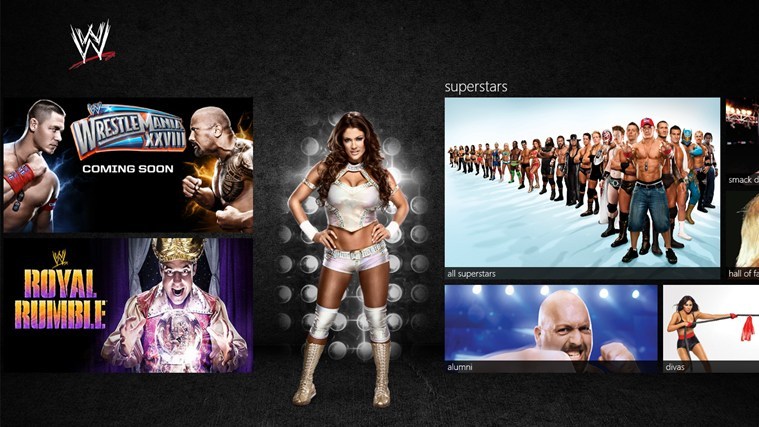
Are you a wrestler fan? Or do you want to keep up with WWE events on your own Windows 8 device? If so, then you will probably want to use a proper app on your tablet, laptop or desktop; thus in that matter you can check the review from below where I have described the best WWE Windows 8 apps that are available on Windows Store.
wwe apps windows 8The WWE phenomenon is extremely popular not only among US users, as currently worldwide wrestlers fans are trying to watch all the WWE events, play WWE games and learn more about their favorites wrestlers. But what can you do when you have missed the live episode, or when you can’t have access to your TV? Well, in that case you should use your Windows 8 and Windows 8.1 based device as there are several WWE dedicated apps available on Windows Store. Therefore, if you want to keep up with main WWE events don’t hesitate and learn which app to download on your Windows 8 tablet, laptop or desktop.

Read Also: Best Windows 8 Alphabet Apps for Your Kids

Top WWE Windows 8 Apps from the Windows Store

WWE

WWEAs the name suggests this Windows 8 WWE is what every wrestler fan needs. First you should know that this is not a game, as the tool can be used only for checking everything that’s new on the WWE community. You can find out spice details about the top five wrestlers that are gaining interest and a brief synopsis of their current storyline, or you can read current news surrounding the WWE and the wrestlers. Furthermore, by using the WWE software for Windows 8 devices you can watch clips from old matches, or recent event you have missed. The app is great and works on any Windows 8 and 8.1 based device. You can download WWE for free from Windows Store, so don’t hesitate and test this awesome tool.

SLAMMED!

SLAMMED!If you want to play a WWE game on your Windows 8 and 8.1 device then you must try Slammed. This is not a classic game with wrestlers as the software features a more unique game plan. Basically you will develop your own wrestler story by becoming yourself one of the best wrestler that exists. You will develop your personality by reading and solving the novel offered by Slammed and also you will learn new and spicy details about the WWE world. This is professional wrestling. And you’re about to change it, forever. Slammed is priced $2.99 on Windows Store, so go ahead and try it out.

Wrestlepedia

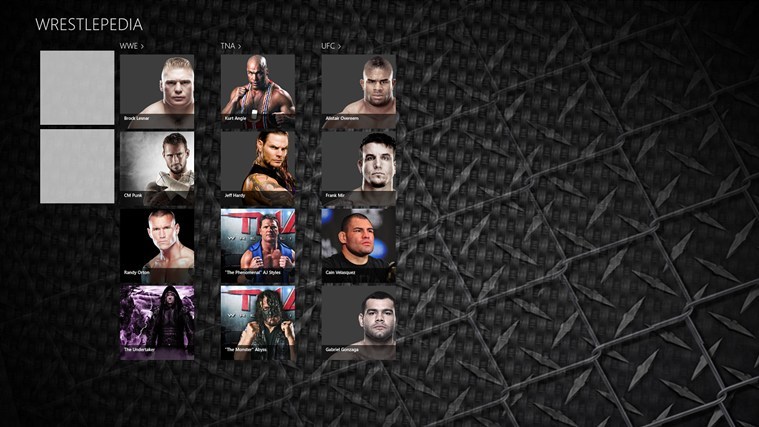
WrestlepediaIf you are a WWE geek, then you need to test your abilities. How? Well, quite easy, as now you can use Wrestlepedia, a Windows 8 app that can be installed on your tablet, laptop or desktop. The tool can be easily used even by a newbie who wants to discover more about the WWE phenomenon as the app is featuring a database that contains precious information regarding various wrestling famous names, their abilities, strength, accolades etc. You can download Wrestlepedia for free from Windows Store.

Legends of Wrestling

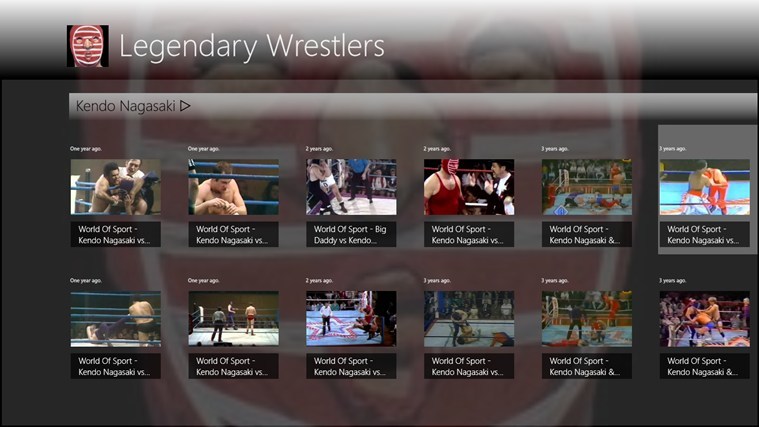
Legends of WrestlingEach WWE fan must know the history and the legends that stand in front on what we currently understand in term of wrestling. In that matter, you can now discover wrestler stars and legends by using the Legends of Wrestling app on your Windows 8 and 8.1 device. By using this tool you can play, rewind, play again (at slow motion if you want) classic clips from British Wrestling’s greats. Legends of Wrestling can be anytime tested as the tool is available for free on Windows Store.

The Steel Cage

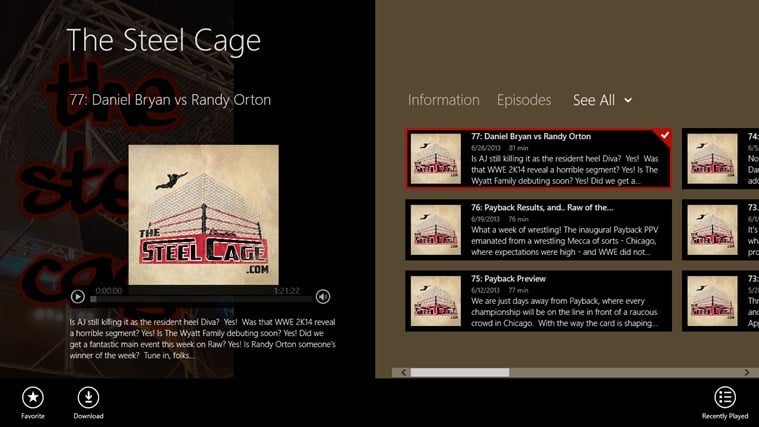
The Steel CageDo you want to access The Steel Cage – WWE Podcast? If you want to play episodes right away on your Windows 8 device, then The Steel Cage is the perfect app for you. The tool features streaming access to play episodes from anywhere, an archived back catalog and lot more. Test this app by yourselves; The Steel Cage is priced $1.99 on Windows Store.

So, there you have it; those were the best 5 WWE Windows 8 apps that you can download anytime from Windows Store. Of course, there are many other tools available, so if you have your own list of preferences, don’t hesitate and share your thoughts with use by using the comments field from below.

Read Also: Best Windows 8 Indie Games to Download From the Store

Titanfall launches tonight, watch the live video of the event here

Titanfall launches tonight, watch the live video of the event here

It’s likely that even casual gamers are aware of Titanfall, and the fact it will be released tonight for both the Xbox One and PC. The event, held by Microsoft, will take place at the Austin, Texas SXSW festival — a convergence of music and tech, with a bit film thrown in for good measure.

The festivities kick off at 11pm ET, 8pm PT, and Microsoft has planned a show from its Austin studio, including guests from Respawn, and everything set to be hosted by Larry Hryb, better known as Major Nelson. The game goes on sale at midnight, spreading across local time zones, and will roll out to other, non-US, regions in the next few days. If you don’t wish to go stand in line, and those are already forming, then pre-orders are already available for most major retailers.

If you aren’t going to be at the big event tonight, you can watch the video of all the festivities from the Lone Star State right here on WinBeta. The feed is up and ready, though the event will not kick off until later. Check back with us to see the below video go live later tonight.

Titanfall launches at midnight tonight in North America, while those in Europe will see the game on March 14th.

Watch live video from xbox on www.twitch.tv

Best Windows 8 App This Week: Electric Toolkit

A new week gets a fresh start here so this means we’re ready to share with you what we have hand-picked as the “Best Windows 8 App of the Week”. In the previous week have featured Chronozoom, a nice history tool and now we’re presenting Electric Toolkit.
electric toolkit
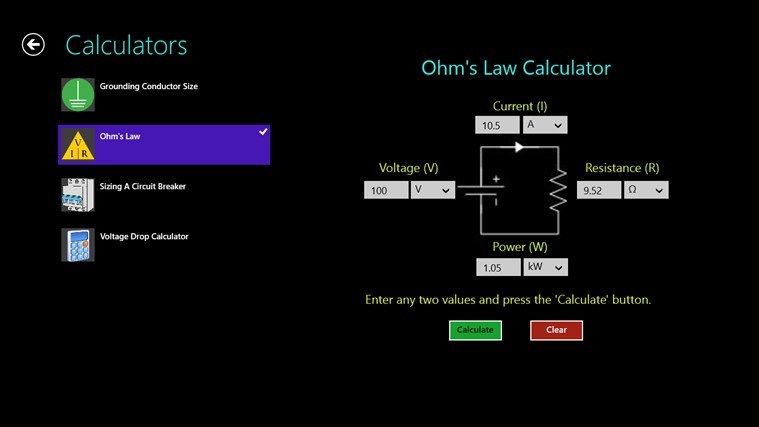
I am telling you beforehand that this app is aimed only at select Windows 8 users, especially engineers, electrician and just math lovers. Of course, since the Electric Toolkit app for Windows 8 is described as one to help you with your home wiring project, it is virtually helpful to just about anybody who owns a Windows 8 touch or desktop device who wants to make use of such an application. It was previously available on the Android and iOS platform and now the successful title has made its way into the Windows Store.

Read Also: Doodle Devil Game Released for Windows 8, Download Now

Electric Toolkit for Windows 8 helps in home wiring

Electric Toolkit is an easy to use collection of electrical wiring diagrams, pinouts, and electrical calculators for home wiring projects. Electrical wiring diagrams, including 3-way and 4-way switches. Audio/Video pinouts and basic calculators for NEC, ohms law, and circuit breaker sizing.

windows 8 electric toolkitThis is a really awesome app and comes with many interesting and useful features, such as the following: different switch wiring diagrams like basic light, 7 different 3-way, 4-way, multiple GFCI and wall outlet. Also, there’s a Service Entrance Ground Size Requirements table and a Grounding conductor size calculator. Of course, not everybody will understand what this all means, but those who do, will appreciate.

The app also comes with an Ohms Law calculator, a Sizing a Circuit Breaker calculator, a Voltage drop calculator and Audio/Video Cable pinouts for the following: Component, DisplayPort, DVI, Ethernet, Firewire, HDMI/Mini HDMI/Micro HDMI, LPT, PS/2, RCA, Serial port, S-video, USB 3.0/Mini USB/Micro USB, and VGA.

I actually wanted to try out the app for myself, but couldn’t because there was no free trial option available. And the app isn’t quite cheap at five bucks. However, if you know how successful the app has been on other platforms, then you probably know what you’re paying for. Follow the link from below to the link on the Windows Store.

Download Electric Toolkit app for Windows 8, Windows 8.1

Microsoft gives Windows a Celtic makeover with new themes

Microsoft gives Windows a Celtic makeover with new themes

St. Patrick’s Day is just a few days away — it’s 17th March in case you forgot to mark your calendar — and to help get you in the mood, Microsoft has released a new batch of themes for Windows including one with an Irish leaning. For anyone yearning for the lush green pastures of Ireland, the suitably named “Ireland” theme — complete with Celtic music — is on hand, but there are several others to choose from as well.

Of course it is not just Ireland that has beautiful scenery to offer, and in other themes you’ll find German coastal scenes as well as an interesting mix of fantasy and nature in the cryptically named “GTGraphics 3” theme. For fans of more traditional nature imagery, “Colors of Nature” is a theme that is sure to appeal.

Head over to the Windows Experience Blog where you’ll find links to each of the themes as well as a collection of new wallpapers. There’s sure to be something that takes your fancy, so get browsing and grab a download to give your desktop a new look.

Skype App for Windows 8.1, 10 Gets Ringing Improvements

Skype is one of the most used social and communication tools across the world, and with the launch of Windows 8, it has been redesigned with new features. Now the application has received a new update which improves the ringing features.
skype app windows 8
After Microsoft has bought Skype, it has tried to integrate it in all the services that the Redmond giant could. In Windows 8 and Windows 8.1 there are two ways that you can use the app – in desktop or in touch interface mode. I somehow like the good old desktop mode, as I haven’t managed to “understand” and get accustomed with the new one.

Read Also: Download Bing Wallpapers With ‘Bing Images’ App for Windows 8

Skype for Windows 8 fixes some ringing problems

Stay connected while you shop, read, watch and work. When you do more with Skype, there’s more to talk about. -Connect how you want, when you want. Chat, hear their voice, or get together face to face all within the comfort of one app. -Snap Skype alongside other apps to get more done or play a game together while you chat. -Share everyday things and special moments – files, photos, or even a video message. -Connect with anyone else on any PC, Mac, Android, iPad, Windows Phone, iPhone, Xbox One or more.

skype windows 8 app

According to the changelog of the official Skype app, the new update consists in the fact that Skype will stop ringing in that moment when you answer a call somewhere else. I know that this has been an annoying issue for the desktop version for some years and I’m glad that Microsoft has come up with a fix for the touch version.

Some previous important updates that Skype for Windows 8 had received fixed some crashing problems and also the ability to manage contacts easier and to mute instant messaging sounds has been included. If you somehow lack the Skype app on your Windows 8 and Windows 8.1 device or just to know more about it, follow the link from below.

Download Skype app for Windows 8, Windows 8.1

Download Bing Wallpapers With ‘Bing Images’ App for Windows 8, 10

Bing Images is a cool new application that has recently been made available as a free download in the Windows Store. Those who are looking to download monthly Bing wallpapers can now use this app to do so much easier on Windows 8.
bing wallpapers download
There are many ways that you can take to download those awesome wallpapers featured on Bing’s homepage for its search engine service, but if you are running Windows 8 or Windows 8.1, the easiest way is to download the ‘Bing Images’ app that has recently made its way into the Windows Store. The will work on your Windows 8/8.1 touch and desktop devices and also on Windows RT. I have been using the app myself and I’m really pleased with its quality.

Read Also: Windows 8 Radioline App Launches, Brings Plenty of Radio Stations & Podcasts

Get monthly Bing wallpapers with this app

Shows all the Bing wallpapers for the selected month. Here users can easily navigate to any of the months’ wallpapers. User can select any of the thumbnails to view the full-sized wallpapers.

bing wallpapers pack

You will be able to browse Bing wallpapers that date back to January, 2009, so there’s plenty to choose from. Of course, it’s a pity that you can’t download them all as a pack and that the HD (high-definition) quality is also lacking, but it’s a great way to keep up with the new wallpapers that get released.

Once you have opened a picture, you then have the ability to save the wallpaper to your device or set it as the lock screen. You can easily navigate and see thumbnails of all the pictures previously featured and whenever you want or like something, just click on it. The ad-free version of the app can be unlocked for $1.49. Follow the link from below and download it do your devices.

Download Bing Images app for Windows 8, Windows 8.1

Lazer-Hawk is a Cool New Windows 8, 10 Arcade Aircombat Shooter

Previously we have featured some interesting Windows 8 flight games, such as flight simulator game ‘F18 Carrier Landing‘ and flight combat game ‘Cold Alley‘. Now I’ve discovered another interesting one called ‘Lazer-Hawk’; read below for more details on it.
windows 8 arcade aircombat shooter
Lazer-Hawk is a fresh new game released in the Windows Store for Windows 8, Windows 8.1 users only, as ARM support for Windows RT users is missing at the moment. The game comes with an approximate size of 186.5 megabytes, so this is not your regular casual mobile game which takes a few MBs. While the game is pretty cheap at $1.49 for what it offers, it’s a pity that there’s not a free trial option available, but I hope a future update will make it available.

Read Also: Best Windows 8 Indie Games to Download From the Store

New cool flight game lands in the Windows Store

Lazer Hawk – is next-generation arcade aircombat shooter with stunning 3D graphics and insane Music, awesome effects and unique gameplay. If you like games like 1942 meets 1980, Raptor, After Burner, R-Type, Stargunner, Radiant Silvergun, Sky Target, Siberian Strike, this game is for you.

arcade aircombat shooter windows 8For its initial release, the game comes with 10 missions, 8 different planes, 66 enemies, plenty of pickups, 12 different weapons along with amazing lighting and special effects. The game comes with great background music and high-quality 3D environments. There will be more than 25 bosses that you will encounter in your gameplay, so make sure you master the physics and control of the plan to beat them all.

You can play with your fingers, gamepad (Xbox controllers are also supported), mouse and keyboard. What you pay is what you get – there are no inside app purchases, micro-transactions, hidden costs and advertisements. Follow the link from below to get this interesting new game on your Windows 8 devices.

Download Lazer-Hawk game for Windows 8, Windows 8.1

Best Windows 8, 10 Indie Games to Download From the Store

The Windows Store is said to be competing with Android’s Google Play, though for now we must admit that there are less opportunities when coming to software apps on Microsoft than on Google. But Windows Store is catching up as more and more developers are being “invited” to bring new platforms and apps for the Windows 8 users and fans. In that matter we can notice that for example the number of indie games apps which are available on Windows Store has been significantly increased lately. Due to same reasons, during the lines from below I will try to point out the best 10 Windows 8 Indie Games available for your tablet or laptop.
windows 8 indie games
But what is an indie game and how can we differentiate such app from a classic one? When referring to indie games we think towards independent video games. Basically an indie game represents an app developed by individuals or small teams that has no official financial support. Thus these kinds of tools are made by passion and by users who want to share their passion with the Microsoft community. Unfortunately, as you could notice, on Microsoft and especially on Windows Store we have limited possibilities when coming to independent video games. This is also the main reason why Windows Store has less apps compared to Google Play or iOS, where most of the tools provided are developed by individuals and not by official video games publishers.

Read Also: Kobo eReader App for Windows 8 Launched, Download Now

If you want to test the best Windows 8 indie games that are currently available, then don’t hesitate and check the review from below. I will try to describe only the games that received ratings of 4, or above, stars and apps that impressed me and also my colleagues. The list is randomly completed as it is really hard to say which game is the first on a top 10 list. But, since most of the tools are free distributed ones (or there are trial versions available for each app), test them in order to make a proper idea about the same.

Doom and Destiny

Doom and DestinyThis is one of the most popular indie games available on Windows 8 and Windows 8.1 platform. The game has been recently introduced on Windows 8 and currently is having 5 stars ratings on Windows Store. Doom and Destiny is a fun to play game on which you can spend many ours in playing single player campaigns. You will be fighting more than 300 types of enemies while gaining experience and learning new combat skills. The graphics are of course decent but not outstanding, as after all we are talking about a 2D video game, developed by independent users. If you want to try it, you can download a free trial variant or you can buy Doom and Destiny from Windows Store for no more than $3.49.

Griff Dangers

Griff DangersGriff Dangers in Mettle vs. Metal is a great and awesome indie game released recently on Windows Store. This is a side-scrolling action game where you can control a funny robot that needs to fight with its enemies. Your opponents will grow stronger during each play session, so your combat skills will be hardly tested. You will definitely find this game fun to play and also addictive as there are many missions to complete. You can download Griff Dangers from Windows Store for $1.49, while a free trial variant of the app is also available.

An Indie Game

An Indie GameAs the name suggest, we have another indie game for Windows 8 and Windows 8.1 users. An Indie Game in an addictive auto-runner app where you can run, jump, shoot and swing as you try to eliminate all your enemies. The game is pretty cool as it features great graphics and an easy to manage game play. You will spend many ours trying to beat your own high score and also for unlocking new items, skills and worlds. You can install An Indie Game on any Windows 8 based tablet or device via Windows Store for only $1.99.

Soul Runner

Soul RunnerAn indie game that is quite similar with the previous described app is Soul Runner. So, if you like to run without doing anything else in particular, this app will be perfect for you. The game is somehow stressful as being an auto running kind of tool you will be constantly trying to out-best your performances. So establish new high scores, share it with your friends and try not to spend too much ours on this game. Soul Runner is available for free on Windows Store.

Road Runner Escape

Road Runner EscapeDo you like old fashion cartoons? Then, this game will be perfect for you. Road Runner Escape is a funny game to play on your Windows 8 and Windows 8.1 devices, the app being suitable with all users – with little ones or of course with elder ones. Basically, on this tool your goal is to help Road Runner escape from Wile E. Coyote – how? By running of course; therefore try to use tricks in order to see how Wile E. Coyote is one more deceived and establish new high score on each run. You can download Road Runner Escape for free from Windows Store.

Read Also: Top 10 Windows 8 RPG Games to Play

Crush-A-Zombie

Crush-A-ZombieAnother addictive game, similar with the ones described above is Crush-A-Zombie. Even though Crush-A-Zombie is age restricted (16+) you have nothing to worry about as your task is in smashing zombies by taping on each creature. So, you need to try to whack as many zombies as possible for obtaining new high scores. If you miss more than 3 zombies you will have to start all over from the beginning, so this game is quite similar with auto-runner apps in term of self-motivating operations. Crush-A-Zombie can be anytime downloaded for free from Windows Store.

Indie Bingo

Indie BingoThis is a very simple Windows 8 and Windows 8.1 indie game which can be downloaded for free from Windows Store. You can try this game if you want to play something different in matter of using your own judgment and not your ability of taping for running faster or for smashing zombies. Indie Bingo is therefore somehow similar with Sudoku as you need to pay attention and think on which you next move will be. You will play against the computer, the winner being the one who is first to cross out 5 rows, columns or diagonal.

Falling Sky

Falling SkyFalling Sky is a 5 stars rated arcade game in Windows Store. The game features a simple game play, with basic graphics. Your goal will be to get as high as you can by jumping / climbing the falling blocks – thus this is platform / puzzle game with an endless game play. Also you can play it by using the keyboard or the touchscreen of your Windows 8 tablet or device. Falling Sky is available for free, so you can anytime download it from Windows Store.

Don’t Stop Running

Don't Stop RunningIf you want to play an addictive game, then Don’t Stop Running might be the perfect solution for you. The game features infinite runner game play (which is basically about clicking or tapping the screen to jump up and avoiding in falling into the lava below), so there is not much to say about it. Don’t Stop Running is highly appreciated by the users who have tested it, as the app received 4 stars from the Windows 8 community. Test it on your own and try to out-best the existing high scores – do it for free by heading to Windows Store.

Feed The Zombie

Feed The ZombieThis indie Windows 8 game can be played by the whole family. Don’t worry, it is not age restricted and the graphics isn’t showing inappropriate content like blood or other similar stuffs. You just have to help your zombie in finding its food. In order to do that you need to tap on, or towards the direction of your zombie’s food to help him find it. You have 30 seconds to feed the zombie as many mice as you can. If you like it, then you can download Feed The Zombie from Windows Store; the game is priced at $1.49.

Read Also: Instagram Apps for Windows 8: The Best to Use

Those are the most appreciated Windows 8 indie games that are currently available on Windows Store. Test the games from above and then try to complete the list with your own favorite apps. Also, use our previous reviews for learning which are the best Windows 8 RPG games, or which are the best Windows 8 tablets on which you can play these games.

Windows 8, 10 App MLS MatchDay Gets Major 2014 Update

Here at Wind8Apps we love football (or soccer as Americans call it) apps, and that’s why we have previously talked about Goal.com, FotMob (live score app), and one to follow the 2014 WorldCup from Brazil. Now we’re talking about the official MLS MatchDay app for Windows 8 and Windows 8.1 users which has received an important update.
windows 8 mls match day appMLS MatchDay is the official app for Windows 8 and Windows 8.1 users released in the Windows Store by the Major League Soccer. It’s been around in the Windows Store for quite a while now, but now it has received a pretty important update that makes it ready for the 2014 season. So, if you are a soccer player or just love to follow the latest in MLS for the USA championship, then you need to download the app (link at the end of the article).

Read Also: How to Turn Off BitLocker in Windows 8, Windows 8.1

Official MLS app for Windows 8 gets important update

The official Major League Soccer Windows 8 app brings the game to you. Follow the entire 2013 season from anywhere at anytime!

By using the official MLS Match Day app on your Windows 8 and Windows 8.1 tablet or other device, you will be able to follow the latest news stories from the MLS league, watch highlights from MLS, check scores and standings and even follow each and every game of your favorite teams with statistics and highlights of the match.

mls app windows 8
As you can see for yourself, the app comes with top-notch quality and there are no advertisement blocks at all inside the app, which is really cool. Everything feels really fluid and I haven’t had any issues at all. Maybe because the latest update that was put in place has taken care of some ‘pesky bugs’.

The latest version of the app now lets you follow every game with real-time stats, commentary and highlights. Also, you can now use the app and pin it to the start screen, so you don’t need to actually open it but just check the live tile which could also send a notification. Follow the link from below and make sure that you don’t miss anything from this wonderful sport.

Download MLS MatchDay app for Windows8 / Windows 8.1

Best Windows 8 App This Week: Chronozoom, a Cool History Tool

We have been away for a while due to the Mobile World Congress from Barcelona, but now we’re back and so is our weekly selection of one Windows 8.1 app from the Windows Store that we consider to be the best. This edition’s pick – Chronozoom.
windows 8 chronozoom app
For the past edition of the “Best Windows 8 App This Week” we had featured the popular board game Carcassone that has recently been made available in the Windows Store for Windows 8 and Windows 8.1 users. Now, we’re taking for a spin the Chronozoom app, a really cool tool for history buffs that you can use to “put historical events in perspective”. This is one of the best education apps for Windows 8 and Windows 8.1 users, so you should really give it a try.

Read Also: Fix: Hulu Plus PB4 Error in Windows 8

Chronozoom transforms your Windows 8 tablet into a history tool

chronozoom windows 8

ChronoZoom is an educational tool for teachers and students who want to put historical events in perspective. A great many resources have been created already in ChronoZoom for your enjoyment and enlightenment.

The application itself is free to download and has an approximate size of only 3.4 megabytes. When first opening the application, you will be asked to start exploring, browse through new teacher resources, watch featured timelines or see the latest news from the developer of Chronozoom. I picked the Evolution of Vertebrates from the featured timeline and thoroughly enjoyed it.

What I’d love to see in a future update of this application would be the ability to save or export the projects in a file extension that would be readable on other devices easily, so you won’t have to rely on the Chronozoom app to use it. To really understand why the app is so awesome, you need to use the search button from the right top corner. Just type in there anything you can think of and then the app will start zooming to what you’re searching in a really cool way.

For example, I searched for France and it showed me ‘events in France’; it then went from earth and solar system to prehistory, humanity, and some others until it reached important events from the history of France. Really neat.  You can also take a guided tour, see time series and sign up for an account for more features. Follow the link from below to get the app which is absolutely free.

Download Chronozoom app for Windows 8/Windows 8.1

Watch the official gameplay launch trailer for Titanfall (video)

The highly anticipated Titanfall game recently hit Gold and now the official gameplay launch trailer is available for your viewing pleasure. We’ve embedded the video below for your viewing pleasure. Titanfall, which is being developed by Respawn Entertainment and will be published by Electronic Arts, is one of the most highly anticipated games, features giant robots and lots of shooting. Titanfall launches on March 14th in the UK, while those in North America will see the launch on March 11th. The game is set to launch on the PC, Xbox 360, and the Xbox One.

Windows 10 Does Not Connect to Hotspot: How to Fix

Some users have reported problems when trying to connect to their personal hotspots via WiFi. The problem usually occurs when the user has a router / hotspot which he connects to and after updating or upgrading Windows to Windows 8 or Windows 8.1, the connection does not work any more.
how to fix windows 8 wireless hotspot not connecting
The problem in this scenario is pretty easy to solve in most cases, as it most likely is a misconfigured connection or software issue. But if you have already tried the solutions we’re providing here, then you might have a hardware malfunction on your hands. To diagnose a hardware malfunction, run a trace of the network and see where the connection ends, or try your devices (router / hotspot or other components of your network) in a different environment (try to connect to a friend’s network or swap your router with another one and see if it works).

Read Also: Windows 8 App OneDrive for Business Made Available for Download

How to fix a hotspot connectivity problem

If you’ve updated or upgraded Windows 8 and your network isn’t working any more, then your problem might have something to do with either the drivers you have installed on your computer, the firmware of the networking device itself or other third party software you might use to complete the connection.

As you might imagine, the solution in the first two cases is to search online for an updated version of the driver or firmware that you use, install it and restart your network. In most cases, this will fix the connectivity issues and you will once again have a working Internet connection. If you have been having troubles connecting your iPhone 5 or iPhone 5s WiFit hotspot, then read our short guide on that, as well.

If, on the other hand, you are using third party software to connect to your hotspot, then you might have to contact the developer and ask for compatibility issues with your operating system. Although unlikely, some software might be incompatible with Windows 8.1, and that might be the root of your problems.

Last but not least, you can try the Windows Troubleshooter to sort out your network related issues. To access this feature, go to your Search charm and type in Troubleshooter open the utility and from the window which opens, select Network and Internet, and from the list, select the troubleshooter which best describes your problem.

Read Also: Turn Windows 8 Tablet Into a WiFi Hotspot

Windows 8, 10 App OneDrive for Business Made Available for Download

Microsoft was forced to rename SkyDrive into OneDrive, which, we have to agree, isn’t such a bad name, after all. It basically has the same name as OneNote. Now, the official Windows 8 App ‘OneDrive for Business’ has landed in the Windows Store.
windows 8 app one drive for business
For those who aren’t aware of this, the new ‘OneDrive for Business’ app for Windows 8 and Windows 8.1 users has been formerly known as SkyDrive Pro. So, if you are acquainted with the previous service, then most of its features won’t be new for you. You still have to sign in with your Office 365 or SharePoint online account to be able to use it. However, it does bring some updates such as the ability to view photos inside the app, to upload folders and all files, to open and save files from other applications; along with other bug fixes.

Read Also: Which is the Most Sunlight Readable Windows 8 Tablet?

One Drive for Business Replaces SkyDrive Pro

one drive for business windows 8 appEasily view and share your files in a modern, touch-friendly Windows 8 experience. Upload your documents and access them across all of your devices. You will get all of the security and tools that SharePoint offers to help you be more productive at work. If you are not sure whether you have a OneDrive for Business site speak with your organization admin or IT department. You should be able to access the account in the browser using your Organizational ID. This is not the same thing as your OneDrive. OneDrive for Business is for your work files while OneDrive is for all of your personal files.

By using the official One Drive for Business app for Windows 8 and Windows 8.1 users, you will be able to browse through all of your OneDrive for Business files, open the most recently used ones and share them with your colleagues. Of course, there’s the ability to add more files to OneDrive for Business; open documents, photos and videos; as well as edit your documents in Microsoft Office, or online with Office Web Apps.

To be able to use this enterprise cloud storage, you will need to have an account. If you don’t have one, you can sign up from within the app itself. Of course, you can use the app on Windows 8, Windows 8.1 and Windows RT, RT 8.1 touch and desktop devices. Follow the link from below to download and install it.

Download OneDrive for Business app for Windows 8