The engineering samples of Intel’s upcoming Arrow Lake-S processors are up for grabs in China. Interestingly, the Arrow Lake-S processors are yet to be official. Therefore, it seems the sale of these pre-release samples is illegal.
Tom’s Hardware recently reported that Twitter/X user Yuuki_AnS spotted Arrow Lake-S CPU listing in a Sohu post. It seems the Chinese vendor Xianyu somehow got the dumped engineering samples of the Arrow Lake-S processors. And, it eventually started selling them online.
The samples are up for grabs for about 100 CNY (Chinese Yuan) which converts to approx. $14.
hmmm…… Does anyone want to buy the CPU of ArrowLake-S LGA1851?(MechSample) — About 100 CNY or $14 each …
The user also shared the image of the alleged Arrow Lake-S engineering sample. One can tell from the image that the ES chip doesn’t mention a model name and mentions Intel Confidential.
However, there are a few labels on the shared image such as NA, QDF4, and D234. It can be confirmed that it is an older CPU that might have been manufactured more than one and a half years ago.
Users who already got their hands on this engineering sample can’t use it yet. Why? Because the consumer LGA-1851 socket motherboards haven’t launched in the market just yet. That’s not all, there are no specs details reported for the mysterious sample as of now.
Now that reports have surfaced online, it is highly possible that Intel could take some legal action against the vendor as selling their engineering samples or prototypes of any kind is illegal. Therefore, we don’t recommend you to buy it.
Not to forget, Intel could unveil the Arrow Lake CPUs, the company’s next-gen desktop chips, by the end of 2024. However, there’s no official confirmation yet.
Microsoft’s latest operating system underperformed an older version last month according to StatCounter and that continues a trend heading into a potential release of another installment of Windows which is rumored to occur later this year.
According to StatCounter the real-time web analytics service, Windows 11 had a rough March 2024 that saw Microsoft’s latest operating system decline in usage to the tune of 1.03 percent or 0.97 points. Based on its testing methods, StatCounter reported that Windows 11 shrunk from a previous high of 26.68 at the end of February to hovering around 25.65 by the end of March.
Windows 11’s March decline adds to a continued exodus of users which has handed the OS a full three point turn down with no predecessor in sight.
Adding insult to injury, Windows 10 seemed to have picked up a majority of the Windows 11 drop off in March with the older operating system seeing a surprising 1.81 percent or 0.96 point increase.
While not a boisterously picketed against like Windows 8m Windows 10 does live in an odd push and pull relationship with users who are choosing the older version over the changes Microsoft is opting for with Windows 11.
When Windows 10 was first released, it was arguably derided as an underdeveloped reactionary response to the debacle that was Windows 8. Users complained of forced workflows, feature-lacking experiences, and buggy development during much of its active development cycle.
However, by the end of Microsoft’s active push of Windows 10, the operating system felt relatively polished thanks to several rounds up updates and feature packed upgrades.
The unprecedented decline in Windows 11 without a replacement operating system that typically precipitates a similar trend, seems to be more indictive of Windows users preferring polish over fresh.
On May 1, 2024, Microsoft announced that it would open a regional data center in Thailand. Microsoft’s Chairman and CEO Satya Nadella announced the same at the Microsoft Build: AI Day in Bangkok.
Notably, the gathering included Thailand’s Prime Minister Srettha Thavisin, 200 developers, and business and technology minds in the country.
In its recent blog post, Microsoft added that the data center in Thailand would be crucial in facilitating enterprise-grade reliability, performance, and compliance with data residency and privacy standards.
Microsoft wants to capitalize on the growth of AI-driven transformation with its first data center in Thailand
With this move, the Redmond giant is planning to capitalize on the growing demand for cloud computing services in Thailand. Microsoft now becomes the third US tech giant to commit to building new AI infrastructure and cloud in Thailand.
Earlier, Google and Amazon Web Services (AWS) also committed investments for similar purposes in Thailand. The company also committed to offering AI skills to 2.5 million citizens in the Association of Southeast Asian Nations (ASEAN).
This includes several countries like Thailand, Malaysia, Vietnam, Indonesia, and the Philippines. Microsoft further said that it would achieve this goal by 2025.
Talking to Bangkok Times, a close source familiar with Microsoft adds that the investment amount would be $1 billion. And, the data center will be located in the Eastern Economic Corridor (EEC) in Thailand.
Statement by Satya Nadella and Thai PM Srettha Thavisin
Talking at the Microsoft Build: AI Day, Satya Nadella said:
Thailand has an incredible opportunity to build a digital-first, AI-powered future. The new data centre in Thailand, along with other investments the company is making in cloud and AI infrastructure, as well as AI skills development, build on Microsoft’s long-standing commitment to the country and will help Thai organisations across the public and private sectors drive new impact and growth.
The Thai Prime Minister also addressed the gathering and added:
Our ‘Ignite Thailand’ vision for 2030 aims to achieve the goal of developing the country’s stature as a regional digital economy hub that significantly enhances our innovation and R&D capabilities while also strengthening our tech workforce. Today’s announcement with Microsoft is a significant milestone in the journey of our ‘Ignite Thailand’ vision – one that promises new opportunities for growth, innovation, and prosperity for all Thais.”
Let’s not forget that Microsoft is also teaming up with Thailand’s National Cyber Security Agency to provide information on internet safety cyber threats, etc. The company will also offer guidance to strengthen Thailand’s cybersecurity in the era of AI.
This is not the first time the company announced investment in Asia. The company recently announced to invest $1.7 billion to build AI infrastructure and cloud computing in Indonesia. Moreover, it would also invest $2.9 billion in Japan for the expansion of the same.
What do you think about Microsoft’s decision to set up a data center in Thailand? Please share your thoughts with our readers in the comments below.
Bill Gates’ controversial exit from Microsoft in 2020, three months after he was re-elected to the Board of Directors, remains vivid in our memories. However, it seems Bill Gates hasn’t completely transitioned into the philanthropic phase of his life, and he continues to wield a significant influence in Microsoft’s affairs.
According to an exclusive report from Business Insider, Bill Gates is still pretty involved in Microsoft’s AI push and development of its native chatbot, Copilot.
The report, based on statements from current and former employees, states that Gates still holds significant sway in decision-making and that he is running the operations from behind the curtains.
So, even though Microsoft’s CEO Satya Nadella has always appeared in pictures and attended conferences after Bill Gates’ exit, the latter’s authority in the company hasn’t been subdued over the years. On the contrary, it may have increased!
An employee, while speaking to BI, said,
What you read is not what’s happening in reality. Satya and the entire senior leadership team lean on Gates very significantly. His opinion is sought every time we make a major change.
Confirming Bill Gates’ relationship with Sam Altman, CEO of OpenAI, spokesperson Kayla Wood said,
Sam and Bill are good friends. OpenAI takes his opinion and consult overall seriously.
In an interview with Forbes last year, Bill Gates confirmed giving regular inputs to Satya Nadella, reviewing products, and offering opinions to OpenAI.
Satya is super nice about getting input from me on technological things. And I spend maybe 10% of my time meeting with Microsoft product groups about their product roadmaps. And so it was a huge win to give feedback to OpenAI over the summer, too.
And it’s not just Satya Nadella and Sam Altman. The report from BI suggests that Bill Gates regularly meets Charles Lamanna, Jaime Teevan, Jeff Teper, and Charlie Bell, all four holding top positions at Microsoft.
Bill Gates has long been a proponent of Artificial Intelligence. Even during his tenure at Microsoft, when AI was largely unheard of, Gates, before announcing a partnership with OpenAI, said in a memo to employees,
Agents are not only going to change how everyone interacts with computers. They’re also going to upend the software industry, bringing about the biggest revolution in computing since we went from typing commands to tapping on icons.
So, while Microsoft’s approach may have transformed over the years, it’s not because of a change in leadership. Bill Gates, the Co-founder, remains a decisive voice in Microsoft, even four years after his departure.
Nevertheless, his contributions to Microsoft’s AI push had a monumental impact, with the Redmond-based tech giant emerging as the largest company in the world in terms of market capitalization.
Since Microsoft introduced Copilot for Microsoft 365, the company has been trying to revolutionize how we use the Office suite.
In April this year, the Redmond tech giant introduced extended language support in Copilot, features to make handling data easier in Excel, and simpler searching and creating documents in Word. Let’s take a look at all the new features introduced this month.
Outlook – Graph-grounded chat
Starting this May, you can use Copilot in Outlook to access and analyze your enterprise data, including chats, emails, documents, and meetings, much more simply.
Copilot can also help you brainstorm ideas and draft new content on the basis of a script, agenda, summary or storyboard. It can be an easier way to access particular information across the channel without even finding the actual files and message
The Copilot app is in the left app bar in all versions of Outlook, including Classic Outlook for Windows, new Outlook for Windows and OWA.
Word – Create and consume documents efficiently
Word has a couple of features that make accessing information quicker while creating a document. From now on, you can prompt a question in Word chat, and you will get an answer based on rich, people-centric data and insights in the Microsoft Cloud and Microsoft Graph.
With the Rewrite feature in Copilot, you can fine-tune a specific section of the document, giving you the command to make changes, re-write, tone, and format.
The Draft with Copilot feature lets you reference files labelled with sensitivity labels to generate new document drafts. The sensitivity label is automatically inherited by the new draft.
You can select text and ask Copilot to summarize it for you, which you can share in emails or other documents. This feature is also available in Word for web now.
Features like these can help you streamline data processing and enable you to handle more complex data analysis tasks more efficiently without taking much of your time.
Enhanced file management
So far, you have been able to ground prompts in specific files stored in One Drive or SharePoint by typing / and the file name. However, from May 2024, you will be able to anchor your prompts in local files, too.
In addition, for files stored in OneDrive and SharePoint, you can copy and paste file links to ground prompts for richer conversations with Copilot.
Access Copilot web chat on Copilot mobile app
With the Copilot mobile app for Android and iOS, you can chat with the AI assistant on any device. Furthermore, when signing in using your active work account, Copilot adds commercial data protection. This will help you stay productive while ensuring your sensitive data is protected from being used by AI modes.
Notebook – Fine-tune your prompts
The inbuilt Notebook option in Copilot can help you enhance the way you interact with AI, allowing you to refine your prompts to get accurate responses to the queries.
Unlike the traditional chat interface, you can write longer prompts and mention detailed instructions or requests, which helps AI better understand your needs. These abilities come in handy, specifically if you are writing an article or developing a code.
Other than these, Copilot for Microsoft 365 can support 16 more languages, including Portuguese (Portugal), Danish, Arabic, Turkish, Russian, Dutch, Czech, Polish, Hebrew, Korean, Thai, Hungarian, Swedish, Norwegian (Bokmal), Finnish, and Ukrainian.
Copilot already supports English (US, GB, AU, CA, IN), Japanese, Chinese (Simplified), German, French (FR, CA), Portuguese (BR), Italian, and Spanish (ES, MX). Soon, you will be able to generate prompts in Chinese (Traditional) with Copilot in Microsoft 365.
Recently, Microsoft also introduced Copilot Academy, which can help you discover, learn and use Copilot efficiently. It is generally available now, and can be accessed in your Viva Learning app in Teams or the web.
Microsoft 365 admin can now manage Copilot availability in the Teams admin centre. They can choose an existing policy or create a new one, then select On or On only with a retained transcript from the dropdown for the Copilot setting, then click Save.
Restricted SharePoint search is now available in Public Preview, which allows admins to review content management and data governance policies without interrupting Copilot deployment.
What do you think about these new features in Copilot in Microsoft 365? Share your experiences or opinions with our readers in the comments section below.
Getting a paid Microsoft Office 365 subscription can be expensive, especially the latest version, which is priced at $69.99/year or $6.99/month. This is where one-time licenses help. And right now, you can get a lifetime Microsoft Office Professional Plus 2019 subscription for just $39.99!
The deal, available on StackSocial, reduces the price of the subscription by 82%, from the regular $229.00 to $39.99. And it’s available for both Windows and MacOS at the same price.
StackSocial sometimes holds limited-period deals where the package’s price drops to $29.99. If you are willing to wait, keep checking the product’s page for the reduced prices.
The purchase includes access to most Microsoft 365 apps, including Word 2019, Excel 2019, PowerPoint 2019, Outlook 2019, OneNote 2019, Publisher 2019, and Access 2019, although it’s not the exact same plan. You don’t get access to Microsoft’s native cloud storage, OneDrive, or Teams.
With the purchase, you get a unique code redeemable within 30 days. But it only works on a single PC. If you have multiple devices, get an individual one for each.
Also, the subscription is non-transferrable, meaning if you switch PCs, the lifetime licensed Microsoft Office Professional Plus 2019 version can’t be set up on the new one.
But, given the massive discount, it’s the perfect opportunity for anyone exploring Microsoft 365 alternatives to stick to the suite. You are still getting Word, PowerPoint, and Excel for a lifetime, three of the most commonly used Microsoft 365 apps!
As for those concerned about security, the version gets regular updates from Microsoft and supports all languages.
At this price, the Microsoft Office Professional Plus 2019 is a steal deal, in our opinion!
If you still find it costly, there’s always the option to use Microsoft 365’s web version for free. It, too, includes Word, PowerPoint, Excel, and OneNote.
Do you think the Microsoft Office Professional Plus 2019 for just $39.99 is a value-for-money deal? Share with our readers in the comments section.
Last week, Microsoft and ELC (Estée Lauder Companies) announced the creation of the AI Innovation Lab. This makes the beauty industry the latest in this list to integrate generative AI into identifying and responding to social trends and developing customer-oriented products.
According to Microsoft’s official blog, this relationship will augment ELC’s prestige beauty brands and help the latter develop market-oriented solutions. It will also improve consumer connections and aid in better marketing the products.
Talking about the collaboration, ELC’s Jane Lauder, EVP, Enterprise Marketing, and Chief Data Officer, said,
At ELC, technology is always in support of our enduring strengths of high-quality products and high-touch consumer experiences. With Microsoft’s generative AI tools and extensive expertise, we are able to leverage ELC’s tremendous data to create more personalized consumer experiences and faster insights to action resulting in increased speed to market and stronger local relevancy. We look forward to continuing our close and collaborative partnership with Microsoft.
As for the applications, Microsoft and ELC have developed an internal-facing generative AI chatbot to supplement the marketing techniques. The chatbot will help identify and deploy more region-centric campaigns to boost ELC’s prospects.
Besides, generative AI will allow ELC to quickly create new products and aid their development specialists in discovering emerging products and ingredients.
Microsoft’s Shelley Bransten, Corporate Vice President of Global Industry Solutions, said,
Generative AI represents a significant opportunity for the beauty industry — creating more engaging customer experiences, getting products into the hands of consumers faster, developing new products more efficiently and sustainably, and much more. We’re proud to collaborate with The Estée Lauder Companies to provide not only a platform for AI innovation, but also deep partnership to bring these new innovations to life.
The two companies, Microsoft and ELC, have had strategic ties since 2017, and the new AI Innovation Lab is an expansion of it.
Previously, ELC employed Azure AI to develop its Voice-Enabled Makeup Assistant, an Android and iOS app that helps the visually impaired easily apply makeup. The app is currently available in the United States, United Kingdom, and Ireland, with expansion to other countries underway.
Recently, Microsoft Planner in Teams was rolled out for the general public, and now Microsoft has announced Copilot in Planner (preview) for users with a Project Plan 3 or Project Plan 5 license.
Using generative AI capabilities, Copilot in Planner simplifies the process of planning, managing, and executing tasks, thereby ensuring you stay updated as you move towards your objectives.
With the integration of Copilot into Planner, Teams can revolutionize the workflow and enhance collaboration on projects.
How does Copilot in the new Planner work?
Copilot in the new Planner can help you plan, manage and track projects. Here is how it helps:
With Copilot in Planner, teams can generate and add tasks, goals, and buckets based on user prompts. It is even capable of creating a full plan, including all the elements needed. So, this means first, set the correct goals, use prompts to instruct the Copilot, and you can get a full plan without much effort.
Managing is the next step in achieving the set goals; the Copilot in Planner helps you identify how to streamline the process and what tasks you should take up next so that you can stay on track.
And, if your plans need adjustments, like scope expansion, Copilot can set new goals, helping you tackle the problem at hand.
To make the whole process flow smoothly, Copilot tracks your progress and answers questions related to priorities, workload, and more.
How can I check if Copilot in Planner is available for me?
The final price for Copilot in Planner has not been revealed. However, if you have Project Plan 3, Project Plan 5, or a premium license trial, you will be able to access the preview of Copilot in Planner in Teams.
In case you don’t have a premium Project license, you can click the diamond icon within the app and get the free 30-day trial which includes Copilot
To use it, you need to launch the new Planner in Teams and then create a new premium plan or open an existing one.
If you have access to Copilot, you will see the Copilot preview button in the upper right corner. In case you don’t, you might have to wait, as the feature will be rolled out in the coming weeks.
What is new with Microsoft Planner?
With this announcement, Microsoft also mentioned that the new Planner now includes top-requested capabilities; here is the list:
– Timeline & Dependencies* – You can now easily manage and track projects timeline in a Gantt chart to quickly determine when a project is expected to be done accounting for all the dependencies of tasks within it. – Sub tasks* – breaking down complex work into more granular steps is easy with subtasks. Using a premium plan, you can create and assign subtasks to different people and set different dates to track. – Team workload* – In a premium plan, you can use the people view to easily assess the team workload, where team members may be over or under allocated, to drive better workload balance accordingly. – Custom fields* – Each project has its own unique goals and needs and with custom fields in premium plans you can easily track the unique elements that are most important to your project. You can create different types of fields like date fields, multi-choice fields, text fields and more. –Tasks conversations* – Using a premium plan that’s added as a tab in a Teams channel, your team can start Teams chats in the context of tasks in the plan. Easily @ mention other team members, use emojis, gifs and all the other Teams chat features you know and love. – Task History* – When you need a quick way to review all the changes that occurred on a task, including other depend tasks changes you need to be aware of, view task history in a premium plan to easily review the list of changes others completed to help determine where things are at and what requires more follow up. – My Tasks – Keeping track of everything you need to get done is now easier with My Tasks. You can manage all the emails you flagged for follow up. You can also look up all the tasks that have been assigned to you across premium plans, basic plans, Loop components, Teams meeting notes and more. – Simpler and Faster – One of the top requests we got is to make the app simpler, less complex and faster to use. This has been one of the major focus areas of improvement in the app by simplifying the overall navigation UI, making it easier for you to find the capabilities you need when you need them, removing dead ends, and improving the overall performance. – Enhancements for organizations with frontline workers – In addition, last week we posted about additional improvements designed for organizations with frontline workers also included in the new Planner in Teams.
Microsoft also informs that Planner will be getting more fixes features soon, including the ability to upgrade a basic plan to a premium plan, faster My Day and My Tasks, the ability to see Project for the web tasks \ premium plan tasks in My Tasks and UI enhancements and the grid view included in a basic plan.
Do you think Copilot in Planner in Teams can make your tasks easier? Share your opinions with our readers in the comments section below.
With the dynamic advancements in Generative AI, Microsoft strives to enhance the utility and efficiency of its products. From the inception of GitHub Copilot in 2022, followed by GitHub Copilot Chat in 2023, to the recent introduction of GitHub Copilot Workspace: native developer environment, it is evident that the Redmond tech giant is committed to providing users with top-tier tools.
What is GitHub Copilot Workspace?
GitHub Copilot Workspace is a developer environment where developers can brainstorm, plan, build, test, and run code in natural language.
With this, Copilot agents are with you every step of the way, but the control remains in your hands. Copilot Workspace demonstrates a new way of developing software with natural language. As mentioned in the GitHub blog,
Copilot Workspace is expressly designed to deliver–not replace–developer creativity, faster and easier than ever before. With Copilot Workspace we will empower more experienced developers to operate as systems thinkers, and materially lower the barrier of entry for who can build software.
How does GitHub Copilot Workspace work?
GitHub Copilot Workspace will accompany you from the very start, whether it is within a GitHub Repository or when addressing a GitHub issue. This means that the Copilot agents will assist developers from the inception of an idea or project, functioning as a second brain.
It offers you a strategic strategy to resolve an issue based on its deep understanding of the codebase, issue, replies, and more.
GitHub Copilot Workspace provides you with everything you need to validate the plan and test the code in one comprehensive list in natural language.
Every plan, code, and other suggestion provided by the Copilot Workspace is editable so that you can ensure that you are on the right path.
While full control of the plan or code remains with you, Copilot Workspace takes the stress off your mind, making you more efficient.
Once you decide to proceed with the plan, you can execute your code within Copilot Workspace. However, if you want to modify or make other changes to it, you can do that in the underlying GitHub Codespace until you get the desired outcome.
You can then, share the workspace with your team via a link for them to view, check, and provide their input.
The next step is to submit your pull request, execute your GitHub Actions and security code scanning, and then request your team to review the code.
Furthermore, your team members can also use Copilot Workdpace to understand the code better and gain insights into the process of transforming ideas into code.
Microsoft has made GitHub Copilot Workspace compatible with mobile devices so that you can access it anywhere you work, whether on your desktop, laptop, or mobile device.
As of now, GitHub Copilot Workspace is available as a technical preview version. You can sign up to access the preview at GitHub’s website. So far, we don’t know when it will be available for general use or how much it will cost.
How GitHub Copilot Workspace is beneficial?
Provides guidance and support through the entire development process, empowering developers of all skill levels
With assistance from brainstorming to code execution, it streamlines the development process, reducing time and effort.
Allows you to share workspaces with team members to promote collaboration and allows for collective input, fostering a cohesive development environment.
Offers suggestions tailored to the specific context, helping you achieve effective solutions through its deep understanding of codebases and issues.
Generates code snippets and solutions so that developers can focus on innovation and higher-level problem-solving.
Compatible with mobile devices, which allows you to work from any of the devices without any restrictions.
With GitHub Copilot gaining traction and hitting the 1.3 million users milestone, the introduction of a new service could further solidify its position as an indispensable tool in the developer community.
If you are planning to upgrade to a power-packed gaming laptop, the Dell Alienware M18 r1 is the perfect choice. Available at just $1999.97 during the Amazon Gaming Week sale, this is a value-for-money deal you can’t miss!
The gaming beast is powered by the 13th Gen Intel Core i7-13700HX processor and NVIDIA GeForce RTX 4070 8GB GDDR6 graphics, offering unbeatable gameplay in the price range.
It supports NVIDIA’s latest innovations, including RTX Ray Tracing, DLSS 3, and Reflex, to deliver crystal-clear graphics.
Besides, the laptop features an 18″ display, a NumPad on the keyboard, and a 14% bigger touchpad to provide better controls and graphics.
You can also set the performance parameters on the Dell Alienware M18, overclock the CPU, and personalize the keyboard’s RBG lighting, all through the Alienware Command Center, a built-in application on the Alienware series.
When we checked the user reviews, most were of the opinion that the laptop can run all modern games with ease. Even while multitasking or running resource-intensive apps, the laptop doesn’t lag. Although, with the size and weight being on the higher side, portability remains a concern for a few!
Other exciting deals to look out for during the Amazon Gaming Week
In case you are more of a gaming desktop fan and prefer customizing the setup, take a look at the two most sought-after gaming PCs during Amazon Gaming Week:
This Amazon Gaming Week, make the most of the available deals and get the products you have been delaying for so long. Because the prices couldn’t be lower!
Microsoft’s native cloud storage, OneDrive, has significantly improved over the years, introducing a wide array of new features. And 2024 is no different!
Microsoft, in an official blog post, lists out all the features brought to OneDrive and the planned enhancements, including the integration of Copilot, Microsoft’s AI-powered chatbot.
New features on OneDrive in 2024
In February’24, Microsoft announced Copilot for OneDrive, and it’s finally happening, with the AI-backed tool coming to OneDrive this summer. The exact date is yet to be revealed!
With Copilot in OneDrive, you can quickly generate summaries for documents (even while sharing Word files for others to first see the summary), ask questions about the content within files, compare two or more documents, create FAQs and a lot more!
Next comes the improved File Viewer in OneDrive, which allows you to preview over 300 different file types at 2x speed compared to the previous version. Besides, the File Viewer will have Copilot built-in for quick access. So, working on OneDrive is about to get a lot more seamless!
New File Viewer in OneDrive with Copilot (Image source: Microsoft)
Microsoft is also improving collaboration in OneDrive. The native cloud storage now features a more straightforward Share dialogue box where all the vital options are optimally placed. Besides, sending an email invitation has become more secure.
Another vital improvement to OneDrive’s collaboration capabilities is the Branded External File Request feature. With it, organizations can design a personalized landing page featuring the brand logo and necessary information and seamlessly collect documents and files from other stakeholders.
Branded External File Request in OneDrive
This way, you can maintain a consistent identity and promote the brand, all while collaborating with partners.
Improvements in OneDrive for Web
OneDrive for Web, too, received a host of new capabilities, including a browser-only offline mode and 3x faster file loading. The search functionality in OneDrive for Web is also more enhanced than ever. Microsoft’s official blog lists the following improvements to be brought to OneDrive in August’24:
1. New filters: Added filters for different file types to help you find exactly what you need. 2. Date filter: Narrow down your search results by files created or modified within a specific timeframe. 3. Scoping options: Easily conduct precise searches within specific folders, sites, or document libraries. 4. Updated interface: Visual enhancements and more metadata help you locate your files more quickly.
In addition to these, Microsoft has introduced the ability to colour code folders to Windows File Explorer, a feature first brought in OneDrive for Web. Choose different colours for work-related and personal folders!
You will also find a new Media View option in the navigation pane to browse through all available images and videos. Besides, you can create new files in one click or choose from a wide array of pre-set templates made available by the organization.
For administrators, Microsoft will soon bring Graph Data Connect to quickly gather and analyze the OneDrive sync health data.
With these enhancements, all OneDrive users stand to benefit from improved search, faster load time, seamless and secure collaboration, an offline mode for the web version, and the biggest of all, Copilot integration!
In a move aimed at improving user control and preventing accidental data loss, Google is testing an update to Chrome’s clear browsing data (CBD) dialog. The proposed change would require users to actively select a time range before clearing their browsing history. By default, the dialog would prompt users to choose a specific timeframe, ensuring that data deletion becomes an intentional choice rather than an accidental error. This change is being tested in Canary as well as in field trials.
Generally, when users initiate the clear browsing data (CBD) process, the basic section of the dialog box defaults to the Last hour time range, with the Clear data button ready for action. In contrast, the advanced section starts with All time as the pre-selected option, with a highlighted Clear data button. This design has occasionally resulted in users, who intended to clear a specific portion of their data, accidentally erasing either the last hour’s worth or their entire browsing history.
Chrome’s Clear browsing data may default to the Select a time range option
To address this issue and prevent such accidental deletions, Google is testing a thoughtful update to the CBD dialog. This experiment also includes the option to clear the last 15 minutes of browsing data from Chrome on desktop.
The new ‘select a time range’ default option in the ‘Delete browsing data’ dialog requires users to actively choose a time frame before any data can be deleted. This additional step ensures that users make the right choice regarding the amount of data they wish to remove, thereby reducing the risk of unintentional data loss.
Google is currently conducting a field trial for the CBD Timeframe Range experiment. Based on feedback and outcome, they may add the ‘Last 15 minutes’ option and make ‘Select a time range‘ the default in the ‘Delete browsing data’ dialog.
When Google approves the change, in the future, when you open the ‘Delete browsing data’ dialog and accidentally click Delete data, nothing will happen with the Select a time range set by default. You must choose a value from the time range and click Delete data; only then your browsing history will be cleared. This is a thoughtful step taken by Google to safeguard your data from accidental deletions in Chrome.
Cybersecurity researchers discovered a group of threat actors tied to China called Muddling Meerkat. In addition, they believe that the Chinese state supports them. The team of hackers began their operations in 2019. However, they became more active in 2023 when they found a way through China’s Great Firewall (GFW).
How do Muddling Meerkat cybercriminals operate?
Muddling Meerkat manipulates a specific part of DNS known as Mail Exchange (MX) records by inserting fake MX responses through China’s Great Firewall. If you didn’t know, the MX records are responsible for routing emails to specific mail servers. Also, the DNS is responsible for translating domain names into IP addresses.
China’s Great Firewall is the country’s internet censorship system. Usually, when you try to access a site blocked by the government, the GFW returns an IP address. In addition, it will do the same if you request services that don’t run on a domain. However, Muddling Meerkat operatives found a way to bypass this function. Thus, the researchers from Infoblox discovered mail records from domains without mail systems.
What is the reason behind the hacking operations?
The reason behind Muddling Meerkat’s actions is unknown. According to Renée Burton, the group may be trying to elaborate a plan for a denial-of-service (DoS) attack. Through it, the group of threat actors could try to block access to specific sites by flooding them.
Burton also said that Muddling Meerkat is not a typical group of average cybercriminals. They specialize in DNS. So, their behavior needs further research, especially since they could become a real threat. However, even if their method is complex, they use it for testing operations.
Muddling Meerkat targets domains with short names registered before 2000. After all, they are less likely to be on DNS blocklists. On top of that, most domains are either abandoned or repurposed for suspicious reasons.
In a nutshell, the final goal of the Muddling Meerkat group is unknown. However, cybersecurity researchers should further research their tactics, especially since they are specialists in DNS. Also, recently, hackers from China started various operations. So, cybersecurity specialists are on high alert.
What are your thoughts? What do you think is the reason behind Muddling Meerkat’s operations? Let us know in the comments.
Microsoft just released Edge 125 to the Beta Channel, and the patch comes with some important features for workspaces. According to the official changelog, Edge workspaces will get two major changes.
The first introduces new dedicated color displays for Edge workspaces, and those colors will appear in the browser outline so that users can notice them right away. Microsoft says this new change is on a controlled rollout, and it advises users to check the browser again in a few days if they didn’t get it now.
New Workspaces color display: browser window outline. Workspaces each have a dedicated color, and that color is now displayed as an outline on the browser window. The previous experience applied the color across the entire tab strip in horizontal tab orientation, and across the title bar in vertical tab orientation. Note: This feature is a controlled feature rollout. If you don’t see this feature, check back as we continue our rollout.
Edge
The second introduces a full favorite bar within Edge workspaces, giving users access to all their favorite tools, files, and folders. This too will be released in a controlled manner, so if you’ve just updated to Edge Beta 125 and haven’t gotten the feature, check it out again in a few days.
Full Favorites Bar available in Workspaces. Workspaces now display a user’s full set of favorites in the Favorites Bar, with a dedicated workspace folder accessible from the bar. The previous experience replaced the Favorites Bar with the workspace favorites folder. Note: This feature is a controlled feature rollout. If you don’t see this feature, check back as we continue our rollout.
Edge
The version also introduces the useful Auto-discarding Sleeping Tabs capability. We talked about it a while ago: this capability will finally discard inactive/sleeping tabs automatically, and users can reload them back anytime.
You can update to Edge Beta 125 now, but before doing so, make sure to read the full changelog here.
Microsoft announced the deprecation of the CSS -ms-high-contrast media query and -ms-high-contrast-adjust property.
The Redmond tech giant mentioned that they shifted their focus to the standard-based forced colors feature, introduced in Chromium-based browsers in 2020.
What is it all about?
Earlier, Microsoft Edge and Internet Explorer with the EdgeHTML engine supported these legacy features, which let sites fine-tune their appearance based on the user’s contrast theme settings.
However, with the transition to a Chromium-based browser, Microsoft strived to standardize support for contrast themes according to the new forced colors feature. The feature ensures compatibility across different browsers and extends support to Firefox.
In the Microsoft Edge blog, the company offered information on the forced colors feature:
The forced-colors media query can be used to detect when the browser is in forced colors mode. This mode matches the Windows contrast theme feature, but there could potentially be other similar forced colors modes in other operating systems in the future.
The forced-color-adjust property controls whether the user agent’s system colors override should be applied to an element and its descendants while in forced colors mode.
Microsoft also mentioned that to avoid the interoperability issues and to gather feedback, the company is planning to slowly deprecate the legacy -ms-high-contrast media query and -ms-high-contrast-adjust property in Microsoft Edge.
They further mentioned that by Edge 138, they aim to disable the legacy implementation completely; however, the company may delay it depending on the feedback received during the deprecation period.
How can I test the deprecation early?
Launch the browser and open a new window or tab to disable the legacy implementation locally in Microsoft Edge. In the address bar, type edge://flags/#edge-deprecate-ms-high-contrast
Next, enable the Deprecate ‘-ms-high-contrast’ and‘-ms-high-contrast-adjust’ flags, and then restart your browser.
This deprecation process will include a warning in the DevTools Console tool for any websites that use legacy properties in their stylesheets, starting with Microsoft Edge version 126.
How does Microsoft plan to phase out the legacy implementation?
To phase out the legacy implementation and ensure your site functions well after it’s deprecated, Microsoft is bringing Origin Trial to Edge 132.
The Redmond tech giant also plans to contact accessibility testers and websites that are using legacy properties to avoid breakages when the properties are deprecated.
How can I update styles to the new forces colors standard?
In case your website relies on the legacy -ms-high-contrast media query and -ms-high-contrast-adjust property to edit styles when Windows’ contrast theme, Microsoft advises you to transition to the new forced colors mode standard before the legacy properties become obsolete.
The table shows the way legacy properties transferred to the new standards:
With Internet Explorer and Microsoft Edge with the EdgeHTML engine
With Microsoft Edge and other browsers that support forced colors
@media (-ms-high-contrast: active) {}
@media (forced-colors: active) {}
@media (-ms-high-contrast: black-on-white) {}
@media (forced-colors: active) and (prefers-color-scheme: light) {} Note: this is not exactly equal to the legacy black-on-white media query, which matched only specific default contrast themes. The new implementation will observe the luminosity of the user’s background color to determine whether prefers-color-scheme: light/dark is appropriate to match. In Chromium, a forced background with a luminosity of <0.33 will be a match for dark color schemes; otherwise, prefers-color-color-scheme: light will match.
@media (-ms-high-contrast: white-on-black) {}
@media (forced-colors: active) and (prefers-color-scheme: dark) {} Same note as the previous row.
-ms-high-contrast-adjust: none;
forced-color-adjust: none;
If you want to test forced colors mode on your website, you can change the Windows Settings on your device to use a contrast theme. For Windows 11, launch Settings> Accessibility > Contrast themes, choose a theme from the Contrast themes drop-down menu, and click Apply.
If you are using Windows 10, navigate to this: Settings>Accessibility>High contrast, then select Turn on high contrast.
What do you think about this change? Share your experience with our readers in the comments section below.
If you’ve been using Edge PWA (progressive web application), then you’ll want to hear this: Microsoft is testing a new feature on Edge that will show you search suggestions based on the content you’re interested in directly in the title bar of the PWA.
This new option was discovered by tech enthusiast @Leopeva64, and it seems that the Redmond-based tech giant won’t make it a mandatory one. You’ll still be able to disable it directly from Edge’s Settings page.
Microsoft is testing "suggestions from content that may interest you" in the title bar of Edge PWAs, these keywords appear randomly and I am sure many users will not like this, that's why Microsoft has added a toggle to disable them:https://t.co/APjYDGeRV7pic.twitter.com/FOFBAc76l9
The tech enthusiast posted a few examples where the PWA started to show specific suggestions related to content searched before. If you’ve been looking at daily shows, Edge will show you suggestions related to daily shows, and it will allow you to click on the button to start the search for related content.
The description of the setting to enable/disable the feature makes it more clear:
Search suggestions. Get suggestions from content that may interest you. Seamlessly search for relevant keywords in the side panel without interrupting your viewing.
Edge
This means browsing on Edge PWA could become a smoother experience, as the intention is to create a seamless internet browsing experience.
The new option has been spotted in Edge Canary, meaning it will be released to the general audience in a few weeks.
This wouldn’t be the first feature spotted recently that provides such a seamless experience: Windows Share was also spotted by the same tech enthusiast, and it’s coming back to Microsoft Edge, after 3 years.
As the capability has gained more ground in Windows 11, going as far as being enhanced with a QR code, it’s only natural that the Redmond-based tech giant would bring it back.
However, for now, Microsoft is still testing it, so it might not be released to the stable channel, ultimately. But one can hope, right?
For those of you who are looking to scour the Internet on a brand-new browser, well, we got some good news: Arc is now finally available to all Windows users, after it entered its Beta phase, earlier this year. And, according to its website and its trailer, the browser is already making some bold statements.
The Browser Company, the organization behind this brand-new browser, says that Arc is a browser that doesn’t just meet your needs — it anticipates them. What does the company mean by this? Well, it seems that if you’re inclined to look for images, Arc will swiftly follow along with tools that let you download those images.
The trailer, which you can watch below, comes with an even bolder (and quite funny, to be honest) statement: it shows someone deleting Microsoft Edge, in favor of Arc.
And it makes sense: while Edge is quite fast, and performant, the browser is full of side panels that open all sorts of plugins, and options of AI models. In contrast, one look at the official Arc website, and it’s quite a delight: the browser is going for a lighter, more carefree approach to browsing the internet.
Arc features built-in apps including a built-in ad blocker and a virtual notebook, and users can customize it to suit their personal aesthetics.
The browser also supports integration with Google apps like Gmail and Google Calendar and will use Google Search as the default search engine. Before being available to Windows, the Arc browser has been an alternative to macOS and iOS Safari for years now.
It comes with a lot of Windows-themed designs as well: you’ll be able to choose the Mica effect, which gives it a translucent look, and its simplistic UI could be easier on you than those of Edge, or Chrome.
Plus, you’ll be greeted with an awesome card, when you join up.
Microsoft Teams will soon allow developers to create Approvals Graph APIs, which effectively allows them to manage approvals from every application. The Redmond-based tech giant announced it through the addition of an entry to the Microsoft 365 Roadmap, stating:
The Approvals Graph APIs allows developers to create and manage Approvals from any application. This set of APIs allows users to integrate Approvals with line of business application and automate creation and updates of approvals.
Microsoft
As the company says, the new Approvals Graph APIs let organizations integrate their Microsoft Teams app management within other business platforms, allowing managers, IT admins, or even executives to personally approve the installation of new apps in the platform from other platforms.
In turn, this will lead to the organization providing a safer working environment. We all know by now just how fragile and susceptible to cyberattacks Microsoft 365 is: in 2022, alone, over 80% of accounts were hacked at least once.
Phishing attacks on Teams are some of the most popular and used forms of attacks on this platform, and they often require the installation of an unknown app that might be automatically set up only by accessing chat links.
This is where a Microsoft Teams Approvals API can save the day: by enabling this policy, managers can quickly oversee the installation of unknown apps on Teams from different platforms and can act swiftly if such a situation happens.
The Microsoft Teams Approvals API can also allow discreet app management and could be a solution to catch bad actors.
The new capability will be introduced in Teams in June 2024, and it will be generally available for all versions of the platform. Organizations will only need to instruct developers to create such APIs, first, and they can be integrated with the company’s infrastructure.
One month later, in June 2024, the Redmond-based tech giant will make it easier for the New Outlook users to swiftly answer RSVP invitations. How swift? Well, what about a few seconds?
According to the latest entry to the Microsoft 365 Roadmap, Outlook users will be able to respond to meeting invitations directly from the Calendar surfaces, and all of the RSVP options can be found on the first level of the menu.
Additionally, this new update also includes enhancements to the options menu: they will be displayed separately, and users will be able to choose to respond to either all events in the series or just the current instance.
Here’s what the entry says:
Changes to the event’s right-click context menu will make it easier to respond to meeting invitations from the Calendar surface. All RSVP options will be on the first level of the menu. There will be also separate options to respond to either all events in the series or just the current instance. This update will be available in the new Outlook for Windows and web. #newOutlookforWindows
Microsoft
Now that Outlook’s context menu is updated to support easier and simpler ways to respond to meeting invitations, the new version should be intriguing enough for users still on the classic Outlook to migrate to it.
As you might know, people are not entirely pleased with the new version of Outlook, and many users are still lashing out at it, despite being around for quite some time now.
Microsoft sort of warned users that the classic Outlook might be reaching its end soon, but the company has decided to turn it into a web app, instead, and support it until 2029. So there is more than enough time to migrate to the new version.
It’s been a while since Microsoft teased Copilot coming to classic Outlook, and when it did, the company announced that the AI model would have limited capabilities on this version of the popular emailing platform.
However, it seems that the Redmond-based tech giant has changed its mind. According to the latest entries to the Microsoft 365 Roadmap, Copilot is set to be accessible on both the classic and the new Outlook for Windows, in all of its glory.
This Copilot will have the same capabilities as the one currently present in Microsoft Teams, but it will be arriving on different dates: for the new Outlook for Windows and Web, it will be released in May 2024, but for the classic Outlook for Windows and web, it will be coming 2 months later, in July.
The same Microsoft Copilot experience you can get from the Microsoft Teams app, at copilot.microsoft.com (“Work mode”), and in many other places is now available from within Microsoft Outlook for Windows and web. You can find the Copilot app in the left app bar. #newoutlookforwindows
Microsoft
The same Microsoft Copilot experience you can get from the Microsoft Teams app, at copilot.microsoft.com (“Work mode”), and in many other places is now available from within classic Microsoft Outlook for Windows. You can find the Copilot app in the left app bar.
Microsoft
The classic version of Outlook was supposed to be retired by 2025, but the announcement of Copilot coming to it made many wonder if Microsoft indeed wants to retire the version. It will exist as a web platform, and the Redmond-based tech giant will support it until 2029.
With Copilot with all of its capabilities coming to this version of Outlook, users should be excited. Besides the existing summarising capabilities, Copilot will also search for information in existing emails, help you compose them, and even come up with drafts of its own.
According to the entry, if any of your Microsoft Forms projects don’t do well, or don’t meet the expectations, you’ll be able to set up Copilot to send Smart Reminders to users.
How? Well, the AI model will constantly keep an eye out for Microsoft Forms projects’ engagements and submission status. If they are low, Copilot, with the manager’s consent, will auto-notify those participants who didn’t fill out the form or have forgotten to do so.
This way, Copilot will be proactively checking the status of forms made on the platform, and through Smart Reminders, it will take actions to increase their engagements.
This is not all, though. According to the entry, which you can read below, forms’ owners will be notified when there is enough data to conclude.
Copilot smart reminder will monitor and proactively share engagement and submission status to a form’s owner in order to suggest follow-up actions. For example, when there is low engagement from audience, with the owner’s consent, it will auto-notify unresponded or all participants to pay attention and fill in the forms or quizzes. Also, Copilot smart reminder can remind owners to check the form’s insights when there are sufficient responses to make decisions.
Microsoft
Microsoft Forms will allow Copilot to send out Smart Reminders starting next month, in May 2024. It is unclear if it’s a gradual or immediate rollout. Still, keeping the tradition of the other features released so far, these Smart Reminders will most likely be released gradually.
The feature will be quite useful to marketers, managers, and admins using Microsoft Forms for internal or external quizzes, forms, questionnaires, and so on.
This is a solid gaming laptop, however, 512GB of storage won’t be enough for any dedicated gamer, so you might want to consider upgrading it.
Overall, it’s an amazing laptop, and you can get it for $799.99, so be quick and don’t miss it! In case you’re looking for something different, you can get Surface Laptop Studio 2 or Lenovo Legion Pro 7i at a discount.
Microsoft released the Situated Interactive Guidance Monitoring and Assistance (SIGMA), an open-source research prototype system for real-world tasks. Also, it combines mixed reality with AI tech to assist us with daily tasks. In addition, according to Microsoft, the system will give you instructions based on your skill set and adapt to any of your mistakes. Thus, SIGMA will make us fix objects around the house, cook, and build furniture.
How can you access Micosoft’s SIGMA?
SIGMA is available on GitHub, and you can access it right away. However, you will need HoloLens 2 because the system relies on the sensing and rendering capabilities of the headset. Also, it uses large visual models like Detic and SEEM to scan your environment for useful objects. On top of that, Sigma provides answers with the help of LLMs (large language models) like GPT-4.
Even if anyone can use SIGMA, the system is for researchers. In addition, Microsoft made it open-source to speed up the process by allowing them to avoid basic engineering. Thus, they can focus on the features instead.
Additional features for researchers
The developers of SIGMA built it on top of another open-source project known as the Platform for Situated Intelligence framework. Additionally, it provides tools for visualization, debugging, and maintenance. Also, the system has a client-server architecture.
Due to its PSI framework, SIGMA enables fast prototyping that allows researchers to create prototypes of AI assistants. Furthermore, they can use the built-in features to replay data collected.
Because of its architecture, SIGMA bypasses device limitations by sending various data streams containing RGB (red-green-blue), depth, audio, head, hand, and gaze tracking information to a desktop server. So, a more powerful device does the processing. Thus, in the future, it might become possible to use the system on other devices as well.
Ultimately, SIGMA is one more step forward in the AI race for Microsoft. Also, this system could eventually revolutionize research and bring AI assistants closer to us. After all, who wouldn’t like an assistant capable of providing professional answers at any time? In addition, it can be a great help in finding the objects that we need.
What are your thoughts? Are you going to try SIGMA? Let us know in the comments.
This is for every Spiderman franchise fan out there! The Spiderman-themed ZOTAC MEK Hero G3 gaming desktop just received a 15% discount during Amazon Gaming Week and is now available for $956.99, down from its regular price of $1,119.39.
Powered by the AMD Ryzen 5 7600X processor and NVIDIA GeForce RTX 4060 Ti GPU, this PC is the perfect option in the under-$1000 range to enjoy a seamless gaming experience. It also features NVIDIA’s Ampere Architecture and real-time Ray Tracing for enhanced gameplay.
The ZOTAC MEK Hero G3 gaming PC ships with Windows 11 Home pre-installed, so you can start using it right away, saving valuable hours.
As for the cooling capabilities of this much-talked-about PC, it comes with an advanced All-in-One (AIO) liquid cooling system to keep the temperature under check and facilitate the effective dissipation of heat.
Upon checking the user reviews, we found that buyers were satisfied with the performance, both during gaming and multitasking, with the ZOTAC MEK Hero G3 showing no lags or crashes. So, at just $956.99, the gaming PC is a steal deal, in our opinion!
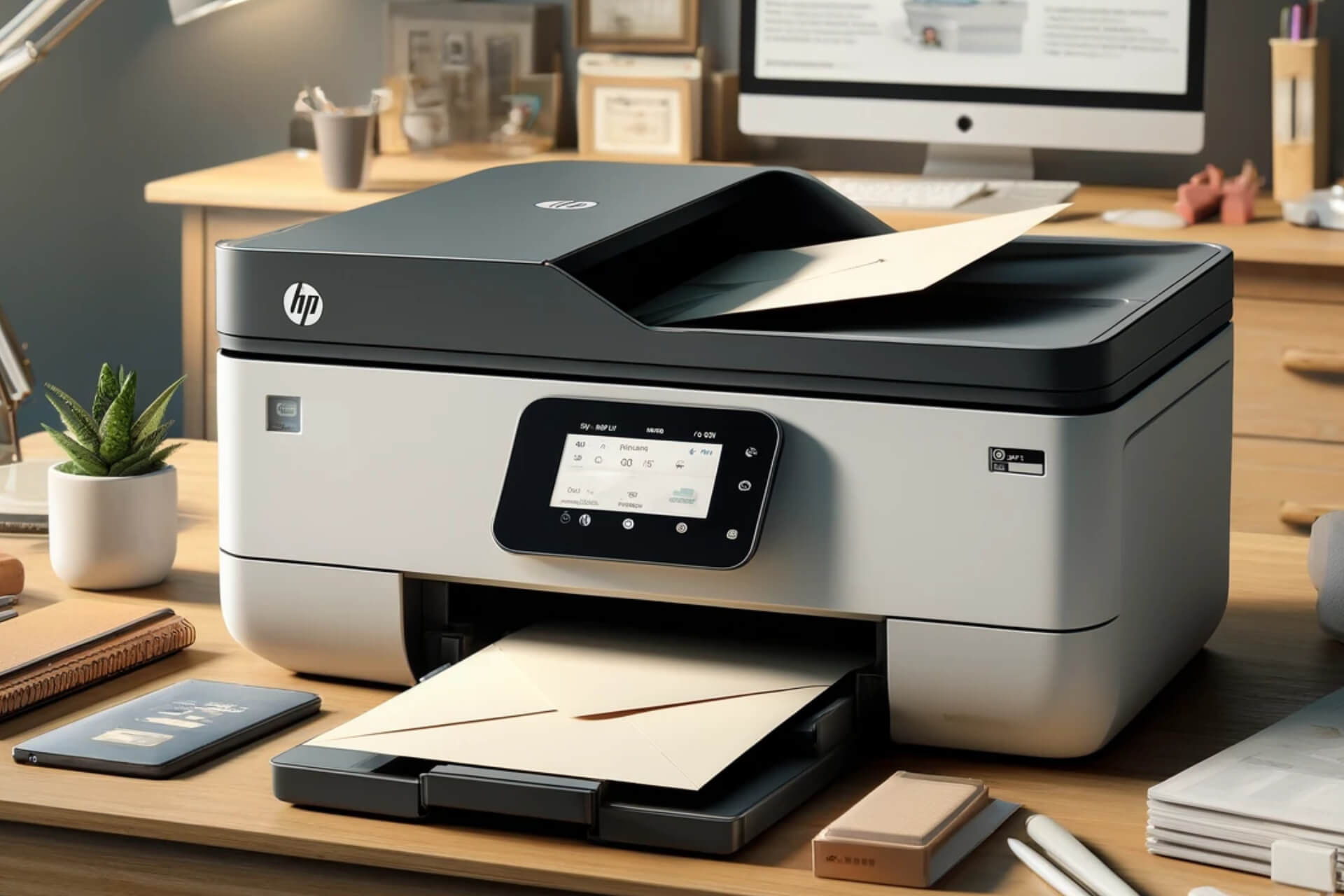
Don’t know how to print envelopes on an HP printer? We’ve got you covered.
Find below all you need to know, from how to set up your tray, what envelope sizes to pick, and how to select envelope in the printer software. Let’s get started.
Inkjet printers with front tray: front of envelope facing down and flap to the left
Inkjet printers with rear tray: front of envelope facing up and the flap to the left
LaserJet printers with a front tray: front of envelope facing up and the flap to the left
Note that for some models these rules may not apply. For the best experience, check the Loading Paper, Envelopes page for your specific model on the HP support website.
2. Figure out the size of your envelope
No matter the mode of your printer, the HP software will allow you to pick from multiple envelope sizes. Knowing the correct size is essential if you want professional-looking results.
Here’s a quick breakdown so you can pick the one that best suits your envelope:
#10 Envelope: 4.125 x 9.5 inches (105 x 241 mm).
DL Envelope: 4.33 x 8.66 inches (110 x 220 mm).
C5 Envelope: 6.38 x 9.02 inches (162 x 229 mm).
A2 Envelope: 4.375 x 5.75 inches (111 x 146 mm).
A6 Envelope: 4.75 x 6.5 inches (121 x 165 mm).
A7 Envelope: 5.25 x 7.25 inches (133 x 184 mm).
Some HP printers allow you to set a custom size. So even if your envelope doesn’t strictly fit the preset options, you can manually create a profile for it.
3. Set up your document and printer software
Open the document you want to print.
Go to Preferences/Fileand select Print.
SelectProperties.
Go to the Paper/Quality Tab and click on Advanced.
Pick a fitting Envelope Size from the drop-down menu next to Paper size.
Save your changes and click OK to start printing
If the result doesn’t turn out as expected, cancel printing and double-check the envelope size settings.
We’re confident that with the guidelines above, you can easily print envelopes on your HP printer, whether you’re using an Inkjet or LaserJet.
All you have to do is position the paper correctly, pick a suitable paper size, and set up your software. If you need any more information, don’t hesitate to use the comment section.
The PC handheld market is exploding and it seems that more and more companies are developing their handheld devices.
Speaking of which, Microsoft recently had a survey regarding handheld devices, which left many users speculating about the Xbox handheld.
Microsoft’s survey leads many to believe we might see a handheld Xbox
Not long ago, Phil Spencer was asked about handheld Xbox, and while we didn’t get any concrete information, it seems that we might be a step closer to getting an answer.
This was reported by Gameranx, and it seems that Microsoft is doing market research and analyzing if there’s an interest from its users in a handheld device.
The survey contains all the usual questions regarding the demographics, and the type of owned devices, consoles, and operating systems. There are also questions regarding Xbox Game Pass membership and ownership of handheld consoles.
Some questions are related to using Xbox Game Pass on gaming handhelds, and the importance of streaming cloud games to handhelds.
Users were also asked if they prefer handhelds over other devices for gaming, and if a handheld is their primary gaming device.
And lastly, Microsoft wanted to know if your gaming habits would change if you had a dedicated Xbox handheld.
Unfortunately, this survey gives us more questions than answers, but many are speculating that a potential handheld device could be targeted specifically toward Xbox owners.
It would be exciting to see an Xbox handheld, and we hope Microsoft decides to make one, but that is currently wishful thinking.
In a significant development in the AI landscape, China’s SenseNova 5.0, developed by SenseTime, has surpassed other commonly available AI models, including ChatGPT-4 Turbo.
SenseNova 5.0 beats ChatGPT-4 Turbo when it comes to tasks like logical reasoning, creative writing, and complex mathematical problems.
As for logical reasoning, the AI model can effectively analyze intricate scenarios and come up with apt conclusions. Even in creative writing, the model delivers a perfect blend of cultural and technical references, making every piece of work a worthy read. And when it comes to mathematical problems, it can quickly solve even the most complex ones.
While highlighting the improvements in SenseNova 5.0 over the previous iterations, the official announcement read,
In terms of linguistic and creative capabilities, the creative writing, reasoning, and summary abilities of SenseNova 5.0 have significantly improved. Given the same knowledge input, it provides better comprehension, summarization, and question and answers, providing strong support for vertical applications such as education and the content industries. On its scientific capabilities, SenseNova 5.0 boasts best-in-class mathematical, coding and reasoning capabilities, providing a solid foundation for applications in finance and data analysis.
SenseNova 5.0 also excels at text-to-image generation, a feature that recently made its way to OpenAI’s ChatGPT and Microsoft’s Copilot.
On the multimodal capabilities of the AI model, SenseTime’s official blog reads,
SenseNova 5.0 is also equipped with superior multimodal capabilities in product application. It supports high-definition image parsing and understanding, as well as text-to-image generation. In addition, it extracts complex data across-documents and summarizes answers to questions, possessing strong multimodal interaction capability.
While SenseTime doesn’t share the actual scores attained in multimodal rankings, it does claim that the native AI model has scored highly in most, including getting the highest aggregate score on MMBench. The other multimodal rankings SenseTime mentioned are MathVista, AI2D and ChartQA.
A report from Bloomberg tells us that SenseTime’s stocks rose by 36% after it released SenseNova 5.0, highlighting the craze around AI in China. But the generative-AI company has been blacklisted by the US, dampening its prospects of collaborating with firms in the Western world.
Nevertheless, SenseTime is keen on making further enhancements to SenseNova and releasing improved iterations on the way, all in an effort to deliver a more user and market-oriented AI model. Besides, it also unveiled a text-to-video platform, much like OpenAI’s Sora AI, which will soon be available to users!
What do you think about SenseTime’s AI model, SenseNova 5.0? Share it with our readers in the comments section.
Discord is one of the few apps that keeps a majority of your information private so if you’ve been wondering whether someone can see what Discord servers you’re in, the answer is no.
While there is no native way to tell what Discord servers you’re in, there are some tell-tale signs that can hint where you are.
Is my Discord server public?
No, your Discord server is private and only you as the user can see what server you are in. The only other way to tell what server anyone else of interest is in is if you’re the server administrator or assigned special permissions by the administrator. Otherwise, you’ll just have to ask them directly.
However, if this information is not readily availed by your friend and you’re dying to know, some hints to look out for include:
Mutual servers – Once you join a server, you can see other members on the same server. Therefore, if your friend is on the same server, you can clearly see them.
Community forums – Some Discord users like to give updates on anything interesting happening on their servers. If you follow closely from their status updates, you can almost guess accurately what Discord server they are in.
Online status – If your friend updates their Discord status and gives hints on what is happening in their Discord world, this might be another clue on what server they currently are in.
What are the associated risks of server visibility?
Cyberhacking – Revealing your server membership could expose you to cyber criminals who follow your tracks and could engineer targeted phishing attacks. It is easy to get hacked on Discord so you need to take all precautions to safeguard your account.
Intrusiveness on privacy – Discord has users from all walks of life so exposing your details to everyone could expose you to stalkers and anyone else with ill intentions.
Security risks – Having your server publicly known could expose your account or even device to potential security risks especially if any vulnerabilities are exposed and taken advantage of.
That being said, we hope you’re using Discord to its full potential. You can put more emphasis on your messages by bolding letters.
If you want to enhance your experience and create your own Discord app or a bot, don’t miss our latest guide on Discord Developer Portal.
Have you had any issues with Discord public servers and would you wish for them to show you members of the server? Share your thoughts with us in the comment section below.
Microsoft’s IGN x ID@Xbox Digital Showcase ended, and the Redmond tech giant introduced many indie games with two montages that will soon be coming to Xbox One, Xbox Series X/S, and Windows PC.
Here is the list of games that would be available along with their compatible platform:
Chrome’s latest version, 124, comes with a new, quantum-resistant encryption mechanism known as X25519Kyber768. This feature, designed to protect against future quantum computer attacks, might be a double-edged sword, causing more immediate connectivity issues than it aims to prevent.
An admin posted this issue on Reddit, pointing to the TLS 1.3 Hybridized Kyber Support:
Apparently Chrome 124 changed a setting “TLS 1.3 Hybridized Kyber Support” from disabled to enabled as the default. This appears to break the TLS handshake for servers that do not know what to do with the extra data in the client hello message.
If you mysteriously have a broken web application and the server is sending a reset directly after the client hello, try turning this setting off. In our testing IE mode works as well, probably because this extra data is not transmitted in IE mode while it is in normal Edge.
Later in the thread, another user confirmed that he has the same problem on Edge version 124.
Why do we need TLS key encapsulation in Chrome and Edge?
Google embarked on this quantum-resistant journey back in August, testing waters with a post-quantum secure TLS key encapsulation mechanism. Fast forward to now, and it’s a standard feature in Chrome 124, aiming to shield users from potential store now, decrypt later attacks. This type of attack is where bad actors collect encrypted data with the hope of decrypting it in the future when quantum computing or new decryption methods become available. The idea is to future-proof our digital communications against quantum cryptanalysis, a noble goal, indeed.
However, as with any major technological shift, there are growing pains. System administrators from various corners of the digital world have reported dropped connections post-update, a problem stemming not from a bug in Chrome, but from web servers that can’t handle the new, larger ClientHello messages required for post-quantum cryptography. This issue isn’t isolated to obscure parts of the internet; it affects a wide range of devices and services, including those from big names like Fortinet, SonicWall, Palo Alto Networks, and AWS.
The solution is a bit of a patchwork for now. Users experiencing these connectivity issues can disable the TLS 1.3 hybridized Kyber support in Chrome via the chrome://flags/#enable-tls13-kyber flag. System administrators, on the other hand, are encouraged to reach out to their vendors for updates to make their servers and network devices post-quantum-ready. Microsoft Edge users, facing similar troubles, have been given guidance on controlling this feature through Edge group policies.
It’s clear that the road to quantum-resistant encryption is a bumpy one, with immediate challenges overshadowing long-term benefits. Google has hinted at a future where disabling this feature won’t be an option. And let’s face it, security in the digital world is a race around the clock to counter present and even future attacks.
We’ve heard about this story from Bleeping Computer. If you encountered this issue yourself and have a better solution, share it with other readers in the comments below.
Initially released in February’24, the Memory feature in ChatGPT allows users to control what information is stored by the chatbot, facilitating seamless conversations and eliminating the need for repetition. Now, OpenAI has expanded access to Memory to all ChatGPT Plus subscribers, except those based in Europe and Korea!
OpenAI announced the expansion in a post on X (formerly Twitter).
Memory is now available to all ChatGPT Plus users. Using Memory is easy: just start a new chat and tell ChatGPT anything you’d like it to remember.
Memory can be turned on or off in settings and is not currently available in Europe or Korea. Team, Enterprise, and GPTs to come. pic.twitter.com/mlt9vyYeMK
With Memory in ChatGPT, your interactions with the AI-powered chatbot will be more personalized and natural. On the other hand, if you don’t want ChatGPT to remember a conversation, disabling Memory is just as easy!
Enabling/disabling Memory from Personalization settings in ChatGPT
In the official blog post published in February, OpenAI explains the Memory feature as,
Memory brings additional privacy and safety considerations, such as what type of information should be remembered and how it’s used. ChatGPT’s memory will get better the more you use it and you’ll start to notice the improvements over time.
Those left out are upset, and rightly so
While OpenAI claims to have expanded accessibility of the Memory feature to all ChatGPT Plus subscribers, that’s not really the case, as those in Europe and Korea are left out, reportedly due to the existing regulations in the regions.
Besides, even ChatGPT Team and Enterprise subscribers didn’t make the cut. It infuriated them, and many cited their subscription details, which promised early access to new features and improvements.
ChatGPT Team subscription details
Many took to X and Reddit to express their exasperation over being excluded.
How does it make sense that you release new features to Plus, but not to Team or Enterprise?
Teams subscribers were promised early access to new features … but we actually are getting delayed access?
Teams users aren’t getting access? Not a good way to treat customers that pay extra for the promise of early access to new features.
Of course, not in Europe. May I ask why? Is it due to brilliant “EU regulations”?
Let’s see when Memory is made accessible to all ChatGPT subscribers globally. Our guess is that it would take at least a few more weeks as the AI laws in the region are rather strict when it comes to compliance.
Also, OpenAI confirmed that the Memory feature for user-created GPTs will be released soon!
Microsoft and Google’s owner, Alphabet, reported a significant growth in their revenue. The financial results exceeded initial expectations. After all, Alphabet’s stocks grew by over 10%, and Microsoft’s shares increased by 5%. In addition, their AI investments influenced Amazon shares by 3% and Nvidia’s by 6%.
The entire AI sector benefits from Alphabet and Microsoft
Microsoft and Alphabet’s heavy investments in AI development made some of their investors skeptical. However, they deemed the AI sector promising after seeing the results. After all, the cloud computing businesses highlighted the importance of this technology. On top of that, there were various corporate requests for their services.
To Alphabet’s surprise, Google’s advertising revenue grew. So, AI chatbots can’t surpass search engines yet. Also, according to euronews.com, the company’s revenue rose by 15%, the fastest quarterly growth in two years. On top of that, Alphabet announced its first dividend payout, and the company’s market value surpassed $2 trillion.
Besides Alphabet, Microsoft had a revenue increase due to its AI services. Also, they further increased the importance of the company. After all, Azure, the company’s cloud platform that heavily uses AI tech, had significant growth and seized some of the market share of its competitors. Besides that, Copilot contributed to the company’s revenue increase because other companies started using it.
Is Meta still losing money?
Similarly to Microsoft and Alphabet, Meta also joined the AI race. According to the Financial Times, the company’s stock price dropped by 11%. However, this drastic decrease might suggest that Meta started investing in AI. Yet, this could be a tricky move for the company because it doesn’t have a proven track record of financial returns from AI services. But, if the promised free AI is successful, Meta will most likely snatch some of the market share from competitors.
Microsoft and Alphabet are going to increase their investments in AI infrastructure. The reasons differ, but the goal is overall the same. Microsoft needs to grow its research capacity to continue its AI development at a fast rate. So, the company will fund more research centers. On the other hand, Google is behind in the AI race and needs to invest to catch up with Microsoft.
The AI advancements require a lot of components. Thus, most of them became scarce. Additionally, according to Nvidia chief Jensen Huang, if a company doesn’t engage aggressively with AI, it might lose its standing because its competitors will.
In a nutshell, Microsoft is way ahead of its competition, especially since Alphabet struggled with Gemini’s problems. On top of that, the Azure cloud platform is constantly benefiting from AI improvements. However, soon, we might see companies like Meta rising to the top. After all, it’s a battle of AI services and features. Also, AI might improve the quality and efficiency of your business. So, don’t hesitate to use it.
What are your thoughts? Are you using any AI tools? Let us know in the comments.
We all love the convenience of the Xbox app but when it throws the error code 0x80070490 at any attempt to download a game, it can be quite annoying.
The error can appear on your Xbox console or your Windows device on the Xbox app. When you’re attempting to download, update or install any game, the Xbox app fails to download. This can be due to cached files or incorrect configuration.
How do I fix the Xbox error code 0x80070490?
1. Power cycle your console
Press and hold the Power button for 10 seconds to turn off your console.
Disconnect the power cable from the back of the console and from the outlet.
After a minute, reconnect the power cable, then wait another minute to power up your console.
2. Run the Xbox offline troubleshooter
Click the Xbox OSU1 link to download the Xbox Offline System Update file.
Once the file is downloaded, connect your USB drive to a USB port of your computer.
Right-click the OSU1 file and select Extract All from the pop-up menu to unzip it.
Locate and copy & paste the $SystemUpdate file to your flash drive.
Now, from the system tray on your PC, locate the USB flash drive icon, right-click, and choose Eject USB drive.
Plug the USB drive into your console and restart it.
On the Something unexpected happened… 0x80070490, choose Troubleshoot to access the Xbox Startup Troubleshooter.
Choose Offline System Update to start the update with the file you saved on your USB drive.
Running the offline troubleshooter has more to do with Xbox updates but it’s still beneficial as it checks a wide range of issues. Perhaps the update failed and corrupted some crucial files that are interfering with the download process.
Click on the Start menu in the taskbar and type Windows PowerShell in the box and select Run as administrator.
Select Yes when the User Account Control (UAC) prompt appears.
Key in the following command in the console and press Enter to uninstall the Gaming Services app: get-appxpackage Microsoft.GamingServices | remove-AppxPackage -allusers
Now, run the following command to open the Gaming Services app page in Microsoft Store: start ms-windows-store://pdp/?productid=9MWPM2CQNLHN
Finally, click on the Get button to download the Gaming Services app once more.
4. Reset your Xbox console
On your controller, press the Xbox button, and on the menu, click the System tab to open Settings.
Select System, then click on Console info.
Click on Reset console.
Choose Reset and keep my games & apps.
5. Reset your PC
Hit the Windows key and select Settings.
In the left window pane, select System, then click on Recovery on the right pane.
Click on Reset PC from the right side.
Choose the type of factory reset you need. You can keep your files or completely delete all the files, apps, and settings on the PC.
Select the option you want to reinstall Windows: Cloud download or Local reinstall.
Now, wait for Windows to prepare the setup and click Yes when prompted.
Next, accept the Licence Agreement and wait while Windows downloads the required updates.
Select between keeping your files and apps and removing them. Since you want to perform an in-place upgrade, leave the recommended settings, i.e., keep your files and apps.
Now, click the Install button to start the in-place upgrade.
Finally, wait for Windows to copy the necessary files to upgrade your device and restart your PC.
An in-place upgrade is essential in resolving the Xbox error code 0x80070490 because it will repair any corrupt system files that were causing compatibility issues.
It will also remove any cached files that could potentially interfere with the download and installation of new games without losing your files. And if after fixing this issue your Xbox is slow in downloading games, we have the remedy for this.
Still, you may not be out of the woods. You may be successful in downloading and the Xbox games fail to launch. Lucky for you, we have an expert article on how to bypass this error.
Hopefully, one of the above solutions has gotten rid of the 0x80070490 error and you can now download and update your Xbox games with no issues.
If you have any additional thoughts on this topic or any other solution worth checking out, feel free to drop us a comment down below.
Let’s be honest, Windows 11 can feel a bit bloated with all the built-in features and functionalities that most of us rarely use.
If you’re looking for something lightweight, you’ll be pleased to know that a new version of Tiny11 is available, and it will make your Windows installation even smaller.
Tiny11 now allows you to disable telemetry on Windows 11
Windows 11 is notorious for gathering user data, and if you aren’t happy with that, you’ll be pleased to hear that Tiny11 can help you put an end to this.
According to Neowin, Tiny11 Builder has been updated, and you can now use it to disable telemetry and other tasks associated with it.
The first update to tiny11 builder is now up! It disables telemetry as well as some of the scheduled tasks associated with it. Go check it out and let me know how it works!https://t.co/qmtOcmkPdOhttps://t.co/cvkCllUma3
According to the developer, this will disable the Application Compatibility Appraiser, Customer Experience Improvement Program, and more.
This is the only change included in this version, and if you’re not comfortable with Microsoft gathering your data, you might want to give this version a try.
It’s not a secret anymore that Microsoft is leading the next wave of AI cloud services and their latest investments in this field paid off. Oracle is trying to ride this wave as well, and they’ve been busy boosting their cloud services with some pretty advanced generative AI capabilities.
This isn’t just a small upgrade; we’re talking about a significant leap that’s pushing their cloud revenue up by a whopping 25% to $5.1 billion.
In fact, according to latest Gartner report, Gen AI is the main focus of the big cloud services companies:
We are seeing a cycle of story, plan, execution when it comes to GenAI. In 2023, enterprises were telling the story of GenAI and in 2024 we are seeing most of them planning for eventual execution in 2025. Technology providers are required to be a step ahead of this cycle and are already in the execution phase. They are bringing GenAI capabilities to existing products and services, as well as to use cases being identified by their enterprise clients.
John-David Lovelock, VP Analyst at Gartner
Will Oracle manage to keep up with the AI race?
Now, why is all this AI talk important? Well, Oracle is integrating generative AI into its applications, which is a game-changer for productivity and cost reduction. Imagine having AI that can not only predict outcomes but also generate human-like responses and solutions. That’s the kind of synergy Oracle is aiming for by combining predictive analytics with generative AI. And guess what? They’re not stopping there. According to CNBC, in March, Oracle expanded its AI features across various applications, following an announcement in January about implementing generative AI across its technology stack.
But here’s the kicker: Oracle’s cloud infrastructure backlog is massive, and AI is expected to drive even more revenue in the future. They’re also focusing on sovereign AI cloud solutions, which means they’re building a data center in Salt Lake City and negotiating with countries to meet specific data storage requirements. This is a big move towards providing more secure and localized AI services.
Oracle’s generative AI push is all about staying competitive and even more. With their data and installed base, they’re in a strong position to monetize AI in ways their competitors can’t. And with the AI boom driving demand for cloud computing services, Oracle’s strategic investments in AI are set to pay off big time.
So, what does all this mean for us? Well, as Oracle and others ramp up their AI capabilities, we can expect to see more innovative services and solutions that can transform how businesses operate. Whether it’s improving productivity, reducing costs, or creating more personalized customer experiences, AI is the future, and it’s happening now.
What do you think about the increasing investments in AI cloud services? Let’s talk about it in the comments section below.