Chrome Tests AI That Could Choose Your Credit Card for You

Google is working on a new Autofill feature in Chrome that can offer AI-based credit card recommendations when you have multiple saved cards available.

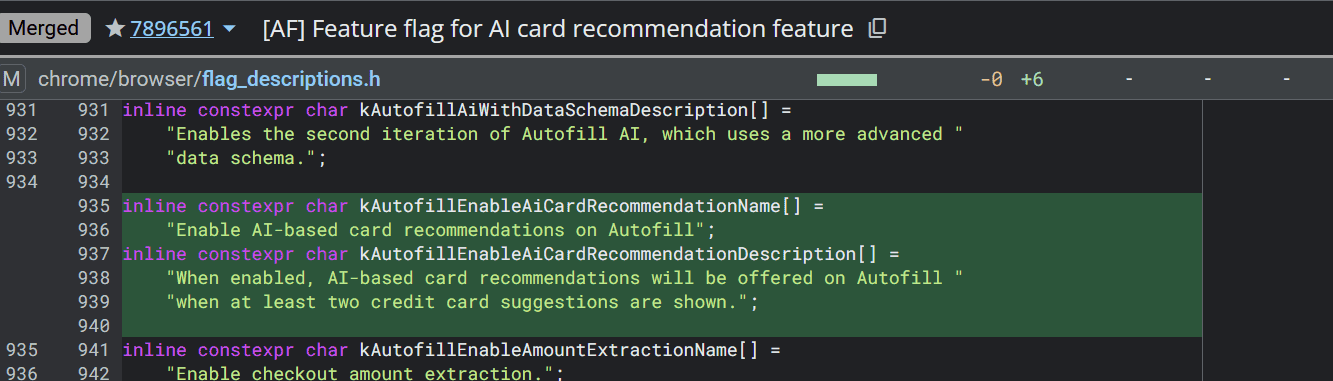
A new flag appeared in Chromium’s code: autofill-enable-ai-card-recommendation-desktop. The option reads: “Enable AI-based card recommendations on Autofill.”

Chrome’s native AI card recommendation feature

When this feature is enabled, Chrome will show AI-based card recommendations whenever Autofill displays at least two credit card suggestions. The code doesn’t explain how these recommendations are made or how users will see them. The flag is part of an Autofill AI card recommendation project, and Google hasn’t said what information might be used to generate the recommendations.

Image Credit: Chromium.

This would be Chrome’s first AI feature that actively recommends which card to use, instead of just showing saved cards for users to pick from.

What Kudos already does

Kudos is a free AI-powered tool that recommends which credit card to use at checkout. It’s available as an app on the Mac App Store for Safari. Users save their cards, and when they reach a supported merchant, Kudos shows the best card and autofills it. The service has 200,000 users and says members earn an extra $750 per year on average.

The big difference between a browser extension and a native browser feature is reach. Existing tools like Kudos have 200,000 users. Chrome has roughly 3.5 billion. If Chrome ships a native AI card recommendation as a default feature, it would instantly become the most-used card optimization tool ever, before it even appears on a Product Hunt leaderboard.

Kudos gives us a useful example of what AI card recommendations look like in practice. But Chrome’s native version would have advantages no third-party tool can match. Chrome autofill already knows which cards you have through Google Wallet. Google Pay transaction history gives Google signals about which merchant categories each card covers.

This is still early Chromium work, so it could change before it hits Chrome Canary or other release channels. Google hasn’t announced when it might arrive in stable Chrome or if it will at all.

For now, the flag only confirms Chrome is experimenting with AI-powered recommendations inside the Autofill credit card experience.

That’s not all. Google is also testing other AI features in Chrome: a floating AI Mode search bar on Windows, the ability to disable Gemini Skills, an AI suggestions feature, and automatic tab sharing with AI Mode.

Microsoft Surface Pro 13-inch With Snapdragon X2 Elite Leaks Ahead of Alleged June 16 Launch

Microsoft‘s next-generation Surface Pro may have just leaked ahead of schedule. A fresh retailer leak picked up by Winfuture has revealed what appears to be the upcoming Surface Pro 13-inch. And it gives us an early look at Microsoft’s next ARM-powered tablet before its expected unveiling later this month.

Surface Pro 13-inch leak points to Snapdragon X2 Elite processor

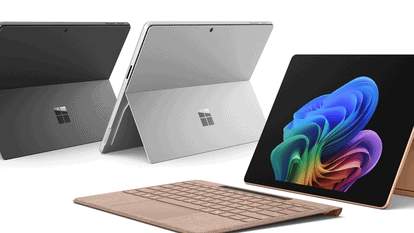
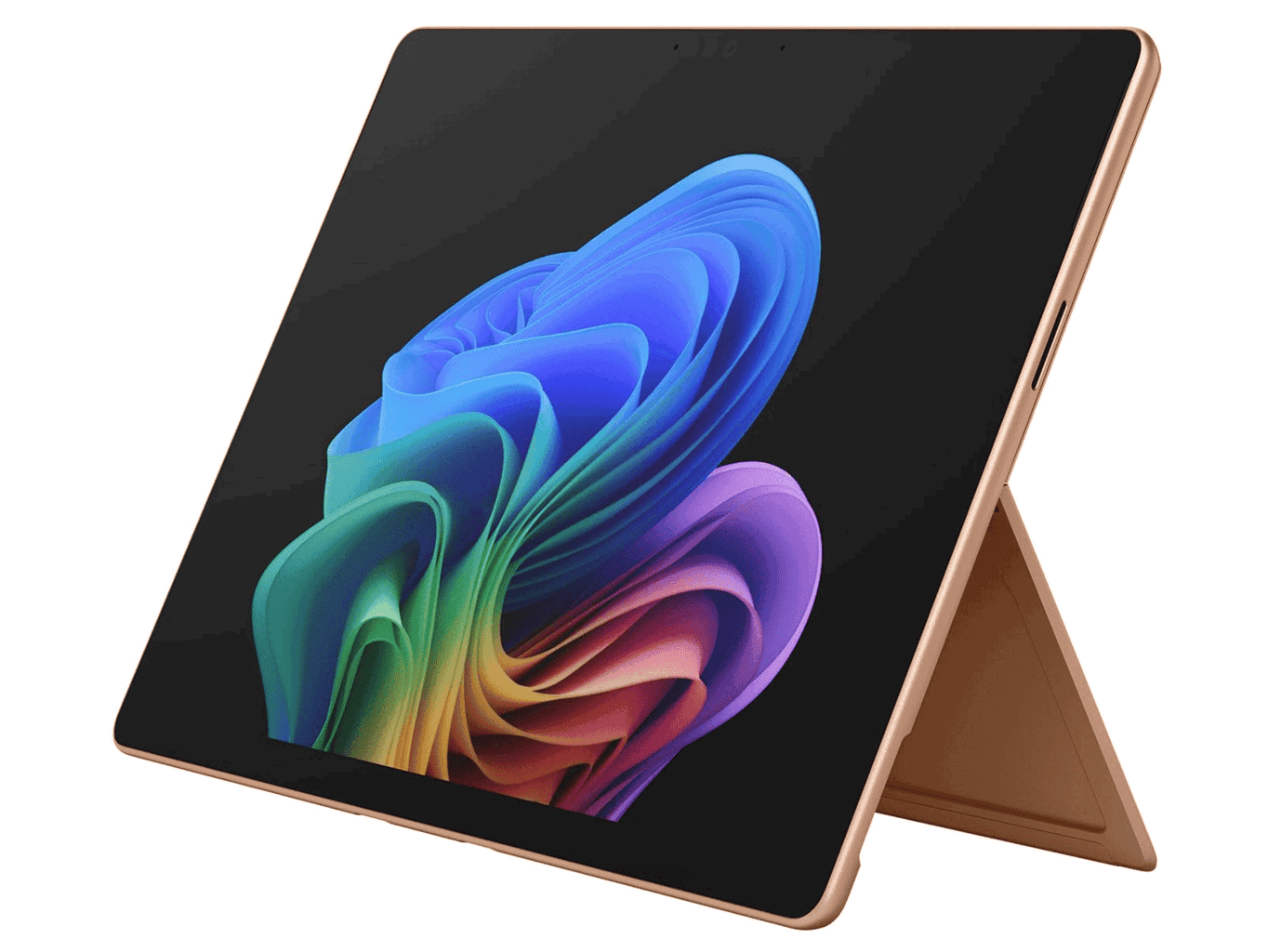
While the design won’t surprise longtime Surface fans, the hardware hiding inside hints the new PC appears ready for an AI upgrade. At first glance, the device looks almost identical to the current Surface Pro.

The familiar kickstand remains intact, the overall chassis design hasn’t changed much, and the display still features the recognizable Surface look. However, Microsoft reportedly plans to power the new model with Qualcomm’s Snapdragon X2 Elite processor, marking a significant upgrade over the previous generation.

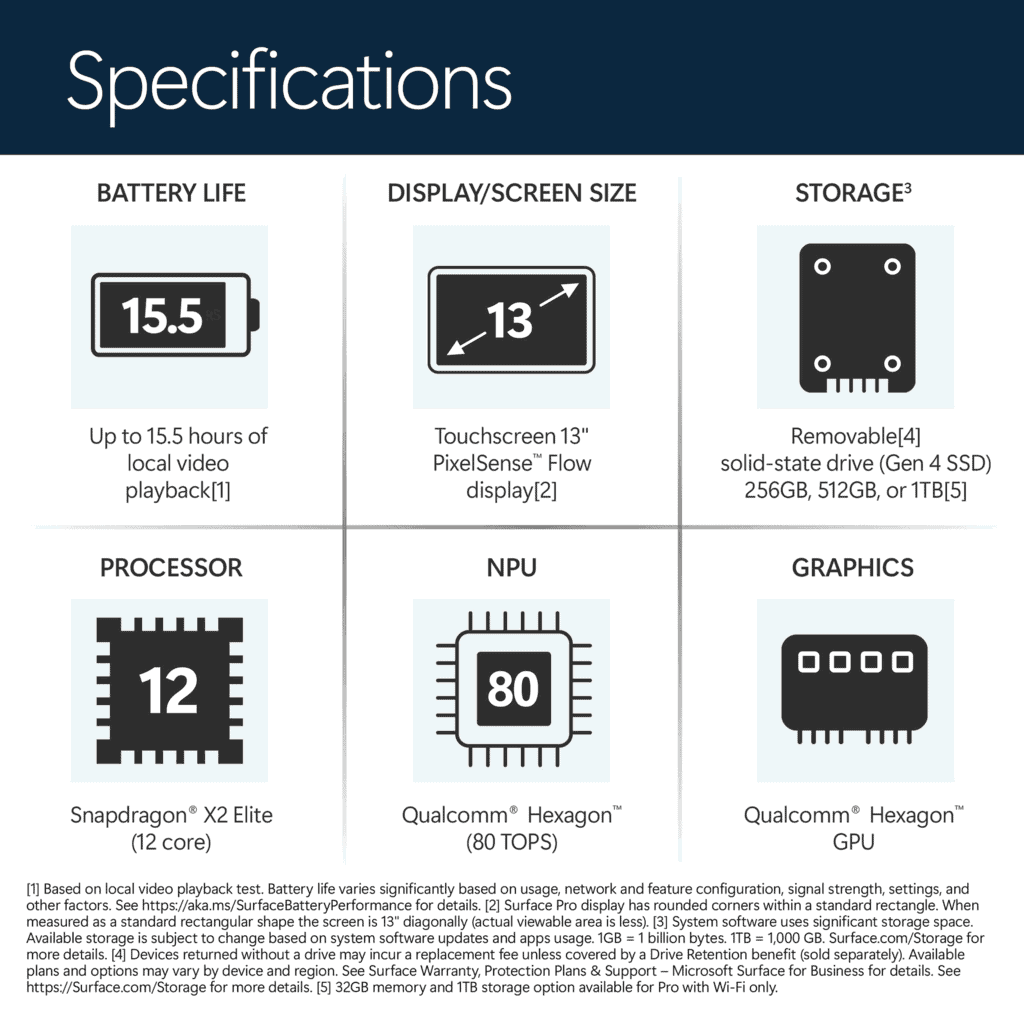
The leaked details suggests Microsoft will use the 12-core version of the chip and pair it with up to 32GB of RAM. You can expect storage to bumped up as high as 1TB through a user-replaceable PCIe 4.0 SSD.

Image source: Microsoft | Via: Winfuture

OLED stays, Blue color reportedly discontinued

The display appears to remain one of the device’s biggest selling points. Microsoft is reportedly sticking with a 13-inch OLED panel, continuing its push toward premium screens across the Surface lineup. The company is said to be offering the device in Black, Platinum, and Dune finishes. If you love the Blue color option, sadly it won’t make the jump to this refreshed version.

Notably, much of Microsoft’s marketing is expected to revolve around AI. The Snapdragon X2 Elite reportedly delivers up to 80 TOPS of NPU performance, giving the Surface Pro enough local AI horsepower to handle Microsoft’s growing Copilot ambitions. Battery life also appears to be a major focus, with leaked materials claiming up to 15.5 hours of local video playback.

That being said, several details remain missing. Pricing has yet to leak, and Microsoft hasn’t officially confirmed any of this. But comsidering the report, the Microsoft Surface Pro 13-inch will likely be announced on June 16.

A Nintendo Direct is Rumored for Next Week, June 9 Emerges as a Potential Date

If you have been waiting to see what Nintendo has to showcase next, your wait might be over as soon as next week.

Nintendo June Direct likely to happen next week, on June 9th

Multiple rumors online suggest that Nintendo will hold a Direct showcase next week. Earlier today, gaming journalist Jeff Grubb, in his official YouTube channel was heard saying:

I have heard Tuesday, next Tuesday. Um, I’ll say Tuesday morning. I like I’m just going to throw the caveats out there that these things can get mixed up in terms.

That claim also lines up with what gaming insider, Nate the Hate, shared in his latest YouTube video. While the insider didn’t mention the exact day as Grubb did, but he was hard saying:

As from what I have heard, the Nintendo Direct will take place next week, the second week of June. And just to be clear, that that is the week of the 8th. Yes. Yes. Mhm. So, very near we will have that Nintendo Direct. And as we talked about back in March, Nintendo has a lot of games still to come this year.

So, it seems we are likely getting a Nintendo Direct next week, with June 9th being the possible date. As of now, Nintendo hasn’t announced anything officially. As we hear anything officially, we’ll update this article or push a new one to let you know.

Speaking of games, XBOX has its annual Games Showcase scheduled for Sunday, June 7, 2026. The main broadcast starts at 10:00 AM PT / 1:00 PM ET. It will immediately be followed by the Gears of War: E-Day Direct, which will run for a full 30 minutes, providing a deeper look at the upcoming title.

Microsoft Expands MAI AI Models With New Reasoning and Coding Systems at Build 2026

Microsoft has expanded its in-house MAI AI model family during Build 2026, introducing several new models focused on reasoning, coding, speech, and image generation capabilities, according to Neowin.

The announcement includes Microsoft’s first reasoning-focused AI model, a new coding model for GitHub Copilot, upgraded speech systems, and broader availability for its latest image-generation technology.

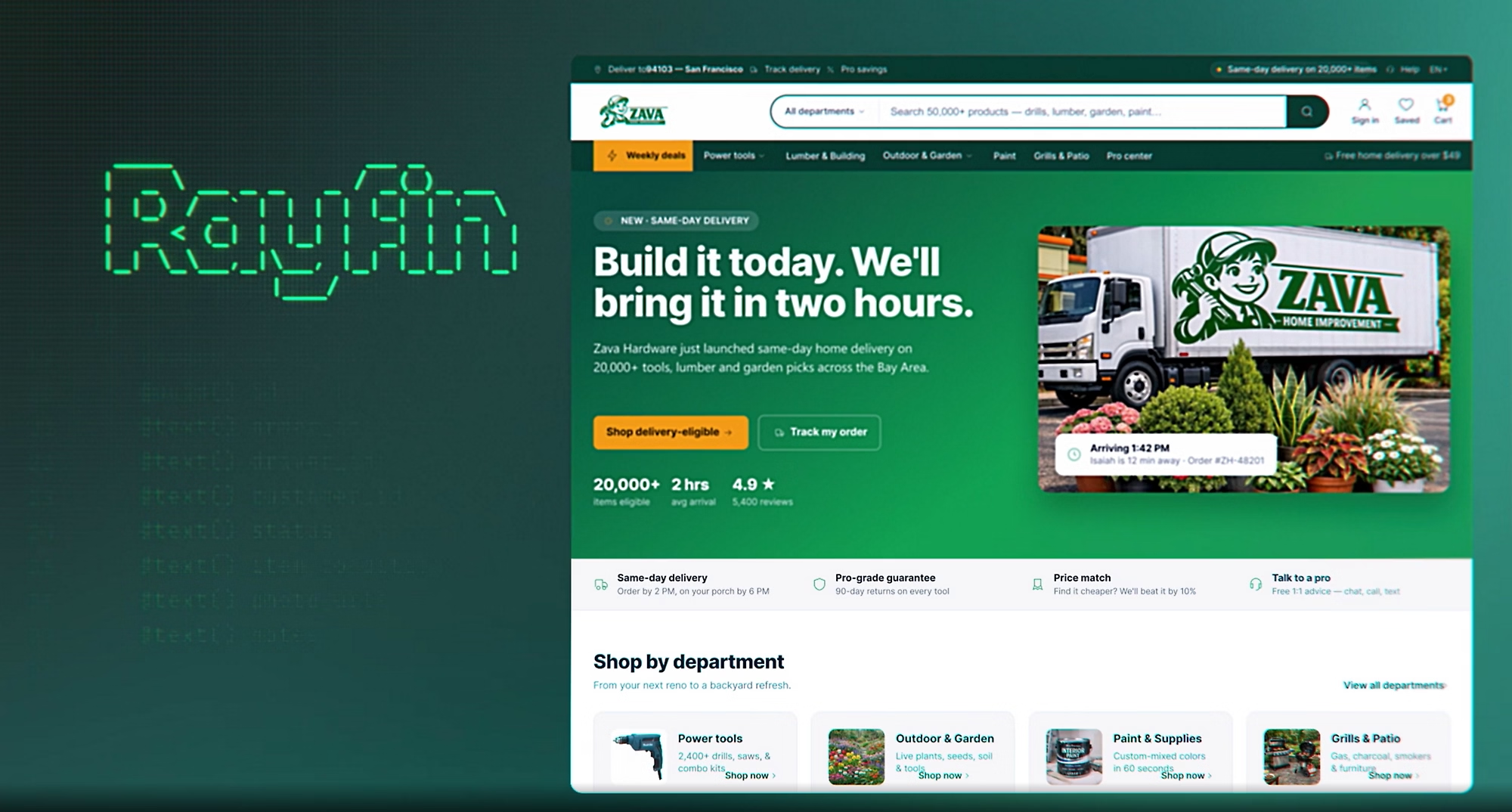
Microsoft also unveiled Microsoft Scout, the Rayfin platform for AI applications, and the new Intelligent Terminal experience during the event.

Microsoft Continues Expanding the MAI Model Family

Microsoft has steadily expanded its MAI lineup over the past year as it builds more in-house AI capabilities.

Previous MAI releases include:

  • MAI-Voice-1
  • MAI-1-preview
  • MAI-Transcribe-1
  • MAI-Image-2
  • MAI-Image-2.5

The latest Build 2026 announcements significantly broaden the portfolio with new models aimed at enterprise AI workloads, coding assistance, speech processing, and multimodal experiences.

MAI-Thinking-1 Becomes Microsoft’s First Reasoning Model

One of the biggest announcements is MAI-Thinking-1, Microsoft AI’s first dedicated reasoning model.

According to Microsoft, the model was trained entirely from scratch without using distillation techniques. The company says it relied on clean, commercially licensed, enterprise-grade training data during development.

MAI-Thinking-1 features 35 billion active parameters and supports a 128K context window, allowing it to process large prompts and extended conversations.

Built for Complex Reasoning and Coding Tasks

Microsoft says MAI-Thinking-1 is designed for complex multi-step instructions, long-context reasoning, and code generation tasks.

The company positions the model for workloads that require deeper reasoning and advanced problem-solving capabilities.

Benchmark Claims

Microsoft says blind testers preferred MAI-Thinking-1 over Claude Sonnet 4.6 in comparative evaluations.

The company also claims the model matches Claude Opus 4.6 on coding tasks in SWE-bench Pro.

However, Microsoft did not release extensive benchmark comparisons against competing frontier AI models.

MAI-Thinking-1 is currently available in private preview through Microsoft Foundry.

MAI-Image-2.5 Expands Across Microsoft Products

Microsoft also announced broader availability for MAI-Image-2.5 alongside a new flash variant for developers.

The company says the updated image-generation model improves text rendering, stylized illustrations, and commercial imagery generation.

MAI-Image-2.5 is already integrated into PowerPoint and is currently rolling out to OneDrive. Developers can access the model through Microsoft Foundry.

Microsoft Introduces MAI-Transcribe-1.5

Microsoft unveiled MAI-Transcribe-1.5, an upgraded speech-to-text model.

The new version supports 43 languages and, according to Microsoft, delivers state-of-the-art transcription accuracy across supported languages and accents.

Streaming transcription support is expected to arrive soon.

MAI-Voice-2 Adds More Languages and Voices

The company also introduced MAI-Voice-2 and a flash variant.

The updated speech-generation model adds support for more than 15 additional languages and includes new voice options for developers and enterprise customers.

MAI-Code-1 Powers GitHub Copilot Experiences

Another major announcement is MAI-Code-1, Microsoft’s new coding-focused AI model.

The model is optimized for GitHub-related workloads and designed to remain inference-efficient while handling developer tasks.

MAI-Code-1 is now available in GitHub Copilot and Visual Studio Code.

MAI Models Expand to Third-Party Platforms

Microsoft also confirmed that MAI models will become available through several third-party AI platforms, including Fireworks AI, Baseten, and OpenRouter.

In addition, Fireworks AI is now generally available inside Microsoft Foundry.

The broader rollout suggests Microsoft wants MAI models to compete more directly with other commercial AI platforms while expanding availability beyond Microsoft’s own ecosystem.

Microsoft Scout Brings OpenClaw-Style AI Automation to Microsoft 365

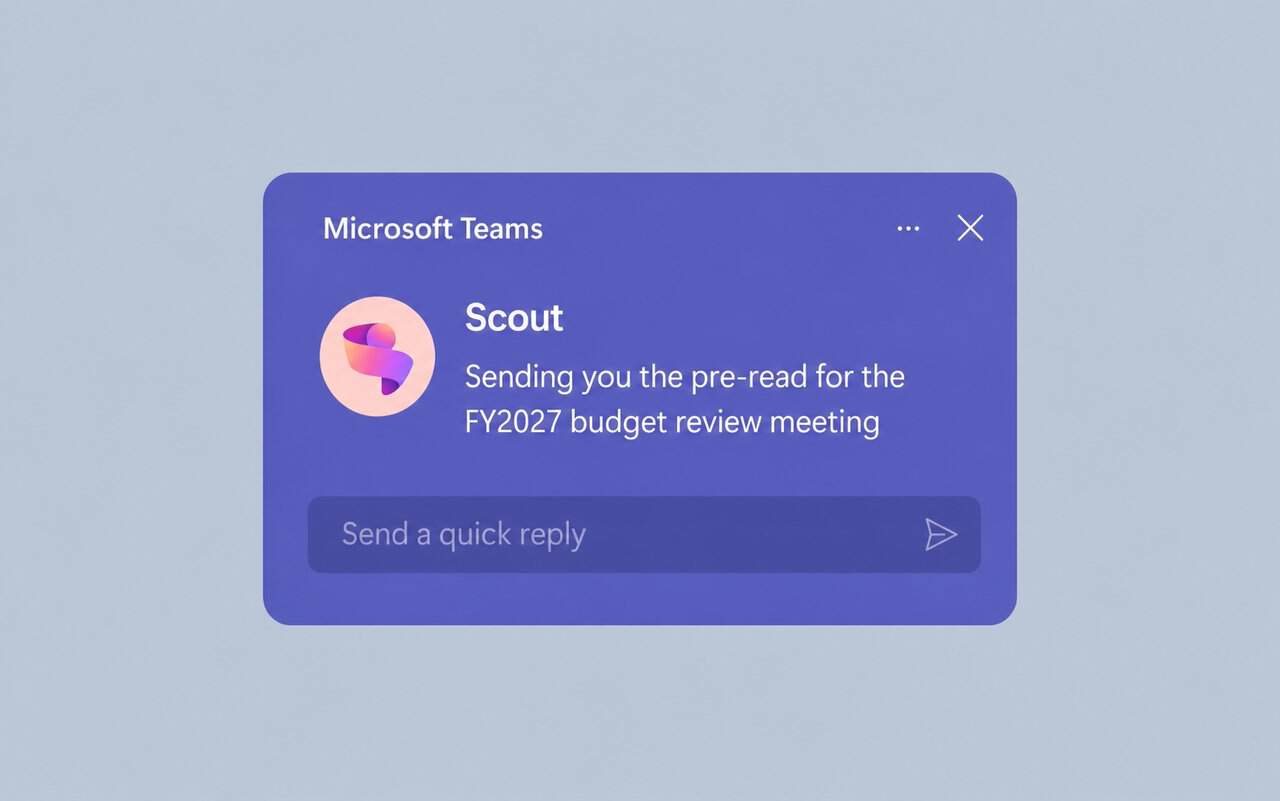
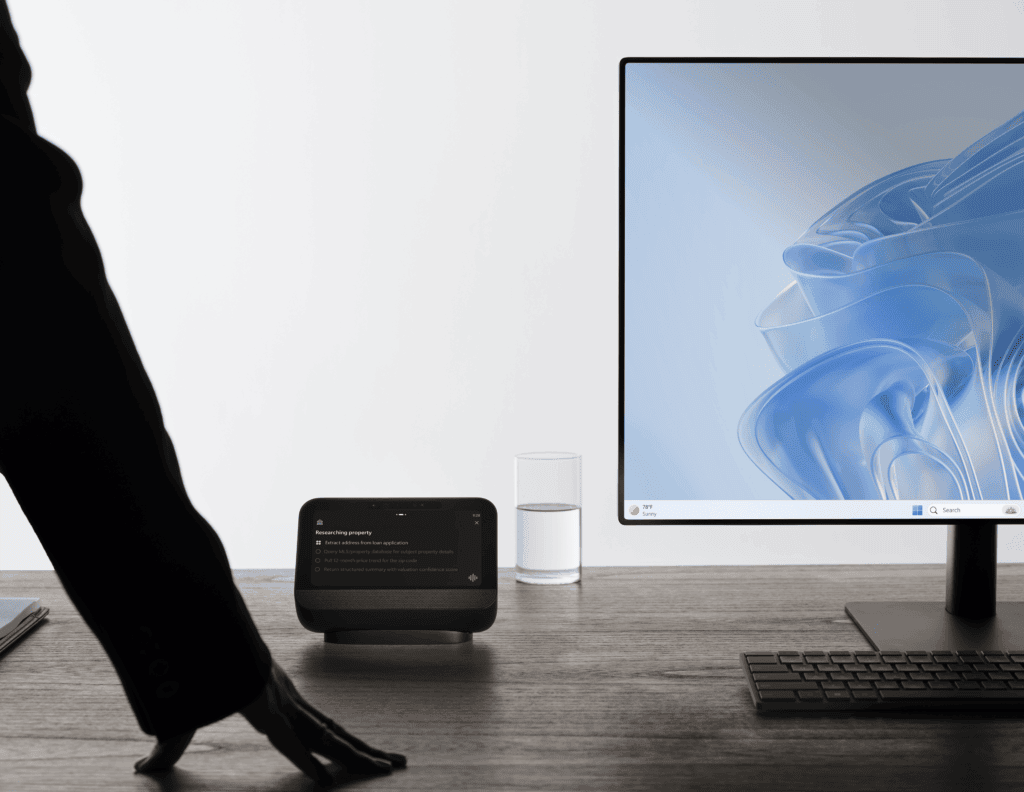
Microsoft has introduced Microsoft Scout, a new autonomous AI work agent designed to automate routine tasks across Microsoft 365.

Scout is available inside the Microsoft 365 Copilot app and also as a standalone desktop application for Windows and macOS. Microsoft says the rollout has started for Microsoft 365 Frontier customers.

Scout is designed as an always-on AI assistant

The company describes Scout as an always-on personal AI assistant inspired by the OpenClaw concept. Unlike traditional AI chatbots that rely on repeated prompts, Scout is designed to proactively complete tasks in the background using contextual understanding of a user’s workflow.

Scout is powered by Microsoft’s new Work IQ intelligence layer, which connects to workplace data and builds personalized memory based on user habits, preferences, and recurring workflows.

Work IQ connects to Microsoft 365 workplace data

Work IQ can access information from SharePoint files, Outlook emails, Teams meetings, OneDrive files, and calendar data. Microsoft says this allows Scout to anticipate tasks and automate repetitive work without requiring constant user input.

According to the company, Scout can prepare users for meetings by summarizing relevant information, identifying scheduling conflicts, and organizing related documents ahead of time.

Scout works across Microsoft 365 apps and files

The AI agent also works directly with Microsoft 365 content and applications. Scout can create, edit, and search files across Word, Excel, PowerPoint, code files, and other workspace documents.

Microsoft demonstrated additional advanced capabilities, including command execution support. Scout can reportedly run shell commands, execute builds, launch tests, and run scripts through a tiered permission system designed to maintain security controls.

Browser automation and background workflows

Scout also includes browser automation powered by Playwright integration. This enables the AI agent to navigate websites, fill forms, and interact with web applications automatically.

The assistant integrates deeply with Microsoft 365 services and can manage email, calendar events, Teams messages, OneDrive files, and meetings. Microsoft says Scout can continue operating autonomously in the background based on schedules, triggers, or workflow conditions defined by the user.

Scout supports delegated AI sub-agents

The company also highlighted Scout’s ability to delegate tasks to specialized sub-agents for parallel research, code reviews, and more complex multi-step operations.

Alongside Scout, Microsoft unveiled Intelligent Terminal, an AI-powered terminal experience, and introduced the Rayfin platform for building AI applications. The company also announced new security tools focused on securing software code, AI agents, and AI models.

Via Neowin

How AI Video Generators Are Changing Short-Form Content Creation on Windows

Short-form video content has become a natural part of daily online activity. To stay visible to audiences, creators must now publish engaging clips much more frequently than traditional long-form content.

This shift makes daily workflow speed essential. To keep up with demand, more creators are adopting AI video generators to handle routine editing tasks and produce short videos efficiently on Windows devices.

The Rising Demand for Faster Short-Form Video Production

Short-form platforms like TikTok reward creators who post high-quality clips regularly. Fast publishing schedules have become important for influencers, digital marketers, and small businesses that rely on consistent social media traffic to grow their online presence.

Because of this constant pressure, more users are exploring cloud-based AI video generators to simplify the creative process. These browser-based tools are part of this industry shift toward faster, automated content workflows.

Why Traditional Video Editing Workflows Can Slow Windows Creators Down

Traditional editing software still works well for professional production, but it can slow down short-form content workflows on Windows systems. Programs like Adobe Premiere Pro and DaVinci Resolve often require more time, storage, and hardware resources.

  • Large editing software packages can use significant CPU and GPU power on Windows laptops.
  • Rendering high-resolution videos may reduce system performance during multitasking.
  • Installing plugins, effects, and updates can increase workflow complexity.
  • Manual editing for captions, transitions, and resizing takes additional time.
  • Short-form creators often need vertical formats for multiple platforms at once.

As short-form production becomes faster and more frequent, AI video generators are emerging as lightweight alternatives for basic social media content workflows.

How AI Video Generators Simplify Creative Workflows on Windows

Many AI video tools now work directly in the browser. This reduces the need for large desktop applications and helps creators work on standard Windows PCs without advanced hardware.

By using lightweight AI video generators like Vimi.art, content creators can generate stylized animations without draining laptop batteries or freezing their desktops. This infrastructure optimizes both system performance and creative output.

AI video result

Faster Content Creation

AI tools can generate motion effects, transitions, and short animations automatically. A creator making daily TikTok videos can often prepare multiple clips within a short time.

Reduced Hardware Pressure

Cloud-based rendering moves processing tasks away from the local Windows system. This helps users continue browsing, editing documents, or managing social accounts while videos are generated online.

Easier Style Testing

Short-form content changes quickly. AI video generators make it easier to test different styles, visual effects, or video formats without rebuilding projects from the beginning.

Simpler Entry for Beginners

Traditional editing software may take time to learn. AI-powered tools often use templates, style filters, and guided workflows, which can help content creators start producing short videos more quickly.

Better Support for Social Media Formats

Many AI video platforms are designed around vertical video layouts. This helps creators prepare content for TikTok, Instagram Reels, and YouTube Shorts more efficiently on Windows devices.

The Future of AI Video Creation on Windows

AI video generation will likely become a regular part of short-form content workflows. Instead of dropping their current setups, more creators are combining AI with traditional software to speed up early production and asset scaling.

This shift helps browser platforms reduce the need for high-end Windows hardware during daily social media tasks. By rendering files in the cloud, creators can work smoothly without buying expensive computer parts.

However, traditional desktop editors remain necessary for advanced, detailed post-production work. Modern AI video generators are built to support the creative process rather than fully replace manual human control.

Microsoft Backtracks on Legal Threats After YellowKey Zero-Day Dispute

Microsoft has moved to calm a growing dispute with security researchers after backlash over its response to public Windows zero-day disclosures.

The controversy centers on Chaotic Eclipse, also known as Nightmare-Eclipse, who published YellowKey, a Windows zero-day exploit affecting BitLocker. Microsoft said the flaw and several other vulnerabilities were not shared with the company before proof-of-concept code appeared publicly.

Microsoft faces backlash over YellowKey dispute

Microsoft argued that uncoordinated disclosure puts customers at risk because attackers can use technical details before patches or mitigations are ready.

The company pointed to its Coordinated Vulnerability Disclosure policy and said researchers should report flaws privately before publishing exploit code.

The tone of Microsoft’s response sparked criticism after the company suggested that some uncoordinated disclosures causing harm could lead to legal action.

Security researchers and industry figures pushed back, warning that legal threats could damage Microsoft’s relationship with the research community. Microsoft later clarified that it does not intend to pursue action against people conducting or publishing security research, and said law enforcement would only become involved when someone breaks the law and causes real customer harm.

Researcher claims accounts were removed

Nightmare-Eclipse claimed Microsoft banned their GitHub account and deleted the Microsoft account used for bug reports. The researcher described the company’s actions as vindictive.

Microsoft denied removing MSRC researcher portal accounts and said anyone can still submit vulnerabilities through the portal. The company also said it could not confirm which account the researcher was referring to.

The dispute has drawn wider attention because it reflects a long-running tension in security research. Vendors want private reporting to reduce user risk, while researchers often complain about poor communication, dismissed reports, or limited bounty payouts.

The wider disclosure debate is growing

The case comes as another public exploit has raised concerns. A separate Visual Studio Code zero-day was recently disclosed outside Microsoft’s security process, with exploit code that can reportedly steal GitHub authentication tokens after a victim clicks a malicious link.

That makes Microsoft’s position more difficult. The company wants to discourage public exploit releases for unpatched flaws, but the security community has warned that heavy-handed responses could reduce trust and make researchers less likely to cooperate.

For now, Microsoft appears to be walking back the legal angle while still defending coordinated disclosure as the safest path for customers.

Via Windows Central

OpenAI Expands Codex Beyond Coders With New Job-Specific Plugins

It seems OpenAI is done experimenting around Codex just yet, as it wants to turn the coding assistant into something much bigger. The company has announced a major expansion that brings new business-focused plugins, interactive website creation, and workflow tools aimed at teams far beyond software development.

The move comes as Codex adoption continues to accelerate. OpenAI says more than five million people now use Codex every week, and one surprising trend is emerging. Roughly 20% of users are now non-developers, including marketers, analysts, researchers, investors, designers, and business teams.

Codex Is Becoming A Workplace Productivity Platform

The biggest feature is a new collection of role-specific plugins. OpenAI introduced plugins personalized for sales teams, product designers, analysts, marketers, investors, and investment bankers. These plugins connect Codex with dozens of business applications and data sources, allowing users to generate reports, analyze business performance, prepare presentations, create design concepts, and manage customer workflows.

The company is also previewing “Sites,” a new feature that allows Codex to create and host interactive websites and business applications directly from prompts. Teams can generate dashboards, planning tools, project hubs, review portals, and other collaborative resources that can be shared using a simple URL.

OpenAI wants Codex in every department

In addition to Sites, OpenAI expanded annotations, allowing users to edit specific sections of generated content without rebuilding entire projects from scratch. Documents, presentations, websites, and spreadsheets can now be refined piece by piece.

Speaking of the bigger picture, OpenAI appears to be positioning Codex as a universal workplace assistant rather than a developer-only tool. With more business-focused plugins already on the roadmap, the company is steadily pushing deeper into enterprise productivity.

Microsoft Unveils Rayfin as New Backend Platform for AI Apps

Microsoft has a new idea for how enterprise applications should be built, and it starts with AI-generated code. During Build 2026, the company introduced Rayfin, an open-source SDK and command-line tool designed to simplify backend development for modern applications.

Microsoft wants backend development to be code first

Microsoft says that AI tools can generate application frontends in seconds, but building secure, scalable backends still requires developers to connect databases, authentication systems, APIs, governance controls, and enterprise data sources manually. Well, Rayfin is designed to close that gap.

With Rayfin, developers and coding agents can define an entire backend using code. That includes databases, APIs, business logic, identity controls, access policies, and integrations with existing enterprise systems. Once completed, applications can be deployed directly into Microsoft Fabric, where they inherit security, compliance, governance, and analytics capabilities from the platform.

Microsoft says this approach allows teams to move from prototype to production much faster while keeping enterprise requirements intact from day one.

Rayfin could become a key piece of Microsoft’s AI strategy

One notable aspect of the announcement is Microsoft’s partnership with Replit. Developers can continue building applications inside Replit’s AI-focused environment while deploying those projects directly into Microsoft Fabric using Rayfin. The goal is to combine rapid development with enterprise-grade governance and data management.

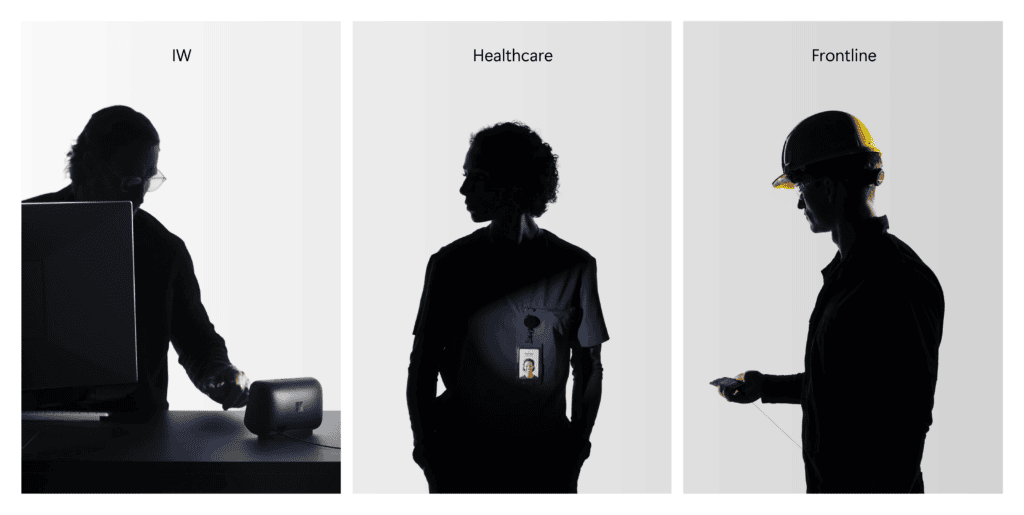
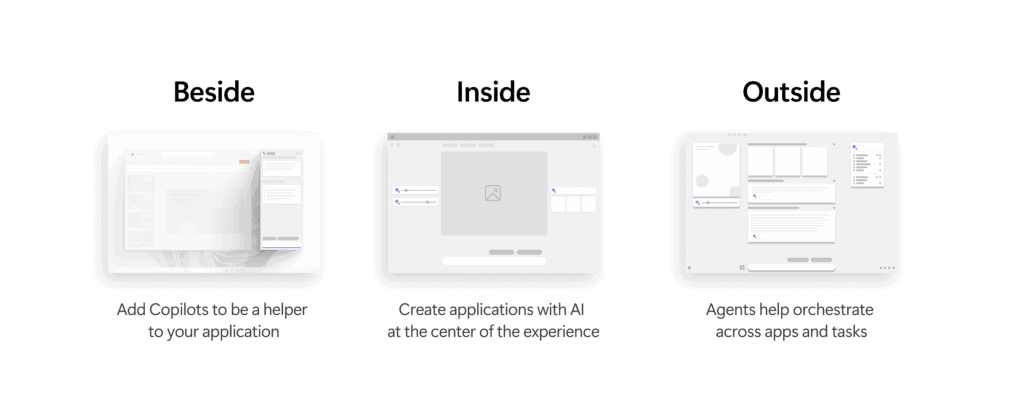
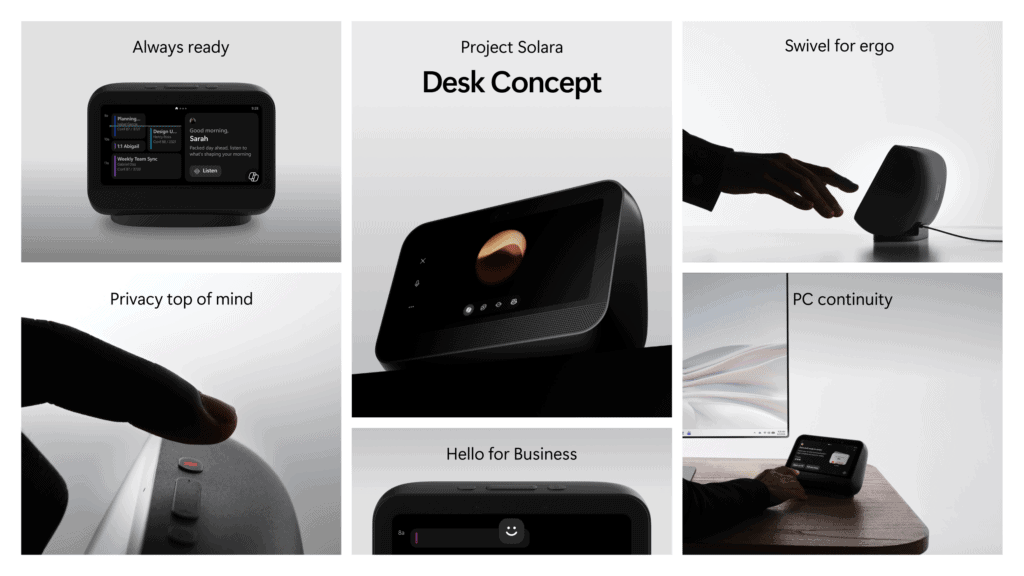
Moreover, Rayfin fits perfectly into Microsoft’s broader AI strategy. Alongside Project Solara, new Aion AI models, AI-powered Windows 365 upgrades, and Surface RTX Spark hardware, Microsoft continues pushing toward a future where AI helps build, manage, and deploy software at every stage of development. Not to forget, the company has also shared new tools to secure code, agents, and AI models.

Microsoft Launches Intelligent Terminal With Built-In AI Agents for Developers

Microsoft introduced several new developer and AI initiatives during this year’s Build conference, including new code security tools and the launch of Microsoft Discovery. The company also quietly revealed another experimental project aimed directly at developers.

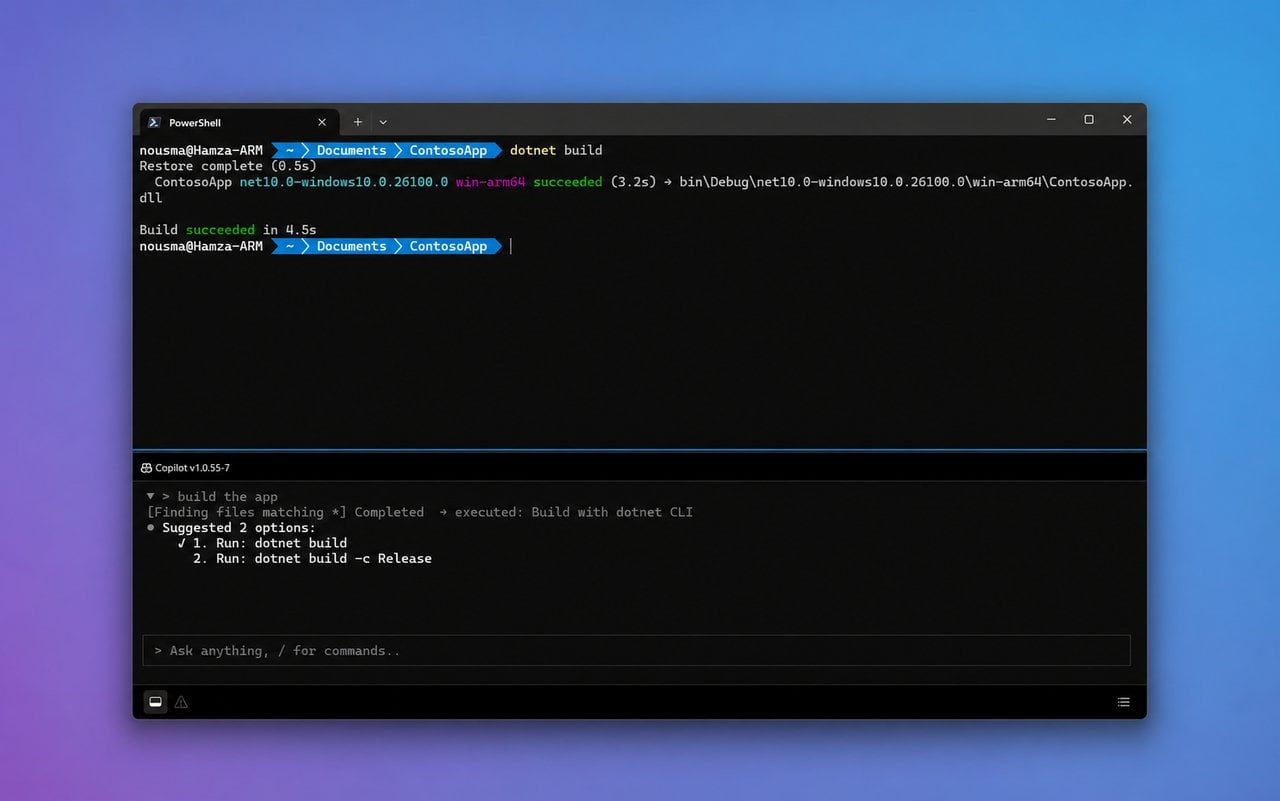
Microsoft has announced Intelligent Terminal, an AI-powered experimental fork of Windows Terminal that adds native AI agent integration directly into the command-line experience.

The app is available now through the Microsoft Store, winget, and GitHub. According to Microsoft, the original Windows Terminal app is not being replaced or modified in any way.

Intelligent Terminal brings AI agents directly into the terminal

Microsoft describes Intelligent Terminal as an open-source experimental fork of Windows Terminal designed for developers who want AI assistance built directly into their workflow.

Instead of modifying the existing Windows Terminal experience, Microsoft created a separate application that focuses on AI-powered terminal interactions.

This move also marks the end of another experiment. Microsoft confirmed that Terminal Chat in Canary is being deprecated, and users interested in AI-assisted terminal features are now being directed toward Intelligent Terminal instead.

AI can explain failed commands and suggest fixes

One of the main features in Intelligent Terminal is AI-assisted troubleshooting.

The app can detect command errors and display explanations or possible fixes inside a dedicated agent panel. Developers can quickly understand why a command failed without needing to search documentation or leave the terminal window.

Microsoft says the goal is to reduce workflow interruptions while making debugging easier, especially for newer developers or users working with unfamiliar commands.

Questions can be asked directly from the Command Palette

Intelligent Terminal also integrates AI into the Command Palette.

Users can ask questions based on the current terminal session, allowing the AI agent to analyze recent commands and context before responding.

Microsoft says the agent runs in the background so it does not interrupt the primary terminal workflow. This allows developers to continue working while the AI processes requests or generates explanations.

GitHub Copilot is the default agent

GitHub Copilot serves as the default AI agent inside Intelligent Terminal.

However, Microsoft says users are not locked into Copilot. The app supports ACP-compatible agents, meaning developers can swap in different AI agents depending on their preferences or workflow requirements.

This flexibility could make Intelligent Terminal more appealing to developers who already use third-party AI coding assistants.

Some developers welcome it while others remain skeptical

AI integration inside developer tools continues to divide opinion across the industry.

Some developers will likely appreciate features such as instant command explanations, inline debugging help, and AI-assisted workflows. These tools could reduce troubleshooting time and simplify complex command-line tasks.

Others remain skeptical as Microsoft and many other tech companies continue adding AI features across nearly every product category.

The announcement also arrives shortly after reports that Microsoft is preparing a new option in Windows 11 that allows users to uninstall local AI models more easily. That feature recently appeared in Insider builds and could help users reclaim storage space on Copilot+ PCs.

Via Windows Central

XBOX Game Pass June 2026 Wave 1 Lineup Includes Starseeker: Astroneer Expeditions, Persona 5 Royal & More

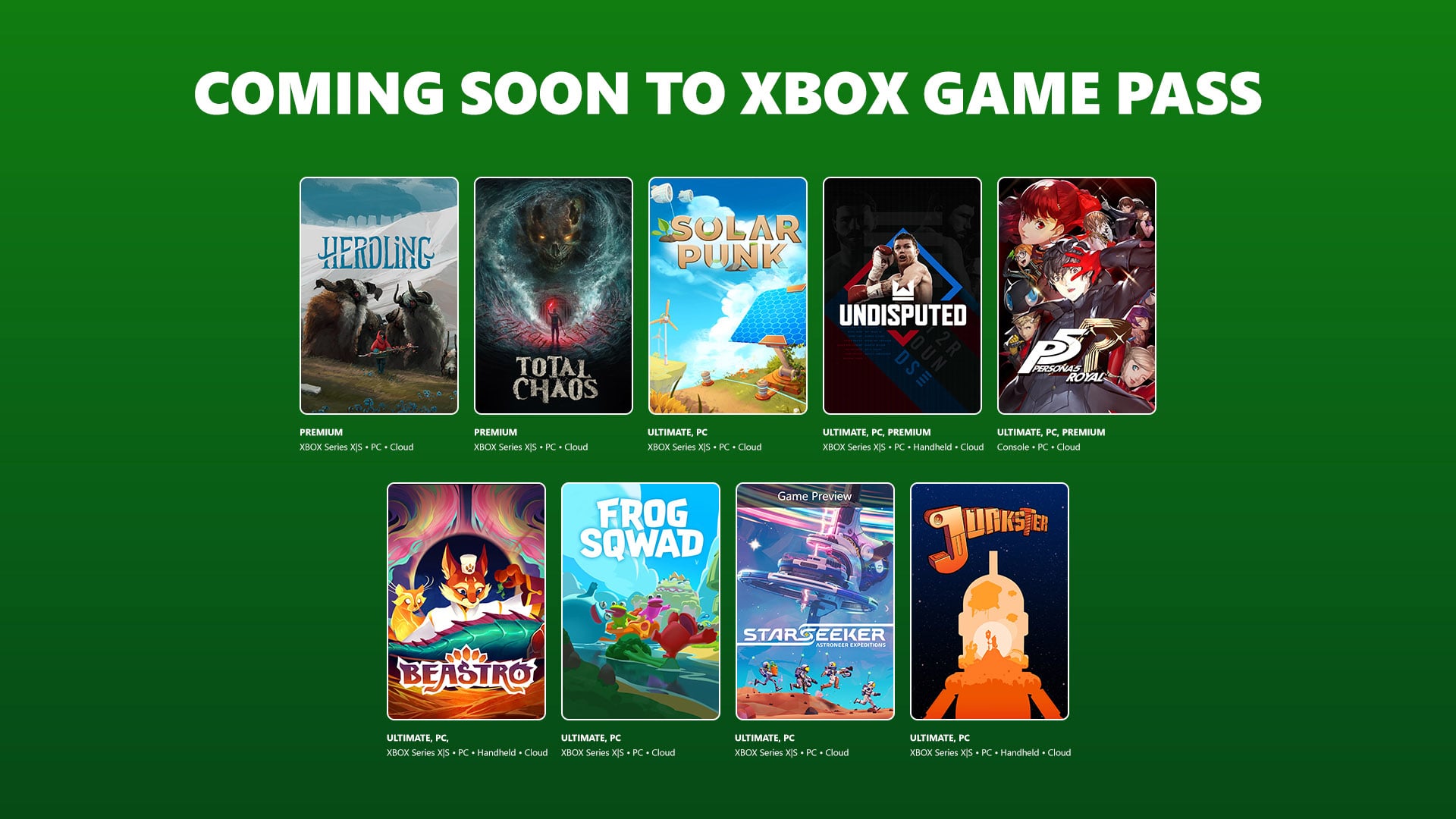
If you have been waiting for XBOX to reveal the next batch of Game Pass additions for June 2026, the good news is that it’s finally here. Microsoft has announced nine more games heading to XBOX Game Pass between June 4 and June 16, including several day one launches.

Among them, the biggest addition is Persona 5 Royal, which returns to XBOX Game Pass on June 9 across cloud, console, and PC. Meanwhile, Starseeker: Astroneer Expeditions joins the service as a day one release on June 11. The cooperative space adventure expands the Astroneer universe with planet-wide objectives and deep-space exploration.

Worth noting that Solarpunk, Beastro, Frog Sqwad, and Junkster are also arriving as day one XBOX Game Pass titles throughout the month. In case you want to check all upcoming additions and their release dates, see the table below.

XBOX Game Pass June 2026 Wave 2 games and release date

Game TitleRelease Date
HerdlingJune 4
Total ChaosJune 4
SolarpunkJune 8
UndisputedJune 8
Persona 5 RoyalJune 9
BeastroJune 11
Frog SqwadJune 11
Starseeker: Astroneer Expeditions (Game Preview)June 11
JunksterJune 16

Not to forget, XBOX has also announced a 10-hour EA Play Early Access trial for EA Sports UFC 6 starting June 12. Besides that, Game Pass members can now claim the Blitz Bushido Set for Tom Clancy’s Rainbow Six Siege as part of their membership benefits.

Games leaving XBOX Game Pass on June 15

Last but not least, Microsoft has also confirmed that five games are set to leave XBOX Game Pass on June 15. Here’s the list:

  • Jurassic World Evolution 2
  • Lost in Random: The Eternal Die
  • Scott Pilgrim vs. The World
  • Teenage Mutant Ninja Turtles: Shredder’s Revenge
  • Warhammer 40K: Space Marine – Master Crafted Edition

As usual, XBOX is offering discounts on these titles before they leave the service, giving subscribers a chance to keep them permanently in their library.

Microsoft Announces New Tools to Secure Code, Agents, and AI Models at Build 2026

Microsoft is taking AI security far beyond its chatbots. Ahead of Build 2026, the company had confirmed that MDASH would be available in an expanded preview. For those unaware, that’s a new agentic security system designed to hunt down exploitable software vulnerabilities before attackers get the chance.

Unlike traditional security tools that often overwhelm teams with alerts, MDASH takes a different approach. Microsoft says the system coordinates more than 100 specialized AI agents and multiple AI models to analyze codebases, validate threats, and determine whether a vulnerability can actually be exploited in the real world.

Microsoft wants to cut through security noise

One of the biggest problems facing security teams today is separating genuine threats from endless false positives. Microsoft believes MDASH can help solve that issue. The company says its new platform uses an ensemble of AI models rather than relying on a single foundation model. Some models focus on deep reasoning while others handle large-scale analysis tasks. Combined with Microsoft’s massive security telemetry network, MDASH reportedly processes signals at enormous scale to identify risks that matter most.

Microsoft also revealed that MDASH recently achieved a CyberGym benchmark score of 96.55%, highlighting how quickly the system is improving. Accenture, PwC, and Insight are already involved in early testing and development efforts.

Build 2026 shows Microsoft’s bigger security strategy

That being said, MDASH wasn’t the only security announcement at Build 2026. Microsoft also expanded integrations between Defender and GitHub Code Security, introduced new tools for securing AI agents, expanded Microsoft Purview protections, and unveiled additional safeguards designed to verify AI models before deployment.

As AI-generated code becomes increasingly common, Microsoft appears to be betting that AI will also become one of the most important tools for defending software in the years ahead.

Microsoft Discovery Goes Public With New AI Research Tools and Desktop App Preview

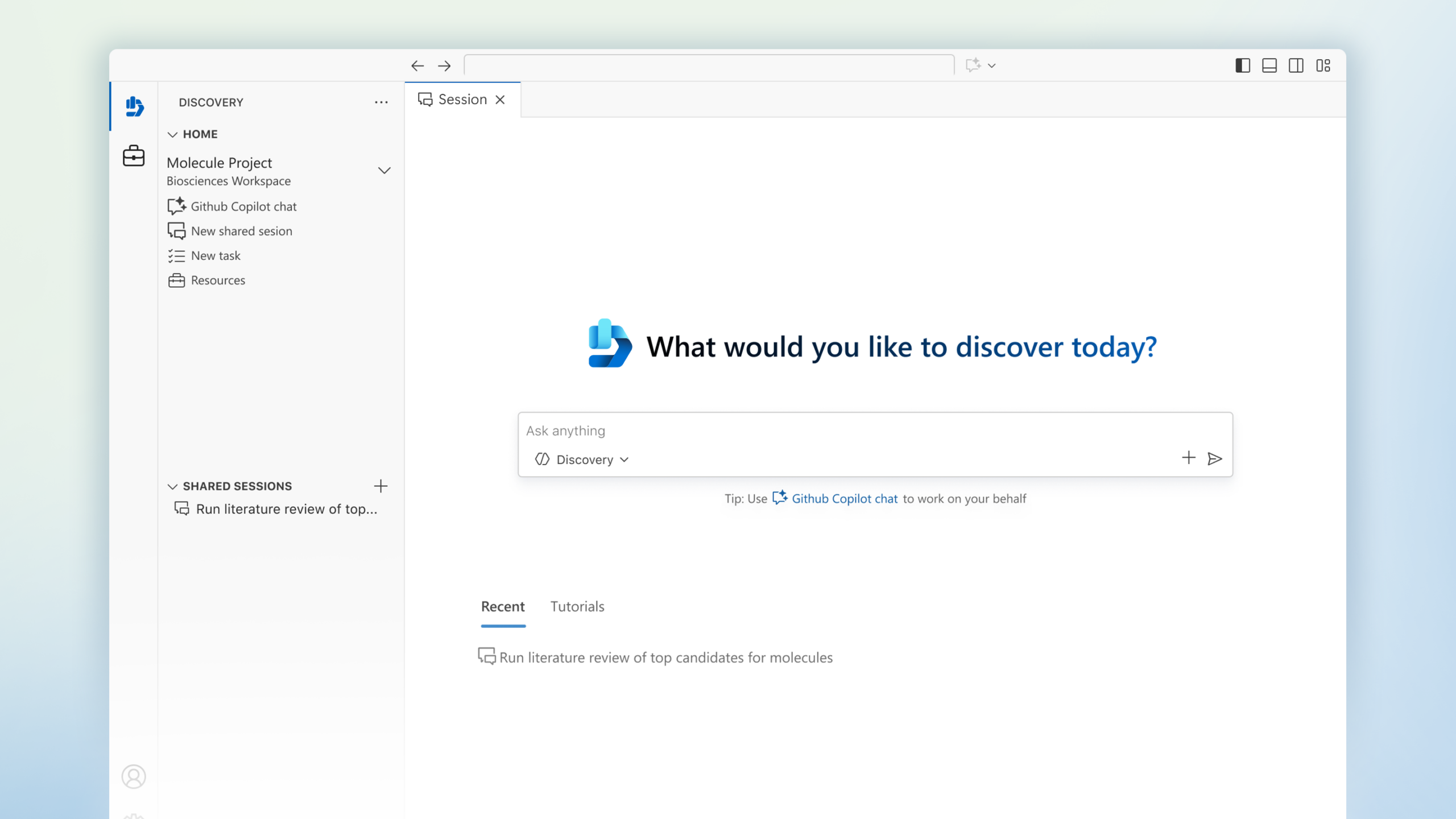
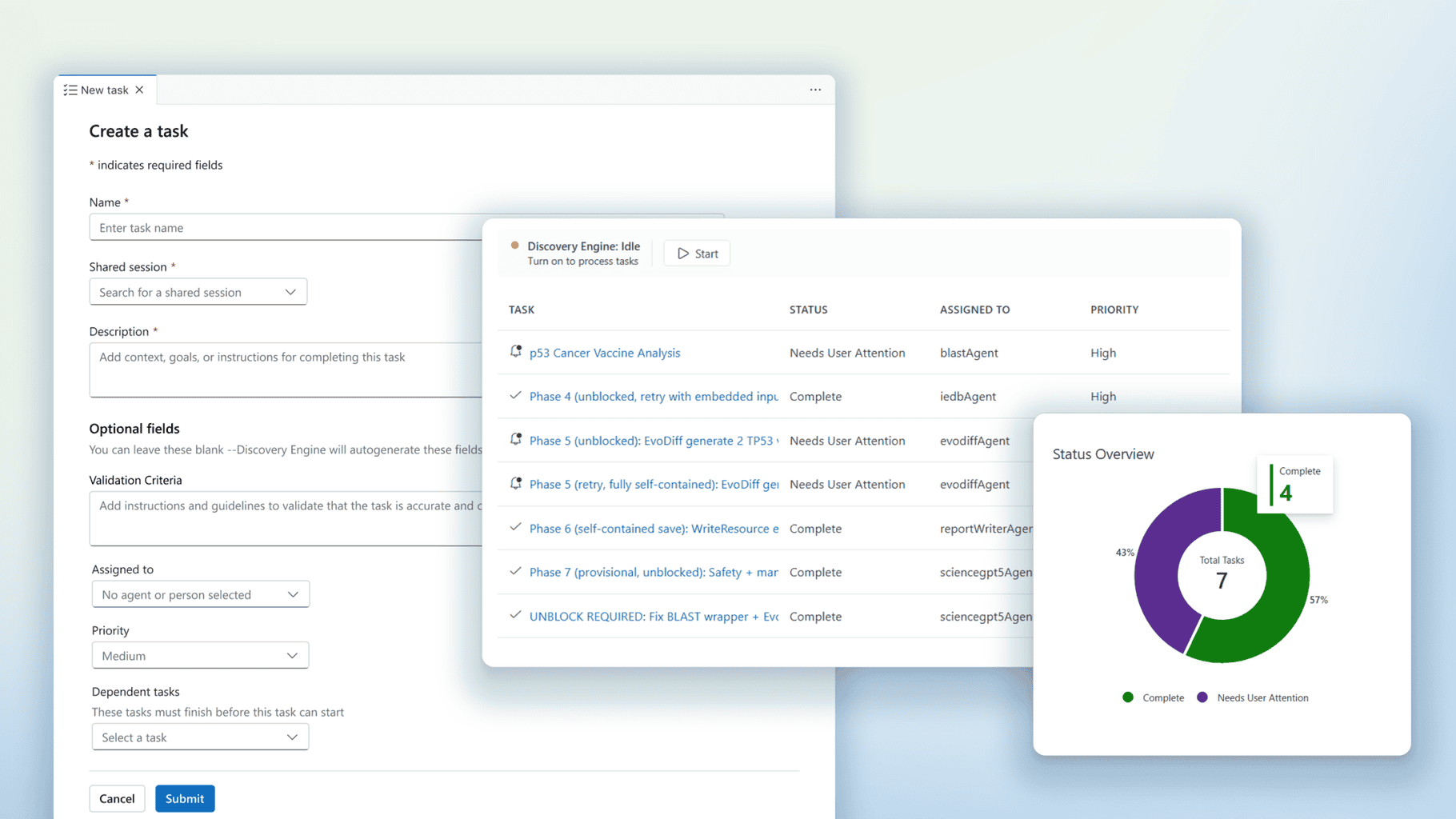
After spending the past year in private preview, Microsoft Discovery is now generally available to organizations. At the Build 2026 conference, the company also revealed that a new desktop app is now also available in preview for researchers, students, and academic teams to try it for themselves.

For those wondering, Microsoft Discovery goes beyond simply generating answers. The company says that the platform is designed to help scientists and engineers manage entire research workflows, from forming hypotheses to validating results and reviewing evidence.

Microsoft wants AI to help drive scientific breakthroughs

Research and development projects often involve massive amounts of data, simulations, testing, and collaboration. Microsoft says Discovery was built specifically for those environments. The platform allows organizations to create specialized AI agents that can access institutional knowledge, scientific databases, modeling tools, simulations, and research workflows.

These agents can then work together across different stages of scientific investigation while keeping human researchers involved in key decisions. At the center of the system sits the Microsoft Discovery Engine, which helps teams move from evidence and research findings to hypothesis generation, analysis, validation, and refinement. Microsoft says the goal is to create repeatable and transparent research processes rather than isolated AI-generated outputs.

Image credit: Microsoft

A new Discovery app opens access beyond enterprises

Besides the general availability, Microsoft has also introduced the Microsoft Discovery app in preview. The desktop application is designed for researchers, students, laboratories, and smaller scientific teams that may not need a full enterprise deployment.

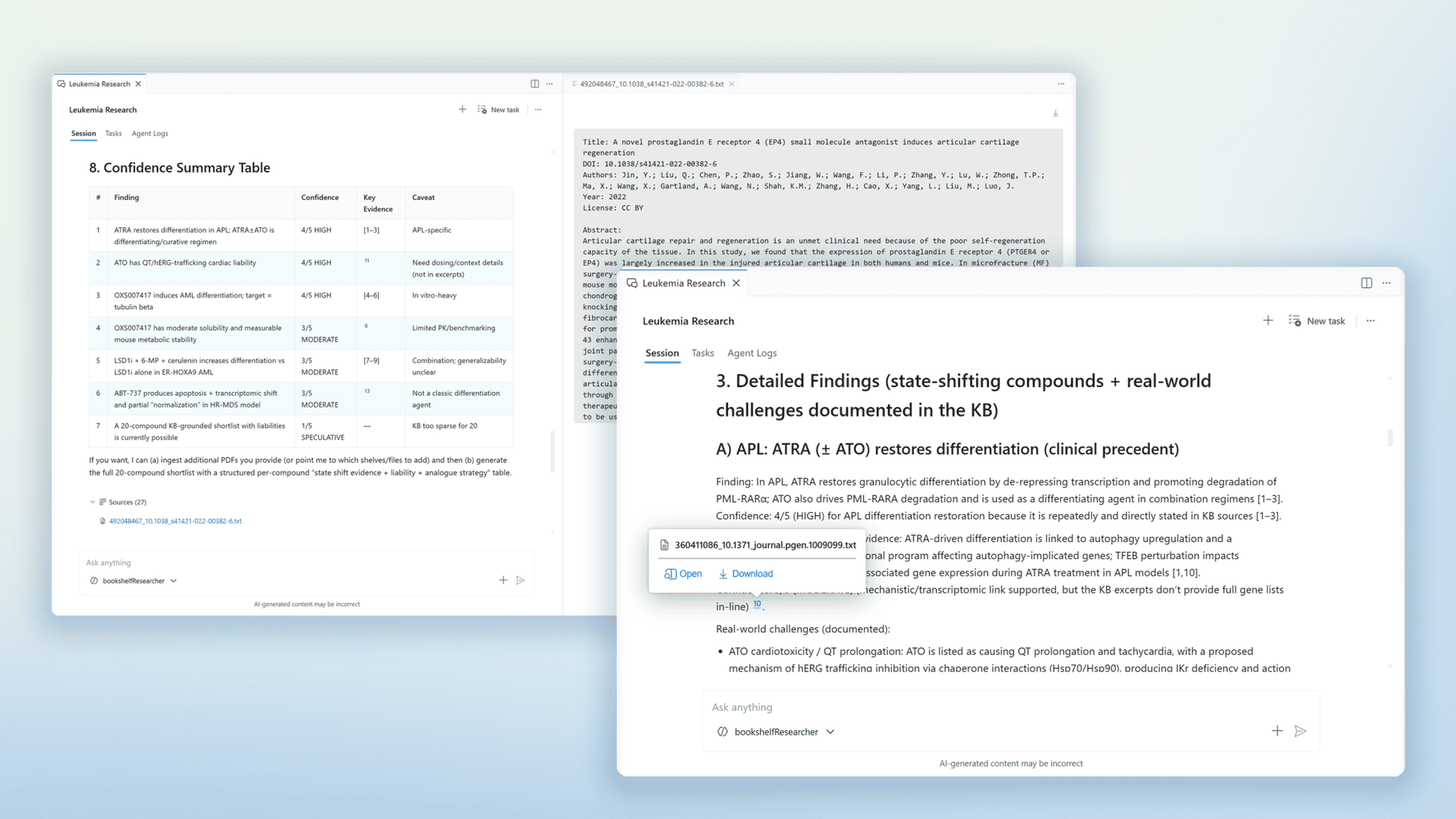
Users can access the app through GitHub and get started using a GitHub Copilot account. Microsoft says the software can help with literature reviews, scientific reasoning, hypothesis generation, and experimental exploration before projects eventually scale into larger research programs.

All that said, Microsoft now sees AI not just as a productivity tool, but as a research partner capable of helping scientists and engineers tackle some of the most complex problems across science, technology, and medicine.

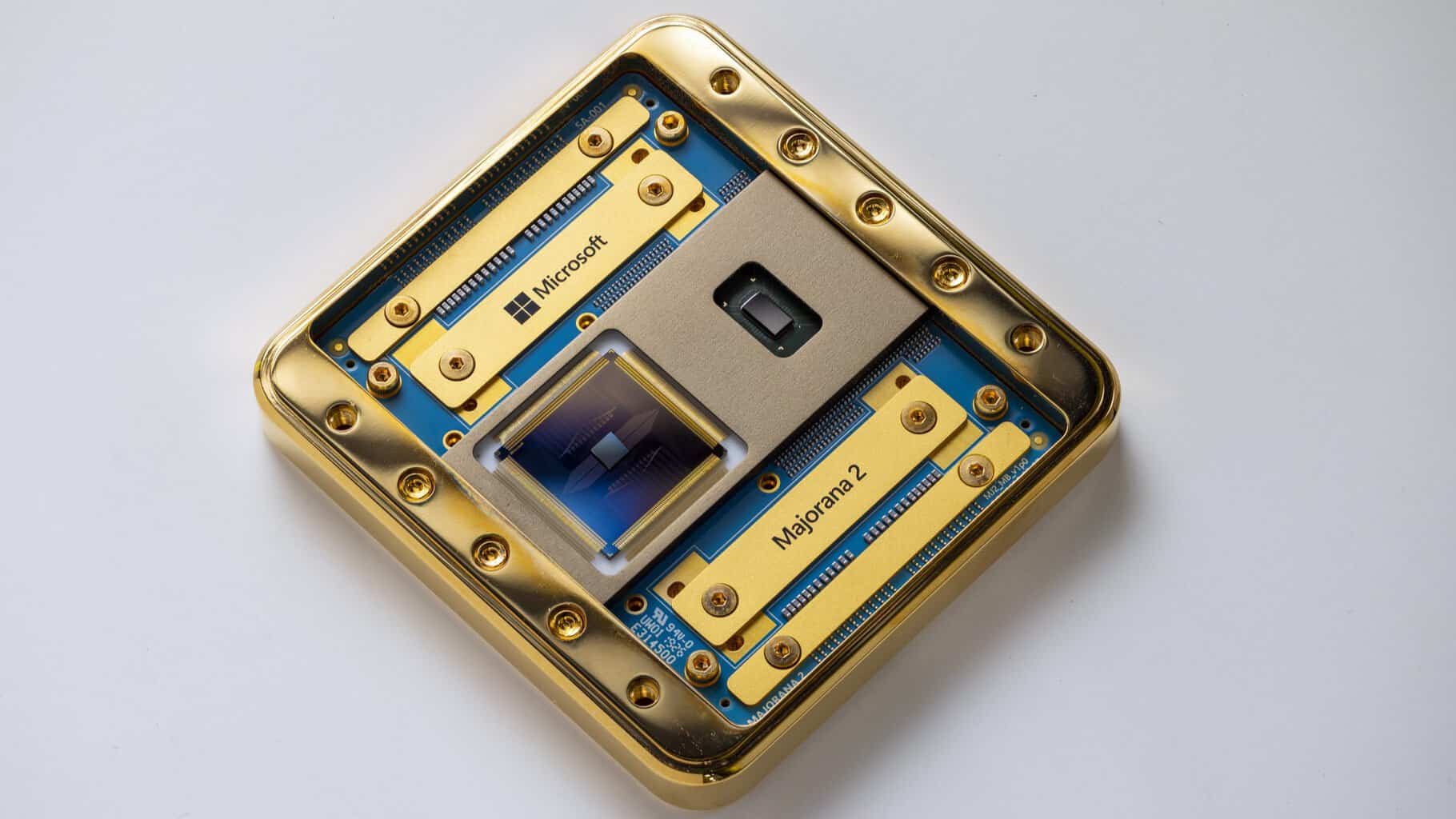
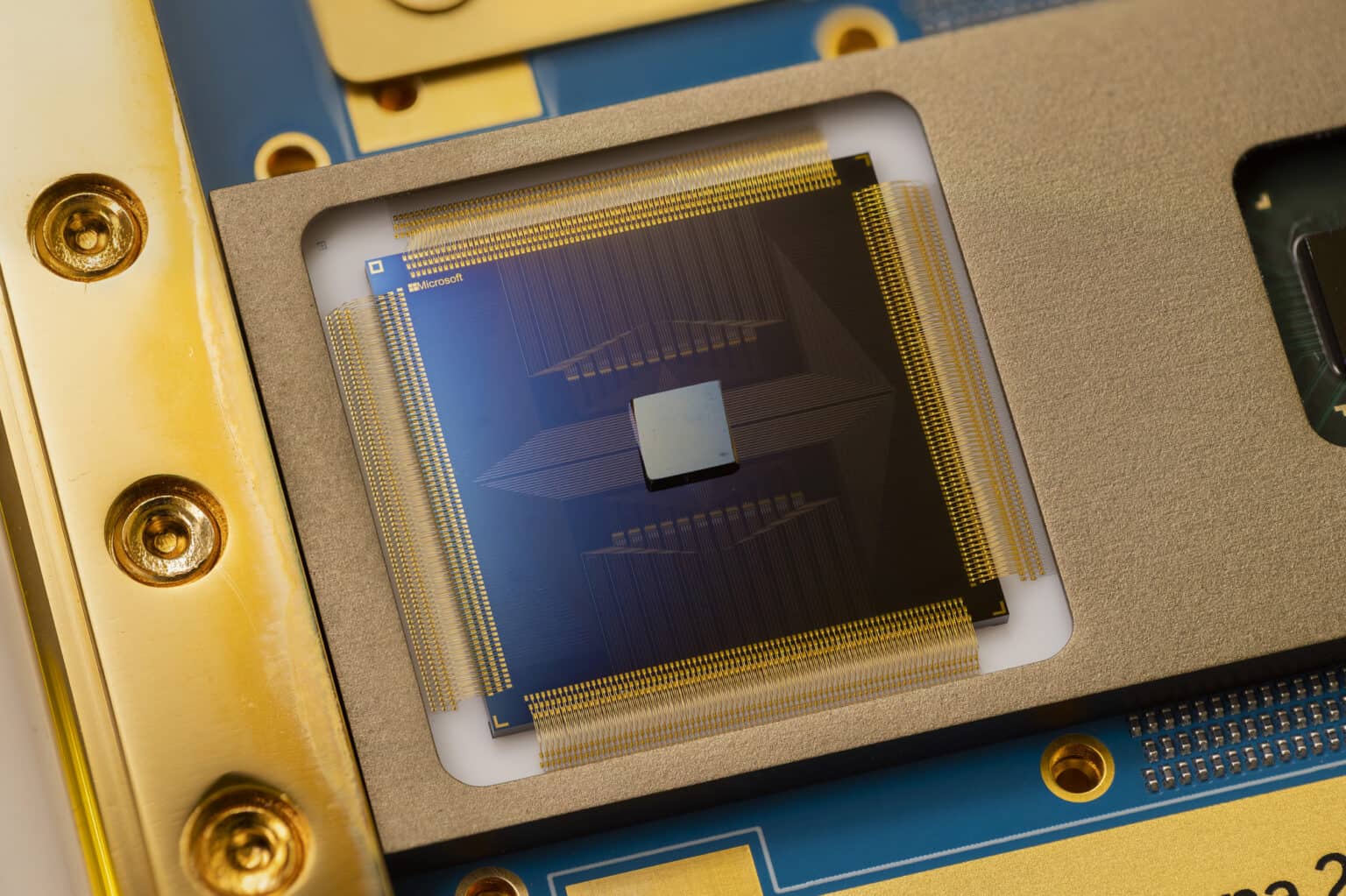
Apart from the aforementioned, Micosoft also announced a bunch of things at the Build 2026 event. The company unveiled Project Solara for agent-first devices, new Aion AI models for Windows, AI-powered Windows 365 upgrades, the Surface RTX Spark Dev Box, and built-in WSL container support for developers. Last but not least, Microsoft also announced unveiled Majorana 2, which is the next-generation quantum chip with 1,000-fold reliability improvement over its previous design.

WeedHack Malware Campaign Infects 116,000 Minecraft Players Through Fake Mods

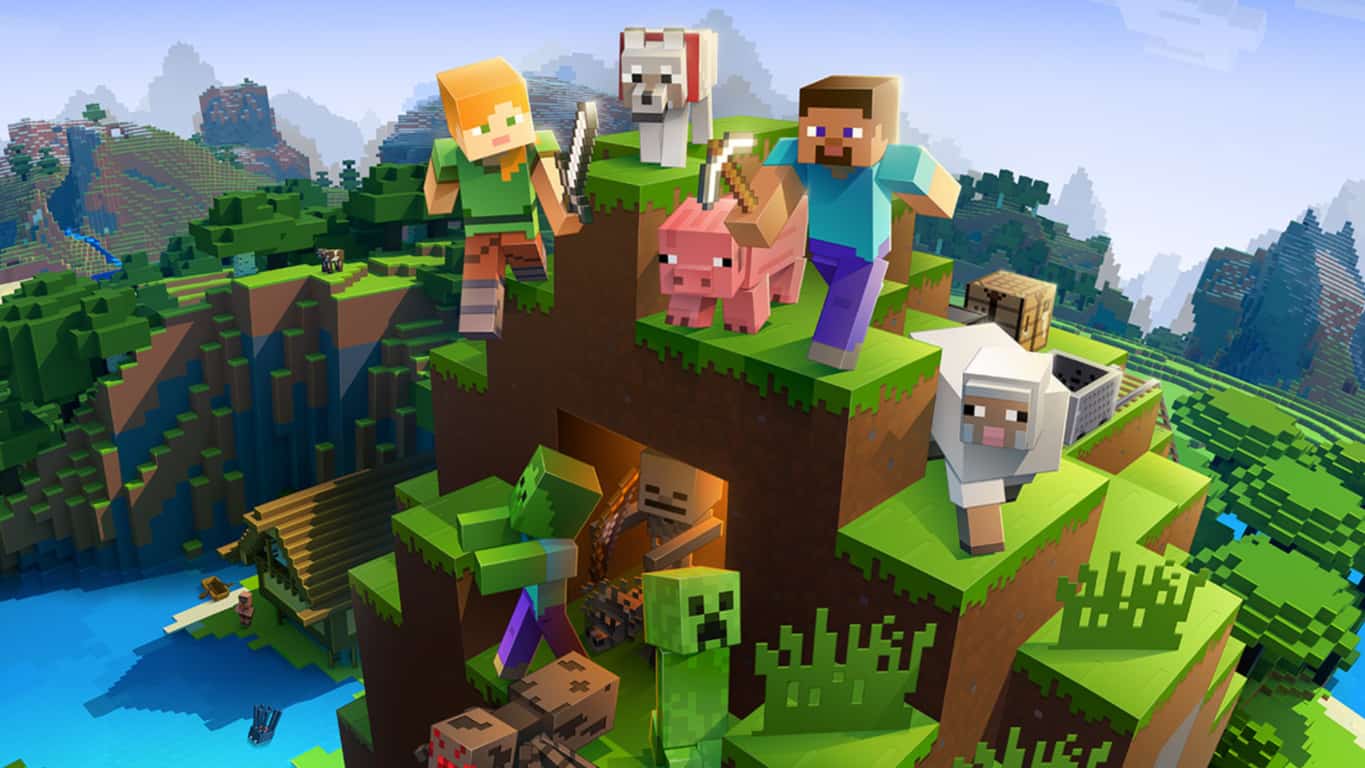
A massive malware campaign called WeedHack is targeting Minecraft players through fake mods, cheats, hacked clients, and utility tools. Security researchers at McAfee say the operation has already infected more than 116,000 systems since January, with thousands of new victims appearing every day.

The campaign mainly spreads through YouTube videos, SEO-poisoned search results, and fake Minecraft mod websites designed to impersonate popular community projects. Attackers reportedly use YouTube descriptions and comments to distribute malicious download links.

According to McAfee telemetry, WeedHack has impacted 116,464 systems so far. The malware campaign averages between 2,000 and 3,000 infections daily, with the United States, Germany, India, and the United Kingdom among the most affected countries.

Fake Minecraft Mods Used to Spread Malware

The campaign specifically targets Minecraft players searching for popular modding tools and hacked clients. Threat actors abuse the names of well-known Minecraft utilities to trick users into downloading infected files.

McAfee says the attackers impersonate projects such as Meteor Client, Wurst Client, LiquidBounce, Impact Client, Future Client, Aristois, and several others. Many of these tools officially distribute software through GitHub pages instead of dedicated websites, which makes fake clone sites easier to create.

Victims searching through Google or YouTube may encounter malicious websites that appear legitimate at first glance. Some fake sites even copy branding, screenshots, and download layouts from real Minecraft projects.

WeedHack Operates as Malware-as-a-Service

Researchers describe WeedHack as a malware-as-a-service infostealer platform. The operation reportedly provides users with a dashboard where they can monitor infected systems and review stolen information.

WeedHack also includes a paid subscription tier with expanded capabilities. The upgraded package reportedly adds remote control features, webcam access, and other advanced tools that allow attackers to interact directly with infected systems.

How Minecraft Players Can Stay Safe

Researchers recommend downloading Minecraft mods only from official project pages and trusted community platforms. Players should avoid downloading random JAR files from YouTube comments, unofficial mirrors, or suspicious websites promoted through search results.

McAfee also warns users to verify URLs carefully before downloading Minecraft tools, especially when searching for hacked clients or utility software.

For casual players who do not need third-party mods, the safest option remains the official Minecraft Marketplace.

Meanwhile, a Visual Studio Code zero-day vulnerability is reportedly enabling attackers to gain access to private GitHub repositories, while Microsoft is warning users about a Windows 11 Netlogon exploit and urging them to install the latest updates.

In a separate development, the company has also removed a blog post discussing Windows 11’s built-in security features.

Via BleepingComputer

Tomb Raider: Legacy of Atlantis Gets PS5 Release Date, It’s Coming in February 2027

Lara Croft is officially heading back to where it all started. During PlayStation’s latest State of Play showcase, Crystal Dynamics unveiled Tomb Raider: Legacy of Atlantis, a full reimagining of the original 1996 Tomb Raider. If you are wondering about the release date, it’s coming on PS5 on February 12, 2027.

The announcement finally gives Tomb Raider fans something they’ve been waiting years to see. Rather than creating a brand-new chapter, Crystal Dynamics is revisiting Lara’s first adventure and rebuilding it from the ground up with modern technology, expanded locations, and fresh gameplay systems.

Lara’s first adventure gets a massive modern upgrade

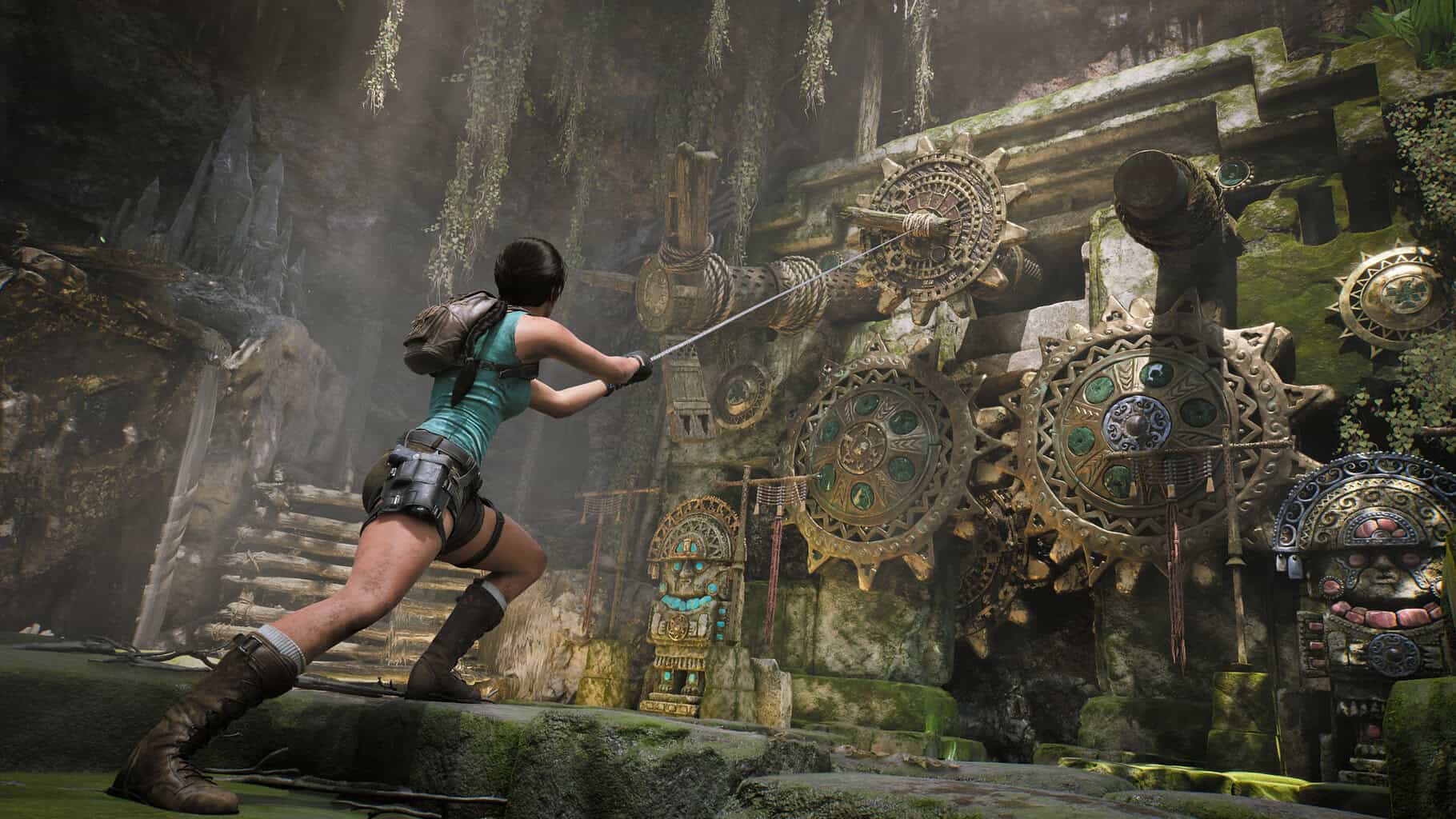
Built using Unreal Engine 5 and co-developed with Flying Wild Hog, Tomb Raider: Legacy of Atlantis takes players back to iconic locations including Peru’s Lost Valley and the ancient ruins of Greece. However, the studio emphasizes that it isn’t a simple visual remake.

That’s because environments have been significantly expanded compared to the original game. Areas that were once isolated rooms are now larger, interconnected spaces filled with secrets, collectibles, hidden resources, and alternative routes for exploration.

That’s not all; some of the most recognizable puzzles from the original release are returning with major redesigns. The studio specifically highlighted the classic cog puzzle, which has reportedly been rebuilt to feel more natural within the game’s world.

Image credit: Crystal Dynamics

More than just a nostalgia play

While the project stays rooted in the original Tomb Raider experience, the developers appear to be aiming for much more than nostalgia. Combat, traversal, exploration, and puzzle-solving have all been modernized. Whereas the overall adventure remains focused on the journey that introduced Lara Croft to gaming audiences nearly three decades ago.

Crystal Dynamics has confirmed that Tomb Raider: Legacy of Atlantis will be available in a Standard Edition priced at $59.99 and a Deluxe Edition for $69.99. Players who pre-order the Deluxe Edition will receive 48-hour early access, a Parisian Fugitive outfit, and a post-launch story expansion.

Let’s not forget that Rayman Legends Retold and Until Dawn 2 were also revealed at yesterday’s State of Play showcase. Whereas Marvel’s Wolverine gets brutal new gameplay reveal and PS5 release date. Moreover, God of War Laufey was also revealed yesterday with Faye as the lead.

Chrome Tests a Floating AI Mode Search Bar for Desktop

Google is testing a new way to access Search and AI Mode without relying on Chrome’s traditional address bar. The experimental feature, called “Everywhere Omnibox”, is being developed under “Project Loom” and adds a floating search interface to desktop Chrome. We were able to enable it in Chrome Canary and confirm that it launches successfully with Ctrl+Shift+Space on Windows.

Unlike Chrome’s normal omnibox, this interface is not tied to the browser toolbar. Instead, it opens as a standalone window centered on the screen.

In its current form, Everywhere Omnibox works like a detached search bar. It shows familiar omnibox suggestions and can open Google Search results in Chrome. AI Mode is at the center of the experience, replacing the standard search prompt with an “Ask anything” field.

Image Credit: Venkat | Windows Report.

A built-in + menu adds options to upload images, upload files, and create images directly from the interface. The interface handles both traditional search and AI Mode tasks from the same window.

Image Credit: Windows Report.

The floating search interface also resembles Microsoft Edge’s desktop search experience. But Google’s version takes a different approach by integrating AI Mode directly into the interface instead of treating it as a separate destination.

Recent Chromium changes describe Everywhere Omnibox as a standalone desktop compose popup and reference a related omnibox-loom flag. Google says the feature is still an early prototype behind a flag and is not expected to launch any time soon.

Image Credit: Venkat | Windows Report.

If enabled, the feature can be triggered with Ctrl+Shift+Space on Windows and Linux or Cmd+Shift+Space on macOS. We also recently spotted a similar AI Mode search interface on Chrome’s New Tab page. While we can’t confirm whether the New Tab Page Composebox and Everywhere Omnibox are part of the same project, both experiences place AI Mode, file uploads, and image-based interactions directly within Chrome’s search surfaces.

Google already offers a desktop Google app that can be launched with the Alt+Space keyboard shortcut and provides access to Search and AI Mode. While Google has not publicly linked that app to Everywhere Omnibox, the similarities are notable. Both offer quick access to search through a floating interface and place AI Mode alongside traditional Google Search features.

Meta Eases Controversial MCI Tracking Program Amid Backlash, Adds 30-Minute Pause Option

Meta’s journey towards being a futuristic company using AI is currently facing a new wave of criticism due to a report indicating that the organization has been collecting employee data beyond what anyone had anticipated.

As previously reported by Reuters, Meta’s internal initiative referred to as the Model Capability Initiative (MCI) aims at training its AI agents by observing how employees use their applications. The program has the ability to monitor activities such as clicks and mouse movements, among others, in over 200 applications and websites.

Meta’s MCI initiative now has some relaxation for employees

While the monitoring may not be of much concern, there is now an increased fear about the data collected during the process. That’s why the company is now scaling back the MCI tracking system.

In two reports citing an internal memo, The Information and Reuters noted that Stephane Kasriel, ​a vice president in Meta’s AI model-building Superintelligence Labs unit has notified employees that Meta now plans to let them “pause” the tracking for up to 30 minutes in the event they need to “check something personal.”

Reports also mention that Meta has made “a few optimizations” to lower the effect of tracking system on employees’ computer battery life. This is after complaints from employees who reported that the tracking tools was consuming too much data, eventually increasing home internet consumption.

“While we remain confident in the privacy protections we put in place at launch, ‌which ⁠went through several layers of risk review, we have heard your concerns about personal data on work devices, battery life, and wanting more control over when capturing happens,” Kasriel wrote in the memo.

Windows 11 Could Soon Let Users Uninstall Local AI Models

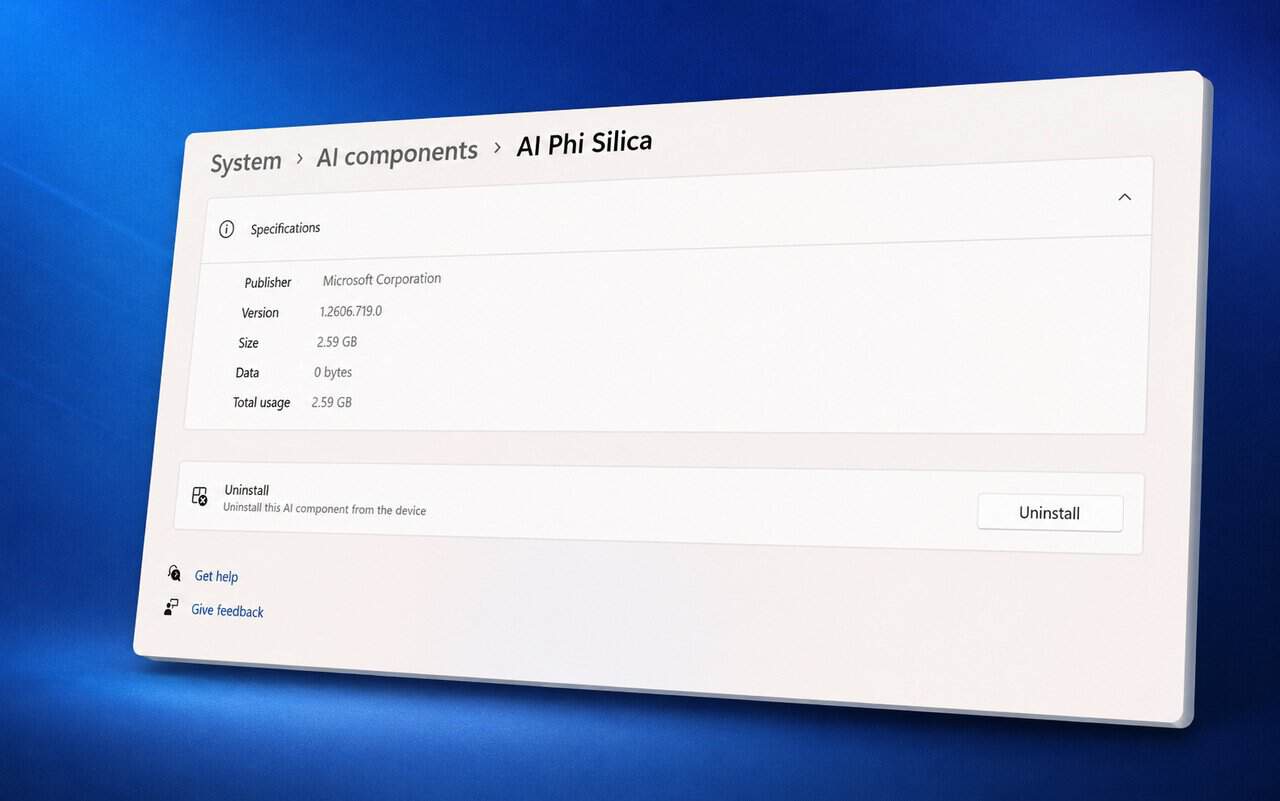
Microsoft may soon give Windows 11 users more control over local AI features installed on their PCs. A newly discovered option in a recent Windows 11 Insider Experimental build 26300.8553 suggests the company is testing a way to uninstall local AI models directly from the Settings app.

The feature was spotted by Windows enthusiasts techosaruserex and phantomofearth. According to their findings, Microsoft is quietly working on an uninstall option for AI components installed locally on compatible devices.

New AI Uninstall Option in Windows 11

A new “Uninstall” button reportedly appears under installed AI components in Settings. The button appears designed to remove specific local AI models with a single click, making the process much easier for regular users.

After removal, Windows requires a system reboot to complete the process. This suggests the AI models are handled like deeper system components rather than regular optional apps.

The discovery is particularly important for owners of Copilot+ PCs, which rely heavily on on-device AI processing. These systems include several local AI models used for features such as Recall and other AI-powered experiences.

Why Removing Local AI Models Could Matter

While local AI can improve speed and privacy by processing tasks directly on the device, not every user wants these models installed permanently. Some users may not use AI features at all, while others may prefer to free up storage space.

Local AI models can take up multiple gigabytes of disk space, depending on the device and installed features. For laptops with smaller SSDs, that space can matter.

Currently, removing some AI-related packages may require advanced commands or manual workarounds. A built-in uninstall button would make the process much simpler and safer for regular Windows 11 users.

Feature Is Still Hidden for Now

At the moment, the feature remains hidden and Microsoft has not officially announced it. Since it was discovered in an experimental Insider build, there is no guarantee it will ship publicly.

Microsoft could still modify the feature, delay it, or remove it entirely before release. Insider builds often include unfinished options that may change significantly before reaching stable Windows 11 versions.

Still, the discovery suggests Microsoft is at least exploring more user control over local AI components, which could become more important as Windows adds more on-device AI features.

Microsoft Continues Expanding Local AI

The discovery comes as Microsoft continues expanding its AI ambitions across Windows and beyond. Recently, the company introduced its Aion 1.0 local AI model initiative, which focuses on bringing more AI processing directly to Windows PCs.

Microsoft also unveiled the Majorana 2 quantum chip as part of its broader next-generation computing strategy.

For now, Windows 11 users should treat the AI uninstall option as an early test. If Microsoft moves forward with it, the feature could give Copilot+ PC owners a much easier way to reclaim storage and manage local AI features from Settings.

Via Neowin

Call of Duty: Black Ops 7 & Warzone Season 4 Get Official Release Date for All Platforms

Call of Duty players barely had time to catch their breath after the recent reveal of Modern Warfare 4, but Activision isn’t stopping as it has already announced another massive content drop. Call of Duty: Black Ops 7 and Call of Duty: Warzone Season 4 bring fresh multiplayer maps, new Zombies experiences, additional weapons, and major updates to several fan-favorite modes.

Black Ops 7 Season 4 is bringing back some fan favorites

Multiplayer players are getting a mix of brand-new battlefields and returning classics. Among the biggest additions is Vertigo, the beloved Black Ops 2 map that returns fully remastered for modern hardware. Activision is also bringing back Launch later in the season, giving longtime fans another nostalgic battlefield to revisit.

Image credit: Activision

Players can jump into Liminal, a shifting arena where the center of the map constantly changes, while Primetime throws operators into a chaotic Japanese game show-inspired obstacle course. Several returning modes are also making a comeback, including Blueprint Gun Game, Gunfight, Team Blueprint Sharpshooter, and Knife Fight.

Meanwhile, Zombies fans have plenty to look forward to. Season 4 introduces Nuked Survival, a new survival-focused map built around wave-based combat. Activision is also debuting Rogue Run, a roguelite-inspired mode that pushes players through multiple arenas while offering rewards and upgrades between rounds.

Later in the season, the action moves to Kowakujō, a feudal Japanese castle built near an active volcano. That map alone sounds like one of the more ambitious Zombies locations the studio has attempted lately.

Warzone isn’t being left behind

Warzone is receiving significant attention as well. Fortune’s Keep has been refreshed with updated locations, new gameplay mechanics, and additional points of interest. Rebirth Island is also entering a new seasonal phase, while Ranked Resurgence returns for another competitive grind.

Speaking of gameplay additions, Season 4 introduces new contracts, advanced self-revive mechanics, Champion’s Quest challenges, and six fresh weapons, including the AN-94 Assault Rifle.

New VS Code Zero-Day Lets Attackers Access Private GitHub Repositories

A security researcher has publicly disclosed a new Visual Studio Code zero-day vulnerability that can reportedly let attackers steal GitHub authentication tokens through github.dev. Microsoft has not released a patch yet, and the flaw currently has no assigned CVE identifier.

The vulnerability affects github.dev, the browser-based version of Visual Studio Code that lets users browse and edit GitHub repositories directly from a web browser. According to the disclosure, attackers can abuse VS Code’s sandboxed webview messaging system to install a malicious extension capable of extracting GitHub OAuth tokens.

The issue was disclosed by security researcher Ammar Askar, who also published proof-of-concept details demonstrating how the attack works.

How the VS Code Attack Works

The attack begins when a victim clicks a specially crafted malicious link. Once opened, the exploit abuses communication between sandboxed webviews inside github.dev.

The exploit can reportedly trigger the installation of a malicious extension inside the browser-based VS Code environment. That extension can then extract GitHub OAuth authentication tokens tied to the victim’s session.

According to Askar, the stolen token is not limited to only the repository opened in github.dev.

The researcher claims the token may provide access to every private GitHub repository the victim can access. The proof-of-concept reportedly demonstrates this by querying the GitHub API and listing private repositories connected to the compromised account.

Microsoft Has Not Released a Patch Yet

The vulnerability remains unpatched at the time of writing. Microsoft has not publicly commented on the disclosure, and the flaw does not currently appear to have a CVE ID assigned.

The lack of a patch means users may need to rely on temporary mitigations until Microsoft responds.

Temporary Mitigation for github.dev Users

Askar recommends clearing cookies and local site data for github.dev as a temporary mitigation step.

After clearing the stored data, users should see a new warning prompt asking whether the GitHub Repositories extension can sign in with GitHub.

This additional prompt can help users spot suspicious authentication requests or unexpected extension behavior.

Users working with sensitive repositories may also want to avoid opening untrusted github.dev links until Microsoft releases a fix.

Disclosure Sparks More Criticism of MSRC

The disclosure also reignited criticism surrounding Microsoft’s security response process.

Askar said he informed GitHub only one hour before publicly releasing details of the flaw. He claimed the fast disclosure was intentional because of previous negative experiences with Microsoft’s security handling process.

According to the researcher, Microsoft previously fixed another VS Code issue without acknowledging its security impact or properly crediting the discovery.

The incident follows recent criticism aimed at the Microsoft Security Response Center (MSRC) from another researcher known as Nightmare Eclipse. The researcher publicly disclosed multiple Windows zero-days earlier this year and later claimed GitHub banned his account.

Security Researchers Continue Raising Concerns

The VS Code zero-day arrives during a busy period for Microsoft-related security incidents.

Recently, security researchers warned that attackers started exploiting the Windows Netlogon vulnerability CVE-2026-41089 in the wild. Separately, password manager provider Dashlane was hit by brute-force attack as users reported account lockouts.

Developers and organizations using GitHub services may want to monitor Microsoft and GitHub security advisories closely until an official fix becomes available.

Via BleepingComputer

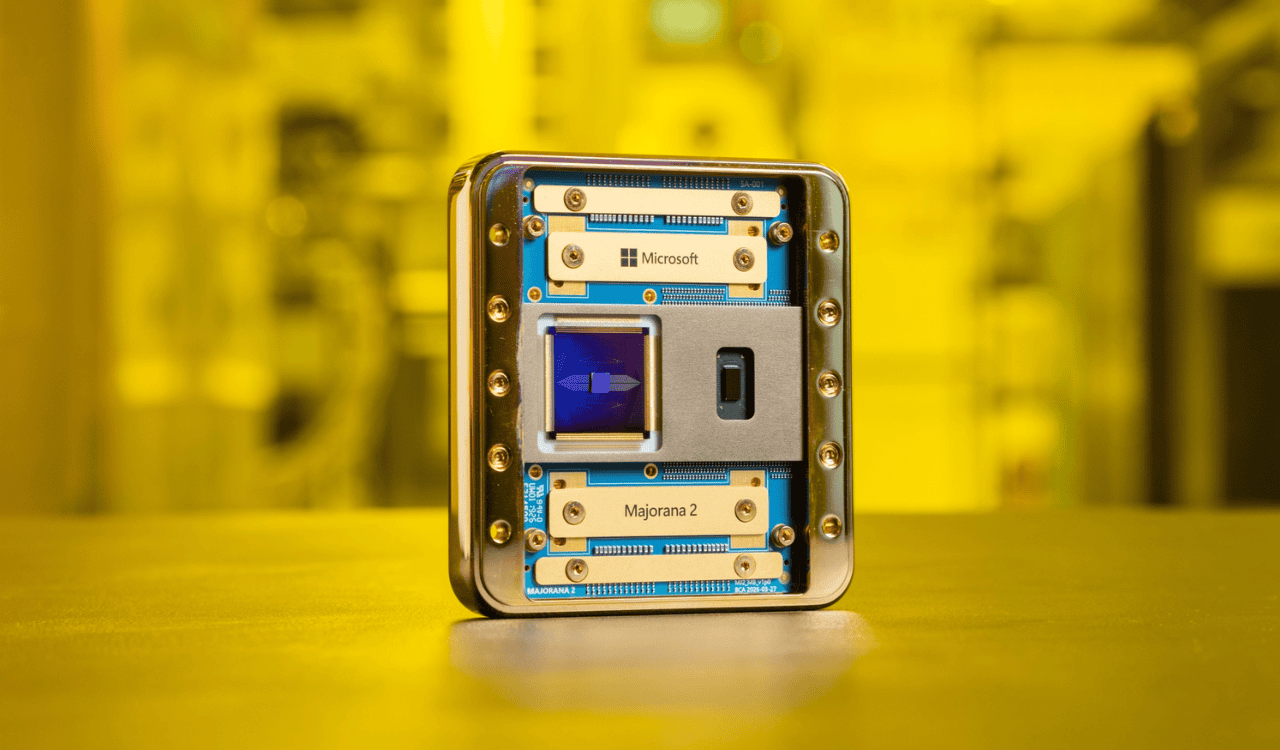
Microsoft Unveils Majorana 2 Quantum Chip With Qubits 1000x More Reliable

Microsoft’s latest announcement related to quantum computing is perhaps its most significant one to date, and the company is confident that its roadmap is advancing far quicker than anticipated. At the Build 2026 conference yesterday, the tech giant unveiled Majorana 2. That’s the next-generation quantum chip, which Microosft says 1,000-fold reliability improvement over its previous design while cutting its long-term quantum computing timeline in half.

Microsoft says its quantum leap just got much bigger

The Majorana 2 is Microsoft’s latest topological quantum computer chip. Per the company, the qubits in the chip are said to remain in their quantum state for much longer periods. Where regular systems have a lifetime measurement of microseconds, the Microsoft design is said to offer an average lifetime of 20 seconds with even some reaching a minute’s worth of time.

Image credit: Microsoft

Such improvements in stability are said to come from a new materials stack design that includes the replacement of essential elements and some new engineering techniques meant to lower any forms of interference on the quantum computations being made. The company claims the result is a quantum system that is now 1,000 times more reliable than before.

That’s not all; Microsoft has also detailed the updated timeline. Thanks to these advances, the company now expects to achieve a commercially valuable scalable quantum computer by 2029. Previously, that goal sat much further out on the roadmap.

AI played a major role behind the scenes

Microsoft also said that agentic AI inside its Microsoft Discovery platform helped accelerate the development process. Engineers reportedly used AI agents to automate measurements, analyze years of research data, optimize fabrication workflows, detect hidden flaws, and even assist with materials research.

Speaking of Microsoft Discovery, the platform is now generally available for organizations, while a free Microsoft Discovery app is entering preview for individual researchers using GitHub Copilot accounts.

Among other news from Build 2026, Microsoft has also announced Project Solara, new Surface RTX Spark Dev Box, Windows 365 with GPU cloud PCs, Coreutils for Windows and built-in WSL Containers.

Minecraft is Down Now, Players Hit by “We Couldn’t Connect to the Minecraft Services” Error

If you are having issues accessing Minecraft right now, it’s just not you. Minecraft is seemingly facing an outage and is down for hundreds of players right now.

Several user reports point out that Minecraft players are getting error that reads, “Oh no! Something went wrong, and we couldn’t connect to the Minecraft services. Please connect to the internet to refresh your offline access. Try again.”

At the time of writing this, DownDetector is showing spike in user reports. Over 650 players have reported issues related to login, game launch, and server connection.

Image credit: DownDetector

As of now, Mojang hasn’t confirmed the issue, but we expect it to provide an update on the matter. If we hear anything from Mojang, we will update this article. Stay tuned!

Just in case you are willing to fix the issue by yourself, don’t forget to check our Minecraft no internet connection fix guide.

This is a developing story…

Rayman Legends Retold Announced for PS5 With 3D Visuals and Voiced Characters

State of Play already delivered major reveals like God of War Laufey, new gameplay for Marvel’s Wolverine, and Until Dawn 2. Ubisoft also joined the showcase with the official reveal of Rayman Legends Retold, a new PlayStation 5 platformer launching on October 1.

The game is described as a bold 3D reimagining of the original Rayman Legends. Ubisoft says it keeps the core side-scrolling gameplay fans know while rebuilding the world with modern visuals, cinematic storytelling, and new gameplay ideas.

Rayman Legends Retold follows Rayman and his allies as they face a new threat spreading corruption across the world. The adventure brings back familiar heroes while introducing fresh environments, voiced cinematics, and expanded co-op features.

A New Story With Familiar Heroes

A shadowy villain has started corrupting the world and putting the Teensies in danger once again. Rayman teams up with Globox, Barbara, Grand Minimus, and Murphy to stop the growing darkness before it spreads further.

The story sends players across returning locations inspired by Rayman Legends while also introducing an entirely new realm created specifically for this release. Ubisoft says the game focuses heavily on cinematic presentation and character interactions.

One of the biggest changes is that the full cast is now voiced for the first time in franchise history. Ubisoft says this helps give more personality to the characters and makes story moments feel more dynamic during gameplay and cutscenes.

Enhanced 3D Visuals and New Gameplay Features

Rayman Legends Retold rebuilds the original game with a stronger 3D presentation. Ubisoft uses dynamic camera shifts, tilted perspectives, and cinematic transitions to make stages feel more immersive.

Despite the visual overhaul, the game still keeps the clarity of traditional side-scrolling platform gameplay. Ubisoft says players should still feel comfortable navigating levels while enjoying more dramatic visuals and environmental depth.

The game also introduces several new gameplay elements. Players can ride dragons during special sequences, explore a mysterious new realm, and tackle four brand-new musical stages where movement syncs directly with the soundtrack.

Couch Co-op and Kung Foot Return

Rayman Legends Retold supports up to four players in local couch co-op. Players can work together to rescue Teensies, collect Lums, and survive platforming challenges.

Ubisoft also says players can compete against each other during gameplay by racing through levels or even sabotaging teammates during chaotic moments.

Kung Foot is making a return as well. The mini-game now includes improved controls, new power-ups, and customizable rule sets for multiplayer matches.

Editions and Preorder Bonuses

The Standard Edition includes Rayman Legends Retold alongside Rayman Origins: Enhanced Edition. Ubisoft says the enhanced version of Rayman Origins supports 4K resolution, 60 FPS gameplay, haptic feedback on compatible controllers, and several quality-of-life upgrades.

The Deluxe Edition adds the Retro Pack featuring four costumes and an in-game art gallery in addition to everything included in the Standard Edition.

Players who preorder any edition will receive the Hoodlum Havoc Pack. This bonus includes two costumes inspired by Rayman 3: Hoodlum Havoc for Rayman and Globox.

Until Dawn 2 Revealed at State of Play With New Cast and Setting

Sony’s June State of Play delivered several major game reveals, and one of the biggest surprises was Until Dawn 2. The sequel is coming exclusively to PlayStation 5 and will launch in 2027.

The new game is being developed by Firesprite, the PlayStation studio behind Horizon: Call of the Mountain. Unlike the original game, Until Dawn 2 tells a completely standalone story with a new cast, new setting, and a different horror scenario.

Players will not need any knowledge of the original Until Dawn to follow the sequel’s story.

New island setting and story details

Until Dawn 2 follows a group of paranormal investigators who run a popular ghost-hunting channel called Dead True. Their lives change after they receive an opportunity to film their first fully funded TV episode on an abandoned tropical island.

What starts as a paranormal investigation soon turns into a brutal survival nightmare.

Sony’s reveal trailer showed dense jungles, abandoned ruins, underground structures, and several terrifying creatures stalking the cast across the island.

Choice-driven gameplay returns

Firesprite confirmed that Until Dawn 2 keeps the core decision-making systems that made the original game popular.

Every major decision can affect the story, relationships, and survival of the characters. The Butterfly Effect system also returns, meaning even small actions can lead to major consequences later in the game.

Relationship management appears to play a bigger role this time. Tension between characters can influence key moments, while trust and cooperation may determine who survives.

The studio says the sequel focuses heavily on character drama, difficult moral choices, and cinematic horror moments.

Peter Stormare returns as Dr. Hill

One familiar face is returning in Until Dawn 2.

Dr. Hill, the mysterious psychiatrist from the original game, appears once again and is still played by actor Peter Stormare. Sony did not explain exactly how the character connects to the new story, but the reveal strongly suggests he will again play a major psychological role.

Fans of the original game immediately recognized his appearance during the trailer reveal.

Firesprite’s next major project

Until Dawn 2 marks Firesprite’s first major game release since Horizon: Call of the Mountain for PlayStation VR2.

The studio says it wants to preserve the original Until Dawn’s “core DNA,” including cinematic storytelling, branching player choices, memorable horror sequences, character-driven drama, and multiple possible endings.

Sony also confirmed that more information about the gameplay systems, cast, and story will arrive in the coming months.

Until Dawn 2 was not the only major announcement during June’s State of Play presentation.

Sony also revealed God of War Laufey, a new entry focused on Faye, while Marvel’s Wolverine received its first major gameplay showcase from Insomniac Games.

The event continued Sony’s strong push toward cinematic single-player games for PlayStation 5.

Wolverine Game Gets Brutal New Gameplay Reveal Ahead of PS5 Release

Sony used its June 2026 State of Play showcase to deliver a major new look at Marvel’s Wolverine, revealing fresh gameplay footage and several new details about Insomniac Games’ upcoming superhero title. While fans already knew the game was targeting a September 15 launch, the presentation confirmed additional story elements, combat systems, accessibility features, and preorder information ahead of release.

PS5 release date and preorders officially confirmed

Marvel’s Wolverine launches exclusively for PlayStation 5 on September 15, 2026. The standard edition will cost $69.99, with preorders now available through the PlayStation Store, PlayStation Direct, and participating retailers.

Logan’s savage hunt for the Reavers takes center stage

The latest trailer focused heavily on Logan’s brutal journey as he hunts down a group of captured mutants. According to Insomniac, the mutants are being targeted by the Reavers, a cybernetic mercenary faction working under billionaire industrialist Bolivar Trask, who believes humanity should dominate mutantkind.

The gameplay footage showed a far darker tone than Insomniac’s Spider-Man games. Wolverine tears through enemies using brutal claw attacks, stealth ambushes, counters, and close-range combat sequences.

Jean Grey and Team X make huge story debut

One of the biggest reveals from the showcase was the introduction of Jean Grey as a major character in the story. The powerful telekinetic mutant appears to serve as both an ally to Logan and an emerging leader among the captured mutants. Gameplay footage showed the two fighting side-by-side during several combat encounters.

Insomniac also introduced Team X, described as a last-resort mutant strike force that Logan abandoned three years before the events of the game. The trailer hinted that Wolverine eventually reunites with the group as the conflict escalates.

The ending sequence also teased additional enemies, new suits, and more mutant characters. Many fans believe Sabretooth may have appeared briefly during the trailer’s final moments, although Insomniac did not officially confirm the character.

Brutal claw combat and devastating Techniques revealed

Combat appears significantly darker and more violent than Insomniac’s Spider-Man titles. Players can stalk enemies from above, ambush them stealthily, or charge directly into combat using Wolverine’s claws. Fast melee attacks, parries, counters, and cinematic finishing moves were all showcased during the gameplay reveal.

The game also features special combat abilities known as Techniques. Moves such as Tornado Spin and Bull Rush allow Logan to unleash devastating attacks against groups of enemies. Critical Strikes act as powerful finishing moves and can be performed either solo or alongside allies like Jean Grey.

Wolverine’s Rage system turns battles into pure chaos

Another major mechanic revolves around Wolverine’s Rage system. Logan builds Rage through combat actions including attacks, parries, and kills. Rage can then be spent on stronger attacks or used to activate his iconic Healing Factor.

At maximum Rage Tier 3, Wolverine enters a stylized black-and-white combat state inspired by Marvel’s Black, White, and Blood comic series. The game also includes a Last Stand mechanic, which activates Logan’s Healing Factor when he is near defeat and gives players one final chance to survive.

Massive cinematic set pieces and accessibility options detailed

Beyond combat, the trailer highlighted several large-scale cinematic action sequences mixed with tighter close-quarters encounters. Insomniac confirmed that the game will launch with extensive accessibility options designed to support players with cognitive, visual, auditory, and motor disabilities.

Overall, Marvel’s Wolverine is shaping up to be one of Sony’s darkest and most violent first-party superhero games to date.

Marvel’s Wolverine was not the only major reveal during State of Play. Sony also unveiled God of War: Laufey, a new entry in the franchise that shifts the focus away from Kratos and onto Faye for the first time in the series.

God of War Laufey Revealed at State of Play 2026 With Faye as the Lead

Sony’s June 2026 State of Play delivered one of the biggest PlayStation surprises of the year with the reveal of God of War Laufey. The new mainline entry from Santa Monica Studio puts Faye, the wife of Kratos and mother of Atreus, at the center of the story for the first time.

The game continues the modern God of War saga but shifts the focus toward Faye’s past, powers, and role in shaping the future of Kratos and Atreus. Sony confirmed that the game is coming to PlayStation 5 and is already available to wishlist on the PlayStation Store.

Faye Awakens in the Everywhen

God of War Laufey begins after Faye’s funeral. She unexpectedly awakens inside a mysterious realm known as the Everywhen, described as the afterlife of the gods.

According to Santa Monica Studio, the Everywhen is a transcendent dimension where magic originates and eventually returns. Gods, monsters, and mythological beings from multiple mythologies coexist there, although the reveal trailer made it clear that peace does not exist in this realm.

Two hostile gods already appeared during the reveal, including Sekhmet and Begtse. Faye’s mission revolves around protecting Kratos and Atreus after learning that her carefully planned future for them may no longer unfold as expected.

Combat Combines Greek-Era Speed With Norse Storytelling

Santa Monica Studio says the gameplay keeps the core pillars of the modern God of War series, including brutal combat, exploration, cinematic storytelling, and large-scale world-building.

At the same time, the studio describes Faye’s fighting style as faster and more agile than Kratos’ combat style in recent games.

Her gameplay reportedly combines the fluidity and movement of the original Greek-era God of War titles with the deeper character-focused design introduced during the Norse saga.

Faye specializes in fast ground-to-air movement, relentless attacks, and mobility-focused combat systems designed to keep players constantly moving during encounters.

Faye’s Sword and Giant Magic Play a Major Role

Faye uses a legendary sword while exploring the Everywhen. The weapon is protected by Rue, an enchanted ribbon guardian that accompanies her throughout the journey.

Santa Monica Studio also revealed that Faye carries the title “Golden Hand of the Jötnar,” highlighting her connection to powerful Giant magic.

One of her main abilities allows her to strike enemies with her glowing golden palm, separating a target’s soul from its body. Once separated, she can manipulate or damage the soul directly during combat.

The reveal strongly suggests that soul-based powers and magical abilities will become a major gameplay mechanic throughout the adventure.

New Companions Join Faye

Faye travels with two companions during her journey through the Everywhen. One is Phranque, a cosmic cube voiced by Jack Quaid, while the other is Rue, the enchanted ribbon guardian voiced by Perlina Lau.

Meanwhile, Deborah Ann Woll returns to voice Faye after previously appearing in God of War Ragnarök.

God of War Expands Beyond Norse Mythology

The reveal trailer hints that God of War Laufey could take the franchise beyond its previous Norse focus.

The appearance of gods from multiple mythologies suggests the Everywhen may act as a crossover realm connecting different pantheons together. That could allow Santa Monica Studio to explore Egyptian, Mongolian, and potentially other mythologies in future entries.

The game currently has no release date, but Sony says it is “coming soon” exclusively to PlayStation 5.

In other gaming news, Silent Hill: Townfall recently received an ESRB rating, while dozens of Xbox titles appeared during the MIX Summer Showcase 2026.

Chrome Just Made Starting AI Mode a Lot Less Annoying

Google is testing a new AI Mode experience in Chrome Canary that lets users enter prompts and upload files directly from the New Tab Page search box. Instead of taking users straight to the AI Mode webpage, Chrome can keep them on the New Tab Page, where they can type a question, attach images or PDFs, and submit before AI Mode opens for responses.

AI Mode is Google’s AI-powered search experience that can answer questions, analyze files, and handle more complex queries than traditional Search.

Right now, clicking the AI Mode button in Chrome typically takes users directly to the AI Mode webpage, where they type questions and attach files before receiving answers. In Chrome Beta, this behavior is consistent. The button always opens the AI Mode page, whether you’re signed in or not.

How Chrome’s New Tab Page AI Mode Experience Works

In Chrome Canary, the experience is different. For some users, clicking the AI Mode button keeps you on the New Tab Page and turns the search box into an AI input field. You can type, describe your image, and submit without leaving. Chrome then opens AI Mode to display the response. Other users still see the Beta-like behavior and go directly to the AI Mode page.

Image Credit: Venkat| Windows Report.

In our testing, the New Tab Page search box turned into an AI prompt box after clicking the AI Mode button. The box showed an “Ask anything” message and accepted both typed questions and files. You could drop in images or PDFs, and they showed up right in the search box before you hit Enter. The search box also started showing AI Mode suggestions and past searches inside itself.

Instead of just being a shortcut that immediately opens AI Mode, the New Tab Page became where you could prepare your query before Google’s AI search even opened.

Google is working on this in Chromium, where the feature is called “NTP Composebox.” In plain terms, it’s a new compose-style input box that appears on the New Tab Page after you click the AI Mode button. The code adds support for file uploads, drag-and-drop, a carousel that shows your attached files, and other AI-focused UI elements.

Image Credit: Windows Report.

One recent Chromium change adds checks for who gets this new experience. The code sends users who aren’t eligible directly to the AI Mode webpage instead. This means Google is testing different ways to start AI Mode in Chrome.

The difference may sound small, but it changes where AI interactions begin. In the current version, AI Mode is both where you start and where you get answers. With the new version, the New Tab Page can handle typing and file uploads first, while AI Mode becomes where answers are generated and shown.

Google has not announced when or if this New Tab Page AI Mode experience will roll out more widely. For now, the feature is still being tested in Chrome Canary.

Microsoft Expands Windows Local AI With New Aion Models and On-Device APIs

Microsoft has announced a major expansion of local AI capabilities on Windows, introducing new on-device AI models, expanded Windows AI APIs, and broader support for local agentic workflows.

The announcement comes as AI workloads continue to grow across Windows applications, especially for assistants, productivity tools, accessibility features, and developer workflows.

Microsoft wants more AI to run directly on Windows PCs

Microsoft says modern AI experiences often rely too heavily on cloud infrastructure. Agentic workflows, which involve constant reasoning, tool usage, and task coordination, can become expensive when every interaction requires cloud compute.

Instead, Microsoft wants large frontier models in the cloud to handle advanced reasoning tasks while smaller AI models handle everyday operations locally on Windows devices.

This hybrid approach could reduce latency, lower operating costs, and improve privacy for users and developers.

Aion 1.0 Instruct brings smaller local AI models to Windows

Microsoft introduced Aion 1.0 Instruct in preview, a compact on-device language model designed for lightweight AI tasks.

Microsoft says the model is designed to handle a range of everyday text-based AI tasks locally on Windows devices. These include summarizing content, rewriting text, detecting user intent, supporting accessibility features, and powering routine assistant-style interactions without relying heavily on cloud processing.

Microsoft plans to make Aion 1.0 Instruct available first through Edge Insider channels. Open weights for the model are expected to arrive on Hugging Face in July.

The model focuses on efficiency rather than raw scale, allowing Windows devices to process smaller AI tasks locally without depending on cloud inference.

Microsoft also introduced Aion 1.0 Plan for agentic workflows

Alongside the lightweight model, Microsoft announced Aion 1.0 Plan, a larger 14-billion-parameter reasoning and tool-calling model.

The model supports a 32K context window and is designed specifically for local agentic workflows on Windows.

Microsoft says Aion 1.0 Plan can help developers understand user intent, invoke local tools, manage files, coordinate sub-agents, and run local reasoning workflows directly on-device.

Unlike traditional cloud assistants, the model ships in-box with Windows on supported hardware, allowing developers to build AI workflows that run directly on-device.

New Speech Recognition API adds local speech-to-text to Windows

Microsoft also announced a new Speech Recognition API for Windows AI APIs.

The API supports both real-time and batch speech-to-text processing directly on-device. Developers can use it for live transcription, captions, dictation, audio-video applications, and accessibility tools. The API works with microphone input, streamed audio, and audio files.

Because the feature runs locally, apps can continue transcribing audio without internet access. Microsoft says this can improve privacy, reduce latency, and lower cloud AI costs.

The Speech Recognition API is entering public preview with initial English support. Microsoft says more languages and regional support will roll out gradually.

Windows AI APIs now support CPUs and GPUs beyond NPUs

Microsoft is also expanding Windows AI APIs beyond dedicated NPUs.

The company says local AI features will now support CPUs and GPUs as well, allowing more Windows 11 devices to run AI workloads even without high-end AI accelerators.

Microsoft says several features are already entering public preview with broader hardware support. The Windows inbox small language model will support capable GPUs, while video super resolution and the Speech Recognition API will support CPUs.

This broader hardware support could significantly expand the number of PCs capable of running local AI experiences.

AI models will download only when needed

Microsoft says Windows inbox AI models will not automatically download to every system.

Instead, models are downloaded only when an application requests them. The company says this approach helps reduce unnecessary storage usage and bandwidth consumption for users who do not actively use local AI features.

Microsoft positions Foundry on Windows as the local AI platform

Microsoft also highlighted growing developer adoption of Microsoft Foundry on Windows.

The platform is designed to help developers integrate local AI models, agentic reasoning systems, and coding workflows directly into Windows applications.

The company appears to be positioning Foundry as a core part of its broader Windows AI ecosystem strategy.

Microsoft continues broader Windows developer push

The local AI announcements were part of a wider set of Windows developer updates detailed in Microsoft’s latest Windows developer platform announcement.

Microsoft also announced Coreutils for Windows, built-in WSL containers, and the new GitHub Copilot Desktop app as part of its broader developer platform push.

The company also recently introduced new AI-focused hardware initiatives, including the new Surface RTX Spark Dev Box, aimed at developers building local and hybrid AI applications on Windows.

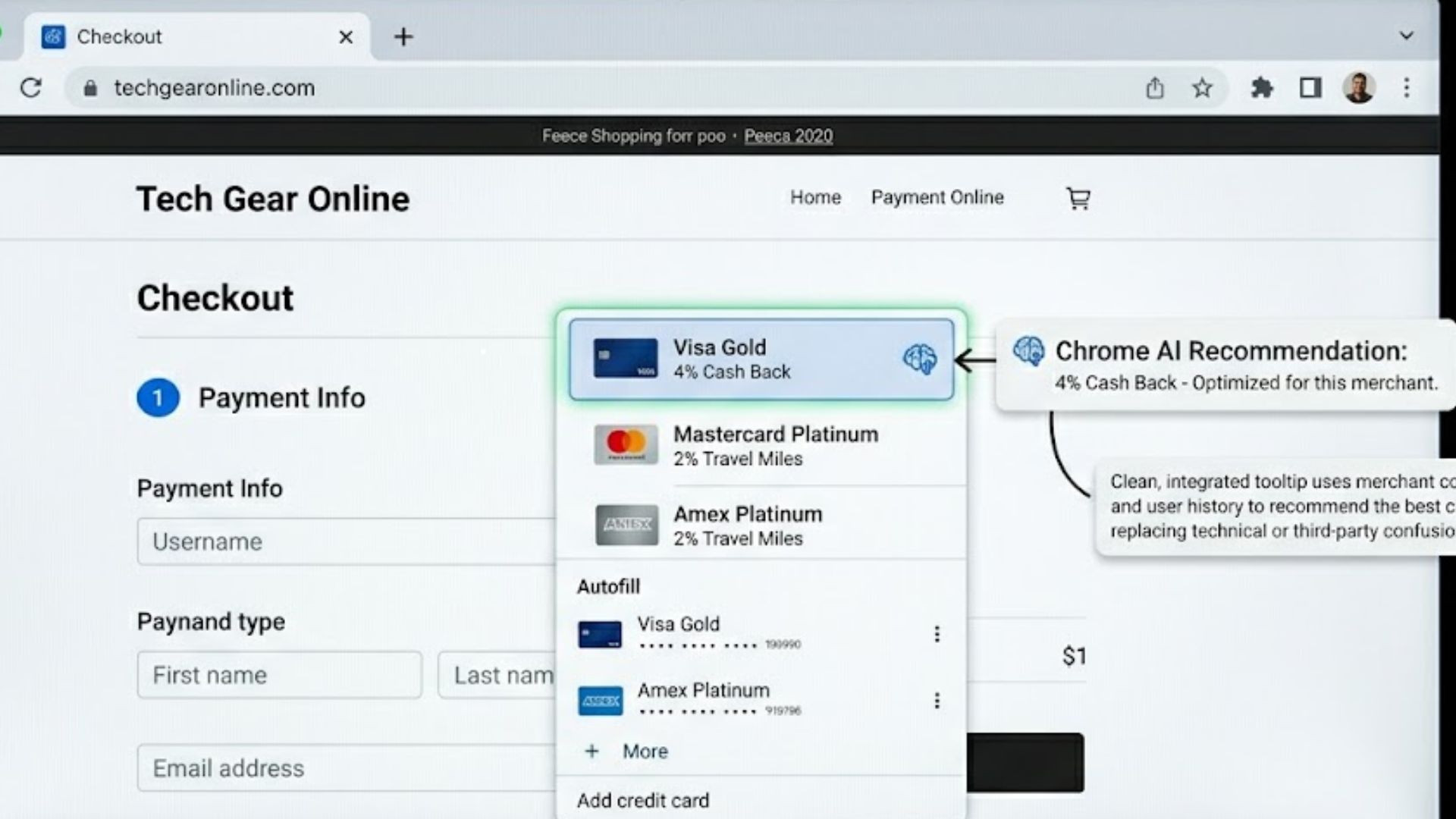
Microsoft Launches GitHub Copilot Desktop App for Agent-Native Development

At the Microsoft Build 2026, Microsoft unveiled the new GitHub Copilot app, a dedicated desktop experience designed specifically for what it calls “agent-native development.” Rather than treating AI as a side panel or coding assistant, GitHub now wants developers managing multiple AI agents from a single command center.

GitHub says developer activity is exploding as AI tools become more common. The platform now sees nearly 1.4 billion commits every month and more than 2 billion GitHub Actions minutes every week, numbers that continue climbing as agent-driven coding becomes mainstream.

GitHub wants AI agents to work like team members

Developers can oversee multiple active AI agents simultaneously, whether one is fixing bugs, another is building features, or a third is handling pull request feedback. Everything appears inside a unified “My Work” dashboard, making it easier to track ongoing projects without constantly jumping between windows and repositories.

GitHub is also introducing a new concept called Canvas. Rather than burying work inside endless chat threads, Canvas provides a visual workspace where plans, pull requests, deployments, browser sessions, and workflows can be reviewed, adjusted, and approved in real time by both humans and AI agents.

New sandboxes, smarter reviews, and more automation

Besides the desktop app, GitHub announced cloud and local sandboxes that allow AI agents to run code, test changes, and validate results inside isolated environments. Developers can decide whether those tasks happen locally or through GitHub’s cloud infrastructure.

Meanwhile, Copilot Code Review is receiving more advanced reasoning models, security-focused review modes, and broader customization options. GitHub is also expanding the Copilot SDK, allowing developers to build their own AI-powered tools across Node.js, Python, Go, .NET, Java, and Rust.

That being said, the bigger story may be GitHub’s long-term vision. The company increasingly sees software development shifting from individual AI assistants toward teams of specialized agents working together. The new Copilot app appears to be GitHub’s first serious attempt to build the control center for that future.

Microsoft Announces Coreutils for Windows and Built-In WSL Containers

Microsoft has announced Coreutils for Windows, a new effort to bring familiar Linux-style command-line utilities directly to Windows. The project is based on uutils, an open-source Rust reimplementation of GNU Coreutils, and is designed to help developers work more consistently across Windows, Linux, macOS, containers, and cloud environments.

The announcement is part of Microsoft’s broader push to make Windows a stronger platform for developers. Alongside Coreutils for Windows, the company also introduced WSL containers, new enterprise management capabilities, and expanded AI-focused developer tools at Build 2026.

Coreutils for Windows aims to simplify cross-platform workflows

Coreutils includes common Linux command-line tools that developers rely on every day. On Windows, those commands have traditionally behaved differently or required additional layers such as Git Bash, Cygwin, or Windows Subsystem for Linux.

Microsoft says the new implementation will allow Linux-style commands to run natively on Windows while maintaining more consistent behavior across platforms.

That could help developers who frequently switch between Windows PCs, Linux servers, WSL environments, containers, and cloud systems.

According to Microsoft, the goal is to reduce context switching and eliminate many of the workarounds developers currently use when moving between operating systems.

Rust-based uutils project powers the experience

Instead of creating a completely separate implementation, Microsoft is building the project around uutils, an open-source Rust rewrite of GNU Coreutils.

Rust has become increasingly important across Microsoft’s security and infrastructure initiatives because of its memory safety advantages compared to older low-level languages.

By using uutils, Microsoft can contribute to an existing cross-platform project while helping deliver Linux-like tooling directly inside Windows environments.

The company says this should improve command consistency and make existing scripts and workflows easier to maintain.

WSL continues growing inside Windows

Microsoft also highlighted the growing role of Windows Subsystem for Linux inside the Windows ecosystem.

The company says WSL has become foundational for Linux workloads on Windows, especially for developers working with containers, cloud tooling, AI frameworks, and open-source software.

Microsoft recently open-sourced WSL during Build 2025, and the company says community activity has increased significantly since then.

According to Microsoft, the WSL project now receives more than 200 pull requests per month from contributors.

Microsoft introduces WSL containers

One of the biggest additions is support for WSL containers. Microsoft says developers will soon be able to create, run, and interact with Linux containers directly on Windows through WSL itself.

The feature aims to reduce dependence on separate third-party container platforms and streamline Linux container workflows inside Windows.

Microsoft is also introducing a dedicated executable for container workflows. Developers will be able to build, run, and deploy Linux containers directly from Windows out of the box.

The company says this should make local development environments easier to set up while improving integration between Windows and Linux-based tooling.

New APIs could help AI and enterprise workloads

Microsoft is also adding APIs that allow native Windows applications to run Linux containers programmatically.

This update will allow developers to build, run, and deploy Linux containers on Windows out of the box, making it possible to create, manage, and interact with Linux containers directly within Windows environments.

The company also plans to add enterprise-focused management controls. IT administrators will be able to define policies around container image sources, monitor which Linux containers run on developer systems, and manage how containers interact with the Windows host environment.

Public preview arrives in the coming months

Microsoft says WSL containers will enter public preview in the coming months as part of a regular WSL update.

Because WSL is now open source, developers will also be able to follow ongoing progress and contribute through GitHub.

The announcements come as Microsoft continues positioning Windows as a central platform for AI development, cloud-native workflows, and hybrid Linux-Windows environments.

That strategy expanded further at Build 2026 with announcements including the new Surface RTX Spark Dev Box, Microsoft 365 AI agents, and GPU-powered cloud PCs.

For developers who regularly move between Linux and Windows systems, Coreutils for Windows and WSL containers could remove many of the friction points that have existed for years.

Microsoft Unveils Project Solara, a New AI Platform Powering Agent-First Devices

During the Build 2026 Conference, Microsoft not just unveiled Surface RTX Spark Dev Box, but also announced the Project Solara. In case you missed the livestream, it is a brand-new platform built around AI agents instead of conventional software. Microsoft is now talking about entirely new categories of devices designed specifically for agent-powered experiences.

Project Solara is Microsoft’s big bet on AI-Powered devices

Microsoft believes the next major shift in computing won’t be driven by apps people open, but by agents people invoke. Rather than jumping between programs, clicking menus, and navigating interfaces, users could increasingly rely on AI agents that understand context, coordinate tasks, and work across multiple systems automatically.

To support that vision, Microsoft created Project Solara, which it describes as a chip-to-cloud platform capable of powering a new generation of “agent-first” devices. The company says these products are being designed around voice, vision, touch, and glanceable interactions rather than traditional app-centric experiences.

Microsoft even revealed two early concept devices. The first is a wearable badge-style device featuring a touchscreen, camera, microphone array, fingerprint authentication, and 5G connectivity. The second is a compact desk companion that provides quick access to AI agents and can even connect to Windows 365 when attached to an external display.

Image credit: Microsoft

Speaking of Windows 365, Project Solara is heavily linked into Microsoft’s broader AI ecosystem. The platform supports Microsoft 365 Copilot, Researcher, Facilitator, Priority Agent, GitHub Copilot, and future third-party agents through an open architecture.

That being said, Microsoft is careful not to promise an immediate revolution. Project Solara remains in its early stages, with pilot programs planned alongside companies including CVS Health, Best Buy, Target, Levi’s, and AccuWeather.

Windows 365 Gets AI Agents, GPU Cloud PCs, and Ready-to-Code Setups

Microsoft shared long list of Windows 365 announcements at the Build 2026 Conference, which developers may want to pay close attention to. The company is turning Windows 365 into much more than a virtual desktop platform. New AI-focused capabilities, larger Cloud PCs, GPU-powered configurations, and a fresh push toward developer productivity are all arriving as part of what Microsoft describes as its biggest Windows 365 release yet.

Windows 365 wants developers coding from minute one

One of the biggest pain points for developers has always been setup time. Microsoft says new Windows 365 developer Cloud PCs can now ship with a preconfigured environment that includes Visual Studio Code, Git, GitHub CLI, Python, Node.js, and Windows Subsystem for Linux right from first sign-in. In other words, developers can jump directly into projects rather than of spending hours preparing a machine,

The company is also introducing deeper customization options and automated deployment tools that allow organizations to prepare development environments before users even log in.

Bigger Cloud PCs and new GPU options also land

Microsoft is also expanding the hardware side of Windows 365. For teams running demanding workloads, new 32-vCPU Cloud PCs are now available. These configurations target software development, AI projects, simulations, and data-heavy workloads that require significantly more computing power.

Besides that, Microsoft has also introduced a new GPU Select plan, which customers another graphics-accelerated Cloud PC option for development, testing, rendering, and AI-related tasks.

AI agents finally get their own workspace

Perhaps the most interesting announcement revolves around AI agents. Microsoft says Windows 365 for Agents is now generally available. Instead of limiting AI systems to APIs, agents can now operate inside a dedicated Cloud PC environment, interacting with applications, browsers, and enterprise software much like a human user would.

The platform supports both no-code and pro-code agent development while remaining tied into Microsoft’s security, compliance, and management ecosystem.

In case you missed, Microsoft has also unveiled the Surface RTX Spark Dev Box. Putting it simply, it is a compact desktop that is designed to bring serious AI computing power directly to a developer’s desk.

Microsoft Goes All in on AI With New Surface RTX Spark Dev Box

At the ongoing Build 2026 Conference, the company pulled the wraps off an entirely new Surface device for developers building the next wave of AI software. Officially dubbed the Surface RTX Spark Dev Box, the compact desktop is designed to bring serious AI computing power directly to a developer’s desk. Microsoft wants developers to run, test, fine-tune, and deploy large AI models locally rather than relying on cloud infrastructure for every experiment,

Surface RTX Spark Dev Box Packs 1 Petaflop of AI Performance

Microsoft has partnered with NVIDIA to equip the Dev Box with the new RTX Spark superchip, combining a Blackwell RTX GPU with a Grace CPU. According to Microsoft, the system delivers up to 1 petaflop of AI compute alongside 128GB of unified memory.

The company says that’s enough power to run AI models with more than 120 billion parameters locally while handling large inference workloads and model fine-tuning tasks that traditionally required expensive cloud hardware.

Unlike traditional mini-PCs, Microsoft is positioning the device as a dedicated AI workstation rather than a general-purpose desktop.

Built around developers from day one

The Surface RTX Spark Dev Box ships with Windows 11 Pro configured specifically for developers. Microsoft also confirms that features like WSL 2 with GPU passthrough, CUDA support, PowerShell 7, Git, Python, Node.js, GitHub Copilot, and Visual Studio Code come ready out of the box.

The company has also highlighted support for AI Toolkit, Windows ML, TensorRT, Microsoft Foundry, and GitHub Copilot workflows. As a reminder, the announcement comes alongside the recently revealed Surface Laptop Ultra.

All that said, it seems Microsoft is increasingly focused on creating purpose-built machines for creators, developers, and AI professionals. The Surface RTX Spark Dev Box is perhaps the best example of that vision so far. Microsoft says the device will launch later this year in the United States through its online store, with pricing details under wraps for now.

Why DirectX 12 Still Stutters on Windows 11 in 2026

There is a quiet ritual among PC gamers in 2026. Install a new driver, launch a favorite game, brace for twenty minutes of frame-time spikes while the engine compiles shaders it had compiled the week before. Microsoft has spent the better part of a decade pushing DirectX 12 as the future of Windows gaming — lower CPU overhead, finer control over the GPU pipeline, native support for ray tracing and frame generation. Five years into mass adoption, the API still produces some of the worst stuttering on Windows.

The reason isn’t that DX12 is broken. It’s that the responsibility for making it work smoothly was shifted from Microsoft and the GPU vendors to game developers, and many studios haven’t been able to keep up. The result is a Windows 11 ecosystem where a $3,000 build with a current-generation GPU can still stutter in a game that runs flawlessly on a five-year-old console — and where the workarounds passed around forums sound less like technical fixes and more like folk remedies.

Where the CPU runs out of room

Games are increasingly CPU-bound in crowded scenarios. Open-world titles with dense NPC populations, MMOs with 20- and 40-player encounters, simulation games with thousands of entities — all hit the same wall. The GPU sits idle while the CPU calculates positions, behavior, AI, network state, and per-frame logic for everything on screen. Adding a more powerful graphics card doesn’t help. The bottleneck has moved.

This is why AMD’s X3D processors — chips like the Ryzen 7 7800X3D and 9800X3D, distinguished by their unusually large L3 cache — have become the default recommendation for high-end gaming builds. The cache acts as ultra-fast buffer memory for the small, repeated state calculations that modern games generate constantly. In CPU-bound scenarios, X3D chips can deliver 15 to 30 percent better frame rates than equivalent non-X3D parts. For some workloads in 2026, the relevant hardware decision isn’t GPU tier or memory speed. It’s whether your CPU has enough cache to hold the game’s working set.

Long-running MMOs make this visible in extreme form. World of Warcraft’s Midnight expansion, exposes both problems at once — DirectX 12 stutter in dense city hubs and CPU saturation in 20-player raids. The same engine, running the same patch on the same machine, behaves completely differently depending on what content you’re in. Five-player dungeons stay stable on hardware that chokes in raids. For players on midrange Windows 11 builds, picking the right format matters more than picking the right graphics settings, which is why community resources like the WoW Midnight DPS tier list for five-player content have become the practical starting point for anyone playing on something less than top-tier hardware. 

The shader compilation problem

DirectX 12 was designed to give developers low-level control over the graphics pipeline. That control included shader compilation — the process of translating high-level shader code into machine code your specific GPU can run. DX11 handled this implicitly, in the driver. DX12 pushes it onto the application.

When developers implement shader pre-compilation correctly, the result is smooth. Doom Eternal compiles its shaders during the initial load and runs without hitches. When they don’t — and most studios don’t — the engine compiles shaders on the fly, mid-gameplay, the first time it encounters a new effect. Each compilation freezes the frame for somewhere between 10 and 100 milliseconds. Hundreds of them accumulate into the visible stutter that has defined Unreal Engine 5 games, modern MMOs, and ports like Elden Ring.

Microsoft acknowledged the depth of the problem at GDC 2026, announcing Advanced Shader Delivery — a system that lets game stores pre-compile shaders for specific hardware configurations and ship them as part of the download. NVIDIA followed in April with Auto Shader Compilation in its app, which handles the recompilation forced by driver updates in the background. Both are real improvements. Neither retroactively fixes the hundreds of existing DX12 titles that never implemented proper pre-warming, and both depend on developers and storefronts adopting them.

In the meantime, the most common community advice for DX12 stuttering remains the same it’s been for three years: switch to DX11 if the game supports it. You lose 5 to 10 percent peak performance and miss out on modern features. You also get stable frame times. For most players, that trade is obvious. It’s a workaround that shouldn’t need to exist in 2026, and the fact that it does explains a lot about why PC gaming on Windows 11 still feels less polished than it should.

What a fix would actually look like

The pieces of a real solution exist. Advanced Shader Delivery handles compilation at the storefront level. NVIDIA’s driver-side caching addresses the post-update stutter loop. AMD’s X3D cache solves the CPU-bound case for the hardware buyers willing to pay for it. Cloud-based shader compilation, proposed but not deployed, would eliminate local compilation entirely for connected systems.

None of these are universal. All of them depend on developers, publishers, and storefronts cooperating across a fragmented Windows ecosystem that, unlike consoles, can’t standardize on a single hardware target. The PC’s flexibility — the reason it can run a 2002 strategy game and a 2026 ray-traced action title on the same machine — is also the reason that flexibility shows up as inconsistent performance.

DirectX 12 will get better. It has been getting better, slowly, for five years. The pace of improvement is the real story. An API designed for the future of gaming still produces, on millions of Windows 11 machines, the kind of stuttering that consoles eliminated a generation ago. A patch is coming. There’s always a patch coming.

Why Enterprise Application Modernization Keeps Failing — and how to approach it differently

Most large organizations spend more of their IT budget keeping old systems alive than building anything new. That’s not a niche problem — it’s the default state for enterprise IT. Ancient billing engines, payroll scripts nobody dares touch, applications bound to infrastructure that’s been end-of-life for a decade. The backlog compounds quietly, and one day a datacenter lease expires with nowhere to go.

Application modernization is the industry term for addressing this. In practice, it means moving workloads to modern cloud infrastructure — platforms like Microsoft Azure, AWS, or Google Cloud — replacing or refactoring legacy code, and rebuilding the operational layer around it. The challenge isn’t technical in the abstract: it’s that the right approach depends heavily on what you’re modernizing and why.

Modernization isn’t one decision

The spectrum runs from lifting a virtual machine into a cloud environment at one end to completely rebuilding a system as event-driven microservices at the other. Both are legitimate choices for different situations. The mistake most organizations make is treating “move to cloud” as equivalent to “modernize” — it isn’t.

A monolithic application running on a cloud VM is still a monolith. You’ve changed the infrastructure cost model but not the underlying architecture. Deploys are still painful. Scaling is still largely manual. The people problems — nobody fully understands the codebase, the original developers left years ago — don’t go away because the server is somewhere else now.

The more productive framing is to ask what’s actually broken and work backward from there. If deploys take four hours and require a maintenance window, the intervention is CI/CD automation — not necessarily a full architectural rewrite. If the system can’t scale horizontally under load, then architecture matters. Diagnosing before prescribing is obvious advice that gets ignored surprisingly often. Find out more about structured approaches to this work is available at — worth reviewing before committing to a migration strategy.

The assessment problem

Before any code moves, someone needs to understand what’s actually there. For large Java or .NET codebases, this used to mean weeks of consultant time mapping dependencies, compatibility issues, and migration risk. Static analysis tools have changed that — automated scans can now surface the same picture in days, flagging deprecated dependencies, platform-specific APIs, and effort estimates by module. Cloud providers including Azure offer built-in assessment tools that can scan existing applications and generate a compatibility report before a single line of code is touched.

The output isn’t a migration plan. It’s a basis for having an honest conversation about scope. Teams that skip this step tend to discover the hard dependencies six months in, when reversing course is expensive.

Where migration projects actually break

The application layer gets the attention. The database is where projects go wrong.

Data migration is harder than code migration for one reason: the data has to be consistent during cutover, and production systems don’t pause while you catch up. Without synchronizing source and target until the moment you switch, you’re creating a maintenance window the business never agreed to.

Change data capture — streaming database changes in near real-time to a target system — is the standard solution to this. It shrinks the cutover window from hours to minutes. Most major cloud platforms provide managed database migration services that handle this automatically, so teams don’t have to build the plumbing themselves. Organizations that plan the data migration after the application migration tend to find out about this the hard way.

The strangler fig approach

Martin Fowler named this pattern in 2004, and it remains the most useful mental model for modernizing systems that can’t simply be taken offline and rebuilt.

The idea: route new requests to a modern implementation while the legacy system keeps running. An API gateway sits in front of both. Traffic shifts incrementally as new services are validated in production. The legacy system is strangled out of existence over time rather than replaced in a single risky cutover. ING Bank used exactly this approach to ship open banking APIs while their backend systems were still being replaced — consumers saw modern interfaces without the business waiting on a full rewrite.

Every organization that has tried a big-bang rewrite has a story. They’re rarely good.

Getting observability in place first

A common mistake: migrating to modern infrastructure before instrumenting the legacy application. The result is debugging production incidents in the new environment without any baseline for what normal behavior looks like.

Standards like OpenTelemetry make it possible to add distributed tracing and structured logging to a legacy application without rewriting it. Cloud environments — Azure included — have native monitoring tools that plug directly into this standard, so once instrumentation is in place, teams get dashboards and alerts without extra configuration. Getting that visibility in place before anything moves surfaces integration dependencies that weren’t documented and gives you something to validate the migration against. Moving first and instrumenting later is backwards.

The organizational problem

The failure mode that comes up most consistently isn’t technical. It’s that modernization gets designed by a transformation team and handed off to the people who will actually run it in production — who weren’t involved in the architectural decisions.

The people responsible for keeping the new system running need to have made the choices that shaped it. Not briefed afterward. The tacit knowledge of why decisions were made — what was tried, what failed, what tradeoffs were accepted — doesn’t transfer cleanly through documentation.

Organizations that treat modernization as a project with a delivery date tend to find themselves back at the same table five years later, with a newer set of systems that quietly became legacy while everyone was watching the deadline. The ones that treat it as an ongoing engineering discipline keep making progress. The framing turns out to matter more than the technology choices.

The CS2 Skin Market Just Hit a Record High: What It’s Worth in 2026

The​‍​‌‍​‍‌​‍​‌‍​‍‌ Counter-Strike 2 skin economy has officially opened a new chapter in 2026. What were merely cosmetic collectibles a couple of years back have now become one of the most massive virtual economies in the history of gaming, with the total CS2 skin market valuation estimated at close to $6 billion after another explosive year of updates, the discovery of rare items, and major trading innovations.

The introduction of knife and glove trade ups, changes in souvenir supply, the gradual loss of appeal of sticker capsules, and the release of new collections like the Achroma Collection, Harlequin Collection, and Dead Hand Collection have resulted in one of the most dynamic and lively markets Counter Strike has ever ​‍​‌‍​‍‌​‍​‌‍​‍‌witnessed.

The​‍​‌‍​‍‌​‍​‌‍​‍‌ New Trading Era Is Changing Everything

Trading in CS2 in 2026 feels totally different. Valve’s late 2025 update was the main factor behind the introduction of 5 Covert skin trade ups for knives and gloves. That very single feature altered the economics of top tier skins almost overnight.

Players who previously completely disregarded Covert skins began buying them in large quantities for profitable crafting. Older collections saw immediate price increases, and many low production items doubled in value within a few weeks.

Meanwhile:

  • Souvenir trade ups became significantly better in demand
  • The case rotation resulted in fewer older collection supplies
  • New releases such as Dead Hand Collection stimulated speculative buying
  • Sticker capsules comparatively lost their momentum
  • Float based crafting strategies became more sophisticated

The CS2 skin trading platforms also saw a boom in activity during that period, as traders hurried to price check, calculate the expected value, and find profitable trade up combinations. Tools such as platforms that track real time prices and market cap were a must have during such volatile swing time.

Here’s A Downhearted Development Of The Year 2026

In earlier years, capsules came to dominate the long term speculation arena. Now, a big part of that money goes to:

  • Rare pattern skins
  • Gloves
  • Knife finishes
  • Souvenir collections
  • Limited drop collections

Collectors are showing a stronger preference for items with visible uniqueness rather than sealed capsules sitting in ​‍​‌‍​‍‌​‍​‌‍​‍‌inventories.

Million​‍​‌‍​‍‌​‍​‌‍​‍‌ Dollar Skins Are No Longer Just Myths on the Internet

Million Dollar Skins

Here are some of the game’s most exclusive items whose prices have shot up to levels that were unimaginable not long ago:

  • The Karambit | Case Hardened Blue Gem Pattern #387’s price is now estimated at between $1.5 million and $2.5 million.
  • The AK 47 | Case Hardened Pattern #661 has crossed the $1.1 million mark in a public sale.
  • The Souvenir AWP | Dragon Lore Factory New is very stable in the range of $150,000 to $400,000 and beyond.

What differentiates 2026 is that top level collectors no longer focus only on knives. Souvenir skins and ultra rare glove combinations have also become part of the luxury category on par with knives, thanks to the latest trade up mechanics and collection rotations.

Massive​‍​‌‍​‍‌​‍​‌‍​‍‌ Activity Is Happening Even In Cheap CS2 Skins

Not all major market movements involve six figure inventories. One of the most interesting things about 2026 is the strong growth of cheap skins.

Based on live market data, more than 62% of tracked CS2 items are priced below $10, making the entire gaming ecosystem very accessible to new players.

This lower tier market is quite bustling as cheap skins are being used for multiple purposes:

  • Trade up option
  • Items that complete collections
  • Lower price range gaming
  • Entry level investments
  • Float creating resources

A lot of gamers deliberately pick low float Mil Spec and Restricted skins from active collections, as there are still profitable trade up paths emerging after each major update.

Some cheap skins also unexpectedly shot up in price during 2026 because of the trade up craze. A handful of previously overlooked items saw their prices jump by 500% to 1000% in just one month when they became part of profitable crafting chains.

The​‍​‌‍​‍‌​‍​‌‍​‍‌ CS2 Market Is Bigger Than Ever, But Also Riskier

While the overall market is still very healthy, 2026 showed us that the CS2 economy is still very much a gamble.

According to live tracking platforms, transaction volumes exceed $5 million daily, while total market capitalization fluctuates around $6.2 billion, depending on update cycles and investor sentiment.

Nevertheless, risk is everywhere; some collections crash when Valve rotates them, while others skyrocket overnight after a new trade up path is revealed.

Some sticker investments even got wiped out when the attention shifted to the skins with the in game crafting functionality.

Meanwhile, classic legendary items such as:

  • AWP | Dragon Lore
  • M4A4 | Howl
  • Butterfly Knife Dopplers
  • Blue Gem Case Hardened skins

Still behave like blue chip assets within the ecosystem. The difference, though, is that investors nowadays require a lot more information than before.