3 Best Laptops For A 10 Year Old

Laptops are devices of choice for many users due to their mobility and hardware specifications, and it’s no wonder to see that more children are using laptops for schoolwork.

Picking a laptop isn’t always easy, but today we’re going to show you the best laptop for a 10-year-old that you can get.

What is the best laptop for a 10 year old?

HP Stream 11

  • 11.6-inch display, 1366x768 resolution
  • Intel x5-e8000 1.1 GHz, up to 2.7GHz
  • 4GB DDR3 RAM
  • 32GB eMMC
  • Windows 10 S preinstalled
  • Can’t handle resource-intensive tasks

If you’re looking for the best laptop for homework, then HP Stream 11 might be what you need. This model comes with Intel x5-e8000 1.1 GHz CPU, but you can raise the frequency to 2.7GHz.

The device has an 11.6-inch display and 1366 x 768 resolution. As for the memory, this model has 4GB DDR3l-1600SDRAM and 32GB eMMC. Regarding the battery, it can last about 9 hours on a single charge.

As for additional features, there’s 802.11a/c Wi-Fi support, Bluetooth 5, USB 3.1 Gen 1 Type-C port, two USB 3.1 Type-A ports, and HDMI 1.4 port.

HP Stream 11 is a small laptop, and it offers humble hardware specifications, but it’s a perfect model for kids and homework.


Tocosy Laptop

  • Intel Atom X5-Z8350 1.92Ghz quad core CPU
  • 10.1-inch display, 1280x800 resolution
  • 2GB RAM, 32GB eMMC, microSD card slot
  • 6000mAh battery
  • Windows 10 S
  • Humble hardware specifications

Tocosy Laptop is a 10.1-inch device and it’s powered by Intel Atom X5-Z8350 1.92Ghz quad-core processor. Regarding the resolution, the device has a 1280×800 display.

In terms of memory, there’s 2GB RAM and 32GB eMMC for storage, but you can expand that with the microSD card. As for the battery, the 6000mAh battery has a standby time of 8 hours.

The device also has Wi-Fi, Bluetooth 4.0, a 1.3MP webcam, USB 3.0 port, USB 2.0 port, and HDMI output.

Tocosy Laptop offers humble hardware, but it’s a decent choice if you need an affordable laptop for a 10-year-old.


HAOQIN HaoBook 140

  • 14-inch display, 1366x768 resolution
  • Intel Celeron Apollo Lake N3350 1.1GHz, can go up to 2.4GHz
  • 6GB DDR3, 128GB SSD, can be expanded up to 512GB
  • Intel HD Graphics 500
  • Windows 10 S Mode
  • Can’t handle resource-intensive tasks

HAOQIN HaoBook 140 might be the best laptop for homework since it comes with a 14-inch display and 1366×768 resolution. As for CPU, the device runs on Intel Celeron Apollo Lake N3350 1.1GHz processor.

This model has 6GB DDR3 RAM so it should be able to handle multitasking, and 128GB SSD offers more than enough storage for schoolwork. There’s also Intel HD Graphics 500, so the laptop will be able to handle some multimedia as well.

As for additional features, there are two USB 3.0 ports, a single mini HDMI port, TF card slot, headphone slot, Bluetooth 4.2, and Wi-Fi ac/a/b/g/n.

HAOQIN HaoBook 140 offers solid specifications, and with a 10000 mAh battery, it’s a perfect choice for kids and students alike.

Finding the best laptop for a 10-year-old doesn’t have to a hassle, and we hope that you managed to find the right model for your needs in our guide.

[wl_navigator]

3 Best USB-C To Displayport Cables

USB Type-C interfaces have become common on laptops and desktops due to the sheer versatility this port type offers. You can not only use the Type-C 3.1 port to connect smartphones to your computer and transfer data but also use it to connect external displays and charge other compatible devices.

Not all the monitors come equipped with multiple Type-C ports, nor do the laptops feature multiple DisplayPort or HDMI port.

If you have a laptop with a Type-C port and a monitor with DisplayPort, your best bet is to get a USB C to DisplayPort cable. Fortunately, you can get a USB Type-C to DisplayPort cable for as low as $10.

This article explores the three best USB C to DisplayPort cables to connect your laptop to any DisplayPort enabled monitor to a PC or Mac.

What are the best USB-C to DisplayPort cables?

Accell

  • USB 3.1 Type-C to DisplayPort cable
  • Enough length for longer connection
  • Supports 4K UHD at 60Hz refresh rate
  • Only 60Hz support

The Accell USB-C to DisplayPort Cable allows you to send Audio and Video over a single compact cable. This USB C to DisplayPort is capable of transmitting high-definition video and audio from your USB C host to a DisplayPort enabled display.

Accell USB-C cable is compatible with HD to 4K resolution monitors at 60Hz refresh rate. You can use this cable to connect Thunderbolt 3 port on your Macbook, Dell XPS 13, and Galaxy S8.

One end of the cable features a reversible USB 3.1 Type-C connector, while the other features a DisplayPort 1.2 interface. This 6 feet cable is durable and comes with a 2-year limited warranty.


Plugable

  • 6ft long durable Type-C to DisplayPort cable
  • Supports 4K display resolution at 60Hz
  • Plug and Play connection
  • Only 60Hz support at 4K

Plugable USB C to DisplayPort is a popular USB Type-C to DisplayPort cable maker. It offers a 6 feet (1.8m) USB Type-C to DisplayPort cable.

This adapter supports resolution up to 4K at 60Hz. You can use this cable to connect your MacBook to an external display or a Windows laptop with a USB Type-C port to an external display. It utilizes the native capabilities of the USB-C port on support computers to drive a DisplayPort monitor up to 4K resolution.

Featuring a plug-and-play operation, Plugable cable is compatible with all the major operating systems, including macOS, Chrome OS, Linux, and Windows systems with USB Type-C 3.1 port.


StarTech

  • 3 feet long durable Type-C to DisplayPort cable
  • Supports 4K resolution at 60Hz
  • Compatible with all major platforms
  • Available in multiple lengths
  • Expensive

StarTech USB C to DisplayPort Cable is a high performance 3 feet integrated video cable offering male to male connection. It helps in reducing clutter and minimizes signal loss.

The USB 3.1 Type-C can transmit video and audio signals to a DisplayPort enabled monitor in 4K resolution at 60Hz. It is compatible with Dell XPS, Lenovo Thinkpad, Microsoft Surface, Surface Pro, MacBook Pro, iPad Pro, and HP Elite series laptops.

Similar to other USB C to DisplayPort cables, StarTech cable is also compatible with Windows OS, Chrome OS, Android, Linux, and macOS running systems.


The lack of DisplayPort or HDMI options on modern laptops can be annoying as you run out of ports to connect your external displays in no time.

All the USB C to DisplayPort cables listed in this article allow you to use the USB Type-C ports on your laptop to establish a connection to your external monitors through the DisplayPort. These high-quality cables transmit signals without any issues at a higher 4K resolution at 60Hz.

For other useful suggestions on the topic of USB-C cables and devices, don’t hesitate to check these great deals out:

Don’t hesitate to share your experience with us by leaving a comment in the section found below this guide.

[wl_navigator]

3 Best USB Bluetooth Adapters [2026 Guide]

There are more and more Bluetooth gadgets nowadays and the latest version, Bluetooth 5 is perfect for wireless headphones and other audio devices but also for wireless keyboards, mice, and game controllers.

The nicest thing about the new version is the 3 Mbps transfer speed, more than twice that of Bluetooth 4.2. It can also communicate for as far as 800 feet, 4 times as far as the version mentioned above.

And the beauty of it is that Bluetooth 5.0 is backwards compatible so if you’re buying a Bluetooth 5.0 adapter, you will still be able to use your old Bluetooth devices.

What are the best USB Bluetooth adapters?

  • Bluetooth 5.0 USB audio adapter
  • Highest end CSR8675 chip for high fidelity stereo sound
  • Range of up to 164’ in open line-of-sight
  • It acts as a sound card
  • Supports the aptX Low Latency codec
  • Only for audio

If you’re looking for the best USB Bluetooth adapter for your audio devices, Avantree DG60 fills the spot perfectly.

Actually, the adapter works only for audio, so unfortunately you won’t be able to use it for your mouse or keyboard but it will deliver lag-free sound for any of your Bluetooth headphones or speakers.

DG60 will act as a discrete soundcard so you will connect directly to it, not to your computer. That’s why you won’t see a Bluetooth icon on your taskbar.

This adapter is great for your PC but it can be even greater for your gaming console, allowing it to deliver simultaneous chat and BGM. It’s also perfect if you live in a big house.

Just plug in the adapter to a laptop or PC on the ground floor and roam around the house even on the first floor and still listen to music uninterrupted.


  • Bluetooth 5.0 dongle
  • Compatible with any Bluetooth peripherals
  • Transfer rate of up to 3 Mbps
  • Quick install
  • Driver installation required

EVEO Bluetooth Adapter is universal. That means it’s not only for audio devices but for all other wireless Bluetooth devices like mice and keyboards, printers, headsets, smartphones, and more. And, it comes with the latest Bluetooth 5.0.

However, as we previously mentioned, Bluetooth 5.0 is backwards compatible with the older versions so you will be able to connect all your Bluetooth 4 devices for instance.

Although this is a very small device, it can be used to pair up to 7 sources at the same time. This dongle can communicate to as far as 20 meters with Bluetooth devices and ensures a transfer speed of up to 3 Mbps.

The installation is a formality. Right after you connect the adapter to your PC or laptop, Windows will automatically detect it and look for a driver. It will only take a couple of seconds and you will be able to pair your first device.

It’s worth mentioning that this dongle only works with Windows 7/8/8.1 and Windows 10, and it doesn’t work with macOS or PlayStation.


Techkey USB Mini Bluetooth 5.0

  • Extremely compact - only 4.8 x 4.17 x 0.59 inches
  • Bluetooth 5.0 wireless technology
  • Can work with 7 devices at the same time
  • Maximum transfer rate up to 3 Mbps
  • Doesn't work with car stereos or video consoles

This Techkey USB Bluetooth dongle is very compact, perfect to use with a Windows slim laptop. And by the way, it only works with  Windows 7 to Windows 10 devices so you won’t be able to use it with your car stereo, game consoles, or Mac.

Because it’s a Bluetooth 5 adapter, it offers a transfer rate of up to 3 Mbps, a lot faster than the old Bluetooth 4.2. It’s still not fast enough to transfer gigabytes of data from your smartphone but it’s good enough for some pictures, clips, and music.

As for streaming music, it works very well with some Bluetooth stereo headphones but you should know that you are limited to a 33 feet range and that is in a straight line, without any obstacles.

If you get out of the room where your dongle is and close the door behind, there is a big chance that you will lose the signal.


This was our top 3 list with the best USB Bluetooth adapters. They are new, fresh, Bluetooth 5.0, and ready for your purchase.

It is worth noting that we have some other useful guides on USB adapters with great deals, so make sure to check them out as well:

If you have any suggestions, or simply want to share your experience with us, leave us a note in the comments section below.

[wl_navigator]

3 Best Cable Sleeve Covers For a Sleek Setup

The more devices you add to your work setup, the more cables it requires, which results in a messier workspace. Cluttered workspaces are no good sight to have, thus cable management becomes important.

While there are multiple solutions available in the form of cable boxes, cable clips, and wire baskets, cable sleeve covers are the quickest way to hide messy cables on your desk.

Cables sleeves hold several wires together simultaneously, but they also cover a long distance, thus helping conceal cables that run log.

This article lists the three best cable sleeve covers that will give your work or entertainment place a clean and tidy look.

What is the best wire cable management sleeve cover?

Alex Tech Cable Sleeve

  • Extra hole design to prevent squeezing
  • Multiple size options
  • Excellent build quality
  • Keeps your home and office space clean
  • Not the most flexible

Alex Tech Cable Sleeve is a cable management sleeve and cord organizer for computers, TV, and home office. It allows you to make your office and home look clean and tidy by organizing messy cables.

This handy sleeve features a unique extra holes design. Instead of passing your cables from one end to another, you can pass it through the holes in the middle as per your requirements.

This cable sleeve is made of good quality material making it abrasion-resistant, and the wrap offers protection for cords. You can also cut the sleeve to specific lengths to match your applications.

The cable installation tool included in the box makes it easy to slide down the sleeve cables. You can slide in one or more cables at once with ease.

These cable sleeves are available in many sizes and lengths. For some selected sizes, you can pick them in different colors.


Alex Tech Braided Sleeve Cable

  • High-temperature resistance
  • Protects your cords from pets
  • Expansive and flexible
  • Comes in multiple sizes
  • Feeding the wire can be tricky

Alex Tech Braided Sleeve Cable protects and prolongs the life of wires. It is made from Polyethylene Terephthalate offering high flexibility and high stretch. It is suitable for use in automatic engines due to its high-temperature resistance.

This expandable cable organizer offers simple cable management solutions and is very easy to use. You can easily manage the length by using a hot knife. It comes in multiple sizes, so you can choose the perfect version for your circumstances.

Whether you want to tidy up your messy office desk or your entertainment system at home, the Alex Tech Braided Sleeve Cable can keep it all in one place and hide them from your sight.

These braided cable sleeves are also an excellent solution if you have pets that like to chew your cable sleeves or hose. This not only prolongs your cable’s life but also saves you from the hassle of buying a new sleeve every few weeks.

On the flip side, feeding the wires through this cable sleeve can be a little tricky. However, its expansion feature allows you to pass through even slightly thicker cable without much trouble.


Joto Cable Sleeve

  • Can hold up to 10 cables
  • Flexible cable sleeve with a zipper
  • Easy to use
  • Bit narrow sleeves

Joto Cable Sleeve is a 20-inch cord organizer system with a zipper to manage your TV, computer, and home entertainment system cables. This flexible neoprene cable sleeve with zip-up solution comes in black color and conceals cables while providing easy access.

Joto Cable Sleeve is made of stretchy material that allows for multiple cables, and each sleeve can hold up to 8-10 cables depending on their size. The package also includes ten fastening cable ties that are perfect for organizing cables, wires, and cords.

Using this cable sleeve is easy. Gather all the cables together, unzip and wrap the sleeve around. Once done, zip up the wrap to hold the cables in place.


Cable sleeve covers are great cable management solutions. Unlike Cable Management Boxes, they take little no space, which can cover long cords and offer protection from pets and other electric hazards.

Feel free to explore some other useful products on sale by exploring our guides on a variety of cable management solutions:

By checking out the above-mentioned options, we’re sure that you will be able to sort and protect your cables no matter your circumstances.

Don’t hesitate to share your suggestions and opinions with us by using the comment section below.

[wl_navigator]

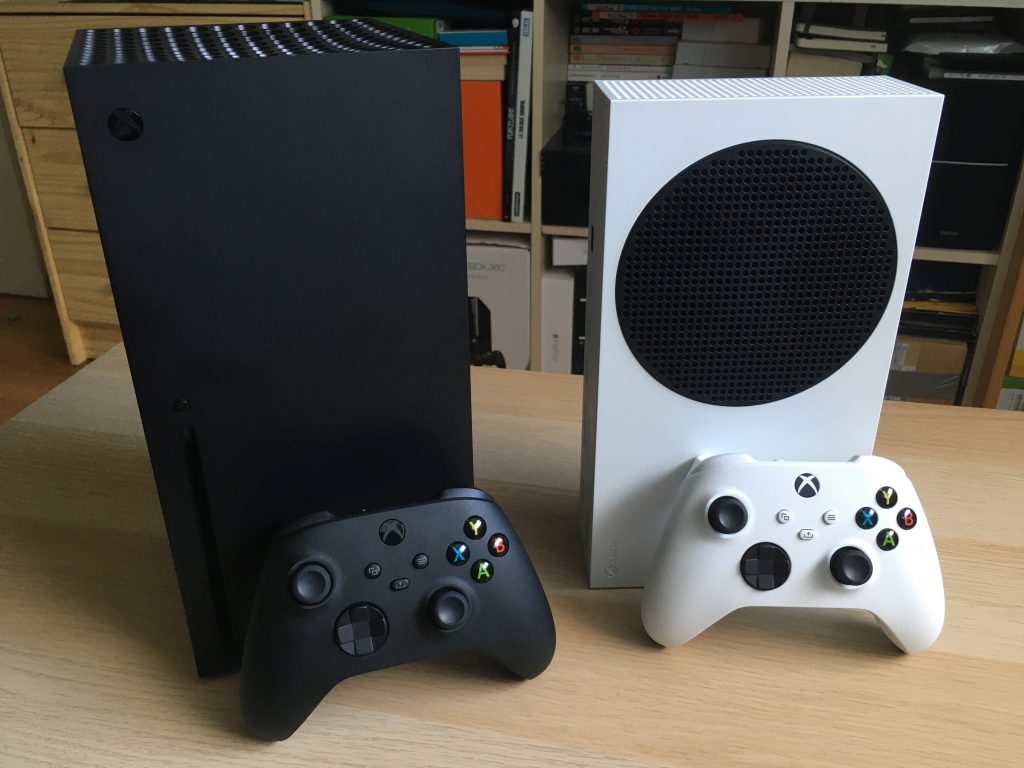
Assassin’s Creed Valhalla gets new 60FPS Performance mode on Xbox Series X and Series S consoles

Ubisoft has released today a new patch for Assassin’s Creed Valhalla on Xbox Series X|S, which introduces new Quality and Performance modes on the two consoles. The Quality mode will prioritize resolution and visual quality with a 30FPS lock, while the performance will lower graphic settings and use dynamic resolution to reach 60FPS.

The new Performance is quite a big deal on the Xbox Series S, which until today couldn’t run the game at 60FPS like the Xbox Series X could. Today’s patch should also improve general stability and performance and address the annoying screen tearing issues. You can find the full release notes on this page.

Assassin’s Creed Valhalla was a launch game for Microsoft’s Xbox Series X|S consoles, though a recent technical analysis from Digital Foundry showed that the game runs slightly better on Sony’s PlayStation 5 despite the Xbox Series X being more powerful on paper. This new patch will hopefully reduce the gap between the two consoles, but again, bringing a new 60FPS option on the Xbox Series S is probably what’s going to make more Xbox gamers happy.

Ubisoft’s latest cross-gen games such as Assassin’s Creed Valhalla, Watch Dogs Legion, and Far Cry 6 all support Smart Delivery, which means that you can buy them once and get the version of the game that’s optimized for your console. Assassin’s Creed Valhalla starts at $59.99 on the Xbox Store, and the Ultimate Edition with all DLCs is currently priced at $119.99.

Assassin's Creed® Valhalla
Developer:
UBISOFT
Price:
Free

3 Best Computer Peripheral Switchers

If you work in a small office or you have more computers at home, it’s a good idea to have a peripheral switcher.

What is a peripheral switcher? As its name suggests, its main role is to allow the switching of peripherals like the printer, scanner, 3D printer, flash drives, you name it, to different computers at the same time.

This is a lot better than disconnecting and reconnecting the cables every time a new computer comes along. That translates to better lifetimes for the cables and even the peripherals themselves.

We have studied the market and found the best computer peripheral switchers according to different needs and budgets.

What are the best computer peripheral switchers?

CKL HDMI KVM

  • Switch HDMI 4 in 2 out
  • Audio microphone output
  • USB 2.0 Hub
  • Supports HDMI devices like webcam, hard disk player, game console, DVR, NVR, and more
  • Include all cables except cable for the monitor
  • No USB 3.0 ports

With this great switcher, you will be able to share no less than 4 desktop PCs or laptops with a keyboard, mouse, and also 2 monitors. Added to this, the monitors can both be set up for 4K@30Hz, offering incredibly crisp colors.

This tiny device doesn’t need any drivers whatsoever, so you can simply just plug it and start using it at once. Moreover, all the cables except for the monitor ones are already included in the box.

As for any other peripherals, you have a USB 2.0 port that can be used to directly connect, for instance, a printer, or a USB hub to get all the other peripherals running smoothly.

This CKL switcher is incredibly versatile and offers you access to inputs to 4 computers and also a microphone and audio outputs. Switching between the four PCs is really simple, and you can do it by using the included wired remote and the respective dedicated buttons for each of the computers.

The only downside of this switcher is the lack of USB 3.0 ports or USB-C ports. However, if you don’t use high-speed storage drives you won’t have any problems.


CKLau 2 Port Dual Monitor Displayport KVM

  • Resolution up to 4096x2160@60Hz
  • 2 port dual monitor Display Port KVM switch
  • USB 2.0 hub
  • Audio and microphone output
  • Supports three display modes
  • Slight delay between switches

This 5.12 x 2.95 x 1.65 inches little box packs amazing power because it can share 2 monitors and 2 USB hubs between two PCs through Display Port cables.

And speaking of cables, you will find 4 Display Port cables, 2 USB cables with audio, and the mic connectors included in the box.

You don’t need to be an expert on switches to set up this CKLau device. You need to connect your computers by using the supplied USB and Display Port cables, then plug in your mouse and keyboard on the front panel of the switch, and you’re ready to go.

The connection of the monitors is also very straightforward, and it’s done by the use of the output ports of the KVM switch with the Display Port cables. You also have a wired remote to switch from one PC to another, which can be extremely useful.

Added to all of the above-mentioned features, you also have 2 USB 2.0 ports that you can use to use with printers, scanners, or any other USB peripheral.


TESmart 2×2 dual monitor KVM

  • 2 monitors control setup
  • 4K 60Hz resolution and Smart EDID
  • Transmit audio to monitor over HDMI and external speakers via the stereo output
  • Dedicated USB 2.0 port
  • IR remote
  • Only one USB 2.0 port

This elegantly designed TESmart switcher provides full inputs, including video, mouse, keyboard, and audio for two computers through Display Port, HDMI, and USB connectors, while also allowing you to share two monitors with 4K at 60Hz resolutions.

Each video port features Smart EDID technology so it will provide very fast switches between the computers, and the switcher will also perfectly remember the right resolution for each monitor.

You can perform switching in four different ways: by IR remote, from the front panel button, with a mouse crossing, and also by using hotkeys on the keyboard. This can make a real difference for people that want versatility.

Also, the monitor settings come with 2 possible modes. You can either have an extended desktop for one computer or a split desktop with one monitor for each computer. However, in the first mode, you will have to connect two video cables from the PC to the switcher.

You will not get a mic output connector in the box, but you still have an audio output (3.5 mm stereo jack) for your speaker system. This ensures that you don’t have to worry about the input cables because you will find 2 HDMI + 2 DP + 2 USB A/B cables included in the package.

Lastly, you also have a USB 2.0 port to connect your peripherals or a USB hub to extend it to multiple devices.


These are the best computer peripheral switchers that you can buy right now on Amazon.

While some of them offer great speeds and compact designs, others ensure that you have a sturdy and stable device, and this list covers them all.

If you want to see some other alternatives, be sure to check out our choices on these topics:

Which of these models are you interested in buying?

For the answer to this question, or if you simply want to get into contact with us, don’t hesitate to use the comment section below.

[wl_navigator]

3 Best Displayport To VGA Adapters

Whether you buy a new monitor with DisplayPort connectors and need to use it with your old graphics card, or you have an older generation monitor and you need to connect it to your DisplayPort graphics card, you will definitely need a DisplayPort to VGA adapter.

Unfortunately, in any possible combination, you won’t be able to bring the maximum 4K resolution of the DisplayPort to the old, analogic VGA input that supports up to 1920 x 1200 resolution.

However, depending on the quality of the adapter, you will have the best possible image on your screen with a maximum refresh rate of 60 Hz. So here is our list with the best DisplayPort to VGA adapters.

What are the best DisplayPort to VGA adapters?

  • Latching DisplayPort connector
  • Support for video resolutions up to 1920x1200 or 1080p
  • Perfect for BYOD applications
  • Plug-and-play connectivity
  • Active converter
  • Can be considered a bit bulky, especially the VGA connector

This StarTech.com adapter is perfect because it delivers the best possible resolution of 1920×1200 or 1080p from the DP + VGA transition. And the gold-plated connectors will ensure that there won’t be any signal loss whatsoever.

The adapter is 8.9 inches long (not the shortest on the market), but it’s still small enough to fit in a small pocket of your backpack to be used in any BYOD (Bring Your Own Device) event at the office. 

The adapter lets you connect your DisplayPort computer to a VGA monitor but it works perfectly fine with projectors too. You won’t need to worry about any drivers because the gadget is completely plug-and-play.

To be perfectly on the safe side, the VGA connector comes with nuts that connect with screws on any standard VGA cable, just to make sure that your video connection will be perfectly stable.

Anyway, if you have any trouble, you don’t need to worry, as the DP2VGA2 is backed by a 2-year StarTech.com warranty and you also has full tech support for life.


  • Supports video resolution up to 1920 x 1200 and 1080p
  • Gold-plated, corrosion-resistant connectors for optimal signal
  • Latching and screw-locking connectors
  • Plug-and-play connection
  • Doesn't work with docking stations

If you want to add a second monitor to your DisplayPort laptop, this AmazonBasics adapter may come as a great help. It can connect to the display or even to a video projector for a whopping 1920 x 1200 or 1080p resolution.

The gold-plated connectors will have a big say when it comes to the quality of the image, ensuring that it will be spotless for a long time. And to make sure that you won’t have any accidental disconnections, the VGA input has the means to mate by using the screws on the male connector.

The adapter is pretty small (9.96 x 1.46 x 0.6 inches) and it weighs only 1.34 ounces so you can carry it in your coat or backpack pocket to have with you just in case, wherever you go.

Worry-not about drivers or any other problems because this adapter is compatible with any DisplayPort computer and any VGA monitor, TV, or projector.

And if you really have any trouble, you need to kmow that the product is covered by an AmazonBasics 1-Year Limited Warranty.


  • DisplayPort adapter connector with latches
  • Video resolution up to 1920 x 1080 @ 60 Hz
  • Gold-plated connectors
  • Molded strain relief
  • No noticeable problems

To have the perfect connection between your PC or laptop and your VGA display or projector, the Cable Matters DisplayPort to VGA Adapter has both latches for the Display Port connector, and also screw holes for the VGA connector.

Moreover, the DP conector has a very nice release button that will ensure that you will always disconnect it safely, without harming any connectors.

Both connectors are gold-plated so this is also why this adapter will be able to deliver perfect 1080p signal from your computer to the monitor with crisp and clear image all the time.

It’s important to mention that audio cannot be delivered through the VGA port because it’s analog. Also, this is only an adapter with a 6-inch cable so in order to reach between the two devices, you will need an extra VGA cable which is not provided.

The Cable Matters adapter is tiny and portable, thus it will do great to add a second monitor or hook up your video projector in seconds because it’s all plug-and-play.


This was our exclusive selection of the best DisplayPort to VGA adapters for a seamless connection.

This guide provides you with a variety of options that is sure to fit your needs.

Don’t hesitate to explore our thorough guides on other similar offers on adapters:

It is almost impossible for you not to have found a great deal on whatever type of adapter you need by checking out the guides mentioned above.

If you have any suggestions or ideas regarding this topic, or if you simply want to get into contact with us, simply use the comment section below.

[wl_navigator]

Microsoft’s Surface Pro 8 and Surface Laptop 4 images leak, could launch in January with minor spec bumps

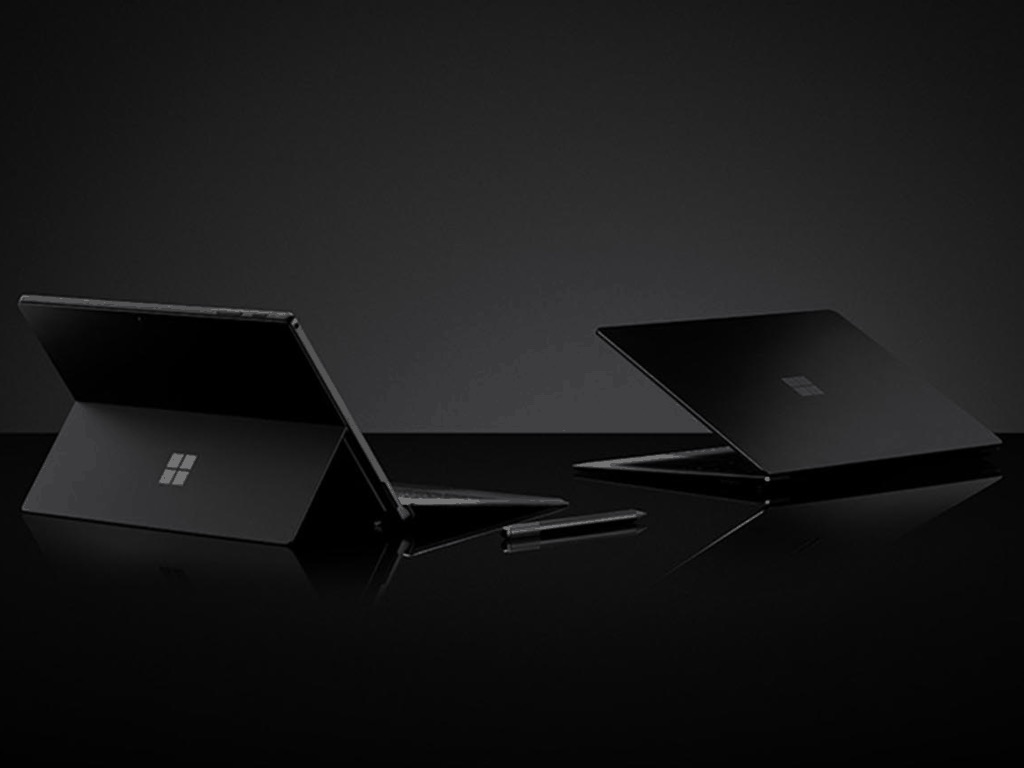
Microsoft is apparently getting ready to release new versions of its Surface Pro and Surface Laptop early next year. Korean Twitter user Cozyplanes shared pictures of the new Surface Pro 8 and Surface Laptop 4, which are currently being certified in the country. Both devices look identical to their predecessors, and Surface Pro 8 will apparently have an LTE variant, unlike the Surface Pro 7.

https://twitter.com/cozyplanes/status/1331969412102909952

According to a separate report from Windows Central’s Zac Bowden, both devices could come with Intel 11th-gen CPUs with the company’s new Iris Xe graphics, and the new Surface Laptop will continue to offer the choice between Intel and AMD processors. Both devices could be released in mid-January, and Bowden is hearing that Microsoft could start shipping its Android-based Surface Duo in more markets soon after.

Microsoft recently released a new version of its Surface Pro X tablet with a more powerful ARM-based processor, as well as an affordable Surface Laptop Go to go along with the previously-released Surface Go 2. According to Bowden, a black version of the latter may also be introduced in January.

Unfortunately, those of you waiting to see a new Intel-based Surface Pro tablet that uses the same refined design as the Surface Pro X will have to wait. The Surface team iterates pretty slowly, and some products like the Surface Studio 2 haven’t been updated in years. At a time when Apple just released its first Macs powered by the company’s impressive M1 processors, Microsoft could appear to be resting on its laurels, though the software giant should have a busy 2021 with the launch of the first Windows 10X devices.

3 best Creative Sound Blaster headphone amplifiers

If you’re a pro gamer or an audio enthusiast, you probably have a nice audio setup at home. You probably also have some great quality headphones like some of the Creative Sound Blaster headphones but if you want to fully enjoy their quality sound, you will definitely an equally great headphone amplifier.

Creative have built their Sound Blaster line from the first PC boards to the latest high-end external amplifiers that raise the bar of sound quality for computers and audio systems all over the world.

We did thorough research through a lot of Creative Sound Blaster headphone amplifier options and we have compiled a shortlist of the best options available.

What are the best Creative Sound Blaster headphone amplifiers?

Creative Sound Blaster E5

  • Compact and portable - 59.2 Grams
  • 120 dB signal to noise ratio (SNR) that supports up to 24-bit/ 192kHz
  • Built-in NFC technology
  • Built-in dual microphones
  • 2x 3.5 mm stereo headphones jacks
  • High price

This small, 2 ounces box is a huge powerhouse for audio. Creative Sound Blaster E5 comes with an SB-Axx1 multi-core processor to increase the depth and spatial width of the audio when you either listen to music, watch movies, or play games.

The processor also saves all your audio EQ settings in the device itself so you will be able to enjoy your personalized sound wherever you go. The gadget can be controlled through the Sound Blaster Central app available on multiple platforms.

The pairing with any Android smartphone is performed seamlessly through NFC technology but you can also achieve the same results with a Bluetooth 4.1-compatible device.

The Creative Sound Blaster E5 portable headphone amp is all about the extremely low impedance of 2.2 ohms that will enhance the audio experience whether you have some mainstream headphone or a high-end, expensive pair.

As for the wired connections, E5 has the regular USB port but also optical in and out connectors for maximum quality sound. The amp has a whopping 3200 mAh battery that can hold for 8 hours of usage even with the Bluetooth connectivity.

Creative Sound Blaster E5 is extremely portable and powerful, and that’s why it’s in the top spot of our list.


  • 24-BIT 192 kHz high-res audio
  • 100W stereo amplifier
  • Burr-Brown PCM1794 127dB digital-to-analog converter
  • Dolby Digital decoder
  • 5.1 channel playback in high resolution
  • Not so easy to set up

The Sound Blaster X7 features the SB-Axx1 multi-core Digital Signal Processor (DSP), the same as Sound Blaster E5 and it is also capable of voice processing, audio restoration, proprietary effects processing, and it is also has a certified Dolby Digital 5.1 decoder.

The amp comes with an EMU32 bus that can handle up to 32 concurrent audio streams. That means that X7 can manage multiple audio inputs and outputs. That leads us to the pinacle performance 5.1 channels at up to 24-bit 192 kHz.

So whether you have some stereo audiophile headphones or 5.1 surround gaming headphones, you will experience perfect quality sound.

Moreover, the X7 features a headphone stand that will save you money while also eliminating the potential cable clutter on your desk.

The second most important piece of technology inside X7 alongside the processor is the Burr-Brown PCM1794 127dB digital-to-analog converter (DAC). That means that when you connect it to a PC or a Mac, you will experience high-resolution audio playback of up to 24-bit 192 kHz.

And the cherry on top is the Texas Instruments TPA6120A2 headphone amplifier chip capable of driving even high-end 600 ohms headphones for ultimate fidelity sound.


Creative Sound BlasterX G6

  • Hi-Res 130dB 32bit/384kHz gaming DAC
  • Xamp headphone amp
  • Dolby Digital 7.1 virtual surround sound
  • Sidetone/ speaker control for Xbox One, Nintendo and PS4
  • Slight problems with the software

Creative Sound BlasterX G6 is the ultimate gaming amplifier for gaming. A signifficant upgrade over the previous model, G5, Sound BlasterX G6 improves your audio tenfold compared to the one from your default motherboard audio or some regular USB Gaming DACs out there.

This amazing USB sound card works with gaming consoles like Xbox, PlayStation and Nintendo Switch, PCs and laptops, and generates a virtual 7.1 32-bit/ 384kHz sound using a 130 dB USB Digital Audio Converter (DAC).

The Xamp discrete headphone amplifier offers very detailed audio for perfect localization of the sounds in any game. It also boasts Dolby Digital decoding, game-voice volume balancing, and other impressive sound enhancement technologies that you’re used to from Sound Blaster’s 30-year old legacy.

G6 features a wide array of connectivity options including optical, USB, and line-in so you will be covered will all kinds of sources.

As if the sound wasn’t accurate enough, this amp features a Scout Mode that enhances important in-game audio cues such as footsteps and weapon switching sounds so you can accurately pinpoint your opponents’ location before they can locate you.


We hope you liked our selection of the best Creative Sound Blaster headphone amplifiers.

To explore this idea further, don’t hesitate to check out some other useful buying guides surrounding the audio equipment subject,

If you already chose one or if you have any suggestions, let us know in the comments section below.

[wl_navigator]

3 Best USB Wireless Gaming Controllers

Gaming controller history started with the Atari Joystick in 1977 but the modern controller layout as we know it today began with the NES controller in 1983.

Nowadays, controllers continue to boost up the fun in gaming with wireless technology, force feedback actuators, modern buttons and more.

Whether you enjoy playing on your gaming console or on your Windows 10 PC, we compiled a list of the best USB wireless gaming controllers.

What are the best USB wireless gaming controllers?

  • Bluetooth technology for gaming on Windows 10 PCs and tablets
  • Wireless stereo sound support
  • Connect up to eight controllers at once
  • Compatible With Xbox One X, Xbox One S, Xbox One, Windows 10
  • More expensive than other controllers

The Microsoft Xbox Wireless Controller is the unofficial king of gaming controllers.

Starting with the look and feel, the unrivaled comfortable grip, the custom button mapping, and the wireless adapter that delivers a perfect connection for Windows 10 PCs and even the latest Xbox One X and S, this is the controller you should start your buying list with.

Its new wireless adapter is 66% smaller that the older model, features wireless stereo sound support, and now you can connect up to eight controllers at once.

As the controller has a built-in stereo jack, you can connect your headset and stay connected with your team in the most intensive games. Now, the controller features a textured grip on the triggers, bumpers, and back-case so you can have maximum control.

We need to mention that unfortunately, this controller can’t be used with Mac OS, Android, or iOS but look below for other controller options. Also, this controller will need batteries but you will find them included in the box.


  • Compatible with all Windows 10/8.1/7 PCs, Android smartphones, and gaming consoles including Xbox and PlayStation
  • Advanced analog stick for smooth control
  • Two switchable magnetic D-pad covers
  • Dual vibration motors for haptic feedback
  • Slight problems with the analog stick

MSI FORCE GC30 is the way to go if you want to push things to the limit. First, the controller has an analog stick that will provide smoother movements in any game.

This gadget is compatible with the majority of Windows laptops, gaming consoles, and even Android smartphones so it’s pretty much available for any gaming platform.

Of course, FORCE GC30 comes with immersion boosting dual vibration motors that will provide feedback for the game action. Another great addition is the switchable magnetic D-pad covers that can change the way you’re playing to your own desired modes.

As any wireless controllers, it comes with an adapter, a very small one that will compliment any USB port from your laptop or gaming console. However, this one also comes with a USB cable so if you think it boosts your reaction times, you can always switch to it in a sec.

GC30 has a 600 mAh lithium battery that will last for up to 8 hours of gaming.


  • Compatible with smartphones, Windows PCs, Nintendo Switch, Apple Arcade, and MFi Games on iPhone/iPad/Apple TV and even smart TV like Fire TV and Samsung TV
  • Bluetooth 4.0 (2.4Ghz USB dongle) and wired connection
  • Motion control with six-axis gyroscope
  • Turbo and screenshot buttons
  • ABXY buttons are flashing when the battery is almost empty

GamSir G4 Pro comes with a Bluetooth 4 dongle that nests inside the controller so you don’t risk losing it when you travel. What is really exciting about this controller is the motion control due to the built-in six-axis controller so you will be able to add the motion to your smooth button combinations.

Some games have different setups for the ABXY buttons but that’s not going to be a problem for you because with the G4 Pro you can simply pull them out and position them to match the game mapping.

The controller is compatible with PCs, Nintendo Switch, and even Fire TV and Samsung TV but it is also great for mobile gaming. It even comes with a 3.5-6 inch phone holder so you can play everywhere.

G4 Pro also comes with an asimetric vibration motor that coupled with the gyroscope can provide the right feedback for the right action at all times.

The built-in 800 mAh litium battery can power your gaming for more than 8 hours but there is also the option of connecting it via an USB-C cable to continue your session.

Lastly, the turbo and screenshot buttons can be the final touch that you won’t find in all controllers.


We end here our brief but smart selection of USB wireless gaming controllers.

As you’re clearly interested in this subject, don’t hesitate to explore other great deals on gaming controllers:

If you’ve decided on one of our suggestions mentioned above, feel free to let us know in the comment section below.

[wl_navigator]

Microsoft Edge Canary gets a new flag to move tabs between profiles

Microsoft Edge Insiders in the Canary channel can now get their hands on a new experimental feature. As pointed out by Aaron Gustafson, Principal Program Manager at Microsoft, the feature allows users to move tabs between different Edge profiles via the context menu.

For now, the ability to move a tab to another profile window must be enabled with an experimental flag. If you’re running the latest version (89.0.711.0 or above) of Microsoft Edge Canary, you can use this feature by following the steps listed below:

  1. Enter edge://flags/#edge-move-tabs-to-profile-window in the address bar.
  2. From there, switch the dropdown box to “Enabled” and restart the browser to turn it on.
  3. Once it’s set up, and when you have multiple profiles open, right-click on the specific tab, and then select “Move tab to (your profile name) window” from the context menu.

You can download the Microsoft Edge Canary channel from the Edge Insider website, and keep in mind that installing the different Insider versions of the browser won’t replace the stable version. Do you think this new desktop feature is a useful addition? Sound off in the comments down below.

5 Gaming Laptops For Fortnite Under $1000

So you want a laptop that shouldn’t cost too much, but still be a gaming laptop (or something close to that) and preferably offer smooth gameplay, with no lags.

The thing is that to play Fortnite, for instance, you need quite a powerful laptop. And such devices usually cost a lot. Luckily, you might be surprised that you can find some powerful devices even in regular laptops – that are not sold for gaming purposes necessarily.

So this might be a hint to start widening your filters. But to ease your selection, here are a few examples of laptops that should perform well while playing Fortnite or any other demanding game, for that matter.

What are some good laptops for playing Fortnite?

ASUS TUF Gaming A15 

  • AMD Ryzen 5 4600H + GeForce GTX 1650
  • 8GB DDR4 3200MHz RAM
  • Self-cleaning fans with anti-dust technology
  • Possible battery issues in the first days of use

With the AMD Ryzen 5 4600H CPU and GeForce GTX 1650 graphics combo, you know that you’ll get a truly forceful device that will smoothly get you not only through your Fortnite gameplay but also through various high-demanding projects.

A lot of input/output ports including 1 x USB 2.0 Gen 1, one DP and an HDMI port ensure that you can connect to any other accessory or device you might need.

You can upgrade the memory and add more SSD and HDD if necessary, but out of the box the ASUS TUF comes with just what you need to get started with your Fortnite game.


2020 MSI GF75 Thin Gaming Laptop

  • 17.3'' FHD 120Hz display
  • NVIDIA GeForce GTX 1650 4GB graphics
  • Backlit keyboard
  • Flimsy jack port

MSI is a well-known brand when it comes to gaming laptops and this GF75 is surely a good choice.

It will not only stand intensive gaming sessions, but also drawing or video programs that need a lot of resources.

As per user reviews, games can run at 70+ FPS when upgraded from 8 RAM to 16GB 3200mhz RAM. 


Dell Inspiron 15 5000 

  • Nvidia GeForce MX330 2GB graphics
  • 8GB RAM, 512GB SSD
  • Backlit keyboard
  • Doesn't seem stable enough

So this is an elegant and sleek laptop, with a professional design and looks, and promising a lot too, judging by the specs.

And it does offer a stable performance when multitasking, photo or video editing, or gaming. Besides, the 10th Generation Intel Core i7-1065G7 gives it a welcoming boost in terms of responsiveness, while the Nvidia GeForce MX330 2GB GDDR5 graphics ensures perfect visuals.

The audio system is enhanced with the MaxxAudio Pro technology for surround sound.


Acer Aspire 7

  • AMD Ryzen 5 3550H Quad-Core processor (up to 3.7GHz)
  • NVIDIA GeForce GTX 1650 4GB
  • Backlit keyboard
  • Volume might be too low

Another combination of high-level specs, bringing together the powerful AMD Ryzen 5 processor with the superior NVIDIA GeForce GTX 1650 graphics.

This Acer Aspire 7 will work perfectly as a business laptop as well, and you can rely on it for great responsiveness and multitasking capabilities.

The 802.11ac Wi-Fi 5 technology allows for quick and stable connectivity, three times faster than with devices not using this system.

The laptop also uses Acer’s Color Intelligence and ExaColor features, for vivid and vibrant display colors.


2020 Flagship Acer Nitro 5

  • 9th Generation Intel Core i5-9300H processor 2. 4GHz with Turbo Boost
  • NVIDIA GeForce GTX 1650 graphics
  • Marxsol cable accessories included
  • None so far

Yet anothe Acer model, this time a truly gaming laptop that should take your Fortnite gaming to the next level.

It boasts a sleek, particular design, with a 15.6” FHD IPS display “chipped” at the corners for a rougher look.

The Turbo Boost technology attached to the Intel processor soars speeds up to 4. 1GHz, to which you get super fast responsiveness thanks to the upgradable 8GB RAM 256GB PCIe SSD.

Add to that up to 8 hours of battery life and the Marxsol cable accessories (mouse pad, USB cable extension and HDMI cable) and you get a full gaming kit to set up in your room.


And this is where we draw the line with our recommendations for gaming laptops that currently sell for under $1000 (or even for under $900, we should say).

Check them out and take your pick!

3 Best Mini PCs With 16Gb Ram [Top Picks]

A mini PC is a great choice when you don’t have enough space for a regular PC unit, and oftentimes it offers just the same performance. For sure it might also surpass that of a laptop, which sells for approximately the same price.

So perhaps their only disadvantage is that you can’t carry them around. At least not too often, since you need to plug all the wires every time.

And right now, a lot of such devices are on sale, so let’s take a look at a few, hopefully, specific for your needs.

What mini desktop computers are best for my family?

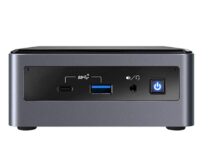
Best mini PC for home use: Intel NUC10i7FNH Mini PC

  • Intel Core i7-10710U 1.1 - 4.7GHz processor
  • 512 SSD
  • DVD-ROM drive
  • Poor Wi-Fi range

For home use – that is for everyday Internet surfing, online shopping, document, and email management, streaming – it’s an exceptional choice, and most certainly it will offer more than that.

It comes with a lot of slots so you can connect keyboard and mouse, monitors, Ethernet cable, Wi-Fi, Bluetooth, SD card reader.

Product dimensions are 4.4 x 4.6 x 2 inches, it weighs 3 pounds, and comes with Windows 10 preinstalled.


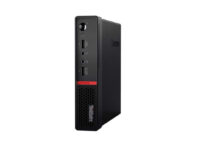
Best mini PC for the office: OEM Lenovo ThinkCentre M715

  • AMD Ryzen 5 Pro 2400GE Quad-Core processor
  • 500GB SSD
  • 3-year warranty
  • Loud cooling system

This little box is absolutely wonderful for office use and multitasking with multiple screens and multiple browser windows and tabs.

You can positioned it vertically or horizontally, depending on the space you got. The cooling system might be a bit too small for its capacity, but it depends what you’re working on.

Note that users have complained about extremely poor customer service; overall this mini PC is great, lest you have some trouble with it.


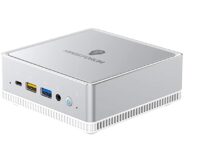
Best mini PC for gaming: COOFUN Mini PC

  • AMD Ryzen 3 3300U processor
  • Radeon Vega 6 graphics
  • Supports 3 x 4K/60Hz simultaneous displays
  • Possible issues with the DP to HDMI port

If you’re looking for a mini PC that will also support gaming, you’ve found the right one!

While it’s possible that the previous choices also support undemanding games, this one is designed for high-demanding jobs such as gaming or intensive office work, and it will offer a super clear image thanks to the 1200 MHz graphics frequency.

It has a smart fan and smart airflow design to ensure proper cooling. Product dimensions are 128×127×46mm so it will fit almost anywhere.

The customer service response is very prompt as well, in case you have questions or troubles with the device.


So these were our choices and we hope they were clear enough and helpful for you to get an idea about what you can find on the market.

Your suggestions are welcome; use the comments section.

10 Best PC Games To Buy Nowthis Season

Black Friday is close and, while we’re waiting for those hefty discounts on hardware and software alike, we decided to tell you more about some PC games worth acquiring. We focused on the good old physical copies, as most of these games are timeless classics so it’s, in our humble opinion, worth adding them to the collection.

Make sure to check them out and give us a shout about your choices.

Note: Deals are subject to change. Keep in mind that the price tag may vary as some of the discounts may no longer be available by the time you’ve made your purchasing decision. So, hurry up and hit the buy button.


Which are the best Black Friday deals available for PC games?

Wolfenstein II: The New Colossus

re black friday pc games deals

Genre: First-Person Shooter

Description: Wolfenstein II: The New Colossus continues the story of William Joseph “B.J.” Blazkowicz, the one-man-army member of the resistance against the futuristic Nazi tyranny.

Take his role and deal with the horde of diverse enemies in a swift and bloody manner.  If you’re a fan of the classic game, acquiring this game is a no-brainer.

⇒ Check it now on Amazon


Dragon Age Inquisition – Standard Edition

re black friday pc games deals

Genre: Action RPG

Description: Dragon Age Inquisition is another timeless classic. You’ll invest hours and hours in the great story-telling, amazing characters, and immersive graphics.

Your in-game decisions will make a difference and you can choose by your own volition almost every detail concerning yours and path of your companions.

⇒ Check it now on Amazon


Call of Duty: WWII – Standard Edition

re black friday pc games deals

Genre: First-Person Shooter

Description: After more than a few games placed in the near future, Activision decided to return to Call of Duty core values with this WW2 FPS. This game campaign revamps landing in Normandy and D-Day battles, with lots of novelty mechanics but the similar experience as all the beloved classics.

⇒ Check it now on Amazon


The Sims 4 Seasons

re black friday pc games deals

Genre: Simulation

Description: The Sims 4 is the continuation of the renowned simulation series we all love. Besides the standard game, EA introduced more than few expansions covering all kinds scenarios.

One of those is the Seasons expansion, with the realistic and impactful weather changes and season-based activities your Sims can partake.

⇒ Check it now on Amazon

The Witcher: Wild Hunt

re black friday pc games deals

Genre: Action RPG

Description: CD Projekt Red made an almost perfect game with the Witcher 3: Wild Hunt. This game is, even after a few years, still one of the best adventures you can embark on.

Continuing the dramatic story of Geralt of Rivia, the sturdy monster slayer now meets his strongest adversaries. A must-play game for all RPG fans with the immersive story, great battle mechanics, and superb graphics.

⇒ Check it now on Amazon


Middle Earth: Shadow of Mordor

re black friday pc games deals

Genre: Action RPG

Description: After numerous RTS games from the last decade, fans of LotR finally got an action RPG to enjoy it. The Shadow of Mordor tells a story before the book and movie trilogy events, as you take the role of Talion, a fallen ranger in bond with a powerful Elf wraith.

On your revenge-driven way to Mordor, you’ll clean the Middle Earth from the Orc threat and meet all kinds of interesting characters in a grim and well-designed setting.

⇒ Check it now on Amazon


Diablo II

re black friday pc games deals

Genre: Hack & Slash Action RPG

Description: What’s a better way to kill off some time while waiting for Blizzard’s next move than to replay Diablo II. This timeless classic was what brought Blizzard the status they have now and heavily impacted the whole genre.

If waiting for the mobile game isn’t your cup of tea, consider taking the nostalgia train back to the demon-infested world of Diablo.

⇒ Check it now on Amazon


Mount & Blade Collection

re black friday pc games deals

Genre: Medieval Action RPG

Description: Even if lots of people fancy some fantasy elements in their RPGs, there are always people who prefer realistic elements. And if you’re in the latter group, look no further than Mount & Blade.

This offer includes the original game and the two extensions (Warband and With Fire and Sword). Take your rightful place in the Medieval setting and fight for your cause.

⇒ Check it now on Amazon


Far Cry Primal – PC Standard Edition

re black friday pc games deals

Genre: Action-adventure

Description: A small detour from the classic Far Cry series takes us back to the Mesolithic Age, where the tribal wars are fought with primitive weapons and all kinds of prehistoric wildlife roam freely around.

You take the role of a hunter called Takkar and, in a series of events, fight to save your tribe from a dangerous threat.

⇒ Check it now on Amazon


Borderlands: The Pre-Sequel

re black friday pc games deals

Genre: Action Role-playing-based FPS

Description: Borderlands is an amazing series, with great in-game mechanics and great humorous storytelling. In the Pre-Sequel, you take the role of one of the antagonists from the previous series and your goal is to help Handsome Jack (antagonist from Borderlands 2) to take over the Helios space station.

Expect all the classic goodies the original games brought, with improved gameplay features and the comedy-gold moments.

⇒ Check it now on Amazon

What’s your favorite entry from the list? Tell us in the comments section below.

4 Best Laptops For Presentations [Top Picks]

Choosing a laptop nowadays can give you headaches just by thinking of how many different models there are on the market. A starting point is to concentrate on what you need it for.

If you only need a laptop for presentations and videoconferences, you won’t have to invest as much as for a gaming laptop. General system requirements are low for the Office suite, but you still need to buy a computer with a quality display to concentrate on writing and editing documents for hours.

In this article, we will also look for a laptop with an integrated camera and good quality sound system to help you out with your videoconferences.


What are the best laptops for presentations and videoconference?

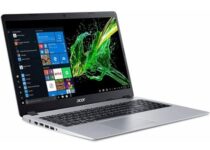
HP Stream 

  • 1 TB of OneDrive Storage for one year
  • Digital media card reader
  • USB 3.1 generation
  • Low storage of only 64 GB eMMC

The HP Stream model is one of the cheapest laptops with a Microsoft Office 365 subscription that you can buy.

The 14 inches HD display, will show you bright images even when working in a low light environment. Furthermore, it has a thin, lightweight design and bold look, which makes it very easy to carry wherever you travel.

HP Stream represents a good choice if you are on a budget and need the laptop only to create presentations and video communication.


Acer Aspire 5 Slim

  • Great sound with Acer TrueHarmony
  • AMD Ryzen 3 3200U Mobile Processor
  • Backlit Keyboard
  • Office 365 installed, but just trial version.

Acer Aspire 5 is another good choice if you don’t want to spend a lot of money on a laptop, but performant enough for daily tasks.

It has a nice big full HD 15.6 inches screen, and with its IPS display panel, it shows true to life colors, just what you need for videoconferencing. Also, you’ll have no problem reading the smaller print on Powerpoint presentations.

If you like it, then take a better look at this Acer Aspire 5. The laptop comes with Amazon Alexa enabled, a big help when comes to appointments and to-do lists.


Microsoft Surface DAL

  • 7th generation Intel Core i7 processor
  • 16 GB RAM
  • Sleek and elegant design
  • Only one USB port

What better laptop with Windows and Office suite preinstalled to choose if not a Microsoft one. The Microsoft Surface DAL model combines perfectly portability with performance.

Creating large presentations and recording videoconferences won’t be a problem with this laptop due to its huge storage of 512GB SSD. Moreover, it has an edge-to-edge 13.5 inches PixelSense Display, with touchscreen feature and ultra-thin bezel.

If you’re on the go most of the day, Surface DAL is the best choice due to its battery performance of up to 14.5 hours of work.


Huawei MateBook X Pro 

  • 8th Generation Intel Core i7 processor
  • Dedicated NVIDIA GeForce MX150 GPU
  • Windows 10 Home
  • No SD card slot

If the price is not an issue and you want to focus on performance, Huawei MateBook X Pro is the best laptop you can buy, as it is well suited for presentations.

It comes with a 13.9-inch full view 3K touch-screen display with 3000×2000 resolution and 91% screen-to-body ratio. With this screen you’ll have a sharp and clear visual experience.

Besides the incredible display, it also provides a high-quality camera and quad microphone with speakers. In fact, the camera is hidden in a key shape between the F6 and F7 keys, which offers great security.

You will be delighted by the performance of MateBook X Pro and by its battery that offers 14 hours of office work, or 15 hours of web browsing.


Is not easy to find laptops that include the Microsoft Office Suite, most of them having just a simple operating system. You will still need to activate a Microsoft account, but the best part is that you don’t need to install anything.

If you choose one of the options above, you can start writing, editing documents and present them over videoconferences out of the box.


[wl_navigator]

5 Best Laptops With Ips Display [2026 Guide]

IPS, also known as In-Plane Switching is a new technology for LCDs that was created to remove the main limitations of the older Twisted Nematic Field.

The matrix LCDs were prevalent in the late 1980s. They were problematic because they were dependent on viewing angles and had low-quality color reproduction. Fortunately, the IPS was created especially to solve all of these problems.

You might be tired of the laptops that use outdated technology. Constantly having to move the laptop to see the screen properly can be quite frustrating. If you wish to buy one with IPS, Here is a list of laptops with different specifications and price ranges.


What are the 5 best laptops with IPS Displays?

Acer Aspire 5 Slim

  • AMD Ryzen 3 3200U Dual-Core Processor
  • Integrated Graphics Card
  • 15.6 inches full HD LED IPS display
  • 4GB DDR4 Memory and a 128GB PCIe NVMe SSD
  • No SD card slot

If you are a casual person who doesn’t play games or use editing programs, Acer Aspire 5 Slim is the best choice for you. The laptop is really cheap, but it offers a lot for its low price if you only want to use it to browse the internet, social media, or work.

The laptop is light and slim, it has all the ports you need to connect accessories to it, and it offers great performance and battery life for its price. In addition, you can choose to increase your RAM or the SSDs capacity if you want to run more programs at the same time and take advantage of extended storage.


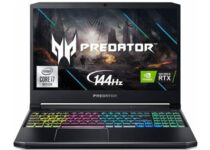
Acer Predator Helios 300

  • 10th Generation Intel Core i7-10750H 6-Core Processor up to 5.0GHz
  • 15.6-Inch Full HD LED IPS display with 144Hz refresh rate
  • 16GB DDR4 2933MHz RAM and 512GB NVMe SSD
  • Windows 10 Home 64 Bit included
  • Short battery life

Moving on to a laptop from the renowned Predator Series. The Acer Predator Helios 300 is a powerful gaming machine for those who want to max out all the triple-A games out there.

It comes with a fully RGB keyboard as well as an RTX ready GPU. The RAM memory works in dual-channel for even more performance and the SSD ensures insane loading times on your games.

If you’re a gamer looking for the best laptop out there that has an IPS display, and you don’t care about the price, this product will bring you the best image quality you can wish for.


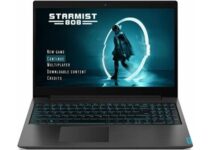
Lenovo Ideapad L340 Gaming

  • NVIDIA Geforce GTX 1650 with 4GB DDR6 video memory
  • 9th-generation Intel Core i5 processor up to 4.10GHz
  • 15.6-Inch Full HD IPS display
  • 512GB NVMe SSD
  • No SD card reader

A budget choice for the gamers is Lenovo Ideapad L340. The laptop is significantly cheaper than the aforementioned Acer but still packs enough power to run all the games.

It has a really quality keyboard which is backlit so you can see the keys in the dark, and the battery lasts long. Moreover, the display is bright and it has a good color contrast.


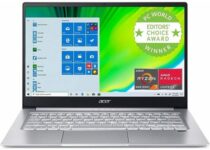
Acer Swift 3

  • AMD Ryzen 7 4700U Octa-Core Mobile Processor up to 4.1 GHz
  • Integrated Radeon Graphics Card
  • 512GB PCIe NVMe SSD
  • Fingerprint reader
  • Soldered RAM, no memory banks

Another popular entry from Acer is the Acer Swift 3. The laptop is a mid-range choice, having quality internals but focusing more on work and everyday use, and not on gaming.

This laptop is really small and thin, making it easy to carry around. The keyboard is backlit, in case you need to use it in the dark. In addition, the Ryzen processor and the 8GB of RAM can run multiple programs and browsers at once.


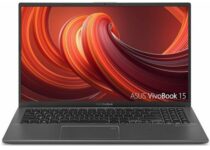
Asus Vivobook 15

  • 15.6 inch Full HD IPS Display with 88% screen-to-body ratio
  • Latest 10th Gen Intel Core i3-1005G1 CPU up to 3.4 GHz
  • 8GB DDR4 RAM and 128GB PCIe NVMe SSD
  • Comes with Windows 10 in S mode
  • MicroSD card slot instead of full-size SD card slot

Our last item on the list is the Asus Vivobook 15. The laptop strikes a nice balance between the price and what it’s capable of. It delivers good connectivity, a large 15-Inch display, and good all-around performance for its price.

Moreover, the laptop is designed to be really thin and light so you can take it with you anywhere. The laptop also features a keyboard that is backlit, allowing you to use it in the dark.


This article covered all the different types of laptops with IPS displays. It contains products for people with different interests and budgets.

If you have anything to add to the subject, please feel free to tell us in the comment section below.


[wl_navigator]

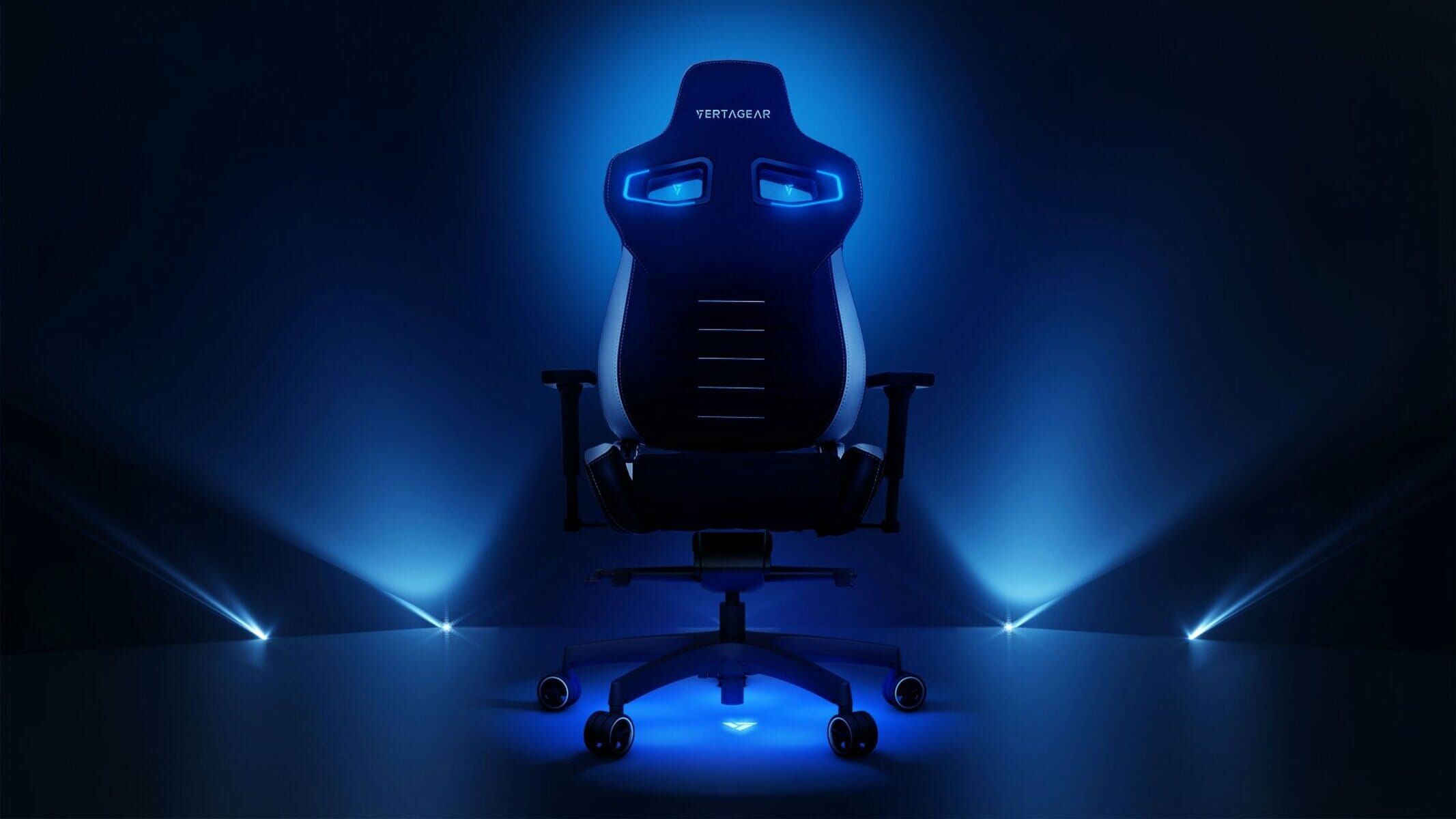
5 best RGB gaming chairs that stand out

Sitting comfortably at your desk is the number one priority. However, many people want more than that from their chairs.

Some want to show off their cool style, some want to customize the look of it as much as they can, or maybe some want their chair to match their setup.

Therefore, RGB lights are without a doubt the best way to customize your desktop, your desk, peripherals, and even your chair.

Moreover, if you want to look fancy and stand out while you’re gaming, this article will provide you with all the information you need regarding the best gaming chairs that have RGB included in them.


What are the best RGB-Enabled gaming chairs?


HomeMiYN Gaming Chair

  • LED lights on the edges of the chair and a Bluetooth Speaker
  • Soft universal caster that allows for smooth-rolling mobility, preventing scratching
  • Premium PU leather material which is water and stain resistant
  • It doesn’t have the best padding

The budget choice of this list is the HomeMiYN Gaming Chair. Most importantly, it has an ergonomic design, with adjustable armrests that are wrapped in soft PU leather.

This chair helps reduce back problems, offering a good posture while gaming. It is also equipped with RGB, head and lumbar pillows, and all at a great price.


Goplus Massage Gaming Chair

  • The soft PU leather and high-density sponge offer a comfortable feeling while sitting
  • Armrest with height adjustment and 60° rotation ensures extra control
  • Vibrating lumbar pillow reduces muscle tension after a long day of sitting
  • The footrest’s height cannot be adjusted

The most expensive item on our list is a chair from Goplus, equipped with a vibrating lumbar pillow and RGB lights on the sides.

The product comes with a retractable footrest as well as a detachable headrest, and it offers neck back, lumbar waist, and foot support. Its armrests can be adjusted, and you can customize the colors of your RGB.


Goplus LED Gaming Chair

  • Filled with a high-density resilient sponge and covered with smooth, skin-friendly PU leather
  • Comes with removable headrest, lumbar pillow, and retractable footrest
  • Can be remote controlled
  • Cons:
  • The USB cable for the lumbar pillow and RGB LEDs is very short

If our last product didn’t quite make the cut for you, here is another option from Goplus. For instance, this chair is equipped with the same features as the previous one, but it rocks a different style.

Moreover, the lumbar vibrating pillow is still there and the RGB LEDs are a bit more subtle on this one, yet the chair still looks and feels amazing.


Modern-Depo Gaming Chair

  • Adjustable armrest, removable lumbar support, and headrest
  • Adjustable height and a 90-180 degree back recline
  • High-quality steel ensures for 330lbs Max. load capacity
  • The chair does not come equipped with a footrest

If you really want to stand out, you should check the all-pink Modern-Depo Gaming chair. That is to say, the chair has a cool and neat design, and it is also comfortable.

The cushioning is made out of sponge and coated with durable PU leather material, while the baking is coated in nylon. This swivel chair is an ideal choice for working, studying, gaming, or relaxing.


YOUTHUP Gaming Chair

  • Two built-in Bluetooth speakers with a surround sound system. Solid bass and full audio provide an entertaining experience
  • The game chair has multiple color profiles. You can easily choose the lighting effects with a remote control
  • The chair doesn’t have a footrest

Our last pick on the list is a medium-budget oriented choice. YOUTHUP Gaming chair is designed with incorporated LED lights with multiple colors and a Bluetooth Speaker.

The chair is comfortable and it has a removable headrest and lumbar rest. The armrests are adjustable. In addition, it is coated with a PU leather surface that wear-resistant and easy to clean.


If you’re planning to buy a new and fancy gaming chair, this list should have you covered and ready to make the right decision.

Please do not hesitate to drop any kind of feedback in the comment section below, because your opinion is much appreciated.


[wl_navigator]

[wl_navigator]

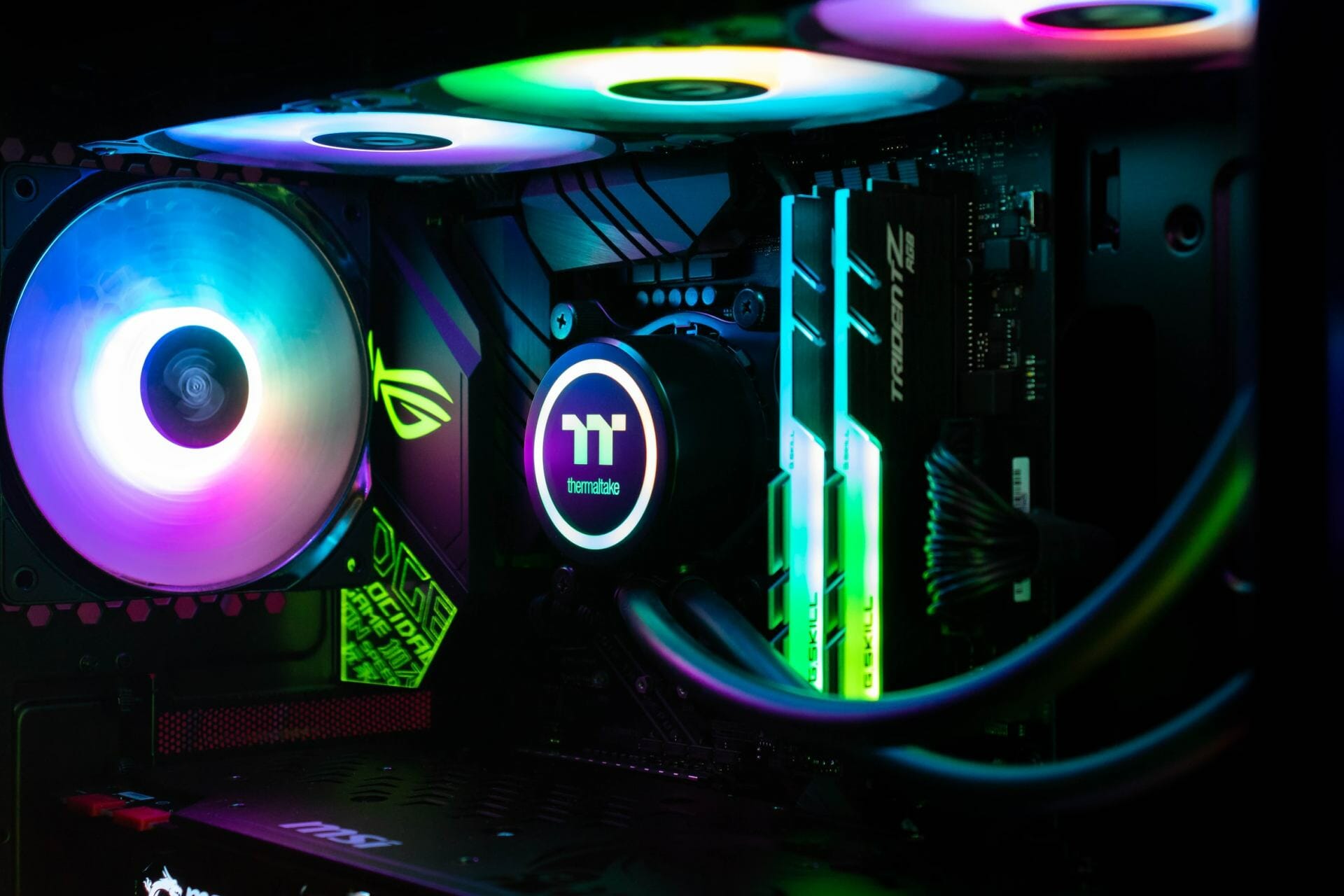
5 Best 140mm RGB case fans for maximum cooling

Cooling is crucial, and to maintain the best performance and temperature on your PC, you must have the proper cooling.

There are all sorts of fans that you can use, but in today’s article, we’re going to show you the best 140mm case fan that you can get for your PC.

What is the best 140mm case fan?

Thermaltake Pure 14

  • 3x 140mm case fans available in set
  • Supports Aura Sync, GIGABYTE RGB Fusion, MSI Mystic Light Sync, and ASRock Polychrome
  • Works with motherboards with 5V addressable header
  • ARGB controller
  • Quiet
  • Compatibility issues with Pure Plus 12 controllers

Thermaltake Pure 14 works with addressable motherboards, and it supports Aura Sync, Gigabyte RGB FUSION, MSI Mystic Light Sync, and ASROCK Polychrome.

If you don’t have an addressable motherboard, there’s also an analog controller that you can use to control the lighting. As for the design, the fan comes with 9 blade design for maximum airflow.

Thermaltake Pure 14 is a silent fan, and thanks to the rubber pads, it won’t cause any vibration during the gaming sessions, so be sure to consider it.


Corsair QL140

  • 140mm case fan
  • 34 individually addressable LEDs, four lighting zones
  • Up to 1,250 RPM, 50.2 CFM airflow
  • Semi-transparent design
  • Low noise
  • Steep price

This is another 140mm case fan, and it comes with 34 individually addressable LEDs and four lighting zones. The fan works with CORSAIR iCUE, and you can easily sync it with other CORSAIR iCUE devices.

The fan can achieve speeds up to 1,250 RPM and it can push up to 50.2 CFM of air, which should be enough for most users. It’s important to mention that there are rubber dampers available, so the fan will remain quiet at all times.

Corsair QL140 is a great fan, and if you need a quiet fan with a semi-transparent design, then this model might be perfect for your needs.


anidees AI Aureola Duo

  • Set of three 140mm fans
  • 12 independent LEDs
  • Hub with RF support
  • 5V 3pin connector
  • Works with ASUS Aura Sync, MSI Mystic Light Sync, and GIGABYTE RGB Fusion 2.0
  • Some compatibility issues with the PWM controller

anidees AI Aureola Duo is a set of three 140mm case fans, and the fans come with 12 independent LEDs in each fan, separated in two loops.

The fans come with a hub that you can use to control them, but there’s also support for a 5V 3pin connector. The fans also work with ASUS Aura Sync, MSI Mystic Light Sync, and GIGABYTE RGB Fusion 2.0.

anidees AI Aureola Duo set also has an RF wireless control, so it’s a perfect choice for your gaming PC.


Phanteks SK140

  • 140mm case fan
  • Nine blade design
  • PWM
  • 4-pin connector
  • Compatible with ASUS Aura, RGB Fusion, MSI Mystic Light Sync, etc.
  • 12 LEDs
  • No installation instructions

This is a 140mm case fan and it comes with D-RGB LEDs so it can achieve all sorts of effects. It’s important to mention that the fan works with RGB addressable motherboards, so you can easily control it.

The fan is compatible with ASUS Aura, RGB Fusion, MSI Mystic Light Sync, ASROCK Polychrome Sync, and Razer Chroma. As for the design, there are nine blades that will ensure high airflow and cooling performance.

Phanteks SK140 also has rubber dampeners and a rigid frame, so it will fully prevent vibrations and ensure low noise even during heavy use.


Corsair LL140

  • 140mm case fan
  • 16RGB LEDs, two separate light loops
  • PWM control
  • 600RPM – 1,300 RPM
  • 51,5 CFM
  • Requires Lighting Node PRO controller, the controller is sold separately

This 140mm fan comes with 16 RGB LEDs and it has two separate light loops. The fan supports PWM control, and you can change the fan speed from 600RPM up to 1,300 RMP with ease.

Being a Corsair device, the fan is compatible with CORSAIR iCUE software and other Corsair devices, however, it requires a Lighting Node PRO controller to work properly.

Corsair LL140 has an airflow rate of 51.5 CFM, and if you already have the Node PRO controller, it will be a perfect addition to your setup, since the fan doesn’t come with a controller.

If you’re a fan of RGB lighting and you want to spice up your computer case or just lower the PC temperature, be sure to check out some of the case fans from our article.

[wl_navigator]

Best Bullguard Vpn Deals For 76% Off!

It’s already common knowledge that VPNs can protect you against all sorts of privacy violations, while also keeping your connection secure.

However, due to their price, VPN subscription plans aren’t exactly affordable.

On the other hand, many VPN providers such as BullGuard, align with the trend of showcasing their offers during Black Friday and other special events.

Check out the top deals and discounts for BullGuard VPN.

What are the best BullGuard VPN deals for 2022?

  • 2 Years (Save 76%) – €60.00 billed for 2 years (€10.49 €2.50 per month)
  • 1 Year (Save 40%) – €56.24 billed for 1 year (€10.49 €4.68 per month)
  • 1 Month (Save 0%) – €10.49 per month

As you can see, the larger the subscription plan is, the more generous the discount value grows. So if you plan on saving big on BullGuard VPN, we’d suggest you stick with 1- or 2-year subscription plans.

⇒ Get Bullguard

Furthermore, the monthly plan only has a 7-day money-back guarantee, while the yearly and 2-year plans let you ask for a refund for 30 days after the date of purchase.

Why choose BullGuard VPN?

First and foremost, we assume you care most about your privacy rather than the speed of your connection.

Not that BullGuard VPN is slow or anything, but using a VPN without caring about privacy/security is kind of pointless.

Well, as we’ve been hinting above, BullGuard VPN can keep your privacy safe and connection secure without breaking a sweat.

On the other hand, privacy/security features are not uncommon for trustworthy VPN services.

With that in mind, how do we know if BullGuard VPN is the one? What makes it an obvious choice against other similar services?

Well, let’s check its list of main features and maybe we’ll find out.

  • Zero-logging policy to protect your private online activity
  • Lets you secure up to 6 devices on the same subscription
  • Access restricted services from abroad (geo-restriction bypass)
  • Internet kill switch that prevents accidental data leaks
  • Auto-connect for open Wi-Fi networks
  • More than 2000 high-speed servers
  • Unlimited bandwidth and speed
  • Easy to install, configure, and use (even for novices)
  • Military-grade encryption to prevent traffic monitoring

All things considered, we believe BullGuard VPN is a great VPN service that can keep your privacy intact and protect your connection’s security without an issue.

Bottom line is, if you’ve been waiting around for a good VPN subscription at a bargain price, BullGuard VPN might be just what you need.

Two Stellar Data Recovery Unmatchable Deals

If you’ve lost your photos, videos, or music files and you are looking for a tool to recover them, we have a solution for you: Stellar Data Recovery, a powerful piece of software that can recover virtually any lost files.

In short, with the help of this tool, you will recover lost, corrupted, or deleted data. It can be used both on Windows and Mac.

Trusted by millions of users worldwide, Stellar Data Recovery helps you retrieve important data lost or compromised in various common scenarios: malware infection, system crash, system partitioning, Recycle Bin deletion, or similar situations.

What are the deals for Stellar Data Recovery on Black Friday & Cyber Monday?

Of course, you’ll find enticing deals for Stellar’s products at this time of year. In this article, we’ll cover two awesome offers, one for the standalone Data Recovery product, the other – a bundle.

We’ll insist on the bundle, since it’s a 6-in-1 deal, meaning you’ll get 6 professional recovery & repair software tools for the price of one!

  • All-in-one one-time deal
  • Awesome chance to get several professional products that otherwise cost a lot
  • Data & password recovery
  • Photo repair
  • Audio converter
  • Extremely limited offer
  • Might include unnecessary products

Perks & products in the 6-in-1 deal:

  • Data Recovery tool both for Windows & iPhone
  • Password Recovery tool
  • Supports tens of file formats
  • Scans lost partitions, external drives, SD cards, email files
  • Scans BitLocker encrypted drives
  • Recovers scratched, corrupt or partially burned optical media
  • Audio converter (30+ formats)
  • Photo repair tool

All in all, this offer is an 82% off bargain that you shouldn’t skip if you’re looking for at least one of these products, which otherwise sell for quite a price tag.

Besides, who knows when you might need such a tool, but truth is that every once in a while we’ve all come across accidental data loss.


Now the second offer refer only to the standalone Data Recovery product. You’ll get a 55% discount for the Premium product.

  • Data recovery + video & photo repair features included
  • Supports unbootable system & lost partition recovery
  • CD/DVD data recovery
  • Seems expensive even with a discount

Stellar’s powerful Windows data recovery product includes everything the basic product in the above-mentioned bundle has, plus some extra features that can be found in other standalone tools.


No matter what offer you’d go for, the investment you make in this recovery tool will pay off in the long run, especially if you’ve lived through the tragedy of losing important files at some point in time.

If you’ve used Stellar before, tell us your opinion on their products. Use the comments section.

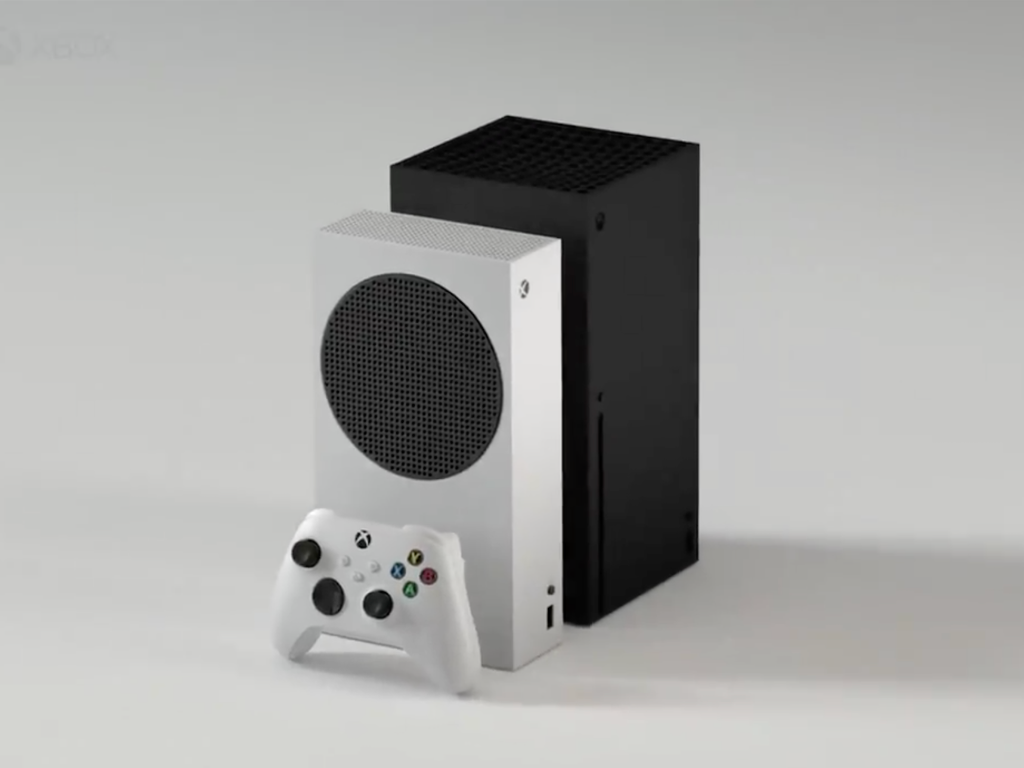
Here’s what you need to know to get the most of your Xbox Series X|S console

It’s now been two weeks since Microsoft released its new Xbox Series X and Xbox Series S consoles, which have been selling out very quickly across their 40 launch markets. If you already got your hands on the new consoles, we hope you’re having a good experience with them so far, though there are a couple of things you need to know to really take advantage of the new hardware.

Both the Xbox Series X|S and the Sony PlayStation come with a new HDMI 2.1 port, a new gaming-focused technology that will standardize next-gen features such as 120 Hz gaming, Auto low-latency mode (ALLM), and Variable Refresh Rate (VRR). HDMI 2.1 is still pretty rare on TVs and gaming monitors right now, though ALLM and VRR are two technologies that your current TV or monitor may already support and we’ll explain why they are important to get the best gaming experience.

There are also some important things to know about storage management on Xbox Series X|S consoles, as well as Xbox One features that are no longer supported. What will follow is going to be a bit technical, but please bear with us if you really want to take advantage of everything your Series X|S console has to offer.

Why you may want to upgrade your TV or gaming monitor

Microsoft’s new Xbox Series X and Series S consoles both support 120 Hz gameplay, meaning that games can now run at up to 120 frames per second (FPS) on compatible TVs and monitors. This is twice as fast as the 60FPS target that some Xbox One games had, and until now 120 FPS gameplay is something only PC gamers have been able to enjoy.

To play games at 120 FPS on your Xbox Series X|S console, be aware that this something that developers will need to implement. Some games like Dirt 5 offer an optional 120 FPS mode with lower graphic settings, while others like Gears 5 only support 120 FPS in the game’s multiplayer mode. However, all games in the Halo: The Master Chief Collection have been updated to support 120 FPS in Campaign and Multiplayer on both Xbox Series X and Xbox Series S.

If playing games at 120 FPS can make a big difference, you also need a screen with a 120 Hz refresh rate, and this is where things can get complicated. On the PC gaming space, there are already plenty of monitors with a 120 Hz refresh rate or higher, but 120Hz is often only supported via DisplayPort, and not HDMI. The existing HDMI 2.0 standard does supports 120 Hz gameplay, but some monitors still ship with older HDMI ports limited to 60 Hz.

That’s why the new HDMI 2.1 standard is going to be a big deal on TVs and gaming monitors, bringing supports for 4K gameplay at 120FPS as well as 8K at 60FPS. Asus was the first company to announces a series of HDMI 2.1 4K gaming monitors for this holiday season, though if you’re more interested in a 4K TV, the LG CX OLED is probably the HDMI 2.1 TV that most shopping guides are currently recommending to gamers.

Xbox Series X Latency Improvements

In addition to 4K at 120 Hz support, HDMI 2.1 also brings support for Variable Refresh Rate (VRR), the TV equivalent to AMD’s Freesync technology for gaming monitors. VRR can eliminate screen tearing by adapting the screen’s refresh rate to the game’s frame rate so they’re constantly synchronized. I’ve personally had screen tearing issues on games like Assassin’s Creed Valhalla and Dirt 5 on my HDMI 2.0 4K TV, and VRR should address that.

It’s worth noting that Variable Refresh Rate is already supported on Microsoft’s Xbox One S and Xbox One X consoles, along with auto low-latency mode (ALLM). The latter will also be available on HDMI 2.1 TVs, even though some HDMI 2.0 models already support it. ALLM will reduce latency by automatically enabling your TV’s “game mode” when you boot up your Xbox console, so make sure to enable it if your TV supports it.

If I personally prefer playing games on a gaming monitor, most console gamers prefer the convenience of a TV, especially those with an expensive audio system connected to it. Most 4K TVs these days also support HDR and Dolby Vision, two features that can make a big difference compared to gaming monitors. Both the Xbox Series X and S also introduced a new Auto HDR feature that to apply an HDR treatment to SDR games, and the two consoles will also support Dolby Vision for games next year.

Before you go buying a new TV or gaming monitor, make sure to check out the features that your existing screen supports. On your console, you can do so by opening the Xbox Guide, and then selecting Power & system > Settings > General > TV & display options > 4K TV details. If your screen does supports 4K, 120 Hz, ALLM , VRR, HDR, Dolby Vision, you can enable these features by going to Advanced > Video modes.

Xbox Series X Video Modes

Using the Xbox Series X|S for media purposes

Microsoft misread the market by trying to make the Xbox One an all-in-one entertainment system seven years ago, and fortunately, the company’s messaging for the new Xbox Series X|S consoles has been mostly focused on games this time aorund. Both consoles have dropped support for the Xbox One Kinect accessory, and the HDMI-in and optical audio ports are also gone.

The OneGuide app that also debuted with the Xbox One console is also missing on Xbox Series X|S consoles, though gamers still have access to a good selection of media apps and a growing catalog of content in HDR and Dolby Vision. While Microsoft’s Movies & TV store is still there, Xbox owners can now purchase movies from Amazon or iTunes with the Amazon Prime Video and new Apple TV app.

If you do plan to use your Xbox Series X|S as your main media player, you need to be aware of ongoing issues with the YouTube and Netflix apps. As of today, the YouTube app on Xbox One and Xbox Series X|S doesn’t support HDR playback, even though the Xbox One S brought support for HDR four years ago. A YouTube spokesperson told Polygon that Google is working on HDR support in the YouTube app, but there’s no ETA yet.

As for Netflix, Forbes recently pointed out that the Netflix app for Xbox One and Series X|S consoles play all content in HDR, which can give some poor results for SDR content. If you have an HDR TV or monitor, the Netflix app will turn HDR on all the time and change a wide range of settings to display the best HDR picture. “If your TV makes all these changes with content that’s actually mastered in SDR, though, the resulting picture just doesn’t look right anymore,” emphasized Forbes’ John Archer, who reached Netflix for comment but couldn’t get an explanation for this weird behavior.

Netflix Xbox App

How to make the best use of external storage

If you’ve been using external storage to install Xbox One games, the good news is that you can unplug your drive from your old console, plug it to your new Xbox Series X|S console and start playing your old games right away. As the Xbox Series X comes with just 802GB of internal storage (only 364 for the Series S), it’s probably best to keep this space for next-gen games that leverage the new Xbox Velocity Architecture and store backwards compatible games on USB-based external storage.

It’s worth noting that the new Quick Resume feature, which can suspend multiple games in the background instead of closing them also works for games stored on external storage. The feature also works after a reboot, allowing you to pick up where you left off in less than 10 seconds. Quick Resume currently doesn’t work for all Xbox One and Xbox Series X|S games, and Microsoft recently deactivated it for recent games like Assassin’s Creed Valhalla and Dirt 5 to fix some issues. Quick Resume remains a true-game changing feature and I hope Microsoft will polish it in the coming months, but as of today, it can be pretty unpredictable: It’s probably best to keep saving your progress manually just in case your recent games have been dropped from the Quick Resume pool without any warning.

SSDs have become really cheap in recent years, and I’m currently using two external drives with my Xbox Series X|S consoles to store Xbox One and Xbox 360 games. While you can store next-gen games on external storage, these titles won’t launch until you move them to the internal storage or a Seagate 1TB expansion card that delivers the same speed as the console’s internal NVMe SSD. I recently got my hands on this first proprietary expansion card from Seagate and it works as expected, though it’s not a must-have accessory yet considering its $219.99 price.

If you have multiple Xbox consoles at home, you can actually hot swap external storage between them and your games will launch just fine, no reboot required. You can also use external storage to copy games to a different drive, which is a great time-saving feature. To manage storage devices, you can go to My Games & Apps > Manage > Storage devices, where you’ll see different options for choosing your default install location, moving or copying games, and more.

Xbox Storage Management

If the new Share button on the Xbox Series X|S controller makes it easier than ever to capture screenshot and gameplay videos, I recommend using external storage as capture location instead of the console’s internal SSD: Doing that will allow you to capture up to 60 minutes clips, which you’ll be able to easily transfer to a PC. The downside is that you can’t upload clips and screenshots captured on external storage on Xbox Live, though the auto-uploads to Xbox Live that happen in the background have always been quite slow on Xbox consoles. Both the Xbox Series X and PS5 can capture 4K 60 fps gameplay footage in HDR if you have the right TV or monitor, though you may want to turn HDR recording off to prevent your videos from looking weird on non-HDR screens.

Last but not least, following the sunsetting of Mixer back in July, Twitch is now the only place where you can stream games on Xbox consoles. You’ll need to download the Twitch app from the Microsoft Store and log in with your Twitch account, then go to the Broadcast tab. It would be much more convenient if streaming services like Twitch and YouTube were built into the Xbox OS like they are on PS4 and PS5 consoles, but it is what it is.

As the Xbox Series X and Series S run the same OS as Xbox One consoles, the next-gen pretty much feels like a PC-like upgrade, and there’s nothing wrong with that. Microsoft keeps iterating on the Xbox OS and recently made the Home screen load more than 50% faster when you boot your Xbox, and almost 30% faster to load when you’re returning from a game. There’s still a lot of room for improvements, but we hope that all the tips mentioned in this post will help you enjoy your Xbox Series X|S console even more during this holiday season.

5 Best Touchpad Keyboards For Ipad Pro

Are you tired of on-screen typing, and you only want to type quickly and accurately with a familiar laptop-like keyboard? If you are looking to turn your iPad Pro into a laptop, then we have the proper solution for you.

We did the research work for you, and we’ll list the most interesting touchpad keyboards for iPad Pro deals below. You can purchase one of them with a really nice price tag, just check them out!


What are the best touchpad keyboards for iPad Pro deals?

YEKBEE iPad Pro 11

  • 360 rotatable design
  • Hard clamshell
  • Spacious keyboard layout
  • 10 backlit colors
  • Lack of an Esc key

The YEKBEE typecase keyboard for iPad Pro 11 is provided with a special hinge, that rotates and pivots to achieve virtually any viewing angle desired. 

The hard shell case is designed to offer considerable scratch and impact protection when closed. Another great feature is the large 2.4 inch built-in touchpad with its left- and right-click buttons to easily navigate.

It also features a backlit keyboard for greater ease-of-use in low light conditions, with 10 customizable light colors to fully match your mood. 


Levet iPad Pro 12.9 360°

  • 3 brightness modes
  • Built-in touchpad
  • Flexible built-in-hinges
  • Ensures proper protection
  • The trackpad can become resistant after some use

The Levet keyboard case for iPad Pro 12.9 2018-3rd Gen / 2018-4th Gen helps you to use your iPad Pro just like a laptop. It’s very easy to use and efficient.

It has a sensitive built-in touchpad for easy scrolling, as well as well-made keys and shortcuts for fast typing.

This keyboard case ensures proper protection, and it has a modern design with 2 backlight rainbow modes and 3 brightness modes for enhanced comfort and better viewing. 


Tezzionas iPad Pro 12.9

  • Built-in touchpad
  • Flexible built-in-hinges
  • Long-lasting battery
  • Well-made keys with key shortcuts
  • The price tag

Now you can turn your iPad Pro into a highly performant laptop thanks to the Tezzionas keyboard case for 2020 iPad 12.9.

It features a backlit tablet holder with well-spaced keys, shortcut keys and a built-in touchpad for enhanced control and comfort of use.

And if you are upgrading your iPad to the 13.2.2 version, you can also use the touchpad function.


CHESONA iPad Pro 12.9

  • Wireless charging for Apple pen 2nd gen
  • Specific pencil slot
  • 7 rainbow colors backlight
  • 3-level of brightness adjustment mode
  • No instructions

The CHESONA iPadPro 12.9 has an integrated multi-touch trackpad that perfectly adapts to IOS system, and it comes with plentiful trackpad gestures.

You can turn your iPad into almost a real laptop. You don’t need an extra mouse anymore, because this great keyboard case allows you to click, scroll, and swipe through content effortlessly.

It features an anti-slide design and offers 360° full protection against scratches, or bumps, protecting your tablet from dropping accidents.


Levet iPad Pro 12.9

  • Built-in touchpad
  • Compatible with iPad Pro the 3rd Gen and 4th Gen
  • Long-lasting battery
  • Well-made keys with key shortcuts
  • Some complaints about the space bar

The Levet iPad Pro 12.9 keyboard case is very easy to use and efficient, being perfectly compatible with the latest models of iPads.

It has a sensitive built-in touchpad for easy scrolling, as well as well-made keys and shortcuts for fast typing.

The keyboard has a great design and it features 2 backlight rainbow modes and 3 brightness modes for better comfort and viewing. 


Those are the best deals of iPad Pro keyboard cases that are currently discounted. If you’re interested in purchasing one of them or maybe just other great items, do let us know in the comments below.


[wl_navigator]

Microsoft to open new sustainable datacenter region in Sweden next year

Last year, Microsoft unveiled its plans to expand its cloud reach in Sweden with sustainability as their key objective. Now, over one year later, the company has confirmed that it’s building its first sustainable datacentre region in Sweden in 2021 as part of the initiatives.

This investment builds on Microsoft’s existing presence in the country, which involves strong partnerships across different sectors such as the energy, manufacturing, and retail industries. The initiative involves establishing three sustainable datacentres, which Microsoft says will focus on delivering Microsoft Azure, Microsoft 365 and Dynamics 365 and Power Platform across Sweden. It should equip local businesses with advanced connectivity, data privacy, as well as security.

“Sweden has long been a leader on the global stage in many areas, including sustainability, innovation and gender equality. It is one of the places in the world where IT and tech have the greatest potential to create new opportunities for the individual, the organization and society. In this time of change, we invest in the digital infrastructure and our Swedish ecosystem to accelerate digital transformation that will empower public and private companies to innovate, providing a strong digital foundation for the country’s future growth,” said Hélène Barnekow, General Manager, Microsoft Sweden.

Alongside the launch of the new datacenter region, the company also plans to partner with 13 local organizations to provide digital skills training to around 150,000 Swedish citizens. The effort is a part of Microsoft’s long term goal to help 25 million people globally to improve their technical competence.

It is important to note that Microsoft Azure is already available in more than 140 countries worldwide with over 65 data center regions, making it the world’s largest cloud infrastructure.

Microsoft Planner is getting custom background images for plans in January

Microsoft Planner is finally getting on a new feature that will bring the ability for users to add custom background images to their plans. The Microsoft 365 Roadmap indicates that the feature is currently under development, and it’s expected to roll out in January.

Currently, Microsoft Planner allows users to create multiple plans, but they all have a similar plain background. Unfortunately, Microsoft hasn’t yet provided a way to customize Planner backgrounds in a supportable manner, making it hard to distinguish plans at a glance.

With this new feature called smart background, users will be able to view image recommendations and add a relevant and unique background image to each plan. The upcoming Planner experience, which is powered by Designer, will automatically analyze the plan’s title to provide smart image recommendations.

recommendations

As a part of this change, the company is also working on a new Settings UI for Microsoft Planner. As seen in the screenshot above, the updated design will divide Plan settings into three different groups: General, Group, and Notifications. This should make it easier for users to find relevant settings.

Overall, these changes will be a welcome addition to Microsoft Planner, which hasn’t received a fresh coat of paint in a while. Let us know what do you think about these features by dropping us a comment below.

Surface Laptop Go: A Surface for even more places

In this article

As Microsoft’s Surface division continues to push out new hardware designs and expands the entry-level price points into its flagship experiences, it seemingly does so at the expense of its core philosophy.

Back in 2012, Microsoft pitched the original Surface Pro tablet computer as the end-all-be-all flexible computing device intended to compete against the dual personal compute wielding iPad and PC crowds.

However, in 2020, Microsoft has evolved its line up to include Surfaces with traditional clamshell designs at various screen sizes, wall-mounted computers, detachables, and even dual-screen experiences. Microsoft’s latest offering is now the Surface Laptop Go, which is a smaller incarnation of its clamshell Surface Laptop.
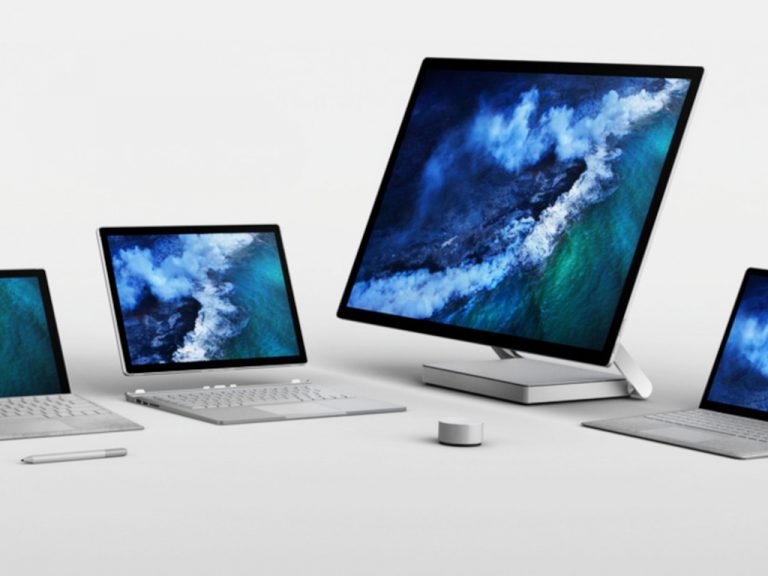
Surface Device Family Cropped

The existence of the Surface Laptop Go in Microsoft’s computing line up could be seen as a bit of a headscratcher as it appears the company may be doubling down on a direction diametrically opposed to the original concept of the Surface, but let’s be honest, at $549.99, who really cares?

In context, most of Microsoft’s flagship devices these days command a hefty price tag. Microsoft’s strategy is to arguably create a ceiling for its partner OEMs to come in underneath with their more reasonable prices, but nevertheless, Surface buyers have been slowly conditioned to expect premium prices for devices, and yet, Microsoft’s Go lineup attempts to buck that trend now seven years into the company’s production.

Overview

For a starting price of $549.99 or $28.70/month for 24 months with approved credit, Surface Laptop Go customers get a 12.4-inch touch screen powered by 10th Gen Intel Core i5 processor, a questionable 64GB of eMMC storage, middling Intel UHD graphics, 4GB of LPDDR4 RAM, and a 720p HD f2.0 front-facing webcam. The entire Surface Laptop Go package weighs a solid 2.44 lbs. and feels every bit as premium as its larger flagship brother, the Surface Laptop.
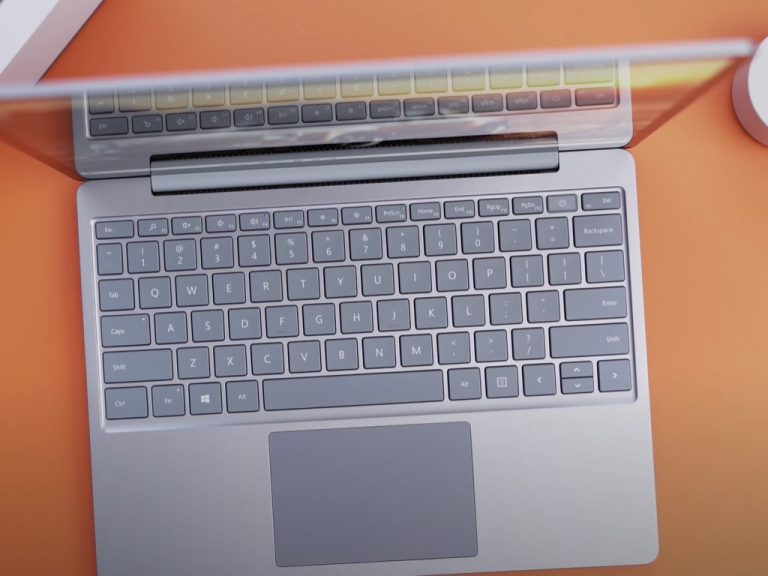
Surface Laptop Go Top Down Cropped

However, OnMSFT received a review unit configured at the $854.99 price point that includes the beefier 8GB RAM and 256GB of storage as well as the Fingerprint Reader.

The Surface team once again managed a weight balance dynamic that allows for one-finger lid opening of the Laptop Go, and opening the lid presents the signature 3:2 PixelSense screen aspect ratio with a decent 1536×1024 and 148 PPI paired with 10 points multi-touch experience.

Other intangibles of the Surface Laptop Go include 1 USB-C, 1 USB-A, 3.5mm headphone jack, omnisonic speakers with Dolby Audio support, Bluetooth 5.0, Wi-Fi 6: 802.122, dual far-field microphones, and an estimated 13 hours of battery power.

The polycarbonate composite resin system mixed bottom casing definitely stands out against the aluminum and magnesium build qualities found in both the Surface Laptop and Surface Pro lineups, but in real-world use, when the laptop is usually bottom facing, it’s rarely seen or noticed.

Without belaboring the point any further, despite the lower than the normal price point for the Surface Laptop Go, I don’t believe Microsoft can be accused of skimping on its material bill. Admittedly, there is no Windows Hello face detection, the screen’s brightness and resolution tap out a bit lower than other Surface displays and the low-res webcam isn’t doing anyone any favors, but individually each perceived drawback still excels at its given function.

Surface Laptop Go Io Cropped

Anyone picking up the Surface Laptop Go should be pleased with the build quality of the device, but a personal computing device is the sum of its experiences and a premium look is only half the story.

Experience

Emblematic of its intended buyer’s segment of Chromebook considerate purchasers, the Surface Laptop Go comes pre-installed with Windows 10 Home in S mode. In and of itself, Windows 10 S can be a delight if a user is aware of its potential limitations beforehand, or even uses it as they would ChromeOS by relying on web apps, browser extensions, and optimized Microsoft Store applications.

Early on in my reviews of Windows 10 S enabled devices, I like to see if my workflow can be met with the leashed version of Windows 10. On the Surface Laptop Go, Windows 10 S flies, albeit low to the ground, but it was serviceable in large part for someone whose job consists of light graphics editing, testing website code, running macros-enabled Excel sheets, and crafting 70+ PowerPoint slide presentations.

During a daily workload, on Windows 10 S the Laptop remained cool and silent.

However, venturing out of Windows 10 S into the uncharted world of the Windows 10 Insider program and more RAM intensive .exe applications does begin to pull at seams on the Surface Laptop Go, just a bit. As soon as I began my first Windows 10 Insider build download, the fans in the Surface Laptop Go kicked on. Fortunately, with whatever design the component team cobbled together, the whirring of the fans was minimal and significantly less resounding than other comparable laptops I’ve tested. There was less of a whirring noise and more of a consistent buzz that was audible during more intensive tasks such as the light gaming that the Laptop Go could pull off or audio multi-layered audio encoding.

Surface Laptop Go Screen Cropped

Despite Microsoft’s marketing push for Always Connected power-on settings for its Surface line, the Laptop Go did take a noticeable 10 or more seconds to basically reanimate apps back to working order. Any action done between the 10 seconds from sleep to operable was very apparent in Office apps surprisingly, and even in PWAs powered by Edge, albeit the Canary release of the software, but Edge none the less. But, once the apps were up and running, closing, cycling through, and reopening them was clippy and pleasant. I wouldn’t recommend using the Laptop Go for more creative tasks such as video editing or music recording, but it could do so in a pinch, depending on how demanding the software is. When I wasn’t using the Laptop Go as a mini-marketing workstation, I used it in my downtime to record and edit podcasts as well as edit videos, read comics, watch movies, cookbooks, and a workout tool and thanks to its more compact size, I was able to fit it into more spaces and places than my larger Surface Laptop 15 or even other 13 and 14-inch review units.
Surface Laptop Go Logo Cropped

There were only a handful of times where I could see limitations of this device, and that was when it pushed up against multiples of Edge tabs (that could be an issue of canary Edge), and when I tried to edit large batches of images using GIMP. To test the software vs hardware theory of photo editing and graphics creation on the Surface Laptop Go, I finally pitched for the full version of Affinity Designer. AD is a stellar Windows 10 and macOS alternative to Photoshop and it works well on both platforms. On the Surface Laptop Go, there were still a few noticeable lag situations, but I was able to get my work done, and done fairly quickly.

I don’t run the most exhaustive benchmark tests because, one, I don’t believe that’s how laptops are used and two, there are millions of other reviewers who do. For those looking for speeds and feeds, however, here are some numbers pulled from PCMag’s benchmark tests.

When it comes to theoretical performance as measured by our benchmarks, though, it’s clear that the Surface Laptop Go’s performance is middling against its comparably priced peers. It’s slightly faster than the Core i3-equipped Lenovo Yoga C640, but significantly slower on most complex, CPU-intensive tasks than the AMD Ryzen 5-equipped Lenovo IdeaPad Flex 5 14. In the chart below, you can see the specs of the versions of each of these laptops that we reviewed, along with two more comparable systems: the Acer Spin 3 and the Surface Go 2 tablet mentioned earlier on.

Perhaps the more telling story of the Surface Laptop Go was when I tested the device as a virtual classroom alternative to the iPad for my daughters. The screen on the Laptop Go presents a much larger canvas, and its touch capabilities made it easier to navigate the mute/unmute controls for them as well during classes. The sturdy and rigid frame was another thing feature that withstood several drops off a 2-foot kiddie desk as well. Yes, an iPad can be more versatile at a lower price point, but if the computing needs of family evolve beyond this pandemic, the Surface Laptop Go is well suited to age with them.

Summary

As much as I loved the Surface Laptop Go’s sorta new experience, it’s yet another computer running Windows 10. The price is only noteworthy among its own premiere line of siblings. There are other better-packaged offerings coming from Lenovo, Acer, and Asus at the price point that makes the Surface Laptop Go viable and that’s acknowledging that the marketed $549 is only a paper price point. For the more realistic $799 price, the IdeaPad Flex 5 14 and Yoga C640 exist, but for anyone who’s bought into the Surface lineup with an older Surface Pro or Laptop and are looking for a similar experience in a smaller package, the Surface Laptop Go is ideal. The other, unspoken benefit that should be considered is the relatively light OS load Surface users become accustomed to with minimal bloat and a Pixel-like streamlined experience. As with other Surface devices, the Microsoft Signature experience is present in all its bloat-free glory.
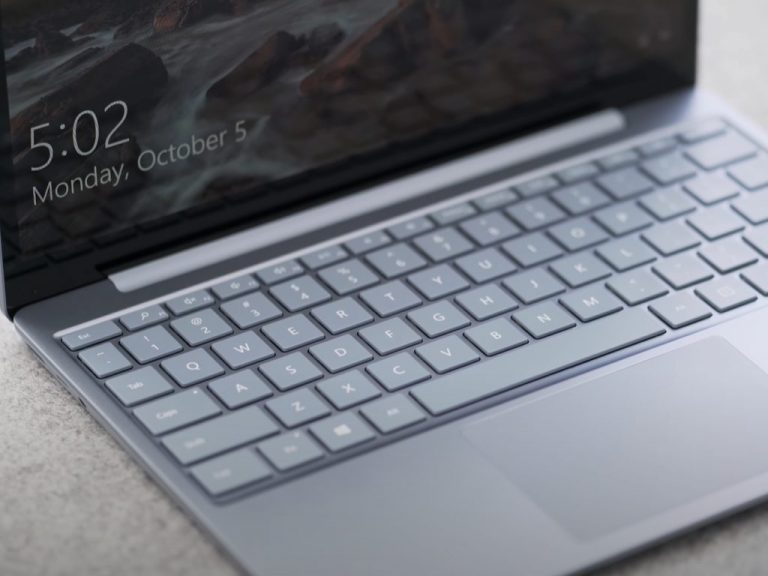
Surface Laptop Go Keyboard Cropped

Thankfully, because of consolidation on I/O peripherals, I was able to power an entire workstation that included a secondary monitor, microphones, speakers, webcam, external hard drives, and wireless chargers, all without a hitch using a single USB-C dongle. If you’re looking to replace or build a workstation at home for anything shy of production or engineering level workflows, the Surface Laptop Go is a decent alternative and helps to fill in the gaps in Microsoft’s personal computing ethos that emphasizes ‘surfaces everywhere.’


Xbox app updates on Android and iOS with new custom gamerpic and chat features

The Xbox app updated earlier today for both Android and iOS smartphones and tablets. This latest update brings the app to Version 2011.1117.2133 on Android and Version 2011.1117.2218 on iOS and adds the ability to upload a custom gamerpic avatar from a device’s photo library and create group chats via the Chats tab.

Here’s the full release notes:

New stuff!

  • Custom gamerpics are here — Set your gamerpic with images from your phone or choose from the Xbox library, directly from the app!
  • Chat improvements — Message requests are now supported. You can also create group chats by selecting multiple friends when starting a new conversation.
  • View your games — View and manage all your games remotely, including the full Game Pass catalog.

The Xbox app allows gamers to manage their Xbox video game library, control their Xbox One and Xbox Series X consoles, and communicate with friends from their tablet and smartphone. A Windows 10 Xbox app is also available and all three versions received a rather significant design revamp recently that modernized the experience for the launch of the newer Xbox Series S and Xbox Series X consoles.

Do you use the Xbox app? Let us know what features you think it’s missing in the comments below and then follow us on Twitter and Facebook for more Xbox gaming news.

Xbox
Xbox
Price:
Free


‎Xbox
‎Xbox
Price:
Free

5 Best USB-C External Monitors For Every Budget

Many of you have in mind the idea of buying a new monitor, so don’t hesitate to go for the best USB-C monitors. As monitors get slimmer, the selection of ports they come with diminishes as well.

Choosing one that features USB-C connectivity is mandatory if you want convenience above anything else. This relatively new connection type is incredibly flexible.

It can deliver the needed power to connect and charge compatible mobile devices, laptops, or tablets by simply using a single USB-C cable.

Moreover, there are quite a few actual USB-C Hub monitors that offer a one-cable solution for power, data, video, as well as audio transfer.

Just take a look at our top picks and make an informed choice. And even if you’re on a tight budget, we can assure you that there are plenty of affordable options available as well.

What are the best USB-C external monitors to get?

ViewSonic VG2755-2K

  • QHD viewing
  • Advanced ergonomics with 40-degree tilt
  • Slim bezel IPS panel
  • Flicker-Free technology
  • Blue Light Filter
  • Plastic border

When seeking the best USB-C external monitor, ViewSonic VG2755-2K is an inspired choice. Let us tell you from the start that the slim bezel IPS panel ensures stunning views.

Thanks to the advanced ergonomics with a 40-degree tilt, this monitor can boost productivity with all-day comfort.

Even more, when it comes to connectivity, the VG2755-2K supports laptops, PCs, Macs, POS systems with USB 3. 1 Type C and not only. Well, HDMI 1. 4 and DisplayPort inputs are included as well.


Lenovo Q24h-10

  • IPS QHD panel
  • AMD FreeSync technology
  • Design is clean and bezel is minimal
  • Great build quality
  • VESA mounting
  • Limited color adjustment

If you’re looking for an affordable USB-C monitor, then Lenovo Q24h-10 is clearly worthy of your attention. if you are a designer, you’ll never miss a detail thanks to the 3-side NearEdgeless display with a 178° viewing angle.

As a passionate gamer, you need to know that the Lenovo Q24h-10 laptop offers a 75Hz refresh rate and 4ms response time. Therefore, some casual gaming sessions are in the cards as well.

No less important, note that it is a TÜV Rheinland Eye Comfort-certified monitor, therefore it reduces eye strain.


LG 43UN700-B

  • UHD (3840 x 2160) IPS display
  • HDR10 support
  • OnScreen Control feature
  • Stereo speakers with rich bass
  • Modern design
  • BGR subpixels that lead to fuzzy text

Another great option to take into consideration is the LG 43UN700-B monitor. Besides the fact that you can power up your device through a single cable, the huge screen size allows you to comfortably collaborate with colleagues.

We are talking about a large 43-inch class screen, ultra-high resolution display, not to mention that it supports HDR to ensure realistic gaming.

As for the two 10W stereo speakers with rich bass, rest assured that they create an extremely immersive experience.


Samsung SH850

  • QHD LCD display
  • PLS display technology
  • Eye Saver Mode and Flicker-Free technology
  • TAA Compliant for Federal Government Customers
  • Great price
  • Low volume

Samsung SH850 is an ideal choice for most users. For starters, its 26.9″ QHD LCD display delivers life-like image quality with high pixel density and fine detail.

Even more, working for hours is possible thanks to the Eye Saver Mode and Flicker-Free technology. Well, it helps to reduce eye strain for a more comfortable experience.

As expected, streamline connectivity with USB-C using just one port to transmit digital display, data, and power is included as well. That’s what you’ve wanted from the start, right?


LG 34UM69G-B

  • AMD Free Sync
  • 3 gamer modes
  • 2 first-person-shooter modes
  • RTS pre-set mode
  • Height adjustable stand
  • Game sound issues

The LG 34UM69G-B is an ideal monitor for enjoying the sharp detail you dream of. Long gaming sessions are also possible, thanks to the 1ms Motion Blur Reduction and those included gamer modes.

Besides that, with FreeSync, gamers can experience seamless, fluid movement throughout games. As you can see, this is possible even without upgrading your graphics card.

No less important, the sleek design of this gaming monitor is accentuated by red color accents on the V-shape stand.


With USB Type-C connectivity, you can efficiently power up your device and transfer data through a single cable. Even better, as you can see above, none of these monitors won’t empty your pockets.

Just note that this specific list is part of our generous selection of great monitor deals. Take a closer look, then tell us your external monitor with USB-C pick.

How to Backup OneDrive for Business [Restore & Recover]

OneDrive for Business is a cloud-based file sync and sharing solution. It is used by more than 200 million business users and it brings together important collaboration and data editing capabilities that can be accessed from anywhere.

The work from home accelerated the transition towards cloud-based file storage solutions and the adoption of OneDrive for Business continues to grow fast.

With the files placed in a shared OneDrive for Business folder, your entire team risks losing important data. That’s not the case if you properly back up OneDrive for Business.

Does OneDrive for Business have a backup?

Yes, you can use the OneDriver for Business to back up confidential data and secure it from hacking attempts.

You’ll be able to recover your data quickly, so don’t hesitate to learn more about this procedure. Rest assured that it’s ideal when facing accidental deletions as well.

How to backup OneDrive for Business files and data?

1. How to back up OneDrive for Business?

You can leverage the standard backup capabilities embedded in OneDrive for Business. These tools include versioning as well as post-deletion retention.

Microsoft 365 administrators can configure user OneDrives to retain up to 50,000 last versions of all items stored on the OneDrives. A version is created every time a file is changed or re-uploaded to OneDrive.

This provides effective protection against user mistakes and accidental overwrites.

The main drawback of the built-in versioning capabilities is the lack of control (versions can be intentionally deleted by the users).

The versions also consume Microsoft 365 storage quota, and the theoretical 50,000 version limit translates can be very expensive.

One other built-in OneDrive backup and recovery option is the post-deletion retention. Every time a file is deleted from OneDrive, it is moved to the first-stage trash bin.

It stays there for 93 days, and during this time Microsoft 365 administrators and users can recover the data.

If the data is manually deleted from the first-stage trash bin, it stays in the second-stage trash bin for an additional 30 days. Only Microsoft 365 administrators can recover data from the second-stage trash bin.

Because of the limited retention period (93 days), the built-in post-deletion retention is useless when the data loss events are discovered with a significant delay.

2. Can I use third-party tools to back up OneDrive?

To overcome the limitations of the standard OneDrive for Business recovery capabilities many organizations use third-party backup tools. One example of such a solution is Afi.ai, though there are more than 50 vendors offering cloud-based and on-premise OneDrive backup options.

Most backup solutions provide unlimited data retention, and flexible storage locations in Europe, Australia, Canada, and the US. Afi also provides a backup option with connected customer/partner-owned S3 cloud storage accounts.  

Unlike similar backup solutions, the Afi AI engine is resistant to SaaS API faults that could lead to failures. Backups are scheduled at a later point and re-tried to comply with protection SLA policies.

When selecting a certain OneDrive backup vendor, pay attention and test the most critical backup and restore capabilities, including offline data export, online backup search, and preview, as well as the ability to recover OneDrive user sharing permissions.

3. Do I need to back up OneDrive for Business?

In case of asking yourself if taking a backup of your data is a must, remember that OneDrive for Business gives each member of your team a place to store documents, the opportunity to collaborate with others, and access data on the go.

There are quite a few unfortunate scenarios that could interrupt this workflow and put essential data in danger.

4. Does Microsoft backup OneDrive for Business?

In spite of including individual and shared work files from all devices, Microsoft OneDrive for Business has this major flaw.

There is no OneDrive backup, as you can access everything in the cloud. Microsoft is not responsible for any data loss due to malicious activities or negligence.

It’s clear that you cannot risk compromising your data. This article explores how to back up OneDrive for Business files and data, so don’t hesitate to do that as well.

As expected, the reason for taking backups of your business data is to be able to easily recover the permanently deleted files from OneDrive with their original folder structure.

Why do you need to back up OneDrive for Business?

  • System crashes – in the event of losing your data due to system crashes, restoring it isn’t an option without a previous backup
  • SaaS outage and shutdown – in case of an outage, data could become unavailable and cause delays that could be easily avoided
  • All sorts of virus types – when malware/ransomware infects a local machine, it could be synced immediately and spread to all OneDrive data on the cloud
  • Human errors that lead to accidental deletions – in such a case, recovering that data would be impossible without a backup
  • Time-consuming attempts of recovery – with no backup at your disposal, recovering and restoring lost data consumes time and it’s incomplete

That’s why taking care of this task is mandatory. As you’ve seen above already, it isn’t even complicated to have a reliable backup at your convenience when using the right tool. Once again, you can also solve OneDrive Business not syncing problems with the provided steps.

Don’t hesitate to let us know in the comments area below your experience with the Afi.ai third-party backup application.

Best Windscribe CyberGhost Deals to Keep your Data Safe

Let’s be honest: VPN premium subscriptions are not exactly affordable, and it’s less likely for someone who doesn’t know a thing about the importance of using such a service to purchase a plan.

Let’s assume for a moment that people start to come around to the idea of using a VPN. More so given the recent developments regarding privacy violations and security breaches aimed at big companies and remote working individuals alike.

Although it’s awful from a security/privacy standpoint, the price of a VPN subscription plan is simply one of the first things consumers focus on, whether we like it or not.

What are the best Windscribe discounts?

  • 1 Year plan (Save 58%) – $29 billed yearly ($2.24 per month)

That’s it. Windscribe usually has monthly, yearly, and Build-a-Plan options on its website that will fit most of the pockets.

Windscribe

Windscribe

Sick and tired of looking for the perfect Cyber Monday & Cyber Monday deal on VPN plans? Check out Windscribe's offer.
58% OFF! Buy it now!

However, this is a great deal, considering that the monthly subscription plan costs $9. Grab it while it’s hot, as we have no idea when it’s going to end.

Should I use Windscribe?

Absolutely. Windscribe is one of the best VPN providers that also offers a great free plan. However, like any awesome thing, Windscribe’s free plan is also limited. Meaning that it is free, but not really if you plan on using for extended periods of time.

Moving on. You’re maybe wondering why should you choose Windscribe. Well, if you like VPNs that mind their own business and never log any of your private online activity, then Windscribe is definitely a good choice.

Surely enough, Windscribe aren’t the only ones who enforce a zero-logging policy, so let’s check a broader list of reasons that might help you make up your mind. By that, we mean Windscribe’s key features, obviously.

  • Zero-logging policy to protect your data
  • High-speed servers in more than 63 countries and 110 cities
  • AES-256 cipher, 4096-bit RSA key, SHA512 auth to prevent traffic monitoring
  • Generous free plans (up to 15 GBs free with Tweet + email confirmation)
  • Includes R.O.B.E.R.T., an IP + domain blocker (malware, ads)
  • WireGuard, SOCKS, IKEv2, and OpenVPN config generators
  • Static IP addresses (optional, costs extra)
  • Split tunneling (allow LAN traffic)
  • Internet kill switch to prevent accidental data leaks
  • Supports port forwarding
    • Desktop client features:
      • Secure Hotspot
      • Firewall (blocks everything outside the tunnel)
      • Lets you create a proxy server on your network (proxy gateway)
      • Enables you to connect through OpenVPN, IKEv2, or Stealth VPN
    • Browser Extension-exclusive features:
      • Double Hop (bounces your connection through 2 servers)
      • Auto Pilot (automatically selects the best location)
      • WebRTC slayer (prevents WebRTC data leaks)
      • Cookie Monster (tracks active cookies and clears them upon closing tab)
      • Ad Blocking (quite self-explanatory)
      • Time Warp (changes your timezone)
      • Split Personality (changes your user agent randomly to prevent fingerprinting)
      • Location Warp (spoofs your GPS to match the proxy server you’re connected to)

As you can see, there are plenty enough reasons to pick Windscribe in the list above. We didn’t even get to mention the witty emails you could receive from its reps every now and then.


Long story short, if you’ve been hesitant about purchasing a VPN subscription plan because of their ridiculous prices, Windscribe’s Holiday offer might just help you make up your mind.

[wl_navigator]

Xbox head Phil Spencer talks Xbox Series S, Cloud gaming on TVs and more in new interview

It’s now been two weeks since Microsoft released its new Xbox Series X and Series S consoles worldwide, and Xbox head Phil Spencer has just given a long interview to The Verge to discuss this recent console launch as well as what’s coming next for Xbox. Between the competition with other platforms and the rise of cloud gaming and subscription services, Spencer has a lot of interesting insights about the evolution of the video games industry, especially at a time where a worldwide pandemic as been affecting the development and the consumption of video games in many ways.

Having worked at Microsoft for more than 30 years, Spencer saw the launch of all previous Xbox consoles, but the Xbox Series X|S is the first console generation fully created under Spencer’s leadership. Having two very different consoles at launch is also a first for the company, and Spencer admitted in the interview that going forward with the discless, less powerful Series S was “a good tough decision.” Sony also launched two different PlayStation 5 consoles this fall, though the presence of a disc drive is the only difference between the two PS5 SKUs.

“The way I would frame it, the best argument against doing it was Sony. We didn’t think that they were going to do it,” Spencer admitted. While Microsoft isn’t sharing sales numbers for the Series X|S, the exec said that he’s “very happy” with console sales so far. “A lot of new people to Xbox are coming in through Series S, which is what we would have expected. It’s lower-price. There’s Game Pass there. They will get a bunch of games,” Spencer said.

As of today, both Sony and Microsoft are struggling to keep up with the very high demand for the new consoles. According to Spencer, Microsoft is currently prioritizing Xbox Series X production over the Series S, but the exec expects to “moderate that a bit” starting next year. “Over the long run, in most cases, price wins out. If you just go back and look at previous generations and when console generations hit the real sweet spot of sales, which is one of the reasons we like having that, that’s the Series S at its price point,” Spencer said.

Xbox Series X And Xbox Series S With Controllers

The head of Xbox couldn’t avoid being asked about the Xbox Series X|S launch lineup, which is missing the much-anticipated Halo Infinite. If delaying the game to next year was “a miss on our part,” Spencer admitted, the exec believes that “we’re going to get a better Halo game at a good time when people can actually get a console.” The exec is also confident about Microsoft’s growing Xbox Game Studios division, which will soon welcome many more high-profile studios with the upcoming acquisition of ZeniMax Media. “I feel good, really good, the best I’ve ever felt about our roadmap,” the exec said.

If Spencer reiterated in the interview that the Xbox Series X|S probably wouldn’t be the last consoles from Microsoft, the exec reiterated its intention to bring the Xbox ecosystem anywhere thanks to Cloud gaming, including Smart TVs. “I think you’re going to see that in the next 12 months. I don’t think anything is going to stop us from doing that,” Spencer said.

In addition to Smart TVs, Microsoft ultimately wants to make Xbox Cloud Gaming available on all devices that ship with a web browser. “If the device is capable of running a capable web browser, we’re going to be able to bring games to it, which is pretty cool,” Spencer confirmed, adding that “Apple does remain open in the conversations that we have on this topic.”

Phil Spencer’s full interview with The Verge is well worth a read, but you can also listen to it on this page.

5 Best Console Gaming Chairs [Top Picks]

Gaming chairs are a must for any gaming lover and using one can definitely improve your overall experience.

As they come with features designed specifically for providing comfort during long gaming hours, there is no wonder they are starting to replace the other popular alternatives such as office chairs, couches, or beds.

So, here is our selection of best console gaming chairs to choose from.

What is the best gaming chair for Xbox One and PS4?

X Rocker Pro Series H3 Black Leather

  • Made out of leather
  • Has forward-facing speakers incorporated
  • Vibration motors that sync with the audio's bass tone
  • Pretty heavy

X Rocker Pro Series H3 Black Leather is a fantastic gaming chair, easy to assemble with only some auxiliary cable needed.

The available vibration feature adds some nice twists and you will feel like you are actually in the game as you play it. With the volume and bass adjustments, you’ll easily find the volume level that is best for you.

All in all, the chair is comfortable, well made, and an amazing choice for any gaming enthusiast.


360-Degree Swivel Gaming Floor Chair

  • Comes with six different positions
  • Comfortable design
  • Adjustable back for when not in use
  • The back of the chair is very thin

360-Degree Swivel Gaming Floor Chair is a versatile chair that can be used for gaming and even watching TV or movies with the lumbar support the chair has.

It’s easy to adjust and assemble, with foldable adjustable backrest and different sitting positions: sit, relax, recline, and more.

You can experience your favorite game, without feeling any pain, even after long hours of playing and sitting in the chair.


X Rocker SE 2.1 Black Leather

  • Made from black leather
  • Great for kids, teens, and adults
  • Wireless audio transmission incorporated
  • A bit uncomfortable for a tall person

Easy to put together, comfortable and sturdy X Rocker SE 2.1 Black Leather is the perfect choice for playing PS4 games, watching movies and TV, or even reading.

The impressive feature this chair comes with is the option to connect it with other X-Rocker chairs that can join in multi-game mode.

X Rocker SE 2.1 Black Leather also incorporates wireless audio transmission and 2 speakers that are positioned perfectly to help intensify your game experience.


Homall Gaming Recliner Chair

  • High-quality leather
  • Maximum capacity: 265 lbs
  • Perfect for long time gaming
  • A bit bigger compared with other chairs alike

After long hours of gaming, it’s understandable to feel some back pain and even discomfort if the chair is not designed specifically to offer support in this kind of situation.

Gladly, Homall Gaming Recliner is the perfect chair to use even for long hours of gaming, thanks to its size and softer material.

The chair also offers lumbar support, a reclining and vibrate feature that makes it the perfect choice if you are looking for comfort.


X Rocker Pro Series H3 Black

  • Seat height adjustable
  • Great material
  • Can be widely used
  • Armrests are easily moved when bumped

Comfortable, easy to adjust, and with multifunction for armrest this Gtracing Gaming Chair could not get any better.

The design is not only ergonomic but also pretty nice, and it makes a nice addition for any game enthusiast.

Whether you are gaming for one hour or more, you will not feel any discomfort on your back or legs.

Finding the best gaming chair isn’t always an easy task, but we hope that our guide has helped you pick the right one for your needs.


5 Best Laptops For Law School And Lawyers

To comply with the rigors of the law you need all the help you can get. Law students and lawyers alike can nowadays put technology to good use and achieve the very best results in a fraction of the time it used to take to run through hefty books, research materials and so and so forth.

As advancements keep on coming, the market is saturated with good alternatives for laptops. But of course, the price tag varies and so do the specs.

Have a look at our top 5 recommendations for the best laptops for law school and make an inspired, data-based, and good value for your money choice to safely get you through the toughest learning years.

What laptop is best for law students?

Lenovo IdeaPad 14

  • AMD A6-9220e processor (up to 2.4GHz)
  • 4GB DDR4 RAM plus 64GB eMMC
  • Comes with Microsoft Office 365
  • Integrated Webcam
  • Does not support touch screen

Powered by a dual-core AMD processor that doubles computing power to help you get more things done in a much shorter time span, this laptop is the ideal choice for law students that frequently handle massive amounts of data.

Great performance and multitasking are further supported by a combined memory of 4GB DDR4 plus 64GB eMMC.

Perform all the research you want on an eye-friendly wide display that delivers HD resolution and enjoy the perks that come with it such as Google Classroom, a 1-year subscription to Microsoft Office 365 apps, and all the ports you could ever need to attach all your peripherals and more.


Acer Aspire 5

  • 15.6-inch Full HD IPS display
  • AMD Ryzen 3 3200U processor
  • 4GB DDR4 plus 128GB SSD
  • Backlit keyboard
  • No easy access ports on the back panel

The following 3 spots on our list are dedicated to Acer products in regards to their high-level specs combined with extreme portability and ease of use, all of which make them suitable candidates for law students.

The Aspire 5 model is slim and compact allowing it to be carried effortlessly to and from school, and pretty much anywhere you need it.

This lightweight appearance houses great performance and the AMD Ryzen processor and full HD ISP screen contribute to these outstanding results.

With a 3.1 USB port, two USB 2.0 ports, and one HDMI port with HDCP support, a backlight keyboard, and along-lasting battery, this laptop will quickly turn into your trusted learning companion.


Newest Acer Aspire 1

  • Intel Celeron N4020 processor
  • 4GB RAM plus 64GB eMMC
  • Up to 10-Hours Battery Life
  • Comes with Microsoft 365 Suite (Personal)
  • There is no touch screen support

One of the great benefits that every student will undoubtedly appreciate is the Microsoft 365 Personal Subscription with an activation code included.

And the good news just keep on coming starting with the powerful Intel Celeron N4020 Dual-Core Processor, generous hybrid memory, and a 15.6-inch FHD LED screen that highlights the beautiful Intel UHD graphics.

With Ethernet support and all the USB ports you could need plus a lightweight structure that allows for convenient carrying, you are settled for the school year.


HP Stream

  • 14-inch display
  • Intel Celeron N4000 processor
  • 4 GB RAM plus 32 GB eMMC
  • Comes with Office 365 Personal (1-year subscription)
  • The memory is not upgradable

Equipped with a 1-year Office 365 Personal subscription, this laptop is ready to boost your study routine and accelerate your workflows from the moment you get it out of the package.

To further increase performance, the Intel Celeron N4000 processor puts its dual-core to work together with the generous memory capacity without mentioning the 1 TB cloud storage.

14-inch diagonal HD SVA BrightView WLED-backlit display will brighten up your images and take productivity to a whole new level, in style.


Acer Chromebook Spin 11

  • Convertible laptop mode
  • Celeron N3350 processor
  • 11.6-inch HD Touch screen
  • 4GB DDR4 plus 32GB eMMC
  • No optical drive

Ultra-slim and stylish in design, but most effective and performance-focused, this Chromebook redefines multitasking.

Access and run multiple apps simultaneously, edit, convert, download and store files that you can access even offline, and enjoy automatic back-ups for a true taste of peace of mind even in the most stressful situations.

Powered by a Celeron N3350 processor combined with an 11.6-inch HD touch display with up to 10 hours of battery life, you have all the possible advantages to boost your learning productivity.


[wl_navigator]

Here’s how we run our podcast with Microsoft 365, Microsoft Teams, and Windows 10

OnPodcast is available on these streaming services:

If you didn’t already know, my colleague Kareem Anderson and I recently relaunched the OnMSFT Podcast, now branded as OnPodcast. Over the past 12 weeks, we’ve been talking about all things Microsoft. We’re on YouTube and  on the major streaming platforms, too, every Sunday at 9 AM ET/12 PM ET. But, have you ever wondered what goes behind the scenes? Well, our Podcast is powered by Microsoft Teams, Windows 10, and the other Microsoft 365 apps. Here’s a look at how it works.

The equipment

Onpodcast 2


What’s a podcast without the right equipment? Before diving into the Microsoft 365 section, I’ll talk about the equipment being used behind the scenes. I myself, have a couple of things on my end. Obviously, my laptop is the HP Envy 15, which I previously reviewed. As for my webcam, It’s an AUKEY FHD Webcam. My microphone, meanwhile, is a generic studio microphone from Amazon.

Of course, I also sport the original Surface Headphones, too, to hear Kareem as he speaks to me, and avoid echo on the camera. My colleague Kareem, meanwhile, is sporting a Surface Laptop 3 15-inch. He’s not using a dedicated microphone or headset (yet), but his webcam is the Logitech C920x.

The outline in OneNote

Onenote Podcast

Before we even podcast, we put together an outline of topics every Friday, looking at some big stories we saw across the week from Microsoft. To share this outline across the editorial team at OnMSFT, we use OneNote. The OneNote notebook is shared, and Kareem, Managing Editor Kip, and the editorial crew are free to add topics, suggestions, and more to the list before we record on Saturday night. We also keep the notebook open during our recording, to gather notes, and other reference points, too.

The recording with Teams

Podcast Teams Thing

Next on the list is the recording process. While a lot of other podcasts depend on specialized software, we here at OnMSFT are a Microsoft-centric operation. Every weekend. Kareem and I pre-record our Podcast at 8 PM ET or 5 PM PT (usually). We do this through Teams. Kareem gives me a call via Teams Meetings, and then we begin the recording, just as you would for your meeting. The discussion then starts, and we save the recording when we’re done.

The download with Stream, editing with Windows 10 and Filmora

Project

As we’ve covered before, once the recording of the podcast is finished, it is saved to Microsoft Stream. This is the most unique area of our podcast workflow, as Teams handles all the recording, and Stream all the saving. I don’t need to worry about screen recording, audio, or any other issues. The process is all automatic. Teams will record the podcast and then save it to Microsoft Stream, within a few minutes. When it’s ready, I just head to Microsoft Stream online, click the download link next to the call I recorded with Kareem, and then save it to my PC. The file is saved an MP4, which works perfectly for my video editing.

Once downloaded, I create a new project in Filmora, as I described before. I upload the recording, add captions, images, animations, and transitions. If there were any mistakes, I also edit the video, fixing mistakes and editing for time. In cases where we have special guests like our own Laurent in Episode 12, I edit the segment in at the appropriate point.

So far, this experience has been all but flawless for me. By recording with Teams, and downloading the recording through Stream, I save a lot of time in my editing. The file I need is right there, on-demand, and I can always download it when I need it. One note: we use Microsoft 365 Business Basic here at OnMSFT.com, which includes everything needed for this workflow for $5/user/mo.

The publishing, YouTube, Soundcloud, and more

Podcast Youtube

Once I finish editing, I publish the podcast to our platforms. Filmora lets me save the audio as an MP3, which I upload to SoundCloud, which then distributes our audio podcast to all our other platforms. The video, meanwhile, gets sent to YouTube, where I set it as a YouTube Premiere. Though our podcast is pre-recorded, this makes it seem as if Kareem and I are live, and it gives us the chance to chat with you, the readers on YouTube.

We want your feedback!

So, that’s how we Podcast here at OnMSFT. Of course, we wouldn’t be here without you, the readers, so we’d love to hear your feedback. Do you have suggestions for how we can improve our show? Do you want to appear on our show? We’re always looking for guests, and feedback, so be sure to drop us a comment below to let us know. And, remember, you always can send us an email at [email protected].

Get the best Cyber Monday deals on LG Ultrawide Monitors

Black Friday deals are officially opened, with early sales at some of the products you had in mind all year long. For example, now it’s your chance to buy an amazing LG ultrawide monitor without spending a fortune.

Is it better to do it now or wait a bit longer? This year deals are already here, and following Cyber Monday sales, no one can predict the stock.

What are the best LG ultrawide monitor deals?

LG 29WN600-W

  • SRGB 99% Color Gamut
  • HDR 10 compatible
  • Radeon FreeSync
  • Dynamic Action Sync
  • Ergonomic design
  • Questionable stand

Let us start by telling you more about an impressive 29” UltraWide Full HD (2560 x 1080) IPS display that produces realistic, accurate color at wide viewing angles.

HDR 10 is the digital HDR standard based on the sRGB 99% color gamut, so rest assured that this monitor delivers a dynamic visual experience with enhanced color of HDR content.

Even more, you can easily customize the workspace by splitting the display or adjusting basic monitor options with a few simple mouse clicks.


LG 34UM69G-B

  • LG Black Stabilizer
  • AMD Free Sync
  • Dynamic Action Sync
  • On-screen control with screen split
  • V-Line stand
  • Brightness issues

Another monitor worthy of your attention is precisely the LG 34UM69G-B one. Note that it comes with AMD FreeSync in order to reduce the tearing and stuttering that occur between the graphic card’s frame rate and the monitor’s refresh rate.

This makes it a great choice for gamers who are eager to experience seamless, fluid movement throughout games without upgrading the graphics card.

Moreover, there are 3 gamer modes, 2 first-person-shooter modes, as well as an RTS pre-set mode, so make a pick and continue playing all day long.


LG 34WL600-B

  • sRGB 99% Color Gamut
  • Radeon FreeSync Technology
  • MaxxAudio
  • Screen Split
  • 3-side virtually borderless design
  • Not the cheapest option

This LG 34WL600-B monitor, with 99% coverage of the sRGB spectrum, is the ideal choice for photographers, graphic designers, and all those who want accurate colors.

However, it’s recommended to gamers as well. You can easily get more responsiveness out of your RTS games with Dynamic Sync, which basically minimizes input lag for better performance.

As for LG’s Black Stabilizer, it identifies dark scenes and makes them brighter so that you can have high visibility.


Don’t hesitate to check back often. We’ll add fresh posts in the days leading up to Cyber Monday, so you can take advantage of the best prices on whatever you need even before the big day.

5 best laptops for CS:GO

Counter-Strike: Global Offensive is still the point of reference when it comes to FPS gaming. It’s an incredible fast-moving action game that tests the player’s skills to the max.

However, you will need optimal conditions if you want to show your skills and now spend half of the time waiting for a respawn. At large, the best laptops for CS: Go will be the ones that provide the highest framerates and don’t have lag.

Counter-Strike: Global Offensive laptop requirements

According to the official website, the CS:GO has the following minimum requirements:

  • CPU: Intel Core 2 Duo E6600 or AMD Phenom X3 8750 processor or better
  • Memory: 2 GB RAM
  • Graphics: Video card must be 256 MB or more and should be DirectX 9-compatible with support for Pixel Shader 3.0
  • DirectX: Version 9.0c
  • Storage: 15 GB available space

However, that configuration is not going to get you past 60 FPS. If you want to get over 100 FPS you will need a more powerful processor, 4 GB of RAM (or 8GB to be safe) and a graphics card with at least 512 MB of dedicated memory.

Moreover, you will need a display capable of more than 120 Hz of refresh rate.

What are the best laptops for CS:GO?

Acer Nitro 5

  • NVIDIA GeForce GTX 1650 4GB GDDR5 VRAM
  • 9th Generation Intel Core i5-9300H CPU
  • 256GB PCIe NVMe SSD
  • 8GB 2666MHz DDR4 RAM
  • Battery life is not the best

Acer Nitro 5 is a 15-inch laptop that ticks almost all the boxes for CS:GO. It’s powered by 9th Generation Intel Core i5-9300H up to 4.1 GHz and comes with an NVIDIA GeForce GTX 1650 graphics card with 4 GB of GDDR5 VRAM.

The device has 8 GB 2666MHz DDR4 RAM and 256GB PCIe NVMe SSD. You will be able to game as hard as you want thanks to the dual fans and the Acer Coolboost technology.

The only downside is the IPS display that is not ideal for high-speed gaming but it will do just fine.


Lenovo IdeaPad Gaming 3

  • NVIDIA GeForce GTX 1650 4GB GDDR6
  • 10th Gen Intel i5-10300H quad-core CPU
  • 8GB RAM and 256GB SSD
  • 120 Hz refresh rate display
  • Could use a storage expansion

Lenovo IdeaPad Gaming 3 has everything you need in order to play CS:GO in perfect condition, starting with the 120Hz display, and the 10th Gen Intel i5-10300H quad-core processor.

The NVIDIA GeForce GTX 1650 with 4 GB of GDDR6 video memory is perfect for this game and if you add the 8GB RAM you will get to the perfect configuration for CS:GO.

The 256GB of SSD storage is on par for a few new games but you could use an upgrade in that department.


Alienware m15

  • NVIDIA GeForce RTX 2070 SUPER Max-Q
  • 300 Hz refresh rate
  • Intel Core i7 8750H 2.2 to 4.1 gigahertz (6 Cores)
  • Chroma RGB lighting
  • Pretty expensive laptop

If you want to stay in the front seat when you’re playing CS:GO or even the newest games, Alienware m15 will be like a racecar on the street.

The 300-nits 72% color gamut display has a refresh rate of 300 Hz so it’s perfect for fast-paced gaming. The laptop boasts an Nvidia GeForce RTX 2060 GPU, a great graphics card that will run CS:GO like a charm.  

The laptop doesn’t have a great battery, but you can’t really expect that from a high-power laptop.


ASUS ROG Zephyrus S Ultra Slim

  • 144Hz IPS Type
  • Nvidia GeForce GTX 1070 with Max Q
  • 16GB DDR4 and 512GB PCIe SSD
  • Military-grade metal chassis
  • Light screen bleeding

The ROG Zephyrus S Ultra Slim is another beast laptop that is overkill for CS:GO. However, you can look at it as a further investment for playing all the new hot games.

This laptop is not only extremely powerful but it’s also very slim and lightweight that comes with a GTX 1070 GPU. The display has a 144 Hz refresh rate and a 1,920 x 1,080 resolution.

In addition, this rig is powered by a 3.9 GHz Core i7 processor and 16 GB RAM.


  • NVIDIA GeForce GTX1050Ti 4G GDDR5
  • 8GB DDR4 2400MHz
  • USB-C 3.1 Gen 1 port, 2x USB-A 3.1 Gen 1 ports, USB-A 2.0 port
  • 1TB HDD + 16GB Intel Optane
  • IPS screen

This is a 15.6-inch laptop that comes with a reasonable price and a good configuration fit for playing CS:GO in very good conditions. The only downside is the screen which is an IPS LCD display. MSI GV62 is powered by a 2.3 GHz i5-8300H processor.

Going further, the Nvidia GeForce GTX 1050 Ti graphics comes with 4GB GDDR5 dedicated VRAM which is perfectly good for this game. Moreover, the 8 GB of RAM is just what you need. You can also expand it to 32 GB if you want.


This was our list with the best laptops for CS:GO. Some of them are ready for even more demanding games. Tell us which one you chose with a comment in the dedicated section below.

Windows 10 Settings app starts showing new Web Browsing section to non-Insiders

Back in August, Microsoft announced that some Windows Insiders in the Dev Channel would start seeing something new in the header of the Windows 10 Settings app. In addition to the existing shortcuts to OneDrive, Windows Update, and Microsoft Rewards, Microsoft has started experimenting with a new Web browsing section in the Settings header, though we believe that it has yet to reach all Insiders in the Dev channel.

While new features can come and go in the latest Insider builds, it appears that some non-Insiders are also starting to see this new Web Browsing section in the Settings app header. Alex, a tipster from France saw it on his Surface Pro tablet on the production ring and sent us some screenshots.

You can see the new Web Browsing shortcut in the top right corner of the header, and clicking on it will open a pop up inviting you to use Microsoft’s recommended settings: Those are to use Microsoft Edge as your default browser, as well as Bing as your default search engine. If that’s already the case on your PC, you’ll get a different pop up explaining that your PC is currently using Microsoft’s recommended web browsing settings.


Windows 10 Settings App New Web Browsing Settings

This experiment will likely be seen as another “ad” for Microsoft’s new Chromium-based Edge browser on Windows 10, which the company has been pushing to all users to replace the legacy Edge that shipped with Windows 10. It’s not clear if many non-Insiders are currently seeing this new Web Browsing section in the Settings app header, and we currently don’t have it on our PCs. The presence of a shortcut to Microsoft Rewards in that same header also seems to be quite random.

Keep in mind that this new Web browsing shortcut in the Settings app remains an experiment, and it may not roll out to all Windows 10 users. Microsoft may have very good reasons to promote its new Edge browser on Windows 10, which is a pretty great browser overall, but there’s a fine line between helping users browse the web more securely, and making these same users feel like their PCs are becoming advertising spaces for Microsoft’s services.