4K Xbox One X platformer Super Lucky’s Tale now available for digital pre-order

Super Lucky’s Tale is now available to digitally pre-order in the Windows Store. The game is part of the Xbox Play Anywhere initiative which means that buying it on Windows 10 or the Xbox One will automatically unlock it on the other device. Data will also transfer between each version allowing for players to begin a game on their Surface Pro, for example, and continue it on the Xbox One. Here’s the official game description & teaser video:

Welcome to Adventure! “Super Lucky’s Tale” is a delightful, playground platformer for all ages that follows Lucky, the ever-optimistic, energetic, and lovable hero, on his quest to find his inner strength and help his sister rescue the Book of Ages from Jinx. Jinx is the scheming and mysterious villain trying to reshape the world, but for what reason? Along the way, encounter a hilarious supporting cast of friends and adversaries. Lucky must confront the nefarious Kitty Litter, Jinx’s mischievous kids – self-taught villains who might not be getting Jinx’s plans quite right. Lucky meets friends and allies along the way too. He meets misplaced Yetis, Kookie Spookies, a village of farming worms, and other colorful friends inhabiting the Book of Ages.

Test your skills with carnival attractions mini-games and nerve-wracking obstacle courses. Plus, surprise “Jinx Levels” popping up when you least expect them, drawing Lucky into a fiendish game of life and death. Explore hidden secrets of new worlds with Lucky’s signature burrow move. Dive into unpredictable foxholes, or try devilish side scrolling challenge levels to unlock additional rewards. Head back to the era of classic platformers with challenges players of all skill levels and all ages can enjoy.

Super Lucky’s Tale was announced for the Xbox One at this year’s E3 and it will be one of the first video games to offer 4K resolution imagery when played on Microsoft’s new Xbox One X console. The game is due for release on November 7th just two weeks before the launch of the Xbox One X.

Are you going to pre-order Super Lucky’s Tale? Let us know in the comments below.

Super Lucky's Tale
Super Lucky's Tale
Developer:
Xbox Game Studios
Price:
Free

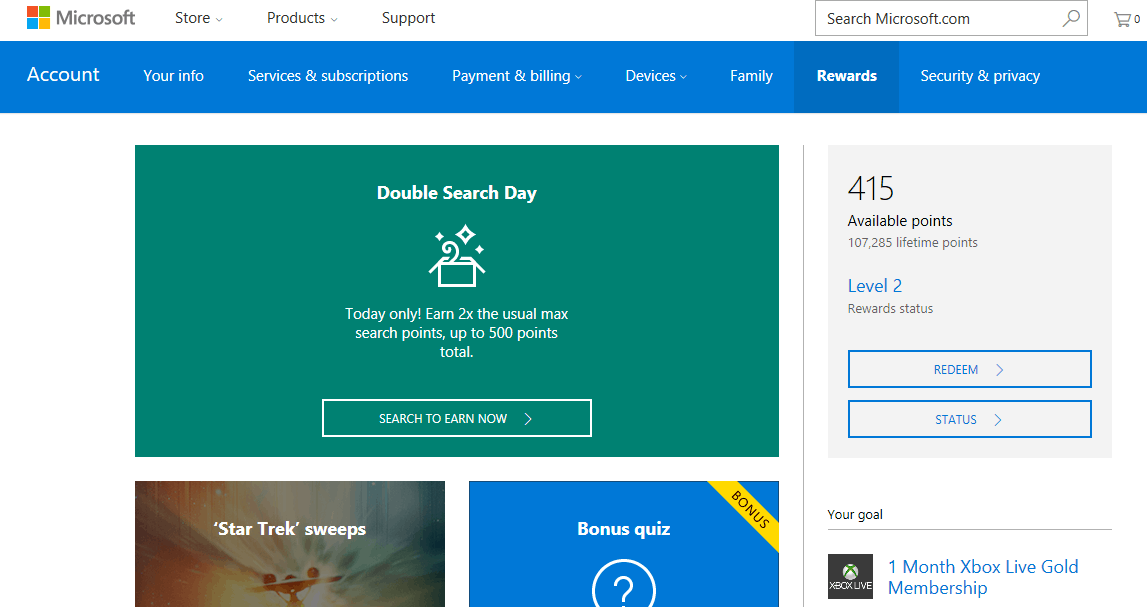
Microsoft is giving away 500 Rewards points for free to apologize for the system being slow to grant rewards

If you’re a Microsoft Rewards Member, check the email linked to your account now for a little points bonus from the folks at Microsoft. The company is giving away 500 Microsoft Rewards points for free to certain members as an apology for the rewards system recently being slow.

Notice of the 500 point bonus is being sent out in an email from Microsoft with the subject line “Sorry about that!” We received the email around 6PM ET today, and we’ve also included Microsoft’s apology note for you below.

You may have noticed recently that our system was slow to grant your points while searching, shopping, and browsing with Microsoft. We’ve fixed the issue and would like to offer you this 500-point bonus to make up for the inconvenience. Our sincerest apologies for the trouble.

The Rewards Dashboard and the email

To receieve the 500 points, make sure you’re logged into your Microsoft Rewards Account. After you do so, you can then click on the link in the email. Your browser of choice will open, sending you on to the Rewards Dashboard, where you can click on the green “our apologies” offer to cash the points in to your account.

The last time the Microsoft Rewards service acted up was eight months ago, and Microsoft had given members a 1,000 points bonus as an apology. If you’re not already a Microsoft Rewards Member, you can still sign up now. It’s fast and easy, and sometimes fun! Once you’re up and running, you can check out our guide on how you can earn those points quickly.

Here’s how to get a new Surface device with low monthly payments

Microsoft recently launched the Surface Plus program, aiming to make buying Surface devices more affordable. This new program involves flexible options targeted at helping more businesses and individuals to take advantage of the Surface’s power. It’s a mix between zero-percent financing and an 18-month update cycle.

For instance, users can get a Surface laptop on a 24-month finance with 0% interest charged and then they have to upgrade the device to the latest version every 18 months.

The Surface Plus program: Who benefits from the offer more?

The numbers will be in Microsoft’s favor because when you upgrade to the latest model after 18 months, the company will require that you return the previous functional device in an optimal condition. In other words, you have made 18 months of payments for a device that you will no longer own. The new device, on the other hand, will be sold to you at its full price under the same 24-month interest-free finance agreement.

This means that you can save more money by selling your original Surface on the second-hand market than buying the latest model on a fresh contract.

The finance agreement needs close attention

Microsoft describes the interest-free period as being a promotional one that applies only to accounts with financing service Klarna held up to the 24-month period. In case you miss a payment, or if you fail to pay the balance off at the end of the 24 months, the interest will jump to 19.99% APR.

The Surface Plus for Business program

Surface Plus for Business was also announced and here’s what you need to know. Based on the consumer Surface Plus program, the business option provides more flexibility. It includes 18, 24, or 30-month financing terms and a reduction to 12 months for upgrade eligibility on the 18-month contract. This variant has no interest applicable, and it also covers the full Surface range including the Surface Studio and the Surface Hub families.

For now, both the Surface Plus and the Surface Plus for Business programs are only available in the US. We don’t have any information if they’ll ever go international.

RELATED STORIES TO CHECK OUT:

Hearthstone August Patch issues: game crashes, Arena disconnects, and more

Blizzard recently released a new patch for Hearthstone to prepare players for the upcoming Knights of the Frozen Throne expansion. The new patch teases users with some of the upcoming features, and fixes a few known issues.

However, besides bringing all these positive things, the August 8 patch also causes some problems of its own. A few users complained about certain issues on the forums. In this article, we’re going to round up the complaints in order to give you the idea of what needs to be resolved before the long-awaited expansion arrives.

Hearthstone August 8 patch issues

First of all, one of our game testers played Hearthstone upon installing the patch. He noticed a strange issue that we haven’t found on the forums. Of course, if you already saw someone else complaining about it, feel free to post the thread link in the comments.

Namely, animations from the cards like Mimic Pod for Rogue, or Druid “choose one” cards+ Fandral Staghelm are slower, thus the players’ turn-time is less. This is a very annoying issue for the professional players, because they’ll have won’t have enough time to think during their turns while competing in tournaments and championships. We’re sure LifeCoach will have something to say about this.

And now, on to the reported issues.

Unable to launch the game

The major problem with the latest patch, and the problem that causes headaches to Hearthstone players who installed is the game-launching issue. Namely, numerous players have reported that they’re unable to run the game, for various reasons. Here’s what just some of them said:

“I need some help whenever i start hs i go into the menu and after a few seconds i get disconnected from hs I redownloaded the game and verifed it as well nothing has worked so far i could really use some help”

“My Hearthstone doesn’t work it start up and ask me to sign in and then it say i have to Update but its already Update 
I have talen screen shot but im not sure hos to attach it”

“I can not login hearthstone on my pc, game is crashed. But i can login with another account with the same pc. Also i can login with my iphone with both accounts. What is the solution of that?”

Blizzard technicians haven’t been so helpful on this one so far. They mainly suggest updating Windows 10, and installing all the latest updates and drivers for the system. But we’re not sure how helpful this solution is. We can recommend you to check out our article about launching issues with Hearthstone, but we cannot guarantee any of them will work in this case.

Lags during gameplay

A lot of players also reported strange lags during gameplay. Here’s what one of them said:

“For a while now my hearthstone has felt choppy and freezes/spikes randomly. This occurs in the menus and while in game, it is only a slight lag spike or frame delay but it really ruins the feel of the game making it almost unbareable to play.

Any ideas on how to fix this?”

Unfortunately, no one had a proper solution for this problem. So, we hope the expansion will actually feature the fix.

Issues with card and player names

One player said that player and card names disappear when he plays the game:

“This appeared after some patch a few weeks ago. All my card names, player names, quest progress, and other text gets “scrambled”. It can be partially fixed by setting another resolution, but when another card is drawn or played, it will be scrambled again. It hasn’t been much of a problem until now but with the new expansion coming out, not knowing the card names will be a real detriment. Is there any way I can fix this?”

Arena disconnects

And finally, there are also reports saying that the Arena mode is prone to disconnecting after installing the August 8 patch:

“Hello guys I got disconnected from arena twice in a row. 
My internet is perfectly fine, used terminal to ping at that time, every other sites/streams worked well except – eu.battle.net.
Are you having any technical problems that disrupted my games?
Thanks for answers, it’s kinda sad that I spent gold for nothing but well, happens.”

Unfortunately, this issue also remains unresolved, as no one from the forums had a proper solution for it.

That’s about it for the most serious problems that occurred after the August 8 patch for Hearthstone. As you can see, the August 8 patch is quite troublesome for such a minor update. So, developers definitely need to do some work, if they don’t want to spoil the fun of players anticipating the Knights of the Frozen Throne expansion.

Have you noticed any problems upon installing the latest patch? What do you expect from tomorrow’s expansions? Let us know in the comments below. 

RELATED STORIES YOU NEED TO CHECK OUT:

The Xbox Live Indie Games program is shutting down next month

This is a reminder that the Xbox 360 program Xbox Live Indie Games created to encourage developers on the platform is wrapping up next month (via Neowin). The program is scheduled to be decommissioned and all the games from it unlisted in the Xbox 360 store in September following up on a plan released two years ago.

Many popular titles that have come out through the Xbox 360 era such as Super Meat Boy, Limbo, and more have already converted over to the Xbox Backward Compatibility program. While the titles won’t be available in the store anymore, gamers can still play their purchases still downloaded on their devices.

The program will have ran for eleven years. Indie developers are being encouraged to join the ID@Xbox platform now instead, ushering in an improved way to create video games for Xbox One and Windows 10. You can read more details about the ID@Xbox program here at OnMSFT.

Xbox Creators Program is now live in the Xbox Store

Earlier this year at GDC, Microsoft unveiled the Xbox Live Creators Program, a new initiative to make it easier for indie developers to publish their games on the Windows and Xbox stores. Compared to the pre-existing ID@XBOX program, developers joining the new initiative will be able to integrate Xbox Live into their game (with some exceptions such as Achievements or Internet multiplayer) and publish to Xbox One and Windows 10 without the need for concept approval.

Today, the Xbox team announced that the first wave of Creators Program games are now live in the Windows Store, starting with nine games. All of them are UWP apps, but some are actually available on Xbox One, Windows 10, Windows 10 Mobile and even HoloLens:

If you’ve never heard of these games before, that’s normal, and the Xbox team says that you should expect “games that can be quirky and have varying degrees of polish, but are always interesting.”

As these games don’t have to respect the same quality standards as ID@XBOX games, they won’t be proeminently feature on the Windows Store. On a Windows 10 PC, Creators Program games will appear in the Games category, but on the Xbox One they will be regrouped into the Creators Collection section of the Xbox Store. “This gives us all the best of both worlds: A curated store and a fully open marketplace in the Creators Collection,” explained the Xbox team.

It will be interesting to see if many game developers embrace this new initiative, but Microosft promises to “regularly add new games as developers finish their work.” If you’re a game developer, you can learn more about the program on the dedicated website.

Battlefield 3 is now available for ALL Xbox One owners to play

If you were bummed to find out that Battlefield 3 was only available through EA Access or disc when it was added to the backward compatibility list, you’ll be happy to know that’s no longer the case.

As bullets whiz by, walls crumble, and explosions throw you to the ground, the battlefield feels much more alive and interactive than ever before. In Battlefield 3, players step into the role of the elite U.S. Marines where they will experience heart-pounding single player missions and competitive multiplayer actions ranging across diverse locations from around the globe including Paris, Tehran, and New York.

As of today, a digital copy of Battlefield 3 can be accessed via the Xbox Store. The twelfth installment of the franchise was released in 2011 with both single-player and cooperative campaigns and all the destruction you could ask for from its generation.

Battlefield 3™
Battlefield 3™
Developer:
Electronic Arts
Price:
Free

Battlefield 1 has been added to the EA Access vault on Xbox One

Battlefield 1, one of the biggest blockbuster games released on the Xbox One this year, is now available to play for EA Access subscribers (via Neowin). The WW1 shooter follows Titanfall 2, which was added to the EA Access vault last week. Battlefield 1 is still priced at $59.99 on the Microsoft Store today, so it’s now much cheaper to try the game by subscribing to EA Access.

Here is the game’s official description:

Fight your way through epic battles ranging from tight urban combat in a besieged French city to the heavily defended mountain forts in the Italian Alps or frantic combats in the deserts of Arabia. Discover a world at war through an adventure-filled campaign, or join in epic multiplayer battles with up to 64 players, and adapt your tactics to the earth-shattering destruction and dynamic weather. Fight as infantry, lead horse charges or take control of amazing vehicles on land, air and sea, from tanks and biplanes to the gigantic Behemoths – some of the largest vehicles in Battlefield history.

In addition to Battlefield 1 and Titanfall 2, the EA Access Vault recently welcomed FIFA 17, Dragon Age: Origins as well as all four Star Wars Battlefront expansions. As a reminder, the gaming subscription service is still $4.99/month or $29.99/year.

Xbox could be moving away from Achievements, embracing “gaming history” instead

Since Microsoft introduced Xbox Live Achievements with the Xbox 360 more than 10 years ago, the gamification system has pretty much become a game within the game for many players. For some, it has even become a real life competition: Ray “Stallion83” Cox, long time owner of the world’s highest Xbox Gamerscore recently reclaimed his crown after losing it to Stephen “smernov” Rowe during his honeymoon (you can check the global Gamerscore Leaderboards on this site).

But does your Gamerscore really represent your true achievements as a gamer, including your dedication to playing your favorite titles? You could argue that the current Gamerscore system doesn’t necessarily reward the most passionate and skilled gamers out there, and it seems that Microsoft now agrees with that.

Mike Ybarra, Corporate Vice President of Gaming at Microsoft recently explained that the Xbox team is thinking about revamping Xbox Achievements to better reflect your gaming accomplishments, independently from your own Gamerscore level. This is what he said during the Xbox Two Podcast yesterday:

Those are all small things that we can do to the system, and the team looks at them. They’re in our backlog of things that we want to get done, but there’s actually bigger, more bolder changes that we have in mind. Nothing that I can talk about now, but something that fundamentally changes the concept … we are working towards a bigger, more meaningful change about somebody’s gaming accomplishments in history, as a gamer on Xbox.

We can do a lot more to reflect and let people show their gaming history and their status. Whether it’s somebody who only plays multiplayer in Halo 5 at a professional level, maybe they only have 2,000 Gamerscore, you want to be able to celebrate that person. You want people to be in the know. This person doesn’t play a lot of games, but they’re world top ten at Halo 5. All the way to people [with over a million gamerscore]. It’s that range that we really need to look at and celebrate … we’re going to go big in the area of letting people show off and represent their gaming history and the type of gamer that they are, far more than we do with Gamerscore.

It’s not exactly clear what the Xbox team has in mind, but we guess it could mean making better use of your personal gaming data to surface interesting facts that are not already rewarded with Xbox Achievements. This is something that the company already tried to do in the past, and you may remind the recent Gamercrest website that gave you a lot of insights on your overall activity on Xbox Live. Hopefully, the Xbox team is working on something much more ambitious and interactive for the future.

New Xbox One Preview BETA build 1706.170807-1737 fixes a set-up bug

Build 1706.170807-1737 will be rolling out to Xbox Insiders in Preview BETA today. It’s a fairly minor update that doesn’t add any exciting new features and make grand sweeping changes but it does fix a glitch that was occurring on systems during the initial set-up phase. Here’s the official notes:

HOW TO GET IT

If your console is in Instant-On mode and you have been selected to receive the update, it will download and install the update and reboot to standby.

NOTE: Once the update is available to you, you can manually begin the update by launching the Guide and navigating to All Settings > System > Updates.

If your console hasn’t downloaded and installed the update by 1:00 AM PDT 8/11/2017 (8:00AM GMT 11/8), you will be prompted to do so at that time.

DETAILS

OS version released: rs2_release_xbox_1706.170807-1737

Available: 6:00PM PDT 8/9 (1:00AM GMT 10/8)

FIXES:

Console Set-up

Fixed an issue which could cause graphical glitches to appear during the initial console set-up experience.

Have you got this update yet and noticed anything surprising? Share your findings in the comments.

Microsoft could finally be bringing Windows 8 Live Tiles to the Xbox One

In an interview on the Xbox Two Podcast, Microsoft’s Mike Ybarra spoke about the upcoming redesign of the Xbox One dashboard and how it could evolve even further in the future. Something that particularly stood out was his description of the new Content Blocks which would allow Xbox One users to pin specific content to special areas on the dashboard.

“You can imagine a world where you have a Twitter Content Block, and you can see your latest Tweets there or DMs that you want to see,” Ybarra explained. “That’s just one example I made up here. But certainly as we go forward, we think the Content Block idea of giving gamers the ability to customize their home is something that not only apps and game developers will embrace, but consumers will embrace as well. So you’re seeing just the cusp of what we really want to do here.”

His mention of Twitter integration on the dashboard bears a striking resemblance the Live Tiles that were first introduced on Windows 8 devices and Windows Phones and allowed for the display of live, updated content, directly from the Start Screen. Windows 10 devices and current Windows phones still make use of the feature and it’s been something many Xbox One users have been wanting to see for years now, just check out this User Voice suggestion from 2014. Honestly it’s surprising it hasn’t happened before now.

Do you think Microsoft will finally bring Live Tiles to the Xbox One or will this be something completely different? Maybe an evolution of the Live Tile concept? Let us know in the comments below.

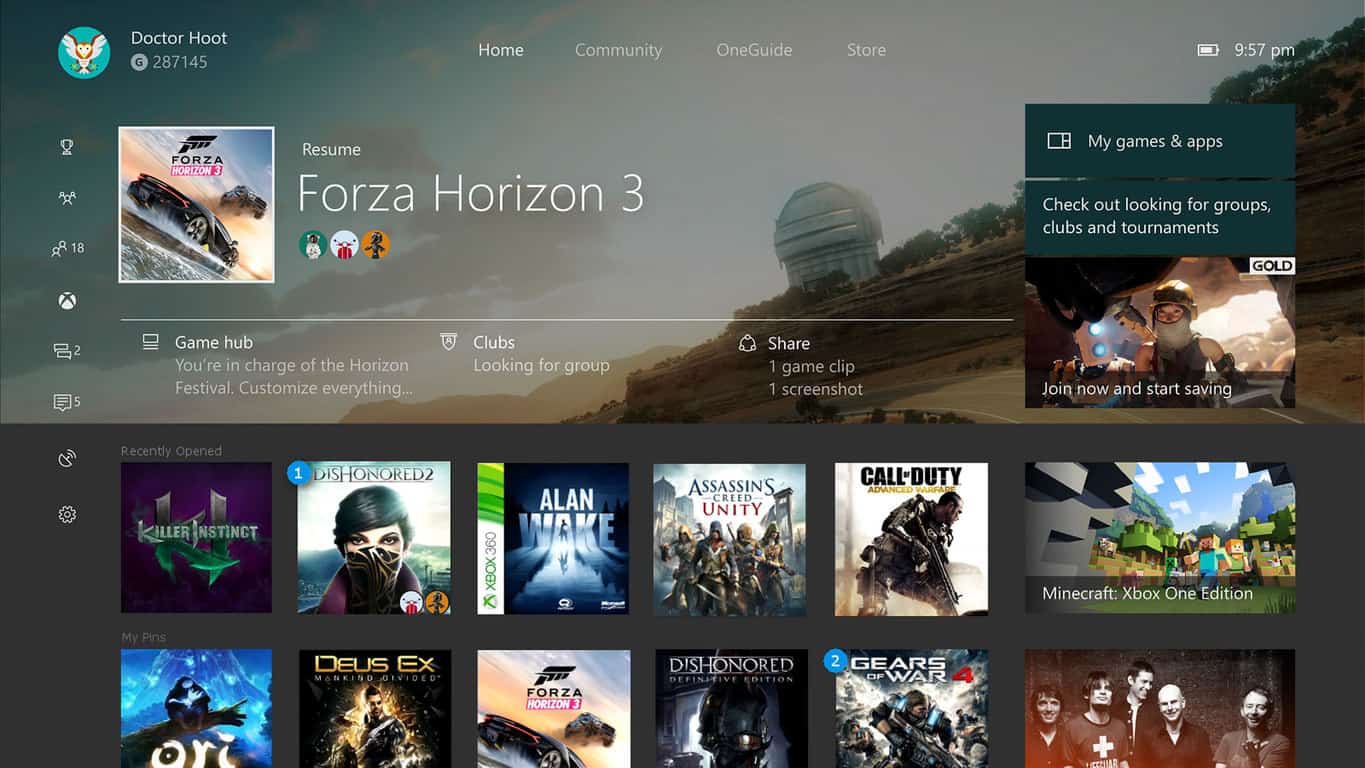
Gamers want the Xbox One dash to look like this. What do you think?

Microsoft unveiled their upcoming visual redesign of the Xbox One dashboard earlier this week and the response from users has been fairly mixed. While most console owners are excited about the new customizable areas, many have begun to voice their dislike of the overall look and are hoping that Microsoft will make some adjustments before the change is rolled out to the general public.

One group of Xbox One users on Reddit in particular have begun commenting heavily on a fan-made image of a potential new Xbox One dashboard that mixes elements of the current look with more conveniently placed recent and custom pins (see the image above).

Microsoft’s own Larry Hyrb has already seen this suggestion and commented on it publically in the thread. “I’ll pass this along, but do know members of the Xbox team browse here frequently – so it’s probably already been seen internally,” he wrote.

The Xbox team at Microsoft constantly takes feedback from users online and in particular those who are Xbox Insiders (select members of the community who have opted-in to test features and changes). What changes would you like to see made to the Xbox One dashboard? Share your thoughts in the comments below.

KB4034674 (OS Build 15063.540)

Microsoft recently rolled out cumulative update KB4034674 to Windows 10 version 1703, bringing a series of useful bug fixes and improvements. This update fixes the annoying crashes triggered by Applocker and adds a bevy of security improvements to many Windows OS components. The update takes the OS build to version 15063.540.

KB4034674 official change log

  •  Addressed the issue where the policies provisioned using Mobile Device Management (MDM) should take precedence over policies set by provisioning packages.
  • Fixed the issue where the Site to Zone Assignment List group policy (GPO) was not set on machines when it was enabled.
  • Addressed the issue where the AppLocker rules wizard crashes when selecting accounts.
  • Addressed the issue where the primary computer relationship is not determined when you have a disjoint NetBIOS domain name for your DNS Name. This prevents folder redirection and roaming profiles from successfully blocking your profile or redirects folders to a non-primary computer.
  • Addressed the issue where an access violation in the Mobile Device Manager Enterprise feature causes stop errors.
  • Security updates to Microsoft Edge, Microsoft Windows Search Component, Microsoft Scripting Engine, Microsoft Windows PDF Library, Windows Hyper-V, Windows Server, Windows kernel-mode drivers, Windows Subsystem for Linux, Windows shell, Common Log File System Driver, Internet Explorer, and the Microsoft JET Database Engine.

There is also one known issue on the list. More specifically, this update may change Czech and Arabic languages to English for various apps. For the time being, there is no workaround available to solve this problem. Microsoft is already working on a fix and will provide an update in an upcoming release.

Download KB4034674

Windows Update will automatically download and install this update as part of the official Patch Tuesday. You can also download the stand-alone package for KB4034674 from the Microsoft Update Catalog website.

Have you downloaded KB4034674 on your PC? Did you encounter any issues after you installed the update? Let us know in the comments below.

RELATED STORIES YOU NEED TO CHECK OUT:

[wl_navigator]

Windows 10 version 1511 update KB4034660 now available for download

Microsoft just released cumulative update KB4034660 for Windows 10, as part of this week’s Patch Tuesday. Cumulative update KB4034660 is for Windows 10 version 1511, and is one of four updates that each supported version of Windows 10 received this week.

The new update brings no new system features to the table, but instead focuses on resolving some of the known problems. More precisely this update deals with deployment issues with apps using AppLocker, and problems with launching apps after waking up from Connected Standby Mode.

Here’s the complete changelog of cumulative update KB4034660 for Windows 10 version 1511:

  • “Addressed issue where, when deploying an application to a device that is managed by AppLocker, the application deployment fails. 

  • Addressed issue introduced in the June updates where some applications may not launch when a device resumes from Connected Standby mode. 

  • Security updates to Windows kernel-mode drivers, Microsoft Graphics Component, Microsoft Windows Search Component, Microsoft Windows PDF Library, Microsoft Edge, Internet Explorer, Microsoft Scripting Engine, Windows Server, Common Log File System Driver, Windows Hyper-V, and the Microsoft JET Database Engine.”

Since this is a cumulative update, it contains all previously-released bug fixes and system improvements. So, if you missed some of the previous updates for your system, you should get everything you need with this one.

Besides cumulative update KB4034660 for Windows 10 version 1511, Microsoft also released cumulative updates for all other supported versions of the system. Users of Windows 10 version 1703 received cumulative update KB4034674, Windows 10 version 1607 got cumulative update KB403465, while cumulative update KB4034668 was released for the initial version of Windows 10 (July 2015 release).

To obtain the latest cumulative update for Windows 10 v1511, just go to Windows Update and check for updates.

For more info about this, and all other updates released this Patch Tuesday, visit Microsoft’s official Update History Page. 

RELATED STORIES YOU NEED TO CHECK OUT:

The latest Surface Pro 4 update fixes Windows Hello camera issues

A couple of weeks ago, Microsoft released a large batch of firmware and driver updates targeted at the Surface Pro 4. It’s not clear yet if these updates are the culprits, but many users began reporting that the Windows Hello camera stopped working. Microsoft didn’t release an official statement about this issue and the presumed cause.

Windows Hello camera issues

It seems that the root-cause of the problem was a faulty driver that came with the July 21 update, version 1.0.65.1 and this was not documented in the changelog. The workaround was to simply roll back the driver via the Device Manager. Anyway, Microsoft recently rolled out a fix for this problem.

The official changelog for the Surface Pro 4 update history page said that the version 1.0.75.1 version fixes the Windows Hello experience error.

According to the value indicator chart, the update enhances reliability, and it will not affect the following factors: battery life, performance, connectivity, compatibility, or security.

Getting the new Surface Pro 4 update

To grab the latest update, you have to go to Settings – Security & updates – Windows Update – Check for updates.

You should know that if you update the OS on your Surface, this will erase all of your current update history. Another important thing is that firmware updates cannot be uninstalled or reverted to a previous version.

When the Windows Update service provides the Surface updates, they are delivered in stages to the Surface users. Therefore, not every device will get the update at the same time, but be sure that all devices will receive the update eventually. In case you haven’t received your yet, you are advised to check the Windows Update manually later.

RELATED STORIES TO CHECK OUT:

Exclusive deal: get PowerDirector15 and PhotoDirector8 for 20% off

Are you looking for a powerful video or photo editing tool? Or maybe a reliable media player? If the answer is yes, you’ve come to the right place: WindowsReport is now offering you an exclusive deal for two pieces of  top software: PowerDirector15 and PhotoDirector8! You can now buy these tools with a huge discount.

PowerDirector15 and PhotoDirector8 are developed by CyberLink, a world-renowned multimedia software company.

Learn more about our exclusive offer

PowerDirector15 is now $47.99 with the WindowsReport coupon

PowerDirector15 is a unique video editing software for Windows that supports 360-degree VR footage. The tool is perfect for beginners thanks to its intuitive and easy to use interface. The software’s high-end performance and advanced editing features make it suitable for experienced video editing professionals as well.

You can use PowerDirector15 for a wide variety of editing tasks. It comes with a huge selection of customizable design tools, unique alpha transitions, animated titles, particles and PiP objects that allow users to create truly unique videos.

The software feature a unique design mode for video shot vertically on mobiles, perfect for uploading mobile video on YouTube, Facebook and other similar platforms.

Thanks to its new TrueVelocity 6 rendering engine, PowerDirector15 delivers smoother previewing and faster production.

Other PowerDirector15 new and unique features:

  • High frame rate video editor.
  • Smart Video Rendering Technology (SVRT) for faster video production.
  • Mask Designer: Apply selective transparency to fuse different video clips together.
  • Create stop-motion videos.
  • Video Blending: Merge clips on different timeline tracks to create stunning effects.
  • Color Enhancement: PowerDirector15 optimizes hues and vibrancy while protecting skin tone from distortion.

PhotoDirector8 is now $39.99 with the WindowsReport coupon

PhotoDirector8 is an impressive photo editing tool that allows you to create truly unique and creative photos. You can use this software to edit photos and add a bevy of effects to your favorite pictures, extract photos from videos, create perfect portraits, and more. With PhotoDirector8’s help, editing photos have never been easier.

You can use this tool to blend multiple photos into a single image and create impressive effects. If you want to remove objects or people from photos, you can simply brush over them. PhotoDirector8 uses an intelligent algorithm to fill the empty space and blend it with the whole background.

PhotoDirector8 offers extensive support for many commercial camera lenses, bodies, and RAW formats. We’re sure that professional photographers will love this feature.

Other PhotoDirector8 features include:

  • Create multi-exposure images from videos.
  • Create panoramas by stitching together a sequence of images from videos.
  • Face & body beautification tools
  • Dedicated tools to improve your whole image or only a specific region on your photos.

The PowerDirector15 and PhotoDirector8 bundle

You can also buy PowerDirector15 and PhotoDirector8 for only $79.99. If you buy these tools separately now, you’re going to pay $59.99 for PowerDirector and $49.99 for PhotoDirector. At full price, the PowerDirector15 and PhotoDirector8 bundle costs over $400.00.

Interested in PowerDirector15 and PhotoDirector8? What are you waiting for? Take advantage of this exclusive offer and hit the buy button now before the offer expires.

READ ALSO: Video stabilization software: The best tools to stabilize shaky videos

In New York or Sydney? Learn how to build games at the Xbox Academy

Microsoft is proud to announce that Xbox Academy is back in session at the Microsoft Store! This year, the flagship Microsoft Stores in New York and Sydney, Australia will be offering Xbox Academy game development classes for free.

This year, Microsoft will be offering the free game development classes in a partnership with the Academy of Interactive Entertainment (AIE). AIE is a renown organization in the game development, 3D animation, and visual effects industries and is partnering with Microsoft to provide education to the next generation of game developers for Xbox One and Windows 10 PCs.

Xbox Academy will offer three courses; Game Development, Game Programming, and Game Design, providing insight and education into a different stage of game development to help aspiring game developers to turn their ideas into playable games. Xbox Academy students will be able to save their games for further development on their own time.

Even if you can’t take part in the Xbox Academy in New York or Sydney, you can still take part by using your Xbox One as your own game development kit.  You can learn how to develop games on your own through the Xbox Live Creators Program. The Xbox Live Creators Program allows you to publish games to Xbox One and Windows 10 through a simple process; open a Dev Center account.

Students aged 14 years and over are invited to participate in Xbox Academy and can register via the links below:

Flagship Microsoft Store in New York: Sunday, Aug. 20 to Sunday, Sept. 3; visit here to register.

Flagship Microsoft Store in Sydney: Monday, Sept. 25 to Sunday, Oct. 1; visit here to register.

There are limited spots available, so act fast!

Microsoft makes Xbox Insider Preview program (slightly) less confusing

Last year, Microsoft relaunched its Xbox Insider Program by moving away from the previous invite-only system to something similar to the Windows Insider Program. As of today though, the four different Xbox Insider rings are not as flexible as the Windows 10 Insider rings, because the Xbox team chose to base the system on meritocracy: as a result, only the most dedicated users can get access to the upper rings today, which could be frustrating for adventurous users who may not have the time to report all types of bugs with the Xbox OS.

After taking the time to listen to user feedback, the Xbox team announced today that it’s changing how the Xbox One Preview rings work with more flexilibity in mind. “This means Xbox gamers will now be able to easily opt into the Xbox Insider program and gain earlier access to the latest system updates and flighted games, explained Xbox’s Principal PM Manager Todd Headrick.

First of all, Microsoft is now allowing Xbox Insiders with a certain XP level to enroll in other rings that were previously invite-only. Additionally, the company is also renaming the Preview Ring 3 and Ring 4 to Preview Delta and Omega. “With these updates, many new Xbox Insiders – previously limited to Ring 3 or Ring 4 – will be able to join the Xbox One Update Preview Beta and Delta groups, thereby expanding the types of updates and features they’ll be able to test right away,” explained Headrick.

As you can see below, anyone can join the Omega ring (previously Ring 4), which will get 1 to 8 updates per month. After gaining some XP by completing quests, Omega ring members will be able to move to the Delta and Beta rings and get new preview builds more often (the Beta ring can receive up to 15 preview builds per month). However, the Alpha ring will remain invite-only for now.

The new Omega Ring replaces the Preview Ring 4, and it’s open to everyone.

A few things to note:

  • Some Preview Delta Insiders will get preview builds earlier than others. “This process gives developers a better understanding of how different sets of users experience new features, when introduced,” explained Headrick.
  • After gaining access to the Preview Beta and Delta Rings, Insiders will be able to switch back to lower rings at any time.
  • More importantly, Xbox insiders with multiple consoles can choose to enroll different consoles into different rings (assuming they already gained access to upper rings).

In addition to making the Xbox Insider Program more flexible, Microsoft is also working to make early access to games and apps a bigger part of the initiative. “As we said earlier, the Xbox Insider Team is working closely with multiple 1st party and 3rd party game studios to bring you playtests of unreleased games,” shared Headrick. “Along with games, Xbox Insiders can also get early access to unreleased Xbox console apps and updates, so keep checking the Xbox Insider Hub to see if new content opportunities are available to you.”

To be clear, you don’t need to download preview builds on your console to get early access to exclusive content: you can join the Xbox Insider Program by downloading the Xbox Insider Hub (you can now do it on your Windows 10 PC, too), gain XP points by rating content, answering surveys and even completing some basic quests without having to enroll your console into one of the different Preview Rings. This is perfect for gamers who, as an example, want to test the upcoming Better Together udate for Minecraft without having to mess with Xbox Preview builds.

You can get access to exclusive Insider content without enrolling your console into one of the different Insider Rings.

Overall, these are all positive changes though some of you may regret that the Preview Alpha Ring is still invite-only. The Xbox Insider Program is still not as simple as the Windows Insider Program (though this program has its own issues, too), but it’s now much easier to climb your way up to upper rings. Let us know in the comments what do you think of all these changes to the program.

Poll: What do you think of the new Outlook.com beta?

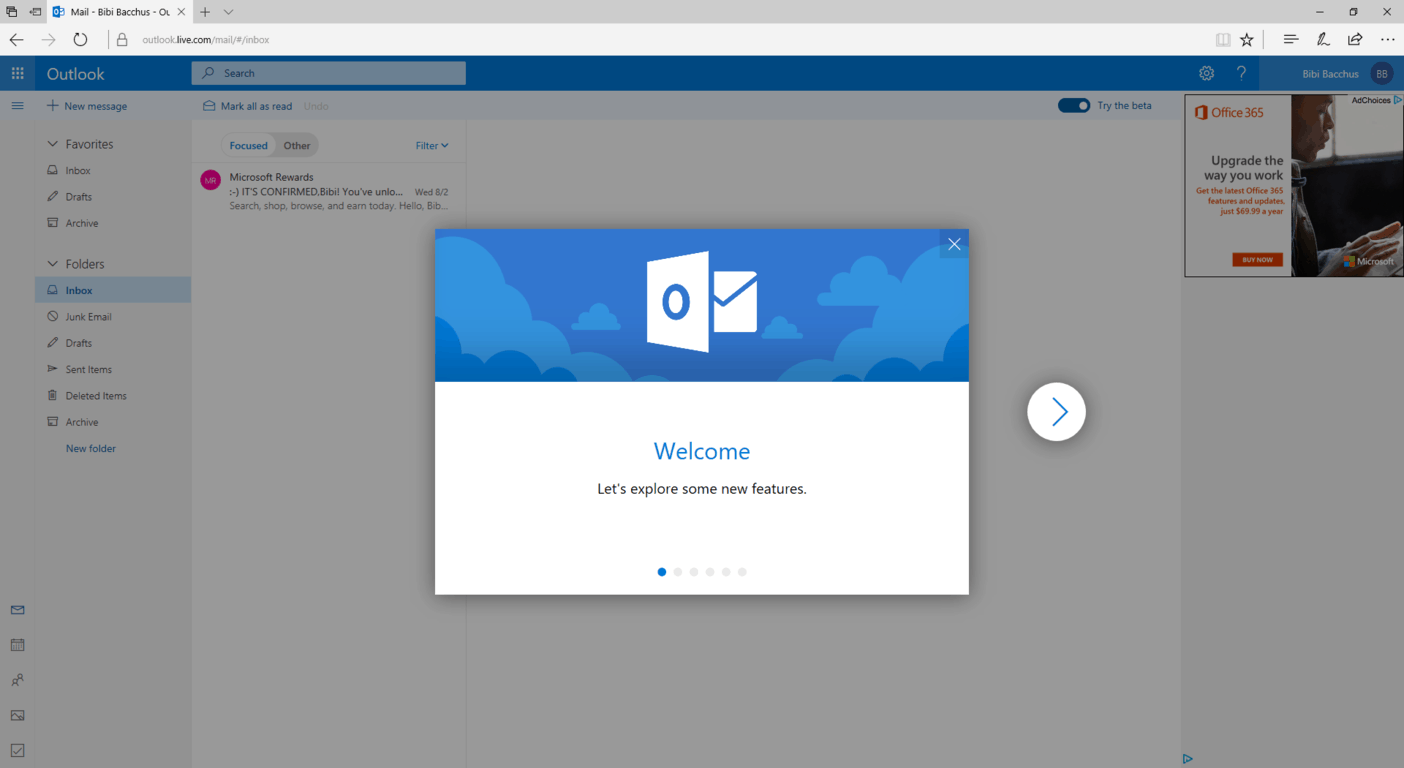
Yesterday Microsoft unveiled a new look and some new features for Outlook.com, offering a sneak peek in the form of an opt-in beta rolling out over the next few weeks. As it turns out, gaining access to the beta is as easy as changing the url from outlook.com/owa to outlook.com/mail. So if you haven’t tried out the beta, give it a look and let us know what you think in the poll below:


Are there any features of the new Outlook.com, even in this early stage, that appeal to you? Do you like the new placement of the Search bar, and the new search capabilities? Are you happy or sad to see Skype integration gone, at least in this version of the beta? What else strikes your fancy? Let us know in the comments below.

PSA: Everyone can try the new Outlook.com beta with this trick

Yesterday, Microsoft announced the launch of a new Outlook.com beta program. The company said it was slowly rolling out the beta, and noted standard non-premium Outlook.com users will be seeing a “try the beta” button when it is available on their accounts. The Verge, though, has learned that everyone can try out the new Outlook.com beta with one nifty little trick.

According to the report, if you’re waiting to see the “try the beta” button on your Outlook.com account, you can get access to the beta by changing the URL. To do so, first, you need to open the standard outlook.com and sign in as regular. Then, once everything is loaded, you can head to the address bar and remove /owa/ from the URL replacing it with /mail/ instead.

Outlook.com Beta

You can also try clicking this link to access the new beta, as it includes the /mail/ in the standard outlook.com URL. Importantly, by going this route, you should be aware that you should not unclick the “try the beta” toggle, as it will permanently disable the beta for you. Instead, to return back to the old Outlook.com, all you need to do is do the reverse, and remove /mail/ from the URL, replacing it with /owa/  You can also try clicking here as well.

Interestingly, we managed to get the beta working on our Office 365 Web Mail by following the above directions. Microsoft did not publicly state that the beta would work with Office 365 accounts. However, since Office 365 and Personal accounts use different URLs, you should be able to use the beta with both accounts at the same time in the same browser. We also noticed that the Skype and Skype for Business buttons are gone in the Outlook.com beta, which is not shocking since some found it annoying.

Features of the Outlook.com beta include a fresher look, modern conversation style, improved search and photo experiences, support for sending GIFS, and more. It’s a very clean look, and more closely aligns Outlook.com with the Windows 10 UWP Mail app. If you have the beta, submit your feedback to Microsoft, and let us know your thoughts by dropping us a comment below.

Play more retro games with Mega Man Legacy Collection 2 on Xbox One today

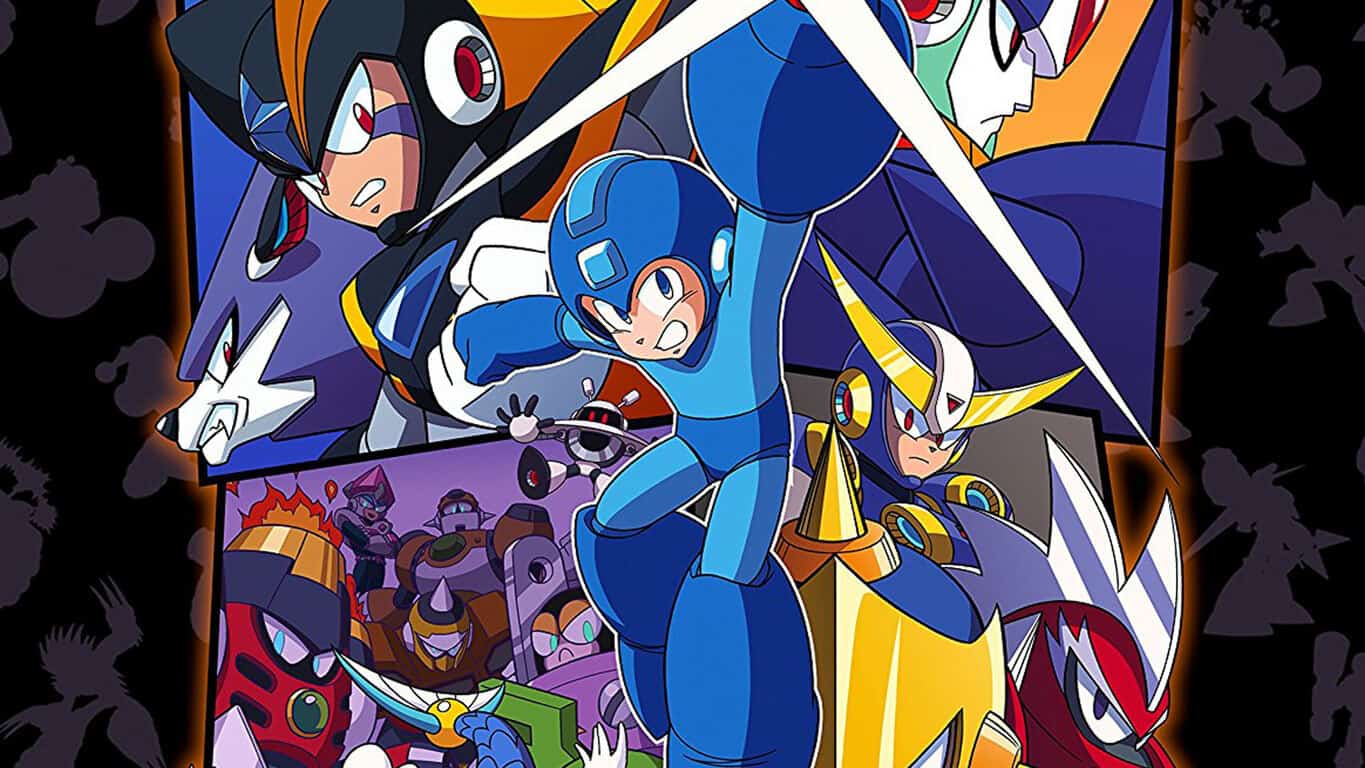
Mega Man Legacy Collection 2 is now playable on Microsoft’s Xbox One console. This new collection of games contains faithful recreations of the classic Mega Man 7, 8, 9, and 10 video games and features online leaderboards, time trials, galleries and more additional content for modern gamers to enjoy. Here’s the details:

The Blue Bomber is back in this second collection of classic Capcom titles! Featuring faithful reproductions of Mega Man 7, 8, 9, & 10, this collection spans the iconic series’ evolution and retro revolution. Take on the nefarious Dr. Wily and his diverse Robot Masters in these timeless 8-bit, 16-bit, and 32-bit adventures! Mega Man Legacy Collection 2 is bursting with additional content, from time trials and remix challenges with online leaderboards, to a music player and an extensive gallery of rare illustrations. Also included are the additional modes originally released as DLC for Mega Man 9 and 10, featuring extra stages and playable characters. For anyone who wants a little extra help with these challenging classic platformers, you now have the option to reduce the amount of damage received.

Buy Mega Man Legacy Collection 2 on Xbox One

Are you a Mega Man fan? Let us know which video game is your favorite in the comments below.

Project Cars 2 director says Xbox One X is superior to Sony’s PS4 Pro

In a recent interview, Stephen Viljoen, the game director of the upcoming Xbox One title, Project Cars 2, spoke about Microsoft’s new Xbox One X console and how it would compare to Sony’s rival powered-up console, the PlayStation 4 Pro.

“I can’t tell you exactly what all the various sliders will be at when you’re on Xbox One X versus on PS4 Pro, but obviously they’ll be higher, so there will be a significant, a noticeable improvement, because you have better hardware,” he said while discussing how their games adjust their visuals based on the hardware of a PC or video game console. “Our engine inherently is scalable, so on the PC we expose that to the player, so going into performance options on the PC, you can see there’s things that you can take from low to ultra, for example track and car detail. So there’s a ton of settings, so what we do is we use that when we target a new platform and we set that optimally for each platform.”

It’s been known for a while now that the Xbox One X would be more powerful than the PlayStation 4 Pro but it’s been up to the game developers to take advantage of the improved hardware and choose to change the visuals for each platform. One game could be released on both of Microsoft and Sony’s consoles for example and look near-identical.

Project Cars 2 is due for release on the Xbox One on September 22nd while the Xbox One X console is set for a November 22nd launch in 13 countries. Are graphics important to you when choosing a game? Let us know in the comments below.

Watch Guardians of the Galaxy Vol. 2 digitally on Windows 10 & Xbox One

Guardians of the Galaxy Vol.2 is now available to purchase digitally within the Windows Store and viewed on Windows 10 PCs, mobile phones, and Xbox One consoles. The film is a sequel to the first Guardians of the Galaxy film and was met with great acclaim when it debuted in cinemas earlier in 2017. The digital version comes with a plethora of special features though is lacking some of the extras which will be made available with the Blu-ray release on the 22nd. Here’s the official film description and trailer:

Set to the all-new sonic backdrop of Awesome Mixtape #2, Marvel Studios’ GUARDIANS OF THE GALAXY VOL. 2 continues the team’s adventures as they traverse the outer reaches of the cosmos. The Guardians must fight to keep their newfound family together as they unravel the mystery of Peter Quill’s true parentage. Old foes become new allies and characters from the classic comics come to their aid as the Marvel Cinematic Universe continues to expand.

Buy Guardians of the Galaxy Vol.2 in the Windows Store

Have you seen this movie yet and did you like it? Let us know in the comments below.

What is Windows XP? Everything You Need to Know

Windows XP is an operating system produced by Microsoft for use on personal computers, including home and business desktops, laptops, and media centers.

Though several advanced iterations have been released in the last two decades, a large number of users continue running Windows XP on their devices.

When was Windows XP released?

It was first released to computer manufacturers on August 24, 2001, and to the general public on October 25, 2001.

It is one of the most popular versions of Windows, based on the installed user base. For those wondering what the full form of Windows XP, the name XP is short for eXPerience, highlighting the enhanced user experience.

Windows XP was preceded by Windows 2000 and Windows Me and was succeeded by Windows Vista.

On April 8, 2014, Microsoft released the last updates for Windows XP. So, this version of Windows is no longer supported by Microsoft. Still, the iteration remains popular among users, and you can continue using Windows XP.

How many versions of Windows XP are there?

Microsoft provided seven editions (sometimes referred to as versions) of Windows XP. Still, just the first two from the list below were widely available to the common user:

  • Windows XP Professional
  • Windows XP Home
  • Windows XP Media Center Edition (MCE)
  • Windows XP Tablet PC Edition
  • Windows XP Starter Edition
  • Windows XP Home Edition ULCPC
  • Windows XP Professional x64 Edition

The Home edition is for the average user and low-cost PCs. So, Windows XP Home is aimed at first-time computer users.

The Professional edition is more enterprise-oriented and can join a Windows domain, Internet Information Services, and Multilingual User Interface.

windows xp features

What are the main features of Windows XP?

Windows XP is an easy-to-use operating system. The fact that it is intuitive and user-friendly makes it one of the most popular Windows versions.

The user interface is a nice feature in Windows XP, completely different from previous versions, such as Windows 2000 or Windows Me. Microsoft developed a new, more appealing, and user-friendly visual appearance with visual styles and different effects.

Also, it brought a vast and diverse suite of tools and programs, making Windows XP a more secure, reliable, and stable operating system than the previous versions.

A few new features are as follows:

  • User interface
  • Built-in CD burner
  • Device Driver Rollback
  • Internet Connection Firewall

Updates to Windows XP over the years

Windows XP was updated in service packs. A service pack is a cumulative update, somehow similar to the Windows 10 cumulative updates. Still, in contrast to Windows 10, the updates for Windows XP were fewer and bigger.

For example, the transition from Windows XP Service Pack 1 to Windows XP Service Pack 2 is bigger and more complex than the transition from Windows 10 version 1809 to Windows 10 version 1903.

Microsoft released three service packs. The third and final one, SP3, was released to the public on May 6, 2008. You now know when was the last XP update.

windows xp sp3 install

What are the minimum Windows XP specs?

  • Hard Drive: 1.5 GB free space (5 GB Windows XP SP3)
  • RAM: 64 MB (recommended 128 MB)
  • CPU: 233 MHz (recommended 300 MHz)
  • Graphics Card: 800×600 or greater
  • CD-ROM or DVD-ROM drive

For those wondering, can Windows XP run on 2GB RAM, it can, and it will! Also, the performance would be as good as 8-16 GBs of RAM on a later iteration of the OS.

Fortunately, no computers are on the market to come near these extremely modest specifications. So, if you’re nostalgic, a modern PC would run Windows XP without issues of this sort.

What are the hardware limitations of Windows XP?

Windows XP Starter is limited to 512 MB of RAM, and all other 32-bit versions are limited to 4 GB of RAM. Also, 64-bit versions of Windows XP are limited to 128 GB.

Regarding the physical processor, the limit is 1 for Windows XP Home and 2 for Windows XP Professional. For 32-bit versions, the logical processor limit is 32, and for the 64-bit version of Windows XP, the limit is 64.

That’s all you need to know about Windows XP! And for those still running the outdated OS, here is the best software to download on Windows XP. Besides, do get a Windows XP optimizer for enhanced performance.

For any queries or to share your review of Windows XP, drop a comment below.

Windows Vista

Windows Vista is an operating system by Microsoft for use on personal computers, including home and business desktops, laptops, tablet PCs, and media center PCs.

Release date

Prior to its announcement on July 22, 2005, Windows Vista was known by its codename “Longhorn”.

Development was completed on November 8, 2006, and over the following three months, it was released in stages to computer hardware and software manufacturers, business customers and retail channels.

The official launching date (when it was released worldwide) is January 30, 2007.

It was probably the most despised operating system that was installed on any PC. People remember it by the huge hard drive space that was necessary (details below). Also, its many bugs and lack of compatibility with previous software and hardware were contributing factors to this negative image.

Microsoft tried to save Windows Vista and installed many update patches, trying to correct these errors. Despite this, several initial issues persisted. Its predecessor was by Windows XP and its successor was Windows 7.

Microsoft ended mainstream support for Windows Vista on April 10, 2012, while extended support ended on April 11, 2017.

Editions of Windows Vista

There were six editions of Windows Vista, but only the first three from the list below were widely available on the market.

  • Windows Vista Ultimate
  • Windows Vista Business
  • Windows Vista Home Premium
  • Windows Vista Starter
  • Windows Vista Home Basic
  • Windows Vista Enterprise

All editions of Windows Vista are available on both 32-bit and 64-bit versions. The exception is Windows Vista Starter, which is only for the 32-bit format.

On October 22, 2010, Microsoft ceased sales of all copies of Windows Vista for all editions, amid the launching of Windows 7 in October 2009.

Windows Vista main features

Microsoft brought with Windows Vista many new features in various aspects of an operating system, such as security and safety, networking, new software, and new tools.

The interface was changed from Windows XP. Premium editions included Windows Aero (Authentic, Energetic, Reflective and Open). The intention was to make the user interface more pleasant with new animations and transparencies.

Also, Windows Defender and Backup and Restore Center were extremely useful tools to protect and recover your computer and your data.

The following features are just a few from a long list:

  • Windows Media Center
  • Backup and Restore Center
  • Windows Defender
  • Windows Search
  • Windows Aero

From this point of Windows development forward, it is clear that Microsoft tried to incorporate more and more tools that otherwise came as third-party software.

Windows Vista release date

Updates

Windows Vista updates came in two service packs and one Platform Update. The SP1 and SP2 came first and their purpose was to fix several issues with security and system, along with new features.

Platform Update was a little bit different. It also included several fixes and features, but its other main purpose was to pave the way for the next Microsoft operating system. Major components from this update were then shipped to Windows 7.

windows vista features

Minimum requirements for Windows Vista

As we said at the beginning, the disk space it required was huge. This is especially available for older PCs on which people used Windows Vista. The random-access memory (RAM) requirement is also big, and computers from that time had issues on keeping the operating system afloat.

  • RAM: 512 MB (recommended 1 GB)
  • Hard Drive: 15 GB free of 20 GB (recommended 15 GB free of 40 GB)
  • CPU: 800 MHz (recommended 1 GHz)
  • Graphics Card: 32 MB + DirectX 9 capable (recommended 128 MB + DirectX 9 capable + WDDM 1.0 support

Hardware Limitations for Windows Vista

32-bit versions of all editions of Windows Vista are limited to 4 GB, excepting Windows Vista Starter, which is limited to 1 GB.

Some 64-bit versions support up to 192 of RAM, such as Windows Vista Business, Enterprise, and Ultimate. Windows Vista Home Basic supports 8 GB and Home Premium 16 GB.

Regarding physical processors, the limitation is 2 for Windows Vista Business, Enterprise, and Ultimate. For Windows Vista Home Basic, Premium, and Starter, the limitation is 1.

Logical CPU limitations are 32 for 32-bit versions and 64 for 64-bit versions.

[wl_faceted_search]

 

How to reinstall OneDrive on Windows 10 S

Back in May, Microsoft announced a new version of its operating system and we are referring of course to Windows 10 S.

Issues with Windows 10 S

Windows 10 S comes pre-installed on the brand new Surface Laptop, and its main feature is the fact that you can only install apps from the Windows Store on it, this way having the benefit of another layer of security added to the operating system.

On the other hand, it comes with a few non-Store apps that are pre-installed such as the OneDrive sync client, and this is the origin of all issues. More specifically, while you can uninstall the client on Windows 10 S, you will not be able to download and reinstall it. This leaves you with the only option of getting it back by getting a factory reset or by upgrading to Windows 10 Pro.

For most users, this is not such a big deal since you really haven’t got that many reasons to uninstall OneDrive unless you don’t use it and you want to free up some space. You will just have to be aware of the fact that as things stand right now if you do decide to remove it, you will not be able to get it very easy back.

This seems to be a bigger problem for Microsoft itself, as users who uninstall it thinking that they will never use it, would be less likely to change their minds.

How to reinstall OneDrive on Windows 10 S

Meanwhile, a user found a workaround for installing the client sync, besides having to get a factory reset.

You can actually bypass the screen that tells you that Windows 10 S only runs verified apps from Windows Store by turning off the Internet connection, but this will not also work for other apps.

RELATED STORIES TO CHECK OUT:

Microsoft advises educators on ways to bring augmented reality to the classroom

If you’re a frequent reader of this site, there’s a good chance that you don’t need anyone convincing you that mixed reality is going to be a pretty revolutionary – and practical – part of the future’s technology. That said, there are plenty of people out there who need to be shown just how important an advancement like this can be. Yijun Xie, Operation Manager at VR company Shadow Creator, recently jumped on the Microsoft Education blog to talk a bit about how Mixed Reality can help in the world of education.

There’s tons of ways that Mixed Reality can help out in schools, but here are the three that Xie lists:

1. Ease your searching in the library

With an augmented reality product like Halo Mini, you do not need to find books by barcodes anymore; the categories and book names will be displayed simultaneously and overlaid in the real world. Once you enter a book title, it will show you where the book is and how you can get there, which will decrease your search time significantly

2. Retrieve relevant information and place it anywhere

When you are reading an astronomy book with an augmented reality product, the related astronomical 3D holograms will be presented on the page synchronously, helping you to better understand and therefore absorb knowledge

3. Exhibit teaching material in 3D models

Show content in a holographic way and turn pictures in books into dynamic images or 3D models. Bring subjects like atomic structure and organ anatomy into the real world.

With Mixed Reality becoming a more feasible part of our education system with each passing day, it’s beyond exciting to see minds like Xie’s tackle the subject. With the promise of a more entertaining and productive education system, teaching can be that much more effective .

Xbox Insiders can finally move and copy multiple games at once

An update for Xbox Insiders rolled out to Alpha Ring yesterday and gamers are still catching changes that they didn’t expect. One such is the allowance of moving or copying multiple games.

According to an Xbox fan on twitter (via Stevivor), the long fan requested feature found in the preview build gives you a checkbox next to games to switch between storage options.

https://twitter.com/IdleSloth1984/status/894764015137763330

Until now, users had to move one game at a time. However, it’s just one of many features on the Xbox Insider preview. You can read more about its other highlights including the Microsoft Fluent Design makeover on our earlier post.

Microsoft begins beta testing a new, faster Outlook.com

Microsoft today announced the launch of an Outlook.com beta program. Non-Premium Outlook users who are interested in joining the program and testing out new features will soon be able to toggle a “try the beta” switch to receive several enhanced experiences currently in beta testing.

The new beta experiences leverage advances in programming design and artificial intelligence. Microsoft is saying that the beta experiences will bring a faster Outlook.com experience, a smarter inbox, and better personalization options. If you’re looking to opt into the beta, here is what you need to know.

  • We’re implementing a more responsive web development framework that delivers an upgraded search feature, a fresher look with a modern conversation style and a new design to let you see, read, and attach files and photos faster.
  • Your inbox now shows you Quick Suggestions as you type—so you can easily add information about restaurants, flights, or your favorite teams’ schedules to your conversations.
  • An improved photo experience puts all the pictures sent or received in your email in one place and makes it easier to share them with others.
  • The new modern conversation style makes it easier to manage and preview photos and attachments.
  • You can personalize your inbox with your favorite people and folders to make it easier to find the friends, files, and conversations that matter to you and give your communications a personal touch with an easier way to access tons of expressions, including popular emojis and GIFs right inside Outlook.
Outlook Beta

Any standard Outlook user who sees the icon can join the program, though Outlook.com premium users won’t be able to partake in the beta. More details are available on the Outlook.com beta support article. You should also be aware that add-ins are not supported for the beta. Once you join, you can always switch back to the regular Outlook.com web experience to use add-ins by switching back the “Try the beta” toggle.

The “Try the beta” toggle

More enhancements will be coming soon, especially for Calendar and People, so your feedback will be key to the adding of more features to Outlook.com. For now, you can opt into the Outlook.com beta when you see the “try the beta” toggle switch appear on the top right corner of your inbox. If you don’t see the option at first, don’t be alarmed, as you should be seeing it in the next few weeks. Microsoft is not sure how long the beta will last, so be sure to keep giving your feedback once you’ve opted in!

Firefox update beats Microsoft Edge in the race for Windows WebVR support

Alternative browser Mozilla Firefox was updated today to version 55.0. Among a giant list of new features and improvements, developers added in the availability for WebVR support.

For those just tuning in, WebVR is a relatively new technology to spread virtual reality experience across devices. With the browser, users can experience WebVR applications on multiple platforms adjusting to which is necessary for the time.

As Windows Central points out, this is the first browser for Windows that offers WebVR support cross-platform. It even beat out Microsoft Edge where WebVR support is still in the developer previews since last year. Mozilla even put together a MozVR site with plenty of virtual reality demos to try out the new feature.

The rest of the Mozilla Firefox update can be read and downloaded over on their official site.


Redesigned Xbox One dashboard to get a new light theme option later this year

If you’ve downloaded the latest update to the Xbox beta app on Windows 10, you may have noticed a new Light Theme option in the settings. Interestingly, we just learned that Microsoft is now working on a similar option for the Xbox One dashboard, which will also get a significant Fluent Design update later this fall.

Mike Ybarra, Head of Platform Engineering for Xbox teased the new Light Theme yesterday after reviewing the redesigned Xbox One dashboard on Mixer. The new setting is not currently available in the first build that rolled out to Preview Alpha members a couple of hours ago, but the exec said that it “looks awesome.” Xbox Insiders can expect to see it in a couple of weeks before the Fall Creators Update makes its way to all Xbox One consoles.

The new Light theme option for the Xbox One OS will bring a bit more consistency with Windows 10, but overall the announcement of a redesigned UI seems to have surprised many yesterday, especially since the Xbox team shipped the “New Xbox One Experience” nearly two years ago.

Do you like the direction the Xbox team chose to follow, even though it means that Xbox One owners will soon have to learn how to use this new UI? Or would you have preferred the team to stick with the current interface with the addition of a Light Theme plus some Fluent Design touches? Let us know your thoughts in the comments below

Watch Sean Ong go hands on with Microsoft’s unreleased Mixed Reality Motion Controllers

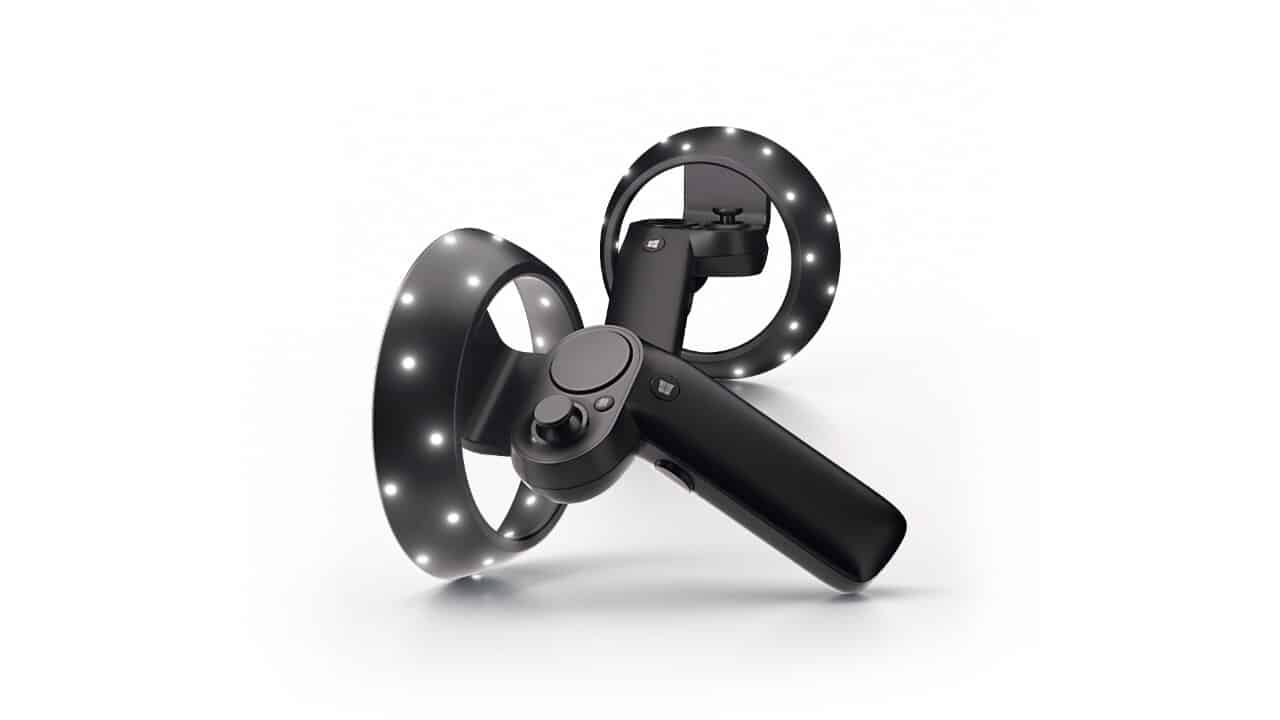
Back at Build 2017, Microsoft unveiled the world’s first motion controllers for Windows Mixed Reality. The controllers are meant to be paired with a Windows Mixed Reality device (such as the Acer Mixed Reality Headset) and help users experience a rich and immersive experience across creativity tools, productivity, games, and entertainment.

Our friend Sean Ong has just posted the world’s first unboxing of these Mixed Reality Controllers, offering a first real world look at the Windows Mixed Reality accessory.

Along with Nima Zeighami, Sean provides us a look at the packaging of the Windows Mixed Reality controllers, revealing a Bluetooth adapter, two different motion controllers, and USB cables. Sean also dives in and shows us how light the controllers really are, and offers us his thoughts and a tour of the buttons on the controllers. He even reveals that the controllers use rechargeable AA batteries, though there is also an interchangeable firmware updated battery blank.

Be sure to keep tuned for more, as Sean Ong will be plugging his Mixed Reality Motion Controllers into his computer and going full hands on and demo in a later video.

Do you think these controllers are something you will purchase for your Windows Mixed Reality Device? Let us know your thoughts below.

Windows 10 Xbox Beta app loses Avatars & gains Light Mode

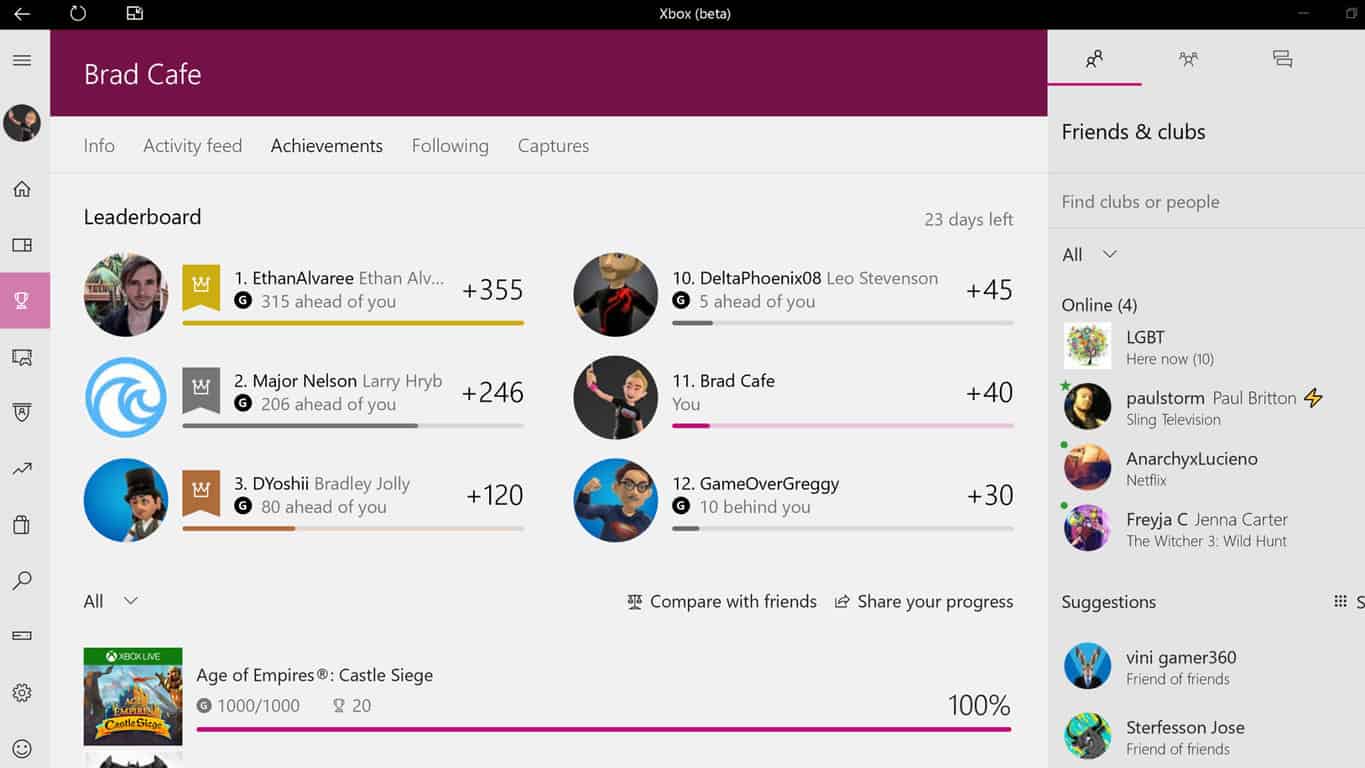
Microsoft has just updated their Xbox Beta app and has added a new Light Theme option in the settings (see above) and has also removed the current 3D model Xbox Avatars from every aspect of the app. The removal of the Avatars is likely part of the transition to the new Xbox Avatars that were announced at E3 earlier this year. Currently within the Xbox Beta app, any users who had an animated Avatar on their profile have had it replaced with their default Gamerpic.

The Xbox Beta app is a special version of the regular Xbox app where Microsoft tests special features and design elements before rolling them out to the general public a few weeks or months later. Anyone can download this Xbox Beta app in the Windows Store.

Do you like the new Light Theme and are you excited for the new Xbox Avatars? Let us know in the comments below.

Xbox One finally gets a new surfing video game

Microsoft’s Xbox One console has finally got a new surfing game with Surf World Series which is available to download and play today for free in a limited capacity with the demo version while those that wish to unlock more content can pay to upgrade to the full version.

Surf World Series should appeal to old school gamers who remember the classic California Games series and have been longing for some digital surfing ever since. While there have been the occasional surfing game released over the years, it is very much a genre that’s been almost abandoned by most game developers. Here’s the official game description, shopping link, and video:

Grab your board and take on legendary waves in this demo version of Surf World Series, the arcade surfing game that brings you to 5 of the world’s most infamous surfing destinations, including Bell’s Beach (Australia), Supertubos (Portugal), and Jeffreys Bay (South Africa). Enjoy afternoon, evening, night, and bad weather variations with different waves and visual aesthetics. Perform surfing’s most intense tricks, including the Superman and Sushi Roll, against 15 different surfers. Upgrade to the full game to design your own signature surfer with 6 playable characters and thousands of customizations to have the freedom to design your own unique slick style. Compete in 3 multiplayer online modes: Big Heat Battle, Championship and Survival.

Grab Surf World Series Demo on Xbox One

Have you played Surf World Series yet? Let us know your thoughts in the comments below.

Microsoft breaks out annual revenue by products: Office leads the way but Cloud is catching up

Microsoft’s stock has been on a bit of rollercoaster since the company released its most recent quarterly earnings.

Almost immediately after Microsoft reported moderately impressive revenue numbers for three of it four largest product categories for the three months ending in July, early investors saw their shares rise. Unfortunately, the wave of enthusiasm for Microsoft’s future ended abruptly as analysts began questioning the company’s realistic place among cloud providers.

Fortunately, Microsoft has to disclose its numbers in more detail in its annual 10K regulatory filings and observers can now see some of its revenue categorized by major product line.

In Microsoft’s 10K regulatory filing, we see a company’s swift investment in the cloud already bearing fruit with the Server products and tools category bringing in $21.8 billion in revenue. The Server products and tools division of Microsoft houses its new lead product Azure cloud platform as well as other cloud based initiatives.

Another key find in Microsoft’s 10K filing are numbers the company’s commercial cloud are pulling in, such as the combination of Azure, Dynamics 365 and Office 365 commercial bringing in $14.9 billion beating out the company’s own prediction of $14.8 billion for the quarter.

Despite the constant emphasis on Microsoft’s standing (or lack thereof) in the ongoing smartphone wars, the company has managed to subtly transition its core products from Windows and Office to Azure and a cloud based version of Office. Microsoft’s new cloud based transition should see it through the next wave of computing that will have its largest customer, enterprise, begin incorporating aspects of machine learning and artificial intelligence into business models.

Knowing that Microsoft already has a growing presence in cloud computing should help ease investors minds for the time being.

Xbox Insiders get Fluent Design, options to customize home experience in latest preview update

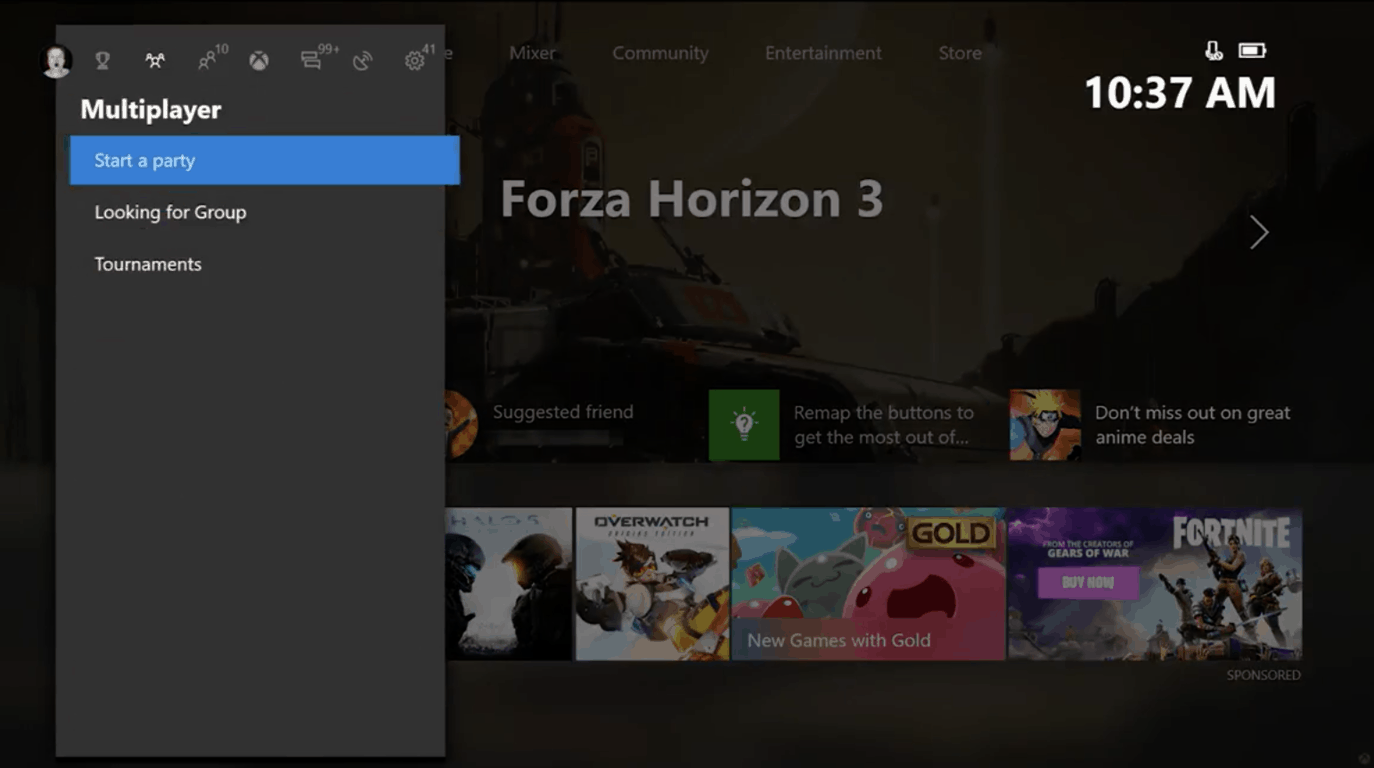
The Windows 10 Fall Creators Update is setting up for even more gaming improvements across PC and Xbox One. Today, Alpha Ring users on console are being greeted with a new update including the long requested customizable Home feature. Additionally, overall updates to Home, Guide, and Community are available today as well.

For Xbox gamers, the Home is the front of their gaming experience. Microsoft is improving it by not only adding its smoother Fluent Design for performance and making it easier on the eyes, but adding a customizable experince. Selecting a game or friend with the menu button now has an ‘Add to Home’ option. This will fill in content related chunks on the players home page such as an activity feed from your favorite game’s developers, friends playing that game, or achievements to get. According to Xbox Wire, more content block types will be added later.

Home, Social, and My Games and Apps are also being consolidated into one experience. Furthermore, it will be faster to switch between content with a new Guide layout. Gamers can use the left thumbstick, d-pad, or bumpers to move between Sign-in, Achievements, multiplayer, People, Home, recent activity and the new action center. Speaking of the community tab, a new Activity Feed layout gives an easier view of what’s been going on with Friends and Clubs, along with some improvements across Game Hubs, Profiles, and Clubs over all.

On Windows 10, gaming continues to be a focus of content for the Fall Creators Update. The Game Bar accessible by using the Win+G shortcut is getting an update. It will now be available on a per-game basis, adding a switch onto the bar itself. Microsoft’s streaming integration with Mixer will also have better audio settings to share game-only or system sounds. A link to Xbox Live Network Troubleshooting has been added to the settings menu.

This update is rolling out to Xbox Insiders in the Alpha Ring starting today with more in the next few months as we move closer to the Fall Creators Update. Let us know what you think of the changes!