The Video Editor Master app supports UWP with user-friendly interface and unique video filters with which you can edit your video clips with just a single touch.
Video Editor Master features
The app helps you organize your pictures easily in a slideshow view without reselecting or having to remove previous images. You can also combine your video clips with video and photos, attach audio clips in the background of your videos, and personalize your videos by adding customized text.
Other features of the program include:
- Trim Multiple Clip and Merge
- Sepia, mirror, stickers and more effects
- New multi-effects integration on selective portion of your videos for dynamic video creations
- Redesigned Toolbox with enhanced Sharpness, Brightness and Video controls for the best video experience
- Frame Grabber that offers the ability to capture frames while streaming videos; you can capture a single frame at a time or you can use In-Depth capturing for ten frames at once
- One touch sharing on social media
- Stylish text designs and fading effects
The app also supports multiple resolutions and HD quality videos in 480p, 720p and 1080p and is available on PC and mobile devices running at least Windows 10, Windows 10 Mobile, or Windows Phone 8.1 with an ARM x86 or x64. In-app purchases are available for $1.99.
Based on the user experiences with the program, it seems to be an easy and convenient app to edit and create from cellphones to digital cameras. Even if the interface is a bit choppy and the ads are distracting, regularly updating the program will have the app work much better.
You can download Video Editor Master for free from the Windows Store.
RELATED STORIES TO CHECK OUT:

 When it comes to system requirements, Dead Purge: Outbreak needs some muscle. While the minimum system requirements indicate 4GB of memory and 2GB of video memory, double of that is recommended. Similarly, while you need to have an Intel Core i5-4460, 2.70GHz or AMD FX-6300 processor and NVIDIA GeForce GTX 760 or AMD Radeon R7 260X graphics unit at the minimum, you’d really want an Intel Core i7 3770 3.4GHz or AMD equivalent with NVIDIA GeForce GTX 1060 with 3GB VRAM for the best performance.




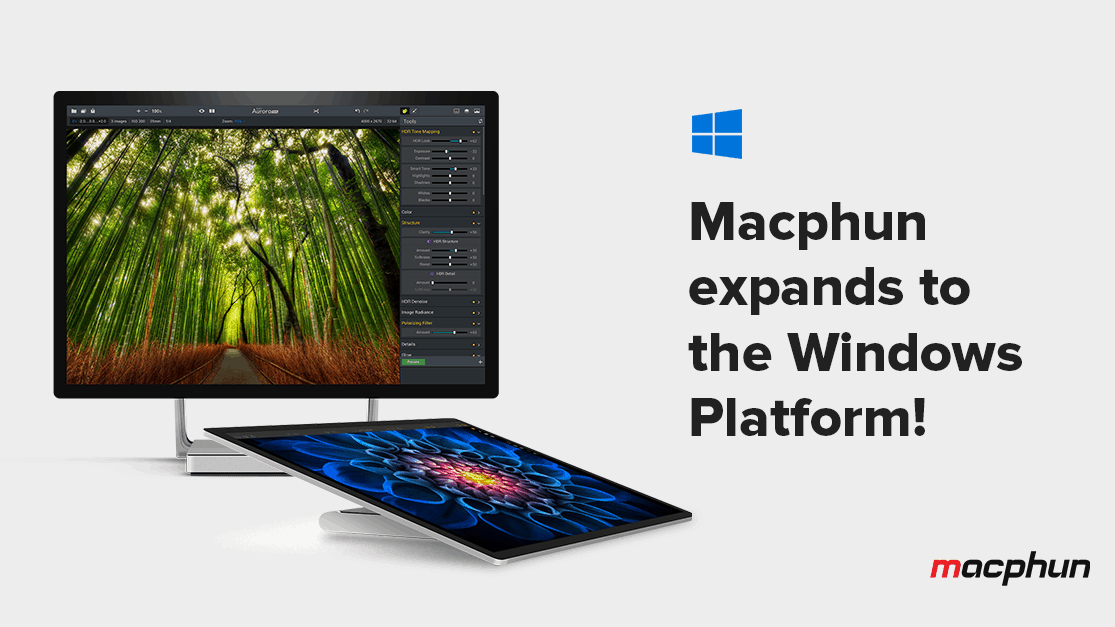
 Macphun’s best-selling photo editors, Luminar and Aurora HDR, aim to bridge the gap between professional and consumer image-editing tools. Macphun will be launching a public beta of Luminar in July with the final version along with the new version for Mac in November. The full new version of Aurora for Mac and Windows will release simultaneously in October.























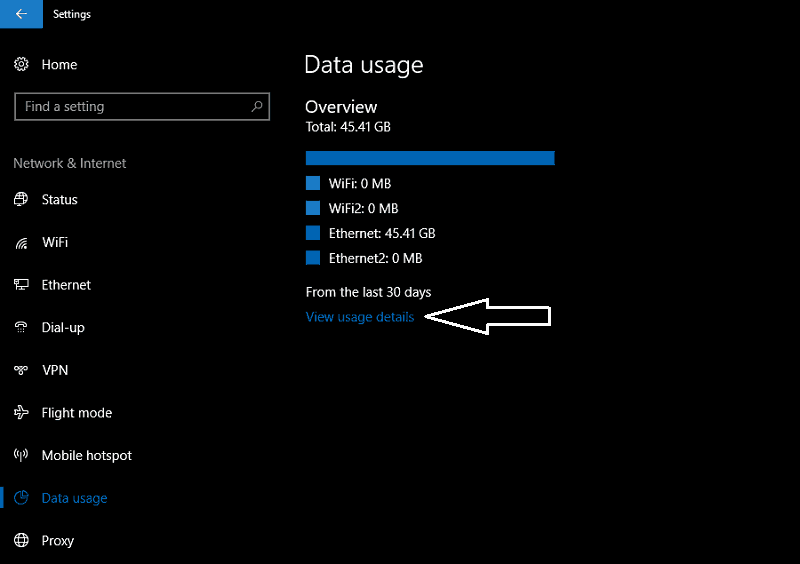 To start off, open the Settings app and head to the Network & Internet category. On mobile devices, it’s called Network & Wireless. Tap “Data usage” to head to the relevant page.
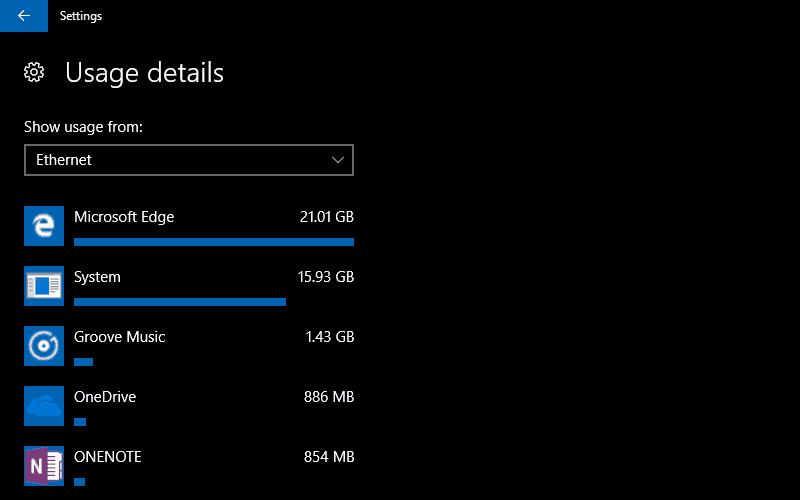 You’ll see a graph that illustrates your total data usage for the past 30 days across your different network connections. If you click or tap the “View usage details” link, you can get a breakdown of data consumption by app. This lets you identify apps that might be stealthily consuming data in the background. While the data usage screen won’t let you throttle offenders, you can remove the app or adjust its settings based on the knowledge you’ve acquired.
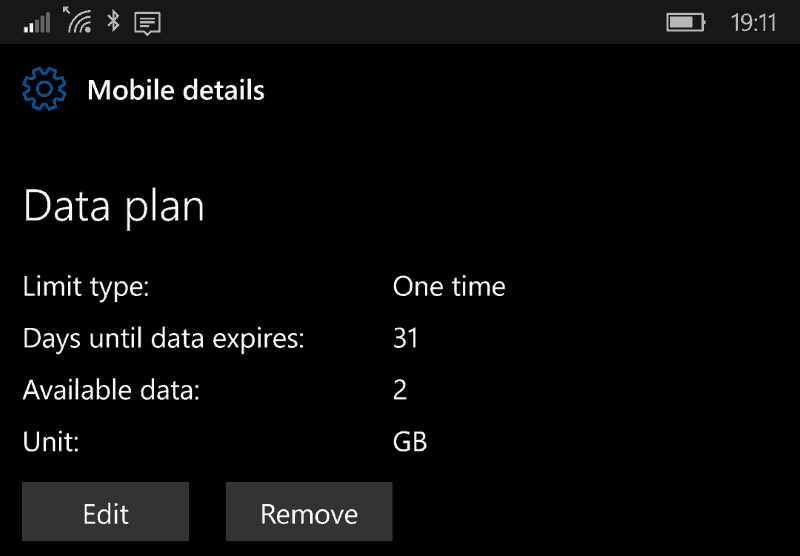 If you’re using a phone or tablet with mobile data, you’ll also see an option to set a data usage cap. This lets you define a one-time or recurring limit so you’ll be alerted when you’ve nearly used up your allowance. As you approach the limit, Windows will automatically reduce background app activity to eke your remaining megabytes out for a little longer.