Windows 10 Maps app updated with map error submission for Fast Ring Insiders

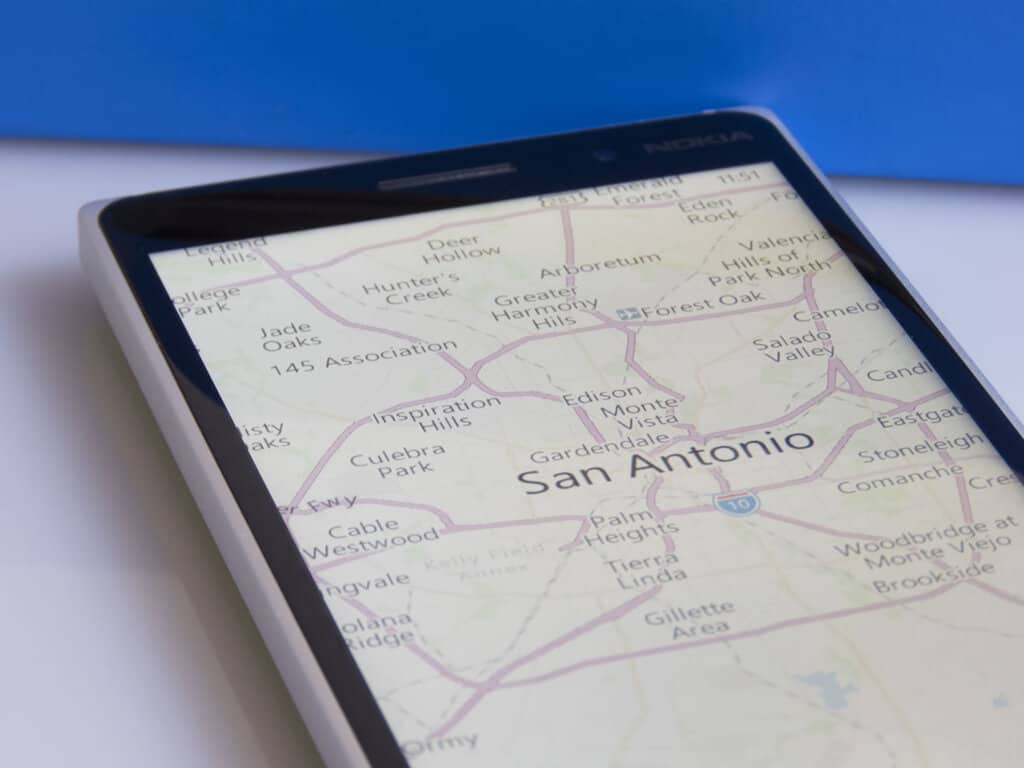
Microsoft has pushed today a new update to the Windows 10 Maps for Windows Insiders in the Fast Ring which adds new options to submit corrections about the maps’ data (via Neowin). Looking at the app’s hidden menu, you will see that the “Feedback” item has been replaced with a “Suggest change” option. If you don’t do any search in the app, tapping this new option will give you these three choices:

  • Add a missing business or landmark
  • Suggest a modification about inaccurate data on a specific area
  • Open the feedback hub
The new "Suggest change" option has replaced the link to the Feedback Hub.
The new “Suggest change” option has replaced the previous link to the Feedback Hub.

If you do a search and then tap the “Suggest change,” the app will give you another set of options to submit corrections about the place you were searching for. You will then be able to suggest name changes, location adjustments, and more.

Windows 10 Maps.
More options are available with search results.

Microsoft’s Windows 10 Maps uses data from Here Maps which is usually top notch, but there is always room for improvement (especially in some countries such as Japan) and crowdsourcing can be definitely helpful. To try this new feature, make sure to download the latest version 5.1611.3162.0 which should be rolled out to the production ring in the coming weeks.

Windows Maps
Windows Maps
Price:
Free

Remember the original Xbox dashboard? Major Nelson looks back

As the Microsoft’s Xbox One gaming console enjoys some well-deserved momentum the last few months, the original Xbox celebrates its 15th birthday today.

Over its nine years of retail availability, the first Xbox lacked the same mainstream success as its Xbox 360 successor, though it seems that some of Microsoft ideas were definitely forward looking at the time such as the x86 architecture, the global shape of the Xbox controller and the Xbox Live online gaming service.

Today, Xbox’s Major Nelson shared a couple of images of the original Xbox dashboard focusing on the Xbox Live experience, and just a week after Microsoft introduced Clubs, Looking for Groups and more to the gaming network. It is quite fascinating to look back at the beginnings (as a reminder, Xbox Live introduced in November 2002, a full year after the launch of the original Xbox in the US)

In this last tweet from Major Nelson, you can watch a video recap of all the different Xbox dashboard experiences that Microsoft developed for the original Xbox, Xbox 360 and Xbox One over the last fifteen years.

As those of you who own an Xbox One may know, Microsoft’s latest gaming console has been running an optimized version of Windows 10 since the release of the New Xbox One Experience last year, and it’s safe to say that the new dashboard is a vast improvement over the previous versions.

Now with more and more UWP apps reaching the Xbox Store, better social features on Xbox Live and upcoming native support for Microsoft’s Beam live streaming network, the Xbox One is also a much better entertainment device. It’s a worthwhile to look back at the past, but the future is more exciting.

LightKey is a free word prediction app for Windows in Outlook, Word, and PowerPoint

Inspired by the redesigns of typing on mobile platforms, a new software app has caught our attention (thanks for the tip, itai!). LightKey is intended to make typing on the PC quicker and easier through the use of keybindings such as tab to autocomplete words. The algorithm to determine the words is based upon the context of the sentence, your previous writing styles, and even the program in which you are using.

LightKey is built specifically to be naturally compatible with Microsoft Office, specifically Word, Outlook and PowerPoint, switching the focus of suggestions through presentations, emails, and more.

Upon download of the web installer, Lightkey will automatically detect your computer’s operating system and version of Microsoft Office (if it is installed). It will also present the version of the software you are about to download. After the download, you’ll be greeted with some personalization such as indicating whether you type by looking at your keyboard or monitor, as well as selecting interests and hobbies that you write about from sports and government to social media and academics.

The dashboard for LightKey minimizes into the system tray and displays plenty of information that you might need to know to monitor your efficiency, tune the resource allocation, and set personal keybindings.

While we concluded that the software isn’t the most effective for high-speed typists, it is useful for those that might need the extra assistance. Light Key is available in over seventy languages now so if you’re curious to try the software, you can download it for free from the official LightKey.io site.

Pivotal Cloud Foundry now supported in Microsoft Azure

Microsoft has announced that Pivotal Cloud Foundry is now supported in Microsoft Azure. The announcement, initially made by Sean McKenna, a Principal Program Manager at Azure Compute, comes as a Microsoft commitment to matching customers with the platforms and tools to help organizations meet the challenge that comes with development, operational productivity gains, and reliability and portability.

Pivotal Cloud Foundry puts emphasis on enterprise Java applications, as it ships with first-class support for Spring, an application framework well suited to building 12-factor apps. It also comes as the Azure team worked with the Cloud Foundry community to deliver open source Cloud Foundry on Azure, which became GA in November of last year. Additionally, Customers who use  Pivotal Cloud Foundry in Azure will benefit from a cloud platform that helps simplify operations through the support of many popular application stacks.

To learn more about Pivotal Cloud Foundry be sure to head over to this Microsoft Webpage. Once you’ve checked it out, let us know what you think by dropping us a comment below!

NVIDIA and Microsoft build an AI framework for NVIDIA Tesla GPUs in Azure or on premises

NVIDIA announced yesterday that they were collaborating with Microsoft to improve their upcoming Tesla server GPUs with an AI framework. Inspired by Microsoft Research’s strides towards deep learning and reaching human parity with speech recognition, NVIDIA will be optimizing enterprise AI framework to run on the Tesla GPUs for both the Microsoft Azure cloud and on-premises servers.

“We’re working hard to empower every organization with AI, so that they can make smarter products and solve some of the world’s most pressing problems,” said Harry Shum, executive vice president of the Artificial Intelligence and Research Group at Microsoft. “By working closely with NVIDIA and harnessing the power of GPU-accelerated systems, we’ve made Cognitive Toolkit and Microsoft Azure the fastest, most versatile AI platform. AI is now within reach of any business.”

The toolkit mentioned is the open source and commercial grade Microsoft Cognitive Toolkit used for Skype, Cortana, Bing, and Xbox. It trains and adjusts algorithms to scale according to the input discovered, making GPUs more efficient with a hybrid cloud platform. In fact, according to the press release, the GPU-accelerated toolkit was over 170 times faster on NVidia GPUs than it was with former the former CPUs. Which isn’t surprising given the thousands of cores in GPUs processing unilaterally.

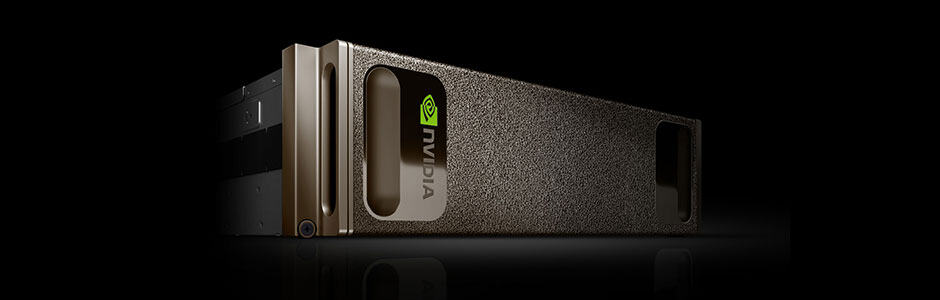
Microsoft and NVIDA are both looking to improve enterprise and industry across many fields with these deep learning GPUs. One step further, the “world’s first supercomputer in a box” built specifically for using AI and deep learning is now available. The NVIDIA DGX-1 just might revolutionize data server processing for enterprises thanks to the collaboration.

Microsoft partners with Elon Musk’s Open AI to help make Azure a better AI platform

Having missed its opportunity to become a big player in the mobile market, Microsoft has been trying to have a forward-looking approach towards other technology fields over the last few years such as cloud computing, artificial intelligence and machine learning. And as of today, the Redmond giant managed to achieve some technology breakthroughs such as its speech recognition technology which claimed the lowest-ever error rate in a recent benchmark.

But in 2016, Microsoft, which has become a big open source supporter,is also looking to open up its AI efforts. That’s why the company announced today a new partnership with OpenAI, a nonprofit AI research organization co-founded by Elon Musk, Sam Altman, Greg Brockman and Ilya Sutskever.

“At Microsoft, we believe everyone deserves to be able to take advantage of these breakthroughs, in both their work and personal lives,” explained the company in today’s blog post, adding that “we are committed to democratizing AI and making it accessible to everyone.” In the video below, executive vice president of Microsoft’s Artificial Intelligence and Research group Harry Shum and OpenAI’s Sam Altman explain why this new partnership will help both organizations as well as other companies deliver more breakthroughs in the AI field.

The partnership also makes some sense as OpenAI already chose Microsoft Azure as their primary cloud platform and is also an early adopter of the company’s Azure N-Series Virtual Machines. “OpenAI chose Microsoft due to our deep learning research and ongoing commitment to AI, along with Azure’s support for open source technologies and its unique combination of high performance computing, big data and intelligence capabilities such as Azure Batch, Azure Machine Learning and the Microsoft Cognitive Toolkit (formerly CNTK),” explained Microsoft.

In other AI-related news, Microsoft also announced today the launch of an Azure Bot service that will allow developers to leverage the Microsoft Bot Framework to deploy them on Azure. According to the technology giant, more than 50,000 developers are already using the Bot Framework to build chat bots. “We’ve made major strides in artificial intelligence just in the past five years, achieving milestones many people who have devoted their lives to the field wouldn’t have thought possible. Now, we have the opportunity to help our partners and customers use these breakthroughs to achieve their goals,” shared the company.

New Windows 10 app turns contacts into Pokemon

A new app has just launched in the Windows Store for Windows 10 and Windows 10 Mobile devices. It’s called, PokePeople, and is a rather original take on the traditional address book app inspired by the Pokedex in the popular Pokemon video games and cartoon series.

Using PokePeople is fairly easy as it functions just like an address book. The only difference is that instead of just adding a name and profile image, users can record “cries”. In the Pokemon video games, Pokemon only really make one sound (aka, “cry”) and this is a rather humorous way to Pokemonify user contacts. Sounds can be recorded from within the app and could potentially be anything ranging from a friend saying their own name to something completely random. Here’s the description:

Do you miss your Pokédex from the classic Game Boy Pokémon games? Well now you can add your phone’s contacts to your Pokédex on your phone, and add a cry for each contact.

Features: Record a cry for everyone. Export cry to MP3. Load profile image. Add description.

PokePeople is a completely unofficial Pokemon app and has no relation to Nintendo or the Pokemon Company. Are you going to try PokePeople? Let us know your impressions of it in the comments below.

PokePeople
PokePeople
Developer:
vixezApps
Price:
Free

Microsoft takes action to prevent Xbox Club invite spamming

Microsoft has taken measures to prevent Xbox Club owners and admins from spamming other Xbox users with invites.

“With the latest Xbox One System update, we have added Clubs as one of the many new features,” says the official statement Xbox’s Larry Hyrb’s blog. “I wanted to let everyone know that based on the feedback received from our Xbox Insider audience and the data collected, we have adjusted the maximum of invites each club can send and go unanswered. Most clubs won’t notice any changes. But if you are one of the few clubs that has reached that maximum, when you try to send new club invites, only a subset will be sent. The other invites will be dropped silently.”

This is a change that really does benefit all Xbox One and Windows 10 users. There’s nothing worse than being bombarded with random invites to join online clubs that you have no interest in. For Xbox Club owners and admins who want to see their clubs grow though, Larry Hyrb offers two suggestions; Only invite users who have expressed interest in joining or simply direct people to the “Request to join” button.

Xbox Clubs are a new social feature that launched this month on Xbox One and the Xbox apps on Windows 10, iOS, and Android devices. Their primary purpose is to allow gamers to communicate with each other easily and discover new friends with similar interests.

Are you enjoying the new Xbox Clubs feature? How many clubs have you joined? Let us know in the comments below.

Play Xbox One, PS4, and PC video games in VR on one device

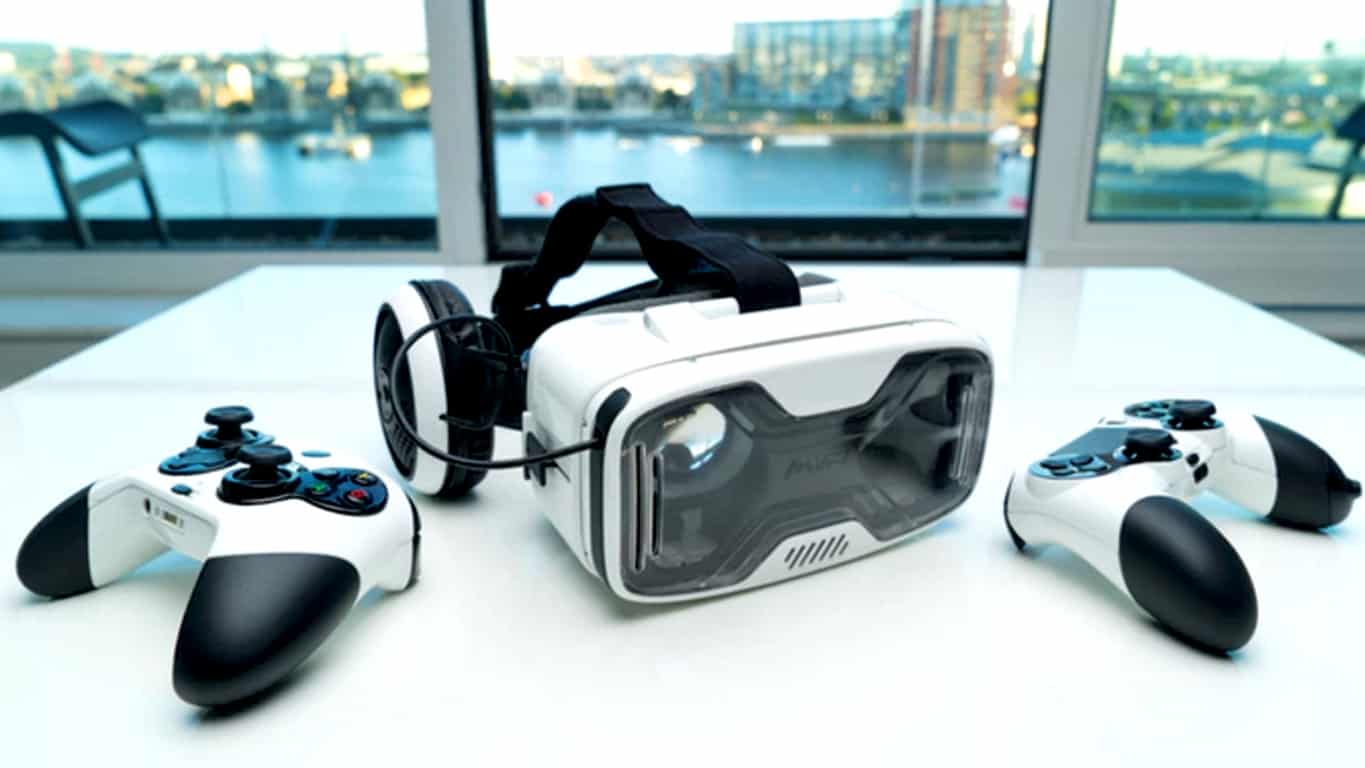
A group of developers have come up with a concept for a new device that would allow for gamers to play video games from the Xbox One, PlayStation 4, and PC game libraries and play them in VR. The device is called, the MVR Ascend, and it’s a tether-free virtual reality headset and controller that relies on a smartphone for most of its functionality. It has the potential to be pretty big… if it gets funded.

The MVR Ascend is relying on a Kickstarter campaign to get it off the ground and the team behind it currently has £14,772 of their £150,000 target. Here’s their official campaign description.

MVR has been set up by a group of technology enthusiasts who are keen to bridge the gap that exists in the VR gaming world today. There are some amazing devices currently available but some of them are a bit expensive, have limited games and physically tether you to a computer/console, while others are affordable and tether-free but allow you to only play basic smartphone apps.

We wanted to play our favourite AAA games in VR (not just apps or short unknown games), we wanted to be tether-free (so we don’t get wrapped up in a wire while doing a 360 degree turn) and importantly, we wanted something affordable! That’s why we created the MVR Ascend – The only VR system that is able to play existing and future PS4, Xbox One and PC games in tether-free VR. Our headset can also be used to play VR/AR apps as our system is smartphone based, so your screen quality evolves as you upgrade your phone.

So join us in this VR revolution and lets take gaming to the next level!

The MVR Ascend Kickstarter campaign only has 48 hours left and it will be interesting to see if they reach their goal and what they’ll do if they don’t. Do you think this concept is a cool idea? Share your thoughts with the community in the comments below.

Check Watch Dogs 2 system requirements to avoid potential technical issues

Watch Dogs 2 will soon be available on Windows PCs and if you want to avoid potential game issues, you should first make sure your computer meets the system requirements for this game.

Watch Dogs 2 is coming to the Xbox One tomorrow, but PC fans will have to wait a bit longer until they can get their hands on the game. Ubisoft announced November 29 as the PC release date of the game, but there’s one interesting piece of information on the company’s website.

As you can see on the screenshot below, the release date for Watch Dogs 2 is November 15, and the PC platform appears on the list. Ubisoft should have clearly mentioned November 29 as the release date for Windows PC to avoid confusion. Another possibility is that the company is actually planning to surprise fans and release Watch Dogs 2 earlier on PC. Time will tell if we’re wrong or not.

watch dogs 2 release date

Watch Dogs 2 system requirements for Windows PCs

Watch Dogs 2 minimum PC requirements

  • Supported OS (64-bit versions only): Windows 7 SP1, Windows 8.1, Windows 10
  • Processor: Intel Core i5-2400S @ 2.5 GHz / AMD FX 6120 @ 3.5 GHz
  • RAM: 6GB
  • Video Card: Nvidia GeForce GTX 660 (2GB) / AMD Radeon HD 7870 (2GB) or better
  • Hard Disk Space: 50 GB
  • Peripherals: Windows-compatible keyboard and mouse, Microsoft Xbox One Controller, DualShock 4 Controller
  • Multiplayer: 256 Kbps or faster broadband connection.

Watch Dogs 2 recommended PC requirements

  • Supported OS – (64-bit versions only): Windows 7 SP1, Windows 8.1, Windows 10
  • Processor: Intel Core i5-3470 @ 3.2 GHz / AMD FX 8120 @ 3.9 GHz
  • RAM: 8GB
  • Video Card: NVIDIA GeForce GTX 780 (3GB) | NVIDIA GeForce GTX 970 (4GB) | NVIDIA GeForce GTX 1060 (3GB) or better | AMD Radeon R9 290 (4GB) or better
  • Hard Disk Space: 50 GB
  • Peripherals: Windows-compatible keyboard and mouse, Microsoft Xbox One Controller, DualShock 4 Controller.

You can pre-order Watch Dogs 2 for $59.99 from Steam.

RELATED STORIES YOU NEED TO CHECK OUT:

Physical keyboard for Windows 10 Mobile phones in development

It seems that Microsoft is now trying to improve the software side of  Windows 10 Mobile. The company is currently working with partners on building devices that will run its OS. While there are no big companies now rushing to adopt this new platform, there are some smaller ones from Asia that want to do it.

For example, KEYEVER AO, a company from China, has announced a candybar phone that will feature a 3.5-inch AMOLED screen andl support a resolution of 960×540 pixels. The handset will come with touch support and a physical keyboard. According to leaked images, it seems that the new device will come with a typical number keyboard, but it seems that there are plans to release a version of the device with a QWERTY keyboard.

The handset will feature a Qualcomm Snapdragon 600 chipset and a battery of 3000 mAh which will be able to keep the handset going for at least one day. To make sure that the device will sell well, the Chinese company wants to sell the device for only $155.

We’re pretty sure that this upcoming device reminds you of BlackBerry-powered devices, which came with a QWERTY keyboard and a touchscreen. For example, the BlackBerry Q10 was released with similar mentioned features, but had a Snapdragon S4 processor.

It is good to know KEYEVER AO is still working on the Windows 10 Mobile smartphone, which means that there is a high chance some of its features will change before being released to the public.

The company hasn’t specified any release date yet, but it is planning to launch it as soon as possible.

What are your thoughts about QWERTY type of smartphones? Do you think that the public will go back to those types of devices?

RELATED STORIES TO CHECK OUT:

Four nifty ways to use ink in Windows 10 Maps app

Microsoft released a Windows 10 blog post today showing off how Ink can be used in conjunction with the Windows Maps application. Known for its voice navigation and turn-by-turn directions similar to Google Maps, this Microsoft version comes with the ability to use Surface Pen to improve the app’s experience.

Drawing with Ink on Windows Maps includes:

  • Draw a line between two points for directions
  • Save marks and add notes to your map
  • Trace a route to calculate distance
  • Use a ruler to plot multiple locations

Windows Maps is for free on the Windows Store so you can download and try out these features today.

Windows Maps
Windows Maps
Price:
Free

Here’s how to turn off Office 365 upgrade ads

If you don’t use locally installed Office 2016 apps and you are being harassed by Microsoft’s upgrade notifications, we might be able to provide some assistance in the matter.

Users who are currently Office 365 subscribers using Office 2013 have definitely noticed the pop up add that appears from time to time, on their notification tray in the taskbar, inviting them to  upgrade to Office 2016. The three options it offers are “Upgrade,” “Later,” and “See what’s new”.

Selecting “Later” (if you don’t want the update), would not dismiss the notification permanently and the ‘”Upgrade” option takes you to the installer for upgrading to Office 2016, which may or may not be free – based on your actual Office 365 subscription plan. Whereas, the “Learn more” option will redirect you to a website which elaborates the new aspects of Office 2016.

The ad can be bothersome for a few reasons, one being – it is nagware and the other that it is clingy and won’t go away easily. Moreover, it is illusive and in some cases, even after subscribing to the Office 365 Business Essentials plan, it still does not authorize users to the locally installable Office 2016 apps, instead provides them with Exchange access.

Coming towards the solution of the vexatious pop-up ad dilemma, what you need is an easy fix file, run it, then follow the steps described by the wizard.

When Microsoft was asked to provide insight on the problem they responded:

The notification is meant to provide existing Office 365 subscribers who are using an older version of Office an easy way to upgrade to Office 2016. The team is actively working to identify the right frequency and are also evaluating ways to make adjusting the notification simple based on customer feedback. In the meantime, customers can turn off the notification by first clicking here. Then, in the File Download dialog box, click Run or Open, and follow the steps in the fix wizard.

But don’t worry, as the fix will not affect your subscription, and users who are on the older, locally installed versions of Microsoft’s office apps, can continue to use it  and still get security fixes from Microsoft for free.

RELATED STORIES YOU NEED TO CHECK OUT:

  • Guest access has been added to Office 365
  • Microsoft will integrate Genee into Office 365 to make it smarter

Microsoft offers limited-time free FastTrack help for moving SharePoint 2013 on-premises to Office 365

Microsoft Office released a blog post today to announce that there’s a limited offer for SharePoint 2013 on-premises services to finally make the plunge over to Office 365. The offer allows IT administrators to make the switch without any additional cost until March 31, 2017.

The offer is being targeted for medium to large business team sites and my sites that have at least 150 licenses. It also comes with assistance from the Fast Track team to help migrate the services and build an executable plan to learn the new services on the cloud.

Data cannot exceed 10 TB per Office 365 tenant or 75% and above of the target site collection quota. If you’re looking for more information on how to get on the FastTrack to transferring SharePoint 2013 on-premises services to Office 365, Microsoft has shared a full FAQ about the offer and a full list of potentially migratable site content on their site.

Windows 10 showcase StaffPad gets November update, adding Surface Dial support and more

As previewed in the video released last week, StaffPad is now compatible with Surface Dial. StaffPad is a professionally designed application that puts composing at the user’s fingertips. Musically inclined are able to draw their notes and scores naturally with the Surface Pen.

The update released yesterday is one of the biggest yet, with a slew of new features and added improvements to help composers. Windows Central summed up the list of additions quite nicely:

  • Support for Surface Dial
  • Addition of drag to move or copy selected bars
  • Direct addition of tuplets
  • Additional print scaling options, including lyric scaling
  • Improved support for printing of sketch layer strokes
  • Bar number offset for score can be set
  • When sharing scores in the app, email subjects are populated with score title
  • When dragging to resize tuplets, the number auto-adjusts
  • Pedal retakes can be erased individually
  • Added keyboard shortcuts (cut/copy/paste/delete, playback controls)
  • Improved file type deduction on import when file extensions are misnamed
  • Various UI updates

StaffPad’s announcement blog also mentioned that they will begin releasing new tutorial videos to correspond with the new options.

This is one of many strides that developers have made recently as we move forward towards the Windows 10 Creators Update announced a few weeks ago. App devs have been encouraged to use the newly released Surface Dial as a haptic device for a more natural touch surface experience.

If you’re looking for a hands-on experience with Surface Dial and music is your art of choice, be sure to check out StaffPad. It is available from the Windows Store for $70.

StaffPad
StaffPad
Developer:
StaffPad Ltd
Price:
$89.99

How Santa Claus uses the Microsoft Cloud to meet high holiday season demand

While Microsoft already has revealed some details about what Xbox and Surface sales their retail store will offer up this holiday season, the company is also now highlighting how Santa Claus uses the Microsoft Cloud to meet the high demand for gifting this holiday season.

santamsft
The Santa Cloud

The post highlighting the demand was written by Joe Davies, a Senior Content Developer at Azure Documentation. Overall, it looks at how Santa’s annual Christmas process requires massive amounts of computing and storage resources.  As seen in the graphic above, the post also puts Santa in the shoes of a CEO, and highlights several steps of the process where the Microsoft Cloud helps Santa in his decisions:

  • Collect and analyze current and historical data and requests for presents from multiple sources (Azure Data Lake, SQL Data Warehouse, and Stream Analytics)
  • Work with vendors and partners during various parts of the manufacturing process
  • Perform the final determination of just who is naughty and who is nice (SQL Data Warehouse and Machine Learning)

To learn more about the power of the Microsoft Cloud, and as to why you should use Azure and Azure Solutions, be sure to head over to this official Microsoft website, and download Santa’s Azure infographic. As always, let us know what you think of the power of Microsoft Azure by dropping us a comment in the section below!

Some Zune fans still holding on, 10 years after Microsoft’s failed music player was born

In the last 16 years, Microsoft made some bold moves to enter new markets that met various degrees of success, to say the least. As a reminder, the company’s mobile efforts started in the early 2000’s with the Pocket PC 2000 OS, while the “Windows Mobile” brand only made its appearance in 2003. Then in 2001, Microsoft entered the gaming console market with the original Xbox, which will celebrate its 15 birthday tomorrow along with the Xbox exclusive Halo franchise.

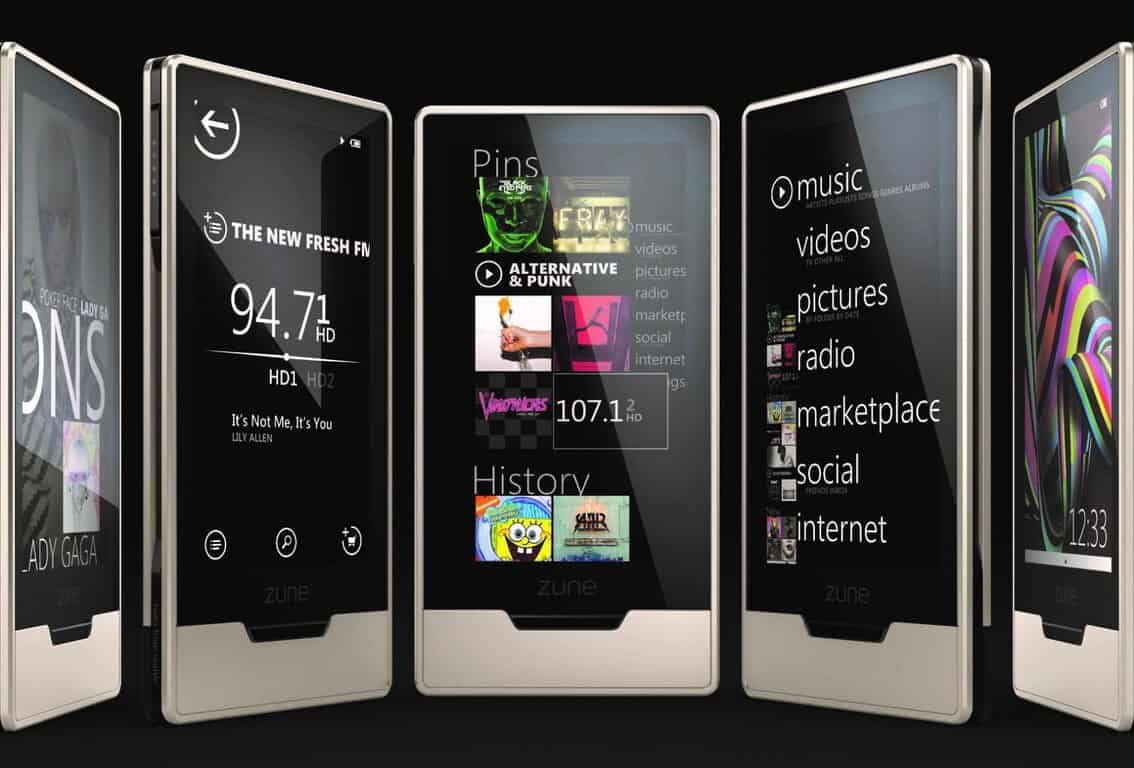
Ten years ago, the company also entered the portable media player market with its Zune brand, which was discontinued in 2012 after the products were unable to compete with Apple’s iPods and iTunes ecosystem and the global rise of smartphones as digital hubs. However, while Microsoft released its last Zune hardware back in 2010 with the Zune HD 64, there is still a small passionate community of Zune fans who are still using the devices as of today, according to a new report from The Seattle Times.

The newspaper took an interesting look at the Zune subreddit, discovering “a small but enthusiastic crew of Zune aficionados” who collect, repair and share tips about how to troubleshoot technical issues with the now-unsupported devices. A lot of them still praise the music players, which were the first consumer devices from Microsoft to feature the “Metro” design language which went to become later one of Windows Phone’s key features.

While some consumers may still find some value in dedicated music players, this product category may well have become a niche market in 2016 as even Apple’s iPods no longer have a dedicated landing page on the company’s website.

As for the Zune brand, Microsoft replaced it with the Xbox Music brand back in 2012 before introducing the Groove Music service last year. But while Groove Music is a ubiquitous service and one of the best-designed apps on Windows 10 devices today, it’s not clear yet if the service and the brand will ever get as much devotion and loyalty from consumers compared to the Zune or Xbox brands.

Microsoft rolling out Outlook Customer Manager, a lightweight CRM for Outlook and Office 365

A new way to keep up to date with all of your customers is now available for Microsoft Outlook. The Outlook Customer Manager is rolling out today for Office 365 Business Premium First Release customers and is built into Outlook without the need of installing more programs or connectors.

The Outlook Customer Manager automatically collects all of your customer call logs, emails, communications, bookings, notes, and tasks together in a convenient list on the side of your Outlook. You can even enable to share it across your business employees which is an invaluable feature for providing customer support with multiple connections.

The Customer Manager is aimed at smaller businesses who could use Customer Relations Management (CRM) tools, but aren’t able or willing to pay, or simply don’t need, a full range solution like Dynamics 365.

The feature is also available for mobile but only on iOS for now. The Microsoft blog post released mentions that they will be rolling it out across other platforms as it develops.


Xbox Black Friday deals announced: get an Xbox One at its lowest price ever

With Halloween and Election Day behind us here in the United States, the holiday season is now fast approaching. So, if you’re looking to save some money on Xbox related purchases for the Holiday shopping season (or brave and skip the crowds on Black Friday,) you might want to shop with the Microsoft Store and other participating retailers.

Leading off Microsoft’s Black Friday deals (online, in-store purchases and at participating retailers) is the fact that you can save $50 on the purchase of any new 1 TB Xbox One or Xbox One S from November 20th-November 23rd. Additionally, you also can get any new Xbox One S for $249 from November 24th to November 28th, including savings on new Xbox One S bundles which are releasing this holiday season. And as an added bonus, you also can save $20 on ReCore, and $25 on Gears of War 4, bundled with the entire Gears Xbox 360 Collection at participating retailers nationwide.

If the gamer on your holiday list already has an Xbox One, you also can take advantage of some upcoming deals coming to Xbox One, Xbox 360 digital games, movies, and TV shows. This holiday season, Xbox Live Gold members will get early access to weeklong Black Friday deals on Nov. 18 before the general public jumps on Nov. 22 – 28. They also will be able to save up to 10% more on sale titles, and get big discounts on hit Xbox and Windows 10 games such as Quantum Break, Rise of the Tomb Raider, and more.

Of course, Microsoft also will have some deals on Xbox Live and Xbox accessories, which can make for the perfect stocking stuffer for the gamer you would like to gift.  Leading off these deals is the fact that you can save $10 on 3-month or 6-month Xbox Live Gold memberships from November 24-28 at select retailers nationwide. Additionally, you also can save $10 on Xbox Stereo Headsets,  and Xbox Wireless Controllers. Last, but certainly not least, is the fact that you can get a free engraving when you design a personalized Xbox Wireless Controller with the Xbox Design Lab.

For added savings this holiday season, the Microsoft Store also has some great Black Friday deals on Surface and other Windows 10 devices and accessories.  So, be sure to check our post on that end of things, and let us know what Microsoft related gifts you will be getting this season by dropping us a comment in the section below!

Microsoft announces its largest purchase of wind energy to date

Microsoft has announced today the purchase of 237 megawatts of wind energy from Allianz Risk Transfer and Black Hills Corp., its largest purchase of wind energy to date. These new contracts, which will make Microsoft’s wind energy investments reach 500 megawatts in the US, will allow the company to power its Cheyenne, Wyoming datacenter entirely by wind power.

In a separate blog post, Microsoft President and Chief Legal Officer Brad Smith reiterated that Microsoft’s commitment to build a greener cloud :

This investment in wind energy keeps us on pace to meet the energy goals we set last spring. We announced earlier this year that roughly 44 percent of the electricity consumed by Microsoft’s datacenters comes from wind, solar and hydropower, and we committed to raising this to 50 percent by 2018 and to 60 percent by early in the next decade.

Microsoft’s investments in wind energy projects in the U.S. have now reached more than 500 megawatts.

With these latest wind energy investments, the company has also “structured the purchase and partnered with the local utility in novel ways to make it easier and more affordable for cities and states to move to a cleaner energy grid,” added Brad Smith. Specifically, Microsoft has partnered with Black Hills Energy to create a new tariff that will be available to all eligible customers in Cheyenne, allowing the utility to use the company’s datacenter’s back up generators. With this new solution, Black Hills no longer needs to pursue its plans to build a new power plant in the area.

“We’re focused on building a cloud that serves the broader good, a cloud that is trusted, inclusive and responsible,” explained Brad Smith. “By thinking creatively about our energy needs and the assets at our datacenters, we’re able to deliver an innovative solution in Wyoming that does just that — and serves as a model from which we all can learn,” he added.

Windows 10 news recap: security flaw fixed, acts to prevent ransomware, 4th Redstone update and more

Welcome back to our weekly “Windows 10 news recap” series where we go over the top stories of the past week in the world of Microsoft’s latest operating system. This recap is especially exciting because of all the announcements surrounding Windows 10 and its Creators Update. Let’s get started.

Microsoft is working to defend your Windows 10 PC against ransomware

In a world where technology is being increasingly used, attacks in the form of malware, viruses and ransomware are growing. Microsoft, with Windows 10, has taken steps to mitigate the potential of a ransomware attack through several changes. Security has been hardened in mnay areas, including the default web browser, Microsoft Edge, as well as the core operating system itself.

Microsoft explains everything it is doing to secure customers computers in a blog post.

Crowdbased Eve V Windows 10 2-in-1 gets some final specifications

The final specifications of the Surface-like competitor, Eve V, a Windows 10 2-in-1, have been revealed. The specifications of the device put it above that of the Surface Pro 4, however, the actual performance in real-world scenarios is still yet to be discovered.

Here are the specs in comparison to the Surface Pro 4:

The Eve V clearly beats the Surface Pro 4 on paper.

Check out the new on-screen touchpad feature in Windows 10 Creators Update

Microsoft is bringing a new feature to Windows 10 in the upcoming Windows 10 Creators Update. It will add an on-screen touchpad, which perfectly compliments the on-screen keyboard that we currently have. Take a look at the on-screen touchpad below:

Touchpad settings
Touchpad settings

Microsoft just fixed a major Windows 10 security flaw

In addition to Microsoft outlining what it is doing to prevent ransomware from infecting customers’ machines, it has also fixed a rather nasty security flaw. This security flaw allowed attackers to take advantage of certain privilege settings to install and run applications. It has been widely reported that Russian attackers used this flaw en masse recently.

Windows 10 rumored to have a fourth Redstone update in the works

In true Windows 10 fashion, Microsoft is rumored to be continuing the Redstone line of updates for Windows 10. We’re already aware of Redstone 1, 2 and 3 but now it seems the company is already working on Redstone 4, slated for early 2018.

Here are the builds that released this week:

Thanks for reading – we’ll be back next week with more!

Xbox news recap: Mass Effect Andromeda beta, Xbox Preview rebranding, 15th anniversary preparations and more

Welcome to our weekly Xbox news recap series, where we go over the top stories of the past week in the world of Xbox. Let’s get started.

Mass Effect Andromeda getting a multiplayer beta

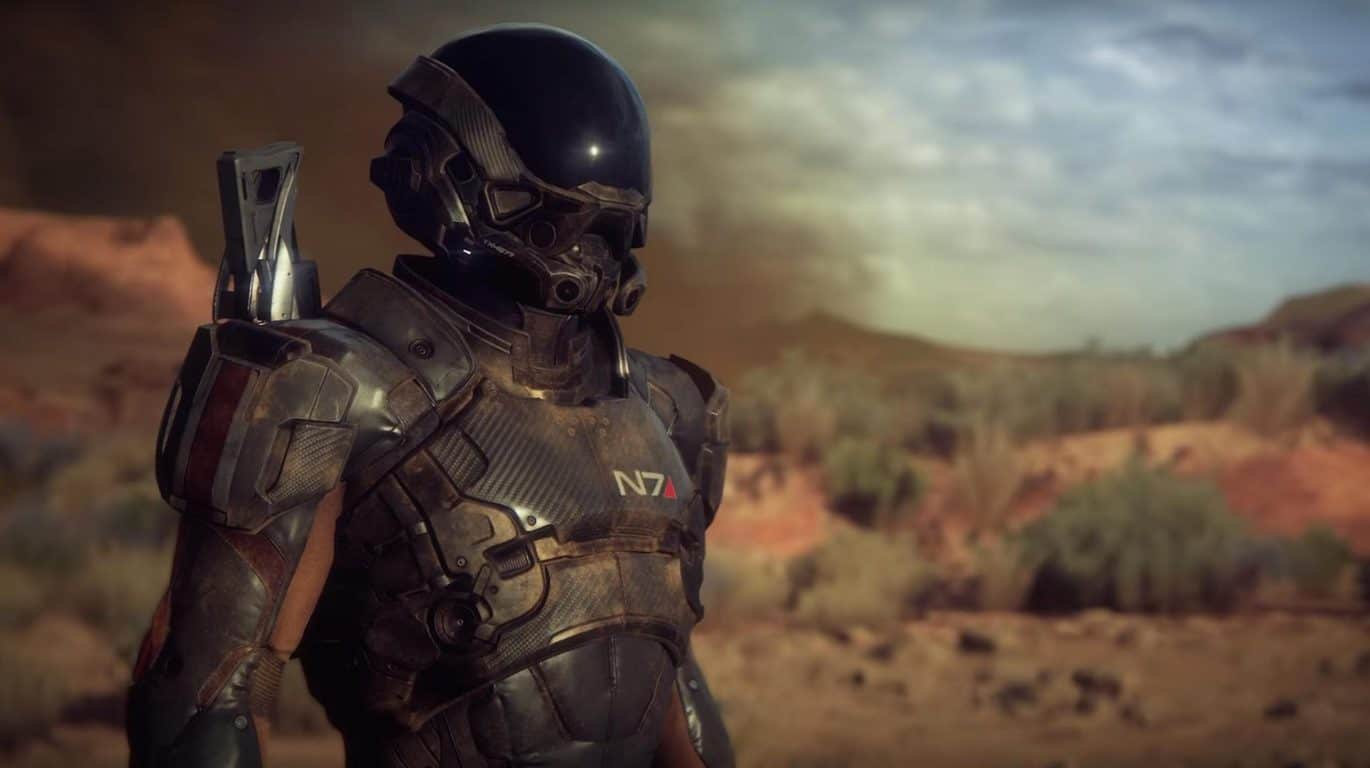
If you’re like a huge portion of the gaming community, you’ve been waiting for a very long time to hear more about the future of Mass Effect. The last game in the original trilogy, Mass Effect 3 came out years ago and prompted a serious falling-out with the fanbase because of its lackluster ending. Since then, Bioware and EA have been very careful about how they re-introduced the franchise. On November 7th – known by fans as N7 day, a bit of a holiday where Mass Effect fans celebrate the franchise – a cinematic trailer was finally dropped for Mass Effect Andromeda. The trailer also came with a few other goodies and big news drops about the game. The most relevant news to impatient fans, however, is that Mass Effect Andromeda is going to be getting a multiplayer beta that you can sign up for right now. While we know that multiplayer is going to work similarly to how it did in the previous games, we have no idea when this beta will drop.

Xbox Preview program being rebranded

The Xbox Preview program has been rebranded to the Xbox Insider Program, moving more in line with Microsoft’s Insider branding with Windows 10 and Windows 10 Mobile. This rebrand doesn’t mean all that much when it comes to how things are handled, although it’ll come with an updated Insider Hub and will likely open the door to some more significant changes further down the line.

Microsoft asks for fan videos to celebrate 15th anniversary

Microsoft is asking for 10-15 second videos detailing some memories from Xbox players, presumably to compile into a video to celebrate the 15th anniversary of Xbox on the 15th. This is a pretty great time for people who have been Xbox loyalists for a while, and Microsoft is trying to capitalize on all of the nostalgia to throw Xbox the birthday party that it most certainly deserves. Regardless of how they’re going to be using those videos – if they use them for anything at all – you should consider sending one in. If for no other reason, do to be a part of a huge celebration.

No, you can’t get the Xbox Onesies anymore

Microsoft offered a limited time onesie to celebrate the launch of the Xbox One S, and it was sort of amazing. On top of looking cool and being an absurdly comfortable article of clothing, the onesie could have your gamertag put onto it so it’s properly personalized for you. If you were looking to get your hands on one of these onesies now, though, you’re out of luck. As it turns out, these were truly limited time – and time has been up for a while now. You’ll have to get a onesie somewhere else, and write your gamertag on it with a marker or something.

Thanks for joining us. To keep up to date with all the latest Xbox news, keep a close eye on our Xbox One news hub.


How to fix Surface Pro 3 battery issues: Get rid of the device

Surface Pro 3 is notorious for its battery drain issues. For months, Microsoft has been trying to solve these battery issues to no avail. The Surface Pro 3 devices powered by LGC batteries are particularly affected by this bug, and it appears this is going to be the case for a long time.

Microsoft recently rolled out a new firmware update for the Surface Pro 3, aimed at fixing the never-ending battery issues plaguing the device.

v38.11.50.0 corrects an error that may occur on a limited number of Surface Pro 3 devices where the full charge capacity of the battery is misreported to the operating system and device firmware. This update corrects the firmware component that functions as a “fuel gauge” so that the battery capacity is accurately reported.

Unfortunately, this firmware update proved to be as useless as the previous update and failed to fix the battery issues, as users report.

I’ve installed the update and did the double restart as listed.  My Surface still experiences the same issue caused by the previous firmware update – as soon as I detach the power, the Surface turns off.  Can anyone sound off with the same?  Looks like the “fix” wasn’t an actual fix after all.
Look like you need to try again Microsoft.  Third firmware update’s the charm?

One thing is clear: For the time being, Surface Pro 3 battery issues are here to stay. But what choices do users have given this situation? The first choice, and the dearest one to Microsoft’s support agents, is to accept the $450 out of warranty exchange. The bad news is that there’s no guarantee you will receive a device that won’t develop issues after the short warranty on it expires.

The second solution is to simply vote with your feet. If you are no longer willing to give Microsoft a third chance to release a firmware update that actually does what it promises, then you should consider buying another 2-in-1 device.

What’s your stance in this Surface Pro 3 battery saga? Are you willing to give Microsoft a third chance?

RELATED STORIES YOU NEED TO CHECK OUT:

Windows developers can use the Surface Dial as a debugging tool

The Surface Dial came out of nowhere during Microsoft’s event last month. We were all expecting a new mouse, keyboard and device, but most were caught off guard by the introduction of a new kind of peripheral. The Dial almost seems like it came right out of a science fiction novel, letting us interact with our Surface devices in countless ways with just a few simple gestures.

In an effort to add to the peripheral’s laundry list of uses, a Windows Platform Developer has written up a program that takes advantage of the Surface Dial API to turn it into a debugging tool. The interface is actually pretty simple, and you can see it in action in the video below. Turn the Dial clockwise to Step-Over, turn the dial counter-clockwise to Step-Into.

This was written up by Nico, of the Nico’s Digital Footprint blog. Nico’s blog post shows the step-by-step process to how he managed to pull this off, and could make for a fun project for aspiring developers who want to play around with the Dial. If you decide that you want to do it, you’re going to need a Surface Dial (obviously), Visual Studio 2015, and the Windows 10 Anniversary Update (or any update more recent than that.)


Spotify’s desktop program was writing large amounts of data to Windows PCs needlessly, fix now available

Spotify, one of the largest music streaming services, has been found to have a major flaw in its desktop client for Windows, Mac and Linux. This bug has the potential to reduce the lifespan of an SSD and deplete system resources. As reported by Ars Technica, this is a big issue for those using SSDs.

Essentially, the Spotify desktop client has been writing a large amount of data to hard drives constantly. This constant rewriting of data reduces the lifespan of an SSD as they only have a limited number of writes before they die and need to be replaced. It has come to light that the issue may be caused by Spotify performing a database operation constantly on users’ playlists. Therefore, users with larger playlists would see larger amounts of data being written to their hard drives, while those with smaller playlists are less likely to notice anything.

A spokesperson for Spotify had the following to say:

We’ve seen some questions in our community around the amount of written data using the Spotify client on desktop. These have been reviewed and any potential concerns have now been addressed in version 1.0.42, currently rolling out to all users.

The good news for Spotify users, however, is that the company has now deployed a fix with version 1.0.42 of the desktop client, which is rolling out to users. Nonetheless, this bug has existed since at least the middle of June, as this is when the first user reports were spotted on the Spotify Community forums.

Leaked Dell Stack running Windows 10 with a dock shown off in new image

The Dell Stack has been all the rage in the Windows phone saga, since Evan Blass’ original tweet, revealing the device from multiple different angles. Later on, more details have been revealed and we understood that Dell was the maker of the mysterious device. We now have yet another image showing yet another aspect of the device. The Continuum-enabled dock.

The image showcases the Dell Stack phone attached to the dock which ironically seems to have a more realistic render than the device itself.

Both of these devices fit right into Dell’s usual sleek hardware design. What is surprising is that the dock seems to have an audio jack on the side, as well as just one cable on the back.

It’s unknown what this means and why there are no other cables attached, but it could just be that the department that made this render wanted it to look more elegant and therefore only included one cable even if the dock had more ports.

DxWnd fixes Windows compatibility issues with older games

All old school classic game fanatics at some point have definitely faced a lack of screen resolution compatibility while running titles on a high-end device. This is because several applications, which also include some PC games, are designed to automatically run in full-screen mode. This lack of compatibility between newer versions of Windows and feature limited classics has been the reason behind several compatibility and performance issues while running in full-screen mode.

Though it is good to see that these classics aren’t completely set aside, coding enthusiasts, who apparently miss the classics as well, have been working on several patches and mechanisms to overcome compatibility issues. One such tool is the DxWnd. The DxWnd tool allows you force application output in Window Mode, which can improve the overall display quality especially in classic DOS and Windows games.

The tool is somewhat a wrapper, although its official page uses the word hooker, which means that the tool is capable of tracking different system calls and force a program to run in Windowed Mode.

Handling the DxWnd tool could be a tedious, although the program is open source and fully portable, which means it can be run from any location after successfully downloading the archive and extracting it to the local system. It already has a library of more than 650 classic games, so you only need to adjust some preferences by manually configuring each game until you get the desired settings.

Just right-click the interface for a brief tutorial on how to do so. This will open up a window with configuration options used to add games to the program. Then, enter a name and path, which is the most basic set of configuration options and at most times, sufficient to run the game.

Here is a short list of several other options that it provides:

  1. Set screen resolution, color management and color settings.

  2. Configure input related settings, e.g. cursor visibility, slow down mouse polling or enable virtual joystick.

  3. Limits frames per second or system speed.

  4. Enable a huge list of compatibility features that include faking the Windows version, enabling Gog support, tweaking I/O settings, fixing colors, suppressing IME and a lot more.

  5. Select the DirectX version hook, emulation, and Direct3D tweaks on three tabs.

After that, the process is pretty self-explanatory: just run the game by right-clicking and choosing the option ‘run’ from the menu that pops up. With a little patience and some accurate clicks, that classic you cherish will come back to life.

Then there is a site, gog.com, that has also contributed a fair share at reviving old, yet timeless games by making them work on newer versions of Windows.

Download the tool here and start gaming.

Metro 3 won’t be released in 2017 according to Deep Silver

Deep Silver  commented on the timeline of the Metro 2035 site suggesting a 2017 launch for the next installment of the post-apocalyptic video game. Its publishers have clarified there’s no sequel for the FPS planned for release in 2017, despite the Metro novel’s site suggesting otherwise, further stating that the website is incorrect.

“As the exclusive rights holder to video games set in the Metro 2033 universe, Deep Silver has ambitious plans for the hugely successful Metro series. But just to manage our fans’ expectations – releasing the next Metro game in 2017 is not one of them. When we have more news to share, we will. Thank you for your patience.”

“When we have more news to share, we will.”

While the news suggesting the release of another engaging single player shooter game from the very popular Metro series had gamers excited for the title, the sudden revelation of the game’s cancellation has left them petrified as well as outraged.

The game based in a post-apocalyptic Russia follows the story of the latest novel in the series, Metro 2035.  While the previous releases of the game series had quite a few variations from the novels that they were based on, Metro 3 was supposed to break the custom and would have been similar to the actual story. The next book, Metro 2035, is coming out on December 10 and is available for pre-order now. The timeline on the book’s official site clearly hint at a new game coming in 2017 and it traces the story of the latest novel.

Nonetheless, Metro 2033 and Metro: Last Light are the two most under-rated modern shooters in existence. Centered in an irradiated storm with festering dirt clouding the vision, players have to elude mutants all while looking for a new rebreather — which all sums up to provide an intensified gaming experience. The series was undoubtedly a success. Metro 2033 was originally owned and published by THQ, which has since gone out of business and is currently owned by Deep Silver. They have worked on its sequel Metro: Last Night which is an updated version of the original.

Microsoft offering refunds for Surface Pro 3 battery warranty charges

After several complaints about Surface Pro 3 battery issues, with the most recent one being acknowledged seven weeks after its filing, Microsoft is rolling out a new firmware upgrade which fixes all issues and ends all Surface Pro 3 battery problems, at least for now.

The now denounced Surface tablet, which has been a persistent source of displeasure, is subject to extremely rapid battery drain. So much so that it goes from full to nothing in less than an hour and a half. The battery problems with the Surface Pro 3 started way back in August and ranged from poor battery life to not being charged at all.

This has been the second most significant issue with Surace Pro batteries that emerged this year. The first one affected some devices shipped with batteries manufactured by Simplo, while the current one being attributed to LGC batteries. Though Microsoft never mentioned the names themselves, it did admit a simple firmware bug led sensors to report and display erratic battery charge and capacity.

Although Microsoft was prompt in releasing a fix hardly a month later, users again started experiencing similar, and sometimes even worse, battery behavior. To top it off, even previously unaffected batteries now joined the defective range. Microsoft initially refused to accept the issue, which led some users paying up to $450 in out of warranty replacement charges.

When battery problems first originated with Surface Pro 3, there was speculation that Microsoft purposely triggered the issue, considering that it started happening right after the warranty period for the Surface Pro 3 expired. To subdue these theories, Microsoft offered a refund to the device owners who already paid for an out-of-warranty exchange for the device. Now that a wave of complaints has risen again, Microsoft, after initially denying the issue, has finally started the refunding process again and claims they have contacted the owners privately as well. Surface Pro owners who are still waiting to receive an email regarding the matter should contact Microsoft Support here to claim their refund.

“We’ve gathered additional details about which customers were affected and are committed to making sure that the people who experienced this issue are taken care of,” the company said. “We have reached out to those customers and all refunds were processed in October 2016.”

Lenovo’s Windows 10 Mobile smartphone came to the market

It was back in July when Lenovo unveiled their very first Windows 10 running handset. Now, it is finally coming to the market this week. SoftBank 503LV is Windows a phone carrying Lenovo‘s logo on it and is expected to materialize in Japanese market starting November 11.

On November 2011, exactly 7 years ago, a Lenovo representative revealed the company’s plans to launch a Windows phone in mid-2012. But the plans seemingly faded away, until February 2014 when Microsoft revealed that Lenovo was one of the nine new investors in Windows Phones. Again, nothing seemed to happen, but considering the fate of Windows Phones Lenovo was apparently walking in the opposite direction.

Lenovo had previously criticized Microsoft for having so little faith in their mobile platform that they abandoned it completely and have ceased the release of future devices running their OS. In 2015, A Lenovo executive came forward with a statement that Microsoft’s deficient cross-platform software efforts are the reason for Windows phones‘ market deterioration. So, it hit everyone as a surprise since Lenovo came forward with the idea for their very own Windows 10 phone.

The Softbank 503LV is designed specifically for business users and works best with enterprise environments. It is also good to notice that the visuals and the camera placement of the device are largely inspired from Moly’s Windows phones designed by the firm Coship. Coship is an independent manufacturing company that designs handsets for other companies that can be sold under their names. So, there lies a huge possibility that Lenovo is not the genius behind the body and design of their new phone.

Diving a little more into the specs, the SoftBank 503LV is a mid-range Windows 10 device that possesses a 5-inch LCD display and has a 720p screen. The specs are not quite extraordinary, but considering Lenovo‘s first go at a Windows handset, sticking to the basics seem like a smart move. Have a look at the full specs:

  • 5-inch TFT LCD with HD (1280x720px) resolution
  • Octa-core 1.5GHz Qualcomm Snapdragon 617 SoC
  • 3GB RAM
  • 32GB onboard storage (plus microSDXC card support up to 128GB)
  • 8MP rear camera
  • 5MP front-facing camera
  • Wi-Fi
  • Bluetooth 4.0
  • 2250mAh battery
  • 142.4 x 71.4 x 7.7mm; 143g

Considering Microsoft Continuum’s active participation, we think that the device may support a Type C connector, allowing users a little more flexibility in terms of screen size.

Lenovo is yet to reveal the pricing specifications of the device, but it is expected to be declared later this month when the new phone finally launches in the market

Dishonored 2 gets mixed reviews on Steam

The long-awaited  Dishonored 2 game is finally out. Gamers can now enter a world ruled by supernatural events in which they must complete a series of missions in order to take back what’s rightfully theirs.

Tens of thousands of gamers are already playing Dishonored 2 on Steam, but it appears not all of them believe this game is worth $59.99. User reviews on Steam are mixed, with only 63% of them positive. This score is very surprising taking into account the eagerness in getting their hands on this title.

Why does Dishonored 2 have negative reviews?

The main reason that pushed gamers to review Dishonored 2 so poorly is its disappointing quality. The game leaves much to be desired in terms of performance and optimization, although Bethesda has already pushed out a large 9 GB day-one patch to fix some of the annoying bugs limiting the gaming experience.

The list of Dishonored 2 issues is quite long and unfortunately, there are very few workarounds available to fix them. The poor PC port is causing a bevy of issues, making many gamers wonder whether they should get a refund or wait for a bit longer.

Again anything Bethesda touches always releases broke. Seems to be a standard now. I’m tired of hearing steam discussions always say, “Its day 1 release, ♥♥♥♥ happens” Triple A release, made by a Billion dollar gaming company… Who the feck is beta testing these games? This should not have been released with this heavy FPS drop.

As a result, many Dishonored 2 fans recommend potential customers to wait until the until the next patch is released.

This game is sleek. It looks awesome, the gameplay is great. I’m sure the story is too. However, I am fraid I cannot in good faith recommend this game. It performs horribly at the moment. Just attrocious. If you have a AMD System – do not bother until the game is severely patched.

In a nutshell, Dishonored 2’s performance let down many fans. The game offers impressive graphics along with interesting and entertaining gameplay, but somehow all these valuable elements quickly fade away compared to the plethora of technical issues currently affecting the game.

What do you think about the score Dishonored 2 has received? Have these negative reviews stopped you from purchasing the game?

RELATED STORIES YOU NEED TO CHECK OUT:

World of Tanks Blitz:Most frequent issues on Windows PCs

World of Tanks Blitz is a cross-platform free-to-play PvP version of the game that puts commanders against each other in 7-vs-7 tank combat with over 200 unique vehicles to master. Choose your tank, upgrade it, and battle on over a dozen maps.

World of Tanks Blitz was released only a couple of days ago, but gamers are already complaining about various issues. In order to avoid technical bugs and optimize your Windows computer for World of Tanks Blitz, first check out the system requirements for the game and install the latest OS and driver updates on your machine.

World of Tanks Blitz system requirements (minimum)

  • OS: Windows 7, 8.0, 8.1, 10
  • Processor: 2 GHz
  • Memory: 2 GB RAM
  • Graphics: DirectX 9.0c compliant video card with 256 MB RAM
  • Storage: 3 GB available space
  • Additional Notes: Storage: 3 GB available space

List of World of Tanks Blitz bugs


World of Tanks Blitz won’t load

Players report they can’t launch the game because the loading window continuously opens and then closes. The message “Preparing to launch World of Tanks Blitz” stays on the screen for a few seconds, only to disappear and reappear shortly after.

Whenever I try to start the game, it opens up the steam window displaying “preparing to launch Word of Tanks Blitz”. This then closes, only to reopen almost immediatly. It just cycles, opening and closing, with the game never actually starting, and no error appearing. Already checked game integrity, tried compatability mode and administrator – same deal each time…

You can try deleting the C:\Users\%username%\Documents\DAVAProject\ folder from your disk. The game developers have promised to roll out an update to address this bug as soon as possible.


World of Tanks Blitz crashes

Gamer complain that World of Tanks Blitz crashes after less than one minute of game. If you’re experiencing this issue, verify the Steam cache and add the game to the accepting list of your firewall or antivirus.

this stupid game is consantly just crashing out of thin air total crap and i have more than the minimum requirments and space for this game utter crap


Invisible Ground Bug

Some gamers also report that the ground doesn’t show. This doesn’t mean that the ground is not there, because their tanks can run on it. The only problem is that the ground sometimes becomes invisible.

I have problem that several times the ground did not show. It was there, tank was runing on it, i could shoot the ground, but the object did not appear. The whole ground simply disappears but things like trees and rocks are all still there. It might be my Graphics Card… i don’t know, i’m not sure. If you could please help me out it would be great ^u^.


Overall, World of Tanks Blitz is a stable game. We have identified only three bugs that frequently affect gamers. If you’ve come across other World of Tanks Blitz bugs, you can list them in the comment section below.

RELATED STORIES YOU NEED TO CHECK OUT:

Microsoft brings the virtual touchpad to Windows 10

Microsoft just released the new build 14965 for Windows 10 Preview to Insiders on the Fast Ring. The build didn’t bring any major new features, as it is mainly focused on improving the system and updating some apps.

However, build 14965 introduced one addition that we find quite interesting. That new feature is a virtual touchpad for Windows 10 touch-enabled devices. Users can activate the virtual touchpad when they connect the touch-enabled device with the second monitor.

By using the virtual touchpad, you can fully control the mouse pointer without the need to connect an actual mouse to the computer. The virtual touchpad looks just like any other touchpad but only is placed on the screen. Of course, the virtual touchpad is not only limited to monitors as you can also use it when your device is connected to a PC or TV.

To connect your device to an external screen, just connect its cables, go to the Action Center and tap on the “Project” Quick Action to project the screen. And to activate the virtual touchpad, just press and hold on the taskbar and select “Show touchpad button”. The virtual touchpad will appear in the Notifications area. You can further customize the touchpad settings by going to Settings > Devices > Touchpad.

Since this is the very first version of the virtual touchpad for Windows 10, it doesn’t look so appealing. It’s basically just three black rectangles piled on one another. However, we expect Microsoft to experiment with its looks in the next builds and deliver a much more attractive feature in the future.

The virtual touchpad is, for now, only available to Windows Insiders running at least build 14965. We expect Microsoft to release it to everyone else with the Creators Update next Spring. As we said, there’s more room for improvement, but Microsoft has enough time to put everything in its place.

What do you think about the new virtual touchpad for Windows 10? Will this feature be useful to you? Tell us in the comments below.

RELATED STORIES YOU NEED TO CHECK OUT:

Registry Address Bar updated in latest Windows 10 build

Microsoft is slowly including parts of the Creators Update with every new Windows 10 Preview build. The latest one, build 14965 for Windows 10 Preview, Microsoft continues to improve the experience of using the Registry Editor by enhancing its recently introduced Address bar.

Microsoft introduced the first functionality change of the Registry Editor, the Address bar, a couple of builds ago. People received it well but thought Microsoft was done and would focus on other features and improvements. But, as it turns out, Microsoft still has a few enhancements for the Registry Editor which the latest build proved.

From now on, Insiders running at least build 14965 will be able to use another keyboard shortcut to initiate the Address bar in the Registry Editor along with the one that already exists. Additionally, users will only be able to use shorthand notation for HKEY names while searching instead of typing the full HKEY name.

Here’s what Microsoft said about the update:

  1. You can now use CTRL + L to set focus to the address bar – while we already supported ALT + D, we recognize that some people prefer this keyboard shortcut instead, so now you have the option to use either one

  2. You can now use shorthand notation for HKEY names – you told us that when sharing registry paths you always use shorthand notation (HKCU) instead of typing out the full HKEY name (i.e. HKEY_CURRENT_USER), so we should support them in the address bar, and you know what? We agree! You can now just use “HKCR”, “HKCU”, “HKLM”, and “HKU” instead of typing or pasting the respective full name “HKEY_CLASSES_ROOT”, “HKEY_CURRENT_USER”, “HKEY_LOCAL_MACHINE”, or “HKEY_USERS” into the address bar.

As we said, this update, as well as the Address bar itself, is only available to Windows Insiders for now. Microsoft will introduce it to regular users with the Creators Update for Windows 10, which is expected to arrive in Spring 2017.

RELATED STORIES YOU NEED TO CHECK OUT:

Motorsport Manager affected by many issues, very few fixes available

Motorsport Manager is a best-in-class management game for fans of motorsport. You’ll hire drivers, build cars and make important decisions for the future of your team.

Your aim is to get the championship title and every decision matters. You’ll need to make split second decisions on the race track as well as carefully plan the race strategy.

This game will definitely put your management skills to the test. Unfortunately, it will also test your patience as many Motorsport Manager fans are complaining about various issues that severely limit the gaming experience.

In this article, we’re going to list the most frequently encountered Motorsport Manager bugs, as well as their corresponding fixes, if available.

In this article, we’re going to list the most frequently encountered Motorsport Manager bugs, as well as their corresponding fixes, if available.

 Motorsport Manager reported issues


Blue flags issue

The goal of every Motorsport Manager is to win as many races as possible. However, this can prove to be quite a difficult task when your driver is in 1st place but stuck behind slow cars that are a lap down. Not winning the race in such conditions can become quite frustrating.

This is a major issue, it ruins all the fun. Each race I’m stuck behind cars which are a lap down. That costs so many positions, it’s just annoying. Really hate that!

For the time being, the game‘s developer has yet to issue any comment on this situation. Most likely, they’ll soon roll out an update to address this issue.


Incorrect race results report

Sometimes, when race results change because the driver who initially won receives a penalty, the race reports still credit him as the winner. This bug can have serious consequences for your team’s overall performance. The game developers will probably fix this bug with a future update.

One of my drivers came second across the line, but the opposition driver (first over the line) received a penalty and was demoted to second, so my driver was listed as first. But – race reports – e.g. emails – talked about the opposition driver as still being the winner. Nothing major, but the reports need to be consistent and perhaps even mention position demotions due to penalties.


Game freezes

Players also report that after a few minutes, Motorsport Manager causes their computers to simply freeze. As a result, gamers can’t finish any race.

Love the game already but my computer crash and i’m not able to finish a single race. Playing several hours on many others game without problem, this is the only game making this. This is not a reboot, this is a freeze, i need to reboot manually after

To fix this bug, verify your cache in Steam and disable any Firewall settings that may be affecting the game.


Black screen

Gamers also complain a black screen appears when they try to launch the game, even if their computer’s specs are better than recommended. The game‘s developer have acknowledged the issues and are actively searching for a fix.

same problem here, i’m living in brazil, the game launch, then black screen and CTD, try changing language, verifying integrity and nothing, i’m download a new gpu driver, my gpu is one R9 270X


The race never ends

Another annoying bug is causing some cars to remain stuck in the box. As a result, gamers can’t end the race due to the error message “Waiting for two cars to finish the race”. If you encounter this bug, the only solution is to simply restart the game.

My first race never ends. All cars have finshed the race exepct two cars which are in box and do not drive out of it. Cant end the race because it says “waiting for two cars to finish race” Any ideas ?


But if you’ve come across various workarounds for the bugs mentioned above, list the troubleshooting steps in the comment section below.

RELATED STORIES YOU NEED TO CHECK OUT:

Posted in Fix