Microsoft helps Nascar with new Race Management App built on Windows 10 and Azure

NASCAR is one of the biggest sports institutions in the United States, and it’s about time that its technology starts catching up to all of the other heavy-hitters in the sports industry. Microsoft is stepping in to help NASCAR do just that, creating an app that’s meant to do tons of the heavy lifting when it comes to managing a race. The app is going to be making its debut in races starting in the upcoming event out in California at the Sonoma racetrack, less than a hundred miles away from Silicon Valley.

It seems like the app is mostly there to track data reliably so that teams can keep an eye on relevant numbers while in the thick of a race. Things like historical data, timing and scoring, pit road officiating, video replay and car positioning are all tracked, condensed into an easier-to-digest format. On top of that, if there’s a violation of some sort going on, video can be cut and sent out via the app – a much more efficient way to get that information across than the current system of just calling out violations through the airwaves. It seems like Microsoft’s new addition to NASCAR’s toolbox is an overall upgrade on every front.

According to Microsoft, this iteration of the NASCAR app is very much “phase one” of the technology, covering some of the more critical bits of data that NASCAR teams need to make decisions during races. This is meant to be a “multi-stage” process, and going forward, Microsoft wants to “help NASCAR better utilize that information that we are helping them collect.” It’s hard to tell what exactly that means, and we’ll have to see how the first phase of the app works out in these beginning stages, but Microsoft has the potential to really improve NASCAR by introducing it to this technology.
Microsoft announces general release of Enterprise State Roaming for Windows 10

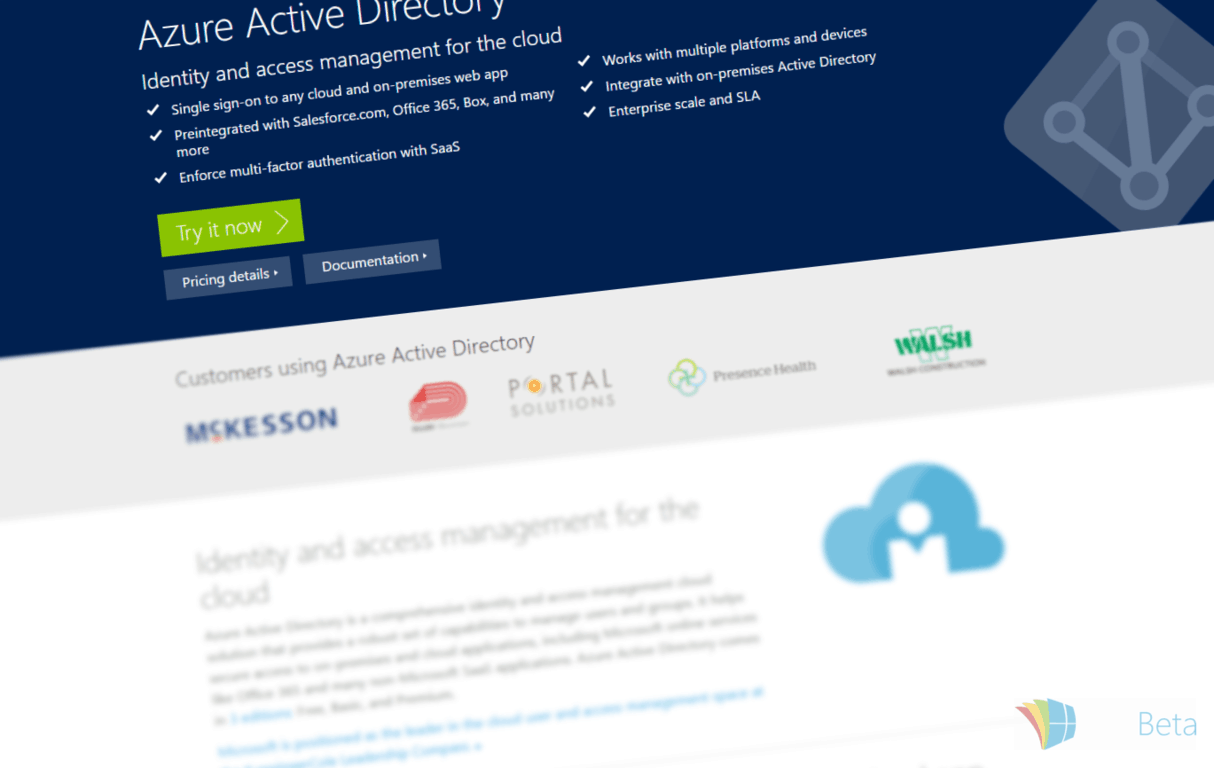
For Azure AD customers, Microsoft has released Enterprise State Roaming for business customers using Windows 10. In an email that is sent regularly to Azure customers to let them know of pricing and feature changes, the company announced the release of this setting synchronisation service for enterprise customers.

This new feature allows businesses to synchronise their employee’s work account settings across devices; just how it works with standard Microsoft Accounts today, where you sign-in on one device, and your settings propagate to all of your others. This change is likely to increase productivity, as there will be less twiddling around with setting panes, and more work being completed.

Settings will be stored in the cloud against the employee’s work account, and downloaded to any devices that they sign-in too. These accounts are directly connected to Azure Active Directory.

As part of this feature release, Microsoft has stated three differences between a personal Microsoft account being synchronised and a work account being synchronised, with work accounts receiving the following as additional benefits:

  • Separation between enterprise and consumer data: consumer data will not be stored in the enterprise cloud, and likewise, enterprise data will not be stored in the consumer cloud.
  • Security enhancements: data that leaves Windows 10 will be encrypted automatically using Azure Rights Management Services, and stays encrypted whilst in the cloud.
  • Management: control over where data is being synchronised and which devices are receiving the data.

Certain features of synchronisation are only available depending on account type and device type, and you can see which ones here. Azure customers with Azure AD Premium can begin using Enterprise State Roaming immediately, available now for all customers, although, it is not currently available in all server regions.

Windows Server SKUs do not currently support this feature as yet.

Could Microsoft release its fourth consecutive Windows 10 build today?

In the last three days, Microsoft rolled out three consecutive builds. Its Insider engineer team is working at full throttle to fix the existing Windows 10 bugs and detect other possible issues not yet discovered by Insiders before the Anniversary Update.

When Dona Sarkar took over the Windows Insider Program, we knew that things would change, but we never expected she would put the Insider engineers to work so hard so as to release three consecutive builds. The Fast Ring Insider circle has really become a fast line for build releases.

For a quick recap, the team rolled out the Windows 10 Mobile build 14371 on June 21, then came the equivalent build for Windows 10 PC on June 22, and on June 23, Dona and her team released build 14372 for both Windows 10 PC and Mobile.

Insiders were totally caught off guard, and didn’t even had the time to thoroughly check out one build that the next one landed.

Yep, caught off guard as well, too busy working on client website issue.

Must do better. So far download looks quite quick.

Later Edit – All up and running, about an hour all in, pretty quick.

Microsoft managed to roll out these builds in such a short period of time thanks to the Insiders’ feedback. Insiders all over the world completed 71K Quests and filed 81,217 pieces of feedback and up-votes, showing Microsoft what improvements they expect to see.

But what if Microsoft continues this incredible fast build release trend today as well? Let us think about it for one moment: Dona usually posts her build announcements at 3:01 PM, and the day of June 24th is not over yet. So, theoretically, Microsoft still has enough hours left to roll out a fourth build by the end of the day, if it still wants to surprise us.

If this happens, we are not sure how well Insiders will react. After all, rolling out multiple builds means that the Windows 10 user experience is improving, but at the same time, Insiders don’t really have the time to try out the builds, as they already admitted it.

What’s your take on Microsoft’s new build release approach? Do you think the company will hold on to this strategy in the future, or was it just a bundle-build release before the weekend, to keep Insiders busy this Saturday and Sunday?

RELATED STORIES YOU NEED TO CHECK OUT:

MSN News app gets serious improvements in Windows 10

Microsoft introduced the MSN News app in Windows 8, later losing a few features when it was adapted for Windows 10, something users weren’t very pleased with. Fortunately, Microsoft knows how important the application is and in order to make nice, its developers will not only bring back many features but also improve on them.

In the latest version 4.11.123.0, available for computers running the latest Windows 10 preview build, the application now has customizable news sources. In addition, you can choose what sources you want to get news from and after adding your personal websites, articles posted on them will be refreshed more often than the default collection provided by Microsoft.

If you’re using MSN News for the first time and you’re launching the application, you’ll be prompted to choose your interests. After, you’ll start receiving news articles about stories that fall into your favorite categories.

At this point, a feature that’s missing is the option to exclude specific sources, but maybe one of the future updates will change that. Competitors to MSN News like Flipboard are continually gaining new readers with each passing day and Microsoft needs to keep up with the latest changes in order to keep users interested.

Next month, Microsoft will release the Windows 10 Anniversary Update and an updated MSN News app will be part of it. Users can hardly wait for the roll out, although the exact release date hasn’t been specified yet.

RELATED STORIES TO CHECK OUT:

Windows XP to Windows 7 upgrade costs health organization $25.3 million

Microsoft ended Windows XP support two years ago, yet many domestic users are still running this dinosaur of an OS despite Microsoft’s repeated warnings about its security vulnerabilities. As such, Windows XP users constitute a goldmine for hackers as their systems are completely vulnerable to malware.

What’s worse: even government agencies are still using Windows XP as their main operating systems, making hacking attacks imminent. Windows XP is still the third most popular operating system in the world, and it appears that Microsoft’s desperate security warnings are falling on deaf ears.

It’s a bit difficult to understand why domestic Windows XP users won’t upgrade to Windows 10 when it’s still free, but the situation is most dire when it comes to government agencies and corporations, with most of these organizations still using Windows XP because of a lack of funds.

Case in point: the recent upgrade the Australian Queensland Health Organization had to implement. Queensland Health revealed it would transition from Windows XP to Windows 7 this year, a process with a total cost of $25.3 million.

This strategy is a bit mind-bending: first of all, Queensland Health isn’t considering the possibility of upgrading to Windows 10 as it’s still free. Secondly, Microsoft will end support for Windows 7 in 2020, which means that in three and a half years, a new Windows migration will take place with similar costs.

The core objective of the program — migration of the workstation fleet off Windows XP — will be largely complete by end June/mid-July 2016, with only a relatively small number of devices remaining on Windows XP.

Any remaining devices will be managed separately by operational business units within Queensland Health.

Microsoft is planning to support Windows 10 until 2025, therefore the transition to Microsoft’s latest OS would have been the wisest decision to take.

RELATED STORIES YOU NEED TO CHECK OUT:

Surface Phone rumor summary: here’s what you can expect to see in April 2017

The upcoming Surface Phone is expected to be a revolutionary phone and Microsoft’s last hope to finally make a dent in the phone market and vanquish the curse that’s been haunting the company ever since the acquisition of the Nokia brand.

Microsoft has yet to confirm much information about the specs, price or even looks of its Surface Phone. This leave us with the details available about this phone now. They’re just rumors but as always, rumors may have a seed of truth in them.

Since there are many possible variants of the upcoming Surface Phone, it’s a good idea to round up the features most agree on to one place.

As far as the design of the Surface Phone is concerned, it is expected to be a smaller version of the Surface devices and could be built on a VaporMg-ed shell to create the trademark finish of the Surface devices. This would be an inspired move from Microsoft as many potential buyers are attracted by the Surface’s design. Since the Surface Phone is expected to sport quite a big screen, ranging from a 5-inch display to a 7-inch display, a kickstand would be a very useful accessory for it.

However, there are some who suggest the upcoming Surface Phone could resemble the iPhone. This rumor in very unlikely to be true since there is no room for error in creating the Surface Phone and for Microsoft, a move like this is dangerous.

Everybody expects the Surface Phone to be powered by the Qualcomm Snapdragon 830 CPU and be released in three models: an entry-level version with 3GB of RAM and 32GB of internal storage to a high-end terminal with 8GB of RAM and 500GB of internal storage. All three models are expected to sport a 20MP camera.

As for the price tag, it should be pretty high since Microsoft is aiming to create a powerhouse. Since the Lumia 950 XL now costs $649, Surface Phone’s price tag could range anywhere from $700 to $1,000 or more.

Despite all of these rumors, we’re pretty sure the Surface Phone will incorporate most of the features listed above. We’ll know for sure next year, as Microsoft is expected to launch its long-awaited Surface Phone sometime in April 2017.

RELATED STORIES YOU NEED TO CHECK OUT:

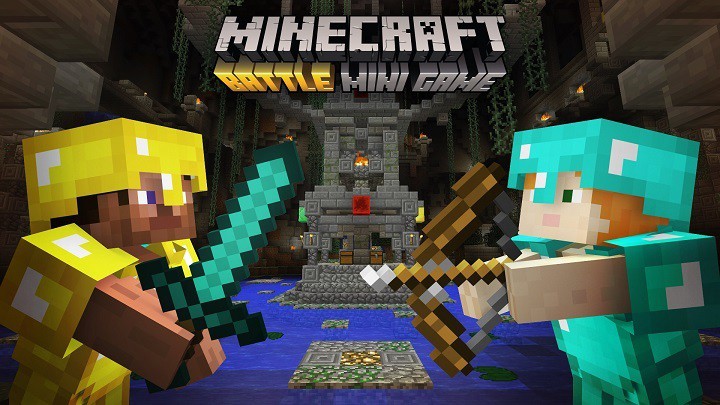
Minecraft Battle mini-game now available on consoles

Minecraft received its first ever Battle mini-game. Announced some time ago, the new mini-game has been released as an update for the Xbox 360, Xbox One, PlayStation 3, PlayStation 4, PlayStation Vita, and Wii U versions of the game.

Minecraft‘s Battle mini-game is just one of a few mini-games Mojang plans to release for Minecraft on consoles. For now, we have no information about other mini-games that have yet to be added to Minecraft on consoles, but we’ll surely know more soon.

In Minecraft‘s Battle mini-game, players fight against each other using various resources and crafted methods. Here’s how Mojang explains the game:

“It’s a last-minecrafter-standing deathmatch in which players tussle over resources and weapons in perilous arenas, fending off would-be assassins and their own hunger pangs. We’ve designed it specifically for consoles in mind – it’s super-accessible and fast-paced, made to support couch-based competition just as easily as online matchmaking. There’s no need to craft anything here, and you can loot inventories and equip armour with the tap of a button. Fall beneath your opponent’s blade (or enchanted fishing rod) and you respawn as a spectating bat, fluttering in the face of your nemesis.”

Although Minecraft‘s Battle mini-game is being for free to all Minecraft console players, additional maps for this mode can be purchased for $2.99 each.

What do you think about this Minecraft mini-game and the whole mini-game idea strategy Mojang is kicking off?  Tell us your opinion in the comments below!

RELATED STORIES YOU NEED TO CHECK OUT:

Windows XP’s iconic bliss wallpaper celebrates its 20th anniversary

Microsoft’s official Windows Twitter handle sent out a tweet letting everyone know that today is the 20th anniversary of the iconic “bliss” wallpaper seen in Windows XP. The photo was taken by National Geographic photographer Charles O’Rear while on his way to see his girlfriend back in 1996. Many believe the photo was altered in some way, perhaps photoshopped a little bit, but O’Rear claims the photo was never altered or enhanced in any way.

O’Rear was on the road in St. Helena, California (located in the Napa Valley) when he spotted the hill. “There it was! My God, the grass is perfect! It’s green! The sun is out; there’s some clouds,” O’Rear explained. He pulled over and took the shot using his camera and the rest was history.

Microsoft eventually digitized the version of the photo and licensed it from O’Rear — making it the most popular Windows wallpaper ever. The software company called the photo “bliss” and made it a key part of the Windows XP campaign.

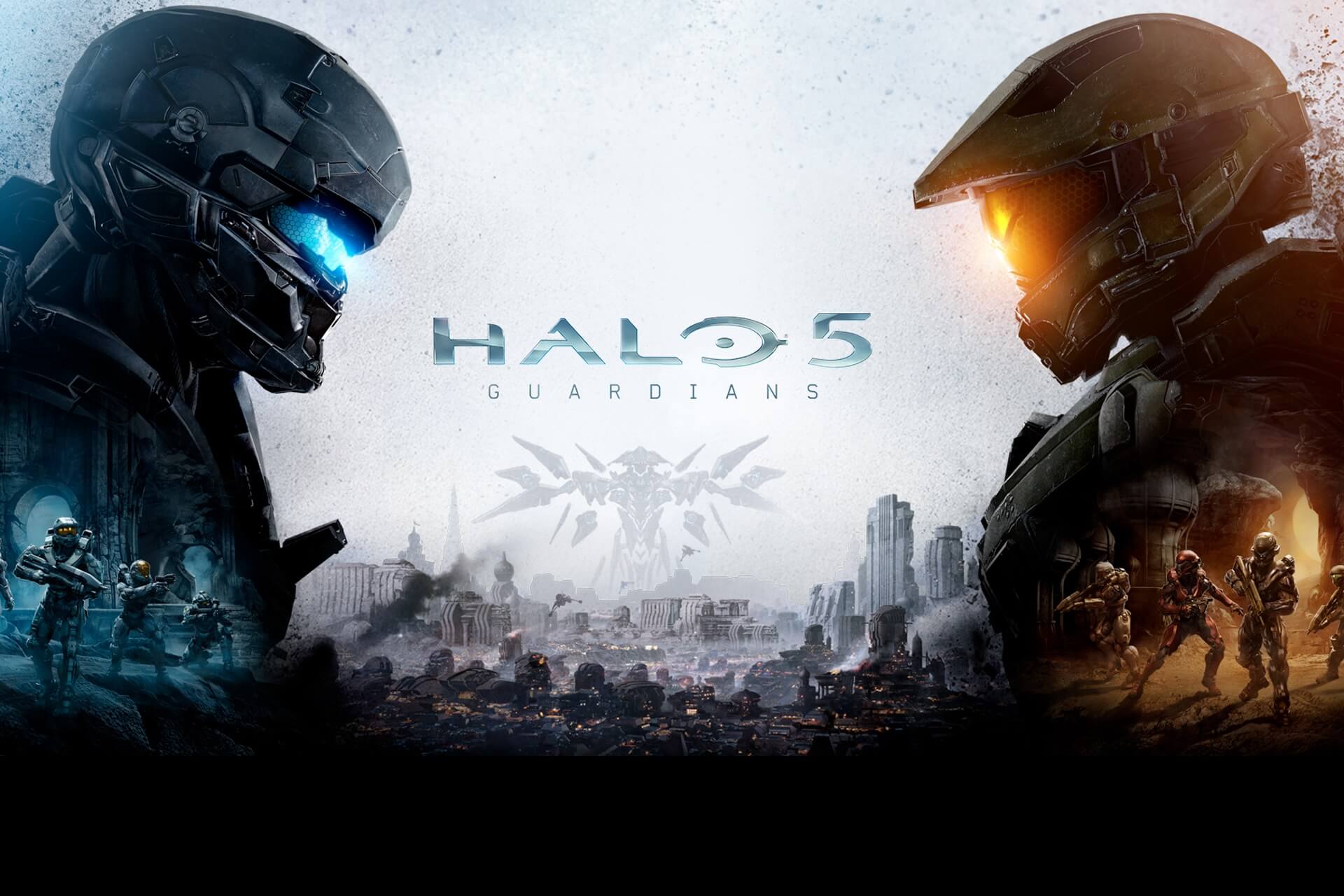
Upcoming Halo 5 free update to bring new maps and the Warzone Firefight mode

Halo 5 is one of the most popular games on the Xbox One platform, with millions of players on its servers at any given time. Microsoft is well aware of this and is trying to further improve the gaming experience by adding new features to the game.

The next Halo 5 free update will consist of three new maps and the long-awaited Warzone Firefight mode that will lets eight players cooperate in order to complete five rounds of dynamic objectives before the timer ends.

This mode will let you focus on power weapons if you want to try to open the map’s gates in order to access vehicles to support ground troops. Thanks to the new Warzone Assault feature, players will be able to use new strategies and tactics.

The Warzone Firefight […] e is the biggest one yet, and we’re packing in as much as we can fit. You’ll of course find the improved and updated Warzone Firefight PvE mode on a variety of maps, the Warzone Boss Refresh, a brand new Forge canvas as well as accompanying Forge updates, Campaign Score Attack […], updates to Warzone personal scoring, Series 1 of the HCS weapon skins, new places to play in multiplayer, fixes for incorrect rank display as well as non-English languages not displaying placement matches, a couple of achievements for Score Attack as well as Warzone Firefight, new vehicles, armors, weapons, and plenty more that we’ll start to dig into today and over the next few weeks.

Score Attack is one of the most eagerly awaited features, allowing players to earn points and gain up to 50 medals as a reward for killing enemies with style. It’s time to get creative!

The Warzone Firefight mode brings three new multiplayer maps. So far, Microsoft revealed only one: Prospect.

On Prospect, players get dropped immediately into a mining facility and are tasked with attacking the defenders that lie within. A key opening strategy is to take advantage of various flank paths hidden in the terrain to gain the upper hand. The level itself is layered with strategically-placed scaffoldings, plenty of cover, and well-worn trenches, all designed to give players on both sides of the battle more options to take the fight to their opponents […].

If the upcoming features awaken your interest in the game, you can download Halo 5 from the Microsoft Store now.

RELATED STORIES YOU NEED TO CHECK OUT:

How to access Khan Academy Videos offline

Khan Academy is one of the best learning resources on the internet with free video-based courses about everything from music to economics, science, history and more. Most people access Khan Academy via is official website, but if you have a limited bandwidth, you may not be able to do that.

This is when KA Lite becomes a handy open source tool. The program allows people to download any Khan video for offline viewing. So, if you don’t have an internet connection at home or if its bandwidth is limited, you’ll be able to use the KA Lite tool when your laptop is connected to another wireless connection. This is also great if you’re planning to travel by train or bus for a few hours as you will be able to download Khan Academy Videos beforehand and view them in offline mode.

KA Lite also comes with other capabilities, like creating a server that others can access to see any content you’ve downloaded from Khan Academy. By using this tool, you will also be able to add coaches or students and even track the user progress over time and identify areas where they might need some help in.

You will also be able to sync your data with a cloud-based KA Lite Hub, which allows an administrator to track and manage all their offline installations. This might look a bit complex in the beginning, but for something that is able to track thousands of students over many different schools, it is worth it.

RELATED STORIES TO CHECK OUT:

Star Wars Battlefront Bespin DLC now available to Season Pass owners

The latest DLC for Star Wars Battlefront, titled Bespin, was just released for the Xbox One, PlayStation 4 and Windows PCs. For now, the new DLC is only available to season pass owners; those without it will have to wait a little longer until they can get their hands on it.

Bespin will take players back to the Cloudy City and introduce a handful of new content to the game. The new expansion pack includes new maps along with two new heroes, Lando Calrissian and Corellian bounty hunter Dengar. There’s also a new game mode, Sabotage, along with two new blasters and the Cloud Car vehicle.

Check out the official trailer for Star Wars Battlefront Bespin below:

The good thing about expansion packs for Star Wars Battlefront is the amount of content, and Bespin is not an exception. Those who purchase the DLC pack will gain access to a lot of new and refreshing elements, so real Star Wars fans will definitely want to play it.

Those who want to purchase the DLC individually will have to wait until July 5th when Bespin will officially release it to all owners of the original game. In case you want to purchase the game itself, it is available on Xbox One, PlayStation 4 and Windows PC for the price of $39.99.

RELATED STORIES YOU NEED TO CHECK OUT:

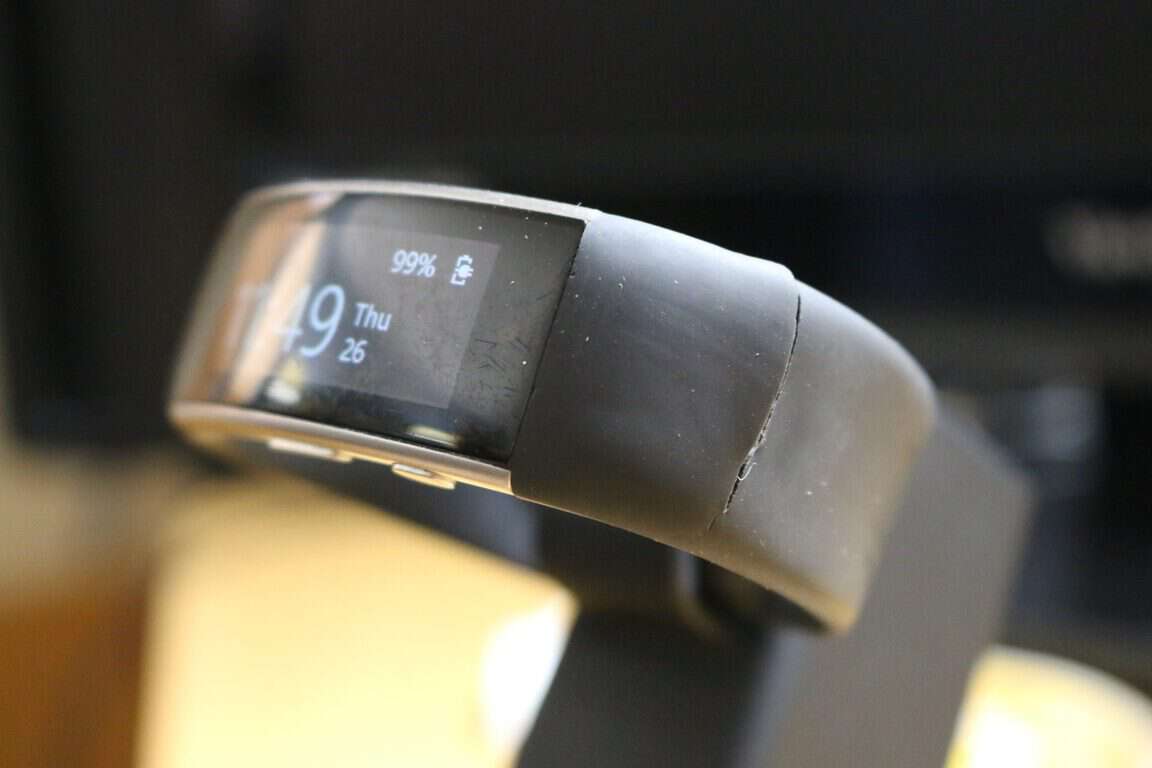
Latest Windows 10 Insider builds causing problems with Microsoft Band

Windows 10 Insider build 14372 has recently been released to users on the Fast Ring, and as usual for a fast build, the list of issues have been plentiful. One of them seems to have gone under the radar, however, until today, when it was brought up by users on the Microsoft Community site.

Specifically, the issue, reported by Insider Kamil Zmeškal, has to do with the Microsoft Band. In a combination of a Microsoft Band 2 paired with a Lumia 950XL running build 14371, the bug is causing the Band 2 to discharge much quicker than before (12 hours compared to 20 hours pre-14731).

Moreover, Band 2 notifications from Exchange accounts is reportedly randomly showing up 5-10 minutes earlier than on the phone. Connecting headphone through Bluetooth is also problematic, and the Band 2 is randomly not showing calls. The problems is persisting in Build 14372.

Others have observed the same problem happening to a combination of Lumia 930 and the Microsoft Band 1, suggesting that this is not a hardware-related problem but related to the new Windows Insider builds. Hopefully Microsoft will address these issues timely; stay tuned for updates.

Hyper-V improves High DPI support in latest Windows 10 Insider builds

Microsoft has recently published a new post by Hyper-V Program Manager, Ben Armstrong, to announce an improvement to Hyper-V that should be great news for many Windows developers and pro-users: better support for high DPI screens in the latest Windows Insider Build.

Hyper-V, formerly Windows Server Virtualization, is a virtual machine monitor – or “hypervisor” – used to create Windows virtual machines. Hyper-V was released in 2008 as part of the then current version of Windows Server, and has been a part every Windows Server version since, as well as of Windows x64 Pro or Enterprise versions of Windows 8, 8.1, and now Windows 10.

As with many other legacy programs on Windows, however, Hyper-V wasn’t made with high DPI screens in mind, and subsequently runs into compatibility problems when it comes to today’s high-resolution displays, as icons and texts become blurry. Fortunately, for Hyper-V, the problem has now been partly resolved.

image_thumb705
New DPI-aware UI of Hyper-V

Specifically, in Insider build 14371 and later, Armstrong’s team have managed to at least fix up half of the Hyper-V UI experience, which is the Virtual Machine Connection (VMC) window. The executable is now reportedly “completely DPI aware”, meaning no clipped graphics or strings at any settings. A new DPI-aware set of icons has also been made for Hyper-V, which will scale with your DPI. Finally, the problem of guest OS not being aware of host DPI in VMC basic mode has now been fixed: no more tiny boot screens or text screens.

Overall, these improvements should be most welcomed by users needing Windows virtualization, as Hyper-V is built-in and the default choice in this situation. With this, almost all of Windows will have been brought to the modern age of high-resolution displays; here’s to hoping all other third-party software makers will follow suit.

Xbox’s Aaron Greenberg says Project Scorpio will be king in 2017

In a recent interview with Gamertag Radio, Xbox’s Aaron Greenberg reiterated Microsoft’s ambitions for the launch of their currently codenamed super powered Xbox One, Project Scorpio, and emphasised the importance of shifting console gaming into the 4K and virtual reality era.

“Well, the idea for us was, how do we bring true 4K gaming to the console market? And in order to do that, today on the PC side, if you invest in a super high end rig, or a really high end PC, you can get 4K gaming now, right? But it’s thousands of dollars, often,” he said of the financial reality of playing 4K gaming right now. “You can even get a high fidelity VR experience. But you can’t get that in the console market. And in order to do that, we know that requires 6 TFLOPs of power, so for us, that’s what we’re coming into with Project Scorpio. We’re going to build a box, we’re going to build a beast of a box, that will be 6TFLOPs of power, that will be able to deliver true 4K games, and be able to do high fidelity VR, in the living room, on a console.”

The creation of a more powerful Xbox One console is consider by many to be a necessity. While the soon-to-be-released Xbox One S console will have 4K video playback, it’s unlikely to be capable of processing 4K resolution video games (i.e. it can just play 4K movies and TV shows) and the current Xbox One console can’t even play 4K video at all. A new console had to be created, especially if Microsoft wanted to truly invest in the virtual reality space beyond high-end PCs.

The creation, of what essentially will be, multiple Xbox One console models will fracture the home audience but Greenberg sees it more as providing the users with more options. “And, think about that, with Xbox Anywhere, we’ll be able to have that ecosystem across both your console, and your PC,” he claims. “So I’m excited about that vision, and I think it’s great that we’re able to tell fans that ‘hey, if you’re looking to upgrade the Xbox One, and you want 4K video and HDR, and a smaller size, we’ve got a great box for you this holiday. But if you want the beast, you want the 6 TFLOP monster coming net holiday, we have that too. And it feels so great to be able to share that, not just with our fans, but also with our development partners, who’ll be thinking about ‘how do I make those great experiences come to life on the console next holiday?’”

Project Scorpio was first announced during the closing moments of Microsoft’s E3 2016 conference. Despite being significantly more powerful than the existing Xbox One console, Project Scorpio is being touted as being within the same console generation as the Xbox One and even moving console gaming “beyond generations”. You can read more about Project Scorpio (which is expected to get a name change before it launches in late 2017) in our full report here.

Do you think Microsoft made the right decision to announce Project Scorpio when it did? Discuss with the community in the comments below.

EA SPORTS NHL 17 Xbox One pre-order bonuses revealed

EA SPORTS NHL 17 is now available to pre-order on Microsoft’s Xbox One video game console ahead of its September 13th release date. The game is the latest annual release of the NHL series and while it will be more of the same for those familiar with previous entries, it does feature several new features adjustments that should keep it fresh for long-time fans.

Here’s the official game description: Shape Your Legacy in NHL® 17, the biggest and most exciting EA SPORTS NHL game to date.

Own Every Zone with more end-to-end control with Authentic Goalies, all-new Net Battles for offensive and defensive zone play, and new goal celebrations that capture the excitement of scoring the biggest goals.

Live your hockey fantasy in all-new modes, including The World Cup of Hockey, or run the business in Franchise Mode. Take your EA SPORTS Hockey League team on a journey with a new Player Rank System and unlock customizable items and arenas and immerse yourself into Hockey Ultimate Team.

Whether you compete online for glory, live out your hockey fantasy in offline modes, or hit the ice for exciting and innovative hockey gameplay – NHL® 17 lets you Shape Your Legacy on and off the ice.

EA SPORTS NHL 17 is available to pre-order in a Standard, Deluxe, and Super Deluxe Edition. The Standard Edition pre-order comes with the full game, one month of free EA Access, the EASHL Equipment Bundle + the NHL 94 Celebration downloadable content (DLC), plus one Gold Pack per week for 10 weeks after the game launch.

The Deluxe Edition comes with everything in the Standard Edition but with the Gold Pack gifts extending for 25 weeks after launch. The Super Deluxe is the same as the Deluxe Edition but buyers will gain two Gold Packs for 25 weeks instead of one.

Are you going to pre-order EA SPORTS NHL 17? Let us know which edition you’re buying in the comments below.

The Crew and XCOM: Enemy Unknown available via Games with Gold

Microsoft’s Games with Gold program for the Xbox One and Xbox 360 has kicked off again for the month of June, and some decent choices are available. The free games in question are The Crew and XCOM: Enemy Unknown.

The Crew is a new racing game from Ubisoft that didn’t do too well at retail, and it didn’t help that critics gave it a beating, either. However, the game became a bit better with updates but seeing as there aren’t many people playing the game online, we doubt most gamers will get the best enjoyment out of it.

As for XCOM: Enemy Unknown, this is a strategy game about aliens and is available for the Xbox 360. If you do not have an Xbox 360 on-hand, then the game can be played on an Xbox One via backwards compatibility.

Description for The Crew:

The Crew is a revolutionary action-driving MMO that connects players online like never before. The Crew takes you and your friends on a wild ride across a massive, open-world recreation of the United States that is richly detailed and loaded with endless challenges. Generous in content and tailored for the connected generation, The Crew is the next-gen game that redefines action-driving.

Description for XCOM: Enemy Unknown:

From the award-winning creators of Civilization comes an action-strategy game about humanity’s last stand. Threatened by an unknown enemy, the Earth’s governments unite to form a secret paramilitary organization, known as XCOM, to combat this extraterrestrial attack. As the commander of XCOM, you control the global defense team in a battle against a terrifying alien invasion. Control the fate of the human race by creating and managing a fully operational base, researching alien technologies, planning combat missions, and controlling soldier movement in battle.

Goat Simulator and Super Meatboy are also a part of the Games with Gold program for the month of June.

RELATED STORIES YOU NEED TO CHECK OUT:

Vivino wine app for Windows killed off, cites lack of traction as reason

Vivino has decided to discontinue support for their official Windows phone app citing lack of use as the main reason for the decision.

A tipster over at Windows Central reached out to the company and was told the following; “Unfortunately, we have ceased development and support for the app on the Windows platform. The version located on the Microsoft Store is outdated. It turns out, that the traction we have seen from the platform does not justify the development effort. In essence, we feel that a native app would not be able to deliver the best experience to our users. We know it’s not much help, but at least an explanation from our side. Your wines and other data is not lost since you can access these through our website Vivino.com.”

The Vivino app provided a rather comprehensive database of wine brands and, through using a device’s camera, could look up bottles of wine and provide cheaper alternatives, food suggestions, and reviews provided by other app users.

While the Vivino app is no longer being supported, interested Windows phone users can still download it from the app store. Here’s the official description:

JOIN THE #1 WINE APP: Shopping for wine, dining out, invited to dinner or just looking to try new wines? Vivino is your partner in wine, always with you and ready to help you pick, remember and share your wines. Take a photo of any wine label to uncork pricing, ratings, reviews, food paring suggestions and recommendations from the biggest community of more than 10 million wine lovers.

  • Get to know any wine in seconds with a simple scan of a wine label.
  • Dining out? Take a photo of the wine list to see the ratings and reviews.
  • Remember the best and worst of wines and discover new favorites.
  • Find the best wine deals and buy online.
  • Get an overview of your personal taste profile and learn about the wines you love Install the #1 wine app today and uncork a simple tool to a complicated world!
  • Best of all: It’s free!

Did you use the Vivino app and are you sad to see support for it end? Let us know in the comments below.

Vivino Wine Scanner
Vivino Wine Scanner
Developer:
Vivino
Price:
Free

Windows 10 removes OEM bloatware to improve your computer’s performance

When first using a new computer, most are impressed by how fast it responds. There are no lag or bugs, and everything runs smoothly. Unfortunately, after a while, your computer’s performance degrades, lag appears and everything seems to work in slow motion.

This behavior is usually caused by bloatware and other programs that slow down your computer’s processing power. The first reaction is to install a series of utilities hoping they will speed up your computer, only to see they do more harm than good.

Microsoft has finally had enough of bloatware and developed a special tool in response that allows you to clean install Windows 10 and remove all apps causing havoc on your computer. This new tool, the Windows Refresh Tool, is currently available only for Fast Ring Insiders running the latest Windows 10 build 14367.

The Windows Refresh Tool will definitely be part of the Windows 10 Anniversary Update package, allowing all users to get rid of bloatware without using third-party solutions.

The fact that Microsoft added this feature to its latest build suggests that its relationship with OEMs is not as harmonious as we’d like to think. It is a known fact that some OEM programs do impact the overall performance of Windows, but it appears that Microsoft prefers to no longer take any chances when it comes to the interference caused by OEM apps.

Using this tool will remove ALL applications that do not come standard with Windows, including other Microsoft applications such as Office. It will also remove most pre-installed applications such as OEM applications, support applications, and drivers. The tool does not give you the option to recover removed applications automatically and you will need to manually reinstall any applications you wish to keep.

If you decide to use this tool, keep in mind that it will perform a clean installation of Windows 10, which means that all applications that came with or were manually installed on your PC will be removed, including paid applications.

RELATED STORIES YOU NEED TO CHECK OUT:

Microsoft’s Phil Spencer confirms that Xbox isn’t the company’s “ugly step-child”

When it rains, it pours, and after a week of mixed reactions to Microsoft’s showing at E3 2016, an opportunistic research group by the name of DFC Intelligence used the seemingly murky public feedback to pile on with its ambitious prediction of the Xbox division’s exit from gaming.

However, head of Xbox Phil Spencer isn’t leaving the predictions of DFC Intelligence open for debate. In a series of tweets answering understandably curious fans, Spencer debunks the notion that the Xbox division will exit gaming or that Microsoft has plans to spin off its efforts into a separate company.

Looking back on it, DFC Intelligence took a very high-level view of the Xbox keynote at E3, wherein the organization makes the argument that Microsoft’s announcement of Project Scorpio “effectively killed the Xbox One Slim right out of the gate.” While the announcement and reveal of a lower-priced, better spec’d and updated hardware offering is a bit more nuanced than asking gamers to “wait” on a mysterious and potentially price-sensitive future project, DFC does have a strong argument to a potential stall in sales of Xbox One Slim console.

It should also be noted that DFC Intelligence has a few low-hanging fruit predictions under its belt such as gaming revenue would hit 100 billion in 2018, which looks to be surpassed as the 100 billion mark will be cleared undoubtedly later this year. However, the much larger, more overarching prediction made by DFC Intelligence that not only would the Xbox division exit the gaming market but when and why it should have rustled the feathers of gamers, journalist, and fans.

DFC’s assertions that Microsoft is not committed to gaming and that the company views the division as its “ugly step-child” will ultimately lead to the company leaving the market as soon as 2017 reads more like reactionary gamer fanboyism than calculated analysis. DFC also does itself any favors as it seemingly climbs the tent pole of conspiracy logic amidst the actual wording of Phil Spencer and other Xbox executives during the E3 2016 keynote.

There are all kinds of other problems with Microsoft’s mixed messaging. The pricing on the original Xbox One is great, and the Slim is wonderful, but all the important new games will be on PC, so why invest in a console? Just upgrade your PC. And if you do want a console why buy now when Scorpio will be here later. All of this is a net dampener on new hardware sales now and really opens the door wide open for Sony and even Nintendo for the NX.

The biggest issue is whether Microsoft will even have a game division by the time Project Scorpio launched. It is no small irony that the E3 events went on at the EXACT same time as Microsoft CEO Satya Nadella was announcing the $26 billion acquisition of LinkedIn.”

LinkedIn purchase
LinkedIn purchase

Barring unforeseen marketing blunders or manufacturing catastrophes, Microsoft’s Xbox division appears to be moving toward a steady goal beyond 2017. Microsoft’s gaming division is set to deliver the fan favorite Xbox S this August, a slew of first and third party games with schedules reaching well into 2017, offering customer friendly Xbox Design Lab and busy implementing a Windows 10 gaming experience that seems vital to the platform’s long-term developer viability.

With the Playstation beating Xbox One consoles at a healthy (almost) 2-to-1 sales ratio right now and an arguably (strongly argued) middling showcase at E3 2016, it seems easy for an analyst to predict another lackluster year for Microsoft’s gaming division. However, a full-scale departure from multi-billion dollar business coming off the heels of very public hardware and software focused announcement seems “strange.”

Injustice 2 wants your money for pay-to-unlock content

Injustice 2 is already one of the most eagerly-awaited games of 2017.

Its trailer shows off well-known characters like Superman, Batman, Aquaman and Supergirl in action, and also reveals some of the main characters’ abilities. A legendary fight between Batman and Superman is also available, and these images alone are enough to convince most gamers to plunk down $59.99 for the experience.

Injustice 2’s tagline is “Every battle defines you”. This is the perfect choice for a game where players can personalize characters with unique and powerful gear earned throughout the game. For the first time, gamers can control how their characters look and fight.

The game’s developer, NetherRealm Studios, decided to raise the stakes even higher and announced the company would heavily focus on developing new downloadable content for Injustice 2.

One of the things we’ve been doing, trying to do more and more with every game… is to support it for a longer period of time. With DLC characters, we’ve had four with Mortal Kombat, six with Injustice, eight with Mortal Kombat X, and with Injustice 2 we plan on continuing that pattern, it will certainly be more aggressive than we’ve been in the past.

Since players can now customize their characters, the developer is considering a pay-to-unlock model for those gamers who don’t have enough time or patience to earn the rewards by playing the game.

NetherRealm Studios is very straightforward when it comes to its purpose for this game. Its creative director, Ed Boon, didn’t beat around the bush when he said is trying to “cast the biggest net possible to get as many players into it as possible.” While this may not be the most marketing-oriented speech, we at least we appreciate his honesty.

RELATED STORIES YOU NEED TO CHECK OUT:

Find which version of Windows a program requires using “ExeProperties”

Let’s say that you’ve downloaded a game or application to your Windows PC that, for some reason, doesn’t work. The first thing you need to do is ask yourself if the game or application is for 32-bit or 64bit Windows, or a different Windows version altogether.

Unfortunately, there is no built-in feature that allows you to find out, but thanks to a tiny free Explorer extension by the name of “ExeProperties,” you’ll be able to see an EXE file or DLL file’s minimum requirements in just a few clicks.

This little program doesn’t come with an interface and it doesn’t add any system tray icons or background processes. After installing it on your computer, you will not notice any immediate signs that anything has changed.

However, you will notice a new feature when you will right-click a DLL or EXE file and select “Properties”: an extra “Exe/DLL Info” tab that will inform you about the following:

– Type: this tells you whether the file requires Windows OS on 32-bit or 64-bit
– Min. Windows Version: this will tell you the Windows version that is required to run the DLL or EXE file. The DLL or EXE file may need a newer version of OS and you should interpret this as “version X or later”. In other words, if it displays Windows XP, it could run on newer OS versions such as Windows 7 Windows 8 or Windows 10 but will not work on earlier versions than Windows XP
– Built With: this will tell you what tool has been used to build the EXE file, but not even developers care too much about this aspect, so it’ll probably be useless for you

What are your thoughts on this tiny but useful application?

RELATED STORIES TO CHECK OUT:

Turn 10 working on new Forza Motorsports spin-off title

Want more Forza games under your belt? Turn 10 already knows this and is working on a new spin-off title to satiate your appetite. We’ve all come to love the Forza Motorsports franchise; the same can be said for the spin-off Forza Horizon franchise — will we also enjoy this new journey?

Dan Greenawalt, the head of Turn 10 and the driving force behind the Forza games, talked about this new game in a recent interview with Ralph Fulton. In the interview, Greenawalt said the new expansion of the Forza series will be released very soon, making us wonder when it could be.

If we were to bet, we’d say this new Forza game won’t focus on cars but on motorbikes. We’ve never seen a Forza game that toyed around with other vehicles outside of cars so in our minds, this is the perfect opportunity for Turn 10 to try something different.

This new game could also be of the watersports variety. We’ve not yet seen many games tackle this aspect of vehicular sports. A few years ago, Turn 10 jokingly showed off a log for a game known as Forza Watersports. While this wasn’t a real thing at the time, there’s a good chance it could be a thing today.

At the moment, we have no idea what this game is about but we still cannot wait for it to be announced and to see it in action.

If you can’t wait for this new Forza title, then go ahead and check out Forza Motorsports: Apex for Windows 10. The game now supports multiple GPUs, and runs smoother with this kind of power behind it. Forza Horizon 3 is set to release in September of this year for both the Xbox One and PC as an Xbox Play Anywhere title, which means gamers can purchase once for Xbox One and get it for free on PC.

RELATED STORIES YOU NEED TO CHECK OUT:

Filipino sari-sari stores to become WiFi hotspots thanks to Microsoft funding

Over 248 start-up companies have entered the Affordable Access Initiative competition for Microsoft’s attention and only twelve were awarded funding. One of these companies was the WiFi Interactive Network (WIN) located in Quezon City, Philippines. With the $150,000 USD, the company will be able to work towards their goals of providing wireless connectivity to small businesses throughout the Philippines.

According to Inquirer, the president of WIN, Phili Zulueta, shared more insight through an email interview with FilAM Star personally:

Close to 60 percent of the distribution revenue of (fast moving consumer goods) in the Philippines goes through the traditional channels (such as) sari-sari stores and mini groceries. Having connectivity in these channels allow our sponsors visibility into data that they have not been able to access previously.

Because of this, brand sponsors pay for the installation, management, and maintenance of the WiFi hotspots. In return, WIN provides a ‘purchase-for-access’ model that ensures that the internet is affordable for the business owners. According to the model, “a customer first buys a sponsoring brand’s product prior to being provided internet access,” Zuleueta said. The business model allows for the sponsors of WIN to provide internet access to those that support their business, a win-win for all parties involved.

Another unique aspect of WIN is the technique of installation. Whereas WiFi connectivity has a range of 600 feet, the TV White Space (TVWS) that is created by unused television channels can reach up to an impressive 10 kilometers even over water and through thick solids. The TVWS is a prime angle for providing wireless internet across the large number of islands that make up the country.

WIN hopes to utilize the seed money from Microsoft to extend their reach to over 10,000 WiFi locations within the next three years. Zulueta explained”

Our model is scalable because our brand sponsors are present in most developing countries that also have connectivity issues. India and Indonesia are big markets, while we are looking to collaborate with other like-minded companies who are serving the nations of Africa.

Microsoft’s backing of the WiFi Interactive Network is a testament to their commitment of bringing technology globally. Agreeing with the founder of WIN, there is indeed no reason in this day and age why people should not have internet connectivity.

Windows 10 Mobile Insider Preview build 14367 now available on the Slow Ring

Besides releasing a new build for Windows 10 Mobile Insiders on the Fast Ring today, Microsoft also pushed the previous release to users on the Slow Ring. Build 14367, which was released last week for both Windows 10 and Windows 10 Mobile, included various bug fixes. Now, all users of the Insider program can install it.

Head of the Insider program, Dona Sarkar informed all Windows Insiders that build 14367 in now available on the Slow ring via Twitter.

This is actually a bit unusual as a build usually takes a little longer since it becomes available to Insiders on the Slow Ring. But it looks like Microsoft’s development team isn’t wasting any time with the latest builds for both Windows 10 Preview and Windows 10 Mobile Insider Preview, with four releases in past two weeks.

The build is currently only available to Windows 10 Mobile Insiders on the Slow Ring, as Microsoft has yet to release it to users of Windows 10 Preview PCs. We don’t know when the build will arrive for PC users on the Slow Ring but if Microsoft keeps pace, we won’t have to wait for too long.

If you still haven’t receive build 14367 on your Windows 10 Mobile Preview device on the Slow ring, go to Update & security > Phone update > Check for updates.

RELATED STORIES YOU NEED TO CHECK OUT:

Final Fantasy 14: A Realm Reborn could come to Xbox One

The unthinkable is happening, ladies and gentlemen. Final Fantasy 14: A Realm Reborn is actually set to release on the Xbox One after first being launched for the PlayStation 3, PlayStation 4, and PC.

In the past, Square Enix said the reason it refused to bring Final Fantasy 14: A Realm Reborn to the Xbox One was due to Microsoft’s unwillingness to allow the system to play nice with other platforms. However, those days were of the old Microsoft and with the software giant’s new focus, anything is possible.

In an interview with GameSpot, the director of Final Fantasy 14: A Realm Reborn seems quite happy with what Microsoft is doing when it comes down to cross-platform play. Because of this very reason, the chance of the game being released for the Xbox One or other future consoles is very high:

“When our team reviewed the regulations that are associated with that, we realized that Microsoft may not have the experience or understanding of running an MMORPG as an online game genre just yet,” he said. “The Final Fantasy 14 team has fed back to Microsoft that there are certain elements of its regulations that we would have to consider waived. We’re waiting on Microsoft’s response for that, but we are having discussions.” said Yoshida.

We’re not sure what type of regulations Microsoft would need to clear up in order for Final Fantasy 14: A Realm Reborn to make it to PC. We have to wonder if it has anything to do with Xbox Live and how players would communicate; still, whatever the holdup might be, it is clear both companies are interested in breaking down barriers.

Final Fantasy 14: A Realm Reborn might not be the best MMORPG but it’s still a decent video game nonetheless. New players should know it eventually becomes a grind, and that’s a major problem.

Looking for more Xbox One games? Well, Tour de France is now available if you’re into cycling, and so is Trials of the Blood Dragon.

Personal Shopping Assistant, a Chrome extension, is the latest from Microsoft Garage

Developers from Microsoft Garage have released Personal Shopping Assistant, a new Chrome extension that allows users to automatically save their browsed products, get notified on price changes, and even share their favorites with others. Once you download it, the assistant will remember all the products you have encountered during your browsing sessions including key details about it and where you found them.

The extension asks you to log in with either a Microsoft or a Google account to remember your favorites across devices, share them with your friends by email, or access them on your phone by also sending you an email link that opens a web page with your listed products. Note though that “search results and catalog pages, with multiple products listed are not captured.”

On a blog post on Microsoft’s Fire Hose blog, Microsoft Garage developer Gagan Chopra explained how this simple tool allows computer users to do better shopping decisions without interfering with their workflows:

This tool doesn’t tell you what to buy or where, but it’s doing mechanical jobs we’d have to otherwise do ourselves,” Chopra says. “It tells you where else you can buy what you’re looking for and monitors it. This last part makes it much more satisfying and has really taken off on the personalization aspect. What it sees and remembers is based on their data and what is pertinent to them.

You can download the Chrome extension over here. Let us know in the comments if you think this tool can help you become a more organized shopper.

Epic Games’ Tim Sweeney still concerned about Xbox game distribution ‘monopoly’

Sometimes there is just no pleasing a person no matter what you do, and perhaps Microsoft of all companies understands this most. After almost two years of back peddling and course correction, Microsoft’s Xbox division has gone out of its way (depending on how you view gaming as a business) to make up for some sizable missteps with its gaming community.

Despite the turnaround and new emphasis on co-opting both PC and console gaming experiences with Windows 10, Microsoft still finds itself in the ire of some of its staunchest critics such as Epic Games’ Tim Sweeney. Counter to what Microsoft’s Xbox team showcased at its E3 2016 keynote, Sweeney still believes the company is a monopolistic threat to gaming.

Tim Sweeney image via asianvideogameshop.blogspot.com

Sweeney’s criticisms of Microsoft’s recent re-focusing of PC gaming and storefront practices date back to before E3 2016 and have been well-documented. In a whirlwind of gaming media press, Sweeney’s remarks towards his fear of Windows 10 becoming a gated community took a life of their own a few months ago when he penned an article for the Guardian titled “Microsoft wants to monopolize games development on P.C. We must fight it.” Sweeney’s piece came days after a separate dedicated Xbox and Windows 10 gaming event held by Microsoft to lay out the future of console and PC gaming.

However, since Sweeney’s epic rant against how Microsoft is prioritizing its UWP and becoming “a closed platform-within-a-platform,” head of Xbox Phil Spencer sat down with him to assuage his fears. With the meeting held behind closed doors, we can only speculate that the discussion centered around dissuading incorrect notions that Windows 10 gaming and the Windows Store stands in direct conflict with other curated gaming stores such as Steam of GOG.

Apparently, the conversation has done little to move the needle on Sweeney’s concerns about a potential future where Microsoft’s Windows Store could become the default gaming platform and the company seizing an opportunity to shut out competition.

According to a report from Polygon, the discussion left Sweeney feeling less than satisfied.

We’ve continued to discuss Epic’s concerns directly with high-level Microsoft folks, and are grateful for their willingness to engage in substantive discussions.

“However, no conclusion is yet in sight.”

While some may dismiss Sweeney’s arguments as the rantings of a hypocritical salesperson, he does raise some valid concerns. Fortunately, for gamers to-date, Steam and GOG have taken up residencies in the Windows ecosystem as the default gaming stores and as long as Windows continues to support legacy software that relies on Win32 development or .exe installations, neither store is threatened.

Xbox chief Phil Spencer.

Necessity may narrow Sweeney’s focus; he may be missing the bigger picture of Microsoft’s need to continue Win32 support for the foreseeable future. With legacy business support still at the Windows ecosystem forefront, users who choose to use applications and programs such as Steam and GOG will be free to do so.

Where Microsoft’s ultimate merging of PC and console gaming lands on the spectrum with efforts such as Xbox Play Anywhere or continued UWP development remains an unknown. Perhaps for Sweeney’s part, his doom-and-gloom approach backed by a burn-it-to-the-ground mentality could use a little more cautious observation, especially in light of his seemingly contradictory active participation in the Apple App Store.

Fix Start Menu issues using the Windows 10/11 Troubleshooter

Many Windows 10 users have reported Start Menu bugs lately, that ranged from unresponsive Start Menu problems to missing Start Menu issues. Insiders have also been plagued by these issues as many reported that the Start Menu remained unresponsive on build 14366.

Hearing its users’ distress, Microsoft rolled out a Start Menu Troubleshooter that will automatically fix all these issues. This tool checks if the Start Menu and Cortana applications are installed correctly, and repairs all the errors it detects.

The Start Menu issues could also be caused by registry key permission bugs, corrupted tile database, or by app manifest corruption issues. After scanning your system, the Start Menu Troubleshooter displays a list with all the possible actions it can take, and you can also choose to fix the detected issues manually.

If no issues have been detected, the tool display the following message: “Troubleshooting couldn’t identify the problem”.

How to use the Start Menu Troubleshooter:

  1. Download the tool from Microsoft’s page.
  2. Click on the .exe file to run it.
  3. To automatically apply the fixes, select Advanced and check Apply repairs automatically.
  4. Click on Next and wait for the tool to finish the scanning process.
  5. If you want to see the areas checked and repaired by the tool, select the View detailed information link.

If the troubleshooter can’t find any issues, but you can’t still access the Start Menu, you may want to try out the fixes described in our Start Menu fix article. We managed to find 11 different solutions for those annoying Start Menu problems and we’re sure one of them will work for you.

In case the Start Menu disappears altogether, you can update the graphics card driver, uninstall Dropbox or try restarting all Windows 10 apps.

RELATED STORIES YOU NEED TO CHECK OUT:

Samsung unveils two Notebook 7 spin Windows 10 machines

Mollie Ruiz Hopper has just taken to the Windows Blog to announce that Samsung is unveiling two new Notebook 7 spin Windows 10 machines. Coming in two sizes, at 15.6-inches and 13-inches, the new devices will be available starting June 26, 2016, at Best Buy, BestBuy.com, and Samsung.com starting at $799.99.

The Samsung Notebook 7 spin feature a 1 TB hard drive, and a full 360-dgree full HD touch screen with a video HDR mode. It also packs an Intel Core i5 or i7, up to 12 GB or RAM, and an upgradable SSD Option.

Samsung Notebook 7
Samsung Notebook 7 spin

The 15.6 notebook can be fully charged in 90 minutes, while the 13-inch notebook can be fully charged in 100 minutes. Display wise, the 360- degree touch display offers up incredible viewing angles, and can be transformed into notebook, tent, or tablet modes. The Samsung Notebook 7 spin also packs an  ergonomic auto backlit keyboard with useful hotkeys that give instant access to functions most often used.

Samsung Notebook 7 in tent mode
Samsung Notebook 7 spin in tent mode

So, what do you think of this new offering from Samsung? Do you think you will pick it up once it hits stores on June 26th? Let us know your thoughts by dropping us a comment below.

Windows 10 Audible app updates with a new social feature

If you’re someone who likes to immerse yourself in a great story anytime, anywhere, then we have some good news for you. The folks over at Audible have just given the Audiobooks from Audible app for Windows 10 a fresh new update.

The update brings the app to version 10.4.0 overall, and adds in a new social feature to the mix. The new social feature, Audible Channels, is a curated collection of premium short-form content. Ad-free podcasts, news, comedy, exclusive shows and more are all just a few of the content that can be expected in this new feature. Of course, Audible.com members get unlimited access to Channels as part of their membership at no extra charge.

Audiobooks from Audible app for Windows 10

So, if you’re an avid user of Audible, now is a great time to head over to the Windows Store and grab up this update, or grab it from the link below.  As always, though, once you do get his update, be sure to drop us a comment telling us what you think of the new feature.

Audiobooks from Audible
Developer:
Audible Inc
Price:
Free+

Into The Belly Of The Beast and Lumo now available on Xbox One

Into the Belly of the Beast and Lumo are now available on the Xbox One. Into the Belly of the Beast is an action adventure game which contains some rather unique gameplay elements involving character and villain evolution.

Here’s the official game description for Into the Belly of the Beast: “Into the Belly of the Beast” is an action-adventure game where you jump into the role of Sploosh, a sea worm who is heading out to bring back his children who were swallowed by a huge sea monster. On your journey through the diverse and unique locations inside its body, you have to make use of the given properties of this special environment to solve numerous puzzles.

Master fights against DNA based enemies in creative and inventive ways:

Eating DNA of different types will change the behaviour of other creatures towards you and will provide you with different special abilities.

Find the best tactics for each area!

Buy Into the Belly of the Beast on Xbox One

Lumo on the other hand is an isometric platform game which is heavily inspired by video games in the 80s and 90s. Here’s the official description for Lumo: Witness the rebirth of a genre in Lumo – a classic isometric adventure with a modern twist for gamers young and old alike!

As a contemporary take on the long-lost isometric platform genre, Lumo can be enjoyed by anyone looking for an absorbing, challenging and rewarding adventure. But for those who lived through the golden age of videogames – the 80s and early 90s – or know about the games and culture from that time, layer upon layer of nods, winks and touches to those times help build upon an experience that’s as heart-warming as it is exciting!

Buy Lumo on Xbox One

Have you played Lumo or Into the Belly of the Beast yet? Let us know your thoughts in the comments down below.

Windows 10 Movies & TV app update adds maturity ratings

Microsoft’s Movies & TV app (also called, Films & TV in some regions) has just updated on Windows 10 devices. The new update to the app brings a variety of bug fixes but also something quite significant, maturity ratings.

The maturity ratings implemented are those recognized by the relevant governments in different regions and appear between the year of release and media category on the series or movie product pages. Not all shows and films have maturity ratings listed though in all regions, most likely due to studios having to submit that data now while before they didn’t. For example, right now in the Australian Films & TV app, The Walking Dead has an MA15 rating while Marvel’s Agents of S.H.I.E.L.D. is “Unrated”.

The latest update also added, “Smarter default sorting” of users’ collections however it’s unclear what exactly was changed. Have you spotted any differences after the latest update? Let us know about them in the comments below.

Alleged Silk Road leader reportedly at center of Microsoft’s battle over Ireland emails

Update: Gary Davis reached out to us with the following statement:

“Please correct this article to reflect that the State *alleges* that I am a Silk Road administrator. I maintain my innocence and am not, nor have I ever been, involved with Silk Road, nor have I been convicted on any such charges.”

The post has been edited to reflect Mr. Davis’s alleged involvement.

+++

Since 2014, Microsoft has been embroiled in a series of court battles with the US Government over emails stored on Microsoft servers in Ireland, related to a drug case in the United States. Up until now, not much has been said about who the purported drug dealer is, but a new report by The Times of London (a paywalled site, via IBTimes) says that the person in question is Gary Davis, alleged to be a Silk Road administrator who is fighting extradition to the US from Ireland on drug charges related to the notorious “dark web” site.

Silk Road sold drugs, guns, and other illicit items over the internet, and was finally shut down when its creator, Ross Ulbricht was tried and sentenced for money laundering, computer hacking, and conspiracy to traffic illegal drugs. Ulbricht is currently serving a life sentence on the charges.

Gary Davis, via the Times

Since the US Justice Department first requested access to the emails, Microsoft has resisted, contending that the US doesn’t have the right to access information stored by a foreign individual on servers stored on foreign soil, and filing an appeal when it lost the initial case in court. The company’s lawyers just cited a recent US Supreme Court ruling that US laws don’t apply outside the country unless the law in question explicitly says so.

Davis, who could be facing similar charges to Ulbricht, was in court in Dublin on Tuesday fighting his extradition, but that case was delayed until July 8th, according to IBTimes. Davis had tweeted in April that the Microsoft case could be about him:

Microsoft has the backing of numerous international tech firms, according to IBTimes:

The case is currently being considered by the U.S. Court of Appeals for the Second Circuit, and the judgment is highly anticipated by technology companies as well as privacy advocates. As well as amicus briefs from fellow U.S. tech giants like Apple, Verizon, AT&T, Cisco and Amazon, the Irish government, the ACLU, the Electronic Frontier Foundation and the U.S. Chamber of Commerce have backed Microsoft’s stance.

Microsoft’s case has never been about defending the actions of the alleged drug dealer, whether it’s Gary Davis or someone far less notorious. The company’s business dealings in other countries depend on a level of security from prying eyes, even from the US Justice Department (or perhaps especially from the US Justice Department). Still, knowing who the government is after in this case, while it might not affect its outcome, could conceivably change the court of public opinion.

Microsoft Edge consumes 70% less battery than Google Chrome

Google Chrome is the most popular browser in the world, and Microsoft wants to change that. With the aim of finding a new argument to convince Chrome users to switch to Edge, Redmond carried out an experiment demonstrating its browsers superior battery management.

Despite the test having been carried out by Microsoft, it’s easy to trust the results as this isn’t the first time Chrome has been accused of gobbling up battery.

Microsoft tested four browsers in this experiment: Chrome, Edge, Firefox and Opera: The results showed that Edge is the most battery friendly browser, followed by Opera, Firefox then Chrome. The battery on the laptop running Edge lasted for 7 hours and 22 minutes, the battery on the laptop running Opera lasted for 6 hours and 18 minutes, followed by Firefox with 5 hours and 9 minutes and Chrome with a disappointing 4 hour 19-minute battery life.

It is very startling that Opera achieved just second place given that the company after boasting about its new battery saver feature. Opera’s new Saver Mode is supposed to help users to extend laptop battery life by almost 50% because it keeps laptops 3°C cooler, as well as reduce activity in background tabs, automatically pause unused plug-ins, reduce frame rate to 30fps, and pause animations of browser themes.

Edge is lighter and faster to launch, and is integrated with Windows for use with Cortana, something that could explain the results from Microsoft’s experiment. Since Edge is specially built for Windows 10, the browser is fully optimized for the OS and has a minimum impact on the laptop’s battery life.

If battery life is one of the most important elements for you when buying a laptop, check out our Top 10 laptops with the best battery life.

RELATED STORIES YOU NEED TO CHECK OUT:

Microsoft releases Text Analytics API for multiple languages

Microsoft’s Text Analytics API is part of the Cortana Intelligence Suite, specifically a Cognitive Services that assists with turning unstructured text into more meaningful information. The set of tools has been used by numerous Microsoft customers to improve the customer experience by better understanding customer feedback.

Text Analytics workflow.

Now, some new capabilities have been added, according to the Technet blog:

We are excited to announce the launch of the following new capabilities. Sentiment analysis can now be performed in English, Spanish, French and Portuguese, and key phrases can be extracted from text in English, Spanish, German and Japanese. These features are in addition to our market-leading ability to recognize the language of text in 120 languages and topic detection for English documents.

Microsoft notes that the sentiment analysis tools can be combined with the Bot Framework and Language Understanding Intelligence Service to create bots that can understand whether a user response is positive or negative. As the blog points out:

Customers such as Ziosk are using the Text Analytics API to provide a more granular understanding of their customer’s experience. Al Pappa, head of Business Intelligence at Ziosk, says, “Thanks to Text Analytics by Azure Machine Learning, we are able to incorporate guest sentiment into our actionable guest feedback platform that delivers a comprehensive view of guest satisfaction and server performance.”

Text Analytics API Now Available in Multiple Languages | Cortana Intelligence and Machine Learning Blog

Text Analytics API demo screen.

Microsoft has set up a demo environment that can be used to try out the tools, and developers can try everything for free by signing up at the Azure Portal. Let Microsoft know your thoughts on these and other tools by providing feedback at the Cognitive Services UserVoice. Of course, let us know in the comments if you have any thoughts on these new tools.

Microsoft’s Ben Rudolph and Panos Panay to host Livestream Tour of Surface lab on June 27

Rarely does Microsoft’s super secretive Surface team open up its doors to anyone outside of its credentialed staff, but on June 27, 2016, a select few will have a chance to explore its lab facilities. Today, Ben Rudolph, the retail marketing director at Microsoft, reached out via his Twitter account to those who might be interested in touring the Surface Labs alongside Panos Panay, the corporate vice president of devices at Microsoft.

According to Rudolph, the tour will be live streamed at 11:00 AM PDT, with no indicated time of ending, as of yet. While the offer sounds ever inclusive, the finer details reveal that to see the Livestream tour of the facilities, attendees will, at the very least, have to be Microsoft ExpertZone participants or partners.

https://twitter.com/BenThePCGuy/status/745741427678687232

The Microsoft Expert Zone is a place reserved typically for sales professionals or hardware partners who want to talk, learn, trained or rewarded for their passion for Microsoft products. To join, there is a sign-up page. However, most casual fans may trip over the required company name answer in order to complete their eligibility form.

For those who work in retail the eligibility form should not be a problem, but for those who see it as a barrier yet still want to be kept abreast of the development that’s associated with the Surface Lab, follow the team on Facebook, Twitter, and YouTube for updates.

There may not be any signs of the next Surface Book or Surface Pro laying around in the open, but the tour may reveal early designs of Microsoft’s Project Scorpio or even the famed Surface Phone. We’ll be keeping an eye out on any news that may surface from the live stream event.