Microsoft needs to focus on bigger, bolder investments

Microsoft needs to focus on making bigger, bolder, and better investments in order to expand beyond Windows, failures with mobile, and set itself up to for another 40 years.

One of the big stories this past week was that Apple invested $1 billion in Didi Chuxing, a Chinese ride-sharing company that has been compared to Uber. Didi is worth around $20 billion and the terms of the deal were undisclosed, but it shows that Apple is willing to put money on the line in order to further its market position.

Microsoft is unlikely to get much from investing in a ride-sharing app, but there are other areas that would be ripe for an investment.

Last year, the company was rumoured to be investing in Cyanogen, the company behind the most popular third-party Android skin. The money, however, did not materialise and Microsoft ended up forming a partnership instead, which meant that Office, and other important apps, are now featured on over 10 million phones.

There are many things that Microsoft is not good at and investments — and partnerships, to a lesser extent — are an easy way to plug the holes.

Startups around the world are clamouring for money — especially as the V.C. funding market cools — and Microsoft has lots of it.

According to Microsoft’s most recent earnings report, the company has over $100 billion in cash, or marketable securities, on hand. That money, much of which is most likely held overseas, could be used to invest, acquire, and partner with any number of companies.

Acquiring companies, as I have argued before, would be a good way for Microsoft to expand into new markets, especially mobile, and really drive home the advantages the company has already.

Apple, while not exactly identical to Microsoft, is currently undergoing a period of intense outsider scepticism as iPhone sales fall. Investing in other companies, especially buzzy startups, seems like a good way to get out of that rut, and that is symbolised by the fact the deal took just three weeks to fully come together. In other words, Apple saw an opportunity and grabbed it.

Google has, through its venture capital arm, Google Ventures, also made some strategic bets on big-name companies like Uber, Nest, 23andMe, Slack, and many others. These companies do not do exactly what Google does, but if any of them ever IPO, get acquired, or do well for themselves then Google makes its money back and then some.

For Microsoft, this should look attractive.

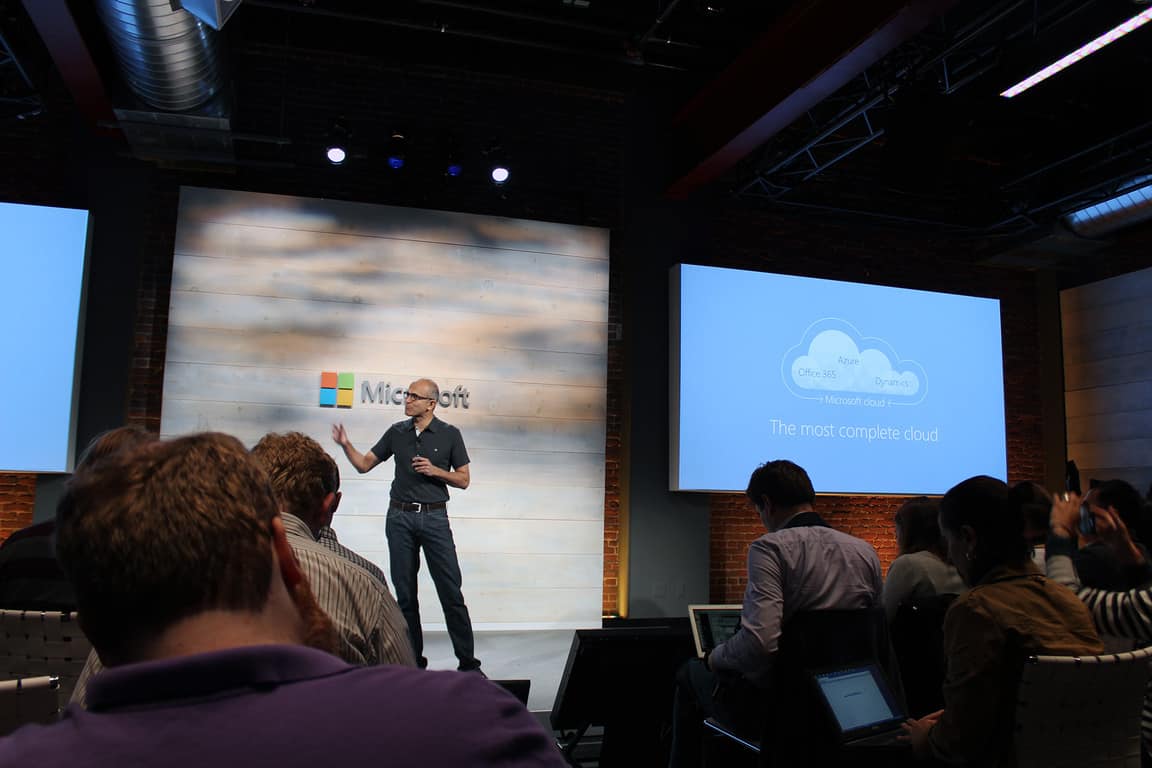
There are signs that Microsoft is embracing this new area. One of Satya Nadella’s first outside hires was Peggy Johnson, who now oversees developer outreach in Silicon Valley, which is the exact place startups are located — and Microsoft should be interested.

When asked about Microsoft’s attitude towards other companies, Johnson said that “[Microsoft has] really chosen to focus on partnerships and look for areas of collaboration,” even if the company competes with what Microsoft already offers.

This new ethos, which is largely driven by Satya Nadella, gives hope to the idea that more partnerships, investments, and potentially acquisitions are coming.

Striking a balance is critical for Microsoft, which is looking to expand beyond Windows and onto every platform. Cyanogen is a good start, but there is more that could — and should — be done, especially as Lumia sales dropped 50% every quarter.

New companies, like Slack, would have been the ideal candidate for a strategic Microsoft investment: They do something Microsoft does, but better, and will likely grow into multi-billion-dollar companies which will then IPO or get acquired.

If Microsoft had been aware of Slack from the start, it could have invested or acquired it earlier on, as Microsoft executives wanted to do. Another little-known startup could provide the same thing and Microsoft needs to get ahead of that, invest, and then reap the rewards.

Johnson will likely be critical for this mission and that is why Nadella hired her so early on and has given her a wide birth within the company to what she wants.

Ultimately, Microsoft needs to invest in promising companies so that it can break out of its current situation of being behind on mobile and at risk of being outflanked by smaller, more agile companies in its key markets, like enterprise security or messaging.

There is no perfect formula to investments like this, but something is better than nothing and could, in the long run, help cement the turnaround that Microsoft executives are chasing.

You will soon see Overwatch trailers and cinematics at a movie theater near you

Blizzard just partnered with various cinemas across the US to show Overwatch trailers and cinematics on May 22 — perfect timing to promote the game as its release is just two days after.

“For one night only, on May 22, selected theaters in the United States and Canada will dedicate their projectors to Blizzard’s new team-based shooter, broadcasting a collection of Overwatch cinematics, hero trailers, and animated shorts—including two new episodes, featuring the Shimada brothers, Hanzo and Genji, and the masked vigilante, Soldier: 76. As an added bonus, attendees will also get a behind-the-scenes look at the game’s lore and storytelling efforts during a special developer panel hosted by Michele Morrow (not to mention some pretty sweet swag). “

Since this special event at US cinemas is for one night only, anyone that would like to see the upcoming MOBA shooter on the bigger screen better reserve their tickets soon. Blizzard already revealed the list of cinemas going to show Overwatch videos on May 22. The list includes:

  • Cinemark Mesa 16 (Mesa, AZ)
  • Century 16 (Salt Lake City, UT)
  • Lincoln Square Cinemas (Bellevue, WA)
  • Century San Francisco Centre 9 (San Francisco, CA)
  • Cinemark 18 & XD (Los Angeles, CA)
  • Century Stadium 25 & XD (Orange, CA)
  • Cinemark Tinseltown 20 & XD (Pflugerville, TX)
  • Cinemark Legacy & XD (Plano, TX)
  • Century 12 Evanston/Cinearts 6 & XD (Evanston, IL)

As Blizzard stated, the projection may be held even at cinemas that are not on the list. But to make this possible, people who want to watch Overwatch videos in their city would have to organize and purchase at least 100 tickets by May 12.

Blizzard recently completed the Overwatch open beta and players are now anticipating the big event of May 24 when the game is officially launched. Overwatch will be released to Windows PCs, Xbox One, and PlayStation 4, and it is already available for pre-purchase.

For anyone interested in attending the Overwatch event, you can purchase tickets here.

RELATED STORIES YOU NEED TO CHECK OUT:

Titanfall 2 scheduled for release in the 4th quarter of this year

Outside of Battlefield 1, EA has another first person shooter set to come out this year. All the hype surrounding Battlefield 1 and Call of Duty: Infinite Warfare has managed to overshadow one key game, Titanfall 2.

A new report claims the game could be released in the 4th quarter of 2016. This could be real due to the information coming from Electronic Arts’ quarterly earnings report. We might not get an exact date until the gameplay reveal on June 12, 2016, just a day before E3 2016 begins.

We’ve seen the first teaser trailer of the title a month ago, but it failed to garner the same attention as the Battlefield 1 trailer. However, it does have a decent enough following due to the release of the first game on the Xbox One.
The first game was developed by several former Infinity Ward employees who left the studio and Activision to venture down a different path.

From what we have seen and played, Titanfall is similar in many ways to the Call of Duty franchise, but is instead set far into the future where humans have located several planets. Some of these planets are home to dragons among other creatures, so this game is more science fiction than anything else, and that’s a great differentiator. There’s also a Titanfall companion app available for Windows 10.

Titanfall 2 is expected to play on the key elements that allowed the first game to be a success. In the first game, all gamers have the ability to use jetpacks to get around the map. When compared to similar games, the jetpack is very important as each map is designed with this feature in mind.

What’s more important, however, is the option to call on huge robots known as Titans. Players can manually maneuver these giant war machines, or have them automatically cause havoc.

RELATED STORIES YOU NEED TO CHECK OUT:

Microsoft releases critical patch for Internet Explorer and graphics

Microsoft released an important patch recently designed to fix problems with Internet Explorer and graphics-related issues. The patch also dealt with problems in Microsoft Edge, among other things that are highly important.

Other issues this patch is designed to fix include the memory corruption flaws found in Microsoft Office along with a  Graphics RCE vulnerability situated in Microsoft’s important application suite. If you’re still a Windows Journal user for some reason, there’s an important fix in this patch that needs to be downloaded, as well. Its issue can allow attackers to remotely execute software on your machine, so it is very important for the user to install the patch and protect their computer system.

There’s also a flaw in Windows Shell capable of allowing a website hosting dangerous malware to inject code into your computer. This is different from the high CPU usage caused by Windows Shell Experience host of which there’s a fix.

Here is more information on the flaws addressed by the recent patch, compiled and provided by The Register:

• MS16-058 Internet Information Services gets an important fix that would stop an infection if a user is dumb enough to download a malicious app and try to run it on their machine.
• MS16-059 A flaw in Windows Media Center would allow pwnage if a specially crafted (.mcl) file containing malware is run by the application.
• MS16-060 There’s a fix for Windows Kernel that would allow an attacker to raise privileges from a simple user to admin-level control, which is particularly dangerous considering some of the critical flaws in May’s bundle.
• MS16-061 Microsoft has fixed a similar privilege escalation flaw in the Remote Procedure Call protocol for Windows with this fix.

We urge PC users to download this patch right away because it mends several security risks present in Windows right now. Malware attackers will no doubt be tuning into the document to learn of what can be exploited in hopes to infect a computer that hasn’t been updated in a long time.

RELATED STORIES YOU NEED TO CHECK OUT:

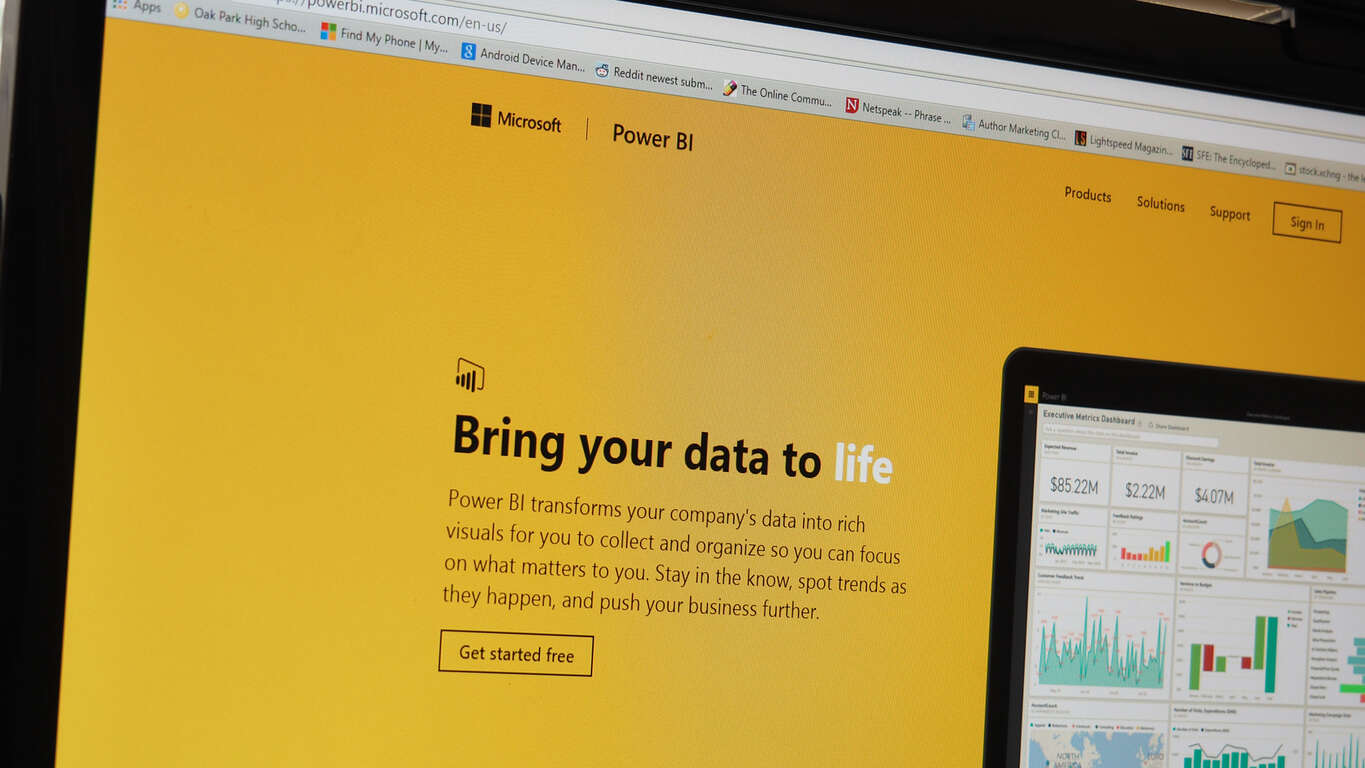
Microsoft announces major improvement to Excel reports in Power BI

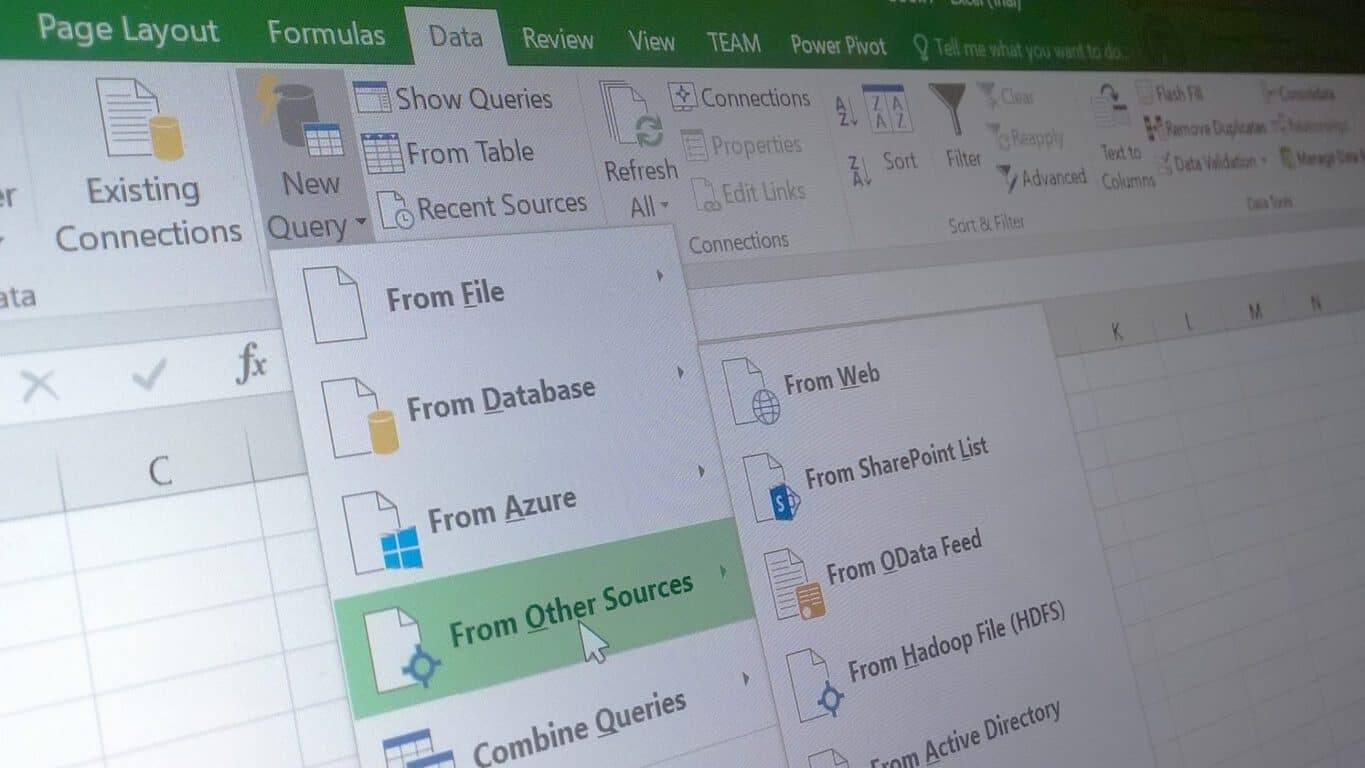
Power BI has been fairly successful, so it makes sense that the team behind it is pumping the effort of improving it into overdrive. The Microsoft team has just made an announcement that Power BI users are going to have some more options for uploading their Excel files into Power BI – a feature that was previously only available to OneDrive users. From now on you’ll be able to upload your Excel files from everywhere, including locally from your computer’s hard drive.

While it doesn’t seem like a big change, it’s a fairly significant improvement to people who value convenience. Not everybody uses OneDrive, so it’s nice to give them the option to take a file from their computer or other storage device and plug it straight into Power BI.

The functionality isn’t perfect just yet. In the blog post, it’s mentioned that “data connections refresh is still not supported for Excel reports that are uploaded from local files,” but they’re working to fix that as soon as possible.

ProShot app for Windows 10 gets teased in new video

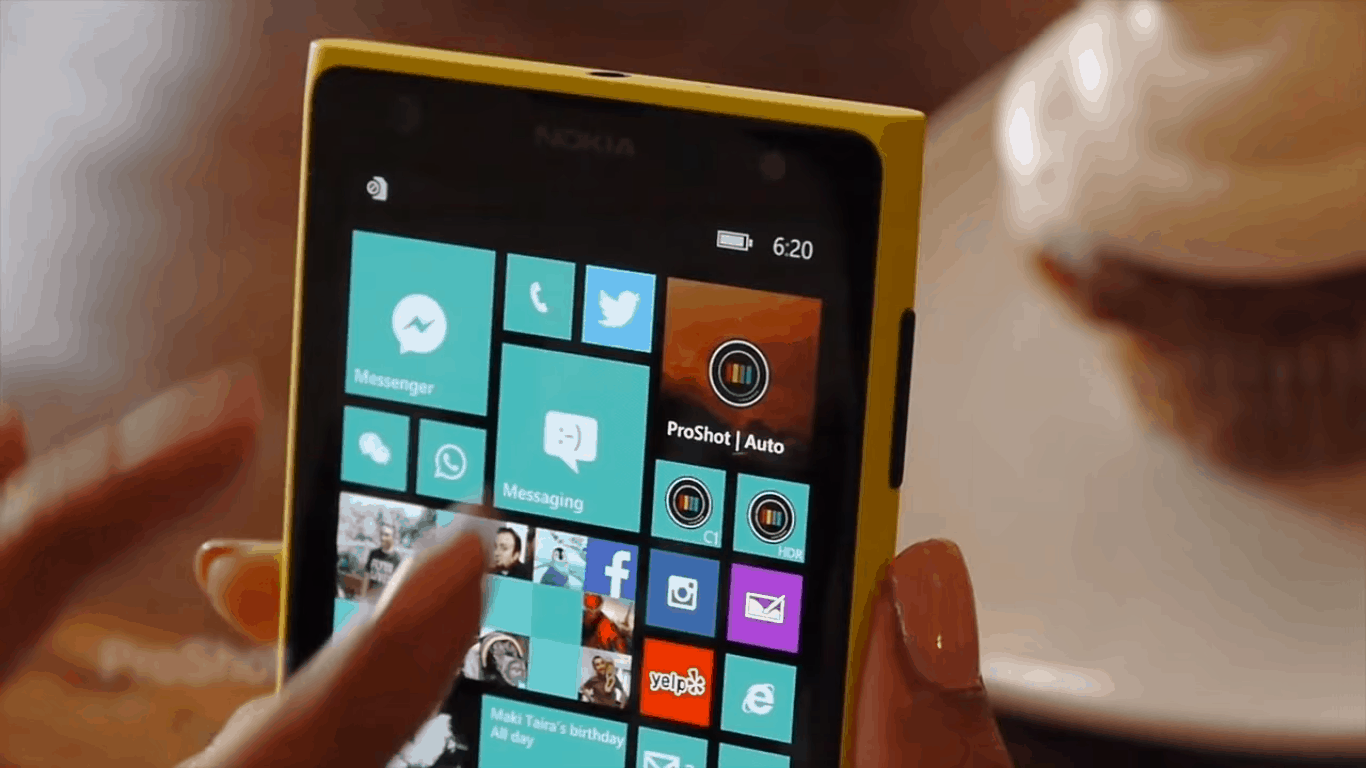
We got word that ProShot would be developing a Windows 10 app several months ago, and it seems like that promise is finally coming through. Just recently, the creator of ProShot uploaded a brief video showing off the Windows 10 version of the app and teasing some of the features he’ll be explaining to us in future videos.

All we know for sure now is that the UI for ProShot has been completely redone, and looks better than ever. With the new UI, ProShot seems sleek, easy to use, and easy to understand for people who aren’t quite used to playing around with a camera’s more advanced features.

It was also confirmed in the video that this isn’t just going to be a Windows 10 Mobile app and will be given the complete Universal Windows Platform treatment, making it so that people using Windows 10 on Mobile, PC, or any other Windows 10 device will be able to easily use the new version of ProShot.

We don’t know when the UWP version of ProShot will be coming out, but it was confirmed that new videos are on the way to give us more information as time goes on.

Why the rumored new Xbox One is not an upgrade but a Slim

Rumors have it that Microsoft is working on a new Xbox One device that could see the light of day at E3 2016 next month. Several pieces of information came through the grape vine claiming the console could be a whole new system or something else entirely.

The question remains: If Microsoft is indeed finalizing plans to reveal a new Xbox One system during its E3 2016 press conference in June, what type of Xbox would the company reveal? While that’s a tough question to answer, there is only one likely scenario here.

Microsoft would no doubt launch an Xbox One Slim instead of an entirely new system. Seeing as the current Xbox One is just over two years old and its sales are tracking ahead of the Xbox 360,  the next five to eight years will likely be more successful than the recently defunct Xbox 360.

This comes opposites of rumours suggesting that Sony is moving to launch a new version of the PlayStation 4, dubbed Neo. Sony has a reason for doing this seeing as the Japanese giant will release its PSVR goggles later in the year. From what we have come to know of VR, it requires a powerful machine for gamers to gain a better experience. The PlayStation 4 in its current form is not powerful enough to run VR, though we expect all future VR games to be released on the system nonetheless.

When it comes to Microsoft, the company does not have any reason to launch a beefed up Xbox One. It doesn’t have any virtual reality hardware set to hit the market any time soon, but the software giant is indeed working on a software to deal with nausea issues when using VR. and its HoloLens AR project is years away from prime time. With that being the case, Microsoft has no reason to release a new and improved Xbox One.

An Xbox One Slim will likely improve sales to help keep the system ahead of the Xbox 360. Furthermore, it could also usher in a $299 Xbox One, another recipe for increased sales.

Now, if there is a time for Microsoft to release a new Xbox, it would be in 2017 or 2018. These are the times we expect Nintendo to release its NX console, and by then, Microsoft would not be able to compete against two consoles that are more powerful than the Xbox One.

Do you agree the Xbox One Slim will be announced at E3 2016 instead of a whole new system? Let’s hear it in the comments.

Visual Studio 15 preview 2 is now available for download

Microsoft recently released Visual Studio 15 preview 2 — not to be confused with Visual Studio 2015, software that was released back in 2015. (Microsoft is still a bit weird with the names and it appears this habit won’t end anytime soon.)

This preview is only for developers, with Microsoft making it clear that it is only for testing purposes. Bear in mind that there are bugs, so do not use it on your main machine because it could hamper your work.

The following is what Microsoft had to say about the new Visual Studio 15 preview:

This preview like the previous one, lays groundwork for the next version of Visual Studio. We primarily focused on bug fixes and a few feature updates. New features include; making the account settings dialog more accessible to screen readers, diagnostics improvements to help track down focus related issues, Edit and Continue for XAML apps, and simplified debug configuration in Folder view. Preview 2 also includes the latest Visual Studio Tools for Apache Cordova Update 9 which supports Cordova 6.1.1.

Director of Program Management for Visual Studio, John Montgomery, also talked about the new development on his blog, but mainly on a specific issue:

There is one breaking change I want to call out. The change is in how Visual Studio consumes templates and requires that you define templates in template manifest files. This change will not impact anyone in this release, but it is a heads up that templates not defined in template manifest files will stop working in the next Visual Studio “15” release. This change will only impact anyone who authors Visual Studio project templates

The software giant has documented all known issues facing the software right now, so if you’re hoping to give it a spin, jump in. Check this MSDN link to learn more about Visual Studio 15. As for how to get access to Visual Studio 15, just visit this page.

RELATED STORIES YOU NEED TO CHECK OUT:

Windows 10 Anniversary Update to increase the number of Promoted Apps displayed

If you’re not a fan of the “promoted apps” feature in Windows 10 where you’re presented with ads for apps to try out from the Windows Store, then that’s one of the things you’re likely not to appreciate in the Windows 10 Anniversary update coming this summer. As Neowin has discovered, buried in a slide presentation from Microsoft’s WinHEC event, new machine owners or reinstallers are going to be presented with a larger number of promoted adds once the Anniversary Update goes live on July 29, 2016.

As Neowin points out, the number of static Microsoft apps that will be pinned to the Start Menu when you first start up Windows 10 on a new or reinstalled machine (the out-of-box-experience, or OOBE) is dropping from 17 down to 12. At the same time, the number of Start Menu spots allocated to promoted apps (which launch the Windows Store when clicked) will increase to 10, from the current five.

Anniversary Update changes to promoted apps.

Microsoft’s explanation for the change in provided in the slide below:

Here’s why they’re making the changes.

That clutters things up a bit more than presently, and whether or not you like this change depends largely on whether or not you appreciate app suggestions. Who knows, maybe Microsoft will present you will an app that you wouldn’t otherwise know about–and the Promoted Apps are easy enough to uninstall. And certainly, helping developers promote their apps to users is an important step in growing the Windows Store and the Universal Windows Platform.

Let us know in the comments what you think of this impending Anniversary Update “feature.”

Update: Story clarified to indicate that this appears to apply to how OEMs can configure machines in the out of box experience, or OOBE, and how machines will look when Windows 10 is reinstalled from scratch. This isn’t how machines will appear once the Anniversary Update is applied, which was implied in the original version.

You can now download Edge extensions from the Windows Store

Microsoft changed the way users install extensions for Microsoft Edge in the latest Windows 10 Preview build. Extensions can now be installed directly from the Store, instead of downloading and extracting them from Microsoft’s site.

This is a good thing because when Microsoft introduced Edge extensions earlier this year, many users found the method of installing them too complicated. Installing an extension required downloading it from Microsoft’s website and then extracting it in the browser. It’s good that Microsoft recognized this as an inefficient way to install extensions, deciding to change it in the most recent Preview build.

edge extensions

Microsoft warned users that due to the new way of installing extensions, all currently installed extensions are going to be removed upon installing the latest Windows 10 Preview build. To re-obtain those same extensions, install them from the Store once again. Microsoft will delete extensions only in this build as they will be re-installed in the future releases, so users don’t have to install them every time they install the new build.

AdBlock finally debuts in Microsoft Edge

An even bigger highlight than the new method of installing extensions is the arrival of the long-awaited AdBlock and AdBlock Plus extensions. This extension was among first announced extensions for Microsoft Edge as its developers revealed it way back in 2015.

Windows Insiders who install AdBlock will be able to block ads on every site, just like they do in other browsers. Microsoft also advised users to run only one AdBlock extension because running both at the same time might cause some crashes.

AdBlock is available for free download in the Store alongside other Microsoft Edge extensions that include the Pin It Button, Mouse Gestures, Reddit Enhancement Suite, Microsoft Translator, and OneNote Web Clipper.

You can also enhance your media experience as Microsoft Edge embraces AVIF and AV1 formats. We covered this subject in detail in a separate article, so don’t miss it.

Tell us in the comments below: What do you think about the new way Microsoft Edge extensions are installed?

Need for Speed takes one-year break to prep for 2017 launch

Need for Speed, the long-running racing series, will allow its engine to cool down for a year. According to the game’s developer, Ghost Games, it won’t release any new installment until 2017, opting to use this time to consult with fans in the aim of gathering feedback on how the next version should look like.

Ghost Games also announced that the SpeedList update would be their last free update in 2016. In the 2016-2017 period, the company will be focusing on finding inspiration for the next NFS game from their fans:

That’s not to say that we’re going quiet between now and then… far from it. We’ll be working with our community and there will be multiple opportunities to bring many of you into the studio in the coming months to get your feedback on where we’re headed.

Ghost Games also thanked its fans for the feedback they have already offered, much of which has been used to shape the free content updates for NFS. Fans have already started to present their wishlist of features for the 2017 game version of the NFS forum:

In my opinion these features would be great to see in NFS 2017.
Cars: Purely everyday rides combined with muscle cars, vintage cars and exotics with a maximum top speed of 155 mph. […]
World: At least some variety in the environment, it doesn’t have to be set in a huge world.
DLC: Give us at least DLC that is worth the time, energy and maybe money that is worth it to download.
Others: A good story, a good variety in race types (not 4 types of the same kind of races like in NFS 2015). If there would be a pursuit system, let there be a good one or just leave it for multiplayer only or remove it completely. As for music I would like to see radio stations.

If you haven’t yet tried the game, check out its trailer for Windows PC. The game was initially released for Xbox One but has recently landed on Windows PCs as well, offering up to ten hours of car racing adventures with no restrictions.

What new features would you like to see in NFS 2017? Write your ideas in the comment section below and don’t forget to send your feedback to Ghost Games as well — they just might make your dream come true.

RELATED STORIES YOU NEED TO CHECK OUT:

Misfit app for Windows 10 snags a new refined look

The fitness and wellness tracking industry is becoming a hotly contested space with a few names rising as wearable leaders. As per the nature of these devices and services, users want the data collected from their preferred device to be as mobile as they are (or in most cases, want to be). Unfortunately, that has left many Windows users out in the cold on this trend as most development steers towards iOS and Android as more mobile-friendly solutions.

Fortunately, activity and life tracker company, Misfit, offers a wide range smart connected peripherals that include wrist-based wearables, smart bulbs, and mattress-based sleep monitors that can be tracked and studied via Windows devices as well.

Recently, Twitter user @tomsnicetweets noticed the Misfit app in the Windows Store underwent a UI revamp that brings it on par with its iOS cousin. Perhaps, the Misfit developers are among the tiny sliver of early Islandwood (iOS porting tool) users who have used the tool bring over a similar iOS experience to Windows users.

Also, the revamped Misfit app for Windows appears to bring Live Tile functionality with it. Beyond the physical redesign, users of the Misfit app on Windows get access to:

  • Goal Setting – track your running, cycling, swimming and more
  • Activity Meter – check your activity progress and see your steps, calories, and distance travelled.
  • Intensity Graph – See your activity level grow over time
  • Sleep Tracking – Sleep quality, duration, and sleep goals
  • Weight Tracking – Keep track of your long-term progress and fitness goals.
  • Shine with Friends – Personalize your profile, add friends and compare your daily activity

For obvious reasons, to access stats and metrics from the Misfit app and service on Windows, users need to already process a Misfit Shine or Flash sensor. The Misfit app supports Windows 10, 8.1 on both PCs and mobile devices.

If you happen to have the combination of Misfit hardware and a Windows device, let us know about the redesign and what other new features we may have missed.

Misfit
Misfit
Price:
Free

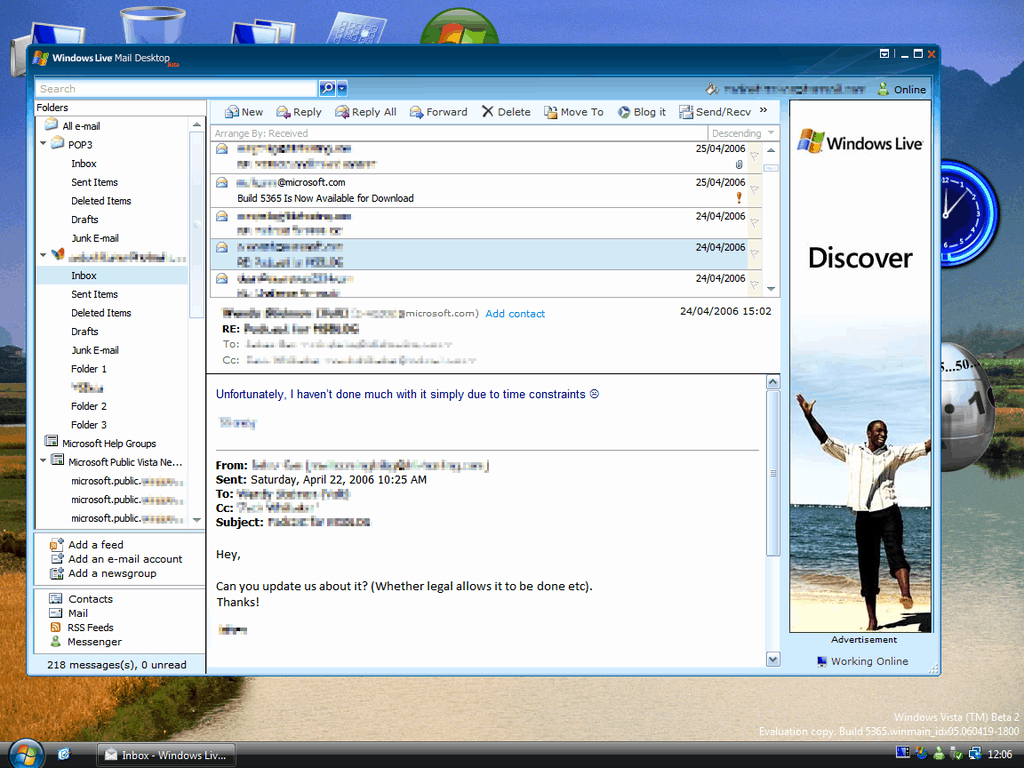
The long and winding history of Windows Live Mail, now that it’s gone

Late last week, Microsoft announced that due to some API changes, Windows Live Mail, a desktop email application bundled as part of “Windows Essentials” and once a pillar of the Windows Live initiative, would no longer work as a client for Outlook.com.

As you may know, I was managing editor and before that a writer for LiveSide.net, a site that for nine years covered all things Windows Live, so hearing the news brought a few twinges of sadness and a wave of nostalgia.

It’s been 10 years now since Microsoft introduced Windows Live, and it dates me to think that basically a whole generation of computer users has grown up in a post Windows Live world, so I thought it would be fun to take a look back at the evolution of, in this case, Microsoft’s consumer email clients and services.

It’s quite a convoluted story, beginning back in the really old days, all the way back to 1996. Microsoft’s first email client for consumers, Microsoft Internet Mail and News, dates back to the days just following the release of Internet Explorer 3. That was followed by the rebranding to Outlook Express, a program that was at first bundled with IE 4 and then shipped with Windows 98.

Windows Live Mail
Windows Live Mail

Outlook Express sort of opened the door for a long history of confusing naming for email clients, and we’ve had Windows Mail, Windows Live Mail, Windows Live Mail desktop, Windows Live Hotmail (and before and after that Hotmail, of course), Windows Live Mail (again), and Mail. Each of these were separate clients or services, stemming from back in the days when Microsoft engineering existed in silos, and the guys up in Red West (the Windows Live teams) didn’t have much to do with the Windows teams on the main campus, who developed Windows Mail, the successor to Outlook Express (that is, a bundled email client shipping with Windows), pretty much separately from Windows Live.

Outlook Express had its own naming problems, too, as the client really had nothing at all to do with Outlook (except for the name and that they were both email clients, of course), bringing us back full circle to when Hotmail was renamed Outlook.com (again, having nothing to do really with Outlook).

Windows Live Hotmail

But I miss Windows Live Mail. It’s still (or was, up until these latest API changes) a more full featured email client than Windows 10’s Mail (although that’s not saying much). The Windows Live clients, part of a suite of what came to be known as “Essentials” (first Windows Live Essentials and then Windows Essentials, of course, can’t leave a name unchanged for long!), shared common dependencies and couldn’t be installed independently, kind of the antithesis to today’s apps, which run on a built in platform without needing to install various .Net and redistributable packages, making quite a mess of Programs and Features (itself renamed from Add or Remove Programs).

The look and feel of Windows Live, as different as it was from the new “Metro” design language, still had a design language and a charm all its own, light and airy and, well, “modern.” Unfortunately, I gave up on Windows Live Mail and Windows Essentials some time ago, moving on to the new paradigms of Windows 8 and 10, but there’s still a tinge of nostalgia lingering for Windows Live, and those earlier, somehow more innocent days.

Microsoft to build four new Dublin data centers, costing $1 billion

Ireland is going to benefit greatly from Microsoft’s new green-lit project of building four data centers in the country’s capital, Dublin, reports the Independent, Ireland’s largest daily newspaper.

The project, reportedly involving up to 900 million euros (more than $1 billion) of investment from Microsoft, will be spanning three years, with an expected 140 new full-time jobs created. The town, Clondalkin, 10 km west of Dublin, already houses one of Microsoft’s data centers at Grange Castle, where the new ones are reportedly also to be built.

“These data centre facilities were originally designed to meet Microsoft Ireland’s data centre server requirements based on projections completed in 2007,” “Since that time, the demand for online services has expanded exponentially and additional data centre development is required to allow Microsoft Ireland to meet an ever-growing worldwide demand for the services it offers over the internet”.

Ireland was reportedly chose as the location for Microsoft’s data centers due to its “temperate climate” and also based on “strategic business considerations”. The sentiment seems to be shared by other technology giants, as Amazon, Apple, Google and Facebook also have, or are planning to build, data centers in the country. The combined investment from these behemoths is expected to transform Ireland in the upcoming years.

Feature Image: Microsoft’s Grange Castle data center. Credit: Independent.

Feedback Friday: How would you improve Messaging in Windows 10?

With the success of the Windows Insider program, Microsoft now lets anyone give them formal feedback through the Windows Feedback app. In our new series we’re breaking down some of the most intriguing feedback and suggestions. We’ll do our best to dive into the lists of feedback rather than just have “dark theme everywhere.” This week we look at messaging in Windows 10.

Microsoft is mid transition when it comes to their vision of messaging. They’ve tested integrating Skype messages with the main messaging app, will soon let users SMS text through their PC, and are working on making their messaging app a big feature in Windows 10. There have been some solid improvements of the app and some controversial decisions but overall feedback does seem to play a factor in how Microsoft shapes messaging. Here’s some of the best or most intriguing feedback for messaging on Windows 10 and Windows 10 Mobile. I’ve left out Skype integration because that’s already a hot debate that most people know about but it’s worth mentioning briefly.

“GIF support in Messaging, please” (from mobile feedback app)

Being able to send various forms of media is what makes a modern messaging app great. Any messaging app can share text messages but photos, videos, audio files, and other ways to communicate add a depth to conversations. Just yesterday I got into a sticker conversation with one of my best friends (okay maybe that’s too far for some but they can be fun). Adding GIF support directly within the messaging app would prevent people from having to jump through a link or anything else to see their short videos. It also helps the Windows messaging app compete with other popular apps including Facebook Messenger which just launched a Windows 10 app with GIF support and more.

“Circle pictures do not fit with modern UI” (from mobile feedback app)

They absolutely don’t fit in, valued feedback sharer. Windows 10’s UI has improved over time (though there are still a million different dropdown menus) but some things just don’t seem to fit in. Look at icons for example. People kicked off about them and after being updated, they look much more native in the OS. The circle profile icons used in the messaging app and other apps for that matter don’t fit the design language in many people’s opinions and at minimum waste space by cutting off the corners.

“Delete text message by swipe like emails” (from mobile feedback app)

At the moment swiping on a message or conversation in the messaging app does nothing. Microsoft could use that already familiar gesture of swiping to add a nice feature. It’s not a huge change since you can multi select messages or entire conversations but it would make it a bit faster.

“Enter key should send message in the quick response for SMS responses and not add a new line to the message” Windows 10 Feedback app

This piece of feedback is pretty self explanatory. If this isn’t wanted by everyone Microsoft could make it a setting similar to what Facebook does. Hitting enter to send message is pretty normal regardless of what app you’re using so it’s no surprise that people are asking for it here.

In my opinion the messaging app is an untapped resource from Microsoft. It’s felt a bit like spot filler because of its low feature list and basic design. That may be because they are unveiling one of its most important features this summer in messaging through PCs. I think a little more polish and a consistent upgrade in features could make messaging in Windows 10 a selling point, not just a spot filler. Another big factor is how the upcoming UWP Skype app turns out. Microsoft is spending a lot of man hours on messaging so we’ll have to see how it improves over the next few months.

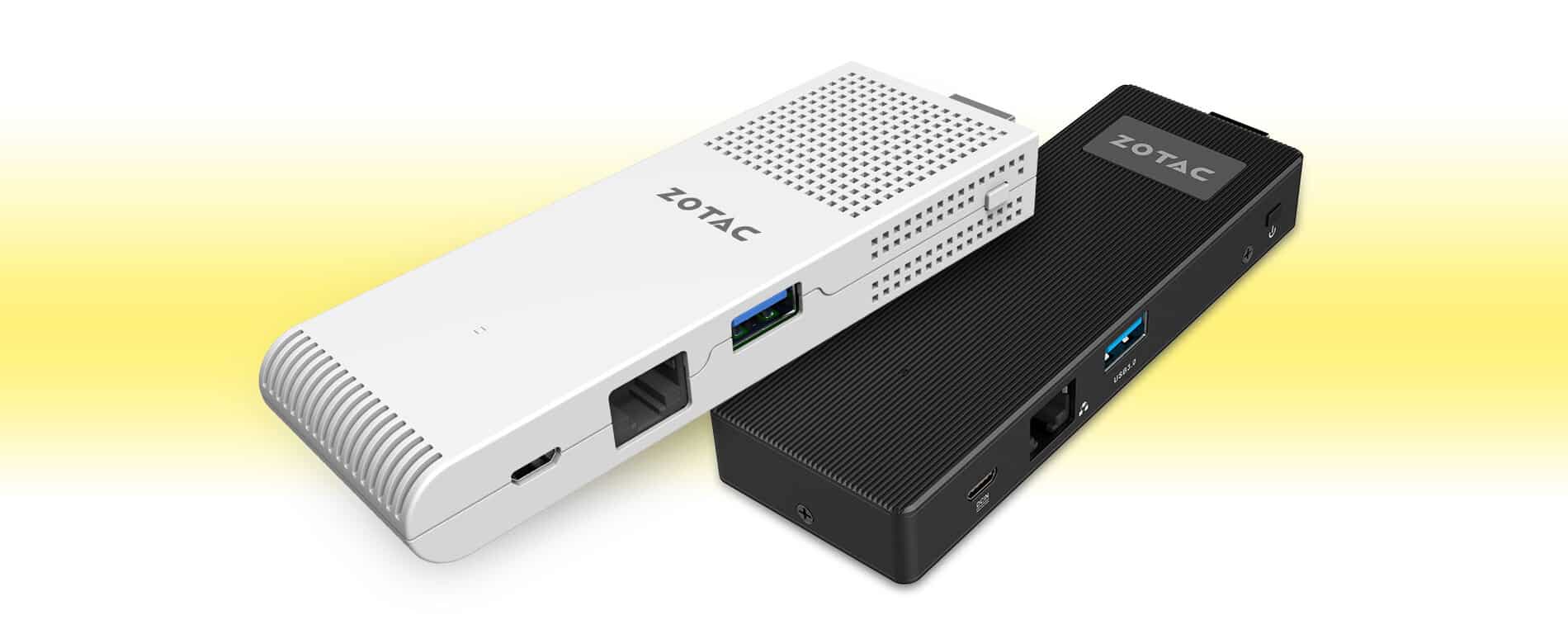
Zotac launches the new ZBOX Mini PC powered by Windows 10

There’s no shortage of USB-sized mini PCs in the market — we’ve already seen the Intel Compute Stick, and now Zotac has introduced its new dongle-sized ZBOX Mini PC. The USB sized PC stick comes in two configurations, the ZBOX PI220 and PI221.

Zotac said in a post,

“With space increasingly becoming a luxury, size is a critical factor in determining the solution for your needs. Often times this means compromising between size and functionality. The PI220 and PI221 pack the functionality of a full size PC in the form of a stick. Equipped with Intel’s 14nm Cherry Trail quad core processor, performance and power efficiency are improved over previous generation processors.”

Both variants are powered by Intel Cherry Trail processor coupled with 2GB of RAM and 16GB of internal storage. There’s one HDMI port, Bluetooth 4.0, 802.11ac WiFi capability with external antenna, USB 3.0 port and a full size Ethernet port. As far as the operating system is concerned, both variants come with Windows 10 Home 32-bit pre-installed out of the box.

Unfortunately, the company failed to reveal information about the pricing and exact availability date of the PC Stick. However, they did mention the device will be showcased at the Computex 2016 in Taiwan next month. We’ll update you as soon as we get any detail about the pricing and availability of the ZBOX Mini PC.

Play Gun World 2 and Grand Prix Rock ‘N Racing on Xbox One today

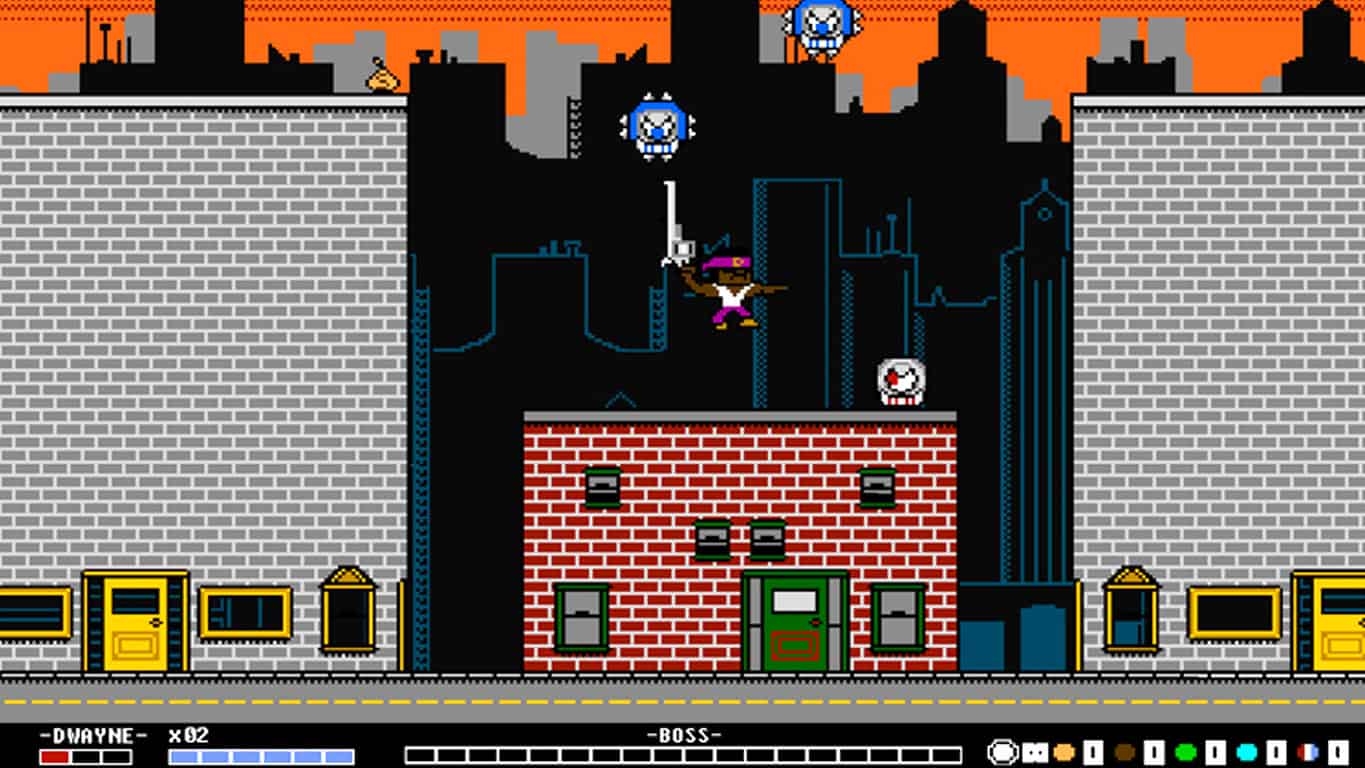
Both Gun World 2 and Grand Prix Rock ‘N Racing are now available to download and play on Microsoft’s Xbox One video game console.

Gun World 2 is a sequel to the first retro-inspired platformer and features equally crude graphics but is enjoyed by many for its gameplay. Here’s the official description:

The sequel no one asked for, to the game that nobody liked! The Exaction Faction, an intergalactic troupe of super heroes, has come to arrest President Eagle! Explore GunWorld to level up, collect new gear, and hunt down the Faction members in this retro-inspired action/platformer/RPG hybrid.

Buy Gun World 2 on Xbox One

Grand Prix Rock ‘N Racing on the other hand has much more modern graphics in 1080p resolution and is a racing game that supports up to 4 players at once, has a rock and roll soundtrack, and races with up to 20 rivals. Here’s the official description:

Get ready for some speed with your family and friends!

Grand Prix Rock ‘N Racing gives you the fastest, most exciting races. You can evolve your car, improving the engine, brakes, tires and more until you’ve achieved the perfect evolution to win the Championship!

Online leader board where you can compare your best times with those of your friends and players from around the world.

Buy Grand Prix Rock ‘N Racing on Xbox One

Another Xbox One game, Super Night Riders, is also available on the Xbox One today but only as a pre-order and pre-download. The game will release on May 18th and is also a racing game but with a much more anime and retro vibe than the modern-looking Grand Prix Rock ‘N Racing. Here’s its description:

Super Night Riders is a modern arcade racing game inspired by the retro classics. You are Alice, a beautiful and talented motorcyclist known as the red rider. In this game, your position in the race does not matter. It’s all about traveling as far as possible while dodging the rival riders, and reaching each checkpoint before the timer goes down to zero. The gameplay is fast and responsive similarly to the best retro racers, while the low-poly style is inspired by the early 3D arcades.

Pre-order Super Night Riders on Xbox One

Do any of these three Xbox One video games interest you? Share your thoughts with us in the comments below.

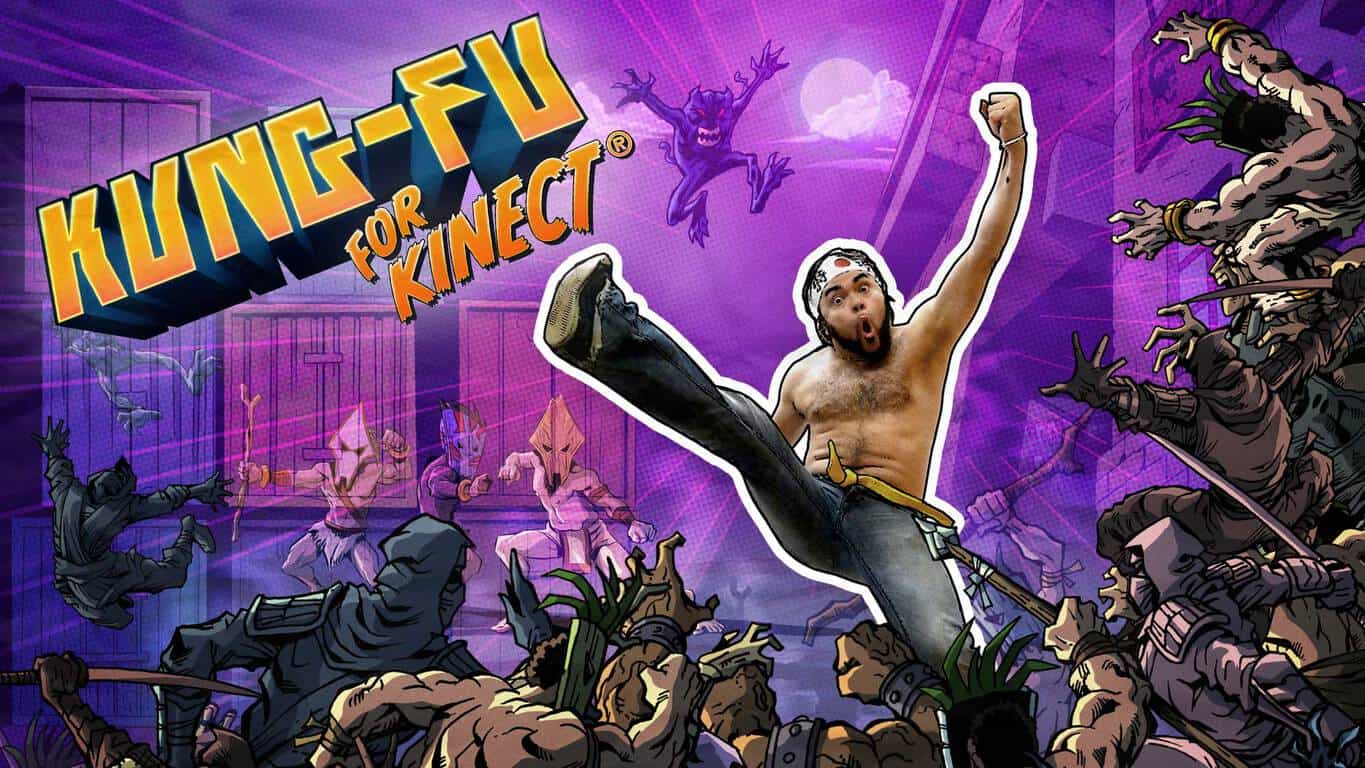
Kung-Fu for Kinect announced for Xbox One

The Virtual Air Guitar Company is reviving the Xbox 360 game, Kung-Fu High Impact, for the Xbox One and is giving it the new name, Kung-Fu for Kinect. Here’s the official description:

Punching air has never felt this good! Kung-Fu for Kinect takes the player’s own video image and puts it inside a 2D fighting adventure. The player fights comic-book villains with real kicks and punches. During cutscenes, Kinect takes snapshots of the player’s poses, giving the player the lead role in their own animated comic book. As with the company’s previous games, Kung-Fu has been designed with daily physical activity in mind. Exercise is one of the big reasons why we make motion games. We want to provide both kids and adults with games that are enjoyable on their own, but also keeps them up and active.

“We’ve received a lot of requests to bring Kung-Fu to Xbox One,” reveals Aki Kanerva, founder and lead designer at Virtual Air Guitar Company. “We can now answer the popular demand, thanks to great leaps in game development tools, such as Unity software. We can offer something for new players and old fans alike. This new version has been reprogrammed from scratch using Unity, so we have new cool features like new game modes, more enemies on screen and ragdoll physics that react to your attacks.”

A new trailer for Kung-Fu for Kinect has also been released, which can be watched below. It shows how the Xbox One’s Kinect sensor scans the player’s body and creates still frames which are used during gameplay. The game will feature over 22 levels and nine replayable challenges which can be attempted daily.

Kung-Fu for Kinect is due out in June 2016. A specific date is expected to be announced closer to release. Did you play the original Xbox 360 video game? Are you curious about this new version? Share your thoughts with the community in the comments below.

Run+ upgrades to UWP app format, now available on Windows 10 PC

The popular third-party Windows phone Nike Running app, Run+, has been updated to the Universal Windows Platform (UWP) format and is now available on Windows 10 PCs/tablets in addition to Windows phones running Windows Phone 8 through Windows 10 Mobile.

There doesn’t seem to be too many visual improvements with the app on Windows phone however some bugs have been squashed such as one that caused a glitch when sharing a run on Facebook.

Here are some of the app’s current features:

  • Record the distance, pace and calories for your run
  • Share your run on Facebook and Twitter
  • Start and join challenges
  • View all past runs from all devices
  • Map the path and elevation of your run using your phone’s GPS
  • In-run audio feedback at predefined intervals
  • View and compare with friends
  • View your trophies
  • Play your power song or favourite playlist while you run
  • Run under lock screen
  • View runs on your lock screen and Live tile while running
  • Support for Metric and English units
  • Record where you ran and how you felt about the run
  • Detect and record weather during run and more…!

With no official Nike Running app on Windows phone, Run+ has proven to be an essential app for many users, like myself, who made the jump to the platform from iOS. Run+ contains almost all of the features of the official iOS app and also connects directly to users’ Nike accounts to sync their data. Despite being unofficial, the app still manages to display Nike friends leaderboards and, while the voices are different than the official app, also provides voice updates on distance and pace while running.

When viewed on a PC, the new UWP Run+ essentially looks like a larger version of how it appears on mobile devices. Do you use Run+ on your Windows phone? How often and how far do you run? Let us know in the comments!

Thanks to Hosney for the tip.

Run+
Run+
Developer:
AppOrigins
Price:
Free

Windows 10 Preview build 14342 causes many problems for Insiders

Windows 10 Preview build 14342 is here, and it brought a handful of improvements to the system, but also caused some problems to Insiders who installed it. If you follow our site, you probably know that we write a report article, based on reported problems in the current build.

According to the number of reported problems in build 14342, we have a lot to write about. So, keep reading, and you’ll find what bothers Windows Insiders who installed the latest Windows 10 Preview build.

Windows 10 Preview build 14342 reported problems

As always, we start our report with build installation issues. A few users reported on Microsoft’s Community forum that they’re unable to install the build.

“I’d read about the release of Build 14342 to the Fast Ring, so I checked my update status to see if it had been downloaded to my desktop computer where I found the following: “Update Status: There were problems installing some updates, but we’ll try again later. If you keep seeing this and want to search the web or contact support for information, this may help: Windows 10 Insider Preview 14342 – Error 0x80240fff””

Unfortunately, people from the forums didn’t have a proper solution for this problem. We don’t have the exact solution either, but if you’re also facing this issue, we recommend running the WUReset Script, which is used for solving various update problems. However, we cannot guarantee that running this script will solve the problem.

Cortana didn’t get any improvements in the latest Preview build, but that doesn’t mean the build didn’t cause any Cortana-related problems to users who installed it. One user said that Cortana crashes whenever he inputs text.

“Cortana has been consistently broken on my device. When I give it a query (search works fine, but everything else is broken), whether by voice, text or Hey Cortana, Cortana stalls. No “Listening…” in the search bar, it just sits there forever. If I’m lucky, it crashes. I’m a developer, who is implementing Cortana in his apps, so I can’t test the functionality (as I have one device, running the preview).”

cortana crashes windows 10 build 14342

Microsoft is actually aware of this problem, and as its engineer Jason D said, the development team is working on the solution, so we should expect this flaw to be solved in one of the future builds.

The biggest highlight of build 14342 is the introduction of a few Microsoft Edge improvements, and new features. But besides these new additions, some users also encountered some issues in Windows 10’s browser. First reported problem is about Edge failing to open some websites.

“I’ve just upgraded to 14342 and Edge is pretty much throwing up error messages on every website I go to except Google and Microsoft.  For example, www.bbc.co.uk looks as if it opens fine, the page then goes white, it reloads and then displays : “This page is having a problem Loading”

Another Microsoft Edge-related issue that users reported is the problem with the browser not opening. “On one of my four machines running 14342, Edge does not start at all. It flashes up a blue window with the Edge logo on it, then simply vanishes. Any suggestions?”

edge problems build 14342

Unfortunately, none of these problems received a valid solution from the community forums. It appears that the only thing users can do is waiting for Microsoft to release a new build.

We continue our report with problems in Windows 10’s Insider Hub. Namely, a couple of users complained that they’re not able to install the Feedback Hub app in the latest Windows 10 Preview build.

“Once I get 14342 installed and try to install Feedback @ Settings/System/Apps & Features/Manage Optional Features/Add a Feature…the build tells me there are no optional features available for installation!  Meaning, with yet another build, I am unable to supply Feedback.”

Apparently, this isn’t such a serious issue, as it actually gets fixed by itself. Once the new build is installed, some time needs to pass until some system features are available for download, and Feedback Hub appears to be one of these features. So, if your encountering the problem with installing Feedback Hub, as well, just wait for a couple of hours, and you should be able to install this feature without any problems.

Problem with audio was common in early Windows 10 Preview builds, but users didn’t reported such issue in quite some time. However, it looks like the problem returned in Windows 10 Preview build 14342, as one user said  on the Community Forum that sound on his computer randomly stops working.

“Since the upgrade, my sound will randomly stop working. When this happens the Windows Event Log service will also stop running. I have the latest drivers installed for my sound cards. I use both the onboard and a pci sound, I have been using this configuration since Windows Vista with no issues. I have also disabled the onboard sound, and still have the same issues.”

Microsoft engineers unfortunately didn’t have the proper solution for this problem, but if you’re also encountering sound problems in the latest Windows 10 Preview build, we can recommend you to check our article about sound problems in Windows 10.

That would be all for Windows 10 Preview build 14342 issues reported so far. As you can see, the new build is only one day old, and we already have a lot of issues, which definitely isn’t good. However, almost every recent Windows 10 Preview build caused numerous issues to Insiders, so the number of reported issues in this release isn’t such a big surprise.

In case you encountered some problem we didn’t list in this article, let us know in the comments, and we’ll update our report.

Super Mario theme comes to Minecraft for Nintendo Wii U

Minecraft was released for the Wii U back in December 2015 via the Nintendo E-Shop and made a perfect fit for the Wii U, probably more so than any other video game console available today.

Compared to the likes of the Windows 10 version and Xbox version, the game is mostly the same but Nintendo wants to change that with a recently released Super Mario theme pack for the Wii U version. This is no doubt going to become very popular, and will be the envy of Minecraft players on other platforms.

The new content is set to launch on May 17, 2016, bringing with it a Super Mario themed world. Furthermore, 15 pieces of Mario-related music and 40 themes to spice up your Minecraft world are also included. This is definitely the best Minecraft theme packs we have ever seen, but unfortunately, it is only available on the Nintendo Wii U — a console on its way to the graveyard. Still, we’ve already seen several individuals claiming they are prepared to purchase a Nintendo Wii U just for this version of Minecraft, and why not? It’s the type of experience that can’t be found anywhere else.

The Super Mario theme pack is freely available via the E-Shop. Furthermore, those who purchase Minecraft for the Nintendo Wii U come May 17 on disk for $29.99 can also get it from the disk itself, so there’ll be no need to download it. If you’re interested in grabbing the digital version of Minecraft for the Nintendo Wii U, then jump to the E-Shop right here and pick it up.

Minecraft recently celebrated its 4th birthday on the Xbox. To celebrate, Microsoft made sure to gift players with several theme packs to help spice up their world. The packs are available for the Xbox 360 and Xbox One video game consoles only. You can also grab the Minecraft Xbox One Edition Favorites Pack come June 7 from the Xbox Store. As the name suggests, this will not be available on the Xbox 360.

RELATED STORIES YOU NEED TO CHECK OUT:

Here are the new features of Narrator in Windows 10

Back in April we wrote about the cool features Narrator had received, improving the tool’s performance, the keyboard commands unification or the fact that Cortana and Edge results became readable among other features. This month, Microsoft rolled out a series of interesting improvements related to navigation, auto-suggest announcements and faster text-to-speech.

The May features are available in build 14328 or newer. If you want to help Microsoft refine their Narrator, send it your feedback via Narrator’s own feedback command of pressing CAPS LOCK+E twice to enter comments about your experience. If you press CAPS LOCK+E once this means you are not satisfied with the tool. The updates focus on five main areas.

1. Scan mode – which is actually a new navigation mode. When this mode is on, use the up and down arrows to move through applications and web content.  You can press SPACE to activate an item of your choice: follow a link, press a button in an app, etc. Scan Mode supports common keys found in other screen readers to make navigation easier and more familiar. Scan Mode is turned on /off by pressing CAPS LOCK+SPACE.

2. Verbose modes – six levels of verbosity are now available, giving you more information about the text characteristics.  At Verbose mode zero, you will hear the text.  At verbose mode 1, you will hear if the text is a heading. At verbose mode 2, information about text formatting will be provided: you will know if the text contains bullets, words in bold, italics or color.

3. Punctuation modes: you now have more control over how much punctuation you hear when reading a text. The settings for punctuation include none, some, most or all.

4. Faster text-to-speech: three new voices have been added to Narrator for a faster rate of speech. The current voices can utter 400 words per minute, while the new ones are almost twice as fast.

5. Auto-suggest announcements: will now get a verbal hint with an audio indication when Windows 10 apps make suggestions. This feature is extremely useful when used with Cortana, as you get suggestions when you enter a term in the search box.

RELATED STORIES YOU NEED TO CHECK OUT:

Windows 10 games get unlocked frame rate support for UWP, AMD Freesync and NVIDIA G-SYNC

Microsoft has proven it really takes into consideration user feedback, rolling out three important updates for gamers and game developers. The update focuses on Windows 10 and brings unlocked frame rate support for UWP, AMD Freesync, and NVIDIA G-SYNC.

Windows 10 is definitely the place to be for gamers considering the massive influx of quality games in recent months. Fabulous games such as Quantum Break, Gears of War, Forza Motorsport 6,  Rise of the Tomb Raider or Hitman are all now part of the Windows 10 game offer and support Direct X12.

Thanks to this update, you will be able to play your UWP games with unlocked frame rates, with Gears of War and Forza Motorsport 6: Apex will be the first games to support this feature. The update will be rolled out gradually, but if you want to try it out faster you can download it from Microsoft.

This is only the beginning since developers have promised new Direct X12 titles will land in the near future:

Looking further into the future, you can expect to see some exciting developments on multiple GPUs in DirectX 12 in the near future, and a truly impressive array of DirectX 12 titles later this summer and fall.

As for AMD Freesync and NVIDIA G-SYNC support, this feature will synchronize game rendering frames with the refresh rate of the monitor. If you activate the “Disable vsync” option in a game, frames will be rendered out of sync with the monitor refresh. In this manner, the game is rendered as fast as the graphics card allows it. The only issues is that tearing will occur because of lack of sync, which means that parts of two different frames are on the screen at the same time.

G-SYNC and FreeSync solve the game/monitor synchronization problem by determining when the game is ready to render a new frame. When the game is ready, the graphics driver tells the monitor to refresh the display. This allows your game to render as fast as the graphics card is capable without any tearing, but requires monitors which support adaptive refresh technology.

Now that another annoying issue is solved, it’s time to hit the play button!

RELATED STORIES YOU NEED TO CHECK OUT:

May updates for Surface Pro 4 and Surface Book include important camera tweaks

Microsoft  rolled out its May updates for both the Surface Pro 4 and Surface Book, mainly focusing on the camera by bringing the same upgrades to both devices. By comparison, the updates rolled out last month offered important performance and graphics improvements as well as better power management.

The list of updates for the Surface Pro 4 and Surface Book includes:

  •  Intel Corporation driver update for Intel(R) AVStream Camera 2500
  • Intel Corporation driver update for Intel(R) Control Logic
  • Intel Corporation driver update for Intel(R) CSI2 Host Controller
  • Intel driver update for Intel(R) Imaging Signal Processor 2500
  • Intel Corporation driver update for Microsoft Camera Front
  • Intel Corporation driver update for Microsoft Camera Rear
  • Intel Corporation driver update for Microsoft IR Camera Front
  • Surface Camera drivers set (v30.10586.7035.1976, 4/21/2016) improves Windows Hello stability.
  • Intel(R) AVStream Camera 2500 driver update (v30.10586.7035.1976)
  • Intel(R) Control Logic driver update (v30.10586.7035.1976)
  • Intel(R) CSI2 Host Controller driver update (v30.10586.7035.1976)
  • Intel(R) Imaging Signal Processor 2500 driver update (v30.10586.7035.1976)
  • Microsoft Camera Front driver update (v30.10586.7035.1976)
  • Microsoft Camera Rear driver update (v30.10586.7035.1976)
  • Microsoft IR Camera Front driver update (v30.10586.7035.1976)

For some users, the updates take place automatically while others will have to manually select them. To check whether the updates have already been installed on your device, go to your update history. If the updates have not been downloaded, go to Settings > Update & Security > Windows update > Check for updates.

The Surface Pro 4 and Surface Book are one of the main money making engines for Microsoft. Surface revenue for Q3 increased by 61% in constant currency driven by the two devices, breaking the curse that had been haunting Microsoft for years in regards to Surface sales.

By the way, if you have been thinking about buying a Surface Pro 4 or Surface Book device, there’s never been a better time than now: Microsoft is offering the Surface Book i5 128/256 GB models with a $150 discount.
RELATED STORIES YOU NEED TO CHECK OUT:

Valiant Hearts: The Great War brings the WW1 world to Windows 10 users

You can now download Ubisoft’s Valiant Hearts: The Great War for free through the Microsoft Store. This game combines action, puzzle and adventure genre with a World War 1 inspired backdrop, a popular time period nowadays. If you are a history fan, this is the perfect game for you.

Valiant Hearts: The Great War is a four-part episodic game inspired by World War 1 letters and resembling a graphic novel full of emotion and action. Your task is to solve puzzles and sneak through enemy lines in order to help your heroes survive the world’s first global war. You are in maze of trenches full of dirt and horror, and throughout the game you will experience various emotional states by playing each of these characters. You are never  alone in your quest as your canine friend, Walt, is following your every step.

In this desolate world, there is also a place for love. Help a young German soldier find love and you will see that even love can find a way to survive on the battlefield. The game takes you back to famous WW1 locations, allowing you to revisit historical battle fields on the Western Front.

The game supports 18 languages and is approximately 2.66 GB. In-app purchases are also available, ranging from $0.99 to  $9.99 for the episode 1-4 multipack. However, according to users, there is currently an issue with the in-app purchases:

Really good game. I hope it will get lots of popularity in WP store. But you should make better resolution, do something about control (it’s too slow) and fix the store bug. Even if I want to buy another chapter, I just can’t.

I really like this game. Played through the first free episode and was hooked. Wanted to buy all episodes at once. But the in app purchase is broken. Whatever I try it says I have no internet. Tried this on both PC and mobile with same results! Too bad!

If you are into modern warfare games, check out Call of Duty: Infinite Warfare, as well. The trailer looks amazing!

We also suggest checking out our 100 Windows Store games article if you’re looking for more lighter games.

RELATED STORIES YOU NEED TO CHECK OUT:

Microsoft’s first self-driving car hits the road with Cortana riding shotgun

Self-driving cars represent the hottest trend in the automobile industry. Progress is already visible even if current models do not offer the safety level users demand. Luckily, major tech companies are making major research in this field with encouraging results. Microsoft has also joined their ranks and showed off its first smart car.

You would normally expect to hear about Microsoft in the computer tech news column, but we are pretty sure that soon the company’s name will be featured in major self-driving car news articles. The smart car project is part of Microsoft’s Intelligent Revolution Platform and represents a cooperative effort between Microsoft and engineering firm IAV.

Microsoft first introduced this car at CES 2016, and three months later we can see it on the roads. The company’s self-driving car bears a Volkswagen logo, and apart from the “Connecting highly automated driving” message on its hood, there is nothing extraordinary about on the outside.

From a technological point of view, the car can accomplish various tasks such as slowing down when pedestrians are near, stopping at red lights and of course, driving itself. The car can do all these things thanks to the “connected world” where everybody is wearing a device which is connected to the car. The car knows that pedestrians are close because they are wearing Microsoft Band devices and stops at the red lights thanks to the Wi-Fi signal the red light sends to the car.

Indeed, some of these connections seem too complicated for the real world as not everybody will wear Microsoft Bands. On the other hand, as the IAV representative explained in the video that smartphones could be used to provide the car with information about the location of pedestrians because everybody uses smartphones nowadays. Another possible solution would be for Microsoft to use the Kinect sensor in its self-driving cars. Other connections are quite feasible because red lights could be equipped with Wi-Fi emitting devices to let smart cars know they have to stop.

Cortana smart car Microsoft

The most interesting thing is the way Microsoft incorporated its technology into the car since Cortana is already used to access weather apps.  This is not the first time when the tech giant integrates its programs into a car, as Office has already been brought to your car. With this development, it is quite possible that Microsoft develops a version of Cortana especially for smart cars. Speaking of apps, developers could also create specific apps for self-driving cars to feed them various information such as the location of pedestrians.

RELATED STORIES YOU NEED TO CHECK OUT:

Microsoft’s lead intellectual property lawyer headed to law firm Perkins Coie

As a company that deals extensively in intellectual property, Microsoft understandably employs an army of lawyers. Between defending their own IP and defending against claims of infringement, Microsoft’s lawyers are also likely a busy group. Recently, one of the company’s lead IP lawyers, Andy Culbert, has headed out for new opportunities, specifically to join law firm Perkins Coie and continue working as a professor at the University of Washington’s School of Law.

As the Puget Sound Business Journal reports:

The attorney who crafted Microsoft’s patent litigation strategy resigned from the Redmond company to split his time between Seattle-based law firm Perkins Coie and the University of Washington’s School of Law.

Andy Culbert became Microsoft’s (Nasdaq: MSFT) first intellectual property attorney 18 years ago. Throughout his tenure, Culbert worked on several landmark patent cases – including one before the U.S. Supreme Court that established the framework for U.S. companies to seek infringement damages internationally.

Microsoft has over 35,000 patents in its portfolio, a fact that’s not been lost on Android manufacturers who paid the company billions of dollars over the years in licensing agreements. Culbert was instrumental in overseeing that portfolio, as well as generally applying his expertise and experience to ensuring that Microsoft’s investments in R&D were fully protected.

Microsoft will miss him, according to their statement:

“Andy made extraordinary contributions to Microsoft during his 18-year tenure as head of our patent litigation practice,” David Howard, Microsoft’s deputy general counsel, said in a statement, “and we wish him the best as he begins the next chapter of his career.”

Culbert joins a firm in Perkins Coie that employs over 1,000 attorneys in almost 20 cities around the world, and his heavily involved in the technology industry. He will also continue work at UW, where he was acting as a professor throughout most of his tenure at Microsoft.

Extensions coming to Microsoft Edge for Windows 10 Mobile in future update

Microsoft is slowly rolling out extensions support for its new web browser, Edge. While that’s good, folks have been wondering that since the Edge is an Universal app, will the mobile version support extensions as well.

We can confirm right now that the software giant is indeed working on bringing extension support to Edge on Windows 10 Mobile. This is not something that will hit home this year via the Anniversary Update. We understand this is due to technical difficulties, so chances are the Redstone 2 update will see the feature released to the masses.

To bring the feature to mobile devices, Microsoft must first get its head around the fact that mobile devices have limited resources to go around. We don’t want to end up using multiple extensions only to find our web browser and smartphone slowing down to a halt.

Microsoft must also find a way to get extension icons to seamlessly integrate into the web browser. To get everything to work, it will take some time, and that is why we’re glad the company released a roadmap for us to keep up with the progress being made.

Until then, we can continue taking advantage of extensions for the desktop version of Microsoft Edge. Already, there are several extensions available which includes, AdBlock, OneNote Web Clipper, Pinterest,  Microsoft Translator and more. Once the feature is available to the wider public, developers will then be able to submit their extensions to the Windows Store, main hub for anyone who wants to download extensions for Edge.

At the time of writing, only Adblock and Adblock Plus are available in the store, but folks are required to have the latest Windows 10 Insider build before seeking them out.

Keep in mind these extensions are still in testing. We’ve experienced an issue after using Adblock Plus where Microsoft Edge refuses to launch properly. A complete refresh of the system seems to be the only fix at this time.

Irish school uses OneNote Class Notebooks to help achieve academic excellence

While we usually look at OneNote and other Microsoft software as tools made to help businesses do their best work, we should remember that they’re excellent options for anybody trying to keep track of their day-to-day tasks – including students. Brendan Cawley, engineering and technology teacher and first-year head teacher at the Coláiste Pobail Setanta school in Dublin, Ireland came to the OneNote blog today to write about how OneNote has changed the way that his school’s students approach their schoolwork.

After the school’s opening in 2008, Coláiste Pobail Setanta has been doing its best to innovate and make sure that they were always taking advantage of the cutting edge of education. With this desire to stay up to date, it only makes sense that the school would take a dive into the digital age and start moving their operations into OneNote. The school supplied its students with Surface Pro 3 machines back in September of 2015, and OneNote has been a staple of education for them since.

Assessment-for-learning-using-OneNote-Class-Notebooks-3

Each department in the school has set up their own template for their students to use, and takes advantage of all of the features of Office to keep students up to date and doing their best work. The school uses shared resources in OneNote to upload content like PDF’s, PowerPoints, and YouTube videos to students, making sure that important learning resources can be instantly shared. In September of 2015, 240 students were given Surface Pro 3s to use in conjunction with this new system, and it seems to have resulted in some real success for both the students and their teachers.

The evolution of education to the digital world is a step that always needed to happen. The nature of an always-connected world is something that should resonate with all students and educators as it gives everyone an opportunity to keep an ongoing conversation that stays productive throughout an entire semester – not just during class time. Coláiste Pobail Setanta’s work to bring itself into the 21st century is commendable and speaks to just how committed they really are to giving their students every opportunity to becoming a more empowered citizen.

Microsoft talks up cloud and hybrid enterprise application integration

Microsoft is hosting its INTEGRATE 2016 conference at the BizTalk 360 event in London today where the company shared its vision on a seamlessly integrated cloud solution for its customers that combined cloud-native and hybrid deployments. As noted by a recent JP Morgan analysts report, Microsoft’s focus on hybrid cloud deployments has made it a natural fit for companies looking to dabble in establishing semi-cloud based infrastructures while still maintaining on-premises control of already built-out server investments.

During its time at BizTalk 360, Microsoft made note that due in part to a combination of BizTalk Server and Logic Apps the company can continue to tout its enterprise integration pitch.

We remain focused on delivering a hybrid integration platform that allows customers to extend their current on-premises BizTalk Server investments to the cloud through Logic Apps. Customers can now not only leverage extensive B2B/EDI capabilities, easily connect LOB applications to numerous SaaS and enterprise connectors but also consume Azure Services like Azure Machine Learning and Azure Functions through Logic Apps. Our goal is to evolve Logic Apps as an enterprise grade integration platform that brings core BizTalk Server capabilities to the cloud.”

With the upcoming release of a new BizTalk server 2016 and collection of Logic Apps, Microsoft is once again prepared to support new cloud and hybrid enterprise scenarios by enabling customer’s easier connection options to both on-premises setups as well as cloud-native applications. Furthermore, access to these solutions with Logic Apps as means access to other vast Azure resources such as Machine Learning and scalable workflows.

Microsoft also touts its recent addition to its IFTTT-like cloud-based solutions in Microsoft Flow. Microsoft Flow will, in the coming months, represent an integral part of the company’s integration solution for businesses looking to move to the cloud in some fashion.

Our newest SaaS offering that offers a code-less method for business users to solve integration problems. Microsoft Flow is a key part of our integration solution; focusing mainly on scenarios like notifications, data collection and business approvals.”

To find out more about Microsoft’s plans for cloud integration and hybrid solutions, visit the company’s Azure blog or head to its Feedback forums.

Windows 10 build 14342 now available to download for Insiders

Microsoft just released a new build for Windows 10 Preview nearly two weeks after the previous release. The new build is dubbed 14342, and brings a handful of system improvements. As usual, the build is for now available to Insiders on the Fast ring only, but will eventually make its way to users on the Slow ring, as well.

Build 14342 mainly focuses on Microsoft Edge, introducing a couple of handful improvements and new features for Microsoft’s browser. Microsoft changed the way extensions for Edge are installed, with users now able to download them directly from the Store. The new build also brings the highly anticipated AdBlock and AdBlock Plus extensions to Microsoft Edge.

Within this newest build, real-time web notifications, swipe navigation, and apps for websites to Microsoft Edge are included. With real-time notifications, Edge will be able to send users notifications from websites directly to the Action Center. Swipe navigation allows users to swipe back from any part of the page to return to the previous page. And finally, apps for websites allows users to open certain websites with their official Windows 10 apps like you would do on smartphones. However, while no websites currently support this feature, Microsoft will work on it in the future builds.

The list of improvements continues, including an updated Skype UWP Preview (users can now set the dark theme), an updated Windows Ink Workspace icon, updated visuals for the User Account Control dialog (dark mode also added), and Feedback Hub improvements.

Bash on Ubuntu on Windows 10 received some improvements, concluding our list of new features and improvements in the newest Windows 10 Preview build 14342. Here’s what’s changed in Bash on Ubuntu on Windows 10:

  • “Symlinks within the Windows Subsystem for Linux are now functional on the mounted Windows directories. This fix helps support many scenarios including the npm installer.
  • Users with non-Latin Windows usernames are now able to install Bash on Ubuntu on Windows.
  • Many more improvements can be found in the WSL release notes here!”

What’s fixed in build 14342, and known issues

As for every previous Windows 10 Preview build, Microsoft revealed everything that was fixed and what its known issues are.

Here’s what’s fixed:

  • “We have fixed the issues blocking the Desktop App Converter Preview (Project Centennial). You can now run the converter on the Enterprise edition as well as Pro edition of Windows. You will need the latest converter and base image from here to take advantage of all the improvements which will be available later today.
  • We fixed the issue causing Tencent online games from not working in current builds from the Development Branch.
  • We have fixed the issue causing DRM-protected content from services like Groove Music, Microsoft Movies & TV, Netflix, Amazon Instant Video or Hulu from being playable with playback with 0x8004C029 or 0x8004C503 errors.
  • We fixed an issue resulting in audio crashes for users who play audio to a receiver over S/PDIF or HDMI, and use a driver that supports real-time encoding via technologies like Dolby Digital Live or DTS Connect.
  • Polished the animation when invoking Cortana on the Lock screen. And also resolved an issue where tapping the link to fix mic issues wouldn’t fix them.
  • We fixed an issue resulting in the ok/cancel buttons in the network flyout being clipped on high DPI devices.
  • We fixed an issue where you might see Windows Hello messages on the screen while you were already logging in with a fingerprint.
  • We fixed the issue where if you were in an app and clicked on a link with a URL longer than 260 characters, it would bring up the “Open with…” dialog instead of opening with your default browser.
  • We fixed an issue resulting in not being able to use your mouse in the Photos app to either move photo while zoomed or adjust crop region.
  • The ALT + Y keyboard shortcut to choose “yes” now works with the updated UAC UI.
  • Updated new Credential UI to add support for pasting into username and password fields
  • Polished icons used to identify pages in the Settings app – in particular, updated battery icon to be more consistent with the weight of the other icons.
  • Made some polish improvements to the Action Center, and resolved an issue where icon in Taskbar wasn’t displaying correctly at 175% DPI.
  • We fixed an issue where the image used in Screen Sketch would be rotated 90 degrees for native portrait devices (such as the Dell Venue 8 Pro). Also polished the experience of cropping images in Screen Sketch.
  • We fixed Clock and Calendar flyout issues on the taskbar with the 24-hour time format where the agenda items would display using 12-hour format instead of the 24-hour time format and certain items would be off by 12 hours.
  • We fixed an issue where the Clock and Calendar flyout couldn’t be dismissed by clicking on the date and time in the taskbar a second time.
  • We updated the “set location” notification so tapping anywhere in the notification will now enable you to set a default location.
  • We fixed an issue where certain shortcuts weren’t working in UWPs, for example CTRL + C, CTRL + V, and ALT + Space.
  • We fixed an issue where tapping the battery icon wouldn’t open the Battery flyout when in Tablet Mode.
  • We fixed an issue where clicking elements in the Start navigation pane might result in the Store opening instead.
  • We fixed an issue where background audio tasks might show up in the volume controls.
  • We added a “Clear Input History” option to the IME Settings page.
  • We fixed an issue where doing an action on a file in a folder pinned to Quick Access after using the address bar to get there might result in File Explorer unexpectedly navigating to Quick Access.
  • We fixed an issue resulting in Cortana crashing if you shared an avatar with Cortana from the Xbox Avatars app.
  • We fixed an issue causing the search box on the Language Settings page to not work.”

Here are the known issues:

  • “Feedback Hub is not localized and the UI will be in English (U.S.) only, even with language packs installed.
  • Feedback Hub takes about 20-30 minutes after updating to this build to download and populate itself if launched from Start. If you launch Feedback Hub from All apps – it will force the app to hydrate.
  • Symantec products such as Norton Antivirus and Norton Internet Security are causing PCs to bluescreen (bug check).
  • The QQ app from Tencent crashes. We’re working on a fix for the issue.
  • If you are using a non-English keyboard, you can’t accept Bash prompts.
  • We are investigating an issue where if you’re running Insider Preview builds in certain languages, the All apps list on Start appears empty. A workaround for this is to use search to launch apps.
  • You may see square boxes in certain apps when using some of the new emoji – we’re still getting things set up, this will be resolved in a future build.”

Traditionally, issues mentioned by Microsoft are not the only problems that plague users upon install. As usual, we’re going to write an article about problems in Windows 10 Preview build 14342 reported by actual users, so stay tuned to find out how this build works for others.

Of course, if you encounter some problems by yourself, please let us know in the comments so we can include it in our report!

RELATED STORIES YOU NEED TO CHECK OUT:

Microsoft talks more about making great websites, this time the focus is on HTML5 and UIA

While many people are moving in mass to more touch-enabled or voice-assisted ways of computing, there is still a significant group of individuals that developers creating new and innovative experiences need not forget.

With that in mind, the Windows team is offering some information about how it built a more accessible user experience with HTML5 and UI Automation. In a semi-lengthy post on its Microsoft Edge Dev Blog, the Edge team walk through several new accessibility features that it tapped into to give its users great experiences when using the browser in Windows 10.

In this post, we’ll walk through some concrete examples of how our new architecture improves the end user’s experience, and specifically how markup defines the experience of navigating with assistive technologies like screen readers. Our examples focus on Narrator, but any screen reader using UIA will be able to take advantage of these improvements.”

Reading over the 2,500-word post, developers will find information on an upcoming refresh to the HTML5 Accessibility platform and can access a version of  the update in preview form on GitHub. The refresh improves criteria for mapping to the accessibility API, keyboard accessibility, and accessibility of error states. Developers will also find information on how Microsoft plans to improve its accessibility experience with HML5 semantic elements, code examples on JSFiffle, relating landmark navigation using elements in HTML5, as well as enabling a the new F12 Accessibility Tree view.

F12 accessibility tree view

The list of old, new, and soon to be incorporated accessibility features are presented at length in the post. Developers interested in improving their experiences by using HTML5 and UIA should have a gander at the blog.

The Windows team is also planning to offer the listed features to “all Windows 10 customers with EdgeHTML 14” that will be included with the Windows 10 Anniversary update scheduled for later this summer.

Redditor opens up beta of Zune-inspired Bloom Music Player for Windows 10

Like many of its revamped properties, Microsoft’s Groove music app has been a continual work in progress and seemingly far removed from the good old days of Zune. Since the deprecation of the Zune platform many have been aching for the Groove or former Xbox Music products to mimic if not completely ape the aged Zune experience.

While Microsoft has all but buried the Zune platform, UI, and features in favor of its Groove app, a developer on Reddit has decided to revive the Zune spirit, but for a modern user experience in Windows 10.

The app, Bloom Music Player, is in open beta now and has been an ongoing process for the past few weeks. The developer, who goes by ducttape36 on Reddit, showed off a design concept of the music player that has swelled over the past couple of weeks with overwhelming demand from Zune enthusiast and disgruntled Xbox Music or Groove users for an actual product.

Today, via the Windows Phone Reddit page, ducttape36 has provided a link and full features list for a beta version of the app in the Windows Store. For those anxious to return to the Zune environment, the new “replacement software” offers:

  • Customize your player with dark and light themes and a background picture.
  • Fast searching just by typing while on the main screen.
  • Organize your music with a simple tag editor.
  • Enjoy beautiful visuals on the ‘Now Playing’ screen.
  • Create your own playlists or set criteria for automatic playlists.
  • Browse music from the online store.
  • Transfer music to your Windows Phone directly from the app.

Along with features, the developer also notes some known issues with the beta-tagged experience that include:

  • The tag editor is a bit unstable and may cause songs to be listed as duplicates in your collection.
  • Android phones aren’t supported for syncing yet.
  • Performance is pretty slow, especially for collections with >10,000 songs.
  • DRM music does not work and unfortunately, won’t work until MS opens up their Groove Pilot Program again.
  • There is no automatic syncing with devices yet, only manually transferring be drag and drop or right-clicking media.

Without being fully supported by the Groove team, the app does not offer Groove Music Pass functionality within the app nor will the app play friendly with DRM content.

While the beta is free to download, users are encouraged to donate to the effort; donations are one way to help expedite the development of homegrown apps for many developers.

If you’re still locked out of your Groove Music app on mobile due to the 14322 or 14332 build bug, or just want to a modern looking Zune client, head over to the Windows Store for a look.

Bloom Music Player
Bloom Music Player
Developer:
Kiel
Price:
Free

Microsoft expresses support for trade secret protections and the Defend Trade Secrets Act

Sometime today, the Senate Judiciary Committee (SJC) will hold a hearing on what safeguards are needed for protecting trade secrets. Specifically, the SJC will take a look at the Defend Trade Secrets Act, which would create a US federal guideline for trade secret protection now and into the future. Microsoft knows the importance of protecting trade secrets not only for their own products like Cortana, but also to for their competitors.

Trade secrets have been a way of protecting innovation and technology from being stolen by other companies. Before the Internet, trade secrets were secret soda formulas, customer mailing lists, and product manufacturing methods that kept companies a step ahead of their competitors.

With some of the new technology that is being created today, trade secret protection is more important than ever before. Microsoft’s Cortana is one perfect example. While Cortana acts as your virtual assistant by setting up meetings, appointments, and performing other tasks, there is an incredible amount of technology and software that is developed by Microsoft and works behind-the-scenes to create a unique experience that is different from other virtual assistants, like Google Now or Siri.

Cortana
Cortana on Windows 10

Cortana is powered by Microsoft-engineered voice recognition, language translation, context algorithms, location data, and uses a wide range of other Microsoft technologies, software, and cloud services in order to get Cortana to help you organize all of your tasks in real time. Microsoft’s Cortana represents untold hours upon hours of research, testing, and other refinements as Cortana is adapted to be used with other applications and on other devices.

Although US patent and copyright laws are already in effect, US federal trade secret protection is important because it allows Microsoft to continue to innovate in ways other companies cannot. Trade secrets represent an alternative to patents in that they allow companies to maintain control of their technology for longer periods of time while giving up the legal monopoly that patents provide. It’s an important tradeoff that allows companies to pick the best means of protecting their intellectual property.

Microsoft’s Jule Sigall, Assistant General Counsel of IP Policy & Strategy explains the need for US federal trade secret protection:

“A trade secret is unique among forms of intellectual property in how it is legally protected. While it is a federal crime to steal a trade secret, a business that has its trade secrets stolen must rely on state law to pursue a civil remedy. Owners of copyrights, patents, and trademarks can go to federal court to protect their property and seek damages when their property has been infringed, but trade secret owners do not have access to such a federal remedy.”

Microsoft is pleased to support the Defend Trade Secrets Act and will continue to work with the US Congress in the hopes that this legislation passes.

Star Trek Online coming to Xbox One, PS4 this fall

Star Trek Online is a free-to-play massively multiplayer online role-playing game (MMORPG) already available for Windows PC, and will make its way to Xbox One and PS4 this Fall 2016. Star Trek Online allows players to create their own Star Trek story as a Captain of a Federation starship, a Klingon warrior, or be a commander of a Romulan Republic Warbird.

Star Trek Online is now in its sixth year on the PC and represents every era of Star Trek; you can even play as characters from Star Trek: Voyager, including Seven of Nine, The Doctor, Harry Kim, Neelix and Tuvok.

There is no new information on what the console graphics will look like as the Star Trek console announcement trailer only features scenes that are available on Star Trek Online for Windows PC. Executive Producer of Star Trek Online, Stephen Ricossa, assures that he will not forget the PC users that helped make Star Trek Online such an incredible game experience.

“Deferred lighting, light probes, and improvements to our High Dynamic Range lighting system combine to provide more realistic lighting that feels like a true refresh to the game. These technologies, and the skilled artists that bring them to bear, create an experience that is not only more immersive, but simply put, more beautiful. To the community that has been with us for over half a decade, I want you to know that these improvements will be coming to the PC version of the game later this year as well.”

Currently, Star Trek Online has over 100,000 player-generated missions, new factions, and features celebrity voice work from every movie and TV episode. Ricossa is looking to convert everything that made the online Windows PC experience so incredible and to translate it to Xbox One and PS4. There will also be some additional upgrades to make the transition to consoles as smooth as possible.

More information will be released in the next few months, and so stay tuned.

Texas college professor urges you to “Learn Excel” using Justin Bieber song

Professor Clint Tuttle recently concluded his class this spring at the University of Texas at Austin with an inspirational song parody of sorts. To the tune of Justin Bieber’s song “Love Yourself,” Tuttle busts out his acoustic guitar in front of his lecture podium and sings to his students about how one day when they have graduated and are working they will appreciate learning about Microsoft Excel in his class.

In his lyrics, Professor Tuttle says he is writing this song to remind his students that even though for all those times they “sat up working really late… And those Excels that had you cursing my name,” Excel is really useful.

His song goes on to make his case to his students why Excel is important with verses like:

My students don’t like it but then they see the light
And they never like to admit that I was right
And after college they get jobs,
And they see what’s going on
But now they know,
That Excel is more a friend than foe

And of course the song is filled with some nerdy uses of Excel functions and terminology in his plea to his students with lines like:

Many years from now, when you have left UT
And you use your these skills well please think of me
You’ll probably use conditional formatting
Those nested ifs will come in handy you’ll see

And

Pivot Tables kick…butt
And you got your functions on!
Use countif, sumif, even vlookup too
Maybe 3-d charts too

Hopefully Professor Tuttle’s unique appeal to his class will stick in his students mind and they will appreciate all the long hours they spent agonizing over Excel during college. Because the Professor is right, Pivot Tables do kick butt in the working world.