Microsoft has plans for a touchscreen games controller

Microsoft has plans for a touchscreen games controller

Think of the words ‘Microsoft’ and ‘games controller’, and it’s probably an Xbox or Xbox One controller that springs to mind. But a patent that has just come to light shows that Microsoft could well have plans for a touchscreen controller in the pipeline.

The patent describes a touchscreen games controller that sounds very much like the on-screens controls that are found in many mobile games. It describes a future device:

“…controlling a game with a mobile touch-enabled device. A thumbstick and a mode selection button can be rendered on a display of the mobile touch-enabled device. The thumbstick can be rendered on a reassignable area of the display and the mode selection button can be rendered on a mode selection area of the display.”

The “reassignable area of the display” sounds particularly interesting as it implies that different button layouts will be possible. The patent was originally filed back at the end of 2011 and was published in March this year to little fanfare. There’s no hint about when, or even if, the patent will be used to creat.e a piece of hardware, but it’s a device that has huge potential

It is likely that the patent refers to a new, yet-to-be-released touchscreen controller, but there is no reason to think that the software could not be ported to Windows Phone — could your handset be used to control Xbox One games?

Scandalous software: how should Microsoft deal with problematic apps in its stores?

Scandalous software: how should Microsoft deal with problematic apps in its stores?

Any apps that appear in the Windows App Store or Windows Phone Store are open to scrutiny. Microsoft, and anyone who downloads and uses the apps, is free to evaluate them, and it could be that given titles do not quite live up to expectations. There is always the possibility that an app is not entirely what it appears to be, or it could even violate copyright.

Every app in the stores has a link that can be used to report questionable titles to Microsoft. There are many reasons you might feel like reporting an app. If you have designed an app of your own, you would probably feel inclined to report a copycat title. But you might also feel that you have been misled into purchasing an app that is not exactly what it first appeared. It would seem reasonable to expect that reporting an app would lead to an investigation and the possible removal of it from the store.

The reporting process does not quite have the expected results

Some store browsers such as WinBeta reader Steve have found that the reporting process does not quite have the expected results. He has been disappointed by Microsoft’s response — or lack thereof — to app reports he has made. Take the innocuously named Temple Run 2.. — seems reasonable enough, yeah? But what are those two periods in the name?

This is in fact not the second Temple Run game, despite what the description would have you believe. Hand over your $0.99 and you get an app that bears the following description: ” Navigate perilous cliffs, zip lines, mines and forests as you try to escape with the cursed idol. How far can you run?!” Sounds good, yeah. But there’s a little extra bit tacked on the end. “My app will provide you the best way to finish”.

The additions to the name of the game, and the little caveat at the end of the description are very easy to miss. Steve felt angered enough by the existence of the app to report it. One would rightly expect Microsoft to investigate the app and then either remove it, or at least insist that the name or description be changed. Steve then took to Twitter, pointing out the app to Microsofter Pete Brown:

But the app’s still in the store. It still has the same title and description, and there are still negative reviews building up. Now it could be argued that the review system should be enough to allow other users to determine the value of an app they stumble across, but is it really fair for others to have to test the water and get stung first?

Microsoft should have a team dedicated to policing the Windows Store

Steve suggests that Microsoft should have a team dedicated to policing the Windows Store, checking for those that have been approved and ensuring that they do what they claim. How about a copy of Skype for Windows 8 for $0.99? This is the sort of thing you would expect Microsoft to notice really yet the app remains in the store. There are currently no reviews so it’s hard to tell is there are many disgruntled users — maybe they were put off by the description that reads “Skype for windows8 now you can enjy all about skype… my app will help you alot in the usage of skype in windows8” (sic).

All highlighted is the problem of scam apps — those get-rich-quick schemes that are all-too common line, translated into app form. Again, Steve has taken it upon himself to report many of these apps, but he is not a one-man vigilante team. Is it reasonable to expect that Microsoft should be doing more?

On one hand there is the argument that Microsoft should be vetting every single app that hit the stores. This is similar to the approach adopted by Apple, but it is obviously very time, money and labor intensive. Is Microsoft happy to see apps hitting the store just to push the numbers up? On the other hand, it is better to give apps the benefit of the doubt and take the ‘innocent until proven guilty’ approach?

This latter option seems fair, if flawed, but it only works if apps that are reported are investigated and dealt with in a timely fashion.

We’ve reached out to Microsoft to ask them to explain how the reporting and investigation process works, but we’re yet to hear back; we’ll update the post as soon as we hear anything. Does it make a difference if a copyright complaint comes from a copyright holder, or just from a concerned user?

What do you feel is the best approach? Proactively seeking out apps, waiting for them to be reported, or vetting them prior to allowing them in the stores in the first place? Have you been stung by an app that wasn’t what it claimed to be? Share your stories in the comments.


Fixed: Error H7353 When Resuming a Movie Playback on Netflix Website in Windows 10

As part of its most recent updates, Microsoft has issued a fix for some Windows 8.1 users who have been having problems with the Netflix website on their Internet Explorer browsers. Here’s more details.
neflix movie playback windows 8.1

Consider the following scenario: You have a computer that is running Windows RT 8.1, Windows 8.1, or Windows Server 2012 R2. You browse to the Netflix website in Internet Explorer. You sign in to Netflix. You select a movie that you previously watched, and the movie has a bookmark. You resume playback from the bookmark. In this situation, playback fails, and you receive error code H7353.

Read Also: Music Maker Jam App for Windows 8 Receives Many new Music Styles and More Features

Netflix video playback problems get a fix for some Windows 8.1 users

I personally have never  encountered the H7353 error code when browsing on Netflix or resuming a movie playback, but I’ve seen plenty of mentions regarding this online, so have decided to inform the community about this improvement. Windows 8.1 Enterprise, Pro and as well as RT 8.1 and all three versions of Windows Server 2012 R2 have received the update which solves the above mentioned problem.

As we can see from the official description of the problem, it refers only to Internet Explorer browsers, but I’ve seen it happen with Chrome and Firefox, as well, so make sure you do update regularly via Windows Update to get much needed improvements and fixes. This fix has been made available in the past month and we’re looking forward to the problem solving solutions for this month, as well.

Read Also: Insteon App for Windows 8 Now Available, Use it to Control your Home

Watch Microsoft’s keynote during Computex 2014 (video)

Watch Microsoft's keynote during Computex 2014 (video)

Microsoft’s Nick Parker and Tony Prophet took the stage during Computex 2014 in Taipei and spoke about Microsoft’s view of computing. The company also unveiled the latest Windows 8.1 and Windows Phone devices during the event. If you missed the coverage of the event, watch this video!

“On Wednesday, June 4th, Nick Parker, corporate vice president responsible for device partnerships, delivered a keynote that covered Microsoft’s view of computing, how we are delivering on this today, a view into the future, the business opportunities the Windows platform creates for partners and unveil the latest Windows and Windows Phone devices. Nick was joined on stage by Tony Prophet, Corporate Vice President of Windows Marketing, Nick Hedderman, Group Manager in the Windows Product Management team, and Dr. Hsiao-Wuen Hon, Managing Director of Microsoft Research Asia & Distinguished Scientist of Microsoft,” the video description reads.

At the event, Nick Parker began the keynote speaking about Microsoft’s vision for devices in a rapidly changing market and how Microsoft is constantly innovating across its products, partnerships, and business model to create opportunity for partners. He also spoke briefly about the company’s device partner strategy to help drive scale and innovation with Windows via partnerships and new technology. 

We’ve embedded the video below for your viewing pleasure. It is close to one hour and thirty minutes long. Enjoy!

Fixed: Video Playback Stops in Windows 8.1, 10 Modern Camera app

Many Windows 8.1 users, especially those on touch devices, have reported that they have been experiencing problems with the video playback in the Camera app, and now it seems that Microsoft has listened to them as it has issued an update to fix it.
video playback camera app windows 8.1 stops

Video playback stops when you use the Modern Camera app in Windows 8.1 or Windows Server 2012 R2. This issue occurs when you repeatedly preview recorded videos in the Modern Camera app in Windows RT 8.1, Windows 8.1, and Windows Server 2012 R2.

Read Also: Fix: Skype Camera is Upside Down in Windows 8, 8.1

Problems with video playback on Windows 8.1 camera have been solved

Recently, there has been issued an important update for the Camera app, as its codec pack has been updated. Now, those of you who are using the Modern Camera app and have been affected by the above mentioned issue, just need to make sure they don’t miss the KB  2955164 install file that will be available via Windows Update. Here’s the list of affecte d Windows versions:

  • Windows 8.1 Enterprise
  • Windows 8.1
  • Windows 8.1 Pro
  • Windows RT 8.1
  • Windows Server 2012 R2 Datacenter
  • Windows Server 2012 R2 Essentials
  • Windows Server 2012 R2 Foundation
  • Windows Server 2012 R2 Standard

I, for one, have had other problems with the Camera app, such as various not working problems, but also the inability to take pictures. But just like the above mentioned issue, they have been taken care off. Have you been affected by video playback problems in Windows 8.1 with the camera app?

Read Also: Bing Translator Translates Text in Reaal Time from Camera

This is how Microsoft envisioned the ‘smart home’ back in 1999 (video)

This is how Microsoft envisioned the 'smart home' back in 1999 (video)

There is no denying it – technology has indeed come a long way. From those tin cans containing AOL internet access trial CDs to the pesky dial-up internet connection we all had to suffer through, technology sure has changed since 1999. While we were anticipating and wondering about the “Y2K bug,” Microsoft was envisioning what our home would look like in the future.

In the video, which is narrated by Alie Chang, who happens to be a critically acclaimed environmental designer and architectural planner, we get to see Microsoft’s smart home in action. Pay close attention to the video and see if you notice any of these “futuristic” technology concepts being used today. Keep an eye out for the Pocket PC cameo!

“As technology progresses in every aspect of our everyday lives, our home environment is catching up with the latest internet and other electronic inventions. Alie Chang shows us how Microsoft envisions a futuristic “smart-home,” the video description reads. We’ve embedded the video below for your viewing pleasure.

Remember how the screen sizes of PC monitors used to be so small? Sound off in the comments below and share your fond memories of the old technology world.

Internet Explorer 12 to feature ‘substantial changes’ to the user interface?

Internet Explorer 12 to feature 'substantial changes' to the user interface?

In an official Microsoft blog post late last month, it was revealed that the Redmond giant had already begun development on the next version of Internet Explorer – currently known as Internet Explorer 12 (IE12). Microsoft outlined some of these new features and indicated that they were in development, as part of Microsoft’s commitment of delivering interoperable implementations for the latest features on the modern Web.

But it seems like Microsoft has more up it’s sleeve with the development of IE12. One of our readers reported an issue with Internet Explorer 11’s bookmarks bar requiring some user interface improvements. The issue was reported to Microsoft’s Internet Explorer team on Microsoft Connect. While this may be considered a minor issue (if you want to call it that), the interesting part about this is Microsoft’s response. “Thanks for the feedback. We’re making substantial changes to the UI, we’ll keep this in mind. Best Regards, The Internet Explorer Team.”

From the sounds of it, Microsoft is looking to make some big changes to Internet Explorer 12, especially to the user interface. Will there be changes for the desktop or the Modern interface? Or will it be for both interfaces? Details are nonexistent right now but we are sure to hear more about this as development continues. Mozilla Firefox, Internet Explorer’s primary competitor, recently underwent a major user interface overhaul too.

Thusfar, Microsoft has outlined a few new features for IE12, such as Web Audio, Media Capture, and HTTP/2 support. Web Audio, for those that did not know, is a specification that describes a high-level JavaScript API for processing and synthesizing audio in web applications. Media Capture allows access to a device’s camera or microphone, while HTTP/2 is a major revision of the Web’s protocol and is intended to decrease the wait time spent loading web pages. You can see a list of planned features by visiting status.modern.ie.

In the mean time, what interface improvements would you like to see in Internet Explorer 12?

Thanks for sending this in, Joshua!

Microsoft calls on government for surveillance reform, and increased transparency

Microsoft calls on government for surveillance reform, and increased increased transparency

Microsoft is calling on the US government to make a series of radical changes to its web surveillance. Some of the surveillance and monitoring took the form of requests for information enforced by legal orders, but there have also been numerous instances of web traffic simply being intercepted.

Government surveillance of internet users has hardly been out of the news for the last year or so. Since Edward Snowden blew the lid off the activities of the NSA, there has been extreme interest in just what sort of monitoring is taking place and the sort of data that is being stored and analyzed. Companies such as Microsoft have also been inundated with legal requests for information about users, and — despite an apparent desire to be open with users about the number and nature of requests that have been received — are unable to report anything about them.

There was huge public backlash when details about government surveillance came to light, but many feel that the reforms that have been suggested do not go anywhere near far enough. General Counsel & Executive Vice President, Legal & Corporate Affairs at Microsoft, Brad Smith, says there is much more to be done, referring to the “unfinished business” of reform.

Everyone understands the need to protect national security, but it is important that this is balance with civil liberties and privacy. Smith suggests that the US government should only be able to request data using legal orders within the boundaries, suggesting that user trust has been undermined by requests for data about users held in other countries.

He also call for reform of the FISA Court so that the legal processes involved are open to scrutiny, and for an end to bulk data collection. He is looking for assurances from government that there will be no government organized hacks of data centers or interception of web traffic. Finally, there is a desire for greater overall transparency. Company served with FISA orders have been able to report, in broad terms, the number of requests they have received, but Smith feels that “even more detail can be provided without undermining national security”.

This is just the latest in a series of calls for governmental reform, but there is yet to be a response from either the government or any of the agency involved to any of the campaigns.

What do you think the US government needs to do about data collection and surveillance? Is transparency enough?

Developers can now pre-order Kinect for Windows v2 sensor starting today

Developers can now pre-order Kinect for Windows v2 sensor starting today

Kinect for Windows v2 sensor gives developers the ability to develop interactive voice and gesture based applications, using its precision, responsiveness, and intuitive capabilities. At Microsoft Build Developer Conference in April, the company announced that they will be releasing Kinect for Windows V2 sensor and SDK this summer. With this release, developers will also be able to create Windows Store apps for the first time.

Microsoft has announced that developers can pre-order the Kinect for Windows v2 sensor starting today, and it will be available as a public beta in July 2014. The company will be shipping all the pre-orders in July. This move has been made to give developers a head start, giving them access to improved features like increased depth-sensing capabilities, full 1080p video, improved skeletal tracking, and enhanced infrared technology.

According to Microsoft, lots of developers requested to be a part of their Developer Preview program and they’re still receiving requests. Microsoft urges anyone who wants to be part of this, to pre-order as soon as possible since the supplies won’t last for long. Although, as soon as the pre-order inventory is finished, they’ll provide additional sensors for general purchase later this year.

“The Kinect for Windows v2 sensor does not ship with any software. It is intended for use with the Kinect for Windows SDK 2.0 (licensed separately) and will only operate with applications developed for Kinect for Windows v2. Developers can use the Kinect for Windows SDK 2.0 to build applications with C++, C#, or Visual Studio Basic by using Microsoft Visual Studio 2010.” Microsoft mentioned.

Improvements made are:

  • Real Vision: Kinect Real Vision technology dramatically expands its field of view for greater line of sight. An all-new active IR camera enables it to see in the dark. And by using advanced three-dimensional geometry, it can even tell if you’re standing off balance.
  • Real Motion: Kinect Real Motion technology tracks even the slightest gestures. So a simple squeeze of your hand results in precise control over an application, whether you’re standing up or sitting down.
  • Real Voice: Kinect Real Voice technology focuses on the sounds that matter. Thanks to an all-new multi-microphone array, the advanced noise isolation capability lets the sensor know who to listen to, even in a crowded space.

“I love what the Kinect sensor and SDK can do. Getting the v2 sensor into the hands of more developers and getting the SDK more widely available is the next step.” said Microsoft Corporate Vice President and Chief Evangelist Steven Guggenheimer. The company has also promised to bring more features for the v2 technology in the coming months.

The timing for this release comes just weeks after Microsoft announced a Kinect-less Xbox One console for $399. Are developers still interested in developing for the Kinect after this move? We will have to wait and see.

UPDATE:

Microsoft will be selling the Kinect for Windows V2 sensor for $199 and start shipping on July 15.

Fixed: Windows 8.1, 10 Stuck After a Bluetooth Mouse is Installed

As part of the latest big rollup of updates, Microsoft has issued one for those annoying moments when a Bluetooth mouse is installed and it makes the Windows 8.1 device get stuck. Here’s the detailed description:
bluetooth mouse installed windows 8.1 stuck

Assume that you start a computer that is running Windows 8.1, Windows RT 8.1, or Windows Server 2012 R2 for the first time. When a mouse pairing wizard is shown, you configure a Bluetooth mouse and it is installed successfully. It should then progress to a keyboard wizard or a Microsoft Software License Terms page. However, the wizard or the page is not displayed, and you remain on the “Setting up your device” screen.

Read Also: Play To Feature in Windows 8.1 Improved with Reliability Update

Windows 8.1 gets stuck while installing a Bluetooth mouse – fix issued for this

So, as you can see from the detailed description from above, this seems to be like an issue which has been affecting thousands of users, and it’s been solved, at least for some. It will have effect for users of the following operating systems – Windows 8.1, Windows 8.1 Enterprise, Windows 8.1 Pro, Windows RT 8.1, Windows Server 2012 R2 Datacenter, Windows Server 2012 R2 Essentials, Windows Server 2012 R2 Foundation and Windows Server 2012 R2 Standard. We’ve reported on many other Bluetooth-related problems with Windows 8 devices, here’s a list of them:

If you have used Windows Update to get all the most recent updates, then you will have received this, as no hotfix as been made available. Let us know if this really managed to fix troubles for you.

Read Also: OpenTable App for Windows 8 Welcomes Many New Features

Nokia X2 is reportedly launching later this month

Nokia X2 is reportedly launching later this month

Whether or not you like the Nokia X lineup, a new device to that family — possibly the next iteration of Nokia X is coming shortly. We recently heard that the next iteration of Nokia device will include power-button, and also got a glimpse of its specification. Today, our friends at BGR India have learned that the new device is expected to launch later this month — place your bets on June 23rd.

Apparently, the Nokia X2 is codenamed RM-1013 and it was doing rounds in India among beta testers earlier this year. Nokia X2, as you remember, includes the home-button, a key that many users demanded after using Nokia X device.

The handset could launch in India, though, the information isn’t very concrete at the moment. From the specifications, Nokia X2 will have a 4.3-inch WVGA display, 1.2 GHz dual-core Snapdragon 200 processor. Nokia is adding more memory to the device, doubling the amount of RAM to 1GB. Also, there is a front facing camera, and the rear shooter could be of 5-megapixels. Excited about this device? 

TradingView App for Windows 8.1, 10 Fixes ‘Pin to Start’ Problems

The official TradingView app has launched a few days ago for Windows 8, letting you tracks stock and currencies and now it has received an update that makes it even better than before.
trading view app for windows 8
According to the official changelog of the TradingView app from the Windows Store, it has been updated with more debug information, which has been added to investigate on `Pin To Start` issue. This problem has been affecting several users and it wasn’t displaying live stocks data as it was supposed to be doing. Hopefully, this has been taken care off. Also, a bunch of other tiny bugs fixes have been put in place, as well. So, if you want to transform your Windows 8 table into a tool for monitoring stocks, forex and Bitcoin, then go ahead and follow the link at the end of the article and get TradingView, if you haven’t done it yet.

Read Also: Essential Anatomy 3 App for Windows 8 is Now Cheaper by $15

TradingView for Windows 8 now is more stable

trading view app windows 8

The Finance app by TradingView helps you track accurate information for stocks and other markets with most advanced charts available. Set up personal watchlists and follow hotlists with top gainers and losers. See top published ideas from TradingView, the most active investor and trader community in the world. Delivered through a carefully designed and streamlined Windows experience. Watchlist – personalise your watchlist to conveniently track the stocks, mutual funds, futures, indexes, currencies, ETFs, CFDs and even Bitcoin. Hotlists – see autofiltered lists of top Volume Leaders, Top Gainers and Top Losers.

Real-Time Charts – most powerful charting technology in the world with tons of tools and options Ideas – the most recent popular ideas shared on TradingView, the most active investor community in the world. Technical Analysis Drawings – analyze the markets with tons of technical analysis drawings, such as trendlines, pitchforks, Ganns, Fibs e.t.c. All with super easy and precise drawing mobile algorithms 60+ Automatic Indicators – apply with on-click most popular indicators in the world to see where stocks are going. These include moving averages, MACD, RSI, Elliot Wave and many more.

Download TradingView app for Windows 8 

Posted in Fix

Houston school district selects Office 365 and Windows to improve education

Houston school district selects Office 365 and Windows to improve education

Microsoft has been on a roll lately, with government agencies and school districts making the move to Office 365. In an official blog post today, Microsoft announced that the Houston school district in Texas has made the move to Office 365 and Windows to improve education.

The Houston school district is the largest school district in Texas and the seventh largest in the US. The district is providing Office 365 to faculty and staff, and planning to roll it out to students at no additional cost using the Student Advantage benefit. 

On top of improving communication and collaboration across the district with Office 365, nearly 65,000 high school students will receive HP Elitebook Folio 9470m Ultrabooks running Windows 8 to further enhance personalized learning for students. This will happen once the devices have been fully implemented over the next three years.

“This deployment process was unique because teachers were given the opportunity to teach their students with just pen and paper during the first semester, and then see them the second half of the year on a digital platform,” said Lenny Schad, chief information technology officer at Houston Independent School District. “Teachers tell us that students are blowing them away; artistic, writing and other skills come out of the woodwork when you allow students their own path to learning.”

The school district is optimistic about the future and confident that students will gain new skills and experience new opportunities thanks to Windows and Office, ultimately boosting their path from graduation into college or a career.

“You can’t help but feel good when you see students’ faces as they open their laptops, or when you hear from parents and grandparents how grateful they are that this technology – something they’d never be able to afford on their own – has been provided, because it’s so important to their students’ futures and education,” Schad adds.

Zoho teams up with Microsoft, brings Zoho Books to Windows platform

Zoho teams up with Microsoft, brings Zoho Books to Windows platform

Zoho, as most of us know, is an award-winning solution that offers all the CRM modules and tasks you need to run your sales and marketing. Zoho announced today that they are partnering up with Microsoft, making available its Zoho Books accounting app for Windows 8.1 and Windows RT. Both companies will be working together on several development projects, focusing on building innovative and useful mobile applications. 

“Freelancers and small business owners who use Windows 8.1, can now effortlessly keep track of the two most important things of your business – receivables and expenditures. Yeah, we hear your sigh of relief! As a start to building the complete package, we’ve designed the app on a beautiful interface which makes these two financial imperatives incredibly easy. That’s not all; there’s a lot more you can do with the app,” said Harish, Marketing Analyst at Zoho Books and Zoho Invoice. 

Zoho President Raj Sabhlok mentioned to ZDnet that Microsoft approached them a year back to include its app to Windows 8. “We are meeting our customers where they are at,” Sabhlok pointed out. “This is a business decision for us, let’s go where the customer is going.”

It took about 4 months for Zoho to bring its Zoho Books to Windows 8. The company is planning on getting more Zoho apps to Microsoft’s platforms in the near future.

Windows XP’s end of support has done very little to harm its popularity

Windows XP's end of support has done very little to harm its popularity

According to data from NetApplications, Windows XP has seen a slight decrease in market share as of May 2014, while Windows 8 and Windows 8.1 are seeing a slight increase. Windows 7, on the other hand, has increased in share and has now surpassed 50%. Unfortunately, even though Windows XP has passed its end of support life, the 13 year old operating system still remains popular.

Windows XP, which ended support back in April, saw a slight decrease in market share to 25.27% (rounded to 25.3%). This is down from the previous month’s 26.29%. As you can see from the chart above, when comparing the market share of Windows XP between the months of March 2014 and May 2014, there is very little difference.

As of May 2014, Windows XP remains the second most popular operating system, right behind Windows 7. People just wont give up the old operating system. Millions of offices are running Windows XP on their computers. Hundreds of millions of ATMs are also booting the embedded version of Windows XP. Another worrisome thing is that several hospitals and healthcare facilities are even running Windows XP. This risks the confidential information of hundreds of thousands patients. In fact, around 50% of computers in China are still booting to Windows XP. 

So how long will it take for Windows XP’s market share to die? Windows 8/8.1 is the next operating system to take over its place, but still has a ways to go in terms of market share. Only time will tell.

Fixed: Progress is Slow When you Defragment a CSV Volume in Windows 8.1, 10

A plethora of updates and fixes have been issued lately by Microsoft, but we don’t know too much about them. Find below more details on this problem – “progress is slow when you defragment a CSV volume in Windows 8.1 or Windows Server 2012 R2″.Progress is Slow When you Defragment a CSV Volume in Windows 8.1

This issue occurs if the Cluster Shared Volume (CSV) volume is de-duplicated on a Windows RT 8.1, Windows 8.1, or Windows Server 2012 R2-based computer. In this situation, the defragmentation process runs at a speed less than one megabyte (MB) per second (1 MB/sec).

Read Also: EnhanceMy8 is a Great Tweaking and Maintenance App for Windows 8.1

Problems with slow Cluster Shared Volume defragmentation on Windows 8.1 fixed

So, we see that according to Microsoft, this issue occurs when a certain Cluster Shared Volume (CSV) volume is de-duplicated on a Windows RT 8.1, Windows 8.1, or Windows Server 2012 R2-based computer. So, we can see that it’s affecting touch users, as well. Here’s the entire list of operating systems that have received the update:

  • Windows 8.1 Enterprise
  • Windows 8.1
  • Windows 8.1 Pro
  • Windows RT 8.1
  • Windows Server 2012 Datacenter
  • Windows Server 2012 Essentials
  • Windows Server 2012 Foundation
  • Windows Server 2012 Standard

Regular Windows 8.1 users don’t have to deal with CSV volumes, naturally, so the point of this article is to inform IT experts and other pundits in this field of the improvement.

Read Also: Install Windows 8.1 on SSD – Steps to Follow

Opera 22 for Windows is now available, features ‘auto-update’, themes and more

Opera 22 for Windows is now available, features 'auto-update', themes and more

The stable desktop version of Opera 22 for Windows, whose beta became available a month ago, is now available for download. The new version brings several exciting features including the ‘silent-update’ feature for Windows.

Among other chief things, the Norwegian firm has also added five new themes that showcase Norway’s local scenery and put a “Scandinavian” touch into it. “They complement Opera and add a touch of Scandinavian style to your desktop,” the company said in a blog post.

There’s also a ‘silent update’ feature, which means you will no longer have to see the update dialogs (and type your password) while using the browser. Furthermore, the company is trying to make a distraction-free environment for its users by having a majority of the processes run in the background.

The new version utilizes Chromium 35.0.1916.114, and employs a new technology that ensures that the size of the update files is not too large. You can snag the updated version from the download link below.

Microsoft: ‘Literally nobody’ but you has access to your Office 365 cloud data

Microsoft: 'Literally nobody' but you has access to your Office 365 cloud data

There has been a gradual move to the cloud in recent year which has its pluses and its minuses. The near universal availability of files across devices is a major advantage, but security has also become an issue. It’s an issue for the average home users, but it is even more of a headache for businesses.

IT administrators have an important role to play within companies, but they can also pose a security risk. Having permission levels set too high can have terrible repercussions. There is the scope for mistakes to be made — human error will creep in from time to time — but there is also the potential security problem of an administrator workstation being left unattended and subsequently used by an unauthorized person.

With data stored in the cloud, there are obvious concerns that files and information could fall into the wrong hands. In a post on the Office blog, Microsoft is keen to point out that steps have been taken to ensure that these issue do not arise.

Director of Program Management, Vivek Sharma explains how a ‘two key’ approach has been used to ensure that permission levels are only raised when necessary, and it is only done with the knowledge and consent of others. He explains that when dealing with an incident, a user is able to request elevated privileges, and this request must be granted by at least one other person involved in the same service.

“If the service is working properly, nobody has access your data. There is literally zero standing access for human beings to your data if it’s sitting in our cloud,” says Corporate Vice President of Development, Perry Clarke.

This is all part of the ‘roles based access’ approach that Microsoft has adopted with its Lock Box environment, and it’s reiterated by Sharma when he says “it’s impossible for one person to go do something serious”. Logging of access and permission changes helps to reduce the risk of two or more people working in conjunction with each other to access unauthorized data or to perform unauthorized actions.

Check out the video below:

Does storing information in the cloud concern you, or do you not give it a second thought?

Microsoft and FBI team up to thwart password-stealing GameOver Zeus botnet

Microsoft and FBI team up to thwart password-stealing GameOver Zeus botnet

Microsoft and the Federal Bureau of Investigation (FBI) have teamed up to take necessary action against the password-stealing GameOver Zeus botnet, rendering it harmless. This botnet was the most active banking Trojan of 2013 and between 500,00 and 1 million PCs worldwide are infected by it. The botnet is also responsible for more than $100 million in losses.

“The FBI-led legal action and private-sector-led technical action against GameOver Zeus has taken down a portion of the command-and-control (C&C) infrastructure linked to domains generated by the malware and registered by the cyber-criminals. In this operation, codenamed b157, the FBI seized the registered domains,” Microsoft stated in an official blog post.

Microsoft conducted analysis on the P2P network and developed a cleaning solution. Microsoft also worked closely with global Community Emergency Response Teams (CERTs) and Internet service providers (ISPs) to help victims regain control of their compromised computers. Microsoft states that victims of the GameOver Zeus are continually being notified and their infected computers cleaned to prevent future harm.

GameOver Zeus, for those that did not know, is spread by cybercriminals who create malicious websites that download malware onto a victim’s unprotected computer. Victims can also receive the malware via phishing, where malicious emails (which appear to be legitimate) entice people to click on a link or an attachment, ultimately deploying the GameOver Zeus Trojan onto the victim’s computer. Passwords and account information are then stolen via a key logger and sent to the botnet’s server for the cybercriminals to toy with.

This is Microsoft’s ninth involvement in a botnet operation. Microsoft also has a Cybercrime Center, in which the company works hard to advance the global fight against cybercrime.

Fixed: Printer Server Goes Offline When you Wake a Windows 8.1, 10 Computer  

As part of the latest updates issued by Microsoft is one that fixes issues with printers not working properly when you wake up a certain Windows 8.1 computer. Read below how this issue has been described and more about it.
printer server offline windows 8.1 computer

You have a computer that is running Windows RT 8.1, Windows 8.1, or Windows Server 2012 R2. You connect to a printer server that is shared on a Windows Server. You put the computer into a sleep mode and move it to another network location. You wake up the computer and try to print by using the shared printer. In the scenario, the printer server goes offline in the client spooler even though it is actually reachable.

Read Also: Solved: ‘Wake-on-Lan’ not Working in Windows 8, 8.1

Windows 8.1 issues with the printer server going offline fixed

So, as you can see in the above excerpt from the official page describing the update, the fix has been issued for those moments when the printer server goes offline in the client spooler even though it is actually reachable. There isn’t a downloadable hotfix for this, as Microsoft has included it in the update rollup identified by KB 2955164. As with any other similar fixes, the operating systems which received it are the following:

  • Windows 8.1 Enterprise
  • Windows 8.1 Pro
  • Windows 8.1
  • Windows RT 8.1
  • Windows Server 2012 R2 Datacenter, Essentials, Foundation, Standard

Let us know by leaving your comment below if this has had any effect on your problems as described by Microsoft. If not, we’ll try to work out a solution together.

Read Also: Windows XP Second Edition: Let’s All Wake Up

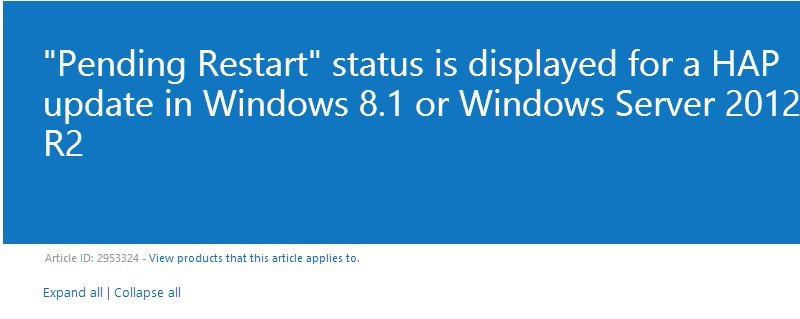
Fixed: “Pending Restart” Status is Displayed in Windows 8.1, 10

As part of its latest updates, Microsoft has issued one that is affecting those of you hit by the “pending restart” status that just won’t disappear. Here’s how Microsoft’s team is describing the situation:
pending restart windows 8.1

You use CHS pinyin IME on a Windows 8.1 or Windows Server 2012 R2 based computer. A new CHS IME Hot-and-Popular dictionary update is installed when you have already started to use CHS IME. In this scenario, the Pending Restart status is displayed in the status of the current HAP update even though a restart is not required.

Read Also: Solved: ‘Your Location has Recently Been Accessed’ Alert in Windows 8, 8.1

Pending Restart problems solved with update in Windows 8.1

So, just like we’ve said for plenty of other similar updates, you will just have to install the KB 2955164 file for this to work; a hotfix hasn’t been made available for download. This update is aimed at users of the following operating systems:

  • Windows 8.1 Enterprise
  • Windows 8.1
  • Windows 8.1 Pro
  • Windows RT 8.1
  • Windows Server 2012 R2 Datacenter, Essentials, Foundation, Standard

Therefore, if you have been affected by similar problems, do make sure you stay up to date and you will receive updates for some annoying issues that you don’t even suspect have been solved.

Read Also: Internet Explorer 11 Freezes at Start, Many Windows 8.1 Users Complain

Fixed: VMMS.exe Process Crashes After Restart on Windows 8.1, 10, Windows Server R2

Many of our readers have been complaining about the infamous vmms.exe process crash just after the restart on Windows 8.1. Luckily for those affected, Microsoft has issued an official update which should solve the problem.
VMMS.exe windows 8.1 crash
According to Microsoft, the problem occurs with those who have a Windows Server 2012 R2-based Hyper-V cluster managed by System Center Virtual Machine Manager (SCVMM). After having created a virtual machine (VM) in the Hyper-V cluster and enabling the dynamic memory (DM), the user restarts the virtual machine management service (VMMS.exe) and that’s when the problem arrives. What happens is that the memory demand is empty in the Hyper-V Manager UI, performance counters for the DM do not exist and the DM operations on the VM do not work. So, you just need to go ahead and make sure you install file KB 2955164.

Read Also: Fixed: Video Glitch with Wi-Fi Adapter When Playing a Miracast Stream in Windows 8.1

Virtual machines crashes after restart on Windows 8.1, Server R2 – update released to fix it

Here’s the reason that is causing the issue, according to Microsoft:

This issue occurs because of a missing call in OnServerStartup() function during the restart of VMMS.

And here are the operating systems affected by the change:

  • Windows 8.1 Enterprise
  • Windows 8.1 Pro
  • Windows 8.1
  • Windows Server 2012 R2 Datacenter, Essentials, Foundation, Standard

Let us know by leaving your comment below if you too have had similar problems and if this has proved to be of any help in solving them.

Read Also: How to Transfer your Windows 8.1 License to a New Computer

Fixed: Video Glitch with Wi-Fi Adapter When Playing a Miracast Stream in Windows 8.1, 10

Among the latest updates issued for Windows 8.1 and Windows 8 uses, we discovered one that solves annoying video glitches with certain Wi-Fi adapters when playing Miracast streams in Windows 8.1. Here are some more details on this:
Wi-Fi Adapter miracast stream windows 8.1

This issue occurs on a multiprocessor computer that is running Windows 8.1 or Windows Server 2012 R2. When you play a Miracast stream through a wireless network connection, a video glitch may occur. To resolve this issue, install update 2955164. For more information about how to obtain update 2955164, click the following article number to view the article in the Microsoft Knowledge Base: 2955164 Windows RT 8.1, Windows 8.1, and Windows Server 2012 R2 update rollup: May 2014

Read Also: Official Heart FM Radio App for Windows 8 Launched, Download Now

Wi-Fi adapters problems with Miracast streams solved for some Windows 8.1 users

As with many other updates of this sort, Microsoft hasn’t disclosed a lot of details, only that you need to get the KB 2955164 update file installed for the update to make effect. Also, here’s the list of operating systems affected by the update:

  • Windows Server 2012 R2 Datacenter, Essentials, Foundation, Standard
  • Windows 8.1 Enterprise
  • Windows 8.1
  • Windows 8.1 Pro
  • Windows RT 8.1

So, if you found yourself having issues on your Windows 8.1 computer when plaing a Miracast stream through a wireless network connection, such as a video glitch, then you just need to make sure you don’t miss this update. Unfortunately, a working fix has been made available for download, so the single solution is through Windows Update.

Read Also: Solved: ‘Your Location has Recently Been Accessed’ Alert in Windows 8, 8.1

Fixed: Bluetooth Devices Stop Working After Windows 8.1, 10 Resumes From Sleep or Hibernation

Thanks to the fact that this kind of articles are getting more popular, we’ve decided to increase their frequency. The hotfix released recently describes problems with Bluetooth devices not being recognized after Windows 8.1 resumes form sleep or hibernate state.
bluetooth hibernate sleep windows 8.1 not recognized

Consider the following scenario: You have a Windows 8.1-based computer that uses AMD Beema. You connect multiple Bluetooth devices to the computer, and they are connected to the same universal serial bus (USB) hub. You put the computer in to sleep or hibernate state, and then resume the computer. In this scenario, some Bluetooth devices cannot be recognized and therefore cannot be used.

Read Also: Fix: ‘Bluetooth Won’t Turn on’ in Windows 8, Windows 8.1

Microsoft issues fix for Bluetooth devices not being recognized on Windows 8.1

So, as we can see in the description of this KB update file, this concerns those Windows 8.1 computers who are running on AMD Beema, but I’ve seen some owners of different devices for whom this update has fixed the problem. Also, have a look at one of our previous stories if you’re facing problems with Bluetooth after the latest Windows 8.1 Update. According to Microsoft, the reason for this glitch is a malfunction in the USB hub low level driver.

This update refers to users of Windows 8.1, Windows 8.1 Enterprise and Windows 8.1 Pro operating systems and you can get it while checking for updates or by downloading the hotfix from Microsoft by following this link. Make sure you don’t miss the KB 2955164 update file, and you’ll need to have installed the KB 2919355 as well, prior to that. Let us know if this has indeed solved things for you, if not, we’ll try to work out together on a possible fix for this.

Read Also: Quick Fix: ‘Your Internet Security Settings Prevented’ in Windows 8, 8.1

Internet Explorer 12 Release Gets Closer: Many Upcoming Features Revealed by Microsoft

On its official Internet Explorer blog, Microsoft has outlined some of the upcoming features that are going to make their way into the next version of IE, that is, Internet Explorer 12. Read more on this below. 
internet explorer 12 features
Internet Explorer 11 represents a huge step forward over previous editions, some of which have actually been creating big security risks for the users, but many Windows users are looking forward to the release of Internet Explorer 12, which is said to come with plenty of awesome features. And now Microsoft has decided that it’s about time they’d give us a sneak peek. Here’s what Microsoft said:

The current list of features “in development” is not an exhaustive representation of what we will deliver in the next version, but an indication of what we currently have highest confidence in delivering. There are several other features that we realize are very important and are working on a plan to support

There are quite a lot of upcoming features enlisted on the official website, but we’ve “translated” the technical language and here are the most important ones, along with possible launches:

Read Also: Microsoft to Release Soon a Surface Miracast Dongle

Most important features in Internet Explorer 12

These are features that have been confirmed and we know that they are in development and will make their way for sure in Internet Explorer 12. But this doesn’t mean these are all of them.

  • Open Sourced – thanks to many developers who expressed their interest in contributing to the project, Microsoft has decide to make the entire site and even the data that backs it, available on GitHub under the Apache V2 license.
  • Improved Search & Filter: thanks to the new upcoming “Interop” menu, it will be much easier to enter in your browser support interests to find available features
  • Deep Linking – thjs concerns developers and lets them enable a deep link to a feature you want to share with others thanks to HTML5 History and Angular routing
  • Better Mobile Support & Performance – mobile is the hottest word right now and it comes as no surprise for Microsoft to improve this aspect. Around 20% of IE visitors have come from mobile devices and that number is going to increase even more with the rise of smartphones and tablets. Microsoft will further optimized it to make it faster and easily adaptable to all kinds of screens.
  • Media Capture API – this features enables for the web content to manipulate audio and video streams from microphones and webcams. Cortana on Windows 8 desktop, anyone?
  • HTTP/2 – this is a major revision of the Web’s protocol and is aimed at decreasing the wait time spent loading web pages. And this is probably the most expected feature of them all for many of us. The major revampe is based on Google’s SPDY open networking protocol and is currently being standardized by the IETF.
  • HTML 5 improvements – Microsoft also said that it will also focus on improving security and backwards capability and interoperability thanks to the latest HTML5 features.
  • Web Audio – this is a technical specification that describes a high-level JavaScript API for processing and synthesizing audio in web applications. So, does this mean browser-based games with awesome audio are incoming? Let’s hope so.
  • HTTP Strict Transport Security – this is an upcoming security feature that helps prevent “man-in-the-middle attacks” on secure connections. In simpler words, this prevents against certain hacker attacks and is a feature which Chrome and Firefox browsers have long supported.
  • JavaScript Promises – this is a feature for developers get a standardized way to make asynchronous calls in their code

And here are some more smaller upcoming features (which make some sense to most of us) that we’ve extracted from the entire list:

Content Security Policy

Allows you to create an allow list of sources of trusted content, and instructs the browser to only execute or render resources from those sources.

GamePad API

Gives JS access to a game controller via USB.

Media Capture and Streams

Provides access to the user’s local audio and video input/output devices (getUserMedia API).

WebGL Instancing Extension

A way to use the GPU to quickly draw a lot of copies of a single object. In some scenes (like a forest with a lot of trees) it is a great way to get a huge performance improvement. Requires a compatible GPU.

Cross-Domain Font Loading

Increases interoperability with the web by relaxing domain and licensing metadata restrictions for EOT, WOFF, and TrueType fonts.

Mouse Lock

Gives access to raw mouse movement, locks the target of mouse events to a single element, eliminates limits of how far mouse movement can go in a single direction, and removes the cursor from view. Obvious use cases are for first person or real time strategy games.

Read Also: How to Fix OneDrive Not Syncing Problems in Windows 8.1

Precision Touchpad Problems Fixed on Windows 8.1/10

precision touchpads not working windows 8.1

From time to time, Microsoft issues important updates through the Windows Update tool, but not all of us are aware of the changes. That’s why we’re here to let you know what’s been improved.

Consider the following scenario: You are using a Windows 8.1 or Windows 8.1 RT device that has a Precision Touchpad. The device enters sleep mode. To wake the device, you perform a two-finger swipe on the Precision Touchpad. In this scenario, after the computer resumes from sleep mode, you cannot use the touchpad to make the mouse pointer move. Also, any one-finger gestures that you make on the touchpad have no visible effect.

Precision Touchpad problems fixed on Windows 8.1 computers by update

So, as you can see in the above excerpt from the description page, this fix solves the problem for those Windows 8.1 or Windows 8.1 RT devices whose Precision Touchpad panels have stopped responding after getting out of sleep mode. Thank God, it hasn’t happened to me, but I know plenty who were complaining about this. You will need to install the update rollup KB 2955164, or install the hotfix available at this link on Microsoft’s secure servers. Also, make sure that you have installed the KB 955164 prerequisite file prior to that, as well.

This hotfix applies to Windows 8.1 Enterprise, Windows 8.1 Pro, Windows 8.1 and Windows RT 8.1 users. Just as with any other hotfix, after having requested it by email, you will be able to download it. Let us know if this has fixed some of your problems with Precision Touchpad panels.

Microsoft delivers personalized security bulletins through myBulletins

Microsoft delivers personalized security bulletins through myBulletins

Keeping its software up to date is one of the ways in which Microsoft helps to ensure the security of its products and the machines they are installed on. With so many products on the market, the monthly update cycle can mean that there are a huge number of updates released, and for IT professionals this can be overwhelming. It’s something that the newly launched myBulletins aims to address by providing customizable online security bulletins.

Rather than sending out bulletins that could be packed with update information that is simply not applicable to many people, myBulletins take a slightly different approach. IT professionals can visit the website and conduct advanced searches for the updates that are applicable to their situation.

Filtering s available making it possible to not only weed out those updates that are not needed, but also to prioritize them based on importance. The announcement by Tracey Pretorius, Director of Microsoft Trustworthy Computing explains that the new system “prioritizes security bulletin deployment by release date, severity, and reboot requirements to aid in decision making.”

There’s scope for downloading reports in Excel format, and there is also a handy dashboard overview that can be used to ensure that updates for select products are always prominently displayed.

Internet Explorer 12 to feature Web Audio, Media Capture, HTTP/2, and much more for the modern Web

Internet Explorer 12 to feature web audio, media capture, and much more for the modern Web

In an official blog post today, Microsoft has revealed that the next version of Internet Explorer will feature Web Audio, Media Capture, ES6 Promises, HTTP/2, HSTS, Pointer Lock, Symbols, and much more. These new features are already in development as part of Microsoft’s commitment to delivering interoperable implementations for the latest features on the modern Web.

“The current list of features “in development” is not an exhaustive representation of what we will deliver in the next version, but an indication of what we currently have highest confidence in delivering. There are several other features that we realize are very important and are working on a plan to support – stay tuned for more updates in the future,” Microsoft stated in an official blog post.

Web Audio, for those that did not know, is a specification that describes a high-level JavaScript API for processing and synthesizing audio in web applications. Media Capture allows access to a device’s camera or microphone, while HTTP/2 is a major revision of the Web’s protocol and is intended to decrease the wait time spent loading web pages.

Microsoft will also focus on improving security as well as improve backwards capability and interoperability with the latest HTML5 features across modern browsers. No word on when we will see the next version of Internet Explorer.

Head over to status.modern.ie to see the full list of features currently in development.

From the rumor mill: Windows 365 subscription-based operating system is not happening

From the rumor mill: Windows 365 subscription-based operating system is not happening

Not too long ago, we reported on a rumor claiming that Windows 365 was in the works. Before that, a leaker known as Wzor revealed that Microsoft has been working on a prototype operating system called Windows Cloud. This operating system is rumored to require an internet connection for full functionality, acting as a basic operating system when in offline mode. An image surfaced online allegedly referring to this operating system as Windows 365.

Now, according to Mary Jo Foley, who is very reliable for those who do not know her, Windows 365 is not happening. Foley cites her own sources and states that Windows 365 is not real, not in development, nor is it even on the roadmap.

“For business customers, Microsoft already sells Windows as a subscription. It does this via its renewable enterprise volume-licensing agreements and Software Assurance. Windows Intune, Microsoft’s device-management and security service, is another way business users can “subscribe” to the enterprise version of Windows today,” Foley adds.

While the idea of subscriptions is something that Microsoft fancies when it comes to Office, it will not be that way for Windows. Foley reminds us that Windows is a platform, not a service. Microsoft currently has more than 3.5 million subscribers to Office 365, and the company also has its cloud storage service OneDrive for those wishing to have their files stored on the cloud.

The bottom line is simple. Microsoft will continue to sell different Windows SKUs, and has no intentions of getting consumers to “subscribe” to Windows. 

Again, these details come from May Jo Foley, who is quite reliable with her information. Take that for what its worth. How do you feel about this? Should Microsoft offer a subscription based operating system?

UC Browser App for Windows 8, 10 Gets New Features, Download Now

UC Browser is one of the best browsers available for Windows 8 users on the Windows Store and recently it has received some new features that you’ll discover by reading below.
UC BrowserHD windows 8.1
UC Browser HD is a really cool web browser which has been very well optimized for Windows 8 and Windows RT touch devices. And now it’s received a bunch of new features which make it even more awesome. First of all, there’s now the ability to play videos on a webpage directly via UC Browser, which is really cool and has been annoying me the last time I used the browser. Also, finally, the pop-ups will be blocked and you can choose to open them or not, much like the usual browser will work on a desktop machine. Also, the Search History has been improved, so now you can choose to clear all the search history or one specific item of search history. So, just follow the link at the end of the article to get the updated UC Browser app for Windows 8.

Read Also: Trend Micro SafeSurfing is a Safe Browser for Windows 8.1

UC Browser HD app for Windows 8 update with really useful features

UC BrowserHD app for windows 8

UC BrowserHD app windows 8

UC Browser HD is a web browser developed by UCWeb Inc. for Windows 8 users to enjoy the ultimate web surfing experience in Modern UI. Speedy and stable browsing, a convenient Speed Dial, various search engines… There are so many great features for you to discover. UC Browser HD for Windows 8.

Download UC Browser HD app for Windows 8 

Microsoft encourages tech innovation with Venture Accelerator in Tel Aviv

Microsoft encourages tech innovation with Venture Accelerator in Tel Aviv

Tech-focused startups in Tel Aviv have been invited by Microsoft to take part in a four month Microsoft Ventures Accelerator program. The program will provide up and coming businesses to get off the ground by providing access to a workspace in the Microsoft Israel R&D Center in Herzliya as well as mentoring.

Although participants are given access to Microsoft software such as Windows and Office as well as to services like Azure, there is no obligation to use or focus on Microsoft technology. The program is open to all, but the focus is on those startups “primarily in the fields of software, Cloud, Internet, and Mobile”.

Microsoft does not require companies to offer a stake in their venture — this is a program that is about nurturing talent, not generating profit, and it’s open to anyone who is happy to work from Israel for the duration.

The Tel Aviv section of the Microsoft Ventures website gives an overview of what it’s all about:

“The Microsoft Ventures Accelerator Tel Aviv was the first one for Microsoft worldwide.Our expertise is taking innovative ideas to new heights.

The concept is simple; you bring the idea, we’ll give you whatever you need to succeed. Our graduates’ achievements are amazing; be it in raising funds, sales or exits! We provide our startups with business connections, cutting edge technologies, experienced mentors and experts, exposure to investors and assist them in reaching out to a world of customers and partners through our global Microsoft network.

Success is here for the taking!”

Startups are free to apply right now, and the program will run from September this year through to January 2015. When the program comes to an end, Jerusalem Venture Partners, who has joined forced with Microsoft for this, will offer one participant up to $1 million worth of investment.

Buy the Discounted Dell Venue 11 Pro for Just $399, Save $314!

The Dell Venue 11 Pro is an amazing Windows 8 tablet, despite some of the most recent problems, and if you were hunting for a good price on it, now is that moment. Read below for more on this.
dell venue 11 pro cheap price
For a limited time, the Dell Venue 11 Pro can be bought from the official Dell.com website at a very special price of only $399, which constitutes a massive savings of $314 from the initial price of $715. We’re talking about a 44 percent discount on the 64 GB version of the Dell Venue 11 Pro tablet, which is something you definitely shouldn’t miss, especially if you always wanted to buy a Windows 8.1 powered tablet (link at the end of the article).

Read Also: Bing Maps App for Windows 8 Gets Integrated Reviews from Yelp, TripAdvisor & Much More

Get the Dell Venue 11 Pro for a very cheap price

Engineered to impress: The high-resolution 10.8″ available Full HD (1080p) display and wide viewing angles put you and your friends in the front row of your favorite HD movies. It’s perfect for creating a stunning presentation or watching your favorite High Definition movie. Simplified collaboration: Wirelessly stream HD videos and photos from your tablet to the big screen with built-in wireless technology. All you need is a compatible media adapter (sold separately) and an HDMI-enabled display. Tap to pair, tap to share: Share photos, connect to popular Windows apps: mail, SkyDrive, news and more or share a website — all wirelessly. The Dell Venue 11 Pro tablet is available with near field communication (NFC) capabilities that make it easy to pair with other NFC-enabled devices, like headphones, speakers and other PCs.

As a reminder, here are the main tech specs of the Dell Venue 11 Pro

  • 10.8-inch 1080p multi-touch display
  • 2.4 GHz quad-core Intel Atom CPU
  • 2 GB of RAM
  • Integrated Intel graphics
  • Windows 8.1
  • WiFi and Bluetooth for connectivity
  • USB 3.0 along with mini HDMI ports

Buy Dell Venue 11 Pro

Surface Pro 3 to receive battery charging update prior to launch

Surface Pro 3 to receive battery charging update prior to launch

Unveiled just over a week ago, the Surface Pro 3 is due to launch in June although it is already available for pre-order. Even though the device is yet to hit the stores, review units have already shown signs of problems with charging up.

Reviewers such as ZDNet’s Mary Jo Foley complained on Twitter that the charger did not appear to be working:

The problem means that the unit fails to turn on even when connected to the power supply, and there seem to have been several instance of the same issue. But there’s no need to let this put you off pre-ordering your own Surface Pro 3, as a fix is already in the works and will be available before launch day (GA or General Availability), as revealed in a tweet by Jordan Guthmann who looks after the review side of things for PR firm Waggener Edstrom.

So whether you have your Surface Pro 3 reserved or you are on the verge of pre-ordering one, you now know that there will be at least one update to install the first time you switch on!

Microsoft Releases Hotfix to Improve Battery Life for Windows 8.1, 10 Computers

If you have been noticing problems with the battery life of your Windows 8.1 computer or laptop, then you can go ahead and download this hotfix from Microsoft which could solve the problem.
windows 8.1 computer battery improved hotfix

This article describes an feature that saves battery power on a Windows RT 8.1, Windows 8.1, or Windows Server 2012 R2-based computer. The feature is applied in update rollup 2955164, or in hotfix 2955769 that is described in this article and has a prerequisite.

Read Also: Users Say Their Dell Venue 11 Pro Screens are Freezing and Acting Weird

Hotfix made available for download to fix battery problems on Windows 8.1

This hotfix is available for users of the following operating systems:

  • Windows 8.1 Enterprise
  • Windows 8.1 Pro
  • Windows 8.1
  • Windows RT 8.1
  • Windows Server 2012 R2 Datacenter, Essentials, Foundation, Standard

You can follow the download link at the end of this article and then follow the instructions provided on the page to download the hotfix. However, make sure that you have installed the KB 2919355 prerequisite file which is needed for the hotfix to work. After you will have requested the hotfix by e-mail, it will be sent to you. You don’t need to choose between platforms, as the system will automatically identify what you’re running.

Download Hotfix for Windows 8.1 computer battery problems

Microsoft announces 2014 Partner of the Year Award winners and finalists

Microsoft announces 2014 Partner of the Year Award winners and finalists

Microsoft’s Worldwide Partner Conference kicks off in July and ahead of the event, the finalists and winners of the 2014 Partner of the Year Award have been revealed. With more than 3,200 nominations, there was stiff competition from well-known names and the less familiar.

Phil Sorgen, Corporate Vice President of Worldwide Partner Group said in a blog post that he was “thrilled to announce” the list, picking out Dell’s win of the Windows 8 Application Developer Partner of the Year Award as one of the highlights. In the Office and SharePoint App Developer category, it was DocuSign who walked away with an award.

A great focus for the new Microsoft is the cloud, and the Devices and Deployment Partner of the Year Award went to the Netherlands’ Wortell for helping the healthcare system with a series of cloud services.

The truly global collection of awards included participants from 112 countries and the judging process involved more than 600 experts, and you can browse through the full list over on the Worldwide Partner Conference website.

Microsoft warns users against Windows XP update registry hack

Microsoft warns users against Windows XP update registry hack

It recently came to light that it was — theoretically — possible to keep Windows XP fuelled with updates until 2019. A registry hack is all that is needed to trick Windows Update into thinking you’re running a copy of the still-supported Windows Embedded POSReady 2009. When we reported about this yesterday we advised against it, and it seems that Microsoft feels the same.

In a statement issued to ZDNet the company warns that the updates that are made accessible using the tweak are not really designed for Windows XP. The advice is to avoid forcing the update process and to instead upgrade to a more recent version of Windows.

The statement reads:

We recently became aware of a hack that purportedly aims to provide security updates to Windows XP customers. The security updates that could be installed are intended for Windows Embedded and Windows Server 2003 customers and do not fully protect Windows XP customers. Windows XP customers also run a significant risk of functionality issues with their machines if they install these updates, as they are not tested against Windows XP. The best way for Windows XP customers to protect their systems is to upgrade to a more modern operating system, like Windows 7 or Windows 8.1.

Will you heed the warning, or are you willing to take the risk and use the registry tweak to grab yourself a few more updates?