Firefox for Android Will Soon Let You Lock Private Browsing Tabs for Better Privacy

Privacy-focused Mozilla Firefox on Android will soon allow users to lock and unlock private tabs open in Private Browsing using a screen lock, fingerprint, or PIN. The feature, available by default in Nightly, will soon be part of Firefox 141 beta, and if no issues arise, it will make its debut in the stable release version as well.

Like many browsing apps, Firefox for Android supports Private Browsing, where history, cookies, and session data are cleared but bookmarks and downloads are preserved. Firefox also allows taking screenshots in Private Browsing mode if needed—this option is available in the Private Browsing settings of the app.

Google Chrome and Apple Safari browsers support biometric authentication for Private Browsing. However, Firefox for Android doesn’t yet offer a way to lock private browsing tabs using Touch ID, Face ID, or a passcode, as Chrome and Safari do.

Mozilla has been experimenting with private tab locking in Firefox Nightly via Nimbus. The company has now decided to enable it in Firefox Beta and the release version after QA.

How to Lock or Unlock Private Tabs in Firefox for Android

  1. Open Firefox.
  2. Tap the three-dot icon to open the menu.
  3. Select Settings.
  4. Go to Private Browsing and enable “Use Screen Lock to Hide Tabs in Private Browsing.

The Private Browsing lock feature is completely optional—you need to enable it manually.

We tested this feature in Firefox Nightly, and it worked flawlessly as advertised—we were able to unlock locked private tabs by entering a PIN on our Android phone. If you’re privacy-conscious and want to prevent others from accessing your Firefox Private Tabs, this feature is worth trying.

Microsoft standardizes USB-C experience on Windows 11

Microsoft has introduced the Windows Hardware Compatibility Program (WHCP) to address end-user confusion and inconsistent experiences with USB-C ports. According to a recent blog, an initiative has been taken to address common issues caused by USB-C ports that appear identical but serve different purposes.

What is the problem?

A USB-C connector is included with most modern laptops and peripherals, but manufacturers utilize it in different ways. This confuses users, especially when devices that should ideally work fail to function because key functions, such as DisplayPort, Power Delivery, or Thunderbolt, aren’t supported.

Windows Diagnostics Data shows that 27% of PCs with USB4 have encountered a limited functionality notification, meaning that a customer plugged a USB-C device in, but a feature (alternate mode) that device needs was not implemented on the PC and Windows notified the user. The reversible USB Type-C connector isn’t the problem, the inconsistent implementations of USB-C port capabilities across the PC ecosystem is. 

What is the solution?

To resolve this issue, Microsoft has established a minimum performance standard for USB-C ports on all WHCP-certified Windows 11 mobile PCs. This will ensure that every certified USB-C port supports:

  • USB Power Delivery for efficient and consistent device charging
  • USB-IF certified silicon for robust and reliable connection
  • DisplayPort Alternate Mode for connecting external monitors
  • Microsoft’s USB controller drivers for ensuring that ongoing feature and security updates arrive via Windows Update

What about USB 40 Gbps and 80 Gbps Ports?

Devices that support USB 40 Gbps or 80 Gbps must meet higher standards under WHCP, which include:

  • Sustained full-speed bandwidth on every port
  • Thunderbolt 3 and USB4 peripheral compatibility
  • PCI Express tunnelling for eGPUs and NVMe drives
  •  DisplayPort requirements to ensure that up to two 4K monitors at 60Hz can be connected
  • Sleep and resume resilience to ensure that the host routers survive low-power states without dropping tunnels
  • Uniform 15W power delivery per port

Additionally, WHCP-certified 80 Gbps ports should have symmetric 80/80 Gbps and asymmetric 120/40 Gbps modes for increased display bandwidth.

How will it be implemented?

Microsoft strives to implement this compliance through its Hardware Lab Kit (HLK), a testing suite that OEMs and silicon vendors must go through. The automated tests verify everything from signaling timing and speed negotiation to power delivery, DisplayPort/PCIe tunnels, to sleep/resume resilience. Additionally, it is mandatory to pass the test to obtain certification.

Microsoft has utilized user feedback and real-world problems, which led to the development of WHCP requirements. It is an ongoing process that the company intends to evolve with each Windows update, introducing new tests and fixes so that fixes and improvements reach end users without new hardware. 

Will the WHCP compliance solve the USB-C port confusion? Share your thoughts in the comments section below.

Copilot may power new Windows 11 optimization feature

Microsoft is testing a new performance and battery optimization feature in Windows 11 called Windows Health and Optimized Experiences. The feature first appeared in Windows 11 Build 27863 (Canary), released on May 25, 2025.

According to well-known Windows leaker Albacore (thebookisclosed), mentioned in a tweet, the Windows Health and Optimized Experiences (whesvc) service is LUA-driven.

The tool is designed to monitor and improve system efficiency, and may be marketed under the Copilot branding. Although it doesn’t integrate with the Copilot AI chat interface, code references, such as ECP CoPilot (Efficiency Copilot), suggest that Microsoft could be using the Copilot name for promotional purposes.

As noted by Albacore, the feature runs on a Lua script (ecp.v2.lua) located in the whesvc_assets.dll file. Lua is a lightweight and fast scripting language, often chosen for its small memory footprint. The script is executed through windialog.exe and uses disable_global_variables() to ensure that it operates within a sandboxed environment, thereby limiting its access to predefined functions and data.

The script relies on the following environment variables to monitor and respond to device metrics:

  • WINDIAG_ECP_EVAL_SEC – Sampling frequency
  • WINDIAG_ECP_TELEMETRY_FREQUENCY_MINUTES – Telemetry upload frequency
  • WINDIAG_ECP_BATTERY_PCT_THRESHOLD – Battery percentage threshold for triggering actions

These variables suggest that the Windows Health and Optimized Experiences feature monitors battery and performance metrics, including CPU load, brightness, power modes, and thermal readings, and then attempts to optimize these parameters to improve battery health.

As of now, it is unclear how Microsoft plans to implement this feature, whether it will automatically adjust the system settings or provide optimization recommendations.

Regarding Copilot, it appears the branding is primarily for marketing purposes, with no current indication that the feature is AI-powered or connected to the Copilot assistant’s functionality.

What are your thoughts on Windows Health and Optimized Experiences, Microsoft’s new optimization tool in Windows 11? Let us know in the comments section below.

Windows 11 24H2 now stable for gaming with KB5058499

The new optional update, KB5058499, with build 26100.4202, addresses all the issues, including the graphics memory leak bug and some games being unresponsive. Users faced these problems after upgrading to Windows 11 24H2. This update came on an unusual day, Wednesday of the last week of the month.

Earlier, the issue was attributed to NVIDIA. However, it turned out not to be! NVIDIA released an update, the NVIDIA driver 576.02, to fix the performance issues that are usually caused after installing Windows 11 version 24H2. But to no avail!

Anyways, the problem was with a part of Windows that communicates with your graphics processing unit (GPU). Here is what the release notes say, “

[Graphics kernel] Fixed: An issue where some game titles become unresponsive after upgrading to 24H2.

Though, KB5058499 is an optional update, but it did bring some of the solid fixes for a lot of problems including BitLocker on removable drives causing blue screen error, Boot menu screens,  Input Service that causes increased memory usage,  Windows Hello Face Enrollment might not work in multi-app mode or basic camera mode and more.

Have you updated your computer to Windows 11 24H2, and how is your experience? Tell us in the comments section below. We will be happy to interact!

Firefox 139.0.1 comes with fixes for NVIDIA graphics issues

Mozilla has released Firefox 139.0 to all users in the Stable channel, introducing new features and improvements. These include AI-powered link previews in Firefox Labs, custom wallpapers for the New Tab page, enhanced upload performance for HTTP/3, and support for pasting transparent PNG images without losing transparency.

However, the update also introduced some bugs, particularly the graphics corruption with certain NVIDIA graphics adapters, which Mozilla aimed to address in version 139.0.1, released on May 29, 2025.

What was the issue?

According to Mozilla, after installing Firefox 139.0, users experienced graphical corruption when two or more monitors were connected to an NVIDIA graphics card, especially when running at different refresh rates.

One Firefox user reported the issue on Reddit, writing,

Acer VG271U. It has a lot of flickering stories on the internet, but I’ve used it for 30 hours so far and it’s only happening in FF, so I’m hoping it’s not the panel issue.

Several users reported similar display glitches on NVIDIA GPUs after the Firefox 139.0 update.

Mozilla has now released version 139.0.1, which includes a single bug fix specifically for PCs with NVIDIA graphics cards. According to the changelog:

Fixed graphics corruption with certain NVIDIA graphics adapters and multiple monitors running at mixed refresh rates after updating to Firefox 139. (Bug 1968876)

To receive the update, click the Menu icon (represented by three horizontal lines) in the upper-right corner of Firefox, select Help, and then click About Firefox to initiate the download. However, you can also download it now from the official Mozilla Firefox website or the Microsoft Store.

Microsoft introduces App Actions support for PWAs on Windows with Edge 137

Microsoft has rolled out App Actions support for Progressive Web Apps (PWAs) on Windows, starting with Microsoft Edge version 137. With this new capability, developers can seamlessly integrate key app functionalities into users’ daily workflows, including editing text, processing images, or managing files, without needing to switch between multiple apps.

App Actions allows you to invoke high-value features of a PWA directly from within their current context. For example, GoodNotes, a popular PWA-based note-taking app, comes with enabled App Actions, so you can select text in an article and send it directly to the app as a quick note without switching between windows manually.

This appears to be a beneficial move from Microsoft, aimed at enhancing productivity while increasing app visibility and user engagement across the Windows ecosystem.

How can developers enable app actions?

To enable App Actions in a Microsoft Store PWA, developers will have to

  1. Define an Action manifest. The manifest describes each action in a simple JSON file.
  2. Setup a custom protocol handler. So that the App Actions runtime can launch your PWA through a protocol URI.
  3. Setup your app as a share target. So that the App Actions runtime can pass input data to your PWA.
  4. Package your app for Microsoft Store with PWABuilder.

Additionally, developers can utilize the App Actions Testing Playground to test their implementations and add a launch handler to define precisely how the framework launches their Progressive Web App (PWA).

With this update, Microsoft will continue its push to make PWAs more integrated, powerful, and discoverable on Windows 11. If you’re curious about other changes in this release, including some features that were removed, check out our detailed guide on Edge 137 hitting the stable channel.

Text Formatting in Notepad is available for Windows Insiders

Microsoft is rolling out a new Notepad update (version 11.2504.50.0) for Windows Insiders in the Canary and Dev Channels on Windows 11, introducing lightweight text formatting capabilities. This update brings additional flexibility for structuring content and marks another step in modernizing Notepad, which recently introduced generative AI features for summarizing text.

The new experience supports Markdown-style input and file compatibility, which allows users to work directly with the lightweight markup language. With a new formatting toolbar, you can type or select text and add styles, including bold and italic. You can also add hyperlinks, headings, and even a simple list.

However, if you prefer plain text, you can quickly revert it from the Formatting toolbar or the Edit menu and clear all formatting.

Furthermore, you can use the View menu or the toggle button in the status bar at the bottom of the window to switch between formatted Markdown and Markdown syntax views. However, if you want to disable support for formatting, you can go to the Notepad app settings.

AMD Fixes F1 25 Path Tracing Crashes with Adrenalin Edition 25.5.2 Windows Driver

If F1 25 has been crashing on your Radeon RX 9000 while path tracing is enabled, there’s a fix. AMD just dropped Adrenalin Edition 25.5.2 as an optional driver update—version 25.10.01.12, to be specific—and it’s all about stabilizing this new racing simulator.

The update isn’t WHQL certified (yet), but AMD released it early to tackle those frustrating path tracing crashes. This is also the first driver to officially support F1 25, so it’s worth grabbing if you’re planning to dive in.

Discord and FreeSync are still causing headaches

The patch doesn’t solve everything, though. AMD notes that if you’re using multiple monitors and streaming on Discord, you might see stutters or performance dips when alt-tabbing. FreeSync users on high-res setups could also run into system crashes, especially if you’re on the 9000 series.

AMD detailed what’s fixed and what is still bothering users in the official release notes:

Fixed:

  • F1 25 crash when path tracing is enabled on Radeon RX 9000 GPUs.

Known issues:

  • Stutters and lower performance during Discord streaming with multi-monitor setups.
  • Crashes with FreeSync on multi-monitor high-res displays using RX 9000 cards.

Not to forget, there’s also a Ryzen AI NPU MCDM Driver (version 32.00.0203.258) bundled in. However, that’s more relevant if you’re on supported hardware with AI features.

You can download the driver directly from AMD’s official site. It supports Radeon RX 5000, 6000, 7000, and 9000 series cards. More recently, AMD defended the 8GB VRAM choice for the Radeon RX 9060 XT after backlash.

Edge 137 hits Stable Channel, takes away some useful features

Microsoft’s been busy tuning up its browser. Edge version 137.0.3296.52 update just landed in the Stable channel, and while it brings a few handy features, it is removing some useful ones too. If you’ve been using features like Image Editor, Image Hover Menu, Mini Menu, Video Super Resolution, and Wallet Hub, they’re all gone.

Regarding Wallet Hub, all your stored Wallet info—payment details and personal data—won’t get lost. You’ll find them in the password manager, which now does a little more heavy lifting.

Edge 137 stable update makes picture-in-picture smarter

Edge 137 also brings smarter playback controls in picture-in-picture mode. Alongside play and pause, you can now skip forward, rewind, and drag the progress bar. It’s a small change, but a welcome one if you’re the type to multitask through video meetings or YouTube tutorials.

There’s also a new Web Content Filtering feature, announced at Build 2025. It lets companies block whole categories of sites, like adult content or gambling, with daily updates to keep things current. It’s still in preview, though.

Microsoft 365 Copilot gets some upgrades as well. Page summaries and contextual queries now show up on the Work tab. You’ll also find “Find on Page” built right into Copilot Chat—if you’re using Edge for Business.

Edge 137 stable update also fixes a bug where Outlook and Teams links weren’t showing sidebar content when the sidebar was set to auto-hide. Moreover, Microsoft quietly patched eight security issues. You can find those details in the Security Update Guide.

Xbox handheld put on hold to improve Windows 11 gaming on third-party devices

If you’ve been hoping for a native Xbox handheld, this news won’t please you. While previous reports suggested that a native Xbox handheld was in the works but it seems now Microsoft has put that project on hold.

According to a new report from Windows Central, Microsoft was working on its own Xbox-branded handheld device. It was supposed to be native—designed in-house and aimed to rival the Steam Deck and other Windows-powered gaming portables.

Design-wise, it would’ve carried the Xbox designs, with rumors hinting at a release sometime in 2025. But Microsoft appears to have changed the course. As Microsoft holds its internal Xbox handheld project, it has turned its attention elsewhere.

The report claims that Microsoft is now heavily involved in ASUS’s upcoming gaming handheld, codenamed Project Kennan. This collaboration is partly strategic. SteamOS-based devices like the Steam Deck are killing it in terms of power efficiency and performance. Windows 11 handhelds? Not so much.

So instead of rushing its own hardware, Microsoft is using Project Kennan to take the Windows gaming experience on portable devices up one notch. Think smoother performance, better battery handling, and a polished Xbox app.

Project Kennan is reportedly launching later this year. The hardware is mostly locked in, but Microsoft and ASUS are still refining the software. And no, Microsoft hasn’t abandoned its Xbox handheld dream. It’s just waiting.

The feature image is generated using Microsoft Designer

This is how much Walmart spent on Microsoft Azure cloud services

Walmart appears to be spending big on Microsoft Azure, and it’s in millions. Last week’s Build 2025 wasn’t just about developer tools or new AI features. In the middle of the event, Microsoft employees protesting the company’s military deals interrupted a session.

The exec on stage, caught off guard, switched over to Microsoft Teams while still screen-sharing. That’s when an internal message flashed up. It said Walmart was “ready to rock and roll” on Microsoft’s Entra Web and AI Gateway services.

Walmart’s Azure spending? Over half a billion

Today, Business Insider reported seeing a leaked Microsoft document that details Walmart’s spending on Azure cloud services. Per the report, Walmart racked up $580 million on Azure cloud services from June 2023 to May 2024,

The leaked document reportedly breaks down Walmart’s spending on Azure cloud services month by month. Walmart’s cloud bill hovered around $50 million through much of last year, soaring at nearly $62 million in November—probably tied to holiday traffic. By May, it dipped closer to $45 million.

A deeper partnership than we knew

Walmart and Microsoft aren’t new partners, by the way. They signed a strategic cloud partnership back in 2018. But outside of some public AI announcements, like this year’s generative AI shopping search, neither company shares much detail. However, the leaked document has changed that now.

The numbers give a rare look at what Microsoft calls ACR, or Azure Consumed Revenue. It’s how Microsoft tracks real customer usage, whether they’re paying full price or getting discounts as part of a broader deal. Turns out, one of the biggest names in retail is quietly one of Microsoft’s biggest AI customers too.

Finally, Firefox makes it easier to check how much memory it is using

Firefox and Chrome are well-known memory hogs because they use a multi-process architecture. Understanding how Firefox consumes memory shouldn’t be difficult for the average user. This is where the about:memory reports come in, revealing detailed data—but the tree structure they display can be hard to understand.

Mozilla is working to make it easier for users to see how much memory Firefox is using via about:memory. In fact, this improvement can already be seen in Nightly, where Firefox now displays memory usage when clicking the Measure option under memory reports on the about:memory page. At the top, it shows the total resident memory used, with the process index on the right and explicit memory locations listed below.

Additionally, Mozilla is addressing memory issues with a manual tab unloading feature.

If you notice Firefox is using too much RAM, ensure you are using the latest version of Firefox with a minimal number of extensions. Also, make sure hardware acceleration is turned on in Settings for Firefox. Try refreshing Firefox or adding more RAM to your computer.

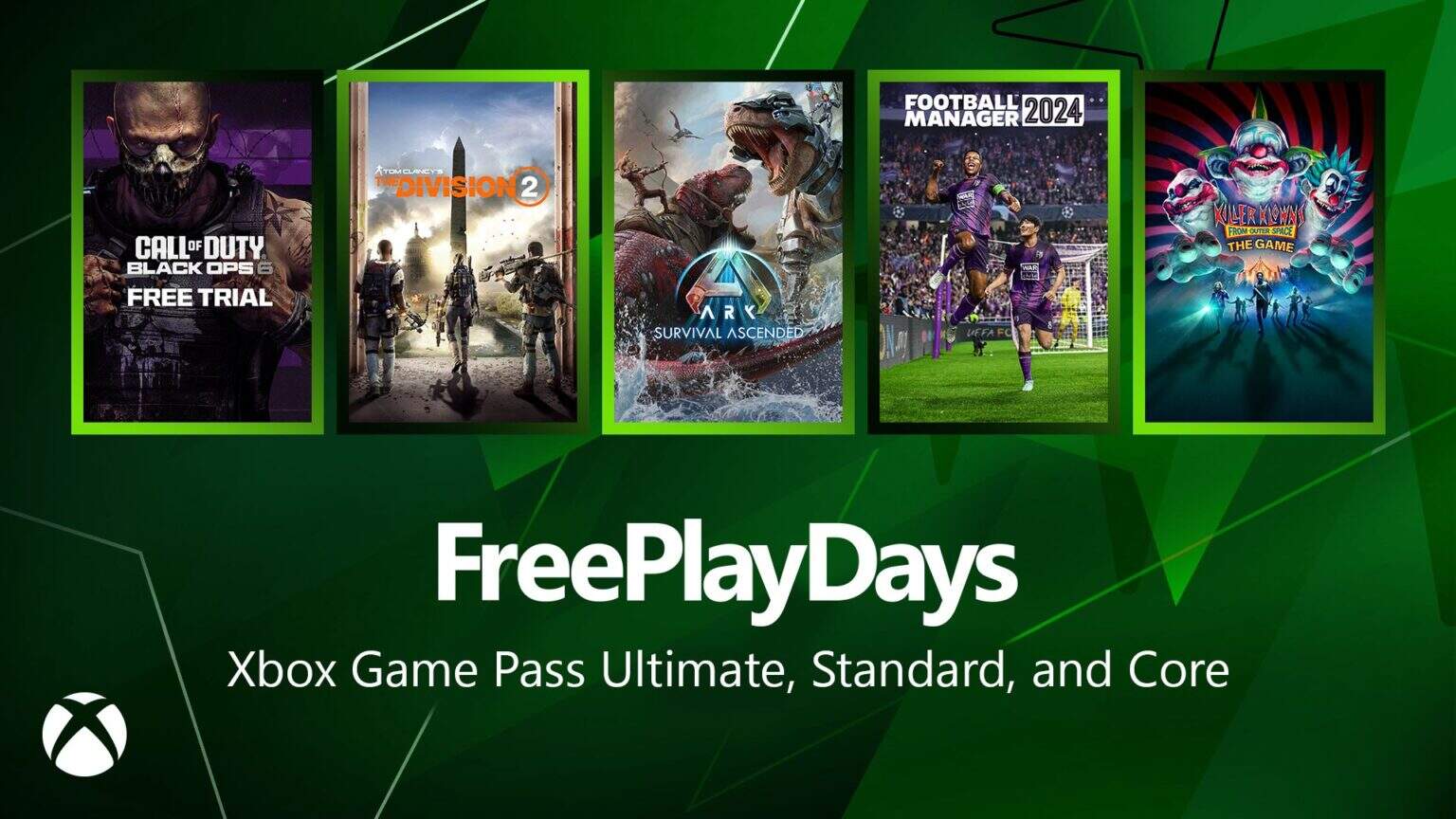
Xbox Free Play Days: Try Call of Duty Black Ops 6, The Division 2 & More for Free

If you’ve been waiting for a reason to try a few big games without spending a dime, Xbox Free Play Days dropped a pretty great lineup. This week’s promotion includes five games—three of them available to Game Pass members and two open to everyone on Xbox, no subscription needed.

Call of Duty: Black Ops 6 and The Division 2 go free for all with Xbox Free Play Days

Treyarch’s Call of Duty: Black Ops 6 is easily the headliner here. You can dive into multiplayer or zombies mode for free, with access to over 25 maps and five full zombie maps.

Ubisoft’s The Division 2 is also completely open to all Xbox users for the weekend. It’s still getting regular content drops, and this trial includes everything from the story campaign to PvP and co-op missions in its massive Washington D.C. setting.

Also read: Testing Begins for Xbox Gaming Copilot on Mobile Devices

Game Pass members get three more titles this week

For Xbox Game Pass Ultimate, Standard, and Core subscribers, the Xbox Free Play Days promo adds ARK: Survival Ascended, Football Manager 2024, and Killer Klowns From Outer Space: The Game.

Each one hits a totally different vibe—ARK lets you build and tame dinos in Unreal Engine 5, Football Manager is for the tacticians, and Killer Klowns is pure 80s multiplayer chaos.

Also read: Xbox Games Showcase 2025: When & How to watch, What to expect

All five games are live now and will stay free to play until Sunday, June 1 at 11:59 PM PT. Your saves and progress carry over if you decide to buy. Discounted pricing is already live, you can check them by clicking here.

NVIDIA & AMD Gear Up to Re-Enter China With New, Trimmed-down AI Chips

After years of tightening export restrictions, U.S. chip giants NVIDIA and AMD have found a new way into China’s AI market—by dialing things down.

NVIDIA and AMD are readying new AI chips for China

The U.S. government has made it nearly impossible to ship advanced AI chips to China. Both the Trump and Biden administrations pushed export controls, blocking NVIDIA’s H20 and other high-end models.

Now, with that path closed, NVIDIA and AMD are preparing new lower-power versions designed to stay within the rules. According to Digitimes (via TechCrunch), NVIDIA will launch a “B20” chip, while AMD is preparing the Radeon AI PRO R9700.

These GPUs won’t match the performance of their global counterparts, but they’ll be good enough to support Chinese-made AI models like DeepSeek. Sales are expected to begin in July 2025.

The return comes at a cost

Earlier this week, Reuters reported that NVIDIA’s Blackwell-based B20 may land in China at a price between $6,500 and $8,000—less than the $12,000 H20. AMD’s offerings will likely target the same niche: a performance compromise that still satisfies the hunger for AI compute.

NVIDIA recently said it expects to lose $8 billion in revenue in Q2 due to ongoing restrictions. Half of that came from China canceling H20 orders. So, these downgraded chips are a way of recovery. Moreover, it’s clear U.S. chipmakers won’t give up the Chinese market. But for now, they’ll have to settle for second-best silicon.

Leaked Video Shows Nintendo Switch 2 Start-up Ahead of Launch

A short video leaked online shows the first public start-up of Nintendo’s new Switch 2 console. The footage, shared by the Russian Telegram channel Pops & Culture, briefly shows the Switch 2 powering on and hitting the setup screen.

Nintendo Switch 2’s start-up screen doesn’t go much further than language selection, though. Like many modern consoles, the Switch 2 seems to lock most features—including game access—behind a day-one update, which hasn’t rolled out yet. That means even if someone has the hardware early, they can’t do much with it.

The start-up does give us something new, though: fresh system menu music. It’s unclear whether that track sticks around in the main UI, but it adds to the trickle of early details now emerging ahead of launch. As Nintendo Soup reports, the Russian leaker isn’t afraid of Nintendo coming after him. Here’s what he said to the publication:

I thought about it first, like, ‘Whoa, what if they’re gonna, like, ban my Switch account?’ I didn’t sign any NDAs. I bought this with my money. I bought it, I didn’t steal it or something like that. Also, Nintendo is from Japan, you know, and they don’t have any official shops in Russia anymore. They don’t have a jurisdiction in Russia.

It’s not like we want to show that, ‘Oh, we got a Switch 2, you didn’t get a Switch 2. No, we just want to show you, like, some content and show that even in Russia, we have a lot of sanctions, you know, a lot of big companies banned us, yeah, yeah, but we want to show all the world that Russia also has, like, just some guys that just want to play video games.

Also read: Nintendo sues Genki for leaking Switch 2 at CES 2025

One thing still unknown is whether physical Switch 2 games will work out of the box or also need that update. For now, those who’ve tried haven’t had success playing even Switch 1 titles.

Nintendo plans to officially launch the Switch 2 on Thursday, June 5. Retailers like Smyths in the UK and Ireland have confirmed midnight launches, and Nintendo’s also dropping big-name games like Mario Kart World and Switch 2 Editions of titles like Tears of the Kingdom, the same day.

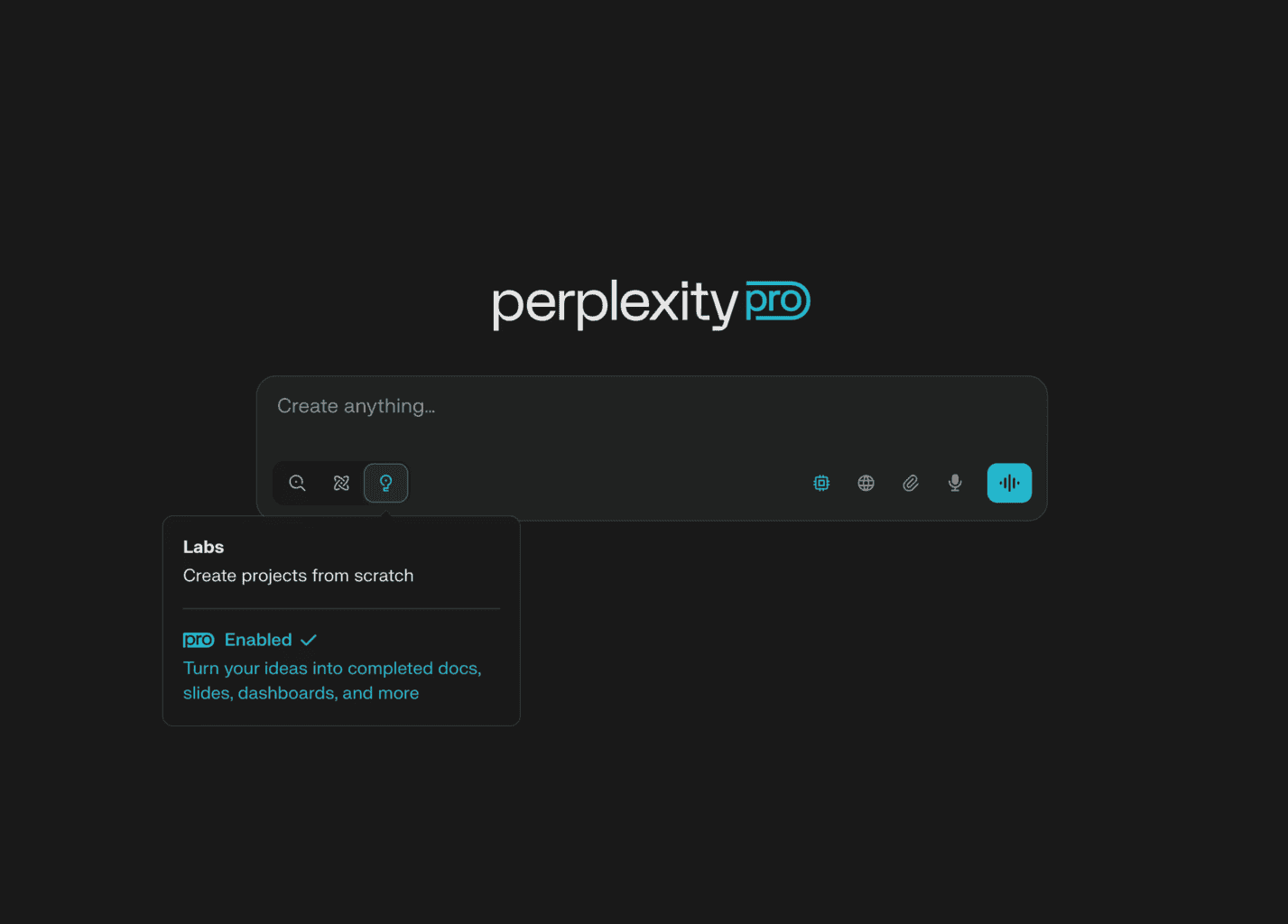
Perplexity Labs Can Build Dashboards, Apps, and Reports from Text Prompts

Perplexity is quietly turning into more than a search engine. With a new feature called Labs, the company is testing how far it can push AI beyond text responses. Pro users now get access to something that feels closer to a workbench, where you can build full research reports, charts, spreadsheets, even lightweight apps, just by asking.

Perplexity Labs isn’t just another AI feature

This isn’t a shortcut for one-liner answers. Labs is built to spend time on your request—about 10 minutes per project. Behind the scenes, it reads the web, writes and runs code, makes images or charts, and lays everything out in a workspace. You get a stack of files, visuals, and working pieces you can use however you want.

Perplexity Labs
Image: Perplexity

There’s a new Assets tab that holds every file the AI created while working: graphs, CSVs, code files, text docs, and more. Need a dashboard instead? Ask. Labs can turn your prompt into a live, clickable app—something you can view in a browser tab without building anything yourself.

Also read: Why is Perplexity AI Not Working? 4 Ways to Fix It

Perplexity’s “Deep Search” is also being renamed to “Research” to make room for this new layer. The idea is that Labs handles the heavy jobs, Research handles deep reading, and Search gives you fast answers.

Labs is available now to Pro users on the web, iOS, and Android. Support for the Mac and Windows apps is coming soon. No fancy inputs needed—just type what you need, and let it build.

Gemini AI Can Now Summarize Your Google Drive Videos

If you ever wanted to know what’s in a video without watching the whole thing, now you can.
Google’s Gemini AI can now analyze videos saved in Drive and answer questions about them. This upgrade makes it easier to skim long videos, get summaries, and find key moments without scrubbing through the timeline.

Gemini now summarizes videos in Google Drive

With this new feature, Gemini works on any captioned video stored in Google Drive. Just double-click a video and hit the “Ask Gemini” button in the corner. A side panel pops up where you can type questions or use suggested prompts. Gemini then pulls up answers, highlights, and summaries—all without hitting play.

Video summarization using Gemini in Drive only works on videos with English captions for now. If you’re a regular user, those are auto-generated by default. But if you’re on an enterprise plan, IT admins might have it turned off.

Also read: After Copilot in Edge, We’re Now Getting Gemini in Google Chrome

Available with AI Premium and Workspace plans

To use video analysis in Google Drive, you’ll need the Google One AI Premium plan, which also includes Gemini in Gmail and Docs. Workspace users on Business Standard, Plus, or Enterprise can already access it if captions are enabled.

Also read: How to Turn Off Gemini Apps Activity on PC, Android, iOS

Google says this update is about saving time. “Videos contain a wealth of information, but going back to watch them can be time-consuming,” the company explained.

Meta & Anduril Partner to Build XR Devices for U.S. Military

Meta isn’t just thinking about headsets and metaverses anymore. It’s now working with Anduril—one of Silicon Valley’s controversial defense startups—to build military-grade XR products. Anduril confirmed the partnership with Meta on Thursday.

Meta and Anduril’s partnership will bring XR tech to the Battlefield

Palmer Luckey, who once helped create Oculus (which Facebook bought for $2.3 billion), is also the founder of Anduril. In a post on X, Luckey said Meta’s XR technology will “save countless lives and dollars.”

Anduril, founded in 2017, already makes autonomous weapons that use AI to track and engage targets, without direct human control. It’s not your typical government contractor either. The company doesn’t wait around for funding and often builds and tests products first, then sells directly to defense agencies.

“Meta has spent the last decade building AI and AR to enable the computing platform of the future,” said Mark Zuckerberg, Founder and CEO of Meta. “We’re proud to partner with Anduril to help bring these technologies to the American servicemembers that protect our interests at home and abroad.”

It’s a big move—and a complicated one. The idea of AI-powered mixed reality combat systems isn’t just futuristic, but also raises new questions about how tech shapes warfare.

Anthropic CEO warns AI could replace 20% white-collar jobs within 5 years

Artificial intelligence (AI) has been taking over our daily lives for some good and bad reasons. The bad? It’s replacing humans in the office setup. Now, Anthropic CEO Dario Amodei warns that within five years, AI could wipe out half of all entry-level white-collar jobs, pushing unemployment as high as 20%.

Anthropic CEO warns about AI’s influence in job market

Amodei told Axios that most people don’t realize how fast this is coming. He says the people building AI have a responsibility to be honest about what’s ahead. The CEO warns that without preparation a lot of jobs could disappear suddenly because of AI.

Amodei isn’t against AI — his company recently released a new chatbot called Claude 4 and sees plenty of good uses for the tech. But the CEO says workers need help learning how to work with AI, and lawmakers must act before it’s too late.

“You can’t just stop this train,” he said. “But you can nudge it a little in a different direction. We have to start now.”

Well, Anthropic’s CEO isn’t the first one to comment on the job market situation in the AI’s era. LinkedIn’s Aneesh Raman and investor Kai-Fu Lee also agree that AI will change the job market fast. The time to prepare is now, before the changes hit hard.

Microsoft Brings Edge Game Assist to Everyone

Edge Game Assist, Microsoft’s in-game browser, is now officially out of beta and available to all Windows 11 users. First announced in late 2024, this tool is built into the Game Bar and lets you browse the web without minimizing or tabbing out of your game.

Edge Game Assist streamlines web access while gaming

You just press Win + G, and the browser pops up inside your game. It’s not some stripped-down tool either—it’s a full Edge browser with support for tabs, extensions, history, and even Discord and Twitch shortcuts. It also detects what you’re playing and can suggest guides and tips.

Game Assist is especially useful for checking walkthroughs, updating a Discord status, or looking up item builds—all without leaving the game. You can even keep your gaming tabs separate from work or personal stuff, so you won’t accidentally switch to a spreadsheet while trying to find the next quest objective.

Game-aware, keyboard-friendly, and more to come

During testing, Microsoft added support for more than 80 games and features like “Paste Game Title,” which automatically drops the current game name into the search bar. It’s built for mouse and keyboard use right now, but Microsoft says controller improvements are on the way.

Edge Game Assist works with all PC games, but titles that are fully supported will offer extra perks like optimized layouts and faster load-ins. You can try it now by launching Game Bar and opening the Edge widget.

Windows 11 Canary build 27868 rolls out with new Voice Access update

Windows Insiders on the Canary Channel are getting a fresh preview today with build 27868. As usual, these Windows 11 Canary releases are more about quiet updates than new features, but there’s still something worth noting about the voice access feature.

Windows 11’s Voice Access gets a helpful in-app upgrade with the Canary build 27868

The highlight this time is a small but helpful upgrade to Voice Access. Microsoft added a new in-app experience that makes it easier to explore what Voice Access can do. Users will now get quick access to its latest features, including expanded language support and improved speech recognition. It’s tucked into the settings menu and can be dismissed at any time.

voice-access-feature-discover2
Image: Microsoft

This build also fixes a pen input bug that was breaking inking on some PCs. Another issue that blocked apps like Spotify from launching or installing via the Microsoft Store has also been resolved.

But not everything is smooth. If you use VMware or similar virtualization tools, they may fail to run now when Virtualization-Based Security (VBS) is enabled. Microsoft says the workaround is to manually enable the “Windows Hypervisor Platform” in optional features—something that used to work automatically.

No new builds have dropped yet for the Dev or Beta channels this week. That said, May’s optional updates for Windows 11 24H2, 23H2, and 22H2 are now live outside the Insider program.

The New York Times Licenses Its Content to Amazon for AI Use

Since last year, we’ve been hearing about publishers quietly making deals with AI companies. The Associated Press signed one with OpenAI. Axel Springer followed, bringing Politico and Business Insider into the mix. Dotdash Meredith also inked a deal. Now, The New York Times (NYT) has joined the list—but with Amazon, not OpenAI.

This is NYT’s first-ever AI licensing deal

The New York Times confirmed it has agreed to license its content to Amazon for use across Alexa and other AI platforms. That includes its main reporting, opinion pieces, NYT Cooking content, and even The Athletic’s sports coverage. Amazon is also allowed to use it for training AI models.

Speaking about the deal with employees, CEO Meredith Kopit Levien, told:

The deal is consistent with our long-held principle that high-quality journalism is worth paying for. It aligns with our deliberate approach to ensuring that our work is valued appropriately, whether through commercial deals or through the enforcement of our intellectual property rights

This is the first time The New York Times has permitted its content to be used for generative AI. Financial terms weren’t disclosed.

OpenAI and Microsoft were previously sued

Not to forget, the publishing agency is still suing OpenAI and Microsoft. Back in December 2023, the NYT filed a copyright lawsuit against both companies. It accused them of using paywalled articles without permission. OpenAI admitted to doing so.

Microsoft tried to argue that it should be legal. The case hasn’t been resolved yet, and a judge refused to dismiss it in March, so it’s headed to trial unless there’s a settlement.

Meanwhile, Amazon’s deal with The New York Times looks like a safer, cleaner way forward for AI partnerships. It gives Amazon fresh, premium content. And it gives the Times more control—something it’s been fighting hard to protect.

NVIDIA’s GeForce Now app is now available for Steam Deck

The GeForce Now app is now officially available on the Steam Deck, unlocking cloud access to over 2,200 games. First teased during CES, the native app gives users an easy way to stream titles across platforms like Steam, Epic Games Store, Xbox Game Pass for PC, Ubisoft, and Battle.net.

Perks of having the GeForce Now app on the Steam Deck

Even for games that already run on the Deck, streaming has its perks. The GeForce Now app supports advanced features like HDR, DLSS 4, and NVIDIA Reflex on compatible games. Since everything runs in the cloud, the Deck only needs to handle the video stream. That means more battery life, too.

NVIDIA says streaming through GeForce NOW could stretch battery usage by nearly 50% compared to running games locally. That’s a big win for handheld users. NVIDIA has also shared a guide on how to install GeForce NOW on the Steam Deck.

There’s also the benefit of running games that wouldn’t otherwise work on the Steam Deck. Titles like Oblivion Remastered, Monster Hunter Wilds, Expedition 33, and Microsoft Flight Simulator 2024 are all playable with max settings thanks to the service.

Not to forget, Steam Deck’s docked mode also adds flexibility. Players can connect to a TV and stream the same games on a bigger screen. A free GeForce NOW tier exists for testing, though it comes with queues and hour-long session limits. Right now, NVIDIA is offering a six-month Performance plan for $30. After that, it returns to the standard $50.

DeepSeek releases updated R1 reasoning model

Earlier this year, DeepSeek, a Chinese AI startup, released the R1 reasoning model. It took the AI industry by storm, challenging models from OpenAI and quickly drawing global attention. That’s not all; Microsoft also surprised everyone by bringing DeepSeek R1 to Azure and GitHub later on.

Now, the DeepSeek’s updated R1 model has quietly launched on Hugging Face under the MIT license, allowing commercial use.

This new release is a “minor” upgrade, according to a WeChat post from the company. The model repository includes configuration files and parameters, but no formal documentation or description. Still, it’s massive, clocking in at 685 billion parameters, making it far too large for most consumer hardware.

Despite the low-key update, DeepSeek’s R1 continues to spark debate. U.S. regulators have flagged the startup as a potential national security concern, citing the scale and capability of its models. The fact that the DeepSeek’s updated R1 is now openly available to developers will likely intensify that scrutiny.

For now, DeepSeek’s ambitions seem undeterred. The company continues to push boundaries in reasoning-focused AI, with each release hinting at bigger things to come. Not to forget, Microsoft recently released its Phi-4 reasoning model, which it claims is in line with DeepSeek’s R1.

Elon Musk reportedly tried to block OpenAI’s big AI deal in the UAE

Elon Musk has reportedly tried to insert xAI into a high-profile AI deal between OpenAI and the UAE, warning that the project might hit a wall in Washington without him.

According to The Wall Street Journal, Musk called officials at G42—OpenAI’s partner in Abu Dhabi—and argued that U.S. approval could be tricky unless xAI joined the venture.

OpenAI announced a major agreement with G42 on May 22. The plan is to build a massive 5GW data center cluster in Abu Dhabi, under a global infrastructure push called Stargate. It’s backed by the UAE’s sovereign wealth fund and marks OpenAI’s first overseas expansion of this scale.

The scope is huge—about 26 square kilometers, with power demands on par with five nuclear plants. Unsurprisingly, it’s drawing attention from across the AI industry. Despite Musk’s objections, the deal moved forward.

Sources say Musk got upset after hearing that OpenAI CEO Sam Altman would be joining President Trump on a Middle East tour, just as the UAE project was gaining steam. He then asked to join the trip and eventually did.

Behind the scenes, Musk raised fairness concerns about the deal, prompting Trump’s team to review the terms. But the contract wasn’t changed. One official said part of the job became managing Musk’s reaction.

Trump and his AI adviser, David Sacks, reportedly wanted the deal finalized before the tour ended.

Musk, who co-founded OpenAI but later split over leadership issues, has remained a vocal critic. He launched xAI last year as a direct competitor and was reportedly seen as a strong contender for the same UAE project before OpenAI moved ahead.

Fix: Firefox 139 Update Causes Graphics Issues with NVIDIA GPUs on Windows PCs

Recently, Mozilla released Firefox 139 Stable with NTP background customization, Experimental Link Previews, and other new features. However, if you’re using an NVIDIA graphics card on a Windows PC, this update may cause ‘graphics corruption’ issues. Mozilla has acknowledged the problem in the release notes and has confirmed that a fix is coming in Firefox 139.0.1.

Some users have reported severe artifacting when playing a video or browsing websites on a secondary monitor with a lower refresh rate than their main display. This issue causes visual distortions on the primary monitor, making normal usage difficult.

Mozilla states: “Windows users with certain NVIDIA graphics adapters and multiple monitors running at mixed refresh rates may see graphics corruption after updating to Firefox 139.”

If you’re affected by this issue, you can apply the following fix immediately:

  1. Launch Firefox
  2. Visit about:config in the address bar
  3. Find the preference gfx.webrender.dcomp-win.enabled and set it to false
  4. Restart Firefox

Mozilla has documented this workaround in the release notes, marking the issue as “Unresolved.” A permanent fix is expected in Firefox 139.0.1.

Windows users with certain NVIDIA graphics adapters and multiple monitors running at mixed refresh rates may see graphics corruption after updating to Firefox 139. As a temporary workaround, set the gfx.webrender.dcomp-win.enabled preference to false in about:config and restart Firefox. This issue will be addressed in Firefox 139.0.1.

Azure Sphere May update brings tighter security and control for Legacy access

Microsoft has released the May 2025 update for Azure Sphere, focusing on security and migration tools, but no OS or SDK changes this time. The update introduces new features to manage Legacy access, expired certificates, and device security more tightly.

May 2025 update brings new controls for Azure Sphere (Legacy) access

You can now pause or re-enable Azure Sphere (Legacy) access directly from the Azure portal. This helps organizations verify that no Legacy services are still in use during migration to Azure Sphere (Integrated), which replaces Legacy completely on September 27, 2027.

  • Once paused, any attempt to use Legacy triggers an error, making it easy to spot forgotten use cases.
  • You can temporarily re-enable Legacy if migration isn’t fully complete.
  • New Azure Sphere catalogs now pause Legacy access by default unless they’re created from existing Legacy tenants.

Azure Sphere May 2025 update restricts expired certificate downloads

It should be noted that expired catalog or tenant certificates can no longer be downloaded. While this change doesn’t affect live environments, since expired certificates are already unusable, it improves security posture. Metadata for expired certs is still visible, but download attempts via CLI or portal will return “null” or “not found.”

Option to block device certificates via support

Admins can now request to block individual devices from receiving Azure Sphere-issued certificates. This is useful for lost, stolen, or retired devices. Blocked devices will no longer be trusted by services like Azure IoT Hub. To use this feature, contact [email protected].

Sony drops PS5 price as Nintendo Switch 2 launch nears and Xbox prices go up

Sony is taking on Microsoft and Nintendo in a big way this week. The company just announced a major price drop for the PlayStation 5 (PS5) as part of its annual Days of Play sale, which kicked off yesterday (May 28).

You’ll be able to grab a PS5, bundled with Call of Duty 6 at a dropped price, for just $399.99. That’s a massive $120 off the usual price.

This year’s Days of Play sale is hitting at the perfect time. Nintendo’s next-gen Switch arrives June 5, and Microsoft recently bumped the price of the Xbox Series X from $499.99 to $599.99. Not exactly the best time to be shopping for an Xbox.

Sony’s also offering some other decent deals:

  • $50 off the PS5 Pro
  • $50 off the PS VR2
  • $30 off DualSense Edge controllers

Also read: Sony mulls PS5 price increase in the US as Trump’s tariffs bite

While Sony usually rolls out summer deals, this one feels a bit more targeted towards Microsoft and Nintendo. With rivals either hiking prices or launching new hardware, Sony’s hoping to stay ahead by making the PS5 more affordable for everyone else.

Microsoft 365 brings anonymous file sharing to Android: Here’s how it works

Earlier this year, Microsoft rolled out anonymous file sharing for iPhone and iPad. Now, the company is rolling out the same feature to Android. Microsoft 365 Insiders using Word, Excel, or PowerPoint on Android can now share files from their personal accounts without requiring recipients to sign in.

The update, announced via a Tech Community blog post, makes it easier to send view-only documents to others. No one requires a Microsoft account to open them.

Anyone with the link can view your file in the Microsoft 365 mobile apps, given that you’re using a personal Microsoft account and select the right link setting. If the recipient wants to edit or comment, they’ll still need to sign in.

How anonymous file sharing works on Android

Once you’re signed in with your personal Microsoft account:

  • Open the file in Word, Excel, or PowerPoint
  • Tap Share > Link settings
  • Choose Anyone with the link who can view or edit
  • Tap Apply, then either send the link or copy it to share manually
Microsoft 365 anonymous file sharing
Image: Microsoft

Once sent, recipients can open the file in the app—even if they’re not signed in.

The anonymous file sharing feature on Android is available for users running Version 16.0.18827.20066 or newer of the Microsoft 365 apps. It’s worth noting that if those using an enterprise account still require recipients to sign in to access the file.

For users in China, file sharing on Microsoft’s mobile apps is subject to local privacy laws, including the Personal Information Protection Law.

Windows 11 update KB5058405 crashes with 0xc0000098 error tied to ACPI.sys driver

Microsoft has updated its Release Health dashboard to notify about a new issue with its May 2025 updates, including KB5058405 for Windows 11 22H2 and 23H2. These problems come shortly after similar installation failures were reported with KB5058411 for Windows 11 24H2.

KB5058405 install errors tied to ACPI.sys failure

Some users are running into a serious recovery error after attempting to install the update. The error, marked as 0xc0000098, appears in the Windows Recovery Environment and points to a problem with the ACPI.sys file. That’s a core system driver responsible for power management on Windows PCs.

Here’s what the error looks like:

Your PC/Device needs to be repaired  
The operating system couldn't be loaded because a required file is missing or contains errors.
File: ACPI.sys
Error code: 0xc0000098

The issue seems to stem from a corrupted ACPI.sys file during the update process. This file controls CPU power states (P-states and C-states) and plays a critical role in system stability.

Mostly affecting virtual machines

Microsoft says most regular users shouldn’t be affected. According to the company, this problem shows up mainly in virtual environments, such as:

  • Azure Virtual Machines
  • Azure Virtual Desktop
  • On-premises VMs running on Citrix or Hyper-V

Other issues reported too

While Microsoft has confirmed the ACPI.sys error, other users are seeing different problems. On platforms like Reddit, some have reported 0x8007007e installation errors as well.

Once again, Microsoft’s official troubleshooting steps don’t seem to help. There’s no fix yet. Microsoft says it’s investigating and has listed the issue on the Windows Health Dashboard.

Google Pushes Chrome as Default PDF Viewer on Windows 11

While the race for the default browser on users’ devices is still on, Google has recently started experimenting with showing an info bar at the top when a PDF is opened in Chrome on Windows to prompt users to set it as the default PDF Viewer.

Set Google Chrome as your default PDF Viewer Prompt

“Set Google Chrome as default PDF Viewer” with the “Set as default” option included in the info bar was spotted by us in Chrome dev.

According to a commit message, Google is running an experiment where, if it is active, the prompt will appear at startup when you open Chrome or when a PDF is loaded.

Users can close this info bar by clicking the option at the end.

In our testing, unfortunately, clicking “Set as default” didn’t work on Windows 11 24H2, where Edge is still preferred as the default when it comes to viewing PDFs on Windows 11.

So, showing only the prompt may not help—Google also needs to figure out how Chrome forces the necessary dialog on Windows to choose it as the default from the browser or other installed apps.

The commit message reveals this push is targeted for Chrome on Windows and macOS.

While Google has included a PDF Viewer in Chrome for basic needs, in recent times, the company has improved Chrome’s PDF Viewer with the ability to write or highlight text on PDFs using PDF Annotations and copy and search text in Scanned PDFs.

Chrome PDF Viewer also supports Two Page View, presentation mode, printing the document, and the ability to rotate PDFs in clockwise and anti-clockwise directions. If we are not wrong, Chrome’s PDF Viewer has also been getting upgraded with Material 3 Design Refresh.

Chrome allows users to use it as a PDF Viewer or a third-party PDF app on Windows for their PDF needs. By default, Chrome opens PDFs in it, but you can configure this behavior in settings.

That’s not All. Google is working to boost Chrome speed while you create new tabs with infinite Tabs Freezing feature.

Do you use Chrome’s PDF Viewer? Let us know your thoughts in the comments below.

Soon, you’ll be able to “Sign in with ChatGPT” on third-party apps

OpenAI is looking to bring a new “Sign in with ChatGPT” feature, letting users log into third-party apps using their ChatGPT accounts. The company is reaching out to developers to gauge interest in integrating this feature, a move that could broaden ChatGPT’s already massive footprint.

The “Sign in with ChatGPT” option will be every where soon

ChatGPT boasts around 600 million monthly active users, making it a powerhouse in consumer tech. OpenAI wants to leverage this popularity to branch out into areas like online shopping, social media, and personal devices.

This sign-in feature could put them toe-to-toe with tech giants like Apple, Google, and Microsoft, who’ve long offered seamless single sign-on options for apps.

Earlier this month, OpenAI quietly tested the login feature inside its Codex CLI tool — a command-line coding app. It let developers connect their ChatGPT accounts (Free, Plus, or Pro) directly to their API setup. To sweeten the deal, Plus users got $5 in API credits just for trying it, while Pro users got ten times that.

Sign in with ChatGPT
Image: OpenAI

People are starting to notice. “This is a big deal. ‘Sign in with ChatGPT’ could be everywhere soon,” said Nick Dobos on X. Behind the scenes, OpenAI’s now asking developers what kind of audience they serve — from tiny apps with just a few hundred users to platforms serving millions.

They’re also looking at how companies currently charge for AI features, and whether they’re already tied into OpenAI’s ecosystem through the API. Moreover, there’s still no official timeline or launch window, though — or any clear list of companies that have signed up.

Windows 10 22H2 KB5058481 brings back the clock and boosts calendar

Microsoft has been quite generous in terms of pushing updates to an OS that’s nearing its end. Despite Windows 10’s support deadline just a few months away, Microsoft is still rolling out monthly non-security previews. The latest one is KB5058481 for version 22H2, bringing build 19045.5917.

KB5058481 update brings back the clock and improves calendar in Windows 10 22H2

What’s interesting here is the return of the calendar flyout clock. Microsoft quietly removed it before, and no one really knew why. Now it’s back—no explanation, just a quiet reappearance. On top of that, this update also enhances the Rich Calendar experience.

There are a couple of technical fixes too. KB5058481 addresses some issues with GDI and WinSaS, though Microsoft didn’t go into detail. Still, it’s nice to see these backend problems being sorted, even this late in the game.

As for bugs, there’s one known issue: blurry Noto fonts in Chromium-based browsers, but only on systems using Chinese, Japanese, or Korean.

You can install the update by heading to Settings > Windows Update and selecting Download and install manually. Or, if you prefer, grab it directly from the Microsoft Update Catalog.

Windows 11 users aren’t left out either. If you’re on version 22H2 or 23H2, you’ve got your own non-security update. And version 24H2? That’s been updated too.

Read the complete changelog noted in Microsoft’s support article:

Improvements

Important: Use EKB KB5015684 to update to Windows 10, version 22H2.

[GDI/GDI+]

  • Fixed: Some GB18030-2022 characters in plane 2 are not rendered.
  • Fixed: Some GB18030 characters are rendered wider. Additionally, the sample paragraph is not rendered correctly.

[Mobile Operator Profiles]

  • Updated: Country and Operator Settings Asset (COSA) profiles are updated.​​​​​​​

[WinSaS]

  • Fixed: An issue affecting the Windows Account Sync Consent system in European Economic Area markets, where secondary accounts were not acknowledged, leading to increased server load.

If you installed earlier updates, only the new updates contained in this package will be downloaded and installed on your device.

Windows 11 24H2 KB5058499 brings Copilot and Click to Do upgrades

Just a day after pushing non-security updates for Windows 11 22H2 and 23H2, Microsoft has turned its attention to 24H2. The new optional update, KB5058499, is now available with build 26100.4202, and it brings several feature upgrades and bug fixes.

Click to Do expands with new actions, stylus support, and EU rollout

Click to Do is getting smarter. On both AMD and Intel machines, the app now supports new text actions and adds an “Ask Copilot” button. It’s also rolling out to the European Economic Area with support for Spanish and French. If you use a stylus, you can now assign Click to Do to the shortcut button.

You can now remap the Copilot shortcut (Win + C or Copilot key) and even press and hold to talk directly to it. On Copilot+ PCs, Windows Search now understands natural language and Narrator can generate detailed image descriptions.

Also read: How to Fix Windows 11 Update and Restart Not Working

Settings updates and smaller UI touches

Microsoft added independent Dolby Vision controls with KB5058499, and you can now stream HDR video even with HDR disabled. The System > About page shows a new FAQ section, and the printer rename UI now matches Windows 11’s modern design. More mouse settings have also moved from Control Panel to Settings > Accessibility > Mouse.

Fixes (rolling out gradually)

  • Startup sound should now play correctly.
  • Bluetooth settings no longer freeze when loading devices.
  • Fixed crash in Camera settings.
  • Fixed display issues after sleep on some devices.
  • File Explorer search now works even with disconnected network drives.
  • Fixed touch keyboard bugs in Chinese layout and symbol entry.
  • Fixed typing issues after disconnecting remote desktop sessions.
  • CopyPixels no longer inverts images unexpectedly.
  • UI fixes in MMC (colors, contrast modes).
  • Non-admins can now uninstall printers they’ve added.
  • UHF tuning scan works properly again.
  • USB devices stay connected after sleep.
  • Fixed Windows Hello face login failures after waking from sleep.

Fixes rolling out normally

  • BitLocker on removable drives won’t crash after sleep anymore.
  • Boot screens like BitLocker PIN and Recovery now load faster.
  • Fixed graphics issues that froze some games after upgrading to 24H2.
  • Memory leak in Input Service has been patched.
  • Fixed camera preview issues with Hello Face enrollment.
  • Windows Server 2025 now correctly detects network profiles on new domain controllers.

Known issues

There’s just one bug: Noto fonts may appear blurry in Chromium-based browsers on systems using Chinese, Japanese, or Korean locales.

You can grab KB5058499 from Windows Update — just look under optional updates and hit “Download and install”. Or, if you prefer, head to the Microsoft Update Catalog to get it manually.

Windows Update might soon handle your app updates too, thanks to orchestration platform

Microsoft is testing a new update system that lets third-party apps use Windows Update directly with the help of orchestration platform. As of now, it’s in private preview for developers.

Until now, most apps on Windows used their own update tools. Some run in the background, others pop up when you open the app. Microsoft’s new approach changes that. Apps can now plug into the same update engine Windows uses.

That means developers will get to schedule updates based on battery level, user activity, or even eco-friendly power hours. If an app uses this new system, you’ll see it in your Windows Update history. It also supports native notifications, so you’ll know exactly what changed and when.

Microsoft says it currently supports MSIX and APPX apps. It’s worth noting that some Win32 apps are also allowed, depending on how they’re built. The new orchestration platform will ensure that no IT admins and developers rely on the Microsoft Store for app updates.

While the Microsoft Store has improved, a lot of big apps are still missing. Microsoft tried to fix this with the Windows Package Manager, but that tool never went mainstream. As of now, the feature is only available in private preview. But if it works well, it could simplify app updates across Windows.

Testing Begins for Xbox Gaming Copilot on Mobile Devices

Microsoft is testing a new AI assistant to improve mobile gaming support through the Xbox app. The new Copilot for Gaming (Beta) feature helps players ask game-related questions without interrupting play in the Xbox beta mobile app on iOS and Android.

It works on a second screen, so the main game stays in focus. You can type or use voice commands to get answers in real time.

How the Xbox gaming Copilot handles your game questions

Copilot knows what game you’re playing and answers based on that, your profile, and Bing search results. Players can ask about crafting in Minecraft, beating a boss, or understanding achievements. The Copilot for Gaming is built to answer questions that would normally pull you away from gameplay. It keeps the support fast, accurate, and in context.

Game recommendations are also part of the experience—just ask what to play next or mention your favorite genre. You can ask about horror games, recent RPGs, or Xbox titles that fit your mood. The Xbox gaming Copilot responds with suggestions tailored to your taste and game history. It’s designed to make exploring new titles easier.

Copilot also answers questions about your account, like Game Pass renewals or past achievements. You can ask about your gamerscore or find your rarest achievement with a quick prompt. The Xbox gaming Copilot pulls from your data to give fast, personal answers. It’s all about less searching and more playing.

The beta is open to players over 18 in the U.S., Japan, and a few other regions. Android users can try it now by updating the Xbox mobile app. iOS and Windows users will get access soon, along with more updates. Keep asking questions and giving feedback—it’ll shape what Copilot becomes next.