Xbox Game Pass mobile app gets ready for EA Play and Xbox Series X|S enhanced games

Microsoft has just updated its Xbox Game Pass mobile app on iOS and Android ahead of a very busy week for Xbox. With Microsoft launching its next-gen consoles next week on November 10, the Xbox Game Pass mobile app is now ready to help early adopters downloading Xbox Series X|S versionw of games in the Game Pass catalog, including Gears 5, Forza Horizon 4, and Sea of Thieves.

Additionally, this latest update for the Xbox Game Pass mobile app will add all EA Play Xbox games once the subscription service becomes available for Xbox Game Pass Ultimate members on November 10. Yesterday, EA announced that Star Wars Jedi: Fallen Order will join the EA Play catalog on November 10, and it will play best on Microsoft’s Xbox Series X|S consoles.

This latest update also brings some UI improvements on iOS devices, and you can read the full release notes below:

  • Xbox Series X|S is coming: When you use a new Xbox console, the app (this one – the one in your hand right now) will be all ready to support your fun in the next gen.
  • EA Play – it’s in the Game (Pass): As soon as EA Play is here, you can search the Play List for even more games.
  • Coming soon: See what games are coming to Game Pass and queue them for installation as soon as they’re live.
  • More games on home: Need. More. Games. It was only two rows before, now keep scrolling to see even more games in your library. (iOS only

Microsoft’s Xbox Game Pass mobile app is a great complement to the main Xbox mobile app, which was recently redesigned ahead of the release of Microsoft’s Xbox Series X|S consoles. As a reminder, new subscribers can get their first month of Xbox Game Pass Ultimate for just $1 instead of $14.99, and for that low monthly price you’ll now get Xbox Game Pass for Console, Xbox Game Pass for PC, Xbox Live Gold, and EA Play.

‎Xbox Game Pass
‎Xbox Game Pass
Price:
Free


Xbox Game Pass
Xbox Game Pass
Price:
Free


Xbox Game Pass Ultimate

5 Stereo Receivers With The Best Design [Top Picks]

When you’re building an audio system or a home cinema, you may feel the need to buy components that compensate each other.

Either they have the same color scheme, or they all have the same minimalist design, having a system that looks like a complete set can be satisfying.

Additionally, some people may like certain styles, such as the ultra-modern look or the vintage look.

That’s precisely why we’ve compiled a list of what we think are the best good-looking stereo and AV receivers.

Note: Deals are subject to change. Keep in mind that the price tag often varies. We recommend going on the vendor’s website to check the price. Some of the products may be out of stock by the time you’ve made your purchasing decision. So, hurry up and hit the buy button.

Top stereo receivers with the best design to buy today

Sony STRDH190

  • Connect up to 4 speakers; A/B switching to play all at once, or in separate zones
  • Built-in Bluetooth lets you wirelessly stream from other Bluetooth devices
  • Low profile design fits easily into conventional AV cabinet
  • 100 watts x 2 (8 ohms, 1 Kilo Hertz)
  • Full size (1/4 Inch) headphone jack
  • Wireless remote control
  • Not the cleanest sound quality

The Sony STRDH190 is a stereo receiver that gets the job done and looks good while doing it too, thanks to the minimalist slim design that lets it fit into any cabinet.

As far as inputs go, it has a Phono input, 4 Stereo RCA audio inputs, 3.5-millimeter input, Stereo RCA output and it also comes with an FM Radio with 30 stations presets.


Yamaha R-S202BL

  • Frequency Response : 10 Hz – 100 kHz (0 plus/ minus 0.5 dB / 0 plus/ minus 3.0 dB)
  • Speaker selector for two systems.Input Sensitivity (CD):500 mV / 47 k-ohms
  • Bluetooth to your favorite streaming music services
  • Advanced circuitry design
  • Issues with the Bluetooth connectivity

When it comes to modern designs and minimalist control systems, nothing beats the Yamaha R-S202BL thanks to the brushed aluminum finish and simplistic build.

Any device can be used to deliver good quality music as long as it supports Bluetooth, and you can also use it to listen to your favorite radio shows thanks to the 40 station FM/AM preset Tuning.


Onkyo TX-NR696

  • Cue, play, and control music playback by voice with your Google Assistant smart speaker
  • THX Certified Select guarantees the same reference volume level of a commercial theater
  • Works with Sonos, Chromecast built-in, AirPlay 2, DTS Play-Fi and FlareConnect
  • Stream from Amazon Music, Pandora, Spotify, TIDAL, Deezer, and TuneIn
  • Dolby Atmos Height Virtualizer provides an immersive listening experience
  • Sound quality may drop at times

The Onkyo TX-NR696 amplifies accurate, noise-free signal processing with high-current power for dynamic speaker control, which results in a pure, rich, and authentic sound.

More so, the wide range of connectivity options and the support for Internet radio make it so that you never run out of things to listen to.


Best vintage stereo receivers to buy

Not everyone is crazy about the sleek and modern design of most stereo receivers you can buy on the market.

That’s precisely why some opt for stereo receivers that have a more vintage look, that have a control system that feels more analog, and a display that makes you think of car stereos from the good old days.


Pyle PDA6BU

  • A built-in LCD display with front panel audio control center, ID3 tag song readout displays track title
  • FM antenna and remote control are included in the package for distant audio adjustments
  • Features rotary knob controls for mic echo/volume, balance, bass, treble, and more
  • Gives you 200W power w/ 100W RMS, accommodates 2 sets of speakers
  • Perfect for your karaoke and home theater acoustic sound system
  • Equipped with Bluetooth wireless music streaming
  • Issues with the FM stereo

If vintage items are what you love, then you’ll adore the Pyle PDA6BU. Not only does it have a great design, but it also features a host of tools that let you enjoy quality sound from pretty much any source.

It doesn’t matter if you’re playing music off of your phone or are streaming from the Internet or via the FM radio, you will always have something to listen to.


Pyle PT272AUBT

  • Works with today’s latest devices including smartphone, tablet, laptop, computer, etc
  • Supports SD / MMC card, USB, MP3, AM FM tuner, AUX, CD player, and more
  • The professional integrated stereo receiver has A/B speaker selector
  • Equipped with Bluetooth for wireless music streaming
  • Familiar interface
  • The occasional sound drop

The Pyle PT272AUBT looks just like the stereos you had in your car in the ’90s and early 2000s, so it will surely bring out some nostalgia.

However, this stereo isn’t just a looker, it also provides great sound quality and you can use the Bluetooth, radio, and support for Internet streaming to play music from almost any source you could think of.


There’s no shame in wanting to have all of your items look in a certain way, especially if you’re the type that values aesthetics above all else.

However, knowing how to choose a stereo receiver that gets the job done and is not just a piece of electronic jewelry is recommended.


Check out this article featuring the best stereo receivers for Bose speakers.

  • Do stereo receivers work with subwoofers?

Yes, in fact, there are a ton of models that feature subwoofer output as well.


[wl_navigator]

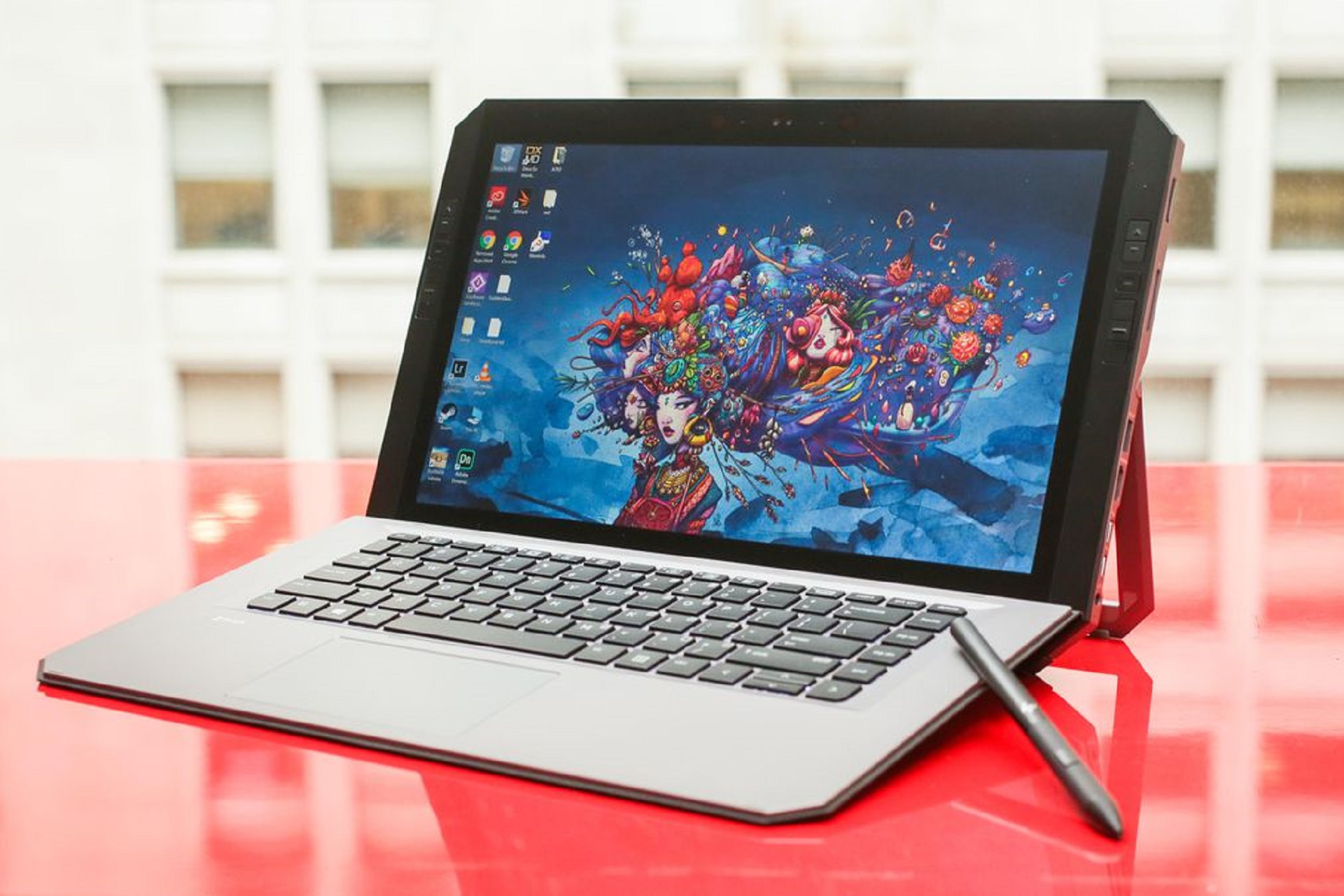
HP’s Zbook X2 Detachable Windows 10 PC

The HP ZBook x2 is one of the most powerful detachable PCs to date specifically designed for artists and graphic designers who use creative applications like Adobe Creative Cloud.

The HP ZBook x2 is a solid upgrade from previous HP detachable PCs like the HP Elite x2 and HP Spectre x2.

So far, the only detachable computer that comes close to rivaling the HP ZBook x2 is the Surface Pro offered by Microsoft.


The HP ZBook x2’s design

This detachable PC is a work of art: its body is made from both die-cast magnesium and aluminum.

Furthermore, the entire device weighs just 4.78 pounds and is 20.3mm thick in laptop mode. In tablet mode, those stats go down to only 3.64 pounds and just 14.6mm thick.


The HP ZBook x2’s features

HP ZBook x2 computer

The newest detachable PC from HP features a 14-inch touch display that supports 4K resolution. There is also an optional one-billion color, 10 bit HP DreamColor display calibrated to 100% of Adobe RGB.

The touchscreen will also have anti-glare features that will allow users to work even in very bright locations.

The detachable PC comes with a quad-core i7 Intel Core processor with 4.2 GHz Intel Turbo Boost.

Users can also purchase the ZBook x2 with 2TB of PCIe storage and 32GB of RAM. NVIDIA’s powerful Quadro Graphics card also comes installed.

The Surface Pro is the main competitor to the ZBook x2. Yet, the HP device offers 73% more graphics performance than the Surface Pro.

You will also not have to worry about it overheating as the device includes a dual-fan cooling system highly effective at dissipating heat.

There are also several features specifically designed with artists and designers in mind. For instance, the device will include customizable HP keys that can be used to quickly access different functions of a design application.

These shortcut keys are useful for artists who want a convenient way to access the numerous features offered by Adobe Creative Cloud or other creative applications.

Users have the option of hooking up dual 4K displays to the HP ZBook x2 using its 2 Thunderbolt 3 ports.

There is also an HDMI 1.4 port, one SD card slot, and one USB 3.0 port. The battery is said to be capable of lasting around 10 hours and supports fast charging, able to be fully charged in just one hour.


HP ZBook x2 Modes

The computer is highly versatile, capable of operating in four modes: laptop mode, docked mode, detached mode, and tablet mode.

The first mode is the laptop mode. In this mode, users can use the device like a normal laptop. There is a keyboard directly connected to the display.

The second mode is the detached mode. In this mode, you can use the highly accurate HP pen to design and create on the 4K display.

The great thing about this mode is that you can still use the special shortcut HP keys located on the detached keyboard for quick access to the different functions of the creative application they are using.


When the ZBook x2 is in docked mode, users can hook it up to a maximum of five normal displays or two 4K supported displays.

Finally, in the tablet mode, the device maintains all of its graphical performance courtesy of its installed NVIDIA graphics while benefitting from increased mobility.


HP Active Pen

Since the ZBook x2 is specifically built for artists, it supports the powerful HP Active Pen with EMR technology, providing a stunning 4096 levels of sensitivity for pressure, a dedicated eraser, and multi-directional tilt.

These features are ideal for artists as it helps them produce content just the way they like it.


The HP ZBook x2’s security

The device includes the third generation HP Sure Start, a BIOS protection system that helps keep your identity and content safe.

Furthermore, it utilizes TPM 2.o, which helps secure credentials through a hardware-based encryption system.

Users will also have access to Smart Card Reader, fingerprint reader, and facial recognition features for additional authentication methods and security measures.

  • 14.0-inch diagonal LED-backlit UHD Anti-glare UWVA Touch
  • Storage: 256GB PCIe NVMe M.2 SSD
  • Windows 10 Pro 64-bit
  • Intel Core i5-8250U
  • 8GB RAM
  • The price tag

The HP ZBook x2 is truly a powerful tool that users can utilize to create and design. What are your thoughts about this new detachable PC?

Would you prefer Microsoft’s Surface Pro or HP ZBook x2?

Feel free to hit up the comments sections with your thoughts and opinions about these flexible, detachable PCs!


On that note, here are the best HP laptops that you can get today.

  • When can I use a detachable laptop?

These laptops can be extremely handy during traveling, or at work during business meetings.

Speaking of which, here are the best business laptops that you can try out today.


[wl_navigator]

5 Best Network Cards For Gaming To Buy [2026 Guide]

Nowadays, the Internet connection speed on your gaming rig is very important, especially if you want to play online games.

The experience will mainly depend on your Internet speed and your ISP, but another critical aspect is the network card that you’re using.

Investing in one that was built for gaming is a must for a full gaming experience, so this article will provide you with all the details needed to make an informed decision.

Check out the best deals on network cards for gaming and choose the one that best fits your budget and needs.

Note: Deals are subject to change. Keep in mind that the price tag often varies. We recommend going on the vendor’s website to check the price. Some of the products may be out of stock by the time you’ve made your purchasing decision. So, hurry up and hit the buy button.

What are the best deals on network cards for gaming?

Gigabyte GC-WB867D-I

  • IEEE 802.11ac standards compliant
  • Features an antenna to allow WLAN 2Tx2R transmission
  • Speeds of up to 867 Mbps
  • A USB port is needed to work

The GC-WB867D-I network card from Gigabyte is a compelling and yet affordable network card option for gaming that will surely cover all your needs.

This Bluetooth 4.2-enabled network card uses a Dual-Band frequency of 2.4 Ghz/5.8Ghz, to enable you to experience gaming without any lag.

TP-Link N150

  • Affordable price
  • Relatively good speeds offered
  • Can be easily set up
  • Users have reported that the card can overheat after a long usage

The TP-Link N150 network card is very affordable but a good network card for your gaming experience.

This card features a PCI Express connector that allows 150 Mbps connections and is compatible with a wide range of PCI Express slots.

TP-Link WiFi 6 AX3000

  • 1300Mbps Wi-Fi speeds
  • Built for high-performance online gaming and video streaming with 4K quality
  • Detachable antennas
  • No cons found for the price it has

The TP-Link WiFi 6 AX3000 offers an affordable device that allows you to play games online at a decent speed and features 2 antennas with dual-band wireless 2.4Gb/5Gb speed.

This long-range network card uses the patented TP-Link Heat Sink Technology to disperse the built-up heat efficiently.

TP-Link Archer T9E AC1900

  • PCIe network interface that is fully compatible with desktop PCs
  • Perfect for online gaming, and also capable of HD streaming and downloading large files
  • Low-profile bracket included
  • Compatibility issues with Windows 10

The TP-Link Archer T9E AC1900 network card is another very good option that gives you all the speed required in order to play games without any interruptions.

This powerful device uses a dual-band connection, is wireless-enabled with a PCI express adapter that uses 3 antennas for incredibly smooth connections.

ASUS PCE-AC88 AC3100

  • External antenna base that uses a magnetic system for easily fixing it anywhere
  • Supports MU-MIMO technology
  • The individual antennas can be attached directly to your PCIe Card
  • Has a custom heatsink that keeps the temperature in check even after a long usage
  • Doesn’t offer support for Linux systems

The Asus PCE-AC88 AC3100 network card offers incredibly fast speeds for online gaming without any lag, 4K-quality video streaming, and speeds of up to 2100Mbps.


Owning a fast PC to play your favorite games online is very important, but the speed of your connection is paramount as well.

For this reason, we gathered the best deals on network cards for gaming that will surely offer you the best experience.We covered all price-ranges to make sure that you will find the perfect fit for your circumstances.

Please feel free to let us know if you found this guide helpful by using the comment section below.

[wl_navigator]

4 Best VPN Routers For Gaming On Windows 10 & 11

Because we live in an era in which the risk that third-party entities can steal your private information online, it is extremely important that you use a VPN router.

In order to do so, you will need to use a good VPN software as well. If you really want to make sure that you are secure online, you will also need a powerful VPN router.

As we all know, almost everybody in the world is playing games online in 2023. Protecting your identity online is extremely important even while exploring fantastical virtual worlds with your friends.

In order to cover all your online gaming needs, while also ensuring your online safety, it is recommended that you use a VPN router with gaming capabilities. The gaming VPN routers allow a fast processing speed and a dual or even triple-band bandwidth for smooth gaming.

Gaming routers allow you to reach the highest streaming speeds obtainable by your system, while also hiding your identity from third-party entities online.

Here are our Top 4 picks for the best gaming VPN routers available on the market in 2020.

Top 4 VPN routers for gaming available on the market

Asus RT-AC5300 Tri-band Gigabit

  • Link aggregation for 2Gbps speeds
  • Very powerful Wi-Fi coverage
  • Easy to set up and use
  • More expensive than other options

Here are some of the best features found in this gaming router:

  • Broadcasts on 3 wireless bands (one 2.4 GHz band at 1000 Mbps, and two 5Ghz bands at 2167Mbps 802.11ac)
  • Very fast speeds
  • 1.4Ghz dual-core processor
  • 512MB of RAM
  • WPA-Enterprise and WAP2-Enterprise encryption
  • MU-MIMO
  • Adaptive QoS
  • VPN servers

The Asus RT-AC5300 is our top pick for the top 4 best VPN gaming routers.

This beast offers you a wide range of advanced features that allow you to enjoy a smooth online gaming experience, while also keeping your online privacy.


Asus RT-AC86U Gigabit Dual-band

  • Customizable to support a lot of simultaneous connections
  • Good Wi-Fi coverage and speeds
  • Extensive firmware
  • The design might not be suitable for everybody

The Asus RT-AC86U Gigabit Dual-band router comes on second place in our Top 4 best VPN routers for gaming list.

This powerful router gives you all the tools required for a great online gaming experience and also allows you to connect it to your VPN service to keep your private information away from third-parties.

Here are some of the best features found in the Asus RT-AC86U router:

  • NitroQAM technology
  • Dual-core 1.8 GHz CPU
  • WTFast game accelerator
  • Adaptive QoS
  • Asus AiRadar with Range Boost technology
  • Asus AiProtection powered by Trend Micro

Linksys WRT32X

  • Great Wi-Fi speeds and coverage
  • provides exceptional VPN support
  • Easily understandable firmware
  • Very expensive for its capabilities.

Here are some of the best features of the Linksys WRT32X gaming router:

  • 1.8GHz processor
  •  Dual-band setup featuring with N600 and AC2600 connectivity
  • Gigabit Ethernet connection
  • 512 MB RAM
  • Killer Prioritization Engine -allows your Alienware, Gigabyte, or Razer device to be prioritized on the network

The Linksys WRT32X gaming router is in the 3rd place in our Top 4 list. Don’t be fooled by the low ranking here, this router still packs a very powerful punch for its size.

Compared to the first two positions on this list, it still has a long way to go.

This router offers you good quality streaming power, and also the capability to use VPN software with it for increased online privacy.


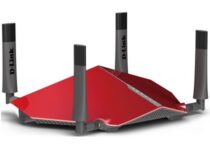
D-link DIR-885L/R

  • Great speeds
  • Good performance
  • The design suites gamers very well
  • High price for a mid-range router

Here are some of the most notable features found in D-link DIR-885L/R:

  • Dual-Band speeds – 1000mBps in 2.4Ghz + 2.167 Mbps in 5Ghz
  • 4 x 4 data streams with 1024-NitroQAM technology
  • 1.4 GHz Dual Core processor
  • MU-MIMO technology
  • SmartConnect
  • QoS traffic optimization
  • Intuitive user interface

The D-link DIR-885L/R gaming router is a mid-range VPN router that offers you great speeds and also a great Wi-Fi range.

Beyond this, it contains features designed to improve your gaming experience.


In this Top 4 article, we explored some of the best gaming routers with VPN capabilities on the market in 2023.

We hope this guide helped you have a better understanding of the features found in each of the options presented in this list.

We would love to know which router option you chose from this guide. Please feel free to let us know by using the comment section found below this article.


Check out this in-depth article for your answer.

  • Is setting up a VPN on a router hard?

It all depends on what kind of VPN and what router you have.

  • Which are the best VPNs for routers?

It all depends on the model of the router that you have.


[wl_navigator]

Is 0 ping possible?

Many avid gamers and streamers seek to bring their pings as close to zero as they can, but is 0 ping possible?

Ping is an extremely popular topic on gaming forums, especially in troubleshooting threads where everyone attempts to find news ways to lower ping.

Since we’ve already heard that term getting thrown around a lot, we’ve decided to shift our focus to it and give it our undivided attention for a while.

In other words, we’ll debunk the 0 ping myth once and for all, whether it turns out to be a hoax or a viable scenario.

But first, we need a bit of basic understanding of what ping is and how it works.

What is ping?

Latency is the time data needs to travel from your computer to any remote device and the other way around.

We use ping to measure that latency’s value. That’s precisely why we try to avoid high ping, especially in games, because higher ping is equivalent to higher latency.

The longer it takes for data to travel throughout your connection, the later you’ll get to experience it. That’s why you experience high ping while playing games in other regions.

For instance, when playing a video game, high ping may translate into stuttery movement, unresponsive menus, and a general game slowdown.

As ping is expressed in milliseconds, you can easily see how long it takes data to travel through your connection.

How does ping work?

  • The initial device (your PC) sends a small data packet to a remote server
  • If the host is up, the data packet (hopefully) reaches its destination
  • The host server generates a response and sends a data packet back to you

That’s basically how ping works. We’re not going to overburden you with unnecessarily complicated terms. It’s worth mentioning that if data packets don’t arrive at their destination, we call it packet loss.

So, in essence, ping can help you assess how fast a small data packet can travel to your destination of choice, and then back to you.

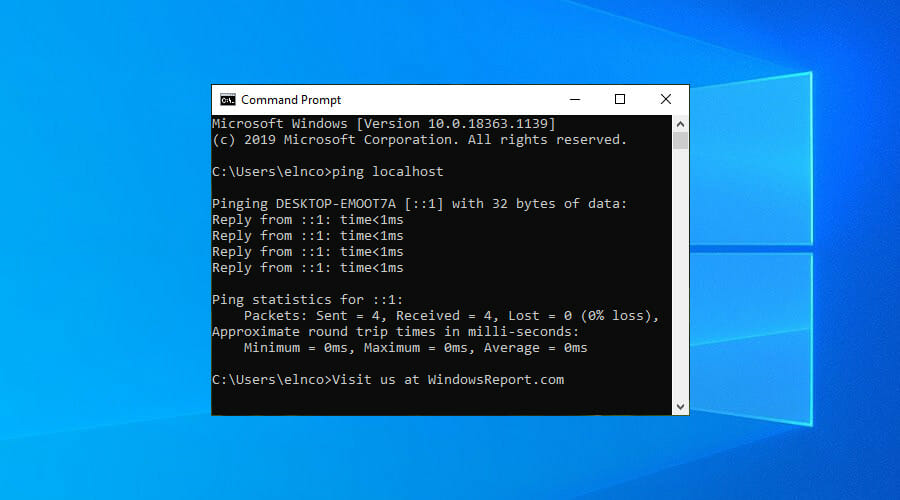
Ping is also a useful tool to see if any host is up. For instance, firing up a CMD instance on your Windows 10 PC and typing ping x.x.x.x where x.x.x.x is any host address will tell you whether it’s up or down.

Furthermore, you’ll also see how fast data travels between the two endpoints (i.e. you and the host).

Is 0 ping possible?

Yes, and no, depending who you ask.

As we’ve previously explained, ping can be used to measure how fast data travels between various devices.

However, this speed highly depends on a wide variety of factors, including but not limited to distance, hardware quality, connection capacity, not to mention additional hardware between you and the server (cables, modems, routers).

Therefore, it’s not possible to achieve 0 ping between you and a remote server. As data takes time to travel, any additional distance between your PC and the game server would further add milliseconds to the ping value.

Having 0 ping would mean that the server would already receive the data packets before your PC could even send it, which is a bit paradoxical, come to think of it.

On the other hand, you may achieve 0 ping if you’re both the pinger and the host, which is kind of useless (unless you’re hosting a game).

You can try it out by using the ping localhost command in a CMD. You’ll most definitely receive ping values of <1ms (which we count as 0 ms).

Final thoughts on achieving 0 ping

All things considered, while it’s possible to achieve 0 ping by playing both roles (pinger and pingee), it’s not exactly useful. Data takes time to travel, and not even fiber network can bend the laws of physics to achieve 0 ping.

However, you can lower your ping as close to zero as possible by resorting to a wide variety of solutions.

For example, you can use a VPN to improve ping, speed up your Internet connection by using custom DNS servers like Google Public DNS, and perform regular network maintenance.

[wl_navigator]

Best laptops for pentesting with Windows 10

If you’re developing new software or a service, you need to test it for vulnerabilities in a process called pentesting.

Although pentesting can be performed on almost any computer, many users choose to use a laptop for this purpose, and in today’s article, we’re going to show you the best laptops for pentesting you can use.

What is the best laptop for pentesting?

Dell XPS 13

  • 13.3-inch Ultra HD display
  • Quad-core Intel Core 10th Generation i7-10510U CPU
  • 16GB LPDDR3 2133MHz RAM
  • 512GB M.2 NVMe
  • Windows 10 Professional preinstalled
  • Can get hot while using

If you’re looking for a laptop for pentesting, then Dell XPS 13 might be a perfect choice for you. The device is powered by a quad-core Intel Core 10th Generation i7-10510U CPU.

This is a 13.3-inch device and it uses Ultra HD (3840×2160) resolution and InfinityEdge Touch technology. As for the memory, the device has 16GB LPDDR3 2133MHz memory.

Regarding the storage, there’s 512GB M.2 NVMe for storage. As for graphics, the device uses Intel UHD Graphics. Dell XPS 13 weighs around 2.7lbs, so it relatively easy to carry.

The laptop has two Thunderbolt ports, DisplayPort, USB-C 3.1 port with power delivery and DisplayPort, MicroSD card slot, and a headset jack.

Dell XPS 13 is a great device with a powerful CPU and 16GB of RAM, so it’s perfect for pentesting and all other resource-intensive tasks.


Microsoft Surface Laptop 3

  • 13.5-inch 2256x1504 touchscreen display
  • Intel Core i7 CPU
  • 16GB LPDDR4x RAM, 512GB SSD
  • Intel Iris Plus Graphics
  • 11.5 hours of battery life
  • Minor issues with screen brightness for some users

Microsoft Surface Laptop 3 comes with a 13.5-inch touchscreen display with 2256 x 1504 resolution. The laptop is powered by Intel Core i7 CPU and 16GB LPDDR4x RAM.

The device can handle resource-intensive tasks with ease, and the 512GB SSD offers more than enough storage for all your applications.

Regarding the graphics, this model uses Intel Iris Plus Graphics, and it can offer up to 11.5 hours of battery life on a single charge with typical use.

As for additional features, this laptop has a USB-C port, a USB-A port, a 3.5mm headphone jack, Wi-Fi 6: 802.11ax, and Bluetooth 5.0 support.

Microsoft Surface Laptop 3 is a great device, and it’s perfect for all testing purposes and other hardware-intensive tasks.


Lenovo Ideapad L340

  • 15.6-inch full HD display
  • 9th generation Intel Core i5 processor
  • NVIDIA GeForce GTX 1650
  • 8GB DDR4 RAM, 512GB NVMe SSD
  • 9.5 hours of battery life
  • Single-channel RAM

If you’re looking for a powerful laptop for pentesting, then Lenovo Ideapad L340 might be what you need. The device can handle all sorts of tasks thanks to the 9th-generation Intel Core i5 processor.

This is a 15.6-inch device, and it offers 1920×1080 resolution. Regarding the memory, this laptop comes with 8GB DDR4 RAM and 512GB NVMe SSD for storage.

Lenovo Ideapad L340 comes with NVIDIA GeForce GTX 1650 graphics, so it can handle multimedia with relative ease if needed. Regarding the battery, it can provide up to 9.5 hours of power on a single charge.

Additional features include two USB 3.1 ports, a single USB-C port, HDMI port, LAN port, headphone/mic combo, Bluetooth 4.1, and Wi-Fi 802.11 AC 1×1 & 2×2.

Lenovo Ideapad L340 offers great hardware specifications, so it’s perfect for all tasks, including pentesting.


Dell Inspiron i3583

  • Quad-core Intel i5 8265U CPU
  • 8GB DDR4 RAM
  • 256GB SSD
  • 15.6-inch display touchscreen display
  • Intel UHD Graphics 620
  • Comes with Windows 10 S mode enabled

Another great laptop for pentesting is the Dell Inspiron i3583, and this model comes with a quad-core Intel i5-8265U CPU with the Intel Turbo Boost feature.

Regarding the memory, this device has 8GB DDR4 RAM and 256GB SSD. This is a 15.6-inch device, and it comes with a 1366×768 touchscreen display and LED backlight.

As for the graphics, the Dell Inspiron i3583 uses Intel UHD Graphics 620, so it should be able to handle basic multimedia tasks.

The laptop weighs 4.41lbs, and it measures 0.8-inches in thickness, so it’s portable and easy to carry around at all times.

Dell Inspiron i3583 is a great device with solid hardware, so it will be a perfect choice for pentesting and other needs.


Acer Aspire 7

  • 9th generation Intel Core i5-9300H CPU up to 4.1GHz
  • 15.6-inch full HD display
  • 8GB 2666MHz RAM
  • 512GB PCIe NVMe SSD
  • 802.11ac WiFi 5
  • Not intended for intensive multimedia use

Acer Aspire 7 comes with 9th generation Intel Core i5-9300H CPU up to 4.1GHz and a 15.6-inch full HD LED-backlit IPS display.

The laptop has 8GB 2666MHz RAM and a 512GB PCIe NVMe SSD available, which should be enough for most of your needs.

As for graphics, this model uses NVIDIA GeForce GTX 1650 with 4GB of GDDR6 VRAM, so it should be able to handle all sorts of multimedia with ease.

This laptop also has a USB Type-C port, two USB 3.2 ports, USB 2.0, HDMI, LAN port, Wireless: 802. 11ac Wi-Fi with 2×2 MU-MIMO technology.

Acer Aspire 7 is a great laptop, and it will be a perfect choice for pentesting and all other needs

Finding a perfect laptop for pentesting might not be an easy task, but we hope that this guide has helped find a suitable model for your needs.

[wl_navigator]

5 Best laptops for writing and video editing

Laptops are devices of choice because they offer decent hardware specifications while also being lightweight and easy to carry.

Laptops usually offer less powerful hardware, but that’s not always the case, and in today’s article we’re going to show you the best laptops for writing and video editing.

What are the best laptops for writing and video editing?

Alienware Area 51M

  • 17.3-inch display
  • Intel Core i7-10700K
  • Nvidia GeForce RTX 2070 Super 8GB
  • 1TB SSD, 16GB RAM
  • Windows 10 Home edition preinstalled
  • Steep price

Alienware Area51M is a gaming laptop, and this means that it has more than enough hardware power for intensive video editing as well.

The device is powered by a 10th Gen Intel Core i7 10700K processor and it offers 16GB 2933MHz DDR4 memory. As for the storage, there’s a 1TB NVMe SSD available, which should be enough for most of your needs.

It’s important to mention that the laptop can support up to 4 SSDs, so you can easily expand the storage. Regarding the graphics, the Alienware Area51M uses Nvidia RTX 2070 Super with 8GB of GDDR6 RAM.

The device also offers 2.5Gbps Ethernet, a Thunderbolt Type-C port, and an Alienware TactX keyboard that supports N-key rollover.

Alienware Area51M is designed for gaming, and since it comes with powerful hardware, it’s a perfect choice for video editing as well.


Razer Blade 15

  • 15.6-inch display, Full HD resolution, 144Hz
  • 10th Gen Intel Core i7-10750H 5GHz CPU
  • NVIDIA GeForce GTX 1660 Ti graphics
  • 256GB SSD and 16BG 2933MHz RAM
  • Can get hot during intensive tasks

If you need a laptop for video editing and writing, then Razer Blade 15 might be the perfect choice for you. The device is using 10th Gen Intel Core i7-10750H so it should be able to handle video processing.

This is a 15.6-inch device, and it comes with a 144Hz Full HD display, which makes it perfect for all types of multimedia, including gaming.

As for GPU, the laptop is using GeForce GTX 1660 Ti, which should be enough for video editing while at the same time being able to do handle gaming.

As for the memory, this device uses 16GB 2933MHz dual-channel memory and 256GB PCIe SSD. Of course, you can expand the storage thanks to the M.2 PCIe 3.0 x4 slot.

Razer Blade 15 is a great laptop, and it has enough power for video editing and some gaming, so you might want to consider it.


MSI GL65 Leopard 10SFK-062

  • 10th Gen Intel Core i7-10750H CPU
  • RTX 2070 8GB GDDR6 GPU
  • Wi-Fi 6 with Gig+ (802.11ax)
  • 15.6-inch full HD 240Hz display
  • 16GB DDR4 2933MHz, 1TB PCI SSD
  • Fans can get a bit loud

MSI GL65 Leopard 10SFK-062 comes with Intel Core i7-10750H 2.6-5.0GHz CPU, so it can handle even resource-intensive tasks with ease.

As for the memory, the laptop has 16GB DDR4 2666MHz, which should be able to handle video editing with ease. Regarding the storage, there’s 512GB NVMe SSD available.

NVIDIA GeForce RTX 2070 8G GDDR6 is used as a GPU, so the laptop should be able to handle multimedia without too many problems.

The device has a 15.6-inch full HD 144Hz display, Hi-Resolution Audio, USB 3.1 Gen2 Type C port, 3x USB 3.2 Gen1 ports, and an enhanced cooling system.

MSI GL65 Leopard 10SFK-062 offers great hardware specifications, and it should be able to handle any video editing tasks without any hiccups.


ASUS ROG Strix G15

  • 10th Gen Intel Core i7-10750H CPU
  • RTX 2070 8GB GDDR6 GPU
  • Wi-Fi 6 with Gig+ (802.11ax)
  • 15.6-inch full HD 240Hz display
  • 16GB DDR4 2933MHz, 1TB PCI SSD
  • Fans can get a bit loud

This laptop is powered by 10th Gen Intel Core i7-10750H and GeForce RTX 2070 8GB GDDR6, so it should handle all multimedia tasks with ease, including video editing.

The display is 15.6-inch, and it comes with full HD resolution, 3ms response time, and 240Hz refresh rate. Regarding the memory, the laptop is using 16GB DDR4 2933MHz RAM.

As for storage, you should have enough space for most tasks thanks to the 1TB PCI SSD. The laptop is using ROG’s Intelligent Cooling to achieve optimal temperature even under high load.

As for additional features, there’s a USB 3.2 Type-C port with DisplayPort 1.4, three USB 3.2 Gen 1 Type-A ports, HDMI 2.0b port, RJ-45 port and audio combo jack.

ASUS ROG Strix G15 is a great laptop, and it’s perfect for all multimedia needs, so it’s a great choice for video editing.


Lenovo Legion 5

  • AMD Ryzen 7 4800H CPU, NVIDIA GeForce GTX 1660Ti GPU
  • 16GB 3200MHz DDR4, 512GB M.2 NVMe
  • 15.6-inch IPS display, full HD resolution, 144Hz
  • 2 x 2W Harman Kardon speaker system
  • Bluetooth 5.0, 2x2 WiFi 6 (802.11 ax), USB-C port, HDMI port, four USB 3.1 Gen 1 ports
  • Build quality and battery life could be better

Lenovo Legion 5 comes with AMD Ryzen 7 4800H processor and NVIDIA GeForce GTX 1660Ti GPU, so it should provide you with great multimedia performance.

The laptop comes with a 15.6-inch IPS display, and it supports full HD resolution with a 144Hz refresh rate. As for the memory, this model has 16GB 3200MHz DDR4 memory which is enough for most needs.

As for the storage space, the device has 512GB M.2 NVMe storage available. For maximum performance, there’s Dual Burn support that will ensure maximum performance from your CPU and GPU.

The laptop offers Legion Coldfront 2.0 cooling, so it should keep its temperature low even during resource-intensive tasks. There’s also the Rapid Charge Pro feature that will charge your laptop from 0 to 50% in less than 30 minutes.

Overall, Lenovo Legion 5 is a great laptop, especially if you want to perform resource-intensive tasks such as video editing, so be sure to consider it.

Finding a proper laptop for video editing isn’t an easy task, but rest assured that any laptop from our list should be able to do the trick.

[wl_navigator]

Here’s where to buy a HoloLens 2 device from

There is currently only one place where you can buy a HoloLens kit from: Microsoft’s Store. Before you hit the buy button, it is worth mentioning that you’ll be getting either the HoloLens 2 (device only) or the HoloLens Development Edition.

As its name suggests, the Microsoft HoloLens2  Development Edition is for developers only. To make things clear, if you’re not a developer, this doesn’t mean that you can’t buy it. Anyone is free to purchase a HoloLens 2 developer device.

Where can I buy the HoloLens 2 headset from?

Microsoft HoloLens 2 offer includes the headset that you can use to immerse yourself in the realm of mixed reality. You can use it either with off-the-shelf apps or build custom solutions using Microsoft Azure services.

Additionally to the HoloLens 2, the  Dev Kit offer also includes a Unity Pro & PiXYZ Plugin trial (3 months) and $500 credit for Azure, including mixed reality services.

Keep in mind that sales are final and non-refundable, meaning that you can’t go back once you agree to pay. Also, the product comes with a one-year warranty and is not intended for use by children under 13.

HoloLens 2

HoloLens 2

Get comfortable in the mixed reality universe with Microsoft's unique gadget that provides reliability and security.

What users say about HoloLens

Unsurprisingly, 99.9% of HoloLens users confirm that this device is a beast and it does what it promises. HoloLens generates jaw-dropping holograms and it works exactly as shown in Microsoft’s videos.

After wearing the HoloLens I feel like I know what the future is going to look this. To say the least I was impressed with the entire package the HoloLens provides and am very excited about augmented reality hardware that is about to be released to the public.


Looking for HoloLens apps? Here are the best ones in the Microsoft Store


The HoloLens2  is not a cheap device, that’s for sure. Indeed, there are other VR headsets that are much cheaper than Microsoft’s creation. 

Tech giants such as HP, Lenovo, Acer, Asus and Dell are already shipping  VR headsets to Microsoft’s Store. These devices are compatible with the latest Windows 10 updates. 

However, you still can’t buy anything quite like HoloLens.

[wl_navigator]

5 Best Headsets for Hard of Hearing [Buying Guide]

If you or anyone else in the family are hearing impaired, they may struggle to watch TV or listen to their favorite audio tracks. While turning the volume up may be an option, it may not be always feasible. 

A good pair of headphones can help you in this situation. These headphones offer amplified sound with quality audio to make things a bit easier.

In this article, we have listed the best headsets for hard of hearing, offering greater comfort, quality, and amplified audio, without breaking the bank.

Note: Deals are subject to change. Keep in mind that the price tag often varies. We recommend going on the vendor’s website to check the price. Some products may be out of stock by the time you have made your purchasing decision. So, hurry up and hit the buy button.

What are the best headset for hard of hearing deals to get?

Avantree 40 hr

  • Up to 40 hours of playtime in wireless mode
  • Audion Pro can also switch to a wired connection without draining the battery
  • Built-in bass boost feature
  • Super soft earpads and an easily adjustable headband
  • Omnidirectional microphone

The Avantree Audition Pro 40 hr Bluetooth Over Ear Headset with Microphone is one of the lightest full-size headphones in this price bracket, with a very light 200g weight.

It comes with aptX stereo technology for high-quality music streaming, and offers zero delays.

These headphone offers superior sound and value with full dynamic range, deep bass beats, and super definition audio from premium aptX-LL certified Bluetooth transmitters.


COWIN E7

  • Excellent quality headphone offering flat, uncolored sound
  • Active noise cancellation and built-in microphone
  • Greater comfort for hours of wireless music
  • Professional protein earpad and 90° swiveling earcups
  • Latency issue

First on our list is the COWIN E7. It is a premium quality headset with wireless connectivity. The compact and ergonomic over-ear design offers an immersive experience with greater comfort.

COWIN E7 comes with a base where the audio source is connected. The base offers extended range connectivity to avoid any connection loss when not in the same room.


Sennheiser Momentum 2.0

  • High-quality headphone with a digital optical system and wireless connectivity
  • 2.4G RF transmitter with up to 100ft range
  • High volume headset ideal for hearing impaired
  • 22-hour battery life with both Bluetooth and Noise Gard activated
  • Not ideal for seniors

Sennheiser Momentum 2.0 comes with a similar form factor as of Sennheiser headphones listed earlier, however, for half the amount. It is a wireless headphone with a 2.4G RF transmitter.

Sennheiser Momentum 2.0 features customized volume control and can get 30% louder than similar headphones, making them ideal for hearing impaired people.

The built-in battery can last up to 22 hours of continues use. If the battery runs out, you can always use the included 3.5 mm aux cable.


SteelSeries Arctis 7

  • S1 speaker drivers designed for superior audio quality
  • Ultimate durability with cool design and ultimate comfort
  • Bluetooth connectivity for wireless music streaming
  • 24-hour battery life
  • Surround sound and voice chat does not work simultaneously

SteelSeries Arctis 7 offers a new way of listening to audio from any Bluetooth enabled device, especially for your late-night gaming sessions.

SteelSeries Arctis 7 can be used to watch movies, listen to music or hours of gaming thanks to its flexible, lightweight design. It delivers a premium audio experience with a wide dynamic range and rich bass. It also comes with a built-in microphone to provide clear instructions.


Avantree Aria

  • Quality wireless headset with 35 hours of backup
  • Active noise cancellation for distraction-free listening
  • Built-in microphone
  • 24M warranty and life-time support
  • Bit stiff

If you are looking for a headset with long-lasting battery backup without having to spend a fortune, the Avantree Aria offers the best value for money.

Avantree Aria is a wireless headset that also works with aux cable in case the can runs out of juice.

It offers Bluetooth wireless connectivity with excellent noise cancellation along with a mic. The built-in battery can last up to 35 hours with impeccable sound quality.


Having hearing difficulties can be challenging for many. However, you can make use of these excellent high-quality headsets to enjoy your favorite activities to make things a little better.

[wl_navigator]

12 Best 360-Degree Outdoor Camera [2026 Guide]

Nothing refreshes our minds more than spending time out in the great outdoors. The beauty of the woods and the enthusiasm of interacting with nature have a magnificent ability to create a feeling of serenity. Imagine how great it would like if the moments were captured with a 360-degree outdoor camera?

It makes sense why most outdoor enthusiasts are opting for 360-degree outdoor cameras for all their outdoor expeditions. So why go for a 360-degree outdoor camera?

Photos and videos are the keepsakes of our treasured moments. And to reminiscence the moment exactly as it happened, you will need a camera that can capture everything from all angles.

That’s where 360-degree outdoor cameras come in handy. These cameras are capable of capturing everything around you, including the color of your shoes.

They will capture every outdoor sporting activity in ultra-high definition and in 360 degrees. In this roundup, we will introduce you to the best 360-degree outdoor cameras for the average consumer.

Top 14 best 360-degree outdoor cameras

Samsung Gear 360

  • Lightweight
  • Micro SD memory (not included)
  • 4K quality
  • Fully-compatible with a wide range of Samsung devices
  • MicroSD card not included

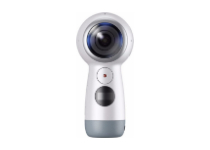
The Samsung Gear 360 is a very useful and easy to use 360 degrees camera that works amazingly well with a variety of Samsung and iOS devices.

The 4K video quality ensures that you will never miss any details of your surroundings and that you will be able to remember and reminisce about your time in nature with your family and friends any time you want.

When it comes to Samsung devices, it will work with anything that runs Android 5.0 or later, and for iOS, any device that runs iOS 10.0 or later.

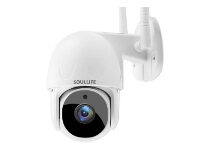
SoulLife Night-vision Security Camera

  • 355 degrees surround video feed
  • 90 degrees vertical movement
  • Night-vision
  • Motion tracker
  • Financial encryption technology
  • Some auto-tracking issues have been reported occasionally

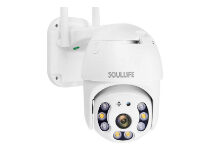
The SoulLife PTZ Security Camera is a very powerful and useful outdoor camera that offers 1080p resolution, ensuring your safety at all times.

This camera not only protects you from intruders and offers you the possibility to easily identify the perpetrators, but does so even during night time.

It contains a very useful night vision mode, and it is equipped with 8 infrared LED lights to enable good quality images even in the darkest settings, up to 25 meters away from it.

As all the other cameras mentioned in this guide, it allows for a full 355 degrees pan view of the surroundings, while also having the ability to move vertically to up to 90 degrees as well.

You can easily access the video feed by using the phone application, and also contains motion sensors that, when activated, send you a notification on your phone.

Insta360 ONE X

  • Amazing 5.7K video quality
  • 18 MP
  • Fisheye lens
  • FlowState ensures video/photo stabilization
  • Fully-compatible with the best construction documentation platforms
  • Takes about 5 seconds for the camera to create another video

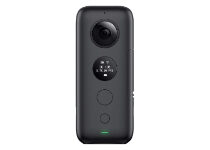
The Insta360 One X camera offers 360 degrees videos with 5.7K quality, at 18 MP, which will surely be exceeding the needs of your video surveillance program.

Beyond these incredible features, the Insta360 ONE X also includes real-time stabilization, Wi-Fi transfer, and also allows you to manually control the speed at which the shot is played back when reviewing the video material.

The included app allows you to easily edit the videos and pictures on the fly, without the need to get lost in complicated video editing software.

To add to this, it is fully compatible with StructionSite, OpenSpace, Holobuilder, Reconstruct, and other major constructions and project documentation platforms available.

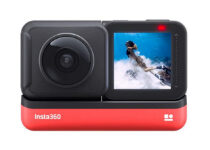
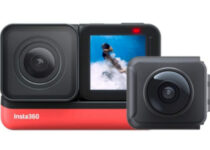
Insta360 ONE R 360 Edition

  • 5.7K video quality
  • IPX8 waterproof
  • Touch-screen
  • AI Editing
  • Pricey

The Insta360 ONE R camera is another very good 360-degree camera that offers some incredible features.

As in the case of the model presented above, this camera offers an incredible 5.7 K quality video, making sure that you will not miss any element you choose to capture.

Beyond the professional-level video quality, this device is also IPX8 waterproof and offers stabilization to your videos as well. 

Featuring the useful Invisible Selfie Stick effect, it automatically removes the selfie stick from your shot, making for a more professional video result.

SoulLife Security Camera

  • 1080p video quality
  • 2-way audio
  • Night vision
  • Supports 128G TF card
  •  4 to 6 second lag time from cam to phone app

The SoulLife security camera was designed to be weather resistant, thus it is a perfect fit for your porch or terrace,  being able to automatically track any movement.

This useful device allows you to control it through the phone application, offers two-way audio, and can also pan and tilt 360 degrees, while also offering night vision capabilities.

Even though the night vision in this model is not as good as in the case of the previous SoulLife model presented in this guide, it is still a useful feature to have.

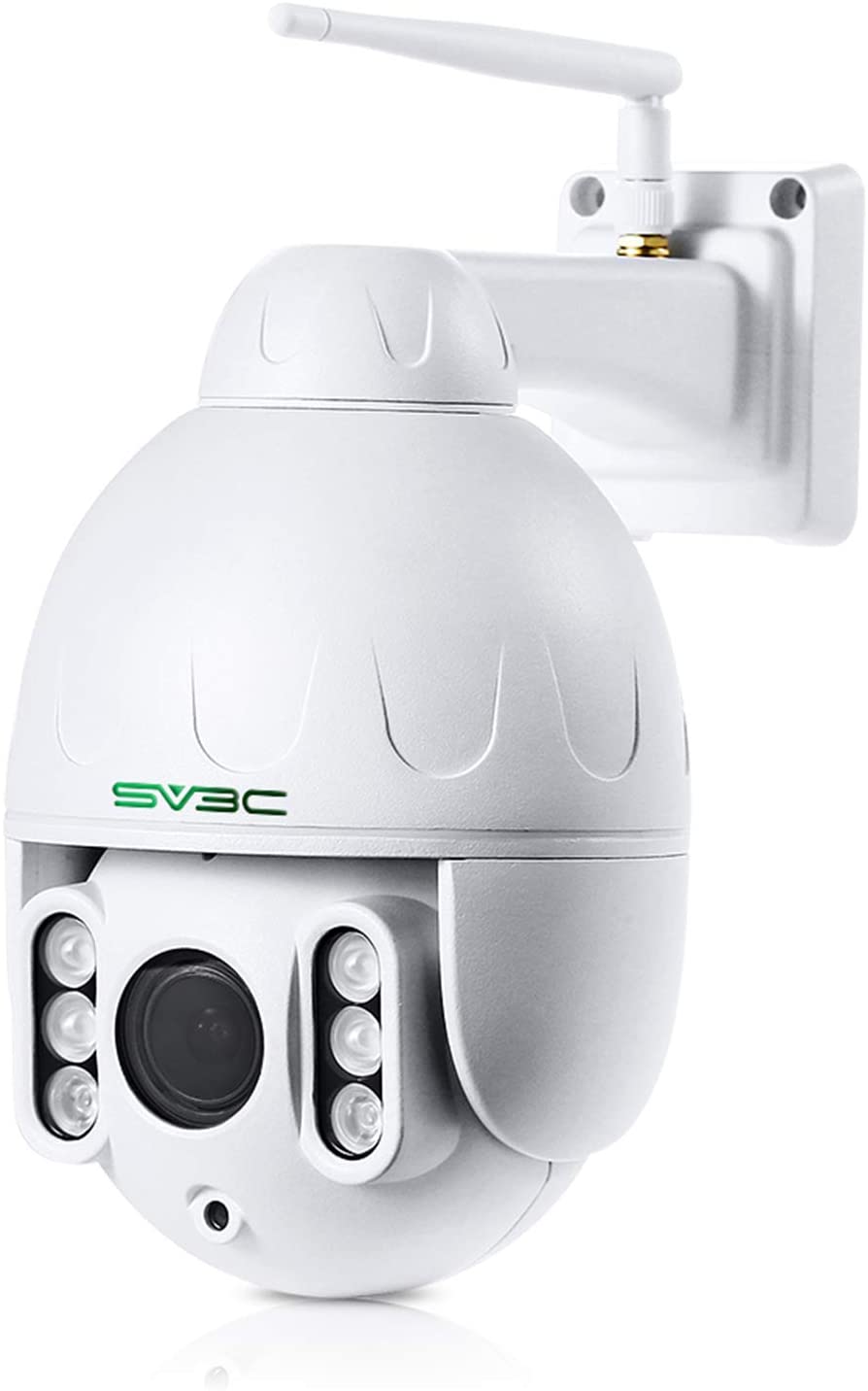
SV3C Wi-Fi Wireless Camera

The useful Wi-Fi wireless camera from SV3C ensures that no intruder can enter your yard without you knowing about it.

Featuring a very useful humanoid detection system, this camera automatically follows anything that looks like a human being, thus enabling thorough protection at all times.

To ensure that you are protected no matter what time the event is happening, this amazing cam offers 1080p quality and a Night Vision feature that works nicely for up to 196 ft.

Beyond this, it also allows you to zoom in 5 times, and it can pan 360 degrees.

⇒ Get the SV3C Wi-Fi camera

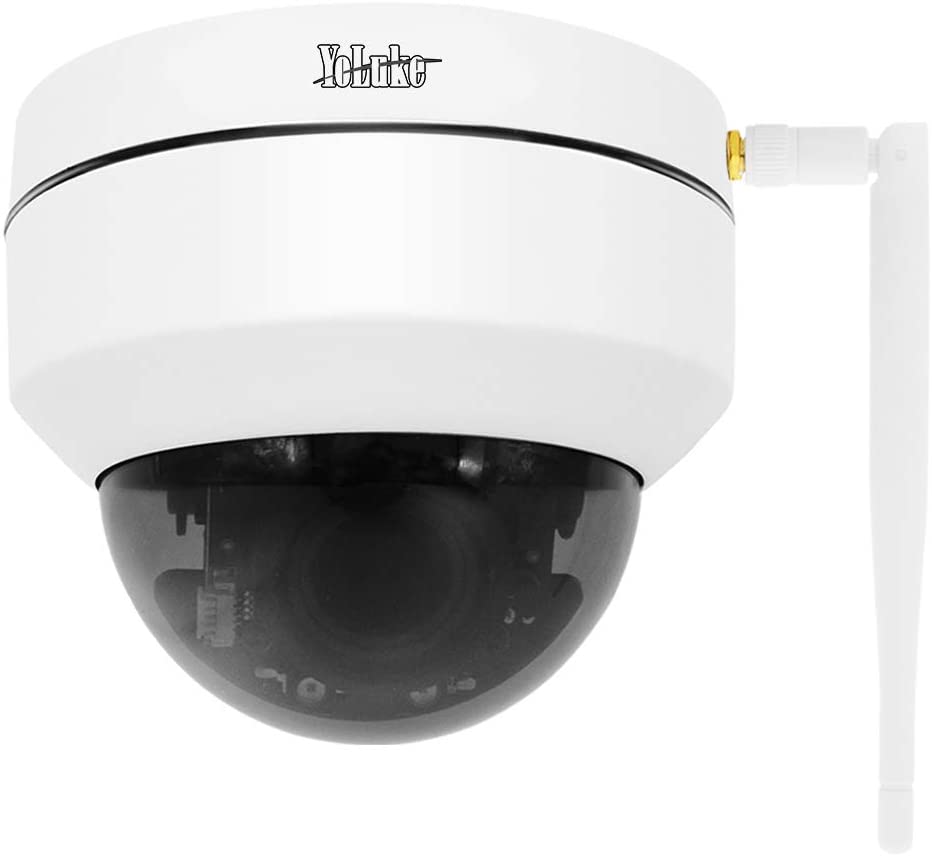
YoLuke Wi-Fi camera

The YoLuke 5MP wireless camera is a powerful 360 degrees setup that is perfectly suited for any environment while enabling you to protect your yard, terrace, or the surrounding area of your house from any intruders.

One of the most important features found on this camera is the ability to offer you HD image, and Night Vision for up to 115ft, with a 2560x1920p resolution.

The focus and movement of the camera are performed remotely, and the LED arrays included help the Night Vision reach this amazing distance.

Added to this, it features a motion detector, so you don’t need to worry at all about any activity that might be happening without seeing/recording it.

⇒  Get the YoLuke Wi-Fi camera

SUNBA Outdoor PTZ Camera

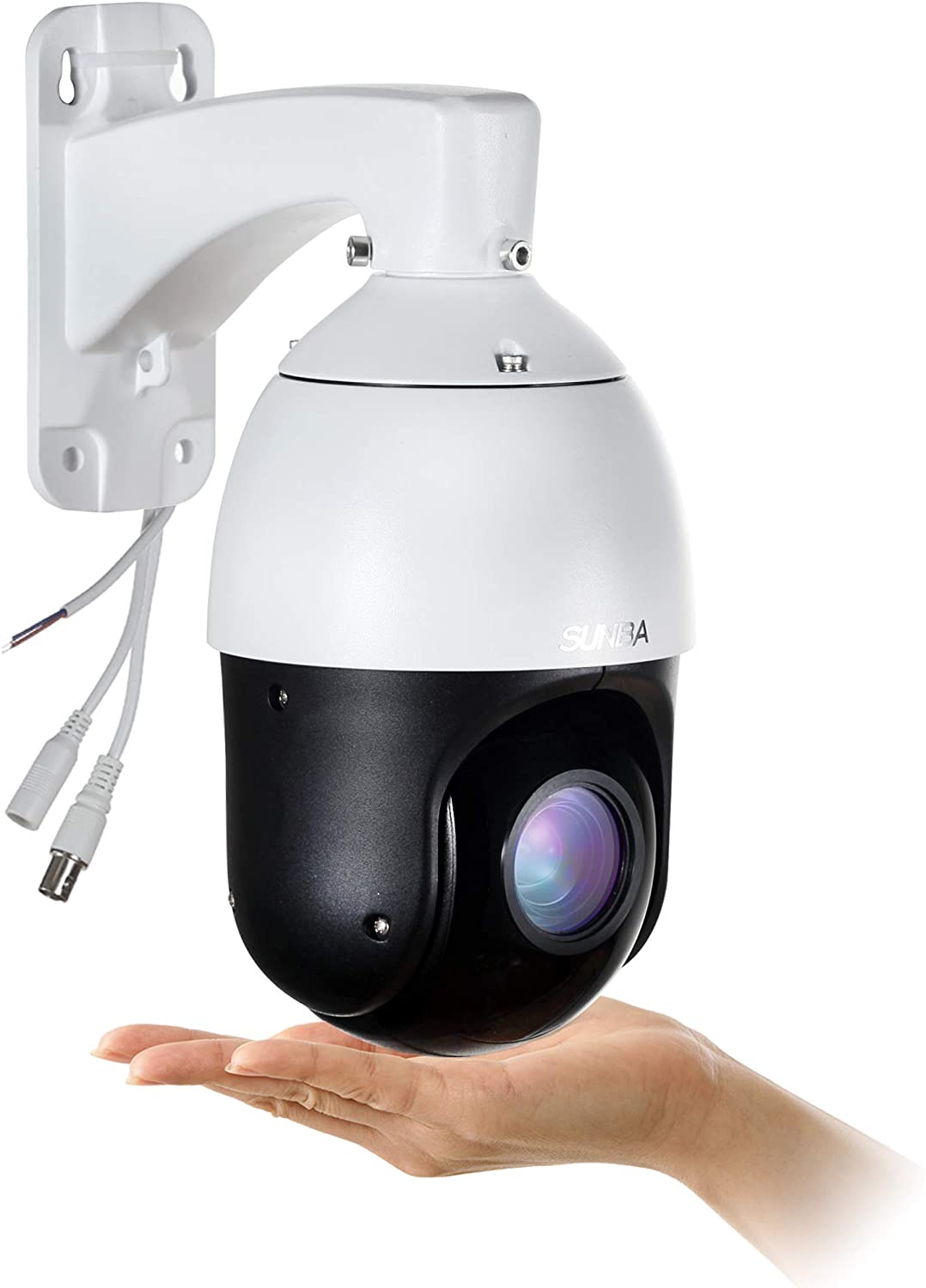
The SUNBA Outdoor PTZ Camera is another powerful and useful security camera that offers a 360 degrees view.

This great device offers a 22X optical zoom and features a Night Vision mode that can cover areas of up to 328ft without any clarity problems.

Being protected by an IP66 waterproof shell enables it to work at full capacity, and without issues even if it gets hit by heavy rain or snow.

To ensure that you can resolve any issues, the company also offers you a 2-year warranty and lifetime technical support.

⇒ Get the SUNBA Outdoor PTZ Camera

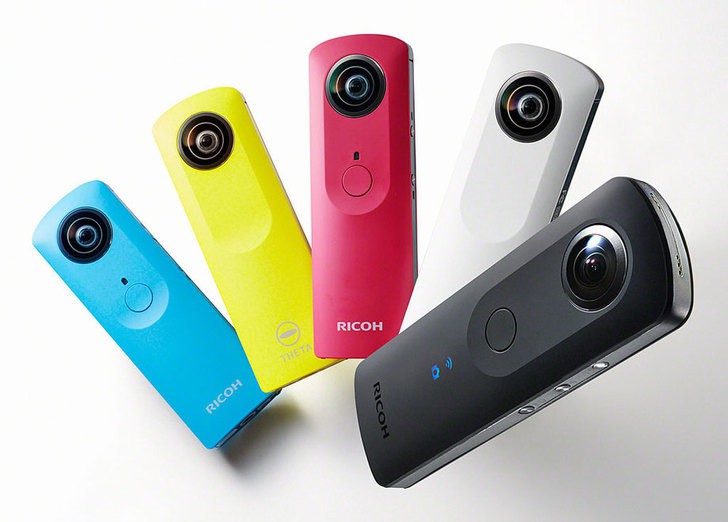
Ricoh Theta S

best 360 degrees USB cameras

The compact nature and simplicity of use make the Ricoh Theta S a perfect 360-degree camera for outdoor activities.

It has only one button so you can capture full 360-degree footage with one touch of a button. The large sensor produces 14MP high-quality spherical images and full HD videos at 30fps.

It also comes with built-in internal storage of up to 8GB as well as live streaming and live view functionalities. You can stream the footage via USB or HDMI, or use the inbuilt Wi-Fi to transfer the videos to your smartphone.

⇒ Get the Ricoh Theta S

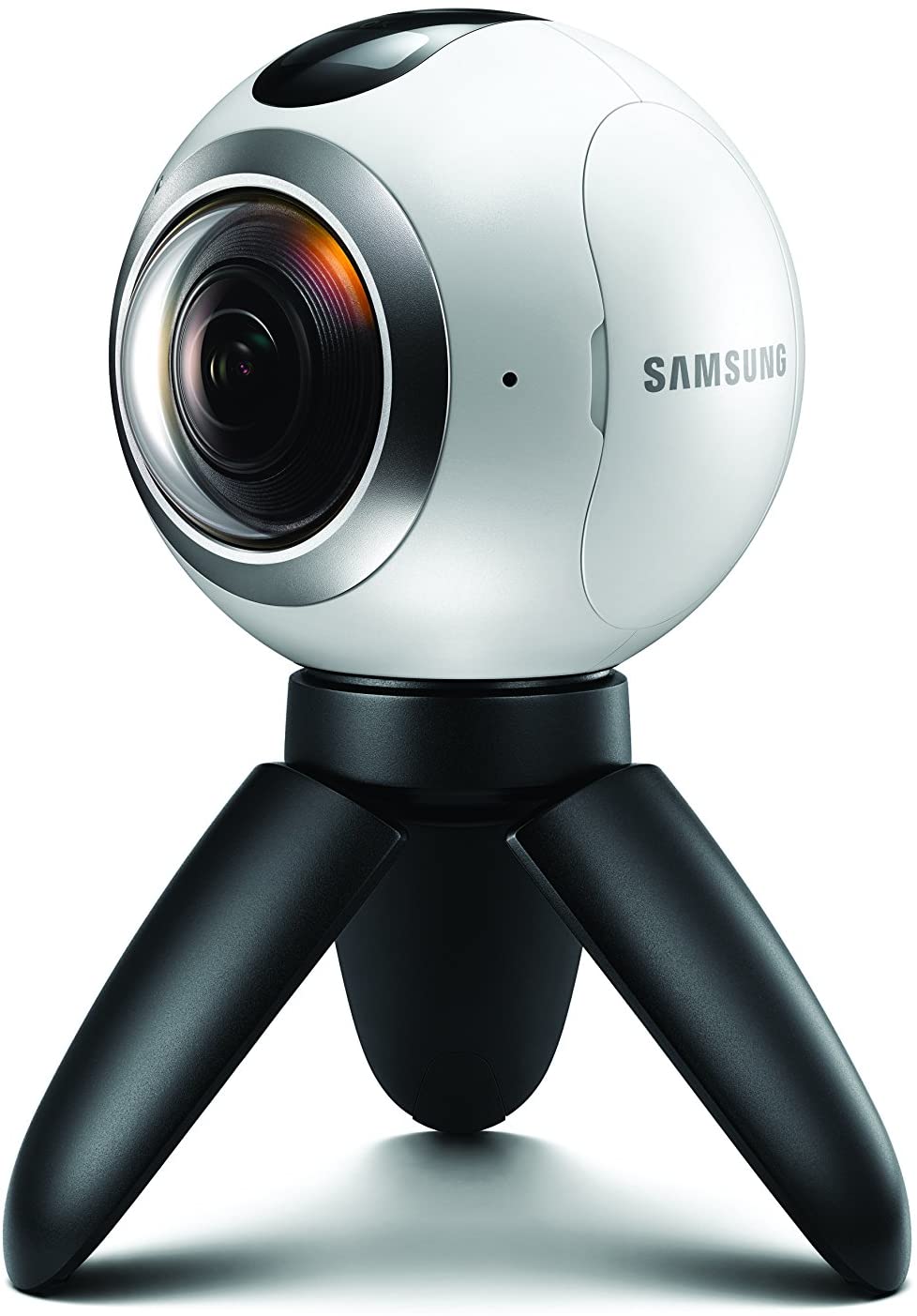
Samsung Gear 360

The Samsung Gear 360 is a lightweight and compact camera that allows you to capture amazing 360-degree videos.

It’s small and portable so you can carry it on all your camping adventures. The camera captures spectacular 30MP images via two 15MP sensors with fisheye lenses. NFC, Wi-Fi, Bluetooth connectivity, and expandable memory are all among the camera’s key features.

You can even extend the fun to the waters or in the field, thanks to the camera’s water-resistant and dust-proof features.  Moreover, you can record directly from the Gear 360 or remotely using a compatible Samsung smartphone.

⇒ Get the Samsung Gear 360 camera

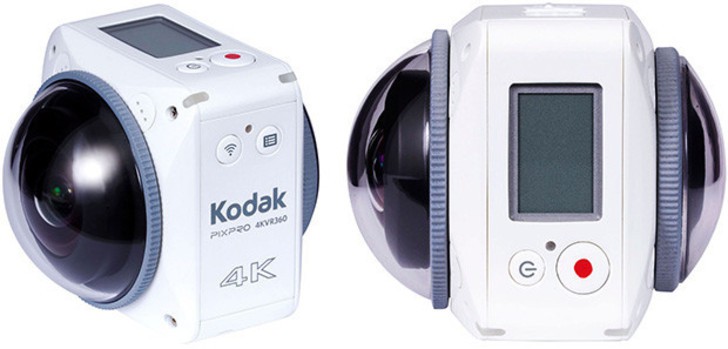
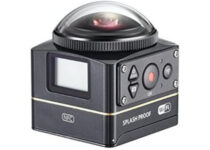
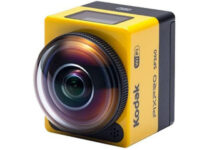
Kodak PixPro 4KVR360

kodak_pixpro_4kvr_360_degree_outdoor_camera

The Kodak PixPro 4KVR360 presents a major upgrade from the last SP360 4K. Kodak has radically changed the software and specs of the upcoming device so as to blend with the current technology.

The PixPro 4KVR360 is equipped with two 20MP cameras positioned at the front and back to effectively record 3600 videos. It seamlessly connects to your smartphones via NFC, Bluetooth, or Wi-Fi.

In addition, it supports up to 128GB microSD storage and features in-camera stitching.

⇒ Get the Kodak PixPro 4KVR360

Vuze XR

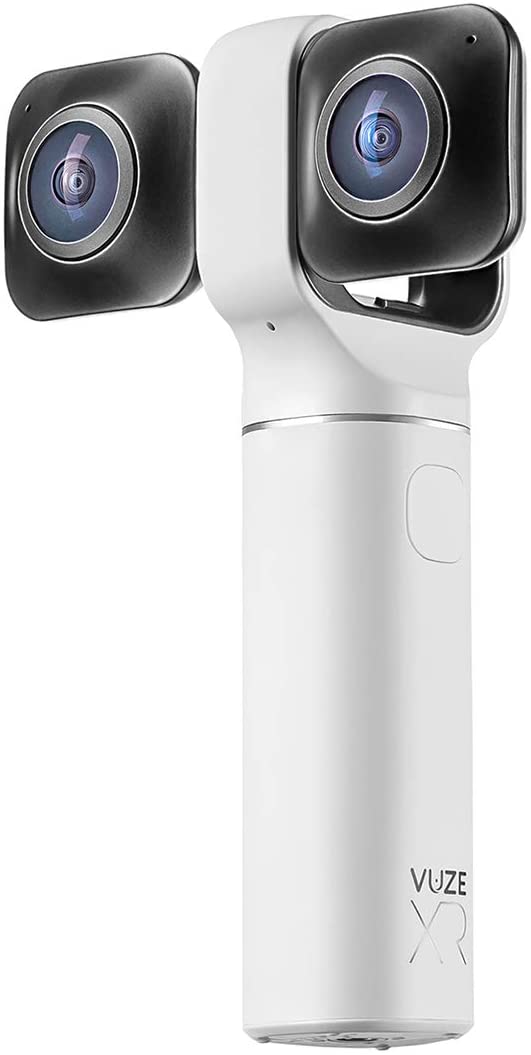
This Vuze camera packs a punch in an easy-to-carry and sleek design. It’s the newest member of the 360-degree portable cameras and captures high-quality videos in 5.7K quality, and can even create 3D videos.

If you’re not interested in recording video, you can use this camera to take 18 MP resolution pictures, being able to easily process both DNG and JPG images.

With the touch of one button, the Vuze XR transforms from a 360 camera to a VR-enabled device, offering 180 degrees 3D video capabilities.

You can easily connect and control the camera by using Wi-Fi, and the mobile app (both for Android and iOS), offers full control, effects, and voice-over features.

⇒ Get the Vuze XR

The 360-degree camera industry is evolving at a fast pace and comes with a variety of options of all kinds and shapes.

Buyers now have a wide variety of 360-degree outdoor cameras to choose from and more and powerful cams are on the way.

We have dug deep into the internet to bring you the best in features, price, and functionality. We hope that this article will land you on the best 360-degree outdoor cameras for all your outdoor adventures.

Do you have a favorite 360-degree outdoor camera that you feel deserves a place on the list? If you do, feel free to share it in the comments section below.

5 Best Preamplifier For Home Theater To Buy

If you are trying to set up the best possible home theater system, you may come across many new terms that you have never heard of. One such term is Preamplifier (preamp).

A preamp is a device that allows the users to connect multiple audio sources to a single output signal. In short, you can manage multiple devices like your DVD player, disc player, or other audio devices, from a preamp with a seamless switching option.

If you are confused as to which preamp is the best option for your home theater system, this is the article you need. We have listed the best preamplifier for home theaters to complete your music setup.

What are the best preamplifiers for home theater?

Fosi Audio Phono

  • MM turntable / Tube preamp
  • Incredibly good sounding phono preamp
  • Great after-sale service
  • Reliable technical support
  • Affordable
  • Random loud hum

First in the list is this Fosi Audio Phono preamp that can easily convert phono signals to line level signals with low-noise integrated circuits and high-quality components to remove low-frequency noise ensure clear sound quality.

Even more, you get three switchable gain modes: 39, 42, and 45 dB. to give you customizable control and outstanding compatibility.

Therefore, this seems like your chance to enjoy a high-end analog sound and top-notch circuitry for an unbeatable low cost.


OSD Audio Pre-1

  • Multiple input options
  • Assists in delivering true home theater sound
  • True home theater surround sound
  • Important element for recording music
  • Accomplishes detailed audio tasks
  • Volume control is a bit tedious

OSD Audio’s Pre-1 amplifier delivers benefits to music recording by boosting the low-level output on the microphone while offering a true home theater sound.

It is capable of accomplishing detailed audio tasks without any fuss. OSD Audio’s Pre-1 offers multiple input options including 4 selectable unbalanced analogue RCA input along with adjustable mic level control.

Additional Pre-1 front panel control includes a power switch, tape loop, Mono/stereo, as well as a low filter button.


Pyle PD3000BT

  • Preamplifier with a 3000-Watt power
  • 6 input options
  • Compatible with the latest devices
  • Front panel W/ digital LCD display
  • High-quality audio
  • Minor complaints about remote control

Pyle PD3000BT is a 4-channel Bluetooth home theater preamplifier with 3000-watt power is perfect for your karaoke and home entertainment sound system.

It offers enough power to power up to 4 speakers to enjoy high-quality audio. Pyle PD3000BT also comes with 6 input including headphone jack, USB port, MP3, FM tuner, aux and front-loading CD DVD player.

Being Bluetooth compatible, do note that it allows for wireless music streaming from a variety of portable devices.


Pyle PD1000A.5

  • Bluetooth preamplifier with 1000-Watt
  • Comes with 8 input options
  • 8 ohms impedance for excellent high-quality audio
  • Built-in digital LCD display
  • Great price
  • Tiny volume buttons

If you are looking for a cheaper option, the Pyle PD1000A.5 is an affordable preamplifier receiver with 1000 Watt power.

While it may not be as good as the PD3000BT, it can still power speakers to offers excellent audio quality for the price.

Similar to PD3000BT, Pyle PD1000A.5 also comes with multiple input options including CD DVD player, USB reader, etc. It can be connected to a TV, soundbar, speaker system, and more.

The built-in Bluetooth connectivity offers wireless music streaming capabilities while the EQ controls allow you to adjust minor details for home theater sound output.


AIYIMA Audio 6J1

  • UX/Bluetooth input Cutover function
  • Switch working mode
  • Solid built of aluminum
  • Works with most home theater systems
  • Great price
  • Doesn’t automatically connect to Bluetooth devices

If you are looking for a compact preamplifier with Bluetooth connectivity, the AIYIMA Audio 6J1 offers excellent value for money.

This preamplifier uses the classical tube 6j1 along with Bluetooth 5.1 chip offering wireless music streaming.

AIYIMA Audio 6J1 can be connected to your home theater system with ease. It comes with multiple audio input options and RCA output.

The plug and play functionality offers seamless sound synchronization as soon as the connection is established.


Preamplifiers allow you to set up a unique home theater system and also customize every aspect of the system.

The newer preamplifiers also offer Bluetooth connectivity, thus allowing you to turn your home theater system into a wireless music system. Let us know your choice in the comments area below.

[wl_navigator]

Phishing scam using inverted images hits Office 365 accounts

Office 365 accounts are among the most frequent targets for phishing scams. After recent reports revealed that the login page is the first step where such attacks occur, we now get to find out what kind of attack one can expect.

More specifically, WMC Global cites PhishFeed analysts in their attempt to deconstruct a new phishing scam targeted at Office 365 users, still at the login page.

Detecting the new phishing technique

The new strategy involves inverting the background image colors and thus making it look like the original, however containing a fake login form.

inverted image phishing scam on office 365

The purpose is to avoid being spotted as a malicious attempt and bypass any detection engine. Additionally, this technique supposedly doesn’t make users suspicious and avoid entering their credentials.

To make the attempt look even more legitimate, the phishing kit uses a little trick. Namely, the inverted color image is stored by the attackers, then they modify the CSS index.php code to force the color to revert to the original state.

css code phishing scam on office 365

Further on, the visitors get the fake page, while the detection engines receive the original one, and more likely wouldn’t notice the scam.

What’s more, according to the source:

[…] The inverted image was discovered within a deployed Office 365 credential phishing kit. Our team reviewed other campaigns deployed by this threat actor, discovering that the individual was using the same inversion technique on the newer Office365 background.

It’s always a good idea to stay on the watch for these scams to avoid falling into the trap.

Just a few months ago, a similar phishing attack went for the secure email gateways, trying to lure Office 365 users into accepting a new Terms of Use and Privacy Policy.

Bitdefender Antivirus Plus

Bitdefender Antivirus Plus

Let Bitdefender keep an eye on possible phishing attempts while you enjoy safe browsing.
Free trial Visit website

While it’s hard for the regular user to spot fake log-in pages, staying away from unsolicited links and forms might save you from further trouble.

Also using a powerful antivirus with a proven detection rate against phishing attacks, such as Bitdefender, will add to your safety while surfing the Internet.

We hope that you haven’t been victim to such a phishing scam; but if you have, you can share your experience with us in the comments below.

[wl_navigator]

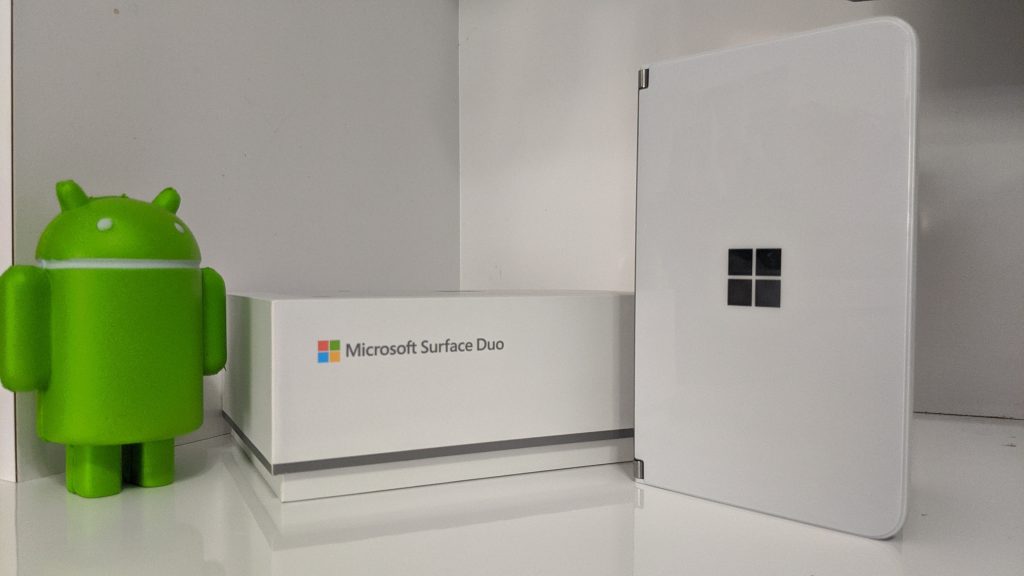
Microsoft Surface Duo listing shows up on Verizon’s site

Similar to the Windows Phone and subsequent Windows 10 Mobile days, Microsoft hitched itself to AT&T as the arbiter of its flagship mobile experience with the Surface Duo.

However, it seems the timed exclusivity window AT&T previously enjoyed with the Duo is over and now Verizon customer can find a listing of Microsoft’s dual-screen phone on its website with presumably a contract option.

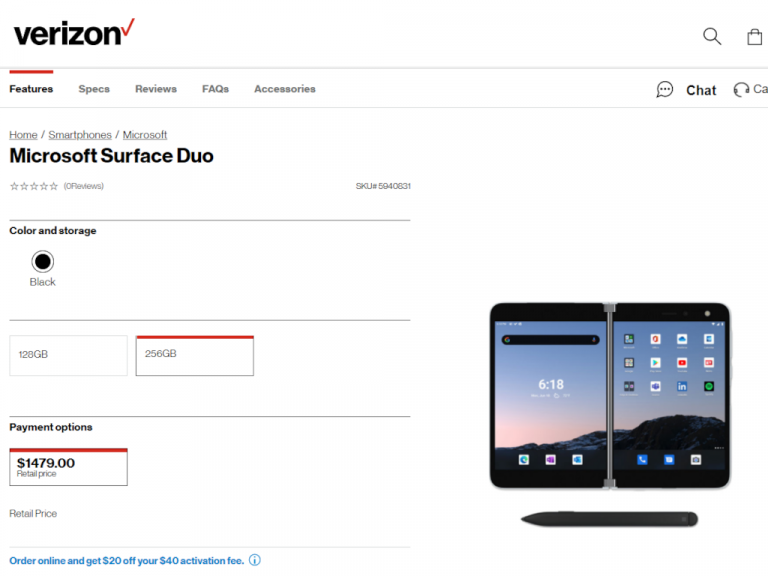
We use the term presumably because the listing on the new surface sales page has full prices listed for both the 128GB and 256GB variants at $1,379.00 and $1,479.00. The Verizon listing is about $20 lower than the Duo can be found on AT&T’s site as well as Best Buy the Microsoft Store.

Perhaps, due to the lack of 5G and time in the market, Verizon may have seen no value in up charging for its sweet MMW bands or early adopter tax.

The Verizon listing also claims the carrier has a black variant, but it may be more of a placeholder text as most smartphones offer a default black option and it seems there is some more work to be done on the page to show monthly price breakdowns as it does with other phones.

Verizon Surface Duo Cropped

The checkout process for new Verizon users runs into an error when trying to process a purchase so the Duo’s actual availability at Verizon remains a question.

For now, the Verizon Duo offer apparently is available online only. I’d suggest calling Verizon for availability beforehand.

5 Best Banana Plugs for Yamaha Receiver: Top Sound Quality

If you prefer a minimalist clean look for your speakers and their cables, the banana plugs are your friends. These plugs make it easy to finish off the exposed ends of your receiver or speakers.

Banana plugs are also useful if you are planning to connect and disconnect the wires often. Installing banana plugs is simple and anyone can do it with a wire stripper.

However, finding the right banana plug for your Yamaha receiver may not be as simple.

In this article, we have listed the best banana plugs for Yamaha receiver so that you can get a clean look along with crystal clear signals for your rig.

Note: Deals are subject to change. Keep in mind that the price tag often varies. We recommend going on the vendor’s website to check the price. Some products may be out of stock by the time you’ve made your purchasing decision. So, hurry up and hit the buy button.

What are the best banana plugs for Yamaha receiver?

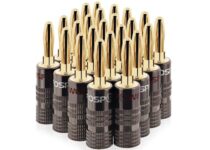
FosPower Banana Plugs

  • Excellent 12 pair of banana plugs with an affordable price tag
  • Compatible with 12AWG to 18AWG speaker wire
  • 2 screw design for better grip and connection
  • 24K gold-plated connectors to prevent corrosion
  • Nothing noticeable

FosPower Banana Plugs are designed to work with all kind of speakers and stereo systems. It offers simple installation and works with A/V receivers, amplifiers, surround sound system and more.

Other properties of the FosPower Banana Plugs include color-coded connectors for better identification, gold-plated connectors to prevent corrosion and compatible with 12AWG and 18AEG speaker wires.

The dual screw design offers a solid grip to secure the speaker wires.


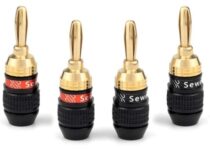
Sewell Deadbolt

  • 24K gold-plated connector and crimping teeth
  • Fast lock technology allows you to crimp a reliable connection
  • Fast install, low profile and high-quality components
  • Heavy-duty brass casing for maximum durability
  • Some complaints of loose connections

Sewell Deadbolt claims to offer the best connection in 30 seconds. While we are not sure how true is that 30-second claim, what we do know is Sewell makes good quality banana plugs for all types of gear.

Sewell Deadbolt comes with Fast-lock technology which makes it easy for self crimping a reliable connection.

Heavy-duty brass casing offers durability while the 24k gold-plated connectors reduce corrosion. 


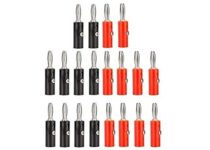
CenryKay Banana Plugs

  • 2 mm up to 4 mm diameter speaker wire
  • 10 pairs of 4 mm banana speaker cable connectors ( 10 x red and 10 x black )
  • Works with audio equipment, industrial instrument, power test, and automobile test
  • Screw connector fitting
  • Noting noticeable

CenryKay Banana Plugs offers a tighter connection of speaker wire to the binding post of the speaker or receiver without the need for soldering.

The plug accepts bare wires and spades and comes with color-coded rings for maintaining proper polarity.

CenryKay Banana Plugs has copper body construction and ferromanganese tips. You can connect 2 mm to 4 mm diameter speaker wire to the plugs.


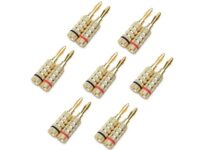
Cable Matters 

  • Ferromanganese tip with gold plating for reduced corrosion
  • Universal binding post compatible to work all kinds of music equipment
  • Sturdy banana plugs made from metal and supports the weight of speaker wire
  • Lifetime warranty
  • Does not come with instructions

Cable Matters offers high-quality banana plugs to terminate speaker wires for stereo receiver. The speaker wire is terminated inside the connector offering greater durability and reliable performance.

Cable Matters comes with a ferromanganese tip with gold plating to reduce corrosion along with color-coded rings for easier identification.

Similar to other banana plugs, Cable Matters also makes use of two screw design to terminate the wires offering a good fit.


Viborg VB401R

  • 100% pure copper rhodium plated conductor
  • Can accept 8AWG to 20 AWG speaker wire
  • Screws: non-magnetic brass with gold-plated
  • Double screw design for secure connection
  • Nothing noticeable

If you are looking for something premium, the Viborg VB401R Screw Locking Banana Plugs is pure copper rhodium plated conductor that comes in a pack of 4.

These plugs are 100% pure copper conductors for the best signal transfer. It accepts 8AWG to 20AWG speaker wire and the double screw locking feature helps keep the fire connection secure.


Banana plugs are the most practical solution to connect the Yamaha stereo receiver. It helps you reduce the clutter as well as provide better wire management.

Go through the list and let us know your favorite banana plug in the comments below.

[wl_navigator]

5 Best MSI Laptops For Performance and Style

MSI has released some decent laptops over the last few years. Some of their gaming laptops are especially highly rated.

These are some MSI laptops that are worth noting right now.

Note: Deals are subject to change. Keep in mind that the price tag often varies. We recommend going on the vendor’s website to check the price.

Some of the products may be out of stock by the time you’ve made your purchasing decision. So, hurry up and hit the buy button.


What are the best MSI laptop deals on the market?

MSI GL65 Leopard

  • 15.6'' FHD IPS-level display
  • RGB keyboard
  • 2x 3W giant speakers
  • Loud fans

The MSI GL65 Leopard is a powerhouse of a gaming laptop, packing in an i7-10750H processor.

The model includes a top-notch 15.6-inch display, with a blazing-fast 144Hz refresh rate that allows for ultra-smooth graphics.

This laptop also incorporates Nvidia’s flagship GeForce RTX 2070. On top of that, the 192KHz/ 24 Hi-Res audio system will just make your gaming experience even more exciting.


MSI Prestige White

  • 14'' UHD 4K ultra-thin display
  • White backlit keyboard(84 keys)
  • Elegant
  • Some product pictures included accessories that are actually not part of the package

This one is definitely a business laptop, sleek and elegant, starting with the ultra-thin display, ending with the white color and backlit keyboard.

It’s not as powerful as the previous option, but you won’t need that. It still features the latest i7 Intel processor, plus an NVIDIA GeForce GTX1650 graphics card to give your creative work a boost.

Last but not least, the long-lasting battery can keep up for 10 non-stop hours, before requiring a power-up.


MSI GE75 Raider

  • 17.3'' FHD display
  • Core i9-10980Hk 2.4 - 5.3GHz
  • 2x 3W giant speakers + 2x 3W subwoofer
  • Loud fans

As you might have guessed, MSI’s Raider laptop model is dedicated to gamers as well.

Thanks to the powerful i9-10980HK processor, plus the  NVIDIA GeForce RTX2070 Super 8G GDDR6 graphics card you get 50% faster performance and powerful AI-enhanced graphics.

The 300Hz display refresh rate is 5 times faster than on traditional laptops so you don’t miss any detail while gaming.

As you might have guessed, such a power-horse might overheat, but the 7 heat pipes ensure maximum performance, though quite loudly, some say.


MSI GS65 Stealth

  • Great gaming performance
  • 144 Hz refresh rate
  • Lots of RAM
  • The battery doesn’t last that long

The MSI GS65 Stealth is a beauty of a laptop that has had rave reviews. It has a sleek and stylish design. The laptop boasts a 15.6-inch Full HD display with a 144 Hz refresh rate.

With a six-core i7-8750H processor and Nvidia GeForce GTX 1070 graphics adapter, this laptop scores highly in various system benchmarks. It also incorporates 32 GB RAM, which is more than enough for the vast majority of software.


MSI GL63 8RC-069

  • Decent speakers
  • Six-core i7 processor
  • Good value
  • Doesn’t support Thunderbolt 3

The GL63 is a rare breed of a budget gaming laptop that offers a lot of interesting features at a lower price.

This laptop boasts a six-core i7 Intel 8750H processor for a bigger performance edge, but its GeForce GTX 1050 isn’t among the best GPUs for gaming.

The GL63 incorporates expansive 3W speakers with decent audio quality. The GL63’s Full HD display has a fast 120 Hz refresh rate. The laptop also comes with 8 GB RAM, which isn’t that much for games, but RAM is expandable to 32 GB.

To conclude, the best MSI laptops are among the best around for gaming. Some models are more economical alternatives that might hold greater appeal for some productivity and multimedia users who don’t need laptops to play the very latest AAA Windows games.

This specific deal is part of our bigger selection of the best laptop deals you can find.

If you know any MSI laptop mode worth mentioning here, drop us a comment in the dedicated section.


[wl_navigator]

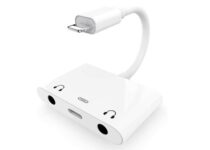
5 Best Double Headphone Jack Adapters

If you’re planning to connect your headphones to a 3.5 mm jack, you might need a double headphone jack adapter to do so.

There are some great headphone jack adapters out there. They’ll literally make you forget all about the fact that your Android, Apple or iPad lacks a 3.5 mm jack in the first place.

How to find them from all that myriad adapters? Some of them may include advanced capabilities, while others are simply budget options meant to connect small devices to larger audio systems.

We’ll get to that in a just a few seconds. First, you should just know that we’re about to present you a few deals of the moment.

If this sounds like music to your ears, then waste no more time. See which one of these double headphone jack adapters is meant for you.

Note: Deals are subject to change. Keep in mind that the price tag often varies. We recommend going on the vendor’s website to check the price. Some products may be out of stock by the time you’ve made your purchasing decision. So, hurry up and hit the buy button.

What are the best deals for double headphone jack adapters?

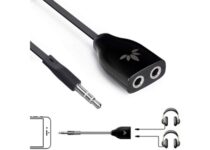
Avantree Two Way 3.5 mm

  • Helps you easily listen to one portable device from two stereo headphones or speakers
  • 3.5 mm female jack (AUX)
  • Great audio transfer performance
  • Cost-effective
  • Background sound is limited

This adapter from Avantree is interesting, to say the least. It makes it incredibly simple to share songs, videos, and films with friends, without bothering those around you.

On top of that, it is compatible with pretty much anything you might use these days, from MP3s or smartphones, to tablets, laptops and more.


UGREEN Headphone Splitter

  • Fits all 3.5 mm jack with TRS plug
  • Nylon-braided shield
  • Phone case friendly
  • Premium quality sound
  • Short cable

Share entertainment via the UNGREEN Headphone splitter cable that comes with dual 3.5 mm headphone jack. It is very portable and you’ll immediately notice those high quality materials.

This headphone splitter offers a clear stereo sound in both speakers or earphones. It has a polished 24K Gold-plated connector, and the shell of  Aluminum to ensure accurate data transmission.


MillSO Headphone Splitter

  • Tin-plated oxygen-free copper
  • Aluminum foil shielding
  • 24-gold plated contacts
  • Don't fit for iPhone headphones
  • It doesn't record the microphone

The MillSO Headphone Splitter adapter is not only used to share favorite songs or movies with friends, but also for simultaneous voice chat.

You should know from the very start that it is equipped with 4 different ports, Dual headphone audio jack, and Dual charging port. That’s assuming, of course, that you are into the latest design trends and fancy the idea of a 4 in 1 adapter.


NiceEshop 3.5 mm

  • Good audio quality
  • Clean design
  • Small and incredibly convenient to stow away
  • Solid audio quality
  • Occasional device not supported warning

It’s time to listen to your iPod songs with no less than two different headsets thanks to this basic headphone jack adapter.

If you want to share the best songs with your friends without sharing your earphone, then this could be your answer. Just check out what the NiceEshop Splitter Adapter has to offer.


Uwecan 3 in 1 Dual 3.5 mm

  • Supports dual earphones working at the same time
  • Enjoy listening and charging at the same time
  • Compatible with all iOS devices running on iOS 9.2 or above
  • Included 4A fast charging function to increase charging speeds by 1.5 times
  • Issues with the middle plug

This is easily one of the best headphone jack adapters choices, if you’re planning to listen from your iPhone 11, XS, XS Max, XR, X, 8, Plus, 7, 7 Plus or iPad. It is relatively inexpensive, and still gives you a lossless audio experience.

It supports listening to music and charging at the same time, and it’s specially designed to share happiness and entertainment.


We normally spend hours and hours looking for products to recommend the best picks for all consumers.

Looking for a new headphone jack adapter? Check out our recommendations and choose what fits best to your budget and requirements. Share your experience in the comment area below.

[wl_navigator]

Microsoft Cloud PC details leaked before its 2021 release

Earlier this year, it has come to light that Microsoft is working on a virtualization service called Cloud PC. Reportedly, the new project could be based on Azure and see the light of day somewhere during 2021’s spring.

However, courtesy of WalkingCat, some additional details concerning the project have recently leaked in the online space, expanding our current knowledge of the project.

What is Microsoft Cloud PC?

There are still a lot of unknowns regarding Azure-based virtualization service that aims to provide users with Microsoft 365 apps access.

In July, a job listing dated June 5 for a Microsoft Cloud PC program manager has been spotted. The job description was vaguely formulated and didn’t offer a lot to chew on, at least at first sight, as you can see below:

Microsoft Cloud PC is a strategic, new offering that is built on top of Windows Virtual Desktop to delivering Desktop as a Service. At its core, Cloud PC provides business customers a modern, elastic, cloud-based Windows experience and will allow organizations to stay current in a more simplistic and scalable manner.

It’s safe to say that Microsoft’s upcoming virtualization service will be a convenient way for end-users to access work resources remotely and from any appropriate device.

Microsoft Cloud PC additional details leaked

Although it’s been a few months since we’ve heard anything about Cloud PC, we’ve recently come across some additional details that helped us better understand Microsoft’s strategy.

Apparently, the upcoming service has a codename: Project Deschutes, and can already be accessed at cloudpc.microsoft.com or deschutes.microsoft.com. However, you’ll need a work or school account in order to use it, as personal Microsoft accounts won’t do the trick.

Furthermore, users who successfully set up their Cloud PC can subsequently access it via Microsoft Remote Desktop.

This aspect is highly convenient, considering that the Remote Desktop app is available on various platforms, including Windows (32-bit, 64-bit, and ARM64), Mac, Android, and iOS.

Last, but not least, Microsoft Cloud PC will be available to users in three different configurations. Namely:

  • Medium configuration (general purpose, cost/flexibility-optimized)
    • 2 vCPU
    • 4 GB RAM
    • 96 GB SSD
  • Heavy configuration (advanced, performance/speed-optimized)
    • 2 vCPU
    • 8 GB RAM
    • 96 GB SSD
  • Advanced configuration (accelerated graphics, data processing/scalability-optimized)
    • 3 vCPU
    • 8 GB RAM
    • 40 GB SSD

Are you excited about Microsoft’s upcoming virtualization service, Cloud PC? Tell us what you think in the comments section below:

[wl_navigator]

Star Wars Jedi: Fallen Order will join EA Play and Xbox Game Pass Ultimate on November 10

Star Wars Jedi: Fallen Order, the critically-acclaimed action-adventure game from Titanfall developer Respawn Entertainment will join the EA Play catalog on Xbox One on November 10. On that same day, Microsoft will release its next-gen Xbox Series X and Series S consoles, and also make Star Wars Jedi: Fallen Order and all EA Play games available for free for Xbox Game Pass Ultimate members.

Star Wars: Jedi Fallen Order launched back in November 15, 2019 on Xbox One and other platforms, and the Xbox One X enhanced version lets gamers choose between a 4K/30FPS mode and 1080p/60FPS Performance mode. EA and Respawn Entertainment have yet to announce any upcoming Xbox Series X/S upgrades for the game, but Jedi Fallen Order should still benefit from faster loading times and performance improvements on Microsoft’s next-gen Xbox consoles.

If you have yet to try Xbox Game Pass, we remind you that you can get your first month of Xbox Game Pass Ultimate for just $1. In December, Xbox Game Pass for PC subscribers will also get free access to the EA Play catalog on PC, which will also include Star Wars Jedi: Fallen Order and many other EA titles.

Xbox Game Pass Ultimate

5 Best Dell Server for Web Hosting to Buy [2026 Guide]

Whether you are creating a startup or own an existing business, having a website is one of the most important parts of the trade. Building a website is easy when you opt for third-party hosting providers and takes not more than a few clicks.

However, what if you want to host your website on your own server? This is where Dell servers come in handy. Dell makes both budgets as well as top of the line servers for the power users.

In this article, we have listed the best Dell server for web hosting so that you don’t have to rely on third-party web-hosting providers for your needs and also have full control over the server.

What are the best Dell servers for web hosting?

Dell PowerEdge T30

  • Low-cost premium Dell tower server
  • Powerful Intel Quad-Core processor
  • Plenty of networking options
  • OS not included

If you are looking to host your business website that won’t receive tons of traffic each day, the Dell PowerEdge T30 offers enough power to keep your website up and running.

Dell PowerEdge T30 is powered by an Intel Xeon E3-1225 Quad-Core processor paired with 8GB RAM and a 1TB hard drive offering plenty of storage options.

It also comes with multiple connectivity features to get you up and running in no time.

Dell PowerEdge T330

  • Powerful Dell server with Windows Server OS
  • Intel Xeon E-2124 processor
  • Plenty of storage and network options
  • Nothing noticeable

If you want something more powerful to handle tons of simultaneous requests, the Dell PowerEdge T330 is a powerhouse in a tower shell. It is the company’s top of the line server and comes installed with Microsoft Windows Server 2012 out of the box.

Dell PowerEdge T330 is powered by an Intel Xeon E-2124 Quad-Core processor with 8MB cache and 4.3Ghz Turbo Boost. For storage, it comes with 32GB of RAM and 8TB hard drive. You can further expand the storage by swapping the hard drive.

Dell PowerEdge T30 Premium

  • Premium Dell server for web hosting
  • Intel Xeon Quad-Core processor
  • Plenty of network options
  • OS not included

Compared to the Dell PowerEdge T30, the Premium version of the same offers better specifications to host a little sophisticated website. It is a tower server with all the necessary Input/Out features.

Dell PowerEdge T30 Premium is powered by an Intel Xeon E2-1225 Quad-Core processor with up to 3.70GHz Turbo Boost paired with 16 GB of RAM and 1TB of SATA hard drive. It also comes with Intel HD Graphics P530.

Dell PowerEdge T30 (High End)

  • Premium server to host large websites
  • 32GB RAM and 2TB hard drive
  • Intel HD Graphics
  • A little expensive

If the premium version is underpowered for your needs, this variant of the Dell PowerEdge T30 offers double the storage along with Windows OS out of the box.

Dell PowerEdge T30 is powered by the same Intel Xeon E3-1225 Quad-Core processor but comes with 32 GB of SDRAM and 2TB of SATA hard drive. It also comes with Intel HD Graphics and Windows Server OS out of the box.

Dell PowerEdge R630

  • Top of the line server with top-notch hardware
  • Faster read and write speed with the SSD
  • Nothing noticeable

If the budget is not a constraint, the Dell PowerEdge R630 offers enough power to run a large website without any issues provided that you also have the internet bandwidth to support it.

Dell PowerEdge R630 comes with 2 Intel Xeon E5-2620 v4 8-Core processor paired with 64 GB RAM and 7.68TB of SSD, RAID and rail kit. You can expand the storage as per your convenience.


If you have decided to host your website on your own server, you should evaluate the resources required so that you don’t overspend on the hardware.

In this article, we’ve listed cost-effective Dell tower servers as well as top of the line Dell rack servers to help you choose the best one for your needs.

[wl_navigator]

6 Best Robotics Kits For Arduino To Buy

Arduino micro-controllers are some of the best in the world, and they make for great components in pretty much any electronic device.

This is the case with robotics kits as well, since Arduino parts allow for the creation of very complex designs.

There are plenty of Arduino robotics kits out there, and they usually cater more towards adults rather than children.

Because of this, we’ve compiled a list to see which are the best Arduino robotics kits that you can buy.

Note: Deals are subject to change. Keep in mind that the price tag often varies. We recommend going on the vendor’s website to check the price. Some products may be out of stock by the time you’ve made your purchasing decision. So, hurry up and hit the buy button.

What are the best robotics kits for Arduino that I can buy?

ELEGOO UNO R3 Robot Car Kit

  • STEM kit beginners
  • Contains 24 kinds of module parts
  • Can be controlled via phone and tablets of Android and iOS system
  • Applicable Age: 12+
  • The tutorial is a bit difficult to read

The ELEGOO UNO R3 Robot Car Kit is one of the best Arduino-based robotics kits that you can find on the market today.

The end product is a high-end robotic car that can be programmed to perform a lot of tasks, and the steps needed to assemble it isn’t that hard to comprehend at all.


Adeept RaspTank Wi-Fi Car Kit

  • STEM Educational Robot
  • Object Recognition, Tracking, Motion Detection - based on openCV
  • Line Tracking - based on infrared reflection
  • C/S Architecture - can be remotely controlled by GUI APP on PC
  • Instructions are lacking

The Adeept RaspTank Wi-Fi Wireless Smart Robot Car Kit is great if you are less a fan of walkers and cars and more a fan of complex robotic arms that can perform a variety of tasks.

The resulting creation is Arduino-based, and it features abilities such as self-learning, drawing, imitating, and more, making it a great stepping stone before moving on to more complex robotic projects.


UCTRONICS Robot Kit

  • Board for Arduino UNO R3, Bluetooth and line tracking module, ultrasonic sensor, and more
  • Features multiple operating modes, including obstacle avoidance, line tracking, and more
  • Can connect your smartphone to the car via Bluetooth
  • Detailed tutorial
  • Can’t assemble anything else other than the designated car

The UCTRONICS Robot Car Kit is a complex Arduino-baed robotics kit that lets you create a very intelligent robotic car.

The product comes in 4 different model versions, but they all pretty much have the same basic functions, and the only difference between them is purely cosmetic in nature.


SunFounder Robotics Kit

  • The robot is equipped with high-performance 9G servo motors
  • Lets you create a humanoid walking robot
  • Lets you learn how to code faster and easier than ever with Arduino code
  • The robot can intelligently avoid obstacles
  • Controlling the robot is difficult if you don’t know basic Arduino programming

If you think a proper robot is a type that walks on two legs, then the SunFounder Arduino Robotics Kit is the robotics kit that you need in your life.

This Arduino-controlled robot is extremely cute and clever since it knows how to walk and avoid the obstacles that come in its path.


Adeept 5Axis Robotic Arm Kit

  • Designed based on Arduino UNO R3
  • Detailed manual and a variety of interesting Arduino code routines are provided
  • Multiple control methods
  • Self-learning, drawing, imitating, etc
  •  
  • The batteries it needs aren’t commercially available

The Adeept DIY 5-DOF Robotic Arm Kit is great if you are less a fan of walkers and cars and more a fan of complex robotic arms that can perform a variety of tasks.

The resulting creation is Arduino-based, and it features abilities such as self-learning, drawing, imitating, and more, making it a great stepping stone before moving on to more complex robotic projects.


SunFounder Robotic Arm Kit

  • Flexible Robotic Arm
  • Designed for kids to learn visual coding, building, and programming.
  • Creates a flexible robot arm capable of complicated movements
  • Easy to build
  • The building instructions could use some work

The SunFounder Robotic Arm Edge Kit is yet another kit that lets you create just part of a robot and not the whole thing. However, the arm is flexible and capable of complex movements.

Assembling it is fairly easy since the number of components isn’t all that high, and it is great to use especially if you’re just learning Arduino programming.


Arduino programming isn’t all that easy to master, so studying it in a way that is fun and feels rewarding is a good way to start.

That’s probably the reasoning behind Arduino-based robotics kits since once you are done making and programming the robot, you can go ahead and try your skills at more complex projects.

[wl_navigator]

Become an expert in Microsoft Teams with these best practices for chats

A few weeks ago, we covered some of our favorite practices for meetings in Microsoft Teams. We noted that video calls are where you’re likely spending most of your time when using the Microsoft service. However, there are also chats to consider too, as it is one of the other core features of Microsoft Teams. That’s why, today, we’ll be revisiting our series of best practices for Microsoft 365, and covering chats in Teams.

Practice 1: Please, keep things in a thread!

Teams, Reply, Thread

First things first. Teams is a lot different from Slack in that it is best to keep things organized in a “thread.” With Teams, if you start a new conversation each time you want to reply to something, your message will end up creating a long list in the channel, making it hard to keep track of what’s important. That’s why it’s best to keep replying to an existing thread, as long as it is on that topic. You can do this by clicking the reply box under a thread, and then entering in your text, and pressing the envelope button to send it. Trust us, your coworkers will thank you later.

Practice 2: Use Shift+Enter to linebreak and avoid sending messages early

Teams,chat,ctrrl Enter

Next up, is another simple tip. Nothing is worse than sending out a message too soon before you finished typing it out. Sometimes this can happen because you press the “Enter” key on the keyboard thinking it would insert a new line. However, in Teams, doing this sends the message out instead.

This could result in an awkward message in your chat, or worse, an incomplete message in a public thread. Well, as we’ve covered before, a simple way to avoid sending messages out early is to use the Shift+Enter keys on your keyboard to insert a line break, instead of the Enter key. This avoids the aggravation of having to edit messages for typos, or, even deleting them. You also can try using the editor, too, as we discuss next.

Practice 3: Use the format button

Teams Formatter Chat

For our third best practice, we want to get into the format button in Microsoft Teams. Usually, in Teams, your messages and chats will come in a pre-formatted text. But, if you’re hoping to spice up the look of your messages, and change fonts, etc, you can do it really easily with the format button. This will let you change the color of fonts, strike though items, change font size, and more. It will help you add more personality to your messages.

The format button is also another way to avoid sending messages early, too. As the format button gives you a richer editing option, it won’t send out your message when you hit the “Enter” key. You’ll manually need to click the envelope each time.

To use the formatter, just click the “A” button with a paintbrush next to it. This is the first button in the chat box in Teams or the reply box in a channel. Once you open it, things should feel similar to the way they do in Microsoft Word. You can customize your messages to your own liking, and stand out from the crowd.

Practice 4: Use the Files tab to check your files in chat

Teams Files In Chat

Did you send your coworker an important file in a Teams, but are having trouble finding it? Well, Teams makes it easy to discover the content you sent earlier. Thanks to OneDrive and SharePoint, it holds all files under the “Files” tab along the top bar in a chat, or in a channel. If you click this, you’ll be able to scroll through a list of files send between yourself and the person you’re chatting with. You can open the content by clicking on it, or download it and sharing the link by right-clicking the name of the file.

Keep tuned for more!

We’re always covering Microsoft Teams, and this is just one small segment of our coverage. We invite you to check out our Microsoft 365 Hub for more news and information surrounding Microsoft Teams. And, please do leave us a comment below if you have more tips relating to Teams, or Microsoft 365.

5 Best Thermal Pastes For Overclocking

Overclocking has many benefits, since you effectively push your computer’s components far beyond the limits that they were designed for. Unfortunately, overclocking has the bad habit of also overheating your components.

That’s precisely why you should use a good thermal paste to keep things on the cool side whenever you push your PC into overdrive.

We’ve compiled a list of what we think are the best thermal pastes that you could use if you want to frequently overclock your PC without worries.

What is the best thermal pastes for PC overclocking?

Arctic Silver 5

  • Made With 99.9% Pure Silver
  • Uses three unique shapes and sizes of pure silver particles to maximize particle-to-particle contact area and thermal transfer
  • 3 to 12 degrees centigrade lower CPU
  • Needs to be used up fast after first opening it since it doesn’t have a long shelf life

The Arctic Silver 5 is made up of silver and enhanced thermally conductive ceramic particles that provide a new level of performance and stability.

This thermal paste is also optimized for a wide range of bond lines between modern high-power CPUs and high-performance heatsinks or water-cooling solutions.

ARCTIC MX-4 2019 Edition

  • Comes in quantities between 2 and 45g
  • Composed of carbon micro-particles which lead to an extremely high thermal conductivity
  • Since it is metal-free and non-electrical conductive there are no risks of causing short circuits
  • Once applied, you do not need to apply it again as it will last At least 8 years
  • Could be a bit harder to apply since it is very liquid

The ARCTIC MX-4 is yet another entry from the Arctic manufacturer, only this model doesn’t use any form of metal in its composition, opting for ceramics instead.

Because of the lack of metallic components, it doesn’t conduct electricity at all, and it also doesn’t make your internal components corrode over time.

Thermal Grizzly Kryonaut

  • Convenient 1.0-gram syringe, making this thermal paste very easy to apply
  • Designed with extremely demanding applications
  • A popular choice for overclockers and extreme gamers
  • Thermal conductivity 12.5 W/mk
  • Can be a bit difficult to apply and spread

If you’re a gaming enthusiast, then you’ll probably be overclocking your PC components constantly, so getting a good thermal paste like the Thermal Grizzly Kryonaut is a must.

It is extremely easy to apply, and the past itself provides optimal heat transfer for larger-scale cooling systems, including water-cooled systems, which are common among gaming setups.

Noctua NT-H1

  • Renowned premium-grade thermal compound for optimal heat-transfer
  • High-end thermal compound to reduce temperatures on PC applications and electronics
  • Trusted Noctua quality with excellent long-term stability
  • 3.5g pack for around 3-20 applications
  • Not electrically conductive and non-corroding thermal grease
  • The label is misleading in terms of how many applications come in a tube

The Noctua NT-H1 thermal paste is very peculiar in that it is metallic in nature, just like your typical products, but it also has other components that make it completely non-conductive and non-corrosive.

This means that you can keep applying it to your CPUs and GPUs without having to worry about shortening their lifespan.

CORSAIR TM30

  • Premium Zinc Oxide based thermal compound for optimal thermal performance
  • Cools your CPU and GPU
  • Ultra-low thermal impedance lowers CPU temperatures vs common thermal paste.
  • An included application stencil and spreader
  • Low-viscosity allows it to easily fill microscopic abrasions for peak thermal transfer.
  • Stable liquid compound lasts for years with no drying, cracking or changes in consistency
  • Non-conductive and contains zero volatile compounds
  • The price tag considering the performance

You all know about Corsair PC components dedicated to gamers, so it was just a matter of time until they came up with a thermal paste that would also cater to their needs.

The CORSAIR TM30 is an efficient thermal paste that is meant to last for years thanks to the chemical stability, and low viscosity of the paste ensures that it will provide optimal contact with your components.


Nowadays, computer components have reached a level where they are so powerful that overclocking them will show almost no difference in how they handle applications.

However, gamers and those that need ultra-powerful PCs still need to overclock for peek performance during matches or work.

If you’re in the same boat, keep in mind that you should always ensure that you took all the preventive measures, such as applying good thermal paste, so that your PC components will last for a long time.

[wl_navigator]

Posted in CPU

5 Best Corsair Keyboards To Buy

Corsair has released a wide range of accessories for Windows desktops. The Corsair gaming keyboards are among that company’s more noteworthy peripherals.

Anybody who wants to set up a Windows gaming rig should check out some of Corsair’s gaming keyboards. These are a few of the best Corsair keyboards.

What are the best Corsair keyboards?

Corsair K95 RGB

  • Per-key RGB backlighting
  • Excellent disco lighting effects
  • Handy shortcut keys
  • Full media controls
  • High-grade aluminum frame
  • Pricey

The Corsair K95 RGB Platinum XT is the very best gaming keyboard that you can find. It is an incredibly responsive keyboard with Cherry MX RGB mechanical switches.

Moreover, it includes plenty of handy shortcut buttons for lighting, multimedia, gaming modes, and more besides.

K95 users can record up to three sets of macro and set up profiles that are stored within the keyboard’s built-in storage. As for the flashy 19-zone light bar and multi-color backlit keys, they give it more sparkle.


Corsair K70 RGB MK.2

  • Good variety of key switches
  • Premium aluminum design
  • Very customizable per-key lighting effects
  • USB pass-through port
  • CORSAIR iCUE software
  • The keyboard’s wrist support is a little tacky

The K70 is another innovative Corsair keyboard that has had rave reviews. This is a keyboard with a refined aluminum design and 100percentage CHERRY MX mechanical key switches that provide accuracy.

Each mechanical key switch has vivid multi-colored backlighting. K70 users have a choice of five alternative Cherry switches, which is a big bonus.

In addition, users can configure the keyboard’s lighting, remap keys, set up gaming profiles, and record macros with its software.


Corsair K68 RGB

  • Dust and spill-resistant design
  • Corsair Utility Engine (CUE) software
  • Slick keys
  • Flexible lighting options
  • Good value
  • No macro key column

The Corsair K68 is more of a mid-range mechanical keyboard. Nevertheless, it looks much the same as the K70 with a similar design and layout and incorporates responsive Cherry MX switches.

The K68’s iCue software provides various macro and lighting keyboard options for its users. The most notable thing about this keyboard, however, is its IP32 water resistance rating.

As for the vivid RGB backlighting, it offers virtually unlimited lighting customization, which is an advantage for those looking precisely for such a feature.


Corsair K65 Lux

  • Premium aluminum design
  • Doesn’t take up much desk space
  • Large font keycaps
  • CUE support
  • Plenty of lighting effects
  • It has fewer keys than other gaming keyboards

The Corsair K65 is a mechanical gaming keyboard with a compact and premium aluminum design. Thus, this is a little smaller than your typical gaming keyboard as it doesn’t include a numeric keypad.

K65 users can select from three alternative Cherry MX switches, set up macros, and customize the backlight effects with advanced lighting control.

The keyboard’s iCue software also includes a huge variety of lighting effects and colors for users to enjoy and select.


Corsair K55 RGB

  • Handy dedicated media keys
  • Dust and spill-resistant design
  • Six programmable macro key
  • Includes a wrist rest
  • Dynamic RGB backlighting
  • Non-braided cable

The Corsair K55 is a budget alternative to the K68. Unlike the aforementioned Corsair gaming keyboards, the K55 has a membrane design with softer, less clicky keys.

It includes a dedicated programmable macro key column and a multimedia key section. The K55 also has dynamic backlighting effects, and users can choose from 10 preconfigured lighting modes.

As for the detachable, soft rubber palm rest, it can reduce stress on your wrists so you can play longer and with maximum comfort.


Those are some of the most highly rated Corsair gaming keyboards that have had glowing reviews.

The K95 and K70 are among the very best gaming keyboards. However, the Corsair K55, K65, and K68 are also decent keyboards that are more economical alternatives to the K95 and K70.

Note that this specific article is part of a large selection of the best keyboards you can currently find. Check it out too, then don’t hesitate to let us know your choice in the comments area below.

[wl_navigator]

5 Best NAS Rackstations To Buy

If you want to run an efficient business, no matter what its size it is, you will surely need to invest in a space-efficient rack station for your NAS drives.

This great device not only stores your NAS drives in a safe and secure environment, but also offer some great other useful features like the ability to back up your data in the cloud automatically.

More than this, owning a good NAS rack station offers you an easy way of monitoring your drives by using an app on your phone.

In today’s article, we will discuss some of the best options of NAS rack drives found in the market this year, hoping we will enable you to make an informed purchasing decision.

What are the best NAS rack stations?

NETGEAR ReadyNAS 2304

  • Easy to monitor by the use of the NETGEAR Insight app
  • Can automatically backup your files on Amazon AWS, Google Drive, Dropbox, or another NAS device
  • Great data storage feature
  • This device comes diskless

The NETGEAR ReadyNAS 2304 is our top choice when it comes to rack stations that have a very affordable price, but that doesn’t take much away from the actual capabilities of this device.

This 4 bay rack is perfect for use in any office or small business and will allow keeping the valued hard-drives stored in a compact case.

BUFFALO TeraStation 3410RN

  • 4 RAID 5 drives included
  • Compatible with S3, Dropbox, Dropbox Business, Microsoft Azure and OneDrive
  • The hard drives are pre-tested NAS drives
  • A bit expensive for the stability offered

The BUFFALO TeraStation 3410RN offers a great way to store and use the NAS drives that amount to 4 TB of disk space in this effective and compact case.

The TeraStation 3410RN is a great addition to any office or business, featuring 4 drive bays, and also includes the rail for the rack inside the package.

Synology RS819

  • Very compact design that fits easily into the setup of any big or small company
  • Dual 1Gb ELAN that supports failover
  • Link Aggregation support
  • The package doesn’t include any disks

The Synology RS819 is a very good rack station that offers 4 bays, that can be easily scalable to 8 drives easily.

This beast offers a 64-Bit quad-core 1.4GHz processor, and great encryption performance, offering a 224 MB/s reading, 152 MB/s writing speeds.

NETGEAR ReadyNAS 3138

  • Easy to set up and control with the help of the application
  • Five levels of data protection are offered – XRAID; Snapshot; a built-in anti-virus; Bitrot protection; and cloud backup.
  • Unlimited snapshots, virtualization, and ReadyDR disaster recovery included
  • Expensive considering no disks are provided

The NETGEAR ReadyNAS 3138 is a very good rack station that offers access to 4 bays, and also a quad-core processor, Rackmount storage and backup for SMBs (NAS and SAN).

It is very easy to manage and control by the use of the NETGEAR Insight app that is available for iOS and Android.

BUFFALO TeraStation 51210RH

  • Great compact design that enables fast access to any drive, and occupies as little space as possible
  • 120 TB storage space with 12 drive bays
  • Full compatibility with S3, Dropbox, Dropbox Business, Microsoft Azure and OneDrive
  • Native 10GbE port/ 8GB ECC memory
  • Some users have reported the loss of data after power crashes

The BUFFALO TeraStation 51210RH offers an impressive 12 drive bay system that, even if the price is quite high, offers a quick and compact solution for any medium to large business.

This rack allows you to never worry about the safety of your NAS drives, and also includes enterprise-grade hard-drives with 120 TB storage space.


Owning a good NAS rack station can make a big difference if you own or you want to start a business, offering you a great way to store your NAS drives, and many other useful features.

In today’s article, we discussed some of the best options found on the market this year, and we offered you a quick overview of some of the best features, and also a pros and cons list.

Please feel free to share what NAS rack station you chose to purchase and why, by using the comment section below.

[wl_navigator]

5 Best Anti-Theft Backpacks With 3-Digit Lock

Whenever you’re traveling, you’ll probably want to keep all of your belongings safe unless you want them stolen sooner or later.

That’s why anti-theft backpacks exist. Their design makes it difficult for thieves to simply swipe away your backpack, or whatever is inside it.

More so, some of these backpacks come with a 3-digit lock, further improving the difficulty level.

We’ve compiled a list of the best anti-theft backpacks with 3-digit locks that we could find, so you can make a smarter choice and travel safer.

Note: Deals are subject to change. Keep in mind that the price tag often varies. We recommend going on the vendor’s website to check the price. Some of the products may be out of stock by the time you’ve made your purchasing decision. So, hurry up and hit the buy button.

What is the best anti theft backpack?

Travel Laptop Backpack Water Resistant Anti-Theft Bag with USB

  • USB port for charging devices or connection headphones
  • High-quality water-proof material
  • Anti-theft functionality with fixed password lock
  • Comfortable design with Wide padded shoulder straps
  • A power bank is not included in the package

If you’re thinking about purchasing a backpack with anti-theft functionality, this Tzowla-manufactured bag should definitely be your first choice.

But there is more to this product than sheer brand authority – the backpack’s unique design with wide padded straps allows it to lay perfectly on your shoulders, adding an extra touch of comfort.

Its generous capacity makes it versatile enough to become your best traveling companion. But you can easily put it to good use in your daily activities as well.

Equipped with a USB interface with a built-in cable design and anti-theft password lock to secure your items, the backpack will quickly prove its usefulness.

AMBOR Travel Backpack Anti-Theft with USB Charging Port

  • USB charging port and headphone interface
  • Combination lock-based Anti-theft functionality
  • Comfortable curve padded shoulder straps
  • Durable waterproof material
  • Power back must be acquired separately

Multi-purpose functional pockets to fit all your valuable gadgets and an impenetrable anti-theft design based on a combination lock plus turdy metal zippers to secure all your precious possessions – these are the 2 most important features of this one-of-a-kind AMBOR backpack.

But why stop there? It’s just getting better and better.

This backpack is lightweight and comfortable so you can carry it around when traveling, hiking, or simply when going to school or work.

Its convenient features also include a USB charging port and headphone jack allowing you to stay powered up at all times and listen to your favorite tunes at the same time. What’s there not to like?

MenXu 3-Digit Lock Anti Theft Backpack

  • Durable water-resistant material with metal zippers
  • Anti-theft (fix password lock)
  • Comfortable widen padded and adjustable shoulder straps
  • Multiple divider pockets to keep you organized
  • Minor issues with the charging port

If you’re looking for a way to travel around abroad or even in your neighborhood without fearing for your belongings, then the MenXu 3-Digit Lock Anti Theft Backpack is just what you need.

It is elegant yet resistant, and it can store many items inside safely thanks to the hidden zipper and 3-digit lock.

AUSUKY Anti-Theft Backpack

  • Waterproof Oxford fabric
  • Anti-theft (3-digit lock, dedicated card slot, and secure back pocket)
  • Comfortable design that evenly distributes the load
  • USB charging port included
  • Can’t carry too many things in it

If you want to feel like you’re carrying a secret vault more than an actual backpack, then the AUSUKY Anti-Theft Backpack is just what you need.

It features a 3-digit lock that is the only way of opening the backpack, and the hard casing and RFID-blocking technology protect you from thefts, both physical and electronic.

WaterSeals Locking Backpack

  • Secure lock technology with 3-digit resettable combo lock
  • Roll-top cinch closure that protects your electronics and wallet from sand, dust, debris, and more
  • Waterproof with rugged durability
  • Large storage capacity
  • The locking mechanism may be tricky to use

If you like deceiving first appearances, then you’ll love the WaterSeals Locking Backpack.

While it may look like a simple, fragile duffle bag that even a child could steel, it features a 3-digit lock and incredibly durable and waterproof material.

Not only does this bag protect your valuables from thieves, but it will also protect them from debris, sand, dust, and even water.


As you can see, the market offers many choices for you in case you are looking for a backpack to keep your valuables extra-safe from thieves.

In an age where electronics are becoming smaller, more compact, and more expensive, keeping them safe becomes mandatory if you don’t want to end up crying over them anytime soon.

[wl_navigator]

Microsoft Teams users will soon be able to reply to specific messages

The desktop version of Microsoft Teams is finally getting a new feature that will allow users to quote or directly reply to a specific message in chats or channels. Michel Bouman, a Territory Channel Manager Modern Work at Microsoft, shared the news on LinkedIn recently.

If you’re a Teams user that’s part of large groups, you certainly know sometimes there is a need to either reply to queries or ask for clarifications on a specific message. Unlike Android or iOS apps, the desktop client of Microsoft currently doesn’t have a built-in option to reply to a specific message in 1:1 chats or group chats.

That is where the new functionality comes into play, and apparently it works similarly to other messaging apps. With the quoted replies feature, users will be able to go to the specific message, hover over it, and click on More Options (…). Then, they will click on the Reply option to reply to it directly.

The ability to reply to a specific message is a handy feature, and it has been a highly requested one on the Teams UserVoice forums. As of this writing, the company hasn’t provided an ETA as to when the new feature will finally land on the desktop, but we hope that it will begin rolling out later this year or early next.

5 Best Laserjet Printers For Foiling [Top Picks]

High-quality printers are dependable when it comes to handling large printing tasks around your home or office. But LaserJet printers can also be used for foiling.

Creating foiled designs is not possible with Inkjet inks because foil can only stick to laser printer ink after heating it. Ideally, your laser printer should work with thick paper used by artists and should print on A3 paper.

In this article, we handpicked the 5 best LaserJet printers that you can successfully use with your foil design and print projects.

Note: Deals are subject to change. Keep in mind that the price tag often varies. We recommend going on the vendor’s website to check the price. Some of the products may be out of stock by the time you’ve made your purchasing decision. So, hurry up and hit the buy button.

What are the best LaserJet printers for foiling projects?

Brother Monochrome Laser Printer MFCL2710DW

  • Multi-functional device (printer, scanner, copier, fax machine)
  • Wireless, Wi-Fi Direct, Ethernet, Mobile, and USB connectivity
  • 250-sheet tray + 50-sheet automatic document feeder
  • Auto-Duplex printing
  • High-quality color scanning
  • Low-toner message prevents further printing

Brother’s MFC-L2700DW LaserJet model is ideal for your foiling design and printing projects.

It doesn’t support color printing, but it comes with a wide range of features for office and home usage alike.

The flatbed printer is capable of processing up to 30 pages per minute.

Canon imageCLASS MF247dw

  • All-in-one functionality (print, scan, copy, and fax)
  • Wireless printer and Wi-Fi Direct connectivity
  • 250 sheets (standard paper tray) + 1 sheet (multipurpose tray)
  • Auto-Duplex printing
  • Might be tricky to set up Canon software

Canon’s imageCLASS MF247dw LaserJet printer is multi-functional and works with foiling designs. In addition to a printer, it incorporates a scanner, copier and fax machine.

As such, it is not only suitable for offices but also for busy homes. The device prints up 28 pages per minute. Only monochrome is supported.

Brother HL-L3230CDW Colour Laser Printer

  • High-speed printer
  • 250-sheet capacity
  • Duplex printing
  • Wireless, Ethernet, USB, built-in Wi-Fi, and Wi-Fi Direct printing
  • Toner levels are sometimes inaccurate

The Brother HL-L3230CDW LaserJet printer is also a great choice to help you handle your print foiled designs with ease.

The digital color printer can print 25 pages per minute at professional quality. Its paper tray supports 250 sheets.

The device is suitable for busy homes and small offices.

Brother Monochrome Laser Printer HL-L6200DW

  • Wireless and Ethernet connectivity
  • Mobile device / automatic duplex printing
  • Advanced security features
  • 520-sheet capacity
  • Printer fuser indents the paper

The Brother HL-L6200DW model is a monochrome LaserJet printer, ideal for your foiling projects.

It’s a high-speed printer that comes with an adjustable paper tray at a 520-sheet capacity. Pages can be printed with a resolution up to 1200 x 1200 dpi.

Samsung ProXpress M3820DW Wireless Monochrome Laser Printer

  • High-speed Duplex printing
  • 820-sheet capacity
  • AirPrint, Google Cloud Print, and Wi-Fi Direct printing
  • Cost-saving printing solutions (Eco Mode)
  • Multi-print management and monitoring
  • Issues with printing envelopes and legal-sized documents from the multi-purpose tray

The ProXpress M3820DW LaserJet printer from Samsung has versatile features to help you with foiling and other kinds of projects.

Recommended for offices, it can print up to 40 pages per minute at 1200 x 1200 dpi, which results in a 2500-page volume per month.


It’s not easy to find a reliable LaserJet printer that can not only handle your paper printing needs but also help you with DIY foiling projects.

Nevertheless, we believe that our 5 picks from this list deliver great results.

What is your favorite product and why? Feel free to share with us via the comments section below.

[wl_navigator]

5 Best USB Audio Interfaces For Low Latency [Great Options]

Low latency audio interfaces are audio interfaces that are designed to minimize the issue of audio latency. This is something that can ruin sound quality, especially when it is at a level that is detectable by the human ear.

There are numerous caused for why low latency occurs, and it can happen in a variety of cases, such as during the recording stage, during playback, during DSP, or during transit.

If you run into this issue and are looking to minimize it, then you need a good audio interface. Luckily, we’ve compiled a list of what we think are the best audio interfaces that can deal with low latency.

Note: Deals are subject to change. Keep in mind that the price tag often varies. We recommend going on the vendor’s website to check the price. Some of the products may be out of stock by the time you’ve made your purchasing decision. So, hurry up and hit the buy button.

What are the best USB low latency audio interfaces?

Focusrite Scarlett 2i2

  • Two natural-sounding Scarlett mic preamps with plenty of even gains
  • Two instrument inputs designed for seriously hot pickups
  • Conversion and sample rates up to 192kHz/24-bit
  • Cue mix switching, with four analog outputs
  • May sometimes emit static

There’s a reason why the Focusrite Scarlett 2i2  is the most popular audio interface in the world, and that is because it focuses on good sound, ease of use and beginner-friendliness.

This model is compact yet versatile, with two natural-sounding Scarlett mic preamps.

It also ensures super-low latency and the same class-leading sound quality and digital conversion that the Scarlett line of products is known for.

M-Audio M Track 2X2

  • 24 bit/192kHz resolution
  • Crystal Preamps that deliver pristine, transparent sound
  • +48v Phantom Power accommodates all microphone types
  • Hi-Speed USB connection with USB/Direct balance knob for zero-latency monitoring
  • Rugged metal chassis
  • Occasional quality control issues

The M-Audio Track 2X2 provides you with high-quality signal capture in a way that has never been easier thanks to the brand-new Crystal Preamps.

These provide you with a transparent, low-noise solution is that ensures that you get the best quality audio from your microphone or any other instrument that you may be recording at the moment.

PreSonus Studio 24c 2×2

  • USB-C bus-powered and +48V phantom power (global)
  • 2×2 audio interface with MIDI for macOS and Windows
  • 24-Bit resolution
  • 44. 1, 48, 88. 2, 96, 176. 4 and 192 kHz sampling rates
  • 2 mic/instrument/line inputs with mix-l solid-state mic preamps
  • Occasional quality control issues

Focusing on sound quality above all else, the PreSonus Studio 24c 2×2 operates at up to 192 kHz for the ultra-high-definition recording and mixing of all your songs.

You also have multiple high-quality converters on every input and output and PreSonus’ professional-grade XMAX-L mic preamps allow you to record complex musical harmonics smoothly and naturally.

Focusrite Scarlett 18i8

  • Eight analog inputs
  • Class-leading conversion and sample rates up to 192kHz/24 bit
  • Super-low roundtrip latency for using your plug-ins in real-time without the need for DSP
  • Focusrite iOS Control
  • May have software issues

The Focusrite Scarlett 18i8 is a compact and flexible 2-in, 4-out USB audio interface that makes it easy to perform and record studio-quality audio even at low latency.

The fact that it is so compact and only powered via USB makes it great for jobs on the road.

More so, the small casing hides two natural-sounding Scarlett mic preamps, super-low latency, MIDI I/O, four analog outputs and the same sound quality and digital conversion as the rest of the Scarlett range.

M-Audio M-Track 8X4M

  • 24-bit/192kHz resolution for professional recording and monitoring
  • High-speed USB connection with USB/Direct balance knob for zero-latency monitoring
  • Rugged metal chassis
  • Large central control for easy volume adjustment
  • Hefty price tag

The M-Audio M-Track 8X4M is a USB audio interface made to provide you with pretty much all the studio-grade features you could expect.

Not only is it durable and does it provide crystal-clear sounds, but it also comes with plenty of software tools as well.

These include the Pro Tools First, M-Audio Edition, Eleven Lite, Ableton Live Lite, and more.


Many people think that creating music is just a matter of pulling a few strings and pushing a few buttons, but they fail to realize the work and issues that appear during professional studio recording sessions.

One such issue is low sound latency, and if you too want a way to deal with it, then getting an audio interface specifically designed to tackle this issue is a must.

What’s your favorite pick? Feel free to share with us via the comments section below.

[wl_navigator]

12 Best Baby Monitor Cameras [Comprehensive Guide]

Babies need constant attention, and obviously, you cannot be in their room every minute of the day. This is exactly the reason for which baby monitors have been developed.

At first, baby monitors emerged only as audio devices targeted at infant care but over time they developed into more complex machines.

They now come with added video cameras and connected features which allow you to always keep an eye and an ear on your little one.

Today’s baby monitors open up a gateway to a new exciting world of infant-based gadgetry.

Modern connected baby monitors [Main features]

Most modern connected baby monitors are home security cameras, and the devices allow you to watch your child’s location with color video, night vision, and also sound.

But as baby monitors are targeted at watching your baby, and not, your home, they sport pretty different features than security cameras.

For instance, night vision is crucial for watching your little one sleep. On the other hand, motorized pan and tilt, a feature that allows you to swivel the camera from another location is not such a popular feature.

High definition is also great, but you really don’t need the highest-res sensors to keep an eye on your child. That’s why most monitors feature 720p cameras instead of 1080.

So, the traditional analog monitor was replaced by app controlled, HD video, temperature analyzing, and motion sensing tech that can put most home CCTV systems to shame.

Watching and entertaining your baby at the same time

Most baby monitors don’t make a big deal out of saving videos even if they do possess built-in storage.

Most of them will take snapshots when detecting movement, but won’t offer time-lapse videos. These features are usually useful for security cameras, but they won’t be helping you a lot with watching your baby.

Most baby monitors will offer various options instead for letting you know if something’s not right.

As a result, the devices usually feature humidity and temperature measurements and alerts and notifications in case of movement and lack of movement.

Most baby monitors are connected to the Internet, and they allow you to watch your child with your mobile device via an app.

For this reason, you will not always get a standalone display to go along with the camera.

Two-way audio is another important feature of a good baby monitor because the built-in speakers let you talk to your baby from another room.

Some devices will even play to your little one calming and soothing lullabies.

Other models even have mini projectors or light that will display lovely images in your baby’s room with the push of a single button.

These being said, we’ll show you some of the best baby monitors we gathered in a collection.

What is the best baby monitor to buy?

Nooie Pet WiFi Camera Baby Monitor

  • Two-Way Audio
  • Wi-FI-enabled connectivity (2.4G)
  • Motion Tracking
  • Night Vision, Motion and Sound Detection
  • Does not support 5G Wi-Fi

Motion tracking-equipped, the Nooie Baby Monitor will automatically detect and track your baby’s movements with 360-degree coverage.
Not enough?

You can further stretch this capability thanks to its pan and tilt power combo which practically puts you in the room even if you’re not physically there.

The camera is Wi-fi compatible for your comfort and you can make full use of its features by simply downloading the app from the App Store or Google Play.

The benefits just keep on revealing as you get to use and love this smart device that watches over your child at all times.

There is even a night vision mode that allows you to observe if anything seems off during your baby’s sleep.

Finally, you don’t get to just watch your little one from the shadows, you can also interact, speak, sing, and soothe your child thanks to the 2-way audio feature.

Motorola MBP50A Video Baby Monitor

  • Infrared night vision
  • Room temperature display
  • Pan, tilt, and zoom
  • Large, color display parent unit
  • Battery is not user-accessible

This baby monitor can transform itself into a full-scale surveillance unit. Maybe not quite so, but it does provide a 5 inch large, curved, and color display unit that can reassure even the most protective of parents.

With Infrared night vision and high-precision pan-tilt-zoom remote control, you can be sure that you will never miss a step or a cry even if you are not always in the same room as your child.

You may wonder what is the use in having all this visibility if you cannot act when the situation demands it? The good news is: you can!

Thanks to the 2-way built-in communication system, you can speak to your baby and comfort him/her if something does not look or feel right.

What’s more, you can set the right atmosphere and make sure your baby does not get bored whenever you have other pressing chores that require your attention thanks to the lullaby player.

ANMEATE Video Baby Monitor with Digital Camera

  • 2.4Ghz Wireless connector
  • 2-Way communication system
  • In-built temperature display
  • Night Vision
  • You cannot move the camera remotely

This baby monitor provides a super-long transmission range, High-Res display, and double zoom for the most comprehensive coverage that will guarantee your peace of mind.

What’s more, you can check the temperature in your baby’s room at all times thanks to the built-in temperature monitor.

Once safety and comfort are covered, you can move on to more entertaining features such as the built-in lullaby player that can play 4 different soothing songs to comfort and cheer your little one.

There is also a 2-way audio system implemented so that you can speak to your child whenever you want and be there for him/her whenever he/she wants even if you’re not physically in the room.

Miku Smart Baby Monitor

  • Real-Time breathing and sleep tracking
  • 2-way communication
  • Sound, humidity, and temperature monitor
  • Night Vision and movement detection
  • Wi-Fi connectivity is influenced by individual routers

Miku Smart Baby Monitor may just be the top of the niche. This feature-rich device does more than just grant visibility over your baby’s activities – even though it’s perfectly equipped for this task as well.

You can use this monitor to track important aspects of your child’s state including breathing, temperature, sleep patterns, and nursery conditions.

Furthermore, you can use this device to download and share unlimited photos and HD videos and never have to worry about data loss or confidentiality leeks.

Thanks to ultra-secure features like 2-factor authentification and 256-bit encryption, Miku will guard your digital assets with the same determination as it guards your baby.

Finally, you can play custom sleep sounds or lullabies to your baby using Miku’s Wolff speakers.

Victure Wifi Camera Updated Dualband Baby Monitor

  • 2.4Ghz Wifi connectivity
  • 2-way communication system
  • Motion Detection
  • 1080P Full HD camera
  • Set up is a bit tricky

This baby monitor gives you a bit more of everything starting with a dual-band Wi-Fi connectivity that works with 2.4 GHz and 5 GHz alike.

With motion detection and night vision, you can be sure that you will not miss a single move your baby makes even in pitch dark.

The 2-way built-in system makes it as easy as a breeze to talk to your little one.

Speaking of which, your voice will be crystal clear thanks to the anti-noise technology incorporated in the mic and speakers.

Motorola MBP855SCONNECT Video Baby Monitor

Motorola MBP855SCONNECT Video Baby Monitor

This lightweight and portable baby monitor reaches unprecedented transmission ranges (up to 1000 feet). With Wi-fi connectivity, you can easily connect it with your smartphone or tablet.

Quick, easy, remote access from anywhere – this is what you can expect from this device.

Geared with a large color display, infrared night vision, and a 2-way communication system, you can trust the monitor to accurately depict your baby’s activities and convey the sound of your comforting voice when it needs to do so.

You can even set it to play soothing lullabies.

⇒ Check price on Amazon

Withings Home

The Withings Home is a doddle to set up and it will work seamlessly with any iOS device.

All you must do is plug the unit, download the Withings Home app, locate your broadband router, type your password and you’re done.

It can be set to trigger on both noise and motion and it can stream HD footage to any iOS while also recording events to the cloud just like a security camera.

More features that are baby-related include infrared night vision, the possibility of talking to your baby using the camera’s speaker, and the option of playing lullabies.

⇒ Check price on Amazon

iBaby Monitor M6S

The iBaby Monitor M6S is a full-featured baby monitor that uses your mobile device to keep tabs on your child.

It will offer excellent 1080p video and a lot of features including environment monitoring, pan and tilt, two-way audio, and motion and sound detection.

The device doesn’t feature web access and this may be its only minus.

⇒ Check price on Amazon

Infant Optics DXR-8

This particular device has a unique gimmick that really recommends it and this is the optical zoom lens.

Other than this, it also features some less-obvious virtues that build a strong case for choosing this quite recent baby monitoring device.

It has enough stand-out features that add flexibility to it and that make it worth your consideration.

⇒ Check price on Amazon

VTech VM350 Video Baby Monitor

This baby monitor features its own 5-inch touch-screen monitor, but it also offers a free mobile application so you can watch your child from anywhere you are by using your mobile device.

Other features include a 2-way communication system that allows you to talk to your baby even if you are not in the same room.

There is also a temperature indicator that alerts you when you need to adjust the thermostat and a wall-mountable camera for comprehensive coverage.

You can use this plug-and-play-based device to play soothing sounds and lullabies to your baby in order to help with his/her sleeping routine.

⇒ Check price on Amazon

Angelcare Ac527 3-in-1 Baby Monitor

This is the ultimate monitoring device for extra protective parents. It has a full color 15fps CMOS video camera with IR night vision, tilt and pan, and zooming options.

It has a 2.75-inch full-color touch screen base unit and it also sports full temperature monitoring, night light, and 200 meters range.

The monitor also features an adjustable sensitivity under-mattress sensor pad which is ideal for tracking movement.

⇒ Check price on Amazon

Summer Infant Baby Glow Video Monitor

This digital video monitor makes advanced security its selling point as it guarantees 100% digital privacy through the use of encrypted technology.

It is very easy to use, and you have to charge it for five hours before you are ready to go.

This portable parent unit features some functions that are pretty easy to use without having to read the instructions manual every single day.

The night and day night vision displays are not crystal clear, but we can say they’re reasonable enough.

You get the option of turning off video and switching on to audio. The camera lacks a pan function, on the other hand.

More features include two-way communication, a selection of lullabies and a changing color starry sky projection, soothing nature sounds, and also EU plug adaptors.

⇒ Check price on Amazon

All the devices that we listed above are reliable, easy to use and they offer an impressive range of functions and features to justify your investment.

So, analyze them all and pick the one you think will turn out the best for suiting all of your needs to stay relaxed and your baby’s safety.

5 Best OBD2 Splitter Cables To Buy [Popular Picks]

Most of the vehicles come with a single OBD connector to link third-party devices to the on-board diagnostic computer.

However, at times, you may want to connect two devices to the same connector.

This is where OBD2 splitter extension cables come in handy. The OBD2 splitter cable allows you to connect 2 OBD devices, like a digital gauge and dashcam at the same time.

In this article, we have listed the best OBD2 splitters so that you can connect multiple devices to your car with ease.

Note: Deals are subject to change. Keep in mind that the price tag often varies. We recommend going on the vendor’s website to check the price. Some of the products may be out of stock by the time you’ve made your purchasing decision. So, hurry up and hit the buy button.

What are the best OBDII splitter extension cable deals?

bbfly-A9 OBD II

  • Connect multiple devices using 2 16 pin connectors
  • Reduces the wear and tear on your scanning tool
  • Durable cable at a reasonable price
  • Ultra-flat portable design
  • Cable management can be tricky

bbfly-A9 OBD II is a well built 16 pin splitter extension cable for your car. It comes with 1 male and 2 female extension cable adapters to connect two devices simultaneously.

Talking about the features, bbfly-A9 OBD II passes all 16 pins straight through without sharing ground wires.

The cable has been made from high-quality materials for superior flexibility and durability.

bbfly-B6 OBD II

  • Premium OBD2 splitter with braided cable looks
  • High quality, ultra-flat low-profile extension cables
  • Easy to install
  • Portable and compact design
  • The male plug is not a perfect fit for the OBDII port

If you want a complete stealth look for the OBD connection, the bbfly-B6 OBD II offers the braided cable look that makes it almost invisible to the eyes.

Similar to other bbfly OBD3 splitters, it also comes with 16 pins splitter connector.

The 2 female connectors can be used to connect two devices like a dashcam and a Ngauge.

bbfly-B6 OBD II offers two cables instead of two adapters attached to a single cable.

bbfly-B4 OBD II

  • High-quality OBD 2 splitter extension cables
  • Long cables to connect heavy-duty connectors
  • Passthrough 16 pins technology
  • Durable material
  • Cable management can be tricky

If you need longer cables to connect your OBD devices, bbfly-B4 OBD II offers 1FT/30CM cables with 16 pin splitter extension. The cable is made of high-quality materials for durability.

The cable passes all 16 pins straight though without requiring shared ground wires.

Mo-Co-So OBD II Y Splitter Cable

  • Uniquely designed OBD2 splitter extension cable
  • Right angle primary connection ideal for American/left-hand drive countries
  • Cheap OBD2 splitter with solid build
  • 30 cm long cable
  • Occasional communication drops

If you are looking for a more affordable alternative, Mo-Co-So OBD II is a right angle cable with 2 female J1962 ports. It comes with a unique design making it ideal to connect two devices to OBD.

Mo-Co-So extension cables are made of high quality flexible shielded wires along with high quality over mold connectors.

Right Angle Universal OBD II

  • Universal OBD2 splitter extension cable
  • Small under dash bracket included for better cable management
  • Ample cable length to connect heavy-duty cable and connectors
  • 2 times tested quality
  • No major issue

Right Angle Universal OBD II is a universal OBD 2 16 pin connector. It works with all the vehicles that offer a 16-pin OBD connection, irrespective of the country.

It also has long extension cables making it easy to install two devices while keeping them at a distance. 

Included in the package you’ll find a small Under dash bracket for better cable management.


OBD2 splitters are excellent accessories that allow you to connect multiple devices to your vehicle simultaneously.

However, some OBD2 splitters may not be compatible with all the vehicles. Make sure to check for your car’s requirements before placing the order and don’t forget to share your choice with us via the comments section below.

[wl_navigator]

5 Best 360° Action Cameras To Capture Every Angle

360-degree cameras have been around for a while, and their allure has locked the minds of every photographer. They are not just new cameras, but a new category of cameras.

Their ability to capture moments in 360 degrees gives the user a feeling of being immersed in the action. 360-degree action cameras are designed for filming action while being immersed in it. Therefore, they are compact, lightweight, portable, mountable, and some are even waterproof.

When buying a 360-degree action camera, it is of paramount importance to consider the cam’s resolution. Sure, a normal camera will produce great images at 1920 x 1080 since it only needs to capture around 900 of the space around the object.

If we were to use the same resolution in a 3600 camera, the image would appear blurred since it will be stretched out over a wide area. Ideally, the best 360-degree action cameras should shoot at 4K minimum. Read on to discover the best 360-degrees action cameras in the market today.


What are the top best 360-degree action cameras to buy?

360Fly 4K

  • 16 MP - 2880 x 2880 pixel resolution
  • Waterproof down to 30 feet
  • Time-lapse and front-facing modes
  • Auto-activation
  • Built-in gyroscope
  • Problems with the login system

The 360Fly 4K packs all you would want in an action camera. It comes with a powerful 16MP image sensor so you can capture crystal clear images at 2880 x 2880 pixel resolution. It also offers a generous 64GB internal storage so you will never run out of storage space.

The orb design is modern and the sealed casing is waterproof to a depth of 30 feet. The camera is incredibly easy to use. There is only one button on the casing that allows you to start recording video in just a single click.

The footage transforms into virtual reality experiences with just the push of a button. The camera has mobile and desktops apps so you can easily edit and share your 360 degrees videos on the social media.

The durability of the camera is not questionable, thanks to its dustproof, shockproof, and waterproof capabilities. You can use the 360Fly 4K camera to record any action or sporting activities, surfing included.


Kodak PIXPRO SP360 4K

  • UHD videos at 30 fps recording
  • YouTube & Facebook Compatible For 360 Degree Videos
  • 4K Equivalent VR Video
  • Control wirelessly with an Android/iOS smartphone
  • Problems with stabilization

The PIXPRO SP360 4K can record ultra-high definition videos at 30 fps via its huge 235 degrees FOV lens. Kodak notes that the camera is waterproof up to 2m deep when used with the cover so you can use it to record videos in moist conditions or in shallow waters.

The device can also survive extreme temperatures. You can pair two PIXPRO SP360 4K cameras together to capture full 3600 x3600 spherical content.

Kodak has an intuitive PIXPRO stitch software that you can use to effortlessly stitch videos from the two SP360 4K and create an immersive 3600 x 3600 footage. There is also a free PIXPRO SP360 4K editing software for PC so you can add all the flavor you want to your 4K videos.

And if the 4K version is too pricey for you, there is another cheaper version of the PIXPRO S360 that only records videos at 1080p.


GoPro MAX

  • Bundled with a PNY Elite-X 64GB U3 microSDHC Card
  • Very good stabilization
  • Super stabilized time-lapse videos
  • Time Warp
  • Perfect for extreme sports but also for vlogging
  • Short battery life

For years, GoPro has set the standards for how 360-degree action cameras should look like. The camera is very easy to work with and it’s designed for everyone. That doesn’t mean that it can’t be used by professional photographers and filmmakers.

Love it or hate it, there is no competition when it comes to versatility and features.  That’s expected because it comes from the company that creates the legendary GoPro cameras. But what exactly makes it so powerful?

The Max can be easily considered to be one of the most creative GoPro cameras. It can capture traditional videos and photos but it can also shoot 360 degrees footage of everything around you and vlog it right away.

There’s no need to pan to snap a panoramic shot without having to pan, just point and click. And aside from the perfect video, the six built-in mics will capture immersive audio as you’ve never heard before.

The Max package includes a 64 GB MicroSDHC card so you will be ready to shoot and record right away.


Kodak PIXPRO SP360 Action Cam with Explorer Accessory Pack

  • Advanced MOS sensor with 16 million image pixels
  • Captures all the high-speed action with 1080p
  • Wi-Fi and NFC connectivity
  • Includes the Explorer Accessory Pack: Standard Housing, Bar Mount, Vented Helmet Strap for Top Facing, Vented Helmet Strap for Front Facing, Flat Adhesive Mount, Curved Adhesive Mount, Extended Arms, Quick Clip
  • Not fit for professional use

This is a very affordable camera that can give you a start in capturing 360 degrees photos. Usually, these action cams don’t come with all the accessories and after you buy them, you spend a lot of money to mount it to a helmet, on your bike, or to take it for underwater exploration.

That the main different point about this package, that it is packed with a ton of accessories so that you can jump in and record your adventures from day one. 

Another wow moment comes from the 16 MP resolution MOS sensor which is faster and captures more clear images than a CCD or a CMOS sensor. And it features a lot of viewing modes like Ring, Dome, Front Degree/Rear 180 Degree, 360 Degree Panorama, and Globe.

This camera is a great find and a good start for recording your adventures.


Insta360 ONE R Twin Edition

  • Interchangeable lenses
  • IPX8 waterproof
  • 1-inch touchscreen
  • AI Editing
  • 5.7K resolution
  • Pretty expensive

The Insta360 ONE R Twin Edition is a premium camera that allows you to record 5.7K 360-degree videos. This action cam can transform in a few seconds from a 360-degree camera to a wide-angle, 4K 60 fps action camera just by swapping out the lenses.

The FlowState embedded technology achieves gimbal-like image stabilization without mounting it on a gimbal. And thanks to a smart scene-detection algorithm, your captured footage will be clear and steady even when the sun goes down.

ONE R is prepared for any harsh conditions because it’s IPX8 waterproof to 5m (16.4 ft) but truth be told, you need to mount it in its dedicated bracket.


While it requires only 2 lenses to create a 360-degree image, it has become a common consensus that the more the better. You should also consider other factors that make a 360-degree camera stand out, such as stitching capabilities.

Some cameras are able to stitch the images automatically and in real time, while others may require you to use special software or even do it manually. We hope that this article will help you to make a more informed buying decision.


[wl_navigator]

5 Best Headphone Amps With Bass Boost

A headphone amp is a relatively low-powered amplifier that raises the low-voltage audio signal from a source device so that the speakers in your headphones can provide better sound.

Bass boost is a feature that some of these amplifiers have that, as the name implies, improve the bass performance of a sound signal.

There are plenty of such devices out there tough, and choosing one can be difficult. That is why we’ve compiled a list of what we think are the best.

Note: Deals are subject to change. Keep in mind that the price tag often varies. We recommend going on the vendor’s website to check the price. Some of the products may be out of stock by the time you’ve made your purchasing decision. So, hurry up and hit the buy button.

Top headphone amps with bass boost that I can buy

FiiO E10K

  • Can handle PCM files up to 24-bit/96 kHz while improving audio quality
  • Has an optimized low-pass filter and selectable bass boost circuit
  • Connects to your laptop via its micro USB connection
  • Sleek, brushed aluminum shell and chassis allow for durable, portable use.
  • Best suited for experts

The FiiO E10K is designed to improve your laptop’s audio output quality via its PCM5102 DAC chip , improving the sound quality of whatever you are listening to beyond what the headphones could ever deliver.

It comes with a selectable bass boost and low-pass filter, both of which are circuitry optimized for a low noise floor when engaged, allowing you to customize the sound of your audio to the finest details.


FiiO A1

  • Power and audio quality for headphones ranging from 16 to 100 Ohms
  • Renowned sound quality through expertly selected components and design
  • Beautiful all-aluminum body and chassis
  • 160 mAh internal battery powers for up to 14 hours of use
  • Can’t be used while charging

If you have headphones ranging from 16 to 100 Ohms then the FiiO A1 is the right amplifier for you since it is potent enough to drive all but the most power-hungry headphones.

It also comes with a great bass boost circuit that completely bypasses when off to ensure low noise floor and purity of sound quality.

The A1 provides one flat, and three bass enhanced EQ profiles which you can switch by pressing the power button. The light will indicate which EQ mode you’re on.


Creative Sound BlasterX G5

  • Supports high-performance headphones for a studio-grade listening experience
  • 120 dB USB Digital Audio Converter (DAC)
  • High-quality powered headphone splitter
  • Native 7.1 surround sound
  • Crystal Voice features
  • Some issues with the software

If sound clarity and quality are more of your thing, then the Creative Sound BlasterX G5 is the headphone amplifier that you need in your life.

They let you enjoy your music on the go with the jaw-dropping audio fidelity and 7.1 virtual surround sound that will simply engulf you into a cloud of music.

We need to remind you that all is based on a built-in 120 dB USB Digital Audio Converter (DAC).


Indigo Portable Powered Headphone Amplifier

  • Dual headphone output jack with smartphone support for making calls with CTIA headsets
  • Smooth rotating analog volume knob
  • Over 8 hours of battery life and two bass boost levels
  • Up to 250 mW power output
  • Support for 16 to 150 Ohm headphones
  • Not suited for expensive professional headphones

The Indigo Portable Powered Headphone Amplifier is the tool that you need if you want to improve the music listening experience in your life.

Not only does it improve the sound quality of otherwise weak headphones, but the two levels of bass boost also let you feel the beat like never before.


M-Audio Bass Traveler

  • Ultra-portable headphone amplifier
  • Two 1/8-inch headphone jacks
  • Compatible with high-quality, high-impedance (from 16-100 ohms) headphones
  • Long-lasting (approx. 8 hours) rechargeable Lithium polymer battery
  • Bright LED indicator for power on, battery charge, and low battery warnings
  • Universal connection to virtually all audio equipment with a 1/8-inch output connector
  • Adds bass but doesn’t really amplify anything else

Not everyone needs a headphone amplifier, but if you like to feel the music vibrate deep inside your core, then the M-Audio Bass Traveler is just what you need.

Featuring two conveniently located 1/8-inch headphone outputs and one 1/8-inch stereo input jack, Bass Traveler seamlessly connects to virtually all personal listening devices.


Buying a headphone amplifier for an audiophile is the same as buying expensive gear for gaming.

You do end up spending some extra money, but you will do it to improve an aspect of your life in a way that others would not really care about.

Thus, if you want to feel a song’s bass with your entire being, not just your ears, a good headphone amp will take you a long way.


[wl_navigator]

5 Best Hp Elitebook & Probook Deals

Nowadays having a laptop when you are a businessman is pretty much a must. Not only do you need a device that is portable, but you also need it to be powerful enough to be able to handle the day-to-day tasks that you put it up to.

Of course, not every laptop is up for the task, and you need a model that is lightweight, as slim as possible, and that gives off a vibe of seriousness. A line of products that fit this description to the bill are the EliteBooks and ProBooks from HP, which also happen to be on sale.

If you too want to benefit from the discounts to EliteBooks and ProBooks from HP, all you need to do is follow the link below.

HP EliteBook and ProBook limited time deals 

Get an extra $10 off! Select Intel PCs during the Intel Sneak Peak sale using the code 10NOVINTEL.

What are the top HP Elitebook & Probook laptop deals?

2020 HP EliteBook 840 G6

  • Windows 10 Pro 64
  • Intel Quad-Core i5-8265U processor
  • 16 GB memory; 500 GB storage
  • 14 inch FHD (1920x1080) IPS display
  • Fingerprint scanner
  • Plastic components don’t seem too high-quality

The first model to top our list is the 2020 HP EliteBook 840 G6 laptop, which boasts an elegant design that may fool you into thinking it is anything but powerful.

It is customizable to have parts that would put even gaming laptops to shame while still maintaining a slim design befitting of an EliteBook, and the long-lasting battery life means that you can work overtime without having to worry that it will fail on you.


HP 15-dy1036nr

  • 10th Gen Intel Core i5 processor
  • 15.6-inch FHD display
  • Wi-Fi 6 (2x) and Bluetooth 5 connections
  • HP True Vision HD webcam
  • Integrated numeric keypad
  • Just Windows 10 Home

Yet another elegant laptop from HP, this model comes with a 10th generation i5 Intel processor, and combined with 8 GB of RAM you will be prepared for any business and office apps you will install on it.

It’s also awesomely equipped with dual-channel Wi-Fi 6 and Bluetooth 5 connections so you will be ready for any wireless challenge. At the storage department, you will meet with a 256 GB SSD. It’s not the highest capacity but it will certainly be fast.


HP ProBook 450 G7

  • 16GB RAM
  • 10th generation Intel i5 processor
  • 2 x USB 3.1 ports
  • 512GB PCIe SSD
  • Windows 10 Pro
  • Not so good for running games

The HP ProBook 450 G7 is a staple of what it means to combine powerful performance and elegant design, making it the go-to laptop for businessmen around the world.

It features the same ultra-slim metallic chassis that HP ProBooks are known for, and it can be customized to be powerful enough to even handle graphically challenging endeavors.

Your data is protected thanks to a plethora of security features, and the long battery life means that you will probably be finished with your work long before the laptop needs a recharge.


2020 HP ProBook 450 G6

  • 16GB DDR4 memory
  • 512GB SSD
  • Backlit keyboard
  • Bonus IST Computers 500 GB portable hard drive
  • Windows 10 Pro
  • The display is not Full HD

The ll-new 2020 HP ProBook 450 G6 is one of the latest models to joining HP’s ProBook family, but it manages to live up to the name with flying colors.

This powerhouse comes with a 512 GB SSD but this particular model comes in an excellent offer with a bonus 500 GB portable hard drive from IST Computers so you will forget about storage problems for a while.

The high-speed processor will also make short work of any tasks you give it, while the long battery life will make sure that it can keep on working for hours on end.


2020 HP Elitebook X360 1030 G3

  • 2 in 1 convertible laptop
  • Intel UHD Graphics 620
  • IPS FHD (1920x1080) touchscreen display
  • 2x USB 3.1 gen1 Type-C Thunderbolt
  • Windows 10 Pro 64
  • The display is only 13 inches

The latest HP Elitebook X360 1030 G3 2 in 1 convertible laptop is perfect for any businessman on the go because it’s extremely thin and light. But that doesn’t mean that it sacrificed power.

 This elegant 13.3″ convertible comes with an Intel Core i5-8350U processor and an Intel UHD Graphics 620 chipset and the 16 GB of RAM installed will not disappoint with any utility or app.

Of course, it’s not a gaming laptop but it will still do a great job with streaming a Full HD movie while you’re resting after work. 


If you work in an office environment and you like to take your work home with you, then having a laptop strictly for business would be ideal.

Of course, while any laptop could theoretically be used for this, only a handful have all the features necessary to make working on them more efficiently, and such would be the case with EliteBookss and ProBooks.

Couple that with an ultra-modern design that inspires trust, accountability, and style and you have the recipe for success right in your backpack.

[wl_navigator]

4 Best Razer Gaming Headset Stands To Buy

Razer has always been good at creating gaming-specific gear. This also includes gadgets that you may never have thought are useful until you actually hear about them.

This includes stands for headsets that are created to hold your headsets in place in a way that frees up your desk.

If you too want to complete the look of your RGB-filled desk in a way that is also useful, then buying a Razer headset stand is a good way to start.

Note: Deals are subject to change. Keep in mind that the price tag often varies. We recommend going on the vendor’s website to check the price. Some of the products may be out of stock by the time you’ve made your purchasing decision. So, hurry up and hit the buy button.

What are the best Razer gaming headset stands that I can buy?

Razer Gaming Mouse Bungee V2

  • Drag-free cord Cable control (up to 3.2 mm)
  • Rust-resistant spring arm
  • Weighted base for non-slip gaming stability
  • Space-saving to organize and manage cords and cables
  • Less drag, more frag. Perfect Accessory for gaming or office use
  • Difficulties pairing it with large mousepads

The Razer Gaming Mouse Bungee V2 lets you improve gaming precision since it is designed to eliminate cable tangling and provide accurate mousework with full freedom of movement.

The Cable will be held in a secure manner without having to worry that it will be frayed, and the rust-resistant spring arm means the gadget will last for quite a while.


Razer Base Station Chroma Mercury

  • 16.8 million color combinations
  • 3-port USB hub to support more devices
  • Weighted base with anti-slip feet for increased stability
  • Detachable headphone stand
  • It's expensive

If you love to customize your desk with the perfect color for your mood, then Razer Base Station Chroma Mercury can be your perfect stand. Not only that it rests your awesome headphones in a good light but it also offers a 3 port USB hub to help you with the cable management on your desk.

Of course, you can choose one of the preloaded lighting effects or create your own easily through Razer Synapse. But the light and color show is not only decorative. The stand will react to Windows notifications and other Razer Chroma integrations like in-game alerts.

The headphone stand is detachable from the base station so you can carry it easily or fit it in more tight gaming setups. 


Razer Base Station Chroma

  • Ultimate personalization and gaming Immersion with Razer Chroma
  • Syncs with Razer hardware, Philips hue, and gear from 30+ Partners
  • Supports 16. 8 million colors
  • Convenient, 3x port USB hub
  • Non-slip rubber base
  • Detachable base for portability
  • The price tag considering what it actually does

Everyone knows how Razer is almost synonymous with RGB, and the same can be said about their headphone stands. The Razer Base Station Chroma comes in several neat colors, and it will complete your gaming rig in a way only razer products can.

It also comes with 3 USB ports so you can charge whatever you want, and the 16. 8 million color RGB lighting will make your desk look like a gamer’s dream.

If you love the RGB theme of Razer’s products but can’t afford to buy all of the ones you want, then you can settle with non-RGB gaming gear, and add the lights afterwards.


Razer Headphone Stand

  • Made from high-grade robust aluminum to ensure a quality build
  • Rubber, anti-slip base
  • Built to accommodate all existing Razer headset
  • Helps you optimize your desk no matter how much space you have
  • Way too overpriced

If you love Razer gear but are not a fan of RGB lights, then you can go with the Razer Headphone Stand. It is made of high-quality aluminum to ensure a quality build.

Additionally, it has a great design meant to fit all Razer headphones, and look good while freeing up your desk space at the same time.


Whenever you are gaming, having your desk freed up means your movements patterns will be unhindered and that you don’t have to worry about getting tangled.

More so, since all the gadgets on our list support the same familiar Razer visual style, those that like having their workstation look a certain way from top to bottom will be pleased.

6 Best VPNs For Indonesia [2026 Guide]

Indonesia is popular for its islands and beaches among international tourists. Many expatriates from around the world also live in Indonesia for business and leisure purposes.

That said, being a conservative country, Indonesia has blocked access to a specific category of websites which deals with violence and nudity.

As a result, adult sites have been banned in Indonesia. Even though some streaming services are not banned in the country, the content catalog offered by them isn’t impressive, to say the least.

This is mostly due to the unavailability of many popular shows due to censorship.

If you are an Indonesian looking to bypass censorship and unblock contents on the Internet or watch geo-restricted content on Netflix, you can use one of the best VPNs for Indonesia.

In this article, we have tested and reviewed some great VPNs that will help you bypass blocked websites and access geo-restricted content with ease.

What are the best VPNs for Indonesia?

Private Internet Access (recommended)

grab Private Internet Access

Users all over the world appreciate that Private Internet Access is extremely fast, user-friendly, and secure. Moreover, it’s perfect for battling censorship in Indonesia.

If your wish is to change locations, all you need to do is to click the panel below the Connect button. This directs you to a list of the available locations, organized by country.

There’s even a Ping speed listed to give you details regarding latency and connection speed. Then, feel free to set up your connection preferences under Connection, as well as network preferences under Network.

Moreover, keep in mind that there’s also a strict no-logging policy, which is ideal for BitTorrent security-conscious users who’d like to remain private.

Here’s a quick list of great features this Kape Technologies VPN service brings to the table:

  • Unblocks BBC iPlayer and US Netflix
  • Works with various strong protocols, such as PPTP and OpenVPN
  • Unable to hand over information in case of a court order
  • Compact apps for every major platform
  • Excellent customer service that can help you out whenever you’re experiencing an issue
  • Try it risk-free 30-days‎‎ and get your money back if it isn’t what you’re looking for
Private Internet Access

Private Internet Access

Private Internet Access is the best VPN service for Indonesia to battle censorship. Now available at a major discount!
Check price Visit website

CyberGhost

CyberGhost is a VPN service provider that comes with top-notch security features, some exclusive features but expensive plans.

Essential features like IP hiding, kill switch, access to geo-restricted contents, and P2P support for torrenting and TOR support are all included with CyberGhost.

CyberGhost is a multi-platform VPN. You can connect up to 7 devices simultaneously using one account.

With over 6400 servers in 89 countries, you can change your location manually from the VPN setting to find the best performing server.

CyberGhost has a strict no-logging policy, and we found no instances of data leak in our tests.

The application itself is easy to use and offers options like Ghost browsing, Wi-Fi, Anti-censor, Ghost Download, and Ghost Pro on the main page.

When it comes to speed, CyberGhost is not the fastest of the lot. We tested it using our 100 Mbps connection and it could only reach 51 Mbps down and 20 Mbps up on the EU server.

On the US and Asian servers, the speed is even slower. CyberGhost shines with its multitude of features, offers anonymous torrent downloading, and supports Netflix unblocking.

However, it’s monthly plans are pretty expensive considering the competition.

CyberGhost does have a 30-days money-back guarantee, so give it a shot as you will get your money back if not satisfied with the service.

Pros:

  • IP Hide, Kill Switch
  • Supports up to 7 Device simultaneous connection
  • No logging policy and no leaks
  • Netflix unblocking supported

Cons:

  • Average download and upload speed
  • Monthly plans are expensive
CyberGhost

CyberGhost

Cyberghost is perfect to use in Indonesia because you can use more than 6400 safe servers around the world.
Check price Visit website

NordVPN

get NordVPN

If accessing Netflix is your priority, NordVPN can be a good option coming from Tefincom & Co., S.A.

That’s a Panama-based VPN company offering top-end security and zero compromises on anything when it comes to user security and features.

To begin with, NordVPN offers an IP hiding feature that is essential to safeguard your identity while browsing blocked websites.

NordVPN also allows you to access a Netflix account from other countries if you want to watch the shows that are banned in Indonesia.

It works on your smartphones as well as your computer and tablet. You can connect the account with up to 6 devices simultaneously offering privacy and security to your entire family or friends.

There are other features on offer including Kill Switch, DNS Leak Protection, TOR support, and SmartPlay which allows you to access 400 geo-restricted contents.

For downloading and uploading purposes, NordVPN offers speeds up to 70 Mbps and 48 Mbps respectively. Note that speed does vary depending on the server.

NordVPN is an excellent VPN for unblocking websites in Indonesia. If you want to commit to this service, get the yearly plan as long as it’s much cheaper.

Pros:

  • Simple and practical user interface
  • Plenty of servers in 59 countries
  • P2P and Torrenting support
  • Netflix support

Cons:

  • Monthly plans are on the expensive side

NordVPN

NordVPN

Open the world of safe and open entertainment with this amazing VPN that will also protect your privacy!
Check price Visit website

IPVanish

grab IPVanish

If you want to share your VPN connection with a large group of people, IPVanish offers up to 10 devices in simultaneous connection.

It also offers unlimited P2P traffic, access to geo-restricted content from Netflix and Amazon Prime, and unlimited server switching.

Owned by StackPath, LLC – a US-based company – this VPN service can be of concern for some people.

However, in our testing, we didn’t find any data leaks, and the company has a strict no-logging policy. The monthly plan starts at $10 but the yearly plans are much cheaper.

You can download content from the Internet or stream TV shows and sports events without any buffering issue as IPVanish offers a solid speed of 80 Mbps down and 40 Mbps up on the EU server.

The user interface of IPVanish is simple and offers all the information on the connection page. You can manually select the servers or let the VPN connection to the best performing server automatically.

To protect user data, IPVanish relies on the AES-256 encryption protocol which is used by the worlds leading security agencies. It also offers 100% privacy for torrenting.

Surprisingly, IPVanish does not support TOR compatibility which otherwise acts as a layer of protection on top when used with VPNs.

IPVanish is an affordable VPN. It may not be the cheapest, but still affordable with its monthly and yearly plans. It also comes with a 30-day money-back guarantee, just in case.

Pros:

  • Multi-platform support
  • SOCKS5 web proxy / 256-bit AES encryption
  • Unlimited bandwidth
  • Unlimited P2P traffic for torrent downloading
  • IKEv2, OpenVPN, and L2TP/IPsec VPN protocols
  • 10 simultaneous connections on multiple devices

Cons:

  • The company is located in the US
Just try it
ip vanish logo
  • Unlimited P2P traffic
  • 256-Bit encryption
  • Multiple VPN Protocols

PureVPN

download PureVPN

PureVPN is a Hong Kong-based VPN provider developed by GZ Systems Limited. It allows you to enjoy restricted content on Netflix and bypass blocked websites in your country.

To access Netflix US, you can use the PureVPN Chrome and Firefox extension. PureVPN is compatible with computers and smartphones.

You can connect up to no less than 10 devices simultaneously using one PureVPN account.

Essential features such as Internet Kill Switch, Split Tunneling, DDoS protection, advanced port forwarding, and NAT Firewall are all included out of the box which sets it apart from other VPNs that offer some of these features.

It relies on the industry-standard 256-bit encryption to protect user data from prying eyes. It also supports all the major security protocols including OpenVPN, PPTP, SSTP, IKEv2, and L2TP/IPSec.

The download speed offered by PureVPN is not the best but doable for most of the users.

The maximum download speed was 65 Mbps on the UK server while the upload speed was decent at 40 Mbps. The speed does vary depending on the server.

PureVPN supports unlimited P2P downloads. But, it doesn’t come with its own TOR support. Although, you can use a third-party solution on top.

PureVPN looks affordable and comes with a 31-day money-back guarantee. Do give it a shot to see if it meets your requirement.

Pros:

  • 2000+ servers in 140+ countries
  • Hong Kong-based company
  • Up to 10devices simultaneous login
  • Split Tunneling
  • Kill Switch

Cons:

  • Not the fastest

⇒ Download PureVPN here


Hotspot Shield

grab Hotspot Shield

If you are not yet ready to spend money on a VPN client, try Hotspot Shield. Developed by AnchorFree, it offers a free plan that is sufficient to browse the web, but not for downloading.

It is a multi-platform software enabling the user to use it on smartphones and computers. Hotspot Shield boasts of over 600 million users worldwide thanks to its popular free plan.

The user interface is one of the best in business with sci-fi movie inspired UI. On the security front, Hotspot Shield relies on the top-notch 256-bit AES encryption but uses OpenVPN tunnel protocol which is secure but the only option.

Coming to the speed, Hotspot Shield can easily be crowned the fastest VPN client in the market today.

On a 100 Mbps connection, it scored 95 Mbps down and 46 Mbps up on the UK server. The results from the EU server are just as good, but the US server is very low.

Hotspot Shield is fully compatible with torrent downloading and also allows you to unblock Netflix in your country. Unfortunately, it doesn’t have TOR compatibility.

Hotspot Shield does have some issues with its logging policy. The company serves ads to the users of the free plan for which Hotspot Shield collects some data.

That is a compromise you may need to make for using the free plan.

Pros:

  • Free VPN with 500 MB limit
  • One of the fastest VPN
  • Supports Torrent downloading
  • Modern user interface
  • Netflix unblocking supported

Cons:

  • Logging policy issue
  • DNS Leak found
Fastest VPN
hotspot shield vpn logo
  • Military-grade encryption
  • Connect up to 5 devices
  • Automatic kill switch

VPNs offer the necessary tools to keep your Internet sessions private from the government and allow you to access geo-restricted content with ease.

Have you used any of these VPNs before? Do let us know in the comments below.