It’s been nearly a year since Microsoft ended its free Windows 10 updade offer for Windows 7 and 8 users, but the company’s aggressive upgrade prompts could once again get it in hot waters. According to a new report from The Register, three people in Illinois are suing Microsoft over forced Windows 10 updates that ” destroyed their data and damaged their computers” (via Neowin). And this time, lawyers representing the three complainants will seek to have the case certified as a class action suit that includes every US consumer that encoutered data loss or damage within 30 days after upgrading.
As a reminder, Microsoft made headlines last summer after a Californian woman sued the company (and won) for $10,000 over a “forced” Windows 10 upgrade that made her PC unusable. This time, the attorneys want to demonstrate that the Redmond giant didn’t do enough to warn users that the upgrade could damage their PCs. “Microsoft failed to exercise reasonable care in designing, formulating, and manufacturing the Windows 10 upgrade and placing it into the stream of commerce,” says the complaint. “As a result of its failure to exercise reasonable care, [the company] distributed an operating system that was liable to cause loss of data or damage to hardware.”
In an email to The Register, Microsoft pretty much dismissed these claims, explaining that Windows 7 and 8 users had the choice to refuse the update and even roll back to their old OS within 31 days of installation:
“The Windows 10 free upgrade program was a choice designed to help people take advantage of the most secure, and most productive Windows. Customers had the option not to upgrade to Windows 10. If a customer who upgraded during the one year program needed help with the upgrade experience, we had numerous options including free customer support and 31-days to roll back to their old operating system. We believe the plaintiffs’ claims are without merit.”
Having lost a previous lawsuit about a similar case, this new complaint is obviously bad news for the company especially if it turns into a class-action in the US. Back in December, Microsoft’s Chief Marketing Office Chris Capossela acknowledged that the company’s aggressive push with Windows 10 updates was “clearly a lowlight for us.” Unfortunately, the company will still have to deal with the consequences this year.
Welcome back to our Windows 10 news recap. We are continuing the trend of our weekly “Windows 10 news recap” series where we go over the top stories of the past week in the world of Microsoft’s flagship operating system.
Samsung shows off its Windows 10 Galaxy Book in Launch Film
Windows 10 Anniversary Update climbs to over 90% share
When the Anniversary Update released, it didn’t start becoming mainstream until 2 months after the launch, at which point it hit 80% share. Now, the latest stats by AdDuplex have it at over 90% share.
Disqus releases Universal Windows 10 app with lots of new features
Microsoft (MSFT) news recap is a weekly feature highlighting the top Microsoft news stories of the past week. Sit back, grab some coffee, and enjoy the read!
Your next Microsoft device may well have a foldable screen
Xbox Live, Microsoft account login services apparently down
This week was a troublesome one for users’ of Microsoft’s online services, including Xbox Live, Outlook.com and OneDrive, with outages affecting customers’ signing-in and accessing the services. Luckily, Microsoft was able to resolve the situation and began investigating the cause.
That’s it for Microsoft news this week – we’ll be back next week with more.
Dark Souls III will soon receive new DLC titled The Ringed City and will be the final piece of content for Dark Souls III. In it, you’ll journey to the world’s end to search for the Ringed City and explore new lands, defeat new bosses and new enemies with new armor and skills.
The DLC allows you to experience the epic final chapter of a dark world that will forever mark your gaming experience. FromSoftware has already published a series of screenshots of the game as well as an impressive trailer depicting fierce battles.
For more information, check out the trailer below:
Dark Souls III The Ringed City minimum system requirements:
OS: Windows 7 SP1 64bit, Windows 8.1 64bit Windows 10 64bit
Processor: Intel Core i3-2100 / AMD® FX-6300
Graphics: NVIDIA® GeForce GTX 750 Ti / ATI Radeon HD 7950
DirectX: Version 11
Storage: 25 GB available space
Sound Card: DirectX 11 sound device
Additional Notes: Internet connection required for online play and product activation
Dark Souls III The Ringed City recommended system requirements:
OS: Windows 7 SP1 64bit, Windows 8.1 64bit Windows 10 64bit
Processor: Intel Core i7-3770 / AMD® FX-8350
Graphics: NVIDIA® GeForce GTX 970 / ATI Radeon R9 series
DirectX: Version 11
Storage: 25 GB available space
Sound Card: DirectX 11 sound device
Additional Notes: Internet connection required for online play and product activation
Before The Ringed City is released, FromSoftware will also roll out an important patch that will improve the game’s compatibility with the DLC. Dark Souls III Patch 1.12 arrives on March 27 and features the following improvements:
Added system compatibility to the DLC, “The Ringed City.”
Fixed issue where an item could be used simultaneously with the Dragon Head Stone if the player performed a quick turn while changing the item display.
Fixed issue where a currently equipped item would be replaced with an item taken out from the character’s inventory box if the items had the same name.
Mass Effect: Andromeda is a game that challenges players to explore the universe in order to find a new habitable planet for mankind. However, this is not an easy task as you have to defeat waves of hostile alien forces in order to reach your goal. Unfortunately, you also have to deal with the various technical issues that can occur from time to time, too. The good news is that there’s already a list of workarounds available for them, allowing you to fix some of the most common bugs.
In particular, many players have complained about the game’s strange camera behavior, reporting that the camera doesn’t stay still and wobbles around as soon as they release the controller. Here’s how one player describes this issue:
Playing on XBox One, I’m just standing on the Nexus not touching anything and it feels like I’m in a ship on the ocean. It’s a constant back and forth movement that is highly irritating after even just a few seconds. and it’s not like it’s just side to side or forwards and back, it’s diagonal from the upper right to the lower left.
How to fix camera bugs in Mass Effect: Andromeda
Solution — Save the game manually and exit
1. Save the game manually > exit the game entirely
2. Load the manual save. The camera shaking should not persist after closing the game.
Both Xbox One and Windows PC players confirm that camera shaking disappears after performing a full restart of the game. If you’ve come across other solutions to this bug, you can list the troubleshooting steps in the comment section below.
Colony Reborn is the upcoming free DLC for Titanfall 2. Respawn Entertainment recently revealed more information about the content of this free update, which launches on March 30.
Colony Reborn DLC content
A new map: Colony
The DLC includes a classic map most Titanfall fans should be familiar with. Colony is set among a sleepy settler town with narrow streets.
The R-101 platform
The R-101 platform has been a mainstay of human conflict since the first settlers arrived from the Core Systems. Colony Reborn features a new version of this platform outfitted witha ACOG scope.
New execution: The Curb Check
You can now deliver the final blow to your enemies in a more spectacular way. Punch your enemies to throw them into the air and then smash their skulls.
Cosmetic improvements
Colony Reborn also features a series of cosmetic improvements that include a new outfit for your pilot, weapons, Titans, banners, and more.
Bug fixes
Colony Reborn includes a long list of bug fixes and game improvements that will make the game more stable and reliable.
A Featured Playlist from March 31st to April 2nd
Titanfall 2 will offer fans the chance to discover Colony Reborn in the weekend following the DLC’s release. The Featured Playlist for that weekend will be Colony 24/7 and will support a variety of modes.
Double XP
From 3/30 to 4/3 Respawn Entertainment will be running Double XP for all modes in Titanfall 2.
For more information about Titanfall 2’s free Colony Reborn DLC, check out the trailer below:
The end of a dynasty! Blizzard Entertainment has removed the Battle.net branding from its popular game launcher. The new version of the launcher is called Blizzard Launcher, and from now on, players will use this one for launching popular titles like World of Warcraft, Starcraft, Overwatch, and Hearthstone.
Blizzard announced this change in September last year, and the latest launcher update finally brought the plan into effect. Users who installed the new update were prompted to log in to their “Blizzard” accounts, without any traces of the Battle.net branding.
“Over time, though, we’ve seen that there’s been occasional confusion and inefficiencies related to having two separate identities under which everything falls — Blizzard and Battle.net,” the company said on its blog.
The launcher only received the branding change with the latest update, as all the features remained identical as before.
However, despite the fact that Blizzard launcher has identical features as its ‘predecessor’, players aren’t so happy with the change, as many of them have already started missing the old launcher. There’s a big thread on Reddit, where players talk about the former launcher in a nostalgic manner.
“It’s such a minor thing, and sort of funny that it bothers me so much, but it’s going to take awhile to get used to the new icon on my system tray”, said one Redditor.
What do you think about this radical change? Will you be missing the Battle.net launcher, or you think the Blizzard launcher is a more appropriate name? Let us know in the comments below.
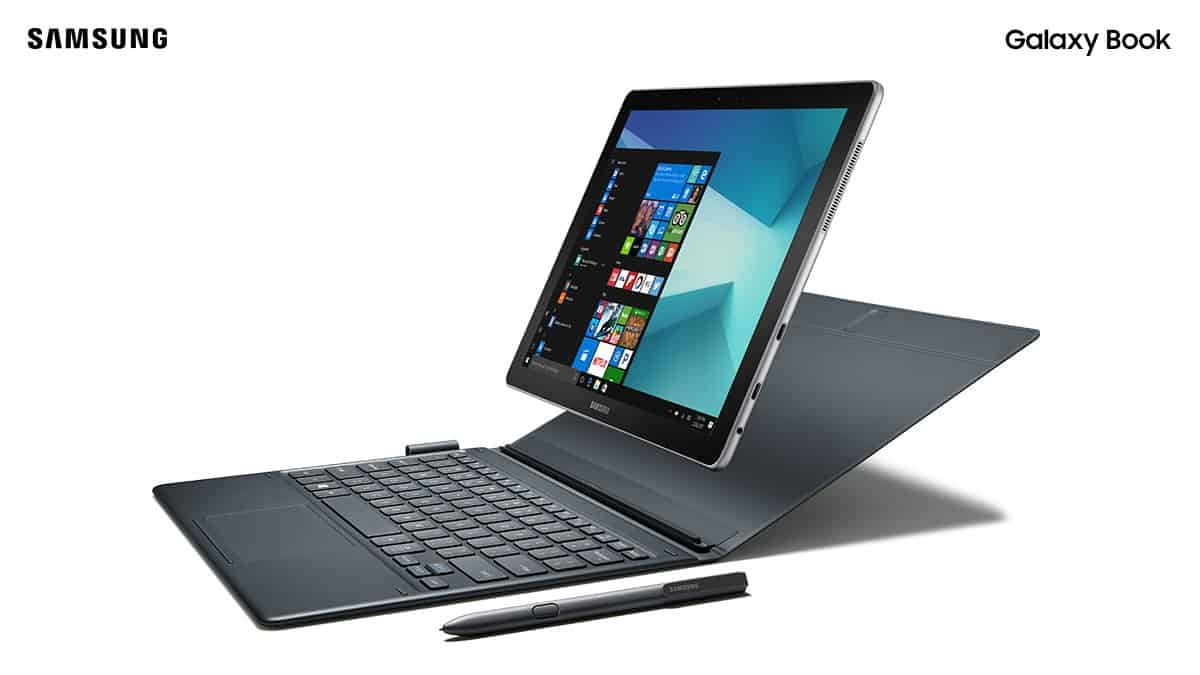
A month ago, at MWC, Samsung unveiled its Samsung Galaxy Book running Windows 10. Coming in as a premium, Surface-like device, it showed Samsung’s continued commitment to the Windows 10 platform.
Now, Samsung is showing off its Windows 10-powered Galaxy Book in a Launch Film posted on the company’s YouTube channel:
The Galaxy Book comes in as a 2-in-1 with support for the S Pen, which brings compatibility for the inking capabilities that Microsoft had added to Windows 10. Additionally, there are 2 variants, the 10.6-inch model and the 12-inch model.
Those on the Alpha ring of the Xbox Insider program are today receiving a wealth of new features, due to Microsoft pushing the first 1704 build to its gaming console. This build contains many of the previously announced features, such as custom gamerpics.
While the below list of features is on its way, not all of them will be available immediately, as they will be rolling out in stages to Insiders.
Arena on Xbox Live
World of Tanks fans will be able to participate in new tournaments on their Xbox One, created by ESL and powered by Arena on Xbox Live.
Discover tournaments from your Xbox One or Xbox app on Windows 10, get notifications when your match is ready, jump directly into your match on the Xbox One, enjoy automatic results reporting, and show off the results on your activity feed.
Profile and Activity Feed
Custom gamerpics are finally here! From your console, Windows 10 PC, or mobile phone, update your gamerpic with a custom image. We’re excited to bring this top fan-requested feature to Xbox Live and expect it to be in preview longer than other features to ensure it’s great for everyone when released.
New ‘Join broadcast’ button in your profile, one of the many ways to access the game stream of someone broadcasting their gameplay.
Your profile will display your Arena tournament history and upcoming tournaments.
In your Activity Feed, we’re adding the ability to hide individual posts, pin posts to the top of your feed, and filter posts by friends, games or Clubs.
Clubs and Looking for Group (LFG)
When you create an LFG post, as the owner you will be able to see new vetting cards that include hero stats from gamers interested in joining your party. Hero stats are contextual to the game you’re playing, showing you relevant stats like kill/death ratio, rank, or score.
Achievement hunters, this one is for you! You will be able to search LFG posts from the Achievements tab, related to the Achievement you’re trying to finish.
We’re adding the number of open LFG posts to the Game Hub and Club Hub headers.
Have you made a successful LFG post that you want to create again? Now you can see previous LFG posts that you have created, participated or shown interest in, and can copy them to create new posts.
When creating an LFG post, see all the recent tags you’ve used and easily select them.
Club owners can upload custom images for their Club logo and Club background. Just like custom gamerpics, we expect this to be in preview longer than other features to ensure it’s great for everyone when released.
Club owners and admins will be identified and labeled in their text posts to better help them stand out and manage their community.
Club owners and admins can pin a post at the top of their Club feed.
My Games and Apps, and Settings
In ‘My Games and Apps,’ we’re adding the ability to filter your game library by platform – Xbox One and Xbox 360.
Captive Portal support for wireless internet is coming to Xbox One, which allows for Wi-Fi authentication through a browser. Great for colleges, hotels, or public Wi-Fi locations.
In the Settings, we’re adding the ability to select Kinect auto-zoom for Beam and Twitch broadcasts, as well as for the Skype app.
On the Xbox app for Windows 10, we’re adding the option to select the audio input and output sources for Party chat.
If you’re worried about the amount of known issues as a result of the new features – it appears there’s few, with only two being reported as known:
Settings – Display & sound
The Audio output page is under construction and some of the new settings are not yet functional. New support is planned for Dolby Atmos for home theater, Dolby Atmos for headphones, and more in upcoming builds. An announcement will be made when these new features are ready to try out; enabling these settings now will have no effect.
Wireless Display
The Wireless Display app fails to launch and immediately crashes to Home.
Let us know what new features you’re seeing and what you think of them in the comments below!
Mass Effect: Andromeda is a great space exploration game, but unfortunately, many fans are still struggling to even launch the game. When they hit the play button, Mass Effect Andromeda immediately crashes with a DirectX error.
Two DirectX errors appear on the screen, DirectX is unable to create buffer or Direct3D couldn’t allocate enough memory. If you’re experiencing the same or similar issues, follow the troubleshooting steps below.
How do I fix Mass Effect: Andromeda DirectX errors?
Before we head to the slightly complex solutions, here are a few quick ones to try:
Make sure you are running the latest version of Origin and the game.
Disable any overclocking software configured on the PC and verify whether the Mass Effect Andromeda DirectX error is fixed.
Change the Post-Processing Quality setting to medium or low from your GPU driver settings.
If none work, move to the fixes listed next.
1. Repair the game
Open Origin, and navigate to the games library.
Right-click on Mass Effect Andromeda, and select Repair.
Wait for the process to complete and then relaunch the game.
Often a quick fix when Mass Effect Andromeda crashes with DirectX errors is to repair the game files.
2. Install the latest Windows updates
Press Windows + I to open Settings, and click on Update & Security.
Now, click on Check for updates towards the right.
Download any pending updates, if available.
Windows updates introduce a lot of patches and are now the only source to download newer versions of DirectX, and could help fix errors in Mass Effect Andromeda. Besides, you could install the latest graphics driver as well.
3. Run an SFC scan
Press Windows + R to open Run, type cmd, and hit Ctrl + Shift + Enter.
Click Yes in the UAC prompt.
Paste the following command and hit Enter after it:sfc /scannow
4. Change performance settings
Press Windows + I to open Settings, and click on Display in the System tab.
Now, scroll down to the bottom and click Graphics.
Select Mass Effect Andromeda from the list, and click Options.
Choose the High performance option and click Save.
Watch Dogs 2 has recently received a new DLC. The Human Conditions DLC is now available on both the Xbox One and Windows PC and introduces three new stories, new elite co-op challenges, and a new enemy type.
Human Conditions DLC missions
You will unlock the 3 new DedSec operations individually as you progress in the main game. More specifically, here are the events that will trigger the operations:
Caustic Progress will unlock when you have completed the Hacker Wars mission
Bad Medicine will unlock once the W4Tched, Eye for an Eye and Hacker Wars missions have all been completed
Automata will unlock when the Limp Nudle mission has been completed.
Also, all missions are available as soon as you have downloaded Human Conditions if you have already completed the main game. However, some players report that they can’t access the DLC content due to various issues.
Watch Dogs 2: Human Conditions DLC bugs
Players report that they can’t start the DLC due to the fact that the game asks them to enter the CD key. On the other hand, other players complain that the missions are nowhere to be seen.
Thought i’d load up the game to see an icon on the map for new DLC, nope. Go to app to see missions, can’t start them. Get told to start them from main menu, nope nothing there except premium content list that asks for cdkey, yet its installed but wont start from there. Start new game thinking there’d be an option to start a new dlc game like WD1, nope.
Where in hell do you start the DLC and why is it so damn hard to do so>?
Fortunately, there’s a quick workaround that you can use to launch the missions if they are visible, but won’t launch. Turn off Ulay while the game is running, ignore all the warnings and the missions should appear in the game.
The latest Star Wars movie title has finally been released on Windows Store. Rogue One: A Star Wars Story hit the big screen last December 2016 as a standalone film set before the events of the original Star Wars trilogy.
Along with its debut on the app, the movie can be purchased alongside its predecessors on discount. Buying the Digital Six Film Collection by April 10 will result in a $5 gift card added to your account. Furthermore, if you’ve already been keeping up with the movies so far, there’s a deal for just buying the title individually. Purchasing Rogue One: A Star Wars Story before April 30 will result in 3000 credits being added to your Xbox Live Rewards account.
If you aren’t familiar with the movie, make sure to check it out today on the Movies & TV section of the Windows Store. Here is the description:
From Lucasfilm comes an epic adventure – Rogue One: A Star Wars Story. In a time of conflict, a group of unlikely heroes band together on a mission to steal the plans to the Death Star, the Empire’s ultimate weapon of destruction.
The Xbox team rolled out yesterday a new preview build for Preview Alpha ring participants, which brings another wave of fixes ahead of the release of the Creators Update. This time, the new bits bring a fix for an issue that prevented users from signing in on Xbox Live, and the changelog also mentions some “miscellaneous fixes and improvements.”
Be aware that this new preview build still has some known issues with audio settings and the Wireless Display app, but these are not new. You can find the full changelog below:
DETAILS:
OS version released: rs2_release_xbox_1703.170321-1800
Available: 6:00PM PDT 3/23 (1:00AM GMT 24/3)
FIXES:
In-Game Purchases: Fixed an issue which prevented users from purchasing in-game content in certain games (including Overwatch and Destiny). NOTE: This fix was applied on 3/22/17 and should now be resolved for all affected users (you do not need to download the latest system update to resolve this).
Skate 3: Skate 3 should no longer crash to Home after attempting to join a Quick Match.
Sign-In: Fixed an issue which could sometimes prevent users from signing-in.
Miscellaneous: Miscellaneous fixes and improvements.
KNOWN ISSUES:
Settings – Display & sound The Audio output page is under construction and some of the new settings are not yet functional. New support is planned for Dolby Atmos for home theater, Dolby Atmos for headphones, and more in upcoming builds. An announcement will be made when these new features are ready to try out; enabling these settings now will have no effect.
Wireless Display: The Wireless Display app fails to launch and immediately crashes to Home.
Microsoft’s Brad Rossetti added that the Xbox team plans to push this new build to the Beta ring today. “We are working on a full Ring 3 expansion as well,” he added, which means that many more Xbox Insiders will soon get their first taste of the Creators Update.
Every Windows user has used Task Manager at least once. It’s an essential, built-in utility that gathers important information about active processes and high RAM consumption. But when it doesn’t work, users need to open Process Explorer in Windows 10.
Simply put, where Task Manager’s capabilities end, Process Explorer shines. The freeware advanced task manager and system monitor are powered by Microsoft and created by one of the most famous Windows enthusiasts, Mark Russinovich.
Keep reading to find out about downloading Process Explorer in Windows 10!
How do I open Process Explorer in Windows 10?
First, Sysinternals, the developer behind Process Explorer, has a whole suite for various system tasks. You can either download the whole suite or download certain tools individually. The same goes for Process Explorer, the most-used tool in the bundle.
You can download an archived file for both system architectures or directly download the .exe file to open Process Explorer in Windows 10.
You can also explore our Sysinternals Sysmon guide to learn how to capture detailed system events for deeper monitoring.
How do I use Process Explorer?
User Interface
Compared to Windows 10’s Task Manager, Process Explorer’s interface is a bit confusing and not as user-friendly.
While simple tasks shouldn’t present a problem, you’ll need to understand the program’s layout to perform more complex tasks, which shouldn’t take more than a few minutes.
On the left side of the main window, you’ll see active processes with a detailed subprocess list in a tree view. On the opposite side, you may see standard Task Manager-like columns of distinctive processes.
Of course, you can customize columns to meet your needs or use them to track certain consumption. The special emphasis goes on the Company name column. It’s the best way to round up trusted services and terminate ( later remove) the ones that may be malware.
Above the right side of the main window, you’ll see the monitoring features of Process Explorer. There’s real-time system information with CPU and RAM usage and HDD and GPU activities.
On the left side, above the process tree, you’ll see options mostly similar to a standard Task Manager.
If you want to examine a certain process, pause the updates with the Spacebar and press Ctrl + H for the Handle View panel.
Features in Process Explorer
For now, you may conclude this is just a poorly designed Task Manager, but you’d be wrong. Feature-wise, this tool is much better for advanced tasks, especially when it comes to malware hunting.
First, with Process Explorer, you can terminate an entire process tree instead of a single process. You’ve probably encountered Chrome/Firefox crashes and navigated to Task Manager to stop those shenanigans, and there, instead of one process, you saw 5-10 processes running.
With Process Explorer, you just kill a process tree, and that’s it! You can use this function by right-clicking on the wanted process and selecting Kill Process, or you can use the Shift + Delete keys combination for the same.
You’ve also probably tried to delete, move, or rename certain processes, but the system prompted you with a This file is open in another program message. And sometimes, you’ll know which program is preventing you from taking further action, but occasionally you won’t.
Process Explorer comes in handy here, allowing you to determine the process that blocked your file. Just open Process Explorer, press Ctrl + F, and type the name of the file. Kill the process and continue with previous actions.
In addition, this tool may be used as an antimalware solution. But, instead of scans, you select suspicious processes and check them with Virus Total.
Virus Total is a virus search engine comprised of a combined database contributed to by all major antivirus developers. You can single out one process (right-click and select Check VirusTotal) or check all active processes in by going to Options, and then selecting Check VirusTotal.com.
Once you toggle the Check VirusTotal, any new process will be automatically checked. The first number stands for virus confirmation, and the other for the number of antivirus companies. If you, for example, get 50/57, it means that 50 out of 57 companies flagged the process as malware.
Process Explorer as a replacement for the Task Manager
Although Process Manager is a third-party tool, you can set it as your default task manager. Yes, you heard right: Process Explorer can completely replace your built-in Task Manager.
You can start it with Ctrl + Alt + Delete or Ctrl + Shift + Esc, just the same way as the native Task Manager before.
But there are both positive and negative sides to that.
Positive: Superior features, better insight into all-around system performance, and customization possibilities.
Negative: You won’t be able to organize startup and manage services on Windows 10 and old-fashioned design.
How do I replace Task Manager with Process Explorer in Windows 10?
Launch Process Explorer, and click on Options, and then choose Replace Task Manager.
That should wrap it up! If you want to improve your overall control, download, and open Process Explorer in Windows 10. And with the information presented here, you should be able to significantly boost PC performance and eliminate any threats.
The Elder Scrolls: Legends is a collectible card video game that revolves around the creatures, characters and lore available in The Elder Scrolls series. The game challenges two players to confront each other in turn-based matches. The goal is to reduce the competitor’s health to zero.
Strategy and careful planning are the secrets to winning this game. As a player, you can adopt various strategies, from overpowering your opponent with brute force to defeating your foes with speed and cunning.
At the same time, you’ll also need a good dose of patience from time to time. Players report that The Elder Scrolls: Legends can sometimes be affected by a few technical issues that limit the gaming experience.
The Elder Scrolls: Legends bugs
Game progress won’t show
I’m lvl 24, i finish the history mode but i don’t have the titles…
or progress of something. what can i do for fix the problem?
The Store doesn’t work and players can’t buy anything
How I can buy something in non-working store? This circle I seen like 3 hours – and loading don’t ending.
Ru support working like that store – no answer even after 3 days.
Game won’t load
Players report that the loading process fails with an error message. Troubleshooting actions such as reinstalling or validating files didn’t help.
Act 2 quest stuck
Players report that they can’t complete Act2 and can’t even delete or change the quest. After having defeated all the enemies, the game won’t confirm player progress.
When I played the campaign I had a client crash while playing Act2. Now my quest to complete Act2 can’t be finished, even though I beat all Act2 enemies serveral times afterwards. I can’t even delete/exchange the quest. Oh, and one win reward should be missing as well because of it.
These are the most common Elder Scrolls: Legends issues reported by gamers. If you’ve come across other bugs, you can go to The Elder Scrolls: Legends’ support page and provide the devs with more details about the problems that you’ve encountered.
RELATED STORIES YOU NEED TO CHECK OUT:
Bethesda Pinball versions of Doom, Fallout and Elder Scrolls out now
Earlier this week, Office 365, Skype, Xbox Live and a few other onliine services went down and would not allow users to sign into them from around 1:00 pm U.S. EST until 6:00 am ET.
According to report from MSPmentor , there were several attempts to restore services such as OneDrive and Outlook, but all failed despite Microsoft technicians running into similar problems last week.
As Microsoft technicians continue to look into the outage, they are reaching a conclusion that, “We’ve determined that the previously resolved issue had some residual impact to the service configuration for OneDrive.”
Even with the team narrowing in on residual effects caused by a previous patch, they are still cautious to fully attribute this weeks issues to last weeks problems.
Fortunately, as Microsoft looks further into the matter, they’ve managed to deploy another patch to address this weeks issues which is getting users back up and running.
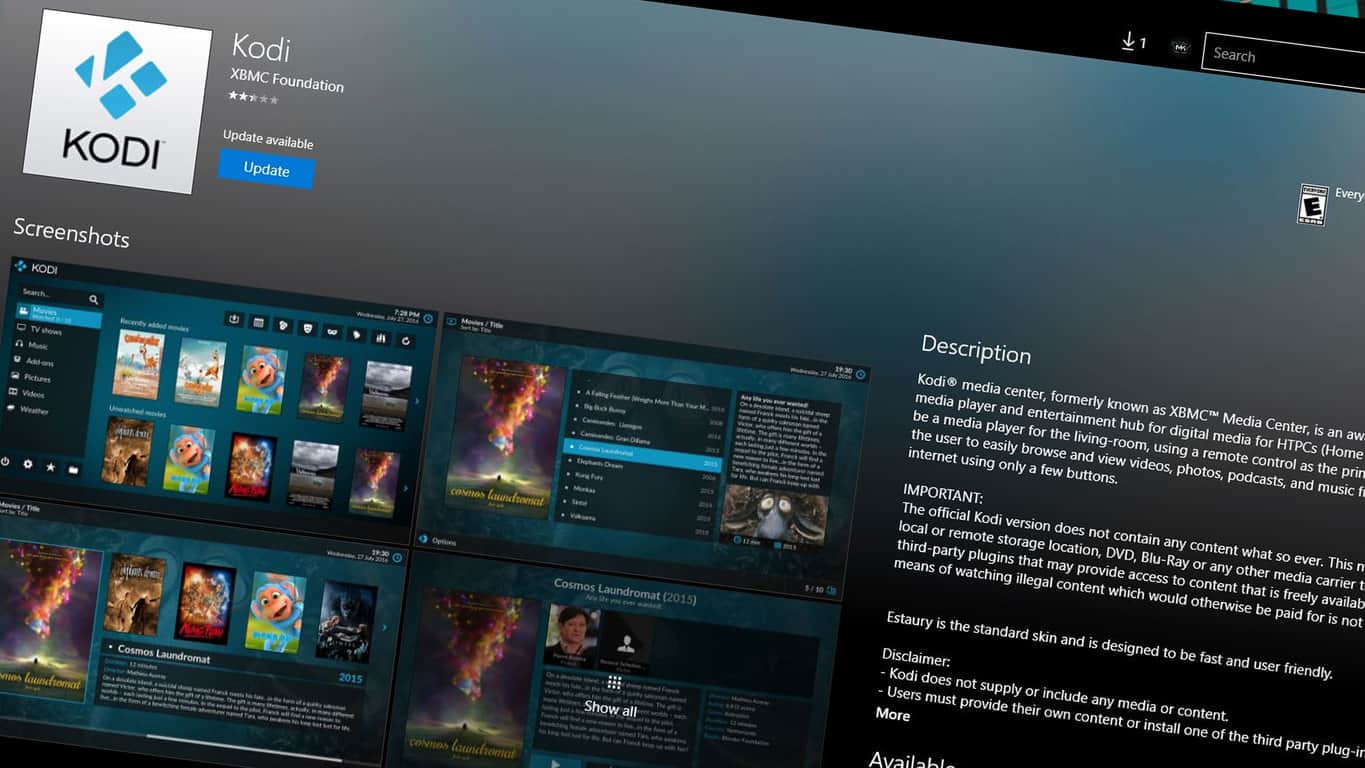
Kodi, the popular media center app, came out as a UWP app not too long ago. Users have so far enjoyed the new version of the app, but a bug in the Windows Store has so far prevented them from getting the newest version. The update has been failing for many users who download Kodi via the Windows Store, keeping version 17.1 out of their hands.
A recent announcement from Kodi on Twitter shows that they’re aware of the bug, and a fix is currently being worked on by Microsoft.
Is the Kodi v17.1 update failing to install through Windows Store? Please be patient as @Microsoft will send a patch this week fixing it
There’s no word right now on an exact date for the patch, but “this week” can only mean so many things when it’s said on a Thursday night. Users experiencing the bug can expect a fix coming out in the next couple of days.
For those of you not demoralized by the bracket busting hijinks of last week’s set of NCAA basketball tournament games, Windows 10 would like you to revisit the court of competition with its March Madness Live app.
It’s the only place to enjoy unlimited access to live-stream video of every tournament game, along with a live, interactive bracket from Bing to keep you up-to-date, too.
So if you can’t live without scores, schedules, recaps and play-by-play, get the NCAA March Madness Live for free from the Windows Store.
If you haven’t already snagged the app, head over to the Windows Store and pick it up just in time for another round heartbreaking buzzer beaters and office pool dividing bracket breakers.
Microsoft aims to avoid any future Edge and Internet Explorer security flaw leaks from its competitors like Google. In particular, Microsoft wants to strengthen Edge to block against Remote Code Execution (RCE) attacks. Microsoft Edge Sandbox is the next security measure coming to Edge in the Windows 10 Creators Update.
Here is a look at what the current Microsoft Edge sandbox app container model:
With the Windows 10 Creators Update, Microsoft plans to implement some new Edge sandbox security measures to make it harder to exploit sandbox vulnerabilities. Using a tightened Microsoft Edge content process sandbox model will make it harder to exploit vulnerabilities. Here are just some of the benefits of those improvements with the Windows 10 Creators Update:
100% reduction access to MUTEXes: allow a process to lock up a resource, causing hangs.
90% reduction in access to WinRT and DCOM APIs: this is the large win here, dramatically reducing Microsoft Edge’s attack surface against the WinRT API set.
70% reduction access to events and symlinks: symlinks are especially interesting, because they are often used in creative bait & switch attacks to escape sandboxes.
40% reduction in access to devices: Windows supports many device drivers, and their quality is somewhat beyond Microsoft’s control. The tuned sandbox cuts off access to any device that Microsoft Edge does not explicitly need, preventing attackers from using vulnerabilities in device drivers to escape, or from abusing the devices.
Microsoft plans to continue to explore ways to strengthening the security by investing in more RCE, exploit mitigations, and strengthening sandboxing in Microsoft Edge. These improvements will make it harder for hackers to exploit Microsoft Edge by increasing the time and effort needed to break Microsoft’s security measures. Hackers might not even want to waste their time and energy and instead focus their efforts on exploiting other browsers, like Safari.
Analyst firm IDC is predicting that augmented reality will overrun its preceding VR market by twice as much in the next four years. According to the report, total headset device shipments between the two could exceed over 99.4 million units by 2021, including Microsoft’s contribution of the HoloLens.
Currently, nearly 10.1 million units are being shipped out for both AR and VR. Virtual reality headsets still lord over the market with $2.1 billion revenue. However, with augmented reality still new to the game, analysts have decided that it will become the more preferred of the two. The summary explains:
Although AR remains as the minority portion of the market in terms of shipments, these headsets are expected to bring in significantly more revenue over the course of the forecast as the value of AR headsets grows from $209 million in 2016 to $48.7 billion in 2021. Meanwhile, VR headsets grow from $2.1 billion in 2016 to $18.6 billion in 2021
That is, of course, considering the higher price of the AR headsets averaged over $1000 compared to the VR ones ranging through the hundreds. “This makes the technology far less accessible to consumers initially,” research analyst Jitesh Ubrani explained, noting that social acceptance is still a few years away.
Microsoft’s approach to HoloLens development seems to corroborate the idea that AR isn’t ready for consumer use. Just a couple of months ago, commercial lead Roger Walkden confirmed that the tech giant has only sold ‘thousands’ of the HoloLens dev kit. “That’s all we need,” he explained to The Inquirer. Even though there are plans for a ‘non-dev’ kit for public consumption, the HoloLens has had extreme focus in enterprise, such as upgrading shopping experiences, mechanical training, educational use, and more.
It remains to be seen if the HoloLens and other AR devices will find a better price balance by the turn of the decade. But it is clear that IDC feels strongly that the overlay of digital on top of the real world will take priority over the more immersive virtual world, leading to a $50 billion opportunity for investments in the long run.
Last year, Electronic Arts shied away from the typical E3 presentation to host their own event. This year, EA Play is on again as a Pre-E3 event in Hollywood. From June 10-12, gamers will be able to attend EA Play to experience more about their favorite game franchises.
Announced earlier today, EA Play will be showing off their next big titles. The new Star Wars Battlefront and Need for Speed games will be available to play along with upcoming EA Sports games: Madden NFL 18, FIFA 18 and NBA LIVE 18. Furthermore, EA teams will be hosting competitions, deep dives, and give exclusive interviews.
Gamers are going to be able to attend in person or online via webstream. Tickets for EA Play will go live on April 20 at 9 a.m. PST. More details about sales and the event itself are to come in the next few weeks.
Microsoft Most Valuable Professionals (MVPs), a community of technical experts that share their knowledge with the developer community, now have their own video series on Channel 9. Called The MVP Show, the series will feature Senior Technical Evangelist Seth Juarez meeting with MVPs around the world to discuss their backgrounds and latest development projects.
The first episode is set in Taipei where Juarez inteviews Shih-Ming Tung, a Windows Development MVP and Software Engineer at Yahoo. You can watch the 30 minutes video below:
“MVPs are industry experts who have an incredible wealth of knowledge around the latest products and innovations in the technology space,” explained Microsoft Global Manager Karen Juhl. “This new video series on Channel 9 aims to highlight some amazing people in IT…and showcase some of the mind-blowing things they are doing with Microsoft.” You can learn more about the show on the Microsoft MVP Award Program blog.
Just one short month ago, Outlook Premium dropped the preview tag and opened up to all United States based customers. As noted by the folks at Neowin, Microsoft has now gone global with the service, opening it up to six additional countries.
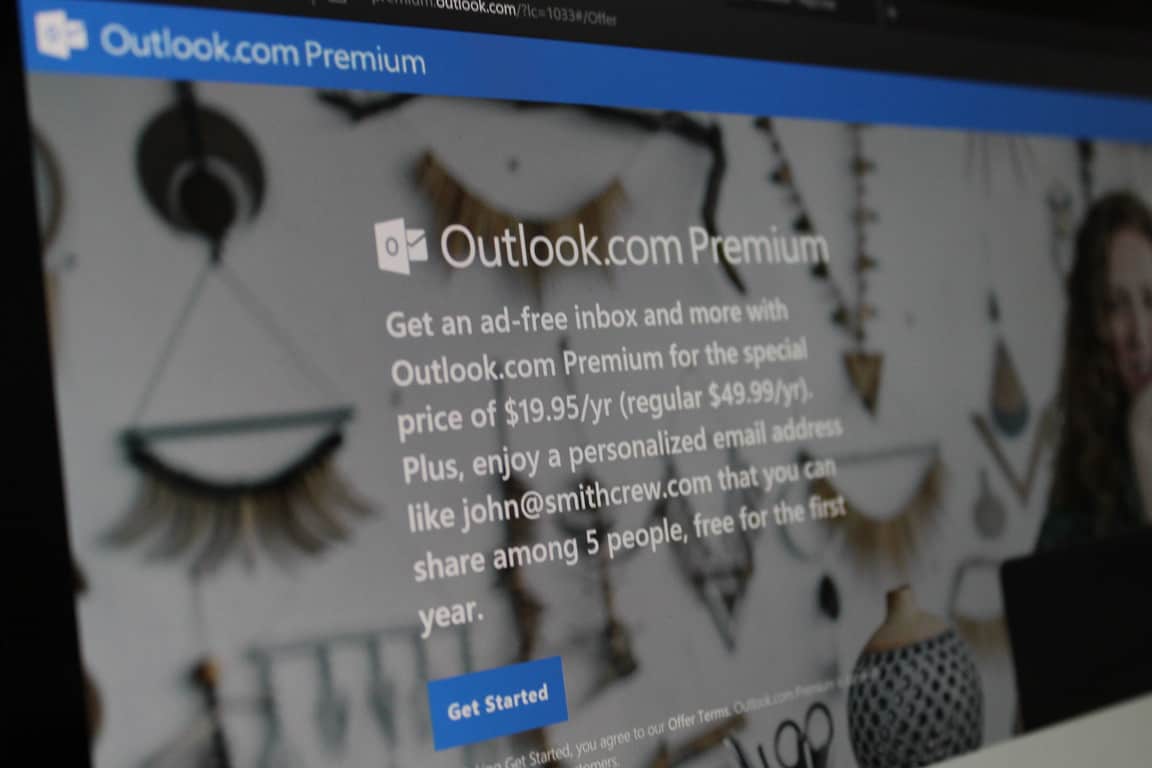
Outlook.com Premium is an enhanced email service which syncs your own personalized email domain (such as Jane@Doe_Family.com) with your Outlook.com mailbox (as well as hotmail.com, live.com, or msn.com), and removes banner ads from your Outlook.com mailbox. The service was initially only available for U.S. based Outlook users, but now expands to Canada, UK and Northern Ireland, Singapore, Australia, Hong Kong, and Ireland. Pricing on the service in the U.S. started at $19.95 per year, but after March 31st will increase to $49.95. You may see pricing and the increases for other regions below.
Canada: Now: 29.99 CAD/yr. After March 31, $74.99 CAD/yr
UK and Northern Ireland: Now 14.99 GBP/yr. After March 31, 37.48 GBP/yr
Singapore: Now 36.00 SGD/yr. After March 31, 90.00 SGD/yr
Australia: Now 37.95 AUD/yr. After March 31, 94.95 AUD/yr
Hong Kong: Now 168.00 HKD/yr. After March 31, 420.00 HKD/yr
Ireland: Now 19.99 EUR/yr. After 49.99 EUR/yr
While the Outlook.com Premium website shows these latest pricing details, and new regions, Microsoft has not yet officially announced a wider release. Do you think that you will purchase Outlook Premium? Or will you stay basic? Let us know in the comments below.
Microsoft on Wednesday announced a new connected car patent license agreement with Toyota. While the two companies have long had a strong partnership, this latest patent license agreement builds on the collaboration on the Azure-based Toyota Big Data Center.
According to Microsoft, over the next three years, more than 90 percent of all cars will be connected, and we’re at a critical inflection point that will change how we drive. As a result, the company is working with the world’s leading automotive companies and suppliers to deliver connected car technologies and services to customers. In a statement, Erich Andersen, corporate vice president and chief IP counsel of Microsoft’s Intellectual Property Group, reflected on what the partnership means for Microsoft.
“Microsoft invests $11.4 billion annually in research and development and for more than 30 years has been developing innovative technologies that are powering today’s connected car experiences. When you look across telematics, infotainment, safety and other systems in today’s connected cars, you find Microsoft technologies and innovation… Microsoft doesn’t make cars; we are working closely with today’s car companies to help them meet customer demands, and we’re pleased today to announce the licensing of our patented technology to our partner, Toyota.”
Toyota is already a valued partner of Microsoft through the Toyota Connected program and an early adopter of Azure IP Advantage. Microsoft had previously detailed plans for the Connected Car program, highlighting that they continue to collaborate with the automotive industry at every point in the supply chain. With the Connected Car program, auto manufacturers can access to parents for Operating Systems, File Storage, Gesture Computing, GUI, Voice Recognition, and more. Tokuhisa Nomura, executive general manager of Toyota’s Advanced R&D and Engineering Company, remarked on this.
“This is an exciting time in the industry, and we believe that to create the best, most immersive connected car experiences, automotive makers should partner with technology leaders like Microsoft…Through this patent partnership between Toyota and Microsoft, we will be able to innovate faster to deliver new, contextual and immersive experiences to our customers”
As time passes, the technology in cars will no doubt continue to accelerate and Microsoft will be right there to help. Those who are interested in learning more about the connected car licensing program can visit the IP licensing website or contact a licensing executive.
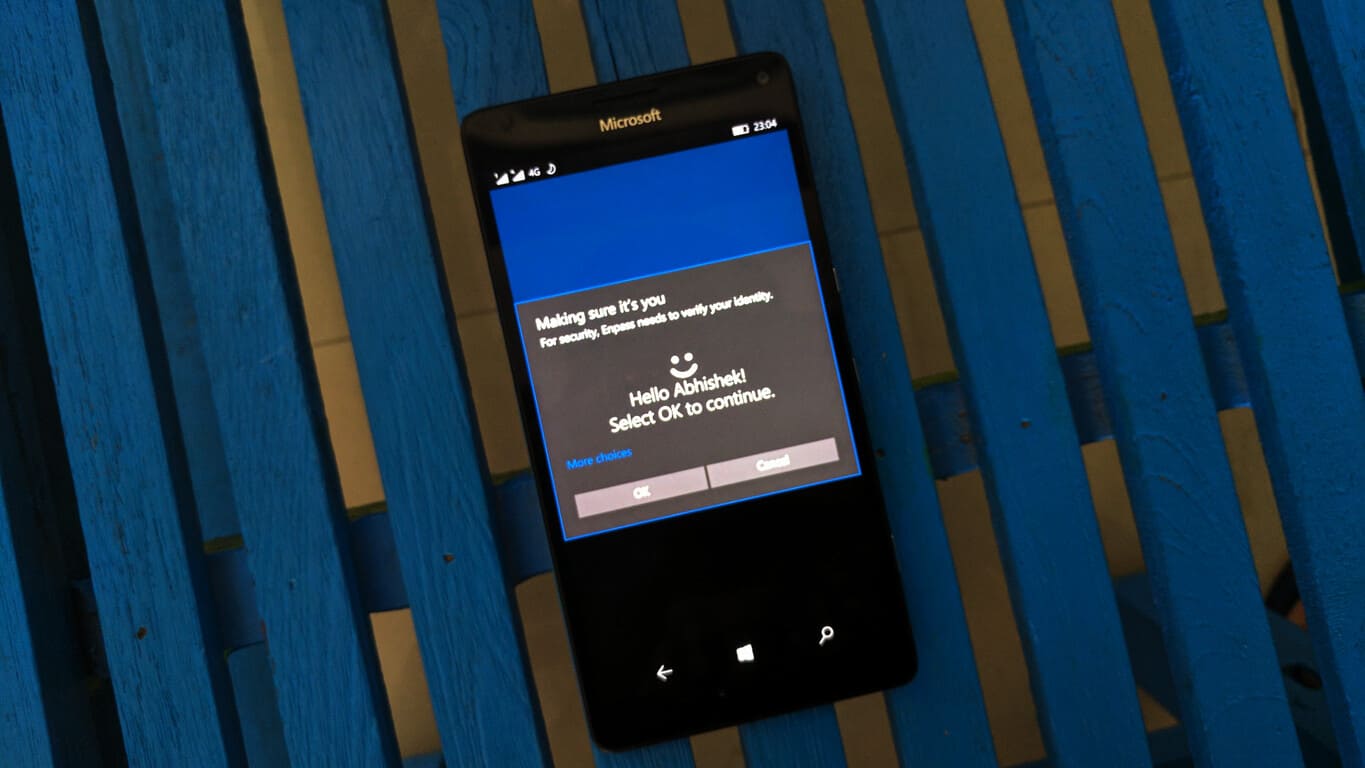
The popular password manager app, Enpass, released a new update yesterday which brings the much-requested attachments support that in a way increases the scope of the password manager app to serve as a digital locker.
The latest update which bumps up the version number to 5.5, allows you to add files and images securely to your Enpass items. This is quite useful in a lot of scenarios. I can click a photo of your credit card and store it along my credit card details. Or, I could just create a passport item, and attach the scanned image of my passport and use it whenever I need to show my ID somewhere. Having documents like these handy are also useful when you need a quick print or need to send it across to someone over email or something.
To add a photo, go to the detail screen of the item where you want to store the attachment. Tap on Edit. Now tap on the overflow menu button from the edit screen, and from the list that appears, tap on Attach Photo. A menu will appear with options to take the snap manually using camera or to select an image from Photo Library. Tap on your preferred option. Once you select/click the photo, you’d be provided with nifty tools to edit the image, and once you tap on Done after making the changes, you’ll need to add a file name and save the image. Once you have the image attached to your item, you can save the item, and you’re done.
You’d need to follow the similar process for attaching any other file, but you’d not be prompted to use the camera and of course, the step for editing the image would be skipped.
While you can attach any type of files, you’d need to take care of recklessly increasing the size of your Enpass database. Since all files you attach get stored in the Enpass database, it might slow down the syncing of your data to the cloud. So make sure you attach only the files you need to be securely saved, unless you enjoy high speed internet connectivity all the time.
Enpass too has built a check to help users not to run into this issue. One, the maximum allowed file size is 200KB per attachment which will keep the database size in check. Second, while attaching images, large images will automatically be compressed before they are saved.
The Xbox team is rolling out a new Xbox One preview build to Preview Beta and select Ring 3 Xbox Insiders. Earlier this week, a previous build brought brought performance improvements and fixes to localized text content, and this new release is another minor update with additional fixes for the MSN Weather app plus “miscellaneours fixes and improvements.”
OS version released: rs2_release_xbox_1703.170319-1800 Available: 6:00PM PDT 3/22 (1:00AM GMT 23/3)
FIXES:
MSN Weather: Fixed an issue which prevented the MSN Weather app from launching. NOTE: You may still need to update the MSN Weather app to the latest version (search in the Store for “MSN Weather” and check for updates).
Miscellaneous: Miscellaneous fixes and improvements.
KNOWN ISSUES:
Skate 3: Skate 3 may crash to Home after attempting to join a Quick Match.
Settings – Display & sound: The Audio output page is under construction and some of the new settings are not yet functional. New support is planned for Dolby Atmos for home theater, Dolby Atmos for headphones, and more in upcoming builds. An announcement will be made when these new features are ready to try out; enabling these settings now will have no effect.
Wireless Display: The Wireless Display app fails to launch and immediately crashes to Home.
We’re starting to get used to this faster release cycle, and it’s clear that the Xbox team is hard at work to get the Creators Update ready for the Xbox One. Stay tuned on OnMSFT to get all the latest news about the Xbox Insider Program.
The Windows 10 WhatsApp app has just updated to Version 2.17.114 and has brought back text status updates after replacing them with the new Snapchat/Instagram Story-esque feature in the previous update. To use these basic text status updates now, users will need to go into the Profile settings and edit the appropriate text field.
WhatsApp is a free communications app that can be used to send text and multimedia messages to other users as well as making voice calls. Many people use WhatsApp because it can be much cheaper for many users especially when used over a Wi-Fi connection.
Do you use WhatsApp or do you prefer one of its competitors such as Line? Let us know in the comments below.
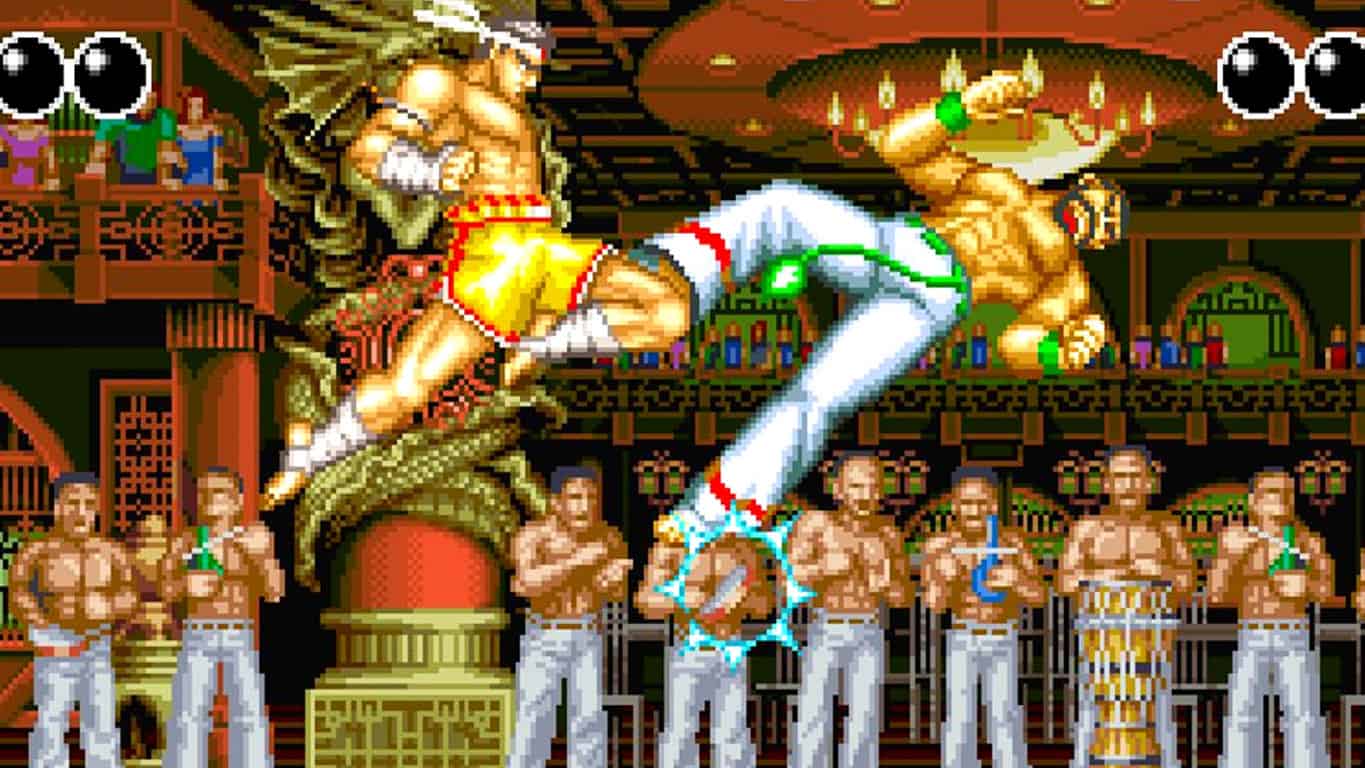
Fatal Fury is the latest Neo Geo video game to get a re-release on Microsoft’s Xbox One console. The game contains all of the features that were included with the original release in addition to new online leaderboards and a special arcade visual display option. Here’s the official game description:
“FATAL FURY” is a fighting game released by SNK in 1991.Players take part in brutal street fights in a variety of locations, with the goal of toppling the infamous crime lord Geese Howard. The game includes very unique features when compared to other fighting games available at the time, including a special Line Battle system that allows players to traverse between the foreground and background and 2-player co-op functionality. The “ACA NEOGEO” series has faithfully reproduced many classic NEOGEO masterpieces. Players can change various game settings such as game difficulty, and also reproduce the atmosphere of arcade display settings at that time. Players can also compete against each other from all over the world with their high scores. Please enjoy the masterpiece that built a generation for video games.
Toukiden 2 is a hunting action game that bestows a very important mission on players: that of destroying the Oni menace. The game immerses players into a vast open world. You’ll wage bloody wars on vast battlefields and then retreat to the village that serves as your base of operations.
If you’re looking for a new action game, Toukiden 2 is a fairly good choice. However, you should expect to encounter a few technical issues from time to time. Players report that the game is affected by low FPS issues, launch issues, and other bugs.
Toukiden 2 reported bugs
Graphics issues – for more details, check out this thread
I’m kicking against bricks here but running the game fullscreen on 21:9 monitor makes the game to stretch and break the 16:9 aspect ratio. I.e. I have been running other games in 16:9 mode on my screen before but this game stretches and fills out the whole screen which results in 1.33x wider image than normal.
High CPU usage – for more details, check out this thread
Constant 70ish% and above with an Intel 6600K regardless of what I’m doing in the game. That’s pretty crazy.
Game won’t launch – for more details, check out this thread
So I’ve downloaded and finished installation – when I open the game, it launches with a menu that has all the options and such, but when I hit confirm, nothing happens
Low FPS issues – for more details, check out this thread
I just bought this game and as soon as i was done making my character the fps shot down to about 7fps. I’m not sure what I’m having this issue since I have no trouble playing much more graphiclly intensive games.
Game crashes – for more details, check out this thread
Game keeps crashing every 2-5 minutes.
The crash locations i keep getting is fighting that tongue monster, it crashed on me twice, and when leaving the hut at the end of the tutorial.
If you’ve come across any workarounds to fix the issues listed above, feel free to list the troubleshooting steps in the comment section below.
AppLocker is a feature in the Windows OS and Windows Servers allowing admins to control which users can run particular apps. The tool uses unique identities of files, and lets admins create rules to allow or block applications.
AppLocker allows administrators to control the following app types: executable files (.exe and .com), scripts (.js, .ps1, .vbs, .cmd, and .bat), Windows Installer files (.msi and .msp), and DLL files (.dll and .ocx).
Although AppLocker’s role is to filter users’ access to apps and enhance system security, the tool also comes with its own exploits. Recent reports have revealed that unprivileged users can bypass AppLocker and other Software Restriction Policies on all Windows versions, from Windows XP to Windows 10.
More specifically, the LOAD_IGNORE_CODE_AUTHZ_LEVEL 0x00000010 value, and other values allow unprivileged users to bypass the AppLocker rules, as well as the Software Restriction Policies for the DLL. It is worth mentioning that this action applies only to the DLL being loaded, and not to its dependencies.
However, Microsoft doesn’t consider that this exploit needs to be fixed as soon as possible. The company has acknowledged the issue and confirmed that this exploit will be patched in a future version of Windows.
The product team has finished their investigation and determined this will be serviced in a future version of Windows. AppLocker bypasses are not serviced via monthly security roll-ups; only major version updates.
KB2532445 but serviced a bypass with a hotfix which was incorporated in later security updates and is included in the “convenience”
rollup.
If you want this fixed immediately and are an enterprise customer you’ll need to work with your Account Manager to open a support case.
As far as the release date of the next major Windows version is concerned, recent reports suggest that Microsoft could roll it out at the end of March. In the worst case scenario, the update should arrive mid-April.
Running a reliable antivirus program is essential for your computer’s performance since there are millions of malware circulating on the internet that could cause your computer to behave in strange ways — or even take control of it.
As a result, the last thing you want to see on your computer’s screen is an alert informing you that your PC has been unprotected for a number of days. This message usually appears when your antivirus program has expired or has been disabled and affects Windows 7, 8.1 and Windows 10 computers.
[…] a big notice covers the screen and says : Your pc has been unprotected for x days
In the ‘action center’ no notifications are checked, so I don’t know where this message is coming from.What setting is prompting this alert? How can I stop it from happening?
I have another computer — right next to this one — on the same network with the same configuration (unless I missed something) that does not show this error.
Fix: “Your PC has been unprotected for x days”
1. Run a full system scan
Some malware work by disabling your antivirus program. Check to see if your antivirus has been disabled this way and if this is the case, turn it on again. Then, install the latest OS and antivirus updates on your computer and run a full system scan.
Additionally, use an anti-hacking tool to scan your computer for specific threats. If you haven’t installed an anti-hacking program yet, check out this list of the best anti-hacking tools to use.
2. Check your antivirus subscription
Make sure that your antivirus subscription is still active. If your free security software has expired, uninstall the non-Microsoft security software and turn Windows Defender on or download and install another antivirus program of your choice.
3. Run a SFC scan
Go to Start > type cmd > select the first result > righ-click it > run Command Prompt as an admin
Type the sfc /scannow command and wait for Windows 10 to scan your computer.
If your antivirus is completely unresponsive, uninstall and then reinstall it.
We hope the solutions listed above helped you to get rid of the annoying “Your PC has been unprotected for x days” message. If you’ve come across other solutions to fix this issue, feel free to list the troubleshooting steps in the comment section below.
Chrome users should now be seeing an improvement to the browser’s 3D web graphics after Google added support for the WebGL 2.0 standard to Chrome 56 and later for faster performance, new types of textures, impressive visual effects, and more.
The addition of WebGL 2.0 advanced graphics support puts Chrome’s visuals on a par with the OpenGL ES 3 standard that is more commonly found on mobile games. Zhenyao Mo, software engineer at Google, announced on Chromium Blog:
The WebGL JavaScript API exposes hardware-accelerated 3D graphics to the web. Chrome 56 brings support for WebGL 2.0, a major upgrade to the API which unlocks a variety of new graphics features and advanced rendering techniques.
The upgrade is currently available for Chrome users with the latest graphics hardware on Windows and other platforms. While other platformed like Firefox have already embraced the standard, Chrome’s larger market share makes its addition very interesting. Mo explained in the blog:
WebGL 2.0 makes it even easier to build 3D web applications, with faster real-time rendering, new types of textures and shaders, and reduced video memory consumption. Techniques including deferred shading, tone mapping, volumetric effects, and particle effects can now be efficiently implemented. The new APIs also bring WebGL up to feature parity with OpenGL ES 3.0, a graphics platform commonly used in mobile games.
On top of fresh rendering features, WebGL 2.0 also adds an extended conformance test suite with more than 340,000 test cases to make sure that various browsers serve up compatible graphics platforms. Chrome did not disappoint: the browser gets through all of these test cases across multiple GPU vendors on all desktop platforms. That means the browser’s WebGL 2.0 implementation is stable and consistent.
Power BI is has gradually been introducing more customization options for users as well as making the entire application more user friendly for the more visually inclined.
Another new feature addition coming to Power BI customers are Custom Visuals being available via the Office store. With more than 80 visuals, Custom Visuals are becoming as turn based and automated as Excel or Word templates for Power BI users.
Once again, Microsoft continues to shift the focus of its productivity suite into a burgeoning platform of productivity enhancing experiences. Office and its separate apps are being webbed together with a growing Office store that is now offering add-on as well as stand alone programs.
The custom visuals gallery is moving to the Office store. Many visuals are already listed in the store, and we are working to onboard the rest of the visuals within a few weeks. The Office store will be the place to discover custom visuals and download them, as well as the place for developers to submit and manage their custom visuals in the store.
The visuals gallery will still be available until we finish moving all of the visuals to the Office store, however new submissions will only go to the Office store. All custom visuals that were ever downloaded from the gallery will continue to work as usual even after the gallery will be deprecated.
An added benefit to Custom Visuals now being a part of the Office Stores is that interested developers can use the Office developer center to:
Submit your custom visuals in an easy to use web portal.
Manage your custom visual submissions.
Track how many people visited your custom visual page in the store and downloaded it.
Get direct feedback from users through the review system to help you improve the visual.
Anyone with the skills and an interest in Power BI can get started with Custom Visuals starting today.
A user agent is a web browser software that sends information about your browser and operating system to the websites that you’re visiting. The websites then use this information to customize content for the capabilities of your computer.
In other words, each and every person who connects to the Internet has a unique user agent. To put it differently, this software acts as the bridge between users and the mighty Internet. The data it transmits to the websites that you’re visiting are very important for web developers. This data allows them to customize the user experience.
After this short introduction, let us get into the main body of this article. Many Linux users have reported that their OneDrive experience lets a lot to be desired. According to their reports, Office 365 OneDrive is slow and loading takes an awful lot of time.
Fortunately, one resourceful user has come up with an interesting solution to improve OneDrive’s performance on Linux.
How to boost OneDrive’s performance on Linux
1. Download a dedicated browser extension to change the user-agent string. Depending on your browser, you can download and install the Modify Headers extension for Mozilla Firefox, the Modify Headers Google Chrome extension, and so on.
2. Change the OS in the user agent string by replacing Linux with a Windows OS version. OneDrive should now work faster.
Here’s how the user who came up with this solution describes the process:
For a few weeks I have Linux Mint 18.1 installed on my laptop. […] With that project we use onedrive on a Office 365 platform. On my laptop I use the latest Firefox 52 browser and strictly work in Word online since document compatibilty is always an issue[…] Sadly enough I experienced a lot of performance issues while browsing the directory and working on a document.[…]
Then I began thinking and trying a few different things. On of the first ideas I came up with was changing the user-agent string. I changed the user-agent string to the following: Mozilla/5.0 (Windows NT 6.1; WOW64; rv:40.0) Gecko/20100101 Firefox/52
I used the following extension in Firefox to change it. After changing the user-agent the performance problems were resolved. The UI of OneDrive worked flawlessly. The only thing in the user-agent that changed was the OS. At first I thought this was a random occurrence but no. I changed back to the normal user-agent and the problem came back.
The slow OneDrive performance on Linux is indeed an annoying bug. Microsoft really needs to improve its feature detection using user agent strings.
Many Linux users would be tempted to say that Microsoft put this limitation into place in order to frustrate and degrade the user base that has moved to Linux. However, this is not the case. If you set your user agent to IE 7 on Windows XP, you’ll be redirected to an error page inviting you to upgrade your browser. This shows that Microsoft cannot properly detect your user agent.
For more information about OneDrive’s performance on Linux, check out this Reddit thread.
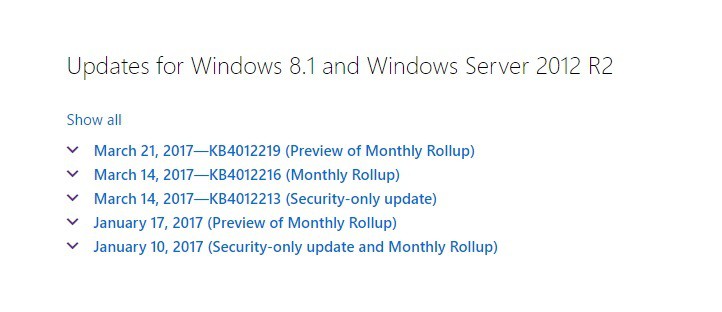
Microsoft has recently revealed more information about the upcoming Windows 8.1 Monthly Rollup release. Windows 8.1 KB4012219 brings a long list of bug fixes and system improvements that make the OS more stable and reliable.
Here are the key changes in KB4012219:
Enabled a warning message in Group Policy Management Console (GPMC) to alert administrators of a design change that may prevent the processing of a User Group after installing security update MS16-072.
Addressed issue that prevents a smart card module from pairing with a contactless smart card reader.
Addressed issue where a Scale-Out File Server that uses dual parity disks loses access to a disk if a disk fails while the parity log is being written.
Addressed issue with the Spaceport driver that causes disks to detach after a hard restart.
Addressed issue in multipath I/O when Driver Verifier is enabled.
Addressed issue that causes workload disruption in Azure StorSimple appliances after installing KB3169982. Installation occurs using the KB3172614 rollup (released 2016.07).
Addressed issue that causes crashes in a customer’s data path management software because of a regression in multipath I/O after installing KB3185279, KB3185331, or KB3192404.
Addressed issue where installation of KB3121261 on a third-party, thinly provisioned Storage Area Network causes multipath I/O Event ID 48. This is in response to Small Computer System Interface status – 0X28 – SCSISTAT_QUEUE_FULL (SRB Status – 0X4 – SRB_STATUS_ERROR).
Addressed issue to provide PowerShell cmdlets that enable and gather diagnostics for storage spaces.
Addressed issue with multipath I/O failure that can lead to data corruption or application failures.
Addressed issue that causes File Explorer to hang when performing a search on a network drive while connected using the Remote Desktop Protocol.
Addressed issue that causes a crash when the user tries to connect to the server using WinShare and Remote Desktop Services. Stop error 0x50 at win32k!pDCIAdjClr+0x4f.
Enabled detection of processor generation and hardware support when PC tries to scan or download updates through Windows Update.
Improved support for networks by adding new entries to the Access Point Name (APN) database.
Simplified listing of Approved Servers in the Point and Print group policies by allowing wildcards in the server name.
Addressed issue to update Windows Defender on Windows 8.1.
Addressed issue that prevents clients from accessing a file server when using Server Message Block 1.0 and NT LAN Manager authentication after installing MS16-110/KB3187754.
Addressed issue that produces corrupted output when you use the fread() function to read data from a pipe.
Addressed issue to set and persist the Quality of Service settings on a per-host basis.
Addressed issue that breaks high-availability and fail over of a clustered virtual machine (VM). This occurs when the default data store settings for the VMs are configured inconsistently across the nodes in the cluster. For example, some data store settings are in %ProgramData%, while others use shared storage.
Addressed issue where, under high load, the background tasks threads are blocked. None of the clusters that use Virtual Hard Disk Sharing can access their disks. This results in unresponsive virtual machines.
Addressed issue (error 0x800b) that causes System Center Virtual Machine Manager to fail after live migrating a virtual machine between two Hyper-V clusters.
Addressed issue where false file conflicts occur when Windows Server Work Folders is reinstalled after installing Azure Hybrid File Services.
Addressed issue where share contents go offline if remote clients connect over slow links when encryption is enabled and offline caching is disabled for a server share.
Addressed issue to generate Remote Desktop Services self-signed certificates to use SHA-2 instead of SHA-1. After this update, any existing self-signed certs in RD Session Host should be updated with SHA-2 certs. However, existing self-signed certs (if any) in Connection Broker and Gateway should be regenerated using the Remote Desktop Management Services (RDMS) UI.
Addressed issue to allow a user to set the password for a virtual account.
Addressed issue where IIS Automatic Certificate Rebind feature breaks client certificate mapping with active directory by disabling DS Mapper upon renewal of the server certificate. As a result, no user will be able to access the site unless an administrator manually remakes the binding and enables the DS Mapper.
Addressed issue where Active Directory returns incorrect active thread count numbers for Lightweight Directory Access Protocol requests. Incorrect thread counts prevent Office 365 from load balancing correctly.
Addressed issue to update time zone information.
Addressed issue with random crashes on Hyper-V servers when users access Virtual Hard Disk files on Cluster Shared Volumes.
Addressed issue that causes file share witnesses stored on a Scale-Out File Server cluster 2012R2 to fail. Event ID for this Error is 1562 and you will get an Error 64 in the Cluster Log for the failed Healthcheck (from RFC 7205769).
Addressed issue where, after installing security update MS16-123, administrators cannot access some network drives that are mapped using the Distributed File System Namespace. This lack of accessibility occurs even though User Account Control and EnableLinkedConnections are enabled.
Addressed issue where virtual Network File System (NFS) server shares intermittently fail to mount when another NFS share is assigned the same ID in a clustered environment.
Addressed issue to add the LiveDump capture feature that will trigger a live kernel dump if requests are stuck for an extended period.
Addressed issue where Failover Cluster Manager crashes when connecting to a cluster with a long name (15+ characters). This occurs after .NET 4.6.1 is installed.
Addressed issue that crashes Exchange servers whenever a customer installs an Exchange cumulative or security update. Error code: STOP 0x3B
Addressed issue that prevents the capture of network traffic when Microsoft Advanced Threat Analytics starts and stops the session that monitors traffic in promiscuous mode.
Addressed issue where users cannot connect to wireless, proxy, and VPN authentication. The Online Certificate Status Protocol responder service intermittently returns an IIS 500 error when processing client requests. This causes the clients to fail revocation checking and fail authentication to the required service.
Addressed issue to provide a maintenance mode for Active Directory domain controllers.
Addressed issue where Active Directory Federation Services (AD FS) fails to authenticate external users because the ADFS proxy servers time out.
Windows 8.1 KB4012219 comes as an optional update to Windows Update. You can also download the standalone package from the Microsoft Update Catalog website.
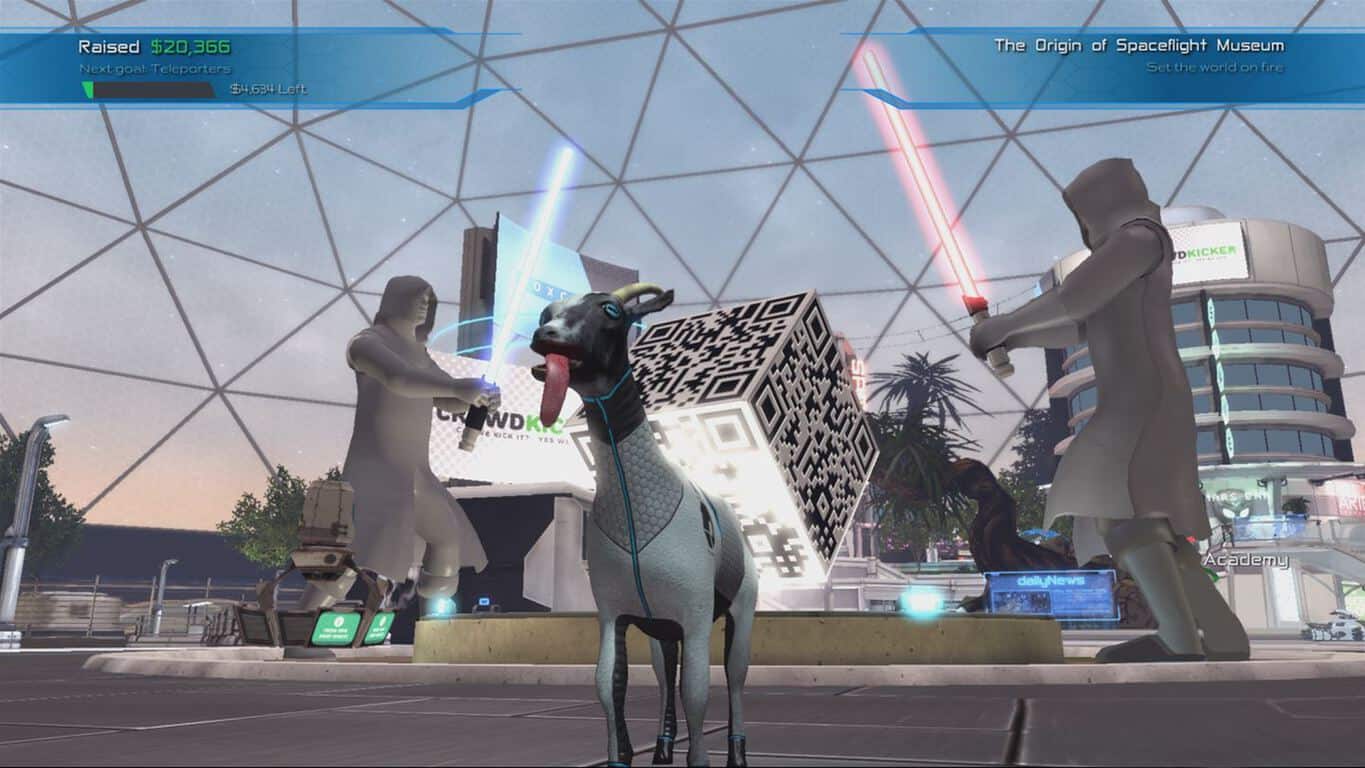
Conceived mainly as a joke prototype during a one-month game jam, Goat Simulator has built up a name for itself whether the developer wanted it to or not. As a parody of other simulation games, Goat Simulator does exactly what you would expect it to do: mixes goats and ragdoll physics for a silly gaming experience.
Since its release, it has added a multitude of silly DLC and updates to parody other games such as adding freestyle tricks of Tony Hawk and more. Today, Coffee Stain Studios has released the Waste of Space DLC on Xbox One, and if you couldn’t tell, it has a space theme.
The trailer is only what can be called a mashup of fan favorite space franchises such as Star Wars, Star Trek, Mass Effect, and more. Not surprising given the hype built around Mass Effect: Andromeda’s release just yesterday.
Here’s some of what you can expect in Goat Simulator: Waste of Space, only with goats:
Crowdfund a space colony and get other people to pay for it and do all the work!
Endless space full of planets to visit. But seriously it would take forever to go there so why bother
There is one planet nearby though. Go to that one
Fly and shoot stuff in space, because nobody makes games about flying and shooting in space anymore
Learn how to be a real bridge commander!
The biggest map in goat simulator history, filled to the brim with exclusive content.
The game is available on Xbox One on the Windows Store for $4.99.