When unveiled Project Scorpio last year, the company made it clear that it was developing the most powerful gaming console on the market. We already know that Project Scorpio will support true 4K gaming as well as virtual and augmented reality experiences, though it still wasn’t clear if the new console would be a valuable upgrade for those of you who don’t have a 4K TV set.
But as it turns out, it seems that the new console will be able to enhance your gaming experience even if you play on an “old” 1080p TV. According to a new report from Windows Central, Project Scorpio is expected to bring the following improvements:
Shader Model 6, a new version of the API for creating shading as well as other shader compiler improvements will make games run better on the new system.
Xbox One games that use dynamic resolution scaling (such as Halo 5 Guardians) will also be able to output the best graphics possible more often without stuttering.
Additionally, 4K-ready Xbox One games will look better on 1080p TVs thanks to supersampling, an antialiasing technique that will improve image quality.
If Project Scorpio won’t render your 1080p TV set completely obsolete, Windows Central still noted that “to get the full benefits of Project Scorpio, you will need a 4K TV.” Just like the Xbox One S, Project Scorpio will also feature a 4K Blu-ray player and support High Dynamic Range on compatible TVs.
Lastly, the report said that “Project Scorpio will see a sizeable lineup of its games, both first and third-party, hit a True 4K resolution for owners of compatible TVs and monitors.” As a matter of fact, Microsoft recently emphasized that Middle-earth: Shadow of War would be “available for Project Scorpio” following the console’s launch this holiday season. As we’re getting closer to E3 2017, we’ll see if the hype around Project Scorpio will reach new levels in the coming weeks.
Plex has finally moved their Plex Cloud service out of beta which means it is now available to all Plex Pass users. Plex Cloud allows users to access their stored media files from third-party cloud services such as Microsoft’s OneDrive, Dropbox, and Google Drive in addition to the traditional way of streaming media to Plex from a local network.
“The amount of technology behind this launch is quite awesome. It’s definitely not a trivial thing to take the best media server on the planet and make it work seamlessly as a scalable cloud service, load-balanced and clustered across multiple geographic regions,” the official announcement reads. “It turns out a lot can go wrong. Sometimes the hamsters that powered our innovative cloud transcoder got tired, hopped off their wheels, and went looking for alfalfa. On more than one occasion, our elaborate system of smoke signals that we use to communicate between regions was taken out by solar flares and more exotic threats like a light drizzle. Suffice to say that the Cloud team has been iterating rapidly, pushing dozens of updates throughout the beta, radiation hardening our hamsters, issuing Plex-chevron-emblazoned ponchos to our official smoke signalers, and managing to add support for Dropbox, Google Drive, and OneDrive (personal) as cloud storage options along the way.”
Plex is free to use however the Plex Pass is a premium paid service which adds more functionality such as Plex Cloud. Free Plex apps are available on most Microsoft devices such as the Xbox 360 and Xbox One, Windows phone, and Windows PC. Do you use Plex? Let us know which device you use it on and if you’re excited for Plex Cloud in the comments below.
League of Legends has recently received an important update that fixes a series of long-term problems. The update brings many useful improvements, as well as a long list of bug fixes. For detailed information about Patch 7.5, you can check out the official patch notes.
Players also report that the latest League of Legends update also brings issues of its own.
League of Legends reported patch bugs
Sion Q stands still for too long
After channeling sion q for non full duration you now stand still for a significantly longer time then before this patch. […] If not it is a noticable nerf since you can no longer gapclose as well after hitting the stun on your q.
Warlords Tooltip doesn’t change out of and in game.
Miss Fortune Q Tooltip is bugged.
Pressing ALT+TAB often crashes the game.
Bug splats occur at the end of the game.
since patch 7.5 after every game nonetheless if it is ranked,aram,mods and everything i receive bug splat at the end of the game… is it only me or does anyone else have this problem too?
The Retreat ping is broken
Since the most recent patch (7.5) Myself, and everybody in my games have noticed an issue with the “Retreat” (V+MB1) ping, this ping has been replaced with the “Quick Alert Ping” (ALT MB1)
I have attempted to re-bind the “Retreat” ping to another key to no avail, this has lead me to believe this may be a bug incurred by the recent update to League of Legend’s.
Users can’t change the FPS settings
Before I updated to patch 7.5 I had my FPS capped at 60, after I updated to patch 7.5 whenever I go to the practice tool or in a custom game and change the FPS it has no affect and remains at 60 FPS. Even if I cap my FPS to 25 it still shows 60 FPS at the top right of the screen.
If you’ve encountered other issues after installing Patch 7.5, go to LoL’s official forum and provide Riot Games with more information about these bugs.
The Gears of War 4 March Update has brought many new features and improvements, including new maps, many bug fixes, ranked lobbies, and more.
However, the announcement that intrigued many fans concerns a brand-new mysterious Legacy Character that will be introduced later this month. Here’s what Xbox Wire says about the upcoming update:
We’ll be kicking things off with a brand-new Legacy Character to collect! This Legacy Character will be available in a few weeks via Crafting, but lucky fans may find him (yes, that’s a hint!) early in our March Gear Packs in the weeks ahead.
This mystical approach has started an avalanche of speculations from the core franchise fans. So far, fans mostly agree that Aaron Griffin will be the famous Legacy Character, since the evidence of him being the next craftable character can be found in the new DINER map.
Lol what? It’s not the evidence? It was clearly stated that it would be a “him” there is an obvious reference to griffin I’ve searched through the map myself and their isn’t any reference to annnnny other make character. It’s clearly griffin dude
Besides Griffin, there are a few more characters that fans see as favorites to be introduced with the new update. For example, Redditors would love to see Bernie, Bird, and Locust Drone.
For now, we can’t surely know which character will be introduced with the new update, but as Microsoft may release the patch any time now, we shall certainly find out very soon. We just hope players will get a character they want.
What about you? What’s your guess on the mysterious Legacy Character that’ll arrive this month? Feel free to place your bets in the comments below.
The elusive Surface Phone is perhaps the most coveted Windows 10 phone at the moment. Although it doesn’t even exists officially, there are already many rumors around it, ranging from specs to the release date.
Speaking of the Surface Phone’s release date, we’ve got some bad news for you. There will be no Surface Phone this year. The good news is that Microsoft will launch a new phone in 2017 after all.
The new Microsoft phone
The rumor was recently launched by a former employee of a Microsoft contractor. He also revealed that special phone-PC-like Windows 10 ARM devices will probably arrive in late 2018 or 2019. This brings new information to the table, as previous rumors suggested the Surface Phone could land sometime in late 2017 or early 2018.
Microsoft will release a new phone this year. Not a Surface phone. I don’t know what this new 2017-phone will be like, but I recently heard that a release is still planned. I’m a former employee of a Microsoft contractor.
About the Surface phone: Nobody knows what they are working on right now, but they don’t seem to be giving up. I don’t know why Microsoft doesn’t communicate anything about Windows 10 Mobile. Seems to be part of some strategy and so far everything Nadella touched has worked out very good for Microsoft.
Some special phone-pc-like Windows 10 ARM device will probably arrive in late 2018 or 2019. I have no more info on that, but I think Windows 10 ARM is much further away than some of us hope.
Why do I know this? I’ve worked for Microsoft as a contractor. Why can you believe me? You actually don’t and I don’t expect anybody to. For someone in such a low position it was hard to get any information at all, but this was basically everything I could hear.
What kind of Windows 10 phone do you think Microsoft will roll out this year?
If you’re planning to buy an AMD Ryzen computer and run Windows 10 on it, think again. Recent reports confirm that AMD Ryzen’s performance is severely crippled on Windows 10, and there’s not much that you can do about it.
Ryzen is AMD’s first processor model to sport simultaneous multi-threading technology. According to AMD, Ryzen is 40% more efficient, consuming less power than its Intel counterpart. However, it seems that Windows 10 doesn’t really like it.
AMD Ryzen low performance on Windows 10
The Windows 10 scheduler is not able to correctly identify Ryzen’s principal core threads from virtual SMT threads. Actually, the OS believes that each CPU thread of a Ryzen processor is a real core with its own L2 and L3 cache.
As a result, Windows 10 doesn’t assign the tasks to a principal core thread. Instead, it schedules many of them to a virtual SMT thread, which of course, reduces the overall CPU performance.
There are many users who aren’t ready to give up on their AMD Ryzen-powered computer and hope that Microsoft and AMD will somehow fix this problem.
I just want MS/AMD to address the bug. I am not worried about how much it affects the improvement in games. We ought to be able to use the software and hardware we bought with hard-earned money properly in all fields, not just games. AMD/Microsoft please fix this asap
Microsoft has officially acknowledged this issue and confirmed is working on a fix. This means that the company will soon roll out a patch to address this compatibility issue. At the moment, Ryzen is not unusable, it’s just that it’s not as good as it could be. Let us hope that Microsoft sorts out the scheduler and cache issues as soon as possible. Maybe the upcoming Patch Tuesday update scheduled for March 14 will bring this coveted patch.
However, this doesn’t offer AMD a good excuse. The company should have conducted more in-depth tests on Windows 10 to discover and fix potential issues before launch day and avoid being taken completely by surprise by these issues.
That’s right. Take it however you like, but Google is looking to play nice with Windows once again.
Similar to Microsoft’s recent fortunes in the connected operating systems game, Google is playing from behind when it comes to the cloud. Google’s distant third place in cloud computing is seen by some as an area of weakness for the software company and it seems it’s looking to integrate Windows support to help bolster its position.
According to a report from Geekwire, Google recently unveiled its plan to become a “great Windows platform.” At the Google Cloud Next conference in San Francisco, the company announced a new partner program that’s intended to help Windows-based companies migrate to Google’s cloud offering.
Google’s vice president of cloud platforms, Brian Stevens rang in the new announcement by saying “Our goal isn’t just to be an OK Windows platform. We want to be a great Windows platform.”
Google’s efforts comprise of several partnerships with top Windows specialists and Google Cloud Platform experts in an effort to create a seamless migration process.
“The company also previously announced pre-configured images for Microsoft SQL Server Enterprise and Windows Server Core on Google Compute Engine. Stevens today announced the general availability of SQL Server Enterprise, plus the beta of .NET for Google App Engine and Container Engine.”
Fortunately, in the shuffle, Microsoft still retains licensing revenue as companies shift from one cloud to the next.
The will be more news coming out of the Google Cloud Next conference, but perhaps non-as important as its efforts to not only prop its cloud platform up with Windows support but once again undercut its rival in another contentious field.
After announcing Teams back in November, Microsoft is now putting the final touches on its chat-based workspace app prior to its global release on March 14. To celebrate the global launch of Teams for Office 365 users, the software giant plans to hold an online event on Tuesday next week.
As part of the event’s preparations, Microsoft opened an online registration page where anyone can reserve a seat. (Online registration here.)
During the event, Microsoft Corporate Vice President Kirk Koenigsbauer will also discuss how the chat app improves collaboration across an organization. The Redmond titan is also expected to announce a few more enhancements for Teams based on user feedback gathered during the app’s preview phase. In addition to Office 365, Microsoft Teams is compatible with Skype for Business, Planner, Power BI, and many other applications across platforms.
On Skype, users will be able to make calls within the Teams app and drop in and out of video calls. Teams’ introduction is seen by many as a move to directly take on Slack. However, unlike Slack, Teams won’t be offering as many freebies to users, so Microsoft’s product won’t be a direct rival in that respect. Microsoft Teams is prime for competition nonetheless, with the Office 365’s huge user base reaching tens of millions.
Even though Microsoft already has Skype for Business in its portfolio, the addition of Teams is meant to target enterprise customers who seek premium collaboration services. While Skype is free to use, Teams is available for a fee. Therefore, despite their relatively similar functions, Teams and Skype are considered as two different offerings.
Are you eager to take the plunge and start using Microsoft Teams? Lets us know in the comments.
RELATED STORIES YOU NEED TO CHECK OUT:
Microsoft Teams app is coming to the Windows 10 Store
Users of Microsoft’s Visual Studio IDE should rejoice as the company released a new version of the service. Visual Studio 2017 is the latest iteration of the popular service and it includes new implementations that will boost the overall user experience considerably. People are also welcome to try out the Preview 4 version of Visual Studio for Mac. This Mac adaptation of the software is also a welcome addition for those that prefer Apple’s hardware.
Here is what you get by upgrading
There are a lot of new things that were added to Visual Studio through this 2017 edition. Here are the changes that users can expect once they get their hands on the software.
New support for popular software and services such as C++ on Linux and Cmake
Xamarin Forms Previewer and enhancements for Connected Services
Application development support for .NET Core 1.0 and 1.1
Azure App Service added to the support list
File editing without the need to open projects
While there are quite a few items on the list, Microsoft announced that more are coming. Some were wondering about the implementation of Visual Studio 2015’s data science workload as well as support for R as a programming language. The Windows maker stated that these will be features that users can expect in the near future.
Mac devices have their own requirements
The Mac version brings improvements to the memory department and strengthens the stability of the Xamarin Studio 6.3 stability. The required version is OS X 10.11 El Capitan. Additionally, a macOS Sierra 10.12 version also works.
For those wondering if this new iteration of Visual Studio will be able to run parallel to other versions, the answer is yes: users can either install Visual Studio 2017 on top of the 2015 Preview edition or the 2017 Release Candidate version. However, they can also run it parallel to other existing, installed versions such as Visual Studio 2015 or 2013.
Being able to make money online is an easy task in itself, however, the difficulty usually lies in finding places where you can make money. Luckily for those who use Bing, the place to make money online is staring right at you – Bing. What was once seen as a mediocre search engine, is now something quite powerful. Constant improvements by Microsoft have continually improved Bing’s results, while still providing a pleasing experience. Now, it’s possible to make money using Bing.
We already know about Bing Rewards – Microsoft’s program for rewarding users who use Bing – but we’re not here to talk about that. This is something different.
A company based in the United Kingdom, called Qmee, offers browser extensions which once installed, will show related ads to the left-side of your browser whenever you search for something. Don’t be scared away by the ads, though. They’re actually quite helpful. Let’s say you’re a little hungry and want to order some pizza. You’ll type in your search term, for example “dominos pizza” and look at the results. Now, normally you’d click right through to Dominos Pizza (or your choice of pizzeria), however, what Qmee will do is show offers from other pizzeria’s, as shown below.
Each ad will either be an offer/voucher code for relevant stores, or it will show a monetary symbol, which when clicked will add that money straight to your Qmee account, instantly. This amount can then be withdrawn to PayPal instantly or donated to a charity.
While this definitely isn’t a way of becoming rich, it does allow you to make money (and save money!) by just searching on Bing. Ads can be worth anywhere from $0.05 to $1 per click.
If you’re ready to start making money by searching Bing, you can sign-up to Qmee by clicking here. You’ll need a PayPal account (US or UK only), then install the browser extension and off you go – searching.
What’s more – if you use Qmee and Bing Rewards together, you’re not only earning cash for seeing those ads, you’re earning extra rewards from Microsoft.
Microsoft has launched “Playable Ads” for Preview users in the Windows Dev Center. This feature completely switches up the way that users are engaged with app advertisements – ones that could benefit both developers and users. Put simply, users will no longer be brought to an app’s store page when they click on an ad – instead, the app will be streamed to their device. No download required.
Here are the advantages that Microsoft sees with this feature:
Users can experience the app live before installing it.
Users will not leave the current app context after ad click since these are inline expandable ads.
Users can abandon the app stream at any point of time based on the quality of the game. He/she is not blocked until the end of the game play.
Developers can create an engaging experience during the first few minutes of a game to better explain its capabilities compared to screenshots.
Users who install the game after three minutes of engagement are more inclined to use the game/app than those who just installed the app based on the product description page.
This feature requires no extra work from developers who want to test it out. All you have to do is create a new campaign under the “Promotions” tab in your dashboard, and you’ll be able to set yourself up for Playable Ads.
Dynamics 365 has been offered the Product of the Year award by TMC, a global media company that manages several technology publications – including CUSTOMER magazine. Microsoft announced their reception of the award through the Dynamics blog, where they spoke a bit about the award, and their feelings about it.
We truly appreciate the recognition Microsoft Dynamics 365 has received in this and other early 2017 awards including the 2017 CRM Watchlist Elite award and two Stevie® Awards for Dynamics 365 for Sales and Dynamics 365 for Customer Service.
Rich Tehrani, TMC’s CEO, noted that “Microsoft Dynamics 365 has proven deserving of this elite status, and I look forward to the continued innovation from Microsoft in 2017 and beyond.”
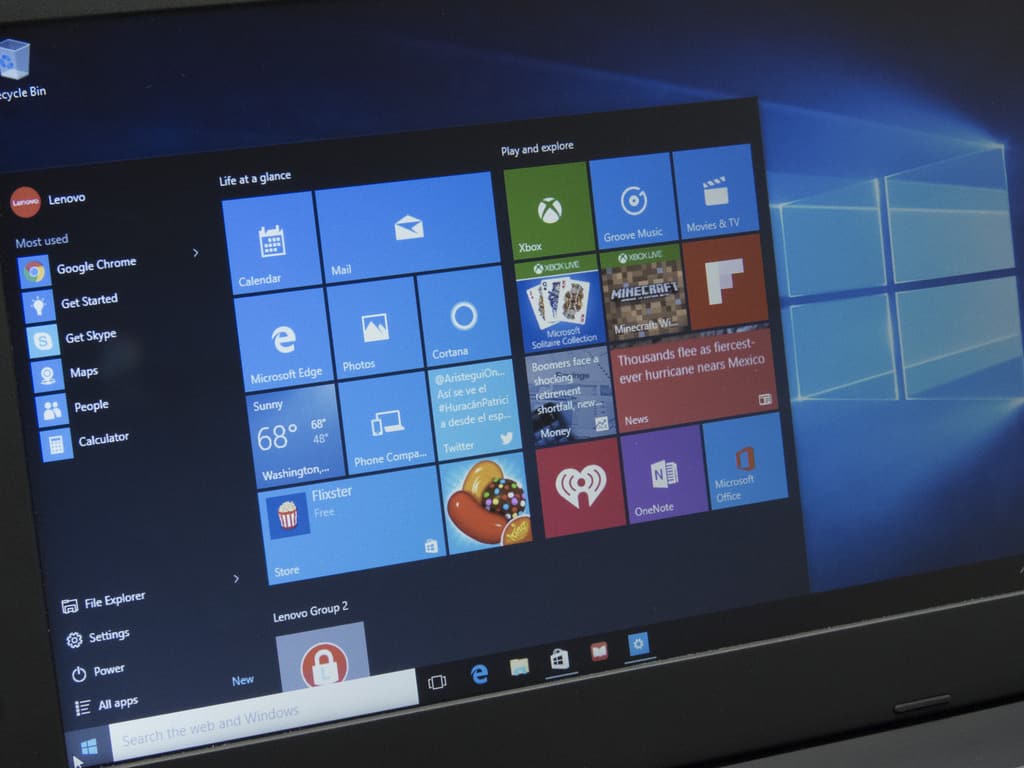
Just like Windows 8, Windows 10 is deeply integrated with OneDrive, Microsoft’s cloud storage service that is tied to your Microsoft account. If you rely on OneDrive to store your documents, pictures, music collection, Microsoft is giving you a big incentive to sign in to you Windows 10 PC with your Microsoft account, and get easy access to all your OneDrive content right from the File Explorer.
For those unfamiliar, OneDrive is a freemium service: you get 5GB of storage for free with your Microsoft account, but you can pay a monthly subscription to get more storage. And as it turns out, it seems that Microsoft has recently started to promote OneDrive paid plans to Windows 10 users, a questionable move that could give Windows 10 detractors another opportunity to criticize the new OS.
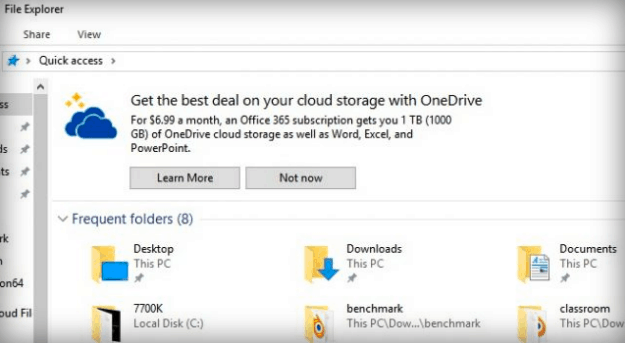
According to a report from Extreme Tech, Windows 10 users may start to see new banners promoting OneDrive and Office 365 at the top of File Explorer (via Digital Trends). As you can see in the screenshot below, the company is inviting users to subscribe to Office 365 personal, a $6.99 monthly subscription that gives you 1TB of storage plus access to the Office apps. “Some users reported seeing this a few months ago, but the incidence has ticked upward in the last week or so,” explained Extreme Tech.
credit: Extreme Tech
While users can dismiss the offer by clicking on “Not now,” it’s not clear if the banner could still reappear at a later time. However, it’s possible to disable the banners entirely: to do it, you’ll have to open File Explorer, click on the View menu, head over to View > Options and then turn off “Show sync provider notifications.” Be aware though that doing this may prevent OneDrive from showing you some important notifications.
You can disable the banners in the File Explorer settings.
It’s not the first time that we see Microsoft trying to promote its various services. By default, Windows 10 will show you app suggestions in the start menu, and what the company calls “contextual tips” in other areas (you can turn them off too). OneDrive is a fine service, but Microsoft may well be walking on a fine line once again.
We haven’t seen these banner ads on our own PCs, so it’s not clear if Microsoft is already pushing them hard on Windows 10 users. Let us know in the comments if you have already seen them, and please tell us if you think this is a step too far in promoting the company’s services on Windows 10.
Mojang today announced that you can now trade with villagers in both Minecraft Pocket Edition, and Minecraft Windows 10 Edition. Support for trading comes by way of a version 1.0.4 update, and we have included all the details for you below.
New Features:
Added Villager Trading!
Added Strangers Skin Pack
Music, sounds, and user interface can now be modified using Add-Ons
Added the Storage screen in Settings to manage worlds, resource packs, and behavior packs
New Add-On format: All of your old Add-Ons will automatically update to the new format. You may see warnings on those Add-Ons but they will be fully functional
Tweaks:
The models for the Shulker and Ender Dragon can now be edited using Add-Ons
Husks are now a little bit taller than Zombies
Baby Villagers now have adorable, larger-sized heads
Addition of CDN for downloading optional content, reducing game file sizes
Added low render distance options for older devices
Bug Fixes:
Clicks are now registered when quickly right-clicking items in the inventory
Field of View will now increase properly when sprinting and Field of View is set to max in the settings
The Nether Star can no longer be destroyed by explosions
Capes will no longer appear when wearing Elytra
Fixed the hitbox on Stone and Wooden Buttons so they can no longer be stepped on by players and other mobs
Zombie Villagers of different variants now keep their professions when importing a world from 0.15.9 or earlier
If you’re not already playing Minecraft Pocket Edition, or Minecraft Windows 10 Edition, we’ve included the download links for you below. As always, once you’ve updated, let us know your thoughts by dropping us a comment!
Earlier in the week, Microsoft refreshed the look of Movies & TV for some Insiders by way of an app update. Yesterday, the company was at it again and released an app update for some Windows Insiders which slightly tweaked the interface in the Groove Music app on Windows 10.
Though the update is not rolling out to everyone, it does bring some changes to the way that some tabs previously appeared. The update combines the Artist, Album, and Song side tabs into one “My Music” tab, which now includes top tabs for navigation between the three sections. According to MSPU, other changes include the fact that “Your Groove” is no longer an option in the hamburger menu, replaced by a “Recommended” section instead.
Groove Music new interface (image via MSPU)
This latest update comes as Microsoft released an update for Groove Music on Andriod which introduced the ability to share playlists. As the Creators Update comes closer, it’s interesting to see the Redmond giant work on improving Groove Music. As always, let us know if you’ve received this latest update by dropping us a comment below!
The Xbox team rolled out a new Xbox One preview build for Preview Alpha participants yesterday, and the new bits fix an issue with newly installed games that sometimes failed to launch. As we’re nearing the release of the Creators Update, there are no new features in this build but you should be aware of some known issues with Cortana, notifications, games clips and more.
OS version released: rs2_release_xbox_1703.170305-1701
Available: 6:00PM PST 3/8 (2:00AM GMT 9/3)
FIXES:
Games & Apps: Fixed an issue which could sometimes prevent newly installed games from launching.
KNOWN ISSUES:
Controller: Upon resuming from connected standby, you may be prompted to update your controller firmware when no update is available.
Cortana: Cortana may take a long time to respond when activated while playing certain games.
Notifications: Some users may not receive certain types of notifications.
Game Clips: After capturing a game clip, the game clip fails to automatically post to the Activity Feed (if your profile is configured to do so). Workaround: Manually view game clips in Profile > Captures > Manage captures and post to the Activity Feed.
EA Access: The EA Access app may indicate you are not an EA Access subscriber when you are. This does not affect your ability to download or play games from the Vault, or receive discounts on EA titles.
Screen Dimming: The screen may dim after a short amount of time while viewing videos in certain apps (Hulu Plus).
Settings – Ease of Access: When enabling the Mono output setting in Ease of Access – Audio, Settings becomes unresponsive, crashes, and fails to launch on subsequent attempts. Workaround: To launch Settings, perform a hard reset (hold down the button on the front of the console for five seconds until it fully powers down, then power it back on).
Settings – Display & sound: The Audio output page is under construction and some of the new settings are not yet functional. New support is planned for Dolby Atmos for home theater, Dolby Atmos for headphones, and more in upcoming builds. An announcement will be made when these new features are ready to try out; enabling these settings now will have no effect.
Wireless Display: The Wireless Display app fails to launch and immediately crashes to Home.
Steep, the extreme sports video game will be free to play for Xbox Live Gold subscribers this weekend. The game was released back in December on the Xbox One and features various adrenaline-fueled activities such as snowboarding, skiing, wingsuit flying and more.
“After months of updates, tweaks, and a free expansion that adds the peaks of Alaska’s Denali to its snowy open world, shredding down the pristine slopes of Steep is better than ever,” explained Ubisoft’s Mikel Reparaz on Xbox Wire. Here is the game’s official description:
Ride a massive open world across the Alps, where the powder is always fresh and the run never ends. Tame the wilderness on the American continent in the Alaska free update, a new region filled with challenges.The mountain is yours to explore. So strap in, suit up, and drop in.
The free play weekend will kick off Friday, March 10 at 10AM PST and last through Sunday, March 12 at 11:39. Last but not least, you will be able take advantage of a 40% discount on Steem’s standard and gold editions through Monday, March 13. If you’re an Xbox Live Gold subscriber, you’ll see the game being featured on the Xbox One dashboard where you’ll be able to download it.
Gamers have seen a complete shift in priorities coming from Microsoft since its transition from Windows 8 and Windows 8.1 to Windows 10. If Windows 8 and 8.1 offered slim to no attention towards gaming, Windows 10 completely embraces it and includes all kinds of features that make playing video games on Microsoft’s latest OS a much more enjoyable experience.
Game Mode will speed things up and help slower PCs play
The Creators Update is said to bring even more enhancements to this spectrum of computing through the Game Mode feature. When activated, a computer will start dedicating more of its resources to the game that’s running. This will, in consequence, improve the performance of that game by a quite a bit. While it won’t make 10-year-old machines run the latest games, it will sure bring about a small boost in FPS that can be critical for those barely on the verge of being able to play decently.
Variables will modify the feature’s impact
There are several factors that go into this equation and there is no simple outcome such as “your PC will enjoy a performance increase of X %” The results are particular to each PC configuration, so users will have to test it out and see how much of a help Game Mode actually provides.
GPUs will also get a boost with Game Mode, not just the CPU. The GPU will receive more cycles for games and will also be able to retain more game related information on its memory. These will help make the gaming experience less of a graphical burden for the computer and give the GPU some new tools to work with.
By using Game Mode, those passionate about video games can unlock just the right amount of power for their systems so that a flashy new game that just came out can be played on their not-so-state-of-the-art machine. Game Mode is just one of the great new features that will come to Windows 10 once the Creators Update is released.
Ubisoft recently released a new For Honor patch. Patch 1.03 is now available on all platforms and while players hoped for fixes for some of the more common issues, the new patch actually does more harm than good.
Ubisoft forums are full of reports from players about various problems caused by the most recent For Honor patch. So, in case you haven’t installed the new patch yet, keep reading this article so you can know what to expect from it.
For Honor Shugoki bugs
It appears that Shugoki is the champion that suffers the most from the recent bug. One user of the forums listed the most serious issues caused by this update that cripple the character. Here’s the complete list of the problems:
Blocking attacks don’t work
Perhaps the most annoying bug is the inability to block attacks. Namely, even if executed correctly, a player controlling Shugoki will somehow fail to block the attack and will suffer damage. This makes the game almost impossible to play with Shugoki.
“Blocking attack (light / heavy) sometimes fail so you get hit even when correct guard! This happens a lot especially when fighting fast enemies. Even when you block first attack, you can get hit with second even from same direction! Yesterday it happens lots of time (almost in every match)!”
The Charge of the Oni doesn’t start
The Charge of the Oni can be an effective special move, but only if you can perform it correctly. This doesn’t happen to be the case after installing Patch 1.03, at least according to this player:
“First problem is that sometimes it not start Charge of the Oni, but only do front dodge roll. So the enemy have nice 2-3 second to land free attack
Second problem is that you just run through enemy and nothing happens. Bug happens when enemy do some kind of attack?! I do not know, but Shugoki just run through model and enemy just stand still.
Third problem is that some BOTs (and maybe players) can guardbreak this special move! You charge towards the enemy but in front of them Charge of the Oni stops and you get guardbreak. Happens lots of time against BOTs.”
Headbutt doesn’t work
Another move that appears to be broken in Patch 1.03 is the Headbutt:
“Simply it not work. If I have luck, I can land around 20% of Headbutts after successful light / heavy hit. It even not do a guardbreak. Your model just stand still and do nothing! In Open beta I never had a problem with this move and land Headbutt in almost every situation!”
Camera clutter
And finally, this player says there’s something really wrong with the camera when you’re pushed into a corner:
“If you are pushed into a corner camera start do a chaotic move to find better point of view but fighting while camera flying through obstacles / walls is hard. You can not clearly see enemy model.”
Other For Honor 1.03 issues
Apart from Shugoki issues, the new patch also causes some problems related to other elements of the game. These problems are even more annoying because they affect a wider range of users and makes the game almost impossible to play for them.
Connection issues
The biggest For Honor problem so far is connectivity, which is unfortunate since the game’s main feature is multiplayer. And while players hoped for the new patch to resolve connection issues, it seems things only got worse:
“Annnd nothing addressing the disconnect issues. I love this game but etting dropped from a game 20% of the time is the reason I’m trading it in as soon as ME:A drops.”
Since connection issues are still present and there’s no confirmed solution for any of them right now, Ubisoft definitely needs to do more work to provide a better online experience to players.
Random kick outs
Another bug that prevents For Honor players from playing the game normally is random kickoffs:
“Anyone having issues staying in games after the patch? It’s close to impossible for me to get through a game now without being kicked. And it seems to happen when someone quits (or maybe they’ve gotten kicked first).”
We can now only hope that Ubisoft will release a new patch that actually solves some problems without causing the new ones.
In case you’ve also encountered problems after installing For Honor Patch 1.03, feel free to let us know in the comments.
While Microsoft is bracing for the release of the Creators Update for PC in April, the update’s arrival on Windows 10 Mobile was unclear – until now. The software giant confirmed in a statement to Softpedia that the Creators Update for Windows 10 Mobile will come after the PC release.
According to Softpedia, Microsoft said the initial release will come to desktops while other versions will get the Creators Update upgrade thereafter. However, that still leaves room for questions about the exact release window for Windows 10 Mobile Creators Update.
Nevertheless, the wait can’t be much longer: recall that Microsoft rolled out the Anniversary Update to Windows 10 Mobile in the summer of 2016 after launching it on PCs two weeks earlier. Also, the first feature update to Windows 10 came in the form of the November Update (version 1511), which launched in November 2015 for PCs, though the mobile version came in March of the following year.
Microsoft is now working on the final touches for the Creators Update due for release in April 2017. Windows Insiders are receiving the RTM version of the update already as the Creators Update is now feature-locked.
Microsoft has so far offered several glimpses of the new features coming with the Creators Update. These include 3D support, privacy and security features, Wi-Fi improvements, Edge improvements, and other features that should enhance user creativity.
Are you excited to get your hands on the Windows 10 Creators Update a few weeks from now? Let us know your thoughts by leaving a comment below.
Earlier today, Dona Sarkar and the Windows Insider team pushed out build 15051 for Windows 10 Mobile. Windows Insiders, however, might have noticed that mention of Windows 10 PCs were absent from the announcement post. Despite teases that we might see new Fast Ring PC build, Dona Sarkar has revealed that the reason for the absence of a new PC build is due to the fact that the Windows Insider team did not have enough data to flight one.
#WindowsInsiders : we don't have enough data on our PC build so we will not be flighting one today.
As the release date for the Windows 10 Creators Update nears, it’s best to give Microsoft some room to perfect builds before release. We will be here all week long to cover the release of any new Windows 10 builds, so be sure to keep it tuned to OnMSFT for all the Windows news and information.
First, check out the Virtual Piano website, which includes an expansive piano that fills most of your browser’s window. That’s one of the largest virtual pianos that includes more key notes than most alternatives. The piano has some handy extra options such as Key Assist that highlights all the corresponding keyboard buttons on the piano. In addition, you can press Change Styles to select alternative piano colors.
The website also includes an extensive collection of music sheets. You can open music sheets in Song From Movies, Songs From TV, Songs From the Stage, and Songs From Games categories. Another good thing about this site is that you can play a variety of virtual piano videos or even add your own recorded clips to it. So this is certainly a virtual piano keyboard you should check out.
Online Pianist is a website that includes a virtual piano, piano sheets, and extensive tutorials. Once you open the page, you can play with both keyboard keys and mouse. That keyboard includes a couple of options to display piano and corresponding keyboard keys, but has relatively few customization settings.
However, the site has a great selection of piano sheets from notable composers in various genres for you to playback in its animated tutorials. These are mostly locked without a registered Online Pianist account, but you can still play a few of the compositions without signing in. The tutorials have a few alternative display modes and show you all the piano keys pressed, finger positions, and letter notes during the songs’ playback.
Other great features:
Offers piano sheets
Extensive tutorials
Works with both keyboard and mouse
The keyboard shows the corresponding keyboard keys
The Method Behind the Music website has a virtual piano you can play on this page. The Flash piano on the site is a little small as it only includes 32 keynotes, while most modern pianos have more like 88.
Nevertheless, you can still play some tunes with it; the Flash piano page also includes a handy option that opens the virtual piano in a separate window so you can browse the rest of the site and play it.
The website also includes some informative pages that explore music theory and history.
Zebra Keys is a piano tutorial site that includes a small virtual keyboard on this web page to play chords and melodies with.
This keyboard is limited to 24 keys, so it’s probably better for beginner songs. Aside from the virtual keyboard, the website includes over 50 free piano lessons incorporating flash visual animations and video tutorials.
Zebra Keys also has some sheet music you can download in PDF format.
ButtonBass is a great musical website that has a variety of virtual keyboards. This website includes 12 different types of virtual pianos, such Trap, Jungle, ATL, Buttonbass, 8 Bit, and Player Piano.
Each piano has customizable controls for musical effects, and you can adjust the volume levels for every key. The pianos even include microphone options to record some lyrics for songs. In addition, you can also select to display various songs to play on the virtual piano keyboard.
This site isn’t limited to virtual piano keyboards either, as it includes guitars, cubes, drums, and mixers. Many of the instrument widgets on this website are also available for download. Unlike some other sites here, ButtonBass doesn’t provide any instrument tutorials; but its virtual pianos have the most extensive options.
Even if you’ve hardly played the piano before, some websites have extensive piano tutorials and classic compositions for you to playback in the browser.
For more advanced users, we recommend using piano software instead since it offers more features.
One of the cool things Xbox owners can do is use their Xbox wireless controllers to play games on their PCs. The compatibility they have with Windows 10 opens up a lot of opportunities for a good time away from the Xbox itself. A similar thing is now happening with the Joy Con controllers, the small controllers that come with the new Nintendo Switch console.
Joy Con controllers can be used with other devices
Many are buying the new Nintendo Switch and are fascinated by the mechanics behind it. However, some might be interested in playing something other than The Legend of Zelda: Breath of the Wild. In this case, playing some of the games stored on a Windows 10 PC sounds like a great idea. The great thing here is that the Joy Con controllers are actually compatible with Windows 10, meaning that users can use a Bluetooth connection to establish a link between the two.
Just connect them via Bluetooth
It is worth noting that the two controllers have to be connected to the computer through Bluetooth individually. Once they are connected to the Windows 10 PC, the next step involves downloading the JoyToKey app which lets users map out the buttons on the controllers to suite the commands of a PC game.
They are compatible with many devices
Once that’s done, users are free to play games on Windows 10 devices using the Joy Cons. They also work with Android devices, showing that they have a broad palette when it comes to compatible devices. It is yet unknown whether players would be able to connect the controllers to a Windows 10 Mobile device, but it’s only a matter of time before someone on the internet confirms or denies this.
Nintendo has created quite a ruckus in the gaming industry with the launch of its newest console, the Switch. Many are eager to see how Nintendo will handle this very successful launch and how it will proceed as far as new game releases go.
If you were hoping to play Conan Exiles on Xbox One for its uniquely customizable character models, you might want to reconsider. According to Glixel (via Kotaku), the early access game’s male endowment slider won’t be available on the Microsoft console.
Since it first became available through Steam, Conan Exiles has gone viral with male enhancement jokes across social media. This was possibly unexpected but welcome publicity for the title from Funcom, boosting it to 3 million copies sold. Joel Bylos, creative director of Conan Exiles, explained in the interview that the choice to include full nudity in the full game just made the most sense.
For those that might not know, Conan Exiles is an open-world survival game in the lands of Conan the Barbarian. Players are exiles left to a wasteland and trapped by a deadly shield where there are enemies, monsters, and fallen gods willing to rip them apart if they can’t fend for themselves. Starting with nothing, including clothing, players learn to build, fight, and survive or die trying.
It’s worth noting that exposure to nudity is by player choice. When creating their character, they have the option to begin dressed, half dressed, or bare. Server owners are even able to limit the amount of nakedness for the players on a broader scale.
Of course, that doesn’t stop Microsoft and others from putting their foot down.
“Xbox has been pretty clear with us that it’s not going to fly,” says Bylos. “It’s just going to be off by default I think. I don’t know if partial nudity might be OK. We haven’t spoken to Xbox about breasts. They do allow breasts in some of their games, but the penises definitely won’t be there.”
Even in Japan, the game might just be outright banned for its bare necessities. ” the Japanese translation team said ‘you’ll be banned in Japan because you have penises. That’s a flat out ban,” Bylos noted, saying that they haven’t heard the complaint officially yet though.
If you’re looking to get the full experience of Conan Exiles, PC might be the way to go about it. It is currently available only as early access on Steam with plans to release the full game on both Xbox One and Playstation 4. However, the latter hasn’t declared their stance on the game’s choice of creative design just yet.
If you owned the original Xbox console back in the day, then you may well have come accross Voodoo Vince, an Xbox exclusive game developed by Beep Industries and published by Microsoft. A little more than 13 years after its initial release, the puzzle-platformer game has been remastered for the Xbox One and Windows 10 PCs, giving a whole new generation of gamers the chance to discover the old favorite.
“An original Xbox exclusive, Voodoo Vince debuted in September 2003 and never left our hearts,” explains the Xbox team. In Voodoo Vince, gamers play a voodoo doll searching for its owner in the city of New Orleans. The game has been popular for its snarky humor, and this HD remake will improve the game’s rendering and visual effects. You can watch the latest game trailer below:
Voodoo Vince: Remastered will be released on April 18 on the Xbox One and Windows 10 PCs, and the $14.99 title will support Xbox Play Anywhere. If you live near Boston, the game’s creator Clayton Kauzlaric will be at PAX East this weekend to preview the game a month before its global release.
Oberthur Technologies has announced its new eSIM technology, which is certified for use with Windows 10. The eSIM “card” takes the role of a SIM card but eliminates the need for a physical chip, instead relying on software to allow you to switch modify your contract (or even provider) at will.
The eSIM card’s usage is highlighted not just for mobile devices, but for compatible laptops and tablets. Ideally, using this eSIM technology, these devices will no longer need to be tied down to WiFi networks in order to gain connectivity, and will instead be able to consume data much in the way that a cell phone would.
Up until now, laptop and notebook computer users wanting to connect to a cellular network had to plug a physical SIM card into their device. With this eSIM, the physical and Mobile Operator parts of the SIM are separate and the latter can be reprogrammed remotely, which means greater flexibility for users when selecting a network of their choice. This technology will eventually enable them to stay connected on the move, without access to WiFi, by selecting one of the available cellular networks on their device, thus using mobile data in an easy and secure manner.
Just yesterday we wrote about TV White Space (TVWS) and Microsoft’s push to bring that connectivity to the United States. The introduction of this eSIM technology alongside potential TVWS coverage could potentially open up a number of opportunities for connectivity all across the nation.
Microsoft also introduced a Cellular Data app on the Windows Store last year, which allowed users to purchase data on the go, assuming they had a SIM card to work with. At the time it seemed like this was odd – given that not many Surface models have LTE connectivity – but this technology could give it new purpose.
The Internet is a wonderful place, full of interesting information. However, finding the right piece of information can sometimes prove to be a difficult task. As a result, when you find the information that you’re looking for, the best thing is to preserve it.
Of course, you can simply select the whole page and then copy it into a Word document, but you’ll lose the original layout. The best solution is to download the web page as PDF. In this article, we’re going to show exactly how to do this.
How to download a web page as PDF
1. Take a screenshot
The easiest way to download a web page is to simply take a screenshot. You can then paste it into Paint or other similar tools, crop it to look neat and then save it using the file format that you want.
2. Print as PDF
Depending on your browser of choice, you can use a built-in option that allows you to print a web page as PDF. For example, here are the steps to follow in Google Chrome: open the menu and select Print. You can also use the CTRL+P shortcut to print the web page as PDF.
A new window will appear, allowing you to select the exact pages that you want to print, as well as adjust various page settings, such as page color, orientation and more.
3. Use a browser extension
Another solution is to download and install a dedicated browser extension. The are plenty of extensions that allow you to save webpages as PDF, and each offer particular features. Save as PDF and Print Friendly & PDF are two of the best such extensions that you can download for Google Chrome.
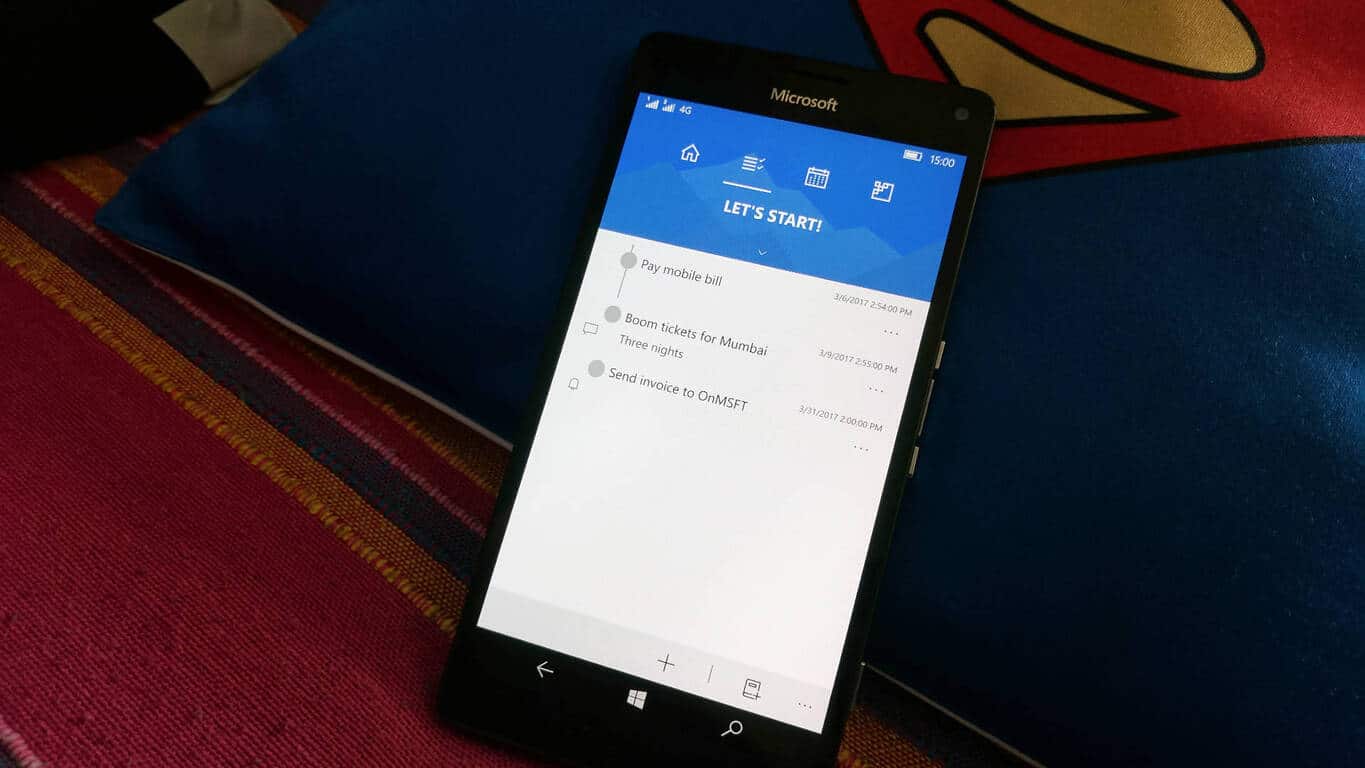
While there is no dearth of task management apps on the Windows Store, Denna aims to be a well-rounded to-do list and task management for Windows 10 PCs and tablets as well as Windows 10 Mobile.
The app allows you to plan your daily tasks and habits, and set notifications and alarms for those tasks. The app also pushes reminders on the lock screen as well as the Live Tile. You can also check or postpone your activities. The highlight of Denna is it’s pretty neat and intuitive UI that allows you to see your daily, weekly, and monthly performance summary offering you an at-a-glance view of how productive you were.
With a focus on Windows 10, the app also integrates with Cortana, which is quite useful. You can ask questions like:
Hey, what to do today?
Hey, what are my habits?
Hey, count my habits.
Hey, count my tasks.
Hey, add a task.
Hey, add a habit.
Hey, get my performance.
I quite like the Quick Actions support on the Action Center. I can add a task from within the notification that arrives on the Action Center. It’s the quickest way on Windows 10 devices to add a task – even faster than adding a reminder for something to Cortana .
In beta at the moment, Denna supports Persian, English, and German languages and is available for free for Windows 10 PCs, tablets, and phones. The UWP app offers seamless user experience and sports a nice UI. Give it a whirl, and let us know how you like it.
In a pair of tweets today, Windows Insider Chief Dona Sarkar has revealed quite a bit. First of all, in a reply to a tweet with members of the Windows Insider team getting ready to present internally on the program, Sarkar listed a bunch of new stuff coming to the program:
More beam casts, builds, behind the scenes vids/blogs, website/forums/user groups, more transparency, tech job training coming this year! https://t.co/oJjyUV5NdI
We can’t wait to see how these new programs flesh out, and we’re sure you’re going to enjoy some behind the scenes looks at how Windows is built, not to mention more builds!
Then, and in case you haven’t been paying close attention, Sarkar has been tweeting “no new builds” tweets fairly regularly, and fairly early in the morning, Redmond time (yesterday’s was at 5am!). So when an Insider noticed today that we haven’t had one yet, he was right on:
So get ready for a new build, and for a whole lot of new stuff for the Windows Insider program, coming soon. Of course you can stay tuned to OnMSFT for all the latest!
(and note to our old friend Brandon LeBlanc: lighten up, boy!)
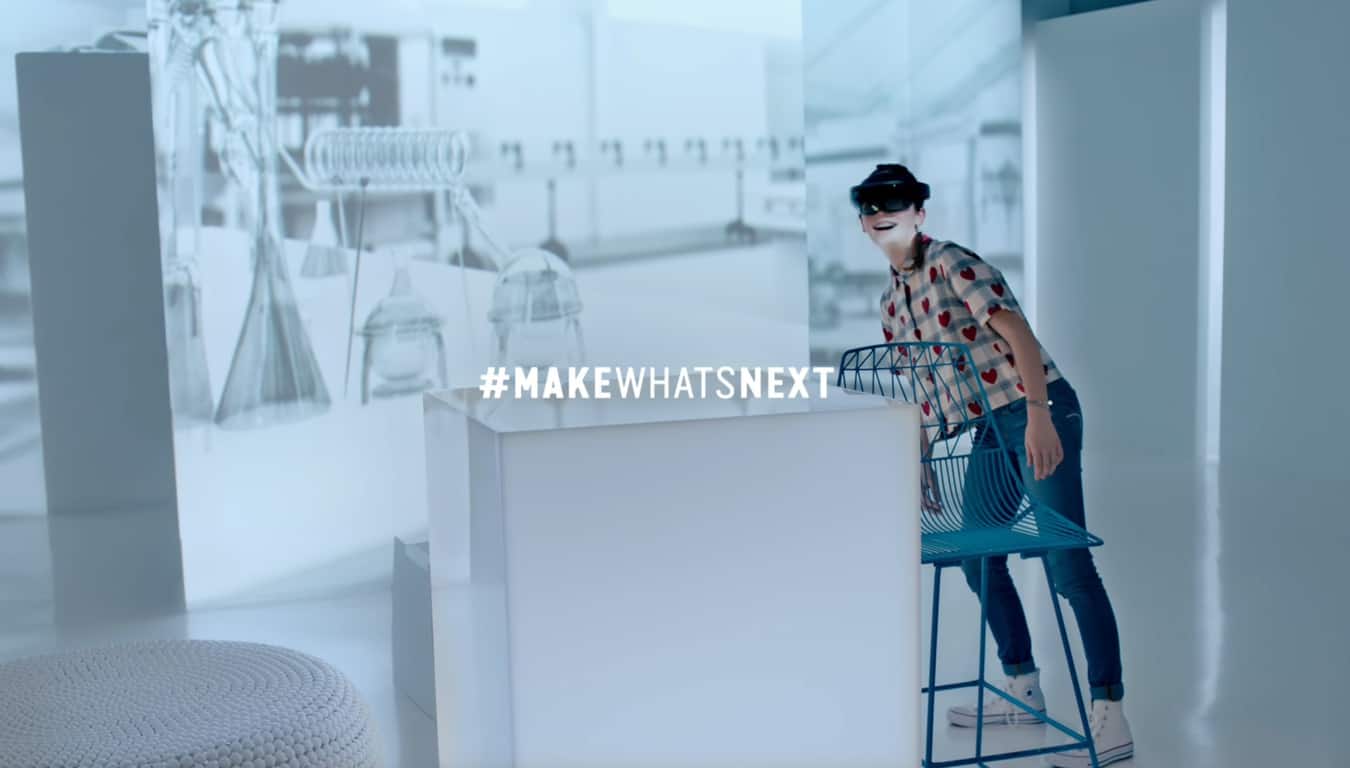
Tomorrow is International Women’s Day and Microsoft is celebrating the day with a new campaign to inspire women around the world to #MakeWhatsNext. Corporate vice president of Microsoft Philanthropies, Mary Snapp, wants #MakeWhatsNext to build upon last year’s campaign and attract more young women to the areas of science, technology, engineering, and math (STEM). The purpose of #MakeWhatsNext Snapp adds, is “to pique their excitement in how they can change the world — if they stay engaged.”
Here’s is the new video that challenges young women to stay in STEM A new video challenges girls to stay in STEM to be better equipped to tackle the world’s problems, whether it be curing cancer or finding ways to combat climate change.
Snapp believes Microsoft and other companies need to “invest time, energy and resources in a number of key areas” to attract more young women to STEM. These 4 key areas include:
Celebrate the many contributions women already make.
Increase access to computer science education.
The technology industry must “step it up,” recruit more women for technical roles, and close the gender gap.
Support female inventors.
Microsoft and LinkedIn launched a new experimental tool to promote #MakeWhatsNext and show how young women can pursue their passions in STEM careers. Snapp notes that “research continues to demonstrate that female role models are crucial for inspiring girls to stay in STEM.”
Therefore, Snapp and Microsoft believe it is important to highlight the new apps, technology, and other contributions that women make in the tech world. Having a role model to look up to will inspire young women to strive to #MakeWhatsNext.
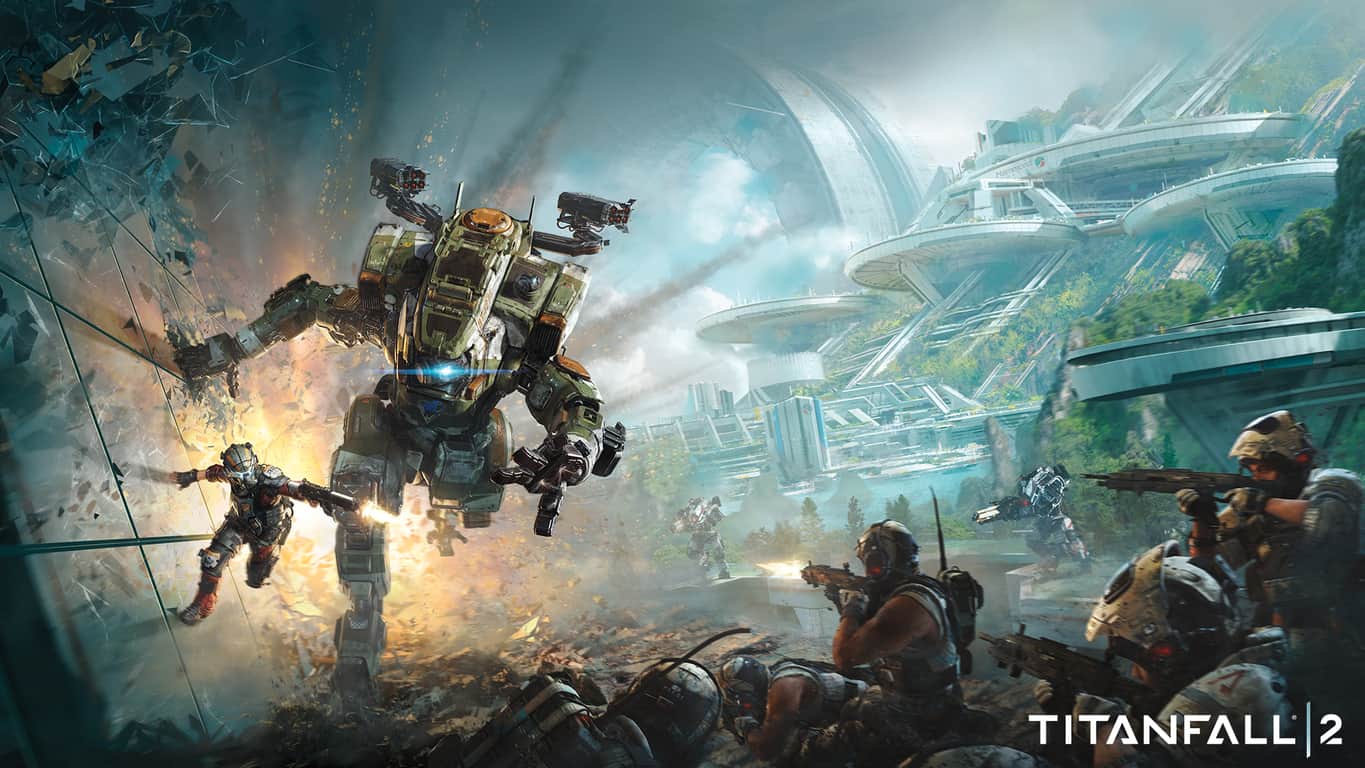
Titanfall 2, the futuristic shooter from Respawn Entertainment, is currently on sale on Amazon. The physical version of the Xbox One game is currently available to purchase for $33 (45% off), which is a pretty good discount for an AAA game that was released nearly six months ago. If you prefer to buy digital games, Amazon is also selling a Titanfall 2 download code for just $24 ($60 off), which is even more interesting.
Titanfall 2 on Amazon.
As a reminder, you can also get the digital game for just $24 on the Xbox Store during EA’s Publisher Sale, which will last through March 13th. Titanfall 2 struggled a bit to stand out between Battlefield 1 and Call of Duty: Infinite Warfare last fall, but the game received praise for its solo campaign (the first one in the series) and its various, dynamic multiplayer modes. Let us know in the comments if you think the game is a must-have on the Xbox One.
You may have trouble signing in to several Microsoft online services this morning, including Outlook.com, OneDrive, Skype and Xbox Live. Microsoft has acknowledged the issue on the Skype Heartbeat blog, explaining that “we are currently working hard to resolve a problem, where users can not authenticate into Skype with their Microsoft accounts.” As for Xbox Live, the Xbox Live Status page currently says that users on all platforms could encounter problems when trying to sign in, create an account and more.
The outage is currently affecting Xbox Live too.
According to Down Detector, Outlook.com has been having issues since 6:41 AM EST and the outage seems to be mostly affecting users in Europe and on the East Coast. However, Microsoft’s Service Health page currently says that both Outlook.com and OneDrive work fine.
According to Down Detector, the Outlook.com outage seems to be mostly affecting users in Europe and on the East Coast.
Some members of our team are currently encountering problems when trying to sign in their Microsoft account, but some of us don’t have any problems right now. We reached out to Microsoft to know more about the outage and we’ll update this post if we learn more about it. Sound off in the comments if you have are also affected by this outage.
Update: 3/7/2017 12 PM PT: A Microsoft spokesperson provided us with the following statement via email, and noted that they are aware of the issue.
“We are aware that some customers are experiencing difficulties signing in to some services. Engineers are working to fully resolve this as soon as possible.”
Microsoft’s Phil Spencer recently took a trip to Japan to meet with a number of Japanese third-party game developers in an attempt to encourage the production of more Japanese video games for the Xbox ecosystem.
While he hasn’t revealed the complete details regarding who exactly he met with, how many developers he saw, and what new Japanese video games fans can expect to come to the Xbox One, Spencer did reply to a follower on Twitter and mentioned that overall the Japanese developers showed a lot of interest in the Xbox One and the upcoming Project Scorpio. He also said that he got to preview “a lot” of new games and stated that his trip to Japan was “great”.
A lot of dev interest in Scorpio/XB1. Previewed a lot of new games. Can't share 3P specifics but Japan was a great trip.
The Xbox One (as well as the original Xbox and Xbox 360) have struggled to take off in Japan where gamers prefer consoles designed by Sony and Nintendo. Part of the reason for the lack of support for the Xbox One has been the absence of hit Japanese franchises. This has changed in recent years with some series such as Final Fantasy making their way to Microsoft’s console but there’s still plenty of catching up to do. Something that could greatly help the situation is the growing emphasis of Xbox-branded video games on Windows 10 PCs, hardware that is incredibly popular in Japan for both business and pleasure. With more games launching on both Windows 10 and Xbox One via the Xbox Play Anywhere initiative, the Xbox ecosystem could potentially become much more enticing for Japanese developers to make games for.
What do you think? Do you predict a greater Xbox presence in Japan and visa-versa? What do you think would bring more Japanese devs to Xbox One? Let us know in the comments below.
If you’re a Windows Insider who installs Preview builds regularly, you’re probably familiar with the installation issue in build 15042. This problem wasn’t a pure nightmare, as Microsoft immediately provided a viable solution.
The workaround involves disabling a corrupt registry key, along with IPv6. Since you probably installed the new build by now, Microsoft now advises Insiders to re-enable IPv6 on their computers, in order to have the best possible experience in the upcoming builds. So, you should do the same.
To re-enable IPv6 on your computer, follow these instructions:
Go to Start, and type cmd
Right-click Command Prompt (desktop app) in the results list
Select Run as Administrator, and click Yes to confirm
Paste the following and press Enter: netsh int ipv6 set locality state=enable
Close the Command Prompt window
Restart your PC
That’s it, this process will re-enable IPv6 on your computer, and you’ll be safe from encountering any potential internet issues.
The latest Windows 10 Preview build 15048 also causes installation issues to some users who try to install it. However, we’ve already talked about this issues in the previous build, and apparently, it still applies to the current release. So, if you still have problems installing Windows 10 Preview builds, and the installation just rolls back to build 15031, check out this article.
In case you have some other problems related to this or previous Windows 10 Preview builds, feel free to let us know in the comments below.
The Xbox Deals With Gold, Spotlight Sale, and EA Publisher Sale discounts are now available for the March 7th through 13th campaign period and there are some fantastic bargains to be had for some big video games on both the Xbox One and the Xbox 360 consoles now selling at significantly cheaper prices.
Gamers who have been introduced to the world of The Witcher through the popular Gwent card game and have been curious about trying out the video games from which the card game is based will be happy to know that The Witcher 2: Assassins of Kings Enhanced Edition can now be bought for just $2.99 on Xbox 360. The game is backwards compatible and can also be played on the Xbox One as well. Speaking of the Xbox One, The Witcher 3: Wild Hunt’s downloadable content (DLC) has all been reduced by 40% and The Witcher 3: Wild Hunt Complete Edition, which contains the main game and all of the DLC, has had its price slashed by 50% and can now be bought for $25.
Another big Xbox One game that’s now on sale for a cheaper price is Rise of the Tomb Raider, now $20. The price of the game’s Season Pass has been drastically reduced by 75% which means that all of the DLC can be grabbed for only $7.50. Rise of the Tomb Raider: 20 Year Celebration, which features the base game and all of the DLC, is now $35 with its 50% discount.
Other games to look out for on the Xbox One this week are Battlefield 4, Battlefield Hardline Standard Edition, and Unravel with 75% discounts and Plants vs. Zombies Garden Warfare 2 and Plants vs. Zombies Garden Warfare 2: Deluxe Edition with a whopping 80% savings.
On the Xbox 360, the Battlefield: Bad Company 2 – Vietnam, EA SPORTS SSX: Classic Characters Pack, and Dragon Age: Origins – Awakening DLCs are all 100% free to grab and download. Naturally, each will need their respective main games to be played. Puzzle Fighter HD, Lost Planet Colonies, Lost Planet 2, Final Fight: Double Impact, and Bionic Commando Rearmed 2 have had their prices reduced by 75%.
There are far too many discounts this week to mention them all here but all of the Xbox One and Xbox 360 discounted games should soon be completely listed within the “GOLD” section of the Xbox One dashboard (to the right of the main window). Have you bought any of these games? Share the hype with the community in the comments below.
The Xbox One S is the latest console model that Microsoft has created. It is 40% slimmer than its predecessor, the Xbox One, and offers better graphics quality. Despite the visible progress, the Xbox One S is not an error-free console.
Speaking of errors, many users have recently reported they can’t enjoy their favorite games due to error 107. It appears that this error is prevalent for a particular game: Roblox.
Here’s how one gamer describes this issue:
Having this issue too. My kids play Roblox everyday no issues for almost a year now. Their accounts have a Live account and my main count has Gold. We’ve never had any issues and now all of a sudden I get “Your xbox account is currently not permitted to play multiplayer sessions error code 107” and we get this on every profile, even my main one with Gold
All settings in all profiles and online are set to be able to allow multiplayer and everything is the same, nothing has changed yet we get this message. .
As you can see, error 107 is a code specific for multiplayer issues. The problem is that games will continue to display error 107 even if players update the permissions.
How to fix Xbox One S error 107
Players confirm that error 107 can be fixed by using the quit option from the Xbox menu. Then sign in with a different user profile, and restart the game.
Also, make sure that you’re running the latest game version. If these two solutions didn’t help you, change the option “Share stuff people make” to everybody.
If you’ve come across other solutions to fix error 107, list the troubleshooting steps in the comment section below.