Microsoft news recap: enhanced parental monitoring tool, Build 2017 sold out, 15 years of .NET and more

Microsoft (MSFT) news recap is a weekly feature highlighting the top Microsoft news stories of the past week. Sit back, grab some coffee, and enjoy the read!

Microsoft patents a ‘real-time parental monitoring’ tool

With the advent of more children taking to private messaging and communication, Microsoft has patented a new tool that provides real-time parental monitoring, allowing parental control over the message contents, contacts and the type of message.

Microsoft Build 2017 is sold out, but you can still join a wait list

It didn’t take too long for tickets to Microsoft’s annual event, Build 2017, to sell out. Anyone wanting to get in will now need to join a waiting list.

Microsoft, Build

Microsoft celebrates 15 years of .NET

This week marked 15 years of .NET since its initial introduction:

Since the beginning, the .NET platform has allowed developers to quickly build and deploy robust applications, starting with Windows desktop and web server applications in 2002. You got an entire managed framework for building distributed Windows applications, ASP.NET was introduced as the next generation Active Server Pages for web-based development, and a new language, C# (pronounced “see sharp” :-)) came to be.

Microsoft Channel 9: .Game .Net Development

Microsoft helping those with ALS by creating app that allows speaking with their eyes

Microsoft has been building an app called GazeSpeak. The app allows those with ALS to speak by using their eyes. It is somewhat inexpensive to get started, requiring only an iOS device to use the app.

Microsoft continues work on Teams, adding bots in channels and tab improvements

Microsoft’s competitor to Slack, Teams, is continuing to expand with new features and improvements. This week saw the addition of bots, as well as improvements to tabs.

Microsoft Teams Android

That’s all the Microsoft news this week – we’ll be back next week with more.
Xbox Insiders complain of issues with Multiplayer since latest build, calls for a rollback option to be added

Xbox Insiders on the Preview Alpha ring have begun complaining of severe issues with the latest build that released the other day. Reports are beginning to flood Twitter and the Xbox Forums that Insiders are unable to play online multiplayer games, with the issue affecting those wanting to play Destiny in particular.

Those on the Xbox Insider program are also raising issues with the lack of communication from the Xbox team, saying that it takes too long for them to respond to heightened issues and others calling for the option to be able to rollback an update if it causes issues.

As these reports continue to come in, prominent employee at Microsoft on the Xbox Insider team, Brad Rossetti (aka “WorkWombatman”) has took to Twitter to announce that the engineering team are working on the issues:

The issue was first raised over 20 hours ago.

With those on the Insider program now being stuck in limbo until a fix is released, many are calling for a rollback option to be added and being stunned at the lack of one already existing. In the private Xbox Insider forum, one Insider said:

This preview update for Alpha ring is atrocious and going on about 16 hours now and still no patch, very little communication, and there is pretty much nothing we can do but wait.

The preview team should have been rolled back the alpha update once they were notified it was affecting AAA titles like Destiny and Battlefield 1, but nothing has been done and there was no alert about this.

Another said they didn’t want to be on the Alpha ring, but have no option to switch to the Beta ring, while agreeing with the option to rollback:

I agree, we need some kind of update. They’ve not said anything. I’d love a rollback to the prior update. I never wanted alpha and have been waiting for the option to opt into Beta like they said would be coming.

Are you experiencing issues with the latest Xbox Insider build? Let us know below!

Phil Spencer in Japan next week talking to third-party publishers to bring more to Xbox

Fans of Xbox and in particular, Xbox One, have long-called for more role-playing games to come to the platform, especially those from Japan. The console suffers from a distinct lack of titles from this genre, to many fans’ disappointment. Xbox’s Phil Spencer, however, is fully aware of this hole in the game library for Xbox and is heading to Japan next week to try and bring more to the platform.

On Twitter, when asked specifically about Kotor, Spencer said that he’s “not the person to talk about it’s [sic] future.”

Later, Spencer was asked about more JRPG’s for Xbox, to which he said he is visiting Japan to meet with third-party publishers for this very reason:

While we don’t currently have confirmation that any JRPG’s will be coming to Xbox in the future, it is good to see that Spencer is working to build ties with game publishers in Japan to try and bring more to the platform.

Are there any specific games you’d like to see on Xbox? Let us know below!

These FIFA 17 moments will have you howling with laughter

FIFA 17 can sometimes be funnier than a classic comedy movie due to the various, but minor, technical issues that sometimes cause hilarious moments. Imagine headless players running around on the field, players flying around their opponents or performing contortions that would make the world’s best contortionists green with envy.

While we agree game bugs are very annoying, let’s try another perspective for a few moments. Instead of getting angry, let’s watch these hilarious FIFA 17 moments and have a laugh instead!

Best FIFA 17 fails

What you’ll see in this video: Well-executed dance movements, football players turned into ballerinas, wrestling scenes, some ghosts hugging players, and more.


Funniest FIFA 17 bugs

What you’ll see in this video: Two football players suddenly joined together like siamese brothers, Michael Jackson’s moonwalk, headless players and some paranormal activity.


FIFA 17 fail compilation

What you’ll see in this video: More modern choreography scenes, players floating above the grass, some scenes not suitable for minors and more. Enjoy!

We hope you’ve really enjoyed the videos listed above and had a good laugh. While some FIFA 17 issues can be game-breaking, the majority of the bugs presented in these three videos are minor ones and usually disappear quickly.

If you’re experiencing more serious FIFA 17 issues, check out the fix articles listed below. Hopefully, you’ll find a quick workaround to solve your problem.

How to fix common FIFA 17 bugs

OneDrive will get new sharing features soon: Here’s what you need to know

Microsoft is preparing some big updates for OneDrive. As soon as the company revealed its roadmap for Office 365, we noticed a couple of interesting additions for every version of OneDrive, including OneDrive for Business and its web version.

Most of the improvements deal with OneDrive for Business’ sharing features. We’ve listed each notable change here, so you can find more information about the upcoming improvements in one place.

Upcoming OneDrive updates

Simplified sharing from OneDrive for Business from the web

Microsoft will make the sharing experience in the web version of OneDrive for Business easier. The previously-established workflow of users emailing links or saving them to the clipboard will remain.

We’re updating the user experience for sharing files and folders in OneDrive for Business from the web.  This new sharing experience simplifies the flow of emailing links to colleagues and guests and copying links to the clipboard. Like the original experience, the new experience presents two choices to users who want to share: type email addresses to send a link in email, or copy a link to the clipboard. Both the “Share” and “Get a link” command support all three types of links in OneDrive, including anonymous access links (accessible by anyone), company shareable links (accessible to those within your organization) and restricted links (accessible to a custom set of users both in and outside your organization).

The revamped feature allows users to easily choose their sharing method. Microsoft already started rolling out this feature and is expected to be completed in by the end of February.

Dedicated OneDrive for Business Admin Console

Microsoft added a graphical user interface to the Office 365 Console to make management easier for admins.

Office 365 Admins will have a GUI in the Office 365 Console to manage OneDrive for Business in addition to leveraging PowerShell. This will help admins to gain control over sync, storage, user and device management , external sharing , auditing and compliance . Currently it is in a preview for First Release.

OneDrive for Business Folder Sharing Links

One useful feature Microsoft will implement in the upcoming update is a success indicator for sending links. .

Today, when a user adds an ODB modern attachment, there’s no indication before sending that sharing with their recipients will work. We’re adding Sharing Tips to fix this by adding tips that warn you if sharing with your recipients will not work and provides a suggested action. In addition, Outlook will use the best URL for your situation – in most cases the Company sharing link.

Outlook on the web: OneDrive Sharing Improvements

Finally, Microsoft will be introducing more access levels, like “anyone can edit” and “anyone in my organization can edit.” That way, group admins will be in full control over users’ assignments within the project.

Today, modern attachments are shared by default with “recipients can edit” access and you can switch to “recipients can view” access before you send your mail. With this update, you’ll also be able to switch to other access levels such as “anyone can edit” and “anyone in my organization can edit.

Microsoft has already started rolling out these features to all eligible users. However, as the rollout is gradual, not everyone will get them at the same time but they should arrive by the end of this month.

RELATED STORIES YOU NEED TO CHECK OUT:

Microsoft helping those with ALS by creating app that allows speaking with their eyes

Microsoft’s goal has always been to empower people to do more. With their latest app, GazeSpeak, they’ve opened the door for people afflicted with ALS to easier communicate with the people around them. The app helps people communicate only using the movement of their eyes, and could make a big difference in the lives of people who have had the disease for a while.

For those who don’t know, the ability to move one’s eyes is one of the last things to be affected by the disease – as a result, an app that utilizes eye functions to help communication is something that could prove exceptionally valuable. Beyond this, it’s also important to note that this app is the first tool of its kind that is affordable and simple to use. Other eye-tracking devices are bulky and expensive, while GazeSpeak only requires an iOS device.

Microsoft will be presenting this app and all of the research that came as a result of it at the Conference on Human Factors in Computing Systems this May. The app will be made available on the App Store before this conference happens, and the app’s source code will be made open source for other developers who want to build on this work.

Google’s Project Zero reveals a vulnerability in Windows after Microsoft failed to patch it in time

Google’s Project Zero has found a vulnerability in Windows 10, and they’ve taken it upon themselves to expose it. The vulnerability lies in the gdi32.dll file that is used by a significant amount of programs. To go over the gritty technical details would be overkill, but if you’re the sort of person who can comb through programming jargon, you’re free to read the full report here.

For those who don’t know, Google’s Project Zero is a group in Google dedicated to identifying zero day vulnerabilities in the hopes that they can find them before truly malicious people can. In the event that Project Zero finds a vulnerability, they report it to the software manufacturer and give them 90 days to fix the issue. If the issue isn’t fixed in that time frame, Project Zero will make the report publicly available so that users can protect themselves.

Microsoft hasn’t yet commented on the now-public report of the exploit, so we aren’t sure when a fix is coming. It’s entirely possible that the fix could have been on its way in this month’s Patch Tuesday, but that patch has been delayed to March 14th.

This exploit isn’t particularly nasty, so – in theory – you shouldn’t have to worry too much about it. Hopefully, the hole will be plugged sooner rather than later so we can all feel a bit better about our safety on Windows 10.

Xbox news recap: Fanfest returning to E3, New Mass Effect Andromeda gameplay trailer and more

Welcome to our weekly Xbox news recap series, where we go over the top stories of the past week in the world of Xbox. Let’s get started.

Microsoft confirms the return of Fanfest

Fanfest is coming back during this year’s E3, offering Xbox users lucky enough to attend a massive party to celebrate our favorite console. Just like last year, Fanfest is going to be a huge party where fans can meet developers, take part in all manner of activities, and just generally have a good time. We don’t have much in the way of details regarding the event, but we do know it’s going to be awesome.

Xbox boss Phil Spencer looks forward to 2017 lineup

2017 won’t be seeing a true entry from one of Microsoft’s massive money making franchises, like Gears of War and Halo. This is a very good thing. As Phil Spencer points out, this lack of big established franchises means Microsoft has to lean on new IP to carry the console through 2017. This is the sort of climate that lets new massive franchises grow, and it’s going to be a breath of fresh air for gamers.

Xbox One Beam app rolling out to select insiders

If you’re an Xbox Insider, the addition of Beam to your console might be coming in the near future. Beam is coming to a select group of Insiders, and will be available to everyone on Xbox One when the Creators Update launches. The app will allow users to watch and interact with streamers, just like they can through the web – it will also supplement the broadcasting feature that’s being integrated into the console’s Guide button.

Bioware offers first in-depth look into Mass Effect Andromeda’s combat

Mass Effect Andromeda may well be one of the most anticipated titles of all time, and its release date is almost a month away. In order to give buyers a better idea of what they’re dropping their money on next month, the team at Bioware has released the first in a series of videos that will explain the game’s combat. If you’re looking forward to Mass Effect Andromeda, you should definitely check it out.

Nier Automata won’t release on Xbox One due to poor Japanese market share

If you were looking for Platinum games to fill the hole in your heart left behind by Scalebound, you’re going to be disappointed. The studio’s newest game, Nier Automata, won’t be releasing on Xbox One due to Japan’s low interest in the console. While it’s not impossible for the game to come to Xbox One some time in the future, we would certainly have to wait a long time to find out.

Play your Nintendo 3DS on Xbox One with UWPStreamer

It may just be novelty, but it’s some exceptionally cool novelty. The Xbox One app UWPStreamer allows you to, with some 3DS firmware, play your Nintendo games through your Xbox One console. It takes some ingenuity and some fiddling with settings, but it’s now possible to play games like The Legend of Zelda: Majora’s Mask on Xbox One.

Thanks for joining us. To keep up to date with all the latest Xbox news, keep a close eye on our Xbox One news hub.

Microsoft patents a ‘real-time parental monitoring’ tool

In an ever-more connected and mobile world, it is increasingly difficult for parents to be able to keep an eye on their children. Current tools are quite limited, such as requiring software to be installed, which can sometimes be removed by the child themselves or altered in some way or not providing the parent access to specific actions that are needing to be watched.

Microsoft, however, has recently patented a new tool called “Real-time Parental Monitoring,” that allows an administrator of a device to set boundaries. These boundaries can be used to control who someone can communicate with, contents of a message and the type. Additionally, it could also be used to check if a message is of a sexual nature. With this, it can send automated notifications to a parent if a boundary is breached.

While this tool is specifically titled towards parents, it appears that it could be used in a non-parental environment also, such as in the workplace, as it refers to device administrators and subordinate users, not just child users.

For some, this kind of monitoring could appear intrusive. What are your thoughts? Let us know below!

Xbox Insider Preview Alpha Ring gets a new build bringing bug fixes and the Beam app

The Xbox Insider team have released another build to the Xbox Insider Preview Alpha ring. This latest update, released February 17th, brings additional bug fixes and also the addition of the Beam app.

With this build, the exact build number is 1703.170214-2312.

Here is the full changelog:

New features

Beam App
Beam is an innovative livestreaming service that gives viewers the ability to watch and interact with their favorite game streamers in real-time. Beginning now, the Beam app will be installed by default on Xbox One! To get started with the Beam app, navigate to My games & apps and search for Beam. Please use the Beam app and let us know if you encounter any issues via Report a problem.

Fixes

Beam Broadcasting
The camera can now be configured before starting a broadcast.
There are now better visual cues to notify when a broadcast is stopped or paused due to switching games.
Various improvements for audio.
Various fixes for chat display and controls in the Guide.
Stability and performance improvements.

Cortana
Resolved an issue which caused Cortana to be too responsive to phrases which sound like “Hey Cortana”.

System Update
When downloading a mandatory system update, selecting “Skip and go offline” should no longer cause the console to slowly become sluggish and unresponsive.

Networking
Fixed an issue which caused Moderate or Strict NAT type.

Sign-In
Fixed an issue which prevented the console from automatically signing in a profile with automatic sign-in enabled.

Known issues

Notifications
Some users may not receive certain types of notifications.

Game Clips
After capturing a game clip, the game clip fails to automatically post to the Activity Feed (if your profile is configured to do so).
Workaround: Manually view game clips in Profile > Captures > Manage captures and post to the Activity Feed.

Cortana
Cortana may take a long time to respond when activated while playing certain games.
Scheduled Cortana reminders will not provide a notification if the user who created the reminder is signed in, but not the current active user.
Using voice dictation sometimes causes the virtual keyboard to become unresponsive.

EA Access
The EA Access app may indicate you are not an EA Access subscriber when you are. This does not affect your ability to download or play games from the Vault, or receive discounts on EA titles.

Screen Dimming
The screen may dim after a short amount of time while viewing videos in certain apps (Hulu Plus).

Settings – Ease of Access
When enabling the Mono output setting in Ease of Access – Audio, Settings becomes unresponsive, crashes, and fails to launch on subsequent attempts.
Workaround: To launch Settings, perform a hard reset (hold down the button on the front of the console for five seconds until it fully powers down, then power it back on).

Settings – Display & sound
The Audio output page is under construction and some of the new settings are not yet functional. New support is planned for Dolby Atmos for home theater, Dolby Atmos for headphones, and more in upcoming builds. An announcement will be made when these new features are ready to try out; enabling these settings now will have no effect.

Wireless Display
The Wireless Display app fails to launch and immediately crashes to Home.

Xbox Insiders will be prompted to download and install the update automatically before being able to connect to Xbox Live. Let us know what you think of this build in the comments below!

Is Resident Evil 7 Biohazard better on PS4?

Resident Evil 7 Biohazard fans playing on PC really envy PS4 owners. Recent reports suggest the game is much better on Sony’s console than on Windows PCs.

As expected, one of the main arguments that support this idea is VR support, a feature exclusively available on the PS4 for one year. Xbox One and PC users will be able to play Biohazard VR in January 2018. Another aspect has to do with how PS4 players are less frequently bothered by technical issues, cheaters, and hackers. Finally, playing games on a PS4 is a much cheaper propisition than playing on PC: You can buy a PS console for under $500, but if you want to purchase a VR-ready computer, you’ll have to shell out more than $1,000.

However, this is where the pro-PS4 arguments end. Of course, if the criteria listed above matter the most to you, then you can say that playing Resident Evil 7 Biohazard on PS4 is better than on PC.

Indeed, consoles are great for playing exclusive games, but if you want to enjoy games at max settings and with high frame rates, mods and more, then the PC is the right choice.

In terms of graphics quality, responsiveness, and variety, Windows PC easily wins first place. When comparing PS4 gameplay footage to PC images, it becomes clear that computers offer better graphics. Graphics quality is an essential gaming element. Better graphics offer a more immersive experience and renders game details much better.

For more information, you can check out the graphics comparison below:

What are the key elements for an excellent gaming experience in your opinion? If you’ve got any tips to improve the RE 7 gaming experience on PC, share them in the comment section below.

RELATED STORIES YOU NEED TO CHECK OUT:

Beam app for Xbox One is rolling out to select Xbox Insiders

Beam, the video game streaming service that Microsoft purchased last year is rolling out its new Xbox One app to select members of the Xbox Insider program today. Beam co-founder Matt Salsamendi made the announcement today on Xbox Wire, explaining that the app is already pretty much full-featured:

Starting today, the Beam app gives select Xbox Insider members the ability to watch, chat, and interact with their favorite game streamers in near real-time, just as we’ve done on the web. You’ll also be able to browse, search and follow your favorite game streams, as well as earn Sparks and Experience Points (XP) while viewing.

If you’re not familiar with it, Beam aims to push video game streaming to the next level by providing a low-latency technology to streamers and some interactive features to the audience (using the in-app currency called Sparks). If you’ve never tried the service before, you’ll be able to login on the Xbox One Beam app with your Xbox Live account and your Xbox Live gamertag will become your Beam username.

To be clear, Xbox One users won’t need the app to stream games: to do that, you just have to open the Xbox Guide, scroll down to the broadcast icon and then select “Broadcast your game.” For now, game streaming is only available for Xbox One Insiders and Windows Insiders (through the Game Bar). You can see how it works in the video below:

The Xbox One Beam app will be available to all Xbox One users later this Spring once the Creators Update rolls out to everyone. Salsamendi declined to say if a Windows 10 UWP app was also in the works, but the Beam website has just been revamped and works really well.

Could Microsoft push game streaming to the mainstream with Beam? “There are a lot of neat possibilities, and we’re eager to see how gamers continue to use Beam’s interactive capabilities,” explained Salsamendi. “We’ll have more share on this front at GDC 2017, so stay tuned,” he added.

Fix: FIFA 17 Ultimate Team server problems

As many of you would assume, the best and the most used traits of modern games are its multiplayer mods. FIFA 17 is excelling in that matter with a great competitive mode called FIFA Ultimate Team, an online mode that has been in the game for a couple of years now and which has built up a legion of fans.

However, as the case is too often with online gaming, there are some issues that frequently annoy users. One closely related to FIFA Ultimate Team is a malfunctioning connection. We’ve prepared some of the most common solutions for this problem in this article.

Fix: FIFA 17 fails to connect to Ultimate Team

Check your account credentials

In the best case scenario, you may get a password or email address wrong. So, be sure to check your credentials before you log in. You can check them out in the web app here. On some occasions, you may be banned or hacked. Of course, that’s the worst case scenario and you won’t see it often. Additionally, you would be informed if the ban occurred.

Check your connection settings

Check on the EA server status. In some cases, they may be down. If they are active and running, move on to your own connection troubleshooting. Follow these steps:

  • Make sure that you are using wired instead of wireless connection.
  • Restart your router/modem.
  • Turn off UPnP if it is available in your router settings.
  • Add FIFA 17 exception to a firewall.
  • Close known interfering programs that work in the background. Namely, antivirus, VoIP, VPN, and download managers (torrent clients). The ones that may hog on your bandwidth.

This should let you move forward to the next and final step of this list. In addition, connection troubleshooting always comes in handy as it is the main reason online gaming is suffering.

Delete Personal Settings and Squad Update

The final workaround confirmed by many users is deleting personal data related to FUT. It seems that some files get corrupted while updating, which prevents FIFA 17 from connecting to the FUT server. Follow these steps in order to fix your issue:

  1. Go to Customize.
  2. Open Profile.
  3. Choose Delete.
  4. Delete FUT Squad Update and Personal Settings.
  5. Restart the game and try again.

Yes, you’ll loose your saved settings, but that is the price you have to pay for to make the game connect again.

Conclusion

These were our solutions for the FUT connection issue. We hope you will succeed to overcome your problems and continue competing in FUT draft. Are you having some similar issues? Please share them with us in the comment section.

RELATED STORIES YOU NEED TO CHECK OUT:

Posted in Fix

Save up to $1,100 on Windows 10 PCs with the Microsoft Store President’s Day sale

If you didn’t spend all your money on Dell’s early access Presidents’ Day Sale already, then you should probably take a look at the Microsoft Store today: the company has just announced its own sale and you can take advantage of up to $1,100 discounts on select PCs, but you can also save big on Surface hardware, Xbox One S consoles and more.

Here are a couple deals that Microsoft highlighted in the announcement:

All deals will be available through Monday, Feb. 20 at local Microsoft Stores in the US and microsoftstore.com, while supplies last. Happy shopping, everyone!

Microsoft removes reference to Microsoft To-Do, the successor to Wunderlist/Project Cheshire

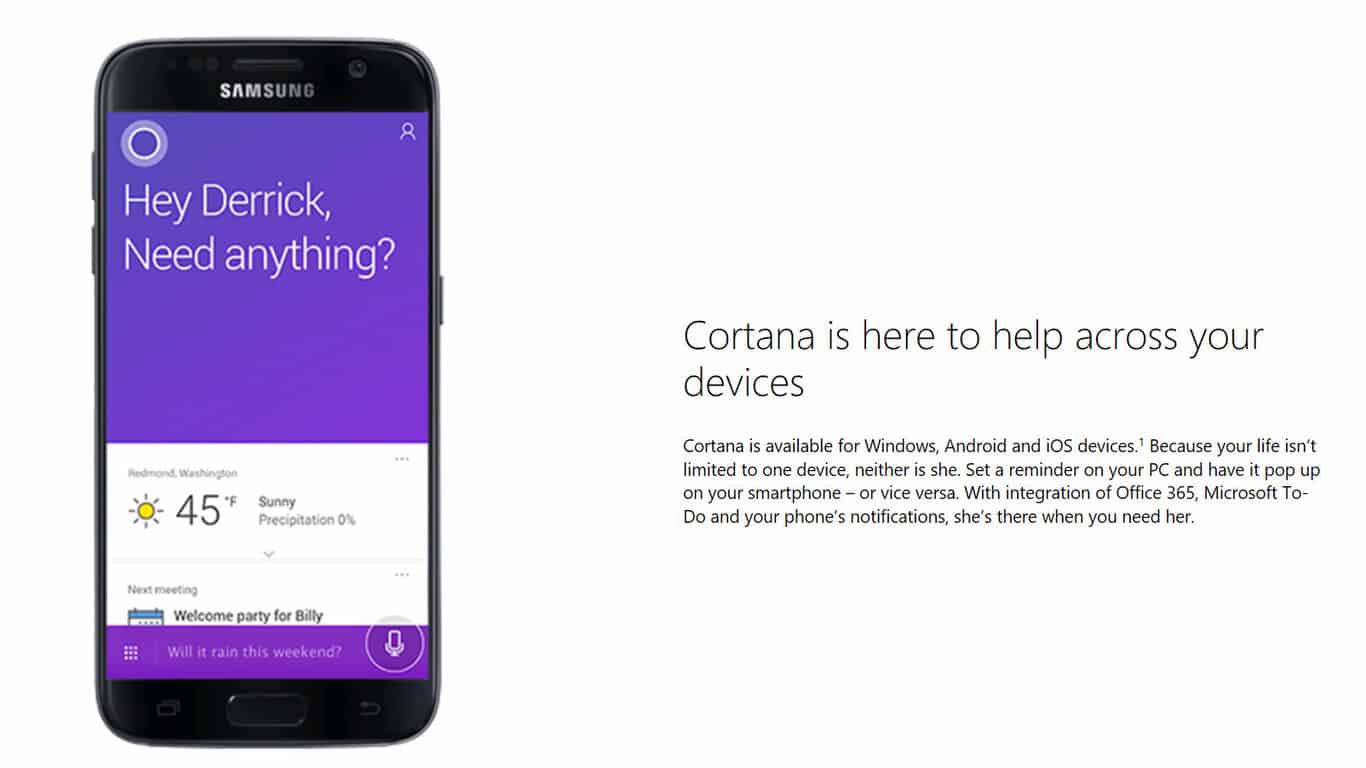
Yesterday we reported that on a page talking about Cortana on official Windows website, a small text mentions hitherto unknown product name – Microsoft To-Do.

With integration of Office 365, Microsoft To-Do and your phone’s notifications, she’s there when you need her.

Soon after we published the post, the page has been updated and while everything stays the same, the two words – Microsoft To-Do – are removed now. So, looks like we were on to something there!

Microsoft has been silent on the progress of their simple task management, or to-do, apps. At the moment, there’s Wunderlist, Project Cheshire (in private beta at the moment), as well as Cortana Reminders. Windows users have been hoping that the long silence is a prelude to something big – a cohesive to-do app that is fully integrated with Cortana instead of duplicating functionality. Looks like, that is what Microsoft To-Do could be.

What are your thoughts on what could be the next, and better, to-do management app from Microsoft?

Microsoft to offer business-in-a-box services across Africa in partnership with Liquid Telecom

Microsoft East Africa and pan-African data, voice and IP provider Liquid Telecom have announced a new partnership to develop the access and use of cloud services across the continent (via TechTrendsKE). By combining Liquid Telecom’s large network and Microsoft’s cloud offerings such as Office 365 and Azure, both companies plan to improve the development of SMBs and startups with a more affordable cloud. The partnership will also lead to the creation of “Business in a box,” a bundle including various cloud services plus connectivity options for SMBs.

Frank McCosker, Microsoft’s General Manager of Affordable Access and Smart Financing 4Afrika explained that “we believe in the power and potential of businesses in Africa and we look forward to providing the best that cloud computing has to offer. In the age of digital transformation, we want to provide not only secure data storage, but the efficiency and scalability that businesses need to achieve more.”

Digital transformation is going to be an important topic for companies of all sizes in the near future, and the partnership could well speed up the adoption of cloud services in Africa. “Cloud computing is still gaining momentum on the continent, but we believe it has the potential to transform the way businesses of all sizes operate,” explained Ben Roberts, Group CTO of Liquid Telecom. “Through better connectivity, faster internet and secure cloud offerings, businesses will have the platforms and tools they need to grow and succeed,” he added.

Microsoft set to open Inside Sales center in Dublin, Ireland, creating 600 jobs

Microsoft has announced today that it will hire 600 people in Ireland to join its new EMEA Inside Sales Center in Dublin, joining existing operations in the country. “New recruits will join the 1,200 people already working with Microsoft in the Dublin based EMEA Operations Centre, the European Development Centre, the Irish Sales and Marketing Subsidiary and at the Europe, Middle East & Africa (EMEA) Data Centre,” explained the company.

This is pretty good news for the Redmond giant following the massive job cuts that happened last year: as a reminder, the company announced back in July that it would cut 2,850 jobs related to phone hardware and sales positions worldwide, in addition to the 1.850 layoffs that were announced two months earlier.

Mary Mitchell O’ Connor, Ireland’s Minister for Jobs Enterprise and Innovation shared that “this latest investment, which brings an exciting new multi-skilled business activity to the company’s Dublin base, further enhances the company’s presence in Ireland and is vindication of the competitive advantage Ireland can offer. The extensive Microsoft operation in Ireland has grown significantly in recent years and we look forward to our very successful relationship continuing to develop in the years ahead.“

If you live in Ireland, you can learn more about the various jobs opportunities in customer sales, operations and more on Microsoft’s Careers website.

New footage of Xbox One action RPG video game Shiness released

New footage for an upcoming action roleplaying game for Microsoft’s Xbox One console has been unveiled today in a new video posted on the official Xbox YouTube channel. The game is called Shiness (surprisingly pronounced “shyness” and not “shin-ness”) and features a variety of characters in an expansive anime-inspired world.

“Our action RPG Shiness is nearing release for Xbox One, so we wanted to introduce you to the game through a new Overview trailer taking you through the Lands of Life. The world of Shiness was born over 20 years ago, born of the pen strokes of Samir Rebib, Artistic Director of the studio,” says, Enigami CEO, Hazem Hawash. “The game’s journey however started on Kickstarter, allowing the project to grow and gain momentum, until it was embraced by Focus Home Interactive. Now the development phase is nearing conclusion, the indie studio keeps pumping all its energy and passion into Shiness, so that a child’s dream gives birth to an indie-RPG with a strong personality!”

No release date has been given yet for Shiness on Xbox One though it’s expected to be sometime in the near future. Do you like the look of this game? Let us know your thoughts in the comments below.

Is ‘Microsoft To-Do’ the successor to Wunderlist and Project Cheshire?

Microsoft has been silent on the progress of their simple task management, or to-do, apps. Much to the agony of Windows users, that is. It’s also a crowded mess out there.

There’s Wunderlist. Microsoft acquired 6Wunderkinder, the creator of the popular to-do app, in June 2015. Apart from progressive updates to the app since then, there’s not been a major refresh of the app and users have been clamoring for a new update since a while.

Earlier in 2016, Microsoft unveiled Project Cheshire, also known as Project To-Do. A to-do app again, the app has been in private beta since last few months. There’s not much information about it out in the open.

Then there’s Cortana Reminders, Outlook Tasks, and of course, some people just use OneNote for making to-do lists.

Windows users have been hoping that the long silence is a prelude to something big – a cohesive to-do app that is fully integrated with Cortana instead of duplicating functionality. Looks like, that is what Microsoft To-Do could be. On a page talking about Cortana on official Windows website, a small text caught the eye of one of our readers, Johnny G.

With integration of Office 365, Microsoft To-Do and your phone’s notifications, she’s there when you need her.

As a tired Wunderlist user who occasionally asks Cortana to remind about things, I’m looking forward to Microsoft To-Do. What are your thoughts on what could be the next, and better, to-do management app from Microsoft?

UPDATE: Microsoft has now removed the reference to Microsoft To-Do from that page. More here.

Conan Exiles: How to build circles and spiral stairs

Oftentimes, Conan Exiles can prove to be quite a difficult game to play, but not for the reason’s you’d expect. For one, many players report they are struggling to build spiral stairs. It appears that often various elements won’t connect or the stairs won’t align.

In this article, we’re going to show you how to build circles and spiral stairs and improve your empire’s infrastructure.

How to build circles in Conan Exiles

  • Take 6 triangles and arrange them in circular shape
  • On the first ring, add squares to the edge of each triangle
  • Fill in the remaining gaps with triangles
  • On the second ring, add squares to the edge of the triangles from first ring, then fill the gaps with triangles
  • Further polish the structure if necessary

How to build spiral stairs in Conan Exiles

  • Start with a triangle and pillar in middle, build it up as high as you can
  • Add the stair flights and support slabs
  • Use your mouse wheel to rotate the pieces an align them to the pillar

If you need more information on how to build stairs in Conan Exiles, you can check out this Steam thread as well as the video below.

Keep in mind that you can rotate items with the mouse wheel. Various stair building issues can be fixed by trying a different angle and then rotating the troublesome element around.

Also, don’t forget to check the structure’s stability with the repair hammer. Below a certain value, you can’t place anything on it. If you can’t get the stairs done, try putting walls around it or foundations under it.

Speaking of Conan Exiles tips, if you’re experiencing various technical bugs, check out our fix article on how to troubleshoot frequent game bugs.

RELATED STORIES YOU NEED TO CHECK OUT:

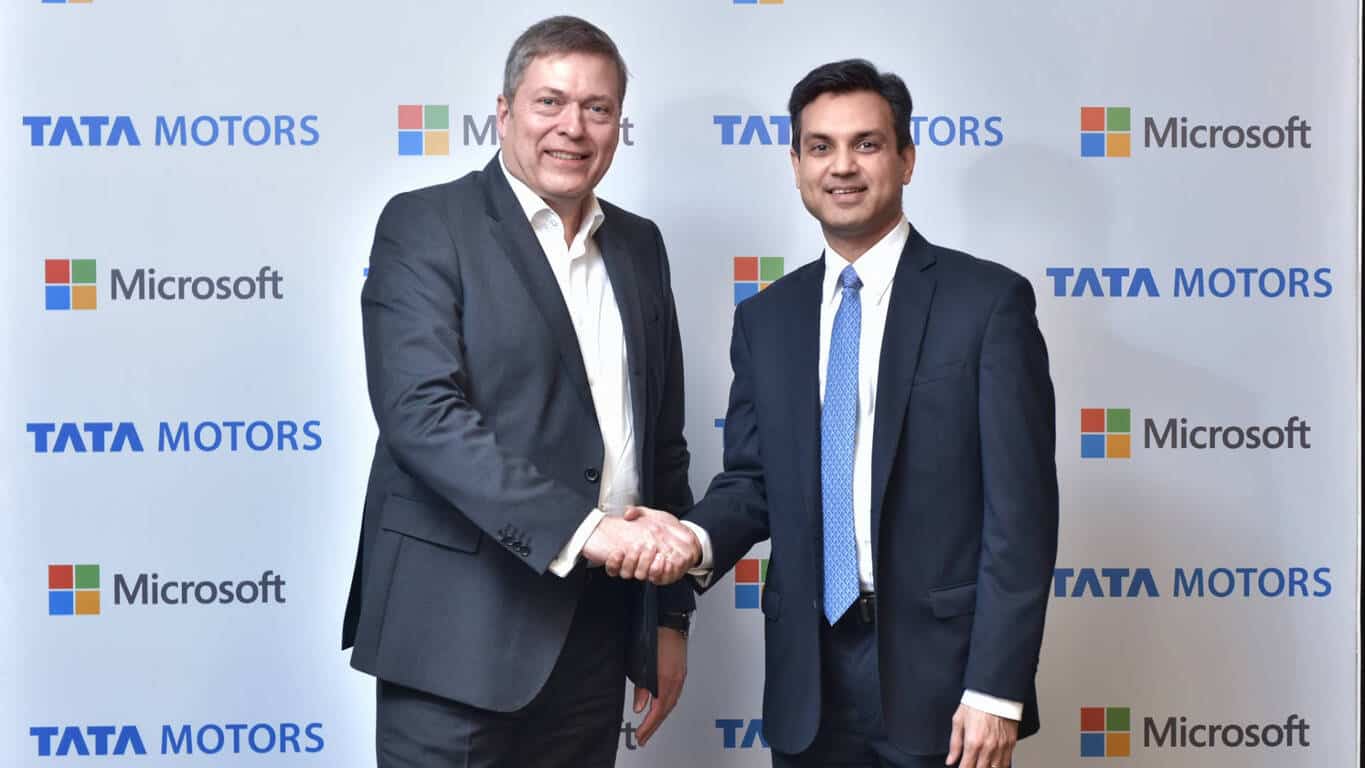
Tata Motors and Microsoft India to collaborate for connected vehicle technologies

Tata Motors and Microsoft India have announced a strategic technology agreement to redefine connected and personalized driving experiences for Indian customers.

Tata Motors Limited is India’s largest automobile company and Tata cars, buses and trucks are marketed in several countries in Europe, Africa, the Middle East, South Asia, South East Asia, South America, Australia, CIS, and Russia.

As part of the collaboration, Tata Motors will leverage Microsoft’s connected vehicle technologies that bring together artificial intelligence, advanced machine learning, and the Internet of Things capabilities on the global hyper-scale Azure cloud, to create a highly personalized, smart and safer driving experience across the digital life of a vehicle owner.

“We are excited to partner with Tata Motors as they embark on a new journey of innovation with Microsoft Azure cloud. Using IoT, AI and machine learning technologies, we will provide vehicle owners in India and across the world with a safe, productive and fun driving experience.”

– Anant Maheshwari, President, Microsoft India

The first vehicle showcasing the vision of the enhanced driving experiences will be unveiled at the Geneva International Motor show on March 7 utilizing Microsoft enabled functionality like advanced navigation, predictive maintenance, telematics, and remote monitoring features.

“With the aim to develop innovative and technologically leading products that excite customers, we at Tata Motors, understand the need for a connected ecosystem that can integrate into the digital lives of customers. We are using Microsoft’s connected vehicle technologies on Azure intelligent cloud to bring the digital lives of our customers into the cars they drive. Making the most of fast-paced innovation cycle that Microsoft has to offer, we will create a fully connected and seamless driving experience for our customers.”

– Guenter Butschek, CEO & MD, Tata Motors

There are several driving scenarios being explored for the future.

  • Based on their profile and location data, vehicle owners can receive proactive point-of-interest, shopping and route assist recommendations enabling them to achieve more on the go.
  • Pre-emptive service alerts based on vehicle health data will enable owners to avoid costly down time en-route on planned road trips.
  • Using industry-leading firmware over the air (FOTA) and software over the air (SOTA) updates protocols, key vehicle settings can be updated remotely, over the cloud. These will help cloud based diagnostics and the ability to use insights from vehicle data to prevent warranty and recall issues, and offer new services that improve user experience.
  • By capturing, analyzing and acting on live road conditions, vehicle owners will be able to increase safety, optimize vehicle performance by avoiding roadblocks and rough terrain. By unifying navigation, data elements like maps, weather, traffic, and parking the solution can deliver optimized routing and location based services to vehicle owners.

Using Microsoft technology will empower Tata Motors to provide connectivity features on mainstream, mass-market vehicles at affordable prices powered by Microsoft Azure cloud and services such as advanced analytics, machine learning, IoT, and artificial intelligence.

Why it takes a day to join a PC to the Windows Insider program, explained

If you’re a Windows Insider, you’re more than likely familiar with the process of joining the program and getting new builds delivered to your machine. You may also realize that when joining the program after a fresh install of Windows 10, or after switching branches, it may take a day to join a PC to receive a Windows Insider build. One Microsoft watcher has finally come up with a solution as to why this is so.

Seen above, Richard Hay, who is a Microsoft MVP since 2010, explains that the reason for the day long wait is due to a “Compatibility Check.” According to a screenshot which Richard provided in his tweet, The “Compatibility Check” runs in the background, since there is no manual way to for the process to run. The process then allows for a discovery of your OS architecture (32 or 64 bit) and also your other settings such as build edition, languages, and country. After this is complete, the machine is then auto targeted for the next available flight on the selected ring, though this may take up to 24 hours.

Safe to say, this tweet finally answers the age old question of why you must wait one day to join a PC to the Windows Insider program. What do you think of this explanation? Can you come up with other reasons for why there is a day long wait? Let us know what you think by dropping us a comment below!

Get Project CARS for free with Xbox Live Games with Gold, starting today

Today is February 16, which means that Xbox Live Gold subscribers can now get two new Games with Gold titles for free on the Xbox Store. For fans of racing games, Project CARS Digital Edition ($29.99 value) is now available to download on the Xbox One, and the game released back in May 2015 should be a pretty good alternative to Microsoft’s popular Forza Motorsports franchise.

It’s worth noting that you’re also being offered the game’s Limited Edition upgrade DLC pack, which includes five exclusive cars from the Touring, Road, Prototype, and GT disciplines. The official description notes:

Project CARS is the ultimate driver journey! The digital edition of Project CARS includes the Limited Edition upgrade DLC pack, unlocking 5 legendary cars drivable in any game mode and showcased with special one-make series within your career!• Ford GT40 Mk IV• BMW M1 Pro Car• McLaren F1• Sauber C9• Mercedes-Benz AMG C-Coupe DTM Guided, tested, and approved by a passionate community of racing fans and real-life drivers, Project CARS represents the next-generation of racing simulation as the ultimate combination of fan desire and developer expertise.

The Xbox 360 title Star Wars: The Force Unleashed ($19.99 value) completes this month’s Games with Gold lineup, and the free game is also backward compatible on the Xbox One. Don’t forget that you can also play Rocket League and NBA 2K17 for free during Xbox’s Multiplayer All-Access event, starting today!

Play Rocket League, NBA 2K17 for free on your Xbox One during Xbox’s Multiplayer All-Access event

The Xbox team has just kicked off today a Multiplayer All-Access event, and all Xbox One and Xbox 360 owners can now play multiplayer games for free through Sunday, February 19. Even better, Xbox One gamers are also invited to download and play NBA 2K17 and Rocket League for free during these four days. Both games are excellent titles and the Xbox One version of Rocket League will actually celebrate its first anniversary tomorrow, February 17.

If you want to keep playing the vehicular soccer video game and the latest installment in the NBA 2K franchise after the end of the limited time unlock, it’s worth reminding that both games are being discounted through Monday, February 20 as part of Xbox’s Deals with Golds and 2K’s Publisher Sale: Rocket League will cost you just $14.99 (25% off) while NBA 2K17 is currently priced at $38.99 (35% off).

In the meantime, you can download both games for free from the Xbox One dashboard or from the download links below. Let us know in the comments if you’re looking forward to spend some quality time on your console this weekend.


NBA 2K17 Limited Time Unlock
Developer:
2K
Price:
Free

Victor Vran: Overkill Edition video game announced for Xbox One

Victor Vran: Overkill Edition has just been announced for release on Microsoft’s Xbox One video game console. “Players and fans can experience the all-action game in full alongside two brand new adventures: the ethereal Fractured Worlds – a challenging and empowering new expansion featuring a new chapter in the story of Victor Vran, and Motörhead: Through the Ages – a wild rock adventure inspired by, officially endorsed by, and starring the loudest band in the world,” the official announcement reads. “Players who already own the game on Windows PC will be able to purchase the Fractured Worlds and Motörhead: Through the Ages expansion packs separately, as will players who wish to purchase the standalone game digitally on consoles.”

Here’s the game description:

Journey to the Fractured Worlds , a dimension formed from the fragments of broken realms. A perilous place for even the most experienced of demon hunters, players will explore its unfathomed depths through new levels and endless dungeons where each step proves more dangerous than the last. Continue the journey as Victor and attempt to piece together the Astrolabe in this new, thrilling addition to Victor Vran.

Enter the world of Motörhead: Through the Ages – a wild tour through the mythos of the loudest band in the world! Harness the powers of the immortal Motörhead to defeat deadly new adversaries in three demon-infested worlds intertwined with the songs of the band.

No specific release date has been given for Victor Vran: Overkill Edition on Xbox One however it is confirmed for 2017. Have you been looking forward to this game? Let us know in the comments below.

Here’s how to change languages in For Honor

Many For Honor players are struggling to change the game’s language, but this has proven to be a more difficult task than expected. If you’re looking for a solution to change For Honor’s languages, you’ve come to the right place. In this article, we’re going to show you exactly how to do that.

Many non-native English speakers can’t stand playing games in their mother tongue. As a result, they prefer to enable the English version of For Honor’s interface. However, the steps to follow are not that obvious, as this player explains:

How do I change my language?
I’m Dutch, but I simply can’t stand playing games in Dutch. The way those ♥♥♥♥ers translate is the stuff of infants. Can’t change it under options. It only allows me to enable subtitles…

To change languages in For Honor you need to open the game’s options file and change some values. As players report, finding the dedicated menu or option to change languages is not that easy.

How to change For Honor’s languages

1. Go to For Honor’s install folder, which should generaly be located at this address:
C:\Users\%YOURUSERNAME%\Documents\my games\For Honor\options.ini

2. Open the file and locate the following values:

[Language]
EnableSubtitles=false
LanguageID=$
SubtitlesID=$
VoiceLanguageID=$

3. Replace the $ with your language ID:
1 = English
2 = French
5 = German
7 = Simplified Chinese
8= Traditional Chinese
13 = Russian
19 = Brazilian Portuguese

If, by any chance, you know the numbers associated with other languages, use the comment section below and share with us this information.

Also, it appears that some versions of the game are region locked. Players confirm that the Russian version of the game supports only Russian and Chinese.

RELATED STORIES YOU NEED TO CHECK OUT:

How to install Anniversary Update from an ISO

If you want to upgrade to Windows 10, one of the most simple and reliable methods is to use the ISO file. Microsoft rolled out the Windows 10 Anniversary Update ISO file last year and you can download it on your computer at any moment.

Upgrading to Windows 10 using the ISO file is the perfect choice for users with limited bandwidth. Also, the compatibility checks and preparations for the upgrade are minimal, as well as the actions users need to perform during the actual upgrade.

How to install the Anniversary Update from the ISO file

  1. Purchase a license for the Windows 10 Anniversary Update if you didn’t take advantage of the free upgrade offer. If you’re running Windows 10 Home or Pro, you can upgrade to the Windows 10 Anniversary Update for free.
  2. Download and install any important updates before upgrading to ensure a smooth upgrade.
  3. Make sure you’ve got enough space on your machine:
    1. Hard disk: 16 GB for 32-bit OS 20 GB for 64-bit OS
    2. RAM: 1GB for 32-bit or 2 GB for 64-bit
  4. Download the Windows 10 Anniversary Update ISO file. Starting August 2, the Media Creation Tool will download Windows 10 build 14393.0.
  5. Launch the upgrade. Double click the Windows Anniversary Update ISO, and start the upgrade.

launch Windows 10 anniversary update ISO file

4. Wait while setup is initialized

preparing Windows 10 Anniversary Update ISO file

5. Select Download and install updates (if not done already) > click Next

windows 10 anniversary update installation

6. Windows 10 setup should now check your system.

Windows 10 setup checks system

6. Accept the End User License Agreement.

7.  Windows 10 setup performs one final check to ensure your system is ready.

Windows 10 setup final check system ready

8. Choose what files, apps and settings you would like to keep. If you want to perform a new install or just keep your files click Change what to keep. Then click Install to begin.

Choose what files, apps and settings to keep

9. Wait for the installation to complete. Your computer will restart several times.

windows 10 installation restarts

10. Windows 10 setup will resume. When complete, Windows 10 setup will restart automatically.

windows 10 setup

11. Sign in to your account and wait while Windows 10 completes application updates and other setup tasks.

post windows 10 settings

12. Congratulations! You’re now ready to use the Anniversary Update!

RELATED STORIES YOU NEED TO CHECK OUT:

Microsoft helps you get to know the Surface Dial in a new video

Were you as impressed as us when Microsoft showed off the Surface Dial? If so, you may be interested to know that the company recently published a blog post that talks a bit more about the Dial, and what it’s capable of. For those more visual learners, Windows Blog editor-in-chief Mollie Ruiz-Harper put together a video that explains everything pretty well.

The video talks about some of the coolest features of the Surface Dial, and what kind of conveniences it offers.  Surface Dial items such as haptic feedback, its backward compatibility with so many PC’s, and its third-party support for programs such as Spotify are all wrapped up neatly in a bow. If you were looking for a convincing reason to drop $99 on the Surface Dial, this video is a good place to start.

Yes, the Xbox FanFest is returning to E3

Xbox Live members will be happy to know that there is extra incentive to go to E3 2017 this year. Not only will they get to take part in the big event, but Xbox Heads Aaron Greenberg and  Mike Ybarra have officially confirmed that there will indeed be an Xbox FanFest 2017.

The fan-focused event originally debuted a couple of years ago and since then, it’s been a big hit. Basically, a limited amount of Xbox fans could buy tickets to gather and experience the Xbox Booth long exclusive from the crowd. Not to mention meeting developers and Xbox team leaders, take part in fun activities and even get some cool swag.

It’s likely we’ll see some of the same restrictions for the E3 2017 Xbox FanFest as we did before. This means fans will probably need to be an adult and tickets will be one per person with a ‘first come, first serve’ policy. Currently, it sounds like the team is still in the planning process. “More details to come soon!”, Greenberg promised in his tweet.

Currently, it sounds like the team is still in the planning process. “More details to come soon!”, Greenberg promised in his tweet. We’ll be sure to keep you updated about Xbox FanFest here at OnMSFT as E3 2017 draws nearer in June.

Microsoft announces Xbox E3 briefing on Sunday, June 11th

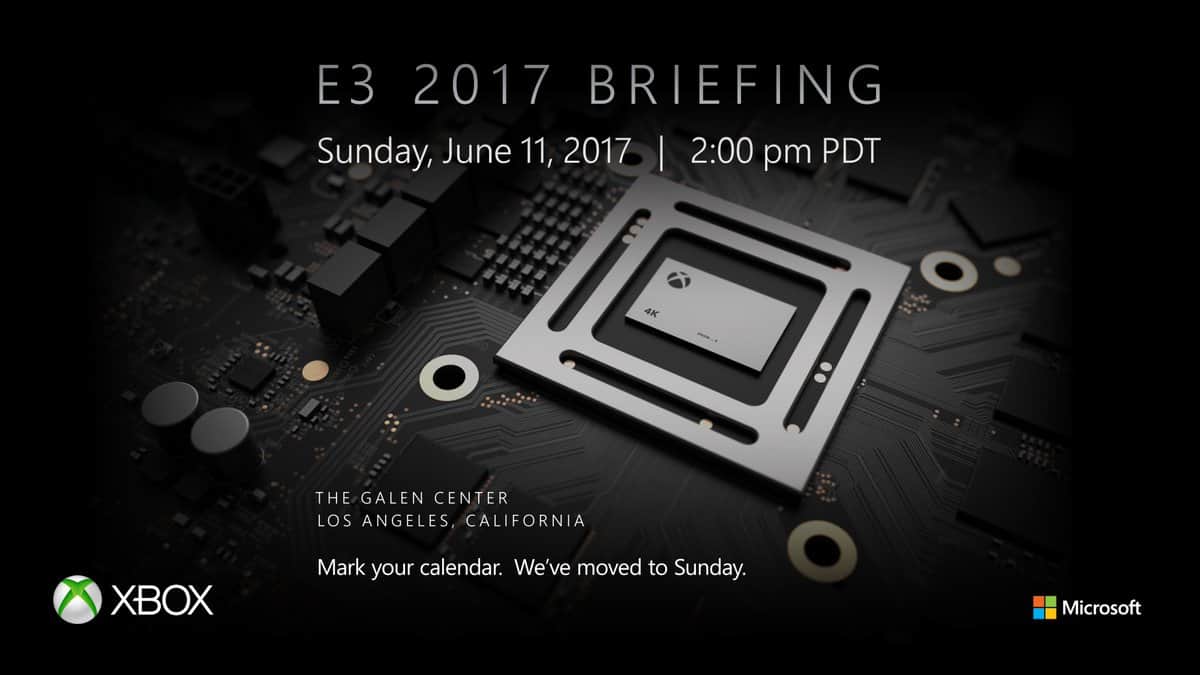
Last year’s E3 conference was quite the remarkable moment for Microsoft.  From the announcement of Forza Horizon 3, the upcoming next generation Project Scorpio Xbox console, and Xbox Play Anywhere, fans and industry watchers alike may recall that Microsoft made lots of noise at the annual video game industry trades fair. Though this year’s E3 conference is still 116 days away as of writing, Microsoft has just officially come out to announced that their Xbox E3 briefing will be on Sunday, June 11th at 2:00 PM PDT.

As seen above, Larry Hyrb was one of the first Microsoft employees to make the announcement, and other Team Xbox members such as Aaron Greenberg shortly joined in with similar Tweets after. It will no doubt be interesting to hear what Microsoft has to offer up at E3, in 2017 and judging from the graphics in this tweet, we might very well end up hearing more about Project Scorpio at E3 2017.  We are planning to be on the ground in Los Angeles to cover the briefing, so be sure to keep it tuned to OnMSFT for all your Xbox news and information all year long.

Microsoft House, the new home of Microsoft Italy, opens today in Milan

Today, Microsoft Italy inaugurated the Microsoft House, its new headquarters located in the district of Porta Volta in the heart of Milan (via Plaffo). The subsidiary chose to move to the new building of Fondazione Giangiacomo Feltrinelli designed by architects Herzog & De Meuron, which looks really stunning. “The building is characterized by elements of linearity and transparency that perfectly match Microsoft’s vision,” explained Carlo Purassanta, Country General Manager of Microsoft Italy on LinkedIn. You can have a look at the building in the video below:

In the blog post, Purassanta explained that the move to new headquarters is also a reflection of the subsidiary’s comittment to the country and local ecosystem of businesses, startups, schools, nonprofit organizations and more. Additionally, Microsoft House will also be the home of a new Microsoft Technology Center in Milan. The exec added:

Microsoft Italy new location aims to be an accelerator of the inner potential and the best resources of Milan and the Country as a whole. We created Microsoft House to be the perfect place to engage in dialogues with our ecosystem. More than a half of the overall space is dedicated to customers, partners, students, startups, nonprofit organizations and consumers – who can discover the benefits of open innovation, now available to everyone.

If you speak Italian, Microsoft Italia did a live stream of the Microsoft House inauguration on Facebook Live and you can watch the 19 minutes video here.

Fix: Sniper Elite 4 micro-stutters and stalls on AMD CPUs

Sniper Elite 4 is now available on both Windows PC and Xbox One. As expected, this launch has also brought a series of technical issues that sometimes severely limit the gaming experience. The most common issues involve low FPS issues, stuttering and game freezes.

The good news is that Rebellion, Sniper Elite 4’s developer, has published a quick workaround to fix micro-stutters and stalls on one particular CPU category. More specifically, if you’re experiencing Sniper Elite 4 micro-stutters and stalls on AMD CPUs you can now quickly fix this problem.

How to fix Sniper Elite 4 issues on AMD CPUs

Following player feedback, Rebellion have identified an issue with XAudio sound processing when running on AMD CPUs. As a result, if you’re experiencing micro-stutters or stalls, try setting the audio reverb quality to OFF in the launcher (you can find this option at the bottom right corner).

Players confirm that this action eliminates micro-stutters and stalls. Rebellion will permanently fix these issues in a future patch.

What causes this issue?

Now that we know how to fix Sniper Elite 4 micro-stutters and stalls, it’s also useful to understand why these issues occur. The culprit is the CPU, as it doesn’t have enough power to process sound. As the CPU is struggling to process audio, it overheats, causing also micro-stutters.

Here’s how one gamer explains this:

It’s your CPU at least the sound part. There is most likely some latency in your cpu processing sound. You can try overclocking it to see if that helps. My i5 at 4.5 has no issues, but I’m experienced in sound issues caused by cpu overhead.

Unfortunately the way AMD did there ‘8core’ cpus of your line was just really bad. There are a lot of parts in a cpu and AMD’s are bottlenecked pretty hard. Your cpu unfortunately in a lot of ways just has less processing power than an intel 4 core cpu which can affect audio processing giving you the experience you’re having.

So, if you’re experiencing micro-stutters and stalls on AMD CPUs, use the quick workaround listed in this article, and tell us if it worked for you as well.

RELATED STORIES YOU NEED TO CHECK OUT:

Microsoft launches Windows Insider Program for Business to better understand IT Pro needs

Since Microsoft introduced the Windows Insider Program along with Windows 10 back in September 2014, millions of enthusiasts have signed up to test preview builds of the latest operating system for PCs and phones. The massive crowdsourcing program has been instrumental to gather feedback on new features and fix bugs before new updates roll out to consumers, but Microsoft is now looking for ways to get more IT professionals involved in the pre-release program.

Indeed, the company just announced the Windows Insider Program for Business (“WIP4Biz”) at its Ignite conference in Australia (via Neowin), a new initiative aimed at IT pros looking for better ways to test preview builds in their corporate environments. During the presentation, the company explained that a better understanding of IT Pro needs will help Microsoft improve Windows commercial deployment.

Windows Insider Program for Business

Details about the new initiative are still scarce for now, but the company is inviting IT Pros interested in the program to complete a pre-registration form on the Windows Insider website. On the dedicated page, Microsoft explains that Windows Insiders who fill the form will get access to new features in the coming months:

In the coming months, we’ll be adding additional features to the existing Windows Insider Program to better support you in your job. (…) Insiders may need to take additional action to access new features when they are made available. Instructions for accessing these new features will be communicated to Insiders who complete this pre-registration form.

According to Redmond, IT Pros are already a “large and critical group within the Windows Insider Program” and the company seems to be doing the right thing to address their specific needs. Sound off in the comments if you think the new initiative is a good way to expand the Windows Insider Program.

Conan Exiles Admin Commands List: Complete & Explained Guide

Conan Exiles allows players to create their own private servers. This comes in very handy at the moment, especially after Funcom ended the collaboration with its official server partner due to quality issues.

To help you better control your private server, we’ll list the most important server command that you can use.

Conan Exiles server commands

First, press the tilde key (~) on your keyboard to bring up the console. Then, log in as an admin. To do this, enter this command and hit Enter: MakeMeAdmin <Admin password>

List of Conan Exiles console commands

Command Parameter Description
MakeMeAdmin AdminPassword Grants you admin privileges
MakeMeNormal N/A Removes your admin privileges
God N/A Toggles god mode
Invisibility N/A Makes your character model invisible
Cloak N/A Toggles enemy detection – NPC’s will ignore you even if you attack them
Fly N/A Allows you to fly
Ghost N/A Enables no collision mode (ie NoClip) – Similar to fly but you are able to pass through solid objects (including the world)
Walk N/A Return to walking mode from Fly or Ghost mode
NoSprintCost N/A Toggles unlimited sprint mode – No stamina drain while sprinting (Note: This is not unlimited stamina)
SpawnItem ItemID Quantity Gives you an item. No item ID list had been compiled yet – You’re better off using the admin panel GUI where you can sort and search items by their names and categories instead of numbered ID’s
DamageTarget Value Deals damage to the object or NPC in your crosshairs.
DestroyTarget N/A CAUTION: Use this command with care. Will permanently remove entire player built structures that you aim at with your camera in one go. Can also temporarily remove parts of the map if you aim at the world, leaving gaping holes players can fall through – Server requires restart to restore the world map.
If you would rather use a safer method to remove NPC’s and structures I recommend the Shift+Delete key shortcut which removes individual building parts one at a time and you won’t ever be able to accidentally delete world chunks.
Teleport N/A Teleport to the surface you’re currently looking at
TeleportPlayer X Y Z Teleport yourself to the specified co-ordinates (You can ask a player to get their co-ordinates by having them use the key shortcut Ctrl+Shift+Alt+L)
SummonPlayer Steam or Character name Teleport a player to your location
ViewPlayer PlayerName Spectate a player of your choosing
ViewSelf N/A Exit spectate mode
PrintPlayerInfo PlayerNameOrID Reveals a specific players Steam name & in-game character name (You can enter a players character name to get their Steam name iLLER. or you can enter their Steam name to get their character name) – You’ll need to double tap ~ to view the output
ToggleDebugHUD N/A Toggles the debug HUD which shows your coordinates, ping and server FPS.

Conan Exiles won’t launch? Check out this step-by-step guide to fix the issue in no time.


How to teleport players in Conan Exiles

  1. Watch your target playing by using this command: ViewPlayer <PlayerName>
  2. Teleport your character to the surface that your camera is aiming at by typing: Teleport
  3. Return the camera to your own character by using the ViewSelf command.

Solve any Conan Exiles problems like a pro by following this dedicated guide.


That’s about it. If you have any other questions or suggestions, don’t hesitate to leave them in the comments section below and we’ll be sure to check them out.

RELATED STORIES YOU NEED TO CHECK OUT:

Microsoft gives Xbox gamers all the Halo Wars 2 Gamerpics

To celebrate the release of Halo Wars 2 on Xbox One and Windows 10, Microsoft has added several new Halo Wars 2-themed Gamerpics for Xbox users to choose from when playing on Xbox Live. These new Gamerpics can be chosen simply by editing one’s profile on either the Windows 10 Xbox app or on the Xbox One video game console.

Gamerpics are essentially static profile pics that can be chosen as an alternative to the animated three-dimensional Xbox Avatars. They can be changed at any time and there are an impressive number to choose from featuring Xbox video game characters and stylized artwork.

Currently, Xbox users are unable to upload their own images to use as their Gamerpics but this functionality is on the way and is expected to launch before E3 in June of this year.

Do you use an Xbox Avatar or Gamerpic? Let us know in the comments below.

Fix: Can’t download and install the Anniversary Update

The Windows 10 Anniversary Update is here, but you can’t download and install it. This must be very frustrating especially when all Windows 10 users are testing out the new features, except for you. If you can’t download or install the Anniversary Update, you’re in the right place because this article will help you pinpoint the causes and offer you possible solutions to fix this issue.

Fix: Can’t download and install Anniversary Update

For a quick remember, the Anniversary Update rolls out in waves, and not all users will be able to get their hands on the update on the same day. It may take some time until your system detects the update.

  1. Set your computer to accept Windows 10 updates.

    1. Go to Settings > Update & security > Windows Update > Advanced options > uncheck the Defer upgrades option (Windows 10 Pro)

windows 10 defer updates

2. Disable metered connection

If you configured your Wi-Fi Settings to metered connection, you won’t be able to see and install updates. To disable meter connections:

Go to Settings > Network & internet > Advanced options > turn off the Set as metered connection option.

set wi-fi metered connection

3. Disable security software

If you’re running an antivirus other than Windows Defender, you should disable it during the upgrade process. Due to various incompatibilities, your antivirus can sometimes block Windows updates.

4. Free up more space on your computer

There are certain space requirements you need to meet in order to download and install Windows 10. Make sure you’ve got enough space on your computer before you try to install the Anniversary Update:

  • RAM: 1 GB for 32-bit or 2 GB for 64-bit
  • Hard disk space: 16 GB for 32-bit OS 20 GB for 64-bit OS.

5. If you’re getting specific errors, search for workarounds.

Sometimes, when users try to install Windows 10, they get various error messages. Fortunately, these errors can be fixed using specific workarounds. Check out our fix articles, if you have received one of the following errors:

If you can’t find a fix on our website for the particular error message you received, let us know in the comment section below, and we’ll do our best to help you.

6. Windows 10 Setup is in a continuous reboot loop

  1. Power down the computer. Wait for an hour and then plug it back in. If you are using a laptop, remove the battery.
  2. Plug the computer back in and restart your machine. Don’t connect to the Internet yet.
  3. Windows 10 Setup will either rollback to the previous Windows version or it will finish installing the Anniversary Update.

If you still can’t download and install the Anniversary Update, you can install Microsoft’s latest OS using the ISO file.

RELATED STORIES YOU NEED TO CHECK OUT: