AdDuplex first arrived on Windows in 2011 where the cross-promotion network began to advertise for developers and games on the Windows Phone 7. It continues to grow according to the Windows App Team’s blog post today, promoting the network SDK For UWP apps on Windows 10.
Put simply, AdDuplex collects your and other app developer’s advertisements into a network. Whenever another app shows an ad, it is pulling from the AdDuplex storage with a 10:8 ratio. As the Windows App Team explains, that means every 10 ads that your app shows, your app is advertised in other apps on the network. It also works specifically for devices that your app or game will be compatible with, customizing your audience to maximum exposure.
The system has attracted over 10,000 apps and is still increasing exponentially by using the other two ads to increase awareness of AdDuplex to unknowing app developers. Furthermore, it has a paid ad campaign where developers can make a 70% profit from the impatient.
To top it all off, the Windows App Team shared some codes that developers or advertisers might be interested in:
General information about AdDuplex can be found at adduplex.com
Register to start cross-promoting and/or advertising on AdDuplex at manage.adduplex.com
Use promo code MSFT2 to get 1:1 exchange rate for the first month
Use coupon code MSFT2 to get a 50 percent bonus on your advertising budgets.
If advertising or making money via advertisements on your app is something you’ve been wondering about, AdDuplex seems to have Microsoft’s stamp of approval. Let us know if you have any experiences with AdDuplex in the comments below.
Battlefield 1 is an impressive first-person shooter game set during World War 1. Players use specific weapons from that period to take control of armored vehicles, fly planes or ride horses into battle.
Witnessing Battlefield 1 battles is always an impressive experience. If you want to change your perspective a bit, you can enable the game’s Spectator Mode.
How to enable BF1’s spectator mode
1. On Battlefield 1’s start up screen > select Multiplayer. Don’t use the quick match options because you can’t join the game as a spectator.
2. Go to Server browser
3. On the right-hand side, click the … menu
4. Click Join as Spectator
5. The game will load as normal and you’ll have a table-top view of the entire map.
If you want the freecam to focus on particular map spots, you can double click on that specific part of the map. To add various filter options or other additional visual effects, double-click on one of the camera icons dotted around the map. You can then add various filters, such as sepia, black and white, saturated or BF3.
By clicking the camera icons on the screen, you can also add depth of field, adjust FOV and more. For more visual options, simply click “Options” on the bottom right hand side of the screen.
The keybinds to use are:
ASD to go Forward, Left, Back, Right
Space to raise the camera
X to lower the camera
F1 changes to first person
F2 changes to third person
F3 changes to chase cam
F4 chanes to freecam
Q and E cycles through the various players who are on the server
Hold Tab and double click a user to transfer the camera directly onto them
To move the camera, hold RMB while moving with the mouse in addition to WASD.
As a quick reminder, you can’t switch from being a live player to spectator mode. You need to exit the server to rejoin the game as a spectator.
Brandon Koeller, principal program manager for the Office security and compliance team, lays out the 7 ways that Office 365 in the cloud offers more security than any on-premises datacenter. While many might think a privately controlled datacenter less of a security risk, Office 365 in the cloud can offer enterprise customers a better, more secure experience than anything that is offered on-premises.
Here’s the 7 ways that Office 365 in the cloud is a better choice than any on-premises datacenter option:
Broader scope of threat intelligence—When a customer’s on-premises servers are attacked by an external actor, the customer can take steps to protect themselves from subsequent attacks from that same actor. With Office 365, instead of simply reacting to individual attacks, customers gain the benefit of intelligence gathered from threats against other customers within the service as well. An attack launched against any organization in Office 365 can functionally inoculate everyone else.
Greater automation and decreased human intervention—In the cloud, managing things like hardware, operating systems and patches boils down to a set of tasks that is familiar to any IT administrator. First, gaps in the security posture are addressed at scale. Second, with software operating the service instead of humans, there is less risk of falling prey to spear-phishing, offering an additional layer of protection. Manual management activities are minimal and must be approved by multiple people, which can include customers.
Better anomaly detection due to uniformity and simplicity—When cloud services started out, they were mostly based on the same on-premises products that you always used—except they were deployed and managed on servers owned by the provider. In recent years, cloud services have evolved to dramatically simplify configuration options, server roles and management complexity. This simplification gives services the ability to consolidate how they protect, detect and respond to threats. Since software is the main source of interaction, illicit activity by human attackers is easier to identify.
Constant innovation—Cloud security teams face two key pressures when building security capabilities: Every feature breaks at some scale, and every customer brings a particular set of concerns and requirements. Some cloud services, including Office 365, have a full-time team of penetration testers who look for vulnerabilities. We asked ourselves how we would make sure that once the vulnerability has been fixed, it doesn’t recur, and that detections of illicit activity by penetration testers work for all instances of a given vulnerability. Our answer was to automate penetration testing attacks and then use that signal to verify the quality of our detections.
Smaller breach boundary—A key piece of an effective security strategy is to make your breach boundary is as small and as diverse as possible. Sensitive assets should be isolated from each other, so that it is more difficult for an attacker to move from one asset to another. If an attacker can acquire domain admin privileges, they can access any information managed in that domain. When you adopt cloud services, it is more difficult for the attacker to breach your domain and gain access to any of the data in the cloud service beyond normal “front-door” access to the services which are audited.
Cross-application security model—Traditional on-premises security capabilities center on the computer, the operating system and firewalls. In on-premises systems, you parse the logs for multiple applications and must make sense of what those logs mean. In the cloud, we standardize our logging systems to make them more consumable. You can evolve your security capabilities to enable an application-aware security model that adjusts to how attackers work—by breaching accounts, then achieving their goals through front-door interfaces. Cloud application services take your security to a new level by delivering integrated and context-aware security capabilities that cross application boundaries.
Transparency—With Office 365 in particular, there is one other benefit: transparency. With many organizations using Office 365, we are compelled to operate in the full light of day. To earn your business, we must have your trust, and to earn that we must be transparent with you about how we protect your data. To that end, we allow our customers to control how a Microsoft support engineer accesses their data. Our business model relies profoundly on the belief that there are no shortcuts and no excuses when it comes to the security of your data.
Office 365 Trust Center offers more details on these 7 ways and more on what Microsoft can offer enterprise customers. Office 365 in the cloud can be a better security option than anything that is offered on-premises.
It’s been a little over a month since Dishonored 2 was released for PCs and consoles. Since then, gamers have long waited for an update to their favorite first-person stealth and assassination game. Since its release, a New Game Plus mode (NG+) was added to the PC version in a beta patch late last week. And now, that update is finally Live for everyone.
The update gives players the combined powers of both Emily and Corvo at all difficulty levels. It also retains the Runes and Bonecharms earned in previous playthroughs. This new mode is available to all the players who’ve finished the game. Apart from these, there are the usual bug fixes and upgrades.
There still are a few aspects the game lacks, which will hopefully be delivered in the next update to arrive in January. (For instance, the absence of the mission select option that deters players from going back to a specific parts of the game and playing their favorite levels again.) Also, the “custom difficulty” settings options are missing. These options can tailor the experience to a player’s specific taste.
As you may already know, I attended the Microsoft First League event in Warsaw and to celebrate the start of the enthusiast-focused program, OnMSFT in now organizing a giveaway which anyone with a Twitter account can enter.
We are giving away a code for 3 months of Xbox Live Gold which works on both the Xbox One and the older model, the Xbox 360. All you have to do in order to enter the giveaway is to sign up in the form below, which will then ask you to follow my personal twitter as well as OnMSFT’s.
By following those two Twitter profiles you will easily be able to find the latest news about Microsoft and it’s partners right on your Twitter feed, as well as get notified about my future articles a while before they are written as I often share my experiences on the service before making a detailed article here.
The giveaway has no extra points where you can optionally do something for an extra chance of winning. Everyone that enters have the same chances as everyone else with no annoying “notify your friends” requests.
OnMSFT and I wish everyone good luck and remember that there is always a winner, so don’t let your hopes down.
I was invited to Microsoft’s First League program, which I wrote about a while ago. The new program, for Microsoft enthusiasts in the Czech Republic, Slovakia, Serbia, Poland, Hungary and Greece, is designed to support Microsoft’s most hardcore fans. Microsoft First League had its official start on the 17th of December, where I attended the first Warsaw event.
After arriving in Warsaw, we were greeted with a nice yet regular “Welcome” where we were served some drinks and food, got to meet the employees hosting the event, got to know each other and shared some opinions and general talk.
Microsoft First League Program
The event kicked off with explaining some things about the program itself. Who was chosen? Why were they? What were the requirements? What is this all about? All of this and much more was explained.
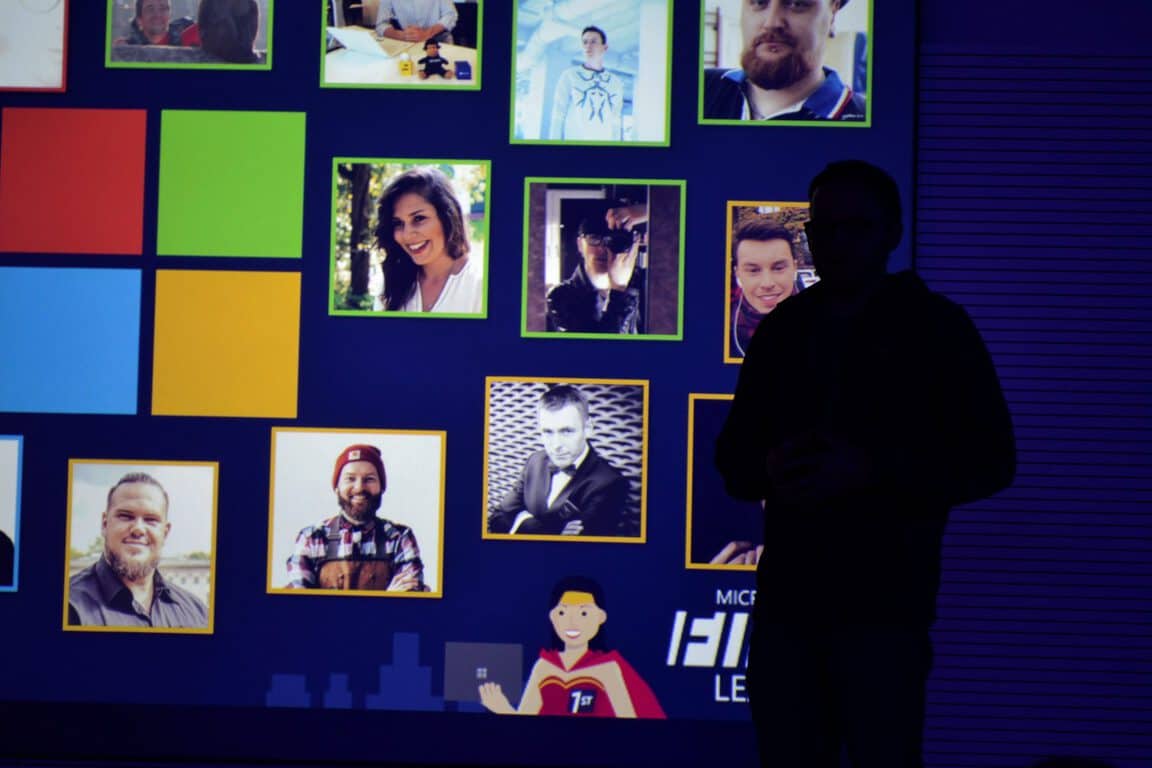
Microsoft’s Jakub Rzany (in the picture) welcomed the members by starting the presentation and answering questions. He briefly explained that the company chose the members based on their “authenticity.”
Microsoft doesn’t want free advertisement from the members. The goal is to let the biggest fans of the brand test out new devices, leave authentic feedback, have fun and feel well as a thank you from the company. As Microsoft’s CEO, Satya Nadella himself said:
Fans of the Microsoft brand have a big role in the development of our company and products. You inspire us, and make us work even harder to ensure we create and deliver great products and services that you love.
Some people in the team aren’t even journalists or bloggers, with no way to promote the brand, so this move was purely to show appreciation towards the people that truly enjoy the products Microsoft is pushing out.
The program has its own website where the members will be able to change the device they lend from Microsoft, and where they will be able to submit “activities” like tweets, articles and other creations surrounding the company. This was presented and shown how it will work and look in the future, as the website is still in a beta and not ready for use.
The Loan Program is probably the most interesting part. The members will be able to apply for different devices of all different form factors. The current ones available are:
Huawei MateBook
Lenovo Yoga 900
Lenovo Yoga Book
Dell XPS 13
Acer’s Aspire Switch Alpha 12
HP Spectre x360
MSI GT73
Microsoft Surface Pro 4
There were some requirements for the devices, which Microsoft thought about before choosing them. They needed to have a “new design, a new experience and high performance.”
I believe all of these devices did, in fact, meet the requirements where they all have at least a little of each point. They are all futuristic, with each one having its own unique thing, they all have a very specific experience.
The interesting part here is that there are rumours about much higher end devices getting released for the loan program, like the HoloLens, which would allow the members to truly test out Windows 10 in every way possible.
Product presentation
The event continued with a PowerPoint presentation of Microsoft’s and their partners products, some of which the members are supposed to test out during the program’s duration. Each one of the products was presented, with its strong and weak points, describing who each of these products was made for.
Other products like Microsoft’s Office 365, the differences between it and Office 2016 were also explained, as well as different features of the Windows 10 Anniversary Update.
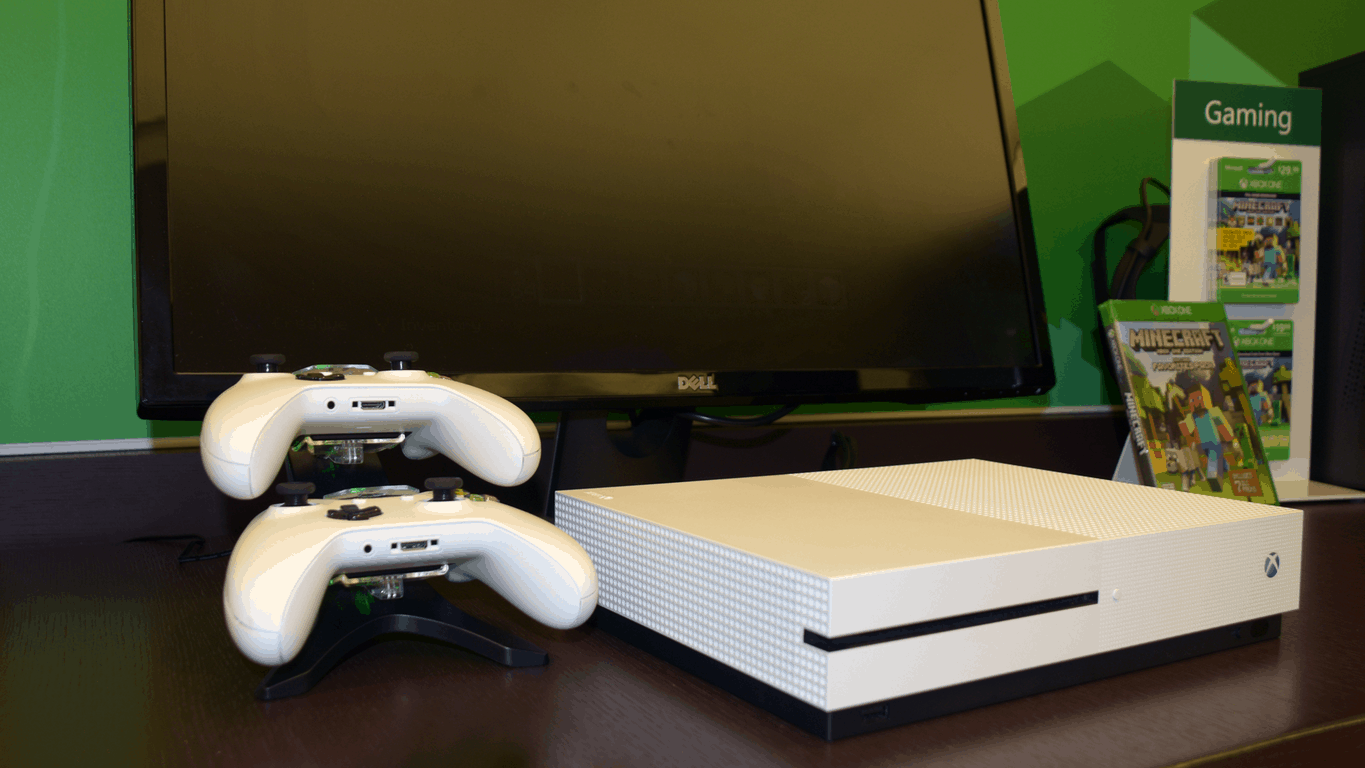
The Xbox One S was also shown, with its new and sleek design as well as some of the cross-platform features, like the Play Anywhere project. Microsoft explained every single one of their flagship products from top to bottom.
Device giveaway
After the product presentations, every member got an individual package ready for them in a separate room. Every device or thing that the package contained was individually chosen for each of the members, based on their applications for the program, info available on the internet et cetera.
I received my own package too, which I tweeted about without revealing too much information at once. Some of the things were visible in the picture, meanwhile, the more interesting hardware was saved for later, which is now:
The detailed list of every item I received at the event can be seen below but keep in mind that this is very individual and what each member got may vary:
Xbox One S 500GB FIFA17 Edition
Xbox Live Gold 6 months + 14-day trail
Additional Xbox One S Bluetooth Controller
6 games for the console, including Battlefield 1, Star Wars Battlefront, Mirrors Edge Catalyst, Plants vs. Zombies GW2, Need For Speed as well as FIFA17
A code for a full year of Office 365, which will be refilled as long as the program is active
The Huawei MateBook as well as the white and brown keyboard cover
Microsoft First League merchandise like two sheets of stickers, a t-shirt and a mug
This set is of a shocking value. Every member was shocked to know what they got. Especially since no member had to pay a single penny for the hardware, but note that every device needs to be returned after some time if the members don’t choose to keep them and pay a small fee, which is purely to avoid some taxes in Poland and may be around a few dollars.
Warsaw Indoor Skydiving
The event ended with some entertainment for the members. To loosen up the corporate feel, Microsoft invited every member to the Warsaw Flyspot, which is an aerodynamic tunnel located in the capital of Poland.
We got our suits, helmets and everything else needed for the sport, signed some documents about our physical and mental health, went through a course and finally got to enter the chamber.
When we were done, everyone gathered again at the Microsoft Poland HQ to summarise the whole event, bring up some info about future events then finally say goodbye.
The next event is slated for March of 2017 where Jakub Rzany confirmed that it will focus way more on the technology itself, virtual as well as argumented experiences and much more, so stay tuned as we will definitely be there to cover everything.
As 2016 is coming to a close, it’s time to look back at what has become one of Microsoft’s most interesting brands this year. In the past couple of months, it seems that Microsoft’s early bet on hybrid laptops has finally started to pay off, and we’ve also seen many great hybrid devices from third-party manufacturers including Samsung, Huawei and Lenovo released to the market. This kind of healthy competition is definitely promising for the future of the 2-in-1 form factor, and we can’t wait to see new devices being revealed at CES 2017 next month.
Market research company IDC also acknowledged earlier this year that Microsoft’s Surface devices and Apple’s iPad Pro were leading the “detachable tablet” revolution. It’s also worth reminding that Apple, which initially mocked touchscreen laptops and 2-in-1 devices has since launched two iPad Pro models which it advertises as “computers”. But does Microsoft still has a better understanding of what consumers wants from 2-in-1 devices? Well, Windows 10 definitely seems to have fixed many shortcomings of Windows 8 and Windows RT, and it’s safe to say that Microsoft’s latest operating system is one of the most versatile operating systems on the market today. According the company, Apple’s iPad Pro just can’t compare.
Just like Apple though, Microsoft slowly iterates: the Surface Pro 3 was a massive improvement over previous Surface Pro models, but the company’s Surface Pro 4 and Surface Book really pushed the hybrid laptops to the next level. Surface may not be a blockbuster success for the company yet, but the Redmond giant seems to be doing all the right things to make it become one of its most successful brands going forward
Microsoft’s latest Surface portfolio is likely its most successful ever
While Microsoft doesn’t disclose how many Surface units it sells, it’s clear that the Surface Pro 4 and Surface Book enjoyed great momentum this year. Microsoft’s latest earnings report for the first quarter of fiscal year 2017 puts Surface revenue at $926 million, up a whopping 38% from $672 million last year.
But as many signs points to Surface becoming the company’s next billion dollar business, Microsoft highlighted last week that November 2016 was the company’s best month ever for Surface sales. “The momentum was seen worldwide,” explained Corporate Vice President for Microsoft Devices Brian Hall, despite the fact that Microsoft did not release a Surface Pro 5 or a Surface Book 2 this fall. Moreover, the exec added that “the combination of excitement for the innovation of Surface coupled with the disappointment of the new MacBook Pro – especially among professionals – is leading more and more people to make the switch to Surface.” Take that, Apple.
Surface devices are becoming an attractive options for MacBook users.
Some hiccups along the line
We love Microsoft’s Surface brand and hardware, though it’s worth reminding that the launch of the Surface Pro 4 and Surface Book has not been completely smooth for the company. Both models were the first to ship with Intel’s Skylake processors, and those of you who purchased them at launch have probably been affected by annoying sleeping issues. Fortunately, Microsoft was pretty quick to fix it through several firmware and driver updates, though we definitely hope not to see these kind of problems with the next generation of Surface devices.
On a different note, it’s not clear if Microsoft’s multi-million-dollar deal with the NFL managed to improve brand awareness for Microsoft’s 2-in-1 devices. While the company explained earlier this year that it was “very pleased” by the partnership, adding that coaches loved the hybrid devices, it seems that some of them disagree.
Two months ago, New England Patriots head coach Bill Belichik explained that he was “done with the tablet” during a five-minute-long public rant, and Microsoft did its best to answer to what looked like unfair criticism. “We know change can be hard and technology adoption typically has a growth curve. We’re excited to be working with some of the best IT professionals in the industry at the NFL to help with the transition,” explained Corporate Vice President, Windows and Devices Group Yusuf Medhi.
An increased focus on professionals
While Redmond chose not to release a successor to the 10-inch Surface 3 this year, the unveiling of the Surface Book in October 2015 pretty much took Microsoft enthusiasts by surprise. Indeed, the “ultimate laptop” seems like one of Microsoft’s best hardware efforts yet, offering great versatility in what a familiar form factor for fans of old-school laptops. Compared to the Surface Pro 4, the bigger 13.5-inch PixelSense display, improved battery life and dedicated GPU option also make it an attractive option for professionnals. Interestingly, the Surface Book i7 with Performance Base was the only new Surface 2-in-1 to be released this year, but its $2,399 starting price probably makes it out of reach for most consumers.
Moreover, let’s not forget the launch of other Surface products this year including the enterprise-focused Surface Hub and the creative-focused Surface Studio. After some delays, the Surface Hub digital whiteboard launched earlier this year and already enjoys some momentum with sales up 20% with a payback period of nine months.
As for the Surface Studio, it was definitely the highlight of Microsoft’s Windows 10 October event, though it’s too early to know if the versatile all-in-one PC will become an attractive option for artists creative professionals. Still, the introduction video quickly became the most viewed video on Microsoft’s Surface YouTube channels, with more than 10 million views at the time of our writing.
Last but not least, Microsoft also expanded earlier this year its Surface Enterprise Initiative with a Surface as a Service leasing program, bringing new partners to help create an ecosystem of services around the hybrid devices. Additionally, the company announced last week a Surface Hub Try And Buy program which will allow select Microsoft resellers to provide customers Hubs for 30 days before committing to purchasing a large set of devices.
What to expect for 2017?
Microsoft’s Surface line seems to be at crossroads at the end of 2016. The increased focus on professionals seems to have been the main theme this year, though it doesn’t seems to hurt the growth of the product line so far. Of course, Surface devices also remain popular with Microsoft enthusiasts and consumers looking for a tablet that can replace their laptop, but Microsoft could well bring some changes to its Surface portfolio next year.
First of all, Microsoft announced earlier this year that it is developing a new version of Windows 10 that runs on ARM chips: this will allow partners to build new Qualcomm Snapdragon-powered Windows 10 PCs that run x86 Win32 and universal Windows apps, but we suppose that this breakthrough could well push Microsoft to release a new Surface device to showcase the new platform. Indeed, this new architecture would be perfectly suited for a Surface 4 model targeted at consumers who don’t need the more powerful and less battery-efficient Intel processors.
We also guess that Microsoft has iterative updates for the Surface Pro 4 and Surface Book in the pipeline, though the company may well wait for the release of the Redstone 3 update in the second half of 2017 to release them. Last but not least, the rumored Surface phone will likely remain a topic of interest next year. A month ago, Microsoft CEO Satya Nadella explained that the company was planning the “ultimate mobile device,” which would bring true differentiation to a nearly saturated market.
Overall, we hope that Microsoft will continue to surprise us next year. In just four years, Surface has become a very valuable brand for the company, pushing forward new product categories and reshaping what we expect from computers in a world where mobile devices are ubiquitous. Microsoft may well remain a productivity-focused and business-focused company, but the Surface line proves that the technology giant takes its hardware efforts very seriously, and we can’t wait to see what’s next.
Earlier this year Microsoft announced that Photosynth, a service which stitches multiple photos together in order to create a 360-degree panorama, would shut down in February 2017. Since the initial announcement, Microsoft has gone on to post an update, highlighting how you can download content created from the service, and how you can access a viewer code for the service which has been released as open source.
According to Microsoft, since data will not be retained on the Photosynth website, you should download your “synths” and panoramas to save them locally on Windows and Mac Computers before the February 6th shutdown. The software giant is providing the following instructions on how to do this:
First install the new offline viewer from download.microsoft.com using this link for Windows or this link for Mac. If you have a 32-bit version of Windows, use this version of the app. This viewer supports both panoramas and “Tech Preview” synths. Unfortunately, we do not have an offline viewer for the original synths.
Go to https://photosynth.net, and sign-in to your Photosynth account.
Click “My Photosynths”.
Click on one of your panoramas or Tech Preview synths, and look for the “Export” button shown below. If you do not see the export button it is because you are not signed in, or you are not the owner.
Clicking the Export button will cause the pano or synth to be packaged for export. This may take a few minutes, especially if the synth is very large. You will see the button change to “Export Requested”, and sometime later it will change to “Download” signaling that the packaging has completed and your synth or pano is ready to download. (Note that you do NOT need to stay on the page waiting for the packaging to complete; you can return to your library and schedule another synth or pano for export while you are waiting.)
Click Download and wait for the file to be downloaded to your computer. Depending on the size of your pano or synth, and the speed of your connection this could take minutes or even hours.
Finally, use the new offline Photosynth viewer you installed in step 1 to open this downloaded file
Microsoft has also open sourced the Photosynth viewer code, which is available via this link. Anyone can use this code build their own version of the current viewer or fork the repository and make changes. The company also notes that it has open sourced the viewer code to make sure it is maintainable by any interested party in the future.
Microsoft Flow, a tool similar to IFTTT that lets you set up automated workflows between your favorite apps and services became generally available two months ago. The cloud-based app now supports more than 80 different services, as the team announced yesterday six new additions:
Buffer – Buffer is a social media management for marketers and agencies. Access your pending and sent updates, social media profiles, and more.
Google Contacts – Google Contacts is an online address book, integrated across your Google products and more.
Harvest – Harvest is a simple tool to help track the time spent by your team on each project and task.
Medium – Medium is a vibrant network of thinkers who care about the world and making it better. Connect to your Medium account to track new publications, write stories and more.
MSN Weather – MSN Weather gets you the very latest weather forecast, including temperature, humidity, precipitation for your location.
Typeform – Build beautiful, engaging, and conversational online forms, surveys, quizzes, landing pages, and much more with Typeform.
Additionally, it’s now possible to run scheduled triggers on-demand with the tap of a button. To do it, go to the “My Flows” list and the “Run now” button will appear after selecting the “…” menu. Be aware that the option will only work with flows that have the Recurrence trigger.
Flow is already pretty versatile tool, and the increasing list of supported services should make it a more attractive option for both consumers and professionals. If you didn’t try it yet, we invite you to read our previous tutorial to help you get started.
Fingerprint readers enable biometric authentication on your Windows PCs. This is not new really, however, with Windows Hello on Windows 10, the setup and experience is seamless and straightforward.
Few months ago, BIO-key announced Windows Hello-compatible fingerprint readers that are extremely compact in size and plug into your PC via USB. The SideTouch and EcoID are designed to make biometric security an easier deployment for not just businesses, but also individual users. Both also support BIO-key’s universal Windows Biometric Framework (WBF) fingerprint engine (and hence work with older version of Windows as well).
These fingerprint readers allow you to sign in to your devices by a simple swipe or touch, giving you access to your PC in less than 2 seconds – faster than typing in the password or PIN. You can also use Windows Hello to log in to supported apps like Enpass, OneDrive, et al.
Once there is an integration update of the Web Authentication specification of the World Wide Web Consortium (W3C), new APIs will enable biometric authentication on the web for Windows Hello-enabled websites, like banking portals for example.
BIO-key, the biometric software and hardware solutions provider, has closely worked with Microsoft for the Windows Hello integration. These fingerprint readers are also available at the Microsoft Stores in the US. Both devices also integrate with BIO-key Enterprise Software for an enterprise deployment.
BIO-key SideTouch
The BIO-key SideTouch fingerprint reader is designed for laptops and tablets – it plugs directly into the USB port. It fits nicely in the USB slot, and is solidly built. BIO-key has been thoughtful and include a neck ring to plug the SideTouch into a Surface which has a tapered edge. With the ring, the SideTouch goes in plush with the Surface’s edge. Neat touch, that.
Unlike other swipe-based fingerprint readers, SideTouch only requires you to touch for quick access to the device. Often though, I encounter a message telling me that the fingerprint reader was dirty and needed to be cleaned. Sometimes when it wasn’t. Maybe the sensor sensitivity is iffy or it’s a driver-related issue. It’s not a showstopper, but a driver update fixing this would be nice.
BIO-key EcoID
The EcoID is designed for desktops or docked laptops/tablets. It plugs into the USB port via a long cable that can go around the back of the desk or something.
The EcoID is fast, and accurate. With my few weeks of usage, I observed that the touch sensor on the EcoID is a tad faster than SideTouch. That’s not to say that the latter is bad, but the former is better. The sensor is also broader in size which minimizes false negatives.
Final Thoughts
The SideTouch and EcoID fingerprint readers are great for individual use – I use one with my Surface and the other on my desktop – as well as enabling businesses to deploy biometric security. The Windows Hello integration makes setup and enrollment a snap, and the authentication is smooth and reliable.
At $39.99, BIO-key SideTouch and EcoID are affordable fingerprint readers. They’re nicely built, and are compact in size. If you’re looking to experience Windows Hello on your Windows 10 devices, these two fingerprint readers offer seamless authentication on everyday basis.
A new app has just launched on the Xbox One that allows users to send tweets and view their Twitter timeline. Named, Raven, the app is the first third-party Twitter app designed for the video game console and is completely free to download and use. It’s a Universal Windows Platform app and can also be used on Windows 10, Windows 10 Mobile, and Windows Holographic devices. The Xbox One does have an official Twitter app but strangely, that that is built for video consumption and not tweeting at all. Here are all of Raven’s features:
Automated learning user, search, hashtag, and list that you browsed.
UWP apps and responsive UI for Windows 10.
Voice operation, corresponding to Cortana.
Automatically update the time line when you are using other app.
In-App-Browser which supports loading in background.
Support Multi-column only when large screen.
Split UI for posting more easily.
Scroll to bottom and top with one touch.
Select words to search in the web.
Share information with other App.
Collective Notification.
Synchronize your setting across windows 10 devices.
Special flick UI in command bar for mobile. flick up to use secondary function.
Several major announcements were made today relating to Microsoft’s video game streaming service, Beam, in a lead-up to the service’s major expansion to the Xbox One console in the following months.
In addition to the reveal of a new Beam logo, it was also revealed that all Beam accounts would eventually merge with existing Xbox Live/Microsoft accounts and that, starting soon, all new Beam account signups will require the creation of a new Xbox Live/Microsoft instead of a separate Beam account as is the case now.
“By introducing Xbox Live for sign in, you’ll be able to leverage the same account you use for Xbox, Skype, and Windows to log into Beam, and if you don’t already have a Microsoft account, we’re making it super easy to get started,” Beam’s Matt Salsamendi said in a statement. “It’s always a bit jarring to change the way you log into a site, but there are a number of awesome reason why this is cool for the community.”
Some of the benefits mentioned of the merging with Microsoft’s Xbox services included enhanced security and customer support, improved community moderation, richer content discovery, and the huge number of existing Xbox and Microsoft users who will immediately have access to the Beam streaming service once the account merging is complete.
Beam will also begin implementing a Twitter-like @ mention system with users’ Xbox Gamertags being the @ usernames. Beam users will still be able to have separate names for their channels though. A name verification program is also planned.
A broad “Winter” release period has been given for when Beam will roll-out to both Windows 10 devices and the Xbox One video game console. It’s unclear if new Beam apps will be created for Windows 10 and Xbox One as it has been confirmed several times that the Beam service will be fully integrated with the Windows 10 operating system in much the same way the Xbox gaming service is now. It is extremely likely that a Beam app will at least be created for consuming other users’ streams however.
Are you excited by these changes to Beam or would you prefer it stay separate from Windows 10 and Xbox? Let us know in the comments below.
Age of Empires II HD recently received an update that introduced new game features, new maps and many bug fixes. Unsurprisingly, Patch 5.0, also known as the Rise of the Rajas expansion, also brings issues of its own.
Rise of the Rajas bugs
Rise of the Rajas won’t launch
Players report that the Rajas Expansion is not working despite having downloaded the update. There is also an error message that appears on the screen, informing gamers that they don’t own the expansion.
If you’re experiencing this issuese, try restarting Steam. In your game list, you should see the DLC installed with a checkbox next to it.
Low FPS issues
The Rise of the Rajas expansion hasn’t fixed the low FPS rate issues affecting Age of Empires II HD. The problem is still here.
Age of Empires II HD crashes
Players report they can’t access the game as it immediately crashes after they select “Standard game”.
So many bugs on patch 4.9. Please Do Not release it if u guys didnt test it well . It makes me drop a lot of elo n the game was crashed a lot of time. Do Not make a classic game become trash…please
Dracula Mission 3 won’t load
Players cannot launch the Dracula Mission 3 due a Player Personality error. They can’t access the mission no matter what they click, and are forced to shut the game down via Task Manager, losing all campaign progress.
Age of Empires II HD takes a very long time to load
Players can’t start a match because the loading process won’t finish. This issue occurs in single an multiplayer games after installing the latest expansion.
All teams have the same color
Players report that when they change their team color, there are multiple teams of the same color. This issue literally makes the game unplayable.
Have you installed the Rise of the Rajas extension? Is the game running properly for you?
2016 has been a rather dramatic year for Windows phone users with the shrinking of the userbase in several regions, the implementation of the newer Universal Windows Platform (UWP) app format, and the rumors of a Surface Phone launching sometime in 2017. This, what feels like a transitional year for Windows phone, has also resulted in several companies dropping support for their Windows phone apps and in some cases even removing them completely from the Windows Store.
Here are nine Windows phone apps that were taken from us in 2016.
Vivino Wine Scanner
The popular wine comparison app was discontinued due to an apparent low number of Windows phone users who downloaded it and used it. Vivino Wine Scanner was updated on a fairly regular basis but support ceased mid-2016. The app is still available for download for free but its content is now well behind its iOS and Android counterparts and users are encourage to use the Vivino website instead.
Skype Qik
Microsoft’s official Skype Qik app was terminated in late March 2016 due to the main Skype app attaining pretty much all of its features and making it redundant. Skype Qik was mostly used for video messaging.
Air NZ mPass
Support for the official Air New Zealand Windows phone app was discontinued late in 2016 due to, you guessed it, a low number of active users. The app is still available to download in the Windows Store but its functionality is extremely limited.
PayPal
One of the biggest app disappointments of 2016 was the termination of the official PayPal app. There have been hints that a new PayPal app is on the way but, since July 2016, the old app has been redirecting users to the PayPal mobile website which actually works remarkably well in the Microsoft Edge browser on mobile devices and is a legit quality substitute until any replacement app arrives.
As part of a massive rebranding effort in 2016, Microsoft began dumping and renaming several Lumia properties in a shift towards its new mobile strategy. The Lumia Offers Windows phone app was one such casualty of this change in focus but fortunately, it won’t be missed too much due to how limited its actual use was.
Domino’s Pizza
The official Domino’s Pizza Windows phone app was discontinued in the United Kingdom and Ireland a few months ago. Users can still make pizza orders on their phone through the mobile website but that’s hardly a consolation for those who preferred the app.
CNN
CNN closed their official Windows phone app and completely removed it from the Windows Store back in July. No official reason was given for the decision but users were encouraged to visit the CNN website, which actually looks a lot better than the app did.
KakaoTalk
While unknown to most Western Windows phone users, KakaoTalk is huge in its home country of South Korea and is pretty well known in other Asian countries too. Similar to Japan’s Line, China’s WeChat, and America’s WhatsApp, KakaoTalk connected to a user’s address book and could send and receive messages, and make phone calls for free. The removal of its Windows phone app was likely a combination of dwindling Windows phone users in South Korea and increasing competition from Line and WeChat within the same market. A Windows desktop program is still available for PC users but those who rely on their Windows phone to communicate with other KakaoTalk contacts are out of luck for now.
Were you affected by the killing off of any of these Windows phone apps were there other ones that didn’t appear on this list? Do you think more apps will disappear in 2017 and will they be replaced with UWP versions? Share your thoughts with us in the comments below.
For the next two weeks, people across the world will be taking stock of their time in 2016 and what is to come in 2017. New Year’s resolutions abound, many people will be preparing for 2017 by looking back on the events in their lives and around the world that helped shape 2016 for better of for worse.
However, in 1999, a large intersection of people were clearly preparing for the worst in the following year as the Y2K scare ran rampant across the globe. As the Y2K scare or otherwise known as the Millennium Bug, grew in myth banks, software providers, computer OEMs, and other electronic device manufacturers prepared for an estimated issue programmers were not taking into account when applying the Gregorian calendar rule to software.
While the company may have ben confident in its software’s ability to handle the calendar oversight written into integrated systems, Chen informs that Microsoft brought in backup generators and on-call staff to work around the clock in case issues did arise.
Luckily for most, 1999 smoothly transitioned into 2000 without little or no fuss regarding Y2K. As for the men and women that were on call that evening, Chen clarifies that they received their very own special Y2K celebratory party in lieu of relatively quiet night.
For more behind the scenes-type historical information, Raymond Chen hosts a series titled One Dev Question on Microsoft’s Channel 9.
In the market for a new movie streaming service? Vudu just got a significant update that might just make it a prime contender. The latest update – primarily focused on the Xbox One S app, offers support for 4K streaming on the new console. On top of adding 4k functionality to those who happen to have a 4K TV, the new update also made Vudu a UWP compatible app.
With Vudu being updated to the Universal Windows Platform and its library being expanded for Xbox One S to include 4K content, it’ll be interesting to see if more people end up adopting the service. The addition of 4K streaming is absolutely a big deal, making Vudu join a very short list of apps that offer the functionality – with big names like Netflix and Hulu being some of their only competition in that area.
If you’re still using the original Xbox One, you won’t be getting 4K functionality with the newest update to Vudu – the Xbox One just can’t handle it. Still, you’ll be getting all of the benefits that come with Vudu becoming a UWP app, so there’s still a good reason to check it out.
There have been a ton of questionable touchpad technologies used since laptops came onto the scene. For quite some time, manufacturers were using touchpads from countless third party companies, each one of them generally lacking quality in one area or another. When Microsoft introduced Precision Touchpads, a lot of manufacturers jumped on board to adopt what seemed to be the best touchpad technology that was available at the time. Every once in a while, though, you still see some manufacturers not falling in line.
With future builds of Windows 10, some news from WinHEC suggests that Microsoft intends to make sure that everyone sticks with the Precision Touchpad standard that mostly everyone has already accepted. For those of you with old laptops, don’t worry: this isn’t going to change anything for you. All this is going to affect is the “Built for Windows 10” sticker that manufacturers are always looking to grab. Nothing is going to stop working with Windows 10 as a result of this.
All we know is that this is going to be happening “at a later date.” We have no idea when, exactly, Microsoft plans to implement this policy. It’s very likely that it could be going into effect with Redstone 3, though. At the end of the day, this doesn’t have too much effect on the end user – again, your existing laptop should be able to upgrade to the next version of Windows 10 without any trouble. This policy should just make sure that manufacturers looking to ship with Windows 10 installed will have the best touchpads available.
In order to highlight the accomplishments of women in the gaming industry, Microsoft is announcing the 17th Women in Gaming Luncheon. The event will take place on March 2nd, and will be held during the 2017 GDC (Game Developers Conference) in San Francisco’s Moscone Center. The theme is going to be “Be You,” and will celebrate the individuality and unique offerings brought to the table by every female game developer.
Team Xbox is committed to empowering women to do the job they love. This year we will host our biggest luncheon ever with women from across the gaming world. Thanks to feedback from our community, we will be creating a more inclusive event that allows for stronger connections to be developed. Join us as we come together to celebrate you, just as you are.
Are you a woman in game design that has something to say to your peers? Microsoft is looking for speakers to fill the event with a bit more content. If you’re interested, you just need to check out the criteria and send over a submission to the Xbox team. If you’re lucky, they’ll send you an invite to the event so you can do a bit of speaking.
The OneDrive team has been working to deliver some features that were originally announced back at Ignite 2016 earlier this year. While we reported just a few hours ago that OneDrive’s long anticipated activity feed was now available, the SharePoint/OneDrive sync will have to wait just a little bit longer (via ZDNet).
Even though the public preview has had the sync feature between SharePoint and OneDrive, it seems the developers just aren’t ready to push it through for December. According to the post by Stephen Rose, general users should see it next month.
We remain committed to providing a reliable and performant sync experience for all your Office 365 files and continue to refine the public preview to meet our quality expectations. We’re on target to make this capability generally available in January.
Furthermore, the team also released a standalone OneDrive sync client for Mac that can be used outside of the Mac App Store. A slightly more convenient way of distributing software, for certain. It can be downloaded straight from Microsoft by clicking this link.
For those feeling adventurous, LibreOffice is testing version 5.3 of its software, the version that presents a new user interface that is a nod to Microsoft’s Ribbon-like Microsoft Office look.
If you are looking for a Microsoft Office replacement kit, you should probably look no further than LibreOffice. The option of having a similar level of quality while dumping extra costs seems appealing not only to normal users but to commercial and corporate entities as well. With the implementation of the ribbon-like UI which groups together all toolbars, LibreOffice has gotten one step closer to being a complete Microsoft Office replica. This change was long expected by consumers who were first promised it in 2015.
It was only in the 2010 version of Microsoft Office that integrated all its tools under a the Ribbon-based user interface, with the rest being added to Word, PowerPoint, Access and Excel. Over time, additional Microsoft Windows content was revamped to use the Ribbon UI.
Using Microsoft’s Office suite was facilitated with the release of the 2007 version which first featured the Office ribbon. Facilitating use also meant improving productivity with the suite, something Microsoft is all about with its Fluent UI. The highlight of this UI is the way all the toolbars were grouped.
What used to be a combination of multiple toolbars is now represented by a single toolbar which houses multiple tabs, each with its own options and settings. This helps users by offering the additional and side features in an accessible manner without losing track of the important ones that are a core necessity in working with the software.
Astroneer is already one of the most popular titles among Windows gamers even though it was only recently launched. This game takes you all over the universe as you explore new planets looking for rare resources. Mine planets and moons and use the raw materials in them to trade or to build new vehicles.
Astroneer is currently available as an Early Access game. As a result, the game is affected by quite a large number of issues. Fortunately, System Era Softworks regularly pushes patches to fix these bugs.
In order to avoid the risk of encountering various bugs, you should first check out the title’s system requirements and make sure your computer is capable of properly running the game.
Astroneer minimum system requirements:
OS: Windows 7, Windows 8, Windows 10
Processor: X64 Dual Core CPU, 2+ GHz
Memory: 4 GB RAM
Graphics: Discrete Non Mobile GPU with 1 GB Ram
DirectX: Version 11
Storage: 2 GB available space
Sound card: Any
Astroneer recommended system requirements:
OS: Windows 7, Windows 8, Windows 10
Processor: X64 Quad Core CPU, 3+ GHz
Memory: 8 GB RAM
Graphics: Discrete GPU with 2 GB RAM
DirectX: Version 11
Network: Broadband Internet connection
Storage: 4 GB available space
Sound card: Any
Astroneer also offers controller support. For the time being, there is no official list of controller models supported by the game. Both the Steam controller and the Xbox One controller as well are confirmed, but nothing is available as to other controller models.
Astroneers Facts
The game features hazards that could damage your base, such as toxic plants and storms.
There are two known ways to die: by running out of oxygen or falling from a great height.
Earlier today, and thanks to a tip from our reader Adam, we reported that Microsoft started Windows 10 Insider testing of Focused Mail in the Windows 10 Mail and Calendar app. Our tipster has since come back to us, and we have some updated information in regards to the matter.
According to a new email sent to us by Adam, the Focused Inbox feature is currently deactivated in the Windows 10 Mail and Calendar app. Adam arrived at this conclusion after downloading the update we previously reported about and has since notified us that the “Reading” section of the settings menu in the Mail app now has a “Focused Inbox” setting.
Judging from this, and a comparison which was done on another one of his machines, both Adam and we here at OnMSFT would assume that Microsoft may slowly be rolling out the full Focused Inbox feature over time in future updates.
As always, if you’re a Windows 10 Insider, we urge you to check the Windows Store for updates, and let us know if you too have been selected for the Focused Mail feature by dropping us a comment below! And, just like Adam, if you ever notice any new features in Windows 10 apps, please do not hesitate to send us a tip!
It’s not always a straightforward affair shopping for a young person. Holiday seasons are often spent traipsing through the stockpiles of stuffed animals, loud electronics, and the latest fads and trends. Not that these are bad presents, but rare is it to find a gift that is productive, fun and introduces children to a new and innovative way to explore the world around them, such as Minecraft.
Sure, a few of you are groaning. After all, Microsoft’s acquisition of the small indie company has paved the way for a cacophony of products including but not limited to Lego sets, stuffed animals, books, posters, t-shirts, and even a spin-off video game from Telltale. The sheer amount of focus put into Minecraft by the tech giant as of late is almost staggering, but that’s for one simple reason.
Minecraft is a good product. The limitless potential of the sandbox video game to reach children in an educational and fun method while also inviting adults to dive in makes Minecraft one of the best gifts for younger gamers.
Freedom with Boundaries
If there is one thing that young minds have strived for through the decades, it’s a means to express themselves. Whether it’s through hairstyle, clothes, art, or music, generations have made determined efforts to fight for their unique identifiers and make their place in the world. In an age of growing technology, another way of being creative has turned to the computer screen.
There is no argument that the massive scale of Minecraft’s sandbox is beyond limitless. The virtual world generates more and more as you travel through it, mining, killing off mobs, and building. That is where Minecraft truly shines with some users even having the inspiration to create masterpieces of their own on a canvas of digital blocks.
Of course, not all creativity is by building something up. For some, being able to destroy and tear down something is their way of sharing their emotions. Because not everyone is the same, and Minecraft helps them embrace that. For all genders, showing who you are through the blocky character avatars is completely customizable. You can use premade, download a community made one, or make your own.
The Redstone Connection
Playing together with your child is the staple of building a positive gaming habit in an environment that it’s easy to get lost in. The Minecraft universe is a vast one with countless hours and attention put into it that can easily sink someone in that isn’t used to gaming. Of course, many studies believe that a growing dependency on video games is directly related to lack of parent involvement. At a leading school for psychological research, a Brigham Young University study even went so far as to link young adults who played video games an unhealthy amount to poor relationships with family and friends.
This day and age, video games don’t have to be single player. In Minecraft, you can build, create, and explore together tethered together by your Local Area Network (LAN) or create a Minecraft Realm where you can create a small network of friends and family to play together without concern. These Minecraft Realms make it possible to have the multiplayer features and enjoy time together without public knowledge. In fact, the Realm is only visible towards players you have invited to the list, making it a safe and fun spot for friends and family. And if you’re feeling adventurous, there are countless of Minecraft public servers available to join via third parties.
Minecraft for Education
Young minds are like sponges, and while playing video games, they aren’t just having fun but are learning as well. Minecraft has been used for teachers, administrators, and parents worldwide to portray complex lessons such as geometry, history, and problem-solving. Microsoft’s push for Minecraft Education Edition has opened up broad horizons for teacher, parent, and student connections. The C++ version of Minecraft is reserved for students, teachers, and administrators that want to use the game as an education tool.
Teachers are given more control over multiplayer sessions such as the Build Allow and Build Deny commands, mainstreaming the ability to control the environment while offering a unique perspective on lessons. Students can learn with a hands-on experiment about geometry, building to scale, and even bring history to life through a 3D virtual environment. Not to mention team building exercises and creative arts.
Playing Minecraft not only presents lessons in a creative and personal way, but students can also use the source coding to experiment in the vast world of technology at an early age. Encouraging the ability to customize and build from a stable platform will inspire and motivate deeper dives into coding at an early age. The gateway to many game developers, technology experts, and engineers were the first few hours of playing behind the scenes of another game’s code.
Furthermore, these lessons could be accessed across any platform including PC, consoles, and mobile making it the ultimate homework.
Flagship of Future Technology
There’s something to be said for Microsoft’s guiding hand to Minecraft’s development. Ever since the acquisition, Minecraft has stepped out of its boundaries of Java into the world of mass production across multiple devices. Furthermore, it has made just one leap further into the development of virtual and augmented reality as the flagship of the HoloLens.
We’ve been hearing for years about how Microsoft’s intent to purchase Mojang was largely driven by the development of the HoloLens. Now that patience has paid off where not only is Minecraft often used to demonstrate the capabilities of the augmented reality device, but Pocket Edition has already opened up the public to virtual reality sandbox with the Samsung Gear VR Edition.
We’ve already established that not only is Minecraft a video game, but it is also a learning tool, social community, and a gateway to a much more complex world. Virtual reality brings that to life with nearly authentic hands-on experiences where users can step into 3D environments and explore to scale historical monuments, forgotten eras, and cultures, and connect with family through what once started as simply a video game from an inspired indie developer.
Availability Everywhere to Everyone
The Minecraft community is built up of all ages from young to old with all types of occupations. As of June, it had sold over 100 million copies to date across all the globe for PC, consoles, and mobile. That’s nearly 53,000 copies sold on average per day, and the community just keeps growing. Even four copies were recorded to be sold to players in Antartica!
Through various sources and forums, the community has built up not only digital worlds, but mods, texture packs, and impressive multiplayer servers with a common goal. Charities like Block by Block have built their initiatives around one guiding principle: to inspire and encourage growth in the real world through Minecraft as an outlet.
All of this came from such a simple sandbox video game made by an indie company.
There are a plethora of ways that you can buy and play Minecraft for PC, consoles, mobile, and more. Minecraft can be purchased for as little as $9.99 for the Windows 10 Edition if you act fast, but that’s a small price to open up an incredible new world for minds young and older. Xbox One console gamers can share a four player co-op split screen for $19.99 from the Microsoft Store. Otherwise, purchasing the gift is easy through Windows Store and Xbox Live gift cards, or pick up the original Minecraft for Windows pre-paid card at your nearest retailer for $29.95 with a free Windows 10 Edition key included.
If you’re looking for the most bang for your buck, why not try giving Minecraft to your niece, nephew, son, daughter, or to yourself and see what all the buzz is about.
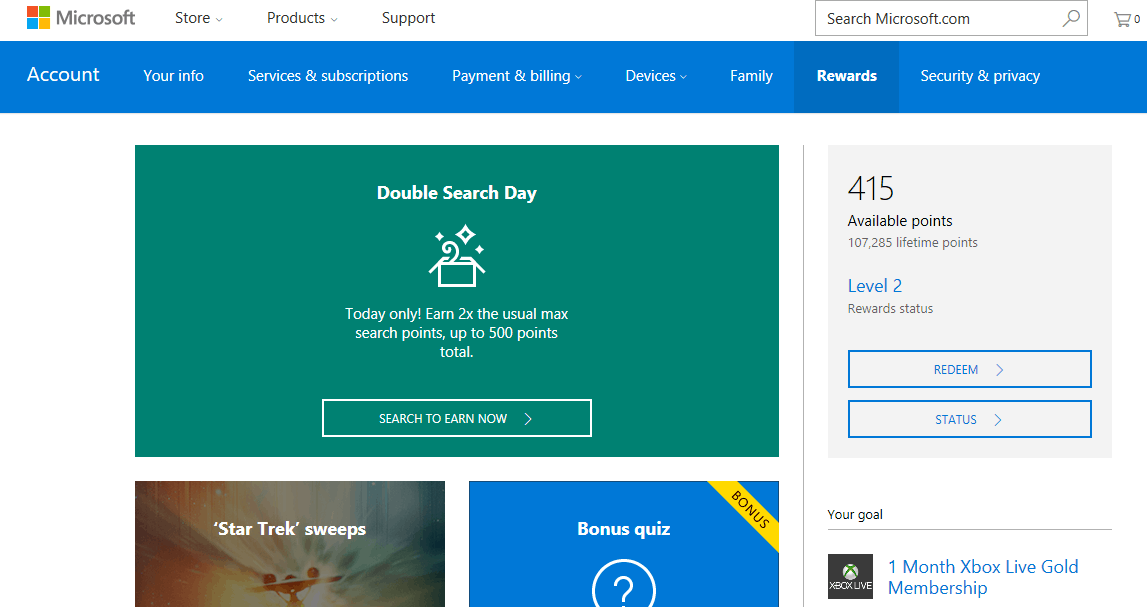
If you’re looking to score some extra Microsoft Rewards points, then now is the time to head to the Windows Store. Microsoft has announced a new limited time only Rewards initiative where you can earn 200 Microsoft Reward points for every dollar you spend on select games from the Windows Store.
According to Microsoft, the best way to score the extra Rewards points is to head over to the Rewards promotional page. It would be wise to hurry, though, since the offers will only last until December 30th. While you’re at it, we also invite you to head over to the Windows Store and check out the holiday hits collection which includes various holiday-themed collections of music, movies, TV shows and apps.
For some extra search points, you also can head over to Bing and examine 2016’s top search trends! As always, please let us know how you have been spending your Microsoft points by dropping us a comment below!
Yesterday, Minecraft released the Ender Update 1.0 to the Windows 10 and Pocket Editions, bringing them out of beta and into official release. In fact, they are nearly as complete as the original Java version. However, in the wake of the Ender Dragon some behind the scene features slipped through that Mojang felt the need to point out in the latest update.
One major advantage the Java for PC version of Minecraft has had over other editions was the ability to customize the game through world templates and easily accessible mods. Community made packages are now available for the Windows 10 and PE versions such as using mcpack and mcaddon files.
Community developers that build these files have new validation tools available to them right in the client. With 1.0, add-on packs will display warnings to help keep mods up to date and accurate for users. While these world templates and add-ons are obviously easier to export and create on Windows 10, they can be used with both editions.
Mojang intends to continue providing players ways to make Minecraft their own. Some features they intend to roll out eventually include sound and music in resource packs, more entity behavior modification, and better debugging tools for modders.
If you’re a Windows Insider on the current fast ring build and you’re actively using the Mail app, you might want to check your app for a special message from Microsoft. Thanks to a tip from our reader Adam Bicak, we have just learned that Microsoft is reportedly selecting certain Insiders for the testing of focused mail in the Windows 10 Mail and Calendar apps.
Windows 10 mail app update
According to Adam, who is a Windows 10 Insider on the Fast Ring, upon opening his inbox on Mail for Windows 10, he was greeted with a message which mentioned that his account was selected to be one of the first Insider Preview accounts to try out Microsoft’s new focused mail feature. Though he did not screenshot this initial notice, he did provide us with the screenshot above which shows that he was then was able to install a new update that gave him the focused mail functionality. Note that his build is x.42277.0, while our current Fast Ring Mail and Calendar app (updated today) is at x.42257.0.
We have yet to receive this notice on the mail app on our machine which is running the latest fast ring build, so please do let us know if you have also been selected for focused mail by dropping us a comment below! And, as always, be sure to stay tuned to our Windows 10 news hub, so you won’t miss a single bit of the latest Windows 10 news.
Three months ago, we reported that Microsoft Azure and Office 365 became available from UK data centers. Yesterday, Microsoft announced that it has expanded on this availability of Azure in the UK by bringing several new services to the region.
Topping the list of new services is SQL Server Stretch Database, which Microsoft believes is “cost effective and can migrate your cold data transparently and securely to the Microsoft Azure cloud.” Second is Azure Functions, which is a solution for “easily running small pieces of code in the cloud.” Third up is Power BI, which Microsoft describes as, “a cloud-based business analytics service that enables anyone to connect to, visualize, and analyze data with greater speed, efficiency, and understanding.”
The fourth new service is Power BI embedded, which “enables application developers to embed stunning, fully interactive reports and visualizations in customer-facing apps without the time and expense of having to build custom controls from the ground up.” Other new services include:
Azure DocumentDB: Azure DocumentDB is a fully managed NoSQL database service built for fast and predictable performance, high availability, elastic scaling, global distribution, and ease of development. As a schema-free NoSQL database, DocumentDB provides rich and familiar SQL query capabilities with consistent low latencies on JSON data
Azure DevTest Labs: Azure Devtest Labs is a service that helps developers and testers quickly create environments in Azure while minimizing waste and controlling cost. The goal for this service is to solve the problems that IT and development teams have been facing: delays in getting a working environment, time-consuming environment configuration, production fidelity issues, and high maintenance costs.
Are you an Azure Customer in the UK? What are your thoughts on these services becoming available in the region? As always, please do let us know what you think by dropping us a comment below!
While popular note-taking apps such as OneNote or Evernote may well pack enough features for most bloggers or writers, professional authors usually rely on more specialized software. For Windows users, several solid options such as Ulysses or Scrinever are already available on the platform, though self-published author Ivan Samokish wants to develop a more focused app for writing novels and exporting them to ebook format.
Samokish has started to work on Winkle, a writing app he has started developing for himself because he was “never fully satisfied with the software on the market today.” The app is still a work in progress, but the developer is focused on designing a simple and elegant UI for writers that don’t want to be overwhelmed by power-user features they don’t really need. Here are some of the main features that the app will support:
Autosave to selected directory/folder
Ebook export tool (export to EPUB, MOBI and IBOOK format)
Ebook preview panel (see how your ebook looks and edit it live)
Built-in dictionary/thesaurus
Notes panel (add notes throughout your work)
Tabbed notes (divide your work into Projects and Chapters)
Available for Windows only (and hopefully for Mac later on)
FREE to use (*donate to remove startup popup & export signature*)
If you’re willing to give Winkle a try, you have until December 31 to register as a beta-tester for the beta version which be released in January 2017. The app will be free to use, though those of you who wants to support the developer and remove the startup popup and export signature will be invited to donate a minimum of $1. Head over to Samokish’s website if you want to sign up for the beta version of Winkle.
Earlier today, Microsoft India, in collaboration with L V Prasad Eye Institute, launched Microsoft Intelligent Network for Eyecare (MINE), a new organization aimed at encouraging similarly motivated commercial, research, and academic institutions to help prevent avoidable blindness in individuals through the use of artificial intelligence and machine learning.
“By using our capabilities and pioneering work in the field of machine learning over the years, Microsoft has helped accelerate digital transformation in various key sectors in India, including agriculture and education,” Microsoft India’s managing director, Anil Bhansali, said of the collaboration. “Today, I am happy to take forward the work we have done in healthcare with an esteemed set of partners. MINE, a global collaboration, reinforces Microsoft’s belief in the combined power of data, cloud and advanced analytics to drive public good. In our shared vision to eradicate preventive blindness, MINE will help redefine eyecare by bringing together the power of technology and knowledge of global experts.”
L V Prasad Eye Institute’s founder-chair, Dr. G.N. Rao, was also present at the announcement and revealed a bit about his company’s current progress and how they will be combining their efforts with Microsoft going forward.
“At LVPEI, we have been using Microsoft Azure Machine Learning and Power BI to drive clinical interventions and improve patient outcomes,” he explained. “Today, we take great pride in taking forward our partnership with Microsoft and joining forces with global institutes to revolutionize the field of ophthalmology in India and across the world. We are confident that this partnership will not only open doors to opportunities in the field of eyecare, but also pave way for others to leverage technology to address several other critical eye diseases.”
Microsoft’s corporate vice president of data group, Joseph Sirosh, reportedly joined the announcement via Skype and specified that the Microsoft Cortana Intelligence Suite would be one of the tools used going forward with this project. “This unique partnership with LVPEI and the consortium brings the best in the field together to reimagine healthcare using machine learning through the Microsoft Cortana Intelligence Suite,” he said. “We will continue to drive our investments in cloud, machine learning and advanced analytics to provide the building blocks to empower people and organizations to build, innovate and transform.”
Some specific eye-related conditions mentioned in the press release were, “rate of change of myopia in children, conditions that impact children’s eyesight, predictive outcomes of refractive surgery,” and improving eye surgery conditions and practices.
Are you impressed with Microsoft’s initiative? Is there another area that you would like to see them focus on? Let us know in the comments below.
In an interview with Stevivor, BioWare’s Michael Gamble spoke about his studio’s upcoming video game, Mass Effect: Andromeda, and revealed that, while they will be discussing plans to enhance the video game for Sony’s PlayStation4 Pro console, they don’t currently have anything in the works for Microsoft’s Project Scorpio.
“In the world of PS Pro, we do similar things where we say, ‘Okay, what are the strengths of the console, and how can we optimise to make that experience best for players?’ In terms of PS Pro, we’ll probably talk more technical about that in January or February,” he says in the interview. “For Scorpio, we have absolutely no plans right now. You never know what’ll happen after that.”
Project Scorpio is the current codename for the next iteration of the Xbox One video game console. While it will still be within the same console generation and play all of the Xbox One games, Scorpio will boast significant upgrades that will enhance its processing power significantly. It’s speculated that many future Xbox One games will work on all Xbox One consoles but, like PC games, will be able to change their settings based on the hardware that’s playing them.
Would you like to see an enhanced version of Mass Effect: Andromeda on Project Scorpio? Share your thoughts with us and the community in the comments below.
The Mobile World Conference 2017 is confirmed to be held in Barcelona. What’s interesting is that even after several reports suggesting that Microsoft is walking out of the mobile business, the company is still making an appearance at the big event.
Microsoft also launched a web page labeled msmwcmeetings.com, allowing MWC visitors to arrange meetings during the annual mobile showcase. At this point, it is still uncertain as to what they are planning for the event. It’s no secret the company has sold off or shuttered all of its phone factories, but it does not mean that Microsoft will be left out of the mobile party.
MWC is the forefront for manufacturers to showcase their smartphones alongside add-ons ranging from accessories and other goodies. So it is about time we say out loud what everyone has been thinking: Will Microsoft be unveiling the Surface Phone at the event?
What the MWC holds for the Surface Phone:
There might or might not be a Surface Phone appearance at the MWC 2017 as the device is barely ready, but there does exist a strong possibility of a Sneak Preview into its core features.
We are also half expecting an announcement from Microsoft regarding its progress in bringing the full version of Windows 10 to mobile devices, as per Microsoft and Qualcomm’s intentions announced a few weeks ago. As the current generation chipsets come running 64-bit capable processors, compatibility should not be an issue at all. These are going to be the first ARM-based processors that will allow users to run full desktop apps on phones and PCs.
With full compatibility with the Windows 10 ecosystem, the Qualcomm Snapdragon platform is expected to support mobility to cloud computing and redefine how people will use their compute devices, Qualcomm said at the time.
Apart from this, Microsoft has a lot to flaunt at the MWC next year, mostly because the tradeshow’s timeline aligning with its Creators Update release. The upcoming Windows 10 update is expected to bring a bunch of significant changes to the mobile devices. It might be possible that Microsoft will be using this event to give its users a glimpse of what they should be expecting from the update in addition to positioning the OS to OEMs and ODMs.
Who knows: Maybe Microsoft will take everyone by surprise and reveal the elusive Surface Phone after all.
Astroneer is an impressive game of about the aerospace industry and interplanetary exploration. The title is available as an Early Access game and you can buy it for $19.99 from Steam.
Astroneer allows players to explore and reshape distant worlds. Gamers must explore the frontiers of outer space and risk their lives in the 25th-century gold rush. You’ll alter the terrain and extract valuable resources from both planets and moons. You can then trade these resources or craft them into new tools and vehicles.
Astroneer was only recently launched but already has tens of thousands of fans all over the world. Naturally, every player wants to have the game’s interface in their mother tongue. Currently, Astroneer supports 13 languages and you can easily change the game’s default language to another.
Astroneer: how to change the game’s language
1. Right click Astroneer > go to Properties > Set Launch Options 2. Type -culture=”VALUE” 3. Use the following list to set your preferred language. Replace “VALUE” with the language codes below:
German – de
English – en
Spanish – es
Catalan – es-ES
French – fr
Italian – it
Japanese – ja
Korean – ko
Dutch – nl
Polish – pl
Portuguese – pt
Russian – ru
Chinese – zh-hans
As you can see, Astroneer supports quite an impressive number of languages. Usually, most games don’t support so many languages when released.
However, many Astroneer players report the game’s translation is not very accurate for particular languages. For example, one Russian player reports that the Russian localization is inaccurate, with wrong item names — the same problem plaguing the Polish localization of the title.
We’re sure that System Era Softworks will provide gamers with more accurate translations of the user interface, but patience is required since Astroneer was launched only a few days ago.
The Windows 10 Insider program allows people to sign up and be part of the testing experience that takes place before an update is rolled out to the public version of the operating system.
Microsoft takes its Insider program seriously and has released an abundance of updates over the months. Looking at the pattern established by the Windows 10 build releases, it seemed like Microsoft was aiming towards a weekly release schedule. This was the case for the majority of the program with a couple of instances where the Windows developer skipped a launch day. When that sort of thing happens, it is usually due to an inconsistency in the release content Microsoft wishes to fix before putting out the build.
The same thing has happened now: Microsoft is holding off on releasing a bad patch close to Christmas, preferring to postpone the next update release for another day. Microsoft is trying to compensate for the lack of a new build for the Fast Ring of the Insider program by releasing a Slow Ring update in the form of an ISO. The update is downloadable and intricate in terms of new additions, including both features and changes.
Unfortunately, for those waiting on a new Fast Ring update, that won’t be happening in 2016. We are less than a month away from 2017 and with it come new updates for the various services Microsoft offers. Users will be able to see the new Insider build which will more than likely compensate for being late with new features that will please the crowds. We will just have to wait and see if Microsoft prepares any other last minute patches.
In a blog post, Microsoft’s Nitin Soneji, current program manager of Cloud and Enterprise, announced the addition of Exclude Disk Support to Hyper-V Virtual Machines (VMs) with Azure Site Recovery (ASR). Based on customer feedback, ASR now gives users to ability to exclude disks from replication.
Soneji indicates that there are two instances where Microsoft customers would need to exclude disks from replication:
The data churned on the excluded disk is not important or doesn’t need to be replicated (or / and)
Storage and network resources can be saved by not replicating this churn
Earlier this year, ASR’s VMware to Azure gained this capability. Starting today, ASR’s Hyper-V to Azure will also be getting this capability. Soneji goes on to describe typical scenarios where Microsoft users need to exclude disks from replication:
Splitting the single virtual disk into two virtual disks – one with the OS and one with the page file
Excluding the page file disk from replication
Similarly, for Microsoft SQL Server with tempdb and system database file on the same disk can be optimized by:
Keeping the system database and tempdb on two different disks
Excluding the tempdb disk from replication.
Here’s a Microsoft Channel 9 video showing how to replicate Hyper-V VMs to Azure using ASR.
Microsoft offers a 31-day free trial of ASR’s replication capabilities for any new physical server or virtual machine that you replicate. Offer is open to new and current Microsoft customers with an Azure account. Let Microsoft know what features you want to see next through the ASR UserVoice or solve any issues you have via the MSDN ASR forum.
Gamers are always looking to find new ways to express themselves through their Xbox Elite controllers. Now, the exclusive partner SCUF has released their customized accessories for Microsoft’s console controller, announced Xbox Wire.
Fans have eagerly gobbled up the Xbox One/SCUF news since Microsoft first announced the partnership. Now, they can get their hands on their own custom controller with one of two different upgrade SCUFF kits for the Xbox One Elite controller, just like 90% of the professional gamers use.
These peripheral accessories are intended to make gaming sessions more comfortable and effective. The first kit is the SCUF ELITE Paddle Control System & Directional Bias D-pad Kit available for $39.96. This includes the Paddle Control System and Directional Bias D-pad that is slanted to reduce the distance to the joystick. Not to mention the selection of designs and treatments for faceplates, buttons, and trims.
The second SCUF ELITE Pro Grips & Precision Thumbstick Kit will become available ‘soon’ for $29.99. Of course, you can always order a custom made controller with all the features installed from SCUF starting at $149.95.
SCUFF accessories and controller kits are available for sale now although they are cutting it close to the holiday. According to their website, any orders by tomorrow December 20 are guaranteed to be delivered by Christmas and free shipping is available for orders about $250.
The Preferred Practices for Office 365 ProPlus Deployment guide was created for IT pros by a team of Office 365 deployment experts. The guide is available for download in the Office 365 onboarding resources at fasttrack.microsoft.com and features actionable guidance and real-world scenarios, including:
Recommended guidance for discovery of applications.
IT Pros can currently look forward to sectioned into parts that cover Assess, Plan, Deploy and Manage of ProPlus deployment. Download a copy of the guide today and get started on deployment soon.