Batman Episode 2: Children of Arkham available now on Xbox One

The second chapter in Telltale Games’ Batman series, Batman: The Telltale Series Episode 2: Children of Arkham, is now available on the Xbox One. This second chapter continues the storyline from the first and, like other Telltale Games video games, will carry-over decisions and actions that were made during Chapter 1.

Here’s the official game description:

With Gotham City’s first family mired in corruption, and an old friend now a dangerous adversary, the life of the Dark Knight is turned upside down. What was Thomas Wayne entangled in, and why was he killed? Determined to learn the truth about his father, Bruce sets out to question those involved in Gotham’s criminal past. But which mask will he wear – The billionaire, or the bat? Huge decisions will forever change the Batman and the lives of those around him, as he meets the Children of Arkham.

Buy Batman: The Telltale Series Episode 2: Children of Arkham on Xbox One

There will be five chapters in total for Batman: The Telltale Series. No release dates have been revealed for the remaining three entries but they are expected to drop sometime before the end of the year.

Today has turned out to be quite a big day for Batman fans. Not only has the second chapter of the Telltales game begun to rollout but pre-orders for the re-release of Batman: Arkham Asylum and Batman: Arkham City are also now online ahead of their late October release dates. Both games are being promoted as part of a bundle called, Batman: Return to Arkham, and will contain all of the downloadable content that was released for them on the Xbox 360. The third season premiere of the live action Batman television series, Gotham, also aired today in North America. Not a bad day to be a Batman fan!

Are you enjoying this latest Telltale Games series? Share your impressions with the community in the comments below.

Batman: Return to Arkham pre-orders now available in some Xbox One regions

The remasters of the two Xbox 360 Batman video games, Batman: Arkham Asylum and Batman: Arkham City, are now available in some regions in the new Xbox One bundle named, Batman: Return to Arkham. The package is currently showing up in the Australian Windows Store with a functioning pre-order option ahead of its October 19th release in that region. Xbox One users in other parts of the globe should begin seeing it in their stores soon as well.

Here’s the official description for the Batman:

Return to Arkham package and the two individual games: Return to Arkham and experience two of the most critically acclaimed titles of the last generation – Batman: Arkham Asylum and Batman: Arkham City, with fully remastered and updated visuals. Batman: Return to Arkham includes the comprehensive versions of both games and includes all previously released additional content.

Batman: Arkham Asylum exposes players to a dark and atmospheric adventure that takes them into the depths of Arkham Asylum –Gotham City’s high security psychiatric hospital for the criminally insane. Use Batman’s legendary gadgetry, strike from the shadows, and confront The Joker and Gotham City’s most notorious super villains.

Batman: Arkham City sends players soaring into Arkham City – a heavily fortified sprawling district in the heart of Gotham City. Batman Arkham City introduces a brand-new story that draws together an all-star cast of classic characters and murderous villains from the Batman universe, as well as new and enhanced gameplay features.

Pre-order Batman: Return to Arkham on Xbox One

Batman: Arkham Asylum and Batman: Arkham City were developed by Rocksteady Studios and were both praised by fans and critics alike for their original storylines, character moments, impressive fight mechanics, and overall representation of the world and characters from the Batman comic books and TV shows. The third game in the series, Batman: Arkham Origins, was a prequel to the first two and is not considered a proper entry in the series due to it being developed by WB Games Montréal. The fourth game, Batman: Arkham Knight, was released on Xbox One in 2015 and saw the return of Rocksteady to the series. It has been officially declared as the final entry in the main Arkham series however a virtual reality version of the games, Batman: Arkham VR, is planned for a late 2016 release on Sony’s PlayStation VR.

Are you a fan of the Batman: Arkham franchise? Will you buy Return to Arkham? Let us know in the comments below.

Dragon Age and Just Cause video games discounted on Xbox One

Dragon Age: Inquinsition and Just Cause 3 are among the numerous video games discounted this week on Microsoft’s Xbox One and Xbox 360 video game consoles as part of the Deals With Gold campaign.

On the Xbox One, the Dragon Age: Inquisition – Trespasser, Dragon Age: Inquisition – The Descent, and Dragon Age: Inquisition – Jaws of Hakkon add-ons have all had their prices reduced by 67% while the main game, Dragon Age: Inquisition – Game of the Year Edition, is now 60% cheaper. Likewise, Just Cause 3 and its more feature-filled alternative, Just Cause 3 XL Edition, are also going for 60% off right now.

The Magic Duels add-ons; Mythic Coin Pack, Large Coin Pack, and Huge Coin Pack are 40, 20, and 30% cheaper respectively and Dovetail Games Euro Fishing is now 33% off its regular sale price.

Over on the Xbox 360, the video games Risen, Risen 2: Dark Waters, Risen 3: Titan Lords, and Sacred 3 are now 75% cheaper under the Deals With Gold campaign and Sacred Citadel has had its price slashed by 80%. Guncraft: Blocked and Loaded is 60% off its usual price and King of Fighters XIII, Deathsmiles NA, and Akai Katana are all now half price.

The Deals With Gold discounted prices usually last for around a week and are only available to Xbox One and Xbox 360 console users who have signed up for the paid Xbox Live Gold premium subscription. This membership originally was designed to let console owners use media streaming apps such as YouTube and play in online matches but is now geared more towards offering discounted video games for customers to buy and keep or even give free games outright via the Games With Gold promotion. Games With Gold gives Gold subscribers two full Xbox 360 and two full Xbox One video games a month. These games can be played as much as needed but as long as the owner continues to pay monthly (or annual) Xbox Live Gold subscription fees.

Are you an Xbox Live Gold subscriber and will you buy any of this week’s Deals With Gold games? Let us know in the comments below.

Improve Windows 7, 8.1 privacy with DoNotSpy78

Windows is constantly gathering information about users and sends it back to Microsoft, allegedly for improving the user experience. Many users don’t like the idea of their activities being tracked and the good news is that there are many third-party software packages available that improve your system’s privacy.

Usually, users make a fuss about Windows 10 privacy, but previous Windows versions also collect information about you, although not as much and as intrusively as Microsoft’s latest OS does. If you’re running Windows 10 and you want to protect your privacy, we recommend you check out our list of the best privacy protection software available for this OS version.

If you haven’t upgraded, and you’re running Windows 7 or Windows 8.1, we have a good piece of news for you as well. You can install DoNotSpy78 and allow this tool to prevent Windows 7 or 8.1 from threatening your privacy.

Microsoft added many new so called diagnostic features from Windows 10 to older versions of the OS via Windows Update. As stated before, the tech company reassures its users that these tools are used only to provide a better service. However, some of these features are highly intrusive and record your keyboard input, your speech, scour the content of your messages, and so on.

DoNotSpy78 allows you to choose what information to share with Microsoft, and what parts of you computer these diagnostic tools can access.

Here’s what features DoNotSpy78 brings:

  • Disable Telemetry
  • Disable Steps Recorder
  • Disable Biometrics
  • Disable Error Reporting
  • Disable Windows Registration
  • Disable Internet OpenWith
  • Enable Do Not Track Header
  • Disable Location
  • Disable Sensors
  • Disable Handwriting Data Sharing
  • Disable Media Player Usage Tracking
  • Prevent Media Player Metadata Retrieval
  • Disable Windows Media DRM Internet Access
  • Disable Windows Defender
  • Disable Infection Reports.

DoNotSpy78 has a simple, easy to use interface. The items colored in green are safe to disable, while those colored in red, such as Windows Defender, could cause various OS issues if disabled.

You can download DoNotSpy78 for free from Pxc-coding. Take note that this software comes with adware, but you can get an adware free installer is you donate to the developer of this tool.

RELATED STORIES YOU NEED TO CHECK OUT:

CCleaner 5.22 adds full support for Windows 10 Anniversary Update

CCleaner is known to be one of the best software cleaning utilities for Windows  OS. Windows cleaning tools have always been the best services utilized by Windows users to optimize their system’s performance and ensure effectual workability of their machine.

The constant update of any software is essential as it brings support for new apps, additional built-in features, and a yet more bug-free platform. The new 5.22 update of CCleaner comes with the capability of fully supporting Windows 10 and as the reviews of CCleaner have shown that it is the most popular and the best-suited utility for cleaning unwanted files, optimizing space and increasing performance speed.

It looks like that the CCleaner team has paid intensive attention towards making its software compatible with the now popular Windows 10 and not just that, also ensuring the fast and smooth operation of their app with the Windows 10 Anniversary Update. So, if you have downloaded the Windows 10 Anniversary update, you should experience zero compatibility issues when running the updated CCleaner 5.22 app.

Other than basic compatibility upgrades, CCleaner now comes with advanced Microsoft Edge cookie and history cleaning functionality, along with improvements in the 64-bit architecture of Windows 10.

Other features include:

  • Updated Firefox extension management
  • Improved 64-bit build architecture on Windows 10
  • Updated ZoneAlarm 2016 cleaning
  • Minor bug fixes
  • Minor GUI improvements.

CCleaner has no doubt achieved tremendous fame in the past as well because of its super easy to use interface, but now the added compatibility with Windows 10 Anniversary Update is like a cherry on top.

You can download CCleaner 5.22 fro free from Piriform. You can also purchase CCleaner PRO for only  $24.95.

Here are the September 2016 updates for .NET Core

Microsoft released last week an update to its free open-source framework .NET Core 1.0 for Windows, macOS, and Linux. The new version 1.0.1 is the first .NET Core Long Term Support (LTS) update and includes the following security and reliability updates:

  • Segfaults on Linux 4.6
  • Access violation on Windows
  • F# template has been updated for .NET Core 1.0
  • Update ASP.NET Core templates to reference ASP.NET Core 1.0.1
  • Update ASP.NET Core templates to correctly publish CSHTML files

While it’s possible to install two versions of .NET Core side-by-side, apps that previously used .NET Core 1.0.0 will automatically use the newer version once you install it. We invite you to read the full blog post to get instructions on how to configure your app to only run on .NET Core 1.0.1.

Additionally, the company has also released the ASP.NET Core 1.0.1 framework (also a Long Term Support release) and Entity Framework Core 1.0.1, please find below a summary of the updates and fixes:

  • Microsoft Security Advisory 3181759 : Vulnerabilities in ASP.NET Core View Components Could Allow Elevation of Privilege
  • MVC updates for FIPS compliance
  • HTTP Verbs mapping error GET and DELETE – mvc 5038
  • ResponseBody and the corresponding stream is replicated in future requests in some cases
  • Several Entity Framework Core updates

Lastly, the company explained that future updates to .NET Core including the adoption of MSBuild and .NET Standard 2.0 will be introduced in a future release. In the meantime, you can download .NET Core 1.0.1 on your operating system of choice over here.

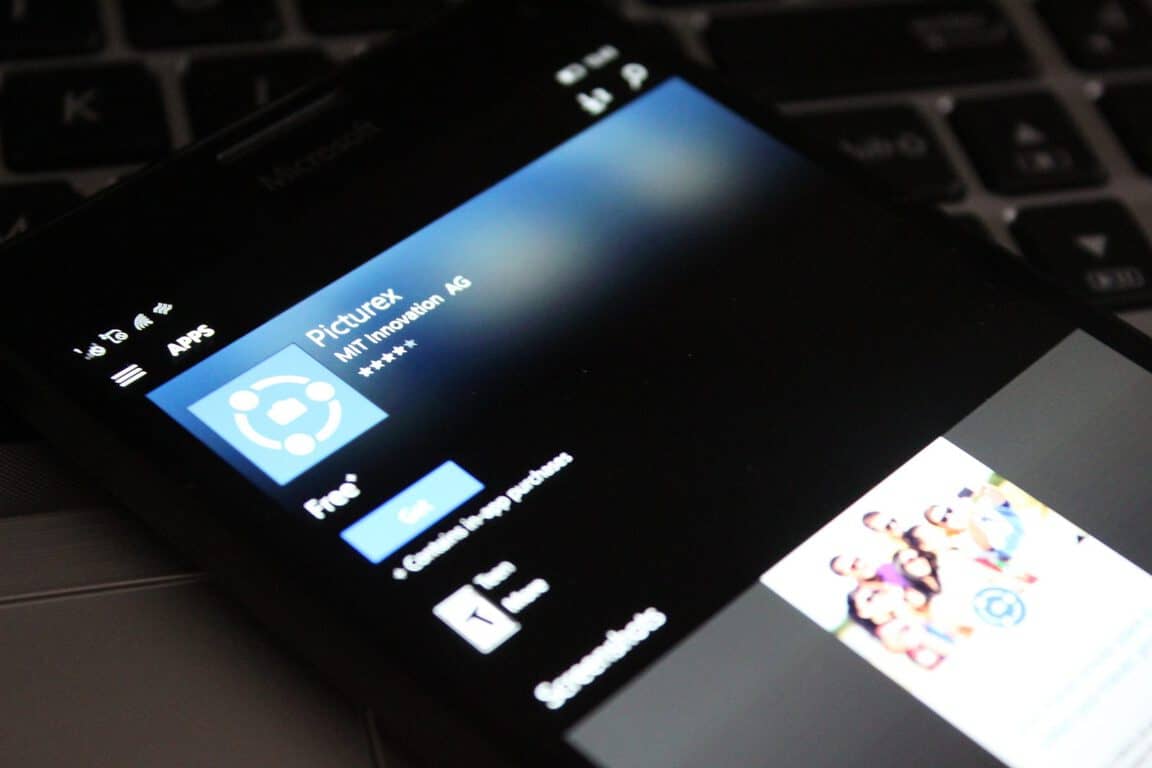
You can help the Picturex developers spread the word to support Windows 10 app development

Picturex has long been known as a way to safely and securely exchange photos during events such as weddings, birthday parties, and even vacations. While the app is currently available for iOS, Android, and Windows Phone 8.0, the developers are now calling on you to contribute to support Windows 10 UWP app development.

Ultimately, the Picturex team hopes that you can spread the word and help them deliver an update that would enable users  to enjoy Picturex on their Windows 10 laptop, PC, tablet, or phone. The update would also bring the app visually on par with the iOS and Android versions.

Picturex will also soon launch a big design makeover for iOS and Android versions of the app, and the UWP app would be the next steps towards redesigning Picturex for Windows 10 users. Additionally, as soon as the goal of 500 social shares is achieved, the developer plans to start working on the Windows 10 (UWP) version and hopefully launch it sometime this fall 2016.

The Picturex team consists of a small team of mobile and internet enthusiasts who wanted to make photo-exchanging with friends and family faster, while still respecting every single user’s privacy. The team is  MIT Innovation AG, an innovative development company, and is based in Switzerland.

If you would like to sign on to help the Picturex team, be sure to head over to this webpage. Once you’ve checked it out, come back to WinBeta and drop us a comment below let us know why you’ve decided to support them!

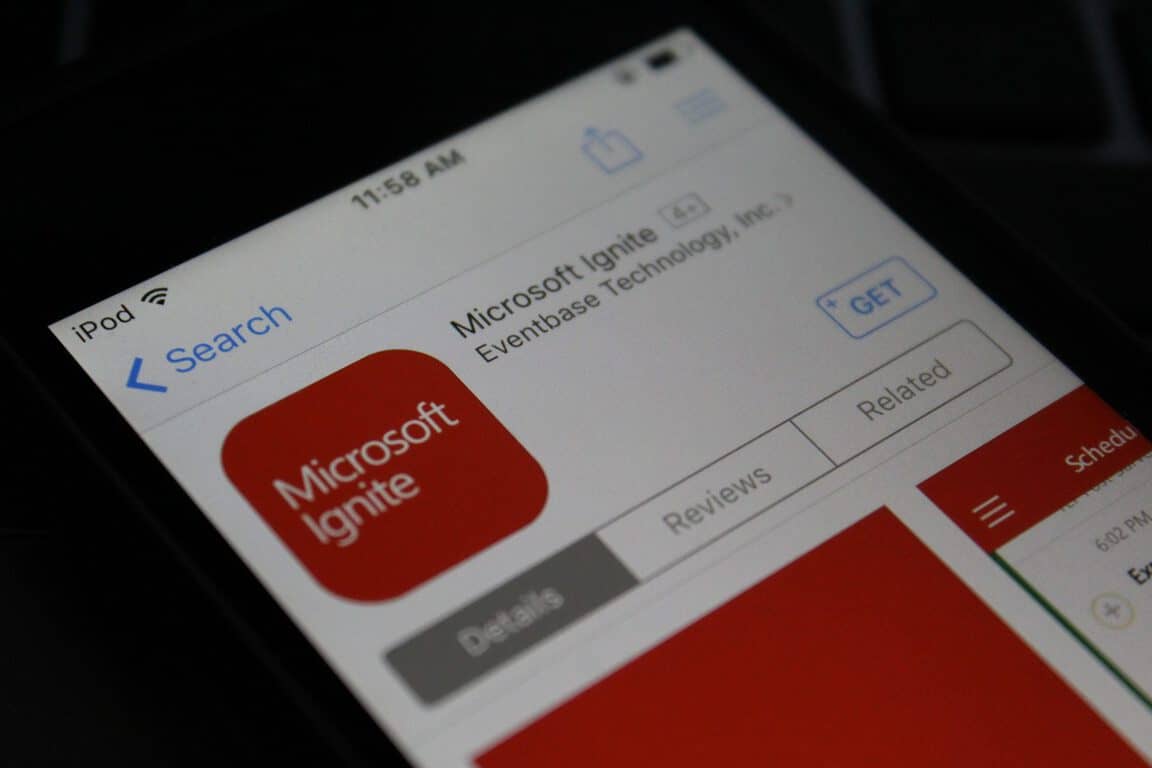
Heading to Microsoft Ignite 2016? Grab the app before you go

Microsoft’s Ignite conference may be sold out, and is just a week away, but if you’re heading to the event, you can grab up an official app now. The app ultimately will help you manage your personal agenda, view session details, submit feedback, and much more.

Just like with the official Build app, the Ignite app is available across platforms for users on iOS, Android, and Windows. The app is open for registered attendees only, but for complete details on the app, check out Microsoft’s description below.

  • My Schedule: Access and modify the list of sessions, speakers, and exhibitors that you have added as favorites in the app or on the conference website.
  • Schedule Builder Schedule Builder: View and search the full conference session list. Select a session to favorite it, view details, submit session evaluations, and take notes.
  • Exhibitors: Find sponsors & exhibitors you want to meet. On-site Guide: Find important event information and read about key event highlights to enhance your on-site experience.
  • Maps: Find your way around the venue.
  • Social & News: Read current news and follow and join the conversation through our social channels.

Ignite 2016 runs from  September 26-30th in Atlanta Georgia and will feature Microsoft partners, developers, professionals, and tech enthusiasts all under one roof. Day one of the event features an opening Keynote, Innovation Keynote, and much more.

The rest of the event is jam-packed with other events such as Interactive Digital Labs, Certification Testing, and a Women in Technology Reception. We will be closely following the news coming out of Ignite, so be sure to follow us on Twitter, or like us on Facebook to stay up to update with all the latest Microsoft news and information. And, as always, please drop us a comment to let us know your thoughts on this official Ignite app.

Microsoft Ignite
Microsoft Ignite


The app was not found in the store. ?


The app was not found in the store. ?

Microsoft, Google, Yahoo to ban sex determination searches in India

Back in July of 2016, Inda’s Supreme court concluded that Microsoft, Google, and Yahoo had violated sex determination laws. Now a little over two months later from the original ruling, the three major search engines have all finally agreed to ban sex determination searches in India (Via Bloomberg)

Examples of searches included in the ban are searches for female foeticide and infanticide. There is, however, the legitimate concern  that a ban on searches would also block  non-promotional content such as research reports and news articles. On this matter, India’s health ministry did not immediately say how this would affect the ban. According to Bloomberg, Google, nonetheless,  has taken action to prevent searches and advertising to comply with local laws. Microsoft, though, did not respond to Bloomberg’s requests for comments.

What is your take on this situation? As always, please let us know what you think by dropping us a comment in the section below!

Microsoft to open its third Transparency Center, this one in Beijing

Microsoft has announced that it is set to open a third Transparency Center in Bejing, China. The new center joins the two centers already existing in Belgium and the United States, and further continues the company’s push to increase trust in Microsoft’s products.

The new Asia Transparency Center will enable government IT experts to test and analyze Microsoft products closely and ultimately gain confidence that their software will stand up to security needs. The Transparency Center is also designed to provide these IT experts with deeper insights and understanding of Microsoft’s security measures, while still maintaining a proprietary and protected environment for Microsoft products.

Microsoft’s Transparency Center is all part of efforts put forth by Bill Gates back in 2002 when Microsoft’s Government Security Program (GSP) was first announced. The program has since expanded and 70 agencies from almost 40 national governments are now part of the program. More details on events to celebrate the opening of the new Microsoft Transparency Center will arise in the fall, and Microsoft is even mentioning that new Microsoft Transparency Centers that will be announced in the coming weeks.

Windows 10 news recap: Skype gets texting, Desktop Bridge open for business and more

Welcome back to our weekly “Windows 10 news recap” series where we go over the top stories of the past week in the world of Microsoft’s latest operating system. Let’s get started.

Microsoft lets go of team working on Windows 10 for Band, could delay or cancel release of Band 3

If you were holding out for the Band 3, it might be time to consider other options – as Microsoft reportedly scraps the team working to bring Windows 10 to the Band, leaving the future of its Band device in question.

Office Lens now available for Windows 10 PCs, tablets, even HoloLens

Microsoft has released Office Lens for Windows 10 PC, tablet and HoloLens, allowing users to save whiteboards and drawings in greater quality without having to modify anything manually.

Skype Preview app for Windows 10 enables SMS support and more

After a lot of back-and-forth surrounding cross-device SMS, Microsoft finally appears to have settled on integrating it into Skype, with SMS support being added in the latest preview build.

The first wave of Windows 10 apps using the Desktop Bridge are headed for the Windows Store

The classic Win32 programs are now making their way to the Windows Store in a UWP wrapper, allowing them to be sandboxed, thanks to the Desktop Bridge.

Here’s the build that released this week:

Microsoft (MSFT) news recap: Microsoft loves open source, Garage gets a new look and more

Microsoft (MSFT) news recap is a weekly feature highlighting the top Microsoft news stories of the past week. Sit back, grab some coffee, and enjoy the read!

Microsoft Garage, home to creative apps like Arrow Launcher, gets site redesign

Microsoft has released an updated design to its Garage website, offering a bigger emphasis on the projects its employees are working on, rather than describing the platform itself.

Microsoft has the most open source contributors on GitHub, beating Facebook and Google

90s Microsoft is out. Microsoft has been crowned as having the most open source contributors on GitHub.

Microsoft Edge fires back, claims even better battery life with Anniversary Update

Continuing its fight on claiming to be the most energy-efficient browser, Microsoft comes back saying that the Anniversary Update leads to better battery life in Microsoft Edge.

Global DNS outage hits Microsoft Azure customers

Uh oh – Microsoft’s pride-and-joy, Azure, suffered a global DNS issue this week, which impacted services around the world who rely on the uninterrupted cloud services provided by Microsoft.

That’s it for this week – we’ll be back next week with even more Microsoft news.

Latest Xbox One Preview build fixes Background Audio, Clubs and more issues

Microsoft is rolling out the latest Xbox One Preview build to those who are in the Xbox Preview program. This latest build brings fixes for several issues, including Background Audio, Clubs and more. This brings the Xbox One to build rs1_xbox_rel_1610.160914-1900.

Here are the fixes in this build:

Home
When installing a game or app, the install progress on the game or app’s dashboard tile should not be correctly displayed.

Dashboard
The featured tiles in the Community section should now be actionable.

Clubs
Non-members should no longer encounter a “Something went wrong” error when invited to a Hidden Club party.

Guide
When selecting “You might like” under Parties, you should no longer encounter an error.

Background Audio
Background Audio should no longer stop when launching the power menu.

For the known issues, there’s still a fair few:

Settings
Users with a console set to use Chinese, Japanese, or Korean language may be unable to access View details & customize under Privacy & online safety > Xbox Live privacy in Settings. Workaround: View details & customize Live privacy settings on Xbox.com.

Xbox Universal Store
When using Cortana to search the store for genres (ie. “Hey Cortana, search the Store for Horror”, search results fail to populate.
Workaround: Search for genres via text.

Notifications
When receiving voice messages from another user, you may not receive a notification.

Clubs
When viewing Clubs, you may still see the option to start a Club Party even if you are not a Club member.

Head over to Settings > System > Console Info & Updates to update now.

Microsoft Garage, home to creative apps like Arrow Launcher, gets site redesign

Microsoft’s Garage platform has been making strides recently with its Video Breakdown project, along with releasing 5 apps built by interns at the company. Microsoft Garage allows employees at the company to try out new technologies, develop for competing companies and just have a go at doing something a little different.

Now, their own site has received a bit of a makeover. Before we get into it, let’s take a look at the old design:

microsoft-garage-old
Microsoft Garage’s old design

Then the new design:

microsoft-garage-new
Microsoft Garage’s new design

From looking at the updated design, it appears that the aim was to put the actual projects as the front-and-centre, as the featured projects are now shown at the top-left, with the latest and recently updated floating to the centre and right. They’ve also cut out the huge welcome text and placed it in the initial slider towards the top.

Throughout the design, they have added a little more padding to areas – such as the menu, which now has a gap beneath the menu item and the header background, while also improving the look of the overall font.

Let us know you think of the changes in the comments below!

Thanks to Travis for the tip!

Edge is better than Chrome, Microsoft runs a new test to prove it

According to battery tests performed on portable computers, Microsoft’s Edge browser defeated Google’s Chrome and it’s more efficient even than Firefox and Opera. Google did everything possible to change that and released Chrome 53, the improved version of the popular browser, with a new material design and battery life improvements, but it seems that the efforts were not enough to beat Edge.

Microsoft has conducted a new series of battery tests in the Windows 10 Anniversary Update, build 14393.105, and the results were in Edge’s favor. The tests were performed on three Surface Books that were connected to a wireless network and the team measured the power consumption of the processor, graphics processing unit and Wi-Fi antenna, using onboard Maxim chips and the extracted information was analyzed using the Performance Monitor (Perfmon).

Only the latest versions of Edge, Firefox, Chrome and Opera were tested and Microsoft’s browser came out as a winner, offering 43% more battery life. The Windows team took into consideration the benchmark test carried out by Google on its Chrome 53, in which the company demonstrated that the browser had been improved and was more efficient than the older versions. However, Microsoft has proved that its Edge browser can last 90 minutes longer than Chrome 53, so it holds the power consumption crown.

“Microsoft Edge remains the most efficient browser on Windows 10, offering 24 to 43 percent more efficiency across a sample of typical activities including video playback, multi-tab productivity, shopping, social media, and more. We repeated our Netflix streaming test on the Anniversary Update, and Microsoft Edge lasts up to 23 to 69 percent longer than the other browsers we measured.”

Unfortunately, there are many Windows users who don’t make Edge their default browser, and they prefer Chrome or Firefox for various reasons. Truth being said, Edge has other serious problems: it consumes more RAM when running in the background and freezes a lot more often than Chrome.

RELATED STORIES TO CHECK OUT:

Xbox One Backward compatibility: more than 250 games now available

Xbox 360 is an old console now, but that doesn’t mean that all games released for it should also die. It seems that Microsoft wants to make many users very happy, as it is now bringing many titles initially released for the Xbox 360 console to Xbox One.

Currently, there are more than 250 Xbox 360 games that can be played on Xbox One and according to recent reports, other games will be added to the compatibility list in the near future.

We remind you that Microsoft has brought the Backward compatibility feature to the Xbox One in November 2015. Back then, the list of Xbox 360 games compatible with the Xbox One contained only 100 titles, but in the meantime, the company made it possible to add more.

The new games that have just been released for the Xbox One via the backwards compatibility feature are: Virtua Fighter 5 Final Showdown, Bound by Flame and The Maw.

The most popular titles that have been released for the Xbox One via this feature are:

  • Halo Wars
  • Halo: Reach
  • All the Gear of War games released for the Xbox 360.

It seems that the sales on the Xbox One are not going so well and Microsoft is trying to boost them by bringing these types of features. If you are an “old” gamer, we are pretty sure that you will prefer to purchase the Xbox One instead of the PlayStation 4 because you will be able to play some good old titles released a few years ago for the Xbox 360.

What are your thoughts about the Xbox One Backward compatibility feature?

India Azure customers receiving new Pay-As-You-Go feature for data centers in the region

For people in India who may have been considering using Azure in the near future, now might just be the perfect time to dive in. Microsoft has officially opened up its Azure “pay-as-you-go” payment plan to India, adding it to the list of 139 other countries that have made the plan available. The plan makes it so that using Azure now has no commitments – you’re paying only for what you use. Assuming you’re alright with the prices that Microsoft has set up for each part of its service, you should be able to get a pretty nice deal for an Azure experienced tailored to your needs.

If you’re still not sold on Azure, don’t worry. There’s a free trial available for those who aren’t totally convinced, and it’s providing a pretty solid cushion of credit for you to use while you feel out what Azure is capable of. The trial comes with ₹12,100, which translates to just about $180. After you’ve exhausted your free credit, you can upgrade to the pay-as-you-go service without any issues. If there’s anything you’re unclear about, you can read Microsoft’s frequently asked questions regarding Azure’s free trial and the pay-as-you-go plan.

Huawei joins the party with Microsoft, issues new ad comparing Matebook Windows 10 2-in-1 with iPad Pro

Microsoft has made lots of ads mocking the Apple iPad Pro in the past, and now, Huawei joins the fun doing the exact same thing.

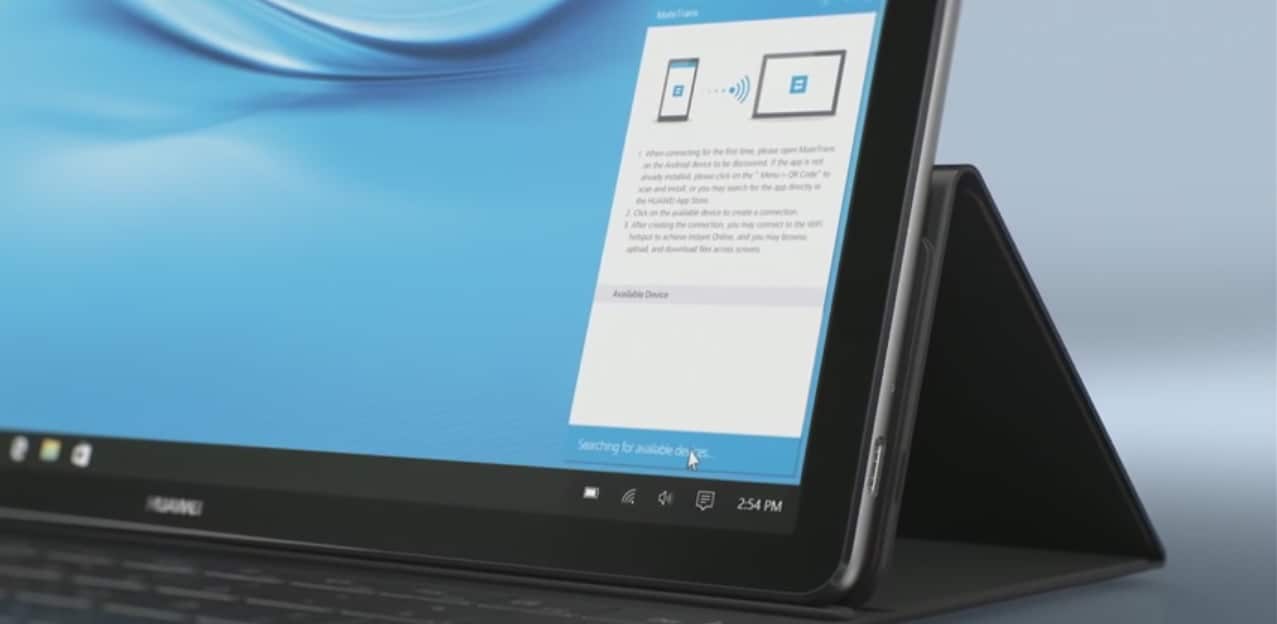
The ad shows off the Huawei Matebook, a Microsoft Surface and the Apple iPad Pro on a party where Cortana pokes fun at Siri, again. They talk about the difference of owning a 2-in-1 Windows 10 device and why it is better than the iOS-powered iPad. Take a look for yourself:

This is a pretty funny commercial, that is probably a play on Apple’s “I’m a computer” ad for the iPad Pro. The Huawei Matebook mentions that it has a fingerprint reader, stylus, keyboard and most importantly, an Intel processor allowing it to run full desktop apps.

You can go ahead and grab the Matebook for around $699 and it comes with a free keyboard dock worth $129 if you buy it before the 19th of September.

Skype Preview shows up in the Store on Xbox One, can’t be downloaded just yet

Skype is one of the most widely used messaging systems out there, no doubt about it. While its throne as the undisputed champion of messengers has been challenged recently with the rising popularity of things like Discord, the vast majority of people online still rely on Skype for a good portion of their communications. With Skype being such a huge service for Microsoft, it’s always been strange that Skype hadn’t quite gotten a UWP app that’s compatible with Xbox One. Thankfully, it seems like Xbox One users are going to be able to join in on the UWP Skype fun very soon.

In an interview with Windows Central, Xbox One Platform Chief Mike Ybarra stated that “We’ve seen feedback from the community wanting the updated Skype UWP and we’re bringing that update to Xbox One.” While that comment might otherwise lead us to believe that Skype UWP is coming sometime in the indeterminable future, we actually have reason to believe that the release of the app is imminent. In fact, the Skype UWP is already up in the Xbox store under the name “Skype Preview.”

skypepreview
Skype Preview on the Xbox store

Don’t rush to your Xbox just yet – there’s a catch. While you’re totally free to take a look at Skype Preview on the Xbox marketplace, you can’t actually download it. If you try to grab the app for yourself, you’ll be hit with an error message reading “Try again later, something happened on our end.” All of you Skype enthusiasts are going to have to wait just a little bit longer. Until Microsoft lets us all download Skype’s UWP version, you can still use the service on your Xbox One using the regular, non-UWP version of Skype.

Skype still in transition, closing its London office leaving 400 employees in limbo

.Skype is beginning the process of closing its office in London. Its London office contained developers who worked on Skype’s range of products and services, particularly so when the company itself was created in London in 2003. After Microsoft’s acquisition of Skype, the company delivered new offices to those employees in March 2013.

As part of the offices being closed, 400 of the employees who worked there are uncertain about their future. As reported by Windows Central, via Financial Times, Microsoft confirmed the office closure and explained that it is because of “decision to unify some engineering positions, potentially putting at risk a number of globally focused Skype and Yammer roles,” and that the employees affected are in a “consultation process,” while the spokesperson explained Microsoft’s current stance:

We are deeply committed to doing everything we can to help those impacted through the process

What do you think of Microsoft closing its London office? Let us know in the comments!

Microsoft updates Windows Maps for Fast Ring Insiders with new Traffic Hub and dark theme features

The Windows team released a late-day update to its Windows Map application for Fast Ring Insiders on both PCs and mobile that bring a long awaited tweak and new functional feature for users.

In today’s update to Windows Maps, Insiders get an early look at what will presumably make it into the official release for Maps that includes a new Traffic Hub feature and the addition of system default dark theme.

According to a changelog posted by Redditor and Microsoft employee Dave MSFT, Fast Ring users can look forward to:

  • Enjoy dark or light app colors—they now change to match your system settings. If you prefer your apps to be dark rather than light you can now have the Maps app follow your system setting for theme preference or always be light/dark. Plus you can choose to change the map theme too!
  • Quickly check traffic for your commute, including live cameras, where available. We have always treated your Home and Workplaces special and now you can check the traffic to your Home or Work locations at any time. Just tap on Traffic in the app bar and you can see traffic conditions to Home and Work and your most recently viewed traffic cameras so that you can stay on top of the road conditions along your route.

Over the past two years, Windows 10 users have slowly been welcoming the addition of Dark Theme or System default dark themes choices to more apps, helping to round out the polish of the overall operating system.

With the recent redesign to Maps, users were only given a utilitarian stark color scheme as the Windows team rushed to add back or create new feature sets for the service and apps. With the addition of the Dark Theme, perhaps the Windows team is preparing its app for an AMOLED future where its on-screen presence is minimally felt on the battery life of upcoming devices.

Perhaps, even bigger news than the addition of Dark theme is the new Traffic Hub feature that enables users to tap into traffic cameras and highway alert systems to measure the traffic on regularly accessed routes by users. Now, users can receive a more detail report of traffic to frequently traveled places such as home, gym’s, work and more.

All of this is live for Fast Ring Insiders on both mobile and PCs, head over to the Windows Store to grab the update for your most used device.

Windows Maps
Windows Maps
Price:
Free

Understand Windows error codes with the Error Lookup Tool

There are many people out there who have no clue what some Windows error codes mean. Well, we have good news for this category of users, as the Error Lookup Tool will help you understand better what happens with your computer when you receive a specific error.

The Error Lookup Tool is developed in C/C++ and even if it looks quite minimal and like an extremely lightweight tool, actually, it is very useful. The application comes with an easy interface, which means that you will understand fast enough how it is actually functioning. After you launch this application, you will need to specify the error code that you get and all details regarding that specific error will be explained below.

The tool has a large database of error codes such as: regular Windows error, Windows Internet errors, BSOD errors, STOP codes, NTSTATUS errors, Task Scheduler Service and more. To make things even better you can configure the application to even exclude or include a particular system module by access the applications File->Settings->System modules.

Error Lookup supports a multitude of widely used languages, apart from English, which is, as expected, the default language. You can download this useful tool from the internet and you can install it on any computer that runs on Windows XP SP3 up to Windows 10.

Keep in mind that you will be able to install either the installer file or the portable version, which you will be able to save on a memory stick and use it on a computer that doesn’t have an internet connection. To activate the portable mode, you will need to create an “errorlookup.ini” file in the application folder or move it from “%APPDATA%\Henry++\Error Lookup”.

Do you get Windows errors often? Will you use the Error Tool application on your Windows PC in order to detect the issues that it has?

RELATED STORIES TO CHECK OUT:

Windows 10 builds will no longer reinstall the apps you removed

Windows 10 build 14926 brought an important change to the manner in which builds affect your system’s configuration. From now on, Windows 10 builds will no longer reinstall the default Windows 10 apps you removed.

Many users complained about this unwanted behavior of Windows 10 builds, but up until now they really couldn’t do anything to prevent builds from re-installing the pre-installed apps they had previously removed. It appears their complaints echoed on Microsoft’s ears, as the company decided to change this OS behavior in the current build.

One of the ongoing feedback items we’ve heard is how the apps that come preinstalled with Windows will reinstall after each upgrade – particularly noticeable for our Insiders that receive multiple flights per month. We’ve heard your feedback, and starting with Build 14926, when your PC updates it will check for apps that have been uninstalled, and it will preserve that state once the update has completed.

In other words, if you uninstall any of the Windows 10 default apps, such as the Mail app or Maps app, new builds won’t reinstalled them anymore. This is an excellent step forward towards improving the user experience as Insiders don’t use all the pre-installed apps on Windows. Removing the apps they don’t use helps them to better organize their systems.

Speaking of built-in apps, build 14926 brings some issues of its own. As Dona Sarkar informs, after updating to this build, default Windows 10 apps such as Calculator, Alarms & Clock, and Voice Recorder may not work.  Fortunately, there is also a workaround available to fix this problem: to get these apps working again, go to the Windows Store and reinstall them.

RELATED STORIES YOU NEED TO CHECK OUT:

Microsoft Dynamics 365 price and features revealed

This July, Microsoft made an announcement that made lots of fans glad: Dynamics 365 will merge their CRM and ERP cloud storage offers into one. The result will be on single could service that will embed apps specifically targeted for each essential business process, such as Customer Service, Sales, Finance and so on.

The Dynamics 365 apps are conceived to offer a familiar and at the same time modern experience that will include a better workflow, a built-in intelligence and insights. The company will also be using a consistent platform for the applications and a common data model, ensuring a useful extensibility and a handy interoperability.

Moreover, Microsoft seems to have big plans, since they intend to release two versions of the Dynamics 365: an Enterprise and a Business one. Later this year we are supposed to receive the Enterprise one, created by the coming together of Dynamics CRM and Dynamics AX. On the other hand, the Business version will be based on the Project Madeira, which can currently be previewed by the public.

Encore Business Solutions, which is a company partnering with Microsoft, had initially published a blog post revealing some details about the licenses and the pricing for Dynamics 365. Sadly, they removed the post afterwards, but this doesn’t mean it is off the Internet.

According to the initial post, the Business Edition will be priced at $50/month/user. This cost will include PowerApps, Marketing, Financials and Sales tools. There is also a Team Member Business Edition that will cost $5/month/user. Meanwhile, it seems that the Dynamics 365 Enterprise Edition will be priced somewhere between $40 and $190/month/user, depending on what module the customer chooses.

Apparently, according to the initial post, there is a Plan 1 for the Enterprise Edition, which will cost $115/user/month, a Plan 2 which includes Operations and rises the price to $210/user/month, while the Team Members Enterprise Edition, designed for light users, will cost $10/user/month. Later this year we will be receiving the official prices right from Microsoft.

RELATED STORIES TO CHECK OUT:

Microsoft Personal Shopping Assistant extension is now available for Edge

One of the more welcome additions to Edge in the Windows 10 Anniversary Edition is the ability to run extensions, those add-on applets that extend a browser’s capabilities. While Edge is limited so far in the number of extensions available, particularly compared to Google’s Chrome browser, some popular and useful extensions are available that make Edge far more competitive.

Another extension has been released to the Windows Store, the Microsoft Personal Shopping Assistant. The extension is developed as a Microsoft Garage project, and is also available for Chrome and Opera, and is aimed at capturing and saving information on product pages and making it easier to do your shopping.

Here’s the app description:

Your personal assistant for a smart, productive and enjoyable shopping experience. Automatically organize the various product pages you visit. Add to favorites and get notified on price changes. Make smart choices by comparing products across sellers. Get back to your shopping flow, on the web and on your phone.

This is a Microsoft Garage project. The Microsoft Garage is an outlet for experimental projects. Learn more at https://garage.microsoft.com

The following video provides a walk-through of the extensions functionality:

You can download the extension via the link below. Let us know in the comments if you’ll be using this newest Edge extension, or if you’re still waiting for another.

The Office 365 team rounds up their latest news

Microsoft continues to improve Office 365 services and offerings to provide users with a smooth Office 365 experience across all of their devices, Office applications, and platforms (whether it be Windows 10, Android, or iOS). Microsoft posted a blog post going over some of the more important Office 365 news that happened in the last few weeks.

Recently, Microsoft announced the pre-release of Visio Online, allowing for cross-platform viewing of Visio diagrams and allowing users to collaborate and communicate using their Visio visual content. Visio on iPad was also announced, and Visio Pro for Office 365 also got new updates, including one-step data linking for diagrams, a more advanced design, and enhanced AutoCAD support.

Office 365 Groups got a new update that allows users to add guest access, making it easier to communicate with customers, partners, and other support staff outside of your business, by including them as members of your Office 365 Group. Now Office 365 Groups makes it easier to collaborate and connect with your customers and partners to provide the best customer service possible.

Other Microsoft Office 365 news included improvements to SharePoint Online, OneDrive for Business, and Exchange Online. Outlook also received a handful of calendar improvements, including the Interesting Calendars feature for iOS and Android. Interesting Calendars allows you to add external reminders to add your favorite TV show or sports team schedule to your calendar so you can stay on top of the other things that matter to you besides work.

Lastly, Microsoft added new data centers in the UK to improve Office 365’s global reach to offer customers in the US and abroad the best and uninterrupted Office 365 service available. In addition to the new UK datacenters, Microsoft has data centers in Japan, Australia, India, and Canada.

Microsoft has more upcoming Office 365 news on updates, improvements, and more coming your way, so stay tuned. Let us know in the comments if you’re particularly enjoying any of the most recent Office updates.

NBA 2K17 and Mount & Blade: Warband launch today on Xbox One

NBA 2K17 and Mount & Blade: Warband are both available to buy, download, and play on the Xbox One. NBA 2K17 is the latest in the popular basketball video game franchise while Mount & Blade: Warband is the latest title in the Mount & Blade series and features a larger open-world and a more detailed combat system than its predecessors.

Here’s the official description for NBA 2K17:

Following the record-breaking launch of NBA 2K16, the NBA 2K franchise continues to stake its claim as the most authentic sports video game with NBA 2K17. As the franchise that “all sports video games should aspire to be” (GamesRadar), NBA 2K17 will take the game to new heights and continue to blur the lines between video game and reality.

Buy NBA 2K17 on Xbox One

Here’s the official description for Mount & Blade:

Warband: Mount & Blade: Warband is the iconic entry in the series that brought medieval battlefields to life with its realistic mounted combat and detailed fighting system.

  • Free-form sandbox gameplay. You are free to go anywhere in a world with more than a hundred unique locations including villages, castles and towns.

  • Groundbreaking horseback combat.

  • Highly advanced and intuitive sword-fighting systems.

  • Fight on horseback and foot using a vast variety of medieval weapons, each with unique characteristics.

  • You can become anything from a lonesome adventurer to a ruler of a faction.

  • Varied cultures with unique troop types and equipment.

  • Sophisticated AI will challenge you in combat and in your strategic plans.

  • Freedom to interact with hundreds of characters.

  • Multiplayer battles with up to 32 players. Multiplayer modes include Deathmatch, Team Deathmatch, Capture the Flag, Conquest, Battle, and Siege.

Buy Mount & Blade: Warband on Xbox One

Have you bought any new video games for your Xbox One console recently? Share your recommendations with the community in the comments below.

How to Export Edge Bookmarks in Windows 11

Microsoft Edge now comes with the ability to export your favorites from the browser to an HTML file. This can come in handy as a backup or for when you want to import to another browser.

How do I export all bookmarks from Edge?

  1. Launch Microsoft Edge on your PC and click on the three ellipses at the top right corner and select Favorites.
  2. Click on the three dots then select the Export favorites option.
  3. Select a location you’d like to save in, rename if necessary then hit Save.

The file is saved in HTML format because most modern browsers support HTML and it would be easier to import without compatibility issues.

To import, simply follow the above steps and this time select Import favorites. You can then select the HTML file you exported and your Favorites will be restored.

Troubleshoot common issues when exporting favorites from Microsoft Edge

  • Export option missing – If you cannot find the export option, you’re probably on an older version of Microsoft Edge and you need to update your browser.
  • Unable to export – This could be caused by a range of issues from network errors but usually, it’s some restrictions. If you’re using a work/school account, switch to your personal account and try again.
  • Error during export – If the export stops midway or keeps getting an error, ensure you have enough storage space. Also, ensure your firewall is not blocking the export process.
  • Export file not opening – The export file is saved in HTML format so you’ll need an HTML viewer. If this still doesn’t work, it may be corrupted. Scan your system for viruses then export again.

So, in case you’re changing a browser, computer, or User Account, you don’t need to manually look for all your favorites. All you need to do is export an HTML file from Microsoft Edge and keep it in a folder for later use.

You can also move your saved bookmarks into a different browser by following this guide on how to import favorites from another browser into Edge for a smooth transition.

FAQ

How do I export bookmarks in Microsoft Edge?

Open Edge, click the three dot menu, choose Favorites, select the three dot menu inside the Favorites panel, and pick Export favorites to save them as an HTML file.

Where does Edge save exported bookmarks?

Edge asks you to choose a location. You can save the HTML file to your Desktop, Downloads folder, or any custom folder you prefer.

Can I import the exported bookmarks into another browser?

Yes. All major browsers support HTML bookmark imports. Open the import menu in Chrome, Firefox, or another browser and select the exported file.

Why can’t I export my bookmarks in Edge?

You may be using an outdated version of Edge or a managed device that restricts bookmark exporting. Update Edge or check with your administrator.

You can also restore missing favorites with this helpful guide on how to recover lost favorites in Microsoft Edge.

Some export or import flows from extensions or account pages open sign-in or download dialogs in new windows; see how to allow pop-ups in Edge to ensure the process completes smoothly.

Ensure you’re regularly exporting your favorites and enable syncing across devices so that your files are consistent regardless of the device you’re using. You can also streamline your browsing routine by following this guide on how to set a homepage in Microsoft Edge so your preferred start page loads every time.

While organizing Edge across devices, you may also encounter pages in other languages. But you can learn how to translate a page in Edge to read them instantly.

If you’re on the earlier version of Edge, we also share how to export favorites from Internet Explorer so don’t hesitate to check out our expert article on the same.

And it’s not just your Favorites that can be saved. You can also export your browser history if you regularly clear your cache and cookies. You should also familiarize yourself with the Microsoft Edge collections feature that lets you keep images and other webpage content for later use.

You can also export bookmarks by accessing the Microsoft Edge bookmarks location and copying the Bookmarks file to a different location.

Are there any features that you think are needed in Microsoft Edge to make exporting easier? Let us know in the comment section below.

How to use the new Snooze action in Microsoft Edge

Yesterday, Microsoft pushed the new build 14926 to Windows Insiders on the Fast ring. Since this build is still one of the earliest Redstone 2 Preview builds, it didn’t introduce any major additions, as it’s still early for such features.

However, build 14926 actually brought a few features, that are not considered major, but are still noteworthy. One of these features is the Snooze option for Microsoft Edge. This action gives you to ability to save a certain website in Microsoft Edge as a Cortana reminder.

So, how does it work? Well, you have a website that you don’t need to visit right now, but you’ll have something going on there later today, tomorrow, or whenever. To make sure you don’t forget about visiting that site in the future, you can ask Cortana to remind you it.

Microsoft Edge Snooze action works just like every other type of Cortana reminders. When the time you’ve set for Cortana to remind you comes, the reminder will show up, and you’ll be able to access your site directly from it.

Setting up a reminder like this is quite easy. Here’s exactly what you need to do:

  1. Open a site in Microsoft Edge
  2. Right-click on its tab, and go to Snooze
  3. Cortana window will now pop up, asking you for details about your reminder
  4. You can now set a name, a preferred time, and other details for your reminder
  5. Once you’ve set all the details, just click on Remind

There you go, when the time comes, Cortana will remind you about visiting your site, and the reminder will show up in the Action Center. Tell us in the comments, what do you think about this addition, and will it help you to organize better while using Microsoft Edge?

RELATED STORIES YOU NEED TO CHECK OUT:

Windows 10 build 14926 released for PC and Mobile

Microsoft just released the new build 14926 for Windows 10 Preview. The new build is available on both PC and Mobile, and all Insiders on the Fast ring are now able to download it.

Since Preview builds are still characterized as ‘early Redstone 2 builds,’ they don’t include any major new feature. Build 14926 is not different, but it does introduce a couple of new additions to the system. Along with these fresh features, the build also brings a lot of system improvements, and bug fixes.

The new build mainly focuses on the new features of Windows 10’s default browser, Microsoft Edge. Starting from build 14926, users are able to save websites as Cortana reminders, with a new feature called “Snooze”. Additionally, Microsoft Edge users are now also able to favorites from Microsoft Edge to an HTML file

Speaking of Microsoft Edge, the new build also brought two new extensions for the browser. One of them is TamperMonkey, a popular userscript manager, while the other one is Microsoft Personal Shopping Assistant. We’ve already written about this extension some time ago, and as it was predicted, Microsoft released it shortly after its announcement.

There are also some design and functionality changes on Mobile, where, just like it was mentioned before, Microsoft changed the looks the Wi-Fi settings page, to match its design on PC.

“Improvements and fixes for PC:

  • We fixed the issue causing Adobe Acrobat Reader to crash when you try to launch it.
  • We fixed the issue causing the Settings app to crash when navigating to Settings > Personalization.
  • We fixed an issue where Windows icons and text are not rendered correctly on some devices with Intel Atom (Clovertrail) processors.
  • We’ve improved scaling for full screen games where the aspect ratio doesn’t match the native display resolution, for example, when playing Counter Strike: Global Offensive using a 4:3 stretched resolution.
  • We fixed the issue where some people would experience a bugcheck (bluescreen) after plugging/unplugging certain types of Kindles such as the Paperwhite and Voyage.
  • This build improves the performance on websites with changes to large numbers of HTML Elements containing text by improving spellchecker efficiency. This results in substantially improved performance on websites like TweetDeck.
  • We have addressed the largest cause of reliability issues in Microsoft Edge running on Insider Preview builds. This should improve reliability on major websites such as Facebook and Outlook.com.
  • We fixed an issue resulting in certain links (for example, Facebook) displaying a default favicon in the Microsoft Edge Tab, rather than the logo intended by the website.
  • We fixed an issue where the Wi-Fi icon in the taskbar might show full bars when connected to a Wi-Fi network with low signal.
  • We have fixed the issue which prevented the wireless network adapter in Surface Pro 1 and Surface Pro 2 devices from working. This also fixes the issue with the Xbox Wireless Adapter for Windows not working. and other wireless network adapters from third-parties such as D-Link.
  • We fixed an issue where File Explorer’s “Open Command window here” context menu option was opening set to the C:\Windows\System32 path, rather than the desired directory.
  • We fixed an issue potentially resulting in the taskbar no longer auto-hiding when a full screen window has focus (for example, when watching videos, gaming, or when using Remote Desktop). Note: If there’s an app that is asking for attention, it’s by design that the taskbar won’t hide (so you can see that there’s something trying to notify you).

Other improvements and fixes for Mobile

  • We fixed a scaling issue on devices such as the Lumia 635, 636, or 638 where the bottom of certain apps, like Messaging and Maps, would get cut off and rendered off screen.
  • We heard you and we have addressed the largest cause of reliability issues in Microsoft Edge running on Insider Preview builds. This should improve reliability on major websites such as Facebook and Outlook.com.
  • We fixed an issue resulting in the sound of key presses and lock/unlock being barely audible when the phone was using a moderate volume.
  • We fixed an issue where, if Quiet Hours had been turned on, banner notifications might not start appearing again until Action Center was opened or an interactive notification popped up and was dismissed.
  • We fixed an issue where Cortana would crash when trying to open Reminders page.
  • We have improved the reliability of VPN Settings page via Settings > Network & wireless > VPN.
  • We fixed an issue resulting in the thumbnail for portrait videos displaying with an incorrect aspect ratio in the Photos app when panning through the Camera Roll.”

Of course, just like any other build, this release has its share of known issues, as well. Here’s which problems you should expect upon installing Windows 10 Preview build 14926:

“Known issues for PC

  • While using Narrator and Groove Music, if you navigate to the progress bar while a song is playing then Narrator will continually speak the progress of the song e.g. update with the current time of the progress bar every second. The result is you will be unable to listen to the song or hear any other control you navigate to.
  • You may experience a black screen when signing out and switching to another user account and will be unable to log in to that account. A reboot of your PC should allow you to log in to that account.
  • Oracle VM VirtualBox will crash on launch after upgrading to this build.
  • Optional components may not work after upgrading to this build. To get it working again, go to “Turn Windows features on or off”, scroll down and check the right optional component and click ok.  After a reboot, the optional component will be enabled again.
  • After updating to this build, built-in Windows 10 apps such as Calculator, Alarms & Clock, and Voice Recorder may not work. To get these apps working again, go to the Store and re-download/install them.
  • For keyboard users, using tab to navigate the Settings app will not work in this build. The arrow keys should work as a temporary workaround.

 Known issues for Mobile 

  • Some devices such as the Lumia 650 will fail to install this build with Error 0x80188308. We are currently investigating this issue.
  • Action Center no longer closes if you swipe up on the empty space (area of Action Center that doesn’t show any notifications).
  • Using your phone as a mobile hotspot will work the first time but subsequent attempts to use the feature will result in the inability to enable the hotspot until the phone is rebooted.
  • ADDED: We are investigating small set of isolated reports that after upgrading to Build 14926, the pin pad is no longer visible to unlock the phone even after rebooting the phone. If you have hit this issue, you can follow the steps here for resetting an unresponsive phone (hard reset) which gets your phone back into a working state on Build 14926.
  • ADDED: We are also investigating reports that after upgrading to Build 14926, some phones lose the ability to use their SIM card. A hard reset also fixes this issue as well.”

As usual, the list of actual issues that bother users in a build is actually much longer than Microsoft presented here. So, we’re going to search through forums, find issues reported by actual users, and write an article about it.

For those outside the Insider Program, Microsoft released new cumulative updates. Depending on your Windows 10 version, you can download updates KB3189866  for Windows 10 version 1607, KB3185614 for Windows 10 version 1511, and KB3185611 for Windows 10 version 1507 (initial July 2015 release).

RELATED STORIES YOU NEED TO CHECK OUT:

Microsoft Stores launch SMB Zones to support small businesses

Microsoft has announced today that all of its retail stores across the US, Canada, Puerto Rico, and Australia now have dedicated zones for small and medium-sized businesses. The new SMB Zones will provide business customers tailored resources including access to Answer Desk advisors, business sales specialists, and personal training. Both SMBs and Microsoft Partners will also  be allowed to use the areas to host training or networking events.

Here’s a complete list of the services to be offered in the SMB Zones:

  • Business Sales Specialists – Business sales specialists help guide local business owners and entrepreneurs with their technology needs whether it’s in-Store or on-the-ground at the business.
  • Answer Desk: Advisors at the Answer Desk help small and midsized businesses keep their devices running smoothly. They are on-hand to answer technical questions, make recommendations and offer full service and support on all software and hardware. In fact, they’ll answer questions and attempt to fix PCs, tablets or phones free of charge, regardless of what device you have or where you bought it – it’s like having your very own helpdesk and IT support right in our Store.
  • Surface Membership: A subscription-based program, Surface Membership provides Microsoft Stores’ small and midsized business customers with in-Store, online and phone support, one-on-one personal training, financing, member discounts and more. Small and midsized business customers can now take advantage of lower monthly rates, reduced buyout fees and additional in-Store support with our updated Surface Membership model.
  • Personal Training: Specialists educate customers with tutorials about Windows devices, Office 365, OneNote, Skype, OneDrive and more. Personal trainings are available for $49 for one-hour or $99 for one year of unlimited use.
  • In-Store Events: Microsoft Stores regularly host networking events, workshops, trainings and seminars on topics like “Quick and Easy Online Advertising” and “How to Stay in Touch With Customers” led by both Microsoft and industry experts.
  • Hosting Events: The Community Theater is available at most Microsoft Stores for partners and businesses to host trainings or networking events, free of cost.

Additionally, Microsoft is also launching a new leasing program called Accelerate Your Business. According to the blog post:

This new leasing program is designed to simplify the decision-making process and ensure business owners have access to the latest in business-grade devices, warranty options, and best-in-class in-Store and online training and support.

The Redmond giant currently has over 100 retail locations worldwide, and this new initiative will be a nice complement to the Microsoft Technology Centers that already help business customers to learn more about the company’s offerings. Let us know in the comments if the addition of new SMB Zones makes Microsoft Stores a more attractive destination for your business.

Security update KB3185848 addresses Microsoft Graphics Component vulnerabilities in Windows 10

During this month’s Patch Tuesday, Microsoft released a handful of updates for all supported versions of Windows. Most of these updates are security bulletins that came bundled in various cumulative updates. One of these security updates is update KB3185848.

This security bulletin addresses vulnerabilities found in Microsoft Graphics Component, like code execution  privilege escalation, and information disclosure. If exploited, these vulnerabilities can give an attacker a full control over a user’s computer.

In plain English, if an attacker ‘smells’ this vulnerability, he can break into your computer, create user accounts, install programs, and access all your information. Microsoft warns that a ‘victim’ can be affected by opening a malicious site, or a document.

What’s interesting in this case is that the critical code execution vulnerability is only present in Windows 10 version 1607 (the Anniversary Update), where KB3185848 is listed as a critical patch, and is available as apart of cumulative update KB3189866 . For all other versions of Windows, this update is listed as Important.

“The security update addresses the vulnerabilities by correcting how certain Windows kernel-mode drivers and the Windows Graphics Device Interface(GDI) handle objects in memory and by preventing instances of unintended user-mode privilege elevation.”

So, if you’re running Windows 10 version 1607, we highly recommend downloading cumulative update KB3189866. To download this patch, simply go to the Settings app > Updates & security, and check for updates. In case you have problems installing the update, and some people do, download it manually, and you shouldn’t have any problems.

For more information about this security bulletin, check out TechNet’s support page.

RELATED STORIES YOU NEED TO CHECK OUT:

Global DNS outage hits Microsoft Azure customers

Microsoft’s Azure cloud service has been affected by a global DNS outage this morning (via ZDNet). The outage affected several Microsoft services including API Management, Web Apps, Service Bus and SQL Database and more, and the company has since explained on the Azure Status Page that it was working to resolve the issues.

As of now, most services are back to normal except for SQL Database for customers in Central US. Microsoft posted the following update:

Starting at 11:48 UTC 15 Sep, 2016 a subset of customers using using SQL Database in Central US may experience issues accessing their services in this region, as the result of an earlier DNS issue. Additional impact may also be experienced by customers using HDInsight and Media Services. Engineers have identified a possible underlying cause, and are working to determine mitigation options.

Azure Status page

As an increasingly cloud-focused company, it’s good to see that Microsoft was quick to work on the issue. If you use Microsoft cloud services, let us know in the comments if you were affected by the outage.

“Windows Anywhere” makes an appearance in latest Windows 10 Insider build 14926

Just yesterday, Dona Sarkar and the Windows Insider team pushed out Windows 10 Insider build  14926. While some new features were officially noted by Microsoft, the folks over at WinSuperSite came across an unannounced “Windows Anywhere” feature also in the latest build.

Windows Anywhere
Windows Anywhere

As seen above, “Windows Anywhere” can apparently be found under the “Sync Your Settings” portion of the Windows 10 account settings page. It’s not exactly clear what this new feature is for, but it could possibly be a rebranding of the “Sync Settings” feature. There is, however, still the possibility that this may also be a new feature which could reinvent or bring additional sync options to Windows 10. In fact, as WinSuperSite points out, a Microsoft job listing tweeted out by WalkingCat previously mentioned :

We’re passionate about UX and transforming how users interact with our products…. As a member of our team you will: Design, develop and perfect new ways of interacting with apps and files across all Windows devices.

The job listing, combined with “Windows Anywhere” showing up in the latest build perhaps hints that Windows Anywhere may bring newer sync setting options in the next generation of Windows 10. Regardless, we would love to know what you think of “Windows Anywhere” appearing in this build. Let us know what you think by dropping us a comment below!

Streaming service Beam confirmed for Winter launch on Xbox One

About a month ago, Microsoft announced that it had acquired the live streaming service, Beam. At the time, Microsoft highlighted that the acquisition displayed their commitment to making Xbox Live more social and fun, and bringing watching games and playing games closer together. Now Beam has announced via Twitter that the service will be coming to Xbox One and Windows 10 this winter.

https://twitter.com/Beam/status/776133706029277184

As seen above, the company Tweeted out a winter launch timeline. The timeline is rather vague, and no other details are available at the time. The company, however, noted in a second tweet that more details will be out soon and that support for low latency playback of all streams is in the pipeline for Xbox.

In case you did not already know, Beam  is best known for giving viewers the ability to watch and play games along with their favorite game streamers in real-time, regardless of the platform. Using low latency technology, Beam also makes interactivity easy and is designed to work for any game.

Microsoft Edge fires back, claims even better battery life with Anniversary Update

A couple of months ago, Microsoft posted on some testing it had done on the effects of browser use on battery life, claiming that Edge used significantly less energy than its competitors. Then a few days later, some users started noticing popup notices on their battery icons claiming that “Chrome is draining your battery faster,” and urging users to switch to Edge.

Of course that didn’t sit too well with the likes of Google and Opera, who fired back with rebuttals, but now the folks at Edge are at it again. In a blog post this morning, Microsoft notes that it has made improvements to Edge in the Anniversary Update to make the browser even more energy efficient, and publishes the results of their initial tests, rerun with the latest software:

At the risk of giving away the ending, the results may look familiar! With the Windows 10 Anniversary Update, Microsoft Edge is more efficient than ever, and still the best choice for extending your battery life on Windows 10 – up to 24%-43% more efficient than the competition for general purpose browsing, and lasting up to 23%-69% longer when streaming video.

At the risk of giving away the ending, the results may look familiar! With the Windows 10 Anniversary Update, Microsoft Edge is more efficient than ever, and still the best choice for extending your battery life on Windows 10 – up to 24%-43% more efficient than the competition for general purpose browsing, and lasting up to 23%-69% longer when streaming video.

Microsoft takes an almost gleeful tone when noting the turmoil they’ve created with their competitors, noting that they’re “thrilled” with the response their first rounds of tests inspired, but they don’t waste much time before producing another graph showing a comparison of battery browser efficiency across the latest stable builds of the most popular browsers:

Browser battery efficiency

In response to the initial tests released by Microsoft, Google recently released a test of their own (one that only tested their Chrome browser, omitting any comparisons, so the Edge team went ahead and recreated Google’s test, too, looping a video from Vimeo (Microsoft’s initial video tests used Netflix):

In this test, Microsoft Edge lasted even longer – more than 13 hours! – and still beats Chrome by more than an hour. Microsoft Edge even lasted 62% longer – more than five hours! – when compared to Firefox.

Microsoft has open sourced their lab tests (the full test and the video test) and published their full methodology on GitHub, so if you’re skeptical, you can run the tests yourself.

Microsoft continues to work on Edge, and yesterday’s Windows Insiders Fast Ring update to build 14926 contained a number of improvements to Edge both on PC and mobile.

Are you convinced to try Edge, now that you’ve seen these tests? Let us know in the comments below.