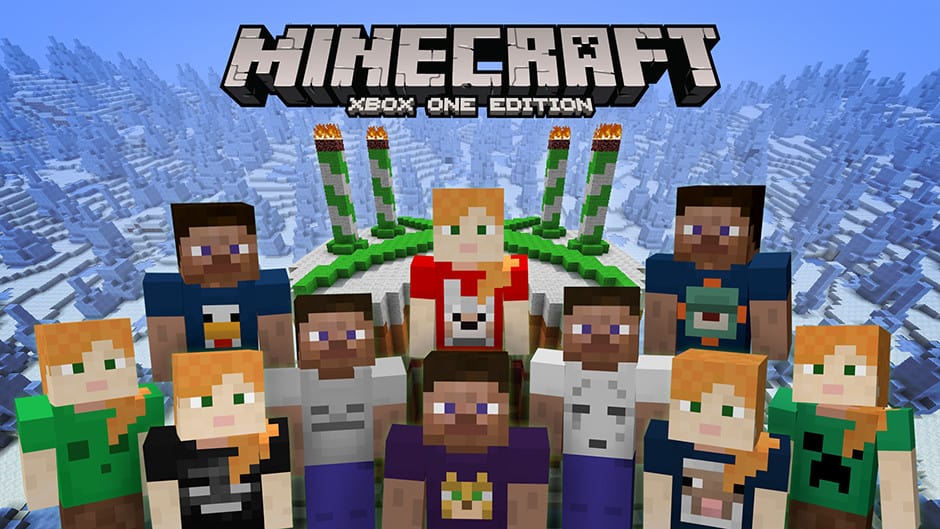
In celebration of the 4th birthday of Minecraft on Xbox, Microsoft is giving away the Minecraft 4th Birthday Skin Pack for free. Both Minecraft Editions on Xbox 360 and Xbox One Editions are eligible for the free 4th Birthday Skin Pack. As an added bonus, Microsoft is also making the previous 1st, 2nd, and 3rd Birthday Skin Packs available for download too until May 16, 2016.
It’s hard to believe that it has been four years since Minecraft made its way to the Xbox 360 and later onto Xbox One. The 4th Birthday Skin Pack features Alex and Steve with some special mob-themed t-shirts to wear.
It’s hard to believe that it has only been four years, but hopefully, we will have more content and features to celebrate Minecraft in the years to come. Download all four Birthday Skin Packs in the links below.
Laptops, netbooks, and tablets offer the advantage of mobility but at the cost of reliability compared to their desktop counterparts. In a laptop, the first thing that breaks is usually the battery, especially it is very slow charging.
It’s no wonder that most hardware manufacturers offer a 2-year warranty on the laptop but only one year for the battery.
If you’re experiencing battery problems like slow charging, know that these issues are usually on the hardware side, but there are also some software solutions you can try.
Why is my laptop charging very slowly?
Here are a few reasons the laptop battery is charging slowly:
Issues with the charger: The primary aspect that triggers the slow battery charging in Toshiba or Lenovo laptops is the charger. If it’s not of the required power rating or the cables are not connected properly, you will likely face issues.
Battery problems: A damaged or simply battery that is too old will not charge as quickly as it did during the initial days.
Misconfigured PC settings: Several PC settings and the BIOS play a vital role in charging the battery on your laptop. So, you need to make sure everything is in order.
How do I fix a slow charging laptop?
1. Hard reset
Power off the laptop, disconnect the charger, and then remove the battery.
Now, hold the power button for 30 seconds to completely discharge the battery.
Once done, connect everything back to the way it was initially, and turn on the laptop.
Your computer motherboard has a lot of memory chips on it used by various components or to store information regarding hardware status. These memory chips usually keep data stored on them only while they are connected to a power source (battery or charger).
If you keep your laptop always connected to a power source, then these chips will keep storing the data, data that, in time may not reflect the correct current status of the hardware components and will have to be manually reset.
2. Update BIOS
Tip
Updating the BIOS is a complex process; any lapses here could significantly damage the PC. We recommend you be extra cautious, and if unsure, let an expert do it.
Press Windows + R to open Run, type msinfo32, and hit Enter.
Look for the BIOS Version/Date entry on the right and note what’s listed next to it.
Now, head to the manufacturer’s website, and download the latest BIOS.
Sometimes, simply updating the BIOS should fix things when the Dell laptop is charging very slowly. For problems related to the BIOS, manufacturers usually release an update when the issue is discovered. It’s the same way Microsoft does with its Windows updates.
3. Calibrate the battery
Completely discharge the laptop battery, so the device no longer powers on.
Once done, connect the charger and let the battery gain full power. Keep the charger connected for an additional hour, just to be sure.
Again, discharge the battery and repeat the same charging process.
Irregular battery usage and charging cycles can confuse your system or battery about the charge level stored. This can cause all kinds of problems, from slow laptop battery charging to reporting wrong battery levels.
Calibrating it will allow the battery and system to re-learn its limits to report the charge level correctly.
4. Check the battery
When a battery is new, it has a maximum charging capacity, usually printed on it. This maximum capacity slowly decreases in time to the point where it cannot hold a charge anymore and has to be replaced.
A good way to check the current maximum capacity of your battery is by using an application like BatteryInfoView.
This small app will display all the information you need to know about your battery. This includes the factory-designed maximum charging level, the current maximum charging level, and the wear.
BatteryInfoView
As seen, the maximum factory-designed charge level on the battery was 55.000 mWh, but now the maximum level is 37.140 mWh. This means the battery is at 67.5% of its health and will have to be replaced soon if this value keeps decreasing.
5. Check charger voltage
The slow battery charging problem on the laptop might not be related at all to your machine, but the charger can be the one to blame.
Most electronic equipment use capacitors, which are components designed to store electricity for a short time. Their capacity decreases in time, the same way a battery does, which can lead to the charger not delivering enough current to your machine.
To check this, you’ll need a Voltage Tester or a Multimeter connected to the charging pins on your cable. If the value displayed is less than the output value printed on the charger, you might need to consider replacing it.
6. Battery charging limits
Some batteries don’t allow charging if the current level is above a certain value, usually 90%. This means that the battery won’t charge to 100% unless its level falls under 90%.
To check if this is your problem, let the battery discharge under 50%. Then connect the charger and keep it connected until the battery reaches its full capacity.
By now, you should have the slow battery charging issue in all laptops rectified. And the system should be up and running properly.
Not too long ago, Square Enix and Eidos Montreal released a six-minute long trailer of Deus Ex: Mankind Divided. The trailer was designed to give fans an idea of what to expect once the game becomes available at retail later this year.
The new game’s storyline is set in the year 2029, two years after the previous 2011 installment game, Deus Ex: Human Revolution. This gameplay trailer truly shines and we expect fans of the series to be very excited for what is to come and the overall future of the franchise.
Here’s the full description:
In Deus Ex: Mankind Divided, you become Adam Jensen, a counterterrorism agent working for an Interpol unit known as Task Force 29. On the surface, Jensen’s goal is to hunt down terrorists in a world that’s spinning out of control, where mechanically augmented humans live a life of complete and total segregation from the rest of society. But what he’s really after are the Illuminati: the men and women who are always pulling the strings.
His investigation will take you around the world, with the decisions you make and the actions you take playing a crucial role in determining the game’s outcome. Choose between combat, stealth, social, and hacking approaches to achieve your objectives. Be mindful though, as there will be a meaningful consequence to every action and choice you make.
While the game was officially set for a February 23, 2016 release, Eidos Montreal decided to push it to an August 23, 2016 release instead. At the moment, PC gamers can pre-order the game to get an exclusive mission. As for when Xbox One owners will get the chance to pre-order Deus Ex: Mankind Divided, we have no idea. Chances are, it could be after E3 2016.
Fallout 4 fans will soon have a new area to explore: the mysterious island of Far Harbor, a location dominated by high-level radiation. Starting on May 19, you can step into this forgotten area and try to bring peace in a world where hope is nothing but a mere word.
Fallout 4: Far Harbour will be available on Xbox One, PlayStation 4 and PC, another big addition in Bethesda’s plans to release more add-ons and free updates like Mods in 2016. For the time being, Mods are only available on PC but will be released for Xbox One later this month. The company has already rolled out a series of interesting updates such as the Survival Mode, making it more difficult for players to survive.
Far Harbour’s plots revolves around Valentine’s Detective Agency assigning you a new case and sending you to Far Harbor. There, you have to search for a young woman and a secret colony of synths. From the coast of Maine, head to the mysterious island of Far Harbor, which is permeated by high-level radiation that have created a feral, hostile world. You are in the middle of a conflict between the synths, the Children of Atom, and the local townspeople. The conflict is only getting more intense and your task it to work toward bringing peace to Far Harbor.
To make things more difficult, the local people are not too willing to help you because: “We’ve paid our dues in blood and bullets. This is our fight, our island, not yours!”
Not everybody rallies to your plans, and you should prepare because things will not go out smoothly. New faction quests, settlements, lethal creatures, and dastardly dungeons are waiting for you. Your only chance to survive is to become more powerful and get your hands on new, higher-level armor and weapons. As always, Fallout 4’s graphics are amazing and will deliver an amazing gaming experience.
Microsoft will no longer support PDF Reader on Windows 10 Mobile starting from July 1, leaving users with very few options. The tech giant has begun to deliver this information to users via a notification on their PDF Reader screen. If you want to view PDF documents after July 1, there are two solutions: download third-party apps or use Microsoft’s Edge browser.
Somehow, this had been a predictable move from Microsoft since its Edge browser can open documents, including PDF files. Why focus on two tools that do the same thing? Although Microsoft’s decision may upset some users, the vast majority of Windows 10 users could turn to Edge for PDF support: the company’s best browser has more than 150 million active users.
As useful as Edge may be, there are certain features and actions that are not yet supported by the browser. Some of them impact Windows 10 mobile users heavily. For example, PDF printing in Edge is not supported and two pages cannot be put side by side, among other things. If Microsoft wants its customers to use Edge as a PDF handling app, it had better bring some useful PDF updates to its browser. Otherwise, people will most likely turn to third-party apps for PDF support.
If Microsoft kills PDF Reader on its Windows 10 Mobile, could the company be thinking to do the same to its Windows 10 Desktop OS? Although that would be a very bad move, we still don’t know what length the tech company could go to migrate its customers to an Edge-supported PDF platform.
Are you a Windows 10 user? What decision will you take: use a third-party PDF app or give Edge a chance? Let us know in the comment section below.
Blizzard started the open beta for its upcoming MOBA shooter Overwatch a couple of days ago. Overwatch’s open beta is available on Windows PCs, Xbox One and PlayStation 4 and will be active until May 9th, so if you want to try this game before purchasing it, download it now.
During the open beta, players will have access to almost every feature of the game including the full roster of 21 heroes and launch-day features like Custom Games, Loot Boxes, and Weekly Brawls. Blizzard says it made all these features and content available to players because it wants to bring the full game experience to testers from day one.
The Overwatch open beta is available for free to Windows 10 PC users who want to try it out. However, Xbox One players will need a paid Xbox Live Gold subscription account to participate in beta testing due to “the multiplayer nature of Overwatch.” While the game doesn’t require PlayStation Plus while in beta, but it will be required as well once Blizzard launches the game.
Blizzard also confirmed that Overwatch won’t support cross-platform playing, neither during the beta nor in the full version. This certainly doesn’t fit in Microsoft’s plans, as we know that Redmond currently encourages cross-platform compatibility between Windows 10 and Xbox One.
Early access to the Overwatch beta began on May 2 and was only available only in certain regions (Los Angeles, New York, Moscow, Sao Paulo, Paris, and more). Now, players worldwide can check it out.
Overwatch will be released on May 24 for the price of $59.99 for Windows PC and Xbox One, and $69.99 for PlayStation 4. The game is already available for pre-order from the official site.
Windows Continuum is one of the great features available in Microsoft Windows 10. It allows your device to automatically switch between desktop mode and tablet mode depending on the way you use it. Even though this feature comes preinstalled on al Windows 10 editions, it doesn’t always work as intended.
Today we’ll try to troubleshoot the most common problems encountered when using Microsoft’s Windows Continuum.
1. Hardware
Windows Continuum is hardware dependent which means that it won’t automatically switch between the two modes without some hardware support. Basically it needs a switch that tells it to turn on tablet mode when you remove your device from its dock or detach the physical keyboard and turn it off when you reconnect the dock or the keyboard.
What this means is that the hardware has to be built with Windows Continuum in mind. Yes, manufacturers could emulate a software switch through their drivers but they prefer to keep these features as a selling point for newer hardware.
At the moment the Microsoft Surface tablets, starting with the 3rd edition, are the only officially supported hardware by the Windows Continuum feature. Other manufacturers might bring support for it in future software updates.
2. Update your system
Some features in Windows might not work if your system isn’t up to date and Windows Continuum has been known to be one of them. For example, when it was first launched, Microsoft Surface 3 users who upgraded to Windows 10 weren’t able to use Windows Continuum until a later update was released that fixed this issue.
You can check if your device has any pending updates by accessing the Settingswindow from the Start menu. From there go to Update & security and hit the Check for updates button.
3. Continuum configuration
One of the reasons Continuum might not work for you is if you didn’t configure it correctly. Continuum can be set to ignore switching from desktop to tablet mode and maintain the one used at the moment.
You can configure Continuum by opening the Settingswindows, click on the System section and then select Tablet mode from the left pane.
Under When the device automatically switches tablet mode on or off make sure to select either Always ask me before switching or Don’t ask me and always switch.
4. Update drivers
Because Windows Continuum is a new feature support for it needs to be added in the hardware drivers. If you’re still using the older version of the drivers Continuum might not work until you update them. For the majority of cases this can be achieved by using the Windows Update function, as described in the second step. If you’re using something else than a Microsoft Surface product you can also check the manufacturers’ website support section for newer drivers.
5. Manual switching
Switching between desktop mode and tablet mode can also be done manually. For this you have to click on the Notifications/Action Center button on the taskbar, next to the clock, and manually enable Tablet mode.
If none of the above steps managed to fix Continuum for you please use the comment section below to give us more details and we’ll try to help you.
Fhotoroom is one of the most popular photo editing tools out for Windows users, and for good reason. The app not only gives its users an excellent collection of tools to work on photos, but puts together a community where people can come together share work with one another. With this theme of community being particularly important to Fhotoroom, it makes sense that the app is working hard to keep fresh, updated features coming to its dedicated audience.
The latest update to Fhotoroom has just come out, fixing several bugs and tweaking some of the app’s pre-existing features. What’s really exciting about this update, however, is the fact that Fhotoroom is bringing brand new brush tools to users who want to bring a custom touch to some of the photos that they’re working on. The new brush tool isn’t all that advanced when put it next to tools in heavy-duty editors like Photoshop or GIMP, but it does its job relatively well. Opacity and size adjustment are absolutely necessary for any brushes in photo editing tools, and the addition of scatter can be useful for a few select edits.
The brush is now available on all versions of Fhotoroom, supporting all Windows 10, Windows 10 Mobile, and Windows Phone 8 devices. This update also marks a bit of a milestone for Fhotoroom, as the app’s Windows 10 Mobile version is now officially out of beta. While the term “beta” has lost much of its meaning recently due to the ever-evolving nature of software as a service, it’s nice to know that the people making Fhotoroom feel comfortable enough with the Windows 10 Mobile version of the app to say that it’s officially ready to be used.
In today’s multitasking world, it is essential to know how to prioritize your tasks — otherwise, you might not respect your deadlines. The best aid in helping you to achieve this goal would be a tool that automatically takes care of your time-consuming tasks. In this manner, you can focus only on the most important and urgent tasks.
Microsoft Flow is a preview tool that helps you to set up automated workflows between your favorite apps and services in order to synchronize files, get notifications, collect data and perform other various tasks. You can access Flow from any device: your tablet, your desktop computer, or even your phone.
Create a to-do item in Wunderlist for important emails This template creates a task in Wunderlist when emails marked important are sent to your Office 365 inbox. You also need to select what list to add this task to.
Get a text notification when you receive an email from your manager No more unread emails. You will need an Office 365 email address and a Twilio account for this template.
Save email attachments to a SharePoint document library You can have easy access to your Office 365 email attachments from SharePoint.
Get daily reminders in Email This flow will send you a reminder every day based on the following connections: Office 365 Users and Office 365 Outlook.
Send me an email when a new file is added to SharePoint Online
Save email attachments to Dropbox This flow will store all the attachments you receive in email to a specific folder in Dropbox.
Copy files between OneDrive and Dropbox
Create Dynamics Leads based on Tweets Select a search term and all of the people who tweet about that term will appear as leads in your Dynamics CRM, along with some basic details.
Create a new item in SharePoint when a new order is added in Salesforce
If these templates are not enough, you can create your own flow from scratch. All you need to do is select the apps involved, the action you want the flow to take, and the events that trigger it.
You can try out this useful business tool from Microsoft here. And if you’re into automated tasks, you should know that IFTTT could soon be coming to Windows 10, as well.
Sega and Relic, developer and publisher of the Warhammer 40k: Dawn of War series, just confirmed that the third installment of the game will arrive sometime in 2017 to Windows PCs. Dawn of War III is a highly anticipated game, coming seven years after the previous release.
As Sega mentioned in the official announcement post, Warhammer 40k: Dawn of War III is going to be a combination of the best parts from both previous Dawn of War titles. Although Sega said that the game will arrive in 2017, the exact release date is still unknown.
“In Dawn of War III you will have no choice but to face your foes when a catastrophic weapon is found on the mysterious world of Acheron. With war raging and the planet under siege by the armies of greedy Ork warlord Gorgutz, ambitious Eldar seer Macha, and mighty Space Marine commander Gabriel Angelos, supremacy must ultimately be suspended for survival.
Take control of towering war machines and tip the balance of battle in your favor with the biggest characters in Dawn of War history. Prepare for more epic action as you wage war with massive armies across landscapes full of volcanic terrain or on battlecruisers in space. This universe has no heroes or villains. Through alternating missions you’ll soon learn the combat advantages of Space Marines, Orks, and Eldar.”
Along with the announcement, Sega also released an epic trailer for the game, revealing some features and aspects of the game. The game will feature “super walker” units which executive producer of the game, Stephen MacDonald, described as “their biggest units ever.” It is also said on the announcement page that this installment is going to be ” the biggest Dawn of War yet,” so get ready for something massive.
You can check out the official announcement trailer for Warhammer 40k: Dawn of War III below:
Tell us in the comments: what are your expectations from the game?
Shadow Complex was initially launched for Xbox 360 in 2009. This game is a classic, having managing to keep its popularity after all these years. As a result, you can now play Shadow Complex Remastered, a modern, cutting-edge game built upon the content from the original game on your Windows 10 device.
Although the game’s skeleton is the same, the experience will be different. Thanks to graphics enhancements and additional achievements and Master Challenges, this game will have you hooked for hours on end.
Through 10+ hours of exploration and fast-paced combat, players discover game-altering power-ups to overcome obstacles, thwart legions of enemies, and delve further into a mysterious and challenging, non-linear game world.
Lost hiker Jason Fleming dives into government conspiracy, dark political motives, and military upheaval as he and his girlfriend Claire accidentally stumble upon a paramilitary group called The Restoration. The group has a sole purpose in mind: to fuel a series of events that will plunge America into a civil war. As the game advances, Jason gets his hand on the weapons developed by this group and becomes a messenger of destruction.
If you want to make things easier, find the unique game-altering power-ups and the additional items and enhancements. They will give the upper-hand when you cannot avoid confrontation. Complete the new achievements and master challenges and see what rewards await for you.
The main features of the game include:
High definition characters, enemies, environments, and interface.
Updated lighting, post-processing, and visual effects.
New contextual melee take-downs.
New Achievements and Master Challenges.
Xbox Live achievements, leaderboards, friends lists, and cloud saves.
If you’re into strategy games, the Age of Caveman might be up your alley. In it, you are a prehistoric village’s chief leading your tribe, training your troops, and fighting other villages.
Age of Caveman is a free-to-play strategy game where you lead your stone age village. To have a successful village, you’ll need to manage it and distribute resources carefully. The main resources in this game are stone, meat, and meteorites.
Stone is used for building while meat is used for performing actions or for training troops. Both of these resources can be produced in your village by building a Hunter’s Cave and Stone Quarry.
Each of these buildings will produce a specific resource that you can collect. Since meat and stone are crucial for the development of your village, you’ll have to invest a lot of time into resource gathering.
Fortunately, resources are produced by your villagers, and you’ll have to collect them from time to time. If you wish to produce more resources, we advise players to upgrade their Hunter’s Cave or Stone Quarry to increase their production rate.
Last on our list of resources are meteorites, the game’s premium currency. Meteorites are extremely useful because you can use them to speed up the production of your buildings, troops, and resources. You can even trade meteorites for resources, purchase chests with valuable treasures, or use them to provide shields for your village.
Some buildings even require meteorites in order to construct, and since meteorites are rather rare, you should spend them wisely.
You can obtain meteorites by cleaning the rocks and trees from your village, but you can also obtain them by completing certain achievements. In addition, the game rewards you if you log in daily by giving you resources which include meteorites.
In case you need more meteorites, you can easily purchase them right from the game.
Managing your village isn’t that hard, but there is a constant threat available in the form of other players. Other players can invade your village and steal your resources. To protect everything, you’ll need to build defensive structures such as towers and walls.
Each of these structures has a different use, so in order to protect your village, you’ll need to carefully plan your defense by combining different defensive structures.
Each tower comes with its range, so you’ll have to plan carefully exactly which buildings you wish to protect by placing towers next to them. It’s worth mentioning that you can move your buildings after you’ve built them in order to create the best defense for your village.
Of course, you’re able to attack other villages to gain resources, and you can train a wide range of units ranging from Clubman to Mammoth. Each unit has a different cost and advantages, so you’ll need to pick right units to execute successful raids on enemy villages.
As for attacking other villages, you can play the campaign mode that works as a tutorial or raid other players. Since warfare is such a big part of Age of Caveman, you can form tribes with other players in order to protect one another or plan attacks.
Age of Caveman is a visually appealing game with a beautiful user interface. If you like management and strategy games, this game might be perfect for you. Our only complaint is that the game might seem a bit complex at a time, and it will take some time before you learn how to run your village properly.
In any case, Age of Caveman is a fun game, so make sure that you try it out by downloading it.
The KB3133977 update is a useful fix for an issue that stops BitLocker encrypting drives because of service crashes in svhost.exe. A fix is a good thing, right? Not if you have an Asus motherboard in this particular case.
Sometimes updates themselves create issues instead of simply fixing existing bugs. Microsoft is aware of the Secure Boot error on Asus computers running Windows 7 after the installation of the KB3133977 update, as it clearly confirms this on its Support page:
After you install update 3133977 on a Windows 7 x64-based system that includes an ASUS-based main board, the system does not start, and it generates a Secure Boot error on the ASUS BIOS screen. This problem occurs because ASUS allowed the main board to enable the Secure Boot process even though Windows 7 does not support this feature.
ASUS motherboards implement the Microsoft Secure Boot feature by default in order to protect computers from malware attacks . Secure Boot does a loader check to boot into the OS. Unfortunately for Windows 7 users, this OS does not support Secure Boot. When they install the update KB3133977, the system detects inconsistent OS loader keys which leads to boot failure.
The Secure Boot is supported on Windows 10, therefore one possible solution would be to upgrade to Windows 10. However, if you don’t want to do this, you can use the following fix:
1. Enter the UEFI and navigate to Advanced Mode Menu->Boot->Secure Boot 2. Change “OS type” to “Other OS”
3. Press F10 to Save the changes and reboot 4. Check the UEFI Advanced Menu->Boot->Secure Boot, and confirm whether the “Platform Key (PK) State” is switched to be “Unloaded”. 5. Exit the UEFI, and the system will now boot normally.
Speaking of upgrading to Windows 10, the undecided should take a decision fast because the upgrade is free till July 29.
Team 17 just released The Escapists: The Walking Dead as a Windows 10 UWP game, and users can purchase it from the Store right now. The Escapists: The Walking Dead is the sequel of the popular game The Escapists, and was initially released to Xbox One and Windows PCs before making its debut in the Windows Store.
The Escapists: The Walking Dead is the combination of two popular franchises, The Escapists and The Walking Dead. You can play the game with The Walking Dead’s main protagonist, Rick Grimes, but it also features some other popular characters from the series like Maggie, Hershel, Glenn and Michonne.
“In this unique game, recreated entirely in the charming 8-bit pixel art style of The Escapists, Rick is in charge of a band of survivors featuring many of the original comic book cast. He must secure the safety of the group by seeking out a safe escape route from each area, and manage several dangerous tasks to keep as many of the group alive as possible. The game faithfully matches the timeline of the comics and so as the player makes progress in the game they play through locations that mirror the progress of the band of the survivors taken from the award-winning comic’s epic story.”
The game brings the world of The Walking Dead to another dimension with its sweet retro graphics and the original comic book story. Players probably got used to Telltale’s version of The Walking Dead, so if you’re a fan of the franchise and you want to try something slightly different, playing The Escapists: The Walking Dead seems like a good idea.
⇒ You can purchase The Escapists: The Walking Dead from GOG.com
The Windows team brought its first-ever Windows 10 Bug Bash event to a close this past Sunday, May 1, 2016. After a long and exhaustive six days of bug searching and testing done by millions of Windows 10 Insiders, the Windows team can now begin the long process of prioritizing the areas of Windows 10 it needs to focus on before the Anniversary Update later this summer.
With all the numbers compiled from the six days of coverage, the Windows team has taken to the Feedback Hub on Windows 10 to post the results its external Bug Bash festivities. Regarding Quest Coverage, the Windows team proposed 89 Quests for Windows 10 Insiders to participate in during the event and, according to the Windows team, “we got great coverage” on them.
For those unfamiliar with the specifics of the Windows 10 Bug Bash, the event comprised of Quests that covered a range of issues and topics related to changes in the upcoming Windows 10 updated experience. Windows Insiders who participated in the event were encouraged each day with new Quest to seek out that involved testing Apps, Devices, Personal, and Productive experiences that had been marked as having bugs or issues in prior build releases.
The Windows team notes that among the 89 Quests it issued, five stood out as crowd favorites for many Windows Insiders. The five most sought out Quests were
Windows Update – Your settings and personalization
Alarms and Clock
Windows Personalization
Try Changing Windows Display Language
Windows Store – Basic Scenario
While the Windows team initially announced that the Bug Bash event would be a four-day-long event, Windows Insiders were providing gobs of information and feedback, so the team decided to extend the event until the end of the weekend, prolonging participation by an additional two days. Even though participants were given an extra two days to pitch more feedback, the Windows team saw its biggest spike in completed Quests happen towards the middle of the event. On Wednesday, April, 27 and Thursday, April 28, 2016, the Windows team saw is over 30,000 and 35,000 respective Quests completed from around the world.
Quest Completed – Bug Bash
Speaking of the varied participants of the Bug Bash event, the Windows team also gathered telemetry from the top five countries that showed the most activity during the six days. At the top was the US, followed by the UK, Brazil at number three, Germany in the fourth spot, and India sitting at fifth, making up the countries that completed the most Quests during that time.
Other interesting metrics shared by the Windows team include some devices Insiders used to participate in the Bug Bash event topping out at 1.55, indicating that many were either using additional secondary PCs or mobile devices for testing. Among the nations that gave the most feedback and showed the most communal participation with upvotes, the US, Germany, and Spain all took noticeable marks from the Windows team.
Global Bug Bash Coverage
There is much more on the results of the Bug Bash that can be found in the Feedback Hub on Windows 10 Insider builds. With as successful as the Bug Bash even appeared to be and a little under three months until the scheduled release of the Window 10 Anniversary Update, it may not be too far off to believe that the Windows team may hold another impromptu testing frenzy in the next few weeks. And so, if you missed out on participating last week, take some solace in knowing new builds will be forthcoming and the feedback you provide for them is just as important as the feedback given last week, mainly because that feedback could help shape the Quests for the next Bug Bash event.
Microsoft has been working hard this week to remind everyone that the offer of a free upgrade to Windows 10 is not a long-term proposition. In fact, it ends on July 29, 2016, which is less than three months away. After that, most people who want to upgrade to Windows 10 will need to fork over some cool hard cash for the privilege.
However, Microsoft has a special place in its heart for customers who need the assistive technologies that are built into Windows 10. For those people, Microsoft is going to keep offering the free upgrade. Here’s the company’s message:
As you may have heard, the free Windows 10 upgrade offer for customers running Windows 7 or Windows 8.1 is set to end on July 29, but we want to clarify that that deadline will *not* apply to customers who use assistive technologies. We are continuing to deliver on our previously-shared vision for accessibility for Windows 10 and we are committed to ensuring that users of assistive technologies have the opportunity to upgrade to Windows 10 for free as we do so.
Stay tuned for more details on how you can take advantage of the free offer. In the meantime, you can read more about our accessibility roadmap for Windows 10 on the Microsoft on the Issues blog.
Windows 10: In 2015, we launched Windows 10 across the globe with built-in Accessibility fundamentals but we know we have work to do to make Windows 10 a great experience for all users. Our goal in 2016 is to address this by:
Improve commonly used features and do a great job with showcase Windows experiences. We are working to ensure that everyone can easily access and use the Start menu, the lock screen, and settings as well as Cortana, Store, Music, Videos and more.
We’re also working hard on our new browser, Microsoft Edge. By the end of 2016, the browser will have improved browsing and reading experiences not just for those using our built-in assistive technologies, such as Narrator and Magnifier, but also for people who use other commercial assistive technology. On Feb. 3, we shared our priorities for 2016, including additional detail about the key areas that we think will have the biggest impact.
Windows 10 Mail will have improved screen-reader support for common email scenarios – already, we’ve made progress against these goals on Mail for PCs.
Work continues to improve our built-in assistive technology by increasing performance, reliability, compatibility and usability. These improvements translate to a faster Narrator, improved compatibility while using apps like Windows 10 Mail and Microsoft Word, better mapping of keyboard commands to user expectations and an increase in the number of supported languages.
Because those items and features offer real advantages to those who need them, Microsoft wants to be sure that Windows 10 is a viable option. Thus, keeping it as a free upgrade is as much a part of their efforts as the work they’re doing on the operating system itself.
That’s great news, and we’ll be sure to let you know when Microsoft implements a program to keep the upgrades going beyond July 29. Let us know in the comments what you think about Microsoft decision.
Twitter just released the UWP version of its popular video-sharing service Vine. Vine for Windows 10 is available in the Store for free, and all users of this app can download it and start sharing their clips right now.
Unfortunately, Vine for Windows 10 is currently only available on Windows 10 PCs; Windows 10 Mobile users will have to wait a little more until the app arrives on their platform. However, as Vine looks better and is definitely more functional on mobile devices, we shouldn’t wait too long for it to be released.
“Vine is the entertainment network where the world’s stories are captured, created and remixed. On Vine, there’s never a dull moment. Watch incredible moments in Channels like Dance, Comedy and Sports. Find out about trends and viral Vines before they blow up. Follow your favorite creators and watch their stories unfold.”
The app contains all the standard features of the service like the ability to upload Vines, search for other user’s uploads, see notifications, create collections, and more. It also has some Windows 10-specific specific features like Live Tiles support, and adaptive user interface. For now, the app works great as we didn’t notice any bugs while trying the app on our Windows 10 PC.
Vine is one of the most popular video-sharing services in the world with millions of monthly users, and its presence in the Windows Store will definitely be beneficial for Microsoft. On the other hand, as the popularity of the Windows Store is on the rise, Microsoft’s platform can also bring some fresh blood to Twitter’s service as well.
If you want to try Vine on your Windows 10 PC, you can download it for free from the Windows Store. As for the Windows 10 Mobile version, we’re sure it will become available as soon as the development team fixes all the flaws.
Electronic Arts and DICE are set to reveal their latest game, Battlefield 5, at an event this afternoon, amid lots of speculation as to the setting of the latest in the Battlefield series.
A teaser trailer hasn’t revealed much, except for some state of the art facial rendering:
A number of clues in the post (the Zeppelin in the background, the Mauser and the spiked trench club) all point to a World War I setting for the game, something that’s been rumored but not confirmed.
Marketing officials at EA aren’t too happy with Microsoft, apparently, and a now deleted tweet posted to the NeoGAF forum pointing out the leak expresses their exasperation:
Image via TechnoBuffalo
So Microsoft has let the cat out of the bag, but there’s still plenty to learn about the newest Battlefield, and you can check out their reveal event today at 4pm PDT.
SharePoint is an important business tool that allows users to share and collaborate on content from any device. Teams and organizations can access team files, calendars, and news feed so that everybody knows what is new withing the company. The only issue with this tool is that it does not offer native support for all platforms. Luckily, Microsoft will soon fix this as the company is preparing to roll out its new SharePoint Mobile app for Windows, iOS and Android this quarter.
SharePoint is used by more than 200,000 companies which translated into more than 190 million users. This tool is one of Microsoft most profitable apps, bringing billions to the company’s treasury. Taken into account Google’s plans to steal 80% of Microsoft’s business clients, the features offered by SharePoint will definitely be a strong argument in Microsoft’s favor.
The first to get the new features are those using SharePoint Online. Some of these new features that are cloud-dependent won’t be rolled out to SharePoint on-premises, therefore there is a little difference in the app content depending on the app type.
Microsoft is eliminating the free 15GB OneDrive storage plan in favor of a 5GB plan. Many users do not agree with this move, but some are not bothered because they have been grandfathered in for quite some time now.
The big question remains: How does a person regain the 15GB storage option? The process is easy to implement, but the outcome could be very difficult. OneDrive supports referrals similar to Dropbox and other competing cloud services.
A referral means the user must convince others to sign up for OneDrive in order to get additional storage. In this case, each person the user gets to sign up for OneDrive equates to 500MB of extra storage for the referrer’s account. To regain 15GB of storage, users must refer 20 people to the Microsoft cloud storage platform.
While that won’t be easy, it is not impossible. The referral program allows users to gain a maximum of 10GB, so if you’re planning to get your entire school or colleagues at work to sign up, forget it.
If you’re not interested in going down the referral route, users can also sign up for a year of Office 365. The service gives 1TB of space for the duration of the subscription, full access to Office 2016, and 60 minutes worth of Skype minutes for $99.
Overall, the referral program is not bad — just be prepared to work hard and wait a long time to fill your coffers with free storage.
When you hear the words Microsoft and Apple, most would normally add a versus in the middle: Microsoft vs. Apple. What if you said “Microsoft and Apple” instead? As surprising as this may be, products from the two tech giants can work together as revealed by a recent experiment involving Windows 95 and Apple Watch.
Back in the 90’s, the average processor was around 25 times slower than current processors. The Apple Watch is powered by a 520 MHz processor, 512 MB of RAM and 8GB of internal storage, which allows it to run Windows 95. For a quick reminder, 512 MB was the size of a hard drive in the mid-nineties — not memory.
If you thought this experiment couldn’t work, you’d be wrong. The Apple Watch can very well run Windows 95, with the only problem being that it runs it too slowly. You need you swipe the screen several times before your command is processed by the watch. When the Start Menu appears, the programs in the list load one by one in slow motion. When you select a particular program, you have to wait for about 20 seconds until it actually launches.
If you want to access a program from the Accessories list, you need to be very patient: each time you make a selection, you have to wait for about 20 seconds until the Apple Watch translates your command into action.
If you are interested in the technical details of how to make Apple Watch run Windows 95, here’s how to do it:
Copy symbols and headers from Xcode’s iphoneOS and iphoneSimulator platforms to the watchOS and watchSimulator platforms, respectively.
Build your “normal” UIKit-based iOS app inside a framework, rather than in your WatchKit extension.
Use install_name_tool to point your WatchKit app’s _WatchKitStub/WK binary to your framework instead of
SockPuppetGizmo. SockPuppetGizmo is the framework that (to my knowledge) runs WatchKit and interacts with normal WatchKit extensions that developers write.
Jury-rig the iOS port of the Bochs x86 emulator into your framework. “Easy!” “How hard can it be?” read: Pretty hard.
Copy a Windows 95 disk image in to your app’s bundle, write the config file, and boot ‘er up.
This is not a very practical experiment but it is an interesting one.
The Joining Forces Initiative celebrated its 5th anniversary today. The initiative attempts to ensure that service members, veterans, and spouses can find employment, education, and health benefits in return for their dedication to the country. One of the guest speakers at the Joining Forces event was Michelle Obama, who shared that Microsoft is one of 40 companies that have pledged to support the initiative by hiring veterans and military spouses over the course of the next five years.
One such veteran was given the highest honor of being addressed at the White House during the event. Another note of her speech included the praise of Ryen Macababbad’s service in the Army. Not only that, but the first lady honored her ambitious attitude and development on the Azure Active Directory at Microsoft.
Ryen Macababbad always had a passion for being a ‘computer nerd’. She served for a total of 8 years in the Army, once being deployed into Iraq and another time being sent to Afghanistan. It was there that she knew that being in the midst of the battle wasn’t where she could best serve her country. After she retired, Macababbad was concerned about how she was going to make ends meet. Finding jobs wasn’t the easiest for returning veterans because the skills they learn are so unique to that lifestyle. After seeing a flyer for the Microsoft Software & Systems Academy (MSSA), Ryen knew she wanted to pursue her passion for technology once again. She graduated and joined the Microsoft team to work with the Azure cloud service.
She graduated and joined the Microsoft team to work with the Azure cloud service. “I really wanted to be a part of the next new thing, the thing that was going to touch everything, and I feel that’s what Microsoft Azure is: It’s going to touch everything.” She wrote in a Microsoft Military Affairs blog post.
Thanks to Microsoft and the Joining Forces Initiative, many more veterans like Ryen Macababbad will be able to return from war with job opportunities and hope to continue affecting the future.
They say all good things must come to an end, and it seems they are correct. One of Microsoft’s most successful and well-known video game developers, Lionhead Studios, has finally shuttered its doors. We knew this would happen based on the announcement from the software giant last month, but it’s still sad regardless.
There have been reports about a possible discussion between Microsoft and Lionhead employees about saving Fable Legends, the last video game the developer worked on before it was canceled and that ultimately caused the closure of the studio. It is said that the developer wanted to take Fable Legends with them and release it as a free-to-play title, but there’s still no word if that will happen.
While Microsoft hasn’t confirmed Fable Legends’ fate, the company did confirm the closure of Lionhead Studios in a recent chat with Eurogamer.
“We can confirm that after much consideration over the six week consultation period with Lionhead employees, we have reached the decision to close Lionhead Studios. We have nothing but heart-felt thanks for the team at Lionhead for their significant contributions to Xbox and the games industry.”
Lionhead Studios is mainly known for the Fable franchise and Black & White games, but the company has failed to produce a hit in years. While the studio began work on Fable Legends many moons ago, from the first day of its announcement one could tell the game’s development was never going to end well. But we never once had the thought that Fable Legends would ultimately be the end of Lionhead, so the news hit us like a brick.
We can only hope Microsoft does a better job with its current line of video game development houses. One could say the reason for Lionhead’s closure came down to bad management on the part of the software giant.
The question remain: will we ever see a Black & White 3? The first two games were great, but it is becoming clear that a third may never happen for a long time to come. Current studios are focusing on big budget projects and smaller games that have the potential to convince gamers to go out and purchase an Xbox One. In all honesty, we doubt a Black & White 3 would be able to sell any Xbox One systems today.
The Xbox One library has been expanded heavily since launch. Titles like Quantum Break, Killer Instinct, Halo 5, and Sunset Overdrive have all come out as successful exclusives, keeping many Xbox One gamers satisfied with their console of choice. For those who haven’t been satisfied by current gen titles, Backward Compatibility continues to add more and more titles to its library, letting Xbox One gamers experience the golden ages of Xbox 360, original Xbox, and even some other consoles.
The latest in the Xbox One Backwards Compatibility library is mainly indulging some retro gamers, bringing out some true classics. DIG DUG, Sonic and Knuckles, Samurai Showdown, and Phantasy Star 2 are both relatively old games that have tons of nostalgic value for fans, giving a bit more novelty to people who feel that their Xbox One lacks content at the moment. Runner 2 is actually a bit new in comparison to these other games, but still stays true to the pillars of simplistic retro game design.
There’s a little bit of something here for everybody. If you’re a fan of truly retro arcade games, DIG DUG is going to be your go-to. Fans of fast-paced 2D sidescrollers are going to be gravitating to Sonic and Knuckles and Runner 2, and Xbox One gamers who aren’t quite satisfied by Killer Instinct at the moment may want to take a look at Samurai Showdown II.
The Backward Compatibility list continues to grow each and every day, offering games from every genre and generation to Xbox One users. While today was mostly focused on giving people a taste of the golden age, we’ve also seen tons of gems from the last generation, like Halo Reach and Halo Wars. Whatever you’re into, keeping your eye on the master list of the Backward Compatability library could turn you on to some hhigh-quality titles.
The Windows Store for Business (WSB) is a tool that was released in November last year that allows IT administrators to quickly find the right apps that will be implemented to their business across multiple devices. From the web page, users are able to manage the collection of purchased apps by assigning, reclaiming, or reassigning licenses and distributing updates to devices as needed.
Today, it’s been announced that WSB is now allowing developers to sell organizational licenses to companies straight through the store. Developers from supported regions and countries can reach a wider range of customers by selling their applications in volume. The WSB has plans to support purchases for invoicing, volume discounts, and in-app purchase for apps that could benefit from those features. Countries or regions that are not supported cannot be offered in the store.
Every time there are changes and updates to an app; it will re-enter the certification process. This includes customizing the individual settings for each application. When making an app available for Organizational licensing, a few options will be able to be selected.
Make my app available to organizations with Store-managed (online) volume licensing – Selected by default; this option allows the app to be included to organizations for volume acquisition.
Allow disconnected (offline) licensing for organizations – Deselected by default, this option makes it possible for the app to install on multiple devices without the need to connect to the Store’s licensing system. Many companies prefer the ability to use and install applications offline, so enabling this option can greatly increase interest and eventual sales of the application.
Even currently existing apps can be validated for sale through the Organizational licensing in the Dev Center. WSB will have a 30% fee that is automatically removed upon a purchase and prices can be set for sale in tier sets that increase incrementally, so the value goes higher. Developers are allowed to set their applications for free. Payments are made on a monthly basis, typically on the 15th day of each month.
Placing an app for sale on the Windows Store for Business is an incredible opportunity for developers to gain profit and extent their application’s reach. Apps can be submitted today to the Dev Center, or you can leave your thoughts about the news on the Developer Feedback site.
Universal Windows Platform app developers, stand at attention! The Windows team is back with another announcement regarding app creation with the Window App Studio tool. The new announcement centers around developers creating app experiences using the opened-sourced UWP libraries and Samples App.
As the Windows team gears up for another massive summer release of Windows 10 features and updates, the division is getting its house in order and tidying up its focus on helping app developers deliver great Windows 10 experiences.
The Windows App Studio UWP Samples app is now available in the Windows Store. What is unique about the app is that it lets you browse through all of the controls and data sources included in the libraries, without needing to write one line of code. You can even adjust the attributes of the controls to mimic how they would look in your app before opening Visual Studio. Furthermore, the app has the code and descriptions for each of the controls and data sources in the libraries, so you can even copy and paste directly from there.”
UWP Samples App
The Windows team continues their announcement by covering Windows App Studio UWP controls that enable user interface controls that help developers create responsive and adaptive apps for various form factors. The Windows App Studio UWP controls include variable Sized Grids, Pivorama, Carousel and Animation effects among other items.
Developers may also appreciate the ability to put in code that enables an app to access data from different providers.
The library includes code to make easy integrations with the data sources used in the tool, such as WordPress and YouTube. Since the library is open source, feel free to contribute back with a pull request and submit your own coded integrations to services. Please note that some data sources will need you to sign up for keys in order for the APIs to work properly.”
These are but a small list of regular announcements the Windows team have been revealing over the past few weeks since Build 2016. Developers are vital to Microsoft’s grand vision and it’s becoming clear that the company is attempting to do as much as it can to the development process and win them back.
As you probably know, Windows 10 will not be free once the July 29th free upgrade deadline arrives. Microsoft, now, with the deadline in mind has just published a video explaining the top 10 reasons to upgrade to Windows 10 now. We’ve given the Microsoft video a breakdown and have included 10 of Microsoft’s reasons below.
Reason One: Feel right at home as soon as you upgrade
From the Start menu, desktop, and taskbar, Windows 10 is fast and familiar, and there is no learning curve. Additionally, after an upgrade, all of your documents, files, and pictures will be right there where you left them.
The start menu is back!
Reason Two: The Games & Apps you love are on Windows 10
Facebook, Twitter, Netflix, Halo, Minecraft, Halo, are all apps you can expect to download from the Windows Store directly after the upgrade to Windows 10.
Facebook app on Windows 10
Reason Three: Windows 10 is secure
Windows 10 includes free anti-virus, malware, and spyware protection. Additionally, if your device has a fingerprint reader, you can sign in using Windows Hello.
Windows 10 Security
Reason Four: Windows 10 is personal and productive.
In Windows 10, Cortana can make things easier for you and help you set reminders, find files, settings and much more. Additionally, the built-in apps such as Maps, Photos, Outlook Mail and Calendar can sync your content across devices. Then, with Continuum on mobile devices, you can even scale your Windows 10 experience across devices.
Cortana on Windows 10
Reason Five: Compatability
Windows 10 is designed to be compatible with the programs, files, and the devices you care about the most. Many Windows apps such as Cortana, Outlook, Word, Excel, and much more are all available on other platforms, meaning you can keep connected and up to speed no matter where you are.
Continuum on Windows 10 Mobile
Reason Six: Windows 10 is innovative
Windows 10 has many new innovative experiences, such as the new browser Microsoft Edge, and playing and connecting with gamers across Xbox One and Windows 10 devices.
Edge on Windows 10
Reason Seven: Upgrading guarantees future updates for free
Upgrading to Windows 10 now will guarantee future Windows 10 updates and enhancements for free. Included in this category is the Windows 10 anniversary update, which will be heading to the public this summer.
Updating now gives you access to the Windows 10 family
Reason Eight: Cortana will get better in the Anniversary Update
In the upcoming Anniversary Update, Cortana will be able to remind you of email commitments, work with other apps, and get pulled up straight from the lock screen.
Cortana will see many improvements
Reason Nine: Windows Ink
Coming to the Windows 10 Anniversary Update, with Windows ink you will be able to combine the power of pen and paper with the power of the PC. You will also be able to use the ink workspace and put all things pen front and center turn your handwriting into reminders, and much more.
Windows Ink
Reason Ten: Time is running out
The upgrade offer only lasts until July 29th, so why pay $119 for a copy of Windows 10 after the free upgrade deadline, when you can get it for free now?
Time is running out to upgrade for free!
So, what do you think of these reasons to update to Windows 10? Has Microsoft convinced you to upgrade your devices to Windows 10 yet, or are you still holding off? Let us know your thoughts on Windows 10, or the upgrade process by dropping us a comment below!
Microsoft recently announced Project Server 2016, which is now available for download. Project Server 2016 provides enterprise customers on-premises support for project and portfolio management (PPM). Microsoft relied on customer feedback to create a better user experience with Project Server 2016.
Here’s a list of the advantages of using Project Server 2016 on all your Windows 10 devices:
Evolution of resource management—Project Server 2016 introduces a new interaction model between project managers and resources managers. This new feature is called Resource Engagements and it helps facilitate coordination and commitments around resources and the projects they spend their time on. In addition, resource managers also get a new feature called Capacity and Engagements Heatmap that provides a visual view of the capacity of their resources, so they can make informed allocation decisions.
Performance and scale inspired by cloud—From an engineering standpoint, Project Server is built from the same code used to deliver our cloud service. Everything we learned from running our cloud service at scale in Office 365 contributed towards improving the reliability, scalability and performance of Project Server 2016. This release is a summation of the enhancements we have been making to our cloud service, e.g., unified scheduling, performance and scale optimizations, etc.
Infrastructure consolidation—In Project Server 2016, all the project data is stored alongside the SharePoint data in the SharePoint content database. This simplifies the administration of the SharePoint farm since each Project Web App (PWA) site no longer requires a dedicated database that needs to be maintained. This reduces IT overhead and improves the backup and restore story.
Ease of deployment—The Project Server 2016 installer is fully integrated into SharePoint Server 2016 Enterprise—a separate installation is no longer required as it was in previous versions.
User experience improvements—Users of the browser-based PWA will get some new features, such as the ability to add multiple timelines to the Project Center or schedule pages, as well as the ability to customize the date range or look and feel of these timelines.
As always, Microsoft welcomes your feedback on Project Server 2016. You can find more technical information on Project Server 2016 through its TechNet documentation. You can also reach out to Microsoft on ways to improve Project Server 2016 through their forums, UserVoice or send them a tweet.
The Office 365 team announced today everything that was new in April for the Office 365 Admin Center. The team began rebuilding the Admin Center back in September of 2015 with the first preview. Since then it has gone live with a steady stream of new features being added. April’s updates include more customization options and a few features to make admins’ lives a little simpler.
A look at the new Admin Center in Office 365 via the Office Blogs
The Office 365 Admin Center updates for April include:
Customize your dashboard – you can drag and drop tiles, add additional tiles beyond the default set, and remove unnecessary tiles.
Customize the Office 365 experience for your end users – You can change the look and feel of Office 365 for your company’s end users by adding a company logo, changing background images, and altering the color themes.
Quickly get help with improved search – the search function at the top of the admin center has been expanded to aide you in searching for help topics.
Access additional usage reports while complying with compliance requirements – A new set of usage reports for SharePoint, OneDrive for Business, Skype for Business, and Yammer have been made available during April and they can now be accessed through the Admin Center.
Edit more user details simultaneously – this feature should be appreciated by admins for large organizations who have to edit bulk groups of users. Being able to do it simultaneously will significantly cut down on time.
Quickly forward a user’s email address – the Office 365 team reduced the steps involved in setting up a forwarding address for a co-worker.
April’s updates are a part of their redesign of the entire Admin Center, so the team is asking for feedback and suggestions via the Feedback widget at the bottom left-hand side of the Admin Center.
Want to know the future of Virtual Reality (VR) and Augmented Reality (AR)? Take it from the former head of Xbox. Robbie Bach, former Chief Xbox Officer, recently offered his opinion on how the new trend of the gaming world will fare in the years to come. And it doesn’t sound like a straight line.
“None of this is about the technology, it’s all about the experience. So if the experience is spend a lot of money, look goofy, have 15 cool moments and not have anything after that it’s going to be a cool hot fad and things won’t go anywhere,”
During his 22 years working at Redmond, Bach has overseen the creation of Microsoft’s gaming platform, the Xbox, which became one of the behemoths in the gaming world. The guy certainly knows a thing or two about building a new platform and seeing it to humongous success, which is why his opinion of why VR and AR still has a ways to come before they became the new big thing in gaming matters.
HoloLens, one of the pioneers of AR, is full of real-world uses, but is lacking in the gaming department.
To be fair, it’s easy to see that, despite the myriads of manufacturers and game developers pouring money and effort into it, VR in particular is still very much nothing but a fad, let alone AR whose only big player right now is Microsoft. The reason, Bach alludes, is due to the hardware cost needed to have a proper experience (the Oculus Rift, for example, needs quite some computing power on top of the headgear’s cost). The “goofiness” associated with the devices themselves and people using them is also a problem according to Bach. In other words, the appeal stops short at hardcore gamers who can appreciate a new gaming experience independent of other factors; not so much for mass adopters, who need a simpler, cleaner experience.
“But I think it’s entirely unclear today whether people are going to get the experience right. And that ‘s not a knock at anybody, it’s just that we’re at a stage where things are unclear.”
Another big problem hampering mainstream adoption of VR and AR is the lack of “content that comes from outside of the gaming space” (ironically, Microsoft itself almost drove its Xbox brand to the ground by switching focus from gaming for its newest console in the beginning.) Microsoft has shown enough with its HoloLens to give AR an advantage in this regards, but there are still very few applications for VR outside of entertainment, chiefly gaming. Facebook’s purchase of Oculus raises hope and fear of a new “virtual society”, but even that is decidedly years away, and its existence may be determined by how the technology is currently adopted.
Nevertheless, Bach agrees that there is great potential for these new platforms to be “a huge thing in gaming”; there are just a few challenging bumps along the way that will have to be addressed, which may take “two, three years out” more to reach the point of fruition. Whether Bach’s prediction becomes true or not, the gaming world has never been more exciting, and it’s never been a better time to be a gamer.
According to a new study by Microsoft (via theTimes of India), Pakistan, Indonesia, Bangladesh, and Nepal are all countries which attract the highest rates of attempted malware attacks. Using sensors found in Microsoft’s anti-malware software, the study also found that countries that are are most safe from malware include Japan, Finland, Norway and Sweeden.
Additionally, and as per Times of India, the Microsoft study finds that half of all these Malware attacks originate in Asia and one-fifth in Latin America. Microsoft, though, offers up its own Windows Defender tool to help protect your PC from such malware attacks. The tool was recently given more sureness when a test done by the AV-Institute moved Windows Defender up into the middle of the pack in test score results. The study, The Microsoft Security Intelligence report, published twice a year by Microsoft, can be found by clicking here.
Microsoft joined Ford in a $253 million investment round for the EMC company Pivotal, giving the company a current valuation of approximately $2.8 billion. Microsoft and Ford join other big-name companies, like GE and VMWare, in this third investment round. According to Re/code, Pivotal CEO Rob Mee indicated in an interview that Ford contributed a total of about $182 million.
Pivotal is a cloud software development company that offers tools and services to its customers to improve upon their own software capabilities. Ford is a current Pivotal customer and will use Pivotal’s software and services to build upon its own connected car applications. Microsoft is joining the latest investment round as many Microsoft customers have requested software support for Cloud Foundry, which is a Pivotal software service that deploys and manages software using Microsoft Azure.
Recently announced first-quarter 2016 revenue of $83 million, up 56% year over year
Annualized recurring revenue* (ARR) of $116 million at March 31, 2016, up more than 200% year over year for our subscription software products—Cloud Foundry and Big Data Suite
Cloud Foundry and Big Data Suite having crossed the $200 million and $100 million annual bookings run-rate milestones, respectively
Over 2,000 employees and 17 offices worldwide
Microsoft’s Scott Guthrie, Executive Vice President of Microsoft’s Cloud and Enterprise Division, looks forward to Pivotal’s continued success using Azure:
“Our priority is ensuring that Microsoft Azure is the best place to run Java applications using Pivotal Cloud Foundry. Today’s announcement is a reflection of this commitment, along with our continued emphasis on choice and flexibility across our [Azure] cloud platform.”
Microsoft hopes to strengthen its Azure cloud computing platform even more in this latest investment round for Pivotal. Microsoft remains hopeful that more enterprise developers will continue to use Pivotal’s Cloud Foundry and Microsoft Azure when they need to develop software applications and services.
The one-year anniversary of Windows 10 is fast approaching, and Microsoft has just announced a new set of Windows 10 news.
Firstly, and most importantly, Microsoft has set a reminder to the world that the free upgrade offer to Windows 10 will expire soon on July 29. The company, however, still wants to make sure that no one will miss out on Windows 10, and is announcing that after July 29 you will still be able to get Windows 10 on a new device, or purchase a full version of Windows 10 Home for $119.
The Redmond giant also announced that Windows 10 has become one of the largest online services in less than a year, running on over 300 million active devices around the world. In addition, Microsoft has noted some other Windows 10 statistics which show off the company’s “more personal computing” vision.
Windows 10 Now on 300 Million Active Devices – Free Upgrade Offer to End Soon
Over 63 billion minutes were spent on Microsoft Edge in March alone, with 50% growth in minutes since the last quarter. Exclusively available on Windows 10, Microsoft Edge is our modern browser for helping you get things done.
Cortana, the personal digital assistant in Windows 10, has helped answer over 6 billion questions since launch.
People are playing games on Windows 10 more than ever before, with over 9 billion hours of gameplay on Windows 10 since launch.
Apps that come with Windows 10, including Photos, Groove Music, and Movies & TV are seeing millions of active users each month, including more than 144 million people using Photos.
And, the Windows Store continues to grow daily with new Universal Windows Platform apps like Facebook, Instagram, and Facebook Messenger; updated UWP apps from Vine, Hulu, Netflix and Twitter; and popular PC games including Rise of the Tomb Raider and Quantum Break.
With more and more homes, businesses, and companies adopting Microsoft’s newest operating system, these statistics no doubt shines a very bright light onto Windows 10.
So, all this in mind, if you have not already updated your system to Windows 10, now is the right time to update to avoid paying the $119 after July 29th!
Microsoft made it easy for Windows 10 users to turn off Cortana data collection, in case they’re concerned about their privacy. All data collection settings are now available within Cortana, so users don’t need to wander around various pages of the Settings app to turn off each part individually.
Before Microsoft introduced this ability with Windows 10 Preview build 14332, it was much more complicated for average users to turn of Cortana data collection. Many users were confused by this, as they didn’t know what exactly they need to turn off, in order to prevent Cortana from collecting data. But, it’s all much simpler now.
How to turn off Cortana data collection in Windows 10
To control Cortana‘s access to various Windows 10 features, you simply need to manage permissions of the virtual assistant. To manage Cortana‘s permissions, do the following:
Open Cortana
Go to Notepad, and open Permissions
From here you can turn off location, and choose whether you want Cortana to access your emails and contacts, and your browsing history. If you don’t want Cortana to access any of these features, just toggle it off. Of course, Cortana won’t work properly once you turn off any of these options, but that’s the only way to prevent Cortana from collecting your data.
Microsoft actually didn’t introduce any functionality change to Cortana data collection, as users still can’t disable anything new. The latest Windows 10 build just introduced the easier way to manage these settings, so an average user can keep up.
Microsoft’s approach in Windows 10 drew a lot of attention, when the company announced it will collect users’ data through the OS and its features. Although users can change some settings to lover data collection, they still can’t be ‘completely safe’, which makes a lot of people hesitate from upgrading to Windows 10. However, that doesn’t stop Microsoft from constantly pressuring them to upgrade from older Windows operating systems, but that’s a story for another time.
Not too long ago, Activision released the first trailer for Call of Duty: Infinite Warfare. The game is aiming to return players to what made the franchise great in the first place: large scale wars and big, bad cinematic storytelling. Not only that, there’s a big surprise for anyone who decides to purchase the Legacy Edition.
The Legacy Edition contains Call of Duty: Modern Warfare Remaster and in all honesty, the remaster looks better than the main game from the trailers — but that could be due to us having fond memories of Modern Warfare.
Seeing a Call of Duty game that sets the battle in space is quite refreshing. We are also happy to say the game contains no lasers, but it does have robots similar to other games in the series and that might be an issue for some players.
The decisions Activision is making with this franchise are a bit odd. Every year we have a new Call of Duty but since the Xbox One and PlayStation 4 came out three years ago, the Call of Duty games have all been set in the future. Because of this, the games look and feel the same with little in terms of variety. We can only hope things change for the better with future releases.
Until then, enjoy this awesome trailer and keep in mind that the game is set to release for the Xbox One and Windows PC come November 4, 2016.
Marvel: Avengers Alliance 2 for Windows 10 just received Windows 10 Mobile support. All players who enjoy playing this game on Windows 10 PCs and tablets can now download it on their phones along with additional, fresh content.
The sequel to the popular turn-based game Marvel: Avengers Alliance is available on both platforms for free. Along with introducing the game to Windows 10 Mobile, Disney Interactive included some new features and digital content based on the upcoming Avengers movie, Captain America: Civil War.
Check out the complete list of new features added to Marvel: Avengers Alliance 2 below:
• Agent 13, Vibranium rank reward for PvP Tournament 5 • Captain America (Civil War), added to the store • Falcon (Civil War), mastery reward for Spec Op 2 • Iron Man (Civil War), added to the store • Winter Soldier (Civil War), mastery reward for Spec Op 2 Spec Ops • Made preparations for Spec Op 2: Captain America: Civil War
Marvel also promised a special event in the game to celebrate the new movie. We don’t know much about it, so it will certainly remain a surprise from Marvel to all loyal fans and Avengers Alliance 2 players.
The second game of the Marvel: Avengers Alliance 2 series received a solid feedback from players in terms of gameplay and design. However, a lot of players complained about occasional crashes and bugs in the game which definitely spoiled the overall impression.
We hope that the updated version will bring solutions for those bugs and crashes even though Disney Interactive hasn’t listed any bug fixes in the official changelog. In the case you noticed any bugs or crashes even after updating the game, please let us know in the comments.
You can download Marvel: Avengers Alliance 2 on every Windows 10-powered device now for free from the Windows 10 Store.