TradingView App for Windows 8.1, 10 Fixes ‘Pin to Start’ Problems

The official TradingView app has launched a few days ago for Windows 8, letting you tracks stock and currencies and now it has received an update that makes it even better than before.
trading view app for windows 8
According to the official changelog of the TradingView app from the Windows Store, it has been updated with more debug information, which has been added to investigate on `Pin To Start` issue. This problem has been affecting several users and it wasn’t displaying live stocks data as it was supposed to be doing. Hopefully, this has been taken care off. Also, a bunch of other tiny bugs fixes have been put in place, as well. So, if you want to transform your Windows 8 table into a tool for monitoring stocks, forex and Bitcoin, then go ahead and follow the link at the end of the article and get TradingView, if you haven’t done it yet.

Read Also: Essential Anatomy 3 App for Windows 8 is Now Cheaper by $15

TradingView for Windows 8 now is more stable

trading view app windows 8

The Finance app by TradingView helps you track accurate information for stocks and other markets with most advanced charts available. Set up personal watchlists and follow hotlists with top gainers and losers. See top published ideas from TradingView, the most active investor and trader community in the world. Delivered through a carefully designed and streamlined Windows experience. Watchlist – personalise your watchlist to conveniently track the stocks, mutual funds, futures, indexes, currencies, ETFs, CFDs and even Bitcoin. Hotlists – see autofiltered lists of top Volume Leaders, Top Gainers and Top Losers.

Real-Time Charts – most powerful charting technology in the world with tons of tools and options Ideas – the most recent popular ideas shared on TradingView, the most active investor community in the world. Technical Analysis Drawings – analyze the markets with tons of technical analysis drawings, such as trendlines, pitchforks, Ganns, Fibs e.t.c. All with super easy and precise drawing mobile algorithms 60+ Automatic Indicators – apply with on-click most popular indicators in the world to see where stocks are going. These include moving averages, MACD, RSI, Elliot Wave and many more.

Download TradingView app for Windows 8 

Posted in Fix

Houston school district selects Office 365 and Windows to improve education

Houston school district selects Office 365 and Windows to improve education

Microsoft has been on a roll lately, with government agencies and school districts making the move to Office 365. In an official blog post today, Microsoft announced that the Houston school district in Texas has made the move to Office 365 and Windows to improve education.

The Houston school district is the largest school district in Texas and the seventh largest in the US. The district is providing Office 365 to faculty and staff, and planning to roll it out to students at no additional cost using the Student Advantage benefit. 

On top of improving communication and collaboration across the district with Office 365, nearly 65,000 high school students will receive HP Elitebook Folio 9470m Ultrabooks running Windows 8 to further enhance personalized learning for students. This will happen once the devices have been fully implemented over the next three years.

“This deployment process was unique because teachers were given the opportunity to teach their students with just pen and paper during the first semester, and then see them the second half of the year on a digital platform,” said Lenny Schad, chief information technology officer at Houston Independent School District. “Teachers tell us that students are blowing them away; artistic, writing and other skills come out of the woodwork when you allow students their own path to learning.”

The school district is optimistic about the future and confident that students will gain new skills and experience new opportunities thanks to Windows and Office, ultimately boosting their path from graduation into college or a career.

“You can’t help but feel good when you see students’ faces as they open their laptops, or when you hear from parents and grandparents how grateful they are that this technology – something they’d never be able to afford on their own – has been provided, because it’s so important to their students’ futures and education,” Schad adds.

Zoho teams up with Microsoft, brings Zoho Books to Windows platform

Zoho teams up with Microsoft, brings Zoho Books to Windows platform

Zoho, as most of us know, is an award-winning solution that offers all the CRM modules and tasks you need to run your sales and marketing. Zoho announced today that they are partnering up with Microsoft, making available its Zoho Books accounting app for Windows 8.1 and Windows RT. Both companies will be working together on several development projects, focusing on building innovative and useful mobile applications. 

“Freelancers and small business owners who use Windows 8.1, can now effortlessly keep track of the two most important things of your business – receivables and expenditures. Yeah, we hear your sigh of relief! As a start to building the complete package, we’ve designed the app on a beautiful interface which makes these two financial imperatives incredibly easy. That’s not all; there’s a lot more you can do with the app,” said Harish, Marketing Analyst at Zoho Books and Zoho Invoice. 

Zoho President Raj Sabhlok mentioned to ZDnet that Microsoft approached them a year back to include its app to Windows 8. “We are meeting our customers where they are at,” Sabhlok pointed out. “This is a business decision for us, let’s go where the customer is going.”

It took about 4 months for Zoho to bring its Zoho Books to Windows 8. The company is planning on getting more Zoho apps to Microsoft’s platforms in the near future.

Windows XP’s end of support has done very little to harm its popularity

Windows XP's end of support has done very little to harm its popularity

According to data from NetApplications, Windows XP has seen a slight decrease in market share as of May 2014, while Windows 8 and Windows 8.1 are seeing a slight increase. Windows 7, on the other hand, has increased in share and has now surpassed 50%. Unfortunately, even though Windows XP has passed its end of support life, the 13 year old operating system still remains popular.

Windows XP, which ended support back in April, saw a slight decrease in market share to 25.27% (rounded to 25.3%). This is down from the previous month’s 26.29%. As you can see from the chart above, when comparing the market share of Windows XP between the months of March 2014 and May 2014, there is very little difference.

As of May 2014, Windows XP remains the second most popular operating system, right behind Windows 7. People just wont give up the old operating system. Millions of offices are running Windows XP on their computers. Hundreds of millions of ATMs are also booting the embedded version of Windows XP. Another worrisome thing is that several hospitals and healthcare facilities are even running Windows XP. This risks the confidential information of hundreds of thousands patients. In fact, around 50% of computers in China are still booting to Windows XP. 

So how long will it take for Windows XP’s market share to die? Windows 8/8.1 is the next operating system to take over its place, but still has a ways to go in terms of market share. Only time will tell.

Fixed: Progress is Slow When you Defragment a CSV Volume in Windows 8.1, 10

A plethora of updates and fixes have been issued lately by Microsoft, but we don’t know too much about them. Find below more details on this problem – “progress is slow when you defragment a CSV volume in Windows 8.1 or Windows Server 2012 R2″.Progress is Slow When you Defragment a CSV Volume in Windows 8.1

This issue occurs if the Cluster Shared Volume (CSV) volume is de-duplicated on a Windows RT 8.1, Windows 8.1, or Windows Server 2012 R2-based computer. In this situation, the defragmentation process runs at a speed less than one megabyte (MB) per second (1 MB/sec).

Read Also: EnhanceMy8 is a Great Tweaking and Maintenance App for Windows 8.1

Problems with slow Cluster Shared Volume defragmentation on Windows 8.1 fixed

So, we see that according to Microsoft, this issue occurs when a certain Cluster Shared Volume (CSV) volume is de-duplicated on a Windows RT 8.1, Windows 8.1, or Windows Server 2012 R2-based computer. So, we can see that it’s affecting touch users, as well. Here’s the entire list of operating systems that have received the update:

  • Windows 8.1 Enterprise
  • Windows 8.1
  • Windows 8.1 Pro
  • Windows RT 8.1
  • Windows Server 2012 Datacenter
  • Windows Server 2012 Essentials
  • Windows Server 2012 Foundation
  • Windows Server 2012 Standard

Regular Windows 8.1 users don’t have to deal with CSV volumes, naturally, so the point of this article is to inform IT experts and other pundits in this field of the improvement.

Read Also: Install Windows 8.1 on SSD – Steps to Follow

Opera 22 for Windows is now available, features ‘auto-update’, themes and more

Opera 22 for Windows is now available, features 'auto-update', themes and more

The stable desktop version of Opera 22 for Windows, whose beta became available a month ago, is now available for download. The new version brings several exciting features including the ‘silent-update’ feature for Windows.

Among other chief things, the Norwegian firm has also added five new themes that showcase Norway’s local scenery and put a “Scandinavian” touch into it. “They complement Opera and add a touch of Scandinavian style to your desktop,” the company said in a blog post.

There’s also a ‘silent update’ feature, which means you will no longer have to see the update dialogs (and type your password) while using the browser. Furthermore, the company is trying to make a distraction-free environment for its users by having a majority of the processes run in the background.

The new version utilizes Chromium 35.0.1916.114, and employs a new technology that ensures that the size of the update files is not too large. You can snag the updated version from the download link below.

Microsoft: ‘Literally nobody’ but you has access to your Office 365 cloud data

Microsoft: 'Literally nobody' but you has access to your Office 365 cloud data

There has been a gradual move to the cloud in recent year which has its pluses and its minuses. The near universal availability of files across devices is a major advantage, but security has also become an issue. It’s an issue for the average home users, but it is even more of a headache for businesses.

IT administrators have an important role to play within companies, but they can also pose a security risk. Having permission levels set too high can have terrible repercussions. There is the scope for mistakes to be made — human error will creep in from time to time — but there is also the potential security problem of an administrator workstation being left unattended and subsequently used by an unauthorized person.

With data stored in the cloud, there are obvious concerns that files and information could fall into the wrong hands. In a post on the Office blog, Microsoft is keen to point out that steps have been taken to ensure that these issue do not arise.

Director of Program Management, Vivek Sharma explains how a ‘two key’ approach has been used to ensure that permission levels are only raised when necessary, and it is only done with the knowledge and consent of others. He explains that when dealing with an incident, a user is able to request elevated privileges, and this request must be granted by at least one other person involved in the same service.

“If the service is working properly, nobody has access your data. There is literally zero standing access for human beings to your data if it’s sitting in our cloud,” says Corporate Vice President of Development, Perry Clarke.

This is all part of the ‘roles based access’ approach that Microsoft has adopted with its Lock Box environment, and it’s reiterated by Sharma when he says “it’s impossible for one person to go do something serious”. Logging of access and permission changes helps to reduce the risk of two or more people working in conjunction with each other to access unauthorized data or to perform unauthorized actions.

Check out the video below:

Does storing information in the cloud concern you, or do you not give it a second thought?

Microsoft and FBI team up to thwart password-stealing GameOver Zeus botnet

Microsoft and FBI team up to thwart password-stealing GameOver Zeus botnet

Microsoft and the Federal Bureau of Investigation (FBI) have teamed up to take necessary action against the password-stealing GameOver Zeus botnet, rendering it harmless. This botnet was the most active banking Trojan of 2013 and between 500,00 and 1 million PCs worldwide are infected by it. The botnet is also responsible for more than $100 million in losses.

“The FBI-led legal action and private-sector-led technical action against GameOver Zeus has taken down a portion of the command-and-control (C&C) infrastructure linked to domains generated by the malware and registered by the cyber-criminals. In this operation, codenamed b157, the FBI seized the registered domains,” Microsoft stated in an official blog post.

Microsoft conducted analysis on the P2P network and developed a cleaning solution. Microsoft also worked closely with global Community Emergency Response Teams (CERTs) and Internet service providers (ISPs) to help victims regain control of their compromised computers. Microsoft states that victims of the GameOver Zeus are continually being notified and their infected computers cleaned to prevent future harm.

GameOver Zeus, for those that did not know, is spread by cybercriminals who create malicious websites that download malware onto a victim’s unprotected computer. Victims can also receive the malware via phishing, where malicious emails (which appear to be legitimate) entice people to click on a link or an attachment, ultimately deploying the GameOver Zeus Trojan onto the victim’s computer. Passwords and account information are then stolen via a key logger and sent to the botnet’s server for the cybercriminals to toy with.

This is Microsoft’s ninth involvement in a botnet operation. Microsoft also has a Cybercrime Center, in which the company works hard to advance the global fight against cybercrime.

Fixed: Printer Server Goes Offline When you Wake a Windows 8.1, 10 Computer  

As part of the latest updates issued by Microsoft is one that fixes issues with printers not working properly when you wake up a certain Windows 8.1 computer. Read below how this issue has been described and more about it.
printer server offline windows 8.1 computer

You have a computer that is running Windows RT 8.1, Windows 8.1, or Windows Server 2012 R2. You connect to a printer server that is shared on a Windows Server. You put the computer into a sleep mode and move it to another network location. You wake up the computer and try to print by using the shared printer. In the scenario, the printer server goes offline in the client spooler even though it is actually reachable.

Read Also: Solved: ‘Wake-on-Lan’ not Working in Windows 8, 8.1

Windows 8.1 issues with the printer server going offline fixed

So, as you can see in the above excerpt from the official page describing the update, the fix has been issued for those moments when the printer server goes offline in the client spooler even though it is actually reachable. There isn’t a downloadable hotfix for this, as Microsoft has included it in the update rollup identified by KB 2955164. As with any other similar fixes, the operating systems which received it are the following:

  • Windows 8.1 Enterprise
  • Windows 8.1 Pro
  • Windows 8.1
  • Windows RT 8.1
  • Windows Server 2012 R2 Datacenter, Essentials, Foundation, Standard

Let us know by leaving your comment below if this has had any effect on your problems as described by Microsoft. If not, we’ll try to work out a solution together.

Read Also: Windows XP Second Edition: Let’s All Wake Up

Fixed: “Pending Restart” Status is Displayed in Windows 8.1, 10

As part of its latest updates, Microsoft has issued one that is affecting those of you hit by the “pending restart” status that just won’t disappear. Here’s how Microsoft’s team is describing the situation:
pending restart windows 8.1

You use CHS pinyin IME on a Windows 8.1 or Windows Server 2012 R2 based computer. A new CHS IME Hot-and-Popular dictionary update is installed when you have already started to use CHS IME. In this scenario, the Pending Restart status is displayed in the status of the current HAP update even though a restart is not required.

Read Also: Solved: ‘Your Location has Recently Been Accessed’ Alert in Windows 8, 8.1

Pending Restart problems solved with update in Windows 8.1

So, just like we’ve said for plenty of other similar updates, you will just have to install the KB 2955164 file for this to work; a hotfix hasn’t been made available for download. This update is aimed at users of the following operating systems:

  • Windows 8.1 Enterprise
  • Windows 8.1
  • Windows 8.1 Pro
  • Windows RT 8.1
  • Windows Server 2012 R2 Datacenter, Essentials, Foundation, Standard

Therefore, if you have been affected by similar problems, do make sure you stay up to date and you will receive updates for some annoying issues that you don’t even suspect have been solved.

Read Also: Internet Explorer 11 Freezes at Start, Many Windows 8.1 Users Complain

Fixed: VMMS.exe Process Crashes After Restart on Windows 8.1, 10, Windows Server R2

Many of our readers have been complaining about the infamous vmms.exe process crash just after the restart on Windows 8.1. Luckily for those affected, Microsoft has issued an official update which should solve the problem.
VMMS.exe windows 8.1 crash
According to Microsoft, the problem occurs with those who have a Windows Server 2012 R2-based Hyper-V cluster managed by System Center Virtual Machine Manager (SCVMM). After having created a virtual machine (VM) in the Hyper-V cluster and enabling the dynamic memory (DM), the user restarts the virtual machine management service (VMMS.exe) and that’s when the problem arrives. What happens is that the memory demand is empty in the Hyper-V Manager UI, performance counters for the DM do not exist and the DM operations on the VM do not work. So, you just need to go ahead and make sure you install file KB 2955164.

Read Also: Fixed: Video Glitch with Wi-Fi Adapter When Playing a Miracast Stream in Windows 8.1

Virtual machines crashes after restart on Windows 8.1, Server R2 – update released to fix it

Here’s the reason that is causing the issue, according to Microsoft:

This issue occurs because of a missing call in OnServerStartup() function during the restart of VMMS.

And here are the operating systems affected by the change:

  • Windows 8.1 Enterprise
  • Windows 8.1 Pro
  • Windows 8.1
  • Windows Server 2012 R2 Datacenter, Essentials, Foundation, Standard

Let us know by leaving your comment below if you too have had similar problems and if this has proved to be of any help in solving them.

Read Also: How to Transfer your Windows 8.1 License to a New Computer

Fixed: Video Glitch with Wi-Fi Adapter When Playing a Miracast Stream in Windows 8.1, 10

Among the latest updates issued for Windows 8.1 and Windows 8 uses, we discovered one that solves annoying video glitches with certain Wi-Fi adapters when playing Miracast streams in Windows 8.1. Here are some more details on this:
Wi-Fi Adapter miracast stream windows 8.1

This issue occurs on a multiprocessor computer that is running Windows 8.1 or Windows Server 2012 R2. When you play a Miracast stream through a wireless network connection, a video glitch may occur. To resolve this issue, install update 2955164. For more information about how to obtain update 2955164, click the following article number to view the article in the Microsoft Knowledge Base: 2955164 Windows RT 8.1, Windows 8.1, and Windows Server 2012 R2 update rollup: May 2014

Read Also: Official Heart FM Radio App for Windows 8 Launched, Download Now

Wi-Fi adapters problems with Miracast streams solved for some Windows 8.1 users

As with many other updates of this sort, Microsoft hasn’t disclosed a lot of details, only that you need to get the KB 2955164 update file installed for the update to make effect. Also, here’s the list of operating systems affected by the update:

  • Windows Server 2012 R2 Datacenter, Essentials, Foundation, Standard
  • Windows 8.1 Enterprise
  • Windows 8.1
  • Windows 8.1 Pro
  • Windows RT 8.1

So, if you found yourself having issues on your Windows 8.1 computer when plaing a Miracast stream through a wireless network connection, such as a video glitch, then you just need to make sure you don’t miss this update. Unfortunately, a working fix has been made available for download, so the single solution is through Windows Update.

Read Also: Solved: ‘Your Location has Recently Been Accessed’ Alert in Windows 8, 8.1

Fixed: Bluetooth Devices Stop Working After Windows 8.1, 10 Resumes From Sleep or Hibernation

Thanks to the fact that this kind of articles are getting more popular, we’ve decided to increase their frequency. The hotfix released recently describes problems with Bluetooth devices not being recognized after Windows 8.1 resumes form sleep or hibernate state.
bluetooth hibernate sleep windows 8.1 not recognized

Consider the following scenario: You have a Windows 8.1-based computer that uses AMD Beema. You connect multiple Bluetooth devices to the computer, and they are connected to the same universal serial bus (USB) hub. You put the computer in to sleep or hibernate state, and then resume the computer. In this scenario, some Bluetooth devices cannot be recognized and therefore cannot be used.

Read Also: Fix: ‘Bluetooth Won’t Turn on’ in Windows 8, Windows 8.1

Microsoft issues fix for Bluetooth devices not being recognized on Windows 8.1

So, as we can see in the description of this KB update file, this concerns those Windows 8.1 computers who are running on AMD Beema, but I’ve seen some owners of different devices for whom this update has fixed the problem. Also, have a look at one of our previous stories if you’re facing problems with Bluetooth after the latest Windows 8.1 Update. According to Microsoft, the reason for this glitch is a malfunction in the USB hub low level driver.

This update refers to users of Windows 8.1, Windows 8.1 Enterprise and Windows 8.1 Pro operating systems and you can get it while checking for updates or by downloading the hotfix from Microsoft by following this link. Make sure you don’t miss the KB 2955164 update file, and you’ll need to have installed the KB 2919355 as well, prior to that. Let us know if this has indeed solved things for you, if not, we’ll try to work out together on a possible fix for this.

Read Also: Quick Fix: ‘Your Internet Security Settings Prevented’ in Windows 8, 8.1

Internet Explorer 12 Release Gets Closer: Many Upcoming Features Revealed by Microsoft

On its official Internet Explorer blog, Microsoft has outlined some of the upcoming features that are going to make their way into the next version of IE, that is, Internet Explorer 12. Read more on this below. 
internet explorer 12 features
Internet Explorer 11 represents a huge step forward over previous editions, some of which have actually been creating big security risks for the users, but many Windows users are looking forward to the release of Internet Explorer 12, which is said to come with plenty of awesome features. And now Microsoft has decided that it’s about time they’d give us a sneak peek. Here’s what Microsoft said:

The current list of features “in development” is not an exhaustive representation of what we will deliver in the next version, but an indication of what we currently have highest confidence in delivering. There are several other features that we realize are very important and are working on a plan to support

There are quite a lot of upcoming features enlisted on the official website, but we’ve “translated” the technical language and here are the most important ones, along with possible launches:

Read Also: Microsoft to Release Soon a Surface Miracast Dongle

Most important features in Internet Explorer 12

These are features that have been confirmed and we know that they are in development and will make their way for sure in Internet Explorer 12. But this doesn’t mean these are all of them.

  • Open Sourced – thanks to many developers who expressed their interest in contributing to the project, Microsoft has decide to make the entire site and even the data that backs it, available on GitHub under the Apache V2 license.
  • Improved Search & Filter: thanks to the new upcoming “Interop” menu, it will be much easier to enter in your browser support interests to find available features
  • Deep Linking – thjs concerns developers and lets them enable a deep link to a feature you want to share with others thanks to HTML5 History and Angular routing
  • Better Mobile Support & Performance – mobile is the hottest word right now and it comes as no surprise for Microsoft to improve this aspect. Around 20% of IE visitors have come from mobile devices and that number is going to increase even more with the rise of smartphones and tablets. Microsoft will further optimized it to make it faster and easily adaptable to all kinds of screens.
  • Media Capture API – this features enables for the web content to manipulate audio and video streams from microphones and webcams. Cortana on Windows 8 desktop, anyone?
  • HTTP/2 – this is a major revision of the Web’s protocol and is aimed at decreasing the wait time spent loading web pages. And this is probably the most expected feature of them all for many of us. The major revampe is based on Google’s SPDY open networking protocol and is currently being standardized by the IETF.
  • HTML 5 improvements – Microsoft also said that it will also focus on improving security and backwards capability and interoperability thanks to the latest HTML5 features.
  • Web Audio – this is a technical specification that describes a high-level JavaScript API for processing and synthesizing audio in web applications. So, does this mean browser-based games with awesome audio are incoming? Let’s hope so.
  • HTTP Strict Transport Security – this is an upcoming security feature that helps prevent “man-in-the-middle attacks” on secure connections. In simpler words, this prevents against certain hacker attacks and is a feature which Chrome and Firefox browsers have long supported.
  • JavaScript Promises – this is a feature for developers get a standardized way to make asynchronous calls in their code

And here are some more smaller upcoming features (which make some sense to most of us) that we’ve extracted from the entire list:

Content Security Policy

Allows you to create an allow list of sources of trusted content, and instructs the browser to only execute or render resources from those sources.

GamePad API

Gives JS access to a game controller via USB.

Media Capture and Streams

Provides access to the user’s local audio and video input/output devices (getUserMedia API).

WebGL Instancing Extension

A way to use the GPU to quickly draw a lot of copies of a single object. In some scenes (like a forest with a lot of trees) it is a great way to get a huge performance improvement. Requires a compatible GPU.

Cross-Domain Font Loading

Increases interoperability with the web by relaxing domain and licensing metadata restrictions for EOT, WOFF, and TrueType fonts.

Mouse Lock

Gives access to raw mouse movement, locks the target of mouse events to a single element, eliminates limits of how far mouse movement can go in a single direction, and removes the cursor from view. Obvious use cases are for first person or real time strategy games.

Read Also: How to Fix OneDrive Not Syncing Problems in Windows 8.1

Precision Touchpad Problems Fixed on Windows 8.1/10

precision touchpads not working windows 8.1

From time to time, Microsoft issues important updates through the Windows Update tool, but not all of us are aware of the changes. That’s why we’re here to let you know what’s been improved.

Consider the following scenario: You are using a Windows 8.1 or Windows 8.1 RT device that has a Precision Touchpad. The device enters sleep mode. To wake the device, you perform a two-finger swipe on the Precision Touchpad. In this scenario, after the computer resumes from sleep mode, you cannot use the touchpad to make the mouse pointer move. Also, any one-finger gestures that you make on the touchpad have no visible effect.

Precision Touchpad problems fixed on Windows 8.1 computers by update

So, as you can see in the above excerpt from the description page, this fix solves the problem for those Windows 8.1 or Windows 8.1 RT devices whose Precision Touchpad panels have stopped responding after getting out of sleep mode. Thank God, it hasn’t happened to me, but I know plenty who were complaining about this. You will need to install the update rollup KB 2955164, or install the hotfix available at this link on Microsoft’s secure servers. Also, make sure that you have installed the KB 955164 prerequisite file prior to that, as well.

This hotfix applies to Windows 8.1 Enterprise, Windows 8.1 Pro, Windows 8.1 and Windows RT 8.1 users. Just as with any other hotfix, after having requested it by email, you will be able to download it. Let us know if this has fixed some of your problems with Precision Touchpad panels.

Microsoft delivers personalized security bulletins through myBulletins

Microsoft delivers personalized security bulletins through myBulletins

Keeping its software up to date is one of the ways in which Microsoft helps to ensure the security of its products and the machines they are installed on. With so many products on the market, the monthly update cycle can mean that there are a huge number of updates released, and for IT professionals this can be overwhelming. It’s something that the newly launched myBulletins aims to address by providing customizable online security bulletins.

Rather than sending out bulletins that could be packed with update information that is simply not applicable to many people, myBulletins take a slightly different approach. IT professionals can visit the website and conduct advanced searches for the updates that are applicable to their situation.

Filtering s available making it possible to not only weed out those updates that are not needed, but also to prioritize them based on importance. The announcement by Tracey Pretorius, Director of Microsoft Trustworthy Computing explains that the new system “prioritizes security bulletin deployment by release date, severity, and reboot requirements to aid in decision making.”

There’s scope for downloading reports in Excel format, and there is also a handy dashboard overview that can be used to ensure that updates for select products are always prominently displayed.

Internet Explorer 12 to feature Web Audio, Media Capture, HTTP/2, and much more for the modern Web

Internet Explorer 12 to feature web audio, media capture, and much more for the modern Web

In an official blog post today, Microsoft has revealed that the next version of Internet Explorer will feature Web Audio, Media Capture, ES6 Promises, HTTP/2, HSTS, Pointer Lock, Symbols, and much more. These new features are already in development as part of Microsoft’s commitment to delivering interoperable implementations for the latest features on the modern Web.

“The current list of features “in development” is not an exhaustive representation of what we will deliver in the next version, but an indication of what we currently have highest confidence in delivering. There are several other features that we realize are very important and are working on a plan to support – stay tuned for more updates in the future,” Microsoft stated in an official blog post.

Web Audio, for those that did not know, is a specification that describes a high-level JavaScript API for processing and synthesizing audio in web applications. Media Capture allows access to a device’s camera or microphone, while HTTP/2 is a major revision of the Web’s protocol and is intended to decrease the wait time spent loading web pages.

Microsoft will also focus on improving security as well as improve backwards capability and interoperability with the latest HTML5 features across modern browsers. No word on when we will see the next version of Internet Explorer.

Head over to status.modern.ie to see the full list of features currently in development.

From the rumor mill: Windows 365 subscription-based operating system is not happening

From the rumor mill: Windows 365 subscription-based operating system is not happening

Not too long ago, we reported on a rumor claiming that Windows 365 was in the works. Before that, a leaker known as Wzor revealed that Microsoft has been working on a prototype operating system called Windows Cloud. This operating system is rumored to require an internet connection for full functionality, acting as a basic operating system when in offline mode. An image surfaced online allegedly referring to this operating system as Windows 365.

Now, according to Mary Jo Foley, who is very reliable for those who do not know her, Windows 365 is not happening. Foley cites her own sources and states that Windows 365 is not real, not in development, nor is it even on the roadmap.

“For business customers, Microsoft already sells Windows as a subscription. It does this via its renewable enterprise volume-licensing agreements and Software Assurance. Windows Intune, Microsoft’s device-management and security service, is another way business users can “subscribe” to the enterprise version of Windows today,” Foley adds.

While the idea of subscriptions is something that Microsoft fancies when it comes to Office, it will not be that way for Windows. Foley reminds us that Windows is a platform, not a service. Microsoft currently has more than 3.5 million subscribers to Office 365, and the company also has its cloud storage service OneDrive for those wishing to have their files stored on the cloud.

The bottom line is simple. Microsoft will continue to sell different Windows SKUs, and has no intentions of getting consumers to “subscribe” to Windows. 

Again, these details come from May Jo Foley, who is quite reliable with her information. Take that for what its worth. How do you feel about this? Should Microsoft offer a subscription based operating system?

UC Browser App for Windows 8, 10 Gets New Features, Download Now

UC Browser is one of the best browsers available for Windows 8 users on the Windows Store and recently it has received some new features that you’ll discover by reading below.
UC BrowserHD windows 8.1
UC Browser HD is a really cool web browser which has been very well optimized for Windows 8 and Windows RT touch devices. And now it’s received a bunch of new features which make it even more awesome. First of all, there’s now the ability to play videos on a webpage directly via UC Browser, which is really cool and has been annoying me the last time I used the browser. Also, finally, the pop-ups will be blocked and you can choose to open them or not, much like the usual browser will work on a desktop machine. Also, the Search History has been improved, so now you can choose to clear all the search history or one specific item of search history. So, just follow the link at the end of the article to get the updated UC Browser app for Windows 8.

Read Also: Trend Micro SafeSurfing is a Safe Browser for Windows 8.1

UC Browser HD app for Windows 8 update with really useful features

UC BrowserHD app for windows 8

UC BrowserHD app windows 8

UC Browser HD is a web browser developed by UCWeb Inc. for Windows 8 users to enjoy the ultimate web surfing experience in Modern UI. Speedy and stable browsing, a convenient Speed Dial, various search engines… There are so many great features for you to discover. UC Browser HD for Windows 8.

Download UC Browser HD app for Windows 8 

Microsoft encourages tech innovation with Venture Accelerator in Tel Aviv

Microsoft encourages tech innovation with Venture Accelerator in Tel Aviv

Tech-focused startups in Tel Aviv have been invited by Microsoft to take part in a four month Microsoft Ventures Accelerator program. The program will provide up and coming businesses to get off the ground by providing access to a workspace in the Microsoft Israel R&D Center in Herzliya as well as mentoring.

Although participants are given access to Microsoft software such as Windows and Office as well as to services like Azure, there is no obligation to use or focus on Microsoft technology. The program is open to all, but the focus is on those startups “primarily in the fields of software, Cloud, Internet, and Mobile”.

Microsoft does not require companies to offer a stake in their venture — this is a program that is about nurturing talent, not generating profit, and it’s open to anyone who is happy to work from Israel for the duration.

The Tel Aviv section of the Microsoft Ventures website gives an overview of what it’s all about:

“The Microsoft Ventures Accelerator Tel Aviv was the first one for Microsoft worldwide.Our expertise is taking innovative ideas to new heights.

The concept is simple; you bring the idea, we’ll give you whatever you need to succeed. Our graduates’ achievements are amazing; be it in raising funds, sales or exits! We provide our startups with business connections, cutting edge technologies, experienced mentors and experts, exposure to investors and assist them in reaching out to a world of customers and partners through our global Microsoft network.

Success is here for the taking!”

Startups are free to apply right now, and the program will run from September this year through to January 2015. When the program comes to an end, Jerusalem Venture Partners, who has joined forced with Microsoft for this, will offer one participant up to $1 million worth of investment.

Buy the Discounted Dell Venue 11 Pro for Just $399, Save $314!

The Dell Venue 11 Pro is an amazing Windows 8 tablet, despite some of the most recent problems, and if you were hunting for a good price on it, now is that moment. Read below for more on this.
dell venue 11 pro cheap price
For a limited time, the Dell Venue 11 Pro can be bought from the official Dell.com website at a very special price of only $399, which constitutes a massive savings of $314 from the initial price of $715. We’re talking about a 44 percent discount on the 64 GB version of the Dell Venue 11 Pro tablet, which is something you definitely shouldn’t miss, especially if you always wanted to buy a Windows 8.1 powered tablet (link at the end of the article).

Read Also: Bing Maps App for Windows 8 Gets Integrated Reviews from Yelp, TripAdvisor & Much More

Get the Dell Venue 11 Pro for a very cheap price

Engineered to impress: The high-resolution 10.8″ available Full HD (1080p) display and wide viewing angles put you and your friends in the front row of your favorite HD movies. It’s perfect for creating a stunning presentation or watching your favorite High Definition movie. Simplified collaboration: Wirelessly stream HD videos and photos from your tablet to the big screen with built-in wireless technology. All you need is a compatible media adapter (sold separately) and an HDMI-enabled display. Tap to pair, tap to share: Share photos, connect to popular Windows apps: mail, SkyDrive, news and more or share a website — all wirelessly. The Dell Venue 11 Pro tablet is available with near field communication (NFC) capabilities that make it easy to pair with other NFC-enabled devices, like headphones, speakers and other PCs.

As a reminder, here are the main tech specs of the Dell Venue 11 Pro

  • 10.8-inch 1080p multi-touch display
  • 2.4 GHz quad-core Intel Atom CPU
  • 2 GB of RAM
  • Integrated Intel graphics
  • Windows 8.1
  • WiFi and Bluetooth for connectivity
  • USB 3.0 along with mini HDMI ports

Buy Dell Venue 11 Pro

Surface Pro 3 to receive battery charging update prior to launch

Surface Pro 3 to receive battery charging update prior to launch

Unveiled just over a week ago, the Surface Pro 3 is due to launch in June although it is already available for pre-order. Even though the device is yet to hit the stores, review units have already shown signs of problems with charging up.

Reviewers such as ZDNet’s Mary Jo Foley complained on Twitter that the charger did not appear to be working:

The problem means that the unit fails to turn on even when connected to the power supply, and there seem to have been several instance of the same issue. But there’s no need to let this put you off pre-ordering your own Surface Pro 3, as a fix is already in the works and will be available before launch day (GA or General Availability), as revealed in a tweet by Jordan Guthmann who looks after the review side of things for PR firm Waggener Edstrom.

So whether you have your Surface Pro 3 reserved or you are on the verge of pre-ordering one, you now know that there will be at least one update to install the first time you switch on!

Microsoft Releases Hotfix to Improve Battery Life for Windows 8.1, 10 Computers

If you have been noticing problems with the battery life of your Windows 8.1 computer or laptop, then you can go ahead and download this hotfix from Microsoft which could solve the problem.
windows 8.1 computer battery improved hotfix

This article describes an feature that saves battery power on a Windows RT 8.1, Windows 8.1, or Windows Server 2012 R2-based computer. The feature is applied in update rollup 2955164, or in hotfix 2955769 that is described in this article and has a prerequisite.

Read Also: Users Say Their Dell Venue 11 Pro Screens are Freezing and Acting Weird

Hotfix made available for download to fix battery problems on Windows 8.1

This hotfix is available for users of the following operating systems:

  • Windows 8.1 Enterprise
  • Windows 8.1 Pro
  • Windows 8.1
  • Windows RT 8.1
  • Windows Server 2012 R2 Datacenter, Essentials, Foundation, Standard

You can follow the download link at the end of this article and then follow the instructions provided on the page to download the hotfix. However, make sure that you have installed the KB 2919355 prerequisite file which is needed for the hotfix to work. After you will have requested the hotfix by e-mail, it will be sent to you. You don’t need to choose between platforms, as the system will automatically identify what you’re running.

Download Hotfix for Windows 8.1 computer battery problems

Microsoft announces 2014 Partner of the Year Award winners and finalists

Microsoft announces 2014 Partner of the Year Award winners and finalists

Microsoft’s Worldwide Partner Conference kicks off in July and ahead of the event, the finalists and winners of the 2014 Partner of the Year Award have been revealed. With more than 3,200 nominations, there was stiff competition from well-known names and the less familiar.

Phil Sorgen, Corporate Vice President of Worldwide Partner Group said in a blog post that he was “thrilled to announce” the list, picking out Dell’s win of the Windows 8 Application Developer Partner of the Year Award as one of the highlights. In the Office and SharePoint App Developer category, it was DocuSign who walked away with an award.

A great focus for the new Microsoft is the cloud, and the Devices and Deployment Partner of the Year Award went to the Netherlands’ Wortell for helping the healthcare system with a series of cloud services.

The truly global collection of awards included participants from 112 countries and the judging process involved more than 600 experts, and you can browse through the full list over on the Worldwide Partner Conference website.

Microsoft warns users against Windows XP update registry hack

Microsoft warns users against Windows XP update registry hack

It recently came to light that it was — theoretically — possible to keep Windows XP fuelled with updates until 2019. A registry hack is all that is needed to trick Windows Update into thinking you’re running a copy of the still-supported Windows Embedded POSReady 2009. When we reported about this yesterday we advised against it, and it seems that Microsoft feels the same.

In a statement issued to ZDNet the company warns that the updates that are made accessible using the tweak are not really designed for Windows XP. The advice is to avoid forcing the update process and to instead upgrade to a more recent version of Windows.

The statement reads:

We recently became aware of a hack that purportedly aims to provide security updates to Windows XP customers. The security updates that could be installed are intended for Windows Embedded and Windows Server 2003 customers and do not fully protect Windows XP customers. Windows XP customers also run a significant risk of functionality issues with their machines if they install these updates, as they are not tested against Windows XP. The best way for Windows XP customers to protect their systems is to upgrade to a more modern operating system, like Windows 7 or Windows 8.1.

Will you heed the warning, or are you willing to take the risk and use the registry tweak to grab yourself a few more updates?

Windows Store US market stats: 78.3% of apps are free, puzzle games are popular, and more

Windows Store US market stats: 78.3% of apps are free, puzzle games are popular, and more

Every Sunday, we bring you the last app count for the Windows Store. This week, we saw 162,840 total apps in the Windows Store, worldwide. According to data from our friends at AppFeds, the Windows Store has some interesting stats for the US market.

In the United States, the Windows Store has 129,338 apps and 1,103,650 reviews as of May 26th. The data also reveals that 78.3 percent of apps available in the Windows Store are free, while 21.7 percent of apps are paid.

There are also a bunch of other tidbits in AppFeds’ data. Did you know that 55.2 percent of app developers have only published one app in the Windows Store? 29.9 percent of developers have published more than one app (two to five to be exact). 0.5 percent of developers have published over 100 apps.

Games, Entertainment, and Education are the three most popular categories of apps in the Windows Store, with Security, Government, and Finance being the least three popular categories. There are 26,069 games in the Windows Store (United States), with 8,625 of these apps being Puzzle games. 4,629 of these apps are Arcade style games.

There seems to be a decent split of apps across each platform, with 34 percent of apps supporting x86, 34 percent of apps supporting x64, and 32 percent of apps support ARM.

Recently, Microsoft highlighted the Windows Store trends as of May 2014 and found that Social was the most-downloaded category in the Windows Store. Microsoft has begun to see apps submitted to both stores that take advantage of the new universal apps paradigm, built using Visual Studio. Microsoft is also seeing an increase in developers linking their Windows and Windows Phone apps in both stores for better awareness.

Users Say Their Dell Venue 11 Pro Screens are Freezing and Acting Weird

The Dell Venue 11 Pro is an amazing Windows 8 tablet and definitely worthy to be included on your wish lists, but lately there have been some issues plaguing users.
Dell Venue 11 Pro freezing screen

So I just received my Venue vPro 11, 7130 today (and I really do love it so far) but I’ve noticed that I’ve already encountered some technical issues. I tried searching for similar problems, but to no avail.My problem is that the entire tablet freezes up periodically when not directly connected to the power source. Sometimes the screen just goes black but I can feel the haptic feedback from the Windows button. Other times the upper 80% of the screen turns into what looks like a star field. It’s kind of hard to explain and I can try to take a picture of it next time it happens. When either of these problems occur, it’s a quick reset and the problem is fixed, but it was kind of annoying.

Read Also: Microsoft Surface 2 vs Dell Venue 11 Pro: Who Wins?

The problem is affecting a wide range of users, as this is one of the longest threads on Dell‘s support forums. However, an official working fix is yet to be released, as it has happened with the WiFi and the battery life on the Dell Venue 8 Pro.

Dell Venue 11 Pro users frustrated that there isn’t yet a fix for the freezing screen problem

Here’s what another user has been saying:

I also have a problem where it freezes up periodically. The screen doesn’t change it just locks up and doesn’t respond until I push the power the button off and back on. Interestingly, in one example, I tapped a link but nothing happens, I can’t swipe or move the arrow with the touch pad (I am using the soft keyboard cover) but when I re-start, the new web page is open. Also, while it frozen the windows button gives me feedback. To me it seems like it is the screen that freezes, not the whole system

And one of the most recent replies

I formatted and did a fresh install of 8.1 without all the extra software in it. I had to install all the drivers from Dell‘s website. Despite this, it still freezes periodically. I have the laptop keyboard dock with the built-in battery along with the standalone dock. It happens regardless of what dock i used and also when it’s not using any dock at all. I have the latest BIOS A05 installed also.

The official topic has been created since December, 2013, so the Dell team had a lot of time at its disposal to fix this issue. What worked for some is apparently making the latest update of the BIOS, but from the looks of it, this might be a hardware problem which is linked to faulty circuitry under the touch panel. If this is the case, then customers should be eligible for a replacement. Let us know by leaving your comment below if you’re one of the affected users.

Read Also: Lenovo Miix 2 Battery Life Improved with Windows 8.1 Update

Registry hack lets you get free security updates for Windows XP until 2019

Registry hack lets you get free security updates for Windows XP until 2019

Microsoft may have ended support for Windows XP on April 8th of 2014, but that’s not stopping people from discovering ways to continue breathing life into the operating system which made its debut back in 2001. A single registry entry allows Windows Update to think that your Windows XP machine is actually Windows Embedded POSReady 2009, which will receive updates for another five years. The result? Free updates until 2019.

This registry trick has been confirmed to work and both a 32bit and 64bit workaround are available. POSReady 2009 is based on the Windows XP kernel and is officially slated to receive updates until 2019. Microsoft, on the other hand, has not offered a comment on this workaround, and likely won’t due to the Memorial Day holiday. Something tells us this workaround wont be available for too long.

If you are interesting in trinkering around with this workaround – we advise not to, since it requires you to mess around with the registry – head over to the VIA link below. Then again, maybe if you mess up your registry and break the operating system, you will have a good reason to upgrade to a modern operating system. Your call.

Microsoft Store debut in New Jersey’s Westfield Garden State Plaza gets a huge turnout

Microsoft Store debut in New Jersey's Westfield Garden State Plaza gets a huge turnout

A brand new Microsoft Store has opened up this week in New Jersey’s Westfield Garden State Plaza in Paramus. Then grand opening of the 3,700-square-foot Microsoft Store received a huge turnout, especially for those who were eager to snag some free swag as well as see Macklemore and Ryan Lewis perform.

The Paramus store is Microsoft’s third full-sized store in the state of New Jersey, and is the 92nd Microsoft Store in the United States. Paramus Mayor Richard LaBarbiera said the opening crowd for the Microsoft Store was one of the more impressive he’s seen. “I’ve been to a lot of ribbon cuttings, and I’ve never seen this type of enthusiasm. I expect they will be very successful.”

Store openings typically draw in about 800 to 1,500 people, but the opening in Paramus attracted one of the biggest crowds Microsoft has ever seen. Microsoft Store employees helped draw in a big crowd prior to the opening by playing music, and inviting people to play Xbox games on large screens around the perimeter of the new store. Microsoft even gave away Surface and Xbox One consoles as prizes as part of the pre-opening hype. Microsoft was also offering the Dell Venue 8 Pro tablet for $99, discounted from its regular price of $249.

Take a look at the video below showcasing the grand opening of the new Microsoft Store in Paramus.

All the Issues Fixed by Windows Update Rollup [May 2014]

windows-8-windows-server-windows-rt-issues-fixed
Microsoft is taking care of the security of its products by releasing timely updates to its products. Today, we’re going to enlist all of the issues that have been fixed with the updates rolled out in May, 2014. Below, you will find the entire list with all the issues that have been fixed and, boy, there are some! So, just go ahead and see whether you find yours there and if so, make sure to get the latest version of Windows 8.1, Windows RT 8.1 and Windows Server.

Read Also: Fix: Windows Update Error 0x80072efd in Windows 8

All of the issues fixed by Windows Update in May, 2014

  • VMMS.exe process crashes after restart on a Windows 8.1 or Windows Server 2012 R2-based Hyper-V cluster
  • Nodes are broken in cluster RHS upon file backchannel invalidation in Windows Server 2012 R2
  • Copy Cluster Role wizard does not preserve volume path when you move a CSV to Windows Server 2012 R2
  • Incorrect AllowedChildClassesEffective value when you create a domain user account in Windows Server 2012 R2
  • 0x0000007F Stop error in nlb.sys, ndis.sys, or netvsc63.sys in Windows Server 2012 R2
  • “0x7e” Stop error when you run SMB direct stress in Windows Server 2012 R2
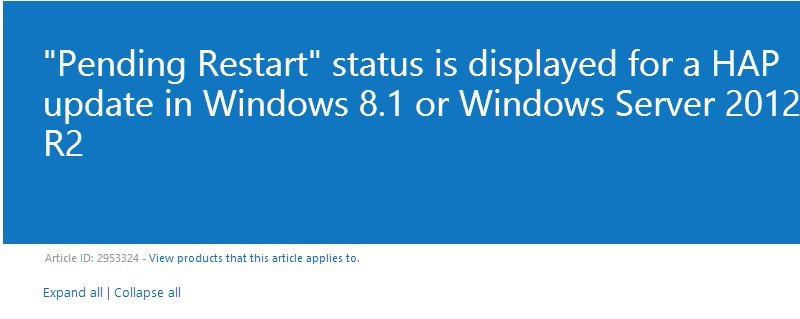
  • “Pending Restart” status is displayed for a HAP update in Windows 8.1 or Windows Server 2012 R2
  • Touch input problem when you use some applications on Windows 8.1 and Windows Server 2012 R2
  • Video glitch when you use a Wi-Fi adapter to play a Miracast stream in Windows 8.1 or Windows Server 2012 R2
  • “0x0000010D” Stop error when you unplug a XInput device in Windows RT 8.1 or Windows 8.1
  • Geofence events do not trigger or trigger incorrectly on a Windows 8.1-based computer that connects to Mobile broadband
  • Records on WINS server are added incorrectly when you use the Netsh command in Windows Server 2012 R2 or Windows Server 2008 R2
  • You cannot log on as a local administrator when you restart in DSRepair mode
  • Authentication fails when a device is Workplace Joined by using Azure DRS
  • Web Application Proxy cannot detect the updated certificate after it automatically updates on Windows Server 2012 R2
  • System shows a high nonpaged pool utilization from pool tag AfdP
  • CSV snapshot file is corrupted when you create some files on the live volume in Windows
  • Cannot connect to remote applications hosted on a Windows Server 2012 R2 or Windows Server 2008 R2 SP1-based computer
  • SetDefaultPrinter sets a wrong default printer in Windows
  • Mstsc.exe crashes when you print a large document from an RDS session
  • AD replication fails with an RPC issue after you set a static port for NTDS in a Windows-based domain environment
  • Data corruption occurs on iSCSI LUNs in Windows
  • Print jobs that use the LPR protocol aren’t displayed in the print queue
  • “Could not reconnect all network drives” error after you deploy a policy that contains a mapped drive in Windows Server 2012 R2 or Windows Server 2012
  • Long logon time when you use the AddPrinterConnection VBScript command to map printers for users during logon process in Windows Server 2012 R2 or Windows Server 2008 R2 SP1
  • Filter Manager Verifier unexpectedly flags a violation after a mini-filter performs a reparse operation in Windows
  • The size of the “HKEY_USERS\.DEFAULT” registry hive continuously increases on a Windows Server-based server
  • New countries are added to the Activate Server wizard on a Windows Server-based license server
  • You cannot add or delete a cluster resource by using PowerShell commands in Windows Server 2012 R2-based cluster
  • Storage pool stops working when a disk is removed from a Windows Server 2012 R2-based cluster
  • Cannot scan or install updates after you configure the web proxy on a Windows Server 2012 R2-based cluster
  • Update to identify the faulty disk when Storage Spaces resource cannot be online in a Windows Server 2012 R2 cluster
  • A cluster-wide deadlock in a Windows Server 2012 R2-based cluster when a CSV disk is paused
  • Printer server goes offline when you wake up the computer at another network location in Windows RT 8.1 or Windows 8.1
  • Smart Search reliability update for Windows 8.1 and Windows Server 2012 R2
  • Add recording support H264 for modern communication apps in Windows 8.1 or Windows Server 2012 R2
  • Progress is slow when you defragment a CSV volume in Windows 8.1 or Windows Server 2012 R2
  • The “remove-dfsnfoldertarget” command ignores “-whatif” parameter in PowerShell in Windows 8.1 or Windows Server 2012 R2
  • Performance optimization for list disks and list cluster disks in Windows Server 2012 R2
  • “0x9F” Stop error when you shut down a computer that is running Windows 8.1 or Windows Server 2012 R2
  • Update to improve Lync 2013 sharing performance in Windows 8.1 or Windows Server 2012
  • Error H7353 when you resume a movie playback from a previously saved bookmark in Windows RT 8.1 or Windows 8.1
  • Cluster service stops unexpectedly on Windows 8.1 or Windows Server 2012 R2
  • Defrag task does not work on a deduplicated VHD file in Windows 8.1 or Windows Server 2012 R2
  • The virtual machine freezes in “Turning Off” state during live migration in Windows 8.1 or Windows Server 2012 R2
  • System Restore does not work on a Windows 8.1-based computer
  • Extraneous log entries are created when you remove virtual disk devices in Windows 8.1 or Windows Server 2012 R2
  • Video playback stops when you use the Modern Camera app in Windows 8.1 or Windows Server 2012 R2
  • You cannot switch between two languages when you type on the file explorer in Windows 8.1 or Windows Server 2012 R2
  • Unexpected “AD/SYSVOL version mismatch” message in Group Policy Results in Windows 8.1 or Windows Server 2012 R2
  • You cannot see saved sessions in PowerShell Web Access in Windows Server 2012 R2
  • Confusing message from Work Folders in Action Center when you change or disconnect the network in Windows 8.1
  • Many pages printed when you print an Excel 2013 worksheet on a terminal server in Windows 8.1 or Windows Server 2012 R2
  • Cluster shared volumes (CSV) are stuck when you stop a cluster service in Windows Server 2012 R2
  • You cannot connect to virtual machines located on a SMB-based storage in a Windows Server 2012 R2 cluster
  • OneDrive reliability update for Windows RT 8.1 and Windows 8.1
  • Windows 8.1 stuck on first startup after you install a Bluetooth mouse
  • Regeneration of a 3 way mirror fails in Windows Server 2012 R2 and Windows 8.1
  • “No administrator accounts” error when you select an option in WinRE in Windows 8.1 or Windows Server 2012 R2
  • Cannot access shared files or folders on a drive in Windows Server 2012 or Windows Server 2012 R2
  • Bluetooth device cannot connect correctly after you turn it off and on again in Windows RT 8.1 or Windows 8.1
  • Green bar along the bottom of the preview picture when you use an embedded camera in Windows 8.1 or Windows Server 2012 R2
  • Computer that is running Windows freezes after stress testing in iSCSI initiator for many hours
  • SQL Server cannot start from a domain account after the VM restarts in Windows 8.1 or Windows Server 2012 R2
  • Improvement that saves battery power on a Windows 8.1 or Windows Server 2012 R2-based computer
  • Applications or services freeze when you monitor a DNS server in Windows 8.1 or Windows Server 2012 R2
  • Precision Touchpad stops working when your Windows 8.1 device wakes from sleep
  • “0x00000050” Stop error when you browse files by using Windows Explorer on a remote desktop in Windows 7 SP1 or Windows 8.1
  • Update that improves AD FS proxy and STS reliability in Windows Server 2012 R2 when multiple clients sign in
  • Shortened battery life on an AMD Kabini platform based computer running Windows
  • Disconnection between storage and node in a Windows Server 2012 R2-based or Windows Server 2012-based cluster environment
  • Property ID value is overwritten when you add custom Metabase properties to the IIS settings schema
  • Bluetooth devices cannot be recognized after computer resumes from sleep or hibernate state in Windows 8.1
  • Play To feature reliability update for Windows 8.1 and Windows Server 2012 R2
  • AD DS or AD LDS responds slowly to complex LDAP query that has a deeply nested filter on Windows server
  • SCVMM refreshes a virtual machine and causes errors on clustered Hyper-V hosts that are running Windows Server 2012 R2 or Windows Server 2008 R2 SP1

We will be providing the same informative article for the upcoming month, as well.

Read Also: Easily Fix Windows 8, 8.1 Update Balloon not Appearing

Microsoft gives a behind-the-scenes tour of the Nokia Arc of Wonder

Microsoft give a behind-the-scenes tour of the Nokia Arc of Wonder

As you are all well aware by now, Microsoft is now in control of handset maker Nokia, though the two were already close partners in the Windows Phone business. Recently the two (one?) companies put together a display called “Arc of Wonder”, using 50 Lumia 1020 phones. 

Now an inside look at the creation of this display is being given, thanks to Microsoft’s Jesus Aguilar, who wrote an interesting piece, including images, on his personal blog — Given to Code. 

Facts of the display go wel beyond the 50 handsets used, including how these devices were coordinated and synced. “We had to think simplest way to achieve the goal and try it. Ensuring that all the phones could capture a sequence of pictures with a latency of less than 50ms (1ms is a 1000th of a second) was not a simple goal. We wanted to avoid point to point connections to each device to push the ‘shutter’. The rationale behind this was that in such cases, the triggering app would have to sequentially enumerate each connection to send data, hence introducing the risk of triggering delays between the first and last devices”, Aguilar states. 

There is lots of information and some images of the setup process, which you can find below by following the link. It’s a fascinating look at how all of this came together and the technology used and innovated to make it possible.

Fix: Date and Time are Incorrect for Windows 8.1 Asus VivoTab Smart

Owners of Windows 8 tablets have always had problems with the system’s date and time on their devices and we reported a long while ago a certain issue for owners of the Surface Pro 2. And now it seems that Asus VivoTab Smart are affected, as well.
Asus VivoTab Smart date time windows 8.1

Noticed shortly after upgrading the Asus VivoTab Smart to Windows 8.1 (from Windows 8) — that sometimes (but not all), the system’s date and time will be incorrect. Sometimes it’s as fast as three hours, but others much longer. Interestingly, if you go into PC Settings > Time & Settings and then toggle off the “Set time automatically” option, and then toggle it back on, the time and date are correct. However, the time would again be wrong after a shutdown. Following the other advice and threads on this forum, I entered the desktop and clicked on the time in the lower right-hand corner of the screen. From here I confirmed the time zone was correct and changed the date and time. That fixes the problem during the current session, but the time/date are again wrong on reboot.

Read Also: Elan Mousepads not Working for Some Windows 8.1 Users

You can see how the issue looks like by going quickly in the above detailed problem by one user on the Microsoft community support forums. And here are some potential fixes.

Some quick fixes for incorrect date and time on your Windows 8.1 tablet

  1. Click on the ‘date and time’ notification area in the task bar
  2. From there, select ‘Change date and time settings’
  3. Now, i the date and time window, you will need to click on the ‘Internet time’ tab
  4. From here, click on the ‘Change settings’ option
  5. If ‘Synchronise with an internet time server’ isn’t checked, then make sure you have it checked
  6. Change different time servers and save and see if this has fixed the problem

If the issue still persists, then you can try the following:

  1. Open the “Command Prompt” and select “Run as administrator”
  2. Run the following commands one by one and press enter after each command on the command prompt window:
  • net stop w32time
  • w32tm /unregister
  • w32tm /register
  • net start w32time
  • w32tm /resync

Restart and then check to see whether the problem is still there. If so, try to run an SFC Scan

The “sfc /scannow” command scans all protected system files and replaces incorrect versions with correct Microsoft versions.

  1. Open the “Command Prompt” and select “Run as administrator”
  2. Run the following command – sfc /scannow
  3. Follow the instructions and complete the scan

Read Also: Solved: ‘This Item is no Longer Available’ in Windows Store

Users Say Windows 8.1, 10 Update Caused Mouse Stickiness to Change with Multiple Monitors

More issues for those who have installed the latest Windows 8.1 Update, as a good number of user say the mouse stickiness has changed when they are using multiple monitors. Read more below.
mouse stickiness windows 8.1 update multiple monitors
The number of issues related Windows 8 has increased once the official Windows 8.1 Update has been released. While browsing the Microsoft community forums, I’ve stumbled upon quite an annoying issue which has been affecting many users. As they have been saying, the mouse stickiness has changed with multiple monitors after they have installed the latest Windows 8.1 Update. In other words, the issue doesn’t let the mouse move to the other screen unless you move the mouse quickly across the monitor edge. Here’s what affected users have been saying:

Read Also: Elan Mousepads not Working for Some Windows 8.1 Users

Issues with moving the mouse across multiple monitors in Windows 8.1

Yep I have this exact same problem, while I’m not sure it is a “bug” per se, I think it might have been intended to be a design to help with the newer UI aspects of Windows 8, I do believe the programing logic on how and when it happens is broken. Like others have found out, it’s definitely related to having Metro apps “opened”, but I know that I’ve had times when I force closed all Metro apps and it remains, as well as I’ve had a few times with Metro apps being open and the mouse catching didn’t happen. The most consistent way to reproduce is to open a Metro app; if that isn’t enough, try switching/minimizing between the desktop and that app(s).

The two biggest problems I have with it are: 1) it’s inconsistent on when it activates; if due to having a Metro app opened/close/minimized etc., and 2) there seems no way to turn it off. I actually believe this function might be useful… if it correctly understood when a Metro app was actually open and more importantly in *focus*. If it was designed solely to help with activating the charms bar or metro app switcher, even when Metro apps are not open, I would greatly desire the ability to disable it when I’m strictly on the desktop or even when metro apps are technically “open” but are minimized. Regardless of its intended purpose and the fact that the programing logic is inconsistent/broken, there needs to be an option, a simple check box, to turn it off and return it to how 8.0/8.1 pre-update worked.

The thread is still open and there are many out there who have been affected by this. But, as it turns out, this has apparently been included intentionally and it’s part of the new design. Here’s what one of Microsoft’s representatives have been said:

It’s intentional design to help reach the edge controls, the edges are sticky unless you are moving fast enough to reach escape velocity. Luckily you can adjust this using the above-referenced value in the registry.

I can confirm for you based on the developer feedback that the mouse sticking to the edge was intentional design. I have replied back to the team to ask if it was also intentional to not do this on desktop mode, but haven’t heard back yet. But the core question – mouse stickiness – was intentionally developed and added to the product.

Last time I checked, affected users were still waiting for a fix to come from Microsoft:

This is beyond annoying and i can’t believe that microsoft has not sorted it out yet, i’m going insane over this problem. While windows 8 is great in all other aspects it boogles my mind they are enforcing the god damn “charms bar” on people who are on desktop computers with zero touch capabilities. This charms bar is completely useless and in the way of me working with a multi monitor setup, i cannot believe this have not been fixed yet, get your **** together microsoft, there’s a reason why people are buying macs

So, if you have also found this to be annoying, leave your comment below or join the official thread.

Read Also: Fix: Asus Taichi Dual Screen Function not Working on Windows 8.1

Elan Mousepads not Working for Some Windows 8.1, 10 Users

If your laptop has an Elan mousepad inside and you’re using Windows 8.1, then you might be just as unlucky as one user from the Microsoft community support forums. Here’s what he has been saying:
elan mousepad windows 8.1

a couple of months ago my mouse pad stopped working (just the side scrolling and swiping) and i found that if i go to mouse properties and set all the options to default, it’d fix it, but every other day it’d go back to not working again. i’m finding that fixing it every other day is very tedious so i’m wondering if there’s a permanent solution? i have windows 8.1 btw

Read Also: Fix: Mouse, Keyboard (USB, Wireless) not Detected in Windows 8

Elan touchpads have problems in Windows 8.1

I’ve searched for a sure fix for this problem, but haven’t managed to find a solution that I could recommend to those who seem to be affected by this. So, what I’d suggest is the following – go ahead and open your Device Manager, then go to the listed devices and find the Elan one. Then, you will need to uninstall its drivers and restart the computer, then go there again and scan for eventual changes. Thus, your system will get the latest drivers and this might solve it.

Since this is a hardware we’re talking about, there might be situations where it might have gotten moisture or dust there, I know that it happened to me. Sadly, in this situation, you will have to take it to a repair shop and have it replaced or cleaned. You can also try and perform the troubleshooter on it, just in case it might be a software corruption or any other issue of that sorts. In cause you happen to know a working fix, do let us know by leaving your comment below.

Read Also: How to Save Copies of Files Automatically in Windows 8.1

Fix: Asus Taichi Dual Screen Function not Working on Windows 8.1

Some owners of the Asus Taichi device have been complaining that their dual screen isn’t functioning normally anymore after making the upgrade to Windows 8.1. Find more details on this below.
asus taichi dual screen function windows 8.1

Hello! I have had my Asus Taichi 31 for about a month, and since I have updated to Windows 8.1, the touch screen has not worked. Only the normal screen works. I’ve tried googling a fix, but I am not very tech savvy at all and have had difficulties finding solutions. Apparently it might have something to do with Windows 8.1 updating Intel to 9.18 or something? I would love some help – but try to explain it in very simple terms please!

Read Also: FL Studio Groove App for Windows 8 Receives a Plethora of New Features

As you saw above, that’s what the affected owner of an Asus Taichi has been saying, so if you have found yourself in the same situation and are looking for some potential fixes, follow the easy steps from below.

How to fix dual screen problems in Windows 8.1 on Asus Taichi

First of all, make sure that you’re running all the latest audio and video drivers related to your specific device, but also that you have done the same to Windows with the Update function. If so, then follow this:

Try the troubleshooter

  1. Run the hardware troubleshooter by pressing the ‘Windows + W’ key on the keyboard and then type troubleshooting in the search box
  2. Now go to hardware and sound and run the Hardware and Devices Troubleshooter
  3. Restart after following the instructions

Tweak the touch screen drivers

  1. Press “Windows Logo” + “X” keys on the keyboard
  2. Now select “Device Manager” from there
  3. Go to “Human Interface Devices” and expand it, look for the Touch Screen device from the device list
  4. After finding it, right click and then select “Uninstall”
  5. If you encounter the “Delete the driver software for this device”, you can go ahead and do that
  6. Follow the instructions and restart
  7. Now go to Device Manager again and then click on the “Scan for hardware changes” button

Now, this should do it. If you know of another working method, don’t hesitate and let us know by leaving your comment in the box from below.

Read Also: My Windows 8 Laptop was Stolen: What To Do

Windows Store FL Studio Groove App: Best DJ and Mixing App

FL Studio Groove App Windows 8

Only a few hours ago have we talked about the official music making ‘Liquid MyConnect Studio’ app for Windows 8 and now we see that FL Studio Groove, probably the best DJ and music mixing app on the Windows Store, has received a massive update.
The official FL Studio Groove app is a professional tool aimed at those who want to create music from their Windows 8 devices, be it desktop or touch based ones. The app comes with so many features and options which justify its $10 price; but it’s a big pity that there isn’t a free trial option, despite. The app comes with extensive feature for the following features: synthesizer with bass, keys, lead, pad, sfx and synth sounds; two-tier touch keyboard for playing chords and melodies; drums & percussion; a wide range of effects; sequencing and many, many others.

FL Studio Groove app for Windows 8 welcomes a great deal of options

FL Studio Groove allows you to create professional sounding music in just minutes. Or perhaps you just want to lay down a percussion track and play keyboards over the top, you can do that too.

FL Studio Groove App for Windows 8.1
FL Studio Groove App for Windows 8


As for the latest update, here’s what’s been included and improved:

  • MIDI controller support
  • Keyboard now has Pitch Bend and ModWheel controls
  • Playlist (Automation window) is now loopable
  • Tempo control has changed from a slider to a jog wheel
  • Instrument Channels can be renamed without saving
  • Graphics optimized for a wider range of screen resolutions
  • Many small optimizations and bug fixes

So, if you want to get down to create some awesome music, straight from your Windows 8 tablet, then I suggest to go ahead and follow the download link from below.

⇒ Get FL Studio Groove app for Windows 8