Microsoft’s Bing now does more than simply search the web. It can also surface results from within your organisation, including files, contacts and conversations. Information is displayed right within the Bing searchbar.
In order for this functionality to work, you’ll need to be signed into Bing with your work or school account. If you’re signed in but don’t see the features we describe, your organisation probably hasn’t enabled Microsoft Search. It’s up to administrators to make the system available to users.
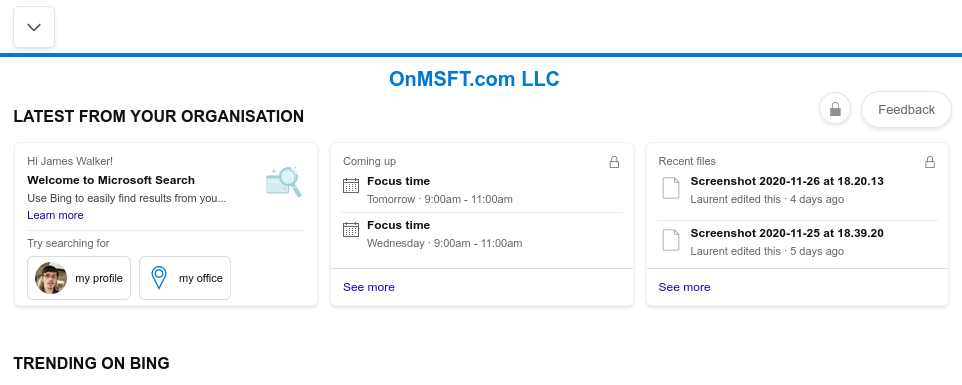
When you’re signed in, the Bing homepage will display a “Latest from your organisation” banner. This surfaces recent files and upcoming events within SharePoint sites, Outlook groups and Microsoft Teams.
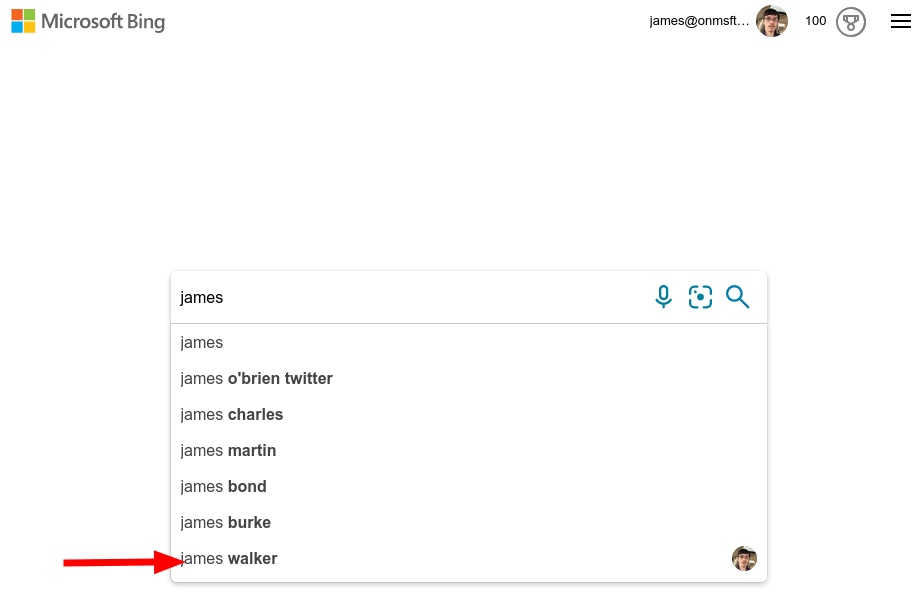
You can use the searchbar to quickly find content within your organisation. Try searching a person’s name to see related contacts appear as search suggestions.
When you press enter to commit a search, switch to the “Work” tab on the search results page to search within your organisation. Content will be displayed in a similar style to regular web search results. Some items, such as contacts, have rich information cards which help to contextualise their relation to your organisation.
Use the left search pane to drill down to a specific content type, such as People, Files or Conversations. The available data will vary depending on your organisation’s Microsoft 365 subscription.
Microsoft Search supports natural language search for terms such as “my files” and “conversations about topic”. Microsoft advises you “just ask naturally” instead of trying to learn specific terms – Bing and Microsoft Search will intelligently interpret your query to find relevant data from within your organisation.
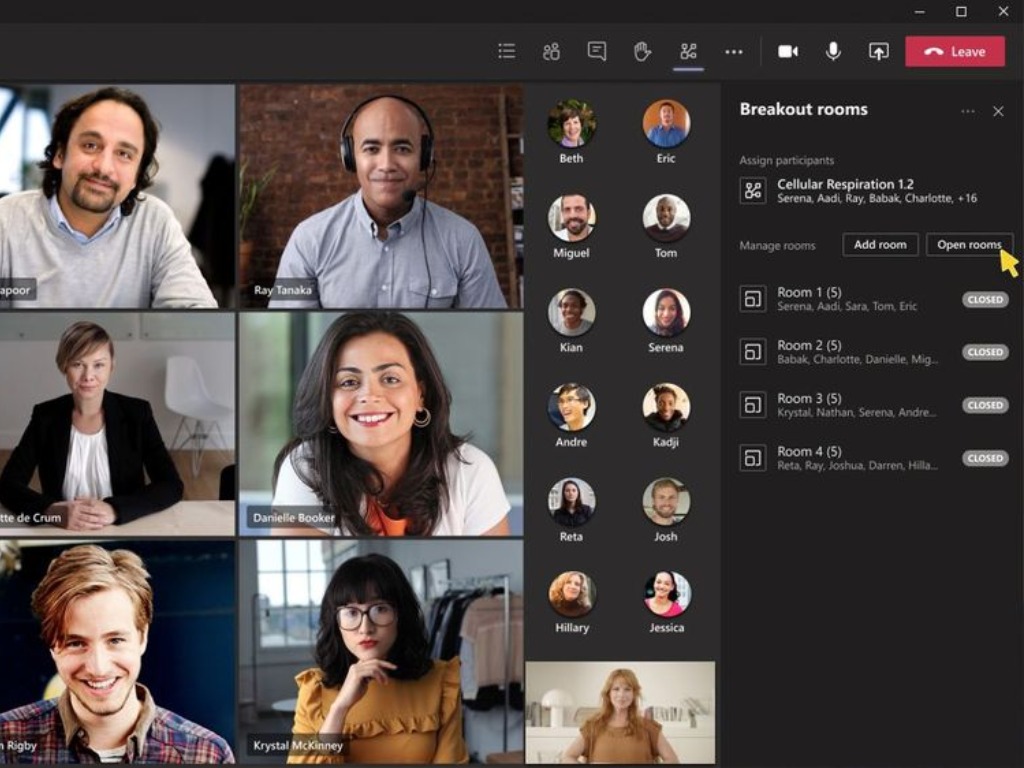
Microsoft is now rolling out the Virtual Breakout rooms feature for its Teams collaboration platform. At launch, the feature is exclusively available to Government Community Cloud (GCC) customers, and the company will expand its availability to all Teams users in the coming days.
The breakout rooms feature, which allows meeting organizers to split participants into smaller groups linked to the main meeting, was announced in July. The functionality has been designed to support simultaneous group discussions such as corporate meetings, projects, brainstorming sessions, and more. Here’s a video showing breakout rooms in action:
Microsoft says that organizers will be able to choose the number of breakout rooms (up to 50) and assign a specific number of participants (manually or automatically) to each room. In breakout rooms, participants will have full access to all meeting features such as chat, Together mode, and Whiteboard. On the other hand, the meeting organizers will have the ability to monitor and participate in these discussions and make announcements.
It is important to note that presenters and attendees can participate, but only the meeting organizer can create breakout rooms using the desktop client. To use virtual breakout rooms, however, IT Admins first need to enable a couple of settings in a Teams meeting policy. This will help to ensure that users can schedule private meetings.
Allow scheduling private meeting = on
Allow channel meeting scheduling = on
Allow meet now in channels = on
Allow Meet now in private meeting = on
The breakout rooms experience is one of the highly requested features, and it has been delayed multiple times. This is not entirely new, as Teams’ competitor Zoom has long offered support for breakout rooms. If you’re interested in learning more about how to enable and use it in your Microsoft Teams desktop client, be sure to check out the blog post.
The first video game based on the hit John Wick movie franchise, John Wick Hex, is now available to play on Microsoft’s Xbox One and Xbox Series X consoles.
The game is a fusion of the action and strategy genres featuring time-based gameplay and a story set before the events of the first film. Voice actor, Troy Baker, takes on the titular role made famous by Keanu Reeves and is joined by film actors, Ian McShane and Lance Reddick.
Here’s the game description and trailer:
Become The Baba Yaga. John Wick Hex is a fast-paced, action-oriented strategy game that makes you think and strike like John Wick, the professional hitman of the critically acclaimed film franchise. Created in close cooperation with the creative teams behind the films, John Wick Hex is fight-choreographed chess brought to life as a video game, capturing the series’ signature gun fu style while expanding its story universe. Players must make quick decisions and choose every action and attack they make, all the while considering their immediate cost and consequences. Featuring a unique blend of strategic time-based action, John Wick Hex captures the feel of the tactical combat from the films and blurs the line between the strategy and action video game genres. Perform well and progress in the main story mode to unlock new weapons, suit options and locations. Each weapon changes up the tactics you’ll use and the manner in which you’ll play. Ammo is finite and realistically simulated, so time your reloads and make the most of weapons you scavenge on the job.
John Wick Hex originally released on Windows PC and Sony’s PlayStation 4 console in late-2019 and picked up the award for Best Strategy Game during the 2019 Game Critics Awards. It also launches on the Nintendo Switch today.
Looking for VPNs that work best in certain areas is a piece of cake most of the time. Many services boast about their ability to run at their peak in various regions.
Finding a VPN service that has servers in a specific region is a bit trickier, on the other hand.
For instance, if you ever wanted a VPN with servers in New Jersey for whatever reason, we have exactly that just waiting for you.
Why use a VPN with New Jersey servers?
There are a few reasons why someone would need a VPN with servers in New Jersey. For instance, we all know that some services are geo-restricted.
Geo-restrictions are the most common reason why users would suddenly realize they need VPN servers in specific regions of the world.
Therefore, if you have a sporting event you can’t watch, or find yourself unable to access a certain website from outside of New Jersey, a VPN with NJ servers can easily solve these issues for you.
Private Internet Access, or simply PIA, is one of the best VPNs that offer servers in New Jersey. Thus, it can help you access content that is blocked outside of this area without great effort.
What makes it even more impressive is the fact that PIA has not one, but 817 New Jersey servers at the time being.
Therefore, you can rest assured that even if a certain NJ server won’t work as it should, you can always reconnect to a different one in the same area. You have plenty of options.
NordVPN is an awesome VPN service that lets you connect to a New Jersey server and enjoy region-based content in no time.
The exact number of NJ servers is not exactly clear, but what we do know is that NordVPN has servers in 15 different US cities, and New Jersey is one of them.
Furthermore, all US servers are fully-featured, meaning that you can establish regular connections, but also enjoy P2P-optimized, obfuscated, dedicated IP, and double VPN servers.
One of the more popular names in the branch, ExpressVPN is one of the few VPN services that offer New Jersey servers. In fact, ExpressVPN boasts not one, but three different NJ servers you can switch through.
On the other hand, only one of them has full support for all ExpressVPN protocols: Lightway, OpenVPN, L2TP/IPsec, IPsec, IKEv2, and PPTP. The remaining two don’t support L2TP/IPsec and PPTP, unfortunately.
PureVPN is yet another worthy contender for our best VPNs with New Jersey servers collection. As with other similar services, it’s not exactly clear how many NJ servers does PureVPN offer.
What we do know, however, is that PureVPN’s New Jersey server(s) support PPTP, L2TP, SSTP, IKEV2, IPSec, and OpenVPN protocols.
To put things in perspective, PureVPN has an impressive network of more than 6,500 servers, covering over 140 countries in 180+ locations. So we’re pretty confident that they have more than just one server in NJ.
ProtonVPN is famous among VPN users for its free version that has no time limitation. However, it seems that this service also has New Jersey servers that you can connect to.
Again, their precise number is kind of hard to decipher, more so considering that ProtonVPN makes efforts to constantly add new entries to its wide network.
However, judging by the numbering system we’ve noticed on its official website, we can only assume that ProtonVPN offers somewhere around 16 NJ servers at the time being (there are NJ servers numbered #5 to #16).
ProtonVPN’s main features:
Enforces strict no-logging policy
Offers 1,101 servers in 54 countries
Has ~16 New Jersey servers
Military-grade 256-bit encryption
High-speed connections
Its apps are both open-source and audited
Final thoughts on best VPNs with New Jersey servers
All things considered, if you’re in need of a VPN service that has New Jersey servers for any reason, we’ve got you covered. If you want to keep up with local content from other regions, such as Pennsylvania, VPNs are the answer there too.
We’ve tested the services listed above and can confirm that their NJ servers are fully functional, and should not pose any difficulty with unblocking NJ-specific content whatsoever.
When creating a movie, you need to organize everything, and this is usually easier said than done. However, there are specialized tools that can help you with that.
In today’s article we’re going to show you the best movie pre-production software that will help you organize and manage everything before you start recording, so let’s get started.
StudioBinder is a pre-production software that allows you to organize your movie shooting with ease. The software allows you to create detailed shooting schedules with ease and share them with your team.
Using this software, you can also add custom call times, private notes, and parking directions. If needed, you can view the current weather and the location of nearby hospitals.
StudioBinder also lets you import contacts in bulk, and you can even create cast and crew lists with ease. These are some of the most notable features, but if you need a good movie pre-production software, StudioBinder is a safe bet.
If you need a movie pre-production software, you might want to try Movie Magic Budgeting. The software allows you to access real-time data on the cloud and easily manage your budget.
Support for custom reports is available, and you can easily drag and drop elements, remove columns or exclude categories if needed. Also, you can easily compare cost requirements and scenarios.
Movie Magic Budgeting also offers customizable rule sets, and it’s one of the best tools for movie pre-production, so it’s worth checking out.
When it comes to movie pre-production software, Showbiz Budgeting allows you to easily track purchase orders, payrolls, and manage your entire film budget with ease.
The software is easy to use, and it comes with a wide array of budget templates to choose from. The latest version offers an extensive report feature, and you can easily save frequently saved reports for future use.
Showbiz Budgeting offers great features, and we barely scratched the surface, but if you need a professional tool for movie pre-production, be sure to consider this software.
Yamdu is another great tool that can help you schedule your projects and manage all project tasks. The software can create a shooting schedule in minutes, and it can automatically create a call sheet.
There’s a powerful Resource Planning add-on available, allowing you to easily create tasks, manage the personnel, rooms, or inventory. You can also import a script, and create a full breakdown in minutes.
Yamdu is great for collaboration so you can easily manage your projects with others, which makes this a perfect movie pre-production software.
Other great features:
Ability to add locations and actors easily
Works with tools such as Final Draft, Fountain, Google Calendar, iCalendar, etc.
With Assemble you can easily manage your team using the production calendar, and you can even save common tasks to create a video production timeline faster.
With this tool, you can also create production books with ease and track approvals, assets, and phases. As for team management, you can set permissions for each team member, and you can even get private feedback from different teams.
Assemble also has call sheets, creative brief support, and vendor management, and if you need a movie pre-production software, this might be the right choice for you.
If you’re working on a movie or a video, it’s important that you keep your team well-organized, and we hope that these tools will be able to help you with that.
When you are repetitively doing the same things on your browser, filling in forms, entering passwords, and simply doing the same task over and over again, using iMacros comes in hand.
iMacros will help you automate the most often performed tasks and it is the only web automation software that thankfully enough, works with every website.
There are users though, that are saying iMacros is not recording their clicks. Don’t worry, in this article we will explore an easy way to fix this, so make sure you keep on reading.
How can I fix iMacros not recording clicks?
1. Update iMacros
The iMacros not recording clicks can be really troublesome, especially since users are saying that at times the software works fine while the next day it will fail to record the task as it should.
It seems that checking to see whether or not you have the latest iMacros version, could solve the issue.
Also, is a good thing to bookmark the release notes page, where you can remain updated with the latest changes and fixes that the iMacros developers have been working on.
2. Make sure iMAcros is installed correctly
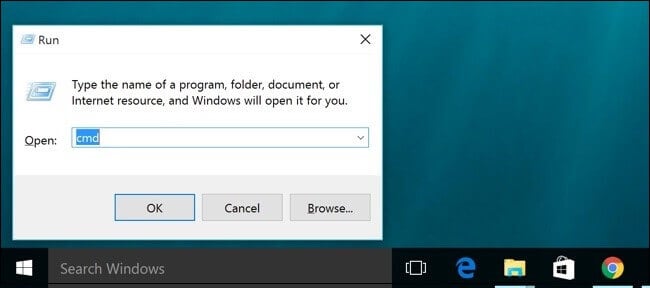
Open cmd from the Start menu.
Type in the following command and run enter: psexec -i -s cmd.exe
From the System prompt, run iMacros.exe.
Make sure that you keep your laptop open while the iMAcros command runs. Additionally, we would recommend that once it’s finished, you also perform a restart of your device.
Afterward, perform the same iMacros command as before and check out if the issues have been solved.
3. Check out the iMacros wiki
You will find answers and solutions to the most common technical issues and errors on the iMacros wiki page.
Moreover, here, you will also find tutorials and guides that are designed to help you go over the usual steps in using iMacros.
You will easily find their support for the issues you are encountering while using iMAcros.
4. Contact iMacros support
If none of the above solutions helped you fix the iMacros not recording your clicks, then we would recommend that you contact iMacros support via their user forum page.
In order to be able to write your requests to them, you will need to log in using your iMacros username and password.
Moreover, in the iMAcros Support Forums, you have the option to search in the previous discussion and check if your issues have been already solved by the developers.
With this, we will conclude our list of solutions for fixing the iMacros issue, where the web software is not recording clicks.
As you can see the solutions are easy and most of the users say that simply installing the latest iMacros version helped them fix the problem.
Due to the many releases the software has and it’s continuously being improved, it’s also essential that you check the release notes page, and keep yourself up to date.
If you have additional notes and suggestions, please let us know in the comments section below.
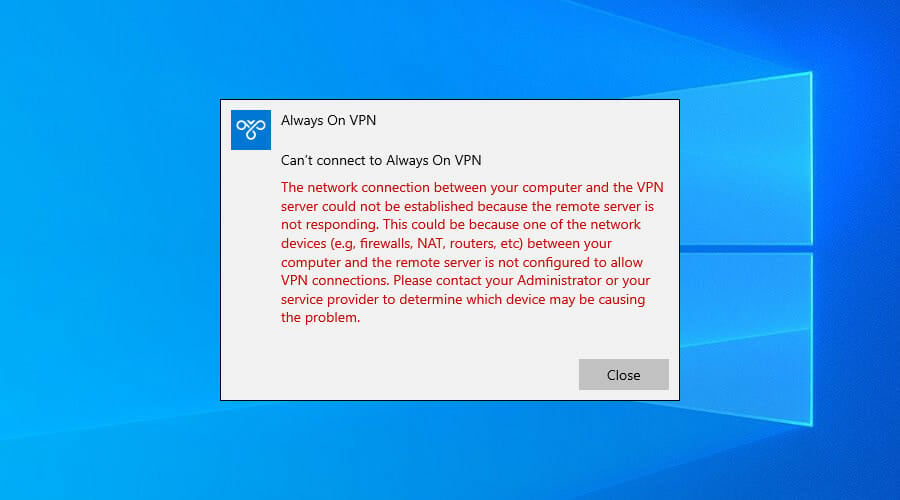
VPNerror 809 is usually caused by the firewall between the client and server, which blocks the ports used by the VPN tunnel.
On top of that, Windows doesn’t support IPsec NAT-T security associations to servers behind a NAT device by default.
When the error appears, the event log too won’t display any related logs because the traffic can’t reach the MX’s WAN interface. But you should be able to solve it on Windows 10.
Here’s the error message we’re talking about.
How can I fix VPN error 809 on Windows 10?
Enable the ports on your firewall or router
You need to open the ports on your firewall or router, depending on which VPN protocol you’re using.
Port 1723 over TCP for PPTP
Port 500 or 4500 over UDP for L2TP/IPsec or IKEv2/IPsec
If this is not possible, deploy the SSTP- or OpenVPN-based tunnel on your VPN provider.
This allows the VPN connection to work across the firewall, NAT, and web proxies.
Use a VPN client instead of a manual VPN connection
Windows 10 is prone to various problems, including VPN errors like 809. It can be the result of incorrect network settings.
Even if you manage to fix the issue, it doesn’t mean you won’t face it again.
So, if you’re looking for a long-term solution to get rid of VPN errors, we suggest opting for Private Internet Access (PIA).
It has a native VPN app ready for Windows 10 as well as older Windows versions and other devices: Mac, Linux, Android, and iOS, and even routers.
You can use PIA to create a secure tunnel to the public Internet. This way, you can protect your privacy, encrypt your data against any hacker attacks, and unblock content that’s not available to your region.
More about PIA:
Support for OpenVPN and WireGuard protocols
Native port forwarding
Kill switch
No logging, no leaks
24/7 live chat support
30-day money-back guarantee (no free trial)
Private Internet Access
Use this reliable VPN app to eliminate any VPN errors and enjoy a secure connection on your device.
Countless users started to notice the same thing – Microsoft Defender registers an increased usage of the system’s hard disk drive and central processing unit while launching games.
It often happens to take even up to 80% of the system resources, causing the system to slow or completely lock up itself.
MsMpEng.exe can even end up taking 100% of the HDD and CPU when Windows Defender is scanning the system for malware. Here’s what some users say when this happens:
If your game is working, then let the Defender protect your computer.
Microsoft Defender may get stuck on certain files while checking malware, so not taking any action isn’t an option. On the contrary, here’s what you can do about this increased HDD and CPU usage.
How can I fix high HDD and CPU Microsoft Defender usage?
Right-click on the taskbar and select Task Manager.
Up next, go to the Details tab.
Right-click on the process name msmpeng.exe and select Set affinity.
Choose the CPU limit that you allow the process to use. For normal CPU usage, you may select 50% for MsMpEng.exe.
In order to solve this issue, don’t hesitate to set the MsMpEng.exe file to use a specific processor in the system.
It may indeed modify the scan speed of the antivirus and make it run slower than usual. However, that’s a compromise that many users are willing to accept in order to forget all about the high HDD and CPU usage.
If the results aren’t as expected, you may also consider disabling Microsoft Defender through group policies on your system. However, make sure you have another great antimalware software ready to install in its place.
When you’re playing MMO games, you will notice there are lots of abilities, meaning you need to have lots of button binds if you want to use them optimally.
Games such as World of Warcraft require you to constantly look at your screen and use your skills accordingly.
In the same manner, FPS games require a mouse with fast response times, high DPI, and precision.
If you happen to play both of these types of games, and you want a mouse that can improve your gameplay, you found the perfect guide.
No matter if you’re searching for the best gaming mice with 3 side buttons, or you don’t mind having many more buttons on the side, this guide will surely be helpful.
The best mouse for the value on our list is the Logitech G600. It is a wired mouse, made out of durable plastic that doesn’t attract fingermarks.
This is a high-quality mouse, with a silent, responsive scroll wheel, and a minimalist and comfortable design.
The side buttons are specially crafted to be accessed with ease and the cable is coated with protective fabric.
Thanks to Logitech Gaming Software, you can customize the entire mouse. Pick from a multitude of color variants and map all of the mouse’s buttons, including the left, right, and extra mouse clicks.
The Razer Naga Trinity is our best pick on the list. It is a premium-quality, versatile gaming mouse thanks to its three swappable side panels.
Whether you play MMO or FPS games, one of the side panels will have a button layout perfect for you.
This mouse has a great amount of customization, including fully changeable RGB.
It is a wired mouse, coated with durable fabric and it is very well built, with a comfortable, minimalist design. The mouse is great for people who prefer a wider and taller body.
The Logitech G502 Lightspeed is our choice of the best wireless gaming mouse with side buttons.
It is a reimagined version of the classic top-of-the-line G502 but completely reengineered for higher precision, more customization, and faster response times.
The new system allows you to adjust the weight of the mouse, making it lighter, heavier or shifting the weight to one side. The batteries are chargeable and claim to last for up to 60 hours.
The Logitech G Hub software allows you to fully program your buttons, customize your DPI and RGB, and store everything on different profiles.
Our first mid-range choice is for the people who still want a good quality product but have a tighter budget. The UtechSmart Venus is a gaming mouse designed primarily for MMO gaming, given its plethora of buttons.
The mouse is covered with a matte finish that feels slightly rubbery and the weight is adjustable. It feels comfortable in your hand and the RGB, DPI, and buttons are customizable.
Redragon M901 is the best cheap gaming mouse with side buttons, and it is coated with matte plastic, and having a comfortable, minimalist design.
The mouse comes with a multitude of side buttons and a rapid-fire button next to the left mouse click.
The mouse also has a customizable RGB and weight system, as well as multiple presets. Overall, the mouse has great precision and high DPI, coupled with a fast polling rate.
Our list covered all the best available options of gaming mice that you can get if you want to have a smooth and great experience while you’re playing your favorite games.
If you have anything interesting to say about gaming mice, feel free to leave a comment in the section below.
It is December 3, 2020, and time for major brands and companies to start pulling on the heartstrings of consumers to gently nudge them into engaging with products and services to end the year.
Like clockwork, Microsoft has come out of the gate with its 2020 offering and for many, the company seems to have aimed wide of the customary marketing intentions this year with its new ‘Find Your Joy’ Holiday 2020 commercial.
The commercial, which highlights a family dog seemingly ignored by the people in the house is left to spend the evening dreaming about finding its joy within the confines of its owner’s technology. As some have quickly pointed out, the ad can arguably be doing quite the opposite of its intention in trying to spur ‘joy’ and in turn, a disservice to Microsoft and its product catalog in the video.
As someone who writes about technology daily, perhaps I’m more jaded than others, but I’m rarely moved to make purchases from these sorts of videos, so the ads selling prowess is arguably lost on me.
With that being said, I can still find meaning and appreciate how the message resonates with audiences, and Microsoft’s new ad resonates with me in a way that’s somber and melancholy but that has nothing to do with the dog’s fate.
As the video opens with a lone family member sitting in the living room by themselves, we’re also made aware of mitigating circumstances that would prevent the sort of lively outdoor activity our titular character is accustomed to, an evening snowstorm.
Where there should be some swelling sympathy for the family dog, I see the juxtaposition of confinement and escapism for the gamer instead. While Microsoft may have intended to use the visualization of snow to signify winter, it also doubles as a barrier to outdoor activity by having the backdrop be snow actively falling at night. Neither the gamer nor the dog were going anywhere anytime soon.
The dog makes note of the gamer and game onscreen before moving to the second family member engaged in a Teams meeting with members in different time zones and countries, judging by the accent of the prominent speaker. Once again, the dog is left with little interaction from this family member as she engages in traditional after-hours work.
Again, while the dog may have wanted more than a pet and brief rub, I feel more sympathy for the woman who has to be in a meeting at night and less for the momentarily attention-starved dog. The dog finally moves on to the last two family members who are both playing Microsoft branded games in Minecraft and Flight Simulator, to which both are seemingly too engaged to play with the dog. Clearly, the dog strikes out with each family member in trying an effort to be noticed, but what doesn’t go unnoticed is the eerie silence and isolation each family member is encapsulated in.
Lastly, the dog finds kinship with another dog across the way who also sits in an open window seemingly ignored by its family. Where this dystopian reflection takes a turn is when the dog finds solace in being able to dream about the same sort of escapism his family is partaking in. Instead of dreaming of belly rubs, games of fetch or overflowing bowls of food, the dog dreams about being an active participant in the technology its family is using.
The joy in Microsoft’s ‘Find Your Joy’ campaign, seems to be less about the dog finding joy in the more traditional forms of interaction we may attribute to a dog, but being able to find it in the escapism like the rest of its family in 2020, due in large part to the COVID-19 pandemic. With a light snowstorm at night symbolizing the families’ inability to interact outside, they’ve all rallied around the technology that’s enabling them to engage with things outside of the confines of their home. While it’s arguable that they should be gathered around a central place or room interacting with one another, Iaughing, talking, and playing with the family dog, the more astute reality is that the family represents a microcosm of our communal technology experiences as of late.
While many would like to believe they’re conscious of their screen activity, a 3rd party recording might show zombie-like attention being paid to our phones, TVs, tablets, and computers with each quarantined passing day. With the pandemic shifting traditional outdoor and in-person activities such as happy hours, weddings, and game nights to online, as a collective, we’re probably more engaged with our screens indoors than we have been at any other point in time.
To me, what Microsoft’s new ‘Find Your Joy’ ad does is shine a light on the multitude of products the company offers to help people to escape the confines of their homes. While some might feel saddened by the dog not getting more traditional forms of engagement from the family, what the ad does effectively shows is that just like the rest of its family, the dog has adapted to isolationism by embracing the escapism of Microsoft products.
Should the family or the dog forego the more traditional forms of interacting with one another? No, but the reality is, we’re not in traditional times and we’re increasingly dealing with less traditional circumstances in 2020. If one can’t find joy in the traditional, find joy in the new normal. Happy holidays, everyone!
If you’re looking for tools to block certain websites on your Windows computer, you’re in the right place. In this article, we will list the best website blocker tools.
You can use them on all the browsers compatible with the Windows OS. There are various reasons why users prefer to block particular websites.
Maybe the content is inappropriate for certain viewers, or the respective websites pop up on your browser all of a sudden, interrupting your work.
Irrespective of why you want to install a software tool that blocks websites, we’re sure you’ll find the right one in the list below.
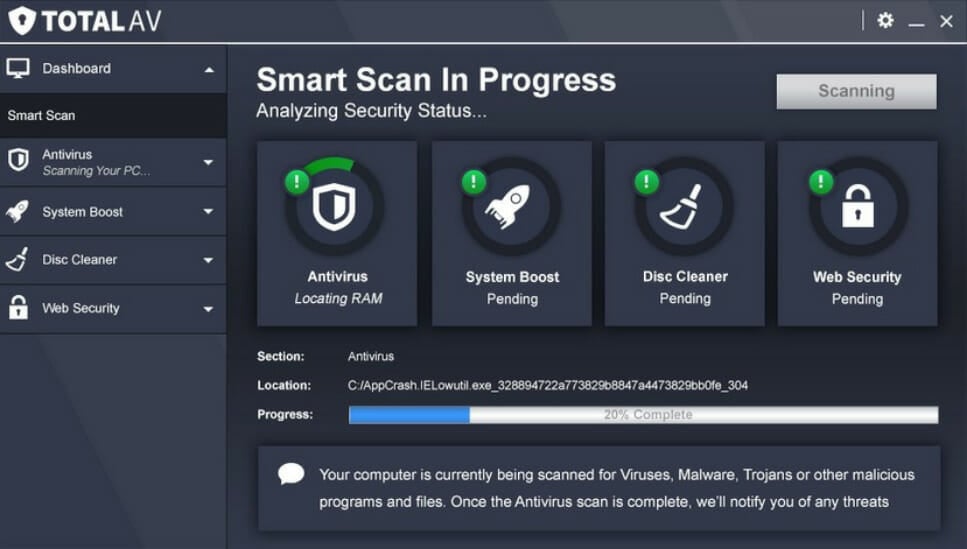
TotalAV makes for a great companion in your online sessions when it comes to security. This software comes with real-time protection from viruses, malware, and other online threats that might try to infiltrate your system.
This tool can block unwanted pages, and even more, it can block Ads and in-play video Ads so you are always sure to watch your favorite programs undisturbed.
With this software, you can also block tracking cookies and monitor your email address against data breaches.
TotalAV real-time protection is not only for when browsing the internet, it will actively scan your downloads and installs and make sure you never put your device at risk by mistake.
Here are some more awesome features of TotalAV:
Available across Windows, Mac, Android & iOS
Schedule Smart Scans
Eliminate Malware
Bypass geo-restricted websites
System Tune-Up Tools
TotalAV
Protect your system in real-time with this amazing security software.
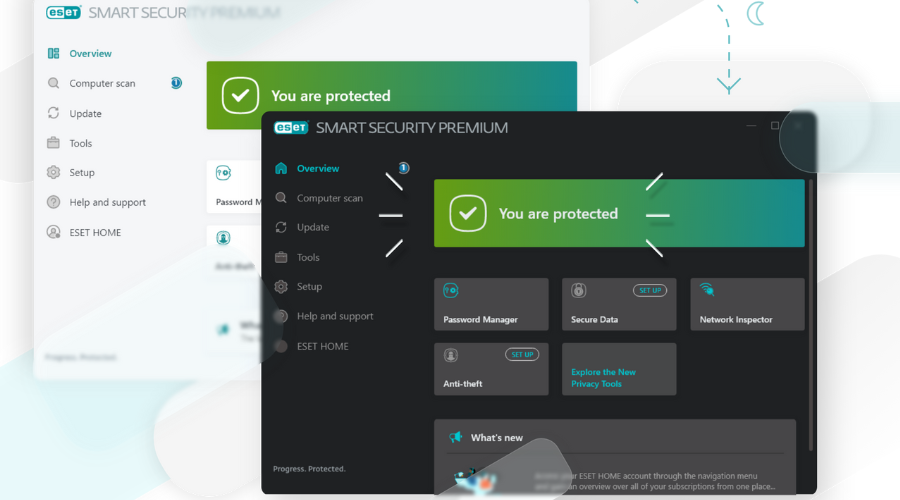
ESET HOME Security Essential is a powerful and complete internet security software that will make your browsing safer and block annoying pages.
This tool comes with features that are very much needed nowadays, it will protect your whole operating system and encrypt your sensitive data, so it is forever out of reach from malevolent hands.
ESET HOME Security Essential, as its name suggests, is not only great for blocking unwanted websites but can also protect against malware, ransomware, and phishing attacks.
You can safely use this software for password management and device control, in case you want to protect children or vulnerable persons’ devices.
Here are some other features of ESET HOME Security Essential:
Webcam Protection
Gamer Mode
Advanced Memory Scanner
System Registry Scanner
Script-Based Attack Protection
ESET HOME Security Essential
Keep yourself and your loved ones safe from unwanted internet content with this powerful tool.
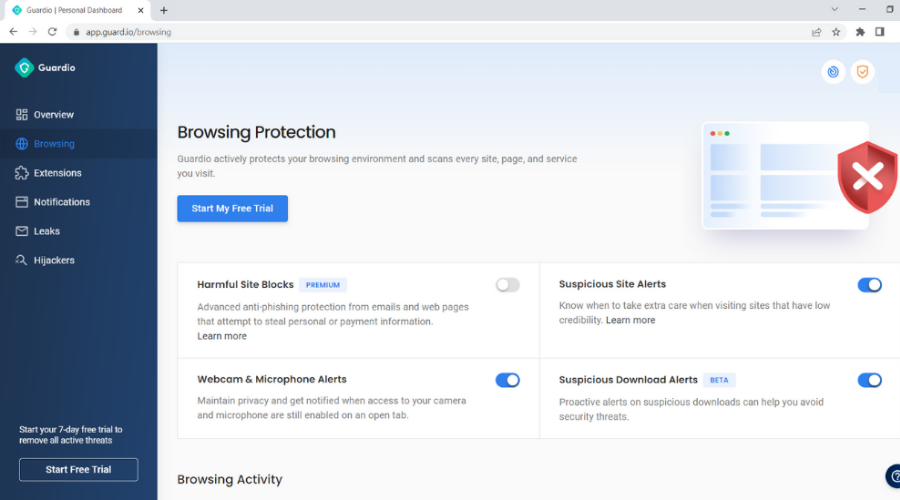
Guardio is a security extension that was designed to help browse fast and safely. This tool can clean up your browser and speed it up, while also blocking unwanted content.
This software is really easy to use, it will just be added to your browser and then you can start using the internet as you normally would and just let it do everything in the background.
Guardio was created for Chrome, but that in return makes it compatible with all Chromiun-based browsers, such as Opera, Edge, and Vivaldi.
This tool will help you monitor information leaks, and block unwanted notifications and malicious websites.
Some other features of Guardio that you might find interesting:
Suspicious site detection
Phishing alerts
Real-time removal
Personal dashboard
Guardio
Access your favorite websites and be protected with Guardio.
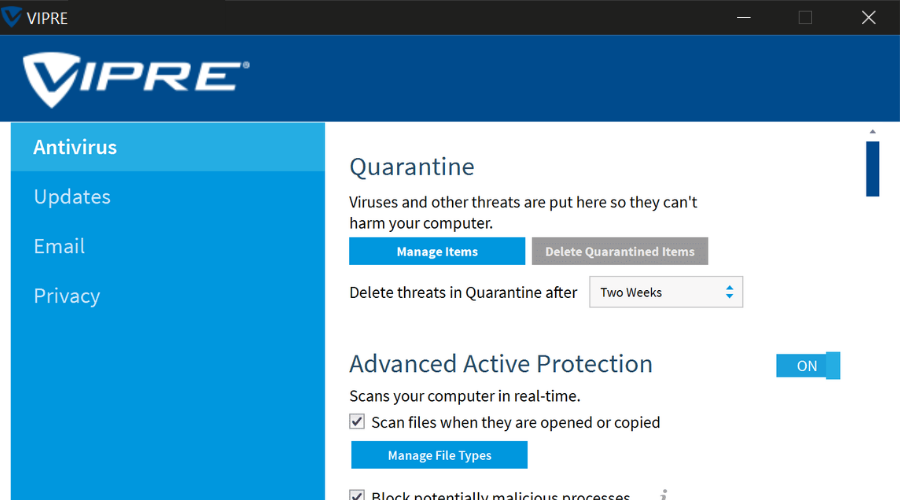
Vipre is a powerful antivirus that keeps your data secure by delivering easy-to-manage malware protection. Even more, it’s the software you need to block websites easily.
Vipre is designed to eliminate viruses, spam, and Zero-day attacks, and not only without impacting system performance.
With cloud-enabled Advanced Active Protection as part of the package and a truly user-friendly interface, it also blocks particular websites that you’d like your employees to stay away from.
Here are some key features that Vipre brings to the table:
Easy-to-manage interface
Superior protection against spammers, hackers, and cybercriminals
Two-way firewall
Accurate website blocking
Anti-spam protection
Vipre
Vipre is a reliable choice for businesses and home users who want accurate website blocking. Are you ready to enjoy its features?
TitanHQ’s WebTitan is the perfect website blocker software for companies and schools. It offers a 360-degree view of how employees or students use the Internet in your company or school and lets you manage Internet usage.
In other words, you can reduce non-work related browsing and access to certain websites that reduce your employees’ productivity or your students’ focus.
You can set up WebTitan Cloud in minutes; its intuitive UI makes it easy to use.
It also provides excellent malware protection for your company and employees, blocking viruses, phishing attempts, and other malware threats. With just a single click, you can block user access to certain websites.
The tool doesn’t cause browsing slowdowns when deployed, and it automatically installs the latest version available, so there’s no need to constantly worry about keeping it up to date.
Moreover, you can also personalize block pages and add a description as to why a particular website has been blocked. You can deploy WebTitan as a cloud or gateway solution.
Barracuda Web Security is a well-known online security tool that you can use to filter web content. The software offers flexible controls to regulate online activity.
You can create policies to control user access to commonly visited websites using 95 content categories such as pornography, violence, hacking, sports, news, dating, shopping, and many more.
Barracuda Web Security is a powerful program that allows you to either restrict specific websites altogether or look for certain patterns and block all those that display them.
At the same time, the software’s image and multimedia safe search option can also block thumbnail images in search results.
The tool also features pre-built English-language dictionaries of keywords and phrases related to harassment, weapons, and more. Of course, you can also add your own keywords and phrases for monitoring.
InterGuard is a powerful web security software that also includes a merciless web filtering and website blocking module.
The tool is suitable for companies and enterprises that want to monitor employee activity and record and filter web activity.
InterGuard features 36 pre-screened and sorted URL lists that allow your IT administrators to easily implement security and web access policies. You can block websites that contain a series of keywords that you selected.
At the same time, the tool can also block Google images. Of course, if you want to whitelist certain websites, you can create your own specific lists depending on your business needs.
Apart from the website blocking feature, InterGuard also allows you to spy on your employees.
More specifically, you can record all the websites visited or blocked and receive alerts when attempts are made to visit the websites or categories previously banned.
You can also see what’s being typed in and searched for across all search engines.
While the first three websites blocking software listed in this article are suitable for companies or IT admins, the fourth is more family-friendly.
TrueVine’s Website Blocker can help keep your family safe against all the pornography, violence, and vulgar messages plaguing the Internet.
The program is an anti-pornography website blocker and internet filtering tool compatible with any Ethernet and Wi-Fi network.
If you’re a parent who wants to select which websites to block from your child’s eyes, then this is the right tool for you. Besides blocking websites displaying pornographic content, the tool can block most pop-ups.
TrueVine’s Website Blocker is a precise tool, focusing mainly on blocking pornographic content. We also included this program because we wanted this list to be as diverse as possible.
As its name suggests, the creators of this software want it to be the ultimate website blocker tool.
You can use The Web Blocker to block inappropriate content that your kids may accidentally access and reduce the time your employees spend on websites that have nothing to do with their job tasks.
You can block any website on the Internet per-user basis or block webpages for all users.
If you want to check what websites users have visited lately, you can access the internet browsing history and see if they behaved well.
If your kids spend too much time on social media websites, you can block all these web pages with a single click.
These are some of the best tools that you can use to block websites on your browser. As you can see, some programs listed in this article suit companies. If you don’t like any of these tools, be sure to check our guide on how to block a website in Chrome to learn about alternative solutions.
At the same time, others are perfect for parents or small businesses that don’t have the budget to buy an expensive website blocker. Don’t hesitate to let us know your choice in the comments area below.
The people who only use their machines for light tasks can get by with minimum specs.
However, those who want to use their laptops for graphic design or to play graphically intensive games need laptops that can handle those tasks. An Integrated GPU will not be able to run games such as Red Dead Redemption 2 optimally.
Fortunately, the manufacturers of gaming laptops try their best to create top of the line products for their customers.
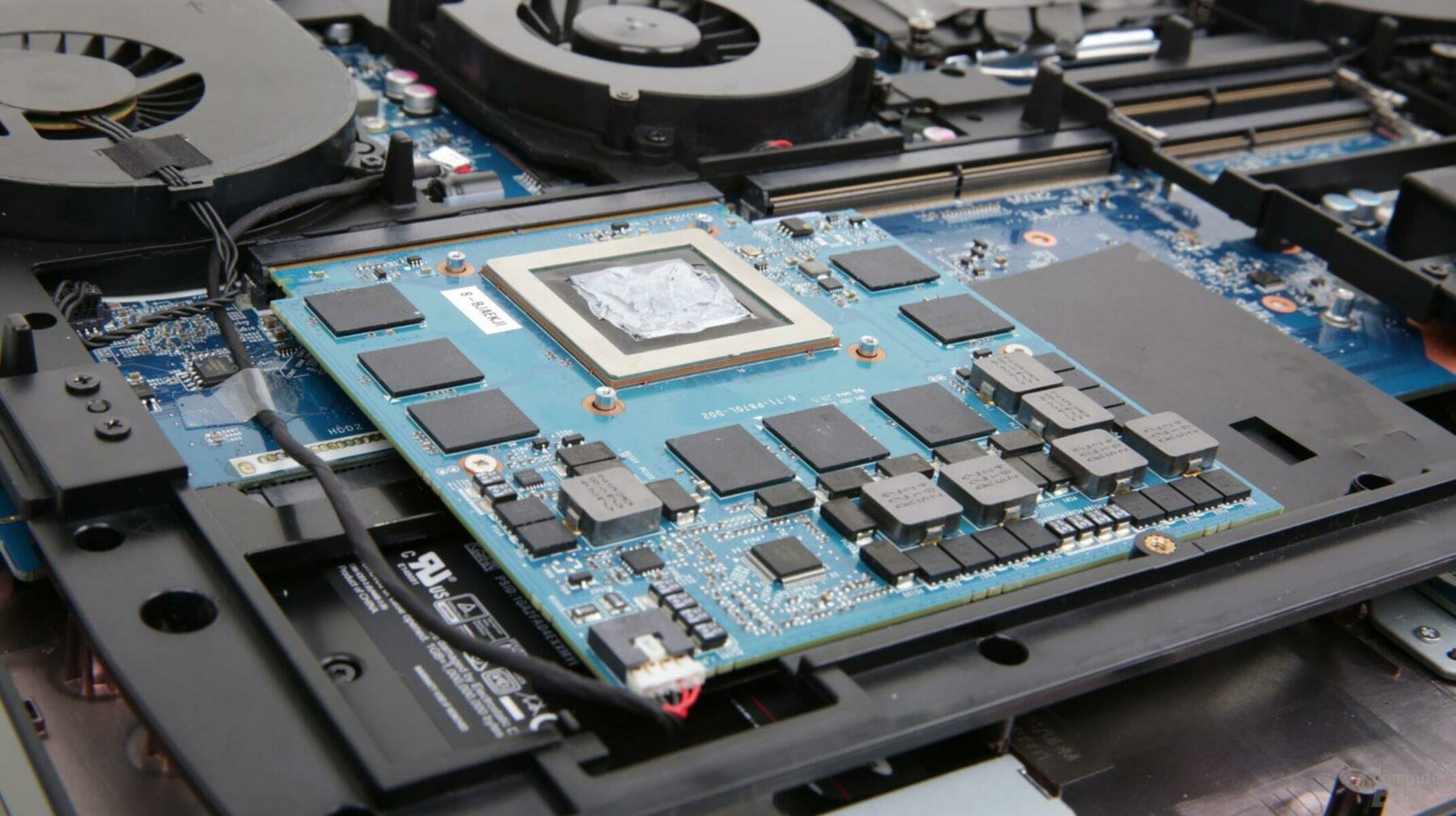
They add dedicated GPUs to their laptops to significantly boost their performance, thanks to NVIDIA and AMD, who push the boundaries of computer graphics every year.
What are the best laptops with dedicated graphics cards?
The MSI GL65 Leopard is the most budget-friendly powerhouse on our list. It offers high performance at a lower cost.
MSI’s aim with this laptop is to have as much performance as possible with its high-end RTX GPU and the latest generation of Intel CPUs.
The laptop is bigger and bulkier than normal work laptops because it has a more efficient cooling system.
A dedicated GPU needs special cooling not to overhead under load. The laptop has an aluminum lid and a plastic body, and it has a SteelSeries RGB keyboard.
Razer Blade 15 Advanced puts together the best components available on the market into a top-class customizable laptop.
The product has a premium look and feel, having a case made entirely out of aluminum with a matte black color.
The CNC aluminum unibody houses incredible performance in the most compact way possible. The 4k display brings visually stunning colors and comes reinforced with Corning Gorilla Glass.
The Alienware Area 51M has a futuristic design with white and black colors. It is thick and wide, not making any compromises in size in order to offer the best experience.
The laptop has cutting-edge hardware that can benefit from its high refresh-rate display and the speakers produce loud and clear audio.
Our first mid-range choice is the ASUS ROG Strix G15. The laptop features a thick plastic case covered with RGB lights that give it a futuristic look.
It also features a massive chin bezel which means the screen sits up higher when you open the laptop.
The product has plenty of ports, which are positioned on the side and on the back. Lastly, the keyboard has extra function keys such as Turbo Mode, specially crafted for gaming.
Another great entry from ASUS is the ASUS TUF VR Ready laptop, a thicker and heavier laptop that doesn’t compromise a better cooling system for more portability.
The laptop has great hardware, featuring an AMD processor and an RTX ready GPU. In addition, the RGB backlit keyboard allows you to enjoy comfortable and accurate typing even in dim lighting.
Dedicated GPUs will completely change how a laptop performs. This list was meant to help you with all the information you need before you buy the laptop that suits your needs.
If you have anything exciting and new to add to the subject, please reach out to us in the comment section below.
One of the trademarks of the Windows OS is self-sufficiency, and proof of that is how they continuously roll out products that can improve your Windows experience without the use of third-party tools.
For example, one issue that is a significant concern for everyone is cybersecurity. and we all know how malware is pretty much anywhere, and third-party antivirus tools are not cheap.
Well, if you, too, have encountered this issue, we recommend you try the Microsoft Safety Scanner.
Down to the basics, the Microsoft Safety Scanner is a simple tool with only one purpose: to find and remove malware from Windows computers.
How do I download & install Microsoft Safety Scanner?
One of the highlights of this tool is just how simple it is to acquire and use.
Go to Microsoft’s page covering the Microsoft Safety Scanner
Choose and download the version of the product that fits your PC’s architecture: 64-bit or 32-bit
Select the type of scan you want to run and start the scan. You can select between the following:
Quick scan
Full scan
Customized scan
Review the scan results displayed on screen. For detailed detection results, view the log at
%SYSTEMROOT%debugmsert.log
Will running Microsoft Safety Scanner delete unnecessary files?
The short answer would be yes. While Microsoft Safety Scanner will remove any malware infections from your PC, it will not prevent malware from getting into your PC in the first place.
These are the Windows OS versions taht can run the Microsoft Safety Scanner
Windows 10
Windows 10 Tech Preview
Windows 8.1
Windows 8
Windows 7
Windows Server 2016
Windows Server Tech Preview
Windows Server 2012 R2
Windows Server 2012
Windows Server 2008 R2
Windows Server 2008.
Things to remember when using the Microsoft Safety Scanner
Another great thing about the Microsoft Safety Scanner is that it doesn’t require any installation. Once the executable is downloaded, run it, and it will start scanning your PC.
This lack of installation makes it a great choice for those that don’t want to load their PC’s registries and DLLs with additional files. This also means that it won’t appear in your Start menu, so once you download it, try to remember where you saved the executable.
On the flip side, the product cannot be updated like you would a regular antivirus, and you need to download it again if you want a newer version.
On that note, Microsoft recommends that you download a new version about once every ten days to ensure you have the latest supported version.
Closing thoughts on Microsoft Safety scanner
Pros
Portable
Completely free
3 different canning modes
Efficient malware removal tool
Actively updated every couple of days
Cons
Needs to be downloaded manually after every update
It’s been almost a year since the Windows 7 OS has reached the EOL, and many changes have come in terms of what services will and will no longer support it.
One great example is that of major developer Google, who stated that they will guarantee that GoogleChrome will still run on Windows 7 until July 2021.
Windows 7 users need to upgrade by 2022
Google currently has almost 3 billion users, and a few millions still use Windows 7, either in the unsupported version, or in the EOS version.
Whichever the case, know that you will have to upgrade to Windows 10 by January 2022 if you still want to use the latest versions of GoogleChrome.
After assessing the current situation, and based on feedback from our valued enterprise customers, Chrome is extending our support for Windows 7 until at least January 15, 2022.
That’s a 6-month extension from our previously communicated date of July 15, 2021. We’ll continue to evaluate the conditions our enterprise customers are facing, and communicate any additional changes in the future.
This extension compared to the original announcement seems to have been due to the COVID-19 pandemic, so Windows 7 users will still get a 6-month window during which they can switch to the newer OS.
To learn how you can upgrade to Windows 10 easily, simply check out this dedicated guide where we will be showcasing every single step with detailed instructions and screenshots.
Do you use Google Chrome, and if so, will this announcement make you consider upgrading to Windows 10 faster?
Let us know what’s your take on the news by leaving us your feedback in the comments section below.
Microsoft’s Excel is one of the stalwarts of the company’s business tools, used by millions around the world for everything from creating shopping lists to running multi-million dollar businesses. First introduced way back in 1985 (and preceded by another spreadsheet from Microsoft called Multiplan) for the Apple Macintosh, Excel has grown to become as close to a universal business tool as there is.
Excel has been a full featured spreadsheet for quite some time, and while the program has introducing new data types, forecasting tools, and data cards, the basics of Excel have remained largely the same. Recently, however, Microsoft has introduced new tools that go back to the basics, first with the introduction of XLOOKUP, a rebuilt version of the tried and true VLOOKUP, and now today with LAMBDA, a new way to turn Excel formulas into custom functions.
For the first time, Microsoft says, Excel, with the introduction of LAMBDA, is “Turing Complete,” meaning that a system is “able to recognize or decide other data-manipulation rule sets.” Basically, the LAMBDA function allows you to define your own custom functions, and then re-use them throughout your spreadsheet. Up until now, if you had a complex function written in Excel and needed to use it in multiple places in your spreadsheet, you would have to copy/paste the function multiple times. This meant that any changes to the function would have to be recreated in all the places it existed. With LAMBDA, spreadsheet users can now give those complex functions a name, and then call them using a named LAMBDA, not only making management much more efficient, but also allowing for these functions to be recursive (meaning you can now create loops in formulas). You can read the blog post for more on this new function.
LAMBDA is being introduced in the Excel Beta Channel via the Office Insider program, and is still a work in progress, but a welcome one for many spreadsheet users.
We’ll be upfront and tell you that unfortunately, Mullvad VPN doesn’t offer a free trial.
In fact, the company behind this VPN is against free VPN services for a few reasons.
And it does make sense, considering that many free services are not, in fact, free.
Whether making you watch an ad video, collect your data or impose various in-app limitations, free services usually operate like that.
Mullvad VPN is against all of those practices.
However, there might be a way you can test Mullvad VPN for a while, if you need to.
Does Mullvad VPN have a free trial?
No, as we’ve mentioned above, you can’t get any official Mullvad VPN free trial.
The company believes that you get what you pay for, which is why its product will reportedly never go on sale or receive a discount.
In fact, all of Mullvad VPN‘s plans cost €5 per month, regardless of their length.
Whether you want to purchase a monthly, yearly, or 10-year plan, you’ll end up paying the same monthly amount.
So what’s it all about this Mullvad VPN free trial you’ve been hearing about?
Well, for starters, a while ago, Mullvad used to offer 3-hour free trials to its customers shortly after generating their account.
However, probably due to abuse and exploitations of this free trial, Mullvad decided to pull the plug on the offer.
Well, if you really really want to try before you buy, you can purchase a monthly subscription plan, then ask for a refund.
You know, if you’re not completely satisfied with the product.
How to get Mullvad VPN free trial?
Go to Mullvad VPN’s website
Click the Get started button
Jot down your account number
Choose a payment method
Input your payment details
Complete the payment
Ask for a refund in the 30-day timeframe (or don’t, if you like the VPN)
All things considered, this is the only way you can get a (somewhat) free Mullvad VPN trial. However, we believe that the monthly fee isn’t exactly expensive.
More so considering that most VPN services use at least twice this amount for their monthly plans.
Mullvad VPN is one of the most secure, albeit slightly underrated VPNs, on the market.
One thing that’s worth mentioning is that although Mullvad accepts cash payments for its services, it won’t offer cash refunds due to anti-money laundering laws and regulations.
However, if you want a better bargain, you should check out CyberGhost VPN’s deal, as it offers a 1-day completely free, no-credit-card-required free trial.
The Xbox team announced another Free Play Days event today, featuring The Elder Scrolls Online Tamriel Unlimited and Soulcalibur VI, free to play, for Xbox Live Gold and Xbox Game Pass Ultimate subscribers. Just a reminder, Xbox Game Pass Ultimate is the only subscription that includes an Xbox Live Gold subscription too. From now until Sunday, December 6 at 11:59 p.m. PST, players can play Soulcalibur VI; The Elder Scrolls Online Tamriel Unlimited will be available free-to-play until Wednesday, December 9 at 7:00 a.m. PST.
Both games are also heavily discounted during the event, and all your progress will be saved if you decide to purchase them. It’s worth noting that The Elder Scrolls Online is currently free to play with Xbox Game Pass. This is the perfect opportunity for Xbox Game Pass Ultimate subscribers to check out Soulcalibur VI and see if they want to buy it at a discounted price from the Microsoft Store. Both of these games offer great value and will take some time to complete. oF COURSE, The Elder Scrolls Online takes well over 200 hours to complete, while Soulcalibur VI is a more manageable 40 to 50 hours of estimated completion time. The Elder Scrolls Online is available now for Xbox Live Gold subscribers discounted at 60% off at just $7.99 and Soulcalibur VI is available for a whopping 85% off at just $8.99!
Microsoft’s Xbox Free Play Days event have been pretty regular in the past couple of weeks, and the company seems well aware that more people have been playing games at home since the beginning of the coronavirus pandemic. This might be the best time to join Xbox Game Pass Ultimate, which includes an Xbox Live Gold subscription, and more than 200 Xbox games, including the most recent news that Control, Assetto Corsa, and more are coming to Xbox Game Pass for Console in December. Join Xbox Game Pass Ultimate today for just $1.
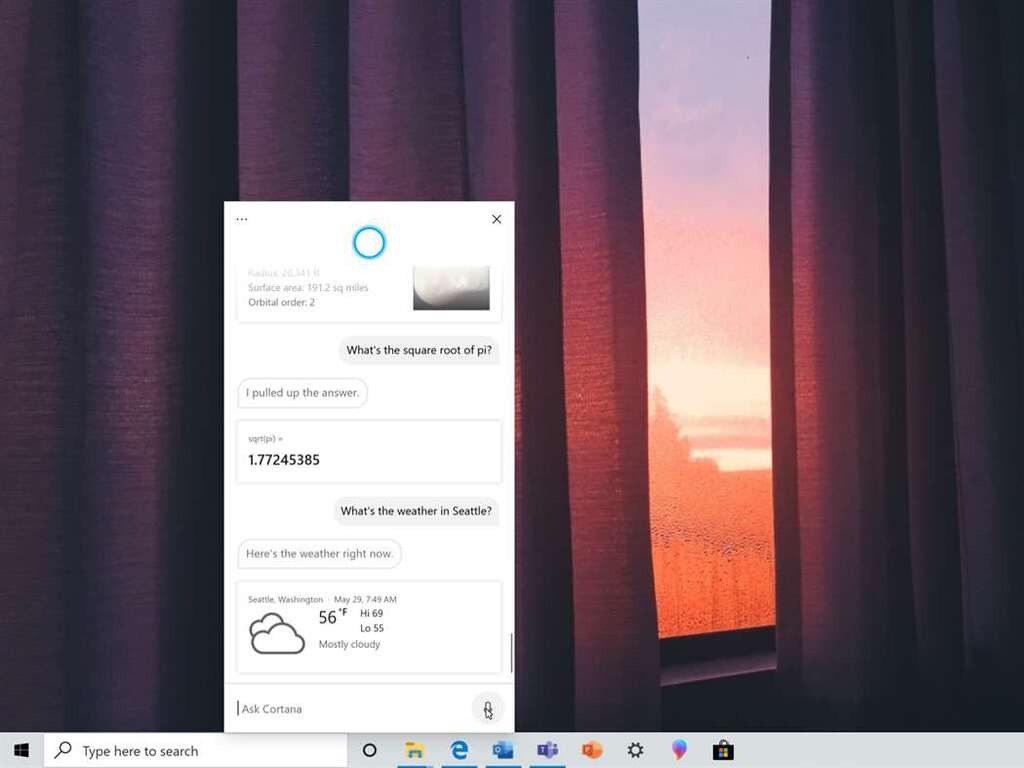
Microsoft has just released the Windows 10 build 20270 for Insiders in the Dev Channel, which is another minor update with improvements for Cortana, the Settings app, and the touch keyboard. The Cortana app is getting a new File Skill that will let Insiders in the US use the digital assistant to find files saved locally or on OneDrive for Business or SharePoint Online.
Back in October, the preview build 20241 changed the Optimize Drives page (Settings > System > Storage > Optimize Drives) in the Settings apps to add a new “Advanced View” checkbox to list all volumes including hidden ones. This checkbox wasn’t functional in previous builds, but it’s now up and running in today’s build 20270.
Moreover, Dev Channel Insiders using the touch keyboard in portrait posture on 2-in-1 devices will notice that this touch keyboard now supports split keyboard mode in the build 20270. Microsoft previously rolled out this update to Beta Channel Insiders earlier this week via a Windows Feature Experience Pack update, and it’s nice to see the Dev Channel catching up.
Today’s build 20270 also fixes a bug causing certain apps to close when clicking the Maximize button, as well as another bug causing a delay logging in on PCs with a large number of users. You can learn more about changes, bug fixes, and known issues in the build 20270 below:
Other updates for Insiders
File Skill in Cortana
You can now use Cortana on your PCs to translate their thoughts into direct actions to open and find files and save time spent navigating to apps/folders to locate and open files.
Enterprise users, who sign into Cortana with their corporate credentials (e.g., AAD) can search for files saved on OneDrive For Business and SharePoint along with files saved locally on their PCs (this setting is at Settings > Search > Searching Windows). Users using Microsoft account (e.g., ending with Outlook.com or Hotmail.com) can use Cortana to find files saved on their PCs. This feature is currently available to our English-speaking users in U.S.
Alt text: Showing Cortana displaying files in response to a “find recent files” query
Try and use Cortana to open or search files by:
Parts of file names (Example: “Hey Cortana, opening marketing deck.”)
Author names (Example: “Hey Cortana, open budget Excel from Anthony”)
Find a document you have been editing (Example: “Hey Cortana, find my recent files”)
Find a document of a particular type (Example: “Hey Cortana, find my recent pdfs”)
Changes and Improvements
The new “Advanced View” checkbox in Optimize Drives is now up and running and checking it will display volumes previously not visible in this window (for example system and recovery partitions).
We fixed an issue resulting in some dialogs, such as Properties, displaying black text on dark backgrounds in recent flights.
We fixed an issue that could result in certain apps unexpectedly closing when clicking the Maximize button in recent builds.
We fixed an issue resulting in printers with Japanese characters in their names not displaying correctly in Printers & Scanners Settings.
We fixed an issue that could result in some delay logging into your PC on devices with a large number of users.
Known issues
We’re looking into reports of the update process hanging for extended periods of time when attempting to install a new build.
Live previews for pinned sites aren’t enabled for all Insiders yet, so you may see a grey window when hovering over the thumbnail in the taskbar. We’re continuing to work on polishing this experience.
We’re working on enabling the new taskbar experience for existing pinned sites. In the meantime, you can unpin the site from the taskbar, remove it from the edge://apps page, and then re-pin the site.
We’re working on a fix for an issue resulting in some users seeing error 0x80070426 when using their Microsoft account to sign into various apps. If you encounter it, rebooting your PC may resolve this.
We’re working on a fix for an issue where, in recent Dev Channel builds, no drives appear under Settings > System > Storage > Manage Disks and Volumes. As a workaround, you can manage your disks in the classic Disk Management tool.
Earlier this week, the Windows Insider team explained that it would start shipping new features via Windows Feature Experience Pack updates, and “improve certain features and experiences that are now developed independently of the OS.” The team tested this new process first with Beta channel Insiders, and it remains to be seen if the Dev Channel will also be added to the experiment. “By testing this process first with Windows Insiders, we hope to expand the scope and the frequency of releases in the future,” the team said on Monday.
Vertical monitors are VDUs (Visual Display Units) that have portrait modes. They’re landscape monitors that users can rotate 90 degrees to turn into vertical ones.
When a vertical monitor has been rotated vertically, users select the portrait Display orientation option in Windows to enable a portrait view. Check the full guide on how to rotate the screen in Windows 11. Mac users have different commands to rotate the screen on MacBook while using an external display.
Vertical monitors can come in especially handy for users who program or trade stocks.
Their vertical orientations can display more lines of code for programmers and more stocks for day traders. Vertical monitors are also better suited for displaying photographers’ portrait snapshots.
Note: Deals are subject to change. Sometimes, some of the deals listed in our guides may no longer be available by the time you hit the buy button. So, hurry up and grab them while they’re hot.
Best monitors that can turn vertical for coding & trading
This is a decent budget vertical monitor with a 23.8-inch Full HD display that’s more than adequate for programming and trading.
With its IPS panel, this VDU has superior viewing angles and color quality. It also has a bezel-less display, which makes it better for dual-monitor setups.
Aside from its extremely versatile stand, the VH240A doesn’t have that many especially unique features.
However, it does incorporate integrated speakers, which is a good addition. This VDU also includes three viewing modes on its OSD menu for users to choose from.
The ASUS VN279QL is an expansive 27-inch Full HD monitor. This is another monitor with an IPS panel for better color gamut coverage, and its VividPixel tech further enhances picture quality. Like the VH240A, the VN279QL also has a bezel-less display.
The VN279QL’s MHL port is one of its most notable features. That port enables users to connect mobile phones that support MHL to the VDU. Then users can view their mobile phones on the VN279QL with its vertical orientation.
The Ultrasharp U2720Q is a 27-inch monitor with an excellent 4K resolution. That resolution, combined with its superior IPS panel color reproduction, make this a vertical monitor with very decent picture quality.
This monitor comes equipped with the Dell Display Manager. That’s a good productivity feature with which users can select predefined or custom window layouts. Its users can also select Easy Arrange window templates for vertical portrait mode viewing.
This is another 27-inch 4K vertical monitor with excellent picture clarity. The LG 27UK850 has 10-bit color depth and 99 percent sRGB color cover, which enhances its color vibrancy and accuracy.
With a five ms response time, this is a solid VDU for gaming; but its 60Hz refresh rate isn’t top-notch.
LG 27UK850 also has some great features. It includes an HDR Effect option that simulators HDR-quality video. LG 27UK850 users can select four HDR modes and three gaming modes. This VDU’s colors can also be optimized with its True Colour Pro software.
The ProArt PA248QV is a high-performance 24-inch vertical monitor with a Full HD resolution. With 100 percent sRGB and Rec.709 color gamut, this VDU has especially good color reproduction and accuracy. Its 16:10 aspect ratio also raises the ProArt’s resolution to 1,920 x 1,200.
This vertical VDU has been optimized for graphics design and photo editing. It includes an ASUS ProArt Palette with which users can customize various display parameters. ProArt PA248QV users can also select six alternative color-gamut modes, such as Reading, sRGB, and Rec.709.
Those are five of the best vertical monitors that boast some impressive specs and features. Their great ergonomic designs make them ideal monitors for programmers, traders, photographers, and designers who need portrait orientations.
UNICEF and Microsoft have recently announced version two of the collaborative platform Primero, just as cases for domestic and gender-based violence are on the rise.
Key interventions include providing access to lifesaving services, such as family reunification and tracing, while still adhering to physical distancing and movement restrictions due to COVID-19. The launch of Primero X comes amid an increase in the rates of domestic and gender-based violence linked to the COVID-19 pandemic.
Over the past year, Microsoft and UNICEF have been working to improve the “open-source case management web application that helps social service providers coordinate critical support to vulnerable children.”
Now known as Primero X, the improved platform will now enable approved partners and governments to deploy the platform even quicker during humanitarian crises by supporting offline settings from any device.
In addition to quicker deployment, Primero X is also adding new features accessible to service providers including:
Microsoft technical infrastructure and design
Online and offline use from any smart device without interruption
Full-feature web application available on smartphones, resized to fit the screen
Intuitive workflows and embedded help
Enhanced security including two-factor identification
Delivery via the Microsoft Azure cloud service
Primero is currently available in India, Iraq, Jordan, South Sudan, and 25 other locations. However, UNICEF is currently testing Primero X in Ghana as its pilot launch but plans to roll it out to more countries through 2022 with the ultimate goal of the platform active in over 60 countries by 2025.
Desktops with tower cases are by far the most prevalent PCs. However, cube computer cases are a refreshing alternative for users who prefer to build their own PCs from scratch.
Cube cases are smaller, more compact ones that take up less space than standard rectangular tower ones.
Note: Deals are subject to change. Sometimes, some of the deals listed in our guides may no longer be available by the time you hit the buy button. So, hurry up and grab them while they’re hot.
The Core V21 is a good value and stylish cube case for Micro ATX and Mini ATX motherboards. Its case includes a transparent glass window on one of its side panels. One side of its case includes holds that enhance the PC’s cooling, which is further enhanced by its 200mm front panel pan.
This case can fit in expansive 13.5 graphics cards, six storage devices, 7.3-inch tall CPU coolers, and 350mm dual expansion VGA slots. The great thing about the V21 is the stackable design flexibility that enables users to expand it by stacking one V21 case on another.
The Core V1 is a similar, but more compact and cheaper, case to the V21 specifically for Mini ITX motherboards. It has the same chamber concept design and similar grilled panels that optimize its ventilation. Like the V21, the V1 also includes a pre-installed 200mm fan.
The Core V1 can pack in four storage devices, a 140mm tower CPU cooler, 10-inch long graphics cards, and a 260mm dual VGA expansion slot. So, this is a good budget alternative to the V21 for users who don’t need so much case space for their PCs.
If you’re looking for a cube case with visual appeal, the AI Crystal Cube AR is the one for you! This case incorporates five amazing RGB lit fans and RGB LED strips that make it shine. The Crystal Cube AR also has a transparent tempered glass design.
Aside from its visual appeal, this case supports M-ITX, E-AT, larger ATX, and M-ATX motherboards. It can fit in 13.1-inch graphics cards, a 240mm radiator, six 2.5 drive bays, and three 3.5 drive bays.
Node 804 is a cube case for Micro-ATX and Mini-ITX motherboards with a minimalist, yet elegant, aluminum and steel design.
This is a case with a dual-chamber design that enhances its cooling. The Node 804 has strong design and build quality and an especially good liquid cooling support.
This cube case incorporates eight 3.5 hard disk drive positions and two positions for SSD drives. The Node 804 fits graphics cards up to 12.6 inches. With five expansion slots to boot, this case doesn’t lack hardware space.
CORSAIR Carbide AIR 540 is an expansive and sturdy steel cube case that’s compatible with all motherboard form factors. It has an unconventional dual chamber design that gives it enhanced airflow for better cooling. That design and the case’s high-performance fans ensure excellent cooling.
Another good thing about the Air 540 is how it has been designed for a quick and straightforward building. Its tool-free PCI and storage installation, unfettered motherboard access, and huge partition wall cutouts make putting together PCs a breeze.
This is also a spacious cube case with eight expansion slots. It can hold 12.6-inch graphics cards, 170mm coolers, and 250mm PSUs. Furthermore, the AIR 540 has plenty of room for one radiator at the top.
These cube cases are great alternatives to more cumbersome full tower case PCs.
Although they’re smaller cases, you can still set up some serious Windows gaming rigs with them.
Microsoft’s holiday commercial is back again, and, going with the times, is a little bit different. This year, the ad tells the story of Rufus the dog, as he dreams big and finds his own joys and adventures in Microsoft Flight Simulator 2020, calls his buddies in Teams, and a lot more.
Titled “Find Your Joy (A Dog’s Dream)” the roughly 1 minute and 30 second long ad is very adorable, to say the least, and puts some of Microsoft’s top products from 2020 front and center. The ad begins with a (very sad) Rufus the dog wanting to play with his owners. However, they are too busy with things like playing Halo, chatting in Microsoft Teams, playing Minecraft, and even flying in Microsoft Flight Simulator 2020. In these scenes, we get a peek at Microsoft devices like a Surface Laptop 3, the Xbox Series S controller, a Surface Pro 7, Surface Headphones, and even Surface Studio 2.
To end, the ad takes a very funny turn. Rufus ends up calling on his fellow dog friends, and they embark on their own Microsoft-themed adventure. We see Rufus gathering up other dogs and they all begin to dream of flying in Microsoft Flight Simulator 2020, play as dogs in Minecraft, and even chat argue in Teams (Rufus has to hit the mute button!) Even Halo and Windows 10 get a mention, as well as the classic Windows XP Wallpaper, with a shot of the dogs in the bliss fields.
What do you think of the holiday commercial? Do you think it’s better than last year’s? Remember to find your joy this holiday, and do let us know your thoughts in the comments below.
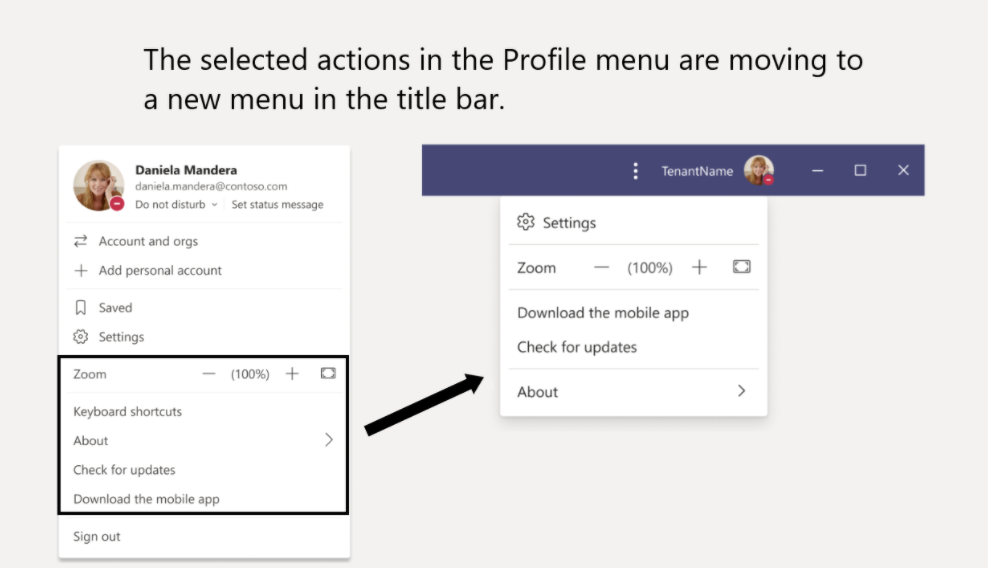
Microsoft is planning to revamp the Microsoft Teams Profile Menu to better separate app settings from everything related to account management. The company announced the change in the Microsoft 365 Admin Center yesterday ahead of the public rollout in early 2021.
The app’s Profile Menu, which currently appears when you click your profile picture on the top right corner of the app will lose Zoom Controls, Keyboard Shortcuts, as well as the About and Check for Update section, and all these settings will move to a new menu in the title bar. You can see how this new menu will look below.
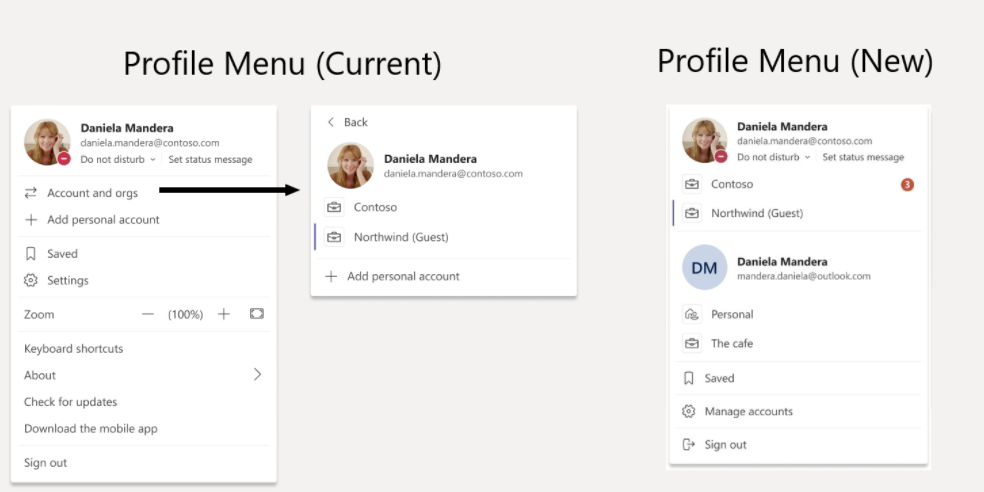
The new Profile Menu will focus on account management going forward, with controls for switching accounts and tenants being front and center. You can see the changes in the pictures below.
Microsoft expects to start rolling out these changes in late January for most Teams users, with Government Community Cloud (GCC) customers to follow in early February. Let us know in the comments if you think streamlining the app’s Profile Menu is a good idea.
The best laptops for DJs and producers need to meet some heavy requirements.
The most important thing to consider when picking a new laptop for mixing is to have the best possible processor, a high amount of RAM, and enough storage space to store all your music files.
In addition to running the Digital Audio Workstation software, if you wish to also play games on your machine, an integrated graphics card will not be enough.
You’ll have to throw in a powerful GPU that can handle any game. Lastly, you need a laptop that is made out of durable high-quality materials.
The Acer Nitro 5 is the most affordable product on our list, but it is still able to do its job without issues.
The laptop is coated in black plastic and a red rear panel, with red-on-black keyboard letters. The keyboard is quiet, comfortable and the buttonless touchpad is smooth.
There is a special key near the keypad that launches a NitroSense utility, displaying the CPU and GPU temperature, usage, and fan speed. It also provides access to Nvidia’s GeForce Experience utility.
You can switch the cooling fans manually to a not-too-noisy max mode or click a CoolBoost button to increase the fan speed in auto mode.
The best product on our list is the Razer Blade 15. It is a multi-purpose laptop that can fit easily and comfortably in any computer bag thanks to its thin CNC aluminum unibody.
It has passable battery life and solid port selection with Thunderbolt 3, and a fast SD card reader for quick file transfer.
Its specs ensure smooth gameplay and software usage, and the RGB colors can be customized. The laptop has a colorful and bright display that has a built-in 720p WebCam.
The Acer Predator Triton is Acer’s flagship 15-Inch gaming laptop. The chassis is all metal, giving the system the premium feel you’d expect for the price, with an appealing black and light-blue color tint.
The laptop is designed for performance, featuring the latest generation of CPUs and one of the most powerful GPUs on the market, as well as giving you multiple options of storage and RAM memory.
Besides the powerful internals, the laptop has a colorful display and a fully customizable RGB keyboard.
The MSI Gl65 Leopard is another powerful machine, excellent for gaming. Its design has a red and black color scheme, with an anti-glare and colorful display. Its specs include a current-generation CPU and a powerful GPU.
The keyboard is equipped with a dedicated button that launches the Dragon Center, a power button, and another one that changes the fan speed.
The keyboard has backlit keys and is manufactured by SteelSeries, so you have special software for it.
Another great product from Acer is the Acer Predator Helios, which is a mid-range oriented choice. The laptop’s case is entirely made out of metal, and the battery is durable.
In addition, its keyboard is RGB backlit and it can be fully customized. Under the front of the chassis, there is a pair of clear-sounding speakers and upgradable storage space.
Lastly, the laptop has good specs for its price, and it is capable enough of doing any task.
Our selection of laptops should be enough to help you make the right decision and buy the laptop that suits your needs. These products have no issues running DAW software or playing the most recent video games.
We hope you found our guide helpful. If you have any other information regarding these laptops that you would like to share with us, don’t hesitate to use the comments section below.
Viruses can be a serious threat to your device, and this is why you must keep your device secure and free from viruses and other malware.
Many users reported Your browser is heavily damaged by Four virus message on their phones, and in today’s article, we’re going to show you how to deal with this issue.
How can I fix Your browser is heavily damaged by virus?
1. Try using a different browser
In case you keep getting apop-up saying that your system is heavily damaged by a number of viruses, try switching to a different web browser, such as Opera One for example.
The browser works on almost any phone working on Android or iOS. It brings a built-in adblocker, so you won’t have to deal with ads ever again.
There’s also an extensive tab management feature so you can find open tabs or organize tabs into workspaces.
Other great features:
Unlimited free VPN
Integrated messenger
Integrated Twitter and Instagram
Native AI
Snapshot feature
Opera One
For secure, fast, and reliable browsing experience on your desktop of mobile devices, be sure to try out Opera One.
Do not click on any links in the message or download any software that the message recommends.
Your system is heavily damaged by four viruses message is a scam, and if you ever encounter this message, you should just ignore it.
The message is designed to trick you into downloading the fake antivirus software or into calling the tech support experts to fix the problem for you, for a small fee.
As you can probably tell, this is just a scam, so the best course of action would be to ignore the message, close the tab that shows the message, or close your browser.
You can also disable the Internet connection and then try to open the browser and close the tab that is giving you this message.
3. Delete history, cache, and cookies
On Safari
On your phone go to Settings > Safari and choose Clear History and Website Data.
Go to Settings > Safari and enable Block All Cookies, Block Pop-ups, and Fraudulent Website Warning.
After doing this, check if the message reappears. Keep in mind that blocking cookies might cause certain websites to not work properly, so you’ll need to enable cookies after you fix the problem.
On Android:
Tap the More icon and choose Settings.
Now navigate to Privacy > Clear browsing data.
Set time range to All Time.
Make sure that Cookies, media licenses and site data option is checked.
Now go to Clear data > Clear.
Once the cookies are cleared, check if the problem is still there.
On PC:
Click the Menu button > More tools and select Clear browsing data.
Be sure to set the Time range to All time.
Click the Clear data button.
This method works in Chrome, but the process is similar for other web browsers.
Your browser is heavily damaged by virus message can be alarming, but you can get rid of it easily. The trick is to refrain from clicking anywhere in that page.
Psiphon is an excellent Internet circumvention tool you can use to hide your IP address when sending emails.
It’s not that different from a VPN. You can download Psiphon for Windows PC, Android or iOS, connect to a server, then compose and send your email.
However, unlike a VPN, Psiphon can’t encrypt your data, so you can’t count on it to protect your sensitive information from hacker decryption.
4. Use public Wi-Fi or switch to mobile data
Another solution to mask your IP address is to simply change your Wi-Fi network.
For instance, if you’re planning to go out, wait until you can connect to an open hotspot before sending your emails.
Or, if you can switch to a 3G/4G mobile data plan, do it since the mobile carrier will assign a different IP address to your device.
However, we can’t advise you to connect to public, unencrypted Wi-Fi without the security features provided by a premium VPN service. Those are honeypots for cyber-criminals.
And, if you connect to a VPN, you already gain a different IP address, which means that you won’t need to switch networks.
Can a Gmail account be traced?
Yes and No. A Gmail account can only be traced in two scenarios: if it’s hacked or if law enforcement requests account data for an investigation. In normal circumstances, Gmail doesn’t share any identifiable info (besides email address) of the sender to the receiver of the email.
If you decide to use a proxy or VPN, neither Gmail nor a hacker will be able to tell what your originating IP address is. So, fo your safety, use these tools all the time.
To recap, you can easily hide your IP address when sending emails by using the solutions we described above: a VPN service, Tor, a proxy tool, Psiphon, or a public Wi-Fi hotspot or mobile data plan.
However, if we had to choose the safest method, there’s no doubt: a VPN.
As you may have heard, PureVPN has recently become one of the few VPNs that offer free trials. But getting a trial isn’t exactly a piece of cake for everyone.
So, by the end of this short guide, you’ll know exactly how to get a PureVPN trial.
However, if you’re expecting all the benefits without any elbow grease, you’re in for a (tiny) disappointment. Don’t fret just yet, we’ll tell you right away what it’s all about.
Spoiler alert: the trial is not exactly free, but it won’t cost you a fortune, either.
Does PureVPN have a free trial?
To answer your question, yes and no. By yes we mean that PureVPN does offer a trial, but it’s not exactly free.
In order to get the trial version of PureVPN’s services, you’ll have to make a small purchase worth precisely $0.99. In exchange for this sum, you’ll get a 7-day PureVPN subscription plan.
The good news is that this plan is unlimited. There’s no bandwidth limit or speed throttling, so you can enjoy PureVPN to its full extent for 7 days.
On the other hand, at the end of this period, you’ll be charged for a 1-year PureVPN subscription if you don’t cancel your trial. But we’ll get to that in just a few.
Unless you’re serious about this VPN commitment and you want a 1-year subscription plan, that is.
Alternatively, you could head over to the pricing page and get a larger subscription plan, such as the 5-year one (which you can currently get for only $79), and request a refund before the 31-day money-back guarantee expires.
In our opinion, it’s best to invest in a larger subscription plan, as you’ll get a much better deal if you reconsider and decide not to cancel it.
If you do plan on getting a larger subscription but the 5-year plan is way past your budget, make sure to check our PureVPN deals page for more awesome offers and promos.
Xbox has launched the Insider app to the general public; the event also marks the separation of the Report a problem feature, now also released as an independent app.
This is the result of months of testing , coding and feedback offered by thousands of users that have joined the Insider program.
On this occasion, Xbox acknowledged the huge contribution users had in the development of these apps.
How to get the new Insider and Report a problem apps?
Both apps can be installed on Xbox One and Xbox Series X generations of consoles.
Although the Insider app was meant only for those enrolled in the same-name program, with this launch, it becomes generally available since the two apps can only be downloaded and installed together.
Those who haven’t used the Insider app before should look in the store for the Xbox Insider bundle. This installs both apps. On PC, just search for Xbox Insider.
How to report a problem on Xbox?
The main change is that problem reporting used to be a feature of the Insider app. With the recent separation, Xbox aims for a more precise follow-up on both features, plus bug separation and coding.
Here’s how to report a problem in the new app:
Access the Report a problem app from the main Xbox menu.
Enter a subject for the problem.
Search through the category and subcategory drop-down menus to find the right ones.
Describe the issue.
Click Submit.
With the new changes, categories and subcategories no longer load horizontally, plus your most recent games will load faster and on the first positions.
Similarly, the Insider app user interface has been simplified and the options have been grouped to come in more handy. Xbox eliminated horizontal scrolling and introduced previews and the option for any user to offer feedback.
So, have you used any of these apps so far? Give us your take the changes that Xbox has introduced.
Laptops with SSD storage not only help in better reading and writing speed, faster opening of apps and improve game loading times, it can also considerably improve your laptop boot time.
If you are looking for a new laptop with SSD storage for multi-core advanced processing, consider buying one with the NVMe (Non-Volatile Memory Express) SSD storage. NVMe can deliver sustained read-write speed over 3500MB/s compared to SATA SSD’s 600MB/s.
Do note that NVMe SSD can come in both M.2 and PCIe card form factors. So, not all M.2 drives are NVMe. For example, the Crucial MX500 M.2 is a SATA drive, while the Samson 970 Pro/EVO belongs to the NVMe standard.
In this article, we take a look at the best NVMe laptop that you can buy today offering excellent performance.
What is the best NVMe laptop to invest in this year?
First on our list is the 2020 edition of the Acer Predator Helios 300. The newer variant is more compelling than ever thanks to the improved looks and excellent battery life.
Acer Predator Helios 300 features a powerful Intel Core i7 10th Gen H series CPU, paired with a beefy RTX 2060 GPU that can take care of your gaming and rendering needs without a sweat.
This gaming laptop also features a 15.6″ Full HD display with a 144Hz refresh rate. Under the hood, it gets 16GB of RAM, 512GB of fast NVMe SSD storage, and plenty of I/O ports. There is a full RGB keyboard with good typing comfort.
Acer’s Aspire series of laptops are known for offering excellent value for money laptops. The new Acer Aspire 5 A515-44 with its simple design, a generous selection of ports, and a beefy Ryzen CPU is an excellent general-use laptop.
This model features the Ryzen 7 4700U processor paired with Radeon graphics for optimal work performance as well as casual gaming. Under the hood, it comes with 8GB of RAM and 512 GB of NVMe SSD.
Acer Aspire 5 A515-44 features a 15.5″ Full HD display with decent color accuracy and gets adequately bright offering decent visibility under bright light conditions.
With a small, slim design, a snappy Intel processor, and super-fast NVMe SSD, the HP Envy x360 13 is for those who are looking for an ultraportable yet powerful convertible laptop.
It features a 15.6″ inch Full HD touch display that is glossy but offers excellent indoor performance. Under the hood, you have an Intel Core i7 10th Gen CPU powering the laptop paired with 8GB of DDR4 RAM and 512GB of SSD storage.
There is no dedicated GPU, but only Intel UHD graphics. The solid hinge mechanism allows for the laptop to be used in tablet mode. HP Envy x360 13 also comes with a fingerprint sensor, backlit keyboard, and usual connectivity features.
The ASUS VivoBook 15 is a premium-looking lightweight laptop featuring decent battery life, good audio quality and a good display at an affordable price tag.
ASUS VivoBook 15 features a 15.6″ Full HD display that is not the brightest in the segment. Powering the laptop is an Intel Core i5 10th gen CPU paired with 8GB of RAM and 512GB of NVMe SSD storage.
Typing comfort from the backlit keyboard is good, and the fingerprint scanner on the touchpad is an added convenience. Asus also offers this laptop in multiple storage and CPU configuration.
MSI Prestige 14 A10SC is a solid workhorse and offers a compact, small-sized laptop without compromising on battery life, performance, or build quality.
MSI Prestige 14 A10SC comes in three color variants – Grey, White, and Pink. The beauty also extends to the screen with a 14″ 4K display on offer, complemented by some serious power under its solid, robust chassis that houses an Intel Core i7 10th gen CPU.
Being an MSI product, you won’t be surprised to find a GTX 1650 MAX-Q GPU under the hood paired with 16GB of RAM and 512GB of NVMe SSD. MSI Prestige 14 A10SC comes installed with Windows 10 Pro with the usual connectivity features.
Having your Windows installation in an SSD drive offers fast boot time, improves app and game loading time, and excellent read and write speed.
However, an NVMe standard SSD can do it all with improved speed and efficiency provided you keep it optimized. One way is to keep your drivers updated so check out how to download the Samsung NVMe driver on your Windows 11.
All the laptops listed in this article offer all-around performance with an NVMe SSD drive as standard storage for the price.
Microsoft has just updated its workplace chat app, Microsoft Teams, with quite a few exciting calling features that are worthy of your attention.
The calling functionality on Teams seems to be getting a complete overhaul. To be more precise, the revamped calling interface will show all contacts, voicemail, and calling history in a single location.
Moreover, Microsoft Teams intends to encourage people to quickly move locations in the middle of an audio or video call with the help of an upcoming feature. That’s what Microsoft reveals:
Starting in early 2021, you will be able to shift your calls between your mobile and desktop endpoints with an easy-to-use interface on the Teams app.
How to transfer calls between mobile and desktop?
When it comes to the ability to make calls anywhere, Microsoft Teams will let users transfer calls between mobile and desktop.
Yes, you will have the chance to move video calls – not just audio. Joining on an additional device or just transferring a call will give you the desired freedom to move around inside your office or home during all video meetings.
Even if this isn’t a feature to take advantage of right away, there are other things that you can do as a Microsoft Teams user.
How to merge calls in Microsoft Teams?
While you’re on a call with another person, you may need to ask someone else a relevant question, so connect to the second call.
Up next, go to the call controls and select More actions.
Then, simply select Call merge and you’ll be good to go.
Those who constantly use Microsoft Teams should know that it also offers reverse number lookup, built-in spam protection, and the ability to merge calls.
That’s ideal for all business users who are constantly looking for a convenient way to replace their desk phone with a more modern solution, so refer to the above steps right away.
Moreover, Microsoft is adding support for CarPlay to Microsoft Teams. Therefore, cars with built-in CarPlay will control Teams, not to mention that all drivers will be able to use Siri to initiate or answer Teams calls.
What do you think of these new calling interface designed especially for Microsoft Teams users? Let us know your opinion in the comments area below.
State of Decay 2 is the latest Xbox Game Studios title to be optimized for Microsoft’s new Xbox Series X and Series S consoles. Today’s update will introduce “lightning-quick loading times” on the new consoles, a more detailed world, better-looking shadows, and a more comfortable 60 FPS gameplay experience at up to 4K on the Xbox Series X.
The open-world survival game is also getting a new Lethal difficulty today, which should represent the ultimate challenge for seasoned players with some new achievements to unlock. Here’s what you can expect:
This difficulty is a brutal new way to play that we’ve tuned right to the edge of impossible. Open-world resources are scarce, meaning that survival has to be earned instead of discovered. Enemies now hit harder, and blood plague is even deadlier. Plague hearts grow like weeds, and destroying one no longer guarantees safety from the hordes around it. And on top of all of that, the special “freak” zombies have been swapped out for their amped-up blood plague variants.
Lastly, all State of Decay 2 players will be able to grab the Stay Frosty pack for a limited time. This new DLC includes several new themed items including exclusive outfits and winter-camouflage weapons to use against zombies.
State of Decay 2 is free to play with Xbox Game Pass for Console and PC, and it’s also available for purchase on the Windows 10 Microsoft Store, Steam, and the Epic Games Store. If you have yet to subscribe to Xbox Game Pass, we remind you that you can get your first three months of Xbox Game Pass Ultimate for just $1.
Perhaps, in lieu of its very public mishandling of Mixer (formerly known as Beam), Microsoft may be intentionally playing down the recent acquisition of eSports networking platform Smash.
Since we started in 2015, our goal has been to build active esports scenes around the games people love to play. Today we’re excited to take the next step in that journey by joining Microsoft to help strengthen our existing relationships and explore new opportunities. Smash.gg will continue as a self-service esports platform available to tournament organizers from all game communities. If you have any questions about existing tournaments please reach out to [email protected].
While Smash appears more than thrilled to announce the purchase by putting it front and center on its homepage, Microsoft has yet to publicly reference the purchase. It could just be a matter of timing, or maybe Microsoft is looking to avoid some well-deserved scrutiny from the gaming community until it has a roadmap and plans to show people.
So this will be their mixer of the series x generation
Presumably, Microsoft will announce the acquisition and perhaps a general overview of how it plays into next-generation gaming. Unlike studio purchases to bolster its first-party exclusive listings or low latency streaming technology for god knows what, acquiring an entire eSports networking platform has broader implications for more than just the company’s Xbox division.
Updated: Microsoft has officially announced the acquisition of Smash.gg.
Big news everyone! @smashgg is joining us at Microsoft. Same great tournament organization features. Same amazing team. Even more support and opportunities. Get ready to play!
Filling in the gaps of the announcement are insiders who spoke with ZDNet’s Mary Jo Foley, explaining that the crux of the deal is less about hosting eSports tournaments themselves but more about gaining web content for MSN and providing the platform with “first-party-sourced eSports content.”
All HDD and SSD have a data connector and a power connector. The old PATA drives had a 4 pin power connector that spawned from the power source.
The SATA driver has a different power connector (wafer-type), that looks like the SATA data connector, but it’s much wider. So when you’re buying a power cable for your drive make sure you’re not buying a data cable instead.
The power cable is essential, so we found the best selection of SATA power cables to help you make an informed decision.
What are the best SATA power cables for SSD & HDD?
Whether you’re installing a new DVD writer, HDD, or SDD, Benfei 15 Pin SATA Power Y-Splitter will be a perfect choice. The connectors have latches to secure the connection and the 8-inch long harness can power 2 drives from the same SATA input.
That’s because it’s a Y splitter perfectly adjusted in length to reach two drive bays with the same cable. With two SATA 15 pin female connectors and one SATA 15 pin male, the cable is constructed with flexible 18 AWG conductors for professional performance. This applies of course when connecting two SATA hard drives to a power supply.
It supports 3.3V, 5V, and 12V power voltages between SATA I, II, and SATA III drives and power supply connections without any degradation of performance.
This is a 2 pack cable so you will be able to power 4 SATA devices while offering compatibility with the most popular SATA equipped devices such as the Apricorn Velocity Solo x2 Extreme Performance SSD Upgrade Kit or the Asus 24x DVD-RW Serial-ATA Internal OEM Optical Drive.
If you’re working with a Micro ATX or Mini ATX case, you can’t afford to use long cables, so the Zheino SATA Power Splitter Cable with work as a charm in tight spaces because of the useful 6-inch length.
Moreover, as this is a splitter cable, so a single cable will be able to power two drives at the same time. It’s a sturdy, braided cable that will ensure the best performance possible over an extended period of time.
Also, the Zheino Y cable is splitting the connection right from the male connector so you will be able to power a drive from the front bay and one from the back bay if you need to and if the bays are close enough, of course.
The pack comes with two splitter cables so you will be able to power up to 4 SSDs, HDDs, or optical drives. One cable has one male 15 pin connector and two 15 pin female connectors.
Of course, you can use these cables if you want to extend an existing SATA power cable to have the Y splitter that you needed on your PC.
If you’re working in tight spaces and small cases, the Startech.com’s SATA power splitter is just what the IT specialist ordered. It may be used as a stand alone cable to power up to 4 drives or it can be used as an extension for an existing cable.
The SATA power splitter cable extends the limit of the number of SATA devices that can be installed in the system, based on the PSU power connections that you already have. You won’t have to pay a lot more to upgrade the power supply to host additional SATA drives.
PYO4SATA features a SATA male power connector that mates with a single computer power supply connector and breaks out into four SATA female power connectors. And the 15.7 in (400 mm) lenght will allow you to reach any drive in any corner of the PC case.
The cable is very sturdy but it’s also extremely flexible so it’s perfect to work with in tight spaces. The only downside is that none of the connectors have latches to secure them. However, they come as a tight fit so you shouldn’t have problems with that.
We trully hope that you found the best SATA power cable in our list.
For more useful guides on this topic, don’t hesitate to explore these subjects:
A few months ago, I purchased the Surface Duo and dubbed it “a dual-screen phone to love, if you give it a chance.” No doubt, I really loved the phone, and I wanted to keep it as my daily phone as the dual screens were a game-changer for me.
Eventually, though I did end up returning my Duo. That was due to issues with the camera quality, as well as the overall performance and bugs, and a problem with the USB-C port. In its place, I picked up an iPhone 12 Pro Max instead, priced just about the same when fully maxed out to 512GB.
As a Microsoft fan, that might sound shocking, but this was a purchase that I was excited about for a couple of reasons. I was curious, what does $1,400 from Apple get you, compared to $1,400 from Microsoft? And, can an iPhone fit in with the Windows and Microsoft ecosystem? Let’s find out.
The design
When I reviewed the Surface Duo, I especially mentioned how much I loved its unique design. I noted that I never quite felt a phone as thin as the Duo and that the phone feels very premium. Well, the same actually applies to the iPhone 12 Pro Max, too.
Coming from the Duo, the iPhone feels just as premium, though there are some things I didn’t like. It sometimes feels “top-heavy” and (without a case) is a bit tough to hold with one hand when compared to my old Duo, which was evenly weighted across both the folded and unfolded modes.
Generally speaking, though, while past and more recent iPhones have featured a curvy and all-glass design, the iPhone 12 lineup is different. It “refreshes” and brings back the squared-off look seen on the iPhone 5 and the iPhone SE (the original.) This means that, much like when you hold the Duo, the iPhone 12 Pro Max feels amazing.
While it’s not as wide or as short as the Duo, the phone feels nice in your palms. And, the polished stainless steel band shines bright, though it is a fingerprint magnet and requires a lot of wipe downs when not in a case. Not to mention the smooth soft-feeling brushed texture on the back of the phone, too. It’s a welcoming feel for such an expensive phone and a change from the all-glass Duo that I used for over a month and a half.
But the key takeaway from the design of the iPhone 12 Pro Max is that it is a big phone. At 228 grams, and 6.33 inches in length, and 3.07 inches in width, it’s not a phone for people with small hands. As someone who prefers bigger phones, it didn’t bother me much, but the Duo is definitely designed to be a bit more compact, I think.
After using both, the Duo definitely feels a bit shorter, and wider than the iPhone, as it’s not a traditional “candy bar” phone, even when it’s closed. For comparison, the Duo measures in at 5.7 inches in length, and 3.7 inches in width when closed, and weighs 150 grams.
The display
One of the best parts of the Surface Duo for me were the displays. Featuring two dual PixelSense AMOLED displays, it opens up to a single 8.1 inch 2,700×1,800 resolution display. The panels are in the 3:2 aspect ratio and come in at 401 PPI. The single screen, when folded, meanwhile, came in at 5.6 inches, with 1,800 x 1,350 resolution and a 4:3 aspect ratio, and 401 PPI. It all meant for some awesome productivity, and different modes of use, as I explained in my review. But I’m not here to rehash that.
The star of this review is the iPhone 12 Pro Max. While it isn’t a dual-screen phone, it does feature a fantastic screen. As someone who owns an iPad, this phone definitely feels and has the look of a mini iPad in your pocket. The OLED display on the 12 Pro Max is one of the largest Apple has ever made on an iPhone. At 6.7 inches and the 2,778 x 1,284 resolution at 458 PPI, it definitely packs a lot of pixels and brightness, even more so than the Duo.
Just take the default blue wallpaper in the image above for instance. Even at low brightness, the blue colors pop up against the yellow in the Snapchat icon, and the red in the Instagram logo. Though this isn’t a 120Hz screen as I want (and as you’d find in most Android phones,) Apple definitely got this panel right in terms of vibrancy, and image quality. So much so that DisplayMate gave it the highest-ever recorded rating. I feel that in terms of image quality, vibrancy, and brightness, the iPhone is much better.
The bezels on the display are also a bit smaller when compared to the iPhone 11 Pro Max, and other iPhones. Even with the infamous notch on the top, it is here where the iPhone makes the Duo’s thick black chins look ugly and embarrassing. That’s because Apple is able to stretch the display further to the edges thanks to the squared-off corners. Do note that there’s also a Ceramic Shield protection on the display, too. This allows for more protection for drops and scratches (which I really think the Duo lacks because of its thinness) but I definitely didn’t want to smash my $1,400 phone on the concrete to test it out.
Despite the large screen, there’s no support for the Apple Pencil on iPhone 12 Pro Max. This is something that the Duo did really well, thanks to its notebook form factor, as well as its dual-screens that can fold out to the iPad. I found myself using a stylus with a rubber tip on the iPhone, just to scribble in OneNote.
But there is one other flaw with this display. While Microsoft has tweaked the Duo with Microsoft Launcher to work well with Android and the dual-screen setup, Apple hasn’t optimized its iOS operating system for this large screen, and at times it feels like wasted space. For instance, the same amount of apps fit on the home screen as on the smaller iPhone 12 Mini. Some apps also don’t scale or take advantage of the big display, and only 1-2 more Tweets or posts on Instagram fit on the big screen. I’ll have more on that later, though.
The cameras
There’s no hiding it. One of the most controversial things about the Surface Duo was its single camera sensor. I was an advocate for the camera at one point and even said that it was “good enough but could be better” and I posted about how you can improve your shots from the Duo, too. However, the minute I saw Apple showcase the iPhone 12 Pro Max cameras during their iPhone event, I was sold on sending back the Surface Duo.
For the same price of $1,400, the iPhone makes the Duo’s single 11-megapixel camera laughable. It is true that the Duo is meant as a productivity phone, and the iPhone is more an all-purpose device, but for me, the iPhone 12 Pro Max Camera system really won me over and made me despise the Surface Duo a lot.
TL;DR, with the iPhone 12 Pro Max, Apple made several camera advancements that the Duo seriously could have used. With a three-camera setup (same as the iPhone 11 Pro Max) the phone really is an amateur photographer’s dream. Not to mention the support for Apple Pro RAW, which will let photographers tweak their photos more. But, I digress. See some sample images below and you be the judge.
With iPhone 12 Pro Max, there’s a standard lens, which comes in at 12 megapixels, a 12-megapixel ultra-wide lens, as well as a 12 megapixel 2.5 telephoto zoom lens (unique to the iPhone 12 Pro Max and the 12 Pro.) I’ll also mention the LIDAR sensor and here, too, which is that little black dot on the bottom of the lens on the 12 Pro and 12 Pro Max. Oh, and the fact that the phone has a 47% larger sensor, a faster f/1.6 aperture lens, too. Bottom line, this camera system knocks the Duo out of the water.
Again, compared to the Duo, the iPhone has a lot of great camera technology in it for the price. Thanks to the LIDAR sensor, the phone takes some amazing portrait shots. The wide-angle lens also lets you fit more into your shot, and the bigger sensor, combined with the LIDAR scanner helps the phone takes night-time shots with lots of detail. This was the biggest area where the Duo struggled in my time with the phone. Do note, too, though that the LIDAR scanner helps in creating 3D models as well, as my Tweet below will show. It’s a new technology, but it’s pretty cool, nonetheless.
Unfortunately, though, the iPhone 12 Pro Max doesn’t improve the front-facing camera. It’s still the same as all other iPhone models. No changes, no extra-wide lens as on the Pixel 3XL. Since the Duo’s main 11-megapixel lens also serves as its front-facing camera, Microsoft wins on this front. Nothing is wrong with the iPhone’s selfie lens, but the Duo is able to capture more detail than the selfie lens on the iPhone, for sure.
The apps, iOS 14, and the use with Windows 10
Now, for the good part. As I mentioned in my Duo review, Microsoft worked with Google to heavily optimize the Android phone for the dual-screen setup. You can read my review for more on why, but it comes down to productivity, multi-tasking, plugging in with Windows 10, and getting more done. That’s what makes the Duo a great buy, especially if you’re a Microsoft fan. But this is also where the iPhone 12 Pro Max falls just a tiny bit short if you’re looking to buy the phone for use with Windows, or general day-to-day productivity, or office work like myself.
You see, Apple hasn’t really optimized the iOS operating system to take advantage of the large-screen on the iPhone 12 Pro Max. Unlike what you see on the Duo, you can’t split-screen apps or use two apps at the same time on this beautiful, big screen. I get that this isn’t a dual-screen phone, but this split-screen is something that’s common on most phablet Android devices, but not on the iPhone.
It’s the missing piece to the puzzle for this $1,400 price. I found myself just swiping up to switch between apps, instead of opening them up side by side, as I did on the Duo or even on my Pixel 3 XL. One day, maybe Apple will add this to iOS 15, perhaps. I really would love to see the split-screen multitasking from iPad OS on iOS, too.
Then, there’s the other side of the story — the apps. With the Duo, Microsoft bundles its own apps onboard the device, allowing you to get the best of Microsoft on Android. As the iPhone 12 Pro Max is an Apple phone, you won’t get the same. You’ll have to download Microsoft apps on the Apple App Store, instead.
Setting default apps on an iPhone and using OneDrive to back up photos
Apple, though, did introduce the ability to set a default email app or browser on iOS 14, and this helps if you want to stay locked to Microsoft-only apps on an iPhone. You can set Edge as the browser, and Outlook as the mail app. OneDrive can also be used as a workaround to iCloud too, and you can sync your photos to OneDrive and your PC, instead. That’s how I’ve been using my iPhone, and well, it just works!
The other thing here is the way the iPhone works with Windows 10. Your Phone isn’t yet optimized for iPhones, and I’m not sure it ever will be. The Duo does great things with Link to Windows, as I explained before, but so can the iPhone. If used with Dell Mobile Connect, you can get texts, photos, and even mirror your phone to your PC, too. I’ve compared Your Phone to Dell Mobile Connect before, It’s not as clean an experience as Your Phone because it requires Bluetooth, but it works well with iPhones and can bring iMessages to Windows, and that’s what matters to me.
Speaking of Windows 10, I’ll touch on connectivity and charging here, too. iPhone 12 Pro Max still sports Apple’s proprietary Lightning Connector. Apple bundles a USB-C to Lightning connector in the box to connect with modern Windows PCs, but there’s no charger included. Microsoft opts for USB-C and gives you a charger, however. The iPhone also sports support for QI charging or charging via Apple’s own “MagSafe” magnetic attachments, too, which is new this year. This is something that the Duo lacked.
The 5G, performance, and battery life
Finally, I’ll end this review by touching on the overall performance, battery life, and 5G on the iPhone. In all these areas (except 5G of course,) the iPhone is just as good as the Surface Duo.
I’ll start first with the performance. iPhone 12 Pro Max comes with Apple’s latest A14 processor, as well as 6GB of RAM (though Apple does not like to report this figure publicly). Still, that means the iPhone performs like a beast. It speeds through everything I threw at it, including games like Mario Kart Tour, or Call of Duty Mobile. I even was able to edit a video on the iPhone 12 Pro Max via iMovie, and it spits out the 1 minute long1080p 30FPS video in under 5 seconds.
It’s hard to truly compare the performance of the iPhone to the Duo, as the iPhone has no real multitasking or split-screen, but I think it really holds up well. Both phones have 6GB RAM, and the Duo is using last year’s Qualcomm chipset. It’s an even match in performance here, though I do feel as though the iPhone has an edge as Apple optimizes the A14 for iOS in the same way it does the M1 on Macs. TL;DR, there are no bugs or need for monthly patches like the Duo gets.
Just made this short movie directly on iPhone 12 Pro Max using imovie and the B-roll that I shot today using my gimbal. It put out this in just 3 seconds. Insane. That A14 chip is amazing. pic.twitter.com/8bGVxGWbUP
Next up is the battery life. As I mentioned in my Duo review, I ended up getting about 4-6 hours of screen on time with the 3,577mAh battery. The iPhone bumps that battery size up to 3,687 mAh, which is a tiny bit bigger, but the overall battery life for me was the same. For my daily use, which is usually 8 AM-12 AM midnight, I get around 6-7 hours of battery. It was enough to last me a day and a half before I had to plug in to charge. I did turn off 5G, though, as I’ll get into next.
Getting good battery out of the iPhone 12 Pro Max. So far it's about 5 or 6 hours of screen on time a day. Last charged this on Weds at 4:30. And it's cycled me through a day and a half. Impressive. I turned off 5G though. Didn't see the point for it. pic.twitter.com/gJ1M7COjUI
Now, a lot of reviewers slammed Microsoft for not having 5G on the Duo, but I always questioned if we really needed 5G. After buying the iPhone 12 Pro Max. I’d say no. Right now, the T-Mobile cellphone towers in my neighborhood do not support the mmWave 5G spectrum. So, sitting at home, I don’t see much speed difference on my iPhone when on LTE vs when on 5G with T-Mobile. It’s a small 10MB/S difference on most days. Traveling to the city, though, bumped the difference up significantly, by maybe 30-50 MB/S. So yeah, depending on where you live, 5G isn’t worth it for now, and the Duo did not miss out on much. It’s great to have it, though as it makes the phone future proof.
So is 5G worth it? I'm not sure what's going on but I am sitting at home inside the deepest part of my house. The 5G speeds on T-mobile are definitely faster than the LTE. Not by much. But it's faster. Bottom was 5G. Top is LTE. pic.twitter.com/iyKD8uz66T
At the end of the day, though, performance, battery life, and connectivity on the Duo and the iPhone 12 Pro Max are relatively the same. It’s not as much of an Apples to Oranges comparison as it is with everything else. Just remember, iOS will be a lot less buggy than Microsoft’s implementation of Android on the Duo.
A purchase I am satisfied with and a phone to keep
Looking at my experience so far, I am very satisfied with the iPhone as a Microsoft fan. Yes, the phone doesn’t plug into Windows 10 or Microsoft Apps as well as the Duo does, but there are workarounds to make that happen with Dell Mobile Connect and setting default apps on iOS 14. The cameras are also superior on the iPhone, too, which is one of the most important things for me. I do believe Microsoft has done great with multi-tasking on Surface Duo, however, as iPhones really do lack in this area, despite the large screen on the 12 Pro Max. But, I think this iPhone will be a keeper.
In a world where the power of the Internet gives banks the ability to exist in an uncentralized manner, Revolut managed to become the king of independent banking services.
Ironically, Revolut first started off as a mobile-only service, but that all changed when it was announced that it will be shifting to an online model, so the 13 million users that it has can now access their account from any PC or desktop around the world, just as long as it has an Internet connection.
Because of the service’s popularity, we’ve decided to create this step-by-step guide where we will be showcasing how you can transfer and use the new web app.
Revolut
Get better control over your finances, trade currency, crypto and stocks faster and easier, and more thanks to Revolut!
In the top-right corner of the screen, select Sign In
Use your phone number as the log-in credentials
You will then have to use your Revolut PIN code
Once you’ve written the PIN, you will need to authorize your access using one of several methods:
Approve the new access through the mobile app
Have a security code sent to your via SMS
Have a security code sent to the email address you registered with when you created your Revolut account
Once you’ve logged into your Revolut account, you will gain access to a dashboard from which you can freeze or unfreeze your cards, block or unblock your PIN and toggle all other card security settings on or off.
Additionally, you can also get a full rundown of all the expenditures made with the Revolut card, allowing better management over your spending habits.
Aside from the above mentioned features and the ability to access your Revolut account via desktop of laptop, there are are no other benefits to using the web app over the mobile app.
That being said, use whichever you find to be more convenient, and make better financial decisions using Revolut.
Are you excited about the new Revolut web app? Let us know what other improvements you may want to see with the new feature by leaving use your feedback in the comments section below.
Are you looking for a song key finder software? Well, if the answer is yes, you’re in the right place. In this article, we’re going to list some of the best tools that allow you to identify song keys so that you can quickly compose mashups.
Being a DJ is a synonym for being creative. In a sense, you’re like a music chef, mixing sounds and songs, stirring in the pot from time to time to make sure that the ingredients blend perfectly.
When mixing songs, you need to make sure that sounds are in the same keys to that the tune sounds similar when played together.
The aim is to create a new song by intermingling different songs and making them harmonically sound as one.
That’s quite challenging and this is where song key recognition software can help you.
Mixed in Key is simply a great software tool that can help you find the key of a song with ease.
The application comes with a friendly and straightforward user interface. As for the actual experience that you are about to enjoy, here are some notable features that this application offers:
Advanced key detection that allows you to easily find compatible songs to mix
Energy Level detection that allows you to combine the songs with a similar tempo
ID3 tag editor that you can use to clean up ID3 tags and make your music library look neater
Customizable ID3 tagging
Ability to automatically add up to 8 cue points
Supports export of cue points to Traktor and Serato
As a songwriter, musician, producer, or DJ, you often find yourself wondering if there’s a way to accurately find song keys. This is where GetSongkey steps in.
For those of you who don’t know, GetSongkey includes millions of song keys for mainstream artists, and can find the key of your samples with ease.
That’s a major step when it comes to getting to know which keys sound well together and surprising your audience. Even more, let us tell you about another unique feature that you’re about to enjoy.
Thanks to the included Song key notation converter, that’s your chance to instantly convert any song key between music key, Camelot wheel, or Open key notation.
Major features that GetSongkey brings to the table:
Intuitive ways to browse the generous catalogue of key data
Circle of fifths and Camelot wheel for harmonic mixing
Song key finder – to easily identify what key a song is composed in
Key transposer feature – to transpose chord progressions into another key
Easy extraction of the song key from literally any chord progression
Moreover, keep in mind that GetSongbpm is the largest database of beats per minute in the world. If you want access to millions of songs tempo and a built-in metronome at your disposal, GetSongbpm is waiting for you.
Traktor is a music software for professionals. If you’re a DJ and you’re looking for a powerful tool that can also quickly identify keys and support harmonic mixing, then you may want to check out this tool.
There is a wide variety of Traktor versions that you can use, all perfect for distinct categories of users.
For example, Traktor LE 2 DJ is perfect for beginners but still offers you all the features and options that you need to mix sounds.
On the other hand, Traktor Pro 2 is a true monster featuring four desks and a bevy of creative features that you can use to unleash your imagination.
At the same time, Traktor’s developers offer users a series of tutorials on how to better take advantage of all the features supported by the tool.
Speaking of song key recognition, they have published a tutorial on this topic. For more information on key detection and harmonic mixing, go to Traktor’s support page.
If you don’t want to download any tool on your computer, try Audio Key Chain.
This online music key and tempo estimation tool allows you to quickly identify the key and tempo of your entire song library in order to find compatible tracks to create your mashups.
Using this tool is very simple: all you need to do is drag and drop your tracks into the dropzone and then click on the Upload Tracks button.
Wait until the analysis process is over and you can then share the results with your friends, as well as edit the track data. You can also save the results to Audio Key Chain’s public collection.
It is worth mentioning that the platform supports only MP3 and WAV files and there is a 15MB file size limit for the tracks that you upload.
KeyFinder is a very interesting tool that can help you really unleash your imagination as a DJ. The code itself is open source and can run on multiple platforms.
This DJ software focuses only on harmonic and tonal mixing and it supports a wide array of codecs. Keep in mind that this tool is a minimalist one: it doesn’t feature library management options nor a media player.
According to its developer, KeyFinder’s algorithm’s is very good, putting it in the same league as paid key estimation software.
It is worth mentioning that the developer no longer offers KeyFinder support for Windows, meaning that you’ll need to download an older version of the tool.
However, we can confirm it still works on Microsoft’s platform, so this small inconvenience shouldn’t stop you.
This DJ software offers advanced sound analysis features, allowing users to detect key, BPM, and beat.
To make things even more interesting, information is presented as frequency-based colored waveforms.
Here are some unique djay PRO key features:
You can access a library of over 20 million songs, create your own playlists where you can add those catchy songs that stood the test of time, as well as add a series of effects on the fly
Designed for Windows 10; it offers support for touchscreen and desktop, native UWP app, as well as enhanced support for Surface Studio and Surface Dial
Advanced audio processing features that include advanced time-stretching of up to ±75%, pitch shifting of up to ±1 octave, audio mixing with adjustable crossfader curves, and more.