The SurfaceLaptop is a new generation laptop running the Windows 10 S operating system. The device is simply called SurfaceLaptop, not Surface CloudBook as originally rumored.
The new Windows 10 S operating system it runs is limited to specially packaged Windows Store apps.
The SurfaceLaptop features a 13.5-inch PixelSense display and is available in four colors: platinum, burgundy, cobalt blue, and graphite gold. It’s also super portable, weighing only 2.76 pounds (1.2kg) with a thickness of 14.47mm towards the back and 9.9mm upfront. Microsoft focused its efforts on making the display look amazing, resulting in a screen with 3.4 million pixels and a 3:2 aspect ratio.
The Surface Laptop is powered by an i5/i7 CPU, has up to 8GB of RAM, and up to 512 GB SSD. While there is, unfortunately, no USB Type-C port, it does finally put an end to the rumor that Microsoft would give up on its signature Surface port for this connector.
One of the more interesting design choices found in the Surface Book is its Alcantara-covered keyboard, a fabric that Microsoft has also used on other Surface accessories such as the Surface Pro 4 keyboard that was sold separately.
Are you planning to buy the Surface Laptop? Tell us what you think about Microsoft’s latest creation in the comment section below.
Having a reliable router in your home or office is crucial, especially if you have multiple devices connected. For a while now, Linksys has been one of the best network hardware manufacturers on the market.
There’s a wide range of Linksys routers available on the market, and in today’s article, we’ll show you the best routers for your home or office network.
The first entry on our list is Linksys Wi-Fi router dual-band AC1000. This is an affordable Linksys router, but despite its low cost, it still offers decent features.
The router provides you with Wi-Fi speeds of up 1000Mbps and a dual-band (2.4 + 5 GHz) connection. Regarding security, there’s WPA2 encryption as well as a powerful SPI firewall.
Another great feature is Protected Guest Access that will give your guests temporary access to your network.
This router uses wireless-AC technology, and it has a range of up to 1,000 square feet. The device has two external antennas, and thanks to the beamforming technology, you’ll get the strongest signal most of the time.
It’s worth mentioning that this is a dual-band device and it supports up to 300Mbps on 2.4GHz and up to 867Mbps on 5GHz network.
No less important, the Linksys EA6350 router has four Gigabit Ethernet ports, allowing you to connect additional network devices.
If you’re looking for a high-range router, this Linksys MR8300 model might be perfect for you. The range of this device is 2,000 square feet and it can provide coverage for 20+ wireless devices.
This is a three-band device and it provides 400/867 Mbps on 5GHz network and 867 Mbps on 2.4Ghz network.
Even more, the device uses MU-MIMO in order to provide the best signal to all your devices, and there’s also support for Mesh Wi-Fi.
This Linksys Max-Stream AC4000 router is also worthy of your attention. This tri-band router with Net Gen. 1.8GHz quad-core CPU also comes with 3 offload processors to increase Wi-Fi performance.
Its 6 active high gain antennas expand Wi-Fi range even throughout a large size home, while the fact that it is compatible with Amazon Alexa may come as a major advantage for some of you.
Moreover, the auto firmware updates always keep your router updated with the most recent features and security measures.
These are the best Linksys routers you can get these days, and if you’re setting up a new home or office network, be sure to take a closer look at each of them. Also, if you need a VPN for specific models, we’ve got you covered.
Moreover, this article is part of a larger selection of great routers. It can also help you make a choice, so don’t postpone doing so. Then, let us know your pick in the comments section below.
If you’re a professional gamer or even just a casual player, you probably already used a gamepad. They are frequently used for all sorts of video games and pretty much any game can be played better if you own a gamepad.
However, in today’s article we’ll check out a specific category of gamepads: the best gamepads for emulators. Once you’ve read this article, you’ll be able to choose the best one for your personal needs according to your budget and expertise.
Note: Deals are subject to change. Keep in mind that the price tag often varies. We recommend going on the vendor’s website to check the price. Some of the products may be out of stock by the time you’ve made your purchasing decision. So, hurry up and hit the buy button.
The Wired Gaming Controller is a great product for those who need an entry-level gamepad for emulators. This is a budget-friendly item, suitable if you’re a casual player, or you want to get into gaming and test the field out.
It’s compatible with multiple platforms, so playing Android games with it won’t be a problem.
This is really easy to use, plug, and play which means you can start playing the next moment after getting the gamepad in your hands.
The ZD-V+ USB Wired Gaming Controller Gamepad works best for PC/Laptop Computer(Windows XP/7/8/10) & PS3 & Android & Steam. It lets you easily install your Android device on the gamepad, without the need for any technical knowledge.
Once your phone was connected, you can start playing games right away. If you want an item that also comes with amazing features to enhance your gaming experience then this one is the best for you.
This is another device, great for more experienced players. As you can tell from the picture, it’s specifically built for smartphones, so playing Android games won’t be an issue.
However, besides playing directly on your phone, you can use an emulator on your PC to play via this gamepad. Also, it lets you play standard PC games as well, not only mobile games.
If you want a professional product, created for experienced gamers, and you’re willing to pay more for it, this is for you. The GameSir is a controller suitable for all sorts of platforms, emulators included.
It works with a wide variety of PC and Android games, without the need to set it up for each separately. It has a vibration function built into it, making the gaming experience much more immersive.
Here’s the last item on our list, and the best for real gamers. The ZD-N controller is built to last and work with all sorts of platforms and games, which means that emulators are only one of the many possibilities.
This is a wired gamepad, that will allow much better responsiveness, than what other products have to offer. Also, it works directly connected to your Android phone, which will allow you to enjoy gaming on your phone too.
All in all, getting a great gamepad is crucial if you want to enjoy a good time while playing video games. Any of the items listed above can prove to be a good choice.
Considering your expertise and budget, you’ll surely choose the right controller for yourself.
Having a dual-monitor setup isn’t that uncommon nowadays. People either have them for work since they allow them to better multitask, or they can use them for gaming when an ultrawide or a curved-screen monitor is just not their thing.
However, if you are sporting a dual-monitor setup, you also need a cable that will conduct signals appropriately.
If finding such a cable seems difficult, then you should check out our list of the 5 best cables that you could use in a dual-monitor setup.
Note: Deals are subject to change. Keep in mind that the price tag often varies. We recommend going on the vendor’s website to check the price. Some products may be out of stock by the time you’ve made your purchasing decision. So, hurry up and hit the buy button.
The Cable Matters VGA Splitter is your basic type of cable that you use when dealing with a dual-monitor setup. It gets the job done and it is also quite sturdy, and the price tag is pretty much unnoticeable as well.
The only apparent drawback is the lack of support for higher screen resolutions, but other than that, it’s a pretty solid choice if you’re looking for a way to hook up your dual-monitor setup.
If you have a dual monitor setup and you need to have your image simultaneously projected onto two monitors, then a cable like the TRIPP LITE P516-006-HR is what you need.
Keep in mind that you need to have a second VGA port to your computer if you want two separate images to be displayed on the monitors.
The only cable on our list that also features an adaptor, the ZY HDMI Male to Dual HDMI Female is a good choice if you’re planning on connecting a wide variety of HDMI devices.
It is not only suited for dual-monitor setups but can also be used to connect pretty much any other device that has a built-in HDMI port.
If you’re looking for a simplistic cable that will allow you to duplicate the image from a PC and project it onto two monitors, then the AmazonBasics Dual VGA Monitor Y Splitter is the right choice for you.
The only downside to this cable is that it can only duplicate an image onto two monitors, and not extend it, so gamers may not have much use for this cable.
Yet another typical splitter cable, the CKLau VGA Monitor Y Splitter Cable is a good choice for when you want to transmit the same image onto two different monitors.
It offers good image quality, and the materials it is made of are sturdy enough to last you for a very long time. All in all, it is a good cable to have given the price that you pay.
Dual monitor setups are more frequently used in work environments since gamers will usually opt for a singular ultrawide screen that is maybe also curved.
Regardless, you will need an appropriate cable if looking to set up a dual-monitor system, and having one made of good materials will ensure great image quality support and transmission.
Keep in mind though that using just a splitter cable will only duplicate your image onto two screens, and if you want to extend the image, you will need to install a second USB port on your PC, or use an HDMI adaptor.
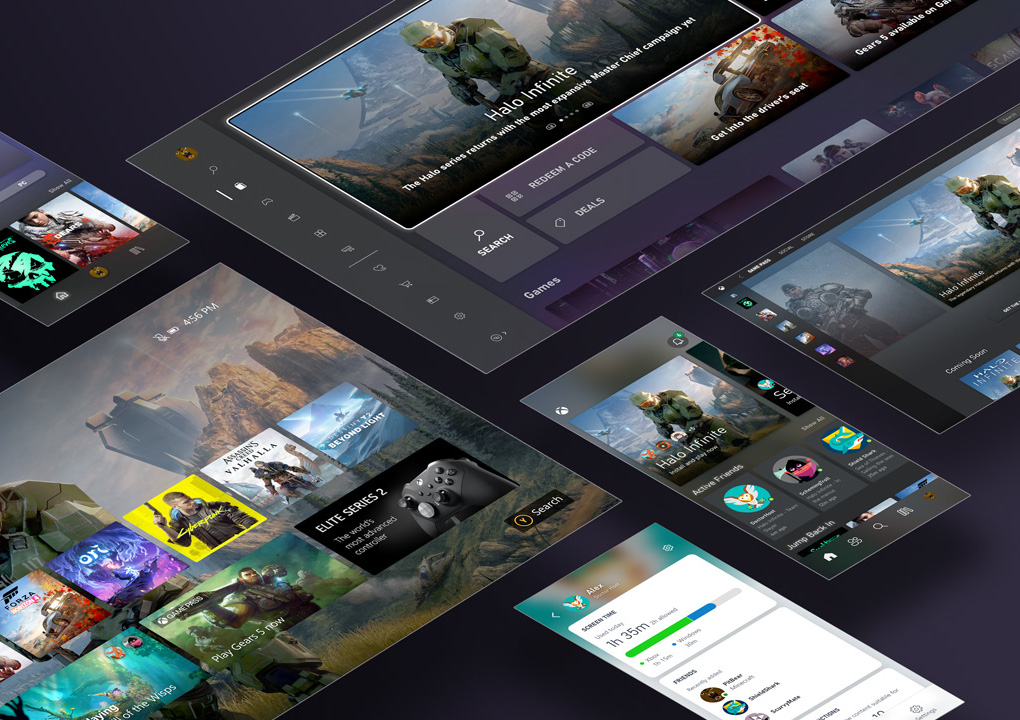
Microsoft has some exciting Xbox Game Pass news ahead of the launch of its Xbox Series X and Series S consoles tomorrow. First of all, Xbox Game Pass Ultimate members can enjoy a free 30-day trial of Disney+, with unlimited access to Disney, Pixar, Marvel, Star Wars, and National Geographic content.
Disney+ is available on Xbox consoles and many other platforms including PCs, phones, tablets, and Smart TVs. Thie free trial will only be available for new subscribers in the following 18 markets: US, Australia, Austria, Belgium, Canada, Denmark, Finland, Germany, Great Britain, Ireland, Italy, Netherlands, New Zealand, Norway, Portugal, Spain, Sweden and Switzerland.
This is a great free perk as the second season of the critically-acclaimed Star Wars-themed TV Series The Mandalorian has just started airing on Disney+. Microsoft previously offered free subscriptions to Spotify Premium and Discord Nitro to Xbox Game Pass Ultimate subscribers, and it will be interesting to see what’s next.
In addition to this Disney+ free trial, Xbox Game Pass Ultimate members will also get access to the EA Play catalog on Xbox One starting tomorrow. EA’s game subscription service will also be coming to Xbox Game Pass for PC on December 15 at no additional cost. The new EA Desktop app that’s currently in beta will be required to download EA games on Windows 10 PCs.
In the meantime, EA Play on Xbox One currently includes 89 Xbox One and Xbox 360 games from great franchises such as Titanfall, Battlefield, Dead Space, Mass Effect, FIFA, Madden, and more. The following seven games will also be available on Android via Cloud Gaming starting tomorrow:
Dragon Age: Inquisition
Madden NFL 20
Mass Effect: Andromeda
Mirror’s Edge Catalyst
Plants vs. Zombies Garden Warfare 2
The Sims 4
Unravel 2
Microsoft also announced some new Xbox Game Pass games coming this month on Xbox One, PC, and Android, in addition to previously announced titles such as Destiny 2: Beyond Light and Tetris Effect: Connected. You can find the full list of new Xbox Game Pass games below:
Gears Tactics (Android & Console) – November 9
Destiny 2: Beyond Light (Android & Console) – November 10
Planet Coaster: Console Edition (Android & Console) – November 10
Tetris Effect: Connected (Console & PC) – November 10
Final Fantasy VIII Remastered (Console & PC) – November 12
River City Girls (Android, Console & PC) ID@Xbox – November 19
Star Renegades (Android & Console) ID@Xbox – November 19
Last but not least, the following four Xbox Game Pass games for PC and Console will disappear from the catalog on November 16: Darksiders III, Munchkin, The Talos Principle, and Tracks: The Train Set Game. If you have yet to subscribe, we remind you that new subscribers can get their first month of Xbox Game Pass Ultimate for just $1.
Global and security admins can now enjoy a new Microsoft Forms phishing attempt review feature in Microsoft 365.
To be more precise, Microsoft introduced automated machine reviews to detect the malicious collection of private data in forms and block them from collecting responses.
Therefore, Microsoft Forms is your chance to collect data with ease and make more inspired decisions, with no phishing threats to worry about. That’s what Microsoft reveals:
If you’re a global and/or security administrator, we send you daily notifications of any form created within your tenant that has been detected and blocked for potential phishing
How can I unblock or confirm phishing in Microsoft Forms?
Find your way to the Message center. While there, look for the notification that says Prevent/Fix: Microsoft Forms Detected Potential Phishing.
If you cannot find this notification in the All active messages tab/view, look for it in the Dismissed messages tab/view instead.
Up next, you may click on the Forms admin review URL link in the notification to review blocked forms.
For every single form that you review, feel free to select the Unblock option if you don’t believe the form has malicious intent or Confirm phishing if you suspect the opposite.
As you can see, as an IT admin, you can examine all forms tagged as phishing attempts with ease. Moreover, if you want to edit or delete the blocked content, you can generate a co-authoring page.
That’s your chance to manage the form as a co-author, so simply click on the Open a co-authoring page link found in the messaging above the form you are reviewing.
What do you think of this new feature that lets you manage each form and unblock it if you believe it serves no malicious intent? Let us know your answer in the comments area below.
Experiencing hear loss, either partially or totally, can make mundane activities such as hearing the phone ring incredibly difficult. In spite of that, you can make things a lot easier.
There are quite a few specialized devices such as telephone ringer amplifiers that can help you out and improve the volume.
Loud Sound RJ11, Philips Phone Flashing Ringer, and ClearSounds CR200 are all such devices that can be connected to your landline and will make their best to notify you whenever you receive a call.
They do so by amplifying the ringer, displaying flashing lights, while some of them will do both at the same time. Just take a closer look at the list below.
What are the best phone amplifiers for hearing impaired?
Loud Sound RJ11 is a cheap telephone (landline) ringer amplifier with a very suggestive name that can increase the chances that hearing-impaired users notice that the phone’s ringing.
This device is small enough to be concealed, features a hanging hole on its back, and can be used to amplify the ringer of two telephones at the same time.
The sound it generates reaches 75dB (which is just above a barking dog or vacuum cleaner, according to the latest charts) and can’t be adjusted.
Maybe Arista 24-1433’s name won’t speak volumes, but the product’s presentation will. Rest assured that it does exactly what it says.
Well, it easily amplifies the ringer of analog telephones, helping hearing-impaired users notice that their phone is ringing.
However, compared to other products that only amplify the ringer’s volume, Arista 24-1433 also features a flasher. This way, hearing-impaired users will receive both audio and visual cues that their phone is ringing.
Connected Essentials Telephone Ringer Amplifier is a device that can help users who experience hearing loss notice that their telephone is ringing.
It does so by amplifying the volume of the ringer and flashing bright lights, providing them with both audio and visual cues.
The device can be plugged directly into any standard (analog) telephone’s wall socket and requires no batteries since it draws power directly from the landline.
Philips Phone Flashing Ringer is a device that can help hearing-impaired users prevent missing calls on their landline telephones by giving them both (amplified) audio and visual cues (in the form of flashing bright lights).
The pack includes the Philips Phone Flashing Ringer unit and a connection cable. Installing the device can be made by connecting a telephone to the Tel port and the landline to the Line port.
It requires no batteries to run and can be set to flash only or to flash and amplify the ringer at the flick of a switch.
ClearSounds CR200 is an advanced telephone ringer amplifier in our top (hence its price), as it comes with a lot of extra features, ranging from tone (not volume) setting, a volume adjustment slider, and a vibrating ring signaler (which is sold separately) support.
This device can be easily installed, as it comes with a modular phone jack, but requires a 120V electrical outlet nearby to run.
ClearSounds CR200 can amplify the ringer to an outstanding 95dB and will also flash bright lights to notify users that their telephone is ringing if set to do so.
Hearing-impaired users might be having a hard time noticing certain things, such as their phone ringing, but luckily, specialized devices have made their way on the market and can simplify the way things are.
ClearSounds CR200, Philips Phone Flashing Ringer, and Connected Essentials Telephone Ringer Amplifier are such specialized devices that can amplify the ringer.
Some of them also provide the users with visual cues, so that little to no phone calls go unanswered. Knowing all these, don’t forget to share your final pick in the comments area below.
There aren’t many technology-focused gadgets that are more necessary for your home than a computer/tablet/phone and the fastest possible Internet connection.
Regardless of how expensive or budget-friendly your computer is, sporting the best Internet connection at home is one of the most vital elements that help you stay in touch with the outside world.
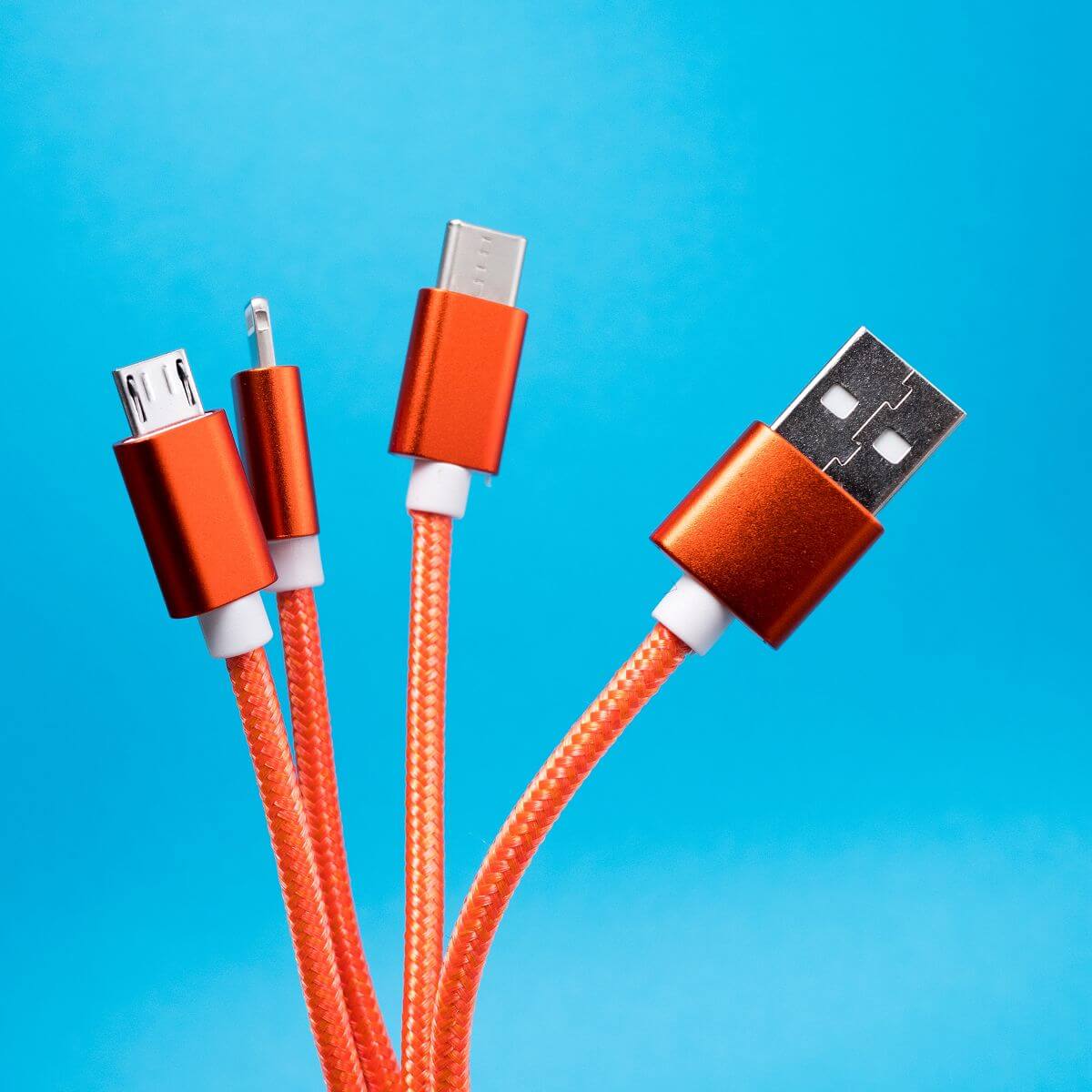
If your computer doesn’t come with a built-in WiFi connection, there are tons of USB Type C adapters on the market to help you get online. USB Type C is the new industry standard for all the next-generation laptops, smartphones, and all the major tech companies are embracing the USB Type C technology including Microsoft.
Most older machines don’t come with a built-in Internet connection and in such a case, having an adaptor is vital. The market is flooded with USB Type C WiFi and Ethernet adapters, and we want to make your choice much easier.
Because it is always very important to have the right information in order to make an informed decision, the analysis that this guide provides you with will surely be of help.
That’s why we gathered the best five devices according to your preferences that will be great whether you’re streaming Netflix, playing an online game, or simply browsing the web.
The Atolla USB Ethernet hub is a very useful and efficient gadget that can expand the ports on your device as easily as plugging a USB cable in, and this enables you to quickly connect devices.
Featuring a sturdy aluminum case, this nice little device also offers you access to 3 USB 3.0 ports that are compatible with USB 2.0 devices. Portability is very important because it doesn’t stop you from connecting any device.
The transfer speeds go up to 5 Gbps enabling you to quickly transfer any data, no matter if it’s a 4K-quality video or the HD pictures from your vacation.
It also comes bundled with a 1G Ethernet adapter, and a USB Type-C adapter as well, so you never have to worry about not being able to connect your devices.
It works perfectly with almost all operating systems, including Windows, Mac OS, and Linux.
You can enhance your USB C devices such as tablets, phones, and more to act as a host and to communicate with both the USB peripherals and directly with each other when a PC is not available.
For this purpose, the Lention USB-C adapter is the perfect solution, offering you a compact and sturdy design besides great transfer capabilities.
Because the transfer speeds are so stable and fast, the Lention adapter covers all the variations and ensures that no data is being lost in the transition.
Besides the great capabilities, it is also built perfectly, by using an ionized finish to reflect any sort of interference, and equipped with a LED activity indicator.
The Cable Matters USB-C Multiport Adapter adds Gigabit Ethernet, USB 3.0, and an HDMI or VGA video port over just a single USB-C connection.
The device’s USB C port requires the DisplayPort Alternate Mode in order to be able to view videos over the USB C.
In the case of newly released Windows computers, it is very important that you update your BIOS with the Thunderbold 3 firmware in order for the device to work at its intended speed.
By using this device, you can easily connect the USB C adapter to a flash drive, a mouse, a smartphone, and almost any device that you might want to use. This enables you to sync files to a computer with the USB 3.0 port that’s included, giving you lightning speeds and data stability.
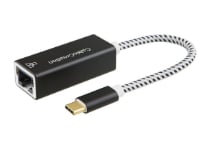
The Kanex USB C to Gigabit Ethernet Adapter allows your USB C ready computer to easily connect directly to the Internet. The data transfer speeds are also very important in this day and age, and this has no issues in this department.
You will not need to install a driver, and all you have to do is simply plug the Ethernet cable into the USB C to Gigabit Ethernet Adapter, and you will be set to enjoy a Wi-Fi dead-spot free connection.
You just have to plug one end into a Gigabyte Ethernet cable and the other into a compatible USB Type C device, and you’ll be ready to browse the web.
Try this product today if you feel that it’s a good fit for your circumstances.
This is a small type USB Type C Ethernet adapter supporting 10/100/1000 Mbps that comes with a safe and stable Realtek chipset.
The Gigabit Ethernet port provides access to really fast network speeds, and you don’t need to install any software or drivers for it to work properly.
Features a very useful LED light that lets you know what the status of your connection/transfer is, being the perfect solution for moving large files from a Windows PC.
These are some of the best five USB Type C adapters that you can currently find on the market., and as you can see, you have plenty of options from which to choose.
No matter if you want a sturdy and compact device, or you’re more interested in the specific transfer speeds and portability, this list covers all these factors.
For more detailed information, it’s recommended to head to Amazon and check out more data about their features.
Think about your connectivity needs and choose the adapter that suits them best.
If you want to get in contact with us, don’t hesitate to use the comment section below.
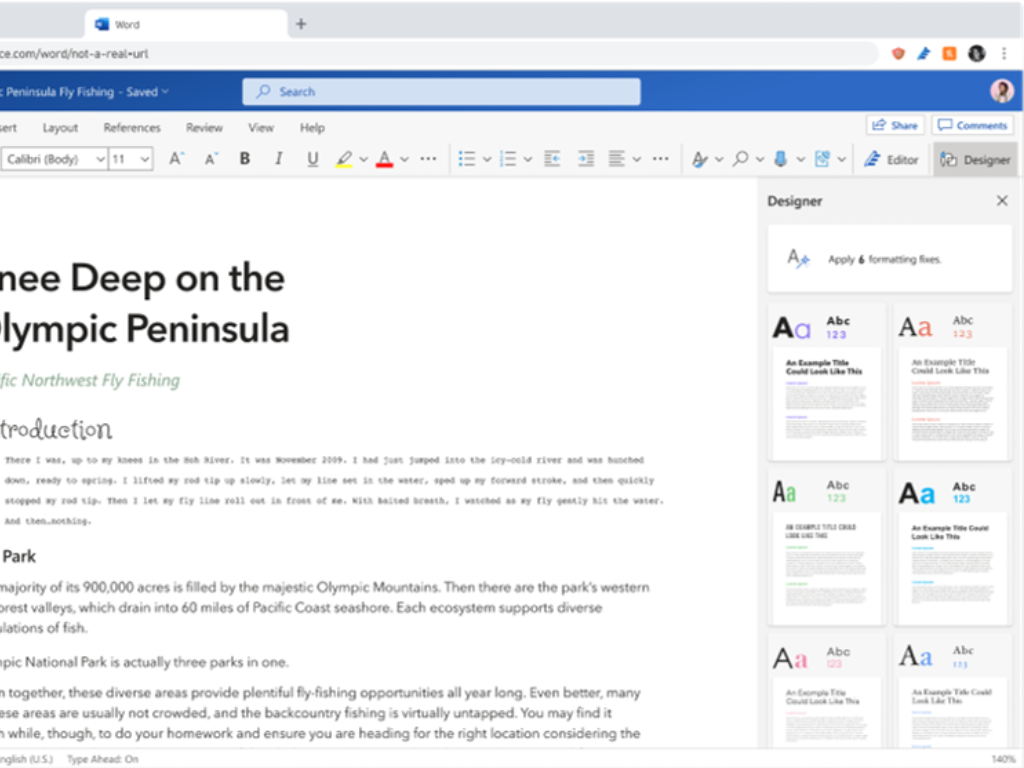
If the designer feature has long been available in Microsoft PowerPoint, it’s now finally coming to Microsoft Word. Harri Mikkanen, a Microsoft 365 Product Marketing Manager at Microsoft, confirmed in a tweet that the feature is now rolling out in the Word web app.
The new Designer feature facilities students and working professionals by transforming their documents into something special by automatically generating design suggestions. It also helps to detect formatting inconsistencies and makes it easier to fix issues accordingly. Designer improves the accessibility of Word documents by using semantic styles (such as title and headings).
Overall, the Designer feature should make it easier for writers to create more polished documents. However, Microsoft emphasized that it should help them create documents that convey their ideas effectively. “Designer helps writers create documents with a consistent look-and-feel. It provides a variety of themes to help writers create documents that better communicate ideas visually,” the company explained.
As of this writing, the feature is only available in the web version of Microsoft Word, and it’s gradually being released for standard release customers. If you are interested to learn more, we invite you to check out the official support document.
Having a thin or an ultra-thin monitor is a great way to showcase that you value elegance above all else when choosing an electronic device, as they somehow feel more modern and powerful than they may actually be.
Additionally, an ultra-thin design is usually accompanied by an almost nonexistent bezel, giving off the sense that the monitor‘s screen is far bigger than it actually is.
And as a side note, they also take up less space, which is a bonus.
If you’re looking to make your desk look ultra-sleek and modern by buying an ultra-thin monitor, then go ahead and check out our list of what we consider to be the best monitors of this kind available.
Note: Deals are subject to change. Keep in mind that the price tag often varies. We recommend going on the vendor’s website to check the price. Some products may be out of stock by the time you’ve made your purchasing decision. So, hurry up and hit the buy button.
What are the best thin and ultra-thin monitor deals?
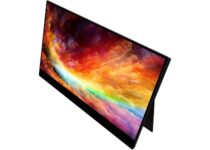
The VIOTEK LinQ Touch 16” portable touchscreen monitor with speakers gives you the flexibility, features and connectivity options you need even when you’re on the go.
It’s easy to use, and lightweight – weighs only 1.7 pounds (0.77 kg). You can enjoy your movies, and games with a 1920x1080p resolution from any angle.
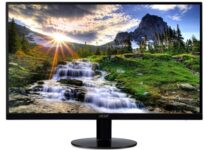
The Acer SB220Q bi is a computer monitor that combines stylish ultra-thin functionality with amazing 1920 x 1080 resolution, allowing you to enjoy High-Definition entertainment in the comfort of your home.
The 21. 5-inch diagonal, Full HD (1920 x 1080) widescreen IPS display delivers very good image quality both in terms of contrasts and colors, and the device is incredibly easy to assemble and compact.
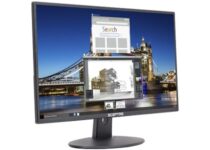
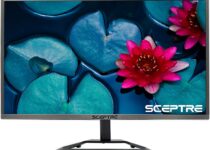
The Sceptre E205W-16003R is a small and compact computer monitor that can be easily described as any man’s monitor, thanks to the incredibly affordable price tag.
However, the monitor does offer incredible image quality given the price, and it also comes with built-in speakers, which let you save even more money.
The Viotek 109013NH GFV24C delivers pretty much everything that gaming enthusiasts, movie lovers, and pro players will love thanks to the full 1920x1080p resolution display.
The monitor doesn’t just deliver good images, it reacts accordingly, thanks to the crazy fast 4ms response time, and flicker-free 144Hz refresh rate that allows you to enjoy any type of games, from FPS to RTS and MOBAs at a competitive level.
Whether you are a pro gamer or a movie enthusiast, the Sceptre E248W-1920R monitor is the way to go.
It features a 1080P resolution (1920 x 1080 pixels) that delivers stunning colors and picture detail on a 24-inch diagonal screen.
It is also pretty fast, having a 5 millisecond response time that will help you enjoy action sequences and intense gaming moments with the highest degree of clarity and smoothness.
If you are planning to decorate your office in a way that is modern and sleek, then having an ultra-slim monitor mounted on your desk id a surefire way of starting on the right foot.
Not only do these devices look good, but they also take up very little space, but they also deliver an image quality that is quite surprising, especially when you view the monitor from the side and see how thin it is and how unlikely it may seem.
If you are trying to find the best AV receivers on the market, it can get real confusing, real fast. However, things get a lot easier if you’re looking for one with 5.1 surround sound and no other options.
On top of that, current deals make it so much easier to save a couple of bucks or more.
Inbuilt Bluetooth connectivity is a must, or else you’ll need to buy an adapter. Manually connecting devices via a USB port is no fun, so let’s rule those out right from the start.
Note: Deals are subject to change. Keep in mind that the price tag often varies. We recommend going on the vendor’s website to check the price. Some of the products may be out of stock by the time you’ve made your purchasing decision. So, hurry up and hit the buy button.
What are the best deals on 5.1 AV receivers with Bluetooth?
The Wireless Bluetooth Power Amplifier delivers 420 watts of power, which is huge. It can be used for multi speakers w/4 ohms which allows you to fully enjoy high-quality audio.
The integrated AV receiver comes with Bluetooth wireless streaming and it works with the latest devices, including smartphones, tablets, iPhones, and computers.
The Yamaha RX-V385 5.1-Channel 4K Ultra HD AV Receiver is the perfect example that home sound systems are getting more compact and so much smarter.
It clearly comes with Bluetooth capabilities, therefore streaming from your devices won’t ever be an issue. And that’s not all that you are getting, because it has lots of other smart features.
If you really want a proper home cinema experience, you need a set of surround sound speakers and a great AV receiver such as Yamaha RX-V485 to drive them.
Its YPAO system can scan the audio of your room and easily adjust the sound output to suit the environment. Combining your receiver with the Yamaha music Cast 20 or music Cast 50 makes it so easy to have your own wireless theatre in the comfort of your home.
This Sony STRDH590 5.2-ch Surround Sound Home Theater Receiver covers all the essentials for building a 5.1 theater setup, and if you generally enjoy Sony’s signature, it’s worthy of your interest.
With the cinematic sound, it comes along, you will enjoy all your favorite movies and TV shows, and many more while having a theater-like sound, all from the comfort of your home.
When it comes to the best 5.1 Bluetooth AV receivers, you can buy budget models or high-quality, expensive ones.
Our search concludes with five options that we think are genuinely great buys, so use the above list as a starting point and consider your own needs. We hope this will help you make an informed and prompt choice.
Despite Microsoft’s newest console coming fresh off the manufacturing line tomorrow, the company has issued a list of bugs and known issues owners should be aware of as they take the wraps off their new console.
According to a Microsoft Community forum post authored by Microsoft Agent and moderator Mister Rush, there are quite a few caveats for Day 1 One owners of Xbox Series X|S when starting up the consoles for the first time.
Fresh out of the box, owners will need to be aware of 4K/120hz issues that involve TVs with outputs of 4K @ 120Hz and support for VRR experiencing image corruption. Fortunately, there is are workarounds:
Update to the latest firmware on your TV
If using an LG TV – https://www.lg.com/us/support/software-firmware-drivers
If using a Samsung TV – https://www.samsung.com/us/support/downloads/
If using a Vizio TV – https://support.vizio.com/s/firmware-search
If the issue still persists, also consider trying the following:
Configure the console for 4K/60 with VRR by going to Setting> General> TV & display options> Video Modes> check the box for Allow variable refresh rate.
Configure the console for 4k/120 with no VRR by going to Setting> General> TV & display options> Video Modes> uncheck the box for Allow variable refresh rate. The resolution and refresh rates are found under “Display” in TV & Display options.
If you wish to experience 120hz and VRR, please configure for 1080p/120hz VRR or 1440p/120hz VRR by Setting> General> TV & display options> Video Modes> check the box for Allow variable refresh rate. The resolution and refresh rates are found under “Display” in TV & Display options.
If you are experiencing a corrupted image, here are your workarounds to reverting back to a safe video mode:
Restart your console and configure your video modes to one of the listed options above.
If you’re still experiencing a corrupted image after a restart, disable VRR on the TV. Please consult your TV manufacturers on how to do this.
If the issue still persists after steps 1 and 2, perform the video mode reset sequence to get back to a safe state and configure for one of the two options above. To do this, follow the steps on this page here under “Your screen is blank after you turn on the console > Reset your display settings”.
For anyone eager to take EA’s new Play App for a spin on their new console is aware that its service is not supported on either the X or S consoles at the moment. There is no trusty workaround for this, but Microsoft claims to be diligently at work on a solution. To claim FIFA 21 or Madden 21 10-Hour trials, for now, a visit to the Microsoft Store is being offered as a redemption solution from Microsoft.
Microsoft is also acknowledging an issue with core system interactions such as HDR Game Captures appearing too dark when recorded. Again, no real solution here offered by Microsoft except that “a fix will be coming soon in a future console update.”
Another core component that needs to be cautiously reviewed by owners is the Quick Resume function Microsoft has been touting for the past few weeks. According to Microsoft, thousands of titles should support this on day one, but owners may experience issues with the handful of titles that aren’t yet optimized to take advantage of its existence. Ahead of complaints, Microsoft has proactively disabled the feature for those titles and is looking to put in a fix as soon as it can.
Lastly, there are some media-related issues that involve the BBC iPlayer app not launching or installing on the consoles on day one, DVD & Blue-ray playback glitching that can be resolved by reinserting discs, and NBC’s Peakcock TV app showing pixelated content out of the box with no immediate remedy.
Some of these issues are niche occurrences, but in totality, add up to a console in need of a hefty Day One or Month One update to sort out a number of user experiences that could begin to taint the launch of Microsoft’s next-gen console efforts, again.
Halo 4 will be released on PC on November 17, completing the PC version of Halo: MCC anthology that brought us all Halo games from the Bungie era in less than a year. Indeed, Halo: Reach, the first game in the collection was released on PC on December 3, 2019.
Halo 4 will officially arrive on PC as a part of Halo: The Master Chief Collection, on November 17.
The PC version of Halo 4 will launch alongside the Xbox Series X/S optimized version of Halo: MCC, which was announced last month. Halo 4 and the rest of the Halo games in the collection will support 120FPS in Campaign and Multiplayer on Xbox Series X and Series S consoles, and Microsoft also announced split-screen improvements and up to 4K graphics for all games on the Series X. All Halo games in the Master Chief Collection are free to play with Xbox Game Pass on Console, and the PC version of Halo 4 is also available for purchase for $9.99
The next update for Halo: MCC on PC and Xbox One to be released on November 17 will also introduce support for cross-play multiplayer, keyboard and mouse support on Xbox consoles, as well as input-based Matchmaking. 343 Industries is still working on many other new features including per game Audio options, additional Mod Support on PC, as well as Steam account linking, HDR and Split Screen support. You can read more about what’s on the roadmap in the latest MCC development Update published on October 30.
Laptops of the 17-inch variety have the largest 17.3-inch displays. Even though the larger displays reduces their portability a little, many users still prefer to have laptops with 17-inch displays.
Bigger displays are better for gaming. These are some discounted 17-inch laptops that are worth noting.
Note:Deals are subject to change. Keep in mind that the price tag often varies. We recommend going on the vendor’s website to check the price. Some of the products may be out of stock by the time you’ve made your purchasing decision. So, hurry up and hit the buy button.
What are the top 17-inch laptop deals to grab right now
The latest Lenovo IdeaPad 3 comes with a powerful processor that quickly responds to all your needs. Add to that the AMD Radeon Vega 10 graphics card for the ultimate image quality when streaming your favorite media.
The device connects to Wi-Fi in no time thanks to the WiFi 5 802.11 ac technology, which also ensures a broader coverage. This type of connection is also backward compatible with other Wi-Fi networks.
Use the built-in fingerprint reader to secure your data, the SD memory card slots to transfer your most recent photos and the HDMI port to enjoy a larger or additional image setting.
The Rog Strix Scar II is a 17-inch gaming laptop that has quite a lot to boast about. It’s got a six-core Intel i7 processor to starter with, which combined with its great Nvidia GeForce RTX 2070 graphics card ensures terrific gaming performance.
The laptop can also incorporate an up to 1TB SSD drive which will boost gameplay speed. On top of that, its VDU’s lightning 240 Hz refresh rate guarantees the smoothest gameplay.
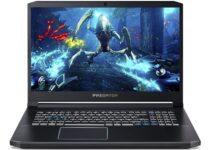
The Acer Predator 300 is another monster of a laptop that provides Windows gaming at its best. It boasts an IPS 17-inch display with a 144 Hz refresh rate and full HD resolution.
The Helios 300 is equipped with an i7-9750H processor that can clock up to 4.5 GHz. The laptop can also provide up to 1 TB hard drive storage, which should be more than enough for most users
The TUF FX705DT is a midrange gaming laptop that’s comparatively cheaper than the likes of the Strix Scar II. Thus, this 17-inch laptop might appeal to productivity users as well who don’t need really high specification PCs.
This laptop packs in a Ryzen 7 processor, 8 GB RAM, dedicated NVIDIA GTX 1650 graphics card, and 512 hard drive storage, which is a pretty good value for a PC retailing at under $1,000.
Its full HD 17-inch VDU also boasts a 144hz refresh rate, which is another big selling point for gaming.
The HP Envy 17~ae111dx is a solid all-rounder that will appeal to both multimedia and productivity users. The HP Envy’s quad-core Intel CPU is more than sufficient for the vast majority of mainstream software.
It can also handle more system resource heavy games with its GeForce GPU. Its max 16 GB RAM isn’t a huge amount, but is again sufficient for most software.
This laptop’s biggest selling point is probably its good battery that can last up to about 10 hours without recharge on the 17-inch Envy model. This laptop’s massive 1 TB hard drive is another big bonus.
The Lenovo L340 is among the more highly rated budget laptops. The most economical model is the L340 that incorporates an eighth-gen Intel i3-8145U processor, 8 GB RAM, and Intel UHD Graphics 620 GPU.
It offers a whopping 1 TB storage. The L340 also has an ok battery that can last several hours without a recharge. Granted, this laptop won’t be much good for gaming and more system resource-heavy applications, but it will be fine for utilizing most office suites.
Pros:
Includes trials for Office 365 and McAfee LiveSafe
Includes a better battery than quite a few gaming laptops
Those are some of the more highly-rated 17-inch laptops. Their 17-inch displays can be great for gaming and even have advantages for productivity as users won’t need to scroll through documents so much.
Remember, however, that offers are subject to change.
The cloud-servers have pushed the physical self-owned servers to the background. Although cloud servers offer the convenience of affordable managed hosting, it is not for everyone.
Depending on the business requirement, you may still want to have your own on-site servers for absolute control over the resources. This is where the HP tower servers come in handy.
These are compact powerhouses that look like the traditional computer cabinets and fit on your desk. Apart from the control aspect, on-site servers are also proved to be a cost-effective solution for many.
In this article, we have listed the best HP tower servers that are easy to set up, come in multiple configurations, and offer excellent value for money.
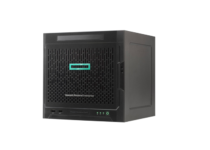
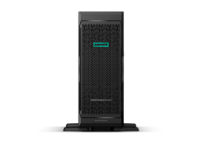
If you are looking for a tower server for a home office or small business that needs a compact and affordable entry-level server, the HPE 870208-001 ProLiant MicroServer fits the bill perfectly.
HPE 870208-001 ProLiant MicroServer comes equipped with an AMD Opteron X3216 dual-core processor clocked at 1.60GHz coupled with 8GB of RAM and 1TB of hard drive storage.
You can further expand the RAM and hard drive using the empty slots. Moreover, it is silent enough in order not to turn into a nuisance.
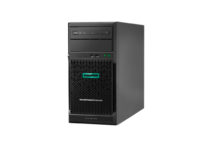
HPE ProLiant ML30 is a reliable enterprise-class server that can easily meet your requirements and the budget.
It is a powerful server designed for SMBs and remote branch offices to run on-premise and Hybrid Cloud solutions. HPE ProLiant ML30 is equipped with a Xeon E-2124 quad-core processor from Intel, coupled with 32GB of RAM and a 4TB hard drive.
It also comes with an embedded 332i Dual-Port 1Gb Ethernet network adapter out of the box.
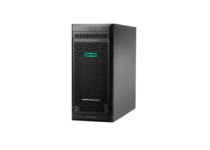
If you are looking for a tower server with enterprise-class reliability and performance at an exceptional value to meet your business needs, the HPE ProLiant ML110 G10 is an affordable mid-tier tower server that is designed for SMBs.
HPE ProLiant ML110 G10 is available in multiple configurations. This particular model comes with an Intel Xeon Silver octa-core processor with 16GB of RAM.
For mass storage, you need to buy the hard drives separately. In spite of that, it a reliable choice, not to mention that it is Energy Star 2.1 certified.
HPE ProLiant ML350 Gen10 belongs to HPE’s performance series of servers. It is a robust server for SMBs and remote offices delivering a secure dual-socket tower server with performance, expandability, and reliability.
HPE ProLiant ML350 Gen10 comes with Intel’s Xeon Solver 4110 octa-core processor paired with 16 GB of RAM and 12 Gb/s SAS Controller.
It supports hot-swappable 2.5” caddies but comes without hard drives. Assuming this isn’t a major issue, this could be a perfect choice for you as well.
Tower servers are designed to offer entry-level performance to small business owners. However, some are designed to offers top-end performance without compromising on the form factor.
We have listed both the low-end and high-end tower servers offered by HP to help you find the best one for your needs. Let us know your choice in the comments area below.
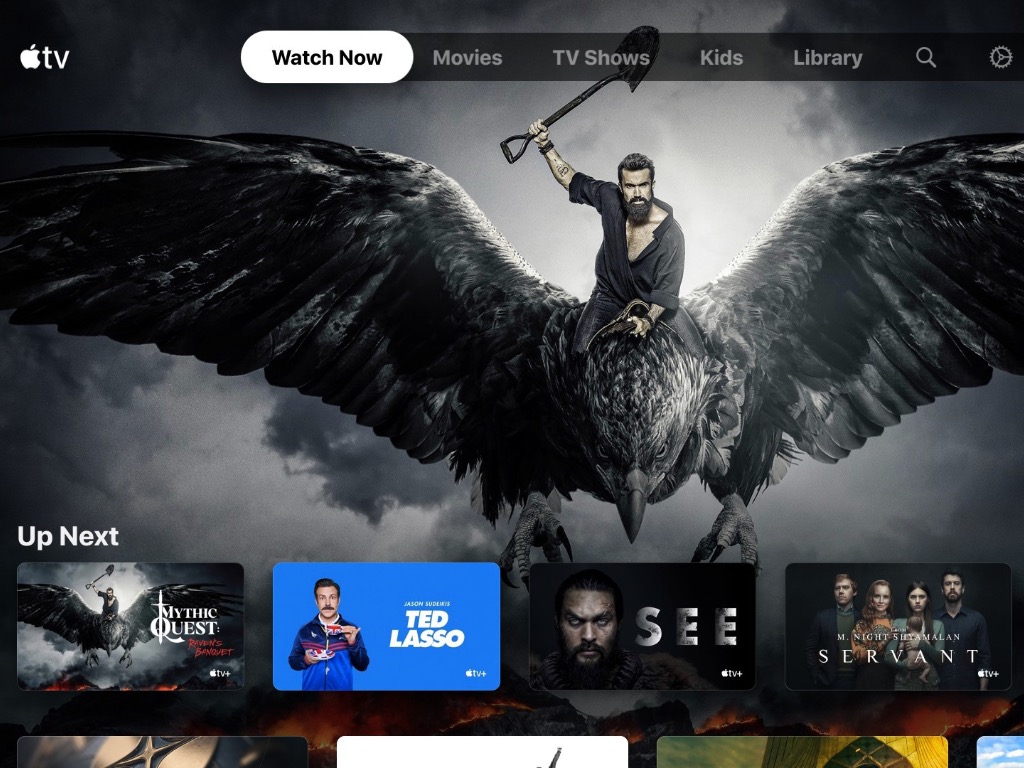
The Apple TV app is now available on Xbox consoles one day ahead of its official launch tomorrow, November 10. We’ve been able to download and use the app on both an Xbox One X and Microsoft’s brand new Xbox Series X console, and it works and looks the same as it does on smart TVs or other devices.
The Apple TV app includes the massive iTunes movie and TV shows catalog, and in-app purchases are also supported. Apple has a larger catalog of content supporting 4K, HDR, or Dolby Vision, and the app should be a nice complement to Microsoft’s own Movies & TV store on Xbox consoles.
Additionally, the Apple TV app lets subscribe to the company’s TV+ service right from the app. An Apple TV+ subscription is just $4.99/month in the US, and it provides access to a growing catalog of original shows including The Morning Show, See, and For All Mankind. Apple offers a 7-days trial for its TV+ service, and you can learn more about it on this page.
Music is a wonderful art that many people can approach. It can be just you playing a Hawaiian ballad on a ukulele. Or perhaps you’re going through a jazz period with your harmonica.
However, keeping the right tempo is different from one instrument to another. As such, you’ll need a different kind of metronome for every occasion, especially if you know how to play multiple instruments.
That is why we’ve compiled a list of the best metronomes that you could buy for certain instruments.
Note: Deals are subject to change. Keep in mind that the price tag often varies. We recommend going on the vendor’s website to check the price. Some of the products may be out of stock by the time you’ve made your purchasing decision. So, hurry up and hit the buy button.
The KLIQ MetroPitch incorporates a tuner, metronome and tone generator all in one device, making this an excellent multi-purpose device for all your musical needs.
The metronome supports a broad range of 30-250 Beats Per Minute, tap tempo, and various beats and rhythm patterns, so playing with the harmonica feels dynamic and fun.
The clarinet is a very popular musical instrument and requires a very good metronome in order to maintain the right tempo.
The Seiko SQ50-V is one such metronome, and it comes with a unique way it lets you know you should maintain a tempo, as it uses lights instead of sounds or clicks.
The Luvay Digital Metronome is an excellent all-purpose metronome that makes a great addition to anyone looking to play the ukulele.
What makes it so great is the back clip that lets you attach it to a ukulele similarly to a guitar tuner, but the small size makes it so that it doesn’t get in the way of your playing.
The Korg AW3M Dolcetto is yet another miniature metronome that also has the functions of a tuner.
It features a back clip that lets you attach it to the rim of your trumpet so the screen is always facing you, allowing you to focus on the beat more than anything else.
Holding a rhythm is probably the most challenging aspect of a musician’s process of learning, despite how easy it may sound.
That is why instruments that are designed to help you do that exist, and they do an excellent job at it as well.
Of course, given how different musical instruments are, it goes without saying that metronomes also vary in shape, size, and functionality.
Managing your cables is important, especially if you want to make your workspace neat. If you’re serious about cable management and you want to take it to the next level, today we’ll show you some of the best wall cord hiders that you can use.
Note: Deals are subject to change. Keep in mind that the price tag often varies. We recommend going on the vendor’s website to check the price. Some of the products may be out of stock by the time you’ve made your purchasing decision. So, hurry up and hit the buy button.
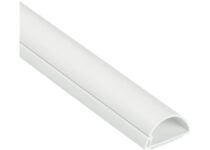
D-Line Raceway comes with a half-round profile, so it’s perfect if you want to hide your wall cables. The raceway is made from PVC, so you can easily cut it to the required length. It’s important to mention that this raceway has a self-adhesive back, so you can place it on any wall or other surfaces.
The raceway has a one-piece latching design, so it’s easy to disassemble it and remove cords if needs be.
This cord cover is 150 inches long and 1-inch wide so you should be able to fit a couple of cables inside it. Regarding the mounting, there’s a strong adhesive tape at the back, but you can also use drywall anchors if you prefer so.
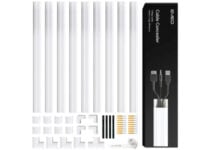
This cord cover comes with T corner, straight, and elbow connectors, allowing you to easily work with corners. In addition, there’s a PVC saw as well, so you won’t need additional tools.
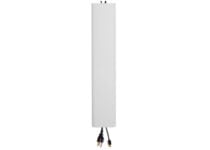
This cable concealer is incredibly simple to install, and you just need to cut it to the desired size, mount the base with a screwdriver, and place the cover. The cover can be easily removed at any time allowing you to add or remove additional cables in a matter of minutes.
The concealer is 48 inches long, but you can easily cut it to the required size. It’s worth mentioning that this raceway is wide so you can easily put multiple cables inside without too much effort.
These are the best wall cord hiders that you can get if you want to manage your cables and make your space neat, so be sure to check them all.
Tablets can be quite useful, especially if you need a device with a large screen that allows you to take notes easily.
Speaking of tablets and note-taking, today we want to show you the best tablets to do homework on, so let’s get started.
Note:Deals are subject to change. Keep in mind that the price tag often varies. We recommend going on the vendor’s website to check the price. Some of the products may be out of stock by the time you’ve made your purchasing decision. So, hurry up and hit the buy button.
Given how schooling from home is the latest trend, we would like to start off our list with an entry that will definitely satisfy the youngsters.
Not only is it designed to be compact like a tablet, but it also offers more than enough processing power to make it almost as powerful as a full-fledged laptop.
It supports the Android OS, and the long battery life means you can join your online classes and do your homework remotely for extended periods of time.
When it comes to tablets, there’s no way you can create a list and not include at least one Samsung product, and in this case, the Samsung Galaxy Tab S6 is it.
Compact enough to be carried anywhere but still powerful enough to help you fulfill all of your school-related activities.
Besides, the magnetic S pen will make it feel like you do your homework on actual paper, providing an extra dose of familiarity when doing your schoolwork.
This device comes with a 10-inch 1800×1200 (217 PPI) display. The device has 4GB 4 GB RAM and 128GB of flash storage which should be enough for all your needs.
Regarding the CPU, the device is powered by Intel Pentium Gold Processor 4415Y.
The device measures 9.65″ x 6.90″ x 0.33″ and it weighs only 1.15 lbs, so you can easily carry it with you.
Having a server in your home or office can be useful, but just like any other PC, your server needs proper protection in a form of case.
There are many great server chassis on the market, and in this article, we’ll show you the best models that you can buy.
Note: Deals are subject to change. Keep in mind that the price tag often varies. We recommend going on the vendor’s website to check the price. Some of the products may be out of stock by the time you’ve made your purchasing decision. So, hurry up and hit the buy button.
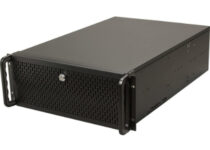
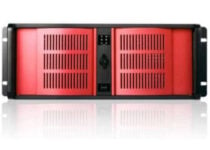
Rosewill 4U Server Chassis supports up to 15 internal 3.5-inch HDDs and it has seven expansion slots, which should be more than enough for your needs. The chassis also has great cooling with 2 x 80mm rear fans, 3 x 120mm front fans, and 3 x120mm middle fans.
There’s also a foam filter on the front that will minimize dust inflow as well as a front door with a lock that will prevent others from accessing the USB connectors.
This cassis has nine 2.5 or 3.5 SAS/SATA trays. To make the swapping of storage easier, there’s a dedicated drive bracket. The case has a 120 mm fans ensuring that your server is cool at all times.
This chassis also has three 5.25-inch bays and it has a very sturdy design.
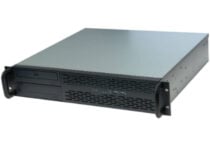
This cassis supports Micro-ATX, up to 9.6 x 9.6 inch motherboards, and ATX (PS2)/Mini power supply. There’s support for one external 5.25 drive bay and two 3.5″ internal bays.
Additional features include 2 fans for cooling and 4 expansion slots. The front panel has USB ports for easy access.
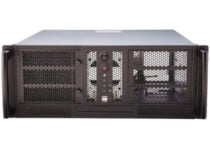
This is 4 U form factor chassis and it comes with four external 5.25-inch bays, single external 3.5-inch bay, and 2 3.5-inch internal bays. There are 7 expansion slots and single 80mm and 120mm fans. If needed, you can install an additional 80mm fan.
The front panel has two USB 2.0 ports and it’s protected by a lock in order to prevent unauthorized users from accessing the server.
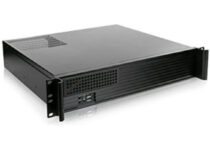
This is a 2U server chassis and it supports both Micro-ATX and ITX motherboards. As for the storage, there are two 5.25 and two 3.5-inch drive bays. The chassis has 3 40mm front fans for better ventilation.
On the front panel, there are two USB ports along with power and reset buttons. Unfortunately, no front door is available.
If you’re looking for a server chassis for your home server, these are the best models to get, so be sure to consider all models on our list.
Whether you have an SSD installed on a laptop or have a gaming console, modern Triple-A titles take a lot of space on the hard drive, as a result, your gaming setup can run out of space in no time.
Buying an external hard drive for your PC or laptop allows you to get that extra storage required to be flexible with your games and media files.
In this article, we have listed the best external hard drive for PCs and gaming consoles to run games off of.
Note: Deals are subject to change. Keep in mind that the price tag often varies. We recommend going on the vendor’s website to check the price. Some of the products may be out of stock by the time you’ve made your purchasing decision. So, hurry up and hit the buy button.
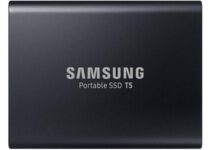
Samsung T5 Portable SSD is for those power users who want reliable performance and don’t want to compromise with the speed of their external hard drive and are ready to spend a premium.
Samsung T5 Portable SSD offers 1TB of storage with a claimed superfast Read and Write speed of up to 540 MB/s to reduce the game loading time.
For connectivity, it comes with both USB Type-C and USB Type-A cables. Samsung has also equipped the SSD drive with an optional password and hardware encryption option.
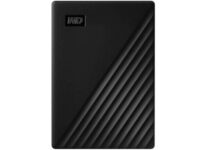
For a sub $100 device, WD 4TB My Passport offers a ton of storage at a good price. It may not be as compact the Samsung’s SSD, but for an HDD, it is compact enough.
WD bundle’s My Passport external hard drive with its Automatic backup software along with password protection and hardware encryption features.
For connectivity, it comes with a standard USB 3.0 port that is compatible with the USB 2.0 interface as well.
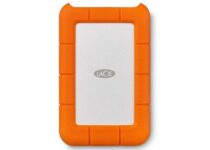
LaCie Rugged Thunderbolt is made for those who take their external hard drive’s durability seriously and prefer a device that can withstand some rough usage.
LaCie Rugged STFR1000800 offers 5TB of storage space with a shock, dust, and splash resistant shell protecting the data inside. For connectivity, it has a USB Type-C port along with the legacy USB 3.0 adapter included in the box.
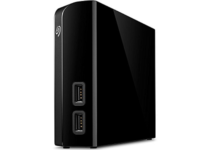
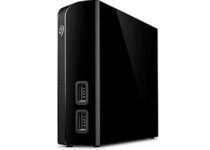
Apart from the massive storage on offer, Seagate Backup Plus Hub comes with two additional USB 3.0 ports to connect external USB devices as well as for charging your smartphone.
Seagate Backup Plus Hub offers 8TB of storage for a premium. It also requires an external power source to power the device making it ideal for a desktop setup.
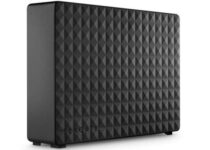
If you want to go big without breaking the bank, the Seagate Expansion Desktop 8TB offers a massive amount of storage for a reasonable price. However, this is more of a desktop hard drive as it requires an external power source to power the device.
Despite its size, Seagate Expansion Desktop 8TB offers performance similar to WD My Passport hard drive with a sustained Read Write speed of 150MB/s.
For connectivity, it comes with USB 3.0 port but misses out on backup software and password protection.
Depending on how you are planning to use your external hard drive, go for either the faster SSDs or stick to the HDDs that offer more storage for less price.
If you work with sensitive documents, no matter if you’re doing it in an office or from home, you will sometimes need to use an excellent micro-cut paper shredder to get rid of some documents.
Because we understand how hard it is to do your own research about every feature contained by specific devices that will also fit your price-range, we created a list to help you choose faster.
This list will offer you an overview of all the most important features, and we will also present you with a handy pros and cons list. Read on to find out more details.
Note: Deals are subject to change. Keep in mind that the price tag often varies. We recommend going on the vendor’s website to check the price. Some of the products may be out of stock by the time you’ve made your purchasing decision. So, hurry up and hit the buy button.
What are the best deals on micro-cut paper shredders?
The Bonsaii 18-Sheet Heavy-Duty EverShred C149 is a very good option if you’re searching for a low priced device but still offers excellent service being able to destroy even the most sturdy documents and other items like CDs, and credit cards.
This hardware delivers great shredding results by using its heavy-duty 18 sheet shredders and is equipped with a 6 gallons wastebasket.
Bonsaii EverShred Pro 4S16 is the next level in protected micro-cut paper shredders from this company, offering a very good option for an acceptable price range.
This shredder offers a great 6-sheet micro-cut, allowing you to destroy any paper documents, CDs, and even credit cards.
The CDs and credit card pieces are stored separately from the paper waste in a specialized bin, but both of them can be easily checked.
The Fellowes FEL407 is another great option if you don’t plan on spending too much money on this device but also want quality results.
This device from Fellowes features an auto Reverse system that stops and reverses the paper if a jam occurs, allowing you continuous usage without worries.
The Ideal 2445 model is a very powerful and efficient micro-cut shredder that you can purchase online this time of the year.
This fantastic machine is equipped with great professional-level shredders and has been offering a P-7 security level, which is more than anybody with a normal office desk will ever need.
The Intimus 671154 paper shredder offers professional-level shredding power, all stored in a simply-designed case that blends into any environment is used.
This machine meets and exceeds all security NSA/CSS specifications, and also features a greatly useful display that keeps you up to date with the latest information – Bag full, Ready, and Door open alerts.
No matter where you need to shred some documents, having a compact and efficient paper shredder is extremely important.
For this reason, in today’s buying guide we offered you some of the best hardware solutions for this issue, covering all price ranges in the process.
Please feel free to let us know if you have any suggestions by using the comment section below.
If you are planning a holiday, your scuba diving adventure will be considered incomplete without underwater photography. However, this is the time when you need underwater housings for your cameras.
Underwater housing allows you to capture stunning photos while protecting your camera from water. From aluminum housings to lower-cost plastic ones, there are still plenty of options available online.
In this article, we have explored some of the best underwater camera housings you can buy today. Take a look below and make your choice.
Note: Deals are subject to change. Keep in mind that the price tag often varies. We recommend going on the vendor’s website to check the price. Some of the products may be out of stock by the time you’ve made your purchasing decision. So, hurry up and hit the buy button.
What are the best underwater camera housing deals?
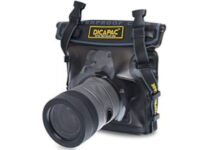
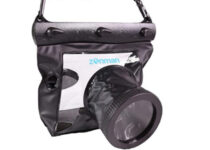
If you are looking for an underwater housing for your SLR camera with a 2.0-5.9″ lens, this one is for you. The manufacturers considered the top professional standards for durability, style, and function while designing the product.
You will be able to take clear pictures underwater up to 16 feet thanks to a UV coated polycarbonate lens. Your camera will float if you lose your grip so you won’t lose it.
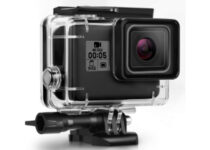
The Kupton Housing Case for GoPro Hero 5 is our top pick due to its unique features. It is designed specifically for GoPro Hero 5 camera. It allows you to shoot clear and high-quality footage while providing complete protection.
You can put your camera in the case without removing the protective lens. This case is waterproof for up to 147 feet.
Offers protection against shocks, scratches, and dust
The product is not compatible with some cameras (DBPOWER N5S, Campark ACT74, AKASO EK7000 pro Brave 4 V50, APEMAN A77 A80 A100, Crosstour and DBPOWER N5S)
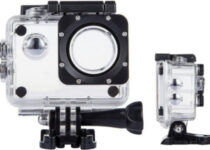
It’s an affordable and very competitive product that is ideal for underwater photography especially in saltwater. The TEKCAM SJ4000 housing helps the photographers to improve the overall quality of their photos.
This case is made out of high transparent material that can provide maximum image sharpness.
All underwater photographers like to have a lightweight underwater camera housing that is affordable as well. The SeaFrogs 195FT/60M ensures that your camera remains functional whenever you need it.
This case is completely safe for your camera as it has a built-in leak sensor so if you run into any accident you will be able to save your camera in time before any damage has been done.
We have listed the best underwater camera housings according to their specifications. If you have found the one for you on our list, let us know in the comments section below.
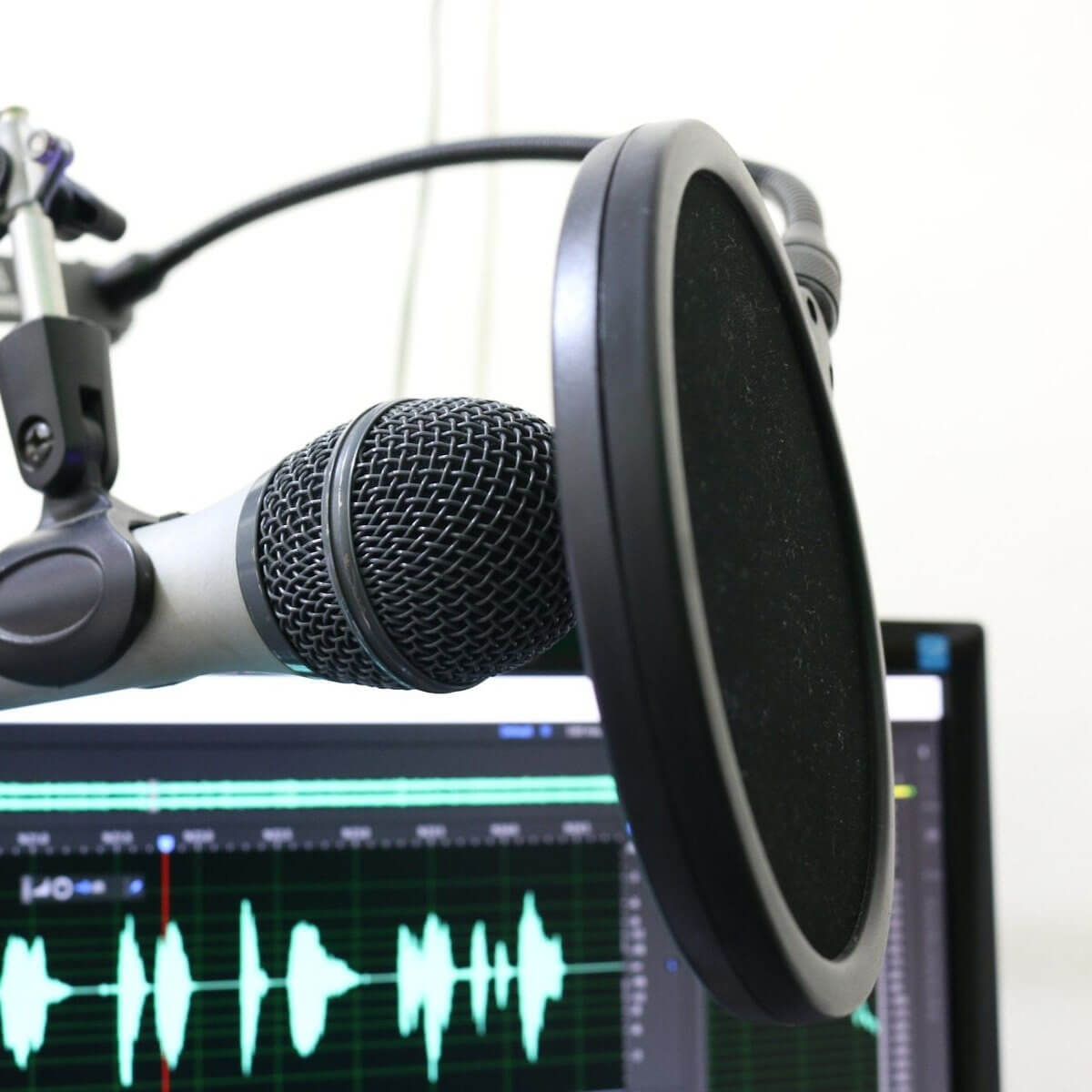
No matter if you’re a professional singer, have your own podcast, or just like recording yourself singing at home, using a proper microphone pop filter will surely make a big difference.
The pop filter allows for the sounds that you produce to spread properly, without hitting the microphone at the speed at which it was emitted.
This makes the sound be more exact. Moreover, it equalizes the high and low-pitch noises, and also reduces unnecessary reverberations.
In this buying guide, you will find some of the best microphone pop filters on the market.
Note: Deals are subject to change. Keep in mind that the price tag often varies. We recommend going on the vendor’s website to check the price. Some of the products may be out of stock by the time you’ve made your purchasing decision. So, hurry up and hit the buy button.
This professional microphone pop filter has not one, but two screens that double up the benefits.
As the first screen stops air blasts, the second one eliminates air pressure for good to boost the audio quality.
Highly stable but without compromising on flexibility, this gadget has a sturdy gripper that can secure a variety of mic stands and a steel metal gooseneck holder that allows you to adjust the angle between the screen and your mic to deliver angelic sound.
This is the one tool that no recording studio can spare. If you’re a singer (famous or aspiring – it makes no difference, really), delivering impeccable, unaltered sound is paramount.
With 2 screens, this filter can reduce any unwanted effects from wind interference to saliva spraying. The flexible stabilizer arm will adjust to the perfect angle you need to draw the most out of your vocal qualities.
Of course, you needn’t worry about microphone compatibility – this gadget is versatile enough to match any mic via its inner rubber ring.
In today’s buying guide we explored some of the best microphone pop filters found on the market this year, and we covered a variety of price ranges as well.
This list will enable you to get efficient information about these products quickly and make an informed purchasing decision with just a couple of clicks.
Feel free to let us know what microphone pop filter you chose from this list. You can also let us know if you have any other suggestions.
Some gaming enthusiasts are well-known for not being exactly organized with their devices, especially if they hold more than one computer that they actively use; here’s where KVM switches come into play.
The units mentioned above can help users who would like to share various devices (peripherals and display monitors) between their computers and save some valuable space.
Note: Deals are subject to change. Keep in mind that the price tag often varies. We recommend going to the vendor’s website to check the price. Some of the products may be out of stock by the time you’ve made your purchasing decision. So, hurry up and hit the buy button.
What are the best KVM switches for gaming that you can buy?
ABLEWE KVM Switcher is a switch that can easily be used for gaming enthusiasts to share multiple devices between two computers in a quick, hassle-free manner.
This unit comes with four output USB ports and two USB input ports so you can easily share printers, mice, keyboards, you name it between more computers without plugging and unplugging cables all the time.
ULBRE Soho is a KVM switch fit for gaming usage and designed to help you use the same peripherals on two different computers at the same time by providing you with four USB 3.0 ports.
Switching between the two computers can be accomplished at the press of a button while setting up the device can be done in the blink of an eye, thanks to its plug and play design.
TESmart 4×4-Black is an HDMI KVM switch that can be easily used for gaming purposes, thanks to its four Ultra HD HDMI inputs and four 4K Ultra HD HDMI outputs, which can be configured in any way you can think of.
The unit comes with a remote controller, which enables you to control the matrix switcher without being next to the actual device and memorizes the matrix status even after power down.
AV Access is a gaming-friendly KVM switch that can be used to share numerous devices, thanks to its wide variety of input and output ports.
The product comes with two USB ports (for mouse and keyboard), four USB-HDMI in combo ports for hosts, an HDMI out port for displays, an audio out port, a MIC in one, and an additional USB port for flash drives or printer.
CKL-922HUA is a KVM switch that can help gaming enthusiasts tidy up their battlestations by sharing the same devices (such as peripherals or monitors) between two different computers or laptops.
The unit comes with two USB ports for mice and keyboards, two HDMI IN ports for each computer (four HDMI IN ports total), as well as two HDMI out ports (one for each computer).
All in all, if you’re a gaming enthusiast with several computers and feel like your devices (peripherals, mainly) are hogging way too much of your personal space, you might consider turning to KVM switches to tidy up.
Whether it’s ULBRE Soho, TESmart 4×4-Black, or CKL-922HUA that you prefer for your gaming setup, you can’t go wrong, just as long as you take a good look at their configuration (and purpose) before you make the purchase.
Leave us a comment below to tell us what was your choice.
As a gamer, you need one of those functional laptop lap desks. A lap desk is rather a simple product whose purpose is self-explanatory: keep it on your lap and it then serves as a proper base for your laptop.
Laptop lap desks have been around for decades, and they still hold a great deal of market share. When you’re looking for the best lap desks for gaming, efficiency when it comes to heat dissipation, better viewing angles, and a more comfortable overall position are all essential factors to consider.
To help you figure out which lap desks are worth your money, here you can find which models are the best.
Note:Deals are subject to change. Keep in mind that the price tag often varies. We recommend going on the vendor’s website to check the price. Some of the products may be out of stock by the time you’ve made your purchasing decision. So, hurry up and hit the buy button.
Simplicity and utility and the two selling points of the AboveTEK Portable Laptop Lap Desk, as it is created to be useful, forgoing any features that aren’t essentials.
Made from durable materials, this lap desk will not only hold for a long time, it will also protect you from any heat transfer caused by your laptop.
More so, it is also made with rubber linings that make it skid-proof, allowing you to hold it at different angles without fear of your laptop falling.
If you own a bulkier laptop, such as one that is 17-inches or over, then you know how hard it can be to find a decent lap desk.
Well, the HUANUO Lap Desk offers you enough space for your laptop, besides the standard extra mouse pad and mobile holder.
It too is made with solid materials that will make it stand the test of time, and the cushions are extremely soft to the touch, so your heavy laptop will now be easier to bear.
Sometimes keeping your laptop on a surface, even if while on your lap, can still get uncomfortable for some, and can even cause circulation problems.
Well, that’s when a lap desk like the SAIJI Laptop Bed Tray Table cand come in handy since it has two supporting legs that can bring your laptop well above your lap’s level.
Besides the height adjustment, you can also change its angle, and it has many detachable parts, such as the standard mobile support tray or the mouse pad.
This small lap desk works like a charm. Its ergonomic angle makes it convenient to continue gaming for quite a long time without your wrists ever cramping up.
If a great price and 360-degree adjustability cannot win you over, then keep on reading what else this portable gaming lap desk has to offer:
Acquiring the best lap desks for gaming depends on a lot of different factors.
The choice is always yours, yet all of the above options offer excellent heat dissipation and solid construction, so you can play without worrying about your posture or missing out the perfect moment to score.
For example, a good idea is to use a lap desk when using a laptop in bed.
TD Ameritrade is an investment app that provides market data for its users. However, it has had a few general service issues in the past.
Those have been server issues, but users might sometimes also need to fix the TD Ameritrade app not working on their specific devices.
If your Ameritrade app isn’t working, follow the troubleshooting steps below.
What can I do if the TD Ameritrade app is not working?
1. Clear the app’s cache
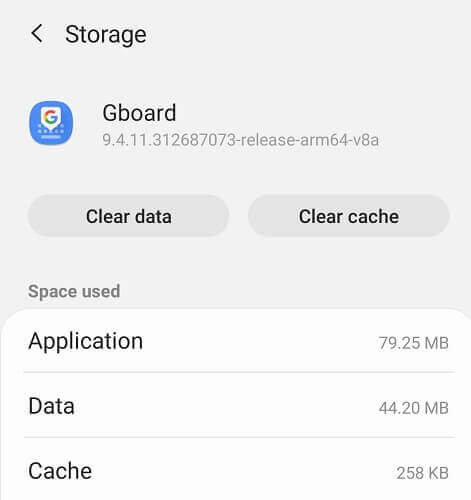
Tap Settings on your Android mobile.
In Settings, select Apps.
Next, select the TD Ameritrade app.
Tap Storage to open further options.
Tap the Clear cache button for the TD Ameritrade app.
Turn off your mobile after clearing the app’s cache.
You can also try selecting the Clear data option if the cache option has no effect.
2. Consider using an alternative
While Ameritrade is indeed a very reliable market trading data app, it isn’t the only tool of its kind on the market.
On that note, we recommend that you give TradinView a shot.
This tool will provide you with in-depth info on all varieties of stocks, from foreign currency to oil and gold prices, and it even has sections dedicated to those who invest in crypto-currency.
The entire service is available via your web browser, so as long as you are using a fast and reliable one, you can go ahead and start making better financial decisions using TradingView.
TradingView
Be ahead of your online trading competition with the help of this amazing tool.
Ameritrade’s customer support will probably ask you some alternative ID questions and then provide you with your security question answer.
Alternatively, try logging in to the TD Ameritrade mobile website instead. That sends security codes to users via text messages. So, security answers aren’t needed for the website.
7. TD Ameritrade streaming quotes not working
TD Ameritrade streaming quotes have stopped working in the past. If you can’t view Ameritrade’s streaming quotes, there’s not that much you can do to fix the issue.
Missing streaming quotes will be more of a server issue. TD Ameritrade had a notable outage as recently as May 2020.
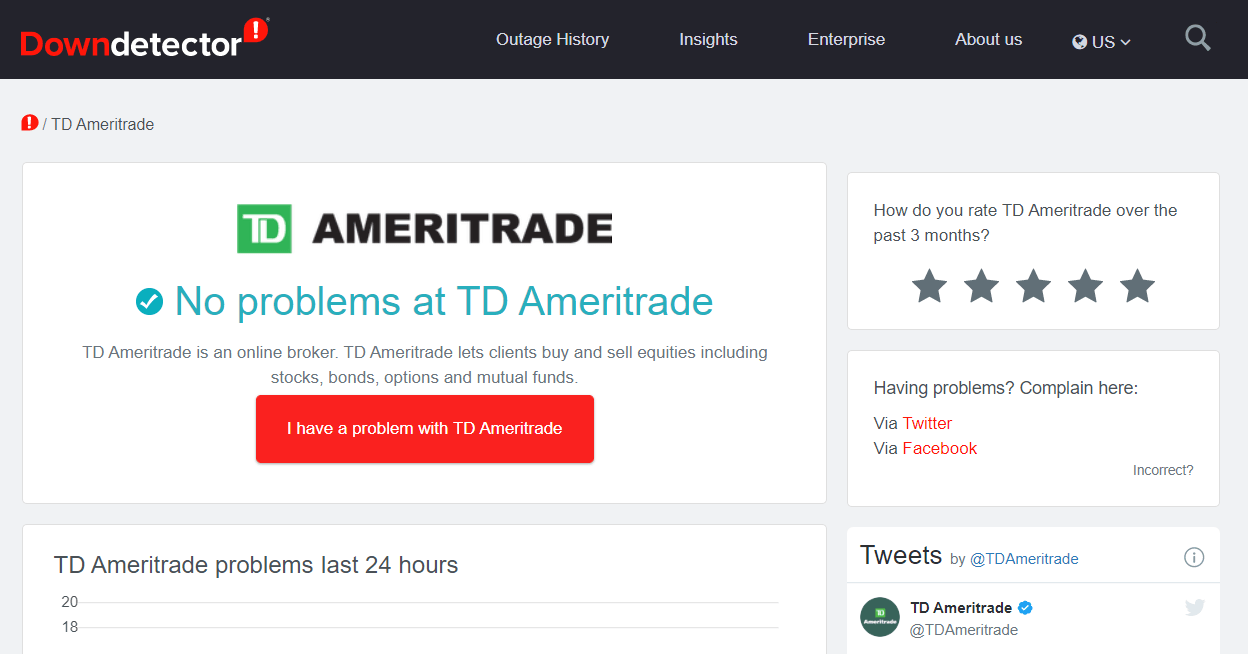
You can check if Ameritrade is down at Downdetector.com. Open the Downdetector.com page for Ameritrade, which will tell you if there’s a server issue.
So, that’s how you might be able to fix an Ameritrade app not working. Although not entirely confirmed fixes, those resolutions could feasibly resolve quite a few TD Ameritrade app issues.
If you are still running into problems, remember that similar issues can happen with other banking platforms too. For TD users, we’ve also covered specific fixes in our guide on TD EasyWeb not working, which can help you troubleshoot further.
Whenever someone loses their eyesight temporarily or permanently due to an accident, illness or old age, a lot of the things that they used to do become either harder or impossible.
However, technology is continuously evolving, and gadgets that are there to take the place of computer displays have finally arrived.
These are known as Braille displays, and they manage to offer almost all of the functionality of a regular display in a way those that are visually impaired or completely blind could understand.
We’ve compiled a list of what we think are the best Braille displays that you could currently buy.
Note: Deals are subject to change. Keep in mind that the price tag often varies. We recommend going on the vendor’s website to check the price. Some of the products may be out of stock by the time you’ve made your purchasing decision. So, hurry up and hit the buy button.
What are the best Braille displays that I could buy?
The HIMS Smart Beetle is one of those devices that makes you second guess your decision on whether to buy it or not. At first glance, it looks like a very expensive toy, but once you try it you realize that the investment was well worth it.
You can connect it as a Braille terminal with all popular screen readers, including JAWS, Window-Eyes, NVDA, Voice-Over, Brailleback, etc.
In today’s fast-paced world, vision-impaired professionals and students need a device that lets them stay connected and stay productive on the go, and the HumanWare Brailliant BI 14 is one such device.
It is an incredibly small and compact Braille display, making it easy to carry with you everywhere and it’s designed for ultimate efficiency without sacrificing ergonomics or comfort.
If you’re slowly losing your vision and it is inevitable, it is a good idea to get a head start on learning Braille if you want to continue your hobby of reading books.
As you may have figured out from the name, the USB LCD Display for Braille Notetaker is a device that you attach to a Braille Notetaker so that you can see what you are writing in Braille, making it a good practice tool.
On the top of our list is the Braille EDGE 40 and for good reason. Not only is it the most powerful and versatile Braille display on the market, but it also has the basic features of a Braille Notetaker.
You can use it to do some of the most mundane of tasks, such as creating and saving notes or reading books and documents with the notepad.
You can even use the scheduler to remind you of important dates, use the alarm to remind you of upcoming appointments, or even use the built-in calculator, stopwatch, or timer.
Just because one person becomes blind, it doesn’t mean that they are condemned into a world of darkness where all of their favorite hobbies are cut off.
Technology now allows those that are partially or totally blind to continue reading books, interact with people on social media, and so on, and a Braille display is a perfect example of that.
The dashboard camera offers peace of mind to the drivers. These cams can help you make a case for yourself if something unfortunate happens while you are out driving. However, with all the options around, finding the right dashboard camera can be an overwhelming experience.
While buying a dashboard camera it is important to make sure that the camera offers an excellent day as well as night vision recording. If you are in the market looking for a great dash cam, look no further as we have sifted thought the best deals to find the top 5 dashboard cameras for night driving.
Note: Deals are subject to change. Keep in mind that the price tag often varies. We recommend going on the vendor’s website to check the price. Some of the products may be out of stock by the time you’ve made your purchasing decision. So, hurry up and hit the buy button.
Which are the best dashboard camera with night vision?
TOGUARD Mini Dash Cam is a budget-friendly dashboard camera with all the bells whistles that a budget dashcam should have.
It comes with a 2.45-inch display to watch the recording and it is hidden behind the rearview mirror. The camera is capable of recording in Full HD 1080p resolutions using the 170-degree wide-angle sensor.
TOGUARD Mini Dash Cam automatically starts and stops recording when the ignition is turned on/off. It also comes with a Motion Detection and Parking Monitor feature that can record about 30 seconds clip when the car is in the parking spot.
If you are looking to cover both your front and rear view, COOAU Mirror Dual Night Vision Dash Cam is a better option.
COOAU Mirror Dual Night Vision Dash Cam comes with a dual camera with a 7″ touch screen display. The Sony IMX 323 sensor is capable of recording 1080p Full HD videos in day and night conditions.
Both the front and rear camera supports 170-degree wide-angle recording. The touchscreen display can be used as a daily rearview mirror as well as a parking camera.
Additional features in the setup include Parking Monitor, Motion Detector, G-Sensor, WDR, and Loop Recording.
In case you want the best quality videos from your car’s dashcam, the Campark ACT74 Action Camera is a value for money product you can buy.
The camera offers an exceptional 4K Ultra HD 2160p recording with a 170-degree wide-angle lens. The built-in Wi-Fi connection allows you to connect the camera to any Android smartphone and control the camera with the phone.
With the built-in GPS functionality, the camera can record real-time GPS coordinate in the video file. The Super Night vision feature, thanks to WDR, HDR, and F1.8 wide apertures capture can record detailed videos in low light conditions.
APEMAN 1440P&1080P Dual Dash Cam is another dual-camera setup that covers the front and rear view of your vehicle.
Compared to the COOAU setup, the APEMAN dash cam comes with a 2K resolution recorder at the front and a 1080p Full resolution camera sensor for the rear.
The 150-degree wide-angle sensors monitor all directions without leaving any blind spots. Users can lock particular files or the camera can automatically overwrite the previous recording with new files when the memory card is full.
Garmin is one of the most popular dashcam brands that make high-end dash cameras. The Garmin Dash Cam 55 is a high-end dash cam that backs on a marque’s action camera user interface with tons of additional features.
It offers 1440p 2K resolution recording that can be viewed on a 2″ LCD screen. It is a small device and does not take unnecessary space in your car.
Users can control the camera with Voice commands that can turn on/off the camera, save clips, and more. The camera also comes with Loopmrecording, G-Sensor, and Driver Alerts that provide forward collision and lane departure warnings.
All the dash cams listed in this article offer excellent night vision recording. Depending on your requirement, you can either pick premium 4K dash cams or save some bucks by opting for lower 1080p resolution devices.
Here are the best memory cards that you can use to expand your dashcam’s storage.
Do I need a dashcam?
If you’re on the road over long periods of time, it is good to have a dashcam.
Government organizations, small or large businesses, as well as private individuals use paper shredders to destroy sensitive documents. Besides being recycled to eventually turn into paper again, paper can also be added to compost.
Paper shredders for composting actually offer a great solution for easily recycling large amounts of paper, as well as boosting the health of the soil that it’s added to. If you like the sound of this idea, the simple recommendation is that you should probably start using such a shredder.
For today, we have put together a collection of the top 5 paper shredder deals.
Note:Deals are subject to change. Keep in mind that the price tag often varies. We recommend going on the vendor’s website to check the price. Some of the products may be out of stock by the time you’ve made your purchasing decision. So, hurry up and hit the buy button.
When shredding paper that you plan to compost, you’re most likely looking for a shredder that can turn paper into pieces that are as small as possible.
Well, that exactly what defines the AmazonBasics Paper and Credit Card Shredder, besides the incredibly affordable price.
This little machine will turn up to 8 sheets of paper at a time into confetti, and it can run for 30 minutes straight, so any document you need to be disposed of will be no faster.
Office supplies don’t just mean paper that needs to be disposed of, they can also mean credit card and other small plastic objects.
Well, if you need to destroy a lot of those, then the Aurora AU1230XA will get the job done for you in no time, turning your plastic waste into small shreds.
Besides, if you happen to jam it with too much, it will automatically stop running and go in reverse, basically expulsing whatever jammed it in the first place.
You know that you cannot get the capacity of a commercial shredder at an affordable price. For composting home use, the Fellowes shredder offers a combination of helpful features and overall value.
Let’s hope that the 5 minute continuous shredding time is not a disappointment.
The Bonsaii 14-Sheet heavy duty paper shredder has a high Amazon rating among buyers. It easily destroys about 3500 sheets of paper and its unique design prevents jams, so you can work without interruption and get ready for composting.
When necessary, the shredder briefly stops and puts itself in reverse to clear the jam, so you really don’t have to worry about a thing.
The Bonsaii 20-Sheet paper shredder has a ton of great features for your shredding and composting needs. It uses Advanced Cooling System and patented Cutting Technology, as well as 100% jam-proof technology.
If you have ever tried to undo a jam in a paper shredder, then you’re no stranger to the valuable time wasted with such a procedure. That’s what makes this model even more appealing.
In closing, let us remind you that there are certain types of paper and other materials that aren’t safe for compost in the first place. Some paper contains harmful dyes; as for plastic, it could come from shredded flyers or credit cards.
While these materials can be recycled, they are often dyed with harmful chemicals to grow plants. Stay informed on the topic and choose one of the above paper shredders for composting as fast as possible.
Yes, they are. Offices can use paper shredders to dispose of paper documents that may contain sensitive information that can be used illegally if fallen into the wrong hands.
Microsoft news recap is a weekly feature highlighting the top Microsoft news stories of the past week. Sit back, grab some coffee, and enjoy the read!
Xbox Game Pass mobile app gets ready for EA Play and Xbox Series X|S enhanced games
Ahead of the launch of Xbox Series X|S and EA Play joining Xbox Game Pass next week, a new update for the Xbox Game Pass app prepares it for showing EA Play games once the service is available to Xbox Game Pass members. You can now also see what games are coming to Xbox Game Pass soon and queue them for installation once available.
Microsoft Teams users will soon be able to reply to specific messages
Keeping up in fast-moving conversations or where multiple topics are being discussed is getting easier for Microsoft Teams users on desktop. Soon, it will be possible to reply to specific messages, or rather, quote a message.
PSA: Microsoft Teams web app will end support for IE 11 later this month
Microsoft finally launches HoloLens 2 Development Edition in the United States
This week saw Microsoft’s HoloLens 2 Development Edition launch in the United States, offering a bundle of hardware to help developers create content for the device. In addition, other regions will also see the HoloLens 2 Development Edition launch by the end of the year, including Canada and the UK, among others.
Microsoft’s HoloLens 2
That’s it for this week. We’ll be back next week with more Microsoft news.
Life as an avid gamer can be tough, especially if you can’t get the most out of your gaming sessions. Some of the greatest obstacles of our era when it comes to online gaming are connection issues.
Most of the times, these issues occur as a result of negligence, lack of knowledge or lazyness regarding properly configuring your system for the best results. The rest of the times it’s just bad luck.
With that in mind, we’re going to take a look at a specific, and essential component of your network: your router. Furthermore, we’re going to help you optimize this device for heavy gaming sessions.
Routers are a common networking component
A few years back, routers weren’t so common, but the outstanding increase of Internet-capable devices (especially wireless ones) in households everywhere upped the demand.
As a result, there are almost zero chances to stumble upon a router-less household.
However, many overlook a bunch of aspects when choosing their router, which often translates into a less-than-enjoyable gaming experience.
Not necessarily because the router has poor capabilities or hardware limitations, but for its poorly default configuration, which regular users don’t even bother to explore, let alone modify.
How to optimize routers for gaming?
1. Always use Ethernet, if possible
It’s a widely-known fact that, due to various factors, wireless isn’t as reliable as a wired connection.
Therefore, it makes sense that using an Ethernet connection instead of Wi-Fi can boost your gaming experience.
Pro tip: if you’re going to spend a few hours gaming, and you can afford to lose wireless connectivity, for the time being, just skip the router (if possible) and plug your PC straight into the network.
2. Use the right cables for the job
It goes without saying that subpar cables can really mess up your gaming, so you’ll need to pick up proper ones.
Currently, the latest, and fastest type of Ethernet cable is Cat8, providing you with up to 40 Gbps speeds and a frequency of 2000 Mhz.
However, this might be a bit overkill, considering that home connections aren’t usually that fast.
As a matter of fact, 1 Gbps seems to be a quite common choice for home Internet users, which is the maximum speed that Cat6 cables can achieve.
Check out the list of cables below and make sure to pick one that fits your connection properly:
Type
Max. Speed
Max. Cable Length
Frequency
Cat5 / Cat5e
100 MB/s
328 ft. / 100 m
100 MHz
Cat6
1 GB/s
328 ft. / 100 m
250 Mhz
Cat6a
10 GB/s
328 ft. / 100 m
500 Mhz
Cat7
10 GB/s
328 ft. / 100 m
600 Mhz
Cat8
40 GB/s
98 ft. / 30 m
2000 Mhz
Pro tip:if your connection can handle it, make sure to buy routers with Gigabit Ethernet ports (in addition to speed-matching cables).
3. Change the wireless channel
If choosing Ethernet is just not an option for you, there’s something else you can do to optimize your router‘s wireless capabilities.
First of all, turn off the Internet access of any other wireless bandwidth-consuming device in your household (if possible).
Furthermore, change your wirelessrouter‘s broadcast channel, to avoid interference.
If you have neighbors with Wi-Fi routers, there’s a strong chance that their signal will interfere with yours, leading to poor gaming performances (network-wise).
Changing the channel will take care of this issue. The same goes for using 5GHz instead of 2.4GHz, considering that the former has several more non-overlapping channels than the latter (23, compared to 3).
Don’t get us wrong, interference happens even on 5GHz, but the 2.4GHz can pick up interference even from non-Wi-Fi devices.
Pro tip:use a Wi-Fi analyzer or a channel scanner to help you pick the best broadcast channel for your wireless router.
4. Enable QoS
QoS, short for Quality of Service, is an essential feature for routers nowadays. What this feature essentially does is prioritize bandwidth allocation for certain devices connected to the router.
Therefore, if your household has several devices connected to the router, and all of them are using bandwidth, QoS can help you decide which devices/apps get more of it.
For instance, if one of your roommates is streaming Netflix movies, and another is on a torrenting frenzy while you’re trying to play an online game, you’ll have an awful time without QoS.
Enabling QoS can help you prioritize online games (or your PC, depending on the router model), so it always gets the appropriate amount of bandwidth. Oh, your roommates? They’ll probably just share the leftover bandwidth.
Pro tip:Always prioritize by application, if possible. That way, you can have enough bandwidth on multiple devices, as long as you’ll fit in the QoS configuration scheme.
5. Avoid double NAT-ing
If you’re in a double NAT situation, it can quickly take a toll on your gaming session. Aside from the fact that you may not be able to access certain servers (or host your own public servers, for that matter), there’s also the speed factor.
Many users complained that their double NAT configuration slows down their connection and increases their online ping.
Although others claim that double-NAT slowdowns are a myth, if you’re not concerned about security and care more about gaming, you don’t want double NAT.
You can disable double-NAT by yourself if the ISP modem/router has a Bridge Mode toggle that you can operate.
Otherwise, you’re just a call away from fixing the issue. Just contact your ISP and ask them to put their proprietary router in Bridge Mode. They’ll know what you mean.
Avoiding double NAT is important for stable online performance. If you want to improve your connectivity even further, you can also learn how to change NAT type on Windows 11 to ensure smoother server access and lower ping during gameplay.
Pro tip:you can also bypass Double NAT if you’re not comfortable with disabling it altogether.
Last thoughts on optimizing your router for gaming
All things considered, routers are quite complex parts of your network, but that doesn’t mean you can’t configure them to fit your needs for online gaming.
Whether it’s enabling and using QoS, upgrading your Ethernet cables or switching your Wi-Fi broadcast channel, there’s almost always something you can do to boost your router‘s online gaming-related performance.
You can improve the performance of your Naim system by adding compatible accessories to the speaker. One such accessory is a banana plug that allows you to terminate the loudspeaker cable.
Another advantage of using a banana plug is that it gives you the most reliable connection for any type of speaker cable termination. This is the most practical way of connecting speakers to amplifiers or receivers.
In this article, we have listed the best banana plugs for Naim so that you can conveniently terminate the plugs without having to solder the speaker wires.
Note: Deals are subject to change. Keep in mind that the price tag often varies. We recommend going on the vendor’s website to check the price. Some of the products may be out of stock by the time you’ve made your purchasing decision. So, hurry up and hit the buy button.
On top of our list the Sewell Deadbolt banana plugs. These are cost-effective banana plugs that come in pairs of 2 – 50. Positive negative plugs are marked with red and black for easier identification.
Sewell Deadbolt offers 24k gold plated connectors and crimping teeth for better performance. The fast lock technology allows you to self crimp a reliable connection in no time.
Monoprice 109436 makes speaker installation a breeze. These plugs are designed for use with amplifiers and Naim speakers that uses traditional binding posts.
Monoprice 109436 supports bare wire and spades and also accepts 12 to 18 AWG speaker wires. The color-coded plugs make it easy to maintain polarity.
Similar to Swell plugs, Monoprice 109436 also comes with 24K gold plated connectors for superior quality with brass body construction.
Amazon makes some good accessories and one of them is AmazonBasics Speaker Connector. It is a premium quality banana plug with a 2K gold plated connector.
With AmazonBasics Speaker Connector you can use the female connection on the base of each plug for connecting multiple speakers from a single output.
According to Amazon, these plugs accept 12 to 18 AWG speaker wires and comes with color-coded red rings as well.
If you are looking for corrosion-resistant banana plugs, then theMediabridge offers some high-quality plugs for high-end speaker systems like Naim.
Mediabridge includes 12 pairs of banana plugs. It is compatible with bare wire, spades, and other banana plugs. You can connect 8-18 AWG speaker wires.
For durability, it comes with 24K gold plated connectors offering less distortion and better signals.
Sewell Silverback offers crystal clear signal and improves performance. It is a good quality banana plug for Naim speakers and comes with 24K gold plated connectors for noise-free performance.
The double screw design is claimed to be as effective as soldering without the hassle of the traditional connector.
If you are looking to terminate the Naim speaker wires, using the banana plug is the right way to do it. It helps you to reduce clutter and gives your audio system a cleaner look.
HP Pavilion comes with a 2.4GHz Intel Core i5-9300H processor and a dedicated NVIDIA GeForce GTX 1650 4GB graphics card, so it should be able to handle some gaming.
The device comes with a 15.6-inch micro-edge display with full HD resolution, WLED-backlighting, and anti-glare coating. It’s worth mentioning that the device has 8GB RAM, so it should handle most tasks with ease.
Regarding the storage space, there’s 256GB SSD available, which might not be enough for the latest games. When it comes to ports, there’s one USB 3.1 Gen 2 Type-C port is available, as well as three USB 3.1 Gen 1 Type-A ports.
As for additional features, there’s support for Wi-Fi 5 and 802.11ac standard, as well as Bluetooth 4.2 technology.
Overall, HP Pavilion is a solid laptop, and it should be able to handle light gaming and older titles with relative ease.
This laptop is equipped with the 9th Gen Intel Core i5-9300H quad-core processor. The processor supports Intel Turbo Boost Technology, so it can deliver maximum performance while gaming.
ASUS TUF Gaming FX505GT comes with a 15.6-inch full HD display with LED backlight, and it uses NVIDIA GeForce GTX 1650 with 4GB GDDR5 RAM.
Regarding the memory, this model offers 8GB of DDR4 RAM, which should be enough to run most games. Regarding the storage, there’s 512GB SSD available.
Additional features include HDMI 2.0 port, two USB 3.1 Gen 1 ports, 3.5mm audio jack, RJ-45 port, RGB backlit keyboard, and Windows 10 Home 64-bit preinstalled.
ASUS TUF Gaming FX505GT is a solid laptop, and if you’re looking for an affordable gaming laptop, this might be the perfect model for you.
Acer Nitro 5 is a 15-inch device and it comes with full HD IPS LED-backlit display while being powered by 9th Generation Intel Core i5-9300H up to 4.1 GHz.
Regarding the graphics, this laptop uses NVIDIA GeForce GTX 1650 Graphics with 4GB of GDDR5 VRAM. Although this isn’t the best graphics card, it should be able to handle most games.
The device has 8GB 2666MHz DDR4 RAM and 256GB PCIe NVMe SSD. It’s important to mention that there are two M.2 slots, so you can expand your storage, and there’s even a hard drive bay available.
As for multimedia, there’s Acer TrueHarmony and Waves MaxxAudio technology, and thanks to the dual fans and Acer Coolboost technology, your laptop will remain cool even during intense gaming sessions.
Acer Nitro 5 is a solid gaming laptop, and if you’re looking for a laptop that can handle basic gaming, this model might be just what you need.
This is a 15.6-inch device and it comes will a full HD four-sided NanoEdge bezel display. The device is powered by Ryzen 3 3200U Processor up to 3.5GHz.
Regarding the graphics, the laptop relies on AMD Radeon Vega 3 that should be able to handle multimedia and some light gaming with ease.
As for the memory, ASUS VivoBook 15 has 16GB DDR4 RAM so it should be able to handle multitasking with ease, as well as various games. 256GB SSD is available for storage, which might not enough for the latest games.
As for additional features, there’s a combo audio jack, a Type-A USB 3.1 Gen 1 port, a single Type-C USB 3.1 Gen 1 port, two USB 2.0 ports, and a single HDMI port.
ASUS VivoBook 15 offers decent hardware, and it’s a perfect choice for casual gaming, so you might want to consider it.
Lenovo IdeaPad Gaming 3 comes with a 15.6-inch 120Hz display, so it’s perfect for all types of fast-paced multimedia. Regarding the hardware, this device runs on the 10th Gen Intel i5-10300H quad-core processor.
In terms of graphics, this model uses NVIDIA GeForce GTX 1650 4GB GDDR6 which should be enough for multimedia and some light gaming.
As for the memory, Lenovo IdeaPad Gaming 3 comes with 8GB RAM and 256GB solid-state drive. While the 8GB should be enough for most games, 256GB of storage might not be enough for newer titles.
Lastly, we have to mention that this model comes with Windows 10 Home installed, so you can start with gaming right out of the box.
Lenovo IdeaPad Gaming 3 is a solid device for gaming, and if you plan to run a couple of older titles, you should have no problems with it.
Finding a gaming laptop under 800$ isn’t as easy, especially because you won’t get the best performance on such device, but nevertheless, we hope that you’ll consider these models from our article.
Thanks to the ever-increasing high-resolution media files, creative professionals can run out of storage space in no time.
While deleting your previous projects is not an option; what you can do is add an external hard drive to make more space for new projects.
Music producers usually spend days on their projects and having to re-do all the work just due to a computer hard drive failure is not a feasible solution.
In this article, we have listed the best external hard drive for music production, offering reliable performance for the right price.
Note: Deals are subject to change. Keep in mind that the price tag often varies. We recommend going on the vendor’s website to check the price. Some products may be out of stock by the time you’ve made your purchasing decision. So, hurry up and hit the buy button.
What are the best external hard drives deals to get?
WD 2 TB Elements is a compact external hard drive with multiple storage capacity options. However, the one listed here offers 2 TB of storage space out of the box.
The connectivity options in the drive include USB 3.0 port which is also compatible with the USB 2.0 interface offering reliable performance with faster data transfer.
On the flip side, WD 2 TB Elements misses out on Auto-backup Software, password protection and hardware encryption featured offered by the My Passport series HDDs.
Seagate 8TB HDD is for those who are looking for an external hard drive to use with their desktop PC and large storage space. It is a USB 3.0 compatible hard drive and works with both Mac and Windows systems.
With the Seagate 8TB HDD you can back up and transfer your content incredibly easy due to the automatic recognition, and there is no software required.
WD 4 TB My Passport strikes a perfect balance between style and practicality. It is a 4 TB external hard drive that comes in a premium looking plastic shell.
Compared to WD Elements, the Passport series offers Automatic backup software, password protection, and 256-bit AES hardware encryption out of the box.
The connectivity is covered by a USB 3.0/USB 2.0 compatible port. WD also offers a 3-year manufacturer’s limited warranty.
Seagate Backup Plus Hub is a 10TB external hard drive that comes with some additional features that are not available in other hard drives.
To begin with, Seagate Backup Plus Hub offers two additional USB 3.0 Ports that can be used to charge your smartphone as well as connect multiple devices. It also comes with Seagate backup software.
Similar to WD Elements, Seagate Backup Plus Hub also runs on an external power source and uses USB 3.0 port for connectivity.
For music producers, it is important to protect their work and have a backup in case something goes wrong.
In this article, we have listed the small capacity affordable external drives as well as the massive 10TB HDDs that cost a premium.
Whether you stream games professionally or as a hobby, you must get equipped with the proper tools to help you record audio, video, and gameplay.
Ideally, you need the best quality possible and zero delays. There are a lot of dependable game capture cards that you can explore, but most of them are pretty expensive.
In this article, we’re focusing on the affordable game capture cards that you can get under $100 from Amazon. We picked our favorite ones to let you know what we like and don’t like about them. Have a look to see which is the right fit for you.
Note: Deals are subject to change. Keep in mind that the price tag often varies. We recommend going on the vendor’s website to check the price. Some of the products may be out of stock by the time you’ve made your purchasing decision. So, hurry up and hit the buy button.
What the best deals for game capture cards under $100?
The VG0019 model from MYPIN is a great game capture card that you can get for under $100. It records high-quality videos to 1080p and supports HDMI output. The card works only with gaming consoles, such as Xbox, Playstation, Wii U, DVD, or Blu-Ray.
The recordings can be saved to a USB flash drive (up to 1280Gb) or hard drive (up to 2Tb). Both USB 3.0 and 2.0 work well with this device.
The LEADNOVO audio-video capture card is an extremely useful device to own if you’re planning or recording and streaming audio or visual, and want a crystal-clear quality.
This slick black-box ensures that you can record and stream content with 4K quality at 1080p resolution, and allows you to easily transfer files through it speedy USB 3.0.
You can get it in 3 different colors, ensuring that it will look stylish no matter if you’re using it at home or on the move.
To make things even easier, this device doesn’t require any sort of driver to be installed, and you can start using it as soon as you plug it in.
The MiraBox HSV321 model is also a game capture card that you can get just below $100. It comes with several handy features for game recording and streaming.
For instance, the device includes an HDMI source and output. In addition to gaming consoles, it’s compatible with PCs and laptops.
You don’t need to spend a lot of money to get a reliable game capture card that lets you record audio, video, and games.
Check out our suggestions and pay a visit to Amazon to see which is the best option for you when it comes to the options presented above
If you have any suggestions, feel free to share them with us by using the comment section below.