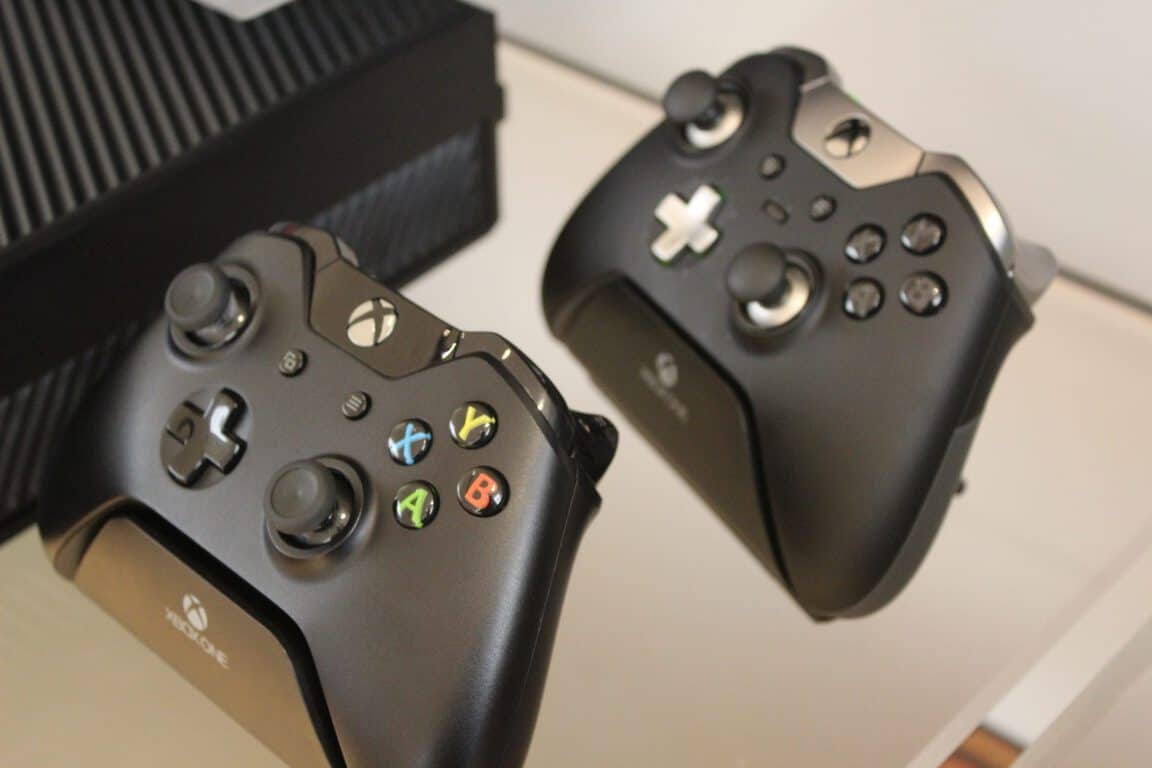
Battleborn, Grand Theft Auto 5, and NBA 2K16 headline this week’s Xbox Deals with Gold

The weather may be getting hot outside for the Summer season, but the Xbox deals never cool down. Major Nelson has once again taken to his blog to announce this week’s Deals with Gold and spotlight savings, and they’re doozies.

Savings this week are valid from now until June 6th and include BattleBorn, Grand Theft Auto 5, and NBA 2K16. On the Xbox 360 side, the deals include Tony Hawk’s Pro Skater 5, Guncraft, and so much more. We’ve given a few of the biggest Xbox One and Xbox 360 titles a look and have included Microsoft’s descriptions and download links below.

Xbox One Deals

BattleBorn: $59.99 now $38.99

A tremendous band of badass heroes fight to protect the universe’s very last star from a mysterious evil in this next-gen shooter by the creators of Borderlands. Slash and parry, run and gun, cast and dash, or simply obliterate foes while building and growing your personal team of heroes.

Grand Theft Auto 5: $59.99 now $38.99

When a young street hustler, a retired bank robber and a terrifying psychopath find themselves entangled with some of the most frightening and deranged elements of the criminal underworld, the U.S. government and the entertainment industry, they must pull off a series of dangerous heists to survive in a ruthless city in which they can trust nobody, least of all each other. Features across-the-board graphical and technical enhancements for a deeper, more vibrant world.

NBA 2k16 Starter Pack Bundle: $79.99 now $43.99

NBA 2K is back with the most true-to-life NBA experience to date with NBA 2K16. The NBA 2K16 Starter Pack Bundle includes NBA 2K16 and 75,000 VC. NBA 2K16’s in-game currency, VC, can be spent on your MyPLAYER, MyTEAM card packs, and more!

Again, the above-mentioned titles are just a few of the Xbox One titles that are part of this week’s Deals with Gold savings. Other deals (seen below) include savings on NBA 2k16 VC, Tony Hawk’s Pro Skater 5, Grand Theft Auto 5 bundles, and more.

Screen Shot 2016-05-31 at 11.58.21 AM
Full list of Xbox One Deals with Gold

Xbox 360 Deals

Tony Hawk’s Pro Skater 5

Tony Hawk’s® Pro Skater™ 5 boasts an all-star lineup of skaters that represent the incredible diversity of skating today. Select from 10 pro skaters, which include long-time veterans to recent Skaters of the Year who grew up playing Tony Hawk games! Each pro brings their own unique skating style to the game, so whether you like street, thrasher, vert, ripper or hybrid skating, THPS5 has you covered!

Guncraft: Blocked and Loaded

Block and Load! Combining the addictive nature of block building sandbox games with the speed and competition of modern first-person shooters, Guncraft takes voxel-based gaming to a whole new level. Players can create maps and arenas based on anything imaginable and, once complete, can utterly destroy them with bullets, bombs, grenades, tanks, helicopters, gunships, and much more. In the heat of battle, soldiers can create custom blockades and fortresses instantaneously.

Just like on the Xbox One side, these above-mentioned titles are just part of the Xbox 360 Deals with Gold savings. As seen below, NBA 2K16, Tony Hawk’s Pro Skater HD, and Battle Field Hardline Getaway round out the Xbox 360 savings.

Xbox 360 Deals with Gold savings

So, what do you think? Do you regularly check out the Weekly Deals with Gold savings? These deals are only valid with a Xbox Live Gold subscription, and so will you pick up any of these Xbox titles? Let us know your thoughts by dropping us a comment below!

Windows 10 is now the most used desktop operating system in North America and Northern Europe

While news of Windows 10’s steady advances towards Microsoft’s hefty ambition of a billion devices are abound, they only focus on the numbers and not the situation of Windows 10 distribution around the world. For that kind of big picture we have to rely on metrics site like StatCounter. whose newest desktop operating system usage stats, noted by Microsoft employee @dstorey, shows some encouraging development in key markets for Microsoft’s ultimate OS.

Specifically, Windows 10 is reported topping the usage chart for North America. The operating system has surpassed its three-generation-behind predecessor and in some sense biggest competitor, Windows 7, in the region, albeit by a very slim margin. Zooming a bit closer, the reason for this might be a similar dethroning in the US, where Windows 10 is now used more than Windows 7 by almost 1%, at 28.82% share of the market.

StatCounter-os-na-daily-20160529-20160529-bar
A tiny lead, but a lead nonetheless.

StatCounter-os-US-daily-20160529-20160529-bar

Over “downunder” in Oceania, Windows 10 has a much more significant lead of almost 5% marketshare. While a bit exaggerated in its presentation, the map view of the usage statistics gives us a pretty clear idea why. One word: Australia. The country’s seems pretty taken with Windows 10, with nearly 30% of market share. Interestingly, Windows 7 is only at third place here, as OSX seems to have somehow taken the second spot in usage ranking, prompting assumption that Australian consumers may have a bit more money to spend than their fellow humans. Nevertheless,  the fact that Windows 10 is still leading in such an Apple-entrenched market can only be a good sign.

StatCounter-os-oc-daily-20160529-20160529-map
A bit exaggerated..

StatCounter-os-oc-daily-20160529-20160529-bar StatCounter-os-AU-daily-20160529-20160529-bar

While Windows 10 has not achieved market dominance in the whole of Europe yet (that number one spot still belongs to Windows 7), the part of it where gains are showing is very interesting. True to their tradition of taking in new technology, Northern European consumers are shown leading the adoption of Windows 10 in Europe, despite some bad blood between Microsoft and one of the region’s main countries, Finland. Seeing how Microsoft’s newest job cuts has again touched the nerves of the Finnish government, and most likely its citizens, one has to wonder if there will be visible effects on adoption rate in the upcoming months.

StatCounter-os-eu-daily-20160529-20160529-bar StatCounter-os-eu-daily-20160529-20160529-map

All in all, these new stats paints a pretty positive picture of Windows 10 adoption rates in crucial markets, Microsoft’s home base included. Of course, there is a way yet until the OS reaches the global-domination mark of 1-billion; as Microsoft perfects its OS however, that day may come sooner than you think.

E3, set for June 14-16, adds an “Xbox One VR” category

While we already expected a busy E3 2016 following our previous reports on new Xbox hardware reportedly in the pipeline, it seems that the upcoming gaming show could also reveal new Xbox One VR experiences, according to a new report from Techradar. Our colleagues spotted on NeoGAF that a user called “00ich” has discovered that four companies are currently registered under the “Virtual Reality > Xbox One” category on the official E3 website: Rebellion, Maximum Games, Readily Information Company and 3DRudder.

Game developer Rebellion on the E3 website.

Of course, this could well be an error but Techradar recalled in its report that both Rebellion and 3D Rudder already shipped VR products. Indeed, as a game developer, Rebellion developed Battlezone VR for PlayStation VR while hardware company 3DRudder builds feet-based VR and 3D motion controllers.

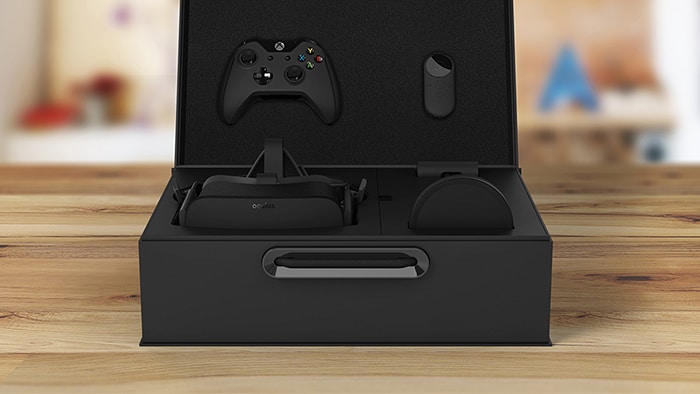
Furthermore, a previous report from Kotaku revealed last week that Microsoft is currently pursuing a partnership with VR company Oculus, which could mean that the next iteration of the Xbox One (codenamed Project Scorpio and slated for release in late 2017) could be VR enabled and probably compatible with the current consumer version of the Oculus Rift headset. Last, an additional report from Ars Technica confirmed last week that there would be an announcement of an Xbox One virtual reality game at E3.

If you have been following the news around virtual reality, you may be aware that Sony has already a clear VR strategy as the Japanese company is expected to introduce PlayStation VR later this year and is also rumored to be reveal a PlayStation 4.5 during E3. It makes sense for Microsoft to reveal its VR plans during the upcoming gaming show as the Redmond giant can’t afford to miss the VR train and continue to appear as the underdog in its fight against Sony’s very successful Playstation 4. Do you think Microsoft is ready to reveal the first Xbox One VR experiences at E3 2016? Please let us know what you think in the comments.

Microsoft, others to support EU hate speech code of conduct

A new report out by the BBC is showing that tech and online giants Microsoft, YouTube, Twitter, and Facebook have pledged to remove hate speech within 24 hours. This pledge comes in support of a part of new code of conduct drafted by the European Union which is aimed towards limiting the spread of online abuse on social media.

As part of the pledge, Microsoft and the other companies also agree to work with groups that monitor and flag hateful content. Additionally, BBC also reports that the companies also pledge to “develop and promote ‘counter-narratives’ to challenge those who post hate speech or illegal content.”

BBC notes that under the proposed European Union code, Microsoft and the other companies will also have to “overhaul their notification systems” for faster access to reporting inappropriate content. A European Commission, though, will still hold meetings with Microsoft and the other technology companies to see what effect the code will have.

MSI showcases VR-ready Windows 10 gaming laptops at Computex

MSI has just announced a new line of Windows 10 powered gaming notebooks built for the best of virtual reality gaming. The devices were shown off at the MSI’s 30th Anniversary Gaming Night event at Computex, and are being featured on Microsoft’s Windows Experience blog.

The GT73 gaming laptop

Leading the pack are MSI’s new SLI platform design GT83 and GT73 Titan SLI laptops. Set to be released in August for $4,500 The GT83 packs a NVIDIA GeForce GTX980 SLI graphics solution and a 4K display with surround mode for the best true-to-life gaming experience.

The GT73, meanwhile, is ideal for gamers who are looking for a smooth gameplay at 4K settings under 3 monitor surround sound mode. It also will be released in August for $2,500 and will be the lightest mobile SLI with dual GTX980M SLI level graphics, and will also support single GTX980 top-tier mobile graphics.

GS63 Stealth Pro
GS63 Stealth Pro

Also available in August, next up is the new $1,600 17.7 mm thin GS63 Stealth Pro gaming laptop. It features Cooler Boost Trinity and has a total of 5 heat pipes and enhanced Whirlwind Blade fans to exhaust the heat out of the system effectively and silently. It is also powered by the Intel Core i7 6700HQ and the NVIDIA GeForce GTX970M for the ultimate gaming performance.

GS73 laptop
GS73 gaming laptop

Third on the list is the $1,700 5kg in weight GS73 laptop, which accommodates mobile GTX970M graphics and Cooler Boost Trinity. The GS73 includes a SteelSeries gaming keyboard and SteelSeries Engine 3 software, True Color display with better gamut color panel, ESS SABRE HiFi headset AMP and Nahimic 2.0 for better sound experience.

Backpack PC
Backpack PC

Last is the MSI Backpack PC. Microsoft notes that this PC is guaranteed to bring new levels of performance and capabilities. It is fueled by Intel extreme Core i7 processors and a NVIDIA GeForce GTX980 graphics card. It also will allow gamers using VR to move naturally without restraints for full immersion in the exhilarating world of virtual reality. Pricing and availability for this device are set to become available later this year.

To learn more about these MSI PCs you can visit gaming.msi.com. Then, once you check out the full details, be sure to drop us a comment below to let us know your thoughts on these new offerings from MSI.

Resident Evil 5 heading to PS4, Xbox One on June 28th

Back in February, we reported that the classic survival horror title Resident Evil 5 would be getting an update and would be heading to Xbox One and PC. Today we can report that developer Capcom has confirmed that the updated version of Resident Evil 5 will be launching on June 28th for Xbox One and PlayStation 4.

As per a report by Polygon, the re-released Resident Evil 5 will have all the downloadable content seen in the original game, including the two expansion episodes and the Mercenaries United and Versus Modes in multiplayer. The re-release will be priced at $19.99 and also will include improved frame rate and support for the 1080p resolution.

The Resident Evil games put you in the shoes of recurring characters facing global virus outbreaks that threatens to destroy the world. Resident Evil 5 was the first opus to feature a multiplayer coop mode as well as a much-improved gameplay.

Relive the Dead Island video games today on Xbox One with their new Definitive Editions

The two Dead Island video games are being re-released on the Xbox One today in their new, shiny Definitive Edition formats. These versions of the games come with big graphical improvements, new content, and a host of downloadable content that came out with the original versions.

Here are the descriptions for Dead Island Definitive Edition: The game that re-defined the Zombie genre – fully remastered. Paradise meets Hell! Welcome to the Zombie Apocalypse experience of a lifetime – and now more beautiful than ever. Caught in the midst of an epic zombie outbreak on the tropical island of Banoi, your only thought is: Survival! Smash heads, crack skulls and slice ‘em up with visceral astounding melee combat and true story-based 4 player co-op in a sprawling open world just waiting for exploration.

And here’s the description for the sequel, Dead Island: Rip Tide Definitive Edition: Continue the story of the Outbreak and see another Paradise gone to Hell – fully remastered. Welcome to the Zombie Apocalypse experience of a lifetime – and now more beautiful than ever. Caught in the midst of an epic zombie outbreak on the tropical island of Banoi, your only thought is: Survival!

Both games are available separately but they can also be purchased as part of the Dead Island Definitive Collection which also comes with the old school-inspired brawler, Dead Island Retro Revenge. Are you going to buy any of these re-releases? Share the hype in the comments below.

Physical version of Ori and the Blind Forest (with CD soundtrack) now available

A special physical disk edition of Ori and the Blind Forest: Definitive Edition is now available to pre-order on Amazon and numerous other stores before its June 14th 2016 release date.

Here’s the official game description: Winner of several prestigious awards, “Ori and the Blind Forest” tells the tale of a young orphan destined for heroics, through a visually stunning Action-Platformer crafted by Moon Studios. Featuring hand-painted artwork, meticulously animated character performance, a fully orchestrated score and dozens of new features in the Definitive Edition, “Ori and the Blind Forest” explores a deeply emotional story about love and sacrifice, and the hope that exists in us all.

This physical release of the game comes with a free digital download of the original Ori and the Blind Forest video game, special making of behind the scenes videos, and a CD version of the game’s acclaimed soundtrack. Are you going to purchase this physical release or do you prefer to have digital copies of your Xbox One video games? Let us know in the comments below.

Looking for a cheap Xbox One? Check out these discounts

The Xbox One has been selling in a variety of stores for very cheap prices recently. A variety of bundles are being sold on store shelves with combinations of games that take a significant bit off of the regular sale price for each game and piece of hardware and now, with rumors swirling of a new slimmer Xbox One model coming in 2016 and a more powerful edition in 2017, more stores appear to be trying to get rid of the current Xbox One model.

Groupon currently has an offer for the Xbox One 1TB Console with Rainbow Six: Siege Bundle at an $80 discount (20% off the regular price). This bundle comes with the Xbox One console with one terabyte of built-in memory, one wireless controller, one copy of Tom Clancy’s Rainbow Six: Siege, full digital downloads of Tom Clancy’s Rainbow Six: Vegas and Tom Clancy’s Rainbow Six: Vegas 2, one chat headset, and 14 free days of the Xbox Gold Live service which is needed for online multiplayer gaming and a variety of other features.

For Australians, leaked information has revealed details of a Big W games sale that’s due to begin on June 16th. Interestingly, this is two days after Microsoft’s E3 presentation where the company is expected to announce its future Xbox One hardware. Big W is expected to sell a 500GB Xbox One bundle with three games for AU$299, which is a fantastic price. If a new Xbox One is announced, this discount would make a lot of sense as once word spreads, very few people would want to buy the current version of the console. Woolworths (the company behind Big W) has since requested the details of the sale be removed, which is understandable.

Are you thinking of buying an Xbox One console or will you wait to see what Microsoft announces at E3? Let us know in the comments below.

MSI Backpack PC to make VR mobile

We’ve been seeing several VR devices ever since the Oculus Rift. HTC showcased the Vive and Sony is pushing its PlayStation VR headset as well. However, what about MSI, what are its plans for VR in order to stay relevant in the space?

Well, the company doesn’t seem too interested in releasing its own VR device any time soon. What MSI is working on is an interesting computer backpack. It is called the MSI Backpack, and it is basically a computer designed to be worn on your back.

Now, folks might be wondering how this little thong will work seeing as it has an Intel Core i7 processor and an NVIDIA GTX 980 graphic card built in. Don’t worry, MSI is aiming to attached a huge battery to the thing, so it should perform for quite some time.

For those who might be wondering, this is not designed to be used as a regular PC, but for VR users who would prefer more movement free from wires and the risk of tripping over. The MSI Backpack won’t protect you from walking into a wall, however.

We should point out this Backpack PC thing is not an original idea. Zotac is working on something similar, but we do not have much information on what is going on there.

Here’s what MSI had to say about its latest innovation:

MSI unveils a breathtaking Backpack PC powered by high-end Intel® Core i7 processor and NVIDIA® extreme level GTX980 graphics card. Free from the restraint of a fixed VR platform, users get to move around and enjoy VR with big movements and total immersion. No more worries about accidently unplugging the wires between the VR device and the platform. MSI Backpack PC renders greater mobility and freedom for VR gaming.

Keep an eye out for the MSI Backpack at Computex 2016 later beginning on May 31.

RELATED STORIES YOU NEED TO CHECK OUT:

Despite evidence to the contrary, Microsoft still clinging to Windows Phone

Taking into account the events surrounding Microsoft’s phone business from last week, one could easily conclude that Windows phones are dead and in the process of being buried. The tech giant sold the Nokia brand and cut more than 1,800 jobs from Windows phone factories, causing investors to fuss and forcing Microsoft to confirm its commitment to Windows phone in a rather awkward moment.

In an internal memo, the company assured investors their investments were not at risk. The company also confirmed it would support Windows 10 phone OEMs in developing new devices and do the same themselves. Developing better security and productivity features is another area Microsoft will be heavily focusing on.

I want to assure you that your investment in Windows phones is not at risk. The mobility of the Windows 10 experience remains core to our More Personal Computing ambition. We will continue to support and update the Lumia devices that are currently in the market, and the development of Windows 10 phones by OEMs, such as HP, Acer, Alcatel, VAIO, and Trinity; as well as develop great new devices. We’ll continue to adapt Windows 10 for small screens. We’ll continue to invest in key areas – security, management, and Continuum capabilities – that we know are important to commercial accounts and to consumers who want greater productivity. And we’ll help drive demand for Lumia devices.

Speaking of OEMs, HP is expected to launch its Elite X3 Windows 10 phone in June, designed with Continuum in mind. The Acer Liquid M330 is an interesting, low-cost Windows 10 phone with a good-looking design while Vaio offers high-end business phones for exclusive markets. Somehow, it awkwardly seems that OEMs are focusing more on Windows 10 phones than Microsoft itself.

The next Windows 10 phone Microsoft to roll out will be the Surface Phone, the company’s last hope to finally wash away Windows phone shame.  Maybe this is what Microsoft has in mind when it says it would “drive demand for Lumia devices.” Maybe it was a simple reflex that made Microsoft write “Lumia” instead of “Surface phone” in the memo. So far, its security, productivity, and Continuum apps alone haven’t been very successful at driving demand for the latest Windows phones.

The decision to make the Windows phone baggage lighter was probably the wisest choice Microsoft could have made. After two years of continuous failure, the company is finally focusing more on what really works: its apps. Chances are that this “Microsoft app, OEM hardware” combo could finally bring some cash to the company.

RELATED STORIES YOU NEED TO CHECK OUT:

UWP Remote Desktop app for Windows 10 lets you remotely connect to your computer

After months of testing, the Remote Desktop app for Windows 10 is finally out after Microsoft began beta testing the app back in December, using Insider feedback to improve its user experience

This app was only available to those who had installed the Microsoft Remote Desktop Preview app. As Microsoft finishes the preview phase, the app is now universal and replaces the 8.1 version for devices running both Windows 10 and Windows 10 mobile.

After a few months working on the core feature set, we’re excited to bring the app out of preview so everyone on a Windows 10 device, whether that be a desktop, tablet, phone or through Continuum for phone can benefit from the same great experience.

The Remote Desktop for Windows 10 allows you to connect to a remote PC from anywhere and get your work done wherever you are, a great tool for professionals on the go. In order to use the Remote Desktop app, you have to first configure your PC for remote access. Download the app to your PC, install it and you will be able to access your computer from everywhere.

The list of features include:

  • Access remote resources through your Remote Desktop Gateway

  • Rich multi-touch experience with Remote Desktop Protocol (RDP) and RemoteFX supporting Windows gestures

  • See all your remote connections in the home screen and open them with a single touch.

  • Access and manage work resources published via RemoteApp and Desktop Connections.

  • Secure connection to your data and applications

  • Simple management of all remote connections from the connection center

  • Seamless audio and video streaming

  • Support for Azure RemoteApp.

Microsoft’s efforts to improve the app and roll it out as soon as possible are appreciated. However, it seems that Remote Desktop app runs terribly in Continuum mode. The app works slower than similar remote connection apps, and mouse interaction is not at all precise. Users complain that in Continuum mode, they can only use the app for basic tasks, severely limiting their output.

We suggest you first use this workaround to fix Continuum problems in Windows 10 and then launch Remote Desktop in Continuum mode to see if the issues have been fixed.

In case you can’t connect to Remote Desktop in Windows 10, check out our fix article on this topic. You can download the UWP Remote Desktop app for Windows 10 from the Microsoft Store.

RELATED STORIES YOU NEED TO CHECK OUT:

Windows Store experienced 6.5 billion visits in ten months fueled by UWP apps

The Windows Store is gaining more popularity among app platforms, with more than 6.5 billion visits since Windows 10 became available for free. This means that 18 million people hit the Microsoft Store every day in search of the perfect app for their needs.

The impressive number of visits also means that developers are becoming more interested in creating apps for the Windows platform. Microsoft made their work easier thanks to the Universal Windows Platform which allows developers  to build apps for all Windows platforms using the same programming. The tech giant also rolled out improved specific developer tools or is planning to do so soon: an upcoming SDK tool will allow developers to test their code before pushing it out to users, VSMacros are back, and new BingMaps technology for developers is now available. The addition of Hyper-V containers and the PowerShell Dev feature eliminate cross-machine issues. Another powerful incentive for developers is the Centennial Project, allowing them to convert their Win32 apps to the UWP. This is the perfect initiative for the many legacy Win32 apps that will never be rewritten from scratch to support the Universal Windows Platform.

Windows 10 is more attractive to developers thanks to the huge number of users since more than 300 million devices are powered by Microsoft’s latest OS. This translates into higher revenues for developers compared to Windows 8 and 8.1.

The number of Windows Store visits will only increase in the coming months thanks to the recently launched Ready, Set, Summer Collection which offers 50% discounts on a series of apps, games, and movies. The promotion will end on June 6, 2016, which means that you have only one week to buy these discounted products.

Unfortunately, Microsoft did not mention what the actual sales numbers or the actual download numbers generated by the Windows Store. Many users could have simply hit the Store icon by mistake, so it would be interesting to know what those figures are along with the number of unique visitors or how long users stay on Microsoft’s Store page.

Analysts expect Redstone to trigger mass upgrade to Windows 10

Windows 7 is king on the operating system market, with an impressive 48% market share seven years after its official release. Microsoft’s current goal is to convince users to upgrade to Windows 10, currently at a 15% market share. The tech giant hasn’t been shy, showing off its bag of tricks in its attempt to convince — or force — users to do so. The company made the Windows 10 upgrade free until June 29 while unexpected upgrade pop-ups appear in the middle of live TV, and its latest involves the X button from the upgrade window that takes your no for a yes.

According to analysts, Microsoft’s dream of turning Windows 10 into the most popular OS in the world will soon come true thanks to the Redstone update. Many companies running Windows 7 are choosing to wait until the mature version of Windows 10 is rolled out before making the switch to the new OS. Companies need to know what increased value Windows 10 offers before deciding to upgrade.

Organizations will only upgrade to Windows 10 if they have a clear insight into its business value. […] Most organizations are still in the early planning stage when it comes to Windows 10. This means that most of the PCs running Windows 10 today are in the consumer segment of the market, and thus Windows 7 is probably running on 80 percent-plus business Windows PCs.

Companies will start to upgrade their systems after Redstone is launched, but the mass-upgrade is slated to take place only after the second Redstone wave, expected to land in the second half of 2017.

It will be very interesting to see whether analyst prediction come true. Another possibility could be that users and companies delay the update until 2020, when Microsoft ends support for Windows 7.

There’s also a third possibility: Windows 7 could go down the road of Windows XP. Windows 7 is an extremely popular and reliable OS, and users might decide to keep running it even without support from Microsoft, just as is the case with Windows XP — still the third most popular OS in the world. Even US government agencies are still running Windows XP-based systems. Windows 7 becoming another Windows XP would definitely be Microsoft’s worst nightmare.
RELATED STORIES YOU NEED TO CHECK OUT:

How to to bring up the Windows Game bar when playing games

Microsoft introduced the Windows Game bar along with Windows 10, to improve experience of playing games. The Game bar allows players to quickly take screenshots or record videos from the game, without needing any third party software.

But even though the Game bar works great with a lot of games, it still needs some improvements. For example, some games are not able to pull the Game bar while running in full screen. Microsoft is aware of this, mostly because a lot of people told the company via the Feedback Hub that they need more games to support the Game bar wile in full screen, so we finally received a welcomed improvement.

Namely, in the latest Windows 10 Preview build 14352, the Game bar supports more full screen mode game than it used to before the most recent release. Microsoft added support for six additional games in full-screen mode with Windows game bar: League of Legends, World of Warcraft, DOTA 2, Battlefield 4, Counterstrike: Global Offensive, and Diablo III.

Now you can record content from these games while in the full screen mode with the Game bar without any problems. In case you’re not sure how to use the Game bar, just press Win + G while in-game, and the Game bar will automatically show up, if the game is supported, and if your computer meets minimum system requirements for it.

Since this is the first Game bar update of the kind, we expect Microsoft to add even more games in the future. The improved Game bar is for now only available to Windows 10 Insiders running at least build 14352, but it will arrive to regular users with the Anniversary Update.

Tell us what do you think about the improved Windows Game bar in Windows 10 Preview build 14352, and what game you would like to see next on the list of supported games for running the Game bar in full screen.

RELATED STORIES YOU NEED TO CHECK OUT:

HP’s new Windows 10 gaming computers are true powerhouses

The new OMEN computers by HP, powered by Windows 10 and manufactured exclusively for gamers, have been announced. They come with features such as 4K IPS Full HD displays, Intel Core i7 quad-core processors, and powerful NVIDIA GTX graphics cards, which will allow you to play the latest games at full details without any problems.
These devices will be available starting from July 2016, which means that the gamers will still have a few more weeks to wait for them.

OMEN Laptops

There are not many laptop gamers out there, but it seems that the developers are starting to release decent gaming laptops nowadays, which will most likely make more people to acquire them. We all know that gamers usually prefer desktop computers, because they can easily change the video card, RAM, processor, motherboard without any problems. At the same time, laptops usually overheat very fast, which means that you will need to buy a pretty good cooling case in order to keep your laptop at a low temperature.

The new OMEN laptops powered by Windows 10 come with Full HD and 4K IPS displays of 15.3-inch or 17.3-inch. They will also feature a Dragon Red backlit keyboard, a dual fan design to maintain performance, a 62-watt battery, a NVIDIA GTX up to 965M and a 6th generation Intel core i7 quad-core processor.

In addition, the laptop will also come with a Vision HD camera (you can also opt for an Intel RealSense Camera for 3D experiences and to enable gesture control apps to interact with the PC when gaming), up to 16GB RAM, HP Fast Charge and up to 10 hours of battery life.

The price of these laptops will start at 899.99 dollars for the 15.6-inch one and 979.99 dollars for the 17.3-inch one.

OMEN Desktop

The OMEN desktop computer powered by Windows 10 will feature the latest NVIDIA GeForce GTX 1080 graphics card, an optional advanced liquid cooling thermal system that will make to keep your computer cool while not making too much noise, 32GB of RAM, an Intel Core i7-6700k that you will be able to overclock, 512GB SSD and up to 3TB of HDD.

The OMEN desktop computer will be available for sale via some select retailers, starting from August 2016.

RELATED STORIES TO CHECK OUT:

File Explorer icon gets more colorful in latest Windows 10 build

Build 14352 is finally here and brought many improvements and updates requested by Windows 10 users. Cortana now acts as your personal DJ, and you can set a timer for important events. Windows Ink now has a compass available, while the Feedback Hub shows Microsoft’s responses, offering more visibility to users.

As far as the Windows 10 design in concerned, the File Explorer icon is now more colorful following users’s request:

Updated File Explorer icon: Based on Insider feedback, we have updated the File Explorer icon with more color.

The File Explorer icon’s colors are now more balanced, and yellow dominates the view. The right upper corner design and colors were kept, while the violet half square from the middle has been replaced with a blue ciel one on a yellow background.

The File Explorer icon from previous builds created a lot of fuss among users. Most of them did not like the design and classified it as being ugly and awful. Gabe Aul assured users that the build team explored various ways to adjust the yellow icon to the general black and white Windows app and that was the best possible match. He never really succeeded in convincing users to accept that color design, and we can see the result in the latest build.

Aul still won a battle since Insiders did not ask Microsoft to restore the File Explorer icon back to the taskbar by default.  If you’d also like to bring back the File Explorer icon to the taskbar, you can easily pin it back.

It is interesting to see that Microsoft reads each and every note of feedback sent by Windows 10 users. Nevertheless, we can’t help but raise an eyebrow seeing how long this File Explorer icon design saga has been trailing. Maybe Microsoft should direct resources towards solving more urgent issues and bury the File Explorer icon debate once and for all.

RELATED STORIES YOU NEED TO CHECK OUT:

‘Hacked?’ app for Windows 10 monitors your email accounts for security breaches

It’s an incredibly scary world as we store more of our personal information on the cloud each day. While there’s nothing wrong with trusting the cloud with your important data, it’s important to be diligent and know when you need to take steps to protect your accounts. It’s in the interest of that security that Windows developer Lance McCarthy has developed his new app, which goes by the name of “Hacked?”

Hacked? is simple – enter your email addresses and let the app do the rest. Hacked? will notify you the second that one of your email addresses has been listed on haveibeenpwned, a website that tracks security breaches and can give you an idea on whether or not you’ve been compromised. Unlike haveibeenpwned, which needs you to go to the website and enter your email address when you need to check the status of your email address, Hacked? will shoot you a notification immediately if it becomes an issue.

With the help of Hacked? you can be more diligent about your cyber security and change your passwords the second that you need to. While there will never truly be a perfect defense against hackers, this is a fairly solid start. Hopefully, the forewarning capabilities of this app will help users take the preventative measures necessary to keep themselves safe from the people that would do them harm. Grab the app from the download link below.

Hacked?
Hacked?
Developer:
Lancelot Software
Price:
Free

Join the Plex Universal Windows 10 app Beta program

Plex, the media streaming service that allows you to play movies, TV, and music to any device, is launching a new Universal Windows 10 app soon, and the open beta is available right now. While the service already has a Universal Windows 10 app that’s up on PC, Mobile, and Xbox One, this will be an app that is “specifically built for Windows 10,” ideally sporting a much better client that can better get the job done for Windows 10 users.

You can sign up for the beta right here using your Plex email address and your Windows Store account without much fuss, and once you’re set up you can log into the client on PC to start reporting bugs. Unfortunately, the UWP beta is only available for Windows 10 PCs right now – we don’t know anything about the status of the Plex beta coming to Xbox One, but a mobile version is supposedly coming “soon.”

Xbox One users can mod Fallout 4 on May 31st

Just a few days ago we reported that Xbox One would be the first console to allow Fallout 4 users to mod their game, and we now finally know when precisely that’s going to happen. The news about Xbox One’s ability to mod Fallout 4 was initially announced along with the game’s release in E3 2015, and while it took quite a few months to roll out, the feature will be live on May 31st.

The full list of mods that are going to be available at launch is here, but there are a few that were listed a couple of days ago that you might be interested in as well. Of course, those are only the initial mods – the community will continue to develop content for Fallout 4 ad infinitum, so you’ll never really run out of content.

If you’ve never played a Bethesda game – or any other moddable game – on PC and aren’t yet familiar with why modding is so significant, you’re in for an extremely pleasant surprise. Basically, mods are sets of custom content or graphical tweaks made by members of the community that have a burning passion for the game and the talent to turn that passion into reality. Mods can go anywhere from creative re-skins of characters and objects to entirely new questlines, complete with original characters, brand new weapons and armor, unique scenery, and more.

Mods can do more than just alter specific parts of your gameplay experience – they can make the game feel completely new again. If you’re like this writer and millions of other people who have played Fallout 4 since its November release, you may have poured well over 100 hours into this massive title. If you’re about to dive into your first time using mods, you’re going to discover that your first playthrough was really only the beginning of your Fallout experience.

Unlike official DLC, all modded content is a labor of love by the person or people that developed it. That means that all of your mods are absolutely free – no strings attached, nothing to sign, no money necessary. Just browse the mod library come May 31st and enjoy the products of a fellow fan’s hard work.

Ori and the Blind Forest: Definitive Edition available on July 7

Looking to grab Ori and the Bling Forest: Definitive Edition? No problem for this game will be available come July 14, 2016. The original game came out exclusive on the Xbox One and went on to become one of the best games on the console.

The price of the game is just a measly $19.99, but when it comes down to the Standard and Limited Editions, they will both go for $29.99. Furthermore, the retail version will come with a CD that is home to the original soundtrack.

For those who are into music, the soundtrack is one of the best aspects of Ori and the Blind Forest, and as such, we recommend getting the retail version because it also comes with a digital copy of the game as well.

To make things even better, the retail edition is expected to come packed with videos from behind the scenes during development of the game among other cool things.

“We are more than happy to work together with Microsoft Studios and Moon Studios and publish this gem of a game in its PC retail version and give it the physical representation it deserves.” said Reinhard Pollice, Business and Product Development Director at Nordic Games.

Ori and the Blind Forest is one of those games folks can’t help but to love. The story relies around a spirit that goes by the name, Ori. It felt from the tree as a newborn, and as such, was brought up by creature known as Naru.

As expected, things took a bad turn and Ori must now set out to save the tree of the forest from a great evil.

The game was praised by both critics and gamers alike, making us wonder if there will ever be a sequel in the near future. One can hope, but then again, the ending suggests the story might not be able to go any further.

RELATED STORIES YOU NEED TO CHECK OUT:

Microsoft adds preview H.264/AVC support in Edge browser on Windows 10 build 14352

Back in April 2016, Microsoft provided an update roadmap for real-time communication (RTC) in Windows 10’s Edge browser. In particular, the company made note of upcoming support for the H.264/AVC codec, which is the standard in the RTC community. Now, Microsoft is announcing support for H.264/AVC in Edge as of Windows 10 Insider Preview build 14352.

The company outlined what’s new in a post on the Edge Dev blog:

Today we’re excited to announce preliminary support for H.264/AVC support in the real-time communications (RTC) stack in Microsoft Edge, as initially promised in our April roadmap update. You can preview this feature in Windows Insider Preview builds starting with EdgeHTML 14.14352 by navigating to about:flags and checking “Enable experimental H.264/AVC support.” This change helps enable interoperable video communications solutions across browsers for basic 1:1 calling scenarios.

This preview release adds the following for H.264/AVC support in our RTC stack:

  • Support for packetization-mode 1, per RFC 7742
  • Support for Constrained Baseline Profile with levels up to 4.2 (i.e. with profile-level-id=42c02a)
  • Support for the absolute send time header extension (abs-send-time)
  • Support for Picture Loss Indication (PLI), per RFC 4585

More work remains to be done to enable full support for H.264/AVC in Edge, and Microsoft won’t be stopping development with the upcoming Windows 10 Anniversary Update. Check out the blog post for a bit more information and, if you’re a developer, you can grab some particularly technical details as well.

Titanfall 2 gameplay details leaked revealing new tactical plays and bigger multiplayer maps

Titanfall 2 will be released for Xbox One, PS4 and PC in October 2016, and it’s expected to be announced at E3, which will kick off in two weeks, but gameplay details already surfaced on the internet. Some Reddit user has reported that the sequel will come with bigger maps and grappling hooks and will offer players more space to battle in multiplayer mode.

Electronic Entertainment Expo will start on June 12 and Respawn Entertainment will reveal more information about the upcoming Titanfall 2, but fans of the first game who don’t have patience to wait two more weeks are digging out for information. Luckily, someone has fulfilled their wish and posted useful details on Reddit, claiming that it’s from a trusted source.

The post was removed immediately, but lots of websites have copied the text, which said that “Titanfall 2 will release in October and the Mountain dew leak is indeed legitimate. They’ve added a ton of new pilot abilities including the addition of a grappling hook. My source said you can use it quite extensively, for getting into your Titan, aiding free-running, or tactical plays such as pulling enemies while they’re midair. The pre-order bonus will be a handgun called the Violator. Multiplayer maps are bigger which I can assume they upped the player count to go along with them.”

Reddit users have asked “ilovegoogleglass” if the source is an employee of Respawn and he answered that “Can’t really say, but my source is in the know.” Other rumors suggest that the Titanfall 2 will be released in October, in the same period as Battlefield 1, but some fans are not buying it, saying that it would be an uninspired move from the publisher (Electronic Arts) to bring two games of the same genre, in the same month. It is believed that the publisher wants to dominate the market share controlled by Activision with its Call of Duty franchise.

RELATED STORIES TO CHECK OUT:

  • The very first NASCAR game for Xbox One will be released September 13
  • New Civilization VI trailer sets release date on October 21

Windows 10 growth rate seems to be increasing lately

Back at Build 2016, Microsoft announced that Windows 10 passed the 300 million active user threshold, indicating solid progress toward the goal of a billion installed devices. Since then, there’s been a general uncertainty around just how quickly Microsoft’s newest operating system was taking over the world, along with a fair amount of controversy around Microsoft’s increasingly aggressive upgrade tactics.

However, whether it’s those aforementioned tactics or the impending end of the free Windows 10 upgrade, something seems to be prompting people to upgrade. Computerworld reports that their analysis of StatCounter data indicates a sudden rise in the number of upgraders:

Windows 10 in the last two weeks has posted its largest growth spurt since August 2015, according to data from an Irish analytics vendor.

StatCounter, which measures usage share — a proxy for activity, but not necessarily representative of the number of devices running Windows 10 — portrayed a large and extended string of week-over-week increases, starting around May 13 and continuing through Thursday. In the last three days — starting Tuesday — those gains were in excess of a percentage point, a rarity in StatCounter’s Windows 10 data.

According to Computerworld, data shows that Windows 10 is showing more growth activity right now than during the last holiday season at the end of 2016 and beginning of 2016. If attributable to Microsoft’s aggressive upgrade practices, then at least in the short term that seems to have been an efficient effort.

win10 usage may 26
Windows 10 has hit some of its highest-ever growth rates. (source: Computerworld)

We’ll be keeping our eye on this sort of data as July 29, 2016 approaches and the free upgrade offer goes away. Theoretically, at least, it’s a trend that should only increase as people start pondering the cost of failing to do so–in spite of Microsoft’s scaling back on the aggressiveness of their upgrade push. Once the company starts charging for the upgrade, we imagine that the trend will revert to something of a slowdown.

Let us know in the comments if you think Windows 10 will continue to grow at a fast clip. If you haven’t upgraded yourself, we’d love to know why.

Minecraft for consoles to get Battle mini game, more modes to come

Microsoft announced the introduction of ‘Mini games’ for Minecraft: Console Edition, which will bring a new way for players to play the game. The first Mini game that Microsoft promised to arrive is Battle, where players will be able to fight against each other. Battle for Minecraft: Console Eddition will be available in June for free.

Battle Mini game will change the multiplayer concept of the game. In multiplayer mode players almost always cooperated to build and survive together, but the new mini game will throw players into a battle pit, where only the winner will survive.

“Battle allows you to set up a competitive multiplayer fight for survival, where speed, strategy- and sometimes just pure luck- will make you the winner.”

Upon starting the game, players will receive randomly generated resources and will be thrown in a specially designed PVP map. Battles are going to be free for all death matches, which means that only the last one left will be the winner. You can play Battle with up to 4 players in split-screen, or up to 8 players online. You can also participate into public matchmaking, where you’re going to get random opponents.

Battle mini game will be available in June (no release date was precised) to all owners of Minecraft for Xbox One, Xbox 360, and other consoles for free. This is the first of many Mini games Microsoft plans to release for Minecraft: Console Edition.

Mini games should change the way Minecraft on consoles is played, by bringing new modes gameplay options. We don’t know what mini game will Microsoft release next, but we’re sure it will be as awesome as Battle. Of course, as soon as Microsoft announces a new mini game, we’ll make sure to let you know about it.

RELATED STORIES YOU NEED TO CHECK OUT:

How to download and install Photo Story on Windows 10

Since Windows 10 is a modern operating system, sometimes there might be certain compatibility issues with older software and Windows 10. One of this older software is Photo Story, and today we’re going show you how to install Photo Story on Windows 10.

Photo Story is a free application created by Microsoft designed for creating presentations from digital photos. This application went through certain changes over the years, and the last version was released in 2006.

Since Microsoft didn’t update this tool for almost 10 years, many are concerned whether this tool can run on Windows 10. We’re happy to inform you that Photo Story runs on Windows 10 without any problems, and you don’t even have to use compatibility mode in order to run it.

How to install Photo Story on Windows 10?

Installing Photo Story on Windows 10, is simple and straightforward, and you can do it by following these steps:

  1. Go to Microsoft’s website and download Photo Story.
    download-photostory
  2. After the download is complete, start the setup file and follow the instructions to install Photo Story.
    photostory-setup

Photo Story works without and problems on Windows 10, and you can use it to create video presentations from various pictures. You can add text, voice narrations and even background music to your presentation.
photostory-new-project

After you’re done editing your presentation, you can choose between several save presets, or you can manually change the quality settings. Of course, there are some limitations to the software, such as the ability to add up to 200 pictures in a single batch. There are also limitations regarding image size, so if you use a high-resolution digital camera, you might have to resize your pictures before you can import them to Photo Story.

We have to mention that you’re limited to 1024 x 768 output resolution, and you can only save your presentations in .wmv file format.

Photo Story is a great application for creating presentations, and even though Microsoft isn’t developing this application anymore, it still works without any issues on Windows 10.

Here’s what still needs to be fixed in Windows 10 Preview Build 14352

Microsoft’s build 14352 fixes more than 20 annoying issues that prevented Insiders from enjoying a fluid Windows 10 experience. It is actually one of the richest builds in bug fixes, but since we don’t live in a perfect world, there are still some issues to be fixed even in this build. Luckily, there are only three known bugs on the list so far.

Microsoft Edge previously installed extensions don’t work for 15 minutes after your first sign-in. A workaround is available, you need to manually re-install each extension from the Store. This operation will definitely take some time, and Microsoft’s engineering team is working hard to fix this issue by the next build.

Secondly, the new Cortana features brought by this build may not work sometimes. In this case, you should restart your computer as this operation usually gets the features working. You can now tell Cortana to play your favorite songs, by simply saying “Hey Cortana , play <song name>.” This command also works with artists, and playlists from Groove Music.

Thirdly, in certain Microsoft Store apps such as Netflix or Tweetium, users cannot use the keyboard to navigate. The only solution is to use your mouse. This is not a too annoying issue, but for those users who prefer to use the keyboard for navigation, it can be quite frustrating.

In case you discover other issues, don’t forget to send your feedback to Microsoft. Now you can see responses from Microsoft in the Feedback Hub, and you don’t have to wait until the next build to see if the issue you reported is going to get a fix soon.

RELATED STORIES YOU NEED TO CHECK OUT:

Windows 10 build 14352 fixes a huge number of bugs

Microsoft is working hard to improve the Windows experience before the Windows 10 Anniversary Update. The tech giant has rolled out Build 14352, bringing a plethora of fixes to a series of annoying issues. More precisely, Build 14352 fixes 23 Windows 10 issues, ranging from Microsoft Edge instability problems and missing icons to bluescreen issues.

Microsoft’s main source of inspiration when it comes to improving its products is, of course, its users’ feedback. Up until recently, the Windows 10 Feedback Hub was exclusive to Insiders, but Microsoft decided to bring the app to users outside the Preview program. In this manner, the tech giant can collect in-depth feedback from all users and thus gain a better perspective on what needs to be improved.

Microsoft has already done an excellent job in turning users’ feedback into practical improvements in its latest Windows 10 Build 14352, which brings the following fixes:


  • Feedback Hub should now be localized properly. If you install a different language, you will need to relaunch Feedback Hub to have it show in that language.

  • We fixed the issue with Intel HD Graphics 3000 or Intel HD Graphics 2000 GPUs causing rendering issues and instability with Microsoft Edge. If you mitigated this issue by using software rendering instead of GPU rendering, you can go back to GPU rendering.

  • Starting with this build, pinned tabs in Microsoft Edge should no longer get lost after updating to a new Insider Preview build.

  • We fixed an issue causing Surface Books to bugcheck (bluescreen) when using Windows Hello.

  • We fixed an issue that caused the Brightness Quick Action to appear missing.

  • This build includes fixes for Precision Touchpads. We have Improved reliability of using gestures to switch between virtual desktops. We also improved touchpad responsiveness for pans and two finger taps. We also fixed an issue where swiping on the touchpad might not wake the device once it was in Connected Standby state.

  • We fixed an issue resulting in maximized UWP apps slightly overlapping the taskbar if taskbar was positioned on top.

  • We fixed an issue in the Action Center where it wouldn’t show the hover state when moving your mouse over notifications if a notification had been expanded.

  • We fixed an issue resulting in missing icons in Action Center when using Light mode.

  • We fixed an issue resulting in “Restart Required” continuing to show in Action Center after restart has already occurred.

  • Increased hit target of X icon for notifications in Action Center, to make them easier to dismiss.

  • We fixed a timing issue where the Bluetooth Quick Action might appear (with state ON) for a device with no Bluetooth.

  • We fixed an issue where using Esc to exit a full screen video with Microsoft Edge maximized would result in the window becoming unmaximized.

  • We fixed an issue where playing mp4s from a network share in the Movies & TV app would sometimes show an “MF_E_UNSUPPORTED_BYTESTREAM_TYPE” error.

  • We fixed an issue that resulted in the volume mixer slider for system sounds getting reset to 100% after receiving a notification or altering master volume.

  • Update notifications to now deep link straight to Update History, rather than the Windows Update landing page in the Settings app.

  • Updated the Settings app so now the CTRL + E keyboard shortcut will set focus to the Settings search box.

  • We fixed an issue where theme settings were not roaming correctly to other PCs with the same Microsoft account.

  • Fixed an issue resulting in the All apps list in Start being blank for certain languages

  • We updated the Action Center icon to now hide unread notification count when the taskbar is using small icons, as there’s not enough space to display it.

  • Fixed an issue with Command Prompt where it wasn’t keeping the current line in view after resizing the window.

  • We fixed an issue that resulted in the User Account Control dialog sometimes appearing behind other windows instead of in the forefront.

  • We fixed an issue resulting in the Lock screen sometimes not showing the Caps lock warning when Caps lock was on.

In just two weeks, Microsoft’s engineering team managed to fix more than 20 issues, paving the way for the eagerly awaited Windows 10 Anniversary Update. The known issues list now includes only three bugs concerning Microsoft Edge extensions, Cortana restart issues and Store navigation problems.

RELATED STORIES YOU NEED TO CHECK OUT:


Download now latest Windows 10 build 14352 to improve Cortana, Ink and Feedback Hub

Microsoft has just released a new build for Windows 10 Preview. The new build is dubbed 14352, and it is already available to Insiders on the Fast ring. Besides a huge number of bug fixes and improvements, the new release also brought a couple of new features to the system.

Just like some previous Redstone builds, this one also brought some Cortana improvements. Insiders can now tell Cortana to play their favorite song, by simply saying “Hey Cortana , play <song name>.” This command also works with artists, and playlists from Groove Music. You can also set a timer in Cortana, for the personal assistant to remind you about something. Just say “Hey Cortana, set a timer for 10/15/20 minutes,” and she’ll let you know when the time is right.

Build 14352 also brought a lot of Windows Ink improvements, including adding a compass to the Windows Ink ruler, Sketchpad improvements, and more. You can even set reminders in Cortana, based on your Sticky Notes.

Microsoft also updated the Feedback Hub, witch now shows responses from Microsoft. File Explorer icon was re-designed once again, for the second time in a short period. And finally, Windows 10’s Game bar is now supported by games in the full screen.

As always, Microsoft revealed the list of all known issues and fixed problems in this release. Fortunately for Windows Insiders, the list includes many more fixed issues, than current known problems, which is a great improvement. You can check out all fixed issues here, and all known problems here.

We’re going to write our traditional article with issues in this build reported by actual users. So, if you have something you want to tell us about the new build, please share it in the comments.

RELATED STORIES YOU NEED TO CHECK OUT:

Readit for Windows 10 updated with a ton of enhancements and fixes

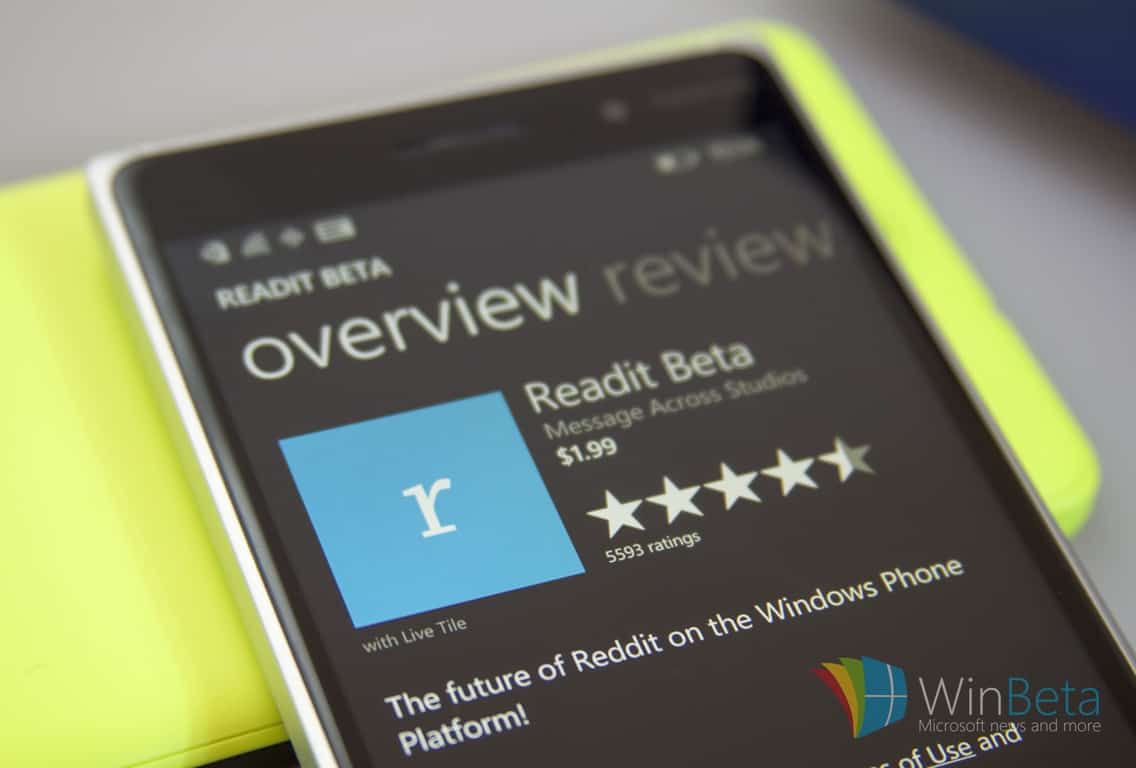
While Windows 10 has yet to get development support for an official Reddit client, the handful of third party options available have arguably been more than enough for most users. Among the most-used 3rd party Reddit apps in the Windows Store is Readit, now entering its version 5.1.1.0 with its latest update.

Jumping a couple of points in the upgrade process, Readit is now sporting a massive list of fixes, upgrades, UI enhancements, and optimizations. Via their Reddit page, Readit developers detail the update as followed:

General Additions

Subreddit/post tagging

  • Tag subreddits like in RES
  • Adds a tag to a post if it doesn’t contain the specified text (only on front page/all and multireddits)
  • The tag text is inserted at the beginning of the title just like RES

User tagging

  • Tag users/ignore users like in RES
  • Use the ellipsis menu for posts on desktop or right click a post in the post list
  • Use the app bar for mobile or press + hold on a post in the post list
  • Use the more menu for comments to tag users from a comment
  • Add a tag via the advanced settings page
  • Adds a tag to the user right next to the username of posts/comments so that you can tag/ignore trolls, friends, known users, etc.
  • Keeps track of total vote count – how many up/downvotes you have applied to that user since tagging them
  • Keeps count for any user you have voted on ever

How the tagging “ignore” feature works

  • Self text for comments, messages and posts are replaced with a message stating that the user is ignored
  • If you really want to see the self text of it, the ignored message contains a link that you can click to load the original content

Advanced Settings page added to the settings menu

  • Manage user tags and subreddit tags
  • RES Settings Import
  • Import settings directly from a backup of your RES settings – imports user/subreddit tags and associated data such as vote tracking numbers for users

Cloud Sync has been enabled

  • Syncs data using the roaming storage of your MS account (< 100 kb of data)
  • Will sync between all devices (desktop/tablet/mobile) as long as you are logged into the same MS account
  • Only syncs when an account is added/removed or on app launch
  • To force a sync, lock your device that is syncing the data to the cloud and wait 3-5 minutes. MS controls this. After the waiting period, check your other device and it should have the data.
  • A sync to the cloud occurs if the local file timestamp is newer than the server version
  • A sync from the cloud only occurs if the server file timestamp is newer than the local version
  • Will sync the following:
  • /r/all filter
  • Read posts (gold not required)
  • User accounts (no passwords stored ever, not even in local storage) •Only syncs users down to device if there aren’t any logged in
  • Subreddit tags
  • User tags
  • New comment count since last visit of posts
  • Settings are not synced due to device differences

Bug Fixes

  • Fixed all filter in certain languages
  • Fixed title bar disappearing on navigation for the desktop UI

The update was posted late last night, US time zone, so the new features may still be rolling out to some users. Head over to the Windows Store to see if the update has populated. Also, take some time to comment and add a review of the app to help the developers with their next wave of updates.

Readit
Readit
Price:
Free

The Finnish government isn’t happy with Microsoft over job cuts

It’s always one economy of the world or another that suffers when a multi-national corporation fires a large number of its employees; in the case of Microsoft’s latest downscaling of its phone business, the heaviest weight again fell on Finland, whose government has, as expected, publicly voiced its displeasure with the Redmond company on Thursday, reports Reuters.

To be fair, it’s not the first time there was bad blood between Microsoft and Finland, nor that one of its moves has shaken the Northern European country’s economy. In 2014, Microsoft acquired most of Nokia – the former pride of Finland – for $7.2 billion. In the same year, in the biggest restructuring in the history of the company, right after CEO Satya Nadella came into power, 18,000 jobs were cut, most of which came from the just-acquired Nokia phone business in Finland.

“I am disappointed because of the (initial) promises made by Microsoft,” “One example is that the data center did not materialize despite the company’s promise.”

– Alexander Stub, Finance Minister, Finland

The move has been credited with contributing to the country’s ongoing economic stagnation. For its part, Microsoft has reportedly promised to invest more heavily into Finland to make up for the job cuts, a promise it apparently had not been able to keep, two years down the road.

“The company must bear as big a responsibility as possible over what they have done by laying off people,”

– Jari Lindstrom, Employment Minister, Finland

It is understandable, then, that the new round of layoffs, which again largely targets the phone business in Finland, resulting in 1,350 more unemployed Finnish citizen out of 1850 worldwide, has evoked a strong response the country’s government, who promises “serious talks” with Microsoft about its responsibility in helping the affected. We can only hope that as Microsoft continues its transformation according to Nadella’s vision, the company will not have to do something similar again for a long while yet.

Fallout 4 mods are coming to Xbox One users first

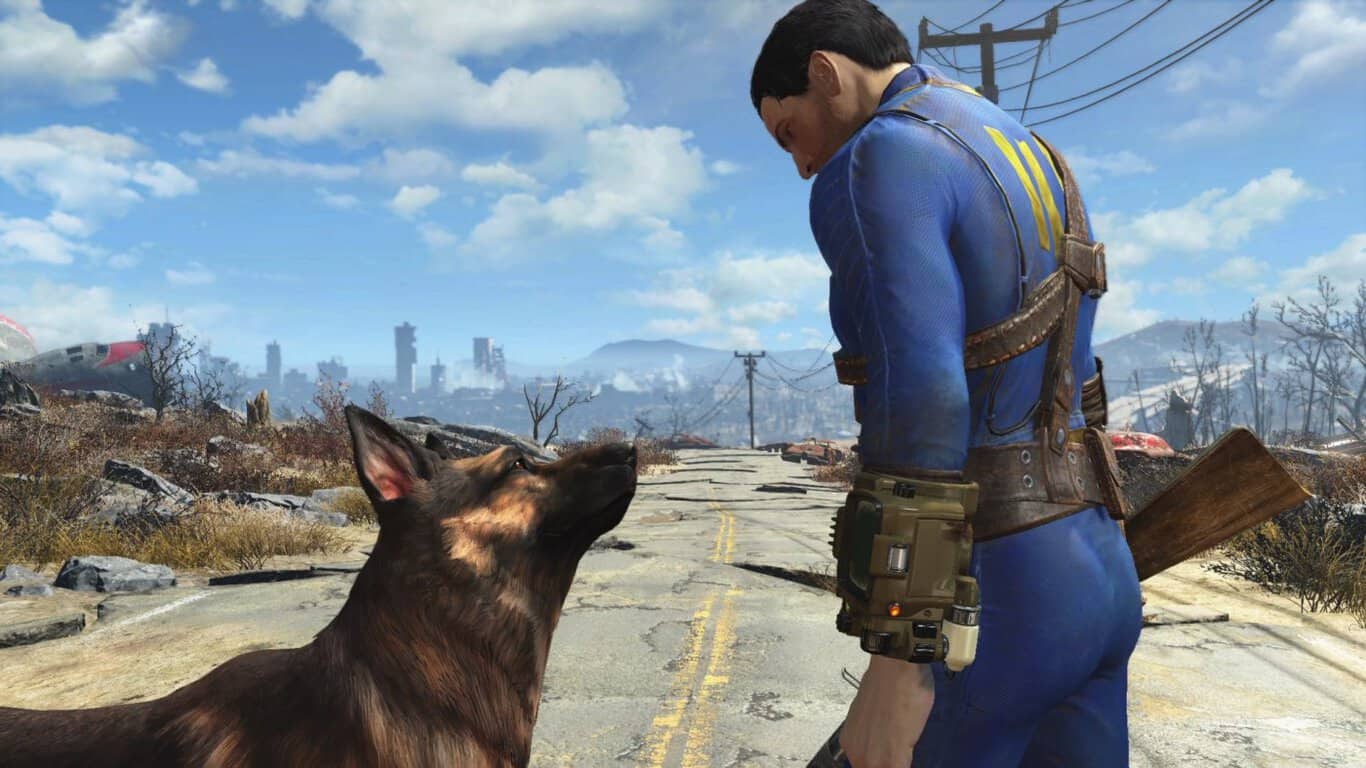
Mods will be coming soon to Fallout 4 on Microsoft’s Xbox One video game console. The game will update in the near future and once the new data has been downloaded and installed, users will be able to access and enable game mods from a new menu option in the main menu.

To create mods for the Xbox One version of Fallout 4, gamers will have to download Bethesda’s Creation Kit to their PC. Once the mods are finalized though, they will be available through the cloud on the Xbox One. Mods will be coming to the PlayStation 4 version of Fallout 4 as well but Microsoft’s Xbox One will be getting the feature first.

Mods are essentially new features added to a game by fans. Examples of mods are new weapons of characters, new environments, and even new music and graphics. A video was released today which showcased some of the Fallout 4 mods that have already been approved. You can watch it above.

Fallout 4 launched on the Xbox One in November 2015 and was one of the most popular video games for several months after it launched. Here’s the official description for Fallout 4 on Xbox One: Bethesda Game Studios, the award-winning creators of Fallout 3 and Skyrim, welcomes you to the world of Fallout 4 . Winner of more than 50 Game of the Year awards, including top honors at the 2016 D.I.C.E. Awards. Fallout 4 is the studio’s most ambitious game ever and the next generation of open-world gaming. As the sole survivor of Vault 111, you enter a world destroyed by nuclear war. Only you can rebuild and determine the fate of the Wasteland. Welcome home.

Do you enjoy mods in your video games or do you like everything 100% official? Let us know in the comments below.

The Witcher 3: Wild Hunt Blood and Wine trailer is plagued by scary monsters

CD Projekt Red just revealed the new trailer for the upcoming expansion pack of its mega hit The Witcher 3: Wild Hunt. The expansion pack will be called Blood and Wine, and it will arrive on May 31 for the PC, Xbox One and PlayStation 4.

As CD Project Red announced, Blood and Wine is going to be the last expansion for The Witcher 3: Wild Hunt, which explains why the trailer is dubbed as the “Final quest.”

You can check out the new trailer for The Witcher 3: Wild Hut Blood and Wine below:

As you can see from the trailer, the new expansion pack will feature a lot of monsters and wicked creatures including barghests, giant centipedes, a massive golem-like creatures, and of course, vampires. Our hero Geralt will apparently be hired to deal with these creatures, and you’re going to help him.

Besides being the last expansion for The Witcher 3: Wild Hut, Blood and Wine might easily turn out to be the last expansion of the franchise. CD Projekt Red’s co-founder Marcin Iwinski recently said that the release of Blood and Wine marks the end of the franchise, as the company won’t release any new The Witcher titles, or additional downloadable content.

The Witcher is definitely one of the most popular franchises in of the genre for the last couple of years, and it also brings a big revenue to CD Projekt Red. So, the reason why the company decided to close out the series is still unknown. However, if there are any changes, we’ll make sure to let you know

What do you think about the trailer for The Witcher 3: Wild Hunt Blood and Wine, and will it be the last game of the franchise? Tell us your opinion in the comments.

RELATED STORIES YOU NEED TO CHECK OUT:

Microsoft yet again attempting to force Windows 10 installs

Getting the Windows 10 operating system on as much systems as possible is Microsoft’s main goal right now, and it appears the company is willing to do whatever it takes to get the job done. The latest attempt to force computer users to upgrade to Windows 10 comes by way of the GWX.exe tool.

What’s interesting here is the fact that many computer users view the GWX.exe tool as malware due to the many times Microsoft has used it to trick Windows users. Microsoft issued an update to the app recently that made it so clicking the X button would not cause the installation of Windows 10.

This time around, after the newest update, things are different. Now, clicking the X button may not necessarily end the installation of Windows 10. There’s a good chance that if you go to sleep for the night and wake up the next morning, Windows 10 will be smiling back at you. This will likely cause some of your accessories and software to cease from working, a huge problem for some.

We hope Microsoft releases an update to fix this issue because it doesn’t look good for the company’s image if it continues like this. Not too long ago on live TV, Windows interrupted the session with a Window 10 upgrade prompt.

We can understand why Microsoft wants to get Windows 10 on as much computers possible. It is more secure, there are several cool features not found on previous versions of Windows, and most importantly, DirectX 12 is exclusive to it. We should also point out that when it comes to gaming, several titles from Microsoft are exclusive to Windows 10. All future titles will also be exclusive to the platform so if you’re a gamer, now is the time to jump ship.

Bear in mind that it is free to upgrade from Windows 7 and Windows 8.x to Windows 10 until July 29. After that, folks will be required to pay.

RELATED STORIES YOU NEED TO CHECK OUT:

Remote Desktop app for Windows 10 losing its Preview status, entering production

If you’re involved with providing technical support or just like to make use of remote machines, then you’re likely familiar with remote control apps like Microsoft’s own Remote Desktop App. This particular iteration of Microsoft’s remote control technology has been around for some time now, with the current production version in the Windows Store being a Windows 8.X app.

On the other hand, adventurous souls might be using the Remote Desktop Preview App, which has been the only way to access Microsoft’ Universal Windows Platform version of the app. All of that’s changing, however, as Microsoft will now start rolling out the Universal Windows 10 App as the official version for all Windows 10 versions, including PCs, notebooks, tablets, and smartphones.

There are some transition issues to keep in mind as you make the switch:

  • Desktop connections are preserved
  • User names are preserved
  • Passwords need to be re-entered
  • Gateways are preserved
  • Remote resources URLs are preserved from Windows Phone 8.1 but require new sign in
  • Remote resources are not preserved from Windows 8.1 and need to be re-added
  • Some general settings are preserved

Also, the official Windows 10 version will not support everything that was in the Windows 8.X version, such as:

  • Multiple simultaneous connections
  • Dynamic resolution and rotation
  • Printer redirection
  • Smartcard redirection
  • Microphone support
  • Localized app (currently English only)

If you want to remain on the cutting edge, then you can keep running the Remote Desktop Preview App. That too will transition to the Windows 10 version while continuing to receive new testing bits. If you want to remain on the production version, then install or retain the Remote Desktop app and you’ll eventually be upgraded to the Windows 10 version.

So, hang tight and hit that update button periodically. Let us know in the comments if and when you receive the new version and what you think of it.


Microsoft updates Surface Pro 4 and Surface Book drivers

Microsoft released a new driver for itsSurface Pro 4and Surface Book devices. The update should bring some new drivers to both devices, and improve the overall performance.

Here’s what the latest update brings for both Surface Book and Surface Pro 4:

Surface Pro 4:

  • “Microsoft driver update for Surface Embedded Controller Firmware
  • Microsoft driver update for Surface Management Engine
  • Fingerprint Cards AB driver update for Surface Fingerprint Sensor
  • Marvell Semiconductor, Inc. driver update for Marvell AVASTAR Bluetooth Radio Adapter
  • Marvell Semiconductor, Inc. driver update for Marvell AVASTAR Wireless-AC Network Controller
  • Intel Corporation driver update for Intel(R) Precise Touch Device”

Surface Book:

  • “Microsoft driver update for Surface Embedded Controller Firmware
  • Microsoft driver update for Surface Management Engine
  • Marvell Semiconductor, Inc. driver update for Marvell AVASTAR Bluetooth Radio Adapter
  • Marvell Semiconductor, Inc. driver update for Marvell AVASTAR Wireless-AC Network Controller
  • Intel Corporation driver update for Intel(R) Precise Touch Device”

If you want to find more details about both updates, check out Microsoft’s Update History page, where details about all previously released updates are listed – Surface Book Update History, Surface Pro 4 Update History.

Microsoft is indeed focused on making Surface Pro 4 and Surface Book better computers, as this is the third update for these devices in just a few weeks. The first May’s update for Surface Book and Surface Pro 4 brought some important camera tweaks to Windows 10 on these devices. The second update, which was released about a week ago, was only for Surface Book, and it improved graphic card drivers of it.

The update should’ve already arrived to your Surface Book or Surface Pro 4, so you probably don’t have to do anything to install it. However, if you’re not sure you received the update, you can go to Settings > Updates & security, and check for updates.

If you noticed some issues on your Surface Pro 4 or Surface Pro Book upon installing the update, please tell us in the comments.

RELATED STORIES YOU NEED TO CHECK OUT: