WSL2 vs Ubuntu: Performance & Speed Compared

With only a few days remaining until the release of Windows 11 and Ubuntu 21.10 on October 5 and October 14 respectively, Phoronix decided to test and compare the two operating systems and from the results, it seems that they are on the same wavelength.

The tests

Phoronix put to test three systems; Windows Subsystem for Linux 2 (WSL 2) in Windows 11 system, Ubuntu 21.10 and Ubuntu 20.04 LTS. in the test equipment, similar hardware was used which included;

  • Windows 11 Build 22454
  • AMD Ryzen 9 5900X
  • GeForce RTX 3090
  • 16GB memory (8GB for WSL).
  • WD Black SN850 1TB (2 275GB virtual disks of WSL)

Performance

When compared to Ubuntu, it seems that WSL 2 on Windows 11 performs exceptionally well under moderate CPU-intensive conditions. The conditions change when the CPU is overloaded or the memory and I/O system come into play. This causes the system to lag.

In the Nginx web server benchmark test, WSL 2 on Windows 11, seems to take the lead by a significant margin, beating Ubuntu 21.10 and 20.04 LTS. In the 130 tests performed, it was found that Windows 11 WSL 2 is up to 6-7% slower than Ubuntu 21.10. The percentage goes lower for Ubuntu 20.04 LTS.

It is important to note that the tests performed were for the Windows 11 Dev channel version hence its performance may be slightly different from the Windows 11 public version set to be released on October 5.

If you wish to find a more detailed evaluation, you can visit here.

What do you think of the performance metrics for the two operating systems? Share your thoughts in the comment section below.

Microsoft: New volume sliders for Windows 11 coming soon

Windows Insiders have been requesting redesigned volume sliders for a long time coming. Well, it looks like their requests did not fall on deaf ears as Microsoft has confirmed it is working on new sliders.

Currently, the Windows 8 design is the one that has been in use, and Microsoft is yet to give details on whether they will be changing the design. Apps such as Photos have been receiving updates to align with the Windows 11 design, so a lot of users may be expecting the same for the volume sliders.

New designs

Windows 11 has been rolling out new designs such as the Start menu, taskbar, and notification center. However, the Windows 8 flyouts for volume, brightness, and more have remained the same. The volume pop-out usually appears when you adjust the volume on your device, showing media controls for audio playback.

According to users, the flyout has been looking out of place, and one cannot deactivate the function. From the features that Windows 11 is releasing, the design is sleek, and maintaining the same flyout may be out of place if it remains unchanged.

Anonymous look

We do not know what the new slider will look like, but it seems promising from the comments made so far, and Windows 11 fans should stay put. With Windows 11 only a few days away from release now, it looks like the volume sliders will come a little later.

As long as it’s coming, we can only wait.

Do you think the new volume sliders should retain their old design or be made to align with Windows 11 design? Let us know in the comment section below.

Among Us Crossplay Guide [PC, iOS, Android, Steam]

Among Us is an online survival game, and it is all about deceit, with one team member being a hidden traitor who needs to be outed.

Two years after its launch, Among Us suddenly saw a massive increase in its player base, thanks to the popular live streamers picking it up.

The company launched the game on both PC (via Steam) and mobile platforms, including iOS and Android.

Some people were saying that Among Us crossplay is not working, but they have yet to read the workaround presented in this guide.

Is Among Us Crossplay with mobile?

Yes, you can use the software we describe in this guide to play Among Us from your PC with your friends that use a mobile device. Read on for more details about this topic.

How can I play Among Us cross-platform?

1. Play Amongs Us on PC with LD Player

LD Player is a high-quality Android emulator for Windows users that consumes little resources and provides lightweight performance.

It is designed to have a game that is available for your phone to play on your PC, with covered controls for the mouse and keyboard. 

The advantages of using LD Player are that you can play the game on your PC for free, enjoy multi-instance, macro support, high fps, smart key-mapping, and much more. 

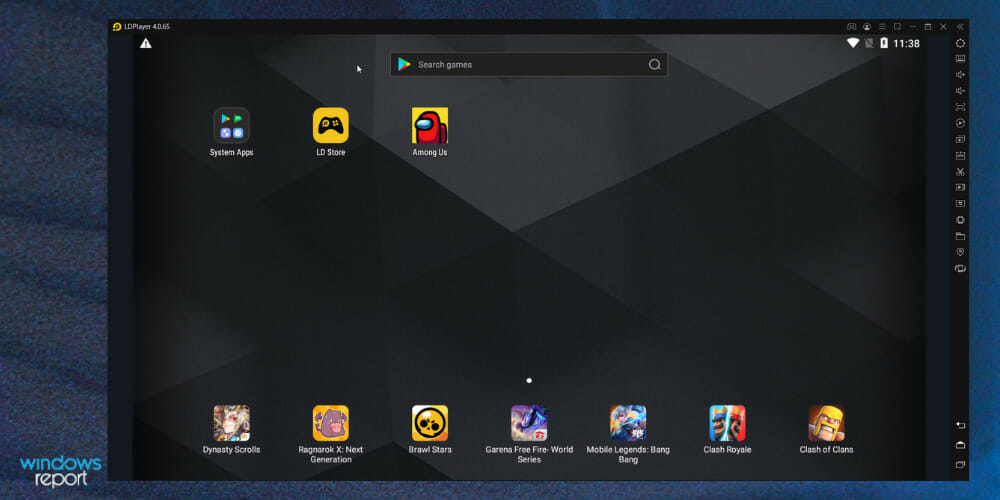
To play Among US on PC, you will need to download and install LD Player on your computer. After launching, go to the LD Store and search for the Among Us app.

Click Install to begin launching the game on the freshly mirrored screen.

After following the steps, you will find the Among Us symbol on your emulator home screen, a click away to begin the game!

LD Player

LD Player

Because LD PLayer is a reliable emulator for cross-platform gaming, you’ll never miss a chance to play Among Us!
Free trialVisit website

2. Play Among Us in Private mode

Among Us crossplay
  1. Launch the game on your PC or mobile platform like iOS and Android.
  2. From the home screen, tap on Online.
  3. Next, select Private mode.
  4. Once you have selected the Private mode, you need to enter the room code to join the game with your friends.

If you already have the game on your PC installed via Steam, you can still play with other players from the Android and iOS platforms using the private mode in Among Us.

Entering the Private room will allow you to play cross-platform multiplier on PC and mobile with your friends if Among Us crossplay is not working via the emulator. The only downside to this is you can’t join random lobbies online.

If the game is not working on your PC, we have detailed troubleshooting guides under our Among Us section.

Among Us is a fun, little, addictive game that has overtaken the gaming community. If you are new to this crazy world of imposters, we hope this quick guide on Among Us crossplay has helped you get started with the game.

You can also review this guide on how to play Among Us on Windows to confirm your PC setup before you start troubleshooting crossplay issues.

As for those interested in Palworld crossplay, you can play together on Xbox and PC, as described in this article.

Looking for more games like Among Us? You can find more on our dedicated Gaming hub.

Completely uninstall Andy OS on Windows 10/11 [Full Fix]

Andy OS is an emulator with which you can run Android apps on Windows 10. However, the software became associated with cryptocurrency-mining malware in 2018. It also hogs about 415 megabytes of hard drive storage.

So Andy users should consider uninstalling the emulator for the time being at least. This is how you can thoroughly uninstall Andy OS from Windows 10.

How do I manually uninstall Andy OS on Windows 10?

  1. Uninstall via the Control Panel applet
  2. Run the Program Install and Uninstall Troubleshooter
  3. Uninstall with the System Restore Utility

1. Uninstall via the Control Panel applet

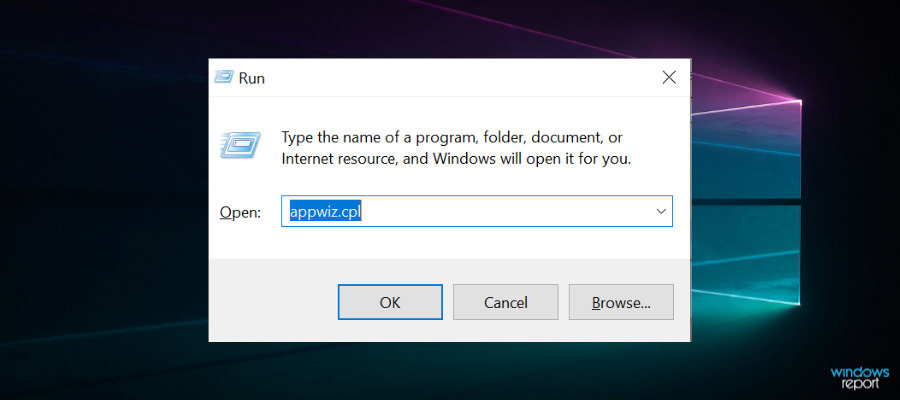
  1. Right-click the Start menu button and select Run and input appwiz.cpl
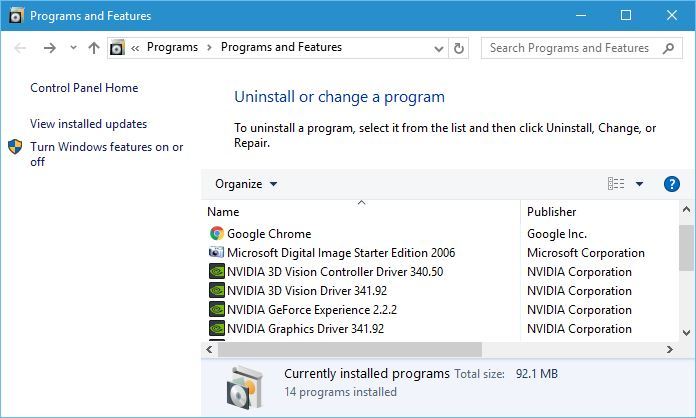
  2. Click OK to open the window shown directly below.

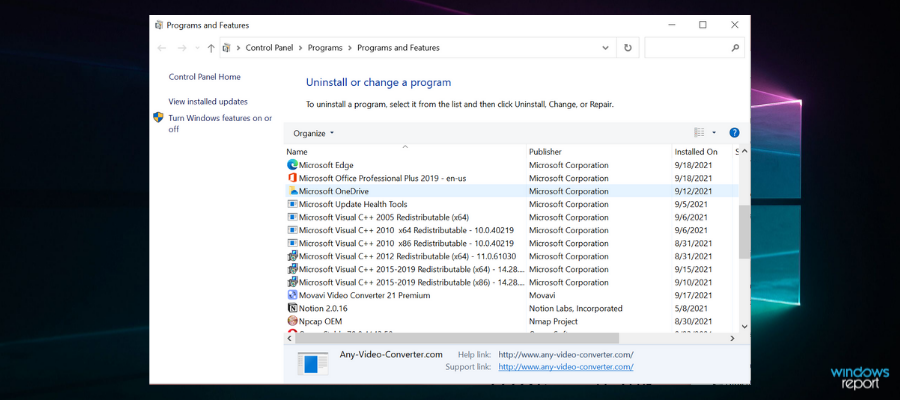
  3. Then select Andy OS listed on the programs list. If you can’t see it, enter the keyword Andy in the search box.
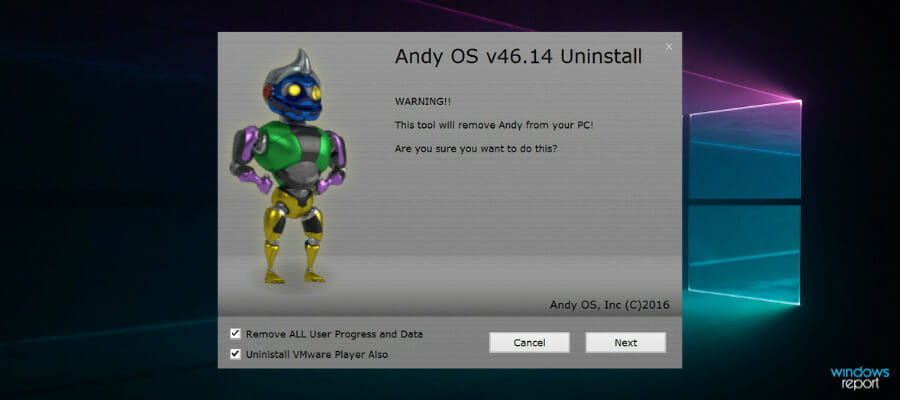
  4. Press the Uninstall/Change button. An Andy OS uninstaller window will open.
  5. Select the Remove ALL User Progress and Data and Uninstall VMware Player Also options.
  6. Press the Next button to uninstall Andy OS.
  7. Restart Windows after you uninstall Andy.

You can easily uninstall the Android emulator with CCleaner in just a couple of minutes to be sure that all files will be removed after you uninstall the app. In this way, you won’t have to manually clean up the leftovers and your operating system will remain in optimal condition.

If you prefer to uninstall the Andy emulator as outlined above and not using additional software as mentioned above, look for the files and registry entries that are left behind.

You’ll need to manually clean up the leftover files and folders within File Explorer. These are some of the leftover folder paths that you should look for and delete in File Explorer:

  • C:/Users<user>/Andy
  • C:/Program Files/Andy/OfflineInstaller42
  • C:/Program Files/Andy/OfflineInstaller43
  • C:/Program Files/Andy/OfflineInstaller
  • C:/Program Files/Andy
  • C:/<user>/AppDataRoaming (enter ‘%appdata%’ in File Explorer’s path bar)

Also, note that the Oracle VM VirtualBox is a component that gets installed with Andy OS. You can uninstall Oracle VM much the same as Andy via the Programs and Features applet.

You’ll also need to clean up leftover registry entries after uninstalling Andy OS with the Windows uninstaller. The best way to do that is to add a third-party registry cleaner to Windows.

Then you can scan the registry with the software to erase leftover Andy OS registry entries.

2. Run the Program Install and Uninstall Troubleshooter

If you can’t uninstall Andy via Programs and Features, make sure you’re logged in to an admin account and that there aren’t Andy OS processes listed in Task Manager when you try to uninstall the software.

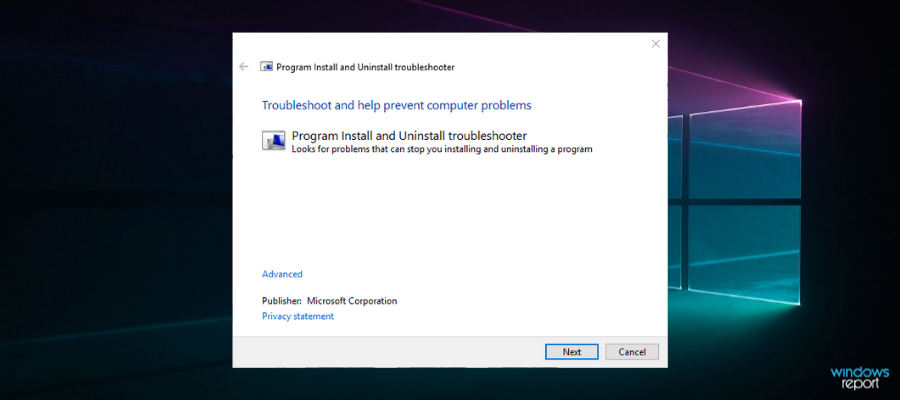
In addition, check out the Program Install and Uninstall troubleshooter that fixes uninstall errors. This troubleshooter repairs corrupted registry keys that block software from uninstalling.

Download the tool from the official webpage then open and run the program.

When you’ve opened the above window, click the Next button. Select the Uninstalling option. Then select Andy OS on the program list. The troubleshooter might then provide some resolutions that might fix Andy’s OS so you can uninstall it.

3. Uninstall with the System Restore Utility

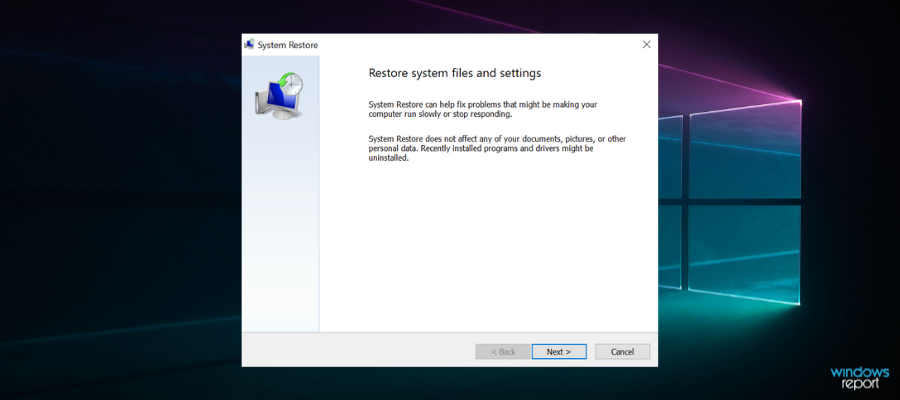
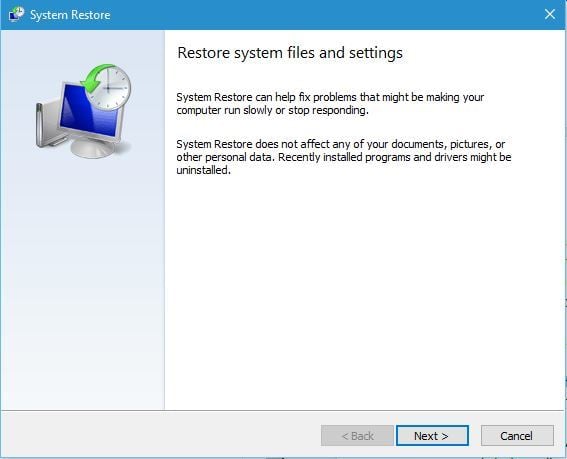
The System Restore utility can delete Andy OS when the Windows uninstaller doesn’t remove the software.

System Restore will certainly uninstall the Andy emulator so long as you can select a restore point that predates the software’s installation. You’ll lose all third-party software installed after a selected restore point.

So that’s how you can uninstall Andy OS along with all its leftover remnants. After uninstalling Andy, you will, of course, need a replacement Android emulator.

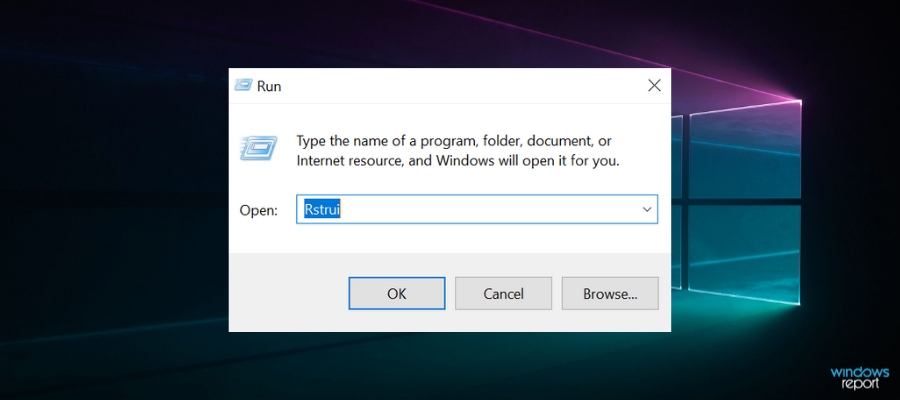
  1. Press the Windows key + X and choose Run.
  2. Enter Rstrui in the open window.

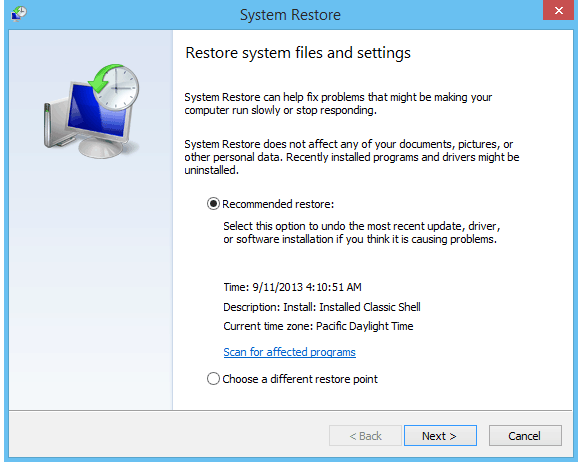
  3. Click the Choose a different restore point option, and press the Next button.
  4. Select the Show more restore points option to expand the full list of restore points.
  5. Select a restore point that predates the date you installed Andy.

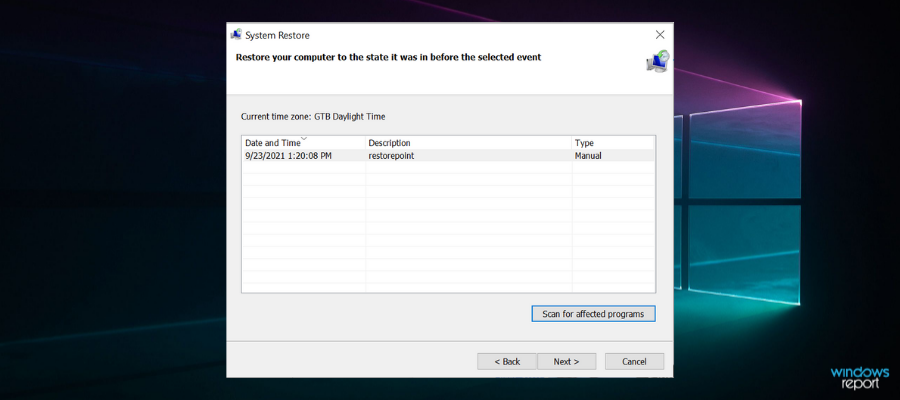
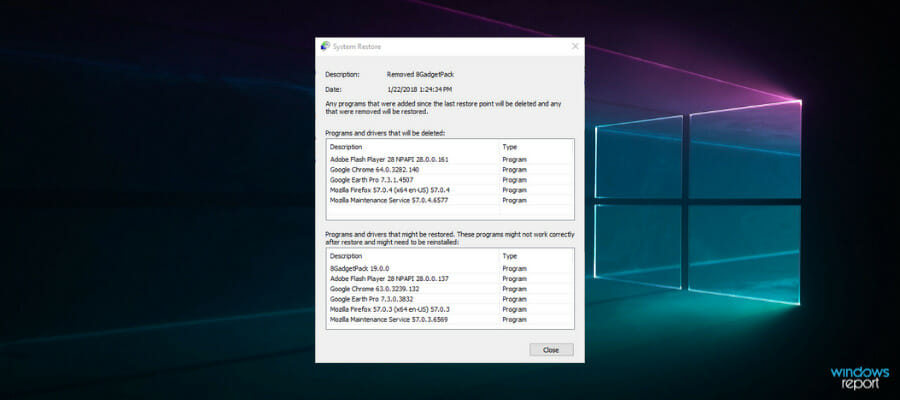
  6. To check the restore point removes Andy, press the Scan for affected programs button.

    That option shows you what software the restore point delets in the window below.
  7. Press the Next button, and then select the Finish option to confirm the restore point.
Tip icon Tip
If you’re looking for a different Android emulator that is far more resource-efficient and has never been tied to any type of malware, we suggest you give LDPlayer a try.

You can find the some of best freeware Android emulators for Windows in our software guide.

If you want to share with us your experience with the entire uninstall/reinstall process, feel free to use the comments section below.

Xbox head Phil Spencer expects next-gen consoles to remain supply-constrained next year

Head of Microsoft’s Xbox division Phil Spencer spoke candidly to reporters this week about the chip shortage situation and its effects on next-gen console availability, this time with publication The Wrap.

Throughout the Fall of 2020 and ten months into 2021, fans of both leading next gen consoles in the Xbox Series X/S and PlayStation 5 have had to do a bit of scouring to find devices to purchase. In large part, the global pandemic put an early stranglehold on production, manufacturing and distribution across the globe, and video game consoles were not excluded from the crisis.

When discussing the chip shortage and its effects on Microsoft’s Xbox Series consoles in specific, Spencer attributes the lack of devices to more than a single vector.

I think it’s probably too isolated to talk about it as just a chip problem. When I think about, what does it mean to get the parts necessary to build a console today, and then get it to the markets where the demand is, there are multiple kind of pinch points in that process. And I think regretfully it’s going to be with us for months and months, definitely through the end of this calendar year and into the next calendar year.

While expressing his frustration with the situation, Spencer notes the effects a lack of available consoles is having on fans leaving many disappointed and despondent about this generation of gaming.

As Spencer explains, fans left dispirited about their inability to catch a flash sale or afford absorbent online pricing, will remain a reality for some time to come. Spencer’s candid outlook on the chip shortage, while dower, is still rather optimistic when compared to chip maker Toshiba. Director in charge of semiconductors at Toshiba predicts that, “some customers will not be fully served by their products until 2023.

Slack doesn’t connect to the Internet? We got fixes for it

Slack connection issues are impossible to avoid when you have a painfully slow or unreliable Internet connection.

There are times when Slack is actually down and connection problems originate from their servers, yet you might not like what you’re about to read.

The main reason for your Slack connection issues isn’t related to their infrastructure but rather resides in your Internet connection.

Having to deal with unsent Slack messages or calls where the audio cuts in and out frequently is no scenario you want to be a part of for too long.

You don’t expect to get that from this popular messaging and collaboration app on a daily basis, yet this isn’t the time for losing patience.

In this article, we’re going to explore some of the best ways to fix Slack connection issues.

Note icon NOTE
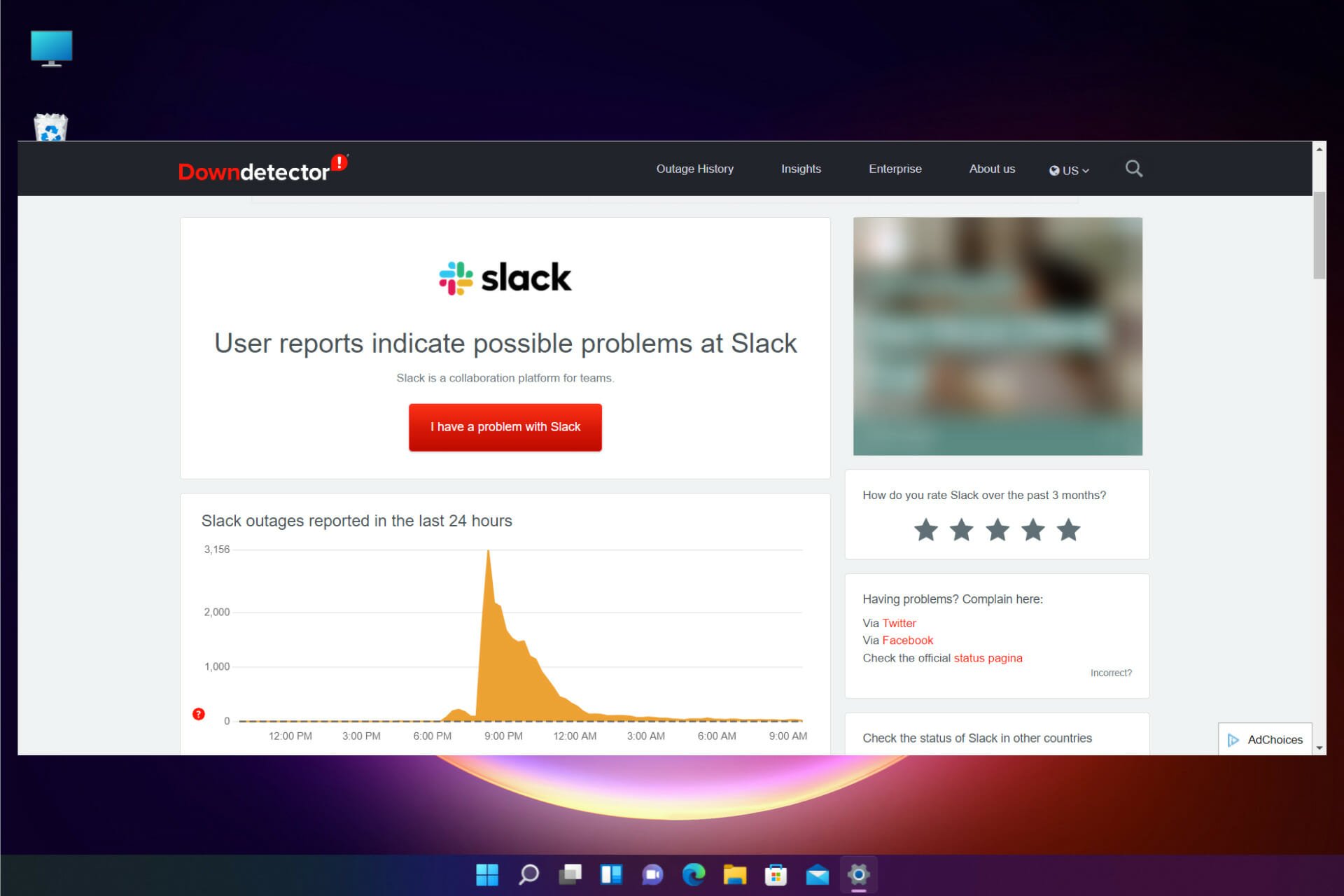
Downdetector is reporting a server outage for Slack. If you’re not able to connect right now, note that the company says it’s working on a fix for the issue that’s been ongoing since around 12:30 PM ET/9:30 AM PT.

What can I do if Slack doesn’t connect to the Internet?

1. Check your Internet connection

Slack internet connection issues
  1. Open any other webpage.
  2. If that webpage doesn’t load either, reset your Internet connection.
  3. Try loading Slack again.

This sounds rather basic, but in some instances, your Internet connection can be the reason why Slack doesn’t connect to the Internet.

2. Run the Slack connection test

  1. Sign in to your Slack workspace.
  2. Access Slack testing page to check connections.
    Slack connection issues test
  3. Under the WebSockets section, see the results for both WebSocket (Flannel [Primary]) and WebSocket (Flannel [Backup]).
  4. A successful test will reveal the checked circle icon.
  5. A failed test will show instead the warning icon.
  6. In case of any errors, contact your network administrator or Internet service provider.

3. Clear your cache

  1. Open the Slack app.
  2. Click Help in your computer’s menu bar.
  3. Select Troubleshooting.
  4. Click Clear Cache and Restart.
    clear cache slack slack can't connect to the Internet

After clearing the cache, check if Slack still has problems connecting to the Internet.

4. Adjust your proxy to keep the connection to Slack open

  1. Visit Slack URL page.
    Slack connection issues sign in
  2. Here you must whitelist all specified URLs.
  3. Visit that page from each workspace if your environment requires access to multiple workspaces and/or orgs.
  4. Then, verify if your proxy is running SSL decryption.
  5. If it is, it’s time to exempt the following domains: *.slack-msgs.com wss-primary.slack.com wss-backup.slack.com wss-mobile.slack.com.

Always remember that proxies and firewalls often mess around with connection between Slack messaging servers and members’ apps.

This might be the case if there’s a WebSocket failure in our Slack connection test, or if it becomes impossible to connect from a specific location.

5. Collect and send Net Logs

  1. Open the Slack app.
  2. Click Help in your computer’s menu bar.
  3. Select Troubleshooting.
  4. Select the Restart and Collect Net Logs option.
  5. Once the app has restarted, reproduce the issue.
  6. Quit and restart Slack once more.
  7. It’s time to send Slack an email at [email protected] with Net Log file or use the contact form.
    Slack connection issues contact

Keep in mind that the name of the file must start with net-log.

We hope this guide managed to help you fix the Slack connection issues caused by the Internet itself, antivirus software or security settings, disruptions with third-party services, or errors with app storage or Slack servers.

Also, don’t forget that DNS failures come in a lot of forms but they all point to the fact that your browser can’t connect to the domain of a certain page.

Learn how to quickly solve DNS PROBE FINISHED NXDOMAIN Chrome errors and continue enjoying Slack as you normally do.

Do you know any alternative solutions? Just sound off in the comments below.

FIX: Slack is not automatically loading new messages

Slack is among the most popular networks used to communicate with teammates and employees. However, sometimes it does not automatically load new messages when you need it to.

In this article, you’ll learn about the most simple methods used to fix this problem. It’s worth noting that these steps apply to both the Slack desktop app and the web version of it.

Note icon NOTE
Downdetector is currently reporting a server outage for Slack. If you’re having trouble connecting, keep in mind that the issue is been ongoing since around 12:30 PM ET/9:30 AM PT and Slack is working on a fix.

How can I solve Slack message loading errors?

1. Fix connection issues

slack connection

Here are the steps you need to take:

  1. Check your Internet connection.
  2. Do this by loading a new webpage.
    • If it doesn’t work, just reset the connection and try again .

Once the Internet connection is back up, you have to run the Slack connection test:

  1. Visit Slack’s connection test page.
  2. If any errors come up once the test is finished, contact your Internet provider for help and they should get you sorted out.

Moreover, when it comes to DNS failures, they most likely show up in your browser when you lose Internet access. Do not hesitate to solve DNS PROBE FINISHED NXDOMAIN Chrome errors and get things on the right track.

2. Clear cache memory

slack-not-automatically-loading-new-messages

We will show you how it’s done in Google Chrome, since this is the most popular browser today. Here are the steps you need to take in order to delete the cache memory in the browser:

  1. Launch Google Chrome.
  2. .Press Ctrl + Shift+ Delete.
    • A new window will pop up, where you must select the time period for which you want to delete the cache. Select All.
  3. Check the box where it says Images and Files in Cache.
  4. Finish by clicking Delete Browsing Data.
  5. Reload the site.

This method is suitable for those who are using Slack directly in the browser. If any of the new messages won’t start to load, there might be a good idea to clear the cache memory of the browser you are using. This is done differently, depending on the software in use.

3. Re-install the app

slack-not-automatically-loading-new-messages
  1. Press Start.
  2. Type in Slack.
  3. Right-click on the app’s icon.
  4. Click Uninstall.
  5. Download the app from the Slack official website and install it again like you did last time.

Most likely, this method will delete every issue that ever came up, meaning that your new messages will also appear when you log into your account.

As you can see from above, there are multiple ways to get Slack to load your new messages.

Depending on which version you’re using, try one of these methods. And if they won’t work, just re-install the app if you’re using the desktop version. This will surely get rid of the issue.

Do you know of any other methods that can efficiently solve this issue with Slack? Let us know in the comment section below.

Microsoft Forms starts rolling out new organization capabilities

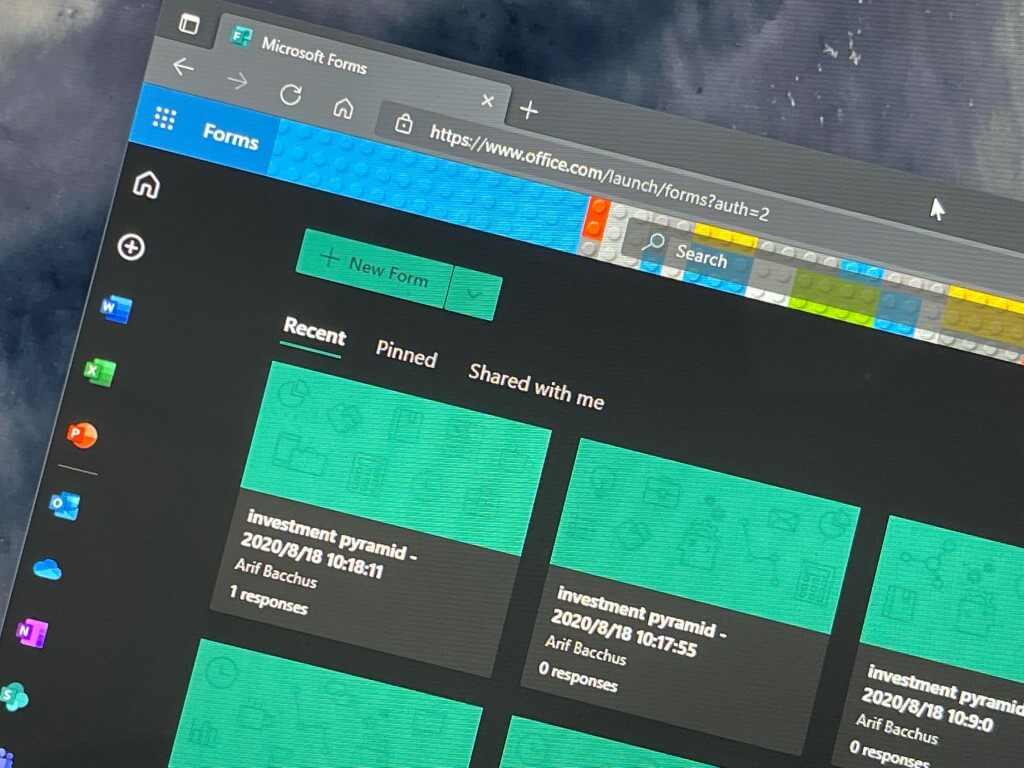
Microsoft has announced some important updates that are coming to Forms this month. Indeed, the software giant has started rolling out a new feature to help users organize their surveys, quizzes, and polls into customized collections.

The firm says the ability to categorize their forms into collections has been among the much-anticipated features, and it was first spotted on the Microsoft 365 roadmap last month. “You can create as many Collections as you want to store quizzes and forms and access them anytime online. Edit your files in a Collection, copy a Collection, share a Collection out (coming soon), or delete them when you’re done. You can also switch to a list view if you’d like to have vertical view of all your Collections,” the company explained in the blog post.

In addition to the desktop experience, the Forms Collection feature is also supported on mobile devices. This means that users can now easily group all forms/quizzes/polls as desired on the go. This capability is also available for forms instances generated through other Microsoft 365 apps, including Microsoft Teams, PowerPoint, and Outlook.

The new Collections experience is gradually rolling out to targeted release customers, and it will become generally available later this month. The feature aims to increase productivity and give users greater control over their personal content. However, Microsoft Forms currently doesn’t provide an option to download or export collections. Collections are currently restricted to personal forms, and group forms are not supported yet.

Big updates for Teams, Visio, and more – what’s new in Microsoft 365 for September

Microsoft has pushed out a monthly recap of all the new features and capabilities added to Microsoft 365 in September. This time around, the company has outlined updates rolled out to each of the Microsoft 365 apps and services, including Teams, Yammer, Word, PowerPoint, Excel, and Visio. Here’s a look at what you need to know.

First of all, Microsoft has launched AI-powered Live captions and transcription capabilities in Teams meetings in 27 new languages. The list includes French, German, Brazilian, Portuguese, Hindi, Japanese, and more. Users will be able to access this feature in the Teams desktop app by selecting the menu (. . .) icon and clicking the “Change spoken language” option. It will help to increase participant engagement and make it easier to take post-meeting notes.

With real-time captioning, go to the more actions section within your Teams meeting and select your desired spoken language.

Next up are improvements to Microsoft Yammer. The enterprise social networking service is getting a new integration with Viva Topics to help employees discover information from Yammer communities and manage knowledge-sharing within an organization. This release will let licensed customers access all the Viva Topics features, such as Viva Topic cards. You can find more details on the Yammer Topic API changes blog to understand the changes.

Next up are improvements to the Office suite of apps. Last month, Microsoft announced that Word, Excel, and PowerPoint now support real-time co-authoring on encrypted and sensitive documents. This capability has previously been available on the web since 2019, and it is finally making its way to the Windows and macOS desktop apps. Visio on the web has introduced a new feature that brings support for fully custom colors in diagrams. This means that users can now access recently used or custom colors to highlight objects in the diagrams.

You can now co-author in encrypted documents in Microsoft 365 Apps.

Lastly, Microsoft has also detailed a few new capabilities for IT professionals that aim to help them deploy and manage new versions of operating systems. Microsoft Endpoint Manager’s analytics service has picked up day-one support for macOS 12 and iOS 15. The Redmond giant also added Windows metrics to analyze the number of machines running older Windows versions and determine which devices are ready for Windows 11.

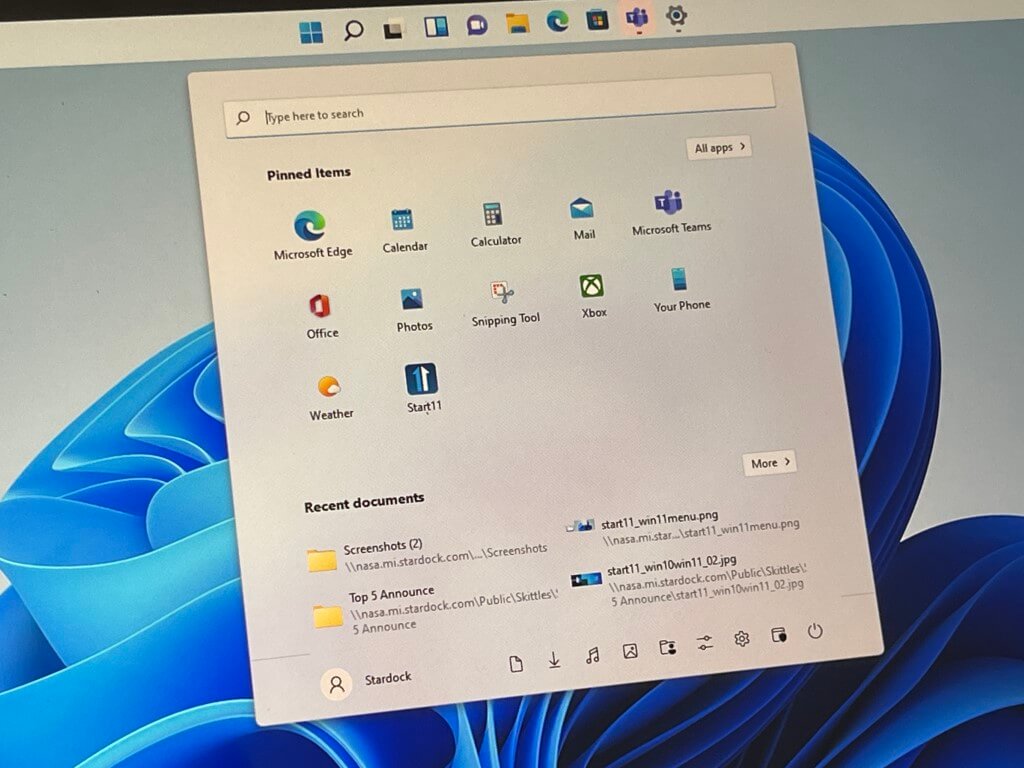
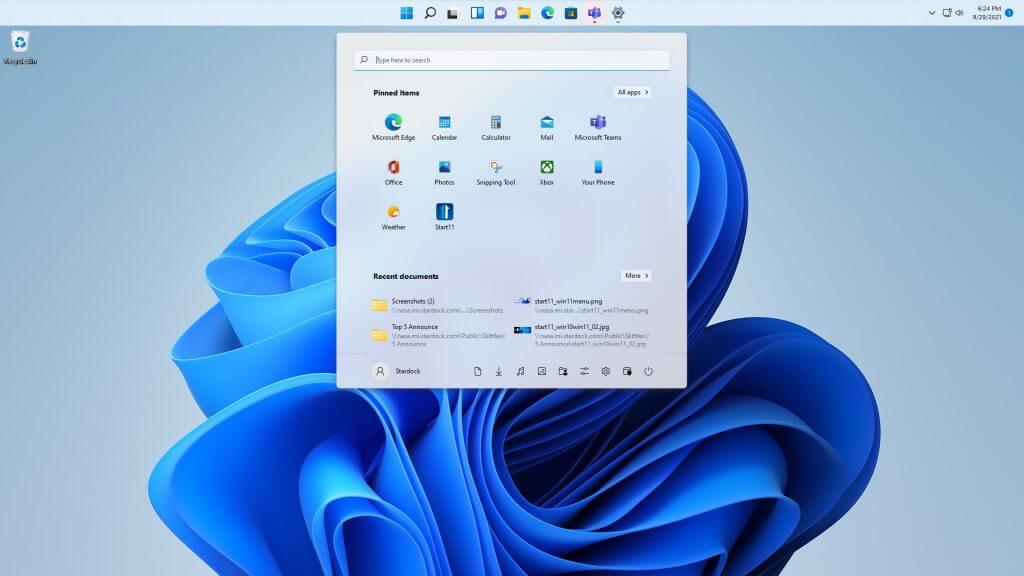
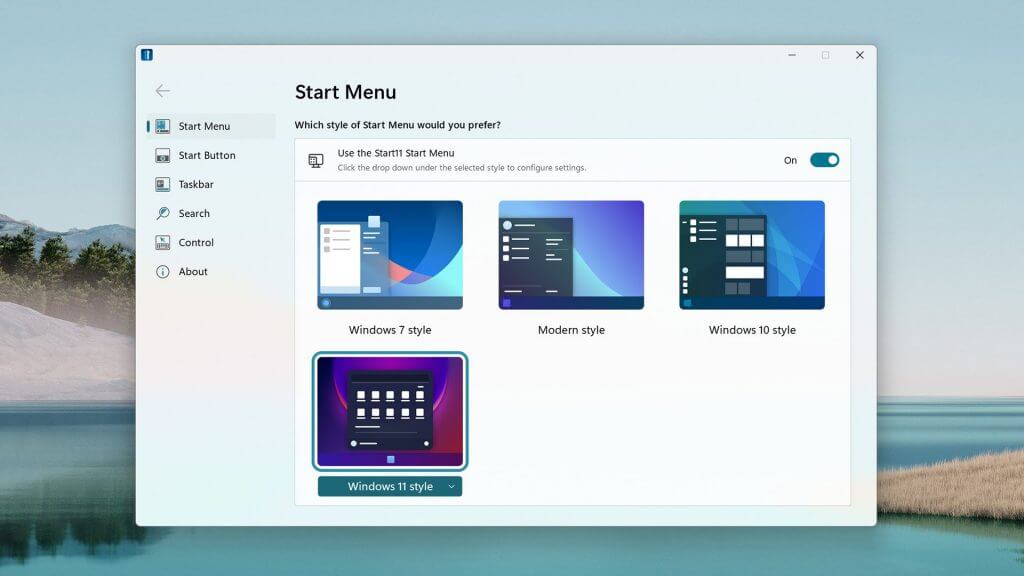
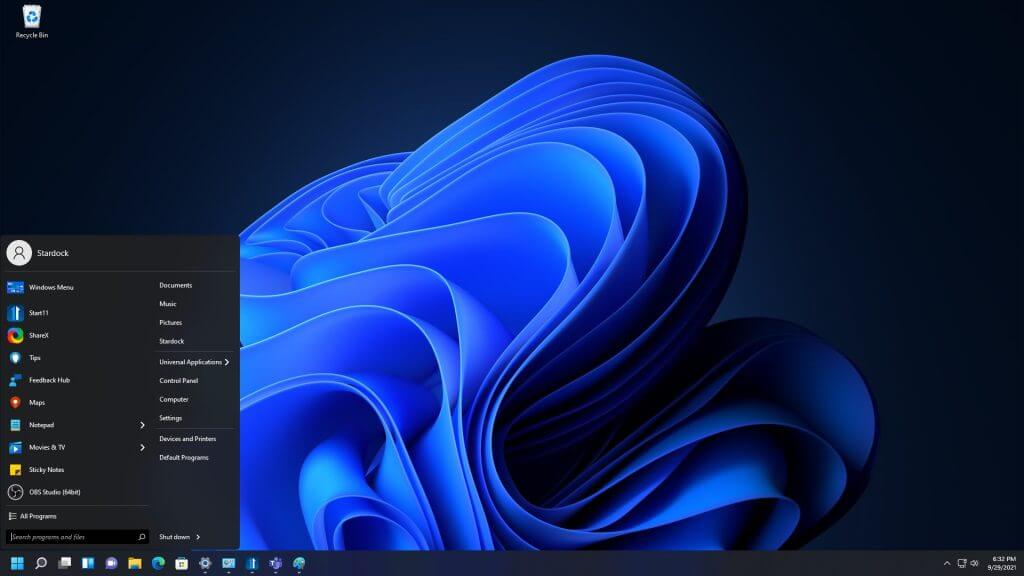
The next Start11 update will bring more options to customize Windows 11 in ways that Microsoft won’t let you

The folks at Stardock have announced another big update for Start11. Coming on October 7, the next update will bring additions like the ability to adjust the taskbar size, re-order quick access shortcut lists, and more. The update should let you customize Windows 11 to make it more personal, in ways that Microsoft won’t let you do it natively.

One of the big features coming in this update lets you move the taskbar to the top of the desktop in Windows 11, a feature that’s not available in the settings app. In addition, some of the other features include some new Start Menu layouts to choose from, restored context menus, and integration with Stardock’s Fences program. You can see a preview of what it looks like below.

The Start11 update will release on October 7th. The beta is currently available for $4.99, with an upgrade option for users of Start8 and Start10. We previously had a chat with Stardock about Start11 and the future of the app.

MSFS 2020 Crashing on Windows 11: How to Fix it

Flight Simulator 2020 is compatible with both 64-bit Windows 10 and 11. So, you can enjoy MSFS 2020 in Microsoft’s latest Windows platform.

Some early users have encountered issues playing Flight Simulator 2020 in Windows 11. Certain players have reported MSFS 2020 crashing to the desktop in Windows 11. Others have spoken about update issues arising for that game.

Either way, players can’t play Microsoft Flight Simulator when such things happen. The potential resolutions below might fix such issues and make MSFS 2020 playable in Windows 11.

How come Microsoft Flight Simulator isn’t working in Windows 11?

Games often crash because of corrupted or missing files. Microsoft Flight Simulator is no exception in that regard. Therefore, reinstalling MSFS, or at least verifying its game files, can often Microsoft Flight Simulator issues.

Conflicting programs can also generate MSFS issues in Windows 11. For example, some players have confirmed uninstalling Sonic Studio 3 can fix Microsoft Flight Simulator crashing to desktop.

Microsoft Flight Simulator is also a graphically advanced game. Therefore, MSFS 2020 issues can arise on PCs with outdated graphics card drivers.

Flight Simulator can also frequently crash because of limited RAM (Random Access Memory). The game consumes eight gigabytes of RAM. Players with PCs that have eight GB RAM might need to increase virtual memory.

What are Microsoft’s Flight Simulator’s system requirements?

If you can’t play Flight Simulator after downloading it, double-check your PC meets the game’s minimum system requirements. The game might not start precisely because your computer doesn’t meet all minimum requirements:

Flight Simulator's system requirements windows 11 flight simulator issues

If your desktop or laptop does meet all Flight Simulator’s minimum requirements, however, go through the potential fixes for MSFS issues below. One of these resolutions might kick-start the game.

How can I fix Microsoft Flight Simulator issues in Windows 11?

1. Run the Windows Store App troubleshooter

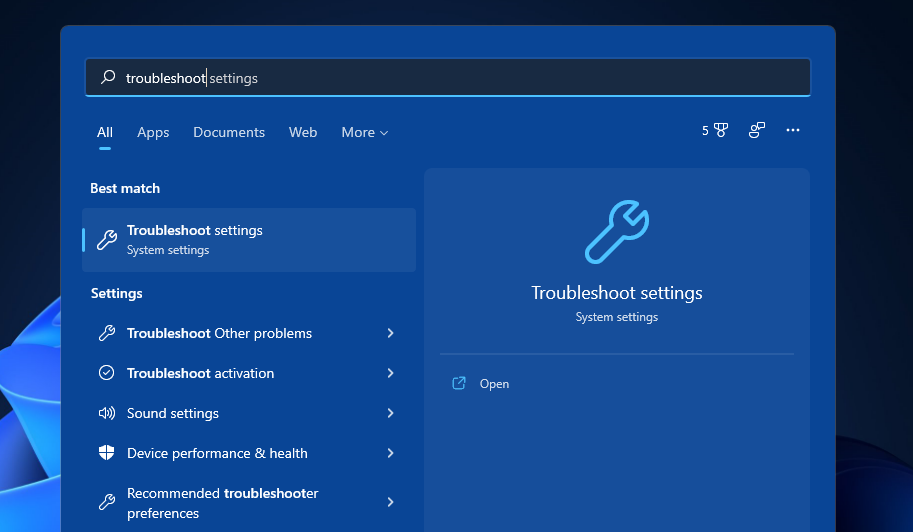
  1. First, click Windows 11’s Start button.
  2. Type troubleshoot in the Settings’ search box.
    troubleshoot search windows 11 flight simulator issues
  3. Click Troubleshoot to bring up further options.
  4. Next, click Other trouble-shooters to view a list of troubleshooters.
    Troubleshooters windows 11 flight simulator issues
  5. Press the Run button for the Windows Store App troubleshooter.
    Windows Store Apps window windows 11 flight simulator issues
  6. Thereafter, wait for the troubleshooter to detect and repair app issues. It usually automatically repairs issues.

2. Reset the Microsoft Store cache

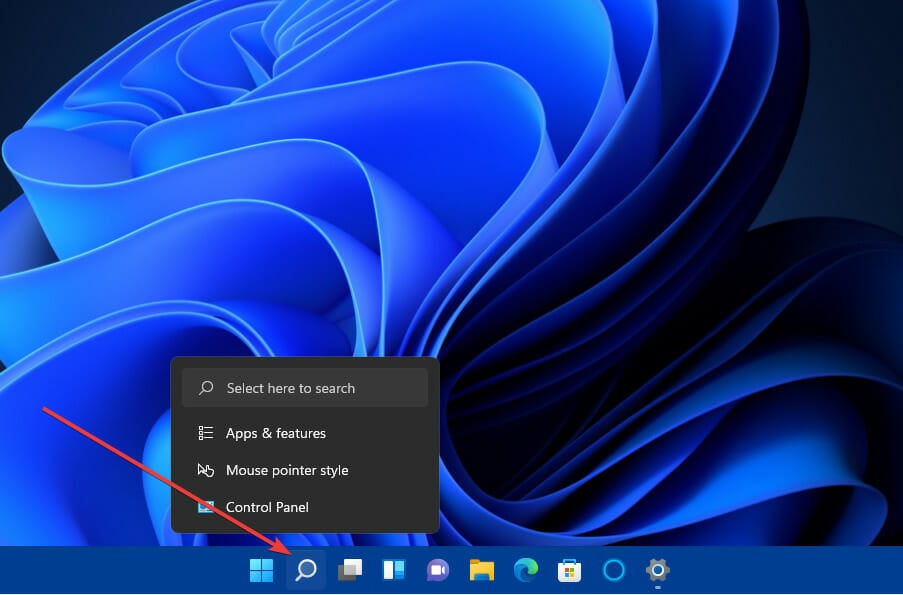
  1. Press the magnifying glass taskbar button to open Windows 11’s search box.
    Magnifying glass button windows 11 flight simulator issues
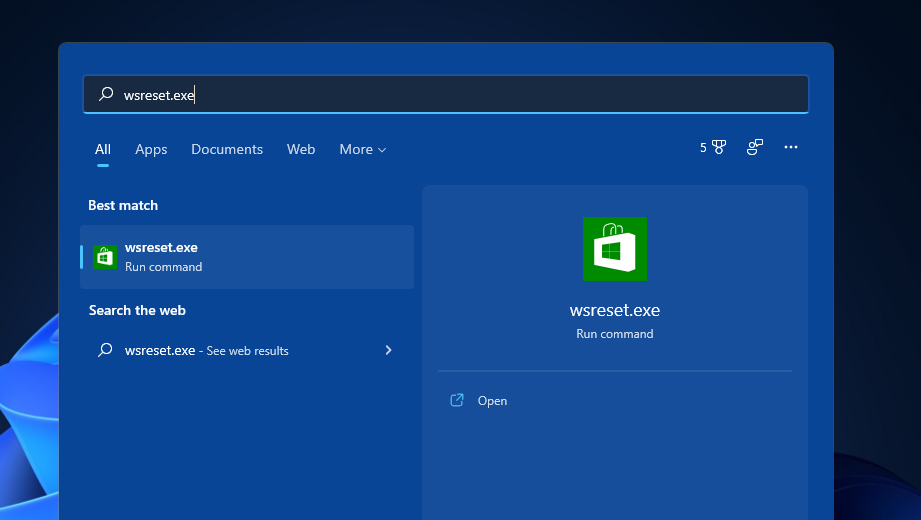
  2. Type wsreset.exe in the search utility’s text box as in the screenshot below.
    wsreset.exe windows 11 flight simulator issues
  3. Click wsreset.exe in the search results to run it.
  4. Next, wait for the MS Store window to automatically open.
Note icon NOTE
This resolution is more specifically for fixing MS Store update issues that can arise for the Microsoft Flight Simulator UWP (Universal Windows Platform) app.

3. Update Windows 11

  1. Click Start and select Settings on the menu. 
  2. Click the Windows Update tab.
    Windows Update windows 11 flight simulator issues
  3. Press the Check for updates button on that tab. Windows 11 might then automatically download and install new updates.

4. Update your PC’s graphics driver

  1. Right-click Windows 11’s Start button to open a shortcuts menu.
    A shortcuts menu windows 11 flight simulator issues
  2. Select Device Manager on that menu to bring up that utility’s window.
  3. Double-click Display adapters to view your PC’s graphics devices.
  4. Right-click your PC’s graphics adapter to select the Update driver option.
    Update driver option windows 11 flight simulator issues
  5. Next, click Search automatically for drivers option within the Update Drivers window that opens.
    Search automatically for drivers option windows 11 flight simulator issues
  6. Wait for the Update Drivers utility to install new driver.

Alternatively, try updating device drivers with third-party driver updater software. A driver update utility such as Outbyte Driver Updater will tell you if your graphics card’s driver is outdated and enable you to update it.

5. Reset the game (MS Store app fix)

  1. Click the Start tasbkar button to select Settings on the menu.
  2. Select Apps on the left of Settings.
    The Apps tab windows 11 flight simulator issues
  3. Next, click Apps & features to open the options below.
    Apps & features tab windows 11 flight simulator issues
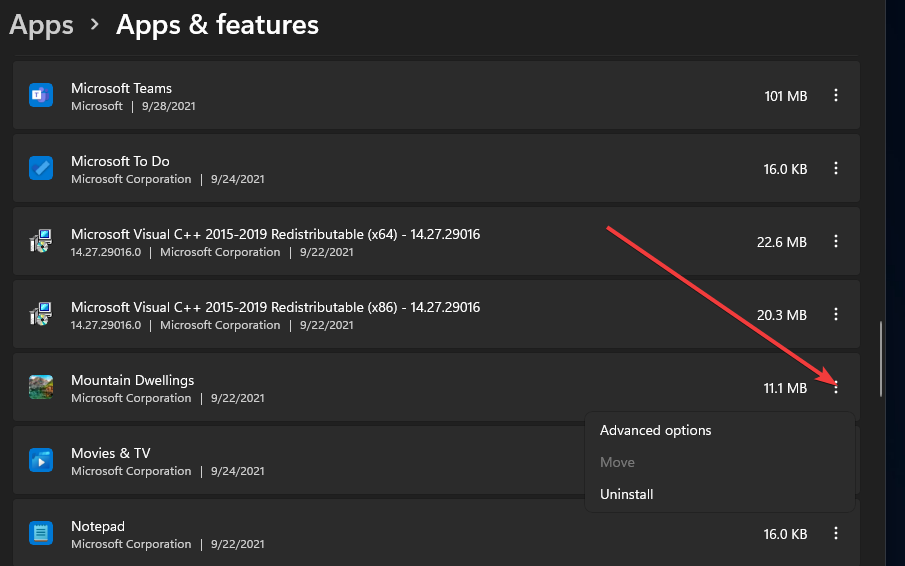
  4. Click the three dots button for Microsoft Flight Simulator.
    Three dots button windows 11 flight simulator issues
  5. Then select Advanced options.
  6. Press the Reset button for the app.
    Reset button windows 11 flight simulator issues
  7. Click Reset again to provide further confirmation.

6. Verify its files in Steam (Steam fix)

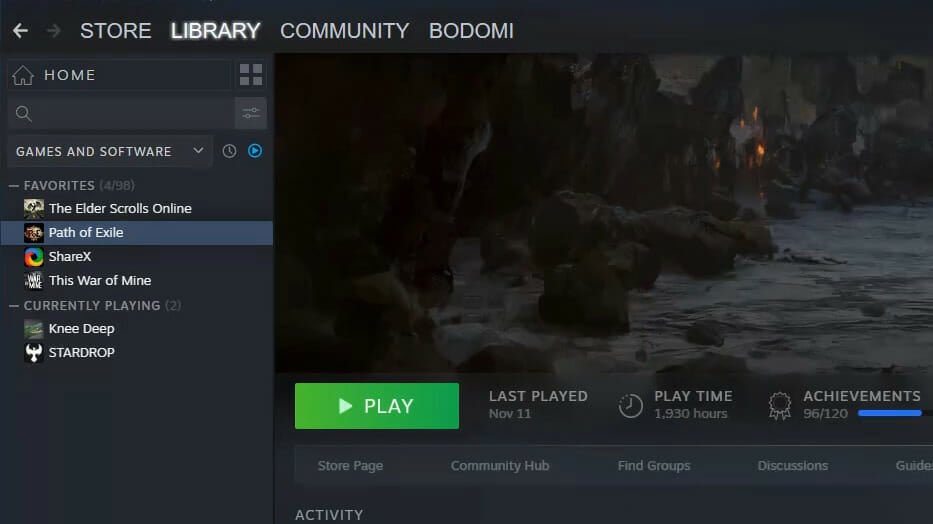
  1. Open your Steam client software in Windows 11.
  2. Select Steam’s Library tab.
    Library tab windows 11 flight simulator issueshttps://cdn.windowsreport.com/wp-content/uploads/2021/09/the-library-tab.jpg
  3. Right-click Microsoft Flight Simulator in the Library tab to select Properties.
  4. Click the Local Files tab.
  5. Press the Verify Integrity of Game Files button.
    The Verify Integrity of Game Files option windows 11 flight simulator issues
  6. Thereafter, wait for the validation process to complete. Press the Close button when it’s done.

7. Increase virtual memory allocation

  1. Right-click Windows 11’s Start button to open a menu full of shortcuts.
  2. Select Run on the menu.
  3. Type this text in Run’s Open box and click OK: SystemPropertiesAdvanced
  4. Click the Settings button.
    Settings button windows 11 flight simulator issues
  5. Select the Advanced tab.
    The Advance tab windows 11 flight simulator issues
  6. Click Change on that tab to open the Virtual Memory window.
  7. Uncheck the Automatically manage paging file size for all drives checkbox.
    The Automatically manage paging file size for all drives checkbox windows 11 flight simulator issues
  8. Select the Custom size radio button.
  9. Type the value 12288 in the Initial size box.
  10. Input 24576 within the Maximum size box.
  11. Press the Set button.
  12. Then click OK to exit the Virtual Memory window.

8. Erase Flight Simulator’s fspatch files

Note icon NOTE
This resolution is especially recommended for fixing update errors that arise for MSFS. For example, it can fix the issue whereby MSFS gets stuck on a Please Wait screen.
  1. First, click the File Explorer taskbar button.
    File Explorer button windows 11 flight simulator issues
  2. Open one of these folder paths in File Explorer:

    C:\Users\%UserName%\AppData\Local\Microsoft Flight Simulator\Packages\Official\OneStore (MS Store app)

    C:\Users\%UserName%\AppData\Local\Microsoft Flight Simulator\Packages\Official\Steam (Steam)

  3. Select all the .fspatch files in the folder path specified.
  4. Click the Delete button to erase the .fspatch files there.
    The Delete button windows 11 flight simulator issues

9. Uninstall Sonic Studio 3

  1. Open Run by right-clicking the Start button and selecting that accessory on the menu.
  2. To open Programs and Features, input this Run command and click OK: appwiz.cpl
  3. Select Sonic Studio 3 if it’s installed.
    Programs and Features applet windows 11 flight simulator issues
  4. Click Uninstall and Yes on confirmation prompts to remove Sonic Studio 3.

Some users prefer to utilize third-party uninstaller software for uninstalling apps. Third-party uninstaller utilities more thoroughly erase leftover residual files than the default uninstaller in Windows and IObit Uninstaller won’t disappoint you.

10. Reinstall Flight Simulator

  1. Open Apps & features in Settings as outlined within the fifth resolution.
  2. Select the Microsoft Flight Simulator app.
  3. Click the three dots button for MSFS and select Uninstall.
    Uninstall option windows 11 flight simulator issues
  4. Restart Windows after removing Microsoft Flight Simulator.
  5. Thereafter, open the MS Store page for your MS Flight Simulator. Download the game from there to reinstall it.
Note icon NOTE
Steam users can uninstall Microsoft Flight Simulator in their client software. To do so, right-click MSFS on Steam’s Library tab and select Uninstall. Then reinstall the game via your client software.

Who can I contact to fix Flight Simulator issues?

You can contact Flight Simulator’s support service. Open the Microsoft Flight Simulator FAQ page in your browser. Then click the Submit a Request link on that page. Fill out the form that opens and press the Submit button.

The above resolutions can feasibly fix a wide variety of crashing and updating issues that can arise for MSFS. If your Flight Simulator often crashes at startup or during gameplay, give them a try.

Moreover, let us guide you if you happen to encounter the Flight Simulator X error 1722. The message shows that there is a problem with the Windows Installer so you need to act fast and correct it.

Finally, keep in mind that those aren’t necessarily all the resolutions to apply when experiencing Microsoft Flight Simulator issues. Players who have fixed MSFS crashing with other methods are welcome to share their fixes in the comments area below.

Kena: Bridge of Spirits game review

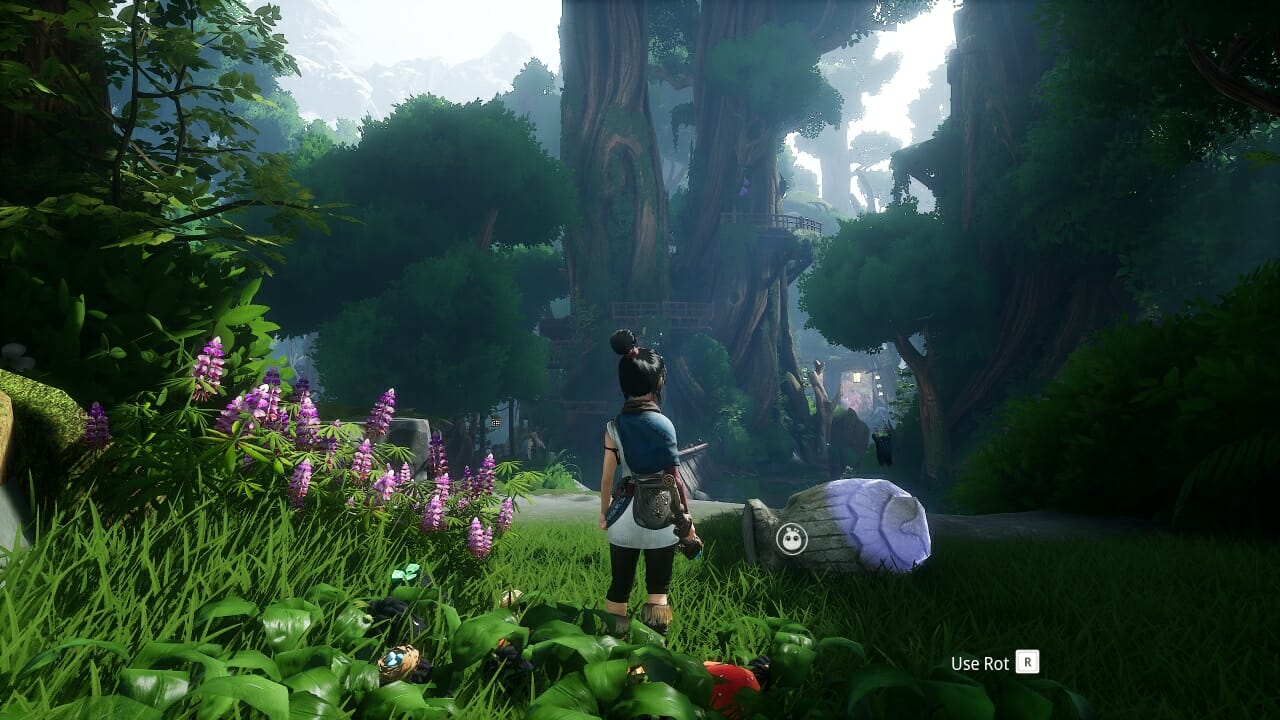
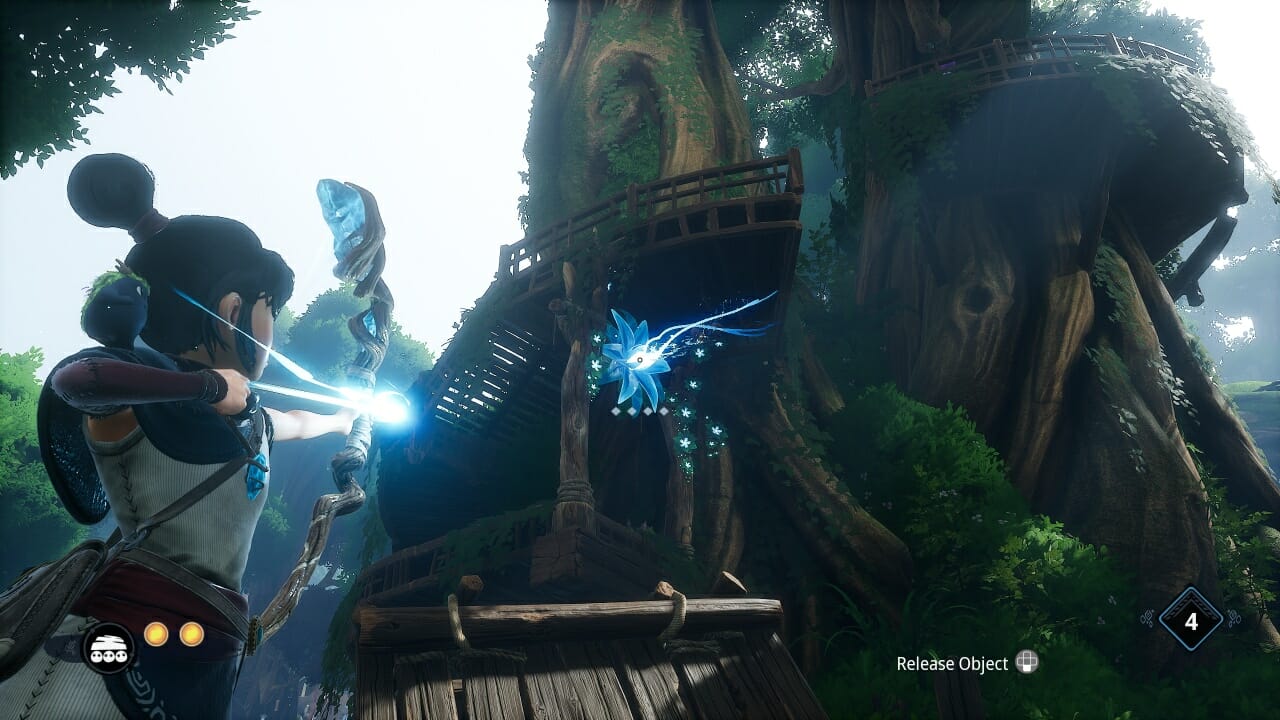
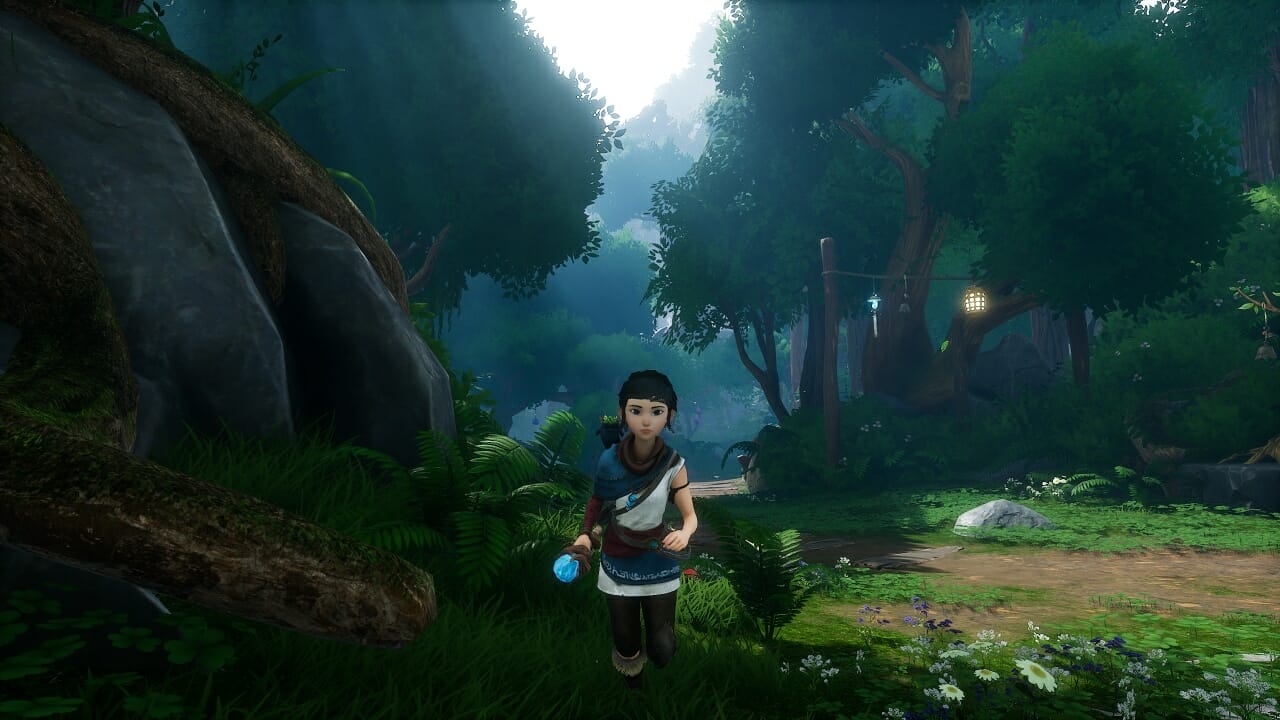
At first, I couldn’t put my finger on exactly what was stopping me from falling head over heels with Kena: Bridge of Spirits. On the surface, there’s a lot to be enamored by. For a start, it’s beautiful.

The forest is brought vividly to life by the geniuses at Ember Lab, making it at the same time both whimsical and mysterious. The backdrops are stunning, evoking Disney-Pixar adventures at their best.

Gleaming lights play against warm stone, motes of luminescence dance and chase one another through canopy shadows, ponds and rivers gleam in the sunlight.

High spirits

Until you happen to come upon the Corruption that Kena is sworn to eradicate, at which point the once-beautiful woodland twists and gnarls into thorny roots and tendrils that jut from the ground, holding aloft pulsating red flowers that spit abominations into the world.

To clear the way and restore peace to the forest, Spirit Guide Kena must join forces with the Rot, ironically-named Woodland spirits whose cleansing powers can dispel the Corruption and allow her to shepherd the restless spirits of the forest to their final destination.

The Rot is the kind of cute that usually comes from committee meetings where corporate suits tailor something designed as much to sell merchandise as to tell a story. And yet I couldn’t help smiling whenever they did something endearing, or I got to dress them up in silly little hats made of mushrooms and bird’s nests.

Shrine and dandy

Kena is able to use an energy pulse to interact with shrines and special relics that can open doors or reveal secrets. It’s this pulse that also dispels Corruption and reveals where more Rot is hiding. Collecting them and adding them to your ever-growing entourage allows you to level up, which gives you points to spend on Rot abilities or combat skills.

Because you’ll need to search high and low for Rot to level up, it’s a slow process, and you won’t feel like you’re always in the Skill Tree tweaking stuff. It’s a more gradual and organic progression.

Armed with her father’s staff, which later doubles as a magical bow, Kena is introduced to us mid-quest. She has reached the forest, where she finds her way barred by a powerful, malevolent spirit in an ornate mask. It’s here you’ll get your first taste of combat in Kena: Bridge of Spirits.

Like most of the rest of the game, combat is nothing we haven’t seen before. Heavy and light attacks, an evade roll, a timed parry, etc.

What’s different is that to heal you’ll need the Rot to cleanse nearby flowers, which are limited in number, or you can use them to harass an enemy to give you breathing space. To do this though, you’ll need Courage.

Rot and roll

The Rot are not creatures of action, generally, and so at the first sign of trouble, they’ll scarper as Kena bravely brings her staff to bear. Defeating enemies causes them to drop golden orbs that represent the physical manifestation of Courage. Collecting them allows you to call on the Rot mid-fight, to heal you, help you out, or cleanse the nearby Corruption.

Despite the overall lack of originality, the combat is mostly enjoyable and spread out enough to act as a nice change of pace. Except for the boss fights, that is.

Now and then you’ll come up against a powerful agent of Corruption and Kena will go decidedly Dark Souls on you. Healing options are few, and the bosses have specific mechanics you’ll need to learn in order to win. Okay, they may not be quite as taxing as Souls bosses, but some of them gave me genuine pause and took three or four attempts.

This in itself wouldn’t be so bad if the checkpointing was more consistent. Often losing to the boss will require you to go back a little way, but sometimes you’ll respawn right by the fight. The latter is preferable, as the former can become irritating with repeated retries.

While Kena is not exactly a Metroidvania, it has some of the elements of one. As you progress you’ll unlock new abilities and tools, such as the aforementioned bow.

This weapon, in particular, allows Kena to grapple onto special flowers, or hit distant switches. You can also water magical plants that allow the Rot to dispel the Corruption that blocks your path. Sometimes you’ll need the Rot to move objects, like stone blocks to reach higher levels or switches that need to be repositioned.

Hats off

None of these environmental puzzles are overly difficult, but they’re enough to give you a sense of accomplishment and break up the jumping, climbing, and fighting.

Chests are dotted around containing either new hats for the Rot or currency to buy said hats, which are really just there to up the cute factor and give you something to collect, which is fine though not essential.

Kena herself is a likeable enough protagonist, even if her personality could have been lifted from two-dozen different animated movies or games of this ilk. She’s brave and focused and forthright, and that’s more or less all you get.

There aren’t many speaking NPCs for her to bounce off, but what dialogue there is, is well-written and well-acted. The world is fascinating, though, and the plight of the forest is something that can be taken as an allegory for any of a hundred real-world or personal issues.

Playing on an RTX 2060 Super graphics card, I was able to adjust the default settings up and still run Kena: Bridge of Spirits without issue once I’d updated my Nvidia drivers. For a game so consistently beautiful, it runs very well, even during more intense moments like combat encounters.

Achievements and completion

Built as a PlayStation 5 and PC game, Kena comes with a full suite of achievements which lead to a Platinum on the PS5. Despite the existence of a work-around, you will need a second playthrough to unlock one of the achievements “legitimately”.

A playthrough for 100% completion will take upwards of 12 hours, whereas simply finishing the story and seeing credits will take closer to 8 or 9. I finished in just under 9 and spent only a short amount of time poking about for secrets and hidden collectibles.

Final thoughts on Kena: Bridge of Spirits

Pros
Looks gorgeous
Great mix of combat and exploration
Doesn't outstay its welcome
Cons
Very little originality
Boss fights can be frustrating

Final Score: 4/5

Although not particularly fresh in its approach or original with its content, there’s something effortlessly likable about Kena: Bridge of Spirits.

Some of the boss fights will undoubtedly frustrate people, and younger gamers attracted by its stellar animation and whimsical appearance may struggle to overcome the challenge at times.

However, if you’re looking for a straightforward adventure that tells a story without bloating itself with side-quests, filler, and endless trinkets to collect, then Kena: Bridge of Spirits comes highly recommended.

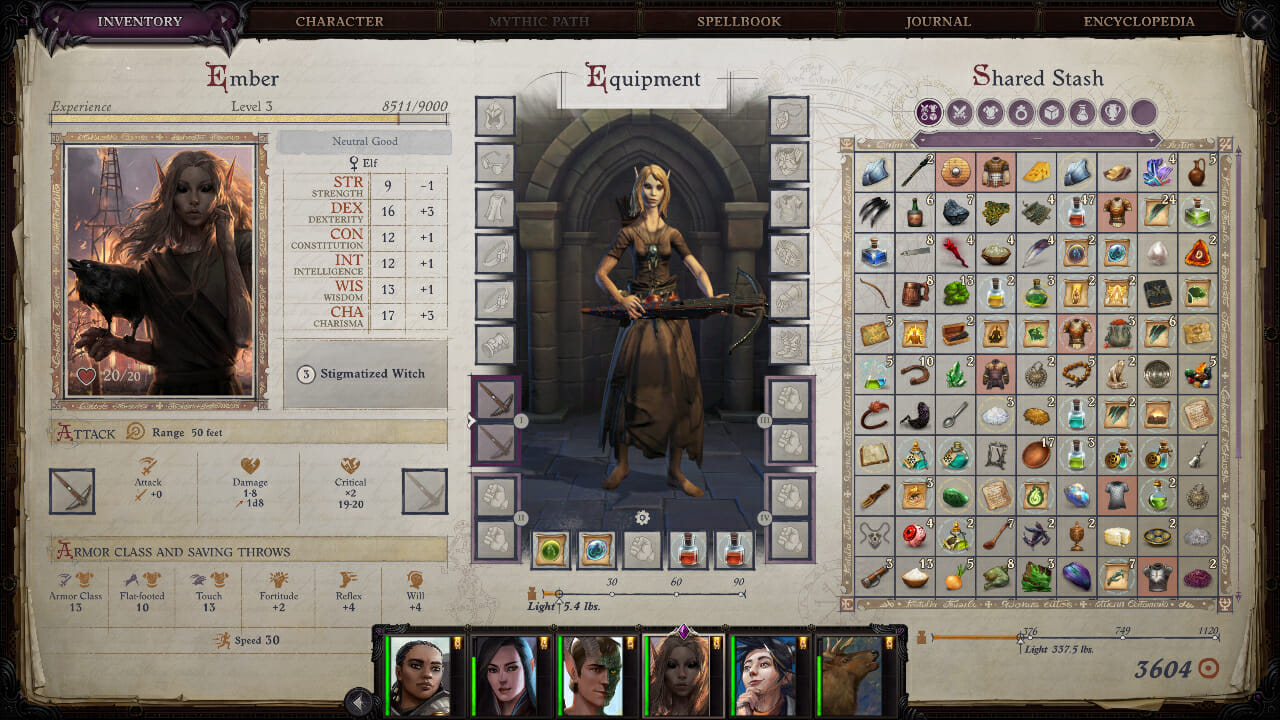
Pathfinder: Wrath of the Righteous game review

In many ways it’s hard to believe that Pathfinder: Wrath of the Righteous began its life as a Kickstarter project. Although, it’s easy to see why a Kickstarter launched in February 2020 has borne a game so vast in such a short time.

It was funded out the door in no time (thanks in part to the popularity of Pathfinder: Kingmaker), with developers Owlcat Games raising 2 million USD on an original target of just 300,000.

It’s fair to say though, that they’ve put it to very good use.

Pick from a pre-made hero, or create your own

A truly epic quest

Wrath of the Righteous is huge. It’s an 80 – 100 hour game per playthrough, with scope for scores of playthroughs. Set in the vast world of the Pathfinder tabletop RPG, it introduces new characters in a storyline totally separate from the previous game.

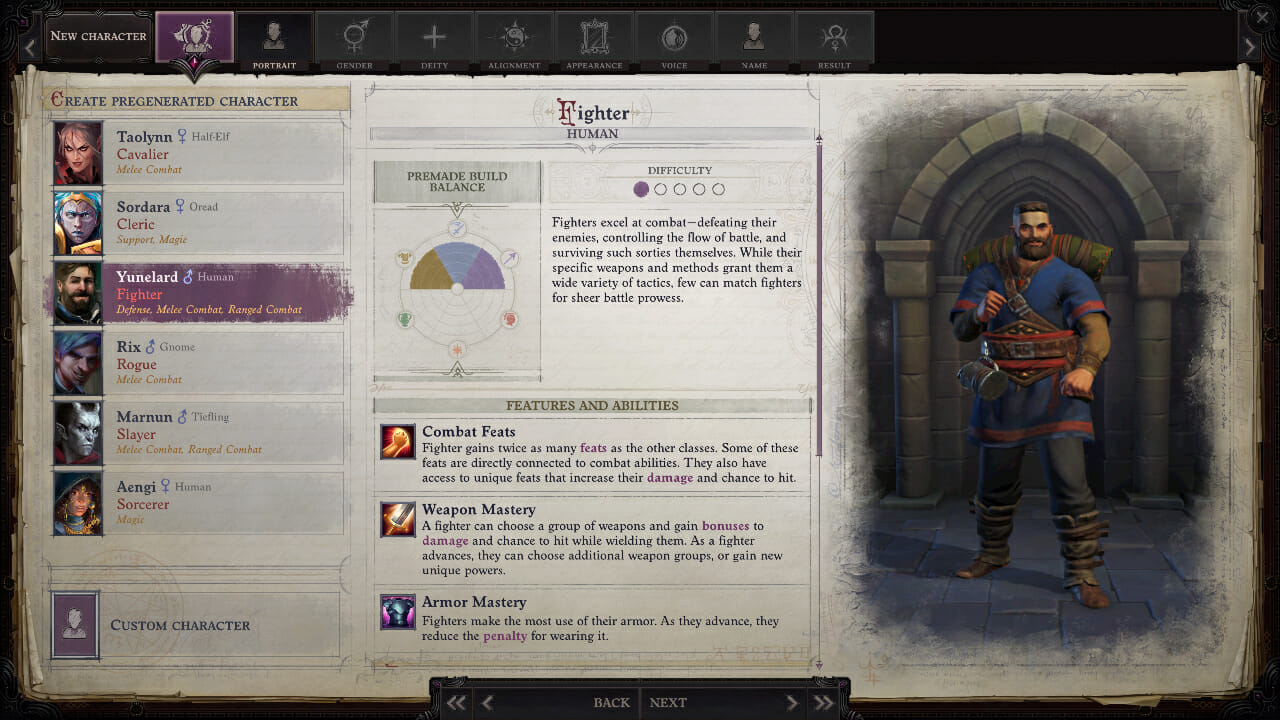
The character creator is one of the most in-depth I’ve seen. Not in terms of visual tweaks necessarily (you can’t sculpt faces like in Skyrim, for example), but rather in terms of building a truly unique character.

There are 12 playable races, from humans and elves and half-elves, to dark-elves and halflings. The lore of the Pathfinder universe is very similar in the broad strokes to the Forgotten Realms, so anyone familiar with D&D will feel immediately at home among the races of Golarion.

But there are also 25 Classes to choose from, each with as many as six specializations that completely alter the initial skills and abilities of the class. You can even multi-class if you want to, and cherry-pick skills from multiple classes as you progress.

Some of the classes are locked to specific races, others to specific alignments. This affects base stats and starting weapons, while other elements are directly influenced by the deity your character worships and which intrinsic skills you select.

You could be a charming rogue, an evil spellcaster; you could be a reckless healer or a softly-spoken swordsman. The choices feel endless, and it’s easy to spend a solid hour or more creating your character before you even begin the game.

Stay awhile and bicker

Tell me a story

Keeping this spoiler-free, it’s suffice to say that an evil force is ravaging Golarion once again and you’re the only one who can stop it. So far, so CRPG, right? Well, that’s fair.

But Owlcat games have poured hours and hours of dialogue (spoken and written) into a wildly branching narrative that takes into account hundreds of player choices both large and small.

From big decisions such as sparing an apparent enemy to smaller ones like which dungeon to delve into first, everything can and often will have an effect on the story.

As you travel the lands you’ll meet and potentially recruit 13 companion characters. You can select five at a time to accompany you, and as usual, the onus is on picking companions who complement your protagonist’s skills.

If you’re a tanky warrior, you’ll need a healer, some ranged support, and maybe a couple of spellcasters to harry the enemy.

Deeper yet, outside combat you’ll need a character who can pick locks, spot traps; maybe one with high Agility to help you reach certain areas. Bring along a character with high lore or arcane knowledge to glean a better understanding of the world at large.

All of these elements have a bearing on not only the way you play but also on what content you play, as you can lock off whole storylines or unlock new ones by your choices alone.

Later, a mythic path becomes an option, allowing you to specialise your character even more, and opening up even more choices and interactions.

Battles can be in real time, or turn-based

Swords and sorcery

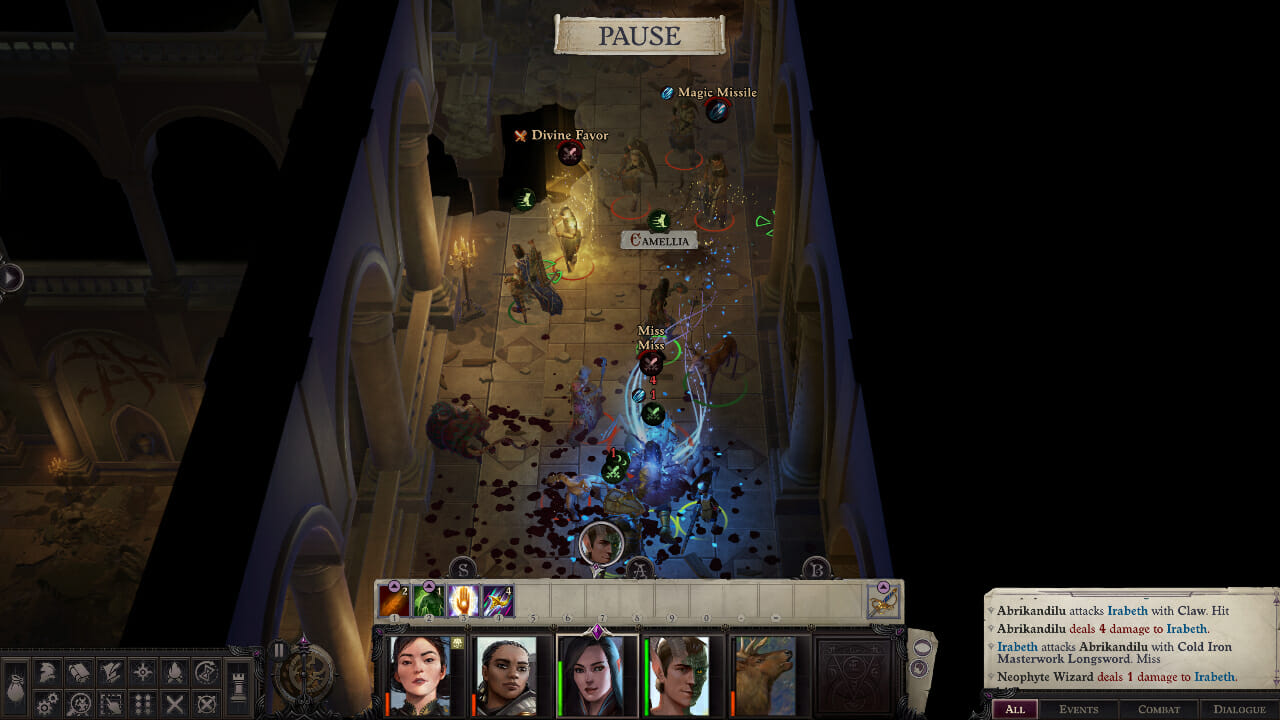
Combat is deftly handled, as Owlcat gives you an impressive list of options to customise the proceedings. You can opt to play fights turn-based, if you want to, allowing for greater strategic control and a more traditional tabletop experience.

Or, you can leave it in real-time with a tactical pause to assess the fray, allowing you to stack commands and course-correct a battle that’s quickly going south.

The former certainly makes things easier, but you can tweak the combat difficulty to the umpteenth degree anyway, reducing the damage of critical hits, for example, or completely restricting the enemy’s use of special skills.

Every fight feels different, with certain enemies requiring specific tactics. You can group your party together to focus fire, or split them to tackle multiple foes at once.

There are spells and special attacks, items, scrolls, pets, summons, traps, and environmental hazards, and on higher difficulties, you’ll need to use everything at your disposal to stay alive. Including good old trusty save-scumming to quick save and quick load your way out of trouble.

But combat is only one ingredient. The role-playing element here is arguably one of the best I’ve played. Decisions matter, as I said, but that’s not the be-all and end-all of an RPG.

Equally as important are the supporting characters and NPCs, but especially your party members. Each is as well-written as a single protagonist in many games.

The player characters you recruit are a diverse bunch

Dungeon party

They have views and opinions, likes and dislikes; some are fickle in their beliefs while others will straight up leave the group or turn on you based on how you lead. You can re-spec their skills and change their gear, but you’ll have to contend with their personalities as though they were real people.

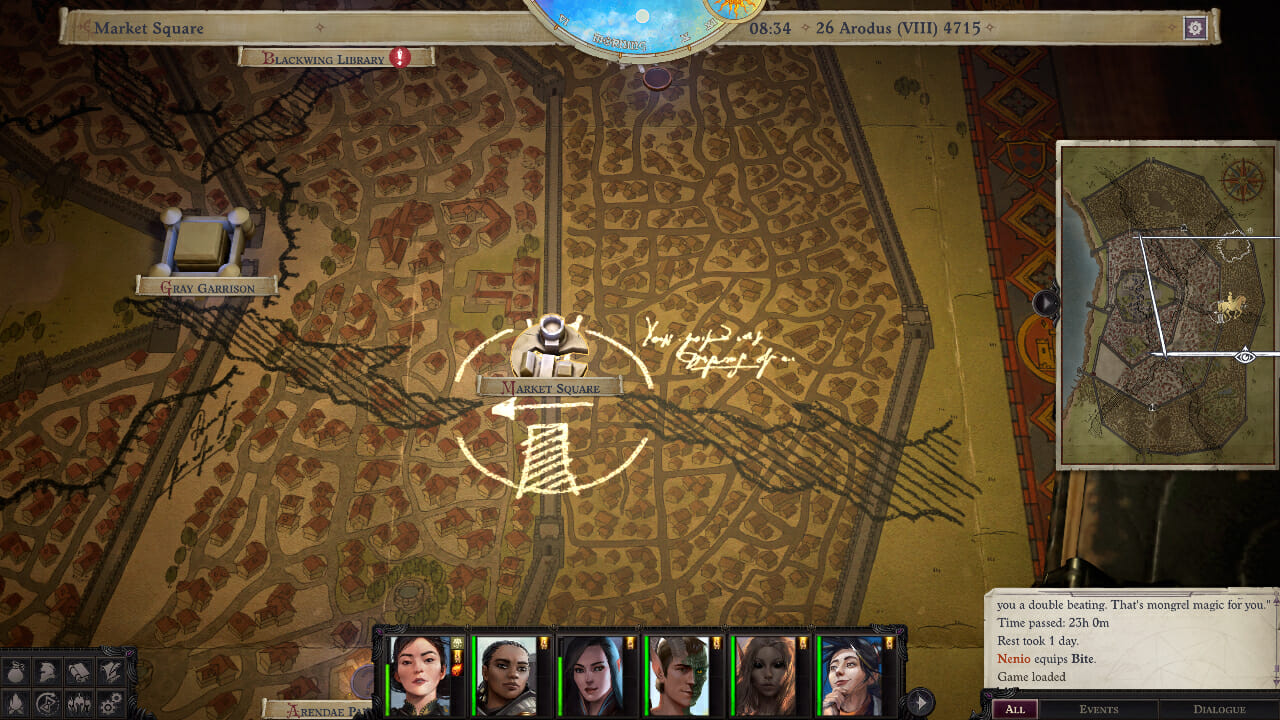
As you travel the world map from point you’ll come across points of interest and random encounters, and even these can change depending on your party and character choices.

A wealth of side-content spins multiple yarns that take you around and through story missions, in ways that feel so organic, you’ll occasionally lose track of which is the critical path. Luckily, the journal and quest-tracking systems work well.

After a certain point in the story (again, no spoilers) you’ll unlock the Crusader Mode, wherein you’ll command entire armies at war to reclaim fallen cities and lost outposts. You will need to make camp, provision your troops, hire reinforcements and choose generals to lead them for you.

It’s an odd element to juxtapose with Pathfinder: Wrath of the Righteous’ epic campaign, but it kind of makes sense in practice.

If I have a complaint though, it’s that the Crusades feel bland and mechanical next to the colour and pizazz of the campaign. Yes, you’re in control of an army, but Total War this is not, and after a while, you’ll just want to auto-complete battles to move on.

Party battles are simply more fun and feel more real given the game’s CRPG nature. If Crusade mode wasn’t present, no one would be asking for it, let’s put it that way.

Explore a vast world of danger and excitement

Achievements and completion

Pathfinder: Wrath of the Righteous is gargantuan. It’s hard to put an exact hour-count to it because you could possibly rip through the main campaign on the easiest possible difficulty inside 30(-ish) hours.

If you want a truer experience, it’s a minimum of 70 to 80. If you want everything? Well, see you some time next year, we guess. You can also play through it multiple times and I couldn’t begin to guess how many runs you’d need to see all possible storylines and side quests.

Final thoughts on Pathfinder: Wrath of the Righteous

Pros
A huge, involving world that reacts to your choices
An in-depth character creator
Excellent writing and world-building throughout
Cons
Crusade mode is take-it-or-leave-it
Deep, complex systems may overwhelm newcomers

Final Score: 4/5

Playing this on a fairly decent PC I ran into zero issues with input lag, screen tear, frame rate, or load times. It’s a fantastic CRPG that is as accessible to genre newcomers as it is to veterans who cut their teeth on the original Baldur’s Gate.

The story has so many twists and turns and branching paths that you will never fully predict what’s coming, and you won’t want to. Discovering the depth of this world is part of the fun, and something you’ll only truly manage with countless hours invested.

Pathfinder: Wrath of the Righteous has some spectacular writing at times, while the vast campaign, immense character progression systems and stellar combat will keep you hooked.

If anything, Owlcat would have lost little by snipping the Crusade mode out, but it’s churlish to complain about being given more of something, right?

Disclaimer: Pathfinder: Wrath of the Righteous is currently available on PC for around $34.99 on G2A, Kinguin, GreenManGaming and GOG, and is coming to consoles in the future.

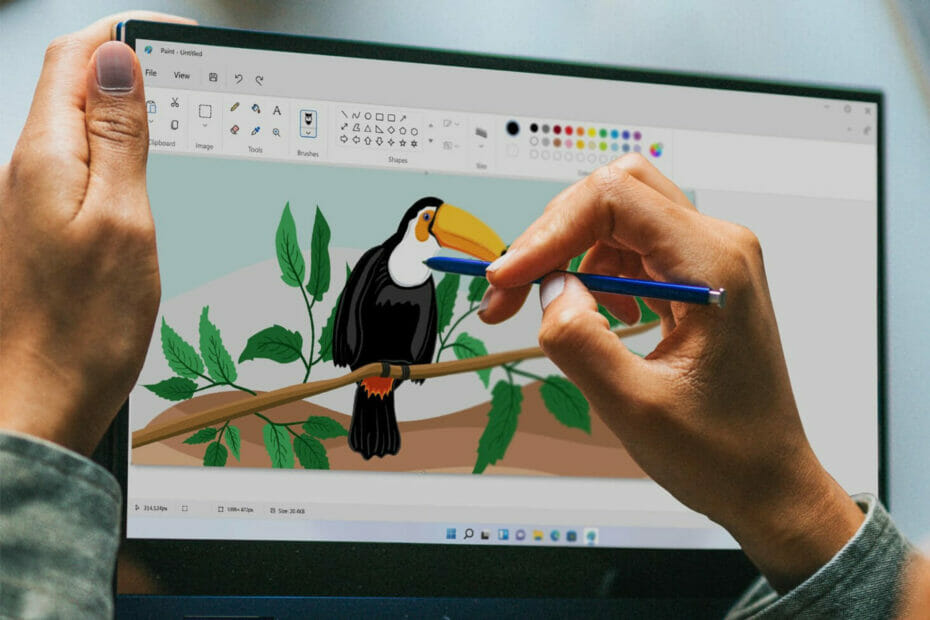
Get the new Windows 11 Paint app experience [Insiders only]

Do you remember that we were actually talking about this system built-in tool a couple of weeks ago? Well, what we said back then has come to pass and this app has now completed its evolutionary process.

We were all announced that Microsoft is about to start tweaking Paint and that the results would be satisfactory for all of us.

Panos Panay has now hinted at the redesigned Paint app and users are more than curious and eager to try it out.

What’s new on the Windows 11 Paint app look and features?

Update: Microsoft announced in a Windows Blog post that they are beginning to roll out the redesigned Paint app for Windows 11 to all Windows Insiders in the Dev Channel.

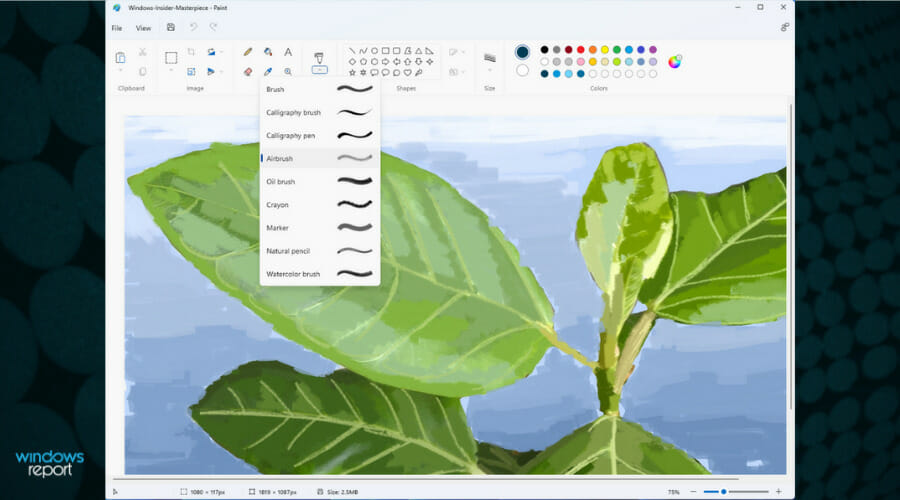
In the new announcement, we also have a new screenshot with the new Windows 11 Paint app and Microsoft touts a simplified toolbar menu, the round color palette, and drop-box menus.

The new drop-box menus

We also learned that there is a new text tool that can be accessed by clicking on the A icon in the toolbar.

Microsoft’s Chief Product Officer Panos Panay tweeted about the new Paint experience and followers were ecstatic to find out more. 

At first glance, the UI looks quite different from the version of Paint in Windows 10, but a much closer look shows very that very little has in fact changed.

For the trained eye, the only new features are a dark mode and the ability to change text alignment. Other than that, this all seems to just be simply a fresh coat of paint with some items moved around.

If you really make an effort, by looking carefully, you’ll see that the Edit in Paint 3D button has been removed.

Overall, this seems to be simply bringing the app up to the more modern design language of Windows 11.

All of the same features from the classic Paint are still here, and the UI tweaks aren’t beyond the limits of craftsmanship, so nothing out of the ordinary.

On Windows 10, Microsoft tried to promote a new app called Paint 3D for a couple of years, but the interface was radically different and not as intuitive.

All it did is it added a ton of 3D design tools that made it more complicated, too. With Windows 11, the company seems to have acknowledged that was a bad idea and is instead refining the Paint app everyone actually uses.

When will we see this new app make its way to Insiders? This is a question that we wish we’ve had the answer to, but unfortunately, we don’t.

We have yet to see the Focus Sessions feature teased a couple of weeks ago, so these early looks don’t necessarily mean it’s coming that soon.

But since we are talking about upgrades, last week, Microsoft also rolled out a couple of smaller UI updates for the Calculator app and announced a similar update for Mail and Calendar.

Are you excited about using the new Paint? Let us know in the comments section below.

PowerToys 0.47 is now available with shortcut guide and stability improvements

Microsoft has rolled out a new version of its PowerToys suite of tools with a bunch of stability and accessibility improvements. PowerToys version 0.47 also re-introduces a highly requested feature that lets users quickly enable Shortcut Guide by holding the Windows key.

In addition to this, the latest version of PowerToys brings some updates for PowerToys Run, including an option to choose between “universal English phrasing or system-localized translation” for commands in the utility. It also addresses an issue with the Video Conference Mute tool.

Here is the full changelog for PowerToys version 0.47:

Change log

  • Upgraded WinUI to 2.7.0.
  • Reduced installer size by compressing GIFs. Thanks @niels9001!
  • Replaced ShortcutTextContorl with MarkdownTextblock. Thanks @niels9001!
  • Added functionality to invoke SHCangeNotify SHCNE_ASSOCCHANGED when thumbnail providers are turned on/off. Thanks @davidegiacometti!
  • Consolidated nuget packages. Thanks @davidegiacometti!
  • Additional logging and error handling added to PowerToys Run. Thanks @htcfreek!
  • Moved away from the legacy windevbuildagents pool.
  • Added support for embedded MSIX apps in PowerToys.
  • Replaced ListView with ComboBox for Image Resizer. Thanks @niels9001!
  • Build error fixes.

General

  • Fixed issue with new updates changing the PowerToys install location.
  • Fixed settings with NumberBox elements overlapping the delete button.
  • Fixed issue with the bug report tool not generating .zip files.
  • Updated the shortcut configuration experience in Settings. Thanks @niels9001!
  • Fixed inconsistent width of sidebar icons. Thanks @niels9001!
  • Fixed sidebar UI not scaling for longer text strings in certain localizations. Thanks @niels9001!
  • Fixed issue with settings not displaying invalid keystroke assignments. Thanks @niels9001!
  • Added user defined shortcuts when set to the “Welcome to PowerToys” instead of the default shortcuts.

Color Picker

  • Accessibility issues addressed. Thanks @niels9001!
  • Added CIELAB and CIEXYZ color formats. Thanks @RubenFricke!
  • Fixed bug where changing RGB values manually doesn’t automatically update the color displayed. Thanks @martinchrzan!

FancyZones

  • Fixed regression where restarting computer resets user defined layouts to the default selection.
  • Fixed issues with Grid layout editor not showing the “Save” and “Cancel” buttons.
  • Fixed accessibility issue where users could not add or merge zones using the keyboard.
  • Added a flyout describe the prerequisites for the “Allow zones to span across monitors” option.
  • Fixed various crashing bugs.

File Explorer add-ons

  • Added PDF Thumbnail Provider for Windows Explorer. Thanks @rdeveen!

Image Resizer

  • Added default values for newly added sizes. Thanks @htcfreek!
  • Fixed regression where spaces in the filename format settings couldn’t be registered.
  • Corrected scaling issues with Image Resizer Window. Thanks @niels9001!
  • Fixed issue where PowerToys crashes when json settings are not formatted properly. Thanks @davidegiacometti!

Keyboard Manager

  • Fixed crash when adding a shortcut.
  • Fixed issue with Re-mappings window not displaying.
  • Fixed issue when remapping a shortcut to Alt+Tab breaks the Alt+Tab navigation with arrow keys.

PowerToys Run

  • Improvements on subtitle layout for Settings plugin. Thanks @htcfreek!
  • Added path filters for Settings plugin via > key. Thanks @htcfreek!
  • Translation improvements for Settings plugin. Thanks @htcfreek!
  • Added translation support for Settings Plugin. Thanks @htcfreek!
  • Fixed issue with PowerToys Run not being in focus when launched.
  • Fixed crash on empty/deleted environment variables when updating variables after a change. Thanks @htcfreek!
  • Corrected Registry Plugin query results.
  • Fixed crash in Registry plugin queries.
  • Fixed crash when Windows shuts down.
  • Added better description in the global results settings for plugins. Thanks @niels9001!
  • Added a confirmation box before running system commands. Thanks @chrisharris333 and @davidegiacometti!
  • Added option to use system localization our universal terminology for system commands. Thanks @davidegiacometti!

Shortcut Guide

  • Re-added the long Win key press to activate utility.

Video Conference Mute

  • Fixed an issue with the first hotkey input in the settings being focused when the page loads. Prevents unintentionally shortcut reassignment. Thanks @niels9001!

Microsoft notes that it plans to release an experimental update of PowerToys (version 0.48) in the first week of October. This release will include enhancements for the much-awaited Video Conference Mute tool and all the improvements and bug fixes introduced in version 0.47.

If you are using PowerToys, you can head over to the General tab and click the “Check for updates” button to get the latest fixes and stability updates. The new PowerToys version is available to download from the official Github page.

Google is “by far” the most popular search term on Microsoft’s Bing, Google says

As part of an effort to appeal a $5 billion antitrust fine issued by the EU for anticompetitive practices, Google is using data it collected to prove that Google is “by far” the most common search query on its competitor’s platform, Bing.

As Google tosses Microsoft’s Bing search engine efforts under the bus, it does so as the company scrambles to appeal a $5 billion fine handed down by the EU back in 2018. Google’s recent defense against what the EU has established as an antitrust violation, is predicated on the sourced data that proves despite its mindshare, Google is a user’s preferred choice rather than it being “unfairly” pushed on people as a default on devices.

Earlier this week Bloomberg reported that Google’s parent company Alphabet Inc. lawyer Alfonso Lamadrid issued the following statement along with sourced evidence to an EU court.

We have submitted evidence showing that the most common search query on Bing is by far Google. People use Google because they choose to, not because they are forced to. Google’s market share in general search is consistent with consumer surveys showing that 95% of users prefer Google to rival search engines.

While it’s an indictment of Microsoft’s molasses-like progress in competing with Google’s stratospheric popularity and use, it appears to be another aimless attempt by Google to appeal a fine issued based on its mobile search practices. Earlier this week, Google lawyer Meredith Pickfork criticized EU regulators adjudication of its antitrust case while simultaneously ignoring Apple’s own competitive practices.

The Commission shut its eyes to the real competitive dynamic in this industry, that between Apple and Android. By defining markets too narrowly and downplaying the potent constraint imposed by the highly powerful Apple, the Commission has mistakenly found Google to be dominant in mobile operating systems and app stores, when it was in fact a vigorous market disrupter [Android] is an exceptional success story of the power of competition in action.

Unfortunately, the EU commission was unphased by the critique, responding with “bringing Apple into the picture doesn’t change things very much.” Likewise, it would seem bringing in Microsoft’s unsuccessful attempts to counter Google’s dominance on desktop will do little to change a fine largely focused on Android and mobile competition.

The J-RPG Scarlet Nexus joins Xbox Game Pass for Console, PC, and Cloud today

Microsoft is continuing to add more high-profile Japanese games to Xbox Game Pass, and Scarlet Nexus is the latest J-RPG to join the catalog today. The game was released on Xbox consoles and other platforms back on June 25, and it’s pretty cool to see it coming to Game Pass just three months later.

Scarlet Nexus is available on Xbox Game Pass for Console, PC, and Cloud, and it supports cross-saves across all platforms. “Scarlet Nexus’ stunning anime and science-fiction-inspired new-gen visuals can be enjoyed in stunning 4K resolution and smooth 60 fps to give you a gaming experience that’s optimized for Xbox Series X|S,” the Xbox Wire blog post reads.

Scarlet Nexus earned praise for its art style and combat system, with the two protagonists being able to combine classic weapon-based attacks with psychokinesis powers. Publisher Bandai Namco Entertainment previously described Scarlet Nexus as a “brain punk” game, which is set in a dystopian world where all humanity has evolved to gain a more developed brain.

Microsoft revealed this latest addition to Xbox Game Pass earlier today during its Tokyo Game Show digital event, where the company also announced the expansion of Xbox Cloud Gaming to Brazil, Mexico, Australia, and Japan this week. The company also showcased other games coming to Xbox Game Pass including Back 4 Blood, AI: Somnium Files, and Mighty Goose.


Xbox Cloud Gaming officially launches in Brazil, Mexico, Australia, and Japan

Microsoft is bringing Xbox Cloud Gaming to four new markets this week. The cloud gaming service will officially launch in Brazil and Mexico later today, with Australia and Japan to follow tomorrow.

The Redmond giant announced this latest Xbox Cloud Gaming expansion during its Tokyo Game Show digital event earlier today. Once again, the company reiterated its ambition to bring Xbox games to the 3 billion people playing games on the planet.

“With the expansion of Xbox Cloud Gaming to gamers in Australia, Brazil, Japan, and Mexico, we’re now opening the opportunity for over one billion people in 26 countries across five continents to be able to play Xbox Game Pass games from the cloud on their phones, tablets, and PCs. Since cloud gaming is powered by custom Xbox Series X consoles, that means these games are being played on an Xbox in the cloud, bringing faster load times and improved frame rates to the gameplay experience”, said Catherine Gluckstein, VP & Head of Product, Project xCloud.

Xbox Cloud Gaming currently requires an Xbox Game Pass Ultimate subscription, and in some markets, Microsoft is teaming up with mobile carriers to make that more accessible. In Australia, Telstra customers will be able to add an Xbox Game Pass Ultimate on their monthly bill, no console or PC required.

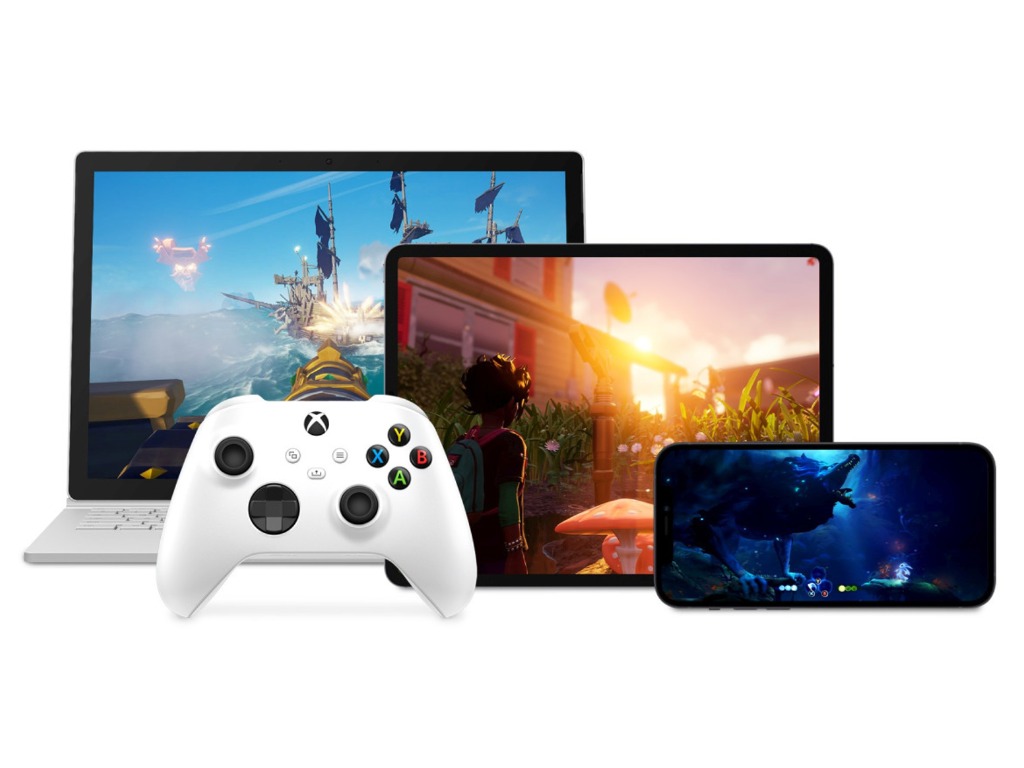
Xbox Cloud Gaming is currently available on the web, the Windows Xbox app, as well as iOS and Android phones and tablets, but it’s coming soon to Xbox consoles as well. Microsoft has started testing the feature with select Xbox Insiders earlier this week, and this will eventually allow all Xbox gamers to try Xbox Game Pass games without installing them.

The latest Windows 11 install script bypasses TPM

As we near the official release of Windows 11, there appears to be a new script that allows users to install the new OS on devices that do not meet the minimum requirements.

Microsoft has been releasing system requirements for devices that are compatible with Windows 11.

New gateway

Part of the OS system requirements includes TPM 2.0, newer CPUs, and many more. The new script works on virtual machines and allows them to upgrade to the latest Windows Insider build.

The script comes in a batch file released as part of the Universal MediacreationTool wrapper allowing users to create an ISO for any Windows version.

The main script is the MediacreationTool.bat that creates the ISOs and the Skip_TPM_Check_on_Dynamic_Update.cmd that configures your device and bypasses all mandatory hardware checks set for Windows 11.

When executed on a device, some of the tasks performed include:

  • Creates a ‘AllowUpgradesWithUnsupportedTPMOrCPU‘ value.
  • Registers a WMI event subscription named ‘Skip TPM Check on Dynamic Update.’ 
  • Deletes the ‘C:\$WINDOWS.~BT\appraiserres.dll‘ file during the launch of vdsldr.exe in Windows 11 setup.

Risks ahead

Whereas this may seem like an easy method for users whose devices failed to meet system requirements and had to purchase new devices, they should be careful with this script as it exposes them to performance issues and an array of bugs. In addition, you risk missing critical security updates making your connection less secure.

Microsoft maintains its strong stance on devices meeting system requirements to install Windows 11.

If you must install this script, only do so on test devices.

What do you think of the script? Would you risk your device bypassing the system requirements? Share your thoughts in the comment section below.

A Juggler’s Tale game review: a fine time narrated in rhyme

I promise you this and I hope it will amaze
In this review, I’ll rhyme in each phrase!

Why do you ask? What’s it to you?
Well in this game, the narrator does too!

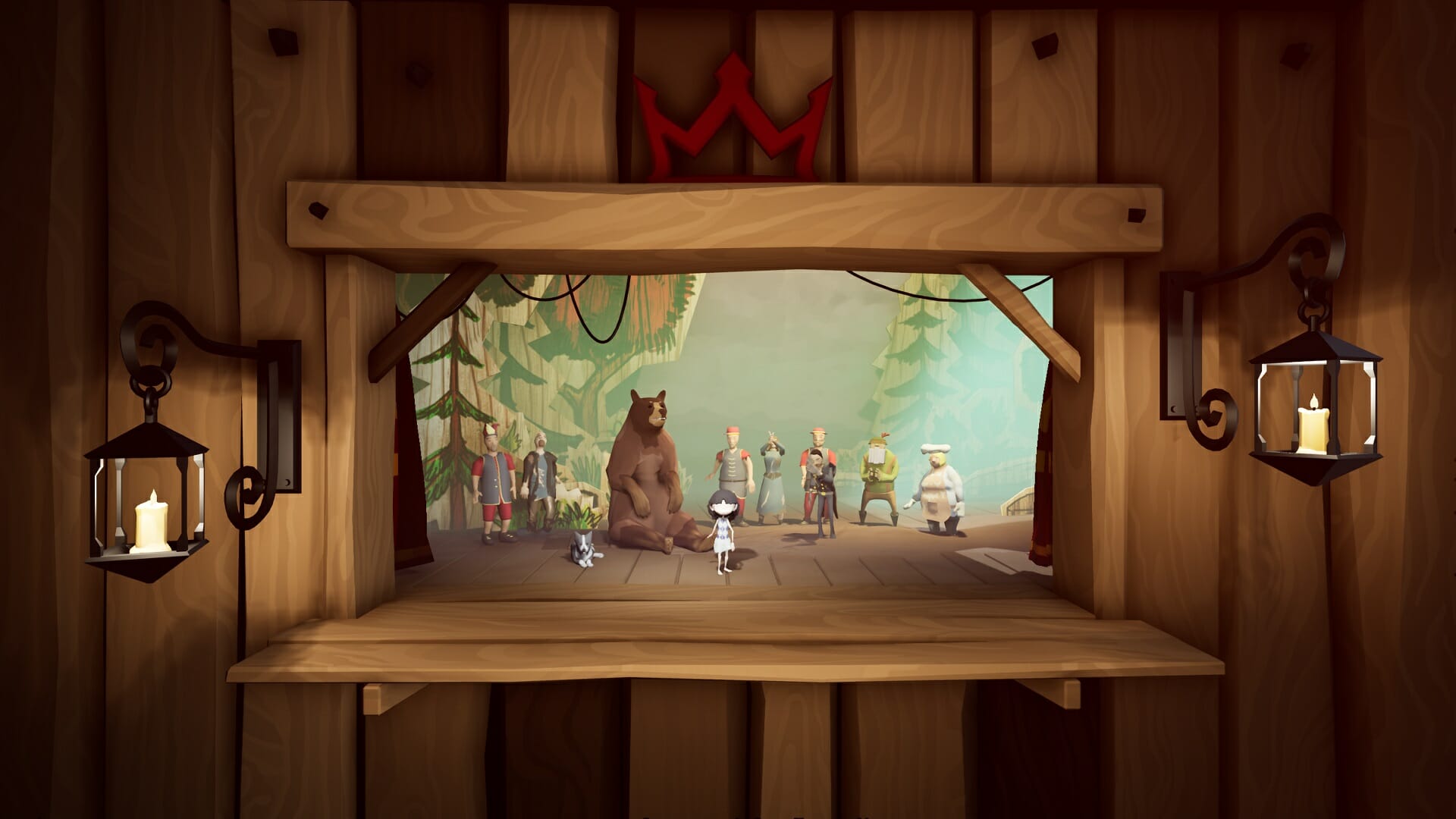
A Juggler’s Tale has an interesting story to tell,
It’s about young Abby, and she’s not doing too well.

You could say it’s sad, or argue that it’s plain impolite
How this wee little lass is forced into a daily staged fight

While scripted, to the audience it’s a thrilling affair,
how such a little girl bested a bear

But the success is shortlived; at the end of each day
the ringleader grabs her and locks her away

It doesn’t take a lot to set up the plot

Then, a small miracle, it’s lovely to see,
with the help of some critters, she steals her master’s key

Our juggler escapes, as the bear plays his part
Sure it’s exciting, but it’s only the start!

At first, she wonders: “What have I done?”
But the thoughts soon vanish at the taste of freedom

The graphics are neat, it’s a visual treat

A Juggler’s Tale is gorgeous, a sight to behold
You’ll see plenty of colorful vistas as the story unfolds

But Abby’s given no rest by the puppeteer who’s ever controlling
She runs and she runs through levels full of parallax scrolling

It’s not just walking and jumping or aiming at things
When solving puzzles, you’ll make use of your strings

The gameplay evolves, there are puzzles to solve

Running from thugs who’ll rip her to shreds
Abby’s got no choice but to rely on her threads

Though there are plenty of checkpoints, it’s never too hard
I wager there’s even a chance you’ll survive it unscarred

You’ll jump, pull levers and even train your aim,
but after few hours it all starts feeling the same

Luckily for us, A Juggler’s Tale is not overlong,
Just when it threatens to grow stale, it breaks out in song

The music, while rare, is a feast for the ears
If there were just a few more tracks, it would be welcomed by cheers

As we’re carried away by a group of singing thugs
I take a moment to bring up some small bugs

Grab the tissues, because it still had some issues

Sometimes the jumping or animations felt weird
There was even a time when Abby disappeared

Alas, such is the fate of a game with console ports
but luckily we reviewers also submit reports

So relax, fear not, it’s only a scratch,
I have full faith all bugs will be fixed in a day-one patch.

Final thoughts on A Juggler’s Tale

Pros
The narration in rhyme is truly sublime
The graphics are neat, it's a visual treat
It launched in the busy month of September, yet I promise it's a game you'll always remember
Cons
Some minor bugs at the time Grab the tissues, because they still had some issues (bugs)
As a dad with no time, it has my support, but some might find it just a bit short

Final Score: 4/5

A Juggler’s Tale feels truly unique, aside from some bugs (and maybe a short playtime) there is nothing to critique. The writing is witty and delivered in rhyme, at the end of the ride you’re guaranteed a great time.

It looks stunning, it’s colorful and oozes with style, I can only conclude that this puppet show is very much worth your while.

⇒ Get A Juggler’s Tale for PC

A Juggler’s Tale is available on Windows PC, Xbox Consoles, Playstation Consoles, and Nintendo Switch. It takes around 2-3 hours to beat.

Disclaimer: Reviewed on Xbox Series X. Review copy provided by the developer.

A Juggler’s Tale: How to get all the achievements

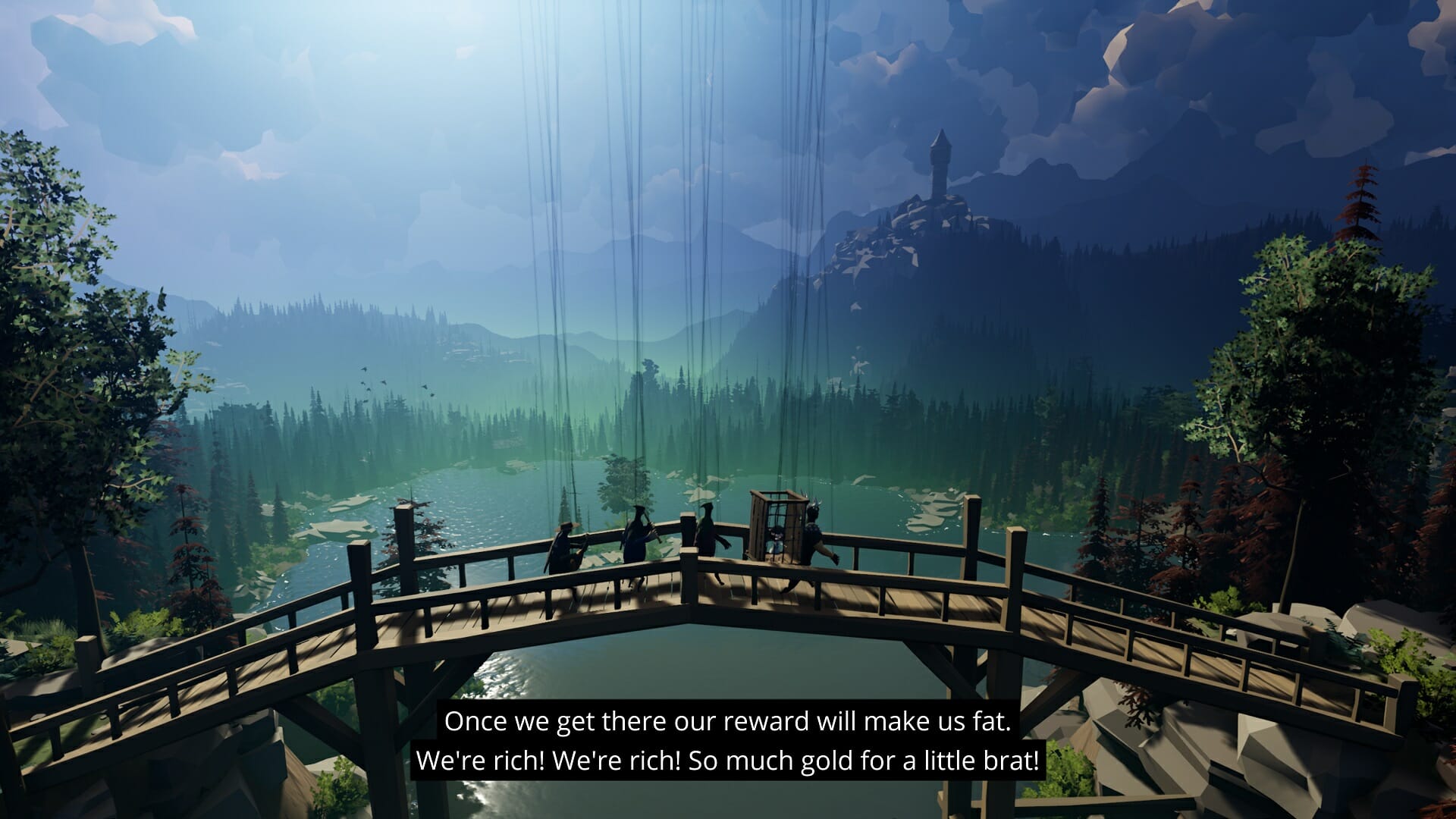
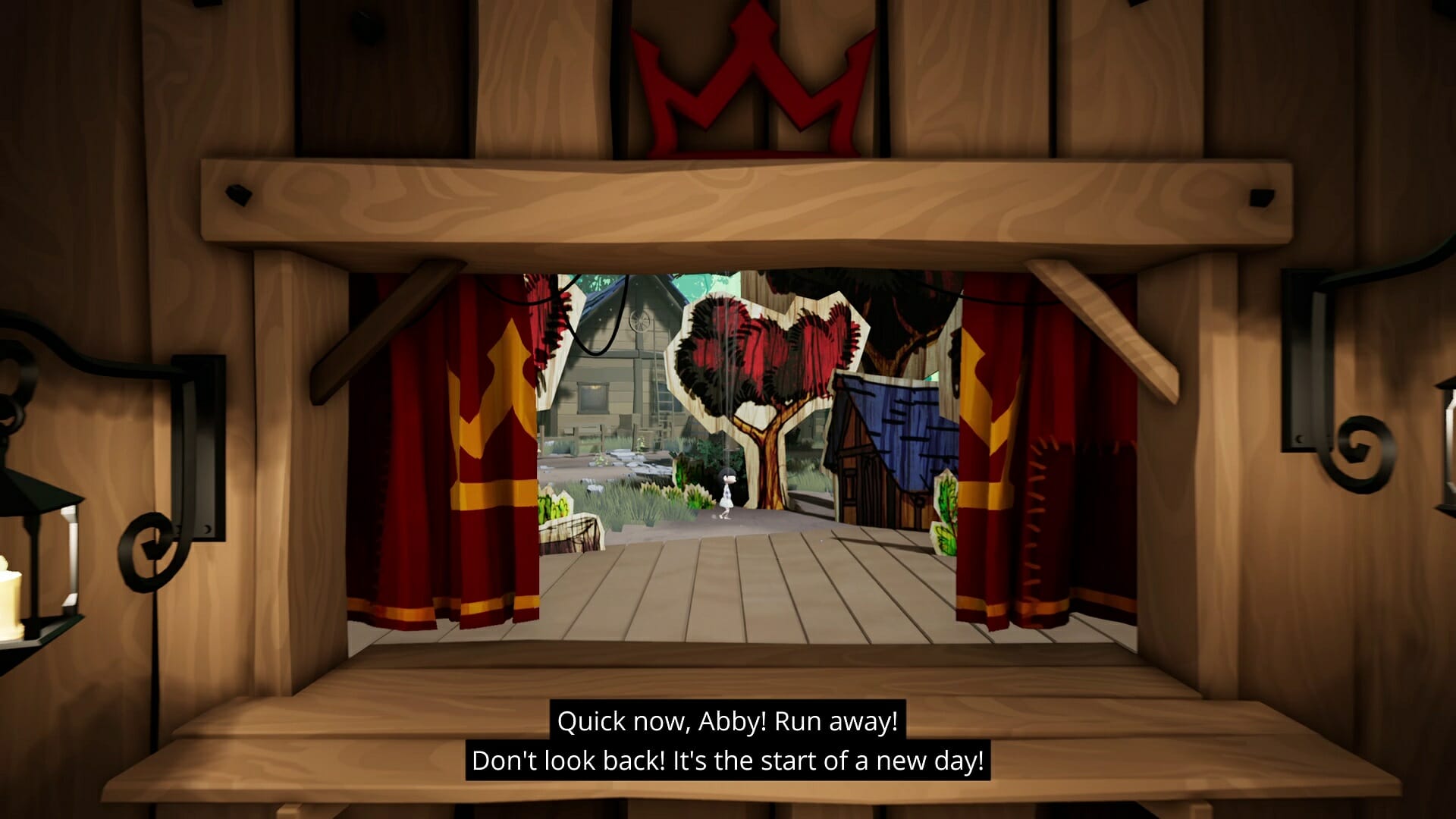
A Juggler’s Tale is a narrative side-scrolling adventure, about a young puppet girl who escapes the circus and runs off in search of freedom. It’s set in a fantastic-looking world full of strings and props to make it look like a puppet show being shown to a captivated audience.

The game has a quick-loading chapter select, available from the menu screen, so it should be easy to load the exact act and chapter you need.

If you’d like to learn more about the game and what we thought of it, be sure to check our review!


? Amount of achievements: 18 (3 secret)
⏲️ How long to beat: around 3 hours
? Platforms: Windows, Steam, Xbox One consoles, Xbox Series X|S, PS4, PS5, Nintendo Switch


Bullseye – 25G

Practice your throwing skills – left and right!

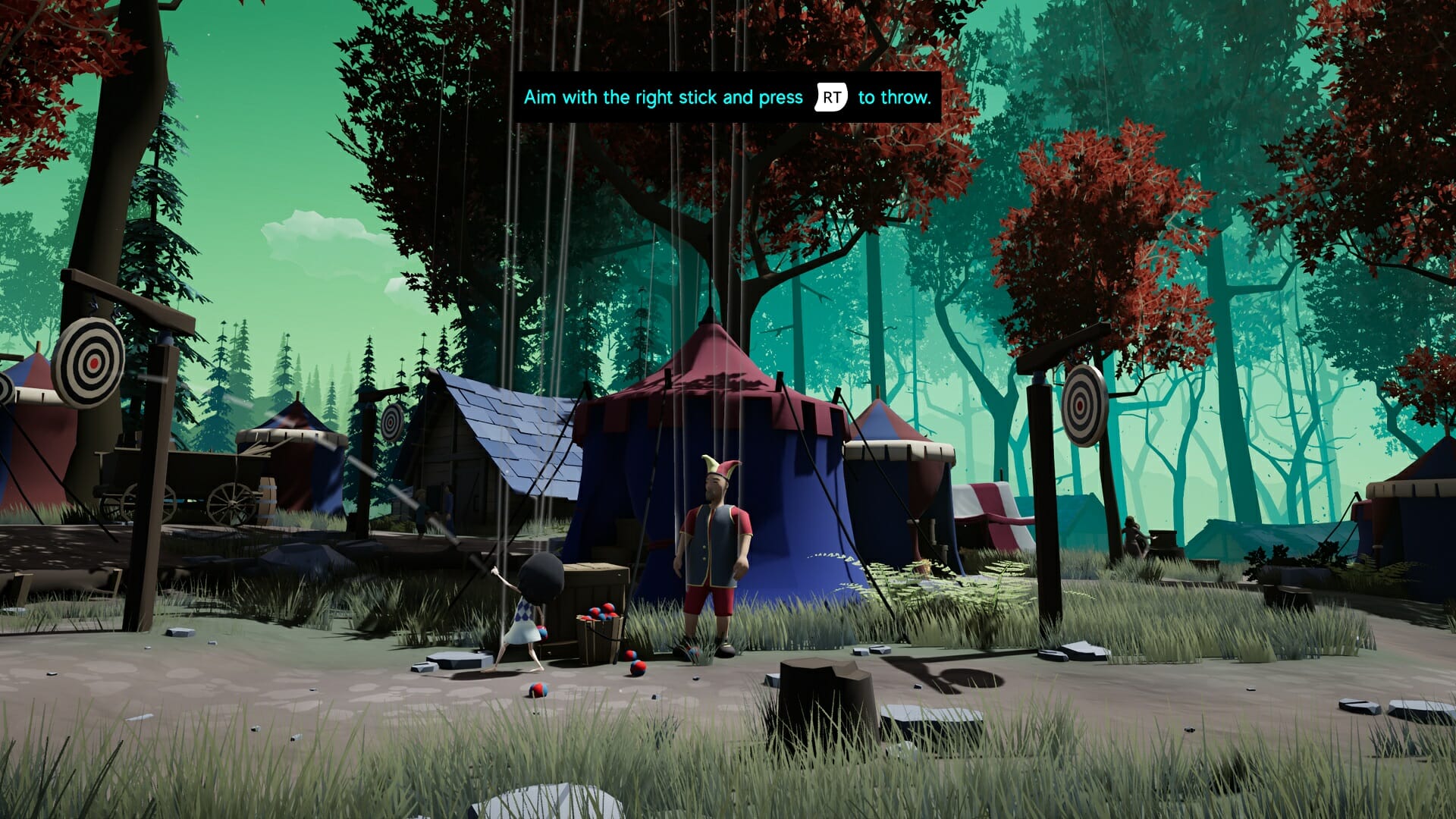
At the very start of the game, you’ll be given instructions on how to throw objects. Simply hit both targets (left and right) three times each and the Bullseye achievement should pop.

An Apple A Day… – 50G

Make sure the bear is well fed.

Keep running right and you’ll be forced into a staged fight. The game wants you to throw the apple over the bear’s head so you can grab the ringmaster’s hat, but instead of doing that, throw 8 apples straight at him. As soon as he’s consumed the 8th apple, the achievement is yours.

On to adventure

On to adventure – 100G

Finish Act I.

This is story-related and unmissable. At the end of the first act, you’ll get the 100G.

Lunchtime – 25G

Enjoy your newfound freedom.

At the start of the second act, you’ll walk by a bench overlooking some gorgeous fields. Take a break by pressing the action button near the bench and you should get the achievement. Easy, right?

Animal Friend – 50G

Free the wolf. (Secret)

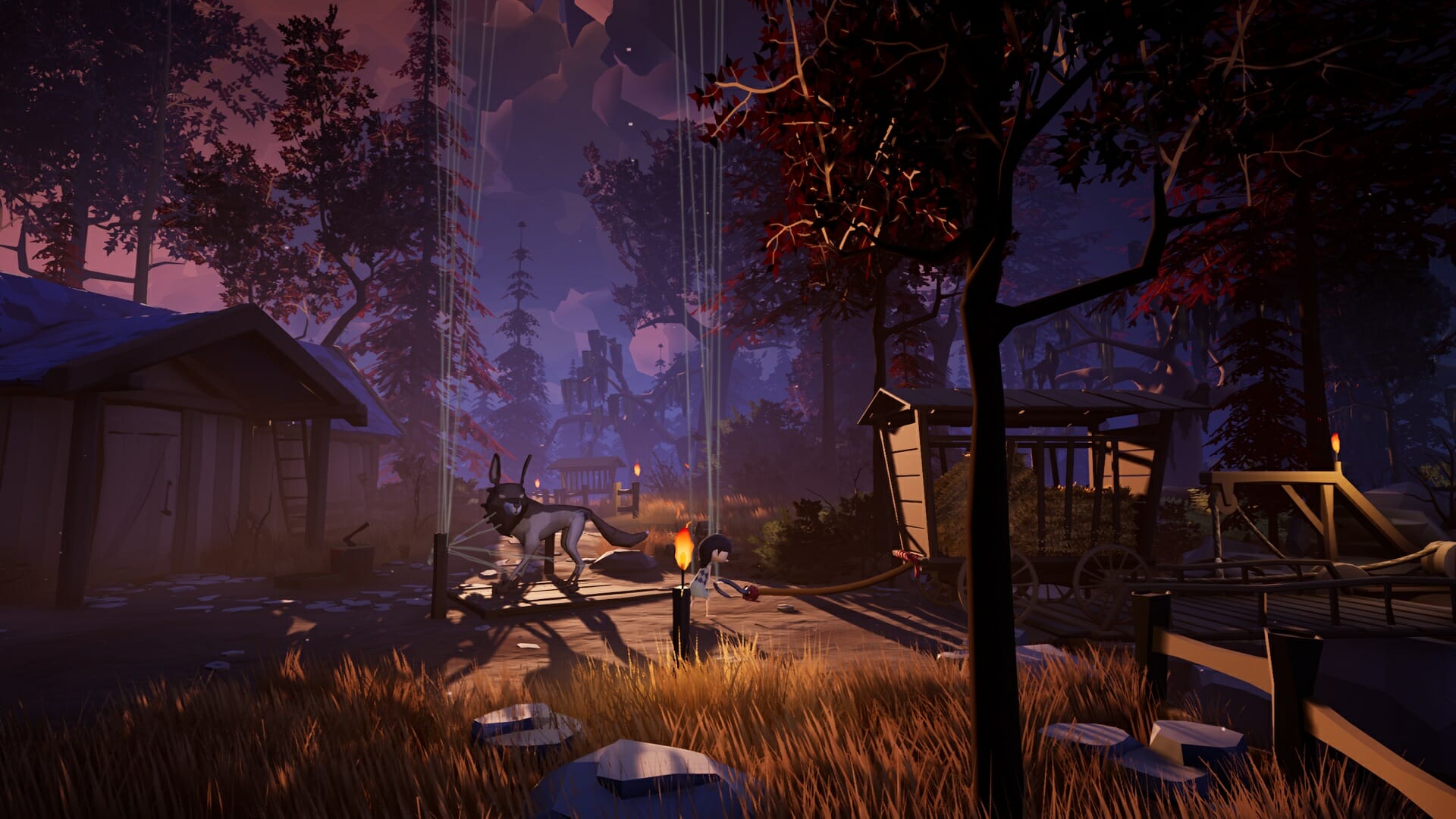
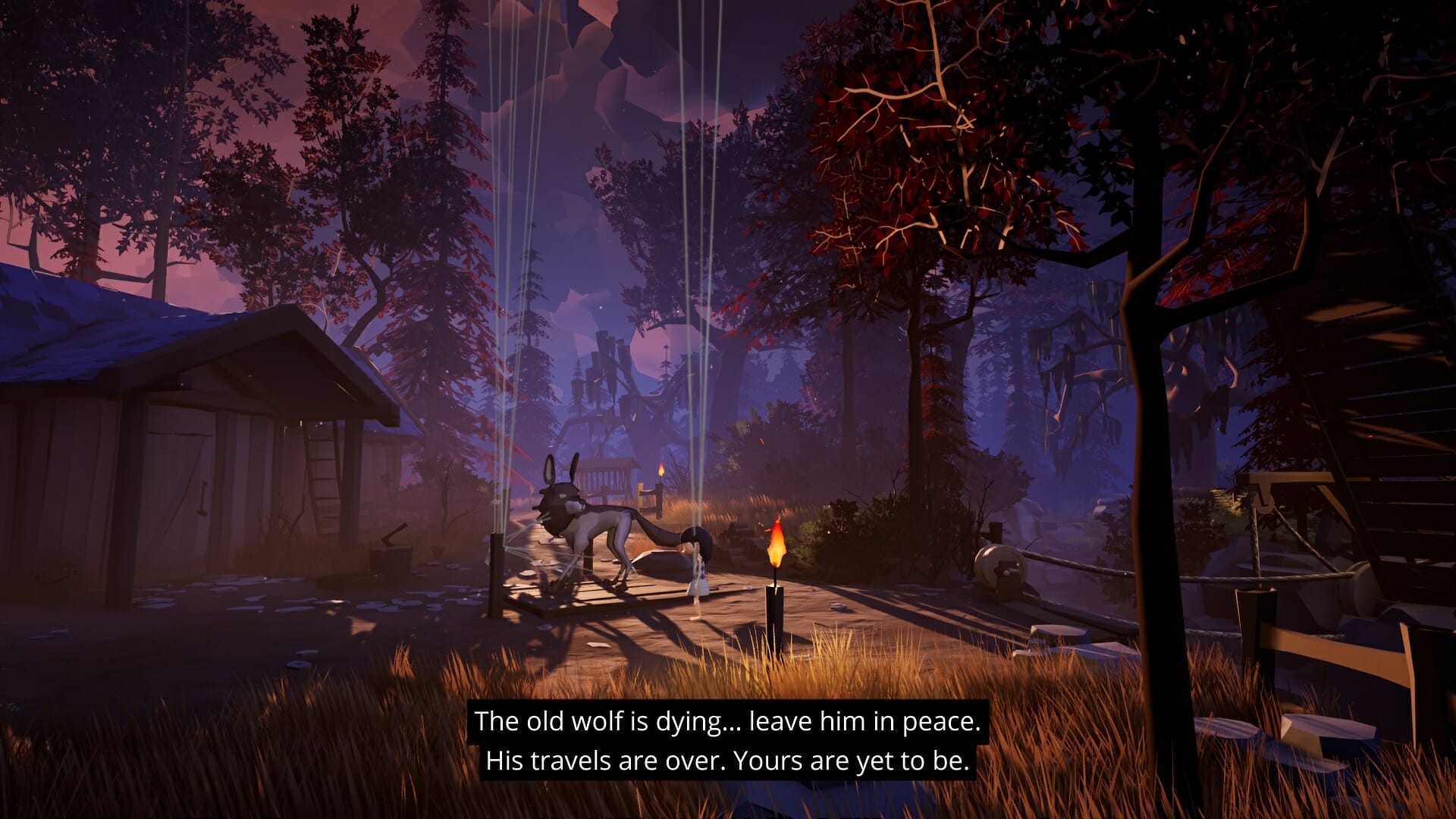
You’ll encounter a wolf who’s been roped down to a pole. Simply pulling at it won’t be enough, so we need to enlist the aid of something heavier. Keep going to the right and let down the bridge. Drag the cart back to the left, over the bridge. Use the action button near the wolf when the cart’s hook is close to it and Abby will attach it.

Wait for the bridge to lift again and push the cart off the edge, cutting the wolf free in the process. Good news: by freeing him you get to ride on its back near the end of the game!

Scaredy-cat – 50G

Leave the wolf to his fate. (Secret)

Instead of freeing the wolf, simply ignore it and continue onwards. This can’t be achieved in the same run as Animal Friend but you can simply load this chapter from the menu. At least the 50G you earn will ease your conscience… somewhat.

On Dry Feet – 50G

Play through Act II without falling into the water.

This is possibly the hardest achievement in the game, but very doable if you just pay attention. You have to avoid falling in the water for the entire Act II. If you do fall in, be sure to hit the menu button and start over from the first chapter.

There are some rivers you’ll need to cross, most of them can be done simply by jumping at the last minute and there is one part where you’ll need to alternate between two wooden planks to jump on. This is required by the game to proceed, but very likely that you’ll have missed this and will need to try again in a new run.

After the double wooden board part, there is a long section in the rain and with torches, and afterwards, there will be a few more jumps, so be sure to take this nice and slow so you won’t have to start over.

The achievement should pop as soon as the chase sequence with Tonda and his thugs starts.

Upside Down – 100G

Finish Act II.

This is story-related and unmissable. At the end of the second act, you’ll get the 100G.

Childish – 50G

Play fetch with the dog until he is happy.

At the start of Act III, you’ll encounter a dog. You need to throw a stick to distract it and continue onwards. After the first stick throw, he’ll become friendly to you and if you throw it a few more times, he’ll start wagging his tail as the achievement unlocks. (Just throw it once more, he’s been such a good boy!)

Troublemaker – 25G

Really get on a villager’s nerves.

Not long after, you’ll encounter a bell. Just ring it three times and at the third chime, the achievement is yours.

Close Call – 25G

Attract the attention of the bandits three times without getting caught.

There will be a few sequences where guards shine their lanterns at you. Just get closer to the light a few times to alert them (their light should shine brighter) and then quickly run back so you won’t get caught.

It’s very likely this achievement will pop during regular gameplay, without trying to get it specifically, but if that’s not the case, simply reload this chapter from Act III.

Changing your fate – 100G

Finish Act III.

This is story-related and unmissable. At the end of the third act, you’ll get the 100G.

Riot – 50G

Riot on the stage of the fourth act.

At the start of the fourth act, there will be a siege tower with some heavy stones. Press the action button to pick one up and run all the way back to the left, to the start of the act. Aim the stone at the piece of grass hanging to the left and throw it down. The achievement will pop and you’ll get some comments from the puppeteer who’s not too happy with your rebellious actions.

Worth a try – 25G

Annoy Tonda and the bandits.

Keep playing and you’ll come near a ballista. Simply press the action button near it and Abby will fire it at Tonda’s thugs. It won’t help you one bit, but at least it gave them a good scare. (and earning you an achievement!)

Plumber – 25G

A few more barrels than necessary….

When Abby escapes from the fisherman’s village, she will be blocked by a giant whirlpool. You can stop it by bumping a barrel into the hole, but be careful that you don’t get sucked in as well. To unlock the achievement, you’ll need to let three barrels get sucked in, so rinse and repeat.

Tip: it’s easiest to do when you angle your boat slightly, this is physics-based so use your brain.

This is how it works – 50G

Free Tonda from a thread. (Secret)

Near the end of the game, you’ll get to finally fight back! When you get to the location depicted below, grab the scythe and put it on the platform. Then pull the lever and have Abby ride the platform up (with the scythe). Grab the scythe again and walk to the edge of the platform, then press the action button to place it down.

You might need to angle the tip of the scythe up to make sure it doesn’t hit the stone platform. Once it’s in place, you can walk across. Pick it up again and walk to the left until it hooks behind Tonda’s threads. Walk to the right to cut the first thread and earn your achievement!

Triumph – 100G

Finish Act IV.

This is story-related and unmissable. At the end of the fourth act, you’ll get the 100G.

Together we are not alone – 100G

Finish Act V.

This is story-related and unmissable. At the end of the fifth act, you’ll get the 100G.

Congrats on beating the game!


That’s about it when it comes to achievements for A Juggler’s Tale. There’s 500G here that is hard to miss, but hopefully, our achievement guide has helped you get the other 50%.

If you have any other questions or you need some extra steps for completing any one of these achievements, don’t hesitate to drop a comment in the section below and we’ll make sure to help you out!

5 best lightweight email clients for low-end Windows 10/11 PCs

No matter if you own a business or not, having a good email client can change the overall efficiency of the provided services.

This task would normally require you to spend a few hours every day sorting through emails. Using the right email client can offer you a wide range of benefits: faster responses to your clients, easy managing and sorting of emails, the ability to track emails, etc.

All these features can streamline the process of responding to your clients’ queries by sorting emails automatically by the sender.

Because the market has a wide range of email clients on offer, it is a daunting task to find the one that suits your needs perfectly and offers a great array of useful features, especially if you need a lightweight program that will not slow down your PC.

In this article, we will explore some of the best email clients existing on the market, that barely influence the processor of your PC, while still offering you a great range of features.

Which are the best email clients that run on low spec PCs?

Mailbird

This software is an incredibly useful email tool that offers a great range of features, has a great user-friendly interface, and it’s also lightweight.

When it comes to the user interface, Mailbird offers a crisp, good-looking, and easy-to-access dashboard that gives you the power to customize every aspect of it.

You can also easily integrate your Mailbird with other apps like the Google Suite. This allows you to expand the email client’s capabilities even further.

You can easily set up keyboard shortcuts, allowing you to run commands without even touching your mouse, or dragging and dropping any element.

While using the fast-response tool incorporated in Mailbird, you can still use any other options outside of the pop-up window, making it easier than ever to sort out through long email lists and manage them accordingly.

You can categorize every email by using different label colors and names. You can create your own labels or choose one from the built-in options available.

Mailbird offers you multi-account support (IMAP, POP3), access to a very useful contact manager, and also has support for other third-party apps.

Some of the key features include:

  • Option for sending emails at a specific time or date
  • Supports an unlimited number of email accounts
  • Preview features for all your attachments
  • Professional-level support for all your problems

Mailbird

A top email client for Windows 10 with a friendly user interface and extensive integration with social media.

eM Client

eM Client is another great lightweight email client software option that allows you to manage your email databases without too much hassle. It offers great visuals and an easy-to-understand experience.

Because of its seamless integration with other email clients like Gmail, Exchange, and Outlook, eM Client is one of the best software options on the market, coming in very close to the software we presented above, called Mailbird.

You can easily transfer complicated schedules from your calendar, and also add contacts from other third-party software, allowing you not to worry about your data not being compatible.

Some of the most important features of eM Client include:

  • Integrated chat app compatible with any other chat service
  • Automatically translate emails
  • Set up delayed times for sending your emails
  • PGP encryption that offers you a secure environment

It is worth noting that the free version of eM Client offers a useful set of tools that make managing your emails and easier tasks, but it is limited to only 2 email accounts.

With the Pro version, eM Client gives you access to an unlimited number of email accounts, VIP support, and also commercial licensing rights, so you can use this app for a company.

eM Client

Organize, open, and send emails from multiple clients using intuitive and secure software.
Check price Visit website

The Bat!

This is an incredibly lightweight email client that is certified to be used on Windows 10. It has no system requirements, so you can run it on any PC, no matter the hardware specifications.

This software was designed with your email security in mind, with incredibly powerful encryption capabilities.

The Bat! protects your information by using a layered encryption process, that contains multiple encryption streams. You can choose to keep all your encrypted files on your disk, or protect your PC while communicating through email with its end-to-end encryption (E2EE).

The Bat! works perfectly with any email provider that store your messages in the cloud, and offers you the option to keep all your emails stored on a local computer/ hard-drive/ USB data storage.

Beyond the 3 layers of encryption that cover your precious information, keeping the data stored on your local hard drive gives the ”attackers” no chance of reaching them remotely or locally.

One of the best features of The Bat! is the fact that the number of email accounts that can be connected through this app is unlimited (IMAP, POP, MAPI protocols).

You also get unlimited data storage capabilities, so you never have to worry about losing data, or not having any space to store it in.

By using this software, you can rest assured that your data is protected with high level, and layered encryption, and you can also use and manage multiple email accounts, from one simple and easy to understand dashboard.

Other notable features found in The Bat! include:

  • Full support for PGP, GnuPG, and S/MIME
  • Greatly useful filtering system that allows you to pre-sort your emails with ease
  • Incorporated HTML viewer
  • Image retrieval features that are easy to customize and configure to your needs
  • Built-in address book
  • Great looking templates
  • Selective message download
  • RSS Feed subscription

⇒ Get The Bat!

Mailspring

Mailspring is another great lightweight software option that allows you to manage every aspect of your email database.

This software was designed for the speed of processing, making it a viable option for the software we presented you above.

One of the few downsides of using this software is the fact that you need to create a Mailspring account in order to use the app.

Once this is done, you get access to an easy-to-understand dashboard that takes you through every step of the process. You first need to choose one of your email providers from a list – Gmail, Yahoo, etc. and then use the stored passwords from your PC to log in easily.

Here are some of the most notable features found in Mailspring:

  • Supports multiple email accounts (IMAP and Office 365)
  • Can be used with touch devices
  • Can set advanced shortcuts with custom keys
  • Incredibly fast search tool
  • Unified inbox – all your email accounts can be accessed and modified from one inbox
  • Can give you read receipts for sent emails, and also link tracking
  • Great customizable themes and layouts

One of the most useful features found in Mailspring is its incredibly powerful search engine.

Mailspring also contains a great signature editor that allows you to create and customize every aspect of your signature, to make it represent yourself or your company properly, and you can even attach images to it.

This software also automatically detects the language in which you’re writing in, and adapts the speck check features, without you needing to modify the settings manually.

The free version of the app has a great range of features, but the number of times you can use them is limited.

⇒ Get Mailspring

Sylpheed

Sylpheed is another great lightweight software option that comes with fewer features than the other options we presented in this article. But the tool still has the full range of capabilities of a modern email client.

Besides not having any built-in bloatware, this software has an old-school user interface that reduces the amount of processing power your computer needs even more.

Here are some of the best features of Slypheed:

  • Easy to understand UI that is constantly being improved
  • Easy keyboard shortcuts for fast processing
  • Greatly organized configuration elements – gives you easy access to customize every aspect of your software
  • Architecture built on C language
  • Great filtering and search options
  • Can easily backup, migrate and process messages
  • Stability – even if software crashes, data is still intact
  • Great spam mail control – automatically learns characteristics of spam and reacts accordingly
  • Support for POP3, IMAP4rev1, SMTP, NNTP, IPv6
  • Security features – GnuPG, SSl/TLSvl

⇒ Get Slypheed

In this article, we explored some of the best lightweight email client software solutions that cover your basic email-managing needs, and also offer a great range of other useful features.

We would love to find out which of these 5 options you chose to use. Feel free to let us know in the comment section below.

After reading this article, you can find more interesting reviews and guidelines in our Email section

We also have a Software section filled with lists created by experts for every scenario.

Google Chrome gets rounded context menus to match Windows 11

Windows 11 brought new menus and improvements but the biggest change by far is the flowing design and the curved window corners.

It’s a debatable issue whether you like them or not but they are here to stay and unless you change the interface with the old one from Windows 10, you might as well get used to it.

And we’re not the only ones in that situation. The Chromium developers stepped up and decided to adapt Google Chrome to the new design and match the browser with the new Windows 11.

In a new project from Chromium Gerrit, the title clearly suggests this move: Configure menus with rounded corners for Windows 11.

How will Google Chrome adapt to Windows 11?

The owner of the new patch, Allan Bauer already wrote the code for the awaited change in Google Chrome but it’s still an ongoing project so we don’t know exactly when it will show up in a browser update.

Allan also states in a comment posted under the project that his solution is not the prettiest solution for Windows 11 style implementation, but he was constrained by time.

However, another great news is that this implementation will also work on Windows 10 so you will be able to change it there also.

Based on a code snippet, we came to the conclusion that the feature will be disabled by default and you will have to enable it from Google Chrome’s menus.

The Windows 11 style menus will be disabled by default

How are the Google Chrome menus now and what to expect?

Although we don’t have any screenshots of the new implementation, we can still take a quick look at Chrome’s present menus and exercise our imagination a bit.

Right now, as you can see from our screenshot below, Chrome has sharp corners although the window in the new OS is curved.

Menus in Chrome have sharp edges

However, if we want to get a glimpse of how the new menus will be displayed, we should perhaps look at the ones from Microsoft Edge, already adapted to the new Windows 11 design.

As you can see from our screenshot below, Microsoft’s browser has curved corners but the curvature is not as wide as the ones of the windows.

Edge’s corners are already rounded in Windows 11

We don’t know yet if Chrome’s menus will also borrow the acrylic effect from Edge. It’s a long shot but only the finished result will tell.

The new implementation is not a huge change but it shows a clear sign for design adaptation of the apps that will populate the new OS.

It’s definitely good news for the fans of the new Windows 11 design and as it’s a reversible change, it won’t affect the others who don’t enjoy the adaptation.

What do you think about this Google Chrome design change? Leave us a line with your thoughts in the comments section below.

0x800f0950 Language Pack: How to Fix This Error Code

Language packs play a significant role in Windows 11 and any other OS because they greatly improve the productivity of non-native English users.

However, when some of our readers switched to Windows 11, they tried to install a language pack and received the error code 0x800f0950.

All the language packs failed to install

As you can see from the screenshot, all language packs failed to install, and the message writes Sorry, we’re having trouble getting this feature installed. You can try again later. Error code: 0x800F0950.

There is no Microsoft official fix for this issue but we can say that it’s a universal error, also present in Windows 10.

We will try to help you solve this problem here but first, let’s identify some of the reasons behind this issue.

Why do I get the error code 0x800f0950 language pack in Windows 11?

Let’s keep in mind that the error appeared after switching to Windows 11 and this OS is still in its early development so anything can happen.

However, we will outline some of the most common causes and pinpoint the main directions for the solutions.

➡ Problems with the Internet connection

The fact that the error message suggests trying again later indicates that this error can be caused by a simple connection problem.

So, it’s either you’re having an unstable Internet connection or the servers are busy in which case, before you get to any further debugging, just try to download the language packs after a few minutes.

➡ File corruption

If you tried to install the language package and it failed during the installation because of Internet connection problems, there will remain some residue files.

And if you try to install it again, these can produce corrupted files and fail to install again.

➡ The language pack is not compatible

If you downloaded the language pack from an unofficial source, it probably isn’t compatible with Windows 11.

Not even official language packs from different versions of Windows 10 are not compatible with the new OS so stick to the basic process of adding a language.

Don’t worry because our solutions below will cover these issues and after that, you will be able to install the language pack of your choice without any problems.

How can I fix the error code 0x800f0950 in Windows 11?

1. Clear the downloads in the SoftwareDistribution folder

  1. Press the Windows key + E to open File Explorer.
  2. Navigate to the following path: C:\Windows\SoftwareDistribution\Downloads
  3. Next, press Ctrl + A to select all files and folders and hit the Del key or right-click any of them and select the Garbage bin icon to delete the contents.
  4. Now try to install the language pack again.

Deleting the downloads from the SoftwareDistrubution folder in Windows, as shown above, will prevent any problems when downloading the language packs so it’s worth trying.

2. Install the language pack after a clean boot

  1. Press the Windows key + R to start Run, type msconfig and press Enter or click OK to execute.
  2. Click the General tab, choose Selective startup.
  3. Uncheck the Load system services and Load startup items boxes.
  4. Next, go to the Services tab.
  5. Check the Hide all Microsoft services box and click on Disable all from the right.
  6. Click Apply and OK, then restart your PC.
  7. After the reboot, try installing a language pack.

3. Check the Windows Update service

  1. Press the Windows key + R to start Run, type services.msc and click OK or press Enter.
  2. Find the Windows Update service and double-click on it.
  3. Click on the Startup type menu and select Automatic (Delayed Start).
  4. Choose Apply, then OK and check if the problem is resolved.

This procedure should trigger the automatic updating for your OS so if there are any new updates in the pipeline, they will be downloaded and installed.

How to add a new language in Windows 11?

Now that you fixed the error 0x800f0950 that was preventing you from installing the language pack in Windows 11, let’s see how you can finally achieve your goal.

  1. Click the Search icon on the Taskbar, type language and select Language settings from the results.
  2. Now hit the Add a language button from the right.
  3. Type the name of the language in the search bar or scroll down untill you find it in the list, then click on the language and select Next.
  4. Next, select which features you want to install, check the box right below if you want to set this language as the Windows display language (all the menus and dialogues will be shown in that language), then click the Install button.
  5. The download will take some time but after that, to change the languages quickly, just press the Windows key + Space key.

It’s important to keep in mind that if you select the new language as a Windows display language, all the menus and dialogues will show in that particular language.

So, make sure that you know that language so you can read the text and eventually change it. Otherwise, it could be a prank that will remain forever on your debt.

We hope that our solutions helped you fix the error code 0x800f0950 in Windows 11 and you succeeded in installing the language pack of your choice.

You might also be interested in our guide on how to change the language settings that will help you further enjoy the available options.

If you have any questions or suggestions, don’t hesitate to leave a comment in the dedicated section below.

Windows 11 Taskbar Not Centered: How to Properly Align it

After upgrading to Windows 11 Insider preview build 22454, certain users have complained that the taskbar is no longer centered.

As with every previous build of the new operating system, people encountered many bugs and errors, but none of them were beyond repair.

Until the final version of Windows 11 comes out this October, you can follow this guide and bring the taskbar to the center as it should be.

What are the latest taskbar changes in Windows 11?

Besides its position, the taskbar suffered many changes within the new OS, but many of them were not received very well.

You can only move the taskbar to the left or keep it centered, but you can add some style to it by making it transparent.

You can also manage the Windows 11 taskbar on multiple monitors by changing the settings in the Personalization panel.

Another aspect found on the Insider builds is the Never Combine feature in the taskbar settings that lets you keep the windows from an app ungrouped.

But those who want certain apps or websites added and pinned to the taskbar, know that it can be done with ease.

You can also hide the taskbar completely by enabling the Automatically hide that taskbar option if you prefer a more tidy look while working or browsing the web.

While there aren’t many new features Windows 11 has brought to the taskbar, here is what Panos Panay, Chief Product Officer at Windows + Devices had to say about its functionality:

We’ve simplified the design and user experience to empower your productivity and inspire your creativity. It’s modern, fresh, clean and beautiful. From the new Start button and taskbar to each sound, font and icon, everything was done intentionally to put you in control and bring a sense of calm and ease.

What can I do if Windows 11’s taskbar is not centered?

1. Upgrade to preview build 22458

  1. Click on the Start icon from the taskbar.Start button
  2. Select Settings.Settings Win 11
  3. Go to Windows Update option.
  4. Click on the Check for the updates button from the right pane and Windows 11 will automatically download the latest update.
  5. Restart your device.
Note icon NOTE
Because this error can be found on preview build 22454.1000, upgrading to the next one will fix the issue. If you cannot find Build 22458, click on Pause for 1 week and Resume to restart the search.

2. Downgrade to the previous build

  1. Follow the above steps until you reach to the Windows Update.
  2. Click on Advanced options.Advanced options
  3. Scroll down to select Recovery.
  4. Click on the Go back button and follow on-screen instructions to uninstall the current preview build.

3. Show all taskbar icons

  1. Right-click on the taskbar and select Taskbar settings.taskbar settings
  2. Now toggle on all the settings to brings all the taskbar icons to the center.personalization - taskbar

4. Change alignment to the Left

  1. Once again, right-click on the taskbar and select Taskbar settings.taskbar settings
  2. Scroll down to the Taskbar behaviors and click to expand.taskbar behaviours
  3. Next to Taskbar alingment, select Left.taskbar left

Can I change the taskbar size on Windows 11?

Even though the taskbar’s functionalities are limited on Windows 11, you can still personalize it to your liking.

You can change the taskbar style by using some apps. Even more, you may modify the icons’ size by tweaking a few registry settings.

The exact measurement might vary based on your screen resolution, but you can make the taskbar small, medium, or large just by following the steps below:

  1. Click on the Search icon from the taskbar.Search
  2. Type regedit and select the Registry Editor option like in the image below.Open Registry Editor
  3. Navigate to: HKEY_CURRENT_USER\Software\Microsoft\Windows\CurrentVersion\Explorer\Advanced
  4. Right-click in the right window pane and select New->DWORD (32-bit) Value.New DWORD value
  5. Now right-click again on the newly created value and choose the option Rename to name it TaskbarSi.Rename to TaskbarSi
  6. Double click on TaskbarSi and choose one from the following values: 0 for small, 1 for medium, or 2 for large.Change value
  7. Click on OK, close the registry window and reboot your device for the change.

While the taskbar is a bit complex, you can quickly centrally align active windows on the PC.

What is your take on the new taskbar design and functionality? Tell us in the comments section below, and let’s start a discussion.

Discord and Opera are coming to the Windows 11 Microsoft Store, with Epic Games Store to follow

Microsoft continues to attract big names on the Windows 11 Microsoft Store, and the latest additions include the social app Discord and the web browser Opera. The software giant also announced today that it will allow third-party storefronts on its Windows 11 Microsoft Store, and that the Epic Games Store will be coming to the Microsoft Store in the coming months.

The company previously announced that it was working to bring Amazon’s Android App Store to Windows 11, and the news of Epic Games bringing its storefront to the Microsoft Store is another big milestone. “Just like any other app, third-party storefront apps will have a product detail page that can be found via search or by browsing – so that users can easily find and install it with the same confidence as any other app in the Microsoft Store on Windows,” the company explained.

Microsoft said today that it’s looking forward to welcoming other storefronts on its new Microsoft Store going forward, and the company also reiterated that its redesigned store will also be available for Windows 10 users in the coming months. In regard to Android apps on Windows 11, a preview for Windows Insiders will be available soon as Microsoft plans to share more details about the system requirements.

As of this writing, we’re not able to find Discord or Opera on the Windows 11 Microsoft Store yet, but it shouldn’t be too long before the apps show up on the digital storefront. Yandex is another browser that’s coming to the Microsoft Store, and it will be interesting to see if Mozilla Firefox and Google Chrome will follow.

Marvel’s Avengers is coming to Xbox Game Pass on September 30

Marvel’s Avengers, the action role-playing game set in the Marvel Cinematic Universe is coming to Xbox Game Pass for Console, PC, and Cloud on Thursday, September 30. The full game and its additional content will be available for all subscribers, and that includes the new War for Wakanda expansion that will introduce Black Panther and new story missions.

If the game received mixed reviews at launch, Marvel’s Avengers has since received a lot of free post-release content and has also been optimized for next-gen consoles. Following Outriders earlier this year, this is another high-profile Square Enix game to come to Xbox Game Pass in 2021, and the availability on Xbox Game Pass for PC and Xbox Cloud Gaming is also very nice.

As September is now almost over, Microsoft will likely have more new Xbox Game Pass titles to announce very soon. In other Xbox Game Pass-related news, VentureBeat is reporting today that Microsoft will be dropping the price of Xbox Game Pass in Chile, Hong Kong, and Israel to adjust to local market conditions, though consumers in other markets should not expect similar price cuts.


Xbox Game Pass Ultimate

Xbox Series X|S consoles add support for Dolby Vision Gaming

After a couple of months of beta testing with Xbox Insiders, Microsoft is enabling Dolby Vision Gaming on Xbox Series X and Series S consoles today. This new Xbox feature is an industry first, and it follows Microsoft’s forward-thinking approach which saw HDR10 on Dolby Atmos come to Xbox during the previous console generation.

“Starting today, gamers with compatible Dolby Vision-enabled TVs will be able to enjoy full-spectrum visuals with the rollout of Dolby Vision gaming on Xbox Series X|S. With Dolby Vision, epic worlds – such as lush rainforests or neon futuristic cities – are brought to life in more vivid color,” the Xbox team explained.

Dolby Vision is Dolby’s superior HDR format that many high-end 4K TVs have been embracing in recent years. Microsoft previously added Dolby Vision support for movies and streaming on Xbox One consoles back in 2018, but Dolby Vision Gaming will be exclusive to Xbox Series X|S consoles.

Compared to the HDR10 standard, Dolby Vision can deliver superior brightness, color, contrast, and detail, and it’s also compatible with other HDMI 2.1 features such as automatic low-latency mode (ALLM), Variable Refresh Rate (VRR), and up to 4K/120Hz gameplay. “When compared to a standard picture, Dolby Vision can deliver colors never before seen, highlights that are up to 40 times brighter and blacks that are 10 times darker,” Dolby explains on its website.

Microsoft says that more than 100 next-gen HDR titles will support Dolby Vision, and there are more in the pipeline including Halo Infinite. Games like F1 2021, Gears 5, Psychonauts 2, Microsoft Flight Simulator, Borderlands 3, or Ori and the Will of the Wisps already support Dolby Vision Gaming and Dolby Atmos on Xbox Series X|S consoles, and the Microsoft Store has a more complete list of Dolby Vision and Dolby Atmos-enabled games.

If Microsoft and Dolby will work with developers to make their games take full advantage of Dolby Vision, Dolby Vision Gaming on Xbox Series X|S consoles will also benefit existing HDR Xbox One games and others that support Microsoft’s Auto HDR technology. “When you are connected to a Dolby Vision enabled TV and Dolby Vision is enabled on Xbox Series X|S, the consoles will automatically enhance your existing games to deliver a rich, immersive experience unrivaled by any other game console,” the Xbox team explained.

If you have a 4K TV that supports Dolby Vision, you can turn on Dolby Vision Gaming on your Xbox Series X|S by going to Settings > General > TV & display options > Video Modes > Dolby Vision for Gaming. Microsoft also recommends checking that your TV is running the latest firmware, as some TVs may experience high latency issues when Dolby Vision for Gaming is enabled. To really take advantage of Dolby Vision Gaming, you’ll need a recent HDMI 2.1 4K TV that supports all next-gen features including Variable Refresh Rate (VRR) and Auto Low Latency Mode (ALLM).

Lightweight Visio web app starts rolling out to Microsoft 365 business subscribers

Microsoft has started rolling out a new lightweight version of its Visio diagramming tool to Microsoft 365 commercial customers. The Visio web app was first announced back in June, and it is available for all Office 365 and Microsoft 365 business subscribers at no additional cost.

“Visio has long been available only as a standalone app for purchase for people with specialized diagramming needs. But this is changing. We are recognizing an increasing need for a diagramming solution for everyone to convey information more effectively, which is why we’re excited to announce that we’ll be bringing core Visio capabilities to Microsoft 365 for all commercial license subscribers,” the company explained in a blog post.

The built-in lightweight Visio web app lets users create, edit, and seamlessly collaborate on Visio diagrams with their colleagues. It comes with a bunch of design templates, such as process diagrams and basic flowcharts. Users will be able to access the Visio app within Microsoft Teams, and it also integrates with Word and PowerPoint. Additionally, the new Visio Data Visualizer add-in for Excel brings the ability to create a diagram from the spreadsheet data to help users visualize it.

Microsoft says this new lightweight version of its Visio will not replace the existing subscription plans, and it will only address the “essential” diagramming needs of users. However, the standalone plans of Visio will continue to be available to meet the “more specialized diagramming needs” of enterprise customers.

It is important to note that the new Visio experience is rolling out gradually to Microsoft 365 customers, and you may need to wait a bit more to see it in your tenant. If you are interested in trying the Visio web app, you can head over to Office Online to get started.

Automated Onboarding Software for new Employees: Top 5

Onboarding, also known as induction training, is a very efficient way to get the new people you hire in your company up-to-date with the latest changes in the way the company offers services, the requirements for a specific job, benefits, etc.

In the past, the entire onboarding process took weeks to complete, depending on the size of your business. This process involved manually organizing classrooms and assigning teachers, checking the attendance of your new hires, and then manually collect data and transfer it to your database. This was a highly inefficient way to deal with new employee training.

The onboarding process is not only about making sure your employees understand the culture of your company, but that they also understand the underlying processes of their actions, and why a solution was chosen instead of another. This information allows your employee to make informed decisions that, in time, will have a hugely beneficial influence over the results of your company.

This process will allow your new employees to feel settled in, and, after the induction is completed, increase their productivity, their engagement, and, if all the information is clear, can increase the time they choose to stay employed at your company.

In this article, we will explore some of the best-automated software options that allow you to streamline your onboarding process with just a few clicks.

What are the best software options to streamline the induction process of your company?

Talent LMS (recommended)

Talent LMS is a learning management system that allows you to offer your new employees a complete training session. You can use this software to make the onboarding process of your company faster, more efficient, and in accordance with the type of company you own, adapt to your needs.

This software is easy to use, and because it’s an online platform, any user can create great induction training, manage them, and also easily collect data required on the go.

Because of its powerful engine, Talent LMS frees your employees from the task of long teaching sessions and allows them to focus on more important aspects of their job.

With its online database, Talent LMS offers you a great set of features, and also allows you to securely store any data obtained from the training sessions. This offers you peace of mind, knowing that every piece of data and all details of your new employees are safely stored in the cloud with encryption.

By using Talent LMS, you can prepare your new employees in regards to their roles and responsibilities, covering a wide range of training types.

This app allows you to train your employees in the latest health and safety codes, offer on-the-job training (specific training for their job), possible advancement paths, and can also inform employees about professional ethics, harassment, etc.

Some of the most notable features of Talent LMS include:

  • Powerful content editor – easily create courses
  • Default Group feature – allows you to streamline the induction by selecting a number of courses and asign them to all new employees
  • You can combine the induction with online tests, surveys, quizzez, etc.
  • Great comprehensive reports regarding the induction process
  • Ability to customize your induction creation by facility, department, etc.
  • Single Sign-On integration
  • REST API features – makes the administration process more user-friendly
  • Learning paths – administer the way courses can be completed or viewed
  • Can add own CSS or JavaScript on visual themes
  • Advanced reporting features on test results

Talent LMS was released in 5 versions, each containing features tailored to the needs of different users :

  • Talent LMS Free – up to 5 users and up to 10 courses
  • Talent LMS Small – up to 25 users + unlimited courses
  • Talent LMS Basic – 100 users, unlimited courses, single sign-on support
  • Talent LMS Plus – contains all the features found in the previous versions and adds :
    • Up to 500 users
    • Custom reports
    • Automation
    • Success Manager
    • SSL for your custom domain

Talent LMS Premium – everything from Plus and adds Up to 1000 users.

Talent LMS

Talent LMS

Make a proper induction to your new employees with a highly performant training platform, plus make them stay.
Check priceVisit website

BambooHR

BambooHR is a cloud-based human resources hub that offers a wide range of features that cover the hiring process, onboarding process, data management, and reporting, etc.

The onboarding tools available in BambooHR allow you to set up your company induction process in such a way that the tracking of applicants, hiring, and employee transitions are all covered. You can use performance management features, reporting tools, e-signatures, and many other options.

You can also use BambooHR to automate different processes. Among many other automation possibilities, the onboarding tools found in this software can be also automated with ease, allowing you to save precious time and money.

You can always customize your version of BambooHR by creating more administrator seats, offer users a support button, etc. The administrators can manage the number of people that can gain access to data, and people that will not.

Some of the best features of BambooHR include:

  • Employee Self-Onboarding – allows new employees to go through the onboarding process on their own
  • Data administration of employees and records
  • Manage performance reviews with a new algorythm
  • Human resources reports instantly
  • Has the ability to track applicants – allows you to screen possible employees faster
  • eNPS – allows you to keep in touch with the employee’s satisfaction

⇒ Get BambooHR

HROnboard

HROnboard is another great cloud-based platform that allows you to automate and manage every aspect of your company’s human resources department.

This software has built-in legislative forms from a variety of countries. This allows you to easily attend to any rules your company needs to follow and also integrates perfectly with HR systems.

By using this cloud-based software, you can generate contracts, auto-complete forms, assign specific tasks to employees, and you can also customize your workflow in order to better optimize the onboarding process.

HROnboard is very efficient even from the employee’s perspective, as it offers a quick and easy way to learn everything they need in order to do their job perfectly, they can connect through LinkedIn and Facebook to chat to their new colleagues, and can also use the built-in chat system to keep in touch with their manager.

Some of the best features of HROnboard, that are worth mentioning include:

  • Efficient communication with new employees
  • Can create custom onboarding sessions depending on your employee and company’s domain of activity
  • Good range of induction templates
  • Great community support
  • Can add different items to the onboarding process – tasks, content, pulse surveys, invites, etc.
  • Automatically send calendar invites
  • Ability to asign specific automated tasks
  • Engagement indicators – allows you to keep in touch with your employee’s engagement

HROnboard offers 3 types of licensing. The most popular version is the Offers + Onboarding bundle, which allows you to create 100 offers, and also has great onboarding capabilities with mobile-first options.

Another bundle pack offered by HROnboard is called The Complete Solution. As the name suggests, this bundle offers the entire range of employee lifecycle managing, from their onboarding to the end of their contract with your company.

You can also choose specific features that you need at the moment, and then, upgrade to another version, as needed. You can separately buy offers, onboarding features, transition features, and also offboarding capabilities.

⇒ Get HROboard

Zenefits

Zenefits is another great cloud-based HR information system (HRIS) that allows you to easily manage your employees, create custom onboarding processes, administration features, and also employee scheduling.

Zenefits is designed to be easy to understand and has a user-friendly UI that allows you to begin your own online onboarding process by completing only 5 online fields. Employees can sign all contracts and agreements online, and this software can automatically process the entire set of information obtained from the induction process and organize it efficiently.

Zenefits is easily integrated with payroll, health insurance, and other similar systems. You can manage every aspect of your HR department from one screen.

One of the best features of Zenefits is the fact that the development team of the company constantly improves the app based on user feedback. This allows timely resolve to any bugs that could occur, making your company more efficient in the process. The team from Zenefits also has in-house HR, insurance, and payroll specialists that can help you solve any issues you encounter.

Key features include:

  • Self-onboarding for employees
  • Automatically checks for any benefits that apply to candidates
  • Send offer letters and run background checks
  • Creates reminder email messages
  • No manual entry of data required
  • Securely stores your HR documents and can collect electronic signatures
  • Template-builder – allows you to create and customize new offer letters
  • Automate the process of confirming employment eligibility, collecting information, sending out notices, etc.

Zenefits can be purchased either on an annual contract that saves you some money or as a monthly contract.

The Standard version of Zenefits offers a good range of features that cover all the essential tools needed for onboarding employees and HR managing :

  • Employee directory – all your employees are prested in one windows, with quick access to modify data
  • HR records – stored data from your employees in a secured way
  • Company organizational chart
  • Can customize employee onboarding
  • Creates HR, benefits and payroll reports
  • Allows you visualize your data
  • Creates custom reports
  • Can track emplyee documents and forms

The Advanced version of Zenefits offers a broader range of compliance and HR for companies. This version includes all the capabilities of the Standard version and adds:

  • Time Off Tracking – can create and assign policies, but also manage requests and approvals
  • ACA Compliance – determine if ACA Requirements are met, can track compliance using E-File ACA Forms
  • Compliance assistant – helps you manage and track federal guidelines
  • Comprehesive HR library

You also have the option to add different apps that allow you to expand the capabilities of Zenefits even more :

  • Payroll App – helps you manage earnings, deductions, taxes, etc.
  • Benefits App – allows you to find the best match regarding benefits
  • Time and Attenadance App – manages your workforce by checking times
  • HR Advisor – help regarding HR issues
  • Payroll Advisor – help regarding payroll issues
  • Ultimate Advisor – combines both HR and payroll advisor features
  • Perfomance management pack

⇒ Get Zenefits

Paycor

Paycor is another great cloud-based software suite that offers you a wide range of capabilities. You can use Paycor for managing payroll, recruiting and onboarding of new employees, tax compliance, etc.

This software can automate the recruitment activities by tracking candidates, communications, the number of interview rounds, initiate onboarding, etc.

Because Paycor can track the time and attendance of your employees, you get a simple to understand visual overview of the entire employee/ candidate database.

The features found in Paycor can be split into two categories.

1. Recruiting

  • Post to free job boards and reward your employees for reffarals
  • Can create a fully-branded careers site for your website
  • Letter and response automation
  • Can automatically save post-interview feedback for easy scoring
  • Creates smart candidate profiles – removes the need of repeated data entry

2. Onboarding

  • Makes it easy for your new hires to laern about the company by using an online platform
  • Reduce the amount of time administrating hiring by automation
  • Full online compliance documentation – I-9 and W-4 forms
  • Can view and sign company documents online
  • Integrates tax credit – allows you to save money by receiving Work Opportunity Tax credit

⇒ Get Paycor

Conclusion

Because of the amount of time that is required in order to prepare your new employee for the job, it is recommended that you use automated onboarding software. This type of software will streamline your company’s hiring processes, without needing to waste your precious time.

In this article we explored some of the best software options on the market that allow you to do just that, and also offer a wide range of other features – payroll, taxes, smart data collection, etc.

We would love to know what software you chose from this list.  Also, feel free to let us know if you have any preferred onboarding software, in the comment section below.

What are the best snake games for PC?

Snakes slithering around us would surely give us the creeps though that hasn’t stopped the creature from featuring in some of the earliest and most popular games we have had on phones or PCs.

What are the best snake games to play on PC

Snake Pass

Unlike other entries on our list, this is an action-puzzle game in which you guide the snake through various worlds. In order to move through the 3D world, you can climb over various objects around the world using Snake Physics.

The game has 15 different levels divided into four different themes, and each level has its own unique features and hazards that will keep you on your toes. The game has an organic difficulty curve, so it should provide a decent challenge for all players.

This game is available on several platforms including PlayStation 4, Xbox One, Nintendo Switch, and Steam, and it’s fully compatible with various controllers, so if you want a unique snake game with physics and beautiful graphics, we suggest that you try it out Snake Pass.

Overview:

  • Beautiful 3D world
  • 15 levels divided into four themes
  • Unique movement style thanks to the Snake Physics feature
  • Available on PC, PlayStation 4, Xbox One, and Nintendo Switch

⇒ Get Snake Pass from G2A

SnakEscape

This entertaining game is a turn-based logic one that approaches a nonconventional version of the classic snake from older times.

Briefly, your main goal in this game is not to feed your snake with food because the roles are different. Practically, you are the food and the mission is to run from the pursuing snakes.

So this changed principle offers a new universe in which you can dive deep anytime. The 3D graphics and powerful dynamics offer stunning quality and game experience.

Hence you have no reason to avoid this award-winning gameplay, considering the popularity grade or the given quality it promises. You should give it a try and survive in this clever snake game version.

⇒ Get SnakEscape from Green Man Gaming

Slither.io

It is a multiplayer browser-based game. It also is a relatively new game, having been developed only in 2016. However, that it has risen to the top of popularity charts is again proof enough of how addictive the game is. The rules are simple too as all that the players need to do is control snake-like creatures.

So the snake will also be a lot lively initially but will become clumsy as it grows. You will get to have orbs to eat and grow, but you will also be competing with hundreds of other snakes in the process.

There also are multi-colored pellets that the snakes consume and hence grow in size. And the longer the snake grows, the more exciting the game will turn out to be.

Also, this is a really entertaining game to play with your friends and compete against other players online. The graphics are pretty simple and colorful, offering a fun time trying to eat other snakes and grow in level.

The challenge here is to avoid obstacles as you search for food. However, the snake loses its reflexes the more it grows, and that poses another challenge.

All in all, a game like this guarantees good times together with friends or family. Keeping a classic game experience, it has everything you need to boost your mood instantly.

⇒ Get Slither.io

Snake vs Block!

Here is a game where you get to make snakes using balls. However, the challenge here is to break the bricks using the snake you have created. The more bricks you have broken, the more is the more points earned. Plus, you get more balls to make a bigger snake, which should help you break more bricks.

Overall, it’s a simple game though you might have different feelings after you have started playing the game. Reaching high scores might not be so easy after all.

The game is liked by the majority of players and offers entertaining moments for anyone who just wants to kill some time. It can become addictive right away and helps you disconnect from the outside world.

The rule can’t be more simple, if your snake balls are fewer than the bricks you will lose. Hence you have to protect your snake and become the best at it.

⇒ Get Snake vs Block!

Agar.io

It is another multiplayer online game. Things start with a simple cell though your size increases as you devour objects. However, the twist here is that you can also split into two, a capability that becomes helpful when you need to tackle enemies and a two-pronged attack is often better than a single head-on onslaught.

All of it is exciting enough to lure millions of online players to the world of snakes at Agar.io. It can be addictive as you go because you evolve more and more and try to capture others.

The principle is like other similar games, and you have to grow your tiny snake until it becomes strong and eat other players with no trouble. Attention and control are essential here if you want to perform well.

Hence you should practice this game in your spare time to become the king snake and conquer your zone carefully, as the bigger you become the more control you need.

⇒ Get Agar.io

250k Snake

It’s a modern snake game based on the classic principle of consuming food blocks to increase your size. So far so good but the moment your snakehead ends up touching the body, you lose. On the whole, it’s a simple game though the fun begins once the size grows.

This simplistic game is created to make you relax and forget about stressful aspects of your day. Here, the only mission is to collect eggs and grow the snake stronger.

Moreover, you can create other skins for your snake and customize it how you like, changing snake types or the colors of the eggs.

Thus with this game, you will train your attention skills and have a boost of adrenaline while you control the subject in the mission of eating the eggs.

⇒ Get 250k Snake

Snake Attack

It’s an online game that is based on an interesting principle – the one that touches another snake will explode and will be out of the game. So all you have to do is avoid coming into contact with other snakes.

At the same time, you have to present yourself as a target for others since anyone touching you will explode. You can then consume their remains to increase your size. This way, the longer you survive, the more points you earn.

Another interesting aspect of Snake Attack is that you can be lethal even when you are tiny and have just started out. Size does not matter though the bigger you are, the more chances of others hitting out, or for that matter, you hitting others as well.

Hence what matters the most are your control and awareness talents. That’s because you’re in charge of guiding the snake tactfully and dominate other players.

⇒ Get Snake Attack

Snake Munch

This is another snake game that tends to keep you glued to the screen. The rules are simple though, you get to make your way through by rotating the snake either clockwise or counterclockwise. Eat as many fruits as you can to gain in size while staying clear of the obstacles.

However, as you grow longer, take care of not ending up biting your own tail. The show ends then and there.

For all players who remember the old Nokia built-in games like Snake or Bounce, this revamped version will sure bring joy. This arcade game is not that different from the classic one, coming with much better graphics and greater challenges.

Thus it doesn’t matter if you’re nostalgic about this game or not, you should rejoice instantly to relax your mind.

⇒ Get Snake Munch

Snake Charmer

The title might be misleading as it has nothing to do with the practice of playing special music to dancing snakes. Rather, it can be considered a modern take on the classic Snake game. However, there are a few levels to choose that control the speed at which the snake is moving in.

Interestingly, there is a special ‘Boss’ key that will save you just in case you are caught playing the game during working hours.

This 3D snake game is inspired by the S60 version of the classic and long snake gameplay, customized to look better on the big screen. A great feature is a 1-100 level selector that permits to choose the difficulty level.

So try out this snake version if you want genuine maps and good dynamics to savor the game.

⇒ Get Snake Charmer

Snake Hunt

Here is another clone of the classic Snake game, but with a twist. Obstacles pop up at random, which makes moving around quite a challenge. Add to that the moving mice that you need to hunt periodically to survive and grow in size and you have quite something to deal with.

On the whole, an interesting game to keep yourself engaged for some time. This classic snake-inspired game will convince with simplicity and addictive dynamics.

Hence you should have a try with this gameplay as you will surely enjoy yourself while growing your level.

⇒ Get Snake Hunt

That quite sums up the best snake games you can play on your PC. Whether it is about whiling away some time or keeping your mind off of something more taxing, the above snake games can be both relaxing as well as invigorating for your mind.

5 of the best decentralized cloud storage solutions

Blockchain technology is going to mark a new revolution in the information era. Believe it or not, blockchain will become the norm in the coming years and there will be blockchain applications for virtually everything, from financial apps, and IoT to cloud storage services and more.

As a matter of fact, there is already a wide variety of blockchain applications on the market that are viable solutions for your storage needs. In this post, we’re going to focus on the best blockchain cloud storage services that you can use in 2020.

Decentralized cloud storage services for Windows 10

Sia

sia decentralized cloud storage

The first entry on our list is Sia and it’s a decentralized storage platform that uses blockchain technology to secure users’ files and folders. The platform uses a very smart approach to build its storage capacity.

To store your data, the service uses underutilized hard drive capacity from computers around the world.

Once it identifies this potential storage space, Sia basically creates a data storage marketplace that offers a series of advantages compared to traditional cloud storage solutions.

If you’re worried about the security and privacy of your files, you should know that all your file is encrypted, and only owners themselves are the only persons who have access to the encryption keys. There is absolutely no third party that can access and read your files since the platform uses no central storage servers.

Another advantage of Sia is its extremely low cloud storage prices in comparison to the storage space provided.

⇒ Get Sia

FileCoin

filecoin decentralized cloud storage

As its name suggests, FileCoin is a decentralized cloud storage platform that rewards you with FileCoin crypto coins for hosting files.

In other words, you can become a FileCoing miner and put the unused storage capacity of your Windows computer to work.

It is worth mentioning that the FileCoin cryptocurrency will soon be traded on exchanges. This means that you’ll be able to exchange Filecoin for other fiat currencies as well as other altcoins.

Key features of FileCoin include:

  • Your files are stored in secure places using end-to-end encryption.
  • The platform is driven by Asks and Bids which are visible and fair to everyone.
  • You’ll get the best possible price and guarantees.
  • The platform uses decentralized and verifiable storage technologies that include proof-of-replication to verify storage and proof-of-space-time for mining blocks.

FileCoin will be globally launched in the near future. Judging by the platform’s whitepaper, FileCoin is definitely going to be one of the best decentralized cloud services out there.

⇒ Get FileCoin

Storj

storj blockchain cloud storage platform


Storj 
is another great choice if you’re looking for a decentralized and distributed cloud storage service. This service offers secure, encrypted, private, and reliable storage services, so you don’t need to worry about data privacy anymore.

In order to protect your files, Storj uses strong private keys to encrypt your files, ensuring that only you have access to your files.

Basically, Storj will split your files into thousands of pieces and store those tiny files on various PCs around the world. Once you request your files, they’ll be combined once again and available for use.

Just like the previous entry, Storj is a lot cheaper and faster than traditional cloud storage solutions that rely on massive data centers for storage.

⇒ Get Storj

MaidSafe

maidsafe decentralized cloud storage

MaidSafe intends to build a new decentralized Internet architecture. The platform uses the same principles as other decentralized cloud storage solutions. This means that miners basically rent out their unused computer power to MaidSafe’s network (which is called SAFE).

In other words, miners share their drive space and CPU power in exchange for Safecoins. You can then sell the coins for other cryptocurrencies.

MaidSafe fully encrypts your data and files, so you can rest assured that your files are completely safe from unauthorized access.

User privacy is a priority of this platform,  and your files are not stored on any servers which means that third parties cannot access them.

The currency is the data. The SAFE Network’s currency is data and is secured on SAFE like all forms of data. In essence, the network is the ledger, but here that ledger is private and integrated, not an add-on.

⇒ Get MaidSafe

Internxt

Internxt is an online cloud storage service that focuses on keeping sensitive information safe, whether it is personal or work-related.

You can have instant access to 2GB of free storage on Windows and Mac PCs via browser, or download the program and app for your Android and iOS devices for the same benefit.

You may personalize the interface in the cloud to have a more organized dashboard by tailoring files, changing folder colors, and changing icons.

The file distribution mechanism is the finest thing about utilizing Internxt.

Essentially, all of your encrypted file shards are randomly distributed on the server, so hijackers will not locate anything in one piece, only you will.

Files are unpuzzled before being transferred to the cloud, so everything is effectively concealed. By using the AES-256 CTR encryption technique, you can rest assured that no one else is compromising your privacy.

⇒ Get Internxt

These are four of the best decentralized blockchain-based cloud storage solutions that you can use on your Windows 10 computer. As you can see, all four feature similar technologies with a focus on user privacy.

We’re sure that new decentralized cloud storage platforms will hit the market in the near future and we’ll update this post accordingly.

If you already used some of these decentralized cloud storage platforms or others, tell us more about your user experience in the comments below.

Wondershare Dr.Fone review: Complete toolkit for phone repair

Mobile phones have come a long way since they were first introduced. From simple devices that allowed two interlocutors to communicate, they developed into miniature computers that can do many things.

Nowadays, you can use your phone to pay, order, take pictures, and do just about anything that has digital integration.

Since they are so versatile, everyone has a mobile phone. This can be a double-edged sword, however, because we tend to rely on them a lot.

Why is this a problem? Well, if your phone breaks down or somehow gets hacked, your sensitive data can get stolen, or you might be unable to do certain transactions since you can’t use your phone anymore.

Thankfully, there is plenty of software that will make sure your phone works properly and your data is safe. If you’re an Android or iPhone user, Wondershare created a great option for you, Dr.Fone.

What is Wondershare Dr.Fone?

Wondershare Dr.Fone is an all-in-one toolkit software that was created to offer all the solutions to the problems of your mobile devices.

The software works perfectly with Android and iPhone devices and offers a great array of services such as helping transfer, secure, and backup the data.

It gets constantly updated, getting new features and improving existing ones to create a better experience for the users.

What are Dr.Fone’s main features?

1. Data Recovery

Wondershare lets you recover deleted and lost data from Android devices, iOS, iTunes, iCloud backup services, and broken or compromised Android devices.

Additionally, you can also recover lost passwords in case you no longer remember them, and you can’t access the important accounts as a result.

How to perform data recovery with Dr.Fone?

  1. Open Dr. Fone app and select Data Recovery.
  2. In the new window, you will be prompted to connect your device to your PC. Connect it and make sure you unlock the screen on your smartphone.
  3. Next, you will receive all the instructions on how to activate the USB debugging option on your smartphone. It’s necessary for the recovery procedure.
  4. After you activate the USB debugging feature, Dr.Fone will install the Connector app to your phone. Just follow the procedure indicated on the screen to install it.
  5. Now select the content you want to recover or click the Select all button to get all, then click Next.
  6. Next, the Dr.Fone app will be installed on your smartphone. Just tap continue on your device and provide it with the requested permissions. The tool will scan your device and you will be able to backup your data.
  7. The only thing left to do is to check your smartphone box and to click on Recover to Computer. As you probably noticed, you can also hit the Restore to Device if you already have a back-up and want to restore the data on your smartphone.

Although the solution might seem complicated, most of the steps you only perform once. Once you activated the USB debugging and you have the Dr.Fone apps installed, all is set up.

It’s also important to know that you can also recover data from an SD card, from a broken phone, and from WhatsApp.

Recovering the deleted messages from WhatsApp is a new feature in Dr.Fone – Data recovery (Android) and if you lost them, with this module you can get them back in seconds.

2. Phone Manager

The Phone Manager module allows you to transfer data between your smartphone and PC and it’s extremely easy to use it.

If your phone was set up as instructed on the Data recovery step, you will only need to connect your device to the PC with the USB cable and you’re good to go.

After that, you will be able to transfer your media to and from iTunes (if you have an iPhone), your photos, videos, music, and apps really easily.

You even have an Explorer interface that you can use to copy any other data from your phone or to transfer the files from your computer just by clicking a single icon and indicating the file or folder path.

How to transfer data to and from the mobile and PC?

  1. Open Dr. Fone and click on the Phone Manager app.
  2. The app will start and you will see the option to transfer media to and from iTunes or transfer your photos to the PC.
  3. Of course, in the upper part of the window, you also have tabs for transferring music, video, photos, contacts and even an explorer interface to copy specific data.

As you could see from our guide, it’s extremely simple to transfer the data from your phone to your PC in just a couple of steps.

It’s also important to know that you can also retrieve your information from social networks like Twitter and Instagram from your phone so that you also get a backup of the content.

3. Password Manager

With Dr.Fone Password Manager (iOS), you will never be afraid of missing any iOS passwords.

This new module will help you find them, including Apple ID account and password, mail accounts and passwords, website, app login passwords, saved Wi-Fi passwords, or screen time passcode.

Once you connect your device, Dr.Fone will perform a scan on your device and after a few minutes, you will receive a complete report with all the passwords stored on the device.

How to use Password Manager (iOS) to retrieve your passwords?

  1. Open Dr. Fone and click on the Password Manager (iOS) to open it.
  2. Connect your device and make sure you unlock its screen.
  3. Once it’s connected, click the Start Scan button.
  4. After it scans your device, you will get a report with all the passwords stored on it.

Getting your iOS passwords and even the Wi-Fi passwords in a matter of seconds is a priceless feature of this app because retrieving them individually can take a lot of time and work.

4. Other important Dr.Fone modules

Here, we only covered a few of the most important modules of Dr.Fone, but you have a lot more that we will highlight below.

We have to remind you that the app covers all possible problems with your Android or iOS devices and that’s exactly what you will get.

WhatsApp Transfer

Although you can retrieve all the lost WhatsApp messages by using the Data Recovery module, there is also a dedicated, WhatsApp transfer module that covers all the data from the app.

In fact, with this tool you can transfer the messages from one phone to another, you can backup the messages or restore them to your device.

Moreover, the module also covers other communication apps like Line, WhatsApp Business, Viber, Kik, and Wechat.

Screen Unlock

If you locked yourself out of your phone and you forgot how to unlock it, this module is absolutely golden.

Screen Unlock enables you to unlock the screen lock from Android and iOS devices, unlock the Apple ID, bypass mobile device management on iOS devices, and unlock their Screen Time password.

Just connect the device to your PC, select the correct option, and Dr.Fone will do the rest after it scans your mobile.

However, you need to know that some of the procedures involve erasing all the data from your phone so take that into consideration.

Phone Transfer

When you get a new phone, especially if it’s another brand, it’s a pain to sync all your data between the two.

With the Phone Transfer from Dr.Fone, it’s just a matter of connecting the two devices to the same PC and hitting the Start Transfer button from the app.

It’s not even important which one you connect first because you can switch anytime between the source and the target device before starting the transfer.

Phone Backup

It wouldn’t hurt to create a backup to your phone once in a while because you never know what may happen.

If you have turned on the backup settings for your device, usually, that doesn’t include all the files from your device.

The Phone Backup module also covers the applications and application data from your phone so after that, you will be safe.

System Repair

Do you have problems with your system on your iOS or your Android device? Then you don’t need to worry because the System Repair module from Dr.Fone will manage to fix over 20 possible problems.

The tool can solve issues with the devices stuck in the logo screen, black screens, boot loops, phone crashes, forced apps terminations, update fails, and a lot more.

This module even has a dedicated iTunes repair option that covers more than 100 problems and even syncing errors.

Other modules from Dr.Fone include a data eraser tool, especially if you want to sell or donate your phone.

How can I fix iOS 15 update issues?

Updating from iOS 14 to iOS 15 can be tricky and you might have got update errors which can be frustrating.

Getting to an error or a black screen from a fully functional device can be a painful transformation but the new Dr.Fone version perfectly covers all possible errors that you might get, especially after a failed update.

Here’s how you can solve these iPhone update problems by using a simple module from Dr.Fone.

  1. Start Dr.Fone on your PC and click on the System Repair module.
  2. Click on Stardard Mode if you want to keep the data from your device or the Advanced Mode to erase all data. We recommend trying the first.
  3. Follow the exact steps on the screen to carry out the procedure.
  4. The phone will enter the Recovery Mode and you will be able to repair the system.

Of course, all the modules in Dr.Fone were updated to be used for the new iOS 15 devices and troubleshoot them so if you got one of those, this toolset will get you out of any possible trouble.

How to get Wondershare Dr.Fone?

  1. Go to the Wondershare Dr.Fone website and hit the Try it free button.
  2. The download will start shortly and you will get the installer file.
  3. After installing, click the Start Now button.
  4. That’s it. Now you only need to click the modules you want to use to download them first.

There are only a few seconds between accessing the Wondershare page and actually using the tools, so you don’t have any waiting times.

As you probably noticed, there is a trial version for Dr.Fone and all the modules so you can test them before deciding whether or not to make the purchase.

Although you can use Dr.Fone for free for a limited period of time, the prices of the modules are decent if you think that a phone repair at a specialized point would cost you a lot more.

Wondershare Dr.Fone toolkit is available for Windows and Mac and as we already mentioned, covers Android and iOS devices.

Wondershare Dr.Fone

Wondershare Dr.Fone

If you have any problems with your phone, all will become in the past with this amazing Dr.Fone toolkit.
Free trialVisit website
Pros
Simple and comprehensive user interface
Fixes all the problems with your phone
Compatible with Android and iOS devices, including iOS 15
Easy transfer files between your mobile and PC
Complete backup of your phone
Separate modules dedicated to each important tasks
Cons
Phone scanning takes a bit of time, depending on its content

Final notes

We have reached the end of our review and we hope that not only provided information about Wondershare Dr.Fone, but also explained how to use its most important features.

Our experience with Dr.Fone was pretty satisfying because we managed to create backups for our devices, and we even restored some in record time.

Also, we were impressed by the multitude of available modules and options that cover any possible issue with your phone.

And the fact that you can try, then buy individual modules to tailor your exact needs is also a very budget-savvy option.

Did you try Wondershare Dr.Fone? Leave your impressions and thoughts about it in the comments section below.

Skype teases redesigned apps with big performance improvements

Skype has been redesigned several times since Microsoft acquired the company 10 years ago, but the app is about to get another significant makeover over the next few months. Microsoft details its plans for an “improved, faster, reliable, and super modern-looking Skype” today, and said that many of the upcoming changes have been inspired by user feedback.

As group video calls have pretty much become the new normal since the beginning of the pandemic, the Skype team will be revamping the call stage to make all participants visible during a group video call. Audio-only participants will also appear with their own colorful backgrounds on the call stage, and the default grey background is gone.

Skype will continue to support hiding audio-only participants from the calling stage, as well as cool features such as animated backgrounds, together mode, call recordings, and live subtitles. However, for users in areas with poor connectivity, Skype will also continue to offer the ability to disable the video stream in a group call to save bandwidth.

The Skype team is also working on other design changes including Fluent Design icons, new colorful themes, upgraded profiles and non-customized chats with gradients, and more.

The team also detailed a new “TwinCam” feature that will let users add a smartphone or another device with camera to the call, and the video stream from this secondary device will appear right next to your own feed on the call stage. According to the team, this should be useful when Skype users want to show something that’s happening around them during a video call.

Last but not least, Skype app is also getting significant performance improvements on desktop and mobile devices.
“We improved performance in key scenarios by 30% on desktop, and over 2,000% on Android, and have more coming as we continue to modernize our media stack,” the team explained.

It’s interesting to see Microsoft announcing a redesigned Skype app right when Windows 11 will launch with a built-in Teams for consumers experience. Skype has the advantage of being a popular brand that’s been around for almost two decades, while Microsoft Teams may be too focused on the enterprise world to get a shot at becoming a popular consumer app. We’ll see what happens, but this upcoming Skype redesign shows that the app isn’t going away anytime soon, and makes that clear in the blog post: “Skype has been in our lives for nearly two decades, and we are here to stay.”

If you’re excited about these new features and design changes for Skype, you can join the Skype Insiders Program to get early access to them in the coming months.

Redesigned Photos app starts rolling out to more Windows 11 testers

Earlier this month, Microsoft released a redesigned Photos app for Windows 11 to select Insiders in the Dev Channel. The company has now started rolling out the new Photos app to both Beta and Release Preview channels, as spotted by Microsoft MVP Richard Hay.

Microsoft says the new Windows 11 Photos app brings several enhancements over the existing version included in Windows 10. “Our goal with the redesigned Photos app was to make it faster, easier, and more enjoyable for you to re-live and edit your photos on Windows 11,” the Windows Insider team explained. “The Photos app has been redesigned to align with the new visual design of Windows 11. This includes rounded corners and Mica material across the app.”

In addition, Microsoft has added some other noteworthy capabilities to the Windows 11 Photos app. The biggest change in this release is the addition of a new filmstrip that appears when users preview an image. It makes it easier to find the desired photo in a collection easily and eliminates the need to use navigation arrows. This update also brings a “multi-view” experience that supports selecting multiple images available in the filmstrip and comparing them on the screen.

Last but not least, the all-new Photos app is getting a floating toolbar at the top that provides quick access to editing options such as crop, rotate, view metadata, and much more. The toolbar comes with support for integrations with some third-party editors, and the list includes Adobe Photoshop Elements, Affinity Photo, and Corel PaintShop Pro.

It is important to note that this new Photos app is still in testing, and the Windows Insider team will keep listening to feedback while the app is in preview. We hope to see the redesigned Photos app land soon in the upcoming Windows 11 OS launching next week. Have you tried the new Photos app on your PCs? Sound off in the comments down below.

Windows news recap: Amazon Appstore arrives on Windows 11, updated PC Health Check app launches, and more

Welcome back to our Windows news recap, where we go over the top stories of the past week in the world of Microsoft’s flagship operating system.

Android apps on the way as Amazon Appstore appears in Windows 11 Microsoft Store

The Amazon Appstore has made an appearance in the Microsoft Store on Windows 11, indicating that Android app support for Microsoft’s next operating system might not be too far away.

Amazon appstore in the windows 11 microsoft store

Office for Windows is getting natural-sounding voices for reading your emails and documents

Natural-sounding voices are coming to Office for Windows, as part of an update to the voices in the Read Aloud function of Word and Outlook. Office Insiders can try out the new voices now.

Office for windows is getting natural-sounding voices for reading your emails and documents - onmsft. Com - september 23, 2021

Commercial customers will get to choose between Windows 10 and Windows 11 on new Surface devices

Surface devices for commercial customers will offer a choice between Windows 10 and Windows 11, helping to provide flexibility to organisations.

A white Windows logo on a blue background

Microsoft’s updated PC Health Check app is now available for all Windows 11 enthusiasts

A new version of the PC Health Check app has been quietly released by Microsoft. The original version drew a lot of criticism for saying that a PC wasn’t compatible with Windows 11 but not explaining why. But it looks like Microsoft is making steps to resolve this, as the new version of the app will tell you if your CPU is unsupported for Windows 11, or if you need to turn on Secure Boot or TPM 2.0 in your UEFI settings.

Microsoft’s updated pc health check app is now available for all windows 11 enthusiasts - onmsft. Com - september 21, 2021

That’s it for this week. We’ll be back next week with more Windows news.