Taskbar Repositioning Option Now Live With New Windows 11 Experimental (Dev) Build

Microsoft has released a new Beta build, as well as a new Windows 11 26300.8493 build, to the Experimental channel.

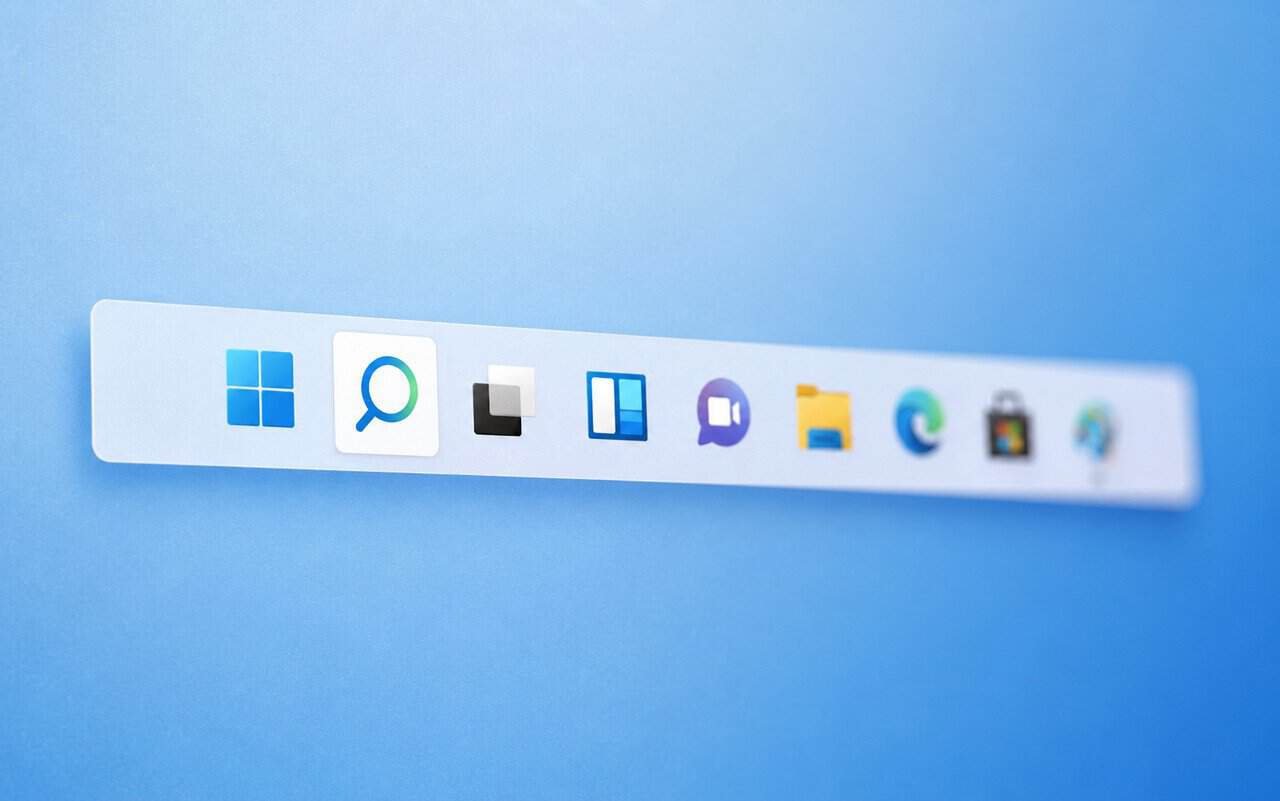
Taskbar customization gets major improvements

The new build brings some interesting changes, such as the ability to finally change the Taskbar position, allowing users to move it to any side of the screen. There’s also an option to make the Taskbar smaller if you need more screen space.

It’s worth mentioning that while you can change the Taskbar position, some related features are still unfinished, such as touch gestures, search box support, Copilot integration, and the ability to auto-hide the Taskbar.

Widgets now match your accent color, and Search gets more reliable

Widgets have been improved as well, and now the widget badge will match your Windows accent color instead of being red, so it’s less distracting.

Search has also received improvements, and it’s now more reliable, showing local files and apps instead of web results. This has been an issue for a while, and Microsoft has acknowledged that it is working on fixing the search results.

An improved version of Fluid Diction is also available, and it now supports both Spanish and French. The feature is powered by on-device small language models.

The build also replaces legacy spinners with modern versions. You can find the new spinners in various locations, ranging from boot menus to login screens.

Performance and reliability improvements

Performance improvements are also present, and the build brings early logon performance optimization, better desktop switching reliability, and better sleep-state reliability after updates.

SSDP reliability has been improved, and DISM repair options have been made more reliable. The update also fixes File Explorer and Run issues. However, this update has issues with the Reset this PC feature, and the reset can fail or freeze when using local reset instead of the cloud option.

This Experimental build brings many welcome improvements, especially the Taskbar customization options. However, that’s not all, as another Experimental build is also available alongside the Experimental (Canary) Build 29591.

Windows 11 Experimental (Canary) Build 29591 Adds Shared Audio & Improves Windows Update

Microsoft has released Build 29591.1000 for Windows 11 Insiders in the Experimental (Future Platforms) Channel. Not to forget, all the changes and improvement rolling out with this build is now also available for Insiders in the Canary 29500 series channel.

Windows 11 Experimental (Future Platforms) Build 29591.1000 brings Shared audio and improved Windows Update experience

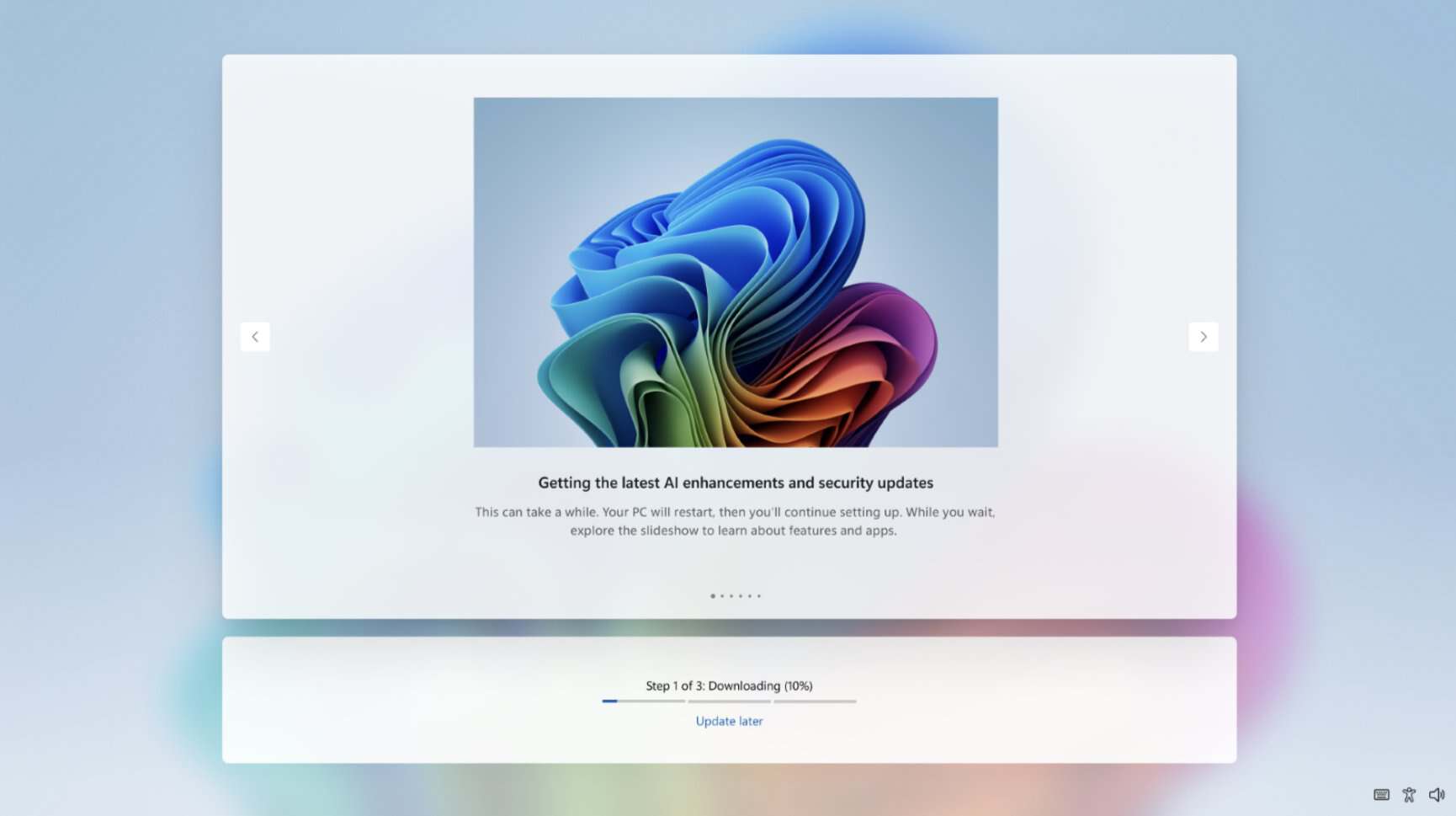
Some of the changes in this build are identical to those included in Experimental (26H1) Build 28020.2134. For example, the new Experimental (Future Platforms) build also brings much-needed improvements for Windows Update experience. As a result, you can entirely skip updates during the out of box experience (OOBE).

That’s not all; you can even extend update pauses as much as you need so just to avoid experiencing the buggy ones. In case you want to learn more, make sure to check our separate article on improved Windows Update experience.

Moving on, Microsoft has also rolled out Shared audio with the Build 29591.1000. The feature uses Bluetooth LE Audio broadcast technology, which allows two people to listen to the same audio from a single Windows 11 PC at the same time. Recently, the feature also debuted for Windows 11 Insiders in the Release Preview Channel with KB5089573 update.

Last but not least, Microsoft has also updated Storage. After installing the new build, when you navigate to Settings > System > Storage, you’ll only see it when going to view temporary files. Previously, landing on the page immediately displayed a UAC prompt.

Moreover, it’s worth noting that Microsoft has also release a new Experimental (Dev) build which brings taskbar repositioning, smaller taskbar, and more. In a detailed blogpost published yesterday, the company also noted some major improvements for Start experience, which includes resizing Start menu and more.

New Windows 11 Experimental (Canary) Build Brings Windows Update Improvements & More

In addition to Beta Build 26220.8474 and Experimental Build 26300.8493, Microsoft also released Windows 11 Experimental (26H1) Build 28020.2134 yesterday. As a reminder, all the changes and improvements included in this build also apply to Insiders in the Canary 28000 series channel. Here’s what’s new.

Windows 11 Experimental (26H1) Build 28020.2134 rolls out Windows Update improvements and more

With the new Experimental (26H1) build, Microsoft is rolling out the latest improvements made to the Windows Update experience. After installing the Experimental (26H1) Build 28020.2134, you’ll be able to skip updates immediately during the out of box experience (OOBE).

Microsoft now allows you to extend update pauses as many times as you need, while also updating the always-available options to shut down and restart. You can read more about improved Windows Update experience here. Notably, these improvements are also rolling out for Insiders in the Experimental (Future Platforms) and Canary 29500 series channels.

As part of the new Experimental (26H1) Build 28020.2134, Microsoft has also improved the reliability of Simple Service Discovery Protocol (SSDP) notifications to help prevent the service from becoming unresponsive. Moreover, the company has confirmed a known issue in this build, as it notes: “Resetting your PC may get stuck when using ‘Reset this PC.’ To complete the reset successfully, choose the cloud download option (Cloud PBR) instead of local.”

Not to forget, Microsoft is also rolling out the Windows 11 taskbar positioning feature, the option to make the taskbar smaller, and even allowing you to resize the Start menu as part of the Experimental (Dev) Build 26300.8493.

Microsoft Finally Lets You Make Windows 11 Taskbar Smaller

The new Experimental build brought many improvements, and the most notable ones involve the Start Menu and Taskbar. Previous reports suggested that the movable Taskbar is coming, and the latest build finally allows you to move your Taskbar, like in the earlier versions of Windows.

Microsoft adds more Taskbar customization options

However, that’s not all. Microsoft has been working on additional Taskbar size options, and this feature has made its way to the latest Experimental build.

This update finally adds the ability to make your Taskbar smaller, and this is especially useful on smaller screens or for users who like to keep their workspace minimal.

By switching to the smaller Taskbar, the icons shrink, allowing you to fit more of them, and the Taskbar will become shorter, giving you some extra space for your apps. Just like in previous versions of Windows, this is a visual change, and it requires no restart or sign-out.

How to enable the smaller Taskbar

Changing the Taskbar size is quite simple, and it can be done from the Taskbar settings in the Settings app. Just go to the Taskbar behaviours settings and set “Show smaller taskbar buttons” to “Always”.

This changes both the icons and the Taskbar to their smaller size. While this isn’t a major change, like the movable Taskbar, it’s still useful, and it will benefit users with smaller screens or those who want a bit more screen space.

Regarding the availability, the feature is rolling out to users in the Experimental channel. If you want something more stable, the company has also released a new Windows 11 Beta build.

Latest Windows 11 Beta Build Improves File Explorer & More, But Breaks “Reset this PC”

Skipping the usual timings, Microsoft dropped four new builds to wrap up the week late yesterday. Among which, the Build 26220.8474, is now live for Windows 11 Insiders in the Beta channel. Notably, the company has also rolled out new build for Experimental (Dev) channel that brings much-requested taskbar positioning feature and an option to make taskbar smaller than usual. In fact, the company is also giving you more control over Start experience.

As for the Beta Build 26220.8474, Microsoft says that the company will start “moving users in the Beta Channel to the new Beta experience.” Speaking if changes and improvements, the news Beta build fixes an issue from previous flight where Properties in File Explorer wasn’t invoking correctly for the Recycle bin and some other scenarios.

With the new Beta build, Fluid Dictation is now available in Spanish & French for Windows Insiders. Microsoft says that it makes voice-based dictation smoother and smarter by automatically correcting grammar, punctuation, and filler words as you speak, reducing the need for manual editing. Apparently, this new experience is powered by on-device small language models (SLMs) to ensure fast and private processing.

Microsoft has also noted that the new build improves the “reliability of Simple Service Discovery Protocol (SSDP) notifications to help prevent the service from becoming unresponsive.” That’s not all, it has also improved “reliability of running dism /online /cleanup-image /restorehealth command.”

Known issue in this build

Last but not least, Microsoft confirms a known issue in the Beta Build 26220.8474. In the changelog for the build, Microsoft notes, “Resetting your PC may get stuck when using “Reset this PC.” To complete the reset successfully, choose the cloud download option (Cloud PBR) instead of local.”

Edge Will “No Longer Load Saved Passwords into Memory on Startup,” Confirms Microsoft

Microsoft has acknowledged a recently discovered issue involving saved passwords in Microsoft Edge memory. The clarification comes after a security researcher publicly revealed that Edge loads saved passwords into process memory in plaintext during startup.

Not to mention, that immediately raised concerns around password safety and whether attackers could potentially access credentials stored inside the browser. Well, in a blog post published yesterday, the company explained that the reported scenario would only work if an attacker already had control over the affected device with elevated privileges (via PCMag).

According to Microsoft, once malware or unsafe software gets admin-level access locally, the problem goes beyond browser-level defenses. However, Microsoft also admitted there was room for improvement. As a result, the company has confirmed that Edge will no longer load saved passwords into memory at startup going forward.

Per the company, the change is already live in Canary builds and will start rolling out with Edge version 148 and newer across Stable, Beta, Dev, Canary, and Extended Stable channels. As a user, you won’t need to manually change anything. Microsoft says the fix lands automatically via normal browser updates.

Notably, Microsoft also linked the change to its Secure Future Initiative, which focuses on reducing exposure through additional defense-in-depth protections. The company further noted that it is reviewing how future security reports are handled internally, especially around response speed and communication clarity.

As of now, Microsoft maintains that Edge’s password manager threat model already excludes attacks where a hacker has physical or administrative access to a compromised device. Speaking of the browser, let’s not forget that Microsoft is also retiring Copilot Mode from Edge.

Xbox Acknowledges Password Issues on Consoles, Says It is “Investigating”

Over the past few days, Xbox console players have been encountering a weird password issue. Over on Reddit, there are bunch of user reports [1] [2] [3], which suggests that Xbox doesn’t accept password even when using the correct one.

As seen in the image shared by a Reddit user, the sign in page displays an error message that reads, “The password is incorrect. Please try again.”

Apparently, removing the account and adding back also doesn’t help resolving the issue. While some users managed to resolve the problem by logging into a different device and changing the password, many are still encountering the problem.

Well, Xbox is apparently aware of this, as it today acknowledged the password issues encountered by console players.

Over on X, the Xbox Support account noted that it is “seeing a few reports of password issues on consoles.” The post adds that while Xbox investigates the matter, players can reset their password or choose a passwordless solution.

Since Xbox is investigating the matter, it’s unclear what exactly is causing the password issue. Considering the issue is widespread, we expect Xbox to act on it as soon as possible. Whenever we hear anything from Xbox in this matter, we’ll share an update.

ChatGPT Just Got a Personal Finance Upgrade

After bringing Codex to ChatGPT mobile app, OpenAI today announced a new personal finance experience inside ChatGPT. On paper, it seems capable of changing the way users manage money inside AI apps going forward. Starting today, Pro users in the U.S. can securely connect their bank accounts to ChatGPT and ask finance-related questions grounded in their real financial data.

OpenAI says that the new feature supports over 12,000 financial institutions through Plaid, while support for Intuit is reportedly coming later.

ChatGPT can now analyze spending, subscriptions, and financial goals

Once accounts are connected, ChatGPT generates a dashboard showing spending habits, subscriptions, portfolio performance, upcoming payments, liabilities, and more. Users can also ask questions like how to save more money, plan for a home purchase, or understand investment risks based on their own financial activity.

That said, OpenAI maintains that ChatGPT isn’t a replacement for professional financial advice. The company says the tool is designed more around guidance, planning, and identifying patterns rather than acting as a certified advisor.
Speaking of personalization, ChatGPT can now store “Financial memories.” These include things like savings goals, loans from family members, future purchases, or lifestyle priorities.

Apparently, that context helps the AI provide more personalized recommendations over time.
OpenAI also says privacy controls remain in users’ hands. Connected accounts can be removed anytime, synced data gets deleted within 30 days after disconnecting, and temporary chats won’t access financial information at all.

OpenAI may be pushing ChatGPT beyond just conversations

Interestingly, OpenAI also hinted at a larger ecosystem strategy here. The company says it eventually wants ChatGPT to move beyond answering questions and start helping users take actions directly, including credit card applications, tax estimates, and financial planning through partners like Intuit.

As of now, the feature is limited to Pro users in the U.S. across web and iOS, with a wider rollout expected later. In a related company news, OpenAI is reportedly considering legal action against Apple over ChatGPT’s Siri integration and weak iPhone adoption results.

PS5 Welcome Hub’s New Widget Shows Regional Gaming Trends, Player Counts & Weekly Surges

Sony appears to be testing yet another PS5 dashboard, and this one could make it much easier to see what players in your region are actually spending time on every week. A new beta widget, “Community Activity,” for the PS5 Welcome Hub has reportedly surfaced online, showing the Top 10 most-played games in a player’s country alongside a separate “Trending Now” section.

The feature was first spotted by gaming creator MysticRyan on YouTube (via PlayStation LifeStyle). Based on the video, the widget appears inside the PS5 Welcome Hub and focuses on player activity by region rather than global recommendations.

The “Top 10” section reportedly displays active player counts for games in your country during the week. In the leaked example, Fortnite reportedly crossed 14.6 million players, while GTA 5 on PS5 showed 5.13 million players. Other titles shown included Call of Duty: Black Ops 7, Minecraft, Marvel Rivals, and Battlefield 6.

Meanwhile, the “Trending Now” section reportedly tracks sudden spikes in gameplay activity. With platform engagement becoming increasingly important for console makers, the new widget seemingly gives Sony another way to keep players discovering active multiplayer titles directly from the dashboard itself.

That being said, it is still a beta feature as of now, so it remains unclear when or if Sony plans to roll it out publicly for all PS5 users.

Elon Musk’s xAI Enters AI Coding Race With Grok Build

xAI has announced itself in the AI coding race with Grok Build, which goes after terminal-based developer workflows. The new coding agent has been released in early beta and is currently limited to SuperGrok Heavy subscribers. At a time when OpenAI, Anthropic, and even Microsoft are doubling down on AI coding assistants, xAI seemingly does not want to stay behind anymore.

Grok Build wants to turn your terminal into an AI workspace

According to xAI, Grok Build is designed for professional software engineering tasks and complex coding workflows. Users can install it using a single command and connect it with their SuperGrok Heavy account. From there, the tool supports planning, reviewing, approving changes, and even handling long coding tasks through AI-powered workflows.

Worth noting that Grok Build can apparently work with existing developer setups without much manual configuration. xAI says AGENTS.md files, plugins, hooks, skills, MCP servers, and other tools work out of the box. The company also highlighted support for “headless mode” through the -p flag, which allows developers to run agents inside scripts and automation pipelines.

That’s not all; Grok Build also brings parallel-running subagents that can split large coding tasks. In one example shared by xAI, the tool independently explored deployments, databases, cache hit rates, and API endpoints to reportedly identify the source of a p99 latency regression.

xAI is clearly eyeing the AI coding race

Speaking of competition, Grok Build enters a space that is already getting crowded very quickly. A report from yesterday suggested that Microsoft is internally scaling back Anthropic’s Claude Code usage while pushing developers toward GitHub Copilot CLI instead. OpenAI, Anthropic, and Google are all heavily investing in AI-powered developer tools too. For now, Grok Build remains an early beta product, and it is unclear how well it performs in large-scale production environments. However, with AI coding tools becoming a major trend in 2026, xAI clearly wants Grok to be part of that conversation.

Researchers Exploit Microsoft Edge And Windows 11 At Pwn2Own Berlin 2026

Pwn2Own Berlin 2026 opened with a major day for security researchers, awarding more than $523,000 after 24 unique zero-day vulnerabilities were demonstrated across browsers, operating systems, Linux systems, AI tools, and developer infrastructure.

The first day also showed how quickly AI infrastructure has become a major target, with researchers successfully compromising tools used for coding agents, LLM workflows, and local AI development.

Orange Tsai Lands The Biggest Win

As Bleeping Computer writes, the largest payout of the day went to security researcher Orange Tsai, who earned $175,000 after chaining four logic bugs to escape the sandbox in Microsoft Edge.

The exploit highlighted how multiple smaller flaws can combine into a much more dangerous attack chain. Browser sandbox escapes remain critical because browsers depend on isolation to contain attacks.

Windows 11 Compromised Three Times

Windows 11 was successfully hacked three separate times during the first day of the competition.

Researchers Angelboy and TwinkleStar03, Marcin Wiązowski, and Kentaro Kawane each earned $30,000 for privilege escalation zero-days. These vulnerabilities can allow attackers to gain deeper system access after initial compromise.

Linux And NVIDIA Container Toolkit Targeted

Valentina Palmiotti from IBM X-Force Offensive Research earned $20,000 for rooting Red Hat Enterprise Linux for Workstations.

She also earned another $50,000 for a successful NVIDIA Container Toolkit exploit, showing increased focus on container security and AI-related infrastructure.

AI And LLM Platforms Under Attack

Several AI and LLM-related targets were compromised during the first day.

LiteLLM was exploited through chained vulnerabilities for a $40,000 reward. OpenAI Codex was hacked by Compass Security and Doyensec researcher maitai, with both receiving $40,000 rewards.

LM Studio was also compromised by STARLabs SG for another $40,000 payout. Anthropic Claude Code remains scheduled for later targeting during the event.

DEVCORE Leads The Competition

The DEVCORE Research Team currently leads Pwn2Own Berlin 2026 with $205,000 in rewards.

Valentina Palmiotti follows with $70,000 after successful attacks against Red Hat Enterprise Linux and NVIDIA Container Toolkit.

Why Pwn2Own Matters

Pwn2Own requires researchers to attack fully patched systems running the latest software versions.

Researchers must demonstrate real exploit chains, arbitrary code execution, sandbox escapes, or privilege escalation attacks under strict competition rules.

After successful demonstrations, vendors typically receive 90 days to patch the vulnerabilities before public disclosure.

AI Security Is Becoming A Major Concern

One major takeaway from Pwn2Own Berlin 2026 is how aggressively researchers are targeting AI infrastructure.

Coding agents, local inference tools, LLM integrations, and AI supply-chain components are becoming increasingly attractive targets as organizations integrate AI deeper into development workflows.

The event also arrives during a broader rise in AI-related security incidents. OpenAI recently confirmed employee devices were breached, while attackers have been abusing Microsoft Teams chats to deploy ModeloRAT malware inside corporate networks.

OpenAI Confirms Employee Devices Were Breached in Massive npm Supply-Chain Attack

OpenAI has confirmed that two employee devices were compromised during the “Mini Shai-Hulud” supply-chain attack that targeted npm, PyPI, CI/CD infrastructure, and developer credentials, as Bleeping Computer writes.

The company says attackers gained access to a limited subset of internal source code repositories and stole a small number of credentials. However, OpenAI says investigators found no evidence that customer data, production systems, deployed software, or core intellectual property were compromised.

OpenAI Confirms Code-Signing Certificate Exposure

One of the most serious parts of the incident involves exposed code-signing certificates tied to OpenAI applications across multiple platforms.

OpenAI confirmed that certificates used for macOS, Windows, iOS, and Android applications were exposed during the attack. The company says it has not detected any malicious use of those certificates so far, but it already started rotating them as a precaution.

The breach appears linked to the wider “Mini Shai-Hulud” campaign, which has targeted open-source ecosystems and developer infrastructure through supply-chain compromise techniques.

macOS Users Must Update Before June 12

OpenAI says macOS users need to update OpenAI desktop applications before June 12, 2026.

According to the company, Apple notarization requirements may cause older signed versions of OpenAI applications to stop launching or stop receiving updates after that date.

Windows and iOS users do not need to take any action at this time. OpenAI says those platforms remain unaffected by the certificate rotation process.

OpenAI Restricted Internal Deployment Workflows

Following the incident, OpenAI says it isolated affected systems, revoked sessions, rotated credentials, and temporarily restricted deployment workflows while investigators analyzed the breach.

The company also confirmed it worked with third-party incident response specialists during the forensic investigation.

The attack highlights the growing threat posed by software supply-chain compromises targeting package repositories, developer environments, and CI/CD systems. Security researchers have increasingly warned that attackers now focus on trusted development infrastructure because it can provide rapid access to internal systems and credentials.

OpenAI Faces Multiple Security and Legal Challenges

The incident arrives during an already difficult period for OpenAI.

The company recently faced reports suggesting it may consider legal action against Apple over ChatGPT integration concerns. At the same time, OpenAI also faces a new lawsuit alleging that ChatGPT user data was shared with Meta and Google tracking systems.

While the issues are unrelated, they add further scrutiny around OpenAI’s security, privacy, and platform relationships as the company continues expanding its AI ecosystem.

Dell Confirms SupportAssist Update is Causing BSOD Crashes on Windows PCs

Dell has officially confirmed that a recent update to its SupportAssist software is responsible for blue-screen crashes and random reboots affecting some Windows 10 and Windows 11 PCs.

The issue affects Dell SupportAssist Remediation 5.5.16.0 and Alienware SupportAssist Remediation 5.5.16.0. According to Dell, affected systems may display the 0xEF_DellSupportAss_BUGCHECK_CRITICAL_PROCESS BSOD error before rebooting unexpectedly.

Users began reporting crashes last week

Reports of the issue started surfacing last Friday, with many users describing systems that suddenly rebooted multiple times throughout the day. In some cases, affected PCs reportedly crashed roughly every 30 minutes, making systems nearly unusable for work or gaming.

Users across Dell and Alienware systems described random blue screens appearing without warning shortly after startup or during normal desktop use. The crashes also triggered concerns because many systems appeared stable before the recent SupportAssist update installed automatically.

Dell recommends disabling SupportAssist

Dell is currently advising affected users to disable the SupportAssist Remediation service or fully uninstall SupportAssist until a permanent fix becomes available.

The company says its engineering teams are actively investigating the issue and working on a long-term solution. Dell also noted that users still experiencing crashes after uninstalling the software should contact Dell support directly for further troubleshooting.

At the same time, Dell warned users that removing SupportAssist may also remove access to Dell-created repair points generated through Dell OS SupportAssist Recovery. That means some automated recovery and repair functions could stop working after the software is removed.

Another difficult week for Windows updates

The SupportAssist issue comes during another busy week for Windows-related support problems. Microsoft recently released Windows 11 KB5089549, which fixed incorrect BitLocker recovery prompt issues that affected some PCs after recent updates.

However, while the update resolved the BitLocker problem for many users, some Windows 11 users are now reporting installation failures and update-related issues with KB5089549 itself.

The combination of Dell’s SupportAssist crashes and recent Windows update complaints has created another frustrating week for users already dealing with ongoing system stability concerns across Windows 10 and Windows 11 devices.

Hackers Are Abusing Microsoft Teams Chats to Deploy ModeloRAT Malware

Attackers are abusing Microsoft Teams chats to trick employees into running malicious PowerShell commands, giving them persistent access to corporate networks in under five minutes.

According to ReliaQuest research cited by BleepingComputer, initial access broker KongTuke has shifted to Teams-based social engineering, impersonating internal IT and help-desk staff to gain employee trust.

How the Microsoft Teams attack works

The campaign starts with an external Teams message that appears to come from a legitimate support contact. Attackers then convince the victim to paste and run a PowerShell command.

That command downloads a Dropbox-hosted ZIP archive containing a portable WinPython environment. The chain eventually deploys ModeloRAT, a remote access trojan used to collect system data, capture screenshots, gather user details, and exfiltrate files.

Why this campaign is dangerous

The use of Microsoft Teams makes the attack more convincing because employees already trust internal collaboration tools. A message that looks like it comes from IT support can trigger a fast response, especially during a fake troubleshooting scenario.

ReliaQuest says KongTuke also rotates through five Microsoft 365 tenants to avoid blocking and detection. The attackers reportedly use Unicode whitespace tricks to make malicious accounts look like legitimate internal support staff.

ModeloRAT now has stronger persistence

The latest ModeloRAT version uses a five-server command-and-control pool, automatic failover, randomized URL paths, and a self-update feature. It also includes several backup access methods, including a primary RAT, reverse shell, and TCP backdoor.

The malware can persist through Run registry keys, startup shortcuts, VBScript launchers, and SYSTEM-level scheduled tasks. Researchers warned that one scheduled task can survive reboots and may remain even after some cleanup routines run.

Microsoft Teams remains a growing attack channel

Teams abuse is not new. Threat actors have previously used the platform for espionage campaigns and malware delivery, including Snow malware attacks. Microsoft has also been working on anti-phishing protections to reduce this type of abuse.

Researchers recommend restricting external Teams federation, using allowlists for external chats, monitoring PowerShell activity, and hunting for suspicious Dropbox downloads, persistence artifacts, and unusual scheduled tasks.

Microsoft Launches Driver Quality Initiative to Improve Windows 11 Stability

Microsoft has announced a new Driver Quality Initiative (DQI) aimed at improving Windows 11 stability, reliability, and hardware compatibility across the PC ecosystem.

The company revealed the initiative during WinHEC 2026 as part of its broader Windows K2 effort, which focuses on fixing long-standing complaints related to performance, sluggishness, crashes, and inconsistent hardware behavior.

Microsoft says drivers remain one of Windows’ biggest weak points

According to Microsoft, poor-quality drivers continue to cause major problems even when Windows itself functions correctly. Faulty or outdated drivers often trigger BSODs, instability, crashes, overheating, and hardware compatibility issues.

The company now appears to view driver quality as a core part of the overall Windows experience rather than a separate hardware problem.

DQI represents a broader shift toward tighter ecosystem control and stricter quality enforcement for hardware partners.

Four major areas Microsoft wants to improve

Microsoft says the Driver Quality Initiative focuses on four core areas designed to improve long-term Windows stability.

Platform architecture improvements

The company plans to strengthen kernel driver hardening while improving PCIe DMA device performance and I3C class driver support. Microsoft also wants to expand and improve first-party Windows class drivers to reduce dependency on inconsistent third-party implementations.

Stronger certification and trust requirements

Microsoft will tighten requirements inside the Windows Hardware Compatibility Program (WHCP). The company says this should improve driver trustworthiness, validation quality, and overall reliability before drivers reach users.

Smarter Windows Update driver management

Windows Update will increasingly identify and remove problematic, outdated, or low-quality drivers automatically.

This effort builds on Microsoft’s recently announced Cloud-Initiated Driver Recovery system, which can help recover systems affected by broken drivers.

Microsoft also recently confirmed changes designed to stop Windows Update from replacing newer graphics drivers with older versions.

Expanded driver quality metrics

Microsoft says future driver evaluations will go beyond crash telemetry.

New measurements will reportedly include thermal behavior, performance consistency, stability, and general functionality to better reflect real-world usage conditions.

Part of Microsoft’s broader Windows K2 strategy

The Driver Quality Initiative connects directly to Microsoft’s wider Windows K2 push, which focuses on making Windows 11 feel faster, more stable, and less frustrating to use.

Over the past year, Microsoft has increasingly acknowledged that many Windows reliability complaints stem from the broader hardware ecosystem rather than only the operating system itself.

DQI appears to signal a more aggressive approach toward improving overall driver quality standards across Windows devices.

Google May Limit New Gmail Accounts to 5GB Without Phone Verification

Google is reportedly experimenting with reducing free cloud storage for some newly created Gmail accounts, according to a report highlighted by Neowin. Instead of the long-standing 15GB free allocation shared across Gmail, Google Drive, and Google Photos, some users are reportedly receiving only 5GB initially.

The remaining 10GB reportedly becomes available only after users add a phone number to their Google account. Current reports suggest the change affects only select new account registrations in limited regions. Existing Gmail users still appear to retain the standard 15GB allocation even without linking a phone number.

Google says the experiment focuses on security

Google confirmed the test and described it as a limited experiment designed to improve account security and recovery options. Phone numbers often help with two-factor authentication, suspicious login detection, and recovering locked accounts.

The company has not announced any broader rollout plans. At the moment, there is no indication that existing Gmail accounts will lose storage capacity or face new verification requirements.

Still, the test has already sparked criticism from privacy advocates and some users online.

Critics argue the move pressures users into sharing more data

Opponents of the experiment argue that the reduced storage limit effectively encourages users to provide additional personal information in exchange for restoring standard account functionality.

Phone numbers increasingly act as persistent digital identifiers across online ecosystems. Linking them to Google accounts can strengthen identity mapping between services, devices, and advertising systems.

Critics also point out that many users rely on Gmail accounts for semi-anonymous communication, secondary accounts, testing environments, or compartmentalized online identities. Requiring phone numbers could reduce that flexibility.

Cloud storage remains a major business opportunity

The experiment also arrives as cloud storage subscriptions continue becoming a significant revenue stream for major technology companies.

Google has aggressively promoted Google One subscriptions over recent years, offering additional storage alongside AI tools, VPN services, and enhanced editing features. Smaller free storage tiers could eventually increase pressure on users to move toward paid plans sooner.

Even if the current test remains limited, observers note that “security” and “account recovery” explanations often become the foundation for broader account policy changes later.

No evidence yet of a wider rollout

For now, Google maintains that the storage reduction remains experimental and region-limited. No public evidence currently suggests existing Gmail users will suddenly lose storage space or face mandatory phone-number verification requirements.

The company has also not clarified which countries or signup conditions trigger the lower storage allocation.

The test nevertheless highlights the growing tension between convenience, privacy, security, and monetization across major online platforms.

Other Google-related developments

In separate developments, Microsoft once again faces criticism for allegedly mimicking Google’s search interface inside Microsoft Edge. Meanwhile, Google’s latest Gemini promotional campaign reportedly takes aim at Microsoft Copilot.

Google has also introduced new AI-focused Googlebook devices as the company continues expanding AI integration across its consumer hardware ecosystem.

GTA 6’s Trailer 3 Could Release Today, Here’s Why

The hype around GTA 6 is so real that even a faint rumor turns into a headline. In our report from earlier today, we detailed insider claims about different ways to buy GTA 6, an early access launch, and the possibility of the third trailer dropping this week. Now, you may ask why today and not on Monday, when pre-orders are supposed to go live, right?

Well, tipster DetectiveSeeds on X hinted that Rockstar will likely avoid releasing Trailer 3 and opening pre-orders on the same day. That’s mostly because of potential server load issues from massive traffic. What about the weekend, you may ask again? Well, no, because Rockstar mostly doesn’t do stuff on weekends.

To catch you up, GTA 6 Trailer 1 was officially released on Monday, December 4, 2023 (originally scheduled for Tuesday, Dec. 5). Meanwhile, Trailer 2 was released on Tuesday, May 6, 2025. That’s not all; Rockstar didn’t release any major GTA 6 trailers on weekends.

Considering that and the fact that pre-orders are supposed to go live on Monday, May 18, Rockstar might want to hype the craze around GTA 6 a bit more. Speaking of GTA 6 Trailer 3, the popular GTA 6 Countdown account on X has also predicted the third trailer release for today.

In a post, which is purely a prediction, the account notes, “GTA 6 Trailer 3 drops today before the stock market closes so Take-Two’s stock gets one final push heading into the weekend. At the end of the trailer, they will probably say ‘pre-orders start May 18,’ which is the leaked date by Best Buy. When the market opens again and server load is more stable on Monday, May 18, pre-orders go live, which gives the Take-Two stock another boost.”

What do you think? Will GTA 6 Trailer 3 drop today? Or will Rockstar keep us waiting more? Let us know your thoughts in the comments below.

New Lawsuit Claims OpenAI Shared User Data With Meta And Google

A new class-action lawsuit filed in California accuses OpenAI of allegedly sharing ChatGPT user data with tracking tools operated by Meta and Google, according to Futurism.

Lawsuit Targets ChatGPT Data Practices

The complaint claims that ChatGPT prompts, email addresses, user identifiers, and account-related data may have been sent to systems such as Meta Pixel and Google Analytics.

Plaintiffs argue that this data could allow sensitive conversations to be connected with user identities for tracking, analytics, or advertising-related profiling.

Why The Allegations Matter

The case focuses on a key concern around AI assistants: users often treat ChatGPT differently from a normal website.

Prompts can include health worries, workplace problems, private messages, financial questions, emotional issues, or legal concerns. The lawsuit argues that linking those prompts to identifying data could create detailed behavioral profiles.

OpenAI Has Not Responded Yet

The allegations remain unproven, and the case is still in its early stages. According to the report, OpenAI had not publicly responded at the time of publication.

OpenAI’s privacy policy already says some data collection and sharing can occur, but the lawsuit claims users did not meaningfully consent to this specific type of tracking integration.

The lawsuit arrives as OpenAI faces several other high-profile developments. The company is reportedly considering legal action against Apple over ChatGPT’s iPhone implementation, while also expanding Codex to the mobile version of ChatGPT and launching its new Daybreak initiative.

Together, these stories show how OpenAI’s rapid expansion is bringing more scrutiny over privacy, partnerships, and product strategy.

Hell Let Loose: Vietnam Gets Xbox Release Date

Team17 and Expression Games have finally announced the release date for Hell Let Loose: Vietnam, and Xbox players won’t have to wait much longer to jump into the brutal multiplayer shooter.

Hell Let Loose: Vietnam’s release date is official

The company has confirmed that the upcoming Vietnam War FPS from Team17 and Expression Games will launch on Xbox Series X|S, PS5, and PC via Steam and Epic Games Store on June 18, 2026.

If you are willing to play it on the launch day, you can already preorder the game on Xbox in two different editions. The Standard Edition is priced at $39.99, while the Deluxe Edition costs $59.99. Interestingly, both versions also include a preorder bonus featuring the US Army Boat Crew uniform. That being said, players waiting for a physical disc version will need to hold on a bit longer, as the boxed release is scheduled for August 4.

Worth noting that Team17 has confirmed full cross-play support at launch. Meanwhile, the open beta scheduled between May 29 and June 1 now appears to be limited to PC via Steam. Back in April, the developers had hinted at a console beta too, but that no longer seems to be happening.

Here’s what players can expect from the game

Hell Let Loose: Vietnam is bringing the same brutal large-scale warfare the franchise is already popular for, except this time players will find themselves right in midst of Vietnam War. Just like the original game, teamwork appears to be the main focus here rather than individual kill streaks or leaderboard chasing.

At launch, the game will feature six large-scale maps inspired by real-world Vietnam locations. Interestingly, these maps will also include different terrain and weather variants, which means battles may play out very differently depending on conditions. The game continues to push massive 50v50 multiplayer warfare. Players will have access to historically accurate weapons, tactical gear, and vehicles, including new US aerial units alongside NVA forces.

Last but not least, Vietnam’s rivers also play a major role in gameplay. Players will reportedly be able to move through complex waterways using heavily armed patrol boats while hunting enemies across jungle-heavy environments.

Are you willing to jump into Hell Let Loose: Vietnam? Let us know in the comments below.

Microsoft’s Media Creation Tool Now Includes Windows 11 KB5089549 Update

Microsoft has updated the Windows Media Creation Tool to include the latest May 2026 Patch Tuesday updates for both Windows 11 and Windows 10, as Neowin reports.

The refreshed installation media now ships with newer cumulative updates already integrated, helping users perform cleaner installs with fewer updates required immediately after setup.

Updated Windows installation images are now available in Media Creation Tool

The Media Creation Tool now downloads refreshed Windows 11 25H2 and Windows 11 24H2 installation builds with cumulative updates already included. The newest Windows 11 25H2 image currently contains build 26200.8457 through update KB5089549.

Microsoft also integrated newer Microsoft Defender definitions into the installation media.

Using newer installation images can significantly reduce post-install update time for users creating USB installers, bootable recovery media, or fresh deployment environments.

The newer images also help streamline reinstall and recovery workflows because systems start from a more recent patched state immediately after installation.

KB5089549 recently fixed BitLocker recovery problems

Earlier this week, Microsoft released KB5087544 for Windows 10 and KB5089549 for Windows 11 as part of the May 2026 Patch Tuesday rollout.

Some users reportedly encountered installation failures with KB5089549, although reports currently appear limited rather than widespread. The Windows 11 update also fixed incorrect BitLocker recovery prompts that affected some devices.

Interestingly, Microsoft updated the downloadable installation builds without updating the Media Creation Tool version number itself.

The utility still reports version 10.0.26100.7019 despite now delivering newer Windows installation images.

Exchange Server 2016 And 2019 Hit By Critical OWA Vulnerability

Microsoft has warned customers about a new critical security vulnerability affecting on-premises Exchange Server deployments. The flaw, tracked as CVE-2026-42897, impacts Microsoft Exchange Server 2016, Exchange Server 2019, and Exchange Server Subscription Edition (SE).

According to Microsoft, the vulnerability could allow attackers to execute arbitrary JavaScript code inside a victim’s browser session through Outlook Web Access (OWA). The attack requires a user to receive a specially crafted email, open it in OWA, and interact with the message in a specific way.

If successfully exploited, the flaw could lead to session hijacking, credential theft, and broader compromise of Exchange environments.

Microsoft clarified that Exchange Online customers are not affected. The issue only impacts on-premises Exchange Server installations.

Microsoft recommends enabling Exchange EM Service

As a mitigation, Microsoft recommends enabling Exchange EM Service. The company noted that the service was released in September 2021 and is enabled by default, meaning most organizations should already have protection in place unless administrators manually disabled it.

For organizations that turned the service off, Microsoft advises applying its scripted mitigation process instead.

The company also acknowledged several potential side effects tied to the mitigations. Some users may experience issues with OWA Print Calendar, inline image rendering, and OWA Light mode functionality. Microsoft recommends using the Outlook desktop client, sending images as attachments, or relying on screenshots for calendar sharing as temporary workarounds.

Microsoft says some mitigation warnings are cosmetic

Some administrators may encounter a warning stating “Mitigation invalid for this exchange version.” Microsoft says this is only a cosmetic issue and does not indicate mitigation failure if the status still shows as “Applied.”

The company is currently developing a permanent fix for the vulnerability. However, patch availability will depend on each organization’s Exchange support status.

Exchange Server SE customers will receive the update normally. For Exchange Server 2016 and 2019, only customers enrolled in Period 2 of the Exchange Server Extended Security Update (ESU) program will receive access to the security update.

Organizations still using Period 1 ESU will not receive fixes because support expired in April 2026.

Microsoft continues long-term Exchange support plans

Despite ongoing maintenance and security challenges tied to legacy on-premises infrastructure, Microsoft says it plans to continue supporting Exchange Server until 2035.

The latest vulnerability also highlights Microsoft’s ongoing push toward Exchange Online. Cloud-managed environments benefit from centralized patching, faster mitigations, and broader built-in protections compared to traditional on-premises deployments.

Microsoft is also preparing Priority Cleanup V2 for Exchange Online and plans to block legacy TLS connections starting in July 2026.

Via Neowin

Microsoft Launches GitHub Copilot Desktop App for Agentic Coding

Microsoft has released a technical preview of a new desktop application for GitHub Copilot, focused on agentic software development workflows. The app is designed to help developers move through coding tasks faster, from issue handling to pull request review and automated merging.

The GitHub-native desktop app allows developers to start coding sessions directly from GitHub issues, pull requests, prompts, or previous sessions. Microsoft says developers can still switch back to traditional code editors whenever they want manual control over code changes.

GitHub becomes the workflow center

One of the main additions is an Inbox-style interface that surfaces issues, pull requests, CI checks, and tasks across repositories. Microsoft says the goal is to improve AI context awareness by allowing the system to understand repository state, issue details, review comments, and validation history before generating changes.

The company positions the desktop app as a way to reduce context switching during software development while keeping workflows connected to GitHub itself.

Isolated sessions for tasks and branches

The desktop app creates isolated workspaces for individual branches, conversations, and workflows. Each session can pause and resume later while preserving task memory and repository context.

Microsoft also says developers can transform prompts and coding skills into reusable workflows for repetitive tasks such as dependency updates, release note generation, cleanup operations, and repository triage.

The company appears to be pushing toward long-running AI-assisted workflows instead of simple one-time chatbot interactions.

Built-in review and automated merging

The app also integrates review and validation tools directly into the workflow. Developers can inspect diffs, leave feedback, run tests, execute commands, and preview changes before creating pull requests.

Microsoft additionally introduced a feature called Agent Merge. According to the company, the system can respond to review comments, fix failing CI checks, and merge pull requests automatically once required conditions are satisfied.

The feature reflects Microsoft’s broader effort to expand autonomous AI coding workflows across its development ecosystem.

Technical preview rollout underway

The GitHub Copilot desktop app currently remains in limited technical preview for GitHub Copilot Pro and Pro+ subscribers. Microsoft says Business and Enterprise access will expand gradually this week.

The launch comes as Microsoft continues expanding its AI developer tooling strategy. The company has also been pushing Copilot CLI workflows, recently added xAI Grok 4.3 to Microsoft Foundry, and introduced a WinUI-focused coding agent for native Windows app development.

Via Neowin

OpenAI Reportedly Considering Legal Action Against Apple Over ChatGPT Integration

OpenAI is reportedly exploring possible legal action against Apple over the company’s ChatGPT integration on iPhone, according to a new report from Bloomberg.

The dispute allegedly centers around expectations tied to the AI partnership announced during Apple’s Worldwide Developers Conference. At the event, Apple revealed that ChatGPT would integrate with Siri to help power more advanced AI responses while Apple continued developing its delayed next-generation Siri platform.

OpenAI reportedly unhappy with adoption results

According to the report, OpenAI expected the integration to drive a major increase in ChatGPT sign-ups, subscriptions, and overall adoption inside Apple’s ecosystem.

However, sources reportedly claim the partnership failed to generate the business impact OpenAI anticipated. The company allegedly believes Apple’s implementation made ChatGPT features difficult for users to discover and understand.

The report also claims OpenAI attempted to renegotiate parts of the partnership, though discussions reportedly failed to move forward in a meaningful way.

Apple is reportedly growing cautious about OpenAI

At the same time, Apple reportedly has growing concerns about OpenAI itself.

Apple is increasingly wary of OpenAI’s privacy practices and its expanding hardware ambitions. OpenAI reportedly continues exploring AI-powered consumer hardware products, including smart glasses and potential smartphone alternatives that could arrive as early as the first half of 2027.

That could eventually position OpenAI as a direct competitor to Apple in the hardware market.

Apple may reduce OpenAI’s role on iPhone

Apple has already confirmed that future Siri upgrades may support multiple AI providers, including Gemini from Google.

The company is reportedly considering a broader system that would allow users to choose between different AI services. If that happens, OpenAI could lose its exclusive AI positioning within Apple’s ecosystem.

The reported tensions highlight how rapidly partnerships in the AI industry are evolving as major companies race to secure both platform control and long-term user adoption.

Spotify Brings Video Podcasts to Apple Podcasts With New Creator Partnership

Spotify is expanding its video podcast ambitions by partnering with Apple to support HLS video distribution across Spotify for Creators and Megaphone.

The move allows eligible creators to publish video podcasts directly to Apple Podcasts without changing their current upload workflows. Spotify says creators can now reach larger audiences while still keeping access to monetization tools.

Spotify wants creators to distribute video everywhere

Spotify confirmed that creators using the new system can continue earning revenue even when their video podcasts appear on Apple Podcasts. The company positions the integration as a way to remove the need to choose between audience reach and monetization.

There is one important limitation, however. Creators must upload content directly through Spotify to access the Apple Podcasts integration and monetization features. Traditional RSS-based podcast distribution may not fully support the new workflow.

Spotify says the broader goal involves building a platform-agnostic video podcast ecosystem. The company increasingly appears to view itself as podcast infrastructure rather than only a listening app.

Third-party podcast hosts also gain support

Spotify also expanded video podcast support for several third-party hosting providers, including Libsyn, Podigee, Audioboom, Audiomeans, and Podspace.

Eligible creators using those hosting platforms can now distribute video podcasts to Spotify while also monetizing them through Spotify’s systems.

The expansion further strengthens Spotify’s push into video podcasting, an area the company increasingly describes as central to podcast growth and the creator economy.

Spotify continues pushing deeper into video

Spotify says video has become one of the fastest-growing parts of podcast consumption. The company increasingly views podcasting as a hybrid ecosystem that blends traditional audio shows with YouTube-style creator content.

The announcement follows several recent podcast-focused changes from Spotify, including AI-powered podcast creation tools, new controls that let users disable video playback, and broader podcast API integrations.

In separate updates, Spotify also introduced verified artist badges aimed at reducing AI-generated impersonation issues while continuing to expand its AI DJ experience.

Microsoft Is Preparing A Windows 11 Performance Boost For June

Microsoft is preparing a Windows 11 performance upgrade that introduces a new Low Latency Profile feature, and it’s expected to roll out with the June 2026 update, as Windows Central writes. The feature is already available in the Release Preview build 26200.8514, allowing users to test it before the public release.

Windows 11 Low Latency Profile targets faster system response

The update focuses on improving responsiveness in core system actions such as launching apps, opening the Start menu, using Search, and interacting with the Action Center. Microsoft says these improvements are part of broader performance tuning across the Windows shell experience. The performance boost is achieved thanks to WinUI 3, and Microsoft has recently made additional improvements to the framework.

The Low Latency Profile works by temporarily increasing CPU frequency during short bursts of user activity, allowing apps and flyouts to launch faster. By doing so, the system will respond more quickly during those interactions and feel snappier overall.

The feature is designed to run automatically in the background, adjusting system performance dynamically based on user input. It’s worth noting that Microsoft has not explicitly named the feature in release notes, but the behavior matches earlier Insider reports about the system-level optimization.

Lower-end PCs could see the biggest gains

The biggest improvements will be noticeable on lower-end and mid-range PCs, where brief performance delays are more common. Higher-end systems may see smaller but still noticeable responsiveness improvements.

This feature is part of Microsoft’s ongoing Windows 11 optimization plan, which is aimed at addressing long-standing feedback around system speed and UI responsiveness.

The Low Latency Profile is expected to be included in the June 2026 Patch Tuesday release, marking another step in Microsoft’s push to make Windows 11 feel more responsive during everyday use.

Report: Microsoft “Winding Down” Claude Code Use Internally in Favor of GitHub Copilot CLI

Microsoft appears to be gearing up to change the way engineers within the company use its AI coding tools, with a new report hinting that Microsoft is reducing reliance on Anthropic’s Claude Code in the coming days. The news comes via Tom Warren, who, in his weekly Notepad report, mentions having seen an internal memo shared by Rajesh Jha, executive VP of Microsoft’s Experiences + Devices group.

In the memo, Jha notes, “When we began offering both Copilot CLI and Claude Code, our goal was to learn quickly, benchmark the tools in real engineering workflows, and understand what best supported our teams. Claude Code was an important part of that learning… at the same time, Copilot CLI has given us something especially important: a product we can help shape directly with GitHub for Microsoft’s repos, workflows, security expectations, and engineering needs.”

So why is Microsoft moving away from Claude Code? Back in December, when Microsoft initially made Claude Code available to thousands of developers as part of a campaign, it also meant to urge its employees working in different capacities, including engineers, designers, and product managers, to try out the new AI coding assistant. Given its solid capabilities, Claude Code soon became popular and was reportedly used at a much larger scale by engineers within Microsoft over the last few months.

It seems that push for Claude Code within the company may have undermined the new GitHub Copilot CLI. It could be one of the reasons behind Microsoft’s decision to roll back that decision. In fact, the report claims that Microsoft has started canceling all its licenses for Claude Code. As part of the change, Microsoft’s Experiences + Devices division is reportedly preparing to stop Claude Code usage by the end of June. Engineers are reportedly being encouraged to transition to Copilot CLI in the coming weeks ahead of the deadline.

Reportedly, Microsoft’s move is financially motivated, too. The deadline, June 30th, is the end of Microsoft’s financial year, which means canceling licenses could play a role cutting operational costs. Notably, Anthropic models will continue to be available through Copilot CLI, in addition to Microsoft internal models and OpenAI models. In a separate news, Microsoft is reportedly also planning AI startup acquisitions as it looks beyond OpenAI.

OpenAI Brings Codex to ChatGPT Mobile App

OpenAI has just baked Codex directly into the ChatGPT mobile app, which expands access to ongoing development work beyond the desktop. The feature is now rolling out in preview on iOS and Android across all plans. The announcement comes just days after GitHub announced the ability to create repos directly from the mobile app.

As for Codex, the update allows users to connect their phone to computer where Codex is already running, including remote environments. From there, users can review outputs, approve actions, and track progress in real time. Logs, diffs, test results, and screenshots are all synced as work continues in the background.

OpenAI says the idea is to support a more continuous workflow, especially as agent-style tools take on longer-running tasks. With Codex now available in your pocket, it is easier to step in when needed, give direction, or adjust the task while Codex keeps working.

Codex in mobile also supports multiple active threads, meaning users can switch between different tasks without breaking context. The system keeps files and permissions on the host machine, while updates are streamed back to the app.

Besides mobile access, OpenAI has expanded enterprise features through Remote SSH support, allowing Codex to connect directly into managed development environments. This makes it possible for teams to run workflows across secured systems while still managing them from ChatGPT on mobile.

The rollout also includes new tools like programmatic access tokens for automation and hooks for customizing how Codex behaves inside projects. Moreover, enterprise users also get additional compliance options, including HIPAA support in local setups.

GTA 6 Rumors Heat Up With PS5 Pro Bundle & Early Access Claims — Trailer 3 Ahead of Pre-Orders?

GTA 6 is one of the most anticipated games of this year. So, it’s quite obvious that rumors keep coming about the game, especially after the pre-orders date got leaked yesterday.

A tipster, DetectiveSeeds on X, who claims to have first leaked the GTA 6 pre-orders date, has now served fresh rumors about GTA 6 pricing, trailer 3 release, editions, bundles, and even possible early access plans.

Claims about 6 ways to buy GTA 6 at pre-order, including PS5 Pro bundles

Speaking of pre-orders, the tipster also claims there will apparently be six different ways to buy GTA 6 at pre-orders. According to the leak, three of them are said to be the usual digital and physical editions, while another version is reportedly a rarer collector-style package with extra items included.

The remaining two versions are allegedly console bundles tied to standard and Pro consoles. Interestingly, the leaker says these bundles may only include digital download codes instead of physical game discs. That would be quite different from older GTA 5 console bundles, which was heavily focused on physical copies during launch.

Hoever, the tipster says that console bundles may not be officially revealed until a future PlayStation State of Play presentation (likely on May 24th) due to Sony’s reported marketing “deal” with Rockstar.

Rockstar might release GTA 6 third trailer before pre-orders go live

In the latest post on X, the tipster hints that GTA 6 Trailer 3 could be released before pre-orders officially go live. However, they also admits to not knowing the exact upload date for the trailer. Apparently, only a handful of people inside Rockstar Games allegedly know when the trailer is scheduled to drop.

The tipater further adds that Rockstar may avoid releasing Trailer 3 and opening pre-orders on the same day due to potential server load issues from massive traffic. For this very reason, the tipster believes that GTA 6 Trailer 3 would land this week or over the weekend before pre-orders go live on Monday, May 18.

$60-$80 price range

The rumored pricing reportedly falls somewhere between $60 and $80 depending on the edition. Early access is also said to be “possible” through higher-tier versions. At the same time, the source claims there is apparently no day-one PC launch planned as of February.

As always, none of this has been officially confirmed yet by Rockstar Games or PlayStation. So, we want you to take all these details with a grain of salt.

Xbox Elite Series 3 Controller Leaks, With Two New Scroll Wheel Buttons

Earlier today, a Brazilian tech news outlet, Tecnoblog, leaked the compact Xbox Cloud Controller. As reported, it is specially designed for cloud gaming and also comes with Wi-Fi 6 to reduce latency. Now, the same news outlet has leaked Xbox Eliter Series 3 Controller. Worth noting that, the leak was first picked up by The Verge from Tecnoblog.

Apparently, the images of the controller leaked from Brazilian regulator Anatel. Just like the compact cloud-focused controller, the alleged Xbox Elite Controller 3 reportedly supports both Wi-Fi 6 and Bluetooth. While the certification filing does not reveal the exact chip inside, it is highly likely that Microsoft may use the same Realtek RTL8730E found in the compact controller prototype.

Image source: Tecnoblog

As for the design, Microsoft seemingly isn’t moving away from the premium customizable approach. The leaked images suggest that the next-gen Elite controller will continue offering interchangeable thumbsticks, adjustable triggers, paddles, and swappable D-pad options. That said, there are a few noticeable add-ons this time around.

For example, the alleged Xbox Elite Series 3 controller appears to include two brand-new buttons near the bottom section beside the 3.5mm headphone jack. Based on the leaked images, these controls reportedly resemble small scroll wheels. Apparently, they could be designed for flight simulators, throttle adjustments, or games that require continuous precision input over long periods.

Not to forget, the leaked manual also hints at a dedicated button for switching between local gameplay and cloud gaming modes. In other words, Microsoft may be planning deeper cloud integration across its future Xbox accessories lineup.

As seen in the images above, the Cbox Eliter Series 3 controller keeps the removable rechargeable battery from its predecessor. However, Microsoft appears to have trimmed the battery capacity to 1,528mAh. To compare, the current Xbox Elite controller comes with 2,050mAh battery capacity.

As of now, Microsoft has not officially announced or acknowledged the leak. So, launch timelines and pricing details remain unknown for now.

Windows 11 KB5089570 Release Preview Adds Xbox Mode, File Explorer Upgrades & More

Microsoft has just released Release Preview Build 28000.2173 under KB5089570 for Windows 11 Insiders on version 26H1. This update focuses on improving File Explorer, while also adding AI agents on the taskbar and bringing gaming upgrades to Windows PCs with Xbox mode. Notably, this comes alongside KB5089573 Release Preview, which brings Shared Audio, Multi-App Camera support, and more. As for KB5089570, here’s everything you need to know.

KB5089570 brings Xbox Mode to give a console-like gaming feel on Windows PCs

One of the standout additions in this update is Xbox mode, which brings a full-screen, console-like interface to Windows 11 devices. It is designed for users who prefer a controller-first experience with fewer background distractions. Users can launch it via the Xbox app, Game Bar settings, or by pressing Windows key + F11, making it easier to jump straight into gaming sessions.

File Explorer also sees meaningful upgrades with this update. Microsoft is expanding supported archive formats to include uu, cpio, xar, and NuGet packages. It also improves reliability in explorer.exe behavior, removes visual glitches in dark mode, and ensures better consistency in view and sort settings when opening folders like Downloads or Documents.

Input, sharing, and taskbar improvements

Input systems are getting more improved, with haptic feedback now supported on compatible devices like Surface Slim Pen 2 and select styluses. Voice typing is redesigned with a simpler interface, while new keyboard layouts and improved emoji navigation aim to make typing more stable and flexible.

Microsoft is also updating sharing features by renaming Drag Tray to Drop Tray, along with a cleaner interface and improved control through Settings. Meanwhile, a new taskbar feature introduces agent tracking, starting with Microsoft 365 Copilot, allowing users to monitor background tasks directly from the taskbar.

Security, storage, and system stability

Enterprise-focused updates include policy-based app removal, improved Windows Driver Policy enforcement, and stronger batch file security controls. These changes aim to reduce vulnerabilities while tightening kernel-level trust for third-party drivers.

Moving on, storage management becomes more flexible with improved performance for large volumes and expanded FAT32 formatting limits up to 2TB. Microsoft Store reliability also improves, reducing download and installation errors.

Across the system, Windows Hello authentication becomes more stable, Delivery Optimization uses memory more efficiently, and general performance improvements target startup apps, File Explorer reliability, and taskbar responsiveness. Last but not least, Secure Boot rollout improvements continue to strengthen device targeting for security updates, ensuring a more controlled deployment process across eligible systems.

Microsoft Removes Together Mode From Teams After Nearly Six Years

Microsoft confirmed that it will retire Together Mode in Microsoft Teams starting June 30, 2026. The company will also remove scenes, custom scenes, and seating assignments from Teams meetings.

Together Mode launched during the remote work boom

Microsoft introduced Together Mode in July 2020 as part of its broader push to improve remote collaboration during the pandemic-era surge in video meetings.

The feature placed meeting participants inside shared virtual environments designed to make conversations feel more natural and social compared to traditional grid-based layouts. Together Mode quickly became one of Teams’ most recognizable visual features, especially for classrooms, webinars, and large corporate meetings.

Microsoft says the feature adds unnecessary complexity

According to Microsoft, retiring Together Mode will simplify the Teams meeting experience while reducing engineering complexity and fragmentation across devices.

The company says the removal should also lower cognitive load for users while allowing engineers to focus more heavily on core meeting improvements such as video quality, platform stability, and overall performance optimization.

Microsoft added that users in Targeted Preview and Public Preview channels will lose access to the feature earlier than the wider rollout.

Gallery View becomes the recommended replacement

Microsoft now recommends Gallery View as the primary replacement for Together Mode.

Gallery View supports up to 49 participants simultaneously and dynamically scales depending on device capabilities and meeting layout conditions. Microsoft also continues pushing features such as Spotlight, participant pinning, branded backgrounds, and dual-display support as alternative meeting customization options.

Custom branding workflows are changing

Organizations that previously relied on Together Mode scenes for branding purposes will also need to adjust their workflows.

Microsoft is encouraging companies to switch toward branded backgrounds instead of custom Together Mode environments. The change particularly impacts businesses that used custom virtual seating layouts for presentations, webinars, and internal events.

Microsoft says Together Mode removal begins June 30, 2026 across Teams environments.

In other recent Teams-related developments, Microsoft clarified how AutoRecording works inside Teams meetings. The company is also developing new anti-phishing protections after another reported case involving attackers abusing Teams for espionage-related activity.

Windows 11 KB5089573 Release Preview Brings Shared Audio, Multi-App Camera & More

Microsoft has just released Build 26100.8514 and Build 26200.8514 for Windows 11 Insiders in the Release Preview Channel under KB5089573. There are bunch of new features, improvements, and fixes across Task Manager, Camera, Magnifier, and more. Not to forget, this update lands alongside KB5089570 Release Preview for Insiders using Windows 11 version 26H1.

KB5089573 brings Shared Audio and accessibility upgrades

A notable addition from this update is Shared Audio, which lets two users listen to the same audio from a single Windows 11 PC using Bluetooth LE Audio broadcast technology. The feature was released for Beta and Dev Insiders late last year in preview. It is designed for shared viewing or listening, such as movies during travel or music during study sessions. Users can enable it through Quick Settings by selecting paired devices and starting audio sharing.

Accessibility tools also see some improvements, as Microsoft has improved Magnifier to offer clearer screen reader announcements when zooming in or out, switching views, or toggling settings like color inversion. It also improves stability in lens mode and adds support for magnifying protected content, improving usability for assistive workflows.

Task Manager, camera, and system performance get smarter

Task Manager gets better, especially on PCs with NPUs. New optional columns show NPU usage, engine data, and memory breakdowns, while GPU-based neural engines now appear under Performance. It also improves CPU reporting accuracy in virtual machines after hibernation.

Camera functionality is also expanding with Multi-App Camera support, which allows multiple apps to access a single camera stream. A Basic Camera mode is added for troubleshooting and stability. Administrators can control both via Group Policy settings.

Microsoft also notes general performance improvements across Start, Search, and Action Center, alongside improved Windows Hello responsiveness, reduced authentication delays, and fixes for sign-in metadata issues.

Storage, input, and reliability improvements

Storage settings now allow Dev Drive sizing in GB instead of MB, along with improved control over temporary file prompts. Personalization updates improve wallpaper persistence and accent color accuracy, especially with high-resolution backgrounds.

Input and HID systems also receive reliability fixes, including better touch keyboard behavior at sign-in, clipboard history performance improvements, and stronger power efficiency during standby. USB4 and USB3 stacks gain resilience improvements for docks, hubs, and device recovery scenarios.

On the system side, Task Scheduler now retains column settings, desktop icons load more reliably, and Microsoft Store improves download performance and error reporting. Font rendering for Greek and Cyrillic scripts is also improved for clearer typography. Finally, Secure Boot updates introduce broader device targeting for certificate rollout, ensuring gradual and controlled deployment across eligible systems.

You can check the complete changelog here.

Microsoft’s Canceled Surface Foldable May Have Used a Spring-Loaded Hinge

Microsoft’s canceled folding Surface phone may have included a spring-loaded hinge system designed to make the device easier to open with one hand, according to Windows Central.

The report says a newly discovered patent shows Microsoft explored a button-triggered mechanism for a canceled successor to the Surface Duo 2. The system would slightly push open the two halves of the phone, solving one of the most common complaints with modern foldables.

Microsoft explored two hinge designs

Windows Central reports that Microsoft tested at least two versions of the idea. One design placed the release button on the spine of the device, while another integrated it into the power button.

Some internal prototypes reportedly used a two-stage power button. Pressing it fully would activate the spring-loaded hinge and help users open the phone without prying at the edges.

Surface Duo 3 reportedly became a true foldable

The canceled device, reportedly codenamed “Neon,” would have marked a major shift away from the dual-screen Surface Duo design. Microsoft had reportedly moved toward a true folding display, with a planned launch window around 2023 or 2024.

However, Microsoft later reduced Surface investments and scrapped the phone project after weak commercial performance from Surface Duo and Surface Duo 2.

The patent suggests Microsoft was trying to solve a real usability issue with foldable phones through hardware design, not just software. Many foldables can feel difficult to open because of flat edges and strong magnets.

Still, the patent does not appear to signal a new Surface phone. Windows Central notes that it likely comes from earlier internal development work rather than an active Microsoft mobile project.

In other Microsoft news, YellowKey and GreenPlasma exploits have surfaced, Copilot Mode in Edge has been retired, and KB5089549 is reportedly failing to install for some users.

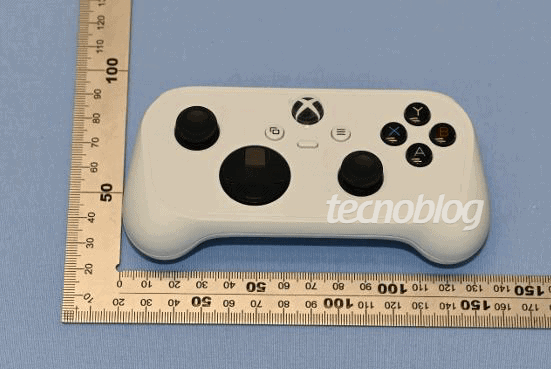
A Compact Xbox Controller with Wi-Fi 6 for Cloud Gaming May Have Just Leaked

Microsoft is reportedly working on a new, compact Xbox controller specifically for cloud gaming. Earlier today, a report by Brazilian news outlet, Tecnoblog, shared images of a smaller Xbox controller prototype, which looks quite distinct in size from the regular Xbox Wireless Controller we are used to seeing (via VideoCardz).

The leaked images show a familiar layout in a much compact form factor

The report suggest that the leaked compact Xbox controller is codenamed “Microsoft controller model 2147.” As you can see in the leaked images below, the controller keeps the familiar Xbox layout, including asymmetrical analog sticks, ABXY buttons, triggers, bumpers, and the classic D-pad. However, the overall shell appears to be smaller and more portable than the standard Xbox Wireless Controller.

Notably, the leaked prototype suggests that the alleged Xbox controller could launch in both black and white color options. Since it looks like a prototype unit, it isn’t intended for retail sale in its current form just yet. This also means that the design or features are subject to change by the time Microsoft decides to launch it for the masses.

Image credit: Technoblog

The compact Xbox controller reportedly comes with Wi-Fi 6 for reducing latency

Speaking of features, the report claims the new compact Xbox controller supports both Bluetooth and Wi-Fi 6 (restricted to 20 MHz band). Unlike regular Xbox controllers that mainly rely on Bluetooth and Xbox Wireless, this prototype reportedly includes dedicated Wi-Fi hardware powered by a Realtek RTL8730E chip.

The report further claims the chip packs dual ARM Cortex-A7 cores clocked at 1.2 GHz. In other words, Microsoft appears to be working on reducing latency during cloud gaming sessions by connecting the controller more directly over Wi-Fi.

The compact Xbox controller reportedly includes a USB-C port, a 500 mAh rechargeable battery, and an additional top-mounted button that could switch between standard Xbox mode and cloud gaming mode. To catch you up, we did come across a report by The Verge earlier this year that hinted at a next-gen Xbox controller with Wi-Fi connectivity. So, it is possible that this could that controller, or even an entirely different product than the one referred to in that report.

As of now, we haven’t officially heard anything regarding the compact Xbox controller. Therefore, it goes without saying that it could be a concept only and may never see the light of day. If we hear something more about this compact Xbox controller, we’ll let you know.

AMD FSR 4.1 Is Coming to RX 6000 and RX 7000 GPUs

AMD has officially confirmed that FidelityFX Super Resolution 4.1 will expand beyond its initial hardware rollout, finally bringing support to older Radeon graphics cards. The announcement comes after months of criticism from Radeon users who questioned AMD’s silence around RDNA 2 and RDNA 3 compatibility plans.

As Wccftech reports, AMD says FSR 4.1 will arrive for Radeon RX 7000 GPUs in July 2026, while Radeon RX 6000 support is planned later through an “exciting” update expected in early 2027.

AMD finally expands FSR 4.1 beyond newer hardware

When FSR 4 launched earlier this year, many users expected broader compatibility across AMD’s recent GPU generations. Instead, the feature initially focused on newer AI-capable hardware, leaving millions of RX 6000 and RX 7000 owners uncertain about future support.

That quickly became one of the biggest complaints surrounding AMD’s upscaling roadmap. Users argued that RDNA 2 and RDNA 3 cards still remain highly capable gaming GPUs and should not lose access to newer rendering technologies so early in their lifecycle.

AMD now appears ready to address those concerns.

According to the company, official FSR 4.1 rollout begins with Radeon RX 7000 graphics cards in July 2026. RX 6000 support will follow later, although AMD has not yet provided a precise release date beyond the “early 2027” window.

Community mods already enabled unofficial support

Before AMD’s announcement, many Radeon users already enabled unofficial FSR 4 functionality through third-party tools such as Optiscaler.

Those community-made solutions replaced older FSR implementations with newer FSR 4 and FSR 4.1 INT8 variants, allowing some games to run newer upscaling methods on unsupported GPUs.

While the workarounds proved popular, they also introduced compatibility issues, instability risks, and inconsistent game support depending on driver versions.

AMD’s official rollout means users will no longer need unofficial modifications or compatibility hacks to access the technology.

Jack Huynh responds to growing criticism

AMD executive Jack Huynh also addressed community frustration surrounding the delayed rollout.

According to Huynh, AMD had already been working internally on expanding FSR 4 support to more Radeon hardware. The announcement strongly suggests the company recognized increasing pressure from existing Radeon owners asking for broader compatibility.

The situation became particularly noticeable after NVIDIA continued expanding DLSS support across multiple GPU generations, increasing expectations for AMD to follow a similar strategy.

AMD says more than 300 games will support FSR 4.1

AMD claims FSR 4.1 will support more than 300 games at launch, significantly expanding the ecosystem around the technology.

That matters because RX 6000 and RX 7000 graphics cards still represent a massive portion of AMD’s active gaming user base. Extending support helps preserve GPU longevity while improving the value proposition for users who upgraded only a few years ago.

Broader support could also accelerate adoption of newer rendering features across PC gaming.

In related AMD news, the company recently revealed the Ryzen 9 PRO 9965X3D and Ryzen 7 PRO 9755X3D processors, while also working on a new CPPC feature for future platforms. Reports additionally suggest AMD may eventually introduce multi-frame generation capabilities to FSR in future updates.

UK’s Competition Watchdog Opens Probe into Microsoft’s Business Software Ecosystem

The UK’s competition watchdog, Competition and Markets Authority (CMA), has officially opened investigation Microsoft’s biggest strengths. Here we are talking about Microsoft’s software ecosystem, which millions of businesses and consumers rely on every single day. The UK regulator now wants to investigate whether the company’s dominance across these products could limit competition and customer choice over time.

UK watchdog launches major investigation into Microsoft’s software ecosystem

In an official press release published today, the Competition and Markets Authority, officially confirmed that it has launched a “Strategic Market Status” investigation into Microsoft and its broader business software ecosystem. The investigation will reportedly assess how Microsoft’s position across workplace software impacts UK businesses, public services, and rival technology providers.

According to the CMA, more than 15 million commercial users in the UK rely on Microsoft’s ecosystem. The regulator says it has heard concerns that customers may struggle to combine Microsoft software with products from competing companies. Apparently, the watchdog is specifically looking into issues related to software bundling, default settings, interoperability restrictions, and how rival AI tools integrate with Microsoft’s products.

Speaking of AI, the CMA also appears to be concerned about how AI assistants and agentic AI systems may become locked into Microsoft’s ecosystem through products like Copilot, Teams, and Windows.

In a statement regarding the investigation, Sarah Cardell, Chief Executive of the CMA, said:

“Business software is a cornerstone of how the UK economy functions, from small businesses to major public services and infrastructure. Hundreds of thousands of customers in the UK rely on Microsoft’s systems, which is why it’s so important to ensure these services are delivering good outcomes. Our aim is to understand how these markets are developing, Microsoft’s position within them, and to consider what, if any, targeted action may be needed to ensure UK organizations can benefit from choice, innovation, and competitive prices.”

Not to forget, this investigation could also reopen concerns linked to Microsoft’s cloud licensing practices, which regulators previously said weakens competition in cloud services. As for the “Strategic Market Status” investigation, the CMA says the final verdict can be expected by February 2027.