Windows 11 KB5079473 Patch Tuesday Update Linked To Crashes And Install Errors

Microsoft recently released the Windows 11 Patch Tuesday update KB5079473, but early user reports suggest the update may be causing installation failures and system instability on some PCs.

The issue appeared shortly after Microsoft released two new Insider Preview updates, KB5079458 for the Dev Channel and KB5079464 for the Beta Channel. These updates include improvements to Driver Policy management and Windows Setup.

Users report KB5079473 installation failures

Several users on Reddit report that the Patch Tuesday update fails during installation. One report mentions error code 0x80070306 appearing while attempting to install the update.

Attempts to repair Windows using built-in tools such as System File Checker (SFC) and Deployment Image Servicing and Management (DISM) reportedly did not resolve the problem.

BSOD crashes and reboot loops

Other users claim the update triggered more serious issues. One report states that the system experienced repeated blue screen of death (BSOD) crashes while attempting to install the update.

In some cases, affected systems reportedly entered reboot loops, forcing users to perform a hard reset to regain access to their PCs.

Additional reports of system instability

Some users also report graphical glitches, system freezes, and lock-ups after installing the update.

Another report posted on Microsoft’s Feedback Hub claims that the update removed administrator privileges on the affected system, preventing users from performing administrative tasks.

Microsoft has not confirmed any issues yet

Microsoft’s official support documentation currently states that it is not aware of any known issues with the update.

Since the update was released recently, the company may document these problems later if they are confirmed by additional reports.

The situation comes shortly after Microsoft released the emergency hotpatch update KB5084597 to address a network security vulnerability affecting the Windows Routing and Remote Access Service (RRAS).

Via Neowin

Windows 11 LTSC 2024 Gets KB5084597 Out-of-Band Update Patching RRAS RCE Flaws

Microsoft has released an emergency out-of-band security update for Windows 11 LTSC 2024 that addresses multiple critical networking vulnerabilities affecting the Routing and Remote Access Service (RRAS).

The update, identified as KB5084597, patches three security flaws tracked as CVE-2026-25172, CVE-2026-25173, and CVE-2026-26111.

Unlike regular updates, this release is delivered as a hotpatch, meaning supported systems can apply the fix without requiring a system restart.

Security flaws affect Windows remote access networking services

The patched vulnerabilities affect the Windows Routing and Remote Access Service management tool, a feature commonly used by organizations to provide secure remote connectivity and network routing.

RRAS supports several enterprise networking functions, including virtual private network connections, dial-up access, site-to-site networking, Network Address Translation (NAT), and dynamic routing protocols such as BGP.

Microsoft classified the vulnerabilities as remote code execution (RCE) issues.

The flaws involve an integer overflow or wraparound bug in RRAS that could allow an authorized attacker to execute code over a network.

According to Microsoft, a successful exploit could allow attackers to disrupt the RRAS management tool or run malicious code on a targeted system if it connects to a malicious remote server.

Hotpatch allows security fixes without reboot

Because the update uses Microsoft’s hotpatch mechanism, eligible systems can install the security fixes without requiring a system reboot.

Hotpatching is primarily designed for enterprise environments where uptime is critical, allowing administrators to deploy urgent security fixes while minimizing service interruptions.

The update will automatically install on systems that have hotpatching enabled.

Microsoft recommends installing the update as soon as possible to reduce the risk of potential exploitation.

Other Windows updates and issues continue to emerge

The release arrives amid a series of recent Windows developments.

Microsoft recently confirmed a separate Windows 11 issue that can prevent users from accessing the system drive after installing a security update.

In addition, new Insider builds in the Beta and Dev channels have introduced improvements to the Windows setup experience along with stricter driver policy enforcement.

Via Neowin

Microsoft Confirms Windows 11 Bug That Locks Users Out of the C: Drive

Microsoft has confirmed a Windows 11 bug that can block access to the system drive after installing the February 2026 Patch Tuesday update KB5077181. The issue appears mainly on Samsung laptops and can prevent users from accessing files or launching applications.

Issue emerges after the February Patch Tuesday update

KB5077181 was released about a month ago as part of the February Patch Tuesday rollout. When the update first arrived, users reported a wide range of problems, including boot loops, login errors, and installation issues.

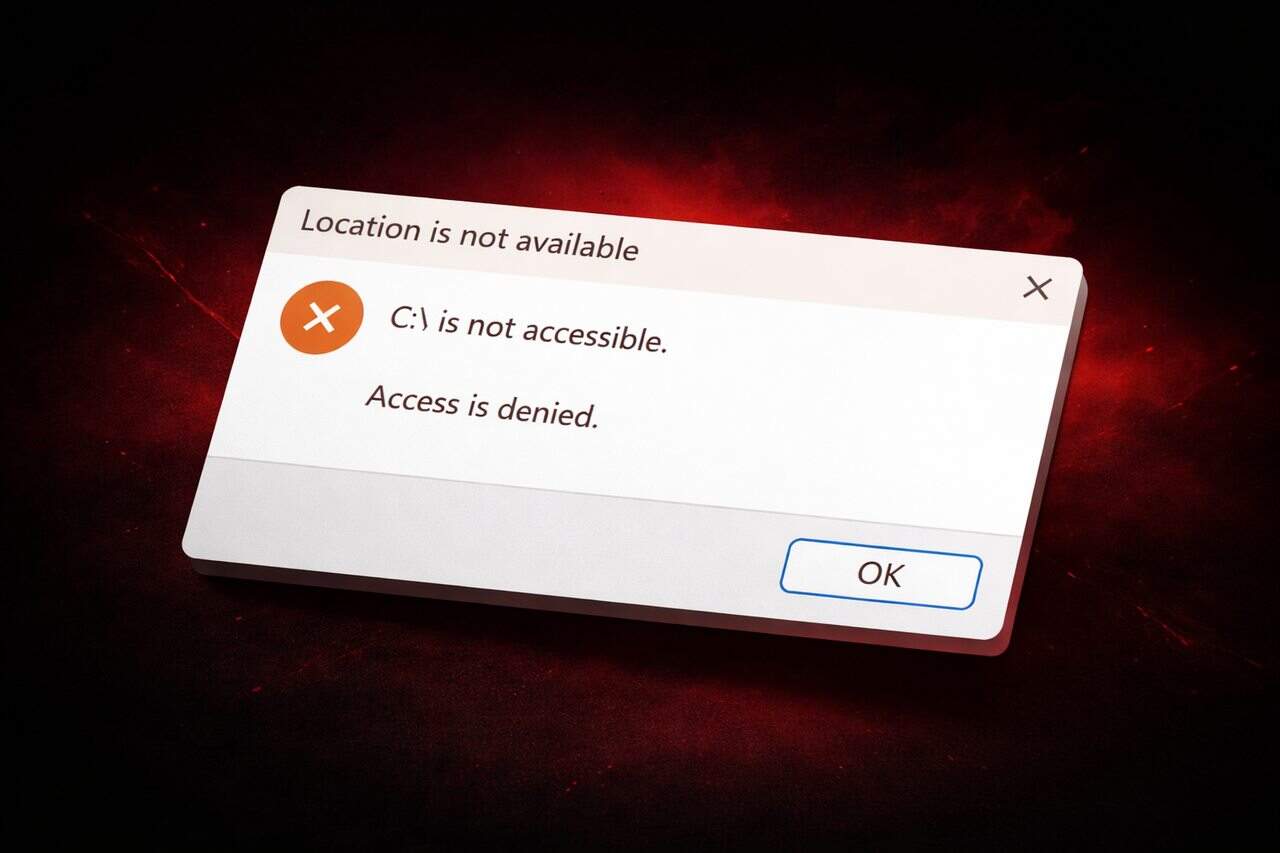
Microsoft has now acknowledged another problem linked to the same update. Some affected users see the message “C:\ is not accessible – Access denied” when trying to open the system drive.

System access problems can make PCs difficult to use

The error blocks access to files stored on the system drive and prevents applications from launching normally. Administrative tasks may also fail because Windows cannot properly access system files.

In severe situations, the system can become almost unusable since many Windows features rely on access to the C: drive.

Samsung laptops appear to be the main devices affected

Reports have surfaced in multiple regions, including Brazil, Portugal, Korea, and India. Despite the global reports, the issue does not appear to be widespread.

Most of the cases involve Samsung consumer laptops, particularly devices such as the Samsung Galaxy Book4. Other Samsung models may also experience the problem.

Microsoft believes the issue may be related to the Samsung Share application, although the exact cause has not yet been confirmed.

Only newer Windows 11 versions are affected

The problem appears limited to Windows 11 versions 24H2 and 25H2. Systems running Windows 10 or Windows 11 version 23H2 and earlier do not appear to be affected.

Some users have attempted temporary workarounds such as changing ownership permissions of the C: drive. However, modifying system drive permissions can introduce additional problems and is not recommended for most users.

Microsoft says it is currently investigating the issue and plans to release a fix in a future update.

In related update news, Microsoft has released KB5079458 and KB5079464 for the Beta and Dev channels. These updates introduce improvements to Windows Setup and changes to the driver policy system.

Via Neowin

PC Gaming Revenue on Track to Outpace Consoles by 2028

The balance of power in the video game industry is quietly shifting. For decades, home consoles have dominated the conversation around gaming revenue and market growth. But recent data suggests a major change is on the horizon.

According to a new report from market analysis firm Newzoo, global PC gaming revenue is now projected to completely surpass console gaming revenue by the year 2028. This upcoming milestone reflects changing consumer habits across the industry.

The traditional hardware cycle is losing its grip on the market

The console market relies heavily on generational leaps and massive blockbuster games. When a new system launches, revenue spikes. But between those major events, the market naturally cools off. PC gaming does not depend on rigid hardware cycles to drive growth.

Instead, it benefits from a continuous stream of incremental hardware upgrades and massive digital storefronts like Steam. This creates a much more consistent global revenue stream compared to the boom-and-bust nature of consoles.

How subscriptions change spending habits across different platforms

Services like Xbox Game Pass have dramatically changed how players consume games, but the financial impact looks completely different depending on where you play. While subscription services can sometimes affect raw game sales on consoles, that trend is far less pronounced on the PC side.

PC players are still buying games outright in impressive numbers, even with subscription models available. This hybrid spending behavior gives the PC platform an incredibly strong financial foundation. What this really means is that the traditional wall between console and PC is coming down. Microsoft seems to be anticipating this exact market shift. The company is actively pushing initiatives like Xbox Mode for Windows 11 and focusing heavily on cross-platform tools.

By blending its console ecosystem with the open PC market, Microsoft is positioning itself to succeed regardless of which platform generates the most money.

Xbox Updates Microsoft Store Policies to Stop Bundle Spam

Xbox is updating its Microsoft Store policies to clear out the clutter and give every new game a fair shot at being seen by players. Announced by the ID@Xbox team during the 2026 Game Developers Conference, this necessary storefront adjustment directly targets a long-standing frustration among both players and independent developers.

For years, certain publishers have manipulated the system by flooding the new release charts with slightly altered bundles of older titles. By ending this aggressive bundle spam, Microsoft wants to ensure that genuine new releases are not immediately pushed off the digital shelf.

Microsoft is cracking down on algorithmic manipulation

For years, the new releases section of the Xbox store has occasionally been hijacked by publishers re-releasing older games in slightly different bundles. This tactic artificially pushes these titles to the top of the feed and pushes actual new games out of view. Xbox is now stepping in to stop this practice.

According to an update from Chris Charla, General Manager of ID@Xbox, the platform’s developer code of conduct now explicitly prohibits tactics designed to crowd out other games. The company has adjusted its algorithmic promotions to ensure users will no longer see the same bundle repeated multiple times across the new release charts. Xbox also confirmed that more policy adjustments are on the way to keep the storefront fair.

More focus on indie developers and platform growth

This change is incredibly important for independent developers. For a small studio, the new release tab is one of the few places where a game can get organic visibility without a massive marketing budget.

When publishers spam the feed with duplicate bundles, smaller titles get pushed off the page before players even have a chance to see their cover art. Recently, one indie publisher noted that console storefronts are vital precisely because they act as a curated flow rather than a fast-moving waterfall of content. By cleaning up the algorithm, Xbox is making sure that every game gets a legitimate moment in the spotlight.

What this means for players

What this really means is a better browsing layout for everyone. If you are logging onto your console or PC to find something new to play, you want to see actual new games. You do not want to scroll through five identical listings for a survival game from three years ago just because a publisher tweaked the included DLC.

Xbox has also noted that its ID@Xbox team will continue using programs like Indie Selects and dedicated editorial placements to surface interesting titles that might otherwise get lost in the shuffle.

It is a necessary quality of life improvement that should save players time and help them find their next favorite game a little easier.

PlayStation 6 May Not Fall Far Behind Xbox Project Helix in Performance

The next console generation is slowly coming into focus, and the ongoing debate over hardware power is already starting. Leaked specifications suggest Microsoft’s upcoming Xbox Project Helix will outperform Sony’s PlayStation 6 on paper. But when it comes to actual gameplay, tech analysts agree that the advantage probably will not change how you experience the games.

Microsoft takes the lead in raw numbers

According to hardware experts at Digital Foundry and known AMD leaker Kepler_L2, it is widely believed that the hardware gap between consoles is closing; the opposite appears true for the next generation. The technical difference between the Xbox Project Helix and the PlayStation 6 is shaping up to be larger than the gap between the PlayStation 5 and the Xbox Series X.

The Helix’s APU, reportedly code-named Magnus, features about 25 percent higher teraflops and texture rates. It also pushes 33 percent higher front-end bandwidth, geometry rates, and pixel rates, alongside significantly more memory bandwidth.

This represents a larger hardware gap than the current one between the PlayStation 5 and the Xbox Series X. On a spreadsheet, Microsoft clearly has the heavier hitter.

Why that power advantage might not translate to your screen

While those percentages sound impressive, they are unlikely to translate into massive differences in how games actually play. Analysts agree that the raw power advantage is not enough to create a scenario where a game runs at a smooth 60 frames per second on Xbox but is locked at an unplayable 30 frames per second on PlayStation. Both consoles will also be fully capable of handling demanding lighting features like path tracing.

What this really means is that the Xbox Project Helix will likely run games at slightly higher internal resolutions or use marginally better graphical settings. Future titles will rely heavily on advanced upscaling technologies like Sony’s PSSR and AMD’s FSR Diamond. Because of this, that small bump in native resolution will be almost invisible to the average player sitting on their couch.

A bigger chip means a bigger price tag at launch

Power comes at a cost. The Xbox Magnus chip is reportedly over 400 square millimeters and utilizes a dual-die design. This makes it a very large and expensive component for a home console. In contrast, the PlayStation 6 is expected to use a smaller, monolithic die similar in size to the PS5 Pro. That approach is naturally cheaper to manufacture.

Microsoft might find itself in a tough spot if the Helix costs significantly more to build. A higher retail price could limit the console’s mass-market appeal, especially when its performance edge over the cheaper PlayStation 6 is barely noticeable on a standard television.

Both systems are currently targeting a 2027 release, so manufacturing costs and pricing strategies will be major factors to watch as the launch window approaches.

Latest Canary Update Brings New Emojis, Camera Features and Better Settings

Microsoft just released Windows 11 Canary Build 29550.1000 for testing. Let’s break it down. This release focuses on practical hardware controls and system consistency rather than massive interface changes. It also brings the operating system up to speed with the latest emoji standards. What this really means is you will spend less time hunting for device-specific software and fighting with conflicting power profiles.

New emoji 16.0 rollout

The update integrates the Emoji 16.0 release into the standard Windows emoji panel. Microsoft added exactly one new emoji for each major category, giving you a few new visual options without cluttering the interface.

Camera pan and tilt controls

Here’s the thing about webcam adjustments. You usually need to download separate software from the manufacturer just to change your viewing angle. Windows 11 now lets you control pan and tilt directly within the native Settings app. If your camera supports it, these new sliders live under the basic settings in the Bluetooth and devices menu.

Global power settings persistence

Power management is getting completely streamlined. When you change your global power settings like sleep timeouts, hibernate schedules, or lid close actions, those rules now apply across all active power plans. Your specific screen timeout choice will finally stick regardless of whether your laptop is running in a high-performance or battery-saver mode.

Voice typing feature for File Explorer

Microsoft also slipped in a helpful desktop update for dictation. You can now use voice typing to rename files directly in File Explorer. Just select a file and press the Windows key plus H to speak the new name.

Other broader insider improvements

These adjustments sit alongside a string of other practical additions across the Insider channels. Another Canary update recently introduced a built-in network speed test and helpful pen settings refinements. Microsoft is steadily cleaning up core utilities across the board.

Over in the Beta and Dev channels, parallel updates are delivering an improved Windows setup experience and an updated driver policy, while also streamlining Microsoft 365 account settings right from your dashboard.

Windows 11 KB5079464 Dev Update Improves Microsoft 365 Account Settings

Microsoft is releasing a new update for Windows 11 Insiders in the Dev Channel. Identified as KB5079464, this build introduces a variety of adjustments across the operating system. The changes cover everything from updated Microsoft 365 subscription settings and initial setup options to stricter kernel security and minor visual tweaks.

It brings better Microsoft 365 account settings

Managing your personal Microsoft subscriptions usually requires opening a web browser and navigating through account portals. With the release of Build 26300.8068 in the Dev Channel, Microsoft is bringing that control directly to your local system.

Microsoft 365 Family subscribers will now see a dedicated option to upgrade their plan right on the Accounts page inside the Settings app. What this really means is you get faster access to your subscription details without leaving the native Windows environment.

If you prefer a clean interface without promotional prompts, you can simply remove the upgrade option by turning off suggested content in your settings. It’s worth mentioning that this feature isn’t available in the Windows 11 Beta update KB5079458, which was also released today.

Talking about the new Insider updates, Microsoft has also released the Windows 11 KB5079458 beta update. It enforces a stricter driver policy and updates for the point-in-time restore tool. There are also a couple of Windows 11 Canary updates dubbed KB5079452 and KB5077240.

The former brings pen setting improvements, while the latter adds a built-in network test tool. Furthermore, a separate Canary Build 29550.1000 brings new Emojis, camera features, and better Settings, among other things.

Windows 11 KB5079458 & KB5079464 Beta and Dev Updates Offer Better Driver Policy

Microsoft recently released new Beta and Dev channel updates for Windows 11. These preview builds, identified as KB5079458 and KB5079464, focus heavily on system security and recovery. The updates bring specific changes to how the operating system handles third-party hardware drivers and how administrators manage system restore points.

Enforcing a stricter driver policy

Usually, the Windows kernel allowed third-party drivers from both the Windows Hardware Compatibility Program and older cross-signed root programs. The newer compatibility program requires strict testing, identity verification, and virus scanning. Starting with this update, Microsoft is removing default trust for those older cross-signed drivers to improve system security.

The operating system will now only trust drivers from the compatibility program by default, alongside a specific allow list. When the update installs, the new policy enters an audit mode for at least 100 hours, and three system reboots. Windows uses this time to determine if your currently loaded drivers are compatible with the strict new rules.

If everything checks out, the feature will be fully enabled. If not, the system remains in audit mode to prevent hardware issues. Some users might eventually see notifications that the system has blocked certain cross-signed drivers. Don’t forget, the same updates also bring a better Windows Setup experience, apart from policy-based removal of preinstalled Microsoft apps for enhanced security.

Point in time restore updates

When you need to roll back your computer, having clear options is vital. Microsoft is updating the point-in-time restore tool to give local administrators better control. Launching the tool now triggers a user account control prompt, followed by a new settings dialog. This menu allows admins to view and change default restore configurations while seeing a complete list of available restore points on the device.

The recovery environment is getting a few tweaks as well. If you initiate a restore from this menu, Windows will now explicitly recommend plugging your device into a power source to prevent the battery from dying during the critical rollback process.

You will also notice the operating system version number displayed in a more detailed four-part format instead of the old two-part structure. Furthermore, the update also improves the Microsoft 365 account settings experience.

Windows 11 KB5079458 & KB5079464 Beta and Dev Updates Bring Improved Windows Setup

Microsoft just rolled out a fresh pair of updates for Windows 11 Insiders that target a common issue during the operating system setup process. Arrived under the monikers KB5079458 and KB5079464, these releases bring practical changes to system configuration, security, and administrative controls. Also, the same updates offer policy-based removal of preinstalled Microsoft applications.

Better Windows Setup experience

Windows 11 has historically generated your user profile folder name using the first few characters of your Microsoft account email. This usually resulted in awkward names that were difficult to change later.

With the introduction of Build 26220.8062 in the Beta Channel alongside its Dev Channel counterpart Build 26300.8068, Microsoft finally allows you to pick a custom name for your user folder right on the Device Name page during the initial setup.

What this really means is you can skip the registry edits and local account workarounds just to get a clean folder path. You simply need to ensure your chosen name follows standard Windows naming conventions. In case you want to improve Input and Settings, Microsoft has released the Windows 11 KB5079387 update.

Policy-based removal of preinstalled Microsoft apps

Microsoft updated Windows Enterprise and Education policies to let IT administrators remove preinstalled Store applications using a new dynamic list. By navigating the local Group Policy Editor, admins can easily specify which MSIX and APPX programs to uninstall. You find the exact package family name using a terminal command like Get-AppxPackage and add it to the text field. Don’t forget, Windows 11 KB5079387 also hit the preview channel with File Explorer and display improvements just a day ago.

However, there is a temporary limitation. The dynamic list is not yet available within the Intune configuration service provider. Until the dedicated Intune setting launches officially, IT teams must rely entirely on standard Group Policy for testing and implementation.

This update brings several other practical changes. Security tightens as the Windows kernel drops trust for older cross-signed drivers. System restore now gains administrator settings, the Drag Tray becomes Drop Tray, and pen users get a new option to map their tail button to launch Copilot.

Windows 11 Canary Update KB5079452 Brings Pen Settings Improvements

Microsoft has released a fresh update for its experimental testing tier. Testers in the Windows Insider Program can now download Canary Build KB5079452, officially designated as Windows 11 Insider Preview Build 28020.1737. This specific release focuses on hardware configuration tweaks rather than massive software overhauls.

Pen settings get a Copilot upgrade

The most notable change in this version is how the operating system handles physical stylus inputs. Microsoft has refined the Pen settings page, specifically targeting the functionality of the pen tail button.

Users now have access to a new configuration option labeled “Same as Copilot key.” When activated, pressing the back button on your pen will immediately open the same application assigned to the physical Copilot key on newer Windows keyboards.

What this really means is that you can summon your digital assistant directly from your stylus. If you are drawing on a tablet or taking notes, you no longer need to put the pen down or reach across your desk to interact with Copilot.

.The latest update arrived soon after Microsoft rolled out the Windows 11 KB5079387 update. The same update also brought settings and input improvements. It also updates the narrator with rich image descriptions & lifts smart app control limit.

Microsoft Refreshes Media Creation Tool With Latest Windows 11 25H2 Build

Microsoft has released an updated version of the Media Creation Tool (MCT) shortly after the March Patch Tuesday updates for Windows 11, allowing users to download the latest system build for clean installations.

According to Neowin, the updated Media Creation Tool now downloads Windows 11 version 25H2 (build 26200.8037), which includes the March 2026 Patch Tuesday improvements and security fixes.

Media Creation Tool now installs Windows 11 25H2

The Media Creation Tool is Microsoft’s official utility used to create bootable Windows installation media or download Windows ISO files. It is commonly used when performing a clean installation, reinstalling Windows, or upgrading a system manually.

Microsoft typically updates the tool every month following Patch Tuesday. These updates ensure that users installing Windows from scratch receive the most recent build instead of needing to download additional updates afterward.

With the latest refresh, the Media Creation Tool now pulls Windows 11 version 25H2 build 26200.8037, which contains the March 2026 Patch Tuesday fixes and improvements.

Tool version remains unchanged

Although the downloaded Windows build has been updated, the Media Creation Tool application itself has not received a new version number.

The change only affects the Windows image that the tool downloads and prepares for installation.

Users who prefer manual downloads can still obtain Windows 11 ISO files directly from Microsoft’s website. However, writing these ISO files to a bootable USB drive often requires third-party tools such as Rufus.

March updates also bring additional Windows improvements

The March Patch Tuesday update introduced several notable changes across Windows 11 builds.

One of the most significant additions is native support for Remote Server Administration Tools (RSAT) on Windows 11 for ARM devices. This change allows administrators using ARM-based PCs to manage Windows Server roles and infrastructure without relying on x64 systems.

Microsoft also released a Release Preview update that introduces improvements to the Settings app and pen input. The update further enhances Narrator accessibility features and improves the reliability of Smart App Control.

Together, these updates ensure that new Windows installations created with the Media Creation Tool already include the latest fixes and features from Microsoft’s March update cycle.

Gaming Copilot is Reportedly Coming to Xbox Series X|S “Later This Year”

It was back in March 2025, when Microsoft first announced Gaming Copilot. As the name suggests, it is an assistant that guides players, suggests strategies, and offers personalized gameplay tips. For now, Gaming Copilot is available in Windows 11 via Xbox Game Bar. Now, the feature, which Microsoft described as your “ultimate gaming sidekick,” appears to be heading towards current Xbox consoles.

The news comes via GamesRadar+, which reports that, at GDC 2026, Microsoft confirmed that Gaming Copilot will make its way to current-generation Xbox consoles (via Insider Gaming). The confirmation reportedly came from Xbox Gaming AI partner group product manager Sonali Yadav, who said that the AI assistant is expected to arrive later this year for Xbox Series X and Xbox Series S.

“I’m excited to announce that later this year, we will bring Gaming Copilot to the current-generation consoles, and we will continue to bring it to more services that players are playing,” Yadav noted.

The AI assistant is designed to function as an in-game helper that adapts to a player’s habits and preferences. Microsoft says Gaming Copilot can analyze the games players are currently playing, along with their past gaming activity. Based on that data, it can recommend new titles, suggest strategies, and help players overcome difficult sections.

Players can also directly ask the assistant for help. Gaming Copilot can provide gameplay tips, brainstorm tactics, and offer personalized coaching depending on the situation. There is even a voice conversation feature, allowing players to interact with the AI assistant more naturally while playing.

That being said, some details remain unclear. Microsoft has not yet confirmed an exact release window beyond “later this year.” Besides, it is still unclear how deeply the AI assistant will integrate with console gameplay. Speaking of AI features, let’s not forget that Microsoft has confirmed that Auto SR preview will launch on ROG Xbox Ally X this April.

Microsoft Teams to Get AI Language Detection and Video Recap Features in April

Microsoft is continuing to expand the AI capabilities of Microsoft Teams with two new features designed to improve meeting accessibility and summaries. The announcement comes shortly after Microsoft confirmed it will stop sending email notifications for Teams recordings, signaling broader changes to how meeting content is managed.

AI language detection aims to improve multilingual meetings

According to Microsoft 365 Roadmap ID 558543, Microsoft is developing an AI-powered feature that automatically detects the spoken language of each participant during Teams meetings.

The system will analyze speech in real time and automatically switch live captions and transcripts to the detected language. This should make it easier to follow conversations in meetings where participants switch between languages or dialects.

To enable the feature, meeting organizers will need to activate Interpreter mode or multilingual speech recognition.

Previously, users had to manually change the language setting whenever the speaker changed languages. If the language setting was not updated correctly, the resulting transcript could become inaccurate or difficult to read.

Automatic language detection aims to remove this manual step and improve the reliability of multilingual meeting transcripts.

AI video recap will generate narrated meeting highlights

Microsoft is also developing a new AI-powered video recap feature for Teams meeting summaries, according to Microsoft 365 Roadmap ID 558540.

The system will automatically generate narrated highlight videos from recorded meetings. These AI-created recaps will summarize key moments and discussions without requiring users to watch the entire recording.

The feature appears similar to AI-generated highlight videos used in apps like Google Photos or iCloud Photos, but tailored specifically for meeting content.

At this stage, it remains unclear whether organizations or users will be able to disable automatic video recap generation.

Android transcription support also coming to Teams

In addition to these AI updates, Microsoft previously announced Live Meeting Transcription support for Microsoft Teams on Android, expanding accessibility features across mobile devices.

The update will allow participants to view real-time transcription during meetings directly on Android-powered Teams devices.

Microsoft is also preparing to reintroduce its previously controversial work-location tracking feature in Teams. This time, however, users will have the option to opt out.

Both the automatic language detection feature and AI-generated video recaps are expected to launch in April for Microsoft Teams on Windows and macOS.

Via Neowin

Warzone’s Avalon Map Debuts With Black Ops Royale, Community Reacts With Frustration

Call of Duty: Warzone has introduced a new battle royale map called Avalon, replacing Verdansk and becoming the centerpiece of the game’s latest update.

According to Insider Gaming, the Avalon map currently appears only in the Black Ops Royale playlist, which has temporarily replaced other Warzone playlists. This decision has sparked criticism from players who say they are now forced to play the new mode and map.

Avalon replaces Verdansk in Warzone

Avalon is based on the Endgame map from Black Ops 7 and is described as an evolution of Blackout, the original battle royale map from Call of Duty: Black Ops 4 released in 2018.

The map introduces a large playable area but reduces the player count to 100 competitors per match. Some players say this combination results in slower pacing and fewer encounters compared to previous Warzone experiences.

Despite the criticism, several players say the map design itself looks promising and could improve with future gameplay adjustments.

Black Ops Royale playlist sparks backlash

The update launched with only one playable format: quads.

This means players cannot currently choose solo, duo, or trio playlists. As a result, those who prefer playing alone or with fewer teammates have no official option available.

Community reaction has been largely negative, with players criticizing the lack of playlist variety and the removal of familiar modes.

Some players also said the gameplay feels very different from traditional Warzone matches.

Loadouts removed, loot becomes the focus

One of the biggest changes in Black Ops Royale is the removal of custom loadouts.

Instead of purchasing loadouts during matches, players must rely entirely on weapons and equipment they find while looting the map.

Some players say the system resembles mechanics seen in Fortnite-style looting, while others compare it to experimental gameplay mechanics used in past Call of Duty modes.

Planned bot testing adds more controversy

The controversy surrounding Avalon has grown further after developers confirmed plans to test AI-controlled bots in online matches.

Many competitive players worry that adding bots to standard matches could reduce the intensity of player-versus-player gameplay.

Others, however, believe bots could make the game more accessible for newcomers and casual players.

Mixed reception from the Warzone community

Although the overall response has been critical, some players have praised Avalon’s layout and believe the map could succeed if the developers adjust the mode.

Requests from the community include adding solo and duo playlists, increasing player density, and restoring more traditional Warzone modes.

In other gaming news, former Overwatch director Jeff Kaplan recently revealed the reasons behind his departure from Blizzard, shedding light on internal pressure tied to the game’s financial performance.

Meta Reportedly Delays “Avocado” AI Model Release, Now Tipped for May or June

In the ongoing AI race, Meta might be feeling a little left out, given the failure of Llama models and the fact and that it hasn’t pushed new models for a long time now. On the other hand, its rivals, like Google, Anthropic, and OpenAI, are pushing one model after another. However, Meta hopes that 2026 will change its fate, as it reportedly has a few models coming this year.

The release delay has been linked to performance concerns

The upcoming AI model from Meta, code-named Avocado, which was previously scheduled to launch in March, has now reportedly been delayed to May or June, according to The New York Times (via Reuters). Per the NYT, the delayed release has been linked to performance concerns, as the model currently sits somewhere between Google’s Gemini 2.5 and Gemini 3 in capability.

As a company making a comeback, Meta cannot afford to launch an underperforming model. Do note that the delay in the release of the Avocado model comes despite Meta’s aggressive AI investment strategy. Earlier this year, the company outlined plans to spend $115 billion to $135 billion in 2026, to accelerate progress toward what CEO Mark Zuckerberg describes as “superintelligence.”

Meta is also exploring long-term infrastructure improvements, including developing its own AI chips to reduce reliance on external hardware.

During earning call earlier this year, a Meta spokesperson told Reuters that the upcoming model will demonstrate the “rapid trajectory” of the company’s AI development and hinted that more models could follow throughout the year.

Speaking of Meta, let’s not forget that the company has also started rolling out anti-scam tools across its social media apps, including Facebook, WhatsApp, and Messenger.

Google Patches Two Chrome Zero-Day Vulnerabilities in Emergency Security Update

Google has released emergency Chrome security updates to address two high-severity zero-day vulnerabilities that are currently being actively exploited in the wild.

According to reports from security researchers, the fixes are rolling out through Chrome’s Stable Desktop channel with the following versions: 146.0.7680.75 for Windows and Linux, and 146.0.7680.76 for macOS.

Google patches two high-severity Chrome zero-day vulnerabilities

The first vulnerability, CVE-2026-3909, is an out-of-bounds write flaw in Skia, an open-source graphics library used by Chrome to render web content and interface elements.

If exploited, attackers could potentially crash the browser or achieve remote code execution, allowing malicious code to run on the affected system.

The second vulnerability, CVE-2026-3910, affects Chrome’s V8 engine, which handles JavaScript and WebAssembly execution inside the browser.

Google described the issue as an inappropriate implementation flaw that could allow attackers to manipulate how the engine processes certain operations.

To reduce the risk of further attacks, Google has not published detailed technical information about the vulnerabilities.

Patch released quickly

Google confirmed that both vulnerabilities were patched within two days of discovery, highlighting the urgency of the update.

While the patched versions are already available, Google said the global rollout of the update may take several days or weeks to reach all users automatically.

Users can install the update manually through Chrome’s settings menu or wait for the browser to update automatically after the next restart.

Multiple Chrome zero-days in 2026

The two flaws mark the second and third actively exploited Chrome zero-day vulnerabilities patched in 2026.

Earlier this year, Google fixed CVE-2026-2441, a separate vulnerability linked to the CSSFontFeatureValuesMap component.

Security researchers continue to warn that browsers remain a major attack surface, making timely updates essential for protecting user data and systems.

Growing wave of cyberattacks

The Chrome update comes amid a broader surge in cybersecurity incidents.

Recently, attackers launched Google-themed phishing campaigns designed to steal login credentials, while other threat actors have reportedly abused Microsoft Teams to deploy backdoors on corporate systems. There are also reports that Remote Desktop exploits are being sold online, raising concerns among security experts.

Via BleepingComputer

Black Ops Royale AI Bot Test Triggers Major Warzone Backlash

Call of Duty: Warzone has received a new mode called Black Ops Royale, inspired by the classic Blackout experience from Call of Duty: Black Ops 4. While the update introduces several gameplay improvements and changes, a controversial feature has quickly sparked debate across the community.

Black Ops Royale Brings New Gameplay Changes

Black Ops Royale aims to refresh Warzone’s battle royale experience with mechanics inspired by Blackout. The mode introduces updated systems, map adjustments, and gameplay elements designed to change the flow of matches.

However, discussion around the update intensified after developers revealed plans to test AI bots in the new mode.

AI Bots in Regular Matches Spark Backlash

According to Windows Central, the upcoming test will introduce AI-controlled bots directly into standard Black Ops Royale match lobbies.

Unlike Warzone’s Casual playlists, where bots typically appear in separate modes, this test places them in regular matchmaking alongside human players.

The announcement triggered strong reactions from parts of the Warzone community.

Several major streamers and content creators criticized the idea, arguing that bots could undermine the competitive player-versus-player experience that defines battle royale games.

Popular Twitch streamer TimTheTatman publicly called for the removal of bots from the mode, saying they could dilute the intensity of standard matches.

Critics believe forcing players to fight AI opponents in normal lobbies weakens the core PvP gameplay. Some also worry that the move could fragment the player base by pushing competitive players away from the mode.

Some Players Support Accessibility Improvements

Not all feedback has been negative. Some players support the idea, arguing that bots could make Warzone more accessible to newcomers and less experienced players.

Supporters believe AI opponents could help reduce the steep learning curve that many battle royale titles present.

A commonly suggested compromise from the community involves introducing a dedicated Casual playlist with bots, while keeping the main Black Ops Royale matchmaking fully PvP.

Regional Test Planned for Next Week

For now, the feature remains part of a limited test. Developers plan to introduce bots into Black Ops Royale matches next week in Europe and the Middle East.

The test could change depending on community feedback, and developers may adjust the system or move bots to a separate playlist before a wider rollout.

In other gaming news, the former Overwatch director recently explained the reasons behind his departure from Blizzard. Meanwhile, Crimson Desert developers have also revealed the game’s official system requirements and performance targets.

BRAVELY DEFAULT FLYING FAIRY HD Remaster Releases on Xbox Series X|S, PC, and Switch 2

Square Enix has officially expanded one of its most beloved RPGs. Bravely Default Flying Fairy HD Remaster is now available on PC via Steam, Nintendo Switch 2, and across Xbox platforms. The new version includes visual improvements alongside several quality-of-life changes.

The title is also compatible with handheld PCs like the ROG Xbox Ally and Steam Deck, which suggests Square Enix is paying close attention to the growing handheld gaming market. To mark the launch, Square Enix is offering a 20 percent discount on both Xbox and Steam storefronts.

Players who purchase the game will also receive a digital art book that can be accessed through D-Viewer. As far as the game details is conerned, players return to the world of Luxendarc, where the balance maintained by four elemental crystals has been disrupted by a mysterious darkness emerging from the Great Chasm.

Players follow characters such as Agnès Oblige, Tiz Arrior, Edea Lee, and Ringabel, alongside the fairy Airy, as they attempt to restore balance. Combat still centers on the franchise’s signature “Brave & Default” turn-based system, which allows players to either store turns for defense or spend points to unleash multiple actions at once. With more than 20 unique job classes, players can customize party abilities and strategies throughout the adventure.

Speaking of Xbox games, let’s not forget that this weekend’s Free Play Days allows Xbox Game Pass members to try four games, while the Diablo IV trial is free for everyone until March 18, 10 AM PT.

Auto SR Preview for ROG Xbox Ally X Reportedly Launching in April

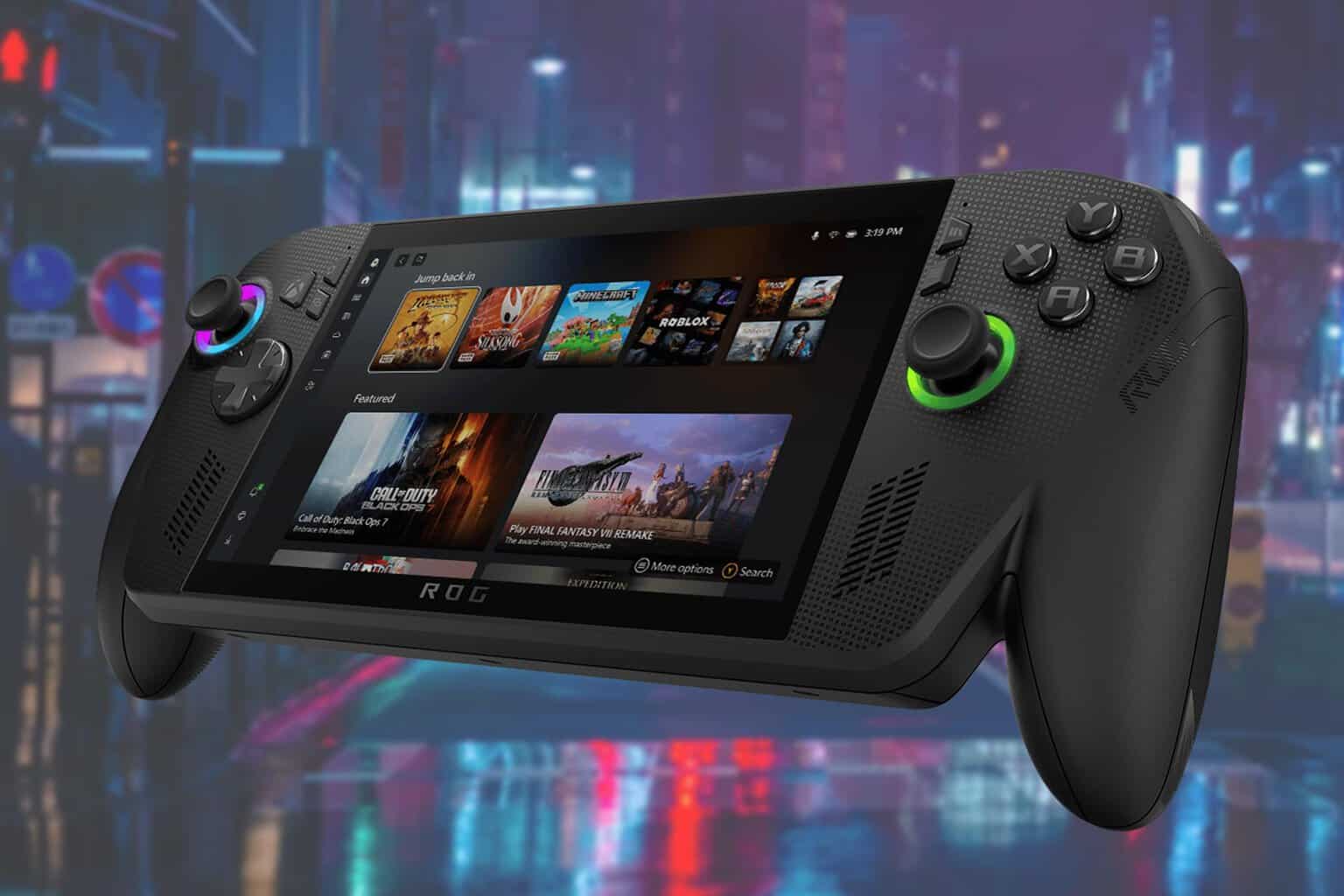
If you have been waiting for Microsoft to add Automatic Super Resolution (Auto SR) support for the ROG Xbox Ally X, there is some good news for you. As first reported by ROG Ally Life, Microsoft, at GDC 2026, has confirmed that Auto SR will enter public preview on the ROG Xbox Ally X in April (via Videocardz).

ROG Xbox Ally X reportedly set to get Auto SR Preview in April

Do note that the ROG Xbox Ally X is one of the first devices positioned to support this feature. The handheld uses AMD’s Ryzen AI Z2 Extreme processor, which includes a dedicated neural processing unit, or NPU, as hinted in this spec sheet. Microsoft has already linked the NPU to multiple AI features planned for the device, including Auto SR and gameplay highlight reels.

To catch you up, support for the Xbox handheld was first revealed by Microsoft back in August last year. However, in an update from November last year, the company confirmed that the feature would land on the ROG Xbox Ally X in early 2026, alongside highlight reels. At a time when handheld gaming PCs are pushing for higher performance in a compact form factor, Microsoft appears to be taking the help of AI upscaling to close that gap.

Speaking of Auto SR’s working, Microsoft, in an official documentation, notes that, “Auto SR functions by automatically lowering the game’s rendering resolution to increase framerate, then employs sophisticated AI technology to provide enhanced high-definition visuals. This results in a smoother, more detailed gaming experience.”

As of now, Microsoft notes that Auto SR is supported in most games that run on DirectX 11 or DirectX 12 and emulated x64 or Arm64 native platforms. If you wish to learn which games support Auto SR out of the box as of now, be sure to check out this list.

Besides the Auto SR preview, at GDC 2026, Microsoft also confirmed a few details about Project Helix and Xbox Mode in Windows 11. Notably, the company also showcased neural rendering and DXR 2.0 plans for DirectX.

NVIDIA Shows Path Tracing Future at GDC 2026 With Massive AI-Driven GPU Gains

NVIDIA continues to highlight how AI will shape the future of gaming graphics. During the Game Developers Conference (GDC) 2026, the company revealed its long-term path tracing roadmap, showing how GPU technology has evolved and where it plans to go next.

Earlier discussions at the event also saw NVIDIA CEO Jensen Huang reflect on the importance of the GeForce 3 GPU, describing it as a key milestone that helped lay the groundwork for today’s AI revolution. However, NVIDIA’s latest announcements focused heavily on the future of rendering technologies and the company’s plans to bring cinematic-quality visuals to real-time games.

NVIDIA charts the evolution from GTX to RTX path tracing

According to details shared at GDC 2026 and reported by Wccftech, NVIDIA’s roadmap begins with the GeForce GTX 10 series. These GPUs relied on software-based ray tracing and offered only limited real-time ray tracing capabilities.

A major shift arrived with the RTX 20 series, which introduced dedicated hardware ray tracing through RT cores along with Tensor cores and DLSS (Deep Learning Super Sampling). These technologies enabled the first practical steps toward real-time path tracing in games.

Since then, NVIDIA says improvements across hardware and software have dramatically accelerated rendering performance. The company claims that advances in RT cores, Tensor cores, DLSS, and optimization techniques have collectively delivered a 10,000× improvement in path tracing performance compared to Pascal-generation GPUs.

Despite that progress, NVIDIA believes the industry is still far from achieving the ultimate goal: real-time graphics indistinguishable from film-quality rendering.

Future GPUs could reach 1,000,000× path tracing gains

Looking ahead, NVIDIA expects future GPU architectures to deliver significantly larger performance gains. The company suggested that upcoming designs, including next-generation Rubin GPUs expected around 2027–2028, could push path tracing performance to roughly 1,000,000× faster than Pascal.

NVIDIA emphasized that achieving such gains will depend heavily on AI-driven rendering techniques and algorithmic improvements. Traditional silicon scaling based on Moore’s Law continues to slow down, which means performance increases will increasingly rely on neural rendering and software innovation rather than raw transistor growth.

New technologies aim to improve realism in path-traced games

Alongside the roadmap, NVIDIA highlighted several technologies designed to improve lighting realism and rendering efficiency in modern games.

One of them is ReSTIR, a rendering technique designed to simulate more accurate global illumination and realistic light transport in path-traced environments. Another technology, RTX Mega Geometry, improves the rendering of highly complex scenes and geometry.

RTX Mega Geometry is already expected to appear in upcoming titles such as The Witcher IV, where developers aim to push visual complexity much further than in previous games.

NVIDIA also noted the continued growth of DLSS, which now supports more than 800 games. According to the company, roughly 90 percent of players enable DLSS when it is available.

Future versions of the technology are also in development. NVIDIA plans to introduce DLSS 4.5 with Multi Frame Generation (MFG) 6X, a system capable of generating up to six frames using AI. The technology will also include a dynamic mode that adjusts frame generation depending on resolution and performance requirements.

Several upcoming games will support path tracing

As hardware and rendering technologies improve, more developers are beginning to adopt full path tracing in their projects. NVIDIA highlighted several upcoming games expected to feature the technology, including:

  • Resident Evil Requiem
  • Pragmata
  • 007 First Light
  • Control Resonant
  • Directive 8020
  • Tides of Annihilation

These titles are expected to demonstrate how path tracing can deliver significantly more realistic lighting, reflections, and global illumination compared to traditional rasterized graphics.

AI and neural rendering remain central to NVIDIA’s strategy

NVIDIA says the future of graphics will rely heavily on the combination of AI, neural rendering, and advanced ray tracing technologies. Together, these approaches could bring real-time gaming visuals closer to cinematic rendering quality.

Meanwhile, NVIDIA’s AI hardware continues to gain adoption beyond gaming. Reports suggest that ByteDance plans to use NVIDIA’s B200 AI chips for large-scale AI workloads. Microsoft also made announcements during GDC 2026, showcasing new graphics technologies such as DXR 2.0 and neural rendering features for DirectX.

NVIDIA’s roadmap shows that path tracing will likely remain a major focus for future GPU development. With AI-driven rendering and new GPU architectures on the horizon, the company believes real-time graphics could eventually approach film-quality visuals in interactive games.

Microsoft Showcases Neural Rendering and DXR 2.0 Plans for DirectX at GDC 2026

Microsoft has recently announced PlayFab Foundation Mode, a new initiative designed to expand cross-platform game services. At the same time, during GDC 2026, the company also revealed major machine learning–driven upgrades for DirectX aimed at improving graphics performance and enabling new neural rendering techniques in future PC games.

The updates introduce new shader technologies, machine learning tools, and systems designed to reduce shader compilation stutter. Together, these features aim to make machine learning a native part of the graphics pipeline across modern GPUs.

Cooperative vectors enable neural rendering techniques

According to Wccftech, one of the key additions is Cooperative Vectors in Shader Model 6.9, which is included in Agility SDK 1.619.

This feature enables neural rendering technologies such as Neural Texture Compression and Neural Radiance Caching. These techniques rely on machine learning models to reconstruct visual data efficiently, allowing developers to improve visual fidelity while reducing memory usage.

NVIDIA’s Blackwell GPU architecture already supports Cooperative Vectors, while AMD plans to bring support in its upcoming GPU architectures.

DirectX linear algebra brings machine learning into shaders

Microsoft also introduced DirectX Linear Algebra, a new system designed to handle vector and matrix operations for machine learning workloads directly inside the graphics pipeline.

This system allows developers to run ML workloads at the shader level while controlling how data flows through the GPU.

Developers gain more flexibility when executing neural rendering tasks and other machine learning calculations directly alongside traditional graphics workloads.

DirectX compute graph compiler simplifies ML model execution

Another major addition is the DirectX Compute Graph Compiler, a new DirectX ML compiler API.

The tool allows developers to execute full machine learning model graphs on GPUs with native performance without rewriting shaders.

It also includes features such as automatic graph optimization, memory planning, and operator fusion to improve efficiency when running complex ML workloads.

Major GPU vendors, including AMD, Intel, NVIDIA, and Qualcomm, have expressed support for these new DirectX capabilities.

Advanced shader delivery aims to eliminate compilation stutter

Microsoft also revealed Advanced Shader Delivery for Windows, a system designed to reduce shader compilation stutter in PC games.

Instead of compiling shaders during gameplay, developers can distribute fully compiled shader packages tailored to specific hardware configurations.

This approach allows games to download precompiled shaders in advance, reducing interruptions during gameplay.

There are two new APIs that enable this system. The App Identity API allows applications to declare their identity to DirectX and GPU drivers. The Stats API helps developers measure the effectiveness of precompiled shader databases across different hardware setups.

Hardware partners, including AMD, Intel, NVIDIA, and Qualcomm are working with Microsoft to support Advanced Shader Delivery. NVIDIA plans to bring support to GeForce RTX GPUs later this year.

DirectX raytracing 2.0 planned for later in 2026

Microsoft also revealed plans for DXR 2.0 alongside Shader Model 6.10.

DirectX Raytracing 2.0 will introduce new capabilities such as Opacity Micromaps and improved ray tracing performance. These features are expected to expand the visual realism of future games while improving efficiency.

A preview of DXR 2.0 is currently planned for late summer 2026.

In related Xbox developments, Microsoft is reportedly preparing several major updates across its gaming ecosystem.

Project Helix is expected to use an AMD system-on-chip along with FSR Diamond technology. Microsoft also plans to revive its backwards compatibility program, allowing players to access games from older Xbox generations.

Another upcoming feature is Xbox Mode for Windows 11, which will launch in selected markets next month and aims to deliver a more immersive gaming experience on PC.

Microsoft Redesigns Copilot Notebooks With New Three-Column Layout & More

Microsoft has started rolling out a redesigned Copilot Notebooks experience across the Microsoft 365 Copilot app and OneNote. The update introduces a revamped interface, which Microsoft says makes long-running projects easier to track, organize, and understand.

Redesigned Copilot Notebooks focus on workflow clarity

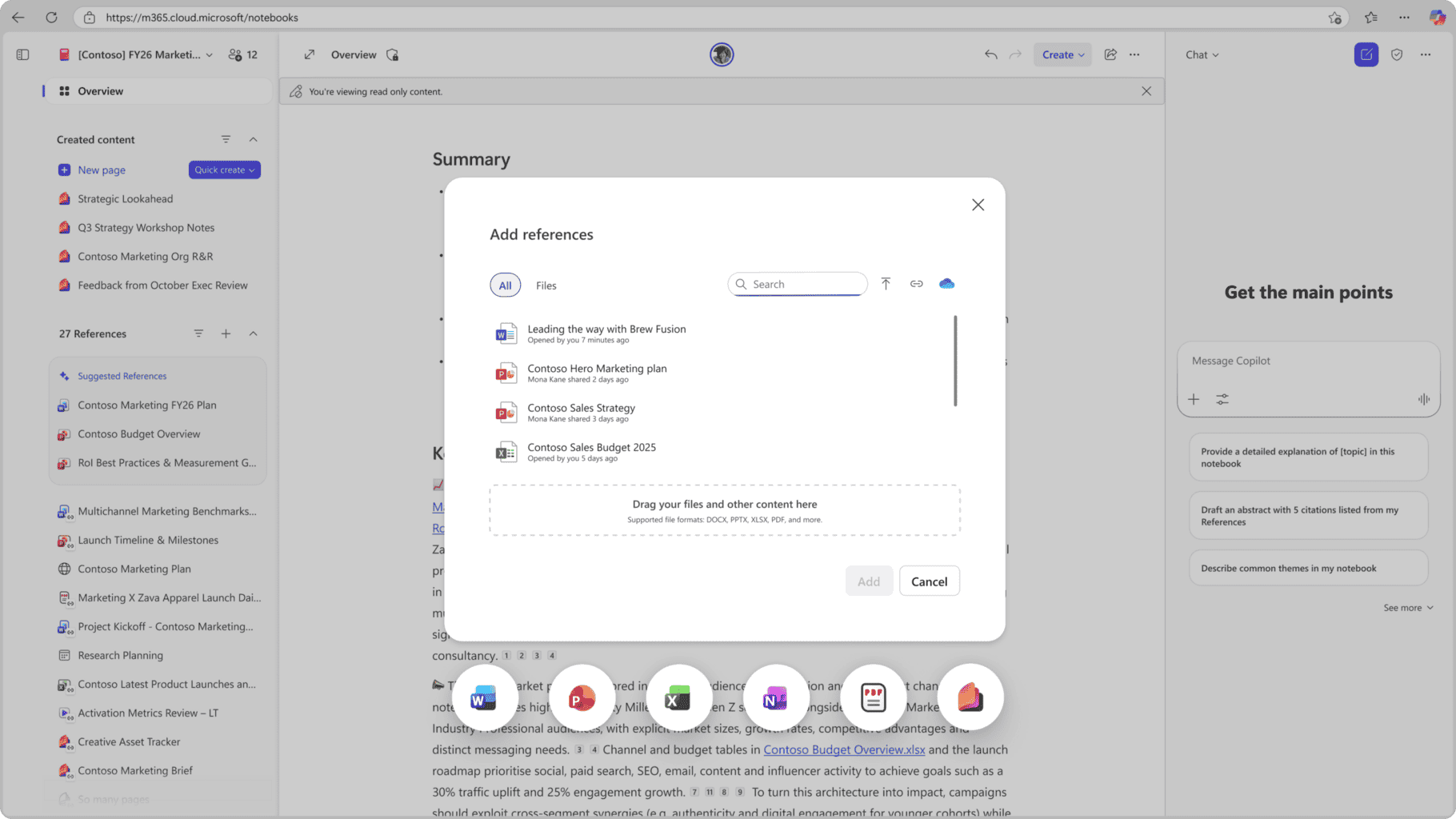
One of the standout visible changes is a new three-column layout. As noted by the company, References, Copilot Pages, and Copilot chat now sit side by side in a single workspace. You can review documents, ask Copilot questions, and capture notes at the same time without losing context.

Image credit: Microsoft

Microsoft says this structure should reduce the back-and-forth that typically happens between chat windows and productivity apps. In practice, it appears designed to keep users in a single continuous workflow, which could be useful for research projects, reporting tasks, or long-term planning.

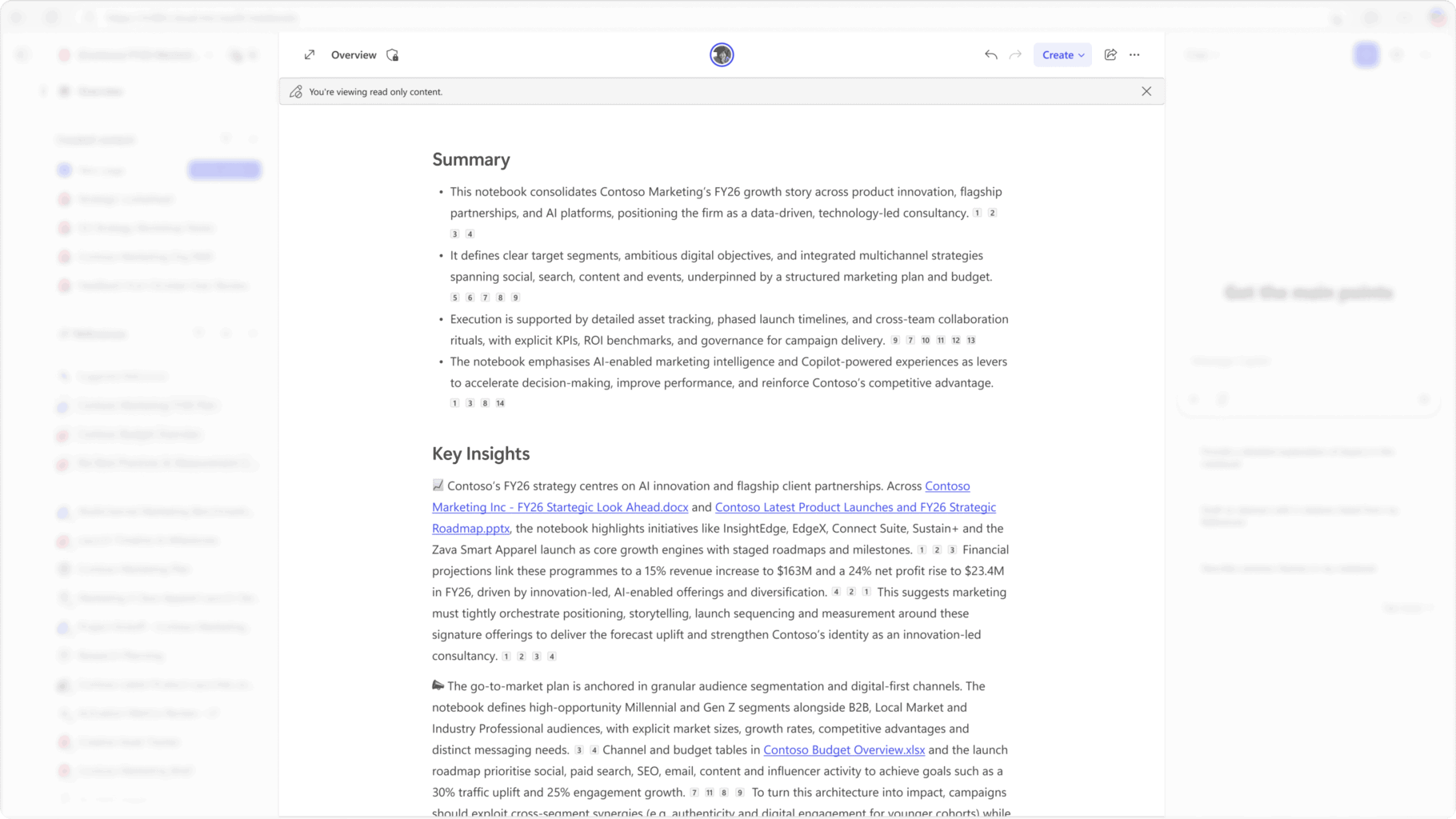
The redesigned interface also introduces an Overview page that summarizes the entire notebook. It usually displays key themes, insights, and topics from all reference materials inside the workspace. That summary can refresh as your files get updated.

Image credit: Microsoft

Speaking of references, Copilot Notebooks now support a wider range of materials. You can add Word documents, PowerPoint decks, Excel files, PDFs, OneNote pages, and even Copilot Pages. Copilot then analyzes those sources together to generate insights, summaries, or drafts.

Image credit: Microsoft

All that said, the redesign hints at something bigger. Microsoft seems to be pushing Copilot beyond simple chat into what looks like a persistent AI workspace. Alongside redesigning Copilot Notebooks, Microsoft has also announced Copilot Health, which allows users to analyze wearable and medical data. Moreover, let’s not forget that SharePoint will reportedly also get a Copilot Chat pane to edit pages with AI prompts. Microsoft expects the feature to enter preview in May, with a mass rollout expected sometime in August this year.

How to Transfer Data to Samsung Galaxy S26: Smart Switch, Cloud or Wondershare MobileTrans

The Samsung Galaxy S26 is one of the most anticipated smartphones of the year, and many Android users are preparing to upgrade for better performance, improved cameras, and longer battery life. However, moving to a new phone isn’t always seamless. Data transfers can take time, some files may fail to transfer properly, and there’s always a risk of losing important information.

Fortunately, there are several ways to transfer data to a Galaxy S26. Some options are built into Samsung devices, while others rely on cloud backups or third-party tools. Understanding how these options work can help you transfer your data more safely and efficiently.

1. Samsung Smart Switch

One common option is Samsung Smart Switch, Samsung’s official data transfer tool. It supports both wired and wireless transfers and can move contacts, messages, photos, videos, and apps.

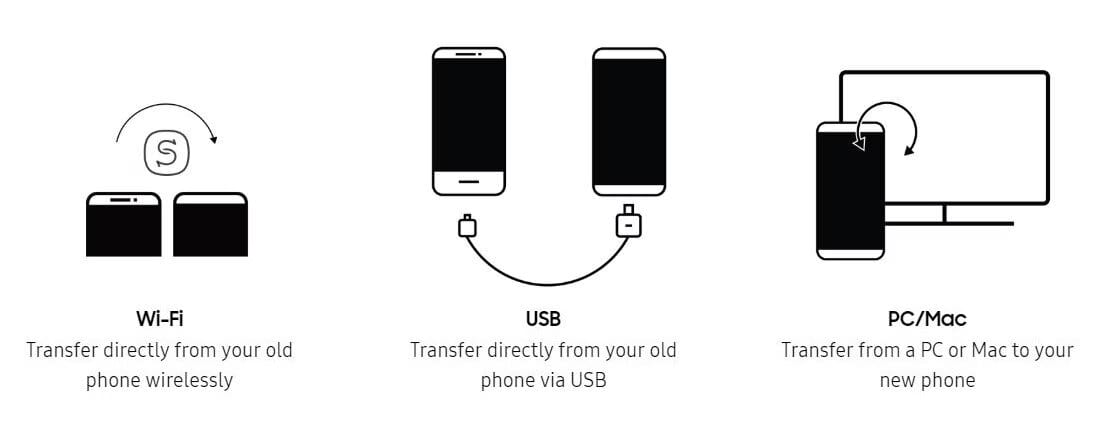
Smart Switch also works with iPhones running iOS 5.0 or later, facilitating a smooth transition from iOS to the Android ecosystem. Data can be transferred via USB, Wi-Fi, or through a computer backup, and users can also back up an old Galaxy phone to a PC or Mac and restore it to a new device. However, large transfers over Wi-Fi can be slow, and some older Android devices or custom ROMs may require additional setup.

2. Cloud Backups

Another option is using cloud backup services like Google Drive or iCloud. These services store a copy of your phone data online so it can be restored later on the Galaxy S26. Cloud backups are convenient because they don’t require cables and both devices don’t need to be nearby. However, the process depends on internet speed. Uploading and downloading large files can take time, and free storage plans may not provide enough space for large backups.

Some users prefer manual transfers through a computer. By connecting both phones to a PC or Mac with USB cables, files can be copied directly between devices. This method gives full control over which files are transferred and works well for large media libraries, since USB transfers are usually faster than cloud uploads. However, manual transfers can be time-consuming, and important files may be missed during the process. 

3. Wondershare MobileTrans

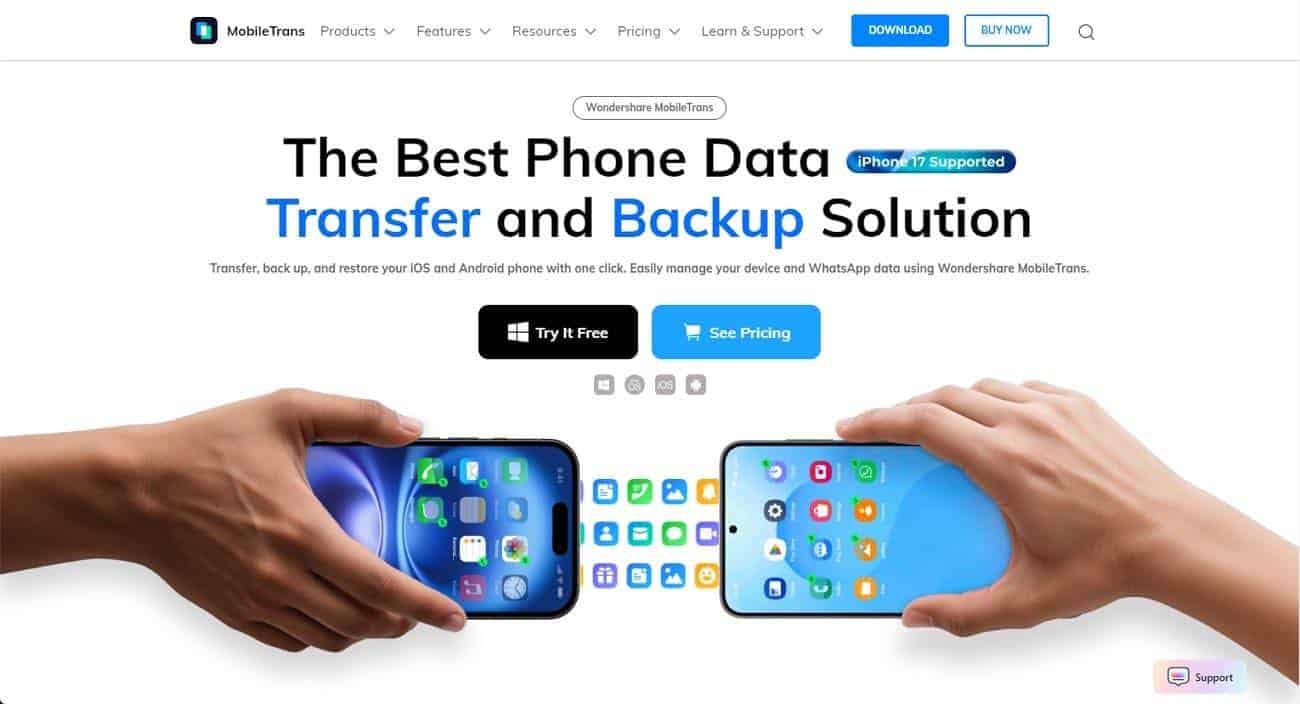
Because of these limitations, many users start looking for easier ways to transfer data to Samsung devices. One popular solution is Wondershare MobileTrans, a tool designed specifically for phone-to-phone data migration. The software offers both mobile and desktop versions and supports transfers between Android and iOS devices.

Wondershare MobileTrans

Wondershare MobileTrans focuses on speed and convenience. The tool can complete transfers in just 2–3 steps and supports 18data types, including contacts, messages, photos, videos, and apps. According to the company, a 1GB video can be transferred in about 30 seconds, with an average speed of 30MB/s. The software also uses military-grade encryption to protect user data and performs transfers directly between devices without requiring cloud storage or Wi-Fi. With compatibility for 6000+ mobile devices, it allows users to transfer data between Android-to-Android, iOS-to-iOS, or cross-platform combinations such as iOS to Samsung. If you’re upgrading to a new Samsung device, it’s also useful to understand the latest software features like One UI updates and compatible devices.

Using MobileTrans is straightforward. After opening the software, connect both devices and select the Phone Transfer option. Choose the data types, and then start the transfer. Once the process finishes, you can check the Galaxy S26 to confirm that all selected files have been transferred successfully.

Upgrading to the Samsung Galaxy S26 should be exciting rather than stressful. Whether you rely on Samsung’s native tools or opt for the lightning-fast efficiency of Wondershare MobileTrans, the goal is the same getting your life back onto your new screen without missing a single photo or message. Ready to make the switch? Start your migration today.

SharePoint to Get Copilot Chat Pane That Can Edit Pages With AI Prompts

Microsoft is continuing to expand Copilot across its productivity ecosystem, and SharePoint is the latest service receiving deeper AI integration.

According to Microsoft 365 Roadmap entry 558441, the company is preparing a new Copilot-powered chat pane in SharePoint that will allow users to edit pages directly using AI prompts.

Copilot chat pane will allow AI-powered page editing

The feature builds on the existing Copilot chat pane that already lets users ask questions about documents stored in SharePoint. However, the new functionality goes a step further by enabling direct page editing from the chat interface.

With the upcoming update, users will be able to modify both new and existing SharePoint pages simply by entering natural language instructions. Instead of navigating through multiple editing menus, users can ask Copilot to adjust content and layout directly.

Copilot will be able to add web parts, refine page visuals, and rewrite or improve text on SharePoint pages. This approach aims to simplify page editing by letting users describe what they want rather than manually configuring each element.

Microsoft says the feature should reduce the complexity of managing SharePoint pages, especially for users who are less familiar with the platform’s editing tools.

SharePoint continues expanding AI tools

Earlier SharePoint AI updates introduced custom AI agents that can query data from specific SharePoint sites. Microsoft also rolled out an AI-driven Template Gallery designed to help users quickly build pages using predefined layouts.

However, those tools were primarily focused on retrieving information or generating templates. They did not allow users to directly modify page layouts or page content through AI commands.

The new Copilot chat pane suggests Microsoft is moving toward a more conversational interface for SharePoint, where users can summarize documents, search for information, and edit pages using the same AI-powered interface.

Preview arrives in May, rollout planned for August

Microsoft plans to release the feature in preview for SharePoint on the web in May. A broader rollout for enterprise users is expected in August.

In related Microsoft 365 developments, Microsoft also plans to stop sending reminder emails for Teams meeting recordings. Additionally, the company is working on a feature designed to prevent third-party bots from joining Teams meetings.

Via Neowin

Ex Overwatch Director Jeff Kaplan Reveals Why He Left Blizzard

Former Overwatch game director Jeff Kaplan has revealed new details about why he left Blizzard in 2021, pointing to internal pressure to increase revenue from the popular team shooter.

According to comments reported by Windows Central, Kaplan said the turning point came when Blizzard’s chief financial officer pushed the team to improve Overwatch’s financial performance. Kaplan claims the executive warned that if the game failed to meet certain targets, the company might have to lay off around 1,000 developers.

Kaplan also said he was told the responsibility for those layoffs would fall on him personally if the game underperformed.

Kaplan criticizes growing influence of financial leadership

Reflecting on his experience, Kaplan criticized what he sees as the increasing influence of profit-focused executives within creative industries such as game development.

He argued that financial priorities can sometimes undermine the creative process behind building successful games. According to Kaplan, development teams often surrender too much decision-making power to business leadership even though they are responsible for designing and delivering the final product.

Kaplan pointed to the early days of World of Warcraft as an example. At that time, Blizzard did not have a CFO, and the game was developed primarily by designers, engineers, artists, producers, and audio specialists working together.

In his view, successful games emerge from collaboration among creative teams rather than strict financial oversight.

Encouraging developers to protect creative control

Kaplan also encouraged developers across the industry to recognize the value of their work and maintain greater control over creative decisions.

He suggested that development teams should not automatically prioritize profit-driven directives if they conflict with the long-term vision for a game.

After leaving Blizzard, Kaplan founded a new studio called Kintsugiyama. The studio is currently working on its first project, a title known as The Legend of California.

Meanwhile, Blizzard continues to expand the Overwatch universe with new collaborations, including the recently announced partnership with NieR: Automata.

In other gaming news, Black Ops Royale has arrived in Call of Duty: Warzone, while Pearl Abyss recently revealed the performance specifications and system requirements for Crimson Desert.

Microsoft Brings RSAT Tools to Windows 11 on Arm Devices

As Neowin writes, Microsoft has expanded Remote Server Administration Tools (RSAT) support to Windows 11 on Arm devices, bringing several key enterprise management tools to Arm-based PCs.

RSAT allows IT administrators to remotely manage Windows Server roles and features from a Windows client device without directly accessing the server. Until now, the tools were only available on x64 versions of Windows 11, meaning administrators using Arm devices had to rely on alternative solutions such as Windows Admin Center or a separate x64 system.

With the March Patch Tuesday update, Microsoft has added native support for five RSAT components on Windows 11 running on Arm processors.

Key RSAT tools now available on Windows 11 on Arm

The newly supported tools focus on common enterprise administration tasks, particularly for Active Directory and network infrastructure management.

Administrators can now use Active Directory Domain Services and AD LDS tools to manage domain users, directory services, and related infrastructure. Microsoft has also added Active Directory Certificate Services tools, which allow IT teams to manage certificate services and public key infrastructure environments.

Group Policy Management Console (GPMC) is another addition. This tool enables administrators to create and manage Group Policy Objects within Active Directory environments, which is essential for configuring system policies across enterprise networks.

Network administration capabilities are also expanded. DNS Server Tools allow administrators to configure and monitor DNS servers using DNS Manager and related command-line utilities. DHCP Server Tools provide controls for managing DHCP servers and IP address allocation scopes across corporate networks.

How RSAT is installed on different Windows 11 versions

RSAT installation methods vary depending on the Windows 11 version in use.

On Windows 11 24H2 and 25H2, RSAT is available as an optional component that administrators can enable through the Windows Features interface.

On the upcoming Windows 11 26H1 release, RSAT is delivered as a Feature on Demand package. Administrators can install it by navigating to Settings, selecting System, opening Optional Features, and then choosing Add an optional feature.

This approach allows IT departments to install only the specific administration tools they need without deploying the entire RSAT suite.

Arm support may boost enterprise adoption

Native RSAT support removes one of the remaining limitations of Windows 11 on Arm in enterprise environments.

Arm-based Windows devices have improved significantly in recent years, particularly with the introduction of new processors designed for efficient performance and long battery life. However, the lack of certain enterprise management tools previously limited adoption in corporate environments.

By adding RSAT support, Microsoft is making Arm-based Windows PCs more viable for IT administrators and organizations that rely heavily on Windows Server infrastructure.

In other Windows news, the KB5079387 update has also arrived in the Release Preview Channel, bringing improvements to Settings, pen input, and Smart App Control.

NVIDIA B200 Chips to Reportedly Power ByteDance AI Expansion Outside China

The ongoing trade tensions between the US and China have put tech giants from both countries in a dilemma. While Chinese tech companies seek technology developed by US firms to excel in the ongoing AI race, the US has been monitoring each and every move by tech companies within its boundaries.

One of the companies under the US government’s radar has been NVIDIA. The company currently holds the position of making some of the most advanced AI chips, which it wants to supply to China. Although the US government previously restricted NVIDIA from exporting the advanced H200 AI chips to China, it has allowed the AI giant to do so under certain conditions.

Meanwhile, China, which looks to support local suppliers, has no choice but to allow companies from its shores to access NVIDIA’s AI chips. That’s because none of the major suppliers is able to deliver chips like the ones developed by NVIDIA.

ByteDance reportedly deploys 36,000 NVIDIA B200 chips for AI expansion

Among the Chinese companies looking to secure NVIDIA’s AI chips is ByteDance, the Chinese parent of TikTok. According to a report by The Wall Street Journal, the company is deploying roughly 36,000 Nvidia B200 chips through Southeast Asian partner Aolani Cloud. It is reportedly doing so to build a large-scale AI infrastructure in Malaysia (via Reuters).

The WSJ further reports that the hardware rollout is expected to cost more than $2.5 billion, a massive jump for Aolani, which currently operates around $100 million in hardware. ByteDance plans to leverage this computing power for AI research and development outside China, aiming to meet growing global demand for artificial intelligence from its platforms and customers.

Aolani reportedly says that it fully complies with applicable export controls and provides cloud services to multiple firms across Asia and beyond. More recently, ByteDance has also been in talks with Samsung to develop a custom AI chip, codenamed “SeedChip.”

Let’s not forget that earlier this year, China reportedly also approved DeepSeek to buy NVIDIA’s H200 AI chips with certain conditions. Speaking of NVIDIA, it should be noted that CEO Jensen Huang recently marked the 25th anniversary of the GeForce 3 GPU, calling the card a turning point that helped pave the way for the modern AI era.

Claude Can Now Create Interactive Charts, Diagrams & Visualizations in Chat

Claude is inching closer to image generation on its own. As announced by Anthropic, the AI assistant can now generate interactive charts, diagrams, and visualizations directly in chat, which allows users to explore topics in real time. Anthropic says that the feature is currently in beta, but it’s on by default for all plan types.

Claude adds interactive charts and visualizations in Chat

Unlike Claude’s permanent artifacts, documents, and tools meant to be shared or downloaded, the new visuals are temporary and context-driven. These diagrams are visible inline and adapt as the conversation evolves. You can ask Claude to visualize anything, from compound interest curves to the periodic table, and then click or adjust elements for deeper insight. It’s a more immediate, hands-on way to understand complex ideas.

Claude also decides when a visual might help, though users can prompt it directly with queries like “draw this as a diagram” or “visualize how this might change over time.” Once generated, the visuals can be modified or expanded, which creates a feedback loop that evolves with the discussion.

Anthropic says that the launch of the new feature builds on recent improvements to Claude’s responses. Recipes now come formatted with ingredients and steps, weather queries include visuals, and integrations with apps like Figma, Canva, and Slack can be accessed directly within chat.

With the new feature, Anthropic appears to be aiming for richer, more interactive conversations that go beyond text. It eventually gives users multiple ways to engage with information provided by Claude.

Speaking of AI, let’s not forget that Microsoft has also unveiled Copilot Health to help analyze wearable and medical data. Microsoft says that the new feature is useful for people to better understand their health before speaking with a medical professional, rather than replacing doctors. Do note that Microsoft is late to the party, as last year, Anthropic and OpenAI also launched something similar.

Nvidia CEO Says GeForce 3 Helped Lay the Foundation for Today’s AI Boom

NVIDIA CEO Jensen Huang recently reflected on a major milestone in the company’s history while celebrating the 25th anniversary of the GeForce 3 GPU. During the anniversary event with the GeForce team, Huang described the graphics card as a turning point that eventually helped lead to the modern AI era.

According to Huang, GeForce 3 represented a fundamental shift in how graphics processing worked.

GeForce 3 introduced programmable shaders

According to Wccftech, when GeForce 3 launched in the early 2000s, most GPUs relied on fixed-function graphics pipelines. These pipelines handled specific tasks in a predefined way, which limited what developers could do with visuals.

Huang explained that this approach often resulted in games looking similar because developers had little flexibility over how graphics were rendered.

GeForce 3 introduced programmable shaders, allowing developers to directly control parts of the graphics pipeline. Programmable vertex and pixel shaders allowed game studios to customize effects, lighting, and rendering behavior.

This shift gave developers far more artistic freedom and allowed games to experiment with new visual styles.

The path from gaming GPUs to CUDA and AI

Huang also connected the evolution of GPU graphics technology to the rise of modern artificial intelligence.

The programmable architecture introduced in GeForce 3 eventually helped lead to CUDA, NVIDIA’s parallel computing platform that allows GPUs to perform general-purpose workloads beyond graphics.

CUDA made GPUs useful for scientific computing, machine learning, and other workloads that require massive parallel processing.

Huang noted that this capability later became essential for AI development, since training neural networks relies heavily on parallel computation.

In simple terms, Huang described the progression as GeForce enabling CUDA, CUDA enabling AI, and AI enabling the technologies we see today.

Ray tracing and AI rendering technologies

Huang also highlighted ray tracing as another major leap in graphics technology.

Real-time ray tracing simulates how light behaves in the real world, producing more realistic lighting, shadows, and reflections. However, it requires immense computational power.

This demand led to the development of AI-assisted technologies such as DLSS, NVIDIA’s neural rendering and upscaling system that uses AI models to improve performance while maintaining image quality.

These technologies combine traditional graphics rendering with AI processing, showing how GPU development continues to merge gaming and artificial intelligence workloads.

NVIDIA continues expanding AI hardware

Although NVIDIA’s focus today is heavily centered on AI infrastructure, the company still sees gaming technology as an important part of its GPU roadmap.

Recent reports indicate that NVIDIA has begun sampling its upcoming Vera Rubin VR200 AI hardware platform to customers.

At the same time, gaming-related rumors suggest that NVIDIA could revisit older GPU products. Some industry reports claim the company might resume production of the RTX 3060 and introduce a new RTX 5050 model with 9GB of VRAM.

While these plans remain unconfirmed, they highlight NVIDIA’s continued presence across both gaming and AI markets.

Microsoft Unveils Copilot Health to Analyze Wearable and Medical Data

Microsoft is expanding its AI ambitions into healthcare with the introduction of Copilot Health, a new version of Copilot designed to help users interpret personal health data.

The tool focuses on transforming large volumes of wearable and medical information into understandable insights. Microsoft says the goal is to help people better understand their health before speaking with a medical professional, rather than replacing doctors.

Copilot Health explains wearable health data with AI

Copilot Health can access multiple health data sources once users grant permission. This includes activity levels, sleep patterns, and vital signs collected from more than 50 wearable devices, including Apple Health, Oura, and Fitbit.

The system can also integrate medical records through HealthEx, which connects to over 50,000 hospitals and healthcare providers in the United States. Through this connection, Copilot Health can analyze visit summaries, medication lists, and medical test results.

In addition, the tool can interpret comprehensive lab testing data from Function, providing users with a broader view of their health information.

Privacy protections are built into Copilot Health

Microsoft emphasized that privacy and security are key parts of Copilot Health’s design.

Health conversations and data remain isolated from general Copilot services, and Microsoft says the information will not be used to train AI models.

Users maintain full control over their data. They can revoke access to connected services or delete their information at any time.

Microsoft also noted that Copilot Health relies on verified medical information from organizations across more than 50 countries. Responses generated by the system will include citations and links to the original source material.

The development of Copilot Health also involved more than 230 physicians from 24 countries, helping ensure the system reflects medical expertise and real-world healthcare practices.

AI assistant can help users find doctors and healthcare providers

Beyond interpreting health data, Copilot Health includes tools designed to help users navigate healthcare services.

The assistant can help locate doctors who accept a user’s insurance and filter results by factors such as specialty, location, and spoken language.

Microsoft says the service is currently available through a waitlist. The initial rollout will focus on users in the United States, with support limited to English and users aged 18 and older.

The announcement reflects a growing trend of AI systems expanding into healthcare, following similar efforts such as Claude for Healthcare and OpenAI’s healthcare-focused initiatives.

In other Copilot developments, Microsoft recently announced Wave 3 for Copilot 365, introducing new agentic AI capabilities across Microsoft Office applications.

Via Neowin

Black Ops Royale Brings Zombies and Major Gameplay Changes to Call of Duty Warzone

Call of Duty: Warzone has received a major gameplay update with the introduction of a new mode called Black Ops Royale. The mode draws inspiration from Blackout, the battle royale experience introduced in Call of Duty: Black Ops 4.

The new mode aims to refresh Warzone by introducing different gameplay systems, map changes, and new risk-reward mechanics that alter how players approach each match.

Black Ops Royale redesigns the Avalon map to change Warzone’s gameplay flow

According to Tech Radar, Black Ops Royale takes place on a modified version of the Avalon map from Black Ops 7. The environment now features more land areas and reduced water coverage, making traversal faster and encounters more frequent across the map.

One of the mode’s most notable features is the Cradle breach event that occurs during matches. When these events trigger, certain areas become flooded with toxic red gas while waves of zombies spawn throughout the zone.

These dangerous locations contain high-tier loot, encouraging players to take risks for better equipment.

Developers also plan to expand the map further with the release of Season 3. The upcoming update will introduce additional walkable areas designed to improve movement and reduce bottlenecks across the battlefield.

Classic battle royale rules with new mechanics

Despite the changes, Black Ops Royale still follows the classic last-squad-standing formula that defines battle royale games. However, several returning systems from Blackout introduce a different gameplay rhythm compared to traditional Warzone matches.

Armor upgrades and trauma kits return as part of the equipment system. Trauma kits now provide additional buffs alongside healing, making them more valuable during fights.

The Gulag system, which normally gives eliminated players a chance to return, does not exist in this mode. Instead, players must rely on redeploy tokens or special redeploy towers scattered across the map.

Redeploy towers introduce an interesting risk factor. Activating them generates loud audio cues that reveal player positions, making them useful but dangerous when enemies are nearby.

New loot system and consumable perks

Black Ops Royale also introduces a five-tier weapon rarity system. Weapons and gear now appear in color-coded tiers, similar to loot systems used in other battle royale games.
Players can obtain equipment through various activities across the map. These include surprise shipments, locked strongboxes, and destroying surveillance drones that drop valuable items.

Unlike standard Warzone gameplay, loot collected in this mode is not shared automatically between squad members. Each player must gather their own gear and equipment throughout the match.

Another major change involves perks. Instead of permanent perks, the mode introduces consumable perk items that provide temporary buffs.

These boosts can enhance combat abilities, improve looting efficiency, or offer other tactical advantages during the match.

The update also introduces Operator Orders, which function similarly to character challenges from Blackout. Completing these objectives unlocks cosmetic rewards such as weapon blueprints and camos.

Black Ops Royale represents one of the most significant gameplay refreshes Warzone has received in years, blending classic battle royale elements with mechanics inspired by Blackout. With zombies, high-risk loot zones, new redeploy systems, and consumable perks, the mode aims to give players a faster and more unpredictable experience.

In other gaming news, Xbox Free Play Days titles are currently available for players to try, Crimson Desert developers have revealed the game’s performance specifications, and the Pragmata demo has surpassed 2 million downloads across all platforms.

Windows 11 KB5079387 Hits Release Preview Channel With File Explorer and Display Improvements

Microsoft has released Windows 11 KB5079387 to Insiders in the Release Preview Channel. The update is available for Windows 11 versions 24H2 and 25H2 and focuses on improving reliability and usability across several parts of the operating system, while bumping the build numbers to 26100.8106 and 26200.8106.

KB5079387 brings File Explorer improvements, display updates, and system reliability fixes

File Explorer improvements

Microsoft continues refining File Explorer with several updates aimed at improving everyday workflows. The update improves the reliability of unblocking files downloaded from the internet so they can be previewed more consistently in File Explorer.

Users can now also use Voice Typing with the Windows key plus H when renaming files in File Explorer. This change allows users to dictate file names instead of typing them manually.

Another improvement allows permissions entries in the Advanced Security Settings window for folders to be sorted by Principal, making it easier to review and manage folder permissions.

Display reliability and refresh rate updates

The update introduces several improvements related to display compatibility and reliability. Windows now allows monitors to report refresh rates higher than 1000 Hz, preparing the system for future high-performance displays.

Power management has also been improved when using native USB4 monitor connections. The USB controller can now enter its lowest power level while the PC is sleeping, helping conserve battery life.

Microsoft has also improved the reliability of automatic screen rotation after a device resumes from sleep. HDR reliability has been enhanced for displays with non-compliant DisplayID 2.0 blocks, and monitors using DisplayID now report more accurate physical sizes through the WMI monitor APIs.

Printing and system improvements

The update also includes changes to printing compatibility. Downlevel baseline support for printer connections has been updated to include Windows 10 version 1607 and Windows Server 2016.

Several system components received reliability improvements as well. Windows Hello fingerprint authentication is more reliable on certain devices, and Safe Mode now loads taskbar components more consistently.

Voice Access has been improved so that numbers are detected and written more accurately when using the feature in English. The Start menu also applies layout policies more reliably when desktopAppLink entries are present in JSON configurations.

Remote Desktop environments receive a small update as well. The Set-RDSessionCollectionConfiguration PowerShell command now recognizes the DisableSeamlessLanguageBar parameter.

Audio and system maintenance changes

Microsoft also improved the way Windows handles short MIDI messages when applications are initialized without providing long message buffers. This change should improve compatibility with certain audio applications and devices.
The company also removed an extraneous error message that some users could encounter when running the System File Checker command using sfc /scannow.

Accessibility and recovery improvements

Additional improvements arrive as part of the normal rollout for this update. Narrator receives improvements to the Natural Voices experience, and the setup process for Natural Voices has been made more reliable.

Microsoft has also improved stability in the Windows Recovery Environment when running x64 applications on ARM64 devices. These applications should now run more smoothly and respond as expected.


These updates are part of Microsoft’s ongoing work to refine the Windows 11 experience. The company has already highlighted additional improvements in recent coverage, including updates to Narrator, Smart App Control, enhanced pen input, and the redesigned Settings experience.

Windows 11 KB5079387 Arrives in Release Preview With Settings and Input Improvements

Microsoft has released a new Windows 11 preview update, KB5079387, bringing several improvements to the Settings experience and input features.

The update is currently available in the Release Preview Channel and increases the OS build numbers to 26100.8106 and 26200.8106.

KB5079387 Improves Settings and Pen Input Features

Redesigned Settings About Page

One of the most noticeable changes in this update is the redesigned About page located in Settings > System > About.

Microsoft says the page now offers clearer device specifications and improved navigation. The layout organizes information more effectively, making it easier for users to quickly view key system details.

The redesign also introduces quick access to related components, such as Storage settings, allowing users to manage device information and storage from the same area more efficiently.

New Device Information Card on Settings Home

Another addition is a device information card on the Settings Home page.

This new card displays key device specifications directly on the home screen of the Settings app. It also provides a consistent navigation path that takes users from the home page to Settings > System > About.

The goal is to make system information easier to locate and scan without navigating through multiple menus.

Settings Performance and Reliability Improvements

Microsoft has also made performance improvements to the Settings app.

The Settings Home page now loads faster, improving responsiveness when opening the app.

Reliability has also been improved when downloading required updates through Settings > System > Advanced, which should reduce issues related to update downloads.

Microsoft 365 Plan Upgrade Options in Settings

The update also introduces new functionality within Settings > Accounts.

Users with a Microsoft 365 Family subscription can now upgrade their plan directly from the Settings app. Microsoft has added upgrade suggestions within the interface, though users can disable these suggestions by turning off the Suggested content option.

Additionally, the Other users page under Settings > Accounts now features an updated dialog design that follows the modern Windows visual style.

The dialog also supports dark mode, though availability may depend on whether the device is joined to a work or school domain.

New Modern Pen Settings Experience

For devices with stylus support, Microsoft is introducing a modernized pen settings experience.

Users can now configure the pen tail button to behave the same as the Copilot key, allowing it to launch the same application associated with the Copilot shortcut.

This change gives users more flexibility when customizing input shortcuts for stylus devices.

These aren’t the only changes, and the update also brought Narrator and Smart App Control improvements as well as various File Explorer fixes and display improvements.

In case you missed the previous updates from this week, the Beta and Dev channels received KB5079382 and KB5079385, while the Canary channel received KB5079381.

These updates continue Microsoft’s ongoing work on refining Windows 11 features ahead of future public releases.

Windows 11 Release Preview, KB5079387, Updates Narrator With Rich Image Descriptions & Lifts Smart App Control Limit

Microsoft has released two new Release Preview builds for Windows 11 Insider, 26100.8106 (24H2) and 26200.8106 (25H2), under KB5079387. Speaking of new features, Narrator receives a major upgrade for Copilot+ PCs. You can now get rich image descriptions within Copilot on all Windows 11 devices. All you have to do is press Narrator key + Ctrl + D, and then the focused image is described. Meanwhile, pressing Ctrl + S describes the full screen.

Do note that descriptions appear in Copilot, which allows users to enter prompts for more detailed or customized insights. On Copilot+ PCs, all of this happens on-device, with optional prompts to improve output, ensuring privacy until the user chooses to share.

As part of this update, Microsoft is also making Smart App Control (SAC) even smarter. Previously requiring a clean install, SAC can now be toggled on or off directly via Settings > Windows Security > App & Browser Control > Smart App Control settings.

For those unaware, SAC helps block potentially harmful applications, so that users have more control over app security without reinstalling the OS. Microsoft notes that the feature first appeared in the January 2026 release (KB5074105) and is now rolling out to more users.

Besides these updates, Microsoft is also making some important changes to the Settings app and Account Settings. You can read more about it here.

As for fixes, this update fixes various File Explorer issues and improves display reliability.

Microsoft Teams Rooms on Mobile to Get Live Meeting Transcription

Microsoft Teams is preparing several updates, including the ability to identify third-party bots and changes to recording notifications. Another upcoming addition focuses on accessibility during meetings.

According to Microsoft 365 Roadmap ID 555234 and Admin Center Message ID MC1249432, Microsoft Teams Rooms on Android will soon support live transcription.

Live transcription coming to Teams Rooms on Android

The new feature will display real-time transcription directly during meetings. Participants will be able to see spoken content appear live with speaker names and timestamps.

If translation is enabled in the meeting, translated transcripts will also appear on the front-of-room display. The translated text will show below the original transcript, allowing multilingual teams to follow conversations more easily.

When transcription begins, Teams will ask users to confirm the meeting’s spoken language. Participants will also receive a notification indicating that transcription has started, along with privacy details explaining how the feature works.

Visual indicators will show when transcription or recording is active

Microsoft is also adding clear visual indicators so participants can easily understand what meeting features are active.

A transcription icon will appear when transcription is running. A recording icon will appear when a meeting is being recorded, whether transcription is enabled or not.

Users will be able to start transcription directly from the Teams Rooms console. This can be done by selecting More and then Record and transcribe or Transcribe, depending on tenant settings.

Admin requirements for the feature

Microsoft says administrators should ensure several prerequisites are met before the feature rolls out.

Teams Rooms devices must have a Teams Rooms Pro license assigned. Organizations should also verify that transcription settings in the Teams admin center align with their internal policies.

The feature is designed to improve meeting accessibility, particularly for hearing-impaired participants or multilingual teams that rely on live captions and transcripts.

Rollout schedule

Microsoft plans to begin rolling out live transcription for Teams Rooms on Android in late April 2026. The rollout is expected to be completed by late May 2026.

The update will be available for Worldwide and GCCH customers and will be enabled by default. Microsoft says no additional admin action will be required to activate it once the rollout begins.

The new feature arrives as Microsoft continues expanding Teams capabilities across meeting rooms and devices. At the same time, the company is also preparing to introduce a more controversial update: a work-location tracking feature, but this time, users will have the ability to opt out.

Via Neowin