Ashes of Creation Early Access: Artisan Classes and Professions Explained

Ashes of Creation Early Access started a few days ago, and many new players are discovering that the game’s progression goes far beyond combat. Alongside traditional classes, Ashes of Creation features a deep artisan system that drives crafting, gathering, and the entire player-driven economy.

This guide explains how artisan classes and professions work, how you level them, and why early choices matter.

What are artisan classes and professions in Ashes of Creation?

Ashes of Creation separates artisan progression from combat entirely. Artisan professions focus on gathering resources, processing raw materials, and crafting finished items used across the world.

These professions form the backbone of the in-game economy. Weapons, armor, consumables, building materials, and trade goods all come from player artisans rather than NPC vendors. Because of this, artisans play a key role in player interaction, node development, and long-term progression.

All professions are split into three categories, with 22 different professions available to choose from.

How artisan leveling works

Every artisan profession uses a learn-by-doing system. You gain experience by actively performing tasks related to that profession, just like in any other MMORPG.

The progression flow works like this:

  • Perform profession tasks to earn experience
  • Gain progress until you unlock a Skill Point
  • Spend Skill Points in the Artisan Skill Tree
  • Improve efficiency, quality, or unlock new abilities

This system rewards consistent play and encourages players to focus on the professions they enjoy most.

Profession certification and promotion

As you level up, you must formally upgrade your profession rank. To do this, visit a professional or specialist NPC in a settlement who represents that specific profession.

Only the relevant artisan NPC can promote your Profession Certification. Without promotion, your profession progression remains capped, even if you earn enough experience.

Demotion and certificate limits

Ashes of Creation also limits how many profession certificates a character can hold; for example Apprentice can hold 5 certificates, while a Grandmaster can have only 2. As you advance, you may want to demote a Profession Certificate to free up space for another specialization.

This system adds flexibility but also reinforces meaningful choices. Switching roles takes effort and planning rather than instant respecs.

Tools, gear, and processing stations

Most professions require specific tools or gear, which you equip directly in your inventory. You start with basic tools, but you will eventually need to replace or repair them as they wear out or become outdated.

Some professions work differently. Instead of tools, they rely on processing stations found in settlements. These professions take raw gathered materials and convert them into usable crafting components or finished goods through node-based infrastructure.

With Early Access now live, the artisan system already shapes how the world evolves. Node growth, trade routes, and player economies depend heavily on artisan activity. Players who invest early in professions can gain long-term advantages as demand for crafted goods increases.

Ashes of Creation’s artisan system doesn’t treat crafting as a side activity. It places professions at the core of progression, making every gatherer, processor, and crafter an essential part of the world.

Via The Gamer

Cloudflare 2026 Internet Report Reveals Massive AI Bot Growth and Record DDoS Attacks

Cloudflare has published its 2025 Radar Year in Review, offering a detailed look at how global internet traffic, AI automation, encryption, and cyberattacks evolved over the past year. The data highlights an internet that continues to grow rapidly while facing mounting security and infrastructure challenges.

Global internet traffic continued to grow in 2025

According to Cloudflare, overall internet traffic increased by roughly 19% in 2025. Usage rose steadily throughout the year and accelerated during the later months, reflecting sustained global demand for online services.

This growth places additional pressure on infrastructure providers. Higher traffic volumes raise operational costs while increasing the potential impact of outages, misconfigurations, or large-scale attacks.

ChatGPT leads AI usage, but competition has intensified

When Cloudflare analyzed traffic to generative AI platforms, ChatGPT remained the most widely used service by a large margin. However, several competitors gained visibility during 2025.

Perplexity, Claude, and GitHub Copilot increased their share, while newer entrants such as Google Gemini, Windsurf AI, Grok, and DeepSeek appeared among the top ten AI services for the first time. The data shows a rapidly diversifying AI ecosystem rather than reliance on a single platform.

AI crawler traffic surged across the web

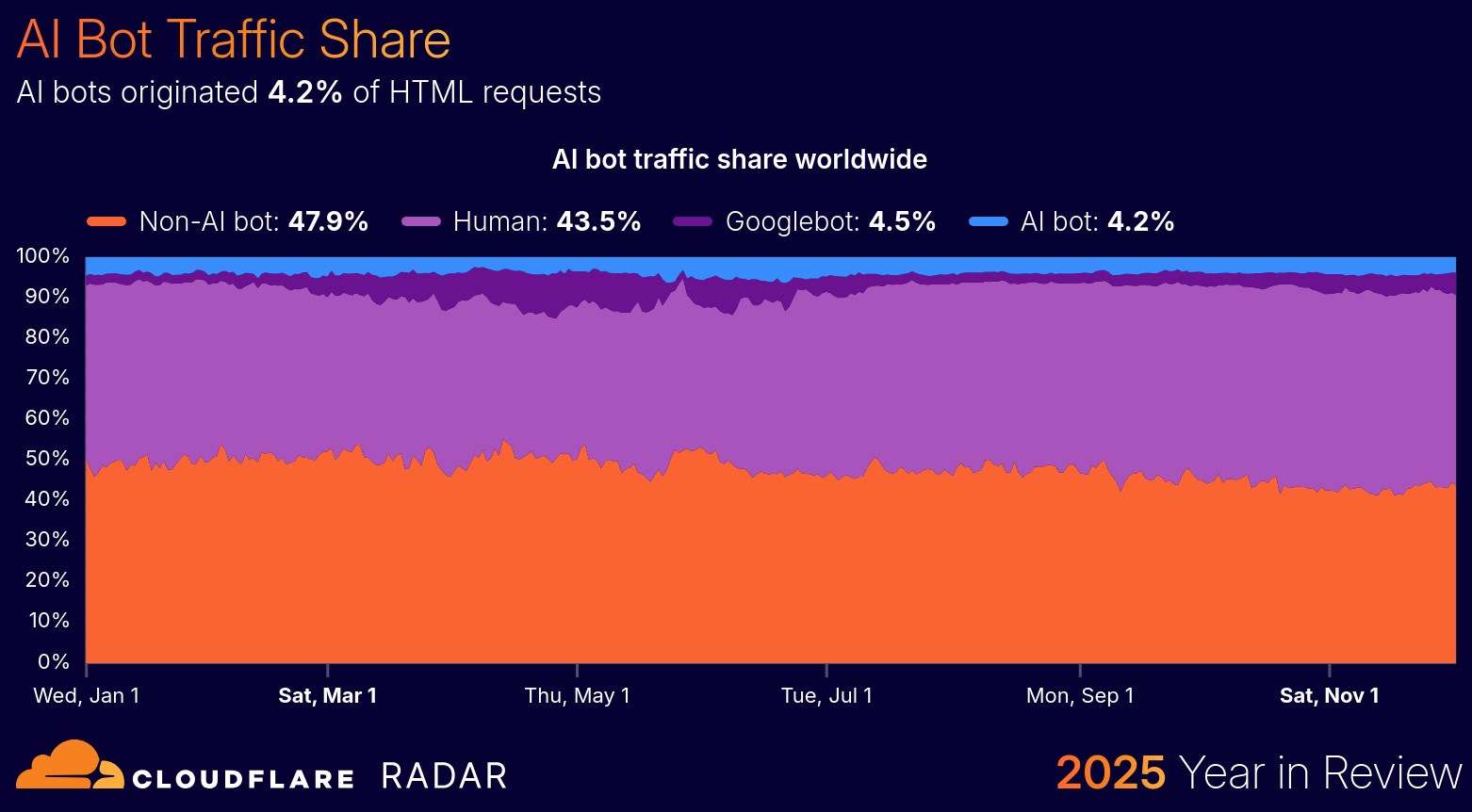
AI-related crawling activity expanded significantly. Googlebot alone accounted for about 4.5% of all HTML requests served by Cloudflare-protected websites. Other AI crawlers combined generated an additional 4.2% of requests.

Cloudflare observed increased crawling linked to search indexing and AI model training from tools including ChatGPT, Perplexity, Claude, GitHub Copilot, Google Gemini, Windsurf AI, Grok, and DeepSeek.

Websites reacted differently to this surge. Many site owners fully blocked AI crawler user agents such as GPTBot and ClaudeBot using robots.txt files. In contrast, search crawlers like Googlebot and Bingbot usually faced partial restrictions, limited to specific directories rather than entire domains.

Encryption adoption and cyberattacks both hit new highs

Post-quantum encryption adoption rose sharply in 2025. Encrypted traffic increased from 29% to 52% of all human-generated web traffic, signaling a major shift toward stronger security standards.

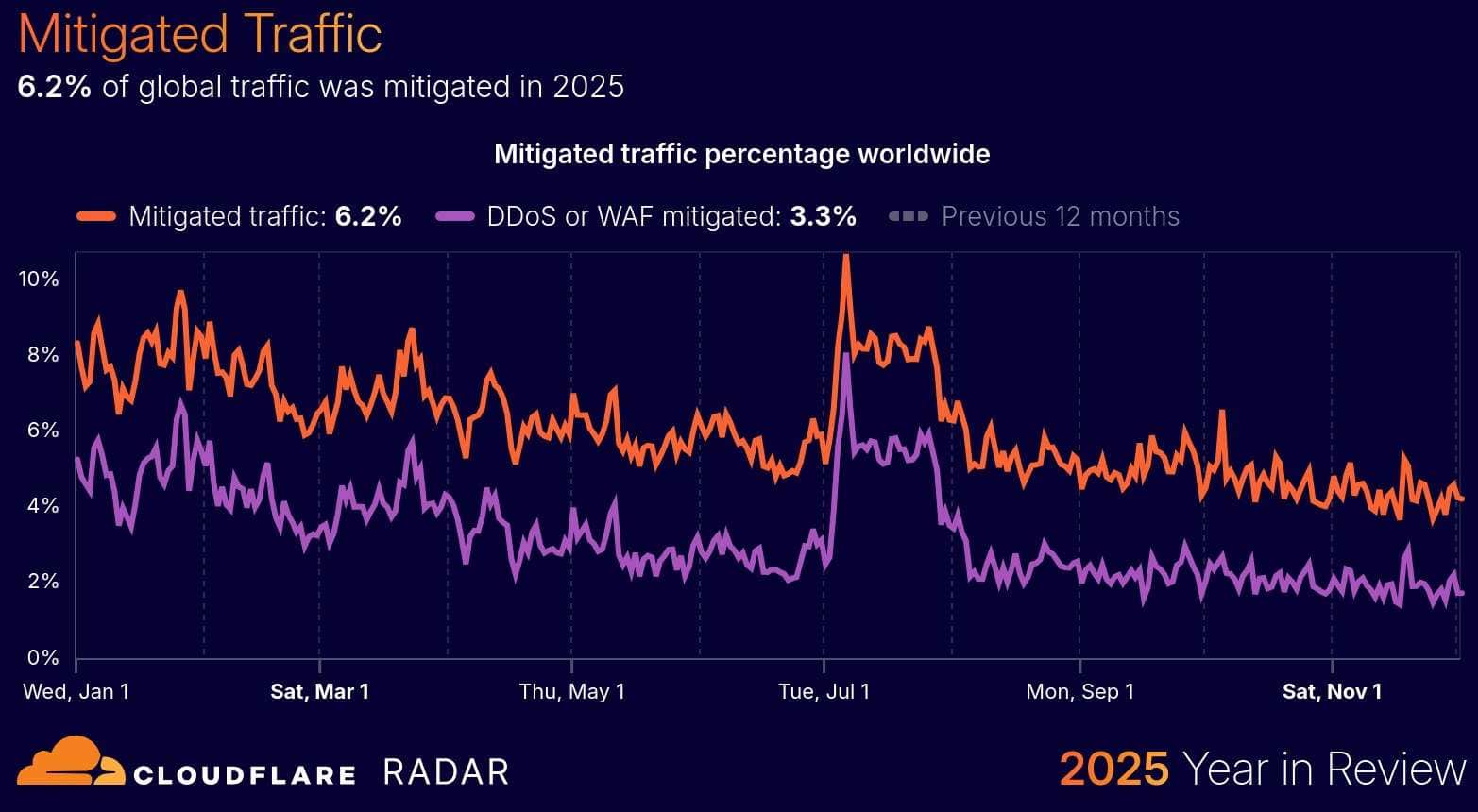
At the same time, attacks intensified. Cloudflare mitigated malicious activity across roughly 6.2% of global traffic, and the company recorded its largest DDoS attacks to date, with peaks reaching 31.4 Tbps late in the year.

Email abuse also persisted, with about 5.6% of analyzed emails flagged as malicious, often tied to specific top-level domains.

Overall, Cloudflare’s report depicts an internet that continues to expand, becomes increasingly automated by AI, adopts stronger encryption, and faces higher volumes of abuse and large-scale attacks. For the full report, read Cloudflare’s 2025 Radar Year in Review.

Speaking of threats, Cloudflare’s CEO apologized for the outage that happened last month.

Via Beta News

Dead Island 3 Reportedly In Development, With Early 2028 Release In Sight

Dambuster Studios is officially working on Dead Island 3, according to new details surfaced from its financial documents. The studio is also targeting an early 2028 release. The news comes via Video Games Chronicle, which spotted a post on X by user @bogorad222.

As seen in the above-posted document, the name Dead Island 3 is explicitly mentioned, with a note that development is now “moving at pace.” While the project is still in its early stages, the filing makes clear that progress is no longer hidden behind closed doors.

If the leaked 2028 release window is accurate, Dead Island 3 would arrive roughly five years after Dead Island 2 (On sale: save $37.50), which finally launched in April 2023. Per the report, the studio has started working on several key areas of the game that are already underway.

Here we are talking about feature design, character design, world design, and narrative work, which are now in early production. The current projected launch window is listed as Q1 or Q2 of 2028.

To catch you up, Dambuster already hinted at the sequel earlier this year via a Steam post. Back then, the studio mentioned, it was “already carving out what comes next,” while adding that details would remain under wraps for now.

Are you excited for Dead Island 3? What are you expecting to see when it releases two years from now? Don’t forget to share your thoughts below.

Windows 11 KB5072033 Turns On Background Service That May Hurt Performance

Microsoft has made a controversial change in Windows 11 that could impact system performance for many users. With the new KB5072033 update, the company enabled a system service by default that may increase CPU, memory, and disk usage across supported devices.

The change affects Windows 11 24H2 and the upcoming 25H2 release and was confirmed earlier in the KB5072033 update. Microsoft now starts the AppX Deployment Service automatically at system boot, instead of launching it only when needed.

What changed in Windows 11 KB5072033

The AppX Deployment Service handles Microsoft Store app installations and updates. Until now, Windows has launched it only when users interact with the Store or installed app packages. Starting with recent updates, the service runs continuously in the background.

Microsoft says the decision improves reliability in specific, isolated scenarios. However, the service has a history of high resource usage under certain conditions, especially during app provisioning or background update checks.

Why users report performance issues

Several users and reviewers report increased memory consumption and higher CPU usage after installing recent builds. Community feedback also suggests that newer Windows 11 versions show heavier system overhead compared to earlier releases, particularly on lower-end or older PCs.

Because the service now runs at all times, systems with limited RAM or slower storage may feel the impact more quickly during everyday tasks. On the other hand, KB5072033 fixed File Explorer flashing and Ask Copilot bugs for many, despite the new change.

Microsoft warns against force-disabling the AppX Deployment Service. Doing so can break Microsoft Store updates and prevent apps from installing or updating correctly. Users who choose to disable it should expect potential functionality issues.

Microsoft has also released a new KB5073095 update that delivers multiple fixes for Windows Insiders, including improvements to File Explorer, the Taskbar, and overall system stability. Insiders can download the update now to test the changes.

Via Neowin

FFXIV Patch Notes Reveal Update 7.4 Into the Mist With New Raids, Trials, and UI Tools

Final Fantasy XIV Patch 7.4, titled Into the Mist, officially launched on December 16, 2025, delivering a substantial content update for FFXIV: Dawntrail. The patch continues the main scenario storyline, pushing the Dawntrail narrative forward while clearly setting the stage for the game’s next expansion.

FFXIV: Dawntrail Update 7.4 is Here

One of the headline additions in Patch 7.4 is the final tier of the Arcadion raid series, known as the Heavyweight Division. Players can jump into Normal mode immediately, with an average item level requirement of 745. For high-end raiders, Savage difficulty arrives on January 6, 2026, targeting item levels between 760 and 770 and promising a tougher endgame challenge.

Patch 7.4 also delivers one of the most transformative quality-of-life updates in the game’s history: the complete removal of class, job, and level restrictions on glamour for armor and accessories. Players can now apply almost any cosmetic appearance regardless of role or progression. The system no longer requires full outfit sets to store glamours, making individual pieces far easier to manage. Many in the community already view this change as the biggest fashion and self-expression update Final Fantasy XIV has ever received.

On the PvE side, the patch introduces a new main story dungeon, Mistwake, which joins the Expert roulette lineup. A brand-new trial, Hell on Rails, draws inspiration from classic Final Fantasy themes, including Doomtrain. High-end players also gain access to Tsukuyomi’s Pain, a returning Unreal Trial designed to test experienced groups.

Additional updates include expanded Duty Support with NPC allies for older dungeons like Aurum Vale, the launch of PvP Series 10 alongside a new Frontlines map, and continued Cosmic Exploration and Occult Crescent content throughout the patch cycle.

Patch 7.4 rounds things out with notable UI upgrades, including a customizable Command Panel, a new Strategy Board for planning raids and duties, and fresh UI color themes such as Clear Green and Clear White.

For full details, Square Enix recommends reviewing the official Patch 7.4 notes. This isn’t the only game getting a massive content update, as the ARC Raiders Cold Snap update was released as well.

For more Final Fantasy, you’ll be pleased to hear that Final Fantasy 7 Remake Intergrade Demo is available on Switch and Xbox, so give it a try.

Via Hardcore Gamer

Final Fantasy 7 Remake Intergrade Demo Now Live on Switch 2 and Xbox

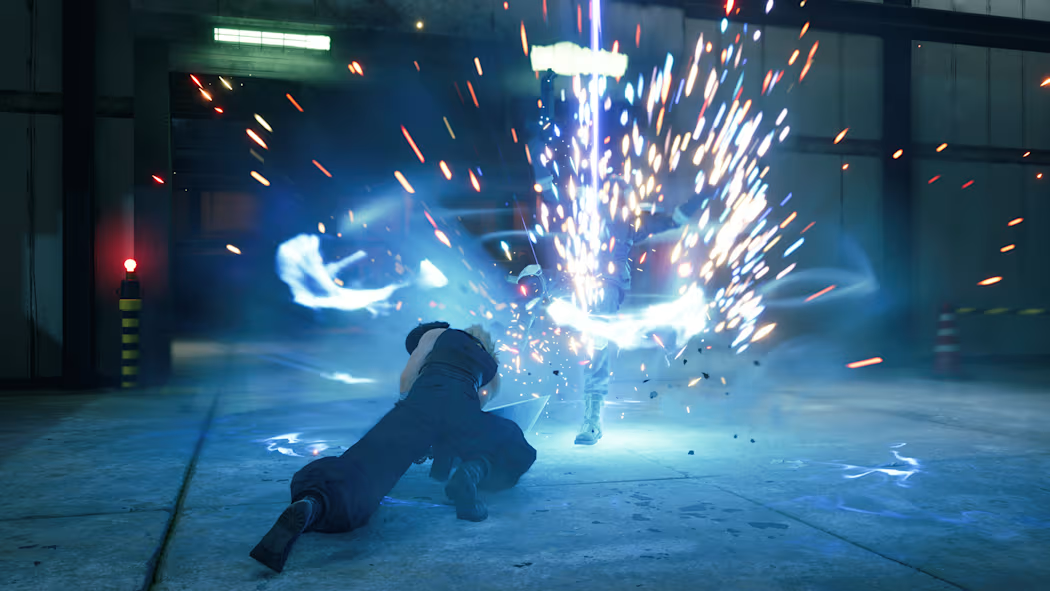
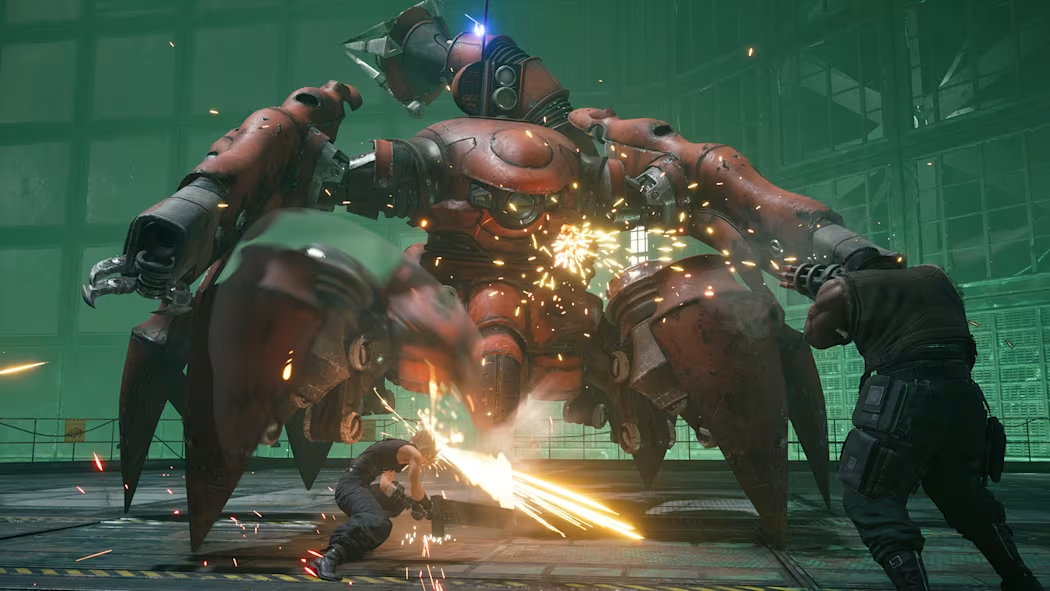
Square Enix has dropped a free, playable demo for Final Fantasy 7 Remake Intergrade on Switch 2 and Xbox Series X/S. And, it gives an early taste of the game ahead of its full release. The demo is live on the Switch 2 eShop and the Xbox Store.

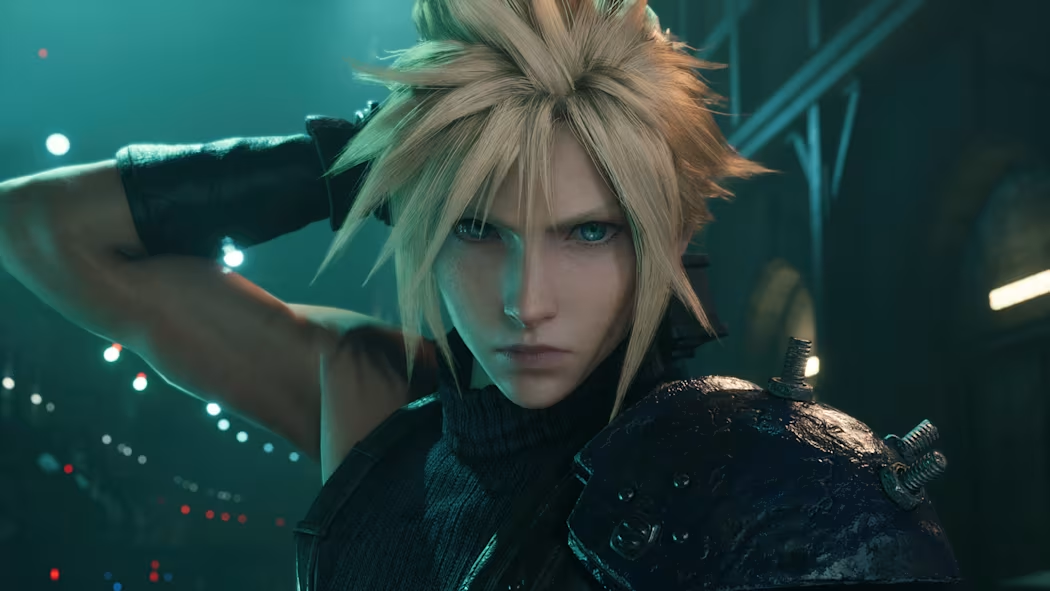
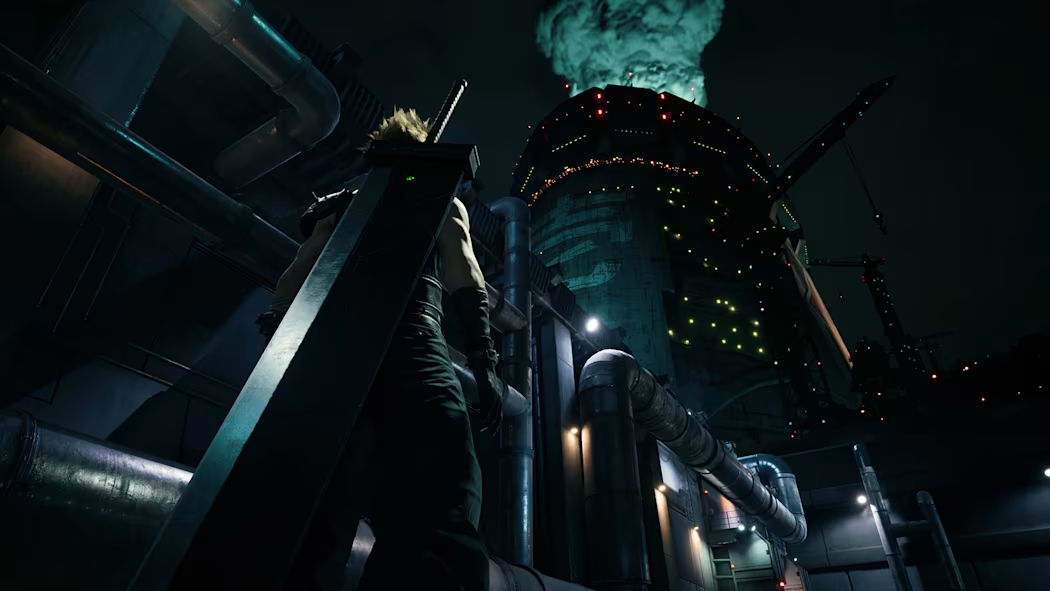
To catch you up, the game’s official launch will drop on January 22, 2026. It allows players to jump into the opening chapter set in Midgar, where Cloud Strife teams up with the resistance group Avalanche to sabotage a Shinra-operated Mako Reactor.

Just be clear, this isn’t a stripped-down preview, as Square Enix says the demo is designed as a true introduction to the game. Players who try it can carry over their save data to the full game if they decide to purchase it later. On top of that, demo players will unlock a Revival Earrings item and a Survival Set in the full release.

There are also several pre-order freebies for you. Players who pre-order the digital edition on Switch 2 or Xbox Series X/S until January 31 will receive the original Final Fantasy at no extra cost. Xbox players get access immediately after pre-ordering, while Switch 2 players will receive it on launch day.

Square Enix recently shared a comparison video shared earlier shows the game running alongside versions on PS5, Xbox Series X, and PC. According to director Naoki Hamaguchi, the team has tried preserving lighting quality, even if it meant cutting back on fog and other post-processing effects. The result is a 30 FPS experience on Switch 2 that avoids feeling visually compromised.

Have you tried the demo yet, or are you waiting for the full release in January?

Chrome May Soon Close New Tabs When You Press Back, Like Safari

Google is working on a change in Chrome that alters what happens when you press the Back button in a tab opened from another tab.

The company has started implementing a Back to opener feature. It closes a newly opened tab and returns focus to the original tab when the user presses Back.

The behavior applies to tabs opened using common actions. These include Ctrl or Cmd + click, middle-click, “Open link in new tab,” and links that use target=”_blank”.

Chrome is working on a Back button change for new tabs

This change affects how the Back button works in newly opened tabs. Instead of doing nothing, the Back button can close the tab and return focus to the page that opened it.

With the new behavior in place, the Back button will no longer do nothing in newly opened tabs that have no browsing history.

Instead, Chrome will close the current tab and switch focus back to the tab that opened it. This provides a faster way to return to the original page without manually switching tabs and closing the extra one.

Illustrative image: Chrome is working on a change that may let the Back button close newly opened tabs and return users to the original page. Image Credit: Venkat | WindowsReport.

The feature design notes point to link aggregator sites such as search engines and AI chat tools as a common case. These sites often open results in new tabs to preserve context, but Chrome’s Back button does not return users to the original tab, which forces extra clicks to switch tabs and close the newly opened page.

How Safari and mobile browsers handle this

Safari on macOS already handles new tabs this way. When a user opens a link in a new tab and presses Back, the tab closes and Safari returns to the original page.

Mobile browsers follow a similar model. Back usually returns users to their previous context instead of leaving them on a page with no history. Chrome on desktop has not offered this behavior so far.

The back to opener behavior is intentionally limited. It does not activate in every situation. It is disabled if the original tab was closed, if the original tab navigated to a different page, if the newly opened tab is pinned, or if the tab was restored after a browser restart or session restore. In all of these cases, the Back button behaves the same way it does today.

When back to opener is available, Chrome makes the Back button active even if the tab has no navigation history. Right-clicking or long-pressing the Back button also shows the original page’s title and site icon. This helps users understand what will happen before they click.

The feature is being implemented in Chromium behind a flag for Windows, macOS, and Linux. Once it becomes available for testing, it will bring Chrome’s Back button behavior closer to what users already see in Safari and on mobile.

Chrome is testing Google Lens as an AI sidebar assistant and a Contextual Tasks feature, while Google is also working on a more immersive Reader Mode in Canary with fewer toolbar buttons.

Malicious VPN Extension Stole ChatGPT and Google Gemini Conversations From Millions

A malicious VPN service was found stealing full ChatGPT and Google Gemini conversations, raising major concerns about browser extension privacy and AI data security.

A recent investigation revealed that the VPN extension Urban VPN Proxy secretly logged full browser traffic, including private conversations with major AI platforms. The affected services include ChatGPT, Claude, Google Gemini, Microsoft Copilot, Perplexity, DeepSeek, Grok (xAI), and Meta AI.

Despite carrying a 4.7-star rating from 58.5K reviews and reaching over six million users, the extension exposed sensitive data from more than eight million users worldwide. Google even featured the extension, which increased user trust and adoption.

How Urban VPN stole ChatGPT and Gemini data

Urban VPN collected data by injecting an executor script directly into the webpages of targeted AI platforms. The script overrode native browser functions, which allowed it to intercept all network traffic between users and AI services.

The extension captured:

  • Every AI prompt and response
  • Conversation IDs and timestamps
  • Session-level metadata

After extraction, the script compressed the data and transmitted it to Urban VPN servers. Data harvesting ran continuously in the background and worked even when the VPN was turned off or user settings were unchanged.

All conversations since July 2025 are compromised

The malicious functionality appeared in Urban VPN version 5.5.0, released on July 9, 2025. Any AI conversations conducted since that date should be treated as compromised.

Urban VPN is affiliated with BiScience, a data broker company. Reports indicate that the harvested data was collected and sold for marketing analytics purposes.

Other extensions affected

Urban VPN was not the only extension involved. Investigators found the same data-harvesting code in:

  • 1ClickVPN Proxy
  • Urban Browser Guard
  • Urban Ad Blocker

Users running any of these extensions should remove them immediately and review their online accounts for potential exposure.

Many users rely on AI chats for private tasks such as writing code, planning projects, or discussing sensitive topics. This incident shows how browser extensions can silently intercept AI conversations without clear consent.

The findings highlight the importance of auditing browser extensions regularly and avoiding VPN tools with unclear data-collection practices.

In other news, ChatGPT can now edit photos and PDF files, so if you removed the malicious extension, go give it a try.

Via Neowin

ARC Raiders Cold Snap Update Is Now Live With Massive Patch Notes

After days of speculation and waiting, the Arc Raiders Cold Snap Update is finally live. The studio mentions that the major change in gameplay is related to the Cold Snap map condition. In addition, it also marks the start of the Flickering Flames event. As part of the latest update, there are a bunch of changes inside Arc Raiders related to Skill Tree Reset functionality, wallet, Raider tools, festive items, and much more. The studio has also fixed a lot of issues with the Arc Raiders December Update 1.7.0.

Arc Raiders December Update 1.7.0. Patch Notes

Balance Changes

Weapons:

Bettina

Dev note: These changes aim to make the Bettina a bit less reliant on bringing a secondary weapon. The weapon should now be a bit more competent in PVP, without tipping the scales too much. Data shows that this weapon is still the highest performing PVE weapon at its rarity (Not counting the Hullcracker). The durability should also feel more in line with our other assault rifles.

  • Durability Burn Rate has been reduced from ~0.43% to ~0.17% per shot
    • In practice, it used to take about 12 full magazines to fully deplete durability, but now it takes 26 (also accounting for the increased magazine size).
  • Base Magazine Size has been increased from 20 to 22
  • Base Reload Time has been reduced from 5 to 4.5

Rattler

Dev note: Even though the Rattler isn’t intended to compete with the Stitcher or Kettle at close ranges, it is receiving a minor buff to bring its PVP TTK at lower levels a bit closer to the Stitcher and Kettle. The weapon should remain in its intended role as a more deliberate weapon where players are expected to dip in and out of cover, fire in controlled bursts, and manage their reloads.

  • Base Magazine Size has been increased from 10 to 12

ARC:

Shredder

  • Reduced the amount of knockback applied by weapons. Increased movement speed and turning responsiveness.
  • Increased health of the Shredder’s head to prevent cases where its head could be shot off, leading to unintended behavior.
  • Improved Shredder navigation to reduce getting stuck on corners, narrow spaces, and short obstacles.
  • Increased the speed at which the Shredder enters combat when taking damage and when in close proximity to players.
  • Increased the number of parts on the Shredder that can be individually destroyed.

Content and Bug Fixes 

Achievements

  • Achievements are now enabled in the Epic store.

Animation 

  • Fixed an issue where picking up a Field Crate with a Trigger ’Nade attached could cause the character to slide or move without input.
  • Fixed an issue where combining Snap Hook with ziplines or ladders could store momentum and propel the player long distances.
  • Fixed an issue where the running animation could appear incorrect after a small drop when over-encumbered.
  • Interactions now end correctly when performing a dodge roll.
  • Interacting while holding items or deployables no longer causes arm twisting. 
  • Added more animations to character skins and equipment to make them more natural.

ARC

  • Fixed an issue where deployables attached to enemies could cause them to launch or clip out of bounds when shot.
  • Missiles no longer reverse course after passing a target and can correctly track targets at different elevations.
  • Sentinel
    • Fixed a bug where the Sentinel laser did not reach the targeted player over greater distances.
  • Surveyor
    • Disabled vaulting onto ARC Surveyors to prevent unintended launches when they are moving.
  • Fixed an issue where Bombardier projectiles could shoot through the Matriarch shield from the outside.

Audio 

  • Fixed an issue where Gas, Stun, and Impulse Mines did not play their trigger sound or switch their light to yellow when triggered by being shot.
  • Increased the number of simultaneous footstep sounds and increased their priority.
  • Fixed an issue where footsteps in metal stairs became very quiet when walking slowly.
  • Improved directional sound for ARC enemies.
  • Added sounds for sending and receiving text chat messages in the main menu.
  • Removed the unsettling “mom?” from Speranza cantina ambient sound.
  • Tweaked the loudness of announcements in various Main Menu screens.
  • Number of small audio bugfixes and polish.

Maps 

  • Fixed an issue with spawning logic which could cause players who were reconnecting at the start of a session to spawn next to other players who had just joined.
  • Various collision, geometry, VFX and texture fixes that address gaps in terrain which made players fall through the map or walk inside geometry, stuck spots, camera clipping through walls, see-through geometry, floating objects, texture overlaps, etc.
  • Fixed an issue with the slope of the Raider Hatch that was too steep for downed raiders to crawl on top of it.
  • Security Lockers are now dynamically spawned across all maps instead of being statically placed.
  • Fixed Raider Caches not spawning during Prospecting Probes in some cases.
  • Fixed lootable containers and Supply Drops spawning inside terrain on The Dam and Blue Gate, ensuring they are accessible.
  • Fixed an issue where doors could appear closed for some players despite being open.
  • Electromagnetic Storm: Lightning strikes sometimes leave behind a valuable item.
  • Increased the number of possible Great Mullein spawn locations across all maps.
  • Dam Battlegrounds
    • Moved the Matriarch’s spawn point in Dam Battlegrounds to an area that better plays to her strengths.
  • Spaceport
    • Adjusted the locked room protection area in Container Storage on Spaceport to not affect players outside the room.
  • Blue Gate
    • Locked Gate map condition has been added.
    • Adjusted map bounds near a ledge in Blue Gate to improve navigation and reduce abrupt out-of-bounds stops.
    • Improved tree LODs in Blue Gate to reduce overly dark visuals at distance.
    • Fixed the issue where loot would spawn outside the Locked Room in the Village.
    • Added props and visual cues to the final camp in the quest ‘A First Foothold’ to make objective locations easier to find.
  • Stella Montis
    • Increased some item and blueprint spawn rates in Stella Montis.
    • Some breachable containers on Stella Montis no longer drop Rubber Ducks when using the A Little Extra skill (sorry).
    • Adjusted window glass clarity in Stella Montis to improve visibility.

Miscellaneous

  • General crash fixes (including AMD crashes).
  • Added Skill Tree Reset functionality in exchange for Coins, 2,000 Coins per skill point.
  • Wallet now shows your Cred soft cap (800).
    • Dev note: We decided to implement a cap so that players won’t be able to fully unlock new Raider Decks by accumulating Cred and added more items to Shani’s store to purchase using Cred. We believe that the Raider Decks offer a rewarding experience to enjoy while players engage with the game, and a large Cred wallet undermines this goal. We will not be removing Cred that has been accumulated before the introduction of the soft cap.
  • Added Raider Tool customization.
  • Fixed a bug that caused players to spawn on servers without their gear and in default customization resulting in losing loadout items.
  • For ranks up to Daredevil I, leaderboards now have a 3x promotion zone for the top 5 players. New objectives have been added.
  • Fixed an issue where the tutorial door breach could be canceled, preventing the cutscene from playing and blocking progression.
  • Fixed an issue where players could continue breaching doors while downed.
  • Fixed an issue where accepting a Discord invite without having your account linked could fail to place you into the inviter’s party.
  • Fixed an issue that sometimes caused textures and meshes to flicker between higher and lower quality states.
  • Depth of field amount is now scaled correctly depending on your resolution scale.
  • Fixed an issue where returning to the game after alt-tabbing could prevent movement and ability inputs while camera controls still worked.
  • Improved input handling when the game window regains focus to avoid unexpected input mode switches.
  • Skill Tree
    • Effortless Roll skill now provides greater stamina cost reduction.
    • The Calming Stroll skill now applies while moving in ADS.

Movement 

  • Fixed a traversal issue that blocked jumping/climbing in certain areas while crouched.
  • Fixed an issue where climbing ladders over open gaps could cause automatic detachment.
  • A slight stamina cost has been added for entering a slide.
  • Acceleration has been reduced when doing a dodge roll from a slide.

UI 

  • Added an option to toggle Aim Down Sights.
  • Added a new ‘Cinematic’ graphics setting to enhance visuals for high end PCs.
  • Codex
    • Improved accuracy of tracking damage dealt in player stats.
    • Field-crafted items now properly count toward Player Stats in the Codex.
    • Fixed missing sound in Codex Records.
    • Added a Codex section to rewatch previously seen videos.
  • Console
    • Updated PlayStation 5 controller button prompts with improved icons for Options and Share.
    • Fixed a crash when using Show Profile from the Player Info on Xbox.
  • Customization
    • You can now rotate your character in the customization screen. Also fixed an issue where the first equip could trigger an unintended unequip.
    • Added notifications in Character Customization to highlight recently unlocked items.
    • Fixed an issue where equipment customization items bought from the Loadout screen were not equipped after pressing Equip on the purchase screen.
  • End of round
    • Further reduced the frequency of the end of round feedback survey pop up.
    • Added an optional Round Feedback button on the final end-of-round screen to open a short post-match survey.
  • Expedition Project
    • Added a show/hide tooltip hint to the Raider Projects screens (Expedition and Seasonal).
    • Added ‘Expeditions Completed’ to Player Stats.
    • Added resource tracking for Expedition stages: Raider Projects now display required amounts and progress, with the tracker updating during rounds.
    • Added reward display to Raider Projects, showing the rewards for each goal and at Expedition completion.
    • Fixed an input conflict in Raider Projects where tracking a resource in Expeditions could also open the About Expeditions window; the on-screen prompt is now hidden while adding to Load Caravan.
  • Inventory
    • Fixed an issue where closing the right-click menu in the inventory could reset focus to a different slot when using a gamepad.
    • Fixed flickering in the inventory tooltip.
    • Opening the inventory during a breach now cancels the interaction to prevent a brief animation glitch.
    • Adjusted the inventory screen layout to prevent tooltips from appearing immediately upon opening.
    • Fixed an issue where the weapon slot right-click menu in the inventory would not appear after navigating from an empty attachment slot with a controller.
  • In-game
    • Fixed an issue where the climb prompt would not appear on a rooftop ladder in Blue Gate.
    • Resolved an issue where certain interaction icons could fail to appear during gameplay.
    • Fixed “revived” events not being counted.
    • Fixed an issue where the zipline interaction prompt could remain on a previously used zipline, preventing interaction with a new one; prompts now clear when out of range.
    • Quick equip item wheel now has a stable layout and no longer collapses items towards the top when there are empty slots in the inventory.
    • Updated in-game text across multiple languages based on localization review and player survey feedback.
    • Added a cancel prompt when preparing to throw grenades and other throwable items.
    • Fixed in-game input hints to match your current key bindings and show clear hold/toggle labels. Clarified binoculars hints when using aim toggle and updated hints for Snap Hook and integrated binoculars to support aiming.
    • Tutorial hints now stay on screen briefly after you perform the suggested action to improve readability and avoid abrupt dismissals.
    • Fixed an issue where input hints could remain on screen after being downed.
    • HUD markers that are closer to the player now appear on top for improved legibility.
    • Fixed issue where items sometimes displayed the wrong icon.
    • Fixed issue where user hints were sometimes shown when spectating.
    • Strongroom racks and power stations now display a distinct color when full of carryables to indicate that it has been completed.
    • Fixed an issue where reconnecting to a match could leave your character in a broken state with incorrect HUD elements and a misplaced camera.
    • Slightly delayed the initial loot screen opening and the transition from opening to searching during interactions.
  • Main Menu
    • Added a Live Events carousel to the main menu and enabled click/hover interactions on the Raider Project overview.
    • Fixed an issue where the Weapon Upgrades tab would sometimes change location.
    • Resolved an issue where a Raider could pop in and out of the home screen background.
    • Installed workstations no longer appear in the workstation install view.
    • You can now navigate from on-screen notifications to the relevant screens, including jumping directly to learned recipes.
    • The Upgrade Weapon Tab now accurately displays the magazine size increase.
    • Fixed an issue where the map screen could become unresponsive when a live event was active.
    • When inspecting items, rotating will now hide UI only showing the item being inspected.
    • Free Raider Deck content now displays as “Free” instead of “0”.
    • Added a carousel to the Main Menu featuring Quests and a Raider Deck shortcut, with improved gamepad navigation within the widget.
    • Fixed an issue where the Scrappy screen allowed navigating to the quick navigation list when using a gamepad.
  • Quests
    • Made pickups on the ground show icons if they are part of quests or tracked, added quest icons to quest interactions and improved quest interaction style.
    • Fixed an issue where the notification could remain after accepting and claiming quests.
    • Accepting and completing quests is now shown as loading while awaiting a server response.
    • Fixed an issue where rapidly skipping through quest videos after completing the first Supply Depot quest could soft‑lock the UI, leaving the screen without a way to advance.
    • Updated interaction text for a quest objective to improve clarity.
    • Updated the names and descriptions of the Moisture Probe and EC Meter quest items in Unexpected Initiative.
    • Improved ping information for quest objectives, with clearer markers for Filtration System and Magnetic Decryptor interactions.
    • Adjusted colors of quest and tracking icons in in-game interaction hints for better clarity.
  • Settings
    • Added a new slider that allows players to tweak motion blur intensity.
    • Updated tooltips for effects and overall quality levels in the video settings with clearer descriptions.
    • Added labels that show whether an input action is ‘Hold’ or ‘Toggle’, displayed in parentheses.
    • Fixed an issue where the flash effect ignored the Invert Colors setting; the option is now available.
    • Fixed a crash in settings when rapidly adjusting sliders.
    • Now players will be guided to Windows settings for microphone permissions if needed.
    • Fixed a crash that could occur when opening the video settings.
    • Fixed an issue where some Options category screens continued responding to inputs after exiting.
  • Store
    • Players will no longer see error messages when canceling purchases in the store.
    • Newly added store products now show a new indication for improved discoverability.
  • Social
    • Fixed an issue where Discord friends could appear with an incorrect status after switching to Invisible and back to Online; their presence now refreshes correctly when they come back online.
    • Added a Party Join icon to the social interface for clearer party invitations and joins.
    • Fixed an issue where the Social right-click (context) menu could remain visible in the Home tab after rapidly opening and closing it with a gamepad; it now closes correctly and no longer stacks.
  • Tooltips
    • Fixed incorrect item tooltips of ARC stun duration.
    • Tooltips now reposition to remain fully visible at all resolutions.
    • Fixed tooltips showing ‘Blueprint already learned’ on completed goal rewards; tooltips now display correct reward information and only show ‘Blueprint learned’ for actual blueprints.
  • Trials
    • Trials objectives now clearly indicate when they offer bonus conditions, such as by Map Conditions.
    • Fixed an issue where the Trial rank icon could be missing on the Player Stats screen after starting the game.
    • Added a Trials popup that explains how ranking works and clarifies that the final rank is worldwide.
  • VOIP
    • Added Microphone Test functionality.
    • Added better automatic checks for problems with VOIP input & output devices.
    • Using the mouse thumb button for push-to-talk no longer triggers ‘Back’ in menus.
    • Fixed an issue where the voice chat status icon could incorrectly appear muted for party members at match start until someone spoke.
    • HUD no longer shows VOIP icons when voice chat is disabled; your own party VOIP icon now appears as disabled.

Utility

  • Increased loot value in Epic key card rooms to better reflect their rarity.
  • Expanded blueprint spawn locations to improve availability in areas that were underrepresented.
  • Moved the Aphelion blueprint drop from the Matriarch to Stella Montis.
  • Fixed a bug where players would sometimes become unable to perform any actions if they interacted with carriable objects while experiencing bad network conditions or were downed while holding a carriable object and then revived.
  • Fixed an issue where Deadline could deal damage through walls.
  • Fixed an issue where deployables attached to enemies or buildable structures could cause sudden launches or let enemies pass through the environment when shot.
  • Keys will no longer be removed from the safe pocket when using the Unload backpack.
  • Fixed an issue where cheater-compensation rewards could grant an integrated augment item.
  • Fixed bug where Flame Spray dealt too much damage to some ARC.
  • Fixed an issue where sticky throwables (Trigger ‘Nade, Snap Blast Grenade, Lure Grenade) disappeared when thrown at trees.
  • Fixed a bug with incorrectly calculated deployment range for deployable items.
  • Fixed an issue where mines could not be triggered through damage before they were armed.
  • Playing an instrument now applies the ‘Vibing Status’ effect to nearby players.
  • Fix for Rubber Ducks not being able to be placed into the Trinket slot on an Augment.
  • Setting integrated binoculars and integrated shield charger weight to be 0.

Weapons 

  • Lighter ARC are now pushed back slightly when struck by melee attacks.
  • Fixed an issue where stowed weapons would not appear on the first spawn.
  • Fixed an exploit allowing players to reload energy weapons without consuming ammo.
  • Aiming-down-sights now resumes if it was interrupted while the aim button is still held (e.g., after reloading or a stun).
  • Fixed an exploit that allowed shotguns to bypass the intended fire cooldown.

Quests

  • Fixed a bug in the ‘Greasing Her Palms’ quest that let players accidentally trigger an objective.
  • Made the quest item ESR Analyzer easier to find in Buried City.
  • Improved clarity of clues for the ‘Marked for Death’ quest.
  • Fixed an issue where quest videos could trigger multiple times.
  • Added interactions to find spare keys to several quests related to locked rooms.
  • Added unique quest items to the ‘Unexpected Initiative’ quest.
  • Fixed an issue where squad sharing incorrectly completed objectives that spawned quest specific items.

Known Issues

  • Players with AMD Radeon RX 9060 XT will see a driver warning popup at startup despite being on the latest version that fixes a GPU crash that occurred when loading into The Blue Gate.
  • If you have more items than fit in your stash, the value of the items that don’t fit is not included in the final departure screen, but is included when calculating your rewards.

Have you tried the Cold Snap update yet? If yes, drop your thoughts about what impresses you the most. We’d love to hear.

This New Script Lets You Disable Most AI Features in Windows 11

Microsoft’s aggressive push toward AI features across Windows and its wider ecosystem has started to frustrate a growing number of users. Copilot recently appeared in Apple App Store release notes and even landed on LG TVs, signaling how far Microsoft wants AI to spread. For many Windows 11 users, that push crossed a line, and some now want full control over what runs on their PCs. A new community-made tool aims to deliver exactly that.

How Does the RemoveWindowsAI Script Work?

A GitHub user known as zoicware has released a script designed to remove Windows 11 AI features at a system level. Instead of hiding toggles or disabling surface-level options, the tool goes much further. It disables multiple AI-related registry keys, removes associated files from the operating system, and blocks AI components from returning through future Windows updates.

What AI Features Does it Disable?

The script targets a wide range of AI-powered features built into modern Windows 11 releases. These include Copilot, Recall, Input Insights and typing data collection, Edge Copilot, Image Creator in Paint, AI Fabric Service, AI Actions, AI-powered Settings search, Voice Access with AI voice effects, and other Paint AI tools. For users who want a more traditional Windows experience, the list covers most of Microsoft’s recent AI additions.

However, the tool does not disable everything. Gaming Copilot and OneDrive AI features remain untouched, likely due to deeper integration or different delivery mechanisms.

While the script has impressed privacy-focused users, it comes with clear risks. Modifying the Windows registry and removing system components can cause instability, break future updates, or introduce unexpected behavior. This tool targets advanced users who understand the consequences and accept responsibility for potential issues.

The growing popularity of this script highlights a wider sentiment: many Windows users want choice, not enforced AI. As Microsoft continues to expand AI across platforms, resistance from power users appears to grow just as quickly.

Via PC Gamer

Microsoft Azure Adds DeepSeek-V3.2 Models Focused on Enterprise AI Reasoning

Microsoft has expanded its Azure Foundry model catalog with the public preview release of DeepSeek-V3.2 and DeepSeek-V3.2-Speciale, two advanced reasoning models designed for enterprise and research workloads.

DeepSeek-V3.2 and DeepSeek-V3.2-Special are Now Available on Azure

DeepSeek-V3.2 targets long-horizon problem solving rather than simple text generation. The model focuses on agentic reasoning, multi-step decision making, and reliable tool usage across extended sessions. To achieve this, DeepSeek relies on DeepSeek Sparse Attention (DSA), a technique that filters unnecessary tokens in long contexts. This approach allows the model to reason faster while using significantly less memory, even at extreme context sizes.

According to DeepSeek, V3.2 delivers up to three times faster reasoning with similar output quality at 128,000-token context lengths, while dramatically reducing memory consumption. The model also dedicates a much larger portion of its training budget to reinforcement learning. More than 10% of total compute goes into reinforcement learning, compared to roughly 1% in traditional LLM pipelines. This shift improves multi-step reasoning, generalization, and consistency across complex tasks.

Another key addition involves a thinking retention mechanism. The model can preserve reasoning context across interactions, which increases efficiency and reliability during agent-based workflows. At scale, DeepSeek integrates agentic reinforcement learning to support long chains of thought, dependable tool use, and sustained reasoning across sessions.

For teams that prioritize raw reasoning power, DeepSeek-V3.2-Speciale takes a different approach. This variant emphasizes cognitive depth and extended chain-of-thought reasoning over structured outputs. Research groups, scientific teams, and evaluation labs benefit most from this model. DeepSeek reports frontier-level benchmark results, including best-in-class performance on Olympiad-style problems. To maximize reasoning capacity, the Speciale variant drops built-in functions and tool calling.

If you want to learn more, we suggest visiting Microsoft’s official blog post.

Both models are available today in public preview through Azure Foundry, with pay-per-token pricing listed directly in the model catalog.

ModelDeployment TypeAzure Resource RegionsPricing/1K tokensAvailability
DeepSeek v3.2Global StandardAll resource regionsI/P – $0.00058 O/P- $0.00168Public Preview, Dec 15, 2025
DeepSeek v3.2 SpecialeGlobal StandardAll resource regionsI/P – $0.00058 O/P- $0.00168Public Preview, Dec 15, 2025

While this is exciting news, Microsoft was a part of recently controversy, but the company denies overcharging UK businesses for using platforms other than Azure. What do you think about DeepSeek-V3.2 and DeepSeek-V3.2-Speciale joining Azure? Share your thoughts in the comments.

Windows Server 2026 Gets Native NVMe Performance Boost With KB5066835

Microsoft has released a native NVMe performance feature in Windows Server 2025 that targets one of the biggest bottlenecks in modern server deployments: storage overhead. If you run NVMe-based servers, this update can unlock a noticeable performance uplift with minimal configuration.

Microsoft first signaled plans to improve NVMe support in Windows Server 2025 earlier this year. The October 2025 Patch Tuesday update, KB5066835, finally delivers that promise. The update introduces a redesigned storage path that optimizes how Windows Server communicates with NVMe SSDs at a low level.

What changed in Windows Server 2025 NVMe support

Previous Windows Server versions treated most storage devices as SCSI, a standard originally designed for spinning hard drives. While functional, that approach added unnecessary translation layers for NVMe devices, which operate very differently from traditional disks.

Windows Server 2025 removes that default behavior for supported systems. The operating system now interacts with NVMe storage more directly, reducing translation overhead and improving I/O efficiency. As a result, servers can fully exploit the parallelism and low latency that NVMe hardware offers.

Performance gains you can expect

According to Microsoft, early real-world testing shows substantial performance improvements:

  • NVMe workloads can achieve up to 80 percent higher IOPS compared to older storage stacks
  • CPU usage drops during heavy storage operations, leaving more compute power available for applications
  • Latency improves under mixed read/write workloads, especially on high-end enterprise NVMe drives

These gains matter most for database servers, virtualization hosts, and high-throughput application servers that rely on fast local storage.

How to enable the NVMe feature

Microsoft ships this enhancement as an optional feature. You must enable it manually after installing KB5066835.

To enable it using the Registry, run the following command as an administrator:

reg add HKEY_LOCAL_MACHINE\SYSTEM\CurrentControlSet\Policies\Microsoft\FeatureManagement\Overrides /v 1176759950 /t REG_DWORD /d 1 /f

Alternatively, you can install the related Group Policy MSI and enable the feature through:

Local Computer Policy > Computer Configuration > Administrative Templates > KB5066835 251014_21251 Feature Preview > Windows 11, version 24H2, 25H2

This NVMe optimization forms part of Microsoft’s broader Windows Server 2025 performance strategy. Alongside scalability and efficiency improvements, it positions Server 2025 as a better match for modern data centers that rely heavily on flash storage.

If your servers use NVMe SSDs, installing KB5066835 and enabling this feature can deliver immediate, measurable benefits. If you’re a home user, you should know that KB5066835 fixes gaming performance issues, so don’t miss it.

Via Neowin

Windows 11 KB5073095 Fixes File Explorer, Taskbar, and Display Bugs

Microsoft has released Windows 11 Build 28020.1362 to Canary Channel testers, and while the update introduces new features, it also delivers a long list of important fixes. This build focuses heavily on stability, performance, and long-standing usability issues across File Explorer, Settings, the taskbar, graphics, and the login experience.

Windows 11 KB5073095 Fixes Several Major Bugs

File Explorer fixes address crashes and visual bugs

File Explorer receives some of the most noticeable improvements in this build. Microsoft fixed missing video thumbnails caused by specific EXIF metadata and removed an old white toolbar that appeared unexpectedly. Generic app icons no longer show next to the Open option, and custom folder views now stay intact when opened from other apps.

The update also resolves several stability issues. File Explorer no longer freezes after using the context menu or when opening the Home section. Large archive extraction works properly again, fixing a catastrophic error that affected some users.

Settings app and taskbar become more reliable

The Settings app now opens Network & Internet pages without freezing. Microsoft also fixed layout issues where the search bar overlapped window buttons and ensured the processor name displays fully under System > About.

On the taskbar side, auto-hide no longer disables itself randomly. Voice Access works correctly with taskbar items again, and icons no longer shrink when space is available. Taskbar previews now open apps instead of dismissing unexpectedly.

Display, graphics, and login improvements

Build 28020.1362 improves performance when apps query display modes on high-resolution monitors. It also fixes brightness slider problems on all-in-one PCs and removes false “unsupported graphics card” warnings in games. Background apps no longer cause partial screen updates, and multiline text boxes render text correctly.

Microsoft also improved the login experience. The taskbar loads faster after waking from sleep, first-time logins on new accounts complete quicker, and a memory leak tied to slideshow lock screens has been fixed.

Overall, this Canary build delivers meaningful polish and reliability improvements for Windows 11 testers. To learn more about this update, be sure to check the official Windows Insider blog post.

Facebook Officially Shuts Down Messenger Desktop Apps for Windows and Mac

Facebook Messenger desktop app shutdown marks a major change for users who relied on a lightweight chat-only experience. As of today, Meta has officially shut down the standalone Messenger apps for both Windows and macOS, ending support that the company first announced back in October.

Facebook Messenger Desktop App is Gone, Here’s All You Need to Know

On Windows, launching the Messenger desktop app now redirects users directly to the full Facebook desktop application. macOS users see a similar outcome, as the app sends them straight to Messenger.com in a web browser. For many, this shift creates friction, since the Facebook app delivers the complete social network interface rather than a focused messaging experience.

This change affects users who preferred Messenger as a distraction-free communication tool. Instead of quick access to chats, notifications, and calls, users now need to navigate a full web interface or install Facebook’s broader desktop app. Meta appears to follow a wider strategy here, as it plans similar transitions for WhatsApp users by pushing them toward new, more unified apps.

Performance also remains a concern. Web-based Messenger relies on WebView2 on Windows, which can cause higher resource usage and slower responsiveness compared to native apps. Microsoft is currently testing a new tool designed to speed up WebView2 apps on Windows 11, which could help developers improve performance for web-based software like Messenger in the future.

There is some good news for Messenger-only users. You can still sign in at Messenger.com without creating a Facebook account, keeping the service accessible for those who only need chat functionality. Meta also previously advised users to enable secure storage and set up a PIN before the shutdown, ensuring chat history transfers correctly when switching to the web version.

For now, Messenger desktop users must adapt to browser-based messaging as Meta continues consolidating its app ecosystem.

Via Beta News

Divinity: Original Sin 2 Gets Free Native Next-Gen Upgrade

Larian Studios has stayed in the spotlight after revealing a brand-new Divinity game at The Game Awards 2025. The announcement sparked renewed interest across the franchise, with Divinity: Original Sin 2 seeing a noticeable increase in Steam player numbers. Instead of letting that momentum fade, Larian followed up with a major surprise for console players.

Divinity: Original Sin 2 Comes to Next Gen Consoles

Larian Studios has officially made Divinity: Original Sin 2 playable natively on current-generation consoles. The next-gen release supports PlayStation 5, Xbox Series X|S, and the newly launched Nintendo Switch 2, bringing the acclaimed RPG to modern hardware without compromise.

The next-gen version comes as an upgrade to the Divinity: Original Sin 2 – Definitive Edition. Players who already own the game on last-generation platforms, including PlayStation 4, Xbox One, and the original Nintendo Switch, receive a free upgrade on most platforms. This approach ensures existing fans can jump in immediately without repurchasing the game.

While Larian Studios has not published a full technical breakdown, the native release clearly targets higher performance. Players can expect smoother framerates and improved stability, with potential resolution upgrades compared to earlier console versions. These improvements make long sessions, complex battles, and split-screen co-op feel more fluid on modern systems.

This move strengthens Larian’s reputation for long-term support and player-friendly upgrades. With renewed attention on the Divinity franchise and improved console performance, now stands as an ideal moment for newcomers to experience one of the most celebrated RPGs of the last decade, and for returning players to dive back into Rivellon.

Via Neowin

New Windows 11 Canary Update KB5073095 Adds Big UI and Gaming Improvements

Microsoft has rolled out Insider Preview Build 28020.1362 to the Canary Channel, bringing upgrades across gaming, AI features, File Explorer, Settings, and system productivity. Join us while we take a closer look at this build.

What’s New In Canary Preview Build 28020.1362 (KB5073095)?

Full-screen experience expands to more handheld devices

The full screen experience now works on additional handheld gaming PCs after first launching on the ASUS ROG Ally and ROG Ally X. This mode reduces background activity and boosts gameplay performance.

As you may know, KB5067115 expanded Full Screen Experience, and Microsoft is determined to focus more on this feature.

Click to Do improvements for Copilot+ PCs

Microsoft streamlined the Click to Do context menu, making Copy, Save, Share, and Open easier to access. The menu now appears automatically when Windows detects large images or tables, helping users perform actions faster.

Agent in Settings and better search results

The update adds an Agent section in Settings for Copilot+ PC, which highlights recently modified options. Search results now show more accurate and relevant settings, and in some cases, allow direct adjustments from the search pane.

Windows Studio Effects support expands to more cameras

Copilot+ PCs can now use AI-powered Studio Effects enhancements with external cameras, not only built-in laptop webcams. You can enable this from Advanced camera options in the Settings app.

Drag Tray gets multi-file sharing and smarter suggestions

Drag Tray was updated in KB5070311, and now Drag Tray supports multi-file sharing and shows more relevant apps when you drag content. It also lets you move files smoothly into folders and can be turned off from the Nearby Sharing settings.

File Explorer dark mode receives major refinements

Dark mode now looks consistent across default and expanded file operation dialogs, including progress bars and confirmation prompts. Copilot+ PCs also show placeholder text in the search box, and hovering over items in Explorer Home reveals quick actions like Open file location or Ask Copilot.

Better mobile device integration in Settings

Users can now add and manage mobile devices from the Mobile Devices section in Settings. Supported features include using a phone as a camera or accessing phone storage directly from File Explorer.

Desktop Spotlight gains a new context menu option

Windows Spotlight users may notice a new Learn more about this background / Next desktop background option being tested in the context menu.

Input settings, improved keyboard and pen controls

New keyboard options, including repeat delay and cursor blink rate, now appear in Settings. Supported keyboards gain improved backlight controls. Haptic pens now offer tactile feedback for UI actions such as snapping windows or hovering over the close button.

Game Pass page updated in Settings

Microsoft revised the Game Pass section so users can view available plans and their benefits at a glance.

OneDrive icon updates in Accounts and Home

A new OneDrive icon is rolling out across Accounts pages and the Settings homepage.

Quick Machine Recovery receives automated scanning

When enabled, Quick Machine Recovery now performs a one-time scan to check for issues and potential fixes automatically.

Virtual Workspaces available via Advanced Settings

Users can now toggle Virtual Workspaces, enabling or disabling features like Hyper-V and Windows Sandbox.

Paint adds an option to hide the toolbar

Paint version 11.2511.281.0 is rolling out to Canary and Dev Channels, bringing a hide-toolbar feature that gives creators more workspace for editing.

Additional fixes and improvements

Microsoft notes that this build also includes various reliability fixes and smaller quality-of-life updates that enhance overall system stability for Canary testers. For more information, visit the Windows Insider blog post.

If you’re testing new Windows features early, this build delivers meaningful improvements across productivity, creativity tools, gaming, and device integration. Canary Insiders can install KB5073095 today to explore everything Microsoft is preparing for future Windows releases.

Steam Winter Sale 2026: Check Confirmed Date & Time

As the calendar starts running out of pages, PC gamers know exactly what time it is. Steam’s biggest sale of the year is right around the corner, and it’s the one that usually empties wishlists and wallets in equal measure.

Confirmed Start and End Date/Time for the Steam Winter Sale 2025

Thanks to the folks at GG Deals, we now have a complete list of when exactly the Steam Winter Sale 2025 kicks off. The following list includes regional timings as well. The Steam Winter Sale 2025 starts on December 18 or 19, depending on where in the world you live.

RegionDateTime
West Coast USA (PST)December 1810:00
Central USA (CST)December 1812:00
East Coast USA (EST)December 1813:00
Brazil (BRT)December 1815:00
United Kingdom (GMT)December 1818:00
Central Europe (CET)December 1819:00
Australia (AEDT)December 1905:00

The Steam Winter Sale 2025 ends on January 5. Check out the Steam Winter Sale 2025 end date and time:

RegionDateTime
West Coast USA (PST)January 510:00
Central USA (CST)January 512:00
East Coast USA (EST)January 513:00
Brazil (BRT)January 515:00
United Kingdom (GMT)January 518:00
Central Europe (CET)January 519:00
Australia (AEDT)January 605:00

The Steam Winter Sale isn’t just about discounts; it’s also a period when Steam Awards voting ramps up. Once the Winter Sale ends, the next scheduled promotion is Steam Detective Fest, currently expected to land on January 12, 2026. In other words, this is your last big chance to grab games at deep discounts before the new year fully settles in.

Steam isn’t the only one having a sale, and with the Xbox Countdown Sale 2025 on December 18, you can also get up to 1000 games at a discount.

Hollow Knight: Silksong Gets a Surprise Sea of Sorrow Expansion Reveal

Hollow Knight: Silksong fans didn’t expect another surprise this year, but Team Cherry delivered exactly that with the unexpected reveal of the Sea of Sorrow expansion. The new content pack arrives next year and brings a wave of fresh additions for one of the most anticipated games in modern indie gaming.

Sea of Sorrow Expansion for Hollow Knight is Coming in 2026

The teaser trailer doesn’t share many concrete details, yet it confirms that players can expect new areas, bosses, tools, and additional mechanics. The entire expansion follows a nautical theme, hinting at a major shift in atmosphere and traversal. Early shots include a mysterious spherical chamber, which suggests that players may venture beneath the Sea and explore underwater environments for the first time in the series.

If this is accurate, Silksong could introduce new movement styles or combat adjustments suited for aquatic zones. This aligns with the expansion’s tone, which appears darker and more foreboding than the base game.

Team Cherry confirmed that Sea of Sorrow will be completely free for all Silksong owners, making this one of the most generous content drops the series has offered. The developers remain quiet on story details or new character reveals, but they plan to share more information shortly before launch.

Considering how long Silksong fans have waited for updates, the announcement injected fresh excitement into the community. With new environments, enemies, and items on the horizon, Sea of Sorrow may reshape how players experience the long-awaited sequel. In other gaming news, 90+ games will join the Xbox Stream Your Own Game Library, so you don’t want to miss them.

Are you excited for the expansion? Share your thoughts in the comments.

Via PC Gamer
Xbox Countdown Sale 2026 Kicks Off December 18; But Here Are Five Early Deals For You
If you have been waiting for the Xbox Countdown Sale 2025, the dates are finally in. The sale kicks off on December 18 and runs through January 7, and it gives players a solid window to expand their gaming libraries with both blockbuster releases and popular titles.

Microsoft has already teased its Countdown Sale 2025 and will offer discounts of up to 60% on more than 1,000 PC games, just in time for the year-end break. Guess what? Seven blockbuster games are already seeing some early discount deals. You can check them below:

  • Save up to 30% on Call of Duty: Black Ops 7 – Cross Gen
  • Save up to 20% on ARC Raiders
  • Save up to 20% on Ready or Not: Digital Deluxe Edition
  • Save up to 25% on Minecraft Bedrock Edition
  • Buy Minecraft Bedrock Edition (PC ONLY), get $5 Microsoft gift card and Skin Pack.
  • Buy EA Sports or 2K Sports titles and get $5 and $5 in-game.

If you’ve been holding off on grabbing a few PC games, this holiday sale might be the right moment to cash in before prices return to normal in January.

So, which of the deals above are you planning to grab? Or are you eyeing multiple options and waiting for the Xbox Countdown Sale 2025 to officially kick off? Drop your thoughts in the comments below.

MSI Claw A8 US Price Leaks Online — And It’s Expensive

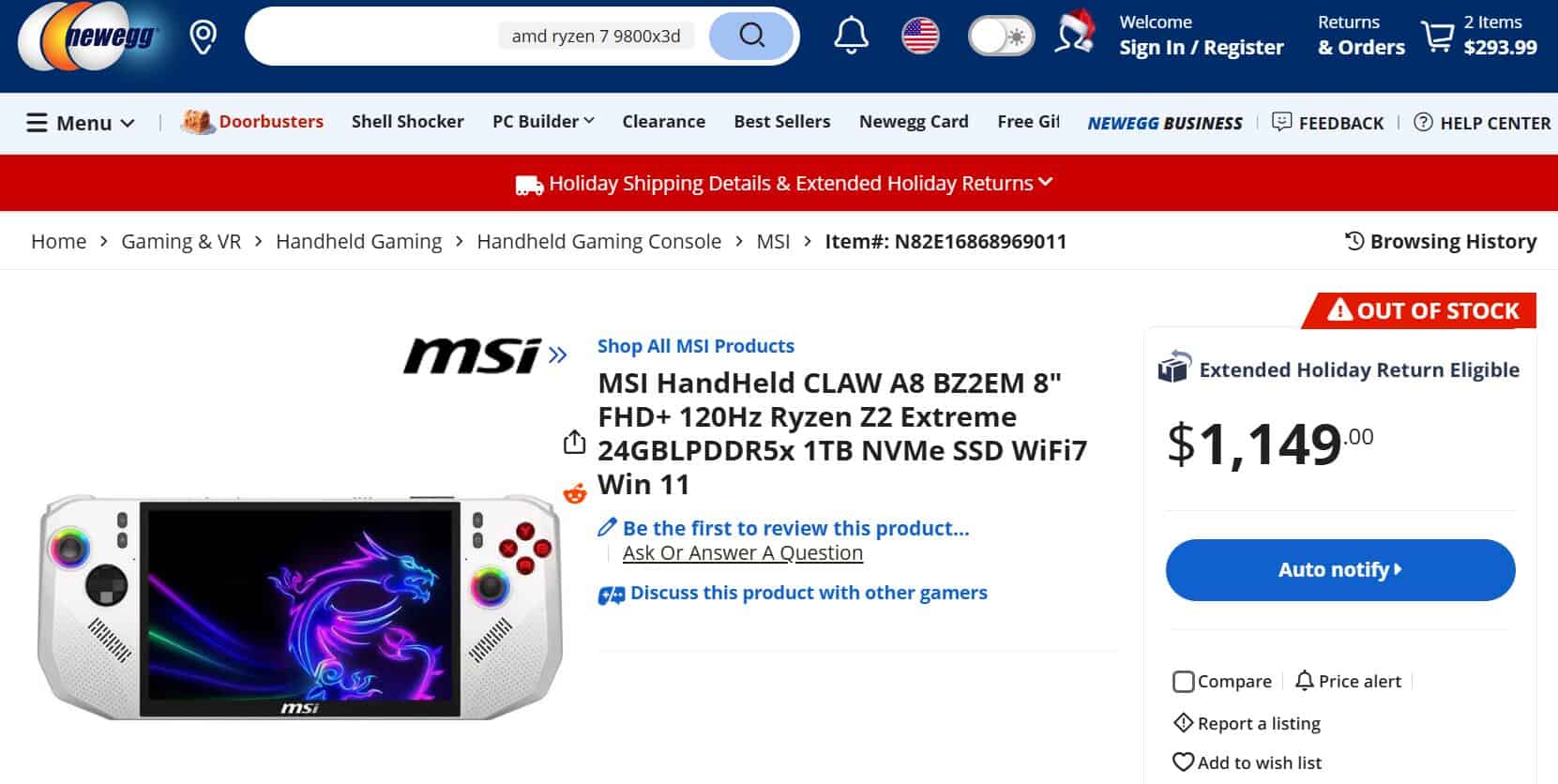
MSI’s next handheld gaming PC might be heading straight into the premium category. The MSI Claw A8’s price has just been leaked from Newegg’s US online store a listed price of a whopping $1,149 (via VideoCardz). MSI hasn’t officially confirmed the price, but given recent industry trends around the global RAM price hike, that figure is highly likely to be true.

Image credit: Videocardz

The MSI Claw A8 was first announced at Computex back in May this year. While the handheld has been spotted on a few European retailers, this is the first time it has been spotted on a US retailer’s site. Notably, MSI hasn’t shared a launch date for the US. But the availability on Newegg US suggests that its launch is imminent.

Under the hood, the Claw A8 uses AMD’s Ryzen Z2 Extreme, making it a top contender for Windows-based handhelds. The leaked configuration hints at 24GB of LPDDR5X RAM, a 1TB NVMe SSD, Wi-Fi 7, and Windows 11 out of the box.

MSI is using an 8-inch panel with a 1920×1200 resolution and up to a 120Hz refresh rate, matching what we’re seeing from other high-end handheld PCs. At $1,149, the Claw A8 would sit right above its counterpart that comes with an Intel Core Ultra 7 chip and 32GB of RAM. Speaking of rivals, it’ll also take on the Lenovo Legion Go 2, with a price tag of $1,099 and offering an OLED display and removable controllers.

What do you think about the pricing of MSI Claw A8? We’d love to hear your thoughts.

Marathon Will Release in March 2026 on Xbox, PS5, and Steam for $39.99

Today, Bungie shared a new look at Marathon, and it includes offering new gameplay footage, developer insights, and a clearer picture of what players can expect ahead of launch.

The studio also confirmed that the sci-fi extraction shooter will release in March 2026, on PlayStation 5, Xbox Series X|S, and PC via Steam for $39.99 / €39.99 / £34.99. The update comes after months of closed alpha playtests, which Bungie says played a major role in shaping the game’s direction.

Developers say that community feedback has directly influenced core systems, pacing, and the overall feel of Marathon’s dark, grounded sci-fi world. Alongside the release window, Bungie also explained its post-launch philosophy.

When you buy Marathon, you get full access to the game and a roadmap of free gameplay updates. This includes new maps, Runner shells, events, and seasonal content.

Season 1 will kick things off with exploration inside the UESC Marathon’s Cryo Archive, an end-game zone designed to push experienced players. Do note that Rewards Passes will not expire, and continue to allow players to purchase and complete older passes at their own speed. The studio also mentions that competitive integrity is a priority, stating that survival will never depend on how much money a player spends.

The newly released ViDoc highlights several additions since the alpha, including proximity chat, solo queue, and a new Runner shell called Rook, designed for scavenging matches already in progress.

Moving on, Marathon will feature four zones at launch, three surface maps, and the Cryo Archive end-game area. You are also in for extensive loot, weapon mods, faction progression, and narrative tracking through a Codex system. Moreover, Bungie says more gameplay reveals and community updates are coming as launch approaches.

Are you excited for Marathon? Drop your thoughts in the comments below.

Here’s How Microsoft Internally Handles Visual Studio-Related User Feedback

Today, Microsoft finally pulled back the curtain on how user feedback actually shapes Visual Studio. Over the past year, the Visual Studio team claims it has fixed more user-reported bugs and released more requested features than at any point in the IDE’s history.

According to Microsoft, every bug report or feature request submitted through Developer Community becomes a tracked ticket, mirrored internally in Azure DevOps, and assigned to the relevant team. User-submitted issues aren’t treated as second-class items either. They’re triaged alongside internal tasks and prioritized using the same process.

What decides whether a ticket gets attention, you may ask, right? Well, engagement plays a major role. Visual Studio assigns an internal “Score” to each issue based on votes, comments, impact, and severity. More upvotes and useful context push a ticket higher, sometimes automatically escalating it from low to medium or high priority.

Medium- and high-priority bugs come with service-level targets. High-priority issues are typically investigated within a week, while medium-priority bugs follow a set timeline. That said, Microsoft notes that votes alone don’t guarantee priority. Teams still balance community interest against technical complexity and wider goals like performance, reliability, and accessibility.

Some issues jump the line regardless. If there are some issues that break the previously working feature, it gets high-priority attention. Bugs affecting performance or accessibility also receive immediate attention. If users roll back to a previous version, Visual Studio actively prompts them to submit feedback explaining why, helping teams pinpoint problems faster.

Microsoft also shared tips to help reports move quickly, including using descriptive titles, clear reproduction steps, screenshots, recordings, and minimal repro projects. When issues can’t be reproduced, developers may reach back out for more details. All that said, the VS team is saying that reporting bugs works, and indeed, it helps shape Visual Studio’s future.

Are you among the ones who share feedback? If yes, let us know about the recent issues you have come across in Visual Studio; the comment section is all yours.

Snapchat Recap 2026 Is Out Now: Here’s How to Check Yours

Snapchat’s 2025 end-of-year Recap is now rolling out, giving users a short, personalized video that looks back at their year on the app. If you’re not sure where to find it, follow the steps below.

How to check Snapchat Recap 2025

Step 1: Update the Snapchat App

Before you do anything else, it’s important for you to make Snapchat is updated to the latest version. To do that, make sure to:

  • Open the App Store or Play Store
  • Check for a Snapchat update
  • Install it if one is available

NOTE: Older app versions may not show the Recap card.

Step 2: Open the Memories Section

  • Once the app is updated:
  • Launch Snapchat
  • Swipe up from the camera screen, or
  • Tap the Memories icon below the shutter button. This is where Snapchat places your yearly Recap.

Step 3: Find the “Your 2025 Snap Recap” Card

  • Inside Memories, look for a dedicated card labeled “Your 2025 Snap Recap”
  • Tap the card to start your Recap video.

What the Snapchat 2025 Recap Shows

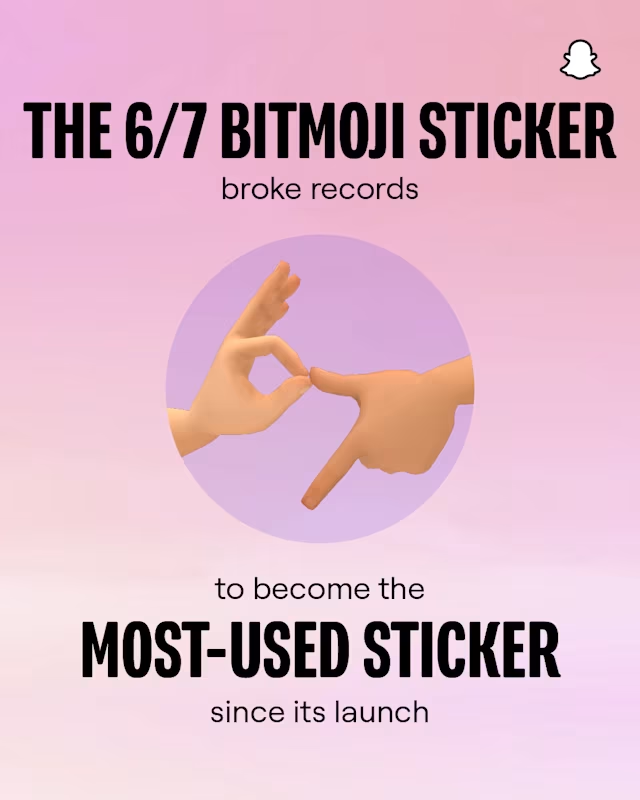
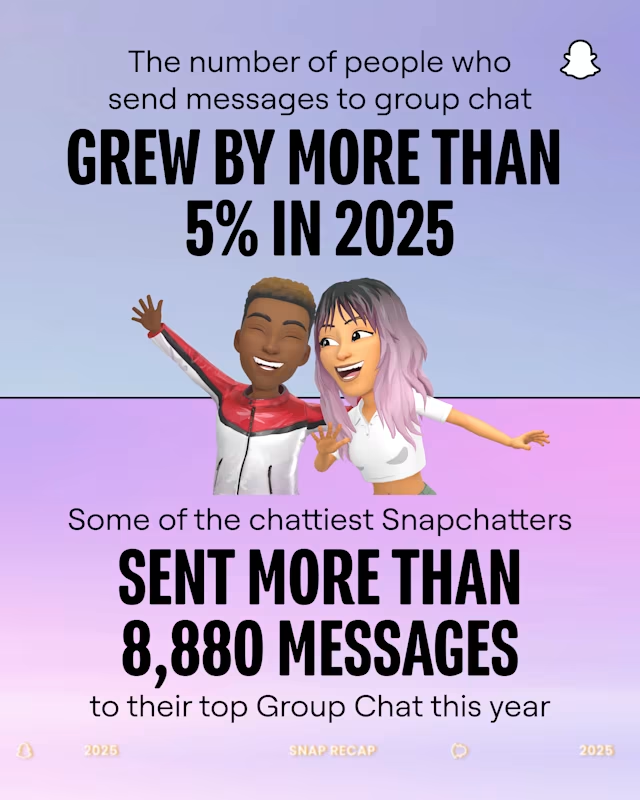
The Snapchat Recap focuses on how you connected on Snapchat during the year, including highlights from saved Snaps and Stories, chat and group interaction moments, A visual summary of your activity across 2025. In short, it’s designed to feel personal, not just data-heavy.

Why can’t I see my Snapchat Recap 2025

If the Recap hasn’t appeared yet for you, the following might be one of the reasons:

First of all, Snapchat is rolling it out gradually, so not ever user will see it immediately. The feature may take a few hours or days to show up based on where you live.

  • Limited Memories content can result in a shorter or missing Recap
  • Try checking again later.

It’s worth noting that your Snapchat Recap pulls content from Memories. If you rarely save Snaps or Stories, the Recap may be minimal. Snapchat’s 2025 Recap is free to view and doesn’t require a subscription, despite recent concerns around future storage limits.

Have you spotted your Recap already, or is Snapchat still keeping you waiting?

[UPDATE: NOW ONLINE] Spotify is down for many across US, UK, and Europe: Users face login and playback issues

Spotify had a rough start to the week, with a widespread outage knocking the music streaming service offline for users across the US, the UK, and parts of Europe. Reports began surfacing on Downdetector on December 15, as thousands of users suddenly found themselves unable to stream music, log in, or even load the app properly.

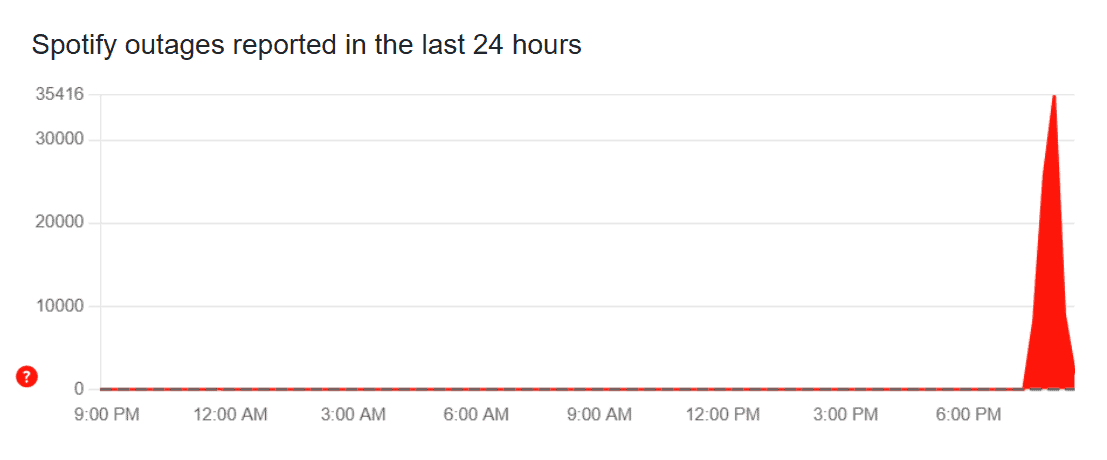
At the peak of the disruption, more than 13,000 users in the US flagged issues, with most complaints pointing to the Spotify app simply not working. In the UK, close to 2,000 users reported similar problems, ranging from app failures to server-related errors.

The situation appeared to escalate quickly. As the outage stretched on, Downdetector numbers continued to climb, eventually crossing 30,000 reports in the US and nearing 10,000 in the UK. Many users said songs would start playing only to cut out after a few seconds, while others couldn’t log into their accounts at all.

Image: Downdetector

Spotify acknowledged the issue on its official status page, saying it was “aware of some issues right now” and that teams were actively investigating. However, the company did not immediately share details about what caused the disruption. It also remains unclear whether the outage was linked to a broader infrastructure problem, such as issues with major cloud providers.

By later in the day, Spotify appeared to be partially accessible again for some users, with the app loading after refreshes. Still, reports of ongoing problems suggested the fix wasn’t fully rolled out everywhere, especially in the US and UK.

Unsurprisingly, frustrated users took to social media to vent. Complaints ranged from interrupted workouts to ruined commutes, with many questioning the reliability of a paid service going down without warning. “I’m paying too much for this not to work,” one user wrote, while others joked about being left “alone with their thoughts” during the outage.

For now, Spotify hasn’t confirmed whether the issue is fully resolved, but the service appears to be gradually stabilizing. If you’re still seeing problems, a restart or brief wait may help, though users are clearly hoping outages like this don’t become a regular playlist interruption.

via: Reuters

Cold Snap Update Overhauls ARC Raiders With Frostbite, Events, and Gear

ARC Raiders Cold Snap Update arrives on December 16, and Embark Studios outlined everything players should expect from the winter-themed overhaul.

Embark Studios Confirms Extreme Cold And New Rewards For Cold Snap Update

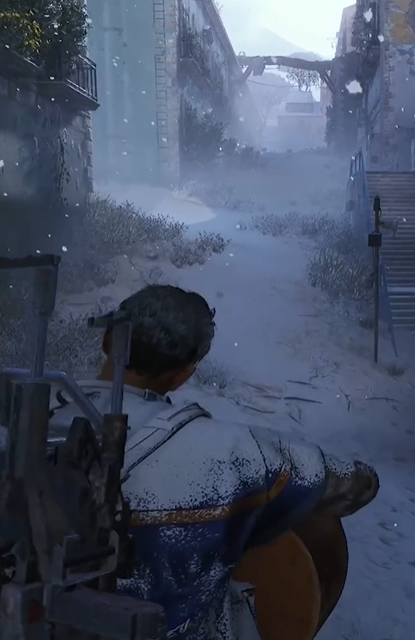
The update brings a full seasonal shift to Dam Battlegrounds, Buried City, Spaceport, and The Blue Gate, transforming each zone with heavy snow, frozen lakes, and low-visibility storms. Cold weather adds real danger, since frostbite begins to drain your health if you stay exposed for too long. Players need to adjust their loadouts, carry more healing items, and keep an eye out for shelter as they explore.

Cold Snap also launches the Flickering Flames event, which offers 25 reward tiers earned by collecting Merits from XP. The track includes gear upgrades, cosmetics, and Raider Tokens, but players must clear five rounds to fully activate event progression. Alongside it comes the Candleberry Banquet project, a community-driven activity where players gather Candleberries and special items to unlock scenes and rewards that also contribute to Flickering Flames’ progress.

A major gameplay addition drops on December 26 when the Goalie Raider deck becomes part of the base game. This themed deck adds new feats, items, cosmetics, Raider Tokens, and a hockey-inspired outfit and tool.

Embark is also introducing the Expedition Project Raider Reset, a system that lets players optionally reset their progression for exclusive buffs and long-term advantages. Not everyone likes the idea of new reward structures, but the studio says the system aims to offer replay value and fresh incentives.

Cold Snap remains active until January 13, 2026. While the studio didn’t confirm the exact Cold Snap launch timing, the update is expected to go live at around 4:30 AM EST, matching previous rollout patterns.

Via IGN

90+ Games Join Xbox Stream Your Own Game Library With Latest Update

If you’ve been waiting for a reason to actually use the Stream Your Own Game feature, this week might be it. Microsoft has quietly dropped its second Stream Your Own Game update for December, and it’s a big one, to be honest. If you’re subscribed to Xbox Game Pass, you can now stream 91 additional owned titles via Xbox Cloud Gaming (via True Achievements).

What makes this lineup is the mix of different genres of games. As part of the update, games like Game About Digging a Hole and Bratz Rhythm & Style are now streamable. It’s a reminder that Microsoft isn’t just targeting hardcore players here, but casual and family audiences too. You can take a look at all the titles you can play via the Stream Your Own Game library below:

Xbox Stream Your Own Games December Update 2 Adds These Games

A Game About Digging A HoleAI: The Somnium FilesAquapark ioAstral Takers
Baki Hanma: Blood ArenaBall BlastBarbie Horse TrailsBeat ‘Em Up Collection (QUByte Classics)
Blair WitchBlood WestBratz Rhythm & StyleBrawlhalla
Captain Tideborne and the Siren’s CallCar Driving School SimulatorCarnival Survivors: The ParadeChicken Run: Eggstraction
Color Water SortCrash Bandicoot 4: It’s About TimeCreepy Shift: Roadside DinerCriss Cross
CritterGardenCrowd CityDeTechtive 2112Detective – The Test
DIY Fashion StarDome KeeperDoodle HarmonyDora: Rainforest Rescue
Double DangerousDragon RuinsDream Park StoryDreamed Away
Echoes of the Plum GroveEmber Knights: Heroes of the Nexus EditionEternal StrandsFaraway Train
FatalZoneFirefighting Simulator: IgniteGalacticonGiant Rush
Golden KnightGrand Poker CasinoHanoi Puzzles: Flip MatchHatsune Miku Logic Paint S
Hot Stakes Casino – American RouletteHot Wheels Let’s Race: Ultimate SpeedHotel BarcelonaJourney to the Savage Planet
Just Dance 2026 EditionKairoboticaKarma: The Dark WorldKotenok
Lego Marvel Super Heroes 2Lost Eidolons: Veil of the WitchMia and the Dragon PrincessMind Scanners
Mineko’s Night MarketMy Horse StoriesNapoleon Maiden Episode.1NBA Bounce
Nicktoons & The Dice of DestinyOctopath Traveler 0OtherwarPing Pong Up
PlatzleProdeusPuff UpResident Evil 3
Road to ExoticsRoguematch: The Extraplanar InvasionRomancing SaGa 2: Revenge of the SevenRoutine
Rudolph The Red Nosed ReindeerSchoolboy Escape – Xbox EditionScience SkatersSea Fantasy
Shantae: Risky’s Revenge – Director’s CutSkyline BowlingSnoopy & The Great Mystery ClubSokocat: Islands – Remastered
Space Elite Force – ReloadedSpotCat vs The Cheddar Mafia In SpaceStay StillSuper Hero Demolition
Super Mining MechsThe Elf on the Shelf: Christmas HeroesThe Jackbox Party Pack 11Theme Park Jam
Twins of the SunUltimate Sheep RaccoonZero Escape: The Nonary Games

So, are you jumping into one of these via the cloud, or sticking with traditional downloads for now?

ARC Raiders Cold Snap Update: Expected Release Time and What to Know

ARC Raiders: Cold Snap has an officially confirmed global release date, and players continue to ask one question above all others: what time will the update actually drop?

At What Time Does ARC Raiders Cold Snap Update Release?

With the new snowy weather, expanded winter-themed gameplay, and even playable instruments arriving in this major seasonal patch, anticipation continues to grow as the December 14, 2025 launch nears. Embark Studios already confirmed that Cold Snap will go live simultaneously worldwide, so there will be no region-based rollout delays. PC, PlayStation 5, and Xbox Series X|S players should gain access at the same moment once the patch finishes deployment.

Servers are expected to open as soon as the push goes through, though short maintenance may occur beforehand as the team prepares backend systems for the update. Embark recommends that players pre-download or update early whenever possible, especially since large content drops tend to create heavy login queues and temporary congestion. Cold Snap introduces an all-new winter weather condition along with additional interactive elements, so interest has already spiked across the community.

The only missing detail is the exact launch time. While the studio has not issued a formal announcement, players believe the update will land around 04:30 AM EST. This estimate comes from the previous major patch, North Line, which released at the same hour worldwide.

Many fans hope Embark will follow the same pattern, though it remains unconfirmed. Until official communication arrives, the suggested timing should be treated as an informed prediction based on past behavior rather than a guarantee.

Even without exact timing, excitement for Cold Snap keeps rising as ARC Raiders prepares for one of its most ambitious seasonal updates yet. The confirmed content, global rollout, and returning launch window pattern already give players a solid idea of what to expect as they wait for the snowy expansion to arrive.

Via Insider Gaming

Silent Hill F Dominates The Horror Game Awards 2026 With Major Wins

Silent Hill f continues to gain attention after its strong showing at multiple major events, including The Game Awards 2025, The Horror Game Awards 2025, and now its impressive wins across several categories.

Silent Hill f Wins Four Awards During The Horror Game Awards 2025

The game secured the Best Horror Game award at The Horror Game Awards, a milestone that significantly boosted its visibility in an already competitive year for the genre. It also earned the Technical Achievement Award, Best Narrative Award, and Best Performance Award, highlighting the strength of its storytelling, atmosphere, and character work.

The title stands out as the first Silent Hill entry set in 1960s rural Japan. This shift introduces a new tone and cultural backdrop, allowing the franchise to explore unfamiliar themes and environments. Players follow Hinako Shimizu, a schoolgirl trapped in a mysterious fog that distorts her surroundings. She must uncover a way to survive while confronting psychological threats and grotesque transformations that define the game’s core experience.

Silent Hill f pushes deeper into psychological and body horror than previous installments. Its art direction blends haunting decay with delicate beauty, creating unsettling imagery that reinforces the emotional weight of the narrative. The story comes from Ryukishi07, best known for Higurashi and Umineko, which explains the layered tension and slow-building dread that fans have praised.

Developed by NeoBards Entertainment and published by Konami, the project has become one of the most discussed horror releases following its award wins. The renewed spotlight suggests a strong launch outlook as anticipation continues to rise.

Meanwhile, players looking for a non-horror experience can celebrate Clair Obscur: Expedition 33, which won at The Game Awards and received a free Thank You update from its developers.

Via Polygon

Arc Raiders Cold Snap Update to Add Snowy Maps and a Musical Twist

If you are an Arc Raiders fan, the upcoming Cold Snap update is all set to drop a surprise gift for you on December 16. Arc Raiders’ official Instagram account posted a clip involving a guitar… yes, a guitar. And, it appears that raiding will soon get a little more musical.

Image: Instagram/@arc_raiders
Arc Raiders Guitar Update
Image: Instagram/@arc_raiders

The latest teaser shows a Raider walking through the snow-covered Buried City while strumming a guitar. While details on the new item aren’t out yet, many point out that it might work like the old flute, which players once used to signal peaceful intent. To catch you up, the flute even helped players convince enemies to lower their weapons to loot with peace of mind.

The best possible guess this time around could be that the guitar acts as a clever way to bring some of that cooperative spirit back. So, what do you think about the upcoming guitar? Drop your guesses in the comments below.

For those unaware, the Cold Snap update will also add new winter conditions across maps like Buried City and Dam Battlegrounds, alongside new quests and a Raider Deck to progress through.

If you haven’t played Arc Raiders yet, you can get it on PC, PS5, Xbox Series X, and Xbox Series S. The Cold Snap update will be waiting for you starting tomorrow.

Phantom Blade Zero Locks One-Year PS5 Exclusive Window, PC Included

Phantom Blade Zero made another strong appearance during The Game Awards 2025, and the latest reveal finally clarified its platform plans. The stylish action RPG continues to gain traction thanks to its fast, cinematic kung fu-inspired combat and its unique visual direction created by Chinese developer S-Game.

Phantom Blade Zero is coming only to PlayStation 5 and PC

S-Game confirmed that Phantom Blade Zero will stay exclusive to PlayStation 5 for twelve months. Sony continues to secure timed exclusivity deals like this to boost the PS5 lineup heading into 2026.

The exclusivity applies only to consoles. PC users will get the game on day one, which helps the title reach a broader audience. S-Game aims to highlight its fast action and Chinese martial arts combat system across both platforms.

Once the 12-month window ends, S-Game can release Phantom Blade Zero on other consoles. The studio has not confirmed additional platforms yet, but the option remains open.

The next major update points to a clear launch target. Phantom Blade Zero arrives on September 9, 2026, giving players a long runway to follow its development and future announcements.

Via IGN

Microsoft: Windows 10 December Patch Breaks MSMQ, Causing App and IIS Sites Failures

Last Tuesday, Microsoft rolled out its mandatory December Patch Tuesday updates for Windows 10 users who are enrolled in the ESU program. While the updates were meant to improve security and stability, Microsoft has confirmed that the update, KB5071546, has introduced a serious issue affecting Message Queuing (MSMQ) (via Windows Latest).

For the uninitiated, MSMQ is a Windows feature used by applications and services to send messages reliably. The good part about this feature is that it even works when systems are under heavy load or temporarily offline. Notably, it’s commonly used in enterprise environments, IIS-based apps, and clustered setups where background communication is critical.

Following the latest update, users running MSMQ may start seeing failures, especially in high-load or clustered environments. Microsoft, in its documentation, notes:

Due to this issue, users might encounter the following symptoms:

  • MSMQ queues becoming inactive
  • IIS sites failing with “Insufficient resources to perform operation” errors
  • Applications unable to write to queues
  • Errors such as “The message file ‘C:\Windows\System32\msmq\storage*.mq’ cannot be created” when creating message files
  • Misleading logs, such as “There is insufficient disk space or memory”, despite sufficient disk space and memory being available

Microsoft confirmed that the issue triggered after it made some changes to the MSMQ security model and NTFS permissions on the C:\Windows\System32\MSMQ\storage folder. MSMQ users now require write access to this folder, which is normally restricted to administrators. As a result, when you try to send messages via MSMQ APIs, it might fail with resource errors.

As of now, there’s no fix for the issue. However, Microsoft says that it’s investigating the issue and has assured users share more details once available. If you’re an admin, we recommend that you continuously monitor MSMQ-dependent services until an official fix or workaround is announced.

Microsoft Sneaks Copilot Promotions Into iOS App Store Release Notes

Microsoft found a new way to promote Copilot, and this time it happens inside Apple’s App Store listings. Windows Latest noticed that Microsoft apps on iOS now include Copilot-generated promotional lines in their What’s New sections, even when the update itself has nothing to do with the AI assistant.

Microsoft Now Promotes Copilot in App Store Change Logs

This move follows other aggressive Copilot pushes, including Microsoft Copilot being automatically installed on some LG TVs with no uninstall option. Now, instead of using ads or in-app pop-ups, Microsoft embeds a short line at the bottom of release notes saying that the notes were generated by Copilot.

Reports suggest this line has appeared in changelogs since May, regardless of how minor the update is. Apple’s App Store rules do not restrict this kind of messaging, so the promotional tag won’t be removed unless Microsoft decides to change strategy.

This method increases Copilot’s visibility among iPhone users without needing paid promotion. Some users view it as clever marketing, while others see it as a cheap tactic that takes advantage of App Store listings.

What do you think about Microsoft’s new Copilot push? Share your thoughts in the comments.

New Alien Survival Horror Game Reportedly in Development at Eidos Montreal

A new Alien game is reportedly in active development, and early details suggest a major return to survival horror after the success of Alien Isolation. Here is what players can expect based on the latest reports.

New Alien Game Brings Adaptive AI, Stealth, Platforming, And More

The project is described as a single-player arcade survival horror experience set aboard a decaying space station. Players will battle both xenomorphs and human spec-ops enemies while navigating collapsing environments and managing scarce resources.

Reports say the game uses a third-person action approach similar to Shadow of the Tomb Raider. It will feature combat, platforming sections, environmental puzzles, stealth mechanics, and AI that adapts to player behavior.

The budget recently increased to under 75 million dollars, which is more than double the earlier estimate of about 30 million. Development reportedly began in 2020 and changed studios before landing at Eidos Montreal, the team currently believed to be handling the project.

Leaked documents mention the possible appearance of Ripley 8 from the Alien films, though this has not been confirmed. A 2028 release across major platforms appears to be the target window, but timelines could shift since the game is still early in production.

Neither Eidos Montreal nor Embracer has commented on the report. If you’re a fan of science fiction games, you might want to know that Saros was deleted to April 2026.

Via Insider Gaming

Microsoft Tests New Tool to Speed up WebView2 Apps on Windows 11

Microsoft plans to improve how complex web apps run on Windows 11 as developers rely more on embedded web interfaces by adding a new API.

What is The Delayed Message Timing API?

Many modern apps use WebView2, which loads web content through the Edge Chromium engine. Users often report that apps like Outlook feel slow, and concerns are rising with the testing of the New Agenda View in Windows 11. WhatsApp also forces a specific WebView2 version on Windows users, which raised additional performance concerns from the community.

Microsoft says today’s web apps run multiple contexts, including windows, iframes and worker threads. These contexts send messages to each other, and delays in that process can slow the entire interface. Developers struggle to locate these bottlenecks without accurate timing data.

Microsoft now tests a new Delayed Message Timing API that shows how long postMessage() calls wait before they reach other web contexts. Developers can measure delays and pinpoint the exact areas that need optimization. This API does not boost performance on its own, but it gives developers the visibility needed to tune their apps.

The feature supports all web apps but also benefits WebView2 apps on Windows 11. Microsoft expects clearer diagnostics to help developers improve responsiveness over time. Users may not see immediate speed improvements, but this sets the groundwork for smoother Outlook, WhatsApp and other WebView2-powered apps.

Via WindowsLatest

MIO: Memories in Orbit & Nova Roma Confirmed to Join Xbox Game Pass in January 2026

If you’re still catching your breath from this week’s Xbox releases, here’s another reason to keep an eye on the calendar. We are already looking at January 2026, and for Xbox Game Pass subscribers, we’ve first two confirmed titles, courtesy of folks at Pure Xbox.

Before we talk about it, let’s not forget that more than 20 games are landing on the platform this week alone, led by God Bless, or Goddess, which launches today. Speaking of new Xbox titles bound to launch in January 2026, you will come across MIO: Memories in Orbit. It will reportedly launch on January 20 for both console and PC. The game lets you be in control of MIO, an android exploring a massive, decaying technological ark.

A few days later, on January 22, Nova Roma will join Xbox Game Pass. Unlike MIO, this one is exclusive to PC via Game Pass. It’s a city-building strategy game set in ancient Rome, where managing supply chains, keeping citizens happy, and staying on the gods’ good side are all part of the challenge.

Microsoft hasn’t revealed the full January lineup yet, and more announcements are expected closer to the new year.

New Outlook Won’t Launch On Windows 11? Here’s The Quick Fix

Microsoft Outlook fails to launch for some Windows 11 users, and the issue triggers error code 0xc0000409 inside Event Viewer. The problem affects the new Outlook app and stops it from opening entirely. Luckily, users can fix the issue with a quick local data reset.

How To Fix The New Outlook 0xc0000409 Error?

The failure occurs when Outlook loads corrupted temporary data stored inside the Olk and OneAuth folders. When these folders break, Outlook refuses to start and logs the 0xc0000409 exception in Event Viewer.

You can fix the error by deleting two temporary folders. This removes corrupted startup data without touching your emails or account information. To remove them, follow these steps:

  1. Press Win + R to open Run.
  2. Type %localappdata%\Microsoft and press Enter.
  3. Find the Olk folder and delete it.
  4. Delete the OneAuth folder as well.
  5. Close File Explorer and restart Outlook.

Outlook should open normally now. Both folders only contain temporary files, so you will not lose any personal data.

Several users reported the issue online after the latest app updates. Fresh installs of Outlook appear unaffected, which suggests that the problem ties to corrupted local cache data. In other news, Microsoft now allows you to hide AI actions, and we have a guide on how to do that.

If you experienced the same error, share your results in the comments.

Via WindowsLatest