Larian promoted the new title with a mysterious statue display at the event, which helped build curiosity before the trailer aired. Once the trailer released, longtime fans and new players returned to the series in large numbers and pushed Original Sin 2 back into Steam’s most played charts.
Even though it launched in 2017, Divinity: Original Sin 2 reached position 228 on Steam’s top 250 most played games. Its 24 hour concurrent peak rose to 10,898 players, which is almost double the recent monthly peak of about 5,930 players.
This marks one of the strongest spontaneous spikes in activity for the game in years, driven entirely by excitement surrounding the newly announced project.
The surge did not stop with Original Sin 2. Player activity increased across multiple older entries in the franchise.
Divinity: Original Sin saw higher engagement.
Divinity: Dragon Commander also recorded increased activity.
This indicates that interest is returning to the entire series rather than only the most popular game.
The sudden revival shows that fans actively want more Divinity content. The new trailer and the related announcements signaled that Larian is returning to the universe, and players reacted immediately.
The spike across Steam reflects a franchise gaining momentum again at the exact moment anticipation grows for the studio’s next major release.
Microsoft’s Copilot AI chatbot has already made millions of Windows 11 users upset, but it seems the chatter isn’t just confined to PCs. Now, the Copilot appears to be making its way to TVs.
Over the weekend, a Reddit user, u/defjam16, spotted that their LG TV running webOS received an update and has installed Microsoft’s Copilot AI app (via VideoCardz). While the announcement was made officially to bring in Copilot powers to LG TVs in mid-2025, it seems the app is slowly making its way. However, the issue the user points out is that there’s no option to uninstall it.
Image credit: Reddit/u/defjam16
While you can ignore it, the presence of the app suggests how Microsoft is quietly pushing AI into everyday devices, now in your living rooms, too. Given that LG’s webOS is Linux-based, this could also hint at a wider plan to bring Copilot to Linux devices more widely.
Linux now claims roughly 3% to 4% of the PC market, and Microsoft might be lying around silently. Other TV operating systems could follow a similar path down the line, putting more devices at risk of mandatory AI integration.
The Reddit users also point to LG’s “Live Plus” feature. Redditors have noted that when this setting is active, the TV can recognize what’s on screen and use that information to personalize recommendations and ads. LG markets this as an “enhanced viewing experience,” but the difference between the spotted Copilot app and this option is that the latter can be turned off. You can simply go to Settings > All Settings > General > Additional Settings. As always, the naming of options might vary depending on what model you have.
Behind the scenes, Live Plus likely uses AI to sort and analyze user viewing habits. There’s no word on this matter from Microsoft yet, but it seems AI, and especially Microsoft’s AI, is starting to silently creep into hardware by default.
What do you think about this move by Microsoft? We’d love to hear your thoughts on this. Drop your comments below.
Sony rolled out a major 2025 update for PlayStation Portal that finally brings several long awaited features. The handheld now feels smoother, more capable, and far more complete for Remote Play and cloud users.
PlayStation Portal Update 2025: Here’s What’s New
PlayStation Portal navigation runs noticeably faster after the update, and menu transitions feel more responsive. Moving through the home screen, browsing your library, and adjusting settings happen without slowdown. The smoother UI alone makes the Portal feel closer to a true handheld gaming device.
Sony also added native in game purchases, so you can buy DLC, skins, or currency directly while playing. The transaction flow works instantly and does not interrupt gameplay. This change removes one of the most frustrating limitations the Portal had at launch.
Cloud streaming support expanded as well, giving users more flexibility when they want to stream instead of relying only on local Remote Play. A redesigned interface now separates Remote Play, Cloud Streaming, and Search into clear sections which makes navigation simpler for new and returning players.
The update improves performance and stability across the device. Game sorting works better, sessions respond faster, and a new auto-pause system stops your stream when the device detects that you are away. Sony also introduced gameplay capture options that let players take screenshots or record quick clips during sessions.
Even with the improvements, the Portal still relies entirely on streaming and does not play games natively. Cloud streaming also requires a PlayStation Plus Premium subscription, which is a drawback for many gamers.
Because of that, the device does not fully compete with dedicated handheld gaming consoles yet. Still, this update delivers meaningful quality of life upgrades that move the Portal much closer to what fans expected at launch.
As for other handhelds, the Xbox Ally X has achieved record sales, and Sony will have to step up in order to compete with Microsoft in the handheld market.
Microsoft published an updated Windows 11 gaming hardware guide that outlines what players should aim for in the coming year. The document explains the difference between minimum specs, mid-range setups, and high end configurations and helps users understand what they need for smooth performance.
What Gaming Specs For Modern Windows 11 Systems Does Microsoft Recommend?
For entry level gaming, Microsoft suggests a modern quad core processor such as the AMD Ryzen 5 5600 or Intel Core i5-12400 paired with a GPU like the GTX 1660 Super or Radeon RX 6600. This setup targets solid 1080p play without major compromises.
Mid range gaming moves to 6 core CPUs like the Ryzen 5 7600 or Intel Core i5-13600K along with GPUs such as the RTX 3060 Ti, RTX 4060 Ti, or Radeon RX 6700 XT. This tier handles high quality settings at 1080p and 1440p with smoother frame rates.
High end and 4K setups aim for at least eight cores. Microsoft highlights the Ryzen 7 7800X3D and Intel Core i7-13700K combined with GPUs like the RTX 4080 or Radeon RX 7900 XTX as the level needed for top tier performance.
As for displays, Microsoft explains that refresh rate determines how many times a screen updates each second and suggests 144 Hz as a strong baseline. Competitive players benefit from 165 Hz to 240 Hz panels that deliver more fluid motion.
The company also highlights response time, noting that a 1 to 3 ms range helps reduce ghosting and motion blur. As for panel technology, IPS offers accurate colors and wide viewing angles, VA panels deliver deeper contrast, and OLED brings the best response and true blacks at a higher price.
Microsoft says that 16 GB of RAM is plenty for most games, while 32 GB suits heavy modding or extremely demanding titles. For storage, the company recommends at least a 1 TB SSD, but that might not be enough for heavy gamers. NVMe drives are recommended because gamers benefit by enabling DirectStorage, which allows supported games to send asset data straight to the GPU for significantly faster load times.
Microsoft released three new Windows 11 Dynamic Updates on December 9, 2025. These updates refine key setup and recovery components used during installation, troubleshooting, and system deployment.
What’s New In These Windows 11 Dynamic Updates?
Microsoft shipped three separate maintenance packages that target different Windows 11 versions and deployment needs. These updates improve the Windows Recovery Environment and setup binaries without altering visible user features. Here’s what each update brings:
KB5072537 – Safe OS Dynamic Update (Windows 11 24H2/25H2, Windows Server 2025) Microsoft refreshed the WinRE environment to improve boot repair reliability for modern builds. This update targets Windows 11 24H2, 25H2, and Windows Server 2025.
KB5071416 – Setup Dynamic Update (Windows 11 23H2) This package updates the setup components used during installation and feature upgrades for Windows 11 23H2. It ensures smoother upgrade consistency across devices.
KB5072543 – Safe OS Dynamic Update (Windows 11 23H2) Microsoft updated the WinRE Safe OS components for systems running Windows 11 23H2. This improves troubleshooting stability during recovery operations.
These Dynamic Updates play a crucial role in OS deployment workflows. IT professionals and system administrators rely on them to refresh setup and recovery components inside existing Windows images. This avoids rebuilding full installation media from scratch and ensures a more reliable recovery experience across devices.
Regular users will not see visible changes, but their systems benefit from enhanced setup consistency and more dependable recovery tools. As for regular updates, KB5072033 Update fixed File Explorer and Ask Copilot issues, so you might want to download it.
Microsoft expanded its management ecosystem by adding Windows Admin Center support for ARM-based Copilot+ PCs. IT administrators can now use these next-generation devices to manage Windows servers, clusters, and desktops without relying on any workarounds.
Windows Admin Center Comes To Copilot+ PCs
Windows Admin Center now runs natively on ARM-based Copilot+ hardware with the same browser-based interface that admins already know. This lets teams monitor and manage their environments directly from lightweight AI-powered Copilot+ machines.
Copilot+ PCs are Microsoft’s new class of Windows devices that integrate on-device AI acceleration and improved efficiency, making them ideal for mobile administration tasks.
Microsoft restored full High Availability deployment support. Admins can once again deploy Windows Admin Center in a failover cluster with compatibility for the modernized gateway experience.
The update also improves silent installation. Command-line silent install support has been restored and enhanced, making automated deployments smoother for enterprise environments.
The new ARM support removes a major limitation for IT teams adopting Copilot+ hardware. Admins gain a portable and performant device that still handles full Windows management workloads. We recently wrote about Windows Admin Center 2511, so don’t miss that guide for more information.
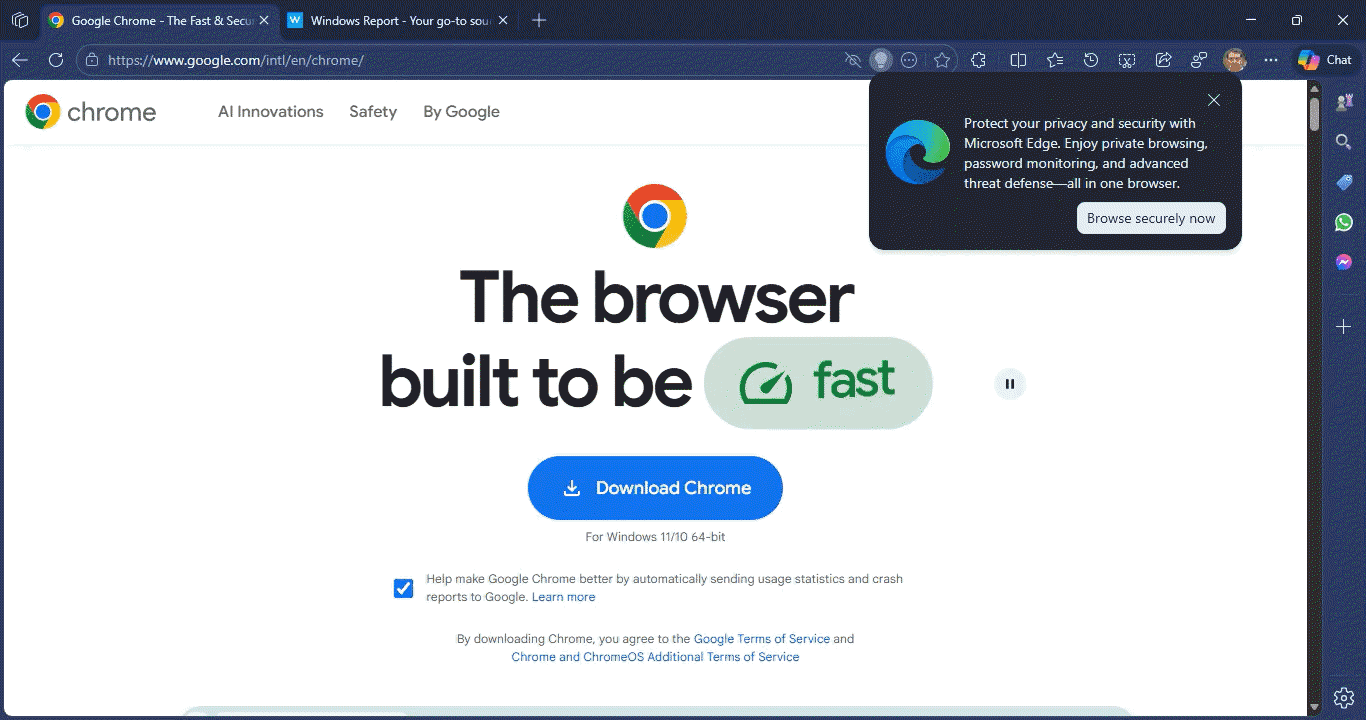
Microsoft is trying a new way to stop users from downloading Google Chrome. If you open the Chrome download page in Microsoft Edge, you may see a new banner at the top. This version looks different from the usual prompts that ask users to stay with Edge.
Instead of comparing Edge and Chrome, Microsoft now focuses on protection. The banner urges users to browse with Edge for privacy and security and frames the browser as an all-in-one option with features like private browsing, password monitoring, and protection against online threats.
That framing stands out. Earlier messages leaned on the fact that Edge and Chrome share the same Chromium base or pointed to Microsoft’s brand trust. This time, those points are missing.
The message stays centered on built-in safety features.
The banner includes a “Browse securely now” button. Clicking it no longer opens a blank tab or a generic Edge page. Instead, Edge redirects to a dedicated Online Safety page on Microsoft’s website.
Microsoft Edge shows a new security-focused banner on Google Chrome’s download page. The message promotes built-in safety features instead of a simple reminder to stay with Edge. Image Credit: Venkat | WindowsReport.
That page highlights features such as InPrivate browsing, password monitoring, scam and scareware protection, and Edge Secure Network, the browser’s built-in VPN. It reads more like a walkthrough than a reminder.
Clicking the banner redirects users to Microsoft’s Online Safety page, which highlights features such as InPrivate browsing, password monitoring, scam protection, and Edge Secure Network. Image Credit: Venkat | WindowsReport.
Microsoft regularly rotates these Chrome download banners in Edge. The wording changes as the company tests what keeps users from switching browsers.
This version shows where Microsoft is placing its focus now. Rather than talking about browser engines, it leans on online safety as the reason to stay.
The banner appears to be part of a test and may not show up for everyone. It usually appears on Windows when Edge is used to search for or download Chrome.
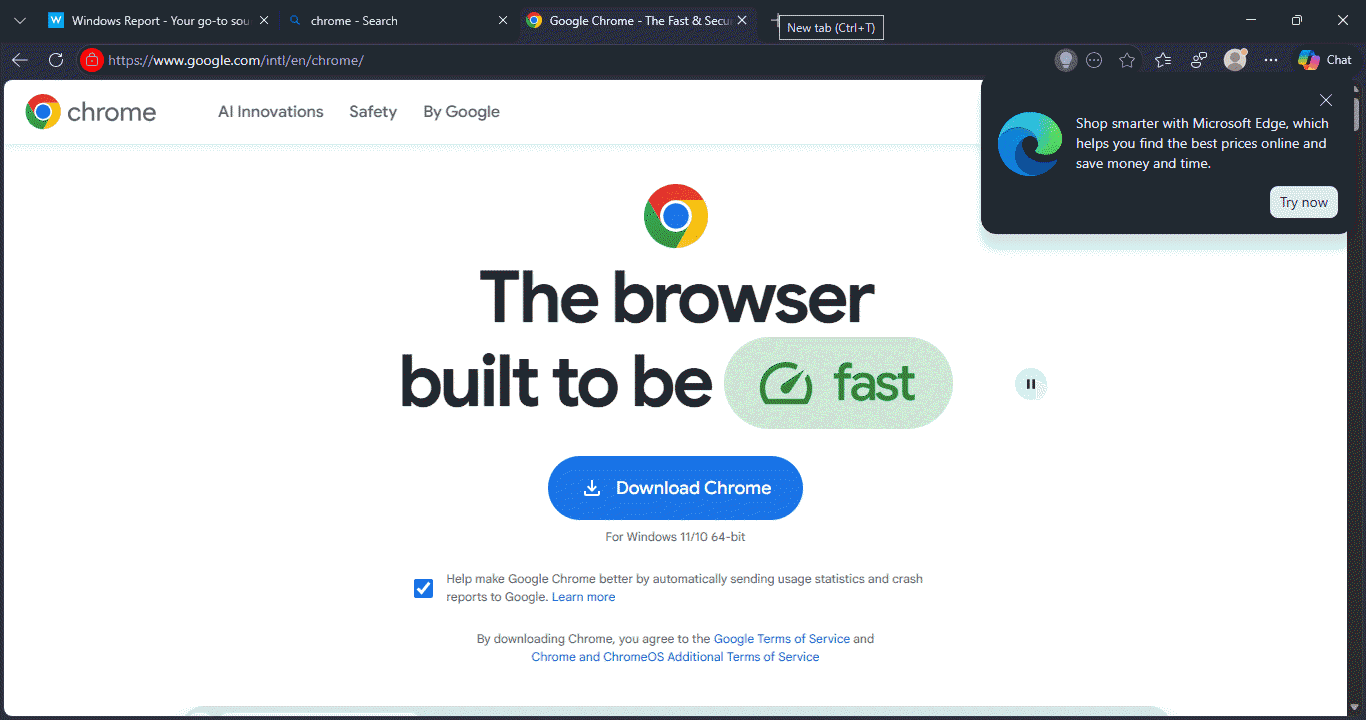
Update: We are now seeing additional Microsoft Edge popups on Chrome’s download page with wording focused on speed, memory use, and battery life. Microsoft is showing more than one popup on the page.
A different Microsoft Edge popup promoting speed and battery life appears on Chrome’s download page. Image Credit: Venkat | WindowsReport.
We have also observed two other variants. One promotes tab syncing across devices and mentions AI tools. The “Try now” button opens a page for the Edge mobile app. Another highlights Edge’s shopping features and links to a page about shopping tools.
Another Microsoft Edge popup highlights tab syncing across devices and built-in AI tools on Chrome’s download page. Image Credit: Venkat | WindowsReport.Edge shows a shopping-focused popup on Chrome’s download page.
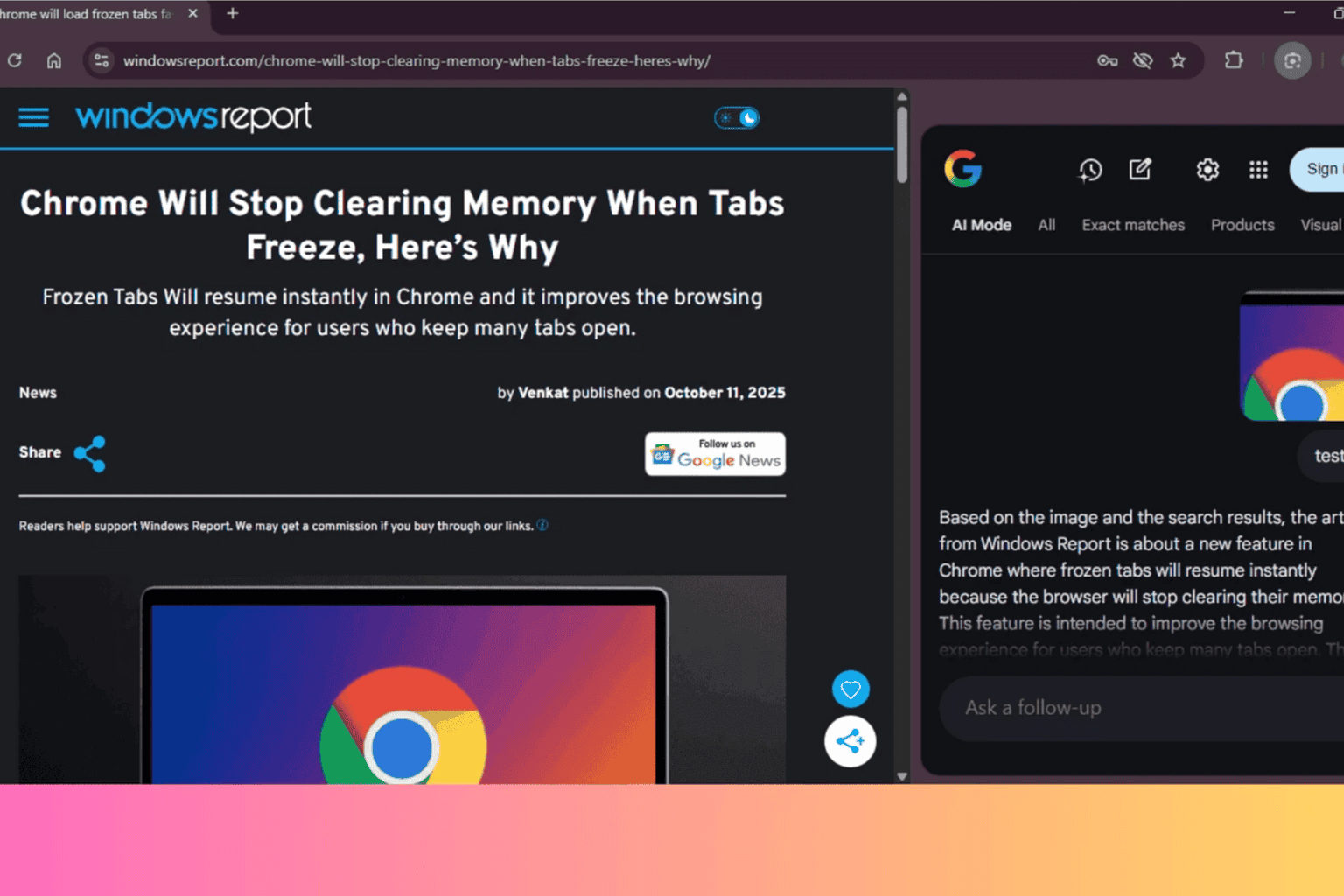
Google is testing another part of the AI Mode experience in Chrome Canary. We recently reported that AI Mode is moving into a native interface inside Chrome through the contextual tasks page. The latest update extends that work to the side panel, where Google Lens now routes into the same AI interface instead of a simple image result.
Google is changing how Google Lens works in Chrome. Lens is no longer just an image tool. It now opens Chrome’s native AI panel, and the side panel acts like a small assistant that works with page content and images in the same thread.
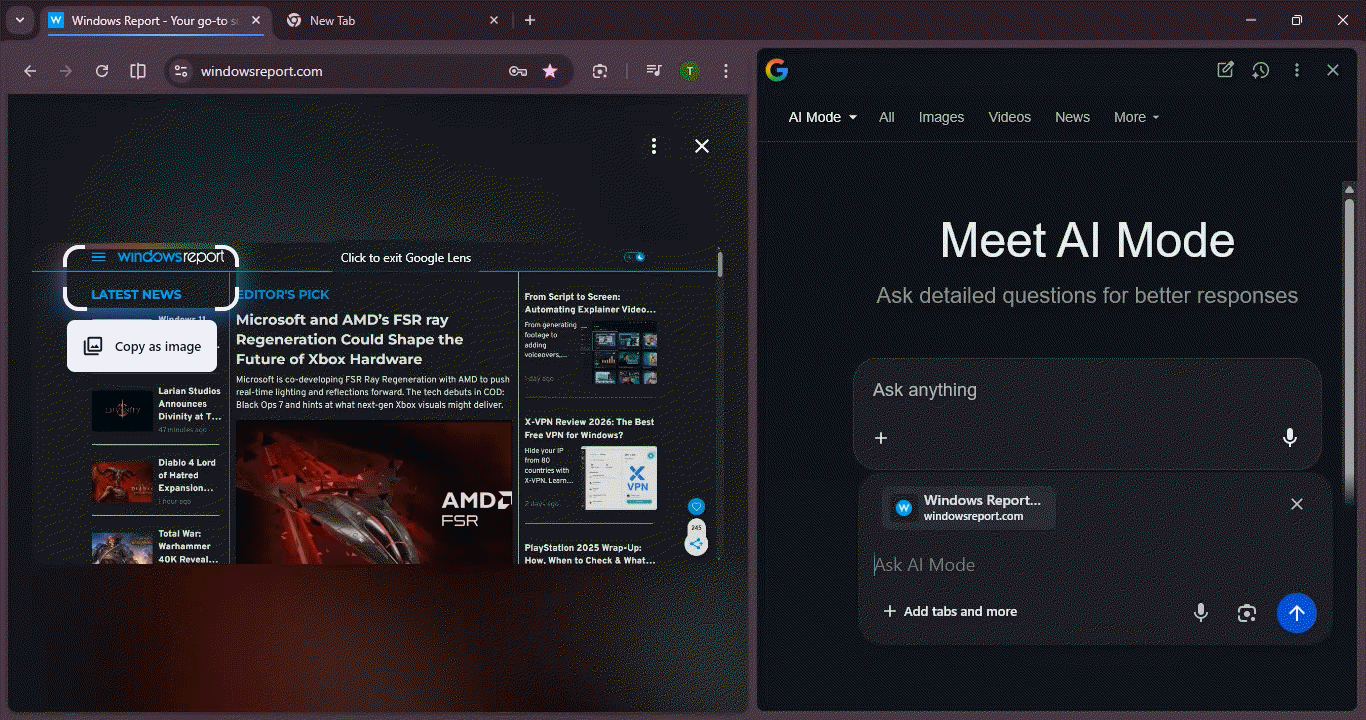
In this version, activating Lens does more than just highlight an image. It opens the AI panel on the right side of the browser. You see a clean layout with a chat box, suggested prompts, and quick actions. The panel can also read the page when you ask about it.
Google Lens now opens Chrome’s AI Mode in the side panel instead of showing a simple image result. Image Credit: Venkat | WindowsReport.
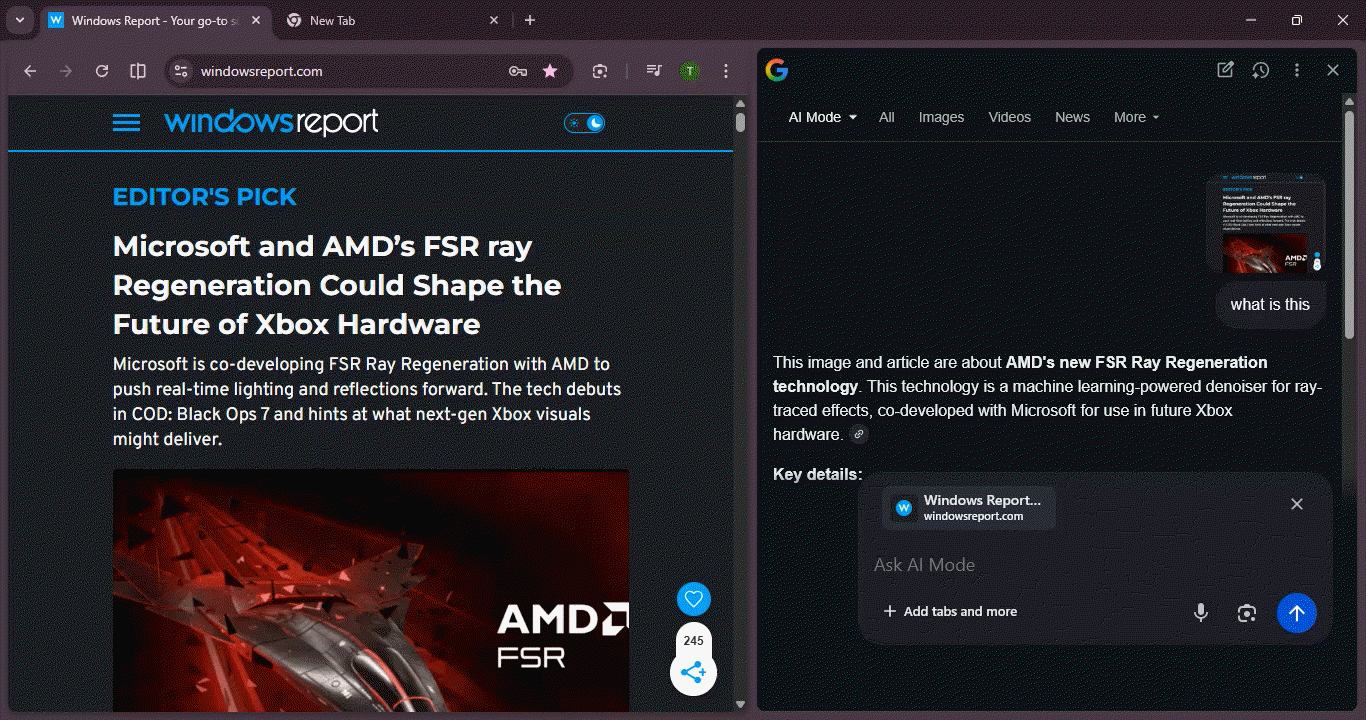
In our testing, we opened Lens on an article about AMD’s new FSR Ray Regeneration. The panel identified the topic and returned a short summary of the main points. AI Mode already works with open tabs and added files. This Lens path brings that behavior into the side panel and gives quick context without opening a new tab.
AI Mode in the side panel reads the image and page and returns a summary when Lens is used on the article. Image Credit: Venkat | WindowsReport.
The side panel now includes more controls. You see options for New Thread, My Activity, Help, and Open in new tab. Selecting “Open in new ta”b moves the session to the chrome://contextual-tasks page and keeps the entire conversation intact. This shows that both views use the same system.
Lens also works as an image input inside the panel. You can add an image through the picker, and the panel responds in the same space. This keeps the task close to the page you are reading.
These changes give Chrome another entry into its native AI workspace. The side panel now joins the address bar button and the New Tab Page entry, and all of them share the same session.
The feature is still experimental. It appears only in the Chrome Canary desktop build, and parts of the layout continue to change. But this version shows how Google plans to use AI inside Chrome.
Per the report, Tim Stuart, the current chief financial officer (CFO) of Microsoft Gaming, will take up a new role as chief operating officer (COO) of ZeniMax Media. For those unaware, that’s the publisher behind Bethesda’s biggest franchises, including Fallout and more. Stuart’s transition is reportedly set to take effect in January 2026.
Meanwhile, Xavier Pokorzynsk, who currently serves as corporate vice president within the division, will replace Stuart as the new CFO. In the new role, Pokorzynsk will likely oversee the financial operations of Xbox during a period reportedly full of massive releases.
With Tim Stuart moving to ZeniMax, Xbox is signaling its intent to bring experienced leadership to Bethesda’s publishing operations while also ensuring that the core Xbox division remains financially and operationally prepared for what could be a landmark year for gaming.
Xbox already quietly teased its January 2026 Developer Direct, where fans can expect updates on first-party titles, including Fable and Forza Horizon 6. That’s not all; the company also has plans for bringing first-party handhelds.
Xbox picked an unusual moment to drop some news this week. While everyone in the game fraternity was glued to The Game Awards 2025 announcements, Microsoft quietly confirmed that its annual Developer Direct showcase will be held in January 2026. If you’re wondering whether Playground Games will be there, the answer is YES.
Speaking to Variety, Xbox Game Studios boss Matt Booty deliberately kept everything vague, but he didn’t hide the scale of what’s coming. “I can’t share exactly what’s there,” he said, “but we’ve got more stuff to ship next year than we can fit into one show.”
Booty, however, didn’t confirm whether Playground Games will be showcasing Fable, Forza, or both. However, given that each title is targeting a 2026 launch, it’s safe to assume updates on everything the studio has been working on for a while.
For those unaware, Playground Games is currently juggling with two of Xbox’s biggest 2026 drops right now: Fable and Forza Horizon 6. The latter’s first-ever cinematic teaser dropped back in September, giving what players can expect. The game is set in Japan and offers panoramic views of Mount Fuji and Tokyo’s neon skyline, while quickly showcasing the rural roads and winding mountain passes.
Besides PlayGround’s offering, Xbox has a packed lineup for 2026. Halo: Campaign Evolved and Gears of War: E-Day are already confirmed for next year. And with the company celebrating the Xbox brand’s 25th anniversary, a few new drops aren’t off the cards. Not to forget, in a BBC interview recently, the VP of Next-gen Xbox, Jason Ronald, hinted at something big for 2026.
He said, “I can’t announce anything today, but in 2026, it’s the 25th anniversary of Xbox, and we want to celebrate the great legacy and the history that we have with Xbox as well as defining the future for where the Xbox ecosystem is going.” Keeping those words in mind, it’s safe to say that the company has big plans for next year, including first-party handhelds.
As usual, Patch Tuesday updates aren’t optional. This month’s release patches three zero-day vulnerabilities and 57 security flaws, making it one of the most critical updates of the year. Speaking of Windows updates, folks at Deskmoddernoticed that Microsoft quietly made a change to its MediaCreationTool (MCT) (via: Neowin)
As part of the change, the tool now downloads Windows 11 25H2 Build 26200.7462 directly. In other words, the tool matches the same build released through Patch Tuesday. Here is the interesting part, though. The MCT itself remains on version 10.0.26100.7019, but the backend package has been swapped to the latest December 2025 image.
If you are someone who prefers manual installation, the ESD licenses for Windows 11 25H2 26200.7462 have also been updated and are now available to download, according to the report. Later on, the MCT lets you create an 8GB USB installer for Windows 11 25H2.
For those unaware, MCT also helps with backing up for clean installs, in-place upgrades, or accessing advanced recovery options. Those who want to upgrade immediately can still use the Windows 11 Installation Wizard. Let’s not forget that some users report that they’re repeatedly experiencing error 0x800f0991 when installing KB5072033 on Windows 11.
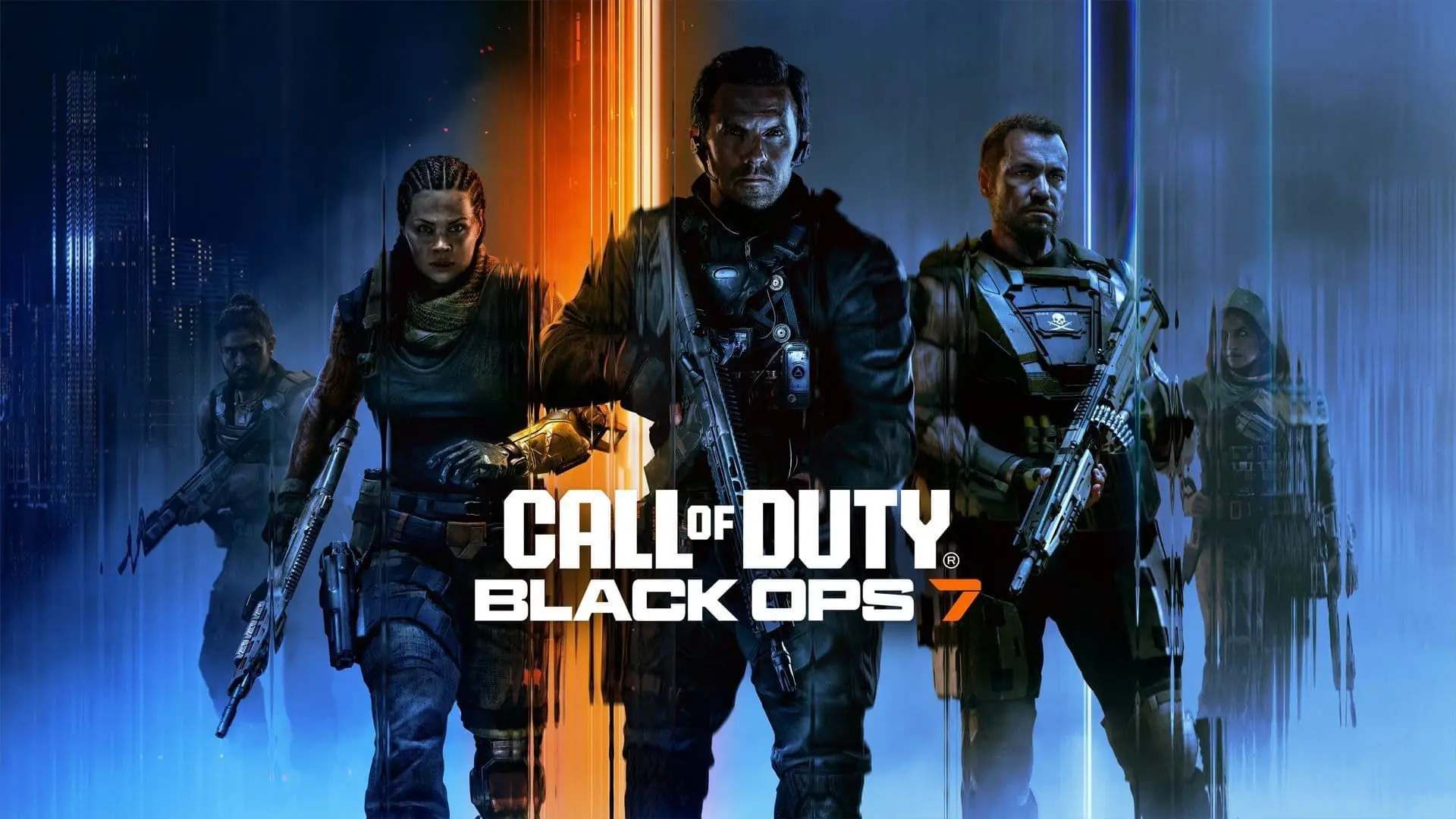
With the COD: Black Ops 7, Activision expected good sales, but a recent report suggests otherwise. New data pulled from Alinea Analytics and Video Game Insights by folks at GamesIndustry.biz (via Pure Xbox) shows that Black Ops 7 sales aren’t close to Black Ops 6 on Steam. This comes as Xbox announced that the COD franchise topped Xbox Game Pass for November & the entire 2025.
In the report, Aliena Analytics mentions that “Black Ops 7 sold 401,000 copies on Steam 26 days after launch, compared to Black Ops 6 selling 2.3 million units during the same period last year.” It is one of the reasons why Activision is preparing a major push to revive interest in Call of Duty Black Ops 7 after the game’s rocky launch and weaker-than-expected sales.
The studio recently announced that a free trial will land next week, giving players a chance to jump into both multiplayer and zombie modes. What’s worse for Activision is that the latest data doesn’t just point to underperformance against other COD game titles; it is also reportedly seeing a concurrent Steam player count that’s “80% lower” than COD: Modern Warfare II. For those unaware, that’s the COD game from three years back.
The console side engagement isn’t good either for Black Ops 7, as the data suggests that the game saw player numbers at roughly half of Black Ops 6’s in the month after release. All that said, these data didn’t come from Activision or Xbox, but it’s in line with Activision’s statement about Black Ops 7 not being an audience-puller.
What do you think about Black Ops 7? We’d love to hear your thoughts in the comments below.
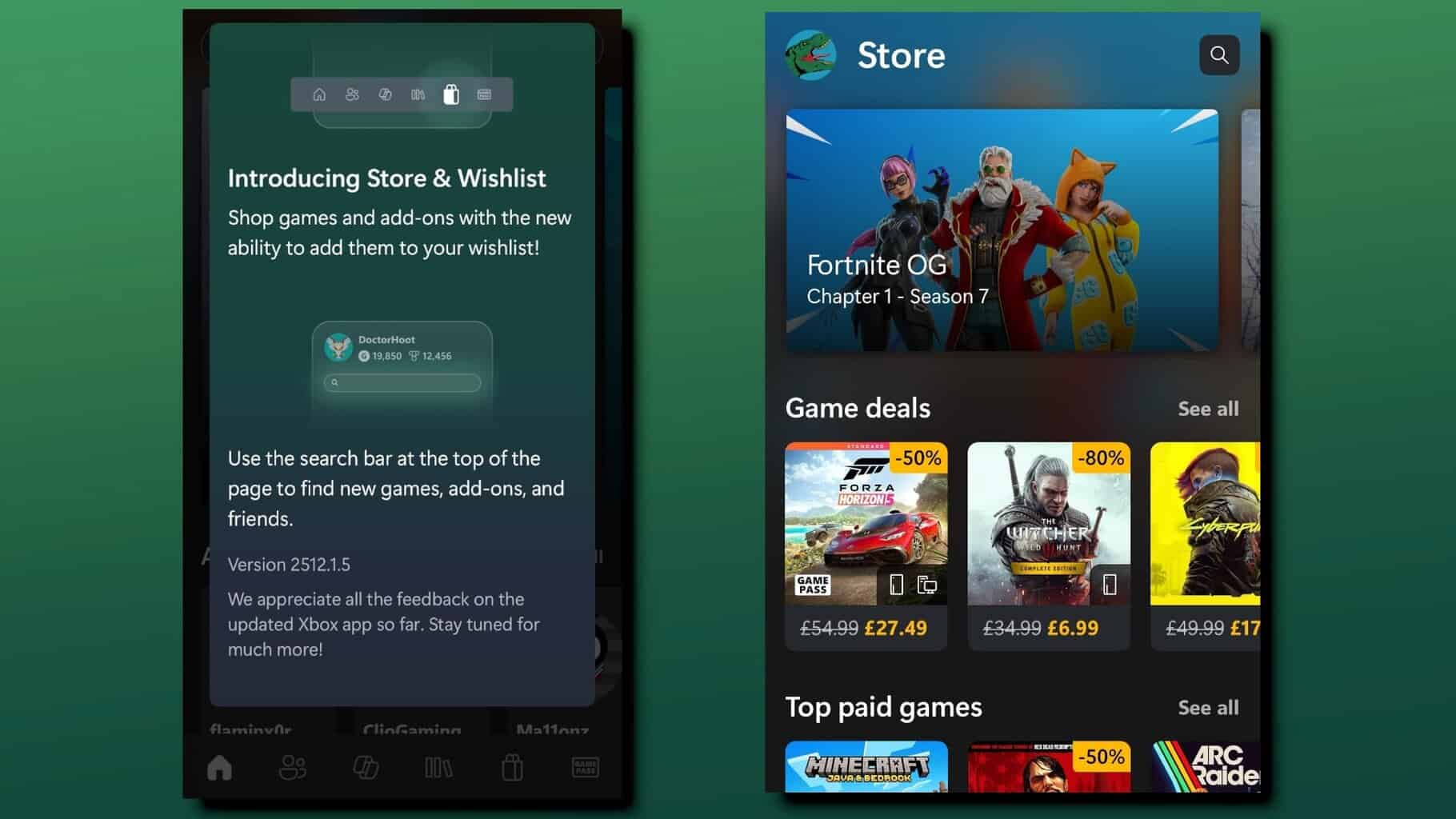
For a long time, the Xbox app on Android and iOS didn’t have a “Store” feature, even though players had been asking for it for years. Well, reports from last week suggested that the company finally heard the request, as Microsoft began testing the “Store” section inside the Xbox app beta version 2512.1.2 on Android.
Today, the company has quietly rolled out the “Store” section to everyone on iOS and Android. In other words, you can finally purchase games and browse the catalog right from your Android smartphones or iPhones. You can also add games to your wishlist so you can track offers and discounts when they are available.
Image credit: True Achievements
If you want to access my new Store section, you need to open the navigation bar from the bottom of the screen (the small shopping bag icon). Meanwhile, the wishlist section is available inside the “My Library” section of the Xbox app.
All that said, there’s one caveat in the new version of the Xbox app: you can’t add multiple games at once. You need to go one by one. It may sound baffling, but it’s true. It would do the service more harm than good.
Initially, it was speculated that the stable version wouldn’t drop anytime soon, but Microsoft has surprised all the Xbox fans. As part of the app update dropped today, the new Store section is available in the Xbox App version 2512.1.5.
So, what do you think about the latest Xbox app update? Drop your thoughts in the comments below.
Windows 11 gamers have faced widespread graphics card problems in recent weeks, with many users blaming the October update for sudden GPU driver crashes, freezes, and system hangs during gameplay. The issues affected several modern titles and were especially disruptive for players using newer graphics hardware.
KB5070311 Update Has Fixed AMD Issues For Many
Community reports now suggest that the Windows update KB5070311 may finally be addressing these problems. Gamers claim that GPU crashing and hanging have been reduced in games such as Battlefield 6, Arc Raiders, and Call of Duty: Black Ops 7. Most of the positive feedback comes from owners of AMD RX 9000 series graphics cards, though some RX 7000 series users report similar improvements.
Microsoft and AMD have not officially confirmed that KB5070311 includes fixes for gaming-related GPU issues. However, the update does include one confirmed change: Windows no longer displays an “unsupported graphics card detected” warning when a supported GPU is installed. While not described as a stability fix, this change loosely aligns with reports of improved GPU behavior.
Driver updates may also be playing a role. AMD’s Adrenalin 25.12.1 release lists fixes for several application and driver crashes, though only a limited number of issues are officially marked as resolved. NVIDIA users have faced similar problems, prompting the company to release a hotfix driver that reportedly restored up to 50 percent performance in affected games.
KB5070311 is a non-optional update and will install automatically, and early feedback suggests it may finally bring improved stability for Windows 11 gamers.
NAND flash isn’t far behind, as it bumped up another 8%, which hits the console production cost like never before. If prices keep rising, accessory costs could creep up, too, which pushes the overall purchasing price for players out there.
According to a report, some OEMs like Transcend and Adata are struggling to secure flash chips altogether, and the supply side is starting to look shaky. Why this matters, you may ask, right? Well, that’s mostly because many Switch 2 titles already take up a lot of the internal storage, which makes microSD cards essential on day one.
Earlier reports also suggested that Nintendo was already working with small margins on the Switch 2, especially outside Japan. This also means that if the prices continue to creep up, the Nintendo Switch 2 might be close to break-even or even loss-making on hardware in certain regions. Also, don’t forget to factor in Trump’s tariff on all those problems.
Windows 11 gaming took a big leap forward in 2025 as Microsoft pushed new features across handheld PCs, Windows on Arm, and DirectX. The goal is simple: make Windows the go-to platform for portable and high-performance PC gaming.
Windows 11 Gaming Recap: Breakdown of Microsoft’s Achievements in 2025
Xbox handhelds see major boosts
Microsoft partnered with ASUS and AMD to launch the ROG Xbox Ally and ROG Xbox Ally X, both powered by AMD’s new Ryzen Z2 Series processors. ASUS already reports record sales for the Xbox Ally X, signaling strong demand for Windows handhelds.
Microsoft also rolled out the Full Screen Experience for distraction-free gameplay. It’s now available on both ROG Ally models and other Windows 11 handhelds.
A standout feature is Advanced Shader Delivery, which precompiles shaders when you install a game. This drastically cuts load times and stutter:
Avowed load times dropped by over 80%
Call of Duty: Black Ops 7 saw over 95% faster startup
Microsoft also tuned power management and CPU profiles to deliver better efficiency without reducing performance.
Windows on Arm expands gaming support
Gaming on Arm devices now works better thanks to local game installs through the Xbox PC app. The Prism emulator received major upgrades, including support for AVX and AVX2, allowing many modern titles to run correctly. Native anti-cheat support also continues to roll out with partners such as Easy Anti-Cheat.
Insiders can already install Xbox PC app titles—including Game Pass games—on Arm devices.
DirectX gets a ray tracing boost
DirectX Raytracing 1.2 (DXR 1.2) now delivers up to 2.3× faster ray tracing performance on supported hardware, improving lighting, reflections, and overall visual quality.
Microsoft plans to bring Full Screen Experience to more Windows 11 devices, expand Advanced Shader Delivery, and introduce Auto SR enhancements for the ROG Xbox Ally X.
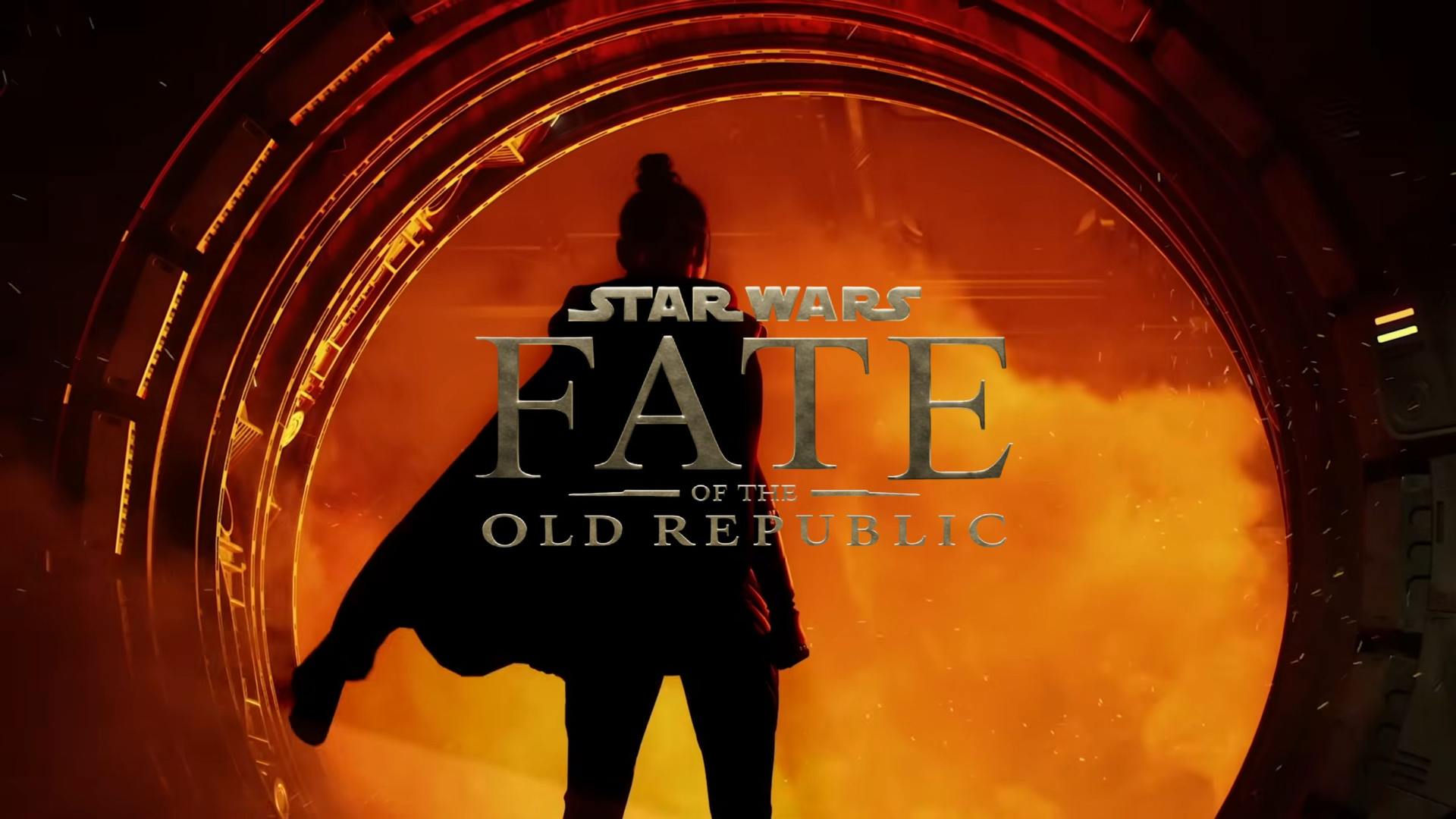
Star Wars: Fate of the Old Republic announcement was one of the biggest reveals at The Game Awards 2025, and fans immediately started asking the same question: when is it coming out? Here’s the latest information.
What We Know About Star Wars: Fate of The Old Republic Release Date
The new title acts as a spiritual successor to the classic Knights of the Old Republic series, following the same narrative-driven, single-player action RPG formula. It’s directed by Casey Hudson, the original creative lead behind the KOTOR games, now heading the newly formed Arcanaut Studios.
When asked about the project, Hudson confirmed that the game is “still in the early stages of development and creation.” Considering the studio itself was founded only this year, development is likely still laying its foundation.
So what is the Star Wars: Fate of the Old Republic release date? Unfortunately, there’s no window yet, and the early-development confirmation suggests that the game could be several years away. Fans shouldn’t expect a launch anytime soon, but the announcement alone signals a major return to the Old Republic era.
For years, Call of Duty players have complained about spinning the same sub-series too quickly, which makes them feel each entry rushed. Treyarch seems to have heard that loud and clear and has confirmed to move away from that pattern to give each era of Call of Duty “room to breathe” and avoid the fatigue that set in across older cycles.
As a result, earlier this week, Treyarch confirmed that Black Ops 7 is getting a full free trial next week. This gives players a chance to jump in without waiting for discounts or big events. Well, even if fans aren’t happy, it seems Call of Duty is still a popular franchise among the fans.
According to new data shared by Xbox on X, Call of Duty was the number 1 franchise on Xbox Game Pass in November. That’s not all; it was the no.1 franchise for all of 2025 so far. Xbox highlighted that players kept returning to the franchise across both new releases and classic titles.
In addition to #1 in November, @CallofDuty closed out 2025 as the #1 franchise on Xbox Game Pass for total players and hours all year 🫡
Here’s to @CallofDuty & its worldwide community. Season 1 of #BlackOps7 + Call of Duty: Warzone is just getting warmed up.
The engagement spike isn’t too surprising, especially after several COD entries dropped into Game Pass earlier this year and instantly shot up the charts.
Now that the stage is set for free trials, we expect the Game Pass numbers to jump in next week. So, are you planning to try the free trial or wait for the full release? Drop your thoughts in the comments below.
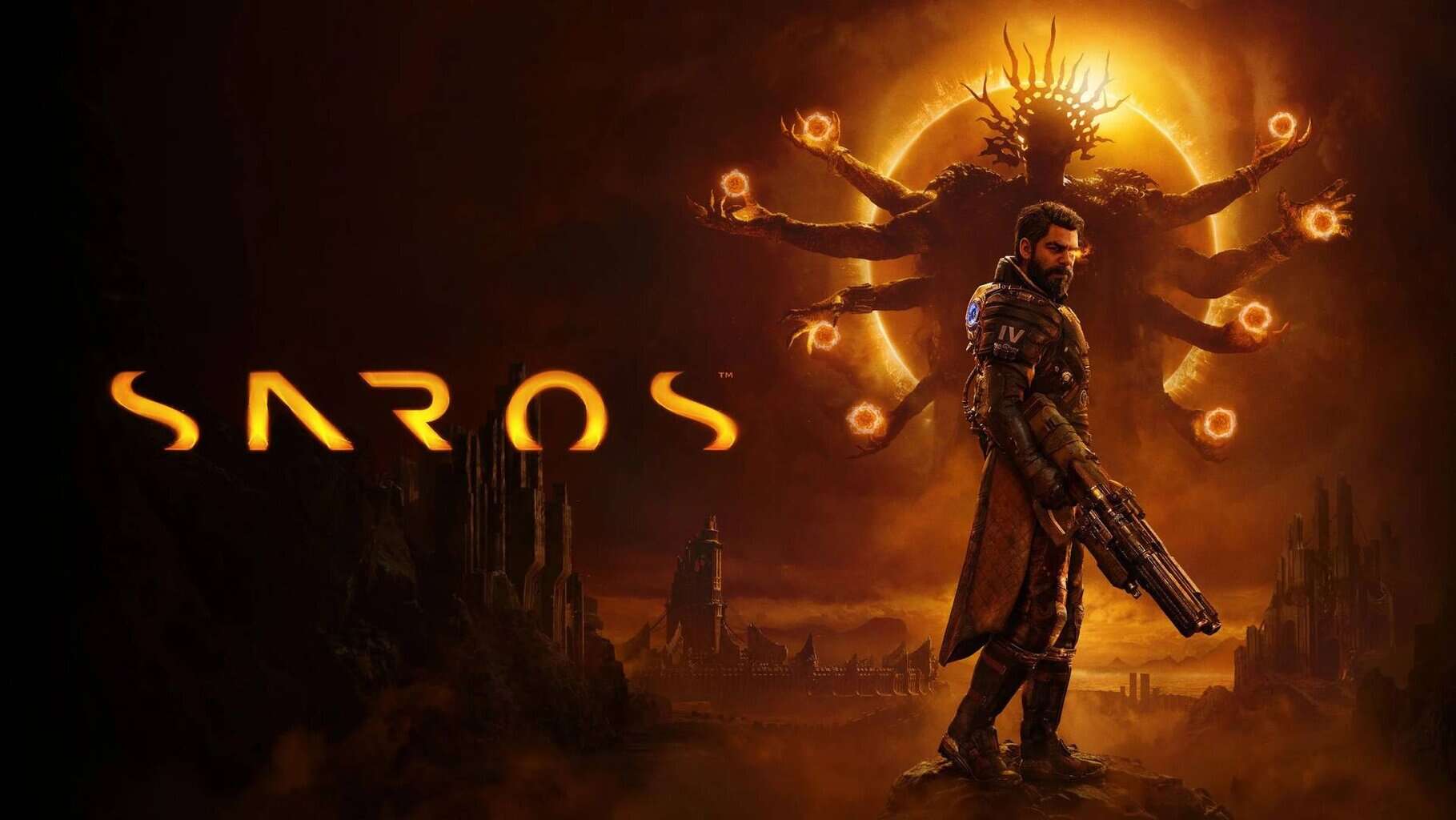
Housemarque showcased a new trailer for Saros during The Game Awards 2025 announcements, but despite the new trailer, the game got delayed.
Saros Gets Delayed to April 2026, But Pre-Order is Now Available
The reveal also confirmed disappointing news. Saros will no longer launch on March 20. The studio pushed the date back to April 30, 2026. The delay feels small in the grand scheme, but many fans still hoped to play the game sooner.
If you’re not familiar, Saros follows Arjun Devraj and his crew as they explore the hostile planet Carcosa, and the footage showcases fast-paced third-person combat and striking alien environments.
Players can secure the game already because pre-orders are open. The Digital Deluxe edition also grants 48-hour early access, which gives eager players a slight advantage before the full launch.
Saros will release only on PlayStation 5, and Housemarque expects the extra development time to help finalize the game’s systems and performance.
Microsoft introduced a major shift to its security strategy with a new bug bounty model called In Scope by Default. The change signals a stronger commitment to protecting users, raising transparency for researchers, and closing long-standing gaps in vulnerability eligibility.
In Scope by Default Model Announced As A Plan To Tackle Security Vulnerabilities
Announced by Tom Gallagher from the Microsoft Security Response Center during Black Hat Europe, the policy places all Microsoft online services under bounty eligibility automatically. This includes flaws found in third-party components and open-source code running inside those services.
Gallagher highlighted Microsoft’s new stance with a clear message:
“Starting today, if a critical vulnerability has a direct and demonstrable impact to our online services, it’s eligible for a bounty award. Regardless of whether the code is owned and managed by Microsoft, a third-party, or is open source, we will do whatever it takes to remediate the issue.”
The update fixes a major limitation of previous programs, where only selected products qualified for rewards. Now, every newly launched service enters the bounty scope immediately, encouraging faster community engagement and early vulnerability discovery.
Key takeaways from the new policy:
Critical vulnerabilities affecting online services qualify for bounty payouts.
Microsoft will offer rewards even if no specific bounty program previously covered the product.
The initiative encourages research in high-risk areas and simplifies eligibility rules for security researchers.
All participants must follow Microsoft’s responsible disclosure guidelines.
With this shift, Microsoft aims to strengthen security across its cloud ecosystem and give researchers clearer incentives to expose dangerous bugs before attackers do.
Microsoft is back under the antitrust lens in the UK, and this time nearly 60,000 British businesses have accused the company of charging them more than they should have to run Windows Server on cloud platforms that were not Azure. If found guilty, Microsoft may have to pay £2.1 billion (~ $2.81 billion) in fines.
Competition lawyer Maria Luisa Stasi is leading the case. According to a statement provided to Reuters by Statsi, Microsoft made Windows Server “more expensive” on Amazon, Google, and Alibaba’s clouds, turning Azure into the cheaper and easier default. Stasi’s team says Microsoft “degrades the user experience of Windows Server” on rival platforms.
Her lawyer, Sarah Ford, called it “a coherent abusive strategy to leverage Microsoft’s dominant position” in cloud computing. The interesting part here is that Microsoft denies all the allegations. The company asked the tribunal to drop the case.
The company says that Stasi’s filing “does not set out a proper blueprint” for calculating damages. Microsoft also says its “vertically integrated business” helps competition, not harms it. There is more context here if you don’t know what’s going on.
Regulators in the UK, Europe, and the United States are already probing cloud licensing behavior. The UK’s Competition and Markets Authority previously concluded that Microsoft’s practices “reduced competition for cloud services by materially disadvantaging AWS and Google.” Microsoft denied those claims, saying regulators ignored that “the cloud market has never been so dynamic and competitive.”
All that said, the tribunal will decide whether this lawsuit moves ahead or not. Until then, the cloud battle is very much alive.
WhatsApp has started warning Windows users that the current desktop app will soon be replaced, and the transition has already begun. The change rolled out with an update on December 9, 2025, and users are now seeing messages that encourage them to move to the new version.
New WhatsApp app Coming With Major Performance Issues
The new WhatsApp for Windows is a web wrapper that loads web.whatsapp.com inside a window. This approach makes the app slower and heavier compared to the older native client. As WindowsLatest reports, the new version uses up to ten times more RAM, and it delivers noticeably weaker performance. This has led to widespread frustration, especially because the switch is not optional.
The situation reflects Microsoft’s broader habit of prioritizing WebView2 based apps, which has affected several Windows features, such as the Agenda view in Notification Center.
A temporary workaround exists. Users can pause automatic updates to keep the older native WhatsApp app installed. This method requires manual updates and will not remain a permanent solution because WhatsApp will eventually force the upgrade.
For now, Windows users face an unavoidable shift toward a more resource-intensive WhatsApp experience that many believe feels like a downgrade.
Windows 11 users report a growing number of installation failures with update KB5072033, often ending with error 0x800f0991, as users on Reddit report. Many noticed that the KB5072033-x64.wim file delivered through Windows Update appears significantly smaller than the version from the Microsoft Update Catalog, which sparked suspicion that the package might be incomplete.
Attempts to fix the issue with service restarts, DISM, or SFC scans don’t seem to help, and the update continues to fail for affected users. Until Microsoft acknowledges the problem, two workarounds show promising results.
How to fix the KB5072033 install error
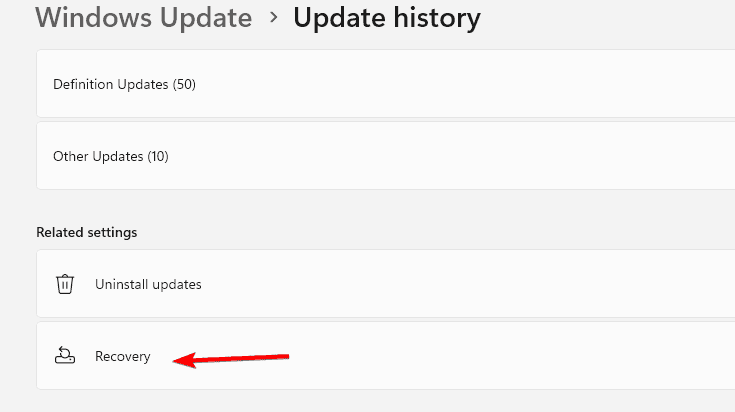
Some users restore Windows Update components through a built in repair option.
Open Start and go to Settings
Select Windows Update
Open Update history
Choose Recovery
Under Fix problems using Windows Update, click Reinstall now
Windows repairs the update components and keeps all personal files intact. Several users report that KB5072033 installs normally afterward.
A more advanced approach involves manually handling the MSU package.
Download the update MSU from the Microsoft Update Catalog
Extract the MSU
Uninstall the failed update using DISM
Restart the device
Reinstall the update using the original MSU package
This workaround helped some users, but results vary.
Should you install KB5072033 right now?
Given the size mismatch in the WIM file and the repeated 0x800f0991 install failures, many users prefer to hold off until Microsoft confirms or fixes the issue. KB5072033 remains unacknowledged at the time of writing, so pausing updates might avoid repeated failures.
On the other hand, KB5072033 did fix File Explorer and Ask Copilot issues, so if you’re having those issues, you might want to give this update a try. Did you have any issues with the update? Let us know in the comments.
Microsoft released Windows 11 KB5072033 as part of this month’s Patch Tuesday rollout, and the update brings two standout fixes: a smoother File Explorer experience and a more reliable Copilot interaction.
KB5072033 Fixes File Explorer and Copilot
File Explorer no longer flashes when navigating
Many users reported a distracting white flash in File Explorer when switching between pages. KB5072033 removes that issue, giving File Explorer a cleaner and more stable feel during everyday navigation.
Copilot’s “Click to Do” window now appears correctly
Another key fix targets Ask Copilot. Previously, the assistant failed to activate the Click to Do window or displayed it behind other apps. With this update, the window now opens properly in the foreground every time, improving usability for anyone relying on Copilot for quick actions.
KB5072033 doesn’t introduce major features, but it improves two daily-use components that affect almost every Windows 11 user. If you rely on Copilot or navigate File Explorer frequently, this update offers a smoother overall experience.
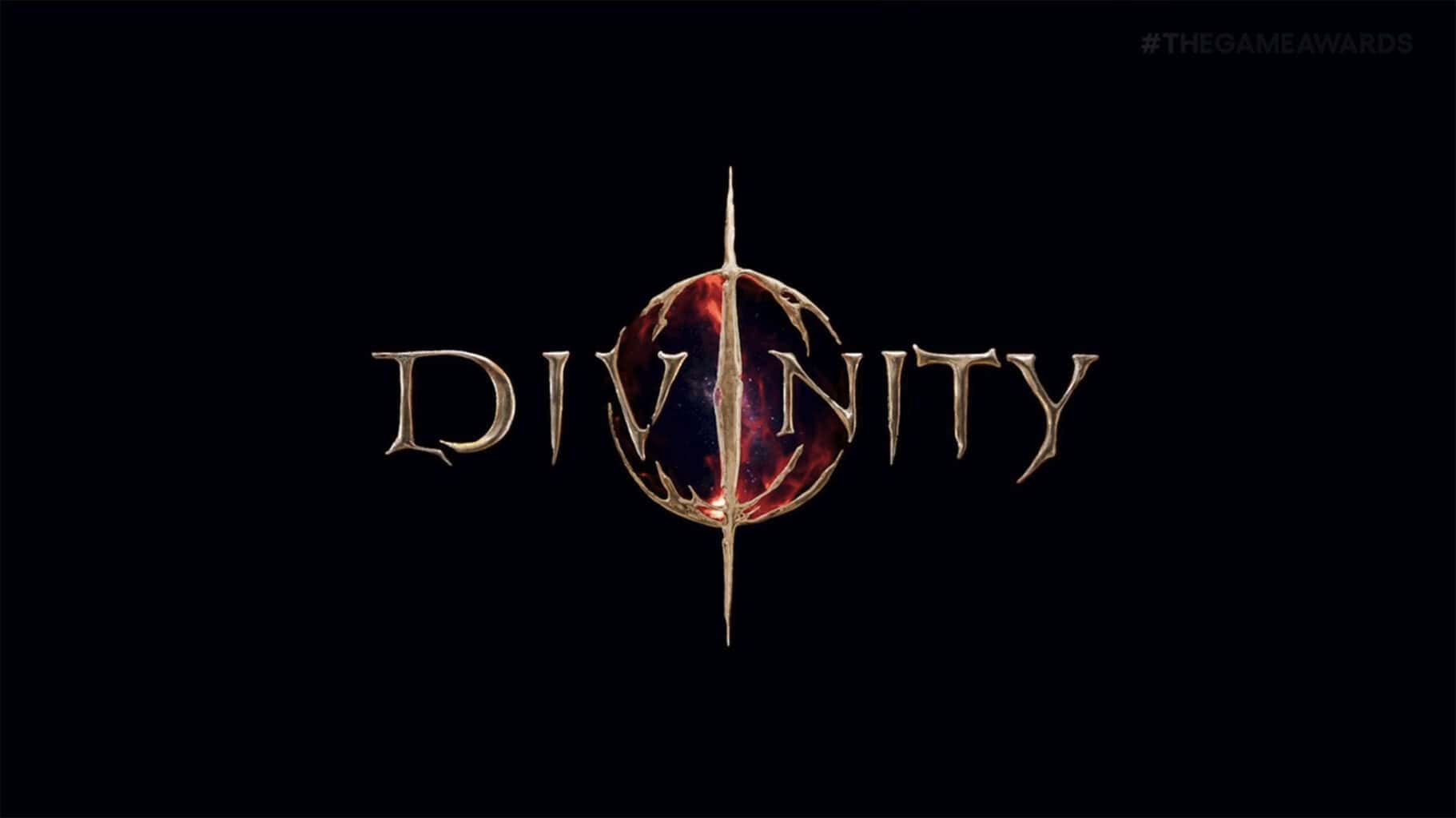
A mysterious statue teased before The Game Awards 2025 sparked speculation about a new Divinity project, and those rumors proved accurate. Larian Studios officially unveiled its next RPG during the show, and it carries a simple but powerful title: Divinity.
Larian, the team behind the massively successful Baldur’s Gate 3, described this as its largest RPG to date. The studio didn’t reveal a subtitle, suggesting the project stands as a fresh, standalone entry set within a darker and gloomier world. Early commentary hints at a more atmospheric tone than previous Divinity titles.
While this isn’t Divinity Original Sin 3 or the continuation of the story from previous games, the developer says this new entry could surpass the scale and ambition of Baldur’s Gate 3, which sets expectations incredibly high among fans of narrative-driven RPGs.
While the reveal generated plenty of excitement, Larian didn’t share a release date, leaving players waiting for more details in future updates.
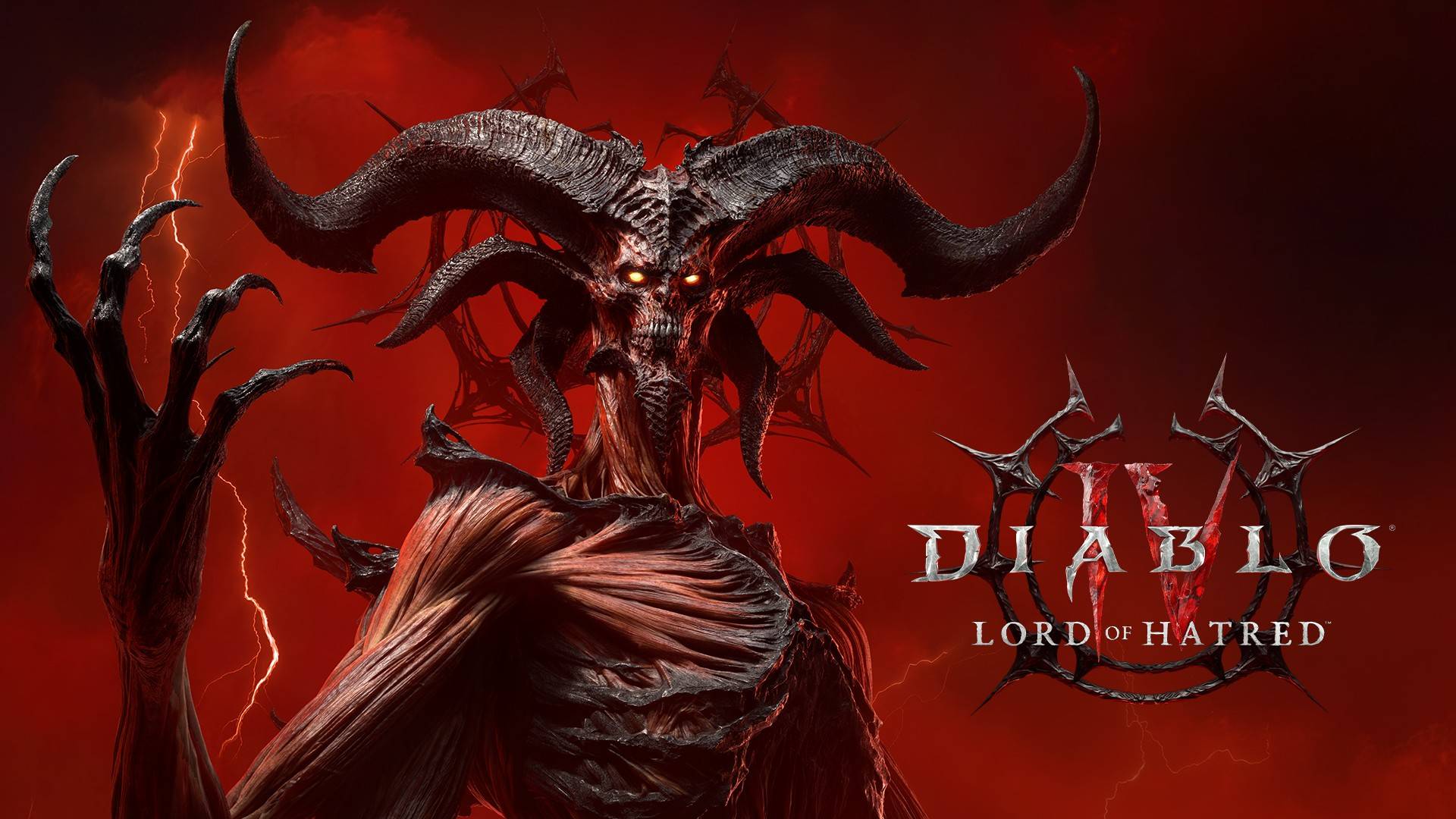
The Game Awards 2025 brought several major reveals, and Blizzard confirmed a new Diablo 4 expansion titled Lord of Hatred. It launches on April 28, 2026, for PlayStation 5, Xbox Series X, and Windows PC, and it delivers some of the biggest changes the game has seen so far.
Diablo 4 Lord Of Hatred Brings Back Paladin Class And More
The fan-favorite Paladin class returns with familiar holy abilities and a new angelic transformation skill. Blizzard also teased another incoming class, but no details are available yet. The expansion adds Skovos, a new region packed with storms, volcanoes, and ancient ruins. The story continues the hunt for Mephisto and brings Lilith back into the spotlight.
Classic fans will notice the comeback of the Horadric Cube from Diablo 2, allowing item combination once again. All eight classes get redesigned skill trees, and players gain access to a new loot filter designed to make targeted gear hunting easier.
Endgame players receive even more control. A new “war plan” feature lets you choose activities and modifiers before diving into endgame runs, creating a more tailored experience. Blizzard also revealed Echoing Hatred, a new horde-style mode, along with additional late-game challenges and progression improvements.
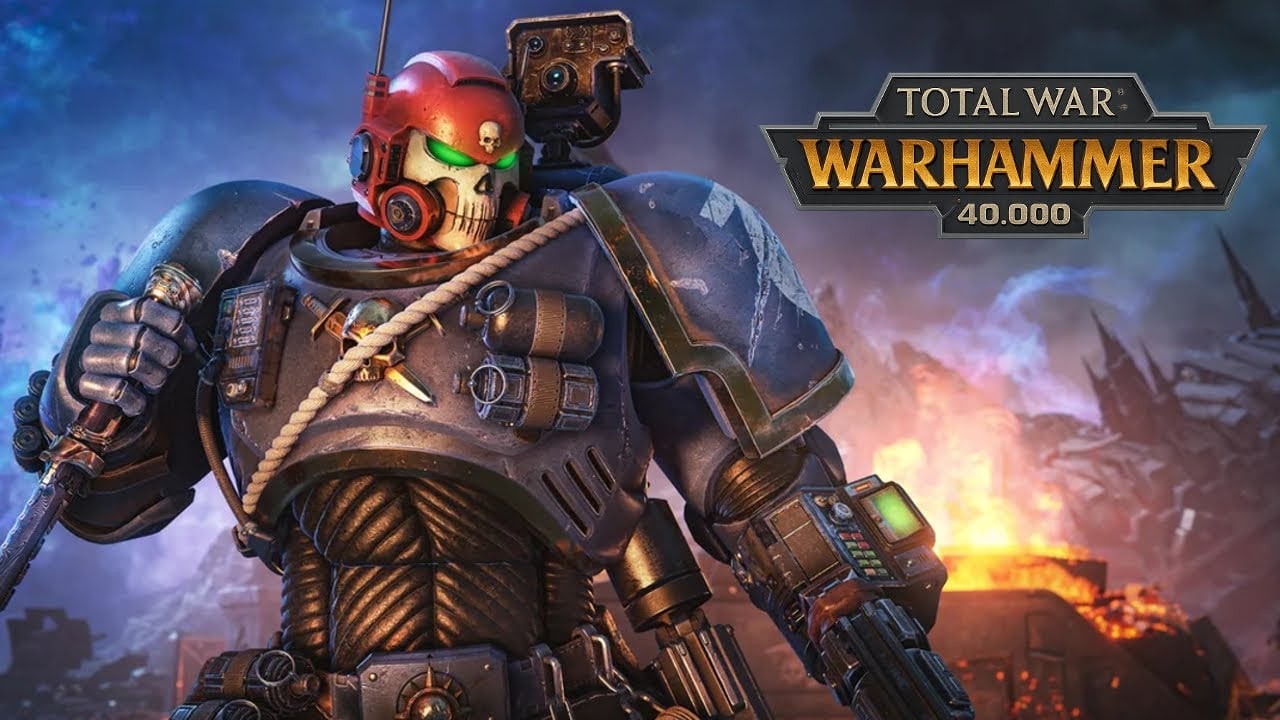
Fans of real-time strategy games got a major surprise during The Game Awards 2025 announcements with the reveal of Total War: Warhammer 40,000. Creative Assembly plans to blend classic Total War real-time strategy systems with the grimdark universe of Warhammer 40K.
The new entry shifts the formula by introducing galactic-scale battles, and the first trailer confirms orbital bombardments as a core gameplay element. The reveal also highlights four playable factions: Space Marines, Astra Militarum, Orks, and Aeldari.
The community already shows strong excitement since this marks the first time Total War gameplay merges with the Warhammer 40K setting. Many expected a move in this direction, especially after the success of the Total War: Warhammer trilogy. Creative Assembly didn’t share a release date, so fans must wait for more updates.
Among The Game Awards 2025 announcements, the biggest surprise came from Lucasfilm and Arcanaut Studios with the reveal of Star Wars: Fate of the Old Republic. Fans have waited years for a new story set in this era, so let’s break down what this project actually brings.
Star Wars: Fate of the Old Republic positions itself as a spiritual successor to the legendary Knights of the Old Republic series. Arcanaut Studios describes it as a single-player, narrative-driven action RPG that leans heavily into character choice, moral decisions, and cinematic storytelling.
The project gains even more credibility because Casey Hudson, director of the original KOTOR, leads development.
The announcement didn’t include gameplay details, but we’re expecting to see a fresh storyline with new worlds, characters, and modern combat systems while staying true to the tone and depth of the original series.
The studio hasn’t shared a release window, so players may need to wait before seeing more. Still, this remains one of the most exciting reveals of The Game Awards 2025 and a major moment for long-time KOTOR supporters.
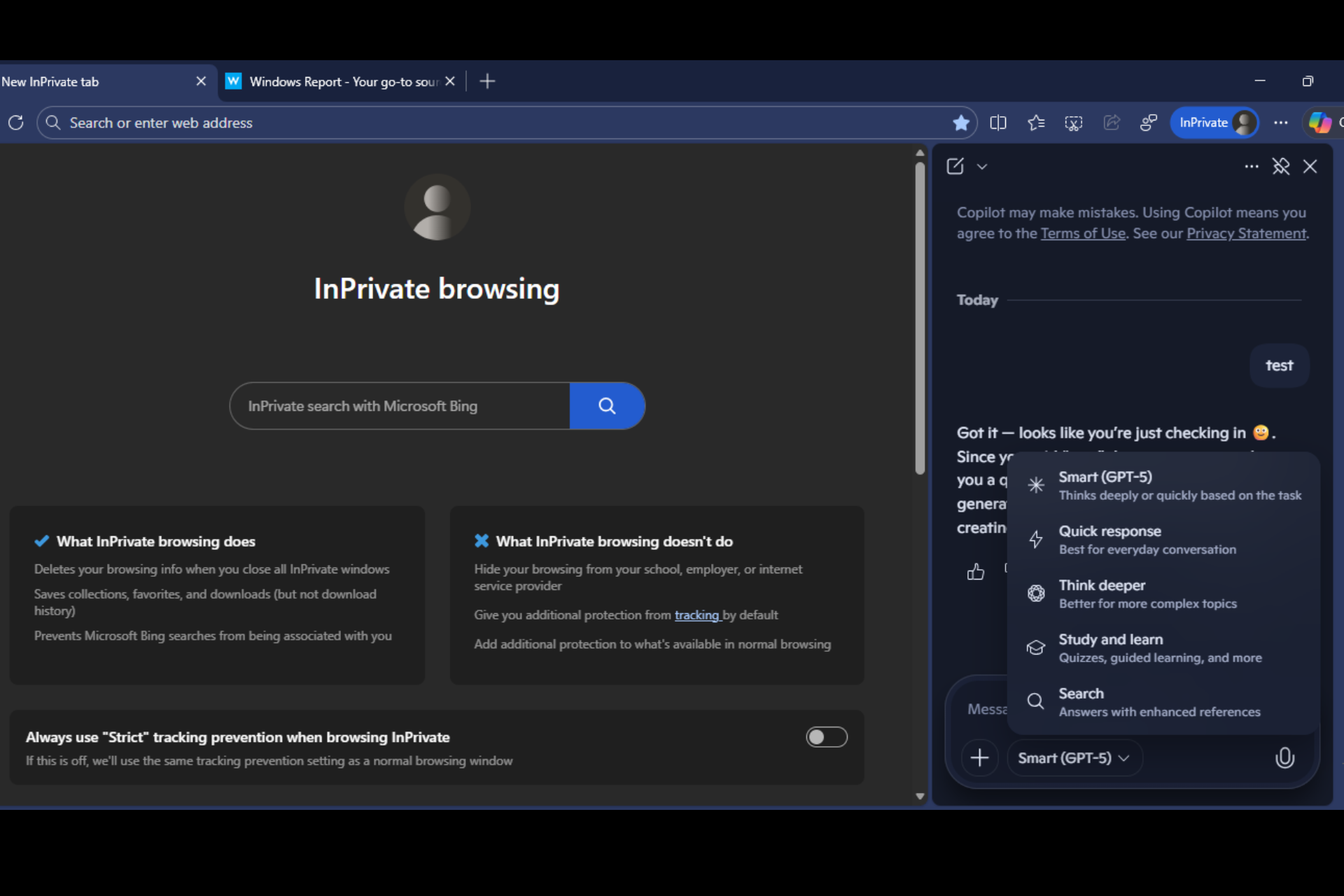
Microsoft Edge now loads the Copilot sidebar inside InPrivate windows. This did not work in earlier Stable versions. The sidebar stayed disabled in private mode, and users could only open the Copilot website. The change arrived quietly, and Microsoft has not added any help pages or release notes to explain it.
The feature works as expected when you use Copilot for the first time in a private session. When we opened a webpage in an InPrivate window and selected “Summarize the main points on this page,” Edge showed a permission prompt that directed us to the Copilot settings page to confirm page access.
The same prompt appeared when we tested videos and files, which shows that Edge blocks content access in private mode until the user approves it.
InPrivate does not keep past chats or personalization. Copilot shows a sign-in prompt inside the sidebar, and conversation history does not appear until you log into a Microsoft account.
We reported in July that Microsoft tested Copilot in InPrivate inside the Canary version of Edge. That test did not stay active. The same behavior now appears in Stable by default, and most users will not expect this.
Copilot opens normally inside an InPrivate window, just like in regular browsing. The assistant can chat without any extra steps. Image Credit: Venkat | WindowsReport.
You can open an InPrivate window today, select the Copilot icon, and the sidebar loads normally. Replies work as they do in regular browsing. The only difference appears when Copilot needs to read the page, at which point Edge asks for approval.
Copilot includes a global “Context clues” setting that controls page access. If you switch it off in a normal window, it appears off in InPrivate. If you switch it on, it appears on in InPrivate. Edge does not keep a separate preference for private browsing, but the session prompt still appears before Copilot can read anything.
The current behavior matches what Copilot described during our conversation. InPrivate asks for approval and does not allow content access until you confirm it. Microsoft has not explained this rollout or documented the change in any release notes.
Edge now gives users a complete assistant inside private browsing with a clear approval step for every session. We will update this story if Microsoft responds or shares more details.
It is not clear how wide the rollout is or when Microsoft plans to enable Copilot in InPrivate for all users.
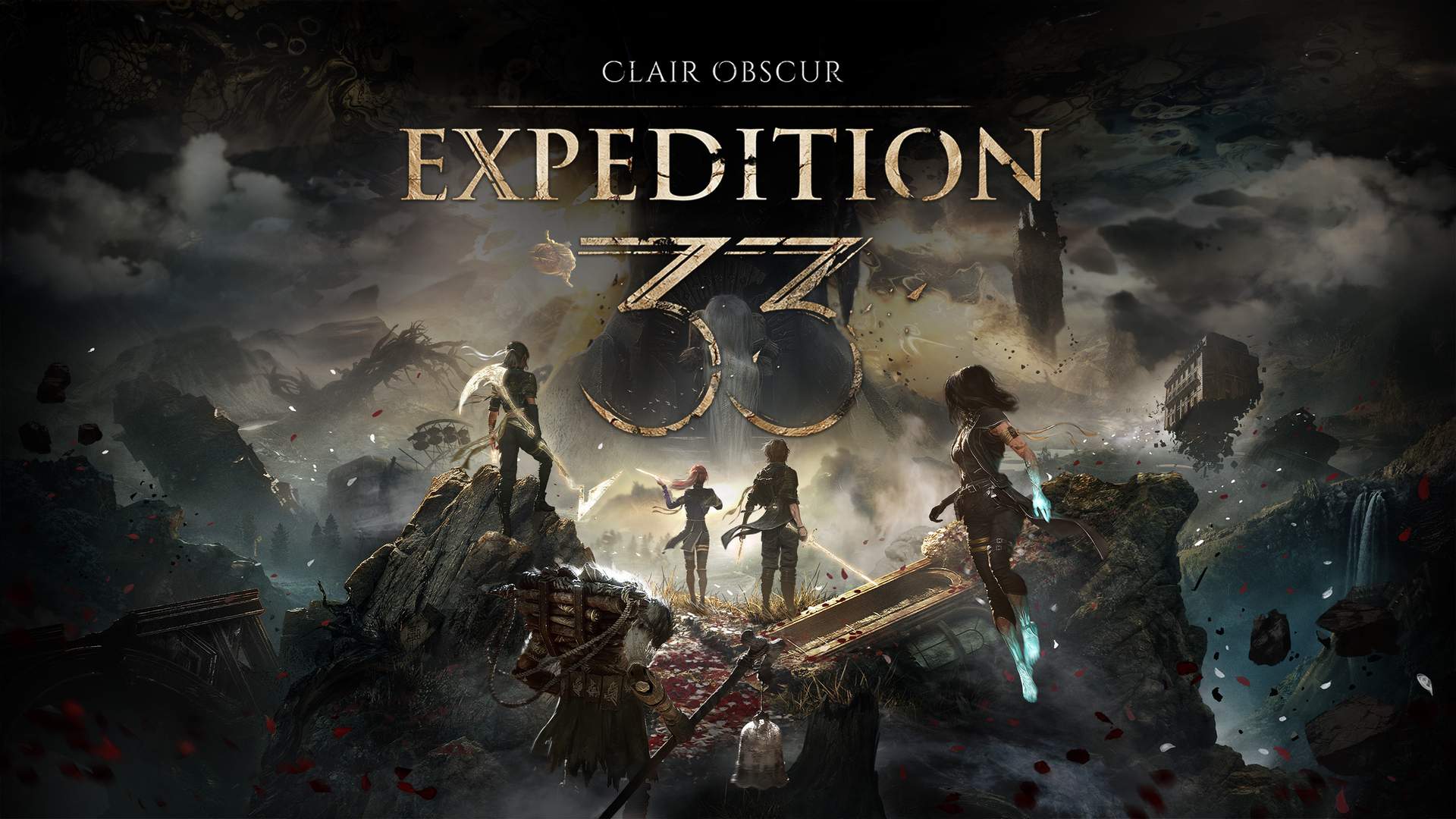
Clair Obscur: Expedition 33 dominated The Game Awards, and the developers responded with a surprise content drop. The new Thank You update is completely free and adds fresh gameplay, customization, music, and end-game challenges.
What’s New in Clair Obscur: Expedition 33 Thank You Update
The update brings a brand-new playable zone set in Verso’s Drafts, described as a childish environment with new enemies and exploration themes. Players can unlock 13 new weapons, collect 16 new Luminas, and try out additional costumes and hairstyles that expand character creation.
The developers also added more soundtrack content, giving fans extra music to enjoy while exploring the new area. Advanced players can tackle new late-game boss battles that raise the difficulty and introduce tougher enemy designs. A full Photo Mode arrives as well, letting players capture creative and cinematic screenshots throughout their adventure.
To access the new zone, players must reach Act 3, unlock Esquie’s underwater ability by reaching Relationship level 6, then open the Continent map and scroll to the bottom-right corner. A new island southeast of Lumiere will appear, marking the entrance to the added content.
The Thank You update is live right now for everyone, so go ahead and give it a try!
The Game Awards has finally arrived, delivering a massive lineup of new game reveals. Some of The Game Awards predictions came true, while several surprise announcements took center stage. Here is a full breakdown of everything revealed during the show.
The Game Awards 2025: Biggest New Game Announcements You Need To Know
Star Wars Fate of the Old Republic
The biggest announcement of the night came from Acanaut Studios with Star Wars Fate of the Old Republic, a narrative-driven action RPG directed by original KOTOR director Casey Hudson. The trailer hints at a story-focused adventure set during one of the most iconic Star Wars eras.
Blizzard revealed Lord of Hatred, a major Diablo 4 expansion coming April 28, 2026. It adds the iconic Paladin class plus a new unannounced class, along with a fresh region and expanded endgame systems.
Two New Tomb Raider Games Announced
Fans received two major Tomb Raider reveals. Tomb Raider: Legacy of Atlantis is a full remake of the original game and launches in 2026.
The second title, Tomb Raider: Catalyst, takes place during a mythical cataclysm and promises a more expansive and intense adventure.
Control: Resonant Announced
Remedy confirmed Control: Resonant, a full sequel launching next year. It features a new protagonist with supernatural powers and introduces melee weapons to expand the combat system.
Total War: Warhammer 40,000 Announced
Creative Assembly unveiled Total War: Warhammer 40,000, featuring Space Marines, Astra Militarum, Orks, and Aeldari battling for galactic dominance. It marks the franchise’s first entry into large-scale futuristic warfare.
Mega Man: Dual Override Revealed
Capcom brought Mega Man back with Mega Man: Dual Override, a new 2D side-scroller arriving in 2027. The reveal showed modern animation paired with classic fast-paced combat.
Decrepit: First-Person Souls-Like
Decrepit introduces a grim first-person Souls-like experience set in a dungeon filled with nightmarish creatures. The game blends dark fantasy with psychological horror.
No Law — A New Cyberpunk RPG
No Law is a new first-person cyberpunk RPG from Neon Giant, the creators of The Ascent. The reveal showcased neon-drenched cities, branching missions, and a heavy emphasis on player-driven progression.
Pragmata Release Date Confirmed
Capcom confirmed the launch date for Pragmata. The PlayStation version arrives on April 24, 2026, with other platforms coming later.
Other Games Announced
4:Loop – Co-op shooter from the designer of Left 4 Dead
Order of the Sinking Star – Massive 250-hour puzzle adventure
Bradley the Badger – Platformer from the Mario + Rabbids creator
Stupid Never Dies – Zombie-filled action adventure
Coven of the Chicken Foot – Single-player adventure with cel-shaded visuals
LEGO Batman: Legacy of the Dark Knight – Launches May 29
Star Wars: Galactic Racer – High-speed Star Wars racing game
Warlock: Dungeons and Dragons – Single-player RPG coming 2027
Forest 3 – Sequel to the popular survival series
Saros – Returnal successor releasing April 30
Gang of Dragon – A spiritual successor to the Yakuza franchise
Phantom Blade Zero – Releases September 9
With an overwhelming number of new titles planned for 2026 and beyond, The Game Awards delivered one of its strongest years yet. Which reveals stood out the most for you? Share your thoughts in the comments.
Microsoft has launched Visual Studio Code version 1.107 as part of the November 2025 update. And, it’s all about agents. Microsoft is clearly steering VS Code toward a multi-agent workflow that feels more coordinated than before. Copilot and custom agents now work side by side instead of living in completely different parts of the editor.
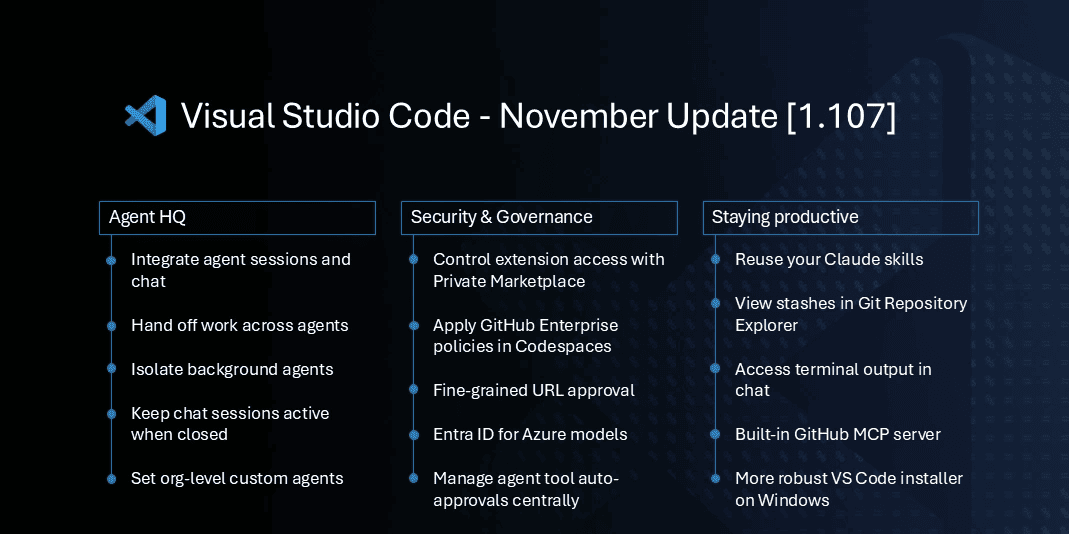
The biggest upgrade is Agent HQ. It’s a central place to see and manage every agent you rely on. You can track what’s running, what’s idle, and what needs your attention. The idea is simple: let agents split tasks, run in parallel, and hand things off without forcing you to constantly bounce between tools.
Image: Microsoft
Agent sessions also have a new home. Microsoft has disabled the standalone Sessions view by default. Everything now comes into the Chat view. You can open the Chat and view active sessions, background tasks, progress bars, and file-change stats in one spot. Local agents also stay active when you close a chat. That’s a relief for tasks that run longer than a quick refactor.
Background agents get stronger isolation, too. Git worktree support lets you choose where they run. You can keep them inside your current workspace or give them a dedicated worktree to avoid file collisions.
VS Code 1.107 also upgrades the editor itself, as TypeScript 7.0 Preview is now supported. It’s a native rewrite with faster type checking and new features like better auto-imports, cleaner rename handling, and improved code-lens references.
There’s also experimental Git stash support in Source Control. You can view, apply, or drop stashes without touching the terminal. Moreover, you can install the update through Help > Check for Updates or download it for Windows: x64, Arm64 | Mac: Universal, Intel, silicon | Linux: deb, rpm, tarball, Arm, and snap.
Writing formulas in Excel can still feel like a roadblock, especially with the syntax rules and functions around. A simple wrong bracket can break everything. Microsoft is apparently aware of it and changing the same. If you use Excel on Web, there’s a new on-grid Copilot tool that builds formulas from natural language.
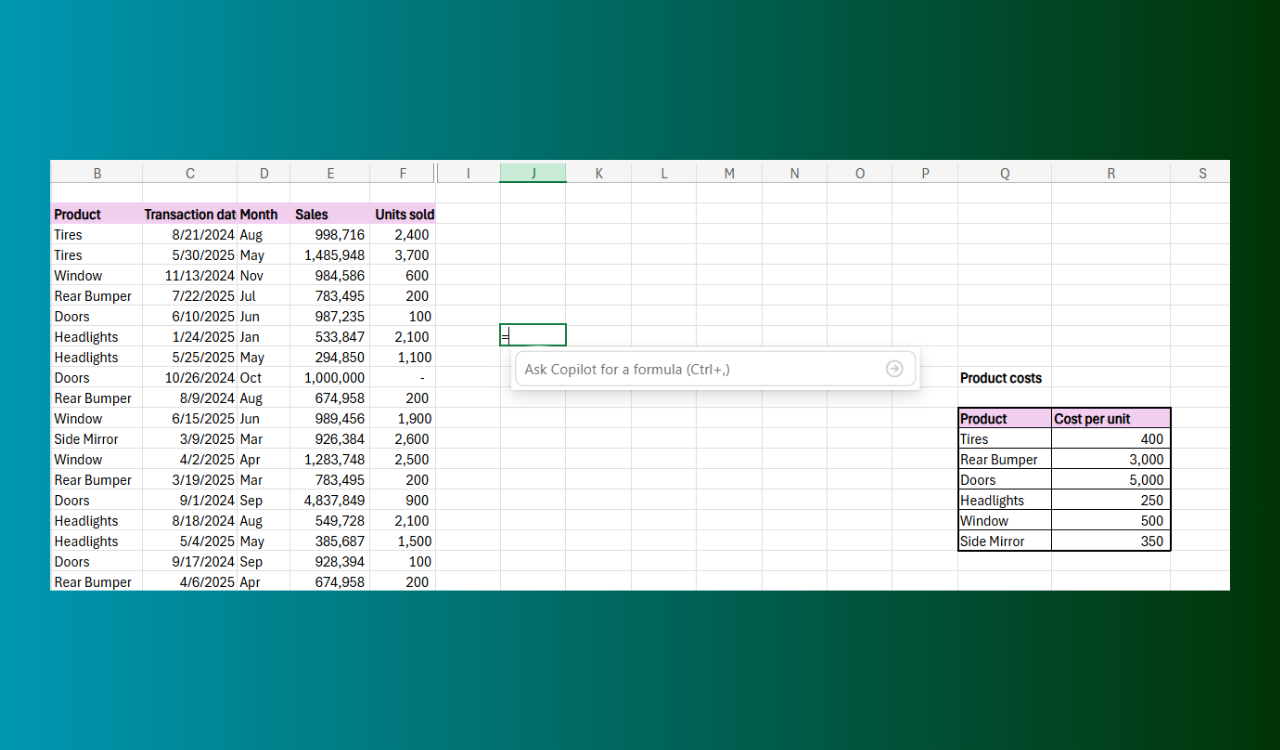
You simply have to select a cell and type “=”. Then, a new option called “Ask Copilot for a formula” appears. As you describe your goal to Copilot, such as “calculate total profit,” Copilot then generates a formula, explains the logic, and shows a preview right on the grid. You can either keep it or try a new prompt.
The update also helps when you already have a formula. You can ask Copilot to modify a date format, make changes to a financial calculation, or pull data from other sheets. It works like a translator between what you want and what Excel expects.
Microsoft shared a few example scenarios in the announcement blog post. You can generate a unique list of sales reps, calculate total units per person, create quarterly totals from a date-only table, and a lot more.
However, there are some known limitations as of now. Copilot handles only one formula or one column at a time. Microsoft says that it’ll upgrade the feature down the line. Moreover, the rollout has already begun for Excel for Web users with a Microsoft 365 Copilot license. If it’s not showing up yet, you’re probably next in line.
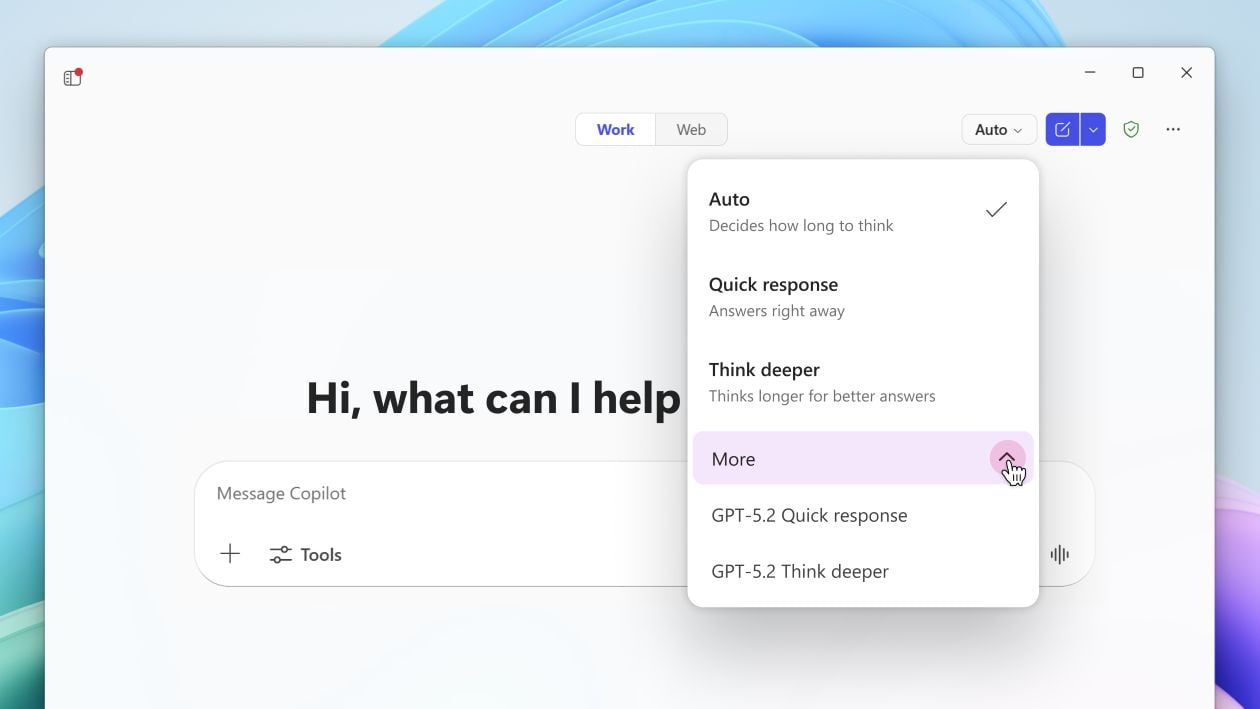
After weeks of rumors and leaks, OpenAI has finally announced its updated GPT-5.2, a model fast-tracked by the company out of rising competition from Google and Anthropic. The rollout begins immediately, with paid ChatGPT users getting first access before it expands to more users.
In a blog post, the company confirmed that GPT-5.2 is actually a trio of models: GPT-5.2 Instant, GPT-5.2 Thinking, and GPT-5.2 Pro. OpenAI says the new series offers performance gains in math, science, reasoning, coding, imaging, and agent-style tasks. The company is so confident that it is calling the GPT-5.2 the “most capable model series yet for professional knowledge work.”
Image: OpenAI
Meanwhile, Microsoft has introduced GPT-5.2 in Microsoft 365 Copilot. And, it connects to Work IQ to unlock insights, market research, and strategic planning, and reasoning across your meetings, emails, docs, and more.
GPT-5.2 will begin rolling out to users with a Microsoft 365 Copilot license today and will reach all users in the coming weeks. If you are a Microsoft 365 Premium subscriber, you’ll get access early next year. GPT-5.2 in Copilot Studio is available starting today in early release cycle environments. Agents running currently with GPT-5.1 will automatically move to GPT-5.2.
Google’s increasingly strong Gemini models, like Gemini 3, Veo 3, and Nano Banana, have outperformed GPT-5 in several benchmarks. This apparently raised concerns about OpenAI’s lead in the AI race.
That being said, ChatGPT remains the most widely used AI chatbot in the world, with an estimated 700 million weekly active users. That’s something no rival has come close to matching.
As for trying GPT-5.2, the rollout starts today across Plus, Pro, Go, Business, and Enterprise plans. Access will vary by account, and some users may not see the option right away. OpenAI says the staggered rollout is intentional to keep ChatGPT stable as traffic ramps up. Moreover, GPT-5.1 will remain available under legacy models for three months before it’s retired.
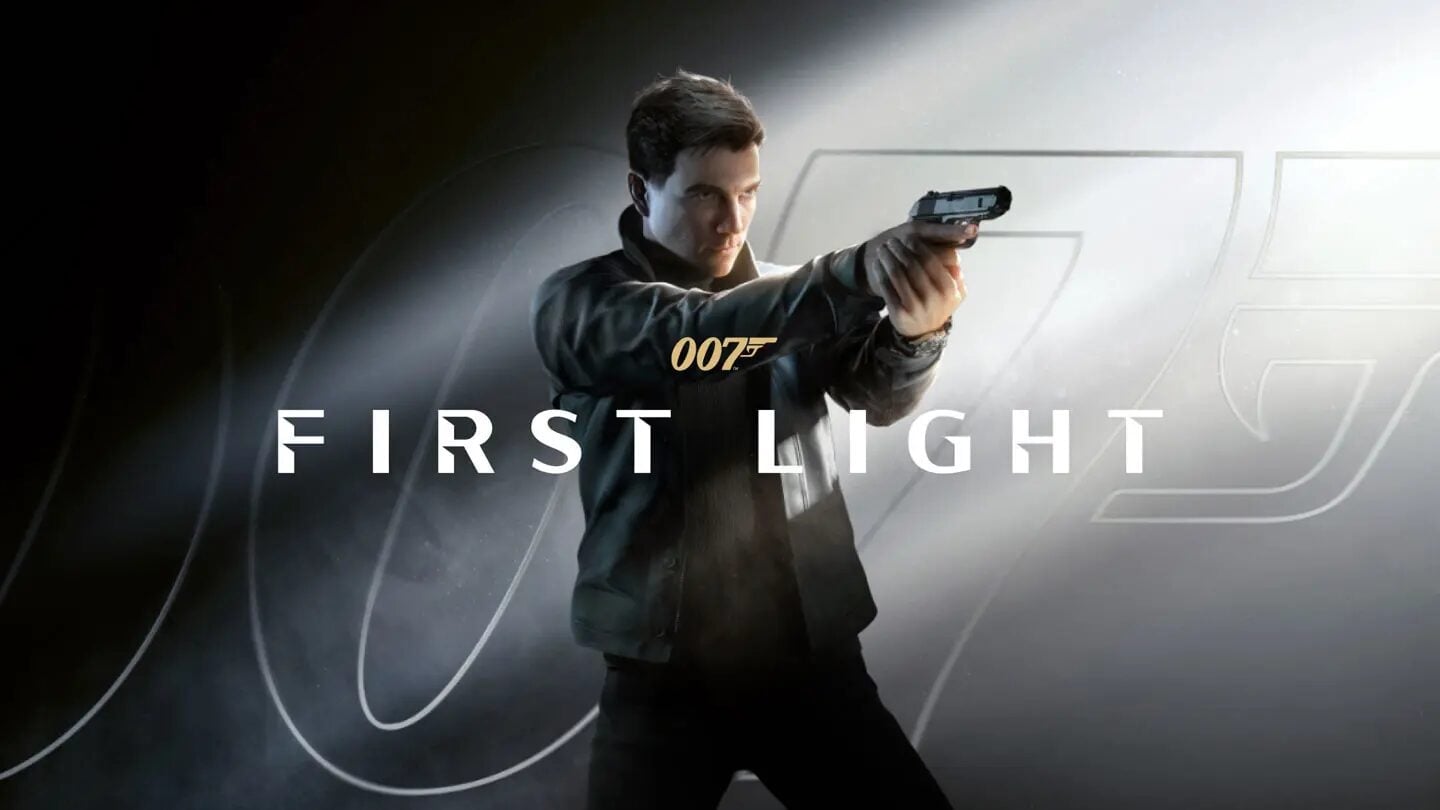
A surprising face has just popped up in the world of James Bond. A leaked trailer for 007: First Light, the upcoming Bond origin game from IO Interactive, has slipped out earlier than planned. And, it reveals one of the villains of 007: First Light. Guess what? The character is played by Lenny Kravitz, something no one expected in the first place.
For IO Interactive, the timing of the leak might not be ideal. Multiple reports assumed Kravitz’s character reveal was planned for The Game Awards 2025, where 007: First Light is nominated for Most Anticipated Game. Now that the footage is out early, IO Interactive might have to highlight new scenes or extra story beats instead.
In the leaked footage, Lenny Kravitz shows up as Bawma, a figure who oversees the city of Aleph with absolute certainty. He remains seated velvet-backed armchair, offering a slow, unsettling monologue about hearing “every whisper” across the entire city. For him, Aleph isn’t just a place; it’s something he built with his “will, blood, and whole self.”
In the classic Bond fashion, Bawma reacts by tossing subtlety aside and ordering his men to drop Bond into a pit of hungry crocodiles. It’s dramatic, over-the-top, and unmistakably Bond, and Kravitz slips into that villain energy far more naturally than you might expect.
To catch you up, 007: First Light releases on March 27 on PS5, Xbox Series X/S, Switch 2, and PC. So, are you ready to see Kravitz go full supervillain?
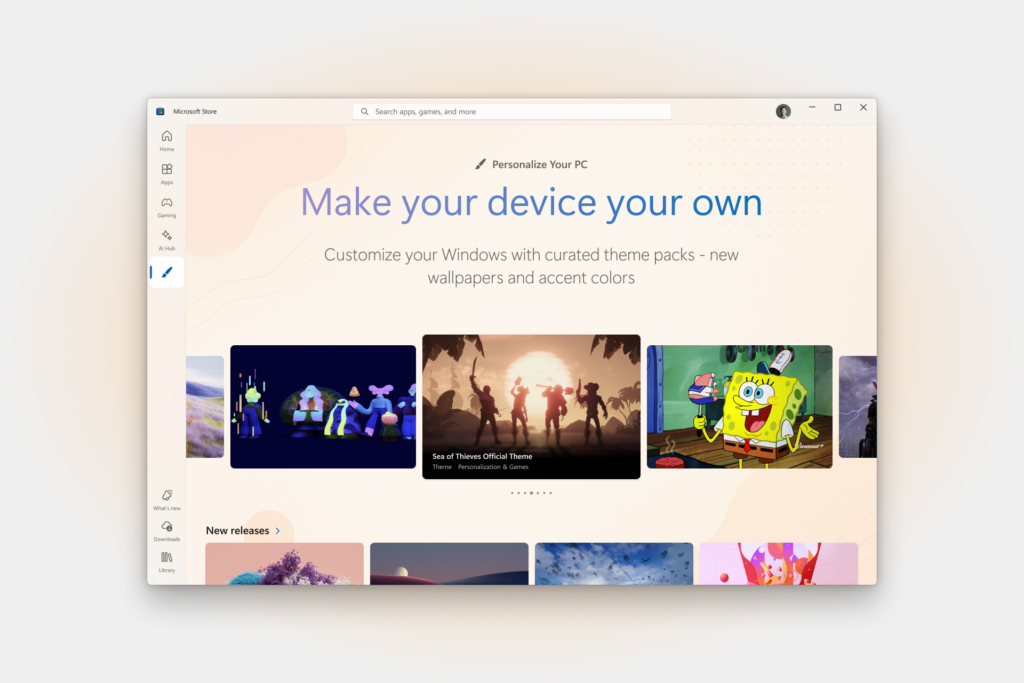
Microsoft is rolling out a new Themes section in the Microsoft Store, and it offers Windows users a dedicated place to pick fresh looks for their desktops. It’s a small feature, but it offers a quick, simple way to make Windows match its personality the moment the device boots.
The new hub launches with over 400 themes, including more than 35 completely new additions. Each theme pairs wallpapers with matching accent colors, and several of them shift over time for a more dynamic feel.
Image: Microsoft
The lineup spans everything from game-inspired sets like Sea of Thieves to visual packs built around nature, abstract art, neon aesthetics, and creators such as Razer and PicsArt.
Microsoft says this push is about giving users more room to express themselves. That’s applicable if you’re someone who wants a desktop that matches the latest game drop or just wants a background that feels calming during a long workday. If you want to pick a theme, you just need one click from the Store, and Windows picks up the new look instantly.
There’s also support from well-known personalization apps already available in the Store, including TranslucentTB, Lively Wallpaper, and Seelen UI. Notably, all of that extends what users can customize beyond wallpapers and colors.
Moreover, Microsoft has opened up a submission form for those interested in publishing their own themes in the Store.