Microsoft 365 Web Apps Get Simple Edit Access Request Option

Microsoft just made it easier for users to request editing rights in Word, Excel, and PowerPoint files opened on the web. You don’t have to email the file owner or download view-only copies.

Announced via Microsoft’s 365 Insider blog, the new feature introduces a built-in “Request more access” option in Microsoft 365 web apps.

If you’re viewing a file on OneDrive or SharePoint and need editing or reviewing permissions, you can now ask directly from the top-right corner of the document.

Here’s how it works:

  • Open the document in Word, Excel, or PowerPoint (web version)
  • Click the Viewing icon
  • Select Request more access
  • Choose either Ask to edit or Ask to review
  • (Optional) Add a message for context
  • Hit Send

The file owner then receives an email with the request and can approve or deny access directly from there. Once approved, users just need to refresh the document to get started.

This update is live for enterprise Microsoft 365 users with internet access, though there are a few caveats.

Classic View in Word for the web doesn’t support this feature yet, and changes might take longer to reflect in larger or heavily shared files. Still, it’s a much-needed quality-of-life upgrade for smoother collaboration.

Anthem’s Servers Will Shut Down for Good in January 2026

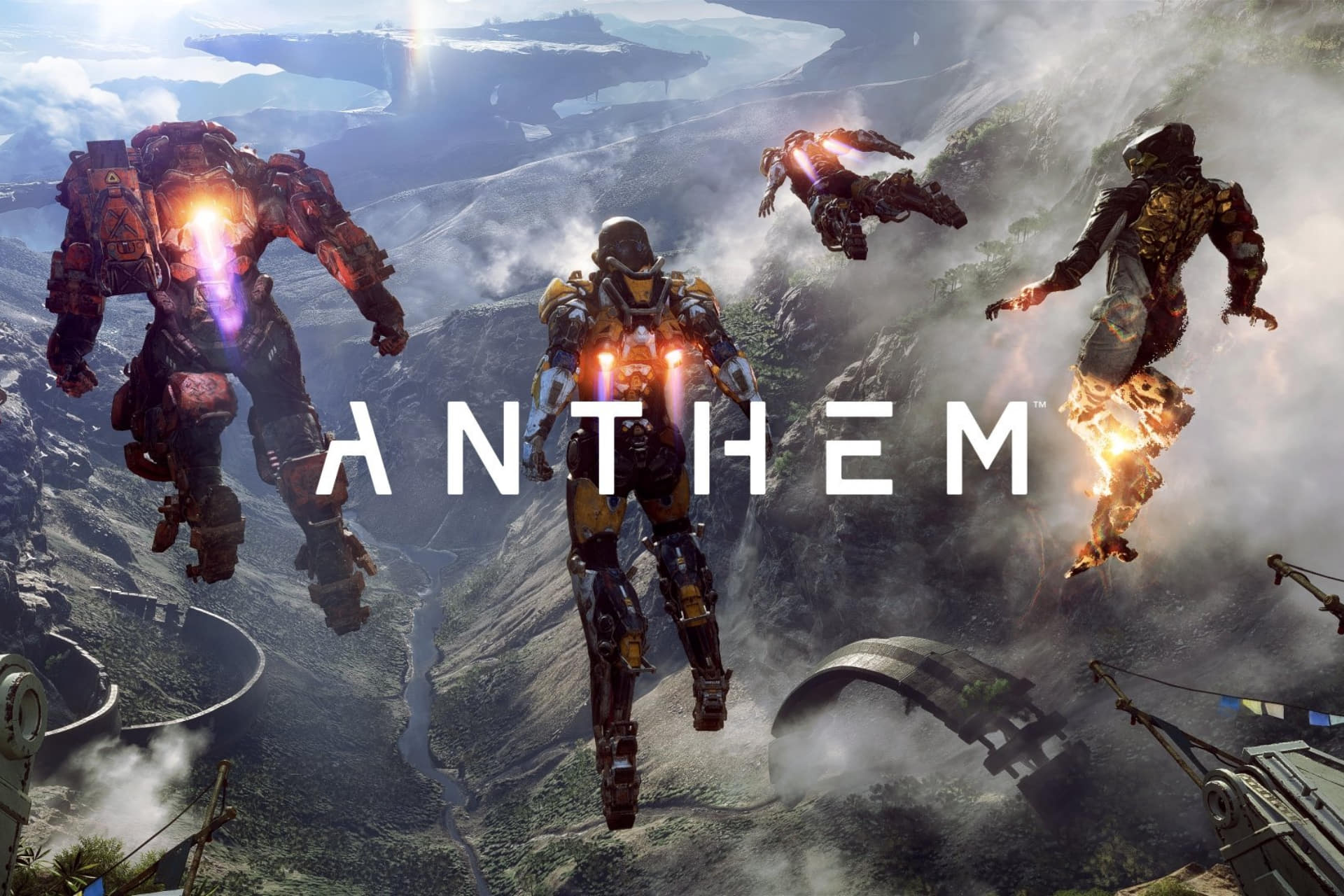
BioWare’s ill-fated sci-fi multiplayer title Anthem is officially reaching its end. EA has confirmed the game’s servers will be permanently shut down on January 12, 2026.

Launched in 2019 as BioWare’s attempt to pivot into live-service multiplayer, Anthem never quite landed with critics or fans. Despite early ambitions and a planned reboot effort called Anthem NEXT, development stalled, and seasonal updates were canceled by 2021. Now, the final chapter is here.

In a blog post, BioWare shared, “After careful consideration, we will be sunsetting Anthem on January 12, 2026. This means that the game will still be playable online for the next 180+ days.”

Starting today, in-game premium currency purchases are disabled. However, players can still use any remaining credits in the store until the shutdown date.

There’s no offline mode, so once the servers go dark, the game will be entirely unplayable—even for those who bought it. If you’re an EA Play or Xbox Game Pass subscriber, Anthem is leaving those services much earlier, on August 15, 2025.

EA confirmed no BioWare jobs were affected by the decision to sunset the title. The original Anthem NEXT team had already been reassigned to Mass Effect and Dragon Age projects years ago. It’s one last flight for Anthem. So, if you want to suit up in your Javelin one more time, the countdown starts now.

GeForce NOW adds 21 new games in July, including Killing Floor 3 and RoboCop DLC

NVIDIA is kicking off July with a big content update for GeForce NOW. The cloud gaming service is getting 21 new games this month, including several new releases and some solid indie hits.

Seven titles are available to stream starting this week. Standouts include Little Nightmares II, Figment, and Path of Exile 2. Little Nightmares II joins as it hits Xbox and PC Game Pass, while Figment is free to claim on the Epic Games Store starting July 3.

Throughout the rest of the month, NVIDIA will continue expanding the lineup. On July 8, The Ascent arrives, followed by Every Day We Fight and Mycopunk on July 10.

Fans of chaotic shooters can look forward to Killing Floor 3 on July 24, while RoboCop: Rogue City – Unfinished Business drops on July 17. Other releases include Wuchang: Fallen Feathers, Wildgate, Brickadia, and more.

NVIDIA notes that more games may quietly join the list as July progresses. The service doesn’t operate like Xbox Game Pass. Instead, players need to own the games outright or access them through services like PC Game Pass to play them on GeForce NOW.

Windows 11 hits 59.84% on Steam as gamers move on from Windows 10

Windows 11’s grip on PC gaming is getting stronger. Steam’s June 2025 Hardware & Software Survey shows Microsoft’s latest OS climbing to 59.84% of Windows-based systems used by gamers, up 1.54 points from May.

Windows 10 continues its slow exit, now at 35.69%, while Windows 7 is nearly gone at just 0.09%. Windows still rules the platform overall, running on 95.67% of systems (+0.22 points). Linux holds 2.57%, and macOS trails with 1.76%.

With extended Windows 10 updates available for one more year, the OS is expected to linger in homes and gaming setups, but the shift is clear.

In hardware trends, the most common setup includes 16GB RAM, a 6-core CPU, and 1080p resolution. NVIDIA’s RTX 4060 Laptop GPU now tops the charts with 4.79% usage, just overtaking the popular desktop RTX 3060.

NVIDIA dominates GPU share with 74.07%, followed by AMD at 17.68% and Intel at 7.88%. On the CPU side, Intel still leads at 59.29%, with AMD close behind at 40.71%.

Valve’s monthly data shows where gaming is headed, faster GPUs, newer Windows, and 1080p still holding strong.

Helldivers 2 is coming to Xbox Series X|S this August with full crossplay

In a surprise move, Helldivers 2 is officially heading to Xbox. Once a major PlayStation console exclusive, the hit co-op shooter will launch on Xbox Series X|S on August 26, with pre-orders now open.

Arrowhead Game Studios made the announcement via Helldivers’ X (FKA Twitter) account, framing the Xbox launch as part of “Super Earth expanding its operations.”

The game’s tongue-in-cheek lore fits the dramatic tone. Players on Xbox will soon be able to join the galactic war effort alongside their friends on PlayStation and PC, thanks to full crossplay support.

Game Director Mikael Eriksson says the team is thrilled to open the game up to more players. “We know gamers have been asking for this for some time, and we are so excited to bring more Helldivers into our game. The fight for Super Earth has only just begun.”

Helldivers 2 originally launched in February 2024 and quickly became a breakout hit, praised for its fast-paced third-person combat and hilarious team-based chaos.

Players take on the role of elite shock troops spreading “managed democracy” across the galaxy, fighting bugs, bots, and bureaucracy in equal measure. Xbox players can pre-order the Standard Edition for $39.99 or the Super Citizen Edition for $59.99.

This version includes bonus gear and content. Whether you’re new to the battlefield or a veteran of bug-blasting campaigns, the war’s about to get a lot bigger.

Windows 11 Key Generators: Are They Safe?

You might be wondering about Windows 11 key generators:are they safe or just too good to be true? While they promise free activation, the risks to your system’s security and legality are often not worth it. This guide will walk you through the dangers and point you toward safer options.

Everything You Should Know About Windows 11 Key Generators

What Is a Windows 11 Key Generator?

A Windows 11 key generator, also called a “keygen,” is software designed to create fake product keys that trick Windows into thinking it is activated. These tools are often distributed through piracy websites and forums and claim to bypass Microsoft’s licensing process.

Most keygens mimic the format of real Windows product keys but do not connect to Microsoft servers for verification. They are commonly used to activate pirated or non-genuine copies of Windows 11.

Why Windows 11 Key Generators Are Unsafe

Using a key generator comes with multiple risks:

  • Malware Infections: Many keygens are bundled with trojans, spyware, or ransomware. These threats can steal personal data or damage your system.
  • No Windows Updates: Systems activated with fake keys may be blocked from getting security updates or feature releases, exposing you to known vulnerabilities.
  • System Instability: Non-genuine versions of Windows may show constant activation warnings, trigger random shutdowns, or block personalization settings.
  • Legal Risks: Using keygens violates Microsoft’s license agreement. Businesses and individuals can face fines or audits for software piracy.

What Can Happen if You Use a Key Generator

  • Invalid Activation: Windows can detect fake keys and deactivate your OS, removing key features and displaying watermarks.
  • No Technical Support: Microsoft will not offer customer service or updates for pirated versions.
  • Data Theft: Malware from keygens may access files, passwords, or banking details without your knowledge.

The short-term benefit is not worth the long-term cost.

If cost is a concern, here are legitimate ways to get a licensed copy of Windows 11 without using risky tools:

1. Free Upgrade from Windows 10

If you already have a licensed version of Windows 10, you may qualify for a free upgrade to Windows 11. Just use Windows Update or the Windows 11 Installation Assistant to upgrade securely.

2. Use the Windows Insider Program

You can join the Windows Insider Program to test preview versions of Windows 11 for free. These builds are not recommended for daily use, but they are legitimate.

3. Education Licenses for Students and Teachers

Many universities offer free or discounted Windows licenses. Check Microsoft’s Education Store to see if you’re eligible.

4. Buy a Budget OEM Key

OEM keys are valid licenses tied to a single device and cost significantly less than retail versions. You can find legal OEM keys from vendors like:

Before purchasing, it’s a good idea to understand the full process to buy a Windows 11 product key securely and verify its authenticity.

5. Volume Licensing for Businesses

If you manage multiple PCs, consider Microsoft’s Volume Licensing options. This allows businesses to activate and manage multiple machines legally and efficiently.

Also, for more technical users, you may want to know how to activate Windows 11 on a virtual machine without triggering license conflicts.

Not sure what type of license you already have? Learn how to check your Windows 11 license type before upgrading or purchasing a new key.

Additionally, be aware of reusability rules. If you’re planning to switch hardware or reinstall, check out how many times you can use a Windows 11 key.

Final Thoughts: Avoid Keygens, Stay Secure

Windows 11 key generators are unsafe, unreliable, and illegal. They often carry serious consequences like malware infections, legal penalties, or system instability.

Instead, choose one of the secure methods listed above. Whether it’s a discounted OEM key or a student license, there are trusted options that keep your PC running safely and legally.

FAQs

Can Windows 11 detect a fake product key automatically?

Yes, Windows 11 uses online activation checks and server-side validation to detect counterfeit or reused keys, which may result in deactivation or a persistent watermark.

Will Microsoft ban my account for using a key generator?

While personal accounts are rarely banned, using pirated activation methods can lead to loss of support, blocked updates, or issues with linked Microsoft services like OneDrive and Office.

Is there a difference between OEM and retail keys in terms of legality?

Both are legal, but OEM keys are tied to the first device they are activated on, while retail keys can usually be transferred to a new PC if the old one is no longer in use.

FIX: Missile Command Delta Crashing on PC

Experiencing frequent Missile Command Delta crashes on PC can be frustrating for both casual players and strategy fans. The game may crash mid-session, freeze to a black screen, or even reboot your system unexpectedly. These interruptions ruin immersion and momentum in gameplay.

We’ll explore everything from simple settings changes and driver updates to more technical tweaks like disabling anti-cheat interference and repairing corrupted files. Without further ado, let’s get going.

Step-by-Step Guide to Fix Missile Command Delta Crashes on PC

1. Update GPU Drivers & Windows

  • Use NVIDIA GeForce Experience or AMD Adrenalin to install the latest drivers.
  • Run Windows Update, including all optional patches.

Many crashes stem from outdated GPU drivers reacting poorly with new game engines.

2. Add Launch Options: Force DirectX11 & Core Use

In Steam, right-click the game > Properties > General > Launch Options. Add:

-dx11 -useallavailablecores -high

This forces DX11 rendering, which is more stable than the default DX12 for some, and assigns full CPU priority. Reddit users report that this significantly improves stability.

3. Disable Auto HDR

Some players, especially on newer GPUs, fixed crashes by disabling Auto HDR in Windows display settings. This stops driver-level rendering shifts mid-game.

4. Run in Windowed Mode

Crashes at startup or startup-freeze issues can be resolved by forcing -windowed in launch options. Many confirm this stops CTDs during load screens.

5. Locate and Clean Duplicate Game Installs

On Steam, check other drives for leftover folders. One Redditor found that deleting duplicate game folders on secondary drives solved mid-game PC crashes.

6. Disable Overlays and Monitoring Tools

Turn off Steam Overlay, Discord overlay, MSI Afterburner, Rivatuner, and any FPS trackers. Conflicts with the game’s anti-cheat often cause crashes.

7. Enable Core Isolation & Assign Anti-Cheat Process

On hybrid-core CPUs (Intel 12th/13th gen, AMD X3D), use Core Isolation and Core Director to pin the anti-cheat to Performance cores. This prevents frequent cycle resets, causing freezes.

8. Check PSU & Hardware Stability

Some users report PSU underperformance as the cause. If you experience PC-wide crashes, consider switching power outlet or PSU, and reduce quality settings as an interim solution.

9. Verify Game Files & Reinstall

Steam > Properties > Installed Files > Verify integrity. If repairs don’t stick, delete and reinstall the game. This resolves corruption that can trigger crashes.

10. Run Disk Checks

Open Command Prompt as admin and run:

chkdsk /f

This addresses potential disk read errors, especially on older SSDs.

11. Clear Shader Cache on SSD/Anti-Cheat Folders

On crashes related to kernel or power faults, after closing the launcher, use EmptyStandbyList.exe to clear the RAM cache. Reopen the game to rebuild shaders. Just in case you can’t start the game, follow our guide to fix Missile Command Delta not launching.

Common Causes of Fan-Crashing in Missile Command Delta

1. GPU Driver or Windows Conflicts: Outdated rendering stacks often crash with new titles.

2. Anti-Cheat Interference: Kernel-level anti-cheat can clash with hybrid CPU scheduling.

3. Overlay/Monitoring Tools: These inject hooks clash with the game’s engine.

4. Hardware or PSU Limitations: Underpowered PSUs or aging SSDs can cause abrupt system failures.

5. Corrupted Game Files: Bad assets or shader data often lead to random CTDs.

6. Hybrid Core CPU Issues: Without proper core isolation, scheduling conflicts freeze performance cores.

7. Auto HDR Bugs: This Windows feature is linked to in-game CRT stability.

8. Windowed/Fullscreen Render Mode: Fullscreen mode bugs exist; windowed mode often avoids them.

Conclusion

Missile Command Delta crashing on PC is usually fixable by tackling driver compatibility, anti-cheat conflicts, and hardware integrity. Start with launch options tweaks like DX11 and windowed mode, turn off overlays, and ensure your drivers and Windows are up-to-date. 

For hybrid CPUs, enabling Core Isolation and pinning the anti-cheat to performance cores can eliminate recurrent freezes. Clearing the shader cache and verifying files helps fix asset or shader issues.

If problems persist, especially abrupt PC reboots, double-check your PSU, storage health, and shutdown logs. Reinstall the game cleanly and use disk repair tools if needed. For persistent code-level crashes, contacting the developers with logs can lead to long-term fixes. In case you can’t install the game, check our guide on how to fix Missile Command Delta not installing on PC/Xbox.

FAQs

Why does Missile Command Delta keep crashing on my PC?

Crashes often happen due to outdated graphics drivers, corrupted game files, or conflicts with background applications.

How can I fix Missile Command Delta crashing at startup?

Verify your game files on Steam or your platform, update your GPU drivers, and ensure Windows is fully updated.

The game crashes randomly during play. What should I do?

Lower your graphics settings, disable any overlays like Discord or Steam overlay, and close unnecessary background programs.

Does my PC meet the minimum requirements for Missile Command Delta?

Check that your hardware matches or exceeds the minimum specs. Insufficient RAM, CPU, or GPU power can cause instability.

Are there known compatibility issues with specific hardware or software?

Some users report issues with certain AMD or NVIDIA drivers. Try rolling back to a stable driver version if the latest causes crashes.

Could an antivirus or firewall be causing the Missile Command Delta crash on my PC?

Yes, sometimes security software blocks game files. Add Missile Command Delta to your antivirus or firewall exceptions.

What if the game crashes with a specific error message?

You can reach out to us if you encounter any specific error message by dropping a comment below. Alternatively, note the error and search online or on forums like Steam Community or Reddit for targeted fixes related to that error.

How to Fix Missile Command Delta Not Launching

Trying to launch Missile Command Delta on your PC only to face a blank screen, instant crash, or no response at all can be frustrating. Whether you’re a new player or a seasoned strategy fan, the inability to start the game stops you from diving into the action. Fortunately, most launch issues are fixable with a series of straightforward troubleshooting steps.

This guide covers proven solutions from gaming communities, forums, and official support sources. We’ll walk through updating drivers, checking system requirements, fixing corrupted files, and adjusting key settings that often prevent Missile Command Delta from launching properly. Let’s get your game up and running.

Step-by-Step Guide to Fix Missile Command Delta Not Launching on PC

1. Check Your PC Meets Minimum Requirements

First, ensure your PC meets the minimum hardware and software specs for Missile Command Delta.

  • CPU: At least a modern quad-core processor
  • RAM: 8 GB or more recommended
  • GPU: Compatible DirectX 11 or higher card with 2GB VRAM minimum
  • OS: Windows 10 64-bit or later

If your PC falls short, the game might fail to launch or crash instantly. Just in case you are facing the latter, check out the full guide to fix Missile Command Delta crashing on PC.

2. Update Graphics Drivers and Windows

Outdated GPU drivers or Windows versions commonly cause launch failures.

  • Use NVIDIA GeForce Experience or AMD Adrenalin to install the latest drivers
  • Run Windows Update and include all optional updates

New drivers often improve compatibility with newer games like Missile Command Delta. Don’t skip this step.

3. Run the Game as Administrator

Sometimes, the game needs elevated permissions to access necessary files.

  • Right-click the game executable or shortcut
  • Select “Run as administrator”
  • Try launching again

This can fix permission-related launch blocks.

4. Disable Overlays and Background Programs

Overlay apps like Discord, Steam Overlay, or monitoring tools may conflict with the game.

  • Disable Steam Overlay: Steam → Settings → In-Game → uncheck “Enable Steam Overlay”
  • Close Discord overlay and other third-party apps before launching
  • Temporarily disable antivirus or firewall software that might block the game

Many players report overlays causing missile command delta not launching issues.

5. Add Launch Options for Compatibility

Tweaking the game launch parameters can help.

  • In Steam, right-click the game → Properties → General → Launch Options
  • Add the following commands:
-dx11 -windowed -useallavailablecores

This forces DirectX 11 mode (more stable than DX12), runs the game in windowed mode to avoid fullscreen bugs, and uses all CPU cores.

6. Verify Game File Integrity

Corrupted or missing game files can prevent launch.

  • In Steam, right-click Missile Command Delta → Properties → Local Files → Verify integrity of game files
  • Wait for Steam to check and repair any files

This fixes broken game data that causes launch failures.

7. Reinstall the Game

If verification doesn’t help, a clean reinstall may solve hidden corruption.

  • Uninstall Missile Command Delta fully
  • Delete leftover game folders (especially in Documents or AppData)
  • Reinstall fresh from Steam or your platform

Fresh installs often fix persistent launch issues.

8. Check for Windows Auto HDR and Disable It

Auto HDR can cause rendering conflicts that stop the game from launching properly.

  • Open Windows Settings → System → Display → HDR settings
  • Turn off Auto HDR if enabled

Many users fixed launch problems by disabling this feature.

9. Update DirectX and Visual C++ Redistributables

Missing or outdated system components sometimes block games from starting.

  • Download and install the latest DirectX runtime from Microsoft
  • Install or repair Visual C++ redistributable packages, especially 2015-2019 versions

These libraries are essential for game operation.

10. Use Compatibility Mode

Try running the game in compatibility mode for an earlier version of Windows.

  • Right-click the game executable → Properties → Compatibility tab
  • Check “Run this program in compatibility mode for” and select Windows 8 or 7
  • Apply and launch the game

This helps if the game struggles with your current Windows version.

11. Check Your System’s Power and Performance Settings

Missile Command Delta not launching can sometimes be linked to power management interfering with the CPU or GPU.

  • Set your Windows power plan to “High performance”
  • Disable CPU or GPU throttling tools temporarily
  • Ensure no battery saver modes are active on laptops

Consistent performance settings prevent sudden launch failures.

12. Review Event Viewer Logs

If you’re tech-savvy, check Windows Event Viewer for error logs related to the game launch.

  • Press Windows + R, type eventvwr.msc and hit Enter
  • Look under Windows Logs → Application for recent errors referencing Missile Command Delta or its executable
  • These logs can help identify specific causes or error codes

Developers and community forums often request these logs for troubleshooting.

Common Symptoms of Missile Command Delta Not Launching

  • Clicking “Play” does nothing, and no window opens
  • The game crashes immediately before the main menu appears
  • A black screen shows up and then closes
  • The game freezes on a loading splash screen
  • Windows shows an error, but the game never opens

If you’re seeing any of these, this guide can help.

Additional Tips and Troubleshooting

  • Close unnecessary USB devices like controllers or external drives; sometimes, they cause conflicts.
  • Disable multi-monitor setups temporarily, as full-screen games can misbehave across displays.
  • Try running the game from its install folder executable directly, bypassing Steam or launcher shortcuts.
  • Update your motherboard BIOS and chipset drivers if your PC is older or uses new hardware.
  • Create a new Windows user account to rule out profile corruption issues.

Common Causes Behind Missile Command Delta Not Launching

  • Outdated or incompatible drivers cause most launch failures because the game relies on up-to-date graphics and system software.
  • Conflicts with overlays or background apps inject code into the game process, sometimes blocking startup or causing immediate crashes.
  • Corrupted game files or incomplete installs lead to missing assets or executable errors that stop the game before launch.
  • Anti-cheat or security software interference can block parts of the game from running, mistaking them for threats.
  • Hardware not meeting minimum specs or power management settings can prevent the game from initializing properly.
  • Windows system components like DirectX or Visual C++ runtimes, missing or outdated, may cause crashes or failure to launch.

Conclusion

Missile Command Delta not launching on PC is a common hurdle that usually boils down to driver issues, corrupted files, or software conflicts. Start with basic fixes: update your GPU drivers and Windows, disable overlays, run as admin, and verify game files. If those don’t work, tweak launch options, disable Auto HDR, and try compatibility mode.

For stubborn cases, a clean reinstall and system component updates often clear hidden errors. If you’re still stuck, check event logs or seek help from the official support channels with your error details.

By following this guide, you should be able to overcome most launch issues and get back to defending your cities against missiles in no time. If you can’t install the game, check our guide on how to fix Missile Command Delta not installing on PC/Xbox.

FAQs

Why won’t Missile Command Delta launch when I click “Play”?

This usually happens due to outdated GPU drivers, corrupted game files, or interference from background programs like overlays or antivirus.

The game opens to a black screen, then closes. What’s wrong?

This could be related to Auto HDR, fullscreen bugs, or incompatible DirectX settings. Try disabling Auto HDR and forcing windowed mode using -windowed in launch options.

I meet the minimum specs. Why is the game still not starting?

Even with the right specs, launch problems can stem from missing Visual C++ runtimes, outdated DirectX, or conflicts with other software.

Could antivirus or firewall software block the game from launching?

Yes. Some security tools may mistakenly block the game’s executable or its anti-cheat component. Add exceptions or disable them temporarily to test.

Should I reinstall the game if it won’t launch?

Yes. If verifying files doesn’t fix it, a clean reinstall can remove corrupt data and resolve persistent launch issues.

Is it safe to use launch options like -dx11 or -windowed?

Absolutely. These options are widely used by the community to fix compatibility problems, especially with newer systems or graphics setups.

Why does the game crash instantly on my hybrid-core CPU?

Anti-cheat software might conflict with CPU scheduling. Enable Core Isolation or pin the anti-cheat to performance cores if supported.

How can I check what’s going wrong when the game doesn’t launch?

Open Windows Event Viewer to view crash logs. Check the Application section for errors tied to Missile Command Delta.

Here’s Why NVIDIA May Have Blocked RTX 5050 Reviews

NVIDIA didn’t want reviewers to get their hands on the RTX 5050, but QuasarZone went ahead and did it anyway. Despite having no review samples or official drivers, the outlet managed to test a Colorful-branded version of the card and published its findings.

The RTX 5050, part of NVIDIA’s mainstream GPU lineup, was tested on a Ryzen 9 9800X3D system with DDR5-6000 memory across 15 games at 1080p. Performance-wise, it didn’t impress. In raw numbers, the 5050 was:

  • 2.6% slower than Intel’s Arc B580
  • 6.2% behind the RTX 4060
  • 13.4% faster than the older RTX 3060

In Cyberpunk 2077, the card hit 65.5 FPS in default mode, while an overclock pushed that to 69.5 FPS. The 3DMark Time Spy score jumped from 10,290 to 11,281 with OC, a near 10% uplift. But the card’s locked 130W power limit keeps it from pushing further, limiting overclocking headroom.

What’s more surprising is that although the RTX 5050 has a 130W TGP, its real-world power consumption matched the RTX 4060’s, which officially runs at 115W, meaning the 4060 is more efficient overall.

According to QuasarZone’s full review, the RTX 5050 may appeal to those upgrading from a 30-series card, but with its limitations and pricing uncertainty, the Arc B580 (12GB VRAM) or even the RTX 4060 may be the smarter buy, if you can find one.

Windows 11 Pro vs Home vs Enterprise: Full Comparison

Choosing between Windows 11 Home, Pro, and Enterprise depends on your needs for features, security, and control. This article breaks down the differences in UI, capabilities, pricing, and business readiness.


Windows 11 Editions: Home vs Pro vs Enterprise – Quick Overview

EditionBest ForKey Advantages
HomeConsumers, casual usersModern UI, Windows Hello, essential security
ProPower users, small businessesBitLocker, Remote Desktop, Group Policy
EnterpriseEnterprises, IT environmentsAdvanced security, MDM, Azure AD, update control

Windows 11 Editions – In-Depth Comparison of Features & Benefits

BitLocker Encryption

Windows 11 Home only offers basic device encryption. Pro and Enterprise editions include full BitLocker encryption, which supports drive selection, secure key management, and integration with TPM 2.0.

Benefits: BitLocker protects sensitive data if your device is lost or stolen.
Downsides: Only available in Pro and Enterprise editions; not ideal for users on Home.
Use case: Freelancers, professionals, and companies handling confidential information should consider BitLocker for extra data security.

Remote Desktop Support

Windows 11 Pro and Enterprise can host Remote Desktop sessions, ideal for remote IT access. Home can only connect to other machines but cannot host.

Benefits: Enables remote work and system administration without third-party tools.
Downsides: Home users can’t host sessions, limiting its usefulness in professional setups.
Use case: IT admins or remote workers accessing office machines from home will need Pro or Enterprise.

Group Policy Management

Pro and Enterprise users gain access to the Group Policy Editor, a must-have for customizing system behaviors across multiple users or devices. Home lacks this entirely.

Benefits: Centralized control over security, updates, user settings, and system behavior.
Downsides: Overhead and complexity for casual users.
Use case: IT departments needing to enforce policies across multiple machines benefit the most.

Domain Join & Azure AD Integration

Enterprise and Pro editions allow domain joining and Azure AD integration. This enables centralized login, policies, and remote management. Home users are limited to personal Microsoft accounts.

Benefits: Supports single sign-on and access to organization resources.
Downsides: Adds complexity for personal or home use.
Use case: Businesses using Office 365, Teams, and other Microsoft services gain seamless user management.

Windows Update for Business

Pro and Enterprise editions let users defer and manage updates with Windows Update for Business. Enterprise users can also leverage Windows Autopatch for automatic system updates.

Benefits: Gives IT teams control over update timing and rollout.
Downsides: Home users must accept updates on Microsoft’s schedule.
Use case: Organizations preventing downtime during business hours or coordinating update rollouts across departments.

Enterprise-Level Security

Enterprise stands out with features like Microsoft Defender for Endpoint, Credential Guard, and AppLocker. Pro includes Windows Information Protection and Defender Application Guard. Home only provides Windows Security and basic protection.

Benefits: Protects against malware, phishing, and unauthorized access at scale.
Downsides: Requires configuration and IT oversight.
Use case: Companies handling financial, medical, or legal data should choose Enterprise for maximum protection.

Licensing & Upgrade Paths

Windows 11 Home typically comes pre-installed on consumer PCs and costs $139. Upgrading to Pro costs around $99 or $199 for a full license. Enterprise requires volume licensing, typically through Microsoft 365 E3/E5 plans. Trial ISOs for Enterprise are available for 90 days.

If you’re ready to upgrade, here’s how to buy a genuine Windows 11 product key safely and avoid common pitfalls.

You can also explore the differences between Windows 11 Pro and Pro N editions to decide which suits your needs, especially if you’re dealing with media functionality or regional software packages.

Benefits: Scalable options from basic consumer use to full enterprise deployments.
Downsides: Volume licensing for Enterprise can’t be purchased casually by individuals.
Use case: A freelancer upgrading to Pro vs. an IT manager deploying Enterprise across 100 devices.


Gaming and Performance

All editions support the same core gaming features: Auto HDR, DirectX 12 Ultimate, and Xbox Game Bar. There is no gaming performance difference between editions.

Benefits: Smooth gaming performance across all versions.
Downsides: None; edition choice does not affect gaming.
Use case: Gamers are safe using Home, no need for Pro or Enterprise unless for non-gaming reasons.


TPM 2.0 & Secure Boot

All editions require TPM 2.0 and Secure Boot to install Windows 11. This ensures compliance with Microsoft’s system security baseline.

Benefits: Enforces modern security standards and helps protect from firmware attacks.
Downsides: Older PCs may not be compatible without TPM.
Use case: Any user aiming for compliance and modern protection; required for Windows 11 installation.


User Interface & Experience

All Windows 11 editions share the same design: centered taskbar, rounded corners, Snap Layouts, and Widgets. Users note a cleaner, more intuitive UI. Pro and Enterprise look and behave the same as Home from a visual standpoint; the differences lie under the hood.

Benefits: Consistent experience across all editions.
Downsides: No visual difference to highlight upgraded features.
Use case: Users upgrading from Home to Pro or Enterprise won’t face a learning curve.


Pricing & Licensing Overview

EditionRetail PriceNotes
Home$139Consumer PCs default option
Pro$199 or $99 upgradeExtra features for professionals and SMBs
EnterpriseVolume licensing (E3/E5)Subscription via Microsoft 365; trial available

Looking to see what other editions exist beyond the main three? Here’s a full guide that breaks down how many versions of Windows 11 exist, including Education, SE, and others.

Benefits: Flexible paths based on individual or business needs.
Downsides: Enterpriseis not accessible to individual buyers.
Use case: Home users needing advanced features can upgrade to Pro; businesses with centralized control needs should opt for Enterprise.


Frequently Asked Questions

What is the difference between Windows 11 Home and Pro?

Pro includes BitLocker, Group Policy, Remote Desktop hosting, and enterprise features not found in Home.

Is Windows 11 Pro better than Home?

For business use or power users, yes. Home is fine for casual use.

Who should use Windows 11 Enterprise?

Organizations with IT departments managing fleets of devices requiring tight security and update control.

Which version of Windows 11 is best for gaming?

All three editions support the same gaming features and performance levels.

Can I upgrade from Windows 11 Home to Pro?

Yes. You can upgrade via Settings or the Microsoft Store.

Is Windows 11 Enterprise worth it?

Yes, for companies needing advanced device management and enterprise-grade security.

What features does Windows 11 Pro have that Home doesn’t?

BitLocker, Hyper-V, Group Policy, Remote Desktop host, and domain join.

Lenovo Teases First-Ever White ThinkPad, Launching July 11

Lenovo is stepping outside its comfort zone. Known for its signature black ThinkPads, and rarely, a silver variant, the company is now teasing something different. The company has just teased a full white ThinkPad.

Dubbed “White Moonlight,” the new design is set to be unveiled on July 11, according to official posts from Lenovo China. The teaser campaign leans heavily into themes of precision and elegance, with close-ups of mechanical watches and violins hinting at the level of craftsmanship behind the upcoming device.

LENOVO-THINKPAD-WHITE-2
Image: Lenovo Thinkpad China
LENOVO-THINKPAD-WHITE-1
Image: Lenovo Thinkpad China

While full specs haven’t been shared yet, it’s expected to stick closely to the internals of the 2025 ThinkPad lineup. That means Intel Core Ultra 200 U/H series chips with vPro and Evo support, or the new AMD Ryzen AI Pro 300 Series processors should be on the table.

What’s clear is that Lenovo’s not just painting the chassis white, it’s pitching a reimagined version of the ThinkPad that still hits all the usual marks. Expect to experience power efficiency, extreme durability, and tight design tolerances down to 0.1mm and 0.1 degrees.

ThinkPads have long had a loyal base, especially in enterprise circles. But a fresh look like this? It might just pull in some new eyes when it drops next week.

10 Best PC Games Under 2 GB to Install and Play

Best PC games under 2 GB offer compact yet compelling gameplay experiences ideal for SSD-sensitive setups and low-spec PCs.

This list blends classic hits, indie gems, and retro simulators. Gamers with limited storage, on-the-go laptops, or travel rigs will find something perfect here, it complements collections of PC games under 5 GB and Windows games under 1 GB.


Why to choose a game under 2 GB?

Choosing a game under 2 GB ensures fast downloads, easy installs, and light resource demands. These titles pack depth into small files, delivering layered gameplay and solid replayability.

They run smoothly on older machines, Steam Decks, or low-storage systems. These games strike the right balance, perfect if you’re also exploring broader libraries like best PC games under 10 GB.

What are the best PC Games Under 2 GB size?

GTA Vice City

GTA Vice City, by Rockstar North (2002), immerses players in an ’80s neon Miami with crime, style, and a killer soundtrack. Critics praised its compelling atmosphere and script.

At around 1.4 GB, it’s ideal for compact setups, offering rich open-world action with minimal disk usage.

Game Highlights:

  • Iconic soundtrack & vibrant missions
  • Streamlined open-world play
  • Low storage requirement

Get it on Softonic


GTA III

Rockstar’s 2001 classic pioneered 3D sandbox experiences in Liberty City. With voice-acted radio stations and crime-driven storytelling, it changed gaming forever.

Requiring only 1.2 GB, it’s still playable on low-end laptops, offering nostalgia and robust gameplay in a small install.

Game Highlights:

  • Sandbox action pioneer
  • Dynamic radio and missions
  • Legacy optimized for older PCs

Get it on G2A


Graveyard Keeper

Developed by Lazy Bear Games (2018), Graveyard Keeper is a humor-laced medieval sim with crafting, farming, and moral choices. Critics enjoy its twisted depth and time-management mechanics.

At 1.3 GB, it’s a load-friendly management sim that thrives on slow-paced gameplay and is perfect for mid-range PCs.

Game Highlights:

  • Crafting + resource interplay
  • Unique dark humor
  • Steam Deck-friendly

Get it on Steam Page


Serious Sam HD: The First Encounter

Croteam’s 2009 remaster of their 2001 hit preserves large-scale arena shooting with enhanced textures and effects. It earned praise for frantic action and nostalgia.

The game size is around 1.1 GB, providing massive battles and performance-friendly design.

Game Highlights:

  • Huge enemy waves
  • Tight classic shooter mechanics
  • Very low system requirements

Get it on Steam Page


Horizon Chase Turbo

Aquiris Game Studio (2018) delivers arcade racing with bright visuals, retro vibes, and addictive soundtrack. It’s praised for its nostalgic yet polished gameplay.

At 0.85 GB, it’s high-speed fun that suits travel computers and space-limited drives.

Game Highlights:

  • Retro-style arcade racing
  • Synthwave soundtrack
  • Lightweight and portable

Get it on Steam Page


Need for Speed: Underground

EA Black Box’s 2003 tuner culture racer blends customization, night racing, and a vibrant city backdrop. Critics loved its CSS styling and soundtrack.

Requiring under 0.7 GB, it offers full arcade thrills and modding potential in a compact install.

Game Highlights:

  • Deep car customization
  • Iconic street racing culture
  • Extremely light on space

Get it on Softonic


Need for Speed: Underground 2

Released in 2004, Underground 2 expanded tuner culture with an open-world city and music-infused atmosphere. Critics noted its enjoyable driving loop and customization.

Also around 1 GB, it extends the experience and remains easy to install on low-storage systems.

Game Highlights:

  • Open-city tuner gameplay
  • Expanded customization & music
  • Ideal for nostalgic racers

Download it on CNet


Tumblestone

Tumblestone (2016) is a puzzle game focused on speed and strategy, praised for its engaging mechanics and clean visuals.

At 0.77 GB, it’s a perfect short-session pick for casual gamers looking for a challenge in a tiny file.

Game Highlights:

  • Strategy-based puzzle mechanics
  • Clean, minimalist graphics
  • Speedruns & daily challenges

Get it on Tumblestone Site


Trainyard Express

Trainyard Express (2015) is a minimalist puzzle game where players route trains efficiently. Loved for its clever design and replayability.

Requiring 0.75 GB, it’s a lightweight delight for puzzle lovers on tight storage.

Game Highlights:

  • Brain-teasing train puzzles
  • Minimalist UI, polished gameplay
  • Compact & intuitive

Get it on Steam Page


Zero-K

Zero-K (2018) is an open-source RTS derived from Total Annihilation, notable for its massive battles and strategic depth.

At roughly 1 GB, it offers rich multiplayer, mod support, and continues evolving through community updates.

Game Highlights:

  • Large-scale real-time strategy
  • Constantly updated by community
  • Free-to-play, low storage footprint

Get it on Steam Page


Best PC Games Under 2 GB Install Tips

Install on SSDs or fast HDDs to avoid load lag. Keep at least 20% free disk space for patches and save files. Always download from official sources for safe versions.


❓ Frequently Asked Questions

Do these games run on low specs?

Yes, each title fits 0.7–2 GB and is compatible with older hardware or lightweight rigs.

Anything beyond single-player?

GTA, Serious Sam, NFS titles have modding or multiplayer options; others focus on solo gameplay or puzzle experiences.

What about even smaller games?

Check out our best PC games under 500 MB for ultra-light picks.


🧾Conclusion

These best PC games under 2 GB prove that excellent gaming experiences don’t require large downloads. Whether you’re drifting through Vice City, racing at night, or solving train puzzles, each title offers entertainment in a compact, optimized package.

Windows 10 vs Windows 11 Battery Life: Which OS Uses More Power?

Windows 10 vs Windows 11 battery life comparisons matter more than ever for users on laptops or portable devices. With subtle shifts in background processes, system demands, and power management, each version can affect how long your battery lasts during daily use.

Below, we check out real-world performance differences, battery-saving features, and optimization tips specific to battery longevity.


Windows 10 vs Windows 11 – Quick Overview

FeatureWindows 10Windows 11
Power ManagementAdvanced manual optionsStreamlined controls with automation
Battery Life on Older HardwareUp to 15% longerOften lower due to Modern Standby
Optimization ToolsClassic power plansAdds Efficiency Mode, DRR, CABC
Visual EffectsLightweight UIDemands more from GPU
Standby ModesTraditional SleepModern Standby enabled by default

🧠 RAM and Background Resource Impact

Windows 11 uses more RAM and CPU resources for background services like Widgets, Teams integration, and a richer desktop experience. This additional usage impacts idle power consumption, especially on devices with limited memory.

If you’re curious about how this affects battery life, check out our detailed analysis on how RAM usage compares between Windows 10 and Windows 11, where we explore how memory load can indirectly reduce battery longevity in Windows 11.


🔋 Battery Optimization Features

Both operating systems offer power-saving tools, but their approach differs. Windows 10 provides classic control panel power plans with deep customization. You can manually adjust sleep timers, processor thresholds, and more.

Windows 11 introduces Efficiency Mode, Dynamic Refresh Rate, and Content Adaptive Brightness Control (CABC) automated features designed to conserve power without user input. While helpful on newer laptops, these tools often depend on firmware or hardware support.

No matter which OS you use, if your battery life seems inconsistent, consider running a calibration. Our step-by-step guide to calibrating your laptop battery can help restore accurate battery readings and improve long-term performance.


⚙️ Standby and Driver Compatibility Issues

Windows 11 enables Modern Standby by default on many devices. This feature allows background activity during sleep, leading to overnight battery drain if not properly configured. On older or unsupported laptops, this can cause a noticeable drop in standby time compared to Windows 10.

Windows 10, on the other hand, relies on traditional sleep modes and has broader driver compatibility. This means fewer power management issues, particularly for aging systems.

For users who recently upgraded to Windows 11 or switched back to Windows 10 and encounter charging problems, our dedicated guide on fixing battery not charging issues in Windows 10 outlines practical troubleshooting steps, including driver reinstalls and hardware checks.


❓FAQ

Does Windows 11 drain more battery than Windows 10?

Yes, in many cases. Windows 11 introduces background services and visual enhancements that increase power consumption, especially on older hardware.

Can Windows 11 battery life be improved?

Yes. Enabling Efficiency Mode, Dynamic Refresh Rate, and adjusting background apps can help. Battery calibration and firmware updates may also reduce unnecessary drain.

Why is my battery draining fast after upgrading to Windows 11?

It could be due to Modern Standby, outdated drivers, or increased background activity. Tweaking power settings and disabling unused services can help extend battery life.

Is it worth downgrading to Windows 10 for better battery?

If your device is older and struggles with battery on Windows 11, downgrading to Windows 10 can restore better power efficiency and longer runtime.

🧾 Verdict Winodws 10 vs Windows 11: Which OS Is Better for Battery Life?

If battery longevity is your top concern, especially on older hardware, Windows 10 remains the more efficient choice. It consumes fewer resources, avoids power-hungry standby states, and offers more manual control over performance.

Windows 11 introduces useful automation and optimization features but can drain more power unless you’re on a newer device with fully supported hardware.

Bottom line:

  • Choose Windows 10 for longer battery life on legacy laptops.
  • Opt for Windows 11 only if your device is modern and fully optimized for the newer power architecture.

Marvel Rivals Season 3 Launches July 11 with Perks for College Players

Marvel Rivals Season 3, titled The Abyss Awakens, kicks off on July 11, and there’s more than just new maps and heroes coming. NetEase confirmed that seasons will now arrive every two months, giving fans a faster content cycle packed with updates.

In a new Dev Vision video, the studio confirmed the arrival of Jean Grey/Phoenix in Season 3, while Blade will follow in Season 3.5. Phoenix will feature in a new team-up ability with Wolverine. A fresh map and expanded cooperative powers are also on the way.

But the standout addition isn’t in the roster, it’s in the perks. NetEase is launching a College Student Perks program that offers free trials of 10 rotating costume skins and MVPs each season to verified university students. Access requires a .edu or equivalent email address, and the program will start in the US and UK before expanding.

These costumes won’t be permanent, but for college players on a budget, it’s a way to freshen up their loadout without spending a cent. The offer rolls out with the Season 3 launch, and details on participating schools or how to request verification support are available on the official Marvel Rivals site.

While the perk is limited in scope for now, it’s a unique move that may signal more student-friendly features ahead.

Windows 10 vs Windows 11 RAM Usage: Which One Uses Less Memory?

Windows 10 vs Windows 11 RAM usage is a key concern for anyone with a slower or older PC. If your computer struggles when opening more than a few tabs or launching basic apps, knowing which system uses less memory can help you avoid freezing and lag.

Both operating systems work well, but they manage RAM differently, and that affects performance in everyday use. Let’s break down how many resources each uses.


⚡ Windows 10 vs Windows 11 – Quick Overview

FeatureWindows 10Windows 11
Minimum RAM Requirement2 GB4 GB
Idle RAM Usage (Post-Boot)1.2 to 1.8 GB2.5 to 3.2 GB
Memory Compression SupportYesYes (uses it more often)
Visual Effects OverheadModerateHigher due to modern UI
Background ProcessesFewer apps run automaticallyMore built-in apps stay active
Page File (Virtual Memory)Works efficientlyTends to use more under load
System Services RAM FootprintLowerHigher because of features like Widgets
Optimized for New RAM TypesWorks with DDR3 and DDR4Supports DDR5 and faster memory

🧪 Windows 10 vs Windows 11 – RAM Usage in Detail

💾 RAM Management and Compression

Both systems use memory compression to reduce the strain on physical RAM. Windows 11 uses this feature more aggressively, which helps performance under load but raises overall memory usage.

Example: If you open 10 Chrome tabs and Spotify, Windows 11 keeps things smoother longer, but it uses more RAM from the start.

If you want to tweak your system up for better performance, check our guide on how to manage Windows 11 high RAM usage.


🛠️ Background Processes and Services

Windows 11 runs more built-in services by default, like Widgets, Teams Chat, and live weather updates. These increase RAM usage even when you’re not using them directly.

Example: If you only use Word and Chrome, Windows 10 may use 2.5 GB RAM total. Windows 11 could cross 3 GB because of extra background apps.


🖥️ Visual Effects and Interface Impact

Windows 11 has rounded corners, shadows, and transitions that make the system feel modern but heavier on memory.

Example: When you open File Explorer, Windows 11 adds animations and smooth movement that use more RAM. Windows 10 opens it with fewer effects, saving memory.


⚙️ Startup and Idle RAM Usage

Right after booting, Windows 10 usually uses between 1.2 and 1.8 GB RAM, depending on the system. Windows 11 uses more—typically between 2.5 and 3.2 GB.

Example: On a 4 GB laptop, Windows 10 leaves enough RAM to launch Excel and Outlook quickly. Windows 11 may feel laggy with the same setup.


📄 Virtual Memory and Page File Usage

When physical RAM fills up, both systems use virtual memory (stored on your drive) to stay stable. Windows 11 hits that limit faster due to higher base usage.

Example: If you’re editing large photos with only 4 GB RAM, Windows 10 may still handle it in RAM, while Windows 11 may start using the slower hard drive space.


🔋 RAM Optimization for New Hardware

Windows 11 supports the latest RAM technologies like DDR5 and LPDDR5. This helps on modern systems but doesn’t improve RAM efficiency on older ones.

Example: On a 2024 laptop with DDR5, Windows 11 feels faster. But on a 2015 desktop, Windows 10 uses memory more efficiently and feels lighter.


✅ Conclusion: Which One Uses Less RAM?

If your computer has 4 GB RAM or less, choose Windows 10. It uses less memory at startup and gives you more room for apps like Chrome, Word, or Zoom.

If you have 8 GB or more RAM, go with Windows 11. It uses more memory but gives you better multitasking and modern features.

Choose Windows 10 for speed and lighter memory load. Choose Windows 11 for newer hardware and a smoother multitasking experience.

FAQ

1. Can disabling features in Windows 11 reduce RAM usage?

Yes. Turning off Widgets, animations, Microsoft Teams Chat, and background apps can free up several hundred MB of RAM. Use the “Startup Apps” and “Background Apps” settings to disable non-essential services.

2. Does RAM usage affect battery life in Windows laptops?

Indirectly, yes. Higher RAM usage often means the CPU and disk are more active, especially if virtual memory is used. This can reduce battery life, particularly on Windows 11 where the base memory load is higher.

3. Is upgrading RAM better than downgrading to Windows 10?

If your system allows it, upgrading RAM gives more long-term flexibility. But if you’re limited to 4 GB and can’t upgrade, switching to Windows 10 offers a more immediate improvement in responsiveness.

4. How does RAM usage affect gaming performance on Windows 11?

Games often compete for memory with system processes. On Windows 11, more background services run by default, leaving less RAM for games. Disabling these services or upgrading to 8 GB or more helps performance.

5. Can virtualization features in Windows 11 increase RAM usage?

Yes. Features like Memory Integrity (Core Isolation) and Virtualization-based Security consume extra RAM. Disabling them may improve memory availability but could reduce security on your device.

6. Does Windows 11 manage RAM better over time than Windows 10?

On newer hardware, yes. Windows 11 uses smarter compression and improved memory prioritization for background tasks. However, this only benefits devices with at least 8 GB RAM and recent CPUs.

Battlefield 6 Targets 100M Players as Development Costs Cross $400 Million

EA isn’t playing it safe with the next Battlefield. Codenamed “Glacier,” the upcoming title is shaping up to be one of the company’s boldest projects yet, with development costs already crossing the $400 million mark, according to a report from Ars Technica.

That same report, based on interviews with former EA developers, says EA is aiming for a player base of 100 million. For context, Battlefield 2042 only brought in around 22 million players. The jump is massive, and the studio’s expectations are clearly high.

A player base that large suggests EA is looking far beyond traditional multiplayer. That’s where Battle Royale speculation comes in. As GameRant points out, most games that cross the 100M player mark offer a Battle Royale experience. While not confirmed, all signs point in that direction.

Still, longtime fans have reasons to be optimistic. The return of the popular Rush mode has already been confirmed through previous leaks. DICE is reportedly pulling from the best parts of past Battlefield games, so this isn’t a full-on pivot, more like a modern remix of what’s worked before.

Official details are expected to drop later this summer. For now, fans are watching closely, hoping Glacier can balance new ambitions with the core Battlefield DNA.

Best Games Under 500 MB for PC To Install and Enjoy 

Finding the best PC games under 500 MB can be a challenge, especially if you’re dealing with limited storage or a low-end PC, or simply want to see what a small-sized game can offer in terms of experience.. But smaller doesn’t mean worse as many lightweight games offer excellent gameplay, replay value, and fun experiences without hogging space.

This article lists some of the most popular PC games you can download under 500 MB. From action-packed classics to recent indie hits, these titles prove you don’t need massive installs for high-quality entertainment.

Why Download and Install a Game Under 500 MB?

PC games under 500 MB are ideal for users with low storage, slow internet, or older systems. These games download quickly, install smoothly, and often run well even without a dedicated GPU or SSD, making them perfect for laptops or budget builds.

Beyond technical benefits, small-sized games are often highly optimized, focused on core gameplay, and easier to mod or customize. If you’re into minimalist, fast-paced fun without waiting for 80 GB downloads, a game under 0.5 GB is the way to go.

Best PC Games Under 500 Mb To Play Right Now


Limbo

Limbo is a critically acclaimed 2D puzzle-platformer that stands out for its eerie monochrome art style and atmospheric gameplay. Released by Playdead, this game blends physics-based puzzles with an emotional, mysterious narrative.

Despite being under 500 MB, Limbo delivers an immersive experience. It’s a fantastic choice if you’re exploring compact, story-driven games with minimal UI. You’ll find similar quality picks in our best PC games under 10 GB roundup as well.

Limbo Highlights:

  • Atmospheric black-and-white art style
  • Puzzle-platformer with emotional storytelling
  • Extremely lightweight with quick install
    → Get it on Steam

Undertale

Undertale is a genre-defying indie RPG that became a cult hit thanks to its quirky humor, creative combat system, and emotional storytelling. The game lets you spare or kill enemies, and your choices affect the outcome drastically.

Weighing in at under 200 MB, it’s one of the best examples of how a tiny download can offer a massive impact. 

Undertale Highlights:

  • Unique battle and dialogue mechanics
  • Meaningful choices shape your journey
  • Soundtrack and humor loved by fans


→ Get it on Steam


Into the Breach

Developed by the creators of FTL: Faster Than Light, Into the Breach is a turn-based strategy game that mixes tactical depth with retro visuals. Players control mech squads to prevent alien threats, all within small grid-based maps.

Its file size is impressively small, yet it delivers deep, repeatable gameplay. If you’re a fan of low-spec strategy titles, this is a must-play.

Into the Breach Highlights:

  • Compact grid-based combat gameplay
  • Procedurally generated missions
  • Low-spec friendly and endlessly replayable

 → Get it on Steam


Broforce

Broforce is a side-scrolling run-and-gun platformer packed with explosive action and 80s movie parody characters. Each level is destructible, and gameplay is fast, chaotic, and hilarious — especially in co-op mode.

With pixel graphics and small install size, Broforce proves that retro-style games can still bring the heat. It’s a top pick for couch multiplayer fans and also appears in many lists of free PC games.

Broforce Highlights:

  • Destructible environments and pixel gore
  • Over-the-top action with co-op play
  • Parodies action heroes from 80s/90s


→ Get it on Steam


Hotline Miami

This top-down shooter is famous for its brutal difficulty, neon-drenched visuals, and pulsing soundtrack. Hotline Miami challenges players to plan their attacks, react fast, and restart often. In its gameplay, death is quick and constant.

Its bite-sized file size is matched by its bite-sized levels, perfect for short but intense gaming sessions. It’s also frequently featured in PC games with mods communities thanks to its custom level support.

Hotline Miami Highlights:

  • Ultra-fast, brutal top-down action
  • Retro aesthetic with killer soundtrack
  • Modding and custom levels supported


→ Get it on Steam


Terraria

Terraria might look like a simple 2D game, but it’s actually a massive sandbox full of mining, crafting, combat, and exploration. With procedurally generated worlds and endless replayability, it’s a classic for both solo and multiplayer fans.

Surprisingly, Terraria is under 500 MB despite its content density. If you’re into survival crafting games, this one’s a must. Kids love it too – see our curated picks of free PC games for kids for more fun options.

Terraria Highlights:

  • Massive worlds, biomes, and bosses
  • Supports multiplayer and modding
  • Lightweight yet content-rich sandbox


→ Get it on Steam


StarCraft: Brood War

StarCraft: Brood War remains one of the most influential real-time strategy games ever made. Even decades after release, its refined mechanics and balanced multiplayer still have a strong following.

The game’s remastered version is slightly larger, but the original install is comfortably under 500 MB. It runs great even on outdated machines, making it a great addition to our best free PC games for low-end PCs.

StarCraft Highlights:

  • Classic RTS gameplay with 3 unique factions
  • Legendary competitive multiplayer scene
  • Very low hardware requirements

 → Get it on Blizzard


Among Us

Among Us exploded in popularity in 2020 and has remained a staple for casual multiplayer sessions ever since. Players work together to complete tasks while trying to identify the impostors onboard a spaceship.

Its small size (under 500 MB) and simple graphics make it perfect for all systems. Whether on voice chat with friends or silent online play, it’s a lightweight gem.

Among Us Highlights:

  • Fast, social deduction gameplay
  • Supports cross-platform play
  • Popular with all age groups


→ Get it on Steam


Vampire Survivors

This minimalist roguelike puts you in control of an auto-attacking survivor, fending off increasingly large waves of enemies. With each round lasting minutes to half an hour, it’s perfect for quick bursts of addictive action.

Vampire Survivors is under 300 MB and runs on even the most basic setups. For those who enjoy games that require no installation at all, check out our list of PC games that run without installation.

Vampire Survivors Highlights:

  • Bullet hell roguelike with simple controls
  • Addictive power-up system
  • Perfect for short gaming bursts


→ Get it on Steam


Celeste

Celeste is a tough but touching platformer where you climb a mysterious mountain while dealing with inner struggles. Tight controls, a touching story, and hand-crafted levels make this a standout indie game.

Even with its critical acclaim and rich gameplay, the download size stays below 500 MB. For more compact games that push boundaries, see our PC games under 5 GB guide.

Celeste Highlights:

  • Precision platforming with assist options
  • Strong emotional narrative
  • Winner of multiple indie game awards


→ Get it on Steam


FAQs

What are the benefits of downloading small-sized PC games?

They save disk space, install faster, and often run smoother on low-end hardware. Ideal for older PCs or laptops.

Are these games truly under 500 MB after installation?

Most are under 500 MB in download size. Some may slightly exceed that post-install due to unpacked files.

Can I play these games without an internet connection?

Yes, most listed games support offline play once installed.

Where can I find more small or free games?

You can explore our full free PC games guide for regularly updated recommendations.


Final Thoughts

Choosing a game under 500 MB doesn’t mean compromising on quality. Titles like Terraria, Hotline Miami, and Among Us prove that great gameplay can come in small packages. Whether you’re tight on storage or just want to jump into a fast, fun session, these lightweight PC games offer incredible value.

Let your hard drive breathe and your gaming thrive.

11 Best PC Games Under 20 GB to Download and Play Today

Big-sized games, like games under 20 GB for PC, deliver deep, engaging experiences as they have a lot more data that could offer you an amazing gaming experience. Each title here stays between 10 GB and 20 GB, offering rich content optimized for mid-range PCs and SSD-conscious gamers.

This list contains:

  • RPGs
  • Shooters
  • Horror
  • narrative adventure

These genres are ideal for players seeking quality without massive installs (over 20 GB in size). Many titles here are featured in performance-focused gameplay content, ensuring a smooth experience across various systems, especially Windows 11 and Windows 10.

Why to choose a game under 20 GB?

Choosing a game under 20 GB ensures you get full-featured, content-rich experiences without sacrificing storage space. These titles often offer expansive worlds, cinematic stories, and high replay value yet remain compact enough to install, update, and manage easily.

A mid-size install strikes a balance between depth and efficiency—perfect for Steam Deck users, SSD owners, and anyone wanting major gaming experiences without the bloat of 50 GB+ titles. They download faster, patch quicker, and run smoothly on average hardware.

What are the best games under 20 GB for PC gamers?

The Witcher 3: Wild Hunt

The Witcher 3, by CD Projekt RED, is a legendary open-world RPG praised for its mature storytelling, expansive world, and memorable characters. Released in 2015, it consistently earns high critical acclaim and still sees heavy modding traffic today.

Despite being known to freeze during intense audio scenes, many players find comfort in optimization tips available online, like those addressing the Witcher 3 freeze with sound issues. At about 15 GB, this narrative-rich experience remains a compact yet powerful journey.

Game Highlights:

  • Rich, branching storylines and side quests
  • Optimized performance with frequent patches
  • Immersive world design and vibrant characters

Get it on Steam Page

Fallout 4

Fallout 4 from Bethesda (2015) puts you in a post-nuclear Boston, blending deep RPG mechanics with base building and open-world exploration. Its modding community keeps the game fresh years later.

The 13 GB base install now includes improvements seen in its acclaimed GOTY version, which has recently launched on Xbox One – a boost in community and technical support for a richer experience.

Game Highlights:

  • Vast world with rich storytelling and crafting
  • Strong mod support and DLC inclusions
  • Acts as a benchmark for post-apocalyptic RPGs

Get it on Steam Page


Control

Control, by Remedy Entertainment (2019), blends supernatural combat and exploration inside the unsettling Oldest House. Its telekinetic Parkour and destructible environments earned it instant acclaim.

The roughly 17 GB installation supports high-impact visuals without demanding extremes,  , offering polished perform ance across modern hardware.

Game Highlights:

  • Telekinetic powers meet destructible world physics
  • Cinematic presentation with strong narrative twists
  • Optimized for a range of systems

Get it on Steam Page


Metro 2033 Redux

4A Games’ Metro 2033 Redux (2014) rebuilds the acclaimed 2010 shooter with enhanced visuals and survival-horror elements set in Moscow’s Metro tunnels. Critics praised its atmosphere and resource-driven gameplay.

The 15 GB install delivers immersive gameplay with updated textures and lighting, seamlessly fitting mid-range rigs.

Game Highlights:

  • Dark, immersive environments
  • Balance of action and survival
  • Updated visuals in Redux version

Get it on Steam Page


Tomb Raider (2013)

Crystal Dynamics rebooted Lara’s origin story in 2013 with cinematic flair and emotional resonance. Critics praised the gritty tone, strong character growth, and gameplay variety.

Running at 12 GB, this adventure has occasional display driver errors (a common issue with older hardware), guidance on resolving these is covered in the Shadow of Tomb Raider display driver error fix, which often helps streamline older engines.

Game Highlights:

  • Emotional origin tale with smooth traversal
  • Fluid combat and environmental puzzles
  • Performance-friendly settings presets

Get it on Steam Page


Mafia II

Mafia II, from 2K Czech (2010), is a story-rich action-adventure set in a 1940s crime world. It earned strong praise for its narrative and period atmosphere despite some open-world limitations.

The 13 GB file size makes it a solid storytelling choice without heavy performance demands. Its cinematic storytelling and vintage setting offer a compelling standalone experience.

Game Highlights:

  • Atmospheric mid-century world
  • Strong narrative and character arcs
  • Compact and optimized design

Get it on Steam Page


Batman: Arkham Asylum

Developed by Rocksteady Studios in 2009, Arkham Asylum revitalized superhero games with its immersive combat, exploration, and storytelling. It won wide acclaim and awards for its innovative Bat gameplay.

At exactly 10 GB, it’s one of the earliest AAA titles optimized for older PCs, delivering polished combat and rich atmosphere without high-end hardware.

Game Highlights:

  • Innovative Freeflow combat
  • Atmospheric, story-driven levels
  • Runs well on dated systems

Get it on Steam Page


Dead Space (2008)

EA Redwood Shores’ Dead Space delivers survival horror excellence aboard the USG Ishimura. Praised for its tension, atmosphere, and dismemberment mechanics, it remains a genre staple.

The 12 GB game’s influence endures, amplified by the upcoming remake’s launch trailer that showcases the rebirth of the series: Dead Space Remake Launch Trailer: “Humanity Ends Here” Unveiled.

Game Highlights:

  • Creepy ambiance and weapon dismemberment
  • Tight, claustrophobic level design
  • Compact but high-quality horror experience

Get it on Steam Page


Dishonored

Dishonored, developed by Arkane Studios in 2012, is a stealth-action marvel set in a grim, plague-ravaged city. Its creative powers system and world design earned it widespread critical praise.

With a 15 GB footprint, it’s a favorite among mid-spec gamers. Its mission structure and replay options create an addictive loop of stealth experimentation.

Game Highlights:

  • Multiple ways to approach missions
  • Rich world-building and art direction
  • Performance-friendly gameplay scales

Get it on Steam Page


Life Is Strange

Life Is Strange (2015) by Dontnod is a narrative adventure in which choices and time-rewind powers shape the story. It received acclaim for emotional writing and character-driven structures.

It installs in about 12 GB, offering a heartfelt story in small disk space. The episodic format and narrative weight make it a powerful indie standout.

Game Highlights:

  • Choice-driven emotional narrative
  • Time-rewind mechanics
  • Manageable install size

Get it on Steam Page


SOMA

Frictional Games’ SOMA (2015) explores existential horror beneath the deep sea. Its introspective narrative and psychological tension received praise alongside its immersive environment.

The 14 GB file size offers a polished experience with minimal hardware demand, perfect for thought-provoking scares.

Game Highlights:

  • Intelligent, philosophical horror storytelling
  • Minimal combat, maximum suspense
  • Immersive underwater atmosphere

Get it on Steam Page


11 Best PC GAMES UNDER 20 GB Install Tips

Install these games on SSDs for optimal performance. Leave 5 GB free per title to accommodate updates or optional high-res packs. Many run well on mid-spec machines and are frequently highlighted in technical support content.


❓ Frequently Asked Questions

Can these run on low or mid-tier PCs?

Yes. Every title is optimized for performance between 10–20 GB and works well on Steam Deck-level hardware.

How can I manage install size?

Use store-page options to disable non-essential DLC or high-res textures, and uninstall when not playing.

Should I keep more free space?

Yes, leave at least 100 GB free on your SSD if you intend to install multiple titles and support ongoing updates.


🧾 Final Take

These 11 Best PC Games under 20 GB showcase impactful gaming in moderate file sizes. From rich RPG worlds to atmospheric horror, each title strikes balance between depth and performance, ideal for SSD and Steam Deck users optimizing storage.


📢 META DESCRIPTION
11 Best PC games under 20 GB 🎮 Witcher 3, Fallout 4, Control & more, top gaming experiences without bloating your SSD ✅

AI might not be your best friend, but Meta is working on making it feel like one

AI has taken over calendars, emails, shopping lists—and now, it wants to remember your favorite movie soundtrack. Meta is training its AI chatbots to send friendly, follow-up messages without being prompted.

According to leaked internal documents obtained by Business Insider, the project, dubbed “Project Omni,”aims to keep users engaged on its AI Studio platform by mimicking more human-like conversations that circle back to earlier chats.

These bots, made using AI Studio, can already take on specific roles like chefs, designers, or fan-facing personalities. Now, they’ll be trained to reference past conversations and reach out with questions or suggestions, something like, “Hope you’re having a harmonious day! Want movie night picks?”

The follow-ups only happen if the user initiates a chat and exchanges at least five messages within two weeks. No response to the first proactive message? The bot won’t ping again. Meta says it’s currently testing the feature, and it draws heavily from personalization based on prior exchanges.

Contractors from Alignerr, the data labeling firm helping train the bots, told BI that each persona is carefully crafted to maintain tone and context.AI chatbots are expected to follow Meta’s content standards and avoid emotionally heavy or controversial topics, unless a user brings them up first.

Whether this feels like thoughtful engagement or a virtual double text, Meta hopes the feature improves retention and keeps AI Studio bots top of mind.

Vivaldi 7.5 launches with colored tab stacks and sharper privacy tools

Vivaldi has dropped version 7.5 of its desktop browser. While it’s not the biggest update, the changes are useful for the regular users. This version focuses on usability, privacy, and thoughtful customization, things that Vivaldi fans appreciate.

At the top of the list is support for colored Tab Stacks, a highly-requested feature. You’ve always been able to group tabs into stacks, but now you can assign distinct colors and names to them.

Vivaldi 7.5 tab stack color
Image: Vivaldi

You can now right-click on any stack, select “Edit Stack,” and personalize it to match your workflow or visual style. The tab context menu also got a redesign. It’s now cleaner and easier to navigate, with a better-organized layout that makes common tab actions more accessible.

Vivaldi 7.5 new tab menu
Image: Vivaldi

Vivaldi 7.5 is also privacy-focused. You can now define custom DNS providers with DNS-over-HTTPS (DoH) support. This is a significant step toward more secure and private browsing without needing external tools.

Vivaldi 7.5 also includes a batch of under-the-hood tweaks:

  • Address bar: Fixes for focus and dropdown behaviors
  • Ad blocker: Now supports advanced rules like badfilter, strict3p, and strict1p
  • Bookmarks/Notes: Smoother drag-and-drop with improved visuals
  • Mail/Calendar: Better threading and smarter invite handling
  • Quick Commands: Now shows synced tabs and handles errors more gracefully
  • Settings: UI refinements, including workspace visibility and DNS inputs

Whether it’s sharper design or deeper control, version 7.5 (download) continues Vivaldi’s push to give users more say in how their browser behaves.

Windows 11 update KB5060829 triggering misleading firewall error

Microsoft confirmed that its June preview update, KB5060829 (Build 26100.4484) for Windows 11 24H2, is causing repeated error logs related to Windows Firewall.

The issue appears as recent entries labeled Event ID 2042, “Config Read Failed – More data is available,” in the Security event log upon each restart. Despite the alarming log entries, Microsoft reassures users that this is a false alarm.

The Firewall is still fully functional, enforcing rules and filtering traffic as it normally would. The log noise stems from a feature currently under development, not from any security malfunction.

IT teams often rely on error-level entries to detect real issues, so this extra log clutter could trigger unnecessary alerts. To clean things up, administrators can:

  • Filter out Event ID 2042 in the Event Viewer by creating a custom view
  • Use PowerShell with Get-WinEvent -FilterHashtable to exclude the event

The KB5060829 fix is already available in the June optional preview update. If you prefer to skip this preview, don’t worry. The correction will roll out via July’s Patch Tuesday update.

In the meantime, there’s no immediate action needed. The Windows Firewall continues to operate properly, and this log anomaly has no impact on system security or processes. Moreover, Microsoft is working on a permanent fix. Until then, you can safely ignore the error or filter it out.

Microsoft’s Layoffs Hit Xbox Hard; Studio Closures, Game Cancellations Confirmed

Microsoft’s latest round of layoffs, impacting roughly 9,000 employees, has now reached the Xbox division, and the fallout is severe. According to Windows Central, an internal email from Xbox Game Studios head Matt Booty confirmed canceled projects, lost jobs, and at least one major studio shutdown.

The Initiative, formed seven years ago, is being closed. The studio was working with Crystal Dynamics on a reboot of Perfect Dark, which is also now canceled.

“These decisions, along with other changes across our teams, reflect a broader effort to adjust priorities and focus resources to set up our teams for greater success within a changing industry landscape,” wrote Booty in the internal email.

Microsoft is encouraging displaced developers to apply for other roles within the company. But that’s not the only cut: Everwild, the long-in-development Rare project first announced in 2019, has also been scrapped. The game had been rebooted internally at least once.

Adding to the damage, Bloomberg’s Jason Schreier reports that Blackbird, an unannounced MMORPG from ZeniMax Online, has been canceled too. That project had been in the works since 2018.

Reports also say that King, the mobile game developer, is losing at least 10% of its staff. Turn 10, the Forza Motorsport studio, may be facing cuts as steep as 50%. Raven Software, known for Call of Duty, is reportedly affected as well.

Booty closed his message by emphasizing the company’s direction, “We have more than 40 projects in active development, continued momentum on titles shipping this fall, and a strong slate headed into 2026.”

8 Best PC Games Under 5 GB To Download Now

Best PC games under 5 GB are ideal for players who want engaging, high-quality experiences without large file sizes. These games prove that great gameplay doesn’t require massive storage.

Whether you’re using a low-spec laptop, have limited SSD space, or want something that runs smoothly on the Steam Deck, these games strike the perfect balance between size and fun. If you’re looking for even more titles that work well on older hardware, check out this curated list of low-spec laptop games.

❓ Why search for a game under 5 GB for PC?

Searching for a game under 5 GB for PC is common among players with limited storage or older hardware. Smaller games allow:

  • faster downloads
  • smoother performance
  • fewer compatibility issues

These factors are important, especially on low-end systems or laptops with smaller SSDs.

Compact file size also means you can install multiple games at once and still leave room for system updates or media files. These lightweight titles are perfect for casual gaming, on-the-go play, or anyone who values efficiency without sacrificing gameplay. Many of them also belong to the category of classic Windows games that have stood the test of time.

Top PC Games Under 5 GB To Install And Play


🎮 GTA: San Andreas

Grand Theft Auto: San Andreas is a Rockstar Games classic and one of the most beloved open-world titles in history. Follow CJ’s journey through Los Santos in a game packed with missions, vehicles, and endless exploration.

The original PC version requires only ~4.7 GB, despite offering a huge open world and deep narrative. It’s still widely played today and supports a massive modding community. For fans of vintage titles that still run great, it’s a perfect fit alongside other old games compatible with Windows 8.

Game Highlights:

  • Iconic story, voice acting, and world design
  • Tons of vehicles, side missions, and mini-games

→  Get it on Steam Page


🎮 Half-Life 2

Half-Life 2 by Valve revolutionized first-person shooters with physics-based puzzles and immersive storytelling. Its Source engine ensured performance on modest systems.

With a size of around 3 GB, it’s an essential title for FPS fans who want depth and innovation in a compact install.

Game Highlights:

  • Creative puzzle design using the Gravity Gun
  • Atmospheric and narrative-rich environments

→ Get it on Steam Page


🎮 SUPERHOT

SUPERHOT changes the pace of FPS gameplay—time moves only when you move. It’s a tactical shooter that rewards planning as much as precision.

Weighing in at about 4 GB, it runs well on nearly any PC while delivering a stylish and cerebral experience.

Game Highlights:

  • Unique slow-motion mechanics
  • Clean visuals, replayable missions

→ Get it on Steam Page


🎮 BattleBit Remastered

BattleBit Remastered is a large-scale multiplayer FPS with Battlefield-inspired combat and low-poly visuals. It supports matches with up to 254 players.

The game takes up just ~2 GB, making it one of the most optimized online shooters currently available.

Game Highlights:

  • Huge battles with destructible environments
  • Great performance on low-end hardware

→ Get it on Steam Page


🎮 Deep Rock Galactic

Deep Rock Galactic is a 4-player co-op shooter that blends mining, alien combat, and teamwork. Players control space dwarves exploring dangerous caverns.

The install size is around 3 GB, making it a surprisingly compact experience for how much content it offers.

Game Highlights:

  • Randomly generated caves and team-based strategy
  • Class-based progression and horde-style combat

→ Get it on Steam Page


🎮 Wild Metal Country

Wild Metal Country is one of Rockstar’s earliest games, featuring tank-based combat across alien worlds. It was re-released as part of Rockstar Classics.

At just ~1.2 GB, it’s a fun throwback for fans of vehicle combat and classic PC gameplay. If you enjoy games that defined earlier eras of gaming, Wild Metal fits perfectly into the lineup of classic Windows games.

Game Highlights:

  • Open-level exploration with vehicle upgrades
  • Available as part of Rockstar Classics collection

→ Get it on Rockstar Classics Page


🎮 Fistful of Frags

Fistful of Frags is a Wild West-themed multiplayer FPS with authentic period weapons and map design. Built on the Source engine, it remains lightweight and competitive.

It installs at ~1.5 GB, offering free online play and a distinct setting with skill-based gunplay.

Game Highlights:

  • Unique dueling system and weapon recoil mechanics
  • Free-to-play with active servers

→ Get it on Steam Page


🎮 Cult of the Lamb

Cult of the Lamb is a hybrid roguelike and cult-management sim with a dark, charming art style. Developed by Massive Monster, it offers both dungeon crawling and base building.

With a file size of about 4 GB, it’s one of the most visually unique and engaging indie games of recent years. For those looking for ultra-light options as well, consider checking the best Windows games under 1 GB.

Game Highlights:

  • Mixes roguelike action with village sim elements
  • Dark humor and distinct artistic style

→ Get it on Steam Page

💡 Best PC Games Under 5 GB Install Tips

To maximize performance, install these games on an SSD and keep 1–2 GB of extra space free for updates and saved data. Many titles also support mods, so additional room can enhance the experience.

❓ Frequently Asked Questions

Why do people want games under 5 GB?

They’re easier to download, run smoother on older systems, and allow you to keep multiple games installed without hitting storage limits.

Can these games run on low-spec PCs?

Yes. Every title listed is optimized for budget hardware or originally released before high-end specs became standard. They’re excellent picks for fans of low-spec laptop games.

Are offline options available?

Most of these games offer full offline play. Only BattleBit Remastered and Deep Rock Galactic require internet for multiplayer modes.

🧾 Final Take

These best PC games under 5 GB showcase the perfect mix of nostalgia, performance, and fun. Whether it’s the open-world freedom of GTA San Andreas or the intense multiplayer of BattleBit, these games prove that you don’t need big installs for big entertainment.

Perfect for low-spec setups or gamers on the go, each of these picks delivers top-tier value in a compact format.

6 Best PC Games Under 10 GB to Install and Play

Best PC Games Under 10 GB are ideal for gamers with limited storage. These titles pack deep gameplay in a compact size, without compromising the quality of your gaming sessions.

These games range from tactical shooters to story-driven RPGs and indie favorites. They’re perfect for gamers on modest PCs, SSD storage constraints, or Steam Deck users. You’ll find many of them also featured in lists like the top Windows 10 games and best Windows 8 games for lightweight systems.

Top Compact PC Games That Take Less Than 10 GB

🎯 Metal Gear Solid V: Ground Zeroes

Metal Gear Solid V: Ground Zeroes is a cinematic tactical-stealth action game developed by Konami and directed by Hideo Kojima. It serves as an immersive prequel to Phantom Pain, offering polished graphics and stealth mechanics.

The PC version installs at approximately 7.5 GB, striking a balance between graphics fidelity and file size. It’s ideal for stealth fans or players on mid-range PCs.

Game Highlights:

  • High-quality cinematic cutscenes and soundtrack
  • Deep stealth gameplay with multiple infiltration routes

Get it on Steam Page

🧟‍♂️ Fallout: New Vegas

Fallout: New Vegas is an open-world role‑playing game by Obsidian Entertainment and Bethesda. It’s widely praised for its story, choice-driven quests, and modding community.

The core game with essentials installs at around 9 GB. It’s a rich RPG experience without the typical massive install footprint. Fans of the genre will also enjoy browsing through Windows 8 RPG games for similar lightweight options.

Game Highlights:

  • Branching quests and multiple endings
  • Extensive mod support for enhanced gameplay

Get it on Steam Page

⚔️ DmC: Devil May Cry

DmC: Devil May Cry, developed by Ninja Theory and published by Capcom, is a fast-paced hack‑and‑slash action game. It reboots the classic DMC series with modern visuals and intense combat.

Install size is about 9.2 GB. The fluid combos and stunning visual style make it perfect for action lovers with limited disk space. If you’re into this style, don’t miss the roundup of the best hack-and-slash games on Windows platforms.

Game Highlights:

  • Stylish combat with deep combo mechanics
  • Vibrant environments and memorable boss fights

Get it on Steam Page

🛩️ Ace Combat 7: Skies Unknown

Ace Combat 7, by Bandai Namco, is an aerial combat flight simulator featuring cinematic dogfights and a dramatic story campaign.

It weighs in at roughly 9.8 GB on PC. Players enjoy immersive flight systems with accessible controls and a thrilling narrative.

Game Highlights:

  • Realistic flight physics and dynamic weather effects
  • Compelling storyline with cinematic missions

Get it on Steam Page

🏺 The Tiny Bang Story

The Tiny Bang Story is a charming point‑and‑click puzzle adventure by Colibri Games. It features hand‑drawn art and relaxing hidden‑object gameplay.

It installs at around 8.5 GB, despite its modest gameplay and it includes HD assets. Perfect for casual players and fans of indie experiences.

Game Highlights:

  • Gorgeous visuals with relaxing puzzle pace
  • Non-verbal storytelling and soothing soundtrack

Get it on Steam Page

🎖️ Worms Armageddon

Worms Armageddon by Team17 is a classic turn‑based strategy artillery game with cartoony worms battling across destructible landscapes.

The PC version remains under 8 GB, even decades later. It’s lightweight, supports multiplayer, and gets periodic updates, ideal for nostalgia seekers and a great companion to other Windows 8 games known for low system requirements.

Game Highlights:

  • Multiplayer chaos with community custom maps
  • Humor-rich weapon variety and cartoony gameplay

Get it on Steam Page

💡 Best PC Games Under 10 GB Install Tips

Install games on an SSD for faster load times, especially Ground Zeroes and Fallout. Clear 20 GB of space beforehand to handle patches and future updates.

❓ Frequently Asked Questions

How do I find games under 10 GB on Steam?

Use Steam’s advanced filters: click “SIZE ON DISK,” then select “7–10 GB.”

Will these games run on low-end PCs?

Yes, most run fine on mid‑range hardware. Ace Combat 7 benefits from a good GPU; others are lightweight.

Can I mod Fallout: New Vegas with limited space?

Yes. Focus on essential mods only; tools like LOOT help optimize load order and file size.

🧾 Final Take

If you are looking for the best PC games under 10 GB, the games above apply perfectly to your search and storage criteria. These games range from stealth epics to cozy puzzles, each offering rich experiences without hogging storage. Perfect for gamers on tight disk budgets or portable systems.

FIX: Constant WH40KRT.exe Background Error (0xc0000005) While Playing Lex Imperialis

Many Warhammer 40,000: Rogue Trader (Lex Imperialis) players report a constant WH40KRT.exe background error with exception error code 0xc0000005. It shows up in Event Viewer as an application crash and causes the game to freeze briefly or stutter multiple times per session.

This error often points to an access violation, usually caused by DLL conflicts, hardware instability, or corrupted files. Players have also experienced related Unity engine issues like sound glitches, which are covered in how to fix Lex Imperialis audio issues on PC.

Together, these problems show that both game file integrity and system performance matter when fixing this crash. Without further ado, let’s jump into the solutions. 

Step-by-Step Guide to Fix WH40KRT.exe Error While Playing Lex Imperialis on PC

1. Delete the Rewired_DirectInput.dll file

Navigate to WH40KRT_Data\Plugins\x86_64 and delete or rename the Rewired_DirectInput.dll. This Unity input plugin has been responsible for repeated freezing and crashing on many systems. It conflicts with modern input handling, especially for users with multiple peripherals or third-party controllers.

2. Update your GPU, sound, and chipset drivers

Outdated drivers are a top cause of access violation errors. Use NVIDIA GeForce Experience or AMD Adrenalin to update your GPU drivers. Also, update sound drivers via Device Manager or from your motherboard manufacturer’s website. Always reboot after updates.

3. Verify game files via Steam

Steam’s built-in file verification checks for corrupt or missing files. Go to Library > Right-click game > Properties > Installed Files > Verify integrity. If issues persist, a full reinstall may help.

4. Run the game as an administrator + disable overlays

Right-click WH40KRT.exe or the Steam shortcut and select “Run as administrator.” Disable the Steam and Discord overlays under their respective settings menus. These overlays often conflict with Unity-based games, causing crashes during input or cutscene transitions.

5. Reduce graphics load

Lowering graphical settings reduces memory pressure and GPU load. Disable SSR, reduce shadow quality, and set Ambient Occlusion to off. Use your GPU control panel to limit FPS to 60. This prevents spikes that might lead to engine instability. Overheating can also be a factor; refer to the full guide to fix the Lex Imperialis overheating GPU.

6. Whitelist the game in the antivirus

Add both WH40KRT.exe and the entire game folder to your antivirus exception list. Some aggressive antivirus engines may wrongly flag Unity DLLs or game memory allocation behavior.

7. Remove mods or leftover files

Third-party mods and outdated scripts from UnityModManager or NexusMods can break game logic. Remove any mod folders or DLLs in the install path. This fix also works when dealing with the Lex Imperialis DLC failed to start error.

8. Check system memory and background usage

Lex Imperialis requires at least 16GB of RAM for stable performance. Running heavy apps like browsers, streaming tools, or file sync services in the background can lead to memory shortages that trigger WH40KRT.exe crashes.

9. Run SFC and DISM scans for system DLL issues

Open Command Prompt as administrator and run:

sfc /scannow

DISM /Online /Cleanup-Image /RestoreHealth

These tools repair corrupted Windows system files, which may resolve deeper OS-level faults that Unity games struggle with.

10. Create a new Windows user profile

Rarely, corrupted user profiles can interfere with how Unity-based games access memory or handle user documents. Create a new local Windows user account and test the game there.

Common Causes of the WH40KRT.exe Error

1. Rewired Plugin Conflict: The Unity-based Rewired_DirectInput.dll plugin is responsible for most reported crashes. It can clash with newer input APIs, causing repeated freezing and memory errors.

2. Corrupt Game or System DLLs: Missing or damaged dynamic link libraries (DLLs) will cause the game to access invalid memory addresses, hence the 0xc0000005 error code. This can be fixed by verifying game files and using SFC/DISM.

3. GPU Overload or Overheating: The game engine pushes your GPU hard, sometimes ignoring in-game FPS caps. Overheating leads to driver crashes or throttling that destabilizes gameplay.

4. Antivirus False Positives: Some antivirus programs may block or delete DLLs essential to the game’s runtime. Excluding the folder can prevent background interference.

5. Overlay or Monitoring Tool Conflicts: Overlays from Steam, Discord, Rivatuner, or MSI Afterburner often cause conflicts with Unity titles. Disabling these background tools resolves crashes in many cases.

6. Faulty Mods or Incomplete DLC Installations: Unclean installs or leftover mod data can cause scripts to misfire or prevent certain assets from loading, triggering memory violations.

7. Inadequate System Resources: Lack of RAM or CPU bottlenecks when multitasking can lead to the game being force-throttled or denied access to system memory.

8. Corrupt Windows Profile or Registry Entries: This cause is rare but possible. Broken permissions or registry values associated with the user can prevent Unity from initializing correctly.

Final Thoughts

Dealing with the WH40KRT.exe error while playing Lex Imperialis on PC can be frustrating, but it’s usually fixable. Most users find relief by addressing input plugin conflicts and verifying their game files. Updating drivers and scanning your system for corruption can go a long way toward preventing future crashes.

It’s also worth monitoring your system’s thermal performance and keeping background apps to a minimum during gameplay. Don’t ignore seemingly minor issues like audio looping or frame drops, they often signal deeper Unity engine instability.

If you’re using mods or experiencing other DLC-related problems, don’t forget to do a full cleanup. Removing leftover files helped many players regain stability. For broader issues like complete crashes or freezing during cutscenes, check out our guide to fix Lex Imperialis crashes on PC.

FAQs

Why does the WH40KRT.exe error happen every few minutes?

This error usually happens when the Rewired input plugin fails during device polling. If Unity mismanages connected input devices (controllers, mouse, etc.), the game crashes. Removing that DLL often stops it entirely.

Why does the game stutter before recovering?

That’s a sign the engine tried to access invalid memory and paused execution before recovering. It’s most common when system RAM is overloaded or when DLLs are corrupted.

Is the aforementioned issue related to audio or other Unity bugs?

Yes. Unity’s older engine version used by Lex Imperialis is prone to memory leaks and audio looping bugs, especially when resources run low. 

Will reinstalling fix the constant WH40KRT.exe background error?

Sometimes, yes. But it’s more effective when combined with file verification and removing the Rewired plugin. Reinstalling can also refresh missing DLC files.

Can mods or DLCs trigger the said issue?

Yes. The game is sensitive to leftover mod data and improperly activated DLC. Cleaning mod folders and reinstalling or verifying DLC files often solves related errors.

What should I do if all else fails?

Create a new Windows user profile and run the game there. This resets many internal permissions and registry values tied to your original account that may be corrupted.

5 Best PC Games with Mods That’ll Hook You for Hours

The best PC games with mods allow you to personalize your gaming experience right from the start. These games feature vibrant modding communities that let you enhance graphics, change mechanics, and introduce fresh content for endless fun.

🎮 Top Moddable PC Games

The Elder Scrolls V: Skyrim

Skyrim, developed by Bethesda Game Studios, is a legendary open-world RPG with one of the most active modding scenes in gaming.

Players can enhance visuals, add new quests, and overhaul mechanics entirely. The modding community continues to grow, offering something for every player.

If you’re into tweaking every detail of your Windows gaming experience, check out our guide to the best Windows 11 mods.

Game Highlights:

  • Vast open world with endless exploration possibilities
  • Thousands of mods available, from graphics enhancements to new storylines
  • Strong community support and frequent updates

→ Get it on Steam


Grand Theft Auto V

GTA V, by Rockstar Games, provides a massive open world and a dynamic modding environment that lets you reinvent the game completely.

You can add new vehicles, tweak game physics, or build custom missions for endless replayability.

Game Highlights:

  • Rich and dynamic open world with diverse activities
  • Extensive modding options, from visual overhauls to gameplay tweaks
  • Active community and strong developer support

→ Get it on Steam


Fallout 4

Fallout 4 blends post-apocalyptic storytelling with an active modding community that keeps things fresh long after your first playthrough.

If you’re having issues getting your mods to load, we recommend this fix for Fallout 4 mods not working on PC.

Game Highlights:

  • Immersive post-apocalyptic setting with deep storytelling
  • Extensive modding options for personalized gameplay
  • Strong community engagement and support

→ Get it on Steam


The Witcher 3: Wild Hunt

CD Projekt Red’s masterpiece offers visual and gameplay mods that elevate an already stellar RPG.

While not as mod-heavy as Bethesda titles, the available mods still add great value for fans of story-rich adventures.

Game Highlights:

  • Award-winning storytelling and visuals
  • Variety of mods available for enhanced gameplay
  • Dedicated fanbase and community support

→ Get it on Steam


Minecraft

Minecraft’s blocky sandbox world becomes infinitely more creative with mods that add new dimensions, creatures, or mechanics.

Modding is a core part of the experience, with communities offering everything from shaders to entirely new gameplay systems.

Game Highlights:

  • Endless creativity and exploration possibilities
  • Massive modding community with diverse mods
  • Cross-platform play and regular updates

Get it on the Official Website


Stardew Valley

Stardew Valley’s charming farming sim becomes even more engaging with mods that expand crops, add NPCs, and improve quality of life.

Fans of simulation games might also enjoy learning how to install Sims 4 mods to further customize their gameplay.

Game Highlights:

  • Relaxing and charming gameplay with a focus on farming
  • Active modding community with diverse enhancements
  • Regular updates and community support

→ Get it on Steam


💡 Mod Installation Tips

When installing mods:

  • Always check compatibility with your game version.
  • Back up your game files before applying any changes.
  • Use trusted mod managers (e.g., Vortex, Mod Organizer 2) for easier installation and rollback.
  • Read mod descriptions and user reviews before downloading.

❓ Frequently Asked Questions

What are mods in PC games?

Mods are player-made content that changes or adds features to a game, from visuals to entire storylines.

Are mods safe to use?

Yes, if you download them from reputable sources like Nexus Mods, Steam Workshop, or official modding hubs.

Can mods affect game performance?

Yes. Some mods are graphics-intensive or conflict with others. Always read the mod requirements and test them gradually.

Can you get banned for using mods?

Single-player mods are generally safe. Avoid using mods in multiplayer unless the game explicitly allows it.


🧾 Conclusion

The best PC games with mods offer a personalized, ever-evolving experience that official game content rarely matches. From Skyrim’s rich fantasy world to Minecraft’s limitless sandbox, these moddable games provide years of content. Dive into the community, experiment with creativity, and redefine your gaming experience.

Best PC Games Without Installation to Play Instantly in Your Browser

The world of gaming is vast, and sometimes, you want to jump into the action without the hassle of installations. The best PC games without installation allow you to enjoy thrilling gameplay directly from your browser or device. These games cater to anyone looking for quick entertainment without the need for extensive downloads or storage space.

PC games that don’t require installation are typically browser-based and are perfect for casual gamers, students, and professionals seeking a quick break. They offer diverse genres, from strategy to puzzles, providing something for everyone. These games are especially beneficial for users with limited storage space or those using shared computers.

Top Free PC Games You Can Play Without Installation

🎮 Slither.io

Slither.io is a popular multiplayer browser game where you control a snake, eating pellets to grow longer. Developed by Steve Howse, this game is a modern take on the classic Snake game, offering competitive gameplay where your goal is to become the longest snake on the server. It’s widely played by people of all ages who enjoy strategic and quick reflex games.

Game Highlights:

  • Browser-based, available on PC and mobile
  • Easy to play with simple controls
  • Large player base with global leaderboards

Play it on the official Slither.io webpage

🎮 Agar.io

Agar.io is another exciting multiplayer game where you control a cell, consuming smaller cells to grow larger. Developed by Matheus Valadares, this game is known for its addictive gameplay and strategic depth. It’s popular among gamers who enjoy competitive and fast-paced environments.

Game Highlights:

  • Browser-based, with mobile versions available
  • Requires tactical thinking to outmaneuver opponents
  • Massive online community and frequent updates

Play it on the official Agar.io webpage

🎮 2048

2048 is a single-player sliding block puzzle game created by Gabriele Cirulli. The objective is to slide numbered tiles on a grid to combine them and create a tile with the number 2048. It’s a hit among puzzle lovers and those who enjoy brain-teasing challenges.

Game Highlights:

  • Browser-based, with mobile app versions
  • Simple to learn but difficult to master
  • Minimalistic and engaging interface

Play it on the official 2048 webpage

🎮 Krunker.io

Krunker.io is a fast-paced, multiplayer first-person shooter game. Developed by Sidney de Vries, this game is perfect for FPS enthusiasts who enjoy dynamic gameplay and competitive matches. It’s a browser-based game that doesn’t compromise on the excitement of traditional FPS games.

Game Highlights:

  • Browser-based with no download required
  • Offers numerous customization options for characters and weapons
  • Active player base with frequent tournaments

Play it on the official Krunker.io webpage

🎮 Tetris

Tetris is a classic puzzle game that has been entertaining gamers for decades. The browser-based version maintains the original charm, challenging players to fit falling blocks into complete lines. It’s ideal for players seeking nostalgia and those who appreciate timeless gameplay.

Game Highlights:

  • Browser-based, available on multiple devices
  • Classic gameplay that remains engaging
  • Easy to understand, hard to put down

Play it on the official Tetris webpage

💡 Best PC Games Without Installation Install Tips

When playing PC games without installation, ensure your browser is up-to-date to avoid compatibility issues. Using a reliable internet connection enhances the gaming experience, minimizing lag and ensuring smooth gameplay. For multiplayer games, consider using a wired connection for better stability.

❓ Frequently Asked Questions

What are the benefits of playing PC games without installation?

Playing PC games without installation saves storage space and allows quick access to games without lengthy downloads. These games are often easier on system resources and can be played on shared or public computers.

Can these games be played offline?

Most browser-based games require an internet connection. However, some may offer offline modes or downloadable versions for offline play.

Are there any security concerns with browser-based games?

Always play games from reputable websites to avoid security risks. Ensure your browser and antivirus software are up-to-date to protect against potential threats.

Do these games support multiplayer features?

Yes, many of these games, like Slither.io and Agar.io, offer multiplayer features, allowing you to compete or collaborate with players worldwide.

🧾Conclusion

In conclusion, the best PC games without installation provide an accessible and enjoyable gaming experience without the need for downloads. These games are perfect for casual gamers and those looking to save storage space. Whether you’re into strategy, puzzles, or action, there’s a game out there for you to enjoy directly from your browser.

5 Best Free PC Games for Low-End PCs

The best free PC games for low-end PCs let you enjoy quality gaming without powerful hardware. Whether you’re on a tight budget or using an older device, these games offer smooth, enjoyable gameplay.

Top Free PC Games for Low-End PCs

Warframe

Warframe is a cooperative third-person shooter developed by Digital Extremes. Set in a sci-fi universe, players control members of the Tenno race, ancient warriors who have awoken from centuries of cryosleep.

Minimum System Requirements:

ComponentRequirement
OSWindows 7 64-Bit
ProcessorIntel Core 2 Duo e6400 or AMD Athlon x64 4000+
Memory4 GB RAM
GraphicsDirectX 10+ compatible
Storage35 GB available space

Game Highlights:

  • Fast-paced action and cooperative gameplay.
  • Regular updates with new content.
  • Runs well on low-end PCs.

If you experience blurry or blurry-looking visuals, you might be dealing with low texture issues in games, a common side effect of downscaled settings.

Get it on Steam


League of Legends

League of Legends is a multiplayer online battle arena (MOBA) developed by Riot Games. Players assume the role of a “champion” and compete in strategic team battles.

Minimum System Requirements:

ComponentRequirement
OSWindows 7/8/10
Processor3 GHz processor
Memory2 GB RAM
GraphicsDirectX 9.0c compatible
Storage16 GB available space

Game Highlights:

  • Strategic team-based gameplay.
  • Massive player base and esports presence.
  • Low system requirements.

Get it on League of Legends Official Site


Minecraft Classic

Minecraft Classic is the free browser version of Minecraft, offering creative building and exploration without survival mechanics.

Minimum System Requirements:

ComponentRequirement
OSAny modern OS with browser
ProcessorAny dual-core CPU
Memory1 GB RAM
GraphicsWebGL-compatible GPU
StorageNone (browser-based)

Game Highlights:

  • Browser-based with no installation.
  • Simple creative gameplay.
  • Accessible on almost any PC.

Play it on Minecraft Classic


Team Fortress 2

Team Fortress 2 is a fast-paced, team-based first-person shooter by Valve, known for its distinct humor and class system.

Minimum System Requirements:

ComponentRequirement
OSWindows 7/Vista/XP
Processor1.7 GHz processor
Memory512 MB RAM
GraphicsDirectX 8.1 compatible
Storage15 GB available space

Game Highlights:

  • Nine unique classes.
  • Optimized performance.
  • Light system requirements.

Get it on Steam


Hearthstone

Hearthstone is a free-to-play card game by Blizzard Entertainment featuring strategic deck-building and engaging PvP duels.

Minimum System Requirements:

ComponentRequirement
OSWindows 7 / 8 / 10
ProcessorIntel Pentium D / AMD X2
Memory3 GB RAM
GraphicsDirectX 9.0c compatible GPU
Storage3 GB available space

Game Highlights:

  • Strategic card battles.
  • Great for casual or competitive players.
  • Lightweight and accessible.

Get it on Blizzard’s Official Site


Install Tips for Low-End PC Games

  • Install the latest graphics drivers for better stability and frame rates.
  • Lower the resolution and disable shadows or effects in graphics settings.
  • Close background apps while gaming.
  • If you’re using AMD hardware and struggling with performance, this guide on how to boost low FPS on AMD PCs can make a real difference.

Frequently Asked Questions

What are the best free PC games for low-end PCs?

Warframe, League of Legends, Minecraft Classic, Team Fortress 2, and Hearthstone are great choices with low system demands.

Can I play these on a laptop?

Yes, as long as your laptop meets the minimum specs for each game.

Are these games safe?

Yes, downloading from official sources like Steam or Riot ensures safe installations.

How do I improve performance further?

Update drivers, reduce in-game settings, and free up system resources before launching any game.


Final Take / Conclusion

You don’t need an expensive rig to enjoy quality gaming. These titles are optimized to run on basic hardware while still delivering rich and engaging gameplay. Whether you’re into action shooters or strategy card games, you’ll find something that suits your style, without slowing down your PC.

Best Free PC Games for Kids to Download and Play Safely

Finding the best free PC games for kids can be an exciting journey. These games offer a fantastic way for children to engage in safe, educational, and fun activities right from their computers. From puzzle-solving to creative adventures, these games can entertain and educate simultaneously.

Parents and educators looking to introduce children to age-appropriate gaming will find this list invaluable. These games cater to various interests and skill levels, ensuring that every child finds something they love. Let’s dive into some of the top free PC games designed especially for kids.

Top Safe and Free PC Games for Kids

🎮 Animal Jam

Animal Jam is a fun online multiplayer game developed by WildWorks. It allows kids to explore a virtual world filled with animals and nature. The game encourages creativity and learning, making it a favorite among young players.

Children typically enjoy Animal Jam for its interactive environment and educational content. It’s suitable for kids who love animals and wish to learn more about ecology and zoology.

Game Highlights:

  • Interactive animal-themed world
  • Educational content about nature and ecology
  • Safe, moderated environment for kids

Get it on the Animal Jam website

🎮 Roblox

Roblox is a popular game creation platform developed by Roblox Corporation. It allows users to create and share their own games within the community. This game is ideal for fostering creativity and social interaction among kids.

Roblox is enjoyed by children who are interested in creating and playing games in a community-driven environment. It’s perfect for kids who love building and exploring new worlds.

Game Highlights:

  • Vast library of user-generated games
  • Encourages creativity and social interaction
  • Safe and moderated community platform

Get it on the Roblox website

🎮 Minecraft: Education Edition

Minecraft: Education Edition is a special version of Minecraft designed for educational purposes. Developed by Mojang, it integrates learning into gameplay, making it an excellent educational tool for kids.

This edition of Minecraft is suitable for children who enjoy building and exploring while learning subjects like math, history, and science.

Game Highlights:

  • Engages kids in learning through play
  • Supports various educational subjects
  • Collaborative multiplayer environment

Get it on the Minecraft Education website

🎮 Fortnite Creative

Fortnite Creative, developed by Epic Games, is a sandbox game mode within Fortnite. It allows players to design their own games and experiences. This mode is ideal for kids who love building and exploring their creativity.

Children who enjoy creating and sharing their own gaming experiences will find Fortnite Creative engaging and rewarding.

Game Highlights:

  • Sandbox environment for game creation
  • Encourages creativity and collaboration
  • Part of the popular Fortnite ecosystem

Get Fortnite Creative

🎮 Poptropica

Poptropica is an online role-playing game designed for children by Pearson Education. It offers a variety of quests and missions in a vibrant, imaginative world, making it a hit among young adventurers.

Kids who love solving puzzles and embarking on exciting quests will find Poptropica captivating and educational.

Game Highlights:

  • Engaging quests and missions
  • Educational content woven into gameplay
  • Safe online environment for kids

Get it on the Poptropica website

💡 Best Free PC Games for Kids Install Tips

Installing these games is usually straightforward. Ensure you have a stable internet connection and enough storage space on your PC. Always download games from official websites to avoid malware or unauthorized content. Set up parental controls where possible to ensure a safe gaming environment for your child.

Parents can also introduce kids to interactive learning through quiz based games such as Blooket multiplayer, which adds a fun educational option to their PC gaming activities.

❓ Frequently Asked Questions

What are some safe free PC games for kids?

Safe free PC games for kids include Animal Jam, Roblox, and Poptropica. These games offer moderated environments where children can play and learn.

How can I ensure my child is safe while playing online games?

Ensure your child is playing on moderated platforms like Roblox or Minecraft: Education Edition. Set up parental controls and stay informed about the games your child is playing.

Are there educational games available for free on PC?

Yes, games like Minecraft: Education Edition and Animal Jam offer educational content that can help children learn while they play.

What age group are these games suitable for?

These games are generally suitable for children ages 6 to 12, but it’s always best to check each game’s specific age recommendations.

🧾 Final Take

Exploring the best free PC games for kids opens up a world of creativity and learning. From Animal Jam to Poptropica, these games provide safe, educational, and entertaining experiences tailored for young minds. Whether your child loves building, solving puzzles, or embarking on adventures, there is something here for everyone. Embrace the journey of digital exploration with these exciting games.

5 Best Free PC Games in 2026: What to Play Without Cost

The best free PC games of 2025 offer high-quality entertainment without the hefty price tag. These games range from action-packed shooters to strategic RPGs, giving players hours of fun at no cost.

🎮 Top Games to Download and Play

Valorant – Tactical FPS With Strategic Team Play

Valorant, developed by Riot Games, is a tactical first-person shooter that has become a top choice among competitive gamers. It blends precise shooting with unique agent abilities, encouraging strategic team-based play.

Game Highlights:

  • Features a diverse roster of agents, each with unique abilities
  • Offers competitive and casual modes
  • Regular updates and events enhance replayability

Play it now: Get it on Riot Games’ official website

If you’re building a competitive rig for games like this, consider checking out these gaming desktop rigs from iBUYPOWER to match the game’s performance demands.


Genshin Impact – Stunning Open-World Adventure With Gacha Mechanics

Genshin Impact, by miHoYo, is an open-world action RPG set in the fantasy world of Teyvat. Players explore, solve puzzles, and battle enemies in a beautifully crafted universe.

Game Highlights:

  • Massive world with stunning visuals
  • Gacha system for character and weapon collection
  • Cross-platform support for multiple devices

Play it now: Get it on Genshin Impact’s official page


Apex Legends – Fast-Paced Battle Royale With Unique Heroes

Apex Legends, from Respawn Entertainment, offers a high-octane battle royale experience with squads of three fighting to be the last standing. Unique characters and fast gameplay make it a top pick.

Game Highlights:

  • Unique “legends” with distinct abilities
  • Seasonal content and events
  • Supports cross-play

Play it now: Get it on the Apex Legends’ official website


Warframe – Sci-Fi Co-Op Action With Deep Customization

Warframe, developed by Digital Extremes, is a co-op action game set in a futuristic universe. Players control ancient warriors called the Tenno in mission-based gameplay across planets.

Game Highlights:

  • Deep sci-fi lore and narrative
  • Extensive character and weapon customization
  • Constant updates and live events

Play it now: Get it on Warframe’s official site

If you’re a fan of space-based combat on compact setups, these mini PCs for gaming can run Warframe surprisingly well without taking up much desk space.


Fortnite – Creative Sandbox Meets Battle Royale Fun

Fortnite by Epic Games continues to thrive with its mix of battle royale action and creative modes. Regular crossovers and events keep it exciting for new and returning players.

Game Highlights:

  • Rotating game modes and collaborations
  • Creative sandbox building features
  • Regular updates and community challenges

Play it now: Get it on Fortnite’s official page


💡 Install Tips for Free PC Games

  • Check system requirements: Visit the game’s official page before downloading
  • Update your GPU drivers: Keeping them current ensures smooth gameplay
  • Use a stable internet connection: This helps avoid lag in online matches
  • Free up disk space: These titles often require several GBs

❓ Frequently Asked Questions

What are the best free PC games in 2025?

The best include Valorant, Genshin Impact, Apex Legends, Warframe, and Fortnite.

Are free PC games safe to download?

Yes, when downloaded from the official websites listed above.

Can I play these games on any PC?

Most require mid-range specs. Check each site for requirements.

Do free PC games have in-game purchases?

Yes, but purchases are optional and mostly cosmetic.


🧾 Conclusion

The best free PC games of 2025 deliver excellent gameplay without a cost. Whether you prefer tactical combat, open-world adventure, or fast-paced battle royales, this list has something for you. Try a few today and experience premium fun without spending a dime.


Top 5 Spades Free Online Games You Can Play Right Now

Spades free online games let you enjoy this timeless card game without leaving your home. Whether you’re a seasoned player or a beginner, these platforms offer fun and competitive ways to sharpen your strategy.

Best Platforms to Play Spades Free Online

🎮 Spades Plus

Spades Plus is a popular online platform developed by Zynga that lets you play Spades with friends or players worldwide. It features a user-friendly interface and multiple game modes.

Spades Plus works great for social gamers and competitive players aiming to climb leaderboards. It’s also a solid alternative for those looking to move beyond older versions like the Spades game on Windows10 and 8.

Game Highlights:

  • Available on mobile and desktop platforms
  • Offers multiple game modes, including solo and team play
  • Regular updates and community events keep the game fresh

Play it on the Spades Plus Official Page


🎮 VIP Spades

VIP Spades, developed by Casualino, delivers a premium online Spades experience with sleek graphics and seamless gameplay.

It attracts beginners and pros alike, offering tutorials and flexible match options.

Game Highlights:

  • Customizable avatars and in-game chat features
  • Frequent tournaments and rewards for competitive play
  • Cross-platform play on web and mobile devices

Play it on the VIP Spades Official Page


🎮 Trickster Spades

Trickster Spades is a flexible online game that lets you play Spades using custom rules. Built by Trickster Cards, it’s ideal for players who enjoy personalizing their experience.

It suits groups who play with house rules or users curious to explore variations of the game.

Game Highlights:

  • Customizable rules and settings
  • Play with friends or join public games
  • Supports multiple platforms, including iOS, Android, and web

Play it on the Trickster Spades Official Page


🎮 CardzMania Spades

CardzMania offers a vast collection of card games, including Spades. It’s ideal for players who enjoy variety and customization.

If you’re a fan of classic card bundles like the Windows Hearts and Spades games, CardzMania will feel instantly familiar while offering modern upgrades.

Game Highlights:

  • Free to play with no registration
  • Offers single-player and multiplayer modes
  • Extensive gameplay and visual customization

Play it on the CardzMania Official Page


🎮 Pogo Spades

Pogo Spades, developed by Electronic Arts, is part of the broader Pogo gaming platform. It delivers a simple yet engaging online Spades experience.

It’s best suited for casual players looking for quick matches and relaxing gameplay.

Game Highlights:

  • Simple interface and navigation
  • Daily challenges and rewards
  • Available with optional subscription for ad-free play

Play it on the Pogo Spades Official Page


💡 Spades Free Online Games Install Tips

When installing Spades free online games, check if your device meets technical requirements. For mobile apps, use official app stores. For browser games, use a modern browser like Chrome or Edge. Always keep the game updated for the best experience.


❓ Frequently Asked Questions

What are the best platforms to play Spades free online games?

Top platforms include Spades Plus, VIP Spades, Trickster Spades, CardzMania, and Pogo Spades. Each offers unique features and playing styles.

Can I play Spades online with friends?

Yes. Many platforms, such as Spades Plus and Trickster Spades, support multiplayer modes and private games with friends.

Is it necessary to download Spades games to play online?

Not always. Some games, like CardzMania and Pogo Spades, work directly in your browser. Others may require app downloads for full functionality.

Are there tutorials for beginners?

Yes. VIP Spades and Trickster Spades include tutorials to help new players learn rules and strategies.


🧾 Final Take

Exploring Spades free online games is a rewarding way to enjoy this classic game. These platforms combine strategy, fun, and competition, whether you want to relax or test your skills against others. Try out a few and find the one that suits your style. If you’re more into skill-based arcade experiences than strategic card games, check out these online claw machine games you can play right now. They bring the thrill of real-world prize machines straight to your screen.

Best Free Spider Solitaire Games to Download and Play Now

Free Spider Solitaire game is a beloved classic that has entertained millions for decades. This game combines strategy with patience, making it a favorite for both casual gamers and strategic thinkers. The game involves organizing cards in sequences before moving them to their respective foundations. It’s simple yet challenging nature is what makes it so enduring.

For those who enjoy puzzle games or card games, Free Spider Solitaire offers a unique challenge. It’s perfect for anyone looking to improve their strategic thinking skills or simply pass the time. Whether you’re a veteran of card games or a newcomer, this list will help you find the best Spider Solitaire versions available for free.

Top Free Spider Solitaire Game Apps and Platforms

🎮 Microsoft Solitaire Collection

Microsoft Solitaire Collection is a comprehensive suite of card games, including the Free Spider Solitaire game. Developed by Microsoft, this collection is a staple for Windows users.

It’s ideal for those who enjoy a variety of solitaire games in one package. The collection includes other classic games like Klondike and FreeCell. It’s perfect for anyone using a Windows PC, as it’s often pre-installed.

Game Highlights:

  • Includes multiple solitaire variations
  • Available on Windows and mobile platforms
  • User-friendly interface

Get it on Microsoft Store

🎮 Spider Solitaire Classic

Spider Solitaire Classic is a straightforward version of the Free Spider Solitaire game, focusing on traditional gameplay. This version is developed by MobilityWare and is available on various platforms.

This game is best suited for players who prefer a no-frills, classic approach to Spider Solitaire. It’s a great choice for both new players and those nostalgic for the original game style.

Game Highlights:

  • Simple and traditional gameplay
  • Available on iOS and Android
  • Daily challenges for added fun

Get it on Google Play Store

🎮 Spider Solitaire by Brainium Studios

Spider Solitaire by Brainium Studios is renowned for its sleek design and intuitive controls. It offers a modern twist on the Free Spider Solitaire game, making it appealing to a wide audience.

This version is perfect for those who appreciate a visually appealing interface and smooth gameplay. It’s suitable for both casual players and those who enjoy a modern take on a classic game.

Game Highlights:

  • Beautiful graphics and animations
  • Available on iOS, Android, and Windows
  • Customizable themes and card designs

Get it on Brainium Studios Official Page

🎮 Spider Solitaire – Offline Card Games

Spider Solitaire – Offline Card Games is an excellent choice for those who want to play without an internet connection. Developed by Guru Puzzle Game Studio, this version focuses on accessibility and convenience.

It’s ideal for players who are often on the go and might not have access to Wi-Fi. This game ensures you can enjoy Free Spider Solitaire anytime, anywhere.

Game Highlights:

  • Offline play capability
  • Available on Android devices
  • Simple interface for quick play

Get it on Google Play Store

🎮 Spider Solitaire Free by MobilityWare

Spider Solitaire Free by MobilityWare is another popular version of the Free Spider Solitaire game. Known for its user-friendly interface and smooth gameplay, it’s a favorite among solitaire enthusiasts.

This version is perfect for players who want a reliable and straightforward Spider Solitaire experience. It’s ideal for both beginners and seasoned players looking for a consistent gaming experience.

Game Highlights:

  • Smooth and intuitive controls
  • Available on iOS and Android
  • Daily challenges and achievements

Get it on App Store

💡 Free Spider Solitaire Game Install Tips

When installing a Free Spider Solitaire game, ensure your device meets the app’s system requirements. This will prevent any performance issues during gameplay. Additionally, always download from official stores to avoid malware. If you’re using a Windows PC, check if Microsoft Solitaire Collection is already installed to save time.

❓ Frequently Asked Questions

Is Free Spider Solitaire available on mobile devices?

Yes, many versions of Free Spider Solitaire are available on both iOS and Android devices. You can download them from the App Store or Google Play Store.

Can I play Free Spider Solitaire offline?

Yes, some versions of Free Spider Solitaire, like Spider Solitaire – Offline Card Games, allow you to play without an internet connection.

Are there any costs associated with Free Spider Solitaire games?

Most Free Spider Solitaire games are free to download and play, though some may offer in-app purchases or ads.

What is the best platform to play Free Spider Solitaire on?

Free Spider Solitaire can be enjoyed on multiple platforms, including Windows, iOS, and Android. Your choice depends on your device and personal preferences.

1. Is Free Spider Solitaire available on mobile devices?
Yes, many versions of Free Spider Solitaire are available on both iOS and Android devices. You can download them from the App Store or Google Play Store.

2. Can I play Free Spider Solitaire offline?
Yes, some versions of Free Spider Solitaire, like Spider Solitaire – Offline Card Games, allow you to play without an internet connection.

3. Are there any costs associated with Free Spider Solitaire games?
Most Free Spider Solitaire games are free to download and play, though some may offer in-app purchases or ads.

4. What is the best platform to play Free Spider Solitaire on?
Free Spider Solitaire can be enjoyed on multiple platforms, including Windows, iOS, and Android. Your choice depends on your device and personal preferences.

🧾 Conclusion

The Free Spider Solitaire game remains a timeless classic, offering a perfect balance of challenge and relaxation. Whether you’re playing on a computer or mobile device, there’s a version of Spider Solitaire that’s just right for you. Enjoy this classic card game and experience the satisfaction of strategizing your way to victory.

5 Best Free Roblox Games to Play Right Now for Fun and Adventure

Roblox games offer endless entertainment for gamers of all ages. In this article, we’ll explore the best free Roblox games that you can dive into right now. These games provide a variety of experiences, from thrilling adventures to strategic challenges, all without costing a dime.

Whether you’re a seasoned Roblox player or a newcomer looking to explore, these games cater to a diverse audience. From role-playing enthusiasts to action seekers, there’s something for everyone. Let’s delve into the world of free Roblox games that promise hours of fun and excitement.

Explore the Top Free Roblox Games to Play

🎮 Adopt Me!

Adopt Me! is a popular role-playing game developed by Uplift Games. It allows players to adopt and care for virtual pets, decorate their homes, and socialize with friends. The game is widely enjoyed by younger audiences and families who appreciate its nurturing theme and engaging social interactions.

Game Highlights:

  • Engaging pet adoption and care system.
  • Customizable homes and environments.
  • Social features that encourage interaction with other players.

Get it on Roblox Adopt Me! Page

🎮 Tower of Hell

Tower of Hell is a challenging obstacle course game developed by PixelDev. Players must navigate through a series of increasingly difficult towers without checkpoints, testing their skills and patience. It’s a favorite among players who love a good challenge and enjoy competing for the fastest completion time.

Game Highlights:

  • Intense, skill-based gameplay.
  • No checkpoints, adding to the challenge.
  • Frequent updates with new obstacles and towers.

Get it on Roblox Tower of Hell Page

🎮 Brookhaven 🏡RP

Brookhaven is a role-playing game developed by Wolfpaq, offering a sandbox environment where players can live out various life scenarios. It’s popular for its open-world design, allowing players to own homes, drive vehicles, and engage in numerous activities. Brookhaven is ideal for players who enjoy creativity and social interaction.

Game Highlights:

  • Expansive open-world environment.
  • Variety of role-playing scenarios.
  • Regular updates and new features.

Get it on Roblox Brookhaven Page

🎮 Piggy

Piggy, developed by MiniToon, is a survival horror game inspired by the Peppa Pig cartoon. Players must solve puzzles and escape from the titular character, Piggy, in various chapters. It’s particularly popular among fans of suspense and horror genres.

Game Highlights:

  • Engaging story-driven gameplay.
  • Suspenseful horror elements.
  • Multiple chapters and endings.

Get it on Roblox Piggy Page

🎮 Murder Mystery 2

Murder Mystery 2, created by Nikilis, is a thrilling game of intrigue and suspense. Players are assigned roles as innocents, sheriffs, or murderers, with the objective of solving or committing the crime. It attracts players who enjoy mystery-solving and strategic gameplay.

Game Highlights:

  • Unique role-based gameplay.
  • Strategic thinking and problem-solving.
  • Regular updates and community events.

Get it on Roblox Murder Mystery 2 Page

💡 Roblox Games Install Tips

Installing Roblox games is straightforward. Ensure you have the Roblox app installed on your device, then simply navigate to the game’s page and click the “Play” button. It’s advisable to check for any specific game requirements or recommendations listed by the developers to enhance your gaming experience.

❓ Frequently Asked Questions

What are the best free Roblox games?

The best free Roblox games include Adopt Me!, Tower of Hell, Brookhaven, Piggy, and Murder Mystery 2. Each offers a unique and engaging experience for different types of players.

Is Roblox suitable for all ages? Is Roblox suitable for all ages?

Roblox is suitable for a wide range of ages, though parental guidance is recommended for younger children. The platform offers various games with different themes and content ratings.

How can I find new Roblox games to play?

You can discover new Roblox games by exploring the Roblox website or app’s “Games” section, where you’ll find trending, popular, and recommended games based on your interests.

Do I need a Roblox account to play games?

Yes, you need a Roblox account to play games. Creating an account is free and allows you to save progress, customize your avatar, and interact with other players.

🧾 Final Take

Exploring the best free Roblox games is a delightful journey into creativity and fun. From role-playing in Adopt Me! to solving mysteries in Murder Mystery 2, these games offer diverse experiences for all types of players. Dive into the world of Roblox to discover your next favorite game!

3 Best Free AOL Games to Play Right Now In Your Browser

The best free online AOL games offer casual players quick, fun entertainment without any downloads. In this guide, you’ll find timeless classics and addictive puzzles that run smoothly in your browser.

Top AOL Games to Play Online for Free

Solitaire

Solitaire is a classic card game that needs no introduction. Available for free on AOL Games, this game is developed by Microsoft and has been a staple for casual gamers for decades. It’s perfect for those who love strategic thinking and patience-testing gameplay.

Game Highlights:

  • Simple, intuitive interface
  • Multiple game modes available
  • No time constraints, play at your own pace

Try it on Microsoft’s Solitaire Collection page

Mahjong Dimensions

Mahjong Dimensions is a 3D twist on the classic tile-matching game. Developed by Arkadium, it offers a unique gaming experience that challenges players’ spatial awareness and memory. Ideal for puzzle lovers and those looking for a fresh take on Mahjong.

Game Highlights:

  • 3D gameplay adds a new dimension to traditional Mahjong
  • Time-limited puzzles for added challenge
  • Engaging visuals and sound effects

Play it on Arkadium’s official page

Chess

Chess is a timeless strategy game available for free on AOL Games. This version, developed by Chess.com, allows players to challenge themselves against AI or compete with other players online. It’s perfect for strategic thinkers and those who enjoy intellectual challenges.

Game Highlights:

  • Multiple difficulty levels for all skill levels
  • Online multiplayer and AI opponents
  • In-depth tutorials and guides for beginners

Discover it on Chess.com’s official page

💡 AOL Games Install Tips

To enjoy these AOL Games, ensure that your browser is up-to-date and supports HTML5. While most games are accessible directly via web browsers, some might require a quick registration or the installation of a small plugin for optimal performance. Always check for any system requirements on each game’s official page.

❓ Frequently Asked Questions

What are the top free AOL games available online?

Some of the top free AOL games include Words with Friends, Bejeweled Blitz, Solitaire, Mahjong Dimensions, and Chess. These games offer a range of genres from puzzles to strategy.

Do I need to download AOL games to play them?

No, most AOL games are browser-based and do not require any downloads. You can play them directly online, though some may require registration or a plugin.

Can I play AOL games on my mobile device?

Yes, many AOL games are cross-platform and can be played on mobile devices through a web browser or dedicated apps available for download.

Are there any multiplayer options available in AOL games?

Yes, several AOL games, such as Words with Friends and Chess, offer multiplayer options, allowing you to play with friends or other players online.

🧾 Final Take / Conclusion

Free online AOL games offer a diverse range of gaming experiences from word puzzles to strategic challenges.

If you enjoy retro gaming experiences, you might also appreciate classic Windows games that defined PC entertainment in the past. And for users still running older systems, we’ve got tips on playing old games on Windows 8 as well.

Craving that arcade nostalgia? In addition to AOL classics, you might enjoy trying these online claw machine games that mimic the fun of winning real prizes, just like the old arcade days.

These games are perfect for casual gamers who enjoy engaging, browser-based fun without the hassle of downloads. Dive into the world of AOL games and enjoy hours of entertainment and competition.

5 Best Hearts Card Game Online [Accesible in 2026]

Playing hearts card game online has become a popular pastime for many card game enthusiasts. It offers the thrill of traditional hearts but with the convenience of playing anywhere, anytime. Whether you’re a seasoned player or a newcomer, online platforms provide an engaging way to enjoy this classic card game with friends or against AI opponents.

Online hearts games are perfect for those looking to sharpen their skills, enjoy a quick game during a break, or connect with other players worldwide. Both casual players and competitive gamers will find a platform that suits their needs. Below, we explore the best sites and apps where you can play hearts card game online.

Top Sites to Play Hearts Card Game Online

🎮 Trickster Cards

Trickster Cards offers an adaptable way to play hearts online. Developed by Trickster Games, this platform allows you to play against friends or AI opponents. It stands out for its customizable rules, making it a favorite among traditional and new players alike.

Game Highlights:

  • Cross-platform play on web, iOS, and Android.
  • Customizable rules to match your preferences.
  • Real-time multiplayer or AI opponents for solo play.

Get it on Trickster Cards Official Website

🎮 Hearts+

Hearts+ is a top-rated app developed by A Star Software LLC that allows you to play hearts card game online with ease. Known for its smooth interface and competitive AI, it’s perfect for those who want to improve their skills or enjoy a casual game.

Game Highlights:

  • Available on iOS and Android platforms.
  • Competitive AI for challenging solo play.
  • Online multiplayer for playing with friends or global opponents.

Get it on Hearts+ on App Store

🎮 CardzMania

CardzMania is a versatile platform that offers a wide range of card games, including hearts. Developed by CardzMania, this platform is excellent for players who enjoy variety and community engagement.

Game Highlights:

  • Play on web browsers for easy access.
  • Join or host private games with friends.
  • Active community with chat features.

Get it on CardzMania Official Website

🎮 MSN Games

MSN Games provides a straightforward way to play hearts card game online. As part of Microsoft’s gaming suite, it offers a reliable platform for both casual and seasoned players.

Game Highlights:

  • Play directly in your web browser.
  • Simple interface for easy navigation.
  • Compete against AI or global players.

Get it on MSN Games

🎮 VIP Hearts

VIP Hearts, developed by Casualino JSC, is an interactive hearts card game platform that offers a unique gaming experience with vibrant graphics and engaging gameplay.

Game Highlights:

  • Available on Facebook and mobile devices.
  • Vibrant graphics enhance the playing experience.
  • Variety of game modes to keep things interesting.

Get it on VIP Hearts on Facebook

❓ Frequently Asked Questions

How do I play hearts card game online?

You can play hearts online by visiting websites or downloading apps that offer the game. Platforms like Trickster Cards and Hearts+ provide easy access and multiplayer options.

Can I play hearts online for free?

Yes, many platforms offer free versions of hearts. However, some may have premium features or ad-free experiences available for purchase.

Is there a multiplayer option for online hearts games?

Most online hearts platforms, such as Trickster Cards and CardzMania, offer multiplayer options where you can play with friends or other players worldwide.

Do I need to download software to play hearts online?

Not necessarily. Some platforms like MSN Games allow you to play directly in your web browser without downloading additional software.

🧾 Conclusion

Playing hearts card game online offers a convenient and engaging way to enjoy this timeless classic. Whether you’re looking to play solo or challenge friends, platforms like Trickster Cards, Hearts+, and CardzMania provide excellent options. Dive into the world of online hearts and enjoy the game whenever and wherever you choose.

5 Best Free Hidden Object Games Online [2026]

When you’re in the mood for a little mystery and adventure, free hidden object games online offer the perfect escape. These games challenge your observation skills as you search for cleverly hidden items within beautifully crafted scenes. Whether you’re a casual gamer looking for a quick puzzle or a seasoned sleuth seeking a complex mystery, there’s something for everyone in this genre.

Hidden object games are ideal for players who enjoy solving puzzles and unraveling stories at their own pace. They are typically played by those who appreciate a good plot and engaging visuals. From beginners to seasoned gamers, anyone who enjoys a good mystery will find these games intriguing.

🎮 What are the Best Free Hidden Object Games Online?

🎮 The Secret Society

The Secret Society is a captivating hidden object game developed by G5 Entertainment. Players are transported into a world of magic and mystery, where they must uncover hidden artifacts and solve intricate puzzles. This game is popular among players who enjoy a rich storyline combined with challenging gameplay.

Game Highlights:

  • Available on multiple platforms, including PC and mobile.
  • Features a variety of quests and hidden objects.
  • Offers regular updates and new content.

    Get it on G5 Entertainment’s official page

🎮 June’s Journey

June’s Journey, developed by Wooga, is a hidden object game that takes players on an adventure through the glamorous 1920s. As amateur detective June Parker, players solve puzzles and uncover secrets. It’s perfect for fans of period dramas and intricate storylines.

Game Highlights:

  • Beautifully designed scenes with a vintage aesthetic.
  • Weekly updates that add new chapters and challenges.
  • Strong narrative-driven gameplay.

    Get it on Wooga’s official page

🎮 Hidden City

Created by G5 Entertainment, Hidden City immerses players in a world filled with dark mysteries and supernatural phenomena. Players must explore various locations to find hidden objects and solve puzzling quests. It’s ideal for those who love a blend of fantasy and detective work.

Game Highlights:

  • Stunning graphics and immersive environments.
  • Regular events and updates to keep the gameplay fresh.
  • Intriguing storyline with numerous twists and turns.

    Get it on G5 Entertainment’s official page

🎮 Crime Mysteries

Crime Mysteries is another exciting title from G5 Entertainment, offering a thrilling combination of hidden object tasks and crime-solving adventures. Players act as detectives, piecing together clues to solve crimes in a bustling city. It’s suited for those who enjoy a mix of mystery and action.

Game Highlights:

  • Engaging crime stories and challenging puzzles.
  • Dynamic gameplay with various modes.
  • Free-to-play with optional in-game purchases.

    Get it on G5 Entertainment’s official page

🎮 Pearl’s Peril

Pearl’s Peril, developed by Wooga, is a hidden object game set in the 1930s. Players follow the adventures of Pearl, a pilot and detective, as she unravels family secrets and global conspiracies. This game is great for those who enjoy rich storytelling and challenging puzzles.

Game Highlights:

  • A mix of adventure, romance, and mystery.
  • Regular content updates and new challenges.
  • Interactive story with a strong female protagonist.

    Get it on Wooga’s official page

❓ Frequently Asked Questions

What are hidden object games?

Hidden object games are a type of puzzle game where players must find items hidden within a scene. These games often have a storyline and require players to solve puzzles to progress.

Are these hidden object games really free?

Yes, the games listed are free to play. However, they may offer in-app purchases for additional content or to enhance gameplay.

Can I play these games on my mobile device?

Most hidden object games are available on both PC and mobile platforms. Check the game’s official page for specific device compatibility.

Do I need to download anything to play these games?

Some hidden object games can be played directly in your browser, while others may require a download. Check the game’s official site for details.

🧾 Final Take

Free hidden object games online provide an engaging way to test your observation and puzzle-solving skills. Whether you’re diving into the magical realm of The Secret Society or unraveling the mysteries in Pearl’s Peril, these games offer hours of entertainment. Perfect for both casual and dedicated gamers, they deliver captivating stories and beautiful visuals.