Forums are filled with reports of issues with the Task Manager, primarily of it getting slower. It affects Windows 11 users running the new Task Manager.
We found users complaining about it on Reddit and Microsoft forums.
Had it affected just a few, we could have assumed that the problem lay at the user’s end. However, such widespread reports indicate an issue with the Task Manager itself, something that Microsoft needs to look at and address promptly.
In another Reddit post, a user shares a video to highlight the massive lag and sluggish performance of the Task Manager. Besides, the new interface doesn’t seem user-friendly to some.
Until Microsoft releases an update that improves the current version of Task Manager, the following workarounds may help:
Kill File Explorer from Run: If Task Manager starts to lag at the same team as the File Explorer, press Windows + R to open Run, type tskill explorer and hit Enter to terminate the latter.
Uninstall Windows Update: In case the problem started recently, you may uninstall recent Windows updates and check for improvements.
An update dedicated to Task Manager issues doesn’t seem to be happening anytime soon. Dropping feedback using the pre-installed Feedback Hub app may speed up the process.
If you, too, have been facing similar issues, share your experience in the comments section.
As Windows 10’s End of Support (EoS) is nearing, many of you are left in a frenzy. There is no clarity about the available options. All you know is that Windows 10 won’t receive any updates, security or otherwise, after October 25, 2025!
You can continue using Windows 10, upgrade to Windows 11 with a few tricks, or switch to a different operating system. Let’s explore all the possibilities!
What options do I have?
1. Install Windows 11 after bypassing system requirements
At present, if you ask us, the best option is to install Windows 11 on unsupported PCs. While Microsoft claims that these systems may not receive updates, we haven’t seen many such cases. Of course, this may change in the future!
Since upgrading to Windows 11 is so tricky, especially the Registry tweaks to bypass the system requirements, many tools to create a bootable USB, like Rufus, now offer a dedicated option to remove checks for requirements like TPM 2.0, Secure Boot, and 4 GB RAM.
Bypassing Windows 11 requirements with Rufus
So, upgrade to the latest iteration. When we compared Windows 11 and Windows 10, the former emerged as a better operating system for a lot of reasons, including improved gaming, seamless multitasking, quicker searching, and enhanced security.
2. Continue with Windows 10
2.1 Subscribe to Extended Security Updates
When everyone tells you that Windows 10 won’t receive any updates post-October 25, 2025, that’s not entirely true!
Microsoft has come up with a 3-year Extended Security Update (ESU) program, wherein the Windows 10 PC will continue receiving security updates if you purchase the yearly subscription. It’s available for both businesses and individual users.
Windows 11 updates
So, if you are averse to the idea of any changes yet want the Windows 10 PC to have all-around protection, subscribing to Extended Security Updates is a viable option!
2.2 Use the unprotected Windows 10
It’s not recommended, but you can still keep using Windows 10 for another few years, even after its end of life. In the initial days, the only risk is security. So you will have to be careful and also get an effective antivirus solution.
After a couple of years, developers will stop focussing on the iteration, and popular apps like Google Chrome, Mozilla Firefox, Discord, and Steam will stop working. The same has happened previously, but it will take another 3-5 years, at the very least.
You would surprised to know that millions still use Windows XP, and support for it ended 10 years ago. So, Windows 10 will certainly remain relevant, if not the prime focus, for another few years.
3. Switch to ChromeOS
If you are willing to switch operating systems, ChromeOS is a good option!
ChromeOS has a fairly low user base, but it’s slowly starting to pick up. Also, ChromeOS has certain limitations. You can’t run .exe files on it, software compatibility is a problem, file management isn’t that effective, and it can’t run games very well.
ChromeOS is more web-centric. So it will work perfectly if you just need to browse the web and don’t require access to Microsoft 365 and other similar apps. If interested, Install ChromeOS Flex and test it out!
4. Go with Linux
Linux is a light weight and open-source operating system, but regular Windows users often find it slightly complex. If you have previously used the OS and/or are comfortable with the changes, Linux could be the perfect alternative to Windows 10.
Linux OS
Though it doesn’t natively support Windows-based applications, you can use programs like Proton and Wine to run them. So, software compatibility won’t be a problem. It’s just a completely new environment that might bother you!
In any case, when you are getting a new device, make sure it comes with Windows 11 pre-installed. That will save a lot of time!
Also, get a future-ready PC, meaning that it has optimal specifications and won’t go obsolete in a few years. Because reports suggest that PC prices may rise in the coming days.
Those are all your options! Evaluate and compare them, and go with the most viable one. And if needed, take your time!
You still have more than a year and a half before Windows 10 reaches its end of life. There’s no need to hurry. As per Statcounter, 66.45% of PCs continue to run Windows 10, which is higher than the 27.83% running Windows 11.
If you have any queries, drop a comment, and we will get back to you at the earliest!
It seems that the latest Patch Tuesday updates to Windows 11, released in the KB5034765 package, are breaking the operating system’s UI, from the taskbar to a lag in login, to the Start Menu not showing up.
Many users complained on Reddit that installing the KB5034765 rendered their Windows 11 unusable, or very slow, with many reporting that the taskbar and the Start many suddenly disappeared.
My taskbar is completely gone after this update. No start menu nothing.
Reddit user
Same, had to run CTRL SHIFT ESC to open task manager and then go to details, terminate explorer.exe and then new task, run it again. While it works, it’s annoying.
Reddit user
As you can see above, users claim that these KB5034765 issues can be momentarily solved by opening Task Manager and terminating explorer.exe. However, others agree that uninstalling and reinstalling KB5034765 again will solve almost all of these issues.
Possibly, but after removing KB5034765 my desktop loaded correctly. I must have waited over an hour to see if the desktop would fully load and it did not.
Reddit user
Hey everyone, reinstall KB5034765 update again, the issue has been fixed.
Reddit user
Uninstalling and reinstalling Windows updates can be a tricky thing, especially if you’re not tech-savvy, or familiar with the way Windows updates work. But, while this might be a bumpy road, we have a guide that will show you step-by-step what you need to do to successfully uninstall and reinstall KB5034765.
Microsoft, through its Windows update managers, confirmed that this is the definite way to solve these issues. Not everybody experiences these issues, so certain Windows devices might be more affected than others.
On the other hand, installing KB5034765 is mandatory, despite the issues, because the patch contains updates for tens of Windows vulnerabilities: more than 70 security flaws were addressed.
The Coalition is hiring, and it could be for Gears 6. So, if you want to work for Xbox Game Studios, here’s your chance. Yet, before you apply, know that Microsoft laid off many Activision Blizzard and Xbox employees. Thus, you might want to think twice before signing a contract.
More than 200 people are working at The Coalition. In addition, there are many positive reviews, and most claim it is a good remote workplace with a nice team. On top of that, some say that there are many learning opportunities. You can find the jobs on the company’s LinkedIn page, but we also made a list below:
However, reviews are saying that there are no benefits, the payment is average, and they have management issues. So, think about everything before applying. Also, if you are in your early years, depending on your location, working there could be a great addition to your CV.
Will there be Gears of War 6?
The Coalition is hiring for the Gears of War team. So, this could mean that future employees will work on Gears of War 6.
If you didn’t know, The Coalition developed Gears 5. Also, the UI Software Engineer, Online Service Engineer, and Quality Assurance are all for the Gears of War team. Thus, you might be able to play Gears 6 before anyone else.
By the way, if you are a fan of the franchise, you might be as excited about the news as we are. So, you might already know that there are many rumors about Gears 6. According to Fandomwire, the new title might expand the semi-open world of Gears 5.
In a nutshell, we think that this is a great opportunity for you to add a new job to your CV. Also, give it a try if you are in the early stages of your career. Moreover, we can’t wait to hear more about Gears 6 and its world. So, if you are a fan, stay tuned.
You might also want to know that there are rumors about Gears of War joining the exclusivity war. After all, Pentiment and Hi-Fi Rush are going to be available on other consoles. But we might find out more at the upcoming Xbox Business Update, taking place later today. You can find out the details about it here.
What are your thoughts? Are you going to apply to one of the jobs mentioned? Let us know in the comments.
There is no doubt that Palworld is one of the most popular video games right now: it amassed more than 7 million players in the first days of its release, and at one time it became the 3rd party game in the Xbox Game Pass history, so it’s safe to say the game is having its Fornite moment, and Xbox is seeking to capitalize on it.
On 6 February, Xbox town hall screens were showcasing Palworld, at a company meeting and many Xbox employees think that this Xbox might be pushing its multi-device strategy further by using the popular Palworld as a means to do so. On the other hand, Xbox is expanding to other devices by using some exclusive games like Hi-Fi Rush and Pentiment.
However, this doesn’t mean that Xbox is going to give up on all of its exclusives and consoles. Spencer confirmed that a new Call of Duty is coming in October. On top of that, a new console is on its way, but without a disk drive. Plus, the future of Xbox will be discussed today, at a Business Update for the console. You can check out this article, to find out more about it.
Can Xbox go multi-device?
You can already use your Xbox account on multiple devices. After all, what Xbox is trying to do is to become the number one cross-platform company.
In a way, they already managed that. Some exclusive games are on Steam, and you can play them from multiple devices. Also, according to Inverse, Jason Ronald said that Xbox is not trying to make gamers stick to one device.
Palworld was everywhere on 6 February, from tablets, TVs, and monitors to other devices. However, Xbox doesn’t have a handheld device yet, but there is a strong chance it will release one. So, this would make Xbox an even stronger multi-device company.
By the way, if you don’t have Palworld yet, know that it is available on the Xbox Game Pass. In addition, you can also get a Paramount+ 30 days Subscription.
With the help of Palworld, Xbox has a great advantage against its competitors. On top of that, the game keeps winning players over. Also, due to it, some Pokemon fans switched sides. In addition, Palworld is getting better with each update.
The Pokémon Company announced that they would investigate and take measures against Palworld, but they didn’t. Furthermore, given how long it took, we can assume that Palworld is safe.
In a nutshell, Xbox will continue to build towards a multi-device future. However, they won’t stop making consoles and exclusive games. In addition, they are giving limited-time offers for their Xbox Series X. So, it is safe to say that Xbox is not going anywhere. Thus, there’s no reason to be concerned.
Xbox is set to discuss the future of the console and the gaming department, in a Business Update, later today, on the Official Xbox Podcast, starting at 3 PM EST.
The Official Xbox Podcast can be found on any platform you download your podcasts, but below we can have a list for you:
There will also be a YouTube live stream of the Business update, which you can see starting 3 PM EST. For the other timezones, that would be:
8 PM (GTM) – UK
9 PM (GTM) – Paris
12 PM (PST) – Pacific Timezone
The episode will be available on any of these platforms, after the hours mentioned above.
So what to expect from the first Xbox Business Update of 2024? There is not much to say, anything that we said before: Xbox announced that many of its exclusives will be available on other consoles, so this could be a big topic of the Business Update.
The live stream will feature Xbox boss Phil Spencer, Xbox President Sarah Bond, and Head of Xbox Game Studios Matt Booty, with Spencer announcing on X (formerly known as Twitter) that he’s looking forward to talking about the future of Xbox.
We’re listening and we hear you. We’ve been planning a business update event for next week, where we look forward to sharing more details with you about our vision for the future of Xbox. Stay tuned.
We don’t have any clue about it, but we can take a few guesses. A lot of Xbox lovers were quite mad about the fact that Xbox exclusives are no longer going to be exclusives, as many of them said there is no point in being on Xbox anymore if that’s the case.
On the other hand, Microsoft’s recent acquisition of the ABK (Activision-Blizzard-King) company, might also be a topic of discussion: are ABK games, such as Diablo, World of Warcraft, Call of Duty, and many more coming to Xbox Game Pass? Well, we’re about to find out, or at least, get a hint.
Either way, the first Xbox Business Update of 2024 will be a very interesting discussion. Are you excited for it?
You will have a new operating system and, of course, a different interface, but at least the device will be protected and will receive security updates for years to come, which isn’t the case if you decide to continue with Windows 10.
What is ChromeOS Flex?
ChromeOS Flex is a cloud-first, easy-to-manage OS designed for low-end PCs, making it the perfect choice for devices that can’t run Windows 11 due to the system requirements.
It sports an easy-to-use interface, is highly secure, and is built for the future, meaning you won’t have to worry about switching operating systems for quite a few years. Besides, ChromeOS Flex will only get better with time!
ChromeOS Flex
The best part about ChromeOS Flex is that it’s not resource-extensive, meaning even PCs with low RAM and older processors can run smoothly.
However, there are a few drawbacks you should be aware of. You can’t install applications on ChromeOS Flex, either the ones for Windows or Android. Secondly, file management isn’t as seamless as Windows.
Google pushes ChromeOS Flex as a replacement for Windows 10
The move is seen as Google’s attempt to increase the user base of ChromeOS, which, presently, isn’t that popular. According to Statcounter, ChromeOS is installed on just 1.76% of PCs worldwide, while Windows has a 72.99% market share.
Google calls it an effort to reduce the e-waste that will be generated when millions of Windows 10 PCs lose OS support.
While the official blog post by Google targets businesses and organizations, this is just as good an option for individual Windows 10 users!
If you plan on installing ChromeOS Flex to replace Windows, do it today or even right before the End of Support (EoS) for Windows 10. You won’t miss out on anything. But the sooner you do it, the earlier you will get used to the new OS.
The latest Outlook vulnerability, known as CVE-2024-21413, allowed for relatively easy access into organisations’ infrastructure requiring no used interaction, to catastrophic effect.
The vulnerability, discovered by X user (formerly known as Twitter), Haifei Li, had existed for decades, but according to the user, the vulnerability was overlooked, so it was not addressed at all.
The crazy part for me when discovering the issue is that this is a very easy-to-find problem but overlooked for like decades – nothing special, I just typed the “!” in hyperlinks on Outlook.
Haifei Li
CVE-2024-21413 was able to be exploited by unauthorized users in remote situations without requiring user interactions at all. What’s even more intriguing, and equally devastating, if we put it this way, is that the vulnerability would release malware at a mere previewing of the documents. They didn’t need to be open to infect devices.
How would it work? According to Microsoft, the vulnerability allowed attackers to bypass several security procedures and gain high-privilege rights on documents, including editing potentially malicious Protected View documents, by inserting an exclamation mark ‘!’ following the document extension it its embedded link.
An attacker who successfully exploited this vulnerability could gain high privileges, which include read, write, and delete functionality. An attacker could craft a malicious link that bypasses the Protected View Protocol, which leads to the leaking of local NTLM credential information and remote code execution (RCE).
Microsoft
The Redmond-based tech giant managed to quickly address Outlook’s CVE-2024-21413 vulnerability and it is no longer exploitable, just 2 days after the company validated its existence.
The full advisory can be found here, with all the details on this vulnerability.
Microsoft has been targeted by exploited recently, so the fact that the Redmond-based tech giant addressed this vulnerability in such as short time, makes sense: for instance, Word and Excel were the targets of hackers these past days, while Microsoft SmartScreen was also exploited quite severely.
If you’re a PC old timer like me, you probably remember DSL or Damn Small Linux. I installed it just for fun long time a go, to get a feeling of how you can install a 50 MB system and everything would still work.
As spotted by Betanews, the Linux distribution is back: Damn Small Linux 2024 and it’s got the same purpose, to run a system on old PCs without bulk and problems. However, not long ago, NTDEV created Tiny Windows 11, which proved that the new OS from Microsoft can also be small and bloatware free.
Damn Small Linux 2024 vs Tiny Windows 11
Well, actually, that’s not an actual fight between the two. Tiny Windows 11 is still Windows 11 and it has the same hardware requirements as the full fledged OS.
The only difference is that the tiny version will only occupy 400 MB instead of the standard 20 GB. That means it can completely load into RAM, and obviously, run a lot smoother than the public release.
Otherwise, Tiny Windows 11 still requires the 64 bit environment and it’s limited by processor compatibility and security systems.
Instead, Damn Small Linux 2024 is totally different because it can run on 32-bit X86 systems.
Of course, the new DSL is not 50 MB as the old one. However, the developer has fit a lot of apps, features and drivers into the 700 MB Linux distribution.
It comes with three web browsers, a full set of productivity apps, including a word processor, spreadsheets and PDF viewer, plus media software and other useful tools.
Of course, that’s just the Damn Small Linux 2024 installation package you can download right now for free but you can install anything else you might like after.
I’m not saying you could ditch Windows 11 for Damn Small Linux 2024, but this distribution is yet another reason to salvage that old PC that was running Windows XP years ago and make it work perfectly with only 2 GB of Ram or even less.
Are you going to try Damn Small Linux 2024? Let’s discuss that in the comments section below.
Microsoft and OpenAI recently released a report that showcases the ways Russian, Iranian, North Korean, and Chinese threat actors are using the powers of generative AI to infiltrate targets, especially government institutions, enacting acts of cyber espionage, and theft of sensitive and confidential data.
The threat actors are also using AI-powered cyberattacks to destabilize networks and cause chaos in the systemic infrastructure of whole countries, with Microsoft and OpenAI stating that many such attacks were used to damage Ukrainian networks in the ongoing Russian-Ukrainian conflict.
The Redmond-based tech giant in partnership with OpenAI, managed to address and eradicate accounts and assets related to these threat actors, and the companies said that they will use their own AI-backed Microsoft Copilot for Security to strengthen security for government institutions and commercial customers moving forward.
In a new report, published recently, Microsoft laid out the plan for doing so, emphasizing the important role Copilot for Security would play in dealing with and even preventing such attacks from happening in the first place, with the company stating:
Microsoft Copilot for Security is the first generative AI security product that will help defend organizations at machine speed and scale. It combines the most advanced GPT4 model from OpenAI with a Microsoft-developed security model, powered by Microsoft Security’s unique expertise, global threat intelligence, and comprehensive security products.
Microsoft
The Redmond-based tech giant says that one of the biggest advantages of the Copilot for Security is that the AI tool will seamlessly integrate with existing infrastructures, greatly reducing the time to implement it, something essential when it comes to combating cyberattacks.
Microsoft Copilot for Security is designed to work seamlessly with the systems and tools used by modern governments, specifically the security operations center (SOC) for managing security on an organizational and technical level, and the security information and event management (SIEM) solution for detecting, analyzing, and responding to threats.
Microsoft
Microsoft Copilot for Security will work on a natural language interaction, so it won’t need special inputs from customers to scan, detect, and deal with threats. And since many of these threat actors use code in different languages, Copilot will be able to translate their descriptions and offer solutions in real-time, says Microsoft.
The goal is not to replace the existing cybersecurity threat analysts but to help them deal with threats faster and more efficiently. Microsoft says Copilot for Security will excel in this regard, as the tool saves up to 40% of the analysts’ time on foundational tasks like threat intelligence assessments, and up to 63% of their time preparing reports.
Microsoft Copilot for Security will be available to the general public later this year, but the tool is already available through the Early Access Program, in case organizations want to test it out. Microsoft recommends customers should implement a set of platforms in their infrastructures before deploying Copilot for Security.
It includes accessing and adopting the following platforms as soon as possible:
These tools deliver a unified security operations platform that complements most existing environments and investments, and they provide a strong security foundation that leverages Microsoft’s vast security data and expertise.
Microsoft
Microsoft combats fire with fire, so it can’t go that wrong, can it? What do you think?
Don’t get me wrong, I like Copilot, but being on the Search tab from the Taskbar, it’s impossible not to click it by mistake. Many are complaining about the same mishap or that they simply want to remove Copilot from the Taskbar.
Before I explain the easiest way to remove the Copilot icon from there, you should know that in the latest Insider builds, Microsoft moved it to the system tray, on the bottom right corner of the window. Therefore, stay put for the 24H2 version of Windows 11 because this problem will soon become history.
How do I remove the Copilot icon from the Taskbar?
Right click on your desktop and select Personalize.
Now, scroll down and click on Taskbar.
Next, click on the Search box option from the Taskbar items and select Search icon and label instead.
You will see the Copilot icon disappearing from the Search box like a miracle.
This is the quickest way of removing the Copilot icon from the Taskbar in Windows 11. Once you perform the simple solution above, you won’t click on it by mistake or see it on the Taskbar.
However, you will still be able to use Copilot if you want to and even reverse this action by backtracking the Taskbar settings.
Now that you’re happy with the change, you can wait for the next Windows 11 big release to get the icon on the system tray, where it won’t bother you anymore.
Share your thoughts about this solution in the comments section below!
Gaming tablets have become increasingly popular over the years. The release of Windows 11, one of the best iterations of the OS for gaming, according to Microsoft, is certainly a contributing factor.
Of late, almost all major manufacturers have released their tablets to cater to the growing user base. Given the wide array of products in the market, it’s often difficult to choose the best one. We are here to help you pick the best Windows 11 gaming tablet!
Pros and cons of gaming on a tablet
Pros
Cons
Compact and handy
Unlike a PC, you can’t upgrade the configuration
Light on the pocket, affordable
Tablets with high configuration are costly (as much as a gaming laptop in some cases)
Modern tablets offer performance similar to a PC
Poor battery life (in low and mid-range gaming tablets)
Bigger and better display than handheld consoles
Required purchasing additional devices and peripherals for gaming
Asus ROG Flow Z13 is hands down the best Windows 11 gaming tablet, or for that matter, the best all-around tablet coming pre-installed with the iteration. It can compete with any high-end gaming laptop.
Featuring a high-powered Intel Core i9-13900H processor, the latest GeForce RTX 4060 GPU, 16 GB LPDDR5 RAM, up to 1 TB storage, and the best-in-the-segment 13.4-inch display, Asus ROG Flow Z13 would be your perfect companion for gaming.
It comes pre-installed with Windows 11 Pro and has the best-in-class cooling systems to effectively dissipate heat without making much noise. Under regular operation, the fans remain completely silent. Even during heavy gaming, the noise levels are extremely low.
As for battery backup, Asus ROG Flow Z13 can deliver 5-6 hours of uninterrupted gameplay. It also comes with a 130W fast charging adapter that can charge your tablet as much as 50% in under 30 minutes.
The Asus ROG Flow Z13 weighs 2.60 lbs and has a thickness of 0.51 inches. We believe the weight may be a drawback for some of you, but given the performance and configuration, it’s still at the lower end.
The only thing that may upset you is the price. The ROG Flow Z13 costs $1499.99, though it’s available for $1,299.99 during the current promotion.
If you want a dedicated gaming tablet and are willing to shell out some extra bucks, the Asus ROG Flow Z13 is the one you should go for. It’s simply unbeatable!
Though not a dedicated gaming tablet, the Microsoft Surface Pro 9 will be the perfect choice if you are a little tight on budget. The best part of this gaming tablet is the 12-15 hour battery life, which is unbeatable in the price range.
With Surface Pro 9, you get 12th Gen Intel Core i7-1235U or 12th Gen Intel Core i7-1255U processor, Intel Iris Xe Graphics, RAM options up to 32 GB, and storage of up to 1 TB. The tablet features a 13-inch, 2880×1920 resolution display, perfect for mid-spec games.
It comes with a Windows Hello face authentication front camera and a TPM chip to boost security. Besides, the network connectivity, both Bluetooth and Wi-Fi, is excellent.
The only problem with the Microsoft Surface Pro 9 is that you may face persistently low FPS when running resource-intensive games. It sometimes drops to as low as 20-30 frames per second. At these times, lowering the resolution often helps.
The Microsoft Surface Pro 9 starts from $899(budget variant) and goes up to $2,599 (top variant). For gaming, we recommend the Wi-Fi-supported, 12th Gen Intel Core i5-1255U, 16 GB RAM, 256 GB storage model presently available at a discounted price of $1,249.99.
If you already have a gaming laptop and need a tablet to play games on the go, the Microsoft Surface Go 4 is the best choice!
The 10.5-inch tablet with 1920 x 1280 resolution offers a 12.5-hour battery life and comes equipped with an Intel N200 processor, Intel UHD graphics, 8 GB LPDDR5 RAM, and up to 256 GB of storage.
The compact device weighs just 1.15 lbs and is the most portable of the Surface tablet series. Also, the Microsoft Surface Go 4 comes with 2W stereo speakers with Dolby Audio.
What makes this tablet one of the favourites is that most of the parts are easily replaceable!
When it comes to gaming, low and mid-spec games should run perfectly well. Though you may notice performance issues with graphics-intensive games. That’s why we recommend it as a secondary gaming device.
Key highlights:
RAM: Upto 8 GB
Storage: Upto 256 GB
Weight: 1.15 lb lbs
Price: $579.99 to $779.99 (depending on the model)
That concludes our list of the best Windows 11 gaming tablets. All three come with Windows 11 pre-installed, so you can start gaming right away!
In case you are looking for a more immersive experience, want a device dedicated to gaming and can compromise on the display size, a gaming console like Steam Deck would be perfect. The best part, you can always install Windows 11 on Steam Deck and dual-boot it with SteamOS.
If you want to just run the latest iteration, discover our picks for the best Windows 11 tablets.
To share your favourite gaming tablet with us, drop a comment below.
Microsoft offered a first glimpse of its annual Build conference, where pretty much the biggest announcements Microsoft-wise are made. In 2024, Microsoft Build will be held offline, in Seattle, at the Summit building, between May 21 and 23, starting at 9 AM PST.
The Redmond-based tech giant posted the announcement on X (formerly known as Twitter), saying those interested should expect AI, Copilots, and more for Developers.
So what exactly should you expect from Microsoft Build 2024?
This year, however, we should be getting glimpses of Windows 11 24H2, possibly even the next Windows version, which is reportedly AI-based, and will have many AI capabilities, new Surface devices, and a plethora of new Copilots coming to Microsoft products, and Windows.
It will be interesting to see what Microsoft has in store for us: the Redmond-based tech giant recently introduced Copilot Pro for Windows and Microsoft 365, which offers advanced AI capabilities, and the company also confirmed that the next Windows version won’t be out this year.
Instead, we’ll be getting the Windows 11 24H2 major patch which is slated for release, later this year. 24H2 is already rolling out in the Windows Insider Program, with Microsoft releasing the same builds for both Dev and Canary channels, and users need only switch between them, now (although, this is only temporary).
The 24H2 has seen some interesting features: the AI-powered Auto Super Resolution is a welcomed feature for Windows gamers, but there will be many features Windows users should be excited about, such as the Sudo option.
Microsoft also announced the release of the Copilot key for Windows devices, and manufacturers are set to release the first devices sporting this new key starting in March, and April. So, as we’re living in the age of AI, an AI-powered Windows is imminent, but we might get a first glimpse at it at the Microsoft Build 2024.
For now, it’s very early to say anything about the conference, but Microsoft promised AI, and a lot of AI we will get.
Google Chrome on Windows, Mac, and Linux platforms recently received a sleek design and intuitive interface for Global Media Controls. The new UI is now available in the experimental Canary version of Microsoft Edge. This allows you to control media playback directly from the browser toolbar, similar to the experience in Chrome. Here’s how to enable the new Media Controls UI in Edge.
For those unfamiliar, Chrome’s media hub, also known as Global Media Controls, lets you manage audio and video playing in the browser without switching between tabs or windows. It also solves the problem of finding the tab playing audio.
After introducing the new Media Controls UI in Chrome OS, Google has brought it to Chrome on other platforms like Windows, Mac, and Linux. Microsoft Edge, based on Chromium and supporting most Chrome features, now works with the new design for Global Media Controls UI as well, but you need to enable it manually. Here’s how.
How to enable Chrome’s new Global Media Controls in Microsoft Edge:
Ensure you installed the latest Edge Canary and make sure it’s not running.
Right-click on its shortcut and select Properties.
In the Target field, after adding a space, paste the following: –enable-features=GlobalMediaControlsUpdatedUI
Click Apply and OK.
Launch Edge by clicking the shortcut you just modified with the GlobalMediaControlsUpdatedUI switch.
Visit YouTube, play a video, and click the music icon to see the new UI.
Key points to remember:
You must be running the latest Microsoft Edge Canary version.
Microsoft hasn’t officially announced support for the new Global Media Controls in Edge.
Microsoft’s primary aim for switching to Chromium/Blink was to avoid compatibility issues. While collaborating with Google on features that improve Chromium on Windows and other platforms, Microsoft remains competitive, and its Edge browser’s market share is growing steadily.
What do you think about Microsoft Edge’s new Global Media Controls UI, recently available in Google Chrome? Let us know your thoughts in the comments below!
Microsoft released the Windows 11 Build 2605 to the Dev and Canary channel, and it brings some important new features to the operating system. Low-vision Windows users can find the cursor more easily with the brand-new Point Indicator, while Windows 11 users can now enjoy two Widget boards: one for news, and other info, and the other one for their accessing their favorite apps.
While the new features are exciting and necessary, there is one improvement, in particular, that will be enjoyed by many Windows users: Microsoft finally makes Windows 11’s File Explorer less confusing to users, by adding context to its menu.
So, for instance, up until now, when you right-clicked on an item in File Explorer, you only had the icons to perform actions such as copy, cut, paste, and so on, and many of these icons were confusing to users.
However, now Microsoft added context to the icons, making it easier for users to know what they’re doing. For now, this improvement is only available to those enlisted in the Dev and Canary channels within the Windows Insider Channel, but it should be out to Windows 11 with the next Patch Tuesday updates.
Windows 11 Build 2605 is also available to both Dev, and the Canary channels, and Insiders can switch between them at will, now, temporarily, of course. If you don’t see this new File Explorer improvement on your Dev Channel, then you can easily switch to the Canary channel to see if it’s there.
Usually, as long as the feature is not hidden, in which case you would need to uncover it with a special tool, such as ViveTool, the channels should have it. If not, switching between them, now that Insiders can do that, could reveal it.
The new improvement is necessary, as File Explorer could cause a lot of confusion among those Windows users who recently migrated to Windows 11. And there might be an influx of users doing so this year, especially given that Windows 10’s EOS is approaching.
The latest build to the Dev and Canary channel, the 26058 build, keeps the tradition established with the previous one and brings the same features to both channels at the same time. The 26058 build, for instance, introduces the Point Indicator which lets low-vision Windows users locate their cursors more easily.
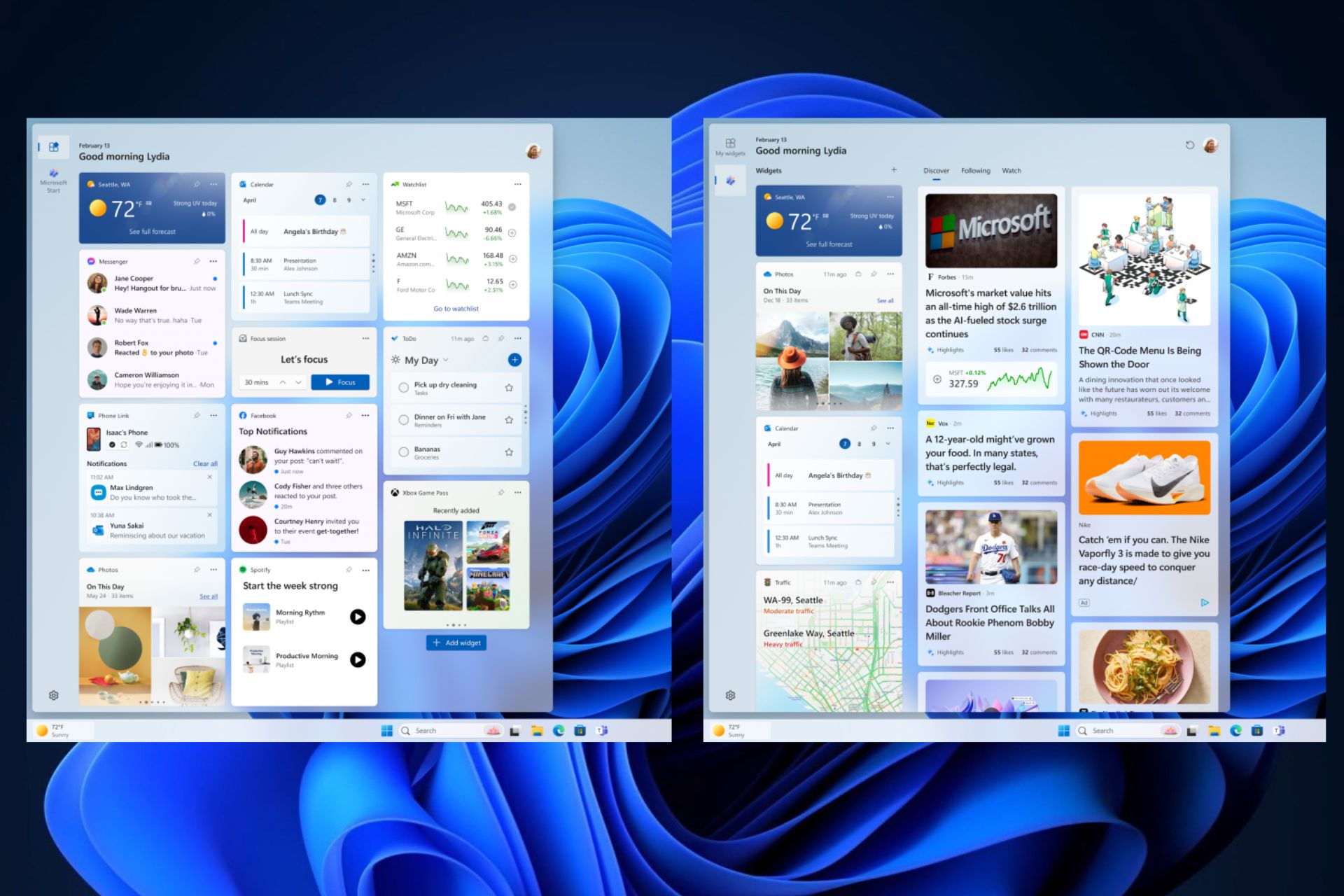
However, Microsoft also made some significant changes to the Windows 11 Widget board with this build. You’ll no longer have one Widget board on Windows 11, but 2, now, and you can switch between them at will.
Windows 11 introduces a new button when you open the Widget board, that lets you switch between a Widget board that showcases news, weather, and other similar topics, and a Widget board that is made up of all your favorite, and most used Windows apps.
We’re continuing to evolve the widgets board experience and you can now have more space for your favorite widgets and stay on top of current events with a feed that helps you discover the world around you. With the introduction of the new navigation bar on the left, you can switch between a dedicated widgets dashboard and other integrated dashboards like Discover.
Microsoft
This feature is gradually rolling out to Dev and Canary Insiders, so not every Insider is going to be able to have it right away.
However, if you do want to speed up the process (aka uncovering this feature), Windows Insider @PhantomOfEarth, says Windows 11 Insiders can enable it via a special ViveTool command. For those of you who don’t know, ViveTool is a third-party app used to enable hidden Windows features, and we have a comprehensive guide on how to use it.
Here’s the special command:
vivetool /enable /id:47370305
This is just one of the Windows 11 Widget Board improvements, the other Widget board improvement is the notification badging for Widgets. In other words, the Widget board will now display missed notifications, on the taskbar, initially.
When you open the Widget board, a new panel with all the missed notifications will appear at the top left corner of the board.
As we mentioned earlier, these Windows 11 widget board improvements are rolled out gradually, unless you want to uncover them with ViveTool.
This build is also the same for both Dev and Canary Insider channels, so you can switch between them if you want. Keep in mind that this is temporary and at one moment in the future, the two channels will receive different builds.
Microsoft released the 26058 build to the Dev, and Canary channels, and it’s the second build to be released to both channels, without any difference, something that the Redmond-based tech giant says will be for a while.
The build brings some new features to Windows 11, including the brand-new Pointer Indicator, which can be used by low-vision Windows users to easily locate and use the Windows cursor on their devices.
The pointer indicator consists of cross-shaped straight lines that sport bring colors (usually red, but users can choose from a variety of colors), with the pointer being at the center of this cross, as you can see in the featured image above.
Windows 11 also introduced a new panel on the Settings page, specifically for this new option, The Pointer Indicator settings, and it lets users customize the color of the lines, and also add additional effects to the cursor to locate it faster.
Here’s how this new page looks:
The 26058 build also brought dozens of other new features, including widgets board improvements, and a new notification badging for them, as well as the richer weather experience finally making its way to the Canary channel.
However, if you notice your lock screen displaying text in another language, you should be aware that it is due to the new weather experience in the lock screen. Windows users complained about this issue, when their Windows 10, and Windows 11 devices began displaying text in languages other than the default one, with Spanish, Mandarin, or Swedish popping up.
Other than that, if you’re enlisted in the Windows Insider Program, you should know that, for now, you can easily switch between the Dev and the Canary channels, and as we mentioned earlier, this build also keeps this tradition. So you’re now able to get the best of both worlds (or the worst, as these channels are a bit unstable).
It’s time to buy a cheap Xbox Series X quickly before they return to the original price. Also, if you don’t want to buy it for $450, you can try looking for other sellers. However, you must hurry to catch the offers.
The consoles are not the only cheap deals. You can also opt for bundles featuring games like Diablo IV and Forza 5.
Why is Xbox selling Series X consoles for cheap?
It’s uncertain why Xbox is selling the Series X consoles for a low price. However, it could be to calm down the community. After all, many Xbox players sell their consoles because of the rumors about the company changing business tactics. On top of that, some of the exclusive games are coming to other platforms soon.
However, maybe the whole situation was just a well-planned strategy to sell more consoles as fast as possible. However, we might find out more tomorrow during the official Xbox podcast.
The console is so cheap that you could get it as a gift for your significant other, friends, or family. Also, if you want to get the Xbox Series X for a cheaper price, you can consider getting a refurbished console. On top of that, you can gamble and look for them on eBay or similar sites.
Ultimately, we consider this deal a chance for most gamers to get an Xbox Series X before they run out. In addition, the consoles are great, and Xbox will continue working on them. Also, if you are using Xbox Game Pass without a console, now it’s your time to switch devices. On top of that, there’s nothing you can lose. After all, you should be able to return the console if you are unhappy with its performance.
Microsoft released Skype 8113 to the Insider Program, and with it, the Redmond-based tech giant officially debuts the ability to let users turn their voice messages into text messages, with the brand-new Audio Transcription feature.
The feature is quite useful in situations of accessibility, meaning hearing-impaired Skype users will now be able to respond to audio messages on Skype, but it can also be used in noisy environments, as Microsoft points out:
Enhance your audio messaging with Skype’s latest feature – Audio Transcription! Building on our recent UI improvements, we’re excited to unveil an addition that transforms how you interact with voice messages.
Transcribe on Tap: Discover the power of clarity with a single click. Activate the audio transcription by tapping the “A with a pencil” icon and watch your voice messages converted into text in real-time.
Seamless Integration: Our transcription feature is seamlessly integrated into the refreshed audio messages UI, ensuring a harmonious and intuitive user experience.
Visual and Textual Harmony: Experience the best of both worlds as the waveform and text transcription coexist. Engage with audio messages either by listening or reading, or both!
Instant Understanding: Don’t miss a beat with immediate transcriptions that help you grasp the essence of messages faster, perfect for quick reviews or when you’re in a noisy environment.
Enhanced Accessibility: Skype’s commitment to inclusivity shines brighter with audio transcriptions, making audio messages accessible to everyone, including those with hearing impairments.
Skype
Skype 8113 also brought several enhancements and improvements to the emoji board panel, and users will now be able to look for emojis in different categories, from smiles, to hand gestures, and reactions, and GIFs.
The last build also made some changes to the way people interact with emojis and reactions on Skype, so we’re inclined to think Microsoft is releasing all these new features in an attempt to position Skype as a suitable option for personal communication.
If it continues this way, Skype might have a chance against the likes of Messenger, WhatsApp, or Telegram.
The initial vision of .NET9 is set to be released later this year, according to the latest Microsoft Devblogs post, which also documents a first preview of the new version of the open-source development platform.
What to expect from Microsoft.NET9? In shorter terms, developers should expect increased OpenAI integration, and the usage of AI tools to create and develop apps, as well as many tools for cloud-native developers.
The platform will continue its cloud integration by giving cloud-native developers both a platform, and the tools to do so. More specifically, Microsoft.NET9 will integrate Azure Container Apps and Kubernetes-based environment to allow developers to lay the foundation for cloud-based apps.
Our Azure Container Apps partners will ensure that .NET 9 apps can be scaled to multiple instances easily within their Kubernetes-based environment. We’re working with them to ensure that ephemeral data – like anti-forgery and auth tokens – are encrypted correctly using Data Protection and that rate limiting APIs are improved to ensure optimal behavior for and across each node.
Microsoft
New deployment experiences for .NET Aspire are set to be integrated into Visual Code, and Visual Studio with the release of .NET9, which also enhances and improves the deployment of cloud-based apps.
Visual Studio and Visual Studio Code will include new development and deployment experiences for .NET Aspire. This will include configuring components, debugging (including hot-reload) the AppHost and child processes, and fully integrating with the developer dashboard. Developers will be able to deploy their projects to Azure Container Apps, from Visual Studio, Visual Studio Code, and with Azure Developer CLI (azd).
Microsoft
Developers will also have increased access to AI tools to use in developing apps, with .NET9 allowing faster and easier access to OpenAI tools, such as documentation and libraries.
Looking ahead towards .NET 9, we are committed to making it even easier for .NET developers to integrate artificial intelligence into their existing and new applications. Developers will find great libraries and documentation for working with OpenAI and OSS models (hosted and local), and we’ll continue collaborating on Semantic Kernel, OpenAI, and Azure SDK to ensure that .NET developers have a first-class experience building intelligent applications.
Microsoft
And for those who want to preview the new .NET9, Microsoft is now letting them download it here, along with .NET Aspire Preview 3, which can checked out here.
The product Manager on the PowerPoint team, Ekta Dwivedy shared that starting today Microsoft 365 Insiders can split and merge cells in tables in PowerPoint on iPad.
The addition of this feature on PowerPoint for iPad is good for the customization and organization of tables within presentations, which ensures a neat look and enhanced readability.
To use this feature, Microsoft 365 Insiders should be on Beta Channel version 2.82. This feature can reduce the cognitive load related to the complex table structures, and let you focus on delivering powerful presentations.
On a PowerPoint slide that has a table, choose one or more cells, then tap Table, then Merge, and select Merge Cells.
To revert the configuration, select the cell, tap Table, then Merge and select Split Cells. This frees you from manual reorganization and customization, thus saving you time.
With the focus on productivity and ease of use, Microsoft has once again proved its commitment to refinement and providing a better user experience while using its products.
In case you also want to join the Insiders team to get access to exclusive features before their official release, read this guide.
What do you think about this new feature of PowerPoint on iPad? Share your thoughts in the comments section below.
The new Outlook debuted some while ago, and despite Microsoft showering it with many features, including Copilot, and many other features, many users prefer the classic version of Outlook.
While Microsoft said that the classic Outlook will most likely be retired entirely by 2025, the Redmond-based tech giant keeps updating this version with new features: for example, Copilot made its way to the classic Outlook, just as it made its way to Windows 10.
However, many Outlook users don’t enjoy the new Outlook, and many of them think the version is not good. For example, on Reddit, there are Outlook users who feel that the new Outlook is slowing down their productivity, describing it as a ‘hellscape of an app’.
I wanted to test New Outlook so that when it becomes inevitable I can better support users. I had to throw in the towel today. It was seriously hampering my productivity. So much missing, so many really useful features simply absent. Microsoft is now the most valuable company in the world and they release this half baked steaming POS. I’d be better off using Outlook Express, Thunderbird, Groupwise or Lotus Notes. Seriously. It’s like everyone who’d ever developed Outlook over the years were rounded up in Redmond and shot and a bunch of Gen Alpha developers decided to build something from scratch. Going to be pushing a reg key to users to prevent them even from experiencing this hellscape of an app until MS finally has their come to their FSM moment.
Reddit user
The Reddit post turned into a rich thread with hundreds of users agreeing on the topic: the new Outlook is not of any good.
Just yesterday I got to test the New Outlook. And it’s horrible! Please don’t think that I’m one of those guys who deny to update. Trust me, I love updates. But this time Microsoft failed me! The new outlook is just a webview version of the one we access from their website. It doesn’t have many functionality. Profiles, gone. Add-ons, gone. Recall feature, gone. I’m truly amazed how Microsoft can take a well-established product and turn it into a must forget product!
Reddit user
This thread also spurred over 800 comments, most of them negative, but there are also some users who think that the new Outlook is not so bad at all:
At first I felt the same, but slowly not anymore. The new Outlook eliminates many problems, such as OST/PST issues, auto discover conflicts in hybrid environment, add-ons causing Outlook crashing, profile not loading, etc. With the new Outlook, all you have to worry about for now is your Internet connection, and Microsoft services not going down. Oh, and DNS. Just in case.
Reddit user
So why is Microsoft pushing it? Back in September, the teams behind Outlook said the new version is more suitable for the new Microsoft 365 environment, and with its UI, the emailing app will be able to integrate seamlessly with the whole 365 platform.
The team also mentioned that, as you can see in the video below, the new version will get many new features, but these will always be released based on the users’ feedback.
We are constantly using people’s feedback to inform our backlog of work.
Outlook team
So as you can see, there are some reasons on why Microsoft wants the new Outlook to become the standard Outlook. However, despite announcing the retirement of the classic Outlook, there is the prevalence of Microsoft releasing new updates for it, quite frequently.
Instead of retiring it, why doesn’t Microsoft keep it this way, because there are a lot of users who would still be on it, and just update it with security features?
The Redmond-based tech giant should be seriously considering it because multiple users mention migrating to an entirely new emailing platform, such as Thunderbird, Groupwise, or Lotus Notes, instead of using the new Outlook.
Microsoft, you already have the users’ feedback. Use it wisely!
What do you think about the new Outlook? Let’s discuss it in the comments section below.
In an alarming discovery, Trend Micro’s cybersecurity researchers have disclosed that an advanced persistent threat actor called Water Hydra or DarkCasino has exploited a security flaw in Microsoft Defender SmartScreen as a zero-day vulnerability.
The researchers have been tracking this malicious campaign since late December 2023, and this involves the exploitation of CVE-2024-21412, a security bypass vulnerability associated with Internet Shortcut Files (.URL)
In a report on Tuesday, the cybersecurity firm said:
In this attack chain, the threat actor leveraged CVE-2024-21412 to bypass Microsoft Defender SmartScreen and infect victims with the DarkMe malware.
Microsoft has fixed the vulnerability in its February Patch Tuesday update and warned that an unsubstantiated attacker could take advantage of the flaw by sending a carefully crafted file to the targeted person, thereby circumventing the displayed security checks.
However, the attack will only be successful if the victim clicks the file link and views the content controlled by the attacker.
The infection process, as Trend Micro describes, involves the exploitation of CVE-2024-21412 to drop a malicious installer file 7z.msi.
This happens if the victim clicks on the malicious link (fxbulls[.]ru), which is distributed through Forex Trading forums.
The URL is disguised as a link to a stock chart image, but it actually takes you to an internet shortcut file (photo_2023-12-29.jpg.url)
According to security researchers, Peter Girnus, Aliakbar Zahravi, and Simon Zuckerbraun:
The landing page on fxbulls[.]ru contains a link to a malicious WebDAV share with a filtered crafted view. When users click on this link, the browser will ask them to open the link in Windows Explorer. This is not a security prompt, so the user might not think that this link is malicious.
The threat actor takes advantage of the search: application protocol, which is used to call the desktop search application on Windows and is infamous for being abused in the past to deliver malware.
This deceptive internet shortcut file points to another hosted on a remover 2.url, which directs to a Command Prompt shell script within a ZIP archive, a2.zip/a2.cmd.
The complexity of this referencing strategy serves to avoid SmartScreen, as it fails to properly apply the Mark of the Web, a vital Windows component that warns you when you open files from untrusted sources.
The final objective of the campaign is to
The final objective of the campaign is to cautiously deliver the Visual Basic trojan called DarkMe while keeping up the facade of displaying a stick graph to the affected user throughout the exploitation and infection chain.
DarkMe can download and execute extra instructions, connect with a command-and-control (C2) server, and collect information from the compromised device.
The discovery of this zero-day exploit has raised concerns about the advancement of hacker tactics.
The researchers at Trend Micro also mentioned:
Water Hydra possess the technical knowledge and tools to discover and exploit zero-day vulnerabilities in advanced campaigns, deploying highly destructive malware such as DarkMe.
As the cybersecurity community deals with these emerging threats, it is better to stay vigilant and make sure you install all security updates to keep your devices protected against ever-evolving cyber threats.
What steps do you take to avoid these attacks? Share the tips & tricks you follow to stay away from these threats in the comments section below.
Opera GX, the browser dedicated to gamers (and different from the regular Opera), has introduced a limited plugin, Heartblocker, available on February 13, 14, and 15, with the sole purpose of blocking anything related to the Valentine’s Day celebration.
In a press release, Opera says Heartblocker will replace certain ‘sweet’ words with their more pragmatic counterparts, and pinky-colored designs with a more darkened color.
Introducing the Heartblocker browser extension designed to keep your online experience free from love-themed text and images. The Text Replacement feature scans your online content for love-theme words and replaces them with more neutral terminology. For example, the term ‘Valentine’s Day’ is replaced with ‘14th February’, ‘kiss’ becomes ‘mouth to mouth contact’, while ‘couple’ becomes ‘romantic situation’.
Opera
To make it even better, Heartblocker comes in 2 modes:
Normal mode: it replaces text and images with their neutral counterparts.
Emo mode: it replaces text and images with more severe alternatives (‘Valentine’s Day’ will be replaced with ‘cursed day’, while pink will turn into black).
The extension is available in many languages, including English, French, Spanish, German, and Polish, and it can be downloaded by visiting the official webpage. It’s worth mentioning, once again, that it only works on Opera GX, and below, you can see some examples:
There you go. Go ahead and download the extension, and make yourself oblivious to the sweet, sugary atmosphere that’s going on around us these days.
Xbox has now enabled touch controls in Xbox Remote Play, meaning Xbox users will be able to use their mobile phones as the Xbox controller, all through by using the Xbox App.
The company updated the Xbox App for Android, iOS, and Windows to support touch controls for over 100 games, including Minecraft Dungeons, Sea of Thieves, and Psychonauts 2. You’ll be able to customize the touch controls in any way you want. Plus, Xbox introduced a new basic touch control layout that can be used with any other game.
Want to play games when away from your console, but don’t have your Xbox Wireless Controller handy? No problem! Xbox remote play now supports custom touch control layouts on more than a hundred games when using the Xbox app on iOS, Android, and Windows devices. The same custom touch layouts available through Xbox Cloud Gaming (Beta) will now be available when remotely playing games from your personal console. This includes games like Minecraft Dungeons, Psychonauts 2, Sea of Thieves, and many more. Additionally, a basic touch control layout can now be used for most other games.
However, the changes to Xbox Remote Play were not the only ones announced. According to the latest blog post, Xbox also introduced a new thumbstick recalibration tool for the Xbox Wireless Controller, a new improved filtering and sorting option, and the feature to automatically sign out.
The new thumbstick recalibration tool for the Xbox Wireless Controller will let users repair their Xbox Controller by using the Xbox Accessories App without the need to call for customer support, control repairs, or returns.
However, the thumbstick recalibration tool should only be used for minor thumbstick issues, such as inconsistent responses.
We’re excited to release a user-guided, self-calibration tool on the Xbox Accessories app that helps you to recalibrate thumbsticks for Xbox Wireless Controllers. This is part of Xbox’s continued investment in improving the repairability experience of controllers. To address minor thumbstick issues such as inconsistent responses, use the self-calibration tool in the Xbox Accessories app on console or PC to resolve issues without the need for support calls, controller repairs, or returns.
The new improved filtering and sorting option includes the option to filter Xbox games by new categories such as accessibility, supported languages, and technical features. Aside from this, the subscription tab in the Xbox library will also sort games by Recently added, so users will be able to see the new titles added to Xbox Game Pass and EA Play.
Ultimately, the Automatic sign-off is quite a useful new feature in situations when an Xbox console is shared by many users. This new feature will automatically delete the Xbox profile when the current user signs off.
Xbox promised some new features this month, as the Xbox Insider Community turns 10, and while we don’t know if these are related to the celebration, they’re most certainly welcomed.
Notion, a US startup focusing on developing productivity apps, recently acquired Skiff, another company focusing on developing highly encrypted and secure productivity tools, according to the latest reports.
Skiff has been developing security-focused productivity tools, such as text editing apps, calendars, mail apps, and so on, and the company’s products have been seen as a more secure alternative to giants such as Google Docs, and Microsoft 365 apps.
The company had also been on Notion’s radar since 2020, and now that the acquisition was made last month, we began to wonder if the combined forces of Notion and Skiff can stand a chance against Microsoft 365 and Google Suite.
Skiff-Notion’s productivity suite might become the go-to platform for organizations
Why are we saying this? Well, the answer is quite obvious. Skiff has been developing secure and highly encrypted productivity apps right from its inception, and their tools are widely perceived as the more secure versions of the Microsft 365 apps.
Organizations and commercial customers trying to protect their data, and documents will most likely find the Skiff-Notion productivity platform as the better choice. Not only the platform have everything a company needs, from text editing tools to calendars, mail apps, and AIs, but it will also be less prone to phishing attacks, malware, security issues, and sensitive data loss.
Even though Microsoft 365 is quite comprehensive and updated regularly (Microsoft Teams, for example, has a new Copilot experience), the platform is extremely vulnerable to malware, and phishing attacks.
In fact, in 2022, over 80% of Microsoft 365 accounts were the target of at least one hacking attack, and the trend continues well into 2024, where there are reports that Microsoft 365 is hitting a peak when it comes to being the target of cyberattacks.
This fact alone would make a lot of companies consider another platform if only there were one. While Microsoft does its best to counter these attacks, and most of the time, it manages to do so, the Redmond-based tech giant has seen instances where it wouldn’t address serious vulnerabilities that would cause the leak of extremely sensitive data.
However, the Notion-Skiff productivity platform might just be the answer. With its highly secure capabilities and encrypting features, Notion could take on Microsoft, or Google, in just a few years.
Assuming they will position themselves as the more secure option, the company could easily overtake Microsoft 365 in the long run. Our most recent survey shows that Copilot is not yet adopted by the employees out there, and AI still has a long way until it truly becomes part of the workforce.
This only shows the need for a simplistic yet secure productivity platform, that has exactly what companies need without the AI fuss or extra features that nobody will actually use.
We’ll have to wait and see, but it is a possibility.
Microsoft is changing its business strategy for the gaming front, and as a result of that, some of the Xbox exclusives are on their way to other platforms, including the rival platform, PlayStation 5.
Earlier this month, when datamining hinted that Hi-Fi Rush, released in 2023, could be going to Nintendo Switch in the near future.
With the reports of new strategies and substantial changes in multi-platform gaming, these rumors gained momentum.
Phil Spencer reportedly confirmed to employees that Xbox consoles are not going anywhere, and he also mentioned that he would reveal updates on the future of Xbox in a podcast on February 15, 2024.
Apart from this, there is no official information about the speculations circulating about the Xbox exclusives until now.
However in a recent report by Verge, that Hi-Fi Rush and Pentiment will be the first Xbox exclusives to appear on PS5 and other rival platforms, followed by Sea of Thieves later this year.
In another report by Verge, Bethesda is planning to bring Indiana Jones and the Great Circle to PlayStation 5 after a brief period of Xbox exclusivity.
According to this report:
Microsoft’s new multi-platform approach for Xbox games hasn’t been finalized.
This means that the decisions on the game releases for PS5 or Nintendo Switch may be made on a case-by-case basis.
So, another report said that Starfield could come to PS5 after its Shattered Space expansion release, but there is no release date for that yet, so it is safe to say that Starfield might not be on the list of first Xbox exclusives going multi-platform.
Another rumor hints that Halo Infinite would come to other platforms, but there is no corroboration of this speculation as well.
As a game enthusiast, all we can do is wait for this Thursday’s business update, wherein Phil Spencer might shed some light on the Xbox exclusives’ future and name the games going on rival platforms.
Until then, the entire gaming community will remain on the edge of their seats, contemplating the implications of this reported shift in Microsoft’s gaming strategy.
Are you also waiting for the business update from Microsoft? Mention the Xbox exclusives that you want to see on PS5 in the comments section below.
Slack just released its new AI tool, Slack AI, to the platform, and the tech company promises it will help users get work done, more efficiently and without wasting a lot of time. The AI tool is now available to all Enterprise customers as a paid add-on, and for now, it’s only available in English, although Slack says more languages will be added to it soon.
For now, Slack AI will offer capabilities similar to the existing AI tools on the market, such as ChatGPT or Microsoft Copilot. According to Slack, these capabilities include:
Search answers that deliver personalized, intelligent responses to questions.
Channel recaps that generate key highlights from accessible channels.
Thread summaries that catch users up on long conversations in one click.
It’s worth mentioning that similar to Copilot and ChatGPT, users won’t need any training on how to use Slack AI, as the tool is intuitive and easy to learn, says the tech company.
These new native features are easy to use and require no training. They prioritize exactly what you need to know, when you need to know it. And they’re built on Slack’s secure, trusted infrastructure so that you remain in full control of your data.
Slack
The company says Slack AI can be used in a variety of scenarios, including those listed below. The tool is designed to greatly improve efficiency all around while communicating with other team members on Slack. Some of these situation are:
Learn about a new marketing campaign or project
Get up to speed on company policies, such as the deal approval process
Find internal subject-matter experts to resolve an engineering incident
Glean insights about past decisions from historical context
Define unfamiliar acronyms
Catch up after time away from work
Get up to speed on a new project
Stay informed on customers in sales account channels
Outline a root cause analysis from incident response channels
Extract themes from design feedback channels
In the following months, Slack AI will be updated to be able to generate key highlights, and will integrate other AI tools, such as the Einstein Copilot by Salesforce. No, it’s this is not Copilot for Sales, but another AI tool that can handle similar tasks.
With this being said, Slack also introduces AI integration, and users will be able to add a plethora of AI apps on Slack now, including PagerDuty, Notion, or Perplexity.
Is it a good time to be a Slack user, right? What do you think?
In a recent report published by the Redmond-based tech giant, Microsoft and OpenAI detected multiple hackers from Russia, China, North Korea, and Iran, using generative AI to enable and launch cyberattacks.
While it was just a matter of time until AI was going to be used this way, it still comes as a surprise and a shock, due to the AI’s capabilities to convincingly emulate real identities, forms of communication, and so on.
However, Microsoft in a partnership with OpenAI, is researching these cyberattacks to understand how they work, and how they can be stopped before wreaking havoc on the targets.
The two companies found no less than 5 threat actors: the Russian Forest Blizzard, the Iranian Crimson SandStorm, the North Korean Emerald Sleet, the Chinese Charcoal Typhoon, and the Salmon Typhoon.
All of them are using various AI technologies, from generating malware content to researching vulnerabilities in order to infiltrate, disrupt, and damage targets such as government institutions. However, Microsoft was able to apprehend and disable all accounts related to these threat actors.
To further combat these attacks, Microsoft and OpenAI will continue researching AI-based cyberattacks, which will include making ChatGPT and Copilot more secure, as well.
The objective of Microsoft’s partnership with OpenAI, including the release of this research, is to ensure the safe and responsible use of AI technologies like ChatGPT, upholding the highest standards of ethical application to protect the community from potential misuse. As part of this commitment, we have taken measures to disrupt assets and accounts associated with threat actors, improve the protection of OpenAI LLM technology and users from attack or abuse, and shape the guardrails and safety mechanisms around our models.
Microsoft
The Redmond-based tech giant recently released Microsoft Security Copilot, which the company says it will be updated to detect other AI-based cyberattacks.
Hackers using AI: How should customers prepare for AI-based cyberattacks?
Organizations using Microsoft services and products, should set up Microsoft Security Copilot in place, and keep it updated, along with the rest of the Windows devices and Microsoft apps.
As with any other cyberattacks, customers are advised to not open anything that seems suspicious, from emails to attachments, Teams meeting links, and so on.
Per Microsoft’s report, AI-based cyberattacks are fairly complex, and they can bypass many security authentication methods, however, both ChatGPT and Copilot should be safe, as Microsoft and OpenAI will regularly update their security software.
As we said earlier, hackers using AI to initiate cyberattacks was just a matter of time, however, being aware that it can happen is the first step to preventing it from actually happening.
If you were a gamer in the late 2000’s you’re probably familiar with the term Red Ring of Death. This issue was affecting thousands of Xbox 360 consoles making them unusable.
But what was this ring of death and why was it affecting so many consoles? After years of speculation, we finally have an official answer from Microsoft.
Microsoft has officially confirmed what was causing Red Ring of Death on Xbox 360
Ever since the release of Xbox 360, it was plagued with hardware failure, and this would manifest as a red ring around the power button, thus gaining its infamous name.
This was a widespread issue that affected numerous customers, and for years we were speculating what caused it, but now we know.
According to Gaming Bible, the upcoming documentary Power On: The Story of Xbox has an answer. In it, the former head of Microsoft, Peter Moore, has explained the cause of this problem.
It seems that the console was getting extremely hot and then quickly cooled down. This caused a massive strain on the internal system that resulted in the Red Ring of Death.
Back in its heyday, this issue cost Microsoft more than one billion dollars in lost sales and repair, and let’s not forget the hours of headache that users had to endure.
Nvidia released Chat with RTX, an AI tool that runs locally on Windows PCs, including Windows 11, and while this is just an early demo version, it is a serious competition to the other similar AI tools out there, including Microsoft Copilot.
Chat with RTX runs locally on the Windows PC, meaning it doesn’t need to connect to the Internet to work, and it doesn’t rely on Cloud servers either. The tool lets Windows users choose from two LLMs (Lllama and Mistral), and upload different documents in different formats (docs, videos, notes, or other data), and then it will process these documents according to the user’s requests.
Chat With RTX is a demo app that lets you personalize a GPT large language model (LLM) connected to your own content—docs, notes, videos, or other data. Leveraging retrieval-augmented generation (RAG), TensorRT-LLM, and RTX acceleration, you can query a custom chatbot to quickly get contextually relevant answers. And because it all runs locally on your Windows RTX PC or workstation, you’ll get fast and secure results.
Nvidia
However, being a locally run AI, Chat with RTX will need to be installed on your Windows PC first, and unlike Microsoft Copilot or Open AI’s ChatGPT, which can be run online, this tool will require some serious power to run.
You’ll need at least 8GB of VRAM, and 16GB of RAM, and it only runs on Windows 11, for now, as you can see in its system requirements below:
Platform
Windows
GPU
NVIDIA GeForce™ RTX 30 or 40 Series GPU or NVIDIA RTX™ Ampere or Ada Generation GPU with at least 8GB of VRAM
RAM
16GB or greater
OS
Windows 11
Driver
535.11 or later
But this is not enough, though. The Demo version of the Chat with RTX requires 35.1 GB of storage to be installed, so prepare to free some space for it. It’s worth mentioning that this is just a demo, so the actual app will most likely require more space, and more power altogether.
We weren’t able to test it out, just yet, but being a locally run AI, although it comes with some advantages, it will have a lot of disadvantages, as well: notably, these kind of AI tools don’t remember context, as it can’t be stored in the cloud, so users might find it frustrating.
However, considering this is just a demo, maybe Nvidia will somehow twitch the model to create a local folder where it can store the context.
We’ll see. But it can be a good option for those who want something different from the regular Copilot or ChatGPT. However, get ready: Nvidia Chat with RTX will use your PC’s resources.
After the KB5034765 update that brought many fixes, Microsoft released another update that addressed security issues.
The update fixes dozens of security flaws and several zero-day exploits, so make sure you get it as soon as possible.
Patch Tuesday addresses various security issues and exploits
The new security patch is here for Patch Tuesday, and according to Bleeping Computer, it addresses 73 security flaws. Here’s the breakdown of addressed vulnerabilities:
30 remote code execution vulnerabilities
16 elevation of privilege flaws
10 spoofing security issues
9 denial of service vulnerabilities
5 information disclosure issues
3 security features bypass security flaws
It seems that Microsoft has been busy with this patch, but that’s not all! The issue also addresses two zero-day exploits.
The CVE-2024-21351 exploit was fixed, and if you’re not familiar, this exploit allowed hackers to bypass Windows SmartScreen by sending a user a malicious file that gave them access.
So far, it’s known how this exploit was abused and how many were affected.
CVE-2024-21412 was also fixed, and this exploit allowed hackers to utilize the Internet Shortcut File flaw and circumvent Mark of the Web warnings.
As for this flaw, it was used by the APT group DarkCasino (Water Hydra) hacker group to target financial traders.
In collaboration with Legendary Pictures and Warner Bros. Entertainment, Xbox brings you the Dune expansion and the best part is that it’s free!
There couldn’t be a better chance to explore the exciting world of Arrakis from the cockpit of the Royal Atreides Ornithopter, an upgraded version of the regular aircraft that offers better acceleration, speed, and control.
What’s included in the Microsoft Flight Simulator’s free Dune expansion?
The expansion pack offers a series of three tutorials, teaching you all the critical skills to fly in the vast, changing landscape of Arrakis. The tutorials include take-off, landing, and free fall.
Once you are through the tutorials, six captivating activities await you. Five of these are time trials, and the last is a rescue mission like none other!
Everyone who owns the game, whether on PC or Xbox, can download the Dune expansion for free.
The Dune expansion pack is a promotion for Dune: Part Two, releasing next month on March 1. But that’s not the only exciting part.
You also stand a chance to win a custom Xbox Series S package and the first-of-its-kind floating Xbox controller stand, all inspired by Dune.
Straight from Arrakis – it's the world's first floating controller ??
Tulpar, a new gaming handheld console, is coming soon according to Intel Gaming’s post on X. In addition, TweakTown says that it has an Intel Meteor Lake processor. Overall, we don’t know much about the console’s specifications. Yet, we believe that it has the potential to rival the MSI Claw and the OneXPlayer X1 console, and maybe even Legion Go, Steam Deck, and Rogue Ally.
What is the new handheld coming out in 2024?
Tulpar’s new handheld is coming out in 2024 and looks like Emdoor EM-GP080MTL. However, it could be closer to MSI Claw in terms of specifications.
After all, they could share a similar version of the Intel Meteor Lake processor. In addition, if the Tulpar gaming handheld is similar to Emdoor, the console might have an 8-inch screen. But we have to wait to find out more.
By the way, if the first thing you did was to search for Tulpar, we did the same, and here’s what we got. They are a gaming company based in London. Until now, they have come up with a few gaming accessories, monitors, and gaming laptops. In addition, based on reviews, it appears that the products are somewhat average. So, we will have to wait and see the performance of the Tulpar gaming handheld.
Based on the images shared by Intel Gaming, the Tulpar gaming handheld looks great. The joysticks are illuminated, and the buttons have very bright colors too.
In addition, it has two USB type C cable ports, so you can use headphones while charging it or performing another action. On top of that it has 2 trigger buttons one bigger and one smaller, On the other hand, it appears that the console is a bit heavy. However, we hope that it’s not the case.
All things considered, we think that the Tulpar gaming handheld could have great potential. However, we won’t get our hopes up until we see the official specs and more details about it.
However, we hope it will compete with the other handheld consoles available on the market. Furthermore, we want to see how Intel will benefit from it.
What are your thoughts? Are you hyped about the Tulpar gaming handheld? Let us know in the comments.
MSI Cyborg 15 is a cheap gaming laptop and you can find it for 830$. On top of that, it comes with a strong RTX 4060 Nvidia GeForce GPU.
The laptop looks great, and it has a translucent bottom panel which allows you to see inside. It is quiet, light, and its hardware stays cool. Has it checked all the boxes for you? Check out its specs below!
Is the MSI Cyborg good for gaming?
MSI Cyborg 15 is decent for gaming due to its specifications. Also, it is a great choice if you are more inclined towards graphics and reasonable FPS. Moreover, you can open multiple tabs without a problem.
In addition, the notebook stays cool under load. So, from personal experience it is great for long hours of playing. On top of that, it isn’t noisy. Furthermore, you can play games on 1080p at 144Hz, which is very satisfying.
Specifications for Cyborg 15
Display
15.6″ (1,920×1,080), 144Hz Refresh Rate
GPU
NVIDIA GeForce RTX 4060
CPU
Intel 12th Generation Core i7
RAM
8 GB
Storage
512GB SSD
Dimension
359.36 x 250.34 x 21.95~22.9 mm
You can find Cyborg 15 laptops with different specifications. Some notebooks feature a better CPU, while others have more storage or a better GPU. Thus, you might find them around $1000. Also, there are some with lower specifications at a cheaper price.
Even if the laptop has an NVIDIA RTX 4060 GPU and 16 GB Ram, you might want to play newer games on medium settings to avoid fps loss. Yet, you will have a great gaming experience. Also, for a better performance, consider capping your fps to 60 or more, depending on the game you play.
The design of MSI Cyborg 15 is also very pleasant. After all, the touchpad is big enough to allow you to perform big slides, and the keyboard is spacious and responsive. On top of that, the keys offer some resistance. Thus, you will be able to tap at higher speeds.
MSI Cyborg 15 offers a great audio system. However, it lacks a bit on the bass side. Yet, you will most likely be able to hear everything that happens around you in the game. So, overall, we can call the audio decent.
If you are also interested in graphic design and video editing, you will find MSI Cyborg 15 quite acceptable.
Drawbacks and limitations
There are some drawbacks coming from its simple cooling system, reduced total graphics power, and slightly outdated CPU. Thus, MSI Cyborg 15 might not be as strong as some competitors. In addition, there isn’t a big difference in FPS after adjusting the power plans. Also, we don’t recommend playing in bright environments because its display is dim and not very colorful.
In conclusion, the MSI Cyborg 15 is an adequate choice if you are looking for performance on a budget. Moreover, you can perform office tasks, edit videos, do graphic design to some extent, and play games on medium and high performance. So, if you don’t mind its drawbacks and limitations, we recommend you pick it.
After years of being a vital part of Windows, the Show desktop icon won’t be present by default in the Taskbar, starting KB5034765. It will be replaced by Copilot. This is seen as Microsoft’s efforts to push the adoption of the native chatbot.
Microsoft, in its official blog, states that this is a Controlled Feature Rollout (CFR), meaning devices will receive the new feature set at different times.
Remember, the Show desktop option has not been removed altogether. It’s still a part of Windows 11, just not enabled by default!
To get back the Show desktop icon, press Windows + I to open Settings > go to Personalization from the navigation pane > click Taskbar on the right > expand the Taskbar behaviours entry > tick the checkbox for Select the far corner of the taskbar to show the desktop.
Enabling the Show desktop option in Windows 11
Other ways you can directly go to the desktop in Windows 11
Use the dedicated keyboard shortcut: Pressing Windows + D will take you straight to the desktop. Pressing it again will open the last-active app.
Via Power User menu: Press Windows + X to open the Power User menu, and select Desktop at the bottom.
Use the three-finger swipe: A three-finger downward swipe on the touchpad minimizes all active programs and gets you directly to the desktop. Doing the same upwards will re-open the program. For touchscreen devices, you can swipe on the screen as well.
Whether or not you heavily relied on the Show desktop icon in the Taskbar, it is certainly a convenient option. Microsoft did a great (and surprising) job in not removing it altogether!