Microsoft Modern Accessories Review: A nice conference collection on-the-go

Microsoft’s Moden Accessories line dropped at an apocryphal time for customers as the world slowly began to remerge from a pandemic induced quarantine.

During a year and some change, there was a fire sale at most electronic outlets on webcams, microphones, lights, headsets, speakers, and other home office accoutrement as employees revamped makeshift workspaces for extended use.

Microsoft’s answer to the demand was a first party lineup of quality manufactured webcams, speakers, and headsets, unfortunately, its timing was just a few months off.

In April of this year, the company announced its products officially and by May they were on shelves, however, thanks to the increasing number of vaccinated individuals, people were making their way back to offices.

Fortunately, that’s not the end of Microsoft’s Modern Accessories story.
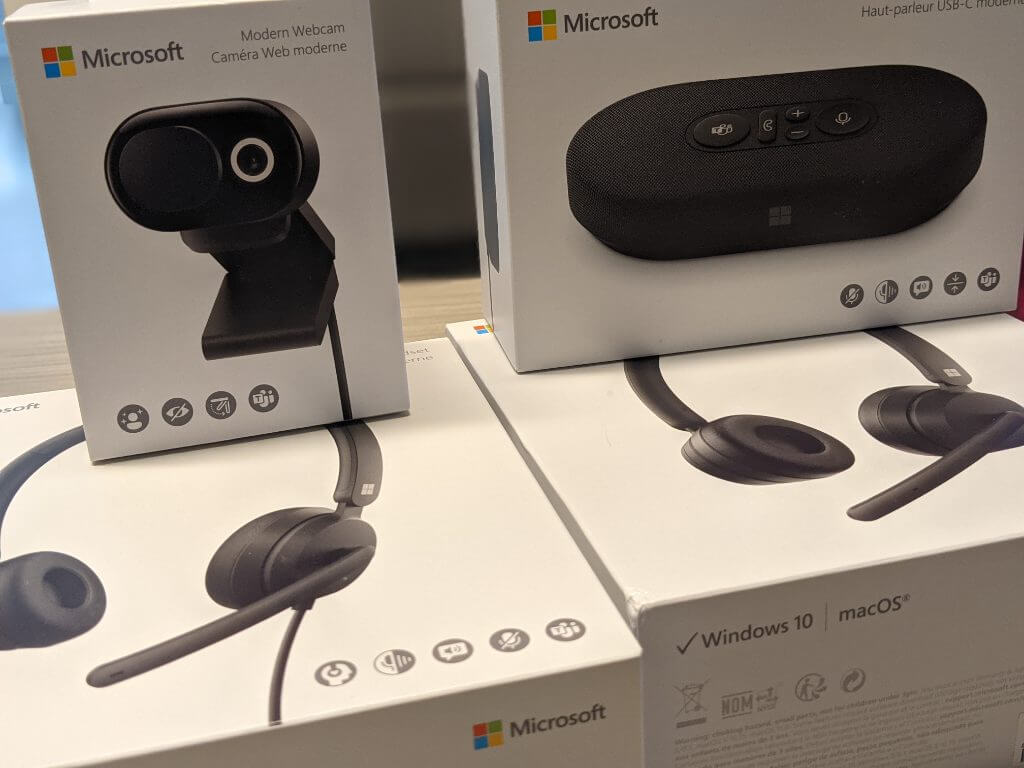
Microsoft Modern Accessories - All

As the pandemic lingers, the landscape of traditional in-person meetings, conferences, or gathers remains influx. People are still opting to meet virtually while in the same building and weary of multi-use equipment which leaves a great opening for Microsoft to fill with its Modern Accessories line and users couldn’t ask for a better quality to price option now.

Look and Feel

Perhaps, it’s a conflation of the Microsoft’s overall design aesthetic and that which the company applies to the Surface lineup, but the Modern Accessories devices seem to borrow from the underlying minimalistic principles, for better or worse.

While none of the devices come in the now-iconic Surface magnesium grey color, they all come in the other most recognized color which is matte black. For anyone adhering to any custom color schemes at their workstations, matte black can often make a muted accent flare that doesn’t distract from the overall look and feel. It’s a trusty go-to color for tech.
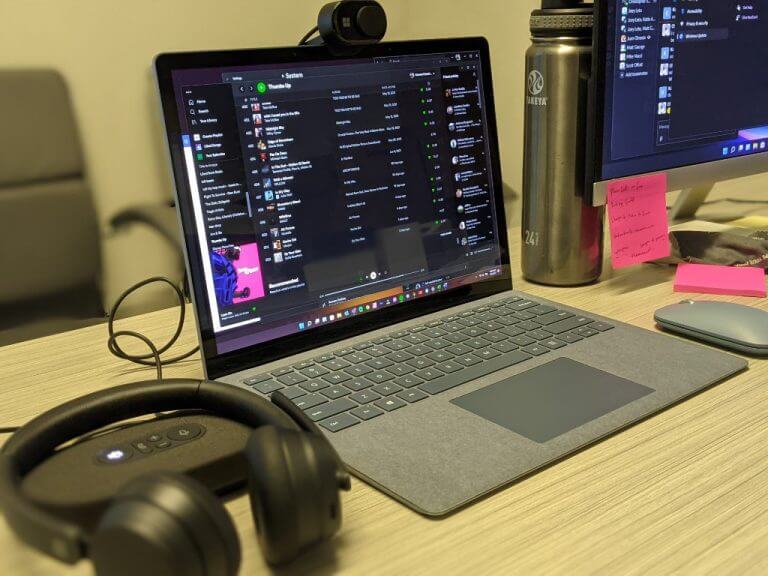
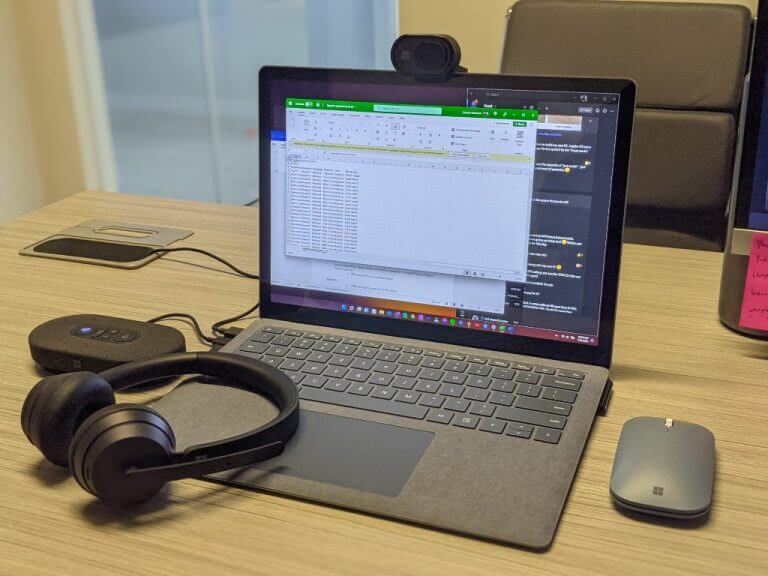
Microsoft Modern Accessories - angled

Aside from the iconography of the Teams logo and function indicators, the only other visible marking is the Microsoft logo subtly placed in various spots on the devices.

Lines, breaks in jointing and curves on the devices are mostly unabated and perceptually lend to the notion that the devices are made with minimal tooling which should result in a lasting experience over routine use, but we’ll have to check back in a few more months to confirm.

While the headsets are practically identical in look and feel, it’s the speaker and webcam that really allow Microsoft’s aesthetic to distinguish itself from the market.

The speaker uses a netted fabric material over 2/3 of the casing which harkens to other speakers such as Google and Apple’s home speakers. The overall size of the speaker is about the size of a large modern external hard drive. The speaker comes in its own travel case which proved to be handy in my use. There is also a USB-C connecting cable that wraps and buries itself within the bottom rubber compartment of the speaker.
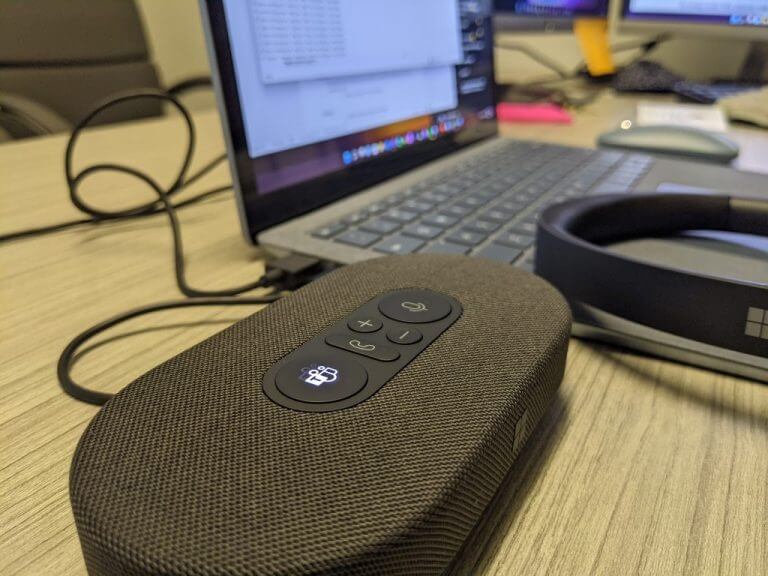
Microsoft Modern Accessories - speaker

While I would have preferred to have a Bluetooth connection, the inclusion of a USB-C connector was at least forward thinking of Microsoft.

As for the camera, it straddles the line between the traditional dollar-coin sized rounded design of most cameras and the other option of elongated rectangle casings. Microsoft opted for an oblong design with a manual shutter cover. The overall look is distinguishable in a sea of top mounted rounded webcams in the office.

The camera uses the more traditional USB-A connector, while not as forward thinking as the speaker, does line up nicely with its own modern Surface hardware designs which offer one USB-A and one USB-C port.

The camera doesn’t offer the greatest flexibility for up and down angles but manages to capture a wide field of view, so it compensates.

Performance

As a software company, Microsoft provides a secondary level of customization with its Microsoft Accessory Center. In the Accessory Center, users can manage their Modern Accessories and tweak settings that include device controls, color temperatures and HDR for the camera, audio profiles for the headsets and more. The Accessory Center is a relatively lightweight app that appears on first connection but not again. A simple search for Modern Accessory will pop up the app once again.
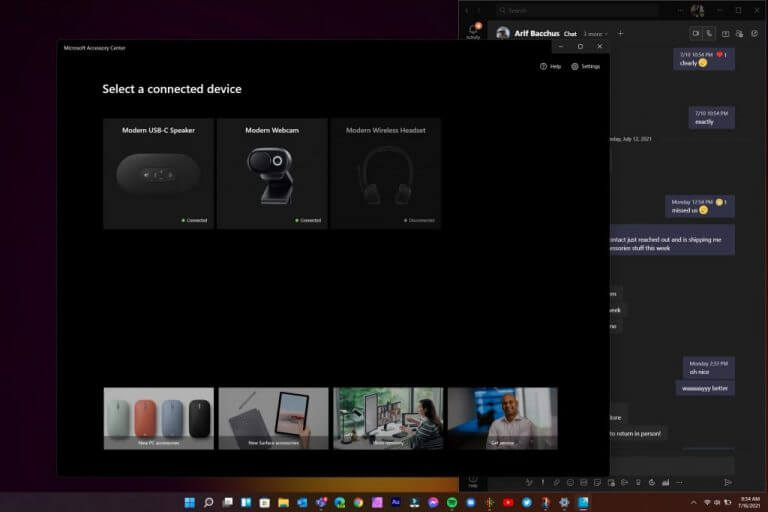
Microsoft Modern Accessories - software

Regarding the headphone situation, Microsoft’s Modern headsets were as impressive if not slightly better than the Sennheiser’s I was previously using and shoulders above depending on the mics and speakers on laptops.

The wired headset does feel dense but not overly so and I’ve worn them for hours on end switching between conference calls, podcast, and music. The function buttons dangle just below the chest and should rest on desk just as easily to reduce addition weight on the head, neck and ears when worn.

The buttons are clearly displayed and jumping in and out of Teams calls worked about 80 percent of the time. There were times when pressing the Teams button to join a call brought up the screen to join but didn’t automatically join the call. Ending calls, adjusting volume and muting worked as displayed.

The Teams integration shined with flares that included letting other members know when you hit the mute button, this was not present when using Zoom, WebEx or even Skype.

As for the call quality, I’ve had no complaints, and I’ve even conducted podcasts simply using the built-in mic on the headset and the quality between this headset and a Blue Yeti was negligible for the most part.

The flexing mic arm also endears the headset to being used like a regular set of headphones during work. While they’re not noise canceling, they do offer remarkable sound quality. For bass heavy fans, the headset will be lacking but for those of us who spend most of their time listening to podcasts, these headsets are amazing.

The Bluetooth headsets mimics the Surface Headphones with its volume control dial, the democratization of the dial functionality is a welcomed feature for the price point.
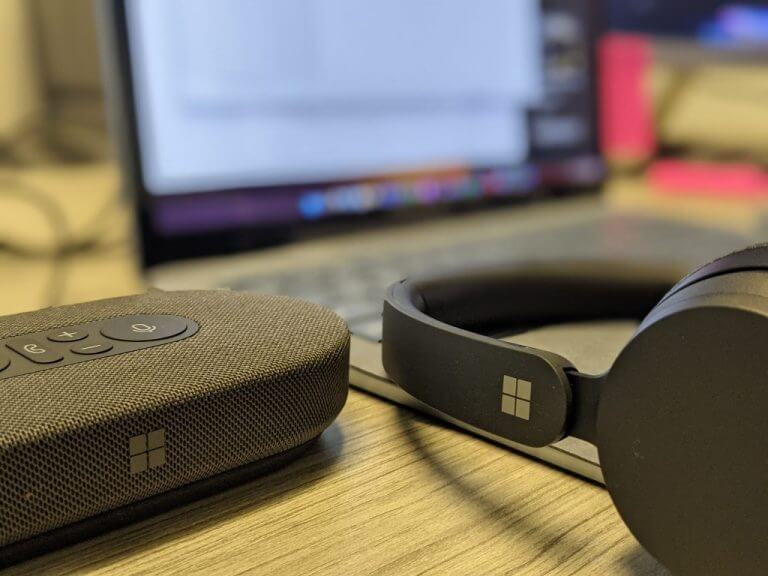
Microsoft Modern Accessories - headset

However, not all is rosy for the Bluetooth headset. Since Microsoft made concessions with removing the dongle surface area for buttons found on the wired headset, they’ve all been scrunched on the earcups of the Bluetooth headset. On the ears, the buttons are small, and take quite a while to develop muscle memory to nail the no-look muting, speaking and Teams call log in switches.

When in use, there is a voice indicator of battery life and reaming use time. While a full charge implies over 15 hours of use, I’ve been able to use the headsets over three days with moderate call and listening use, without a second prompt of near-ending battery life.

Moving away from the headset, the Microsoft Modern USB-C Speaker has been a pleasant surprise. The MM USB-C may not be Sonos or Apple Homepod levels of sophistication, it more than performs for its price and size.

The speaker sports the same Teams, Call, Speaker and volume keys as the headsets and they sit flush at the top of the device. A large Teams and speaker button flank the other functional buttons and light up when in use or muted.
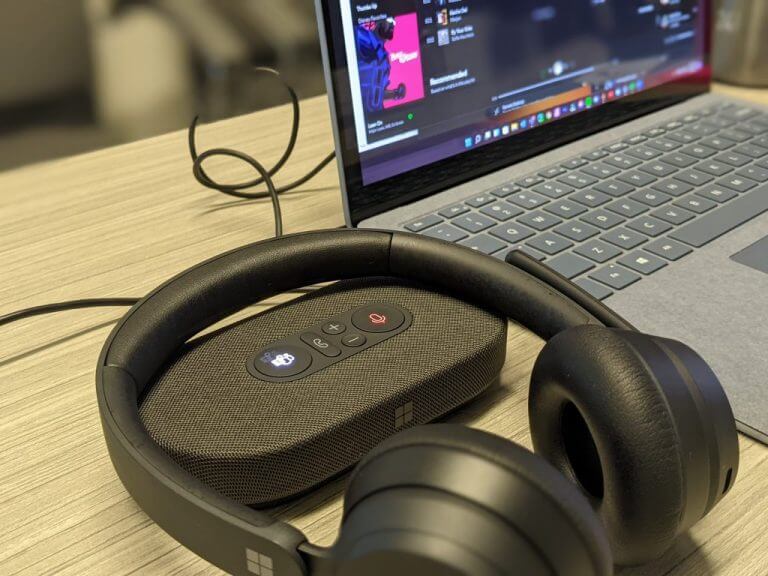
Microsoft Modern Accessories - speaker - headset

With a rubber bottom, there is little to no worry about the device sliding around, even on a tilted architect’s desk.

The output of the speaker for Teams and other conference calls is noticeably clear and gets plenty loud. As for using the speaker for music, it has its limits in the mids where you could push distortion if you go too loud.

As I mentioned the connecting cord wraps around the base of the body and can clear roughly 26 inches so it doesn’t go far from your computer but can be positioned into some convenient areas just on the outskirts of your main workstation.

Listeners on the other end claim that my voice came through clearly and background noise was minimal, even in a loud open-office setting.

Microsoft’s Modern USB-C Speaker proposition is, however, a bit of a head scratch for individual use. The Modern headsets have better mic quality and becaue they sit directly over the ear; they also have better audio pick up. The speaker may be a must have for multiple speakers in a single room, but those days seem far and away for the moment.

Last up is the Microsoft Modern Webcam that does as good a job as most webcams listed on Amazon to date.

The video quality is clearer and thanks to an embedded light ring also brighter. A lesser known feature of the Modern Webcam includes a built in mic that can record your voice in a pinch, but I recommend carrying the speaker or headset for most occasions.
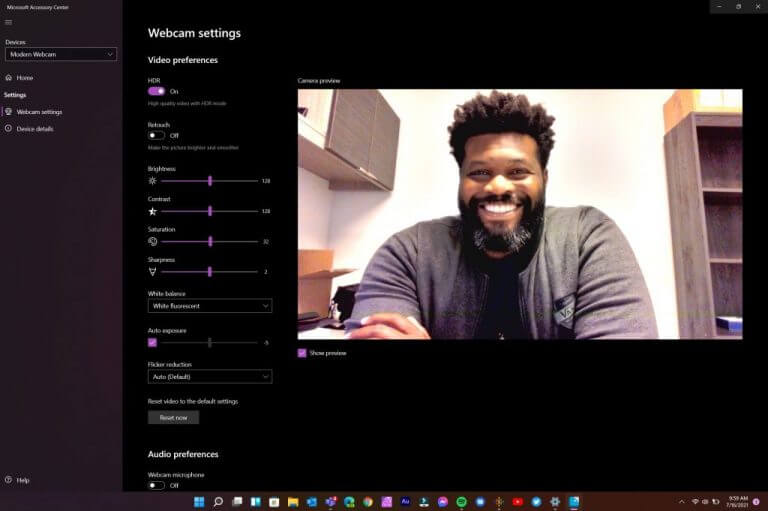
Microsoft Modern Accessories - software

There are no buttons or additional markings outside of the full Microsoft type font that trails the mount of the device.

The manual shutter is clicky when used, but also is not necessarily stiff enough to remain shut if the device is tossed into a moving bag.

Summary

I’ve managed to not only seamlessly integrate the new Microsoft Modern Accessories into my daily routine which blends a mix of home office dedicated in-person workstation, I’ve also hosted several of our OnPodcast episodes with the devices.

Thanks to their minimalistic and compact design considerations, I keep the webcam, headset and speaker in my messenger bag with no extra bulk. In a pinch they’ve become quite handy and have me reconsidering the few hundred bucks I’ve already sunk into modernizing my workstations both at home and in-person.

There are some features I’m look forward to being adopted in their next iteration of these tools such as Windows Hello face recognition and authentication, heftier bass management in the headsets and speaker as well 2K resolution support.

Leveraging its history with mice and keyboards, Microsoft has proven it can maintain its high-quality device manufacturing while also producing something very functional.

The prices may appear outside the market, yet, for what’s accomplished it feels perfectly in line for the travelling conference employee.

How to Disable File Explorer History [Quick Steps]

By now, there is no more need to mention that the File Explorer is Windows’ way of letting users browse through the files and folders on their system.

And even though most people know the exact locations of the files they require, sometimes searching for them, with the built-in function, is easier.

Whenever you search for anything in the File Explorer, the query is stored in the system and shows up in a drop-down suggestion when your try to search for something else.

For some people, this can be a bit problematic if they are using a shared PC or are trying to search through personal or private data.

And if you find yourself in a similar situation and are looking for a solution to disable the search history feature for the File Explorer in Windows 11 operating system, then you are in the right place.

How do I turn off the search history for File Explorer?

In order to get this done, you will use the built-in Local Group Policy Editor feature. It is a tool that allows you to configure Group Policy settings for a Windows PC or a group of PCs.

Basically, it gives you the ability to control the features and functionalities of the Windows-powered machine.

Here’s what you need to do:

  1. Press Windows key + R to open the Run prompt.
  2. Type gpedit.msc. and press Enter.explorer history step 1
  3. From the left hand side, select User Configuration, followed by Administrative Templates, Windows Components, and then File Explorer.explorer history step 2
  4. From the right hand side, double click on the Turn off the display of recent search entries in the File Explorer search box option.file explorer history step 3
  5. In the new window, select the Enable option, and then click Apply.file explorer history step 4

This is the entire process and once you perform these actions, the search history for your Windows 11 File Explorer will be disabled.

Why should I disable my search history?

First of all, you shouldn’t do anything you don’t want to. Secondly, nobody says it’s absolutely necessary to do so.

As we mentioned at the beginning of the article, this is a safe way to keep your information private if you are using a shared device.

You should only disable this preference if you feel like it’s an efficient way to protect sensitive data.

Recently, we’ve been also talking about the process of uninstalling the FeedbackHub for Windows 11, so you might want to check that out as well.

Was this guide useful for you? Let us know in the comments section below.

Windows 7 Password Recovery Tool: Best We Tested in 2026

Looking for the best Windows 7 password reset tools? You’re in for a treat! Today we look at the best recovery tools that’ll help you get back to your tasks in no time.

What are the best Windows 7 password recovery software?

Stellar Password Recovery – Live Update

Stellar Password Recovery can help you find lost passwords, usernames from apps and games, and lost serial numbers.

Some of the most important features brought to the table by Stellar Password Recovery are:

  • User-friendly interface
  • Windows login password resets through a bootable disc
  • Live Update
  • Wide compatibility with numerous Windows versions
  • Free trial for those who are still undecided
Stellar Password Recovery

Stellar Password Recovery

Stellar Password Recovery provides a password recovery guarantee on Windows 7 and other OS versions.
Free Trial Visit Website

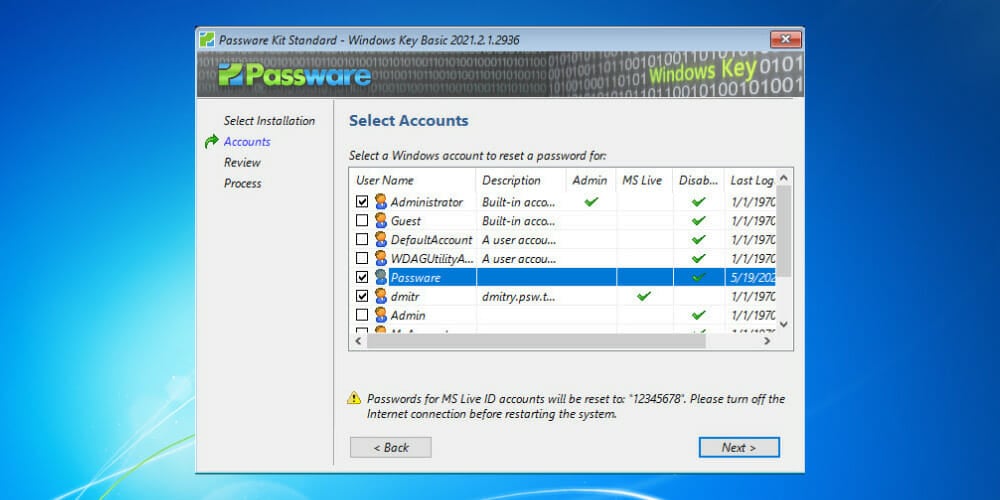
Passware Windows Key Basic – Complex password resetting

Windows Key Basic from Passware has a 100% recovery rate. Moreover, its user-friendly interface is appreciated by users, as it offers quick and comprehensive access to any of its features.

Here are its main features that you need to know about:

  • Fully supports Windows versions higher than Vista
  • Supports SATA, RAID, and SCSI drives
  • Resets complex passwords
  • Back up security settings and roll back your password
  • Resets secure boot options
  • 100% money-back policy
Passware Windows Key Basic

Passware Windows Key Basic

Use Passware to recover your passwords in no time! Ready to try this simple tool?
Check Price Visit Website

PassFab 4WinKey – Locked PCs accessing

PassFab 4WinKey will store and manage your credentials but it can also be used as an emergency recovery option in case you forget them.

Here are some of its main features:

  • Access a locked computer
  • Delete or create new accounts
  • Remove admin/user local passwords
  • Create Windows password reset disks
  • Reset forgotten Microsoft account passwords
PassFab 4WinKey

PassFab 4WinKey

Stay protected no matter what and manage your Windows password instantly using this recovery software.
Check Price Visit Website

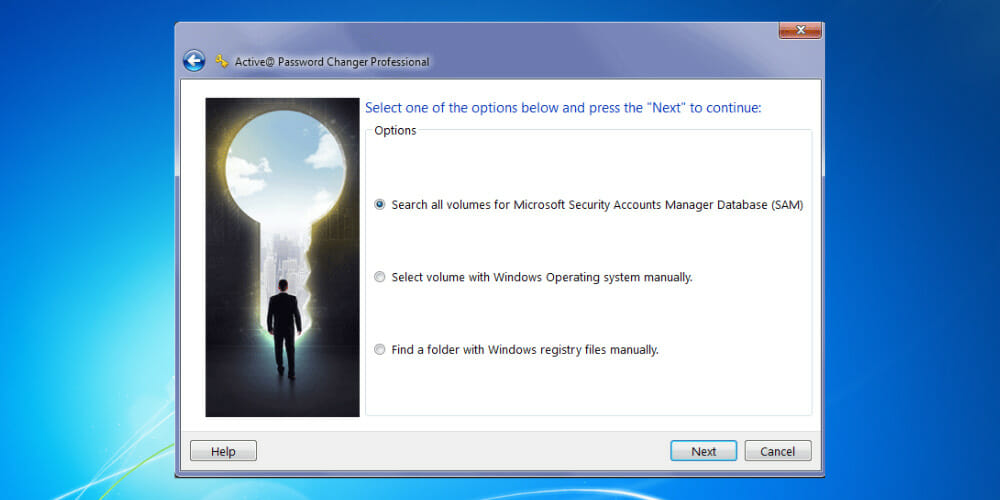
Active@ Password Changer Professional – Easy to use

Active@ Password Changer Professional can reset local passwords and attributes on all Windows versions when the administrator password has been forgotten, or lost, or a user account has been blocked, disabled, or locked out.

Check out its essential features:

  • The program is very easy to install and use
  • Great password deleter
  • Deletes all kinds of passwords
  • Compatible with all Windows versions
  • Access to the old password is not required

⇒ Get Active@ Password Changer Professional

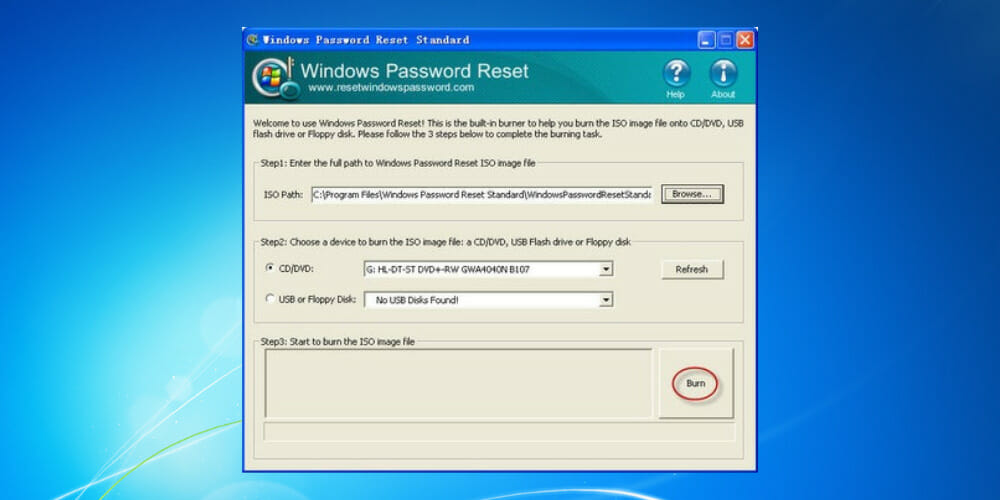
Windows Password Reset Standard – Simple interface

Windows Password Reset Standard doesn’t actually recover the password, but instead, it removes it. It can tackle passwords of any kind, successfully removing them despite their complexity.

Take a look at the most important features packed in this software:

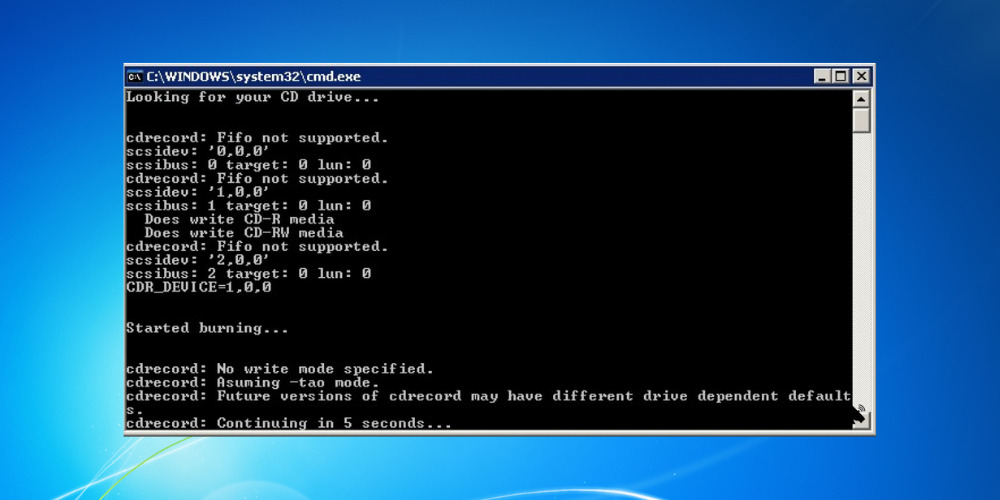
  • The program is very easy to burn to a CD using the included image-burning software
  • Windows Password Reset Standard is perfect for beginners
  • The software helps you reset Windows Administrator or other user account passwords
  • It is able to reset any lost or forgotten passwords on Windows systems
  • Works with Windows 7, 10, 8.1, 8, Vista, and XP

⇒ Get Windows Password Reset Standard

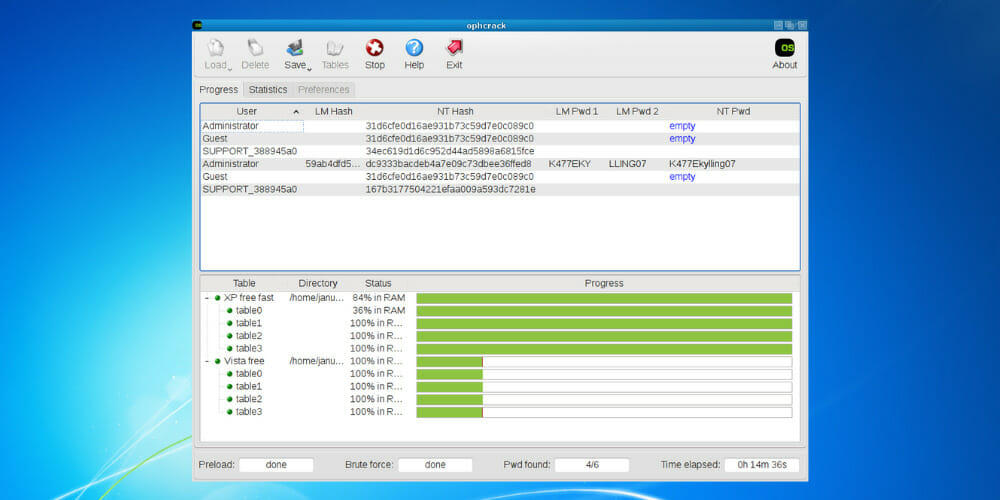
Ophcrack – Multi-compatibility

The Ophcrack Windows password cracker is another fantastic Windows password recovery tool, and it is completely free. With this program, you will not need any access to Windows to be able to recover your lost passwords.

Check out the essential features of Ophcrack:

  • Compatible with Windows, macOS, Linux, and more
  • Windows Vista/7 or XP users benefit from free tables
  • Brute-force option to crack simple passwords
  • CSV export and Audit mode
  • LiveCD to simplify cracking
  • Free and open-source

⇒ Get Ophcrack

Trinity Rescue Kit – Effective UI

Trinity Rescue Kit is software that needs to be booted from a disc or USB stick in order to work, but provides useful password recovery features.

Here are some of its main features:

  • Delete passwords entirely
  • Set up new custom passwords
  • Works with USB, CD/DVD
  • Simple yet effective UI
  • Compatible with Windows 7, 8, 10, Vista, and XP

⇒ Get Trinity Rescue Kit

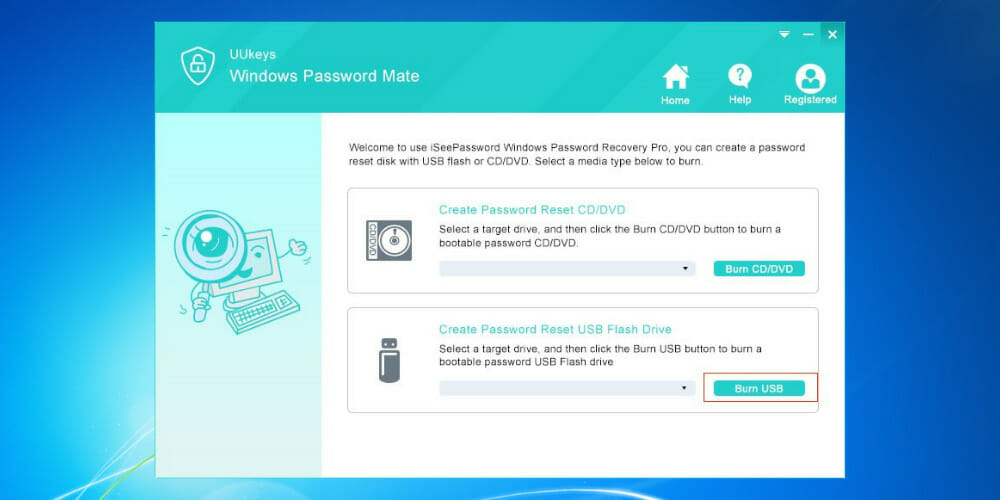
UUkeys Windows Password Mate – Great password remover

UUkeys Windows Password Mate is one of your best choices to remove the login password and security settings that may prevent you from logging in safely and quickly.

Take a look at the most important features packed in UUkeys Windows Password Mate:

  • Simple and intuitive interface
  • Easy-to-understand options buttons
  • Works right after booting
  • Removes login restrictions from disabled accounts
  • Compatible with Windows XP, Vista, 7, 8, 10, and Server 2012

⇒ Get UUkeys Windows Password Mate 

How can I set up a password on Windows 7 after resetting it?

  1. Select the Windows icon, then Control Panel.
  2. Then, select Add of remove user passwords.
  3. Choose the user you want to put a password on.
  4. Then, select Create a password.
  5. Type the password you want to set in both of the boxes, then select Create password (you can also type a password hint).

How can I create a secure password?

When creating a password for your administrator account, you have to think about something that you’ll remember, something noteworthy.

However, don’t pick basic words. They are easy to crack. Also, try to stray away from objects, words, or phrases you use on a daily basis since they might be a dead giveaway.

The safest password should include at least an uppercase letter, a lowercase one, a number, and a special character. It might seem too much but it will ensure no one figures it out.

Don’t share your password with anyone, and never write it down! There are many password managers on the market that will keep track of your different credentials, and they use encrypted security to ensure nobody is going to steal the data.

All these programs will come in handy if you lose your Windows 7 admin password and you don’t have any way of retrieving it.

You definitely wouldn’t want to reinstall everything, and that’s why all these tools for recovering your passwords are the last resort and your final rescue.

Check them out. They will all work smoothly for your system running Windows 7 and they will solve the problem without too much hassle.

As always, we’d like to hear any other suggestions or experiences you had with the software, so feel free to share them with us in the comment section below.

Riders Republic game preview: Full of downhill thrills

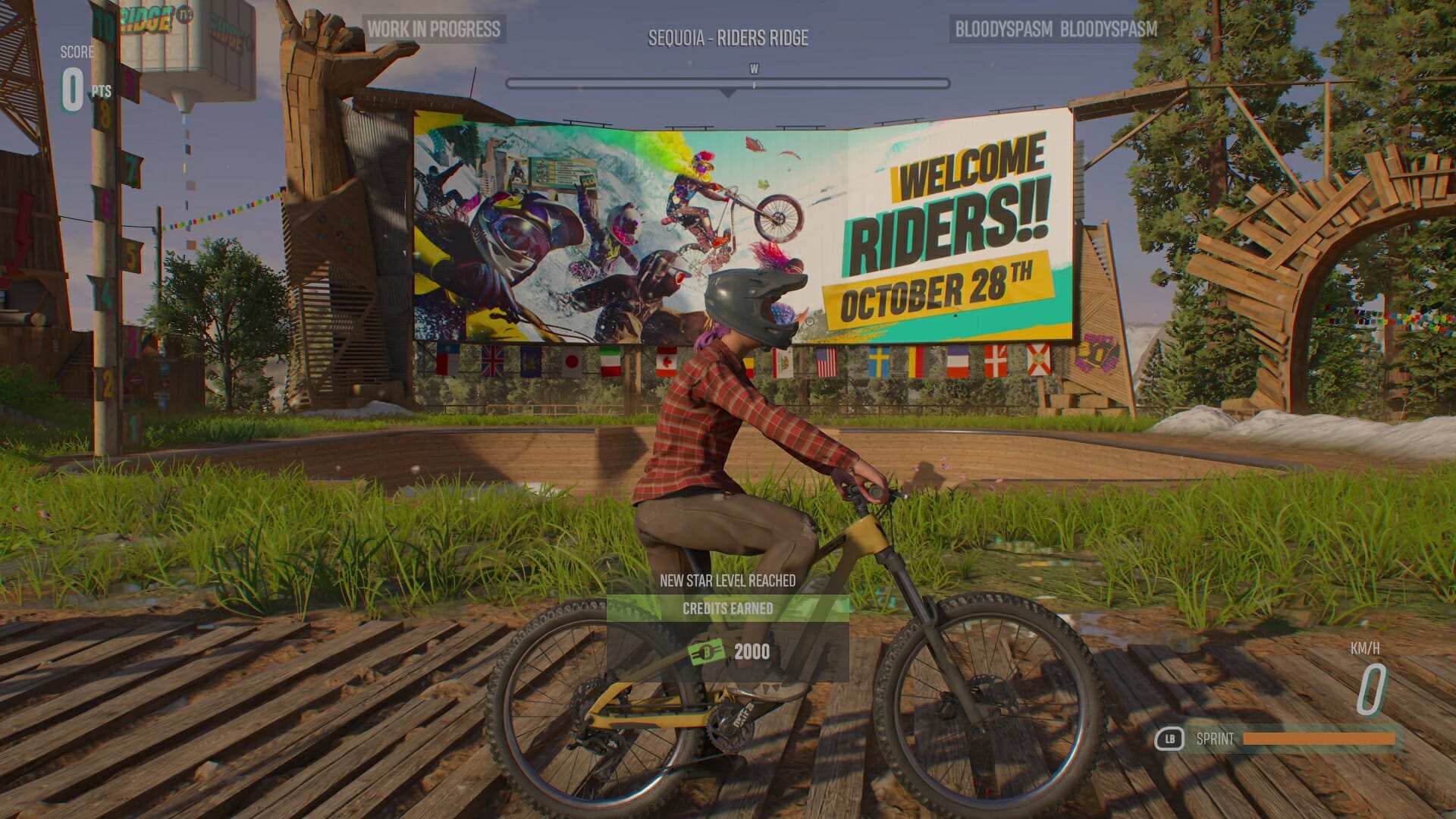
The Riders Republic closed beta started on the 23rd of August and allowed a select few players to get an early look at Ubisoft’s upcoming extreme sports game. I’ve been enjoying myself on the slopes ever since and am eager to share my impressions with you in this preview article.

? NEWS: Today, during Gamescom’s Opening Night Live Stream, they announced the beta to be open for all players until the 28th of August. Ride on, everyone!

Let’s first answer a simple question with a complicated response. What is Rider’s Republic? It’s what happens if Steep and The Crew 2 married and had a child with elements from both games showing up. It’s Ubisoft’s attempt to fill a gap in the downhill racing genre that previously really only had indie games like Descenders populating it.

Downhill racing

Let’s start with the best part. The downhill racing is an absolute thrill and screenshots won’t do it justice. In fact, the entire game feels like one big motion blur with how fast things are going. Yet the controls are pretty accurate, no matter if you’re playing in third- or first-person mode and you’ll soon be making sharp turns and performing insane tricks after a jump over a cliff.

And should you make a mistake, there is no need to worry. While a tiny slip-up near the finish could end a 1-hour race (yes, really) in The Crew 2 and leave you frustrated, Rider’s Republic solves this by lending the rewind function that has been so incredibly useful in Forza Horizon games.

Stop. Rewind.

When you crash you can quickly press B to get back on your bike and when you miss a checkpoint, you can simply rewind to where you need. The big difference here is that even in single-player mode, rewinding does not affect the opponents, so while it’s extremely useful and often better than restarting the entire race, it’s best used sparingly.

Similar to The Crew 2, is the trio of activities. Next to downhill biking, you can also perform snowboard tricks on the slopes of a snowy mountain or fly a jetpack through gates above the maps you were riding down from just minutes ago.

Strap on your jetpack or hit the slopes

At least these wings aren’t made of wax.

You’d expect them to go for a simple wingsuit, but you’d be wrong. Rider’s Republic instead lets you fly a fuel-powered jetpack that ironically doesn’t feel as fast as cycling down the mountains, but the variation is welcome.

Similarly, if you tire from racing all the time, you can equip your skis or a snowboard and see how many points you can rack up in trick attacks. The loading happens so fast on Xbox Series X, that changing between different events is only a few seconds away.

Spin to win!

Variety is the name of the game and will be the key ingredient for keeping Riders Republic from feeling stale after hours of playing. And in true Ubisoft fashion, there is always something just within reach that will make you want to keep going.

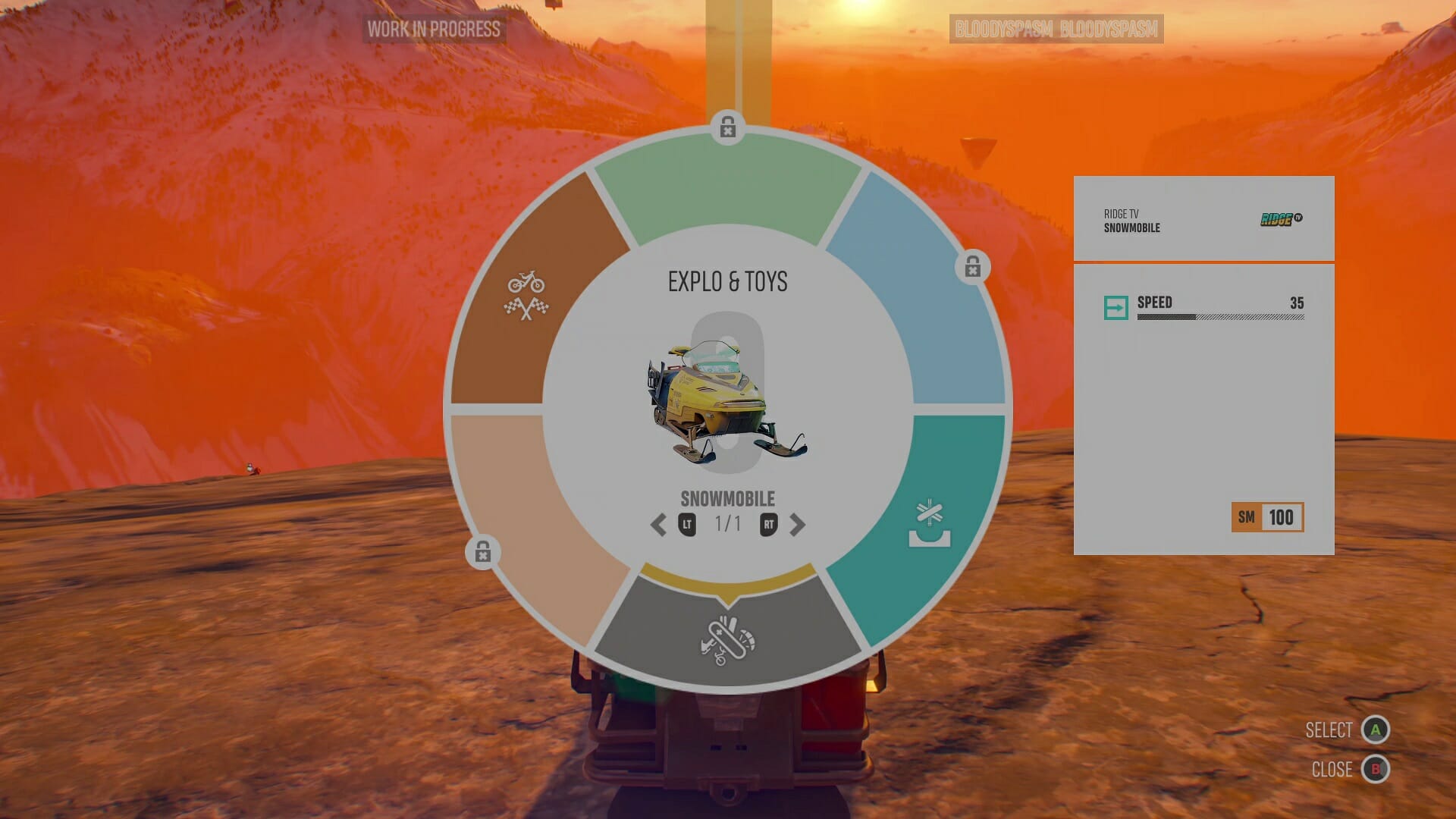
Speaking of changing it up, fans of The Crew 2 will be happy to see the Vehicle wheel returning. In Riders Republic, you can free roam and go hunting for collectibles and you’re able to switch gear at a second’s notice. See a snowy slope? use your skis. Want to go uphill instead, switch to the snowmobile instead. It’s fast, it’s fun and it’s completely frictionless.

Where’s the snow?

If you don’t want to travel to a checkpoint the hard way, you can always just bring up the map and instantly drop to a point nearby. The world is yours to explore and there is always something to do nearby. And when you get there, there will be rewards.

Unlock rewards

So rewarding.

From earning stars by fulfilling specific requests to gaining levels or unlocking new gear that will make you go faster, the possibility to get addicted and lose a ton of hours is real. Completionists will have their hands full with this one.

In single-player games, part of the reward is usually unlocking the next cut-scene or progressing through the story. And while Riders Republic has a decent amount of focus on story, the characters are just a bit too close to being caricatures for my own liking.

The story

“How do you do, fellow kids?”

I bring up the story only at the end of this preview and that’s because I wasn’t very impressed with it. The characters all try too hard to be cool, like a father trying to impress their kids, wanting to convince them that they are still “cool”.

I may not be much of a judge, as a 33-year-old father of two myself, but there were plenty of cringy moments that missed the mark for me. Experience may vary depending on what you find funny, but I just wanted the cutscenes to be over and get back to racing down dusty hills as soon as possible.

Final thoughts on Riders Republic

Pros
Great sense of speed
Lots to do
Great features like backtrack
Cons
Story and acting doesn't really impress
Not very impressive visually

Having played the Riders Republic beta for around seven hours, I can already tell the full game will take many more hours to complete and it will be a ton of fun. Ubisoft has learned from past mistakes in previous games and added some features like Backtrack or implemented fan favourites like the instant switching between different gear.

You can pre-order Riders Republic for PS4, PS5 and Xbox.

It’s shaping up to be a fantastic release for the end of the year and I look forward to getting my hands on the full release.

See you on October 28th!

*Disclaimer: Previewed on Xbox Series X. Beta code provided by the publisher.

How to install any new Windows 11 build as an ISO effortlessly

Have you ever wondered if you can install any Windows 11 build to test out before its public release later this year? Of course, you can always sign up for the Windows Insider program and download the latest Windows 11 build Microsoft makes available through Windows Update.

Recently, Microsoft released the first official ISO files for Windows Insiders. Microsoft’s dedicated Windows Insider Preview Downloads page is great, but there are only a few Windows 11 versions and builds available.

Moreover, if you want to download and install a different Windows 11 build ISO file, Microsoft does not provide you with any other options. So, what if you want to install say the Windows 11 build using an ISO?

There is a third-party website, not affiliated with Microsoft in any way, called UUP dump, that allows you to “download UUP files from Windows Update servers with ease.”

Here, you can download almost any Windows 11 (and Windows 10 builds too) version you want.

Important disclaimer: Although UUP sources Windows Insider files from Microsoft servers, the UUP website is not an official Microsoft site for downloading ISO files and we take no responsibility if any issues arise. It is not intended to be used as an official source.

Download a Windows 11 build the “official” way

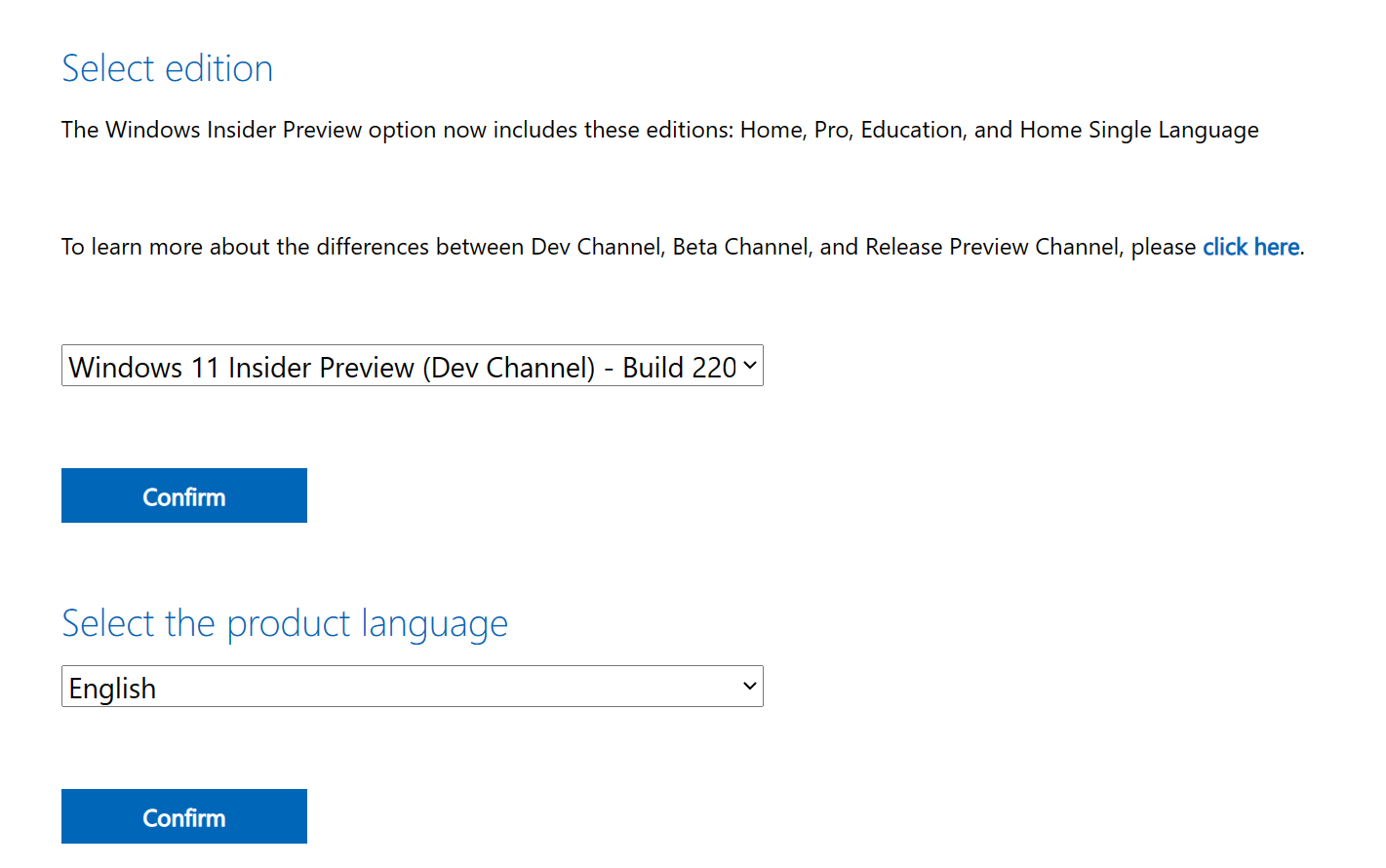
1. Go to Microsoft’s Windows Insider Preview Downloads page.
2. Choose the Windows 11 build you want to download from the list available and click Confirm.
3. Choose your language and click Confirm.
Windows 11 build
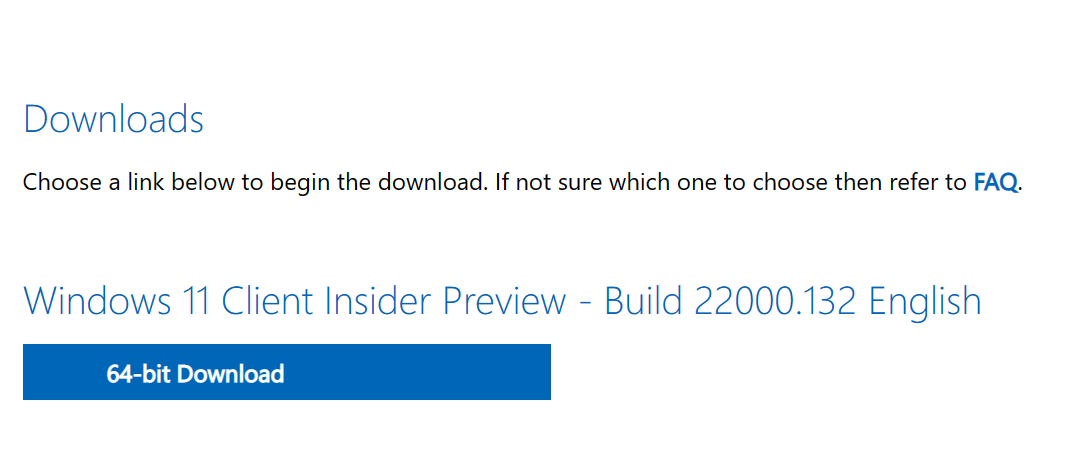
4. Download the link to the ISO provided by Microsoft.
Windows 11 build

Download any Windows 10 or Windows 11 ISO file you want using UUP dump

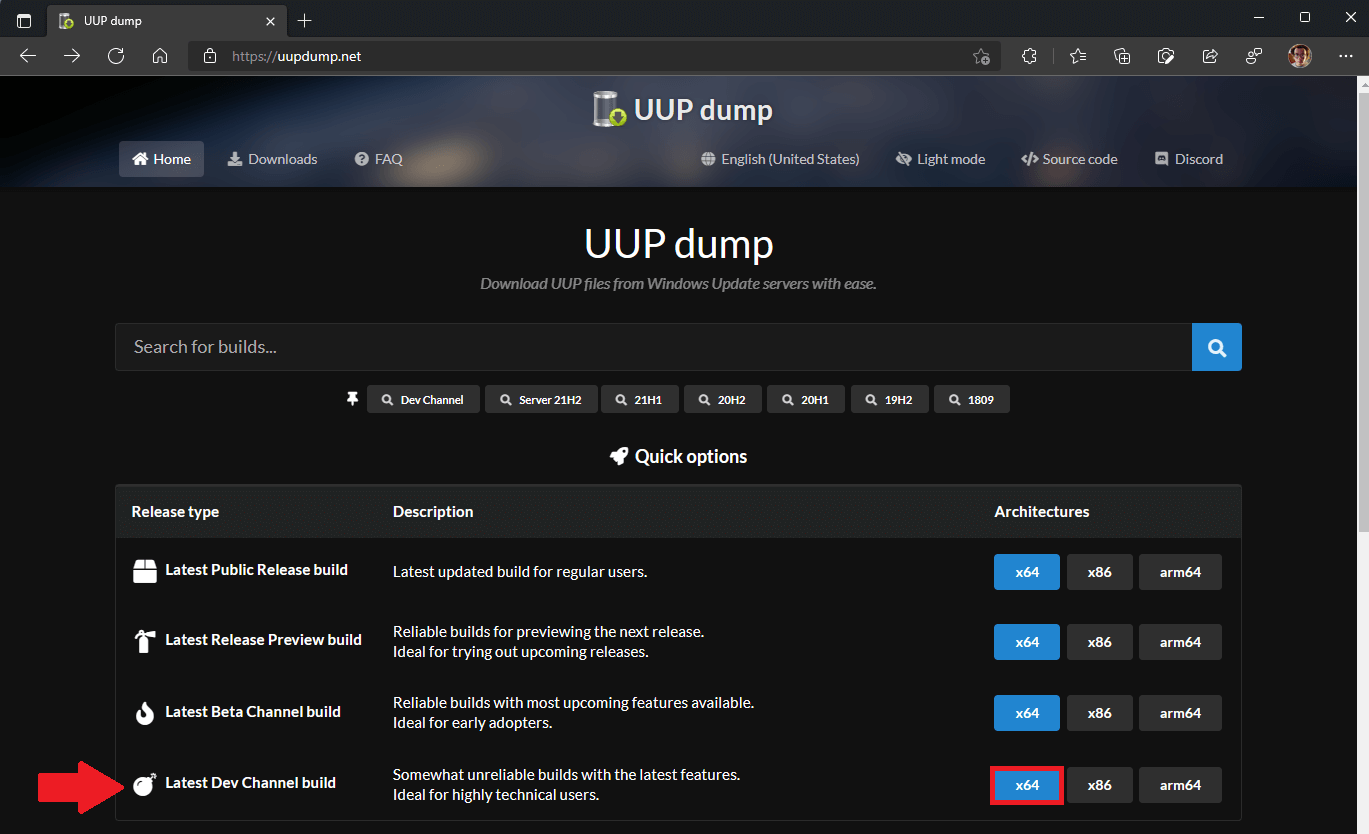
1. Go to UUP dump and choose any Windows 11 build you want. For this example, I chose the latest Dev Channel build.
Windows 11 clean install
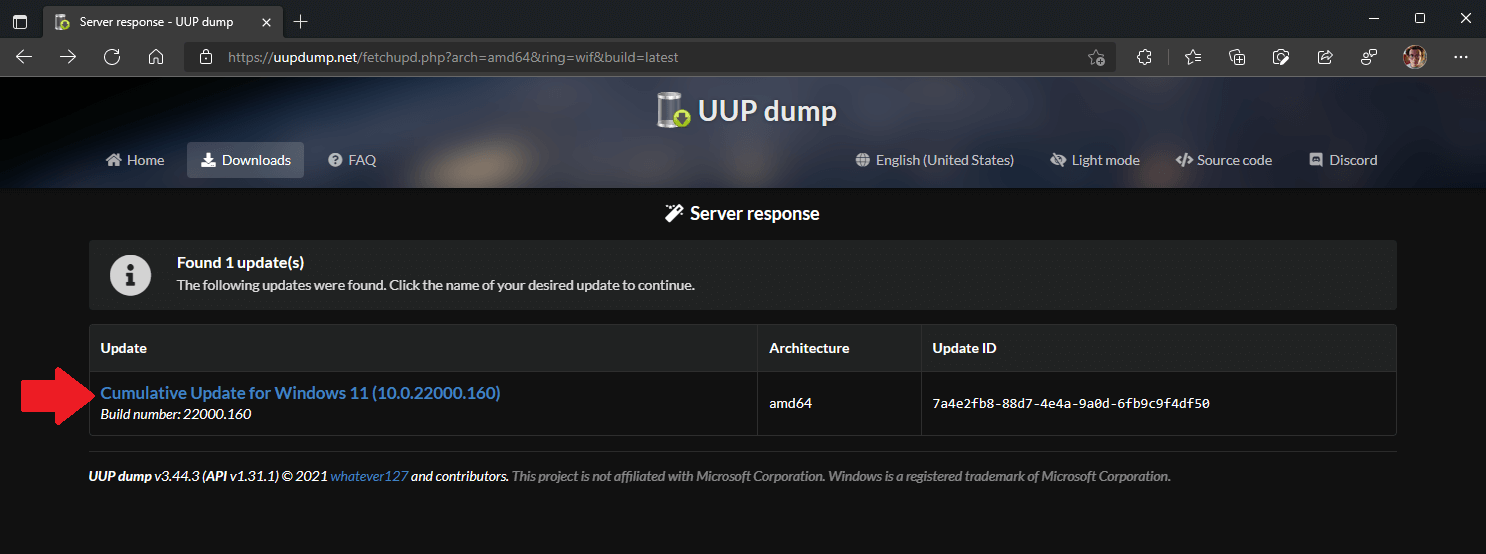
2. Next, the Windows 11 build will appear, click on it again to be brought to the next screen to choose your language, Windows versions, and other options.
I decided to download the latest Windows Insider Preview build 22000.160 for the Dev Channel.
Windows 11 clean install
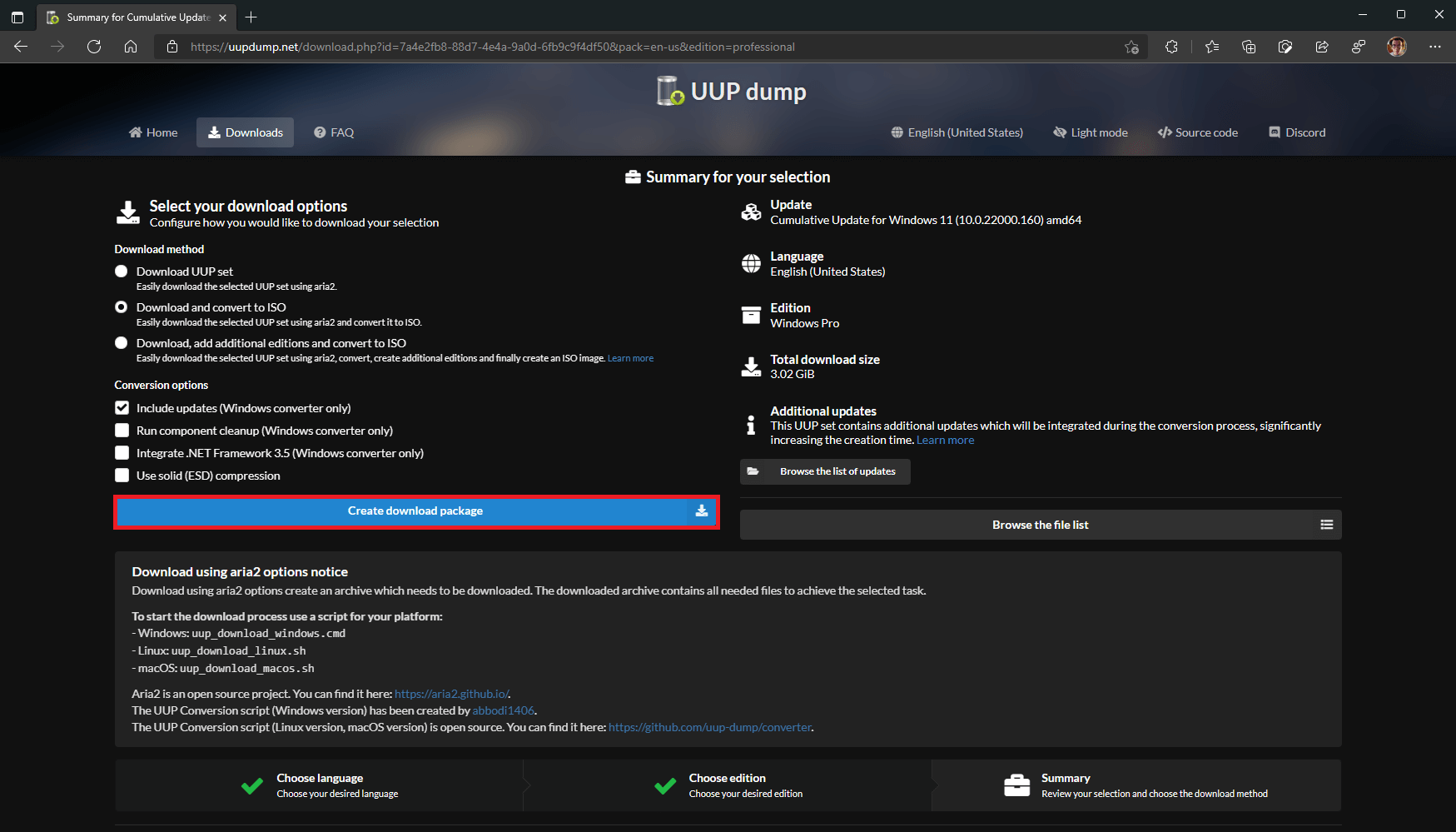
3. Now you have to choose what language, what Windows version, and any additional options you want for the Windows 11 ISO file. Choose “Create download package” when you are ready.
Windows 11 clean install

Now, UUP dump will create a download package (approximately 4 MB) for you that will be download as a zip file. Extract this folder to a folder on your Windows PC.

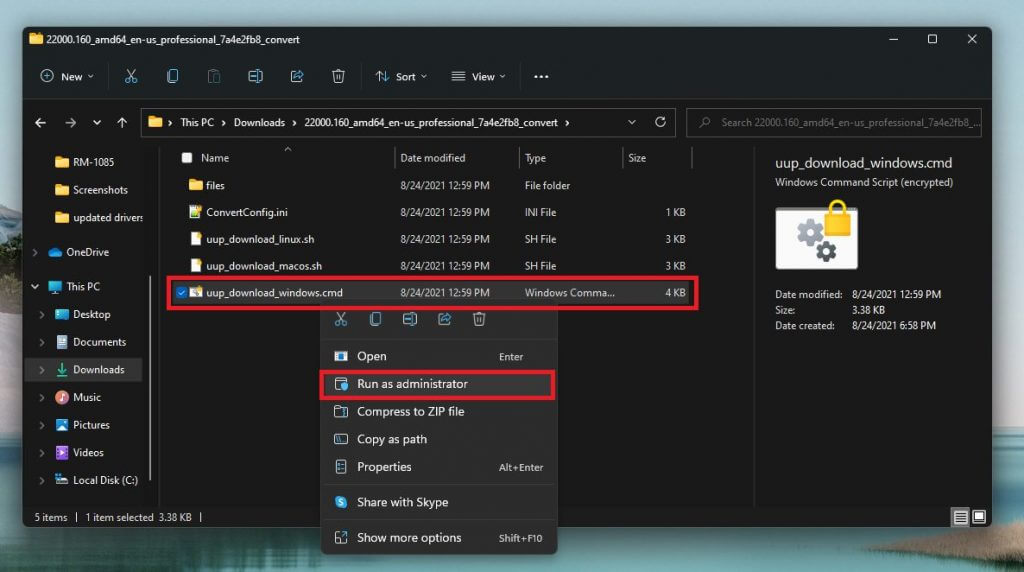
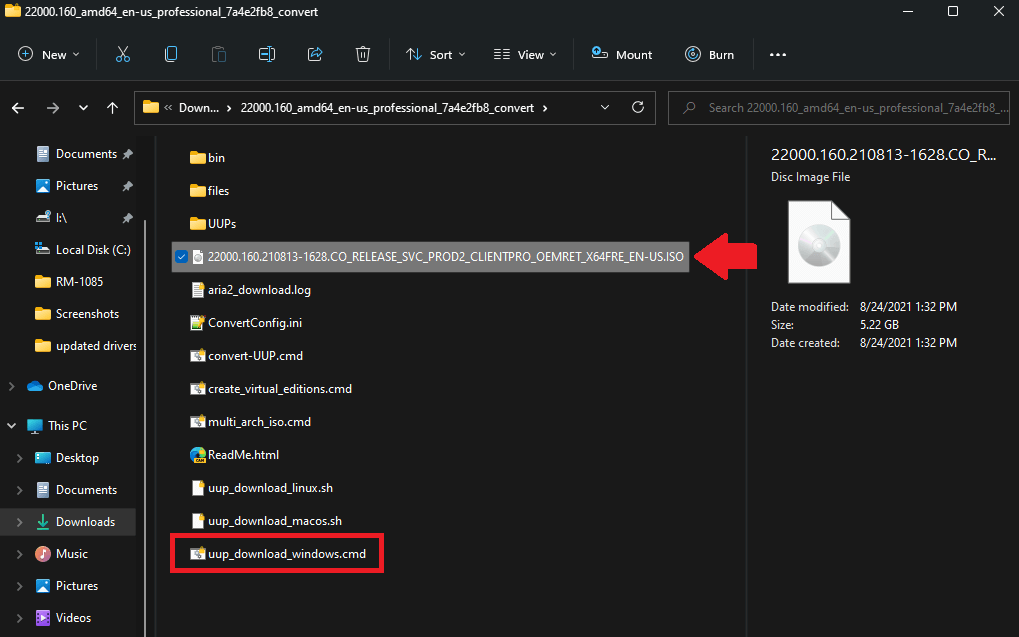
Inside this folder contains a command file that will download and convert the Windows 11 ISO file. Follow these steps to complete the next process.

1. Right-click the file, “uup_download_windows.cmd” as shown and choose Run as administrator. Windows 11 clean install
2. Confirm your selection via Microsoft User Account Control and choose to Run anyway as shown.
Windows 11 clean install
3. Sit tight, it might be a while; a command box will open and start downloading the necessary files. It will be about 5 GB worth of files, so it may take some time.
Windows 11 clean install
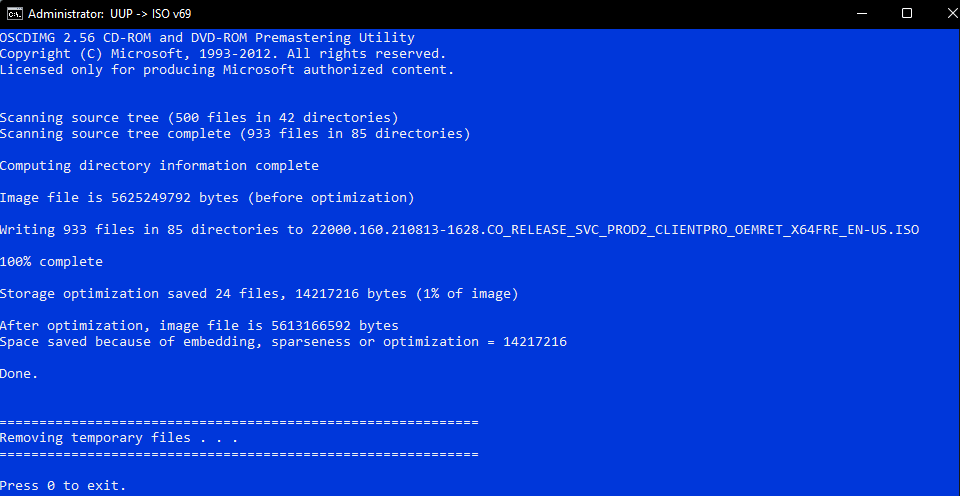
4. Once the download is complete, the command box will automatically launch aria2 to convert the downloaded files into an ISO file.
Available on GitHub, aria2 is an open-source command-line download utility program that UUP dump uses to handle downloading multiple file types from multiple sources.

5. When that process is complete, you can find the ISO file in the same folder as the download package you previously downloaded and extracted.
Windows 11 clean install

Now you have the Windows 11 ISO file, you’ll need to create a bootable drive on USB.

Create a bootable USB

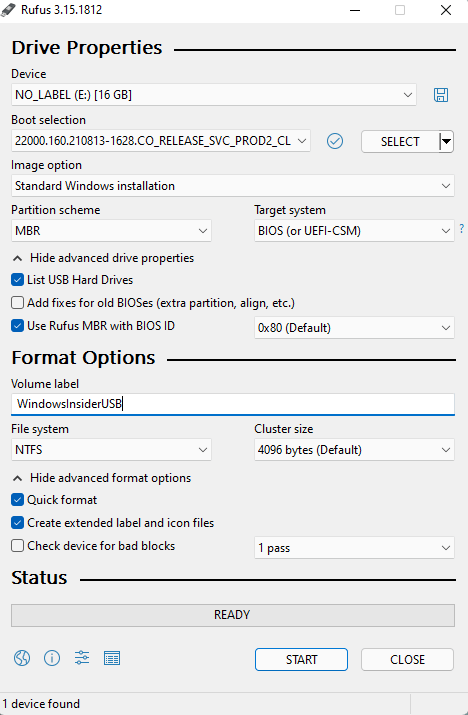
Using Rufus or a similar application, you need to install the ISO file onto a USB drive with at least 8 GB. I used the following settings using Rufus (as seen below). Click Start when you are ready to begin.
windows 11 clean install
When the Rufus process completes, you are all set! Now you have a bootable drive to perform a Windows 11 clean install.

I used this Rufus tutorial provided by Jason Howard, Senior Program Manager of the Windows Insider team at Microsoft.

Just to reiterate, UUP dump is not intended to be used as an official source for Microsoft ISO files. If you are worried at all about it, you can always use the ISO files that Microsoft makes officially available.

Don’t know if your Windows PC can run Windows 11? We got you covered with plenty of Windows 11 How-To articles and more! Don’t forget to check out the OnMSFT podcast, OnPodcast on YouTube!

ZTE Axon 30 Review: A mid-range Android phone that’s almost flagship level

Just like when it comes to buying a laptop, you can find all sorts of Android phones. Some of the most common are flagships like the Samsung Galaxy S21, or even the Pixel 5. But for those on smaller budgets, there are options like the Samsung Galaxy A series or the newly announced Pixel 5A.

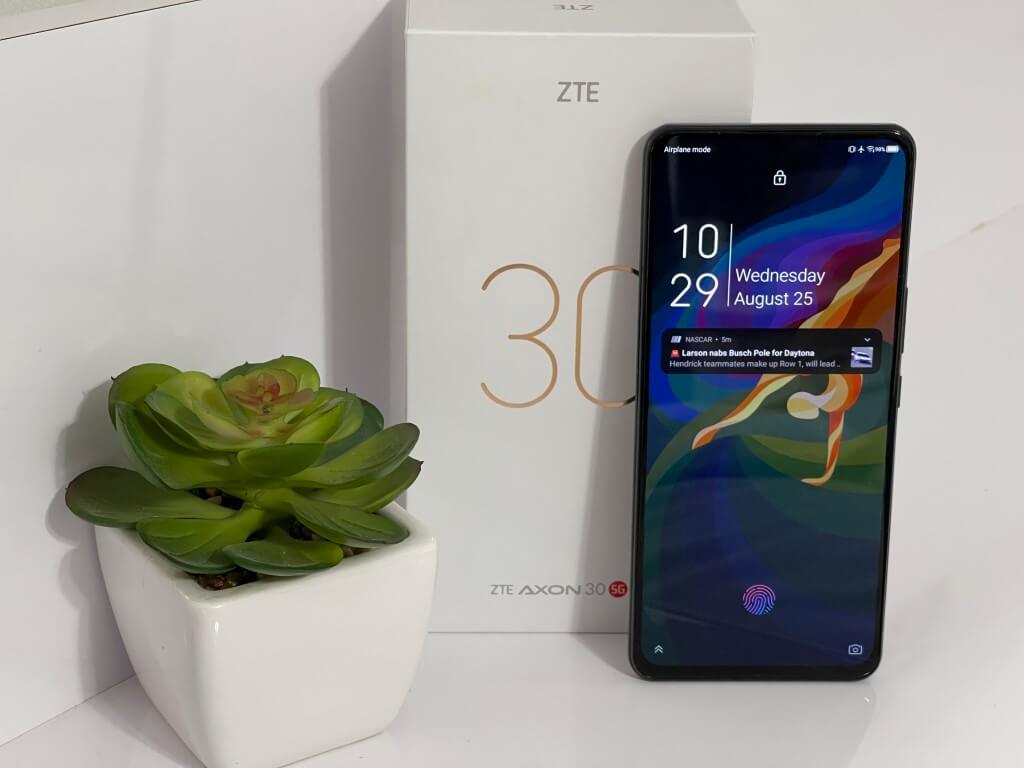
Yet the Chinese smartphone maker ZTE also wants to get into this market with the ZTE Axon 30 5G. After the launch of the Azon 30 Ultra 5G, the phone maker is back with another device for a September 8 release in the United States (despite some high-profile legal troubles.)

With what ZTE calls a “next-generation under-display camera,” and also features like a 120 Hz display and a quad-camera setup, this phone has a lot of flagship-level qualities. But for the price of $500, is it worth it? We were sent a review unit, and are here to help in your potential purchasing decision.

Specs

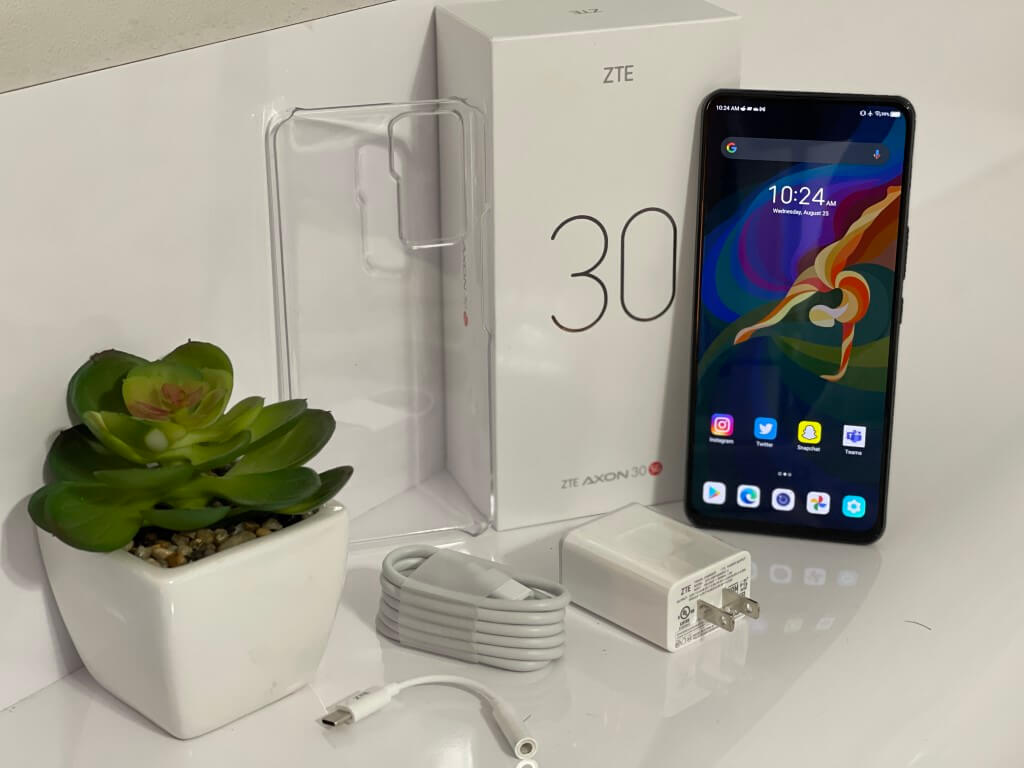
For $500, there’s a lot to the ZTE Axon 30 under the hood. Our review unit comes with the Qualcomm Snapdragon 870 5G processor, 128GB of storage, and a total of 8GB of RAM. Also, included in the box is a 65W fast charger, a USB-C to 3.5mm headphone adapter, and a snap-on case. Other notable specs are below.

  • USB-C connectivity (Gen-1)
  • In-display fingerprint sensor
  • 4200 mAH battery
  • 6.92” FHD+(1080 x 2460 resolution), 120Hz, 20.5:9, AMOLED display
  • 64MP + 8MP + 5MP + 2MP rear-facing cameras
  • 16MP front-facing under display camera
  • 170.2×77.8×7.8mm dimensions and 189g weight
  • NFC support
  • DTS:X Ultra, Hi-Fi audio
  • 802.11 a/b/g/n/ac/ax, Wi-Fi, Bluetooth 5.1
  • Accelerometer, Proximity & Ambient, Compass, Gyroscope
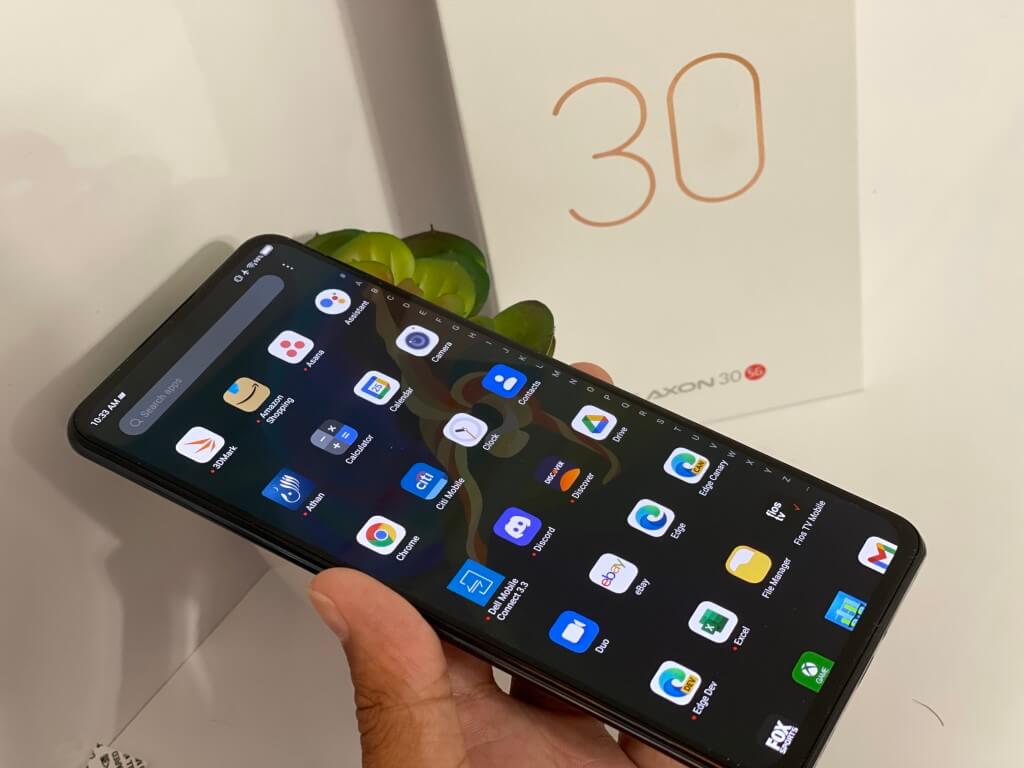
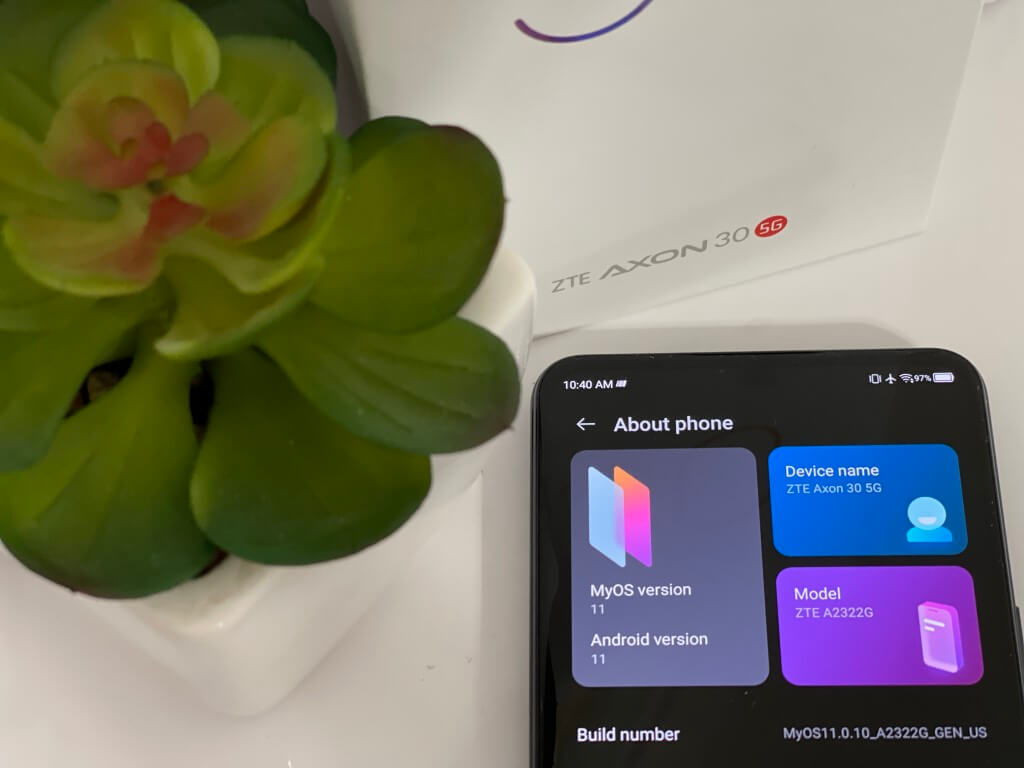
  • Powered by MYOS 11 (based on Android 11)
  • 5G bands: n78(3.4~3.7GHz)/n1/n28/n3/n41/n66(NSA/SA)
  • WCDMA bands: B1/2/5/8;
  • GSM bands: B2/3/5/8;

If you follow ZTE closely for some odd reason, compared to last year’s ZTE Axon 20, there’s a couple of changes. Mainly it’s the 400PPI display, the new Snapdragon processor, 120 Hz screen, Eyecare certifications, and improved in-display camera. Also new are more support for 5G bands, a faster charger, reduced thickness, and the new MyOS operating system.

These specs should not be too surprising for a Chinese-branded phone. Not many American phones have this Snapdragon 870 chip yet but the amount of storage and RAM is consistent with other American devices for the price. It’s even close to some flagships, as we get into later.

Samsung’s $500 A52 5G has a 750 5G processor and similar camera lenses with the same 128GB and 6GB RAM. The Pixel 5A, meanwhile, has the 765G 5G processor and far superior cameras but the same RAM and storage. In most tests, the 870 is close in performance to both the 750G as well as the 765G.

Design & ports

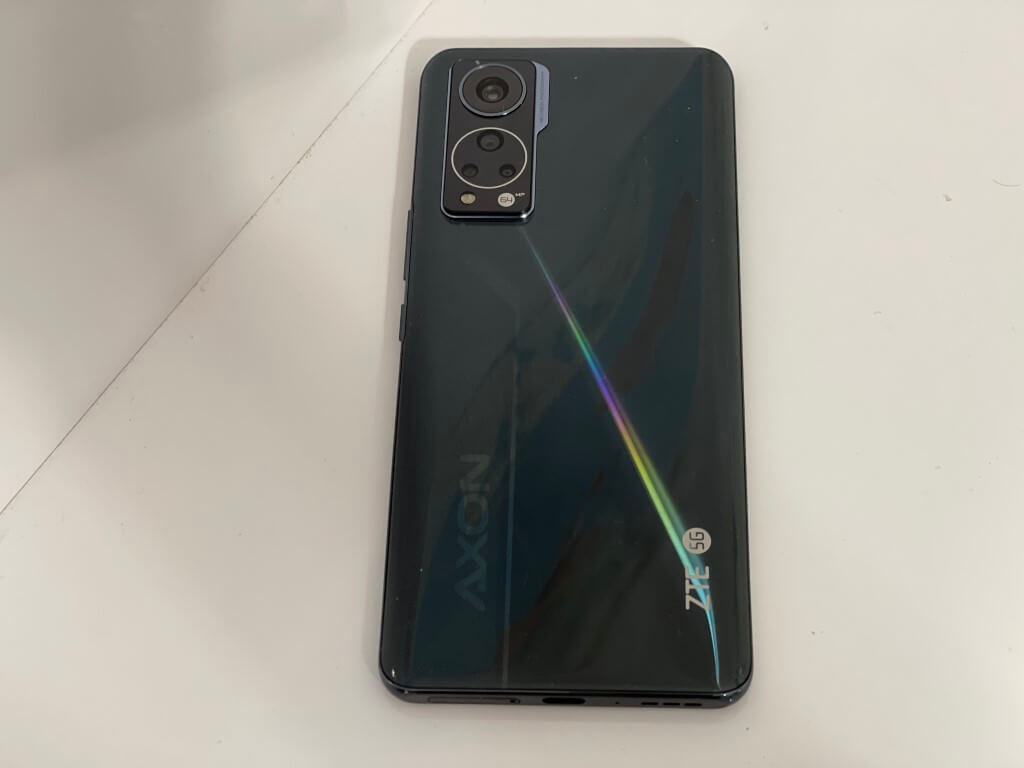
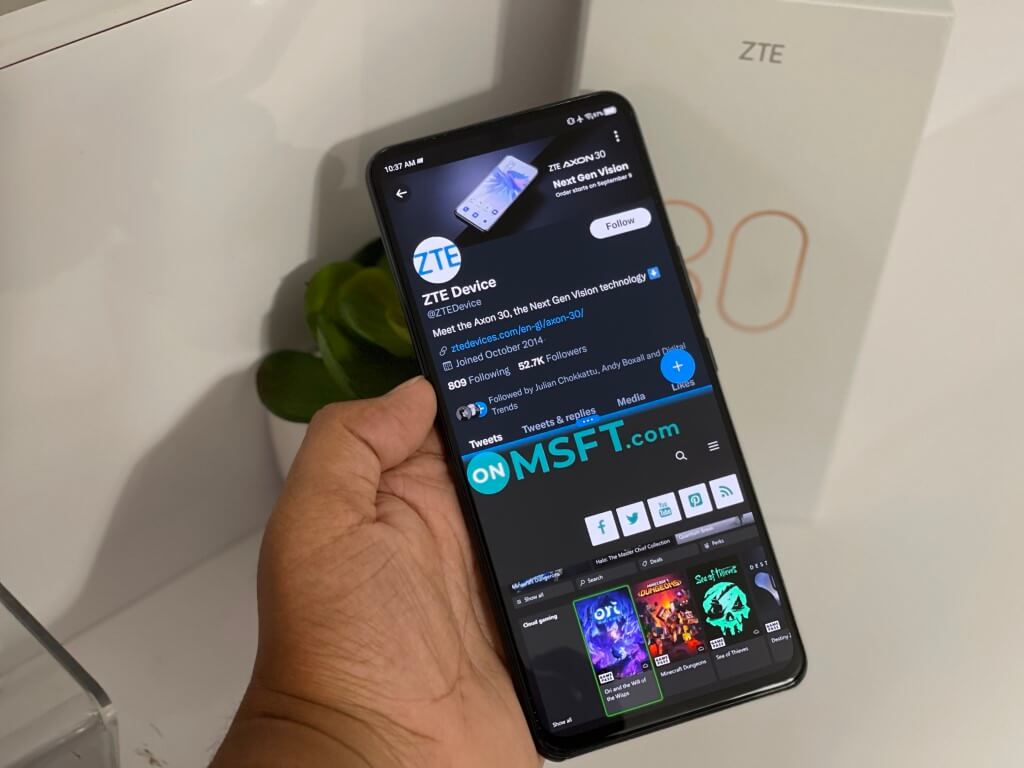
Flagship phones usually come with all-glass designs and feel very premium. And, on the mid-range side, you end up with a mix of premium materials and plastics. To no surprise, that’s what you get with the ZTE Axon 30. It’s a sleek device, with a slim build.

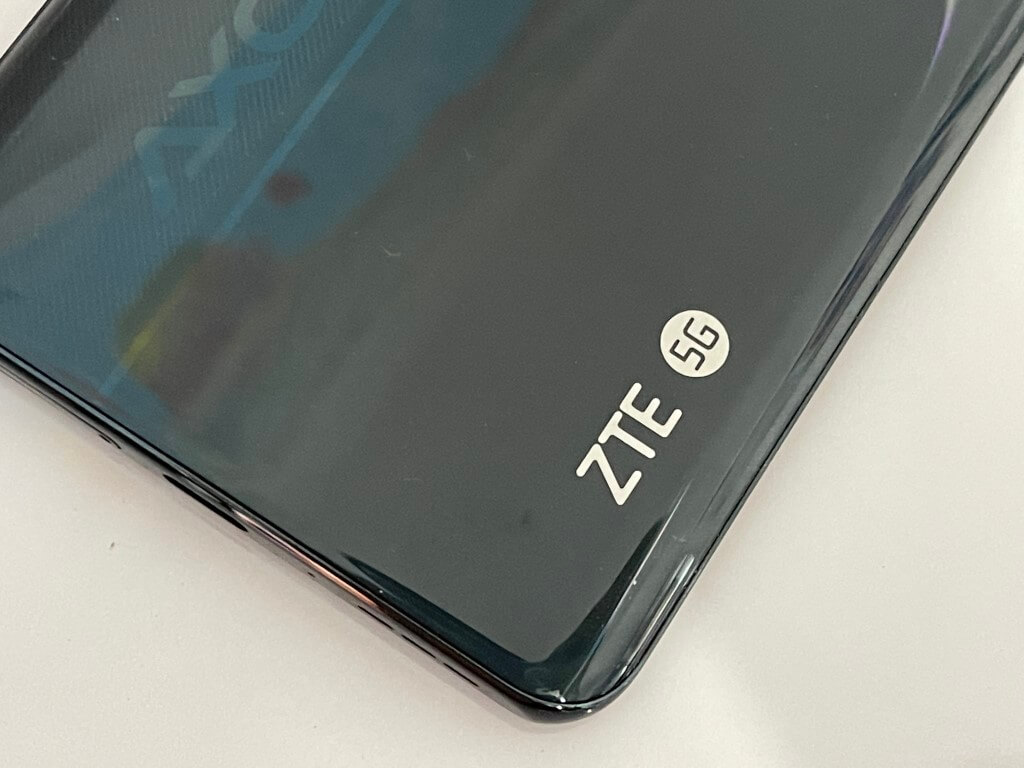
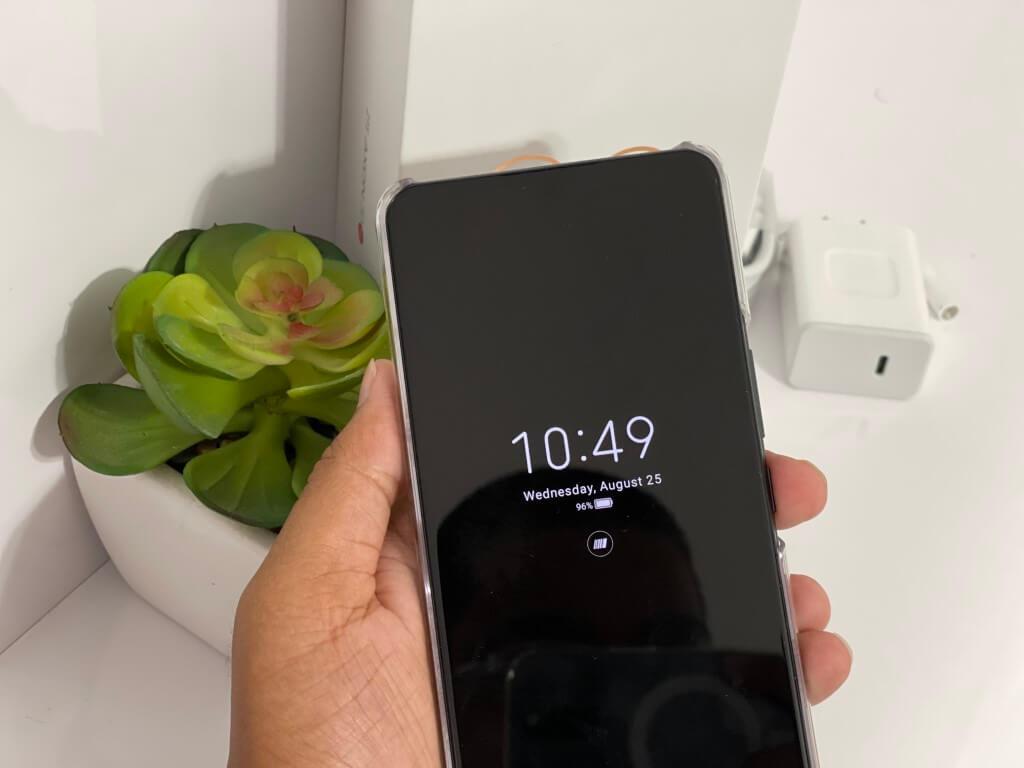
ZTE tells me that the elements used in this phone are a “nanoscale micro-beam” material. It feels like metal, but it also feels like plastic, giving the phone a decent weight in the hands. It’s not too heavy, nor is it too light. The glossy back, however, is really annoying, as it picks up a lot of fingerprints. I’m reviewing the black model, but there’s also an aqua model which might pick up fewer fingerprints.

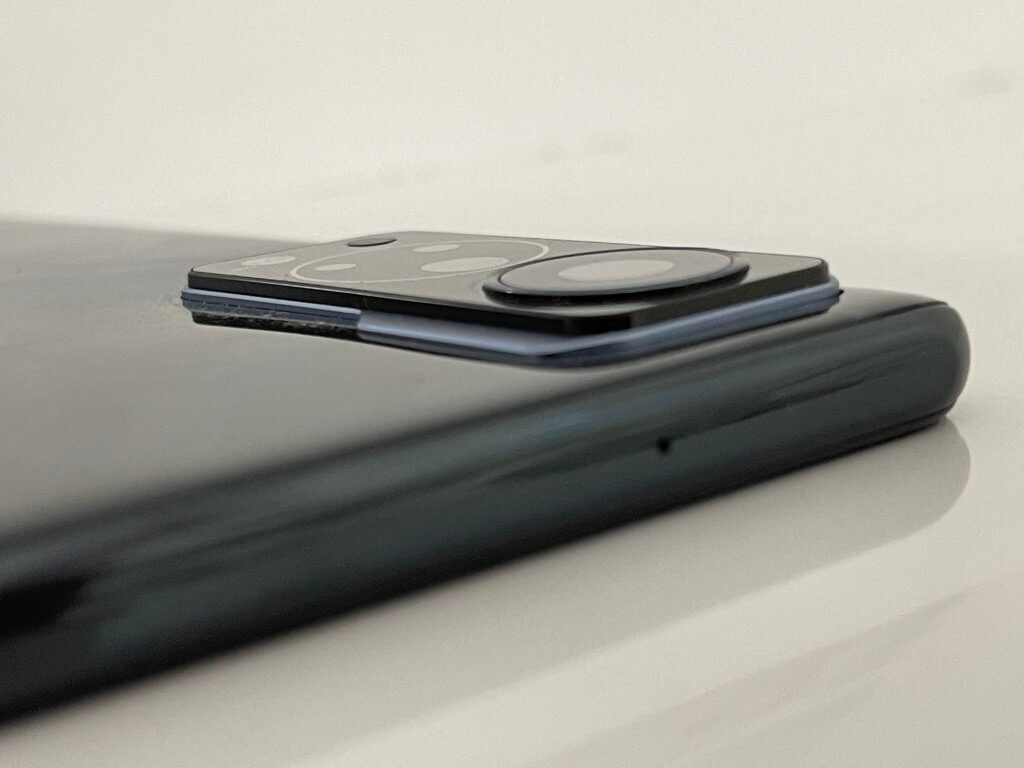
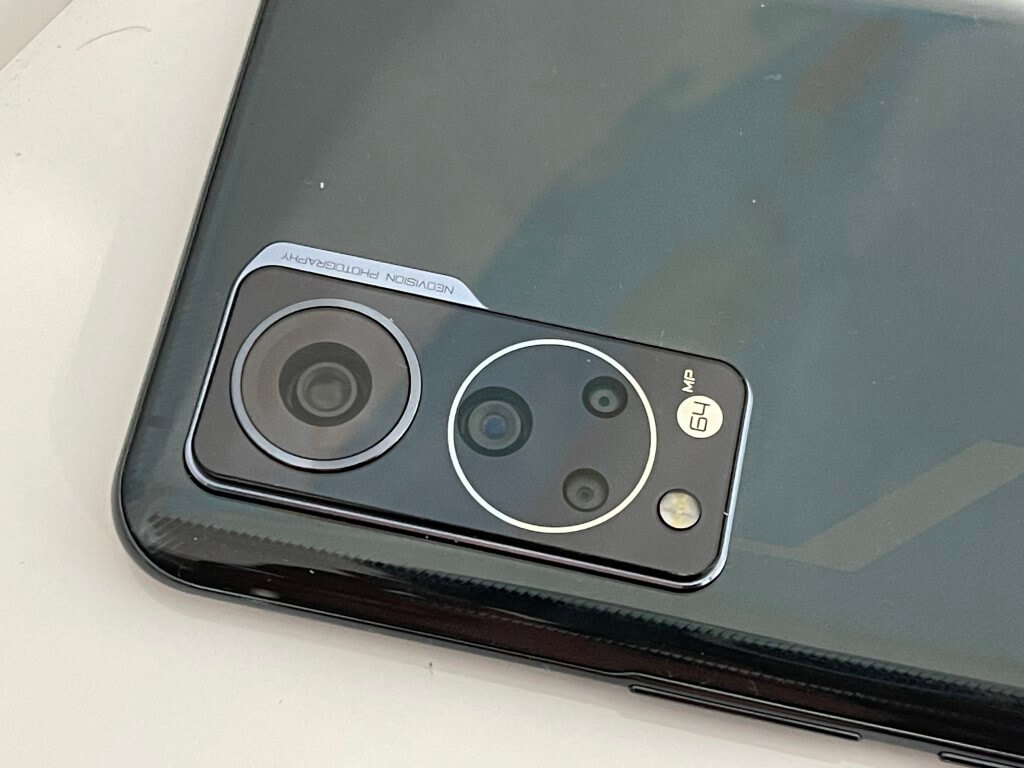
The camera hump is one of the most noticeable features when it comes to the design of the phone. It’s laughably large and also stops the phone from sitting flat on the table. Interestingly, the display is also curved at the edges of the Axon 30, like the old-school Galaxy S7 phones.


It’s a subtle curve with a waterfall effect where it meets the body of the phone. Software features let you configure how sensitive the curve can be when you hold the phone in your hands. I really like how ZTE finished out the curve so that it’s not too intense as you slip your fingers through the side.

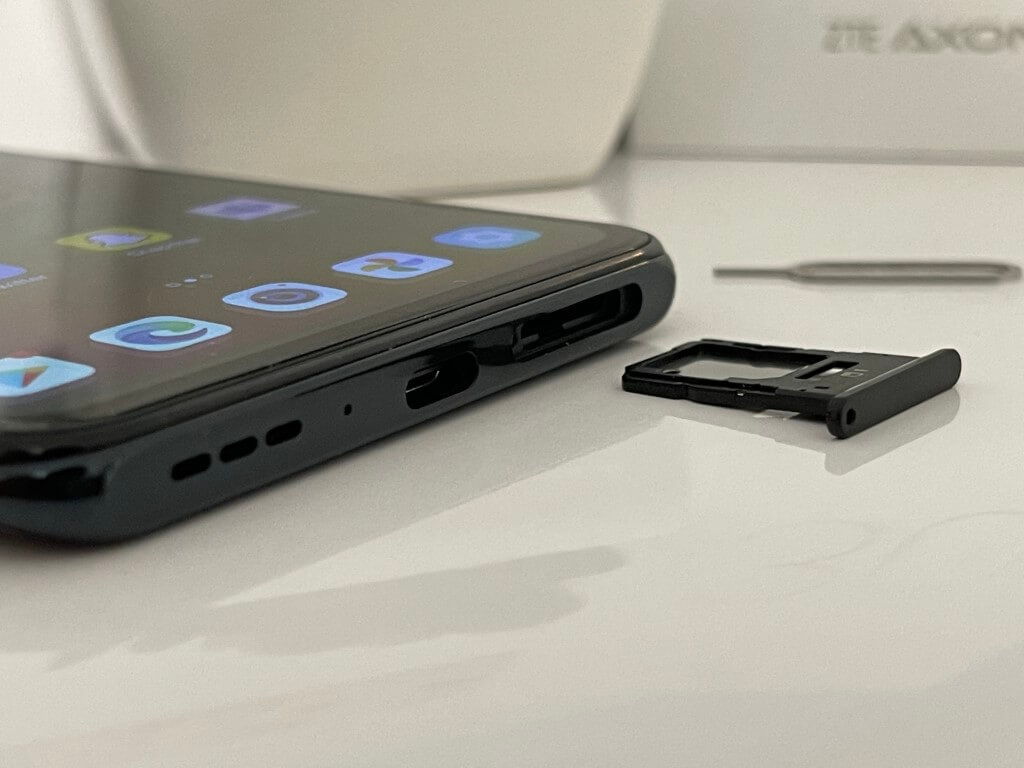
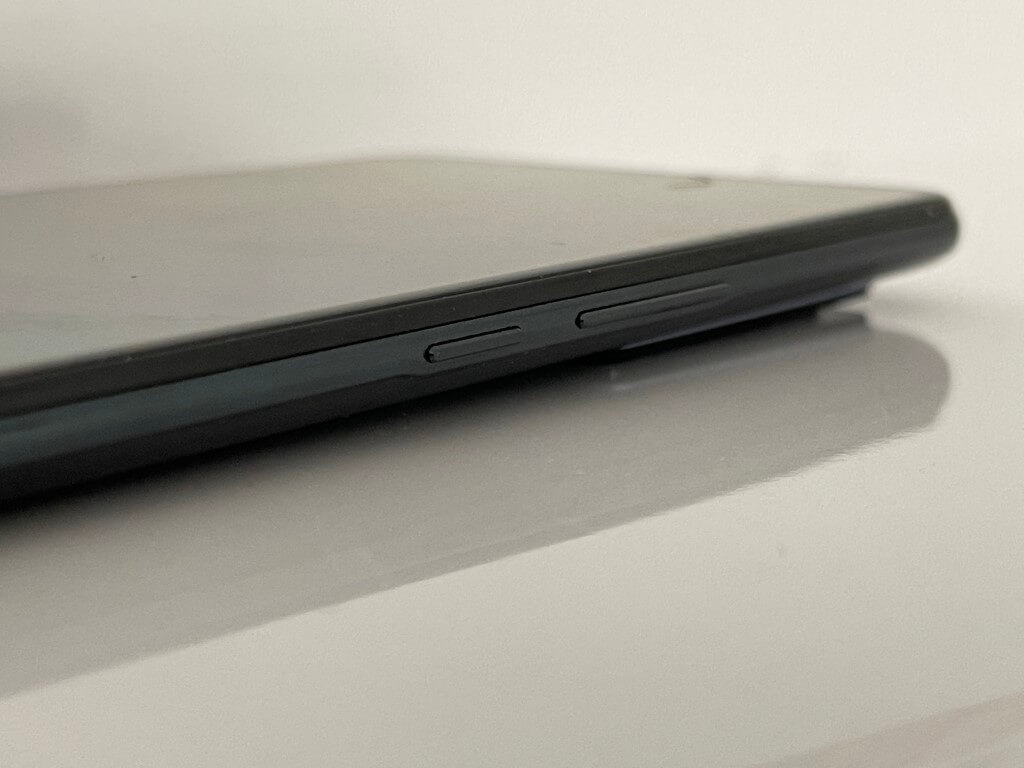
The only metal parts of the phone come at the bottom, where you’ll find the USB-C port and the SIM card tray as well as the single speaker. Note that you can either put in a second sim into the phone or a microSD card for expansion. There is no headphone jack.

Oh, and let me not forget to mention the in-display fingerprint sensor. This sensor is near the bottom of the screen. It works very well and picked up my fingerprints 99% of the time. It’s not noticeable in day-to-day use either and hides perfectly under the display.

Display & audio

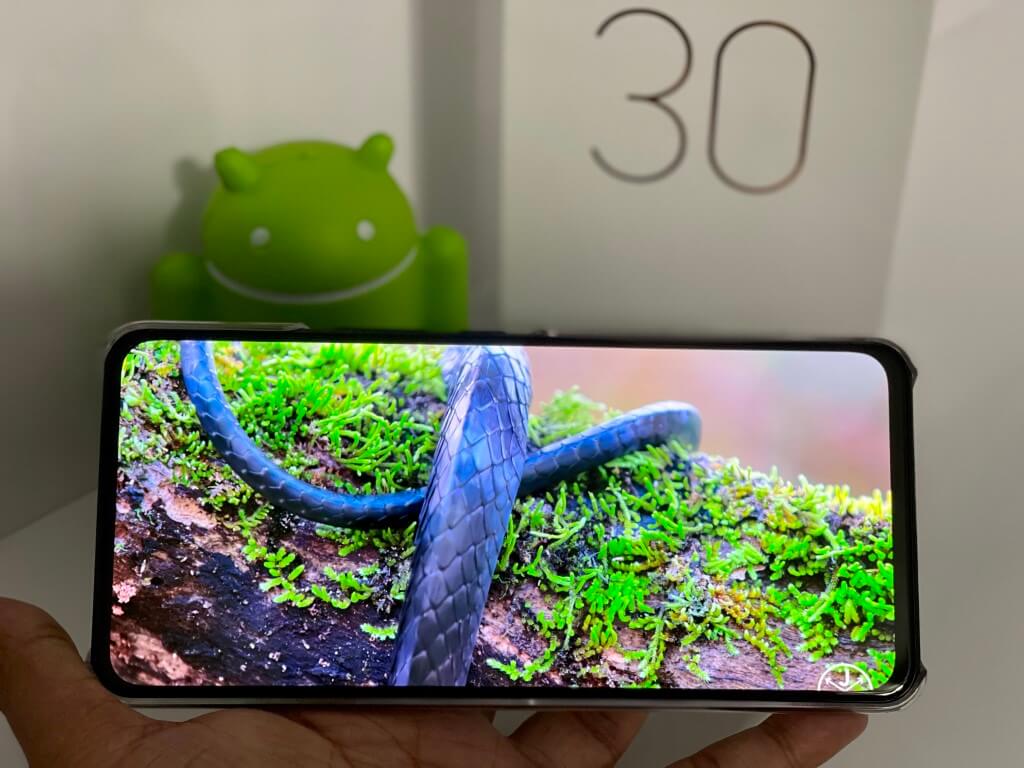
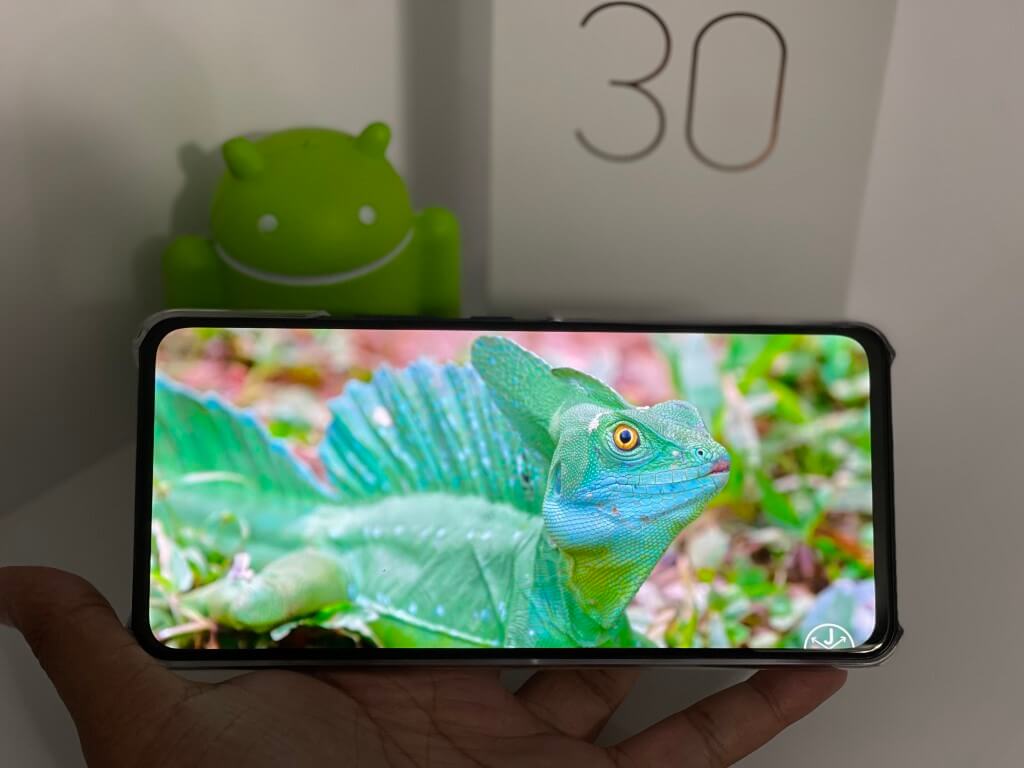
A display is everything on a phone and you won’t be let down by the one on the Axon 30. Like its more expensive sibling the Axon 30 5G Ultra, you’re getting a premium setup. The 6.92” FHD+(1080 x 2460 resolution), 120Hz, 20.5:9, AMOLED display will wow you for a mid-range device thanks to its 100% DCI-P3 coverage. (And yes, this does have an always-on display!)

ZTE is using a display panel with 440PPI this year, and a special pixel matrix technology. It says that this can record the time and temperature of each pixel and adjust it in real-time to keep brightness constant to hide that under-display camera. A multi-drive ACE Circuit also ensures that better transitions of both areas of display for a more natural look.

Technical jargon aside, I watched some YouTube nature videos with the brightness turned to 80%, and the Axon 30 really brought out the colors in a blue frog and the oranges of the sunsets. Even scrolling through images on Twitter looked natural. Paired with the 120Hz refresh rate, everything on this phone is smooth and beautiful.

It’s really great to see a 120Hz panel, too, as this is something you’d only find on $1,000 flagship phones like the Samsung Galaxy S21/S20+ & Galaxy S21 Ultra, but ZTE gives you this for $500.

Everything else (resolution and even size) is similar to other devices like the mid-range Samsungs or Google Pixels. Just note that you’ll also find the 120Hz screen on the Galaxy A52 5G, so there is that.

As for audio, the ZTE Axon 30 has speakers and Audio tuned by DTSX Ultra. This isn’t as impressive as the speakers on an iPhone or a Google Pixel, but it gets the job done. I watched NASCAR replays on my devices, and the sounds of cars buzzing around the track shook my desk and felt quite immersive.

The top speaker is also tucked well into the display and is barely noticeable. I didn’t have issues hearing my friends when I hopped on WhatsApp voice calls.

Front-facing camera

The special part of the ZTE Axon 30 is the in-display front-facing camera. This is a tricky task to accomplish. Samsung has this in the latest Galaxy ZFold 3, but ZTE was one of the first phone makers to introduce the technology with last year’s Axon 20.

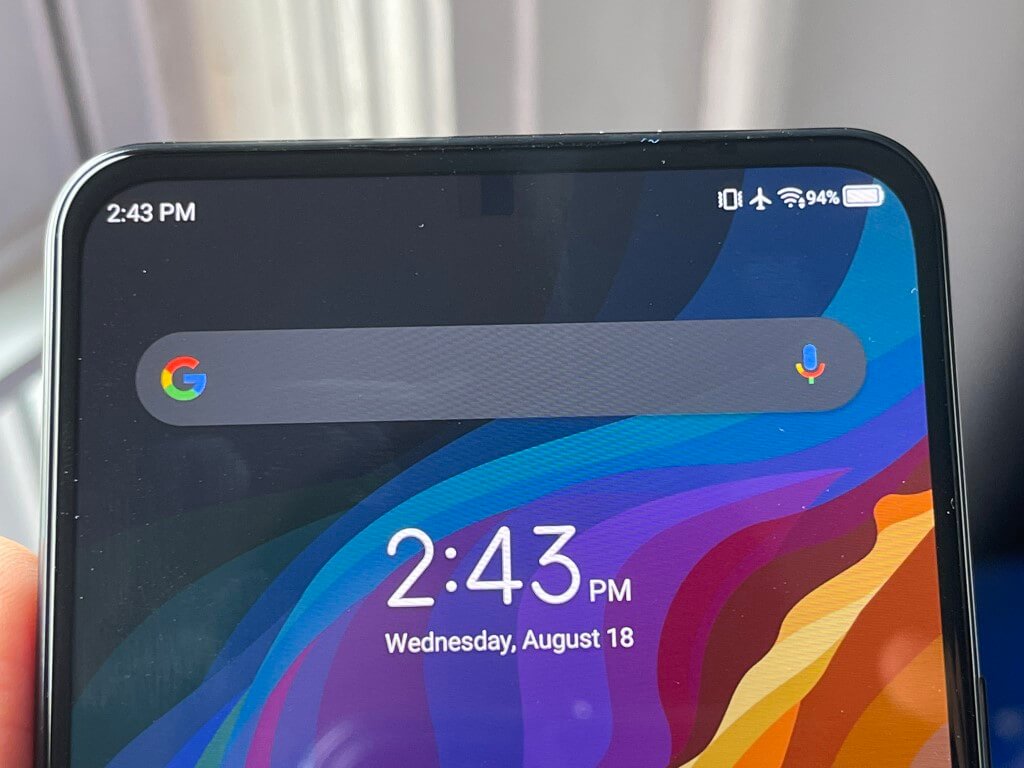
In this phone, and like on the Fold 3, the front-facing camera is barely visible to the naked eye. This is because the section of the display that houses the under-display camera adopts a Special OLED and more transparent cathode so the 7-layers of the screen are more transmissive to create better conditions for selfies.

The front-facing camera sports a large 2.24μm pixel sensor. It allows for larger light sensitivity for better photos. I tried out the camera, and it’s pretty decent. The sensor overblows some light and can cause some objects to look blurry, but when in the right conditions, images come out clear. See the sample image above.

ZTE tells me it uses an advanced algorithm to automatic adjustments enhance the contrast, image clarity, and transparency to meet a variety of everyday situations. That’s basically post-image processing, but I wish it could be a lot better.

Rear camera

On the back of the ZTE Axon 30 is a quad camera setup. The main camera sports a 64MP Sony IMX662 sensor with an f1.8 aperture. That’s then supported by an 8MP 120-degree wide-angle lens, a 5MP macro lens, and a 2 MP depth lens. Together, the lenses can output some really impressive photos in well-lit scenarios and poor photos in dark situations. (That’s despite the camera saying “night mode” enabled.)

I used the camera to take photos of my front garden, and I was happy with the results. The macro lens really captures close-up details in the flowers (like pollen) that my iPhone or Pixel never could do. The wide-angle lens lets me capture more of the scene. And the raw 64MP mode lets me zoom in on the photo see all the raw details.

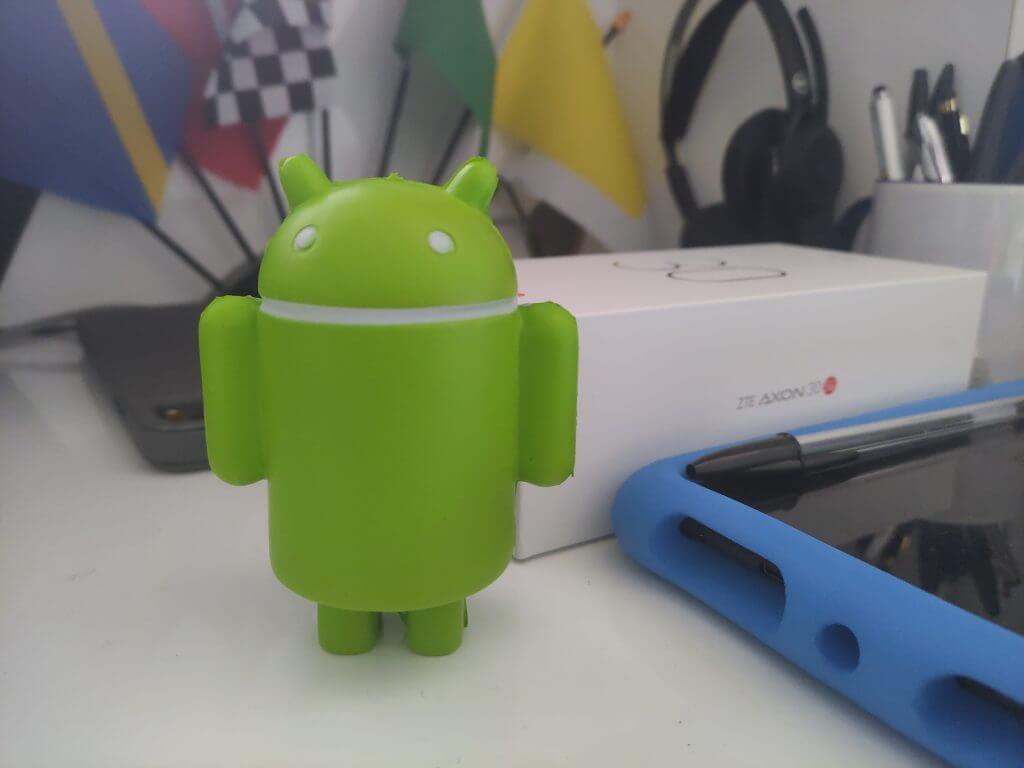
Overall. all photos come out very well exposed, with lots of details thanks to the depth sensor. You can see sample photos in the gallery above, at various zoom levels. Note that once you go past 5x zoom, you’ll lose a lot of detail. It’s best to keep the photos basic with this camera.

ZTE also has a multi-camera mode, which lets you take different shots in one exposure. It’s quite fun to use. The only bad thing about the camera app has to be the poor English translations, and common settings for timer, aspect ratio, resolution, and live photos being burned in a hamburger menu.

In video recording, the phone supports up to 4K 60 frames per second video recording, and also 1080p 30 frames per second video recording. The software even offers templates for filming (say slow motion, reverse, micro, dolly zoom so you can stay creative.

Performance

Since this is a Chinese-branded phone, you’d think that the Snapdragon 870 inside the ZTE Axon 30 isn’t well-performing, but you might want to think again. Paired with the 6GB total RAM, this processor can keep the phone chugging along, with little hangups.

For a mid-range phone, the results are surprising, and almost pushing close to the flagship-level performance of Pixels and Samsungs. Tests in Geekbench 5 can back that up.

We got a 932 Single-Core Score and a 3039 Multi-Core score. That’s better than previous flagships like the Galaxy Note 20 Ultra (Snapdragon 865+) which scored 894 on the Single-Core results, and 2628 on the Multi-Core results. It’s even close to the current flagship, the Galaxy S21 Ultra (Qualcomm’s Snapdragon 888,) which nets a 3404 multi-core score, and 1123 single-core score.

When it comes to mid-range devices, meanwhile, the phone edges out the competition with ease. The Galaxy A52 scored 642 on Single-Core testing, and 1905 on Multi-Core testing. Google’s Pixel 5a, meanwhile, netted a 674 Single-Core score and a 1966 Multi-Core score. The ZTE Axon 30 is in a league of its own when it comes to performance on a mid-range device.

Those are just numbers though, and I put the phone through my daily grind to back the results up. In multitasking with two apps open side by side, the phone never once missed a beat. Scrolling in Edge with 4+ tabs open also didn’t slow down the phone.

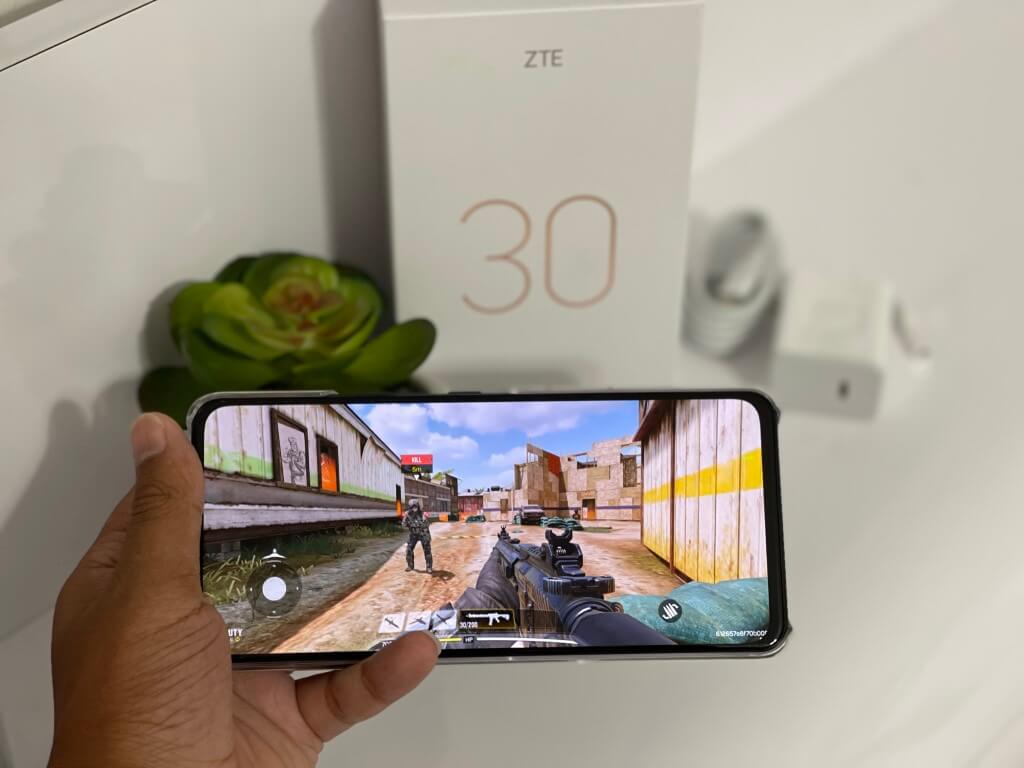
And, in gaming Call of Duty: Mobile was super smooth, with no skipped frames or lag. The 3D Mark tests can back that up, averaging at 33 to 66 frames in the 3D Mark Slingshot test, and 18 frames in the more demanding Wild Life test.

Operating System

This phone is powered by ZTE’s own MyOS 11. It’s basically a skin of Android 11. It gets monthly security updates like any other Android phone, but I’m not certain about ZTE’s Android upgrade cycle. Granted the legal troubles ZTE is facing in the US (it was deemed a national security threat,) I don’t think that the phone might get the 2+ years of Android updates that Pixels or Samsung phones do, especially after the FCC voted to ban ZTE gear.

Nonetheless, that’s politics. ZTE’s MYOS 11 is a clean version of Android. You get stock Google apps and no bloatware. There aren’t doubles of system apps (photos, calendar, notes) like you get on Samsung phones. Some menus and such might be poorly translated into English, but overall, it’s close to stock Android as you can get.

Network performance

I used the Axon 30 on my T-Mobile plan. It worked fine, and I got speeds closer to LTE rather than 5G of around 25 Mbps down and 39 Mbps up in Queens, New York City. I assume this is because the phone doesn’t support T-Mobile’s band 71, which is more widespread across the US. Calls and texts also worked fine, with no dropped calls, or no issues sending texts.

I included the supported cellphone bands at the top of this review, so you might want to check if this phone supports your carrier before you buy it, as it is catered to more of a European audience rather than the US.

Battery Life

Battery Life on the Axon 30 is great. With my moderate day-to-day use, I easily got around a day and a half worth of battery before I needed to recharge. I also binge-watched NBC Peacock’s Departure on the phone, and it lasted me through 5 episodes before it had to recharge. I’d say you’d easily get 11 hours of battery life out of this phone, which shouldn’t be too much worry since the 65W fast charger can boost the juice up to100% in less than an hour.

A mid-range Android phone that’s almost flagship level

Overall, the ZTE Axon 30 is a mid-range Android phone that’s almost to the flagship level. The device has some great specs, that can help you speed through your tasks, and its 120Hz AMOLED panel is amazing. The operating system is also clean, and all the cameras can get most jobs done right. You can buy the ZTE Axon 30 yourself come September 8 starting at $500.

Halo Infinite’s Xbox Series X and Xbox One digital pre-orders and pre-downloads are now live

The Halo Infinite single-player campaign is now available to pre-order and pre-download on Microsoft’s Xbox Series X and Xbox One console families.

While the multiplayer aspect of the Halo Infinite video game will be free-to-play, the story or campaign mode will need to be purchased separately. It’s currently listed as $59.99 in the US Microsoft Store storefront.

It should be noted that all aspects of Halo Infinite will be playable in full for free for Xbox Game Pass subscribers at launch so those who are active subscribers of the video game subscription service will not need to buy this add-on at all.

Microsoft announced earlier today that both the Halo Infinite single-player and multiplayer modes are set to release on December 8th on Xbox One, Xbox Series X, and Windows PC. The Co-Op and Forge modes, however, will launch at a later time.

To build hype for the release of Halo Infinite, a limited edition Xbox Series X console and Xbox controller were also announced and the Halo Master Chief content has once again returned to the mega-popular Fortnite video game for a limited time.

Are you excited for Halo Infinite? Let us know which platform you’ll be playing it on in the comments below and then follow us on Twitter and Facebook for more Halo news.

Halo Infinite (Campaign)

LEGO Star Wars: The Skywalker Saga video game gets new Spring 2022 release window

After being in limbo for several months, the upcoming, and several times delayed, LEGO Star Wars: The Skywalker Saga video game has been given the new release window of spring 2022. While there’s still no specific release date for the game, it is a good sign that it’s once again on track to get a release in the near future.

LEGO Star Wars: The Skywalker Saga was first announced back in 2019. In early 2020, it was given an October 2020 release date but this was soon changed to a spring 2021 release window due to delays caused by the pandemic and new plans to optimize the title for the newly released video game consoles such as Microsoft’s Xbox Series X.

In April 2021, LEGO Star Wars: The Skywalker Saga was again delayed, this time with no new release date or window given.

LEGO Star Wars: The Skywalker Saga is a brand new LEGO video game revolving around characters, locations, and storylines from all nine episodes of the main Star Wars film series. The Microsoft Store listing for the Xbox version of the game is live and it appears that the one version will be released for both Xbox One and Xbox Series X consoles with 4K and 60 FPS support coming to the latter console.

Have you been waiting for LEGO Star Wars: The Skywalker Saga to come out and do you think it’ll meet this new deadline? Let us know in the comments below and then follow us on Twitter and Pinterest for more Xbox gaming news.

Microsoft Ignite is officially coming back in November

If you weren’t already aware, Microsoft just announced a second Ignite digital event for 2021 and got everyone excited.

The Redmond tech giant revealed that its annual Ignite tech conference will be returning this autumn, starting with November 2nd through the 4th.

Of course, the highlights of this showcase are the latest product demos, Q&A with Microsoft experts, technical deep-dives, and more.

Ignite is returning as a free digital event in November

Don’t get too enthusiastic just yet though, because registrations are not open at this time.

However, you can already add the event to your calendar and we’ll let you know as soon as we have more information about registrations and the session calendar.

This is heartwarming news for everyone who was waiting for another chance to supplement their knowledge or contribute to the further development of technology.

Even though it seems like ages ago, Microsoft’s last Ignite digital event took place earlier this year, between the 2nd and 4th of March.

The tech company used the event to announce new Teams and Outlook features, Power Automate Updates, and a new enterprise-focused Mixed Reality Platform named Microsoft Mesh.

Also, this year’s previous Ignite conference was pretty light on Windows news, with only some vague rumors about Sun Valley circulating on the internet.

But, now that Windows 11 is official, this next Ignite event will be a whole different story, as we might receive more information about the upcoming operating system.

Clearly, we’ll know more about what Microsoft has in store for us once the session catalog will be published. Until then, we can only wait and hope Windows 11 doesn’t cause us too much of a headache.

While we wait, what are your thoughts on Ignite? Are you excited about any potential announcements? Let us know in the comments section below.

Microsoft reveals Limited Edition Halo Infinite Xbox Series X console and Xbox Elite Controller

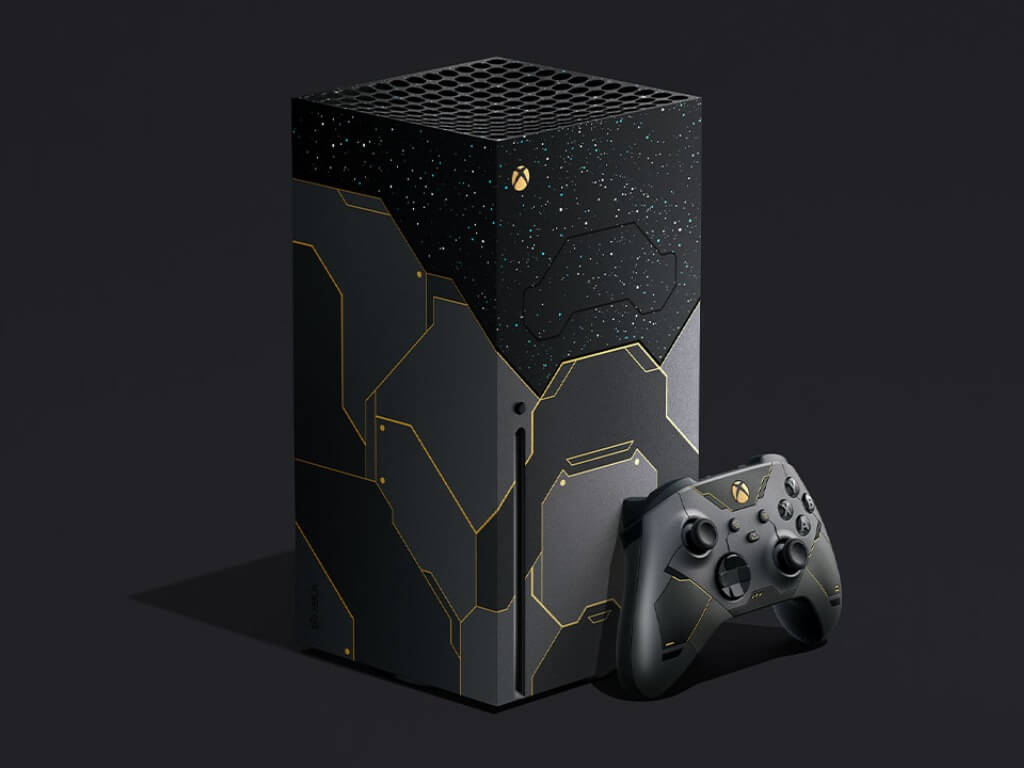
Microsoft has just confirmed during the gamescom Opening Night Live event that Halo Infinite is launching on Xbox and PC on December 8, 2021. To celebrate Halo’s 20th anniversary, the company will also release the first-ever Limited Edition Xbox Series X console inspired by the much-anticipated game, which will be available on November 15, 2021.

“This design was inspired by the expansive Halo universe and is wrapped with dark metallic paneling accented by iridium gold. Above the armor there is a custom star pattern as seen from the surface of Zeta Halo that extends to the top of the console and onto the fan. Below the stars, the top vent is accented in Cortana-themed blue. To top it off, the console powers on and off with custom Halo-themed sounds,” the Xbox team explained.

This Halo Infinite Limited Edition Xbox Series X console is already available for pre-order for $549.99. The bundle will include a digital copy of the game, as well as a custom controller and it will also custom Xbox controller featuring side-and-back grips as well as an iridium gold 20-year mark on the back.

Last but not least, Microsoft also revealed a Limited Edition Halo Infinite Xbox Elite Series 2 Controller that will also start shipping on November 15, 2021. “This controller features a battle-worn, matte metallic green with an iridium gold D-pad and comes with an arsenal of swappable components and a custom carrying case emblazoned with the iconic UNSC insignia,” the Xbox team explained. The Limited Edition controller is also available for pre-order for $199.99 , and will also come with an exclusive weapon charm to use in Halo Infinite’s multiplayer mode.

A lot of Xbox hardcore fans have probably been waiting to get their hands on a limited edition console, and this Halo Infinite Limited Edition Bundle doesn’t disappoint. It’s possible we could have seen this first custom-designed console last year if Halo Infinite hadn’t been delayed to holiday 2021, but it’s better late than never, right?

10+ best USB drive encryption software for Windows 10/11

USB flash drives are very useful when we need to transfer data. You can use them to save confidential data if you use a public computer for example.

Another great thing about USB sticks is that they are small, easy to carry, and store.

But all these advantages also bring a high risk of accidentally losing them. In such an undesired event, you lose significant information and also facilitate access to your most confidential information to a stranger.

Sadly, you cannot password-protect your entire USB flash drive, like you secure your PC or phone. You can invest in an encrypted flash drive with hardware encryption. Or you can use software to achieve a similar level of USB data protection.

Still, you need to take into account the fact that someday you will need to decrypt the data in order to access it.

If you use the USB stick on your computer only, the encryption software will be already installed. But if you need to transfer files between computers, there will be an issue with the encryption tool.

The easiest way is to store the software on the USB flash drive. Partitioning the USB stick and encrypting only part of it is a solution. The encryption tool can be stored on the partition that it is not encrypted.

This way you can use to decrypt the files on any computer by running the software directly from the stick.

Still, you will need to make sure that the encryption program is compatible with the operating system of the computer.

What’s the best USB encryption software to protect your files?

Gilisoft USB Ecryption

Gilisoft USB Encryption is an easy-to-use solution to secure you data stored on a USB device.

What it does is to separate your USB flash drive into two parts: a secured one and a visible one.

The secured zone can include any type of data that this tool will password-protect.

Some very useful options for Gilisoft USB Encryption is that it’s compatible with most Windows OS, including XP and Vista.

Plus once you install it on your device, you’ll benefit from free upgrades to further software versions.

Supported media:

  • USB flash drives
  • Thumb Drives
  • Memory Sticks
  • Memory Cards
  • Pen Drives
  • Jump Drives
Gilisoft USB Encryption

Gilisoft USB Encryption

Try this efficient and user-friendly tool to keep your USB data safe from prying eyes.
Free trialVisit website

DoGoodSoft

The DoGoodsoft USB Encryptor is advanced software that secures USB drives and external hard disks. It provides fast password encryption of both larger and smaller folders or files.

The software does not need to be installed on each particular folder/partition you want to encrypt. You just have to place it in that location and it will start encrypting right away.

It has an easy-to-use interface that allows you to encrypt and decrypt your data fast. Setting a password is also intuitive and hassle-free. 

Besides password encryption, DoGoodsoftware USB Encryption helps you create read-only files. This feature is very useful when you need to share important data, making sure it doesn’t get altered or deleted in the process.

Other key features of DoGoodsoftware include:

  • Can also be used on local disks
  • Encrypts subfiles and subfolders
  • Encrypts network shared folders

DoGoodsoftware USB Encryptor is a paid software with a free trial and it can be used on Windows 10, Windows 8, Windows Vista and Windows XP.

DoGoodsoft USB Encryptor

DoGoodsoft USB Encryptor

Keep your data protected with advanced and fast password encryption.
Free trialVisit website

USB Secure

USB Secure has been designed to serve the basic purpose of encrypting USB flash drives.

A particular feature of this software is that you can save your contact details with the flash drive That way, when somebody finds your USB stick, in case you lose it, they can contact you.

Once installed on a USB flash drive, you have access to files on any computer, without running the software. You have 2 options to access your files: unlock them or just access them in a virtual drive.

That comes in handy when the USB stick is accidentally unplugged. The interface pattern is of a classic USB stick.

The trial version allows you to use the program 3 times.

USB Secure

USB Secure

Never worry again about data confidentiality and access your files anywhere using USB Secure.
Check priceVisit website

VeraCrypt

VeraCrypt is an updated and improved version of TrueCrypt. Using three different encryption algorithms such as AES 256-BIT, TwoFish, and Serpent, VeraCrypt has been developed to fix many of the security issues in TrueCrypt.

You can run the portable application directly from the USB stick. And it is completely free to use if you utilize it for drive sizes of a maximum of 2GB. Still, some users report that managing VeraCypt can be a bit difficult.

The tool creates password-protected virtual disk volumes. You just plug in the USB flash drive and launch VeraCrypt Volume Creation Wizard. You can choose between creating a volume or encrypting the entire memory stick.

VeraCrypt is available in 37 languages.

⇒ Get Veracypt

SecurStick

Just as VeraCrypt, this program does not require installation and works without administrator rights. You still have to run an .exe file from the USB stick. This will launch a command prompt and a browser window. Just enter a password and select Create to install the Safe Zone.

Once it is built up, it works like an encrypted safe box on the memory stick. You simply copy your files there and they are automatically encrypted.

There is something particular about this program. The encrypted files are available for computers operating on Windows, Mac OS, and Linux. 

The download page and documentation are in German, but the interface is available in English, Dutch, German and Italian.

⇒ Get SecurStick

ENC DataVault

This is another software that runs on Windows and Mac OS operating systems. And just like the software above, you do not have to install the program on the computer. When you set up the encryption on the USB memory stick, you actually install a portable vault that secures your files. The version for the computer has more features than the portable version.

ENC DataVault is not free but during the 14 days trial period you can get an idea of what this software can do.

A positive aspect is that you can use the tool not just with a USB stick, but also on any cloud storage account, and on any laptop or desktop, for the same purpose of encrypting certain data.

⇒ Get ENC DataVault

USB Flash Security

This software works as well with AES 256-BIT encryption. It encrypts the entire USB flash drive except for a part on which it stores the program. The encrypted files are hidden and you can access them, by running the program directly from the memory stick. This way, you do not need to install the software on the computer.

Pay attention to the files that you have already stored on the USB flash drive. USB Flash Security software wipes all your files when setting up.

There are several options for buying this program. However, you can try out the free version which is limited to one USB flash drive with a maximum drive size of 4 GB.

⇒ Get USB Flash Security

Rohos Mini Drive

Rohos Mini Drive protects your USB memory stick, but the developer also has similar products for your PC or external hard drive.

It creates two partitions on the memory stick: a hidden one and an open one. In the open partition, you have to store the Rohos Disk Browser tool from your desktop. This way, you can access your encrypted files on any computer, without administrator rights.

Rohos Mini Drive is freeware but limited to up to 8GB drive store. 

⇒ Get Rohos Mini Drive

LibreCrypt

LybreCrypt is another freeware tool, that used to be named DoxBox. There are no drive size limits and you can encrypt as many USB flash drives as you need.

The program can run only on Windows. Yet, the files that you have encrypted, can be also transferred to PCs running on Linux.

This program comes in two editions. One is developed to run on a desktop and create a vault on your USB stick, called DoxBox.

The other edition is designed to make the encrypted files available on any computer, without installing the software. LibraCrypt works with three different encryption algorithms: AES, Twofish, and Serpent.

⇒ Get LibreCrypt

USBCrypt

USBCrypt is another software designed for Windows that protects files on removable devices. It can encrypt also other drives connected through eSATA or FireWire.

The tool encrypts USB memory flash drives using the AES algorithm just like other software presented in this article do. It creates a password-protected Virtual Encrypted Disk. It comes with a detailed user guide as well as screenshots.

The trial version of USBCrypt comes with a 30-days free license of full use.

⇒ Get USBCrypt

Kruptos 2 Go USB Vault

This software uses the same AES 256-bit encryption algorithm. What makes a difference is the fact that is available for Windows, Android, and Mac operating systems.

The USB encryption version works for USB memory sticks and other USB devices (memory cards, external HDD). Once it is set up, you simply have to drag and drop the files into the Vault and they are automatically encrypted.

Kruptos 2 Go-USB Vault is not free, but the price is rather accessible than other similar paid products.

⇒ Get Kruptos 2 Go

Idoo USB Encryption

Idoo USB Encryption is fairly easy to use. This program can create a safe area and a public area on your USB memory stick. You need to provide a password to disclose the safe area. And you can access the USB encrypted files on any computer, without having to install the program.

Password recovery is a useful feature. However, some users report this can be a bit worrisome sometimes. The password is sent in plain text to a specific email address. This indicates that the password is stored on the developer servers.

According to the number of licenses you are buying, there are a few options for purchasing Idoo USB Encryption. 

⇒ Get Idoo USB Encryption

USB Enforced Encryption

usb enforced encryption

Formerly known as EasyLock, USB Enforced Encryption is actually a complex encryption program. You can use it to encrypt local computer folders, USB storage devices, and even files uploaded to cloud services.

The tool comes with a lot of features and it protects your file with AES 256bit encryption.

With EasyLock, confidential data can safely be transferred between Windows and macOS, by using the password set when encrypting the files.

⇒ Get USB Enforced Encryption

USB memory sticks are essential for storing and transferring important files.

Cloud storage is also a great alternative, but there are users who prefer to use a physical storage device.

In conclusion, keep your data secured by running one of the USB encryption software listed above.

More Xbox news to come at the gamescom Opening Night Live, watch it here at 11AM PT

We’re just a couple of hours away from the gamescom Opening Night Live, a 2 hours digital event that should bring exciting updates from Xbox Game Studios, PlayStation, and many other big publishers. The event will start airing on YouTube and Twitch at 11 AM PT, with a pre-show starting at 10:30 AM.

Geoff Keighley, the host of the event has already confirmed that we will get updates about Call of Duty: Vanguard, Far Cry 6, Saints Row, and many more upcoming games. If Halo: Infinite wasn’t explicitly mentioned, the game is expected to make an appearance during the show, especially after its December 8, 2021 release date leaked earlier today.

We also hope to see updates about other Xbox Game Studios titles that we didn’t see yesterday during Microsoft’s gamescom digital event. It’s been quite a long time since we had any substantial news regarding CrossfireX, an Xbox exclusive game that was expected to be released last year but has since been delayed to 2021, just like Halo Infinite.

Forza Motorsport 8, Hellblade II, or the Fable and Perfect Dark reboots were also absent from Microsoft’s event yesterday, though Microsoft may not want to show games that are still quite early in development. Anyway, Halo Infinite is definitely the game Xbox fans want to hear about these days, and Microsoft will hopefully avoid letting Call of Duty: Vanguard and Battlefield 2042 grab the best seats on the hype train.

Do you think we’re going to get some news about Halo Infinite during the gamescom Opening Night Live later today? Sound off in the comments below.

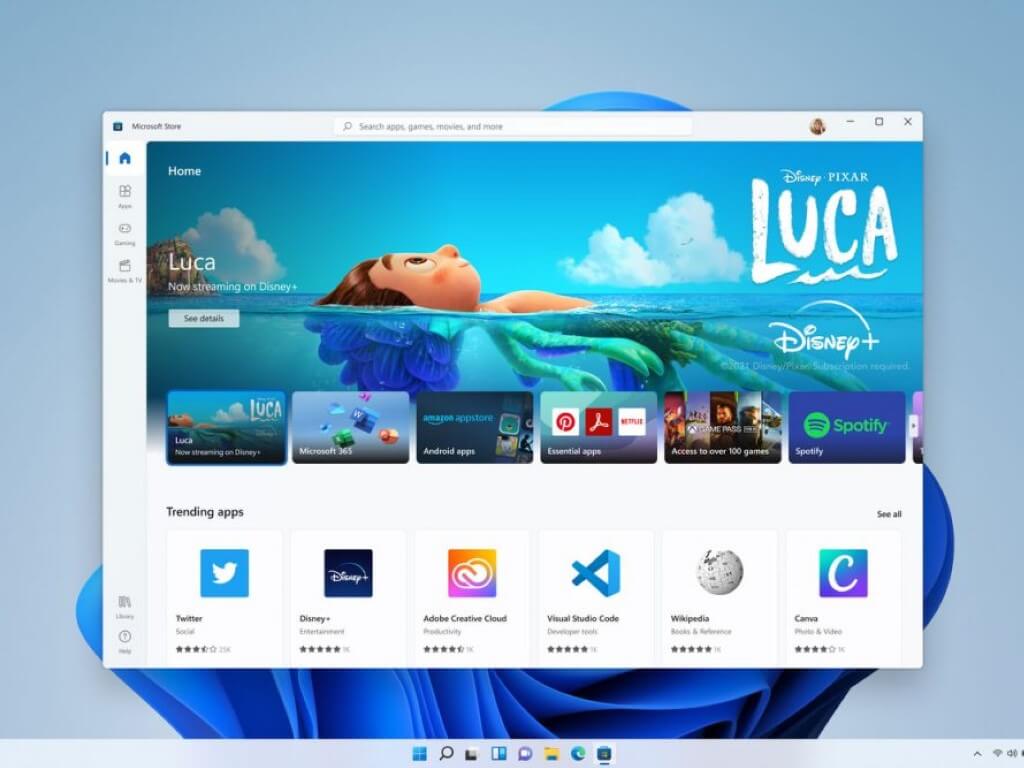
Visual Studio Community 2019 and Visual Studio Code land in the Windows 11 Microsoft Store

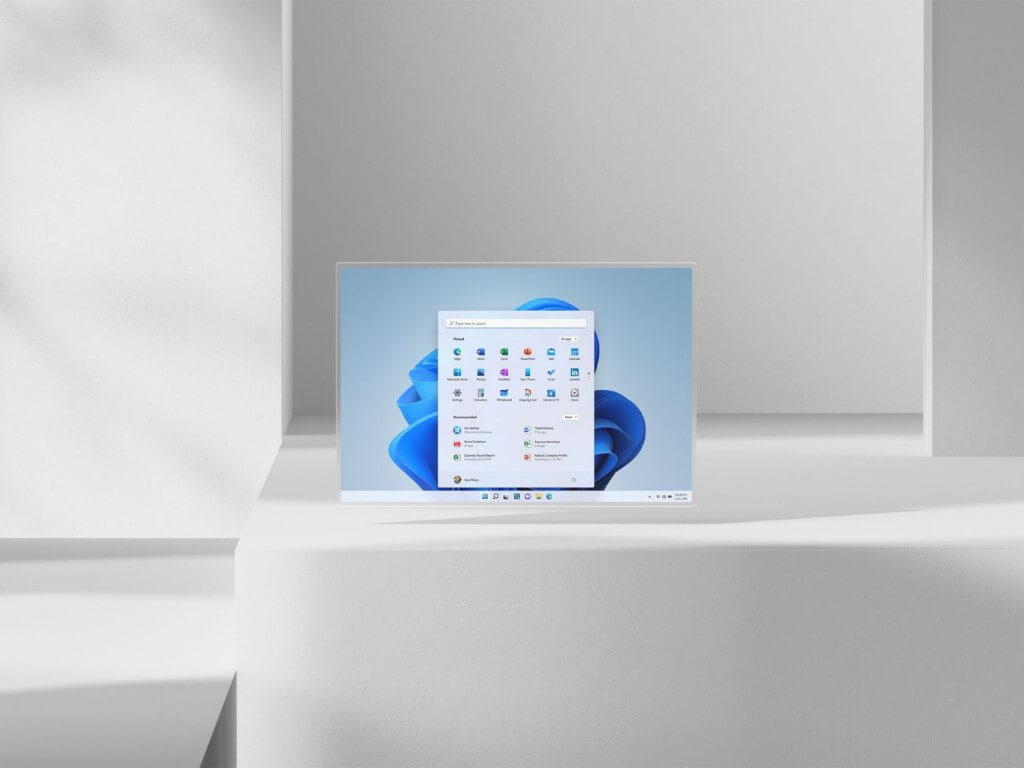
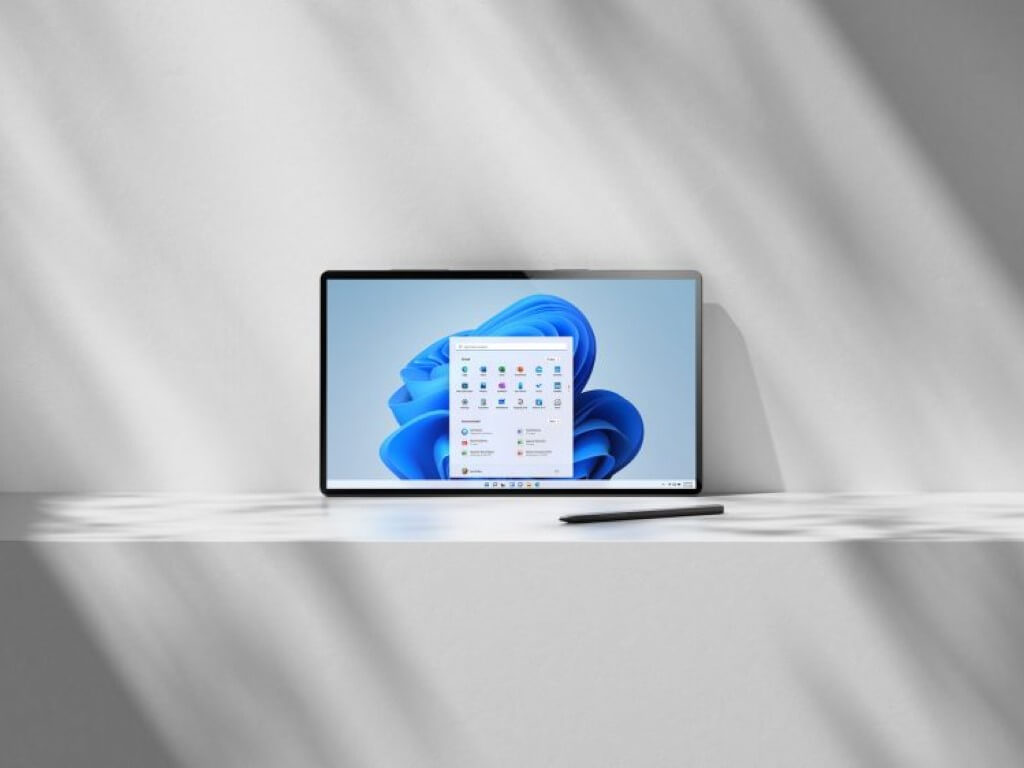
Microsoft is bringing more of its biggest apps to the Windows 11 Microsoft Store, and the latest additions are Visual Studio Code and Visual Studio Community 2019. Windows 11 testers can download the two apps for free from the Microsoft Store, and this should make it more convenient for developers to get their hands on the apps when the OS starts shipping later this year.

With Windows 11, Microsoft will allow all developers to submit unpackaged Win32 apps to its Store, and this should help to make the Microsoft Store the easiest way to discover and install apps on a Windows 11 PC. Visual Studio was one of the big apps that Microsoft said were coming soon to the Windows 11 Store, along with Microsoft Teams, Disney+, Adobe Creative Cloud, Zoom and Canva.

The Microsoft Store has been around for almost 10 years, making its debut with Windows 8 at a time when Microsoft pushed developers to create Metro-style apps for touchscreen PCs. However, Metro apps and UWP apps from the Windows 10 era never reached significant momentum, and Microsoft finally realized that legacy Win32 apps are what Windows users really want to see on the Microsoft Store.

It will likely take some time before we see more big names coming to the Windows 11 Store, and the app also remains a work in progress. Microsoft is also working to bring Android apps on Windows 11 via a partnership with the Amazon App Store, but this integration is still nowhere to be seen in the latest Windows 11 Insider builds.

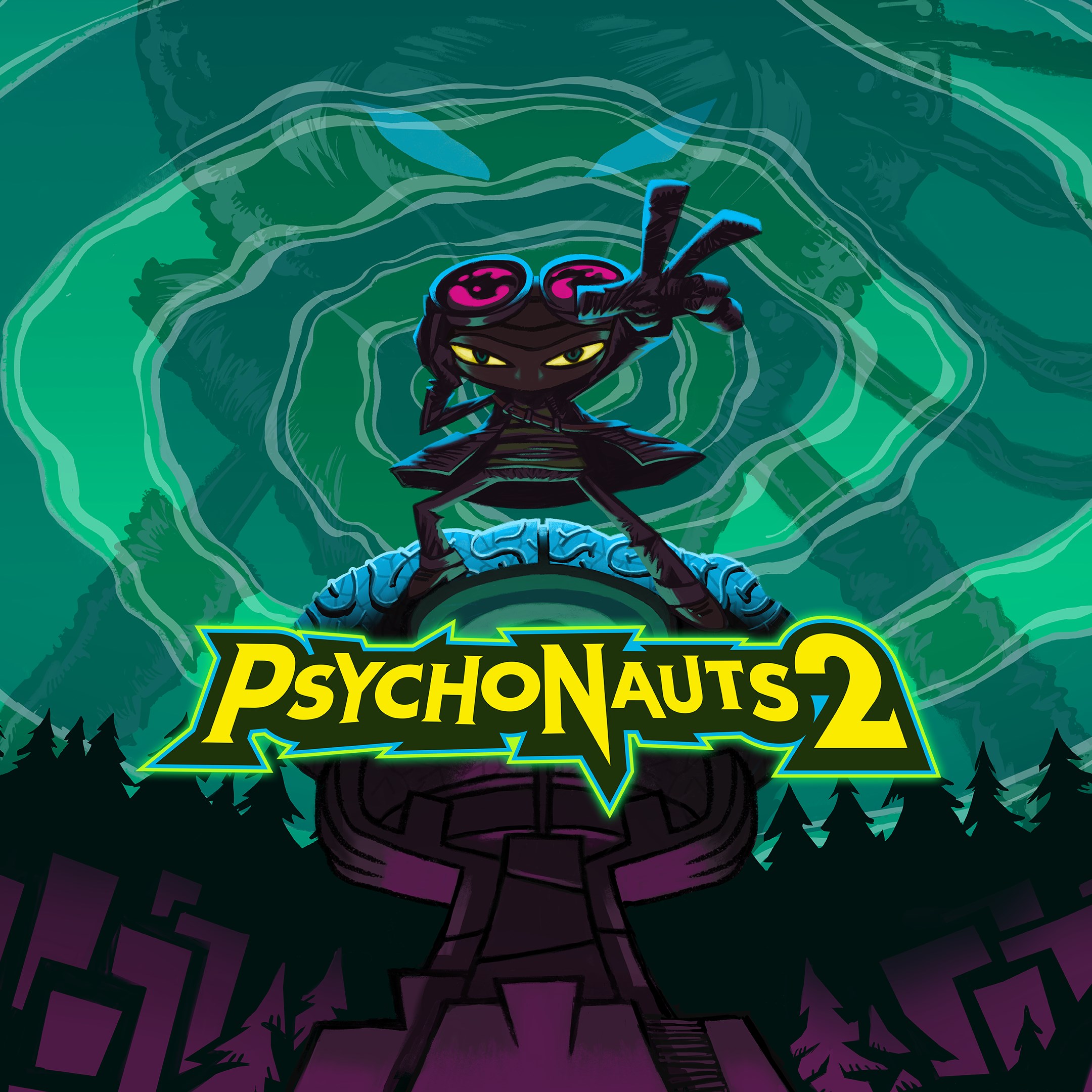
Psychonauts 2 is now available on PC, Consoles, and Xbox Game Pass

Psychonauts 2, the sequel to the cult-classic Psychonauts game from Double Fine Productions is now available on PC, Xbox and PlayStation consoles, and Xbox Game Pass. The platformer was one of the most anticipated games of the summer and it continues the story of Razputin Aquato, a young boy gifted with powerful psychic powers.

Development on Psychonauts 2 started many years ago via a crowdfunding campaign, long before Microsoft acquired its developer back in 2019. The deal allowed Double Fine Productions to add more content to the game and optimize it for Xbox Series X|S and PlayStation 5 consoles, and Psychonauts 2 is one of the rare Xbox Game Studios titles that will also launch on macOS and Linux in addition to Windows.

With a 86 score on Metacritic for the Xbox Series X version of the game (89 for the PC version), Psychonauts 2 is one the best-rated Xbox Game Studios titles of the year, right behind the excellent Xbox version of Microsoft Flight Simulator. The platform game received praise for its solid platform gameplay, lovable characters, and artistic direction reminiscent of Pixar and Tim Burton movies. The game also plays and looks great on Xbox Series X|S consoles and its supports 120FPS on compatible monitors.

Psychonauts 2 is priced at $59.99 on all platforms, and the game is also available with Xbox Game Pass for Console, PC, and Xbox Cloud Gaming. If you haven’t played it yet, the original Psychonauts game from 2005 is also available on Xbox Game Pass, though Psychonauts 2 includes a neat video that summarizes the events of the first game.

Psychonauts 2
Psychonauts 2
Developer:
Xbox Game Studios
Price:
Free

Fix the Hulu error code 2 (975), and (-998) in a few steps

While using the Hulu app on your Android TV or Smartphone, you may encounter the Hulu error code 2 (975) and Hulu error code 2 (-998). This is a temporary error and can be resolve by trying a few troubleshooting tips. In other cases, the error can also be caused by the server issues at Hulu’s end as well.

My selected shows are being interrupted and eventually stopped. Each time I receive an error but I am unable to determine what the error means. What does error code 2 (975).

If you are also troubled by this error, here are a couple of troubleshooting tips to help you resolve the Hulu error code 2 (975) and Hulu error code 2 (-998) so that you can continue streaming your favorite show without any issues.

How do I fix the Hulu error code 2 (975)/(-998)?

1. Force Close the Hulu app

Android phone and tablet

 Hulu error code 2 (975)
  1. Open Settings on your Android phone.
  2. Go to Apps and select All apps.
  3. Tap to open the Hulu app setting.
  4. Tap on the Force Stop button. Tap Yes to confirm the action.
  5. Restart the App and check for any improvements.

Android TV

 Hulu error code 2 (975)
  1. From the home screen, open Settings.
  2. Go to Applications.
  3. Select Hulu from the list of installed apps.
  4. Select Force Stop to terminate the app.
  5. Relaunch the Hulu app on your Android TV.

2. Perform a power cycle

  1. Power off the device that you are using to watch Hulu.
  2. On your Android phone, press and hold the Power button and select Power off.
  3. Android TVs come with a dedicated Power off button on the remote.
  4. Next, power off your modem and router. If you are using Cellular data, put your smartphone on Flight Mode, and then disable it.
  5. Unplug all the devices connected to your TV from the power source.
  6. Leave the devices idle for a few minutes and then reconnect the device.
  7. Power on the devices and check for any improvements.

Power-cycling your streaming device will refresh your connections and also fix any temporary glitches that are causing the Hulu error code 2 (-998). If the issue persists, check your internet connection.

Use any internet speed checking tool to run a speed test. Hulu requires a minimum of 1.5 Mbps connection to stream content.

Test other apps and services

You may also want to check other apps on your Android device for similar issues. Network issues will affect all the services that require the internet. This will help diagnose if the issue is with your network connection or service-specific.

3. Check for pending Hulu updates

 Hulu error code 2 (975)

Android phone and tablet

  1. Open the Play Store.
  2. Search for the Hulu app.
  3. Tap on the Update button to download and install the update.
  4. Reboot the device and launch the updated app.

For Android TV

  1. From the Home screen menu, open Apps.
  2. Select Google Play Store.
  3. Open My Apps.
  4. Find Hulu and tap on Update.
  5. Wait for the updates to install and check if that resolves the error.

4. Clear cache and data

For Android phone and tablet

Hulu App error
  1. Open Settings.
  2. Go to Apps.
  3. Tap on Hulu > Storage.
  4. Tap the Clear Cache button.
  5. Next, tap on the Clear data button. Tap Clear data again.

For Android TV

Hulu App error
  1. From the Home screen, open Settings.
  2. Go to Applications > Hulu.
  3. Select the Clear Cache and Clear Data options.
  4. Restart the app and check for any improvements.

5. Uninstall and reinstall Hulu

Hulu App error
  1. Open Settings.
  2. Go to Apps > Hulu.
  3. Tap the Uninstall button.
  4. Next, open the Play Store and search for Hulu.
  5. Tap on Install to reinstall the app.

6. Consider using another streaming platform

There is always a way to stream your favorite videos. In addition to the steps above, if it still does not work, we recommend that you use a choice that is Disney+. 

Disney+ offers a wide variety of movies, animated series, tv shows from Pixar, Disney, Marvel, National Geographic for the whole family, compatible with Android at high-level performance. This streaming platform is now available in the Disney Bundle including Hulu and ESPN+ if you chose to have them all in one place, it’s a fantastic way of stress-free and enjoyable streaming.

⇒ Get Disney+ now

The Hulu error code 2 (975) and Hulu error code 2 (-998) is a common error code that usually occurs on Android-powered devices. However, Hulu does not have any official troubleshooting tips to fix the error.

We have listed a couple of general troubleshooting tips that have helped other users resolve the error on their Android devices. Let us know which method helped you resolve the error in the comments.

FIXED: Amazon Fire Stick not connecting to Netflix

Netflix is the most popular platform for streaming shows. Many people around the world use Netflix to enjoy their free time.

However, quite a few users encountered a major issue when trying to connect to Netflix via the Amazon Fire Stick.

Fortunately, the problem has solutions and today we will show you what to do if Amazon Fire Stick is not connecting to Netflix.

Amazon Fire Stick not working on Netflix

1. Update the Netflix app

Many users encountered this issue because the Netflix app was outdated. Update the application by following the steps below.

  1. Open the Fire TV menu and go to the App Section.
  2. Go to the Netflix app.
  3. If there is an update available, select the Update option.
  4. The Update option won’t appear if there’s no update available.

2. Clear cache

If your Netflix app is up to date but still doesn’t work, you need to clear the cache. Follow the steps below to do that.

  1. Go to your home screen and open the Fire TV menu.
  2. Go to Settings under the Fire TV menu.
  3. In Settings, navigate to Applications.
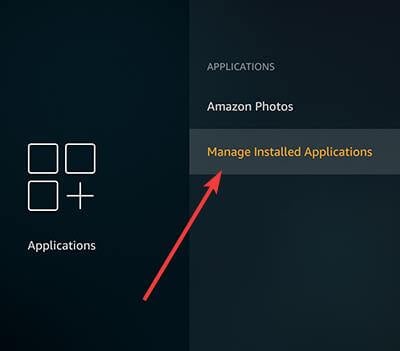
  4. Tap on Manage Installed Applications.
    amazon fire tv Manage Installed Applications
  5. Locate Netflix and tap on it.
  6. Press on Force Stop, and then on Clear Cache.
  7. Return to the home screen and tap on the Netflix icon to see if the app is working properly.

3. Reinstall the Netflix app

If the solutions above don’t work, uninstall and install the Netflix app. Use this solution as a last resort.

Uninstall the Netflix app

  1. Navigate to the Fire TV menu.
  2. Select Settings.
  3. Under Settings, tap on Managed Installed Applications.
  4. Choose Netflix and select Uninstall.

Install the Netflix app

  1. Navigate to the Fire TV menu.
  2. Type Netflix in the search bar from the top-right side.
  3. Select the Netflix app and choose Install.
  4. Use your Netflix credentials to log in.

Conclusion

As you can see the issue is not as serious as it seems. If Amazon Fire Stick is not connecting to Netflix, you need to update the Netflix app or clear the cache.

For more detailed steps tailored to Amazon devices, see our guide on Netflix not working on Firestick.

If these methods don’t work, perhaps it is time to switch to another online streaming application. There are plenty out there. In that matter, we suggest Disney+ as an alternative streaming service, but without you having to discard the Hulu app. 

Just by accessing your Hulu account and going for an upgrade, in addition to Hulu you get ESPN+ for unlimited sports TV, Disney+ for unlimited streaming and download your favorite originals from Pixar, Marvel, Star Wars, Disney, National Geographic, ad-free entertainment, the capacity to watch on 4 different screens at once, and much more, for a monthly subscription. 

There is another way to have Disney+ exclusively for a monthly subscription, but either solution would be beneficial for your stress-free time. 

⇒ Get Disney+

Did you find our solutions useful? How did you fix this problem? Do let us know in the comments section below!

How to fix Hulu errors 5005 and 5003 in just a few steps

Hulu has numerous codes for errors that can arise when utilizing the streaming service. Errors 5005 and 5003 are among Hulu’s error codes.

Those errors arise when some users try to play Hulu videos. They’re similar playback errors that ask you to check your internet connection. Therefore, the fixes for Hulu errors 5005 and 5003 are similar.

Check out these potential fixes for Hulu errors 5005 and 5003

1. Is Hulu down?

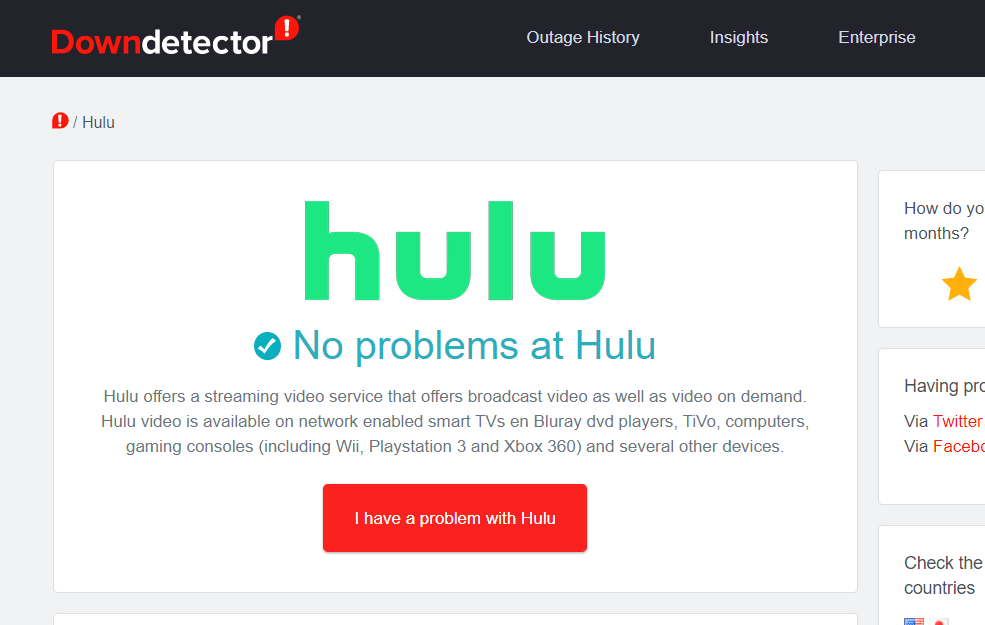
First, check if the 5005 or 5003 error is a server issue. To do so, open the Downdector page for Hulu in a browser. That tells you if there’s any general server issue. If there is, wait for Hulu to fix the server issue.

Downdetector page hulu error 5005, 5003

2. Clear browser data

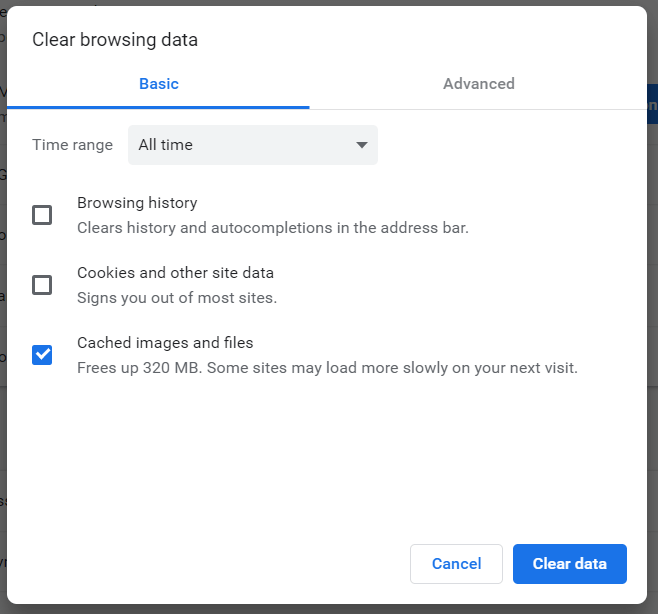
  1. If Hulu isn’t down, try clearing the cache for the browser you’re utilizing Hulu in. To clear Chrome’s cache, click that browser’s Customize and control Google Chrome button.
  2. Then click More tools and Clear browsing data to open the options shown directly below.
    Clear browsing data options hulu error 5005, 5003
  3. Select the All time option in the Time range drop-down menu.
  4. Select the Cached images and files and Cookies and other site data options.
  5. Click the Clear data button.

3. Update your browser

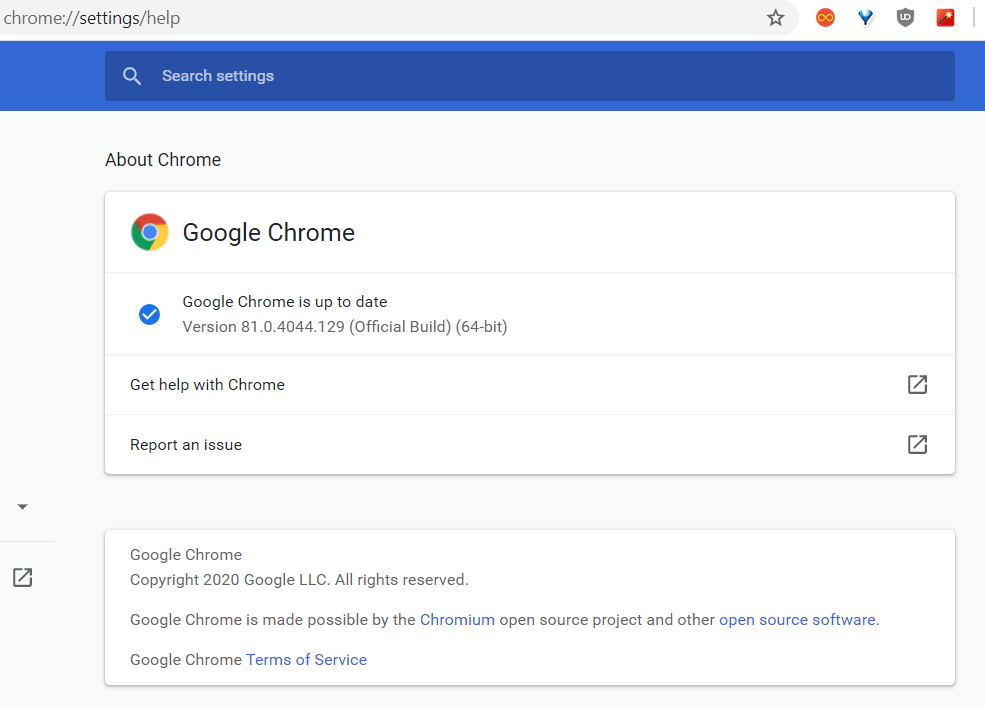
  1. If you’re utilizing an antiquated browser version, updating that software might fix error 5005 or 5003. Chrome users can do that by clicking the Customize and control Google Chrome menu button.
  2. Select the Help > About Google Chrome options.
    The About tab hulu error 5005, 5003
  3. Then restart Google Chrome if the browser gets updated.

4. Reinstall the Hulu app

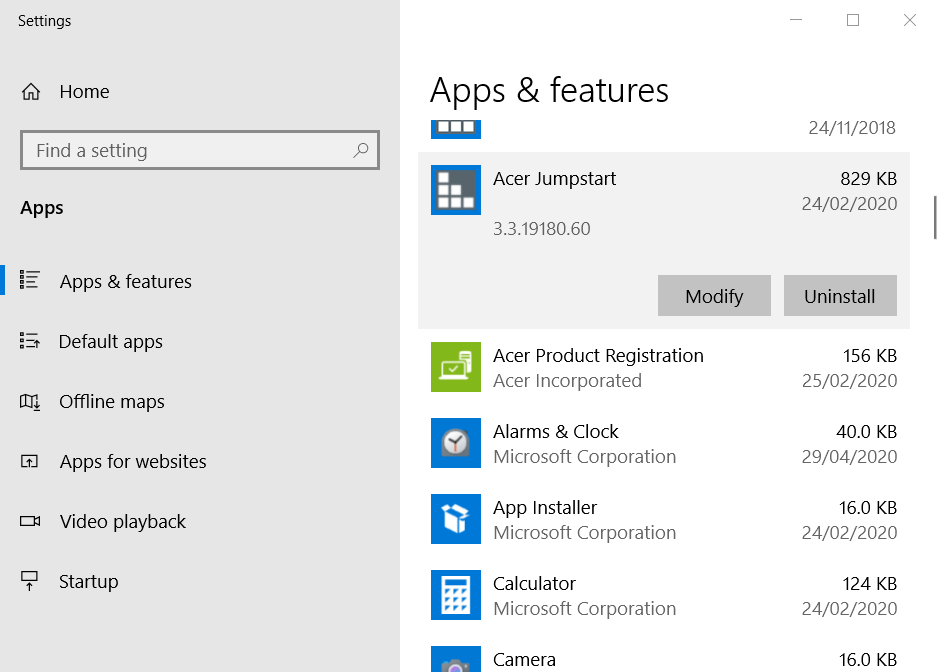
  1. If you need to fix error 5005 or 5003 for the Hulu app, try reinstalling the software. To do so, click the Type here to search button on Windows 10’s taskbar.
  2. Type app within the search utility.
  3. Click Apps & features to open that Settings tab.
    Apps & features tab hulu error 5005, 5003
  4. Select the Hulu app, and press its Uninstall button.
  5. Restart Windows after uninstalling Hulu.
  6. Then open the Hulu page and click Get to reinstall the app.

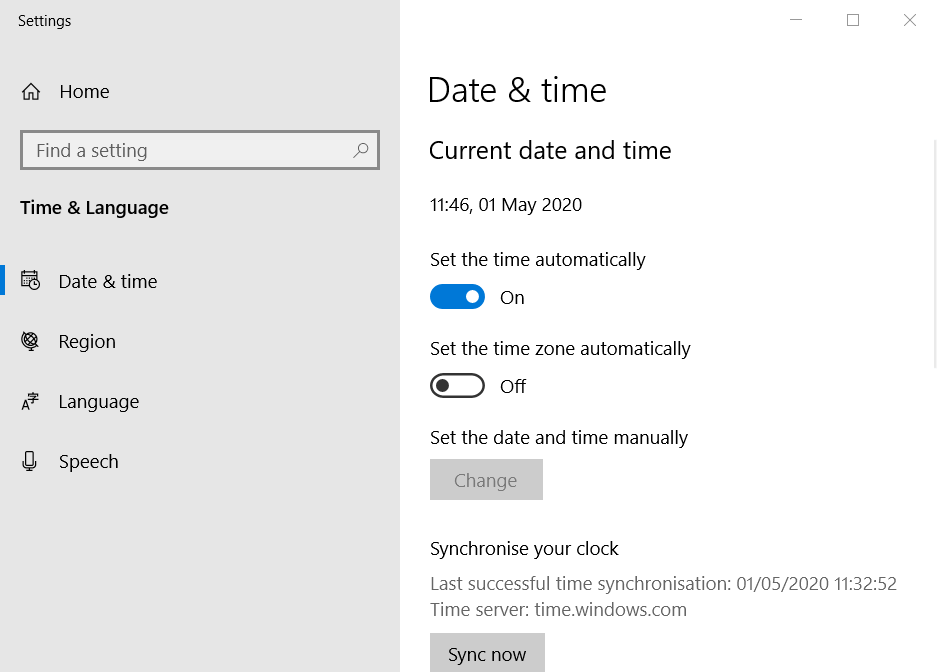
5. Check date and time settings in Windows

  1. Hulu playback issues, such as error 5003, can arise when the date and time aren’t correctly configured on the device you’re trying to play videos on. To check the time settings in Windows, enter date in the Type here to search box.
  2. Click Date & time settings to open the window shown directly below.
    Date & time settings hulu error 5005, 5003
  3. Check that the right time zone is selected in the Time zone drop-down menu.
  4. Turn the Set time zone automatically option off if it’s on.
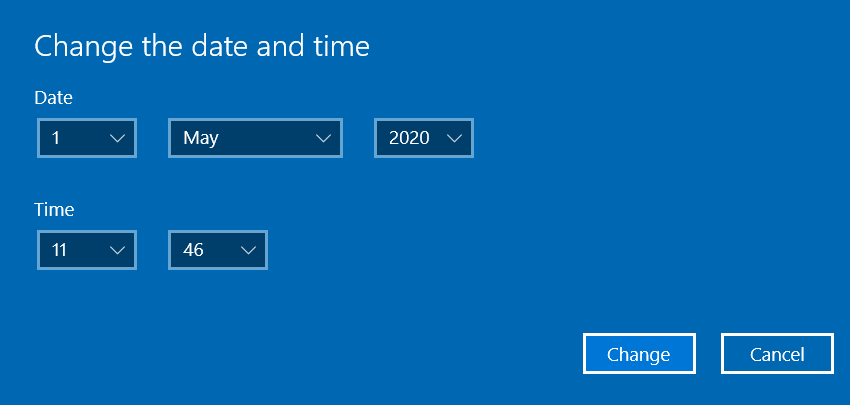
  5. Click Change to open the window shown directly below.
    Change the date and time window hulu error 5005, 5003
  6. Make sure that the date and time settings there are right, and click the Change button.

6. Change your DNS settings

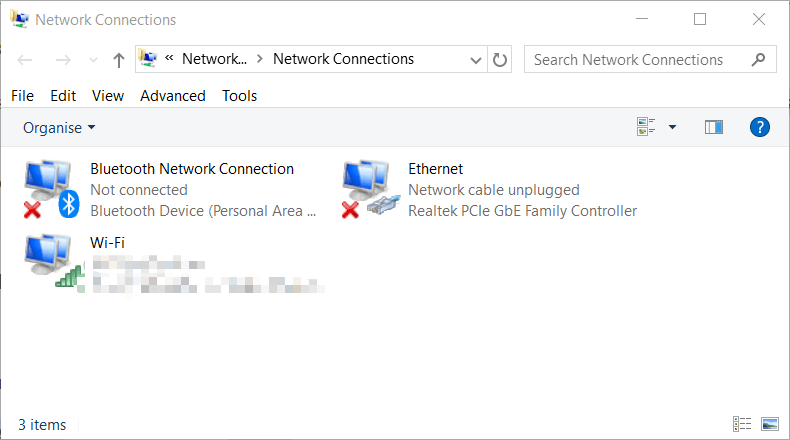
  1. If the 5005 or 5003 error still persists, try changing your network settings to Google DNS. Open Run by pressing the Windows key + R keyboard shortcut.
  2. Input ncpa.cpl in the Open box. Then click OK to open the Control Panel applet in the shot directly below.
    Network Connections applet hulu error 5005, 5003
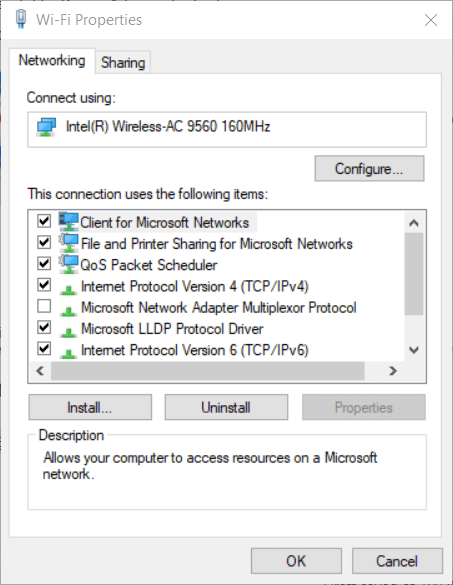
  3. Right-click your net connection to select Properties.
    Wi-Fi Properties window hulu error 5005, 5003
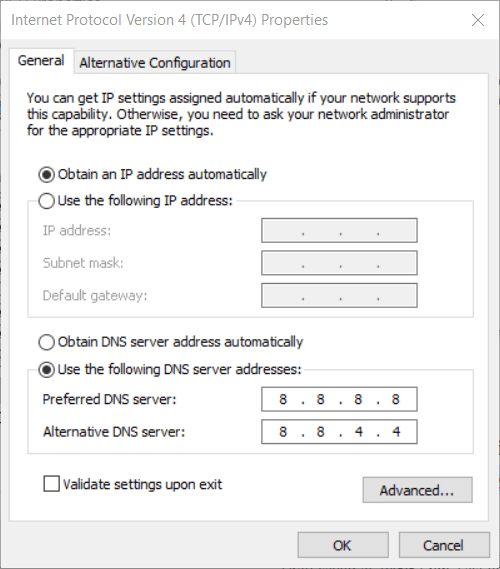
  4. Select Internet Protocol Version 4, and click the Properties button.
  5. Click the Use the following DNS server addresses radio button.
  6. In the Preferred DNS server box, enter 8.8.8.8.
  7. Input 8.8.4.4 in the Alternative DNS server box.
    Internet Protocol Version 4 window hulu error 5005, 5003
  8. Click the OK button to confirm.

So, those are some of the resolutions that might fix Hulu errors 5005 and 5003. Some of those potential fixes might also work on other devices, such as PlayStation 4 or Apple TV. However, the guidelines above are only applicable to Windows 10.

Another alternative is to go to your Hulu account on the official website and take advantage of the bundle available including Disney+, Hulu, and ESPN+. 

Disney+ solely offers a generous library of TV shows, original movies from Pixar, Marvel, Star Wars, Disney, National Geographic, ad-free experience available to register up to 10 devices and 7 different profiles. 

If you consider getting Disney+ exclusively, you can activate this amazing service on Disney+ official website.

⇒ Get Disney+

How to fix Hulu error 94

Video buffering, screen freezing are recurrent problems when streaming movies on Hulu.  Adding to these, loading errors are extremely annoying especially when there’s no clear solution to them.

Errors 94 or 97 make no exception. When displayed on the screen, the only option is to choose Retry, but it won’t solve the issue.

We’re trying to shed some light on the possible causes and help you fix the problem in no time, so keep reading.

How do I fix error 94 on Hulu?

1. Perform a power cycle

A complete power cycle should put your media devices, internet connection, and Hulu app back on track. So, switch off your devices (including modem and router).

Wait a few minutes, then switch them back on and see if the error code still appears.

2. Force stop the Hulu app

  • For Android devices, and SmartTVs: 
    • Settings > Applications > Hulu > Force Stop.
  • Fire tablet:
    • Click on More > Applications > Installed applications > Hulu > Force Stop.
  • Xbox one:
    • Touch the Xbox button to start the guide > press the Menu button on your controller and Quit.

3. Clear cookies and cache

clear cache error 94

On devices running on Windows, Android, or iOS, cached data is usually found in the storage/privacy section of the Settings menu. Alternatively, you can use a more performant tool, such as CCleaner (either the free or the paid version).

On Apple TV you need to uninstall and reinstall the app to clear cache and data.

For Xbox One see the following steps:

  1. Go to Menu.
  2. Choose My Games and Apps > Apps.
  3. Highlight the Hulu.
  4. Hit menu on your controller.
  5. Tap on the Manage Apps > Clear saved data.

Also, for Roku:

  1. Select Home in the main menu.
  2. Then, on the remote controller press Home 5 times + press Up + press Rewind 2 times + press Fast Forward 2 times.
  3. It should take a few seconds to clear the cache.

Clearing the cached data helps to improve streaming conditions, as well as to get rid of possible corrupted files that got randomly installed.

4. Make sure that both the Hulu app and your device are updated

Many problems are caused by outdated apps. So check for available updates in the app store or your device’s settings menu.

5. Disable your VPN connection if you have any

disable vpn hulu

If you’re using a VPN connection for an extra layer of online security and privacy, we recommend that you turn it off. It can sometimes cause incompatibility between the ISP and the servers.

It is worth mentioning that users have reported receiving error 94 only on smart TVs; when they tried connecting to Hulu on another device (mobiles or laptops), it worked.

6. Try an alternative streaming service app

Having difficult times while watching your favorite shows or movies, may cause temporary annoyance. In that matter, we suggest Disney+ as an alternative streaming service, but without you having to discard the Hulu app. 

Just by accessing your Hulu account and going for an upgrade, in addition to Hulu you get ESPN+ for unlimited sports TV, Disney+ for unlimited streaming and download your favorite originals from Pixar, Marvel, Star Wars, Disney, National Geographic, ad-free entertainment, the capacity to watch on 4 different screens at once, and much more, for a monthly subscription. 

⇒ Get Disney+

How do I fix Hulu error 97?

Error 97 is until now a one-time error that Hulu subscribers got in 2018. It was an error on Hulu’s side and their developers immediately got to work to fix it.

Hulu‘s support took to the social media channels to calm down annoyed users and updated them as soon as the issue was solved, coming up with the following suggestions:

  • Close the app on whatever device you’re using and restarting it.
  • Restart your device.
  • Try resetting your router.
  • Make sure the app is updated.
  • Uninstall the app and reinstall it.

By following these steps, you should be able to fix Hulu errors 94 and 97. Let us know if you know of other helpful solutions by leaving us a message in the comments section below.

Forza Horizon 5 Limited Edition Xbox Controller goes up for pre-order

Microsoft concluded its gamescom 2021 digital event a couple of minutes ago with a long segment about Forza Horizon 5, revealing a cool-looking Forza Horizon 5 Limited Edition Xbox Wireless controller. This is the first Xbox controller to feature a transparent yellow finish, with a visible rumble motor and lighting effects appearing through the Xbox button.

According to the Xbox team, the design of this limited edition controller is inspired by the powder fireworks that will be visible in the in-game Horizon Festival. This isn’t all style over substance, though, as the limited edition controller will also feature textured grips on the triggers and bumpers, and custom bottom and side dimple patterned grips which are “inspired by perforated style performance car steering wheels.”

The Forza Horizon 5 Limited Edition Controller is already available for pre-order on the US Microsoft Store, and it will start shipping on November 9 right alongside Forza Horizon 5. Coming at $74.99, it’s a bit pricier than other Limited Edition controllers, but it also comes with an exclusive DLC for a Forza edition car, cosmetic item, and a victory emote to use in-game.

Xbox Game Pass to add Humble Games indie titles on day one

Microsoft’s Xbox Game Pass subscription service will soon receive new indie games from Humble Bundle on day one. Indie titles like Unpacking, Archavale, Signalis, and more will launch day one on Xbox Game Pass, and you can find below the full list of Humble Bundle indie games coming to the Xbox Game Pass catalog in the coming months:

  • Archvale: Embark on a journey to find the ruins of a long-believed mythic arch in this colorful hybrid between classic RPGs and bullet hells. You’ll be pushed to your limits in enemy filled biomes and only through mastery of skills and weapons will you succeed.
  • Bushiden: Your sister has vanished and rumors swirl that Gaoh has been resurrected with an evil army at his command. Explore for cybernetic upgrades until you are powerful enough to defeat the diabolic Gaoh and his cybergentic army once and for all in this futuristic, action platformer!
  • Chinatown Detective Agency: Chinatown Detective Agency is a cybernoir point and click adventure blending stunning retro design with innovative mechanics. Manage your detective agency and use real world research to solve cases as you unravel a global conspiracy.
  • Dodgeball Academia: In a world that lives and breathes all things dodgeball, you’ll join Otto at the academia to train to become the ultimate dodgeball champion. Make friends, build formidable teams, and level up in order to dominate on and off the courts! Available now on Xbox One, Cloud Gaming (Beta), and PC with Xbox Game Pass.
  • Flynn: Son of Crimson: Help Flynn and his mythical companion Dex save Rosantica before the evil from The Scourge claims his home. In Flynn: Son of Crimson, you’ll go on a journey of discovery and conflict as you learn to master the power of Crimson Energy. Available on September 15, 2021.
  • Midnight Fight Express: Fight your way across the city in a brutal romp that mixes old school brawlers and fast-paced motion-captured combat. Battle across multiple, distinct hand-crafted levels on foot or a variety of vehicles.
  • Next Space Rebels: In Next Space Rebels, you will develop from a naive rocket hobbyist into an experienced space activist by designing, building, and launching rockets of increasing complexity.
  • Signalis: A classic survival horror experience with a unique aesthetic, full of melancholic mystery. Investigate a dark secret, solve puzzles, fight off nightmarish creatures and navigate dystopian, surreal retrotech worlds as Elster, a technician Replika searching for her lost dreams.
  • Unpacking: Unpack like never before! Arrange an unseen character’s belongings through a variety of moves, learning about them through each transition, in this self-paced zen puzzle game.
  • Unsighted: After a long war with the humans, the few androids that remain in Arcadia are running out of Anima, the energy that gives all robots consciousness. It’s up to you, Alma, to find a way to recover your memories and save your friends from becoming Unsighted.

In other Xbox Game Pass-related news, the grand strategy role-playing PC game The Crusader Kings III is coming soon to Xbox Series X|S consoles, and it will be available on Xbox Game Pass on day one. Microsoft also announced today that cloud gaming is coming to Xbox One and Xbox Series X|S consoles this holiday season, and this will eventually allow Xbox One gamers to access next-gen games without having to upgrade.

Microsoft Teams starts rolling out Reading Progress feature to education customers

Back in May, Microsoft unveiled a free Reading Progress feature for Teams for Education to help students improve their reading skills. The company today announced that this feature has now started rolling out to all education customers, and it should be generally available on all platforms in a couple of weeks.

“Educators upload a single reading fluency passage or differentiate for their class’ many levels. Students read their passages out loud, creating a recording teachers can access and review at their convenience,” explained Mike Tholfsen, Product Manager on the Microsoft EDU team. “By empowering students to complete their reading fluency assignments regularly and independently, Reading Progress keeps the focus on practice and growth, not performing under pressure.”

Microsoft also announced today that it has added some new features to the Reading Progress tool based on user feedback. The list includes a new PDF upload option and an assignment creation layout. The Reading Progress app has introduced the ability to preview and edit the uploaded passages before assigning them to the students.

In addition to this, the tool now supports more than 100 languages, and the auto-detect language support is available in 37 languages. You can check out the full list on this page. The company plans to collaborate with ReadWorks in order to add curated reading assignments to Teams.

That is not all though, as Microsoft is also working to bring some more enhancements to the tool, such as reading passage support for files and channels in Teams as well as OneNote pages. If you’re interested, we invite you to check out the blog post to learn more about the Reading Progress experience in Microsoft Teams.

Here’s the top features missing in Windows 11, according to Windows fans

For all the praise that Windows 11 has gotten so far, there’s a lot the operating system is still missing. That’s been the topic of discussion on one Reddit thread, where Windows fans are talking about the features they need and want back in Microsoft’s next-generation operating system.

There’s a lot being said but there are some core leading features that people want back. At the top of the list is the ability to drag and drop to the Taskbar, and move the Taskbar to the side where you want it. Also, requested is an ability to combine icons when the Taskbar is full, and add folders to the Start Menu.

Then there are some quality of life things. These include the ability to permanently remove the Recommended section on the Start Menu, and opening another instance of an already running app by shift-clicking the icon in the Taskbar.

A PC running Windows 11.

You can read through the thread to see some more examples of other feature requests. One person wants the right-click menu on the taskbar, another wants a better way to set default apps. A third person also wants back the quick connect menu on the Bluetooth quick action tile. We gathered some of the other features requests and missing features below.

  • Get rid of the system requirements
  • Small Taskbar
  • Tablet mode where Start Menu is full screen
  • Labels on the taskbar
  • Seconds on the clock
  • Option to make an offline account on Windows 10 Home
  • Ability to ungroup similar icons on the Taskbar
  • Usable calendar with agenda for a clicked on day

While Microsoft employees like Jen Gentleman are known to often frequent Twitter and Reddit to comb through or react to user feedback, Microsoft recommends going to the Feedback Hub to file your feedback on which features you’d like to return. The more upvotes a feature gets, the higher the chance of Microsoft taking action to implement it.

PSA: Future Windows 11 Dev channel flights will be “early development builds”

If Microsoft has recently started flighting Windows 11 builds in both the Windows Insider Dev and Beta channels recently, the company has started warning Dev channel testers that upcoming flights are going to be less stable. The release notes for recent Dev channel flights did include a note recommending Dev Channel Insiders to consider switching to the Beta channel if they’d prefer to keep testing more stable builds of Windows 11, but that was apparently not enough.

According to a report from Italian blog HTNovo, Microsoft has started sending emails to Dev Channel Insiders that say a bit more about what to expect from future flights. “We will soon be flighting early development builds in the Dev Channel. These builds may be less stable and won’t align with the version of Windows 11 expected to be available to the general public later this year,” the email reads.

With the Dev Channel set to receive more advanced Windows 11 builds going forward, testers who want to switch to the Beta channel now can Open Settings > Windows Update > Windows Insider Program, select ‘Choose your Insider settings’, and then select the Beta channel. The latter is now expected to work as an equivalent to the Release Preview Ring for Windows 11, and Windows Central’s Zac Bowden tweeted yesterday that sign-off on a “final” Windows 11 build could happen in mid-September.

We’ll see what happens in the coming weeks, but the latest Windows 11 builds still need more polish and Microsoft has yet to start testing much-anticipated features such as Android apps on Windows 11. The company has also released the first official Windows 11 ISOs last week, but Windows 11 on ARMs builds are also not yet available for owners of Surface Pro X and other ARM-powered Windows PCs.

Twelve Minutes Game Review: Stuck in a Time Loop

Twelve Minutes is a point-and-click thriller in which you end up in a time loop, over and over again, until you figure out the full extent of the story and what you’ll have to do to break out of the cycle.

Ever since seeing the trailer back in 2019, the project has intrigued me, both in concept and graphical style, as the top-down camera is immediately noticeable and not something you see that often in games with a narrative focus.

Much like with a movie trailer, it crossed a thin line of already spoiling too much, and I’d like to avoid doing the same here, so consider this a warning if you want to go in fresh: while I’ll keep it light on spoilers, it’s best to skip past the story section.

The story

Every good story starts with a murder

You play as an unnamed husband, voiced by James McAvoy, who comes home from a day at the office and seems to spend what looks like a normal, quiet night with his wife. There is some small talk, a nice dessert and if you play your cards right, some romantic dancing.

But suddenly a cop knocks on the door. Whether or not you choose to let him in, he’ll eventually get in and will start yelling about a murder, supposedly committed by your wife, and a lost pocket watch that seems to be worth a lot of money.

You can try to resist, but no matter your attempts, he’ll knock you unconscious or even strangle you, which triggers a time loop and starts the last ten to twelve minutes over again. It’s up to you to find out more about the murder, the history behind the pocket watch, and what it will take to break out of the loop.

That did not go as planned… please don’t break the loop now

Each run will inevitably fail, but if you play your cards right, you’ll get access to new information, which will hopefully result in more success in your next attempt.

I’m not getting too deep into spoiler territory here, but let’s just say that you won’t see some of the twists coming, mostly because they aren’t afraid to raise some topics that most people could find unsettling.

Star-filled cast

If you have a story-heavy game with voice acting, it certainly helps sell the game if you can flaunt a cast full of celebrities. And that’s exactly what Twelve minutes does with its main three characters.

Daisy Ridley – James McAvoy – Willem Dafoe

Daisy Ridley, perhaps best known for her recent role as Rey in the new Star Wars trilogy, plays your wife, who’s suspected of killing her own father, though her motives are unknown at first.

James McAvoy is an actor I’ve first been impressed with when he took on the role of young Charles Xavier in the X-Men reboot. He plays the husband and will be the only character you control throughout the game.

Willem Dafoe, known for his gravelly voice and recognizable face, plays the cop and another role, but even telling you about that would ruin the final plot twist of the game somewhat.

The gameplay

Now, surprisingly I had no idea about the type of gameplay to expect prior to starting my first run. I had seen a few trailers during online events and they certainly caught my interest on concept and story alone, but I hadn’t the foggiest clue on what I would actually have to do in the game.

I expected narrative choices, similar to the ones you’d make in a Telltale game, and these are present here as well. But the main gameplay mechanic is point-and-click puzzle-solving like you might recall from classic adventure games.

A mind-bending conundrum…

You pick up items to add to your inventory, combine them with interactable objects in the environment, and see what happens.

Fumbling around

While using [ITEM] on [OBJECT] isn’t exactly groundbreaking, it fits the narrative focus of the game well enough, and the way you have to use them in real-time adds certain anxiety to it all that makes you feel more involved. You won’t just have to think about “what” to use; you’ll also have to consider the “when”.

It’s just a shame that implementing this feels a bit messy. Clicking on an item will use it on yourself, so you have to be careful and keep the action button pressed while dragging it to someone or something else. It feels a bit awkward, and you’re bound to slip up once or twice.

https://twitter.com/Bloodyspasm/status/1429218353818841088

The top-down camera feels extremely fresh as if you’re looking into a toy house after removing the roof. It also gives a clear birds-eye view of the surroundings and “most” of the important objects to interact with, but more on that later.

Out of order

Having seen the trailer, I went into the game with prior information, specifically that the cop will try and kill me when he comes in. So on my first run, before I had even entered a time loop, I tried to stab him with the kitchen knife. It ended with me getting knocked out and starting the first loop.

The issue is, that Twelve Minutes treated this as if it was the second or third time I had run through the actions, as it seemingly expected me to be more passive in the first go-through. It’s very offputting and breaks you right out of the immersion when things feel off, and it wasn’t the only time I encountered this issue.

While the game wants you to experiment, it also follows a rather linear evolution of how you can progress through the story. If you do something to break the sequence it’s expecting you to follow, Twelve Minutes will throw confusing lines or interactions at you that feel out of place for the current run.

Other issues

“There is no Spoon”

Important to note is that some progress only happens in your mind, for you as the player. Learning the location of an important item hidden “in the vent below the medicine cabinet” is vital to progressing the game.

I struggled with this part of the game because the other two vents are visible when walking around, yet this one is hidden unless you inspect the cabinet and, even then, is largely outside of your visible reach.

Just look at the screenshot above and see how both the prompt to interact, as well as the spoon I’m using to open the vent is partly hidden by the bottom of the screen.

Sadly this isn’t the only technical issue I’ve encountered, as there was also a moment where the cop got stuck, walking in place, and my character was unable to move because of it. I had to quit the game to escape from the soft lock.

Luckily this only happened once, but the character animations often clipped through objects and each other in a weird-looking way, and their robotic movement to predetermined “trigger” locations also broke my immersion too often.

If only there was some way to turn back time?

? A Small aside on Achievements: The game fittingly has 12 achievements, but if you hope to get them, you’ll best follow a guide. You need to do specific actions at specific times. I personally didn’t like the list one bit and don’t really feel motivated to get the missing 10 by following an online step-by-step walkthrough.

Final thoughts on Twelve Minutes

Pros
Time loops remain a brilliant concept for videogames
The top-down perspective feels fresh for the genre
Useful fast forward option respects the player's time
Cons
Often hard to tell what is expected of you next
Some annoying bugs and sequence errors
Repeating the same actions over and over again get boring

Final Score: 3.5/5

Twelve Minutes is a bold game that isn’t afraid to venture into heavy topics. Its central time loop system reveals new information with every new run as long as you figure out what the game expects you to do next.

The point-and-click gameplay sometimes feels finicky, and there are some sequence-breaking errors, but if you can look past those issues, it offers a fresh narrative with a star-filled cast. Certainly worth a playthrough, especially on Xbox Game Pass.

Twelve Minutes costs $24.99 and is available on Windows, Xbox One, and Xbox Series X|S. I played it with a controller on Xbox Series X, but I do not doubt that the classic adventure gameplay lends itself better to being controlled with a mouse.

*Disclaimer: Reviewed on Xbox Series X via Xbox Game Pass.

Parallels 17 Gaming Performance: How Good is it?

As you most likely know by now, Windows 11 is usable on Mac devices, even on those without Boot Camp. 

With the help of Parallels Desktop 17, users can experience Microsoft’s upcoming version of Windows on their Mac desktop.

Know that Parallels supports both Intel and M1 Macs, even though there’s a catch for those running Arm-based machines, and can even be used to run the Windows 11 preview.

The catch for M1 users is the same as when Parallels first added support for Apple’s latest machines. This means you’ll only be able to emulate Arm-based operating systems, which means you’ll be limited to Windows on Arm.

But while M1 users have to deal with Windows on Arm, they also get some performance improvements if they’re coming from the software’s previous version.

Parallels officials say that the new version will let M1 Macs get up to 28 percent better DirectX 11 performance, and up to 33 percent faster start times for Windows 10 on Arm Insider Preview VMs.

But what about gaming? What type of experience will that be?

Gaming is not what you would expect on Parallels

So we’ve established that this is a great way for Mac users to enjoy Windows 11 and everything it brings to the table.

And even though Parallels’ packages come alongside up to 25 percent faster 2D graphics and up to 6 times faster OpenGL performance, that still doesn’t mean that you will be able to enjoy your favorite games, on ultra quality.

Even though the M1 chip is one of the most powerful integrated graphics chips that we’ve seen so far, we’ll explain to you exactly how the process works and what are the problems with it.

We can understand that Apple fans want to access some of the more impressive games, that aren’t available on Mac, therefore they will give this method a go.

Keep in mind that, because you are running a virtual machine, half of the CPU cores, which means 4 if we are talking about the M1 chip, are dedicated to running the virtual machine itself.

Also, you will only be able to use only half of the total RAM you have, for gaming.

As an example, playing a game like Fallout 4 will offer you an acceptable gaming experience while you are inside. Once you step out into the open world, well, that’s when it all turns bad.

And despite the fact that you’ve turned every available graphic setting to the minimum, the game turns into a slideshow and becomes virtually unplayable.

Keep in mind that the example we just gave you was from playing on an 8GB M1 powered laptop,

Of course, the experience will be far smoother if your device is much powerful, seeing how it can only allocate half its resources for gaming.

So, this means that if you have a 16GB M1 Mac laptop, you will be able to spend 8 of those GB on playing.

What other alternatives are there?

Well, if you decided that Parallels isn’t for you and you would like a bit more juice, there is another method you can try if you want to play Windows 11 games on your Mac device.

Crossover proves to deliver a bit more performance when it comes to gaming and is not constrained in the same way.

This method translates Windows API calls into Mac API calls, making it possible to access more of the Mac’s resources in order to run the game as smoothly as possible.

As opposed to Parallels, Crossover delivers a virtually native performance. The only issue with it is that it offers less compatibility when it comes to games so you might be disappointed when not being able to play your favorite one.

It’s really all up to you when it comes to making a decision but just keep into consideration the factors we presented to you before making up your mind.

Also, consider that Windows 11 is just taking its first baby steps and we are sure that in the future, a more efficient method to play Windows games on Mac, will be created.

Until then, considering the options you have, these two choices are the better ones out there.

Have you tried gaming on Windows 11, from your Mac device, using Parallels? Share your experience with us in the comments section below.

Best Music Production Software for Beginners [2026 List]

Music production software is digital audio workstations that give music artists a platform to record, edit, mix and otherwise refine their audio tracks.

Above all else, they enable users to create music without any live instruments, which is probably preferable to banging away at the drums in a garage. Beyond that, there are numerous features and advantages with the digital tools available.

If you’re a beginner, you can use free music production software. However, if your hobby for creating music has evolved and you want to take it to the next level, you should use premium solutions.

The end result will definitely be worth every penny you spent on the software.

As a beginner, before choosing a tool, you might need some tips regarding its most basic features  :

  • Do you have to install special drivers (ASIO4All)?
  • Are the VST instruments included?
  • Does it allow you to mix your tracks?
  • As a beginner, will you find the necessary support?
  • How many PC resources will you need?
  • Can you connect a real instrument to software?
  • Do you need 3-rd party Plug-Ins to start producing music?

Many of these questions will find an answer in this article. And we made sure to help you find the best music production software that suits your needs. Let’s go!

 RatingPriceVST PluginsASIO includedSupports InstrumentAdvanced MixerSupport beginner (tutorials)
FL Studio 215.0Paid(has trial)BasicYesYesYesYes
ACID Pro 3655PaidBasicYesYesYesYes
Avid Pro Tools 4.5 PaidBasicN/AYesYesYes
Ableton Live4.5Paid(has trial)AdvancedNoYesYesYes
Cubase5Paid(has trial)AdvancedYesYesYesYes
Propellerhead Reason4.5Paid(has trial)BasicYesYesYesYes
Audacity3.5FreeBasicNoYesYesN/A
Darkwave Studio4FreeBasicN/AYesNoYes
PreSonus Studio One4FreeAdvancedYesYesYesYes
Hydrogen4.5FreeNoNoYesYesNo
LMMS3.5FreeNoNoN/ANoN/A

The best software for music production

FL Studio – Best for newbies

FL Studio, formerly known as Fruity Loops is a very popular digital audio workstation and for a good reason: it’s the most used, trusted, and plug-in-friendly music software.

This complex music production software brings everything you need to compose, arrange, record, edit, mix, and master quality music — all in one place.

FL Studio comes in three editions: Signature, Producer, and Fruity. All three editions share a series of common features, but Signature and Producer bring additional features and effects, allowing you to create true masterpieces.

Deciding which version to buy comes down to your needs. The tool also features a selection wizard that can help you decide which FL Studio version to buy.

FL Studio is used by international artists, such as Avicii, Afrojack, DeadMaus, Martin Garrix, and many more. This tool has everything you need to create hits.

If you’re looking for a software music production for beginners, FL Studio Fruity Edition is a pretty good choice. It is made to be user-friendly so even the newbies could get satisfaction out of each music-creating experience.

Although it may seem intimidating at the beginning, you’ll quickly get the hang of it thanks to its user-friendly interface and the tutorials that Imagine-Line posted on YouTube.

It comes with a trial/demo version, but if you have some serious intentions about your future in the music industry – you will have to pay the price for more features and support from the developers’ team.

Before you hit the download button, make sure that your PC meets the requirements to properly run this tool.

FL Studio system requirements:

  • 32 or 64 Bit versions of Windows 10/8.1/7
  • 4Gb or more RAM recommended
  • 4Gb free disk space.

FL Studio 21

With an easy-to-use interface and a selection of plugins, it’s the ideal choice for getting started producing your own sounds, and mix music.
Free trial Visit website

ACID Pro – Wide range of instrumentals

ACID Pro is a veteran when it comes to music production software, and the first version of this software was released 20 years ago.

The new version offers a new and sleek user interface as well as a powerful 64-bit engine. In addition, there’s support for 24-bit, 192kHz multitrack recording.

Thanks to the support for 64-bit architecture, you can utilize the full power of your PC while creating projects.

Speaking of projects, the application has 16 available instruments and 13 effects available to choose from.

Of course, ACID Pro comes with 9GB of ACID loops that you can use to create all sorts of music.

You can easily modify the pitch, length, and other settings of each loop in order to achieve the perfect results.

In addition to loops, there are various plug-ins available that allow you to create professional music projects.

The application also has Beatmapper and Chopper tools available allowing you to remix your music with ease. It supports Inline Editing allowing you to easily alter the MIDI data using the piano roll and drum grid.

ACID Pro also has Groove Mapping and Groove Cloning that allow you to change the feel of your loops or MIDI files with just a single click. Of course, you can also create your own custom grooves from scratch and apply them to loops, files, or tracks.

It’s also worth mentioning that this tool has ReWire support, so it can work with other ReWire applications such as Sonar, Reason, Cubase, Live, or Pro Tools.

Lastly, the application has a CD burning feature, but you can also save your projects in various audio formats including MP3, WMA, WMV, AAC, FLAC, and more.

Overall, ACID Pro is a great music production software, and with 16 different available instruments, and 9GB of ACID loops, you’ll be able to release your creativity to the fullest.

Regarding the pricing, ACID Pro comes with a yearly or three-month subscription, which makes it perfect for both long-term and shorter projects alike.

ACID Pro

Break past creativity barriers with a one-of-a-kind technique inspired by famous hardware audio effects equipment.
Check price Visit website

Avid Pro Tools – Best for collaboration

Avid Pro Tools is a powerful music production software that will help you unleash the creative genius within.

This tool offers a wide variety of options that allows you to compose, record, edit, mix, and share tracks.

Avid Pro Tools comes in three versions, each suitable for particular needs:

  • Pro Tools First is ideal for singers, songwriters, and musicians who are new to an audio recording or Pro Tools.
  • Pro Tools Pros is suitable for pros who are looking for advanced tools to create music
  • Pro Tools HD is ideal for audio and production pros who need maximum track counts, performance, and surround sound.

Avid Pro Tools offers a series of unique features that really sets it apart from its competition:

  • Users can work with up to 10 collaborators in the cloud on a single project, including Pro Tools First users.
  • Project Revisions is a feature that keeps all version history and data organized for you. This feature allows you to explore new versions of a song or soundtrack, make notes, and quickly jump back to any previous state from anywhere.
  • Track Freeze is a useful feature that allows you to quickly freeze or unfreeze plug-ins on a track to free up processing power.

Avid Pro Tools system requirements:

  • Windows 7 64-bit, Windows 8/8.1 64-bit or Windows 10 64-bit
  • Intel Core i5 processor (minimum)
  • 8GB RAM (16GB or more recommended)
  • 15GB disk space for installation
  • USB-port for iLok authorization (iLok 2 or iLok 3 required)
  • USB-port or FireWire-port for ASIO-supported audio device

Avid Pro Tools is available in two different ways for purchase, a monthly subscription, which can be canceled at any time, or a lifetime access license.

Avid Pro Tools

If you are serious about setting up a home recording studio, investing in greater tools to have thrilling results, Avid Pro Tools 12 can work wonders.
Check price Visit website

Ableton Live Music Software – Unique warping features

Ableton Live is a powerful music creation software that helps you put your ideas into practice. This tool has everything you need to create hypnotizing tracks.

Live features advanced MIDI recording capabilities, allowing you to work with hardware or software synthesizers, samplers, and drum machines.

The audio recording feature allows you to capture every from the real world.

Live also features a musical sketchpad that you can use to mix and match musical ideas without the rigidity a timeline. Feel free to improvise and play with sounds.

When you’re satisfied with the result, use Live’s Arrangement View to arrange the notes and build up your song. You can edit every detail by moving blocks of music or time around.

Ableton Live offers a unique warping feature that lets you change the tempo and timing, in real-time, without stopping the music. Should you ever run out of ideas, you can use the tool’s collection of sounds.

There are over 3000 sounds that you can choose from, including acoustic instruments, multi-sampled acoustic drum kits, and more.

Interested in downloading Ableton Live? Before you hit the download button, make sure that your PC meets the requirements seriously.

Ableton Live system requirements:

  • Windows 7, 8, 10
  • Multicore processor
  • 4 GB RAM
  • Required disk space for basic installation: 3GB free disk space.
  • Required disk space if all included sounds are installed: 6 GB free disk space.

Ableton Live comes in three variants: Intro, Standard, and Suite.

⇒ Get Ableton Live

Cubase Music Production Software – Crystal-clear sound quality

Cubase Music Production Software

Steinberg is a synonym for quality. When you hear that a digital audio workstation is powered by Steinberg, you know that must be a very high-quality tool.

The company proudly says that its Cubase music production software is the best digital audio workstation ever.

The tool offers crystal-clear sound quality and many advanced features that will satisfy even the most demanding musicians.

Cubase is a complete tool, covering all the stages of the creative process from composing, recording, to editing and mixing.

The software doesn’t come with rigid limitations, allowing you to put creativity first and follow your own workflow.

The Cubase software comes in three different versions, perfectly suitable for your experience and needs.

Whether you are a beginner or a music veteran, whether you’ve got only a hundred dollars or several hundred dollars to spend on your music production software, you’ll find a tool that’ll meet all your needs, budget, level of experience, or choice of music.

Cubase software versions:

  • Cubase Elements literally turns your computer into a fully equipped music production system. You can record, edit and mix audio and MIDI tracks and let your creative genius surface.
  • Cubase Artist offers additional editing and sequencing tools that musicians often use.
  • Cubase Pro is the perfect tool for music veterans, producers and experienced musicians. Cubase Pro offers outstanding audio quality and a bevy of highly advanced audio and MIDI tools.

Interested in downloading Cubase? Before you hit the download button, make sure that your PC meets the requirements to properly run this tool.

Cubase music production software system requirements:

  • 64-Bit Windows 7, 8, 8.1, 10
  • 64-bit Intel or AMD multi-core processor (Intel i5 or faster recommended)
  • 4 GB RAM (8 GB or more recommended)
  • 18 GB free HD space
  • Graphics card with DirectX 10 and WDDM 1.1 support.

⇒ Get Cubase Music Production

Propellerhead Reason – Dynamic features

Propellerhead Reason

Propellerhead Reason is a complete digital audio workstation that allows you to create, compose, edit, mix and finish your music.

The UI is very intuitive and easy to use, all you need to do is click and drag the sounds and instruments you want to the rack and just play.

The rack is the center of the tool and it’s a dynamic feature. You build your rack as you create your song, adding the instruments, plugins, sounds, and effects.

Propellerhead Reason is a very versatile music creation tool. If you need to add more creative options, Reason allows you to add more VST plugins, as well as Rack Extensions.

The tool is not at all intrusive, allowing you to focus on your music first.

The recording is very easy, and you can later perfect your takes when you are done with the software’s powerful editing tools.

System requirements:

  • Windows 7, 8, 8.1, 10
  • Intel or AMD processor with dual cores
  • 4 GB RAM (8 GB or more recommended for large ReFills or Rack Extensions)
  • 4 GB free hard disk space on the system drive (program may use up to 20 GB scratch disk space)
  • Audio Interface with ASIO driver

You can download Propellerhead Reason for a 30-day free trial or buy the software.

⇒ Get Propellerhead Reason

Audacity -Built-in support for the LV2

Audacity is one of the more renowned open-source audio editors that has had millions of downloads. This is a multi-platform package compatible with macOS, Windows, and Linux.

With Audacity, you can both record music from a variety of sources and post-process almost any type of audio.

This music production software enables users to apply a range of effects to music, adjust pitch, treble, and bass and even analyze tracks with its frequency analysis tool.

The program presents music tracks as editable waveforms that users can edit.

Users can also edit audio files with cut, copy and paste or use its truckload of additional plug-ins to enhance the range of effects and audio analysis. Audacity has built-in support for the LV2, LADSPA, and Nyquist plug-ins.

⇒ Get Audacity

Darkwave Studio

Darkwave Studio

Darkwave Studio is a freeware that gives users a virtually modular audio studio that supports both VST and ASIO. The program supports 64-bit Windows platforms from XP to 10.

Note that Darkwave Studio also comes with adware, so check the third-party program offers in the installer.

The first thing most users will probably note about Darkwave is its elegant tabbed UI design.

Darkwave has a streamlined UI with a lot of the options and settings in separate windows and context menus.

The software incorporates up to eight separate modules that include a pattern editor, HD recorder, sequence editor, MIDI input, and percussion synthesizer.

With the pattern editor, you can select and edit digital music patterns.

The sequence editor enables users to mix the track patterns together. The HD recorder tab includes recording options for streaming audio.

The program also includes 19 built-in plug-ins with which to add virtual effects to the tracks, and you can add plenty more VST/VSTi plug-ins to the software.

⇒ Get Darkwave Studio

PreSonus Studio One – Unlimited audio tracks

PreSonus Studio One

Studio One Prime is the freeware version of the Presonus Studio One software, complemented by the Artist and Professional version which retails at $450. Studio One Prime is a stripped-down version of those packages that you can add to your software library with a my.presonus.com account.

The software is compatible with more recent Windows platforms, and you’ll also need at least 4GB RAM and 30GB of storage for it.

Although the freeware version lacks quite a few of the options and native audio effects offered in Studio One Artist and Professional, it still has the same intuitive drag-and-drop UI with which to create new tracks and add effects.

Studio One Prime includes unlimited audio tracks, FX, and virtual instruments.

You can also add nine native audio effects to music tracks. Latency compensation, easy side-chain routing, and the control link MIDI-mapping system are a few of the mixing and control tools retained in the freeware version.

In addition, One Prime has multitrack MIDI and multitrack track transform (for track freezing) editing tools.
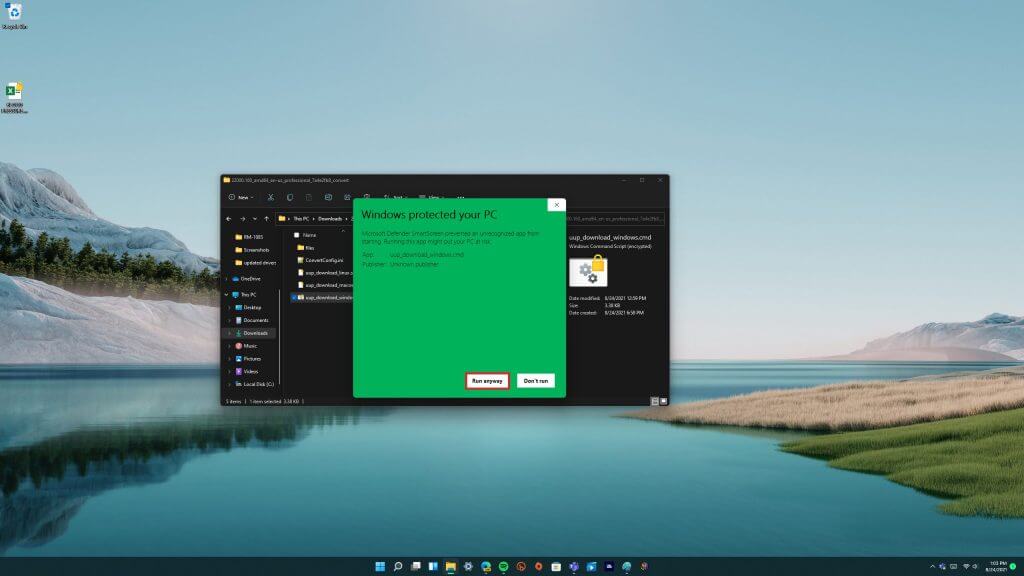
So, even though it’s a stripped-down Studio One version, it still has most of the essential tools to create recordings.

⇒ Get Studio One Prime

Hydrogen – Special audio effect

Hydrogen

Hydrogen is open-source music production software that’s more specifically a digital drum machine that imitates drums. The program is compatible with Windows, Linux, and macOS.

Note that the Windows version is still in beta, so it might have a few bugs.

Hydrogen has a pre-installed GMkit that includes Snare, Jazz, Ride Jazz, Ride Rock, Stick, Snare Jazz, Closed HH (high hat), Pedal HH, and Cowbell drum kits. among others.

The software’s pattern sequencer has an unlimited number of patterns and enables users to chain patterns together within a music track.

Users can select and arrange various drum audio effects over a file and even overlap them.

Hydrogen’s Mixer is another of its handy tools with which you can tune drum volume and also apply some extra special effects.

The latest version of the software enables users to export and import song patterns into tracks, and it also includes a Director Window with a metronome and a Sample Editor with cut and loop options.

So, if you need to cook up some drumming beats, Hydrogen will provide the required tools and options.

⇒ Get Hydrogen

LMMS – Cross-platform tool

LMMS

LMMS, otherwise known as the Linux Multimedia Studio, is a comprehensive, open-source music production application that comes with five editors and a variety of synthesizers to further refine your audio tracks.

This is cross-platform software you can run with Windows, Linux (Ubuntu, Mint, and Debian) or macOS.
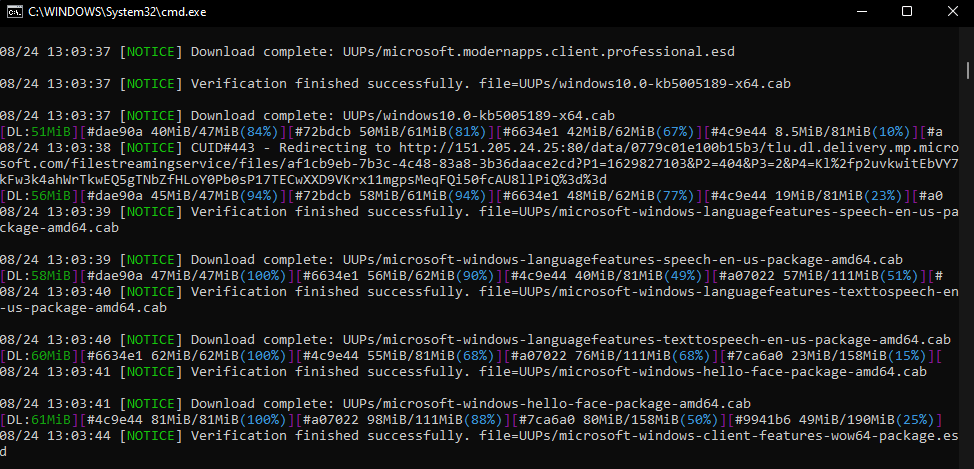
As mentioned, LMMS has five editors that consist of a Song Editor for composing melodies, a Beat+Bassline Editor to consolidate instrument tracks with, Piano Roll, Automation Editor, and an FX Editor with which you can mix FX channels.

Users can import both MIDI files and Hydrogen project files with the Song Editor.

LMMS boasts a wide variety of instrument synthesizers, among which are a Roland monophonic bass, oscillator, wavetable, NES, organic, and mallet synthesizers.

The program also supports VST and LADSPA plug-ins with which you can mix a multitude of extra effects into the music track.

As such, LMMS certainly packs in plenty of music production tools.

⇒ Get LMMS

Those are 11 audio production tools for Windows that have most of the tools you’ll need for music production.

The tools listed above are appropriate for beginners, intermediate, advanced music lovers, as well as professional musicians. We also have a guide for the best MP3 to sheet music software, so make sure you check it out.

If you already used the software listed in this article, you can tell us more about your experience in the comments below.

If you’d like us to add other tools to the list, let us know in the comments.

Hackers leverage Razer mice driver updates to access Windows PCs

Microsoft’s Windows operating system is receiving yet another security-flaw induced black eye, as hackers take advantage of its partnership with Razer.

Earlier today, information regarding a Windows exploitation that involves a specific Razer gaming software and driver installation surfaced and depicts an exploit that could give a hackers unprecedented access to a user’s computer.

The hack in specific relies on a simple driver update to Razer mouse that doubles as a system process for “Razer Installer”. If hacker can get physical access to or convenience a user to plug in a Razer mouse USB dongle, then the system installer will grant the hacker access to an elevated version of the Windows Explorer GUI and then grant permissions for local installation and access to items such as Windows PowerShell.

Adding fire to this explosive revelation is the fact that if the installation process is both completed, and the files saved to the desktop as they typically would be, hackers could have continued access to the PC’s subsystems.

Furthermore, once a completion is done, the physical necessity of a Razer mouse is no longer needed. Hackers could simply spoof the USB-ID and regain access to the PC.

When confronted about the security flaw, Razer has acknowledged its severity and plans to ship a fix in the coming weeks.

As for Microsoft’s role in the exploitative hack, there has been no official statement released from the company, but a temporary patch could be issued as part of its once-a-week cumulative update for Windows, that would put a pause to the automated driver download process for Razer mice.

Razer driver bug grants Windows admin privileges to anyone

We’ve been constantly talking about security and the steps we should take in order to keep ourselves safe from outside interference when it comes to our internet-connected devices.

But what do we do when the threat is closer than we think? And no, this is not a James Bond movie, it’s the sad and at the same time funny reality of software bugs.

The PrintNightmare fiasco has turned the eyes of the hacker community to the vulnerabilities exposed by installing 3rd party drivers.

We know it wasn’t long until other ways to intrude were found and, sure enough, someone already discovered that you can go through a wide-open door in Windows 10 by simply plugging in a Razer wireless dongle.

This bug gives you admin priveleges

Yes, you heard correctly. When plugging a Razer device into Windows 10 or Windows 11 machines, the operating system will automatically download and begin installing the Razer Synapse software on the computer.

This above-mentioned software allows users to configure their hardware devices, set up macros, or map buttons.

A researcher discovered a zero-day vulnerability in the plug-and-play Razer Synapse installation that allows users to gain system privileges on a Windows device very fast.

The gasoline on the fire, in this case, is that Razer claims the Synapse software is used by over 100 million users worldwide.

As you know, system privileges are the highest user rights available in Windows and allow someone to perform any desired command on the OS.

Thus, if anyone were to gain these high-level privileges in Windows, they attain complete control over the system and can install whatever they want, including malware.

The main issue is that Windows Update downloads and executes RazerInstaller as system and that the Installer offers users the opportunity to open an Explorer window to choose where to install the drivers.

From there, there’s only one step to press shift-right-click in order to open a Powershell terminal with system privileges, and the hacker can basically do whatever he wants.

Furthermore, if the intruder goes through the installation process and defines the save directory to a user-controllable path like Desktop, the Installer saves a service binary there which can be hijacked for persistence and which is executed before user login on boot.

Another important factor to keep in mind is that the attackers do not even need a real Razer mouse, as the USB ID can be easily replicated.

Razer stated that its working on fixing this issue

After, at first, the researcher that discovered this vulnerability said he contacted Razer but didn’t receive a response, the giant hardware manufacturer got in touch with him and discussed this problem further.

Razer also told him that he would be receiving a bug bounty reward even though the vulnerability was publicly disclosed.

We’re all hoping that this problem will find its solution fast because none of us would like to become the victim of such an easy method.

However, most likely, by this time next week, both Razer and Microsoft will have provided fixing patches, designed to rid us of this vulnerability.

Were you ever the victim of malicious interference or data extraction? Let us know in the comments section below.

New Call Health Panel in Microsoft Teams lets meeting participants troubleshoot connection issues

Microsoft Teams has released a new Call Health Panel that provides real-time telemetry for meetings or VOIP calls. The feature started rolling out back in June, and it is now available for all desktop users worldwide.

This Call Health Panel has been designed to make it easier for users to analyze issues that can affect the audio/video/content sharing/network quality by providing a list of parameters such as round-trip time, packet loss, frame rate, and codec. “In this view you will get data on your network, audio, screen sharing, and outgoing video quality. These real-time metrics are updated every 15 seconds and are best used to troubleshoot issues that last for at least that long,” the company explained on a support page.

To access this feature during a meeting or a call, you’ll need to click on the More actions (…) menu available at the top of the window and then select the “Call Health” option. Once clicked, the Call Health Panel will instantly appear on the right side of the screen, allowing users to diagnose problems quickly.

Keep in mind that the call quality isn’t necessarily compromised by low frame rates and users may notice poor video quality due to hardware limitations or the PC’s performance. Let us know in the comments below if you think that the Call Health Panel will help to make your remote meetings even better.

Fixed Microsoft PowerApps flaw left 38 million records exposed

A flaw in Microsoft’s PowerApps platform left some 38 million records exposed from a thousand both 1st party and 3rd party apps, including Covid-19 contact tracing and vaccine sign up apps, job application portals, and apps from American Airlines, Ford, New York’s MTA, and more.

Beginning in May, according to a report in Wired, flaws were found in a number of Power Apps portals by researchers from UpGuard, a security firm. “None of the data is known to have been compromised,” and the flaw in Power Apps has since been fixed, but it’s still not a good look for Microsoft or the PowerApps platform, which has been touted as an easy way for organizations to quickly build apps without needing a lot of coding or development work.

UpGuard first noticed that platform had misconfigured security settings, and then dug in more to find a systemic problem with PowerApps:

In addition to managing internal databases and offering a foundation to develop apps, the Power Apps platform also provides ready-made application programming interfaces to interact with that data. But the Upguard researchers realized that when enabling these APIs, the platform defaulted to making the corresponding data publicly accessible. Enabling privacy settings was a manual process. As a result, many customers misconfigured their apps by leaving the insecure default.

Microsoft has taken steps to mitigate the issues:

At the beginning of August, the Microsoft announced that Power Apps portals will now default to storing API data and other information privately. The company also released a tool customers can use to check their portal settings. Microsoft did not respond to a request from WIRED for comment.

Start11 Beta Hands-on review: I wish Microsoft let me customize the Windows 11 Start Menu like this

Windows 11 brings many big changes and one of those involves the Start Menu. Now in the center of the screen and with static icons instead of Live Tiles, a lot of people aren’t too keen on the big redesign. If you’re one of those people and prefer to tweak Windows 11 beyond what Microsoft currently allows you to do, then you might want to check out Stardock’s latest product, Start11.

We were provided a review code by Stardock and have been playing around with the beta experience over the past few days. Start11 promises to help you restore the Classic Start Menu so that Windows looks and feels more like the way you want. But does it live up to the hype?

Start Menu

The core experience of Start11 revolves around customizing the Start Menu. In my hands-on time, this ended up being my favorite part of the app experience. There are many levels of controls here, from bringing back the Windows 7 style menu, to a more modern style many that blends Windows 7 elements with Windows 10 elements.

You even can hide your profile icon, and change visual settings like the color, font, and icon sizes. Of course, there is the option to move the Taskbar to the left, too (though Windows settings let you do this, too). I swapped my settings around to make the icons a bit bigger, and show the icons as a grid rather than a list.

The best part of it all? You can adjust the menu transparency a bit and take Microsoft’s Fluent Design to new levels and get a true glass-like feel. You even can use a custom texture if you want.

Point is, all these controls go beyond what you’ll find in the Windows 11 settings menu. There you only can swap backgrounds, accent colors, and windows titles, and border colors. Start11 puts you in full control of how you want your Windows to look.

Taskbar

Swapping out the Windows 11 Start Menu for Start11’s take is a completely optional thing. If you like the way it looks, you can keep your current Start Menu by choosing “Use the Start11 Start Menu” to off in the settings menu. During one point of my tests, this is what I ended up doing. I wanted to change the Taskbar instead of the Start Menu.

In changing the Taskbar, there’s a couple of cool controls. You could blur the wallpaper under the background, choose your own custom color for the Taskbar, and even adjust its transparency. Seeing the Windows 11 Taskbar 100% transparent is quite interesting as it makes it feel like old-school MacOS. You even can set custom background textures, too.

Search

Search is one of the central experiences of Windows 11, as Microsoft brought a new search icon. Start11, though, brings back the traditional search menu you might be familiar with from Windows 7. The universal search lets you find desktop applications and other quick settings. You also can show search result filtering icons, search file contents and names, search the internet. Overall, it’s quite speedy and works just as fast as the native Windows 11 search feature.

Controls

The final core area of Start11 has to do with the ability to control the settings. You can configure the Start button or Windows Key to open up only the Windows 11 Start Menu, or the Start11 menu itself. There are also tons of other settings scattered throughout the app which can help you make Windows your own. It’s really appreciated, as the controls can go very in-depth when you need them.

More on the way soon

Start11 is currently in beta, so there’s still a lot of other features to come at a later point. You can buy the app today for $5. Stardock tells me that some of the other planned features include faster search with more detailed search results, the ability to perform math problems in the search box, more styling options, and productivity features. We also reached out to Stardock for a more in-depth interview to hear more about the engineering behind Start11. So be sure to keep it locked to OnMSFT for more heading into the future.

Intel’s ‘Thread Director’ Boosts Windows 11 CPU Performance

Windows 11 systems are set to benefit from a boost in performance from a Thread Director technology from Intel. The new technology is rooted in the 12th-Gen Alder Lake processors. Previously, Intel had provided users with Bluetooth and Wi-Fi drivers. 

Microsoft users have been in high anticipation as it is expected to be the first line of desktop processors and combines a hybrid architecture of eight high-efficiency and high-performance Gracemont and Golden Cove cores. 

Specific For Windows 11

This configuration has been specifically configured for Windows 11, just like Alder Lake CPUs. Both core types require a unique approach when scheduling to ensure they work together and ensure workloads are assigned from the beginning. 

The Thread Director is particularly working with the operating system to make a perfect match for the right thread to the right core. This match is expected to optimize the system for maximum efficiency and real-world efficiency.

What’s Good With This New Thread Technology?

The Thread Director is set to offer real-time runtime of each thread and its core in a matter of nanoseconds. In the same breath, it also makes workload decision scheduling by providing runtime feedback to the operating system. 

Apart from monitoring and evaluation, it also makes use of temperature, power settings, user input, and operating conditions to adapt its guidance. As a result, the intelligent scheduler is expected to give Windows 11 users a head start in performance boost against Alder Lake CPUs.

Although Windows 10 and other users have previously had concerns about performance, they will not suffer from performance issues, but the intelligent scheduler is only exclusive to Windows 11 users. 

As a point to note, users who wish to use any other operating system other than Windows can use this as an opportunity to upgrade. However, the setup has only been availed to mobile devices at the moment before it can be deployed to PCs. 

Have you heard of the Thread Director Technology? Share your thoughts in the comment section below.

Windows 11 build 22000.160: New Clock app & first ISO download

Microsoft has been releasing Dev builds every week since the Windows 11 announcement, and working hard to fix any major bugs.

The latest build is finally here and it’s available to both Dev Channel and Beta Channel insiders and it brings many bug fixes and a couple of improvements.

Regarding the new features, this build, just like Windows 11 build 20000.132, doesn’t offer any new groundbreaking features, but it does have a couple of improvements that are worth mentioning.

Although the improvements are minor, they are a welcome addition and we’re positive that many users will find them more than useful.

Without any further delay, let’s see what does the new Windows 11 build 22000.160 has to offer to its users in both Dev and Beta Channel.

What is Windows 11 build 22000.160 and should I download it?

Build 22000.160 is the latest release for Windows 11, which, even though doesn’t surprise too much with new features, offers access for the first time to a Windows 11 ISO.

Previously, you could only install Windows 11 by using Windows Update, but with the release of the ISO, users can burn it onto their external hard drives and easily install the OS on new devices.

New features

  • New and improved Clock app

The previous build brought some changes to the Snipping Tool, Calculator, and Mail & Calendar apps, and this build brings changes to the Clock app.

The Clock app has been revamped, and it now has a new and fresh look that matches the look of other Windows 11 apps. The name was also changed from Alarms & Clock to Clock.

The app went through some improvements as well, and it got a new feature called Focus sessions. With this feature, you can create sessions and focus on specific tasks.

As for the length of the session, you can set it from 15 to 240 minutes, which can be a problem if you want to create longer sessions.

It’s also worth mentioning that you can’t input the length of your session with your keyboard, and your only option is to use the arrow icons and predefined session lengths.

We wish that this feature supported custom-length sessions and sessions that are longer than 240 minutes, and we hope that Microsoft will improve that in the future.

The Clock also lets you have a floating window that will stand on top of all your windows and show you the length of your session, which can come in handy.

You can customize the length of your sessions and breaks if you want, but by default, the focus period is set to automatic. However, you can only choose predefined values for breaks and focus periods.

Once you finish your focus session, you’ll get a notification informing you that your session is over. The notification will also offer you the ability to start a new session if you want.

The Clock app also has a daily goal feature allowing you to see the overview of your focus sessions and help you stay motivated and productive.

To help you stayed focused, the Clock app offers Spotify integration, and to use it, you need to have the Spotify app installed on your PC.

This section works like a Spotify shortcut and it will allow you to play playlists from your shortcuts section or one of several playlists from the Focus section on Spotify.

Once you select the desired playlist, the Spotify app will launch on your PC and play the desired playlist. As we already mentioned, this works like a Spotify shortcut and it won’t be too useful if you don’t use Spotify.

It’s worth mentioning that the floating timer window has the option to stop the music which can come in handy if you need to stop the music without switching to Spotify.

Lastly, there’s a To-Do integration available and with it, you can switch to different lists and pick a task that you want to focus on during your sessions.

Of course, you can check tasks, create new ones, rename or delete them. Overall, this is a great addition that should help you stay focused and organized.

The other parts of the application went through some minor visual revamp and they look better than before. Some components such as the timer and stopwatch support floating windows, which can come in handy.

Overall, we like the change of the Clock app and the new Focus sessions feature will surely come in handy to many users.

  • Update estimate improvements

With this build, Microsoft has decided to bring update time estimates to other elements outside of the Settings app.

Now you can see how long will the update take to install when you right-click the update notification in your system tray.

This is just a minor improvement, but it might come in handy if you want to know how long will the update process take.

This feature is available only with users that have Windows 11 on their SSDs, but the feature will be available for HDD owners soon.

Windows 11 build 22000.160 bugs

  • Clock app not updated

This is a common problem since the new Clock app is being released gradually, so you might not have it when you update to Windows 11 build 22000.160.

During our testing, the Clock app wasn’t updated, and we weren’t able to update it from its Microsoft Store page. However, we found a way to fix this problem.

  1. Press Windows Key + R and enter wsreset.
  2. Press Enter or click OK.
  3. Wait for the process to finish.
  4. Once the process is finished, Microsoft Store will open and you’ll be able to update the Clock app.

By performing the steps above, you’ll be clearing the Microsoft Store cache, and this method worked on our test PC, so we encourage you to try it out.

  • Labels have wrong positions

Few users reported that labels aren’t properly positioned when hovering over system tray icons. It seems that this issue affects all icons in the system tray.

Several users online reported this problem, and we expect that Microsoft will address that soon.

  • Grayed out buttons in Microsoft Store

Users reported that certain buttons are grayed out but still clickable in Microsoft Store. Once the button is clicked, the animation gets broken.

This is a minor glitch, and Microsoft seems to be aware of this issue, so we expect to see it fixed soon.

  • App icons not centered properly in Taskbar

This build has minor Taskbar issues and it seems that certain app icons in the Taskbar aren’t properly centered. It seems that this issue is caused by the inconsistent size of the app icons.

This is a minor issue and it doesn’t affect users in any way, so hopefully, it will get fixed in the future.

  • Duplicated icons in the system tray

According to users, it seems that icons in the system tray get duplicated and appear one on top of the other when there’s a notification available.

We’re not sure if Microsoft is aware of this issue, but it will be fixed in the final release.

  • Enlarged Widgets panel

Few users reported that their Widgets panel is enlarged and that it takes almost half of the screen. We’re not sure if this is intended or a bug, but we weren’t able to recreate the issue.

How can I install Windows 11 build 22000.160?

  1. Click the Start button.
  2. Now select Settings.
  3. Go to the Windows Update section.
  4. Windows will check for available updates and start downloading them in the background.
  5. Once the update is downloaded, it will be installed in the background.
  6. After the background installation is finished, you’ll be asked to restart your PC, so click the Restart now button.
  7. Wait for the installation process to finish.

The update is quick to install, and it won’t take you more than 5 minutes to update.

Should I upgrade to Windows 11 build 22000.132?

The latest Windows 11 build doesn’t bring much except for bug fixes. There are just a few new features, but we found them more than useful.

One added benefit which is worth considering is the fact that the first Windows 11 ISO has been released with this build, making it easier than ever to install the OS on all compatible devices.

The new Clock app works great and we liked the new Focus sessions feature. Sadly, the feature doesn’t have any advanced customization options, but hopefully, Microsoft will change that.

If you’re spending a lot of time on your PC and you want to focus more on important tasks, organize your time better and focus on important tasks, then the new Clock app is worth checking out.

Other than that, the new update doesn’t offer much, and it’s not worth upgrading to.

What are your thoughts on the Windows 11 build 22000.160? Have you tried it yet? Share your thoughts with us in the comments section below.

Chess Software for Windows 10: Best to Use in 2026

When people nowadays hear the word game they usually think of something that is purely fun and runs on some kind of gaming system.

There are plenty of board games on the market but some of the original ones disappeared. However, chess has a very long history and it’s definitely here to stay for a lot longer.

Its tactical nature will live forever and many of the upcoming generations will find chess as something worth their time.

What is the way to combine modern technology with a brilliant strategic game and make it playable for millions? Well, the answer involves creating the game itself.

That’s just it. Microsoft used to implement Chess Titans into Windows Vista and Windows 7 but stopped doing so in Windows 8 and 10. All of us can agree, that was regrettable.

Although Chess Titans was great and hard to match, we have some other games that you can get for Windows 10.

How to choose the best chess software for Windows 10?

Things are very simple here. It’s not about a specific technique or advanced IT knowledge. No, not at all. It’s about certain individual user preferences.

Whether you need to practice your skills as an experienced chess player or you’re a novice in this area, decide what you want in order to choose from the wide range of tools on the market.

➡ Chess engine

If you’re an advanced player, you might be interested in the engine installed in your program. For instance, in Shredder Classic, the default engine is the famous Shredder.

However, you can also install another engine if you click the Extras tab and then select Engines, just like in the screenshot below.

On the other hand, if you’re a beginner or an intermediate player, you won’t need to bother with this kind of setting.

➡ Friendly interface

If you’re a beginner, like most users who just want to start their journey into this wonderful game, you will need a simple solution with basic functions, like some of the apps listed below.

In a program like Chess Lv.100, all you need to do is to click on the New game options and hit the Start game button to immediately begin a game against the computer.

➡ Features

When you’re crossing the line over to the intermediate player level, start thinking about some advanced features that can explain the game better.

You should look for learning tutorials that will improve your knowledge about strategy, opening, positioning, and a lot more and the first tool from our list has all these. And it isn’t the only recommendation worthy of your attention.

What is the best chess software for Windows 10?

DecodeChess

DecodeChess is considered a strong chess software tool at this moment for a good reason. Chess enthusiasts see it as a chance to win something even greater than a master at their disposal 24/7.

Actually, DecodeChess is well beyond the skill of any chess genius. This great tool provides the best interface to practice with a chess engine and the flexibility to compete against opponents that play more like humans.

You can also benefit from useful hints to learn how moves support future player plans, and positional/tactical motives relevant to the decoded position.

Even more, forget all about regular chess engines that lack descriptions. DecodeChess auto-explains chess moves in rich, intuitive language.

Clicking on a move will highlight it on the board

For instance, in the screenshot above, not only that you will see the best move and the reasons behind it, but if you click on a move, it is instantly transposed on the board so you can clearly see its consequences.

In the game’s Summary tab, you will also learn about the major threats that you are exposed to, how to find the best move, and what pieces you need to pay attention to.

And if this was not enough, at any time, you can click on the Decode button to get a short explanation for all the following moves in the game but for that, you will need to create a free account.

Clicking the Decode button will generate explanations for the moves

DecodeChess fulfills the needs of all beginner-level chess players who are eager to start training their skills.

Moreover, it is also the perfect choice for professionals who are often overwhelmed by poorly implemented complex features of other chess software tools.

After all, all the players share a similar goal: to become more open to the game possibilities in front of them and enforce wise habits. That’s precisely what they get from DecodeChess!

DecodeChess

DecodeChess

Get your skills to the next level with the most sophisticated chess analysis tool – DecodeChess!
Free trialVisit website

Shredder Classic

Shredder Classic is not simply a chess game, it is a piece of art. This software is created by Stefan Meyer-Kahlen, and the popular 18 times World Computer Chess Champion.

Thus, you won’t need to worry about a thing – you’ll play with a pro. If you are a beginner, you can adjust the program’s level to yours.

Shredder will adapt to your playing skills and help you advance. You will also have a personal assistant during the matches, thus improving your chess abilities.

By opening the Training module from the Mode tab, you will even have access to more than 1000 chess puzzles that you can try to solve.

Solving some puzzles will train your brain

Of course, there you will also find lots of training lessons to learn about all the major openings and practice endings or even get used to some handicap games (where you can escape from pieces disadvantages).

In time, by playing games, you will learn what is your level, but until then, you can test it by setting it up from the Levels tab and selecting the Playing Strength.

The virtual player level can be easily adjusted

You will also discover a game editor where you can enter the position of every piece and reproduce one of your plays or study a given situation from another source.

The interface of the app doesn’t look fresh but it’s pretty friendly and you will get adjusted to it quickly. You can discover more features of Shredder Classic by downloading it for free using the link below.

Shredder Classic

Shredder Classic

Shredder Classic is not only a great gaming app but it’s also excellent for learning chess.
Free trialVisit website

The Chess Lv.100

The Chess Lv.100 is one of the few free chess games available in the Microsoft Store. It is not as appealing as Chess Titans, but it will serve you well.

The paid version has no ads but even the free version is not that much drowned in pop-ups, so you won’t be too distracted from your game.

This tool brings a lot of customizing options to the table, concerning board and pieces, in-game sound, and graphics. You can also record games you play for later inspection.

To do so, just click on the Game record option and then select Save game record from the list as a file that you can later open.

You can save the game at any time

There are, as the name itself says, 100 levels of AI difficulty, and the default is set to 30. Using hints for this level will get you to win almost every time so we would advise you not to abuse the help option.

You can select levels according to your knowledge of the game or play against friends. AI is quite tricky to beat on higher levels so prepare yourself for a true challenge.

Another great feature is the Edit Mode that will help you reevaluate a position you experienced in a live game or a practice situation.

The edit mode is very easy to use

You can start with a full or empty board, and you only need to click on the piece type and place it on the board. Just click on the Valid button after you finish.

The last game you played is saved after closing, so you can continue from the same point next time.

We appreciated the pleasant graphics of the app and the soothing music in the background, but you can switch that off from the Settings option quickly if it doesn’t help you.

⇒ Get The Chess Lv.100

Chess Online +

Chess Online + is another free chess game you can find in the Microsoft Store. It doesn’t offer an abundance of customization options like The Chess Lv.100, but, instead, brings competitive online gaming.

In fact, you can’t play with the computer at all. You can only find opponents online and there are thousands to choose from.

Chess Online + offers a satisfying experience even though there are plenty of ways to improve it. There is also a chat option, so you can share your thoughts while playing against online opponents.

When you first open the game, you will receive 120 credits and if you create a user account, you will also get 300 more.

The game is based on credits

When you start playing a game, you have to bet a number of credits (a minimum of 10) on it or pick a player who already proposed a match.

After that, it’s pretty simple. If you win the game, you will get the credits from the other players. If not, you will lose the amount you have bet.

So, if you want to play a game, you need to select the knight icon from the bottom of the page and you can either select a match proposal from the list or you click the New game button.

You can set your own conditions for the game

As you can see from our screenshot, you can pick the number of credits, the time period for the moves (by default it’s 5 for a move and 15 minutes in total), and the range for the player rating.

You can also see the statistics for your games or review them, the rankings for your country or worldwide and you can change the design of the board and pieces.

It’s not a complex app but you should try it out, especially if you are a beginner because it will help you develop your skills during intense competitive play.

⇒ Get Chess Online +

Chess V+

The first clear difference between Chess V+ and Chess Online + is that with this one, you can also play with the computer.

Speaking of the differences, this is a pretty basic game, so it’s not so amazing visually, although you can change the appearance of the pieces and the board.

It doesn’t have a 3D view so if you should look elsewhere if you want that feature. However, it does have a Hint option (the question mark) on the side when you’re playing with the system.

Pressing the Hint option will suggest you the next move

The computer level is well balanced but unfortunately, you don’t have the option to change the rating or level and it can be beaten even by an intermediate player.

On the other hand, the game also has a hot seat, player versus player game mode, so you can either play for both sides or with another player on the same computer which transforms the app into a digital chessboard.

That mode can be very convenient if you want to practice a strategy and reproduce a match, or you have a friend around, but you don’t have a chess set available.

Click on a piece to see its available moves

Another basic but nice feature is that when you click on a piece on the board, it will show you all the possible moves for that piece.

That is a great feature if you’re a beginner as you will grasp the piece roles much more easily when you see the moves on the screen.

Chess V+ is a lookalike of classic chess simulators we encountered in the 90s, so it falls behind for most nowadays players.

But it is a reasonable option for nostalgic and chess puzzle enthusiasts. And it’s completely free except for a couple of commercials displayed at the bottom of the screen.

⇒ Get Chess V+

3D Chess Game

If you like the idea of a tridimensional feeling, 3D Chess Game is what you’re looking for. It is simple but it’s a good chess simulator so you should try it out.

With this app, you get the reverse of what you receive from others because it doesn’t have a 2D view option so you will have to find the right angle to get comfortable with.

The interface is simple but lacks some options you could find in other games. However, it’s easy to understand and get around.

You can drag the table to rotate it on all 3 axes

Talking about 3D and angles, you can simply left-click on the table margins and drag it to rotate in all three axes to see the moves from any angle.

There are 25 available levels of difficulty, from beginner to professional. It can be played against the computer or in a hot-seat mode, against another player on the same PC.

All you need to do to switch that is to click on the A.I. button until it turns to the Human mode, just like in the screenshot below.

There are also a lot of options to customize the colors of absolutely all elements of the table and pieces so you can even use this app if you want to get some great shots with a chessboard.

You can edit the situation on the board so you can replay a certain position and you can add a time mode to make things more challenging.

The interface is very friendly and there are not so many options to play with so it can be an ideal choice for a beginner.

⇒ Get 3D Chess Game

How can I improve positional thinking?

We came across a great piece on positional thinking on the Chess Evolution website that will eventually help you assess the situation on the board more clearly.

➡ Material

Whenever you have the option to take the opponent’s pieces in exchange, or when you’re in advantage, do so. The fewer pieces on the board, the easier it is to assess the situation.

Of course, you also need to look for any traps or strategic consequences that can lead to your quick demise.

➡ Activity

An important aspect of the chess game is to acquire as much control over as many squares with your forces as possible.

In other words, whoever controls the most number of squares would have a positional advantage over his opponent.

If you look at the screenshot below, the knight in the center of the board controls 8 positions while the one in the corner only 2. It’s clear that the one in the middle dominates the board a lot better.

So, the lesson here is that you want to develop your pieces towards the center of the table to gain as much dominance as possible.

➡ Activity principles

The three principles of maximum activity, center, and least active piece work together as a whole.

You have to look at your pieces on the board and if you find any idle ones that have not yet left their home square, start thinking about moving it on the best square possible.

Idle pieces except little to no domination on the board so they must be put to good use, closer to the center of the board if possible.

➡ Attack

Your attack should start when you have a superior position over the opponent. But that position is gained only by respecting the other principles listed above.

The action must be swift and ruthless but keeping an eye on any possible flaws that you may have overlooked. Remember that your adversary also has a plan.

Analyzing the correct situation, the piece roles, and the position are extremely important in chess and must not be overlooked.

It’s also essential to create a plan to gain positional advantage and ultimately attack your opponent in his or her weakest point.

And if you look further into this wonderful world of chess, you can also take a look at our list including the best software to analyze chess games.

What is your favorite chess simulator of all time? Feel free to share it with us along with other suggestions or questions on this topic in the comments section below.

Drawing Tablet Software: Best 7 of 2026

Behind are the days when graphic artists used pen and paper to create their art.

Most modern artists are moving towards digital devices and use drawing tablets that can help them create stunning artwork with unlimited customization options.

Drawing tablets are more secure and reliable, offer tons of customization features, and can store your creations forever.

If you have the skills and a drawing tablet, the only thing you need to get started is a matching art generator software.

But which drawing software is best for you? We will try to answer that question, while also covering the best drawing pad software.

In this article, we have gathered the best software for drawing tablets to help you find the best editing app that meets your needs.

What is the best drawing pad software?

Adobe Photoshop CC

Adobe Photoshop CC - software for drawing tablets

Adobe Photoshop has earned itself a reputation for being the most preferred photo editing app and rightly so.

If you’re looking for one of the best apps for your Wacom tablet then this tool is definitely one of the most suitable options on our list.

With all the tools it has on offer apart from consistently adding new features regularly, Adobe Photoshop is indeed the most recommended software for digital artists.

From the basic text and pencil tool to the advanced textures and hundreds of brushes, Photoshop has everything that you need in a digital painting app to create next-level digital artwork.

One amazing perk is the new brush features that enable you to draw cleaner lines and smooth brush strokes.

This software also comes with smoothing modes (including Stroke Catch-up mode and Catch-up on Stroke End mode).

You also get seamless integration with other Adobe Creative Cloud suite apps and you can also share your artwork on social media Facebook, Instagram, etc with just one click.

One of the best characteristics is the extensive toolkit that allows you to create professional-grade artwork.

Adobe Photoshop CC

Adobe Photoshop CC

Create your best visual digital work, make portraits intricate drawings, or with this versatile software!
Free trialVisit website

Adobe Illustrator

Adobe Illustrator is up-to-standard graphic design software that allows the creation of many different types of visual products, like illustrations, logos, product packaging, and icons.

While the UI is intuitive and you can get the gist of it pretty quickly, the number of features this software provides is actually very extensive. It can be used both on Windows and Mac and is available in over 20 different languages.

With Adobe Illustrator you can create typography, draw freehand and trace and recolor graphics. The quality of your images is guaranteed because the software is vector-based.

Illustrator users are very satisfied with the high quality of the images, regardless of the sizing. This is due to the fact that the software is vector-based.

A really nice and convenient feature of the software is that it can be used offline. Your files sync to the Creative Cloud and you can always pick up where you left off. The cloud also keeps all the previous versions of your document, so you can easily access them.

Texts and objects can be positioned with precision. You can turn shapes and colors into logos and icons. You can extract colors from other pictures and use them in your design.

Collaborating is also very easy and convenient. You just have to share a link in order to give access to your project. Moreover, Adobe Illustrator has a large number of users worldwide, which makes it more likely that your collaborators are already familiar with it.

Adobe Illustrator is available by a yearly plan, which can be paid in advance or in small increments, month by month. It also has a monthly subscription plan which can be canceled and renewed anytime. 

Adobe Illustrator

Adobe Illustrator

Create high quality images of all sorts and styles with a huge set of optimized tools. 
Free trialVisit website

Corel Painter

Creating digital art that looks and feels like a real, traditional painting is among the main qualities of Corel Painter, one of the biggest pioneers of digital art software.

A painter can be used both on Mac and Windows PCs, but it has features that are put to best use on a drawing tablet. It is highly sensitive to the pressure of the pen which makes it feel like a real painter’s canvas.

Speaking of canvas, you can easily pan, zoom, rotate and apply lighting and surface texture. 

The main contributor to the realistic effect of the paintings you can create in Corel Painter is the versatility of the brushes. You have many brush controls such as modify size, shape, angle and flow. They are very well organized in a brush library. Every dab can be individually edited and adjusted which contributes immensely to the traditional painting aesthetic. 

Experimental artists can benefit from the possibility of mixing wet and dry brushes on your painting in order to create unique mixed-media-looking works.

When it comes to colors, Painter has a color wheel, a color mixer, color sets, and harmonies so you can create your own personalized palette. Moreover, you can view your painting in grayscale which helps with certain adjustments.

You can get the software as a one-time purchase or as a monthly subscription. It can be tried in a 15-day free trial.

Corel Painter

Corel Painter

Make digital art that looks and feels like traditional art and mix a variety of tools to create beautiful and unique pieces.
Free trialVisit website

Affinity Designer

Affinity Designer is one of the fastest and most precise vector graphics software on the market. The app offers all the tools that you need, ranging from pen to gradient.

The Designer offers great speed and accuracy, and it allows you to pan the screen at 60fps. In addition, it supports zoom, so you can see and edit the smallest details.

Supports RGB, CMYK, LAB, and Grayscale colors (ICC color management and 16-bit channel editing) and is compatible with PSD, SVG, EPS, PDF, FH files, and more.

With this great software you can take advantage of a raster graphics toolkit and enjoy a wide range of adjustment layers, masks, and blend modes.

Thanks to all the versatile functions this tool is considered by many users as the best drawing app for the Gaomon tablet.

Make the best of your skills with a complex range of brushes, pressure control, and tilt that you can use with your stylus to create natural-looking artwork.

You also get a powerful export mode (to select areas, layers, or objects to export). Affinity supports real-time editing for embedded documents and it allows outline, pixel, and split-screen view.

⇒ Get Affinity Designer

Pixaki for iPad

As suggested, this app is designed to get the most of the iOS features.

Boasting an impressive drawing and editing toolkit, Pixaki allows you to import any image at full resolution, resize and reposition it, then start drawing pixels.

With advanced animation features such as per-frame duration, color-shifted skinning, multiple reference layers, and fully customizable palettes you can easily bring your creations to life.

With Pixaki Support for up to 50 layers per frame (adjust opacity, lighting, and translucency effects)

Customizable color palettes (use the pre-installed ones or import your own) and powerful color replacement

Import and export documents from other apps and share them on social media (PSD, GIF, ZIP, PNG, TIFF, JPEG, and many more).

Modify your images with features such as the adjustable pixel brush and the eraser tools. Work more efficiently with the Split View multitasking support function and get the job done in no time.

In addition, Pixaki offers seamless integration with iCloud Drive and a customizable user interface, which makes it a great choice for pen tablet software for Windows 10.

⇒ Get Pixaki

Procreate

Procreate Ipad

Just like Pixaki, Procreate is built to seamlessly blend with your iOS tablet or iPhone.

Highly versatile, this award-winning app is optimized to fully embrace touch technology allowing incredibly intuitive two‑finger tap gestures.

Create anything from sketches and illustrations to complex paintings on the go and share your artwork with the entire world effortlessly.

Speaking about being on the go, Procreate is powered by the Valkyrie graphics engine designed to help you paint fast and work at your desired pace.

With this tool, you can achieve professional results thanks to industry-leading features (QuickShape, StreamLine, Drawing Assist, ColorDrop, etc.).

You are free to let your imagination take over and make the best of the wide collection of customizable handcrafted brushes (pencils, inks, charcoals, artistic brushes, etc.).

Enhance the visual aesthetic with complete color control features such as Color Dynamics, Color Harmony, Color Companion, and Color History.

This app is compatible with touch technology and it has an integrated Valkyrie Engine for accelerated workflows.

⇒ Get Procreate

Artweaver

Artweaver

Boasting an impressive toolkit, Artweaver is a feature-rich painting tool that covers all your art needs from simple tasks to complex projects, making it suitable for both beginners and pro users.

Artweaver delivers a wide collection of predefined and highly configurable brushes to create pristine results every time.

This is definitely a characteristic that makes it stand out among other programs for drawing tablets.

The realistic brushes (powerful and highly configurable brush system to simulate many different brushes)

This software is easy to use and suitable for novices as well as advanced users thanks to the friendly, intuitive, and customizable interface.

One excellent perk is that you get integrated collaboration tools and an impressive toolkit with multiple layers and filters.

⇒ Get Artweaver

Digital painting apps have evolved over the years, and the manufacturers consistently try to add new features to the tools.

If you are an aspiring digital artist looking for the best drawing tablet software, try our recommendations in this article.

We’d like to hear more from you on this matter so please drop us a comment in the section below.

Lenovo ThinkPad X1 Carbon 9th Gen Quick Review: 16:10 display goes a long way

Starting at $2,336.99

Back with another quick review for Lenovo fans, we have the ThinkPad X1 Carbon 9th Gen up for inspection.

Over nine generations, Lenovo has carved out a premium business niche for itself with its X1 lineup. Quickly iterating on a formula of thinness and power, the X1 has earned the industry perception of being the creme de la creme of business laptops.

ThinkPad X1 Carbon 9th

Fortunately, there is a whole internet of documented history on the X1, and the ninth generation deviates little from it, so today’s review can focus on the few subtle changes that elevate this laptop from an ‘also-ran’ upgrade to a noticeable seat change.

Specs
ThinkPad X1 Carbon 8th Gen ThinkPad X1 Carbon 9th Gen
Processor Up to 10ᵗʰ Generation Intel® Core™ i7-10610U Processor with vPro™ (1.80 GHz, up to 4.90 GHz with Turbo Boost, 4 Cores, 8 Threads, 8 MB Cache) Up to 11th Generation Intel® Core™ i7-1185G7 Processor with vPro™ (3.00 GHz, up to 4.80 GHz with Turbo Boost, 4 Cores, 8 Threads, 12 MB Cache)
Operating System Windows 10 Pro 64 – Lenovo recommends Windows 10 Pro for business.
Windows 10 Home 64
Linux
Ubuntu 20.04 Desktop Edition
Fedora 32 Workstation Edition
Windows 10 Home
Windows 10 Pro – Lenovo recommends Windows 10 Pro for business
Fedora 33 Workstation edition
Linux Ubuntu
Display 14.0″ FHD (1920 x 1080) IPS, anti-glare, 400 nits
14.0″ FHD (1920 x 1080) IPS, anti-glare, touchscreen, 400 nits
14.0″ UHD (3840 x 2160) IPS, glossy with Dolby Vision™, HDR 400, 500 nits
14.0″ FHD (1920 x 1080) IPS, anti-glare, touchscreen with Privacy Guard, 500 nits
14.0″ FHD (1920 x 1080) IPS, anti-glare, low power, 400 nits
14.0″ WQHD (2560 x 1440) IPS, anti-glare, 300 nits
14″ FHD+* (1920 x 1200) IPS, anti-glare, touchscreen, low-power, 400 nits
14.0″ FHD+ (1920 x 1200) IPS, anti-glare, low-power, 400 nits
14″ FHD+* (1920 x 1200) IPS, anti-glare, touchscreen, PrivacyGuard, 500 nits
14.0″ UHD+ (3840 x 2400) IPS, glossy, 500 nits
Screen to body ratio = 86%; aspect ratio = 16:10
*All FHD screens include 100% sRGB.
Storage Up to 1 TB PCle SSD Up to 1 TB PCIe SSD
Graphics Integrated Intel® UHD Graphics Integrated Intel® Iris® Xe Graphics
Camera HD 720p with ThinkShutter privacy cover
Optional: Hybrid Infrared (IR) & HD 720p with ThinkShutter
720p HD with webcam privacy shutter
Optional: Hybrid infrared (IR) / 720p HD with webcam privacy shutter
Optional: Hybrid infrared (IR) / 720p HD with webcam privacy shutter and Human Presence Detection
Memory Up to 16 GB LPDDR3 2133MHz (Soldered) Up to 32GB LPDDR4x 4266MHz
Dimensions 323mm x 217mm x 14.9mm / 12.71″ x 8.54″ x 0.59″ 14.9mm x 314.5mm x 221.6mm / 0.59″ x 12.38″ x 8.72″
Audio Dolby Atmos® Speaker System
4 x 360-degree far-field microphones
Dolby Atmos® Speaker System
4 x 360-degree far-field microphones
Dolby Voice® professional conferencing solution
Weight Starting at 2.40 lbs (1.09 kg) Starting at 2.49 lbs (1.13 kg)
Color Black
Black with Woven Top Cover*
*Available only on UHD displays
Black
Optional: Carbon-Fiber Weave on top cover*
*Available on all UHD+ displays
Ports/Slots 2 x USB-C 3.2 (Gen 2) Intel Thunderbolt™ 3 (DisplayPort, Data transfer)
2 x USB 3.2** (Gen 1) (1 always on)
HDMI 1.4
Network extension for Ethernet/side mechanical docking
Headphone / mic combo
2 x USB 4 Type-C with Thunderbolt™ 4 (DisplayPort / Data Transfer / Power Delivery)
2 x USB-A 3.2 Gen 1
Headphone / mic combo
HDMI 2.0
Optional: Nano SIM slot
USB port transfer speeds are approximate and depend on many factors, such as processing capability of host/peripheral devices, file attributes, system configuration and operating environments; actual speeds will vary and may be less than expected.
Battery Supports Rapid Charge**
Up to 19.5 hours (MM14)*
Up to 13.5 hours (MM18)*
*Based on MobileMark 2014, an industry standard PC performance benchmark. Actual results will vary depending on your system’s usage and settings, including power management and screen brightness.
**Requires 65W AC adapter
Up to 16.7 hours* 57Whr (MM18)
Rapid Charge (requires 65W PSU or higher)
*All battery life claims are approximate and based on results using the MobileMark® 2018 battery-life benchmark test. Actual battery life will vary and depends on many factors such as product configuration and usage, software use, wireless functionality, power management settings, and screen brightness. The maximum capacity of the battery will decrease with time and use.
What’s in the box
ThinkPad X1 Carbon Gen 8
65W AC adapter
4 Cell 51Wh Internal battery
Quick Start Guide
ThinkPad X1 Carbon Gen 9
65W AC Adapter
57Wh Internal Battery
Quick Start Guide

Look and Feel

As previously mentioned, the X1 has built on a steady design aesthetic that hasn’t deviated much over the past few years. The X1 9th Gen maintains its stealth black vogue.

The model I reviewed came with Carbon fiber weaving on the cover, which is a slight departure from the traditional oily fingerprint magnet matte black cover of previous generations.

Another subtle design change comes with the new hinge design that ushers in a dual hinge make up versus the single bar most notably associated with the X1 line up.

Lenovo also shifted the power button on the deck of the laptop and placed it back on the right-justified of the keyboard. For the past few years, it was placed flush on the port side of the laptop making it a hassle to power on and off without muscle memory developed.

The weight and portability remain largely untouched by Lenovo’s latest offering where the X1 9th Gen feels just as light as its predecessors for better or worse.

Per usual, the X1 9th Gen comes with the coveted mil-spec tested design to help protect the device from spills, extreme temps, dust, drops and other unforeseen elements.

Other familiar features are a return of the great key travel from Lenovo’s U-shaped chicklet keyboard and moderately sized glass trackpad.

Regarding the port situation, the X1 9th Gen ups its game by moving to Thunderbolt 4 over the previous Thunderbolt 3 implementation from last year. Users now get two Thunderbolt 4 USB-C ports, two USB-A ports, and full HDMI slot with support for 2.0 capabilities, along with a mic/headphone jack as well.

16:10 Display

Perhaps, the biggest change from 8th to 9th Gen for the X1 is the new 16:10 display aspect ratio screen. Lenovo has finally adopted the narrower but taller screen design to give users and productivity worker better real estate to get things done.

The addition of the 16:10 screen marks a subtle but substantial seat change in the X1’s history as it also brings a overall chassis design that is slightly narrower than previous models.

The black bars that come with a 16:10 screen fade quickly into the background during video watching.

Lenovo sticks with its matte display this generation, which helps with visibility in those overly lit offices or outdoor working conditions.

After years of using a Surface Laptop and watching my wife use her MacBook, the traditional 16:9 displays truly feel outdated and counter-intuitive for a “productivity” machine.

Performance

While not much else has changed for the X1 9th Gen aside from the screen, the other largest upgrade comes in the form of the 11th Gen Intel processor.

As with most laptops coming out in 2021, Intel’s 11th Gen once again proves to be the biggest upgrade for devices this year.

Combined with the improved graphics performance from the Intel Xe graphics spec, the X1 9th Gen packs a substantial boost in performance in 2021.

Rendering videos and exports were speedy as well as transferring files between platforms and software. I don’t shoot any content in 4K but 1080p and even 2K videos 20 mins in length converted and exported in a little under 15 minutes which a world of difference from the relatively slow performance of the Surface Laptop 4.

Photo, CAD, and audio editing were handled with ease by the X1 Carbon 9th Gen. Perhaps, the only blemish in its performance rankings is its gaming stats.

Pushing the upper limits of 30+ plus frames still allows for some lightweight gaming, when and/if in a pinch but don’t rely on the X1 for gaming.

Finally, the improved battery design of the X1 9th Gen inches out its predecessor as well some of its competitors going about ten and a half hours of moderate use, 7 hours under heavy and close to thirteen with light use.

The 65W charger quickly charges the laptop and uses a USB-C lead for connectivity which allows the ThinkPad X1 Carbon 9th Gen to be charged by most USC-enabled charger.

Summary

The X1 Carbon 9th Gen is a pricey proposition in most regards which adds to its enterprise cache. However, with improved GPU, memory and battery performance coupled with the intuitive 16:10 aspect ratio, the X1 9th Gen is well worth the yearly upgrade this time around.