Limited-Edition Forza Horizon 6 Xbox Controller & Headset to Reportedly Launch With the Game

Xbox is reportedly planning a limited-edition controller and headset to coincide with the launch of Forza Horizon 6. The news comes via Dealabs insider billbil-kun, who has a solid track-record of leaking Xbox hardware and game announcements (via Insider Gaming).

Forza Horizon 6 limited-edition controller releases with the game on May 19

Both the wireless controller and headset are said to drop on May 19, the same day Forza Horizon 6 launches on Xbox Series X/S and PC.

Per the tipster, the controller could cost €89.99 / £84.99 / $89.99. The headset will reportedly retail for €134.99 / £124.99 / $134.99, marking only the second limited edition Xbox Series X/S headset ever, after the Starfield edition.

As of now, the design of the controller and headset hasn’t been revealed, and Microsoft hasn’t confirmed a reveal date. To catch you up, Forza Horizon 5 got a translucent yellow controller with pink and blue splashes, celebrating the Horizon Festival in the game. We expect something equally bold this time.

Speaking of Forza Horizon 6 itself, early access builds have already been shared with select content creators, and first impressions are starting to appear across social media. The preview embargo will lift today (April 8) at 6 AM PT / 9 AM ET / 2 PM BST, when full previews and detailed gameplay breakdowns are expected to go live.

In a related news, Forza Horizon account on X also showed off huge Japan map in summer season reveal. By the way, if you haven’t checked the game’s PC Requirements and save sharing details, we recommend checking this article.

Elon Musk Now Seeks Removal of Sam Altman from OpenAI Nonprofit Board, Amends Lawsuit

The long-running feud between Elon Musk and Sam Altman has now taken another dramatic turn. For those unaware, OpenAI was founded back in 2015 as a non-profit company. Back then, Elon Musk was the co-chair of the company before leaving in 2019, alleging that the company had undermined its mission and was racing toward profitability after partnering with Microsoft. Fast forward to March 2024, Elon Musk sued OpenAI and Microsoft. At the time, OpenAI hit back at Elon Musk by denying all the allegations.

Musk moves to oust Altman as OpenAI feud reaches boiling point

Now with the court trial set for later this month, Musk has reportedly amended the lawsuit, seeking the removal of Sam Altman. That’s according to The Wall Street Journal, which reports that the amendment seeks the removal of the OpenAI CEO from its nonprofit board. Musk has reportedly also requested that Altman and OpenAI President Greg Brockman hand over any equity or financial gains to the organization’s charitable arm.

Not to forget, some reports from earlier this year hinted that Musk wanted a whopping $134 billion in damages from OpenAI. Well, Musk’s lawyer, Marc Toberoff, has now opened up about the amended suit and made it clear that the Tesla boss is “not seeking a single dollar for himself.”

Here’s a statement provided by Toberoff to The WSJ:

He is asking the court to return everything that was taken from a public charity—and to make sure the people responsible are never in a position to do this again. That was the essence of his complaint from the outset of this case, until OpenAI’s spin doctors got to work distorting it. This filing sets the record straight.

OpenAI blasts Musk in the latest response

Earlier today, referring to the lawsuit amendment, OpenAI has blasted Musk with a strong statement on X, which reads:

Today, at the eleventh hour, Elon lodged a court filing pretending to change his tune about attacking the nonprofit OpenAI Foundation.

The truth is that this case has always been about Elon generating more power and more money for what he wants. Having increasingly realized that his attempt to damage the nonprofit OpenAI Foundation rests on a baseless legal case, Elon is once again trying to change the narrative and save face as the trial approaches. His lawsuit remains nothing more than a harassment campaign that’s driven by ego, jealousy, and a desire to slow down a competitor.

Last year, Altman and Musk have been involved in multiple banters over on X. No doubt, the courtroom trial of this high-profile case will be something everyone will be keeping an eye on. It will be interesting to see who comes out victorious in the long-running feud between top AI juggernauts.

Microsoft’s AI Push Raises Alarm as Azure Struggles Under Pressure

Microsoft is reportedly facing its worst financial quarter since the 2008 crisis, losing around 25% of its market value, according to a report highlighted by Windows Central. Despite the downturn, the company plans to pour $146 billion into AI infrastructure in 2026, doubling down on its long-term strategy.

Azure under pressure as demand outpaces capacity

At the center of the situation is Azure, which remains Microsoft’s primary revenue engine but is now showing signs of strain. Reports point to capacity constraints that have started to delay commercial bookings, raising concerns about scalability as demand for AI services continues to surge.

An important detail is Microsoft’s growing reliance on OpenAI, which accounts for roughly 45% of Azure’s commitments, increasing risk if partnerships shift.

Internal criticism highlights deeper architectural issues

Criticism from former Microsoft engineer Axel Rietschin paints a troubling picture of Azure’s internal state. He claims the platform was rushed to compete with Amazon Web Services, resulting in weak architectural decisions, poor testing discipline, and significant talent loss after launch.

According to him, these issues created what he describes as “foundational fragility,” leading to ongoing instability and repeated disruptions. He goes further, calling Azure “a system perpetually on life support,” signaling deeper systemic concerns.

External signals raise enterprise trust concerns

The concerns are not limited to internal voices. Reports suggest dissatisfaction among government clients, alongside issues affecting Microsoft 365 GCC High services, adding pressure on Microsoft’s enterprise credibility.

Another major development is OpenAI’s $11.9 billion deal with CoreWeave, widely interpreted as a sign of declining confidence in Azure’s ability to meet growing demand.

Talent loss and knowledge gaps add to the problem

Internally, Microsoft has undergone major restructuring, including around 15,000 layoffs last year. This reportedly led to knowledge loss and weakened engineering depth across teams.

The trend continues as Azure AI veteran Eric Boyd has moved to Anthropic, highlighting ongoing talent shifts within Microsoft’s AI division.

Root issue: “knowledge dilution” inside engineering teams

Insiders point to “knowledge dilution” as a core issue, describing a lack of experienced engineers and leadership capable of maintaining complex infrastructure at scale.
Suggested solutions include rehiring senior technical leaders and investing more in mentoring and training programs to rebuild expertise.
Bigger picture: massive AI bet raises investor concerns

Despite mounting challenges, Microsoft continues to invest aggressively in AI, even as the scale of spending raises concerns among investors. The company’s long-term vision remains focused on AI dominance, but execution risks are becoming harder to ignore.
In parallel, Microsoft is also facing a UK CMA investigation over potential cloud service monopoly concerns, while OpenAI recently completed a $122 billion funding round, intensifying competition across the AI infrastructure space.

Microsoft Fails to Fix OneDrive Spam as Users Remain Exposed Months Later

Microsoft is still dealing with a persistent spam issue in OneDrive that began around December 2025, and users say the situation hasn’t improved. Despite earlier promises of a fix, the problem continues across Windows, macOS, and Android, raising growing concerns around security and usability, according to Neowin.

Users report receiving spam shared folders from unknown accounts, often suspected to be automated bot activity. These folders appear both in email notifications, frequently landing in junk, and directly inside the OneDrive “Shared” tab, making them difficult to ignore.

No way to block or report spam

The core issue lies in how OneDrive currently handles sharing. Anyone can send shared folders by default, and users have no option to block unknown senders or disable incoming shares entirely. Microsoft has acknowledged that there’s no proper system to report or remove spam, leaving users with limited control.

Even worse, affected users say that removing or hiding these shared files doesn’t solve the problem. In many cases, the same spam content reappears, suggesting the system lacks persistence controls for blocking repeat senders.

Security risks and user frustration grow

Some of these shared folders reportedly contain suspicious files, including fake PDFs with embedded links. This has raised alarms about potential phishing attempts, malware distribution, and even exposure to illegal content.

Users also point out that Microsoft hasn’t provided clear guidance on liability or safety, adding to the uncertainty. The combination of persistent spam and lack of control creates a frustrating experience, especially for users who rely on OneDrive for work or sensitive data.

Microsoft promised a fix, but nothing changed

Microsoft previously acknowledged the issue and indicated that a fix would arrive by January 2026. However, months later, there’s still no update to the official support documentation, and the problem appears unresolved.

For now, users remain exposed to unwanted shared content with no reliable way to stop it, block senders, or clean up their shared folders permanently.

In other news, Microsoft is changing how OneDrive handles deleted cloud files. The company is also investigating an Exchange Online issue, and it recently fixed a Classic Outlook bug that prevented emails from being sent.

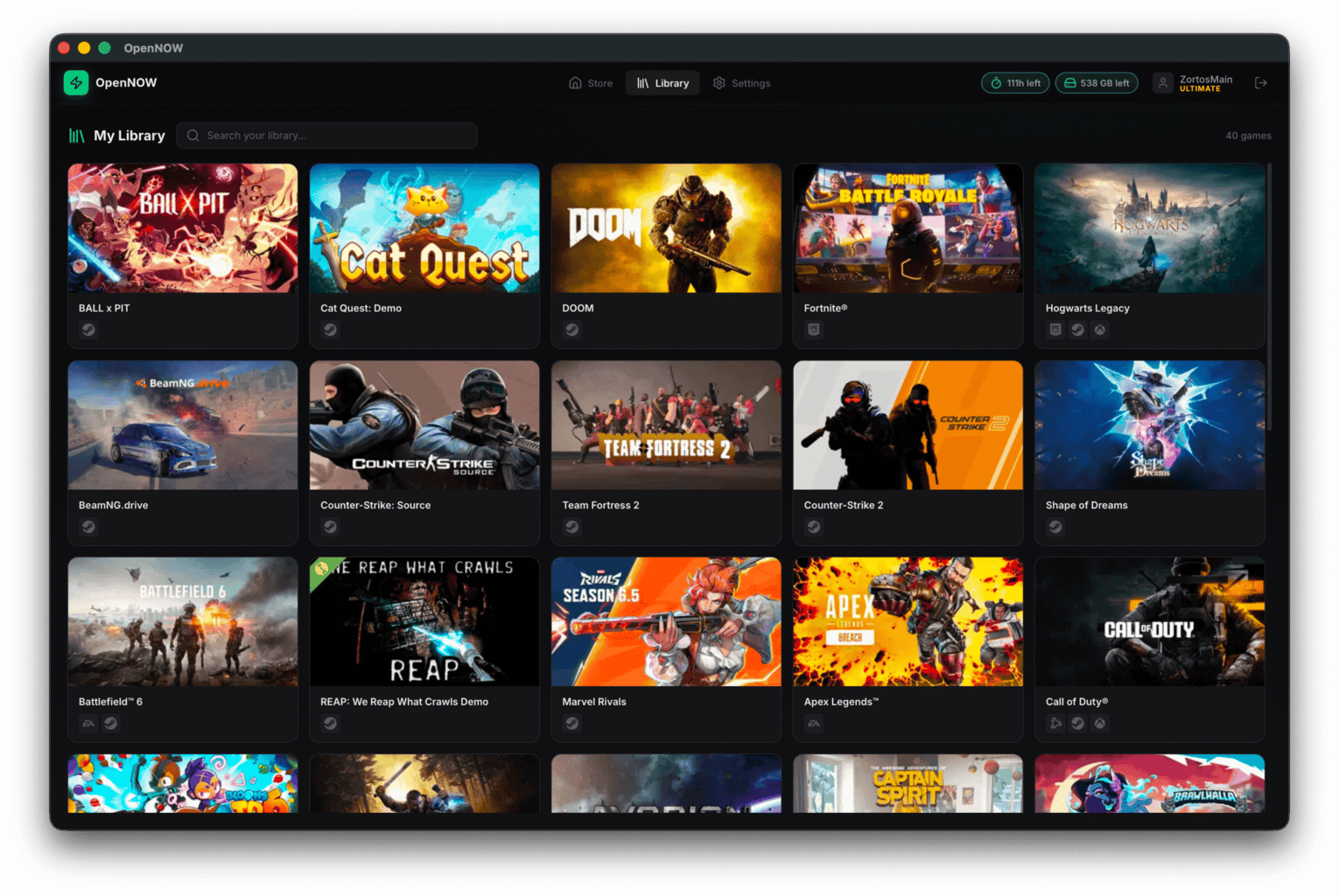
OpenNOW is an Alternative, Customizable Open-Source Desktop App for GeForce NOW Users

GeForce NOW users are getting a new way to play their favorite games, all thanks to a GitHub project known as OpenNOW. First spotted by folks at Videocardz, OpenNOW is an open-source desktop client built entirely by the community.

OpenNOW lets you stream GeForce NOW games your way

The most interesting part of this app is that it allows players to browse the catalog, launch sessions, and improve their streams without relying on the official NVIDIA client.

According to OpenNOW’s GitHub page, the desktop client runs on Windows, macOS, and Linux, and uses Electron, React, and TypeScript for its core processes. You can grab the latest builds from here.

Developers of the app say that the project focuses on transparency, which gives contributors insight into all technical aspects while offering players a more customizable experience.

If you are keen to try this desktop client, you must be wondering what features are being offered, right? Well, let me tell you, there are plenty. But keep in mind that you must use your own GeForce NOW account to play games. The OpenNOW app apparently includes catalog browsing, session management, and library-aware launching.

Image credit: OpenNOW

You can further make changes to stream settings like codec, resolution, FPS, aspect ratio, and region, plus track real-time diagnostics such as latency, packet loss, and render stats. Notably, OpenNOW also supports built-in screenshots, recording, microphone controls, and controller-friendly navigation, all while storing settings locally and avoiding telemetry.

All that said, developers note that OpenNOW is still under active development. So, you should brace yourselves for occasional bugs and platform-specific issues, but the developers are actively updating the project.

Worried About Gemini Training on Your Emails? Google Again Clarifies It Doesn’t

It’s been a while since Google introduced Gemini inside Gmail to assist with most of your emailing duties. With AI models deeply integrated inside your inbox, the worry about your data being used to train large language models is always there.

In fact, a report from last year hinted that Google uses your inbox content to train its models. However, that report was later dismissed by Google, stating that it doesn’t use your Gmail content for AI training.

Now, Google is yet again clarifying how its new Gemini AI works in Gmail. As with previous clarifications, this one also looks to reassure users who are concerned about privacy.

Google yet again clarifies that it doesn’t and won’t train AI with your Gmail data

Speaking about Gemini in Gmail, the company says that the AI does not train on personal emails. Any access you give it is limited to specific tasks, such as summarizing a long message. “What’s in your inbox stays private, even when Gemini is helping,” notes Google in a short blog post.

The company further says that Google’s AI does not retain your information. It apparently built Gemini to work securely inside your inbox. It processes only the content needed for a request and then discards it. This ensures that email data isn’t stored or reused beyond the task at hand.

Blake Barnes, Gmail’s VP of Product, points out that the system was designed with privacy in mind, so users can interact with AI features without worrying about their personal emails being exposed or used to train models. At a time when AI tools often raise questions about data handling, Google is making sure Gemini sits inside Gmail as a helpful colleague rather than a data collector.

Do you let Gemini handle some of your emails? Has it actually made your inbox easier to manage? Tell us what you think.

Microsoft Fixes Windows 11 Start Menu Search Bug With Server-Side Rollback

Microsoft has deployed a server-side fix to address Start Menu search issues in Windows 11 23H2, following reports of blank or broken results affecting some users.

The issue, tracked under WI1273488, began appearing around April 6 and impacted a small number of systems. Users reported that searching from the Start Menu would either return no results or fail to load properly.

The server-side Bing update caused the issue

According to Microsoft, the problem was caused by a faulty server-side Bing update that was originally intended to improve search performance in Windows 11. Instead, it disrupted how Start Menu search results were delivered.

To resolve the issue, Microsoft rolled back the problematic update rather than releasing a traditional patch.

Fix rolls out automatically with no user action required

The fix is being deployed entirely server-side, meaning users do not need to install any updates manually. Instead, the resolution applies automatically as Microsoft restores the previous configuration.

For the fix to apply correctly, the device must be connected to the internet, and Web Search must remain enabled rather than disabled via Group Policy.

As a result, affected systems should begin returning normal search results as the rollout progresses.

Issue gradually resolving for affected users

Microsoft confirmed that the issue is now in the process of being resolved, with fixes rolling out gradually. Some users may already see improvements, while others may need to wait until the rollback reaches their devices.

In other news, Microsoft is also working on broader improvements to Windows 11 search, aiming to make results faster and more accurate. At the same time, the company continues its effort to modernize the Settings app, though fully replacing Control Panel remains a complex challenge due to legacy hardware dependencies.

Via Bleeping Computer

[UPDATE: Original Prices Reinstated] ASUS Snapdragon X2 Elite Laptops Price Hike Shocks Buyers After Early Reviews

[UPDATE: April 8th, 2026 | 23:15 IST] In a statement provided to Windows Central, ASUS confirmed “We were notified by Best Buy that an error was made on their end when sharing pricing information for the new Zenbook A series and other Zenbook launches internally and publicly on their website, and this includes several models (Zenbook A14, A16, S16, S14 and Zenbook 14). The price has been corrected and updated on their website to reflect it.”


[ORIGINAL STORY] Yesterday, ASUS launched the Zenbook A16 and few other laptops that pack chipsets from Qualcomm’s Snapdragon X2 Elite lineup. The launch was tightly coordinated with early reviews, but hours after reviews went live, pricing across the X2 Elite lineup suddenly shifted, reportedly rising as much as $350 (via Videocardz).

For example, the ASUS Zenbook A16, which comes with 48GB of RAM and 1TB SSD was earlier priced $1599.99. Shockingly, Best Buy now lists the same laptop for $1699.99. At the time of writing this, neither ASUS nor the retailer offered any explanations about the sudden price hike.

Launch-day pricing confusion spreads

Early coverage of Snapdragon X2 Elite laptops focused mostly on ASUS laptops. Speaking of which, Hardware Canucks noted that their review relied on pre-publication pricing, which no longer matched what buyers actually saw online. On April 7, the outlet tweeted, “This is BAD for our Snapdragon X2E conclusion. Best Buy & ASUS issued the wrong prices. They’re going up by a lot.”

Here’s a breakdown of what the before reviews and after reviews pricing of ASUS X2 Elite laptops lineup look like:

Device NamePrice Before ReviewPrice After ReviewDifference
Zenbook A16$1,599.99$1,699.99+$100.00
Zenbook A14$1,149.99$1,349.99+$200.00
Zenbook S16$1,599.99$1,899.99+$300.00
Zenbook S14$1,899.99$1,999.99+$100.00
Zenbook 14$999.99$1,349.99+$350.00

The aforementioned pricing mismatch suggests some early reviews were based on previous pricing information. It’s unclear whether this came from placeholder listings, vendor updates, or retail-side changes. That said, inconsistencies in pricing like these can confuse buyers and shake consumer trust, especially for a launch marketed around competitive pricing.

It’s unclear if Qualcomm or ASUS will clarify the reasoning behind these adjustments. If we hear anything from either of the companies, we’ll provide an update here.

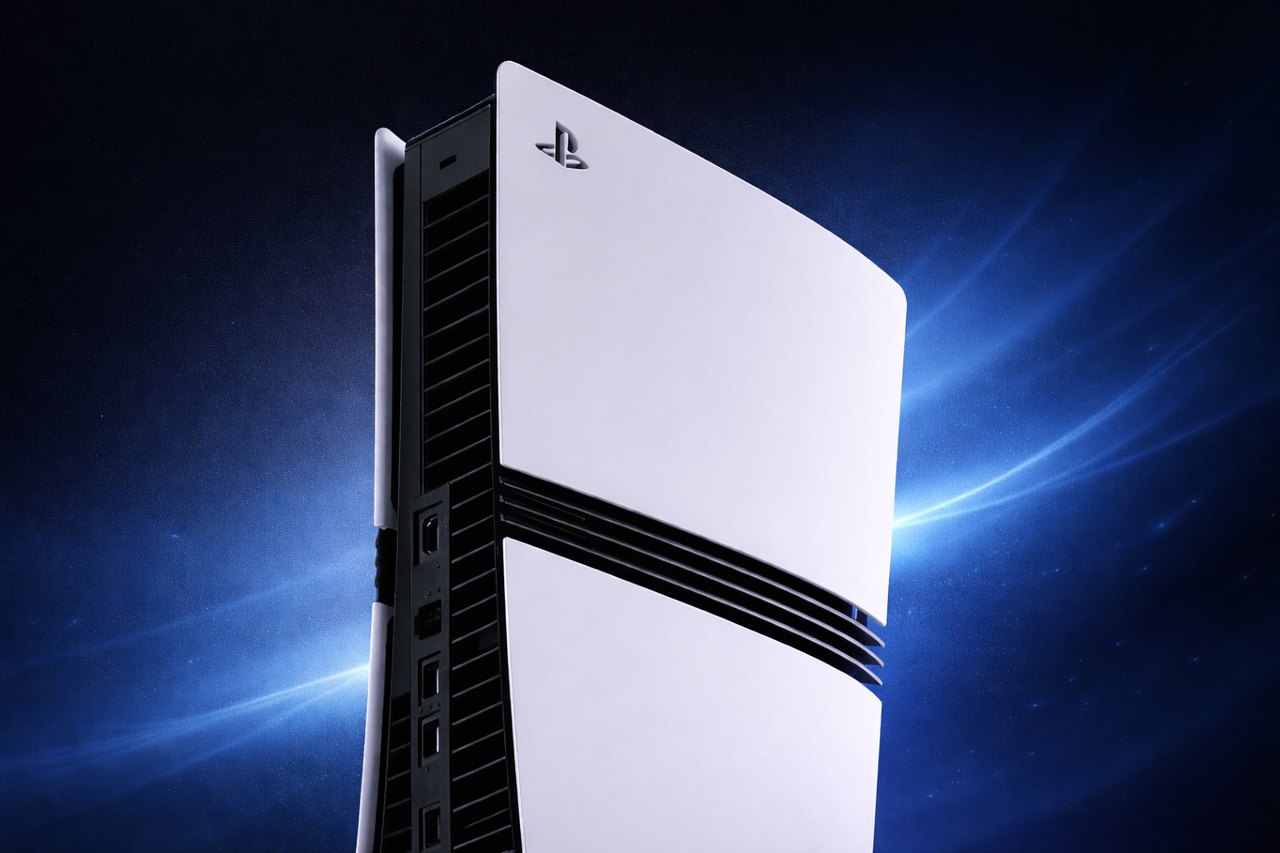
Sony Expands PSSR 2.0 Support as More PS5 Pro Games Become Upgradeable

Sony is expanding its AI upscaling tech with PSSR 2.0 on PlayStation 5 Pro, but native game support is still limited for now. The company is instead leaning on a system-level upgrade path to quickly bring improvements to older titles.

Sony pushes PSSR 2.0 beyond native support

Sony recently rolled out PSSR 2.0, its latest AI-driven upscaling solution designed to boost both performance and image quality on PS5 Pro. While only a handful of games support it natively, a growing number of titles can benefit from system-level upgrades.

PSSR works by rendering games at lower resolutions, such as 1080p or 1440p, then reconstructing a near-4K image using AI and temporal data. This allows developers to push higher frame rates, enable better ray tracing, and add more visual effects without sacrificing performance.

Built on AMD tech with major visual upgrades

The new PSSR 2.0 update, released in March 2026, builds on AMD FSR 4 technology as part of the AMD and Sony “Project Amethyst” collaboration.

Sony focused on improving image quality and consistency, with notable upgrades in clarity, motion stability, and reduced shimmering or visual noise. These changes make fast-moving scenes appear cleaner and more stable compared to the previous version.

According to Wccftech, currently only a handful of games support PSSR 2.0 natively, but many can be upgraded using a system toggle.

Native PSSR 2.0 games

Alan Wake 2Assassin’s Creed: ShadowsControl: Ultimate Edition
Crimson DesertCyberpunk 2077 (soon)Dragon Age: The Veilguard
Dragon’s Dogma 2Final Fantasy VII RebirthMonster Hunter Wilds
Nioh 3Resident Evil: Requiem (the first title to use the new algorithm)Rise of the Ronin
Senua’s Saga: Hellblade IISilent Hill 2Silent Hill f
Starfield

PSSR 1.0 games upgradable to PSSR 2.0

007: First LightAlbatrozAlien: Rogue Incursion
Apex LegendsArk: Survival AscendedArma Reforger
Assassin’s Creed: MirageAstro BotAvatar: Frontiers of Pandora
Baldur’s Gate 3Battlefield VIBlack Myth: Wukong
Blades of FireCall of Duty: Black Ops VICall of Duty: Black Ops VII
Days Gone RemasteredDemon’s SoulsEnlisted
F1 24F1 25FBC: Firebreak
Ghost of YoteiGod of War RagnarökGran Turismo 7
Hogwarts LegacyHorizon Forbidden WestIndiana Jones and the Great Circle
Kingdom Come: Deliverance 2Lies of PLords of the Fallen
Marvel’s Spider-Man RemasteredMarvel’s Spider-Man: Miles MoralesMarvel’s Spider-Man 2
Metal Gear Solid Delta: Snake EaterNaraka: BladepointNBA 2K25
Ninja Gaiden 4No Man’s SkyOff the Grid
Outbreak: Shades of Horror – Chromatic SplitPaladin’s PassagePath of Exile 2
Ratchet & Clank: Rift ApartResident Evil 4 RemakeResident Evil Village
RetrievalReturnalSlitterhead
STALKER 2: Heart of ChernobylStar Wars Jedi: SurvivorStar Wars: Outlaws
Stellar BladeThe Crew MotorfestThe First Descendant
The Last of Us Part IThe Last of Us Part II RemasteredThe Seven Deadly Sins: Origin
Tides of AnnihilationWar ThunderWarframe
Warhammer 40,000: DarktideWarhammer 40,000: Space Marine 2Where Winds Meet
Ys X: Proud Nordics

System toggle expands compatibility instantly

Although native PSSR 2.0 support remains limited, Sony introduced a key feature that broadens adoption quickly.

Many games that previously used PSSR 1.0 can now be upgraded to version 2.0 through a system-level toggle. Users can enable it by going to Settings and choosing Enhance PSSR Image Quality.

This approach allows older titles to benefit from improved upscaling without requiring direct developer updates.

However, Sony warns that some games may show visual inconsistencies with the new version. Players can manually switch back to PSSR 1.0 if needed.

Sony’s long-term plan: automatic upgrades

According to PlayStation architect Mark Cerny, Sony plans to make this system even more seamless over time.

Future updates may automatically default to the latest PSSR version, ensuring games continuously benefit from improvements without user intervention.

Alongside PSSR improvements, Sony is also testing a new user interface update for PlayStation 5, signaling broader platform changes beyond graphics upgrades.

Anthropic Unveils Project Glasswing with Claude Mythos Preview, Keeps New Model Out of Public Hands

Anthropic has just announced Project Glasswing, and it’s far from your standard product launch. It is a new AI model as part of cybersecurity initiative backed by Apple, AWS, Broadcom, Cisco, CrowdStrike, Google, Microsoft, NVIDIA, and Palo Alto Networks to proactively hunt down and patch vulnerabilities in the world’s most critical software infrastructure.

At the center of the announcement is Claude Mythos Preview, a general-purpose frontier model that Anthropic has deliberately kept unreleased to the public. According to the company, Mythos Preview has autonomously identified thousands of high-severity, zero-day vulnerabilities across all major operating systems and web browsers.

Some of these flaws have survived decades of human review and millions of automated tests, highlighting just how capable AI has become at reading and exploiting code. For example, Mythos Preview unearthed a 27-year-old remote crash bug in OpenBSD, a famously hardened OS. It also found a 16-year-old flaw in FFmpeg missed by automated testing five million times. And it chained multiple Linux kernel exploits to achieve total system control.

The model is privately available to Glasswing partners, which include JPMorgan Chase, Broadcom, Cisco, CrowdStrike, the Linux Foundation, Palo Alto Networks, and about 40 other critical infrastructure organizations. Anthropic is also subsidizing usage with $100 million in credits and donating $4 million to open-source security groups.

According to The Verge, the company has briefed US government officials on Mythos Preview’s capabilities and is “committed to working closely with all levels of government.” The work ahead will take months, even years, and requires cooperation across AI developers, software maintainers, cyber defenders, and governments.

Control Panel Replacement Is Happening, But Microsoft Admits It’s Difficult

Microsoft continues its long-term push to replace the classic Control Panel with the modern Settings app in Windows 11, but the transition remains far more complicated than expected, as Windows Latest writes.

Legacy support is slowing everything down

According to a statement from March Rogers, Partner Director of Design at Microsoft, the company is actively migrating all remaining Control Panel features into the newer interface. The goal is to unify system settings under a single, consistent experience.

Windows still needs to support a massive ecosystem of older hardware, drivers, and enterprise setups. Any sudden removal of the Control Panel risks breaking critical functionality, especially for printers, network configurations, and specialized devices.

Control Panel still offers deeper control in key areas. Advanced network settings, printer management, and low-level device configuration remain more reliable and flexible in the legacy interface.

Settings app still isn’t ready to replace it

The biggest challenge comes from device drivers. Many printers and network devices rely on older configuration pathways that the modern Settings app does not fully replicate yet. Microsoft must ensure that these devices continue to function without issues during the transition.

The Settings app also remains limited in some scenarios. It lacks the same level of granular control found in tools like Device Manager, making troubleshooting more difficult for advanced users.

Microsoft is taking a slow and careful approach to avoid breaking existing setups, and there is currently no timeline for fully retiring the Control Panel.

In other Windows news, Microsoft is also working on improving search in Windows 11 with faster and more accurate results. At the same time, developers continue to favor web apps on Windows, highlighting ongoing challenges in the platform’s native app ecosystem.

Anthropic Hires Microsoft Azure AI Veteran, Eric Boyd, to Lead Infrastructure Team

Eric Boyd, who has spent nearly 17 years at Microsoft, has announced he is moving on to a new role at Anthropic. The news, first reported by GeekWire last week cited a LinkedIn post by Boyd in which he reflected on his long journey, saying Microsoft has been such a constant that even his kids once “put Microsoft first” when naming the branches of government.

Boyd originally joined Microsoft to lead Bing Ads development before moving into bigger roles. By 2015, he was serving as president of the AI Platform, and later, CEO Satya Nadella tapped him to lead the Azure AI team. That put him right at the center of Microsoft’s push into large language models and modern AI infrastructure.

Azure AI team veteran Eric Boyd exits Microsoft after 17 years, joins Anthropic

At the time, Boyd didn’t hint at where he was heading next. But now, we know that the company he is joining is Anthropic (via Thurrott). In a LinkedIn post shared yesterday, Boyd noted, “I’m excited to join the amazing team at Anthropic today, where I’ll be leading the infrastructure team! I’ve been privileged to have a front row seat to the explosion of LLMs, and the team at Anthropic is truly special.”

Speaking about joining Anthropic, he says that the combination of leading models and a strong mission-driven culture makes the team stand out. Boyd adds that AI is accelerating at an incredible pace, pointing to the impact of Claude Code over the last six months, especially in recent months, as a clear example of what is possible.

Boyd also notes that bringing powerful AI to the world in a way that benefits everyone will be important, and he believes there is no better place to make that happen. It should be noted that the timing of Boyd’s departure from the company is interesting. Microsoft continues to double down on AI across Azure and Copilot, while competitors like Anthropic are scaling infrastructure and model capabilities at pace.

In the past, we have seen companies like OpenAI and Meta poaching each other’s talent in order to stay ahead in the AI race. Eric Boyd’s departure from the company is just another example of it. Speaking of leadership and internal changes, let’s not forget that Microsoft has unified Copilot teams under a new leader as Mustafa Suleyman focuses on a “Superintelligence” push.

Starfield “Free Lanes” Update Launches, Adds Seamless Planet Travel and Major Overhaul

We’ve known for some time that Starfield was heading to PS5 with new content in tow, and anticipation has been building ever since. The game quickly climbed the pre-order charts following the announcement, showing just how strong the demand is.

Now, the PS5 release has arrived alongside a major new update, and it’s finally available for players to dive into.

Free Lanes update for Startfield is finally here

The highlight of the update is cruise mode, which lets players fly freely between planets within the same star system. This change removes previous travel limitations and makes exploration far more seamless. Here are other notable changes from the official patch notes:

Exploration & travel

  • Cruise mode allows free flight between planets in the same system
  • New vehicle: Moon Jumper
  • New POI: Anchorpoint Station (Algorab system)
  • New dungeons, encounters, and explorable locations
  • New player home: Château des Étoiles

Combat & gear

  • New X-Tech system for weapon and armor customization
  • New quality tiers and Rank 4 legendary effects
  • Upgrade modules for boosting specific stats
  • Weapon skins added

Ships & space systems

  • Ship optimization terminal for improving ship stats
  • New ship equipment schematics
  • Adjustable third-person ship camera distance
  • Starborn ships now drop Quantum Essence

Progression & mechanics

  • Quantum Entanglement Device (transfer items through Unity)
  • Starborn powers can now be upgraded using Quantum Essence
  • New database menu for tracking resources and locations

Enemies & difficulty

  • Legendary enemy modifiers added
  • Adjustable difficulty settings for modifiers
  • Improved loot in high-level locked containers

Outpost improvements

  • Shared container across all outposts
  • Production rate information added
  • Improved placement tools

UI & quality-of-life

  • Improved ship builder UI and fixes
  • Better large font support
  • Photomode fixes and new poses

Bug fixes & stability

  • Quest progression fixes
  • NPC behavior improvements
  • General stability and crash fixes

Extra content

  • Terran Armada DLC now available

This update significantly expands Starfield’s core systems, pushing it closer to a full sandbox space RPG experience. With improved exploration freedom, deeper customization, and new content across the board, it stands as one of the most important updates since launch.

If you already own Starfield, now is the perfect time to jump back in.

A One-Man Tarkov Competitor Drops On Steam To Very Positive Reviews

If you enjoy hardcore survival shooters but hate dealing with other people online, a new release on Steam might catch your attention. A solo developer just launched Road to Vostok, and the community is already calling it a Finnish version of Escape from Tarkov. The early access title quickly attracted thousands of concurrent players and secured a very positive rating during its first few days on the market.

Surviving the harsh border zone and managing your daily resources

Road to Vostok is a single-player experience set along the bleak border between Finland and Russia. You spend your time exploring dangerous zones, looting broken buildings, and fighting off hostile enemies. The developer based the maps on real-world locations to make the environment feel highly authentic.

Because the game focuses on realism, you have to carefully manage your health, hunger, and thirst while keeping your weapons in working condition. You carry all the medical supplies and ammo you find back to a customizable hideout. This safe space lets you trade items and rest before your next run.

Entering the intense permadeath area for the absolute best loot

The ultimate goal is to gather enough strength and high-tier gear to cross the border and enter Vostok itself. This specific city acts as a massive permadeath zone where the enemies are much tougher, and the environment is incredibly hostile.

If you die inside this final area, you lose your character, your stash, and your save file completely. Fans really appreciate this brutal difficulty. Steam reviews heavily praise the creator for building a tense atmosphere and stable game engine, especially since it only costs fifteen dollars to buy right now.

Via Insider-Gaming

Google Chrome Finally Adds Vertical Tabs and a New Reading Mode

Google is bringing two highly requested features to its web browser this week. Chrome users can now organize their screen with vertical tabs and use a built in reading mode to block out digital clutter. These changes aim to make browsing the internet easier on your eyes and keep your workspace tidy.

If you normally keep dozens of pages open at once, these updates will help you manage the mess without installing extra extensions. The company keeps adding useful tools to the browser, including new AI features as Gemini rolls out in Google Chrome for Chromebook Plus users in the US.

Moving your tabs to the side of the screen for easier navigation

Microsoft Edge and other browsers offered side navigation for years, and now Chrome is catching up. Instead of squeezing tiny tabs across the top of your monitor, you can snap them to the left side of your window.

The side panel expands when you hover over it, letting you read the full title of every open page. This makes it much easier to find exactly what you need when you have multiple research pages or shopping sites open at the same time. You can also group related pages together and collapse them to save space.

Reading online articles without the extra digital distractions

The second major update is a dedicated reading environment. When you click the new book icon in the address bar, Chrome strips away sidebar menus, video popups, and giant banner ads. This feature pairs well with other background improvements, like how Google Chrome may add native lazy loading for video and audio to keep your browsing fast.

It leaves you with just the main text and important images. You can adjust the font size, change the background color to dark or sepia, and widen the text spacing. This is highly useful if you spend a lot of time reading long news stories or studying online documents. Both features are rolling out slowly, so check your settings soon.

Assassin’s Creed Shadows Update Adds PSSR 2 And Gameplay Fixes

Ubisoft just dropped its new patch for Assassin’s Creed Shadows. Title update 1.1.10 brings several welcome additions across multiple platforms. While the patch handles the usual batch of bug fixes, it also introduces major hardware-specific features for console players. Whether you play on the newest PlayStation or a handheld system, the developer added new ways to control the action and improve the graphics.

There are major visual upgrades and fresh weapons

The biggest technical change in this update focuses on the PlayStation 5 Pro. Ubisoft added official support for PSSR 2. This new upscaling technology allows the game to run at higher frame rates while keeping the picture looking sharp. You can expect smoother performance when exploring crowded cities or engaging in fast combat. The company did not detail its exact visual targets, but early reports show a noticeable bump in overall image quality.

Alongside the visual tweaks, the patch unlocks a new weapon type for everyone. Previously, players had to own the Claws of Awaji expansion to use the Bo staff. Now, any player can find these long wooden weapons while exploring the map. Once you unlock a unique version, standard variations will drop from enemies and appear in regular loot chests. It gives you a reason to test a different fighting style without spending extra money.

The update is bringing the mouse and keyboard to the Switch 2

Nintendo players also received an update to how they play the game. The Nintendo Switch 2 version now features full mouse and keyboard support. This is a rare addition for a console system, giving you the precision of a desktop computer. If you struggle with standard thumbsticks during tricky stealth sections, you can plug in your accessories and play exactly how you want.

The rest of the patch cleans up lingering issues. The development team fixed a bug that stopped players from using fast travel points. It also repaired the detailed stat sheet so damage numbers display correctly. You can download the patch right now across all platforms.

Via Techpowerup

Authorities Stop Router Hacks Targeting Microsoft 365 Logins

Law enforcement agencies recently shut down a major hacking operation that targeted home and small office networks. The attackers compromised insecure internet routers to secretly redirect network traffic and steal login details. Microsoft confirmed the attackers focused on grabbing access to Microsoft 365 accounts.

The tech company tied the operation to a Russian military group known as Forest Blizzard. This disruption stops a widespread threat that puts countless remote workers at risk.

Here’s how the hijacked routers worked

The hackers did not attack computers directly. They scanned the internet for vulnerable home and small business routers that had weak passwords or outdated software. Once they broke into a specific device, they changed its internal settings. They specifically altered the Domain Name System rules. 

When users connected to the compromised router and typed in a web address to access Microsoft 365, the hardware sent them to a fake login page instead. The redirection happened so smoothly that the victims noticed nothing unusual.

Because the fake website looked exactly like the real thing, people typed in their usernames and passwords without suspecting a problem. The attackers used a tactic called adversary in the middle. This setup allowed them to steal the login information in real time.

They even managed to grab the special security tokens generated by multifactor authentication systems. With those tokens, the hackers could freely log into the actual Microsoft 365 accounts of the victims, read their emails, and access sensitive files.

Microsoft has disabled the servers receiving the stolen data

Microsoft worked alongside international authorities to spot the malicious infrastructure and shut it down completely. Security teams disabled the servers receiving the stolen information and blocked the fake websites the hackers built to trick users. The joint operation successfully cut off the ability of Forest Blizzard to intercept new login attempts across the globe.

While the immediate threat is gone, security experts warn that people still need to fix their home equipment. If you use a basic router provided by your internet company or bought one from a store years ago, you should check for software updates. You also need to replace the default administrative password with something secure.

Companies are advising their remote workers to reboot their routers and watch out for strange login requests. Taking a few minutes to secure the hardware connecting your home to the internet stops these types of attacks from happening again.

Via BeepingComputers

Cyberpunk 2077 Gets Massive Visual Upgrades For The PS5 Pro

PlayStation has just shared exactly how Cyberpunk 2077 will take advantage of the new PlayStation 5 Pro hardware. Fans have been waiting to see if the developer would return to Night City for another technical update. The studio officially confirmed a patch is on the way to boost frame rates and improve lighting using the extra processing power inside the upgraded console.

This specific update promises to make the massive open world look significantly better on a standard television screen. Players can expect a much smoother overall experience when they jump back into the game.

There’s better ray tracing and smoother frame rates

The biggest change focuses entirely on how the game handles lighting and general performance. On the standard PlayStation 5, players always had to choose between two different graphical settings. You could pick a performance mode with higher frame rates or a quality mode that featured ray tracing. 

The new Pro patch effectively blends both of those options together. You can now explore the dense neon streets at a very smooth 60 frames per second while keeping advanced ray tracing effects turned on. The studio used new AI upscaling technology to keep the picture looking sharp without sacrificing the game speed.

Reflections in puddles and shadows cast by buildings will look highly realistic without slowing down the action during heavy combat scenes.

Improved crowds and sharper environment details

Beyond just the lighting upgrades, the developer tweaked how the actual city operates and feels. The extra memory inside the new console allows for much denser crowds and more traffic on the roads. Walking through the various districts will feel far more crowded and believable. The update also improves the core textures on character clothing, weapons, and random vehicles.

When you zoom in on small items, everything looks noticeably clearer. These visual bumps help make the entire world feel incredibly detailed. Background objects that used to look blurry from a distance will now load in quickly and maintain a high resolution as you drive past them.

Sony is expanding the franchise into new physical locations

While this console update gives home players a better visual experience, the franchise is also expanding in completely different ways. If you want to actually step into Night City yourself, CD Projekt Red brings Cyberpunk 2077 to VR venues with Zero Latency later this year.

That location-based experience lets you physically walk through a custom mission using virtual reality headsets alongside your friends. Between the new physical arcade experiences and this upcoming console patch, fans have plenty of reasons to revisit the dark future setting.

The Pro update will download automatically and for free for anyone who already owns the base game. It is a great excuse to start a brand new playthrough.

Via Insider-Gaming

Sony Begins Beta Testing a Massive New UI Update for PlayStation 5

Sony is finally giving its console a needed visual overhaul. The company just started rolling out a brand new beta dashboard for the PlayStation 5, and it looks like a great upgrade. If you are tired of the current cluttered screen, this update brings a cleaner design that puts your actual games front and center.

According to Insider-Gaming, it is currently available to a small group of testers before it launches globally.

PlayStation 5 UI is adding custom backgrounds and folders

For years, players asked Sony to let them personalize their home screens. It seems the company finally listened. The leaked beta shows you can now set custom background images. You do not have to rely on default game art anymore. You can pick your favorite screenshot and pin it behind your game library.

The update also introduces a new way to organize your digital collection. You can group games into dedicated folders right on the main screen. This means you do not have to scroll past everything to find your favorite multiplayer games. It keeps the whole dashboard looking tidy and easy to navigate.

When can you expect the final release?

Right now, this testing phase is closed to the general public. Sony sent direct invites to a small number of players to try the software and find bugs. Given how the company handled past updates, this testing period will likely last for another month.

If everything goes according to plan, the final version should drop for all users later this summer. The current response from testers is highly positive. People love the cleaner layout, the faster menus, and the removal of unnecessary store ads from the main row. We will keep an eye out for a final release date soon.

Five Xbox Games Are Disappearing from the Store This April and May

Xbox is cleaning up its digital store over the next few weeks. If you want to grab certain titles before it pulls them down permanently, you have a short window right now. Five different games are getting delisted between April and May of 2026. This means you will no longer be able to buy them.

As per PureBox, the list includes a mix of older releases and a couple of live service experiences that are shutting down entirely.

These games are leaving this April

First up is Beast Quest. This action-adventure game from 2018 leaves the store on April 9. It did not get great reviews when it launched, but game collectors might still want to grab a copy before it vanishes. After that, two separate Fortnite modes will leave on April 16. Fortnite Ballistic and Fortnite Festival Battle Stage are going offline completely.

Epic Games is pulling them by default when it shuts down the servers. You do not need to worry about the main Fortnite modes, though. Those stay perfectly safe.

Pinball and Battlefield Hardline are also going away

Moving into late April and early May, Pinball FX3 and the Pinball FX World Cup Soccer table will disappear. The developer explained that it faces technical issues on the Microsoft digital store. While other consoles will just hide the game pages, Microsoft has to remove the listings entirely. The studio promised to offer discounts before the final removal happens. If you buy the pinball tables before then, you can still play them normally.

Finally, Electronic Arts is removing Battlefield Hardline on May 22. It plans to shut down the multiplayer servers a few weeks after that delisting date. The shooter came out a long time ago, so the company is finally moving on.

If you already own any of these five games, they will remain in your library to download whenever you want. You just cannot purchase new copies after the deadlines pass.

Xbox Is Hosting Two Major Game Betas on Its Consoles This April

Xbox is treating its console players to an exciting month with a pair of massive game previews. The company just announced that it is hosting two major beta tests on its platform this April. Whether you enjoy brutal superhero fighting games or deep science fiction roleplaying adventures, you will find something interesting to try out. The first of these testing periods kicks off later this week.

Superhero brawls with Invincible VS

The first big beta is for Invincible VS. This is a fighting game that drops you into three-versus-three tag battles. You get to play as popular characters from the famous comic book universe. The developers are running a free open beta on Xbox Series X and S. It starts on April 9 and wraps up on April 11.

You will have access to ten different fighters during the preview. Because this is an open event, anyone can download the client and jump right into the action. It’s a great way to see whether you enjoy the combat system before the final version drops. The full game officially releases just a few weeks later on April 30.

Space exploration in the expanse: Osiris Reborn

The second game is completely different. The Expanse: Osiris Reborn is a science fiction action game set in a well-known television universe. You play as a mercenary trying to keep a crew alive in space. Unlike the first game, this preview is a closed beta that begins on April 22.

To get access, you must buy a founder pack from the official website. The developers promise that the beta will let you play through a full mission taken straight from the main story.

This is a rare chance to play early because the actual game will not launch until spring 2027. Xbox fans will want to keep an eye on this massive role-playing project as it continues to develop.

Via PureBox

Microsoft Copilot Ecosystem Expands To 80 Integrated Solutions

Microsoft says its Microsoft Copilot ecosystem has now grown to include 80 integrated solutions, marking a steady expansion of its AI tools across different apps and services. The company has been pushing Copilot as a central layer across its products, and this latest number shows how quickly it is spreading beyond just a few core features.

Instead of keeping Copilot limited to one or two apps, Microsoft is building it into a wide range of tools. That includes productivity software, developer platforms, and business services. The goal is simple. Make AI assistance feel like a built-in part of everyday workflows rather than something separate.

How Copilot is spreading across Microsoft products

Copilot started as an AI helper inside tools like Word and Excel, but it has moved far beyond that. It is now integrated into Windows, GitHub, Teams, and other services under Microsoft’s ecosystem. Each integration is designed to handle specific tasks, from writing and summarizing to coding and data analysis.

The number 80 does not mean 80 completely different apps, reports Tey Bannerman. In many cases, it refers to different implementations or features within platforms. For example, Copilot inside Excel focuses on data insights, while Copilot in GitHub helps developers write and review code faster.

This approach allows Microsoft to tailor the AI experience depending on where it is used. It also helps the company compete more directly with other AI platforms that are trying to become everyday tools.

What this growth means for users

For users, this expansion means more places where Copilot shows up automatically. You might see it while writing emails, building presentations, or even managing cloud systems. The idea is to reduce the need to switch between tools or copy information back and forth. Notably, Microsoft recently replaced the native Copilot app with a web app on Windows 11 as well.

At the same time, the rapid growth raises familiar questions. People still need to check AI outputs, especially in work settings. Accuracy and trust remain important as these tools become more common.

Still, reaching 80 integrations is a clear signal of direction. Microsoft is not treating Copilot as a side feature. It is becoming a core part of how its software works.

Via Guru3d

Microsoft Copilot Terms Say AI Is For Entertainment Use Only

Microsoft is facing fresh attention after users noticed a line in its terms of use that describes Microsoft Copilot as being “for entertainment purposes only.” The wording quickly raised questions about how seriously people should take answers from the AI, especially as more users rely on it for work, research, and everyday tasks.

The situation has caused some confusion, as Microsoft has also been promoting Copilot as a helpful productivity tool across Windows, Office apps, and the web.

Microsoft responds to the Copilot confusion

Microsoft has since pushed back on the idea that Copilot is just for entertainment. The company clarified to PCMag that the wording is part of broader legal language designed to limit liability, not a direct statement about how the tool should be used day to day.

In simple terms, Microsoft is saying users should still double-check important information. That is not new advice for AI tools, but the phrasing in the terms made it sound more dismissive than intended.

Copilot continues to be deeply integrated into products like Word, Excel, and Windows. It helps with writing, summarizing, coding, and more. Those are clearly practical uses, not just entertainment.

Still, the moment highlights a bigger issue with AI tools. Companies market them as useful and reliable, but their legal terms often take a more cautious stance. That gap can lead to mixed signals for users.

For now, Copilot remains available as a productivity assistant. But this small detail in the terms has sparked a wider conversation about trust, expectations, and how AI companies present their tools.

Via WindowsCentral

Latest Firefox Update Fixes Printing Issues, Crashes, Error Messages & More

Late last month, Mozilla released Firefox version 149 with bunch of new features. The latest feature update introduced built-in VPN, split view, and other few new features that enhances the web browsing experience. Now, a new update, which bumps Firefox to version 149.0.2 is out for Release channel users and it fixes a number of issues users faced after installing the latest update. Notably, this update also patches five high-severity vulnerabilities listed here.

Firefox 149.0.2 fixes printing, error messages, crashes, and adds new enterprise controls

After installing latest version, printing web pages should now work correctly, including drop-down menus and specific styles that were previously missing. Additionally, text inside certain graphics (SVG) that had been shifted or misaligned has also been corrected in this update. If you use Firefox on Linux, the Firefox 149.0.2 update fixes an unresponsive browser toolbar when dragging tabs while using Wayland.

Moving on the latest update also resolves crashes triggered by security keys or WebAuthn features used for two-factor authentication. It fixes instances where some website error pages displayed generic connection messages instead of the proper server-provided error codes. Additionally, the “Send to device” option in the Open Tabs section of Firefox View now works as intended.

Besides these fixes, the update includes various security patches to protect users from potential vulnerabilities. Although no major new features are included in this update, Mozilla’s focus on reliability and security with this update makes it a must-install for anyone running Firefox 149.

Enterprise users get some welcome changes

Enterprise users also benefit from new and improved controls following this update. Administrators can now manage and control AI-related features directly within Firefox. Meanwhile, a new policy also allows admins to disable the built-in VPN and IP protection features for users, which gives organizations more control over browser functionality. Speaking of fixes, Mozilla has addressed an issue where enterprise policies for the browser homepage and start page were not being applied correctly.

You can download Firefox from the official website or the Microsoft Store.

Sony’s ‘The Playerbase’ Program Lets You Step Into PlayStation Games

Sony is trying something very different this time. Rather than just announcing new PlayStation games or features, it is now bringing players directly into them. Yes, you read that correct. Sony has officially introduced a new initiative called “The Playerbase,” and it’s starting right away.

You can now step inside a PlayStation game

Starting today, fans can apply for a chance to appear in Gran Turismo 7. The idea is simple on paper but quite unique in real-life, to say the least. Selected players will have their likeness scanned and placed directly inside a PlayStation Studios title.

In the PlayStation blogpost, the company confirmed that applications are now live via PlayStation’s official site from 7:00 AM PT. Players need to sign in with their PlayStation account, answer a few questions about their experience, and share additional details to be considered. The latest “The Playerbase” program is available across select regions, including the Americas, Europe, Asia, South Africa, and Australia.

Sony says it will shortlist a limited number of applicants for video interviews. From there, one fan will be chosen for Gran Turismo 7. That player will appear as an in-game character portrait for a limited time, similar to how other characters are presented in the game.

It’s more than just a cameo

Sony further says that the selected fan will also help design a custom Fantasy Logo and a unique vehicle livery. Both will be permanently added to the game’s Showcase menu, which makes this more than just a one-off appearance. To make it happen, the chosen player will be invited to a visual arts studio in Los Angeles. This includes a full scanning session along with direct collaboration with designers to bring their in-game identity to life.

Sony also confirmed that this is just the beginning. The Playerbase program is expected to expand to more PlayStation Studios titles over time, with each game potentially offering different ways for fans to be featured.

So, what do you think about this program? Would you want to see yourself inside a PlayStation game, or does this feel like a one-off experiment?

Xbox Game Pass April 2026 Adds 17 Games Including Hades II and Replaced

Microsoft has revealed new titles coming to Xbox this week, alongside a major update for Xbox Game Pass. The company has confirmed the first wave of April additions, bringing one of the biggest monthly drops in recent months.

Xbox Game Pass gets one of its biggest April updates

Microsoft is adding a total of 17 games to Xbox Game Pass throughout April, with more than 15 titles joining in this first wave alone. The lineup includes a mix of major releases, returning classics, and day-one launches.

Among the biggest highlights is Hades II, which is finally making its way to consoles. Replaced also stands out as a day-one release, launching directly into the service.

Other notable additions include Call of Duty: Modern Warfare, DayZ, and The Elder Scrolls IV: Oblivion, expanding the catalog with both modern and legacy hits. Here’s the list of all upcoming titles:

Game TitleRelease Date
Final Fantasy 4April 7
DayZApril 8
Endless Legend 2 (Game Preview)April 8
FBC: FirebreakApril 8
Planet Coaster 2April 9
Tiny BookshopApril 10
Football Manager 26April 13
Football Manager 26 ConsoleApril 13
Hades 2April 14
ReplacedApril 14
The ThaumaturgeApril 14
The Elder Scrolls 4: Oblivion RemasteredApril 16
EA Sports NHL 26April 16
Call of Duty: Modern WarfareApril 17
Little Rocket LabApril 21
Sopa: Tale of the Stolen PotatoApril 21
Vampire CrawlersApril 21
KilnApril 23

Beyond Game Pass, Microsoft is expanding its broader gaming ecosystem. The company confirmed that 13 additional games now support handheld devices, improving compatibility for portable gaming platforms.

At the same time, the “Stream Your Own Game” library continues to grow, with an additional 50 titles now available. This feature allows users to stream games they already own, further extending Xbox’s cloud gaming capabilities.

With a strong mix of new releases, returning favorites, and ecosystem updates, April is shaping up to be one of the busiest months for Xbox Game Pass in recent memory.

Via Pure Xbox

GitHub Adds Rubber Duck Debugging AI to Copilot CLI for Smarter Code Reviews

GitHub is introducing a new experimental feature in GitHub Copilot CLI called Rubber Duck, designed to rethink how AI-assisted coding works. The feature builds on the classic rubber duck debugging concept, but replaces the duck with a second AI model that actively reviews decisions.

Instead of relying on a single model, Copilot now uses two. The primary LLM handles coding and planning, while a secondary model, called Rubber Duck, steps in to review key decisions and provide feedback at critical moments.

With the Rubber Duck method, one AI writes and another reviews

This approach targets a known issue with AI coding tools: early mistakes. When a model makes a flawed decision during planning, that error often compounds across dozens of steps. Since the same model evaluates its own work, it can miss its own blind spots.

Rubber Duck changes that dynamic by introducing a separate model from a different AI family. Acting as an external reviewer, it checks logic, flags potential issues, and helps prevent cascading errors.

Built for complex coding workflows

The feature shows the biggest impact in complex coding scenarios, especially multi-file projects or workflows that involve 70 or more steps. GitHub says the system reduced the performance gap between Claude Sonnet and Opus by 74.7%, highlighting its effectiveness in long, structured tasks.

Rubber Duck activates at key stages, including after planning, during complex implementations, and after test generation. It can also step in when the agent appears stuck in loops. Users can rely on automatic triggers or manually invoke them when needed.

To use the feature, developers must enable it through the /experimental command. The setup requires Claude as the primary agent, while GPT-5.4 powers the Rubber Duck reviewer.

In other news, GitHub has recently faced scrutiny over reports of promotional content appearing in pull requests. At the same time, threat actors have been distributing malware on the platform disguised as leaked Claude code.

Via Neowin

PS6 Delay Rumors Shot Down by Leaker Citing AMD’s Ongoing Validation Work

PS6 delay rumors have been circulating online since late last year. But, popular tipster KeplerL2 recently hinted that Sony’s next console is on track for a 2027 holiday launch alongside a new handheld. Now that PS6 rumors have started making the rounds again, a new claim by the same tipster suggests things may not be as shaky as some reports indicate.

In the NeoGAF forum, KeplerL2 recently pushed back against the PS6 delay speculation, arguing that the next-gen PlayStation is likely still on track (via TechPowerUp). The claims made by the leaker are based purely on logic.

Per KeplerL2, AMD is already deep into validation work for custom APUs designed for both the main console and a rumored handheld variant. That’s valid reasoning, as companies don’t continue validation on hardware if they expect delays that would derail launch plans.

The leaker’s claims are in line with GTA 6 boss’s thinking, who recently said that both Project Helix and PS6 consoles won’t be further delayed despite the ongoing memory crisis. However, it’s still possible that even after hitting the original launch timeline, supply constraints could play a big role post-launch. A scenario where early units ship on time but availability squeezes later doesn’t seem off the table, especially with the ongoing global memory crunch.

Considering previous reports about Sony and AMD locking supply agreements for the “Canis” and “Orion” chips before the current DRAM supply issues escalated, we expect that production timelines could have already been committed. That means a delay is less likely, at least for the initial launch window.

Will PS6 avoid delays entirely, or are these early signals too optimistic to hold up over time? Share your thoughts in the comments below.

Windows 11 Developers Keep Choosing Web Apps as Microsoft Lacks Clear Direction

Microsoft helped popularize web apps on Windows, but its inconsistent app strategy may be the real reason developers keep choosing them, as Windows Latest writes.

A history of shifting frameworks led to the rise of web apps

Windows native development has gone through multiple frameworks over the years, each presented as the “future.” Many of those frameworks were later abandoned or quietly deprioritized, creating a pattern that developers have learned to distrust.

Former Microsoft executives have described the situation as chaotic, with constant changes making it difficult to build long-term products on any single foundation.

Developers no longer trust the roadmap

That inconsistency has made developers cautious. Many hesitate to adopt new Microsoft technologies because they expect another shift in direction.

Instead of a clear path, Windows now offers a wide range of options, including Win32, WPF, WinUI 3, MAUI, web apps, and third-party frameworks. This abundance of choices often creates confusion rather than meaningful flexibility.

Why web apps keep winning

As a result, developers increasingly rely on web-based applications. Even Microsoft has moved in this direction, with Copilot once again becoming a web-powered app.

Most of these applications rely on WebView2, a Chromium-based layer that allows developers to reuse code across platforms. However, this approach often leads to higher memory usage, weaker performance, and less seamless integration with Windows features.

Despite those drawbacks, developers still choose web apps because they simplify development. A single codebase reduces maintenance effort and removes dependency on Microsoft’s evolving framework strategy.

A deeper problem than technology

The shift toward web apps reflects more than technical preferences. It highlights a deeper issue with trust and long-term direction.

Microsoft is currently building a new team to overhaul Windows 11 and improve its overall experience, with a focus on native apps. At the same time, the company continues to promote Electron and web technologies, sending mixed signals to developers.

This contradiction points to the core problem, which is not the technology itself but the lack of consistency.

Developers are not asking for more tools or frameworks. They want stability and a clear roadmap they can rely on.

Until Microsoft delivers that long-term commitment, web apps will remain the safer choice. They are not necessarily better, but they offer predictability in an ecosystem that has struggled to provide it.

GTA 6’s Latest Release Delay Rumor Called “Nonsense” by Rockstar Insider

It’s highly likely that GTA 6 will launch on November 19 this year. However, in the past, we have come across a few rumors about further delays (the third one) for one of the most-anticipated games of the year. Well, the latest one has all the GTA 6 fans worried.

No, GTA 6 isn’t getting further delayed despite recent claims about broken features

The rumor first stemmed from one of the UK’s popular celebrity leak sites, Popbitch, which hinted that a broken save and load feature could push back the GTA 6 release date. Per the report, the current GTA 6 builds couldn’t handle saving or loading properly. The claim included a fired former employee who allegedly had knowledge of the system.

While the report stirred anxiety, with many questioning whether Rockstar’s seasoned developers could really miss such a basic feature, Kotaku reporter Zack Zwiezen, who previously reported on development delays before the first May 2025 announcement, called the claim “nonsense.”

Zwiezen, referring to the Popbitch’s report, says, “Folks, I’m only sharing this complete nonsense so that you can laugh at it and then explain to whoever shared it with you that it is complete and utter nonsense! From what I understand, GTA 6 has saving and loading. Big scoop, I know, but there you go.”

Take-Two boss is confident about November release

Take-Two previously confirmed that the GTA 6 marketing campaign would begin this summer, while also confirming that November launch is on track. Speaking of other rumors, leaks, and speculation, a fan-estimated calculation based on an alleged cost report of Rockstar Games’ UK division hinted that GTA 6 could be one of the most expensive in history in terms of development costs.

That’s not all; fans who have been tracing pricing leaks online recently got a hint about the GTA 6 launch price. Although the Take-Two boss didn’t link the pricing details directly with GTA 6, he mentioned in an interview that $70 to $80 is the standard rate for their premium titles.

The game’s hype is real

Not to forget, the GTA 6 craze is so hyped that PC gamers are considering buying a PlayStation 5 or Xbox Series just so they do not miss the launch-day hype. That’s mostly because Rockstar Games decided to skip a simultaneous PC launch, and the players’ idea of dodging spoilers for months is pushing people toward unfamiliar systems.

Are you exciting for GTA 6? What are your expectations from the game? Share your thoughts in the comments below.

Copilot+ PCs Can Speed Up AI Development With NPU, Microsoft MVP Says

Microsoft is pushing developers toward AI-powered apps built with Electron, while also making it easier to tap into on-device AI through NPUs on Copilot+ PCs.

According to Windows Central, Microsoft MVP Lance McCarthy recently demonstrated how developers can use built-in Windows AI APIs to quickly add AI features without relying on cloud infrastructure.

Local AI development powered by NPU

The key enabler is the Windows AI APIs included in the Windows App SDK, designed to run directly on devices equipped with an NPU.

This approach removes many traditional barriers. Developers don’t need cloud APIs, REST calls, usage-based billing, or even custom ONNX models to get started.

However, there is one requirement. Apps must run on Copilot+ PCs that include NPUs capable of handling these AI workloads locally.

Built-in AI features are ready to use

Microsoft already provides several ready-to-use AI capabilities that developers can plug into their apps.

These include Phi Silica for local language processing, AI-powered OCR for text recognition, imaging tools, and Windows Studio Effects.

In one example, a developer added AI-generated image descriptions to improve accessibility for visually impaired users reading comics.

The implementation reportedly took around 10 minutes, highlighting how low the barrier to entry has become.

Why this shift matters

This push signals a broader move toward on-device AI instead of cloud-dependent workflows.

Running AI locally offers faster response times, improved privacy, and eliminates ongoing API costs for developers.

It also aligns with Microsoft’s broader strategy around Copilot+ PCs, where NPUs play a central role in enabling next-generation AI experiences.

Interestingly, this push toward native, NPU-powered AI comes as Microsoft also experiments in the opposite direction.

The company is actively building a team focused on fully native Windows apps, yet its own Copilot app on Windows 11 recently shifted to a web-based architecture.

This creates a contrast between encouraging high-performance local AI development while simultaneously adopting web technologies for first-party apps.

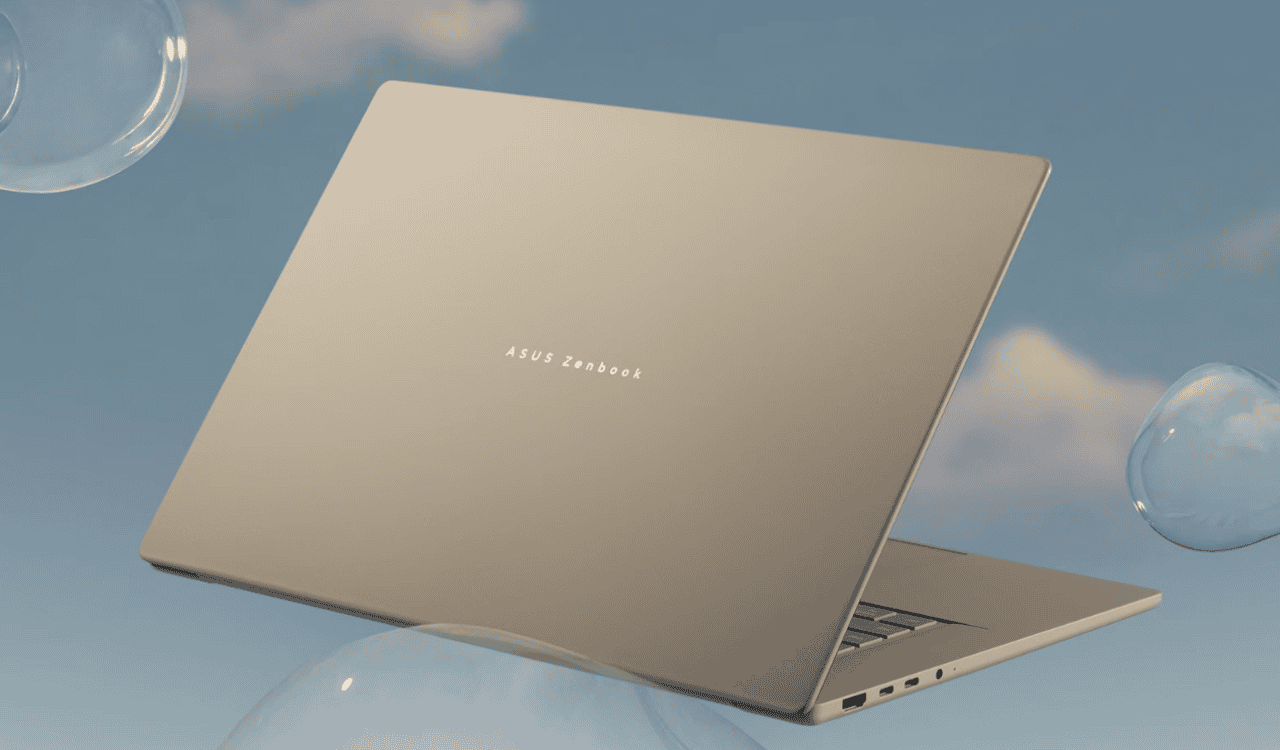
ASUS Zenbook A16 Launches With 48GB RAM and Snapdragon X2 Elite Extreme for $1,599

ASUS has quietly launched the Zenbook A16 with Qualcomm’s Snapdragon X2 Elite Extreme, and it’s already available to grab on Best Buy for $1,599.99. Now, you might be wondering what you get for that amount, right?

Well, that price gets you a 16-inch 2880 x 1800 OLED touch display at 120Hz, an 18-core CPU clocked up to 5.0 GHz, and a staggering 48GB of RAM paired with a 1TB SSD. For a first-wave Snapdragon X2 device, that’s unusually generous on paper. The Zenbook A16 appears to be the early frontrunner for anyone chasing a high-memory Copilot+PC without breaking the bank.

Image credit: ASUS

If you are wondering what Snapdragon X2 Elite Extreme delivers, here’s a breakdown for you. Snapdragon X2 Elite Extreme is Qualcomm’s top-tier Windows PC platform, designed for thin-and-light Copilot+ laptops. With an 80 TOPS NPU, it’s aimed at AI workloads, local image generation, and other heavy compute tasks. Qualcomm claims the Elite tier delivers up to 31% faster CPU performance at ISO power and up to 43% lower energy use compared to the previous generation.

The X2 Elite Extreme variant on the Zenbook A16 features:

  • 18-core CPU, up to 5.0 GHz
  • 80 TOPS NPU, nearly 2x faster than the previous gen
  • GPU performance up to 5.0 TFLOPS, multi-monitor ready
  • Support for up to 128GB LPDDR5x RAM
  • Always-On AI features, live captions, noise suppression
  • Wi-Fi 7, 5G, Snapdragon Sound
Image credit: Qualcomm

Meanwhile, the smaller Zenbook A14 packs the regular 18-core Snapdragon X2 Elite with 16GB RAM and a 512GB SSD, keeping the same NPU performance target but in a more compact 14-inch form factor. You can also grab it from Best Buy for $1,149.99.

Image credit: ASUS

As reported by VideoCardz, Best Buy is the only confirmed retailer. With top-tier specs, high memory, and fanless efficiency, the Zenbook A16 looks like a compelling entry in the Snapdragon X2 lineup. How it performs in real-world testing will be the key, but on paper, it’s already hard to beat at this price.

Intel Core 9 273PQE “Bartlett Lake” Runs on Desktop Board Thanks to Custom BIOS Mod

A PC modder known as Kryptonfly on Overclock.net has successfully booted the Intel Core 9 273PQE on a regular ASUS Z790 motherboard using the LGA 1700 socket. This marks a rare breakthrough in hardware modding, especially since the chip targets embedded and edge AI systems rather than desktop PCs.

Custom BIOS and AI-assisted tweaks make it possible

To achieve this, the modder created custom BIOS microcode and patched the firmware initialization process. AI tools, specifically Claude, assisted in developing and refining the modifications.

The key trick involved making the system treat the CPU as a Raptor Lake chip during boot. This allowed proper system agent and memory initialization, which are critical for a successful POST sequence.

Stable Windows 11 boot with no major errors

After applying these changes, the system moved smoothly from POST to BIOS and fully booted into Windows 11. Reports confirm there were no crashes or common motherboard errors like the 5F code.

Tools such as CPU-Z correctly identified the processor, and the system behaved similarly to a standard consumer CPU setup.

A unique all-performance-core configuration

The Core 9 273PQE features 12 performance cores with no efficiency cores, delivering 24 threads and operating at around 3.4 GHz. This configuration differs from typical hybrid Intel designs, making it particularly interesting for enthusiasts.

Why this breakthrough matters

This experiment shows that OEM-only Intel CPUs can run on consumer hardware with the right firmware modifications. It also highlights the flexibility of Intel’s platform and opens the door for further experimentation with non-standard chips.

For the modding community, this stands as a major milestone and could spark renewed interest in all-performance-core CPU designs.

In other news, Intel has confirmed it will stick with Raptor Lake CPUs as rising build costs continue to impact its plans. The Core Ultra 7 251HX has also surfaced, while XeSS plugin support for the Unity Engine has been discontinued.

Via Notebook Check

Microsoft Finally Fixes Classic Outlook Bug That Won’t Let You Send Emails

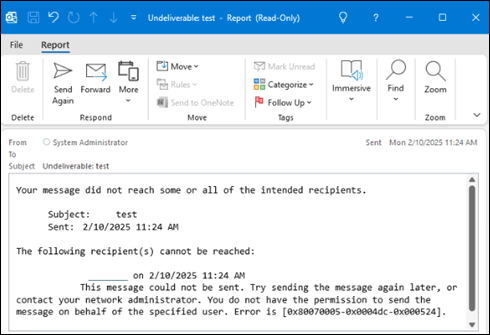
Last week, Microsoft confirmed user reports about receiving a non-delivery report (NDR) error message when sending or replying to emails. Users affected by this Classic Outlook bug usually come across an error message that reads, “This message could not be sent. Try sending the message again later or contact your network administrator. You do not have the permission to send the message on behalf of the specified user. Error is [0x80070005-0x0004dc-0x000524].”

Image credit: Microsoft

At the time, the company shared three workarounds as a temporary fix. Now, the issue has been officially fixed. In the updated documentation first spotted by Bleeping Computer, Microsoft has changed the status of the issue as “Fixed” and confirmed that “The Outlook Team implemented a service change to address this issue that is in production as of April 3, 2026.” That said, if you are still affected by Classic Outlook bug not letting you send emails, there are a few things Microsoft recommends doing.

First, you need to download the Outlook Address Book for any Outlook.com accounts that are having the issue. For that you can follow the steps given below:

  1. Open Outlook and select the Inbox of your Outlook.com account.
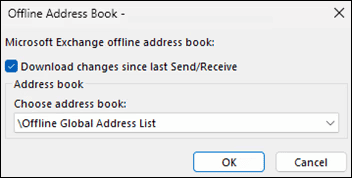
  2. On the ribbon select Send / Receive, select the Send/Receive Groups dropdown, then select Download Address Book.
  3. Uncheck Download changes since last Send/Receive.
  4. Select OK.
Image credit: Microsoft

Microsoft adds that the goal of this step is to ensure the OAB folder is populated. Its folder is in path %LOCALAPPDATA%\Microsoft\Outlook\Offline Address Books. For Outlook.com accounts the OAB ends with “000000000000”, e.g. 00060000-ff01-d3b9-0000-000000000000. It should be noted that Outlook usually downloads the OAB files every 24 hours.

After that, make sure the Autodiscover.XML is downloaded and exists. To check the same, follow the steps given below:

  1. Restart Outlook (this will download the Autodiscover.XML)
  2. Open the folder at %LOCALAPPDATA%\Microsoft\Outlook
  3. Use Windows Search to search this folder for the Outlook.com email address and the results will show the Autodiscover file, [email protected].
  4. If this file exists with a current Date Modified, then you should be good to go.

Speaking of fixes, let’s not forget that Microsoft has also recently fixed the Teams meeting add-in issue affecting Classic Outlook users.

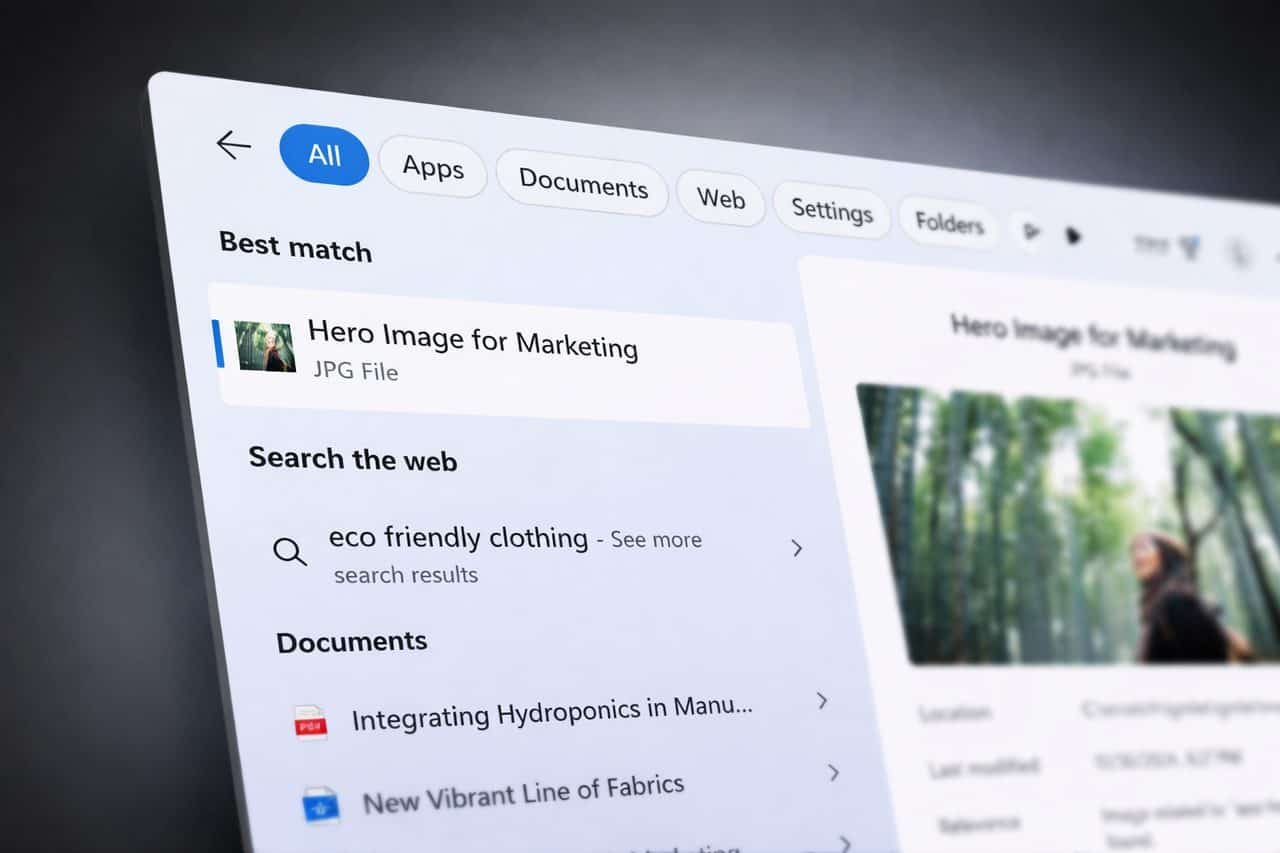
Microsoft Plans to Fix Windows 11 Search With Faster, More Accurate Results

Microsoft is preparing a major overhaul of Windows 11 search, aiming to fix long-standing issues that frustrate users daily.

According to Windows Latest, the company is actively working on improving Start menu search, with a strong focus on speed, accuracy, and consistency across the system.

Search issues Microsoft wants to fix

Users have reported several problems with the current Windows 11 search experience. These include incorrect app suggestions, noticeable delays before results appear, and results shifting while users try to click them.

Another common complaint involves the mixing of apps, files, and web results, which often leads to confusion instead of quick access. This directly impacts the popular “Win key + type” workflow used by power users.

Microsoft acknowledges the problem

Diego Baca, Windows Design Director, confirmed that Microsoft is aware of these issues and is already working on improvements internally.

The company aims to make search results more predictable, faster to load, and more consistent across different parts of Windows.

What improvements are coming

Microsoft plans to refine how apps appear in search results, making them easier to find and more accurate. The company also wants to improve indexing and response times, reducing delays when typing queries.

Another key goal is consistency, ensuring that search behaves the same way in Start, File Explorer, and Settings.

Overall, the focus is on delivering clearer and more trustworthy results, addressing one of the most criticized parts of Windows 11.

Search isn’t the only area getting attention. Microsoft is also working on bringing back Taskbar customization, a feature many users have requested since Windows 11 launched.

The company recently teased this capability in a video, suggesting that more personalization options could return soon.

Anthropic Signs Compute Deal with Google and Broadcom as Run-Rate Revenue Exceeds $30B

Anthropic has officially signed a massive compute deal with Google and Broadcom to create multiple gigawatts of AI processing power using TPUs. This will allow the company to power its future Claude language models. The company says that the processing facilities should be online by 2027.

The push for more AI compute is getting serious

The announcement follows a significant increase in the demand for Anthropic’s Claude models in 2026. Notably, the company also announced that it has surpassed $30 billion run-rate revenue mark, almost tripling the $9 billion reported in 2025. Additionally, the company saw a doubling of the number of organizations paying them over $1 million annually, climbing to more than 1,000 in the last few months.

This new agreement builds on Anthropic’s earlier partnerships, especially with Google Cloud and Broadcom. Most of the new infrastructure will be based in the United States, expanding its earlier $50 billion commitment toward domestic compute investments.

Anthropic is not relying on a single ecosystem either. It continues to train and run Claude across multiple platforms, including AWS Trainium, Google TPUs, and NVIDIA GPUs. This multi-platform approach likely helps balance performance, cost, and reliability depending on workload needs.

Speaking of competition, this move highlights how aggressively AI companies are locking in compute supply. Google strengthens its TPU position here, while Broadcom benefits from deeper infrastructure integration. At the same time, Amazon remains Anthropic’s primary cloud partner through AWS and Project Rainier.

Claude also stands out as one of the few frontier models available across all major cloud platforms, including AWS Bedrock, Google Vertex AI, and Microsoft Azure. All that said, it’s still early to tell how this capacity will translate into real-world performance gains. The 2027 timeline suggests a longer runway, and demand may shift further by then.