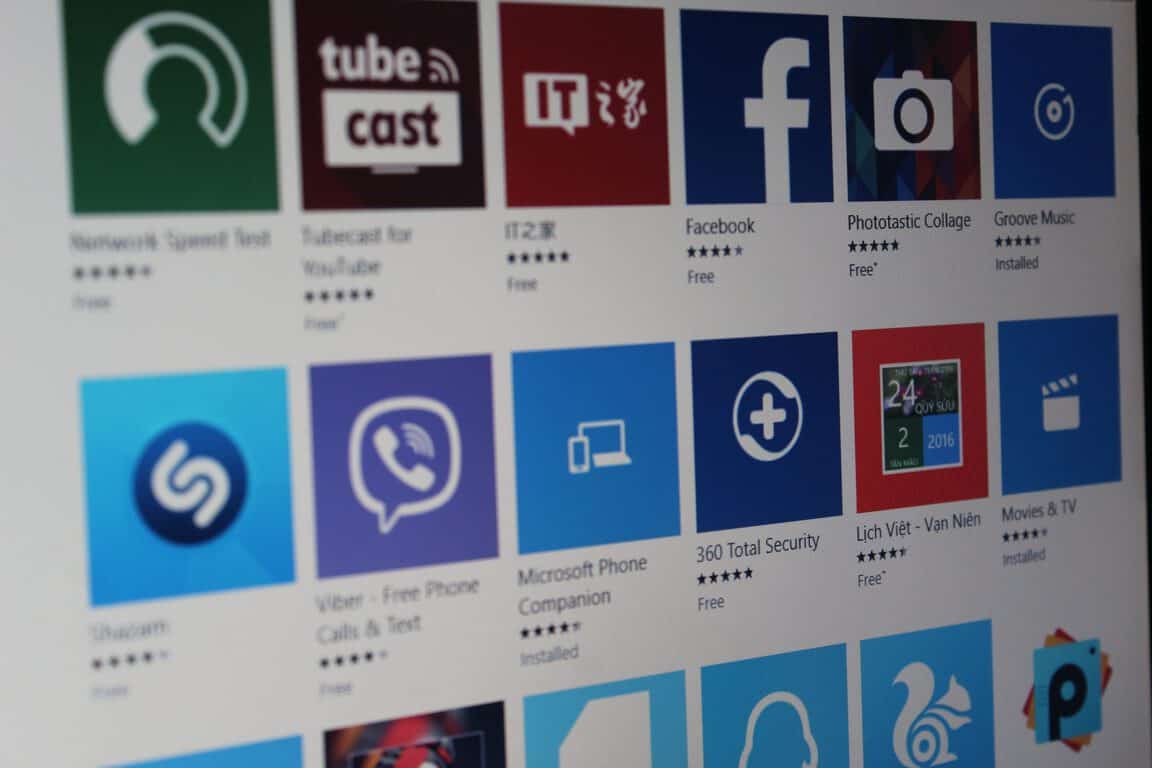
Save now on some hit comedies on the Windows Store

Looking for some entertainment this week? The Windows Store is hosting the Comedy Sale from now until the 20th, offering a selection of some relatively recent comedy movies for your viewing pleasure, along with some classics. Movies like Sausage Party and Swiss Army Man are on tap for the sale, but you’ve also got access to films like Spaceballs, Hot Rod, and Dodgeball. An exceptionally strong lineup, to be sure.

The highest price tag you’ll find on this sale is just $10.99, but discounts can go as low as $2.99 if you’re looking to enjoy a dive in the bargain bin. If you’re on the east coast of the US and snowed in right now – or you’re just looking to have a lazy night sometime this week – you should definitely take a look at the selection and pick something up.

Reservoir Dogs Bloody Days is a new video game bearing the classic movie’s namesake

Reservoir Dogs is a title that many will recognize not for the mediocre video game that was released quite some time ago but for the movie that game was inspired by. The movie bears the mark of Quentin Tarantino and has become a classic which is still celebrated by enthusiasts all over. While the game wasn’t the kind that would pass the test of time, it would seem that there are people willing to give the franchise another shot.

A new Reservoir Dogs game is coming

The new supposed Reservoir Dogs video game will be available for PC and Xbox One. The game’s developer is Big Star Gaes, the company behind the popular and much discussed Hotline Miami.

Featuring something called the Time Back system, the new Reservoir Dogs game has already spawned a reveal trailer. From that piece of video, the game gives off an indie vibe for sure but it yet unknown how much of that vibe will be carried over to the actual experience.

Many are confused

As it was to be expected, reviews were mixed. From the trailer. it is hard to figure out if there are any shred of actual content related to the movie aside from character names. While it bears the name Reservoir Dogs, a lot of people failed to see anything that could tie this game to the franchise.

That’s quite understandable as from a distance it looks like the developer made a game and just slapped a well known name on it to bank some easy cash. Since the only thing made available so far was the reveal trailer, every naysayer might be proven wrong in the near future.

If the game turns out to be as much Reservoir Dogs as it can be, that still leaves out the story aspect. It is unknown if the game will try to retell the story of the movie, re-do the first game, or set itself in the past or future of the universe of the first game.

J. Walter Thompson sees Microsoft Teams beating its rivals in the team collaboration space

Earlier today, Microsoft announced that its Teams collaboration app was now generally available to Office 365 customers. The new chat-based workspace in Office 365 has been available in preview since November, and more than 50,000 different organizations have already started using it.

One of them is J. Walter Thompson, a global marketing communications agency. In a new guest post on the Office blog, Jamie McLellan, chief technology officer at J. Walter Thompson explained how embracing Microsoft Teams allowed the company to improve collaboration among its 12,000 employees. According to him, Teams can really appeal to anyone already using other Office 365 apps:

Microsoft Teams connects our organization with an interface that supports the way we work, and I have seen firsthand how diverse working styles and demographics can all flourish within the Teams framework. For the employees in our company who are excited about technology that mirrors the software they use at home, the immediate chat-based collaboration and feedback across devices and the engaging Teams interface are very familiar and appealing. At the same time, employees who prefer a structured working environment, or who are concerned with policy, find that Teams fully meets their needs as well. It’s the best of both worlds and it’s not often that you find a single tool that has such a wide appeal.

The CTO also praised the advanced Office 365 security and compliance capabilities, adding that high-security standards also matter for the company’s clients. “Clients are likely to feel safer interacting with us in a Microsoft platform like Teams as opposed to a third-party or start-up program,” he added.

Overall, McLellan expects Teams to beat its rivals in this highly competitive space. “We see it outpacing third-party tools that are not designed for enterprise collaboration, and enticing users back onto a single platform,” he explained. You can learn more about how J. Walter Thompson uses Microsoft Teams by reading the full case study.

Microsoft Teams started off on a fruit farm, now launching in over 121 countries

It’s hard to believe how far a small project can become a worldwide software program, but it’s a story that Microsoft isn’t stranger to. With Microsoft Teams becoming generally available today, the collaborative software team explained to The Verge in an exclusive interview that it’s nowhere near where it started.

In fact, Microsoft Teams was conceived as a close-knit model pitched in February 2015 to compete for business interest against Slack and Hipchat. Brian MacDonald, head of Microsoft Teams, wanted to go to offsite locations to learn more about what businesses would need for their tools. One of these, as you might have guessed, was a fruit farm in Hawaii. The other, a Las Vegas hotel room where the engineering team bunkered down.

The idea was to simulate a digital workspace that incorporated global offices and a need for remote tools. Apparently, their month at each location proved just what the coder ordered with a working prototype already built as of April 2015. According to Jigar Thakkar, engineer head of Microsoft Teams, using the early build daily helped them make it that much better.

“Every Friday we used to have these 60-second demos,” explains Jigar Thakkar, head of engineering for Microsoft Teams. “Every developer on the team would come and demo what they had built in that week to all the developers, program managers, and designers. Week after week we’d see the whole product coming together very quickly.”

When they weren’t using the prototype of Microsoft Teams, they also used competitor products to compare the two. The Teams focus on business integration in Office 365, however, makes it unique to its predecessors. It already has 150 third-party integrations and over 50,000 organizations have adopted Microsoft Teams. All before it even went generally available just earlier today.

Learn more about what’s coming to Microsoft Teams for Office 365 on its official launch event page.

Overwatch announces Orisa release date; here’s a behind-the-scenes video

Seems like Overwatch fans have been waiting just long enough, according to a Blizzard tweet posted earlier today. After months of speculation and teasing, the dev team is ready to bring Orisa out of testing and into the live game (via Tech.Mic.)

On March 21, the ‘spider tank’ modeled after the OR-15 robots in Overwatch lore will be busting onto the battlefield. Her serve and protect artificial intelligence renders her quite the capable tank, joining the lineup to fight the good fight. Blizzard also released a behind-the-scenes video showing the process. From concept, Orisa is inspired by African tones and design. Her unique place in Overwatch makes her the youngest not only in gameplay but in the game’s team of heroes.

After two weeks in PTR, this patch will be launching across PC, Xbox One, and PS4 simultaneously.

Microsoft Teams throws off preview tag, reaches general availability

Microsoft Teams, the company’s much-talked-about Slack competitor is now generally available to Office 365 commercial customers. The global launch was announced today during a live streamed event from Microsoft headquarters, where the company announced that more than 50,000 different organizations including Accenture, Hendridck Motorsports and Expedia have started using Teams during the public preview.

Starting today, Teams is now automatically provisioned within Office 365 and Microsoft hopes that its 85 million monthly active Office 365 commercial e users will quickly adopt the new offering. From the beginning, Microsoft emphasized that Teams is not a replacement for email, SharePoint, Yammer and Skype for Business but a flexible chat-based workspace in Office 365. The native integrations with the Office apps, OneNote, SharePoint and PowerBI also give Office 365 customers a big incentive to choose Teams over its competitors.

Microsoft teams channels
Microsoft Teams.

“Microsoft Teams is a digital workspace built on four core promises: chat for today’s teams, a hub for teamwork, customization options, and security teams trust,” explained Microsoft.

During the preview, Microsoft delivered more than 100 new features including built-in audio and video calling on mobile, public teams, a scheduling assistant, support for bots in channel and more. And while Teams is already highly customizable by organizations, Microsoft also announced today new integrations with SAP SuccessFactors and Trello. “These partnerships give users shared perspective on all their work without having to switch tools,” explained Microsoft.

Among the companies that are already on board with Microsoft Teams, Trek Bicycle highlighted that adopting the new chat-based workspace allowed its employees to significantly improve their workflow. Laurie Koch, Vice President, Global Customer Service, Trek Bicycle, explained:

Across Trek’s global teams, the integrated collection of Office 365 applications serves up a common toolset to collaboratively drive the business forward. We see Microsoft Teams as the project hub of Office 365 where everybody knows where to find the latest documents, notes, and tasks, all in-line with team conversations for complete context. Teams is quickly becoming a key part of Trek’s get-things-done-fast culture.

Microsoft is committed to improving Teams with new features in the coming months: in June a new update will bring guest access capabilities, deeper integration with Outlook and a richer developer platform. “Expect our pace to be rapid and responsive to customer needs,” explained Microsoft. If you want to learn more about the Teams, make sure to follow Microsoft’s Ask Us Anything session on March 22nd at 9:00AM PST on Microsoft’s Tech Community website.

Resident Evil: Revelations is bleeding over to Xbox One later this year

Survival horror video game Resident Evil: Revelations will be re-released on the Xbox One in Fall 2017, Capcom announced on Twitter yesterday (via Polygon). The game originally launched on the Nintendo 3DS back in 2012, but an HD version of the game was released a year later on Windows, the Xbox 360 and other 7th gen consoles.

Resident Evil: Revelations will be the last remastered episode to land on the Xbox One following the launch of Resident Evil 4, 5 and 6 last year. The game is set between the events of Resident Evil 4 and Resident Evil 5 and features fan-favorite characters Jill Valentine and Chris Redfield. The action takes place aboard a ghost ship in the Mediterranean Sea where players have to fight off a bioterrorist organization trying to infect the Earth’s ocean with a deadly virus.

Capcom shared that the game will be available in both digital and physical editions, and we should get more details about features and pricing in the coming weeks. If you didn’t play the game on other platforms already, let us know in the comments if you’re looking forward to discovering it on the Xbox One.

‘The Great Wobo Escape’ is the latest Windows Store game from Game Troopers

Game Troopers has always been known for their loyalty to the Windows Store, and the developer is at it yet again and has released “The Great Wobo Escape” for Windows 10 PC and Windows 10 Mobile. As always, we’ve included all the details for you below, complete with a download link.

As noted by Windows Central, the game is available for $7.99 and even supports Xbox achievements. In the world of “The Great Wobo Escape,” you’re alone and unarmed, and your only chance is to hide in shadows and use the environment to your favor while crushing dieselpunk enemy robots. You must also create diversions and chaos, and use stealth approaches, shift into fast-paced escape mode to be successful in this game. Other features of the game include the following.

  • STEALTH & ACTION Fast-paced action-filled stealth game full of puzzles, deadly enemies, hidden passages, dangerous traps and tricky hazards.
  • BEAUTIFUL 3D GRAPHICS Pushing limits of mobile devices with detailed, high-res textures, environments and characters.
  • VISUALLY UNIQUE Unique visual style – play as a futuristic high-tech robot, fight dieselpunk enemies of various sizes and shapes.
  • SCI-FI STORY Rich story in an absorbing sci-fi world exploring a thin line between a machine and a living intelligence, where colony’s AI went rogue and persecutes robots.
  • FAMILY FRIENDLY FUN Approachable by young audience – no blood, just a comic mischief with a pinch of sabotage towards evil robots!
  • CONSOLE-LIKE EXPERIENCE Enjoy playing in 1080p* resolution and full gamepad controller support.

What are your favorite Windows 10 and Windows 10 Mobile games? Let us know your thoughts in the comments, and feel free to check out the game by clicking below!

The Great Wobo Escape
Developer:
GAME TROOPERS
Price:
Free

The best secure chat software to protect your privacy online

One of the most popular ways to communicate with others online is via instant messaging software. There are many great chat clients available online, but not all of them protect your privacy. Even though many clients encrypt their messages, that doesn’t mean that the provider can’t read them. If you’re concerned about your privacy and you’re looking for secure chat software for Windows 10, you might want to check out some of the tools from our list.

What is the best secure chat software for Windows 10?

CryptoCat

CryptoCat is free chat software for Windows, Linux and Mac. Unlike many other chat programs, CryptoCat encrypts your data before it leaves your computer. This means that the service provider is unable to read your messages. This makes communication with your friends completely secure from malicious users and third-parties, including your provider. Regarding your privacy, CryptoCat uses forward secure encryption, certificate pinning, code signing, and open source publication.

In addition to being free, CryptoCat is also open source, so anyone can examine the code and suggest future improvements. As we previously mentioned, every message in CryptoCat is encrypted by default, thus remaining completely secure and only visible to you and your contacts. Thanks to the forward secure technology, your message will remain secure even if the security keys are stolen by third party. It’s also worth mentioning that users will receive message even when offline. Lastly, the application supports secure file sharing, so you can easily and securely share files with your contacts.

CryptoCat is completely free and multi-platform chat software. The application is simple to use, and if you want to keep your chats secure and private, feel free to try this application out.

  • READ ALSO: New Notepad update fixes Vault 7 privacy vulnerabilities

Signal

If you’re looking for a secure chat software, Signal might be the best choice for you. Signal is an Android and iOS app, but there’s also a Chrome extension available. Before you can use Chrome extension on your PC, you need to install the application on your iOS or Android device. After that, you need to use the QR code to verify your PC. Once the verification process is complete, you’ll be able to have secure chats from your PC with ease.

The application works like any other chat client, and it allows you to send text, pictures and videos to your contacts. We also have to mention that application supports group texts as well. The application uses your phone number and your address book, so there’s no need to add your contacts again.

Signal encrypts your messages using end-to-end encryption so your message will remain secure at all times. Your messages are completely secure and not even Signal or your service provider can read them. The application also allows you to archive your messages, so it’s rather easy to keep your important messages.

Application also allows you to make free calls, and all your voice calls are completely private. Signal is a great application, and it’s completely free. In fact, the application doesn’t have any ads and it fully relies on community donations. If you want to protect your privacy online, Signal is one of the best applications. However, in order to use it on your PC, you need to install it first on your Android or iOS device.

Jitsi

Jitsi is another free and multi-platform chat software. The application offers secure text chat and video calls. In addition, Jitsi supports conferencing, desktop sharing and file transfer. Regarding desktop sharing, this application allows you to share your desktop with any user that has video capable XMPP or SIP client. In fact, you can even allow other Jitsi users to interact with your applications.

  • READ ALSO: Windows 10 Creators Update adds more control to update installation and privacy

The application encrypts all communication, so your messages won’t be visible to third parties. Jitsi is available for Windows, Mac and Linux, and since it’s completely free, there’s no reason not to try it. The application might be bit harder to use than our previous entries, so Jitsi might not be the best solution for first-time users.

Pidgin

Another great chat software for Windows is Pidgin. This application allows you to work with wide range of chat networks. Pidgin supports AIM, Google Talk, IRC, XMPP, Yahoo, ICQ and many other chat networks. In total, the application supports 15 different chat networks. If you need support for more chat networks, you can get it by using one of many available plugins.

Pidgin supports file transfer, away massages, buddy icons, custom smilies and many other features. The application offers simple user interface, and it allows you to connect to different chat networks simultaneously. We have to mention that setting up different chat networks is relatively simple, but in order to use different chat networks you need to configure them properly first.

Pidgin is a universal chat software, but its main strength is in its plugins. Pidgin supports various plugins that can bring new features and improve your security and privacy online. If you want to have secure chats with your friends, be sure to download and install the appropriate Pidgin plugins. One plugin that can help you protect your privacy is Off The Record plugin, so be sure to download it.

RetroShare

If you’re looking for a free and secure chat software, RetroShare might be just what you need. This application is completely decentralized and it doesn’t use any servers. It’s also worth mentioning that the application is open source and free, so you can distribute it and use it without any restrictions. In fact, the application doesn’t even have ads, which is also a major plus.

  • READ ALSO: Windows 10 privacy gets major changes to win over suspicious users

Just like any other chat software, RetroShare allows you to send text or images. If you want, you can also chat with various people in chat rooms. The application uses distant chat feature that allows you to chat securely with your friends’ friends. In addition to text messages, RetroShare allows you to make video and voice calls thanks to plugins.

This application also supports encrypted email messages. This means that you can send secure messages to other members of the network. The application will deliver emails to your friends, even if they are currently offline. RetroShare also supports file sharing within your network. The application uses swarming system similar to the BitTorrent thus providing you with fast transfer speed. The tool supports large files, and your privacy will be protected while sharing files with others. RetroShare uses anonymous tunnels, and only your friends can learn which files you download.

Another feature is the ability to write and read forum posts online. The application supports decentralized forums, so you won’t have to worry about censorship. There’s also support for channels, and you can even publish files to channels in order to share them. It’s also worth mentioning that this application works with Tor and I2P, so you can hide and protect your IP address.

RetroShare offers wide range of features, and if you’re looking for secure and free chat software, this might be the perfect application for you. The application offers some advanced features, so it  might not be the best choice for novice users.

Telegram

Another secure chat software for Windows is Telegram. This application is available for most mobile platforms including Android, iOS and Windows Phone. This application also works with Mac, Linux and Windows PCs. In fact, there’s even a web version so you can use this tool on almost any PC or operating system.

Just like many other chat applications, Telegram allows you to connect with others and send messages and files. The application allows you to create groups, and you can create groups up to 5000 members. As we already mentioned, this is a multi-platform application, and all your messages will be synced across all your devices. Application also supports encryption, and you can even auto delete your messages after a predefined time period.

Telegram offers fast massage delivery and encryption, so your messages will remain private at all times. Since all your messages are encrypted, they will remain safe from third parties and hackers. It’s worth mentioning that this application is free, and it doesn’t have any subscription fees or ads.

Telegram is a simple chat application that will protect your privacy online. We have to mention that there’s a portable version available, so you can use it on any PC without installation.

Wire

If you’re concerned about your privacy, and you don’t want companies to sell your personal information to advertisers, you might want to consider Wire. According to the developer, Wire uses high-quality encryption that protects data. This application supports text, voice and video, and each message will always be encrypted end-to-end. We also have to mention that this tool supports secure group chat. Since this is a multi-platform application, all your conversations are available on multiple devices.

All messages are encrypted on your device before sending, and they can only be decrypted by the receiver. Wire doesn’t have any decryption keys on their servers, so your messages will remain protected even from Wire. If you want maximum protection, you can also verify identify of other users thanks to the fingerprint scanner. The application also supports encrypted file sharing as well as voice and video calls.

Wire offers amazing features, and it’s completely open source and free to use. If you’re looking for a secure chat software, Wire is probably one of the most secure applications available.

Tox

Another secure chat software that we want to show you is Tox. Just like any other chat software, Tox allows you to send text messages or to have voice or video calls. Of course, all your text messages and video and audio calls are encrypted and completely private. The application supports both screen sharing and file sharing, so you can easily share your files with others. Tox also supports group chats and calls, thus allowing you to easily communicate with multiple people.

As we already mentioned, all data sent trough Tox is encrypted by using open-source libraries. In addition, Tox doesn’t use central servers for communication, which means that only you and your recipient can see your messages. Lastly, Tox is completely free, and you can download, distribute and modify it without any limitations.

Tox is a solid chat software, and if you’re concerned about your privacy online, be sure to try out Tox. Regarding availability, the application is available for all major PC and mobile operating systems.

Threema

Another secure chat software that can encrypt your messages is Threema. According to the developer, this application will store as little information as it can on its servers. Groups and contacts are stored on your device, and all messages are deleted from the servers after the delivery. The application offers end-to-end encryption which means that all your chats, group chats and files are encrypted. As a result, only you and your recipient can decrypt and view your messages.

The application offers full anonymity to the users, and each users gets a random ID. In addition, Threema doesn’t require email or phone number in order to use it. The application also allows you to verify your contacts. You can do that by scanning their QR code or by comparing key fingerprints. This ensures that you’re communicating directly to your contacts and not to a third party or malicious user.

Threema is available on iOS, Android and Windows Phone devices, but you can also use it on your desktop PC. There isn’t a desktop version available, but there’s a web version that you can access from any PC. Before you can use the web version, you need to authenticate your phone using a QR code. We also have to mention that Threema isn’t a free application, so if you want to use it, you’ll need to purchase it first.

LAN Messenger

Unlike the previous tools on our list, this one works in LAN environment. This application is perfect for your office because it allows you to chat with your colleagues. All messages are encrypted with AES-256 encryption, so they will remain protected from third parties. The application has a simple user interface, and in order to use it, you just need to install it on every PC in your network. Speaking of simplicity, LAN Messenger doesn’t require dedicated server in order to run. Instead of a server, the application users peer-to-peer connection.

Just like any other chat application, LAN Messenger allows you to send individual or group messages. We also have to mention that this application supports offline messages. This means that you can send messages to offline users, and they’ll receive them once they come online. In addition, the application supports file sharing, so you can share files easily with other users on your local network. LAN Messenger also allows you to create user groups, and it also supports Remote Desktop feature. Using this feature a college can take control over your PC remotely and help you solve a specific problem. The application also supports Message History, so you can easily keep track of all old messages. If needed, you can also restrict the access to certain features of this application.

LAN Messenger is a solid secure chat software, but its biggest limitation is that it only works in local environment. This means that this software isn’t the best choice for personal use, but it will be perfect for any office environment.

Pryvate

If you’re looking for a secure chat software, Pryvate might be perfect for you. The application offers free instant messages as well as voice calls. Of course, both messages and voice calls are encrypted and safe from third parties. Pryvate doesn’t have encryption keys on its servers which means that your data will remain hidden even from Pryvate. Each message is encrypted on your device, so only the receiver can decrypt it and view it. In addition, Pryvate doesn’t keep record of communication, thus keeping your messages completely private.

Pryvate Pro offers secure video calls as well as private emails. The Pro version also supports secure file transfer and secure conference calls. If you want to use Pryvate on your PC, you’ll have to purchase a Premium plan. We also have to mention that Pryvate is working on self-destructing messages, and we should see this feature available for all versions of the app in near future.

Pryvate offers solid security, so it perfect for both basic and advanced users alike. Even though the basic version is free, you’ll have to purchase a premium package if you want to use a desktop version.

BeeBEEP

This application allows you to send message securely to other users in your local network. BeeBEEP is a free application, and it’s available on all major desktop platforms. The application uses Rijndael Algorithm (AES) encryption that allows you to send encrypted messages to groups or individual users. Thanks to the peer-to-peer structure, you also easily share files with others.

BeeBEEP doesn’t use a dedicated server, but it allows you to send messages to offline users. Of course, the application supports message history, and you can see all your previous messages. The application is completely free to use, but its biggest limitation is that it only works in local network. It’s wroth mentioning that the portable version is also available, so you can run this tool without installing it on your PC.

Tor Messenger

Tor Browser is probably one of the most famous private browsers available. In addition to Tor Browser, there’s also a Tor Messenger available that allows you have secure chats. This application supports wide range of networks, and it works with Jabber (XMPP), IRC, Google Talk, Facebook Chat, Twitter, Yahoo and many others. The application also has Off The Record messaging feature enabled by default.

This tool is built on Instantbird client, and it routes all your data through Tor network thus masking your route to the server. Tor Messenger requires a bit of configuration in order to work properly, so it might not be the best choice for novice users.

Bleep

If you want a simple and secure chat software, you might want to consider Bleep. This application doesn’t require you to create an account in order to use it. To use it, simply download it and install it, invite your friends and start chatting. The application offers total privacy, and since there’s no dedicated server, your messages won’t be stored in the cloud.

Bleep also supports whisper messages that will delete themselves once you read them. This feature is great if you don’t want to leave any records of your messages. Bleep is a simple application that offers end to end encryption over P2P network thus keeping your data secure at all times. The application is available for free, and you can download it for Windows, Mac, Android or iOS.

Bopup Messenger

If you’re looking for a secure LAN chat software, Bopup Messenger might be just what you need. The application offers simple and lightweight interface, so it will be perfect even for first-time users. Bopup Messenger is designed for corporate environments, and using it you can connect all colleagues, even ones from other offices and locations.

  • READ ALSO: WhatsApp changes privacy policy, shares phone numbers with Facebook

Just like any other chat application, Bopup Messenger allows you to send chat messages and files. In addition, the application also allows you to to have group chats. We have to mention that all your messages are encrypted so third-party users won’t be able to see them. The application also allows you to send files and messages to offline users. If a user is offline, your message will be stored on the IM server. After the user comes back online, the message will be delivered.

Bopup Messenger users Terminal Server/Citrix environment, and it allows multiple users to use this application on a single PC. The application uses a central server that logs all activity and archives all messages. You can also manage messaging groups, user’s contact information and permissions from the server. The application also supports several authentication methods.

Bopup Messenger requires IM server in order to work, so you’ll have to configure a server in your office before you can use it. The server also allows you to update all Bopup Messenger clients remotely from the server.

Bopup Messenger offers secure and encrypted chat, and it even works as a portable application, so it doesn’t require installation in order to work. This application is made for corporate environment, so it might not be the best choice for home users.

Office Chat

Another secure chat software for your office is Office Chat. This application is available on smartphones and PCs, and it works on Windows, Mac, iOS and Android. The application allows you to easily organize your contacts into groups, which can be quite useful. Office Chat allows you to send message without hitting the Send button. Thanks to the Hyper Real-Time Mode, the recipient can view your message while you’re typing it. This can be useful for sharing sensitive information, since you won’t leave any record of the message.

  • READ ALSO: Windows 10 privacy concerns draw criticism from the EFF

Just like any other chat software, this application uses notifications so you won’t ever miss a message. In addition to instant messages, the application supports file sharing, and you can upload and share files up to 2GB in size. Besides files, you can also share video and audio with ease. Just like many other applications, Office Chat supports end-to-end delivery confirmation, so you’ll see when the recipient reads your message.

This software also supports self-destructing messages. As a result, selected messages will delete themselves once they’re read by the recipient. This is a useful feature, especially if you’re sharing sensitive information. The application also offers unlimited chat history, thus allowing you to view all previous messages easily. Office Chat also indexes all your messages and files, and you can easily find any message or file in a matter of seconds.

This application also offers email integration that allows users to respond to messages via email. This is a handy feature for all users that don’t have Office Chat installed. In addition, Office Chat offers integration with various business apps. The application also supports encryption, and if you purchase Enterprise plan, all your messages will be encrypted while sending.

Office Chat offers wide array of features, and it will be perfect for your working environment. We have to mention that this application requires you to purchase a yearly or monthly plan if you want to use it. Encryption isn’t available by default, and if you want to use end-to-end encryption, you need to purchase Enterprise plan.

CoyIM

Another free and secure chat software is CoyIM. This is a relatively new software, and according to the developer, the software isn’t audited, so you might not want to use it to send sensitive information. The application has Tor support, and in order to achieve the best results, we advise to install Tor alongside CoyIM. In addition to Tor, CoyIM protects your privacy by using OTR and TLS. Both OTR and TLS encrypt your messages thus protecting your privacy.

  • READ ALSO: Over 60% of Windows users would switch to MacOS for more privacy

The application is simple to use, and it doesn’t require any additional configuration. Encryption is enabled by default, so you can have secure chats simply by installing this application. We also have to mention that this application doesn’t require Tor in order to work. However, Tor can add another layer of protection, and you can turn it on or off at any time.

CoyIM is a solid secure chat software, but since it’s not audited yet, you might want to use a different client if you need to share extra sensitive information. We have to mention that this application is portable, so you can use it on any PC without installation.

Linphone

Another free and secure chat client that you might want to try is Linphone. The application is available for all major mobile and desktop platforms. Linphone offers instant messaging as well as audio and video calls. There’s also ability to pause and resume calls as well as call transfer. In addition, you can also merge calls into a conference. Just like any other chat software, Linphone offers contact list, call history and the ability to share files. In order to provide the best audio quality, the application uses echo cancellation technology. The application also works with 2G networks, and it allows you to have calls in low bandwidth mode. You can also have a call without any interruptions when switching from one type of network to another. This is useful if you start a call on Wi-Fi network and then switch to 3G.

We also have to mention that this application provides secure communication thanks to the zRTP, TLS and SRTP technologies. Linphone is a decent secure chat software, and since it’s open source, you can use it or modify it without any restrictions.

Ring

If you’re looking for a multi-platform chat software, Ring might be perfect for you. This is an open source application and it’s released under GPLv3 license. The application has an active community that is constantly improving the software. Ring uses OpenDHT protocol and decentralized communication. In addition, the application relies completely on peer-to-peer discovery and connection. As a result, Ring doesn’t use a dedicated server, therefore messages are shared only between you and your contacts.

The application is also secure and it offers end-to-end encryption with authentication. Speaking of authentication, the application offers identity management by X.509 standards. As for the security, it’s based on RSA/AES/DTLS/SRTP technologies.

The application allows you to send text messages and to perform calls with multiple contacts. In addition, Ring supports media sharing, and you can easily share video, audio or photos. Ring is still in beta version, but it offers great features, and it will allow you to have secure chats on your PC. The application is also available on Linux, Mac and Android, and there’s also a Universal app for Windows.

Bit Chat

This secure chat software is still in alpha version, which means that major changes in terms of protocol and interface can occur in the future. This also means that this application still has few bugs, so it’s not the most stable chat software on the market.

Bit Chat is an open source chat software that uses secure peer-to-peer connection. By doing so, this application provides you with end-to-end encryption. The application can work in your local network, but it can also work over the Internet. Bit Chat supports instant messages, but it also supports file transfer, so you can easily and securely share files with others.

In order to ensure your privacy, this application doesn’t use metadata. Only thing that this application requires is your email address so you can register for a digital certificate. Since this application uses peer-to-peer technology, it means that there are no dedicated servers so the communication is direct between you and your contacts.

Regarding the security, each Bit Chat profile is signed with RSA-4096 and SHA-256 certificate. End-to-end encryption uses Perfect Forward Secrecy (PFS) with DHE-2048 or ECDHE-256. Of course, there’s also AES 256-bit encryption that will keep your messages secure.

Bit Chat is still in development, but so far it offers great features to its users. This might not be the best secure chat software since it probably has few bugs, but we’re positive that developers will fix that in near future. The application is available for Windows and Ubuntu Linux, so feel free to try it out. It’s also worth mentioning that there’s a portable version available, so you can use this tool without installing it.

Cyphr

Another application that deserves a mention is Cypher. This is Android and iOS application, but according to the developer, desktop and Web version are in development. To use this application you just have to register a free account and generate your private and public key. Although the application uses a dedicated server, the server can’t read or decrypt your messages. This means that only your recipient can decrypt and view the message.

According to the developer, the application stores minimal metadata on the server. Dedicated server stores temporarily message “blobs” that are inaccessible by the server. The server also stores the recipient and the time stamp of your message. As soon as your message is received, this information is deleted from the server. The application uses public key verification in order to confirm the identity of the recipient, thus preventing man in the middle attacks. In addition, Cyphr uses symmetric, public and private keys to protect your messages.

The application also allows you to adjust the level of privacy and disable certain features if you want. Cyphr is a great application, and with its servers located in Switzerland, your messages should be completely safe. According to the developer, they can’t read or store your messages, so your privacy will remain protected. Cyphr sounds like a promising application, however, it’s only available for Android and iOS. According to the developer, we’ll see a desktop and web version in near feature, so keep an eye out for it.

Although many chat clients offer encryption, not all chat clients are secure. Popular chat applications often store messages on the server, thus allowing the provider to read and analyze your messages. We showed you some of the most secure chat software, but before you decide to download and use a specific tool, be sure to do a little research and check if the application offers the desired security and privacy features.

READ ALSO:

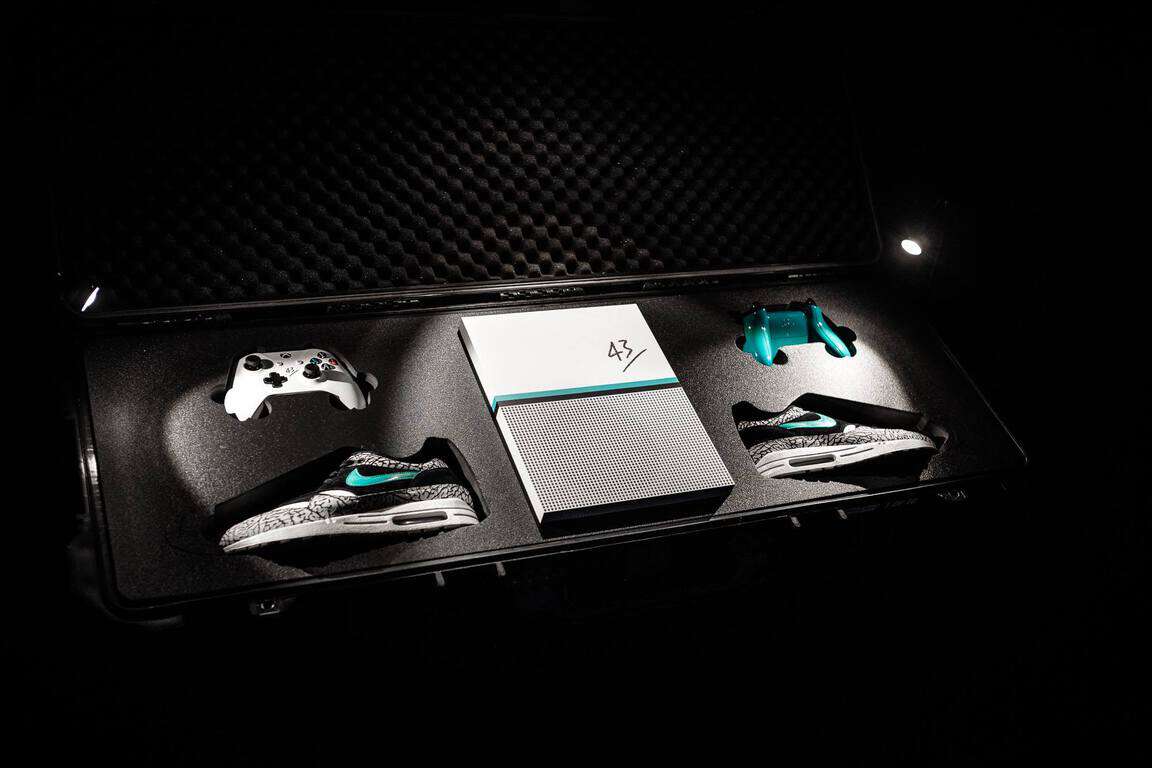
Check out this rare Nike Air Max 1 Atmos Xbox One console design

German shoes company, 43einhalb, teamed up with Microsoft and Nike to create a special limited edition Xbox One video game console for the Lased Up Sneakermesse shoe event in Frankfurt yesterday.

The new console design was inspired by Nike’s Nike Air Max 1 Atmos footwear and even came boxed with two specially colored Xbox One controllers and a pair of the much-hyped shoes. Only 10 units were created for the promotion and all of them were awarded to fans who visited the 42einhalb stall at the event.

Microsoft often releases design variants of its console to help promote sales and reward users and while most of these designs revolve around new game titles, occasionally some rather fascinating creations emerge such as the Year of the Monkey designs from China and Taiwan.

Do you have a limited edition Xbox One console? What do you think of this Nike one? Let us know in the comments below.

Xbox Play Anywhere title Gears of War 4 is 55% off on Amazon

Been waiting to play Gears of War 4 for Xbox One until all the reviews have been accounted for, or simply waiting to squeeze the game into a tight household or college budget?

Well, Amazon has your back by offering this late deal on Gears of War 4 for Xbox One for the low cost of $27.29. Gears of War fans can now pick up the latest installment in the franchise for a steep 55% discount and start enjoying the fan favorite split screen co-op while leveling up skills and narrowly escaping horde upon horde of enemies until their heart’s content.

For our international readers, it, unfortunately, seems the deal is only for US residents, but a quick change of location in the settings menu could net a sweet deal for anyone interested.

Head over to Amazon to see the rest of the details for this amazing deal.

ThisIsMyFile lets you easily unlock or delete protected files

As a matter of course, Windows prevents users from deleting, replacing, or moving a file when it is opened by another program. The best thing to do, therefore, to delete or alter protected files is to look for the program that is using the file in question and end the process.

However, rummaging through a mass of files could be arduous. Thanks to ThisIsMyFile, you have a tool that displays the locked and/or protected files and lets you modify or delete them.

ThisIsMyFile has a simple layout and quick options to add the file or folder that you intend to unlock, delete or modify. There are three methods to add the target file or folder: use the browse button to search for the file, drag and drop the file in the main window, and drag and drop the file on top of the ThisIsMyFile icon or desktop shortcut.

Features

The program’s features include:

Create a copy

  • If you want to copy the file before delete it.

Only info

  • Shows who program that taken the file.

Unlock only

  • Only unlock the file not deleted

Reboot & Delete

  • For very stubborn candidates, activate this option.
  • The system will be shut down and the file and folders will be deleted at system startup.

Reboot & Delete without request

  • There is no query, whether the file / directory is locked.

Process killer

  • Can be found under “More ThisIsMyFile”. This can be used to terminate or kill specific processes.
  • Info: In some cases it is enough, to kill or to terminate the program that has several files and folders in use.

More ThisIsMyFile

  • Here you can see more details about the locked files.
  • The process killer can be used here, Selects the process or program and terminate it.
  • Info: Automatically starts when deleting or unlock directories.
  • Use this in any case when it comes to the delete or unlocking of loaded modules (DLL-s).

Select files

  • Simply drag and drop the locked file to ThisIsMyFile and perform the desired action!

Program Parameters

  • For example: ThisIsMyFile.exe c:\file1.txt c:\file2.txt “c:\file with spaces.txt”
  • The Files with blank e.g. spaces, please always start with and end ‘”‘.

You can download ThisIsMyFile from SoftwareOK.com and check out the program.

RELATED STORIES YOU NEED TO CHECK OUT:

Microsoft announces Dynamics 365 for Operations preview release next month

Once again, Microsoft is opening up one of its services and expanding its preview program to include on-premises Dynamics 365 for Operations. The new program will be open to eager testers next month in April allowing customers to test three different deployment options which will include on-premises/local version specifically for its Dynamics 365 for Operations ERP product.

According to a report from ZDnet’s Mary Jo Foley, Microsoft made the announcement earlier today that detailed the company’s rebranding of its Dynamics AX7 and its combined Dynamics 365 CRM and ERP efforts to Dynamics 365 for Operations along with plans to release both the hybrid and the on-premises versions of Dynamics 365 later this summer.

“In order to obtain the on-premises/local version, customers will need a Dynamics 365 for Operations license with Software Assurance/Enhancement Plan or a subscription model.”

Despite today’s announcement, Microsoft was relatively scant on the details and Foley believes there will be more news revealed in Seattle, Washington at the company’s Dynamics 365 Tech Conference this week.

We’ll update accordingly.

Skype extension for Google Chrome expands integration in latest update

Those who prefer Google Chrome as their preferred browser often do so praising its massive library of extensions. Even Microsoft has its hands in the competition’s interface through the popular Skype extension, which boasts over 10,000,000+ users on Chrome’s Web Store alone. Today, the Skype extension was updated to expand integration into email, calendars, and social media.

Until now, the Skype extension for Google Chrome was mainly a way to access Skype for Web on the fly, making calling significantly easier. With the integration into these everyday tools, users can create/insert Skype call links with the convenient browser button.

The announcement post by the Skype Team explains as follows:

  • Email – Add a Skype call link from within the email composition window in Gmail, Google Inbox, and Outlook.com.
  • Calendar – Create Skype call links right inside your calendar items in Google Calendar and Outlook.com.
  • Twitter – Add a Skype call link for an “Ask Me Anything,” webinar, or open meeting while you’re composing your tweet.

You can download the Skype extension in the Google Chrome store to install it easily into that browser.

IBM attempts to win back speech recognition crown: your move, Microsoft!

Last year, Microsoft made headlines when it announced that its speech recognition technology achieved the lowest error rate in the industry: with a 5.9 percent word error rate, the technology giant claimed that it had reached “human parity,” a big milestone for a company betting big on conversation being the next big platform.

Unfortunately for Microsoft, IBM recently shared that its Watson cognitive computing system has since reached new records in speech recognition with a 5.5 percent word error rate on the same SWITCHBOARD Industry corpus that Microsoft used (via ZDNet). In the announcement, the company hinted that Microsoft was misguided to think that its own speech recognition had already reached human parity:

Reaching human parity – meaning an error rate on par with that of two humans speaking – has long been the ultimate industry goal. Others in the industry are chasing this milestone alongside us, and some have recently claimed reaching 5.9 percent as equivalent to human parity…but we’re not popping the champagne yet. As part of our process in reaching today’s milestone, we determined human parity is actually lower than what anyone has yet achieved — at 5.1 percent.

IBM explained that it determined this 5.1 percent with the help of Appen, a global speech and search technology services company which provided guidance on how to reproduce human-level results. “this discovery of human parity at 5.1 percent proved to us we have a way to go before we can claim technology is on par with humans,” shared IBM.

Overall, it’s still not easy to find a standard measurement for human parity across the industry as the SWITCHBOARD corpus is not the only one corpus of linguistic data to use as a reference. IBM explained that it also tested its Watson technology with CallHome, another corpus composed of casual conversations between family members on topics that aren’t fixed in advance. “On this corpus, we achieved a 10.3 percent word error rate – another industry record – but again, with Appen’s help, measured human performance in the same situation to be 6.8 percent,” explained IBM.

It remains to be seen if Microsoft will fight back, but the Redmond giant still seems to have a more viable shot at making voice the new computing interface thanks to Cortana, than IBM’s somewhat smaller distribution efforts. The ubiquitous digital assistant has now been opened to developers, car manufacturers, and other device makers, and we expect it to be a major topic during the upcoming Build 2017 developer conference.

EVE Online Patch 119.3: Here’s what’s new

Eve Online is a sweet spot for all sci-fi multiplayer online role-playing fans. The game established itself as the leader of the genre and received critical recognition for it. Moreover, with the frequent patches, the game gets even better.

The latest patch brings out mild changes to the overall experience but also addresses balancing and bugs. Besides that, the game receives a few cosmetic improvements with the new sound theme. For that reason, we prepared a summary of main changes and fixes so you’ll know what to expect.

EVE Online Patch 119.3 changes summary

Repair service

With this patch, players are able to use the ability to repair items in Upwell structures just like they usually did in services around the cluster. With this change, you’ll be able to repair drones, modules, and ships for free in Citadels, future Upwell Structures, and Engineering Complexes.

Improved scanning system

There are a lot of structural changes to the capsuleer’s scanning system. Compared to the previous version, players will enjoy the better visibility with a better-optimized color scheme. Additionally, the user interface is vastly improved for more easily deploying, managing and moving probes.

Rorqual and Mining improvements

Rorquals and Mining drones received balance changes. The mining tweaks reduced cycle times and yields for excavator mining drones. Tech two mining drones now gather greater benefits from Mining Drone Specialization Skills. Moreover, you can configure hotkeys to launch and control drones. Changes are also affecting PANIC defensive module which now requires active target lock on an ice deposit or asteroid before it can be activated.

Balancing

These are the notable balance changes in the new patch.

  • Fighters – Increased signature radius. Wyvern and Hell class supercarriers increased hangar bay size.
  • Heavy Interdictor –  Propulsion scrambling effect from Focused Warp Disruption script to Focused Warp Scrambling script. You can now select one of the 3 Warp Disruption Field generators with different traits.
  • Mobile Warp Disruptor – Mobile Warp Disruptors now generate killmails when destroyed and will self-destruct if unattended for longer periods of time. Additionally, shield regeneration and hitpoints have been rebalanced, too.
  • Bust Projector – Increased duration of their effects.

Fighter UX improvements

Fighter UX is also largely improved and optimized. These improvements include:

  • Keyboard shortcuts for advanced fighter actions.
  • Improved info details and tooltips.
  • Support for estimated fighter damage per second.
  • Fewer Busy Squadron messages.

Cosmetics

A lot of interesting redesigns are also included in the patch. Besides some secondary aesthetic changes, there is some major remodeling of the Chimera and ORE Vessels. The Chimera received a new beautiful hull model with a smoother and more detailed look. Its model now features same textures technology as citadels. When it comes to ORE Vessels, they received a texture update with additional details and better paint layer spread.

Besides these notable changes, this patch brings match more. The players will be especially happy with the change to cargo holds. Namely, the cargo holds of ships maintenance arrays and bays are expanded so you can now store boosters, liquid ozone, and strontium in addition to charges.

You can find the detailed patch notes with complete changes here. All of these are quite an improvement for the already great game. It seems that the developers are doing a great job. You can expect this patch on 14th of March.

What are your thoughts on changes? Does it meet your expectations? Tell us in the comments below.

RELATED STORIES YOU NEED TO CHECK OUT:

P.A.M.E.L.A. issues roundup: Game crashes, lags and more

P.A.M.E.L.A. is an FPS with an interesting concept that seemingly groups together every genre and creates the ultimate FPS game. The title is a science fiction first-person shooter open world survival horror. In short, its Deus Ex, Dying Light, Metro 2033 and Bioshock mashup.

Aside from the multi-genre nature of the game, there are a lot of things to like about P.A.M.E.L.A. The gameplay is innovative as you’ll be taking the role of Sleeper who’s assisted by his AI friend, P.A.M.E.L.A. The story is placed in the futuristic world and your job is — besides surviving — to find out the truth about the certain catastrophe.

However, the decision to release an Early Access version has its downsides. Even though the game is quite polished for an unfinished project, the player community is reporting a lot of issues. So, if you are keen to try out the game, we listed a few of most notable problems and bugs. That should inform you what to expect from the game in this phase of the public release.

P.A.M.E.L.A. reported issues

Crashes

The most-reported issues on Steam discussion forum are mainly game crashes. Some of the players had the game crash on the loading screen while others experienced in-game crashes. One player described his first impressions.

”I just downloaded the game and no matter what I do to the graphic option the game freezes in the loading screen. It will start up, it allows me to select anything about the options menu but if I want to start a game it will freeze and then crash during the loading screen. Even if I downgrade the graphics to low the game continues to freeze and crash in the loading screen.”

Far too long loading sequences

As the developers, NVYVE Studios, already stated, the game in this phase can have a long load period for some users due to a single loading screen. Some users wait for up to 1o minutes to continue the game. Beside reports, one of the users had an idea of what causes this problem.

”It has a memory leak that chews up every last bit of processing power and RAM memory you got. Some people claim that they can run the game and only have giant loading screens while others say they don’t have problems at all.”

Game freeze

There is a lot of quite angry players experiencing freezing issues. It seems that the game freezes mostly at the loading screen. This can be attributed to lack of optimization for certain configurations, but it seems that some users already presented the solution and it’s related to Steam.

”Actually killer NEWS! Set your Broadcasting from Steam>Settings>Broadcasting to Disabled, fixes the crashes!!! Enjoy, like I did for the last 2 hours w/o crashes/freeze!”

We must agree that is always better for players to take constructive initiative rather than just complaining.

Start game issue

Other players experienced an unusual bug. Namely, even though they just installed the game, the New Game option is missing. Instead, they have a Continue option presented, and once selected, the player is spawned on an unknown destination.

”So i actually got the game to start, when i pressed continue option, and not new game, on the lowest setting, however i start at a place, i have no idea how i got there. Better then nothing i suppose.. hower, i thought the controlls where a bit sluggish so i pressed the esc button, and pressed the MAIN menu instead of just options.. and the game crashed.”

Respawn issue

Speaking of the spawning issues, there’s a bug that occurs after your character dies. A few users experienced this distinctive error, and one of them explained what he actually encountered.

”Dying when your character is blocking will bug out your movement the next time you respawn. My character keeps moving backward and I can’t control my character and my arms are still in the block position. Buttons won’t work as well like escape and such”

Beside those, users presented a large variety of distinctive errors that impact the game heavily or even render it unplayable. On the other hand, it seems that the game developing team is doing a good job and promises fast patches to resolve problems and improve players impressions. Until now, in this phase, the game received mostly positive reviews from the Steam community. We’ll see the final results in 6-8 months when the full version is expected to be released.

What is your opinion on the subject? Are the Early Access games worth acquiring or it’s better to wait for the final product?

RELATED STORIES YOU NEED TO CHECK OUT:

Microsoft’s Surface Studio to make a July debut in Europe

Some might remember the Surface Studio launched by Microsoft some time ago. The company is now preparing to bring the device to the European market. While there is no official confirmation of the rumor, there is a high chance it will happen due to the various benefits it offers Microsoft.

The Surface Studio first launched in the United Stated last October, but it was only made available in that country, something that was frowned upon by consumers and industry peers alike. Now, there is talk about a potential July release of the device in the French market. This would put the European debut of Microsoft’s Surface Studio almost one full year behind the US launch.

It’s complicated

There are many factors to be taken into consideration here, including the way this device was received and then further managed in its home country. Many are inclined to believe that Microsoft knows something the public does not. On the other hand, it might have been Microsoft “just going with it”.

Time to introduce the Surface Studio to Europe

The Surface Studio is an all-in-one PC and left many people impressed when it was introduced. Due to its very limited availability in the world, there are large consumer bases that are unaware of the device. That being said, tech enthusiasts have probably heard of what they can’t buy by this point and are now excited about the possibility of finally getting their hands on one.

Even more to come

If it all ends up being true and France gets the Surface Studio release in July, it could mark the Surface Studio making its way to other European countries in the following months. These are interesting prospects for a device now a year old. The Core i5 and i7-equipped device also comes with the GTX 965M graphics rendering solution or the GTX 980 M. The two graphics cards feature 2GB and 4GB video memory, respectively. Other specs include 2TB of storage, 32GB of RAM and a 28-inch 4500 x 3000 display.

RELATED STORIES TO CHECK OUT:

Microsoft’s OneDrive adds spam File Explorer: Here’s how to get rid of them

Anyone that has ever used the internet is familiar with ads, how they work and, more importantly, where they turn up. Ads are such a frequent presence throughout the digital space that no one is ever surprised when seeing one.

Microsoft managed to find a way to make ads surprising once again by introducing them directly into Windows 10. Now, Windows 10 will periodically see ads — but these ads only make users angry.

Ads just keep coming in

A new ad is reportedly flying around the OS, specifically an ad for OneDrive. As a quick reminder, OneDrive — Microsoft’s cloud storage service — is an integrated part of Windows 10. Microsoft is adamant about seeing users take advantage of OneDrive, so it always nags them to upgrade their current offer.

By default, OneDrive offers 5GB of free cloud storage space, but users have the opportunity of raising the cap by quite a bit. Or at least, so is everyone told, as File Explorer is the host of a new wave of annoying OneDrive ads.

How to remove OneDrive ads

Microsoft seems to have its hands full with the Windows 10 Creators Update at the moment, so there are slim chances of an important change that would nullify ads in File Explorer anytime soon.

However, users can make the ads go away with another solution. By navigating to Change Folder and Search Options under Options in File Explorer, users can access a setting called Show Sync Provider Notifications.

This will deactivate the OneDrive ads. Unfortunately, it will also disable OneDrive notifications, so users are forced to choose between getting too much OneDrive content and not getting any at all. Although nothing is announced for the near future, constant complaints coming from the Windows 10 community should convince Microsoft to permanently remove the ads.

RELATED STORIES TO CHECK OUT:

Xbox exec agrees that sharing to social media via Xbox is “bad,” working on improving it

An Xbox executive, Mike Ybarra, has commented on a fans’ complaint about sharing content from Xbox One to social media. The complaint revolved around the fact that Project Scorpio is releasing this year, yet Xbox haven’t even sorted out the social media sharing on its current console as yet.

In response, Ybarra says they’re working on improving the social media sharing functionality, while admitting that “it is bad now.”

Would you like to see social media sharing improvements on Xbox? Let us know below!

Microsoft news recap: cuts 50 jobs at its Reading campus, So.cl closes its doors and more

Microsoft (MSFT) news recap is a weekly feature highlighting the top Microsoft news stories of the past week. Sit back, grab some coffee, and enjoy the read!

Microsoft is cutting 50 jobs from Reading UK office

Microsoft has been reported to be planning to cut 50 jobs from its Reading, UK campus. As part of the move, it is asking some of its UK partners to take on those who will be made redundant. 20 full-time employees and 30 contractors are affected by the cuts.

Microsoft Teams Logo

Microsoft is moving St Louis offices, creating another new Technology Center

In another part of the world, Microsoft is moving one of its offices, St Louis, from the CityPlace complex in Creve Coeur, to the Central West End technology district. As part of this, a new technology hub will also be built, which allows the community to participate in building custom technology information systems.

So.cl, the little known social network from Microsoft FUSE Labs is shutting down

While many may have never heard of it, Microsoft ran a social network, known as So.cl. It arose from Microsoft’s FUSE Labs. For those who do use it however, it is unfortunately shutting down.

So.cl

Microsoft doubles some Bug Bounty payouts from $15k to $30k in limited time offer

Between March 1 and May 1, 2017, Microsoft is doubling Bug Bounty payouts from $15k to $30k. The double payouts are eligible on security flaws found with the Microsoft Office 365 Portal and Microsoft Exchange Online.

Microsoft Logo

That’s all the top Microsoft news this week – we’ll be back next week with more!

Windows 10 build 15055 now available to Fast Ring Insiders

Microsoft released the new build 15055 for both Windows 10 PC and Mobile Insiders on the Fast Ring. The new version brings a large variety of bug fixes and system improvements, but without any new noticeable feature.

Microsoft developers were mostly focused on the known Edge issues, but there are also a few improvements of the multimedia built-in programs, as well as Windows Defender. It seems that these are the small, polishing steps on the path to Creators Update that is expected to be released in April.

Windows 10 Mobile build 15055 bug fixes and known issues

Microsoft released the official list of changes in this Preview Build, with the detailed roundup of all improvements and bug fixes. Additionally, they presented the known issues for this release.

These are the improvements for PC insiders in the 15055 build:

  • ”PCs should no longer fail to update to this build at 71% and roll-back to the previous build.

  • If you have additional language packs installed, this build should install just fine.

  • We fixed an issue where sometimes the context menu when right-clicking a misspelled word in Microsoft Edge would launch in an unexpected place or under the Edge window.

  • When using “Cast media to device” in Microsoft Edge, it will now open the Connect panel (also seen when using Win + K).

  • We fixed an issue from recent builds where Microsoft Edge might immediately show a “Not responding” state after opening a link or pasting an URL in a new tab.

  • We fixed an issue where sometimes the tab mouse-over description tooltips in Microsoft Edge would stay on the screen even after closing the relevant tab.

  • We fixed an issue that could result in Microsoft Edge unexpectedly attempting to download certain web pages rather than navigating to them when the uBlock Origin extension was enabled.

  • We fixed an issue where it wasn’t possible to use touch to set focus to text boxes in Microsoft Edge’s Web Notes in order to enter text.

  • We fixed an issue where, after using Ctrl + W to close multiple tabs in Microsoft Edge at once, the active tab might lose focus and keyboard shortcuts would stop working until moving focus away from and back to the tab.

  • We fixed an issue recently where if you have selected text in Microsoft Edge, moved focus away from the window, then returned focus using Alt + Tab or the mouse, trying to copy the selected text wouldn’t work. We also fixed a recent issue where if you used Ctrl + C to copy selected text in the Edge URL bar, and then Ctrl + Shift + P to open a new InPrivate window or Ctrl + N to open a new regular window, using Ctrl + V to paste the copied URL into the new window’s address bar wouldn’t work.

  • We fixed an issue for Insiders where, if focus was set to a Microsoft Edge window, touchpad and keyboard input might periodically stop working for a few seconds at a time.

  • We fixed an issue for Insiders with multiple monitors resulting in flickering and rendering issues when the Hub button in Microsoft Edge was pressed.

  • We fixed an issue where Insiders with multiple monitors might find one of their monitors would stop rendering (with the exception of the mouse).

  • We fixed an issue resulting in Microsoft Groove sometimes no longer rendering correctly after snapping the app to one side of the monitor and changing the size.

  • We fixed an issue from recent flights resulting in the taskbar getting into a state where many of the thumbnail previews would be unexpectedly blank.

  • We fixed an issue for certain USB-powered monitors where the taskbar clock would sometimes stop rendering for a few minutes (seemingly stuck, but would refresh on mouse-over).

  • We fixed an issue where the battery flyout would crash the second time the battery icon in the taskbar was clicked.

  • We fixed an issue from recent flights resulting in OneDrive.exe unexpectedly sometimes running with a high percent CPU for a long time.

  • We fixed an issue that Insiders may have experienced resulting in paste not working if the copied content was from a UWP app that was currently suspended.

  • We fixed an issue where certain devices were unexpectedly not being discovered when searching for available pairings to add in Bluetooth & Other Devices Settings.

  • We fixed an issue where for those with certain printers, clicking on “More settings” in the UWP app print dialog would result in the print dialog hanging.

  • We fixed a recent issue where many of the advanced settings dialogs, such as the one seen when searching for driver updates, were gray or had gray components instead of the expected white.

  • We fixed an issue resulting in Windows Defender Antivirus notifications not opening Windows Defender Security Center when clicked.

  • We fixed an issue resulting in a Microsoft Visual C++ Runtime Library error dialog citing a TabTip.exe runtime error unexpectedly appearing on the login screen for some Insiders.”

And these are the known issues for the PC version, as stated by Microsoft:

  • Some PCs may fail to update to Build 15002 and higher due to SYSTEM_PTE_MISUSE error.

  • Some apps and games may crash due to a misconfiguration of advertising ID that happened in a prior build. Specifically, this issue affects new user accounts that were created on Build 15031. The misconfiguration can continue to persist after upgrading to later builds. The ACL on the registry key incorrectly denies access to the user and you can delete the following registry key to get out of this state:HKCU\Software\Microsoft\Windows\CurrentVersion\AdvertisingInfo

  • There is a bug in this build that can cause a number of inbox apps to fail to launch (such as Store). If you run into this, you can reset the app by going to Settings > Apps > Apps & features > Store > Advanced Options and pressing the “Reset” button. which should allow you to use the app as normal. However, please note this issue also prevents you from taking any app updates from the Store. A workaround for this is to uninstall the app and reinstall the app from the Store. This issue will be fixed in the next build.

  • There is a bug where if you need to restart your PC due to a pending update like with the latest Surface firmware updates, the restart reminder dialog doesn’t pop up. You should check Settings > Update & security > Windows Update to see if a restart is required.

  • In the last build, we noted that we had fixed the issue where some UWP apps may unexpectedly appear with their app package name in the title bar as opposed to the app name. However, Insiders reported back that they were still seeing apps showing their app package name in the title bar. Thanks to Insiders who gave us this feedback, a second bug was discovered causing the same issue.

  • [GAMING] Certain hardware configurations may cause the broadcast live review window in the Game bar to flash Green while you are Broadcasting. This does not affect the quality of your broadcast and is only visible to the Broadcaster.

  • Issues may occur when exploring pages using the F12 Developer Tools in Microsoft Edge with cross-origin iframes (e.g. the DOM explorer shows only the iframe DOM, the Console frame selector doesn’t list the iframes, etc.).

  • Pressing F12 to open the Developer Tools in Microsoft Edge while F12 is open and focused may not return focus to the tab F12 is opened against, and vice-versa.

  • Surface Pro 3 devices will fail to update to new builds if a SD

    memory card is inserted. To take a new build, remove the SD memory card. You can re-insert the SD memory card after the latest build is installed.”

When it comes to Mobile version improvements and bug fixes, this is what insiders are getting:

  • ”We fixed an issue from recent flights where the volume control might stop working when listening to music in Groove after an endpoint change (for example plugging in headphones).

  • We’ve improved speech reliability by fixing a bug where Cortana was unexpectedly failing with a connection error.

  • We fixed an issue where multi-turn Cortana speech interactions weren’t working (for example, when creating a reminder in multiple parts, as opposed to doing it in a single sentence).”

And these are the known issues you may encounter upon installing the new build:

  • ”We have discovered a bug that causes background tasks to not run in the background like they should such as OneDrive’s camera roll sync feature.

  • Please, double check your photos have synced to OneDrive on the latest builds. We’ve got a fix for this issue coming in an upcoming build where background tasks will run again and your camera roll will sync to OneDrive as expected.

  • If your device experiences an unexpected reboot, in some cases you may lose your call, text, and email history may be lost. We’re actively investigating this issue. If you believe you’ve hit this, please up-vote this feedback item In Feedback Hub.

  • There is a bug in this build that can cause a number of inbox apps to fail to launch (such as Store). There is no workaround to reset the Store unfortunately. This issue also prevents you from taking any app updates from the Store if the Store works for you. A workaround for this is to uninstall the app and reinstall the app from the Store. This issue will be fixed in the next build. Speech packs may be unable to download on this build.

  • Some users are reporting that pages are constantly reloading or refreshing, especially while they are in the middle of scrolling them in Microsoft Edge. We’re investigating.”

As you see, this release is primarily focused on polishing some weak points of the system. However, it’s not reasonable to expect nothing sensational anyway, as the major update is on the way.

In case you’ve installed this update trough Windows Update, be free to share your experience with us in the comments section.

RELATED STORIES YOU NEED TO CHECK OUT:

Xbox One insiders on the Alpha ring receive another build with plenty of bug fixes

Microsoft has released another Xbox One Insider build to those who are on the Alpha ring. This update brings many fixes for issues that some were experiencing.


Here are the fixes:

  • Games & Apps

Fixed an issue which could sometimes cause games to unexpectedly crash during play.

Improved the launch times for certain games and apps.

  • Party ChatResolved an issue which caused Party Chat to display a “no microphone” error when a microphone is connected and in use.
  • Microphone
    Fixed an issue which sometimes caused microphone audio to not be recognized or sound distorted. This affected game chat (users in group can’t hear the user speaking, or audio quality is poor) and voice messaging (voice messages fail to record correctly).
  • Skype
    Resolved an issue which could sometimes cause Skype to crash while multiple users are signed in.

Additionally, there are quite a number of known issues:

  • Party Chat
    Party chat will stop functioning when headset audio is switched from Stereo Uncompressed to Windows Sonic while in a party.
  • Controller
    Upon resuming from connected standby, you may be prompted to update your controller firmware when no update is available.
  • Cortana
    Cortana may take a long time to respond when activated while playing certain games.
  • Notifications
    Some users may not receive certain types of notifications.
  • Game Clips
    After capturing a game clip, the game clip fails to automatically post to the Activity Feed (if your profile is configured to do so).
    **Workaround:**Manually view game clips in Profile > Captures > Manage captures and post to the Activity Feed.
  • EA Access
    The EA Access app may indicate you are not an EA Access subscriber when you are. This does not affect your ability to download or play games from the Vault, or receive discounts on EA titles.
  • Screen Dimming
    The screen may dim after a short amount of time while viewing videos in certain apps (Hulu Plus).
  • Settings – Ease of Access
    When enabling the Mono output setting in Ease of Access – Audio, Settings becomes unresponsive, crashes, and fails to launch on subsequent attempts.
    **Workaround:**To launch Settings, perform a hard reset (hold down the button on the front of the console for five seconds until it fully powers down, then power it back on).
  • Settings – Display & sound
    The Audio output page is under construction and some of the new settings are not yet functional. New support is planned for Dolby Atmos for home theater, Dolby Atmos for headphones, and more in upcoming builds. An announcement will be made when these new features are ready to try out; enabling these settings now will have no effect.
  • Wireless Display
    The Wireless Display app fails to launch and immediately crashes to Home.

This update is available now and you’ll be prompted to update when turning on the console.

One other thing to note is that, “Workwombat” aka Brad Rossetti, has said that Ring 3 should get an update next week:

WPD driver update breaks USB and Bluetooth connections [FIX]

The latest WPD driver update issued by Microsoft has broken the USB connection capabilities of thousands of Windows 7, 8.1. and Windows 10 computers. More specifically, many users report that their Windows computers no longer recognize their smartphones after installing this update.

The culprit is Microsoft – WPD – 2/22/2016 12:00:00 AM – 5.2.5326.4762, an update that was first published over a year ago. Apparently, this update tries to exchange ADB and MTP drivers for several MediaTek devices. Unfortunately, the driver package conflicts with the existing ADB and MTP drivers. As a result, your Windows computer no longer recognizes your phone and the error code 0x800f0217 appears on the screen.

Here’s how one user describes this issue:

After installing this update, my Nokia 925 Windows Phone no longer connects to the Windows 10 PC.   I am trying to connect with a USB wire, not Bluetooth. I rebooted both phone and computer. I then “removed” the device from “Connected Devices” and then tried to re-connect to the device.  This seemed to prompt the computer to have another go at installing the same update. […]

I have no idea what is going on. At this moment in time I’d rather throw the computer down the stairs than “Retry” the installation. Once again it looks like I will be losing many hours of my time trying to fix a problem caused by Microsoft.

Fix: USB connection issues generated by WPD driver update

1. Connect your phone to your computer >go to Device Manager > right-click and select Search for driver

2. Select Search on this PC > select Drivers on this PC

3. A list pops up > select USB device > a list of MTP USB drivers will pop up

4. Select the second one > the first one has an error.

Users also report that installing the latest drivers from their phone manufacturers solves this problem.

I had the same problem with my LG V10 and i downloaded drivers from LG and installed them. After that everything worked perfectly.

If you haven’t installed this troublesome WPD – 2/22/2016 12:00:00 AM – 5.2.5326.4762 update yet, block the driver update center ASAP.

RELATED STORIES YOU NEED TO CHECK OUT:

Deus Ex GO games comes to Windows 10 PC and Mobile

Deus Ex GO is one of the most mind-challenging mobile puzzle games available and well worth your $5. Last year, Square Enix said it would roll the game out to the Windows Store and the developer delivered on that promise: the Deus Ex GO UWP app is now available to download for both the Windows 10 and Windows 10 Mobile platforms.

The turn-based logic puzzles game lets you guide secret agent Adam Jensen using a combination of stealth, espionage and raw intelligence. The game’s features include:

Strategy based logic puzzles

  • Turn based logic puzzles challenge you to outsmart guards, turrets, drones and other fierce enemies
  • Challenge over 50 unique puzzles in a mysterious new storyline

Special events

  • New time-limited puzzles!
  • Challenge them all and prove your puzzle solving skills

Mystery and adventure

  • Adventure through an intricate and mysterious storyline set in a beautiful vision of the future

Hack, augment, and control

  • Augmented puzzles – Overcome puzzles and obstacles using Adam’s iconic augmentations
  • Intelligence isn’t always enough! Turn invisible, hack enemy turrets and even change the layout of the map itself

Level editor

  • Create your own puzzles in an elegant, intuitive Puzzle Maker
  • Share your levels to challenge the community

Infinite brain teasers

  • New brain teasers and puzzles are always available in Infinite Mode
  • Puzzles are curated by your play data so each challenge is personalized

The game also includes:

  • An engrossing story with over 50 challenging puzzles
  • Special events with daily challenge levels
  • Unique hacking powers – Take over enemy turrets or change the layout of the level itself
  • Augmented puzzles – Solve puzzles using Adam’s iconic augmentations
  • Intelligent new enemies including guards, turrets, drones, walkers and more
  • An intricate and mysterious storyline set in a beautiful vision of the future

You can grab Deus Ex GO from the Windows Store now for $5. Are you playing the puzzle game now that it has come to Microsoft’s online shop? Share your thoughts in the comments.

RELATED STORIES YOU NEED TO CHECK OUT:

TeamViewer launches Blizz, a new meeting and collaboration tool

Although people familiar with TeamViewer will be more excited about this feature than those who aren’t, the latter category will most likely find it just as useful. The service in question is Blizz developed by TeamViewer. The company’s self-titled software, TeamViewer, is a remote PC control program that allows people to remotely control a PC from another machine. This has a number of functionalities, one more useful than the other. With Blizz, the company is looking to bring that to the online medium.

Here’s what Blizz can do

Although its functionality isn’t quite the same, the overall theme of teamwork is at the core of Blizz. Through it, people can set up online meetings more easily. According to TeamViewer, there is a signup process involved, which means that people can go to the website and start using the service. That’s great news especially for those that aren’t that tech savvy or don’t spend a lot of time on the internet and aren’t too familiar with it.

It has great features

Up to 300 people can be part of an online meeting, making Blizz a great tool for both smaller and medium-sized companies. There are options that facilitate meetings even further, such as the option of joining through a phone call. There is also a video call option which offers HD video solutions to those that want to see the faces of the company members as well.

It comes in every size

TeamViewer recognizes the importance of delivering a highly versatile service and therefore it implemented support for all major operating systems. There are multiple offers available and the price on these plans range from $6 to $19 monthly subscriptions. Those that aren’t immediately convinced or just don’t want to invest in it at the moment could try the free version. While the paid versions will bring more perks to the table, the free version is a good place to start.

RELATED STORIES TO CHECK OUT:

WikiLeaks confirms that CIA can turn Windows PCs into spy tools

“Nothing is free in this world.”

“If something is free, you are the product.”

We’re sure many of you have heard these words of wisdom, but somehow it’s hard to believe they hold truth. Technology users like it when they can use a product for free and often they simply choose to ignore the quotes listed above.

As the internet continue to evolve, more and more users are concerned about their privacy and try to limit the amount of data various companies collect on them. When you connect to Google, various tools such as cookies track your every move. That’s the price you pay for using the service. Does the same happen when you start your Windows 10 computer?

WikiLeaks, Windows 10 and the CIA

Following the recent wave of leaked documents published by WikiLeaks, thousands of Windows 10 users have asked this question:

Let me guess, Windows 10 was made free to download when it was released so the CIA could quickly get millions of people to adopt to an even more sinister spy OS?

The recently leaked documents codenamed “Vault 7” have caused much unrest among Windows 10 users. This is not the first time users question Windows 10’s privacy policy but it appears that this time the level of uncertainty and doubt has significantly increased.

I guarantee anything sinister Microsoft is doing isn’t going to show up in the standard process list in task manager anyways. When you open task manager you see one .exe file that’s visible a bunch, it’s called “svchost.exe” or Service Host: Local / Service Host: Network. That’s where microsoft is going to hide sinister services. […]

Normal users aren’t downloading tools to see all the crap svchost is running, and have of them are files named like msvcsvc32.svc or .dll or something in that realm, so you really really have to dig to find out what they are doing.

As a quick reminder,Windows 10 users have viciously criticized the operating system’s spy-like behavior for the following reasons:

  • Windows 10 malware-like install behavior. Many users accused Microsoft of forcefully installing the OS on their computers. Remember those episodes when there was absolutely no option available to refuse the install of Windows 10? Let us not forget users can still upgrade to Windows 10 for free even to this day.
  • Cortana knows everything about you. Microsoft’s digital assistant can now read your emails to make sure that you always keep your promises. The tool analyzes your every key stroke and every uttered syllable—all in order to better help you.
  • OneDrive knows more about you than you think. Each and every time you sign it to your computer using your Microsoft account, Windows 10 syncs all your data to the company’s servers. This includes browser history and passwords.
  • Future plans to spy on users. Microsoft recently patented a new technology to spy users for better Bing results.

Is there a spy-proof OS?

As the Vault 7 leaked documents confirm, there is no spy-proof OS. If the CIA or any other organization wanted, it could take control over your computer at any moment using your device’s camera and microphone to spy on you.

The CIA also runs a very substantial effort to infect and control Microsoft Windows users with its malware. This includes multiple local and remote weaponized “zero days”, air gap jumping viruses such as “Hammer Drill” which infects software distributed on CD/DVDs, infectors for removable media such as USBs, systems to hide data in images or in covert disk areas ( “Brutal Kangaroo”) and to keep its malware infestations going.

The CIA has developed automated multi-platform malware attack and control systems covering Windows, Mac OS X, Solaris, Linux and more […]

What’s the solution?

If you really want to keep your life completely private, the best solution is to stop using the internet altogether, ditch your smartphone and replace it with a phone manufactured in the ’90s. Of course, such actions are unrealistic in today’s world. Technology and internet access are extremely useful and ditching them would change your life. A more realistic solution is to use the best possible means to reduce the amount of information being collected on you. For more information, check out the articles listed below:

Have the recent leaked affected your trust in Windows 10? Share your thoughts in the comment section below.

WebCatalog is a desktop program that runs your favorite web apps natively

A new application is available for users that allows users to access their favorite internet services and functionalities from the Windows taskbar. This is possible thanks to an app called WebCatalog.

To get WebCatalog up and running, all that is required is to download the app and install it on a computer. Doing this will grant access to a big list of online websites and the services that website can provide. Each service comes with its own button that lets users download them locally. They are stored in a form that emulates native Windows apps, making it look and feel as if users would have installed these apps straight into their PC.

So how does it work exactly?

The whole thing is done through Chromium, which is a Google owned, Chrome-based platform. Each service requires its own tab, so opening a lot of services will also bring up a lot of tabs in Chromium. These apps are also stored in the Star area for Windows, making them very easy to reach and turn on in a moment’s notice.

A lot of websites are supported

The list of websites that are supported by the app is long and the names that appear on it are pretty popular. Just to note a few of them: users get access to services like Facebook Messenger, Spotify, Amazon, Gmail, Dropbox, BBC iPlayer, Netflix, Skype and Twitter. There are many others that are on the list so users get WebCatalog won’t have to fear running out of services to check out.

There are also notifications

Notifications are an important feature because they keep people up to date with things they care about and might have missed. While websites or other online services tend to push notifications to email, for example, WebCatalog can push native notifications to Windows regarding the websites or services installed from within the app on the computer.

WebCatalog is a great app to have as it makes things a lot easier. It’s not a must-have in the sense that people have done alright without it for a very long time, but when it comes to comfort and facilitation of tasks, it’s definitely an amazing feature to have.

You can download WebCatalog from the tool’s official website.

RELATED STORIES TO CHECK OUT:

Xbox news recap: Scorpio enhancements for 1080p, Popular Now controversy and more

Welcome to our weekly Xbox news recap series, where we go over the top stories of the past week in the world of Xbox. Let’s get started.

Scorpio will enhance your gaming experience on 1080p, too

We already know that Project Scorpio will be giving gamers access to true 4k gaming and virtual reality, but it turns out that those won’t be the only improvements. Changes made to shading and dynamic resolution are going to be enhancing the gaming experience on 1080p televisions, regardless of whether or not you’re playing a 4k TV or not.

Reddit users complaining about Popular Now

Many Xbox One users have a problem with the new “Popular Now” section of the dashboard. Complaints on reddit have been popping up which are frequently accusing people of using the Popular Now feature to beg for likes. While Microsoft struggles to deal with the feedback, many reddit users are just requesting an option to opt out of the Popular Now feature.

MS, I do not want this content in my social gaming feed. PLEASE add filters or allow us to disable "Popular Now" if you won’t address this from xboxone

New Japanese games could be on the way

Last week, Phil Spencer took a trip to Japan to talk over the possibilities of new Japanese games on Xbox One. According to one of his recent tweets, he mentions that it was “a great trip.” Hopefully, while he was overseas, the Xbox boss managed to snag some new JRPG’s for us to get our hands on in the near future.

Ion, Dean Hall’s new game, isn’t coming out

Dean Hall, the creator of DayZ and founder of RocketWerkz, has left the Ion project, leaving the game to bleed out. An article from Eurogamer shed light on the project’s current state, all but confirming that it will never come out. Dean Hall was quoted as saying that he would “far rather people were pissed off I didn’t release something than I release something I wasn’t happy with and try to take money from them.”

Voodoo Vince being remastered on Xbox One

Feeling nostalgic? Get ready for the latest remaster on Xbox One. Voodoo Vince, the classic title from the original Xbox back in 2003, is getting the full HD treatment on April 18th this year. If you’d like, you can check out a trailer which shows off all the new textures, and indulge a bit in your nostalgia for the early days of Xbox.

Voodoo Vince game Xbox One

Thanks for joining us. To keep up to date with all the latest Xbox news, keep a close eye on our Xbox One news hub.

Dead by Daylight’s Left Behind update brings Bill back, add new outfits

Dead by Daylight recently received a new update, bringing a series of new features, improvements and bug fixes. The Left Behind update, also known as Patch 1.4.2, brings back a popular character, Bill, adds new outfits, and fixes a long list of bugs.

Without further ado, let’s read the patch notes and see what the exact changes are.

Dead by Daylight Left Behind update

New features:

  • Added a full set of customization for Claudette (as Rochelle from Left 4 Dead 2)
  • Added a full set of customization for Dwight (as Ellis from Left 4 Dead 2)
  • Added a full set of customization for Jake (as Francis from Left 4 Dead)
  • Added a full set of customization for Meg (as Zoey from Left 4 Dead)
  • New Survivor Character Available (William “Bill” Overbeck)

Bug fixes:

  • Fixed an issue causing Killers to be unable to do a totem interrupt
  • Fixed an issue causing Killers to lose pips if all survivors leave the game while loading into the match
  • Fixed an issue causing a kill your friends spectator to be unable to see The Nurse’s blink marker when using the “Plaid Flannel” add-on
  • Fixed an issue causing a kill your friends spectator to see an extra survivor tick (UI Marker) for themselves when switching roles
  • Fixed an issue causing an impassable area between car pile and crane landmark in the “Gas Heaven” map
  • Fixed an issue causing some players to be stuck with an empty Shrine of Secrets that would only refresh in a very large number of days
  • Fixed an issue causing survivors wrists to twist unnaturally when opening a chest
  • Fixed an issue causing the “Sprint Burst” perk to activate while crouching or in crawl state
  • Fixed an issue causing the Nurse to be unable to blink into the basement in the “Gas Heaven” map
  • Fixed an issue causing the Wraith to have no terror radius when spamming the Cloak button
  • Fixed an issue causing the hatch to sometimes spawn in an inaccessible location in the “Backwater Swamp” map
  • Fixed an issue causing the map item to show fully repaired generator highlights when used
  • Fixed an issue causing the map item to show sabotaged bear trap highlights when used
  • Fixed an issue causing the mist to appear black in the “Backwater Swamp” map when a fog offering is used
  • Fixed an issue causing the spark VFX from damaging generators to persist after a survivor repairs it with a toolbox
  • Fixed an issue causing the spark VFX from damaging generators to remain after all generators are completed
  • Fixed an issue causing the status effect icons not to appear in the HUD for spectator
  • Fixed an issue that allowed the Nurse to get points when hitting hooked survivors after a Blink
  • Fixed the probability of a certain chest spawning in the “Gas Heaven” map

RELATED STORIES YOU NEED TO CHECK OUT:

Microsoft has a fix for its recently pulled driver update for affected Windows 10 users

Driver update Microsoft – WPD – 2/22/2016 12:00:00 AM – 5.2.5326.4762 has been a hot mess for some unfortunate Windows 10 users.

According to a few complaints lodged with the Microsoft Community forum, Windows 10 users, in particular, have been suffering connectivity issues with devices, despite the update going out to Windows 7, 8.1 and 10 computers alike.

While the update was automatically downloaded to Windows 10 PCs, the Windows team pulled the update shortly after release due to its effect on connecting devices such as phones, cameras, or external hard drives to computers.

After installing a driver update “Microsoft – WPD – – Microsoft Community

My GoPro Hero 5 is not getting detected. I have tried the workaround, and it recognizes it as MTP Device, but does not appear in MY Computer for browsing the files in it….

It seems that for mobile phones this is working, but not for my brand new camera…

Thanks M$…

Any other workaround?

Fortunately, pulling the update wasn’t the only move the Windows team had, they also managed to find and publish a workaround until the team can formally push out an update to affected machines. There are two rather lengthy methods for affected users to try in order to circumvent the bug found in the driver update, and both can be found on the Microsoft Community forum page.

If your device was among the small percentage of machines affected by the recent driver update, head to the forums for a fix.

Watch early Middle-Earth: Shadow of War gameplay

Middle-Earth: Shadow of War was recently announcement, to delight fans of the franchise from all over the world. To give fans a better insight into how the game looks, developer Monolith Productions recently released a lengthy 16 minutes gameplay walkthrough of the game.

The video shows us many important elements of the game, along with graphics, combats, and the whole story concept. Developer promises us that every player will confront a different storyline, because of the new “Nemesis System”, which develops the plot, based on your actions in the game.

We also see Talion who returns as a leader of a large horde this time. The army contains various vicious characters, like orcs, and trolls, and Tallion even rides a dragon. You’re on a mission of raiding strongholds, and defeating terrifying overlords. Once again, the Nemesis System will make every overlord fight unique for every player.

You can check out the full Middle-Earth: Shadow of War gameplay below:

Shadow of War will be released on August 22 in the US (August 25 in the EU) for Xbox One, PlayStation 4, and Windows PC. What’s important for users of Microsoft’s platforms is that Shadow of War is a Play Anywhere title. That means if you buy the game for Xbox One, you’ll also be able to play it on Windows 10 PC, and vice versa.

What do you think about Middle-Earth: Shadow of War? Will you buy the game once it gets released? Tell us in the comments below.

RELATED STORIES YOU NEED TO CHECK OUT:

Waiting to get access to Xbox Insider update features? The program is expanding, beginning Monday

Microsoft has been taking the successes of the Windows Insider program to heart, recently starting up a Visual Studio preview program along with one for Xbox. The Xbox Insider program is being run in a series of “rings”, with gamers who complete quests and are generally active with Xbox getting in as Alpha participants. The earliest adopters, in the “alpha ring” have recently gained access to Beam integration along with sneak peaks at new dashboard improvements.

Now, however, it’s time to open up the latest bits to more (but not all) gamers enrolled in the program, according to a tweet from Xbox chief marketing guy Mike Ybarra:

If you’re enrolled in the Preview Program but haven’t been getting the latest updates, make sure to check your Xboxes on Monday to see if you’ve gained access!

Here’s what’s improved and fixed in Windows 10 Insider PC build 15055

Microsoft is rolling out today the Windows 10 Insider build 15055 to PC users on the Fast Ring, and the new bits bring no new features but a significant list of changes and fixes. The most important highlights are several fixes for Microsoft Edge, but there are also some improvements for multi-monitor settings, bluetooth pairing, printing and the OneDrive desktop app.

You can fin the full list of fixes and improvements below:

  • If you have Symantec/Norton anti-virus software installed on your PC, you should no longer get an 0x80070228 error when attempting to download this build. Symantec released updated anti-virus definitions last week that fixes this issue. Please make sure your Symantec/Norton anti-virus software has the most up-to-date anti-virus definitions BEFORE taking trying to install today’s build.
  • PCs should no longer fail to update to this build at 71% and roll-back to the previous build.
  • If you have additional language packs installed, this build should install just fine.
  • We fixed an issue where sometimes the context menu when right-clicking a misspelled word in Microsoft Edge would launch in an unexpected place or under the Edge window.
  • When using “Cast media to device” in Microsoft Edge, it will now open the Connect pane (also seen when using Win + K).
  • We fixed an issue from recent builds where Microsoft Edge might immediately show a “Not responding” state after opening a link or pasting a URL in a new tab.
  • We fixed an issue where sometimes the tab mouse-over description tooltips in Microsoft Edge would stay on the screen even after closing the relevant tab.
  • We fixed an issue that could result in Microsoft Edge unexpectedly attempting to download certain webpages rather than navigating to them when the uBlock Origin extension was enabled.
  • We fixed an issue where it wasn’t possible to use touch to set focus to text boxes in Microsoft Edge’s Web Notes in order to enter text.
  • We fixed an issue where, after using Ctrl + W to close multiple tabs in Microsoft Edge at once, the active tab might lose focus and keyboard shortcuts would stop working until moving focus away from and back to the tab.
  • We fixed an issue recently where if you have selected text in Microsoft Edge, moved focus away from the window, then returned focus using Alt + Tab or the mouse, trying to copy the selected text wouldn’t work. We also fixed a recent issue where if you used Ctrl + C to copy selected text in the Edge URL bar, and then Ctrl + Shift + P to open a new InPrivate window or Ctrl + N to open a new regular window, using Ctrl + V to paste the copied URL into the new window’s address bar wouldn’t work.
  • We fixed an issue for Insiders where, if focus was set to a Microsoft Edge window, touchpad and keyboard input might periodically stop working for a few seconds at a time.
  • We fixed an issue for Insiders with multiple monitors resulting in flickering and rendering issues when the Hub button in Microsoft Edge was pressed.
  • We fixed an issue where Insiders with multiple monitors might find one of their monitors would stop rendering (with the exception of the mouse).
  • We fixed an issue resulting in Microsoft Groove sometimes no longer rendering correctly after snapping the app to one side of the monitor and changing the size.
  • We fixed an issue from recent flights resulting in the taskbar getting into a state where many of the thumbnail previews would be unexpectedly blank.
  • We fixed an issue for certain USB-powered monitors where the taskbar clock would sometimes stop rendering for a few minutes (seemingly stuck, but would refresh on mouse-over).
  • We fixed an issue where the battery flyout would crash the second time the battery icon in the taskbar was clicked.
  • We fixed an issue from recent flights resulting in OneDrive.exe unexpectedly sometimes running with a high percent CPU for a long time.
  • We fixed an issue that Insiders may have experienced resulting in paste not working if the copied content was from a UWP app that was currently suspended.
  • We fixed an issue where certain devices were unexpectedly not being discovered when searching for available pairings to add in Bluetooth & Other Devices Settings.
  • We fixed an issue where for those with certain printers, clicking on “More settings” in the UWP app print dialog would result in the print dialog hanging.
  • We fixed a recent issue where many of the advanced settings dialogs, such as the one seen when searching for driver updates, were grey or had grey components instead of the expected white.
  • We fixed an issue resulting in Windows Defender Antivirus notifications not opening Windows Defender Security Center when clicked.
  • We fixed an issue resulting in a Microsoft Visual C++ Runtime Library error dialog citing a TabTip.exe runtime error unexpectedly appearing on the login screen for some Insiders.

As usual, you can download this latest build by checking Windows Update on your PC Settings. As you can expect, this build also includes some known issues and we invite you to check the full list over here.

University of Washington to launch Computer Science school with $40 million gift from Paul Allen

Microsoft co-founder Paul Allen has just made a generous $40 million gift to the University of Washington (via Geekwire). The UW will use the donation (plus an additional $10 million gift from Microsoft) to elevate its computer science and engineering department into a full school, which will be named the Paul G. Allen School of Computer Science & Engineering.

“UW has always felt like home to me for several reasons,” explained the Seattle-born business magnate and philanthropist on LinkedIn. In a lengthy blog post, Allen revealed how he used to spent a lot of time in the university’s graduate computer lab when he was a high school senior… until he was kicked out after causing some trouble with the equipment. A few year later, Allen, Bill Gates and UW student Paul Gilbert also developed the Traf-O-Data machine, a computer designed to automate the traffic-measuring process.

Flash-forward to 2017, Allen now thinks that today’s computer science and engineering students have “a wonderful opportunity to put their skills and expertise to use solving the world’s biggest problems.” To begin, the University of Washington will use the donation to develop new research initiatives, hire new professors, purchase new equipment and more. “The gift is meant to give CSE flexibility in responding to short-term needs or taking advantage of fortuitous circumstances that can be highly leveraged with discretionary funds,” explained Ed Lazowska, Bill & Melinda Gates chair in the UW CSE department.

“I look forward to watching the new Paul G. Allen School of Computer Science and Engineering continue to make profound contributions both to the field and to the world,” concluded Allen. You can learn more about the Computer Science school on the official website.

With Playable Ads, Microsoft will let Windows 10 users try apps before installing them

Microsoft announced yesterday that it will give developers new ways to promote their apps to Windows 10 users. With “Playable Ads”, it will soon be possible for consumers to try an app by clicking on an ad without actually installing the app on their devices.

Microsoft described the new call to action as “a completely new way for end users to interact with ads and apps.” When clicking on a playable ad, Windows 10 users will be able to stream an app without leaving their current app and decide if they want to actually install it to get the full experience. “The ad click will result in inline expandable app streaming: for three minutes, the user can interact with the app as if it’s already installed on his/her device,” explained Microsoft. “At the end of the streaming session, users can click on a link to install the app if the app experience met expectations.”

Microsoft explains the difference between Playable Ads and regular ads.

Overall, The experience seems quite similar to Android Instant apps, which allows Android apps to run instantly, without requiring installation. Microsoft listed the following advantages to get developers on board:

  • Users will not leave the current app context after ad click since these are inline expandable ads.
  • Users can abandon the app stream at any point of time based on the quality of the game. He/she is not blocked until the end of the game play.
  • Developers can create an engaging experience during the first few minutes of a game to better explain its capabilities compared to screenshots.
  • Users who install the game after three minutes of engagement are more inclined to use the game/app than those who just installed the app based on the product description page.
  • And finally, we believe that users acquired via playable ads will have a higher life time value compared with users acquired through the regular channels.

Playable ads seem to a be a win-win feature for both developers and consumers. Moreover, the company explained that app developers won’t have to write a line of code to leverage the new feature. “Microsoft does all the background work to give a seamless experience to the end users without you, the developer, having to change anything,” explained the company.

Developers will be able to try “Playable Ad” campaigns in the Windows Dev Center when creating new ad campaigns. The feature is currently in limited preview but developers can get started by sending to an email to [email protected]. Sound off in the comments if you think Playable Ads could improve app discoverability on Windows 10 devices.