QNAP Backup Software: Best We Tested in 2026

No matter if you run a business or not, if you want to store data, QNAP(Quality Network Appliance Provider) Systems is probably the answer you are looking for.

Qnap Systems, Inc. is a Taiwan-based information technology device manufacturer specialized in network storage solutions for individuals and businesses (NAS).

Qnap is also one of the world’s leading manufacturers of high-end video surveillance (NVR) devices and high-definition network media players for small and medium-sized businesses.

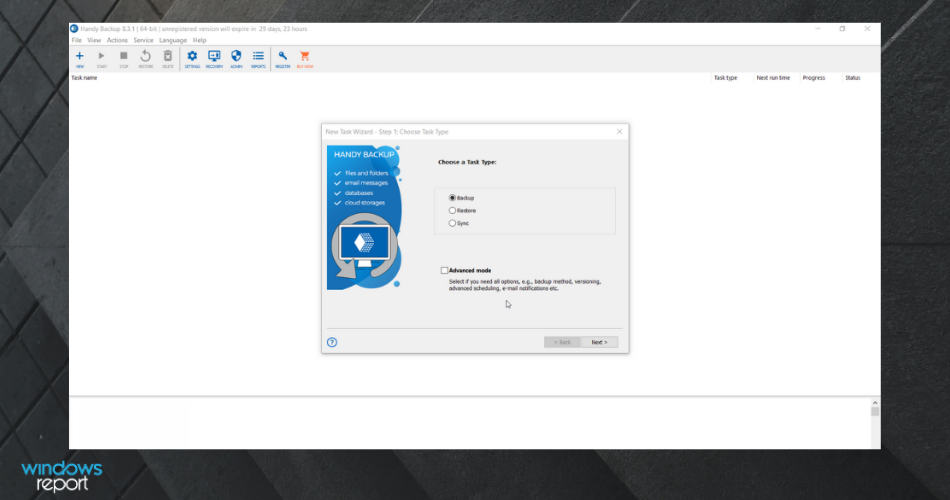
This article lists the best backup software compatible with the Qnap products.

What are the best QNAP tools?

Acronis Cyber Backup (recommended)

When it comes to efficiently protect your entire Windows Server environment, there is no better choice than Acronis Cyber Backup.

Designed for small, medium, and even large business environments, it creates complete data copies. Therefore, losing/damaging the original data is no longer a dreadful scenario.

As a leading QNAP NAS backup software, Acronis Cyber Backup lets you pick out specific Microsoft application data or back up the complete systems on an hourly, daily, or weekly basis.

Some Acronis Cyber Backup key features you’re about to enjoy:

  • Multiple storage options: NAS, Acronis Cloud, SAN, Google, Azure, and more
  • Built-in protection against malware and ransomware
  • Shadow Copy technology to capture the state of the application while backups run
  • Coverage for Windows and Mac OS (physical and virtual machines)
  • Mobile apps for iOS and Android devices
  • Full data integrity
Acronis Cyber Backup

Acronis Cyber Backup

When looking for the best QNAP NAS backup software, Acronis Cyber Backup is the undisputed choice.
Check priceVisit website

AOMEI Backupper

AOMEI Backupper is a program that allows the user to create a backup in an extremely easy way. It is currently one of the best free programs in circulation of its kind.

In addition, many features are available for free without the need to purchase a license. AOMEI Backupper allows you to create custom backups based on your needs.

You can make a backup copy of the Operating System, an entire hard disk, or an internal partition and specific files. All backups are generated by creating an image file.

This software manages both incremental and differential backups and can configure and activate backups based on specific events.

One of the features available only in the paid version of the software is the Clone function. This function allows you to transfer and replicate the data and the configuration of a storage unit.

Of course, it is possible to clone the contents of a mechanical hard disk in another of the same type or into an SSD (or vice versa).

In case you wish to replace your hard disk with an SSD, using AOMEI Backupper is a great solution.

You will have to clone the disk and replace it and you will improve the performance of your computer.

In the Utilities section you can find other useful tools. Those will allow to check the integrity of the image file, create bootable emergency support, and merge multiple incremental backups into a global one.

A well appreciated and used tool by users is AOMEI PXE. The latter gives you the possibility of having a pre-boot execution environment, able to boot a computer using an ethernet network connection, and a server.

In that case, you do not need a unit of mass storage. Thanks to this solution you can easily restore or distribute a backup image created previously.

In short, AOMEI Backupper is a great tool for creating and managing backups. It offers many options to work well and most of the tools are also available in free software.

AOMEI Backupper

AOMEI Backupper

Keep your QNAP data protected with industry-standard backup technologies that allow you to create and manage multiple types of backup files.
Free trialVisit website

QNAP Hybrid Backup Sync

Hybrid Backup Sync is a multi-function backup solution. You can easily back up data from a Qnap NAS on various local, remote, and cloud storage.

Hybrid Backup Sync helps you prevent data loss in the event of system damage and critical hardware failure. It also includes multi-position backup, immediate recovery, and flexible synchronization.

In fact, Qnap Hybrid Backup Sync consolidates backup, restore, and synchronization functions into a single QTS application for easy data transfer to local storage spaces.

This process allows you to improve data backup efficiency, file synchronization, and disaster recovery, remote and on the cloud.

In short,  Qnap Hybrid Backup Sync provides a complete disaster recovery and data storage plan.

Hybrid Backup Sync supports online storage and synchronization services in the cloud such as Microsoft OneDrive, Google Drive, Alibaba Cloud, Amazon S3, Dropbox, and many others.

Thanks to its highly flexible graphical user interface, Hybrid Backup Sync allows you to perform multiple backup tasks. You can have at your disposal a simple centralized task management function.

The latter gives you the possibility to check detailed information about the status of the activity and its details.

With this solution, you can:

  • Create multiple backup processes
  • Restore or synchronize from the overview page
  • Confirm the use of storage space and quickly check the status of current processes with positive outcomes, warnings, and errors highlighted, and the total number of errors.

You can also monitor backup processes from other NAS to manage all the processes centrally. Hybrid Backup Sync supports alarm recording, to quickly review warnings and error messages and avoid critical delays in activities.

⇒ Get QNAP Hybrid Backup Sync

Iperius

Iperius is a powerful and versatile software for creating backups in the network. The tool is compatible with any type of NAS (Qnap, Buffalo, Netgear, Synology, D-Link, Thecus, etc.).

It is one of the best network backup software, thanks to its speed, multiple options, and low consumption of resources.

Iperius is a flexible and highly configurable software tool. You can use it to create complex backup strategies on NAS. You can also take data from shared folders to copy them to a central server.

This type of backup allows a wealth of configurations without equal, thanks to the different types of incremental, full or differential backup, AES compression, and encryption, the execution of external processes, and the possibility of planning multiple and even parallel backups.

⇒ Get Iperius

Total Recovery PRO

TotalRecovery Pro is a powerful, all-in-one software, provided by Farstone. This software can manage data backup and hard disk imaging applications that offer local and network functionality to users.

The user can independently manage all the computers in the network with TotalRecovery Pro. It is possible to create a complete image of a hard disk or a single hard disk partition.

Once created, you can store the hard disk on a local computer, via network sharing or on an FTP server.

You can use the image for quick backup, recovery, and transfers all information from a server’s hard drive to a new hard drive.

You can also compress and distribute the image file across multiple disks or partitions.

TotalRecovery Pro includes the following backup features:

  1. Hard Drive Imaging: System backup and recovery with complete copies of all files, installed software, partition information, and system settings.
  2. Data Clone: ​​Clone your hard drive data to another hard drive. You could also clone an entire partition to another partition on the same hard drive.
  3. File Backup: manually or automatically backup selected files/folders, file extensions, etc.
  4. Dissimilar Restore: Restores a complete system image on a machine with different hardware configuration or on a virtual machine.

⇒ Get Total Recovery PRO

NetBak Replicator

A fast and easy option in order to use backup software is certainly QNAP NetBak Replicator.

It is a free backup software characterized by real-time synchronization, scheduled and automatic backup of entire disks, multimedia files, and e-mails from various Windows PCs to the QNAP NAS.

It also supports backup to a remote server from FTP or WebDAV over the Internet. The two advantages of this backup software are its simplicity, and its availability online and for free.

⇒ Get NetBak Replicator

CrashPlan

CrashPlan+ from Codefortytwo Software is an online backup program, compatible with Qnap. The program makes basically a copy of all files on the Internet.

You can store data on CrashPlan servers, and the program backs up documents several times. You can choose between different plans and price ranges that should be able to meet all kinds of needs.

Would you like to backup your external backup hard disk? No problem, CrashPlan + can do this too. The option for backing up to multiple destinations implies that, if something happens to your PC, it can be restored to another computer.

How? Copying the relevant documents on a local CrashPlan server.

The first step is to understand which plan is suitable for your needs. CrashPlan + offers three basic plans:

  • CrashPlan + (10 GB of online storage and a computer)
  • CrashPlan + Unlimited (4 a month for unlimited online storage and a computer)
  • CrashPlan + Family Unlimited (9 a month for online storage unlimited between 2-10 computers).

CrashPlan + Unlimited is, actually, suitable for most users.

Once you have identified the plan that best meets your storage needs, you can customize the payment. You can opt for an installment plan (month by month) or annual passes (one or two years).

You can also try CrashPlan for free for 30 days. Once the software is downloaded, you can start the first backup.

The procedure is very simple: in Settings/Backup you have to choose your own plan, then CrashPlan will automatically perform the backup with the programmed frequency.

It is a good idea to set the backup to Always. In this way, you can copy your documents as soon as you edit and save a file.

Like all backup systems, the first backup takes a long time. However, the next ones are much faster because CrashPlan compresses the data before uploading it on the server.

⇒ Get Crashplan

This article has provided you with some great potential backup options compatible with Qnap.

Having a data recovery plan in place ensures that all your important files are secure and all your private information stays protected.

Those options have covered stand-alone and online versions as well as more complex software. Let us know which one you picked.


Microsoft Translator hits 100-language milestone, reaches 5.6 billion users

Microsoft Translator has received a new update that brings support for 12 new languages and dialects. Microsoft has announced that its AI-based text translation service can now offer real-time translation in more than 100 languages, and it has 5.66 billion users worldwide.

“One hundred languages is a good milestone for us to achieve our ambition for everyone to be able to communicate regardless of the language they speak,” Xuedong Huang, Microsoft technical fellow and Azure AI CTO explained in a blog post. The list of newly added languages and dialects includes Dhivehi, Bashkir, Georgian, Macedonian, Kyrgyz, Mongolian (Cyrillic), Mongolian (Traditional), Tibetan, Tatar, Turkmen, Uzbek (Latin), as well as Uyghur.

The software giant notes that the incorporation of a multilingual AI model called “Z-code” and Deep Neural Networks (DNN) brings more accuracy and fluency to its text translation service. The free tool is currently being used by thousands of organizations across the globe, including the Volkswagen Group. The new update aims to bring people closer by removing language barriers.

Microsoft says the latest update is available to download for the Microsoft Translator app on both Android and iOS. These languages are also supported in the Bing Translator service and Microsoft Office.

‎Microsoft Translator


Microsoft Translator

Microsoft explains the Windows 11 security requirements, tries to hack into Windows 11

One of the biggest controversies with Windows 11 is the minimum hardware requirements. Microsoft has held that these requirements are for reliability, security, and compatibility, but we haven’t really seen these claims put to the test. A recent Microsoft Mechanics video, though, showcases the security features of Windows 11, with Microsoft even going as far as to show how it works by trying to hack into a Windows 11 PC.

In the 17-minute video, Dave Weston, Microsoft’s own Windows security expert, explains the reasoning behind hardware requirements and how it can protect your Windows 11 PC against modern malware and other attacks. He spends a lot of time focusing on the benefits of TPM 2.0 and the secure boot aspect of Windows 11 by showing off and hacking a Windows 10 system with the features turned off.

The video begins by showcasing how remote desktop connections can leave your PC open to remote hacks if TPM and Secure boot are not enabled. He pulls the IP, username, and password for the remote machine from a database, gets into the system remotely, runs a CMD prompt on a remote system as an admin, unlocks the bootloader, and launches a bootkit. He then remotely shuts down the system, only to maliciously re-write the MBR. Again, this is with Secure Boot turned off, and the system set to Legacy in the BIOS mode.

In addition, the video also highlights the benefits of virtualization-based security and enhanced sign-in security. Weston shows how the features, when turned off on Windows 11, can leave a device open for in-person physical hacking through direct memory access via Thunderbolt. He uses a device connected to the victim’s PC to spoof a fingerprint and then logs into that PC using just a gummy bear.

Essentially, with Windows 11’s virtualization-based security, the encryption keys, signature, and code, are all separated by hardware from the operating system, making the previous physical hack impossible. And, UEFI, Secure Boot, and Trusted Boot help prevent rootkits and boot kits that modify the early boot BIOS by checking the bootloader’s signature to make sure it’s not modified.

Microsoft Notepad could be getting a Windows 11-inspired makeover

After Microsoft’s classic Notepad app made its way to the Windows 10 Microsoft Store last year, the text editor could soon receive a Windows 11-inspired makeover. Last week, a Microsoft employee has apparently shared some pictures of the redesigned NotePad app before deleting them, but it wasn’t long before eagle-eyed users noticed the changes.

During the weekend, developer FireCubeStudios tweeted two screenshots of the app, with one image showing a revamped Settings section and the other image showing subtle changes to the app menu bar. The image showing the Settings section also includes a build number that’s higher than the production version of Notepad.

Notepad has been around for almost 30 years and included in all versions of Windows, and the text editor has received very few updates over the years. Now that Notepad is a Microsoft Store app, Microsoft can update it separately from OS updates, just like Paint and other inbox apps that ship with Windows 10 and Windows 11.

Despite its age and pretty basic UI, Notepad remains a popular app among Windows users who prefer its simplicity over the versatility of OneNote. The latter is also getting a Windows 11 redesign, and Microsoft is currently working on unifying its two separate OneNote apps for Windows into a single client in 2022.

Windows 11 New Features: 11 Best You Really Should Try

It’s official. Microsoft has released Windows 11 as their next operating system. After being tested for months by Insiders, you can now get it on your PC as well.

The new OS is available in a form of a free upgrade, so if you want to give it a try, go ahead and update. However, many users are still on the fence, and they aren’t sure whether they want to upgrade.

They don’t see it worth switching to, and they plan to keep using the old one instead. This is perfectly acceptable, and if you’re one of those users, you’ll be able to use Windows 10 until late 2025.

If on another hand you want to upgrade, in today’s guide we’re going to give you a list of the best features on Windows 11 that might persuade you to make the switch.

Is Windows 11 free?

Yes, just like previous major releases, Windows 11 is available as a free upgrade to all users. You can go ahead and get it like any other system update.

If you’re planning to upgrade, just be sure to back up your files beforehand, either manually or by using specialized backup software.

How do I get Windows 11 upgrade?

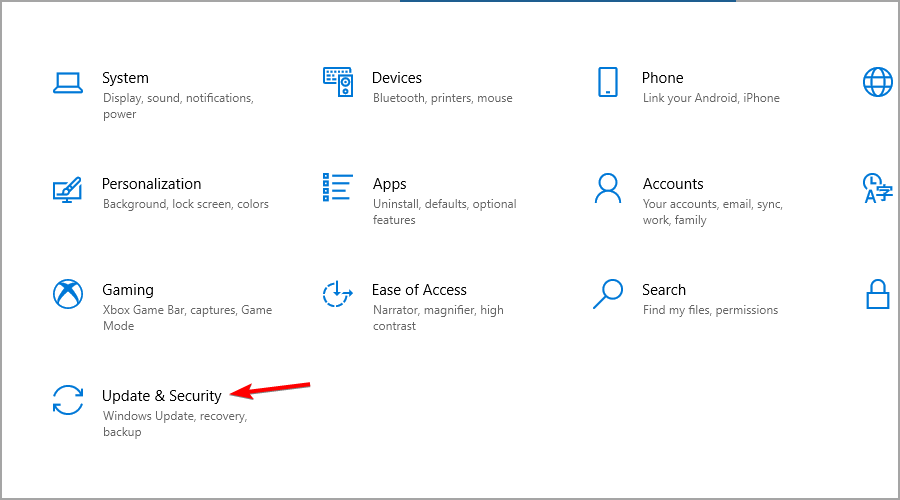
  1. Press Windows Key + I to open the Settings app.
  2. Now go to Update & Security section.
  3. Click on the Download and install button.
  4. Wait for the process to finish.

What are the best features of Windows 11?

New UI design

The biggest change is the new interface, and we have to admit that it looks similar to macOS or Chrome OS. We did an in-depth comparison between Windows 11 and macOS, so you might want to check it out.

Almost every single interface element has been changed, and now all windows and context menus have rounded corners.

This is a welcome addition, and it makes the interface look fresh and sleek. File Explorer went through a revamp as well, and it features only the most used actions in the toolbar, unlike we were used to in Windows 10.

The context menu went through an update, and with the addition of icons, you can distinguish easily between certain actions. It’s also a bit bigger than its predecessor, which some users might not like.

Windows Widgets

Widgets make a comeback with their specific panel and various options to configure them. You can swipe this menu from the right side of the screen, on tablets, or use the Taskbar icon.

This feature has replaced Windows Tiles and this is a step in the right direction since it will help you keep your Start Menu free from clutter.

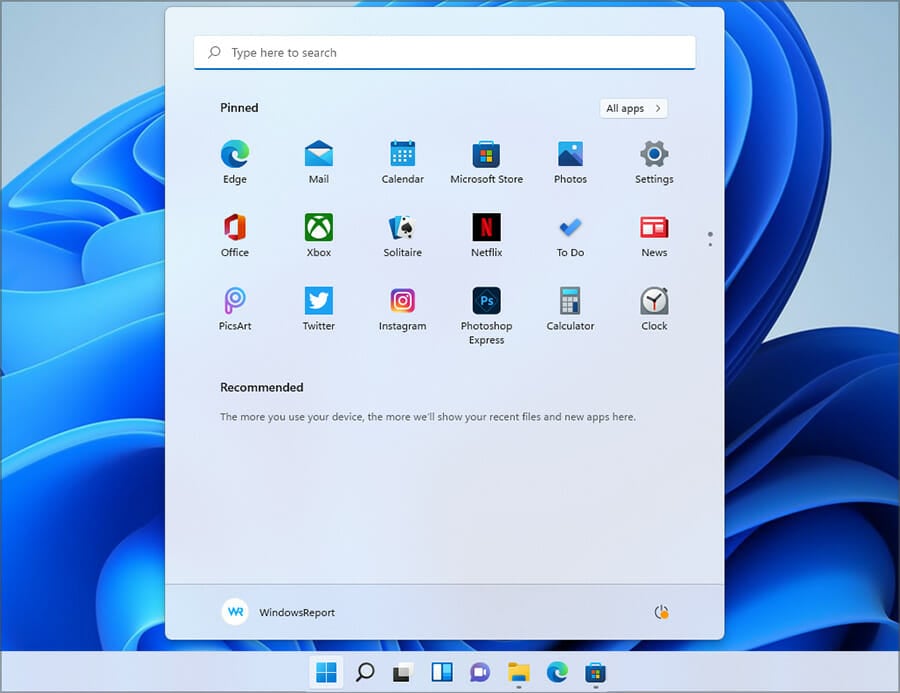
New Start Menu and Taskbar

Another big change is the Taskbar, and in this version, it’s positioned at the center. Of course, you can move the Start Menu to the left, if you prefer.

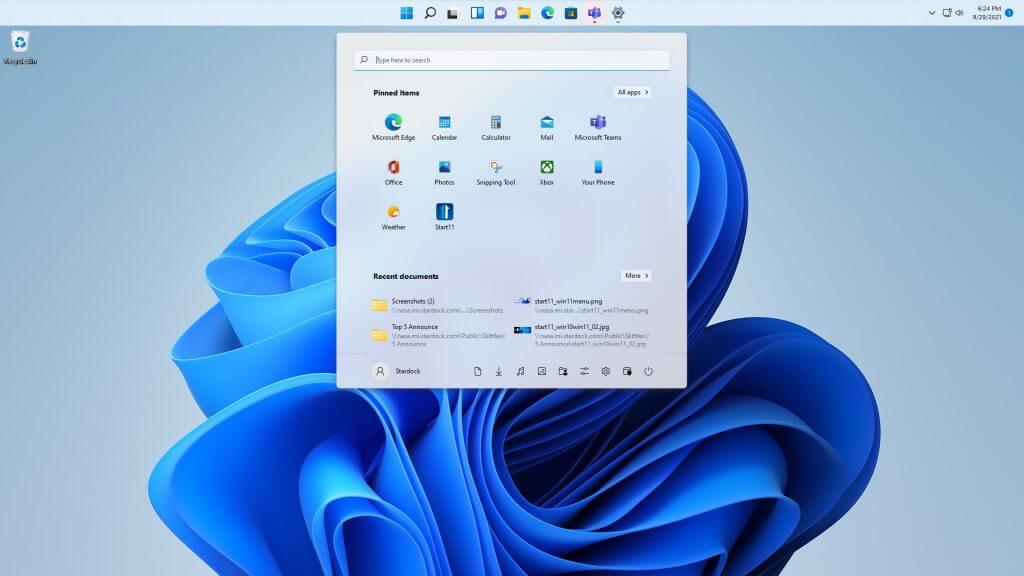
Start Menu went through some changes as well, and Microsoft streamlined it by hiding all the installed apps behind the All apps button.

By doing so, you can only see pinned apps as well as recently opened files and programs. This is a welcome change, and you won’t even feel overwhelmed with apps when you open the Start Menu.

Snap Layouts and Snap Groups

Snap Layouts is a new multitasking feature that allows users with bigger displays to split them in various ways. Simply hover over the maximize button in any window and choose one of 6 available layouts.

Your layout will be memorized, and in case you minimize all open windows, you can restore all of them simply by hovering over the application icon in the Taskbar, and selecting a group that this app belonged to.

These are great multitasking features that will surely come in handy for users who tend to have multiple windows open at all times.

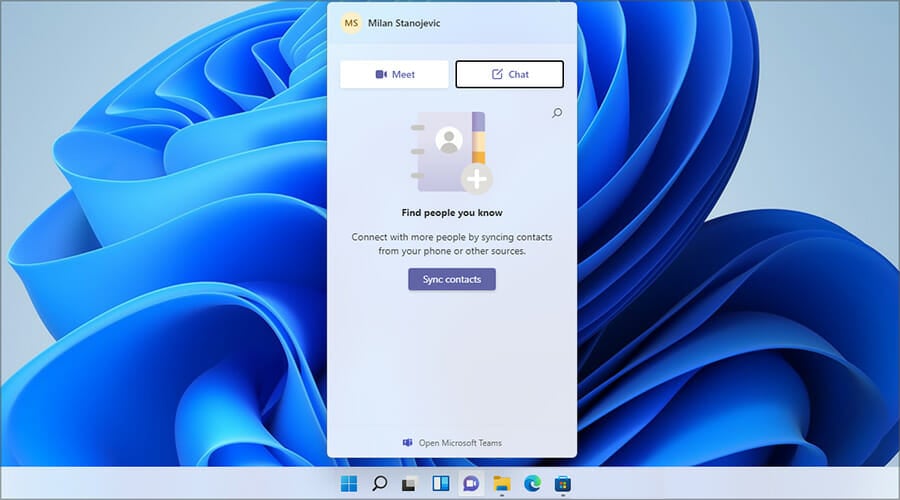
Microsoft Teams is now integrated

Built-in Microsoft Teams – a simple and efficient move for Microsoft, as Teams is now present in Windows 11 out of the box.

This great communication and collaboration platform comes integrated directly into the system. And yes, this means that Skype is no longer available by default. However, you can still enable it on Windows 11 if you want to use it.

Docking and multi-monitor support

This version of Windows comes with better multi-monitor support and now, when you disconnect a second display, Windows will memorize all apps that you had open on it.

Once the secondary screen is plugged back in, all programs that were on the external display will open again, allowing you to continue exactly where you left off.

This is an amazing quality of life improvement, and it will come in handy for all laptop owners running Windows 11 on their devices.

Built in Game and Xbox Pass

The best way to game is on a PC, but Microsoft hasn’t really been a big part of that. In a try to make the Store a gaming platform and properly compete with Steam, several enhancements have been added.

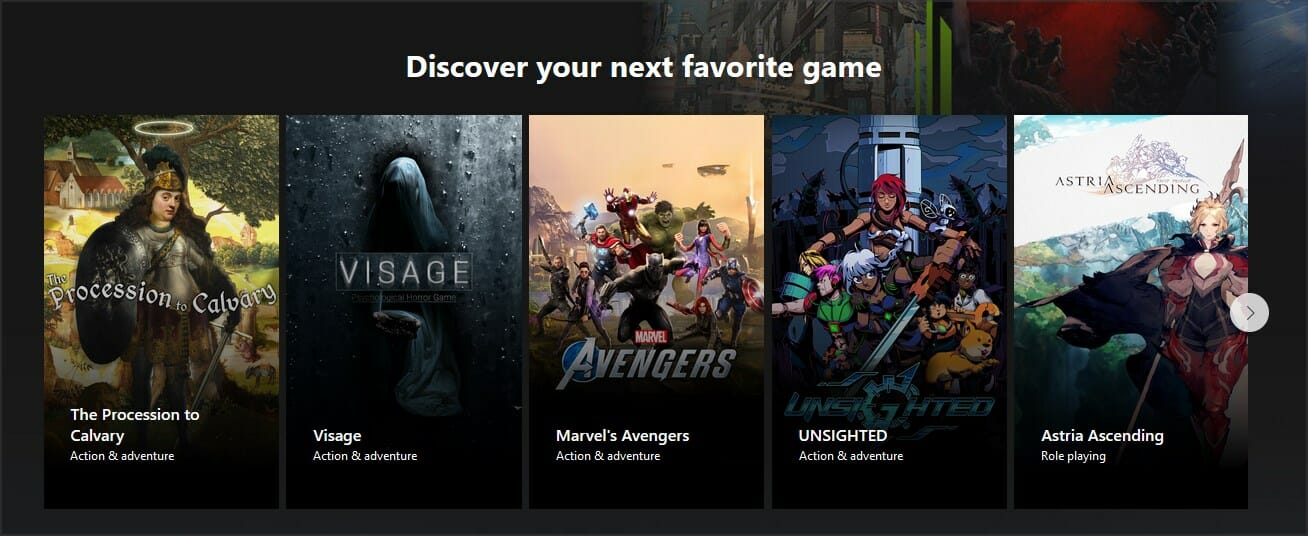
Xbox Game Pass games (Source: Xbox)

Xbox Game Pass will be built directly into Windows 11 via the Xbox app, and gamers will have access to 100+ games for a monthly fee. Games can be bought directly from the PC.

If you want to learn more, we suggest reading our Xbox Game Pass for Windows 11 article and see what this subscription can offer you.

DirectStorage for a faster loading

One Xbox feature that came to Windows 11 is DirectStorage, which allows games to be loaded faster from the NVMe drive.

The new OS allows users to load content directly from NVMe to GPU without using so much CPU, meaning less time spent waiting and faster loading time.

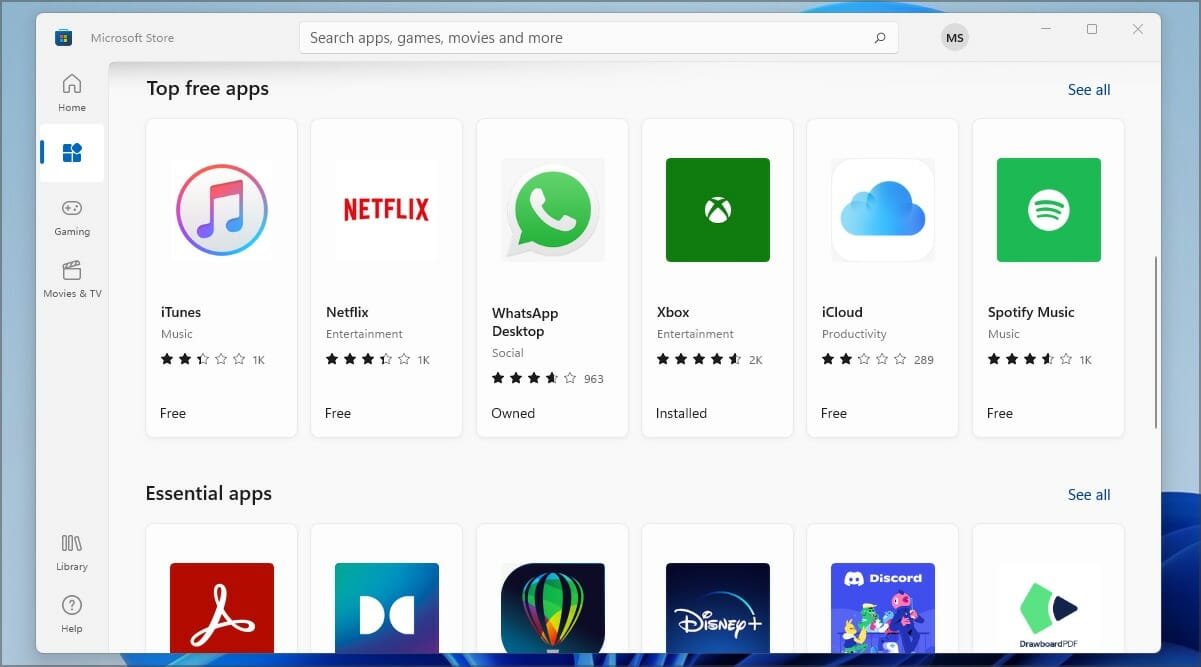
Microsoft Store

Just like most apps, Microsoft Store was revamped, and it features a more simplified user interface. All content is now sorted into four categories that you can easily access from the sidebar.

The biggest change isn’t the new look, it’s the support for different app types. As you remember, in the past, you could only download Universal apps from the Store.

Windows 11 changes that, and with it, you can download Win32. NET. UWP, Xamarin, Electron, React Native, and even Android apps.

This is a step in the right direction since you’ll now have a centralized hub for all your app downloading needs.

To learn more, make sure you read our article dedicated to Microsoft Store in Windows 11 for detailed information.

Auto HDR for an impressive gaming experience

Auto HDR is also brought to Windows 11 in a matter similar to the Xbox. Games played on PCs will now benefit from an HDR stream without any intervention from the game developer or activation from the player.

As stated by Microsoft’s officials, over a thousand games will be enhanced, so even the older titles will look more detailed and vibrant than before.

Android Apps

Android Apps are coming to Windows, and you’re going to run them thanks to the new Intel Bridge Technology without relying on emulation.

Android apps running on Windows 11 (Source: Microsoft)

You will be able to launch Android apps directly from Windows and get them from Microsoft Store, thanks to Amazon integration.

This sounds like a great feature, and it will be perfect if you don’t want to use Android emulators on your PC.

How can I download Windows 11 ISO?

  1. Visit the official Windows 11 download page.
  2. Select Windows 11 in Download Windows 11 Disk Image section and click Download.
  3. Choose the desired language and click on Confirm.
  4. Lastly, click on 64-bit Download.
  5. Wait for the download to finish.

Does Windows 11 require a TPM?

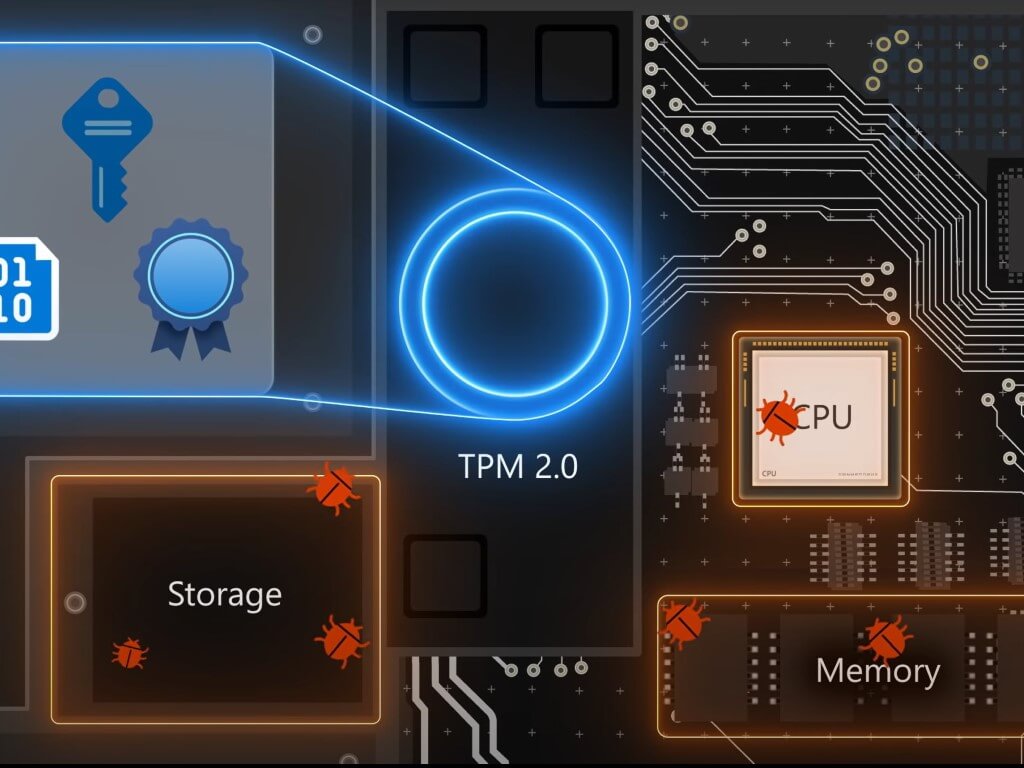
Yes, Windows 11 requires a TPM in order to install. In case you’re not familiar with this feature, we recommend reading our Windows 11 and TPM guide for more information.

Many processors have this feature built-in, and if your CPU is officially supported, you won’t have any problems installing the update.

If you’re planning to run the new OS on unsupported hardware, you should know that there’s a way to install Windows 11 without TPM 2.0.

These are just some of the most interesting features that Windows 11 has to offer. The biggest change is the user interface, and we have to admit that it looks sleek and better than the one on its predecessor.

Other options that we found interesting were the new gaming enhancements, and if you have hardware that can support them, you’ll experience a massive boost in performance.

What are your thoughts on Windows 11? Share them with us using the comments section below.

Windows news recap: unsupported PCs have a path to upgrade to Windows 11, AMD acknowledges performance issues, and more

Welcome back to our Windows news recap, where we go over the top stories of the past week in the world of Microsoft’s flagship operating system.

At the last minute, Microsoft provides a path to upgrading unsupported hardware to Windows 11

Whilst Windows 11 got a heated start with its strict hardware requirements, it appears that an upgrade path has surfaced at the last minute for PCs that are unsupported, allowing them to upgrade to Windows 11 regardless, albeit with a caveat that they might not receive security updates.

Microsoft is launching a new Feedback portal for Teams, Edge, and Windows

A new Feedback portal is set to launch in preview by the end of the year, offering a one-stop-shop for providing feedback on Microsoft 365 apps and services, as well as bringing support for leaving feedback on Windows in 2022.

AMD acknowledges Windows 11 performance issues for some PCs with Ryzen CPUs

Performance issues have arisen with some PCs that have Ryzen CPUs, when using Windows 11. AMD has acknowledged the issue. The impact can be up to 15% in some games.

Amd Ryzen Cpu

Microsoft’s Surface app updates for Windows 11, 10, and 8.1 devices with new improvements

The Surface app has been updated across Windows 11, 10, and 8.1, bringing 36 new languages, smart charging, and other minor changes.

Microsoft Surface app icon

That’s it for this week. We’ll be back next week with more Windows news.

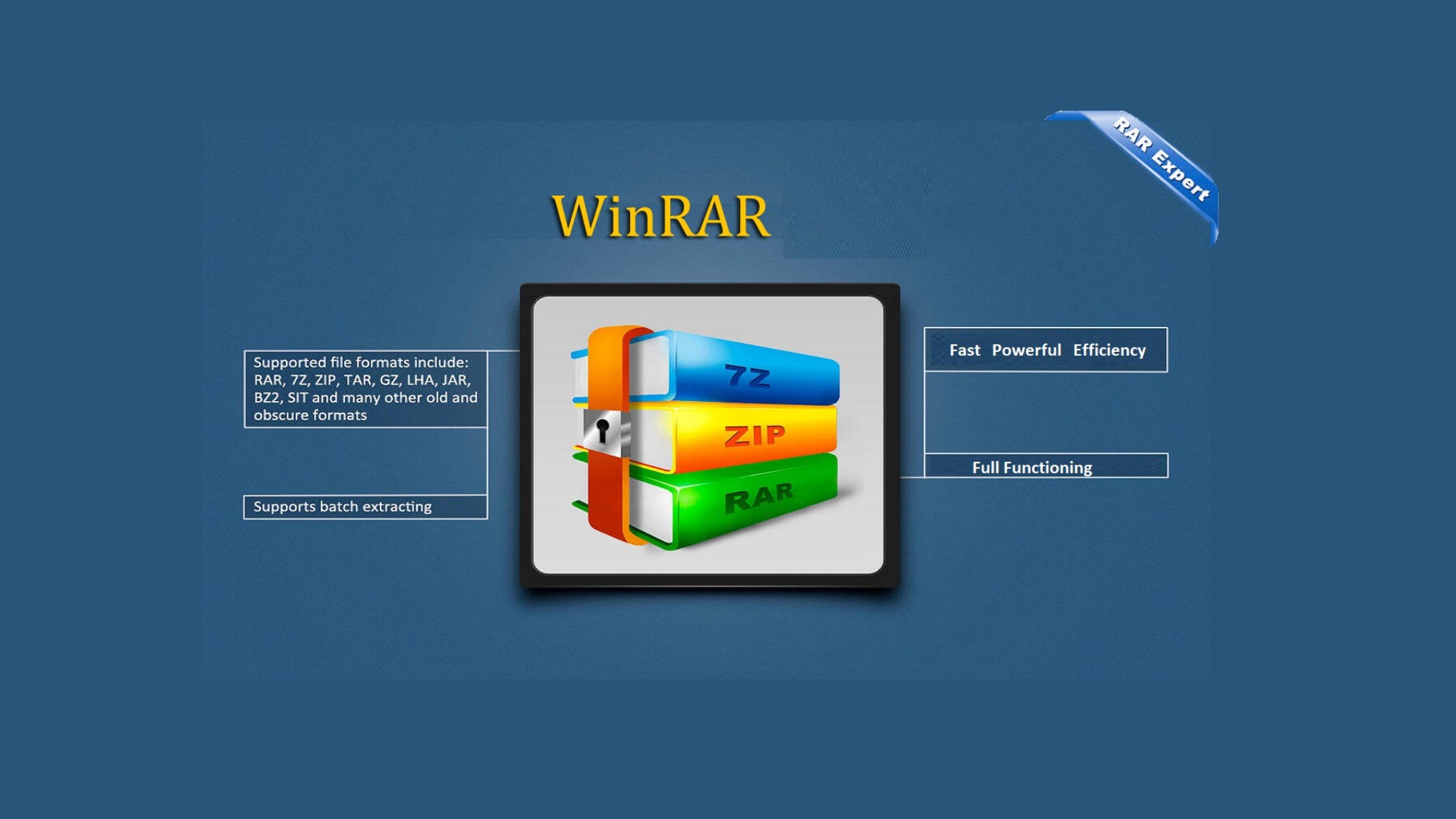
The latest WinRAR Update addresses the Windows 11 Context Menu issue

It seems Microsoft’s users have a lot to get used to with the new features and those continually getting updated. The context menu is among the latest updates, and users are having problems maneuvering. 

Microsoft updated the context menu to align with Windows 11’s new look, and now it only shows essential options.

Grouped elements

Elements in the context menu have all been grouped, and users will see a ‘show more options’ entry making it tiresome to find some commands.

Well, it seems WinRAR noticed the issue and decided to fix it. If you have been having problems or just outright hated the new context menu, WinRAR is here to save the day. 

New WinRAR category 

WinRAR has a version 6.10 beta category which is the latest version. This version brings all the items on the context menu to the screen. Users, therefore, don’t have to go through a hard time going through archives as the ‘show more options’ is not required.

This is a huge step by WinRAR, and more developers are likely to follow suit and update their apps. Windows 11 is relatively new, so developers may still be cooking something to take advantage of the new context menu.

Since Microsoft will do a complete rollout of Windows 11 by the end of summer 2022, no one is in a hurry. WinRAR is making sure all PCs get the correct update of the OS.

Do you like the updated context menu for Windows 11? Let us know in the comment section below

5 Best Home Maintenance Software [2026 Guide]

Your home is probably your most significant investment like it is for most people. Keeping up with regular maintenance is essential for protecting that investment and home maintenance software is the ideal tool for this.

Home maintenance isn’t a simple task, since you need to keep a close eye on several aspects. In order to make this task a bit simpler, we want to show you a couple of tools that might help you out.

We picked five of the most useful home maintenance programs to make your choice less challenging, and we recommend that you check out their features before deciding on which one is the best for your needs. You can consider as well smart home software that can deliver practical help for your home features and necessities.

Home maintenance tools for personal use to get right now

Home Zada

The first entry on our list is Home Zada, and with this tool, you’ll be able to improve the value of your overall home, avoid early replacement costs, and keep your home both healthy and safe by staying in control of its maintenance at all times.

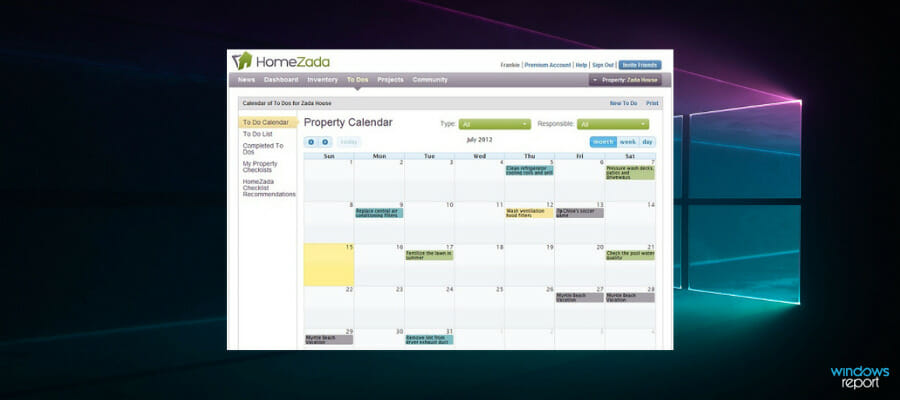
This tool comes with a property calendar that is automatically created for you, and that includes all essential tasks. In this way, you can stay updated with all your chores or little tasks that have to be done.

To be more clear, using such practical software you can manage your home smart by taking care of maintenance issues, inventory, home value or financial aspects, and many more.

Moreover, it’s possible to organize your home tasks efficiently, by adding email reminders or alerts so you will never forget again what needs to be done. Even if we talk about doing laundry or walking the dog, you have it under control.

Then again you will be able to track all your expenses, photos, and documents for minor repair projects. Hence, every tiny inside or outside problem can be scheduled and managed accordingly.

Here are some features that Home Zada offers:

  • A smart engine will automatically create individual To Dos that are based on your personal preferences.
  • You can personalize your maintenance schedule based on your preferences and home.
  • The curated “How to” information is offered by the program’s library of seasonal checklists.
  • You can integrate your property calendar with Gmail, Hotmail, and Outlook among other online tools.
  • You can share your home maintenance schedule in a Zada Listing when you sell your home.

With the help of Zada software, you will be able to save on utility costs and improve your home’s value.

Home Zada

Home Zada

Be on top of your home value and expenses as time goes by, using a greatly rounded software like this one.
Check priceVisit website

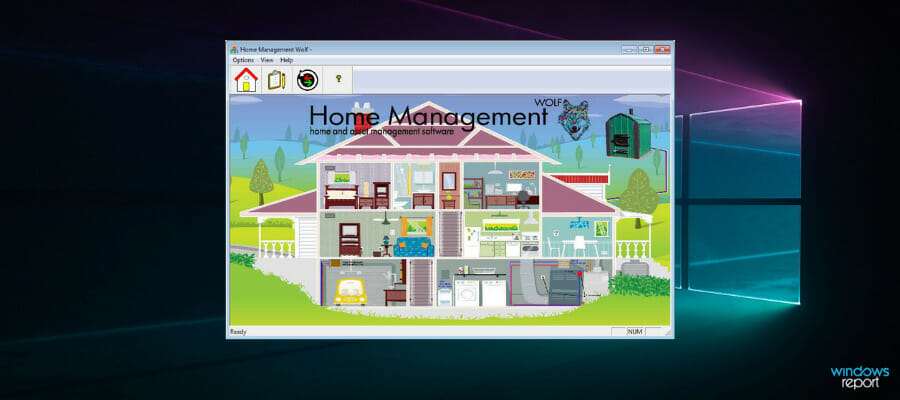
Home Management Wolf

This is another reliable home management application that is able to help you protect your home and possessions as well.

Home Management Wolf makes it easy to manage your home and properties. More, you can control multiple aspects of your home life, including maintenance issues, mortgage payments, repairs, assessed value, and so on.

Furthermore, with this software, you have an overview of all the resources invested and how much you invested over time. The Financial Analysis section helps you track all big payments and keep everything centralized.

In addition, you will be able to save any type of document of mortgage contracts, renters insurance, and more for having them as quick references.

Another great feature is Home inventory because it provides data about the home value, plus categorizes information of every purchase for your home that you possess.

Check out the most impressive features that are included in this program:

  • This tool is easy to learn and simple to use as well.
  • This software includes a home inventory and asset tracking tool for one or multiple residences.
  • The program is able to analyze finances to help you know where your money is going.
  • It also stores home warranty and insurance information as well.
  • This tool will allow you to create a to-do list for every home.
  • You will be able to save receipts and invoices for any item.
  • This tool comes with auto backup options and lifetime free upgrades.
  • You can import unlimited digital photos to log all your valuables and assets.

⇒ Get Home Management Wolf

HomeBinder

Another great home maintenance tool is HomeBinder. Using this tool you can manage your home maintenance needs, and it will also organize your valuable reports if you want to see your home.

This software is all about home maintenance and centralized data regarding all your home needs or aspirations. Using this platform you have all home knowledge centralized in sections to always have property-specific data.

HomeBinder allows you to store photos, material information, or project costs for easier repair and tax decreases at a potential sale.

Using this tool, you will be able to share the seller’s reports to market your home better during the sale process.

Here are some top features that this application has to offer:

  • You can store the contractor information so that you will never lose a plumber’s number.
  • You will be able to schedule reminders to stay on your regular maintenance.
  • You can keep your model numbers, warranty information and user manuals online if you need them.
  • You can schedule email reminders for regular home maintenance needs including air filters for instance.
  • HomeBinder will notify you of any company recalls for products in the house.
  • You can start an online home inventory to prepare for a fire or theft.
  • You can share a maintenance guide with your potential buyers.

⇒ Get HomeBinder

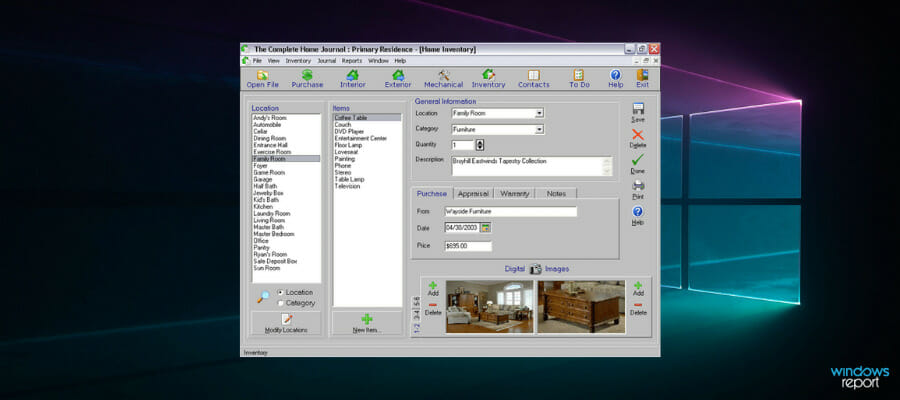
The Complete Home Journal

The Complete Home Journal is a simple but powerful application that allows you to quickly track, maintain and manage any improvements made to your home.

First, using this practical home management tool you’ll be able to monitor your improvements about all rooms of your house, including kitchen or bathroom remodeling.

Also, you can keep an inventory for every room of your home and document your assets to stay in the loop about every single section of your property.

In addition, this software allows users to track multiple homes and it is perfect for recording the details of a new construction project as well.

Check out the best features that are included in this software:

  • You will be able to track improvements made to your home.
  • You can keep a complete inventory of everything that is in your home either by room or by other categories.
  • You will be able to create detailed reports for your home journal and inventory information which can be an invaluable tool for home resale.
  • This software will turn out to be really helpful also for insurance purpose in case of loss.

The Complete Home Journal package comes with the Interior, Exterior, and Mechanical Home Journals and besides these, you will also get the Home Purchase Journal, To-Do Lists, and Contact Manager. Images taken from your digital camera can be stored for your home inventory and journal entries.

⇒ Get Complete Home Journal

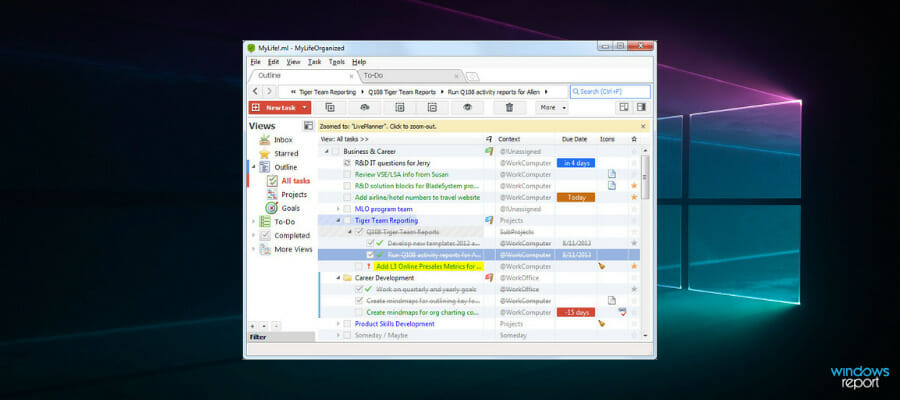
MyLifeOrganized

If you’re looking for powerful task management tools for your home, this might be the perfect application for you.

MyLifeOrganized provides the right information in the perfect spot, and it is designed to send you smart reminders. This tool is more than just a home management software because it can also take care of your tasks that are outside of your home.

Moreover, you can organize your home using to-do lists that will turn out of great help, plus you will also be able to create subtasks to add last-minute ideas.

Check out the best features included in this program:

  • This tool is compatible with Windows.
  • You can create new tasks and To Do lists easily.
  • An elegant To Do list will help you focus on the essential items and also act accordingly on the spot.
  • MyLifeOrganized comes with a clean and straightforward interface that allows you to rearrange tasks within a plain list.
  • You can also organize the tasks into a tree.
  • You can create flexible hierarchical lists and add all kinds of dependencies between them.

For instance, when you are at the mall, MyLifeOrganized can send you a notification with a shopping list. After you get home, a reminder with a list of actions will wait for you there as well. MyLifeOrganized can also sync across all your devices, and you will always be on top of your tasks.

⇒ Get MyLifeOrganized

This is where our top choices for the best home maintenance software come to an end. These programs come with their own set of unique features, and most of them are targeted for maintaining and managing your home and assets.

They also provide features for inventories and for making To-Do lists to make your life easier. These tools are compatible with Windows. After you check out their complete features, decide which one is the best for you and your home’s needs.

How to Fix Valorant FPS Drops on Windows 11

Valorant is still a relatively new freemium first-person shooter game, which more players are now playing on Windows 11. A decent FPS (Frame Per Second) rate is important for the smoothest gameplay in Valorant, like all other shoot ‘em ups.

However, some players have posted on support forums about notable Valorant FPS drops arising when playing it in Windows 11. Valorant’s frame rate has been noticeably lower for those players after upgrading to Windows 11. One player said this in a Microsoft forum post:

Anyone else having FPS drops when upgraded to Windows 11? I know it is still on beta, but I used to have +200 FPS on Valorant. Now I’m getting 130, same as in Resident Evil 6. I used to have around 120 FPS, but now I’m having drops to 80 or less.

Has your own Valorant game had a similar FPS drop on Windows 11? If so, the potential resolutions below might restore your Valorant game’s frame rate to something like it was in Windows 10.

How come Valorant’s FPS drops in Windows 11?

Valorant isn’t the only game players have noticed notable FPS drops for in Windows 11. Some players have reported significant frame rate drops across all games they play on that platform. So, FPS drops for games isn’t an uncommon Windows 11 issue.

Remember that Windows 11 is a very new OS at the moment. So, it shouldn’t come as that big a surprise that there are few gaming performance issues on Windows 11. Microsoft might need a bit more time to address them.

As you can see from the image above, games can be playable at around 30 FPS, but this FPS value is not optimal when it comes to multiplayer games or competitive gaming.

Nevertheless, there are a few things that can have a notable impact on Valorant’s frame rate in Windows 11. These are some of the most causes for a Valorant’s FPS dropping in the latest platform:

  • Outdated graphics card drivers: Low frame rate issues can often arise because of antiquated GPU drivers.
  • Game DVR feature: The Game DVR feature in Windows 11 consumes system resources, which can lower the FPS rate for gaming.
  • Background programs: Lots of startup items draining system resources can cause Valorant’s FPS rate to drop.
  • In-game graphical settings: Higher in-game graphical settings lower average frame rates.
  • High mouse polling rate: A mouse polling rate of 1,000 Hz or higher reputedly causes frame rate drops for games in Windows 11.

How can I fix big Valorant FPS drops in Windows 11?

1. Check for Windows 11 updates

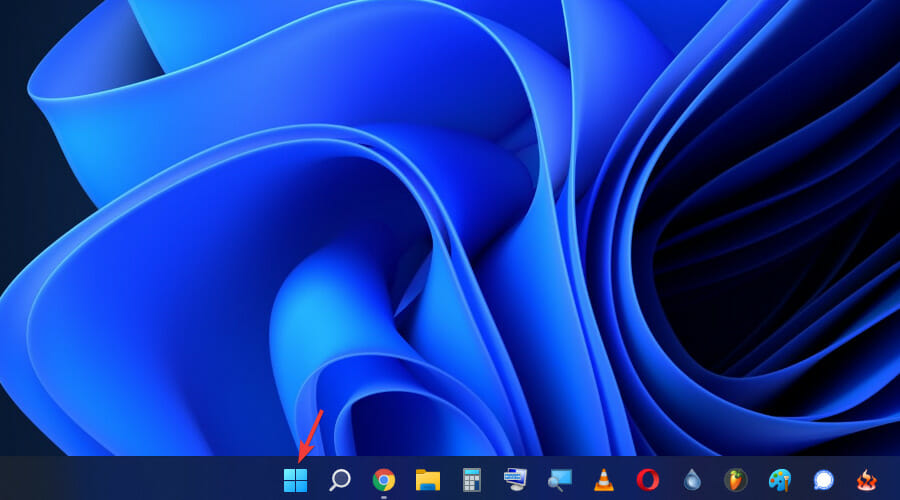
  1. Click the Start taskbar icon.
  2. Then select Settings on the Start menu that opens.
    Settings windows 11 valorant fps drops
  3. Click the Windows Update tab.
  4. Press the Check for updates button.
  5. Restart your PC if prompted to do so.

2. Turn on Game Mode in Windows 11

  1. Click Start from the taskbar.
  2. Choose Settings.
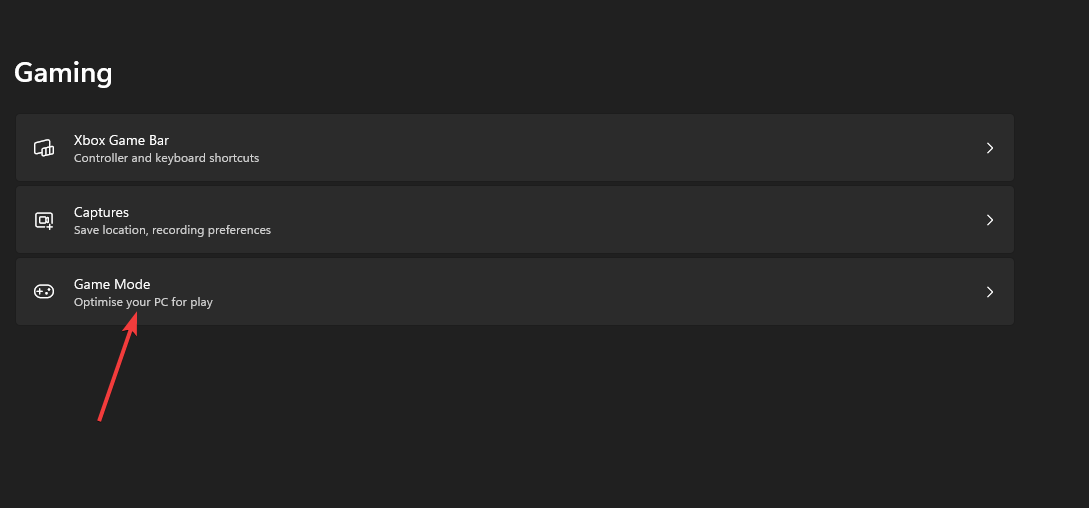
  3. Then select the Gaming tab in Settings.
  4. Click Game Mode on the Gaming tab.
    Gaming tab windows 11 valorant fps drops
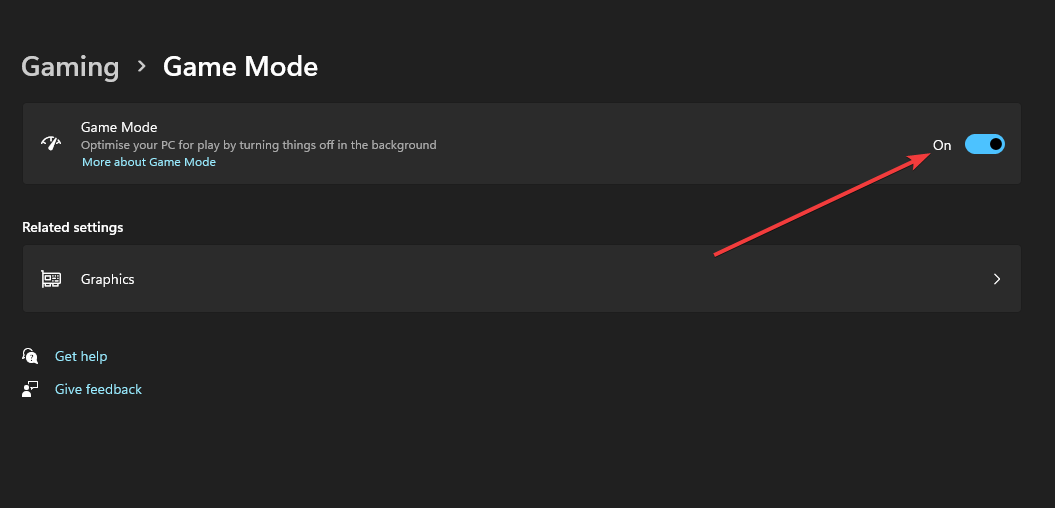
  5. Turn on the Game Mode option to enable it.
    Game Mode option windows 11 valorant fps drops

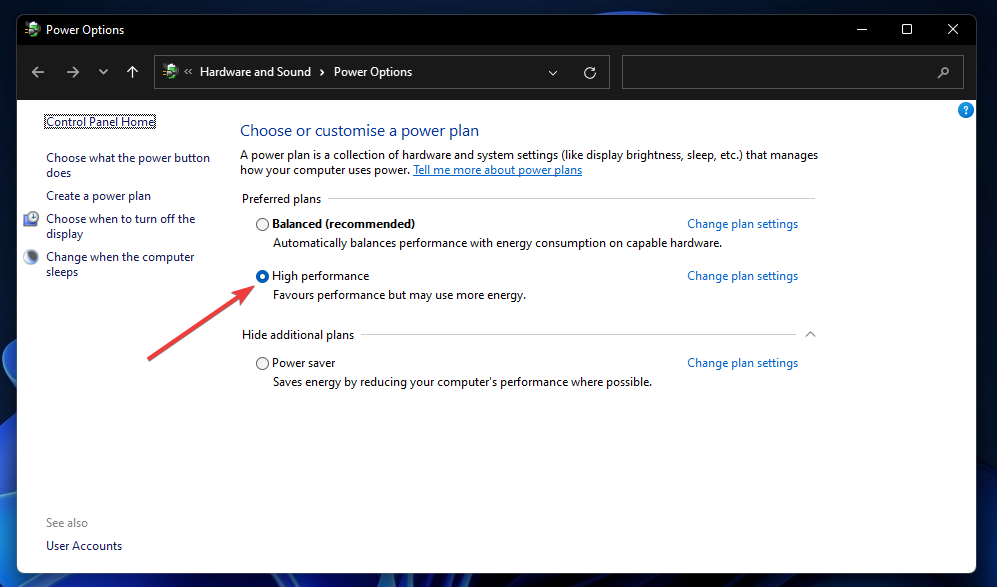
3. Select a high performance power plan

  1. Right click the Windows logo from the taskbar, and select the Run shortcut on the menu.
    Run shortcut windows 11 valorant fps drops
  2. Next, input this text in the Open box and click OK: control powercfg.cpl
  3. Click Show additional plans on the Power Options Control Panel applet if the High performance setting isn’t visible. 
    High performance radio button windows 11 valorant fps drops
  4. Thereafter, select the High performance radio button.

4. Lower Valorant’s in-game graphical settings

  1. Launch Valorant, and open the game’s Video settings tab.
  2. Select the Graphics Quality tab shown directly below.
    Valorant's graphics options windows 11 valorant fps drops
  3. Make sure the Multithreaded Rendering option is enabled.
  4. Change the Anisotropic Filtering option to 1x.
  5. Select None for the Anti-Aliasing setting.
  6. Turn off the VSync setting.
  7. Reduce the material, texture, detail, and UI graphical quality settings to low (or at least medium if they’re on high).
  8. Also, turn off the options for clarity, bloom, shadows, and distortions.

5. Update your graphics card’s driver

  1. Press the magnifying glass button on the taskbar.
    Search button windows 11 valorant fps drops
  2. Enter Device Manager in the search tool’s text box, and open it.
  3. Double-click the Display adapters category and Right-click your PC’s graphics card, then select Update driver.
    Update driver option windows 11 valorant fps drops
  4. Thereafter, click the Search automatically for drivers option within the Update Drivers window that opens.
    Search automatically for drivers option windows 11 valorant fps drops

If the Update Drivers utility doesn’t update your graphics card’s driver, there might still be a newer one available.

Scanning your PC with a driver updater utility will list devices on it that have outdated drivers. Then you can update your GPU’s driver with the driver updater software like Outbyte Driver Updater.

6. Clean-boot Windows 11

  1. Press the Windows + R hotkey and type msconfig
  2. Click Selective startup on the General tab and uncheck the checkbox for the Load startup items option.
    The Load startup items option windows 11 valorant fps drops
  3. Click the Services tab and select the Hide all Microsoft services checkbox.
    The Hide all Microsoft services option windows 11 valorant fps drops
  4. Click Disable all to deselect all the checkboxes for third-party software services, and press OK.
  5. Select the Restart option on the dialog box.

7. Disable the Game DVR feature

  1. Click the Search button on the taskbar, type regedit and choose Run as administrator.
  2. Then open this key in the Registry Editor: Computer\HKEY_CURRENT_USER\System\GameConfigStore
    The GameConfigStore key windows 11 valorant fps drops
  3. Double-click the GameDVR_Enabled DWORD to open the Edit DWORD window.
    Edit DWORD Value window windows 11 valorant fps drops
  4. Input 0 within the Value data box.
  5. Double-click GameDVR_FSEBehaviourMode in the same registry key to bring up its Edit DWORD window.
  6. Type the value 0 within the text box, and click the OK button.
  7. Next, go to this registry key location: Computer\HKEY_LOCAL_MACHINE\SOFTWARE\Microsoft\PolicyManager\default\ApplicationManagement\AllowGameDVR  
    The AllowGameDVR key windows 11 valorant fps drops
  8. Double-click the value DWORD in the AllowGameDVR key.
  9. Delete the current value from the data text box, and then enter 0 to replace it.
  10. Click OK when done.
  11. Close the Registry Editor, and click the Restart button on the Start menu.
  12. Click OK to close the Edit DWORD window.

8. Lower your mouse’s pooling rate

The polling rate is a speed specification for how often a mouse’s cursor gets updated. Reducing the polling rate for gaming mice can reputedly help resolve FPS drops for Valaront and other Windows 11 games.

If you’re utilizing a gaming mouse, you might be able to change its polling rate with its dedicated settings software. So, open the settings app for your mouse if it has one. Then look for and reduce a Pooling Rate or Report Rate option to about 500Hz.

Polling Rate optio windows 11 valorant fps drops

Some gaming mice also include dedicated pooling rate buttons or switches. If your mouse has such a button, you can reduce its pooling rate to 500Hz with that.

Who can I contact about fixing Valorant’s FPS drops in Windows 11?

Valorant has a support service for helping players fix technical issues with the game. You can get in touch with that support service via Submit a Request page on Valorant’s website. You’ll need to be signed in to the Valorant site to submit a support request there.

The suggested resolutions above could feasibly give Valorant’s FPS rate a notable boost in Windows 11. With its frame rate fixed, Valorant’s gameplay will be somewhat smoother than it previously was.

Not all those potential resolutions are necessarily exclusively for Valorant either. Some of those resolutions might also fix FPS drops for other Windows 11 games as well.

Aside from those resolutions, there might be other ways you can fix Valorant FPS drops in Windows 11. Some of the tips in our How to fix high FPS drops guide might also come in handy for boosting Valorant’s FPS rate.

Microsoft is launching a new Feedback portal for Teams, Edge, and Windows

Microsoft is planning to launch a new Feedback portal for its Microsoft 365 apps and services. The Feedback portal will be available in preview by the end of this year, with support for more products, including Windows, coming sometime in 2022 (via ZDNet).

The Redmond giant has provided some insight about the upcoming Feedback portal on the Microsoft 365 Admin Center, as spotted by Twitter user Carl Knecht, earlier this week. Microsoft says this portal will be built on top of its  Dynamics 365 Customer Service, and it will let users submit new feedback on products, comment on, and upvote feedback provided by other people.

Additionally, users will also be able to view status updates and responses to previous feedback in the My Feedback section. However, it will be up to the users to access the new Feedback portal or provide feedback with the dedicated option available within Teams, Edge, and other Microsoft 365 apps.

In March, Microsoft quietly shut down its various Office 365 UserVoice forums, which allowed users to suggest ideas, comment, and vote for them. This move was apparently a part of its effort to transition the feedback mechanism to in-house tools. The new Feedback portal will probably replace these UserVoice forums, and it will help users share feedback about the productivity apps with the company.

As of this writing, Microsoft has not provided a precise ETA on when this new Feedback portal will begin rolling out in preview, but we’ll let you know as soon as we get more information. The portal will only be available worldwide in English at first, and support for additional languages will be coming shortly after.

Best Android Apps for Windows 11 [Top 10 Ranked]

The Windows 11 announcement and reveal stream unfolded many mysteries regarding this operating system.

Lots of new things have been implemented, the user interface has been overhauled, and the focus of the OS was shifted to delivering the best gaming experience.

Another huge thing that caught people’s attention is the integration of Android apps into the OS. This means that users will be able to use those apps on their PCs.

This is a great step towards homogenizing the platforms and creating apps that work on different devices, no matter what hardware they use, without the need to code them differently.

For now, users will be able to install apps through the Amazon Store, but they will also be able to sideload any other Android apps they wish.

What are the best Android apps for Windows 11?

Duolingo

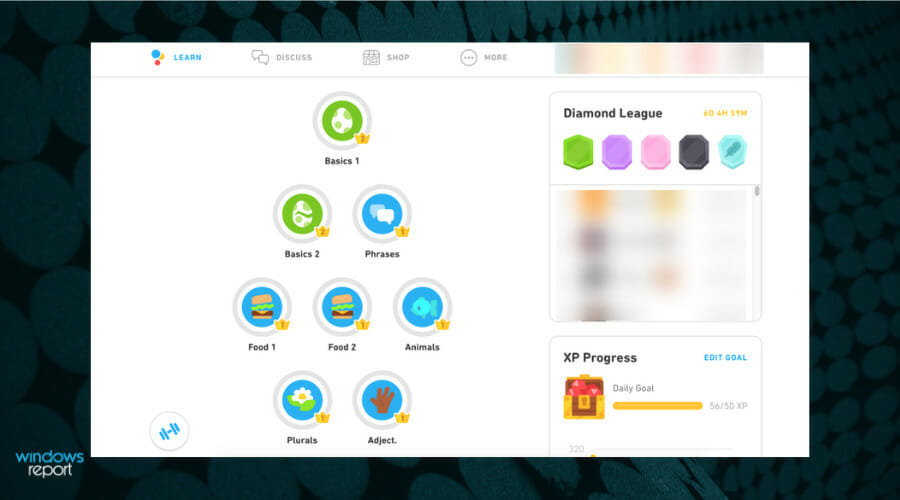
Duolingo is a popular language-learning tool on the market right now. It combines funny games and interactions with learning one of the many languages available inside the app.

The developers thought about creating an app that introduces people to new languages of their choice in an interactive way.

Game-like lessons and fun characters will help you slowly gain knowledge, master new words, and develop solid speaking, listening, and writing skills.

Behind the app, there is proven scientific research of the best teaching methodology that will foster long-term language retention.

Whether you’re learning a new language for travel, school, a career, or simply out of plain interest, Duolingo is the best way to go about it. And it’s also completely free!

The learning curve consists of quick bite-sized lessons and modules that don’t have long to complete and seem like a breeze. You won’t even notice how many you’ve completed.

Here’s a list of Duolingo’s best features:

  • Progress tracking and achievements
  • Over 35 available languages
  • Scientifically proven learning method
  • Every language course is completely free
  • Over 300 million satisfied learners worldwide
Duolingo

Duolingo

That’s your chance to expand your knowledge and learn a new language thanks to Duolingo!

Minecraft

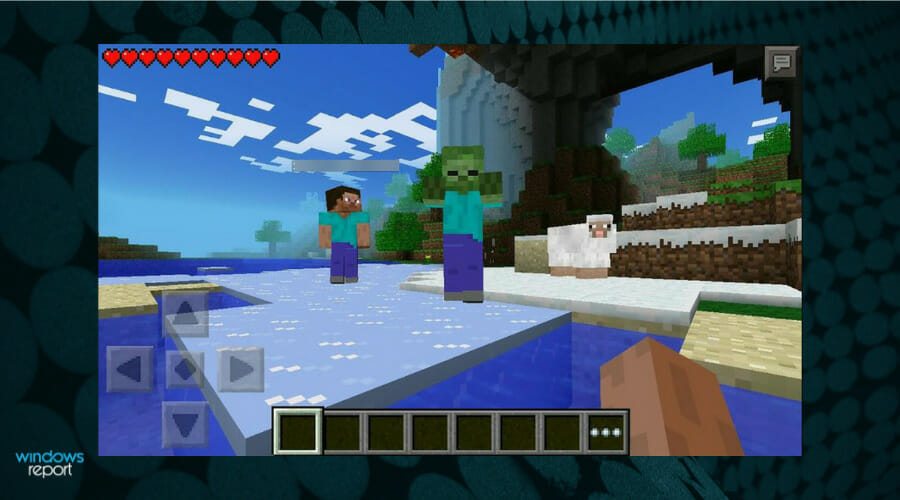
Minecraft is one of the world’s most popular games at the moment! This sandbox survival and adventure game lets you explore a randomly generated world filled with wonders.

The app is perfect for people of all ages, being simple and straightforward at its core, and at the same time pretty complex if you try to tackle its world-building.

What can you do in Minecraft? The correct answer would be, what can you not do? The possibilities are endless since you can build anything anywhere and use lots of different materials to do so.

The overall look of the game is quite goofy since the whole world is practically made out of blocks, however, this gives it a heartwarming feeling.

When playing Minecraft, you are the arbiter of your actions, and you are free to create your own story. Explore the seas, mine in the dangerous caves, or climb snowy mountains!

Be a farmer, and build a small shack, tame animals and keep them in pens, or try to arm yourself with the most powerful armor and weapons and try to defeat the Ender Dragon.

Let’s take a look at its awesome features:

  • Procedurally generated world
  • Multiplayer and singleplayer experience
  • Endless possibilities
  • Constantly updated
  • In-game marketplace for awesome adventure maps
Minecraft

Minecraft

A blocky adventure game made for everyone. Explore its mysteries alone or with your friends!
Check priceVisit website

Spotify

Spotify is widely known for being one of the best podcast & music apps. You can install it on any device and listen to your favorite songs everywhere.

Create playlists, like songs to listen to them later, customize everything from the profile name to the name of your playlists, and more.

Spotify lets you creatively express yourself through the music you listen to. You can also tell the app what kind of artists and music you love listening to.

Then, the software will automatically suggest songs that might interest you. This way, you will never run out of music, and you’ll expand your library with new cool ones.

The software is free, but it runs ads. If you want an ad-free experience, there are a couple of affordable monthly subscriptions to upgrade to.

That’s not all! You can have multiple people listening to music on the same account as long as they are using the same network!

Here’s a list of the app’s best features:

  • Playlist customization
  • Discover weekly
  • Affordable subscriptions
  • Remote control
  • Ever-expanding song library
Spotify

Spotify

Listen to your favorite artists, and watch interesting podcasts with Spotify right away!

Today

Today is an app that will keep you up with the latest breaking news from BBC-ONE. Never miss any big thing that is happening in the world.

Catch up with all the new trends, viral videos, important news, political statements, and more with The Digest section.

Enjoyed by thousands of people worldwide, it will provide you with highlighted stories that are popular among readers so you can also check them out.

Today has news and article from a wide variety of topics, from sports, actors, films, shows, to the royal family or the upcoming weather.

Watch your favorite news channel from anywhere around the world on a multitude of devices!

Here are some of the app’s best perks:

  • Constantly updated
  • Brings news from BBC-One
  • Compatible with multiple devices
  • Highlights feature
  • The Digest section
Today

Today

Do not hesitate to keep up with the latest news from one of the world’s most famous channel!

Google Translate

I’m sure most of you know about Google Translate. It also comes in the form of an app, and it’s quite popular since it’s really good.

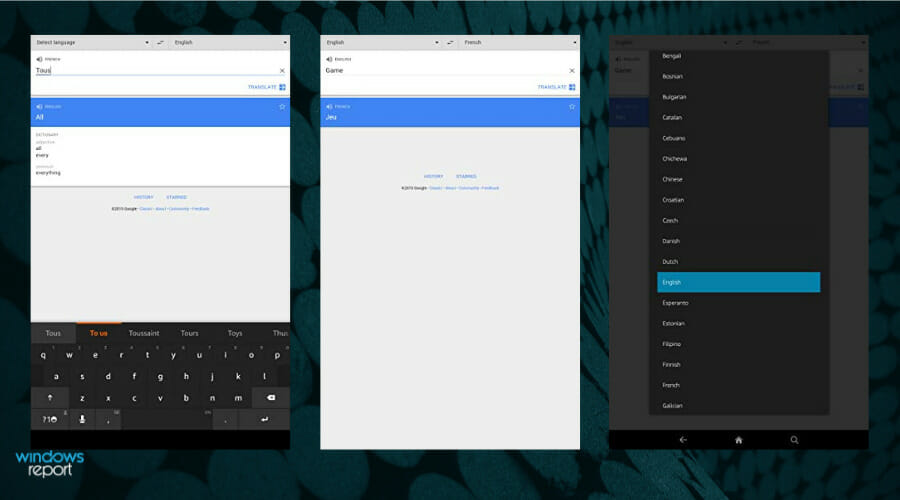
Translate words, sentences, and even entire paragraphs of text in any language easily, just by copying and pasting it in the tool.

The format of the text doesn’t really matter, since any size will work just fine. The accuracy of the translations is pretty good, and Google is constantly working to improve it.

If you ever need to translate something really quick, let’s say, when you’re at a pub, during a vacation, an app such as Google Translate can be a life-saver.

What’s even better is that it’s completely free! You don’t need to pay a dime. Simply install it and you’re good to go. Google Translate also has a really simple interface so anyone can utilize it.

Let’s have a look at its main features:

  • Hundreds of languages to choose from
  • Automatic language detection
  • Correct grammar implementation for all supported languages
  • Synonyms and idioms included
  • Completely free
Google Translate

Google Translate

Go beyond language barriers and communicate with people from all over the world thanks to Google Translate!

Sonic The Hedgehog 2

Who doesn’t know the overenergetic hedgehog and its less famous companion, Tail, the fox?

We all grew up with this classic Sega arcade game so it’s easy to embrace any of this hero adventure with a huge smile on our faces.

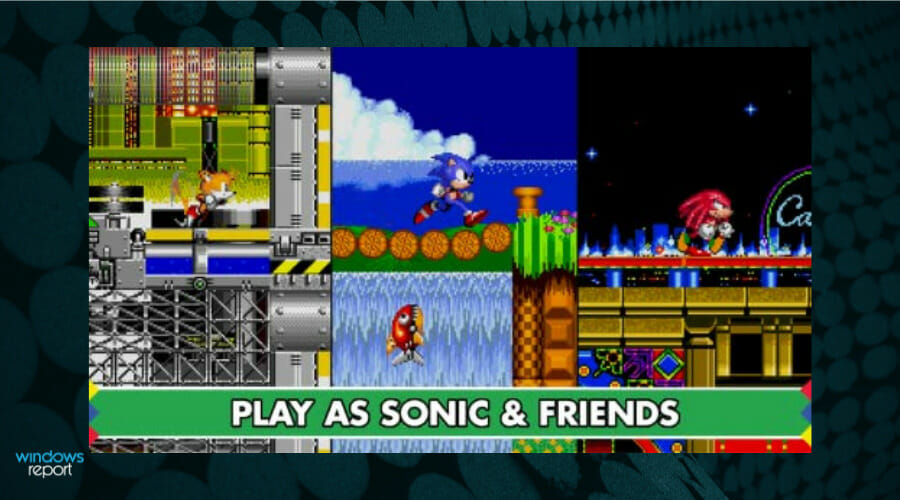
You will get to race with the two friends in exciting environments like the Chemical Plant or Casino Night and enjoy epic boss battles such as the one with the fierce Dr. Eggman.

Of course, get your hands on the high score challenge from the half pipe Special Stage. Hey, you can even play with Knuckles, another trusted friend character.

There’s also a new Boss Attack mode that challenges you to destroy all the bosses in one run which will be pretty hard to do.

For the first time ever, you will be able to explore the Hidden Palace Zone to discover new enemies and hazards to pass.

Let’s look at this game’s best features:

  • Get a glimse of the mysterious Hidden Palace
  • New enemies and missions
  • Boss Attack mode was added
  • Epic boss battles
  • Enhanced graphics and remastered soundtrack
Sonic The Hedgehog 2

Sonic The Hedgehog 2

Get on board with another exciting adventure of Sonic and his friends in an extraordinary environment!
Check priceVisit website

Bloons TD 6

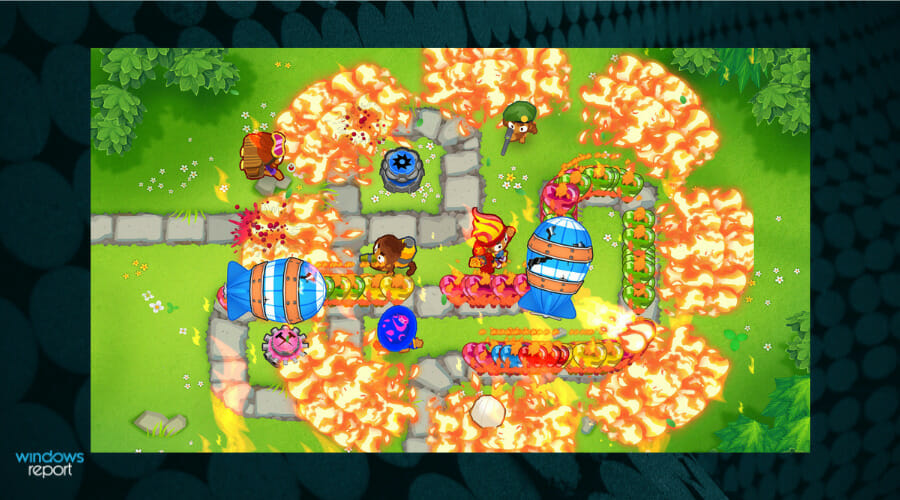
If you’re a fan of the tower defence genre, you will be thrilled about Bloons TD 6 game, especially because now you can even play in the new 4 player co-op mode.

Moreover, now you can create your own Chllenges and Odysseys and challenge your friends and the community.

For those who are not familiar with the game, Odysseys are missions that contain 3 to 5 maps that are connected by their themes, rules, and rewards.

There are also a lot of bosses that will put the very best defences to the test. Earn Trophies and go to the Trophy Store to exchange them for customization items for your monkeys, Bloons, and more.

Get ready for 22 powerful Monkey Towers with their own upgrade paths and activated abilities so choose well to climb the ladder to the top of the players ranking.

You will be able to choose from 13 different Heroes, each with 20 signature upgrades and 2 special abilities! Game on!

Let’s review some of this game’s most awesome features:

  • Single player offline mode so you can enjoy the game anywhere
  • 56 unique maps with great graphics
  • Over 100 meta-upgrades to add power when you need it the most
  • Plenty of Heroes and Monkey Towers to choose from
  • Engaging and exciting gameplay
Bloons TD 6

Bloons TD 6

If you’re a tower defence gamer, Bloons TD 6 brings that excitement you were looking for in such a game.
Check priceVisit website

iHeartRadio

Are you tired of the same local radio stations that play the same music on and on? iHeartRadio can be the way out to get new and exciting content.

It’s a free app that brings you access to thousands of radios from across the country but that’s not all.

You can create your own custom station by selecting your favorite songs and artists, then the app creates a playlist from a huge library of over 18 million songs and 400,000 artists.

The Live stations, as well as the custom ones, cover all the genres you might think of including Country, Pop, Rock but also talk shows, news, sports, and even comedy.

iHeartRadio is also the best way to get rid of commercials on your own custom-made selection. Now you only need a road and a destination!

Do you want to stay home and do your workout? You can find music for that too and save the playlist for another day.

Take a look at this app’s most impressive features:

  • Ad free music and shows through the entire day
  • Available on most platforms
  • Create your own station and playlist
  • Personalized recommendations based on your taste
  • 18 million songs and 400,000 artists to choose from
iHeartRadio 

iHeartRadio 

Get the mest music and radio stations from all over the country customized to your taste.

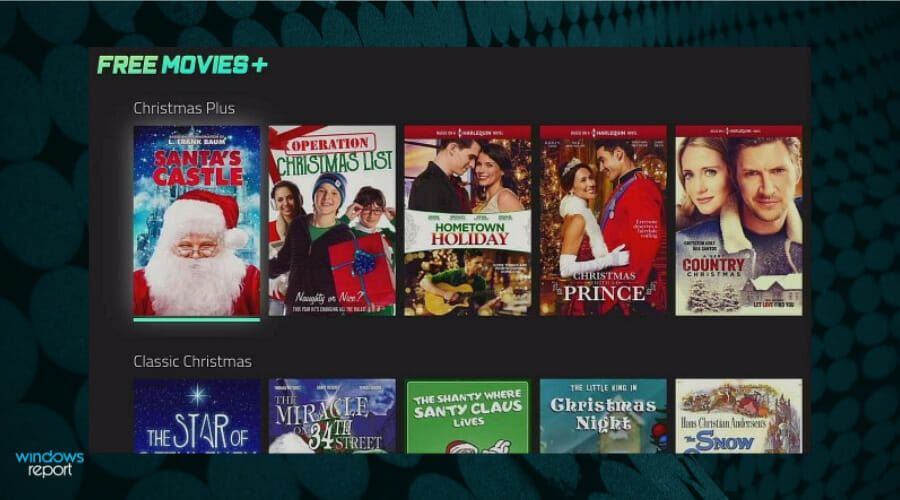
Free Movies Plus

There’s nothing more pleasant to unwind after a day’s work than to watch a nice movie with your friends or family.

The on-demand market is already saturated but there are still ways to get some good movies for free, without ads and other distractions.

Free Movies Plus is a great app that promises amazing movies if you create yourself an account on their website.

Of course, there are mostly old movies but the genres cover all possible tastes, from westerns and musicals to comedies and action.

So, there’s everything for everyone, and the fact that they’re free, it’s worth at least taking a look at this app.

The content is ordered on categories and genres so it’s easy to browse your favorites and the app is very simple and friendly so it won’t give you any trouble.

We have to mention that it comes with a system that prevents the processor from sleeping or the screen from dimming so you can enjoy the movies without interruptions.

Let’s have a look at its main features:

  • Cross-platform compatibility
  • Lots of free movies to choose from
  • Friendly interface and easy browsing
  • Simple categories based on genres
  • No ads and interruptions
Free Movies Plus

Free Movies Plus

Remember the movies from the old times with a free app and content for the perfect entertainment evening.

Tik Tok

We’ve reached a point where probably everyone knows about Tik Tok and even though Facebook still has more users, this app is on most youngsters’ phones.

It’s hard to say anything about a platform that we all know about but it’s clearly the top content creation platform nowadays.

To give it a short description, Tik Tok is a version of YouTube. The content is more concise and compact, and it’s a lot easier to switch from a funny cat to a funny dance and then to some blooper.

Of course, the content gets customized to your liking in time. So if you only gave likes to certain videos, their genre will appear more often than others.

And if you have anything interesting to say or do, Tik Tok is the perfect place to create your own recording in seconds to be viewed by your friends or anyone.

There are a lot of effects, filters, and AR objects that you can choose from to personalize your clips for any purpose.

Let’s see what are Tik Tok’s main features:

  • Create your own story and videos in just a few seconds
  • Simple and friendly interface
  • Share your thoughts or your talents with everyone out there
  • Lots of editing tools available
  • Miriads of effects and filters to create exclusive content
Tik Tok

Tik Tok

Join the best content creation community and show your talent to everyone!
Note icon NOTE
We brought you a rich list of Android apps from the Amazon Store but the list of Windows 11 approved apps will be published by Microsoft later this year.

Do Android apps affect Windows 11 PCs?

The central focus of this new addition is to create a future where apps will work and function the same regardless of the device. Microsoft is trying to get rid of platform-specific apps.

Additionally, the company has stated that it wants to make Windows 11 feel the same on all devices that support it. This means that the OS will function identically on a Windows tablet or a laptop.

Lastly, opening the Windows market to Android apps offers a great selection of tools dedicated to productivity, content creation, and utility.

If you’re curious about what will happen to the popular emulators, check out this article dedicated to the fate of Android emulators after Windows 11.

Will we only be able to use apps from the Amazon Store?

When Windows 11 was officially announced, Microsoft stated that they have improved the Amazon Store and made it more responsive and fluent on the new OS.

Speaking about stores, did you know that the MS Store will also receive an overhaul on the new Windows? Here’s a great article about the latest Microsoft Store changes.

This statement made users believe that the only way to download Android apps on Windows 11 would be through the Amazon Store.

However, that is not the case. Later, a Microsoft employee said that you will be able to sideload any other Android apps on the new operating system.

This is some great news since we’re not limited to the Amazon Store! We can download the Google Play Store, or simply upload APKs in our PCs, and they will work as intended.

We have to thank Intel for this feature

This awesome feature was made possible thanks to Intel’s Bridge Technology, a runtime post-compiler that lets software run on x86-based devices natively.

Instead of forcing Android developers to convert their apps to Windows versions, Microsoft and Intel brought the technology to Windows.

Don’t worry if you’re owning an AMD CPU! You will be able to run Android apps just fine. The project is not limited only to Intel CPUs.

Still not convinced to upgrade to the new operating system? Here’s a thorough comparison between Windows 10 & Windows 11. Check it out and see for yourself!

We hope that you’ll find our selection of Android apps useful. If you have any suggestions regarding this subject, feel free to tell us in the comments section below.

OnMSFT Roundtable: Our thoughts on Windows 11 (they’re not all good)

First and foremost, the OnMSFT team are Microsoft enthusiasts, with both experience and viewpoints on what works and what doesn’t in the world of Windows and beyond. In this roundtable, we asked our writers to say a few words about Windows 11, now that it’s officially launched. We’ve been following Windows 11 since well before it was first announced, of course, and have been both using it and writing about it for quite some time. Here’s some of our thoughts, in no particular order:

Kareem Anderson

Windows 11 is a mixed bag of learned lessons from the Windows team over the years as well some head scratching missed opportunities in my opinion. Having tested Windows for over the past four months on various devices and form factors, I appreciate the consistent nature of the operating system. Windows 11 has routinely run smoother no matter the device or the specs. From a Surface Go 2 to a 32GB NVIDIA Quadro RTX enabled workstation, the animations and system processing are concretely improved.

When I refer to learned lessons, it’s clear the Windows team took to heart transitioning from one operating system to the next and kept much of the core of Windows 10 the same. People moving from Windows 10 should find Windows 11 welcoming, unlike the transition from Windows 8.1 to Windows 10 where full sections and functionality were replaced, deprecated or simply gutted. For the most part, things like files, apps, and settings are just were users left them, that is both a good and an irksome thing for users like myself, which leads me to the point of missed opportunities.

Once again Microsoft has an opportunity to spearhead cohesion and vision, and while the bits and pieces of UI design appear amid a fog of choices for vision, the overall cohesion of the operating system is still missing, at least this early on. I’ll admit I don’t know the first thing about the Windows 11 roadmap or personal engineer responsibilities, but I would like to see the company dedicate the resources to a full time team that just updates the entirety of the context menus, prompts, and dialog boxes in Windows, another to modernize the Task Manager, and one to update the mobile experience.

Yes, icons get spread out, and ribbon items enlarged, but there is so much more to mobile computing than being able to touch an item on screen and the way Windows 11 operates on tablet screens, i.e. it’s flagship device the Pro 8, should exude vision, rather than what I see as lazy development.

Windows 11 looks great. It feels better to use than Windows 10 and I don’t see myself ever going back, but if some users scratch a little too deep, they may find the same annoyances they had with Windows 10, Windows 8 or even Windows 7 still there, and that’s where I think going forward, the vision for what Microsoft wants to do with its operating system is now more important than ever.

Abhishek Baxi

I hate to use the oft-repeated marketing term, but Windows 11 does feel modern and built for the times. It’s neater, and in many places, more visually appealing. The core is familiar and hence the upgrade is not jarring, but the fresh coat of paint is an interesting way forward. However, it is start of the journey and not the destination, because there are too many inconsistencies and a set of annoyances that most Windows users – and not just power users – will struggle to wrap their head around.

One good thing of this refreshed strategy is that there’s neither Windows 10X nor something like Tablet Mode on Windows 10. It’s just one experience for devices of all form factors, touch or no-touch, with the good things from all of those assorted in a unified manner.

For me, the ‘everyone’s invited’ approach to Microsoft Store is a winner, and we’re already seeing major apps (and Epic Games) getting on to the store even before day one. Of course, long way to go still. The store experience and the limited catalogue was one of the weaker points of Windows 8/10. The work done on the store, including the strategic shift, should make it more convenient for Windows users to shop for apps and augment their operating system with the tools they need for work and leisure.

Laurent Giret
The release of Windows 11 is a good opportunity to look back at previous versions of Windows. People loved Windows XP, but they hated Vista. They also loved Windows 7, but Windows 8 was probably even more controversial than Vista.

Windows 10 also had its faire share of controversy with forced, sometimes buggy upgrades, and there was also a lot of FUD around the telemetry you can’t completly disable. Still, Windows 10 is generally seen as a solid OS, and many expected it to be the “last version of Windows” ever.

Back in 2014, the road towards Windows 10 was quite exciting: There was the launch of the Windows Insider program, and the promise of universal apps that would work on PCs, tablets, and phones. In many ways, Windows 11 seems to be a less ambitious hybrid of Windows 10 and Windows 10X, the simplified Windows-based OS for dual-screen PCs and Chromebook-like devices that Microsoft eventually scrapped.

Windows 10X still lives on in Windows 11, but if nice touches of polish make a good first impression, I’m afraid most users won’t like the changes made to core features like the Start Menu and Taskbar. I also wouldn’t be surprised if the new Widget Menu and Chat app eventually fade away like Cortana or Windows 10’s Timeline feature.
In retrospect, I see Microsoft’s Chief Product Officer Panos Panay doing the same thing that Jony Ive did at Apple after taking over the design of iOS and macOS. Back then, many hardcore Mac fans complained about the “iOSification” of macOS, and I do see some of that in Windows 11, with a Windows 10X twist.

All in all, Windows 11 is going to be polarizing release, especially with all the kerkuffle about the minimum system requirements. As it turns out, you can install the OS just fine on unsupported PCs, but will you really want to do that? I’m can’t really highlight a single killer feature right now, though there’s definitely some good things for PC gamers with the new DirectStorage API and AutoHDR feature.

Arif Bacchus

I haven’t used a Windows version like Windows 11 since Windows 7. From rounded corners to glass-like Fluent Design effects, the operating system looks and feels beautiful. I know there are some controversies with the hardware requirements, but it should not be stealing the spotlight. Windows 11 brings many useful features and thanks to tweaks to the touch keyboard, inking, it matches hardware with software, especially on a tablet or flagship devices like the Pro 8 & Surface Laptop Studio. Productivity is also at the forefront, and Snap Groups is such a time-saving Windows feature, as is the nifty feature where Windows remembers what you had on your monitor when you plug/unplug. Even entertainment comes first in Windows 11, with useful features like Widgets, and a revamped Microsoft Store. It’s the small things that matter, and while there are things that could use fixing in Windows 11, Microsoft is on a path to success, and it can only get better here on out.

Brad Stephenson

I’ve been using Windows 11 for the past month or so and I’d be lying if I said I wasn’t regretting the upgrade. While Microsoft’s new operating system is noticeably faster at loading apps and running in general on my Surface Pro 7 than Windows 10 was, Windows 11 feels a lot less efficient when it comes to performing basic tasks and my productivity has been noticeably affected by several of the design changes.

The ability to simply swipe in from the right side of the screen to bring up the Action Center was a feature that I used multiple times a day (even per hour) in Windows 10 to adjust screen brightness, volume, devices, internet connectivity, you name it. Windows 11 replaced this with a bland calendar, which serves very little purpose, and moved the Action Center’s functionality into a menu that has to be activated by tapping the small volume icon in the taskbar. Not only is this incredibly inconvenient when using both a mouse and touch gestures but it also now makes it impossible to adjust the volume and screen brightness when the taskbar is hidden such as when playing a video game or watching a movie.

In Windows 10, you could simply swipe in from the right and adjust the settings. In Windows 11, you need to pause what you’re doing, exit full screen, tap a small icon without touching the ones next to it, adjust your settings, and then get back to the movie or game. It’s a mess.

Another frustrating change is the removal of Live Tiles. Since upgrading to Windows 11, I’ve missed two business events and a family member’s birthday because I was so used to seeing events in the Calendar Live Tile every time I opened the Start Menu to select an app throughout the day. Windows 11 has attempted to replace Live Tiles with widgets but these have been relegated to their own menu which I genuinely keep forgetting exists. The appeal of Live Tiles was that they showed information to users while they were going about their usual tasks. I’m not going to open a widget menu to check information. I may as well just open an app and that defeats the purpose entirely. The obvious solution to this is to merge the widget and Start Menu together but I’m not holding my breath.

Right now, Windows 11 feels like a faster version of Windows 10 with half of the functionality. Operating systems rarely launch in a perfected state but I sure do wish that Microsoft had gotten closer than they are right now.

Kip Kniskern

My first reactions to Windows 11 aren’t about the refreshed UI (which is nice, for the parts that are actually refreshed), or the upcoming Android apps (because who is going to actually *use* Android apps on a PC?), but what this all means for Windows 10, and how Windows 10 and 11 get along.

Microsoft has emphasized that Windows 10 still has some five years of support left, and has made a path forward difficult if not impossible for older hardware, meaning that we’re going to exist in a duopoly of Windows versions for years to come. Will Windows 10 become more Windows 11-like? What happens to apps?

Microsoft has said the new Store (perhaps one of Windows 11’s best features), along with other refreshed Windows 11 apps, will be coming to Windows 10. Does that mean they’ll sport the same Windows 11 look? Will Microsoft maintain two UIs for apps, or will Windows 10 become even more visually inconsistent?

And what happens to the code base? We’re not sure if Windows 11, which is so far mostly Windows 10 under the hood, will remain so, or if the two operating systems will fork (if they have already).

The question isn’t really how similar Windows 10 and 11 are now, it’s how similar will they be in 4-5 years. As it stands now, even with a slightly relaxed stance on hardware requirements, most of enterprise isn’t going to rush to upgrade to Windows 11. Instead they’ll stick with their perfectly good stable of 6th or 7th gen processors, and Windows 10. Microsoft is going to have to make it a lot harder to stay on Windows 10, or to put it another way, a lot more compelling to upgrade to Windows 11, in order to move the install base toward anything like what Windows 10 has now.

What do you think?

Like us, many of you have had your hands on Windows 11 for months, and have formed opinions on the latest OS from Microsoft. So, what do you think? Let us know in the comments below

Xbox’s Port Royale 4, Naruto to Boruto, and Dandara are free to play on consoles this weekend

Xbox Live Gold subscribers have three full games to play on Xbox One and Xbox Series X consoles this weekend.

The Port Royale 4, Naruto to Boruto: Shinobi Striker, and Dandara: Trials of Fear Edition video games are now free to play for those with an active subscription until the end of Sunday at 11:59 p.m. PDT.

As is typical with a Free Play Day campaign, all three titles have been given a significant discount in the Microsoft Store online storefront for those that want to purchase them outright and continue playing once the promotion is over.

Port Royale 4 has received a 35% discount, Naruto to Boruto: Shinobi Striker a massive 85% one, and Dandara: Trials of Fear Edition has been given a 60% price reduction.

After something different to play on Xbox this weekend? Nickelodeon All-Star Brawl launched earlier this week and is getting a fair bit of attention from players and streamers.

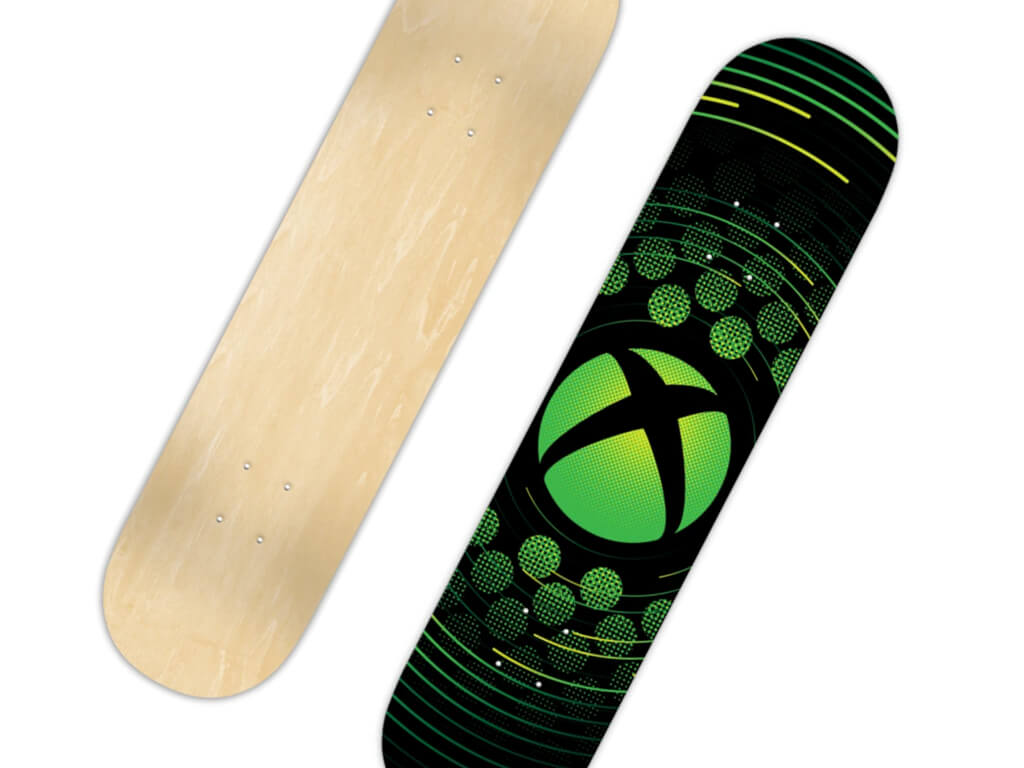
Need some non-game Xbox content? Check out the new Xbox skateboard, Adidas sneakers, and Rockstar Energy drinks.

Port Royale 4
Port Royale 4
Price:
$19.99


Dandara: Trials of Fear Edition
Developer:
Raw Fury
Price:
$14.99

Best Virtual Musical Instruments Software: 15 Must-Have Tools

You’ve got all the gear you need, but do you also have the software to lay it all down with? People say that it’s all about the musician and the recording software doesn’t matter that much.

Well, let’s agree to disagree, as our opinion is that you really do need the proper software to get the full capabilities of the songs you have been working so hard on building inside your mind.

You really need something to transfer those ideas into reality, and also to optimize your workflow by simplifying the process of making music.

The amount of music software available on the Internet is huge therefore it might leave you a bit confused.

This is the exact reason for which we have created a decent collection of software compatible with modern systems that you also might find in the folders of various professional artists.

Choosing your production software

When you think about the best choices in production software, it’s crucial that you take into consideration all of your personal needs. Here are some essential aspects that you should keep in mind:

  • Budget

This is really an investment for the future so you’re going to want to get it right from the very beginning.

You should really think long-term before emptying your pockets and it’s also recommended that before you drop the money, you also consider trying some free trials.

  • Experienced level

If you’re just starting out, you shouldn’t get too crazy with spending lots of cash on highly professional software.

Instead, you should start with something that you’d easily be able to understand and use in order to get your skills in making music going.

On the other hand, if you’re more experienced and you’re looking for a way to boost your skills and your creations, going higher on the cash level and getting some expert software is going to be worth it.

This will prove to be an investment if you take a minute to think about the future.

  • Are you planning on performing live?

Some software is more suited for live performances offering some easy integration with MIDI controllers, VST instruments, control surface , and more live performance gear and features.

On the other hand, eventually, any software is great for performing live, so don’t worry about this too much.

  • Stick with your choice

Your goal should be becoming more and more familiar with what you’ve chosen, because the quicker and the easier your workflow is, the more confident you’ll become, and the better your music will sound.

What are the best virtual musical instruments software to get?

Adobe Audition

Adobe is at the top of the editing software market and no one can deny it. However, it does have a few surprises to offer in terms of audio and video production too.

You just need to try out Adobe Audition and you’ll get the point. Besides the full functionality of an audio editing program, this tool also provides outstanding multitrack recording capabilities found on audio workstations.

Not many professional audio editing programs let you record more than one audio source at once. That’s not an issue to worry about when using Adobe Audition.

After all, that’s the industry’s best audio editing tool. So, don’t hesitate to take your time to explore it and enjoy unmatched stability even in longer recordings. You deserve it!

Refer to the key features below for further details:

  • User-friendly, uncluttered interface to help you focus on achieving the desired result
  • Full digital mixer to adjust the levels and panning of multiple audio tracks at once
  • The essential Sound panel that guarantees professional-quality audio
  • Useful Remix feature to automatically rearrange songs to fit any duration
  • Remarkable noise reduction capabilities
  • Impressive restoration tools
  • Convenient use alongside Adobe’s Creative Cloud suite of products for professional digital media
Adobe Audition

Adobe Audition

Use this top sound editing software for professional results and multitrack recording.
Check priceVisit website

FL Studio

Image Line’s FL Studio is one (if not THE) of the best DAWs in case you’re looking to start out and get your feet wet in the whole music-making area.

This one is out for quite a long time and it’s no wonder it has become so popular. If boasts the standard protocol with pitch shifting, correction, time-stretch, cut, paste, and the works and its interface is perfect for beginners.

You can use MIDI keyboards, a mic to record into it, and you can also do all of your standard editing and mixing. Another great feature is the compatibility with a lot of plug-ins like Nexus1&2, FAB Filters, Zebra, etc.

It’s more than best for the newcomers in the music industry. It comes with a demo/trial version, but for better service, there’s always a price.

However, the demo will help you decide after starting to get deeper into the creation process.

FL Studio

FL Studio

If you’re looking with quick results and easy editing, FL Studio will work like a charm.
Check priceVisit website

Pro Tools

If you’re looking for the industry standard, this is the software you should choose. Any professional producer or sound engineer will tell you the exact same thing.

It would take hundreds of articles to describe all the features of this software, so it’s not quite suited for beginners. It offers the standard abilities to compose, record, mix, edit, master, and more.

It boasts a super-fast processor, a 64-bit memory capacity, its own latency input buffer that will help with delays, and built-in metering.

Pro Tools offers features for all music creation stages. You can record, produce, edit, mix and master your tracks without the need for additional tools.

Here are some of the most notable features of Pro Tools:

  • Thousands of instrument sounds
  • Automated playlist tracking
  • Huge library of audio and MIDI tracks
  • Flexible MIDI editor
  • Allows quick creation of presets
  • Assisted music distribution to streaming platforms like Spotify, Apple Music or Pandora, but also on social media
  • Collaboration Cloud
  • Provides tutorials

Pro Tools has a free version as well as a subscription-based one with 3 types of plans available. It offers special deals for students and teachers, and it also has special plans for enterprises and institutions. 

Pro Tools

Pro Tools

This is one of the sound engineers’ preferred tools and it’s because it’s one of the industry’s standard recording software.
Free trialVisit website

LMMS

This is a feature-packed workstation for making music from scratch, and it’s great for editing samples and tracks. This remains one of the most popular free music production and editing suites on PC and beyond.

It was developed by Tobias Doerffel, Paul Giblock, Danny McRae and Javier Serrano Polo and it’s also one of the most comprehensive DAWs ever and it doesn’t cut features and utilities.

Key features of LMMS include:

  • MIDI or typing keyboard controls
  • Piano Roll Editor
  • Beat+ Bassline Editor
  • 16 built in sythesizers
  • Active online user community
  • Sharing platform for users to promote their projects

LMMS can be a great starting point for beginners, not only because it packs its features in an easy-to-use UI, but also because it is open source. You don’t need to pay for the software, but they have a community of users that donate to keep the project going.

⇒ Get LMMS

VirtualDJ

This one is designed for professional musicians and DJs but don’t worry as it’s totally accessible for newcomers also.

It’s one of the oldest open-source music workstations on the market and there’s a pretty good reason for which it lasted for so long: it’s one of the best ways to start making music for free.

Virtual DJ is also a good tool to use live as it offers some real-time track effects such as instant acapella and instrumentals, on-the-fly mashups, and real-time track separation.

You can easily integrate your DJ set, but it is not necessary. The software works as a stand-alone DJ mixer without the need for additional equipment.
Other key features of Virtual DJ include:

  • Supports multiple media formats: audio, video and karaoke
  • Advanced library management with smart folders, intutive categories and AI-suggestions
  • Built-in audio and video effects
  • High quality pitch-stretching
  • Limiter for clipping and distortion
  • Auto detects DJ hardware and sound cards
  • Unlimited blanks and sample slots
  • Allows the creation of both public and private Cloudlists
  • Automatic creation of a mix based on song structure and beats for best transitions
  • Assists online radio and podcast broadcast

Virtual DJ has been a user favorite software for quite some time and now it has over 100 million users worldwide. The software has a free version, and also subscription-based plans for professional-level users. It comes with a 20-day free trial. 

⇒ Get VirtualDJ

Audacity

Audacity is more than a tool for editing podcasts and it’s perfect for musicians and DJs of all levels.

Audacity remains one of the most brilliant accessible DAWs and it’s the perfect choice for songwriters of all experience and skill levels.

You can use it to rip tracks straight from CDs and to import them in formats including WAV, AIF, and MP3.

You can also integrate a microphone or mixer to record live audio. Audacity allows you to record from multiple inputs at the same time as long as all devices are connected.
It can also capture streaming audio if you integrate sound cards. 

Audacity is compatible with multiple audio formats. You can import and export WAV, AIF, MP3, AU, FLAC, and Ogg Vorbis files.

The audio editor is beginner-friendly while still providing enough features to create professional projects. You get the standard Cut, Copy, Paste, and Delete options. You can label, sync-lock tracks. You can alter individual sample points with the Draw Tool, edit and add multiple clips to each track. The software also has an Automatic Crash Recovery feature which keeps a backup of your files.


Other key features of Audacity include:

  • Supports 16-bit, 24-bit ad 32-bit sounds
  • Integrates LADSPA, LV2, Nyquist, VST and Audio Unit effect plug-ins
  • Full keyboard control of all features
  • Provide detailed frequency analysis

Audacity is a free software. In terms of accessibility, it is available for Windows, macOS, and Linux users and it has multiple language packs. 

⇒ Get Audacity

Hydrogen

This is a free drum machine that has become a favorite throughout the online music-making community.

Sometimes all you need is a digital drum machine with all the trimmings for finding the right beat, the best track for your lyrics, or for laying down the foundation for the best D&B song ever created on this planet.

This is where Hydrogen comes in as a free Windows music production app that will sweep you off your feet.

Hydrogen offers the basic toolset for Moving, Deleting, Copying and Cutting audio tracks. The sequencer is pattern-based, and you can create as many patterns as you want.

You can import various sound samples of .wav, .au and .aiff formats. Compressed FLAC files are also supported.

Key features of Hydrogen include:

  • Unlimited instrument tracks 
  • Sample Editor
  • Advanced tab-tempo
  • Time stretch and pitch functions
  • Multiple patterns playing at once
  • Play lists with scripting functions

Hydrogen has a dedicated user community. They interact with each other via a forum within the official website of the software. There you can find tips& tricks about how to use the software, you can ask your own questions or provide tutorials. Many users offer Patterns they created for further use, free of charge.

⇒ Get Hydrogen

Ableton Live

Since its introduction in 1999, Ableton Live has been constantly growing as a popular DAW and this happened for a very good reason.

It features the standard multi-track recording (with the unlimited number of audio/MIDI tracks), cut/paste/splice options but what’s the greatest thing about it is the seamless MIDI sequencing software and hardware.

It’s also one of the best DAWs for performing live.

Ableton has an extensive library of 5+GB for the Intro Version, 10+GB for the Standard Version and 70+ for the Suite Version.

The software provides thousands of different sounds. On top of that, you get over 20 audio effects and up to 15 MIDI effects.

The user interface is simple and easy to understand. It is reportedly great for quick and intuitive composition, allowing users to play around with the settings.

All changes made to your tracks can be reversed with unlimited Undo, so you can freely play around without worrying about losing the perfect sound.

Other key features of Ableton include:

  • MIDI sequencing of both software and hardware instruments
  • Unlimited instruments and effects per project
  • Track freeze
  • MIDI remote control
  • MIDI output to hardware synths
  • Supports WAV, AIFF, MP3, Ogg Vorbis, and FLAC 
  • Drum-rack layering tool
  • Different sound packs including Drum Essentials, Grand Piano, and Orchestral Strings

Ableton is compatible with Windows and macOS. To use any version, you will have to pay for a license. However, you can try all the features provided for free within a 90-day trial.

⇒ Get Ableton Live

Reaper

All major DAWs (digital audio workstations) usually offer a free trial period, and one of the hidden treasures in the area is Reaper. You’ll be able to enjoy the free trial for 60 days as you can see on the website.

With Reaper, you can get unlimited access to a very stable DAW that features similarities with the powerful Logic and Cubase.

Just like the previously discussed tools, Reaper can be used on its own as a digital audio workstation, or you can connect it to additional hardware. It can be of great use both for amateurs and professionals.

With Reaper, you can record in audio and MIDI formats. You can simultaneously record as many tracks as your hardware inputs allow.

Other key features include:

  • Compatible with almost any third-party audio or midi plug-in: VST, VST3, VSTi, LV2, LV2i, DX/DXi (Windows only)
  • Real-time pitch shifting, correction, and time stretch
  • Includes multiple pitch/timestretch engines
  • Highly customizable UI, multiple layouts provided
  • Can be used on a USB key or other removable media
  • Active and helpful user forum

To use Reaper you will have to purchase a license. As stated in the beginning, the software can be tried for free. It is compatible with Windows and macOS.

⇒ Get Reaper

Noisemaker

If you’d like a simple and bold synth to get you started in the niche then Togu Audio Line’s Noisemaker is the thing for you.

This is an analog modeling synth featuring three oscillators, and this makes it one of the best free options for getting a vintage sound.

Its controls are much easier to understand than the ones of Ableton, so it’s quite ideal if you’re a novice.

Noisemaker provides a TAL-J-8 plug-in which is reportedly a digital emulation of 80’s synthesizers. You get additional calibration features. Just this plug-in offers over 300 presets.
It also has bassline, sampler, free audio filters, and more.

Other key features of Noisemaker include:

  • Adjustable master tune and transpose
  • Adjustable Velocity 
  • Adjustable Pitch Wheel
  • Built-in reverb
  • Built-in delay
  • 256 presets

TAL NoiseMaker can be used on Windows, Linux, and macOS computers. It is open source and distributed for free.

⇒ Get Noisemaker

Crystal (Green Oak)

Crystal is one of the classical synths and with its FM, and granular and wave sequencing synthesis capabilities, it can create some extremely complex and evolving sounds.

Even though it looks a bit aged compared to other synths, trust us that if you want to create otherworldly timbres, this is the choice for you and it will keep you hooked for a long time.

Crystal s a plugin, you have to already have a base host software for it to run. 
You can use it to edit synth patches. You can either use the presets provided by the plug-in or create your own patches. In the UI you have a modulation page with various controls of your audio file. You also have 3 voice pages which can be used simultaneously.

The mixer page is where you control the voices, add effects and overlay them to fit well together. 
The mixer has different options like a delay parameter, modulated effects like chorus, phasing, and flanging. 
Other key features include:

  • Oscillator section for voices
  • Ring and Frequency modulations
  • Portamento parameter which adds glide to the pitch of each note
  • Shaper control in the Filter section 

Crystal has rather advanced tools and its UI uses production-specific language without much guidance. However, they do provide step-by-step guides online which can be of great help for beginners.
It can be used for free on macOS and Windows computers.

⇒ Get Crystal

Dexed (Digital Suburban)

If you’re in desperate need of creating lush pad sounds, Dexed is the best choice you have. This emulation of the Yamaha DX7 captures the synth’s classic FM sound just as well as any other alternative.

It’s also perfect for creating bold plucked struck sounds and for making bright keys and it’s the perfect tool for your percussion.

Dexed can be used on Windows, macOS and it can also be used on Android devices.

The software comes with 3 engine types: Modern for the Android implementation, Mark I which is closest to the real sound of DX7, and the OPL Series which is an experimental implementation. 

Other features of Dexed include:

  • Over 100 parameters
  • Can be used with a native DX7, TX7 as a patch editor and sysex manager
  • Each operate has a real time VU meter
  • Can load/save any type of DX7/TX7 sysex program

Dex is free to download. It offers additional plugins. These can be both free or paid.

⇒ Get Dexed

MFreeEffectsBundle (Melda Production)

If you’re after a selection of basic effects and utilities, MFreeEffectsBundle is worth checking out. Its 25 utilities range from a simple noise generator and phaser to a six-band equalizer.

The software included in the package only offers limited functionality compared to its paid offer, but you’ll still find a lot of useful things in it. You can edit your tracks with a WaveShaper, or a Freeform Phase.

On top of that, the software comes with an MC generator that produces up to 8 MIDI values. Combine that with the MCompressor to process for unique features such as custom processing shape.

Other key features of MFreeEffectsBundle include:

  • Tremolo control
  • Stereo field correction
  • Saturation controls
  • 6-band Equalizer with analyzer and sonogram
  • Audio Pitch Analyzer for tuning instruments
  • Integrated Notepad

This is the free version of the software. You can also get premium bundles for more features. Each premium bundle comes with a free trial.

⇒ Get MFreeEffectsBundle

Reason (Propellerhead)

Reason by Propellerhead is less known in the music-making software industry but it’s one of the most stable programs, as far as we have learned. You can drag and drop among its interface and it offers a fast system.

The workflow is amazing especially for those of you who find themselves within the middle semi-pro range. It has a very powerful mixing console, and some say that it’s similar to Pro Tools and Logic.

The software works with MIDI controllers as well as with a mouse. It has a fast sequencer with many editing features. It has a special feature called Regroove Groove Mixer which enhances your playing by making it sound more natural.

Key features of Reason include:

  • Easy to use Sample
  • FM Synthesizer
  • Shapeshiftin Synthesizer
  • Specific string instruments editing mode
  • Drum Designer
  • Processed Piano Package

Reason is a subscription-based software that charges monthly. You can try it for free within a 7-day trial.

⇒ Get Reason

Cubase (Steinberg)

You would be quite surprised if you only knew how many people actually use the Cubase music software. Steinberg features its own signature key, and score and drum editor are included in this workstation.

You can use the Key Editor to manually edit your MIDI track just in case you need to move a note. It offers you unlimited audio and MIDI tracks, incorporated VSTs, reverb effects, and much more.

Cubase features one of the biggest sound libraries out there and also some of the most powerful plugins within a DAW, including the HALion Sonic SE 2 with synth sounds, Groove Agent SE 4 with 30 drum kits, EMD construction kits, LoopMash FX, and more.

Other key features of Cubase include:

  • Advanced and Basic Channel Strip
  • Chord Pads
  • Mix Console
  • Sampler
  • Advanced Audio Export with Sync
  • Customizable Workspaces
  • Colorized Mixer Channels
  • Scale Assistant
  • Advanced Recording toolset
  • Key Editor

Some say that it’s quite expensive and even harder to learn, but once you get the hang of it, you’ll be good to go for a long period of time.

⇒ Get Cubase

This is the digital age that we live in, so most of the production software out there is up-to-date and extremely popular. Go with the ones we’ve listed and you should be more than fine. Good luck!

If you have any thoughts about this list, drop us a line in the comments section below.

Windows 11 Security Baseline: Everything You Need to Know

With the release of Microsoft’s new operating system comes the release of the security baseline package.

This is something you can enable after installing the operating system to your supported computer, and it doesn’t take a lot of effort to get done either.

Find everything you need on Microsoft special page

You will most likely want to download all the essential data from the Microsoft Security Compliance Toolkit, and you can easily find all you need on Microsoft’s dedicated page.

From there, according to Redmond officials, you should test the recommended configurations. Also, you will want to customize and implement as appropriate for your needs.

From what we understand, two new settings have been included for this recent release. They were initially added to the Windows Server 2022 launch, so some users may already have ample experience with them.

These recent settings are custom for the printer driver installation restriction and a new Microsoft Defender Anti-virus feature. Interestingly enough, the software giant has removed all Microsoft Edge legacy settings from this release.

So what’s new?

Script Scanning

Script scanning was a parity gap we had between Group Policy and MDM. Since this gap is now closed, Microsoft is enforcing the enablement of script scanning (Windows Components\Microsoft Defender Antivirus\Real-time Protection\Turn on script-scanning).

Restrict Driver Installations

In July a Knowledge Base article and a subsequent patch were released for CVE-2021-34527, more commonly known as PrintNightmare.

A new setting to the MS Security Guide custom administrative template for SecGuide.admx/l (Administrative Templates\MS Security Guide\Limits print driver installation to Administrators) and enforced the enablement was added.

Microsoft Edge Legacy

Microsoft Edge Legacy (EdgeHTML-based) reached end of support on March 9, 2021 and is not part of Windows 11.

Therefore, the settings that supported it have been removed from the baseline. Going forward, use the new Microsoft Edge (Chromium-based) baseline, which is on a separate release cadence and available as part of the Microsoft Security Compliance Toolkit.

Tamper Protection

While you are enabling the Microsoft Security Baseline for Windows 11 (and/or Windows 10, and/or Windows Server 2022/2019/2016), make sure to enable Microsoft Defender for Endpoint’s Tamper Protection to add a layer of protection against Human Operated Ransomware.

What is your opinion on these extra security measures imposed by the Redmond-based tech giant? Let us know in the comments section below.

Game Coding Apps for PC: 5 Best to Practice your Skills

Gaming is a billion-dollar industry that focuses on bringing the very best electronic games or video games to your computer or game consoles.

Game programming is a subset of game development and is the process of software development of video games.

The creation of games involves a lot of areas of expertise like simulation, computer graphics, artificial intelligence, physics, audio programming, and input.

With all the tools available on the market in today’s gaming industry, it’s easier than ever to start developing games with or without any specialized education.

It is not easy to become a successful game developer or to create a good game that people will want to play, but thanks to today’s technology, it is entirely possible.

Whether you are trying game development as an after-work hobby or want to create a name for yourself on the market, this list will give you the resources you need in order to get started ASAP.

Top game programming software for PC

Unity

Unity started off as a 3D engine but it also supports 2D. As a word of warning, you may sometimes encounter some minor issues when creating 2D games.

After all, Unity’s 2D system is built upon a 3D core system. This also means that Unity adds a lot of unnecessary bloat to 2D games and that can affect performance.

Unity doesn’t have a component-entity design but has played an important role in popularizing it. This platform offers you the possibility to treat everything in the game as an editable object.

Being able to attach various components to each object is crucial. This feature allows you to control the object’s behavior and logic for optimum results.

To get the most out of Unity you need to use C# programming language. The good news is that you can quickly get the hang of this tool even if you haven’t used it before.

There are literally thousands of tutorials available on YouTube and on Unity’s official website for you to watch and learn.

With Unity it is very easy to publish your creations using one of the supported export formats that are compatible with Windows, Mac, Linux, Android, etc.

With this program, you can create games for VR systems like Oculus Rift and Steam VR as well as gaming consoles.

Unity Asset Store gives you the possibility to download and use various pre-made features in your game. You can easily add 3D models, HUD graphics, environmental textures, dialog systems, etc.

Other key features of Unity include:

  • Support for mobile game creation
  • Small Instant Game support via Project Tiny
  • Kinematica character animation system

Unity has a free, personal use version which comes with certain limitations. You can also get various subscription plans based on the scale of your project.

Unity

Unity

Create 3D or 2D model games with HUD graphics, environmental textures, and more!

GameMaker Studio

GameMaker is a rewritten version of Game Maker: Studio that came out in 1999. Today it has become one of the most popular and active free game development engines available on the market.

The company also releases new feature updates at regular intervals. It is a great piece of software that allows you to create entire games using either its drag-and-drop interface or by coding.

This software gives you a lot of power by using its flexible Game Maker Language which looks similar to C++.

This application supports a lot of quality-of-life features such as the ability to add in-app purchases to your game, real-time analytics, source control, multiplayer networking.

GameMaker2 has built-in editors for images, animations, and shades. You can also extend GameMaker2 capabilities by using third-party extensions.

GameMaker Studio’s key features include:

  • Drag & drop actions – loops, switch data structures, buffers, ini files, etc.
  • Optimized GUI
  • Sprite Editor
  • Toolset – Magic Wand tool, Arc tool, etc
  • Layer system
  • Split-screen editing
  • Redesigned GMS2 workplaces

⇒ Get GameMaker Studio

Godot Engine

Godot is another great option for your game programming needs. This engine supports the creation of both 2D and 3D games.

Unlike Unity, Godot’s support for 2D processing is far better because it was carefully designed from the start. That allows for greater performance, fewer bugs, and a cleaner overall experience.

Godot’s way of approaching game architecture is unique in that everything is divided in scenes. A scene is a collection of elements like sprites, sounds and scripts.

You can use this feature to combine multiple scenes into a bigger scene and then you can combine those scenes into an even bigger one.

This hierarchical design makes it easy to stay organized and modify specific elements with ease.

This software uses a drag-and-drop system for keeping tabs on elements, but each of these elements can be extended by using the built-in scripting system which uses a Python-line language called GDScript.

Godot is a great option for beginners in game design because it’s programming language is easy to use even without any coding experience.

Much like Unity, Godot Engine can deploy to multiple platforms including Windows, Mac, Linux, Android, HTML5, etc.

Godot’s key features include:

  • Fast speeds of processing
  • New updates every year
  • Physics
  • Post-processing
  • Various built-in editors
  • Live debugging
  • Source control

⇒ Get Godot Engine

Unreal Engine

Unreal Engine is developed by the gaming industry masters and it is the most professional game programming engine from this list.

This platform is very efficient because it was designed specifically to allow you to iterate and develop as quickly as possible. The engine is filled with features and customization.

You can use it without any coding experience being required because of its Blueprint system which lets you create game logic without coding. This allows everyone to be able to work with it.

This feature can be used to create entire games, even complex ones without opening a source editor but if you want to go in-depth you can code your own Blueprints with ease.

The UE YouTube channel has a wide range of videos (20 to 60 minutes long) that take you through all the features of this engine and teaches you how to use it.

Unreal Engine has been used to make some of the best and most popular triple A games out there in these past years. Thanks to its capabilities, it is the go-to choice for many developers.

Moreover, the engine is capable of hyper realistic graphics and physics which will create eye-catching visuals for any game if used properly.

Unreal Engine’s key features include:

  • Debugging
  • Hot reloading
  • Streamlined asset pipeline
  • Instant game previews
  • Artificial intelligence
  • Cinematic tools
  • Post-processing effects

⇒ Get Unreal Engine

Adobe Animate CC

Adobe Animate CC is a useful tool for game programming with a professional user interface and a lot of tools for creating animations and characters for games, TV shows, and other purposes.

It works closely with Adobe Flash that helps you create codes and develop ActionScript, so all the content created on Adobe Flash could be exported in Adobe Animate.

Animate CC allows you to make changes to different characters and features right inside the application, which will ease considerably your workflow.

Moreover, you have the possibility to update all the features within the program when a new release appears. You have the chance to bring your animation into an augmented reality experience.

Also, you can customize your artworks created in Adobe Animate with start screens and integrated audio in order to build an interactive game experience.

You can design a game with expressive animations that will seem alive on the display, so you can bring life to them by making them talk, blink, and walk. 

It is possible to export your artwork to HTML5 Canvas, WebGL, Flash/Adobe AIR, and even SVG. Including the fact that you can add different codes inside the project, will make the publishing workflow a lot easier.

Other key features of Adobe Animate include:

  • Social media share support 
  • Step by step animation tutorial within the app
  • Paints fill option for quick shading

You can try Adobe Animate for free, as you have the chance of a free trial.

⇒ Get Adobe Animate

In this article, we explored the best options available on the market for game programming. This list included both light-weight programs and high-performance full game programming and creation platforms.

Make sure you let us know about your choice and any extra information on the subject in the comment section below.

Microsoft acquires OKR company Ally.io and will integrate it to its Viva platform

Microsoft has announced today the acquisition of Ally.io, a Seattle-based objectives and key results (OKR) company for an undisclosed amount. The Redmond giant plans to integrate Ally.io to its Viva employee experience platform that launched earlier this year.

Ally.io was founded in 2018 and currently has over 250 employees helping over 1,000 customers turn their goals into results. Notable clients including Dropbox, Slack, and Google, and Ally.io currently help teams achieve their goals wherever they’re working, including Slack and other apps. However, Microsoft has big plans for Ally.io that will go beyond the planned Viva module.

“Ally.io and Microsoft Viva will enrich how people and teams come together to build alignment and achieve better business outcomes. Over the next year, we’ll be investing to bring Ally.io into the Microsoft cloud, evolve the existing integrations with Microsoft Teams, and weave Ally.io into Viva, Office, Power BI and the broader set of Microsoft 365 apps and services,” explained Kirk Koenigsbaue, CVP of Microsoft 365 Marketing.

Far Cry 6 first impressions: Hands-on with Ubisoft’s biggest FPS

Far Cry 6 is Ubisoft’s biggest release of the year and the much-anticipated sequel is poised to top the sales charts on both PC and consoles, just like the previous title did before it. Normally this is the time we’d publish our review for the game, but seeing as the massive open-world easily offers 100 hours of gameplay we’re bringing you some hands-on first impressions instead.*

*Clarification: I think a review should be written when you’ve experienced at least all the main storylines of the game and a majority of the side content. Personally, I aim for near 100% completion before giving a title a score.

This article will cover the opening environments of the games where you are taught the basic gameplay elements as well as the first region of the game. The good news: this means we won’t be diving into any real spoiler territory and you can safely read this if you’re still planning on playing Far Cry 6 yourself.

The Story

Far Cry 6 takes place in Yara, a fictional island nation that closely resembles real-world Cuba. The once-elected leader Antón Castillo, played by well-known actor Giancarlo Esposito who is known for his roles in Breaking Bad and The Mandalorian, rules it with an iron fist and has become more of an oppressive dictator.

Yara has thrived economically under his rule, with the discovery of cancer-curing tobacco that can only be grown there, but it comes at the cost of the Yaran people. They are randomly conscripted into the military or if they’re less lucky, forced to work on the tobacco fields as slaves.

He’s also training his son Diego to become his successor (so much for elections) and trying his hardest to make the soft-boiled young boy into a heartless ruler himself.

A Far Cry is only as good as its villains

At the start of the game, a rally to find new workers has just started and we’re introduced to our playable character: Dani Rojas. You get to pick the gender at the start and I went for the female character as she looks badass and has great voice acting. I was almost reminded of Kassandra at times, one of my favorite female characters ever from another Ubisoft title: Assassins Creed Odyssey.

We barely escape with our lives as Antón attacks the boat we tried to escape on and is asked to join the guerilla resistance soon after. If we can bring all the revolting factions together, there just might be a chance to dethrone the feared despot.

The Gameplay

Far Cry 6 is an open-world First Person Shooter with a ton of RPG elements. While most of the central gameplay obviously revolves around shooting people, as it always has been, Ubisoft has gradually built in more and more skinner box mechanisms making for one hell of an addictive gameplay loop.

While shooting enemies doesn’t grant you experience to level up, a lot of actions will increase your rank and you’ll find plenty of treasure boxes with new gear or weapons. There is always a new collectible just within reach, making it very hard to put the game down for the night.

Even when you’re making your way towards a main quest of sidequest objective, you’ll constantly spot items to pick up in the corner of your eye or a chest with resources on the minimap, taunting you to stray off the roads and into the action for some kind of reward.

It’s a blessing as well as a curse, as this particular search for feeling accomplishment is the reason why I keep coming back to the open-world Ubisoft games, kind of like the videogame equivalent of comfort food, but it’s also the reason why I’m somewhat scared to start them, knowing full well I’ll be in it for the long haul.

Variation is the name of the game

While shooting people in a videogame will probably never truly tire, it’s nice to change things up every now and then. Far Cry 6 has a lot of alternative activities to entertain you; from elaborate treasure hunts that will have you diving through underwater caves and swinging from ropes, to a full-on 1V1 cockfighting game.

Don’t you get too cocky!

The entire game can be played in co-op and I can really see how playing this with your friend or spouse could be a great bonding experience, especially considering the amount of time you’ll be spending in the game together.

It’s nice then, that you can also face off against each other in minigame-like activities such as this. My favorite one is probably the checkpoint racing, especially by jet-ski. I’ve been hungering for a new Wave Race title for years now and I was super glad they added this to the game.

The human element

Far Cry 6 is a great-looking game, but something rubbed me the wrong way when playing. It’s probably because the Assassin’s Creed games in particular are known for breaking graphical boundaries and looking downright gorgeous, that I had too high expectations. While it doesn’t look bad by any means, especially not on Xbox Series X where there was a 26GB HD texture pack, it kind of failed to impress.

I had a hard time pinpointing what was bothering me about the game and it slowly dawned on me that it wasn’t really the graphics, but rather the human animations that felt robotic and off. NPC movement that doesn’t look natural and hardly any emotional expressions besides the ones found in cutscenes can go a long way toward giving a feeling of disconnect.

You’ll be spending the majority of the game traversing the world and interacting with NPC characters, as well as shooting tons and tons of enemies. When the former don’t behave naturally and the latter are rarely more than braindead target practice, the world itself can sometimes lose its grip on you.

Luckily the main character’s animations as well as the interactions with your amigos make up for that…

Pet companions make a return in Far Cry 6 and possibly play their biggest role ever. With a pet crocodile named Guapo joining you in your guerilla fights almost from the get-go and a cute dog name chorizo distracting enemies for you, there is a lot to like. And yes, of course, you can pet them. I’d have been angry at the game if this wasn’t the case.

Your Amigos even have their own set of challenges that will grant them new abilities upon completion, motivating you to use them in a certain way.

Chorizo is the cutest!

Over the top action

I’ve mentioned just now how much of a pushover the enemies are, no matter which difficulty you’re playing on, but when they group together and start attacking you with helicopters or when a tank drives into the fray, that’s when you have to start paying attention.

Luckily you have a crazy arsenal of inventive weapons at your disposal. From rather simple shotguns that set your enemies ablaze to disc-launching guns that play the macarena. Far Cry 6 doesn’t take itself too seriously and is a better game for it, in my opinion.

Sure, you could roleplay as a true guerilla, using only weapons and gear that seem fitting for the character and setting you find yourself in. Or.. you can just give in to the loco tendencies and become half a cyborg with laser weapons, a metallic robot-dog companion, and an army’s worth of weaponry in your backpack.

Far Cry 3 – Blood Dragon set, courtesy of the Ultimate edition

Micromanagement

Each of those weapons can be customized, with new scopes, different types of ammunition, and even cosmetic changes like a new paint job or keychain ornament. Upgrading the weapons and your various base camps are the main reason you’ll be hunting for new resources, but more often than not, you can make do with very basic equipment.

If you find yourself needing more Pesos or building materials, you can even resort to a management-style minigame called Los Bandidos. You can recruit leaders by completing Yaran stories during the main quest or you can grow your regiment by freeing people being held up by soldiers and then send these off on daily missions.

Los Bandidos

It’ll be familiar grounds for people who spent a lot of time building a fleet of ships in Assassin’s Creed Black Flag but this time you even get small missions to guide your crews through, deciding whether they go undercover to increase their success rate or risk robbing a money truck to make some quick cash.

Tons of content

It’s the massive amount of content that makes Far Cry 6 such an easy game to recommend, especially to people with a limited budget and who are looking to get as much value as possible out of their games. There are easily 80+ hours of content here between the main storyline, the sidequest, and the free content updates that will arrive on a weekly basis.*

*If you’re curious about the free content and the paid DLC that is coming to Far Cry 6, be sure to check our detailed article where we guide you through the post-launch content roadmap.

Plenty to come!

Some issues dampen the fun

While I can definitely say I’ve had a great time with Far Cry 6 so far (about 15-20 hours and I’ve barely scratched the surface) there have been some annoyances.

Other than the enemy AI not putting up much of a fight, the companion AI can also get in your way. Literally even as there was one instance where a story character that was along for a mission follow me up a guard tower and blocked the only way back out: the ladder. It’s frustrating to have to reboot the game over something so silly, but luckily Far Cry 6 saves your progress with almost every action, so you hardly have to backtrack to pick up from where you left off.

One thing that constantly bothered me, however, was the simple act of picking up items. You’ll be doing this action almost all the time but for some unknown reason, you have to slow down the action and wait a full second before you can interact with bags or gasoline canisters and such. It makes the game come to a screeching halt.

Testing my patience

First impressions on Far Cry 6 – Is it worth it?

Pros
An enormous open world will keep you busy for hours
The gameplay is fun and lets you experiment with different weapons, amigos, and vehicles
It has a likable main character and an antagonist you will love to hate
Cons
Some minor bugs hamper the fun
The enemy AI doesn't really put up much of a fight

While I would have preferred to bring you a full-on review with a score, I’m not deep enough into the game to justify that. I can however answer the simple question: Is it worth it? And the answer is a resounding Yes.

⇒ Get Far Cry 6 for Xbox Series S/X and Xbox One

Far Cry 6 is an incredibly fun game with a massive open world that is there for you to experiment in. It’s like videogame comfort food, always waiting for you to discover something new around the corner while feeling very familiar at the same time.

The story is gripping at times, Antón makes for a chilling antagonist that steals every scene he’s in and there is so much to discover that you’ll probably be playing this well into the new year. But the most important element of all, it’s just a plain fun game to spend time with.

To quote world-famous guerilla Juan Cortez; Have some fun for fuck’s sake!

Far Cry 6 is available on PC, Xbox One, Xbox Series X|S, PS4, PS5, Luna, and Stadia. The standard edition costs $59.99 and the Gold Edition will set you back $99.99 which includes the Season Pass. The Ultimate edition includes three additional and exclusive gearsets and costs $119.99.

*Disclaimer: Reviewed on Xbox Series X, with the HD texture pack installed. Review copy provided by Ubisoft Belgium.

Start11’s Release Candidate 1 update is here to help you bring back the lost functions in Windows 11

Windows 11 has now hit general availability, but if you’re hoping to make your fresh Windows 11 install feel more personal, Stardock is here to help. As promised, the company announced this morning the release of a “Release Candidate 1” update for Start11.  The new release promises to help bring back some of the lost functions that Microsoft removed in Windows 11.

For most people, the big part of this release has to be how Start11 will now let you move the Taskbar to the top of the screen in Windows 11. And, as another big function, it also brings back the proper context menu on the taskbar in Windows 11. For folks in Windows 10, however, the release also brings the ability to use a Windows 11 style Start Menu.

This is still a release candidate, so keep in mind that there will still be some bugs. You can expect the final build soon. If you’re interested, you can purchase Start11 here for $5. If you’ve previously used Start8 and Start10, you will also have an upgrade option. We previously chatted with Stardock, and the company indicated to us that this is just the start and newer features are ahead, including a business edition.

Microsoft Teams to automatically add webinar invites to attendees’ calendars

Microsoft Teams launched support for interactive webinars with up to 1,000 attendees back in May this year. The Redmond giant has recently updated its Microsoft 365 roadmap with new entries hinting at the upcoming improvements to the webinars feature in Teams.

First up, Microsoft is working to add support for automated invites to Teams webinars. This means that going forward, the webinar invitations will be automatically added to the respective calendars of all participants. The feature should be great for a hybrid setting where people find it harder to keep track of important meetings and live events.

In addition to this, Microsoft Teams is also getting domain customization capabilities for all sorts of webinar communications. This feature will allow an organizer to create customized invites by adding the name of their tenant to the sender name and email domain. This should help users to find emails in their inboxes with ease.

Microsoft is planning to make all these new webinars capabilities available to all desktop and web users in December 2021. In case you missed it, the firm has recently announced that a new co-organizer role and structured question and answer experience is coming soon to Teams webinars.

Surface Laptop Studio quick impressions: Surface meets and exceeds MacBook?

After a day delay (thanks to FedEx,) I finally have a Surface Laptop Studio (Core i7/RTX/512GB SSD/16GB RAM) in my hands. Call me crazy, but I sold off my old HP ENVY 15 video editing laptop, as well as my XPS to pay for this new Surface. After 24 hours or so of playing around with it, I feel like I am glad I did.

It’s only been a short period, but so far, there’s a lot I like about my new Surface Laptop Studio. I have a full review coming up once I put the laptop through my daily grind, but It feels like this is my dream laptop in more ways than one.

The hardware:

I’ll start first with the hardware. This might seem like I am rehashing my hands-on post from a few weeks ago, but it’s still true. The Surface Laptop Studio feels like MacBook married a Surface Pro married a Surface Laptop. From the rounded corners, a display with rounded edges, and a gray keyboard, I initially felt like the Surface Laptop Studio looked just like a MacBook. There are a few areas where it is different from a Mac and where it exceeds, though.

The first of those is with the extra engineering Microsoft put into this device with the hinge system. The hinge behind the screen is pretty nifty, even though it’s made of fabric. Thanks to magnets, it holds things together strongly when I want to keep the screen open just like a laptop. Yet, it makes transitions to Studio Mode and Stage Mode feel so smooth.

So far, I have spent most of my time in Laptop Mode, using the Studio as a regular laptop. Here it feels just like a Surface should. An excellent bright display, 3:2 aspect ratio, and responsive screen. Things feel a bit more responsive thanks to the 120Hz panel, too, especially when scrolling through Twitter and other web pages. The best place to see this though is with Windows and opening/closing the Start Menu, Quick Settings, and more. Studio brings this to life.

Oh, and while I am at it, the haptic touchpad is amazing. I’m quite used to using physical trackpads, and the one on the Laptop Studio feels just like a MacBook. You can touch it anywhere, and it will register your click. It’s amazing to see this in Windows, and you can go into the settings and tweak things to be stronger, or weaker if you want.

Now, for the second part as to why this isn’t a Mac clone. I ended up using the Studio in Stage mode to watch YouTube videos. It’s here where I noticed that this screen is one of the brightest ever on a Surface, All my videos looked so lively like they never did before. This also carried over into Studio Mode, too where I brought down the screen to ink. The 120Hz panel made ink strokes feel so fluent, and it just feels so beautiful.

The other reason why this isn’t a MacBook clone is with the stage on the bottom of the device. I did do some gaming (as I get into next) and I find this bottom stage very convenient. It blows air out the sides and keeps the Studio cool. Even 1.5 hours of Microsoft Flight Simulator 2020 didn’t meltdown my Studio.

I do want to save my other impressions for a full review in the next two weeks (that’s my standard for any laptop I review.) So be sure to keep tuned for more then!

The performance, the battery life

Another good thing about the Surface Laptop Studio is the overall performance. I did get a model with 16GB of RAM, but I’m quite surprised with the performance thus far. While the initial out of box experience and update process took some time, the process of signing in and installing all my apps, games was super quick. I sped through the store to install my apps, and I wrote this entire post with YouTube, and 20 other media-heavy tabs in the background and the device didn’t flinch. For the web-based work that I need it for in these first, the Laptop Studio was fine.

I also took Flight SImulator for a spin to test the GPU. The results were alright. It’s not a  machine that will get you 60FPS in high-end games on ultra settings, but I did get to around 30-40 frames when dialing back settings. These results are fine for me, as I don’t game too much, and this will be the most demanding title I will ever play. I’m more interested in video editing performance, which I hope to address when I edit the weekly OnMSFT podcast this weekend. So, stay tuned!

As far as battery life, this is one of the most concerning parts of the Laptop Studio for me. Sitting idle during a photoshoot, the Studio dropped from 100% to 95% in just a few minutes, with nothing on the screen. I’ll need to run it through my other tests, but for now, I feel like the battery won’t be this device’s strong suit.

The Pen

I want to end with a note on the Surface Slim Pen 2. This was something that I wasn’t quite sure about in my hands-on time but now that I had a day to play with it, I do feel a bit better. Microsoft actually lets you tweak the feedback on the Slim Pen 2 and once I did, it replicates the pen-to-paper feel. Only a few apps currently support the haptics, however. In Fresh Paint, I didn’t get the haptic feedback, but it did work in Whiteboard and OneNote. When it does work, it’s amazing.

Excited for a full review

Panos Panay always says he’s pumped, and I rightfully agree with him this time around. There’s something really special about the Surface Laptop Studio, and I can’t wait to write up a full review. Be sure to stay tuned to OnMSFT, and let us know if you have any comments/concerns about the Laptop Studio, as we’ll be answering your questions in our latest podcast episode.

Microsoft releases official Xbox skateboard deck

Microsoft has made a variety of limited promotional Xbox-branded skateboards in the past but the tech giant has now, finally, released one that’s not only available to the general public but can also be ordered online and shipped internationally.

The Xbox Green Sphere Skateboard Deck launched in Microsoft’s Xbox Gear Shop online store earlier this month and is currently retailing for $97.95.

The deck measures 8” x 32” and is made from 7 ply Canadian Maple which means that it’s more than capable of being used for actual skating instead of just a cool accessory for a gaming or streaming space.

“Skateboarding doesn’t have a lot to do with Xbox,” the deck’s official description reads. “There are skateboarding games, of course, but otherwise, you typically have to pause a video game to use your skateboard (in fact, this is strongly advised). We made an Xbox skateboard deck anyway because we think it looks amazing.

“Also, you CAN hang this on your wall as a decoration or shelf. Then you can use your Xbox AND the Xbox skateboard deck at the same time!”

Microsoft is really pumping out the Xbox merch this month. A new collaboration with Adidas was announced just this morning and while official Halo Infinite Rockstar Energy Drinks are now available.

Want more Xbox merch news? Follow us on Pinterest, Facebook, and Twitter.

Windows 11 WiFi Dual Station: How to Use

If there is something all gamers can agree on is that lag kills the mood of the game. Sometimes it can be due to packet loss or other Internet connection issues.

In case of experiencing any of these issues, there is some good news for you. Wi-Fi Dual Station is a new Windows 11 feature that is a development from a Valve and Qualcomm collaboration.

It reduces latency up to four times more compared to existing connections. Windows 11 has features that promise to give gamers an exciting experience and improve performance.

AutoHDR and DirectStorage are just some of the top features. However, their appetite for RAM could make users hold off on upgrading to Windows 11.

All these issues seem to have a solution with Wi-Fi Dual Station. Its addition to the OS could help enhance the performance of Wi-Fi gaming on laptops. So, how does it work?

How can I use the new Wi-Fi Dual Station?

Note icon NOTE
The feature works by sending similar data across two different Wi-Fi 6 bands.

1. Get a device with the Qualcomm FastConnect Wi-Fi chip

The Wi-Fi Dual Station will only work and make its way to Windows 11 gaming PCs because it supports Wi-Fi 6, the fastest available Wi-Fi speed in the industry.

This will allow the devices to use the 6 GHz frequency as other frequencies will be occupied by other devices. The Wi-Fi 6 expands the Wi-Fi capacity and doubles the pathway for sending and receiving data.

2. Build a Wi-Fi Dual Station environment

The integration between game server, game, router, and device needs to support Wi-Fi Dual Station, and the list, at the moment, only includes Windows 11 supported devices.

The Wi-Fi Dual Station utilizes your network 2.4 and 5GHz bands to provide ethernet-like capabilities on a wireless connection to improve gaming performance.

So, not only your device has to be prepared with a FastConnect chip but the router must be also compatible with the technology and the server you connect to must also allow the technology.

What are the Qualcomm chips that support Wi-Fi Dual Station?

If you want a device that supports Wi-Fi Dual Station, you must look for the following Qualcomm chips in the configuration of the PC.

ProductsStandardsWi-Fi bandsQualcomm aptX audio playback support
FastConnect 6200 SoCWi-Fi 6-ready, 802.11ac Wave 2, 802.11a/b/g, 802.11n2.4 GHz, 5 GHz—
FastConnect 6700 SoCWi-Fi 6E, Wi-Fi 6802.11ax, 802.11ac Wave 2, 802.11a/b/g, 802.11n2.4 GHz, 5 GHz, 6 GHzQualcomm aptX Voice, Qualcomm aptX Adaptive
FastConnect 6800 SoCWi-Fi 6802.11ac Wave 2, 802.11a/b/g, 802.11n2.4 GHz, 5 GHzQualcomm aptX Audio, Qualcomm aptX Voice, Qualcomm aptX Adaptive
FastConnect 6900 SoCWi-Fi 6E, Wi-Fi 6, 802.11ax, 802.11ac Wave 2, 802.11a/b/g, 802.11n, 802.11i2.4 GHz, 5 GHz, 6 GHzQualcomm aptX Voice, Qualcomm aptX Adaptive

Apart from the obvious increase in communication and transfer speeds, the new Wi-Fi Dual Station technology comes with up to 4X decrease in latency.

It’s useless to say that latency plays a huge role in online multiplayer games so that’s a clear sign that we can say goodbye to LAN parties and say hello to Wi-Fi parties.

And if you might have noticed, these chips come with another new technology called Qualcomm aptX that will work with Bluetooth antennas to enhance wireless audio quality.

This gimmick offers advanced modulation and coding optimization to get better audio communication at both ends of the wireless devices.

There are also clear indications in Qualcomm’s overview of the technology that the FastConnect chips can also be embedded in mobile devices and even VR goggles.

So, get ready for faster connection and crisp communication in MMOs over Wi-Fi and Bluetooth.

Can’t wait to try the new Wi-Fi Dual Station in gaming? Let us know in the comments section below.

Mozilla Firefox is the latest entrant to Microsoft Store

Mozilla Firefox has recently updated its features and is coming to Microsoft Store. Microsoft had made the decision to host third-party apps on its platform to give its users more variety. Firefox was elated that the store was now more open.

Updated Mozilla features

Firefox Focus is quickly becoming a fan favorite since its launch. The newly streamlined features give off minimalism and are super quick. The new design allows users to make a quick search devoid of distractions and numerous advertisements. 

The colors are also refreshed as this time, the company went for a dark theme. The logo has also been revamped and shortcuts added to the homepage so that users can have their favorite sites when they launch the app. 

There is also a privacy Tracking Protection Shield that allows users to turn off individual trackers and keep abreast with the blocked trackers.

Enhanced compatibility 

The newly released Firefox has a PDF functionality added to filling forms, AVIF supported and blocks downloading from unsecured connections. Firefox will now also automatically unload tabs if the available system memory is too low. 

New browser versions

Apart from the new features and revamped logo, Mozilla has also released two new browser versions for mobiles. The two allow Android users to sync features across their devices and enabled password autofill. Firefox assures users that their passwords are safe and can take them on the go. These features are also available on the iOs version. 

What new Mozilla features excite you the most? Let us know in the comment section below.

WSL appears to be more consistent than Windows 11

The talk of the town these days is undoubtedly Microsoft’s new operating system, so let’s continue to add to the immense pile of news regarding this software.

We already know that it was released just one day ago and it’s already causing a lot of trouble for users. Not only is it the root cause for slower connections, but it can also brick your PC if you’re not careful.

While waiting for it, we’ve also taken an in-depth look at some of the new Windows 11 compatible laptops that well know manufacturers have put on the market lately.

But what do we know about its consistency as an OS? We’re talking about the full product, of course, not Insider preview versions.

Windows 11 users claim WLS is more consistent

The main reason why WSL has more consistency than the main product itself is because Linux is more consistent.

Most apps use a theming engine called GTK, which means that all apps look consistent but can easily be customized.

However, some users moved back to Windows 11 after trying WSL, because of an issue where every time they opened a window they got about a second of stutter, and the mouse cursor would be unresponsive the entire stutter.

Another problem that arose while using the subsystem was that users couldn’t control their system fans on Linux, for whatever reason.

Also, Discord had no sound during screen share. But, all-in-all, a lot of people agree that WSL is a bit more reliable than the real deal.

But let’s not forget that Windows 11 is still fresh, only being released yesterday, so there is still a lot of room for improvement.

And we’re sure that Microsoft will react promptly and patch any inconsistency found or reported by the community.

Since we’re speaking about running Windows 11 on different operating systems, we thought you should know that you can now run Microsoft’s new OS on M1 chips as well, despite past rumors that it wasn’t possible.

This can be achieved by using the Parallels 17 VM. It’s also great for playing some beloved new games, but we recommend you inform yourself about this experience before doing it.

If you haven’t got your free Windows 11 upgrade yet, make sure that the device you want to install it on is compatible with this new operating system.

The rollout process has started yesterday, October 5th, and will continue throughout 2021, all the way up to mid-2022.

So don’t panic if you still haven’t been prompted to make the transition from Windows 10, because it might take a while.

The Redmond-based tech company did say that newer models will be prioritized, so just sit back, relax, and wait for your turn.

UnMetal game review: Classic Metal Gear turned funny

If you’re old enough to remember the PS1-era Metal Gear Solid, then UnMetal from Versus Evil will speak volumes to that part of you that first fell in love with the bizarre covert world of Solid Snake. It’s from the same mind as UnEpic, a game that liberally lampoons dungeon crawlers in sometimes hilarious ways. The science here is much the same, as UnMetal parodies late-90s stealth action games while at the same time putting their mechanics to pretty good use throughout.

Set in 1972, the protagonist is Jesse Fox, perhaps the most unreliable narrator to ever front a video game. After his stolen helicopter crashes he’s arrested by the US government and forced to explain how he came to be piloting said chopper and what the hell he’s been getting up to.

Jesse himself is perhaps UnMetal’s biggest and most prominent punchline. Everything he says and does is a parody of 80s action heroes, from his raspy dudebro voice to the bandanna holding his mullet back.

Naff action hero

Almost everything he says is pretty clearly a lie. From his account of breaking out of prison to the tentacle junk monster, he fought in the sewers. At key moments the reins are handed to you to provide answers to the interrogator’s questions.

Were there rats in the sewers? is a fairly innocuous question, and since I couldn’t be bothered dealing with rats I said No. So instead of hordes of flesh-eating rats, Jesse’s mind conjured swarms of bloodthirsty squirrels. UnMetal punishes you for trying to take the easy road and laughs its head off as it does so.

As you pick your way through the grid-like levels, Jesse’s interrogator changes from a CIA agent in a dark grey room to an attractive sidekick in the passenger side of a jeep, with Jesse reimagined as a charming Nathan Drake-type. This just happens, for no reason. I thought I’d missed something but no, replaying through confirmed that, like everything else, this too is unreliable. It switches back and forth for no reason regularly.

Toilet humour

Thankfully, UnMetal is consistently amusing if not anywhere near as funny as the writer believes it is. Most of the jokes don’t really land, but the situations that present themselves had me chuckling now and then. Jesse’s penchant for punching things to search them, for example, is usually remarked upon by either the man himself or his interrogator. And there are moments where the game rewards your bad behavior.

An example is when I found a guard in a toilet cubicle. He asks for paper, which I gave him, but then started wondering. I went back and beat in the door, knocking him unconscious in the process, and was reprimanded by the interrogator for my actions.

Each stage is set out in a fairly formulaic way. You’ll usually need to explore and loot things until you find an item you need to continue, and the process repeats. Now and then, there’s a boss fight to contend with or some other obstacle such as the world’s most infuriating minefield.

Boss trouble

These boss fights usually take time to understand, and can often be fiddly due to the grid-based nature of the game world. And if you fail, you’re often sent back to before whatever cutscene triggers the fight. Having to sit through the same cheesy one-liners over and over isn’t fun. You can level up though, as you earn XP for knocking out unaware guards.

Each level offers a choice of power-ups such as faster health regeneration or a reduction in the time taken to apply a bandage. Like in a point-n-click game, Jesse’s inventory slowly fills up, and you’ll often need to combine items to proceed. A meathook tied to a rope, for example, allows you to rappel down into the sewers.

You’ll be in fairly regular contact with a couple of different NPCs via Jesse’s encrypted radio, who will offer advice or just more chitchat when contacted. Jesse himself is pretty verbose, remarking on most events and items you find as you progress.

Sneaky snake

The stealth element is surprisingly tight, too, as you use tossed coins and high crates to silently take down patrols. You’ll need to hide the bodies, too, as you can’t actually kill any guards and other patrols will find and revive their downed comrades. You have a slingshot made from an eyepatch and a y-shaped branch that you can use to pelt the enemy with depleted uranium balls, but you’ll occasionally unlock new weapons that are usually temporary.

There’s nothing overly difficult about any part of UnMetal. A few of the boss fights are infuriating, and there were a few times where I just felt lost because I’d missed a crate containing an essential item. The map isn’t the best, and I often found myself running back and forth looking for a solution.

Graphically, UnMetal looks pretty good for what it is. As a pixel-art game it doesn’t set outlook amazing, but the animations are on point, the environments sell themselves well, and everything is clear to see and workaround.

Achievements and completion

UnMetal is surprisingly long for the type of game that it is. Running through the main story alone will take you around 8 to 10 hours, though if you really want to see every joke and find every item, you’re probably pushing closer to 12.

That being said, there’s not much of an incentive to go back and replay UnMetal, or even attempt to 100% complete it. Once the story is done, you’ll probably move on.

Final thoughts on UnMetal

Pros
Solid stealth mechanics
Pretty funny in places
Some wacky ideas
Cons
Story makes no sense
Boss fights can be infuriating
Not all the jokes land

Final Score: 3/5

UnMetal is a game that refuses to take itself seriously in any way. From childish, immature humor to a liberal sprinkling of pop culture references and anachronisms, the plot itself is as unreliable as its narrator. It’s very silly, and it knows it.

But, if you’re looking for a solid old-school stealth game that also happens to be pretty damn funny most – if not all – of the time, then UnMetal delivers. If nothing else, it treats the player with a certain amount of respect by actually playing very well, and that’s perhaps the most important thing.

5+ best anti-keylogger software [Windows 10/11 & Mac]

Keyloggers are software tools designed to record keystrokes and actions on a PC. For example, they can record applications that are opened and closed.

Moreover, they can print activities or copied clipboard content. Illegitimate keylogger software is sometimes included within the malware we have to face.

However, there are also more legitimate keylogger programs designed for business purposes. Anti-keylogger software detects and removes keyloggers.

These tools will at least encrypt keystrokes so that keylogger software is of little use to anybody. As such, anti-keylogger programs can be considered a type of antivirus software.

The list below will answer all your questions related to keystroke protection:

  • Which of the following is an example of anti-keylogger – SpyShelter, Zemana AntiLogger, and Ghostpress? – In case of being unsure about that, just read the lines above to find out what each of these anti-keylogger programs has to offer.
  • Anti-keylogger and anti-screen shot software – We totally get your worries with screen loggers that might reveal private data you enter on your PC. SpyShelter’s Screen Capture Protection is ready to help you out.
  • Free anti-keylogger software with blazing tools – There are indeed some 14 and 15-day trials that give you a risk-free route to sampling the best anti-keylogger software for yourself.

Below are 5 effective anti-keylogger programs for Windows.

What is the best anti-keylogger software?

TotalAV

TotalAV antivirus scan

TotalAV suits anyone who shops, banks and works online and wants protection that does not need managing. Real-time scanning stops spyware and keyloggers as they arrive, WebShield blocks phishing pages before they load, and downloads and attachments are checked automatically.

For privacy it adds a Safe Browsing VPN and an ad and tracker blocker in the higher plans, plus a password vault so your logins are not typed out on every site. Windows and Mac are both covered, with mobile apps for Android and iOS.

  • Real-time protection against spyware and keyloggers
  • WebShield for phishing and malicious pages
  • VPN and tracker blocker in the higher plans
  • Password vault
  • Windows, Mac, Android and iOS
TotalAV

TotalAV

Use this powerful tool to protect your privacy online and keep your computer safe from viruses and malware applications.
Check Price Visit Website

Avira Antivirus

avira prime

Avira Antivirus is designed to protect you from scams, financial loss, and identity theft. Use its built-in VPN to secure your online activities. Enjoy excellent productivity after this software cleans and improves your computer speed.

After installing it, Avira Antivirus will block all online threats, keeping your device safe from spyware, malware, and ransomware. Once you have used its Speed Booster feature, your computer will be more performant too.

Moreover, using this tool you secure the digital activity and personal data stored on the web. You have included efficient VPN services to encrypt any online traces left while browsing.

Try out Avira Password Manager if you want to secure your online accounts that will contain strong and unique passwords you won’t need to memorize anymore.

Let’s quickly look at its main features:

  • Browser tracking blocker
  • Speed up the system
  • Cleanning your web traces
  • Anti-scamming protection
  • Powerful passwords manager
  • Free VPN

Avira Antivirus

Use Avira Antivirus and say goodbye to viruses, adware, spyware, ransomware, keeping your computer optimized.
Free download Visit website

Bitdefender Internet Security

Bitdefender

Bitdefender needs no introduction since it’s one of the most popular, worldwide cherished protection suites.

This is a powerful, well-balanced, feature-rich security software that guarantees the ultimate protection against all kinds of cyberthreats including emerging malicious programs, with a minor impact on your system’s performances.

One of the most appreciated tools included in its suite is the real-time protection feature that delivers 24/7 protection against malware, spyware, and most significantly keyloggers.

Simply start to scan your system for keylogger apps and leave the rest to Bitdefender.

Let’s quickly look at its key features:

  • Intuitive interface with neatly organized menus and accessible functions
  • Advanced scans to quickly identify threats in: documents, emails, archives, apps, scripts, network shares, boot sectors, and more
  • The sophisticated malware detection engine
  • Scan potentially unwanted programs (PUP) and potentially unwanted applications (PUA)
  • Early boot scan option to scan your system as soon as startup services are loaded
  • Anti-keyloggers protection

Bitdefender Internet Security

Bitdefender uses a sophisticated malware detection engine and it protects your computer against viruses and unwanted applications.
Check price Visit website

Norton 360

Norton 360 is an all-in-one protection suite that guarantees to protect your system against viruses, malware, online tracking, phishing, keyloggers, and more.

No matter how advanced the cyber threat, this security software will deliver the results you expect and a little something extra.

Its powerful monitoring capacities are able to prevent your data from getting exploited by keyloggers, phishing attacks, malicious scripts and programs, and more.

Let’s quickly look at its key features:

  • Scan emails for malware infections and take appropriate measures to eradicate the threats
  • Scan for keylogging activity and malicious websites or page scripts
  • Powerful detection capacities that can intercept sophisticated keylogger software
  • Password protection and data encryption tools
  • Anti-spyware for enhanced privacy

Norton 360

Choose Norton 360 as an efficient means to protect your computer from viruses, online tracking, malware, and more.
Check price Visit website

SpyShelter

get SpyShelter

While there are dozens of anti-keylogger software options to pick from, none of them isn’t as good as SpyShelter.

As the world’s best choice in that regard, its Graphic User Interface design makes it stand out from the crowd. You can easily access all features and settings within a click or two.

The interesting fact is that SpyShelter does not rely on an antivirus signature database since antivirus solutions can’t always spot the latest versions of keyloggers.

Furthermore, this anti-keylogger is known to shield all private data from your Windows clipboard as a result of copying and pasting actions.

Let’s quickly look at its key features:

  • AntiNetworkSpy proactive module against trojans
  • Clipboard data hacking prevention
  • Anti-screen recovery module
  • Webcam Protection module that detects unauthorized webcam access
  • Sound Logger Protection security module against VOIP sound loggers
  • Restricted Apps module that controls app access to system resources

SpyShelter

SpyShelter has a friendly Graphic User Interface that will allow you easy control to get rid of keyloggers, trojans and other threats.
Check price Visit website

Zemana AntiLogger

get Zemana AntiLogger

Zemana AntiLogger is a highly rated anti-keylogger software for Windows currently retailing at $24.95, but you can try out a 15-day trial of the program before you buy it.

This doesn’t just detect keyloggers, it removes and quarantines them. It also encrypts keystrokes to further defeat keyloggers.

Zemana AntiLogger provides real-time scanning and enables users to initiate scans for more specific files and folders.

Plus, you can get full protection from malware and ransomware attacks online, removing keylogging risks on your PC. Another useful feature help to eliminate adware infections came from unwanted apps or tools.

Users can also schedule deep system scans that thoroughly scan PCs for keyloggers.

Let’s quickly look at its key features:

  • SSL secureness to protect sensitive data
  • Efficient malware scanner
  • Background real-time protection
  • Keystroke logging removal
  • 24/7 technical support
  • Adware protection

Zemana AntiLogger

Zemana AntiLogger helps you camouflage all your daily online activities. Get the 1-year license with no hesitation!
Check price Visit website

Avast Free Antivirus

Avast Free Antivirus is very efficient in protecting your computer against viruses and malware. Also, take advantage of this software to protect your home network against intruders.

With a user-friendly interface, Avast offers advanced protection for your applications and enjoys the new passive mode allowing you to run multiple security products at the same time.

Another great feature you will definitely enjoy is the anti-ransomware. Thus, you don’t have to worry anymore about the danger of becoming a victim of digital extortion.

In addition, you can maximize your anti-keylogging protection through products like Antitrack, which can grow privacy exponentially, and reduce thousands of data tracking on the web.

Let’s quickly look at its key features:

  • Strong virus scanner
  • Anti tracker to reduce online traces
  • Ransomware protection
  • Wi-fi network security
  • Phising websites protection
  • SecureLine VPN solution

Avast Free Antivirus

Avast Free Antivirus will keep your computer safe and protected against viruses, malware, ransomware and other threats.
Free download Visit website

BullGuard Internet Security

Bullguard

BullGuard Internet Security is a complete security suite that brings you all the tools you need to stay safe online.

The keylogger removal tool is most useful to keep your data private and prevent it from being exposed to unauthorized access.

Since spyware is getting more sophisticated and aggressive with each passing day, security software must step up its game and its pace.

Bullguard does not disappoint and manages to provide the ultimate triple-layered, cutting-edge anti-malware and anti-spyware technology, thus keeping threats (including keyloggers) at bay.

Let’s quickly look at its key features:

  • Antispyware and anti-keyloggers detection tools
  • Ultimate protection for your data and online identity
  • Block adware for enhanced privacy
  • Clean files, registry keys, and navigation traces

⇒ Get Bullguard

Overall, there isn’t an especially wide variety of anti-keylogger software for Windows. The idea is that they’re all effective programs that provide keystroke encryptions and scanning tools.

4 Best Game Backup Software for Windows [2026 List]

While backing up your PC data is extremely important, using game backup software is equally crucial.

Windows 10 is one of the most popular platforms for gamers to indulge in their gaming activities. But it can be frustrating when the game is already in progress and there’s a system crash.

After trying all the possible hacks from the internet, giving up is the only solution left. Moreover, manually identifying saved files of the favorite games can be time-consuming.

But having a powerful game backup software will ensure that all game data and progress are backed up automatically and can be restored anytime.

Fortunately, there are many tools available these days to help users backup their games. We have shortlisted the best few for your convenience.

Backup PC games with the best software

EaseUS Todo Backup

best game backup software for Windows

Through its user-friendly interface, EaseUS Todo Backup Free allows you to generate backups of your essential files from gaming data on your PC. To begin, simply select the type of backup you want to generate and let the software handle the rest.

Regular backups are required due to the frequency with which data is used and accessed. Todo Backup is a free backup program for Windows that allows you to store game progress in full, incremental, differential, and schedule backup modes.

These are the main features of EaseUS Todo Backup Free:

  • Back up your entire game progress to another location.
  • Backs up your entire partition, HDD/SSD and volume.
  • Make copies of files or folders in many formats, including network shared data.
  • Automatic backups for saving game progress while playing.

If you choose a premium membership with EaseUS Todo Backup, you will have access to many more features like disk cloning, cloud backup service, system transfer to another PC, and many more.

EaseUS Todo Backup

EaseUS Todo Backup

EaseUS Todo Backup makes it easy for you to secure and store your data, as well as plan and execute backups actively as data grows on a daily basis.

Handy Backup

best game backup software for Windows

Handy Backup is another great game backup software that automatically backs up and restores any home PC (including Windows 10) or business server.

It does not just allow gamers to save their game data in native file format, they can also view, change, or recover even a single file of the backups using the conventional file-browsing utilities such as the Explorer with no requirement of complete recovery.

Let’s quickly look at its key features:

  • Consolidated user interface that allows users to backup files, folders, cloud accounts, sites, etc.,
  • Multiple backup techniques (complete, progressive, different or blended backups, sync data, and even create different versions of dataset data)
  • Selection tools available to secure only specific files and folders
  • Compression and password-protection included
Handy Backup

Handy Backup

A quick and simple backup solution for anything from files and folders to emails and games.
Check priceVisit website

Genie Timeline Home 10

best game backup software for Windows

Genie Timeline Home 10 is perfect for those who wish to back up their games while the other tasks on their PCs go on effortlessly.

It automatically compresses the files to save space and displays the protection level to denote backup health. The software allows the users to return back in time to recover files.

Users can also view the timeline by new, changed, and removed files. Best of all, it blends with Windows, so users can control the backup with just a right-click.

Let’s quickly look at its key features:

  • Automatically runs without any intervention
  • Backups monitor on the go
  • Game/movie mode that automatically blocks any unnecessary pop-ups ensuring the users have an uninterrupted gaming experience
  • Clean and simple interface that offers easy setup for backups

⇒ Get Genie Timeline Home

GameSave Manager

best game backup software for Windows

For those looking for a free alternative, GameSave Manager can be the best bet. This software allows users to back up their games, recover, and then share the game progress using the saved files.

It saves the time the users would use to look for saved files manually for a specific game since it’s compatible with a huge selection of games.

The best part is it not only backups the stored files but also backups any registry data linked to the game. Once the game backup is created, gamers can save their data securely on their cloud account.

Let’s quickly look at its key features:

  • Sync and link option (shift saved data to a directory using a representative link)
  • Recover data by simply clicking on the Open Archive ->Restore tab
  • Authenticate archives created in the past
  • Support for a wide selection of games

⇒ Get GameSave Manager

Playing a game is addictive, and so, losing game data can be disappointing. Back up and restore your game with one of these powerful tools, and experience uninterrupted, blissful gaming.

Check out more useful solutions in our Backup Tools section for detailed information and explore our Data Recovery Hub to get the best tips and latest updates on how to recover and protect your valuable data.

Ethereum Mining Software for Windows 10: Best to Use in 2026

Bitcoin is undisputedly the king of cryptocurrencies. However, given its tendency to be volatile, other crypto coins have grown in popularity. Perhaps, the main competitor to Bitcoin is Ethereum, which was created by Vitalik Buterin in the early 2000s. If you are interested in mining Ethereum, and you’re not sure where to start, then you will want to read this list of best apps to mine Ethereum Windows 10. These apps are fairly easy to use and all work on the Windows 10 platform.

Ethereum mining apps for Windows 10

NiceHash

Topping our list with NiceHash, the right platform for anybody who is considering investing in Ethereum. This full-featured tool offers you all the services needed to grow your crypto coins wallet. 

If you start mining cryptocurrency from scratch and need rounded support, rely on this software capabilities to help you reach more hash power and exponentially grow your profit. Hence this solution aims to offer proper resources for any people who desire to capitalize from the Ethereum market. 

For instance, the platform includes features like secure trading services, fast exchange currencies, or guides to help beginners make the first bitcoin trade. Afterward, it won’t be long for any newcomer to start mining or trade between the preferred currencies. 

Considering Ethereum as your cryptocurrency it’s a smart choice due to its blockchain interface and decentralized service which doesn’t store confidential data on others clouds or devices. 

Thus, NiceHash is a solution that helps you to buy and sell multiple currencies, and also offers a hash power marketplace that connects hash power buyers and sellers with hash power miners.

NiceHash

NiceHash

Choose the most convenient software for Ethereum mining and be one step forward from other markets.
Check priceVisit website

MinerGate

The next one is MinerGate, which was created by a group of cryptocurrency devotees. This application works on Windows, Ubuntu, macOS, and Fedora. It has a very user-friendly interface and offers several unique features.

The primary unique feature MinerGate provides is its merged mining service. With this service, you can mine several different crypto coins at the same time, without any decrease in the hash rate! In addition to mining Ethereum, you can also mine Bitcoin, Litecoin, Dashcoin, and other popular cryptocurrencies.

All in all, MinerGate is a great tool for mining Ethereum that is both quick and easy to use. It has been reported to be capable of using your hardware’s maximum processing power. You can also choose how much you want your hardware to be working on mining crypto coins. In other words, if you are using a mining computer for other tasks, then you will find this software to be useful.

⇒ Get MinerGate

Wineth

Wineth is another extremely simple application that works perfectly on the Windows 10 OS. It has a good deal of positive reviews and has a great reputation. One reason why Wineth is popular is that it takes little to no configurations to get things running. The software also comes with a wallet and access to proxy servers (Useful for users in restricted areas).

This Ethereum mining software automatically pays you and updates their systems. If you are planning on using your hardware for other tasks, then you can switch Wineth to background mode. In background mode, Wineth will only use a small portion of your computer’s processing power. You can also choose for Wineth to only run/mine when your computer is idle. This way you don’t have to worry about it interfering with your work or play.

Perhaps one of the best things about Wineth is that it is validated by DigiCert. This should mean that you will be using servers that have very strong security.

On the other hand, Wineth is not completely free. Yes, it is free to download, but you pay the developers by giving 1% of your mining time for them. In other words, the way it seems to work is that if you were to mine for 100 hours, 1 hour will mine Ethereum exclusively for the team behind Wineth. It’s debatable whether or not this deal is good or not. If you don’t mind lending your computer’s processing power to mine Ethereum every now and then, then Wineth is a great application to use, especially for beginners.

⇒ Get Wineth

Official Go Ethereum

The application is promoted to be immune to fraud, censorship, downtime, and third-party interference. You can use the application as a standalone client or as part of a library.

The standalone project named Geth works on all major operating systems, including Windows 10. Go Ethereum can also be embedded in your Android, iOS, or Go projects for greater convenience.

Thus you can install this client in various ways, choosing the standalone pre-built bundle or other package managers you want. You can also run this program as a Docker container if you prefer.

We recommend this application because it is one of the safest clients to use and there doesn’t seem to be any fees like Wineth. It might take some time to learn how to use Geth, but it will be worth it in the end.

⇒ Get Official Go Ethereum

Ethminer 

Ethminer is a GPU mining worker that is used to mine Ethereum. It is actively maintained and updated. It originated from the CPP-Ethereum project. However, the CPP-ethereum project has discontinued its mining feature. Therefore, Ethminer has been set up for users who like the platform. It also builds on Genoil’s fork improvements, which means that you will have more features to work with.

Here are the features:

  • Farm failover
  • OpenCL picking for devices
  • Mining for Nvidia CUDA
  • Mining for OpenCl
  • Realistic benchmarking
  • Much More!

One great thing about Ethminer is that there is a portable version. In other words, you only have to download and extract to be able to get things going. On the other hand, Ethminer is a command-line software. This means that it is not as user-friendly as other software mentioned in this list.

However, if you are an experienced miner or you do not mind learning a few codes to input into Windows command prompt, then Ethminer is a great choice for you.

⇒ Get Ethminer

Far Cry 6 post-launch roadmap – Is the season pass worth it?

Far Cry 6 is Ubisoft’s biggest release of the year. The much-anticipated sequel will launch on consoles and PC on the 7th of October, but it doesn’t end there. Ubisoft has given a detailed overview of all the free and paid content that is in-store for the game and we’ll be taking a closer look at each one.

Free post-launch content

As if the 100h+ main adventure isn’t enough content yet, we’ll be getting showered with free content within the first year after launch. This is a game Ubisoft does not want you to put down for some time to come.

From the very first day, there will be Weekly Insurgencies where you get to earn fresh gear and find some much-needed loot. These are extra difficult combat encounters that will appear on your map and clearing them will have you reap plenty of rewards.

There will also be six Special Operations from October onward that will task you with special missions, like bringing an explosive chemical weapon to a designated location while making sure its temperature stays cool enough by cooling it with water or other means. It’s a new gameplay element that is bound to bring a lot of excitement.

Far Cry 6 Post-Launch Roadmap

Crossover Missions

We’re still in the free content update category, but this time the playable missions are even meatier and feature well-known characters or IPs. We’ve seen plenty of Rainbow Six crossovers with pop-culture multimedia IPs and it seems like Far Cry 6 also makes for a perfect fit for some of them.

Danny & Dani Vs. Everybody

In December, you’ll get to join Danny Trejo on some wild adventures. He’s a famous movie actor known for films like Con Air, Desperado, and Machete. It’s no surprise then, that he’ll be bringing his trusty melee weapon into Far Cry 6 and you’ll accompany him on a mission to bring tasty tacos to the citizens of Yara in Danny & Dani Vs. Everybody

Rambo – All The Blood

The next cross-over event is for next year, February 2022 to be precise, and is called Rambo – All the Blood. Sadly there doesn’t seem to be a guest appearance by Sylvester Stallone himself, as we’re playing with a Rambo superfan that only dresses like him and will probably quote some lines from the movies. They do promise us some blood-soaked and over-the-top action straight out of an ’80s blockbuster though. I’m already curious about the many references to the Rambo movies we’ll be able to find in the game.

Stranger Things – The Vanishing

Netflix also wants a piece of the action cake and lens Ubisoft their famous Stranger Things IP. They’re no stranger to partnering up, as among things (-see what I did there?-) they’ve already worked together on bringing La Casa De Papel (Money Heist in some countries) to Rainbox Six Siege.

This cross-over event, called The Vanishing, will launch in March 2022 and brings the horror-filled world of Stranger things to our PC and consoles. The plot spoils that we’ll be searching for our Amigo (Far Cry 6’s name for pets) Chorizo and I’m already getting shivers thinking about it. I wonder if we’ll visit The Upside Down or if we’ll have to face a Demogorgon. (Fingers crossed!)

Season Pass content

We’re venturing into paid territory now, meaning you’ll have to pay for the season pass or the separate DLC episodes to get access to the content below. Speaking from past experience with Ubisoft games like Watch Dogs Legion and the Assassin’s Creed titles, we’re getting many many hours of gameplay and the Season Pass is usually more than worth it. Let’s dig in!

Far Cry 6 – Season Pass

From Day 1, you’ll get access to the Blood Dragon set, giving you unique weapons like a fast-firing futuristic handgun or a leather and neon-pink outfit with a laser eye. It’s my favorite set in the game and I’ve been keeping it equipped for hours, but you’ll have to suspend some disbelief that someone is playing the guerilla in such clothes.

From November onwards, there will be three DLC episodes where you play as a famous villain from previous games. The gameplay is said to be a roguelike where you start with a small firearm and keep dying and retrying while slowly getting better gear and stats. It’s something we’ve seen in a lot of games, but new to the Far Cry franchise.

Far Cry 6 – Insanity

The first DLC episode, up in November 2021, is called Insanity and will have you play as fan-favorite villain Vaas from Far Cry 3. While he wasn’t the main bad guy in the game, he is by far the most popular one and his famous quote often gets repeated online: Did I ever tell you what the definition of insanity is? Insanity is doing the exact… same fucking thing… over and over again expecting… things to change… That. Is. Crazy.

Far Cry 3 – Blood Dragon

To tide us over until the next character-DLC releases, we’ll get access to the full game Far Cry 3 – Blood Dragon in December 2021. This stand-alone release received a lot of praise when it launched back in 2013 and can still be bought for around $14.99 on most previous-gen platforms. They didn’t detail if this is a slightly remastered version or the original without any upgrades though. But it’s a nice extra to keep us busy regardless, especially if you didn’t own it.

It’s a kick-ass cyber shooter taking place on a bizarre open-world island, crawling with evil. It’s a journey into an 80’s VHS vision of the future where the year is 2007 and you are fighting against a cyborg army gone rogue. Your mission: get the girl, kill the baddies, and save the world.

Far Cry 6 – Control

In January 2022 we get access to the second character episode Control. This time we’ll be playing as Pagan Min from Far Cry 4. Pagan Min is the leader of Kyrat and is known for his flamboyant dress, eccentric violence, and generally, unconcerned approach even to highly climactic events. He is a rather soft-spoken sort of person, rarely expressing emotions stronger than a minor annoyance. In this DLC episode, we’ll see some of the inner workings of his mind from behind the veil as we control the character ourselves.

Far Cry 6 – Collapse

Lastly, in March 2022, we’ll be able to play Joseph Seed, better known as The Father, in the last character episode titled Collapse. He is the main antagonist in Far Cry 5, a game I know all too well having spent dozens of hours in it. He’s the leader of a religious cult and has the seven sins etched into his skin. Even a nuclear apocalypse couldn’t kill this guy, as evidenced by Far Cry New Dawn. It will be interesting to walk a mile in his shoes and see what makes him tick.

Is the Season Pass worth it?

While we’re getting a ton of free content and Far Cry 6 is already a massive game in its own right, there is no denying the appeal of the Season Pass content this time around. Playing as the main villains from Far Cry 3, 4, and 5 is definitely something that tickled my interest, and knowing Ubisoft, each episode will be good for over a dozen hours of content.

With the Three DLC episodes, a full (albeit somewhat old) game in Far Cry 3 – Blood Dragon, and some nifty gear that is available from day one, it seems like you’ll definitely get a lot of bang for your buck.

Far Cry 6 – Different Versions

Far Cry 6 is available on PC, Xbox One, Xbox Series X|S, PS4, PS5, Luna, and Stadia. All costing around $59.99 for the Standard edition. For $99.99 you can get the Gold Edition, which includes the Season Pass, valuing it at ~$40. The Ultimate edition includes three additional and exclusive gearsets and costs $119.99.

Depending on how fast of a player you are and how quickly you want access to the exclusive gear, it may be smarter to wait for a sale. If you’re the type who will have beaten the main game within a month or two, then you definitely can’t go wrong with the season pass and it will add many hours of extra fun.

If you’re the slow-burn kind of player who dips into the game every now and then, playing a few missions at a time, then it’s probably a good idea to wait for a discount, as Ubisoft Season Passes usually go on a 50% sale about one year after launch.

Want to read more about what we think of Far Cry 6? Then check our Hands-On First Impressions article!

Windows 11 features a new Aotearoa keyboard for Māori natives

Much toward user delight, Microsoft is embracing the Reo Māori and the name Aotearoa in the new version of the Windows operating system.

This new addition thought of by Redmond officials actually boosts macron availability for vowels as default.

By pressing and holding the tilde key ~, located in the top left corner of the keyboard, before entering a vowel, the macron will be seamlessly added to the letter.

Pretty neat, right?

New keyboard options for the new OS

It’s important to mention that the functionality of using the tilde key for macrons existed before Windows 11 but was pretty clumsy in the past if we remember correctly.

Users either had to switch between the Māori and New Zealand English keyboards or copy and paste a vowel with a macron from another document or online.

We can all see how that could get really old, really fast, thus the immense need for this type of change.

The Redmond tech company says that the new keyboard is a labour of love by Microsoft kaimahi Dan Walker (Ngāti Ruanui, Ngāti Maniapoto, Tūhourangi, Ngāti Kahungunu) and linguistics professional Ellie Greenly.

Both have worked tirelessly behind the scenes to improve the diversity of Aotearoa’s tech sector and bring free the Reo Māori interfaces to the technology Kiwis use every day.

Vanessa Sorenson, of Microsoft New Zeeland, says the keyboard is part of a broader focus on te ao Māori at the company.

It represents the latest milestone in the work we’ve been doing alongside cultural and language advisers for the past 15 years to support te Reo Māori.

It’s about encouraging Kiwis to learn and engage with each other in the language every day. The Aotearoa keyboard will enable millions of Windows users around Aotearoa and the world to write more easily in te reo Māori, removing the barriers people currently face to expressing themselves in our indigenous language. That’s huge.

Microsoft worked with indigenous software company Piki Studios, in 2019, to create a Te Ao Māori learning environment called Ngā Motu in its sandbox video game Minecraft.

Redmond sources say the game, complete with Pā, Waka Hourua and even Moa and Kiwi, is used by learning institutions across the motu.

So, even more reasons to be excited about the new operating system, while you wait for it to make its way into your home.

Remember that the giant rollout process for the free OS started yesterday, and will continue throughout this year, all the way up to mid-2022.

Happy with Windows 11 so far? Share your thoughts and experiences with us in the comments section below.

Microsoft details the story behind the Windows 11 ‘Bloom’ wallpaper

Microsoft started rolling out Windows 11 yesterday to all eligible devices that are running supported hardware. Now, the company has published a blog post explaining how its design team created the Windows 11 ‘Bloom’ wallpaper as yet another new promotional tool for the latest version of the OS.

The firm says its Bloom wallpaper looks like a flower that blends natural elements with digital ones, and it has been designed to harmonize with Windows 11’s new centered Start menu. “Bloom was meant to complement the new centered layout of Windows 11, which includes the taskbar and the Start menu. And from a practical standpoint, it was important to the design team to have negative space around the image so that folders and files could be placed on the desktop, reducing visual clutter,” the company explained in the blog post.

As you probably know, some older versions of Windows featured a couple of iconic wallpapers, such as the Bliss wallpaper in Windows XP and the Windows 10 wallpaper with the glowing Windows logo. However, this new Windows 11 Bloom wallpaper has a more artistic touch and its own symbolic value, which indicates the beginning of a new era of Windows. “It’s the same Windows that you know and love, but this is a new beginning, a new era,” said Christina Koehn, creative director for Windows 11.

If you’re interested, you can find more details about the story behind the Windows 11 Bloom wallpaper on this blog post. Let us know in the comments if you think Bloom will leave its mark in the history of Windows, and we also invite you to check out our detailed Windows 11 review we published earlier today.

Xbox announces new sneaker collaboration with adidas

Microsoft has teamed up with adidas to create cool sneakers to celebrate the 20th anniversary of Xbox. The adidas Xbox 20th Forum Tech design features different shades of green and translucent soles, and in place of an adidas logo on the tongue, there’s the original Xbox logo right there.

If Xbox fans won’t be able to buy these Xbox-inspired adidas sneakers, the collaboration also marks the launch of the global “Always Played In. Never Played Out” program which celebrates popular eras of play over the past two decades. There’s even a well-made ad with vintage TV images you can watch below.

“This is just the beginning of our partnership with adidas, and over the next few months we’ll continue to mark our 20th anniversary by launching additional sneakers inspired by past and present Xbox console generations, including the first-ever sneaker available for purchase by our fans later this year,” the Xbox team said today.

It’s not the first time that Microsoft partners with a popular lifestyle brand to create Xbox-inspired sneakers. Back at E3 2018, the Xbox team revealed limited-edition Xbox Air Jordan 1 sneakers that have since become a collector item.

Windows 11 Cloud PCs are now available with Windows 365 Enterprise

The week of big Microsoft releases continues as the company brings Windows 365 Enterprise support for Windows 11.

On Monday, Microsoft rolled out Windows 11 but the company is also announcing, “Windows 365 Enterprise supports Windows 11 for all newly provisioned Cloud PCs in available regions.”

Microsoft points out the newly branded wallpaper as being the quickest way to indicate a Windows 11 Cloud PC upgrade on its Windows 365 Enterprise blog, since Cloud PC sizing and configurations remain untouched.

New for Windows 11 is the wallpaper that makes it easy for end users to distinguish between the Windows 10 and Windows 11 Cloud PCs assigned to them in the Windows 365 end user portal.

Windows Cloud PC

Aside from the background change, IT Admins can play around with the tie-ins and support for Microsoft Endpoint Manager from Windows 10 to Windows 11. Admins can also take a little bit of comfort in the new security requirements of installation for Windows 11 that include TPM, UEFI and Secure boot improvements.

Windows 365 support of Windows 11 also includes gallery images that have the same applications preinstalled and configured as Windows 10, as well as support for the creation of custom Windows 11 ones if necessary.

If there is a need to create a custom Windows 11 image, Microsoft notes that users will need to change the VM type from Gen1 to Gen 2 as its source image in preparation for Windows 11. For anyone who needs a bit more help walking through this process, Microsoft does offer this handy instructional here.

As for provisioning, Admins can also upgrade existing Cloud PCs by changing the gallery from Windows 10 Enterprise to Windows 11 Enterprise + Microsoft 365 Apps and triggering the reprovision through the Devices menu in their Intune/Microsoft Endppoint Manager account.

A secondary upgrade path for current provisions exists but it’s a bit lengthier and includes backtracking and performing an in-place upgrade to Windows 11 Enterprise.

If you want to support in-place upgrades from Windows 10 to Windows 11, Cloud PCs need to be turned on the day of October 5th or after. For those organizations that need to re-provision their Cloud PCs, because we leverage OneDrive Known Folder Move as one of the standard services, the process will be seamless. Your end users’ personal data is automatically backed-up and will be restored after the re-provisioning process. Simply ensure that they are assigned a OneDrive license.

To get started on an in-place upgrade to a Windows 11 Cloud PC, Microsoft has spun up a new Work from Anywhere (preview) tool in its Endpoint Analytics platform. Device that supports the Windows 11 upgrade will read Capable and a user should be off to the races.

Microsoft and Qualcomm to improve Wi-Fi gaming performance Windows 11

If you thought Microsoft was done with adding new features to Windows 11, you were wrong. In an announcement made recently, Microsoft is teaming up with Qualcomm to bring native support for Wi-Fi Dual Station to Windows 11 that is set to deliver low latency in gaming.

The DBS feature is exclusive to FastConnect mobile connectivity and has the capability of harnessing multiple bands and antennas that deliver low latency in gaming. By simultaneously utilizing the 2.4 GHz and 5 GHz bands, the OEMs will deliver high-speed and reliable connections and solve the latency issues experienced in gaming.

Windows 11 supported

Since game developers and publishers will have it easier to deliver low latency experiences, the feature will only work with devices upgraded to Windows 11 and support the Qualcomm FastConnect systems.

Companies such as Dota 2 and Global Offensive are among those set to benefit from utilizing the Steamworks SDK for networking and improved responsiveness.

The gaming department is set to benefit from Microsoft’s features such as AutoHDR and DirectStorage.

Beyond gaming benefits

Players will definitely experience a better connection and experience wire-class responsiveness. Another advantage is that this technology is expected to meet the growing needs of the enterprise PC industry such as two-way data traffic such as remote management tools, video calls, and collaborations.

To deliver high-quality connectivity solutions, Qualcomm is in collaboration with Acer, AMD, and others. Acer has already produced gaming notebooks that feature the FastConnect 6900 connectivity that provide Ethernet-grade Wi-Fi.

Overall, the technology is supposed to decrease the overdependence on wires both for charging and connectivity.

Do you think the new technology by Microsoft and Qualcomm will improve your gaming performance? Let us know in the comment section below.

Razer: New ultraportable gaming PC options in Windows 11

The arrival of Windows 11 seems to have motivated the launch of products from various tech companies. Razer is the latest to join the bandwagon as it has announced a refresh of its ultraportable Razer Book laptop and the Razer Blade 15 Advanced gaming PC. Both Pcs have fresh new and powerful specs and Windows 11 supported.

Razer Book

Razer’s products are generally known for gaming, but this attempt at a portable PC is a new dimension for the company. The features make it a major competitor in ultraportable giants such as Dell’s XPS 13. It comes in a silver aluminum chassis and weighs 2.9 pounds at 0.6 inches in thickness.

The starting price is $1,000, and you will get an i5-1135G7 quad-core CPU, 256GB storage, 8GB RAM and a 1920 x 1200 resolution screen, and a 60Hz refresh rate. There are also more advanced and powerful versions for $1500 and $1800 with twice the RAM.

Razer Blade 15 Advanced 

Of the two machines, this is more suited for gaming purposes. Its design is trim and weighs 4.4 pounds with a 0.67-inch thickness.

It uses an i7-11800H octa-core, 1TB SSD, 16GB RAM, RTX 3070 GPU, and a 2560 x 1440 screen resolution with a 240 Hz speed. They are retailing at $2,700 and $3,100 for the advanced model with double the RAM and a more powerful RTX 3080 GPU.

At present, Razer’s PCs will be able to upgrade to Windows 11 gradually.

With Windows 11 officially released, are you planning to upgrade any of your devices? Let us know in the comment section below.