Meta Faces Internal Backlash Over AI Employee Monitoring Program

Meta is reportedly facing growing internal backlash after introducing a new employee monitoring initiative tied to its broader AI ambitions under CEO Mark Zuckerberg, as Neowin writes. The program allegedly tracks worker activity on company laptops to help train Meta’s AI systems on how humans perform computer-based tasks.

The initiative reportedly forms part of Meta’s push toward what Zuckerberg has described as “personal superintelligence,” as the company continues restructuring heavily around generative AI development.

Meta’s Monitoring System Tracks Workplace Activity

The program is reportedly called the Model Capability Initiative, or MCI. According to internal discussions, the system monitors employee typing activity, mouse movements, and on-screen content while workers use corporate devices.

The collected data allegedly helps Meta train AI models capable of understanding and replicating real-world computer workflows and task execution.

Apps reportedly monitored include Gmail, Google Chat, Visual Studio Code, and Meta’s internal AI assistant known as Metamate.

The initiative appears designed to improve AI agents capable of navigating software interfaces and completing multi-step digital tasks with minimal human input.

Employees Reportedly Call Program a Privacy Violation

The initiative has reportedly triggered criticism from some employees, with workers allegedly describing the monitoring system as invasive and raising concerns about workplace surveillance.

Some employees reportedly asked whether the tracking could be disabled on corporate devices. Meta CTO Andrew Bosworth allegedly responded that there would be no opt-out option available on company laptops.

Meta reportedly told employees that safeguards exist for sensitive content and that the collected information would only be used for AI training purposes.

Despite those assurances, the initiative has reportedly intensified broader internal concerns surrounding employee privacy and automation.

AI Restructuring Fuels Internal Tension

The backlash reportedly comes during a period of major restructuring inside Meta as the company shifts resources toward generative AI development.

Employee morale has reportedly declined amid layoffs, internal restructuring, and growing fears surrounding automation. Workers discussing the issue on anonymous forum Blind allegedly claimed company leadership now prioritizes AI initiatives above employee concerns.

Some workers reportedly fear they are effectively helping train systems that could eventually replace portions of the workforce.

Reports suggest Meta may cut around 8,000 employees, representing roughly 10% of its workforce. At the same time, the company continues aggressively recruiting top AI researchers and engineers.

Meta Continues Massive AI Spending Push

Meta’s AI expansion reportedly includes enormous compensation offers for elite AI talent, with some reports claiming packages reaching as high as $300 million.

The company is also reportedly exploring large-scale infrastructure investments, including space-based solar systems intended to help power future AI datacenters.

The situation highlights growing tension across the tech industry between rapid AI acceleration, workforce stability, employee privacy, and corporate surveillance concerns.

As Meta pushes deeper into generative AI, internal resistance may continue growing alongside concerns about how far companies should go in collecting employee behavioral data to train future AI systems.


Hackers Abuse Google Ads and Claude Shared Chats to Spread macOS Malware

Attackers are abusing legitimate Anthropic Claude shared chats and Google Ads to trick Mac users into installing malware through fake setup guides.

The campaign targets people searching for “Claude mac download.” Sponsored results appear to show real claude.ai links, but they lead victims to shared Claude chats that pose as installation instructions.

Real Claude pages make the attack harder to spot

The dangerous part is that attackers are not relying on fake Claude domains. Instead, they use Claude’s own shared chat feature to host malicious instructions that look like legitimate setup guides.

Some pages claim to explain how to install “Claude Code on Mac,” while others appear to borrow trust signals from names like Apple Support. Once users open the guide, they are told to launch Terminal and paste commands.

Those commands quietly download and run malware, often without leaving obvious files behind.

Malware runs in memory and steals Mac data

Researchers found that the payloads use compressed shell scripts and execute mainly in memory. This helps the malware avoid basic detection because users may not see a suspicious app or installer on disk.

The malware can collect the victim’s IP address, hostname, locale, and keyboard settings. Some variants also appear to avoid Russian and CIS-region systems.

Once active, the malware can run commands through osascript, steal browser passwords, grab cookies, access macOS Keychain data, and send stolen information to attacker-controlled servers. One variant has been linked to the MacSync infostealer.

Sponsored software downloads remain risky

The campaign shows why users should avoid sponsored results when downloading apps, especially developer tools or AI clients. A real domain in a Google ad does not always mean the instructions are safe.

Users should download Claude only through official Anthropic pages and documentation. Mac users should also avoid pasting Terminal commands from shared chats, search ads, forums, or unknown setup guides.

This is not the first time attackers have used trusted AI platforms or search ads to spread malware. Hackers previously abused Bing AI to distribute malicious links, and fake Claude AI downloads were also used in recent malware campaigns. A fake OpenAI Privacy Filter repository on Hugging Face also recently reached the top trending spot before researchers exposed it as an infostealer campaign.

Via Bleeping Computer

Mastering the AKM in PUBG Mobile: A Guide for Windows Emulator Players

While the AKM is known for its brutal recoil on mobile devices, Windows users playing on emulators have a distinct advantage. By utilizing precise mouse movements and customizable keybinds, PC gamers can transform this high-damage beast into a laser-accurate tool that outperforms almost anything else in close-quarters combat.

The AKM PUBG Mobile is a super popular 7.62mm gun that rules at close range on the map. It hits incredibly hard, so you can easily break through high-level enemy armor in just a few quick shots.

Since looking cool on the battlefield is a huge part of the game, getting a BuffBuff’s PUBG Mobile is a must. Upgrading your style makes mastering the PUBG Mobile AKM feel so much more rewarding when you push enemy teams inside tight buildings.

The Legacy of Heavy Damage

You should know that this classic weapon brings high risks but offers some amazing rewards for aggressive players. The AKM PUBG Mobile kicks pretty hard, so it takes some real skill to control perfectly during fights.

Players who finally learn to handle this bounce get to enjoy the fastest kills in the entire game. Pro players almost always pick the PUBG Mobile AKM when they want to rush houses and start big team fights.

Why You Need to Use It Right Now

You need a gun that drops enemies instantly during early fights or the stressful final circle. The AKM PUBG Mobile delivers that raw power to help you win more matches easily.

This awesome rifle doesn’t need perfect loot to become super deadly right off the bat. Landing and immediately grabbing the PUBG Mobile AKM means you’re ready to destroy fully geared enemies.

Early Game Dominance and Free Sights

The best part about this heavy hitter is how great it performs without any extra attachments holding it together. You can wipe out an entire squad with the AKM PUBG Mobile using only its basic iron sights.

Keep in mind that basic sights are just free loot on the ground, while skins cost your premium currency. If an enemy challenges you with a weak submachine gun, the PUBG Mobile AKM will easily win that face-to-face battle.

Finding the Perfect Setup

Putting the right parts on your gun is super important for controlling its wild bounce and hitting your shots. Finding the best attachments for AKM PUBG Mobile will easily improve your aim and keep you alive much longer.

You want to lower both the side-to-side and up-and-down kicks so you stay locked onto your targets. The right gear turns the AKM PUBG Mobile from a shaky mess into a highly deadly laser beam.

The Muzzle Explained

Because this gun doesn’t take a grip, your muzzle choice completely changes how the weapon actually feels. Using the best attachments for AKM PUBG Mobile, like the standard Compensator, cuts down the recoil by a ton.

The newer Muzzle Brake also works great to reduce screen shake while you’re shooting. Never equip a Suppressor on the AKM PUBG Mobile because it doesn’t fix the heavy kick at all.

Essential Sights and Scopes

Picking a simple sight really helps you track running enemies during super messy close-range fights. Combining a Red Dot Sight with the best attachments for AKM PUBG Mobile gives you a very clear view.

You need to avoid putting big scopes like the 4x or 6x on this specific heavy rifle. The heavy screen shake makes aiming through big scopes almost impossible unless you’re a seasoned pro.

Magazines and Utility Items

Running out of bullets while fighting a full team is honestly the easiest way to lose a good match. Grab an Extended Quickdraw Magazine for the AKM PUBG Mobile to secure those tough, sweaty wins.

This magazine gives you forty bullets total and makes your reload speed feel so much faster. Here are the main items you need to look out for during your loot phase:

  • Compensator or Muzzle Brake
  • Extended Quickdraw Magazine
  • Red Dot Sight or Holographic Sight
  • Plenty of 7.62mm ammunition

Mastering the Brutal Recoil Control

Controlling this gun takes some real physical practice and figuring out the perfect sensitivity settings on your phone. Even with the best attachments for AKM in PUBG Mobile, you should always manually pull down your screen while shooting.

Unlike mobile players who use their thumbs, Windows players can fine-tune their DPI and in-game vertical sensitivity settings. This allows for much smoother recoil compensation—simply pulling your mouse down in a steady rhythm allows you to stay on target far more effectively than on a touch screen. 

The Burst Fire Technique

If you just hold the shoot button forever, the gun will swing wildly from side to side and miss everything. You can fix this easily by stopping your spray every five bullets to keep your aim totally straight.

This method takes some time to learn, but it stops you from panicking when enemies jump out of nowhere. Mixing this burst trick with the best attachments for AKM PUBG Mobile guarantees you will win more early-game fights.

Advanced Combat Positioning Strategies

Playing fast doesn’t mean running blindly into bullets without a smart backup plan. Use this heavy rifle to peek into tight corners and force your enemies to fight you up close.

Having good movement wins matches just as often as having perfect aim on the battlefield. Doing a quick peek lets you deal massive damage while safely keeping your body hidden behind solid cover.

Common Mistakes to Avoid

A huge mistake many beginners make is trying to spray enemies running across open fields from far away. This weapon has a very slow bullet speed, so those long-range shots will just miss and give away your position.

Another common trap is ignoring the horizontal recoil, which pushes your crosshair off the enemy. Sticking to close quarters with this gun is the easiest way to avoid these frustrating and quick deaths.

Final Thoughts

Mastering this weapon will definitely level up your skills and quickly boost your overall win rate. It remains an absolute monster that every single serious player should carry in their main loadout.

Finding some PUBG Mobile redeem codes is always a smart trick to get extra free loot for your inventory. Dropping into the map with a fresh outfit and a fully loaded gun means you’re completely ready to win.

Forza Horizon 6 Reportedly Leaked Online Ahead of Launch

According to reports circulating across gaming communities, Forza Horizon 6 may have leaked online ahead of its official release. The reports surfaced shortly after new details appeared regarding the game’s Xbox Series X|S performance modes.

According to Neowin, community discussions claim that full game files for the Premium Edition started appearing on piracy forums and sharing hubs several days before launch. If the reports are accurate, some players may already have early access to the game through unofficial copies.

Reports point to an unencrypted Steam build

The reported release schedule currently places Premium Edition access on May 15, while the Standard Edition is expected to launch on May 19. According to the claims, the leak may have originated from Valve and its Steam servers after an allegedly unencrypted build was uploaded accidentally.

Normally, developers allow players to preload large titles before release while keeping the files encrypted until launch day. This prevents early access even if the files are already downloaded onto a system.

However, reports claim that a fully unencrypted 155GB Premium Edition build was uploaded instead. As a result, users allegedly gained access to playable files before the official release window, with the build quickly spreading online afterward.

Pirates reportedly already playing offline

Some community claims also suggest that pirates are already playing the game through offline methods. Those reports remain unverified, and there has been no confirmation regarding how functional the leaked build actually is.

Downloading pirated game files also carries significant risks. Unofficial builds can contain modified code, malware, trojans, credential stealers, or other harmful software capable of compromising systems and accounts.

So far, neither Microsoft nor Playground Games has officially commented on the reported leak.

In related Forza Horizon 6 news, Microsoft has also revealed a limited-edition controller and headset tied to the game’s launch. The company previously showcased the officially revealed Japan summer map for the upcoming racer as well.

Chrome could soon notify users when products return in stock

Chrome may soon let users receive back-in-stock alerts on shopping sites with the new “In Stock Notification” feature.

When an item you’re looking to purchase on a shopping site goes out of stock, sites like Amazon usually let you hit the notify button, so you get an email or notification when the product is available again. To better assist users in Chrome with this situation, Google is working to bring a new feature.

Microsoft Edge and Chrome already offer several shopping features directly in the browser. Chrome includes Shopping Insights and price tracking, while Edge provides built-in tools such as coupons, price comparison, and price history. Chrome also supports saved payment methods and Google Wallet autofill integration.

Google Chrome also has a built-in price-tracking system that shows when a product price goes down. Google is now adding a separate system for availability alerts. The addition gives Chrome built-in support for both price drops and restock alerts on supported shopping sites.

Chrome prepares built‑in back-in-stock notifications for shopping sites

According to a Chromium Gerrit commit spotted by Windows Report, Google is adding this in the commerce component for Chrome on all platforms behind a flag that allows enabling or disabling in-stock notification detection and subscription.

“Enables detecting, showing, and subscribing to back-in-stock notifications on eligible product pages,” the flag description notes. The same flag covers what Chrome calls “detecting out of stock product, showing the user a notification, and allowing the user to subscribe to in-stock notifications.”

Until now, you needed to rely on browser extensions like Honey and similar add-ons to get this sort of support. At present, both Chrome and Edge include built-in price tracking. If the feature is released publicly, users may be able to choose between retailer notifications and Chrome’s built-in alerts for product availability.

Google is currently working on this new availability system, and there is no ETA on when it will be introduced to users in release builds.

Meta Removes End-to-End Encryption From Instagram DMs

Meta has removed end-to-end encryption for direct messages on Instagram, ending a privacy feature that had spent years in testing.

According to Neowin, Meta says the feature saw very limited use, partly because Instagram’s encrypted chats required users to enable them manually. The option also sat inside per-chat settings, which made it easy for many users to miss.

Instagram DMs lose stronger privacy option

Instagram direct messages will still use standard transport-level encryption. This means messages get encrypted while traveling between a user’s device and Meta’s servers.

However, this does not offer the same protection as full end-to-end encryption. Meta can still access message contents on its servers, unlike with E2EE, where only the sender and recipient can read the conversation.

End-to-end encryption normally prevents third parties from accessing message contents. This includes hackers, the platform hosting the chat, and law enforcement agencies, unless they gain access to one of the devices involved.

Meta points users to WhatsApp

Meta is not removing encrypted messaging from all of its apps. The company suggests that users who want stronger private messaging should use WhatsApp instead.

That recommendation may frustrate Instagram users who want stronger privacy protections without switching apps. Instagram has become a major communication tool, especially for younger users, creators, and small businesses.

The decision also marks a clear step back from expanding encrypted messaging across Meta’s broader app ecosystem. Instead of making E2EE easier to access on Instagram, Meta has removed the option entirely.

Child safety concerns remain part of the debate

Encrypted messaging remains controversial because it can limit platform moderation. Child safety organizations and law enforcement groups have criticized broader E2EE rollouts, arguing that stronger encryption can make it harder to detect child exploitation and abuse material.

A lawsuit from the New Mexico Attorney General also cited 2019 internal Meta discussions. In those chats, a Meta content policy executive reportedly warned that end-to-end encryption could prevent the company from detecting child exploitation content.

This debate continues to put major platforms in a difficult position. Users increasingly expect stronger privacy protections, while regulators and safety groups want companies to detect harmful activity more effectively.

Meta shifts focus elsewhere

The Instagram change comes as Meta continues to reshape its priorities around AI and infrastructure. The company reportedly plans to lay off 8,000 employees as it shifts more attention toward artificial intelligence.

Meta has also partnered with Broadcom to develop AI chips, while expanding its AI energy strategy through space-based solar investment. These moves suggest that AI infrastructure now sits much higher on Meta’s priority list than expanding encrypted messaging inside Instagram.

Fake OpenAI Privacy Filter Repo on Hugging Face Spread Infostealer Malware

A malicious repository on Hugging Face impersonated OpenAI’s “Privacy Filter” project and briefly reached the platform’s top trending position before removal.

Researchers from HiddenLayer discovered the campaign on May 7 after identifying a fake repository using typosquatting techniques and copied OpenAI project descriptions nearly word-for-word. The repository reportedly reached around 244,000 downloads before removal, although researchers believe the number may have been artificially inflated.

They also observed suspicious engagement activity, with many likes and accounts appearing auto-generated to help push the repository into the No. 1 trending spot.

The malicious repository included a loader.py script disguised as legitimate AI-related Python code.

Once executed, the malware quietly disabled SSL verification, decoded a hidden URL, downloaded a malicious JSON payload, and launched invisible PowerShell commands in the background.

The PowerShell stage then downloaded a start.bat batch file, which attempted privilege escalation and downloaded the final malware payload known as “sefirah.”

Researchers said the malware also added Microsoft Defender exclusions before deploying the infostealer.

Infostealer targeted passwords, wallets, and tokens

The final payload was a Rust-based infostealer designed to harvest large amounts of sensitive information from infected systems.

Researchers said the malware targeted browser cookies, passwords, session tokens, encryption keys, Discord databases and tokens, cryptocurrency wallets and browser wallet extensions, SSH credentials, FTP and VPN credentials, sensitive local files, and wallet seed phrases.

The malware also collected system information and captured screenshots across multiple monitors.

According to researchers, the stolen data was exfiltrated to recargapopular[.]com.

Malware included anti-analysis protections

The payload included extensive anti-analysis and anti-debugging protections designed to avoid detection in research environments.

Researchers identified virtual machine detection, sandbox detection, and debugger checks inside the malware.

HiddenLayer also discovered related malicious repositories and infrastructure overlaps tied to npm typosquatting campaigns and previously observed WinOS 4.0 malware distribution activity.

Researchers urge affected users to rotate credentials

Researchers recommend fully reimaging infected systems instead of attempting manual cleanup.

Affected users should also rotate all credentials, invalidate browser sessions and tokens, and replace cryptocurrency wallets and recovery seed phrases.

This is not the first time threat actors have abused popular AI tools and repositories to distribute malware. Similar campaigns previously used fake Claude AI downloads and malware disguised as leaked Claude Code on GitHub.

Separately, suspected state-sponsored hackers were recently linked to espionage activity involving Microsoft Teams.

Via Bleeping Computer

Microsoft To Let IT Admins Monitor Risky AI Prompts in Purview

Microsoft is expanding its enterprise AI governance tools with new monitoring capabilities inside Microsoft Purview Insider Risk Management. The update arrives shortly after the company gave IT administrators more control over removing Microsoft Copilot from managed environments.

Announced through Message Center update MC1304292, the new feature will let authorized security and IT personnel review potentially risky interactions with AI services. Microsoft plans to begin preview rollout later this month, while general availability is expected next month.

Microsoft wants tighter AI oversight

The upcoming capability allows investigators to view prompts employees send to AI platforms alongside AI-generated responses connected to flagged activity. In some cases, both prompts and responses may appear in plaintext during investigations.

Microsoft says the feature targets growing concerns around “shadow AI” usage inside organizations. Many enterprises now worry about employees accidentally sharing sensitive data, internal documents, or proprietary code with external AI tools.

The company positions the feature as part of a broader push toward AI governance and enterprise compliance. Organizations will be able to detect risky usage patterns, potential intellectual property theft, policy violations, and accidental data exposure tied to AI interactions.

Privacy protections remain in place

Microsoft also emphasized privacy protections within the system. Users can remain pseudonymized during initial reviews, while investigators must have proper authorization before deanonymizing individuals during active investigations.

According to Microsoft, role-based access controls and audit logging remain active to help balance enterprise security requirements with employee privacy protections. The company says every access event continues to generate audit records for compliance tracking.

Part of Microsoft’s wider AI governance strategy

The new monitoring tools also align with Microsoft’s wider efforts around AI oversight across enterprise products, including recent initiatives connected to Microsoft Edge and Purview designed to limit unmanaged AI usage inside corporate environments.

In other Microsoft news, the company is reportedly removing the Edge sidebar as it shifts focus toward Copilot experiences. Microsoft is also preparing mobile apps for Copilot Cowork.

Via Neowin

Microsoft May Be Preparing Refreshed System Sounds for Windows 11

Microsoft could be preparing a refreshed audio experience for Windows 11 after a new hint surfaced from one of the company’s top design leaders, as Windows Latest reports.

The speculation started after Marcus Ash, Microsoft’s Design and Research lead for Windows and Devices, revealed on X that the original Windows 11 startup sound designer recently rejoined his team. Ash added that “the things he can do with sounds blows my mind,” which quickly sparked discussion about possible changes coming to Windows 11 audio.

Why the comment matters

Microsoft did not officially confirm any upcoming sound overhaul, but many users believe the company may be revisiting the operating system’s audio identity. That could include refreshed notification tones, updated alerts and error sounds, and possibly even a redesigned startup chime.

The timing also aligns with Microsoft’s broader effort to make Windows 11 feel more polished and premium. Over the past year, the company has focused heavily on visual refinements, smoother interactions, and overall user experience improvements across the operating system.

Microsoft appears focused on the overall Windows experience

Windows 11 development no longer seems focused purely on performance and reliability. Microsoft increasingly appears interested in improving the overall sensory experience of using Windows, including interface animations, tactile feedback, and audio design.

System sounds may seem minor, but they help shape how modern operating systems feel during daily use. Refreshed audio cues could make Windows 11 feel more cohesive and modern while supporting Microsoft’s current “craft” approach to design.

Insider builds may reveal more clues soon

If Microsoft is actively testing updated sounds internally, future Windows Insider preview builds could eventually expose new audio assets or hidden sound packages before any public announcement.

The speculation arrives as Microsoft continues experimenting with other Windows 11 experience upgrades, including more reliable update installation behavior, a new resizable taskbar spotted in preview builds, and the upcoming Low Latency Profile feature designed to improve application launch responsiveness.

Microsoft Updates Sysinternals Suite With New Windows and Linux Features

Microsoft has released a fresh round of updates for multiple tools inside the Sysinternals Suite, bringing improvements for debugging, monitoring, Linux compatibility, and modern Windows app support.

Several core utilities received feature upgrades, while others focused on workflow refinements and stability fixes across Windows and Linux environments.

Autoruns, ProcDump, and ZoomIt Receive Major Features

One of the biggest changes arrives in Autoruns v14.2, which now adds support for Windows packaged apps. The update improves visibility into modern Windows applications and their startup behavior, something that previously remained more limited compared to traditional desktop software.

ProcDump v12.0 now introduces process tree support through the -pt argument. The addition should help developers and administrators capture dumps for entire process hierarchies instead of individual processes only, simplifying troubleshooting workflows.

Meanwhile, ZoomIt v12.0 gains webcam overlay support during video captures. Microsoft also added the ability to append clips directly inside the video trim editor, making the presentation and recording tool more flexible for demos, tutorials, and remote presentations.

Debugging and Monitoring Improvements Continue

Microsoft also updated several long-standing diagnostic tools with smaller but practical changes.

DebugView v5.01 restores Windows 10 support, adds PID highlighting, and includes various bug fixes.

NotMyFault v4.5 introduces a new crash type for Level-0 Hyper-V virtual machines while also adding SecureKernel crash support.

Process Explorer v17.12 now includes a parent PID column and fixes a crash-on-exit issue reported by users.

Process Monitor v4.02 adds Ctrl + PgUp/PgDn shortcuts for 10-page scrolling. Microsoft also updated the Process Tree view to display milliseconds and fixed several API mismatches.

Linux Support Expands Further

Microsoft also expanded official Linux compatibility across multiple Sysinternals tools.

The company added support for RHEL 10, Debian 13, and Fedora 43. The changes affect Sysinternals EBPF, Sysmon for Linux, Procmon for Linux, ProcDump for Linux, and jcd.

The continued Linux investment shows Microsoft still pushing Sysinternals beyond Windows-only environments, especially for developers and enterprise administrators managing mixed infrastructures.

Focus Remains on Modern Development and Diagnostics

Overall, the latest Sysinternals updates appear focused on improving debugging workflows, expanding monitoring capabilities, modernizing compatibility with packaged Windows apps, and strengthening Linux ecosystem support.

In other Microsoft news, the company recently announced full WDK production support for Visual Studio 2026, clarified how Microsoft Teams AutoRecording actually works, and is preparing new troubleshooting features for Microsoft Edge that can help users fix broken websites automatically.

Via Neowin

Microsoft Announces Full Production WDK Support for Visual Studio 2026

Microsoft has officially announced full production support for the Windows Driver Kit (WDK) in Visual Studio 2026, expanding the platform’s capabilities for driver developers and enterprise build environments.

The move comes shortly after the Visual Studio 2026 April update and marks an important step for developers building and maintaining Windows drivers using Microsoft’s latest development tools.

WDK now fully supported in production workflows

With the new support status, developers can officially use Windows Driver Kit tooling in production environments directly with Visual Studio 2026. This includes building, testing, and packaging drivers using supported Microsoft workflows.

The Windows Driver Kit includes the tools, documentation, integration components, and code samples needed for Windows driver development. Microsoft says the ecosystem now supports several WDK distribution formats depending on deployment requirements and infrastructure preferences.

Microsoft pushes NuGet-based WDK workflow

Microsoft recommends developers adopt the newer NuGet-based WDK workflow as the preferred modern setup.

According to the company, the NuGet approach works better for automated pipelines, modern CI/CD systems, and scalable build infrastructure. It also simplifies dependency management and aligns more closely with current enterprise software development practices.

At the same time, Microsoft confirmed traditional installation methods remain fully supported. Developers can still use WDK MSI packages, SDK MSI installers, and the Enterprise WDK ISO for offline systems, isolated environments, or self-contained build machines.

Better support for enterprise build environments

Microsoft also highlighted improvements around Visual Studio Build Tools integration.

The setup now supports Windows SDK MSIs alongside WDK integration for headless build systems and CI agents that do not require the full Visual Studio IDE installed locally.

This allows organizations to maintain cleaner separation between development environments and dedicated build infrastructure while still supporting driver compilation and packaging workflows.

Stability improvements after preview phase

Microsoft says the production-ready release includes multiple refinements and stability improvements based on customer feedback gathered during the preview period.

The company did not detail every change individually, but the focus appears to center on reliability, enterprise deployment flexibility, and smoother integration into modern automated development pipelines.

In other Visual Studio-related news, Microsoft recently released version 1.119 of Visual Studio Code with several AI agent improvements and workflow enhancements.

Via Neowin

Microsoft Clarifies Confusing Teams AutoRecording Behavior for IT Admins

Microsoft has clarified how auto-recording works in Teams after admins confused a PowerShell policy with a global meeting recording switch.

The confusion centers on the -AutoRecording policy. Many IT admins assumed enabling it would make Teams automatically record every meeting across an organization. Microsoft says that is not how the policy works.

The setting only makes the auto-recording option available to meeting organizers. It does not force Teams to start recording every meeting by default.

Admins still need organizers to enable recording

The actual workflow has two steps. First, an IT admin enables the auto-recording capability through policy. Then, the meeting organizer must turn on “Record and transcribe automatically” for each meeting.

This means Teams will not automatically record meetings unless the organizer enables the option in the meeting settings.

Teams Premium removes some manual steps

Microsoft also noted that Teams Premium supports meeting templates with automatic recording enabled by default. This can reduce the need for organizers to toggle the setting manually every time.

However, that detail may frustrate some admins. The workflow makes another Teams feature feel partly tied to Premium functionality, especially for organizations that expected simpler tenant-wide control.

Microsoft has already faced criticism over Teams Premium promotion inside the app, especially regarding the Unlock Premium banner.

Microsoft wants to reduce admin confusion

Microsoft’s clarification aims to make the policy behavior clearer for enterprise customers. The main point is simple: -AutoRecording exposes the feature, but it does not enforce automatic recording across all meetings.

In other Teams news, Microsoft recently added SIP-based cross-platform meeting join support, while security researchers have also warned about hackers abusing Teams in espionage campaigns.

Via Neowin

Microsoft Edge Will Soon Help Users Fix Broken Websites Automatically

Microsoft is preparing a new troubleshooting feature for Microsoft Edge that could make website compatibility problems easier to diagnose for regular users.

The feature recently appeared on the Microsoft 365 Roadmap under ID 561486 and focuses on surfacing browser troubleshooting suggestions directly inside the Edge interface when a site stops working properly.

Edge will detect compatibility issues automatically

According to the roadmap details, Edge will automatically identify when a website appears broken or incompatible. Instead of forcing users to manually search through browser settings, Edge will show contextual prompts designed to help restore functionality.

Microsoft says the browser will “surface relevant actions in-context,” allowing users to quickly adjust settings that may interfere with websites.

The prompts may ask users to review tracking prevention settings, especially when Strict mode blocks parts of a website. Edge could also suggest checking site permissions or browser configuration settings that affect page behavior.

Microsoft wants to simplify browser troubleshooting

The feature appears aimed primarily at mainstream users who often struggle to understand why websites suddenly stop loading correctly.

Modern browsers include numerous privacy, security, and permission controls, but many users do not know which setting causes compatibility issues. Microsoft seems to want Edge to act more like a guided assistant instead of expecting users to manually diagnose problems themselves.

This could reduce frustration when websites fail because of aggressive tracking prevention rules or disabled permissions. Microsoft currently plans to begin rolling out the feature in June 2026.

The company continues expanding Edge functionality beyond standard browsing. Recent Edge-related announcements also included upcoming enterprise passkey synchronization support and new policy controls that allow administrators to block automatic downloads of local AI models in both Edge and Chrome.

Via Neowin

New Beta Build Lets Windows 11 Insiders in K-12 Education Environments Upgrade for Free

Microsoft has released four new builds for Windows 11 Insiders across different channels. Among them, one, Build 26220.8370, lands in the Beta channel. After updating systems to this build, Windows Insiders in K-12 education environments can now upgrade from Windows 11 Home to Windows 11 Pro Education at no additional cost.

Microsoft says the new upgrade path allows educational organizations to purchase Windows 11 Home devices, move them to the Pro Education edition, and bring those systems under school management more easily. Microsoft, detailing the instructions, notes the following in the changelog of Build 26220.8370:

  • Sign in to the device using a local account
  • Launch an elevated Command Prompt and initiate the upgrade by running Clipupgrade.exe
  • Sign in with your K–12 organization account to validate eligibility
  • The device prepares the upgrade and completes after a restart

Microsoft further adds that the upgrade is one-way only. In other words, reverting to Windows Home is not supported without a clean OS reinstall.

Additionally, Microsoft has improved the reliability of Japanese IME usage when Administrator Protection is enabled. The company has also fixed a WPN hang issue from the previous flight, which reportedly caused notification problems and certain apps to hang during launch.

Moving on, Microsoft improved the reliability of loading desktop app icon shortcuts, which should help reduce inconsistencies some Insiders may have experienced recently.

As a reminder, Microsoft has also released Build 26300.8376, 28020.2075, and 29585.1000 in the Experimental, Experimental (26H1), and Experimental (Future Platforms) channels, respectively.

New Windows 11 Experimental (Dev) Build Improves File Explorer, Touchpad & More

Windows 11 Insiders in the Experimental channel are getting Build 26300.8376, with changes and improvements also applying to those in the Dev channel. The latest release coincides with the rollout of two Experimental builds, 28020.2075 and 29585.1000, which apply to Windows 11 Insiders in the Canary 28000 series and 29500 series channels, respectively.

Speaking of the Experimental (Dev) build, this one adds several new gesture-related features for precision touchpads inside Settings. You can now control scroll and zoom gesture speed, while a new automatic scrolling feature allows scrolling to continue without lifting fingers from the touchpad.

As part of Build 26300.8376, Microsoft has also introduced accelerated scrolling, where repeated scrolling increases movement speed for navigating long documents faster. Another addition is optional single-finger scrolling from the left or right side of the touchpad.

Image: Microsoft

Not to forget, File Explorer is also receiving multiple improvements and fixes. Speaking of improvements, File Explorer’s address bar now supports paths featuring double backslashes and quotation marks (for example, C:\Users\user or “C:\Users\user”), which apparently improves compatibility with more input types.

Additionally, Microsoft has also improved reliability for the address bar suggestion dropdown so it consistently closes after selection. Moving on, file sizes in Details view should now display using proper units like MB and GB instead of showing everything in KB only. Moreover, Microsoft has also improved the rename experience and keyboard navigation for File Explorer context menus.

Other improvements

Apart from the aforementioned changes, K-12 organizations can now upgrade Windows 11 Home devices to Windows 11 Pro Education at no extra cost using a new one-way upgrade path tied to school account verification. That’s not all; the update also fixes a WPN hang issue from the previous flight that reportedly caused notification problems and app launch hangs. Furthermore, Microsoft additionally improved desktop app shortcut loading reliability and the reliability of Japanese IME usage when Administrator Protection is enabled.

Latest Windows 11 Experimental (Canary) Build Fixes Typing Issues & Font Rendering

Microsoft has released Build 28020.2075 for Windows 11 Insiders in the Experimental (26H1) channel. Notably, all the improvements and changes includeed in this build applies to those in the Canary 28000 series channel.

Not to forget, this release comes alongside the Build 29585.1000 that Microsoft rolled out today for Insiders in the Experimental Future Platforms channel.

Windows 11 Experimental Build 28020.2075 comes with input and font improvements

Microsoft says Build 28020.2075 comes with a small set of general fixes that improve the overall experience for users. Among many improvements, two are related to input. Microsoft has improved typing reliability when using the ADLaM keyboard, which is mainly used for writing the Fulani language across parts of West Africa.

Moving on, the company has also improved the performance of opening clipboard history. Last but not least, the latest build comes with several font improvements. The company has updated the Leelawadee UI font family for Thai, Lao, Khmer, and Lontara scripts to improve glyph sequencing, positioning, and rendering quality.

Latest Experimental (Canary) Build 29585 Moves Windows 11 Printer Driver Support Into Next Phase

Microsoft has wrapped up this week with four new builds for Windows 11 Insiders. Speaking of which, the Experimental (Future Platforms) channel is now getting Build 29585.1000. As a reminder, all the improvements and changes in this release are also rolling out to Insiders in the optional Canary 29500 series channel.

Windows 11 Experimental Build 29585.1000 brings touch keyboard and print driver changes

Talking of improvements, Build 29585.1000 includes several platform-level changes as Microsoft continues moving toward a new active development build. One notable update arrives for print drivers, where the Internet Protocol Print driver (prnms012) is getting new hardware IDs ahead of upcoming changes to printer driver ranking order.

At a time when Microsoft is gradually phasing out support for third-party printer drivers, this appears to be another step toward that broader transition. The company has already shared its long-term deprecation timeline for third-party printer drivers on Windows 11.

Another noticeable change comes to the touch keyboard experience for voice typing. Microsoft is redesigning how voice typing works by removing the old full-screen overlay. Instead, voice typing animations now appear directly on the dictation key itself, making the overall experience feel more streamlined and less distracting while typing.

Before Update:

Image: Microsoft

After Update:

Image: Microsoft

That’s not all; Microsoft has also improved the reliability of Japanese IME usage when Administrator Protection is enabled. The update also fixes an underlying issue that reportedly impacted sign-in state persistence for certain apps in recent Canary flights.

Xbox’s Leaked Project Green Leaf Could Improve Windows Gaming Handheld Efficiency

Microsoft is reportedly continuing its push into handheld gaming optimization through a leaked internal initiative called “Project Green Leaf.” According to reports (via Wccftech), the project focuses on improving battery life and power efficiency for Windows-based gaming handhelds.

The effort allegedly targets one of the biggest weaknesses of Windows handheld gaming PCs compared to devices like the Steam Deck: power efficiency and battery endurance.

Microsoft reportedly targeting better handheld efficiency

Project Green Leaf is said to integrate new power-saving technologies directly into the Xbox Game Development Kit (GDK). The reported goal is to help developers reduce unnecessary power consumption without heavily impacting gameplay quality.

The project allegedly introduces two new performance profiles called PO (Power Optimized) and PO+ (Power Optimized Plus). These modes would allow games to dynamically reduce power usage during less demanding gameplay moments.

Developers would reportedly need to implement features such as resolution scaling and performance caps during menus, lobbies, or lower-intensity gameplay sections.

Internal testing reportedly showed major gains

According to the leak, Microsoft internally tested the technology using Fortnite. The company allegedly achieved up to 30% lower power consumption during testing scenarios.

If accurate, those improvements could significantly extend battery life on Windows gaming handhelds, an area where many current devices still struggle.

Microsoft reportedly wants to narrow the efficiency gap between dedicated handheld operating systems and traditional Windows-based gaming devices.

Rollout could happen later this year

Project Green Leaf reportedly could begin rolling out as early as May or June 2026, though Microsoft has not officially confirmed the initiative.

The report also arrives while Xbox continues working on several broader gaming projects. More details about Project Helix are still expected later this year, while Microsoft’s long-term stance on platform exclusives remains unclear.

Meanwhile, Xbox Mode on Windows 11 recently faced criticism after reports claimed it currently causes issues with secondary monitor setups during gameplay.

Microsoft Pushes Users Toward Passkeys as Password Attacks Increase

Microsoft is once again urging users to move away from traditional passwords and adopt passkeys, warning that passwords remain one of the weakest parts of modern online security.

The company says cybercriminals continue exploiting stolen credentials through phishing campaigns, credential leaks, and increasingly sophisticated AI-assisted attacks. As a result, Microsoft wants users to shift toward passwordless authentication methods that rely on devices instead of memorized passwords.

Microsoft expands passwordless authentication

Microsoft says new Microsoft accounts are now passwordless by default. Users can sign in using passkeys, biometrics, or physical security keys instead of standard passwords.

Existing users can also remove passwords manually from their accounts and switch entirely to passwordless authentication.

According to Microsoft, the goal is to make sign-ins both safer and easier while reducing the risks tied to password reuse and fake login pages.

Windows 11 gains broader passkey support

Microsoft has also been improving passkey support across Windows 11.

The operating system now supports passkeys stored in third-party password managers such as 1Password and Bitwarden, allowing users to authenticate across apps and websites without relying on traditional passwords.

The company additionally plans broader passkey syncing support across Microsoft Edge, iOS, and Android devices, helping users access credentials more seamlessly between platforms.

Why Microsoft wants users to adopt passkeys

Unlike passwords, passkeys use device-based authentication methods such as fingerprints, facial recognition, or local PIN verification.

Because authentication stays tied to the device itself, passkeys are significantly harder to steal through phishing attacks or fake sign-in pages.

Microsoft says passkeys also remove the need to remember complex passwords, improving both convenience and security at the same time.

Passkeys continue gaining momentum across the industry

The wider technology industry has been aggressively promoting passkeys over the last few years through the FIDO Alliance initiative.

Microsoft says an estimated five billion passkeys are already in use globally.

The company also revealed that “hundreds of millions” of users already rely on passkeys when accessing Microsoft consumer services including OneDrive and Xbox.

Internally, Microsoft claims 99.6% of users and devices now use phishing-resistant authentication methods. According to the company, this shift has made sign-ins simpler, faster, and more secure for employees.

In other news, Microsoft recently added passkey sync support to Edge for Enterprise, while passkey authentication through Entra is also expanding across Windows devices.

Edge Enterprise Users Will Soon Sync Passkeys Across Devices

Microsoft is preparing a major security upgrade for enterprise users by bringing passkey synchronization to Microsoft Edge starting in June 2026. The feature recently appeared on the Microsoft 365 Roadmap under ID 561652 and expands passwordless authentication support across workplace environments.

The update follows Microsoft’s consumer rollout of Edge passkey syncing in November 2025. Now, businesses using Edge will gain the same ability to securely store and synchronize passkeys across devices.

Enterprise passkeys are coming to Edge

Once the feature rolls out, enterprise users will be able to save passkeys directly inside Edge and sync them between supported devices. Microsoft says passkeys created in Edge will sync “seamlessly,” helping users sign in faster without relying on traditional passwords.

The company positions the feature as part of its broader push toward stronger authentication standards and a simplified sign-in experience for work accounts.

What passkeys actually do

Passkeys replace passwords with cryptographic authentication tied to a trusted device. Instead of typing a password, users authenticate using methods such as:

  • Fingerprint scanning
  • Facial recognition
  • Device PINs
  • Screen lock verification

The passkey remains stored inside the browser or device password manager and automatically appears during sign-ins on supported websites and services.

Why enterprises are adopting passkeys

Microsoft continues pushing passwordless authentication across its ecosystem, including recent passkey support inside Microsoft Entra.

For enterprise environments, synchronized passkeys could improve both security and usability. Organizations often struggle with weak passwords, password reuse, phishing attacks, and credential theft. Passkeys help reduce those risks because attackers cannot easily steal or reuse them like traditional credentials.

The feature may also reduce IT overhead tied to password resets and account recovery requests.

Microsoft continues expanding Edge security features

The passkey rollout arrives as Microsoft faces scrutiny over another Edge-related security discussion. Recent reports claimed Edge keeps decrypted passwords in memory, though Microsoft says the behavior is intentional and part of how the browser manages credentials internally.

Despite the controversy, Microsoft continues investing heavily in passwordless authentication and browser-based security improvements across its enterprise ecosystem.

Enterprise passkey synchronization for Edge currently targets a June 2026 rollout window.

Via Neowin

Windows 11 Xbox Mode Leaves Secondary Displays Blank While Gaming

Microsoft’s new Xbox Mode for Windows 11 currently disables secondary monitors, leaving only the main display active while gaming, as VideoCardz reports. The issue appears to affect multi-monitor desktop setups, where secondary screens show only a blank image while Xbox Mode is enabled.

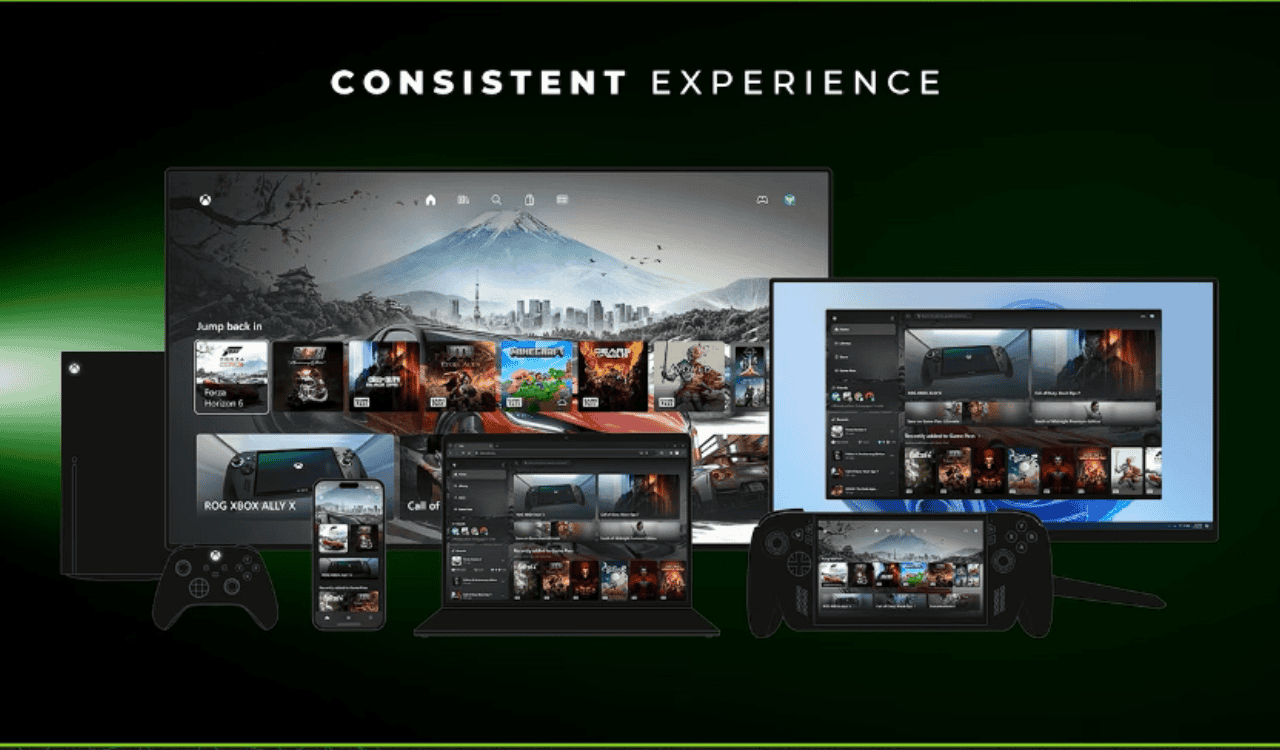
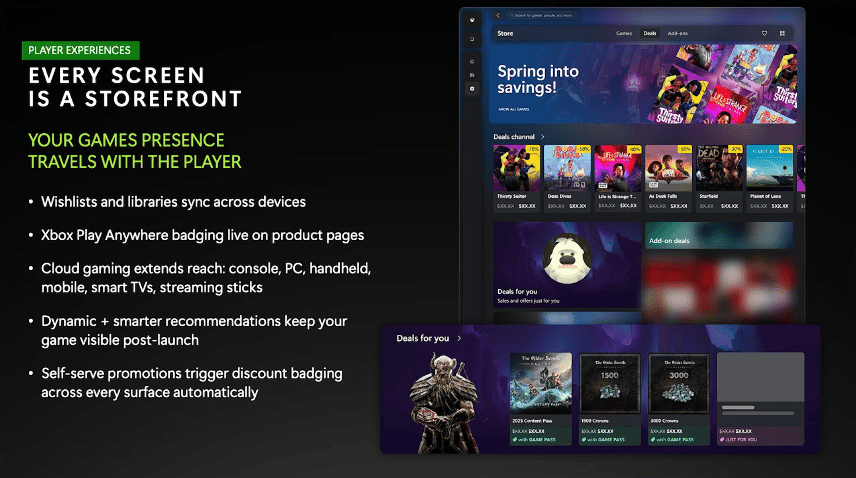
The feature aims to deliver a console-style full-screen gaming experience for Windows 11 PCs and gaming handhelds. Xbox Mode focuses on reducing background distractions, prioritizing games, and combining libraries from Xbox Game Pass alongside other PC storefronts into one controller-friendly interface.

Secondary monitors stop working in Xbox Mode

While the primary monitor continues working normally, secondary displays reportedly become unusable once Xbox Mode launches. This creates a major limitation for desktop PC players who depend on extra screens during gameplay.

Many gamers use secondary monitors for Discord chats, walkthrough videos, OBS streaming controls, browser tabs, music playback, or hardware monitoring tools. Xbox Mode currently prevents those workflows because the additional screens remain blank instead of displaying active applications.

The limitation feels especially restrictive for streamers and competitive players who regularly multitask while gaming.

Feature appears designed mainly for handhelds and TVs

The behavior likely comes from Xbox Mode’s original design goals. Microsoft appears to have built the interface primarily around handheld gaming PCs and TV-based gaming setups where users typically rely on a single screen.

In those environments, a simplified distraction-free interface makes more sense. The feature creates a cleaner console-inspired experience similar to what players expect from dedicated gaming hardware.

Desktop PC gaming, however, works differently. Multi-monitor setups remain extremely common among enthusiasts, and many players expect background apps and companion tools to stay accessible while gaming.

Xbox Mode still evolving

Despite the current limitation, Xbox Mode remains one of Microsoft’s bigger attempts to unify the Windows and Xbox gaming experiences. The company continues pushing controller-focused navigation and aggregated game libraries across Windows devices.

Microsoft has not yet confirmed whether secondary monitor support will improve before wider rollout. Given how common multi-monitor gaming has become, many users will likely expect better desktop functionality in future updates.

In other Xbox-related news, Microsoft recently confirmed that more details about Project Helix will arrive later this year. The company also still has not committed to a firm long-term strategy regarding exclusive games.

Visual Studio Code Update Released With Browser-Aware AI Agent Features

Microsoft has released version 1.119 of Visual Studio Code only a week after the previous update. The release focuses on AI agent workflows, browser interaction, token optimization, and editor usability improvements.

The update also introduces OpenTelemetry tracing support, sandbox refinements, and a redesigned Markdown preview experience aimed at making navigation easier inside the editor.

AI agents gain browser interaction features

One of the biggest additions in version 1.119 is deeper browser integration for AI-powered chat sessions. Users can now attach browser tabs directly to chat conversations inside Visual Studio Code. Once shared, the tab enters a special state that allows the agent to read and interact with the webpage.

The new system also allows agents to detect unshared tabs already open in the browser. When access is needed, the agent can request permission, while users remain in control and can approve or deny the request at any time.

Microsoft appears to be pushing Visual Studio Code toward more contextual AI-assisted development workflows where coding agents can reference documentation pages, dashboards, or live web applications during sessions.

Token optimization reduces AI overhead

Version 1.119 also introduces a new token optimization system designed to reduce unnecessary AI usage. Microsoft moved todo list management tasks to lightweight background agents so the main model can focus more directly on coding-related work.

According to the company, the change lowers token consumption and may help extend AI usage limits during longer sessions. The feature remains experimental for now and ships disabled by default.

OpenTelemetry tracing support arrives

Microsoft also added OpenTelemetry tracing support for agent workflows. The new functionality helps developers monitor agent actions, step durations, and token usage during AI-assisted sessions.

The feature currently works with Copilot Chat agent sessions, Copilot CLI background agents, and Claude-based agent workflows. The addition gives developers and enterprise teams more visibility into how AI-driven tooling behaves behind the scenes.

Sandbox and Markdown improvements

The company also refined sandbox and trust behavior in this release. A new setting reduces interruptions caused by blocked network domains while still maintaining sandbox protections. Microsoft says the change should create a smoother workflow with fewer prompts and interruptions.

Markdown usability also received attention in version 1.119. Visual Studio Code now includes more visible toolbar buttons for switching between the Markdown editor and preview modes. While the functionality already existed, Microsoft redesigned the interface to make the feature easier to discover.

Visual Studio Code 1.119 is now available through the built-in automatic updater. Users can also download the latest version directly from the official Visual Studio Code website.

In other news, Microsoft recently rolled out an update for Visual Studio 2026, while GitHub has started prioritizing availability and infrastructure stability after several recent outages.

Nintendo Switch 2 Sales Reach Nearly 20 Million Units as Nintendo Lowers Forecast

Nintendo has confirmed that the Nintendo Switch 2 has sold 19.86 million units, surpassing the company’s revised forecast of 19 million units following its June 2025 launch.

The strong performance gives Nintendo one of its biggest hardware launches in recent years, although the company slightly lowered its fiscal year 2027 outlook due to concerns surrounding future demand growth and potential price increases.

Nintendo still expects strong sales next year

Despite the more cautious outlook, Nintendo still forecasts 16.50 million Switch 2 sales during the next fiscal year. The company said launch-year demand arrived faster and in a more concentrated period compared to previous Nintendo console launches.

Nintendo also acknowledged that recently confirmed price increases could affect future momentum. Former Nintendo executives previously speculated that hardware pricing adjustments might impact long-term demand, especially after the launch window.

Even so, Nintendo described the Switch 2 launch as a “good start” and said its focus remains on maintaining hardware momentum while expanding its software lineup.

Upcoming first-party games could help sustain momentum

Nintendo plans to continue supporting both new and older releases as it pushes additional first-party titles throughout the year.

Upcoming releases currently include:

  • Yoshi and the Mysterious Book in May
  • Star Fox in June
  • Splatoon Raiders in July

The company appears to be relying heavily on software momentum to maintain Switch 2 sales after the initial launch surge.

Nintendo reports major revenue growth

Nintendo also reported strong financial growth alongside the hardware milestone.

Net sales increased 98.6% year-over-year to 2,313.0 billion yen, while operating profit rose 27.5% to 360.1 billion yen.

The results show that the Switch 2 launch continues to perform strongly for Nintendo even as the company prepares for slower growth after the initial release spike.

In other news, Nintendo recently added three additional classic titles to its Switch Online service.

Via Nintendo Life

Microsoft Explains Why Some Windows 11 Updates Now Install Slower

Microsoft says slower Windows Update installations are not always a sign that something went wrong. In some cases, Windows 11 intentionally spends more time during the spinning-circle update screen to recover from installation problems automatically, as Windows Latest writes.

The company explained that Windows can now perform background recovery steps while updates install. Instead of immediately failing or rolling back, Windows attempts to repair the update process and retry problematic operations behind the scenes.

Windows Update now tries to fix itself automatically

According to Microsoft, Windows 11 now detects update installation issues in real time. When the system encounters a problem, it can automatically retry failed operations, repair corrupted update states, and continue installation without forcing users into vague error screens.

That means some updates may now appear slower because Windows is actively attempting recovery instead of failing immediately.

Microsoft says the goal is to improve update success rates and reduce frustrating rollback scenarios that have affected Windows Update for years.

The company noted that Windows may take “additional steps in the background” during installation to help updates complete successfully. Longer installation times can therefore become part of the normal recovery process.

Why Microsoft says this matters

Microsoft claims the new behavior should especially help devices with unstable internet connections, interrupted update sessions, or systems that remain offline for long periods.

The company believes the changes will reduce failed updates and vague Windows Update errors that often leave users with little explanation about what actually went wrong.

Microsoft also says it continues working on download and installation performance improvements. According to the company, some systems should already see faster downloads and quicker update installations, although the rollout remains gradual.

Part of Microsoft’s broader Windows 11 strategy

The update changes are part of Microsoft’s wider effort to improve Windows 11 reliability and reduce user frustration around Windows Update.

Over the past few months, Microsoft has introduced several update-related improvements while also acknowledging new issues affecting certain releases.

Recently, Microsoft confirmed that KB5083631 may require an extra reboot during installation. The company also acknowledged that the April 2026 Windows updates can trigger backup-related issues because of blocked drivers.

Microsoft appears focused on improving Windows 11’s reputation as the company continues trying to rebuild trust around update stability and overall reliability.

New TCLBanker Trojan Hijacks WhatsApp and Outlook to Spread Malware

A new banking trojan named TCLBanker is targeting 59 banking, fintech, and cryptocurrency platforms, with Brazil as its main focus.

Elastic Security Labs discovered the malware, which spreads through a trojanized installer for Logitech AI Prompt Builder. The attack uses DLL side-loading to run inside a legitimate Logitech process, making detection harder for antivirus tools.

TCLBanker focuses on Brazil, but could expand

TCLBanker checks the victim’s timezone, keyboard layout, and system locale before activating. These checks suggest a strong focus on Brazilian users, although researchers warn the campaign could move beyond Latin America.

The malware appears to be an evolved version of Maverick and Sorvepotel, two earlier LATAM banking malware families.

The malware watches banking and crypto sites in real time

Once active, TCLBanker monitors the browser address bar every second using Windows UI Automation APIs. When it detects a targeted banking, fintech, or crypto website, it opens a WebSocket connection to attacker’s infrastructure.

From there, attackers can stream the screen, capture screenshots, log keystrokes, hijack the clipboard, run shell commands, browse files, list processes, and remotely control the mouse and keyboard.

Fake overlays hide the attack from victims

TCLBanker uses WPF overlays to imitate banking login prompts, PIN screens, fake support forms, Windows Update screens, and loading dialogs.

It can also use “cutout” overlays, which show only selected parts of legitimate apps while hiding suspicious activity. During active sessions, the malware can kill Task Manager to stop victims from seeing what is happening.

TCLBanker also spreads through WhatsApp and Outlook

The malware includes a WhatsApp worm module that hijacks authenticated WhatsApp Web sessions. It extracts IndexedDB data from Chromium profiles and sends spam messages from victim accounts, filtering for Brazilian phone numbers.

It also abuses Microsoft Outlook through COM automation. This lets it harvest contacts and sender addresses, then send phishing emails from the victim’s mailbox.

A major step forward for LATAM banking malware

Researchers describe TCLBanker as highly feature-rich, with anti-analysis protections that include sandbox-aware payload decryption and a watchdog thread searching for tools such as x64dbg, IDA, dnSpy, Frida, Ghidra, and ProcessHacker.

Some code artifacts also suggest AI-assisted development, pointing to a more advanced and faster-moving malware operation. In other security news, threat actors have been abusing Microsoft Teams for espionage campaigns, fake Claude AI software has been used to spread malware, and CloudZ RAT is abusing Phone Link to steal OTPs.

Via Bleeping Computer

Nintendo Confirms Switch 2 Price Hike in the US, Canada, Europe & Japan

Nintendo has announced a sweeping price revision across its hardware, services, and select physical products. The company says the move comes after reviewing market conditions and long-term global business outlooks.

Nintendo Switch 2 and Switch prices climb in key regions including the US

As expected, the biggest impact is coming for the Nintendo Switch 2 and existing Switch lineup. In Japan, the Switch 2 (Japanese language model) is going from 49,980 yen to 59,980 yen. The OLED model rises to 47,980 yen, while the standard Switch moves to 43,980 yen and Switch Lite increases to 29,980 yen. The changes will take effect on May 25, 2026.

Nintendo is also adjusting pricing across major markets, including the US, Canada, and Europe. The Switch 2’s price will increase from $449.99 to $499.99 in the US, 629.99 CAD to 679.99 CAD in Canada, and €469.99 to €499.99 in Europe. These new pricing will take effect September 1, 2026, with Nintendo noting that other regions may also see revisions later.

Nintendo Switch Online and services also affected

Speaking of wider changes, Nintendo Switch Online pricing is also going up in Japan. Individual plans and family plans are seeing increases across monthly, quarterly, and yearly tiers. The Expansion Pack tier is also being adjusted, with both individual and family plans seeing higher costs starting July 1, 2026. South Korea is also expected to receive similar service pricing updates.

Physical products and accessories follow the same trend

Nintendo is not stopping at consoles and services. Select physical items such as playing cards, Hanafuda, and Kabufuda sets are also seeing price changes due to rising production and component costs. Several items are shifting to open pricing models, while others are being adjusted upward to maintain supply stability.

That being said, Nintendo has apologized for the inconvenience and confirmed that the adjustments are meant to reflect broader cost pressures across its supply chain.

OpenAI Launches GPT-Realtime-2, Real-Time Translation and Whisper Audio APIs

OpenAI has announced three new real-time voice and audio API models, giving developers more options for building live voice agents, translation tools, and speech-to-text apps.

The new lineup includes GPT-Realtime-2, GPT-Realtime-Translate, and GPT-Realtime-Whisper. All three are available now through OpenAI’s Realtime API, while consumer ChatGPT voice upgrades remain in development.

GPT-Realtime-2 targets live voice agents

GPT-Realtime-2 is built for natural, back-and-forth voice conversations. It supports tool calling, corrections during conversations, and long-running interactions, making it suitable for voice assistants, customer support agents, and interactive AI apps.

The model also adds preambles, so an agent can say phrases like “let me check that” before taking action. It supports parallel tool calls, better recovery from failures, and a larger 128K context window, up from 32K.

OpenAI says the model also handles specialized vocabulary better, including healthcare terms, proper nouns, and technical language. Developers can also adjust tone and reasoning levels, ranging from minimal to Xhigh.

Benchmarks show major gains

OpenAI says GPT-Realtime-2 reaches 96.6% on Big Bench Audio in High mode, compared with 81.4% for GPT-Realtime-1.5.

On Audio MultiChallenge, GPT-Realtime-2 reaches 48.5% in Xhigh mode, compared with 34.7% for GPT-Realtime-1.5.

Translation and transcription also get new models

GPT-Realtime-Translate focuses on real-time multilingual speech translation. It supports more than 70 input languages and 13 output languages, while handling accents, regional pronunciations, domain-specific terms, and context switching during speech.

GPT-Realtime-Whisper is a streaming speech-to-text model designed for low-latency transcription while users speak. OpenAI positions it for live captions, meeting notes, classroom transcripts, and real-time subtitles.

Pricing and availability

GPT-Realtime-2 costs $32 per 1 million audio input tokens, $0.40 per 1 million cached input tokens, and $64 per 1 million audio output tokens.

GPT-Realtime-Translate costs $0.034 per minute, while GPT-Realtime-Whisper costs $0.017 per minute.

Developers can test the new models in the Playground through OpenAI’s Realtime API.

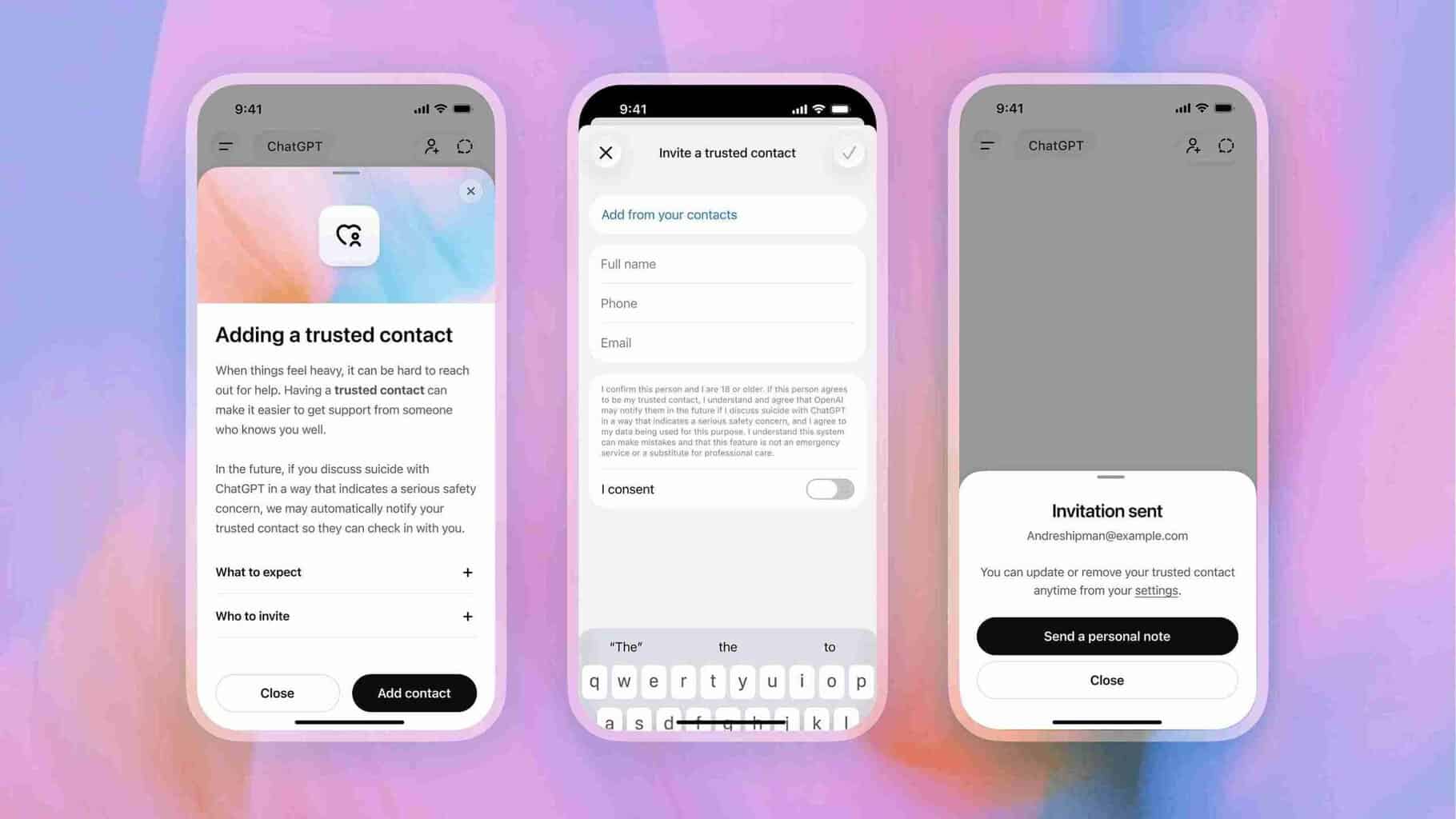
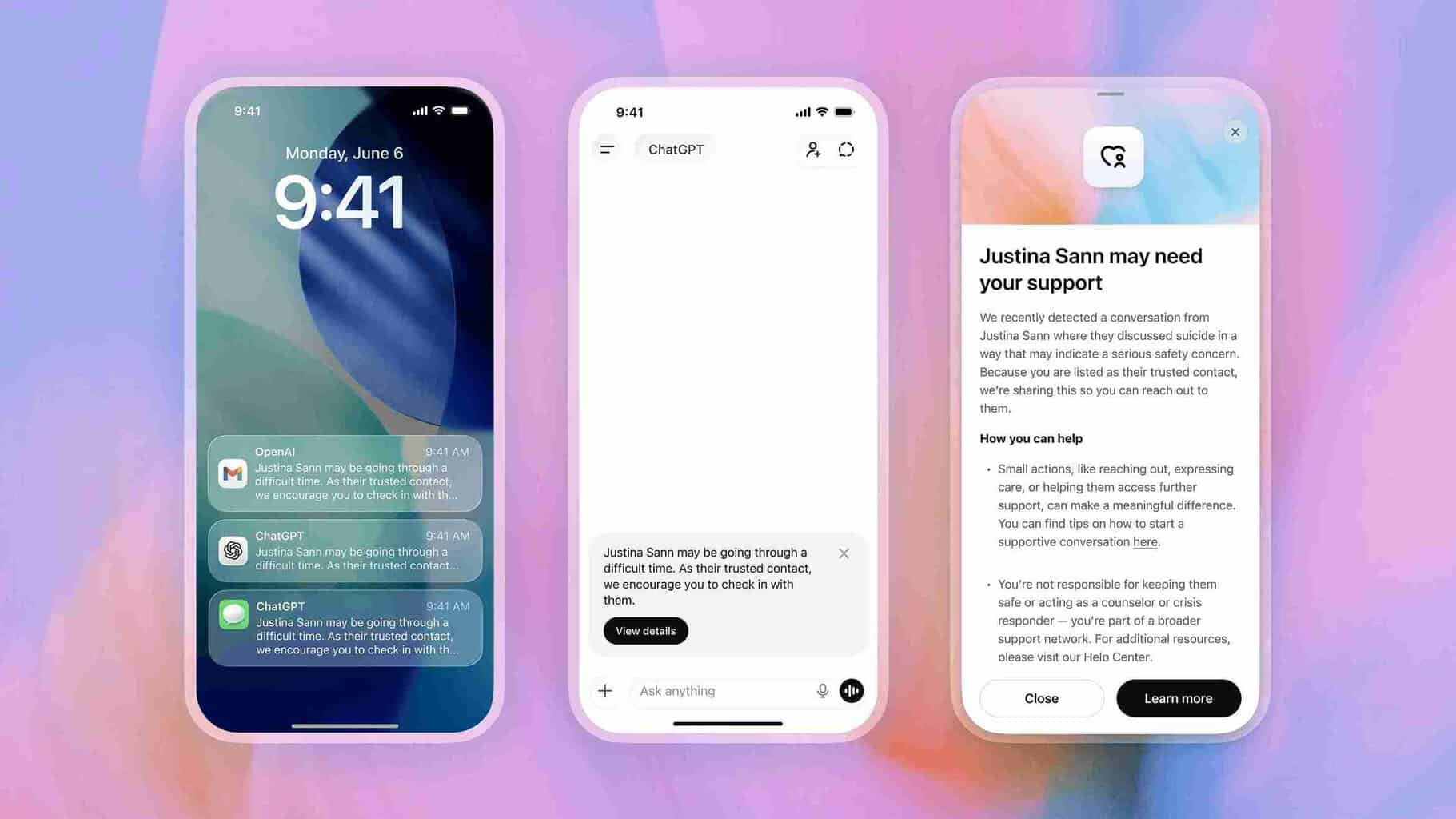
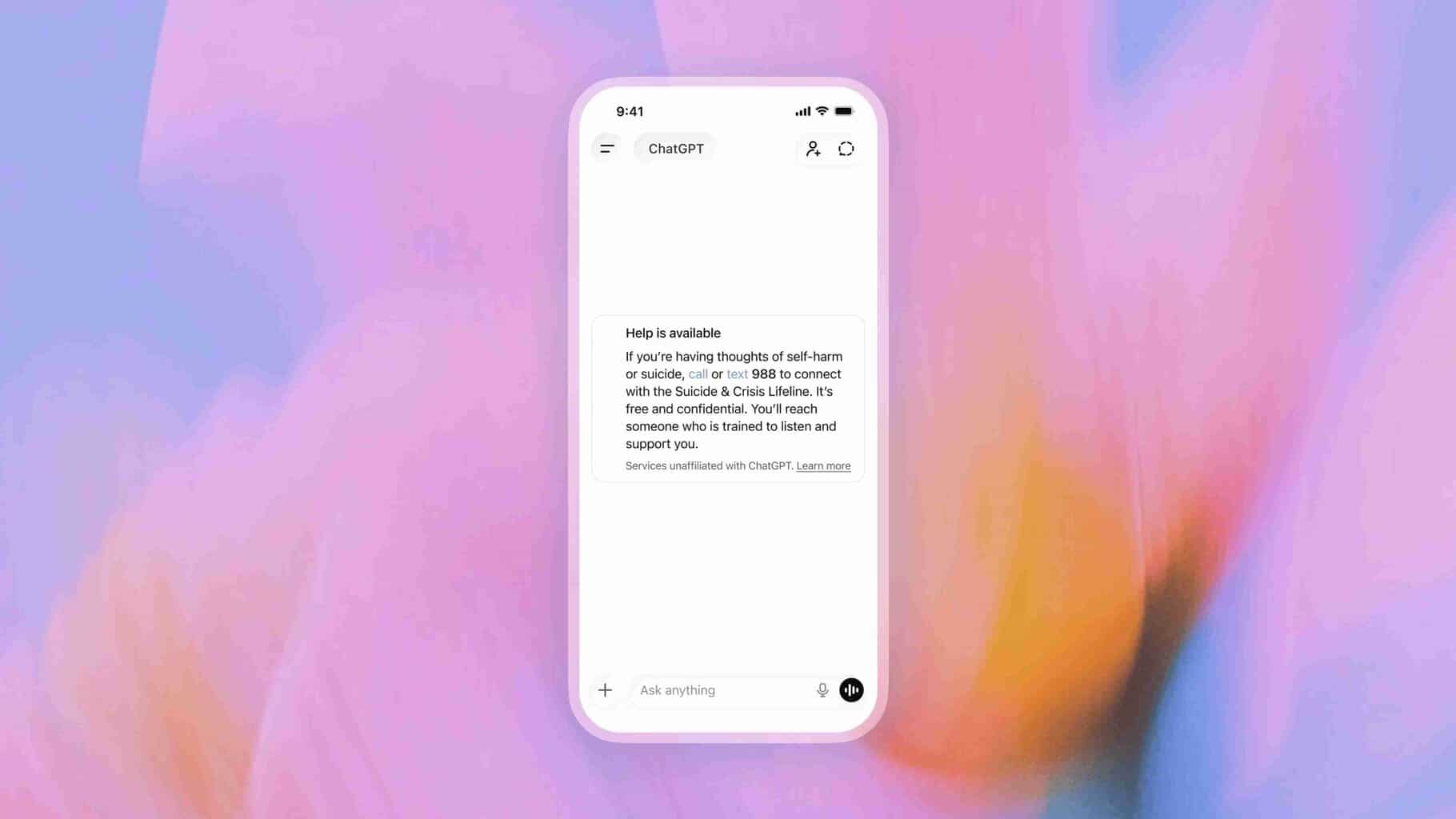
In other OpenAI news, the company has added a Trusted Contact feature, made Codex available in Chrome through a plugin, and released GPT-5.5-Cyber to cyber defenders in a limited preview.

You Can Now Block Automatic AI Model Downloads in Edge and Chrome

Google Chrome recently came under scrutiny after reports revealed that the browser can automatically download local AI models that take up around 4GB of storage. While Microsoft Edge supports similar on-device AI features, Microsoft gives users and administrators more control over how those models get handled.

As Neowin reports, both browsers now support a policy called GenAILocalFoundationalModelSettings, which controls whether AI models can download and run locally for on-device inferencing.

Edge and Chrome now share the same AI model policy

The policy works across both Chromium-based browsers and allows administrators to either permit or completely block local AI model downloads.

When enabled, browsers can download and use AI models for local inferencing features. When disabled, the browser prevents future downloads and even removes previously downloaded AI models from the system.

The policy supports dynamic refresh, meaning changes apply instantly without requiring a browser restart.

How the policy works

The policy uses two simple values. A value of 0 allows the browser to download and use local AI models, while 1 blocks downloads entirely and removes existing models from the device.

For Microsoft Edge, the registry path is:

HKEY_LOCAL_MACHINE\SOFTWARE\Policies\Microsoft\Edge

For Google Chrome, the registry path is:

HKEY_LOCAL_MACHINE\SOFTWARE\Policies\Google\Chrome

The required DWORD value is:

GenAILocalFoundationalModelSettings

Command Prompt commands to disable AI model downloads

Administrators can disable the feature directly from Command Prompt.

For Microsoft Edge:

reg add "HKLM\SOFTWARE\Policies\Microsoft\Edge" /v "GenAILocalFoundationalModelSettings" /t REG_DWORD /d 1 /f

For Google Chrome:

reg add "HKLM\SOFTWARE\Policies\Google\Chrome" /v "GenAILocalFoundationalModelSettings" /t REG_DWORD /d 1 /f

Chrome handles downloads more aggressively

One major difference involves default behavior.

Chrome 147 and newer versions automatically download local AI models if the policy remains unconfigured. This behavior raised concerns recently after users discovered large hidden AI model downloads consuming several gigabytes of storage.

Edge currently does not behave the same way by default. Microsoft includes the AI model infrastructure, but the browser does not aggressively auto-download the models in the background.

Platform support details

Microsoft says the policy works on Windows 11 and macOS starting with Edge 132. Android support arrives with Edge 147 and newer versions, while iOS currently does not support the feature. Google Chrome also supports the same policy beginning with version 147.

On-device AI processing continues expanding across browsers as companies push local AI features for writing assistance, summarization, and smart search tools.

However, automatically downloading multi-gigabyte AI models without clear user consent continues raising privacy and storage concerns, especially for users with smaller SSDs or limited bandwidth connections.

Microsoft’s approach currently gives enterprise admins and advanced users more direct control through policy settings before those downloads occur.

In other Chrome news, Google recently redesigned parts of the browser’s settings page in Canary builds, while another Chrome promotional page appeared to take indirect shots at Microsoft Copilot.

Steam Controller Restock Will Use Reservation System, Check Details & Eligiblity

Last week’s Steam Controller launch was nothing sort of a mess. Buyers were frustrated and dissapointed, with many reports hinting at checkout issues, broken store pages, and failed purchase attempts. Considering it’s a new device, no wonder, demand went through the roofs and overwhelmed Valve’s systems almost immediately. Stock disappeared within minutes in many regions.

That’s not all, buyers were hit with another issue as the Steam Controller was listed on resale websites like eBay with absurdly higher prices, sometimes even above $300. The situation quickly sparked backlash across community forums, with many calling out scalpers taking advantage of the limited supply.

Valve switches Steam Controller restock to reservation system to curb scalping

Well, Valve seems to have taken note of all that and has confirmed that it is changing how Steam Controller purchases will work going forward. In an update, Valve said, “while we were happy to see such a high level of interest, the experience for a lot of you trying to buy it was incredibly frustrating. We plan to continue replenishing stock as we get more in, but in the meantime wanted to share changes we’re making to improve the purchase experience and to limit reseller activity.” As a result, Valve is now shifting to a reservation-based system to reduce scalping and stabilize stock access for real buyers.

The new system will start on May 8, 10 AM PT. Here are all the details:

Reservation details:

  • Reservations will be limited to one Steam Controller per user.
  • Once you receive an order email, you have three days (72 hours) to make your purchase on Steam.
  • For now, customers who have already purchased a Steam Controller are not yet eligible to reserve another Steam Controller.

Additionally:

  • Your account must be in good standing on Steam
  • You must have made a purchase on Steam prior to April 27, 2026

Valve has further added that “replenishment of inventory will vary from region to region. We will start fulfilling reservations next week in the US / Canada, and UK / EU / AU in the following weeks.”

Xbox Reportedly Playing It Safe on Exclusive Games for Now

A lot has happened at Xbox ever since Asha Sharma stepped into the role of CEO. Among many things, Xbox game exclusivity debates is flaring up again, and it’s reportedly being discussed internally.

Xbox is mulling over a “range of options” without commitment to any major changes

Last month, Jez Corden hinted that Xbox is holding very big discussions around game exclusivity. Now, a fresh report by Tom Warren for The Verge suggests that Xbox is considering “a range of options” for future exclusives.

That’s apparently according to an internal memo. The report further adds that Asha Sharma “isn’t yet ready to commit to any major changes” yet. So, it’s highly likely that discussions around exclusivity are still fluid and far from final at this point.

Following recent releases of select Xbox games on rival platforms, many assumed exclusivity was fading into the background. Adding to that, the release of recent titles like Halo: Campaign Evolved on PS5 made many assume that the console war is over.

To catch you up, Asha Sharma, in the announcement of the big Xbox reset plan, added that the company will “reevaluate its approach to exclusivity.” While nothing is concrete at this point, all we know is that the internal chatter around exclusivity is ongoing.

Xbox could be playing safe given the success of current approach

It’s understandable that Xbox may be playing it safe when it comes to exclusivity, given the revenue it earned from cross-platform releases. Some reports even point out that Xbox made nearly $667 million by releasing first-party titles on PS5. So, a complete return to exclusivity might seem less practical for Xbox than its current approach.

ChatGPT Adds Trusted Contact Feature for Safety Alerts in Sensitive Situations

ChatGPT has just been upgraded with a new safety feature called Trusted Contact that allows OpenAI to respond to sensitive conversations involving potential self-harm risks. The feature is optional and allows adults to nominate someone they trust, such as a friend, family member, or caregiver, who may be contacted under strictly defined safety conditions.

Trusted Contact adds real-world safety layer

The rollout is designed to connect digital conversations with real-world support when needed most. If ChatGPT’s automated systems detect that a user may be discussing self-harm in a way that signals serious concern, and trained human reviewers confirm the risk, a Trusted Contact may be notified.

The feature is not designed as immediate surveillance. Instead, it works through a staged process that includes automated detection, user prompts, and human review before any external notification is sent. The goal is to avoid premature escalation while still enabling timely intervention in critical cases.

Trusted Contact also extends beyond existing safety tools like localized crisis helplines already available inside ChatGPT. It is intended as an additional support layer rather than a replacement for professional help or emergency services.

How to add a Trusted Contact

Users can add one adult Trusted Contact from within ChatGPT settings. That person receives an invitation and must accept within one week before the feature becomes active. If they decline, users can choose another contact.
If a potential safety issue is detected, ChatGPT first notifies the user and encourages them to reach out to their Trusted Contact directly, often with suggested message prompts. Only after this stage does human review take place.

From there, a small team of trained reviewers evaluates the situation. Only if they determine that there is a serious safety concern is a notification sent to the Trusted Contact through email, SMS, or in-app alerts. The notification is intentionally limited and does not include chat logs or transcripts.

Users retain full control and can change or remove their Trusted Contact at any time. The contact can also opt out independently through support channels.

Expert-backed safety design and safeguards

At a time when AI safety expectations are under global scrutiny, OpenAI says Trusted Contact was developed with input from clinicians, researchers, and mental health organizations, including its Global Physicians Network and external advisory groups.

The system builds on earlier parental safety alerts for teen accounts and expands similar protections to adults. Experts involved in the development highlight social connection as a key protective factor in crisis situations, emphasizing the role of trusted relationships in real-world support.

Alongside this, ChatGPT continues to strengthen broader safety systems. These include encouraging users to seek crisis help when appropriate, improving detection of distress signals, limiting harmful instructions, and suggesting breaks during prolonged use. Not to foeget, OpenAI has also launched a new Codex Chrome plugin and GPT-5.5-Cyber in limited preview.
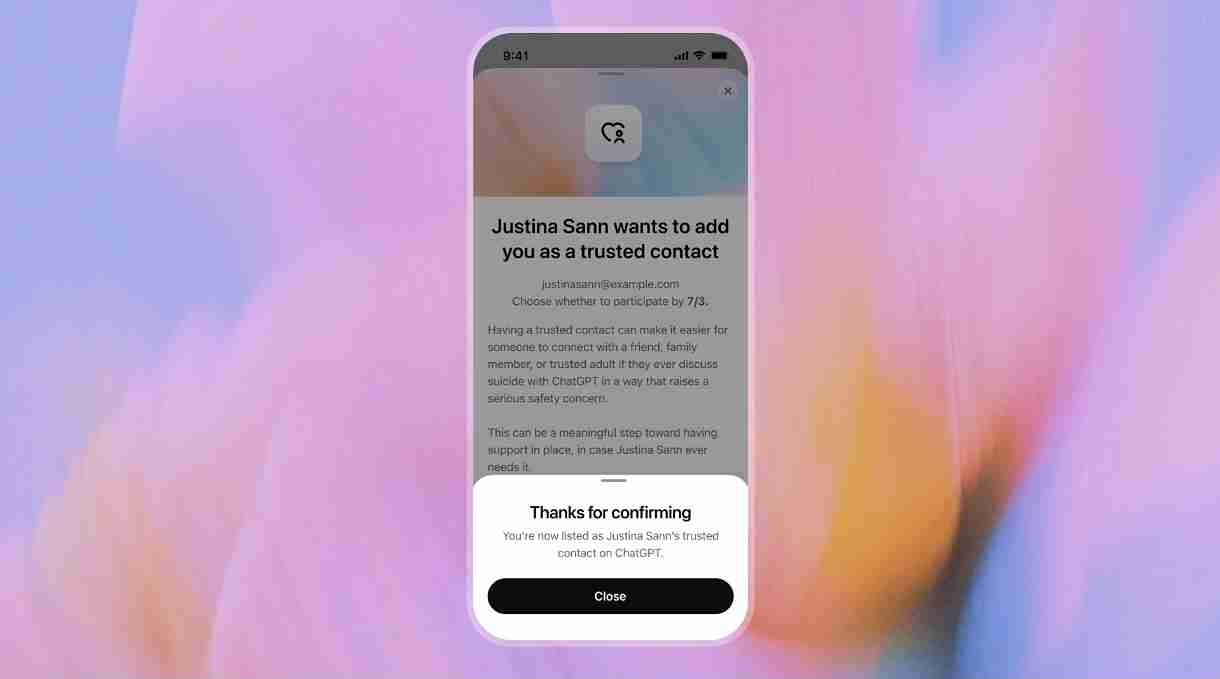
OpenAI Releases GPT-5.5-Cyber in Limited Preview to Security Defenders

As promised by Sam Altman late last month, OpenAI today launched GPT-5.5-Cyber, its new cybersecurity-focused model built around the latest GPT-5.5 model. Notably, it’s successor of the GPT-5.4-Cyber released last month. The new model is rolling out in limited preview to defenders responsible for securing critical infrastructure to support specialized cybersecurity workflows that help protect the broader ecosystem.

Trusted Access defines model access levels

The core change is not just the model itself, but the access structure around it. OpenAI is expanding “Trusted Access for Cyber (TAC),” a framework that determines what capabilities users receive based on identity verification and approval status. It separates general users, verified defenders, and specialized security teams into different tiers.

GPT-5.5 remains the default model for general use, while GPT-5.5 with TAC is positioned for most defensive cybersecurity work. GPT-5.5-Cyber sits above both as a more permissive preview model for specialized and authorized workflows.

AccessWhat changesIntended use cases
GPT-5.5 (default)Standard safeguards for general-purpose useGeneral-purpose, developer, and knowledge work
GPT-5.5 with TACMore precise safeguards for verified defensive work in authorized environmentsMost defensive security workflows, including secure code review, vulnerability triage, malware analysis, detection engineering, and patch validation
GPT-5.5-CyberMost permissive behavior for specialized authorized workflows, paired with stronger verification and account-level controlsPreview access for specialized workflows, including authorized red teaming, penetration testing, and controlled validation
Source: OpenAI

Security ecosystem integration expands

Notably, the system is also linked to wider cybersecurity ecosystem involving partners across detection, response, and network security. OpenAI says the goal is to accelerate the security cycle, from identifying vulnerabilities to validating fixes and deploying protections faster.

The announcement also includes Codex Security tools for open-source maintainers, designed to help detect and remediate vulnerabilities earlier in development. Additional safeguards are being introduced as well, including stronger authentication requirements for approved users working with sensitive capabilities.

That being said, GPT-5.5-Cyber remains in early limited preview and is not intended for broad use at this stage. Most users are expected to rely on GPT-5.5 with Trusted Access for standard defensive tasks.

Microsoft Waives $99 Store Registration Fee for Company Developer Accounts

Microsoft is making it significantly easier for companies to publish apps on the Microsoft Store, rolling out a major onboarding overhaul that removes pain points for developers and organizations. This comes after Microsoft waived Store registration fee for individual developers back in September last year.

Microsoft removes entry barrier for companies

Microsoft has removed the $99 registration fee for company developer accounts, effectively making onboarding free. It also introduces Microsoft Entra ID support, allowing businesses to sign up using work accounts instead of personal credentials.

This shift is paired with a redesigned onboarding flow that focuses on reducing delays and manual steps. Microsoft says many verification checks are now automated, with clearer requirements, real-time status updates, and faster progression from signup to submission.

The company also highlights improved communication during the process, including email notifications that guide developers through each stage and flag missing requirements earlier than before.

Faster onboarding and simplified verification

Alongside the free registration update, Microsoft is also refining how companies complete identity and business verification. Developers can now select between Individual and Company accounts during setup, both of which are free.
For company verification, Microsoft recommends using a D-U-N-S Number to speed up approval. If available, it can instantly pull business details from external records. If not, companies can submit official documents such as incorporation papers, licenses, or tax filings, though this route may take longer due to manual review.

A business domain email is also encouraged, as it helps confirm organizational identity. Microsoft notes that mismatched email domains may trigger additional checks and slow down onboarding.

Notably, developers can publish Win32 apps, UWP, PWAs, .NET MAUI projects, and Electron-based apps without changing core code. Distribution is also expanding into enterprise environments through tools like Microsoft Intune, while MSIX packaging enables hosted updates and signing.

Moreover, Microsoft is also continuing its flexible commerce model, allowing non-game apps to use their own in-app payment systems and retain full revenue, a move that quietly strengthens its appeal to larger developers.

Codex Now Works in Chrome via New Plugin on Windows & macOS

OpenAI has started pushing Codex further into everyday browser work, and this time it is landing right inside Google Chrome on macOS and Windows. It is a quiet but meaningful change, especially for those who already spend most of their time working inside tabs rather than standalone tools.

Codex steps into Chrome workflows

As OpenAI puts, Codex is no longer limited to separate environments. It now runs inside Chrome, where it can interact with websites, logged-in sessions, and multi-tab workflows in a more natural way. The update also allows it to work in parallel across tabs in the background without taking over the browser.

To get started, you need to install a Chrome plugin through the Codex app. Once enabled, it starts handling repetitive browser tasks such as structured navigation, long form data entry, and page-heavy workflows that usually take time and focus.

What stands out here is how it behaves under the hood. Codex does not just automate clicks. It writes and executes code to complete tasks, which makes it more adaptable when workflows become complex or inconsistent across different sites. Codex can switch to plugins when they are enough, use Chrome when a logged-in session is required, or combine both approaches when things get more layered.

That quietly changes how browser-based automation feels. Instead of one fixed method, it adjusts depending on what the task demands in real time, especially for multi-step actions across different platforms. Speaking of broader use cases, Codex is now moving closer to real work scenarios. It can help with debugging browser flows, checking dashboards, pulling research data, and even updating CRM systems, all within the same browser environment most users already rely on daily.
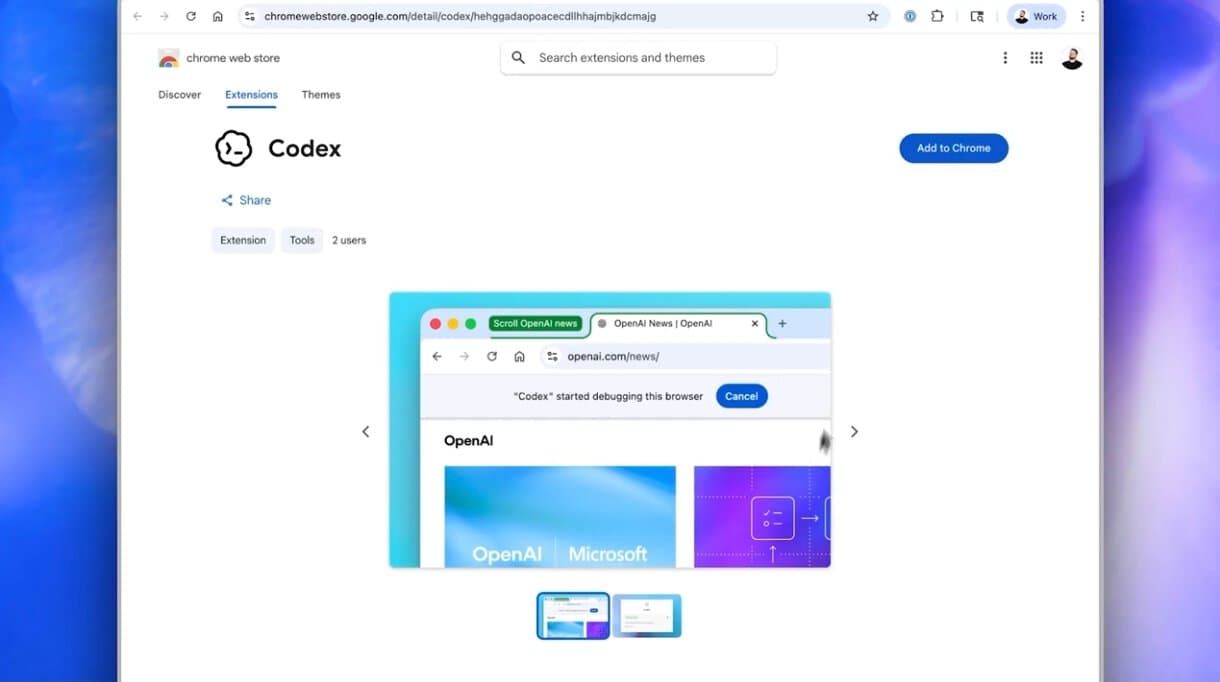
For now, the rollout is available through the Codex macOS and Windows app in most regions, except in the EU and UK. However, OpenAI has announced thar wider availability is expected to follow down the line.

ChatGPT Ad Testing to Soon Start in the UK & Four More Regions

It’s been quite a while since OpenAI has been testing ads inside ChatGPT, first in the US. While OpenAI previously denied global rollout, it is now expanding ChatGPT ad testing to five more regions, including the UK, Brazil, Mexico, Japan, and South Korea.

In an update to the original blog post from February, OpenAI today noted that ad testing in the aforementioned regions will start in the coming weeks. Speaking of which, the company says expanding the ad pilot in ChatGPT will help it understand “what works well in different regions, so [it] can continue improving the experience” down the line.

Source: OpenAI

When the company first announced ad testing inside ChatGPT, Anthropic took a dig at the company via a Super Bowl ad, which Sam Altman dismissed, calling the campaign “dishonest.” As of now, OpenAI is testing ads inside ChatGPT with logged-in adult users on the Free and Go subscription tiers.

The company previously confirmed that Plus, Pro, Business, Enterprise, and Education tiers will not have ads. OpenAI has previously also clarified that ads do not influence the answers ChatGPT gives you, and that conversations with ChatGPT remain private from advertisers. Just in case you don’t want to see ads in ChatGPT, check this article.

Let’s not forget that OpenAI has also launched a new optional safety feature called Trusted Contact in ChatGPT, which allows adults to add someone they trust, such as a family member, friend, or caregiver, to be contacted if serious self-harm concerns are detected by automated systems and human reviewers.

Xbox May Have Just Teased a New Dashboard UI for a More Consistent Experience Across Devices

As part of the Spring ’26 Game Dev Update, Xbox shared the full GDC 2026 presentation. Although many expected Xbox to deliver updates regarding Project Helix, sadly that did not come through. Jason Ronald later shared on X that more Project Helix news will be shared later this year.

That said, Xbox may have quietly teased a new Xbox UI. That’s according to Tom Warren, who in a report for The Verge suggests the refreshed UI was originally shown at GDC 2026, but at the time the visuals were not clear enough to spot the changes.

Xbox quietly teases a refreshed UI across its ecosystem to give players a sense of familiarity on every screen

Well, the latest recap video shown at the Xbox Game Dev update appears to have given a closer look at what’s been called as “the new Xbox UI.” In the presentation, Jason Ronald, VP of Next Generation at Xbox, addresses long-standing concerns about fragmentation across devices. Ronald notes that players have been facing a lot of fragmentation within the experience, resulting in a lack of consistency across platforms.

Well, Microsoft is looking to fix exactly that, possibly with a new UI that gives players a familiar feeling everywhere they play. The showcased new Xbox dashboard UI does not seem drastically different. However, that there are some subtle changes that may stand out depending on the device you are using. That’s very much what every player wanted Xbox to do. And it seems the platform is finally ensuring that UI is designed with players’ screen in mind.

As seen in the screenshot below, the console home screen now shows a simplified layout with the user profile placed in the top right corner. That is not all, as you can also see fewer ad slots compared to the previous design. On handhelds, the UI mirrors the console experience closely, while the PC version reportedly appears closer to the Xbox Cloud Gaming design.

Image credit: Microsoft

On handheld devices, the UI mirrors the console experience closely, while the PC version leans more toward the new Xbox Cloud Gaming design. The latest images suggest that the same design language could eventually extend to the Xbox PC app, although it will not be identical across all devices. Notably, the video also shows what appears to be a redesigned Xbox store on Windows.

Image credit: Microsoft

While Ronald did not directly acknowledge the UI changes, he did emphasize the broader goal of reducing fragmentation. He explained, “What the team has been doing behind the scenes is doing a lot of work to deliver a consistent experience, so it feels very familiar and very distinctly Xbox no matter where you’re choosing to play.” So, it seems Xbox has quietly teased a new UI without a formal announcement.