Windows 11’s New Driver Update Labels Are Confusing Users And Admins

Microsoft keeps tweaking Windows 11, but a recent change now frustrates users and IT admins. New driver updates appear under vague labels that hide which hardware they affect, making troubleshooting and update decisions harder than necessary.

Generic driver names cause confusion

As spotted by WindowsLatest, Windows Update now lists many drivers with generic titles like “Microsoft Corporation – Driver Update [version].” With these changes, it is impossible to tell if the update targets audio, camera, network, or another component.

Users must install the update first to learn its purpose. In some cases, the update adds features such as Voice Clarity in Device Manager, but nothing in the title hints at that function beforehand.

Why this matters for users and admins

This change complicates routine maintenance. Users struggle to decide which updates they actually need, while administrators lose visibility into what each driver package does.

The lack of descriptive metadata also increases risk in managed environments. Admins often delay or block driver updates without a clear hardware context, which can lead to outdated drivers or unexpected behavior.

Microsoft acknowledges the issue

Microsoft recognizes the problem and has signaled plans to improve driver labels in a future Windows 11 release. Discussions include adding device class metadata so Windows Update can clearly state which hardware a driver targets.

Microsoft also works with hardware partners to publish richer metadata alongside drivers. For now, the company has not shared a timeline for rolling out clearer labels.

The first Windows 11 update of the year, KB5072046, introduces AI-powered image descriptions and several admin-focused changes. Admins can now uninstall the Copilot app entirely, which many organizations requested.

Microsoft also plans to end the ability for Windows Insiders to switch between Dev and Beta channels, a move that could affect testing workflows.

Driver updates rarely grab attention, but clear labeling matters. Until Microsoft delivers more informative names, Windows 11 users and IT teams will continue guessing what each driver update actually does and whether it’s safe to install.

Forgotten Windows 11 Resume Feature Is About to Get More Useful

Windows has plenty of lesser-known features, and Microsoft now looks ready to revive one of them. The Windows 11 Resume feature, which works similarly to Apple’s Handoff, could soon gain broader Android app support after months of silence.

What is Resume feature in Windows 11?

Resume lets users continue tasks started on an Android phone directly on a Windows 11 PC. The feature relies on cross-device syncing, allowing supported apps to reopen where users left off.

Microsoft last touched Resume a few months ago with improved device support in KB5070307. Since then, updates stopped, and community interest faded.

App support has remained extremely limited

Right now, public support for Resume barely exists. OneDrive stands as the only officially supported app, while Spotify joined more recently.

That narrow app list disappointed many users, especially since Microsoft introduced Resume almost a year ago. Without broader app adoption, most users ignored the feature entirely.

Resume originally required apps to integrate with Link to Windows, which limited adoption. Many Android developers never added this API, slowing progress and keeping Resume off the radar.

Microsoft adds a new integration path

Microsoft recently updated its support documentation to confirm Resume will soon support more third-party Android apps, as long as the app exists on both Android and Windows.

The company now offers a second integration method using the Windows Notification System (WNS). This change lowers the barrier for developers and removes the strict dependency on Link to Windows.

Microsoft expanded WNS support in KB5072046, which also introduced Copilot-powered image descriptions to Windows 11.

Still not open to everyone

Despite these changes, Microsoft hasn’t fully opened Resume to all developers. App makers must first email Microsoft for approval before integrating the feature.

That extra step suggests Microsoft still treats Resume as a controlled rollout rather than a fully public platform feature.

Resume already works, but with only OneDrive actively supported, its real-world usefulness remains minimal. Broader app support could finally turn Resume into a practical cross-device tool instead of a forgotten experiment.

If Microsoft follows through, Resume could become one of Windows 11’s most useful productivity features.

Via WindowsLatest

Act Now or Reinstall Later: Microsoft Warns Windows Insider Users

Microsoft is giving Windows Insider users a clear, time-sensitive warning. The current freedom to switch between Dev and Beta builds without reinstalling Windows 11 will not last much longer.

According to Neowin, Microsoft has alerted Windows 11 Insider Program participants that a narrow window remains open to change channels safely.

What changes are coming to the Windows Insider program?

Both the Dev and Beta channels currently run on the same build number, including the recent KB5072046 release. That shared build allows Insiders to move between Dev and Beta without a clean installation.

Microsoft confirmed this flexibility will end as soon as the Dev Channel jumps to a higher build number than Beta. Once that happens, switching back to Beta will require a full reinstall of Windows.

Who should switch now

If you value stability over experimental features, Microsoft recommends moving to the Beta Channel immediately. Dev builds focus on early testing and unfinished features, while Beta builds deliver a more stable preview experience.

Users who stay on Dev after the split risk getting locked into future Dev builds unless they back up data and reinstall Windows from scratch.

How to change your Insider channel

You can still switch channels in just a few clicks:

  1. Open Settings
  2. Go to Windows Update
  3. Select Windows Insider Program
  4. Choose Beta Channel or Dev Channel

Microsoft urges users to act before the Dev Channel advances.

The KB5072046 update also introduces a policy option that lets administrators remove Copilot from managed devices, a change that may matter for enterprise environments.

Looking ahead, Microsoft plans to roll out Windows 11 version 26H1 first on new hardware, including upcoming models in the ASUS ZenBook lineup.

Microsoft’s message stays simple: if you want the stability of the Beta Channel, switch now. Waiting could mean extra work, data backups, and a full Windows reinstall later.

[UPDATE: DOWN RIGHT NOW] Minecraft Bedrock Realms Is Down Worldwide, and Players Are Understandbly Furious

[UPDATE 3: 11:40PM IST | January 12, 2026] After settling for a few hours, DownDetector, is yet again showing that user reports (1300+) are going up. Minecraft Realms yet down again for the third time in the last 24 hours.

[UPDATE 2: 01:15AM IST | January 12, 2026] Minecraft Realms is down yet again after coming back online a few hours ago. Players posting on X are reporting error messages, like “Something went wrong,” “can’t connect to Realm,” and so on. Over on DownDetector, user reports have gone up yet again.

Image credit: DownDetector | Time Zone in Screenshot: IST

[UPDATE 1: 06:00PM IST | January 11, 2026] Reports over DownDetector appears to be settling a little, with some reports also hinting that servers are finally starting to come online. If there’s any official word from Mojang, we’ll provide an update.

[ORIGINAL STORY] Are you facing endless loading screens or server errors in Minecraft Bedrock Realms right now? Well, it seems you are not alone, as major outage has reportedly knocked Minecraft Bedrock Realms offline worldwide. As a result thousands of players have been locked out of their own worlds.

The outage reportedly affects both Java Edition and Bedrock Edition, for players across PC, console, and mobile platforms. Reports started piling up early Saturday, with many users unable to load Bedrock Realms or connect to multiplayer servers at all.

According to popular outage tracking website, DownDetector, complaints began spiking around 12:00 pm EDT. At its peak, the outage generated more than 4,000 reports, as frustrated players flooded outage trackers and social media looking for answers.

Image credit: DownDetector | Time Zone in Screenshot: IST

Most of the complaints point to long loading times, failed connections, and timeout errors. Cross-platform sessions appear especially affected, with players struggling to join friends on different devices. Some users claim access briefly returned, while others remained completely locked out.

Since, Minecraft Bedrock Realms is a paid subscription, and that the outage hit during the weekend, many players are understandbly fuming. Thousands users called out the frustration of paying monthly fees only to lose access with no warning or explanation.

So far, Mojang has stayed silent. There’s been no official statement, no maintenance notice, and no clear timeline for when full service will return. Players are left relying on community reports and third-party tools for updates.

This is a developing story…

Microsoft Is Killing Collections in Edge

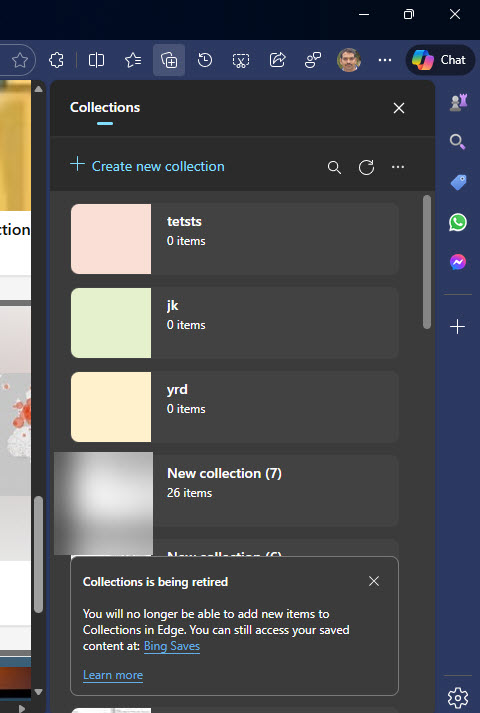
After recently retiring the Sidebar app list, Microsoft is now preparing to retire the Collections feature in Microsoft Edge and has started showing a notice warning that data must be exported or moved before the feature is removed. The message also confirms that new items can no longer be added to Collections.

Microsoft launched Collections with the Chromium-based version of Edge in 2020. The feature lets people save pages, group content, add notes, share items, and export data across devices. It was used for research, shopping lists, reading lists, and project planning, workflows that will disappear once the feature is removed.

Microsoft Edge to discontinue the Collections feature

The notice appears directly inside the Collections panel. It states that Collections is being retired and urges action before removal.

Edge offers two options.

The first option is “Move to Favorites.” When selected, Edge opens the Favorites page and creates a new folder named CollectionsExport. All saved pages from Collections move into that folder. Each collection becomes its own folder.

Edge confirms that Collections pages will be moved to Favorites as folders, while images and notes will not be transferred. Image Credit: Venkat | WindowsReport.

Microsoft also notes an important limitation. Only web pages move to Favorites. Other items, such as images and notes, do not carry over.

After selecting “Move to Favorites,” Edge creates a new “CollectionsExport” folder inside Favorites with all saved pages. Image Credit: Venkat | WindowsReport.

The second option is “Export your data.” This saves a file named collections_export.csv to the Documents folder. The file uses the CSV format, which works with Excel and similar apps. This provides a complete offline copy of saved pages.

Over the years, Microsoft presented Collections as more than a bookmark tool. The company described it as a way to group content visually, add notes, compare items, and export research into apps like Word and Excel. Even with that effort, Collections never seemed to gain the same traction as core features like Favorites.

Anyone who wants a full backup should rely on the export option instead of using only the Favorites transfer. The export file keeps a complete list of saved pages, while the Favorites option drops images and notes.

Windows Report first spotted this notice in Edge Dev, and Microsoft has not yet announced the change publicly.

It is not yet clear whether Microsoft plans to retire Collections on mobile versions of Edge as well.

Microsoft has removed several features from Edge in recent months. The company retired the Sidebar app list earlier this year. In the Edge 137 release notes, Microsoft also listed features such as Image Editor, Image Hovers menu, Mini menu, Video super resolution, and Wallet Hub as being deprecated and scheduled for removal.

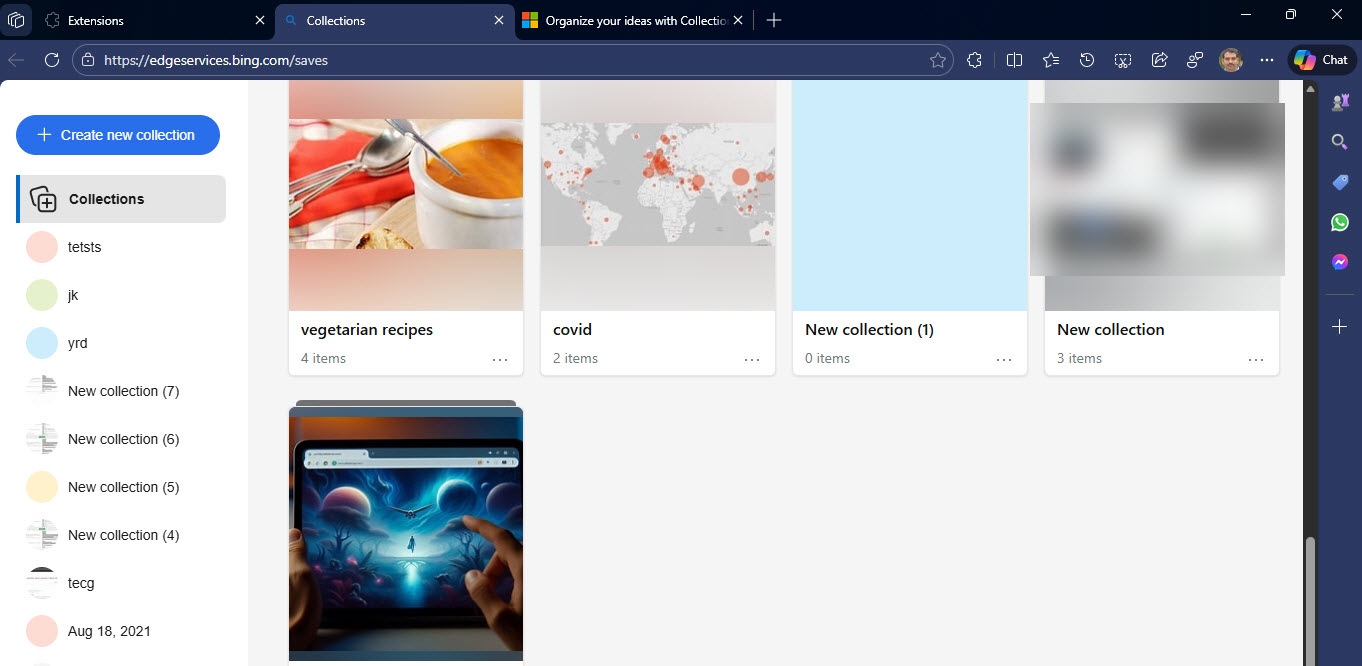
Update: When Edge is signed into a Microsoft account, the retirement notice also directs users to access their saved content from Bing Saves. This option was not visible in earlier notices seen in non-signed profiles.

Microsoft has also officially deprecated the built-in Crypto Wallet in Edge. Collections now appears to be the latest feature joining that list.

Early Reviews Suggest Code Violet, PS5’s First Exclusive of 2026, Is a Disaster

If 2026 was supposed to start strong for PS5 exclusives, it didn’t quite land that way.
The first console-exclusive release of the year has arrived, and early reactions haven’t been kind.

As reported by PlayStation Lifestyle, Metacritic shows three published critic reviews, all landing at 40 out of 100, which puts the game firmly in disappointing territory. Over on OpenCritic, the story is similar. While it has a slightly wider pool of reviews, the average score still hovers around the same mark as Metacritic.

Code Violet, a third-person action horror game, launched with a lot of curiosity around it. The reason: dinosaurs, survival mechanics, and a clear nod toward a long-forgotten PlayStation classic many still miss. That promise doesn’t seem to hold up in practice, at least according to early reviews.

Outlets reviewing the game have pointed to clunky controls, uneven pacing, and technical rough edges. The survival horror tension it aims for reportedly collapses once combat and traversal come into play. That’s a tough pill to swallow, especially for a PS5 exclusive which was promised for superb visuals and nostalgic expectations.

When multiple review platforms speak similarly, it usually tells a clear narrative. The game is reportedly “a big mess,” as it doesn’t deliver what it promised.

Dreadmyst Launches on Steam as a Free Retro Fantasy MMO

Dreadmyst, a solo developer–built MMORPG, is now officially available on Windows PC via Steam, following an extended beta phase and hundreds of behind-the-scenes updates. Built entirely from scratch using OpenGL and C/C++, Dreadmyst focuses into classic design principles.

The developer says this approach helps deliver the best possible controls and combat that actually feels responsive, something many modern MMOs struggle to balance. The game is completely free to play and is expected to stay that way. Check the trailer below:

Rather than rushing content, launch week is focused on stability, security, and fair play. The goal is to lock in a solid foundation before expanding the experience further. That expansion begins soon.

On January 17, Dreadmyst will receive its first post-launch content update. It adds a brand-new dungeon and introduces the first phase of a crafting system inspired by Diablo 2’s Horadric Cube. More dungeons, deeper systems, and endgame content are already in active development.

Here’s what the game’s about section mentions:

Dreadmyst is a fantasy online MMO with tab-target combat and deep build customization. Combine abilities from multiple skill trees to craft unique playstyles, conquer dungeons and bosses for powerful gear, and prove your strength in competitive arenas through both PvE and PvP gameplay. 

Four playable classes

  • Paladin: Divine warriors devoted to honor and piety. They live to defend, protect and serve all believers. Can use Shields and Melee weapons.
  • Mage: Powerful arcane spellcasters born with magic in their blood who gradually learn to harness their innate abilities over time. Can use Staves and Wands.
  • Ranger: A wanderer in the wilds, their fierce independence makes them well suited to adventuring and mischief. Can use Bows and Daggers.
  • Cleric: Best known as healers, they are members of the divine faith who have the ability to cast priest spells from the gods they worship. Can use Shields, Staves and Maces.

Features

  • Character Customization – Allocate points across core attributes like Strength, Agility, Willpower, Intelligence, and Courage to shape your playstyle. Each stat impacts combat effectiveness, weapon proficiency, and survival capabilities. Level up abilities for enhanced power.
  • Dungeons – Team up with three other players to tackle challenging dungeon content. Groups need one tank, one healer, and two DPS to succeed. Face deadly boss mechanics that require coordination and timing. Earn powerful loot and rare materials exclusive to these encounters. Higher difficulties offer better rewards but demand tighter execution. Or, run dungeons on your own. Face elite packs and mini-bosses while collecting loot in classic ARPG-style dungeon crawling action.
  • Arenas – Test your skills in competitive arena brackets. Quick matches where coordination and ability timing determine victory. Chain your crowd control perfectly and punish opponents’ cooldowns to climb the ranks.
  • Combat That Feels Right – Crisp, responsive controls. Classes built around clear, powerful feedback. The kind of polish that just feels good to play. Dreadmyst was built with a custom C/C++ engine written in OpenGL. Gameplay is balanced through strength, not weakness. Every class is packed with abilities that feel good.
  • Truly Free – This game is non-profit in nature. There are no plans to introduce paid content or monetization.

Article feature image source: Steam

Copilot Is Taking Over Edge’s Immersive Reader Mode

Microsoft is testing a redesigned Immersive Reader layout with Copilot in Edge Canary. The reader interface has remained unchanged, and the redesign brings Microsoft Copilot deeper into reader mode.

Immersive Reader has traditionally been used for distraction-free reading, with a strong focus on text layout and comfort. Controls such as font size, spacing, themes, and line focus are the tools most readers expect to access quickly.

Edge’s present Immersive Reader interface focuses on reading controls such as Read aloud, text preferences, and reading preferences.

In the new layout, those practical reading options are no longer front and center.

Instead, actions such as Summarize, Explain, and Chat with Copilot appear directly in the reader toolbar. These AI actions take visual priority over traditional reading controls. While core reader options may still exist, they are not immediately visible in the main interface.

In the new Immersive Reader layout, Copilot actions like Summarize, Explain, and Chat with Copilot appear directly in the top toolbar. Image Credit: Venkat | WindowsReport.

When any of these Copilot actions are selected, Edge opens Copilot in the sidebar. For example, choosing Summarize triggers a Copilot-generated summary in the side panel. The same behavior applies to Explain and Chat with Copilot, with responses appearing alongside the article rather than inside the reader view itself.

Copilot now dominates the toolbar.

Microsoft may move reading controls under a settings or gear menu. The company may still change the current UI while testing continues. However, in its present form, the experience places AI interaction ahead of reading comfort.

How to Enable Copilot in the Edge’s Immersive Reader

If you want to try the new layout (available on Windows, macOS, and Linux):

  1. Launch the latest Edge Canary
  2. Visit edge://flags
  3. Search for “Updated UX for Edge Immersive Reader”
  4. Enable the flag and restart Edge

Open any text-heavy webpage, click the More actions menu in the address bar, and select “Immersive Reader”. You can also press F9 to trigger reader mode.

In the reader toolbar, you will see options such as Read aloud, Translate, Summarize, Explain, and Chat with Copilot. Apart from Read aloud, most visible actions are now Copilot-driven.

For users who prefer a clutter-free reading experience, Copilot’s growing presence may sideline what makes Immersive Reader useful in the first place.

That’s not all. Microsoft Edge is testing Copilot in InPrivate windows, a new main menu toggle for Copilot mode, and a redesigned New Tab page with two sidebars.

Microsoft Reportedly Integrating Copilot Chat into File Explorer Even If You Didn’t Ask

It’s not hidden anymore that Microsoft has big plans with Copilot, which is why we’ve seen the company integrating its AI assistant into most of its apps and services throughout the last year. Well, it’s 2026, the new year, but it seems Microsoft isn’t done pushing Copilot inside File Explorer. Just to be clear the file manager app already integrates Copilot to some extent.

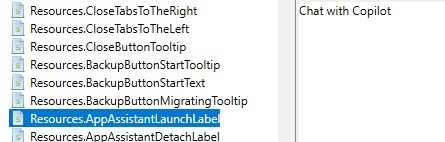
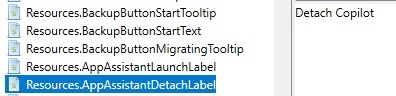
In the latest Windows 11 preview build, an invisible button has been spotted in File Explorer by popular Windows tipster @phantomofearth and @a_donglee ( via Windows Latest). As of now, it’s not functional. It only appears when you hover over a blank space in the navigation bar.

The tipster noticed code strings in the build mentioning “Chat with Copilot” and an option to detach Copilot from the File Explorer window. As Windows Central points out, the button might open a sidebar or pop-up to chat with Copilot directly about documents, photos, or other files you’ve selected.

As I mentioned earlier, File Explorer has a basic Copilot integration through the right-click menu. When you select a file and choose Ask Copilot, it opens a dedicated Copilot app in a new window. The spotted button might offer a better experience than what’s already there. However, I believe that Microsoft is looking to replace Ask Copilot option with the new “Chat with Copilot.”

Whst’s you take on the news? Are you willing to see yet another Copilot feature inside File Manager or do you think Microsoft should focus elsewhere? Let us know in the comments below.

Article in-content image source: Windows Latest

Microsoft Expands Cross Device Resume with WNS Integration in Windows 11 KB5072046

The first insider build, 26220.7535 (under KB5072046), for Windows 11 25H2 in 2026 has introduced Copilot-powered image descriptions to Narrator and the ability to uninstall Copilot app on admin-managed devices. That’s not all; the company is also rolling out an improvement to the Cross Device Resume feature, which is designed to make app continuity across devices smoother and more flexible.

Previously, developers integrating Cross Device Resume relied solely on the Link to Windows app. With this update, Microsoft has introduced an additional integration path using the Windows Notification System (WNS). This new method allows developers to reach a broader range of users while maintaining the seamless resume experience Windows apps are known for.

Developers are now encouraged to explore onboarding with WNS alongside the existing Link to Windows method to maximize continuity across devices. Check detailed guide here.

As for Windows Spotlight fans, the update also revamps the Spotlight icon. The new icon began rolling out in late December for a select group of Insiders, and this update expands its availability. The refreshed design aims to modernize the look and feel of Spotlight while keeping the familiar functionality users enjoy.

Image credit: Microsoft

Let’s not forget that Microsoft is offering this update to both the Dev and Beta Channels on Windows 11, version 25H2. Insiders in the Dev Channel still have the opportunity to switch to the Beta Channel, but that window is closing soon.

Windows 11 KB5072046 Adds Ability to Allow Admins Uninstall Copilot App on Managed Devices

Microsoft has rolled out KB5072046 for insiders in the Dev and Beta channels of Windows 11 25H2. The latest update bumps systems to Build 26220.7535 and brings a useful new feature for IT admins managing Microsoft Copilot across devices.

The update brings a new Group Policy option allowing admins to uninstall the Microsoft Copilot app on managed devices in a targeted way. Named RemoveMicrosoftCopilotApp, the policy applies to devices and users meeting specific conditions: the system must have Microsoft 365 Copilot and Microsoft Copilot installed, the app must not have been installed by the user, and it should not have been launched in the last 28 days.

When enabled, the policy will remove the Microsoft Copilot app once from all eligible devices. Users can still reinstall Copilot if desired, ensuring organizations maintain control without permanently restricting access. This management option is available on Enterprise, Pro, and EDU SKUs, making it ideal for large deployments.

To enable the policy, admins can navigate to the Group Policy Editor via User Configuration > Administrative Templates > Windows AI > Remove Microsoft Copilot App. When you enable, it will automatically apply the setting to all qualifying users and devices.

This update complements Microsoft’s ongoing push to integrate AI features into Windows 11, following accessibility improvements like Copilot-powered Narrator descriptions for visually impaired users.

As a reminder, these builds are available on both the Dev & Beta Channels for Windows 11, version 25H2. Dev Channel Insiders still have a limited window to switch to the Beta Channel if they prefer.

Windows 11’s First Insider Update of 2026, KB5072046, Brings Copilot-Powered Image Descriptions

Microsoft has just released its first build of 2026 in the Dev and Beta channels of Windows 11 25H2. The latest update, KB5072046, bumps your system to Build 26220.7535, and brings a notable accessibility improvement to Copilot+ PCs. Here, I’m talkimg about the new AI-powered image descriptions in Narrator.

Last year, Microsoft introduced rich image descriptions in Narrator for Copilot+ PCs, allowing blind and low-vision users to hear detailed, AI-generated descriptions of images, charts, and graphs. With this new build, Narrator now works with Copilot on all Windows 11 devices, expanding these capabilities beyond Copilot+ hardware.

Users can describe a specific image by pressing Narrator key + Ctrl + D, or describe the entire screen using Narrator key + Ctrl + S. Copilot opens with the image ready, allowing you to enter a custom prompt and generate tailored descriptions. Microsoft emphasizes that images are only shared when users choose to describe them, keeping full control in the hands of the user. For more detail or follow-up insights, selecting Ask Copilot continues the exploration seamlessly.

This feature, however, is not available in the European Economic Area (EEA). The new build also reflects Microsoft’s ongoing strategy of offering the same builds to both Dev and Beta channels on Windows 11, version 25H2. Insiders in the Dev Channel have a limited window to switch to the Beta Channel if they prefer a slightly more stable experience, so timing matters.

Fire Emblem: Path of Radiance Now Available on Switch Online GameCube Library

Nintendo has kicked off 2026 with a classic revival, making Fire Emblem: Path of Radiance available for Nintendo Switch Online + Expansion Pack subscribers on Switch 2. The GameCube library promised last year has officially started its new year lineup with one of the series’ most beloved entries.

Originally released in the U.S. on October 17, 2005, Path of Radiance marked the third Fire Emblem title to reach American audiences, though it was the ninth in the series overall.

The game introduced players to Ike, a young mercenary who would go on to become one of the franchise’s standout characters. Here, players guide Ike and his companions on a mission to liberate the kingdom of Crimea from invading forces. To catch you up, the title become the first Fire Emblem game to feature 3D graphics, voice acting, and full-motion cutscenes.

For Switch 2 owners, the experience is ready to go immediately, though it’s worth noting that the GameCube library is exclusive to Switch 2. Fans looking to explore the full catalog of classic titles can check Nintendo’s complete Switch Online GameCube to see what else is available.

Not to forget, Nintendo is also moving forward with the franchise. The next mainline entry, Fire Emblem: Fortune’s Weave, has already debuted its first trailer and is slated to launch later this year. In a related company news, Nintendo is facing backlash as gamers continue to push back against the growing use of generative AI in games and branded content.

Xbox Developer Direct Could Feature a Surprise Fourth “First-Party Game”

After teasing the Xbox Developer Direct late last year, Microsoft has finally confirmed that it’s happening this month. The event will kick off on January 22, at 10 am Pacific / 1 pm Eastern / 6 pm UK.

While the company has confirmed additional details for Forza Horizon 6, Fable, and Beast of Reincarnation, the showcase is now expected to include a secret fourth game that hasn’t been announced yet. Yes, you read that right, one last surprise is reportedly still waiting to be revealed.

VGC (short for Video Games Chronicles), citing Shinobi602, reports the additional title is a ‘smaller-scale original game’ internally developed by one of Xbox Game Studios. Meaning the game in question will be a first-party drop.

While details and the name of the title remain under wraps, the game is said to be designed as a complementary reveal rather than a headline-grabbing blockbuster, which will offer something different to close out the presentation.

Microsoft appears to be using this Developer Direct to balance its 2026-heavy lineup with both major franchises and more experimental ideas. The mystery game is expected to give us an idea of what Xbox’s internal studios are working on besides the usual flagship releases.

The January 22 livestream will still focus heavily on big names. Forza Horizon 6 is confirmed to take the series to Japan and will launch on Xbox and PC before eventually expanding to PlayStation 5. Fable, the long-in-development reboot of the classic RPG, is also slated to appear at the event. However, it’s unclear when the game will release.

Meanwhile, Beast of Reincarnation will receive its first extended look. With one final surprise still waiting, the 2026 Xbox Developer Direct now feels less predictable. Microsoft is clearly aiming for that, because sometimes quiet reveals end up making the loudest impression.

Fortnite Brings Chaos to the Island With a Massive South Park Event

Earlier today, Fortnite servers were down for several hours due to the latest update. The maintenance is over, and update 39.20 is now live, and it delivers one of the most unexpected crossovers yet with a full South Park takeover.

According to MP1st, the update appears as patch 1.000.208 on PlayStation 5 and Xbox Series X|S, and 1.000.028 on older console builds. The update introduces new content, map changes, weapons, and a limited-time mode, marking one of the largest themed events of the season.

South Park: Born in Chaos Event Details

Update 39.20 launches the South Park: Born in Chaos event, which runs from January 9 through February 5, 2026. Players can jump into quests, earn themed rewards, and explore a redesigned section of the island inspired by the long-running animated series.

Epic Games added playable versions of Stan, Kyle, Cartman, Kenny, and Butters, along with South Park-themed loot and cosmetics. A brand-new Cartmanland point of interest now replaces Wonkeeland, offering themed visuals, loot spawns, and event-specific challenges.

Players can unlock multiple South Park items through the free Born in Chaos Pass. The pass does not require V-Bucks and instead relies entirely on completing in-game quests.

New Items, Weapons, and Modes

Update 39.20 introduces several new gameplay mechanics. The Stick of Truth acts as a storm-control item, while Cheesy Poofs work as a new consumable. Kenny’s Respawn Token gives players a second chance after elimination, staying true to the character’s recurring gag.

The update also adds new combat tools, including the Flex SMG and Stealth Splash, a throwable item that grants temporary cloaking. For squad-focused players, Epic rolled out Quints, a limited-time five-player Battle Royale mode that shakes up standard team dynamics.

Map Changes and Ongoing Popularity

The island also sees seasonal changes, with Winterfest and snow-covered regions removed. New POI features and terrain updates now set the stage for the next phase of Chapter content.

Events like Born in Chaos help explain why Fortnite is the most played game of 2025. While the PlayStation 5 dominates overall console sales, Xbox maintains strong leadership in shooter engagement. Fortnite remains one of the few titles that thrives across every platform, genre trend, and audience.

Fire Emblem: Path of Radiance finally comes to Nintendo Switch 2

One of the most respected turn-based RPGs in Nintendo’s history has finally landed on Nintendo Switch 2, offering fans a much-needed bright spot amid recent controversies.

If you’re not familiar, Switch 2 sales were down for the holiday season, and the recent controversy over new Joy-Con 2 colors isn’t helping Nintendo.

Fire Emblem: Path of Radiance is now available on Nintendo Switch 2

According to Polygon, Fire Emblem: Path of Radiance is now playable on Nintendo Switch 2 via the Nintendo Switch Online + Expansion Pack. The title joins the Nintendo Classics GameCube library, which means access remains limited to subscribers rather than all Switch 2 owners.

Originally released in 2005 for the Nintendo GameCube, Fire Emblem: Path of Radiance stands as one of the franchise’s most beloved entries. Fans praise the game for refining the series’ tactical combat while introducing full 3D battle maps and voiced story cutscenes, a major leap for the franchise at the time.

The game delivers classic Fire Emblem gameplay built around grid-based battles, careful unit positioning, and the series’ infamous permadeath system. When a unit falls, that loss stays permanent, forcing players to think strategically about every move.

Path of Radiance follows Ike and the Greil Mercenaries as they become entangled in a large-scale conflict between the human Beorc and the shape-shifting Laguz on the continent of Tellius. The story remains one of the strongest narratives in the series, blending political tension with character-driven storytelling.

This release marks one of the first GameCube titles added to Nintendo Classics in 2026, signaling a broader push to bring more legacy games to modern hardware. Players need an active Nintendo Switch Online + Expansion Pack subscription and a Nintendo Switch 2 system to access the game.

The timing matters for Nintendo. The company recently faced criticism over alleged generative AI use in Mario-related apps and promotional materials, which sparked backlash among fans. Adding a fan-favorite classic like Path of Radiance may help shift the conversation back toward Nintendo’s strongest asset: its game library.

Nintendo Under Fire as Fans Claim AI Was Used in Mario Toys and App

Nintendo is facing fresh criticism as gamers continue to push back against the growing use of generative AI in games and branded content. According to reporting from TheGamer, fans now accuse Nintendo of using AI-generated assets in its My Mario toy line ads and the companion Hello, Mario! app.

Fans Question AI Use in Mario Experiences

The controversy centers on the 3D interactive Mario featured in Hello, Mario! app. Social media users claim the character’s animations and visual style resemble generative AI output rather than traditional handcrafted assets. The discussion intensified after Nintendo released promotional materials for the My Mario toys, where users noticed visual inconsistencies commonly associated with AI-generated art.

Many fans argue Nintendo should avoid AI for character visuals, especially for an iconic franchise like Mario. Critics say AI-driven visuals feel inauthentic and undermine the craftsmanship long associated with Nintendo’s brand.

A Wider Industry Problem With AI Assets

Nintendo is not alone in facing backlash. Gamers recently criticized the developers of Clair Obscur after AI assets appeared in the game, prompting a public response from the game director. Battlefield 6 also faced similar backlash after players accused the studio of using AI-generated artwork.

These incidents highlight a growing divide between developers experimenting with AI tools and players who value human-created art and animation.

Nintendo’s Historic Stance on AI

The situation feels especially notable because Nintendo has historically resisted generative AI in core game development. Past statements and reporting show the company consistently emphasizes human creativity and artistic input as central to its games.

This contrast fuels frustration among fans, who see the alleged AI usage as a departure from Nintendo’s long-standing philosophy.

The AI controversy arrives as Nintendo already faces criticism over new Joy-Con 2 color designs, which some fans describe as underwhelming. Together, these debates suggest growing sensitivity among players toward design choices, authenticity, and creative integrity.

As generative AI continues to spread across the industry, Nintendo now finds itself at the center of a debate it once seemed determined to avoid.

Phil Spencer Hypes Xbox Developer Direct and Kicks Off Xbox’s 25th Anniversary

With Xbox Developer Direct just days away, Phil Spencer has shared a new video message celebrating Xbox’s 25th anniversary and setting expectations for what lies ahead.

As reported by PureXbox, Spencer posted the message on LinkedIn ahead of Xbox Developer Direct, which takes place on January 22, 2026. The video reflects on Xbox’s long history while pointing firmly toward the future.

New Xbox 25 logo revealed by Xbox CEO

Spencer reminded fans that the original Xbox launched on November 15, 2001, putting the brand close to its 25-year milestone. According to Spencer, the anniversary celebrations will continue throughout 2026, with Developer Direct serving as the starting point.

Developer Direct Will Spotlight Major Xbox Games

In the video, Spencer confirmed that the upcoming showcase will deliver deep dives into several high-profile titles. These include Fable, Forza Horizon 6, and Beast of Reincarnation. Xbox plans to offer behind-the-scenes looks and new details aimed at fans who want more than brief trailers.

The message also revealed a new “Xbox 25” logo, which Microsoft will use across marketing, events, and branding throughout the year. The logo signals a renewed focus on Xbox’s legacy while promoting what the company describes as its next chapter.

A Pivotal Year for Xbox

Spencer thanked the Xbox community for its continued support and stressed optimism about what comes next. The message arrives after a challenging year for Xbox, as PlayStation continues to dominate console sales. Microsoft now faces pressure to turn strong engagement into stronger hardware momentum.

Xbox is not alone in facing headwinds. Other consoles have also struggled recently, including Nintendo’s Switch 2, which saw softer-than-expected holiday sales. With major announcements lined up, Xbox Developer Direct may set the tone for how well Xbox can rebound in 2026.

Joy-Con 2 Sparks Backlash as Switch 2 Colors Go Almost Invisible

If you follow Nintendo Switch 2 news closely, you likely noticed Nintendo’s newly announced Joy-Con 2 controllers. While the fresh colors initially looked exciting, many fans now criticize the design for a simple reason: you can barely see the new colors during normal use.

Color accents most players will never notice

Nintendo placed the new color accents on the inner edge of the Joy-Con 2 controllers. When you attach them to the console in handheld mode, that colored section stays hidden against the Switch 2 body, as noted by IGN in the latest video.

Since many players use handheld mode daily, the updated design almost disappears during gameplay. You can still spot small color highlights around the analog sticks, but those accents remain subtle. During fast-paced games, most players will never notice them at all.

Docked mode shows the full design

The only way to properly enjoy the new Joy-Con 2 colors requires docking the console and detaching the controllers. In that setup, the inner accents finally stand out. For players who rarely dock their system, that design benefit feels limited.

Fans wanted full-color controllers

Many fans expected fully colored Joy-Con 2 models rather than standard controllers with minor accent tones. As a result, the update feels more cosmetic than meaningful. For owners whose original Joy-Cons still work well, the incentive to upgrade remains weak.

Timing raises more questions

Nintendo faces rising production costs for Switch 2 hardware, alongside reports of softer holiday sales compared to expectations. In that context, some fans question whether releasing subtly redesigned Joy-Con 2 controllers makes sense right now. For many players, the color difference simply does not justify an extra purchase.

Will you buy the new Joy-Con 2 controllers, or stick with your current set? Share your thoughts in the comments.

Towerborne Goes Premium and Offline, Full Launch Set for February

Towerborne will officially leave Early Access and Xbox Game Preview with its full 1.0 launch on February 26, 2026, according to Windows Central. The action RPG will release simultaneously on Xbox Series X|S, PlayStation 5, PC via Steam, and Xbox Game Pass.

The release marks a major shift in direction for the game, both in pricing and overall design philosophy.

Towerborne switches to a premium, buy-once model

At launch, Towerborne will no longer follow a free-to-play model. Instead, players will purchase the game once, with standard and deluxe editions available. The developers also dropped the always-online requirement, allowing full offline single-player gameplay while keeping optional online co-op.

This change came directly from Early Access feedback, where players pushed back against live-service mechanics and monetization. The studio responded by removing premium currency systems and focusing on a complete, self-contained experience.

Live-service features and microtransactions are removed

The premium cosmetics store and microtransactions will retire at launch. Players who purchased cosmetic items during Early Access will keep access to them in version 1.0. Founder’s Packs and Belfry Bucks will convert into Stepstones and writs, preserving value for early supporters.

Full launch brings new story content and gameplay updates

The 1.0 update delivers a complete story arc, new bosses, and a redesigned world map that introduces an additional biome. Players will also see new enemies, gear, abilities, and a Brutal difficulty mode aimed at experienced players.

The shift also confirms Towerborne as a fully multiplatform release. The game originally targeted Xbox consoles exclusively but now launches on PlayStation 5 alongside Xbox Series X|S, PC, and Xbox Game Pass.

A broader Xbox ecosystem update

The Towerborne announcement arrives as Xbox continues to expand its ecosystem. Recent reports suggest Microsoft may unveil a new Elite Series 3 controller later this year, and the Xbox Developer Showcase takes place later this month with more announcements expected

Towerborne’s transition signals a growing trend away from aggressive live-service models toward premium, player-focused releases. The February launch will show whether this approach pays off.

While you wait for the game to release, why not check the new games on Xbox Game Pass that are coming this month?

Switch 2 Holiday Slowdown Signals Trouble for Nintendo in 2026

Holiday sales for the Nintendo Switch 2 slowed compared to the original Switch during the same early lifecycle window, according to a new report from IGN.

What’s going on with Nintendo Switch 2 sales?

In the United States, Switch 2 sales during the Christmas period landed roughly 35 percent lower than the original Switch achieved in its comparable holiday season. The United Kingdom showed a similar trend, with sales down around 16 percent versus Switch 1 during the same timeframe.

Economic pressure and missing blockbuster releases

Industry analysts point to a complicated economic landscape as a major factor behind the slowdown. Higher hardware prices, rising living costs, and weaker overall console demand continue to affect the global games market. Console sales across the industry have softened, not just for Nintendo.

Nintendo sources also cited the lack of a major Western blockbuster release during the holiday window. While Metroid Prime 4: Beyond launched in December and performed well on sales charts, it did not generate the same system-selling momentum seen with earlier Switch-era hits.

Switch 2 sales remain strong overall

Despite slower holiday performance, overall Switch 2 sales remain solid. Year-long figures, especially in Japan, show positive growth compared to the original Switch’s first year on the market. Reports indicate that demand remains healthy outside the holiday spike, suggesting longer-term stability.

Analysts also stress that Switch 2 is not alone in facing headwinds. The broader console market continues to favor Sony, as PlayStation maintains a lead over Xbox in global hardware sales.

Looking ahead to 2026

Nintendo faces a challenging year ahead, but upcoming exclusives could shift momentum. Titles like The Duskbloods and other unannounced releases may help drive renewed interest in Switch 2 hardware.

For current owners, Nintendo continues to push accessories such as colorful Joy-Con 2 controllers to refresh the system’s appeal. Buyers planning to pick up a Switch 2 should also expect limited price flexibility, as Switch 2 production costs rise due to higher global RAM prices.

While the holiday slowdown raises questions, Switch 2 still shows signs of long-term strength as Nintendo prepares its next wave of games and exclusives.

Avowed Breaks Xbox Exclusivity With PlayStation 5 Release in 2026

Avowed is no longer limited to Xbox and PC. The fantasy RPG from Obsidian Entertainment will launch on PlayStation 5 on February 17, 2026, according to GameSpot.

Avowed is finally coming to PlayStation 5

Avowed debuted as an Xbox Series X|S and PC exclusive, but the move to PlayStation comes as no shock. PlayStation continues to dominate console sales, and Microsoft has steadily pushed a broader multiplatform strategy. Bringing first-party titles to rival platforms now plays a central role in that approach.

Anniversary Update Launches Alongside PS5 Version

The PlayStation 5 release aligns with a major Anniversary Update that will arrive across all platforms. Obsidian designed the update to add replay value and expand customization options.

New Game Plus has been added, allowing players to restart the campaign while keeping their gear and abilities. In order not to make the game too easy, the enemies have been modified in order to provide a challenge for experienced players. The update also lets players change their character appearance directly from the overworld without restarting progress.

New Content and Features at Launch

The Anniversary Update introduces a Photo Mode that allows players to capture in game moments. Obsidian also adds new playable races, expanded character options, and new weapon types to the game. These additions aim to deepen role-playing and combat variety.

The PlayStation 5 version will include all post-release content from day one. Players will not need to purchase extra expansions separately.

Preorders Now Available

Preorders are already live on the PlayStation Store, with multiple editions available for fans who want early bonuses or premium content. The PS5 launch opens Avowed to a much wider audience than previously had no access to the game.

While Avowed heads to PlayStation, Xbox fans can tune in to Xbox Developer Direct 2026 and check out the latest upcoming games. Microsoft also released several new games on Xbox this week, giving players more reasons to stay tuned.

Microsoft is Retiring “Send to Kindle” Integration in Word

Microsoft is quietly announced to retire the Send to Kindle feature built into Microsoft Word. Spotted by folks at Office-Watch, the updated support document mentions that the change takes effect after February 2026. That’s when the option will disappear from Word’s Export menu entirely.

If you’ve used Word to move documents straight to your Kindle library, the retirement comes as a bad news. All this while, the feature made it easy to convert working documents into readable Kindle files in minutes, without leaving the app.

That said, Microsoft isn’t killing off Send to Kindle feature. After retirement date, users will need to send DOC and DOCX files manually through Amazon’s standalone Send to Kindle website. In short, the process still works, but with an extra step.

Notably, users can still choose between Kindle book format. Microsoft says this allows you to use adjustable fonts, dynamic layouts, and handwritten notes on Kindle Scribe, or Word document format. More importantly, it also preserves page layout and formatting for print-style reading. Do note that changes and comments won’t carry over like before.

Microsoft hasn’t explained why the Word integration is being retired. If you are someone who regularly sends drafts, reports, or reading material to Kindle, you need to understand that the feature isn’t gone yet, but the clock is definitely ticking.

via: Neowin

OpenAI Expands Into Healthcare With HIPAA-Ready ChatGPT Platform

After expanding medical capabilities inside ChatGPT, OpenAI has announced OpenAI for Healthcare, a new suite of AI products built specifically for healthcare organizations.

The company says the new initiative focuses on scaling care delivery, cutting administrative workload, and protecting sensitive health data while meeting strict regulatory standards.

ChatGPT for Healthcare Targets Real Clinical Work

ChatGPT for Healthcare sits at the core of the new offering. OpenAI designed the platform to support clinical, research, and operational workflows with enterprise-grade security and HIPAA-aligned protections.

Clinicians can use the tool for documentation, care planning, and clinical reasoning based on established medical guidelines and peer-reviewed literature. The system can align answers with an organization’s internal policies and care pathways, helping teams apply consistent clinical guidance.

Enterprise Security and Compliance Controls

OpenAI built ChatGPT for Healthcare with governance in mind. The platform includes role-based access, SAML single sign-on, SCIM user management, audit logs, and customer-managed encryption keys.

These controls give healthcare organizations direct oversight of protected health information and help meet compliance requirements without sacrificing usability.

Automation Reduces Administrative Load

The platform also introduces automation tools and templates for common healthcare tasks. Teams can generate discharge summaries, prior authorization documents, patient instructions, referrals, and formal letters more quickly.

OpenAI says these features aim to reduce paperwork, improve clinician efficiency, and create smoother patient experiences.

API Access and Early Partners

OpenAI also launched the OpenAI API for Healthcare, which lets developers embed AI into health systems under HIPAA-compliant Business Associate Agreements. Thousands of organizations already use OpenAI’s API for chart summaries, care coordination, and scheduling.

Early hospital partners include AdventHealth, Baylor Scott & White Health, Boston Children’s Hospital, Cedars-Sinai, HCA Healthcare, UCSF, and Stanford Medicine Children’s Health.

The announcement follows other recent AI launches from OpenAI, including GPT Image 1.5, while Microsoft continues expanding its own AI ecosystem with features like Copilot Checkout.

For more information, be sure to visit the OpenAI blog post.

PlayStation Dominates Console Sales, but Xbox Players Lead in Shooter Engagement

As reported by Windows Central, PlayStation continues to dominate console hardware sales by a wide margin. Estimates suggest PlayStation’s install base stands roughly three to four times larger than Xbox’s, highlighting Sony’s clear lead in total units sold.

This gap does not come as a surprise. Xbox hardware sales dropped nearly 70 percent in 2025, a decline widely linked to repeated console price increases and shifting consumer priorities. As a result, Microsoft’s console footprint has shrunk while Sony has maintained momentum across global markets.

Xbox Engagement Remains High Despite Lower Sales

Lower hardware sales do not tell the full story. Data from Alinea Analytics shows Xbox players remain highly engaged, particularly in shooter games. In several top shooter titles, Xbox and PlayStation players record nearly identical download numbers and playtime, even though PlayStation serves a much larger audience overall.

In 2025, Fortnite and COD were most-played games on both platforms. These results suggest Xbox users spend more time per player in shooters, helping close the engagement gap with PlayStation.

The “Shooter Box” Reputation Persists

These trends reinforce the long-standing perception of Xbox as a platform favored by shooter fans. Xbox players consistently show strong interest in competitive and multiplayer shooters.

On the other hand, role-playing games, action titles, and single-player experiences still perform better on PlayStation, where Sony’s larger audience translates into higher sales and broader engagement.

Xbox Looks Beyond Shooters in 2026

This imbalance helps explain Microsoft’s strategy for Xbox Developer Direct 2026. The company plans to showcase a wider range of genres, aiming to attract players who enjoy narrative-driven and single-player experiences rather than competitive shooters alone.

Sony appears to recognize Xbox’s engagement strengths as well. The decision to bring titles like Helldivers 2 to Xbox signals a willingness to tap into an audience that shows strong interest and sustained playtime in specific categories.

Overall, the data shows that hardware sales alone do not define platform strength. While PlayStation leads decisively in console numbers, Xbox continues to prove its value through deep engagement, especially in the shooter genre, where player activity often matters more than install base size.

Dell Turns Its Back on AI PCs While Microsoft Pushes Copilot

Microsoft has spent the past year aggressively promoting AI across its ecosystem, from Copilot features in Windows 11 to AI-powered shopping tools like Copilot Checkout.

That strategy has triggered growing fatigue among users, especially after rumors suggested Microsoft planned to rebrand Office apps around Copilot. This rumor caused such backlash that Microsoft had to step in and deny it publicly.

Now, some hardware partners appear to share that skepticism.

Dell Keeps Copilot+ Branding, But Dials Back AI Messaging

According to WindowsLatest, Dell will continue using the Copilot+ PC label to stay aligned with Microsoft’s ecosystem. However, the company no longer believes the broader “AI PC” push resonates with most buyers.

Dell sees traditional factors, such as gaming performance, build quality, design, battery life, and display quality, as far more important to consumers than Windows 11 AI features. As a result, the company plans to refocus its messaging and product strategy around hardware strengths rather than AI capabilities.

Gaming and Core Hardware Take Priority Again

Dell’s shift reflects a belief that AI-focused features offer limited appeal right now, especially outside enterprise or niche workflows. While Copilot remains part of the experience, it no longer leads the sales pitch.

The company still follows Microsoft’s platform guidelines, including shipping systems with a dedicated Copilot key. At the same time, Dell plans to spotlight performance, thermals, and design since those are areas where buyers see immediate value.

XPS Returns as Dell Rebalances Its Lineup

As part of this change in direction, Dell is bringing back the retired XPS series. The move signals a renewed focus on premium consumer laptops instead of AI-first branding. Dell appears confident that recognizable product lines and proven hardware matter more than experimental AI features.

Dell’s more cautious approach does not reflect the entire industry. Acer recently unveiled new Copilot+ PCs powered by the AMD Ryzen AI 400 series, showing that some manufacturers still see momentum in Microsoft’s AI-driven vision.

For now, Dell’s strategy highlights a growing divide among PC makers: whether to double down on AI branding or return focus to the fundamentals consumers already trust.

Fortnite Servers Down Right Now as Major Update Rolls Out

Fortnite is one of the most played games of 2025, but it seems that the game servers are currently offline due to scheduled maintenance on January 9, 2026, as Epic Games rolls out the v39.20 update. With downtime underway, players want to know when matchmaking and gameplay will return.

How long will Fortnite servers be down?

According to Insider Gaming, Epic Games listed the official maintenance window as 09:00 UTC–11:00 UTC. Based on previous major updates, downtime typically lasts three to four hours, although Epic has not confirmed an exact end time.

If the rollout follows past patterns, servers may come back online between 5:00 AM and 8:00 AM ET, depending on deployment progress and post-maintenance checks.

What’s unavailable during maintenance

While servers remain offline:

  • Matchmaking does not work
  • All gameplay modes stay inaccessible
  • Players cannot log into live services

Access should restore automatically once Epic completes the update.

What’s new in Fortnite v39.20

The January 9 update delivers one of the most notable collaborations of the season:

  • A major South Park crossover, including new cosmetics
  • A free Mini Pass tied to the crossover event
  • Map changes featuring Cartmanland and updated points of interest
  • A new five-player limited-time mode
  • Removal of remaining Winterfest content

Epic plans to release full patch notes and detailed breakdowns after servers return online.

Epic Games usually reopens servers shortly after maintenance ends, followed by social updates confirming availability. Players should monitor official Fortnite status channels for the all-clear.

Once servers come back, v39.20 content should unlock immediately across supported platforms.

GTA 6 Leaks May Be Real as Rockstar Confirms Layoffs Over Information Leaks

GTA 6 remains the most anticipated game of all time, and its development has faced constant pressure from leaks. Despite Rockstar Games trying to keep information under wraps, several leaked claims have now proven accurate.

Here’s all the gameplay information that has been leaked so far

According to IGN, Rockstar recently confirmed that some of its employees were laid off due to the leaking of game information. Rockstar hasn’t stated it officially, but it believes the shared information was related to GTA 6.

Protagonists, gameplay structure, and world design

One confirmed leak revealed the last names of the two main protagonists, Jason and Lucia, which later turned out to be true. The same leaker claimed players can explore the open world as Jason alone, Lucia alone, or both together, expanding the system that we saw in GTA 5.

According to the leaks, GTA 6 will include more than 700 enterable stores and malls. Many of these locations will be rob-able, expanding player interaction across the game world.

New activities and removed features

Leaked information also mentioned expanded nightlife content. This includes male strippers and deeper club activities, suggesting more varied entertainment options compared to previous entries.

Not all leaked features survived development. The leaker stated that early concepts such as “warehouse robots” were reduced or removed as development progressed.

Vehicles, chapters, and story scope

Another claim suggests vehicle trunks will work similarly to horse storage in Red Dead Redemption 2. Players would store and retrieve weapons directly from their cars, streamlining loadout management.

The source also claimed GTA 6 will feature five chapters. Rockstar has not clarified whether this number includes a prologue or epilogue.

Rockstar has reportedly fired employees in the UK, US, and India after linking them to unauthorized GTA 6 disclosures. These actions suggest that at least some of the leaked information reflected real internal data.

Do keep in mind that Rockstar confirmed that leaks have occurred, but they haven’t officially confirmed that any information is true. If you’re excited about GTA 6 as much as we are, keep in mind that the game might get delayed, once again.

Via Dexerto

Microsoft Kills Offline Phone-Based Windows Activation, Moves Fully Online Now

If you’ve ever relied on Microsoft’s phone activation for Windows, it’s time to say goodbye to that method. As of December 3, 2025, Microsoft quietly retired the traditional phone-based activation for perpetual Windows licenses, replacing it with a fully online process.

Speaking with Tom Warren, for his newsletter Notepad, Katharine Holdsworth, partner group product manager at Microsoft told, “Customers will instead use the Product Activation Portal.” She futher adds, “internet connection is not required for the device being activated; however, customers will require a secondary device, such as a smartphone, tablet, or computer with internet connection to access the online portal.”

Microsoft has also published a support documents with all the details. As Holdsworth mentioned, the support document also suggests that you can now visit the Product Activation Portal to activate retail, OEM, or volume license versions of Windows.

Meanwhile, Azure Government tenants have a separate sign-in flow, requiring their government account credentials before completing the standard verification steps. For volume license users, the portal also handles key management, including locating and assigning license keys, checking license details, and navigating the Volume License Portal.

Moreover, Microsoft even offers options for increasing key limits or handling MAK or KMS activation exceptions. If additional help is needed, the portal can connect users to live chat or request a callback, so you don’t have to wait long.

via: Tom’s Hardware

Microsoft Edge Is Still Pushing Chrome Imports Across Its Settings

Microsoft Edge continues to reference Google Chrome across its settings. Edge already offers a Chrome import option under Profiles, where users can move bookmarks, passwords, and other data from Google’s browser. The same import prompt now appears inside Passwords and autofill settings in Edge.

Edge’s existing import browser data page places Chrome at the top of the list, alongside options such as Internet Explorer and Firefox. The same page also includes other ways to bring data into Edge, including importing browser data from an HTML file and passwords from a CSV file or a third-party password manager. All of these options use the same import process.

Microsoft Edge’s Import browser data page under Profiles shows Chrome listed alongside other supported sources. Image Credit: Venkat | WindowsReport.

The placement inside Passwords and autofill settings makes sense, since passwords and saved data are part of what gets imported. What stands out is the repetition. The Chrome import card now appears in multiple, separate settings areas, even though the import process and available choices remain unchanged.

The Chrome import prompt also appears inside Edge’s Passwords and autofill setting. Image Credit: Venkat | WindowsReport.

These placements show how often Edge presents Chrome import options across its settings. Instead of limiting the option to profile setup or onboarding, Microsoft now shows it alongside common account and data settings, which increases how often the Chrome-to-Edge import path appears during normal use.

Users can import Chrome or other browser data into Edge at any time by going to Settings > Profiles > Import browser data, where they can choose what to bring over.

Apart from this Chrome-focused push, Microsoft Edge is also testing the removal of the third-party cookie toggle and has dropped the “Allow extensions from other sources” switch.

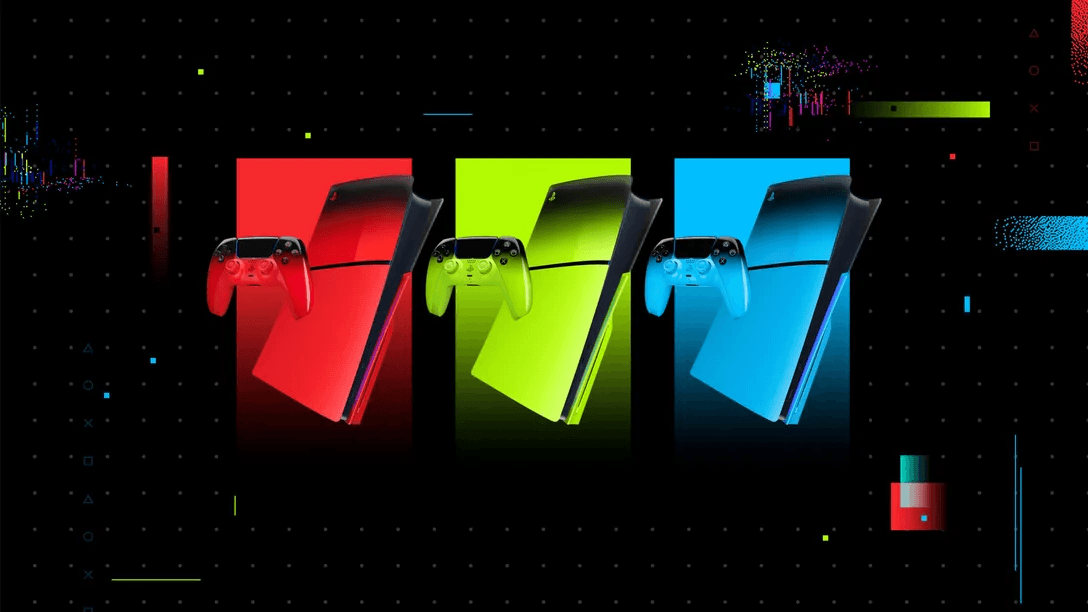
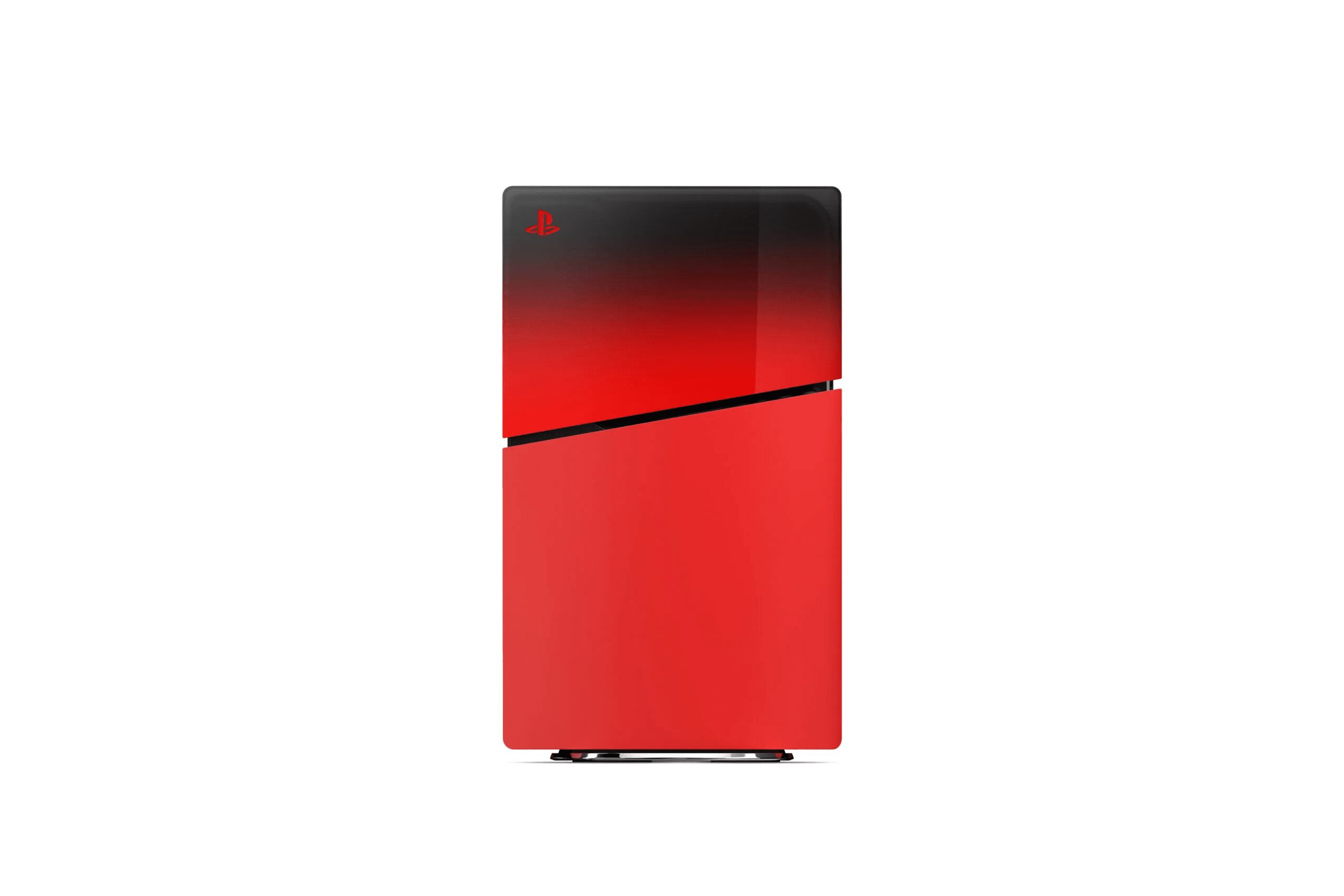
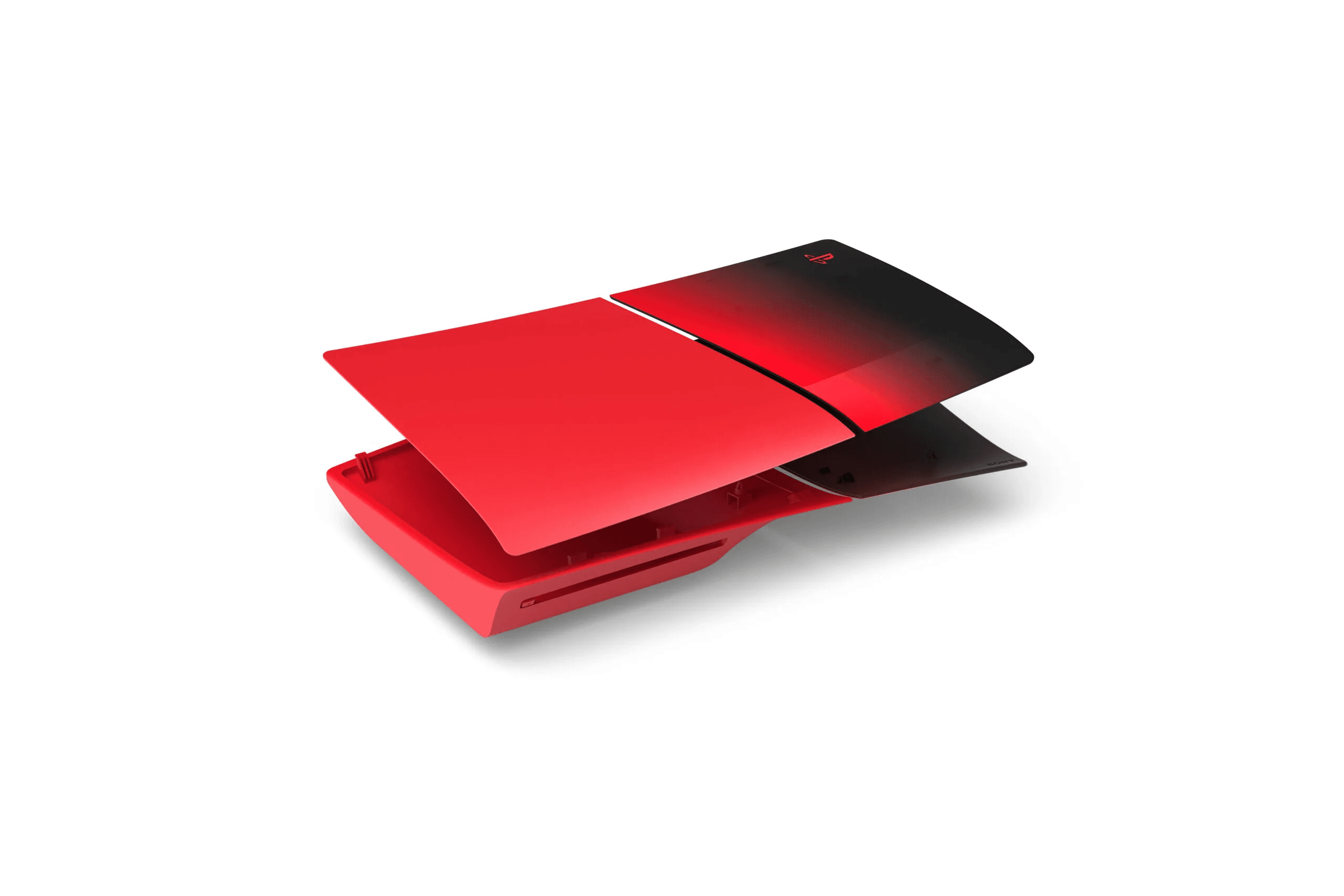
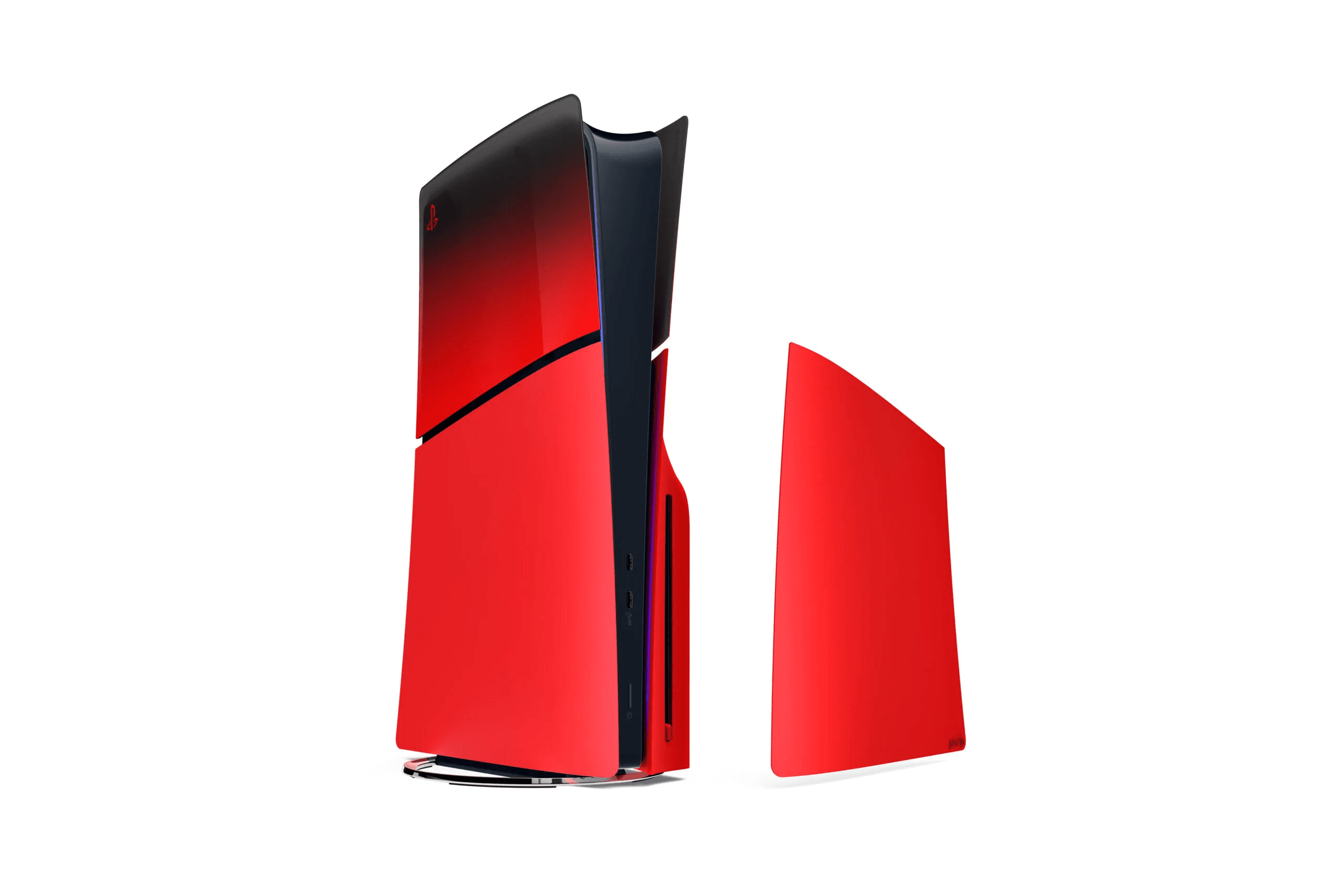
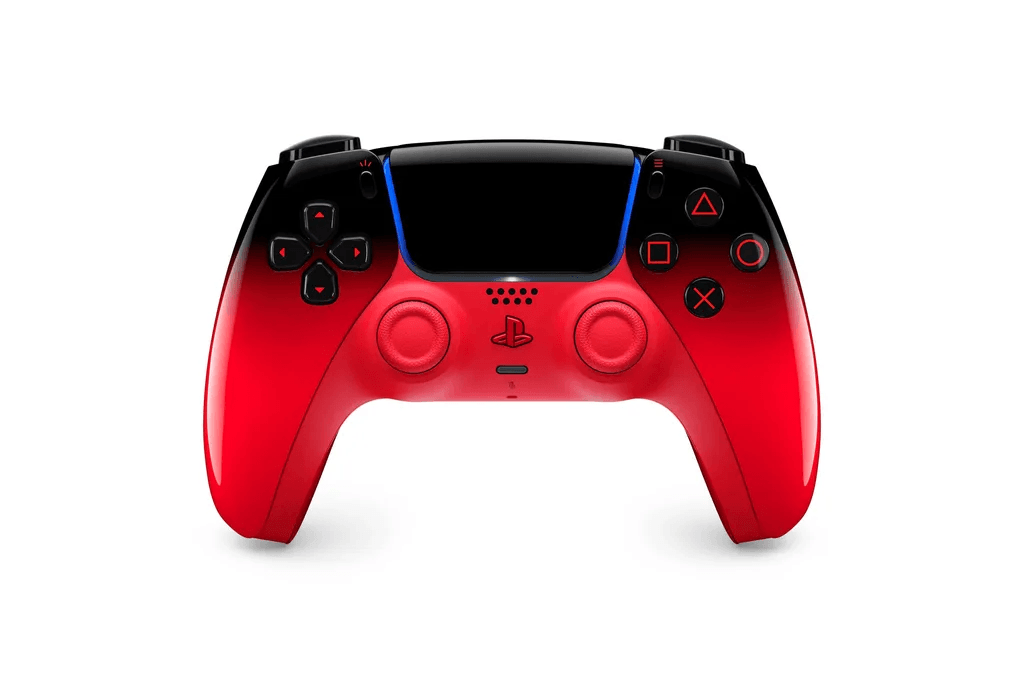
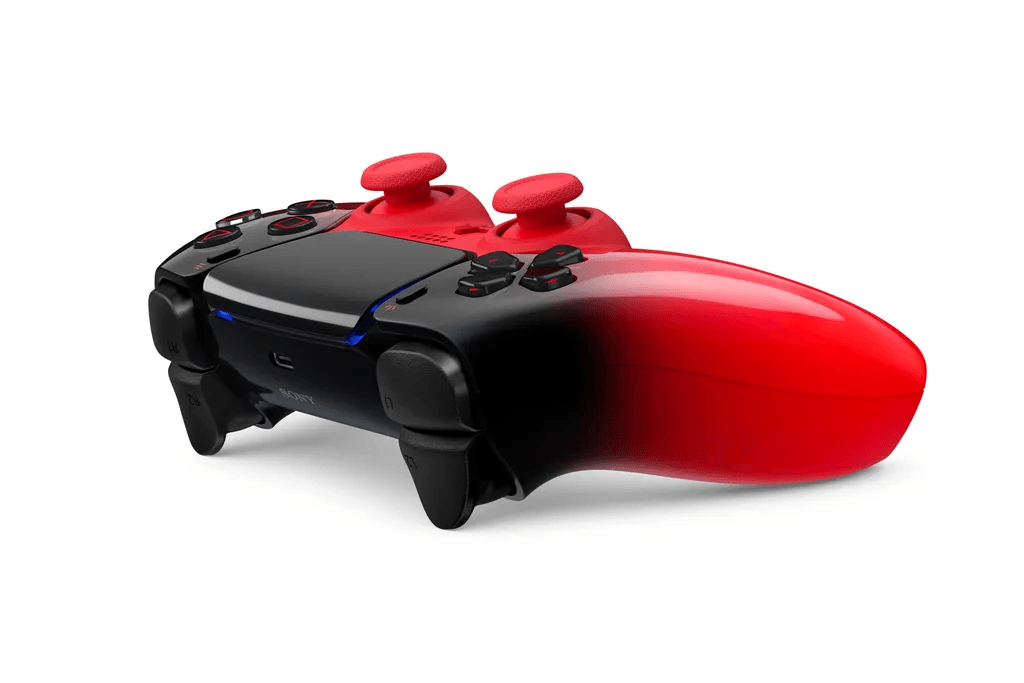
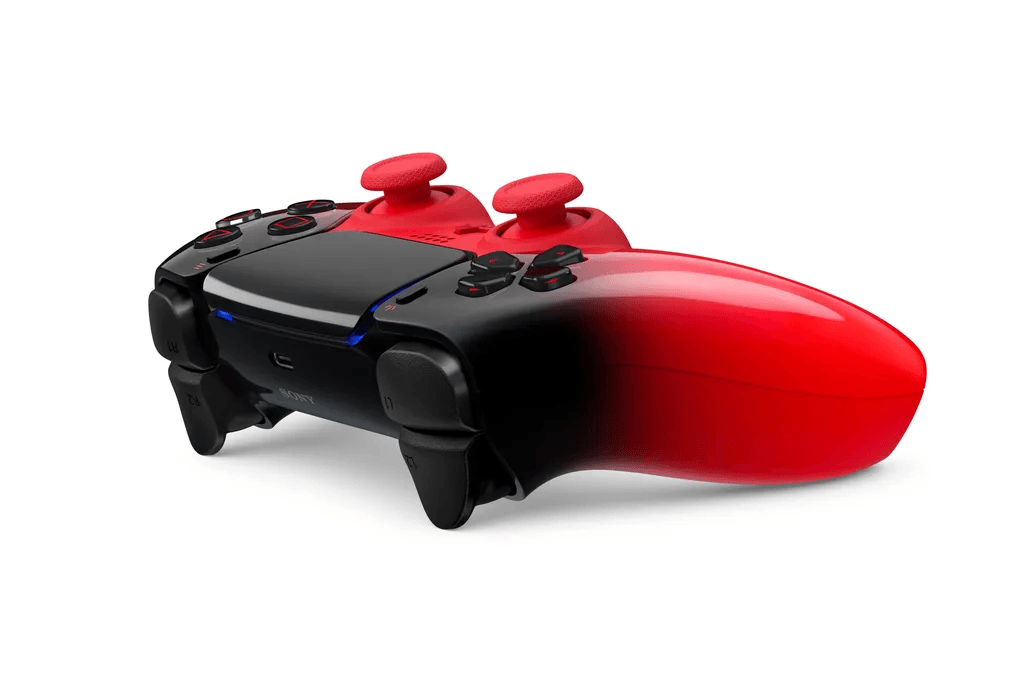
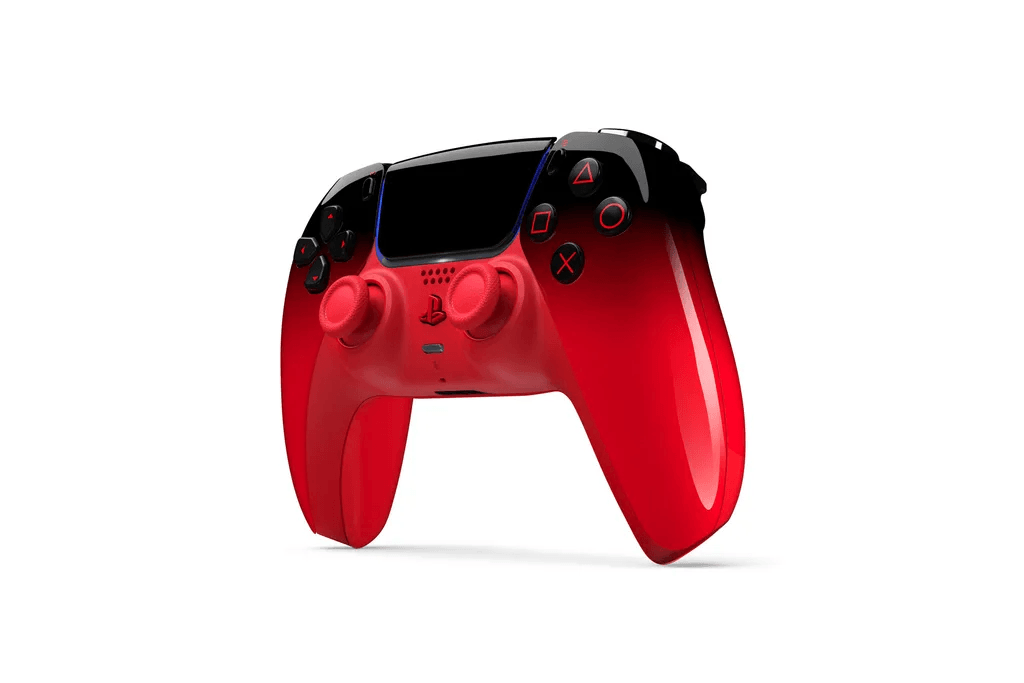
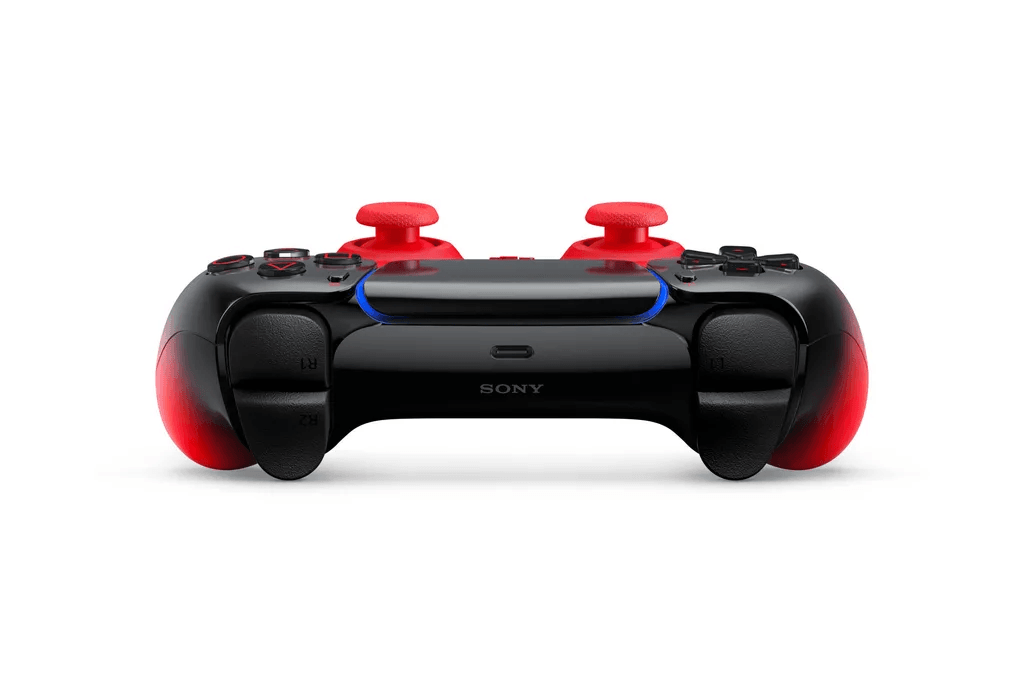
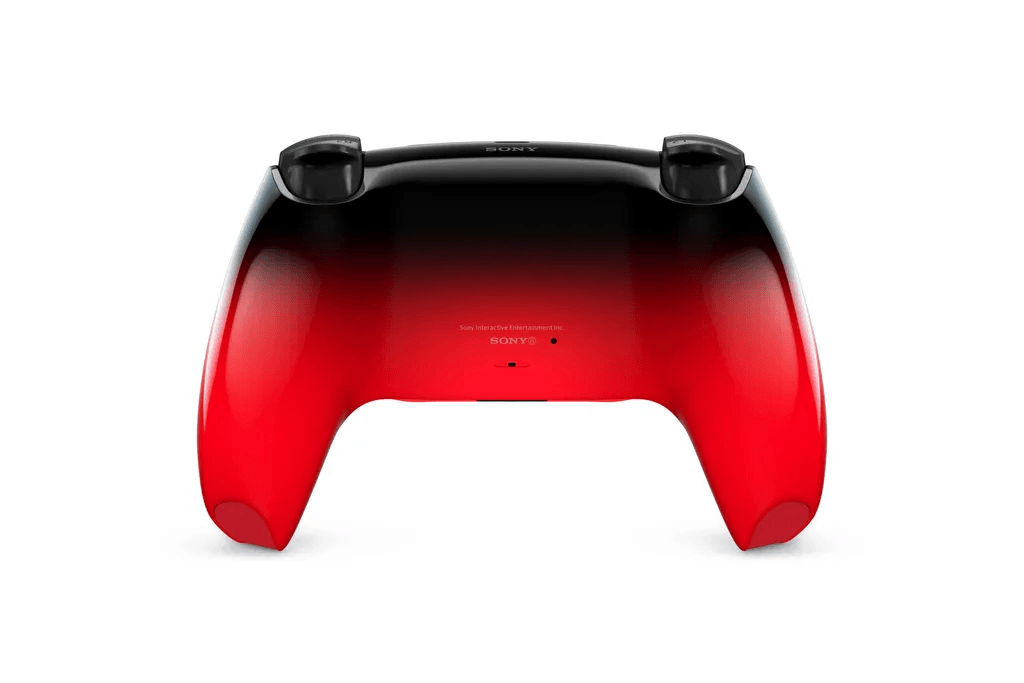
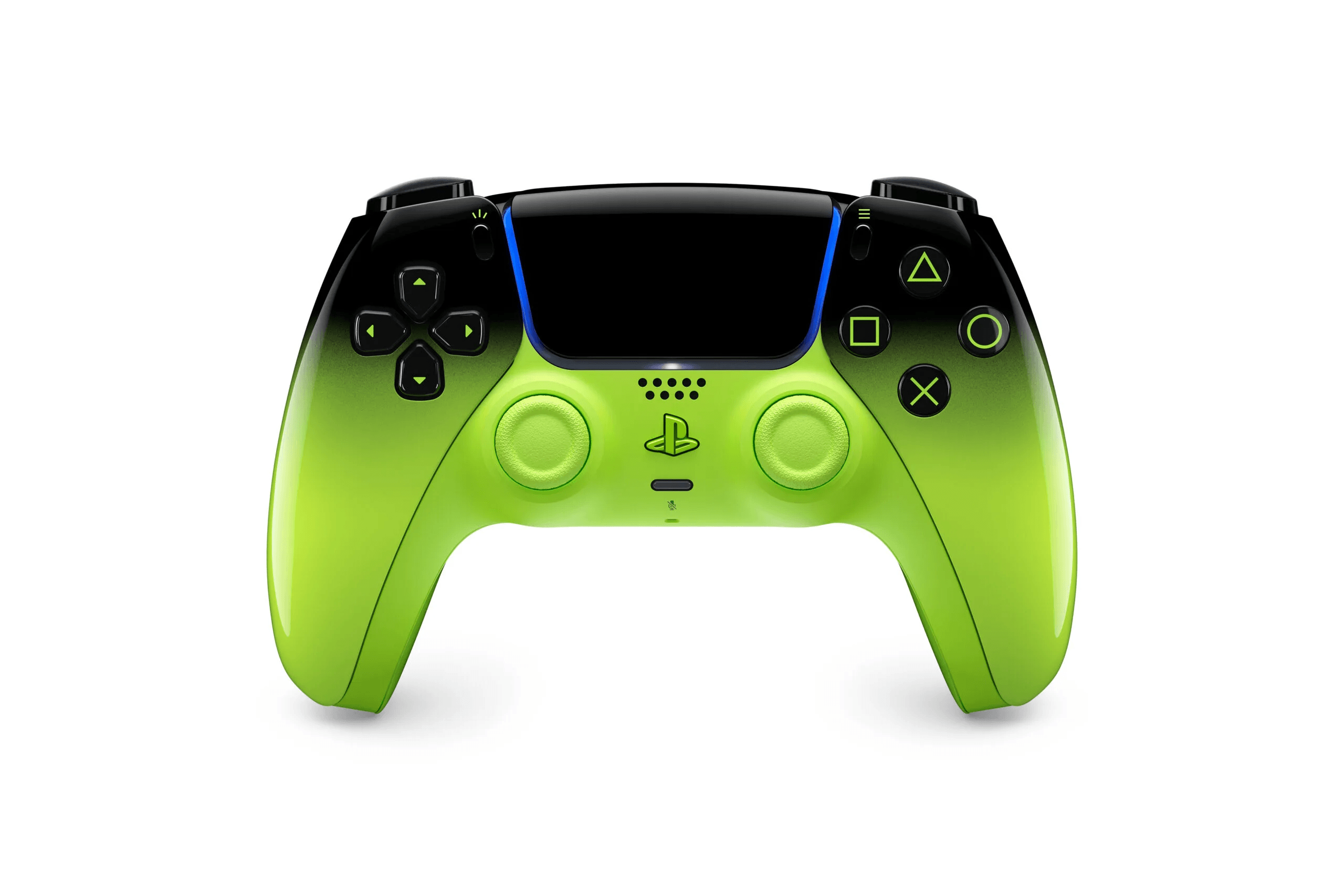
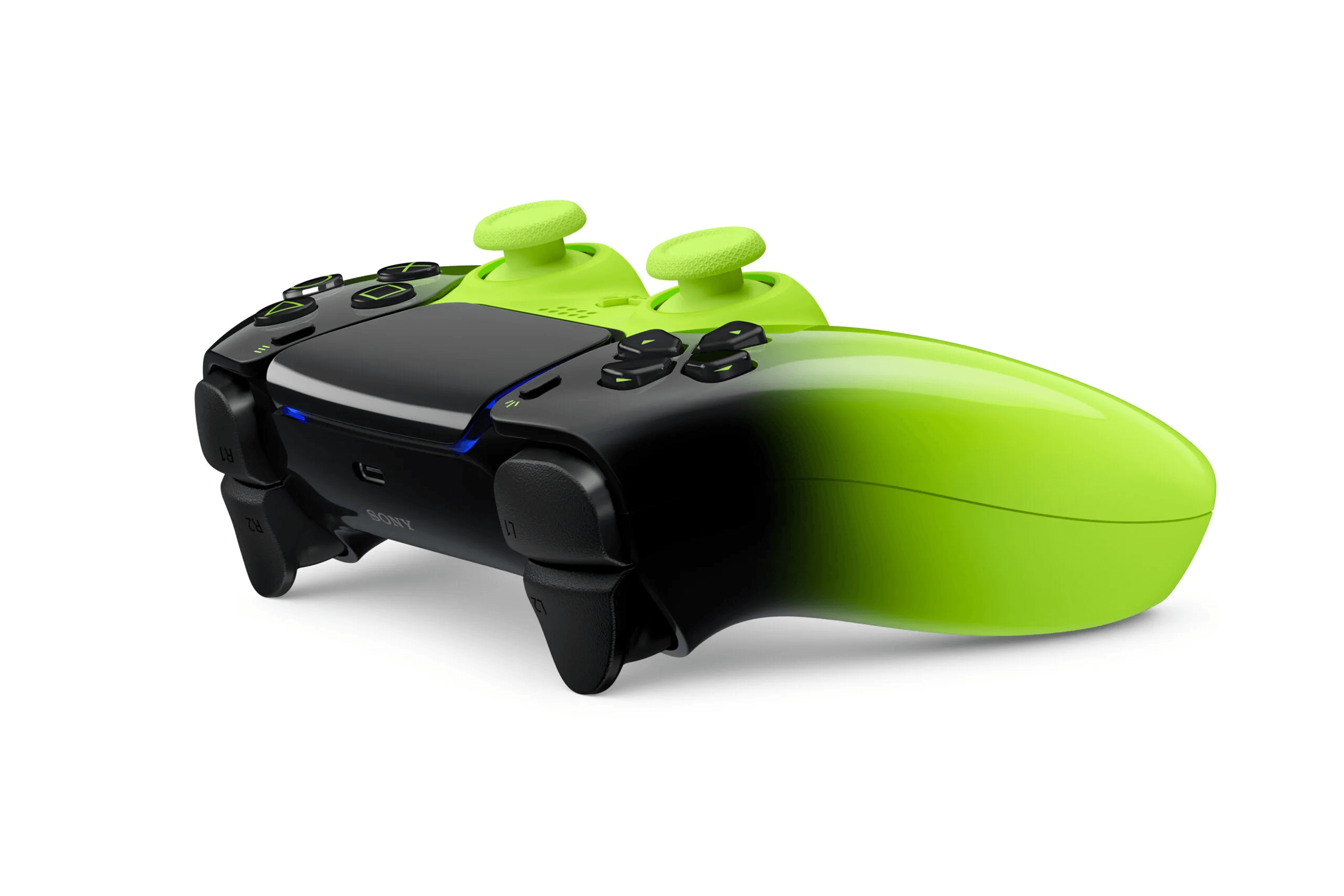
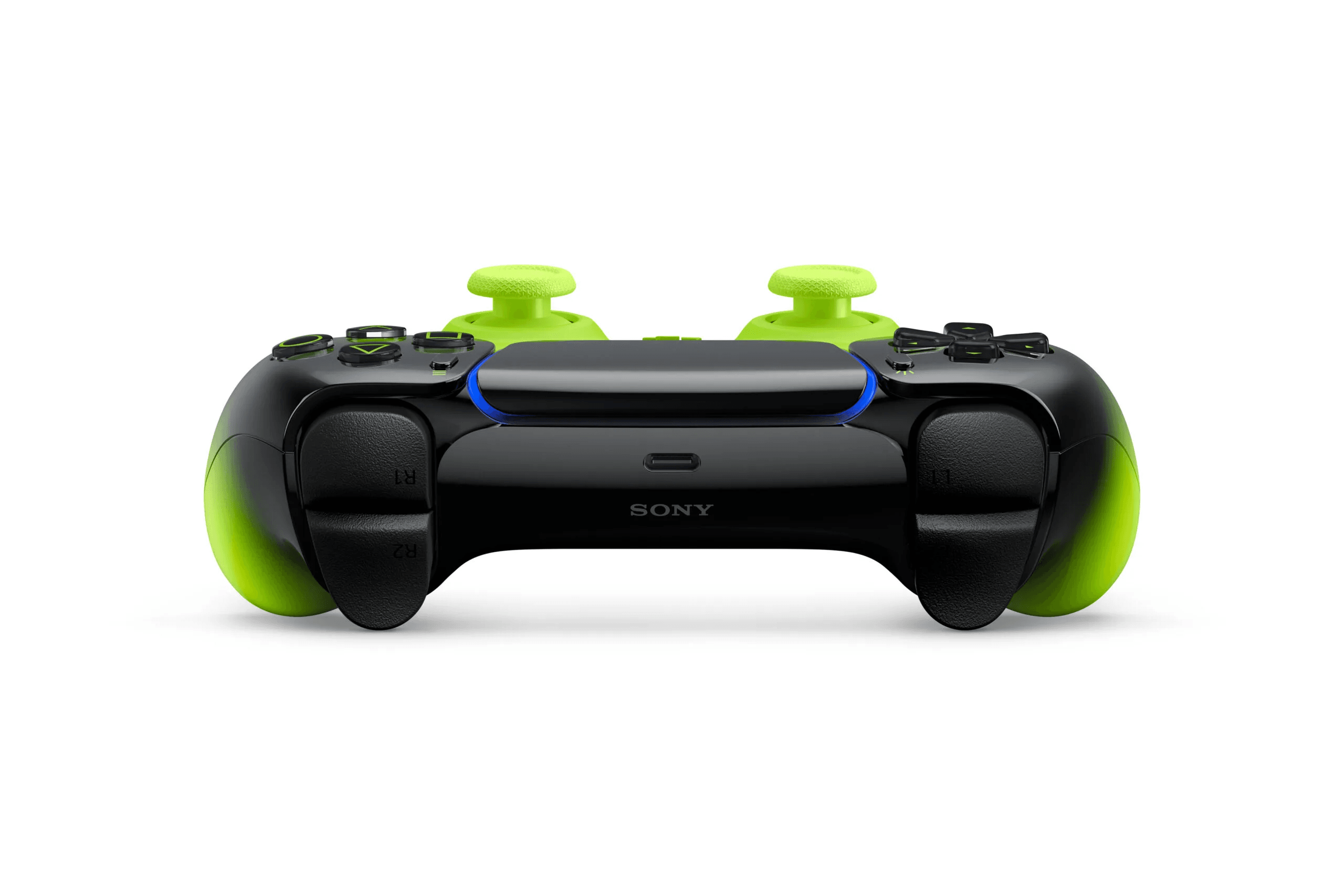
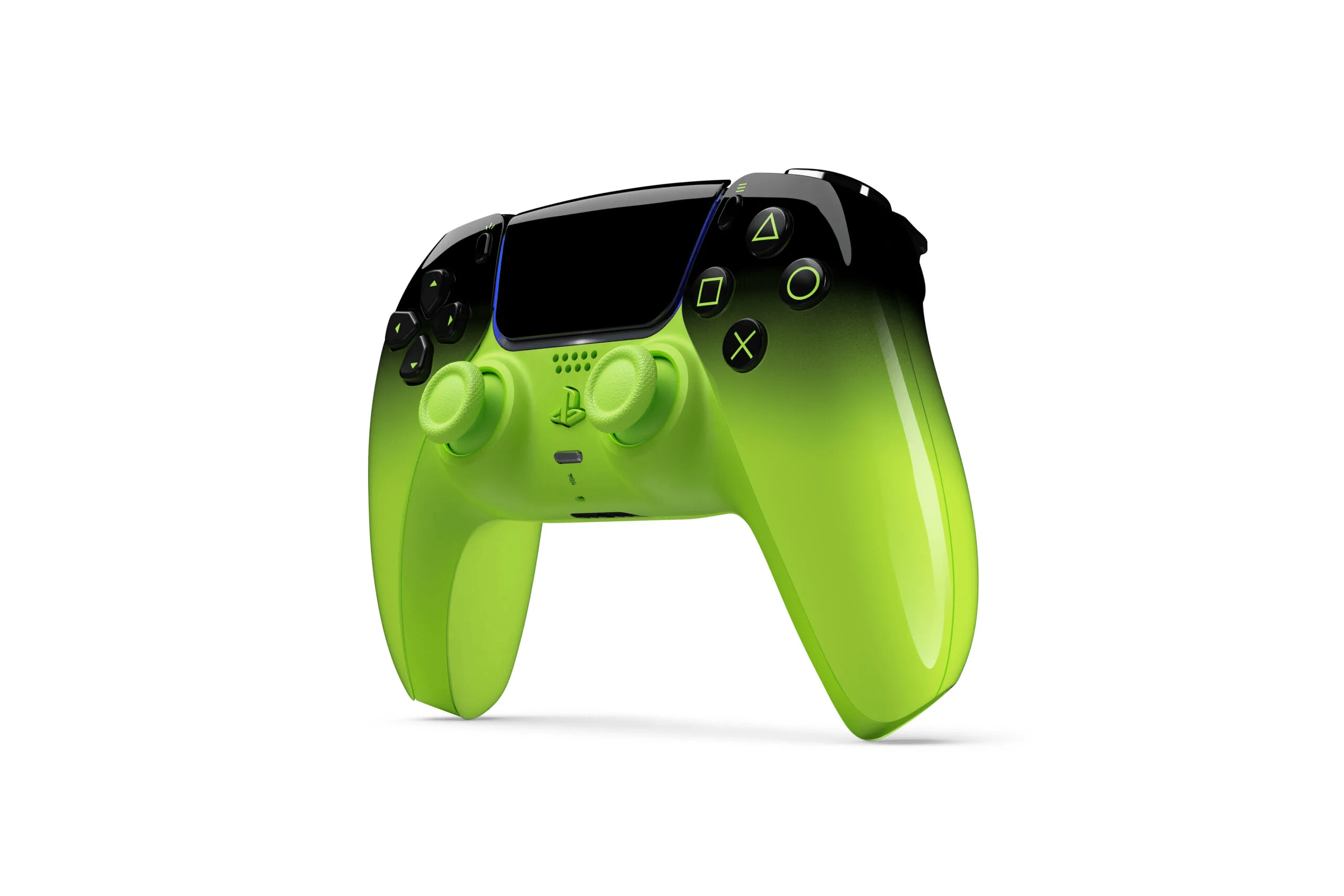
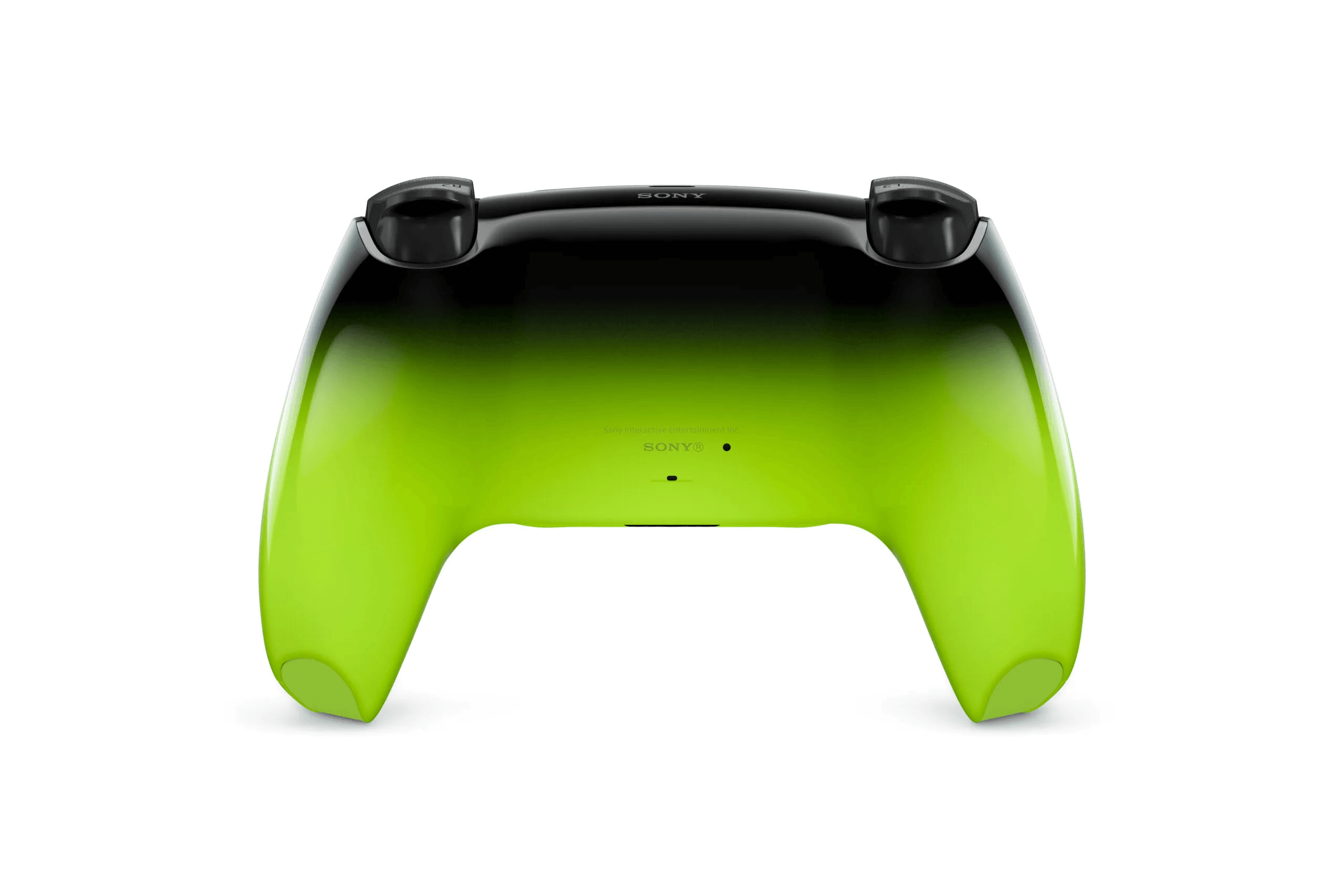
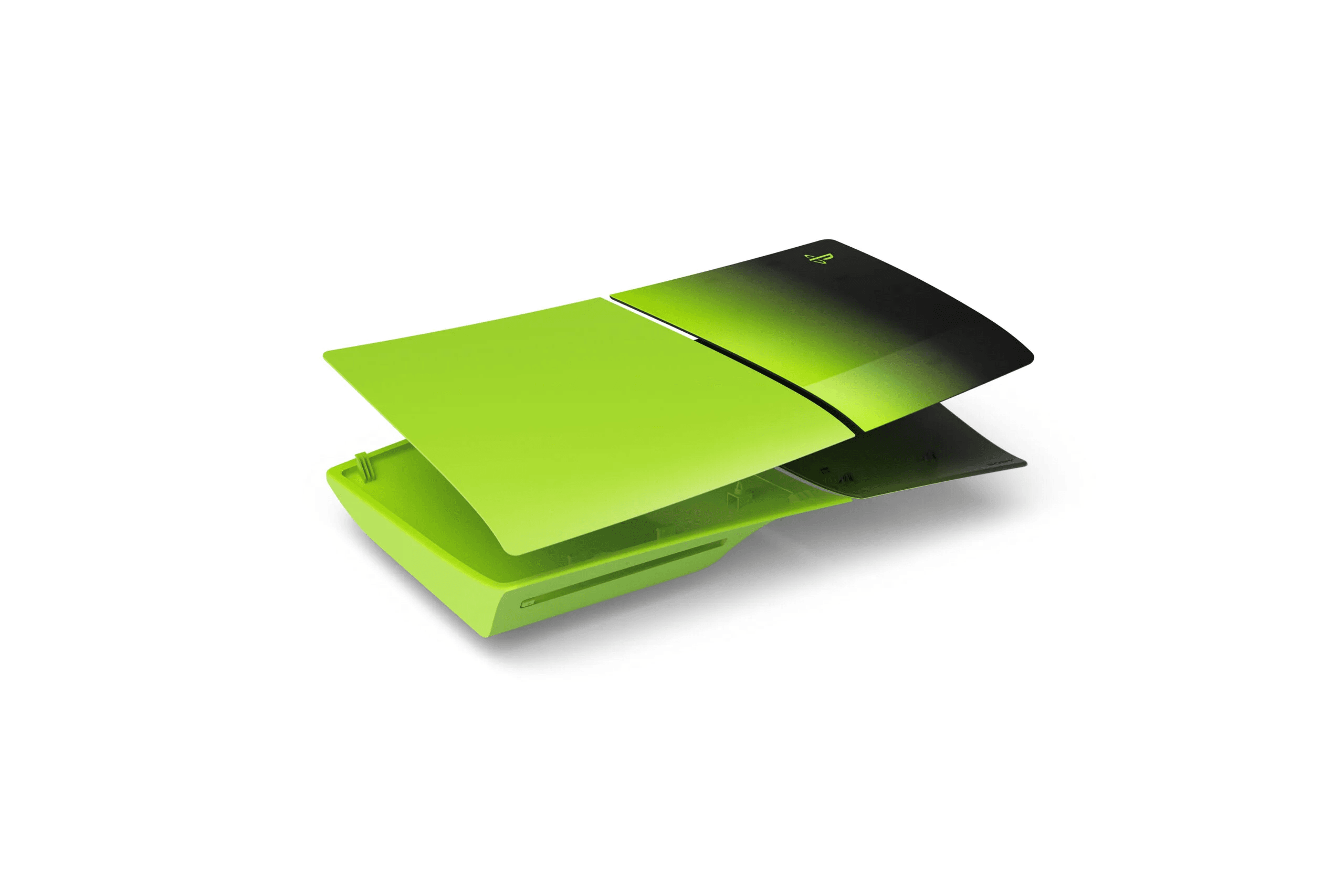
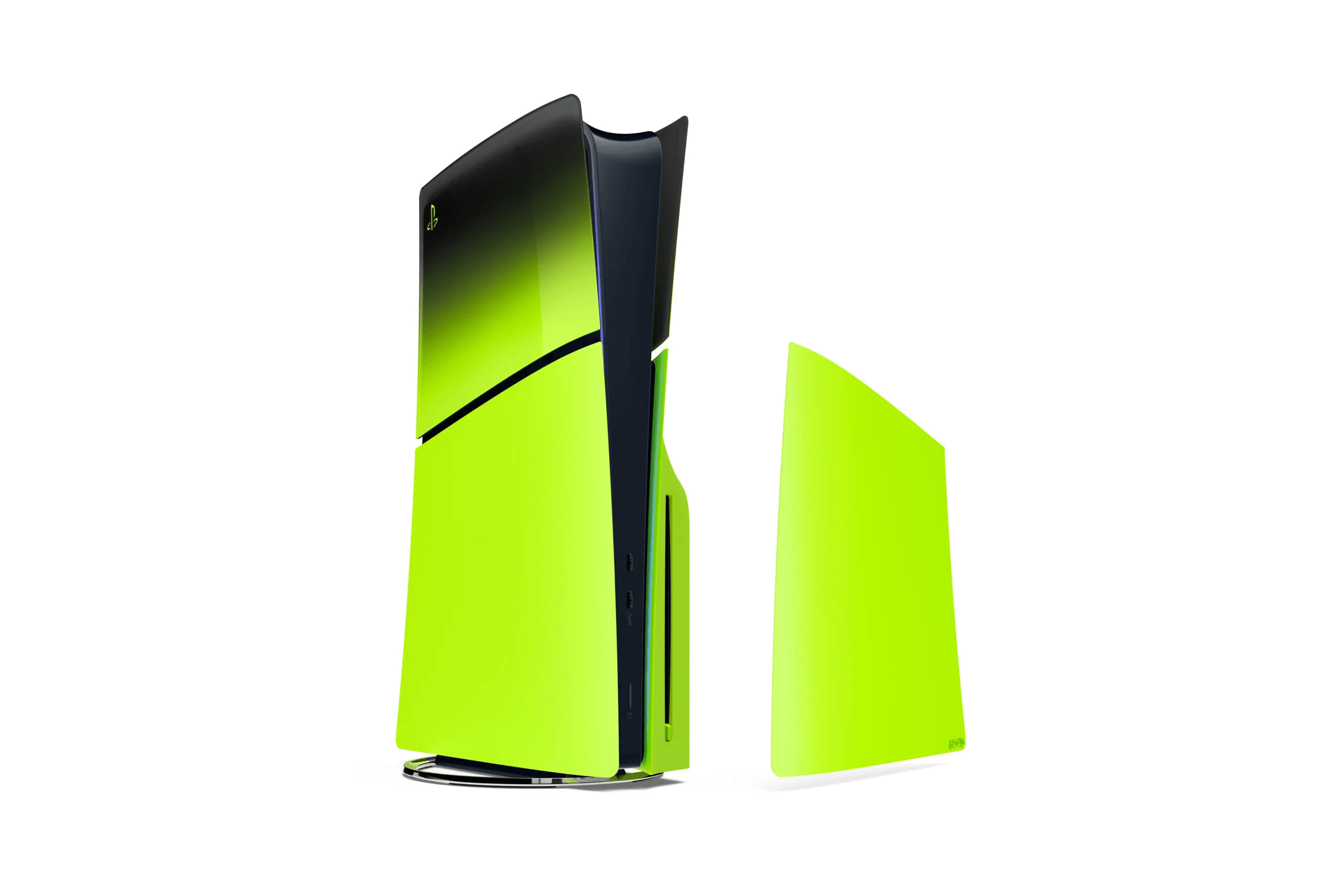
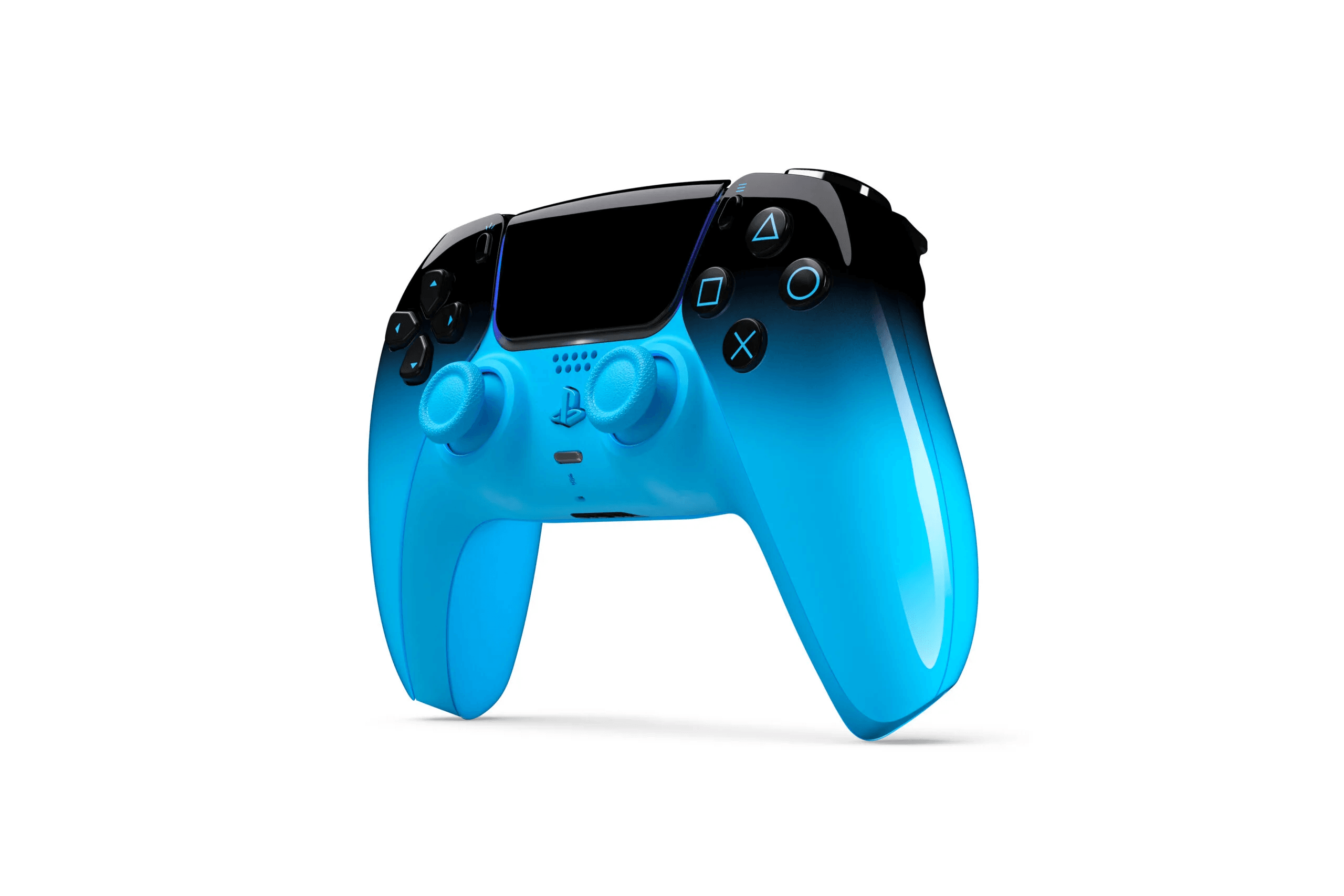
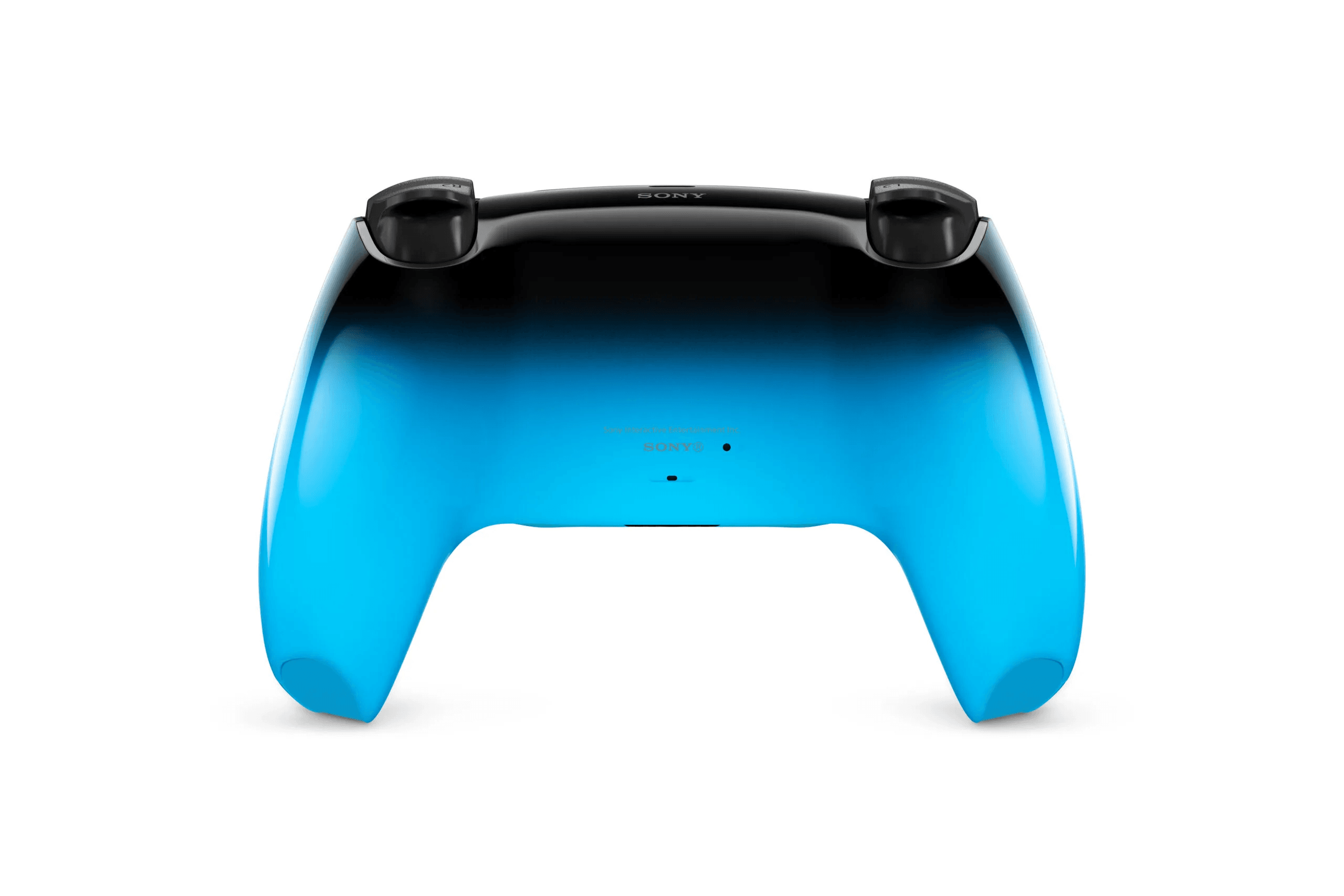
Hyperpop Collection Brings Neon Vibes to PS5 Accessories, Launching March 2026

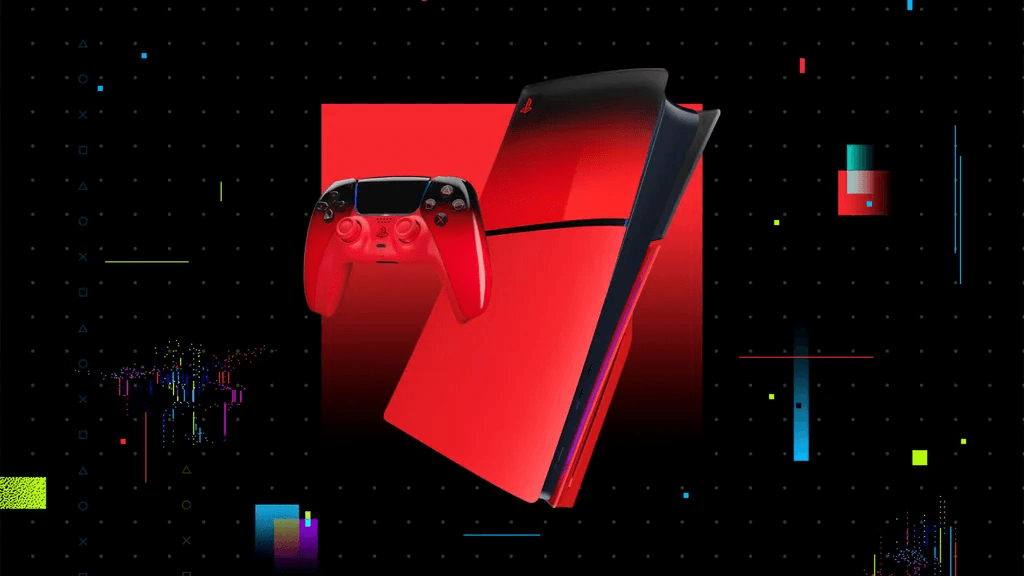
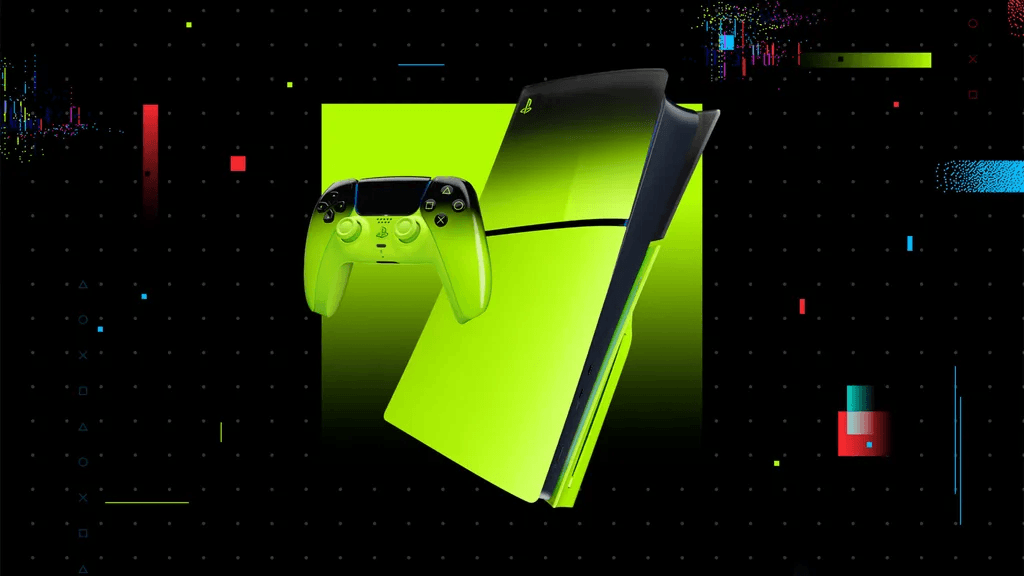
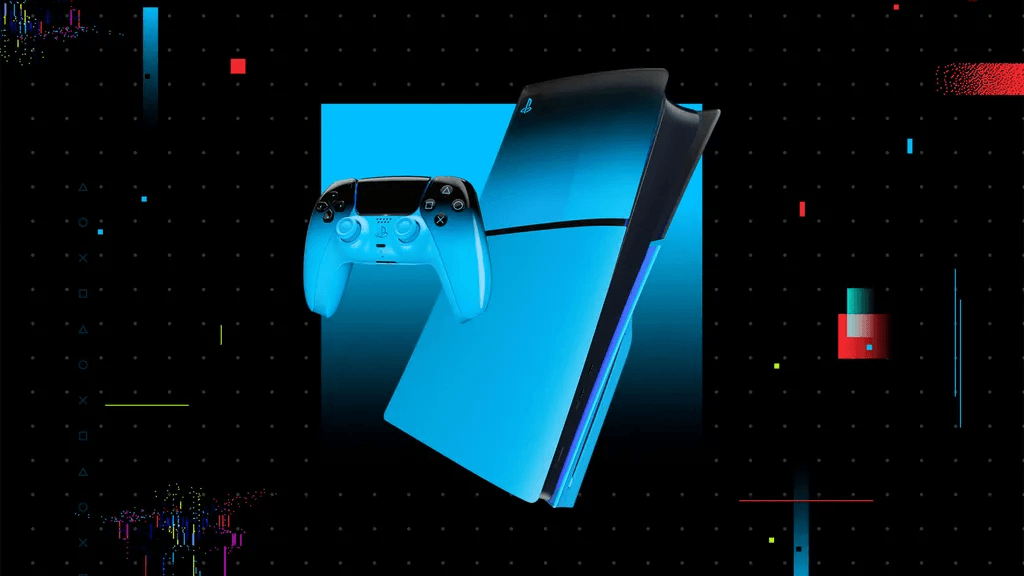
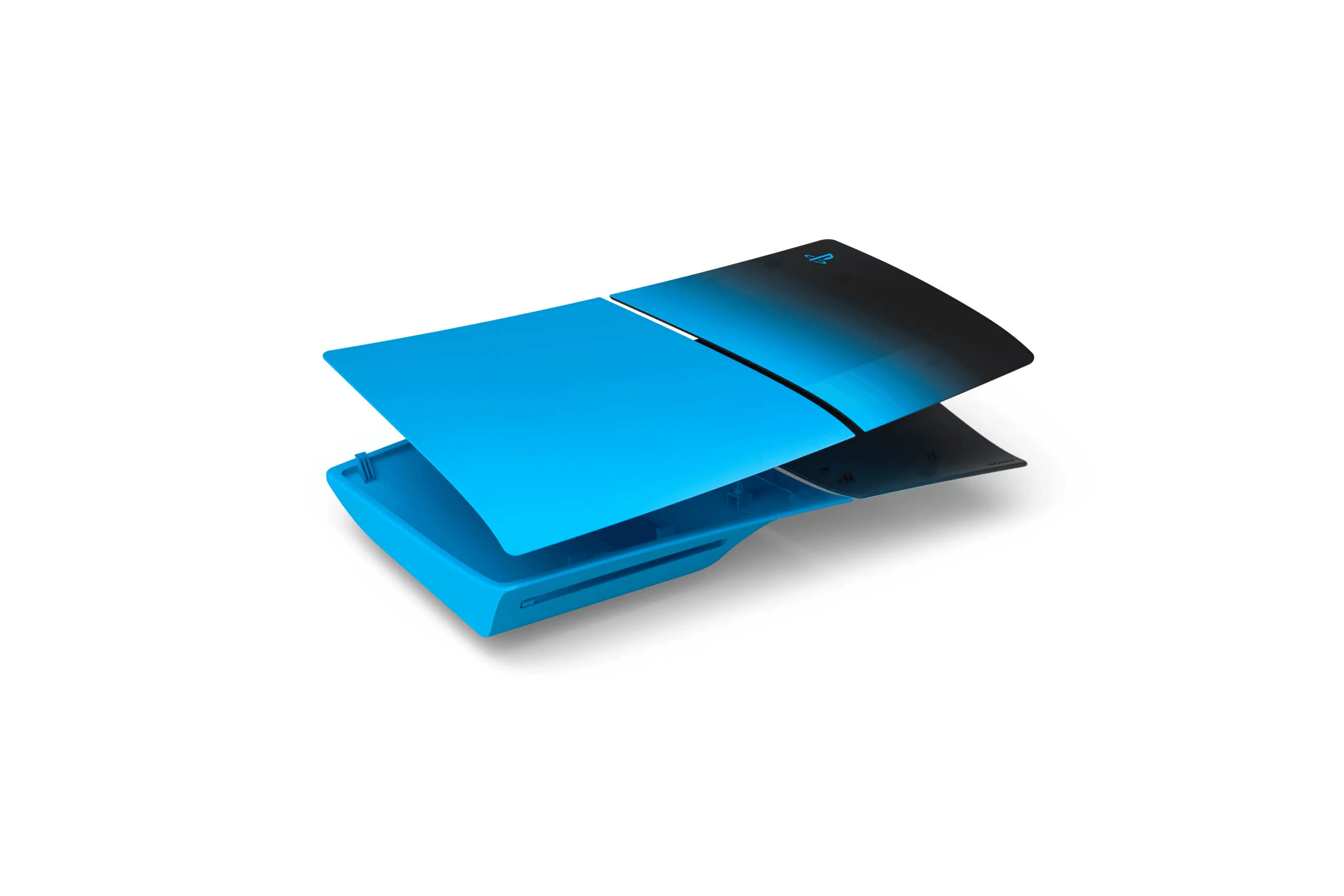
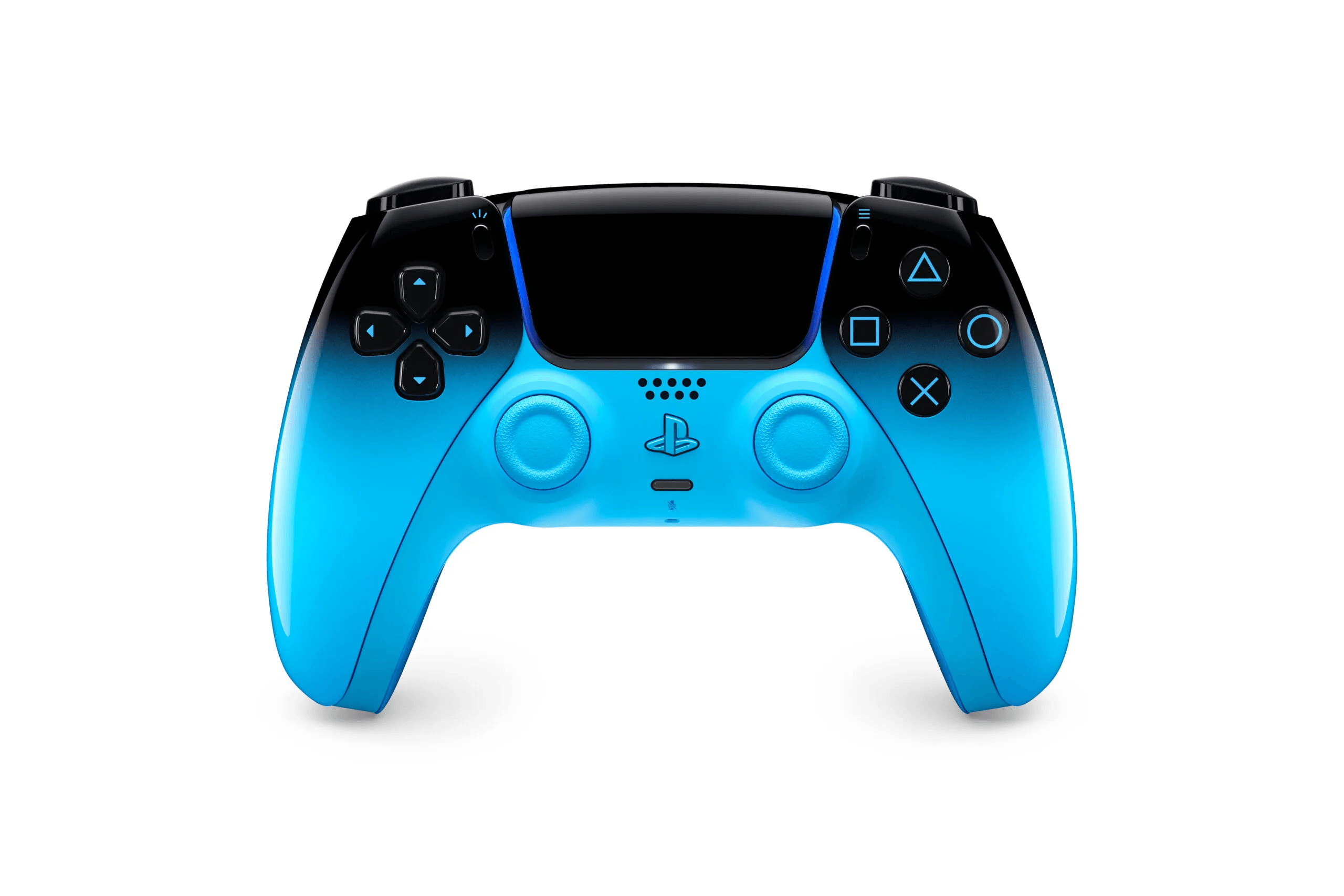
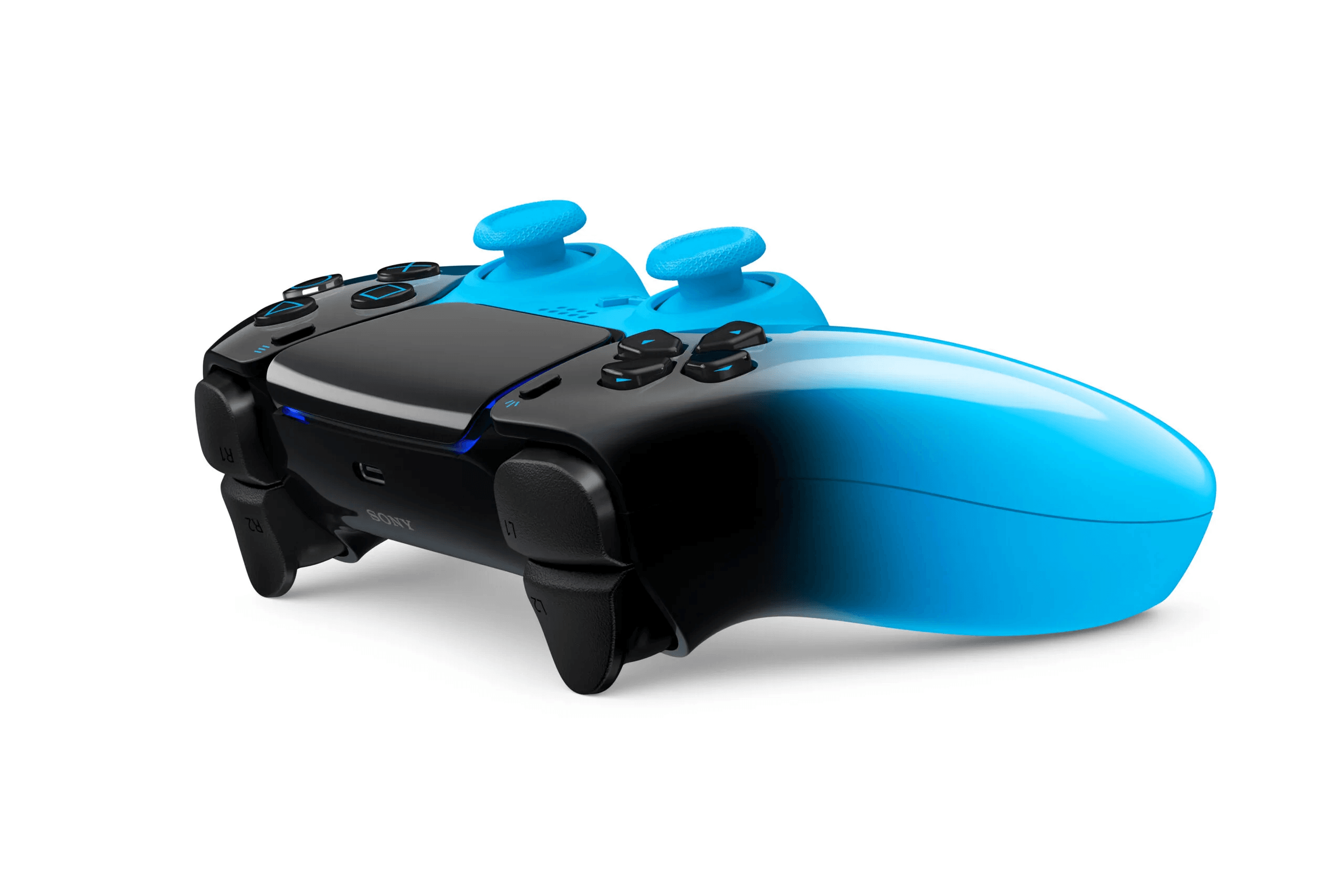
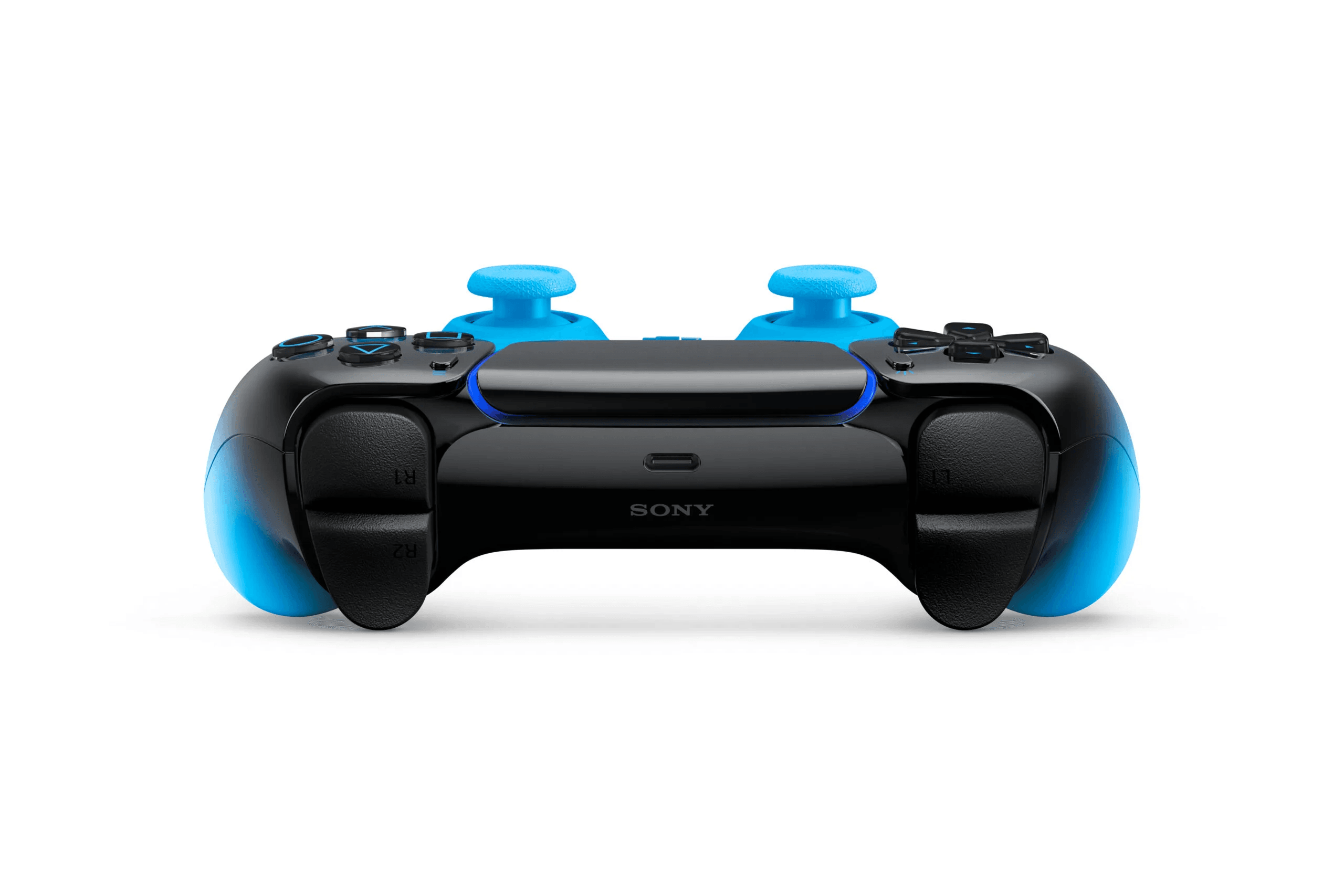
Sony has unveiled the Hyperpop Collection, a bold new range of PS5 DualSense wireless controllers and console covers, which launches on March 12, 2026. Pre-orders kick off on January 16 at 10 a.m. local time through direct.playstation.com and participating retailers.

The collection introduces three vivid colors: Techno Red, Remix Green, and Rhythm Blue, each featuring glossy black bases that flow into neon gradients. According to Leo Cardoso from the Color, Material, and Finish team, the designs aren’t just flashy, they “take over the room” and draw inspiration from RGB-lit gaming setups.

Meanehile, Sae Kobayashi adds that both controllers and console covers feature high-gloss finishes, which makes the colors truly pop, while the covers include subtle transparency for added flair.

DualSense controllers in the Hyperpop Collection carry an RRP of $84.99 USD/¥12,480/€84.99/£74.99, while matching console covers retail for $74.99 USD/¥11,480/€74.99/£64.99, with availability limited in select markets. Orders from PlayStation direct qualify for free launch-day delivery where eligible.

All that said, the Hyperpop Collection appears to be to be a must-have for gamers who want to elevate their setup, whether it’s a desk, shelf, or full gaming station. Speakimg of accessories, Nintendo has also revealed fresh color options for Joy-Con controllers for the Switch 2.

Fallout: New Vegas and Fallout 3 Remake/Remaster Reportedly Planned for PS5

A classic chapter of PlayStation’s PS3 era may soon be ready for a modern comeback. According to a report from Windows Central, Fallout: New Vegas is being prepped for modern platforms, alongside the previously leaked Fallout 3 remaster. While no release window has been shared, fans can finally hope to see both classics on PS5.

Reliable leaker NateTheHate had previously suggested that Fallout 3’s remaster is on the cards, adding weight to the speculation. The leak emerged from Microsoft’s internal documents submitted during its legal battle with the Federal Trade Commission over the Activision Blizzard acquisition, giving the rumors more credibility.

At present, the only way to play Fallout: New Vegas on PS5 is via a PS Plus Premium subscription using cloud streaming for PS3 games. That may change soon, as the remaster could bring the game natively to modern consoles. Which studios are handling these remasters remains unclear; Fallout 3 was originally developed by Bethesda, while New Vegas was the only entry developed by Obsidian Entertainment.

With fans call for for updated visuals and smoother performance, the PS5 versions could mark a major revival for these beloved RPGs. While exact details remain scarce, the details coming out from Windows Central and popular Xbox insider NateTheHate, it appears that the remasters are more than just idle speculation.

Microsoft Makes Adding Links in Word Faster With a Simple Paste Update

Microsoft has quietly updated one of the most-used features inside Microsoft Word, and this time it’s focus on speed. The feature I’m talking about is the ability to add hyperlinks across Word for the web, Windows, and macOS.

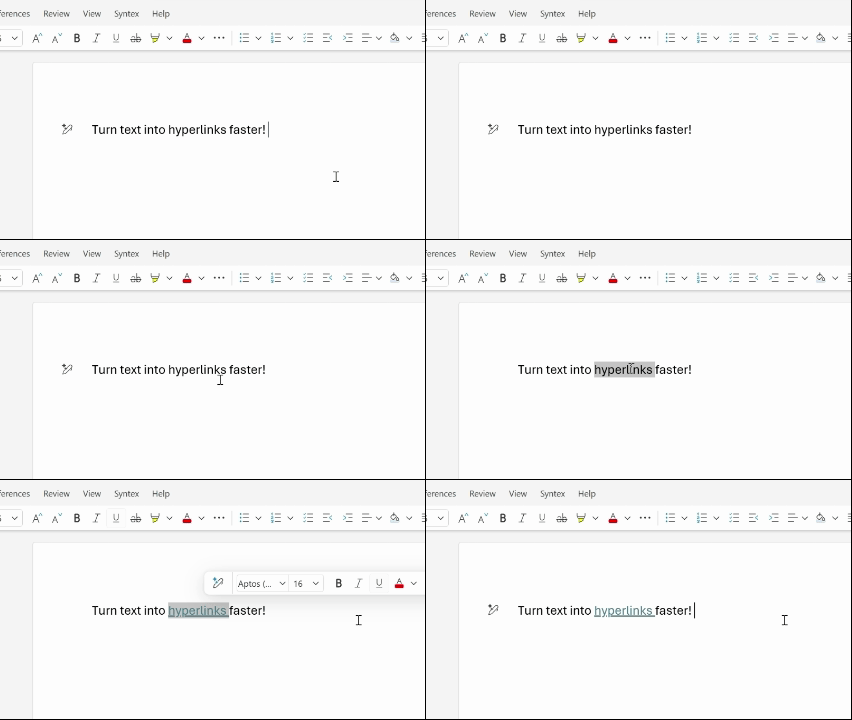
As part of the update, Microsoft Word will now allow you to simply highlight any word or phrase and paste a copied URL directly onto it. Word automatically converts the selected text into a hyperlink. Yes, it’s a small change, but one that cuts time, given that it is used dozens of times by working professionals.

GIF source: Microsoft

Microsoft says the idea behind the update is to make everyday actions feel effortless. Hyperlinking text is a core part of modern documents, whether you’re citing sources, sharing internal resources, or connecting related sections in long files. By reducing the number of steps involved, Word stays focused on writing instead of formatting.

The feature works consistently across platforms. You just need to copy a link in their browser, select the anchor text inside Word, and paste. From there, Word handles the rest automatically. As for availability, the feature is already live for Word for the web users.

On Windows, it’s rolling out to users running Version 2511 (Build 19530.20006) or later. Mac users will need Version 16.104 (Build 25120915) or newer. For anyone who spends hours inside Word, saving a few clicks here and there adds up to their productivity.

Raycast Reimagines Windows Run With a Modern, Smarter Approach

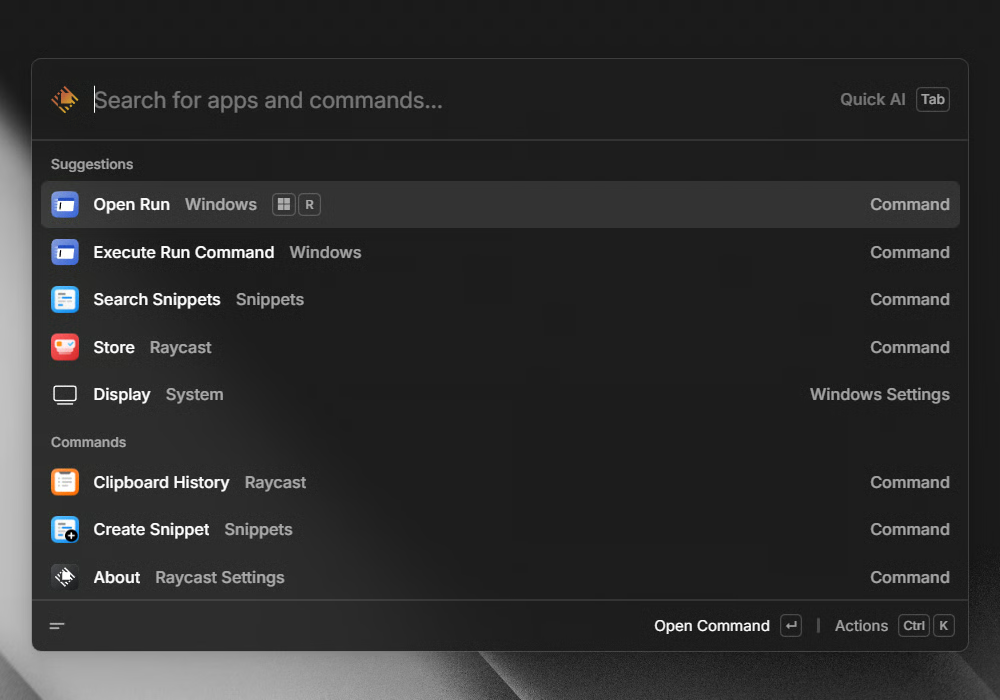
Microsoft has been quietly rethinking one of Windows’ oldest tools, the Run dialog. While the classic Win + R shortcut has barely changed for decades, the company is working on a new, modern run dialog. Yes, Windows itself is still playing catch-up, third-party tools like Raycast are already showing what a next-gen Run command can look like.

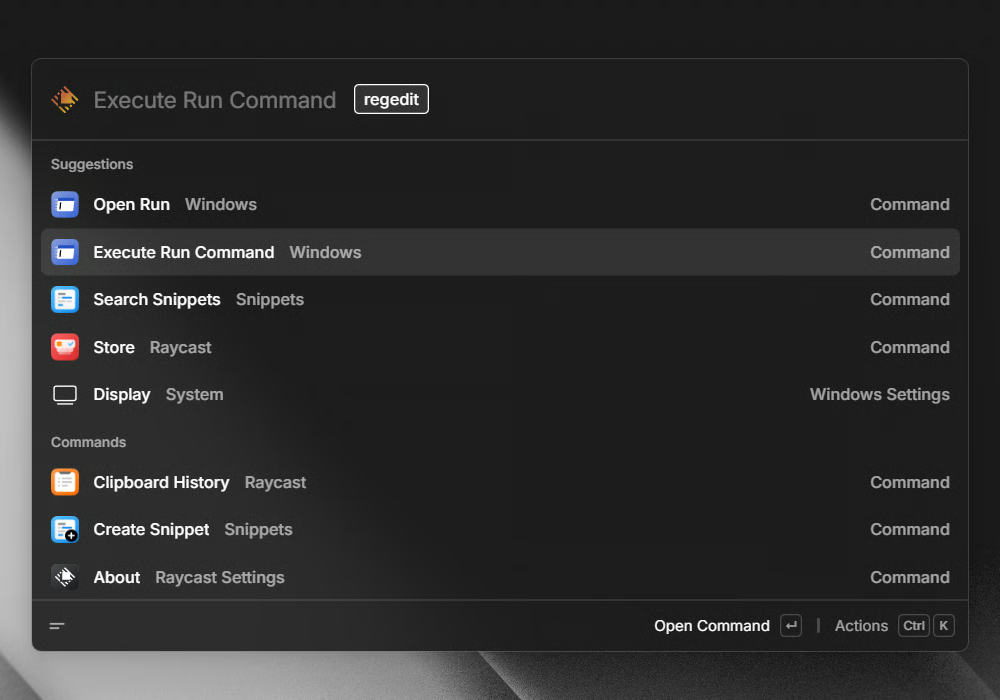
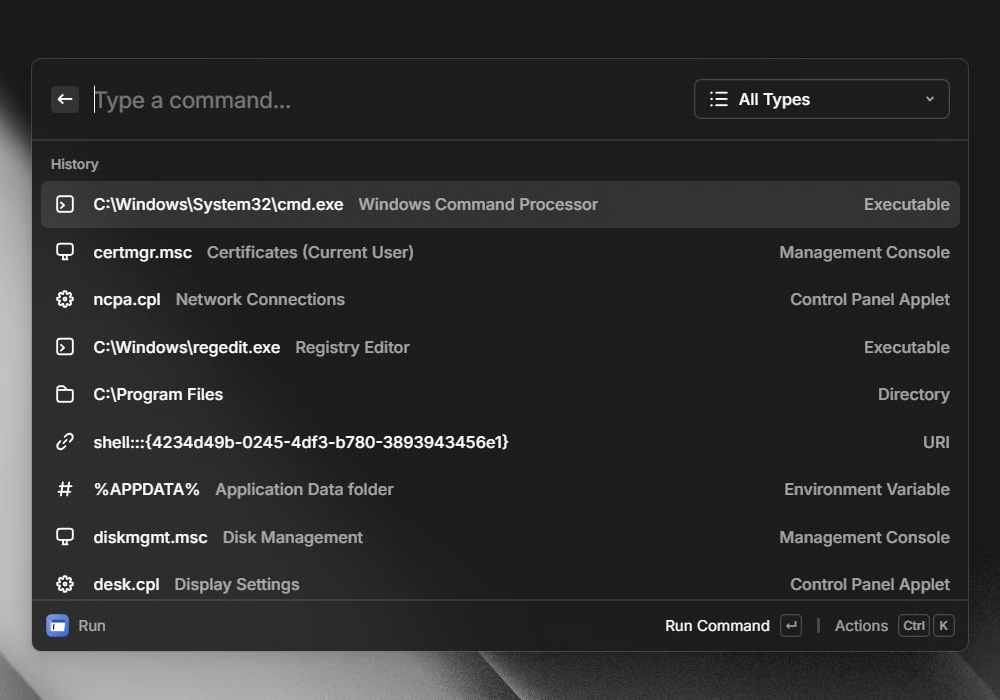
Raycast says that its version of Windows Run is a modern replacement for the traditional Run dialog, which is built around discovery rather than memorization. Rather than forcing users to remember obscure commands, it lets you browse, search, and understand what you’re launching. That too, from a single interface.

In a support document spotted by folks at Neowin, Raycast has detailed its new Run, which it calls “Raycast Run,” is backward compatible with the classic Windows Run dialog. Your existing command history is preserved, but now it’s fully manageable and searchable. The difference lies in context.

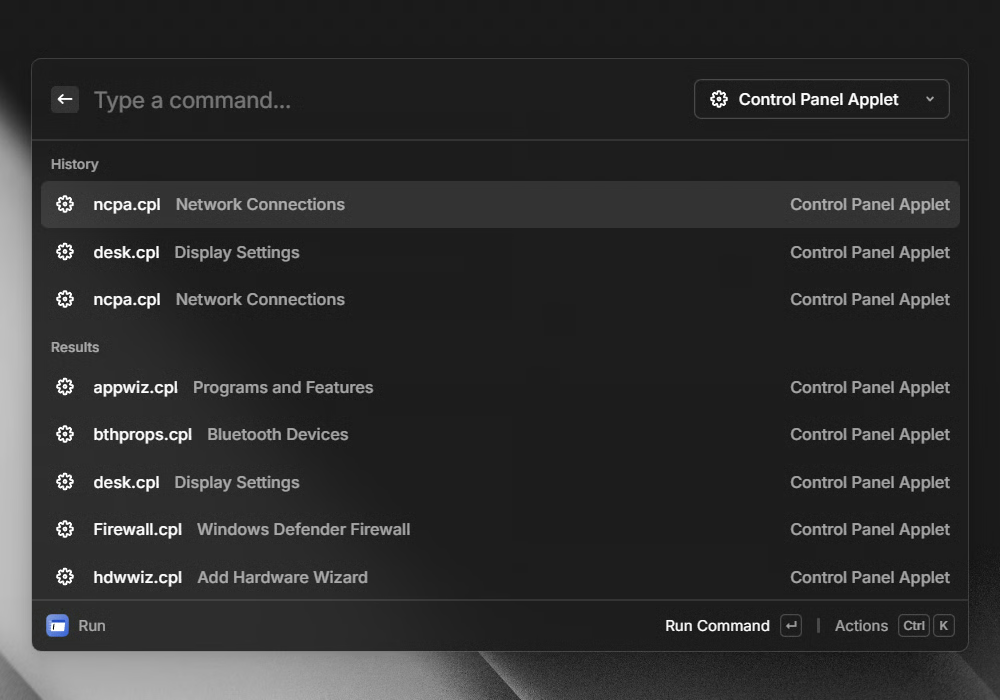
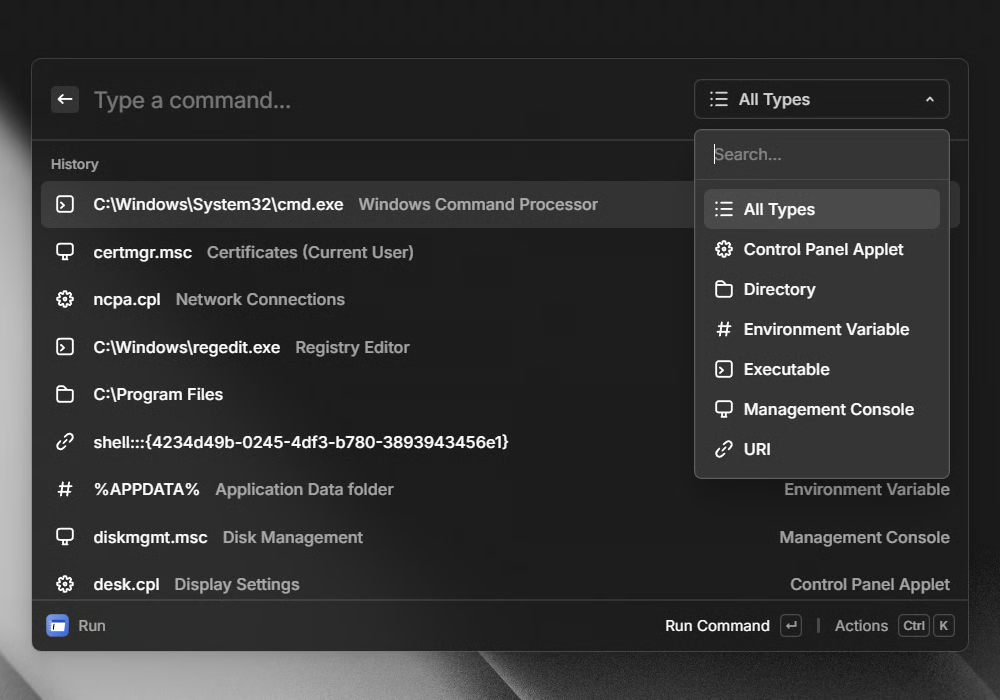
Raycast shows human-readable descriptions for system tools, Control Panel applets, and MMC snap-ins, so you know exactly what you’re opening before you hit Enter. The tool supports launching standard Windows apps like Notepad, Calculator, and Paint, alongside system utilities such as Registry Editor, Command Prompt, and Task Manager.

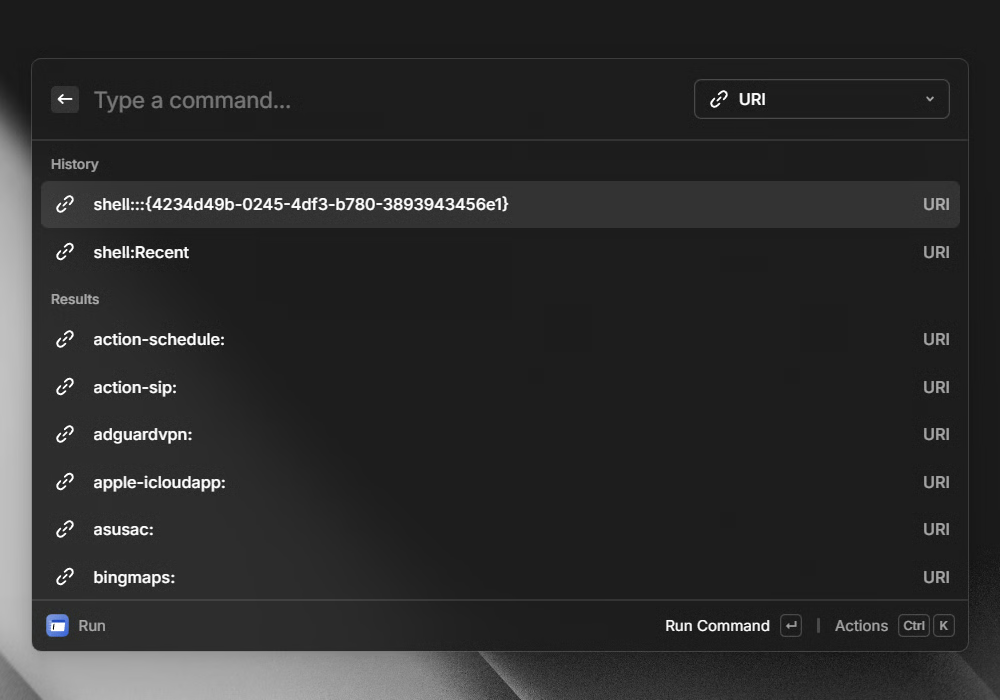
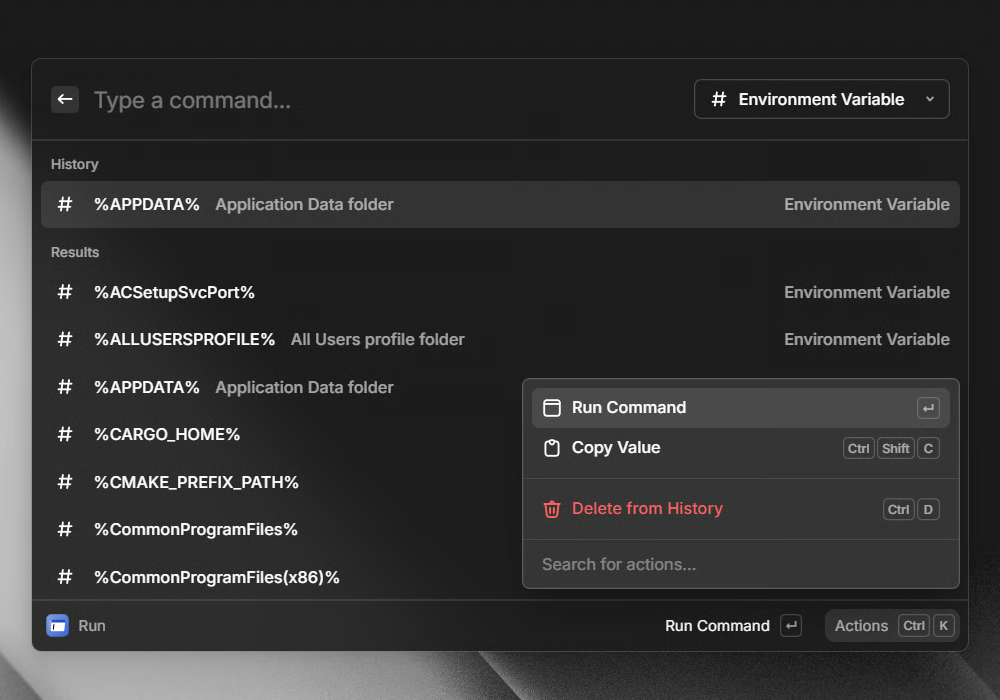
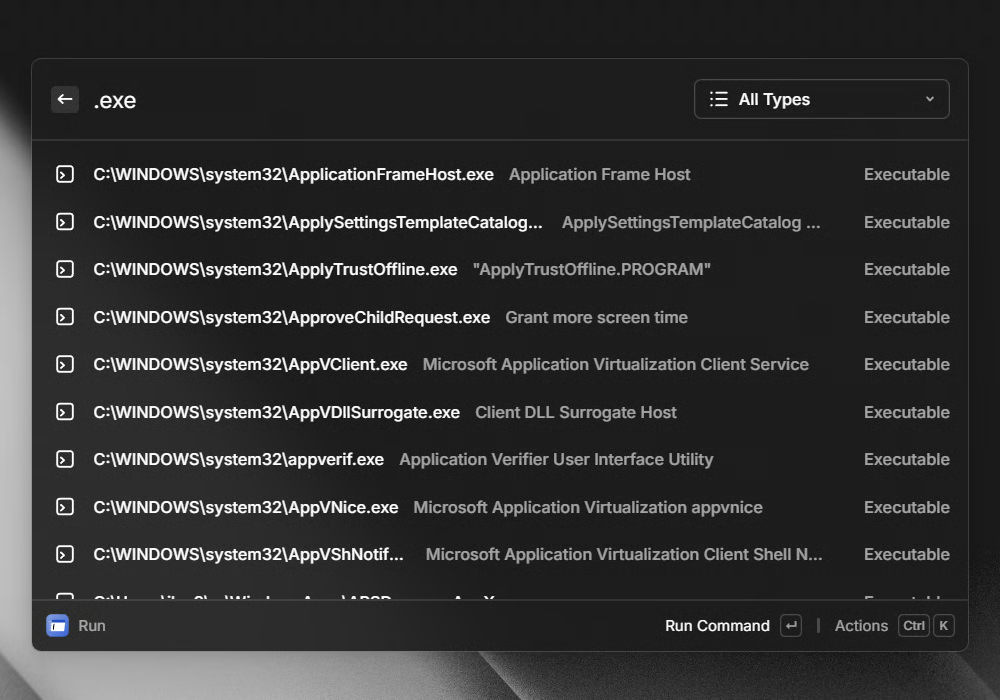
That’s not all; you can also search and open Control Panel applets, management consoles like Disk Management, environment variables, directories, and even registered shell URIs. Raycast has also introduced filters to narrow results by type, which makes it easier to jump straight to apps, tools, or system components.

For power users, commands can be executed directly from the root search, skipping extra steps entirely. To keep muscle memory intact, Raycast even allows remapping Win + R to open its Run interface instead of Windows’ default dialog.

Putting it simply, until Microsoft delivers a truly modern Run experience of its own, Raycast has already teased what the future of Windows productivity could look like. Not to forget, you can now enable the modern Run dialog in Windows 11 using Vivetool.

Article feature image source: Raycast

[UPDATED] Reporter Clarifies New GTA 6 Delay Comments, November 2026 Isn’t Ruled Out

[UPDATE | 7:45 AM GMT +1 ] Since the original post was published on Bluesky, the Polymarket prediction for GTA 6 delay has risen.

It's impossible to overstate how stupid this is

— Jason Schreier (@jasonschreier.bsky.social) 2026-01-08T17:44:27.212Z

[ORIGINAL STORY] GTA 6 (short for Grand Theft Auto 6) remains one of the most anticipated game releases of 2026. The game is now scheduled for a November 19 release on PlayStation 5 and Xbox Series X|S. Do note that the game has already been delayed twice.

However, new details coming from Bloomberg’s Jason Schreier provide a glimpse into the current development status. Schreier also clarified rumors about another potential delay via a post on Bluesky earlier today (via GameSpot). He noted that GTA 6 is still not content complete, meaning Rockstar is actively finalizing levels, missions, and mulling over features that will make it into the final version of the game.

This is a complete misunderstanding of what I said, which is that I wouldn't be shocked if GTA6 *does* come out this fall, following the same delay pattern as RDR2. Of course another delay is possible. It's a video game. But this blog post is very misleading (just reach out to me – it's not hard!)

— Jason Schreier (@jasonschreier.bsky.social) 2026-01-08T14:28:05.843Z

He stresses that no one at Rockstar can claim with complete certainty that the game will meet the November release, but he also wouldn’t be shocked if it does. According to him, some early reports misrepresented his comments, which led to unnecessary panic among fans.

From a money point of view, the delays have already cost Rockstar around $60 million, which highlights the high stakes of this AAA production. Analysts are also speculating that GTA 6 could carry a $100 standard edition price, potentially influencing the pricing trends of other big publishers.

As of now, Rockstar hasn’t officially confirmed the game’s final price. Despite all the rumors, Rockstar remains committed to delivering the next chapter in the GTA franchise across PlayStation 5 and Xbox Series X|S.

As far as new details are concerned, we are hoping to hear a bit more in the months leading up to the scheduled launch. For now, GTA 6 is still on the radar for late 2026, but the final days of development will determine whether Rockstar can stick to its ambitious release window.

Overwatch 2 Season 20 Midseason Patch Notes Out Now; Check All Changes & Bug Fixes

If you have been waiting for a new midseason update of Overwatch 2 Season 20, the good news is that it’s finally here. The latest update brings in a new game mode and Hero balance changes. Do note that this is a big patch, including bug fixes and a lot more. You can check the Overwatch 2 Season 20 midseason patch notes on Blizzard website.

Overwatch 2 Season 20 Midseason Patch Notes (As Is)

Game and Event Updates

Rebase

2.20.1 is a full rebase, all platforms. Expect a much larger than usual patch size, specifically for consoles.

Showdown Shuffle

Showdown returns with a twist! From January 13-26, Heroes shuffle mid-match and wild modifiers keep the chaos coming. Complete challenges to earn cosmetics, lootboxes and Battle Pass XP!

Here is the list of modifiers that will randomly rotate during the match:

  • Mini Maxing
    • All heroes are 50% smaller. Health reduced by 30%
  • Lie Low
    • Heroes become invisible while crouching. However, their invisibility can still be detected at a short distance. The hero stops being invisible when they receive damage or attacks.
  • Power Punch
    • Quick melee attacks knock back enemies
  • Vampiric Healing
    • Heroes don’t passively regenerate HP, but each hero has the vampiric passive
  • Aerial Combat
    • Heroes deal and receive 50% more damage while in the air. Gravity decreased
  • Back in Action
    • Respawn time decreased. Does not apply during Overtime.
  • Damage Pack
    • Health packs also increase damage dealt by 250% for 10-20 seconds or until death.
  • Berserkers
    • Heroes don’t passively regenerate HP. For each 10% of total HP lost, increases attack speed by 6% and reduce cooldowns by 6%.
  • Super Jump
    • Heroes jump 200% higher
  • Explosive
    • Heroes explode on death, dealing damage to all nearby heroes.
  • Hyper Speed
    • Movement speed is increased by 30% for all heroes.
  • Buff Hunt
    • Every minute, one random hero has increased HP, deals more damage, and generates ult charge faster. Elimnate the buffed hero to gain the buff.

Quick Play Hacked: Assault Returns!

Play the classic Assault maps this weekend January 8-11 in our latest Quick Play: Hacked – in 5v5, 6v6 and Mystery Heroes queues!

Junkrat’s Loot Hunt

Junkrat’s Loot Hunt is back again, running from January 22-25! Earn lootboxes by completing challenges that unlock as you play!

Tank Updates

Doomfist

Empowered Punch can be held indefinitely, creating situations with limited counterplay. Adding a duration sets clearer expectations while maintaining its intended impact. The Power Matrix adjustment aligns its effective area more closely with Doomfist’s model for gameplay clarity.

Rocket Punch

  • Empowered punch now deteriorates after 20 seconds.

Power Matrix perk

  • Projectile absorption area scaled down to more closely match the size of Doomfist’s model.
D.Va

Extended Boosters successfully encouraged more aggressive Booster usage, but the damage bonus was too high for a minor perk. Reducing the value maintains its purpose while lowering overall lethality.

Extended Boosters perk

  • Additional Booster damage reduced from 100% to 40%.
Roadhog

Whole Hog’s knockback can make confirming eliminations difficult. This small damage increase improves its reliability, especially in open spaces.

Whole Hog

  • Damage per pellet increased from 6 to 7.

Damage Updates

Ashe

The increased falloff range helped reinforce Ashe’s role as a long-range hitscan, but it has made her damage output too consistent at far distances. Partially reverting this change reins in her long-range pressure while preserving this identity.

Viper’s Sting perk

  • Ammo gained reduced from 2 to 1.

The Viper

  • Secondary fire falloff range reduced from 40-60 meters to 35-55 meters.
Bastion

Recent fire-rate improvements enhanced the feel of Bastion’s primary fire but also increased his damage output more than desired. Reducing damage slightly offsets this while keeping the improved weapon flow intact.

Configuration Recon

  • Damage reduced from 25 to 23.
Freja

The primary-fire adjustments improve Freja’s baseline weapon consistency and reduce her reliance on empowered bolts. Increasing Take Aim’s damage restores an important breakpoint against 225-health targets while keeping its overall impact in check.

Revdraw Crossbow primary fire

  • Maximum spread reduced from 2 to 1.5 degrees.
  • Spread now ramps up more slowly and fans out horizontally.

Take Aim

  • Impact damage increased from 30 to 35.
Genji

Genji’s ammo allows more consistent pressure in fights and secure kills without needing to reload as often.

Shuriken

  • Ammo increased from 24 to 30.
Symmetra

Reducing the secondary-fire projectile size increases the precision required to use it effectively. Lowering Teleporter durability provides clearer counterplay and encourages more deliberate placement.

Photon Projector Secondary fire

  • Base projectile size reduced from 0.5 to 0.4 meters.

Teleporter

  • Base shield health reduced from 250 to 200.
Vendetta

While recent changes improved ability flow, Vendetta’s overall lethality has remained too high. These adjustments reduce key breakpoints and alter the combinations required to secure eliminations.

Projected Edge

  • Damage reduced from 80 to 70.

Soaring Slice

  • Soaring Slice now starts on cooldown when respawning (does not apply when Resurrected or in Death Match)

Whirlwind Dash

  • Damage reduced from 80 to 70.

Raging Storm perk

  • Damage reduced from 40 to 35 per spin.
Venture

Drill Dash could feel too reliable when used in close proximity. Reducing the radius requires slightly more control and better aligns the ability’s impact with its visual size.

Drill Dash

  • Radius reduced from 2.4 to 2.0 meters.

Support Updates

Illari

Illari offers less utility than other offensively oriented supports, so increasing her damage raises her impact and improves her effectiveness when she’s positioned well and landing shots.

Solar Rifle

  • Maximum damage increased from 70 to 75.
  • Minimum damage increased from 20 to 25.
Lucio

Soundwave can be disruptive on a short cooldown. Increasing its cooldown reduces how frequently it can be used and slightly lowers Lucio’s overall pressure.

Soundwave

  • Cooldown increased from 4 to 5 seconds.
Moira

This change increases Coalescence generation to better align its impact with other support ultimates.

Ultimate cost reduced by 7%.

Zenyatta

Zenyatta’s limited survivability and defensive options can limit his overall impact. Increasing Discord Orb’s amplification improves his contribution when he’s able to position safely and keep the Discord Orb active.

Discord Orb

  • Damage amplification increased from 25% to 30%.

Bug Fixes

General

  • Fixed an issue where D.Va’s Precision Fusion perk incorrectly applied to Micro Missiles instead of only her primary fire.
  • Fixed an issue where Cassidy could not ping enemies through walls during Deadeye, he now matches other heroes with conditional wall visibility. (no ticket)
  • Fixed an issue where aim assist would trigger on friendly pets and deployables.
  • Fixed an issue where Moira’s Biotic Grasp would not target Lifeweaver’s Petal Platform.
  • Fixed a bug that allowed Vendetta to temporarily store her Palatine Fang’s overhead slash
  • Fixed an issue in 6v6 Open Queue where Zarya’s Projected Barrier would not activate when holding the button early before targeting a teammate, matching the Role Queue experience.
  • Fixed an issue where Wuyang’s “Superflexor” mod would not activate on healing.
  • Fixed an issue where Mercy’s “Supply Surge” power would incorrectly grant Winston unlimited ammo.
  • Fixed an issue where Sigma’s “Astrophysical” power would not trigger other “on ability use” powers.
  • Fixed an issue with the trap on Junkrat’s mythic skin
  • Fixed a bug with Linear and Exponential Aim Techniques that caused the minimum sensitivity to be too high.

Stadium

  • Fixed an issue where the general item “Superflexor” would not activate on healing for Wuyang.
  • Fixed an issue where Mercy’s “Supply Surge” power would incorrectly grant Winston unlimited ammo.
  • Fixed an issue where Sigma’s “Astrophysical” power would not trigger other “on ability use” powers.
  • Fixed an issue where Genji’s Dragonblade wasn’t counted as Ability Damage for Ability Damage effects
  • Fixed an issue where the Gadget “Colossus Core” wasn’t sometimes not properly granting Knockback Resist
  • Fixed an issue where the general item “Mark of the Kitsune” wasn’t counted as Ability Damage for Ability Damage effects
  • Fixed an issue where Doomfist’s “Block Party” power could be kept permanently if sold in the shopping phase. Block Party has been re-enabled.