5 Best Lightning To 3.5mm Headphone Jack Adapter [2026 Guide]

Lightning to 3.5 mm headphone jack adapters are intended to connect devices that use a 3.5 mm audio plug to your lightning devices. 

This pretty much includes any device that has a lightning connector such as iPod, iPhone, and iPad. Do you like scattering the Internet and looking for deals before buying a new product?

There’s nothing wrong with that. On the other hand, if you’re a busy person, you might as well check out the handy list below.

We’ve listed the top five options on the market, so be sure to check them out and choose the one that best fits your budget and needs.

What are the best lightning to 3.5 mm headphone jack adapters?

Apple MFi certified jack adapter

  • Compatible with iOS 11/12/13 or later systems
  • Advanced noise reduction technology
  • MFi certified –designed to connect specifically to iPhone
  • Great sound quality
  • Affordable
  • Volume control issues

This Apple MFi certified iPhone 3.5 mm headphone jack adapter is your best bet if you support the belief that Apple products work best with other Apple products.

Buy it and you will see that it works with most headphones, including some high-end models with higher impedance ratings.

With advanced noise reduction technology, it supports up to 48 kHz, not to mention that no extra software is required. Just plug in and enjoy fidelity sound quality in your iPhone.


UGREEN headphones adapter for Apple

  • Extensive compatibility
  • Advanced noise reduction technology
  • Apple aux adapter made of Hi-Q aluminum alloy case
  • Portable size
  • Inexpensive
  • Compatibility issues for some users

Things are as simple as they can get: you are about to buy a reliable UGREEN 3.5mm lightning adapter that’s certified by Apple to meet rigid iPhone requirements.

Only plug the adapter in your iPhone, let your Apple equipment recognize it for a few seconds, and then enjoy the music vibe.

Moreover, the durable design is unquestionable, with no damages, scratches, bendings, or tearings to worry about.


Belkin lightning to 3.5mm

  • Ideal for stationary usage
  • MFi-certified, so it meets Apple performance standards
  • Supports iPhone XS, XS Max, XR, X, 8/8 Plus, 7/7 Plus
  • Connects to car stereos and portable speaker systems
  • Convenient 3 foot/0.9M and 6 foot/1.8M lengths
  • Questionable audio at times

Well, this one stands out from the crowd as well. It’s not a regular adapter, but rather a cable that plugs into your iPhone’s lightning port and into your car’s stereo or headphones with a male 3.5mm port on the other side of the cable.

Some might argue that it isn’t the most practical situation for everyday use and they aren’t wrong.

However, it is a top recommendation if you plan on keeping it in one place like on a dedicated pair of portable headphones, or even in your car.


JSAUX lightning to 3.5mm adapter

  • Premium aluminum housing
  • Premium nylon braided type C cable
  • Extended 18-month warranty
  • Bold color choice
  • Friendly 24/7 customer service
  • Not compatible with iPad Pro 11

This JSAUX lightning to 3.5mm adapter is also worthy of your attention. Firstly, it meets Apple’s MFi certification requirements.

The Apple MFi certification and JSAUX strict quality testing ensure that you can securely connect with your Apple devices.

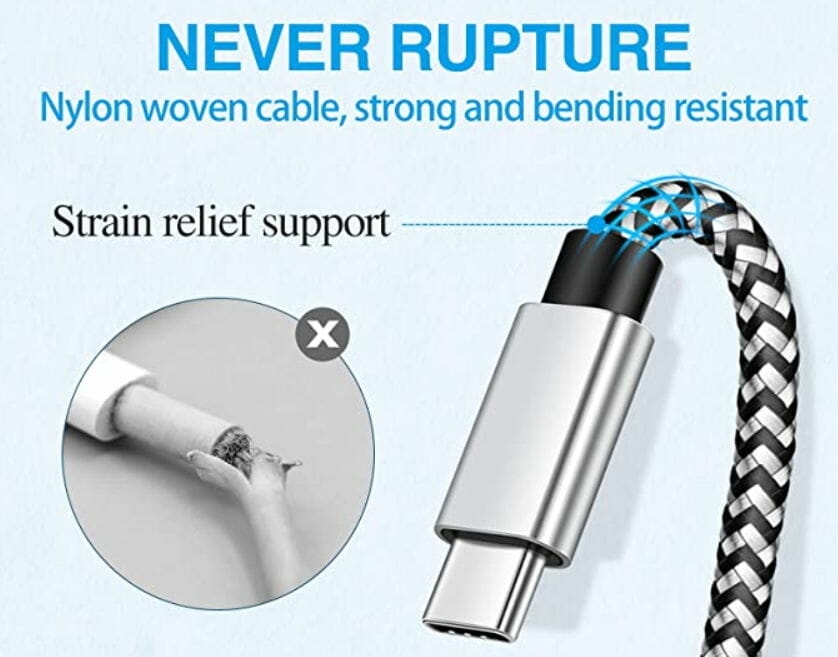
As for the special strain relief design, can bear 15000+ bends in strict laboratory tests, while the premium aluminum housing makes the cable more durable.


Chargeworx lightning to 3.5mm

  • Compatible with headphones, microphones, and speakers
  • MFI certified by Apple to meet rigid iPhone requirements
  • 100% copper wire core
  • Seamless Plug-and-Play connectivity
  • Small enough to fit in your pocket or bag
  • Lacks telephone headsets compatibility

The Chargeworx lightning adapter was built for everyday use. Don’t you imagine that its strong, durable shell turns it into a bulky beast that you cannot carry around.

You get instead a well built and compact adapter at the same time. Most important of all, you can listen to their headphones without distortions or sound quality loss.

Even more, ChargeWorx audio lightning adapters are designed to work with all your favorite iPhones, including the iPhone X, XR, XS, and XS Max.


To sum up, none of these lightning to 3.5 mm headphone jack adapters won’t break the bank. It’s all about your guilty little pleasure to keep up with the latest technologies and take advantage of opportunities.

For even more options to pick from, check out these cable deals to connect all your devices. Then, don’t forget to share your choice in the comments section below.

[wl_navigator]

7 Best Optical Drives for Laptops [Cyber Monday Deals]

Optical drives are the drives you insert CD, DVD or Blu-ray discs into. They were once an essential component for desktops and laptops.

However, times are changing and cloud storage, software and media downloads, and USB sticks have ensured a gradual optical drive decline.

Now fewer and fewer laptops include their own optical drives. So if your laptop doesn’t have an optical drive, you’ll need to add an external drive.

There are three types of the alternative optical drive. They are CD, DVD and Blu-ray drives. DVDs replaced CDs as the primary disc format, but now Blu-ray discs are phasing out DVD.

Blu-ray discs have the highest storage that is typically in the 25 to 50 GB range but can be as much as 128 GB. Consequently, Blu-ray is the new industry standard optical drive for desktops and laptops.

So the best external optical drives for laptops are now Blu-ray drives, and they also have backward compatibility with DVD/CD.

One big advantage the Blu-ray format has compared with DVD is that it supports high-resolution video. As Blu-rays have larger storage volumes than DVDs, they’re also better backup discs.

These are some of the best external Blu-ray optical drives for laptops.

What are the best optical drives deals?

Rioddas External CD Drive

  • Plug & play. Easy to use, powered by USB port
  • Data transmission speed up to a maximum of 5Gbps
  • Eject button
  • It supports Windows XP/2003/Vista/7/8. 1/10, Linux, macOS
  • The cable is too short

The Rioddas external CD drives a universal CD/DVD drive burner and is compatible with DVD-ROM, DVD-video, CD-R/RW, CD-ROM/XA, CD-ROM, CD-EXTRA, CD-TEXT media formats.

Its max write speed is 24x CD-R, 8x CD-RW, DVD±R: 8X Max; DVD±R DL: 4X Max; DVD-R±9: 2.4x Max, which although not the highest specification is still pretty decent.

Aside from being compatible with both Windows and macOS laptops and desktops, you can also use it with Linux.

Its trendy design ensures it fits in most laptop bags to enhance its portability.


ROOFULL External CD DVD Drive

  • Not only a reader, but also writer/rewriter/burner
  • Supports CD-R, CD-ROM, CD+/-RW, DVD-ROM, DVD-R, DVD+/-RW, DVD-R DL, VCD ROM discs
  • Faster USB 3.0
  • Slim compact design
  • The cable is too short (only 8 inches long)
The ROOFULL External CD DVD Drive USB 3.0 (yes, that’s quite a mouthful) is a highly rated optical drive that’s not only a reader, but also writer/rewriter/burner, which allows you to enjoy movies, music, back up data, install software/system, burn discs and more.

This optical drive is compatible with most laptops and desktops running Windows 10 / 8 / 7 / Vista, Linux and all versions of macOS.

It’s also ideal for Apple MacBook Air / MacBook Pro / iMac / Dell / HP / Lenovo / Sony / Samsung / Asus / Acer and more computers.


Dell USB DVD Drive-DW316

  • Dvdrw (R DL)/ DVD-RAM
  • 24x (CD)/ 8x (DVD) read speed
  • 24x (CD)/ 8x (DVDR)/ 6x (DVDR DL) write speed
  • Pre–loaded CyberLink Media Suite
  • Not LightScribe compatible

The Dell USB DVD Drive-DW316 external optical drive is another worth noting. This is a plug and play disc burning and disc playing solution that you can use with a USB port.

This optical drive also has a pre–loaded CyberLink Media Suite to easily play and burn DVD/CDs, or install disc–based computer programs.

As this drive also has USB 2.0 connectivity it doesn’t need an adapter. Only plug the drive into your laptop’s USB port and you can play or burn your favorite DVD or CD.


ASUS External 12X Blu-ray Burner

  • Diamond-shaped design
  • 12X Blu-ray burning speed
  • USB 3.0
  • Magic Cinema technology
  • A bit noisy

The ASUS 12x Blu-ray Burner is an optical drive with a unique diamond design that you can place either vertically or horizontally. It supports a variety of BD (Blu-ray), CD and DVD video, audio and photo disc formats.

The Blu-ray burner is a BD-ROM, BD-R, and BD-RE optical drive that boasts 12x write speeds. Its DVD and CD write speeds amount to 16x and 40x.

In addition, the ASUS 12x incorporates Magic Cinema Technology that enables 2D-to-3D video conversion.

A few backup software applications are also bundled with the optical drive, which includes Cyberlink PowerBackup 2.5. The optical drive is compatible with Windows platforms from XP up.


Pioneer Electronics USA Slim

  • Super slim drive
  • External drive
  • 6x writing speed
  • USB 3.0
  • Magnesium body
  • It does not come with a blur-ray player software

The BDR-XU03 is a lightweight and compact Blu-ray drive that supports both vertical and horizontal desk placement. It has a 6x write speed for BD-R discs, which isn’t the fastest compared with some other optical drives mentioned here.

This optical drive is compatible with BDXL, DVD and CD discs. The BDR-XU03’s PowerRead ensures smooth playback even for scratched discs. Its PureRead tech also minimizes music playback glitches.

This external optical drive is compatible with Windows (XP – 10) and Mac OS X (10.6 – 10.12) platforms.


Pioneer BDR-XD05B

The BDR-XDO5B boasts an ultra-compact design that ensures it’s more lightweight and portable than most alternative external optical drives.

It supports all the main disc media formats, including BDXL, and has a max 6x write speed for BD-R and BD-R dual layer discs.

As this is also a Pioneer optical drive, it has the same PowerRead and PureRead tech incorporated in the BDR-XU03.

There’s also a good suite of Cyberlink software bundled with the BDR-XD05B including PowerDVD 12, Power2Go and PowerDirector 10 LE.

The PowerDVD software provides top-notch Blu-ray and DVD movie playback upscaled to high-definition.


ASUS 6x SBW-06D2X-U

The ASUS 6x External Blu-ray Write SBW-06D2X-U was selected the best external optical drive at the European Hardware Awards 2016.

That might be due to its elegant design and ATP tech that provides top-notch disc burning. Users can also burn data to the 128 GB quadruple layer BDXL format among others.

The optical drive has 3D Blu-ray support and its 2D to 3D conversion feature adds 3D to 2D videos and photos.

The SBW-06D2X-U’s packaged software includes Turbo Engine, which enables 6x Blu-ray writing, and Power2Go that provides handy drag and drop burning.

Note that this optical drive needs an extra USB slot for its USB Y-cable. 


Those are seven of the best external optical drives for laptops and desktops that have great designs and specifications.

With them, you can play the cutting-edge Blu-ray media format or DVDs at high-definition resolution. They also come with handy backup software and tools.

Best laptops for machine learning and data science

These days almost every MNC and startup is highly dependent on machine learning to do everything from traffic predictions to email and malware filtering. That said, machine learning is a hardware intensive task, and the best laptops for machine learning can help you make the most out of your work hours.

So, what are the requirements of a deep learning laptop? Any laptop with Intel Core i7 or AMD Ryzen equivalent CPU, a dedicated GPU, fast SSD, and plenty of RAM can take on any task with ease.

In this article, we explore the best laptops for machine learning and data science to help you find a great machine for your money.

Deep learning laptop vs. desktop

While a desktop will always offer a better value for money, you also need to factor in the cost of a monitor, keyboard, and mouse to use the desktop. A deep learning laptop, on the other hand, offers it all with added portability and excellent performance for a premium.

Which laptop is best for deep learning?

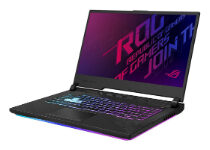
ASUS ROG Strix G15

  • Solid gaming and work performance
  • Good keyboard with RGB lighting
  • 240Hz Full HD display
  • Good thermal performance
  • No webcam

The ASUS ROG Strix G15 is the company’s top of the line gaming laptop. The top tier specifications make it an excellent choice for deep learning and data science as well.

This flashy laptop features a powerful Intel Core i7 10th Gen processor paired with NVIDIA’s RTX 2070 GPU. It also has plenty of RAM at 16 GB that is expandable.

Additional features include a super-fast 1TB NVMe SSD for blazing-fast data writing and reading, an RGB keyboard, Windows 10, and an excellent 15.6″ Full HD 240Hz display.


MSI GS65 Stealth-483 

  • Excellent performance
  • Good design with thin bezels
  • Good audio quality
  • Impressive battery life
  • Average thermal performance

MSI GS65 Stealth-483 is a top of the line gaming laptop with a sophisticated chassis and excellent performance, making it an ideal laptop for deep learning.MSI GS65 Stealth-483 features a 15.6″ Full HD 240Hz display for the added gaming performance. Under the hood, it packs an Intel Core i7 9th Gen CPU paired with RTX 2060 GPU offering enough power for data-intensive tasks.

For storage, it comes packed with 16GB RAM and a 512GB NVMe SSD. Apart from the usual connectivity features, it also features a thunderbolt 3 port for external display support.


HP Omen

  • Powerful Intel processor and RTX graphics
  • Good design and build quality
  • Good thermal performance
  • An excellent full RGB keyboard
  • Support only one storage drive

Omen by HP is a premium quality gaming laptop with long battery life paired with Intel’s Core i7 CPU and Nvidia RTX 2070 graphics out of the box.

Aesthetically, HP Omen screams gaming, but the unique design is very HP. HP has packed the device with 16GB of onboard RAM that can be expanded using the expansion slot. You also have 512 GB of SSD storage.

HP omen features a 15.6″ full HD IPS anti-glare micro-edge WLED-backlit display with a 144GHz refresh rate. For connectivity, it comes with a USB 3.1 Gen 2 Type-C, USB Type-A, HDMI, and RJ-45 port. There is a webcam at the top with average video output.

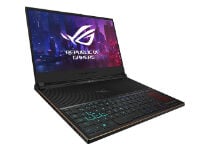
ASUS ROG Zephyrus S

  • Slim design with optimal cooling
  • Top of the line RTX 2080 graphics
  • 144Hz full HD display
  • Good keyboard
  • No webcam

The ASUS ROG Zephyrus S is one of the slimmest yet versatile gaming laptops you can buy. This heavy-duty gaming laptop offers excellent design, and powerful hardware required to work with big data.

It features a 15.6″ Full HD 144Hz IPS display and full RGB keyboard with an excellent typing experience. Under the hood, there is an Intel Core i7 8th Gen CPU paired with RTX 2080, making it a gaming powerhouse.

Other features of the laptop include 16GB of RAM, 512GB of SSD, and usual connectivity ports, including Bluetooth and WiFi.


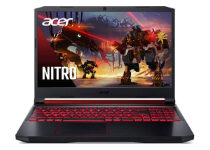
Acer Nitro 5

  • Impressive CPU and GPU combination
  • Expandable storage
  • Good battery life
  • WiFi 6 support
  • No SD or Micro SD slot

If you are looking for a sub $100 laptop for machine learning, Acer Nitro 5 is a good choice. It comes packed with a powerful Intel Core i7 9th Gen CPU paired with RTX 2060 graphics that offer optimal data processing and gaming performance.

Aesthetically the laptop looks like a professional works station than a gaming powerhouse. The all RGB keyboard works well for typing, complemented by a 15.6″ Full HD IPS 144Hz high refresh rate display.

On the flip side, it comes with only 256GB of SSD storage and 16GB of RAM. Fortunately, both the RAM and the storage is expandable. With connectivity features like WiFi 6 and strong battery life, Acer Nitro 5 is a good value for money laptop for CPU and GPU intensive tasks.


The process of machine learning involves automating a computer system that deals with large amounts of data and making decisions. All the laptops listed in the article can handle CPU intensive tasks to help you work more efficiently.

[wl_navigator]

FIX: Adobe InDesign free trial won’t download

Adobe InDesign is one of the applications users can download and install with the Adobe Creative Cloud app.

However, some users have posted on Adobe’s support forum about numerous InDesign trial download issues. Consequently, those users can’t download InDesign with Creative Cloud.


How can I fix Adobe InDesign trial download errors?

1. Download Adobe InDesign using a direct download link

Adobe InDesign adobe indesign free trial won't download


Adobe InDesign is one of the foremost desktop publishing and graphic design packages for Windows 10. With it, you can set up brochures, newspapers, e-books, presentations, flyers, and many other types of documents.

The latest 16.0 version of Adobe InDesign includes some great new features. It incorporates a new set of reviews (annotation tools), navigation points in its media panel, and Adobe Sensei subject detection for wrapping text around objects.

Other useful features of Adobe InDesign

  • Color search tool
  • Professional layout and typesetting tools
  • Includes a multitude of Adobe Stock design templates
  • InDesign’s Content-Aware Fit tool centers the most essential image parts within the frame

So, don’t give up on downloading Adobe InDesign when you can’t download it!

Try downloading InDesign with its direct download link instead of the Creative Cloud app.

Adobe InDesign

Use this amazing software to create astonishing great quality work that will never disappoint.
Free trial Visit website

2. Reinstall Adobe Creative Cloud

  1. Open the Uninstall Creative Cloud app webpage in a browser.
  2. Click the Get File button there to download the ZIP file for the uninstaller.
  3. Double-click the downloaded ZIP file in File Explorer.
  4. Select the Compressed Folder Tools tab.
    Compressed Folder Tools adobe indesign free trial won't download
  5. Press the Extract all button.
    Extract Compressed (Zipped) Folder window adobe indesign free trial won't download
  6. Click Extract on the Extract Compressed window.
  7. Open the Creative Cloud Uninstaller.exe from its extracted folder.
  8. First, you could try clicking Repair to see if that option might resolve the download issue.
    Repair button adobe indesign free trial won't download
  9. Click Uninstall to remove Creative Cloud.
  10. Thereafter, restart Windows before reinstalling Creative Cloud.
  11. Open the Creative Cloud webpage to download it from there.
  12. Then reinstall Creative Cloud with its downloaded installer.

3. Disable third-party antivirus software


If you have third-party antivirus software installed, right-click its system tray icon.

Then select a disable shield option on its context menu to temporarily turn off the antivirus utility for a few hours. Thereafter, download InDesign with the antivirus utility disabled.


4. Temporarily turn off the Windows firewall

  1. Press the Type here to search button on the far left of Windows 10’s taskbar.
  2. Type firewall in the search box.
  3. Click Windows Defender Firewall to open the Control Panel applet for it.
    Windows Defender Firewall applet adobe indesign free trial won't download
  4. Click Turn Windows Defender Firewall on or off to open the settings shown within the shot directly below.
    Turn off Windows Defender Firewall options adobe indesign free trial won't download
  5. Select both Turn Off Windows Defender Firewall options, and click OK to exit Customize Settings.

5. Download Adobe InDesign in Safe Mode

  1. Click the Start button to open its menu.
  2. Press the Power button.
  3. Click Restart whilst pressing the Shift key down. Thereafter, your desktop or laptop should restart at a blue Choose an option menu.
    Choose an option menu adobe indesign free trial won't download
  4. Select Troubleshoot > Advanced options to open further options.
    Advanced options menu adobe indesign free trial won't download
  5. Then select Startup Settings and the Restart option.
  6. When your PC has restarted at the Startup Settings menu, press the F5 key to select Enable Safe Mode with Networking option.
  7. Thereafter, try downloading Adobe InDesign when in Safe Mode.

6. Clean boot Windows

  1. Right-click Windows 10’s Start button to select Run on the menu that opens.
  2. Type msconfig in Run and click OK to open the MSConfig window.
  3. On the General tab, click Selective Startup to select the Load system services and Use original boot configuration settings.
    The General tab adobe indesign free trial won't download
  4. Deselect the Load startup items checkbox.
  5. Select the Hide all Microsoft services setting on MSConfig’s Services tab.
    The Services tab adobe indesign free trial won't download
  6. Then click Disable all to remove third-party services from the Windows startup.
  7. Click Apply > OK to save settings and exit.
  8. Press the Restart button.

Those potential resolutions can feasibly fix numerous Adobe InDesign download issues.

Note that InDesign might also fail to download in the event of Adobe Creative Cloud server outages, which you can check for at Downdetector.

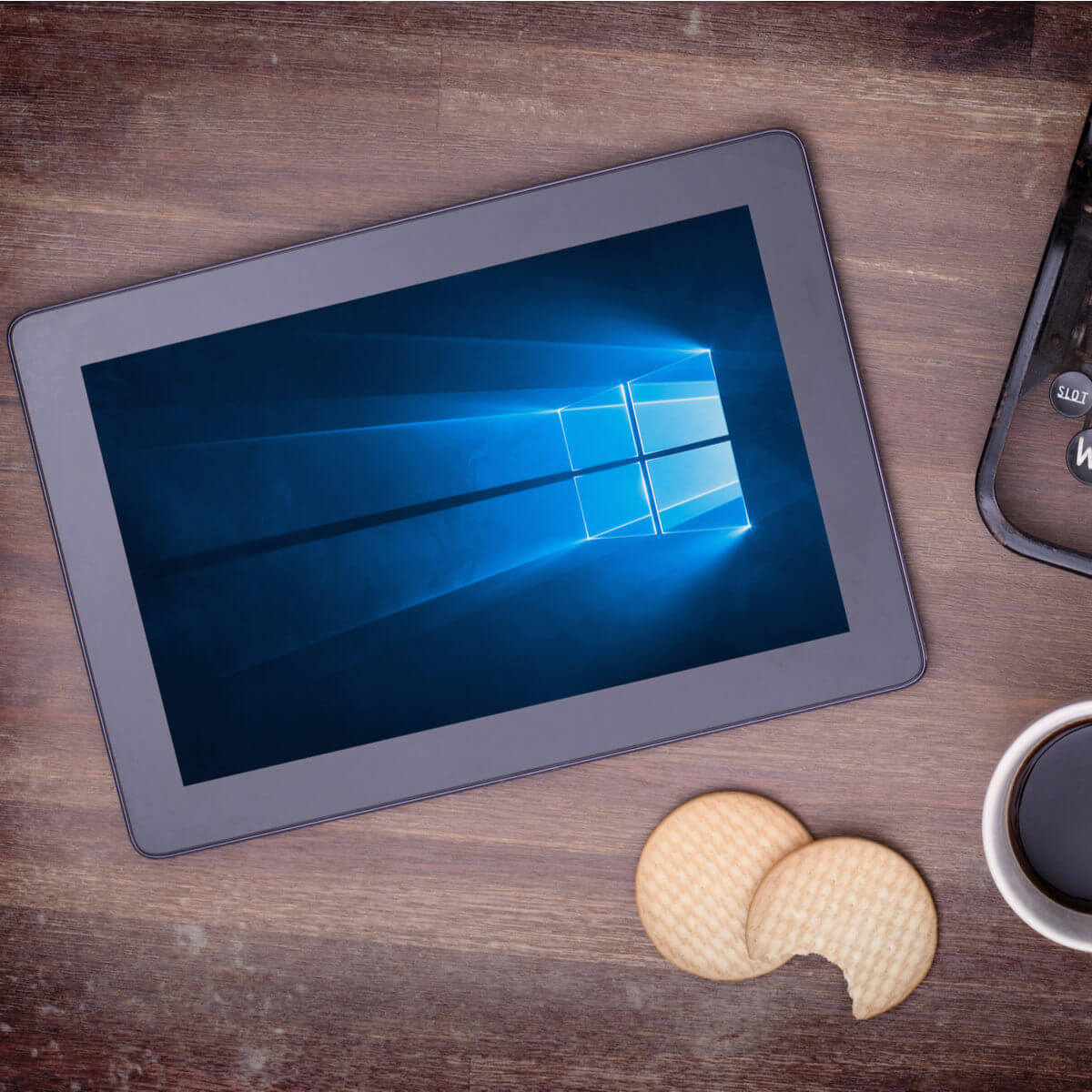
7 Best Windows 10/11 Tablets Under $300

Even if your budget happens to be limited, this doesn’t mean that you cannot take into consideration buying a new Windows 10 tablet.

You can buy one for yourself or look for a tablet for a loved one and not feel guilty about spending too much. The best Windows 10 tablets for $300 or less are waiting for you.

What are the best Windows 10 tablets for $300 or less?

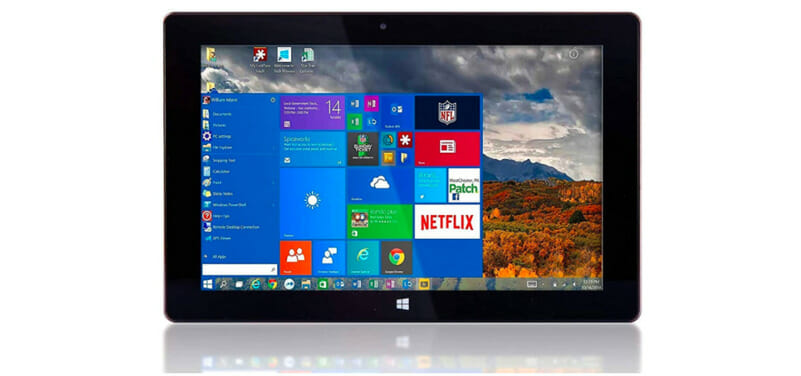
Fusion5 Ultra Slim 128GB

  • Windows 10 S package included
  • Upgraded Intel Quad-core CPU
  • Comes with a full-size USB 3.0 port
  • Ultra-slim model
  • Stylish design
  • Low on-board speaker volume

It isn’t easy to find a tablet fully-loaded with the latest user-friendly Windows 10 S package, lightweight, and powerful at the same time.

However, the Windows tablet PC from Fusion5 ticks all these boxes with ease. With an Intel Quad-core CPU, 4GB of RAM, and 128GB of on-board storage, it can handle even the most demanding tasks.

Ass for the 10” screen, it’s perfect for viewing the latest TV shows, movies, YouTube videos, and even playing games.


MobileDemand Flex

  • Thin and lightweight at only 2.07 lbs
  • Oleophobic scratch-resistant screen protector
  • Law Enforcement Grade for police and firefighters
  • Front & rear-facing cameras
  • Compatible with RAM mounting hardware
  • Not the most elegant design

MobileDemand Flex is also an interesting choice for those looking for a tablet with a 10.1-inch capacitive multi-touch touchscreen that is both thin and lightweight.

In spite of that, you’ll be surprised to find out that it meets MIL-STD-810G requirements. Therefore, it is an ideal choice work in demanding industrial, outdoor, and manufacturing environments.

As for the Intel Celeron N4100 Quad-core processor that comes with 4GB RAM, it can face most daily challenges with ease too.


Vanquisher industrial rugged

  • Compact size
  • Microsoft Windows 10 PRO (64-bit) included
  • Up to 128GB expandable memory through micro SD
  • Integrated U-blox GPS module
  • SDK available for customized program development
  • Only 2GB of RAM

This Vanquisher 8-Inch industrial rugged tablet PC is also a great choice for many of you thanks to its ruggedized construction and IP67 sealed housing.

It meets the MIL-STD810G requirements for vibration, shock, drop, liquid in any harsh conditions. As for that Corning Gorilla glass panel, it’s unquestionable when it comes to durability.

Even more, note that the tablet packs an Intel X5 Cherytrail Z8350 Quad-core processor with speeds up to 1.92GHz, as well as a 7800mAh Li-ion battery for over 8 hours per charge.


Jumper EZpad Go

  • HD camera resolution
  • Power-efficient tablet
  • Stylus Pen included
  • Fully metal stand
  • Incredibly easy to use
  • Random lag issues when using the pen

Haven’t you heard of the Jumper EZpad Go tablet PC? It comes with an 11.6-inch FHD display that easily brings your photos and videos to life.

Moreover, it is powered by an Intel N3450 Quad-core processor, while the Stylus Pen gives you more accuracy and control than ever before.

When it comes to its design, the fully metal stand is easy to adjust to various modes for carefree entertainment and working.


Chuwi Hi10

  • Great 10-inch, IPS screen with HDMI output
  • Bluetooth 4.0 for fast data and file transfers
  • Delicate design for comfortable touch
  • Increased portability
  • Friendly customer service
  • Initial setup issues

Chuwi Hi10 is one of the best Windows 10 tablets for $300 or less as it has a dual operating system with Windows 10, hence you get an excellent interface and compatibility.

The power comes from an Intel CherryTrail, 64bit Quad-core, and graphics processor – it is ideal for better performance and multitasking, meaning you can play games faster and watch videos better.

It has 4GB and 6GB storage plus support for a TF card of up to 128GB, thus offers superfast surfing, video playing, and a 3D game playing experience.


Fusion5 Ultra Slim 64GB

Fusion5

This is also a thin, light, and well-balanced tablet that comes with the Windows 10 S operating system. It features a 10.8 touchscreen that’s perfect for viewing TV shows, movies, YouTube, and playing games.

Expect a battery life of up to 10 good hours, so you can work for a full day without it going off on you (depending on your usage). This tablet really hits the mark when it comes to performance.

Don’t forget about the brilliant and responsive display, coupled with Intel Quad-core processing capabilities for a smoother feel when running Windows 10 S.

It also pairs up well with other accessories, which makes it one of the best Windows 10 tablets for less than $300, plus it comes in a nice dark shade that easily blends with other gadgets.

⇒ Check Fusion5 Ultra Slim price


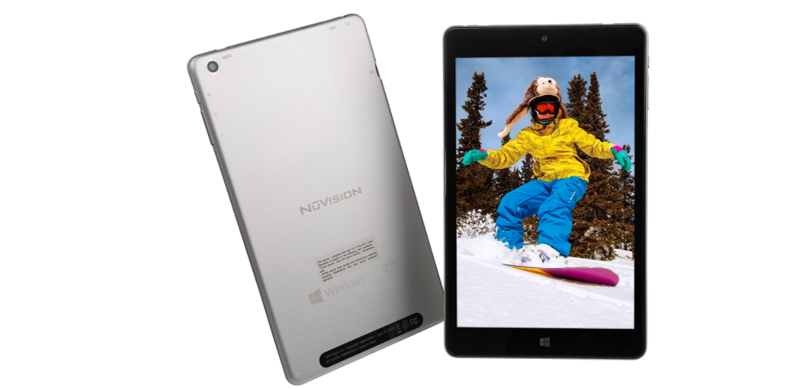
Nuvision Windows 10

NuVision

Like other Nuvision products, this tablet doesn’t disappoint. It comes with a 10-inch IPS screen with HD quality and a pixel resolution of 1280×800, along with an Intel Atom CherryTrail processor.

The sleek aluminum back is magnetically attached to a removable keyboard and folds in to serve as a cover.

Even more, it is fully equipped with 2GB DDR RAM, 32GB storage that is expandable to 64GB with a micro SD expansion card, Wi-Fi, Bluetooth, a micro USB, and dual cameras.

Some of the applications that come with this tablet include OneNote, Mail, Groove Music, Movies & TV, camera, alarms, Skype, Office, Calendar, Maps, and People.

⇒ Check Nuvision Windows 10 price


These are some of the best Windows 10 tablets for $300 or less. Grab one right away and let us know your choice in the comments area below.

[wl_navigator]

6 best Acer Aspire & Swift laptops to buy

Acer regularly updates the Aspire and Swift notebook lineup. If you’re looking to buy a new Acer laptop, here’s what we recommend.

The Aspire series is targeted towards mainstream users looking for a single device to fulfill their needs. The series includes the Aspire 1, Aspire 3, Aspire 5, and Aspire 7.

The Acer Aspire notebook series

Acer Aspire 7

  • 15.6'' Full HD display
  • Backlit keyboard
  • AMD Ryzen 5 3550H Quad-Core Processor (up to 3.7 GHz)
  • Poor sound quality

This laptop features an AMD Ryzen 5 3550H Quad-Core Processor with precision boost up to 4.7 GHz, NVIDIA GeForce GTX 1650 graphics, 8GB of DDR4 2666MHz memory, and 512GB PCIe NVMe of storage.

It comes with a 15.6-inch display, an HD camera with HDR and the 2×2 MU-MIMO technology ensures an ultra-fast wireless connection.


Acer Aspire 5

  • 15.6 inches full HD display
  • Backlit keyboard
  • AMD Radeon Vega 3 graphics
  • Windows 10 in S mode

The Acer Aspire 5 is also powered by an AMD processors, this time a Ryzen 3 3200U and Radeon Vega 3 graphics for the best performance and a 7.5hrs battery life.

It features a maximum of 4GB DDR4 and an SSD with up to 128GB. the sound system is improved with the Acer TrueHarmony technology to enhance deep sounds and lift up the volume.


Acer Aspire 3

  • 15.6'' Full HD display
  • Intel Core i5-1035G1 up to 3.6GHZ Max Turbo
  • 256GB SSD
  • Noisy

The Acer Aspire 3 features a 15.6-inch Full HD display which offers excellent image quality.

The BlueLightShield screen technology reduces eye strain when you’re looking at the display.

Acer Aspire 3 comes with 8GB of RAM that you can upgrade, plus 256GB SSD.

The 10th gen i5 Intel Core processor truly improves on booting time and overall performance.


Acer Aspire 1

  • Up to 10hrs of battery life
  • 1year of Office 365 Personal
  • 15.6'' FHD display
  • Windows 10 in S mode

The Acer Aspire 1 is a 15.6-inch device powered by an Intel Celeron N4020 Dual-Core Processor (Up to 2.8 GHz) with 64GB eMMc storage, 4GB DDR3 memory, and Intel HD Graphics.

It supports 10 hours of battery life, which will be more than enough for you to work, play, or stream media.


The Acer Swift series

Acer Swift 1

  • 14'' full HD display
  • 4GB of RAM, 64GB SSD
  • Affordable
  • Windows 10 in S mode

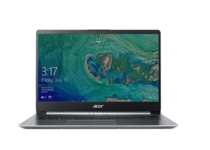
The Acer Swift 1 is the entry-level model in the Swift series that measures in at just 19.9mm thick and 4.4lbs.

The Chiclet keyboard stands out with round-cornered keys while its 14-inch Full HD IPS display supports vivid colors.


Acer Swift 3

  • 0.63'' thin and 2.56 pounds
  • Built-in Alexa support
  • Backlit keyboard
  • Poor customer service in case you need help

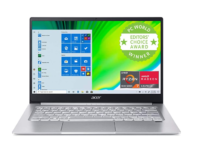
The Acer Swift 3 comes with a cool and sleek metal finish. It measures 12.73 x 8.62 x 0.63 inches and weighs 2.65 pounds so it’s extremely easy to carry around.

This laptop can be configured with 802.11ax technology for faster Wi-Fi and a fingerprint reader for Windows Hello support.

You can enjoy content on its 14-inch Full HD IPS display.

So these were our top picks for Acer laptops. Tell us which one do you prefer or feel free to add something about one of the models listed here. use the comments section.

Also, if you’re interested in other laptops, check out our wide collection of guides.


[wl_navigator]

5 best Alienware monitors to buy [Gaming, No lag]

Whenever you hear about Alienware, your mind automatically goes to the concept of gaming.

This is because Alienware has made a name for itself as one of the biggest gaming-oriented product designers in the world.

They make pretty much anything from PCs to headphones, keyboards, mice, and pretty much anything you can use to play a game.

What some of you may not know is that Alienware also produces monitors.

As to be expected, these monitors offer incredible gaming capabilities, as long as you have the budget and the video card to run it properly.

Note: Deals are subject to change. Keep in mind that the price tag often varies. We recommend going to the vendor’s website to check the price. Some of the products may be out of stock by the time you’ve made your purchasing decision. So, hurry up and hit the buy button.

What are the best Alienware monitors that I can buy?

Alienware AW2518HF

  • AMD Free Sync eliminates choppy gameplay and broken frames
  • It is also compatible with all Operating Systems currently available
  • Great price for an Alienware product
  • Doesn’t come with a DisplayPort included in the package

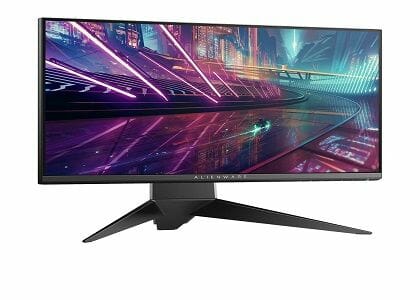
The AW2518HF is designed for enthusiasts and delivers a futuristic style and precise form with solid stability.

This is thanks to the lightning-fast 240Hz native refresh rate combined with a 1ms response time which delivers buttery-smooth gameplay with no input lag.

All this comes packed in a 25-inch LED display that can hold a resolution of up to 1920 x 1080 pixels, and it strikes a great balance between what it offers and how much it costs.

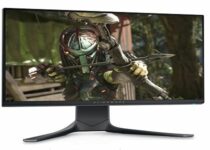
Alienware AW2720HF

  • Convenient monitor controls
  • It is also compatible with all Operating Systems currently available
  • Great price for an Alienware product
  • The software for monitor RGB isn’t that optimized

Alienware AW2720HF is the epitome of what it means to balance out a good price with great performance.

While it is indeed a bit pricier than the Alienware AW2518HF, the extra money isn’t just for show.

It features the same lightning-fast 240Hz native refresh rate, as well as the AMD Free Sync which eliminates choppy gameplay and broken frames.

However, this model also comes with a wide-angle viewing range, meaning that color coverage is consistent no matter which angle the screen is viewed from.

Alienware AW3420DW

  • Immersive 3440 x 1440 resolution
  • A 120Hz refresh rate with NVIDIA G-SYNC
  • The curved, wide 21: 9 display maximizes the field of view and provides an even, consistent viewing experience
  • Heavy price tag

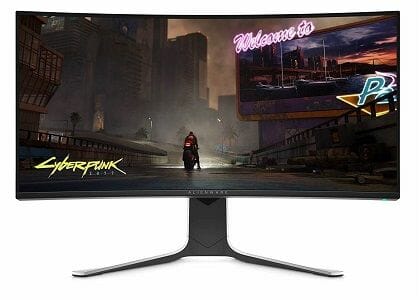
The Alienware AW3420DW is a truly massive monitor that manages to immerse you into the game world that you are playing as few other monitors can.

This especially thanks to the wide 34-inch screen, curved screen, LED Edglelight and more.

This monitor isn’t just about size, since a high refresh rate and NVIDIA G-SYNC allow for smooth gameplay with all of the latest and future titles, as long as your GPU cand handle it.

Alienware 25 AW2521HF

  • 24.5 inch Full HD LED monitor
  • AMD FreeSync Premium
  • Provides DisplayPort, 2x HDMI, 5x USB 3.0
  • Adjustable Stand
  • The resolution could be bigger for the price point

Gaming-optimized in every possible way, the AW2521HF model delivers smooth gameplay, super-fast refresh rates with even faster graphics that are also beautifully depicted courtesy of NVIDIA combined with an IPS, FHD dynamic LED screen.

More power to eliminate lagging and jitters and a multitude of ports to support all your needs – this is what you can expect from this powerful monitor.

Alienware AW5520QF

  • 4K resolution
  • AMD Radeon FreeSync eliminates screen tearing
  • True-to-Life colors
  • Low input latency
  • All the specs come with a heavy price tag

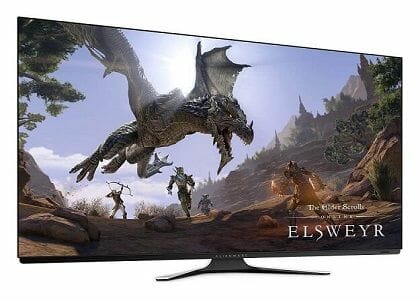
The Alienware AW5520QF is the world’s first 55 inch OLED monitor, and it can deliver a gaming experience as no other monitor can.

Not only is it gargantuan in size, but it is also a monster when it comes to specs, featuring 4K resolution of 3840 x 2160, a refresh rate of 120Hz, True-to-Life colors, and low input latency.


Alienware monitors stay true to what makes Alienware stand out as a brand.

They are high-performance machinery that looks wicked, but that usually comes at a price tag that may set you back a bit.

Regardless, Alienware monitors are indeed top competitors when it comes to the gaming industry.

So, if gaming is indeed an important aspect in your life, might as well get a monitor that will make everything all the more enjoyable.

5 best stereo receivers with DAC to buy

A DAC , also known as a Digital-to-Analog Converter, is a device that converts digital audio information into an analog audio signal that can be sent to a headphone amp.

Many stereo receivers have DACs included, and this makes them much more efficient at delivering signals to and from analog devices.

We’ve compiled a list of the best stereo receivers that also have a DAC. So, go ahead and take a look and maybe you’ll find your next top pick.

Note: Deals are subject to change. Keep in mind that the price tag often varies. We recommend going to the vendor’s website to check the price. Some of the products may be out of stock by the time you’ve made your purchasing decision. So, hurry up and hit the buy button.


What are the best stereo receivers with DAC that I can buy?

Onkyo TX-8140

  • 80 W/Ch (8 ohms, 20 Hz−20 kHz, 0.1% THD, 2 channels Driven, FTC)
  • Phono equalizer input for turntable playback + 6 analog audio inputs
  • Built-In Wi-Fi and Bluetooth technologies
  • Faulty network connectivity

Onkyo’s TX-8140 is a great receiver for FM, Phono, CD, TV and/or USB use, with built-in Pandora, Spotify, Sirius XM.

You can use it also to play your favorite music when connecting your phone, tablet or PC.

The receiver can be controlled via the Onkyo Remote App which is compatible with iOS and Android devices.


Audioengine B1

  • High-quality audio with Bluetooth 5.0, aptX HD, aptX, and AAC encoding
  • Built-in AKM4396 DAC for 24-bit playback
  • Aluminum case with audiophile-grade connectors
  • General connectivity issues

If you like going for performance, quality, and connectivity, then the Audioengine B1 is just the right stereo receiver and amplifier that you need.

The full-aluminum casing houses components that manage to deliver high-quality sound, and you can use the Bluetooth connection to stream music off of pretty much any device. 


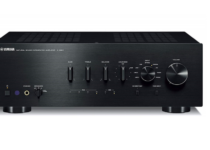
Yamaha A-S801BL

  • 100 W + 100 W (20 Hz – 20 kHz, 0.019% THD)
  • Gold plated digital coax input/TOSLINK optical input.
  • Frequency response-10 Hz – 100 kHz +/- 1.0 dB
  • Gold plated analog inputs including Phono
  • Issues with the USB interface

The Yamaha A-S801BL offers high-quality sound with a wide range of features and an elegant appearance and the integrated amplifier with the advantage of digital inputs.

It is made with high-quality materials, such as the gold-plated digital coax input and analog inputs make for great sound delivery with zero loss.


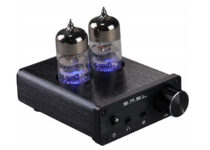
SMSL T2

  • Sophisticated design
  • High drive current
  • Semi-set tube design
  • Small Compact Size
  • Static noise issues

If you’re looking to bring the power of an amplifier in the palm of your hands, then the SMSL T2 is the right choice for you.

Although the small and compact size may deceive you, it manages to deliver high-quality sound that rivals that made by its much bigger brothers.


Micca OriGain

  • Compact stereo amplifiers are the best choice for powering speakers in the home or office
  • 50W x 2 power output into 4 Ohm, 30W x 2 into 8 Ohm
  • Includes UL-Certified 24V/4.75A power adapter
  • Not very reliable over long periods of time

Probably the epitome of simplicity when it comes to stereo adapters, the Micca OriGain is the best choice as a first stereo receiver or amplifier.

The compact and modern design also makes it great at blending in with any audio system, and you’ll be surprised at just how good this little gadget can be at delivering high-quality sound.

While using a DAC has its uses, they are pretty limited. However, if the stereo receiver that you consider buying has one, it just means that it is capable of doing one extra task that others cannot.

As such, if you do have devices that require their signal to be converted from digital to analog, then getting a stereo receiver with DAC is a clever choice.

[wl_navigator]

Xbox CFO says “it’s about time” game prices went up, doesn’t commit to 1st party increases

Microsoft believes “it’s about time” prices went up for new game titles on the Xbox Series S and Xbox Series X consoles. As described in a gameindustry.biz post, Xbox CFO Tim Stuart, was asked at the Jefferies Interactive Entertainment conference last week whether Microsoft was going to raise the price of its first-party games for the Xbox Series S and Xbox Series X consoles.

Stuart declined to respond specifically on Microsoft’s first-party pricing structure, instead choosing to say that there would be an upcoming Xbox announcement “in due time.” The full interview transcript is available via Seeking Alpha.

“From a consumer standpoint, if you’re a game creator, games are getting more expensive to create. They’re driving revenue growth as well, and they’re looking for opportunities to go create more monetization for the support of that content creation. And that’s when you see a little bit of the game pricing going up. So your example is $60 going to $70 on some games. But also, when we think about Game Pass on our side, it’s another outlet for our content creators to go find new users, to find a way to monetize those users that may not have played their games.”

Stuart added that Microsoft will rely on game publishers to “make the right decision for their content,” citing rising game development costs amid the current coronavirus pandemic being one of the major issues that developers face. Stuart remarked that Microsoft has a huge advantage; Xbox Game Pass. Stuart added that the last time games saw a price increase was “7 or 8 years ago or something. So time value of money says, says it’s about time anyway.”

Have you subscribed to Xbox Game Pass yet? It’s getting harder and harder to pass up getting Xbox Game Pass Ultimate at just $1. With Xbox Game Pass, you get access to over 100 games to play for free as part of your subscription with access to even more Xbox games through EA Play. Other added bonuses include a free 30-day Disney+ subscription and EA Play with over 80 additional Xbox games to play. Join Xbox Game Pass Ultimate today!

Xbox Game Pass Ultimate

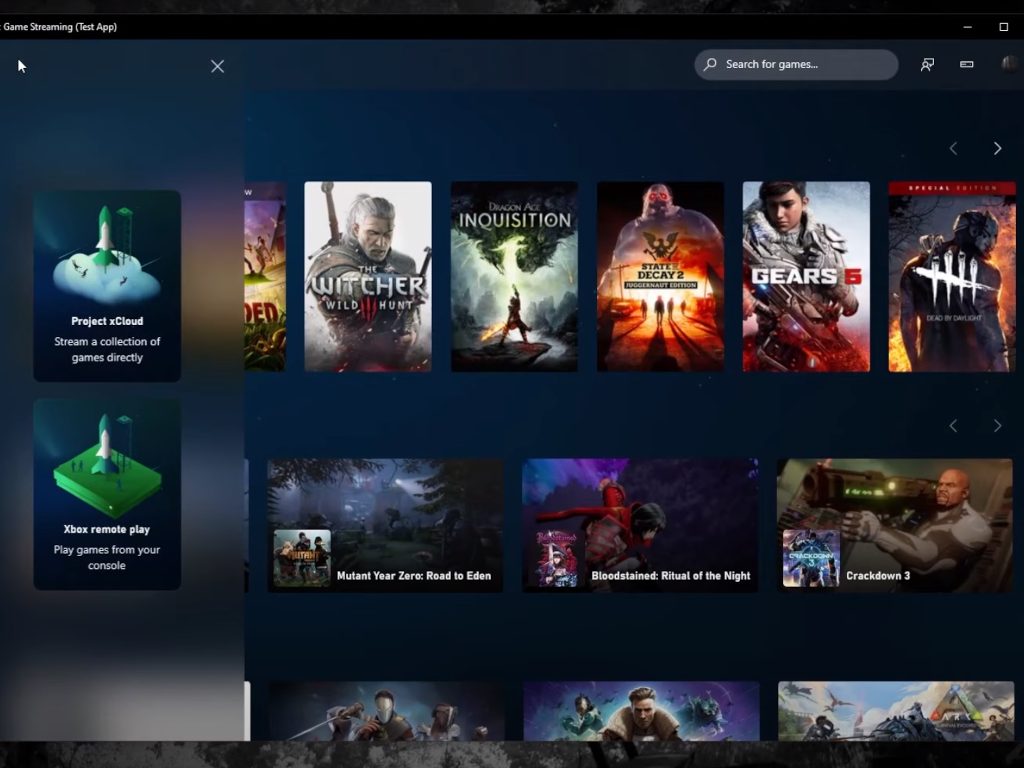
Project xCloud’s Windows 10 prospects look promising with new leak, possible ARM64 support in tow

Microsoft has been long testing its xCloud game streaming service on Android and for a short period on iOS platforms. However, inexplicably, xCloud development and testing were missing from what seemed to be the no-brainer platform, Windows 10.

Fortunately, it seems that the Windows 10 testing bed omission for xCloud is being rectified and one lucky journalist has gotten his hands on some version of the service hopefully destined for Windows 10.

A collaborative project from the Windows Central journalists Zac Bowden and Jez Corden surfaced today where Corden explains a walkthrough of a video playthrough by Zac of xCloud running on a Windows PC.

On a 200MB standard internet provider in the EU, Bowden was able to test how responsive an experience xCloud can be streamed to a PC, and the results seem pretty positive.

 The controls were responsive and felt near-native, with very little artifacting in the video feed.

Perhaps, even more, impressive is that it’s reported that Bowden did his xCloud playthrough on his Surface Pro X, indicating that whatever unreleased version of xCloud for Windows PC he is using is at least ARM64 supportive at the moment.

Microsoft had previously mentioned support for ARM64 with its xCloud service and today’s news seems to strengthen Microsoft’s resolve to make Windows on ARM as viable as possible to more niche audiences. Coupled with Adobe’s Photoshop ARM64 beta app and now this xCloud leak, the Surface Pro X and Pro X are becoming better values for early Windows 10 on ARM adopters.

5 Best USB 3.1 Type C Cables to Buy [2026 Guide]

A sturdy, but bendable USB cable is what most computer and smart device users look for, especially for charging, and transferring of data.The three most commonly used USB cable types are USB-A, USB-B, and USB-C.

USB-A cables are rectangular-shaped plugs that connect to your laptop or PC, while USB-B, are square-shaped and connect to printers, or external hard drive. On the other hand, USB-C cables are smaller plugs that connect to devices such as a phone, mouse or keyboard.

Unlike the traditional USB-A, the type-C USB cable is gaining adoption quickly as it enables high speed data transfer, faster charging of up to 100 watts, and can connect both to your computer, or device.

However, in order to use a device with a USB-C port, you need another device that has a corresponding USB-C port, as it is smaller than the usual USB-A port, so an appropriate cable or adapter will be necessary.

Here are our top picks for the best USB-C 3.1 cables to buy.

What are the best USB-C 3.1 cables?

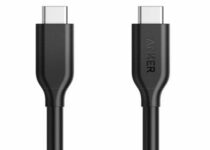
Anker PowerLine USB-C to USB-C 3.1 Gen 1 Cable

  • Transfers up to 5Gbps of data in under 5 seconds
  • Connects to any device or computer
  • Full speed charging
  • Affordable and durable
  • Requires a USB-C port to function

This is a USB-C to USB-C cable boasts over 20 million happy users what with its full speed and safe charging that delivers up to 60W of power.

If you transfer data regularly, then this is your best bet, as it transfers up to 5Gbps of data in under 5 seconds.

It also connects seamlessly to compatible devices such as laptops, phones, or TVs, allowing you to stream from your phone to TV, and enjoy your favorite movie, or music album.

Ordinary USB cables are known to have a short lifespan because they break easily, but this cable guarantees durability owing to its PowerLine feature, which is reinforced with aramid fiber for incredible strength, and a bend lifespan that’s five times higher than other cables.

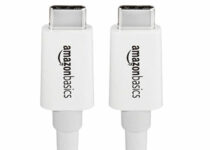
AmazonBasics USB Type-C to USB Type-C 3.1 Gen1

  • Speedy data transfers
  • Reversible design
  • USB 3.1 Gen 1-compliant
  • Cross-platform and cross-device compatibility
  • Overall bulky appearance

This cable’s strength resides in its simplicity. Will full support for quick charging and even quicker data transfer/data syncing speeds, the cable will seamlessly work with all USB Type-C 3.1 or 3.0 enabled devices and accessories.

From smartphone to laptop and multi-purpose chargers – you name it, it will handle it.

Another interesting feature is the reversible design that makes usage as easy as a breeze. No more worrying about which side is up, just insert the connector in any Type-C device and start using it.

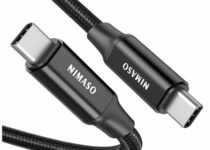
NIMASO USB C to USB C 3.1 Gen2 Fast Charge Video Cable

  • 10Gbps data transfer
  • 4K video output
  • Fast Charging technology
  • Supports Thunderbolt 3
  • The video function works with DP Alt Mode devices only

This USB 3.1 Gen 2 cable takes it all to the next level and it gives you a bit more of everything.

Speedy data transfers of up to 10Gbps, USB PD Power Delivery for fast charging and even 4K audio and video support.

Thunderbolt 3-compliant, the cable allows you to connect modern devices such as 4K screens and monitors and its compatibility stretches across a wide range of platforms and gadgets from tablets to smartphones, video displays, and portable hard drives.

NIMASO USB C to USB C 3.1 Gen2 Cable PD 100W

  • 4K video output
  • Ultra-fast data transfers
  • Thunderbolt 3-compliant
  • Universal compatibility
  • Does not support Huawei Super Fast Charge

This all-in-one charger has earned its reputation for all the goodd reasons starting with its universal compatibility which makes it work seamlessly with a multitude of devices and platforms including anything from laptops to smartphones and everything in between.

Plug-and-play-ready, this cable supports up to 3840×2160@60HZ 4K video signal, data transfer speeds of up to 10Gbps and ultra-fast USB Power Delivery charging.

To top it all, its nylon-braided construction with 22AGW thick copper wires optimize the current flow and ensure less loss.

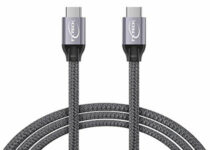
TXTECH USB C to USB C 3.1 Gen2 Cable

  • Display Port 4K@60Hz video output
  • Wide compatibility
  • Rapid charge and data transfers
  • High-quality aluminum alloy casing
  • PD charger is sold separately

With a large specter of compatibility, this cable is versatile enough to work with all your devices and deliver excellent performance on each and every one of them.

With data transfer speeds 20 times faster than USB 2.0 cables and Quick charge plus PD Fast charge support, the cable goes reaches never before accomplished results that will surely impress you.

Its aluminum alloy casing and lightweight, portable design make it perfect for traveling. When combined with a braided-nylon cord and Shell plated nickel connector, you can only expect the best.

There you go, these are our top recommendations – don’t be shy to reach out for the comments section below and let us know what was your favorite cable from this selection.

  • How fast is USB 3.1 Gen 2 theoretically?

Under the right conditions, USB 3.1 Gen 2 cables reach up to 0Gbit/s as data transfer speeds.

  • What can USB Type C 3.1 do?

These cables are versatile and multi-purpose: they can propel faster data transfers, faster charging and even provide DisplayPort and HDMI/4K video support as well as Thunderbolt 3 ports.

5 Best joysticks for playing Elite Dangerous

Elite Dangerous is a space flight simulator game for Windows that includes multiplayer and single-player modes. It is an open-end space exploration game in which players fly spaceships throughout countless star systems. So, Elite Dangerous is a futuristic flight simulator.

To play Elite Dangerous at its best, you’ll need a joystick that aids your spaceship’s navigation. Joysticks are better than gamepads for flight (and space) simulator games as they’re more like the control sticks in real planes’ cockpits. These are some of the best joysticks for Elite Dangerous.

Note: Deals are subject to change. Sometimes, some of the deals listed in our guides may no longer be available by the time you hit the buy button. So, hurry up and grab them while they’re hot.

What are the best joysticks for Elite Dangerous?

T-Flight Hotas X

  • Cheaper than other top gaming joysticks
  • Detachable throttle control with adjustable resistance
  • Programmable buttons enable you to set up various control presets
  • Fewer buttons than some of the other best joysticks

The Thrustmaster T-Flight Hotas X is a high-precision joystick with dual-system aerodynamic control that’s ideal for steering your Elite Dangerous spaceship.

This joystick includes 12 programmable buttons and 5 axles. Players can save their various preset settings to the internal storage this joystick includes.

The best thing about the Hotas X, however, is the detachable throttle control incorporated with the joystick. That throttle includes additional buttons and combines well with the joystick to enhance spaceship control.


Logitech G X52 HOTAS Pro Flight Control System

  • Illuminated buttons
  • Additional throttle with unique LCD
  • Its software enables players to customize buttons and set up custom profiles for games
  • Its dual-action trigger is handy for firing alternative cannon and gun spaceship armament
  • Might be a little complicated for new users

The G X52 Pro is an advanced joystick with some unique features. Its joystick includes illuminated buttons, a spring centering mechanism for enhanced control, a rudder lock switch, and a handle adjustment system.

You can also set up custom game profiles with the X52’s customization software.

The second part of the G X52’s control system is its separate throttle for afterburner and thruster control.

The throttle includes an LCD panel that displays selected profile, mode, and time/date details. The throttle’s panel also displays button function details when players click the i (info) button on it.


200-571 CH Products Fighterstick USB

  • Very durable
  • Lightweight
  • Provides lots of programmable functions
  • Its throttle dial isn’t entirely reliable

The 200-571 CH Fighterstick joystick is one based on the control stick of an F-16 plane. This joystick incorporates a total of 24 buttons.

The Fighterstick’s Control Manager software enables players to program those buttons with up to 128 functions, which makes it a very customizable joystick.

The Fighterstick is also among the most durable joysticks, as it incorporates high-end materials comparable to those of industrial control sticks.

The durability of this joystick is further enhanced by the large and sturdy base that underpins it, which includes a throttle wheel.


Logitech G Pro Flight X56 Rhino

  • Joystick specifically designed for space simulation game controls
  • X56’s configuration software provides 231 programmable controls
  • RGB lighting effects the throttle
  • Second Pro
  • Button placement is a little awkward

The Saitek Pro Flight X56 Rhino is a joystick that Saitek has designed more specifically for space simulation games.

This joystick includes mini analog sticks that provide more control for your spacecraft. Its 16-bit axis ensures very precise flight controls for Elite Dangerous players.


This joystick comes with a separate twin throttle unit with which you can adjust friction.

The throttle also features customizable RGB backlighting lighting effects, which is a nice touch.


Logitech Extreme 3D Pro Joystick

  • Much more affordable than the likes of the HOTAS Warthog and G X52
  • Sturdy joystick with an expansive weighted base
  • Its 8-way hat switch is handy for space flight simulator games
  • Doesn’t have an especially large number of buttons

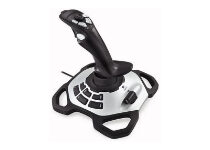
The Logitech Extreme 3D Pro is a joystick many players love. This is a very well designed joystick with 12 programmable buttons, a twist-handle rudder, and a weighted base that gives it greater stability than many alternatives.

Elite Dangerous players will appreciate this joystick’s 8-way hat switch that captures specialized flight game input.

With that switch, you can easily switch between weapons or change viewpoints. The Extreme 3D Pro’s rapid-fire trigger is ideal for pulsating spaceship-blasting action.


Although you can play Elite Dangerous with a keyboard, playing it with one of the above joysticks will give you the best controls for the game.

The above joysticks have premium designs and feature sets few others can match. These options will surely enhance the gameplay of Elite Dangerous and other games.

Microsoft Teams will soon allow users to set a duration for their presence status

At Ignite 2020, Microsoft announced that it’s working on improvements for the online presence feature in Microsoft Teams. As a part of this change, the company released a new Offline Status option last month, and it’s now rolling out another feature called “Presence Status duration.”

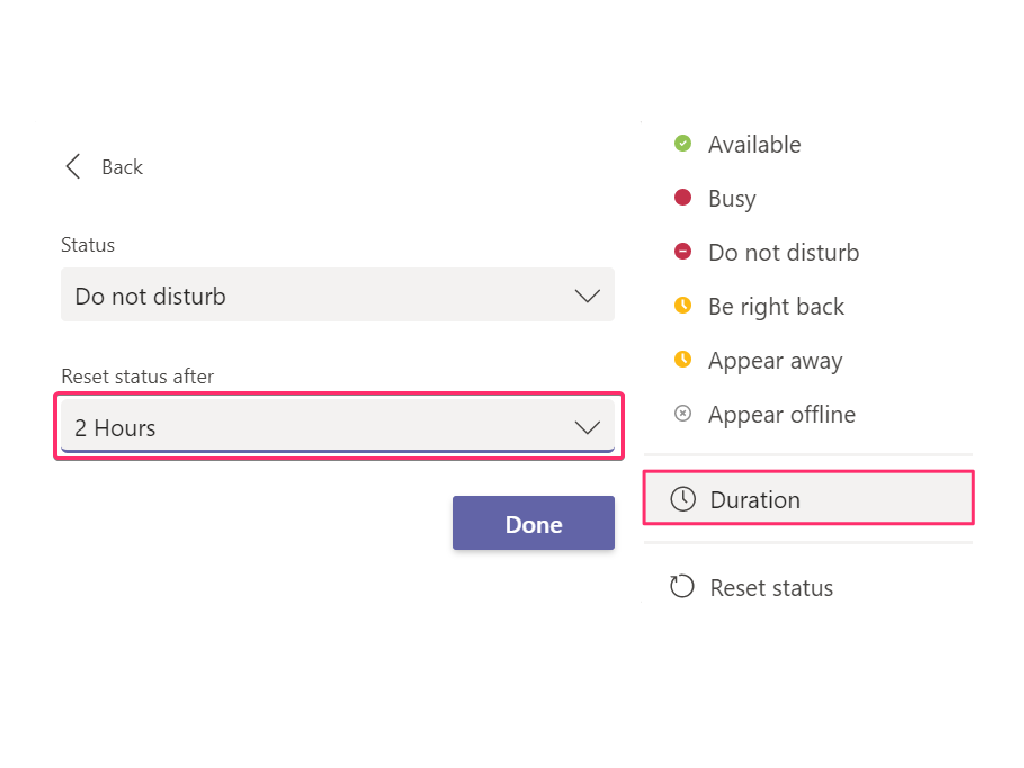
The new status duration option in the presence menu allows users to set a certain status for a specific period of time. For example, they will be able to set their status settings to “Do not disturb” for 30 minutes, one hour, two hours, or the entire day or whole week.

Additionally, end-users can also opt for a custom duration option if they want their presence to last longer. After the respective duration expires, Microsoft Teams will automatically reset the user’s presence status back to Available. Moreover, this setting overrides other events such as calendar meetings or calls in Microsoft Teams.

The ability to set duration on presence status in Teams could help anyone who wants to take short breaks during working hours. It should also allow remote workers to focus on dedicated tasks that demand close concentration.

5 best controllers for fighting games to buy

Fighting games have been with us since the dawn of gaming, so a lot of us grew up playing these. Because of this, many of us are used to controlling the characters and moves in a certain way, and mouse and keyboard combinations just don’t cut it

Most of us grew up playing these games on gamepads, so we prefer them when it comes to fighting games.

That’s why we’ve compiled a list of what we think are the best gamepads for fighting games that you can buy, so you can show the competition who’s boss.

Note: Deals are subject to change. Keep in mind that the price tag often varies. We recommend going on the vendor’s website to check the price. Some of the products may be out of stock by the time you’ve made your purchasing decision. So, hurry up and hit the buy button.

What are the best gamepads for fighting games that I can buy?

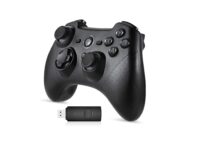
EasySMX Wireless 2.4g Game Controller Support PC

  • Compatible with PS3, PC, Android, Vista, and more
  • Beveled edges and slim profile for faster actuation and response
  • Dual Vibration Feedback
  • Good stability offered by the non-slip grips
  • Younger audiences may not know how to use such a gamepad

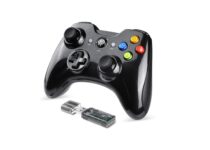
The first entry on our list is a gamepad that looks like it came from the ’80s but be assured that the EasySMX Wireless 2.4g Game Controller is made with today’s technology.

It has universal compatibility which we know will make so many gamers happy. The Dual Vibration Feedback feature it comes with will put you right in the middle of the action, enriching your gaming experience.


EasySMX Wireless Game Joystick Controller

  • Works with batteries
  • Nice, ergonomic design
  • Compatible with a multitude of devices
  • May have issues when used in conjunction with a headset

The EasySMX Wireless Game Joystick Controller is a  joystick crafted with the hardcore player in mind, as it is equal parts tournament-grade joystick and collector’s piece. 

‘It is used by many professional e-sports athletes around the world, and they say that this little gamepad never failed them.


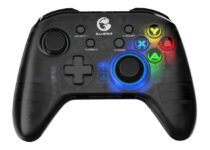
GameSir T4 pro Wireless Game Controller

  • Built for modding enthusiasts, customize the joystick and buttons to suit your playstyle
  • Configurable keys and dual vibration that enhances the gaming experience
  • Compatible with major fighting games
  • The price tag

The GameSir T4 pro Wireless Game Controller is an absolute beast when it comes to arcade fight stick controllers since it is built with advanced features to complement the lightning-quick instincts of those of the fighting game persuasion.

More so, it features 11 buttons and an 8-way joystick that are placed for optimal access to each of them, so you never get lost in what and when to push.


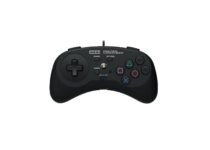
HORI Fighting Commander

  • Designed for 2D fighting games with a 6-button layout
  • Compatible with PlayStation 4, PlayStation 3, and PC (via Input)
  • R/L toggle switch and Turbo functions
  • Wired controller for instant response
  • Not suitable for those with longer fingers

The HORI Fighting Commander is closer in terms of design to more modern console controllers, but still features a profile that makes it excellent for fighting games.

While it may not be wireless, at least you know that the wired connection allows for fast response times from the game, so you never lose because of latency.


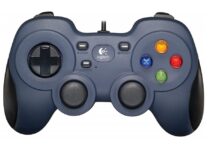
Logitech Gamepad F310

  • A simple plug-and-play USB connection
  • Customizable with Profiler software
  • Broad game support
  • 10 programmable buttons, 8-way programmable D-pad
  • The only non-gamepad on our list

While veteran and elite players may still be sticking to the stick and buttons controls of the gamepad, the vast majority of casual players have transitioned to the common console controller.

Logitech Gamepad F310 is a good example since it can be used on pretty much any platform, not being exclusive like the PlayStation or Xbox controllers.


There’s something about fighting games that just makes us pick up a controller and play them, no matter if we love that particular franchise or not.

However, veterans and elite players know that the best way to play a fighting game is by controlling a stick with your left hand and pushing buttons with your right.


[wl_navigator]

Halo 4 launches on PC today alongside Xbox Series X|S optimized version of Halo: MCC

The PC version of Halo: The Master Chief Collection is finally complete today with the addition of Halo 4. The game is now available on the Windows 10 Microsoft Store and Steam for $9.99, and it’s also available for free with Xbox Game Pass for PC.

Halo 4 launched back in 2012 on the Xbox 360, and just a year before the release of the Xbox One. It was the first Halo game developed by 343 Industries, Microsoft’s new internal studio now responsible for the Halo franchise after Bungie went to work on Destiny. It was one of the best-looking games ever seen on the Xbox 360 back in the day, and it marked the beginning of a new trilogy that continued with Halo: 5 Guardians on Xbox One three years later.

Halo 4 is the last Halo game to be added to Halo: MCC on PC, but the Halo anthology will continue to be supported on both PC and Xbox consoles. Halo: MCC is also being updated today on consoles with the addition of cross-play multiplayer and support for mouse and keyboard input, and players on Microsoft’s new Xbox Series X|S consoles are also getting 120FPS support in Campaign and multiplayer, performance improvements for split-screen modes, as well as FOV sliders.

It’s worth noting that cross-play multiplayer between Xbox and PC will only work in the competitive multiplayer modes, Firefight, and Forge, and not the various Halo campaigns. “These areas where it is not supported are due to the complexities required of updating netcode and issues our test teams found which we would need to resolve in order to get it up to par with what players would expect,” 343 Industries explained in the latest MCC Dev & Flighting Update.

As Halo: Infinite has now been delayed to 2021, now is a great time to revisit the original Halo games which now look better than ever on PC and Xbox consoles. Halo: MCC is free to play with both Xbox Game Pass, and you can now play Halo games on Android devices if you have an Xbox Game Pass Ultimate subscription.


Xbox Game Pass Ultimate

4 best 5TB external hard drives [STGX5000400, STHP5000400]

If you have a PC, you should have an external hard drive. These devices not only allow you to create a timely backup of data but can also act as a portable storage device to move data between the devices.

Apart from PCs, external hard drives can also be used with gaming consoles to expand the meager 1TB storage that popular consoles come with.

In this article, we have listed the best deals on 5TB external hard drives to store your high-resolution media files and take care of your gaming needs without breaking the bank.

Note: Deals are subject to change. Keep in mind that the price tag often varies. We recommend going to the vendor’s website to check the price. Some of the products may be out of stock by the time you’ve made your purchasing decision. So, hurry up and hit the buy button.


What are the best 5TB external hard drives on sale today?

Seagate Portable 5TB STGX5000400

  • 5TB storage with an affordable price tag
  • Lightweight drive with a rugged design
  • Up to 120 MBps transfer speed
  • No built-in security options to protect the drive

Seagate Portable 5TB STGX5000400 is a lightweight external hard drive with a plug and play functionality. Even with its massive 5 TB capacity, the drive weighs just about 0.57 lbs.

For connectivity, it comes with a USB Type-A port which is compatible with both USB 3.0 and USB 2.0 interfaces. Seagate Portable 5TB STGX5000400 is compatible with both Windows and Mac systems and claims a sustained data transfer speed of up to 120 MB/s.


WD 5TB My Passport

  • Massive 5TB storage with multiple color options
  • Backup software and Hardware encryption included
  • Extremely portable at 0.46 lbs
  • A little expensive compared to other 5TB HDDs

If funky colours are your thing, the WD 5TB My Passport offers the right balance between style and practicality. It is a 5TB external drive and available in 3 colours.

The USB Type-A port works with both USB 3.0 and USB 2.0 interface. It is also lightweight at 0.46 lbs.

For security, WD 5TB My Passport comes equipped with Wester Digital automatic backup software, password protection, and hardware encryption.


Seagate Backup Plus STHP5000400

  • Premium looks with 5TB space
  • 120 MBps transfer speed
  • Auto-backup software included
  • Lacks password protection and hardware encryption

Seagate Backup Plus is a premium looking external hard drive with a minimalist brushed metal enclosure and 5TB storage space.

The drive is compatible with both Mac and PC and comes with complimentary software that includes Mylio Create and 2 months of Adobe CC Photography subscription.

For connectivity, Seagate Backup Plus is powered by a USB Type-A port which is compatible with USB 3.0 and older interfaces. Additionally, it also comes with Auto Backup Software to create one-click backup; however, misses out on password protection and hardware encryption feature.


LaCie Mobile Drive STHG5000400

  • Affordable 5TB external hard drive
  • Backup and mirroring software included in the box
  • USB Type-C and USB 3.0 support
  • 5400 rpm drive can feel slow

LaCie Mobile Drive offers 5TB of enormous capacity to store your photos, high-resolution videos, and important data backup. It is a lightweight hard drive and works with both Windows and Mac.

The connectivity options on the LaCie Mobile Drive include a USB Type-C port as well as a USB 3.0 port, making it compatible with both old and newer systems.

Similar to Seagate, LaCie Mobile Drive also comes with a complimentary one-month free Adobe Creative Cloud all apps plan. It also comes with Lacie Toolkit to create backups and clone data.

All the external hard drives in this article offer 5TB storage space. However, if you need additional features, make sure to check the description to find the hard drives that offer USB Type-C port, backup, and encryption features.

This specific deal is part of our bigger selection of the best external hard drive deals you can find.

Tell us in the comments section below which external drive you prefer.

[wl_navigator]

6 best smart coffee mugs for coffee lovers [Ember, Contigo]

Giving smart coffee mugs as a gift is the way to go this season. Fresh morning coffee has never been fresher with these Smart coffee mugs (gift ideas).

What better way to make loved ones enjoy a variety of drinks in a variety of temperature.

These smart coffee mugs go beyond the ordinary and spice up the drinking culture. Check out these innovative smart product coffee mugs.

What are the best smart coffee mugs to get?

Contigo Autoseal Vacuum Insulated Mugs

  • Durable Stainless Steel
  • Leak and spill-proof Autoseal technology
  • Thermalock Vacuum Insulation
  • Travel-ready design
  • No known issues

The Contigo insulated smart coffee mug uses an auto-seal technology to prevent spills or leakages.

It is made from top-quality material to ensure durability even with hard impact. Contigo keeps the coffee hot for up to 7 hours and drinks cold for up to 18 hours.

Contigo smart coffee mugs work with Thermalock vacuum insulation. Simply pure yourself a cup of hot coffee by the push of a button and drink away!

Zojirushi Stainless Steel Mugs

  • Vacuum insulation
  • Large fluid capacity
  • Compact design
  • Stainless steel build
  • Cleaning is a bit difficult

Zojirushi smart coffee mugs are ideal for a gift to lovers of hot or cold beverages.

This stainless steel vacuum insulator can accommodate ice cubes to keep drinks cold for hours. It also doubles as a device for keeping beverages hot.

For a smart product coffee mug, it comes with a tightly fitted lid that helps prevent spills.

Zojirushi smart coffee mugs make use of electro-polish technology to create a corrosion-resistant mug surface.

Chill Out Life Coffee Mug

  • Double Wall Vacuum Insulated
  • Lids and Straws Set included
  • Reusable, eco-friendly, and shatterproof material
  • Ultra-solid stainless steel build
  • Some users reported the coating is coming off

The Chill Out Life coffee mug is a stainless tumbler designed for preserving the coldness or hotness of liquids within.

Its high tech insulation mechanism helps prevent the outer walls from heat transfer.

Interestingly, the Chill Out smart coffee mug is eco-friendly, making it enjoyable while protecting the environment.

So whatever the choice of liquid tea, coffee, beer, soda, milkshakes, and more, Chill Out life coffee mug is there to serve.

Splend Camera Lens Coffee Mug

  • Non-BPA Stainless Steel build
  • Leakproof technology
  • Portable tumbler design
  • Easy to clean
  • A bit hard to open when filled with hot/cold liquid

If you’re a photographer, then you should consider this coffee mugs’ camera-design concept.

Check out this super-tech travel mug that offers a great coffee experience. The cup comes in a stainless steel lining with a retractable lid and a spoon.

Hot beverages remain hot for a long period due to its perfect thermoregulation.

It is also great for cold drinks and smoothies as a multipurpose mug.

Ember Temperature Control Travel Mug 2

  • App-controlled
  • Touch-ready display
  • Leakproof lid
  • Adjustable beverage temperature
  • Battery life is limited to 3 hours

Getting the perfect temperature for one’s coffee has become highly plausible with this temperature control coffee mug.

Ember mugs make use of an app allowing temperature preset and preferences in the notification.

It works with sensors and the ability to instantly regulate the drink to the appropriate temperature with its rapid cooling system.

Its feature includes a push to open lid that helps leakages or spills of any form. The battery life lasts for 3 hours when fully charged.

Hydro Flask Stainless Steel & Vacuum Insulated Mug

Sleek and simple in its design, the Hydro smart coffee mug (gift ideas) is a sure gift to excite anyone this season.

It is built with a double-wall vacuum insulation technology, the same as all hydro flask products. Fits everyday lifestyle and used for water, drinks, or coffee.

Hydro flask keeps drinks cold for up to 24 hours and hot for up to 6 hours.

The coat helps prevent condensation from forming to help ensure a pleasurable coffee experience.

⇒ Check price on Amazon


Smart coffee mugs are great this season for indoor drinks, camping, picnics, or any other outdoor activity. Maximize the moments with these tech coffee mugs as gifts to loved ones.

Put a balance between style and functionality as gift choices are being made this shopping season.

[wl_navigator]

17 Best USB-A to USB-C Cables to Buy

USB Type-C connector is a USB standard that is gaining popularity. This port isn’t compatible with standard USB-A due to its smaller size, and in order to use a USB-C device, you’ll need an appropriate USB-A to USB-C cable or adapter.

Many smartphones and tablets are using USB-C ports, and even some desktop computer chargers and laptops have it. So, for those who don’t have it, the best USB-A to USB-C connector cable is a must. Keep reading to find out the best options in the market!

What’s the best USB-A to USB-C cable for Windows 10?

Anker USB C Cable 2-Pack 6 ft Premium Nylon USB-A to USB-C – Simply the best

  • Premium Nylon build
  • Supports Fast Charging technology
  • Cross-device compatibility
  • Micro USB connectivity
  • Does not support dash charge

Conceived to work flawlessly with a wide range of devices equipped with USB-C ports, this cable delivers superior performance.

Fast charging and super quick data transfers are guaranteed. Due to its nylon-braided construction, the cable is not only efficient but durable, and you can rest assured, enjoy its advantages for a long time.

12 times longer to be more precise -that is how reliable this cable is!

CyvenSmart USB Type C Cable 1m 3 Pack – For fast charging

  • 3A Fast Charging-enabled
  • Universal compatibility
  • Spring Protection for enhanced durability
  • Pull-up resistor to secure charging current
  • Requires a power block to deliver fast charging

With universal compatibility, this cable goes a long way. And we don’t just say that in regards to its extended 3ft long cord, but also when it comes to its versatility and performance.

The cable will work flawlessly with Samsung, LG, Lumia, Asus, and much more, covering a wide range of devices from smartphones to laptops and even gaming consoles.

Fast USB 2.0 charging and data transfers are a safe bet, and an extra spring is added to further enhance its already well-established durability.

BrexLink Type C Charging Cable(2-Pack 6.6ft) – Faster data transfer

  • 3A fast charging and quick data transfers
  • Extended coverage
  • 90 degrees L connector
  • Premium aluminum build with an included pull-up resistor
  • No major issues

First things first, this cable is sturdy and safe! The premium aluminum case and a solid 23AWG wire core make a good match.

If you add extra security features to the table, such as a reversible connector that allows you to plug your cable without worrying about the orientation of the port.

Besides, there’s a pull-up resistor for safe charging current and a 90-degree L design for more comfort. You are definitely on to a winning combination.

What’s more, the cable is certified for 3A fast charging and data sync and supports a huge palette of devices equipped with USB Type-C ports.

TAKAGI USB Type C Cable (3-Pack 6feet) – Durable and long-lasting

  • Durable Nylon-braided cord
  • Wide compatibility
  • Support fast charging and data sync/transfer
  • Extended length for more comfort
  • Does not deliver fast charging on Google Pixel

This cable delivers more than universal compatibility with USB Type-C-equipped devices. In fact, the focus is more on resistance and efficiency.

Easy to use, and quick-connect ready, this cable supports fast charging and data sync for your convenience.

Data transfer rates reach up to 480Mb/s, and its durable nylon-braided construction is internationally certified as safe and durable.

XIAE USB C Cable (5Pack) – Better compatibility

  • Battery protection
  • 118 copper cores for faster conduction
  • Strain relief design
  • Universal compatibility
  • The charger output is limited to 5V/2A

User-friendly, this cable comes in different sizes to perfectly meet your expectations regardless of the occasion. The length may be variable, but its most desirable features are guaranteed no matter what.

These include a high-quality oxidation-resistant aluminum casing, a strain relief design to withstand twisting and abrasion, and fast charging and data sync speeds anywhere.

Needless to say, its USB Type C compliance makes it highly versatile and capable of matching a wide range of devices.

DEEGO USB Type C Cable (2Pack) – A performance-oriented option

DEEGO delivers a durable nylon fiber braided cable that will seamlessly work with a large number of devices equipped with USB Type C ports.

The pack contains two extra-long cords that are built to charge up to 2.4 A and transfer data up to 480Mb/s.

Comfort, effectiveness, and durability – this is what you can expect from this performance-oriented cable.

⇒ Check price on Amazon

AkoaDa USB Type C Cable (3-Pack) – For high transfer speed

This performant cable supports safe, fast charging and data transfers without the hassle. Simply plug it in and make use of its benefits without worrying about the orientation of the port.

The cable is conceived to deliver the results you have been hoping for for a long time, thanks to special features like anti-twisting and Abrasion resistance.

To further improve durability, the casing is made of Triple-Braided Nylon fiber which makes it up to 10 times stronger.

⇒ Check price on Amazon

Pursun 2020 Updated 6FT USB C Cables – Universal compatibility

With universal compatibility, this cable fits most smartphones and tablets and delivers super-fast charging and data sync transfers.

Having your comfort in mind, the manufacturer conceived this one-of-a-kind cable with a 90-degree, right-angle connector allowing you to place your phone in landscape mode or full-screen view.

To further improve your comfort, 2 Velcro straps are included to prevent knots and tangles, ensuring easy storage.

⇒ Check price on Amazon

UGREEN USB C Cable 90 Degree Right Angle – Built to last

Reliable and robust, this cable is built to last and last.

Anti-twist, anti-tangle technology, a multi-layer aluminum-alloy case, a built-in pull-up resistor, and Over-current/Over-temperature/Short-circuit protection are all included to keep your devices safe and guarantee high-performance, stable connectivity.

The cable covers a wide range of devices and supports super-fast data sync and fast charging effortlessly.

⇒ Check price on Amazon

Belkin USB 2.0 USB-A to USB-C – Fastest in the segment

If you don’t have a USB 3.0 or USB 3.1 port on your computer, you might want to consider this USB-A to USB-C cable. This is a USB 2.0 cable, and it supports transfer speeds up to 480Mbps.

On one side of the cable, there’s a standard USB 2.0 Type-A connector that you can connect to your PC, and on the other, there’s a USB-C connector.

Since this cable has a reversible USB-C connector, you can connect it to your device easily.

This cable supports both data transfer and powering, and speaking of which, it can provide up to 3A of power to charge your USB-C device.

It’s also worth mentioning that this is a 6 feet cable, so it will be perfect for most users.

⇒ Check price on Amazon

iOrange USB-C to USB-A cable – For safe charging

This USB-A to USB-C cable comes with a 56 kilo ohm identification resistor that will provide safe charging to your device.

Regarding charging, this device offers only 2.4A current. The cable has a premium aluminum housing and a nylon fiber jacket, so it looks rather durable.

Since this is a USB-C cable, it comes with a reversible design, and you can easily connect it to any USB-C device.

The cable is 6.6 feet long, so it will be perfect for all your needs. This is a decent cable, it has a great length, and it’s durable, but its biggest flaw is that it uses USB 2.0 standard.

If you have an older PC with USB 2.0 ports and you don’t plan to upgrade in the near future, this cable might be perfect for you.

If you have USB 3.0 or USB 3.1 ports, you won’t achieve maximum transfer speed, and you’ll be limited to 480Mbps.

⇒ Check price on Amazon

Cable Matters USB Type-C to Type A – Offers a reversible connector

Connecting your device to your PC is simple if you have an appropriate cable, and speaking of which, this cable is made for users that still use USB 2.0 port.

Just like all other cables, this one has a reversible USB-C connector, so you can easily connect it to any device.

This cable supports both data transfer and charging, and it has a 56-kilo ohm resistor that prevents charger damage. The cable uses foil and braid shielding, so it provides a reliable signal.

Speaking of which, the cable has molded strain relief and gold-plated connectors that last longer than regular connectors.

If you use USB 2.0 ports, this USB-A to USB-C cable will be perfect for you, but if you have a USB 3.0 or USB 3.1, you might want to get an appropriate cable.

This cable offers up to 480Mbps transfer speed while USB 3.1 standard offers 10Gbps.

⇒ Check price on Amazon

Startech USB-C to USB-A – A durable product

This is another cable for older PCs that use USB 2.0 standard. This cable has a PVC jacket and aluminum-mylar foil with a braid shield type, offering solid durability.

The cable has USB-A and USB-C connectors with nickel plating. Since this is a reversible USB-C cable, you can connect it to your device in a matter of seconds.

The cable is 3.3 feet long, which should be enough for most users. It’s worth mentioning that this is a USB 2.0 cable, so you’re limited to 480Mbps transfer speed.

If you don’t plan to upgrade your PC in the near future and you’re pleased with USB 2.0 transfer speed, this cable can be perfect for you.

If you use USB 3.0 or USB 3.1 standard on your PC, we strongly suggest that you get a USB 3.1 cable for maximum performance. This is a solid cable for users that still have USB 2.0 port on their PC.

⇒ Check price on Amazon

Griffin USB-C to USB-A Cable – For quick data transfer

If you have a device to connect to your PC, consider this cable. It has a connector that you can easily connect to any device thanks to its reversible design.

This cable allows you to charge and transfer data to your USB-C device with ease, and it supports USB 3.0 standards. This means that you’re limited to a 5Gbps transfer speed.

This is a decent USB-A to USB-C cable, but if you have a PC with a USB 3.1 port, you might want to consider getting a USB 3.1 cable that will provide you with a transfer speed of up to 10Gbps.

⇒ Check price on Amazon

Winplus Tech Type-C to Type-A cable – Connect to any device

Connecting a device to your PC is rather simple if you have a cable such as Winplus Tech Type-C to Type-A cable.

This cable has a reversible USB-C connector, so you can connect it to any USB-C device with ease.

Regarding the speed, it’s worth mentioning that this cable uses USB 3.0 standard, so you’re limited to 5Gbps transfer speed.

The cable has high-quality connectors and copper wire that provides the best performance.

It’s worth mentioning that the cable has a built-in 56-kilo ohm resistor that will protect your device while charging.

Winplus Tech Type-C to Type-A cable is a decent cable, and its only limitation is the USB 3.0 standard. If your PC has a USB 3.1 port, you might want to get a USB 3.1 cable that offers the maximum transfer speed.

⇒ Check price on Amazon

Black Squid USB Type C Cable – Options for cable length

If you have a USB 3.0 port and a USB-C device, this cable might be perfect for you. The cable has a reversible USB-C port, so you can quickly connect it to any device.

It’s worth mentioning that this cable has a 56-kilo ohm resistor that will protect your devices during the charging process.

Since this is a USB 3.0 cable, it offers up to 5Gbps transfer speed, but it also works with older USB standards.

If you have USB 3.1 device, we highly recommend that you use a USB 3.1 cable since it provides 10Gbps transfer speed.

If you need a shorter cable, the 3.3 feet model is also available.

⇒ Check price on Amazon

Nekteck USB Type C Cable – Works with older standards

This is another USB 3.0 cable, and it provides transfer speeds up to 5Gbps. The cable has a 56-kilo ohm resistor that will protect your device during charging.

Even though this is a USB 3.0 cable, it should work perfectly with any older USB standard.

Just like all USB-A to USB-C cables on our list, this one has a reversible USB-C connector, so you can connect it easily to any USB-C device.

The connector can sustain about 10 000 uses, so it’s perfect for demanding users. Nekteck USB Type C Cable is a solid USB-A to USB-C cable, and it’s available in black or white.

⇒ Check price on Amazon

If you want to connect your USB-C device to your PC, you can easily do so by using any cable from this article.

Keep in mind that in order to get the best performance, you need to have a USB 3.1 or USB 3.0 port on your PC and a suitable cable.

Before you leave, do not forget to check the best multi-charging USB cables in the market and never worry about carrying different chargers.

Do let us know your pick from the list in the comments section below.

5 Best AIO Coolers For Overclocking [2026 Guide]

Even if most CPUs are equipped with a stock cooler nowadays, you’ll need to see the bigger picture here. Think of those times when you’re overclocking and your CPU gets incredibly hot. The stock cooler can’t handle that kind of stress.

Some of the latest AIO coolers are there to save the day and keep your overclocked processor fit and ready for every single challenge.

Setting your CPU multiplier at a higher frequency comes with the advantage of speeding up your processor and other components. Most CPUs for gaming can be overclocked, yet this process can damage your hardware due to the heat generated by your system.

Whether you play intensive games all day along, or just occasionally, there’s an ideal AIO cooler designed for the task.

Note: Deals are subject to change. Keep in mind that the price tag often varies. We recommend going on the vendor’s website to check the price. Some of the products may be out of stock by the time you’ve made your purchasing decision. So, hurry up and hit the buy button.

What are the best AIO coolers for overclocking to get right now?

EVGA CLC 240mm AIO

  • 240 mm dual-fan radiator
  • Unique EVGA fan design for reducing noise
  • Includes the software suite for monitoring and managing EVGA AIO's, EVGA Flow Control
  • 74.82 CFM max power
  • CPU temp software is not the most accurate

At the more budget end of the market, the EVGA CLC cooler is reliable when it comes to extra cooling. Matching the level of performance of the most popular coolers from Corsair and NZXT, this liquid cooler costs just a fraction of the price.

This cooler is very easy to install and features an overall good build quality.


Corsair Hydro Series H100i PRO

  • Extremely quiet all-in-one cooler
  • Subtle RGB lighting with control to adjust settings
  • Relatively tool-free installation
  • Compatible with Corsair’s LINK software
  • Corsair’s support page

Corsair was one of the first hardware manufacturers to bring AIO cooling solutions to market. If you are no stranger to this name, then unlock the potential of your processor with the CORSAIR HYDRO Liquid CPU cooler.

This model has a 240 mm radiator with corresponding dual 120 mm fans and offers ultra-silent performance. On top of that, a handful of rainbow LEDs are ready to light up your rig.


Cooler Master MasterLiquid ML240P

  • 240 mm radiator
  • Transparent pump
  • Addressable RGB lighting
  • Dual MF120 fans
  • Very expensive

Cooler Master MasterLiquid ML240P is one of the best CPU coolers you can buy in 2020 simply because it provides top-notch cooling performance. Well, it actually promises to deliver more than adequate cooling capacity.

This cooler comes with an extremely beautiful CPU block design, with a transparent pump and an EPDM rubber O-Ring that helps eliminate liquid emissions.


Asus ROG RYUJIN 240 RGB

  • OLED block allows for custom messages
  • Silent operation
  • Patent-pending embedded Micro fan which maximizes cooling performance on the VRM and M.2
  • Green line issues on the 1.77-inch full-color OLED display
  • Hefty price tag

The Asus ROG RYUJIN is probably one of the best CPU coolers for overclocking, and it owes this title purely to how it performs.

Choose it with no hesitation if you’re looking to push your processor to its limits and want uninterrupted great cooling performance. The cooler features dual 120 mm 4-pin Noctua Ippc PWM fans.


NZXT Kraken X72 360mm

  • Easy install
  • Noise levels kept to a minimum
  • Gorgeous infinite mirror design that looks perfect in any case
  • 6 years warranty
  • CAM’s software interface needs improvement
  • Lighting stopped working in time for certain users
  • Pricey option

If you’re running one of the best processors, and you want to push it to the limit, NZXT Kraken X72 could be your cooling solution.

Don’t you imagine that chilly CPU temps are all that you could get. Because it’s a new model, it also features addressable RGB providing a fully dynamic lighting experience for your whole build.


Buying a new AIO cooler instead of investing hundreds of dollars in a new CPU seems like a smart move. Liquid cooling will eventually keep your overclocked hardware cooler, so you won’t crash your computer because of overheating.

Remember that the right cooler should though be combined with some good old cooling practices in order to make the most of your processing power.


[wl_navigator]

Posted in CPU

6 Best 360° Underwater Cameras To Buy [2026 Guide]

If the major tech breakthrough for last year was virtual reality, then the new tech trend for 2017 is 360 degrees videos. These type of videos let you see the world from all angles—not just where the camera is pointing.

You don’t see the world around you in square or rectangle, so why limit yourself to that view in photos and videos. To capture 360 degrees video, you need a good 360 degrees camera.

Thankfully, the first wave of 360 degrees underwater cameras have arrived, and they record everything going on around at the same time.

And since major content platforms such as YouTube and Facebook already have support for 360 degrees videos, it’s a good time to start looking for a camera that can capture the footage. We have compiled a list of the best 360 degrees underwater cameras that are worth buying.


What are the best 360 degrees underwater cameras?

Insta360 ONE R 360 Edition

  • Super 5.7K resolution
  • FlowState stabilization with gimbal-like effect
  • Invisible Selfie Stick effect that quickly erases the selfie stick in the edit
  • IPX8 waterproof
  • Pretty expensive

With a 5.7k resolution and water protection for up to 5 m, Insta360 ONE R 360 Edition can be an ideal camera for underwater video and photo capturing.

Because it’s an action cam, this model features a FlowState technology stabilization that achieves gimbal-like stabilization without the gimbal. And because it comes with a new scene-detection algorithm, your footage will be clear and steady even in low light.

We also need to mention that ONE R supports HDR capture for photo and video.

GoPro Camera Fusion

  • 5.2k videos and 18MP photos
  • Video ISO Range: 400 to 6400 (Manual)
  • Immersive 360 experiences playback spherical footage
  • Ultra-smooth stabilization
  • File compression is not so good

GoPro Fusion captures spherical videos and photos which you can play them back in VR or use over capture to create traditional videos and photos you can share right on your phone.

With Ultra smooth stabilization and 5.2K video, this small cam is like having a complete film crew with you on your adventures.​

The camera is compatible with a lot of new Android smartphones like Asus Zenfone AR, Google Pixel 2, LG V30, Motorola Moto Z2 Force, Samsung Galaxy Note 8, and many more.

Fusion features voice control in 10 languages.


GoPro MAX

  • Max HyperSmooth stabilization
  • Live stream in 1080p on social media
  • Game-changing horizon leveling
  • 270-degree distortion-free panoramic photos without horizon scanning
  • No 4K recording

With GoPro MAX you will have three cameras in one. You will be able to shoot traditional hero style video and photos or capture immersive 360 footage. At the same time, you can use it to vlog with a very good mic performance and a front-facing screen to use for reference.

MAX features four digital lenses in HERO mode to choose from so you will be able to capture video and photos in Narrow, Linear, Wide and Max SuperView.


Kodak PIXPRO SP360

  • Advanced MOS sensor with 16 million image pixels
  • Multiple viewing modes: Ring, Dome, Front Degree/Rear 180 Degree, 360 Degree Panorama, and Globe
  • Splashproof and 2 m shockproof
  • Very low price
  • The camera only shoots in a fish-eye format

This Kodak camera is not waterproof, it’s only splashproof but this particular Amazon offer includes the Aqua Sport Accessory Pack so you will find a waterproof housing, a head strap, surfboard adhesive mount, and more so you can enjoy the full water adventure capturing experience.

The 16 megapixel MOS sensor offers better quality and clarity than CMOS or CCD Wi-Fi and NFC connectivity will help you monitor all the action wirelessly from a smartphone.


GoPro MAX 360

  • 1080p live streaming stabilization
  • Mega accessory kit included
  • Spherical 5.6K 30 HD video
  • Playback, edit, and share all from your phone
  • Waterproof down to 16 ft
  • Expensive

The GoPro MAX 360 Action Camera can become your favorite buddy when you’re diving because it’s waterproof for 16 feet underwater. Using opposite side lenses, the MAX can capture everything that happens around you in a 360° view in up to 4992 x 2496 resolution video and 5760 x 2880 still photos.

You don’t need to bother much with editors because the photos and video are stitched automatically in the camera for easy sharing. of course, it can also use only one lens to capture traditional GoPro hero-style wide-angle action footage when needed.


360fly 4K

  • Interactive 360 Degree 4K video from a single digital unit
  • 16-megapixel image sensor - 4K video resolution 2880 x 2880 pixels up to 30 fps
  • Motion and audio activation
  • Gyroscope and non-assisted GPS
  • Problems with customer support

Dubbed as the world’s smartest 360 degrees 4K camera, the 360fly comes with an array of attractive features that qualifies it on the list of the best 360 degrees underwater cameras.

First, it’s waterproof to a depth of 30 m, which makes it perfect for 3600 underwater videos. It’s also shockproof, dustproof, and comes with a generous internal storage capacity of 64GB.

Sharing videos to YouTube and Facebook is super easy, thanks to the 360fly mobile app. You can easily capture, edit, and share your 360 degrees video using the mobile app.


There you have it, the list of the best 360 degrees underwater cameras. The best in terms of performance is the 360Abyss-V4, which also happens to be the most expensive. This camera is best suited for oceanographers and other professionals who record deep sea documentaries.

However, we also have some affordable, high-performance, and versatile 360 degrees cameras such as 360fly 4K that you can buy. Feel free to comment and share.


[wl_navigator]

5 Best Low-cost Samsung Monitors

Samsung consistently produces some of the best monitors in the world. The company doesn’t disappoint users with its extreme high-definition resolution, stylish design, and stellar performance.

If there’s a monitor vendor that you can always count on to deliver high-quality products, that’s Samsung, one of the vendors that keep creating aesthetically stylish monitors with high-performance and unique features as well.

The most important specs you should look for when buying a monitor are its resolution, response time, and aspect ratio, among others. Here are the five cheapest yet great quality monitors that you can get these days.

Which are the best low-cost Samsung monitors to buy?

Samsung LC27F398FWNXZA

  • Rapid 4ms response time for a clear picture during fast-moving scenes
  • Industry-leading 1800R screen curvature for immersive viewing
  • The easy setup process, leveraging inside-out tracking
  • Color gamut (NTSC 1976): 72 percent
  • Windows Compatible: Windows 10.
  • Refresh Rate is 60 Hertz
  • Power button is not that reliable

Topping off our list is an incredibly budget-friendly Samsung model that not only has great stats, but is also a curved monitor, which is quite rare when it comes to budget-friendly models.

The high response rates make it equally good both at movies and fast-paced games, so use it however you please.

Speaking of the curvature, the 1800R curvature will make any game, TV episode, or movie feel as immersive as they could get.

Samsung CF390

  • Samsung VA panel delivers deep blacks, vivid colors, and a wide viewing angle
  • Eye Saver Mode and Flicker-Free technology help minimize eye strain
  • HDMI input for high-speed devices and VGA for legacy applications
  • 27-inch desktop business monitor with 1800R ultra-curved screen
  • Provides enhanced productivity and reduced eye fatigue
  • Full HD 1920 x 1080 resolution with a 16:9 aspect ratio.
  • Seems a bit blurry compared to other 1080p screens

Regardless of whether you are binge-watching your favorite TV shows, playing games, or working 8 hours a day, a monitor that won’t strain your eyes would be ideal.

That’s exactly the purpose of the Samsung CF390, since it has all the technology to make it soft on your eyes, even during long viewing sessions.

Even so, the image quality is still incredibly clear, so it is both functional and healthy. Lastly, it doesn’t put much of a dent in your budget either.

Samsung LS24R350FHNXZA

  • 75Hz refresh rate delivers a more fluid picture
  • 24-inch monitor with a 3-sided bezel-less screen
  • AMD Radeon free Sync provides a responsive game experience
  • Game mode provides optimal color settings and image contrast for more vivid scenes
  • Easier on eyes with Flicker-Free and eye saver mode to reduce Blue light emissions
  • No built-in speaker

One thing that can make a monitor extra immersive besides the curvature is a very thin bezel, and that’s something that the Samsung LS24R350FHNXZA boasts.

Besides, the overall build of the monitors makes it ideal for gaming, thanks to the AMD Radeon free Sync and the built-in Game mode that enhances colors and light.

All of these features could be yours, and you don’t have to pay through the nose either.

Samsung S24R650FDN SR650

  • 100x100 VESA support allows you to mount the monitor on a wall or in a multi-monitor setup
  • 1920x1080 IPS Panel with 75Hz refresh rate delivers crisp, stunning images
  • A fully adjustable stand with tilt, swivel, height, and pivot adjustment
  • Flexible connectivity options including HDMI, DisplayPort, and VGA
  • Sleek and slim bezelless design stands out on any desk
  • Texts seem jagged for some reason

Since you’re looking for a budget-friendly Samsung monitor, here’s an example of a great monitor that you can buy in bulk.

The overall design and specs of the Samsung S24R650FDN SR650 make it ideal for multi-monitor systems, especially the bezel-less design.

More so, the adjustable desk and wall mount make it great for both home and office environments.

Samsung S22F350FH

  • Read documents, play games, and watch your favorite movies and shows at high-quality images
  • The Eye Saver Mode enhances your viewing comfort, and it reduces the risk of eye fatigue
  • The Eco-Saving Plus feature reduces brightness to save more power
  • The Wide Viewing Panel offers 178 degrees wide viewing angle
  • The screen brightness automatically transitions fluidly
  • Only comes with a VGA cord in the box

The Samsung S22F350FH comes with a sleek design as well, and it measures 0.4 inches in thickness. It also comes with an elegant circular stand that makes it look stylish no matter where you place the monitor.

More important features that are worth taking into consideration before getting this monitor are the following: the 1,920 x 1,080 resolution, 5ms response time, and 1,000: 1 contrast ratio DCR Mega Infinity.

You can get the Samsung S22F350FH 21.5-inch FHD Monitor from online stores, and you should hurry to also catch the significant discount it comes with.

This is where our list of 5 best and cheapest Samsung monitors comes to an end. Whether you are looking for an upgrade or your monitor fails to detect the HDMI cable, they all provide all the necessary specifications and features for average users, professionals, and gamers as well.

Hurry up and choose the Samsung model that best fits your needs and preferences.

This specific list is part of our bigger selection of the best monitor deals you can find. You might also want to check out our dedicated Black Friday hub for tech deals.

7 Best Laptops For Publishing [2026 Guide]

In case your job involves a lot of writing, aka if you’re a journalist, blogger, or writer, then you definitely must look for the perfect laptop for writing.

Of course, there are lots of laptops for publishing available on the market, so it’s okay to be confused and not know which one will fit your writing skills the best.

We’re here to help you make up your mind and provide you with some eligible options. We’ll review a few options for the best laptops that are optimal for blogging, journalism, and so on.

Laptops for writers:

  • An optimal laptop for publishing should have a powerful processor and enough RAM on board for optimum performance.
  • A lightweight laptop will be more writer-friendly because usually, writers tend to be mobile.
  • A laptop with an extended battery life and without any issues related to overheating will definitely serve a writer’s needs.
  • A backlit keyboard is more writer-friendly as you’ll be able to operate the device in a low light setting; also, a full-size keyboard and a spacious palm rest area will be more appropriate.

So, below you’ll find our list of top seven laptops for writers that will turn out to be very helpful for all kinds of writing jobs. The laptops featured on our list are available in various price ranges. Therefore they are fitted for both professional and seasonal writers.

What are the best laptops for publishing?

Lenovo Flex 14 2-in-1 Convertible Laptop

  • 2-in-1 convertible laptop
  • 14 Inch FHD touchscreen display
  • 12GB DDR4 RAM and 256GB NVMe SSD
  • Windows 10
  • AMD Ryzen 5 3500U processor
  • The USB-C port doesn't work as a PD charging port

With up to 8 hours of battery life, this Lenovo Flex model can be the perfect tool for field work. And when you’re running low on battery, the Rapid Charge technology will get you back up to 80% in just one hour.

We need to mention that this is a convertible laptop so with a smooth swivel of the screen you will get from productivity to a 14-inch screen tablet perfect for browsing or streaming videos.

This slim powerhouse comes with a AMD Ryzen 5 3500U processor and an AMD Radeon Vega 8 that lets you stream 4K videos on an external display.


Lenovo Yoga 2 11

  • Touchscreen 2-in-1 convertible laptop
  • 4GB DDR3L and 500GB
  • HD Webcam
  • Wi-Fi - WLAN 802.11b/g/n
  • Low price
  • Can get hot sometimes

First and foremost, the Yoga 2 11 is a thin and light laptop which makes it perfect for writers as they can maneuver it very smoothly. As you bend its 11.6-inch display back, you will be able to turn it around and stand it up just like a tent.

You can also put its keyboard upside down on your desk and use it in stand mode, or you can fold the display all the way against the back of the keyboard and also use it as a tablet.

Just think about it, you can relax between writing sessions by watching some cool videos or movies in the tablet mode.

The trackpad might be a bit over sensitive, but the keyboard experience is pretty excellent as it’s very robust and comfortable, perfect for writing.


HP X360 2-in-1 convertible laptop

  • 7th gen Intel Core i5-7200U processor
  • Turbo Boost Technology up to 3.10 GHz
  • 128 GB HDD and 8 GB of RAM
  • AMD Radeon 530 with 2GB DDR3 dedicated VRAM
  • Slight problems with the power button

This laptop features four modes in which you can use it: tent, laptop, stand, and tablet mode. It runs on the 7th gen Intel Core i5-7200U processor, and it has 2.50 GHz Turbo Boost Technology up to 3.10 GHz, and 3MB of cache.

It has enough space (128 GB) and memory (8 GB DDR3) for a writer’s needs. The display is perfect for your eyes and for not getting tired after hours and hours of writing.

Its 3-cell lithium-ion battery will offer you enough battery life (up to 8 hours) before you have to plug it into a power source, so you won’t have troubles when you decide to write outside of your home/office.


ASUS VivoBook F512DA-EB51

  • AMD quad-core R5-3500U CPU
  • 8GB DDR4 RAM and 256GB PCIe SSD
  • AMD Radeon Vega 8 graphics
  • Ergonomic backlit keyboard with fingerprint sensor-activated via Windows Hello
  • Using the keyboard backlight can shorten the battery life

Usually, if you really want to have a device that can do it all, you will have pay big time. But this Asus VivoBook delivers robust features for less, and this is what makes it a great acquisition.

ASUS VivoBook F512DA-EB51 features a 15.6-inch screen that outputs some awesome colors and a sharp resolution of 1080p, and the color reproduction is fairly accurate which is always a plus.

The keyboard offers a decent experience with minimal shallowness and flax, and the backlighting is of course great. So, you won’t have to worry about this area of its features as it’s ideal for writers. The touchpad also provides smooth and accurate navigation.

It offers an AMD quad-core R5-3500U CPU power and a 256 GB solid-state drive, and all these features make it a more than adequate laptop for your daily writing needs.

ASUS ZenBook 13 Ultra-Slim Laptop

  • 10th generation Intel Core i5 processor
  • 13.3-inch Full HD display
  • 8GB RAM, 256GB PCIe SSD
  • Windows 10 Home
  • Camera quality is not so great

With a very powerfull Intel Core i5 processor from the latest generation and 8 GB of RAM, the ASUS ZenBook 13 is very powerful, at least for its 13.3-inch form factor.

With the 13.3 inch screen and very small bezel, this laptop only weighes 2.62 lbs which makes it extremely portable. And although it looks pretty fragile, the ASUS laptop meets the MIL-STD-810G military standard for reliability and durability so it’s more than prepared for field work.

Moreover, the portable powerhouse offers extensive connectivity with HDMI 2.0b, Thunderbolt 3 via USB Type C, Wi-Fi 6 (802.11ax), Bluetooth 5.0, USB 3.2 Type-A, and a Micro SD card reader.


Microsoft Surface Pro 7

The Surface Pro 7 might just be everything fans ever wanted from Microsoft’s Surface line. It packs a lovely 12.3-inch screen with a sharp resolution of 2.736 x 1,824-pixel resolution, and this is amazing for high-res photos but also for making your text look extra smooth.

While the Surface Pro is technically a tablet on its own, it will successfully transform into a full laptop with all its keyboard accessories. The cool cloth-like Alcantara keyboard feels improved from the last model of the Surface, and it offers enough depth to every key press.

The touchpads are also very responsive and smooth. Unfortunately, the keyboard is not included, and you have to get it separately. You will have no problems in cleaning the keyboard with a damp cloth.

The Surface Pro packs in Intel’s 10th gen CPUs and this is faster than the last model, so you’ll have no problems with the device’s performance.

⇒ Check price


Samsung Notebook 7 Spin

Samsung is a company that managed to master the phone market a long time ago, and now the company tries new things. Its Notebook 7 Spin is Samsung’s effort in this direction, and it’s quite a big step.

In case you need a laptop for writing, blogging, watching videos and surfing the net,m you’ll be glad about this one. It runs on the 6th gen Intel Core i5-6200U mobile processor, and it features 8GB of memory and 1TB of space, which is enough for a writer’s needs.

The keys from its keyboard are sized generously, and there’s plenty of space between them, which means that you are not going to have troubles writing fast and accurate.

It has a 13.3″ Full HD LED touch screen, 1920 x 1080 resolution and this 2-in-1 autorotate when you turn it to portrait mode, and this is something that not most standard devices will do.

⇒ Check price


The laptops listed above differ from one another in terms of price, brand, screen size and so on. But there’s one common perspective – they’re all great laptops for publishing.

5 best thermal stencil printers for tattoos

Being a tattoo artist or owning a tattoo parlor isn’t this shady, niche type of business that many may picture happening in solemn secrecy, as it now works back-to-back with many technological marvels, one of them being thermal tattoo transfer machines.

Some may know this type of device better for stencil transfer machines or stencil copiers, but the principle remains the same: the artists draw and print the stencils using these devices, transfer them to the skin of their client and follow them during the tattooing session.

BIOMASER Tattoo Transfer Machine, BMX Black Tattoo Transfer Stencil Machine, and Filfeel Tattoo Printer, Transfer Copier are some of the best devices for printing ready-to-transfer stencils.

Note: Deals are subject to change. Keep in mind that the price tag often varies. We recommend going on the vendor’s website to check the price. Some of the products may be out of stock by the time you’ve made your purchasing decision. So, hurry up and hit the buy button.


What are the best thermal printers for tattoos to grab?


TATELF Tattoo Transfer Stencil

  • Has fast transfer printing speed, low heat, low noise, and stable performance
  • Copies designs onto stencil paper quickly and efficiently in a few easy steps
  • Very lightweight
  • NOT suitable for the patterns with complex shadow and only can show the single effect

Since tattoos are permanent, it goes without saying that you will be looking for the best machines available to help you get them.

With that in mind, it shouldn’t be a surprise that our top pick is the TATELF Tattoo Transfer Stencil, since it works fast, quitely, it has simple controls, and it is great for both amateur and professional tattoo artists.

Besides, if you’re looking to transfer simplistic tattoo designs, such as shapes and symbols, this machine is ideal.


BIOMASER Tattoo Transfer Machine

  • Compact design
  • No additional adjustments required
  • Comes with mirror and normal copy modes and two depth adjustment levels
  • Doesn’t work with complex shadow tattoos

BIOMASER Tattoo Transfer Machine’s name is pretty suggestive for us to say that it can help tattoo artists transfer tattoos, but that’s exactly what it was designed to do.

However advanced this might sound in the field of tattooing, you should understand that this device will only be effective for simple lines and patterns, so tattoos with complex shadows won’t be transferred as good as the former.


BMX Black Tattoo Transfer Stencil Machine

  • Doesn’t require ink or toner
  • 18-month warranty
  • Compact design
  • Not suitable for tattoos with complex shadows

Although it might sound just like it, BMX Black Tattoo Transfer Stencil Machine is not a bike, but a device that can help tattoo artists transfer stencils on the skin (canvas) of their customers without significant efforts.

Like other similar devices, this product is not suitable for users who desire to transfer tattoos with complex shadows on skin, as it will only work for simple line drawings and patterns.


Filfeel Tattoo Printer, Transfer Copier

  • Compact design
  • Doesn’t require ink or toner to print
  • Comes with various features and indicator lights
  • Doesn’t work well with complex shadow tattoos

Filfeel Tattoo Printer, Transfer Copier is, as its name boldly suggests, a machine that can help tattoo artists print stencils of their artworks and transfer on their customers’ skin in a quick, seamless fashion.

This device comes with various keys that can perform different functions and also encompasses two light indicators that can tell you whenever there’s something wrong with the unit.


Life Basis Tattoo Stencil Transfer

Life Basis Tattoo Stencil Transfer is a thermal printer that can be used efficiently for creating ready-to-transfer tattoo stencils in a quick, effortless manner.

The main advantage of using such a device instead of a traditional printer is that Life Basis Tattoo Stencil Transfer Machine doesn’t use ink or toner to print the designs.


Being a tattoo artist or tattoo parlor owner has never been as easy as it is today, given that technology advanced to a point where transferring stencils can be done by using specialized, thermal printing devices.

Whether you’re considering to buy TOEC MINI 1, Life Basis Tattoo Stencil Transfer Machine or BMX Black Tattoo Transfer Stencil Machine, transferring a tattoo stencil on your canvas (the customer’s skin) will be a walk in the park.


[wl_navigator]

12 Best Travel Adapters For Your Laptop [2026 Guide]

If you’re planning to travel with your laptop, it is essential to carry along a travel adapter because you just never know where you may need to juice up your device.

A travel adapter is a device that helps you plug in and power electrical, and/or electronic devices.

Today, however, travel adapters are no longer ‘plug and use’. You need to know how to safely charge your device while you’re out there, so there are factors to consider about travel adapters before you pack it away in your suitcase.

What are the best travel adapters for your laptop?

Castries Upgraded Universal Travel Adapter

  • 4 USB ports - 2.4 A max for each USB port
  • Can be used in more than 150 countries
  • Built-in smart IC chip that recognizes your devices
  • Support 5 devices charging at the same time
  • Can be considered a little bit too big

The Castries universal adapter is not your average piece of current transformer. It is made of high-quality flame retardant material, resistant to high temperatures of up to 1472℉, and comes with a built-in self-recovery fuse.

That means that if there is an over-voltage or over-current, the fuse will cut off automatically. It also very durable and can withstand 6000 times plug and pull-outs. The built-in smart IC chip recognizes your devices and provides the optimal current for each.

Castries Universal Travel Adapter All-in-one Travel Charger

  • 3 USB Type-A ports +1 Type-C port
  • Works in over 150 countries worldwide
  • Charge 4 devices simultaneously
  • Built-in smart IC chip recognizes your devices
  • Can be considered expensive

If you want to make sure that the devices you plugin are totally safe, the Castries Universal Travel Adapter All-in-one Travel Charger can be the ideal choice because it has built-in dual fuses for maximum protection.

It comes with 3 USB Type-A ports and a Type-C port for extended compatibility with your devices. And this adapter really covered all the options since it can be used in over 150 countries.

HYTED 2000 Watts Travel Adapter and Converter Combo

  • Voltage converter 220V to 110V
  • Up to 2000 W of power
  • Very easy to use
  • Doesn't have USB ports

If you’re travelling to Europe or Australia and you take a hairdryer, iron or any other device that can only work with 110 V, then you absolutely need a voltage converter like HYTED 2000 Watts Travel Adapter and Converter Combo.

This converter/ adapter works in over 150 countries and it can solve this problem with a simple switch. It’s very simple to use: If you have a 110 V only appliance, switch it to the converter mode.

If you have a dual 110 V – 220 V appliance, you can use it as an adapter. Too bad it doesn’t have any USB ports for charging.

Safest Travel Power Strip W/ Adapter Plug Set

  • 1 USB Type-A port + 1 USB Type-C port
  • 2 USA grounded inputs
  • Built-in surge protection
  • 6 plug-in adapter for every socket in the world
  • Doesn't convert the voltage from 220 V to 110 V

The Safest Travel Power Strip W/ Adapter Plug Set looks more like a regular power extender but its compact, light design makes it very portable for all your travels outside U.S. 

It’s important to mention that it doesn’t convert the voltage so even though you will be able to use any plug and adapt it to no less than 2 U.S. grounded inputs, you will not be able to use appliances that only use 110 V like the hairdryer or iron. The USB Type-A and Type-C ports are a nice addition.

BESTEK Universal Travel Adapter

  • 220V to 110V voltage converter
  • 6A 4-port USB charging
  • 24-month warranty and safety guaranteed
  • 1 EU power cable and 3 international adapters (US/UK/AU plug)
  • Big and bulky

If you’re not travelling light, you might as well bring a BESTEK Universal Travel Adapter in your luggage.

Yeah, it’s pretty big (6x3x1.57 inches) and it comes with a 5 foot detachable power cable but once you get to your destination in Europe, Australia, UK or any other foreign country, you will give yourself a pat on the back for doing so.

That’s because this adapter comes with 3 grounded U.S. inputs and it also has a built-in converter from 220 V to 110 V so you will be able to safely use all your 110 V only appliances. 4 USB Type-A ports are prepared for your mobile devices. 

Targus World Travel Power Adapter

This Targus World Travel Power Adapter is a classic, sturdy and reliable adapter that can switch almost any plug to another from everywhere in the world.

The addition of the two USB ports is excellent for charging any mobile devices. But be careful because this doesn’t convert the voltage so look closely at your applicance to support dual voltage befor plugging it in.

⇒ Check price

DOACE Voltage Converter

This is a simple adapter/ converter that works in over 190 countries around the world so it will be an indispensable addition to your luggage. It comes to every possible adapter you may think of and it has a 220 V to 110 V converter switch.

Before plugging any electric device, check if it supports dual voltage or not. If it only supports 110 V, you need to switch it to convert the voltage or you will have a dead appliance on your hands.

This is a simple adapter/ converter that works in over 190 countries around the world so it will be an indispensable addition to your luggage. It comes to every possible adapter you may think of and it has a 220 V to 110 V converter switch.

Before plugging any electric device, check if it supports dual voltage or not. If it only supports 110 V, you need to switch it to convert the voltage or you will have a dead appliance on your hands.

⇒ Check price

Insten Universal Travel Adapter

Insten Travel Adapter

This travel adapter has pop-out prongs that work for different countries but doesn’t come with USB outlets, so you may not be able to use it with your smart devices. It’s a simple, compact adapter, with one plug outlet that’s compatible for use in the US.

This adapter is lightweight and small enough to fit anywhere and it has a great price.

⇒ Check price

Loop World Travel Adapter

Loop Travel Adapter

This adapter has everything you need in a travel adapter: good size, great quality, and it’s suitable for use in many countries. 

It has dual USB outlets so you can connect other devices (smartphone or tablet) besides your laptop, while its pop-out prongs work in the US, UK, Europe, Canada and Australia.

However, always check your country’s compatibility before you buy an adapter.

⇒ Check price

Ceptics 12-piece Travel Adapter Plug Set

Ceptics Travel Adapter

This travel adapter is designed for travelers who want multiple adapter types for different countries beyond those covered by a standard universal travel adapter.

It comes with twelve different plug adapter pieces, which makes it stand out from its counterparts, and the unique thing about it is its lifetime warranty.

⇒ Check price

Orei M8 World Travel Adapter

orei laptop travel adapter

This international travel adapter is designed for any kind of wall socket, and hailed for its fast charging and power surge guard feature while keeping your device or laptop safe from overcharging and overheating.

It is a dual voltage plug adapter so it’s suitable for use with laptops. It fits on any wall socket and it comes with USB ports so you can charge your mobile devices.

⇒ Check price

Syncwire International Travel Adapter

12. Syncwire International Travel Adapter

This adapter fits in any wall socket and comes with USB ports that can charge up to four devices simultaneously.

It’s Smart Charging technology and polycarbonate shell allows for optimum charging speeds, while preventing overheating, by adjusting the current output based on the devices plugged in.

⇒ Check price

Note: most travel adapters don’t convert voltage, except for a few that come with voltage converters. This reinforces the need to check the country you’re traveling to so you can choose the right adapter that will protect your laptop from any possible damage.

Important things to consider when choosing a travel adapter

  • Location

Adapters work differently in different locations across the world, so it is important to know where you’re traveling to because of the varying voltage requirements, and outlet shapes for each country. If you’ll be staying at a hotel, most of these provide built-in wiring so you may not need an adapter, but always ask before you get there.

Either way, it’s always good to carry your own.

  • Adapter or converter

There are units that double up as adapters or converters, so you need to know which one you want to carry along on your trip. If you are traveling from a lower voltage to a higher voltage destination – or vice versa – you’ll need a voltage converter so that you don’t fry your laptop.

  • Device wattage

Most electrical devices have heating elements which means they have high wattage. Check on your laptop’s wattage by looking at the back part of your laptop’s adapter brick next to the ‘Input’ label. Most laptops are dual voltage so you’ll find a label that reads ‘100/240V’. This will help you determine what kind of travel adapter you need to buy for your laptop.

  • Size and weight

Some travel adapters may be bulky and difficult to pack with your other luggage, so you need to check on size and weight. Weight is also important as it contributes to your overall load.

These days travel adapters come in different colors, so if you find a travel adapter suitable for your laptop with various color options, go ahead and add some pop to your laptop’s accessories.

  • Budget

Most travel adapters are affordable but you definitely want to check your wallet vis-à-vis the adapter’s features.

Without further ado, here are our top picks for the best travel adapters you can buy for your laptop.

Let us know if any of these travel adapters worked for you on your trip.

Microsoft gifts members of Team Xbox exclusive controllers to celebrate the Xbox Series X launch

Microsoft’s Brenna Duffitt recently shared some photos of the extremely limited edition Xbox controller that she was given as part of the in-company celebration for the launch of the new Xbox Series X and Xbox Series S consoles.

The controller is the newer model that released alongside the new Xbox consoles and features some rather cool touches such as the Project Scarlett codename and the launch dates for the previous Xbox console generations.

“This controller was given to members of the Xbox Team,” Duffitt explains in a tweet. “Will not be for sale, and you can’t have it ???? I got the controller because I do, in fact, work for xbox, for some reason they haven’t fired me yet.”

Microsoft has a history of rewarding those who had worked on an Xbox’s release with rare hardware that’s produced exclusively for employees. This controller, like other exclusive Microsoft employee merch, is unavailable to the general public and will likely only be attainable either directly via an employee or through a very expensive online auction whenever an employee needs some extra cash or decides to Marie Kondo their house.

What do you think of the controller? Let us know in the comments below and then follow us on Pinterest and Twitter for more Xbox gaming news.

10+ best USB-C to micro USB adapters to get today

USB-C connector is slowly becoming a standard and we already saw desktop computers and laptops that use this type of connector. USB-C standard is similar in size to micro USB, and today we’re going to show you the best USB-C to micro USB cables and adapters.

What are the best USB-C to micro USB cables and adapters?

Cable Matters USB C to Micro USB Cable

  • Connects a computer with a Type-C port to a smartphone, tablet, digital camera, and more
  • Supports Hi-Speed USB 2.0 data transfer rate up to 480 Mbps
  • Lightweight USB C to USB Micro cable is easy to handle
  • Braided jacket design
  • Fully shielded
  • May have problems working on controllers

Topping off our list is the Cable Matters USB to Micro USB cable, and for good reason, since it balances performance and design.

You can use it to power the battery of a device, or use it to connect two devices together, such as your phone to your PC.

The cable is sturdy and covered by a sturdy braided jacket that offers both physical resistance and isolation from external power influences.

Ailun USB Type C Adapter 5-Pack

  • Meets all USB-C technical standards
  • Easily turn USB-C port into a Micro USB port
  • The type-C adapter has a 56k ohm pull-up resistor
  • It is tested and inspected to meet USB C standards
  • Constructed with high-quality materials for maximum reliability and durability
  • They can be easy to lose

If you’re not much into bulky cables and are only interested in the adapters per say, then you should give the Ailun USB Type C Adapter a try.

Not only is it small and portable, but it also comes with a small keychain, allowing for even easier transportation than before.

Additionally, the order comes with 5 adapters, so you can use multiple devices at once, or have replacements at hand if one gets broken or lost.

UGREEN USB C to Micro USB Adapter

  • Max 480Mbps data syncing rate
  • Support QC 2.0 and Huawei FCP quick charge
  • Convert a Micro USB port to a female USB Type C
  • Reduce the number of cables that you need to carry around
  • Widely compatible with Micro USB 2.0 mobile phones or tablets
  • Better at charging than at data transfer

Yet another small-sized USB-C adapter, the UGREEN USB C to Micro USB Adapter is great if you have plenty of USB-C devices, but lack the necessary number of chargers or data transfer cables compatible with them.

Additionally, they too come with special sockets where you can put key chains, making this adapter easy to carry around and have with you anywhere.

More so, they are quite good at data transfer as well, although they tend to be better at charging.

FANISY Type C USB-C Adapter

  • The adapters meet all USB-C technical standards for use with Type C devices
  • Allows you to connect the adapter into the USB-C devices in any orientation
  • Use it to you can sync, charge and transfer data from your USB-C devices
  • Compatible with tablets and smartphones with USB Type-C connectors
  • Type-C port into a Micro USB port for convenient connection
  • Not all adapters are the same in a pack, so you need to find the right ones

By definition, a USB adapter is something that you put on top of a type of USB cable in order to turn it into a different kind, and the FANISY USB C converter follows the definition to the later.

It is purely an adapter of minute size, with no cables or cases or extra features that aren’t actually needed, making them the most compact type of adapters around.

However, they don’t sacrifice size for quality, since they can easily connect your USB-C devices to your non-USB-C chargers or ports.

Fasgear USB C to Micro USB Cable

  • Conforms to Type C Specification version 1.1
  • Tough nylon braided jacket cover the cables
  • Maximum capacity currently reached 3A
  • The transfer rate is up to 480 M/bps
  • NOT compatible with some DJI controllers

Adapters sometimes come in the form of cables as well, and one problem with many cables is how they resist to physical handling and bending.

Well, the Fasgear USB C to Micro USB Cable is made to last, since it is made of ultra-durable materials that will make it impervious to wear and tear and bending damage.

This is all thanks to the high-quality braided jacket, the metallic shell, and isolation measures that ensure no power is lost during transfers.

Syntech USB C to USB Adapter

Style and functionality are at a perfect balance with the Syntech USB C to USB Adapter, since they provide excellent data transfer speeds and charging while being small and stylish.

The minimalist design and the gray coloring also make it less distracting, so they are good to keep on your desk as they won’t interrupt your workflow.

Compatible with any type of device that has a USB-C port, it is the universal solution for all of your battery charging and data transfer needs.

⇒ Check price

JSAUX USB-C to Micro USB Adapter

The JSAUX USB-C adapter is yet another example of how devices don’t need to be big and bulky in order to fulfil a simple job.

In fact, the product is quite the opposite, having both a keychain slot and small sizes that make it an excellent accessory to have on the go.

But size isn’t its only highpoint, since it works on pretty much any USB-C compatible devices, and provides good data transfer and charging speeds.

⇒ Check price

QCEs USB C Fast Charging Adapter 4Pack

Simplicity is the name of the game when it comes to the QCEs USB-C adapter.

It easily converts USB Type C input to Micro USB, supporting all current models of smartphones, tablets, and laptops.

It also features fast data transfers of up to 480 Mbps, and it has a built-in 56K pull-up resistor for safety and reliability purposes.

⇒ Check price

Onite USB-C to Micro USB Adapter

Budget-friendly solutions exist for every type of gadget, and this includes USB-C adapters.

One great example of a simple device that won’t break the bank is the Onite USB-C to Micro USB Adapter since it adopts a simple design in order to fulfill and equally simple purpose.

Perfectly capable of offering charging and syncing capabilities, it doesn’t need any drivers to be installed either, so using it is extremely simple.

⇒ Check price

MIXIT 2.0 USB-C to Micro USB Charge Cable

Connecting your micro USB device to your PC is rather simple, but if your PC uses USB-C port you’ll need a special cable. This cable comes with reversible USB-C connector on one side, so you can connect it easily with your PC, and micro USB connector on the other side.

The cable uses USB 2.0 standard so you’re limited to 480 Mbps transfer speed. In addition to data transfer, this cable provides 3A power so you can use it for charging as well. It’s worth mentioning that the cable can work with Thunderbolt 3 port, but you’ll be limited to USB 2.0 transfer speed.

MIXIT 2.0 USB-C to Micro USB Charge Cable has USB-IF certificate and it meets all electrical and mechanical standards. 

⇒ Check price

TechMatte USB-C to Micro USB Adapter

If you have a USB-C smartphone or tablet you can use TechMatte USB-C to Micro USB Adapter to transfer files to your phone.

The adapter has a USB-C connector on one end and a micro USB port on the other side. Simply connect the adapter to your USB-C device and then connect the micro USB cable to it and you’re ready to use it.

This adapter has a 56k resistor that will protect your device from high current while charging. In addition to charging, you can use this adapter to transfer files from your computer. 

This is a solid USB-C to micro USB adapter, and it will be perfect if you have a USB-C device that you want to connect with your PC. 

⇒ Check price

PowerLine USB-C to Micro USB Female Adapter

To connect a USB-C device to your PC you’ll usually need a USB-C port and USB-C cable to do so. If you don’t have a USB-C port or USB-C cable, you might be able to fix this problem by using this adapter. The adapter has a USB-C connector on one end and micro USB port on the other side.

The adapter is simple to use, and you just need to connect it to your USB-C device and connect the micro USB cable to the other side. The device supports charging and data transfer, so you can easily connect this device to a wall adapter and charge your phone or tablet. Regarding the file transfer, this device uses USB 2.0 standard so you’re limited to 480Mbps speed.

PowerLine USB-C to Micro USB Female Adapter is a simple and useful device that will allow you to connect any USB-C device to your PC. It’s worth mentioning that this device has a 56k resistor that will protect your device while charging. 

⇒ Check price

Kanex USB-C to Micro USB Cable

If you want to connect your smartphone to a PC with a USB-C port, you’ll have to use an appropriate cable. Kanex USB-C to Micro USB Cable comes with USB-C connector and micro USB port, so you can use it to connect your old smartphone to the USB-C computer.

The cable supports both charging and data transfer, but keep in mind that your transfer speed will be limited to 480Mbps.

This is just a regular cable, and you can easily connect it to any USB-C port. If you have a device with a micro USB port and a USB-C port on your PC, this cable will be perfect for you. 

⇒ Check price

Samsung USB Type-C to Micro USB adapter

Connecting a USB-C device to your PC is simple if you have an appropriate cable, but if you don’t you’ll have to use an adapter. This adapter comes from Samsung and it has USB-C connector on one end and USB-A port on the other side.

It’s worth mentioning that this adapter has a built-in micro USB connector, so you can use this adapter with micro USB cables.

This allows you to connect your USB-C PC with an old smartphone or to connect a battery pack with your USB-C smartphone.

This is a simple device, but it doesn’t support USB OTG, so you can’t expand your phone’s memory or attach any peripherals by using this adapter.

It’s also worth mentioning that this adapter will provide transfer speed up to 480Mbps.

⇒ Check price

LTNLab Type C to USB Micro Adapter

If you want to connect a USB-C PC with a device that uses micro USB port, you need to have an appropriate adapter. LTNLab Type C to USB Micro Adapter comes with USB-C connector and micro USB port so you can easily connect any micro USB device with your USB-C computer.

Of course, you can use this adapter to connect micro USB devices to your USB-C smartphone or tablet.

This adapter is suitable for both charging and file transfer, but keep in mind that you’re limited to 480Mbps transfer speed.

We also have to mention that there’s no support for USB OTG, so you can’t connect additional storage using this adapter.

⇒ Check price

ARKTeK USB-C to Micro USB Adapter

USB-C devices aren’t compatible with standard USB ports by default, but you can fix that problem by using an adapter. The adapter has a USB-C connector and a micro USB port, so you can connect any micro USB device to your smartphone or PC.

The adapter supports charging and data transfer, and thanks to the 56k resistor your device will remain protected while charging.

Regarding the transfer speed, you’re limited to 480Mbps. The device is simple to use, and it supports OTG so you can connect external storage to your smartphone with this adapter.

⇒ Check price

FanTEK USB Type C Male to Micro USB

If you need to connect a micro USB device to a USB-C smartphone, this adapter might be perfect for you. The adapter comes with a USB-C connector and micro USB port, so you can easily connect any micro USB device to your smartphone or PC.

The device supports charging and data transfer, and it’s incredibly simply to use. As for the data transfer speed, it depends on your smartphone. It’s worth mentioning that this adapter supports USB OTG so you can connect external storage to your phone, as long as the phone supports OTG.

This adapter is small and simple to use, and it’s available in four different colors. In addition, models with the aluminum case are also available.

⇒ Check price

JS Collections USB-C to Micro USB Adapter

The main problem with USB-C port is that it won’t work with standard USB and micro USB connectors, but you can solve that problem by using this adapter. Just like any other USB-C to micro USB adapter, this one has reversible USB-C connector and a micro USB port.

Unlike other adapters on our list, this one has a keychain so you can easily attach it to your keys and carry it with you at all times. The device supports both data transfer and charging, and it has a 56k resistor that will protect your smartphone or tablet.

JS Collections USB-C to Micro USB Adapter is a simple device, and you can easily carry it with you at all times. 

⇒ Check price

AUKEY USB-C to Micro USB Adapter

Most high-end smartphones and tablets use USB-C port for charging and data transfer. Although USB-C is somewhat universal, it’s not compatible with micro USB devices. To fix this problem you need to use AUKEY USB-C to Micro USB Adapter.

The adapter has a USB-C connector and micro USB port that allows you to connect micro USB devices such as battery packs to your smartphone. You can also use this adapter to connect your micro USB smartphone to USB-C laptop. Regarding the transfer speed, this device supports USB 2.0 standard so it offers 480Mbs transfer speed.

This device is simple to use, and since it has a reversible USB-C connector you can connect it easily to any device. 

⇒ Check price

Verizon Micro USB to USB Type-C Adapter

If you have a USB-C device, you might be interested in this adapter. The adapter comes with micro USB port and USB-C connector so you can easily use your USB-C smartphone or tablet with micro USB devices. In addition, this adapter allows you to connect your micro USB smartphone or tablet to your USB-C computer.

The adapter has a reversible USB-C connector, so can connect this adapter easily with any device. The device comes with a lanyard so you can easily carry it with you at all times. 

⇒ Check price

UNU USB-C to Micro USB Aluminum Adapter

If you need a durable USB-C adapter, you might be interested in this model. This device has premium aluminum housing so it offers decent durability.

The adapter has a reversible USB-C connector, so you can easily connect it to any USB-C device. Of course, the device allows you to connect micro USB devices which is useful if you have USB-C laptop and micro USB smartphone.

The adapter supports file transfer and charging and it can provide 5V 3A current. Regarding the transfer speed, this adapter uses USB 2.0 standard so you’re limited to 480Mbps speed.

This is a decent adapter, but keep in mind that it doesn’t support USB OTG, so you can’t connect external storage to your smartphone.

⇒ Check price

HomeSpot USB C to Micro USB Adapter

This is another simple adapter for USB-C devices. The adapter has a reversible USB-C connector and a micro USB port available. This device has a 56k resistor that will protect your smartphone during the charging process.

The adapter is simple to use and it supports both charging and data transfer. Regarding the file transfer, the adapter supports up to 480Mbps transfer speed. We have to mention that there’s no support for USB OTG so keep that in mind.

⇒ Check price

USB-C is slowly becoming a standard, and if you still use micro USB devices we recommend that you consider any adapter from our list.

5 best MIDI keyboard controllers for live performance

Whether you are an aspiring musician or a pro, a good MIDI controller can make the difference for your live performances. No matter your music style or performance venue, this versatile tool is an essential gear for the music world of our days. 

The MIDI controller is an interface that enables you to edit and customize a broad variety of sounds and electronic musical instruments.

The market has plenty of offers, so how do you know which one is best for you? We compiled a list of the best MIDI controllers for live performances to help you out. 

Note: Deals are subject to change. Keep in mind that the price tag often varies. We recommend going on the vendor’s website to check the price. Some of the products may be out of stock by the time you’ve made your purchasing decision. So, hurry up and hit the buy button.

Top deals on MIDI keyboard controllers for live performances

AKAI Professional MPD226

  • Free editing and production software bundle
  • Easy to use and connect
  • Fully-Assignable controls
  • Great price for value
  • No feedback on pads

This compact and versatile controller is praised for its flawless build quality, easiness to use, and is an excellent choice for live performances. Music creators focusing on beats or hip hop will be most pleased with this tool.

It does not require any manual mapping, has iOS connectivity, and comes with a comprehensive software suite. This product has an excellent price for value ratio and suits both beginners and advanced users.


Alesis V mini

Very compact Budget-friendly Covers all basics Pad controls could be improved

Money should never stand in the way of your passion, and that’s why we’ve included this reasonably priced USB-MIDI controller, for sensible budgets.

This compact and neat music gear comes with pitch, modulation and sustains keys, 4 programmable rotary knobs, and a license to download editing software and Xpand 2 of Air music.  

If you need to switch patches or play synth parts as a band member, this could be the controller for you.


Arturia KeyLab MKII

  • Excellent quality and design
  • Seamless software integration
  • Rich in features and functionality
  • Comes with Analog Lab software
  • Unlocking extra instruments requires additional licensing

Coming from Arturia, famous producers of synthesizers and other modern-day analog sounds, this MIDI keyboard justifies its higher price by the broad functionality spectrum.

It has velocity-sensitive keys, 10 encoders, 9 sliders, and 10 assignable switches. With seamless software integration, aluminum casing, and 16 RGB performance pads, this is a top of the line MIDI controller. 

It is available in 4 versions of key-counts, from Mini 25 to 25, 49, and 61 keys.


Novation Launchkey Mini

  • Beginner-friendly – just plug in your USB and it’s ready to go
  • Comes with Ableton Live Lite and Loopmasters sample pack
  • Very compact, ultra-portable
  • Budget-friendly
  • Smaller keys might take a while to get used to them

This MIDI Controller can bring a great advantage to live performances.

It is compact, has a neat design, can turn your iPod into a performance instrument for Mac or PC, and is specifically designed for Ableton Live. 

However, don’t let the compact size fool you, since with enough skill you can do plenty of musical wonders with it as well.


Roland 61-key MIDI Keyboard Controller

  • Many connectivity options: USB, 5-pin MIDI Connectors, DC In Jack, pedal jacks
  • Bundled Software available: Cakewalk Production Plus Pack
  • Very lightweight for its size
  • 45 assignable controls
  • Not ideal if you prefer weighted keys

Last but not least, we introduce you to Roland’s take on MIDI keyboard controllers.

This MIDI controller looks and feels like a serious piece of musical gear, and is destined to artists that still want to retain the feeling of playing a real musical instrument, but with the power of modern technology on their side. 

The controls offer a vast array of options and features, boasting a total of 45 knobs, buttons, sliders and other assignable components.

This beautiful piece of equipment has 8 Dynamic Pads for finger drum and enables you to control recordings as well.

A truly amazing controller, companion of some of the best live performances of our days.


No matter the level and music genre, MIDI controllers are here to stay, providing every musician out there with a broader range of functions than ever.

The product of your choice will depend on a variety of personal factors: the depth of musical technicality you need to approach, your budget, and of course, your personal feeling.

We hope this list helped you to narrow your search for the one perfectly compatible with you.


[wl_navigator]

4 best wireless Qi phone chargers for Tesla Model X to buy

Most of the smartphone manufacturers are offering wireless charging option for their smartphone. This technology has now made into the cars as well. However, some car manufacturers like Tesla are yet to implement wireless phone charging feature into their vehicle.

If you want to have wireless charging feature, you need to get an external wireless Qi charger that is compatible with your Tesla Model. These external wireless chargers are usually cost-effective and allow you to organise your central console as well.

In this article, we have listed the best Qi wireless charger for Tesla Model X so that you can charge your phone on the move with ease.

Note: Deals are subject to change. Keep in mind that the price tag often varies. We recommend going on the vendor’s website to check the price. Some of the products may be out of stock by the time you’ve made your purchasing decision. So, hurry up and hit the buy button.

What are the best Qi wireless chargers for Tesla Model X?

YEE PIN Qi charger

  • A durable box with anti-fall and anti-pressure features
  • Temperature protection to protect the smartphone
  • Affordable Tesla Model X Qi wireless charger
  • Does not offer fast charging

YEE PIN’s center console armrest storage comes with Qi wireless charging option for Tesla Model X. It also works with other Tesla models. This wireless charging module can charge the smartphone with a wireless charging function.

YEE PIN’s Qi charger also comes with overcharge protection that prevents cell phone battery from overcharging to protect the device. For durability, it is made from high-quality ABS plastic with an anti-slip coating.


TapTes Qi charger

  • Premium Qi charger
  • Offers dual USB port for fast charging
  • Storage box to manage the center console
  • Requires 12v USB adapter

TapTes Qi charger is compatible with Tesla Model X and Model S. It’s Qi charger is easy to install and works with all the smartphone that supports Qi charging.

TapTes is a little on the expensive side. However, it does offer fast charging with dual USB ports through a USB cable. You can charge two devices at a time, one wirelessly and another with a USB cable. Apart from the charging feature, it also acts as a storage box for your center console.


Topfit Qi Wireless Car Charger

  • 10-Watt wireless fast charging
  • Multi-functional Qi charger with storage box
  • Anti-skid design to prevent movement during the drive
  • Average build quality

Topfit Qi Wireless Car Charger is a multi-functional wireless charging storage box with Qi charging support. It fits all Tesla Model X as well as the Model S’ center console. It can charge any smartphone that is Qi-compatible.

Topfit Qi Wireless Car Charger also offers a container to hold your phone, key case, coins, and so on to keep the center console clean. With the double-coil technology, it claims to support fast charging with 10-Watt wireless charging.


LMZX Qi Charger

Similar to other options in this list, the LMZX Qi Charger is also an armrest box with Qi wireless charging feature. It is compatible with all the versions of Tesla Model X. This wireless charging pad can charge all the Qi-compatible smartphone.

LMZX Qi Charger also has a storage container that can hold keys and coins. The container mingles with the center console making it look like a part of the car. LMZX claims it takes about 8 minutes to charge 1% of the smartphone which makes it reasonably slower for any charger.


Tesla Model X is an excellent vehicle with top-notch features and a futuristic infotainment system. However, not having the Qi charge feature for a smartphone can be a bummer for many users.

We have listed both the budget as well as premium Qi chargers available for Model X so that you can charge your phone without having to deal with the cables.


[wl_navigator]

7 Best Gaming Laptops with Good Cooling [Popular Options]

Laptops have bridged the once gaping specification gulf with desktops considerably. Now there is not nearly so much difference between laptops and desktops in terms of specifications. So laptops are now a viable alternative to desktops when it comes to Windows gaming.

However, laptops still get outdated more quickly than desktops because you can’t future proof them by adding new graphics cards. As such, you’ll probably need a new laptop every three or four years to ensure you can still play most of the latest Windows games.

Now it might be the best time to replace your old laptop so you can enjoy all the latest Windows games in the new year.

When selecting a new gaming laptop, the essential specifications to look at are probably the integrated graphics card (or GPU), display resolution and size, and CPU.

The graphics card is most essential as that will largely determine the overall graphical quality of the games, and laptops with Nvidia GPUs are probably the best to go for at the moment. You’ll also get the best graphical quality with 4K (3,840 x 2,160) resolution VDUs (Visual Display Units).

CPUs are also crucial as they have a big impact on the overall gameplay speed, so it’s best to go for a gaming laptop with a seventh-generation CPU that boasts a high clock speed.

Also, note that the laptop must have a 64-bit processor (and OS) as quite a few of the latest games aren’t compatible with 32-bit platforms. These are a few of the best Windows 10 gaming laptops for 2019.

What are some good gaming laptops this year?

HP Pavilion Micro-EDGE

  • Vr/Mr ready
  • 5.6-inch FHD (60Hz refresh rate) display
  • Advanced thermal management
  • Keyboard might fail

This HP laptop comes right from the start optimized for extensive gameplay of some of the latest games including Fortnight, PUBG, and Overwatch.

While it meets the minimum requirements for Apex Legends, World of Warcraft or The Witcher 3, you might experience lagging or other issues, because the specs are not ideal.

The acid-green backlit keyboard is one of the trademarks for this HP model.

Other notable details are powerful graphics ensured by the NVIDIA GeForce GTX 1050 card, and the 9th Gen Intel Core i5-9300h processor, 2.4GHz up to 4.1GHz with Intel’s Turbo Boost for fast boot and multitasking.


Alienware m15

  • 15.6 inch, FHD display
  • NVIDIA GeForce RTX 2060 graphics
  • Intel Core i7 8750H 2.2 to 4.1 gigahertz (6 Cores)
  • Battery might drain too quickly

Alienware m15 is now lighter and more compact than previous models in the same gaming line.

On this note, this laptop includes the exclusive Narrow-Border Display – a slimmer frame that maximizes viewing space, while still offering seamless graphics thanks to the 300-nits 72% color gamut and a refresh rate of 144 Hz.

The laptop boasts an Nvidia GeForce RTX 2060 GPU, which is one of the fastest graphics cards at the moment. 

The laptop doesn’t have an especially great battery, but few players leave their laptops unplugged when running games anyway.


Razer Blade 15

  • NVIDIA GeForce RTX 2070 SUPER Max-Q
  • FHD 300Hz display
  • RGB keyboard
  • Complaints about getting the wrong laptop model

The Razer Blade 15 laptop has had some rave reviews as it has a stunning display and a quality design-build. 

The standout specification of the Razer Blade 15 is its stunning 4K OLED display that few other laptops can match. 

The laptop has the game-changing RTX 2080 Super graphics card that has amazing frame rates. With an i7-10875H CPU, this laptop boasts a potential 5.1 GHz clock speed.

In addition, the Razer Blade 15 has a fully mechanical keyboard with customizable RGB lighting effects, which is a good touch.


ASUS ROG Zephyrus S Ultra Slim

  • 16GB DDR4, 512GB PCIe SSD
  • Nvidia GeForce GTX 1070 with Max Q technology
  • Upgraded 12V fans
  • Screen bleeding

The ROG Zephyrus S Ultra Slim is undoubtedly one of the hottest new gaming laptops that has scored very highly so far. 

The ROG Zephyrus S is a sleek and lightweight Max-Q laptop that packs in the ground-breaking GTX 1070 GPU. Aside from its innovative design, the laptop has a 144Hz display with a 1,920 x 1,080 (or even 4K) resolution.

In addition, this laptop incorporates a 3.9 GHz Core i7 processor and 16 GB RAM.

Zephyrus S also has some improved features such as the adjustable cooling system that you can set up with a simple click. The upgraded 12v fans and anti-dust tunnels certainly make this laptop a real player.


ASUS ROG Strix Hero II

  • NVIDIA GeForce GTX 1060
  • 256GB Pcie SSD + 1TB HDD
  • 15. 6” display with high refresh rate 144Hz
  • Very loud

The ROG Strix Hero II is a gaming laptop that makes the most of Nvidia’s GeForce GTX 1060 graphics architecture. 

ASUS has designed this laptop to be lightweight and portable without seriously compromising gaming performance.

The best thing about the ROG Strix Hero II is perhaps the narrow-bezel display 144Hz/ 3ms gray-to-gray response time. 

The Hero II also has impeccable audio thanks to its potent built-in speakers, plus an integrated 802.11ac wireless card that checks for the best signal to spot the best connection conditions.


MSI GV62 8RD

MSI GV62 8RD gaming laptops

This is a 15.6-inch device and it comes with a 1920×1080 IPS LCD display. As for the weight, the device weighs about 4.85lb, so it’s relatively light. As for hardware, this model is powered by a 2.3GHz i5-8300H processor.

The device has 8GB of DDR4 RAM that should provide you with 32GB/s read and 36GB/s write speeds. It’s worth mentioning that this model supports RAM expansion, so you can have up to 32GB of RAM. Regarding the storage space, there’s a 1TB HDD along with 16GB Intel Optane.

As for the graphics, the device uses Nvidia GeForce GTX 1050 Ti graphics with 4GB GDDR5 RAM which should be enough for most of your needs.

Regarding the connectivity, we should mention that you can connect two additional monitors to this laptop thanks to the HDMI and Mini DisplayPort 1.2. Wi-Fi 802.11ac and Bluetooth v5 are available for wireless connectivity, and there’s also a Gigabit Ethernet port available.

As for available ports, there’s a single Type-C USB3.1 Gen 1 port, two Type-A USB3.1 Gen 1 ports, and one Type-A USB 2.0 port. The device also has a built-in card reader. In terms of battery, this model has a 6-cell, 41Whr battery available.

Overall, MSI GV62 8RD is a solid gaming laptop, it offers solid performance and great design, so if you’re planning to purchase a new laptop, you should consider this model.

Overview:

  • 6-inch 1920×1080 IPS LCD display
  • 3GHz i5-8300H CPU
  • 8GB DDR4 RAM
  • 1TB HDD + 16GB Intel Optane
  • Nvidia GeForce GTX 1050 Ti
  • USB-C 3.1 Gen 1 port, 2x USB-A 3.1 Gen 1 ports, USB-A 2.0 port
  • 6-cell, 41Whr battery

⇒ Check price


Acer Predator 17

The Acer Predator 17 is a beast of a gaming laptop that boasts generally high specifications. The Predator’s various models have variable RAM, graphics card, storage, and CPU specifications.

The best Acer Predator 17 model, otherwise the G9-793-70DL, is one of the highest specification gaming laptops around. That laptop includes a speedy 2.8 GHz Intel Core i7-7700HQ CPU, but that can be faster still with Turbo Boost.

It boasts an expansive 17-inch VDU with a super-crisp 4K UHD resolution that displays games with breathtaking detail. The laptop’s Nvidia GeForce GTX 1070 graphics card is an eight GB GPU based on the flagship Pascal architecture. So it’s not entirely surprising that this laptop more than holds its own when benchmarked alongside the likes of the GX501, ROG Strix and Razer Blade.

The Acer Predator 17 also comes with a PredatorSense gaming app. That app enables you to select a variety of handy game settings for adjusting keyboard lighting, overclocking the laptop, and switching multimedia modes. You can also utilize that app to set up keyboard macro profiles for games.

Acer Predator 17 Specifications:

  • RAM: 32 GB (expandable to 64 GB)
  • Graphics Card: Nvidia GeForce GTX 1070
  • CPU: 2.8 Ghz Intel Core i7-7700HQ
  • Display: 17.3-inch VDU with 3,840 x 2,160 resolution
  • Storage: Two TB HDD
  • Audio: Four stereo speakers
  • Battery: 8-cell 6,000 mAh battery
  • USB Ports: Five USB ports

⇒ Check price

Those are several laptops with which you can certainly play all the latest Windows games throughout the year with higher graphical settings. They’re great portable alternatives to gaming desktops that have raised the bar for Windows gaming.


Claim the best HP OMEN wireless accessories deals now

As expected, there are countless offers to keep track of in November. Since you want to get ready for the gift-giving season, don’t hesitate to take a closer look at some amazing OMEN wireless accessories deals right away.

We are talking about the HP OMEN Vector mouse, the OMEN 800 headset, as well as the OMEN Spacer TKL keyboard.

They are all great examples of what OMEN truly means since you are about to get reliable products that will surprise your entire family.

What are the best HP OMEN desktop accessories deals?

OMEN Vector mouse

  • E-sport grade OMEN Radar 3 sensor
  • Supports up to 16,000dpi with 99% accuracy
  • Optimized control with up to 25g of weight
  • OMEN Command Center software option
  • Modern design
  • Questionable Omron switches

With an E-sport grade OMEN Radar 3 gaming sensor supporting up to 16,000dpi, rest assured that you’ll never experience any accuracy issues. That’s precisely what the OMEN Vector mouse brings to the table.

Even more, chances are to find the Command Center options perfect for all your needs. They are ranging from 16.8m colors, with no less than 6 programmable buttons at your disposal.

As for the modern design, the black and red color choice is definitely a bold one and can help you stand out from the crowd.


OMEN Spacer TKL keyboard

  • No wires to worry about
  • Warp Wireless technology
  • Zero-Lag technology
  • CHERRY MX Brown Switches
  • Great battery life
  • A little too bulky for some users

If you have a different gift idea in mind, then a keyboard such as OMEN Spacer TKL is definitely worthy of your attention.

With a reliable and consistent connection, the Warp Wireless Technology cannot disappoint you. This keyboard is as fast as wired.

Moreover, the included Zero-Lag technology is a great addition, not to mention the high-quality CHERRY MX Brown Switches that are ready to last up to 100 million keystrokes.


OMEN 800 headset

  • Immersive soundscape
  • Multi-dimensional audio
  • Supreme comfort
  • Lightweight suspension headband
  • Modern, black and red design
  • Inconsistent mic

The Omen 800 headset may look different than what you are used to. In spite of that, the modern design is unquestionable and plenty of users love it.

The headset is huge, measuring no less than 8.1 x 6.9 x 4.0 inches. Even so, rest assured that it doesn’t feel quite at all heavy. The construction is all lightweight steel, with plastic ear cups and a comfortable elastic headband.

Moreover, note that Omen 800 connects via a 3.5mm audio jack, therefore there’s no software to go along with the headset.


Many retailers have decided to treat Black Friday as a month of deals and HP is clearly no exception to that. You should expect new offers from the company on OMEN accessories in the next few days.

⇒ Check out OMEN accessories deals

It’s guaranteed that you’ll get great value for your money on certain products during Black Friday, so let us know which of these OMEN wireless accessories is your pick. Use the comments area in that regard.

[wl_navigator]

5 Best Laptops For Students: Most Popular to Use in 2026

The market is filled with laptops and picking up just a single one to cover the entire array of activities for a student might be a challenge.

Most of them provide brilliant portability but of course also less flexibility compared to a desktop. You need to think carefully about what exactly you need from a laptop before you hand over your cash for it.

The most important factors you need to consider before purchasing a laptop are size, screen resolution, form factor, connectivity, keyboard, touchpad, performance, graphics, storage, battery life, and of course price.

What are the cheapest Windows 10 laptops for students?

Newest ASUS VivoBook

  • RAM is upgraded to 8GB DDR4 memory
  • Hard Drive - 128GB SSD + 500GB HDD F
  • our-sided wider NanoEdge bezel display
  • Fingerprint reader
  • Ghost Manta 3in1 accessories
  • Random freezing issues

The newest ASUS VivoBook student laptop is the best choice that you can find. With a 15.6 inch FHD (1920 x 1080) LED and a 3500U processor, it provides maximum high-efficiency power to go.

If you want a laptop with a full keyboard layout, then your searches should stop here. Those separated Arrow Keys are a joy.

This laptop is fast and light as well, with a long-lasting battery. Even more, expect getting Ghost Manta 3-in-1 accessories, including a mousepad, an HDMI cable, as well as a USB cable.


Newest HP Stream

  • Office 365 included
  • No less than 4GB DDR4 memory for multitasking
  • Massive storage space
  • Bundled with NexiGo 128GB MicroSD card
  • Highly portable
  • Not the most affordable option

This HP laptop equipped with an AMD Dual-Core A4-9120e processor and a 4-cell, 41 Wh Li-ion for up to 8 hours of battery life per charge is also an interesting choice.

Note that its hard drive is upgraded to 64GB eMMC in order to provide massive storage space for huge files, so that you can store important digital data with ease.

Do not leave aside those 4GB DDR4 memory for multitasking. Rest assured that you’ll be able to smoothly run multiple applications and browser tabs all at once.


Lenovo Flex 5

  • Packs an AMD Ryzen 5 4500U mobile processor
  • Easy to switch from desktop to tablet mode
  • Digital pen included
  • Up to 10 hours of battery life
  • Portable model
  • Random heating problems

For those of you who don’t know, the Lenovo Flex 5 14″ 2-in-1 laptop is thin and light. It weighs no more than 3.64 pounds and is only 0.82″ thick, so you can easily have it with you during classes.

The digital pen included is a major advantage as well, especially for those who want to finish their design projects in no time.

As for the 10-point, 14-inch FHD (1920 x 1080) IPS touchscreen, it allows the Lenovo Flex 5 2-in-1 laptop to be comfortable and easy to use.


Microsoft Surface Go

  • 10 point multi-touch
  • Ambient light sensor
  • Runs Windows 10 Home in S Mode
  • Includes multi-tasking USB C
  • Laptop, Tablet, and Studio Modes
  • Charger connector issues

Surface Go is the device that everyone’s been waiting for in terms of both form and performance.

Starting with its rounded edges and finishing with its refined selection of accessories, it provides the versatility of a laptop and tablet in one device.

It’s incredibly light; therefore, the machine is ultra-portable. As for those of you worried about the battery life, keep in mind that we are talking about up to 9 hours of unplugged power per charge.


Fusion 5

  • Amazing 1920*1080 Full HD IPS display
  • HDD or SSD is easy to install
  • Intel Cherrytrail Quad-Core processor
  • Light and easy to carry around
  • Full 12 month USA warranty period
  • Muffled audio

Fusion 5 is one of the best and cheapest Windows laptops available on the market. It sports a 14.1″ Full HD screen and it’s actually pretty fast taking into account the hardware configuration.

Speaking of which, here are some of its main specs: an Intel Atom Cherrytrail z8350 CPU, 4GB RAM, 32GB storage, dual-band 5GHz Wi-Fi, and USB 3.0 support.

Indeed, you may want to expand the memory with the help of a micro SD card. The good news is that you can add an extra 256GB of memory storage.

This device weighs only 1346 grams which makes it extra portable and easy to carry around from one class to the next one.

Moreover, keep in mind that it can become totally flat which is a very nice feature to have while taking notes in class.


These are the best and the cheapest laptops targeted at students that you can find on the market.

You can learn more details about their specs and features and no matter which model you decide to get, you can be sure that you’ve picked one of the best laptops for students.

This specific article is part of our generous selection of great laptop deals you can find. Take a closer look and let us know your choice in the comments area below.

[wl_navigator]

How to install and open Questionmark secure browser

Questionmark Secure is a locked-down browser, and it’s designed for running tests and exams in a secure environment.

If you’re not familiar with Questionmark Secure, in this guide we’ll show you how to install and open the Questionmark Secure Browser on your PC.

How can I open Questionmark Secure Browser?

1. Install Questionmark Secure Browser

  1. Visit the Questionmark download section.
    download questionmark secure how to open questionmark secure browser
  2. Now select the version for your platform.
  3. Run the setup file that you just downloaded.
  4. Follow the instructions on the screen to install the software.

The software is pretty simple to install, and it installs just like any other application.


2. Run the Questionmark Secure Browser

  1. Start the Questionmark Secure Browser.
  2. Make sure that pop-ups are enabled in the browser.
  3. Log in to Questionmark.
  4. Select your assessment and click the Start icon.
    start exam how to open questionmark secure browser

Keep in mind that you won’t be able to start the assessment until you close all prohibited applications, so be sure to do so.

You should also keep in mind that Questionmark Secure Browser will take over your computer, and the only way to access other applications is to close it.

Questionmark Secure is a great browser for test-taking and exams, and as you can see, it’s incredibly simple to use.

The browser installs just like any other application, and it doesn’t require any special configuration to use, you just need to follow the instructions on the screen and that’s it.

Using the browser is also simple, and while you won’t be able to browse the web, you should be able to take exams in a secure environment.

Questionmark Secure Browser is simple to use, and we hope that you found our guide helpful. If you have any problems with Questionmark Secure Browser, do let us know in the comment section below.

[wl_navigator]

5 Best Printers For Windows 10 & 11 To Buy [2026 Guide]

This article brings you some of the best printers for Windows 10. We’ll be looking at popular printers that are compatible with Windows 10 PCs.

With the arrival of Windows 10 some years back, there have been several compatibility issues, one of which is the incompatibility of the new OS with certain printers.

So, if you are running Windows 10 on your PC, the printers outlined herein are the recommended ones for you, should you ever need one.

And for your convenience, we’ll be showing you direct Amazon links to these printers.

What are the best printers deals?

HP OfficeJet Pro 6978

  • Fast printing
  • Print remotely using HP Smart app
  • Self-healing Wi-Fi
  • Built-in security essentials
  • Some install issues

HP offers a revolutionary all-in-one wireless printer that’s made from recycled plastic with mobile and automatic two-sided printing.

The HP OfficeJet Pro 6978 All-in-One has great features like the automatic document feeder and scan to email via the HP Smart app.

Other features like Smart Tasks and the color touchscreen helps to streamline tasks and save time.


Brother Compact Monochrome HLL2395DW

  • Flatbed scan glass for quick copying and scanning
  • Mobile device compatibility AirPrint
  • Google Cloud Print 2.0
  • Brother iPrint and Scan, Mopria, Cortado Workplace
  • The setup instructions are lacking

The Brother HL L2395DW monochrome laser printer has a 2.7 color touchscreen, helps you to save precious time by allowing you to create customized shortcuts for your most commonly used features.

It has a 250 sheet paper capacity tray, that allows you to print both letter and legal sized paper.

The Brother HL L2395DW monochrome laser printer is a great choice, if you have been looking for a user-friendly monochrome laser printer with fast printing capacity.


Brother HL – L8360CDW

  • Speeds of up to 33 ppm
  • Wireless or Gigabit Ethernet
  • Automatic two-sided printing feature
  • Resolution: Up to 2400 x 600 dpi class
  • Not suitable for photo printing

This is one of the latest printers from Brother, and it is arguably the best printer out there for Windows 10. HL – L8360CDW is a color laser printer, with the exceptional print quality and a highly flexible – extensible – platform.

Brother HL – L8360CDW is optimized to run at swift printing speed, which is more than twice the speed of other standard printers.

At optimum capacity, the printer can run up to 33 prints (pages) per minute. Furthermore, it is highly durable, requiring a very little running cost. With this, you don’t have to worry about spending a fortune to service or maintain the printer.

In addition, HL – L8360CDW allows you to print directly from USB thumb drives, without going through much hassle. Other notable features include monochrome (black & white) and color printing, Wi-Fi Direct (peer-to-peer), color touchscreen, and others.


Canon Pixma TR8520

  • Lightweight (17.5 lbs)
  • Optical resolution of up to 1200 x 2400 dpi
  • Interpolated resolution of 19200 x 19200 dpi
  • Auto-Document Feeder
  • Complaints about the color intensity of the prints

Pixma TR8520 is an advanced all-in-one monochrome/color printer from Canon, which offers wireless printing to Windows 10 (and lower version) and Mac computers. It also offers support for smartphones devices like Android and iOS.

This printer is relatively lightweight, with an average weight of 17.5 lbs. Also, it dons a fairly portable build, with a dimension of 17.3″ X 13.8″ X 7.5″ (WxDxH).

Furthermore, the Pixma TR8520 has an optical resolution of up to 1200 x 2400 dpi and an interpolated resolution of 19200 x 19200 dpi. However, the average print resolution of the printer is 4800 x 1200 dpi (max.).

Other notable features of Canon Pixma TR8520 include ADF (Auto-Document Feeder), Contact Image Sensor (CIS), Wireless scanning, 250 pages capacity (maximum), and many others.


Brother MFC – L3770CDW

  • Up to 25ppm print speed
  • Scans up to 20imp black and 22ipm color
  • Unit dimensions: 6.1” W x 20.0” D x 16.3” H
  • Weight: 53.9 lbs
  • No instruction book

MFC – L3770CDW, from Brother, is one of the best printers for Windows 10. It is an all-in-one digital color printer, which offers wireless printing & scanning, duplex scanning and copying, faxing, and so on.

The printer is flexibly designed for both office and home use, and it is compatible with Windows 10, Windows 8 and Windows 7 PC.

This printer’s speed is a little slower compared to the above-outlined Brother HL version.

It has an average print speed to 25 ppm and scanning speed of 29 ipm and 22 ipm, for monochrome scanning and color scanning respectively.

Furthermore, the printer has a memory capacity of 512 MB and a monthly print volume of 1500 pages.

MFC – L3770CDW is a heavyweight printer, with a unit weight of 53.9 lbs. Its unit dimension (W x D x H) is pegged at 16.1″ x 20″ x 16.3″.

Other features of Brother MFC – L3770CDW include NFC support, x4 enlargement & reduction, duplex faxing, color touchscreen, ADF support, 250 sheets input capacity, and much more.


In conclusion, printers outlined in this article have been ranked based on their relative affordability, compatibility (with Windows 10 and other OS), durability, user-base, brand popularity and so on.

5 best laptops with mechanical keyboards

A mechanical keyboard incorporates keys with replaceable switches under them. Mechanical keyboard traditionalists love the clicking and clacking sounds of the switch keys. The mechanical keyboards are sturdier and have better durability than the more prevalent membrane alternatives.

Laptops with mechanical keyboards are a rare breed. However, more manufacturers have been releasing mechanical keyboard laptops since 2015. These are some of the best laptops with mechanical keyboards.

Note: Deals are subject to change. Sometimes, some of the deals listed in our guides may no longer be available by the time you hit the buy button. So, hurry up and grab them while they’re hot.

What are the best laptops with mechanical keyboards?

Aorus 15G

  • Top-notch 10th generation Intel CPU
  • Customizable Auros Fusion keyboard lighting
  • Very lightweight mechanical keyboard laptop
  • Excellent VDU refresh rate
  • VDU doesn’t support G-Sync

The Aorus 15G is the most lightweight mechanical keyboard laptop available right now. This laptop’s keyboard has keys with an optimal 1.6 mm actuation point and 15 million keystroke durability.

Furthermore, its keyboard incorporates customizable Auros Fusion lighting effects.

The Aorus 15G’s spec sheet makes for impressive reading. With a 10th generation Intel Core i9-10980HK processor, this laptop has performed strongly in PC benchmarking.

Its best model is equipped with an RTX 2080 GPU, 32 GB RAM, and Full HD VDU with a 240-300Hz refresh rate.


Aorus 17X

  • Expansive 17.3-inch display with 300Hz refresh
  • Top-range CPU and GPU
  • Mechanical keyword has dazzling lighting effects
  • Graphics Switch enables players to select alternative GPU modes
  • Maximum two TB HDD storage (or one TB SSD)
  • Incorporates Microsoft Azure AI tech to optimize game settings
  • Not as lightweight as the Aorus 15G

The Aorus 17X is another Gigabyte mechanical keyboard laptop that’s had rave reviews.

It has a full-sized mechanical keyboard that’s comparable to the Aorus 15G’s one. The 17X’s keys have the same optimal actuation point and renowned Aorus Fusion lighting effects.

Its spec sheet also makes for similar reading as the Aorus 15G. It boasts the same Intel processor and NVIDIA graphics card.

However, the bigger Aorus 17X has a larger 17.3-inch display, more storage slots, an additional three-watt subwoofer for audio, and an extra Type-C USB 3.2 USB port.


CyberpowerPC Tracer III Slim

  • Great 144Hz refresh rate
  • Full-size mechanical keyboard with full RGB backlighting
  • RTX 2070 GPU enables ray tracing in games
  • Optimized for Vive and Rift VR headsets
  • Lackluster batter

The Tracer III Slim is a good value 15.6-inch gaming laptop. It includes a full-size mechanical keyboard with fast and consistent rapid action keys. That keyboard also features full RGB backlighting with adjustable brightness.

This laptop also has a decent spec sheet. Tracer III’s ninth-generation Intel Core i7 9750H processor and NVIDIA GeForce GTX 1660 Ti GPU make it a pretty fast laptop with a graphics card that can handle advanced ray-tracing effects. Its 15-inch display also boats a great 144Hz refresh rate.


Razer Blade Pro 17

  • Amazing Razer Chroma RGB keyboard lighting
  • Plenty of drive storage
  • High-resolution 4K monitor that supports G-Sync
  • Poor battery

The Razer Blade Pro 17 is a gaming laptop that features a responsive mechanical keyboard with a tactile and precise feel.

It fully incorporates the renowned Razer Chroma RGB lighting effect suite for its keys. So, Blade Pro 17 users can select from a dazzling variety of keyboard lighting effects.

The Pro 17 packs in a 7th generation Intel i7-7820HK CPU and GeForce GTX 1080 GPU with eight GB GDDR5X.

The best thing about this laptop is its expansive 17.3-inch display that has an excellent 4K resolution. Its best models also pack in up to one TB SSD storage and 32 GB RAM.


Eluktronics Mag-15

  • Per-key RGB backlit keyboard with mechanical keys
  • Lots of RAM and SSD storage space
  • High frame rate
  • GeForce RTX 2070 GPU enables ray tracing in games
  • Its best models are pricey

The Mag-15 is a 15-inch gaming laptop with many strong points and an optical-mechanical keyboard that has a nice tactile feel to it.

The keyboard incorporates per-key RGB backlighting that enables users to set up custom lighting schemes.

The Mag-15 has a strong specification sheet. The best model of this laptop incorporates a six-core i7-9750H Intel processor, an NVIDIA GeForce RTX 2070 GPU, a whopping 64 GB RAM, and substantial two GB SSD storage.

The Mag-15’s 144Hz VDU also ensures a high frame rate for games.


Those are five laptops with mechanical keyboards that are worth noting.

They’re higher specification gaming laptops with durable and very responsive mechanical keyboards that are optimized for Windows games.

[wl_navigator]

5 Best Laptops Under 1500$ For Video Editing

Video editing requires more resources from your laptop than other computer tasks. This is why it has to be equipped with a powerful hardware configuration.

The CPU has to be strong enough to handle editing software and the amount of RAM memory has to be at least 16GB to work without lagging.

For a better visual experience, I suggest considering a laptop with a dedicated graphics card with a minimum of 4GB.

Usually, a laptop that has the above hardware configuration is a bit pricy, but here is a list of the best models for a budget under 1500$.

ASUS ROG G15

  • 10th Gen Intel Core i7-10750H processor
  • RTX 2070 8GB with ROG Boost
  • 1TB SSD Storage
  • Multiple types of USB port, even USB 3.2 Type-C
  • Second Pro
  • No numerical pad for a 15.6 inches laptop

Asus ROG 15 is well known in the gaming community but the hardware configuration makes it perfect for video editing as well.

The ultrafast 240Hz refresh rate of the display makes the flow of fast-paced video look impeccably smooth.

It comes with the latest 10th generation Intel Core I7 CPU, which in combination with GeForce RTX 2070 GPU makes this laptop a great deal.


ASUS ZenBook 15

  • Wide-view and up to 92% Screen-to-body display ratio
  • GeForce GTX1650 Max-Q discrete graphics
  • Screenpad 2.0 technology
  • Windows 10 Pro
  • No direct ethernet port

Besides the performance of the hardware configuration, the big plus for Asus ZenBook 15 is the innovative Screenpad 2.0.

The intelligent Screenpad is a 5.65-inch touchscreen with multiple functions that will save you time. You can switch between numeric pad, app navigator, and handwriting. It also allows you to add quick keys to personalize hotkeys sequences.

Another cool feature is its portability, it’s an ultra-slim laptop with only 3.6 pounds. Easy to carry wherever you go.


MSI GL64 Leopard

  • GeForce RTX 2070 8GB
  • 10th Gen Intel Core i7-10750H processor
  • Fast 144Hz FHD IPS Thin-Bezel display
  • Cooling system with 7 heat pipes
  • Only 512GB SSD storage

When speaking of performance, MSI GL64 Leopard is a nice surprise given the price.

Packed with the latest Intel i7 and RTX 2070 graphics on top of the 16GB RAM, gives the impression that nothing will slow it down.

Heavy video editing will heat up any system, but no worries with GL65 Leopard. It comes with a revolutionary cooling system, for both CPU and GPU.


Dell G5 15

  • Enough storage with 256GB SSD+1TB SATA
  • 9th Gen Intel Core i7- 9750H processor
  • Performant Cooling system
  • GeForce GTX 1650 4GB
  • No USB 3.2 or type C ports

Dell is a popular brand, known to build durable and performant laptops on a budget, exactly like Dell G5 15 model.

The 15.6 inches display, with full HD anti-glare LED-Backlit, delivers you stunning visual from every angle.

The dual-fan cooling system helps to keep the system cool under video editing pressure and lets you work uninterrupted.


Acer Nitro 5

  • 9th Gen Intel Core i7- 9750H processor
  • GeForce RTX 2060 6GB
  • 17'3 inches FHD display
  • Battery up to 7 hours
  • Only 256GB SSD storage

Acer might not be your first choice, but the Acer Nitro 5 laptop presented here, is the best you can get with a smaller budget.

Hardware components give you enough performance to work with any editing software you want to.

The display itself is perfect for video editing tasks. It has 17.3 inches, Full HD Widescreen, and IPS technology with 144 HZ refresh rate and 3 ms response time.


The above list will help you find the best laptop for you, depending on your needs, preferences, and budget.

All of them are packed with a dedicated NVIDIA graphic card, 16 GB RAM, and a powerful CPU. The differences are in display technology, storage amount, and unique features depending on the producer.

These characteristics make them perfectly suitable for video editing.

Microsoft Teams enhances user’s productivity with Power Apps integration and more

Microsoft is adding support for Power Apps, Power Automate, and Power Virtual Agents apps for its Microsoft Teams communication platform.

The roll-out of Power Apps, Power Automate, and Power Virtual Agents apps for Teams is now “generally available” and now users will get a lot of their low code, automated templates, and bot support while managing their workflow in Teams. Here’s what you need to know.

  • Power Apps for Teams allows users to build and manage low code apps right within Teams. With an approachable user experience, anyone can now build apps to simplify work.
  • Power Automate app for Teams contains a simplified workflow designer and a number of templates to help anyone get started automating routine tasks.
  • Power Virtual Agents app for Teams makes it easy to build and deploy bots to support a range of scenarios, like IT helpdesk, operations FAQs, and HR issue resolution.

Perhaps, even more, impressive is now with Powers Apps support in Teams users can more easily build and deploy apps and chatbots right from within Teams, making it a one-stop-shop (albeit arguably bloated) for entire workloads for developers.

In addition to the Power Apps support news, Microsoft also piled on another handful of specific apps that would also see Teams support that will now round out the nearly 700 apps that can already speak to the platform in one way or another.

Additional support for Teams integration is rolling out to Workday, Adobe Sign, Slido, Monday.com, Asana, ServiceNow, and toolkits for Visual Studio and Visual Studio Code.

As with a lot of things these days, Microsoft is partly attributing the explosive growth in-app support adoption for Teams to the ever-apparent pandemic.

Over the past year, the pandemic has dramatically changed the way we live and work. Organizations around the world adopted tools like Microsoft Teams to support working-from-home and hybrid work. Today, over 115 million people use Teams every day. And while video conferencing was a key driver for Teams rapid growth and adoption, our customers quickly realized the need to digitally transform beyond meetings to support a new way of work. They want to integrate apps and business processes into where work happens—to better serve customers, streamline work, and improve employee productivity and wellbeing.

To review the growing list of Teams app support you can visit the following Microsoft blog for more information.