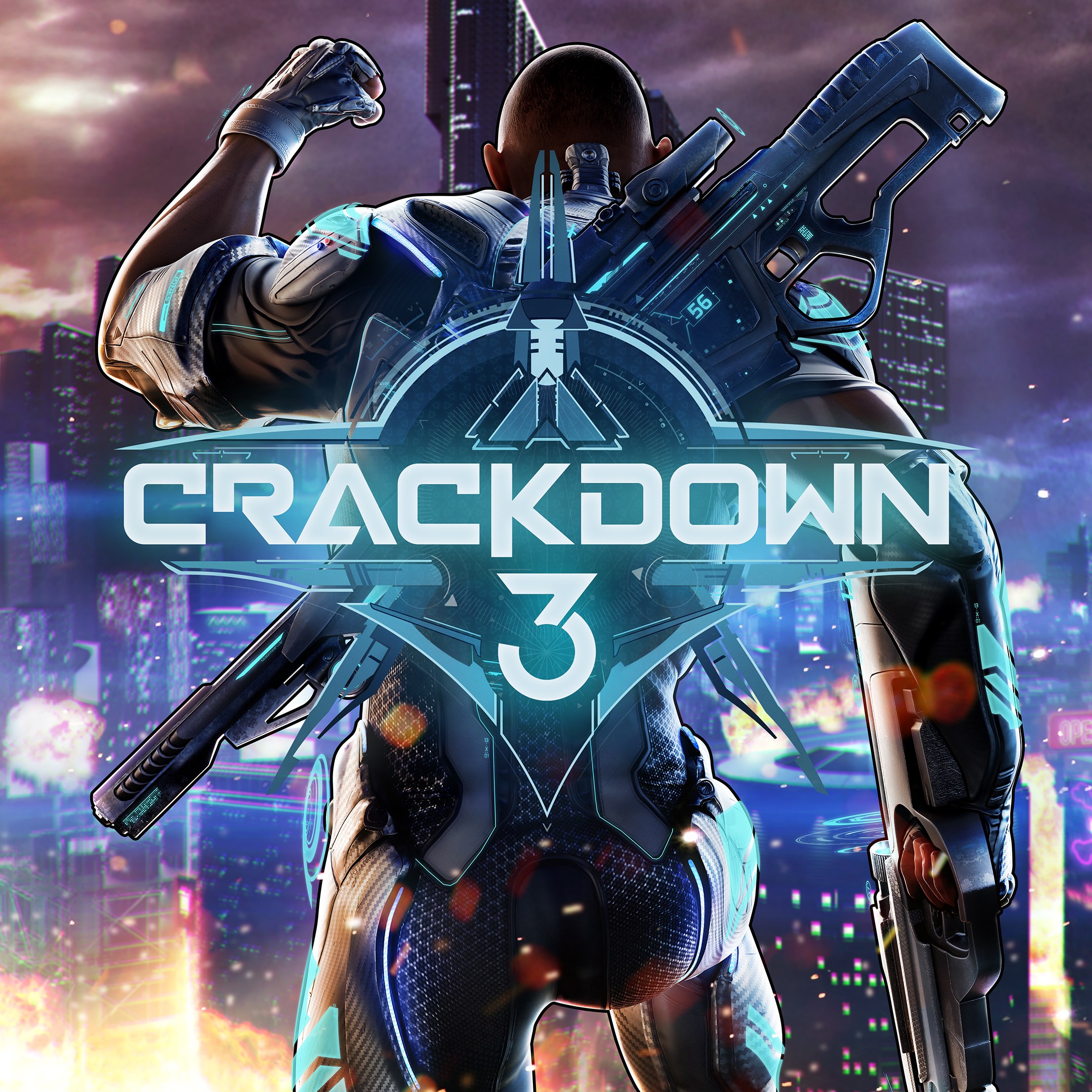
Watch Microsoft’s holiday ad, featuring the Xbox Adaptive Controller, here

In a different kind of holiday ad, Microsoft showcases the power of its new Adaptive Controller to let everyone play Xbox One. You can check out the ad below (via Tom Warren):

According to the YouTube video description, the ad shows Owen, a nine-year-old with Escobar syndrome, which limits his mobility, play a game on Xbox One. Microsoft’s commitment to accessibility shows that “when everyone plays, we all win.” The ad shows off the power of the Xbox Adaptive Controller, allowing people with disabilities to play games on Xbox One.

In the ad, all of Owen’s friends come to his house upon word of his pending Xbox achievement. The ad ends with Owen succeeding and all of his friends celebrating, capped off by as Tom Warren puts it, an “epic floss.” This Microsoft ad epitomizes the spirit of the holiday season and shows off Microsoft’s mission to create accessible technology that allows everyone to participate. It would have been nice to see what Xbox game Owen was playing, but it is a great way for Microsoft to kick off the holiday season.

Leading media conglomerate, Zee Entertainment, establishes global footprint with Microsoft Azure

ZEE5, the global digital entertainment platform, has chosen to take its expansive library of multi-genre and multi-language content to the world with Microsoft Azure. Through this continued partnership, ZEE5 plans to leverage Microsoft Azure solutions to further empower its platform on an international stage.

ZEE5, a product of Zee Entertainment Enterprises Ltd. (ZEEL), went live in 190+ markets worldwide last month across platforms, offering audiences around the globe a completely integrated entertainment experience with multi-genre content, with both On-demand and Live TV. With a presence in over 173 countries and a reach of more than 1.3 billion people around the globe, ZEEL is among the largest global content companies.

“Ensuring consistent performance for a seamless customer experience and security are of paramount importance to us, and we are extremely happy to partner with Microsoft for this. The elasticity and security they provide have been key to deploying our new service, and in building a more scalable platform.”

– Amit Goenka, CEO, Zee International and Z5 Global

According to Sashi Sreedharan, Managing Director, Microsoft India, the fast-increasing penetration of OTT services necessitates more efficient and secure ways to build scalable streaming solutions. ZEE5 uses a fully-managed Azure platform to perform infrastructure maintenance and load balancing. Azure has also helped ZEE5 to accelerate containerized application development within rigid stipulated timelines.

With growing internet penetration, OTT services are fast being adopted, not just in metro cities but in tier 2 and tier 3 cities as well.
Microsoft Azure helps app providers become agile and scale rapidly on demand, in sync with the increase in customer base and app traffic.

How to stop Skype from opening on startup

Imagine powering on your PC and waiting for some time until you can finally start doing stuff. Multiple reasons for that but programs which boot with Windows are probably the main culprits. Skype included. Some users would like to know how to deal with this and prevent Skype from opening on its own.

We made sure to answer that question below, so consider following the steps below.

How do I stop Skype from starting automatically

Skype starts with the system by default and you can disable this option easily. In comparison to some third-party applications which tend to enforce their initial presence as soon as the desktop appears, disabling Skype from automatically starting is simple. This dates from days of old classic Skype and it perfectly applies to new, remodeled Skype 8.0.

Although, users can get confused after all UI changes we witnessed and are not aware of where to find the option to prevent Skype from opening on its own. Even beyond that, the new Skype platform is not everyone’s cup of tea, but Microsoft, as we mentioned repeatedly, decided to leave it behind.

If you’re not sure how to stop Skype from automatically starting, follow these instructions:

  1. Open Skype.
  2. Click on the 3-dot menu and open Settings.
  3. Select General under the left pane.
  4. Toggle the “Automatically start Skype” setting off.stop Skype from automatically starting
  5. Restart your PC and look for changes.

After that, Skype won’t pop-up everytime you start the PC. You’ll need to start it in order to start chatting or making calls. And, with that said, we can conclude this article. Hopefully, this was a helpful read.

If you have any additional questions concerning Skype, feel free to ask. The comments section below is a good place to start.

RELATED STORIES YOU SHOULD CHECK OUT:

4 Best Kundli Software for Windows 10

Kundli is an astrological chart that’s a personal horoscope based on the exact date of birth, time of birth, and place of birth of the individual. A Kundli tool is the easiest way to derive accurate results if you’re interested in learning more about yourself.

This chart is based on the Vedic Astrology System which indicates the positioning of the different planets. The focus is on the planets like the Sun, Venus, Jupiter, Saturn, Mars, and, of course, the Moon.

Astrological details and angles at the time of birth, are among the other major aspects that play a crucial role in one’s life.

Kundli, which is also known as Janampatri, Birth Chart, or Janam Kundli, is used to predict various aspects of one’s life.

For example, this chiefly involves marriage (in India), job prospects, the health of the individual, or financial situation.

Previously, astrologers would take days to prepare an in-depth Kundli speaking of the individual’s past, present, future, and his/her personality accurately. However, the introduction of Kundli software has made life much easier for both the astrologer and the public.

All you need are the exact details of the individual and the right software, and the Kundli is generated online in minutes (whether you are an astrologer or not).

Here’s a list of the best Kundli Software for Windows 10 that are widely used all over the globe.

Best 4 Kundli software for professional predictions

Astrosage Kundli 7 

Astrosage Kundli 7

If you are looking for in-depth analysis with some outstanding visuals, then Astrosage Kundli 7 is the right choice for you.

This is one of the most popular Kundli matching software that generates a predictive horoscope (Kundli) based on the astrological details, and by analyzing the database.

Furthermore, this responsive software offers automatic matchmaking, matrimony, and other predictions based on calculations.

There is an option to find out the planetary positions, detailed Nirayana Bhava Chalit, Birth details, Moon & Navamsa Chart, and more;

Some of its major features are:

  • Generates screen preview and Kundli elements such as the North, South, and Bangla Charts;
  • Offers daily, weekly, monthly, and yearly horoscope;
  • Provides options for different Ayanamsa;
  • The facility of paid questions, readings, and shopping for astrological products;
  • Basic astrology videos, yearly calendars, and more to offer;
  • Offers planetary aspects such as Ratna suggestions, Manglik Dosha, Yantra, and Mantra;
  • Offers predictions for marriage, business, finance, love, career, health, lucky days and colors, etc.;
  • Predictions for Rashi, Planets, etc.;
  • Supports transferring results to PDF, BMP, and JPEG formats.

Moreover, the software also comes packed with many other tools helping users to study and examine the charts and reports.

⇒ Get Astrosage Kundli 7

Kundli Chakra 2019 Professional Edition

Kundli Chakra 2017 Pro

Kundli Chakra has been one of the initial astrological software that’s still equally popular. It comes packed with features allowing the users to generate professional-level predictions in one simple click in addition to options to customize the charts. Regular updates and error fixes keep the software up-to-date.

Matching the Kundli of two people using their individual astrological aspects that help predict their compatibility and future with each other.

In addition, it has an integrated engine to offer numerological predictions for future and match-making using the details of the user/users;

Among its major features are:

  • Predictions and horoscopes using birth details and other data;
  • Astrological predictions using K.P and S.P.S system;
  • Predictions and tracking facility of the future positioning of the various stars and planets;
  • Option to select a suitable name based on the Vedic method (time of birth, date of birth, and other related details required) that’s blessed with good luck;
  • Option to select a suitable name based on the Western method;
  • Offers exhaustive predictions for Lagna, Love, Finance, Planet, Nakshatra, etc.
  • Option to study all biorhythms easily such as Primary and Secondary rhythms, I-Ching, and comprehensive graphs;
  • Integrated atlas offering apt future predictions for over 2.5 lakh cities;
  • Offers muhurta analysis of every minute using Kundli Chakra Pro, in real-time.

Lal Kitab Analysis, Time Correction, Gem Stones suggestions, and analysis of Manglik and Kaalsarpa Dosha, are among some of the other significant features of this software.

⇒ Get Kundli Chakra

Astrocomp Astrology Kundli 2018

Astrocomp Astrology Kundli 2018

Kundli 2018 is another popular software that’s perfect to generate personal Horoscopes, Panchang, Match-Making, Dashas, Varshphals, and more, easily. It’s a complete solution for all your astrological needs.

Charting is available in East, North, and South Indian styles. Also available in KP, Nirayan, and Western forms serving all astrology types.

You also have the option to print the preferred pages and even customize them in their own modules.

Some of its major features include:

  • Saves all horoscope data for future use;
  • Option to get the name and address printed on the horoscope;
  • Can be used to create Kundli for all the time zones globally;
  • Option to get prints in rich charting styles
  • A huge database of countries with Latitude and Longitude;
  • Facility for instant display;
  • Match Making facility to check compatibility for marriage;
  • General predictions based on house, and Varshphal (yearly prediction);
  • Offers ongoing movement of planets, changes in Nakshatras, and yearly Rasi;

Tithi calendar, name database for babies, remedies for Sade Sati, and positions of Rahu and Ketu, are some of the other features of the software.

⇒ Get Kundli 2018

PremiumAV Kundli 8 Software

Kundli 8 is a well-known Kundli software that offers all the usual Kundli benefits in addition to some other advanced features.

Among the usual features, it generates Kundli for an individual and offers predictions based on Amsha, Deha Rashi, K.C.D, and Jeeva-Rashi.

The software helps calculate the general and mental characteristics of an individual, precisely. Moreover, it tells the results of the planetary transits.

For those looking for predictions, this offers predictions for education, career, health, marriage, and Ashtakavarga.

Besides, predictions are also extracted using different dishes that include Upa-Karaka, Yogini Dasha, Graha Dasha, Ashtottari Dasha, and so on.

⇒ Get PremiumAV Kundli 8

There are several Kundli software available online that help users generate Kundli for free, but those just offer a basic overview.

To generate accurate results, in-depth analysis, and appropriate remedies, astrologers must use powerful and paid software.

Choose from one of the best Kundli software for your Windows 10 mentioned above, and offer professional help to clients.

Microsoft reportedly working on a low cost – no disk drive Xbox One

After releasing the Xbox One S in 2016 and the Xbox One X console a year later, we could get new Xbox One hardware as soon as next year. According to Brad Sams from Thurrott.com, Microsoft may announce two new consoles next year: a newer version of the Xbox One S that would be a cost saver for Microsoft, as well as a cheaper Xbox version with no disc drive.

The first console would be pretty much like the Xbox 360 E was for Microsoft: Announced back at E3 2013 at the end of the Xbox 360 lifecycle, this hardware revision of the Xbox 360 S came with a refreshed design inspired by the upcoming Xbox One, but it also dropped some ports like the AV connector and the S/PDIF interface.

As for the disc-less version of the Xbox One that Microsoft could also be planning for next year, the report says that it could be as much as $100 cheaper than the current Xbox One S, which is usually priced at $299. Interestingly, Microsoft could also throw a bone to fans of physical disks by allowing them to exchange their discs for digital versions of Xbox One games:

In addition to the new console, there will be a ‘disc-to-digital’ program that, as the name states, turns your physical games into digital downloads. The idea is that you can take your disc to a participating retailer (like the Microsoft store) and trade in your disc for a digital download.

Sams said that the disc-less Xbox One console could be launching in Spring 2019, while the cost-saving version of the Xbox One S could be launched later in the year. “Microsoft is moving forward very carefully with this product as it knows that a sizeable portion of its users do prefer to buy physical games and not download them,” wrote Sams.

Both Microsoft and Sony are expected to launch their successors to the Xbox One and PlayStation 4 in 2020, and we already know that Microsoft’s “Scarlett” family of next gen consoles could include a cheaper console designed for Microsoft’s Project xCloud, in addition to a traditional game console. That’s definitely a lot of new hardware, but Microsoft may be right to launch cheaper Xbox One hardware next year before we eventually jump to the next console generation.

Edge wins an Emmy for helping to standardize HTML5

News of Microsoft’s Emmy win comes as a bit of shock to me, primarly because of my narrow perception of the award body.

I’m used to seeing Emmy nominations and wins associated with more direct interaction with both TV and film industries, however, it seems Emmys can be won for hyper-selective technical support of those industries as well.

According to Windows executive Joe Belfiore, Microsoft was honored with an Emmy for its role in supporting TV experiences over the web via its new Edge browser.

The 70th Annual Technology & Engineering Emmy Award Recipients website places Microsoft alongside other technology and industry heavyweights such as NBC, Comcast, Google, Netflix, Fujitsu and more.

The specific award of Standardization of HTML, Encrypted Media Extensions (EME) Media Source Extensions (MSE) for Full TV Experience includes:

  • W3C
  • Micosoft
  • Comcast
  • Netflix
  • Google

The National Academy of Television Arts & Sciences (NATAS) is a service organization dedicated to the advancement of the arts and sciences of television and the promotion of creative leadership for artistic, educational and technical achievements within the television industry.

While Microsoft’s Edge has become the butt of many browser jokes, it’s adherence to industry standards thus far is becoming one of its strongest value propositions for curious or jilted Chrome users.

Microsoft is apparently testing showing ads to non-Office 365 subscribers in its Windows 10 Mail app

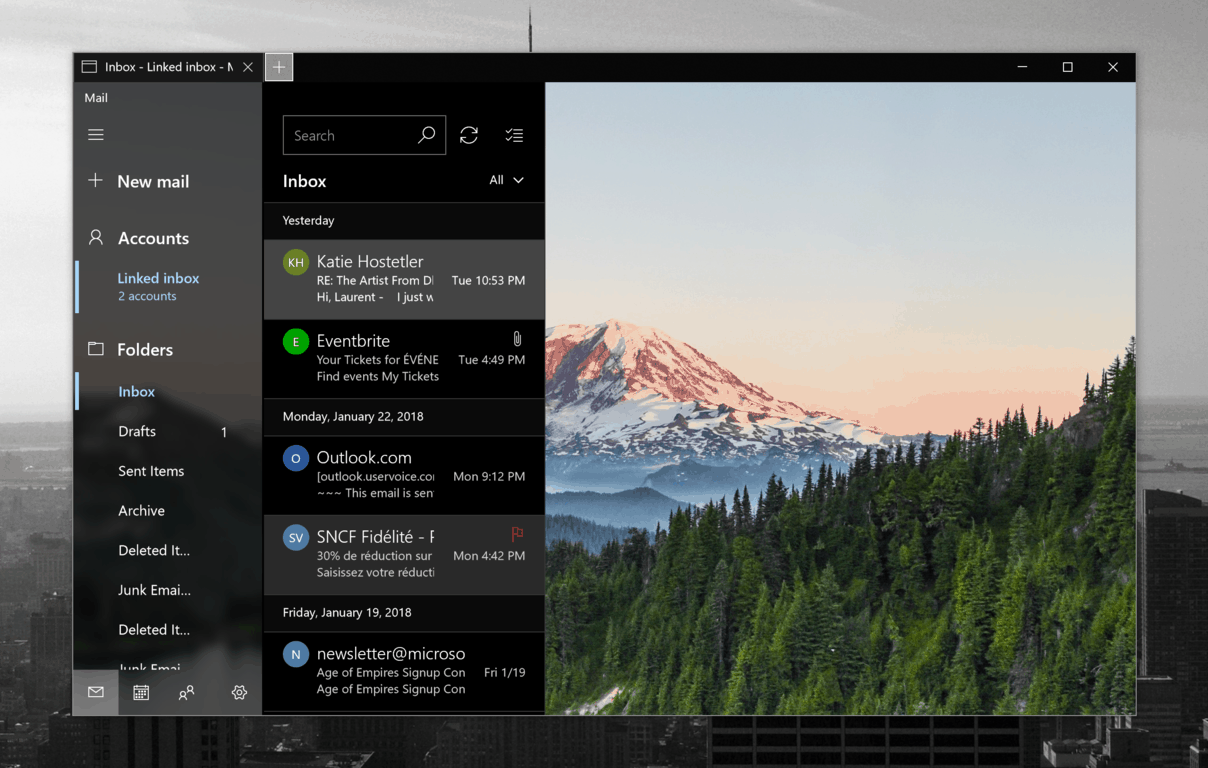
Microsoft could soon show ads to users of its Windows 10 Mail who don’t have an Office 365 subscription. Italian blog Aggiornamenti Lumia spotted a banner ad in a new version of the app that shipped to Insiders, but the banner apparently only shows up in the “Other” section of an email Inbox with the “Focused Inbox” feature turned on.

A pop up window in this version of Mail for Windows 10 explains that users can get rid of ads by subscribing to Office 365. As a reminder, Microsoft’s Outlook.com email service also offers an ad-free experience to Office 365 subscribers, and this was previously one of the features of Microsoft’s now-deprecated Outlook.com Premium service.

This isn’t the first time that we see Microsoft making one its stock Windows 10 apps slightly inferior for average users. The company did the same with its Photos app, which requires an Office 365 subscription to unlock all 3D effects, music and text styles in the “Story Remix” feature. Other apps like Office Mobile also require an Office 365 subscription for editing on devices with screens bigger than 10 inches.

It’s not clear yet if the ads in Windows 10 Mail is just an experiment with select Insiders, but we guess a lot of users of the app probably won’t be happy to see ads in their email inbox. Do you think this is a good strategy to push more consumers to subscribe to Office 365, or a step too far? Sound off in the comments below.

Sunset Overdrive officially coming to Windows 10 & Steam today

It’s official, both Microsoft and Insomniac Games confirmed yesterday that Sunset Overdrive is coming to Windows PCs today, four years after the game’s debut on Xbox One. Ted Price, Founder and CEO of Insomniac Games will also discuss the PC release during today’s This Week on Xbox episode.

Even though Major Nelson’s only mentioned Windows 10, the game will also be available on Steam for users still on Windows 7 and 8, and a physical disc version was spotted on Amazon earlier this week, and the game will apparently priced at $19.99. The game has yet to appear on the Microsoft Store and Steam as of this writing, but it could just be a matter of hours.

Now that Sunset Overdrive is finally coming to Windows, it’s clear that Xbox exclusives are becoming a thing of the past. These days, pretty much all new Xbox One games are also available on Windows, and even Microsoft’s Halo series will make the jump to Windows 10 starting with the upcoming Halo Infinite. Considering that Windows is one of the biggest gaming platforms out there, console exclusivity can really be a missed opportunity for game developers.

Update: The game is now live on the Microsoft Store and Steam.

Sunset Overdrive
Sunset Overdrive
Developer:
Xbox Game Studios
Price:
Free

Here’s Why You Can’t Add Contacts on Skype in Windows 10/11

Skype has undergone drastic changes in recent times, as Microsoft ditched Classic Skype 7.0 and moved to Skype 8.0. They postponed the date, but Skype Classic is now finally gone and replaced with the fresh Skype 8.0. Users have had a lot of questions and the common one concerns adding contacts in the new version of Skype.

We made sure to explain how to do it below, so if you’re bamboozled with the lack of the option to add contacts, make sure to check it out.

Unable to add contacts on Skype? Here’s the explanation

Let’s start by saying that on the recent releases of Skype (both Desktop and UWP versions) you don’t need to add contacts or friends in order to chat, or make video or VoIP calls. Just look them up in the Search bar and send them a message. They’ll get the message request, and should they choose to accept, you’ll see them in your Contacts list in the left pane. That’s it.

Later on, you can add their landline numbers for calls or change the details of each individual contact. Now, like many other things, this confused a lot of users who get used to the old system from the soon-to-be-discontinued classic Skype. Our guess is that they’ll need some time to adjust to these enforced novelties from Microsoft.

Classic Skype is no more, and Skype 8 with the metro design and the instant-messenger-like interface is what we’re stuck with now. Microsoft decided to fix what’s not broken, but that’s the software development thing sometimes — changing things just for the sake of changing. In spite of the enormous public backlash.

So, just search for your friend and send him/her a message. As simple as that. What are your thoughts on Skype 8? Feel free to tell us in the comments section below.

RELATED STORIES YOU SHOULD CHECK OUT:

Windows Media Player encountered a problem with the skin file [FIX]

Windows Media Player was a valuable built-in asset back in the old Windows iterations. However, Microsoft dropped support for this player and now the classic media player is stuck in 2013.

Some WMP aficionados and fans who are still gladly using Windows Media Player have tried to add some new skins and improve usually bland WMP aesthetics.

However, they were met with the Windows Media Player encountered a problem with the skin file. The skin file might not be valid error.

If you’re stuck with this error, make sure to check the steps we’re offering below. They should help you find a brief resolution.

Steps to fix Windows Media Player skin issues

  1. Make sure that the skin is supported by Windows Media Player 12
  2. Try re-applying the skin
  3. Reset Windows Media Player
  4. Consider moving to an alternative

Solution 1 – Make sure that the skin is supported by Windows Media Player 12

The skins you’ve used to acquire back in the days when Windows Media Player was actually on par with 3rd-party media players won’t cut it now.

Make sure that the said skin supports the WMP 12 before trying to apply it. If you’re using the skin from DeviantArt, make sure to follow through the explained steps before you’re able to change the looks of Windows Media Player.

If you’ve done everything right and the error still appears, we encourage you to try the additional steps we enlisted below.

Solution 2 – Try re-applying the skin

Another viable step is to try and re-apply the skin within the Windows Media Player settings menu. There’s a Skin Chooser option that shows all available skins and there you should be able to find official skins or your custom ones. That way you’ll avoid a possible stir in the configuration file you’ve changed in order to apply the custom ones.

If you’re not sure how to re-apply a skin, follow these instructions:

  1. Open Windows Media Player.Windows Media Player encountered a problem with the skin file
  2. Press Ctrl + M to show the menu bar.
  3. Click on View > Skin Chooser.
  4. Select the skin and apply it.

Solution 3 – Reset Windows Media Player

Since Windows Media Player is an optional feature in Windows 10, you can reset it by a simple disable-enable sequence. This is analogous to the reinstallation of any third-party application and you’ll get the fresh Windows Media Player installation. Also, you’ll probably need to re-assign your Library entries afterward.

Here’s how to reset Windows Media Player in a few steps:

  1. In the Windows Search bar, type Turn Windows and open “Turn Windows features on or off“.
  2. Navigate to Media Features and expand it.
  3. Uncheck the Windows Media Player box and confirm changes.Windows Media Player encountered a problem with the skin file
  4. Restart your PC.
  5. Repeat the steps and re-enable Windows Media Player again.

Solution 4 – Consider moving to an alternative

Finally, and this is more of a suggestion than a solution, we encourage you to move on. Microsoft completely neglected Windows Media Player. The latest version is from 2013 and the support is discontinued a while back. Y

You can decide on the Groove Music, which is WMP‘s successor and it gets updated. Also, there’s a lot of free third-party media players which are much more customizable and easier on system resources.

In case you’re interested in other great media player software, there are a plethora of options that can offer qualitative audio-video results.

If you have anything to give or take from this, hopefully, informative read, make sure to tell us in the comments section below.

Windows 10 file association bug fix released but only for Insiders

Last week, you may remember I wrote about how users could no longer set default programs for certain types of files. The good news is that Microsoft has issued a file association update. The bad news? It’s only for Insiders.

Windows 10 File Association Update Released for Insiders

For those of you too busy to read my previous article, here is a summary.

Last week, users noticed an interesting glitch. While it was possible to set some programs as defaults for some file associations, other programs wouldn’t work.

Was Windows 10 April 2018 Update the Cause?

So, for example, it was possible to set Chrome as your default browser for .htm and .html files. However, if you tried to set Notepad++ as your default program for .txt files, you got no success. This is still true if you go through settings, or when you right click and use the ‘Open with…’ option.

The original bug seems to have been created, along with many other bugs, with the October, 2018 update. However, it could also have been caused by an update as early as April, 2018. It was just that no one noticed.

Is This a Storm in a Teacup? No!

file association update

If it is true that it happened in April, 2018 and no one noticed, it does further beg the question, “Are we all making a big fuss about something that isn’t all the important?” In my own case, I use Notepad++ prolifically, but never noticed it was no longer my default because I open up all my text files in Notepad++ itself.

Of course, that doesn’t let Microsoft off the hook. They are still messing up our machines with their poor-quality updates. Much more importantly, they seem to be keeping quiet about it. Presumably, in the hope that no one notices ever.

General Release Date of File Association Update

Anyway, as I said above, if you are an Insider, and you have downloaded the Windows 10 build 18282 update, you should now be able to get the file association update for this particular glitch.

There is no news about when it will be freely available to all users. Mind you, I vaguely remember Microsoft promising they would issue a file association update this month – November, 2018.

We shall see.

RELATED POSTS TO CHECK OUT:

Microsoft forms strategic alliance with data analytics giant Nielsen to accelerate retail innovation

Microsoft and Nielsen have together developed a new enterprise data solution that democratizes one of the largest consumer data sets in the world.

The two companies will focus on helping Fast Moving Consumer Goods (FMCG) and retail companies in today’s rapidly changing marketplace, find growth and accelerate innovation within an open data environment.

Nielsen Holdings plc is a global measurement and data analytics company with operations in over 100 countries, covering more than 90% of the world’s population.

The strategic alliance has been brought to life through Nielsen Connect. Through advanced analytics and artificial intelligence services built on Microsoft Azure, Nielsen Connect helps companies integrate data assets to more easily spot emerging trends, diagnose performance gaps, and act faster on opportunities to grow. It enables clients to use their data as an enterprise asset across all parts of their organization.

According to John Tavolieri, President, U.S. FMCG and Retail and Chief Technology and Operations Officer at Nielsen, the two companies are breaking down the silos of the status quo to maximize the data assets of their clients. “We are helping the retail industry reimagine its approach to data by creating a truly open and global environment of collaboration, encouraging companies to evolve beyond mere data management. Adopting a holistic data strategy will be the only way to win in FMCG and retail,” he said in a press statement.

The joint Microsoft and Nielsen solution will serve as a one-stop-shop in creating scalable, high-performance data environments that enable greater real-time collaboration for faster results in the FMCG retail marketplace. Through this alliance, the two companies will work towards a mutual vision of an open and connected data universe.

Microsoft acquires AI powered botmaker XOXCO

Microsoft has officially announced they are acquiring XOXCO, a company that specialized in conversational AI and bot-making though its core products, Howdy.ia and Botkit (via ZDNet). The Redmond giant is clearly interested in this kind of space in the AI industry, although its plans for what it will do with its newly acquired assets is still unknown. Furthermore, how much the company was bought for has not been disclosed, either.

Howdi.ai is a “commercially available bot for Slack that helps schedule meetings” which is used to build bots for many different purposes as well as chat integrations and voice skills. It’s worth noting that Slack competes with Microsoft’s own Teams messaging app for built for small businesses, which recently lost app support on Windows 10 devices with S Mode.

In addition, Botkit is a collection of development tools “used by hundreds of thousands of developers” on GitHub, which Microsoft acquired for $7.5 billion in stock earlier this year. In addition to GitHub, the company has also made numerous other strategic investments as part of its push to advance AI into the mainstream.

Microsoft is expected to use the technology from XOXCO to improve its Microsoft Bot Framework, which helps developers build bots for various chat and social media apps. According to the tech giant, the framework is currently supporting as many as 360,000 developers. For now, thought, we’ll just have to wait and see how this all pans out. In the meantime, you can share what you think about its acquisition and how it will help Microsoft reach its AI goals in the comment area below.


Windows 10 KB4467702, KB4467686 deliver useful security fixes

In this article, we are going to be looking at two more November 2018 Patch Tuesday updates – KB4467702 and KB4467686. Both these updates are quality improvement updates – developer tools fixes and fixing some vulnerabilities. They do not contain any new operating system features.

KB4467702 OS Build 17134.407

Improvements and Fixes

The KB4467702 (OS Build 17134.407) update includes the following improvements:

Provides protections against an additional subclass of speculative execution side-channel vulnerability known as Speculative Store Bypass (CVE-2018-3639) for AMD-based computers. These protections aren’t enabled by default.

Other fixes include:

  • An issue that may prevent developer tools (F12) from starting in Microsoft Edge.

Security updates for the following programs are also included in this package:

  • Microsoft Edge
  • Windows Scripting
  • Internet Explorer
  • Windows App Platform and Frameworks
  • Windows Graphics
  • Windows Media
  • Windows Kernel
  • Windows Server
  • Windows Wireless Networking

KB4467702 issues:

The three known issues on the list are as follows:

  1. After you install the August Preview of Quality Rollup or September 11, 2018 .NET Framework update, instantiation of SqlConnection can throw an exception.
  2. After installing this update, some users cannot set Win32 program defaults for certain app and file type combinations using the Open with… command or Settings > Apps > Default apps.
  3. In some cases, Microsoft Notepad or other Win32 programs cannot be set as the default.

There are no workarounds for these issues. Microsoft is working on a resolution and will provide an update in an upcoming release. However, for issue #2 attempting to set application defaults again may succeed.

To get the stand-alone package for this update, go to the Microsoft Update Catalog website.  Go to Microsoft’s official support page to learn more about this patch.

KB4467686 OS Build 16299.785

Improvements and Fixes

The KB4467686: (OS Build 16299.785) update includes the following improvement:

Provides protections against an additional subclass of speculative execution side-channel vulnerability known as Speculative Store Bypass (CVE-2018-3639) for AMD-based computers. These protections aren’t enabled by default.

Security updates for the following programs are also included in this package:

  • Windows Scripting
  • Internet Explorer
  • Microsoft Edge
  • Windows Media
  • Windows Graphics
  • Windows App Platform and Frameworks
  • Windows Server
  • Windows Kernel
  • Windows Virtualization and Kernel

 KB4467686 issues:

There is just one known issue on the list:

  1. After you install the August Preview of Quality Rollup or September 11, 2018 .NET Framework update, instantiation of SqlConnection can throw an exception.

There are no workarounds for this issue. Microsoft is working on a resolution and will provide an update in an upcoming release.

To get the stand-alone package for this update, go to the Microsoft Update Catalog website. For more information, check out Microsoft’s support page.

Specific comments about these updates, or comments about general updates are always welcome. Please post them below.

RELATED STORIES YOU SHOULD CHECK OUT:

Microsoft’s Surface Studio 2 goes on sale in select markets today

Nearly two years after the launch of the original Surface Studio, its successor the Surface Studio 2 starts shipping in select markets today. The new all-in-one PCs is the most powerful Surface ever, featuring 7th gen Intel quad-core Core i7 processors and NVIDIA Pascal graphics with 50 percent faster GPU.

Starting at $3,499 in the US, the Surface Studio 2 also remains the most expensive Surface device you can buy. You can configure it with up to 32GB of RAM, 2TB of storage and an NVIDIA® GeForce® GTX 1070, and the most high-end config will cost you $4,799. However, only the base model with 16GB of RAM, 1TB of SSD storage and an NVIDIA® GeForce® GTX 1060 can be purchased in the US as of this writing.

The Surface Studio still ships with an excellent 28” PixelSense display that kept the same 4500 x 3000 resolution and 3:2 aspect ratio, but it’s now 38 percent brighter. Compared to the first generation model, the Surface Studio 2 kept the same four USB 3.0 ports, but the Mini DisplayPort port has been replaced by an USB-C port, something we wish Microsoft also did on its new Surface Pro 6 and Surface Laptop 2.

For now, Microsoft has only announced Surface Studio 2 availability in the US, Canada, Australia, and New Zealand. More markets are likely to be announced in the coming months.

Microsoft publishes guidelines for developers building digital assistants

Microsoft has released a set of guidelines to help developers build “responsible” digital assistants. Adoption of conversational interfaces is growing amid rapid improvements in the underlying technologies. However, consideration of the ethical concerns is moving at a slower pace.

Microsoft said the guidelines are intended to remind developers that their products may be used in ways they cannot always foresee. Although ethical design has always been relevant to the technology industry, it is particularly important in the case of conversational interfaces.

Microsoft used the example of a pizza ordering bot. The service should be designed to facilitate the ordering of pizza, with minimal susceptibility to user distractions. If the user tries to discuss “sensitive topics,” such as race, gender, religion or politics, the service should refrain from engaging in much the same way as a human pizza server would. Otherwise, any biases in the bot’s algorithms could result in it learning unwanted behaviours from the customer.

The rest of the guidelines continue along similar themes. Overall, Microsoft stresses that bots can be good for society, if developers remain mindful of the potential issues. Organisations must be upfront about their use of bots. Any AI-powered services have to remain free of biases and respectful of cultural standards.

“In general, the guidelines emphasize the development of conversational AI that is responsible and trustworthy from the very beginning of the design process,” said Lili Cheng, Microsoft Corporate Vice President of Conversational AI. “They encourage companies and organizations to stop and think about how their bot will be used and take the steps necessary to prevent abuse. At the end of the day, the guidelines are all about trust, because if people don’t trust the technology, they aren’t going to use it.”

You can find the full list of guidelines over on Microsoft Research’s website. Although they’re not hard rules, they do encapsulate the basic ethical standards to consider when developing bots. Microsoft published the guidelines this week alongside a new set of AI technologies, including a quick-start toolkit for developers creating digital assistants.

Microsoft releases toolkit to help enterprises create their own virtual assistants using Azure Bot Service

Microsoft has developed an AI toolkit to help enterprises build virtual assistants. The company said its partners are expressing a “significant need” for customised conversational assistants that match their brand.

The new Bot Framework is part of Microsoft’s Azure Bot Service. Described as a “solution accelerator” for digital assistants, the framework provides a set of common foundations when developing digital assistants. The open-source technology can be integrated with any device ecosystem, so bots are cloud and hardware agnostic.

The toolkit offers developers the ability to pick and choose from prebuilt conversational components. Once added to an app, the components can be customised to align with the organisation’s branding. Each module targets a specific capability within conversational applications. They include enough functionality for developers to quickly get started with a minimal implementation of the component.

Components are available for common assistance services such as onboarding, emailing and device control. More specialised features are also included, such as automatic deployment of Azure resources and the ability to create third-party Skills that can be “plugged into” assistants.

Microsoft Virtual Assistant Toolkit

Microsoft said the toolkit is intended to help democratise AI. According to the company, enterprises are keen to introduce their own branded bot services but often lack the technical experience to do so. The prebuilt components will reduce the learning curve and help more companies to deploy their own conversational interfaces.

“We believe all organizations should have the ability to build branded virtual assistants,” said Lili Cheng, Microsoft Corporate Vice President of the Artificial Intelligence and Research Group. “We have taken best practices developed while working with partners to develop their own assistants and, in continuing with Microsoft’s open source approach for bot development, have made this solution accelerator for virtual assistants available on GitHub, allowing for full control over the end user experience built on a set of foundational capabilities.”

Microsoft said that over 360,000 developers have already registered to use its Azure Bot Service. The new toolkit might result in many more bots being deployed into enterprises and cloud environments, furthering the development of digital assistants. Although Microsoft appears to be lagging behind with its consumer Cortana service, the company is pushing forward in specialised enterprise-grade bots. Interested developers can find the Virtual Assistant Toolkit over on GitHub.

Battlefield V Deluxe Edition is now live on Xbox One in 4K Ultra HD

The Deluxe Edition of Battlefield V is now available to play on Xbox One for those who pre-ordered it or decided to buy it today.

Battlefield V Deluxe Edition contains the base game but also includes exclusive cosmetics for characters, access to special assignments, and 20 special weekly in-game items.

Here’s the official list of Deluxe Edition bonus content:

  • Early Access to Battlefield™ V Base Game: Enter mankind’s greatest conflict as Battlefield™ goes back to its roots: World War 2. Lead your Company in all-out multiplayer with new experiences like the massive Grand Operations and the timeless Conquest mode or play untold War Stories in the single player campaign.
  • Five Sets of Paratrooper Outfits: Battlefield V Deluxe Edition lets you customize your soldiers with five Special Soldier Sets containing stunning weapon skins, camo patterns, head gear, and face paint for British Special Air Service and German Airborne troops. Choose these five Sets from eight available when deploying into Battlefield V.
  • Special Assignments: Battlefield V Deluxe Edition includes Special Assignments for the British Special Air Service, inspired by the unit’s true-to-life raids on German air bases, and Special Assignments for the German Fallschirmjäger troops, based on the defense of airfields on the North African coastline. In addition, Battlefield V Deluxe Edition includes Starter Assignments – test your skills on the battlefield and gain rewards.
  • 20 Weekly Items with Airlift: Battlefield V Deluxe Edition lets you receive vital supplies with 20 weekly Airlifts, each containing one customization item.

Battlefield V will be playable for everyone else on Xbox One when it launches properly in a few days on November 20th.

Have you played Battlefield V yet or are you waiting until next week? Let us know in the comments below and then follow us on Pinterest for more Xbox content.


Dante’s Inferno & Chase the Sun now free on Xbox One for Gold subscribers

Race the Sun and Dante’s Inferno are now available to download and play for free for all Xbox Live Gold subscribers.

Race the Sun is an Xbox One video game that debuted back in 2017. It’s a stylized racing game with an emphasis on speed and casual fun.

Here’s the official game description and trailer:

You are a solar-powered craft. The sun is your death timer. Hurtle towards the sunset at breakneck speed in a futile race against time. Delay the inevitable by catching speed boosts which reverse the setting sun – if only for a moment. Race The Sun is inspired by arcade games of the past with a focus on high scores, short game sessions, and pure fun mingled with nerve-wracking tension. The rules are simple: don’t crash, stay in the light, and don’t slow down!

Dante’s Inferno, on the other hand, is an Xbox 360 game and is playable on the Xbox 360 and Xbox One. It originally launched in 2010 and is a dark action title that follows the main character as he fights to rescue his lover’s soul from Lucifer.

An abducted soul. A lifetime of sins. A journey to the depths of despair. Based on the immensely influential classic poem, Dante’s Inferno takes you on an epic quest of vengeance and redemption through the Nine Circles of Hell. You are Dante, a veteran of the Crusades who must chase his beloved Beatrice and try to free her soul from Lucifer’s grasp. As your pursuit takes you deeper into the pits of Hell, you must battle ever more fierce and hideous monsters—while also facing your own sins, a dark family past, and your unforgivable war crimes. Go to Hell.

Are you interested in Race the Sun and Dante’s Inferno? Let us know which one you’ll play first in the comments below and then follow us on Pinterest for more gaming content.

Race The Sun
Race The Sun
Developer:
Flippfly
Price:
$9.99


Dante's Inferno™
Dante's Inferno™
Developer:
Electronic Arts™
Price:
Free

Product Key Does Not Match the Windows SKU Error [FIXED]

The error message ‘The product key does not match the Windows SKU‘ has to do with a mismatch of the Windows 7 version installed on your system and the product key entered for the same. The error generally comes when you install a new version of Windows 7 or when buying new/ refurbished PCs.

However, it is only when you enter a product code that does not match with the installed Windows 7 version that the error is generated. What also has to be kept in mind is that this is not an error in the strict sense of the terms. Rather, it happens to be a precautionary measure adopted by Microsoft to prevent the spread of pirated or illegal copies of proprietary software.

Towards that, while it is extremely important you procure your software or PC from authorized agents only, here are a few scenarios that might lead to the generation of the error message. However, you can apply the solutions listed below for the scenario that matches yours to get rid of the issue.

Steps to fix Windows SKU product key errors

Scenario 1: When installing a new version of Windows 7

When doing so, make sure you have the right product key and Windows 7 version combo. This might seem ridiculous but entering the wrong product key is the most obvious reason the error is generated.

Among the different Windows 7 versions available include Windows 7 Starter, Windows 7 Home Basic, Windows 7 Home Premium, Windows 7 Professional and Windows 7 Ultimate. Each have its distinct product key which have to be entered to activate the specific version of the OS.

What also has to be kept in mind is that all Windows 7 versions are exactly the same though you get the version you want based on the amount you pay. Similarly, each version has its own product key that is unique particularly that copy of the Windows 7 version.

Scenario 2: When buying used/ refurbished PCs

This happens to be the most common scenario when the error is shown though the reason happens to be the same, a mismatch of the product key and the installed Windows 7 versions.

However, things might still be confusing here since it’s often not clearly stated which version of Windows 7 the PC originally came with or the versions it is compatible with. And refurbished PCs almost always come with an HDD that has been wiped clean.

If that is the case, here are a few things you might do.

  • See if there is any documentation accompanying the PC to find out the version of Windows 7 it originally shipped with.
  • Check for any labels stuck on your PC or the device packaging. There should be one containing all the info. In some cases, the original label might be stuck off and a new label pasted to indicate the Windows 7 version you have on your device.
  • If there aren’t any of these, the easiest option, but not necessarily the cheapest, will be to buy a retail copy of Windows 7 and install it afresh on your device. The software product key should accompany the retail box itself. However, make sure you buy from genuine sources.
  • Another option for you will be to get in touch with the PC manufacturer to obtain the recovery disks relevant for your PC. This again won’t be free but is guaranteed to solve your issue.
  • Yet another option would be to download the ISO file of the particular Windows 7 version relevant for your PC directly from Microsoft. However, before proceeding with that, you got to know what version is applicable for your PC. You can get that by going to the manufacturer’s page and entering the PC model no/ serial no. and such in the relevant section. You should then be provided all the information including the OS details pertaining to the system.
  • With that knowledge, head over to the Microsoft Windows 7 recovery disk site and download the ISO file of the specific Windows 7 version, which comes free of cost. Thereafter, burn the ISO file to a DVD or flash drive either of which can then be used to make a fresh install of Windows 7 on your PC.

So, this should deal with the ‘product key does not match the Windows SKU’ error message effectively.

Meanwhile, here are some additional resources that you might browse.

Windows 10 KB4467708, KB4464455 fix black screen and camera issues

In this article, we are going to be talking about two November 2018 Patch Tuesday updates – KB4467708 and KB4464455. Both these updates are quality improvement updates and do not contain any new operating system features.

KB4467708: OS Build 17763.134

Improvements and Fixes

The KB4467708 (Version: OS Build 17763.134) update includes the following improvement:

[Provides] protections against an additional subclass of speculative execution side-channel vulnerability known as Speculative Store Bypass (CVE-2018-3639) for AMD-based computers. These protections aren’t enabled by default.

Other fixes include:

  • A reported problem that users were being prevented from signing into a Microsoft account (MSA) if they were signing in a second time as a different user.
  • A problem with file system access to Internet of Things (IoT) Universal Windows Platform (UWP) apps that require this capability, which was being denied.
  • When running automated tests or installing a physical keyboard, the on-screen keyboard appeared. This should no longer happen.

Security updates for the following programs are also included in this package:

  • Microsoft Edge
  • Windows Scripting
  • Internet Explorer
  • Windows App Platform and Frameworks
  • Windows Graphics
  • Windows Media
  • Windows Kernel
  • Windows Server
  • Windows Wireless Networking

KB4467708 issues

Fortunately, there’s only one known issue on the list. Some users cannot set Win32 program defaults for certain apsp and files using the Open with… command or Settings > Apps > Default apps.

This bug comes as no surprise as we already reported about it in a previous post. We also compiled a list of solutions to fix it.

If you would like to run this update as a stand-alone package, use the Microsoft Update Catalog. For more information, check out Microsoft’s support page.

KB4464455: OS Build 17763.107

Improvements and Fixes

The KB4467708 (Version: OS Build 17763.107) update includes the following improvement:

Addresses an issue that incorrectly implies that user policies have not been applied after configuring a user rights Group Policy setting. Reporting tools, such as RSOP.MSC or Gpresult.exe /h, do not show the user rights policies or display a red “X” instead.

Other fixes include:

  • Internet Explorer performance degrading when using roaming profiles or not using Microsoft Compatibility List.
  • Time zone information issues.
  • When turning on displays on some servers, a black screen was appearing.
  • Long delays were being reported when user were taking photos using the Camera app.
  • The performance issue with vSwitch on network interface cards (NIC) that do not support Large Send Offload (LSO) and Checksum Offload (CSO) has been improved.
  • Issues concerning applications losing IPv4 connectivity when IPv6 is unbound have been solved.
  • Finally, reports that issues concerning connectivity breaking on guest VMs on the server when applications inject the low-resource flag on packets have been resolved.

Keep in mind that, just like KB4467708, update KB4467708 is also affected by the default app bug.

If you would like to run this update as a stand-alone package, use the Microsoft Update Catalog. Go to Microsoft’s official support page to learn more about this patch.

As always, if you have installed any earlier updates, only new fixes contained in KB4467708 and KB4464455 packages will be downloaded and installed on your device.

RELATED STORIES YOU SHOULD CHECK OUT:

HoloLens is getting its own Windows 10 October 2018 Update, available now

After taking some time to fix all remaining issues with the Windows 10 October 2018 update, Microsoft finally announced the re-release yesterday. All 700 million Windows 10 devices should get it over the coming weeks and months, and that also includes HoloLens headsets.

HoloLens inventor Alex Kipman has just announced that the Windows 10 October 2018 Update is coming to HoloLens starting today. With this major release, the HoloLens software has been improved with new navigation, visuals and sharing improvements. Moreover, Simplified Chinese and Japanese localized interfaces are now available to keep up with HoloLens’ extended market availability. “Coming for developers and commercial customers are an array of new capabilities that will help make HoloLens the most powerful platform to develop for, and the most secure and manageable device to own,” added Kipman

It’s now been almost three years since Microsoft made its HoloLens headset available to developers and companies, and a next gen device is expected for Q2 2019. The new headset is expected to come with a lighter design, a new depth sensor and a dedicated AI chip, and it will probably be powered by an ARM processor.

This light theme fan is happy with the direction Windows is heading

Microsoft just released Windows 10 Insider build 18282 to the Fast Ring, and we’re far enough into the build cycle that new features are starting to come in hot and heavy. Most notable for this build is a full on “Light Theme” for Windows 10. Currently, even without enabling any dark theme access, some elements of Windows 10 like the Start screen and Cortana are dark, but now you’ll be able to set a “Light Theme” in Windows 10 Settings>Personalization>Colors, and it will include all system UI, “(t)his includes the taskbar, Start menu, Action Center, touch keyboard, and more.”

When you update to this build, your system color won’t automatically change to the new light system color. This is because we want everything to be exactly as you left it before you did the update. We’re leaving the choice up to you!

The new changes also include a new “Windows Light” wallpaper, so by going to Settings>Personalization>Themes, you’ll be able to set your wallpaper and your system UI all to Light Theme, all at one time.

Microsoft has been spending a lot of energy on light/dark themes recently, to somewhat mixed results, and while dark theme support is getting better, it’s encouraging to see some light theme love in this latest build. Although I try, I just cannot get used to a dark theme. I know, I know, it’s better for your eyes, saves battery life, etc, but still, dark themes drive me crazy. Obviously, not everyone agrees:

Windows is a beast of an operating system, with some parts of it using code that’s not only years but decades old, and it’s commendable for Microsoft to push ahead with making the operating system more modular and versatile. Rather than push users from one side to the other, from light to dark to light again, it’s great to see that with Light Theme, as with many parts of Windows, the company is leaving it for users to decide.

Windows 10 19H1 build 18282 is out for Skip Ahead Insiders, adds light theme to Start and taskbar

Microsoft has just released the Windows 10 19H1 preview build 18282 for Windows Insiders in the Fast Ring. The new build brings a host of new features and improvements, perhaps one of the biggest changes most users will notice is the introduction of a revamped Windows Light Theme. Starting with this build, Light theme will now apply to all system UI including the taskbar, Start Menu, Action Center, touch keyboard and more.

The Snip & Sketch app is also getting some love with this update, as the latest version now features window snip. The window snip option should appear at the top of the app when you start your snip, though Microsoft notes that it the windows snipping experience is currently only available for 50% of Insiders.

Showing an example of window snipping. This one happens to have Settings in focus.

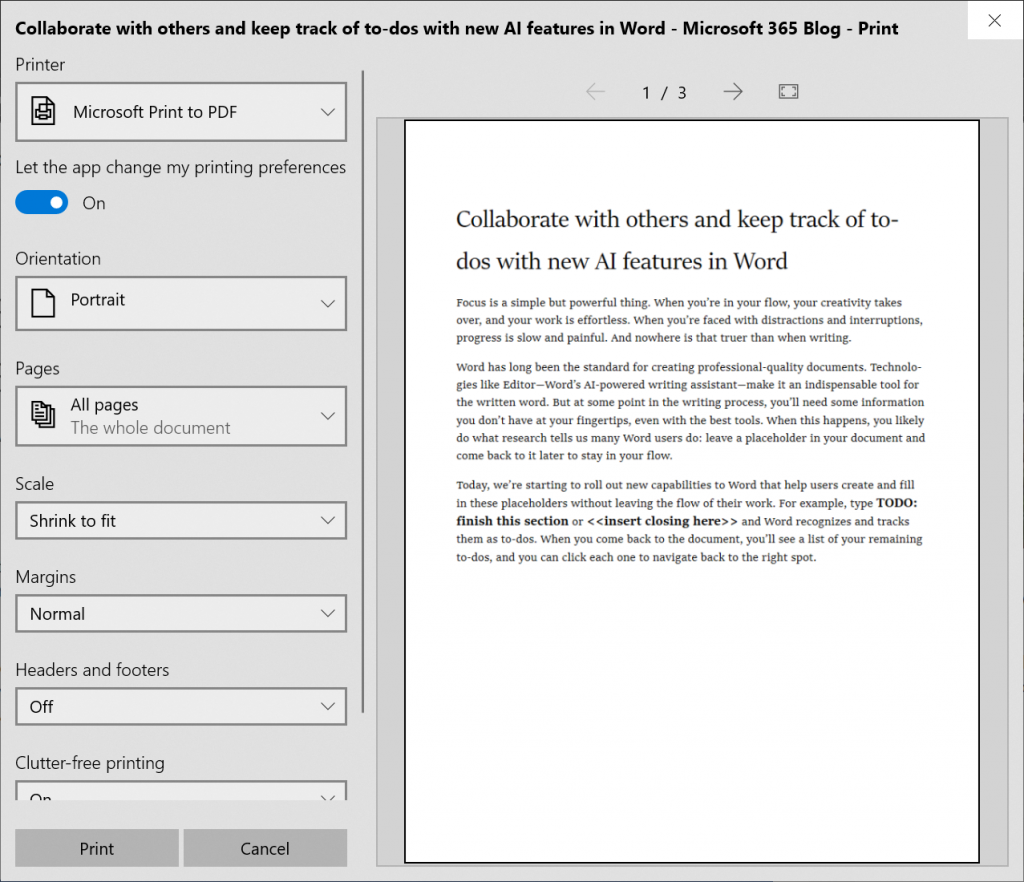
The new build also brings several improvements to the printing app, which now additionally supports light theme. New icons have been added to the printing screen to help users quickly identify options, and the app will also automatically text-wrap long printer names as opposed to cutting them off entirely.

howing the modern print dialog in light theme

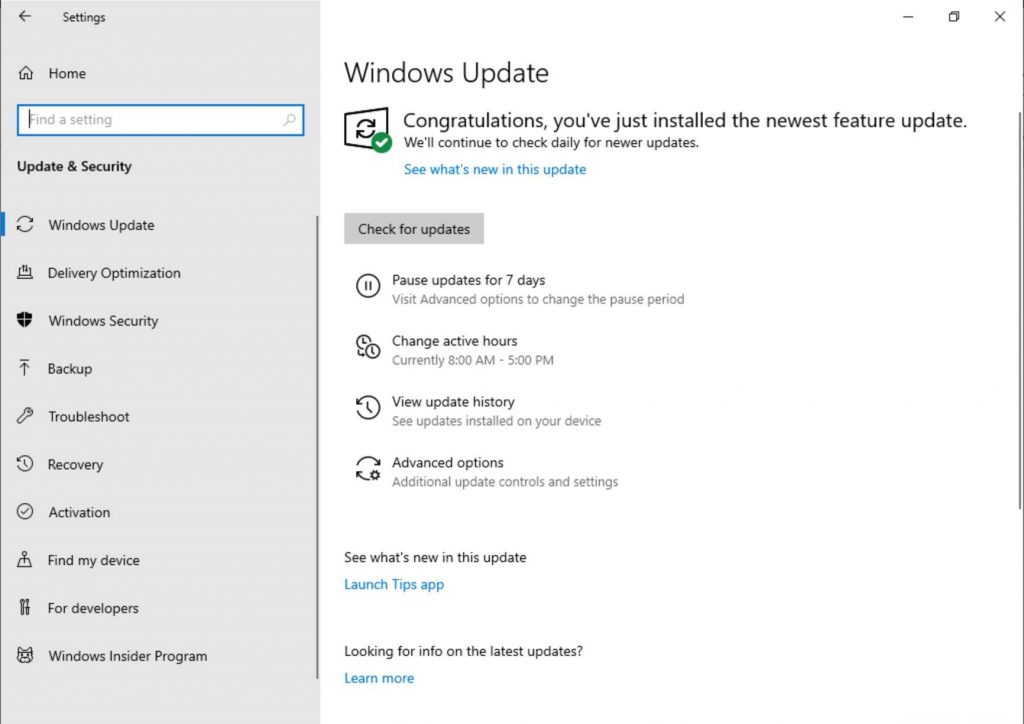
Additionally, the long awaited the option to pause Windows updates has been added to this build, and to make things better Microsoft has also added made Active Hours more intelligent by automatically changing the update schedule depending on when the PC is used most often.

Showing the updated Windows Update Settings page. The subpage links are now buttons instead of hyperlinks, and have icons next to them.

Lastly, this new build brings several Narrator improvements including Read by Sentence Braille support, and Microsoft has also changed the display brightness behavior after listening to user feedback. Going forward, Windows will now remember your preferred brightness whether you are on battery or connected to a charger, avoiding sudden brightness changes when charging your laptop.

These new changes bring us even closer to the next major release of Windows 10, which is expected to be released in the Spring of 2018. Which new feature do you find most useful? Your thoughts and ideas are welcome in the comment area down below.

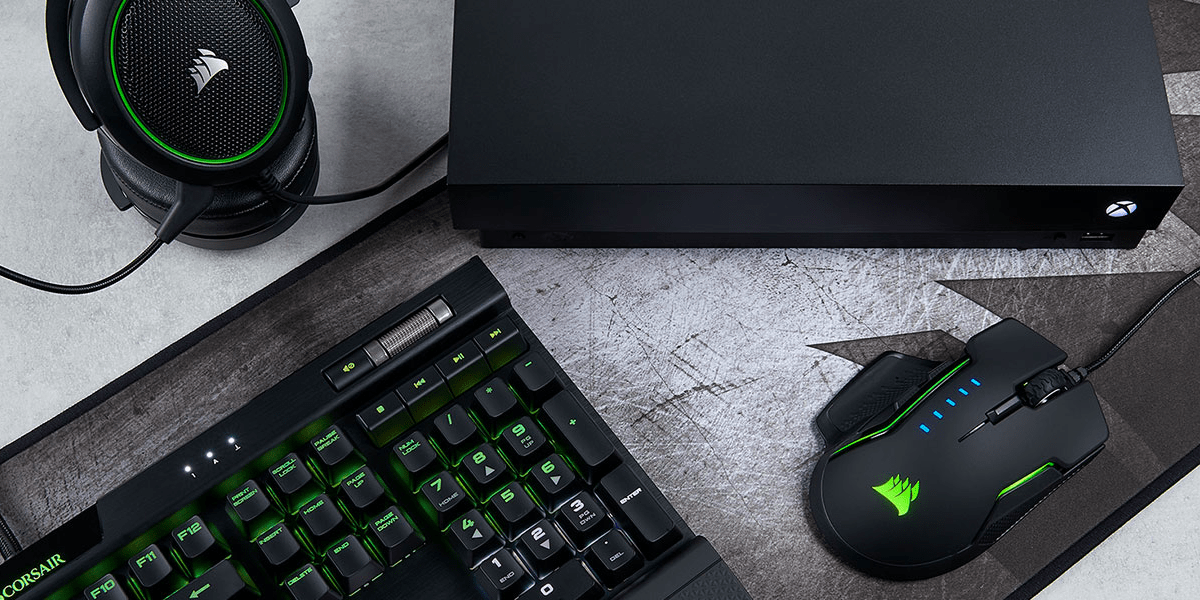
Corsair offers Xbox One gamers keyboard and mouse options for streaming & playing

As we previously announced, 15 games will be getting keyboard and mouse support for the Xbox One, with support starting to roll out today for all Xbox One users. With the increase in support for the second type of gaming input method, it seems another company Corsair wants to be one of the first manufactures to specifically support the Xbox One. The company says that it has partnered with Microsoft to license its products for use on the Xbox One. The K63 Wireless Keyboard and Lapboard combo also has a built-in mouse pad for gaming on the sofa in the living room, which could make it work great with the Xbox One.

Of course, Corsair isn’t the first company to announced certified keyboard and mice for the Xbox One. Razer, too, has a product of their own coming soon. And the latter company’s keyboard will include a dedicated Xbox key for quick access to recent games and apps, Xbox Live, quick toggles and the home screen.

Those running preview firmware from the Xbox Insider program can test keyboard and mouse input early, and Microsoft says that most keyboard and mice will work out of the box with its latest console. We have the full list of the 15 titles that are getting support in our other post that you can check out here.

Do you find keyboard and mouse input to be more effective than traditional controller input? Your thoughts are welcome below.

Playfab releases public preview of Multiplayer Servers, game devs can use Xbox + Azure quickly and easily

PlayFab, a provider of backend services for cloud-connected games, was one of the first Microsoft acquisitions of 2018. At the time, the Seattle-based company said Microsoft’s Azure infrastructure would be the perfect complement for Playfab’s technology, making the company uniquely positioned to help game developers “focus on building great games instead of back end technology.”

Playfab has continued to expand its platform of features since the Microsoft acquisition, and today the company announced the public preview of PlayFab Multiplayer Servers. This new offering combines the cloud expertise of PlayFab and Microsoft so that game developers building multiplayer experience are free to focus on core gameplay mechanics.

“Our re-engineered multiplayer server solution simplifies cloud resource management to enable dynamic, scale-based game servers on-demand,” explained PlayFab. “We operate the service and servers, so you don’t have to manage dedicated, on-premises server hardware.”

With PlayFab Multiplayer Servers, game developers have access to the same global Azure infrastructure that powers multiplayer in AAA games like Sea of Thieves, Forza Horizon 4. or Tom Clancy’s Rainbow Six Siege. “We are hard at work building additional features for you to leverage in the coming months, including a Unity sample, portal experiences for Linux virtual machines, and more analytical tools,” the company said today.

Burger King is teasing thier own exclusive Xbox One console design

Microsoft appears to be going “All-In” this holiday season with the amount of console bundles, exclusive console designs, new Game Pass game additions, and discounts on accessories and recently released top tier games.

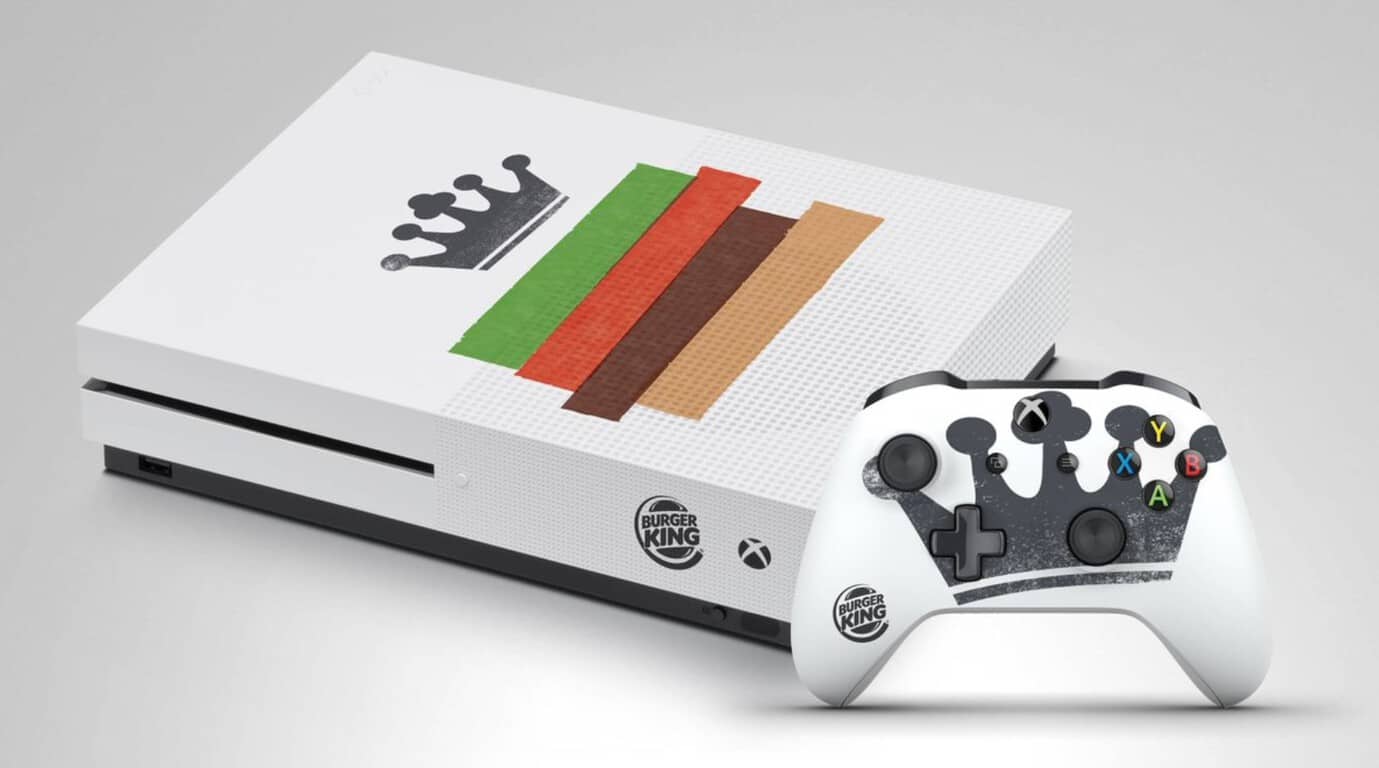
Continuing that trend, Microsoft has licensed its Xbox console for one of its more bizarre partnerships this year, with Burger King adding its iconic branding stamp on its ‘custom built’ Xbox One S.

Despite its arguably gaudy product placement, one lucky fan, frequent eater of Burger King or a collector of pop culture art may appreciate the rather subtle application of Burger King’s artwork.

For the lucky person who ends up with this console and stashes their Xbox vertically in a open face drawer or cabinet will only see the simple Burger King logo near the power button and a rather stylish crown on the controller.

As of now, it seems the offer is coming Burger King UK and there are no real details available on when and where contestants can go to enter for a chance to win this piece of fast food history. We’ll update when more information is available.

Despite Project xCloud, game streaming is years away from mass market adoption, says Xbox’s Phil Spencer

Last month, Microsoft shared some new details about its upcoming game streaming service named Project xCloud. Xbox head Phil Spencer first announced the service back in June at E3 2018. That was a couple of weeks before we learned that the next generation of Xbox consoles could include a new “cloud console” designed for game streaming.

From what Microsoft said about Project xCloud last month, the service will be available on consoles and PCs, as well as mobile devices like phones and tablets. Microsoft made it clear at the time that “scaling and building out Project xCloud is a multi-year journey for us,” and even though the project will go in public testing next year, game streaming networks are not expected to go mainstream anytime soon.

That’s what head of Xbox Phil Spencer reiterated in a recent interview with Level Up (via Wccftech). According to the exec, standard gaming consoles are clearly not going away, and they will remain the best way to play games from the couch for quite a long time (You can hear the full segment starting around 6 minutes in the video below):

There are certain scenarios where streaming a game is the best answer. On a console, the best scenario for you is to download that game and play. If you are on a PC that’s capable of downloading and playing that game, download and play that game. Not all devices are capable of playing the most great fidelity games that we see here on the show, so streaming is an option in those scenarios, and there are some scenarios of like instant start and trials where maybe streaming on a device could be interesting, but I think for years and years the best way to play a game on a console will be to download that game and play it. The same thing on PC.

I think streaming is something that’s further out in terms of it becoming a really mass market where everybody is doing it, and even way further out before it’s the best way to play that game, if it ever is. I just think it’s about giving you a choice as a player, not about replacing what you do. We love people who play on PC, we love people who play native games on console, and we’re investing in making that even better.

Phil Spencer also discussed the success of Xbox Game Pass in the same interview, saying that the service already has “millions of suscribers” a little more than a year after its launch. “I love the fact that something like Game Pass brings more people in, playing more games, and that those games see the uplift in players,” said Spencer.

Microsoft says “stay faithful,” option for more paid OneDrive storage is coming

While the other tech companies Apple, Google, and even Dropbox already have storage plans that exceed the former 1 TB limit, Microsoft’s OneDrive still doesn’t have a plan that goes higher than 1 TB. As phones get better and their cameras get upgraded, more people than ever have devices that take high-resolution photos and 4K video. This means cloud storage is also getting filled a lot more quickly, and a single terabyte no longer works for everyone.

Luckily it seems Microsoft is working on offering the option for more storage, according to Omar Shahine, who is the Microsoft’s Director of Program Management for OneDrive. While Shahine’s tweet does shed some light on increased storage limits, it’s still not clear if the current plan will be upgraded or if the upgraded storage will be a separate plan of its own.

Microsoft’s OneDrive used to have an unlimited storage option at one time, but the abuse that many user put the service though caused the company to put a 1 TB quota on all Office 365 consumer accounts. Perhaps an upgrade to the storage plans is just what the service needs to compete with the likes of iCloud and Google Drive.

Is the current 1 TB storage enough for you, or do you think Microsoft needs to upgrade the current storage plans? Feel free to tell us what you think about this in the comment section below.

Fallout 76 is now live and ready to play on Xbox One consoles

The highly-anticipated online multiplayer title, Fallout 76, is now live and ready to play on Xbox One. The game is similar to previous Fallout video games but features a significantly larger world to explore and is entirely online with a focus on encounters with other players.

Here’s the official game description for Fallout 76:

Bethesda Game Studios, the award-winning creators of Skyrim and Fallout 4, welcome you to Fallout 76, the online prequel where every surviving human is a real person. Work together, or not, to survive. Under the threat of nuclear annihilation, you’ll experience the largest, most dynamic world ever created in the legendary Fallout universe.

Reclamation Day, 2102. Twenty-five years after the bombs fall, you and your fellow Vault Dwellers—chosen from the nation’s best and brightest – emerge into post-nuclear America. Play solo or join together as you explore, quest, build, scavenge and triumph against the wasteland’s greatest threats.

Fallout 76 is available on Xbox One in a basic version for a special Tricentennial Edition. The Fallout 76 Tricentennial Edition contains the main game but also comes with the Tricentennial Pack, a collection of in-game digital items such as Tricentennial Power Armors and Weapons Customization, Spectacularly Handsome Vault Boy Mascot Head, Patriotic Uncle Sam Outfit, Celebratory Vault Boy Saluting Emote, First-Class Tricentennial Workshop Posters, and Tricentennial Commemorative Photo Frame. Buying either version of the game on Xbox One unlocks 500 bonus Atoms.

Have you played Fallout 76 yet on your Xbox One console? Share your impressions of it with the community in the comments below and then follow us on Pinterest for more Xbox gaming content.


PlayerUnknown’s Battlegrounds (PUBG) joins Xbox Game Pass subscription service

The PlayerUnknown’s Battlegrounds (PUBG) video game is now available to play for free for Xbox Game Pass subscribers on Microsoft’s Xbox One consoles.

PUBG has been available to play on the Xbox One as a traditional digital and physical game purchase since late-2017 but making it also available on Xbox Game Pass could encourage even more fans to give it a go on console, in particular the Xbox One.

In a rather strategic move, Sony chose today to announce the PlayStation 4 release date for PUBG, December 7th, with a special announcement teaser video. In addition to the launch date, the video also revealed that the PS4 version of PUBG would boast exclusive items based on Uncharted’s Nathan Drake desert outfit and The Last of Us’ Ellie’s backpack.

It should be interesting to see which platform gamers choose to play PUBG on but with many having already put in almost a year worth of playtime and grinding on Xbox One, it may prove difficult for Sony to convince them to throw away all of that progress and start again on PS4.

What do you think? Are you tempted to switch to PS4 for PUBG or will you be sticking with Xbox One? Share your thoughts with the community in the comments below and then follow us on Pinterest for more gaming content.

PUBG: BATTLEGROUNDS
PUBG: BATTLEGROUNDS
Developer:
KRAFTON, Inc.
Price:
Free

Full Fix: YouTube videos are not playing

We watch YouTube videos on daily basis, but sometimes the clips are simply not playing. Whether it’s a problem with Chrome, Firefox, or Edge, the video drivers or a local network connection glitch, we’re going to show you how to fix it.

Before trying anything else, try restarting your browser, your PC and your router. It’s also worth trying a different browser and see if it works. That will confirm if it’s an issue from the browser or your system.

What can I do if the YouTube videos are not playing?

1. Disable add-ons

  1. Click the Menu icon in the top-right corner and select More tools > Extensions.
    YouTube videos won't play on any browser
  2. Now you should see a list of your extensions. Click the little switch next to the extension’s name to disable it. Repeat this for all extensions on the list.
    YouTube videos won't load
  3. After you disable all extensions, restart Chrome and check if the issue is still there.

Now check if the problem is still there. If the issue doesn’t appear, try enabling extensions one by one until you manage to recreate the problem. Once you find the problematic extension, remove it and check if the problem is resolved.

Keep in mind that this solution might be slightly different depending on the browser you’re using, but you should be able to disable extensions by performing similar steps.

2. Reinstall your browser

If YouTube videos won’t play on your PC, it’s possible that the problem was caused by your browser. Sometimes there might be some glitches in your browser, and one way to fix the problem is to reinstall it.

There are several methods you can use to reinstall the browser and the best way to do that is to use uninstaller software. In case you’re not familiar, uninstaller software will remove the selected application from your PC, but it will also remove all files and registry entries associated with it.

As a result, it will be as if the application was never installed on your PC. Once you remove your browser, download the latest version and install it. After doing that, check if the problem is still there.

To accurately perform this solution you will need powerful uninstalling tools, and thus you can get one from the best uninstaller software.

3. Update your drivers

If YouTube videos won’t play on your PC, the problem might be your graphics card drivers. Several users reported that this issue was caused by outdated drivers, and in order to fix the problem, you just have to update them.

To do that, you just need to find a model of your graphics card and find the appropriate driver on the manufacturer’s website. After you download the driver, install it and check if the problem is still there.

Downloading drivers manually can sometimes be a tedious task, especially if you don’t know how to find and download the required drivers. However, you can always use third-party tools to download the latest drivers.

This kind of tool will automatically find the right driver versions thus keeping you safe from downloading and installing the wrong ones.

4. Disable hardware acceleration

If YouTube videos won’t play, the issue might be hardware acceleration. This is a useful feature that allows you to get better performance by using your GPU for rendering. Unfortunately, this feature can also cause various issues, but you can fix them simply by disabling this feature:

  1. Click the Menu button in the top right corner and choose Settings from the menu.
    YouTube videos won't play Chrome black screen
  2. When the Settings tab opens, scroll all the way down and click Advanced.
    YouTube videos won't start
  3. Locate the System section and uncheck Use hardware acceleration when available.
    Windows 10 YouTube videos not playing Chrome

After you disable this feature, check if the problem is still there. Keep in mind that these instructions will work only in Chrome. Other browsers also have a hardware acceleration feature available, and you should be able to turn it off by using similar methods.

5. Disable your playback device

According to users, sometimes YouTube videos won’t play due to glitches with your playback device. These glitches can occur for various reasons, but you can fix them simply by disabling your playback device. This is quite simple to do, and you can do it by following these steps:

  1. Right-click the volume icon in your Taskbar and choose Sounds from the menu.
    YouTube videos won't play but can hear sound
  2. Navigate to the Playback tab and locate your default audio devices. Right-click it and choose Disable from the menu.
    YouTube videos won't play Firefox, on laptop
  3. Wait for a few moments, right-click the default audio device once again and choose Enable from the menu.

After doing that, check if the problem is still there. Several users reported that disabling the default playback device fixed the problem for them, so be sure to try that.

6. Reinstall your audio drivers (if you can’t hear audio)

  1. Press Windows key + X to open Win + X menu. Now choose Device Manager from the list of results.
    Windows 10 YouTube videos not playing Chrome
  2. Locate your audio driver, right-click it and choose Uninstall device.
    YouTube videos won't play an error occurred
  3. When the confirmation dialog appears, check Remove driver software for this device, if available. Now click Uninstall.
    YouTube videos won't load
  4. After the driver is uninstalled, click Scan for hardware changes icon and the new driver should be automatically installed.
    Windows 10 YouTube videos not working Chrome

Once the default driver is installed, check if the problem is still there. Several users reported that this method worked for them, so be sure to try it out.

7. Check your antivirus

In some instances, this problem can appear due to your antivirus. Having a good antivirus is important, but sometimes your antivirus can interfere with your system and cause various problems. If YouTube videos won’t play on your PC, the problem might be your antivirus settings.

Several users reported issues with ESET antivirus and SSL/TLS setting, but after disabling this feature, the problem was resolved. Even if you don’t use ESET antivirus, try disabling certain features and check if that helps.

Alternatively, you might have to disable the entire antivirus or just uninstall it. If removing the antivirus solves the problem, perhaps you should consider switching to different antivirus software.

Many antivirus come with a plethora of security features. Real-time protection, VPN, optimization, multiple-layer scanning and many more will transform your computer in a real fortress.

8. Install Media Feature pack

Sometimes this problem can appear if you don’t have the necessary media components installed. In fact, several users reported that YouTube videos won’t play due to missing media components.

Here’s how you install the Media Feature pack on Windows 10 and 11:

  • On Windows 10 N: Select the Start button, then select Settings > Apps > Apps and Features > Optional features > Add a feature. Find the Media Feature Pack in the list of available optional features.
  • On Windows 11 N: Select the Start button, then select Settings > Apps > Optional features. Select View features next to Add an optional feature, and then select the Media Feature Pack in the list of available optional features.

Once the Media Feature pack is installed, check if the problem is still there.

This issue can affect apps on Android, and if that’s the case with you, head to our NewPipe not working guide to see how to fix it.

If YouTube videos won’t play on your PC, the issue might be your drivers or hardware acceleration. If this doesn’t solve your problem, feel free to try any other solution from this article.

Lenovo and NVIDIA partner to power new innovative AI and Digital Fabrication solutions

For the average observer, Lenovo has become synonyms as the ThinkPad laptop company that occasionally release a weird flippy laptop for consumers.

However, the notebook maker has developed quite a brand in the Artificial Intelligence and Digital Fabrication arena over the past decade and today, the company has released some news about upcoming projects and solutions that will further solidify its brand in those sectors.

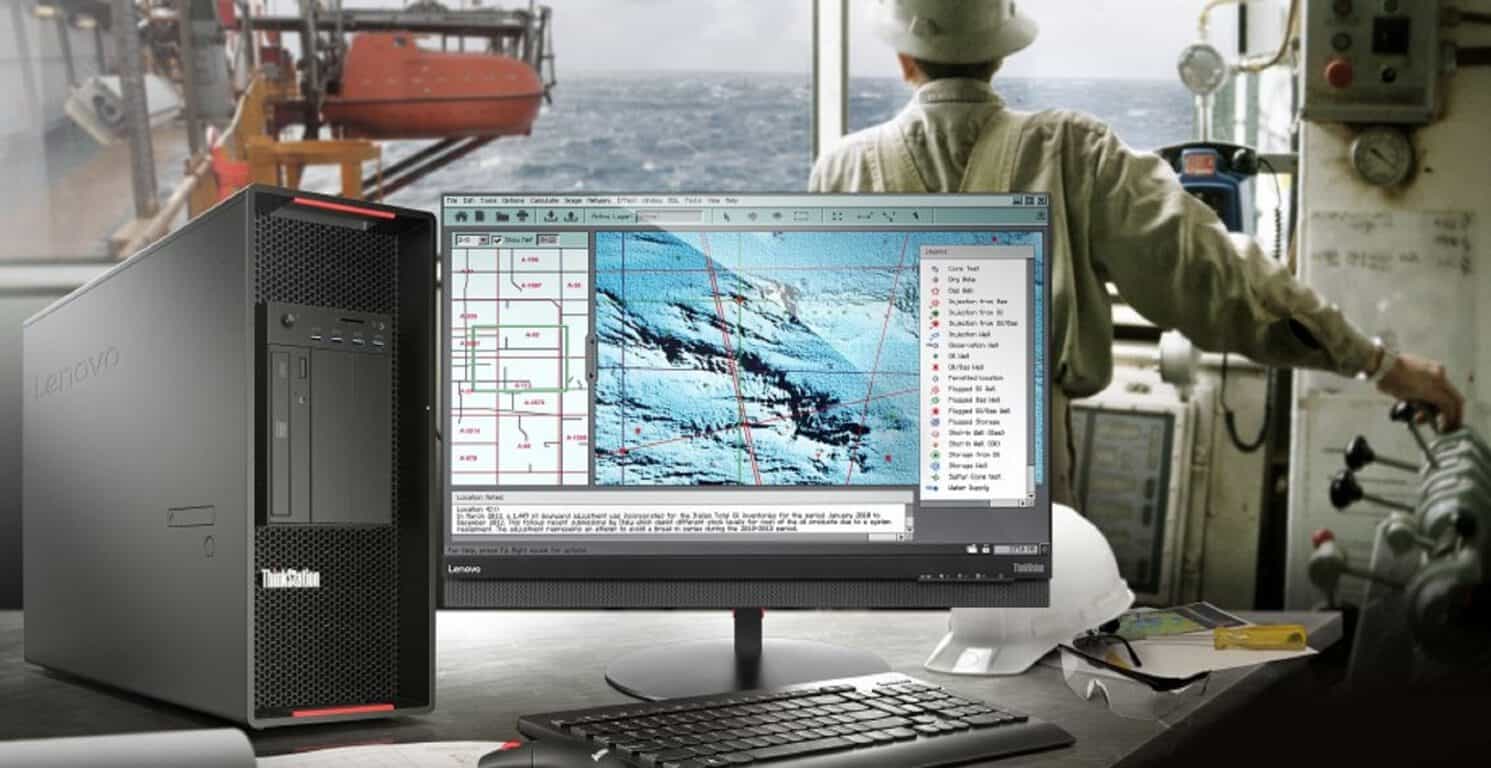
According to a new press release, Lenovo has partnered with NVIDIA to use the latest GPUs from the company to help businesses develop the most cutting-edge tools for creating and working in the AI and digital fabrication worlds.

To date, Levono has been able to produce some machines that have helped power projects such as the MX3D project in Amsterdam. The MX3D represents the first-ever 3D printed steel bridge that’s making use of AI and a new IoT framework called “nervous system” to help “monitor the bridge’s health over its lifespan.”

“The opportunity to examine real-time data from these sensors will provide insight to inform designs for future 3Dprinted metallic structures. For something like this to succeed, you need partners who are going to help you reimagine the way things are designed and help you stay ahead,” said Gijs van der Velden, CEO of MX3D. “Lenovo workstations have been key in providing the computing power we need to run these complex AI workflows to help our team revolutionize how bridges are built.”

On the world saving front, Lenovo ThinkStations are being used at North Carolina State University to further study the effects of climate change. Using AI, researchers are able to “optimize agricultural irrigation routines and predict the performance of crops in drought-prone regions.” In real-world applications, the use of Lenovo’s ThinkStations allows researchers to plot out the health of crop before issues arise by making use of deep learning algorithms and complex spatial and temporal data.

Lenovo also partnered with Texas-based Mark III Systems to inject more AI use into manufacturing. This time around, Mark III is making use of Lenovo’s Data Center funneling AI recognition through a ThinkStation P330 Tiny to power factory verification systems. The updated validation process has helped Mark III by quickly identifying defective products prior to shipping and delivery, presumably saving the company on fuel and packaging of redelivered goods.

As 3D printing becomes more ubiquitous and digital fabrication converges manufacturing and construction sectors, Lenovo is helping companies look beyond figurines and bridges to more self-sustaining projects such as its partnership with Dutch design firm DUS. Lenovo, alongside DUS and its affiliate company Aectual, are both looking into imbuing professionals with the power to build their own 3D printed homes.

From initial design to final production, Lenovo workstations ensure DUS and Aectual never have to slow down – by powering the development of advanced 3D software and 3D printing technologies as well as the gigantic, on-site robotic printers that are creating these groundbreaking structures and floors.

As mentioned earlier, Lenovo and NVIDIA are partnering to power ThinkStation P330 and P920 Towers with Quadro RTX GPUs for next level visualizations. The new GPU card will offer “real-time ray tracing and AI-enhanced workflows” while also handling some of the most demanding rendering workloads.

With new RT and Tensor cores, Quadro RTX takes rendering from simulated to real-time. Now, instead of waiting several minutes or even hours for the creation of photoreal renders, instant viewing means designers in both the AEC and manufacturing industries can remain immersed in the creative flow and iterate faster to explore more design innovations.

Perhaps, most grateful for the NVIDIA news is none other than Epic Games and its Unreal Engine team. The new workstations powered by the latest and greatest from NVIDIA will now be able to further push the boundaries of game simulation, visualization, and photo-realism.

Windows 10 October 2018 Update will have a slower rollout to “more carefully study device health data”

Microsoft has used this month’s Patch Tuesday to re-release the Windows 10 October 2018 Update, ending a long period of silence since the company had to pause the rollout in October. John Cable, Director of Program Management, Windows Servicing and Delivery penned a new blog post today to explain that even though the company fixed the data loss issues in the October 2018 update, the major release will roll out gradually at a slower pace compared to previous Windows 10 versions.

“While the April Update had the fastest Windows 10 update rollout velocity, we are taking a more measured approach with the October Update, slowing our rollout to more carefully study device health data,” explained Cable. If Microsoft will still allow “seekers” to get the October 2018 update by checking Windows Update manually, it looks like this method won’t push the update to all users. “For those advanced users seeking to install the update early by manually using “Check for updates” in settings, know that we are slowly throttling up this availability, while we carefully monitor data and feedback,” said Cable.
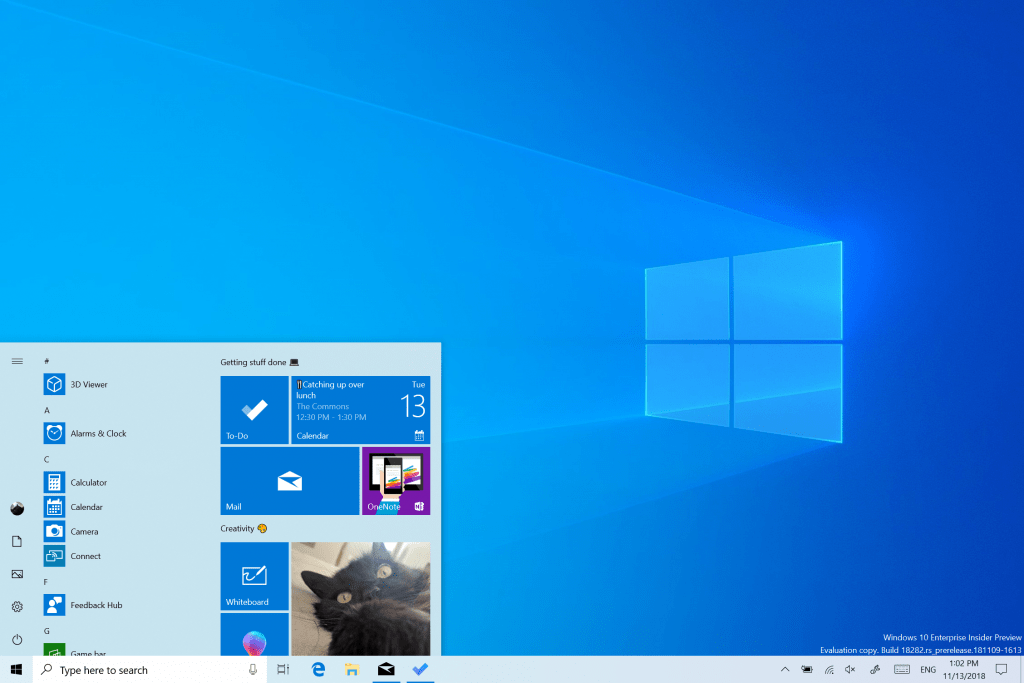
It’s nice to see the company promising to be more careful about this rollout, but we’re still confused about why the company released the October 2018 update so early in the first place, entirely skipping testing with Release Preview Insiders along the way. Now that Cable finally spoke up, the company probably wants to forget this sad episode as soon as possible. Thankfully, the upcoming “19H1” update will help to do just that.
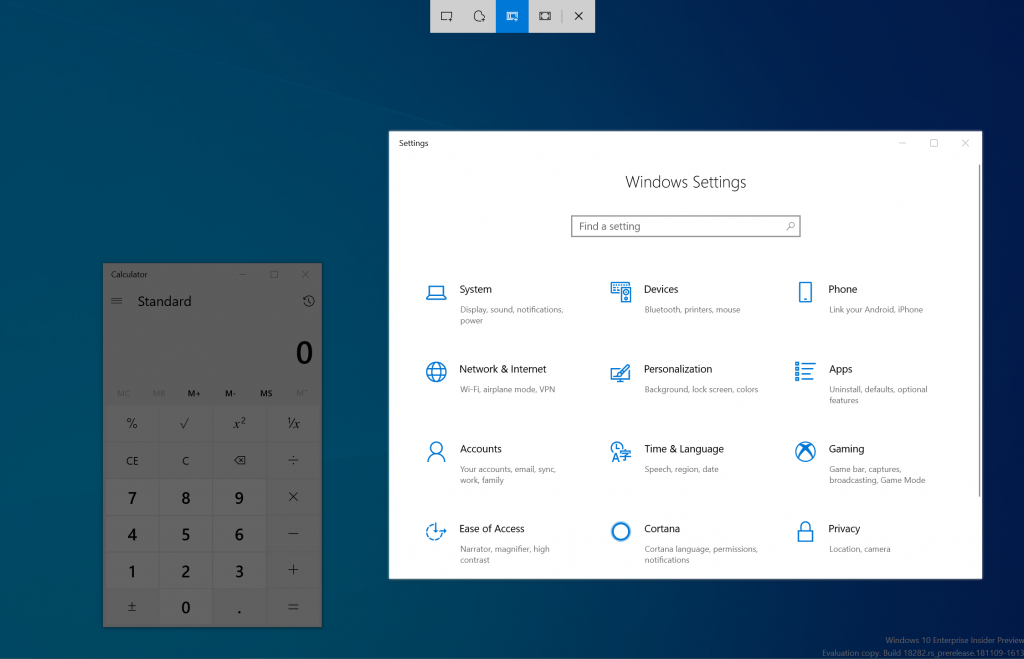
Xbox Game Pass subscribers can now pre-download Crackdown 3 on Xbox One and Windows 10

Microsoft is now allowing all Xbox Game Pass subscribers pre-download Crackdown 3 for both the Xbox One and Windows 10 (as spotted by Windows Central). This will allow gamers to install the game, so that it can be almost immediately playable when it officially launches.

The company also listed the game last week on the Microsoft Store, so anyone who has the $59.99 on hand to buy the game can pre-order it for when it officially launches. However, subscribers of Xbox Game Pass get the advantage of being able to pin the game to the home screen of either their Xbox One or Windows 10 for quick access as soon as its official release on February 15. It’ll also be an Xbox Play Anywhere title, meaning a single purchase will allow the game to be downloaded on both systems.

To pre-download the game, make sure to use the link we included below this post. You can also share your thoughts about this and the game down below in the comment box.

Crackdown 3
Crackdown 3
Developer:
Xbox Game Studios
Price:
Free

Spyro Reignited Trilogy is now live on Microsoft’s Xbox One consoles

The highly-anticipated, Spyro Reignited Trilogy, is now available to play on Microsoft’s family of Xbox One consoles.

This bundle is a re-release of the original three Spyro video games which have all been remastered with a new, higher, HD resolution upgrade and a fresh revamp of all of the graphics.

Here’s the official game description and trailer:

The original roast master is back! Same sick burns, same smoldering attitude, now all scaled up in stunning HD. Spyro is bringing the heat like never before in the Spyro Reignited Trilogy game collection. Rekindle the fire with the original three games, Spyro the Dragon, Spyro 2: Ripto’s Rage! and Spyro: Year of the Dragon. Explore the expansive realms, re-encounter the fiery personalities and relive the adventure in fully remastered glory. Because when there’s a realm that needs saving, there’s only one dragon to call.

While Spyro has been pretty quiet in recent years, the character is incredibly recognizable for an entire generation of gamers who grew up playing his games. The character was also the springboard for the immensely successful, though now dead, Skylanders toys-to-life games.

Have you played Spyro Reignited Trilogy yet on your Xbox One console? Let us know if you’re enjoying it (or not) in the comments below and then follow us on Pinterest for more Xbox gaming content.

Spyro™ Reignited Trilogy
Developer:
Activision
Price:
$13.99