3 easy torrent making software and how to use them

Making torrents and using torrents is not illegal as long as you are not downloading or sharing pirated content that is copyrighted. With that disclaimer out of the way, let’s get to the subject at hand.

If you ever felt the need to contribute to the massive torrent community by creating your own torrents, then you will need a torrent making software.

Now creating torrents isn’t exactly an every day practice for most, therefore it might prove difficult to find applications that are capable of performing such actions. So, I compiled a list of useful torrent making software that you can use to help share your content to the world. In addition, I added some easy to follow instructions that will help you create a torrent file on each program.

OK, let’s get started with the most popular and well known torrent downloader and creator.

Torrent creation software

1. uTorrent

This application is perhaps the most popular software to download content via torrent files. However, unbeknownst to most users, you can also create .torrent files using the same program.

The functions for creating torrents are pretty basic as the software is primarily built for downloading files through torrents. But for most people uTorrent provides everything they need in a torrent maker.

uTorrent is extremely popular because of it’s many torrent downloading features. Let’s talk about these features.

The two major features are uTorrent Remote and RSS Downloader.

The uTorrent Remote feature is pretty straightforward. You can use it to monitor, start, and stop torrents from your phone or other mobile devices by using any internet browser. This obviously can prove useful any a number of ways.

For instance, maybe you have a limited internet plan and want to save precious bandwidth or you want to only download some files at a time. In any case, the remote access feature will certainly prove to be helpful.

The RSS Downloader function on the other hand lets you automatically download torrent files from a feed. This works perfectly with recurring files.

All in all, uTorrent is the perfect software if you are looking for something that can both create and download content from torrent files.

Here’s how you create a torrent using uTorrent:

  1. Go to the file section located on the top left corner of the uTorrent Window. Alternatively, you can press Ctrl + N on your keyboard when the uTorrent Window is open.
  2. Choose the file you want to create a torrent file of by clicking on add file or add directory.
  3. Next you will need to find trackers. You can use multiple trackers, yet one tracker is typically enough.
  4. If you are using a private tracker, then you will need to tick the box for private torrent.
  5. After you’ve completed the above steps, you can save the torrent file and share it.

MORE: How to fix uTorrent not responding in Windows 10


2. TDMaker

If you are looking for lightweight program to create torrents, then you will want to try out TDMaker. It has a very simple, basic design. There are no special graphics to make the program more pleasing on the eyes. Yet, it offers a number of useful features.

It is important to note, that this software is different from uTorrent as it is built specifically for creating torrents. In other words, you will not be able to download content from torrent files using TDMaker.

There are several unique features that this software offers. For instance, you can generate screenshots, get movie info, copy media information, and of course create torrents. The download file is only 3.4 MB.

Here’s how you make a torrent using TDMaker:

  1. It is pretty simple to create a torrent on TDMaker. All you need to do is browse or drag whatever file you want to create a torrent file of into the “Input” section.
  2. Next click on Create torrent on the bottom of the Window.

There are of course many ways you can customize your torrent through TDMaker. Check out the other sections for additional features.

MORE: The best free torrent clients for Windows PC


3. BitComet

BitComet is another powerful software that you can use to both download and create torrent files. The program features a seeding technology that allows BitComet to find more seeds, which translates into faster download speeds.

However, the most unique thing about BitComet is that you will be able to preview a video file you are downloading. The software purposely downloads the front and back part of the video file so that you can preview it more easily.

Here’s how you create a new torrent file using BitComet;

  1. Press Ctrl + M on your keyboard. You can also find the create torrent option in the File section.
  2. Select your file.
  3. There will be a dropdown box, click on it and choose enable public DHT networks. This is an unique feature as it allows your PC to be the tracker for the torrent file, just in case the public tracker goes offline.
  4. Once again you will need to add a public tracker.
  5. Download and save the new torrent file.

Conclusion

Now that you know how to create torrent files you have a great way to share your files with friends and family. You do not have to share your files on a public website, rather you can just directly send the file to specific people if you want to keep the content private.

MORE:
Xbox Live Gold members get early access to massive Black Friday game sale

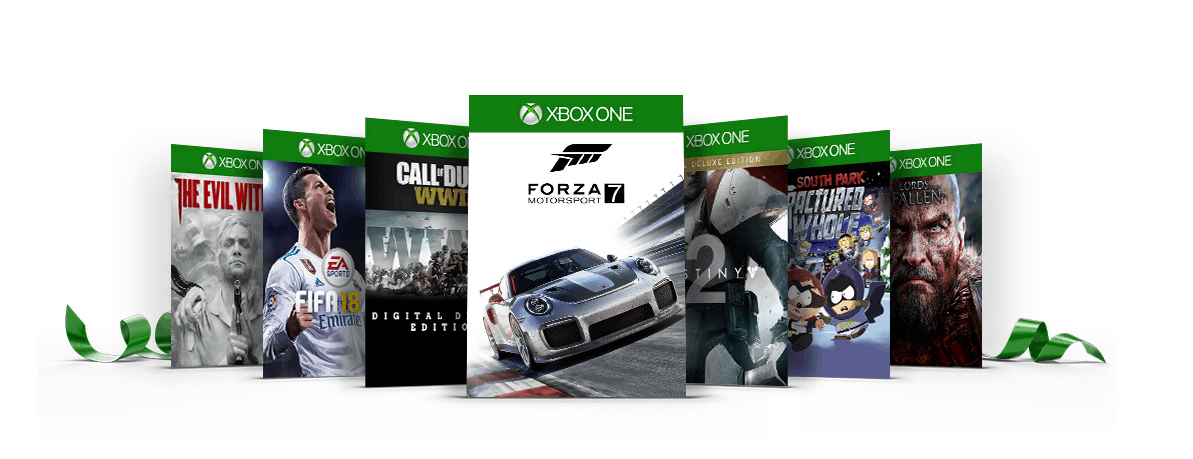
Starting today, Xbox Live Gold subscribers can take advantage of up to 85% discounts on a massive selection of Xbox One and Xbox 360 games. The catalog includes fresh titles such as FIFA 18, Assassin’s Creed Origins, Destiny 2 and Wolfenstein II: The New Colossus, while classics like Forza Horizon 3, Rise of the Tomb Raider and Gears of War 4 are more affordable than ever.

We’ve listed some of the most interesting deals below, but you can check out the full list on this page:

If you’re not an Xbox Live Gold subscriber, all-access to this Black Friday game sale will begin on Tuesday, November 21. For a limited time, we remind you that can join Xbox Live Gold for just $1 for your first month of subscription.

Razer’s Limited Time Offer brings discounts of up to $300

If you can’t wait until Black Friday to get your hands on new gaming hardware, we have a good piece of news for you.

Razer is running a Limited Time Offer that brings a bevy of interesting discounts to the table.

Hurry up because the offer ends on November 18!

Check out Razer’s Limited Time Offer

  • Razer Blade Pro is now available for US$1,999, down from US$2,299.
  • Razer BlackWidow Tournament Edition Chroma is now available for US$111.99, down from S$139.99
  • Refurbished Razer Blade V5 – QHD (256GB) can be yours for US$1,839.99, down from US$2,099.99
  • Razer Blade Stealth brings you US$350 instant savings. You can buy this beautiful device for US$1,249.99, down from US$1,599.99
  • The New Razer Blade is available for US$1,899.99
  • Refurbished Razer Blade Stealth V1 – QHD (128GB) is available for US$749.99, down from US$999.99
  • Razer Blade V5 – QHD+ (512GB) can be yours for US$2,099.99, down from US$2,299.99
  • Refurbished Razer Blade V5 – QHD (256GB), available for US$1,839.99, down from US$2,099.99
  • Refurbished Razer Blade Pro – UHD – 512GB, available for US$2,999.99, down from US$3,699.99
  • Refurbished Razer Blade Stealth – i7 – QHD (256GB), available for US$1,069.99, down from US$1,249.99

These are the offers available at the time of writing this article. There are already many products that are now out of stock, so if you want to take advantage of Razer’s Limited Time Offer, hit the buy button now.

Go to Razer’s discount page and upgrade your gaming gear.

razer discounts

Also, don’t forget that Black Friday is just around the corner.

We’re sure that Razer will unveil more interesting offers on November 24, so stay tuned!

Best Anti Cheat Software to Use in 2026

If you enjoy playing online games, then you must have encountered players who use cheating to sabotage fair game-play. Today, we have come up with five best anti cheating software which you can use.

Online game cheating takes various forms and designs most especially in multiplayer online games. Some players use various third-party tools and software to gain an unfair advantage over their opponents.

However, anti cheating software prevents online game players from using any tools and techniques to cheat in online games. These programs run securely on your Windows PC and prevent game exploits due to vulnerabilities.

We have compiled the best anti cheating software which you can use on your Windows PC.

Anti cheating software to block game cheats for good

  1. Valve Anti-Cheat (VAC)

valve anti cheat software

Valve Anti-Cheat (VAC) is a popular anti cheating software. This software was developed by Valve Corporation in 2002 as an element of the Steam platform. Detected cheats leads to player ban and additional restrictions from the game.

Some of the features of VAC include:

  • Detects errors in system’s memory or hardware
  • Notifies players’ after detecting cheats
  • Prevents banned players from sharing video game library or trading their game inventory
  • Banned players face additional restrictions on Steam
  • Banned users cannot contribute to new translations of steam.

VAC anti cheating software is compatible on Windows XP, Windows Vista, Windows 7, Windows 8, and Windows 10 OS. You can download VAC here.


  1. nProtect GameGuard

nProtect Game Guard anti cheat software

This anti cheating software was developed by INCA Internet. In addition to preventing cheating on online games, you can also block malwares. nProtect GameGuard (sometimes called GG uses rootkits to prevent cheat programs from running. Other features of GG include:

  • Monitors changes in PC’s memory
  • Auto-Update feature
  • Comes with antivirus/antispyware capacity
  • Comes with antikeylogging software i.e. nProtect Key Crypt

However, one of the downside of this software is that; while nProtect GameGuard is running, you cannot install or activate eternal peripherals such as mouse. Meanwhile, nProtect Game Guard can be downloaded here.

  • Read Also: 5 of the best flight simulator games for PC

  1. PunkBuster

punkbuster

Another anti cheating software which you can also use is PunkBuster. PunkBuster was developed by Even Balance, Inc. This software prevents violation of online gaming activities. This program scans the PC’s memory and once it detects cheats, it bans the PC from accessing the server.

Some of the features of Punk Buster include:

  • Real time memory scan
  • Auto-update system to provide latest updates
  • Optional “bad name” feature which prevents offensive player names
  • PunkBuster Admins can manually remove players from the game
  • The PunkBuster Servers comes with built-in HTTP web server which enables game server to be accessible via a web browser
  • The PunkBuster hardware bans which prevents specific hardware from running during online gaming activity

However, PunkBuster is Windows-friendly. You can run it on Windows OS such as Windows XP, Windows Vista, Windows 7, Windows 8, and Windows 10. You can download PunkBuster here.


  1. BattlEye (BE)

battleye anticheat tool

BattlEye (BE) was developed, by Bastian Suter in October 2004. This anti cheating software is a user-friendly program which has small system requirements such as RAM, CPU, and network bandwidth. However, BattlEye (BE) comes with the game files. It is not necessary to download it.

Some of the features of BattlEye (BE) include:

  • Proactive cheat detection system
  • Secure global banning system
  • Dynamic PC scanning in both user and kernel modes
  • Secure auto-update system
  • Customized solutions for supported games

Get more information about BattlEye here

Also Read: 5 of the best Recycle Bin cleaners for Windows 10


  1. HackShield

HackShield was developed in 2001 by AhnLab Inc. Popular games such as Counter-Strike Nexon: Zombies, MapleStory, Mabinogi, War Rock, Kal Online, Ace Online, Combat Arms, and Dragonica utilizes HackShield. The aim of this program was to enable game developers prevent cheating on MMO or online games.

This anti cheating software run securely on your Windows PC and prevent game exploits caused by game vulnerabilities Meanwhile, HackShield is regularly updated making it a relevant anti cheating software.

In conclusion, these were five best anti cheating software for your Windows PC. Do share with us your experience while using any of the above named anti cheating software. Comment below if you have any question.

RELATED STORIES TO CHECK OUT:

5 best event management software for a headache free event

Are you an event planner? Or do you intend to organize an event or maybe a party? Do not worry, this post is meant just for you.

Sometimes the process of organizing an event can be tedious and stressful. However, the process can be automated by organizing all the details and information regarding the event. Hence, you need to use event management software.

Event management software is a software application tasked with the process of taking records, computing expenses, organizing tasks, and virtually managing events.

Windows Report has compiled this list of the very best event management software which you can use on your Windows PC.

Top event management software for Windows PCs

  1. EventLeaf

event management softwareThis software enables you to host offline native software or run your event management system online. If your PC has Windows Vista and accepts no warranty or tech support, you will be able to enjoy the benefits of EventLeaf.

This event management software by Jolly Tech’s was initially an online platform but can now be run offline on your system at your command. It still has all its old features such as badge creation and on-site event attendee registration, although it has a more polished look.

Key features:

  • Ticketing
  • Custom branding
  • Event schedules
  • Social media integration
  • Website integration
  • Email marketing
  • Data management
  • Registration restrictions
  • Badges
  • Mobile access
  • RFID support

Download the free trial from JollyTech.


  1. Evite (Online App)

event management softwareThe free version of Evite web based event management software is effective for an invitation and RSVP system. The ad-supported option has large selection of designs with a limit of 750 invitations.

The premium version (number of guests usually cause a variation in price) enables you to customize invitations.

Key features:

  • Email invitations
  • Custom branding
  • Pre-made design templates

Check out eVite’s official webpage.


  1. RSVPify (Online App)

event management softwareRSVPify, as advertised on its main page, may be geared towards weddings, however, it can be used for any type of event. This software offers a free plan which covers up to 100 RSVPs, customization options, a custom URL, data imports, and many other features.

For unlimited guest tracking, unlimited RSVPs and high-end features you have to upgrade to a paid plan which costs about $35 for a single event or $59 for planning every month.

Key features:

  • 100 free RSVPs
  • Custom branding
  • Custom URL
  • Attendee surveys
  • Email notifications
  • Data management
  • Mobile Access

Check out RSVPify’s official webage.


  1. 123ContactForm

123contactform

123ContactForm is web based event management software which you can use to create event registration forms. It has about five forms, with up to 10 fields in each for just one user.

You can collect up to 100 submissions every month. To receive payment integration, you have to upgrade to the Diamond or Platinum versions.

One great benefit of 123ContactForm is that it integrates with WordPress and lots of other publishing platforms, as well as Twitter, Facebook and Hootsuite.

Key features:

  • Web forms
  • Data management
  • Event schedules
  • Custom branding
  • Notifications
  • Third party app integration
  • Multilingual access

Check out 123ContactForm’s official website.


  1. Eventsbot

Eventsbot event management software

This is web based event management software. On the EB basic level, event management is completely free. It has a wide range of features which includes event registration, a page for events and up to 500 email invitations.

You are presented with various options to collect payments, which can go directly into your PayPal account. You can also track progress effectively and produce reports.

To get automated invoices and payments online, have a customized events page, remove ads or provide an offline payment option, you will have to upgrade to the premium version, which has a 2% per ticket fee.

Key features:

  • Custom branding
  • Ticketing
  • Event schedules
  • Data management

Check out Eventsbot webpage.

In conclusion, these were the top event management software. Most of them are free and easy to use. Apart from these five event management software, there are others such as; Odoo, ConfTool, Open Source Event Manager, etc.

Do share with us your experience in using any of them. We look forward to your question regarding any of the event management software when you comment below.

RELATED STORIES TO CHECK OUT:

The Windows Insider team offers new app preview survey to gauge release methods

Perhaps, it’s the evolving nature of the Insider program or the seeming lack of upvote and bug reporting participation but it looks like the Windows Insider team is finding new ways to foster valuable feedback from the community.

Instead of relying on Insiders to chime in with their wants, needs, and suggestions via the feedback hub, the Windows team is tossing in a complementary survey to gauge how they might deliver core OS apps to testers in the future.

Windows Insiders running the latest Insider Preview builds have also been able to try out early versions of Windows apps like Mail and Calendar, Skype, Photos and People. In an effort to improve this experience, we’re asking Insiders to complete a quick survey. The survey only takes 1-3 minutes to complete. As with all our surveys, the feedback you provide will not be will not be shared outside of Microsoft or associated with any personal information unless you choose to provide your Microsoft account email (MSA). Feedback from this survey will help us enhance the app preview experience with more timely app updates, more informative news announcements and other benefits.

For those of you who have yet to try out the new build or take the survey, I may be ruining the experience by saying it takes a little more than 3 minutes to complete but is fairly straightforward and the line of questioning is very concise. If you like getting early access to features in the Mail, Photos, Edge and more, then give the survey a quick spend and help let the Windows team know we want our app feature updates more often than we’re currently getting them.

October Xbox Insiders releases and a Blu-Ray fix now rolling out to all Xbox users

The Xbox team is rolling a new update for the Xbox One OS today. The 1711 update brings a couple of new features that have been successfully tested with Xbox Insiders including cloud settings backup, idle notifications, more granular parental controls and more. Additionally, this update fixes the blu-ray issues that some users have been experiencing recently.

In a separate tweet, Xbox Preview Program Manager Brad Rossetti shared that the update was optional for now, though you can download it right now by going into Settings > System > Updates. It’s not clear why Microsoft isn’t pushing this update to everyone for now, but the changelog mentions some know issues for Narrator, Avatars on Home and Xbox Live Tournaments.

In case you missed, the Xbox team also enabled digital game gifting on the Microsoft Store earlier this week, and you don’t need to install this update to use this feature. As the redesigned Xbox Live avatars have now been delayed to early 2018, it remains to be seen if the Xbox One will get another system update before the end of the year.

Have you already installed this latest update on your Xbox One? If so, let us know in the comments if you’re having any issues after proceeding.

Microsoft improves Xbox Live analytics report for game devs

Microsoft today announced they have updated the Xbox analytics report with a new Xbox Live service health tab. According to the company, the new tab will help gave devs and will provide them a better look at Xbox Live’s service responses.

With the improvements, helps game devs can now understand the impact of Xbox Live client errors, including rate limiting. The other improvements provide an overview tab to show how players are engaging with Xbox Live features such as gamerscore, accessory usage, and achievement unlocks. Microsoft explains:

  • You are now able to drill down by endpoint and status code to more effectively fix issues. This includes exempt rate limited requests to see potential impact in cases of high volume of these services. The report also provides a view on Xbox Live’s service availability for your title, so you can quickly determine whether an issue is due to your title’s code or a service outage.
  • The Xbox analytics overview tab shows who your players are and how they’re engaging with Xbox Live features, so you can make key business decisions for your Xbox titles. For many of these statistics, we also show the Xbox average, so you can easily see how your customers interact with Xbox compared to the average Xbox customer.

Interesting to see Microsoft providing developers with the tools necessary to learn more about their players. Game devs can find out more information about the Xbox Live analytics report by checking here.

Microsoft Outings, a personal travel guide app from Bing, leaks ahead of launch

Well known Microsoft leaker WalkingCat is at it again, revealing the once-secret Microsoft Outings app for iOS and Android. The application is supposedly designed by the Bing team and is a personal travel guide meant to give users a fun way to discover new places to visit.

https://twitter.com/h0x0d/status/931025791722201088?s=09

Although not yet officially available for download on the iOS or Android app stores, the app can be downloaded by following WalkingCat’s links. App desciptions in the linked pages reveal that Outings features high quality stories about places based on a user’s interests, and the ability to build bucket lists. Microsoft appears to be partnering with travel companies to invite them to add their content to the app. Other features can be seen below.

Outings makes planning easy by showing you all the relevant details and pictures – all in one place. Powered by curated stories and topics aggregated from travel blogs, Outings will ensure that you have a steady stream of new places to visit and can share your adventures with fellow roamers.

You can expect for Microsoft to announce the app soon, but for now those who are adventurous enough can install the app by visiting the links above. Please be warned, though, that installing unsigned apps from unknown sources can be particularly risky.

Windows Insiders can take these LinkedIn Learning Courses for free, but act fast

If you’re a Windows Insider, you may have received a newsletter this week telling you everything about New Windows 10 Insider Preview features, information for developers and IT pros and more. Among all the different Insider news, you’ll also find that Microsoft is currently offering Windows Insiders select LinkedIn Learning courses for free for a limited time.

“These on-demand video courses provide a fast, effective way to learn the most in-demand business, tech and creative skills from industry experts,” the newsletter rads. Here are thee four courses that will be available for free through December 15, 2017:

It good to see some synergies between the Windows Insider program and Microsoft’s LinkedIn acquisition. Under the leadership of Dona Sarkar, it’s true that the initiative has gone beyond beta testing Windows 10 preview builds: many Windows Insiders are qualified developers or IT Admins, and Microsoft is aware that many of them are willing to learn new things. Will you take advantage of these free LinkedIn Learning courses, and do you think this is Microsoft should offer more free courses for Windows Insiders? Let us know what you think in the comments below.

Microsoft Translator adds 10 languages to AI powered NMT, providing “major advances in translation quality”

Ever since a release of neural machine translation (NMT) to everyone last year, the Microsoft Translator team has been hard at work to improve translations in Microsoft Translator and its supported products. It was announced yesterday via the Microsoft Translator blog that a milestone has been reached, as NMT was used to make translations more accessible in 10 new languages, and much more.

NMT now powers translations of Bulgarian, Czech, Danish, Dutch, Hindi, Norwegian, Portuguese, Romanian, Sweedish, and Turkish. This brings the list of NMT powered translations to 21 languages. Additionally, all of the API traffic for Chinese and Hindi is now powered by NMT by default and developers do not need to take any actions to use it.

Microsoft notes that thanks to NMT, there is an increase in translation quality:

Because of the scarcity of available training data between languages and the exponential complexity of building and running dedicated systems for each language pair, machine translation systems use English as a “pivot language” to translate from one language to the other. This means that each time you ask a machine translations system to translate from, say, Chinese to Spanish, the translation system usually translates Chinese to English, then translates the English to Spanish.

NMT powered translations can be demoed right now on Translator for Bing, the Microsoft Translator apps, the Translator PowerPoint add-in, and the Microsoft Translator Text and Speech APIs.

ReCore’s Xbox One X update is now rolling out to gamers

The Xbox One X update for the ReCore video game has begun to rollout to current owners. This update will add the game to the official list of Xbox One X Enhanced titles and while this update won’t give the game 4K visuals, the resolution is getting an upgrade to 1440p which is notable.

ReCore recently received another free update which added HDR lighting when played on an Xbox One S (and also Xbox One X) and loads of additional in-game content and gameplay refinements. This update rebranded the title as ReCore: Definitive Edition and is considered to be the true vision of ReCore that was initially planned.

ReCore is an Xbox Play Anywhere title and can be played on Xbox One consoles and Windows 10 PCs. Are you a ReCore fan? Let us know in the comments below. Would you like a sequel?

ReCore
ReCore
Developer:
Xbox Game Studios
Price:
Free

Digital pre-orders for Okami HD open on Microsoft’s Xbox One console

The remaster of the classic Okami video game, Okami HD, can now be pre-ordered on the Xbox One ahead of its December 12th release date.

This new version of the game will be given a new widescreen presentation, HD graphics, and 4K resolution when played on Microsoft’s new Xbox One X console. Here’s the official game description:

Experience the critically acclaimed masterpiece with its renowned Sumi-e ink art style in breathtaking high resolution. Take on the role of Amaterasu, the Japanese sun goddess who inhabits the form of a legendary white wolf, on a quest to defeat Orochi, an eight-headed demon and tyrannical monster responsible for turning the world of Nippon into a ruined wasteland. Players will be able to choose between modern widescreen format or the original release’s 4:3 ratio. Interactive loading game screens from the original game are also included.

Are you planning to buy Okami HD or have you already pre-ordered it? Let us know in the comments below.

ŌKAMI HD
ŌKAMI HD
Developer:
CAPCOM CO., LTD.
Price:
$19.99

EdgeDeflector redirects Microsoft Edge links on Windows 10

EdgeDeflector is an open source program for Windows 10 that unlocks the option to open hand coded Microsoft Edge links with other browsers. The initial version of Windows 10 lacked browsing restrictions, but now you have the ability to set a default browser in which you’ll be able to open any link.

Hardcoded links only open in Microsoft Edge with an update

Microsoft introduced hardcoded links that were only able to be opened in Microsoft Edge via an update. In other words, Cortana or Help file links would open in Edge regardless of which browser was set as default.

Microsoft created a particular protocol that masked regular URLs so that they would only open in Edge. You could modify the protocol by heading to Settings – Apps – Choose default apps by protocol, but only apps from the Store were able to be selected.

EdgeDeflector features

EdgeDeflector for Windows 10 unlocks the functionality to open those links in another browser than Edge. What this program does is register itself with Microsoft Edge protocol and in this way, becomes the default program to open the URLs on the Windows 10 system.

The program then parses the links, rewrites them and passes them on to Windows. The OS will open the link using the default browser on the system.

When you install EdgeDeflector, you will also have to pick an app with which you want to open Microsoft-Edge protocol URLs. Here, select EdgeDeflector. You can check out if things worked out by opening the default apps by protocol page.

EdgeDeflector will not run in the background but rather will become active each time you open URLs that use the protocol on a Windows 10 system. This is redirector app that is able to send the target URL to the default system browser.

You can download EdgeDeflector from GitHub.

RELATED STORIES TO CHECK OUT:

Set up a new calendar with personalized calendar software

The new year is approaching (at time of writing), so this might be a good time to get a new 2018 calendar. Why not make your own calendar for the new year?

You can design and print out a customized calendar that includes your own photos with personalized calendar software. These are five programs for Windows with which you can set up a personalized calendar.

Create your own personalized calendar with these tools

1. WinCalendar

WinCalendar is software that enables you to set up Word and Excel calendars. Thus, the software integrates itself with those applications by adding a new WinCalendar tab to them. WinCalendar has basic, standard and pro versions that are retailing from $32-$99. You can download a trial version from this website page.

This is a straightforward program that you can quickly set up Word and Excel calendars with. WinCalendar users can insert calendars by pressing a Make Calendar or Schedule button on the WinCalendar tab. That opens a window from which you can select various calendar types and date ranges. The calendar creator window includes options for print orientation, primary colors, fonts and to display alternative national holidays. You can also select to import Outlook, Yahoo and Google Calendar data in the standard and pro versions of the software.


2. Photo Calendar Studio

photo calendar software

Photo Calendar Studio is a calendar design package that has had rave reviews. With this software, you can quickly set up custom calendars that include your photographs. Photo Calendar Studio is compatible with Windows platforms from XP to 10, and the software is retailing at $29.95. You can try out a demo of PCS by pressing the Download button on this website page.

Photo Calendar Studios enables its users to design calendars with their own photographs, which it includes editing options for. This software provides you with lots of creative options and effects for calendar backgrounds and images, such as Blur, Texture, Frame, Shadow, Vignette, etc.

You can quickly set up a new calendar with one of the many pre-designed templates, or design your own one from scratch. It has a drag-and-drop UI so that you can drag images, shapes and other clip art items onto the pages. Thus, PCS is more like a WYSIWYG editor that has plenty of design tools and options for calendars.


3. DigiLabs Calendar Software

DigiLabs Calendar Software for Windows and Mac is a program with which you can design calendars, albums and greetings cards that include your photos. The software’s freeware version has almost every option included, except that you can’t print anything with your printer. The non-commercial registration key for the software is retailing at $24.99. Click Windows Download on this web page to save the program’s installer.

The DigiLabs Calendar Software provides extensive customization options for calendars so that you can add images to the top of pages, to the date boxes or as faded backgrounds. You can add separate photographs for each month, adjust colors of all elements within the calendar, customize the date table shape, add logos and crop and fade images within calendars with the software. Furthermore, this software also comes with a variety of templates to select from; or you can quickly set up a calendar with its wizard. In addition, you can get your personalized calendars printed in various sizes at DigiLabs’ photo lab.


4. Photo Calendar Creator 10.0

Photo Calendar Creator 10.0 is design software with which you can set up a variety of alternative calendar types. This software has a standard and pro edition, which includes extra PDF export and CMYK layout options for calendars. Photo Calendar Creator is available for $39 and $59. You can try out a 10-day trial of the software by pressing the Download button on this web page.

Photo Calendar Creator 10.0 boasts more than 150 templates for you to choose from. PCC users can select to set up wall, desk, pocket, monthly, promotional, yearly and other custom calendars with its Calendar Design Wizard. The software includes plenty of customization options on its primary design window for adding photos, clip art and text to personalized calendars. You can add holidays from several countries and customize those dates with the holiday editor. PCC also supports numerous image file formats and can translate calendars between 11 languages.


5. EZ Photo Calendar Creator 2

EZ Photo Calendar Creator 2 is another program that you can design different types of custom calendars with. There is only one version of this software, which is retailing at $24.95. There is an unregistered version of EZ PCC that you can add to most Windows platforms by clicking free trial on this page. The trial package adds “Created by EZ Photo Calendar Creator” text to printed calendars.

EZ Photo Calendar users can set up annual, wall, mini wall and CD case calendars. The software boasts more than 40 layouts, 300 pre-designed backgrounds and 200 stickers for calendars. It provides customization options for most parts of the calendar, including month/year text, captions, header bar colors, grid line colors and photo borders.

You can add BMP, JPG, TIF, PNG, DIB and ICO images to EZ Photo Calendar Creator’s calendars. EZ PCC has a straightforward drag-and-drop UI design so that you can drag your photos onto the calendars, resize and rotate them. EZ Photo Calendar users can also edit the images with the software’s Crop, Rotate, Black and White and Sepia editing options. So this program has plenty of options, and its publisher also provides a printing service.

Those are a few of the software packages that you can design a custom calendar for new years with. Although there are plenty of calendar apps for Windows, many of them lack the customization options you can select in personalized calendar software.

In addition, you can also show off your favorite photos on customized calendars.

SteamVR games launching in early preview on Windows Mixed Reality headsets

A week ago, we learned that Microsoft’s Windows Mixed Reality platform would be getting support for SteamVR video games on November 15. Well, the day has finally arrived, and Microsoft’s teams have signed off on the Steam VR Bridge for Windows Mixed Reality.

SteamVR content doesn’t seem to be available in Windows Mixed Reality at the time of our writing, but there are a couple of things you should know before getting started. First of all, Microsoft is recommending to use a PC with a GTX 1070 graphics card (or equivalent) and an Intel Core i7 processor for the best SteamVR experience in Windows Mixed Reality. PC requirements may vary by apps and other content on Steam, but it’s best to check the minimum requirements on a per title basis. Anyway, Steam and Microsoft will not be blocking PCs which don’t meet these requirements, but the performance of the overall experience may be impacted if used on a computer with a lesser powered processor.

To set up the SteamVR experience once it has gone live, you’ll need to create a Steam account and Install both Steam and SteamVR on your PC, as well as Windows Mixed Reality for Steam VR. Download links and steps on how to install and use Steam VR with the Windows Mixed Reality controllers are available here.

Keep in mind that the SteamVR bridge for Windows Mixed Reality is a work in progress, so there will likely be performance and other issues. Noted by Microsoft here, you also can expect SteamVR to stay in early access for a while until developers have the chance to properly port their titles and experiment with Windows Mixed Reality.

Given that the Windows Store is not packed with VR content as of yet, this is a step forward towards making Windows Mixed Reality more mainstream. We’ll be experimenting with SteamVR in the weeks ahead, so be sure to keep tuned for more.

Grab Deadfall Adventures for free on Xbox One right now

The Xbox 360 video game, Deadfall Adventures, is now free to download and play for Xbox 360 and Xbox One console owners who have an Xbox Live Gold subscription. Here’s the official game description and download link.

“All things live forever, though at times they sleep and are forgotten.” You are James Lee Quatermain, descendant of the legendary adventurer Allan Quatermain. Reluctantly, Quatermain agrees to help the US government find a powerful artefact before the Nazis or the Russians do. Its pieces are hidden in ancient temples across the globe, protected by deadly traps and raging mummies. Ready your guns, because the hunt is on. Classic action-adventure story set in exotic locations around the globe – Egypt, Arctic and forgotten ruins of the Maya Inspired by the novels of H. Rider Haggard Levels full of traps, puzzles and hidden treasures.

Download Deadfall Adventures here

Tales from the Borderlands Complete Season is also free to download for Xbox Live Gold members today. Have you played either of these titles yet? Let us know which one you’re playing first in the comments below.

5 best language training software for Windows

Language training software are online programs that are able to teach you another language, and you can also use such software to brush up on a language that you are also familiar with.

Each program comes with different strengths, interfaces and also approaches to teaching and choosing the best one for yourself will definitely depend only on your goals and preferences.

Whether you are a total beginner or a more experienced speaker, you will want a program that is the right one for your education level.

Language training software for PC

1. Rosetta Stone

This is one of the most efficient language learning programs on the market, and it comes with 30 language courses that include German, French, Italian and Spanish. Currently, this program is used by the US military, government agencies, learning institutions and all kinds of top business around the globe to help eliminate language barriers. Take a look at the most important features that it comes with:

  • It comes with a pattern-based learning method.
  • Learning is divided into five levels that determine the content of each package.
  • The software comes with CDs, online coaches, voice recognition software and more.
  • It also comes with mobile apps that provide students a more extensive choice of media.
  • You can also download the complete course.
  • Rosetta Stone comes with a headset, voice recognition software, and microphone.
  • The Live Conversation feature will help users refine their conversation skills.

Rosetta Stone is ideal for entry-level users or people who don’t have any prior experience with a particular language. The program’s methodology allows discovering patterns, and it starts by building a simple vocabulary that will progress into phrases and so on. The course is also reinforced with images.


2. Transparent Language Software

Transparent Language Software started way back in 1991, and it managed to develop into software that mainly focuses on providing language services to government, corporate and to the general public as well. It consists of a comprehensive learning course that offers over 100 languages, and it also comes with a free trial version for beginners and EveryVoice feature for speaking practice. Check out more essential features:

  • There are various plans for each course including Transparent Language Online, Everywhere Audio Course, Byki Mobile, Transparent Language Complete, and Transparent Connect Live Tutoring.
  • The program comes with its unique language teaching strategy.
  • You can adapt and customize the learning programs to meet your skill level and proficiency.
  • It comes with a friendly-user interface.
  • The program’s features are designed to make learning a new language as simple as possible.
  • The teaching methodology is suitable for teaching children as well.
  • The software’s lessons are created by linguist experts.
  • The lessons are based on neuroscience to ensure maximum effectiveness.

Transparent Language is one of the most popular language software services used to meet personal and corporate users’ needs. It provides the latest technology and easy learning as well.


3. Fluenz Language Software

This software takes a comprehensive and more advanced approach toward teaching users a new language. Fluenz deals with how the language is being used by a native speaker and this is sometimes quite different compared to how the English language is structured. Building a vocabulary via memorizing is not enough, and this program also teaches you how to structure sentences correctly. Here are the most important features:

  • The course utilizes all available media to create a comprehensive learning program.
  • You will be able to learn via videos, written material, and audio.
  • It also comes with a voice recognition program that will keep track of your progress,
  • There is also a classroom mode where a tutor motivates you.
  • You will be immersed in a world of multimedia.
  • The program will use sound and sight to fully engage you.
  • Fluenz provides lots of exercises just enough to keep you interested.

The program’s courses are designed to work from a native speaker’s perspective who wants to learn a new language. That particular language is broken down into its components, and you can study how it works. You will have a different approach for each language according to its features. You will also get explanations on the way that sentences are structured and also an overview of more aspects of the language.


4. Pimsleur Language Software

This is a language course developed by Dr. Paul Pimsleur who is a recognized expert in the field of linguistics. The program offers over 50 languages. The most exciting thing about this software is that it claims that you only need 30 minutes per day to learn a new language. The software is mainly audio-based, and you are advised to listen to daily lessons. There are 30 daily lessons for each level and five levels in a complete course. Here are more essential features of this software:

  • If you are a visual learner, there is also an enhanced version of the program with interactive components called Pimsleur Unlimited.
  • The program focuses on organic learning and the way that children acquire their communication skills.
  • New words are gradually introduced with increasing intervals of time.
  • The program provides Graduated Interval Recall for building your memory.
  • It’s based on the Principle of Anticipation for triggering automatic brain responses.
  • The Core Vocabulary is focused on learning.
  • The Organic Learning feature provides a personalized manner of learning.

Pimsleur is an excellent way to start learning a new language, and it’s also great for students. This is definitely one of the best language programs on the market these days.


5. Linguotica Language Software

Linguotica is a language learning service that teaches you French, German, Spanish, Portuguese, Italian and Chinese o students all over the world. This learning platform provides students the opportunity to learn a new language at home and the software comes with a seven-day free trial period. The teaching method is based on the individual learning curve, and each one of the sessions strengthens memory and language comprehension. Check out the essential features of this program below:

  • The program has its own language learning science that is designed to bring the most learning for each session.
  • The software uses smart learning science that can adapt to a student’s learning pace and skill level as well.
  • The learning process allows you to start from where you left off.
  • The program also tracks your learning progress.
  • Linguotica provides a fun and productive learning process via leaning sessions and tests.
  • It provides extended flexibility to adapt to each individual’s needs.

Overall, Linguotica is the perfect choice for students who work best by studying on their own. This language learning method is designed with speed and flexibility in mind, and its smart learning science provides different sets of learning curves. This is the ideal choice for students who want to learn a new language in the comfort of their home and at their own pace away from the highly structured learning process that is currently being used in traditional schools.

These are the five best language training programs for Windows, and they all have their own unique features and learning methods appropriate for all kinds of users. Depending on the type of user you are and on your skill level, you should analyze all these programs’ features and choose the best software for your needs and preferences in learning a new language. Good luck!

RELATED STORIES TO CHECK OUT:

Remastered L.A. Noire is now available on Xbox One

Remember L.A. Noire? The standout Rockstar title is now available on Xbox One, and it has some enhancements for anyone who’s sprung for an Xbox One X. It has HDR and 4K capabilities, making it even prettier than it was when it came out all those years ago. If any of you have as many fond memories about LA Noire as I do, you’re going to be tempted to drop the $40 on this new version of the game – complete with all post-launch content.

L.A. Noire is, just like it sounds like, a game that’s based firmly in noir mystery thrillers. It has a compelling story, gameplay that’s fueled by mystery solving, and a pretty fascinating system that lets you read the (fully mo-capped) faces of NPC’s to tell whether or not they’re lying to you. The game is flawed for sure, but it’s one that you’re likely to remember years after playing it.

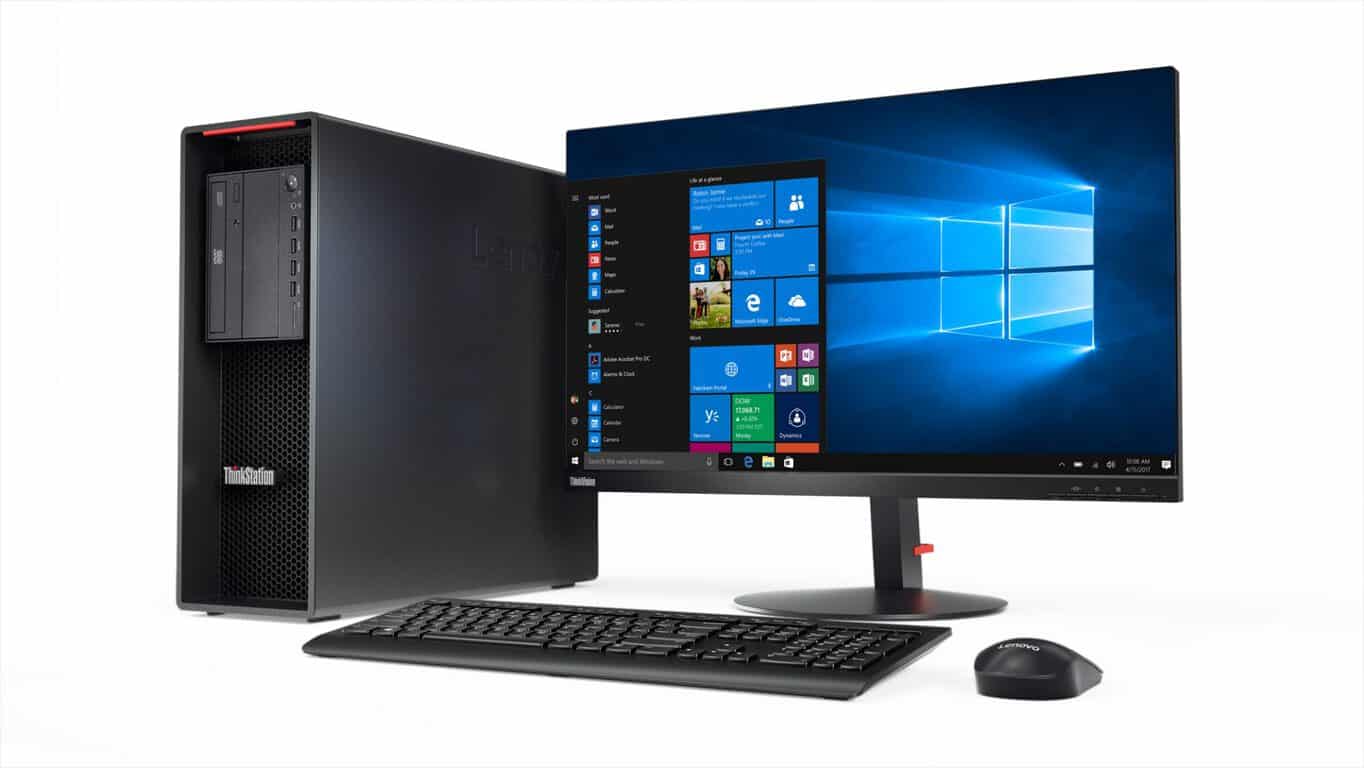
Lenovo announces ThinkStation P520, P520c, and ThinkPad P52s at Autodesk University in Las Vegas

Today at Autodesk University in Las Vegas, Lenovo announced the ThinkStation P520, P520c, and the ThinkPad P52s. Focused on ultimate scalability within the range, the ThinkStation P520 and compact P520c tower workstations feature intense speeds up to 4.5 GHz, and 18 cores for massive computing power. The ThinkPad P52s, meanwhile, is Lenovo’s thinnest and lightest quad-core mobile workstation offering ever. Available at the end of January with pricing varying by region, here’s what you need to know about the new units.

ThinkPad P52s:

  • 8th Generation Intel Core i5/i7 Processor
  • Windows 10 Pro
  • Battery: 4-Cell Front (32WHr)/ 3-Cell Rear (24WHr)/ 6-Cell Rear (48WHr)/ 6-Cell Rear (72WHr)
  • NVIDIA Quadro P500 Graphics
  • IR Camera/Touch Fingerprint Reader/ThinkShutter option
  • Up to 2TB HDD or 1TB SSD
  • Up to 32GB DDR4 RAM
  • 4GB/8GB/16GB Memory DIMM
  • Integrated 4-in-1 SD Card Reader
  • Display: FHD (1920 x 1080) IPS, 250nits or FHD Touch (1920 x 1080) IPS, 250nits or 4K UHD (3840 x 2160) IPS, 300nits
  • (2) USB 3.0, 1 Always-on Charging (1) USB-C (1) Intel Thunderbolt™ 3 (1) HDMI 1.4 (1) RJ45 Gigabit Ethernet (1) Side Docking Connector (1) Mic/Headphone Combo Jack (1) Smart Card Reader
ThinkPad P52s:

ThinkStation P520:

  • Intel Xeon W Series Processor (Up to 18 cores, Up to 4.5GHz)
  • Windows 10 Pro for Workstations/ Ubuntu Linux (pre-load)/ Redhat Linux (certified)
  • Up to 2x NVIDIA Quadro P6000
  • Up to 256GB DDR4 RAM 2666 MHz, 8 DIMM Slots
  • 8 GB / 16 GB / 32 GB RDIMM
  • 3.5” SATA 7200 RPM Up to 6TB/ 2.5” SATA SSD Up to 2TB/ 2.5” SAS HDD Up to 600GB/ M.2 PCIe SSD Up to 1TB
  • 0, 1, 5, 10 RAID
  • 690W Power Supply 92% efficient/ 900W 92% efficient
  • Intel C422 Chipset
  • Front Ports: (4) USB 3.1 Gen 1 (Type A) (1) Mic / Headphone Combo Jack (1) Thunderbolt 3 (Type C)
  • Rear Ports: (4) USB 3.1 Gen 1 (Type A) (2) USB 2.0 (2) PS/2 (1) Gigabit Ethernet (1) Audio Line-In (1) Audio Line-Out (1) Microphone-In (1) eSATA2 3 (1) Firewire2 3
  • Removable Storage: (1) 15-in-1 Media Card Reader5 (1) 9.0mm Slim ODD2 (1) Front Accesible Drive Tray
  • Expansion Slots: (2) PCIe x16 Gen 3 (1) PCIe x8 Gen 3 (2) PCIe x4 Gen 3 (1) PCI
ThinkStation P520:

ThinkStation P520c:

  • Intel Xeon W Series Processor (Up to 18 cores, Up to 4.5GHz)
  • Windows 10 Pro for Workstations/ Ubuntu Linux (pre-load) /Redhat Linux (certified)
  • Up to NVIDIA Quadro P5000
  • Up to 128GB DDR4, 2666MHz, 4 DIMM Slots
  • 8 GB / 16 GB / 32 GB RDIMM
  • Up to 6 total drives Max 3.5” = 4 (16TB) Max 2.5” = 4 (8TB) Max M.2 = 2 (2TB)
  • 3.5” SATA 7200RPM Up to 4TB/ 2.5” SATA SSD Up to 2TB/ 2.5” SAS HDD Up to 600GB/ M.2 PCIe SSD Up to 1TB
  • 0, 1, 5, 10 RAID
  • 500W Power supply 92% efficient
  • Intel C422 Chipset
  • Front Ports: (2) USB 3.1 Gen 1 (Type A) (1) Microphone (1) Headphone (1) Intel Thunderbolt 3
  • Rear Ports: (4) USB 3.1 Gen 1 (Type A) (2) USB 2.0 (2) PS/2 (1) Gigabit Ethernet (1) Audio Line-In (1) Audio Line-Out (1) Microphone-In (1) eSATA2 (1) Firewire
  • Removable Storage: (1) 9-in-1 Media Card Reader2 (1) 15-in-1 Media Card Reader2 (1) 9.0mm Slim ODD2 (1) Front Accesible Drive Tray
  • Expansion Slots: (2) PCIe x16 Gen 3 (1) PCIe x8 Gen 3 (1) PCIe x4 Gen 3
ThinkStation P520c:

The ThinkStation P520 and P520c will likley deliver the performance, reliability and optimized acceleration that professionals expect, espcially thanks thanks to the most powerful Intel Xeon W processors, and the NVIDIA Quadro P6000 graphics. Finally, the ThinkPad P52s will also likley be a good match for any professional that constantly finds themselves on the go with the need for raw CPU and GPU processing power.

Microsoft extends support for Windows 10 version 1511 for education and enterprise

A month ago, Microsoft announced that Windows 10 Version 1511 has reached the end of support and would no longer receive security or quality updates. Still, the “November Update” received a new cumulative update two weeks ago, showing that Microsoft could well push back support for this older version of Windows 10.

As it turns out, Microsoft confirmed today that it’s extending support for Windows 10 version 1511 until April 2018, but it’s only doing so for users of Windows 10 Enterprise and Windows 10 Education. The reason for the extended support is to help early enterprise and education customers who are still finishing their transition to Windows as a Service. Microsoft’s Michael Niehaus notes the issue on the TechNet blog, mentioning that enterprise and education users with version 1511 will have access to Patch Tuesday updates until April 2018:

We will be providing a supplemental servicing package for Windows 10, version 1511 for an additional six months, until April 2018, providing updates to address critical and important security issues that arise during that time. These updates will be available to anyone using Windows 10 Enterprise, version 1511 or Windows 10 Education, version 1511. Updates will be offered via all normal channels, including Windows Update, WSUS, Configuration Manager, and the Windows Update catalog.

Again, this change only impacts the education and enterprise SKUs of Windows 10 version 1511. Customers running Windows 10 Pro or Windows 10 Home version 1511 should still immediately update to the latest version of Windows 10 in order to receive the latest and greatest features as well as security and other quality updates.

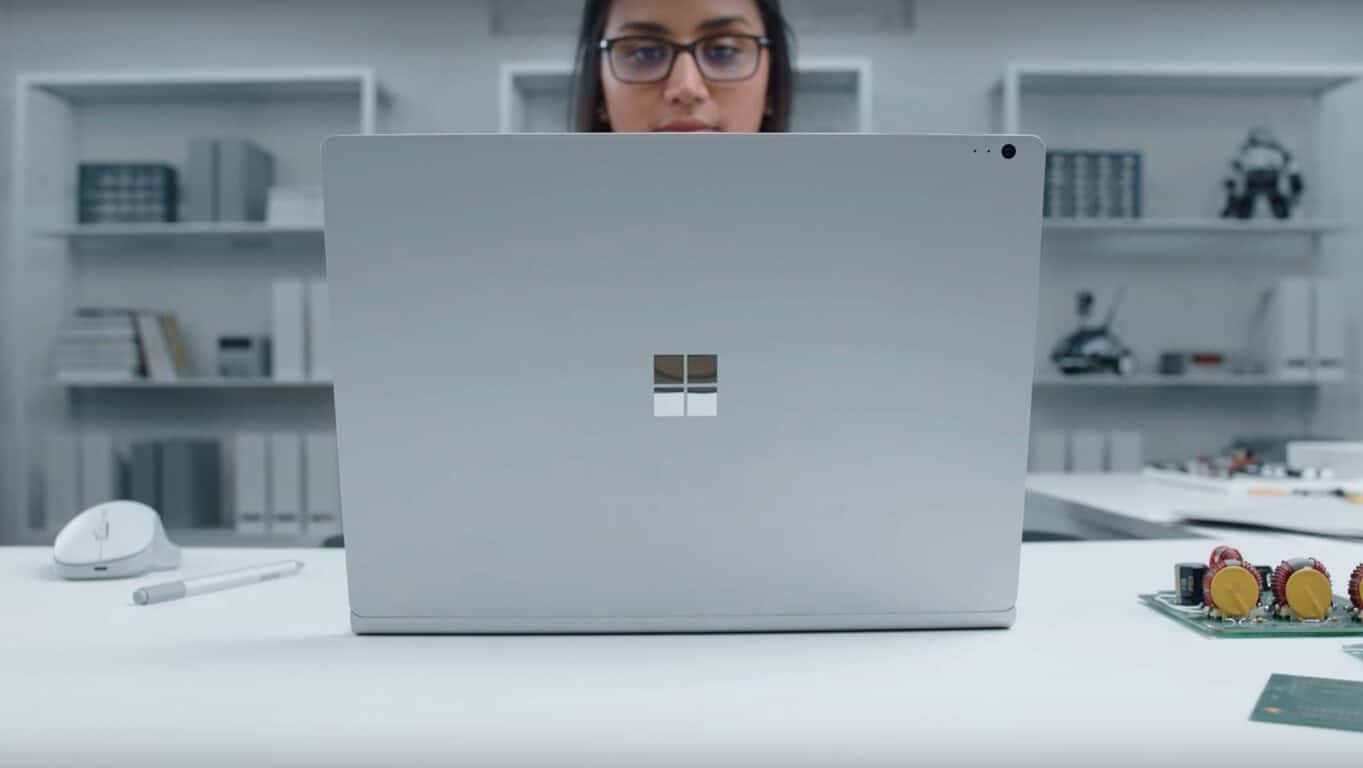
Microsoft shows off Surface Book 2, Precision Mouse in new video ads

Microsoft is showcasing the Surface Book 2 and Surface Precision Mouse in a pair of new videos on YouTube. The Surface Book 2 video shows a scientist using the Surface Book 2 to visualize and design a robot, while touting the up to 17 hours of battery life and powerhouse performance of the Surface device.

Coming in at just under 30 seconds, the Surface Book 2 ad is rather underwhelming, compared to the 2017 Surface Pro video. After watching the 2017 Surface Pro video, I bought one almost immediately. Seeing the Surface Book 2 in action is great, but I think consumers would be more attracted to an ad showing off Surface Book 2 technical specs and snappier music, but that is just my opinion.

The Surface Precision Mouse video is more seductive. Set to classical music, Microsoft shows you the inner workings of the Surface Precision Mouse and what you can do with it.

Smooth scrolling, detent scrolling, 4 customizable buttons, and you can use the Surface Precision Mouse with up to 3 devices simultaneously? I’m sold. There is also a new Surface Pro video available showing Leann Emmert, who is in charge of scouting locations for Pacific Rim: Uprising (in theatres in March 2018).

The Surface Book 2 and Surface Precision Mouse are both available through the Microsoft Store.

Buy Surface Book 2

Pre-order Surface Precision Mouse

Star Wars’ John Boyega to play Battlefront II in latest Mixer Xbox Live Sessions

Microsoft yesterday announced Star Wars’ John Boyega as the next celebrity guest in Mixer’s Xbox live Sessions. Fittingly, he will be playing EA’s Star Wars Battlefront II on November 15th, two days before the game launches.

As is routine in the Mixer Xbox Live Sessions, viewers will have the chance to to interfact with John Boyega and ask him questions, as well as win special prizes. The entire session will be hosted by by Microsoft Studios Community Manager Rukari Austin, so be sure to tune on on the Xbox Mixer Channel on Wednesday, November 15 at 11 a.m. PT.

Prior guests on Xbox Live Sessions included actress Megan Fox, Verizon Indycar series champion Josef Newgarden, American record procucer DJ Khaled, and Chandler Riggs from AMC’s The Walking Dead. Great to see that Microsoft is managing to book these Hollywood A-listers, as it gives the Xbox One X some well needed publicity ahead of the holiday season.

Microsoft pledges to cut carbon emissions by 75 percent by 2030

Microsoft today detailed a pledge to cut the operational carbon emissions at the company by 75 percent by the year 2030. The new promise sets Microsoft on the goals of the Paris climate agreement and is part of the company’s ongoing commitment to using renewable energy and investing in energy efficiency.

According to Microsoft president Brad Smith, the company will be turning to renewable energy because “it is a clean power source and gives us better financial predictability.” But even with this new goal, Microsoft already has been reducing energy emissions, as Brad Smith explains:

Our cloud-based programs to reduce resource consumption have already cut energy consumption at our main campus in Redmond, Washington by nearly 20 percent, reducing emissions and our power bill. The data we’ve collected on our energy consumption laid the groundwork for us to now buy our own clean energy at market rates, and we’ll soon be powering our Puget Sound campus with 100 percent carbon-free energy. Put simply, the environment and our business both benefit each time we’ve implemented sustainability targets and goals.

The goal of reducing operational emissions by 75 percent by 2030 is set against a 2013 baseline. Microsoft is planning on accomplishing the goal against their carbon neutrality and renewable energy commitments. The company also hopes that their pledge will inspire other groups and companies in setting goals and reducing carbon emissions to help reach the goals the Paris climate agreement.

Microsoft unveils new Skype Professional Account for remote service providers

Following a recent redesign that brought photo filters and a Snapchat Stories clone to Skype, it seems that Microsoft hasn’t forgotten Skype’s roots as a “prosumer” app. Indeed, many business users still use Skype to chat with co-workers and clients, but the video chat app is also used by instructors and remote service providers who like it for its ease of use and ubiquity.

If you do use Skype to do business online, Microsoft has just announced the Skype Professional account, a new desktop client that should better suit your needs. “The Skype Professional Account desktop client, soon to be released in preview in the U.S., adds powerful new features to Skype to make doing your online business a whole lot easier, the Skype team explained in a blog post. “In addition to meeting with your clients as you have been on Skype, you can also book those meetings, accept payments, and keep notes—all in one place.”

To be clear, this is a different offering from Skype for Business, the enterprise communication app available with Office 365 and that will soon be replaced by Microsoft Teams. Skype Professional account is just a new Skype client designed for all service providers conducting their online business on Skype, helping them be more efficient with the benefit of having a professional identity on Skype.

In addition smart scheduling and easy payment tools, the new client will also make it easier to connect business users with customers. “We’ve added an enhanced profile page to help improve your online presence and a dedicated website for your small business right in Skype, the team explained. “Your contacts will be able to see pertinent info like your hours and business offerings,” the blog post continued.

If you’re interested in trying the new Skype Professional account, you’re invited to fill out a survey on the dedicated website to get access to the closed preview. Microsoft says that all business features will be free to use during the preview, but it remains to be seen if the app will remain free to use once it becomes generally available.

Fix: Train Simulator Stuck on Loading Screen

Microsoft’s Train Simulator is one of the most popular games designed for the Windows platform. A game made especially for Windows should run without any problems, and any possible bugs or errors should be addressed without hassle.

Thus, if you are currently trying to play Train Simulator on your Windows 10 device but can’t because of a stuck loading screen, don’t panic; we are going to explain what are the troubleshooting solutions that should be applied in this situation.

But, right from the start one thing must be clarified: the stuck loading screen is a problem caused by your own system and not by the game itself.

Mostly, we are talking about a screen resolution problem or a driver malfunction. So, as you can tell, the fixes detailed below will focus on repairing these particular aspects.

What can I do if Train Simulator is stuck on loading screen?

1. Update graphic drivers

An outdated graphic driver might be the reason why you cannot play properly play Train Simulator. Here is how you can update your graphic drivers:

  1. Right-click on the Windows Start icon.
  2. From the list that will open select the Device Manager entry.open device manager windows 10
  3. From Device Manager extend the Display adapter entry.
  4. Right-click on your graphic drivers and select ‘Update Driver software..’.update remove driver device manager
  5. Close the window when done and reboot your computer.
  6. Now, try your game as the stuck loading screen error should have been fixed.

2. Remove and reinstall graphic drivers

If updating the drivers isn’t addressing the Train Simulator problems, try to manually reinstall the driver software. Only in this way you can fix a corrupted driver which isn’t running as it should.</p>

  1. Go to Device Manager as already explained above.
  2. Right click on your drivers and this time choose ‘Uninstall’.
  3. Then, access Control Panel: right-click on the Windows Start icon and select Control Panel.
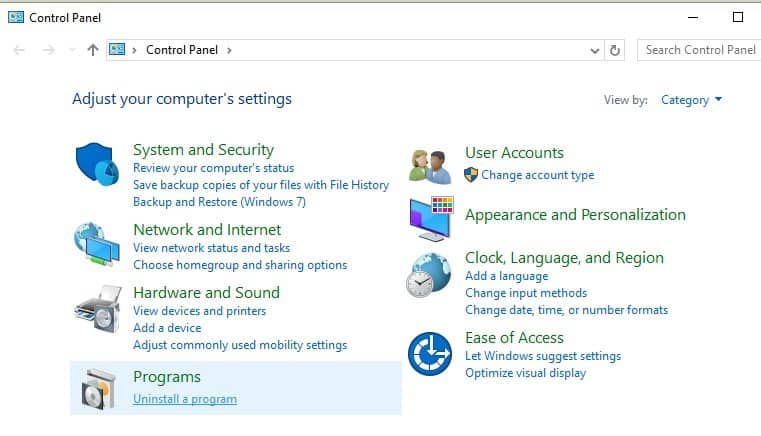
  4. From Control Panel switch to Category tab and under Programs click on Uninstall.The exclusive semaphore is owned by another process
  5. Find the programs related with your graphic driver and remove it.
  6. Restart your Windows 10 system in the end.
  7. Now, access your manufacturer official web page and from there download the drivers for your system.
  8. Manually install the software and reboot.
  9. Verify if the stuck loading screen issue is still there.

3. Adjust screen resolution

As already pointed out, the loading screen that’s stuck is a problem related to your own system and not to the Train Simulator game. So, you can also try to properly adjust your screen resolution as this might fix the bug:

  1. First, access the folder where the game is installed.
  2. Then, go to Railworks and access the content sub-folder.
  3. From there, delete or just rename the playerprofiles.bin file.
  4. You have to set default monitor resolution on your Windows 10 system.
  5. When done, restart Train Simulator and, if asked, check default resolution option.
  6. Now, your game should run without any other loading problems.

There you have it; those are the troubleshooting solutions to help you fix the Microsoft Train Simulator loading screen stuck issue.

If you experience any other Train Simulator problem, don’t hesitate and describe the error in detail in the comments field from below. Based on provided info we will try to find the perfect solutions for your problems.

Fix: Netflix not working on Xbox One

Netflix users who use their gaming consoles to stream movies or shows may one time or another experience issues with Netflix not working on Xbox One, or whatever console they prefer.

In case you are using Xbox One and cannot stream Netflix on your console, check first whether you meet the minimum streaming requirements before trying any of the solutions recommended below.

Here are the minimum requirements for streaming Netflix:

  • For Internet download speed, you need between 0.5 Mbps to 25 Mbps depending on whether it is broadband, SD, HD or Ultra HD quality.
  • If watching in HD, ensure you have a HD plan, and then set video quality to Auto or High, but ensure you have a speed of 5.0 Mbps or faster.

So this is where you really need to start before trying to fix the problem.

Note: higher video quality uses up more bandwidth, so if your ISP caps on data or bandwidth, change the video quality settings to Low or Medium so you can use less data.

Once the above requirements are met, try the solutions below to resolve the Netflix not working on Xbox One problem.

How to fix Netflix not working on Xbox One

Solution 1: Check your connection speed

Use the steps below:

  • Go to Netflix.com home page
  • Go to Settings (gear icon if available)
  • Click Check your network

Netflix app will confirm you can connect to the internet, and reach Netflix servers, while checking your connection speed.

Once this is done, check the internet speed requirements above to see that they’re met.


Solution 2: Restart home network

Follow the steps below to do this:

  • Unplug your Xbox console or home network equipment for about 30 seconds
  • Plug back each device
  • Turn off or unplug your console
  • Unplug the modem or router from power supply for 30 seconds
  • Plug in the modem or router
  • Wait until lights are all blinking.
  • Turn on your console
  • Try to stream Netflix again

Does this fix the problem? If not, try the next solution.


Solution 3: Connect the console directly to your modem

If you’re using a wireless router connected to your modem, but you cannot connect after solution 2, try and bypass the router to identify the cause of the problem. This works by eliminating the router problem as a possible cause of the main issue.

Note: You need Wii LAN adapter (for Wii and Wii U) to do this.

Here are the steps:

  • Turn off the console
  • Plug the console directly to your modem using an Ethernet cable
  • Unplug the modem from power for 30 seconds
  • Plug back the modem
  • Wait until all lights are on
  • Turn on your console
  • Try Netflix again

If it did help fix Netflix not working on Xbox One problem, then your router may be the source of the problem. Bypassing is not a perfect solution though, so check with the contact who set up your home network so as to reset or reconfigure router settings.

If it didn’t work, check with your equipment provider to ensure the modem and internet work properly.

If you didn’t manage to use this solution, try the next solutions.


Solution 4: Restore ISP default settings

If you’re using a Virtual Private Network (VPN), disable and connect directly to your home internet. However, if you changed your device to a custom DNS setting, reset it to acquire DNS automatically. You can contact your device’s manufacturer for further assistance on this.


Solution 5: Improve Wi-Fi signal

Here’s how you can do this:

  • Move your router to a different location or room to improve signal strength
  • Move any wireless devices away from your router as wireless interference can cause connection problems
  • Elevate your router from the floor to a desk or top of a shelf for better reception

Solution 6: Check with the person who set up your home network

If none of the first five solutions work and Netflix not working on Xbox One persists, contact the person who set up your home network so as to resolve connectivity issues on the network, and determine if your router is properly set up.

Share with us in the comments section below whether any of these solutions helped.

RELATED STORIES TO CHECK OUT:

Xbox One X is having an “amazing first week,” says Aaron Greenberg

Along with the Nintendo Switch and the iPhone X, Microsoft’s Xbox One X was probably one of the most anticipated tech products to launch this year. So far, it seems that the new console will do very well during the holiday season, and we reported earlier this morning that it sold 80,000 units in the UK during its first week sales, matching Nintendo Switch performance in the country in March of this year.

Xbox Marketing chief Aaron Greenberg has since echoed these promising sales in the UK, highlighting “great initial results” across Europe and an “amazing first week” in North America:

If we’d love to have more hard data about Xbox One X sales, it’s been a couple of years since Microsoft stopped sharing how many consoles it sells every quarter. Instead, the company prefers to focus on Xbox Live engagement, which makes sense as consumers who purchase and play a lot of games are much more valuable for Microsoft.

Still, we’ll continue to pay attention to what Xbox execs says about Xbox One X performance during the holiday season. As Microsoft announced earlier today, there won’t be any Black Friday Deals on the new console (which is completely understandable), though the older Xbox One S will reach its lowest price ever at $189. You can expect the company to push the S as the low-cost holiday alternative, but don’t be mistaken, the Xbox One X and the Nintendo Switch should remain under the spotlight over the coming weeks.

Xbox One X’s first week of UK sales matches Switch launch with 80,000 units

Following what Microsoft described as its “biggest Xbox launch” ever last week, we’re starting to have an idea of how the Xbox One X has been performing so far. According to a new report from Gamesindustry.biz based on data from local retailers, Microsoft sold 80,000 units of its new console in the UK in its first week, matching what Nintendo achieved with its Switch back in March. “The majority of sales were for the special Project Scorpio version of the machine,” the report says.

This is a good result for Microsoft, especially since the first week sales of Sony’s cheaper PS4 Pro were a little over 50,000 in the country back in November 2016. “It took PS4 Pro four weeks to reach the same number,” noted Gamesindustriy.biz. When you consider that the Xbox One X is the most expensive console in the market right now (it’s priced similarly to the original Xbox One with Kinect), this kind of performance is even more impressive.

We don’t have any data about US sales for now, but a quick look on Amazon shows that the Xbox One X is currently the 22nd best selling item in the retailer’s Video Games category (the Nintendo Switch is 6th, the PS4 Slim is #56 and the PS4 Pro is #77). Moreover, Microsoft’s 4K gaming console is the 8th product most often added to Amazon wish lists (Nintendo Switch is #2).

The Nintendo Switch will probably be the best-selling console during the holiday season, but the Xbox One should do really well. The growing list of over 70 Xbox One X enhanced titles, including hot sellers Destiny 2 and Call of Duty: WW2 should also help. Let us know in the comments if think the freshly released Xbox One X will really boost Xbox One sales in the last two months of 2017.

Xbox news recap: Xbox One X releases, Microsoft could let you buy games with Gamerscore and more

Welcome to our weekly Xbox news recap series, where we go over the top stories of the past week in the world of Xbox. Let’s get started.

Xbox One X releases

The Xbox One X, Microsoft’s big premium offering for console gamers that want a high-quality, expensive console, is finally out. The Xbox One X is being met with some fairly positive reviews, and has so far been selling better than many analysts expected. You can pick up the console for $499 if you’re able to find it somewhere that it isn’t totally sold out, and you’re willing to drop that amount of cash on a gaming console.

Microsoft could let you buy games with Gamerscore

Sony recently announced a new system that would let you get points in their rewards program with points you get from Trophies. According to a tweet from Phil Spencer, it looks like Microsoft is looking heavily into doing something like this for Xbox gamers. In his words, “Competition is a good thing, keeps us all working hard.”

There will likely be at least two years until a new console releases

According to the CEO of Ubisoft, we probably have at least two more years before a Playstation 5 or Xbox 4 ends up hitting shelves. The reasoning for this is that companies tend to get a couple of years worth of warning before a new console launches, in order to help them develop a launch lineup to drive sales. While Ubisoft doesn’t have any information we don’t have on this front, the company’s perception is probably on point. The Xbox One X/PS4 Pro generation is probably the last one for a couple years.

Xbox Nordic launches Butlerservice giveaway

In one of the weirdest Xbox promotions I’ve ever seen, Xbox Nordic is giving away a butler to four lucky Xbox gamers. In the participating countries – Denmark, Sweden, Norway, and Finland – a giveaway is now in full force, offering to give gamers a break from all of the little things that keep them away from their Xbox One X’s.

Xbox One Controller

Thanks for joining us. To keep up to date with all the latest Xbox news, keep a close eye on our Xbox One tag.


Microsoft news recap: Microsoft Rewards delivers Xbox gift card discounts, Microsoft being sued over Windows phone and more

Microsoft (MSFT) news recap is a weekly feature highlighting the top Microsoft news stories of the past week. Sit back, grab some coffee, and enjoy the read!

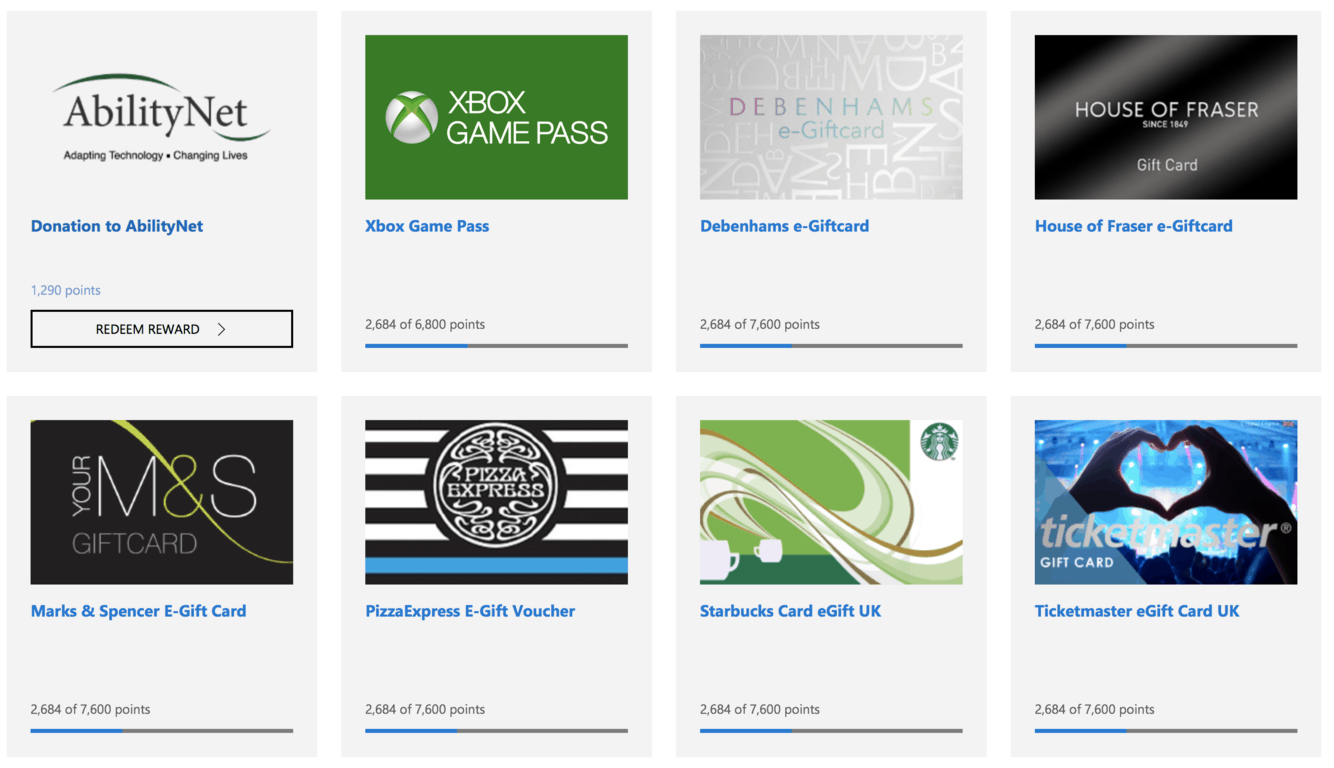
Microsoft Rewards adds Starbucks, Pizza Express, Debenhams and more gift cards in the UK

To please Microsoft Rewards’ UK members, Microsoft is adding a range of new gift card options that points can be redeemed for. The new gift cards cover some of the UKs top retailers, such as Marks & Spencer, Debenhams and Starbucks.

Hot Deal: $5 and $10 Xbox Gift Cards discounted at Microsoft Rewards

Not only do Microsoft Rewards’ UK members get new gift cards, but those in the US are able to redeem Xbox gift cards at a discounted rate, allowing their points to go further ahead of the festive season.

Microsoft being sued, Some Windows phones possibly infringed on patents

In a sudden twist in the world of Windows phone, Microsoft is reportedly being sued for infringing on patents in its Lumia 950 and 950 XL handsets. Lemaire Illumination is suing Microsoft over infringements of LED technology in the devices, such as the flashing of LED lights, and how they manipulate colour.

Lumia 950XL

Microsoft launches Who’s In as standalone iOS & Android app

To aid in organising outings with friends, Microsoft is making its Who’s In iMessage add-on available as a standalone app, on both iOS and Android. This makes it even easier to organise the outings.

The app was not found in the store. ?


The app was not found in the store. ?

That’s it for this week. We’ll be back next week with more Microsoft news.

Microsoft Rewards adds Starbucks, Pizza Express, Debenhams and more gift cards in the UK

As Microsoft’s Rewards program continues to grow and expand, the company is also expanding the range of rewards that are available for users to redeem. Initially, the program launched in the UK with a set of Microsoft gift cards for Xbox and the Windows Store, later adding charity donations, then Xbox Game Pass.

Now, Microsoft is adding more rewards, this time for non-Microsoft companies. A number of UK retailers are now appearing, enabling users to redeem their earned points for e-gift cards for the following retailers:

  • Debenhams
  • House of Fraser
  • Marks & Spencer
  • Pizza Express
  • Starbucks
  • Ticketmaster

All of these new rewards are likely to make the program far more appealing, and comes at a good time, as Christmas shopping begins to get underway.

myTube is bringing 4K YouTube videos to Xbox One, currently in beta

myTube, a third-party YouTube app for Windows 10 devices and Xbox One, is working on adding support for playback of 4K YouTube videos.

Perhaps arriving at a convenient time with the launch of Xbox One X, 4K support for YouTube is now in beta, which users can download from the Store.

So, if you’ve got your hands on a 4K-ready Windows 10 device or Xbox One console and enjoy YouTube, now is a good time to get in on the myTube beta.

myTube Beta
myTube Beta
Developer:
Ryken Studio
Price:
Free

The 6 Best Windows Mixed Reality Gaming Experiences

Mixed Reality headsets have been around for awhile, yet they never seem to have really taken off with the general public. One of the reason behind this is that the headsets were far too expensive for the average gamer.

Furthermore, there wasn’t a large selection of games that had Mixed Reality Headset capabilities. However, all of that is about to change.

First of all, Windows Mixed Reality, or more commonly known as VR (virtual reality), will soon have access to Steam virtual reality games later this month. This will bring a whole lot of amazing games to the mixed reality system.

Furthermore, WMR Headsets and controllers are steadily becoming cheaper and cheaper. They also do not require an insanely expensive, powerful computer to run.

Finally, Microsoft announced that they are working together with 343 Industries to create a mixed reality experience based on the popular Halo games.

There’s a ton of exciting things to look forward to in the near future for WMR. However, for now lets talk about the best Windows mixed reality apps for gaming already available on the Microsoft Store.

Top Mixed Reality games in the Microsoft Store

Arizona Sunshine 

Perfect for the gamer who wants to experience a shoot em up through a WMR system. Also, there’s zombies.

Arizona Sunshine is one of the best big budget shooter games specifically built for a VR system.  It features amazingly detailed graphics, a massive world, and most importantly, great gameplay.

The game is set in a post-apocalyptic, war torn western America where zombie hordes roam freely. Use your survival instincts to navigate through the numerous flesh eating monsters as you try to find other human beings. Handle your weapons with motion controllers as you expend scarce ammo on the nearest human turned walking(or running) horror.

This game is absolutely thrilling. Not to mention that the WMR system will make the gameplay all the more immersive.

You can get it on the Microsoft store for $40.


Form

Immersive and surreal, Form gives you a WMR adventure that is hard to forget. 

In the game Form, you play as a gifted physicist known as Dr. Devin Eli who is investigating a strange signal which is emanating from an alien artifact. The environment you play in is abstract and dreamlike . Thoughts of the mind are shown in this environment as complex machines. And it is your job as Dr. Devin Eli, to adventure to the center of the human mind in order to discover the alternate realities that are found there.

The large majority of the gameplay is composed puzzles. The puzzles are in an alien environment and are created in such an intriguing way that they will always capture your curiosity and interest. Also, the puzzles are not overly complicated that you will have to watch a walk through on YouTube to get through it.

Perhaps the most stunning part of this game, however, is its visuals. The complex visuals can be described as being similar to lucid dreaming. The world is constantly morphing around you as you put together each piece of the puzzle. Of course, complex, stunning visual on a VR system requires a high end computer to run. So, it is important to make sure that your computer is powerful enough to run this game smoothly.

Form costs $15 on the Microsoft Store.

Check out more: These VR controllers for PC will boost your gaming experience


Skyworld

Strategy game fanatics will love this game to bits.

Playing Skyworld will give you access to a beautifully animated world that is filled with fantasy themes. Build an empire on Skyworld as you conquer and battle your opponents in both single player and multiplayer.

Yes, that is right, Skyworld is a WMR game that allows you to compete against your friends or fellow gamers online. Furthermore, it supports cross-platform multipler.

Since Skyworld is a RTS game, the controls are unique as you will be using WMR controllers to navigate and control your armies. If you are looking for an innovative approach to the classic strategy gameplay, then you will want to try Skyworld.

This game is available at about $40.


Space Pirate Trainer

An arcade shooter that is great for people who like moving around a lot in a room scale environment. 

Space Pirate Trainer is fast, action-packed, and not expensive at all. In fact you only need to pay $15 to get this WMR game.

In this arcade game you shoot up waves after waves of drones in FPV and protect your ship at all cost with a wide variety of guns and tools.

The game costs $15.

Check out more: 7 best VR games for kids to play on PC


Tee Time Golf

Too lazy to hit your nearest golf field? Tee Time Golf has got you covered. 

The MWR system is not only great for first person shooters and puzzle solving games, but it is also perfect for sport games. Handle the motion controllers like you would an actual golf club to move that tiny ball into that tiny cup for a highly satisfying VR experience on Tee Time Golf.

The great thing about Tee Time Golf is that you can create your own golf courses. When you are building your own course, you have buildings, foliage, tee boxes, hazards, and other objects to work with. Of course, there are already pre-built courses for you to enjoy.

Also, apparently there will soon be a multiplayer option coming soon, which will make this game even better.

Tee Time Golf is priced at $15.


SuperHot

Indulge in your burning desire for mayhem, strategy, and fast paced shooting games with SUPERHOT VR.

Yes, the game is a FPS, but it is completely different from your typical shooters game. It is a FPS game, but there is a strategy element added to it. Specifically, you can literally freeze time. In other words, your enemy moves only when you move. This means that you can pause the game in the middle of a gun, knife fight to figure out your next best course of action is.

SUPERHOT is super fun and immersive and only cost $25. Here is a quick peek into the game:

Conclusion

Some say the day and age of VR gaming is almost here. With all the good news lately, it might just be true. Experience the world of WMR with the best windows mixed reality apps for gaming. Whether you are into shooters, strategy, or sport games, Windows store has it all.

Here’s some related articles:

Fall Creators Update triggers many Surface Pen issues, here’s a fix

If your Surface Pen won’t work, it usually means that the battery either needs to be changed or you need to pair the pen with your Surface device.

On the other hand, some Windows 10 users seem to have some issues with the Surface Pen after installing the Fall Creators Update. Charging the battery or pairing the pen with the Surface fail to fix the problems.

A bug in the Windows 10 Fall Creators Update

It seems that there’s a bug in the Windows 10 Creators Update that does not allow pinch to zoom to work anymore.

Also, the system will no longer recognize the Surface Pen. There are various posts on this subject dating from October 22 until November 2 and all these posts discuss the issues on both Reddit and Microsoft Answers Forum as well.

Most users state that the Surface Pen stops working for no apparent reason out of the blue and it stops interacting with the screen. On the other hand, the side buttons on the pen are still working.

Microsoft provides a solution

surface pen issues windows 10 fall creators update

Microsoft offered a solution and a workaround for the issue, and this appeared to solve most users’ problems.

  1. Type Troubleshooting in the search box and click on Troubleshooting.
  2. Choose Configure a device from under the Hardware and Sound.
  3. The Hardware Troubleshooter will open.
  4. Click on Next in order to run the Hardware and Devices Troubleshooter.
  5. Choose what you want to fix and click Next.
  6. The Hardware and Devices Troubleshooter will do its best to solve the issues with the Surface Pen.

In the Feedback Hub, you can also see a post marked as “We got it!” where some users report that restarting the Intel Precise Touch driver from Device Manager will also solve the problem.

RELATED STORIES TO CHECK OUT:

Bitcoin Miner Windows 10 app gets an interesting update

Bitcoin mining is a worldwide phenomenon and it’s certainly not news-worthy anymore.

What is newsworthy, however, is the fact that there is a Bitcoin mining app available for Microsoft’s Windows 10 right now.

Cleverly named Bitcoin Miner, the app has even received a new update which brings about some interesting new features and functionalities. Those that are already using the app are surely eager to know what’s going on in the world of Windows 10 Bitcoin mining.

Windows 10 Bitcoin update changelog

The update has arrived with its own patch notes, and this lets users know exactly what has changed since the app was updated to the latest version.

For those that are curious about what’s new in Bitcoin Miner, here are all the new changes:

  • The Satoshi yield estimate display has been increased. It has been upped to a total of 4 decimal places when mining, which will certainly furl some brows.
  • The new update has also brought modifications to how Rename Accepted and Rejected share count displays, specifically to Shares and Errors.
  • The new build also features a number of performance related improvements which set out to make the overall experience better for Bitcoin Miner users. While these changes accumulate to a noticeable difference, it’s worth mentioning that individually, they are just minor improvements.

While it might seem a bit outlandish to some, the existence of an app such as Bitcoin Miner can actually open some important doors for people interested in Bitcoin mining.

While the traditional tools of the trade might be daunting or cumbersome to understand, at least at first glance, Bitcoin Miner can help beginners. The fact that it’s an app available on Windows 10, both on PC and mobile, makes it a lot easier for curious, would-be miners to get into Bitcoin Mining.

While there are many people which aren’t affected at all by this new update, the new Bitcoin Miner app has surely managed to turn a couple of head, given the rising popularity of crypto-currency mining as a whole.

It remains to be seen if these new additions help the app become more popular in the Windows Store.

RELATED STORIES TO CHECK OUT: