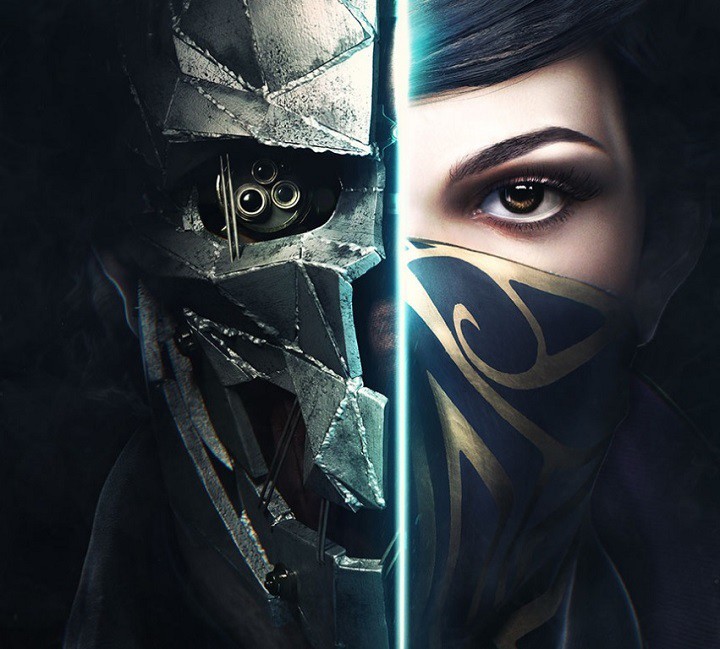
The goodies have arrived at E3: Bethesda revealed the official gameplay trailer for Dishonored 2.
In Dishonored 2, gamers can choose between two characters: the original game’s protagonist, Corvo Attano, or his daughter Emily Kaldwin. Both are supernatural assassins who live in a world where mysticism and industry collide. You can stalk your way through the game unseen or pursue a more visible line of play using brutal combat skills. At some point, you’ll have to use both and be an iron hand in a velvet glove as the game blends combat, stealth, and ultimate mobility, offering you many pathways and approaches.
Bethesda also revealed some of Emily’s special skills:
Domino, links together human targets, forcing them to share the same fate. She can set traps, and use Domino to take out multiple foes in one blow.
Shadow Walk, lets Emily sneak toward and incapacitate a target.
Mesmerize, which enthralls several humans and/or hounds, allowing Emily to easily bypass or eliminate foes.
How the story unfolds depends on your actions and how you combine your character’s unique set of powers, weapons, and gadgets to eliminate your enemies. The story responds to your choices, leading to intriguing outcomes as you play through each of the game’s hand-crafted missions.
The game’s action now takes place in Karnaca, Corvo’s birthplace, in a Victorian-inspired world. The game’s imagery carries a real sense of place, depicting a virtual world based on the local economy and people, where even the food and songs seem real. The team used a technology called the Void Engine to create multi-layered game scenarios and successfully transition between fast-combat scenes and stealth strategies.
According to Bethesda, Dishonored 2 is a game that goes way beyond its predecessor, launched four years ago. The original Dishonored won more than 100 game awards, meaning Dishonored 2 will have to offer more impressive gameplay and graphics to overcome its predecessor.
Dishonored 2 will be released on the Xbox One and PCs on November 11.
There was once a time when Windows and Mac OSX were separate operating systems that would not get along with each other. In 2006, though, Apple introduced a “Boot Camp” feature for Intel-based Macs, which allowed the user to install Windows XP alongside Mac OSX. Now, in 2016, this feature still exists in the most recent versions of Mac OSX and allows users to Install Windows 7, Windows 8, and even Windows 10 on certain Mac models. What follows is a step by step guide on how to run Boot Camp on your Mac to install Windows.
Step One: Gather the materials
To run Windows on your Mac, you will need an Intel-based Mac with 55 GB Free Space on the HDD, a blank 16 GB or larger USB flash drive and an official Microsoft Windows installation media or disk image. The installation media or media disk should contain a version of Windows Vista, XP, 7, 8, (or Windows 10 if your Mac supports it.) It is also smart to check this page to make sure that your Mac supports the version of Windows you would like to install.
Each Mac has support for different 32 bit or 64-bit versions of Windows, and so it is smart to make sure you check with Apple that your Mac supports the desired version first. For this instructional post, we will install Windows 7 on a 13 inch MacBook Pro from Late 2011.
The required materials to begin the Boot Camp process
Step Two: Prepare an ISO for installation
If your copy of Windows is on a disk, or if you’re installing newer versions of Windows, you will need to prepare for installation by creating an ISO copy of the Windows Install Disk. To accomplish this, you can follow these steps from Apple below. However, if you already have a Windows 10 ISO readily available, you can skip this step.
While your Mac starts from OS X, insert the Windows installation DVD in an external optical USB drive or connect your Windows USB drive to a USB port on your Mac.
After the installation media mounts in the Finder, open Disk Utility from the Utilities folder (choose Go > Utilities).
Select the USB optical drive or Windows flash drive so it’s highlighted in the Disk Utility window.
Choose File > New Image, and then select your Windows DVD or flash drive from the submenu.
Choose DVD/CD Master from the Image Format menu, then choose None from the Encryption menu.
Give the new file a name, then click Save. If prompted, enter an administrator username and password. A progress bar appears while the image file is created (it might take some time to create the image file).
After imaging is done, eject your Windows installation disc or flash drive. If you’re using an external optical drive, disconnect it from the USB port after the disc ejects.
From the Finder, locate the disk image file you created earlier. Single click on it to select it, then press the Enter or Return key on your keyboard to rename the file. Change the disk image file extension from .cdr to .iso. When prompted, click “Use .iso” to verify this change.
Note: In some cases, if you have an older MacBook with a built-in CD drive, or if you’re installing an older version of Windows, you can bypass these steps completely by inserting the CD. This will also help you skip to step three, and going to the Boot Camp assistant to download or copy the Boot Camp support files to a USB stick. The installation of newer versions of Windows on newer Macs, though, will require the above-mentioned steps for Boot Camp to properly dispatch the Windows installation files.
Step Three: Use Boot Camp Assistant
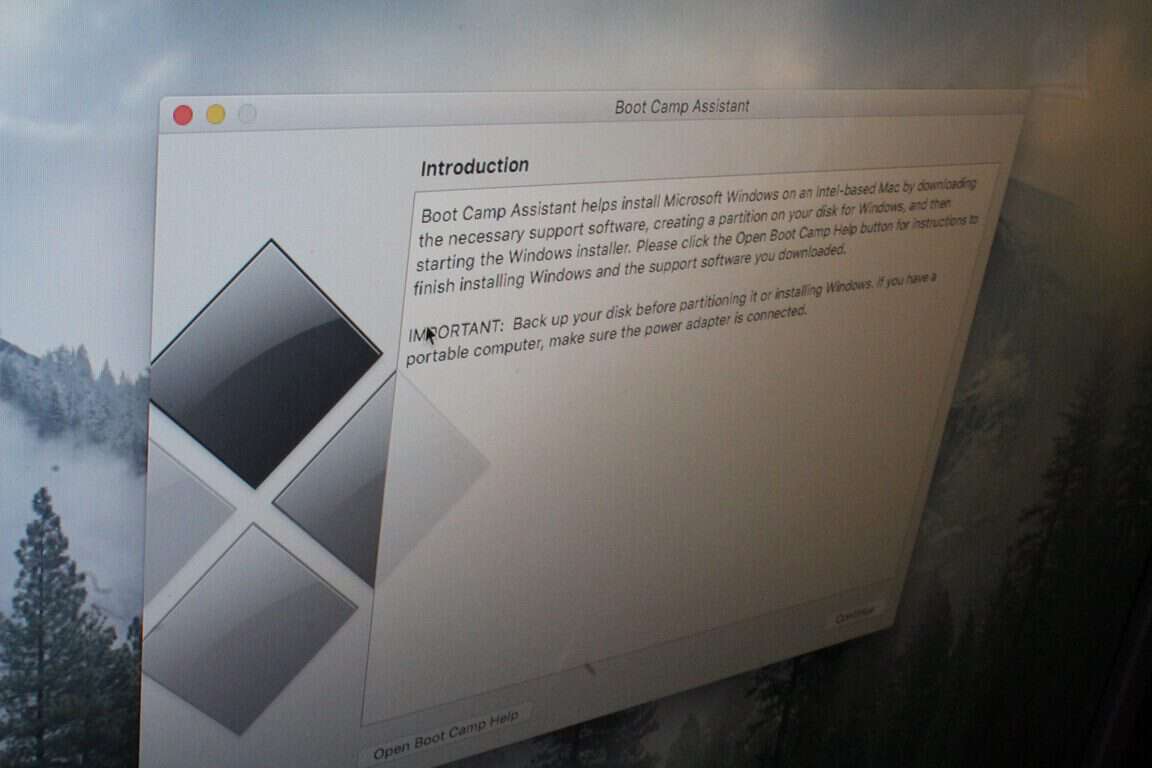
For this step, navigate to the Utilities folder your Mac and open up the Boot Camp Assistant and follow the simple step by step instructions in the wizard on how to repartition your start-up disk for Windows. In this initial step, you must make sure that the all the available boxes are checked.
Next, you will be asked to find the location of the ISO you created, and then you will be directed plug in a USB Drive so your Mac could download the proper Boot Camp support drivers files for your Mac and version of Windows. Be sure to continue along, and then choose how you would like to partition your hard drive for Windows.
After the partition, your Mac will then restart to the Windows Installer. In the event that this restart does not happen, you can power off your Mac and then hold the Option Key and select the CD or USB Drive that has the Windows install files.
Partitioning the HDD for Windows
Note: If you’re one of the folks with an older Mac, who us using a CD to run the install, make sure that you’ve got the proper Bootcamp Support files copied onto the root of a USB Drive. You will need these files later to install the proper Apple drivers for your camera, keyboard trackpad, once you’ve installed Windows.
Step Five: Let your Mac boot into the Windows installer and then run It
After step four, your Mac should now have automatically booted into in the Windows Installer. This initial boot up might take some time, so don’t worry if it is slow at first. Once you’re booted into the installer, though, be sure to select a custom installation, and choose the BOOTCAMP partition, then click Format when you’re asked where you would like to install Windows.
Note: DO NOT select any other disk partition other than the one titled “BOOTCAMP.” Installing Windows onto any of the other listed partitions will delete your OSX partition and result in the loss of your files, and your OSX operating system.
After the format, highlight the just formatted partition, and press next. The installation process will then begin, and it will be time to relax and grab a cup of coffee while your Mac does its magic. Your Mac will restart a few times to complete the installation, so don’t worry if your screen goes blank. Just be sure not to press any keys when asked if you would like to boot from a CD.
Be sure to select the BOOTCAMP Partition
Step 6: Restart your Mac into the new Windows Partition.
After a successful Install, your Mac will restart into Windows. Again, if it does not happen automatically, hold down the option key at startup and select the Windows partition from the list of available drives. Upon this initial boot, The Bootcamp control panel will then pop up, and your Mac should automatically installing the required Apple drivers for your keyboard, display, Bluetooth, and so on.
If this fails to happen, and things look weird, simply navigate to the USB drive which the Boot Camp assistant saved the Boot Camp support files and run the “Setup” file. This will install all the proper drivers for your Mac.
Be sure to run the “Setup” file if things don’t look right on your Mac
Step 7: Learning how to switch between OSX and Windows
Once everything is as good as it should be, you will probably want to switch out of Windows and back into OSX. To change the default OS, you can click on the Boot Camp icon (a small black diamond shape) in the system tray as seen below. From here, you can then choose which operating system you would like to use to start your Mac, and you can also customize the controls for your Keyboard and mouse. However, to switch in between operating systems outside of Windows, you can hold down the option key on your keyboard right as your Mac boots up, and choose either Windows or OSX.
Boot Camp Control panel prompt
So, there you have it, that is how you install Windows on a Mac using Boot Camp. Have you ever installed Windows on OSX? Let us know what you think of this by dropping us a comment below!
Microsoft’s new browser for Windows 10 is finally rounding out some of its rough edges (pun intended) by implementing, at last, an extension platform. Over the past couple of months, Microsoft’s Edge browser has steadily been adding extensions to its web browsing experience and as of last week, Windows 10 Insider build 14361 for PCs finally brought in a well-established password security service.
While the Edge team has ways to go before its stable of extensions are as robust as its competition, the group has been working hard at making the installation process of the extensions it does support, rather seamless.
For those looking to give the extensions a try, the LastPass installation process is, fortunately, a straightforward process.
Step 1. Find a source
Before worrying about .exe files or unzipping packages, first, find a source to the LastPass Edge extension. A few options include:
Search for it using the Windows Store Search option (not recommended, Microsoft’s Store Search still needs work)
Going through the Edge: This is perhaps the most direct and least error prone route.
LastPass Extension source
Step 2. Download
Using the recommended route of using Edge as a source to the LastPass extension, users can now follow the link to Microsoft’s Developer Technologies site for Microsoft Edge. At the very top of the list should be the LastPass Edge extension as Microsoft has ordered its extensions from most recent to older releases.
Hit the open in Store link.
The Link will take the user to the Windows Store to download.
Download.
LastPass Widnows Store
Step 3. Launch the app
Once the app takes its minute to two to download, users who already have a LastPass account are free to begin enjoying the app.
The Microsoft Edge browser will prompt users to launch the app in the upper left corner of the browser and to find out exactly where the app is nestled for continued use; users can click on the ellipses and find a new LastPass icon resting among other extension icons at the top.
LastPass Edge extension
Step 4. Enjoy
For those who already have an account, clicking on the extension icon in the extensions tray will prompt a login credentials page.
For those who do not yet have an account, a free one can be granted at the LastPass.com website or by using the red link at the bottom titled: Create an account now.
Once a user has entered in their credentials, the extension icon will switch from dark grey to red to let users know it’s active. The functionality of the extension is, well, extensive. From the mini browser windows, users have access to:
My Vault
Sites
Secure Notes
Form Fills, Generate Secure Password
Recently used
Print
Import/Export
Preferences
LastPass extension features
Judging by the level of execution, the LastPass extension seems to have been under development for some time. When the Windows 10 Anniversary Update releases later in July, users who have been hesitant to try out Edge may find themselves with one less reason to not try out this evolving web browsing experience.
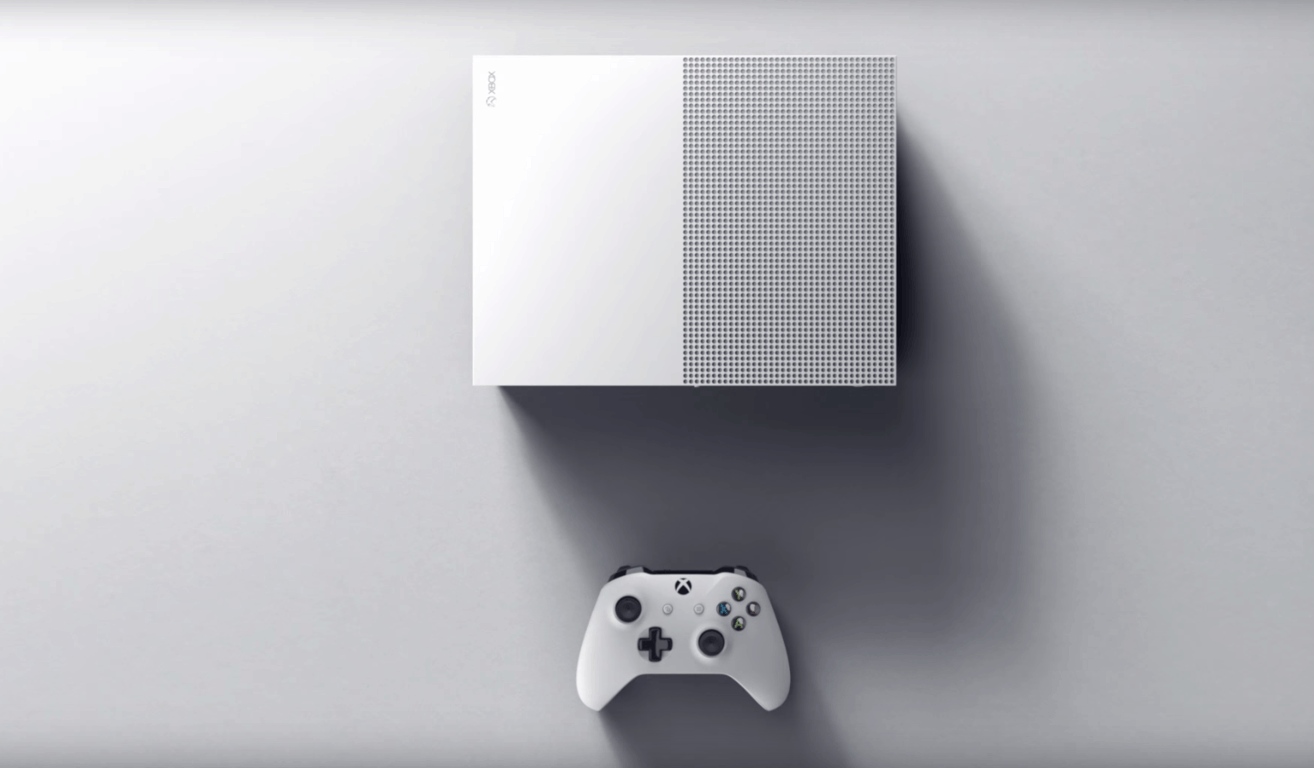
Microsoft delivered a very interesting E3 2016 keynote yesterday, even if many announcements had already leaked in the press a few days before the annual gaming show. However, while we already knew that the company would announce a slimmer Xbox One as well as a way more powerful hardware revision for late 2017, we’re still impressed by what Microsoft has achieved with the new Xbox One S: at a $299 price tag, the gaming console features a 40% smaller body, a 500GB internal HDD, an internal power supply, an IR Blaster and a redesigned controller with bluetooth support.
You’ll now be able to watch Blu-ray movies and stream video in stunning 4K Ultra HD video, with content from partners like Netflix and Amazon Video. Xbox One S also offers High Dynamic Range (HDR) support for video and gaming, so you can experience richer, more luminous colors in games like Gears of War 4 and Scalebound. With a higher contrast ratio between lights and darks, HDR brings out the true visual depth of your games and media.
On the official product page for the Xbox One S, Microsoft clarified that HDR functionality will be “available with supported games and TVs” which means that it’s up to developers to implement it into their games. Furthermore, according to what The Coalition studio head Rod Fergusson explained yesterday to Polygon it’s up to developers optimize their games for the Xbox One S :
According to Fergusson, the Xbox One S has additional raw GPU and CPU power compared to the Xbox One, and The Coalition’s engineers have been able to take advantage of that to reduce the frequency of frame rate or resolution penalties in more demanding sections of the game.
While Microsoft has clarified yesterday that all existing games and accessories will work with every Xbox One console going forward, some questions still remain. How many upcoming games will leverage the improved performance of the Xbox One S? Could developers patch their existing games to improve performance on the new console? Lastly, could existing Xbox One games still run marginally better on the new hardware without any optimization work from the developers? We can’t wait for Microsoft to answer those questions as it seems the landscape of Xbox One games could soon become fragmented.
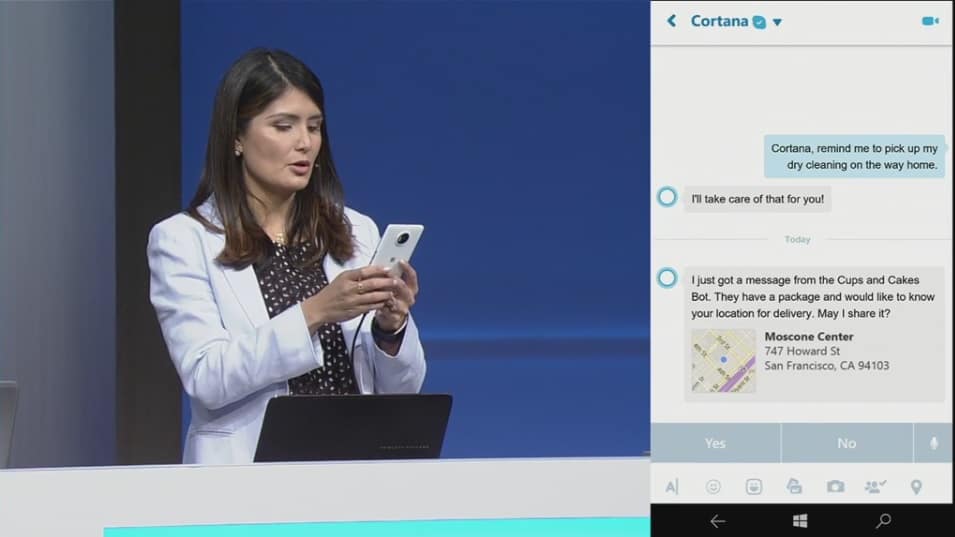
A little more than two months ago, Microsoft announced the Microsoft Bots Framework, a new initiative that will allow developers to create their own intelligent bots to enable natural language interaction with users across many digital services such as its Skype messaging app. To make developers and consumers more familiar with this new interaction model, the Redmond giant has also already introduced a few Skype bots in preview which currently work like a limited search engine that respond to your search queries. You can check out our hands on preview of the Skype messaging bots below:
While these Skype bots are still only available in select markets (Australia, Canada, England, Ireland, India, New Zealand, Singapore, and the US), the Skype team shared in blog post today that there have been “thousands of conversations with bots over Skype, as well as a huge amount of interest from bot developers building all kinds of fun, interactive and intelligent bots.” As the company now seems ready to push its bots platform to the next level, the Skype team is now inviting developers to a Skype bot hackhaton in Palo Alto in June 21-22. Even better, there will be prizes for the most innovative and engaging bots:
We’re inviting you to come and build an awesome bot at Skype Palo Alto on June 21-22, with the help of the Microsoft bot team and AI experts from Cortana, Bing and Microsoft Research. We’ll have sessions on bot best practices, early access to our latest development tools, great food to keep you going and plenty of swag. Plus, the most innovative and engaging bots will compete for the chance to win $5,000.
Microsoft seems clearly convinced that bots are the future, and the company previously announced that it is also working on Skype video bots to give users the opportunity to interact with characters and businesses via a virtual personality through Skype video. You can sign up here to register your place for the event, let us know in the comments if you think bots and artificial intelligence can make Skype a better messaging app.
With a little more than a month until the Anniversary Update, Microsoft slowly transforms Windows 10 with every new Preview build. The latest release, build 14361 for Windows 10 Preview, introduced one interesting change that demonstrates that Windows 10 is almost Anniversary Update-ready .
If you dig into the latest Preview build’s system information, you’ll notice that its version number was changed from 1511 to 1607, the number of the Anniversary Update. With this, it’s safe to say that build 14361 is a real Redstone build, even if it didn’t introduce any major features.
To check your system version, go to Settings > System > About.
Will Microsoft repeat a Threshold 2 scenario?
The new version number clearly shows us that the Anniversary Update is in its final stage of development and that Microsoft should meet its deadline of July 29th. However, we can’t for sure say that everything will go as smoothly as users are hoping.
Even the latest Windows 10 Preview build, and the first build with the Anniversary Update version number, contains a big number of issues and bugs. Of course, people will say it’s normal in the Preview version of the system and they’re right, but what if Microsoft doesn’t manage to polish everything before the update is released?
As a reminder, the November update for Windows 10 gave many users headaches due to a huge number of problems. So, if Microsoft doesn’t focus on fixing all present issues from the Anniversary Update Preview builds, we can easily end up with another troublesome update — something neither Microsoft nor users want.
But not everything is lost for the Anniversary Update. Microsoft has a solid amount of time to work on all its possible issues and get everything in its place for the premiere. Because of that, we don’t expect Microsoft to release any notable new features in the coming Preview builds but instead focus on enhancing the system.
Tell us in the comments below: What do you expect from the Anniversary Update? Will Microsoft release yet another buggy update or it will be different this time?
Not too long ago, there was a pricing error on Xbox Store that had Fallout 4 priced at $0. As expected, gamers jumped at the ability to grab the game for free, but it didn’t take long for Microsoft to realize what was going on. Soon after, the company fixed the issue and made it impossible for gamers to play the game once it was installed making sure to remove the game from all Xbox One systems it was installed on.
According to Xbox support, the pricing error had to do with server maintenance being done at the time. Pricing errors appeared on several other items as well, but outside of Fallout 4, the other games affected are not known.
Because of this, Microsoft decided to give users who downloaded Fallout 4 $10 to smooth things over and should be expected in their Microsoft account by the end of June 2016. While there’s not much $10 alone can buy on the Xbox Store, it can certainly be of help with the purchase of a new game.
Would it be possible to keep playing Fallout 4? We’re not sure, but there might be an option that could work. You see, for Microsoft to brick the game and remove it from your Xbox One, the system must be connected to the web. Simply means, if you haven’t yet connected your Xbox One to the web since then, then don’t and enjoy your brand new Fallout 4 — without Xbox Live access to show off to your friends, of course. So, play and enjoy the game for a while, then allow the software giant to do what it wants and claim your $10. Bear in mind that mods are now available for the Xbox One version of Fallout 4, a move that breathes new life into the game.
With E3 upon us, this $10 from Microsoft could help with the purchase of games such as the recently leaked Halo Wars 2, Watch Dogs 2, or even FIFA 17.
Injustice: Gods Among Us was one of the best video games released back in 2013, managing to do what most fighters fail to accomplish time and time again: offer a compelling story. We’re hoping the newly announced sequel, Injustice 2, can live up to that.
Before the release of its trailer and official announcement, a poster was leaked that gave fans their first glimpse of the game. It appears after that, Warner Bros. and NetherRealm Studios had little choice but to officially announce the game and release the trailer well before E3 2016.
The trailer showed our heroes fighting each other as violently as we’ve come to expect. However, there’s one major change here: each character can be outfitted with armor—even Superman himself. We’re not sure why Superman would need armor, but it looks great nonetheless.
Here’s what Warner Bros. had to say in a statement:
Injustice 2 offers the latest DC fighting game experience that expands on the previous title’s larger-than-life showdowns. Every battle defines you in a game where players personalize iconic DC characters with unique and powerful gear earned throughout the game. For the first time gamers can take control of how their characters look, fight and develop across a variety of game modes.
Injustice 2 continues the epic cinematic story introduced in Injustice: Gods Among Us as Batman and his allies work towards putting the pieces of society back together while struggling against those who want to restore Superman’s regime. In the midst of the chaos, a new threat appears that will put Earth’s existence at risk. Players can play from the biggest DC roster ever offered in a fighting game, from classic fan favorites such as Batman, Superman, Supergirl and Aquaman, to astonishing new villains like Atrocitus and Gorilla Grodd. Battles will take place across arenas that have evolved in scale and span across iconic locations such as Metropolis, Gotham City and Atlantis.
Injustice 2 is set to release on the Xbox One come 2017, though there’s no word if it will ever come to Windows PC. The original was released on Windows PC a year after it came out on consoles.
There’s one thing we have to say: the original game had terrible character facial designs. We hope Warner Bros. and NetherRealm Studios can address this issue with Injustice 2.
E3 2016 should be an interesting affair as several games are expected to be announced during the show. Microsoft is expected to officially unveil the leaked Halo Wars 2, along with an Xbox One Slim and a possible upgraded Xbox dubbed ‘Scorpio‘.
Some sad news for those who take advantage of the TV features on the Xbox One and were hoping Microsoft would transform the device into a complete DVR experience: Microsoft confirms that the DVR feature that was in development has been placed on hold. We’re not sure if this move means the feature will never see the light of day, but it would seem as if it won’t make it to the current Xbox One but instead to a newer device in the future.
Here’s a statement a Microsoft spokesperson made to The Verge:
After careful consideration, we’ve decided to put development of DVR for Over-the-Air TV on hold to focus our attention on launching new, higher fan-requested gaming experiences across Xbox One and Windows 10.
We’re always listening to fan feedback and we look forward to bringing more requested experiences on Xbox One, Windows 10 and Xbox Live this year.
We cannot rule out the possibility of the DVR feature coming to the console at a later date. Chances are, the limitations or overall design of the Xbox One’s architecture did not bode well for a DVR feature, but who knows: the rumored Xbox ‘Scorpio’ could change things.
As it stands right now, Xbox One users need to remove the thought of having DVR functionality on their preferred gaming console and move on for now. We hope the software giant gives a better explanation of why the feature was canned because its statement to The Verge is not good enough from our point of view.
Stay tuned to Microsoft’s Xbox E3 2016 press conference on Monday for the possibility of learning more.
If you’re looking for an app to help you take your music everywhere, check out Style Jukebox. This free music streaming platform allows you to upload your music collection from your computer on the cloud and listen to your favorite songs on your Windows phone on the go, both online and offline.
Style Jukebox helps conserve your phone’s storage to avoid low memory messages when you want to take pictures and videos.
This app is particularly useful when traveling, on a daily commute to work, or at those annoying parties where nobody has good music. Your favorite music is safely stored in the cloud and you can access it at any moment.
To create a Style Jukebox account, all you have to do is install the app on your computer and import your music collection from there. The good news is that the app is compatible with Windows Phone 8 and Windows Phone 8.1 versions, so you can also use it even if you’ve decided not to upgrade your operating system.
There are also premium versions of the app, with prices ranging from $8.99 for a 3-month premium subscription to $79.99 for a one year 1TB Pro version.
Here is a full list of its features:
Upload up to 10 GB of music for free.
All your music and playlists are automatically synced.
Download songs on your phone for offline playback or to reduce data plan usage.
Store music bought online, music imported from CDs, even music you create.
Control music with your voice. Play, queue or search songs using Cortana, your personal DJ.
Instant access to your entire music collection at High-Fidelity sound quality (including FLAC and M4A ALAC formats).
Create a temporary song queue.
Import your music from Dropbox, OneDrive and Google Drive.
Users love this app and suggest it’s better that the Google Music alternative:
Excellent alternative to Google Music, easy to use and excellent playback. Better than the rest.
Feeling the urge to runMS-DOS on your Windows 10 computer? Now you can with the MS-DOS Player emulator. This program enables lets users run simple commands in DOS, but doesn’t support more complex programs. However, it is a very good alternative to the lack of MS-DOS support on Windows 10 and the classic “this app can’t run on you PC” error.
You can run the MS-DOS Player on both Windows 10 32 or 64-bit versions. As stated previously, the program doesn’t emulate hardware like graphics or sound cards, so your options are limited.
MS-DOS Player has eight binaries, and each one emulates a separate processor supporting 32, 64 or both Windows 10 versions. If you’re not sure which version you need, go to the i86_x86 folder and select the only msdos.exe file there is.
If you want to test it, copy the file to the folder containing your DOS executable file, and launch it from a command line.
If this doesn’t work, you can use the troubleshooting switches. They allow you to ignore invalid memory instructions, tweak memory handling, set the DOS version, and more. To see the options, launch msdos.exe with no program name, or double-click it from Windows. For more information, go to the developer’s page.
Speaking of emulators, in case you have friends who are on the fence about upgrading to Windows 10, you can recommend them this Windows 10 emulator. This way, they can see with their own eyes what Windows 10 has to offer, and possibly helping them decide to upgrade for free while they still can.
When using technology, users somehow take off their virtual clothes and reveal more than they would normally do. Apps need to access private information such as the content of your emails or your contact list in order to deliver the best possible user experience. Unfortunately, many users are not even aware of the amount and type of information that companies such as Microsoft collect on them, since very few read terms and conditions before using a particular service.
A service like Cortana constantly gathers information about you, but the good news is that you can edit permissions. Even your Windows 10 computer camera may be spying on you without you even being aware. If you want to limit the data various apps and services collect, we suggest you check out these Windows 10 privacy apps and choose the one that best suits your needs.
As if this wasn’t enough, Microsoft is now caught in the middle of another privacy scandal. This time, the leading role is taken by the company’s Visual Studio 2015 C++ Compiler, in which users have discovered two hidden codes that add telemetry function calls to binaries as they are compiled: telemetry_main_invoke_trigger and telemetry_main_return_trigger.
Coder became extremely angry after they detected the codes, especially because Microsoft didn’t mention anything about their existence in its documentation. Steve Carroll, Development Manager for the Visual C++ team, claims that the telemetry function is entirely innocent, and users have nothing to worry about.
Our intent was benign – our desire was to build a framework that will help investigate performance problems and improve the quality of our optimizer should we get any reports of slowdowns or endemic perf problems in the field.
We apologize for raising the suspicion levels even further by not including the CRT source, this was just an oversight on our part. Despite that, some of you already investigated how this mechanism works in nice detail. As you have already called out, what the code does is trigger an ETW event which, when it’s turned on, will emit timestamps and module loads events. The event data can only be interpreted if a customer gives us symbol information (i.e. PDBs) so this data is only applicable to customers that are actively seeking help from us and are willing to share these PDBs as part of their investigation. We haven’t actually gone through this full exercise with any customers to date though, and we are so far relying on our established approaches to investigate and address potential problems instead.
Microsoft promises to remove these events in Update 3 and also offers a solution for users to disable telemetry function calls in the current Visual Studio 2015 C++ compiler version. To disable this dependency, you can add notelemetry.obj to your linker command line.
What’s your take on this event? Do you think this was only a slip from Microsoft, or is there more to it than meets the eye?
The Titanfall 2 team has been very generously divulging details about the upcoming game lately, recently releasing a second teaser ahead of the game’s official release. The game launch is scheduled for June 12 for the Xbox One, PC, and PlayStation 4.
The first teaser was rolled out in April and revealed impressive images alongside a very vague game introduction. The recent teaser is shorter at only 12 seconds and brings images shot from the same angle as in the first teaser.
We don’t have much information about Titanfall 2 but it seems the game is in many ways similar to the Call of Duty franchise. One of the main differences in Titanfall 2 is its far-off setting where humans have settled on several planets. Some of these planets are home to dragons and other scary creatures, so this game is more science fiction and that’s a great differentiator.
Leaked gameplay images also reveal new tactical plays and bigger multiplayer maps, a feature often requested by players. Presumably, the player count has been increased since maps theoretically can now accommodate more players. Rumors also suggest the game will bring new pilot abilities, such as the addition of a grappling hook. Tactical plays such as pulling enemies while they’re in mid-air should also be available.
Apparently, there will also be a pre-order bonus: a handgun called the Violator. While these rumors should be taken with a grain of salt, we won’t have to wait too long to see if they’re true or not.
A Titanfall companion app is also available for Windows 10, which offers notifications with the latest information and updates to Titanfall so you don’t have to constantly follow the news. Detailed information on Titanfall characters, weapons, maps, modes and controls is available, too.
Microsoft introduced a lot of improvements to Windows 10 Preview with the latest build 14361. A feature that probably received the highest number of changes is Bash on Ubuntu on Windows 10. Microsoft revealed a huge list of improvements for the Ubuntu Bash console of the Subsystem for Linux feature that will help Linux developers do an even better job now.
Here’s what’s fixed and improved in Bash on Ubuntu in the Latest Windows 10 Preview build 14361:
“DrvFs is now case sensitive when running in Bash on Ubuntu on Windows.
Users may create case.txt and CASE.TXT on their /mnt/c drives
Case sensitivity is only supported within Bash on Ubuntu on Windows. When outside of Bash, NTFS will report the files correctly, but unexpected behavior may occur interacting with the files from Windows.
The root of each volume (i.e. /mnt/c) is not case sensitive
More information on handling these files in Windows can be found here.
Greatly enhanced pty / tty support. Applications like TMUX are now supported
Fixed install issue where user accounts not always created
Optimized command line arg structure allowing for extremely long argument list.
Now able to delete and chmod read_only files from DrvFs
Fixed some instances where the terminal hangs on disconnect
chmod and chown now work on tty devices
Allow connection to 0.0.0.0 and :: as localhost
Sendmsg/recvmsg now handle an IO vector length of >1
Users can now opt-out of auto-generated hosts file
Automatically match Linux locale to the NT locale during install
Added the /proc/sys/vm/swappiness file
strace now exits correctly
Allow pipes to be reopened through /proc/self/fd
Hide directories under %LOCALAPPDATA%\lxss from DrvFs
Better handling of bash.exe ~. Commands like “bash ~ -c ls” now supported/li>
Sockets now notify epoll read available during shutdown
lxrun /uninstall does a better job of deleting the files and folders
Corrected ps -f
Improved support for x11 apps such as xEmacs
Updated initial thread stack size to match default Ubuntu setting and reporting the size correctly to the get_rlimit syscall
Improved reporting of pico process image names (e.g. for auditing)
Implemented /proc/mountinfo for df command
Fixed symlink error code for child name . and ..
Additional bug fixes and improvements”
Additionally, Bash also received support for the following syscalls low-levelw level APIs:
GETTIMER
MKNODAT
RENAMEAT
SENDFILE
SENDFILE64
SYNC_FILE_RANGE
Bash on Ubuntu is currently available to Windows Insiders running Windows 10 Preview only. However, Microsoft will release it to the public with the Anniversary Update, making it available to even more Linux developers who want to work on their scripts in Windows 10 without running a virtual machine.
Microsoft changed a few aspects of the Settings app in Windows 10 Preview with the latest build, aspects mostly focused on design improvements.
From now on, the navigation pane will be white or black depending on the selected theme. As a reminder, you can change the default theme in Windows 10 Preview by switching between the light or the dark mode. If you’re not sure how to change the default user interface theme, check out this article.
Additionally, Microsoft added a small block of color which highlights the settings page you’re currently on. Similar to the navigation pane, a highlighter picks up your accent color so it fits better with the environment.
And finally, the last change is the small Home icon, which, as its name says, takes you to the home page of the settings app when clicked. The home icon is located in the upper-left of the window, and it appears above the navigation pane on every page of the Settings app.
After a lot of anticipation and speculation, the Microsoft Edge version of the popular password manager LastPass was finally released with the latest Windows 10 Preview build. LastPass is now available in the Windows Store and Insiders running the latest Windows 10 Preview build can install it.
LastPass appeared in the Store with the previous build for Windows 10 Preview, but its release wasn’t officially confirmed. However, while users were able to download and use it, they faced many unexpected errors that made using it almost impossible.
As Microsoft said, even the official version of LastPass extension for Microsoft Edge has its share of issues. Of course, this isn’t a big surprise, since this version of LastPass Edge is the very first version available in the Store. We expect developers to drastically improve it in the future releases.
Here are some known issues with LastPass:
“Copying with keyboard shortcuts does not work in the LastPass extension popup
Creating a new profile from the LastPass popup may crash the browser
LastPass Vault fails to load when there are no items in the vault
LastPass icons overlap the default placeholder glyphs for credential textboxes
Password import is not currently supported”
LastPass is one of the most popular password managers in the market. It also has extensions for other browsers, like Google Chrome and Mozilla Firefox, so it was just a matter of time before its would debut on Microsoft Edge.
LastPass, just like other extensions for Microsoft Edge, is for now available to Windows Insiders running the latest build only. Regular users should get this feature with the Anniversary Update for Windows 10.
If you’re running the latest Windows 10 Preview build and already managed to install LastPass Edge, feel free to share your experience using it with us in the comments below. How does it perform? Have you dealt with any of above-mentioned errors?
Periodically, Microsoft provides insights into someone important to the development of Windows 10. Known as Windows 10 Team Profiles, past subjects have included Windows & Devices Group Program Manager Anthony Kinsey and Senior Program Manager of Awesomeness (seriously) Brandon LeBlanc. The profiles pop up periodically in the Windows 10 Feedback Hub, and help Windows 10 users get a glimpse into the personalities behind their chosen operating system.
The latest Windows 10 Team Profile covers newly-anointed Queen of the Big Red Button Dona Sarkar, who took over as Windows Insider chief from the illustrious Gabe Aul. Sarkar has become an overnight sensation in the Windows Insider program, pushing the new build button at odd hours and keeping us all aware of the status of Insider builds.
The profile presents a number of questions and answers that help provide some background on who Dona Sarkar really is and why she’s in the position she’s in. This isn’t the first profile of Sarkar–Microsoft News Center writer Vanessa Ho put together her own around the time the Aul-Sarkar transition was announced.
By way of background Sarkar has been with Microsoft for 11 years, having worked on some of the innermost pieces of Windows such as the File Explorer and the backup/restore functionality. She describes her role Windows Insider lead as being responsible for ensuring that the Windows Flight team is always working to provide Windows preview builds to the Windows Insider team and then to Insiders themselves.
In addition, Sarkar monitors the Feedback hub and various other sources of insight on build quality and makes sure that information makes it back to the right people. Here are some interesting tidbits but be sure to visit the Feedback Hub for the entire interview.
What’s your favorite feature on Windows 10?
Practically speaking it’s Backup/Restore (and NOT just because it was my feature!). I install so many builds so often that it’s the only way to quickly get up and running and validating.
Aesthetically speaking, it’s transparent tiles on Windows Phone. The Insiders crew showed me just how creative they can be with layouts and now I’m incredibly inspired. I really enjoyed this past weekend’s “show off your home screen” Tweetstorm!
Describe one of your favorite experiences with the Insider community:
June 1, 2016 when Gabe handed me the big red button. The outpouring of support and welcome was otherworldly and really fueled me to do everything in my power to provide great experiences to my passionate Windows Insider peeps so that we can build the best Windows *ever* together.
Without your phone or computer, what gadgets can’t you live without and why?
Toss up between my Kindle and my sewing machine. I’m a voracious reader and am always reading 3 different things at once. I also like to upload my writing works-in-progress to Kindle and have it read aloud to me via text-to-speech to see if it “sounds” right. My sewing machine opened up a whole new world of creativity for me a few years ago and it’s empowering for me to be able to make whatever I dream up in the fashion world.
What is your current work setup?
Highly mobile. I need the energy of other people around me to get anything done. Being locked in an office by myself has never worked for me so I tend to seek out open spaces like lobbies, lounges, kitchens, cafeterias, etc to loiter in to get it done.
Since I work with so many different teams, I’m on the move all day. All I need is an outlet and a chair. Once I get my Surfacebook, my Asus Zenbook and my phone setup, I’m in work mode.
How do you start your day?
I’m a pretty early riser. Sometime between 4 and 5 am, I’m up. My very demanding cat Ash is on my lap, Americano in my hand, my passion project of the day is in progress. I’ll definitely get completely wrapped up in my work and thankfully my husband will make me breakfast at some point ?
What do you like about life on campus?
How much stuff there is going on every day to support our diversity of interests and passions. For example, my husband is a professional chef AND a software engineering manager. My reports have been musicians, teachers, film-makers, graphic designers…on top of being software engineers. This has manifested itself in how the company takes care of us as holistic beings.
In the past 2 months, I have attended a cooking class, several musical performance, an art show, a farmer’s market, a lecture by a NASA astronaut, a wearables workshop…all within 10 feet of where I was working that day on campus.
What do you do outside of work?
I write books (both fiction and non), design fashion and have co-founded Fibonacci Sequins, a style blog to celebrate STEM. I also travel the world speaking and engaging with people on their career and business goals.
What is your most memorable moment at Microsoft?
I would say the handover of the Big Red Button was pretty momentous, generally my job changes don’t end up in the news. Other than that, I would say #HoloHacks, the first community organized HoloLens hackathon which was a few weeks ago. I poured my soul into that project and was so happy to see it received well.
So far, it appears that the Windows Insider program is in good hands. While you’re waiting for a new build to push out, check out the profile. Let us know in the comments what you think about her performance so far.
The upcoming Windows 10Anniversary Update, due this summer, will bring a slew of changes to Windows 10 on PCs and mobile. Updates are coming across the OS, from Cortana, notifications, Action Center, Settings menu and options, and of course much, much more. If you’re a Windows Insider, then you’ve already been experiencing many of the changes coming to Windows 10.
Today, the Microsoft Developer blog took some time to outline all of the changes coming to Toast notifications, with an emphasis on how developers can implement the newest notification features in their apps. Here’s a quick rundown of the changes coming in Anniversary Update.
Toast supports full Adaptive: In the previous release, Toasts only supported a limited set of Adaptive schema (text and image). With the Anniversary Update, Toast notifications support the full Adaptive schema. Developers can now make Toast notifications visually as rich as Live Tiles, and re-use a large portion of their payload between Toast notifications and Live Tiles.
Wide tile.Toast notification.
Notifications in the Cloud: We have enabled cross-device scenarios for users who own multiple devices (linked via their MSA login), making notifications more “ambient”.
Hero Image: You can specify a hero image in a Toast notification to emphasis visual content and celebrate imagery.
Hero image in a notification.
Attribution: You can specify a new text element placement that provides a consistent way to show content attribution in a Toast notification.
Attribution in notifications.
Context menu action: You can specify an action that gets placed in the context menu.
Context menu action for notifications.
Web Notifications via Microsoft Edge: Edge now supports web notifications through W3C standard web notification API’s. These web notifications are displayed as native Toast notifications and appear in Action Center.
Notification Listener: Apps can finally access the user’s notifications (via a public API), enabling scenarios like showing notifications on wearable accessories.
Action Center UI Refreshed: We’ve made some UI improvements to Action Center and notifications that you’ll automatically see without changing your app’s code.
More User Control/Customization: Users now have more control of Action Center through the Notifications & Actions settings page.
Enhanced user control over notifications.
If you’re a developer, then be sure to check out the blog post for all of the details on implementing these changes. For us users, we’ll just look forward to enjoying much improved Toast notifications in Windows 10 Anniversary Update.
E3 2016 is right around the corner, with Microsoft’s press conference set for Monday June 13th at 9:30am PDT, with more press conferences and the E3 convention itself, set for June 14-16, to follow. Microsoft and others have already teased new titles to be announced at this year’s show (you can read our summary of what to expect to get caught up on all the latest), and as always we’re hoping for a few surprises, too.
But once all the hoopla dies down, game enthusiasts are left to wait for those much anticipated games, and wait and wait and wait.
Cuphead, one of the games announced last year, is still unreleased although this new gameplay video showed up yesterday
A new analysis of what was announced, and what is actually available now, from last year’s E3 has made it to a post on Finder.com.au, stating that 62% of games announced at the sum of last years press conferences are still not available, almost a year later.
Of the 38% of announced games that were released only 5% were released in the same calendar year (2015), with the rest debuting this year. Here are a few more quick facts that Finder.com.au teased out of the data:
Sony is the worst performer, with only one game released from its E3 2015 press conference in that calendar year – a small indie from Devolver Digital called Ronin.
Sony also has the worst record for releasing games announced at its conference in the 12-months leading to the next E3, at only 23%
EA and Nintendo are the most likely to release a game they showcase before the next E3, with 92% and 93% of their titles available respectively.
Sony and Microsoft did not release a single one of their newly announced titles from the last E3 in the 12-months since the event.
Year-on-year, we are seeing a rise in games not being released following an E3 showcase. Our analysis shows 50% of Sony’s, and 60% of Microsoft’s E3 2014 press conferences did not see a release prior to E3 2015. These have increased to 77% and 63% respectively for this 12-month period.
We’re still waiting for Cuphead, and Sea of Thieves, and ReCore, and Gears of War 4, and of course that list of anticipated games is likely to grow next week.
So we’ll be wallowing in the hype of next week’s press conferences and news from the E3 show floor just like you, but the business of building blockbuster games has become so big, so complicated, and so expensive, and the hype leading up to them is so important, that once the glow wears off we’ll likely be left waiting once again.
With the success of the Windows Insider program, Microsoft now lets anyone give them formal feedback through the Feedback app. In this series we break down some of the most intriguing feedback and suggestions. We’ll do our best to dive into the lists of feedback rather than just have “dark theme everywhere.” This week we look at keyboards, a feature that’s used as much as just about anything.
Note that the links to feedback items work by opening the Feedback Hub in Windows 10.
Keyboards aren’t usually considered exciting, though every once in awhile a curved one shows up, but they are used throughout just about any operating system in the majority of apps. Texting and web browsing obviously need them but honestly there aren’t many apps you don’t have to type in, even if it’s just a password or login.
I wouldn’t say the keyboard experience on Windows 10 and Windows 10 Mobile is bad. I mean they’re keyboards after all. It would be impressive if Microsoft couldn’t figure out how to let us type things. But that being said there are some nifty features and bits of feedback that would make text and keyboard entry better on devices.
Bring shape writing to Windows 10
I wrote an entire article on this last year and others from the feedback app agree. In fact, three out of the top ten bits of feedback in the “Input and Interaction Methods” section are basically saying the same thing “Bring swype keyboard to win 10 all devices!!!” Microsoft calls their mobile version of the interaction “shape writing” but regardless, people want it on tablets and 2-1s.
Swype keyboard
I like swiping my thumb around my phone to write text but I think it would be even better on a tablet because it could be combined with a stylus. Imagine how quickly you could type on a tablet with a stylus and swiping. With Windows 10 Mobile soon to be running on devices up to 9″ we’re going to have shape writing on tablet size devices anyway so we know it’s possible.
There are some other smaller features such as “Shift key Change Case on selected text” that feedbackers would also like to see make the leap to the full Windows 10 keyboard.
The feedback app says that Microsoft has “got it” so we can hope that they will add it. That being said, shape writing on a larger tablet wouldn’t work very well without the next bit of feedback.
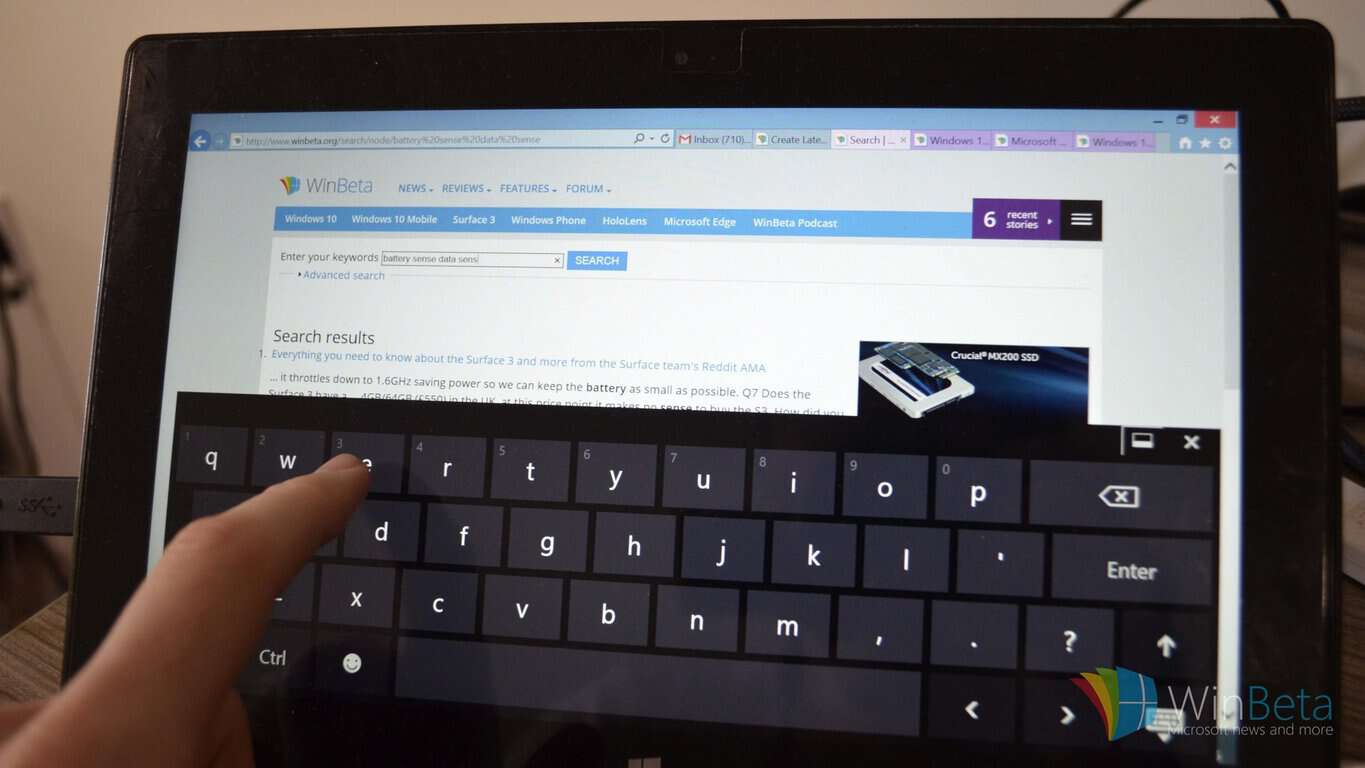
Let me snap the touch keyboard on tablets to the side of my screen
This is actually my own piece of feedback but there are similar ones in the Feedback app. There is currently a more touch centric keyboard on tablets but it splits the keyboard into two halves and puts them on the edge of the screen. What I would like to see is a resizable keyboard that would essentially bring the mobile keyboard onto your tablet but with the option to be bigger to support stylus or thumb support.
split keyboard
I wouldn’t get rid of the current split screen keyboard but would add another option.
Transparent keyboards
About a year ago I broke down a tips and tricks video from Sean Ong and added a tip of my own. Using Touch Mouse Pointer (update: Now Tablet Pro) allows users to have a transparent keyboard. It’s possible to do now as evidenced by Touch Mouse Pointer but that’s a paid feature and it would be nice to see as part of Windows 10.
transparent keyboard
This is another popular piece of feedback that has been given multiple times so hopefully Microsoft will listen.
Curved one handed keyboard on Windows 10 Mobile
I can’t say that I’m dying to have this feature as much as it bothers me a little that I’m not able to try it. Microsoft tested a curved wordflow keyboard on iOS but it hasn’t made its way to Windows 10 Mobile. It very well could in the future if it is popular but I would love to test it on the insider program of Windows 10 and Windows 10 Mobile. This could even be combined with my snapping idea and a stylus by snuggling fitting a curved keyboard in the corner of a tablet.
Conclusion
While Microsoft is making a big push to have stylus and touch be regular input methods, people still need to use keyboards. While the keyboard offering on Windows 10 and Windows 10 Mobile are by no means poor, they could be improved by listening to some key pieces of feeedback. In fact, some feedback such as bringing shape writing to tablets could be advertised as part of a greater stylus and touch experience.
Artifex Mundi’s Grim Legends: The Forsaken Bride is now available to download and play on the Xbox One as either a free trial or a full game purchase.
The video game is a blend of puzzle and trivia and is actually the first in a series of mobile phone games that fall under the Grim Legends banner. Here’s the full game description: Within the shadow of an ancient forest, on the bottom of a foggy valley, stands the lonely village of Ravenbrook. The folk there are cheerful and diligent, yet warily superstitious. They surround the village with countless charms to keep the evil spirits at bay, for on the other side of the forest, there lies a seemingly bottomless pit, known as the Abyss.
It is the place the villagers of Ravenbrook fear most…
Have you played Grim Legends: The Forsaken Bride on Xbox One yet or did you already experience it on mobile? Let us know about your experiences in the comments below.
Volition, the creators behind Saints Row, are up to something new! An American video game developer just announced a new open-world action game called Agents of Mayhem. The game will feature superheroes and should arrive 2017 for the PC, Xbox One and PlayStation 4.
The FAQ page on the official Agents of Mayhem site describes the game as a third-person shooter in which players have the option to switch between three playable characters called Super Agents. Each Super Agent has its own special abilities that will help players fight against enemies.
Even though Agents of Mayhem is a brand new game and it isn’t associated with Saints Row, some elements of the famous title will be visible in the new game. The developer probably decided to do so seeing as the Saints Row’s recipe is already successful and would help players better acclimate to the new game. Agents of Mayhem will also use Volition’s in-house graphics engine.
“Featuring an original storyline, trademark over-the-top open-world gameplay, and the look-and-feel of a distinctive superhero cosmos, Agents of Mayhem is a true Volition game. This new IP is a part of the Saints Row universe, sharing certain story elements, symbolism, and design inspiration with the multi-million selling franchise.” said Deep Silver, the game’s publisher in its official announcement post.
IGN posted the official Agents of Mayhem Official cinematic trailer, which you can check out below:
The game will arrive sometime in 2017 but there’s still no exact release date. Perhaps we’ll have more information about the game after this year’s E3 conference in Los Angeles, where we expect Deep Silver to unveil more details about Agents of Mayhem.
There’s already a rumor that Deep Silver plans to make a big announcement at the event, but it wasn’t confirmed if that announcement is going to be about Agents of Mayhem or maybe some other title (Saints Row 5?).
RELATED STORIES YOU NEED TO CHECK OUT:
Mirror’s Edge Catalyst now available on the Xbox One
If you don’t already know, Mirror’s Edge Catalyst, the first-person open-world action-adventure platform video game, launched yesterday in North America and can be played on Microsoft Windows PC, PlayStation 4 and Xbox One consoles. A European release is slated for tomorrow. To prepare, gamers with PCs equipped with AMD components will want to install the new update for Radeon Software which adds Mirror’s Edge Catalyst support, optimizations and support for Paragon and a new Crossfire profile for Dark Souls III.
In doing this, AMD prevented the inevitable complaints from fans of the aforementioned games, rushing to launch an update for its Radeon Software.
In addition, AMD fixed a number of issues discovered in the previous version of Radeon Software:
– When users were playing videos in a web browser, the display was flickering, or they experienced corruption;
– DiRT Rally was experiencing poor performance on some tracks with rainy/night scenes;
– When the display was set to an interlaced resolution, the HDMI display scaling options in Radeon Settings were missing;
– The AMD Crossfire technology mode options in Radeon Settings didn’t have effect on Origin or Uplay applications;
– Some game textures in Fallout 4 caused flickering in AMD Crossfire technology mode;
– Flickering was experienced on Oculus headsets as well, when there were multiple displays were connected with various resolutions;
– Sometimes, Radeon Settings additional settings page failed to open after performing a Windows Update and users had to install the latest Radeon Software Crimson Edition.
Currently you’re using the Mail and Calendar app in Windows 10. Since this is a Microsoft made product, you might be wondering if it is possible to add your Gmail account in order to get your mail and view schedules from your Google calendar.
Yes, it is possible to do so, and the task is not difficult so keep your pants up. It is a supported feature that from our point of view, works great and should be used by all who have a Gmail account active.
How to add Gmail to the Windows 10 Mail app:
First you’ll need to open the Mail app and click on the Settings icon at the bottom. It’s the icon that looks like a gear, or any other Settings icon of the modern age. Once done, click on the option that says “Manage Accounts” and from there, click on “Add account.”
From here users should see a list of additional options, just click on Google and get ready for the log-in screen. This is where you’ll need to enter your account information, which includes your username and password. Once that is accomplished, hit the button that says “Allow” and you’re good to go.
Yup, that’s it, nothing else to it.
How to add Gmail to the Windows 10 Calendar app:
Now, this is similar to adding your Gmail account to the Windows 10 Mail app. You know, Microsoft could have made it easier by allowing the Calendar app to automatically add any account that was added to the Mail app for vice-versa.
To get it done, launch the Calendar app and click on the Settings icon situated at the bottom. The next step here is to click on “Manage Accounts” and then “Add accounts” in order to get to the list of options. Finally, just click on the “Google” button and go ahead from there.
Once everything is done, your appointments and whatever else will show up in the Calendar app as if they were there all along.
Microsoft is hell bent on having developers create more apps for Windows 10 as it moves to create synergy between both the desktop and mobile versions of the operating system. One way the company is expected to do this, is via a program known only as Project Islandwood.
For those who might have no idea what Project Islandwood is, well, it is a program that should allow developers to port their iOS apps over to the PC in order for them to work on both the desktop and mobile versions of Windows 10.
The software giant created a post on its blog that is designed to help developers port their apps. The company highlighted the best ways to port apps, and also how to deal with problems when the apps have been ported. The post mainly contains geeky languages, so if you’re not a developer and lack the understanding of the meanings of several jargons, then you’ll be overly confused.
The post also focuses on an app known as Pori Fashion Show, created by Dong Yoon Park, Senior User Experience Designer at Microsoft. The post goes into detail of how Park got his iOS app up and running on Windows along with other important information.
Here’s a snippet of what Microsoft had to say via its blog:
iOS supports layout optimization for different sizes of screens through ‘Size Classes.’ Since Pori Fashion Show used constraint-based auto layout, he decided to add phone-specific layout by using the dimension information of the canvas size.
The Windows design guideline provides the break points for adaptive and responsive design. You can use this as guideline for setting up the threshold for your own app’s content layout.
From what we can tell, Pori Fashion Show is a simple app, so porting it to Windows 10 shouldn’t be much of a hassle. What we’d like to know is how difficult it would be for developers to port something more complex. Microsoft should offer more insight into this aspect of porting iOS apps to Windows 10 in the future.
Several apps have already been ported through the Project Islandwood program. For those unaware, both the Instagram and Facebook Messenger apps are direct ports from iOS. The software giant also plans to bring desktop x86 apps to the Windows Store via Project Centennial.
Complimenting the transition of Microsoft becoming more open source with Chakra and the Microsoft Edge JacaScript engine, the company’s developer’s blog today announced that they are releasing the Microsoft Edge WebGL transpiler over to the public.
The WebGL renderer is what runs shaders on the GPU to render 3D content with the GLSL language. However, Edge uses DirectX and HLSL to render content. To put it simply, Microsoft Edge’s ability to display content relies on the transpiler converting the GLSL to HLSL shaders.
The blog states clearly Microsoft has no intention of open-sourcing Microsoft Edge or EdgeHTML anytime in the future. For now, developers are encouraged to play with the transpiler and provide honest feedback. Hopefully, some of that feedback will contribute to the improvement of the Edge WebGL.
Learn more about the GLSL to HLSL conversion through the dev blog. Download the Microsoft WebGL on the GitHub repository.
The world’s leading independent ad tech platform has announced a culminating surprise for its Summarize Summit in London. With the week of announcements leading up to today, AppNexus announced that they are expanding their partnership with Microsoft to include video.
Now Microsoft will utilize AppNexus’ video supply-side platform (SSP) to gain profit from use of video media. With the SSP, Microsoft is able to make a profit through instream monetization, for real-time bidding, outstream monetization, and VAST videos for apps and games.
According to thedrum.com, Microsoft’s Barry Dougan explained that the company is “scaling the AppNexus Video solution across additional markets and formats, making a large pool of video inventory available for demand partners, with phased activation planned throughout the rest of the year.”
AppNexus already had an impressive history with Microsft. Last December we saw the two expanding their partnership for supporting up to 58 different markets, so the promotion to video inclusion isn’t really that surprising. Currently, the AppNexus Video SSP is still in closed beta but it is said to be coming out publicly towards the end of this year’s second quarter.
That digital agricultural initiative in India is celebrating the recent pilot launch of a new sowing app specifically created to help farmers know when and what to plant for their next harvest. The app is being used in conjunction with a personalized village advisory dashboard developed by Microsoft and International Crops Research Institute for Semi-Arid Tropics (also known as Icrisat). For now, the dashboard is localized to the area of Andhra Pradesh, a southeastern coastal state of India.
Through the partnership of Icrisat, Microsoft, and the Andhra Pradesh government, data is able to be collected, analyzed, and redistributed in easier-to-understand findings to improve agriculture. Together, with manually collected data from a multitude of farms across 13 districts, the Personalized Village Advisory Dashboard is able to provide information about soil health, fertilizer options, and a weeks’ worth of upcoming weather forecast. All of this information is stored in Microsoft’s Azure Cloud.
The app builds on these tools to send farmers the information they need such as a prediction of the ideal sowing week. It includes a major use of Microsoft Cortana Intelligence Suite’s, particularly in the case of Machine Learning and Power Business Intelligence. With the current pilot just recently released, users in Telugu were sent the predicted sowing date through a simple SMS system.
Anil Bhansali from Microsoft India praised the sowing application and the dashboard for providing and utilizing a large amount of information pertaining to crop failures and increased harvest yield. “This is a significant start for digital agriculture and can reap benefits in multiple ways as governments and stakeholders discover the potential for technology to unlock and offer multiple solutions for farmers,” Bhansali said according to Business Standard.
Microsoft has always been a fan of improving agricultural advancements through technology, and likely it won’t end here. With the data provided by these tools, farmers are able to understand and adapt to providing more natural food for a better tomorrow.
Windows 10 Mobile build 14361 is here and brings many interesting improvements and fixes for Windows phone Fast Ring Insiders, just as Dona Sarkar promised.
The list of fixes is quite impressive, taking Microsoft one step closer to perfecting the Windows 10 mobile experience. It is worth mentioning Microsoft’s quick reaction to users’ feedback since the Windows Insider Team managed to fix all the issues reported by users after build 14356 was announced.
Here are the fixes and improvements that build 14361 brings to Windows 10 Mobile:
Microsoft fixed the issue that was causing your phone to freeze after touching the screen immediately after enabling Narrator.
The strange grey bar frequently seen on the left side of the Microsoft Edge is now history.
Going forward from Build 14361, your preferred DPI setting will be backed up and reapplied when restoring your phone.
Microsoft fixed the issue where “Find on Page” in Microsoft Edge wouldn’t always scroll the word into view.
You can now play videos on Facebook even after rotating the phone with the video in full screen mode. The videos no long flicker.
The notification dismissal model has been polished. Now if you receive and dismiss multiple interactive notifications in a row, the black transparent background will not start fading away between them.
Dismissing a notification with a hero image is as easy now as dismissing regular notifications.
The team fixed the issue where peeking at a notification while watching Netflix would result in the video pausing.
The keyboard no longer covers the quick reply text box.
Notifications no longer say “new notification” after a reboot.
Action Center no longer closes unexpectedly if a notification had been expanded when you start moving the Action Center’s border up.
The “now charging” sound no longer plays twice when the charging cable has been plugged in.
The “Everytime” setting for properly now, is no longer blank on the Sign-in Settings page after opening Settings from the Lock screen.
You can now infinitely cycle left or right through the Phone app’s tabs.
Microsoft fixed the issue where the Lumia 535 and 540 were not displaying a flash toggle in the Camera app.
The text prediction engine has been improved, suggested words will be based on the active keyboard language, rather than the language that was active at the time the word was written.
You can now use the keyboard with one hand with additional 5-inch devices such as the Lumia 640 and 830. To use this feature, press the space bar and slide the keyboard to the left or the right.
You can now infinitely cycle left or right through the Phone app’s tabs.
Following the closure of Lionhead Studios earlier this year, former employees have started to speak out and a previous report from Eurogamer revealed how the erratic development of Fable Legends led the British gaming studio to its demise. However, it seems that all the drama around Lionhead Studios could start to hit back on Microsoft as a new report from Kotaku today explains that AAA games on the Windows 10 Store could actually not be doing so well (via Gadgets 360)
Kotaku interviewed several developers who used to be involved in the development of Fable Legends, a game that had been touted by Microsoft as one of the first cross-play games between the Xbox One and Windows 10 PCs. Furthermore, the game would also have been one of the first AAA games to launch exclusively on the Windows Store, and as previously reported by Eurogamer Microsoft wanted Lionhead Studios to think of it as a “game as a service”, which means free-to-play with in app purchases. However, one former Lionhead studio developer told Kotaku that the team wasn’t exactly aligned with Microsoft’s ambitions:
However, one former Lionhead studio developer told Kotaku that the team wasn’t exactly aligned with Microsoft’s ambitions:
When we started the project we weren’t aware of Windows 10. We were going to ship on Xbox One initially and then we wanted to come out on PC at a later point, most likely though Steam. But we got burnt quite badly.
Fable Legends on Xbox One and Windows 10
While Microsoft thinks its Windows Store and UWP apps are a great opportunity for game developers to reach more consumers (though co-founder of Epic Games Tim Sweeney publicly shared his disagreement and called the Store a “walled garden”), the company has yet to disclose hard data about its unified app store. Back in April, the Redmond giant revealed that there have been five billion visits to the Windows Store, but we still don’t know if many Windows 10 users are actually spending money on Windows 10 apps, including the few AAA games such as Quantum Break, Rise of the Tomb Raider and Gears of War 4. But according to what another former Lionhead Studios employee told Kotaku, the Windows Store usage is actually so low that it really didn’t make sense to release Fable Legends exclusively on the Windows Store:
But according to what another former Lionhead Studios employee told Kotaku, the Windows Store usage is actually so low that it really didn’t make sense to release Fable Legends exclusively on the Windows Store:
The Windows Store is a giant disaster. It’s on fire. 98 percent of PC copies of Rise of the Tomb Raider, a flagship Windows 10 game, were bought on Steam. The same is true for Minecraft. That hurt us, too. The store’s a mess; the number of people who couldn’t even install the game from the Microsoft store was… significant.
Another former employee who worked closely with Microsoft shared an even gloomier statement:
Let’s be honest – we make our projections based on a series of assumptions. There are supposed to be 2x as many Xboxes out there as there are right now. There are supposed to be 2x as many Windows 10 installs as there currently are. So now, when we look at how much money Legends could make in the free-to-play universe, you have to halve it. Because we can only reach half the audience that was projected.
Sadly, we’ll never know if Fable Legends could have been successful cash cow on both the Xbox One and Windows 10 PCs. Still, you should take what former Lionhead Studios employee saids about the state of the Windows 10 Store with the usual grain of salt. Even if all of this is true, it’s still early days and we admit that the Windows Store experience can be pretty rough around the edges.
However, it definitely make sense for developers to go where customers are, and we have no doubt that Microsoft will reach its goal of one billion Windows 10 users. Actually, do you know that you can even find a decent list of AAA games on the Apple’s Mac App Store, even if it’s obviously much less successful than its mobile counterpart?
Anyway, this last report comes at quite a bad moment for Microsoft as the company is still riding on the wave of excitement around new Xbox One hardware and the merging of the Xbox and Windows gaming communities. Have you already bought AAA games from the Windows Store, and do you think the Xbox app and the Windows Store are going to be relevant for gamers going forward? Let us know what you think in the comments below.
Microsoft desperately wants Windows 7 and Windows 8.x users to upgrade to Windows 10 before the July 29, 2016 deadline. And yet again, we’re witnessing just how far the company is willing to go.
By now, folks using Windows 7 and Windows 8.x should be well aware of the Windows 10 upgrade pop-up screen. This screen is Microsoft’s attempt to get folks to upgrade but was done in a manner that allowed users to back out. Slowly, though, the software giant is transforming this straightforward task into a difficult affair. At one point, clicking on the X button to close the window would still see Windows 10 installed on your computer. However, the company has allegedly gone ahead and removed the X button completely.
If this is true, then computer users not wanting to install Windows 10 won’t have options when it comes to avoiding the upgrade. According to a report from The Register, with the removal of the X button, users only have the options of upgrading to Windows 10 immediately or rescheduling for a different time. There’s no option to completely end the need to have your computer upgraded — and to us, that’s a problem.
To get some clarity on the matter, Beta News spoke with Microsoft, and in a statement, the following is what a company spokesperson had to say:
The Register report is inaccurate. The Windows 10 upgrade is a choice — designed to help people take advantage of the most secure, and most productive Windows. People receive multiple notifications to accept the upgrade, and can reschedule or cancel the upgrade if they wish.
As for the posted screenshot, the Microsoft spokesperson says the company is looking into it.
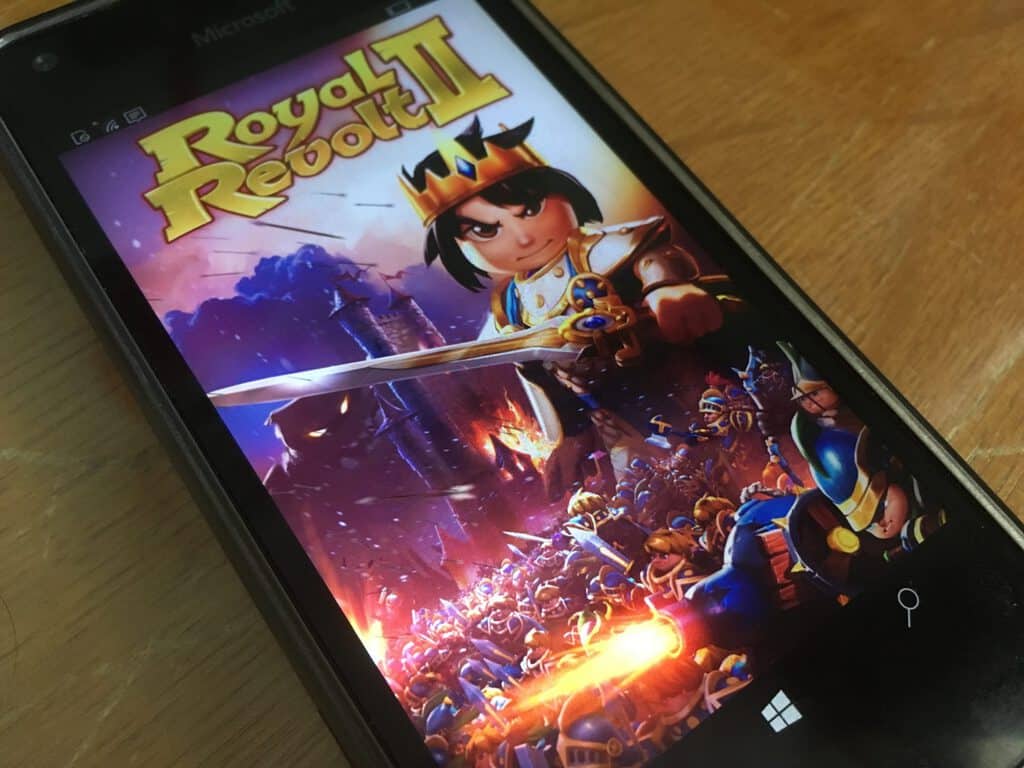
While Microsoft’s Windows Store is often criticized for the quality and quantity of its apps, some developers are proving that it’s actually possible to enjoy commercial success in the app store for Windows 10 devices. Two weeks ago, we reported how developer Game Troopers was leveraging the new Windows 10 ecosystem to spread its games across PCs and phones, but today a new post on Windows Dev Center explains how German developer flaregames has been successfully launching its Royal Revolt games on the Windows Store.
If you’re not familiar with them, Royal Revolt and Royal Revolt 2 are popular free-to-play strategy games that were first released on iOS and Android. While flaregames is a small team of 15-20 people, the game studio still launched Royal Revolt on the Windows Store in 2013 and the game received more than one million downloads two months after its release.
Following this success, flaregames’ Business Development Director and Co-founder Georg Broxtermann. explains that “Porting Royal Revolt II (sic) to Windows no-brainer,” and the award-winning sequel was launched on the Windows Store in 2014.
Broxtermann adds that Microsoft is a great partner to small games studios such as flaregames. Indeed, Microsoft can offer developers both technical support as well as app promotion
Microsoft has an excellent technical hotline so you can get help. The biggest asset with Microsoft is that all of the teams in Europe, United States, and Asia are very smart, and you can have direct contact with them.
When we work on an update or big new feature, Microsoft is interested and tries to let its users know. One of the nicest features is that they will send players an email with the announcement of a new feature that’s coming up.
While Royal Revolt 2 is a free-to-play game, the amount of in-app purchases has proven to be quite significant on the Windows Store, with Broxtermann sharing that about a third of the game’s total revenue across all platforms, including iOS and Android, comes from Windows devices. More importantly, the Windows phone version of the game has enjoyed tremendous growth in revenue, as the game studio exec shares that “we doubled the revenues for the game in 2015 [compared to 2014] on Windows mobile devices.”
Flaregames expect the unified Windows platform to enable bigger opportunities going forward:
Expanding the reach of our games is naturally of great interest to us. Bringing our biggest brands to all Microsoft platforms would therefore present a fantastic longer-term achievement for us as a company.
If you didn’t try it yet, you can download Royal Revolt 2 from the download link below. Let us know in the comments if you believe that the Windows 10 Store is going to enable more developer success stories in the future.
According to BrandZ’s “Top 20 Most Valuable B2B Brands,” Microsoft is at the top of the list of the most valuable B2B (business-to-business) brands. BrandZ’s rankings list was released today by WPP and Millward Brown, in partnership with LinkedIn. Microsoft’s brand value is estimated at $121.8 billion in the BrandZ list, with IBM taking the second spot at a brand value of $86.2 billion.
Nigel Hollis, executive VP-chief global analyst at Millward Brown, explained Microsoft’s position at the top of the list:
“Microsoft operates in so many different categories that it is almost impossible for businesses not to use some product from the company. The fact that the company plays in both the b-to-b (business-to-business) and b-to-c (business-to-consumer) space is a big advantage. For small and medium-sized businesses, trust and a sense that the product will not let them down are hugely important. Obviously, there is a huge overlap between b-to-b and b-to-c for many of these brands. While the purchase dynamics differ between b-to-b and b-to-c, our research finds that there are commonalities when it comes to what makes a strong brand. The companies that innovate in ways that their customers find to be meaningfully different are the ones that grow fastest.”
Hollis explains that there are certainly many challenges that B2B brands face in the marketplace and how a company markets yourself itself plays an important role in its overall success:
“The biggest challenge facing any b-to-b marketer is the ability to reach their target audience. It is not just a matter of what media channel to use — it is how to get attention when your audience is running hard to keep up and has little time to absorb new information. That is why content marketing is so important. If you can ensure that you have content that is relevant to challenges your customer faces, and you can make it easily findable when they need it, then it can have far more influence than unsolicited emails or behaviorally targeted display ads.”
Microsoft may want to make note of Hollis’ advice if Microsoft wants to stay competitive and relevant in the enterprise and consumer marketplace.
This year’s Electronic Entertainment Expo (E3 for short) – the largest gaming expo of the year – is fast approaching, and gamers can again expect another fierce battle on the stage and showroom floor between the two behemoths of the console gaming world, Sony’s Playstation 4 and Microsoft’s Xbox One. While big X has undeniably been trailing behind its Japanese-born rival in recent years, new analyst opinion suggest that this time, the favor could be tipping towards Redmond’s machine, reports gamesindustry.biz.
Specifically, IHS director and head of game research Piers Harding-Rolls offers his insight on the Xbox/PS4 race and how the former may be able to gain an edge. Sony has been busy with expanding their PS4 tie-in offering in a totally new territory, virtual reality (VR), with the Playstation VR. This new product category poses the risk to “alienate the early adopter gamers,” and, combined with the split development effort, will create an opening for Microsoft to double down on “its focus on gamers” using its Windows resource, according to Harding-Rolls.
“Microsoft holds a unique platform role and is strongly positioned to bridge the community divide between core PC and console gamers. With over 300 million Windows 10 users, a unified Xbox app coming to both Windows 10 PCs and Xbox One later in 2016 and the evolution of Universal Windows Platform apps, the company has the framework to build a unique cross-platform gaming offer.”
Such a scenario would indeed be ironic, as console gamers may remember it was by using exactly this tactic that Playstation 4 was able to gain a huge lead over Xbox One in the early days of the current-gen, at a time when Microsoft was steeped in controversy with its 24-hour-online policy, and just generally didn’t seem to know if its new console would be a gaming machine or an oversized multimedia entertainment box. Microsoft has certainly been trying hard to go back to the Xbox’s gaming roots, and it arguably has a better chance than ever to turn the tides at E3 2016, where a new version of the Xbox One is expected to be unveiled.
Of course, it’s all just opinions at this point, and with how bad the gaming industry seems to want to push VR as the new gaming nirvana, it’s hard to say whether the Playstation VR will be a burden or yet another leading point for Sony. E3, however, is right around the corner (it’s happening next week), so stay tuned for hot Xbox One news, and find out the winner of console gaming this season.
Well, if you’re wondering when you’ll be able to get the app, Valentin just shared on Twitter that the universal app is “coming together quickly now” and an open beta is also coming soon (via MSPoweruser):
coming for Windows 10 Mobile too? A closed Beta or Public?
The developer also shared a new screenshot of the Windows 10 app that you can see below:
The Disqus Windows 10 app.
We also previously reported that an SDK for the Windows 10 Disqus app would also be available soon after the release of the app to allow Universal Windows apps to add a native Disqus integration, but we have yet to get more details about it. Are you happy that Disqus is soon coming to Windows 10 as a universal app? Let us know what you think in the comments below.
A few weeks ago in May, Microsoft announced that Windows 10 had reached over 300 million active users. A new forecast out by the IDC, however, (via GeekWire) is now showing that Microsoft’s free Windows 10 offer is actually slowing down PC sales.
Overall, the new IDC research firm forecast projects that PC shipments worldwide are expected to fall by 7.3 percent, which is 2 percent worse than was previously projected. The outlook also calls for a, “progressively smaller decline through 2017, followed by a more stable volume in 2018.” Additionally, the forecast also finds that,
“Financial pressure on consumers from various regions, and the availability of alternatives, such as delaying PC replacement by using the free Windows 10 upgrade, or relying more on other devices continues to pressure consumer PC shipment.”
With the deadline for the free Windows 10 upgrade approaching and the free Windows 10 Anniversary Update on the way, this is some interesting news for those who are looking to purchase a new PC. We would love to hear what you think, so be sure to drop us a comment below.