Microsoft released Windows Admin Center 2511, delivering several upgrades for IT admins, and you can download the new version from the official announcement page.
What’s New In Windows Admin Center 2511
The update restores silent installation support with /Silent, /VerySilent, /HTTPSPortNumber, and /CertificateThumbprint command line parameters. The refreshed PowerShell Configuration module also lets admins modify settings directly through scripts.
Certificate troubleshooting guidance has been added, and installation logging now writes details to the Windows Event Log, improving diagnostics and compliance tracking. Localization fixes are also added to resolve issues that blocked backend migration in the past.
The update also brings high availability returns for the gateway through active-passive clusters. VM management feels faster thanks to improved UI responsiveness, smoother import/export workflows, backend validation to reduce misconfigurations, and better affinity rule handling.
It’s worth mentioning that the Virtual Machine Conversion tool has entered public preview, helping admins modernize workloads. The Remote Desktop tool has been updated with 30+ international keyboard layouts, faster load times, and stronger reliability.
Lastly, the new security upgrades include Windows Server 2025 Silicon Assisted Security tools, the Security Baseline tool, and Windows LAPS for automated password rotation.
Microsoft also released Shift Toolkit, a free GUI tool that automates VM migration across hypervisors and handles disk format conversions. These are some of the most notable changes, but you can read more in the official announcement page.
AMD released a new chipset driver package this week, and it brings full Windows 11 25H2 support along with several performance improvements.
AMD rolls out new chipset driver with full Windows 11 25H2 support
The updated driver, version 7.11.26.2142, arrives just as Microsoft opened the 25H2 upgrade path to all eligible users, so the timing works perfectly for AMD systems.
The package now includes smaller, more efficient drivers for key chipset components. AMD also introduced several PMF related changes that improve how power and thermal management works on laptops.
Platform Management Framework adjusts performance, fan curves, and power distribution in real time, so these refinements help AMD powered notebooks run more consistently on Windows 11 25H2.
The 3D V Cache Optimizer driver received an update as well, which improves scheduling behavior for X3D processors. Users should see better performance in games and other cache sensitive workloads on Windows 11 25H2.
Ryzen Master has also been updated to version 3.0.1, and the new release includes a redesigned interface for Ryzen 7000 and newer chips and adds DDR Nitro Mode for advanced high speed DDR5 tuning and overclocking.
These updates arrive shortly after reports that AMD CPU prices have quietly risen, as global RAM and SSD costs continue to climb. Nevertheless, if you’re AMD user, be sure not to miss this update.
Toggle the Copilot switch on the taskbar so the icon becomes visible.
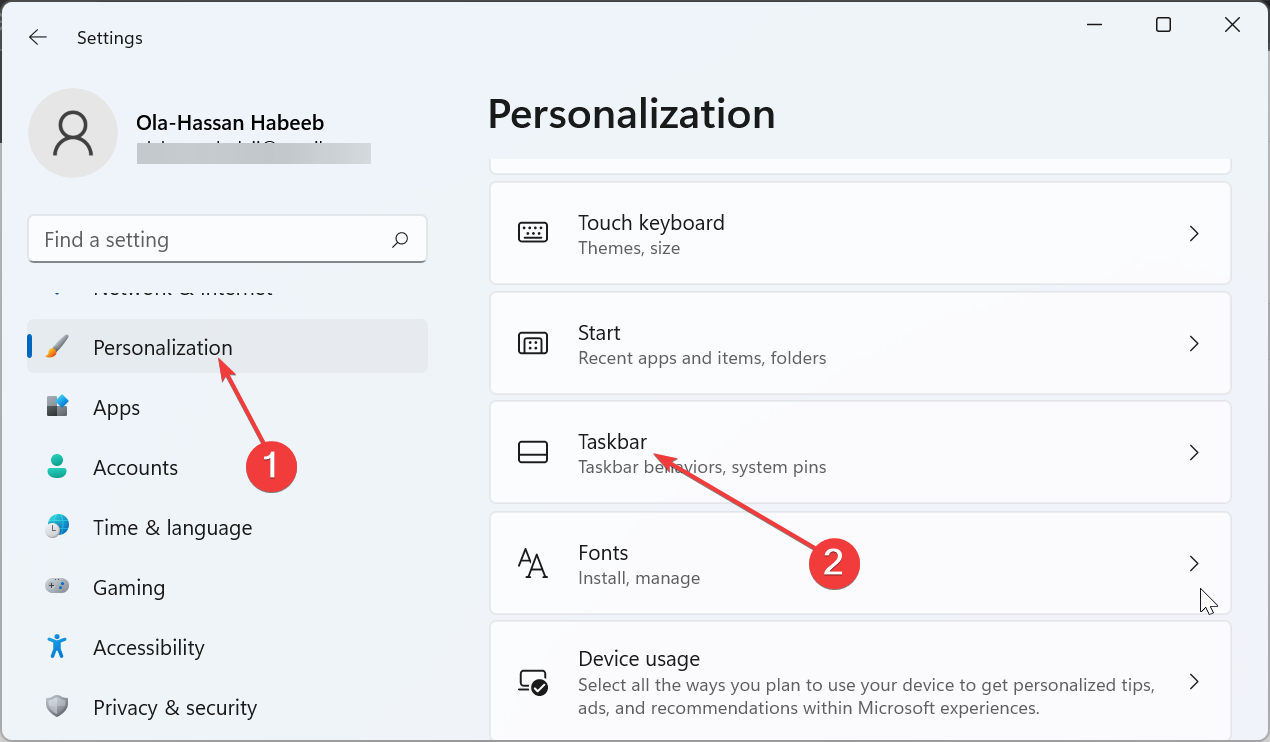
Open Settings.
Select Personalization.
Select Taskbar.
Turn on the Copilot option.
4. Install Copilot from the Microsoft Store
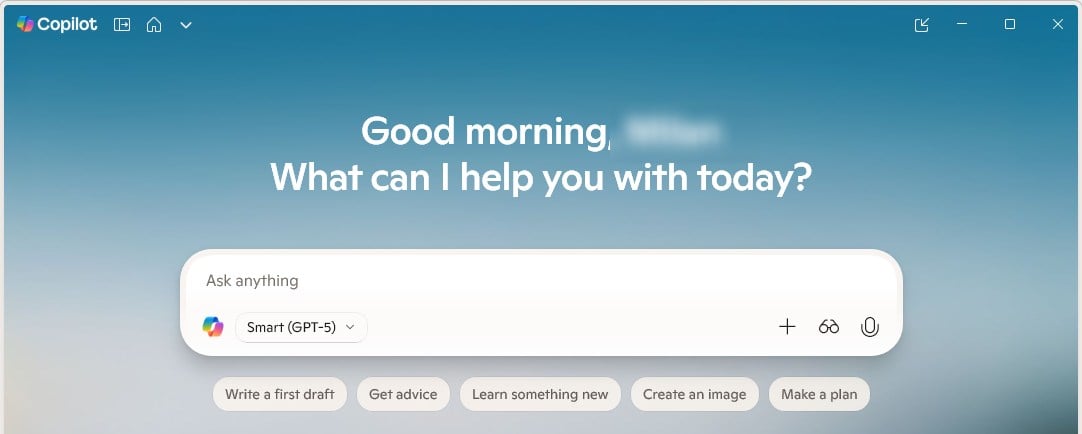
Grab the standalone Copilot app from the store if it is available in your region.
Open the Microsoft Store.
Search for Microsoft Copilot.
Select Install.
Launch the app from the Start menu.
Why Copilot might not appear
Many users do not see the Copilot icon because they run an outdated Windows build, keep taskbar settings turned off, or live in a region where Microsoft rolls out the feature more slowly.
If you decide you no longer want the feature after you make it appear, this guide shows how to remove Copilot from Windows 11.
FAQs
Why is Copilot not showing on my taskbar?
Your PC may run an older Windows 11 build or you might switch off the Copilot toggle in taskbar settings, so update Windows and turn Copilot back on in the taskbar section.
Can I install Copilot on Windows 10?
You cannot install the native Windows app on Windows 10, but you can still sign in to Copilot in a browser and use it online.
Does Copilot cost anything?
You can use the basic Copilot experience for free, while Microsoft offers paid plans if you need advanced features and business integrations.
Is Copilot available worldwide?
Microsoft continues to expand Copilot to new regions, so some countries receive the feature later than others.
Once you install and enable Copilot on Windows 11, you gain fast AI help for writing, search, and daily system tasks, which makes your workflow smoother and saves you time.
If you use Windows 11 on ARM, there’s some good news for you. Microsoft is making sure that more x86 apps can run on such systems, and it’s doing so by releasing an update to its Prism emulator.
In an update to its Tech Community blog post, the company says that “The Prism emulator is a core part of the Windows on Arm platform, ensuring that Windows apps are able to run seamlessly on Windows on Arm even if they were built for traditional x86 processors and have not been updated to run natively on Arm. Prism works by transparently converting an app’s x86 instructions to Arm64 code as the app runs.”
With the latest Prism update, the emulator gets the ability to translate more x86 instruction set architecture extensions, including AVX and AVX2, and related extensions BMI, FMA, F16C, and others. That being said, Microsoft warns that these extensions are not necessarily support by processor supported by a processor when running Windows.
However, “they are common enough for some apps to depend on their availability.” And that “they are especially relied on by creative tools and games that benefit from the efficient parallel processing that these CPU instructions provide.” To put it simply, Prism can now run several games that were previously unable to work on Windows on Arm.
Microsoft points out Ableton Live as an example of this, which will be coming to Windows on Arm as a native app next year. Apparently, attempting to install Ableton Live 12 as an emulated app prior to this update would fail with a system requirements error because it requires AVX support. However, after the Prism update, the app installs and runs without issue.
Image credit: Microsoft
If you are wondering where to get the Prism update, it’s now being rolled out to all Windows on Arm devices running Windows 11, version 24H2 or later. All 64-bit x86 apps will have the updated CPU feature support enabled by default. Moreover, Microsoft says that the 32-bit apps will have it turned off by default, but you can always opt in using compatibility settings.
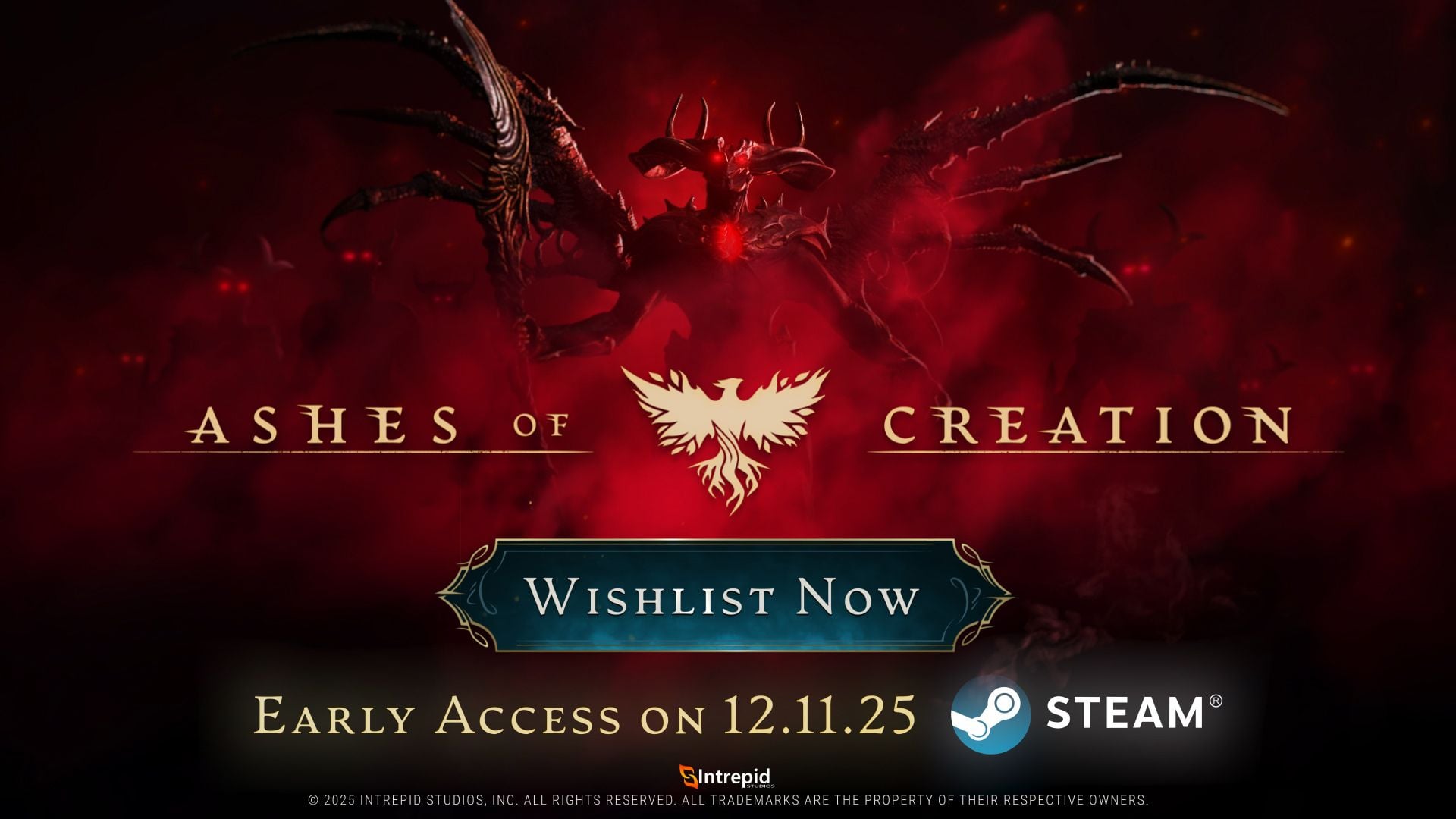
Ashes of Creation enters Early Access today, marking a major milestone for one of the most anticipated MMORPGs in years. The Early Access launch goes live at 10AM Pacific Time as the game officially transitions to Steam.
Ashes of Creation Early Access Starts Today, Here’s What You Should Know
Players who purchased Alpha or Beta access can jump in immediately. Those with Kickstarter, Pre-Order, or Wave Bundle packages must link their accounts to Steam first. The developers note that each purchase can link to only one Steam account, so choose carefully. New players can also buy the game directly on Steam.
To join the Early Access phase, install the game fresh through Steam. At launch, these servers are available:
NA: Shol, Resna, Lyneth
EU: Lotharia, Pelune, Tenok
More servers may open if player demand increases. All previous progress has been wiped, and the Intrepid Launcher no longer works for accessing the game.
The update to version 0.18 introduces a massive open-world event called The Harbinger Invasion, along with fishing, new summons, and fresh cosmetics.
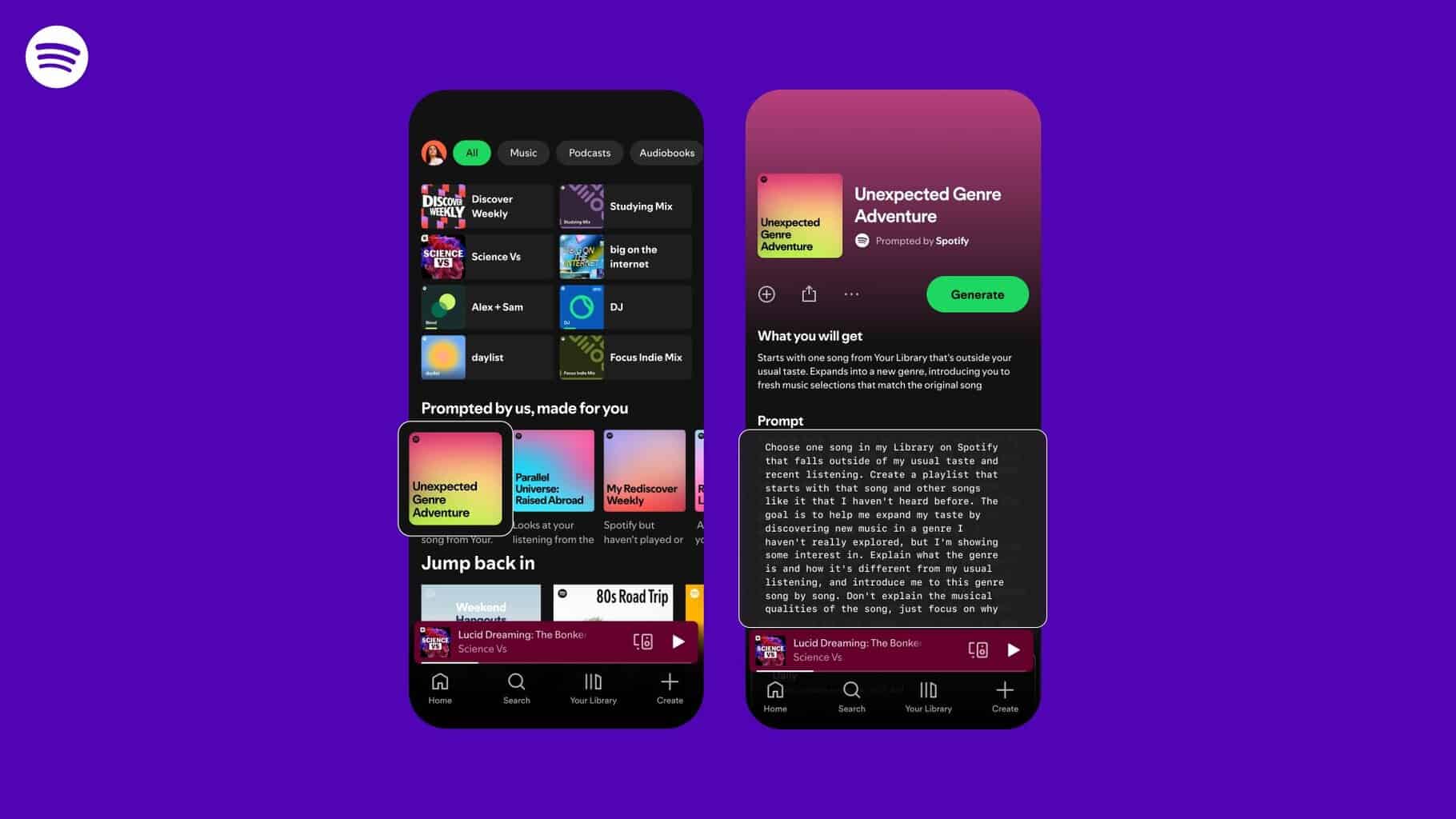
Spotify is the preferred music app for millions, and the company has started testing a new AI driven tool called Prompted Playlist. The feature aims to give users more control over how their playlists form and evolve.
What Does The Prompted Playlist Feature Do?
Prompted Playlist uses AI to create personalized playlists based on rules you set. Spotify says the feature listens to your ideas and uses your creativity to influence how the algorithm works. It adapts to your logic and responds to your prompts while using your entire listening history, starting from the first track you ever played.
Here’s how to try this feature:
Tap Create.
Select Prompted Playlist.
Write your custom prompt.
Tap Generate Playlist.
You can update playlists daily or weekly to keep your music fresh. Spotify also shows context for recommendations, which helps you refine prompts and tune results. An Ideas section includes popular prompt templates so you can create playlists instantly.
Spotify launched this test only for Premium users in New Zealand. The company did not confirm a wider release date, but many expect a global rollout soon. You can read more about this feature in the official blog post from Spotify.
The Game Awards happens later today, and excitement continues to rise. Fans of indie games received plenty to enjoy thanks to the Day of the Devs showcase. Below is a full recap of the titles revealed.
All Games Showcased During Day of the Devs
Awaysis
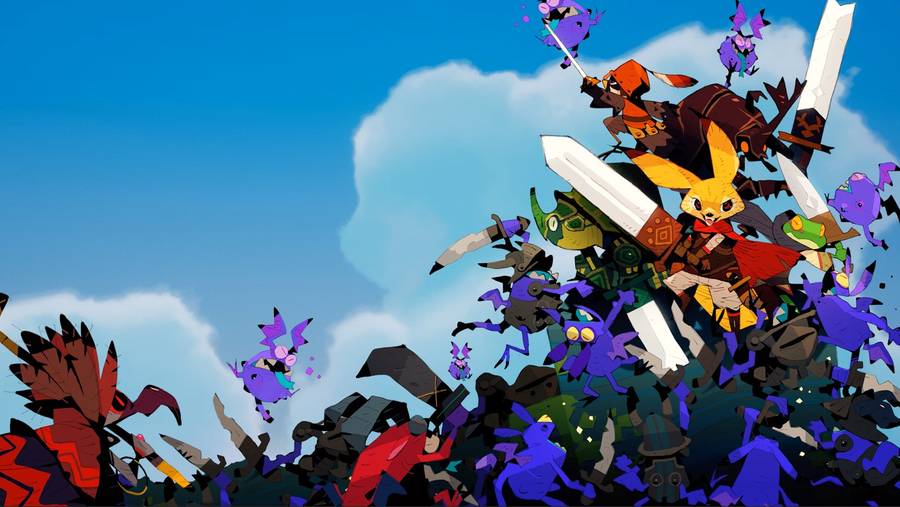
This cute dungeon crawler sends you and your friends on an adventure with adorable animal companions. Its physics-based design should play a major role during dungeon exploration. The game is expected to launch next year on PS5, Xbox Series X|S and PC.
Rockbeasts
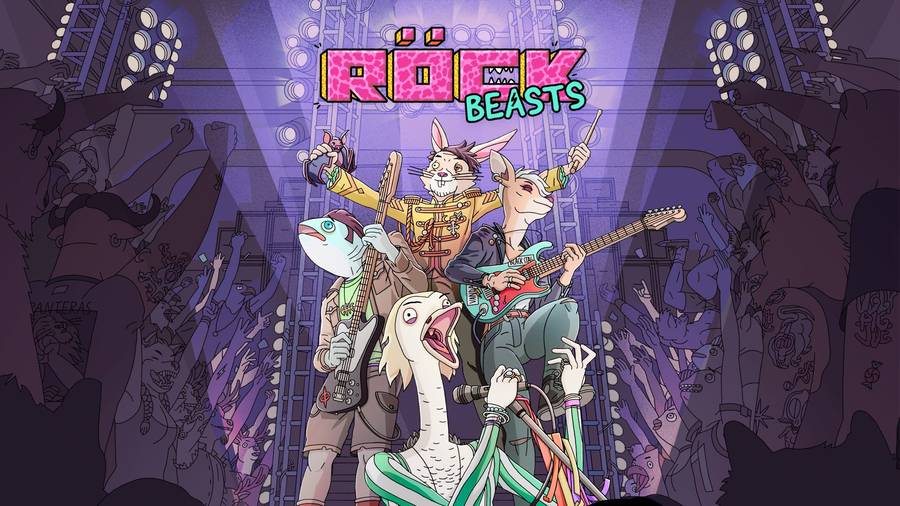
You manage a rock band of anthropomorphic animals in this rhythm-driven adventure. You perform songs, make meaningful choices, and customize each character any way you want.
Stretchmancer
This is one of the most unique projects in the lineup. You play as an alien who solves environmental puzzles by stretching objects within the game world.
Virtue and a Sledgehammer
This low-poly action game stands out with its distinctive visuals. You fight robots and destroy the environment using a reliable sledgehammer. The game is currently planned for a 2026 release.
Beastro
This fantasy adventure mixes deck building, cooking and stylized art. You support heroes by preparing meals that influence their abilities in battle, creating a blend similar to Slay The Spire but with a culinary twist.
Soundgrass
Developed by composer Marcel Enderle, Soundgrass blends science fiction, survival mechanics and sound-based puzzles into an experimental experience.
The Dungeon Experience
This unusual dungeon crawler focuses on absurd humor and self-aware jokes. It aims to offer a memorable and intentionally chaotic adventure.
Big Hops
This 3D platformer follows a frog protagonist who uses items and their tongue to swing, solve puzzles, and avoid obstacles. The game arrives on January 12.
Demon Tides
A fast-paced platformer and sequel to Demon Surf. It provides rail grinding, speed-focused movement, and stylish platforming. The release date is February 19.
Astromine
A cooperative space-mining game where you and your friends explore planets and gather resources. The fully destructible voxel worlds give the game a feel similar to Minecraft set in space.
Other games showcased:
Lucid Falls, first person horror game
Un:Me, horror title about a girl hosting multiple souls
Scramble Knights Royale, cute top down battle royale
Mirria, atmospheric puzzle game
CorgiSpace, collection of retro arcade games
Into the Fire, game about a firefighter battling a volcano
Dogpile, roguelike deck building game
Unshine Arcade, arcade roguelike horror
Moomintroll: Winter’s Warmth, Moomintroll adventure game
Frog Sqwad, co-op game for up to eight players
Find Your Words, symbol-based puzzle game
Xcavator 2025, revived NES game
These are some of the titles shown during Day of the Devs. As we move toward the main event, you can check the list of our The Game Awards predictions while you wait.
Social media has become the go-to place for tutorials and quick answers. Videos communicate complex ideas more clearly and engagingly than text. Beyond helping viewers, explainer videos also benefit brands by showing real product use and delivering trustworthy reviews. Wondershare Filmora V15 offers a powerful platform for creating these videos easily and professionally.
From generating footage to adding voiceovers, Wondershare Filmora guides creators through the entire process. With AI-powered generation tools, stickers, stock images, and built-in enhancements, users can refine every part of their tutorials for maximum clarity and impact.
Making Explainer Videos Better: Top Features of Wondershare Filmora V15
In today’s digital landscape, audiences rely heavily on online content—especially video. From educational lessons to tech guides, explainer videos simplify concepts into easy-to-understand visuals. Filmora V15 recognizes this shift and provides all the tools needed to create professional-quality tutorials. Below are the standout features that elevate your explainer videos:
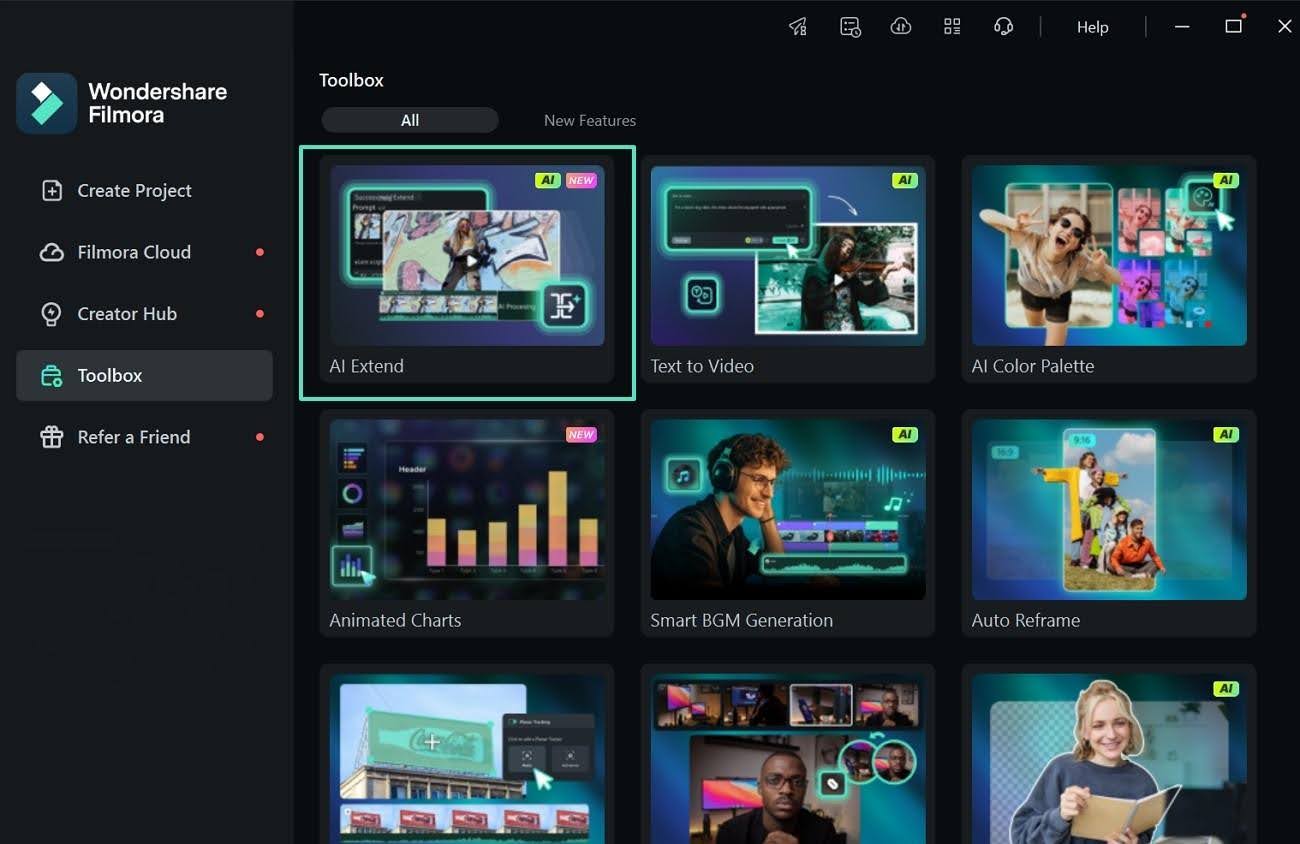
AI Extend
After recording, you may find that your video ends too abruptly or needs a few extra seconds. Reshooting isn’t always possible, which is where AI Extend becomes essential. This feature adds 5–8 seconds of natural motion to your clip based on a prompt you provide.
Once generated, the new segment blends smoothly into your timeline. You can adjust duration, resolution, and other settings for tailored results.
Text to Speech
Accessibility is key when producing tutorial videos. Filmora’s Text-to-Speech feature converts on-screen or written text into speech using ultra-realistic AI voices. With support for 40+ languages and 50+ voice options, your tutorials can reach a global audience with natural-sounding narration.
You can convert existing text directly or generate a script using AI Copywriting. Filmora then automatically aligns the generated audio with your video, making it especially beginner-friendly.
AI Captions
Filmora generates subtitles with high accuracy and offers three modes of auto caption creation. You can create same-language subtitles or generate translated captions for international viewers.
For dynamic, eye-catching subtitles, the Dynamic Captions option highlights words as they’re spoken. All caption elements—including content, presets, fonts and animations can be customized to match your video style.
How is Filmora V15 Beneficial For Creators?
Time Saving With One Click AI: Filmora V15 automates complex edits using one-click AI tools, reducing manual effort and speeding up video creation.
Consistent Quality Enhancement: AI maintains steady brightness, color, audio and clarity across all clips, ensuring uniform professional quality without requiring manual adjustments.
More Freedom for Creativity: With technical edits handled automatically, creators can spend more time shaping storytelling, pacing and visual style.
Beginner Friendly Advanced Tools: AI Copilot Editing, Auto Captions and smart templates help beginners produce professional videos without advanced editing skills.
Faster Workflow and Multitasking: AI text-based editing, scene detection and automated script generation streamline tasks for quicker production.
Conclusion
Your explainer videos can achieve faster delivery and higher quality with Filmora’s AI-powered features. Tools like AI Captions help you reach multilingual audiences, while Text-to-Speech provides natural, professional narration. Combined with AI Extend and other enhancement tools, Filmora V15 makes creating effective tutorials easier than ever. With these capabilities, your explainer videos become clearer, more engaging, and more accessible to viewers everywhere.
About Wondershare
Wondershareis a globally recognized software company founded in 2003, known for its innovative solutions in creativity and productivity. Driven by the mission “Creativity Simplified”, Wondershare offers a range of tools, including Filmora and SelfyzAI for video editing; PDFelement for document management; and EdrawMax, EdrawMind for diagramming. With over 2 billion cumulative active users across all products and a presence in over 200 countries and regions, Wondershare empowers the next generation of creators with intuitive software and trendy creative resources, continually expanding the possibilities of creativity worldwide.
Official Nintendo Year In Review 2025: What We Know So Far
Nintendo never followed a strict release schedule for this feature. Over the last three years, the Year in Review went live on December 13, 15, and 18. While those dates vary, they share one pattern: Nintendo usually releases its recap shortly after PlayStation Wrap Up becomes available.
So when should players expect the 2025 version? Based on previous timelines, the official Nintendo Year in Review 2025 will likely appear by the end of the week. When it goes live, users should see a banner on the home page. After selecting it and signing in, all gameplay stats and standout moments will appear automatically.
For now, Nintendo users can relax. Xbox Year in Review hasn’t launched either, and many Xbox players rely on third-party tools to generate their yearly stats.
Nintendo Music rolled out its new Year in Review feature, arriving shortly after PlayStation Wrap Up gave players their annual recap. Switch Online members can now enjoy their own personalized breakdown of 2025 listening habits with a quick and simple interface.
Nintendo Music 2025 Year In Review Is Finally Here
To view your stats, open Nintendo Music and tap the 2025 Year in Review banner on the home page. The recap shows your total play time, most played tracks, top playlists, and even your soundtrack of the year. The feature is already available and stays live until January 5, 2026.
Nintendo also refreshed its playlist lineup, adding two new collections featuring songs released on Nintendo Music during 2025 and 2024. These give users more curated tracks to explore once they finish checking their summary.
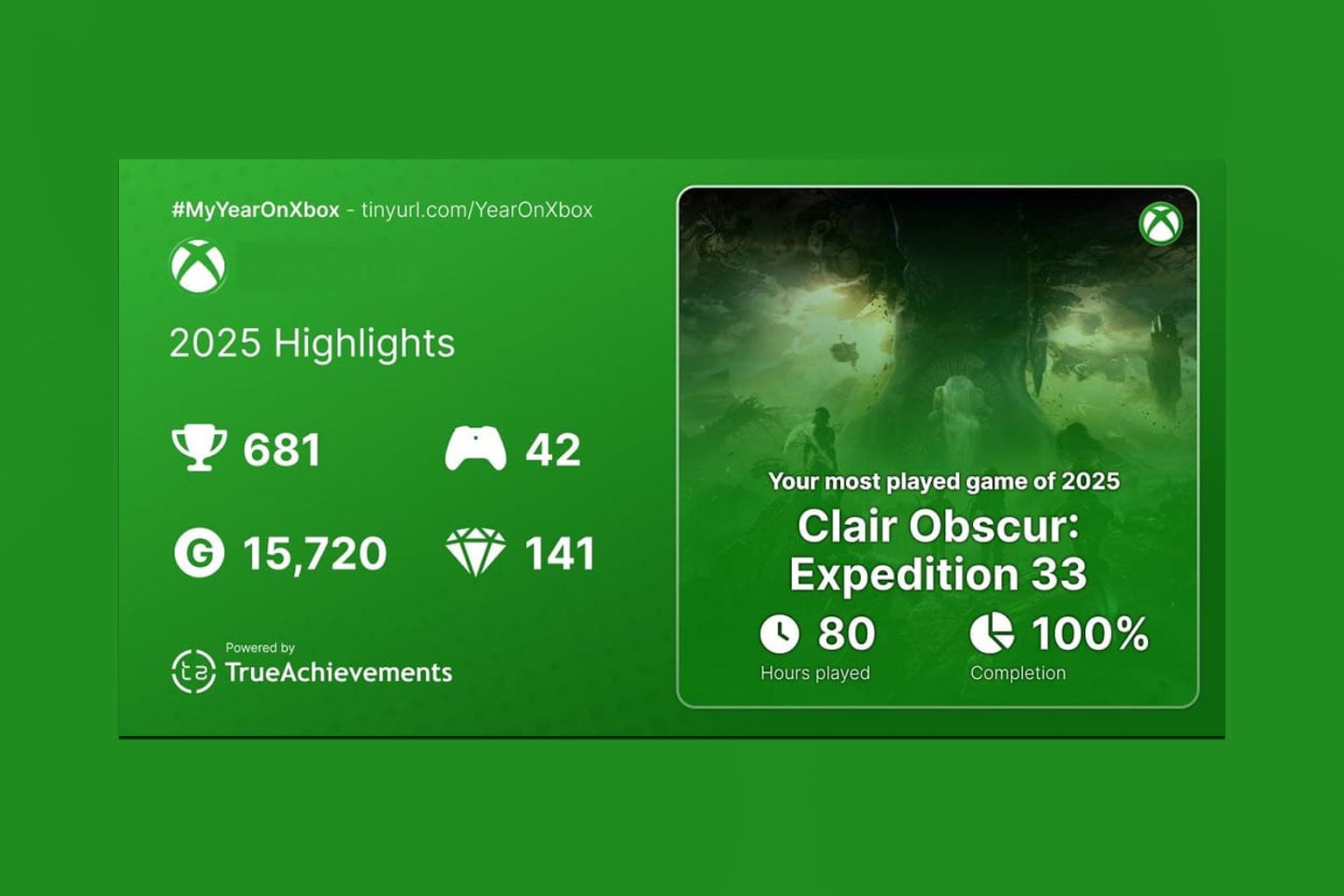
Xbox players keep waiting for the official Xbox Wrap Up 2025, but Microsoft has not shared any details yet. The annual recap usually arrives in December, and we saw the 2024 Recap on December 4th and the 2023 Recap on December 12th. The lack of updates pushed the community to look elsewhere, and TrueAchivements stepped in once again with its own version of the yearly summary.
View Your Xbox Wrap Up via True Achievements
The platform has offered an Xbox year in review for several years, and the 2025 edition adds more depth than before. Players can view completionist stats, DLC progression, and animated highlight cards that showcase their biggest gaming moments. Sharing the recap with friends also takes only a single link.
If you want to check your Xbox Wrap Up now, follow these steps:
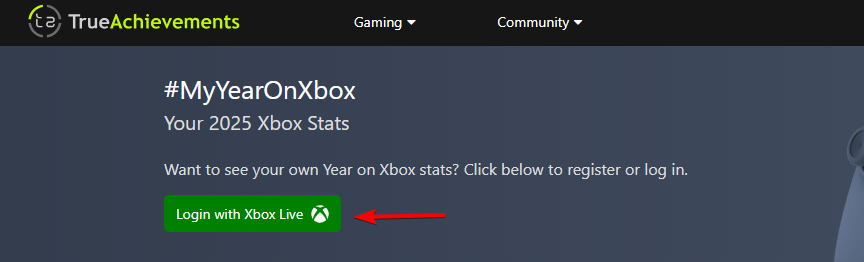
Visit the TrueAchievements My Year On Xbox page.
Select Login with Xbox Live.
Enter your Xbox account credentials.
Bear in mind that you must have a TrueAchievements account to generate the report.
With no official Xbox Wrapped available, fans who want an early look at their yearly stats can rely on this third-party tool. It delivers a clean and detailed recap and fills the gap until Microsoft reveals its own version. As for the official Wrap Up, we expect to see it soon, as the Xbox Year in Review link is available, but it’s currently redirecting to the Xbox home page.
Epic Games has added Kim Kardashian to Fortnite as part of a new Icon Series release. The update brings multiple outfits, cosmetic bundles, and themed accessories pulled straight from Kim’s fashion playbook.
Unlike some earlier crossovers, this one is all about Kim K’s her luxury aesthetic, with high-glam looks that aren’t subtle about who they belong to. The Kim Kardashian skins are available in the Item Shop for a limited time, and prices vary based on the bundle you choose.
Kim Kardashian Fornite Skins Release Date & Time
Saturday, December 13, 2025
7 PM ET / 4 PM PT
Appears in the Fortnite Item Shop across all platforms
In the past few months, Microsoft has quite actively added new features to Teams, and it seems the company will keep up with that trend next year, too. That’s according to folks at XDA Developers, who spotted entries of two new Teams features in the official Microsoft 365 roadmap.
If you use Teams, you must be aware of the issue related to how the Enter key works in the message composer. At present, pressing Enter immediately sends a message. While that’s not an issue, things get frustrating when you press it accidentally, sometimes with incomplete messages.
Microsoft will soon allow users to choose whether Enter creates a new line or sends the message. As of now, there are no details on the confirmed alternative keyboard shortcut for sending. However, many users feel that going with the common Ctrl + Enter combination seems feasible.
Wait, we are not done yet. Microsoft has another surprise for Teams users incoming in 2026. The feature in question is multi-message forwarding. All this while, Teams only supported single-message forwarding. But starting early 2026, users will be able to select and forward up to five messages in a single action.
According to roadmap, Microsoft plans to roll out multi-message forwarding in January 2026, followed by the Enter key customization feature in February. If you use Teams on Desktop, Mac, Linux, and the web, it’ll be available for you.
What do you think about these upcoming features? Which one are you looking forward to the most? Drop your thoughts in the comments below.
Last week, Microsoft released a firmware update for Surface Pro 10 for Business (non-5G version) running Windows 11, Version 23H2 or newer. The update is 1GB in size and has fixed a few known issues that kept troubling users. Here’s the changelog you may want to check:
Improvements and fixes:
Security:
Addresses a fingerprint authentication bypass security vulnerability to prevent spoofing attacks.
Addresses potential security issues that may allow escalation of privilege, denial of service, or information disclosure.
Reliability:
Resolves an issue where the keyboard stops responding after the device comes out of hibernation.
Fixes an issue where the Surface Pro Flex Keyboard battery may stop charging while the device is asleep.
Improves stability by fixing blue screen issues related to using extended monitors.
Fixes interface issues between the graphics and camera to ensure stable performance.
Reduces screen flickering that could potentially lead the device to stop responding or restart.
This release contains the following components. The specific components installed are based on your device’s configuration:
Windows Update Name
Device Manager
Intel Corporation – Extension – 32.0.101.6737
Intel(R) Graphics – Extensions
Intel Corporation – Display – 32.0.101.6737
Intel(R) Graphics – Display adapters
Surface – Extension – 2.131.28.0
Surface Type Cover v7 Firmware Update – Extensions
Surface – USB – 1.115.30.0
Surface Type Cover v7 Fingerprint UDE Controller – Universal Serial Bus controllers
ELAN Finger Print – Biometric – 4.15.12412.20033
ELAN WBF Fingerprint Sensor – Biometric devices
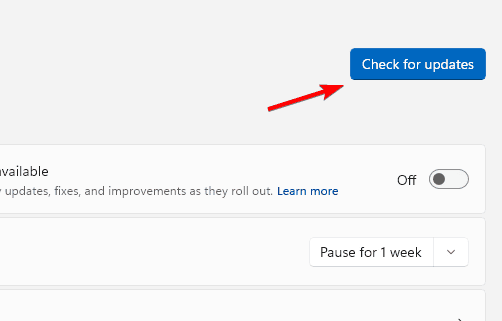
If you haven’t updated yet, simply check the health of your Surface drivers and firmware using the Surface app. In the Surface app, expand Help & support to check the update status. If there are updates available, select the Check for updates button to open Windows Update and install the available updates. You can also manually install the updates from here.
If you’re the kind of player who loves testing game demos, Xbox has just dropped you a perfect December treat. The Indie Selects Demo Fest is officially live, and this time, it’s bigger. You can enjoy over 30 free demos across Xbox, PC, and handheld devices from December 9 through 31. Microsoft notes that “most demos represent early builds and may differ from the final release, including regional availability, as developers continue polishing their games.”
Newly announced games coming to Xbox
Knuckle Jet
Ready for something off the wall? Meet Knuckle Jet — a jetpunk action platformer from the creators of Teslagrad! Soar as Anastasia, ricochet off walls, and smash foes with the mighty Knuckle Jet. Mix and match gear for wild gameplay twists — fashion sense optional! Team up in 2-player couch co-op to topple Baron Tychoon, or throw down in Knuckleball for some friendly chaos.
Megabattle
Create your deck, build your robot, and dive into a roguelite adventure full of surprises! Design your own fighter, experiment with unique strategies, and discover countless ways to battle. Just one rule: don’t die!
Raging Bill
Raging Bill is a single-player sandbox of pure chaos. Play as Bill — ex-MMA champ turned billionaire — whose island paradise spirals into madness: party crashers, UFOs, zombies, dragons, and more. Inspired by Goat Simulator and Duke Nukem, it’s a mix of combat, stunts, puzzles, and freedom.
Built in Unreal Engine 5 with Lumen, Nanite, and Chaos physics, the 5km² world is packed with biomes, secrets, and retro Easter eggs. From jetpacks to hoverboards, every moment is designed for fast-paced, shareable fun. Created by Jérôme Tissot (Muttonheads) under Artpunk Studio, this is indie gaming turned up to 11.
Reef Defense
Dive into Reef Defense, a fast-paced strategy challenge where crustaceans are coming for your eggs! Build clever defenses, plan your moves, and fight to keep your reef safe. Can you outlast the swarm, or will the crabs feast tonight?
Full list of demos you can play right now
Title
Platforms
Publisher / Studio
Aikyam
Xbox
Thousand Stars Studio
Amazing Frog?
Xbox
Fayju
AWAYSIS
Xbox / PC
17-Bit / Cult
Biped 2
Xbox
Meta Publishing
Boxes: Lost Fragments
Xbox
Big Loop Studios / Snapbreak
Cash Cleaner Simulator
Xbox
Mind Control Games / Forklift Interactive
Cassette Boy
Xbox
Wonderland Kazakiri / Forever Entertainment
Coffee Talk Tokyo
Xbox
Chorus Worldwide
ColorBlend FX: Desaturation
Xbox
Pi-Dev Bulgaria
Cyberawar Neon City
Xbox
CyberMonkey Studio / GoGo Games
Deck of Haunts
Xbox
Mantis Games / Dangen Entertainment
Empire in Decay
Xbox
Siesta Games
Froggy Hates Snow
Xbox
Crying Brick / Digital Bandidos
Go North
Xbox
Gazuntype
Incantation
Xbox
Softstar Entertainment / Eastasiasoft
Junkster
Xbox
Stormcloud Games / 4J Studios
Kejora
Xbox
Beranjin Creative / Soft Source
Knuckle Jet
Xbox / Handheld
Rain Games
Limbot
Xbox
Ionized Studios
Lost in Loss
Xbox / PC
Soroka Games
Mark of the Deep
Xbox / PC / Handheld
Mad Mimic / Light Up Games
Master Lemon: The Quest for Iceland
Xbox
Pepita Digital
Megabattle
Xbox
MadCat
Pathologic 3
Xbox
Ice-Pick Lodge / HypeTrain Digital
Raging Bill
PC / Handheld
Artpunk Studio
Realm of Ink
PC / Handheld
Leap Studio / 4divinity
Reef Defense
Xbox / PC / Handheld
Swift Creek Games
Relooted
Xbox
Nyamakop
Rhythm Towers
Xbox
Innoloop
RoadOut
Xbox
Rastrolabs / Dangen Entertainment
Showgunner
Xbox / PC
Artificer / Klabater
Star Ores Inc.
Xbox
BlackBeak Games / Three River Games
STONKS-9800: Stock Market Simulator
Xbox / PC / Handheld
Ternox
Tenebris Somnia
Xbox / PC
Saibot Studios / New Blood
Townseek
Xbox
Whales and Games / Super Rare Games
Under Par Golf Architect
Xbox
Broken Arms Games
Worshippers of Cthulhu
Xbox
Crazy Goat Games / Crytivo
So, which one are you looking to try this month? Drop your favorite picks if you have already tried some of the games.
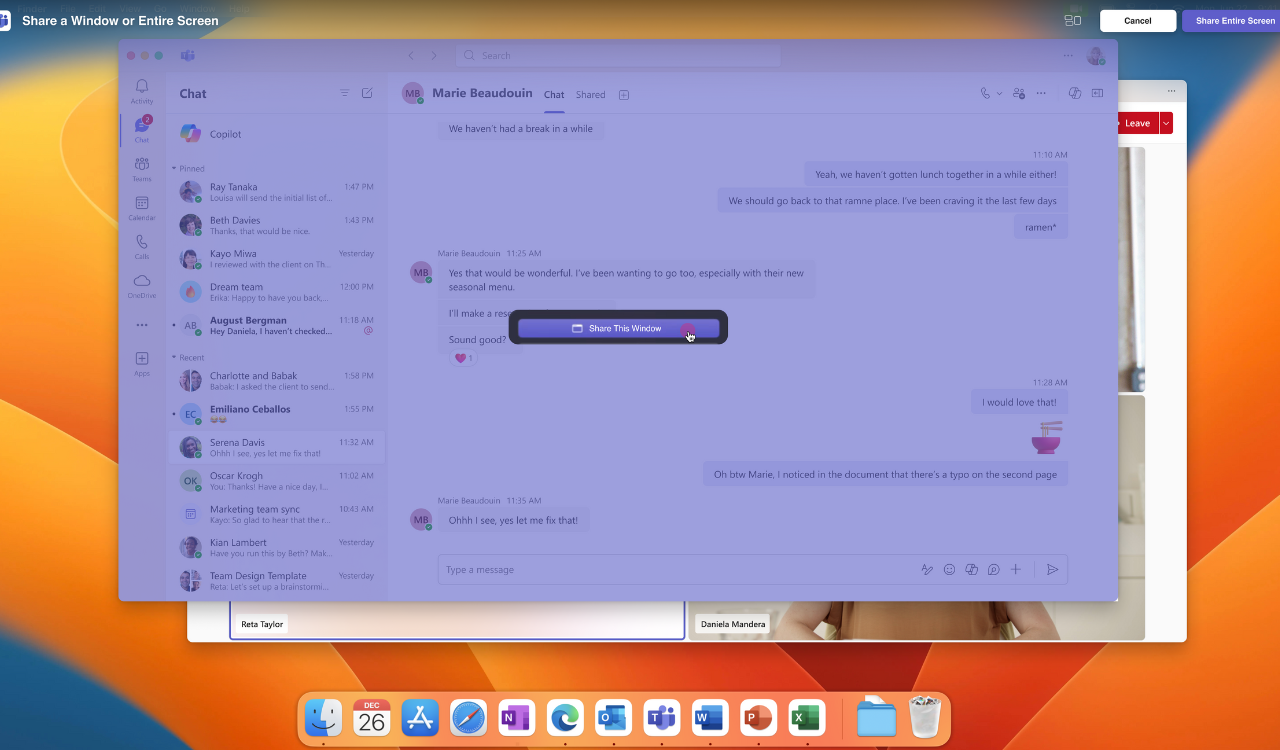
If you are a Mac user and Teams is a staple for you, Microsoft has some good news. The company is finally rolling out native macOS screen and window sharing inside Teams. This update taps directly into Apple’s sharing system, so everything looks and feels… well, like a native Mac feature.
In the announcement post, Microsoft says it wants to make sharing feel intuitive for long-time Mac users, new Teams adopters, and anyone who hates that awkward “wait, can you see my screen?” moment. So, the real question is how to enable the native screen sharing feature in macOS for Teams.
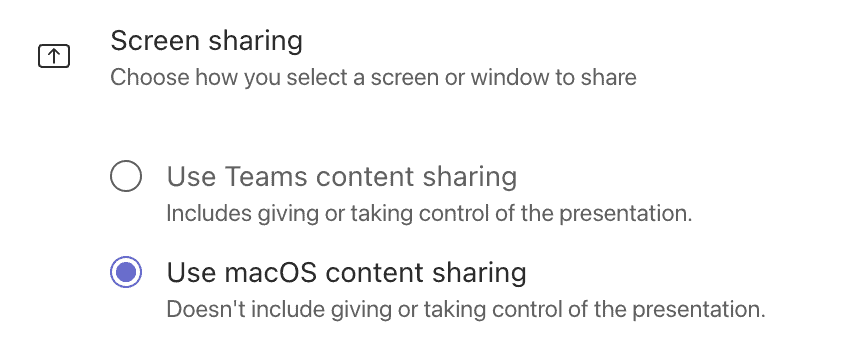
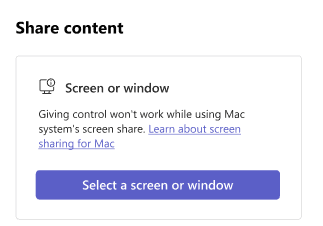
As Microsoft notes, you just need to open Teams on Mac, then go to its Settings >General and toggle on the “Use macOS content sharing” option. And, you should be good to go.
Once you’re inside a meeting, simply click on Share and choose your screen or window. From there, macOS takes over, and the experience looks native. That being said, there is one big caveat: you can’t give or take control when using the Mac native experience for screen sharing.
Not to forget, it’s an opt-in feature for members of the Teams Public Preview or Microsoft 365 Targeted release, and use the Teams client for Mac. Moreover, admins also have to allow preview features. So, depending on your IT department, you might be able to use this feature starting today or later on.
Are you switching this on immediately, or waiting for full remote control support to return? Let us know in the comments below.
Microsoft has just announced two new Fallout-themed Xbox wireless controllers, and if you are a fan of the game, you shouldn’t miss out on this one. There are two different versions of the controller: one standard model and a prestige-level Elite Series 2. And, guess what? They look like they’re straight out of the vault.
Both controllers Microsoft announced today come in green colorway, featuring the in-game Pip-Boy and even include Fallout HUD icons to bring that retro-apocalyptic vibe right to your hands. Well, if you want to grab the standard Xbox Wireless Controller – Fallout Pip-Boy, it’s already up for pre-order at the Microsoft Store.
Image: Microsoft
If you want to customize it, you can easily do so via Xbox Design Lab. You can tweak nearly every piece of the controller, from the top case and side caps to metallic triggers and a green D-pad. Want an extra personal touch? You can also engrave the case for free during this holiday season.
Aside from looking absolutely cool, both controllers are fully compatible with Xbox Series X|S, Xbox One, PC, iOS, Android, and cloud devices via Xbox Wireless or Bluetooth. You also have a dedicated share button that makes it easy to snap and share your best wasteland moments with friends.
If you want premium performance, especially for battling Deathclaws or mastering intense in-game moves, the Elite Series 2 version should be your go-to choice. It offers adjustable-tension thumbsticks, rubberized grip, shorter hair-trigger locks, and paddles for pro-level control.
Image: Microsoft
If you are into RPG, you’ll love the custom button mapping and swappable profiles for different gameplay styles. So, which one are you going to pick? And why? Drop your thoughts in the comments below.
It’s been quite a while since Capcom had Resident Evil fans guessing about Leon Kennedy’s role in “Requiem.” Well, if you are among the ones, there’s some good news for you. As reported by IGN, PlayStation Store slip-up by Capcom has leaked what everyone has been waiting for.
As spotted many players, a new piece of artwork in the PlayStation Store shows a grizzled, bearded Leon standing right behind the game’s protagonist, Grace Ashcroft. Take a look at gthe featured image of this article, there he is.
Rumors also suggest that Leon will be playable after Grace. However, it is not clear how much screen time he will get. But you can expect something similar to Chris Redfield in Resident Evil Village, where a secondary protagonist was playable in specific sequences but didn’t take the center stage.
Ever since the game was announced, fans have waited eagerly. And with Leon now officially confirmed, the speculation can finally res… at least until Capcom decides to slip in some other information through the cracks.
As you know, The Game Awards 2025 kicks off tomorrow, and there you will get another look at Resident Evil Requiem. Don’t be surprised if Capcom officially reveals Leon’s role at the event. For the unitiated, Resident Evil Requiem will launch on February 27, 2026 on Xbox Series X|S, PlayStation 5, Nintendo Switch 2, and PC via Steam and Epic Games Store.
Are you ready to team up with Leon and Grace? Who do you think will steal the spotlight in the new game? We’d love to hear your thoughts — drop them in the comments.
PlayStation Plus subscribers may have a notable lineup coming their way next week, according to new reports circulating online. Sony has not confirmed the details yet, but the early information points to a strong month for members of the service.
Assassin’s Creed Mirage And Wo Long: Fallen Dynasty Are Coming to PS Plus
The leak originates from Dealabs, a source with a solid track record for accurate PlayStation Plus predictions. According to their report, Assassin’s Creed Mirage and Wo Long: Fallen Dynasty are expected to join the monthly roster. Mirage represents a return to form for the Assassin’s Creed franchise, emphasizing stealth, parkour, and classic action gameplay while reducing the heavy RPG systems seen in recent entries. Wo Long: Fallen Dynasty delivers a fast, challenging action RPG experience inspired by Chinese history and mythology, created by the developers behind the acclaimed Nioh series.
There is also mention of Soulcalibur 3 potentially landing in the PlayStation Plus Premium Classics Catalog. The game appeared briefly in earlier State of Play discussions, and its resurfacing in recent reports suggests that a re-release may be close.
Sony is expected to reveal the official PlayStation Plus lineup later today. Until then, subscribers will need to wait for confirmation to see whether these anticipated titles make the final list.
We are living in the AI era, and there’s no denying it. But, as companies make their AI models more capable of different actions they can take, the Linux Foundation is stepping in to keep the ecosystem in check.
As reported by TechCrunch, the Linux Foundation has launched a new group, the Agentic AI Foundation (AAIF), which aims to create a neutral home for open-source projects that focus on allowing AI agents to communicate, connect, and work together without being locked into proprietary platforms.
The group has some big names in it. The first one is Anthropic, which has reportedly donated its MCP (Model Context Protocol). The said protocol links AI models to tools and data. Block, meanwhile, contributed with an open-source agent framework called Goose.
When it comes to AI, it’s not possible to have OpenAI in the scene, as the Altman-led company has added AGENTS.md. It is a simple instruction file that helps coding tools behave consistently. All three big names are building blocks for what the Linux Foundation calls the “agent era.” Let’s not forget that the AAIF members’ list also includes AWS, Bloomberg, Cloudflare, and Google for shared safety standards and interoperability.
Brad Axen from Block highlights that open frameworks like Goose can compete with proprietary systems at scale. Similarly, Anthropic hopes MCP becomes a neutral standard that connects models, tools, and applications globally.
Speaking with the news outlet, Jim Zemlin, Linux Foundation executive director, says that “By bringing these projects together under the AAIF, we are now able to coordinate interoperability, safety patterns, and best practices specifically for AI agents.” He further adds that the goal is to avoid “closed walls” and push towards real-world interoperability.
Are you excited about a future where AI agents from different platforms actually work together? How would open standards like MCP and Goose change your workflow?
The mysterious demonic statue spotted in photos around The Game Awards has finally been identified. After days of speculation, a newly registered trademark revealed the true origin of the design, ending theories that linked it to God of War, Diablo 4, or even a new Elder Scrolls game.
Demonic Statue At Game Awards is Linked to Divinity Games
The trademark filing ties the statue directly to the Divinity franchise. The documents include a fresh logo and additional artwork, and one of the symbols matches the mark engraved on the statue. Fans also noticed the glowing eye featured in the updated Divinity emblem, which mirrors the same detail on the promotional figure.
Many assumed this discovery hinted at Divinity: Original Sin 3, but Larian Studios shut that down in a recent tweet:
There aren't currently any plans for a new Divinity Original Sin 3 game but once we are ready to show what we've been working on we will 🙏
With that theory dismissed, the statue likely teases a different project within the Divinity universe. The mystery may not last long, though, as The Game Awards draw near. If you want a clearer picture of what could be announced, check out our The Game Awards predictions while waiting for the official reveal.
Ubisoft has not confirmed the Assassin’s Creed Black Flag remake yet, but new evidence suggests that an announcement may be right around the corner. In our The Game Awards predictions, we highlighted the strong chance of seeing the remake unveiled during the show, and now a new development supports that possibility.
Assassin’s Creed Black Flag Resynced Is The Official Name Of The Remake
According to IGN, the PEGI European ratings board briefly listed the title under the name Assassin’s Creed Black Flag Resynced. The entry assigned an 18+ rating for violence and harsh language, which fits the tone of the original game. Although the listing disappeared shortly after, its appearance strongly hints that official news could be coming soon.
The rating also included a note about in-game purchases. Many fans voiced their frustration, as players continue to push back against microtransactions in full-priced games. PEGI didn’t clarify what type of purchases might appear, so it remains unclear whether Ubisoft plans purely cosmetic items or something more impactful.
Ubisoft has yet to address the listing or confirm any details about the remake. Even so, with The Game Awards fast approaching, excitement continues to grow. Fans remain hopeful that the beloved pirate adventure will finally receive its long-awaited return in an official announcement during the show.
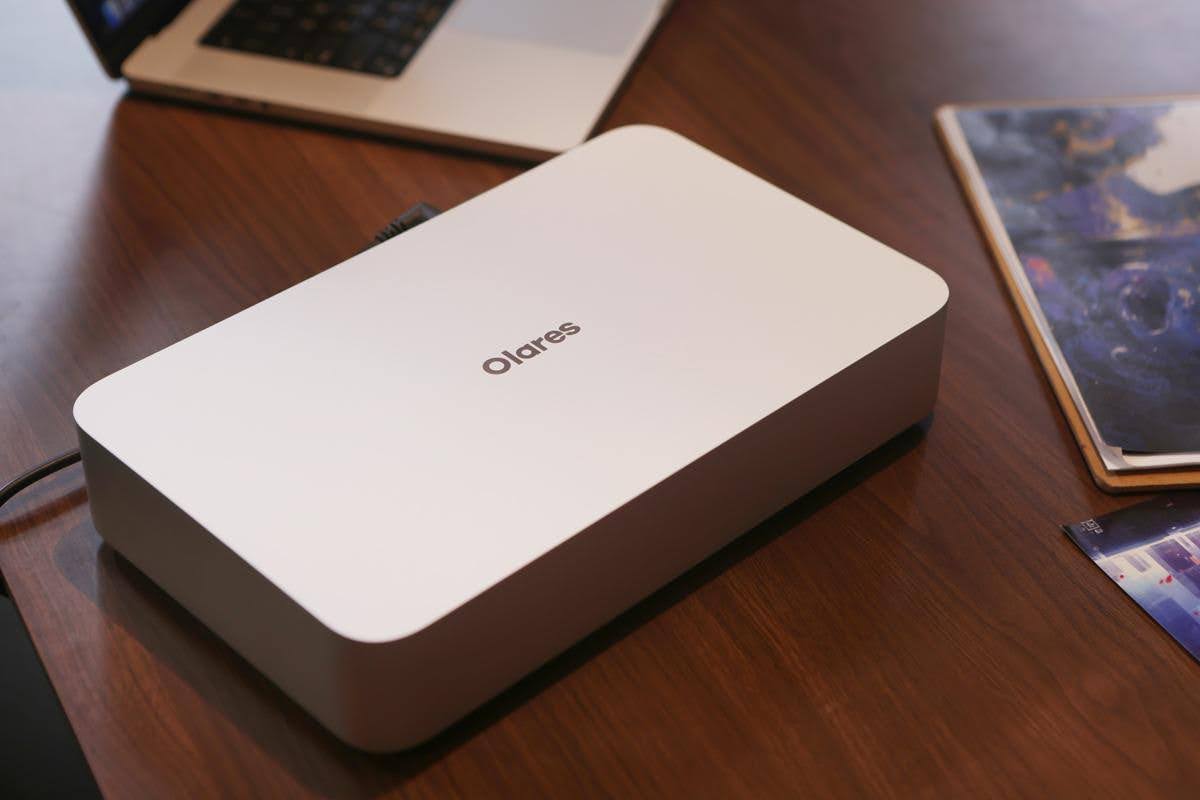
Olares One enters the market with an ambitious proposition. Instead of treating AI as a service delivered from the cloud, it positions itself as a personal cloud server and AI workstation that keeps data private, while turning local files into a personal assistant, signaling confidence in a future where consumers own the infrastructure that powers their AI experiences.
A personal AI built from your digital footprint
Olares frames the current state of AI as a tradeoff: powerful tools like Perplexity and ChatGPT offer convenience, but at the cost of privacy. These services rely on access to user queries, files, and behavioral data, turning personal information into training inputs for remote models. Olares One seeks to eliminate that compromise by building a digital twin of each user based entirely on local data.
The device analyzes documents, messages, and notes stored on your PC, converting them into a searchable knowledgebase that remains on-device. From this, it trains an assistant that learns personal writing style, routines, and preferences. Instead of generic outputs, the system aims to deliver context aware responses shaped by the user’s actual work and habits, without relying on the cloud.
Privacy minded, but designed for everyday use
Privacy focused hardware often comes with usability trade-offs, but Olares is trying to avoid that perception. Olares One runs an open-source operating system that behaves like a normal PC, allowing users to browse, download, and run applications with familiar workflows. It requires no particularly specialized setup.
It also supports remote access, enabling users to connect existing Windows devices and run their software through Olares One as if installed locally. This blending of environments may lower the barrier for users who want better performance without abandoning their tools.
Security features are integrated into the core architecture. Built in sandboxing prevents applications from accessing data without permission, creating a baseline level of isolation even if downloaded apps behave unpredictably. The company’s message is that users get stronger privacy protections with minimal friction.
Hardware aimed at AI speed rather than storage
Olares One is marketed as both a privacy oriented personal cloud and a high-performance AI workstation. It uses an NVIDIA GeForce RTX 5090 Mobile GPU with 24GB of memory, paired with an Intel Core Ultra 9 275HX processor and 96GB of RAM. This configuration is designed to support local processing of large datasets and multiple AI models simultaneously.
According to Olares, benchmark scores place it ahead of other personal AI computing systems in tests involving multimodal and lightweight models including GPT, Llama, and Qwen. The system is not just about running models quickly, but running several of them at once without resorting to cloud servers.
A key architectural feature is Time Sharing Mode, which allocates GPU resources dynamically across active applications. Olares claims this improves efficiency during multitasking and allows intensive workloads to run without dramatic performance drops.
Pricing and availability
The launch of Olares One reflects a broader shift in thinking about AI infrastructure. As AI becomes more integral to work and communication, dependence on cloud platforms raises questions about privacy, cost, and long-term control. Olares is betting that consumers and professionals will increasingly value local ownership of their tools and data.
Olares One launches on Kickstarter at US $2999. The price aims to be competitive with high end PCs and specialized workstations while offering significantly more power for AI workloads.
With its emphasis on performance, privacy, and ease of use, Olares One is targeted at early adopters who want fast AI capabilities without giving up control of their data. Whether it sparks a wider shift toward personal AI hardware remains to be seen, but it tees up a debate that is only beginning.
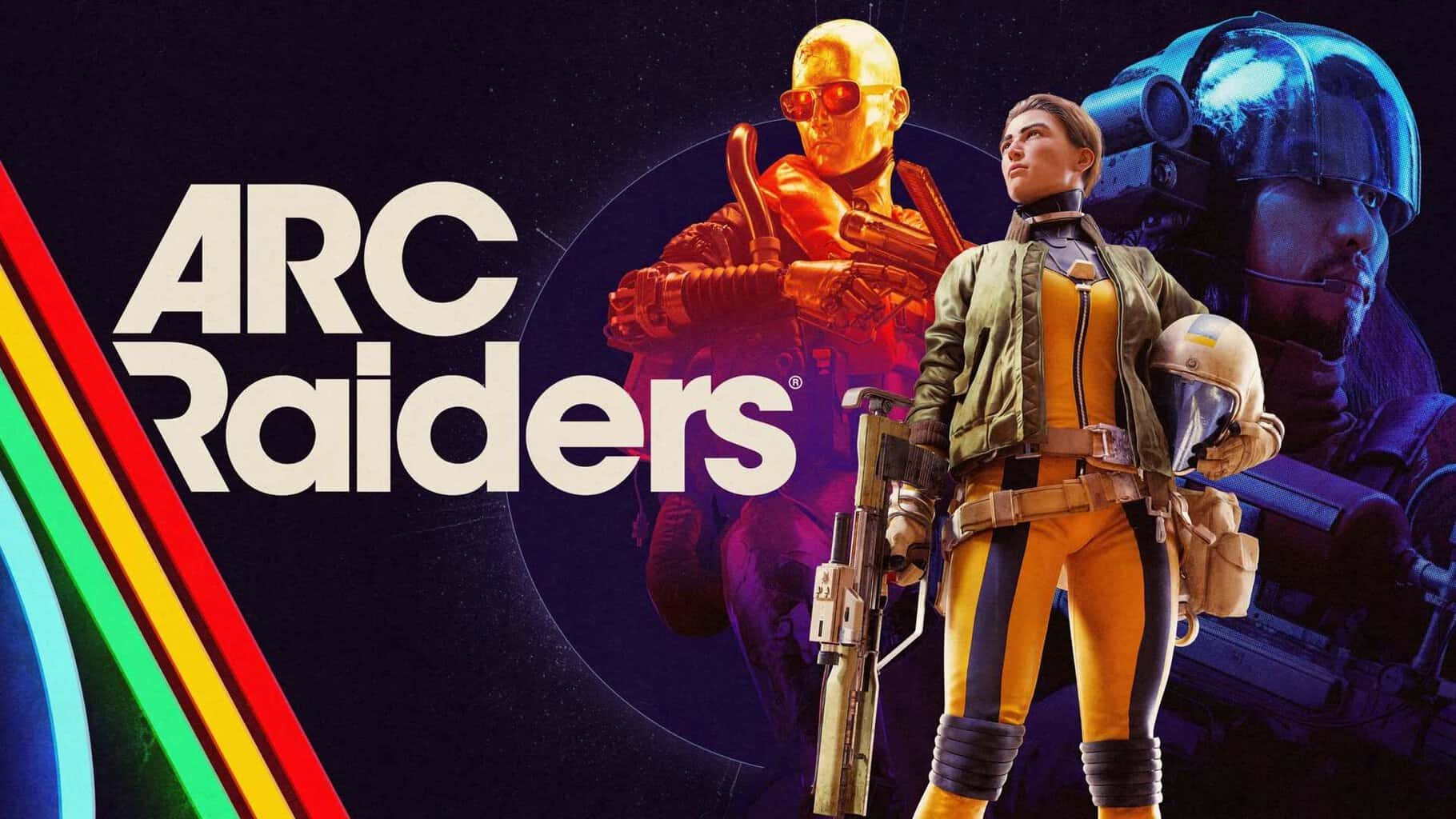
ARC Raiders Cold Snap Update Drops Dec 16, Here’s What To Expect
The studio confirmed that its next major release, the Cold Snap update, will launch on 16 December, sharing a short teaser post on social media to build excitement.
While official details remain limited, the community roadmap offers a clear glimpse of what’s coming. Players can expect a brand-new snowfall map condition, which should introduce more than a simple visual change. Reduced visibility, altered movement, or new enemy behaviors are all possibilities that could reshape how squads approach encounters. Alongside that, the update introduces the Flickering Flames event, adding fresh objectives and time-limited activities to keep the world feeling dynamic.
Cold Snap also brings a new Raider Deck, a progression system similar to a battle pass. It will feature a new set of quests and rewards, giving players more reasons to log in and advance through seasonal challenges.
Despite recent backlash, Embark appears committed to expanding ARC Raiders with meaningful updates. Are you looking forward to Cold Snap? Tell us your thoughts in the comments!
If you’re subscribed to any of the Microsoft 365 plans, the company is letting you access one of the most important features within Teams. Microsoft has rolled out the Teams meeting and call recording features to all Microsoft 365 Personal, Family, and Premium subscribers.
Thanks to this rollout, you’ll be able to record, store, and share conversations more easily than you used to. Whether you’re a music teacher saving piano lessons, a creator recording podcast interviews, or a volunteer keeping track of planning calls, recordings now let you revisit key moments and share them with your team.
Microsoft says it wants to help people do more, share more, and bring their ideas to life faster. Here’s what M365 Teams users can do:
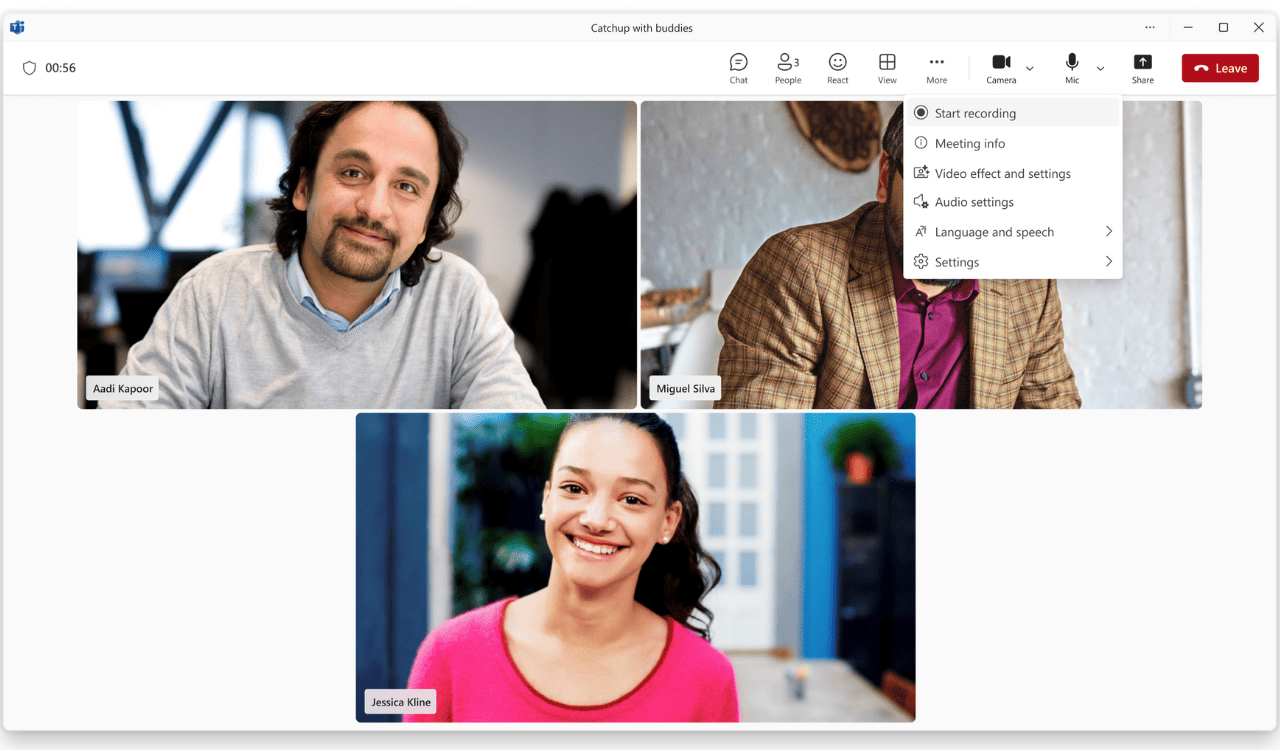
Record meetings or calls with a single click via the More options (…) menu.
Access recordings securely in the cloud for up to 30 days after the meeting ends.
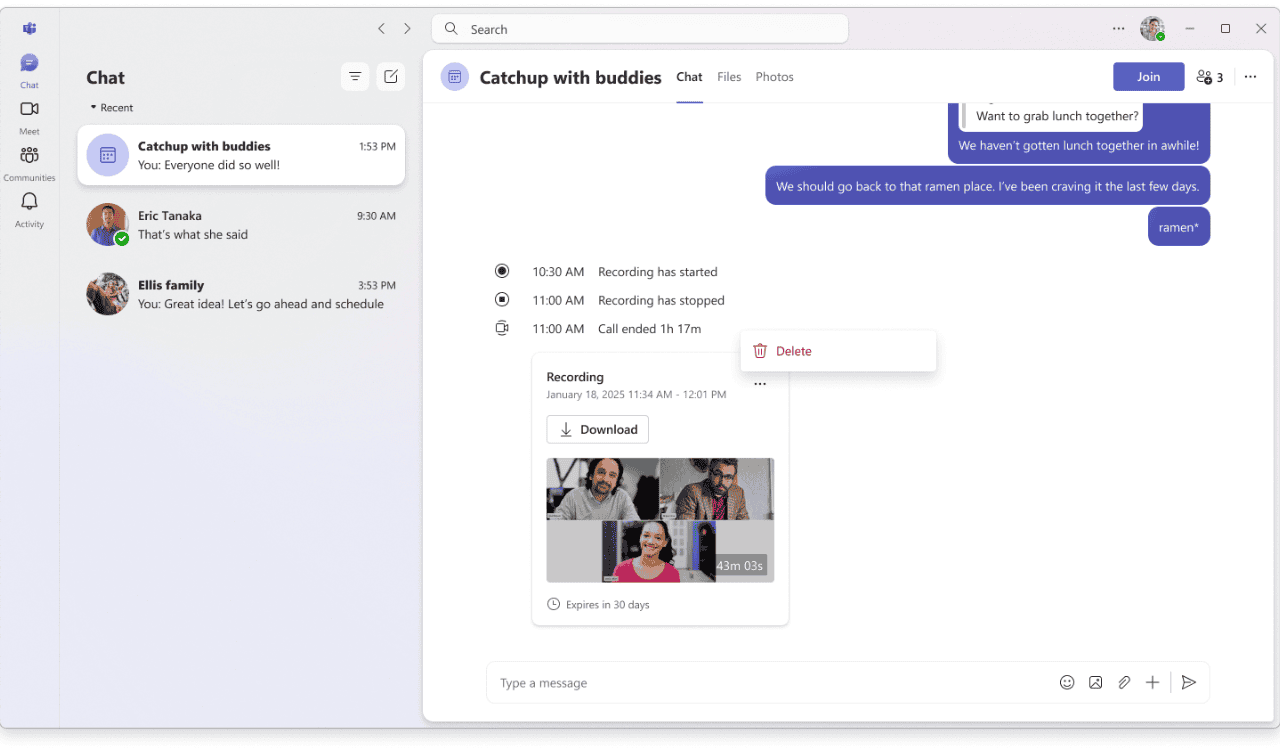
Watch and replay recordings directly in Teams from the meeting chat. Everyone who joined can view them.
Download recordings for offline use.
To start recording, first make sure you have an active Microsoft 365 subscription. Additionally, you should ensure that Teams is updated to the latest version. It’s worth noting that all your recordings will appear in the chat and are available for 30 days.
This update also keeps it simple for Teams users on all platforms, ensuring that capturing moments no longer requires complex setup or extra tools.
Are you planning to use Teams recordings for work, learning, or creative projects? Which type of meetings would you record first?
As part of the December 2025 Patch Tuesday Update for Windows 11 version 23H2, 24H2, and 25H2, Microsoft made some changes to PowerShell 5.1. So, if you came across a new security warning in Windows PowerShell 5.1 after installing these security updates, don’t worry; Microsoft says that it is designed to prevent scripts from running unexpectedly when fetching web content.
The change specifically targets the Invoke-WebRequest cmdlet, which is known for downloading web pages and resources. According to Microsoft, the warning you see simply addresses a high-severity remote code execution vulnerability (CVE-2025-54100). The said vulnerability affects enterprise and IT-managed environments where PowerShell scripts are heavily used for automation. If you are an individual user, the impact is reportedly limited.
So, when do you see this alert? Well, it pops up once (KB5074204) is installed. PowerShell will alert you if a downloaded page could execute scripts. The alert you see will read:
Security Warning: Script Execution Risk Invoke-WebRequest parses the content of the web page. Script code in the web page might be run when the page is parsed. RECOMMENDED ACTION: Use the -UseBasicParsing switch to avoid script code execution. Do you want to continue?
If you press Enter or select No, by default, you’ll see the operation being canceled. PowerShell suggests re-running the command with -UseBasicParsing for safer processing. When you select Yes, it allows you to fully load the page, which includes embedded scripts, essentially accepting the risk.
Microsoft notes that this security confirmation applies to scripts using the curl alias as well, since it maps to Invoke-WebRequest. Most scripts will continue to work without changes, especially those that simply download content or read response data.
The company further recommends IT admins to update automation scripts to explicitly include the safer -UseBasicParsing parameter to avoid waiting on manual prompts.
Have you seen this warning pop up yet? Are you updating your scripts proactively, or letting them run as before? Do let us know in the comments below.
Activision prepares a major push to revive interest in Call of Duty Black Ops 7 after the game’s rocky launch and weaker-than-expected sales. The studio announced that a free trial will arrive next week, giving players a chance to jump into both multiplayer and zombie modes.
Free Black Ops 7 Trial Lets Players Test Multiplayer And Zombies
While Activision has not shared an exact release date, the company confirms that the trial will run for a limited time and aims to bring new and returning players back into the game.
The offer includes a Double XP weekend, allowing players to level up faster and unlock gear at an accelerated pace. This bonus comes as part of Activision’s broader effort to re-energize the community after multiple reports showed that Black Ops 7 sales are down by as much as 63 percent compared to competing shooters. The publisher also acknowledged in a recent statement that Black Ops 7 has not met fan expectations and promised stronger innovation in future releases.
Black Ops 7 launched almost a month ago, and the decision to introduce a free trial highlights the challenges the game faces in its early lifecycle. With gameplay access, zombies mode, and Double XP on the table, many players may decide to give the game another shot.
Will you try Call of Duty Black Ops 7 during the free trial?
COD Black Ops 7 launched on Xbox Game Pass, but the publisher faces heavy criticism from fans and reviewers. Sales dropped and feedback called out the lack of innovation, pushing the company to rethink its release strategy.
After COD Black Ops 7 Criticism, Activision Will Change Its Release Strategy
According to a report from IGN, the publisher confirmed that it will no longer release Black Ops and Modern Warfare games in consecutive years. Fans saw consecutive Modern Warfare releases in 2022 and 2023, followed by Black Ops entries in 2024 and 2025, which raised concerns about franchise fatigue.
The company acknowledged the backlash directly in a recent statement, admitting that expectations were not met:
“We also know that for some of you, the Franchise has not met your expectations fully. To be very clear, we know what you expect and rest assured we will deliver, and overdeliver, on those expectations as we move forward.”
In the same blog post, the publisher outlined its new direction for the franchise:
“We will no longer do back-to-back releases of Modern Warfare or Black Ops games. The reasons are many, but the main one is to ensure we provide an absolutely unique experience each and every year. We will drive innovation that is meaningful, not incremental.”
This shift aims to restore trust after the poor reception of Black Ops 7, which many players criticized for repetitive gameplay and limited new ideas. The company plans to share more details about future projects when ready.
As part of its response to the backlash around Black Ops 7, Activision also plans to launch a free trial for Black Ops 7, which should take place next week.
Are you satisfied with this decision, and what changes do you want to see in upcoming Call of Duty titles?
We are just a day away from the biggest game night of the year. The Game Awards 2025 will stream live on Thursday, December 11, with the inaugural ceremony kicking off at 5 PM PT. If you’re the kind of fan who hates missing even a small bit of games-related content, the pre-show is scheduled at 4:30 PM PT. That’s when you should be glued to your screen. You can expect rapid-fire announcements, early reveals, and those surprise world-premiere teasers Geoff Keighley loves dropping before anyone’s fully settled in.
Where to watch The Game Awards 2025
You can stream the entire show for free on the following platforms. Here’s the full list with official links:
Based on confirmed appearances, leaks, and industry chatter, Exodus, Project Impact, Final Fantasy 7 Remake Part 3, Death Stranding 2 for PC, Silent Hill 1 Remake, Resident Evil Requiem, Pragmata, and Onimusha, and more are most likely to show up during the event. We have also covered a dedicated article on The Game Awards 2025 predictions. If you are looking for all the nominees from the top categories, here’s the article you may want to read.
What’s already confirmed
Lara Croft is making an appearance at the event.
Wildflower Interactive, the new studio from The Last of Us co-director Bruce Straley, is set to unveil its first-ever project.
PlayStation will bring new details on Saros, which is Housemarque’s follow-up to Returnal.
As always… Half-Life 3 hope never dies.
Last but not least, please don’t skip Day of the Devs on December 10, where you can expect breakout indie reveals that will absolutely dominate timelines.
FAQs related to The Game Awards 2025
When is The Game Awards 2025?
The show takes place on Thursday, December 11, 2025. The pre-show starts at 4:30 PM PT, and the main event begins at 5 PM PT.
Where can I watch The Game Awards 2025?
You can stream it for free on YouTube, Twitch, TikTok Live, X, Facebook Live, Instagram Live, Steam, and Amazon Prime Video.
Is YouTube still the best place to watch The Game Awards 2025?
Yes. YouTube offers a full 4K livestream, making it the top choice if you want the sharpest possible look at new trailers.
Will there be major game reveals?
Definitely. Host Geoff Keighley has confirmed appearances from Lara Croft, Wildflower Interactive, and PlayStation’s Saros. More world premieres are expected.
Will indie games feature on The Game Awards 2025?
Yes. The Day of the Devs showcase on December 10 will highlight new indie games and early standouts from smaller studios.
Can I watch The Game Awards 2025 on mobile?
Absolutely. Platforms like YouTube, TikTok Live, Instagram, and X make it easy to watch from any phone or tablet.
Do I need an account to stream the show?
No. Most platforms allow free viewing without signing in, though logged-in users may get a smoother experience.
Will The Game Awards 2025 be available to rewatch?
Yes. Full replays typically stay available on YouTube, Twitch, and Steam shortly after the livestream ends.
The update introduces a mansion from Prix Luxury Real Estate with upgraded outdoor scenery and a fully redesigned interior. Inside, players can explore trophy cabinets, a private salon, animal kennels, a new garage, a vault, and more. The safehouse also features a flashy car podium, an armory, and a complete vehicle workshop.
Rockstar adds business production boosts and an optional private security detail that protects your operations across Los Santos. GTA Plus members receive a week early access to the Vapid FMJ MK V premium car along with exclusive mansion owner perks. They can also use a new Vinewood Club App option on the iFruit phone to manage staff remotely at select businesses.
Players get new missions, additional Hao’s Special Works compatible cars, and expanded Missile Lock On Jammer support for more vehicles, including those with non weaponized artifacts. The update also brings new law enforcement vehicles, drift variants, and new freemode events.
One of the standout features is the Mission Creator. You can build custom missions from scratch with your own objectives, NPCs, and interactive elements, then publish them for others to play.
When is the GTA 5 Mansion update release date?
Rockstar launches the update on December 10 at 5 AM EST in the US and 11 AM CET in Europe.
Are you excited about this update? Let us know in the comments!
In our ongoing quest to find the best VPNs for Windows, we got our hands on X-VPN from Singapore-based company LIGHTNINGLINK NETWORKS PTE. LTD.
The cross-platform VPN protects up to 5 of your devices, and the Windows app has one of the best combinations of features we’ve seen.
X-VPN Features
Let’s take a closer look at how X-VPN works and performs:
Select Servers from 80 Countries
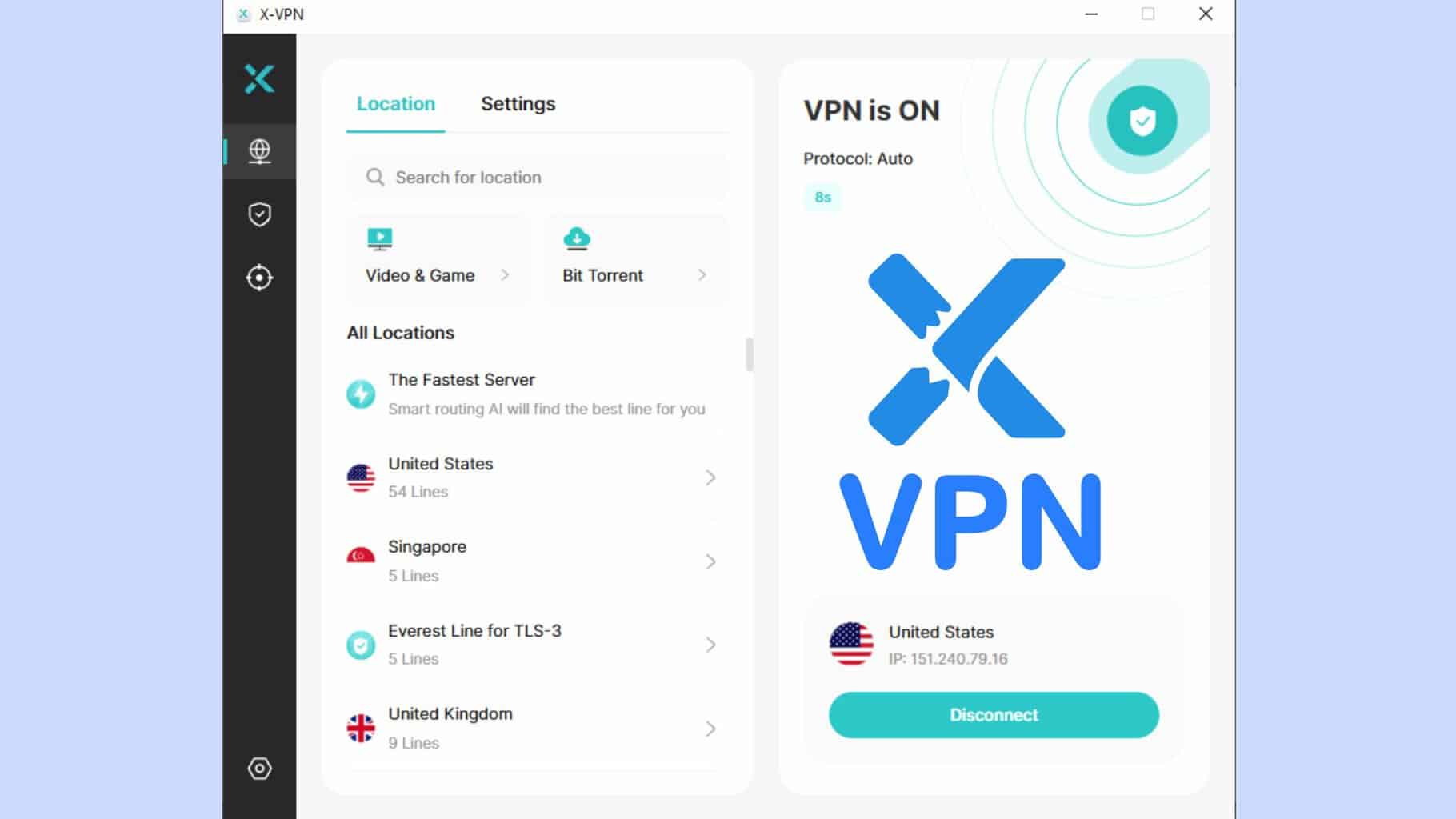
Once you have downloaded and installed the VPN for PC, you can connect to the fastest server by clicking the connect button and letting the smart routing AI do the rest.
This immediately applies military-grade encryption and prevents your ISP, Wi-Fi hackers, and other snoopers from seeing your internet traffic.
Alternatively, if you wish to choose a specific country to hide your location, X-VPN lets you freely select from states and cities across 80 countries.
This helps bypass government censorship and unblock regional content, such as gaming lobbies and streaming libraries in other countries.
X-VPN saves your recent location choices, and you can easily find others by scrolling or using the search bar.
In total, the network is supported by over 10,000 individual servers, so you’re unlikely to ever experience downtime or slow speeds.
Fine-Tuned for Gaming, Streaming, and Downloading
You will notice alongside the location choices, you can also select servers under the categories of Video & Game and BitTorrent.
For example, if you plan to watch a streaming service in the US, find the streaming list and look for US-Video, which has multiple optimized servers specifically for different streaming platforms. In total, there are over 140 optimized streaming servers for the United States, Great Britain, Canada, Australia, Mexico, Brazil, Argentina, and Japan.
Regular servers still work for watching videos, but these are more likely to unblock geo-restricted content and provide a buffer-free experience.
For online gaming, there are currently 4 lines designed for Roblox, PUBG, BGMI, and the Pokémon Trading Card Game.
Likewise, the list of BitTorrent servers ensures you can connect to torrent trackers and peers while protected by the VPN. For the best download speeds, you should choose a server closest to your real location.
Your Choice of Protocols
The first option under settings on the VPN page is Protocol. This determines how your data is transmitted, encrypted, and authenticated during a VPN connection. Each protocol has slightly different characteristics, such as favoring different devices like mobile or types of traffic, like streaming.
Most users will have the best experience using X-VPN’s default Everest setting, which is automatically configured for your network. However, you can manually choose different protocols if you know what you’re doing.
Everest is not open source, which is good for getting around VPN restrictions as it cannot be blocked based on known features. As well as excelling at obfuscation, Everest adheres to military-grade encryption and supports connections via UDP, TLS, TCP, and HTTP.
Having tested Everest, we experienced no IP or DNS leaks, backing up its security claims.
Alternatively, the more common OpenVPN and WireGuard protocols can be used instead. These are fast and secure, but more likely to be identified by sites and services trying to block VPN usage.
What is Obfuscation?
Also under the Protocol setting is an area to enter a domain name. This applies obfuscation, which is the process of making your traffic look like it’s coming from a certain source.
A basic VPN connection encrypts traffic, essentially making it invisible. However, this itself can signify that you might be using a VPN. Moreover, the way common VPN protocols package and transmit data can sometimes be identified, even if the content itself is hidden.
When using obfuscation methods, the data is packed in such a way that it looks natural. Without this, sophisticated ISPs or government censorship programs might block you for irregular traffic or because they suspect you’re using a VPN.
X-VPN builds on the obfuscation method by letting you enter a trusted domain that you are allowed to access. It then makes it appear like your traffic is being generated by visiting this domain.
For example, on a school network you might enter google.com or Wikipedia.com, as these are sites not blocked by the school and will look natural to the firewall and any network admins snooping on your activity.
Stable Connection
Stable Connection is a backup feature you can use if you’re experiencing disconnections or unreliable performance. Rather than relying on a single server, it intelligently selects a range of high-performance servers close to your real location and optimized for your network conditions.
Because of this tailored approach, it will take more time for X-VPN to connect. However, it’s a worthwhile tradeoff for a stable connection when downloading large files or watching something without buffering.
Simply toggle the setting on and it will do the rest automatically.
Automatic Kill Switch
If you don’t want to risk your real IP address and internet activity being temporarily leaked, you should toggle on the Kill Switch.
In the event of being disconnected from the VPN server, this pauses internet activity until safely reconnected.
X-VPN has several free IP lookup and leak testing tools on its website, so you can be sure the VPN is working correctly.
I connected to a server in France and ran each test. No leaks were detected.
Twice the Protection with Double VPN
Double VPN or multi-hop is the process of connecting to one VPN server and then passing that secure connection through a second server.
By passing through multiple servers, double VPN connections make it even more difficult for third parties to trace your online activities or intercept your data.
In the rare case that one server in the chain is compromised, your data will still be protected by the second one.
Choose Which Apps to Protect
Toggling on the split tunneling feature gives you full control over the apps that should or shouldn’t use the VPN.
Click the link and use the dropdown arrow to select whether you are enabling or disabling the VPN for the list of apps. Then click Add to select the app or program.
Split tunneling is useful when you are not concerned about encryption or location for some activities. E.g., when watching Netflix in your home region or when you want a game to have the lowest ping.
Furthermore, local printers or NAS devices might require your standard internet connection to talk to your PC.
Note: You may need to restart your PC after configuring split tunneling.
Browser Protection
X-Protection is found under the Security tab on the left menu, which is now only available for Windows and macOS users. By turning this on, you get additional protection while browsing the web, including:
Tracker Blocker – Stops cookies, beacons, and browser data used for tracking your web activity from within the browser.
Malicious Blocker – Prevents and alerts you when a website is blacklisted for phishing, sending malware, or otherwise malicious.
Search Protection – Highlights search results that are potentially dangerous to click on (Google and Bing only).
Download Protection – Prevents unwanted and dangerous files from downloading.
It maintains a block history and a quarantine section where you can restore any false positives. You can also whitelist URLs that should never be blocked.
Block Ads
An Ad Blocker is also found in the Security section. Turn this on and it will immediately begin blocking popups, floating ads, and banners from loading on web pages.
This is good because ads are often a risk when it comes to tracking, and they can sometimes infect your computer if not properly vetted.
You’ll also notice pages loading faster because your browser isn’t bogged down.
If you don’t mind ads on some sites, you can add the URLs into the whitelist.
Check Email Security
The third tab in the left menu is the Dark Web Monitor. This scans the dark web to check if your email address is included in any data breaches by cybercriminals. If so, you should immediately change the password and ensure extra measures like two-factor authentication are enabled.
To monitor additional email addresses, click Add and then follow the verification step emailed to the address.
Startup Programs Manager
Startup programs are the programs and services that launch automatically when Windows boots. These can be annoying and slow down the system, especially if there are too many.
X-VPN provides a user-friendly utility for disabling these in the Security section. Simply scroll down the list and use the toggle beside each program.
Unlike Windows Task Manager, it displays the full path to the program to give a better idea of what it is.
HDD Cleaner
X-VPN also offers a user-friendly interface for clearing space on your hard drive.
Click Storage Cleanup and select the type of data to remove from the system cache, recycle bin, logs, and other temporary files.
Toggling on Auto-Cleanup lets you set a day of the week to remove these unwanted files on a schedule.
Again, this isn’t anything you can’t do in Windows already, but it’s useful to have under one app.
Speed Tests
In general, I found X-VPN to be fast and reliable, capable of supporting streaming and other high-bandwidth tasks regardless of the location chosen. I did not have to use the Stable Connection feature, though it’s nice to know it’s there if needed.
Of course, all VPNs will impact speed because traffic is routed through a separate server. The further away this server, the higher the impact.
To put this into perspective, I tested my internet speed with SpeedTest.net without the VPN turned on. This returned 20.79 Mbps download and 20.15 upload.
I then turned the VPN on using the automated fastest server option. The speed was now 17.59 Mbps download and 9.91 Mbps upload.
That’s roughly a 15.4% drop in download speed, which is well within the acceptable 10-30% range for using a VPN.
Price Plans
X-VPN provides a fully free version across Windows, macOS, iOS, Android, and Chrome. There’s no account requirement — you can simply download the app and start using it immediately, with no data caps. These features make X-VPN stand out among numerous free VPN providers.
Also, the free plan’s features do vary depending on the platform. On mobile devices, free users can manually select servers across 26 regions, though ads will appear. The free VPN for PC automatically connects users to a pool of more than 1,000 servers across 50 locations
All free versions provide reliable VPN encryption and essential functionality, but to get the best experience consider one of the premium plans:
Monthly: $11.99
Annual: $47.99 (approx $3.99/mo)
24 Months: $69.99 (approx $2.99/mo)
As well as the Windows app, you also get free access to apps for macOS, Linux, Android, iOS, Chromebook, Amazon Fire TV, and more. The premium subscription lets you protect up to 5 different devices simultaneously.
All purchases are subject to a 30-day money back guarantee.
To keep your account private, X-VPN supports payment in cryptocurrency: BTC, BTC Cash, ETH.
Customer Support
X-VPN has an extensive help center on the website to help answer your queries. If you need to contact support directly, it offers both email at [email protected] and live web chat.
The latter only takes a few minutes to reach a real member of support staff rather than a bot.
Is X-VPN Safe?
Yes, X-VPN is considered a safe and reputable VPN provider. It enforces a no-log policy, which means it does not store any meaningful data about you or your VPN usage, even if such data was requested by law enforcement.
The policy was successfully audited by one of the Big Four auditing firms in February, 2026, confirming does not collect, store, or track any data that could identify a user. The full report can be accessed when logged into your X-VPN account.
It is also backed up by its 2025 transparency report that states: No identifiable user data has ever been shared in response to the 239,000 DMCA takedown requests and 65 law enforcement inquiries, made between 2017 and June 2025.
It is also worth mentioning that X-VPN uses RAM-only servers. This means data is stored exclusively in volatile memory (RAM), rather than on hard drives. When the server is rebooted, all data is wiped clean, preventing any potential data retention or unauthorized access.
As well as using its own leak testing tools, I connected to the VPN using a server in Finland and double-checked using IPLeak.net.
Once again, X-VPN is shown to be secure, with no IP, WebRTC, or DNS leaks.
To further back up its no-log policy, X-VPN is in the process of undergoing an independent audit from a third-party.
X-VPN Review – Verdict
4.5/5
Concluding this X-VPN review, there isn’t much not to like. It has a robust server network with all the locations you could desire, along with optimized servers for specific tasks.
You never have to worry about your connection security or your real IP address being exposed. Moreover, its extra safe browsing tools protect you from malicious web content too.
All the important VPN settings and features are available, and the app is intuitive and easy to configure.
The fact you can Try X-VPN for free before committing to an affordable plan, is the icing on the cake!
Copilot helps you work faster across Windows, Edge, and Microsoft 365 apps. This guide shows you how to open it, use prompts, and complete tasks with clear steps.
Use these steps to access Copilot inside the Edge browser.
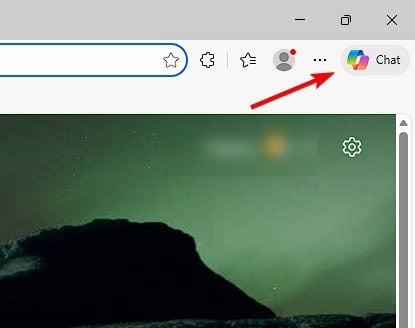
Open Microsoft Edge.
Click the Copilot icon in the top right corner.
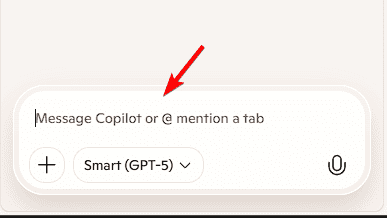
Enter your query or choose a suggested action.
Ask Copilot to rewrite content, analyze a webpage, or compare items.
Switch between chat, compose, and insights using the sidebar.
Use Copilot In Microsoft 365
Use the steps below to run Copilot inside Word, Excel, Outlook, or PowerPoint.
Open Word, Excel, Outlook, or PowerPoint.
Select the Copilot button in the toolbar.
Pick a task such as drafting, summarizing, or designing.
Provide specific instructions to refine the output.
Insert the result into your document or email.
If you want detailed instructions for document editing, check this tutorial on how to use Copilot in Word. You can also learn how to activate AI tools in your inbox with this guide on enabling Copilot in Outlook.
Tips For Better Copilot Results
Try these tips to improve your prompts and get more accurate results.
Write clear prompts like “Summarize this file in short bullet points.”
Add tone, length, or goal details.
Ask follow up questions to refine output.
Try image generation for visuals and presentations.
Use Copilot shortcuts on Windows to run system tasks quickly.
You can open Copilot from the Start menu or by clicking the Copilot icon on the taskbar if it appears enabled on your device.
Does Copilot work without internet?
No. Copilot needs an active internet connection to process prompts and generate results.
Can I use Copilot inside Word or Excel?
Yes. Copilot appears in the ribbon of Microsoft 365 apps and helps you draft text, analyze data, or summarize emails.
Is Copilot free to use?
Windows Copilot is free, but Copilot for Microsoft 365 requires a paid subscription for advanced document and email features.
Copilot helps you complete tasks faster across Windows, Edge, and Microsoft 365. With features that improve writing, communication, and system control, exploring Copilot across different apps boosts productivity and simplifies everyday work.
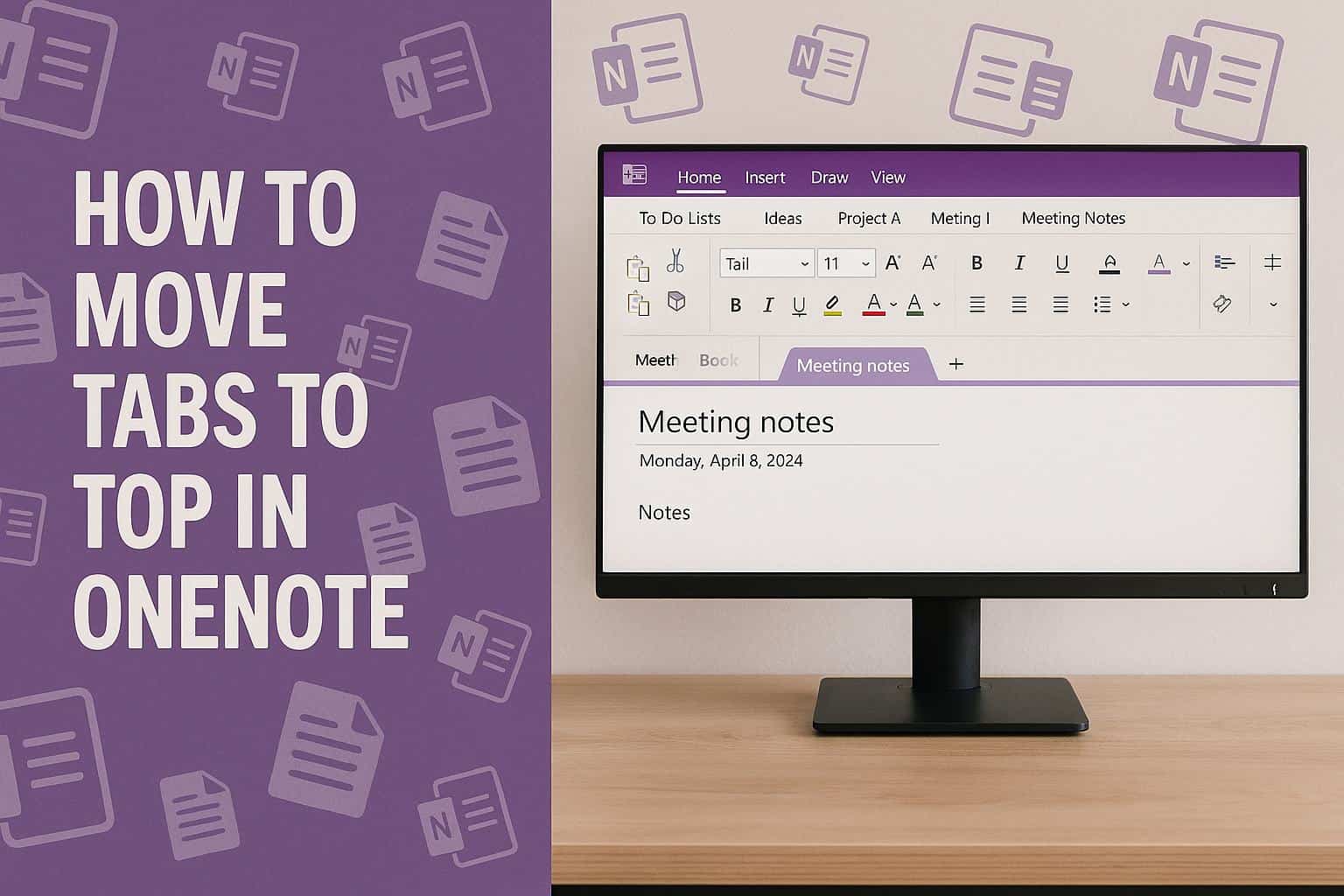
OneNote places section tabs on the side in some versions, so changing their location helps you navigate faster, and this guide will show you how to move them to the top.
Find Navigation panes and disable Show tabs on the left.
Select OK and return to the notebook to view tabs at the top.
You can explore more appearance options in this guide that explains how to adjust the OneNote layout.
Switch to the correct app if the option does not appear
Move to the supported OneNote version if you do not see the layout settings.
Check the app interface for the Display section.
Confirm that the setting for tab placement is missing.
Identify that you are likely using OneNote for Windows 10, which does not support moving tabs.
Download the OneNote desktop app from Microsoft 365 to gain access to tab layout controls.
Restart the app if the layout does not refresh
Refresh the app so the new layout loads correctly.
Close OneNote completely.
Reopen the app.
Load your notebook and confirm that the tabs show at the top.
FAQs
What version of OneNote allows moving tabs to the top?
Only the OneNote desktop app from Microsoft 365 or Office 2019 and later supports moving tabs.
Why can I not find the Display settings in OneNote?
You are likely using OneNote for Windows 10, which does not include tab placement options.
Do OneNote Online or Mac versions support top tab placement?
No. OneNote Online and OneNote for Mac do not allow customizing tab positions.
Will reinstalling OneNote enable the missing tab setting?
No. The feature depends on the app version, not the installation, so switching to the desktop app is required.
Moving tabs to the top in OneNote improves navigation and restores a classic notebook feel. If you plan to save or move your work afterward, you can check this guide on exporting your OneNote notebook.
Google is slimming down the Reading Mode in Chrome. We earlier reported that a commit and its flag description pointed this feature in a more “immersive” direction. The latest changes in Chrome Canary now give a clearer picture of how this work shapes the Reading Mode interface.
Reading Mode loads articles into a side panel. It strips ads, menus, and other elements that pull attention away from long pages. It gives you a cleaner view of the text, and you can pick a font or background that suits your eyes. The Read Aloud feature can speak the page while you look at other tabs.
For many readers, this experience already offers a calmer way to follow news or long guides.
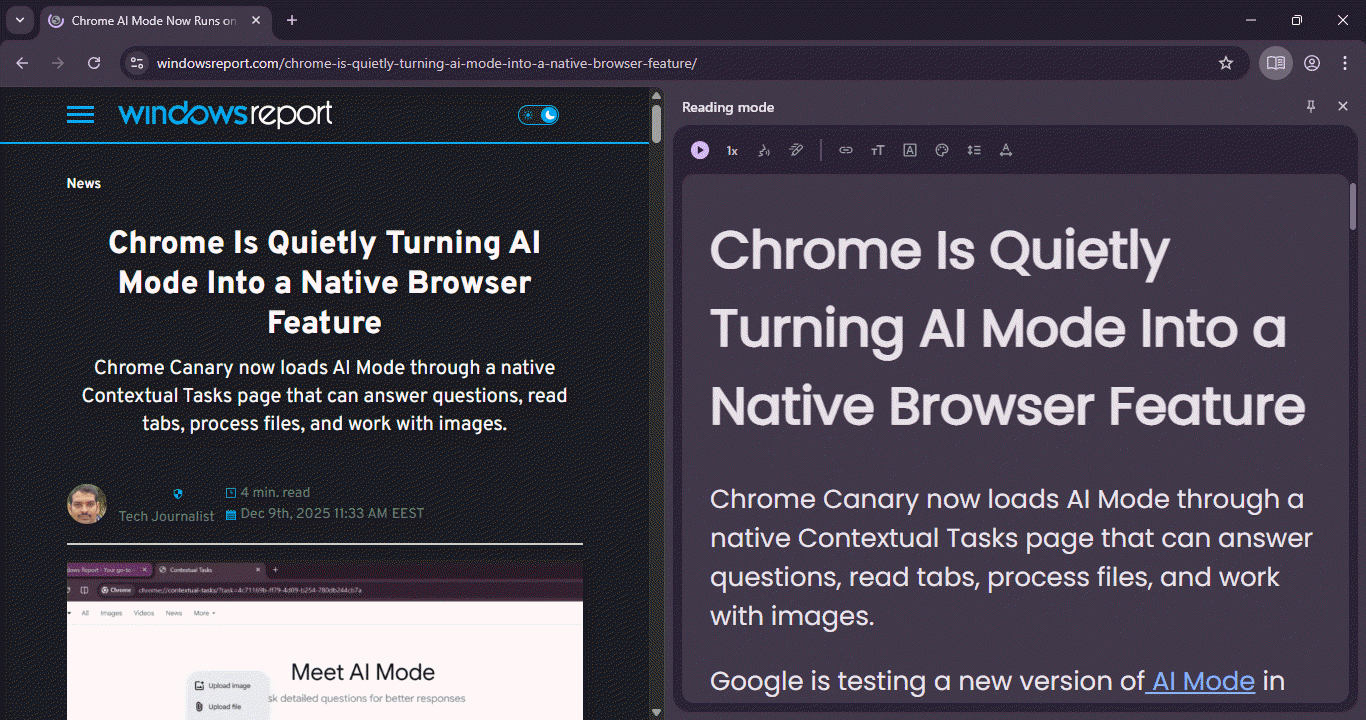
Earlier versions of Reading Mode showed several formatting buttons along the top row.
The toolbar inside this pane is now smaller. Before this change, the top row placed several buttons for font size, theme color, and line spacing. These controls worked as intended but made the header look crowded.
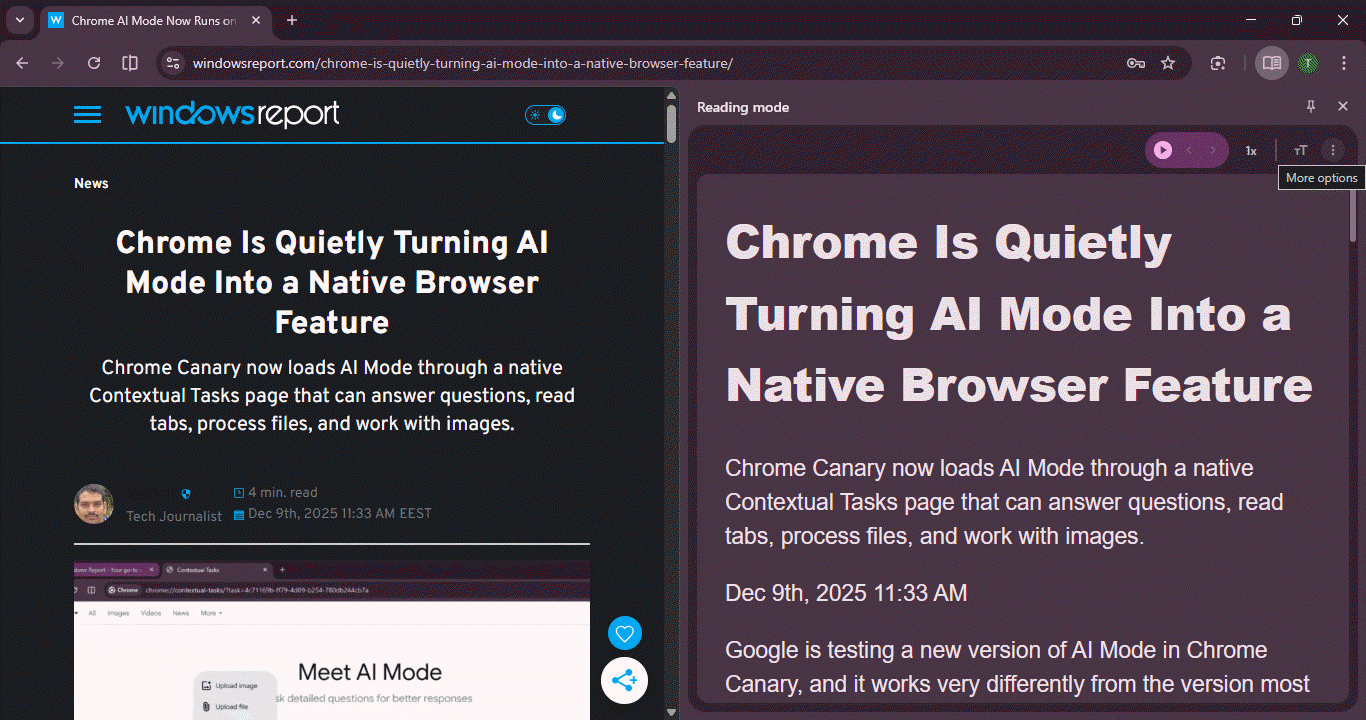
In the latest Canary version, Google appears to be preparing to move these options into the menu at the end of the toolbar. The main row now highlights the Read Aloud controls, which stay easy to reach.
The latest Canary reduces the number of visible buttons and places more options in a menu. Image Credit: Venkat | WindowsReport.
This change gives the reader pane a simpler layout. It also reduces the number of elements you see at first glance. That makes it easier to focus on the text instead of the extra options.
We have entered the last month of the year, and like Spotify Wrapped and YouTube Recap, Sony is also ending this year with a special PlayStation 2025 Wrap-Up. While Spotify and YouTube mainly feature your top video/content, top artists, and more, PlayStation 2025 Wrap-Up is all about seeing interesting stats about yoir time with PlayStation since the start of the year.
How to check PlayStation Wrap-Up
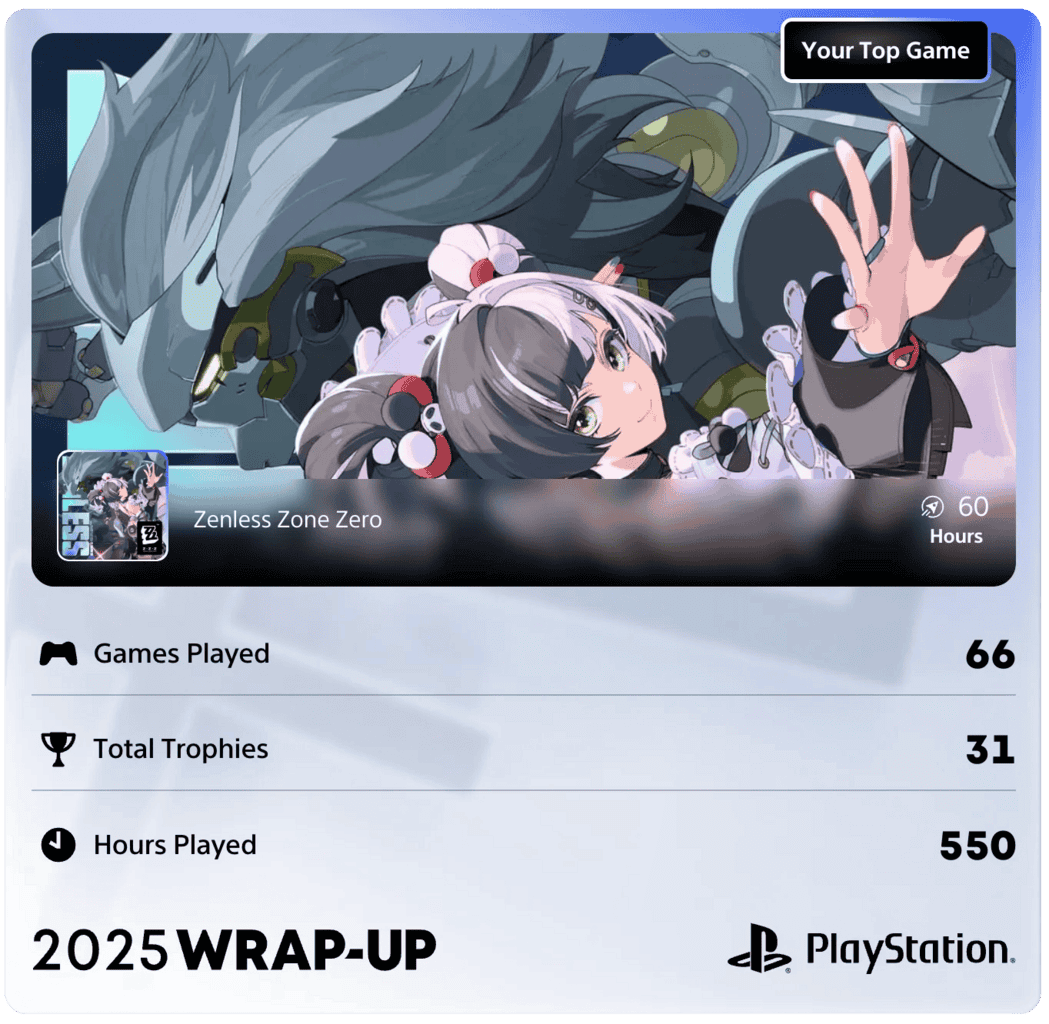
You can simply check your PlayStation 2025 Wrap-Up by going to https://wrapup.playstation.com. Once you are on the webpage, you have to sign in using your PlayStation account. And, that’s all; you’ll see PlayStation Wrap-Up, which includes how many games you’ve played, your top 5 games, your gaming style, your total hours played, how many PS Plus games you’ve played, the amount of trophies earned, your social stats, and much more.
Image credit: Sony
A free glass-themed avatar and PlayStation 2025 Wrap-Up availability
Sony is also giving away some free-bie with the PlayStation 2025 Wrap-Up. At the end of your PlayStation wrapped, you can redeem a voucher for a glass-themed PlayStation avatar. All you have to do is redeem the code on the PlayStation Store.
If you are on PS5 and PS4, you can check PlayStation 2025 Wrap-Up between today and January 8, 2026. If you want to check full summary for the year, you should check it on the New Year.
Eligibility to check PlayStation 2025 Wrap-Up
It should be noted PlayStation 2025 Wrap-Up will only be available to adult PlayStation account holders who have played a PS4 or PS5 game for at least 10 hours between January 1 and December 31. Also, if you haven’t consented to the collection of “Full Data” from PS5, you won’t be able to get your Wrap-Up. Moreover, players from Europe, the Middle East, Africa, Australasia, India, and Russia who didn’t consent to the collection of “Additional Data” from their PS4 will also not be able to participate.
Were you able to check PlayStation 2025 Wrap-Up? Tell us which games popped up for you. We’d love to hear your answers in the comments below.
Microsoft just rolled out the KB5072032 update for Insiders in the Windows 11 Canary Channel, and it bumps systems to Build 28000.1340. The update comes with a few new features and improvements. You can check the full changelog below:
What’s new in Build 28000.1340
[General]
This update includes a small set of general improvements and fixes that improve the overall experience for Insiders running this build on their PCs.