Nasty Office bug fixed with the September 2021 Patch Tuesday

The Redmond company’s regular clutch of updates takes on the greatest importance this month as the company releases a fix for a critical-severity bug.

This is currently being referred to by its vulnerability designation reference, CVE-2021-40444.

We also know that it is currently being exploited, in Office documents, as well as significant patches for Microsoft products and cloud services.

Microsoft fixes security breaches via Patch Tuesday

During this month’s Patch Tuesday event, Microsoft released a total of 67 fixes for many of its products.

The largest number of fixes, which is 27, was to repair problems that an attacker might use to raise their own privilege level on a computer.

If you were wondering about the second-largest number, which in this case is 14, address the ability of an attacker to execute arbitrary code on a victim’s computer.

It’s important to know that all but one of the critical vulnerabilities fall into the Remote Code Execution category.

This includes the -40444 bug, which was nicknamed the Microsoft MSHTML Remote Code Execution Vulnerability.

The non-RCE critical vulnerability is an information disclosure bug that affects Azure Sphere (CVE-2021-36956), a platform Microsoft created, that is intended to add a security layer to Internet-of-Things (IoT) devices.

Some of the nasty bugs affecting the Edge browser on both the Android and iOS platforms were also fixed by the tech giant.

Users of that browser on those devices will, necessarily, have to obtain their fixed versions from the relevant app store for their device, both of which are subject to a vulnerability that Microsoft describes as spoofing.

The critical vulnerabilities affecting Windows itself (CVE-2021-36965 and CVE-2021-26435) apply to a component called the WLAN AutoConfig Service.

If you didn’t know, this is part of the mechanism that Windows 10 uses to choose the wireless network a computer will connect to, and to the Windows Scripting Engine, respectively.

Microsoft provided no additional information prior to the Patch Tuesday release deadline about the mechanism by which these bugs execute code on a system.

Redmond developers tackle huge Office bug this month

After this bug was discovered and became public knowledge on September 7, security researchers and analysts began swapping proof-of-concept examples of how an attacker might leverage the exploit.

Unfortunately, the high profile of this bug means that attackers will have taken notice and are likely to begin exploiting the vulnerability.

This nasty bug involves the MSHTML component of Microsoft Office, which can render browser pages in the context of an Office document.

In the exploitation of the bug, an attacker creates a maliciously-crafted ActiveX control and then embeds code into an Office document that calls the ActiveX control when the document gets opened or previewed.

The stages of the attack are, in general terms:

  1. Target receives a .docx or .rtf Office document and opens it
  2. The document pulls down remote HTML from a malicious web address
  3. The malicious website delivers a .CAB archive to the target’s computer
  4. The exploit launches an executable from inside the .CAB (usually named with a .INF extension)

The malicious scripting uses the built-in handler for .cpl files (Windows Control Panel) in order to run the file with a .inf extension (which is actually a malicious .dll) extracted from the .cab file.

A lot of people have not only crafted functional proof-of-concept (PoC) exploits, but a few have created and published builder tools that anyone can use to weaponize an Office document.

The original version of the exploit used Microsoft Word .docx documents, but we’ve already spotted some versions that use .rtf file extensions.

Attackers use the techniques not only to launch .exe files but also malicious .dll files, using rundll32. There’s no reason to believe the exploit won’t expand their range to other Office document types, as well.

It’s good to know that Redmond officials are doing the best they can to keep us safe, but this is all about a common effort, so we also have to do our parts.

What are your thoughts on this month’s Patch Tuesday updates? Share your opinion with us in the comments section below.

Registration for Microsoft Ignite’s free 2021 digital event in November is now open

Microsoft previously announced that a second Ignite 2021, the (semi-) annual conference for IT pros, “decision-makers, developers, data professionals, security professionals and others,” would happen as another all digital event on November 2-4, 2021, and now it’s open for registration.

According to an email sent out to interested followers, Ignite 2021 will include some of Microsoft’s top tech leaders speaking on a variety of Azure, Microsoft 365 topics and more:

Hear directly from Microsoft’s tech leaders Satya Nadella, Vasu Jakkal, James Phillips, Alysa Taylor, Jared Spataro, Mitra Azizirad, amongst others, on the latest in cloud, productivity, collaboration, security, and application development. Join us for a truly interactive environment, as we share news about Microsoft Azure, Security, Microsoft 365, Power Platform and more.

The digital conference is free, but you must register to take advantage of all the features of Ignite, including the Connection Zone and Learning Zone, digital breakout sessions, and more.

We’ll have more of course on Ignite as it happens, stay tuned to OnMSFT.com for all the latest.

Movies Anywhere digital locker service is now available on Xbox consoles

Movies Anywhere, the digital locker service that lets consumers consolidate their digital movie purchases in one single place now has an official app on Xbox consoles (via Engadget). The app lets US consumers view their purchased movies from iTunes, Google Play, Microsoft’s Movies and TVs, and other digital retailers, and it’s free to use on Xbox consoles and other platforms.

Overall, the Movies Anywhere app provides access to over 8,000 digital movies from The Walt Disney Studios (including Twentieth Century Film), Universal Pictures, Warner Bros. Entertainment Inc., and Sony Pictures Entertainment Inc. On Xbox consoles, the app supports 4K UHD, HDR, Dolby Vision, 5.1 Surround and Dolby Atmos spatial sound, making it a solid alternative to Microsoft’s Movies & TV app.

The Movies Anywhere app on Xbox consoles also lets users organize their purchased movies into personal lists, and it supports social features including Watch Together and Share Pass to share your favorite movies with friends and family. Movies Anywhere is currently only available in the US and you can sign up for free on this page.

Movies Anywhere
Movies Anywhere
Developer:
Movies Anywhere
Price:
Free

Microsoft Teams public preview adds new “Top Hits” section to improve Search suggestions

Microsoft Teams search function is about to get some major updates this month. The company on September 16 will be rolling out two new features to public preview users that should help to improve the search experience in Teams.

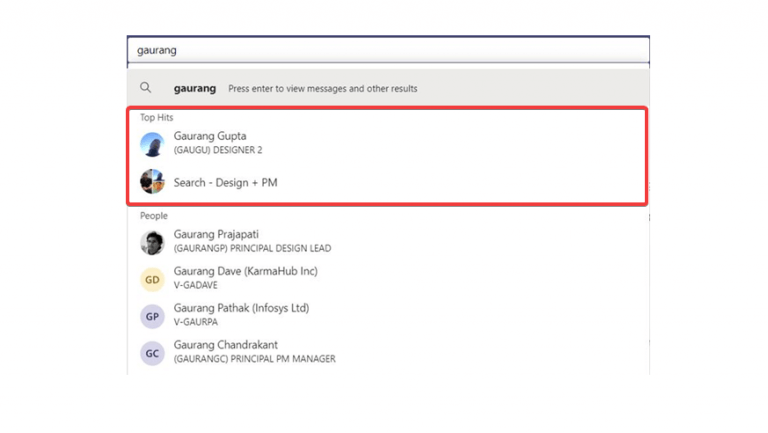
First of all, Microsoft Teams has added a new Top Hits section at the top of the search autosuggest results that aims to enhance discovery and reduce the time required to perform a successful search. This feature is essentially an expansion of the existing search experience in Teams, and it makes finding people, files, and messages faster and more intuitive than ever before.

Hit Highlighting is the other new feature coming to the search functionality in Microsoft Teams this month. Thanks to this feature, the app will provide users “more relevant results and fuzzy matching capabilities” when searching for the channel and group chat suggestions in Teams. “Hit Highlighting in suggestions will make it easier for a user to understand why a particular result is included in the suggestions, and allow them to find what they are looking for, faster,” the Microsoft Teams public preview team explained.

Keep in mind that these search improvements are only rolling out to all users running the public preview version of Teams, and they are not generally available for everyone. If you’re interested, you can try out these features by clicking the three dots icon on the left side of the profile menu and selecting About > Public preview > Switch to Public preview.

Aragami 2, Subnautica: Below Zero, and more are coming to Xbox Game Pass this month

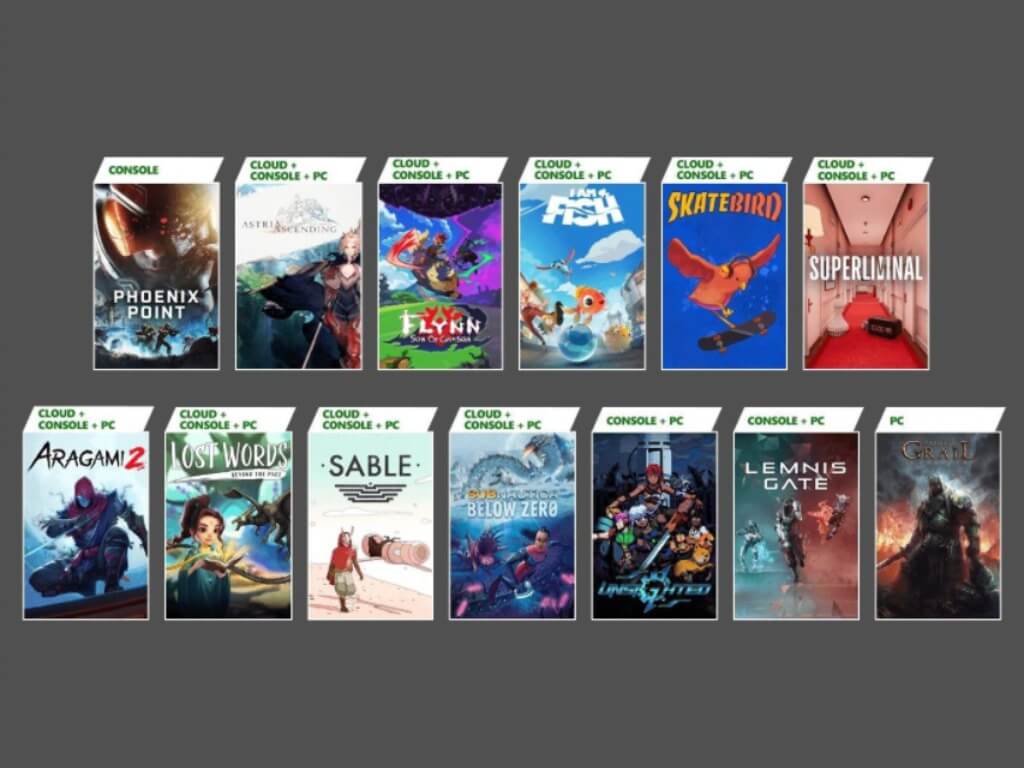
Microsoft has revealed today the next new games coming to Xbox Game Pass in September, which includes a lot of ID@Xbox titles. Aragami 2, Subnautica: Below Zero, and seven other games will be available on Console, PC, and Xbox Cloud Gaming, but some new games such as Phoenix Point and Tainted Grail: Conquest are only coming to a single platform.

You can find all details about these new Xbox Game Pass games and their release dates below:

  • Flynn: Son of Crimson (Cloud, Console, and PC) – September 15
  • I Am Fish (Cloud, Console, and PC) – September 16
  • SkateBird (Cloud, Console, and PC) – September 16
  • Superliminal (Cloud, Console, and PC) – September 16
  • Aragami 2 (Cloud, Console, and PC) – September 17
  • Lost Words: Beyond the Page (Cloud, Console, and PC) – September 23
  • Sable (Cloud, Console, and PC) – September 23
  • Subnautica: Below Zero (Cloud, Console, and PC) – September 23
  • Tainted Grail: Conquest (PC) – September 23
  • Lemnis Gate (Console and PC) – September 28
  • Astria Ascending (Cloud, Console, and PC) – September 30
  • Unsighted (Console and PC) – September 30
  • Phoenix Point (Console) – October 1

The company also announced that 11 cloud-enabled games are getting support for touch controls on PC, iOS, and Android devices starting today. The list includes Blinx: The Time Sweeper, Crimson Skies: High Road to Revenge, Cris Tales, Halo: Spartan Assault, Halo Wars: Definitive Edition, Halo Wars 2, Last Stop, Omno, Raji: An Ancient Epic, The Medium, and Tropico 6.

Last but not least, the Xbox team revealed that Drake Hollow, Ikenfell, Night in the Woods, Kathy Rain, and Warhammer Vermintide II will leave the Xbox Game Pass catalog at the end of the month. In case you missed it, Microsoft also announced today that the Windows 10 Xbox app now provides access to Xbox Cloud Gaming right within the app, and Xbox Remote Play is also supported for all games installed on Xbox Series X|S and Xbox One consoles.

Watch as Windows 365 runs on the Surface Duo

It’s been one year since the Surface Duo was released, but some loyalists keep finding interesting use cases for the dual-screen foldable. In the latest one of those, one YouTuber showcased Windows 365, Microsoft’s cloud PC service for enterprise, running on the device.

As seen below, the roughly 13-minute long video reveals that this experience is pretty much what you expect if running Windows 365 on an Android phone. That’s because Windows 365 is just being accessed via the Remote Desktop app. However, the interesting thing here is what happens once the Duo is connected to a monitor, and Windows 365 is launched. Basically, the app can be spanned across both screens on the Duo, but without the black bar in between when you’re connected up to a monitor. This makes it seem as though you’re running Windows natively on the device.

Of course, running Windows 365 on the Duo has some faults. Since the Duo is powered by Android, if you’re using a keyboard and mouse, the keyboard combinations will trigger Android’s shortcuts. There also appears to be some lag when typing, too, possibly due to the network.  Overall, though, this video is quite interesting and shows yet another cool use for the Duo. Let is know what you think in the comments below.

PowerToys experimental version 0.46 is now available with Video Conference Mute tool and fixes

Microsoft has released an experimental version 0.46 to users running the pre-release versions of PowerToys. The latest update brings support for the Video Conference Mute tool that provides universal controls for managing audio/video during video calls and meetings.

In addition to the Video Conferencing utility, this PowerToys release adds all the features that were released with the PowerToys stable version 0.45. The list includes a new settings menu UI, stability improvements, bug fixes, and more.

Here’s the full list of improvements in PowerToys version 0.46:

  • Fixed toolbar top right vertical offset to allow users to close other app windows.
  • Fixed compatibility issues for certain systems when compiling from source.
  • Fixed toolbox from persisting on screen.
  • Fixed microphone un-muting when changing Video Conference Mute toolbar position.
  • Added Video Conference Mute to the “Welcome to PowerToys” window.

The company has also acknowledged a bunch of issues with this release, and you can find the full list of known issues and limitations below:

  • With some webcams, there is an incompatibility with Teams and the overlay image is not rendered, instead a corrupted frame is shown. If your camera has this quirk, please let us know the model in the [main tracking issue – #6246]
  • The application preview (Teams, Meet, etc.) may show the overlay image flipped horizontally but that is expected, the image will show correctly to the other people on the call.
  • In order to enable/disable the VCM, PowerToys should run as administrator
  • Changes to some of the VCM settings require the application to restart to pick up the new values such as a new overlay image.
  • In some cases, the overlay image can be shown flipped vertically (the workaround is to edit the image and flip it before selecting it).
    (#6246)
  • If the PowerToys Video Conference Mute webcam doesn’t show up in the video conference app, try restarting the app and if still doesn’t show up try restarting Windows.

If you’re interested in trying out the Video Conference Mute tool, you can head over to GitHub to download the experimental version of PowerToys. You can find more information about the preview feature on this support page.

Express VPN to be acquired by Kape Technologies for $936M

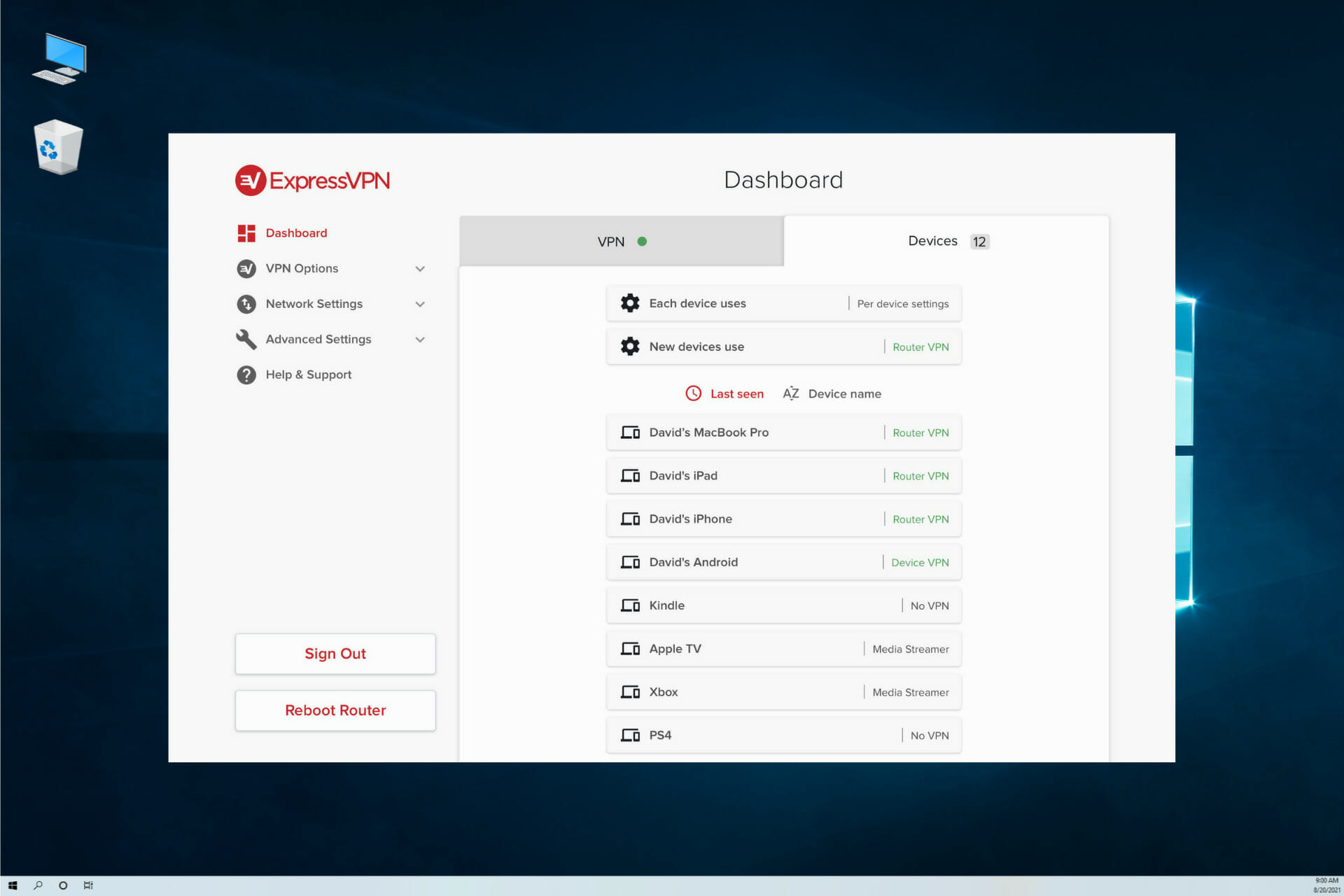
Kape Technologies PLC has agreed to purchase Express VPN for $936 million. The acquisition is expected to deliver high earnings that will contribute to its completion. 

If you have been watching closely, Express VPN had a $279.4 million revenue in 2020 with $74.8 million as adjusted earnings. The completion is therefore expected to generate a higher revenue of up to $624 million in 2022.

Part-funding for the acquisition

The company does not plan to cover the cost alone. By placing shares on the market at a minimum price of 337.5 pence, the funds are expected to help fund part of the acquisition. In addition, Kape will also be placing separate retail offers for ordinary shares on the PrimaryBid platform. The shares will however not exceed $9.4 million.

In total, the sale of shares is expected to cover the equivalent of $237 million. The $345 million expected to be paid in cash will be covered in a two-part instalment. The first instalment will be in a year and the next one 24 months after the close.

Express VPN to join Kape’s brands

Express VPN is expected to join a list of other Kape’s brands such as Zenmate VPN and CyberGhost VPN among others.

The aim of the acquisition is to complement the firm’s cybersecurity tools and secure the data rights of their users. Express VPN has been listed as one of the best VPNs when it comes to protecting users.

With the security bugs addressed previously in Windows 11 Beta version, it is a breath of fresh air to see a firm prioritizing its users’ needs.

What do you enjoy most about Expressvpn? Share your top features in the comment section below.

Latest Surface Pro X model will have the Windows 11 ARM OS

Remember how we were just talking about purchasing new, Windows 11 compatible devices? Well, if you’re in the market for a new device that supports the upcoming OS, you are in luck.

Microsoft will add more choices to the already existing gadget pool over the coming months so that you will surely find one that is perfect for your needs.

Let’s take a quick look at what the Redmond tech company is going to bring to the table in the near future.

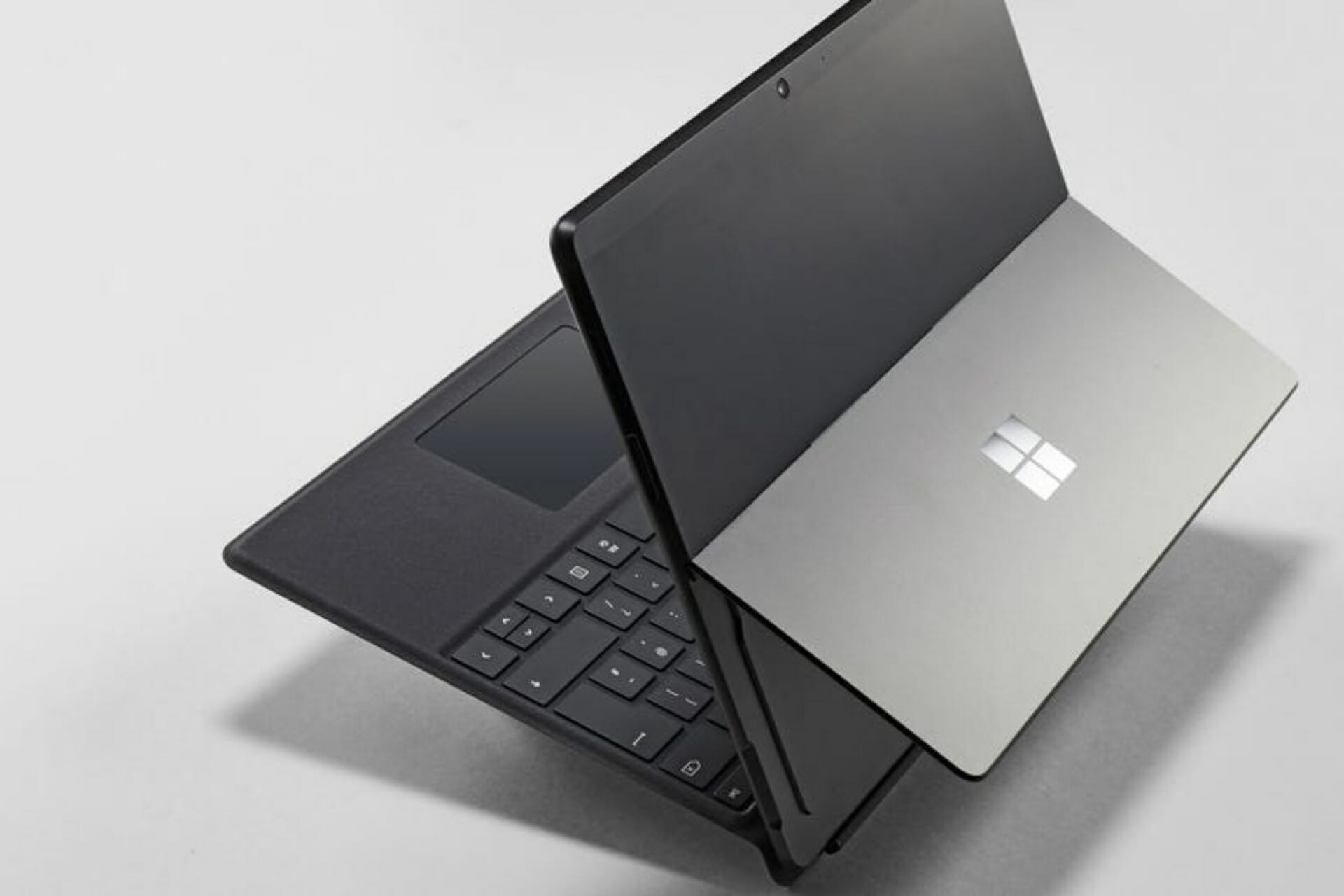
The new Surface Pro X will come with Windows 11 ARM

The device’s model number is 1876 just like its predecessors, more exactly the Surface Pro X SQ1 and Surface Pro X SQ2.

Taking into consideration all details, there seem to be no major changes made, the only difference may just be a slight change in the processor. 

In the Surface Pro X introduction from the official website, Redmond officials said the thinner Surface Pro today is using both Microsoft SQ 1 and SQ 2 chips.

The gadget also uses an ultra-fast LTE connection and has 2 USB-C ports and an almost full-screen 13-inch touchscreen.

Microsoft says that they are planning to start a free upgrade to Windows 11 by the end of 2021 and is expected to continue into 2022. 

Going by this information, it is safe to say that devices including the Surface Duo 2, Go3, and the new Pro 8, and even other notebook computers will be coming out.

The above-mentioned list is also expected to include the new Surface Pro X, which will come with ARM chips, and will be upgraded to the Windows 11 ARM system.

And this might not be all. Constant rumors circulating online indicate that the Redmond tech giant is actually preparing a much larger fleet of new generation laptops and tablets.

We already know that Windows 11 runs like a charm on Surface devices, so this might actually be a good choice for people who need a brand new machine for the future OS.

If, by chance, you are already a Surface owner and bought such a gadget some months, or maybe years ago, you should find out if the one you have is compatible with the new operating system.

Remember that if you are experiencing trouble with Microsoft’s devices, you are definitely in the right place. For example, for problems with the network adapter, we got you covered.

Have you decided to get your own Surface laptop or tablet for the new operating system? Let us know in the comments section below.

The Artful Escape: How to get all the secret achievements

The Artful Escape is a musical platformer with a strong yet whimsical narrative. It tells the story of Francis Vendetti, a teenage guitar prodigy who everyone expects to become a famous folk musician, just like his legendary uncle before him.

On the evening before his first big performance, you can clearly see him struggling with this laid-out path that others have made in his stead. But an opportunity arises that will take Francis to new cosmic reaches and allow how to truly discover himself.

If you’d like to learn more about the game and what we thought of it, be sure to check our review!


? Amount of achievements: 12 (10 secret)
⏲️ How long to beat: around 4-5 hours
? Platforms: Windows, Steam, Xbox One consoles, Xbox Series X|S


Made it home – 100G

Arrive at Francis’ house (Secret)

This achievement can’t be missed and is story-related. It will be the first achievement you can unlock and should pop the moment you reach Francis’s home at the top of Calypso. Remember to use the elevators.

*If it doesn’t pop by getting near the house, use the interaction button near the front door.

Light It Up – 75G

Light up every building and area of Calypso (Secret)

After the otherworldly encounter, it will be night time and you will be able to press X to turn on lights in the town of Calypso. Make sure to work your way through the entire town, going as far left and right as you can on each of the three height levels.

If you’ve done it correctly, the achievement should pop when you make your way to the town’s entrance.

The Journey Begins – 100G

Leave Lightman’s Workshop (secret)

Just keep playing the game and following Lightman through the town and onto his ship, the Cosmic Lung. Once you leave his workshop, it should pop automatically. This achievement is story-related and can’t be missed.

Snowman – 50G

Jam with the snowman

In Chapter 8: Into the Heliotromms, you’ll be sliding down snowy slopes and playing your guitar. At some point you’ll encounter a lone snowman near a log you’ll have to jump over. Simply slow your roll for a bit and play the guitar by pressing X in front of him. He should start shaking to the music and after a few seconds, the achievement should pop.

Stage Fright – 50G

Don’t do anything for 3 minutes during a jam

It’s possible you can unlock this achievement as early as the jam versus Lightman in Calypso. I got the achievement in chapter 8: Into The Heliotromms when I had to face this cute woolly creature. Getting the achievement is really easy and just requires a bit of patience: as soon as the jam starts, put down your controller and wait for three minutes.

Complete Heliotromms – 100G

Jam with Tromms (Secret)

At the end of Chapter 8, you’ll have to jam with a giant creature to beat the level. Simply follow the rhythm minigame instructions as you should have done a few times before at this point. Remember: you don’t have to wait for them to complete the entire sequence and you can copy their notes as soon as they light up.

New Threads – 50G

Create a custom outfit (Secret)

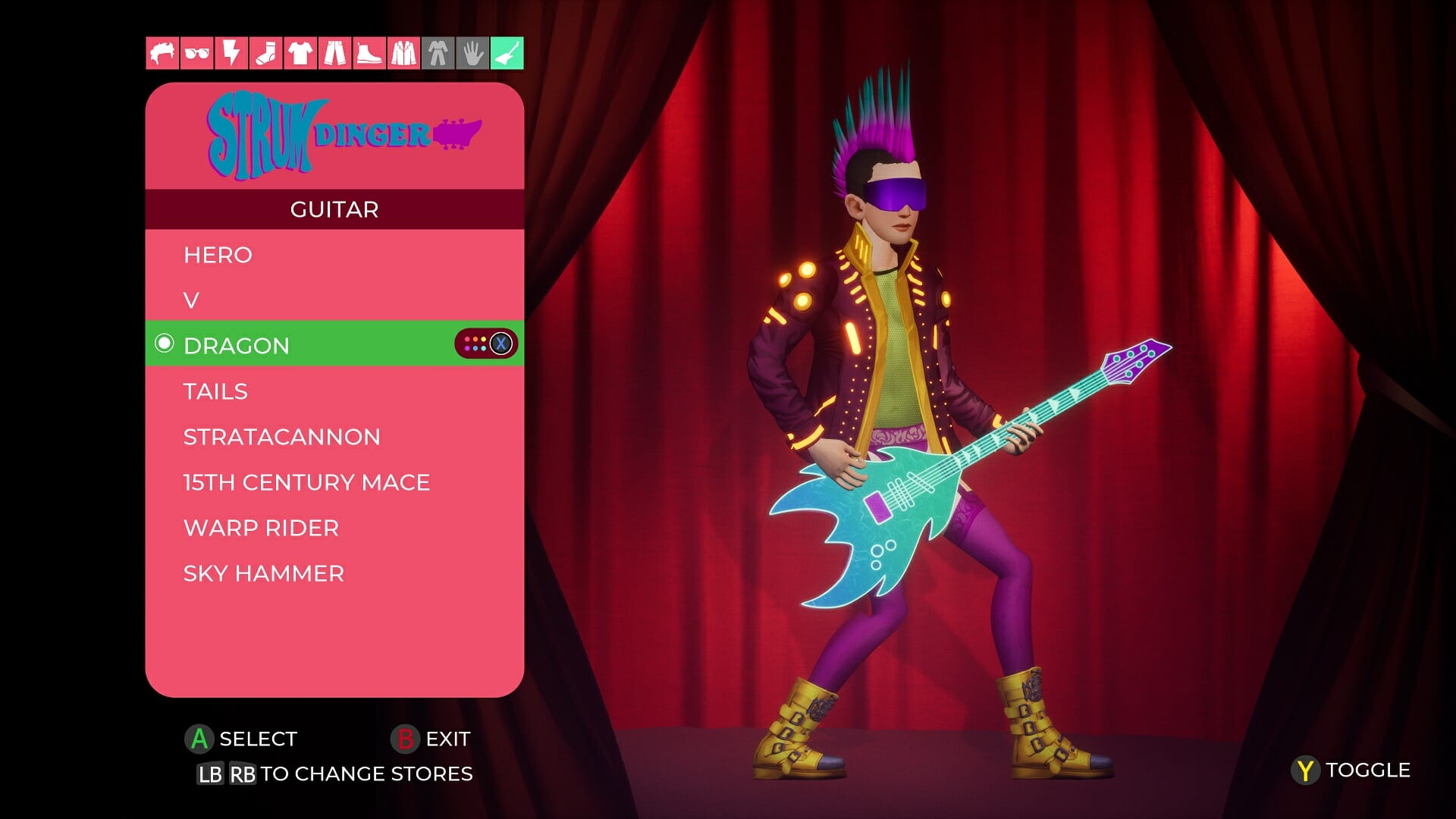
While in theory, you could miss this achievement, it would require a huge love for Francis’s default outfit that looks like he put on a Nintendo Power Glove and called it a day. Instead, let loose your creativity in chapter 18 and customize your outfit any way you want.

You can change your socks, footwear, pants, shirt, vest, guitar, hairstyle, glasses, and make-up, but it really only takes single customization for the achievement to pop at the end. Simply go back to the entrance at the bottom left and your 50Gs are earned.

How’d You Get Up There? – 75G

Land on top of the archway after the big jelly (Secret)

This unlocks in the chapter called Glimmerdim Beach and is probably the easiest achievement to miss in the entire game. Once the chapter loads, make your way to the right until you encounter a giant jelly to bounce off of.

You’ll have to use these jelly surfaces to jump higher. While there is a big one present here, it’s best to use the smaller one to the right. Jump on it and immediately after bouncing up, use Y to smash down (if you do it sooner, it will result in a higher jump). Then move to the right at the height of your jump and use X to float even further, it should lift you even higher. Make your way to the arch and land on top of it.

*DON’T use double jump, it somehow capped the height for me and made it impossible to reach the top of the arch.

Here is a video that should explain it better:

Complete GlimmerDimm – 100G

Jam with Glimmer (Secret)

This is another story-related achievement that should be hard to miss. Simply defeat Glimmer at the end of the level and the achievement should pop. Enjoy the ride on the Cosmic Turtle, it’s a trip!

Amp Jammer – 100G

Complete all amp landa jams (Secret)

At certain points in the game, you’ll have to use the amp to trigger a gate to rise or a bridge to drop. These are all required to beat the game and should be impossible to miss. Near the end of the game, when you’ve triggered the last one, you should have earned the achievement.

Complete Hyperion – 100G

Jam with the GlamourGonn (Secret)

This is it. The final jam with the giant gelatinous cosmic creature known as the GlamourGonn. This is a story-related achievement and impossible to miss. Simply riff on the appropriate chords, as you’ve done many times before, and feel good about yourself.

Guitar Legend – 100G

Complete the game (Secret)

It’s time for one final show. At the end of the game, you’ll be back at Calypso and ready to show everyone the rockstar you have become. Enjoy the final moments of the game as you unlock this last story-related achievement and by this point, you should have earned the full 1000G.

Just look back at where it all began. That was quite a ride, wasn’t it?


That’s about it when it comes to The Artful Escape achievements. Most of them are unmissable and will unlock simply by beating the game while others are a bit more tricky, but you can definitely get them all if you closely follow our guide.

If you have any other questions or you need some extra steps for completing any one of these achievements, don’t hesitate to drop a comment in the section below and we’ll make sure to help you out!

Maximize PC performance with Pegasun System Utilities

Are you tired of dealing with a slow and bloated PC? No matter what you do, your computer will gradually fill up with junk files and apps that are no longer needed.

Thankfully, there’s a great software that will speed up the PC, remove unwanted files, and optimize it to run like it is brand new.

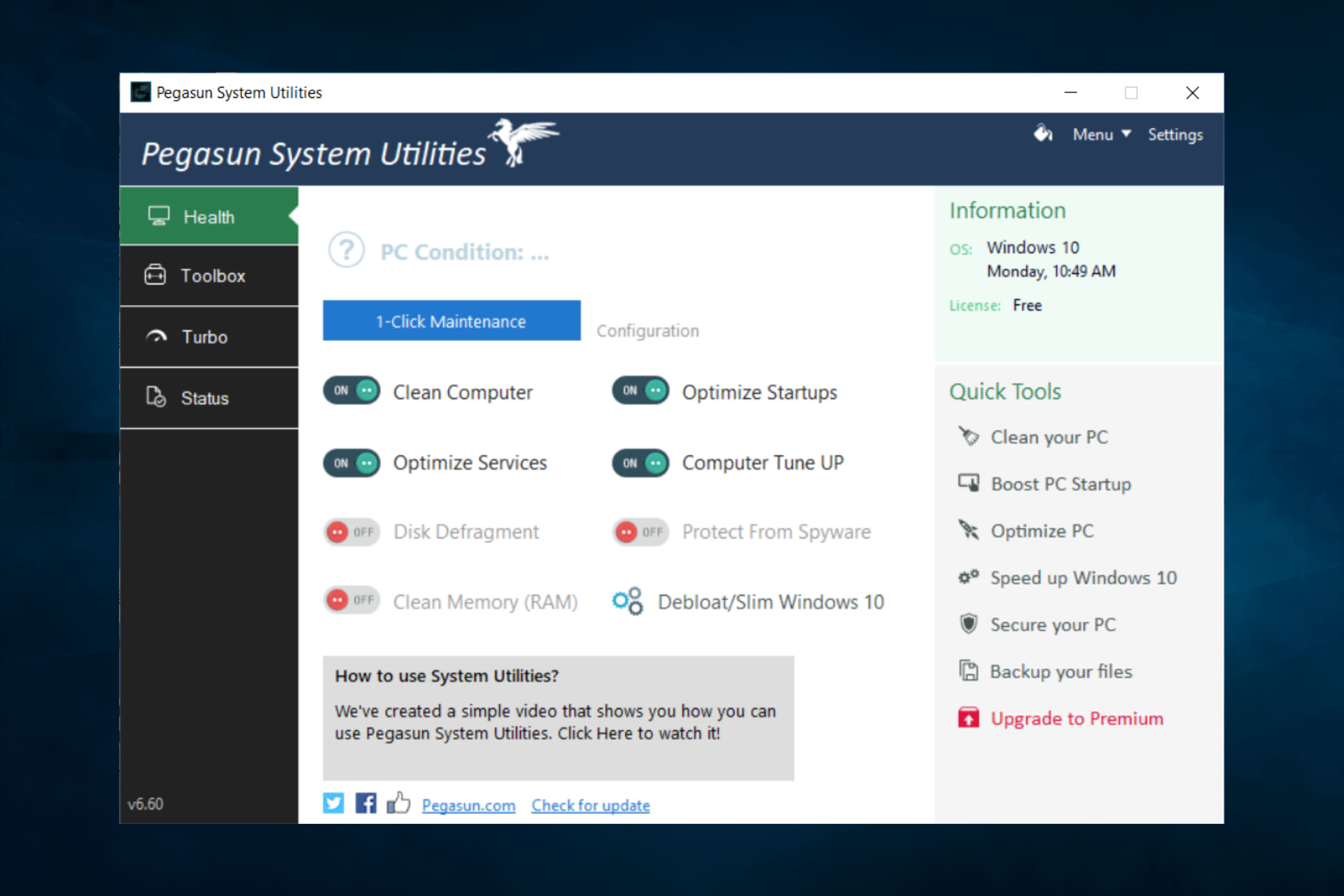
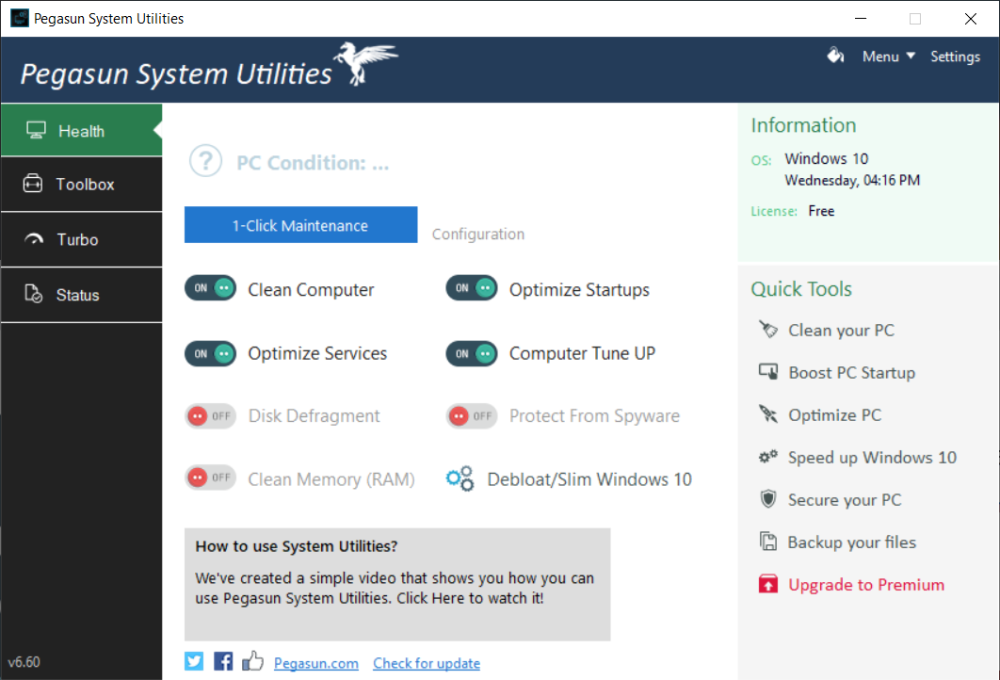
Pegasun System Utilities will clean up your device fast and easily. With a simple click of the mouse, you’re good to go, and your headaches are gone.

The software is suitable for everyone who owns a PC. No matter if you’re a gamer, a white-collar worker, or simply use the computer five minutes a day. A maintenance tool such as this one will improve safety and prolong the device’s health.

What can Pegasun System Utilities do?

Pegasun System Utilities comes equipped with PC maintenance and cleaning tools that will make your device perform at peak performance.

The Windows 10 Optimizer tool scans all categories to ensure immediate system optimization. It has over 340 settings that will improve performance and give better privacy protection.

Startup and service manager will turn off all unnecessary startup software/services that would otherwise slow down the PC boot. No need to manually disable each app. Pegasun System Utilities detects them automatically for you.

Never lose important files again thanks to the backup manager that will regularly create copies of your data to keep everything safe and secure. You can even set up a schedule for the process.

A multi-purpose tool to take advantage of

We could say that this software does it all since it provides more than 28 premium tools that were designed to automate PC maintenance.

Gamers will notice a significant boost in FPS and overall performance after optimizing their systems with the software.

There is also a turbo mode that can be toggled on to boost your computer’s performance like never before.

The free version of the software comes with basic optimization and cleaning tools, as well as security features, but the premium one has the complete package available.

So, what are you waiting for? Open the door to optimization and security you never thought possible. This software packs a punch when it comes to the well-being of your device.

An all-in-one tool like this should be present in each PC. Don’t believe us? Install it now and see the difference yourself. Even if you don’t want to bother installing it, the developers actually thought of that as well. There’s a portable version of the software available that doesn’t require any installation.

Have you used a maintenance or optimization tool before? If so, how much did it improve your device? Tell us in the comments section below.

The Artful Escape game review: Jamming with celestial beings

The Artful Escape is a musical platformer with a strong yet whimsical narrative. It tells the story of Francis Vendetti, a teenage guitar prodigy who everyone expects to become a famous folk musician, just like his legendary uncle before him.

On the evening before his first big performance, you can clearly see him struggling with this laid-out path that others have made in his stead. But an opportunity arises that will take Francis to new cosmic reaches and allow how to truly discover himself.

Onwards to the Cosmic Extraordinary

Don’t *fret* your future

When Francis reaches his home in Calypso and is about to turn in for the night, he is approached by a strange being that looks like a floating brain-in-a-jar with tentacles. He’s surprisingly unphased by this appearance and agrees to join it and a few humanoid characters on a trip across the dilated pupils of the cosmos.

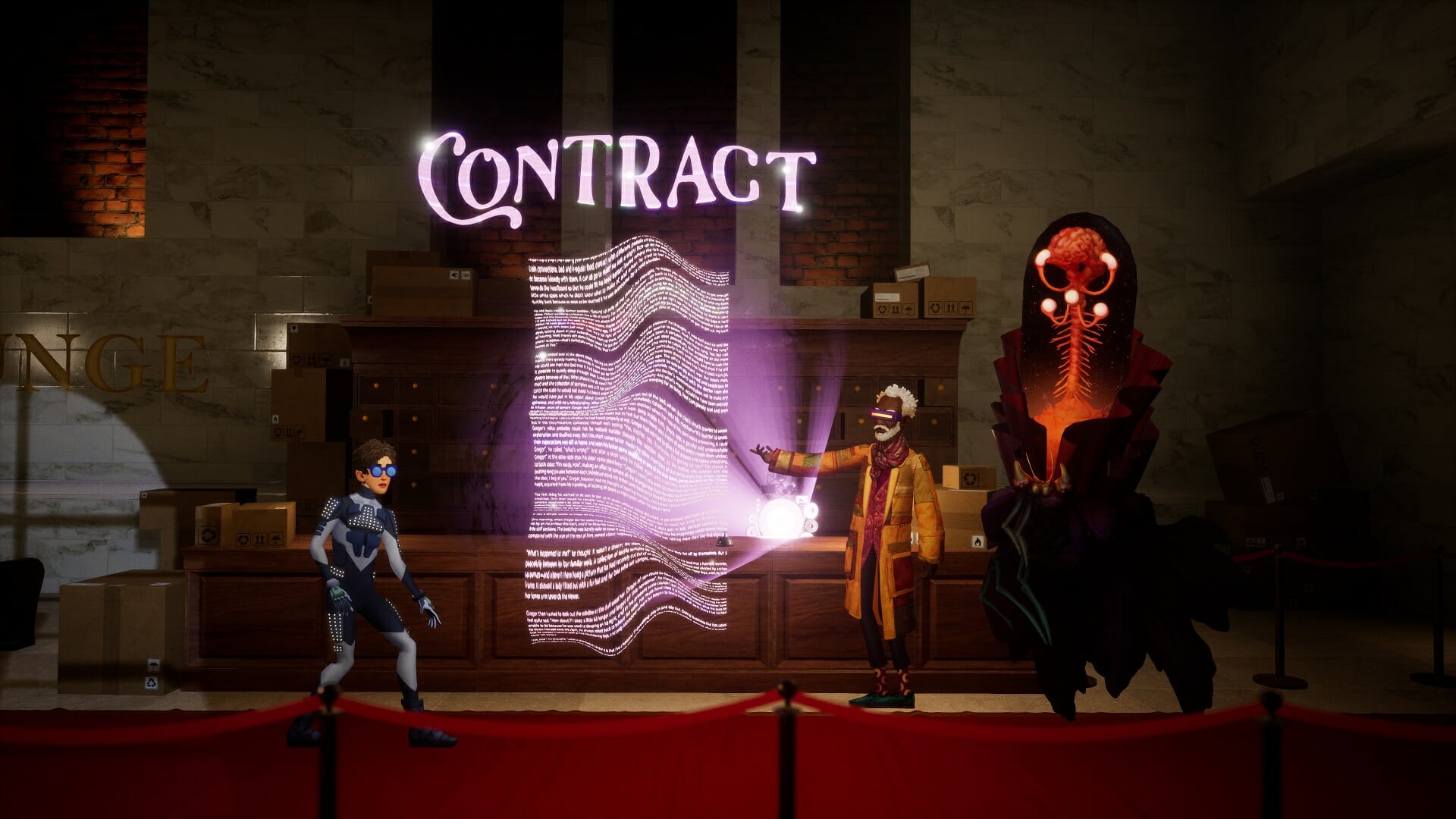
They promise him a journey of self-discovery and experiencing sights and sounds he could never dream to fathom. But first, he’s got to sign a little contract. Wouldn’t want to be liable when he melts his brain or gets lost drifting into space now, would we…

“Please sign the laserwork”

Now getting to this point takes about a little under an hour and the non-patient players may tune out, but they’d be missing out on the mind-blowingly stunning visuals that follow as soon as we start traveling through the Cosmic Extraordinary and beyond with our holographic guitar.

This is where the “platforming” comes into place that I’ve seen mentioned in a lot of short copies on the game or when it was teased before release. But I don’t find that description to really fit the bill.

Not a platformer

You see, I think The Artful Escape is as much a platformer as Super Mario games are narrative adventures. Sure, you have to jump a few times, but it’s used more to drive the story somewhere while showing us all the pretty things the game has in store.

Francis can double jump and use a mid-air strum to float a bit further, but it’s rarely difficult to make the jumps, and even in the off chance that you plunge into the depths of a level, you’ll just respawn mere feet away from where you perished.

There are three good reasons why you should play The Artful Escape though, so let’s go over them.

The writing is bold and fun

Bold like this outfit. It’s like he put on a full-body Nintendo Power Glove

The story takes Francis to interesting locations and lets you talk to even more fascinating creatures. Usually, it’s just a back-and-forth you navigate through by pressing a single button, but The Artful Escape gives you a choice every time it dives into personal territory.

This is a journey of rediscovery after all, and Francis is redefining who he really is, or rather, who he wants to be. You get to pick a new name for yourself, write your own backstory, from your place of origin to the most important feat you’ve ever performed, but it’s all make-believe and the options range from mildly credible to insanely far-fetched.

Sadly, his lies were not worth a shot

Now, people familiar with indie favorites by Night School (Oxenfree, Afterparty) may do a double-take when they see a screenshot with speech bubbles like the one above. The style is certainly similar, as is the silly dialogue, but make no mistake; this is the first game by Beethoven & Dinosaur, and they rocked it!

The visuals will melt your eyes

Now this is Flower Power!

Rarely do you see a game with such a distinct aesthetic. From colorful handpainted backgrounds to dazzling laser shows, The Artful Escape is sure to wow you with the visual spectacle on show. No two environments look alike and it feels as if what we’re seeing was recorded from an LSD-powered lucid dream.

From luminescent planet musea and purple snowy mountainsides to vibrant pink jungles, there is no wonder every single character in the game wears a set of glasses, their eyes have had much to endure.

And it’s not just environments, but the “action” setpieces are downright stunning as well, one of my favourites being a race on the back of a dimensional turtle and using your jams to speed it up.

Cowabunga!

When the only visual negative in the entire game is “the characters move weird” then you know you’ve got a work of art on your hands.

The soundtrack rocks!

When a game revolves entirely around music, it’s only obvious that a lot of attention went into the playlist and the sound design. Now fair warning, you’ll be hearing electrical guitar riffs pretty much throughout the adventure and if that particular sound is not to your liking, the game may not be for you.

I could really appreciate how the game started with a Bob Dylan-like song (that was pretty catchy) and moved into full-on electric rock and over-the-top light shows.

And it will come as no surprise that the gameplay is rhythm-based as well, with 5 buttons each representing a different riff. You’ll simply need to play a game of Simon Says to open portals, extend bridges or compete with beautiful gelatinous moths.

Now you’re just asking for treble

No need to worry if you’re not much of a rhythm hero or if your memory isn’t the best. You can play the notes as you see them light up in the example, and if you make a mistake you can try again with no negative consequences. The Artful Escape WANTS you to reach the end of the journey, so it won’t be throwing anything in your way to prevent that.

The voice acting is also top-notch, but I do have a single complaint here: it may have happened only 4 or 5 times in the entire game, but some of the voice lines were missing. It’s only really noticeable because the rest of the game is so well-polished and bug-free though.

Completion and Achievements

The Artful Escape isn’t a very long game, but it certainly is memorable. Completing the game will take around 4 hours, maybe 5 if you’re allowing yourself to take in the sights.

Most of the achievements will be unlocked simply by playing the game, with a select few possibly requiring some assistance to unlock. If you still need some help, be sure to check our Achievement Guide!

https://twitter.com/Bloodyspasm/status/1436598564008992769

Final thoughts on The Artful Escape

Pros
Amazing story that goes to the far reaches of the galaxy and back
Simply stunning visual design
Great sounds design and voice acting
Cons
Some missing voice lines
Francis' animation looks weird

Final Score: 4.5/5

The Artful Escape is a gem of an indie game. It delivers on all fronts and makes for a lasting memory of witty one-liners, gorgeous sights, and spine-chilling sounds. From the inspiring coming-of-age story where you get to help a teenage guitar prodigy redefine himself to the creative new places you’ll visit and species you’ll interact with, this is four hours of your time well-spent!

The Artful Escape costs $19.99 and is available on Steam, Windows, and Xbox consoles and is also included in Xbox Game Pass. It’s developed by Beethoven & Dinosaur and published by Annapurna Interactive.

*Disclaimer: Played on Xbox Series X through Xbox Game Pass.

External Hard Drive Backup Software: Best to Use in 2026

If something happens to your PC and you are unable to access your files, chances are that you’ll quickly reach out for your external backup hard drive.

But is it up today or perhaps some critical files are missing?

In this post, we will reveal the best backup software for external hard drives whether you have a budget or looking for a free version. Let’s dive right in.

Why do you need backup software for an external hard drive?

An external hard drive backup software saves changes automatically, in real-time and, to the latest detail.

Thus, it will save you from subsequent headaches if your computer fails suddenly.

All you have to do is connect your external hard drive and leave the rest to it.

There is a huge variety of powerful external hard drive auto backup software vying for your attention and choosing is no easy task. Here are our trusted choices.

What is the best way to backup an external hard drive?

Paragon Backup – Advanced and flexible backup

Paragon Backup is one of the most flexible choices. With its plethora of innovative options, this program is good enough to rival the best commercial external hard drive backup software.

As far as scheduling backup tasks is concerned it’s all up to it. Whether you want to backup daily, weekly, bi-weekly, monthly, or as soon as you connect your external drive, Paragon Backup has got your back.

If it’s repairing corrupted partitions to restore a backup, the program does it expertly.

Users who select this free software enjoy full, incremental, differential, and rescue disk creation services.

Again, it will allow you to encrypt your backup files with a strong password to protect your precious privacy.

It similarly does a professional job in recovery, decryption, and synching backups from the various partitions, disks, and the entire system.

You’ll also be getting an intuitive interface to allow you to easily configure this famous software.

Paragon Backup

Secure your information on your external hard drive with a proficient tool, so try out Paragon Software!
Check price Visit website

Stellar Data Recovery – Windows data recovery

If you’re looking for powerful data recovery software, you simply cannot go wrong with this Stellar-powered program.

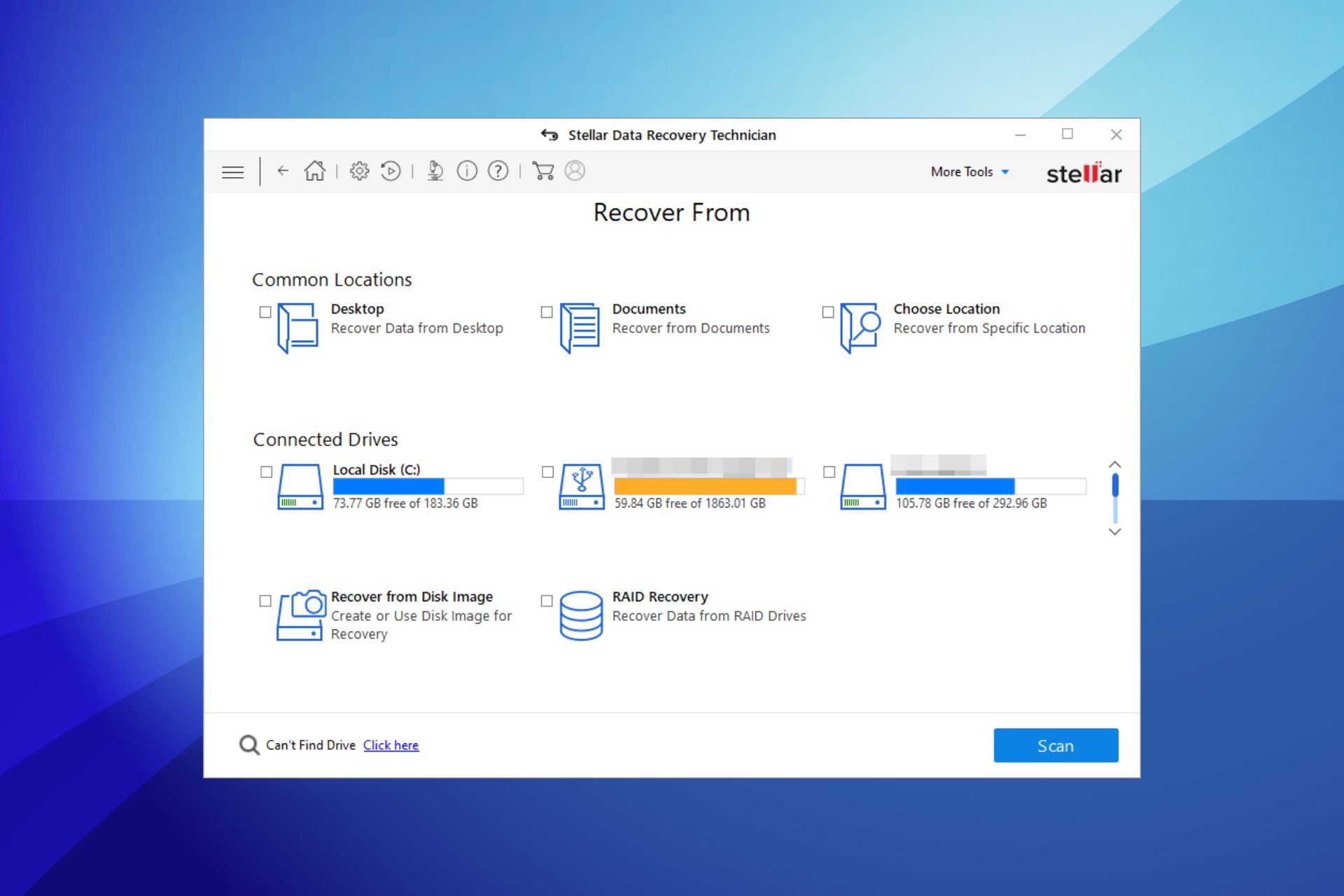
Supporting an impressively wide range of formats from photos to videos and email files, Stellar Data Recovery can retrieve data with accuracy every single time.

This is a highly reliable tool that can reach even the most severely corrupted segments as well as formatted partitions and encrypted drivers, thus salvaging your precious data no matter how grave the situation may seem.

Let’s quickly look at its key features:

  • Supports multiple file formats
  • 2 scan modes are available (Quick and Deep)
  • Compatible with all external storage media
  • Can retrieve data from corrupted, encrypted, formatted, or malware-infected drivers
  • Save Scan & Resume Recovery option

Stellar Data Recovery

Prevent data loss and retrieve apparently irrecuperable files with this ultra-powerful data recovery tool!
Check price Visit Website

Acronis Backup – Integrated disk data security

Acronis Backup solution comes with numerous benefits for data safety and hard drive backup support for Windows or Mac.

First of all, you can set up the software to secure all your data with cloud backup tools for home users or even large IT environments.

With threat diagnostic or threat protection, this ideal cybersecurity solution can guarantee hard disk data recovery and protection.

More importantly, there are capabilities that will protect all your files, including Office data backups or local data cloud versions for better security.

Let’s quickly look at its key features:

  • Drive data recovery
  • File synchronization and backup
  • Real-time disk cloning
  • Cloud data recovery
  • Microsoft 365 backup tools

Acronis Backup

Have a go with this unparalleled backup tool for greater data security.
Check price Visit website

Kernel Data Recovery – High drive compatibility

Supporting NTFS, NTFS5, FAT16, and FAT32, Kernel Data Recovery is one powerful recovery tool that can retrieve your precious data from the most extreme scenarios including corruption, deletion, loss, or simply inaccessibility.

Kernel tool can recover data from any removable drive effortlessly – you can even use filters and search options to detect a specific type of file format or more formats at once. Useful, right?

What’s more, all data retrieved with this powerful software will preserve its original properties during the restoration process. 100% integrity and accuracy are guaranteed.

Let’s quickly look at its key features:

  • Fix corruption issues and restore corruption-affected files to their original state
  • Compatible with NTFS, NTFS5, FAT16, and FAT32 partitions
  • Supports all major removable drives
  • Full customization available for your recovery settings

Kernel Data Recovery

Kernel stands for Windows recovery – all partitions, all drives, all file formats, no matter how damaged. Get a taste of a proper backup!
Check price Visit website

Recuva – Damaged disk backup

Recuva is all about straightforwardness – if you need to retrieve a file, look no further as this is a simple and great solution.

Supporting all file formats with great ease, you can use it to retrieve anything and everything from videos, emails, pics, work documents, and more.

The tool is versatile enough to support all kinds of devices and platforms including external media such as hard drives, memory cards, USB sticks, and the list can go on and on.

Let’s quickly look at its key features:

  • Delete files for good with the secure deletion option
  • Deep scan mode available
  • Retrieve data from corrupt or formatted drives
  • Cross-platform and cross-device compatibility
  • Support for all major file types

Recuva

Recover your missing or corrupted files effortlessly with Recuva!
Check price Visit website

Aomei Backupper – All-around backup tool

AOMEI Backupper is an all-inclusive backup solution for your external hard drive and is optimized for express use by users at both work and home.

And while I don’t know how they pulled it off, I have to admit the company has done an impressive job.

You see, it doesn’t stop at just a plain backup but will create a secure image file for your entire hard disk, SSD, or the partitions you select!

Additionally, you can schedule backups for your most valuable files and folders in a variety of ways including a full automatic daily backup or the time-saving incremental/differential backup.

It’s also a versatile solution and can also be used to backup (and restore) office files, photos, videos, programs, and games on a network or NAS.

The standard version is, amazingly, free but you can opt for the professional or the phenomenal server version. The main difference is the backup speed.

AOMEI Backupper

Have a reliable plan B with this performant backup solution and never worry again about your essential data.
Check price Visit website

EaseUS Data Recovery – Best free recovery tool

Next to the list, EaseUS software provides the same as the other solutions here, saving up to 2GB of lost data from your PC.

Before anything else, know that you can recover data for free. The app gives you the option to backup data from your disk, SSD, USB, SD card, or other local storage.

More so, it includes advanced disk imaging and instant restoring features to secure your digital information from various PC storage locations or external hard drives.

The hard drive recovery is guaranteed with this tool because it holds powerful features to repair damaged or inaccessible HDD devices and recover lost data from them.

 Some of the new features of EaseUS:

  • Fixes SD card compatibility problems.
  • Backup failure to Dropbox issue feature
  • Recover deleted or formatted files back on your PC
  • Support for backing up Microsoft 365 files.
  • Partition recovery tools

EaseUS Data Recovery Wizard

Save any HDD critical information with this affordable data backup solution.
Free trial Visit website

Handy Backup – Free Windows backup software

Handy Backup is another fine solution and even throws in a couple of surprises here and there.

The interface is straightforward and should help you synchronize, backup, and restore files seamlessly.

Backups are pretty fast regardless of the slot you connect your hard drive to because the program saves data directly in native formats.

You can schedule the backups to auto-execute at an appointed time or run silently as you work by creating the backup task as a Windows service.

What is surprising for most users is the military-grade encryption-based protection which secures the data against access by malicious elements if you accidentally misplace your hard drive.

The software can even compress the backup to secure zip files and data to save on handy storage space, whether using Transcend, Western Digital, Seagate, or any other hard drive.

Handy Backup

Use this sound software to shield your data from loss or removal and rest assured about your valuable information.
Check price Visit website

Novastor – Endpoint and DaaS protection

Novastor Backup makes it super easy for users to preserve their critical data even when too busy to think about backups.

It has taken home several awards largely thanks to its unmatched design!

It will allow you to, first and foremost, automate the daily backups so as long as it’s properly configured, your data remains safe.

It will, in addition, provide backup images in the event that not a single disk works making it an essential component of disaster recovery plans.

The application doesn’t take any chances and comes with multiple backup options: You can back up to your external disk, online, and even to various file-sharing sites.

In an effort to ensure it will never fail you, the program allows you to upgrade for free each time a new version is released.

Also, you will get lightning-fast restoration speed: your individual files or entire hard drive are back and ready in record time.

⇒ Get Novastar Backup

FBackup Backup Software for Seagate – Extremely intuitive tool

Fbackup is a magical auto-backup software for Seagate external drives. It’s simple to install and offers plenty of advanced backup features.

It detects your Seagate automatically, scans it for changes, and auto-updates your spreadsheets, documents, and media files.

FBackup has a neat and intuitive interface and is one of the most effective external hard drive backup aids.

The free software also comes with password protection and a powerful compression function to economize on storage space.

The Fbackup advanced external hard drive software is perfect for anyone looking for a backup application that guarantees peace of mind with their external Seagate hard drive.

⇒ Get FBackup software

That you can easily lose your happy family memories or priceless business information is not in doubt.

Your business could suffer unprecedented losses while as an individual, the pain that comes with missing milestone birthday photos, movies, and music from your external hard drive cannot be underrated.

Thankfully, good backup software for external hard drives saves the situation by automating backups and simplifying the file restoration process.

What is your favorite backup external hard drive program? Feel free to share with us via the comments section below.

Microsoft Teams meetings and chats are getting a new polling experience in October

Microsoft is planning to launch a new polling experience in Teams meetings and chats. According to an email sent out to Office 365 subscribers, a new “Polls” app is scheduled to roll out to all users by the end of November.

Microsoft launched polling capabilities in Teams meetings back in November of last year. However, it turns out that many users are not familiar with the fact that they can use the Microsoft Forms app to create polls before, during, and after meetings. “Microsoft Forms has always focused on providing the best polling experience to our customers. However, according to customer feedback and telemetry, we have determined that many people don’t know the “Forms” App provides polling capability in Teams,” the company explained.

Microsoft says this “more discoverable” Polls app aims to address this issue by specifically providing polling capabilities in Teams chats and meetings. The app will come with a new Teams-branded icon and a name, but the user experience of adding polls to Teams meetings and private/group chats will remain the same.

As a part of this change, the Redmond giant is also retiring the existing “Forms” app that provides the polling capability in Microsoft Teams meetings. Going forward, the original Microsoft Forms app will only remain accessible as a tab in the Teams channel tab. In case you missed it, Polls in Microsoft Teams meetings will add support for open-ended questions later this month.

Mozilla Firefox can now become your default browser in just one click on Windows PCs

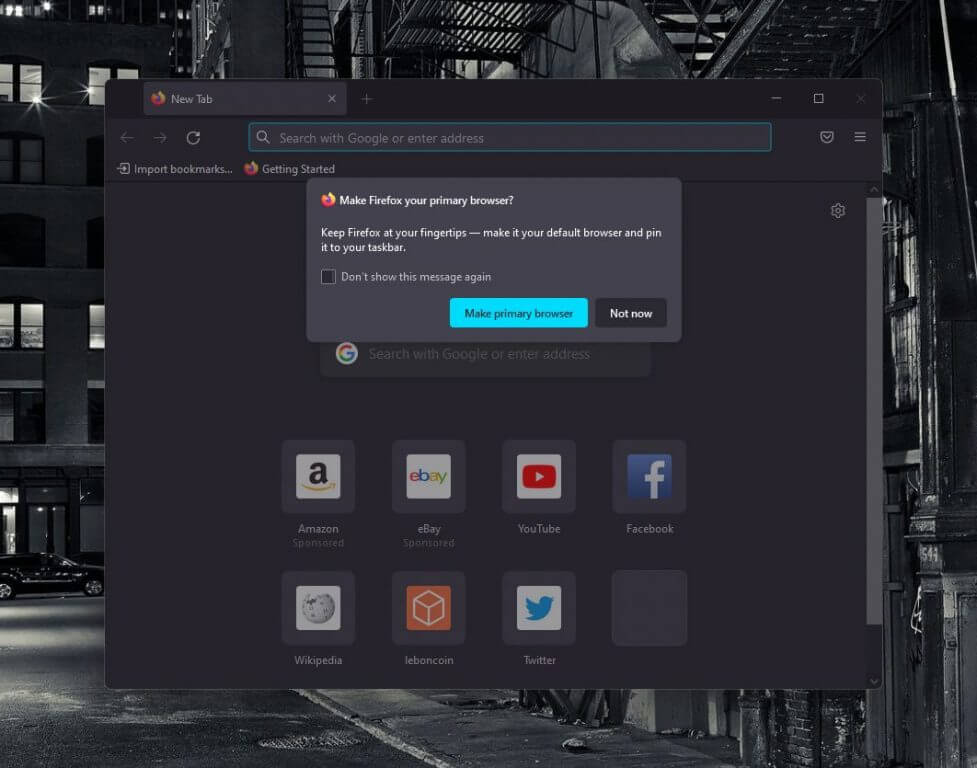
The latest version of Mozilla Firefox lets Windows users set it as their default browser in just one click, no trip to the Windows 10 Settings app necessary. According to a report from The Verge, Mozilla has circumvented Microsoft’s default browser protections in Windows 10, which protect users seeing malware replace default apps on their PCs.

We’ve tried installing Mozilla Firefox version 91 on a Windows 10 and a Windows 11 PC, and we can confirm that the pop-up window that shows up when you open the browser for the first time lets you set it as your default in just one click. Windows 10 usually requires users to change their default browser in the Settings app, and Windows 11 has made this process even more complicated, as we explained.

If Microsoft told The Verge that the company isn’t supporting Mozilla’s hack, the non-profit organization has apparently become frustrated with Microsoft giving its own Edge browser a preferential treatment on Windows. If you need to visit the Windows 10 Settings app to set Chrome or other browsers as your default, it’s not the case for Microsoft Edge as you can set it as your default right from the browser’s settings.

“People should have the ability to simply and easily set defaults, but they don’t. All operating systems should offer official developer support for default status so people can easily set their apps as default. Since that hasn’t happened on Windows 10 and 11, Firefox relies on other aspects of the Windows environment to give people an experience similar to what Windows provides to Edge when users choose Firefox to be their default browser,” a Mozilla spokesperson said in a statement to The Verge.

It remains to be seen how Microsoft will address Mozilla’s hack, which could well give other browser vendors an incentive to push for a change. Microsoft received a fair share of criticism for making the process of switching default apps even in Windows 11 even more complicated, and the Redmond giant may need to find a better balance between security principles and open competition.

Do you miss the pre-Windows 10 days when users could switch default browsers in a single click? Let us know in the comments below.

6 Best Software for Flashforge [Creator, Adventurer, Slicer]

FlashForge Creator Pro is a mid-range budget 3D printer that is available for a pretty low cost. Congratulations if you have brought one home recently or if you are thinking of buying one.

However, you might also be thinking about the best 3D printing software for Flashforge Creator. Compatible 3D printing software is essential in creating good models.

Most 3D printing software help you check for errors before proceeding with the print. This saves you a lot of time and hassle, avoiding failed projects.

You can also use them to preview your model and see if you want/need to make any adjustments. 

If you are not familiar with 3D printers, a software with error-free, tested presets is your best bet. Many tools also offer online support and extensive tutorials for new users.

3D printing software can also calculate the print time and the material requirements for your models so you know exactly what you need.

They can store and secure your models within easy to navigate libraries. Some offer cloud-based storage and advanced data encryption.

Today, in this article we will be looking at the best 3D printing tools that are compatible with  Flashforge Creator Pro. They are simple enough to be used by novices yet powerful enough for professionals.

What’s the best 3D printing tool for Flashforge?

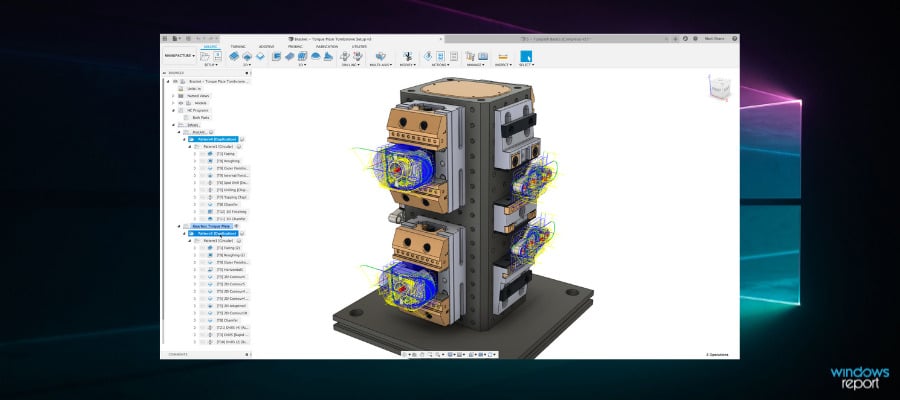
Autodesk Fusion 360

Autodesk is a cloud-based 3D modeling software that comes with special modules for 3D printing.

The software is an all-in-one solution for the creation of different types of engineering or design projects. Several people can easily collaborate on the same project thanks to the cloud.

Models created in Autodesk Fusion 360 can be printed in Flashforge Creator if you install the Print Studio module. You can find the module in the UI and download it within seconds.

Print Studio lets you apply detailed settings to your model. You can easily rotate, resize, and position your model. It also provides preset print profiles for optimal 3D printing.

The print module also detects 3D geometry errors and fixes them automatically, monitors and controls print jobs on connected 3D printers.

Modeling and design functions of Fusion 360 include support for editing imported geometry from non-native file formats, advanced rendering features for photo-realistic results, and PCB design integration.

Other key features include:

  • Optimizes slicing settings
  • Calculates print-time
  • Calculates material requirements

Fusion 360 is a subscription-based software with various plans and deals. If you’re not satisfied with the products, you can get a refund in the first 30 days.

Autodesk Fusion 360

Autodesk Fusion 360

Create error-free models and print them directly from the app with this powerful modeling tool with an integrated printing module.
Check priceVisit website

Simplify3D

From engineers to entrepreneurs to schools, Simplify3D is one of the most popular 3D slicers available in the market today. It is an expensive piece of software if you see it as a Slicer, but it offers more than just 3D print properties.

Apart from Flashforge Creator Pro, Simplify3D supports 90% of all the desktop 3D printers in the market which makes it future-proof in case you decide to buy a new 3D printer from other brands.

Simplify3D lets you preview the printing process on the screen along with the ability to view a single layer or layer by layer preview.

The pre-print realistic simulation allows you to see all the actions that the 3D printer will perform once the execution starts. It can also be helpful in identifying any flaws or issues and fixing them in advance as it provides information related to speed, sequences, and settings.

The software also offers excellent support structures for your 3D models which easily break away once the task is finished. You can further customize the support structure per your requirements.

Simplify 3D also includes industry-leading resources, variable printing settings, support for multi-extruder and FFF/FDM printers, multi-party customization, script engines, mesh analysis, and more.

Other key features include:

  • Baisc and Advanced modes in the Edit Process settings
  • Requires 2GB of RAM
  • Multi-language support 

Simplify 3D offers more features than any other slicer in the market, but costs equally expensive and does not offer a free trial.

⇒ Get Simplify3D

Flashprint

Flahsprint is an in-house project from Flashforge that is compatible with its 3D printers including Creator Pro. The software is free to download and use.

The software claims to offer ease of use and can be used by beginners while offering enough advanced features that professionals would seek from a slicer. It may not be as sophisticated as Simplify 3D, but the fact that it is free and easy to use makes it a good beginner’s slicer for a 3D printer.

Flashprint comes with tons of features including the ability to control temperature, speed and thickness, and height for the first layer. Once done, you can view the layer-by-layer visualization, time, and material estimation.

For structure support, the software automatically generates support based on the model’s overhang angles. However, the user can manually add any additional support as required.

If you want to print large models that may not fit into the printer as a single object, you can use the cut and split function provided by the tool to divide the model into several parts and later assemble the product.

For better accuracy and less error, you can test the error value first and then set the value in the software to avoid any dimension error in the printing stage.

Another interesting feature offered by Flashprint is the ability to turn 2D images into 3D models allowing you to save a lot of hassle when you don’t have a 3D image readily available.

Other key features include:

  • Multi-machine List Management
  • Detects and fixes model errors automatically
  • Unlimited undo

Even though it is created specifically to support Flashforge, the software is compatible with other 3D printers as well.

⇒ Get Flashprint

Slic3r

Slice3r is an open-source, free 3D printing software that allows you to turn your 3D models into G-code (machine code) and print the 3D model.

There is a command-line tool for those who prefer the old school execution, and it can generate G-code batch form, export SVG slices, cut, transform, repair 3D models and perform 3D format conversion.

Slic3r is compatible with almost all 3D printers including Flashforge Creator Pro. The intuitive user interface makes it easy to see what is where and not confuse the first-timers.

It also comes with multiple 3D printer support along with 100x faster G-code generation making the slicing process that much quicker in comparison to other 3D printing slicers.

There is a Sequential Printing feature that allows you to print a single object completely in a single printing job. The objects can be placed onto the plating interface by drag-and-drop and can be further arranged by using the rotate and scale function.

The software offers multiple input/output formats support, cooling features, multiple printer management, and micro layering that lets you print a thicker infill to benefit from low layer heights without having to spend extra time.

Other key features include:

  • Tool for cutting meshes in multiple solid parts with visual preview 
  • OctoPrint integration (send to printer)
  • Built-in projector and host for DLP printers

Slic3r can be used by users of all levels, but beginners may need to use some learning resources that are available online.

⇒ Get Slic3r

Cura

Ultimaker is a 3D printer-making company and offers Cura slicers for free that can be used with most of the 3D printers offered by other companies including Flashforge Creator Pro.

The software itself is easy to use and will take not more than few minutes to set up and run. It comes with industry-standard software integration to streamline your workflow for maximum productivity.

It’s an open-source cross-platform software and it comes with two modes – custom mode that lets you customize the properties of printing and recommended mode that automatically selects the best settings for your 3D printing task.

It also comes with support for file formats like STL, OBJ, X3D, and 3MF. You can extend the functionalities using plugins for CAD software integration and third-party materials.

To print any 3D model, Cura slices the given 3D model into thin layers. You can preview the simulation, scale it and adjust settings, and set the print job when ready.

Other key features include:

  • Lets users create custom plugins
  • Includes recommended error-free profiles
  • Regular updates
  • Offers 3D printing courses
  • Cloud storage

Cura is touted as the second-best slicing software after Simplify 3D. However, the functionalities it offers for no cost make it a no-brainer for users who can’t afford Simplify 3D yet.

⇒ Get Cura

Craft­Ware

CraftWare shares its similarities with Cura. CraftWare is a free 3D printing slicer that lets you host a 3D printer and create 3D models. However, it is developed by CraftUnique, a company that also makes CraftBot Plus 3D printers.

That being said, CraftWare works on any third-party 3D printer including Flashforge Creator Pro.

The user interface is straightforward and offers a clean workspace and appears to be beginner-friendly. All the transformation features are on the top including select, move, scale, auto drop, drop plane, and undo options.

CraftWare’s impressive G-code visualizer helps you to see each print layer-by-layer from any angle. You can detect any point that needs modification and make the changes before proceeding with the printing process.

Interactive support management (structure) offers greater stability to 3D models. You can import 3D model design in multiple formats including .stl, obj, and more. Other features offered by CraftWare include machine control, G-code toolpath reversal, and the ability to load and save g-code generated from other programs.

Other key features include:

  • CAD functions 
  • Tested presets
  • Multi tray project

CraftWare despite being a free tool offers all the essential features that you need to print a stunning 3D model using your printer.

⇒ Get CraftWare

Conclusion

Surprisingly enough, the number of free 3D printing slicers is plenty, and none of them makes any compromise in quality or features. Yes, Simplify 3D does offer the best toolset of the lot, but if you are not yet ready to invest and a learner, you can begin with one of the free 3D printing software for Foregeflash Creator Pro and upgrade as you make progress.

Note that 3D printing slicers are not 3D modeling tools. This software act as a host and help in converting 3D models into G-code (language) that 3D printers understand.

Do let us know your favorite 3D printing slicer in the comments below. Also, make sure you share your first 3D printed model with us to see.

How does 3d printing work?

3D printing works differently from traditional subtractive or formative (molding-based) printing. To print using a 3D printer you need a 3D printer, required materials like Plastic to melt and create objects, 3D design software to create 2D/3D images, and a 3D printing slicer tool to convert the image into machine language.

Once the 3D model is ready, the 3D printer uses the slicer to turn the instructions into machine language and begin executing the model and create the 3D model of the image layer by layer. This is how you can turn imagination into reality.

The 3D printers remove the limitations of traditional printers and lets you create anything that you can imagine and turn it into reality.

Flashforge has its own 3D printing software to do this task. And the best tools are on this list.

If you are interested in more 3D modeling and printing software suggestions, check this best software for 3D printing articles.

Windows news recap: zero-day vulnerability based on malicious Office files, redesigned Photos app in Windows 11 teased, and more

Welcome back to our Windows news recap, where we go over the top stories of the past week in the world of Microsoft’s flagship operating system.

Asus plans motherboard BIOS updates to allow Windows 11 support for 6th, 7th gen processors

Owing to Microsoft’s strict requirements for running Windows 11, Asus has taken upon itself to try to allow Windows 11 support on some of its older processors in the 6th and 7th gen ranges via a BIOS update. The Z270 motherboards, for 6th and 7th gen processors, will now “(s)upport Windows 11 by default, (with) , no settings changes required in the UEFI BIOS.”

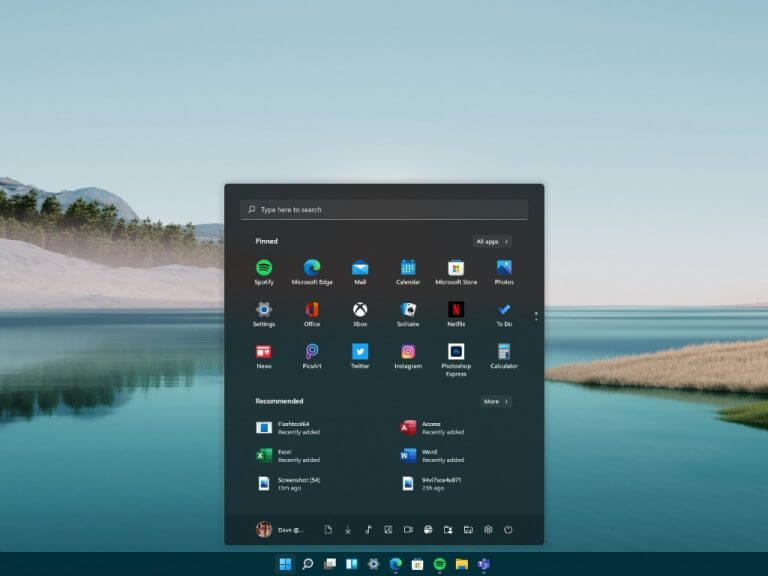
Windows 11 Start Menu

Microsoft acknowledges Windows zero-day vulnerability based on malicious Office files

A new zero-day vulnerability has been acknowledged by Microsoft. The vulnerability is based on malicious Office files, whereby a user could fall victim by opening a malicious Office document that makes use of an exploit in the Explorer’s rendering engine, used in Microsoft Office for browser-based content. A fix is being worked on, but it affects all versions of Windows and is actively being exploited.

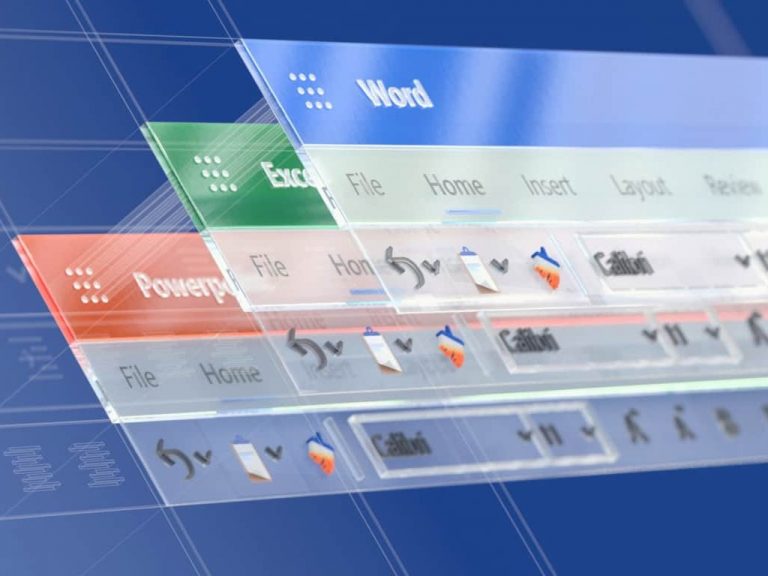
Office

Panos Panay’s latest Windows 11 tease is a “beautiful redesigned” Photos app

Panos Panay is back at it again with the Windows 11 teasers. This week, a redesigned Photos app has been teased. One of the most obvious changes appears to be a more slimmed down interface, with buttons for key features being more compact.

That’s it for this week. We’ll be back next week with more Windows news.

Windows 11 build 22454: In-depth feature and bug overview

Microsoft is slowly but surely preparing for the official launch of Windows 11, and it’s working hard on fixing most bugs before the final product is released.

Just like in the past, Windows Insiders got early access to the new build, and today, we’re testing the latest Dev build.

This version brings various improvements, bug fixes, and a couple of changes that some users might find interesting.

Join us while we take a closer look at Windows 11 build 22454 and see what new features and improvements it offers.

What is Windows 11 build 22454 and should you install it?

What’s new in Windows 11 build 22454?

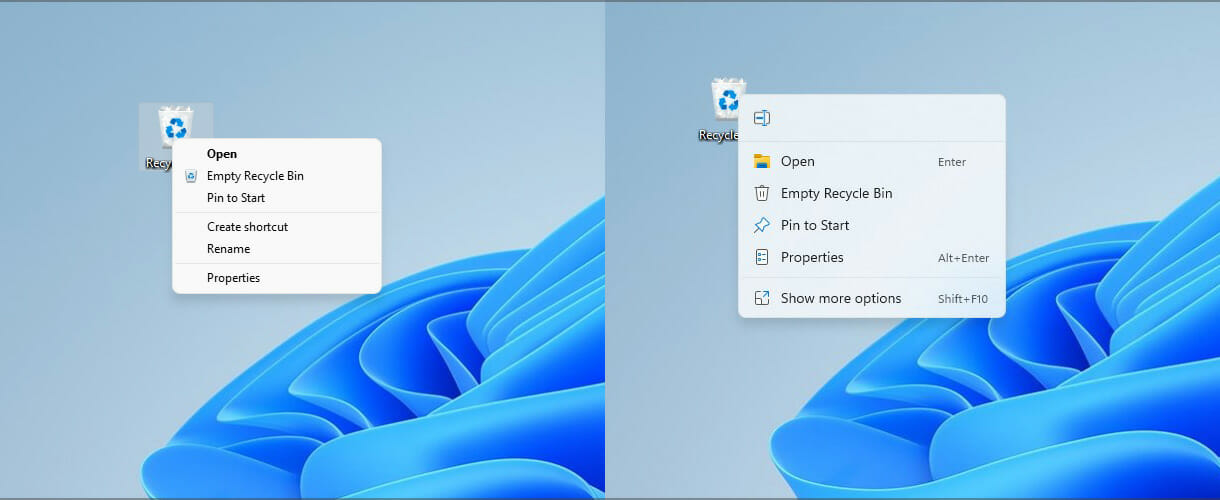
  • Improvements to the Recycle Bin context menu

Not all components of the operating system use the same context menu, which makes the user interface look inconsistent.

This has been addressed in this version, and now the Recycle Bin has a modern context menu just like other elements.

We have to admit that we love this new change, and it’s an improvement that makes the whole interface look more coherent.

  • Quick Access and network share improvements

This is a minor but welcome change that will help users that are sharing files over the network. With this update, it’s possible to add a network share to Quick Access faster.

Before you had to click the Show more options in the context menu to get to the pin option, but now you can do that directly.

Most users probably won’t even notice this change, but if you’re using network sharing, this is a welcome change.

  • Improved Korean IME

Korean IME now has a new visual design, featuring an acrylic background, support for dark mode, and improved visuals for selections.

In addition, there are performance and compatibility improvements. This feature is rolling out slowly to a part of Insiders in the Dev Channel, but it will become available to all members over time.

This is a welcome change for all Korean users, and we hope that Microsoft will keep improving IMEs in the future.

Windows 11 build 22454 bugs

  • Installation gets stuck

Users reported that they are unable to install the Dev version since it gets stuck at around 50% during the setup.

This is a major issue, and if you encounter it, you should try waiting for a couple of hours for the installation to finish.

If that doesn’t help, you might even want to consider performing a clean install or resetting Windows 11 to factory settings.

  • Taskbar not properly centered

The main problem with this build that a majority of users reported is that the Taskbar isn’t centered properly, and we have experienced this issue on our test PC.

Moreover, if you have a lot of icons in the Taskbar, some of them will become hidden behind the system tray. This issue seems to affect both single and multi-monitor setups, regardless of the resolution that you’re using.

Few users reported that setting 100% scaling solved the problem on 1080p screens, but that’s just an unreliable workaround. Microsoft is already aware of this glitch, and we’re expecting to see it fixed soon.

As you can see, this version doesn’t bring many bugs, but it seems that the Taskbar issue is affecting a large number of users.

How can I install Windows 11 build 22454?

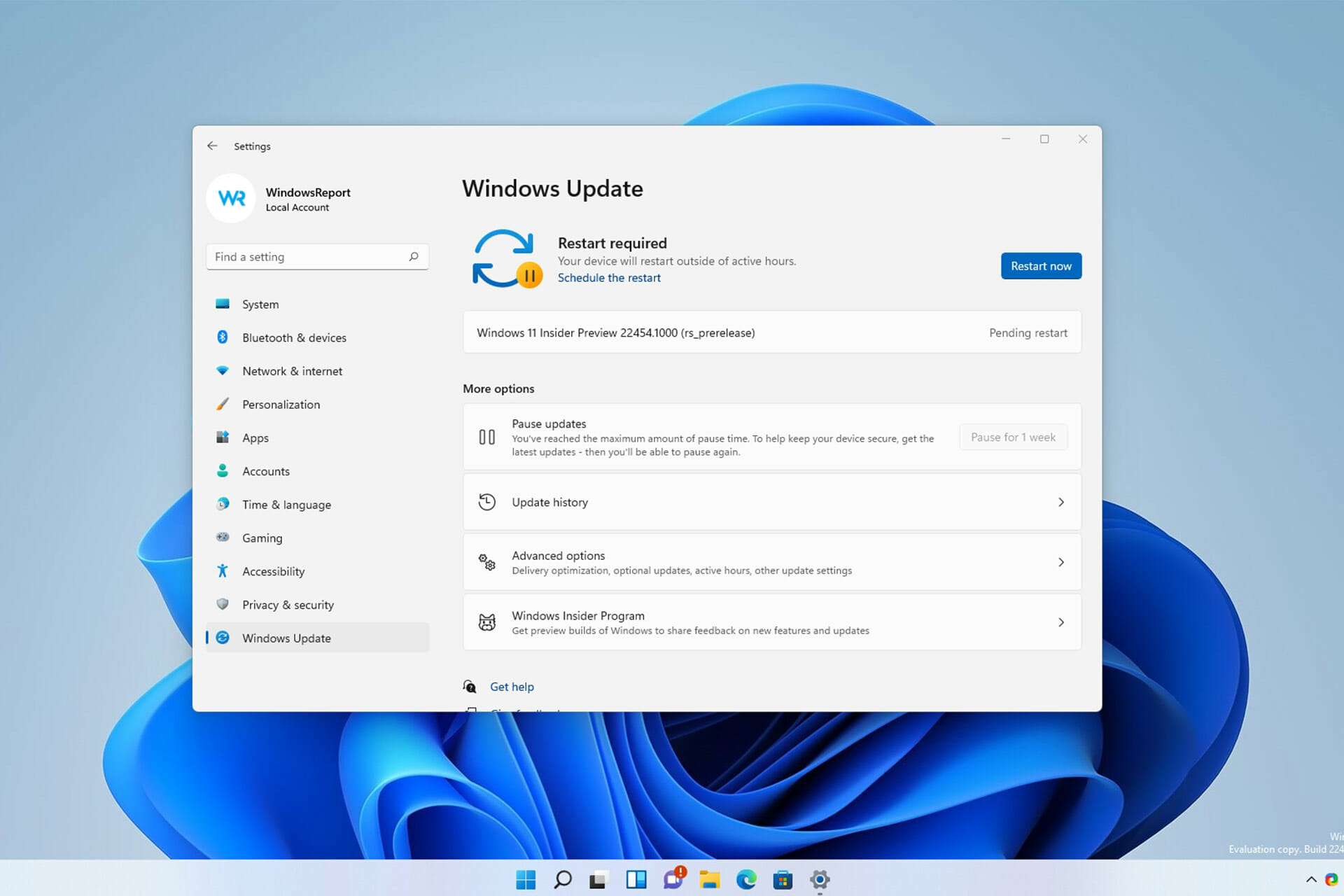
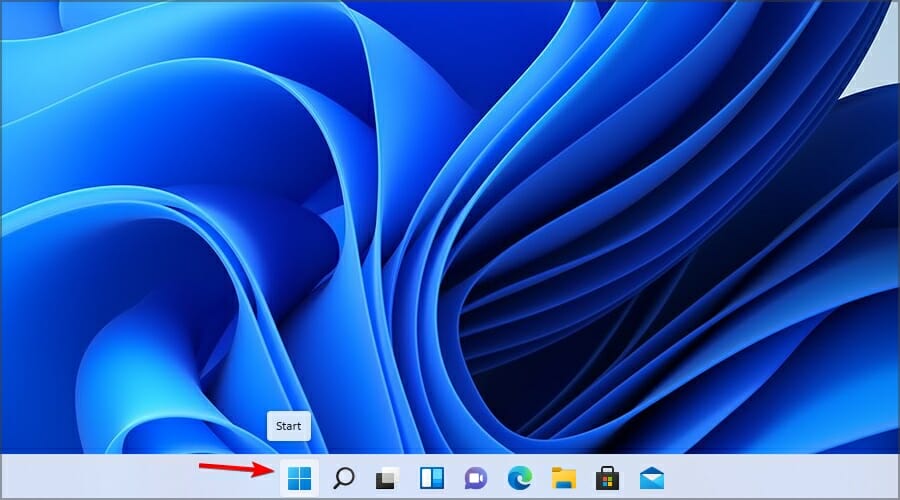
  1. Click the Start button.
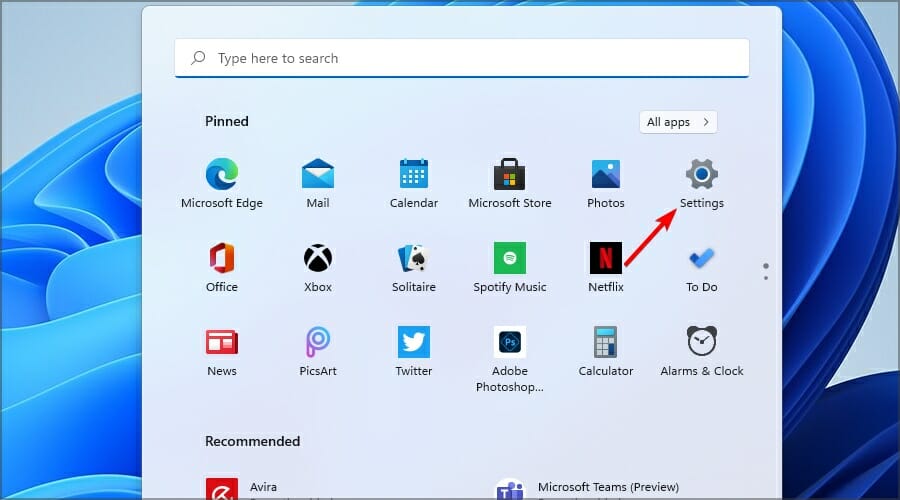
  2. Now navigate to Settings.
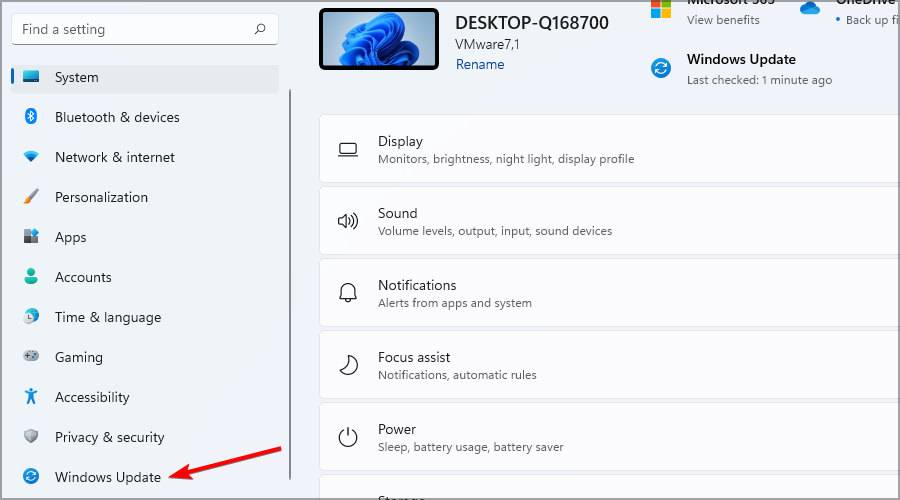
  3. Head to the Windows Update section.
  4. Windows will now check for available updates and start downloading available updates.
  5. Once the updates are downloaded, the installation process will start in the background.
  6. After it’s done, you’ll be asked to restart, so be sure to click the Restart button.
  7. Now wait and don’t turn off your PC while the new build installs.

In case you can’t access Settings, be sure to visit our guide on Settings app crashes on Windows 11 to see how to fix this issue.

Is Windows 11 build 22454 worth installing?

This version brings a handful of features, and most of them are just minor visual changes, such as the modern context menu for Recycle Bin.

Improvements to the network shares menu are welcome, but if you’re not using file sharing, you probably won’t even notice it.

The biggest problem with this build is the Taskbar bug, and even though it’s not going to cause any major issues such as crashes, it will interfere with your everyday work.

So, should you install this version? The improvements aren’t noteworthy, and the new bugs will put off some users.

The biggest reason to update are the bug fixes, but with the Taskbar inconsistencies, you might want to wait until Microsoft solves this issue.

Have you tried Windows 11 build 22454 and what do you think of it? Share your thoughts with us in the comments section below.

Microsoft releases new Windows 11 ISO files for Dev Channel build 22454

If you’re hoping to clean install Windows 11 on a new PC, Microsoft has given you some newer installation files to choose from. Now available for download via the Windows Insider website are the ISO files for Windows Insider build 22454.

Between this ISO file and the first official ones for build 22000.132 from mid-August, there are not many big changes. You can visit our recap post for more information, but some changes include a new right-click menu for the Recycle Bin. Downloading this new ISO file should save you some data on Windows Update to get the latest version of Windows 11.

How to Activate Windows 11 on a Virtual Machine

Windows 11 has created, without doubt, a lot of stir among users all over the world, and while more and more are downloading and installing it, there is an increased number of questions.

A very important one is how to activate Windows 11 on a virtual machine. That’s because many of you prefer to install it in a safe environment.

That is also our recommendation, and we have written an article on how to install Windows 11 on a virtual machine and test it.

However, some of you have realized that after installing it on a VM, the Windows 11 copy was not activated and therefore, you are not able to access some of the features.

Why wasn’t Windows 11 activated? Usually, if you upgrade your Windows 10 machine to Windows 11, the system should automatically use the product key from Windows 10.

However, if you don’t have an activated copy of Windows 10, or if you bypass the TPM 2.0 verification, the product key won’t be acknowledged.

You can understand these activation limitations much better by reading our guide on what Windows activation is and how it works.

This can also happen when using an unofficial ISO from an insecure website. There are plenty of those but we strongly recommend not to get one because they are definitely not safe.

If we’re all set on why this problem occurs, let’s first find out if your copy of Windows 10 is activated and get the key.

How can I find out my Windows 10 product key?

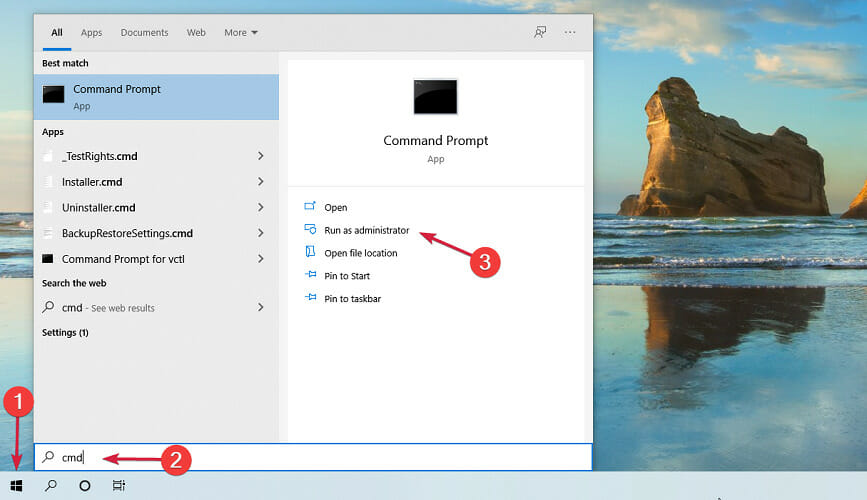
  1. Click the Start button and type cmd, then select Run as administrator below the search results to open Command Prompt with full privileges.
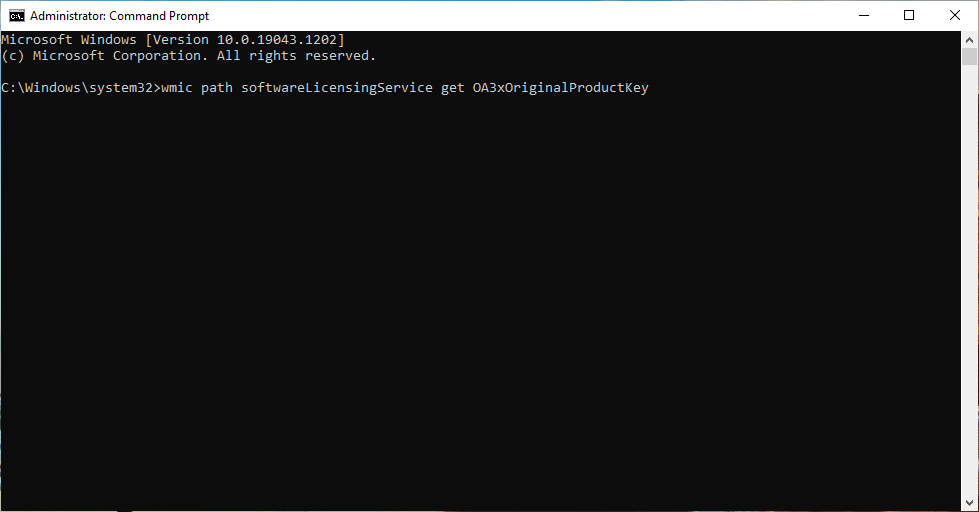
  2. Now type or paste the following command line and press Enter to run it: wmic path softwareLicensingService get OA3xOriginalProductKey
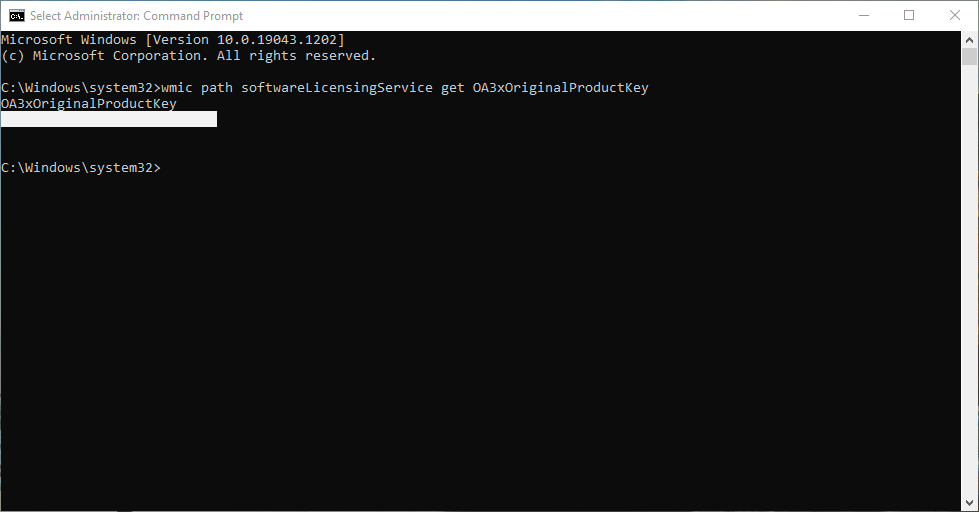
  3. If you don’t see any results, then your copy of Windows is either not activated or you don’t have a legitimate copy of Windows. In this case, the only solution is to buy a Windows 10 or Windows 11 copy and use the key.
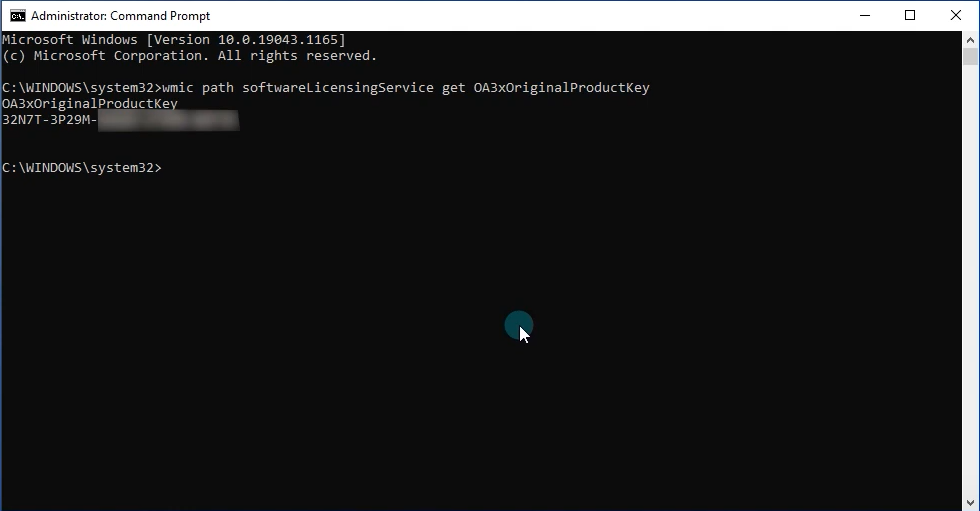
  4. If you do see the product key, copy it for later use.

Now that you know your product key, you can proceed and activate your Windows 11 on the virtual machine. If you’re asking how many time can you use a Windows 11 key, we have the answer.

How can I activate Windows 11 on a virtual machine?

1. Update Windows 11 from Windows 10 on your virtual machine

Note icon NOTE
If you got to the point where you installed Windows 10 on your virtual machine, you can start by activating that copy first.
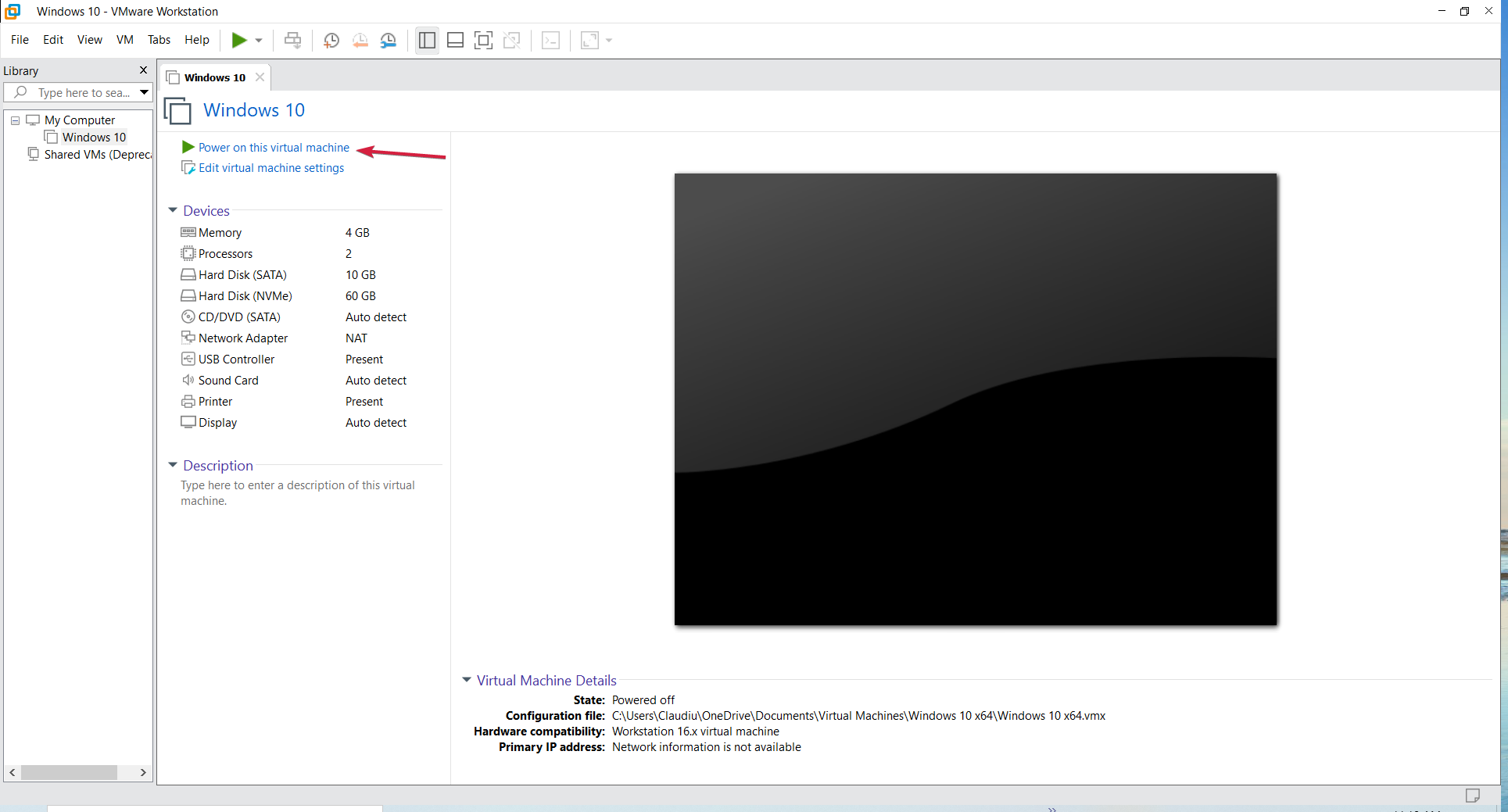
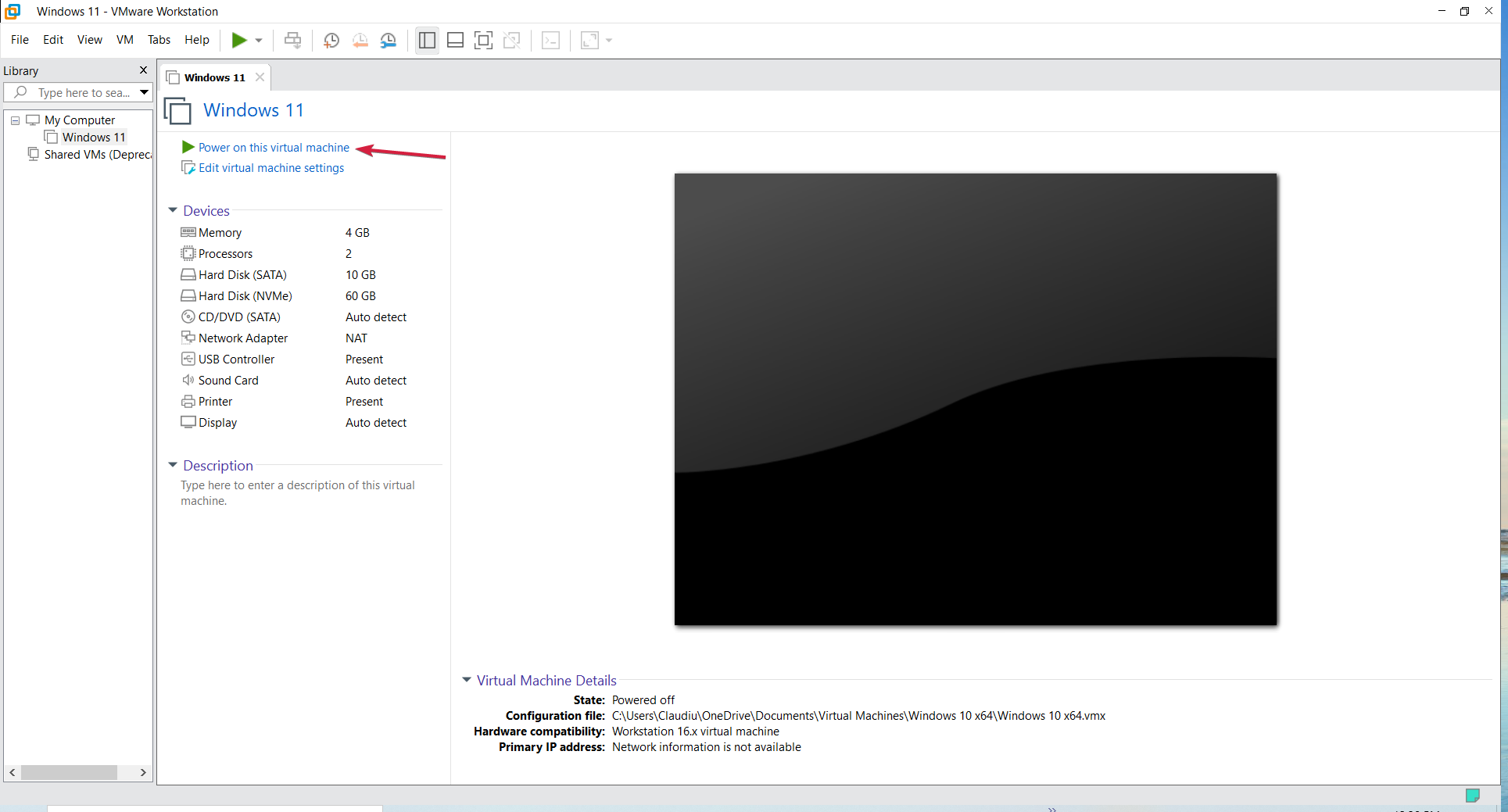
  1. Start Windows 10 in your virtual machine. We used VMware Workstation for this demonstration but the process is identical for any other virtual machine.
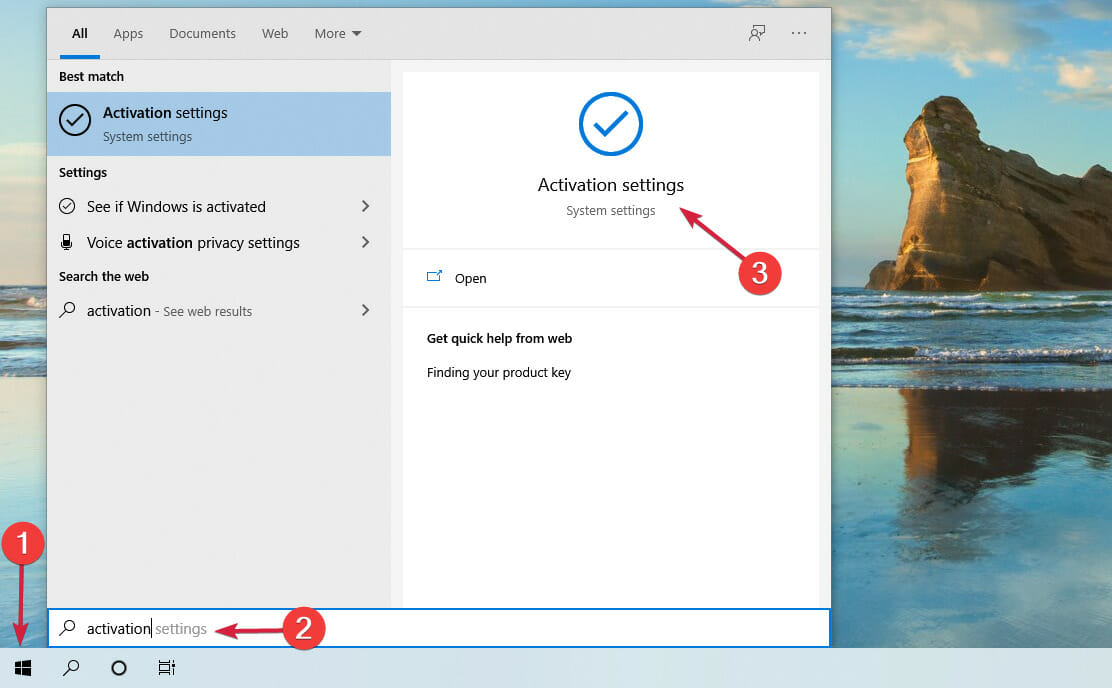
  2. Click the Start button, type activation and click on Activation settings from the results.
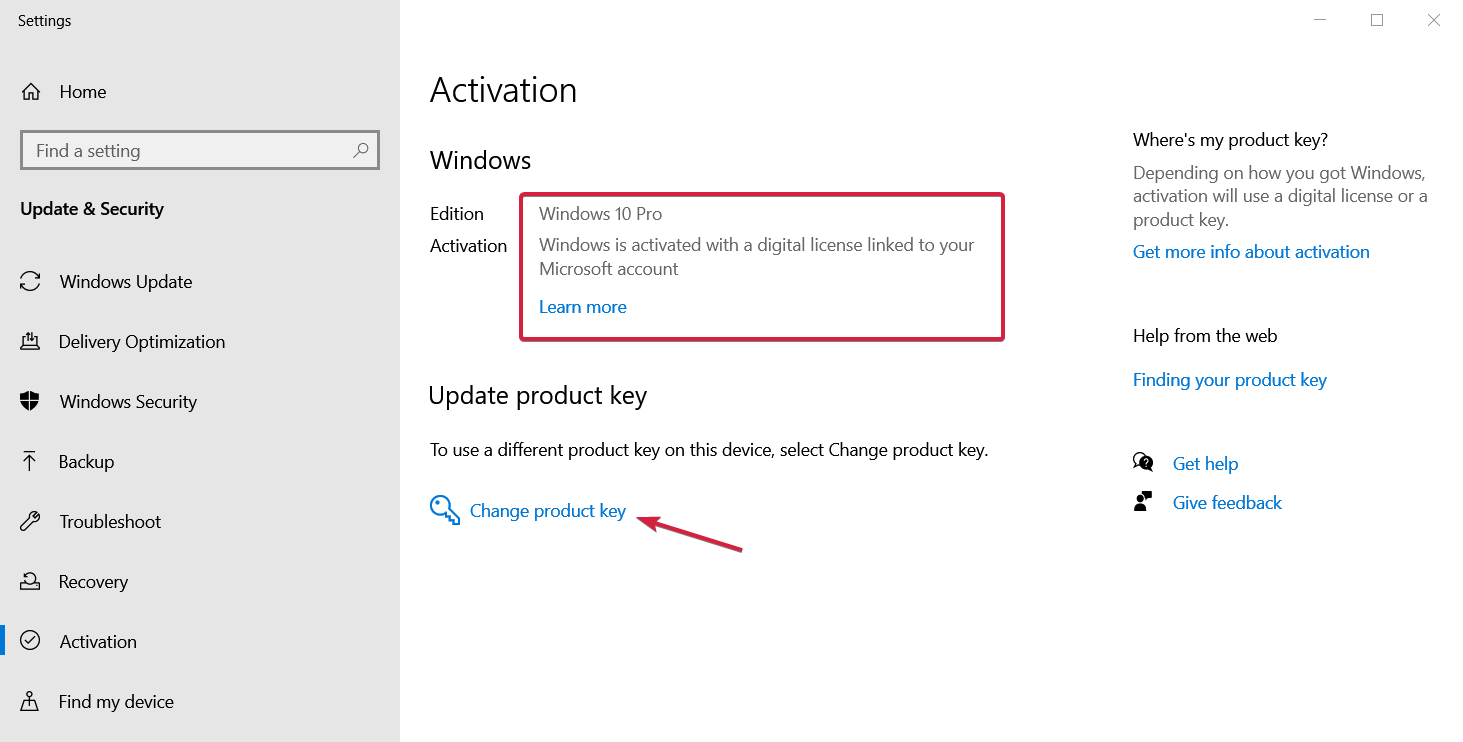
  3. As you can see in our screenshot, Windows 10 Pro is activated but if the copy of the OS is not legitimate, you will see the same results. So, if your copy is not activated, click on the Enter product key button and if if it’s not legitimate, click on Change product key.
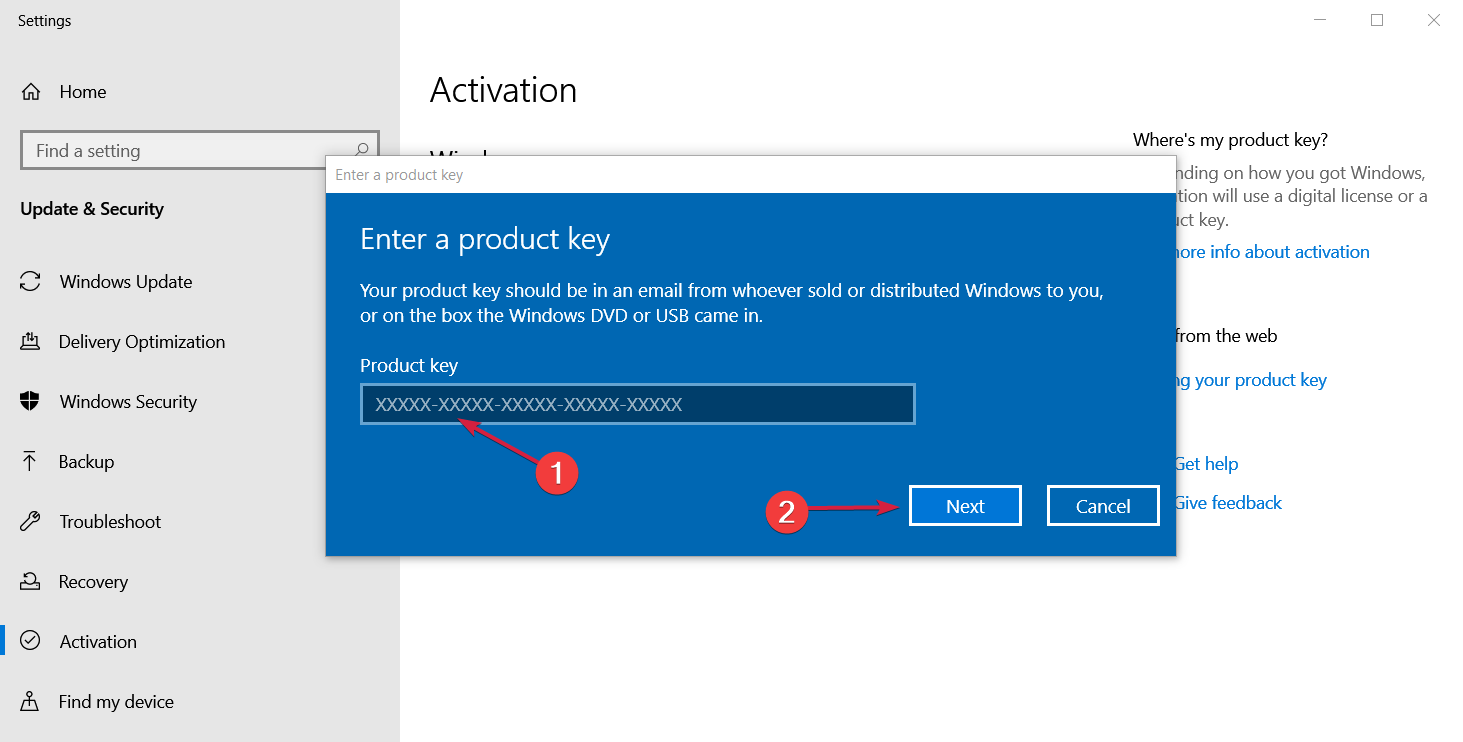
  4. Either way, you will see an Enter product key window where you need to enter the valid product key and hit the Next button.
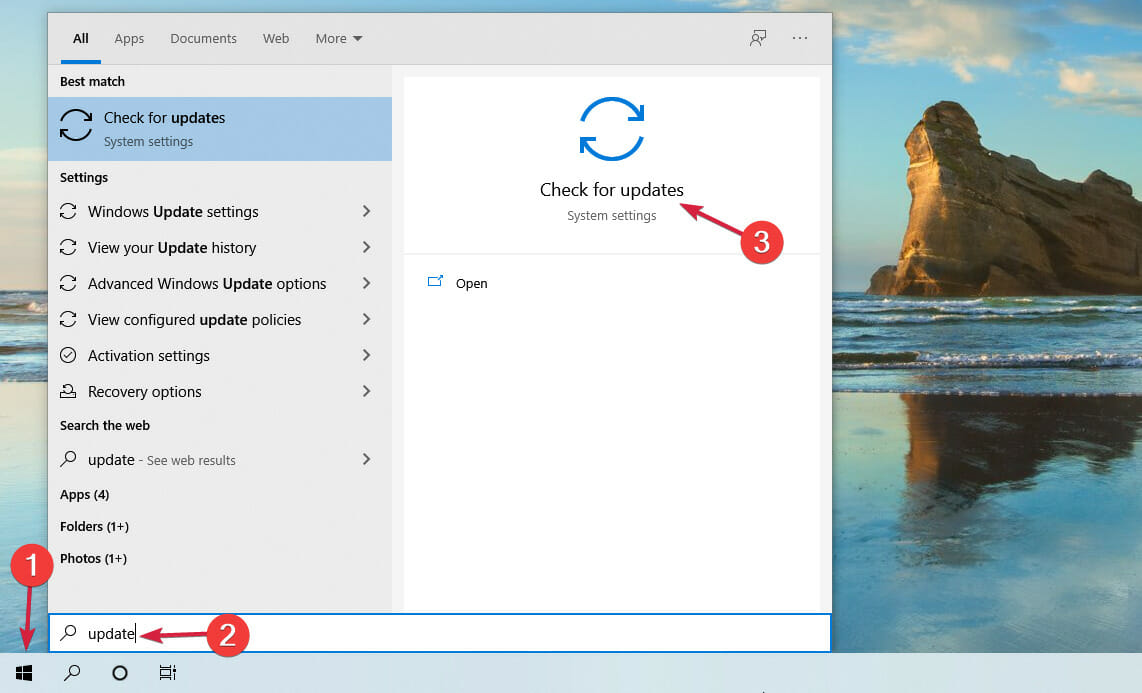
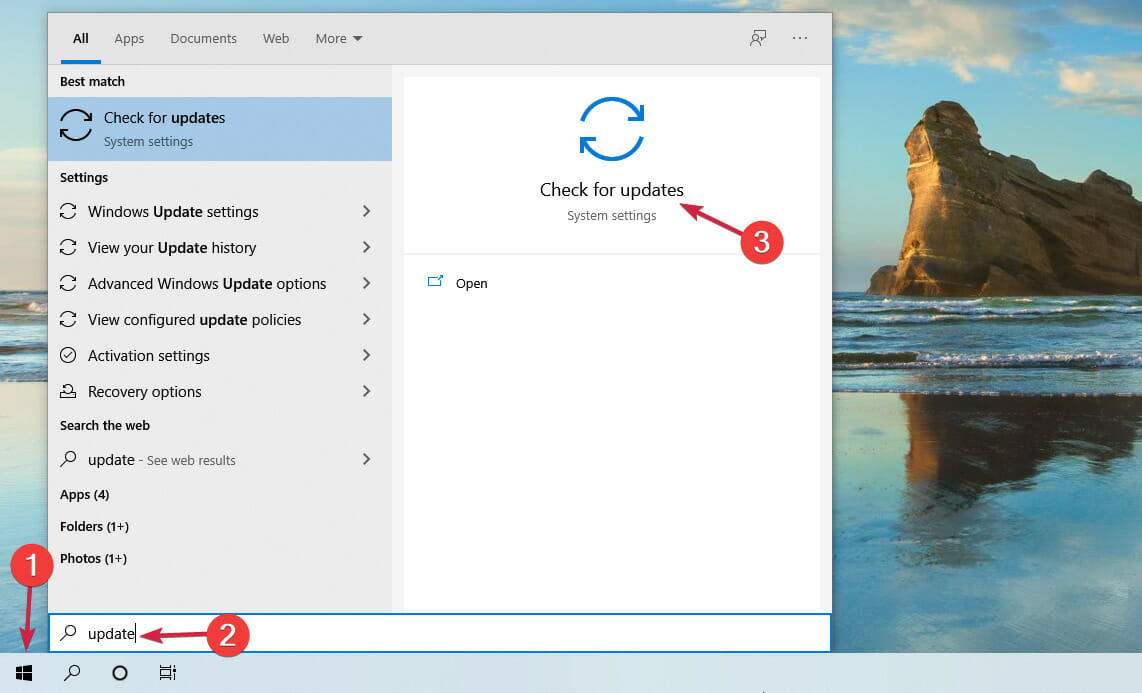
  5. Next, click the Start button, type update and select the Check for updates option from the results.
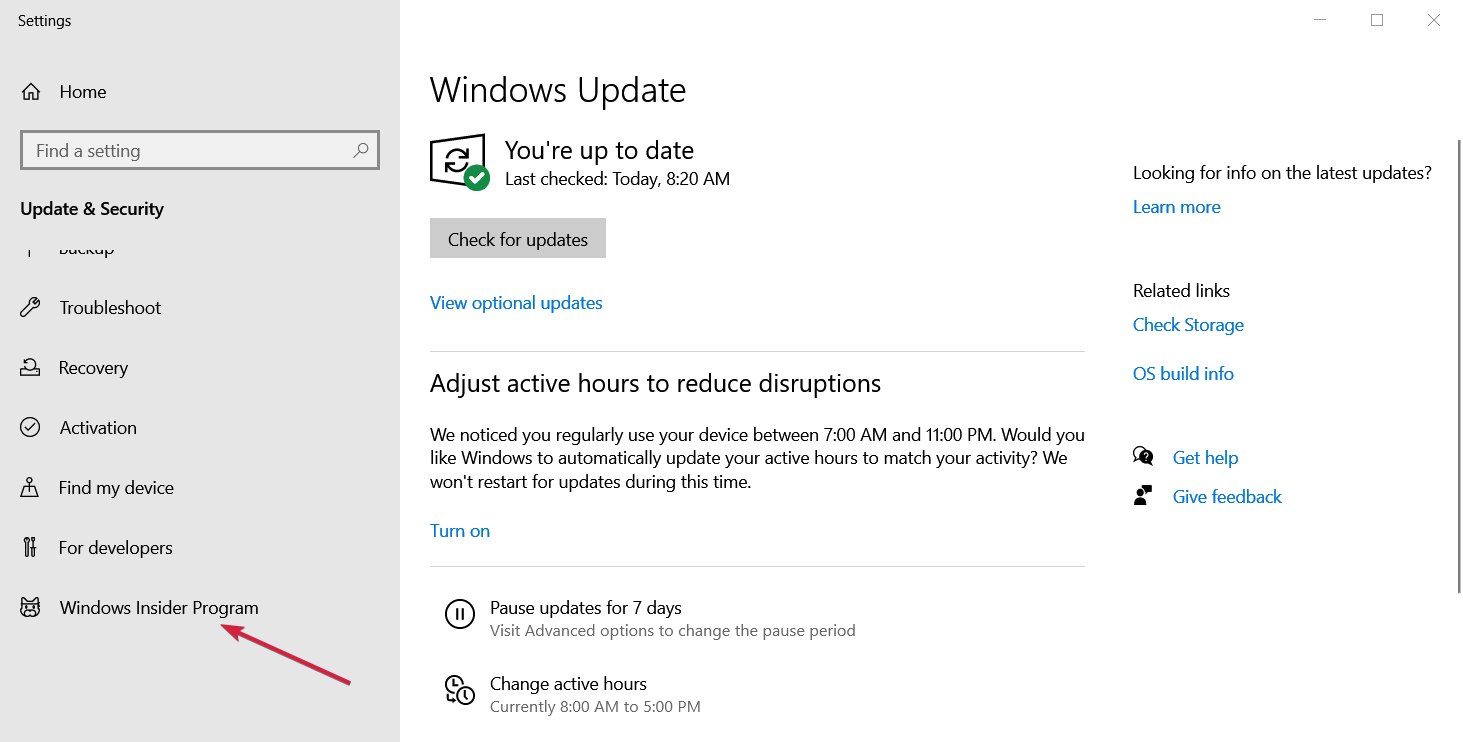
  6. Scroll down and click on the Windows Insider Program from the left pane.
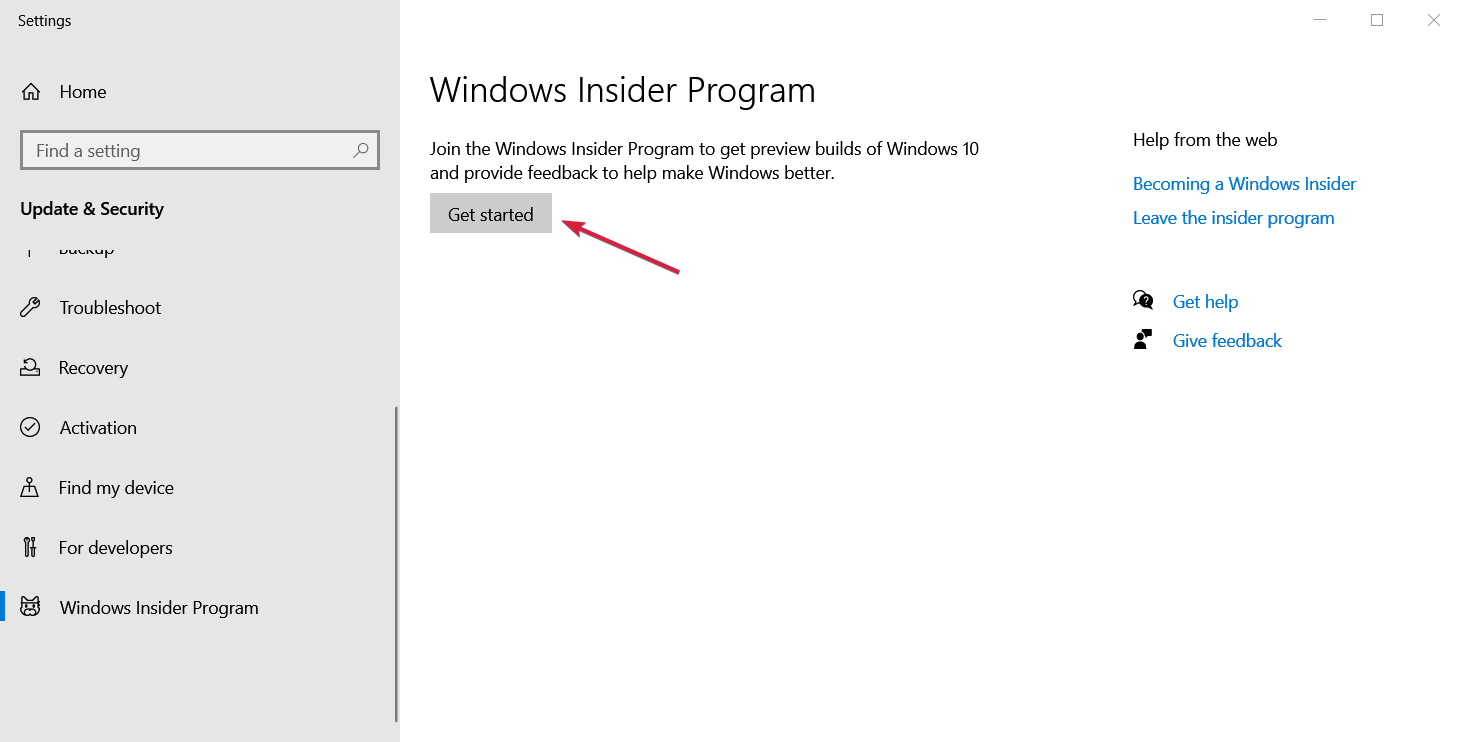
  7. Now hit the Get started button from the right pane.
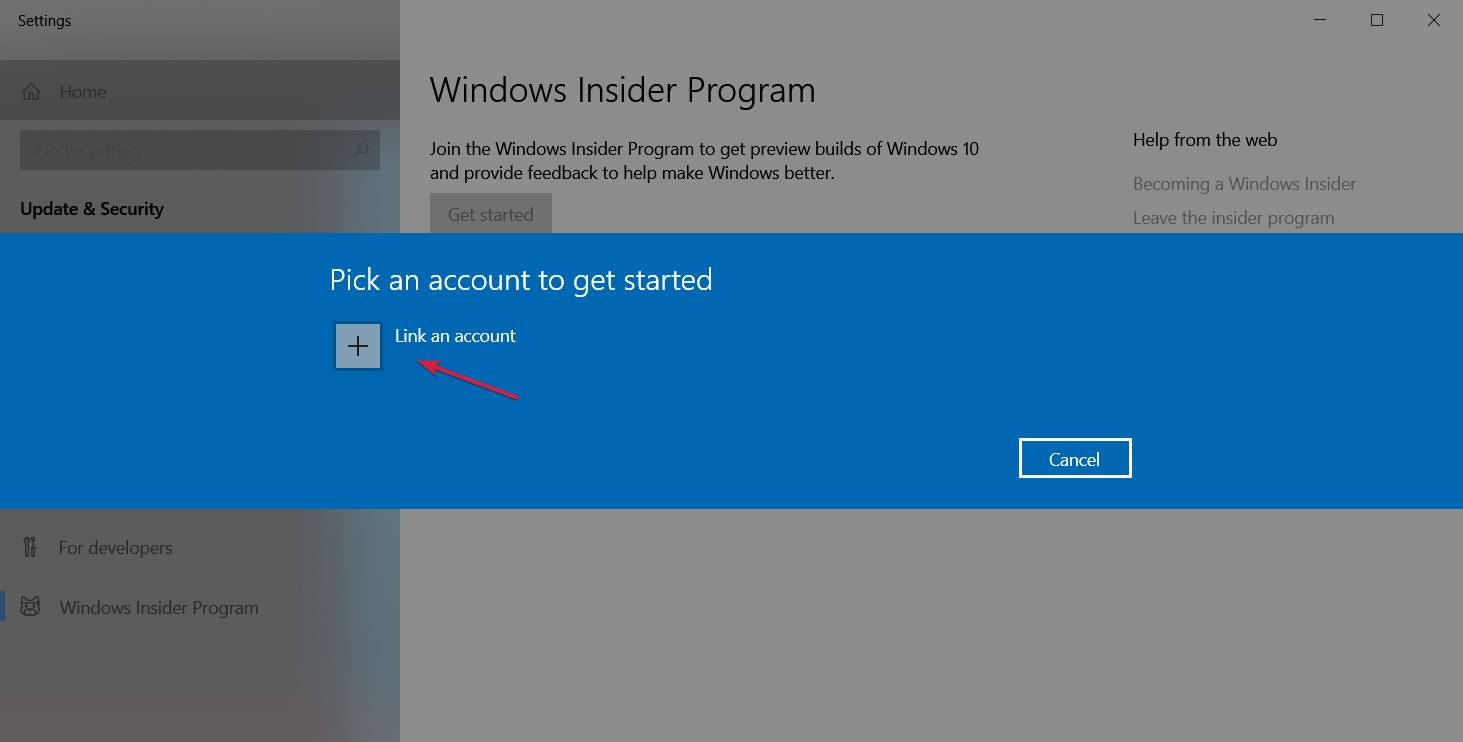
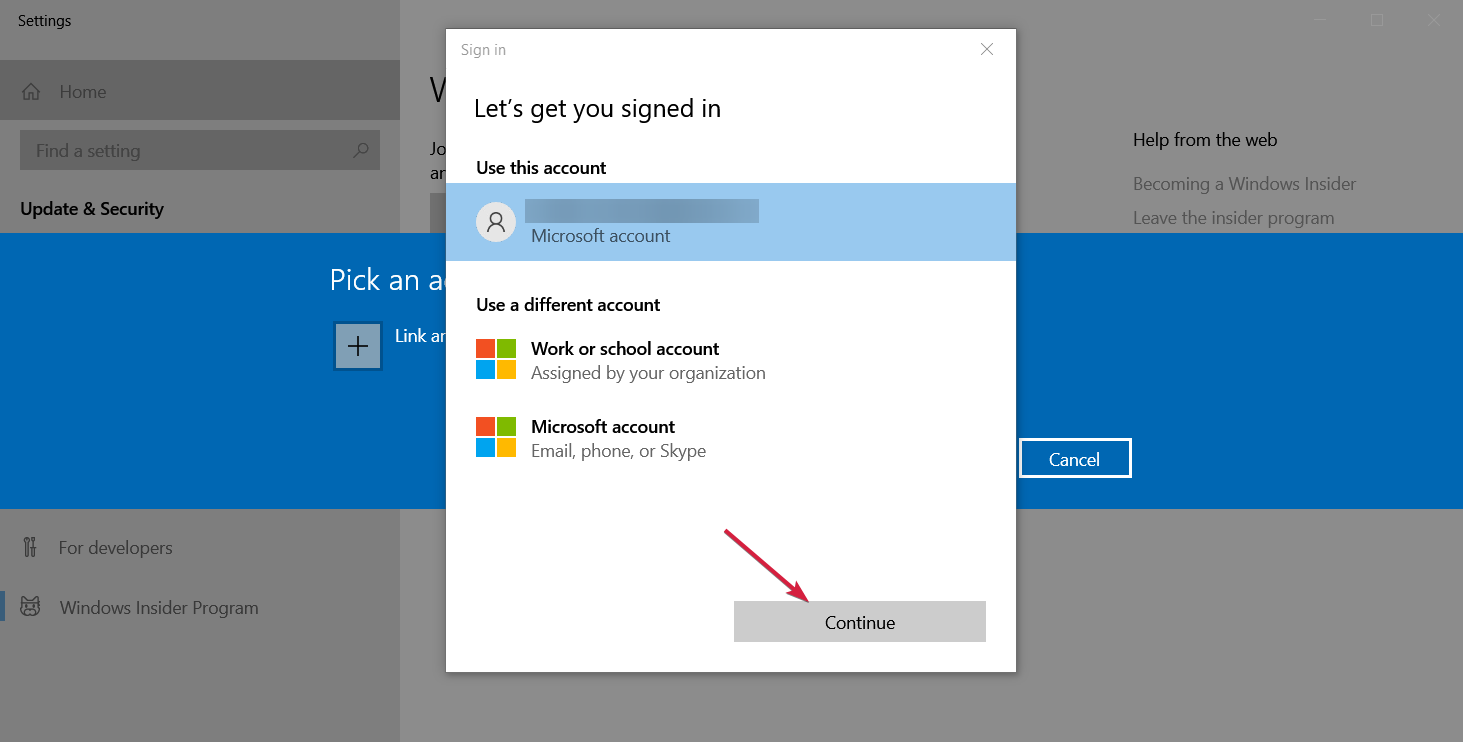
  8. You will be asked to link a Microsoft account so click on the Link an account button and log in.
  9. Select the account, then Continue.
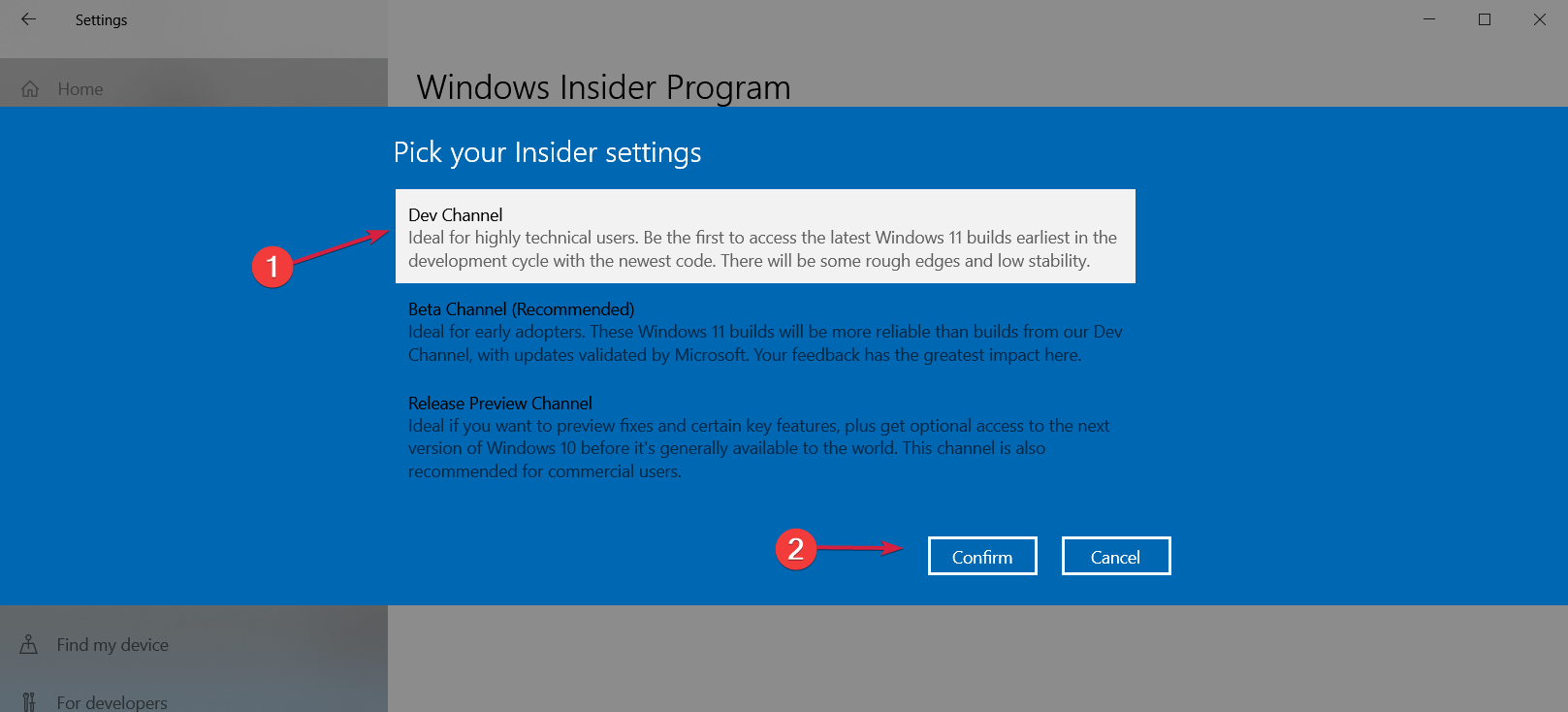
  10. Next, choose between the Dev Channel or the Beta Channel. These are the only options if you want to get Windows 11 right now. We recommend choosing the first option, then hit Confirm.
  11. Click on Confirm in the next window and Restart after that.
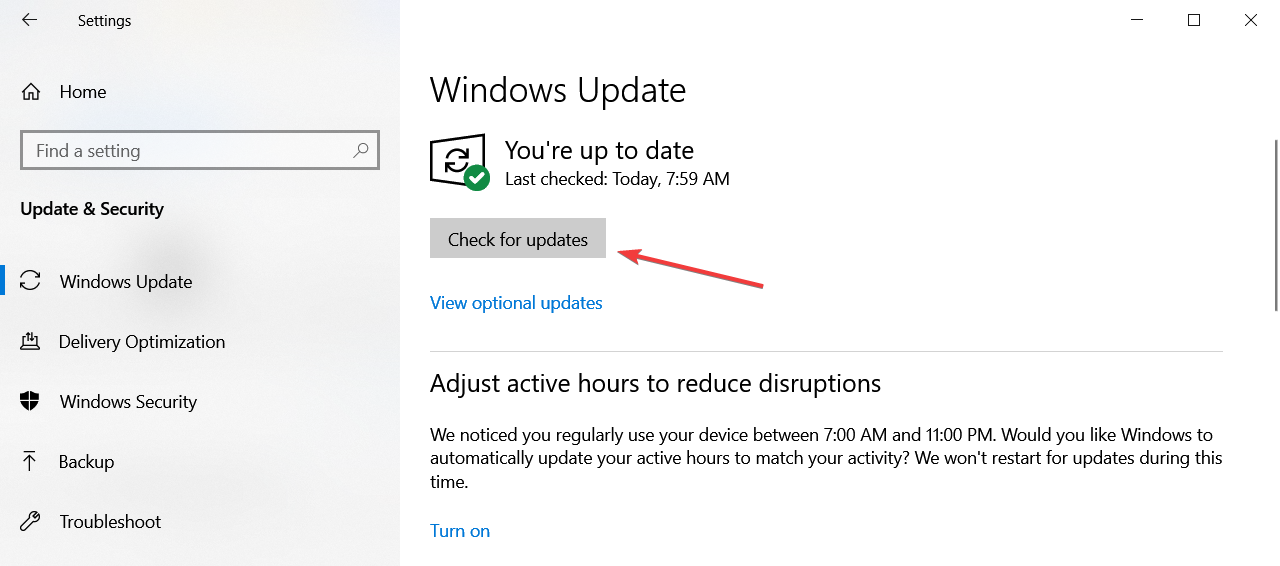
  12. After the restart, go to the Windows Update menu by clicking the Start button, typing update, and selecting the option from the results.
  13. Now click on the Check for updates button.
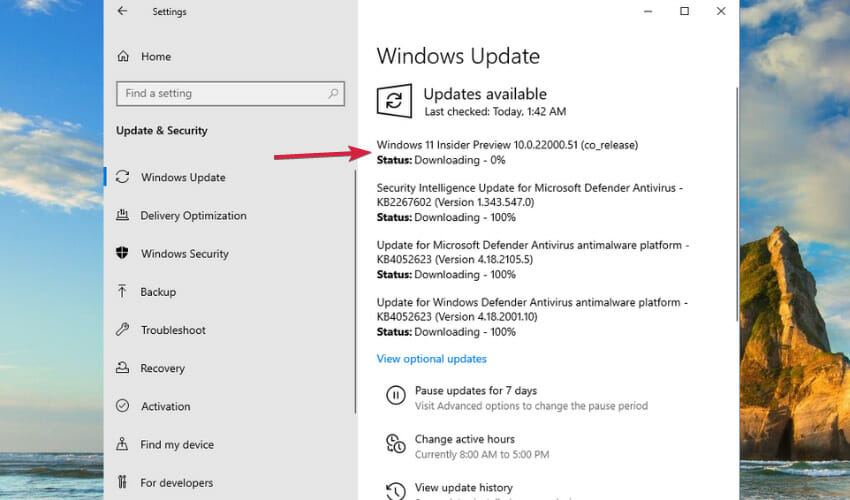
  14. After the search, you should be able to see the new Windows 11 Insider Preview build that is already downloading.

After that, you will be prompted to restart your machine and you will go through the Windows 11 installation process.

In the end, you will have your fresh and activated copy of Windows 11 installed on your virtual machine.

2. How to insert the product key in Windows 11

Note icon NOTE
If you already installed Windows 11 on your virtual machine, the process is a lot more simple. If you didn’t, check out our guide on how to install Windows 11 on your virtual machine.
  1. Start Windows 11 on your virtual machine. We used VMware Workstation for this guide but the process is similar for any other virtual machine.
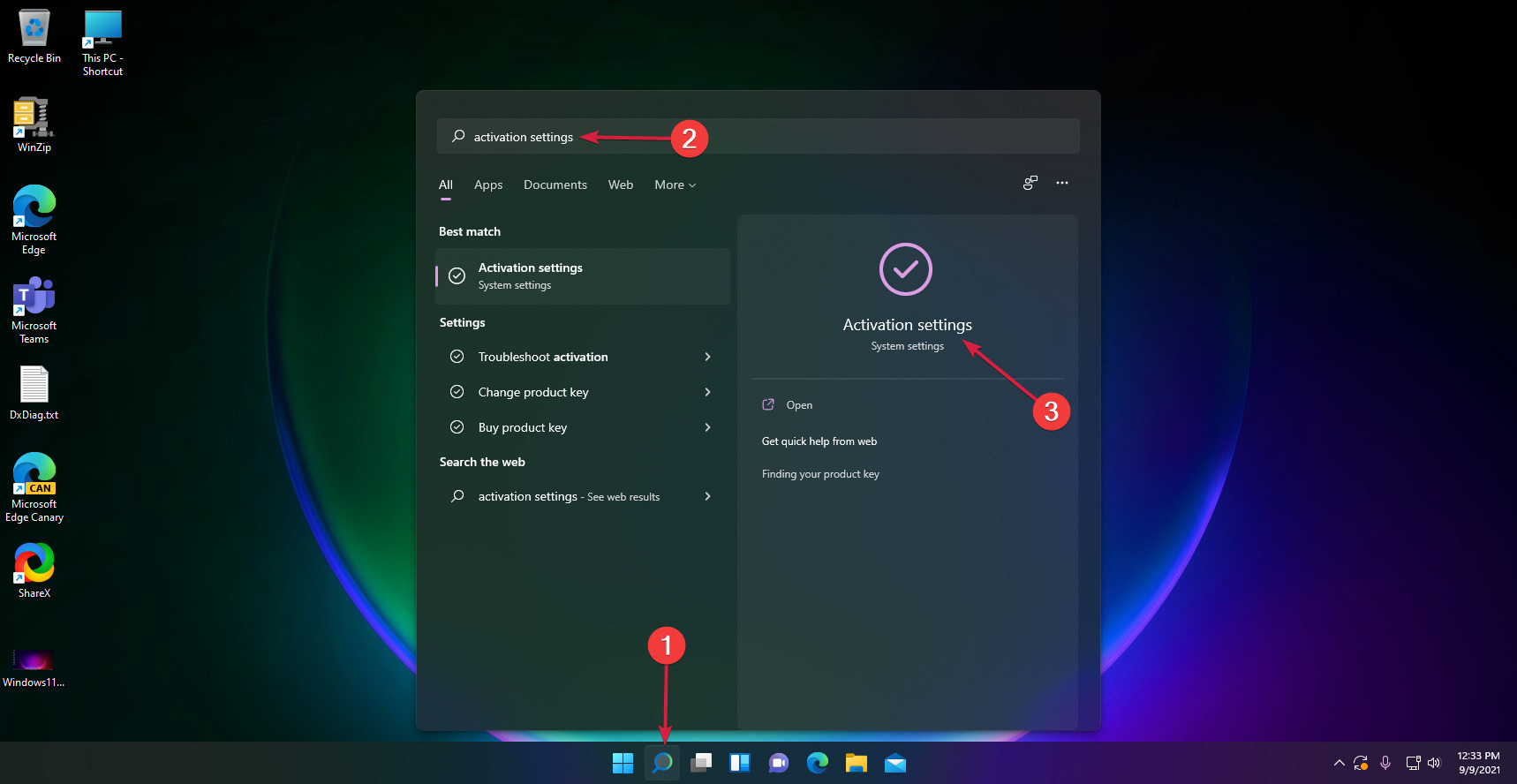
  2. Click the Search icon from the taskbar, type activation and select Activation settings from the results.
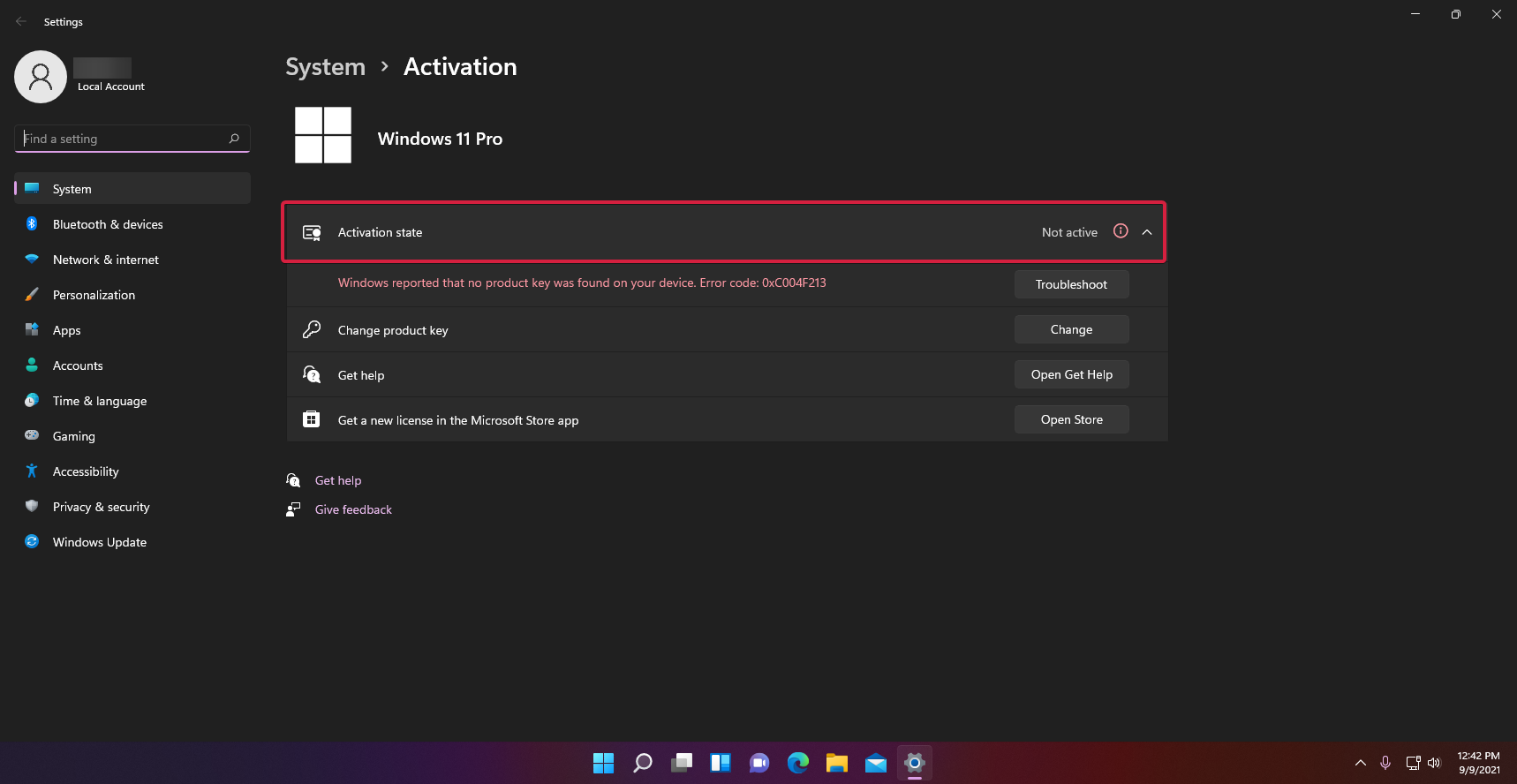
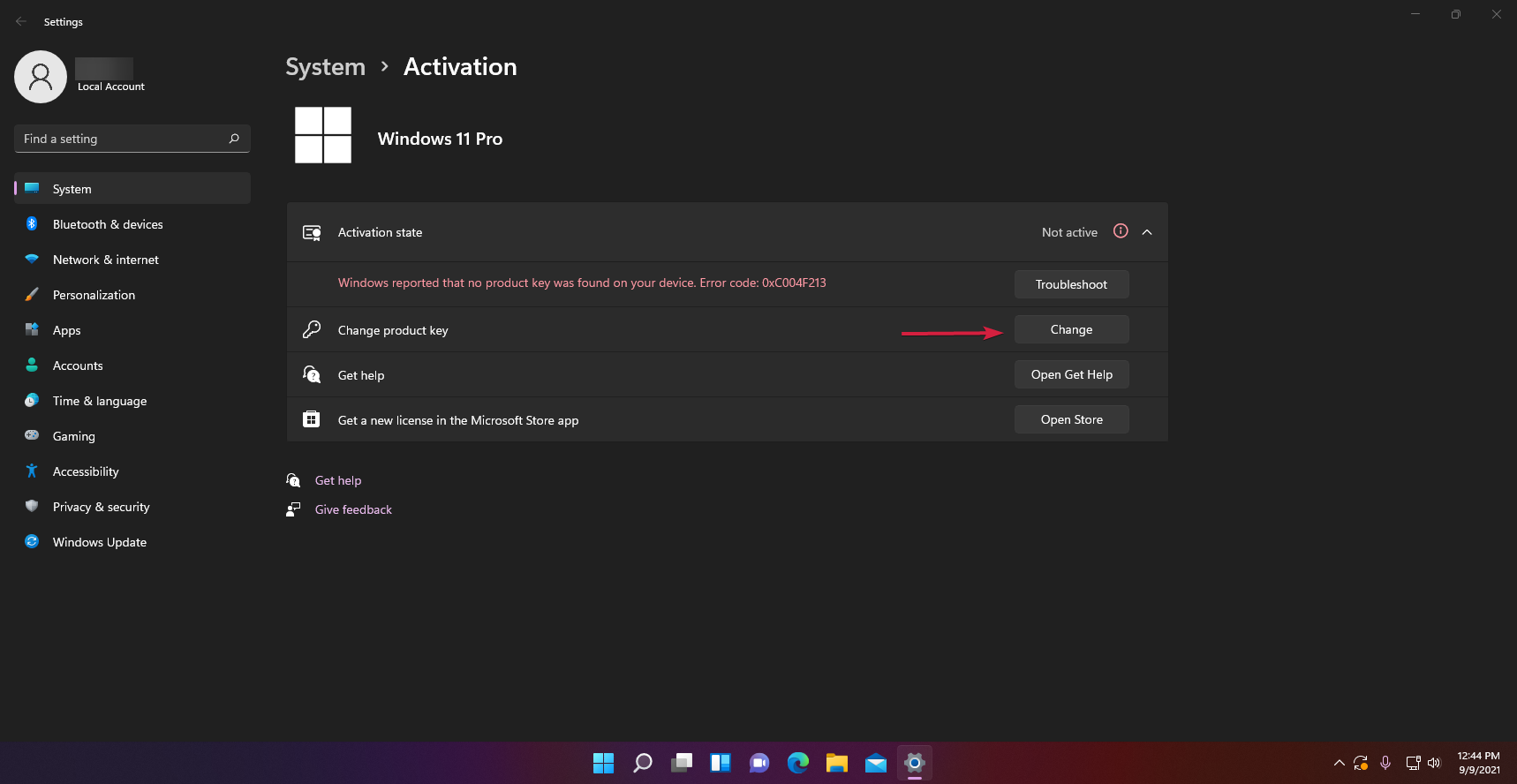
  3. As you can see from our screenshot, in the Activation state field, it shows that the Window copy is Not active.
  4. Below, you will find a Change product key option so hit the Change button from its right.
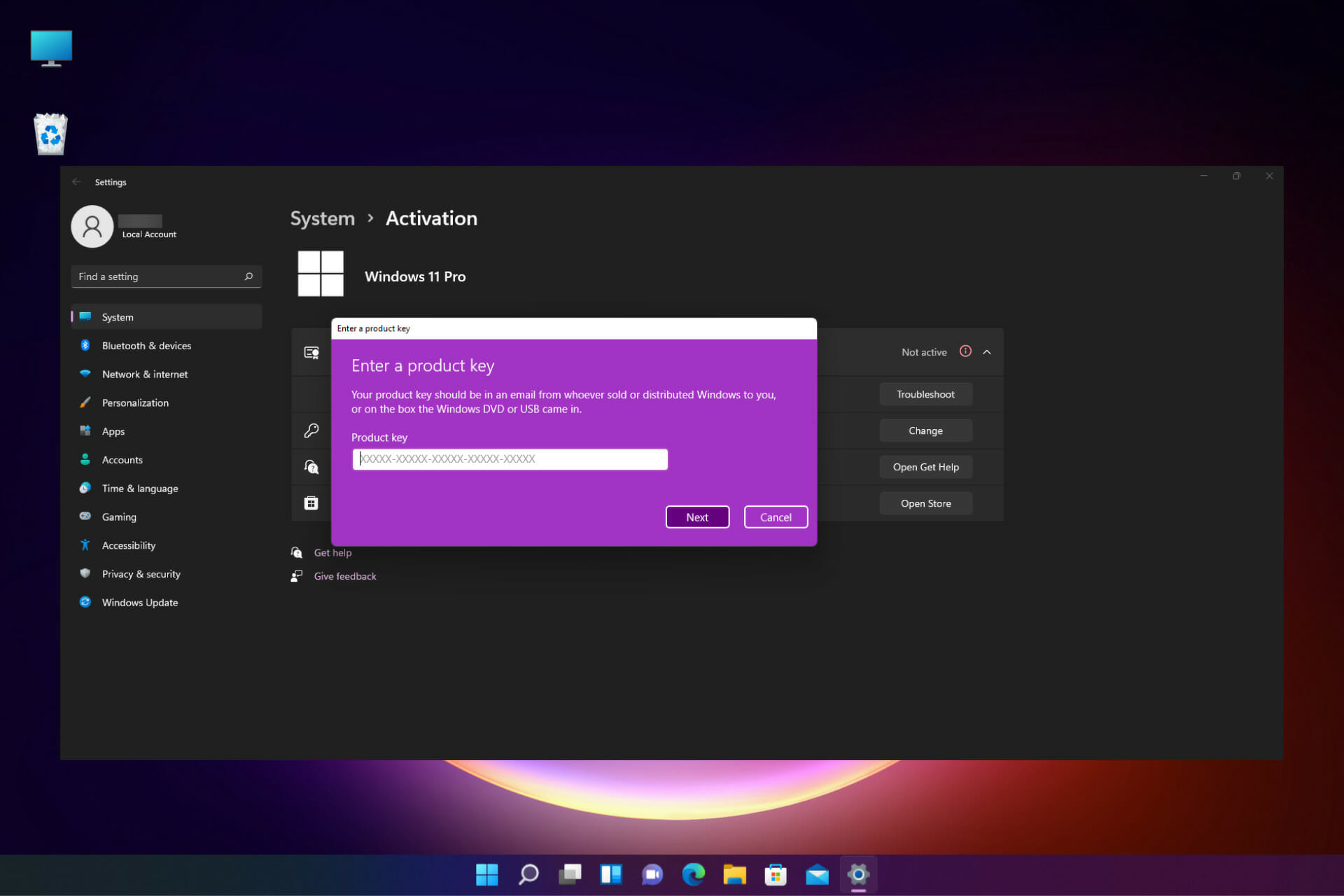
  5. Next, you will have to enter the product key you’ve got from Windows 10 and click on Next. If the product key is valid, the system will activate it.

If, for some reason, the Windows 10 key doesn’t work, proceed by installing a Windows 10 copy on your virtual machine, activate that copy with a valid key, and upgrade to Windows 11 as detailed in the first step.

How can I get a Windows 10 key?

If you don’t have a genuine copy of Windows 10, the only solution to the problem is to get one. But we recommend avoiding random websites that could be selling illegal copies.

The best way to do it is to use the Microsoft Store that is available in Windows 10 or Windows 11 and look for options there.

Of course, there are other shops that sell genuine copies and if you can find one that you have confidence in, go ahead and make the purchase.

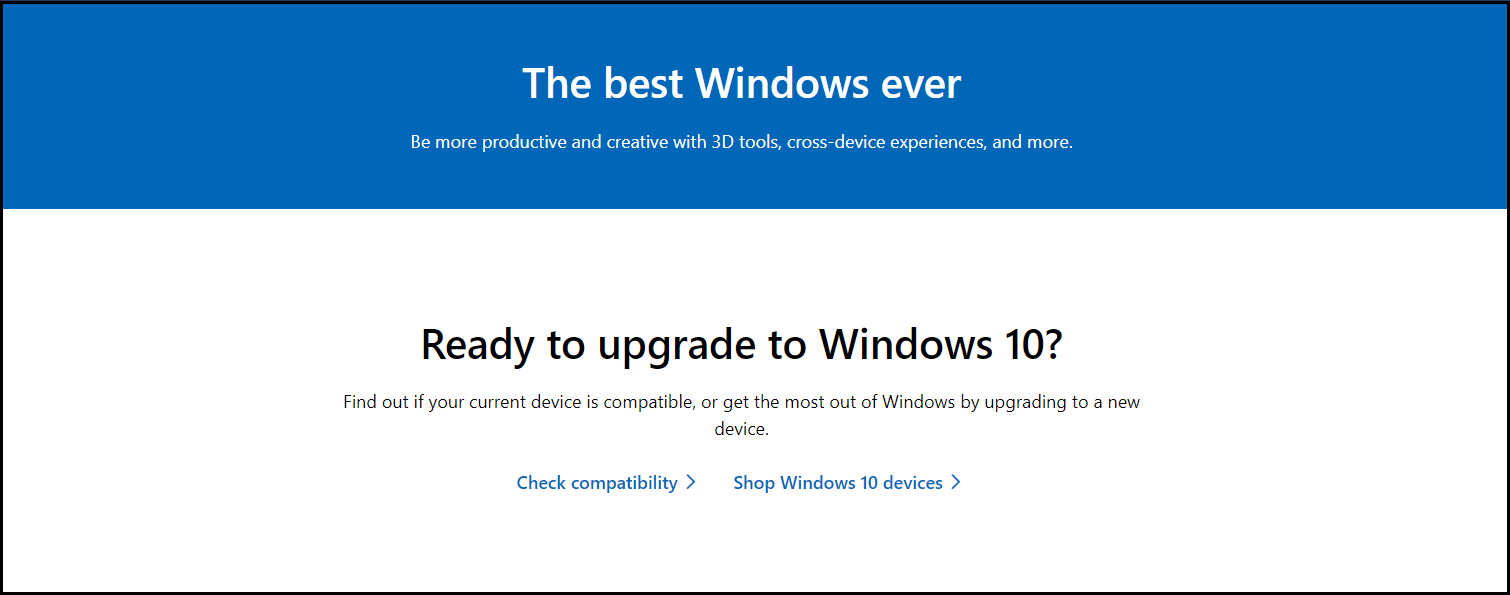
  1. Go to the dedicated Microsoft Store download page.
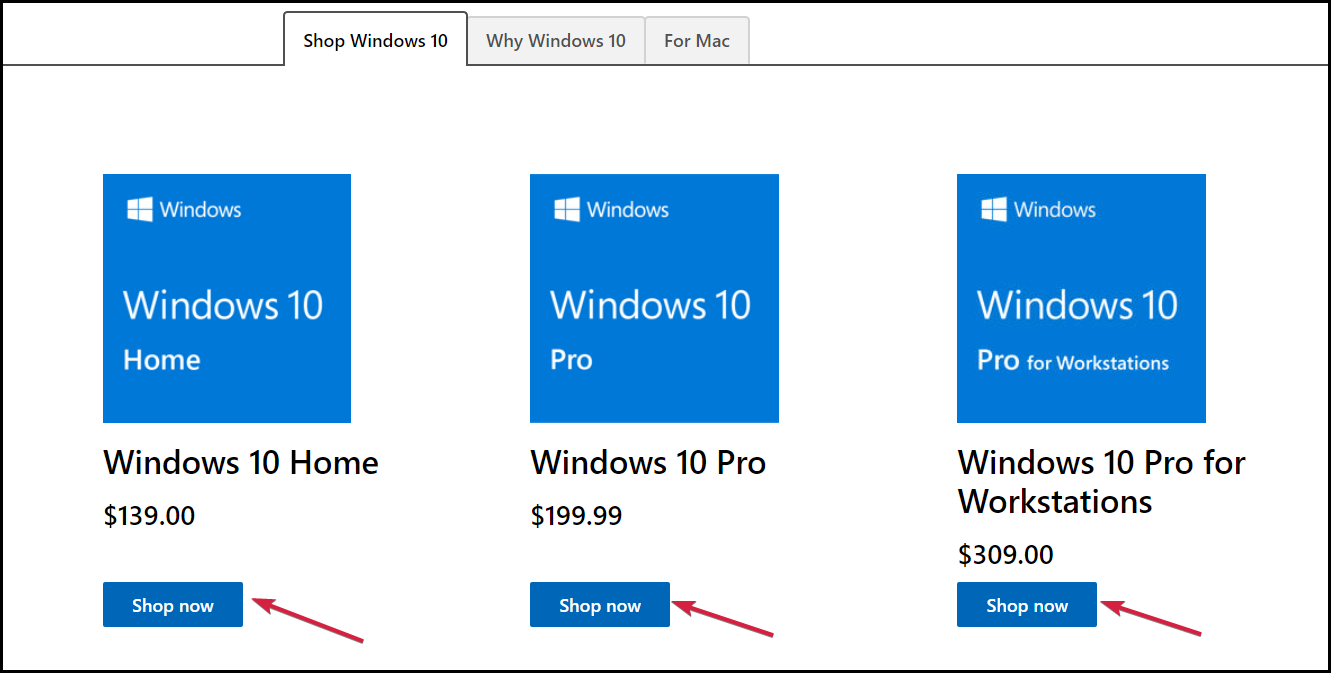
  2. Scroll down, find which product is right for you, and hit the Shop now button of your choosing.
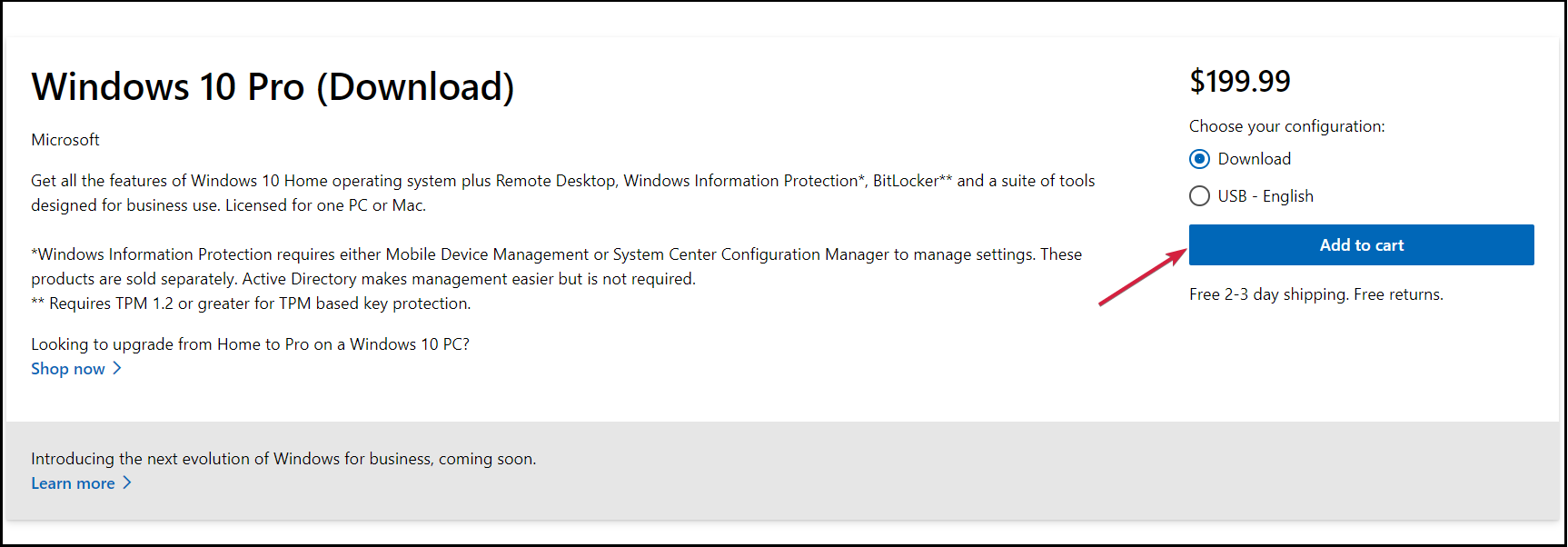
  3. Next, select whether you want the download option or the USB. You need to know that the latter means that you will receive the actual USB stick with the kit and that will take a few days for delivery. Lastly, click on the Add to cart button.
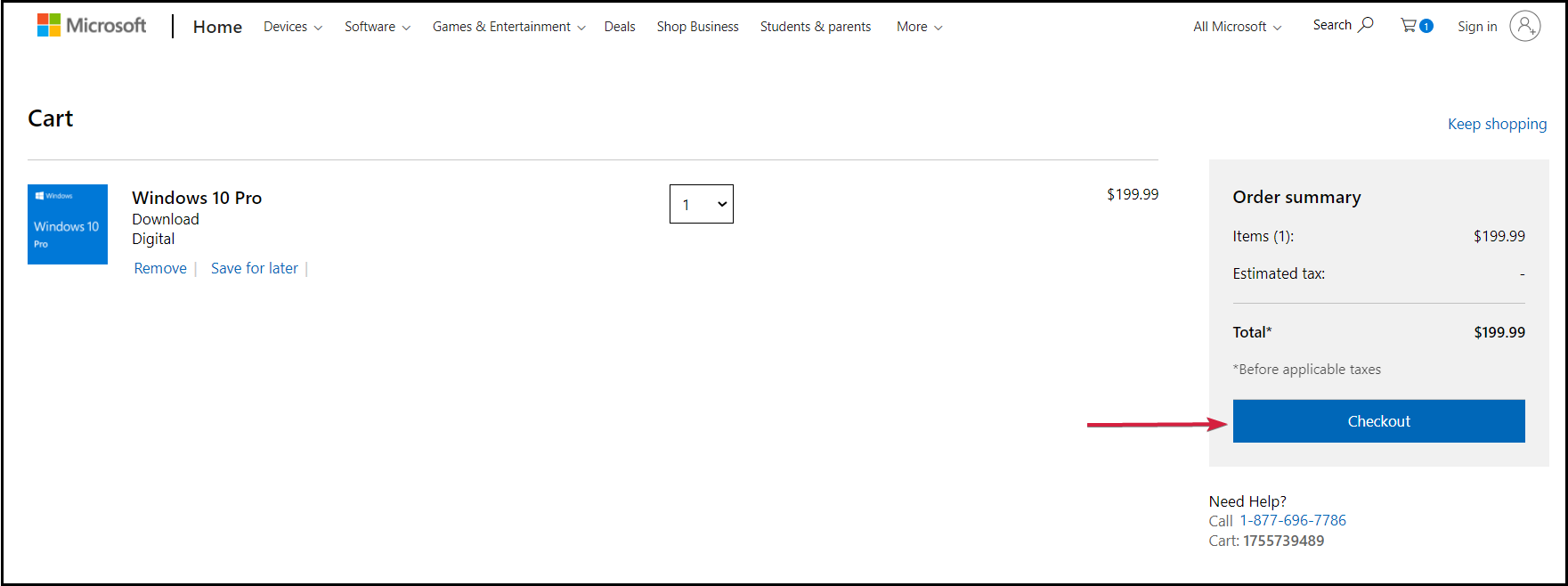
  4. Now, unless you want to purchase more products, click on the Review and checkout button.
  5. In the next window, verify the purchase and click the Checkout button.
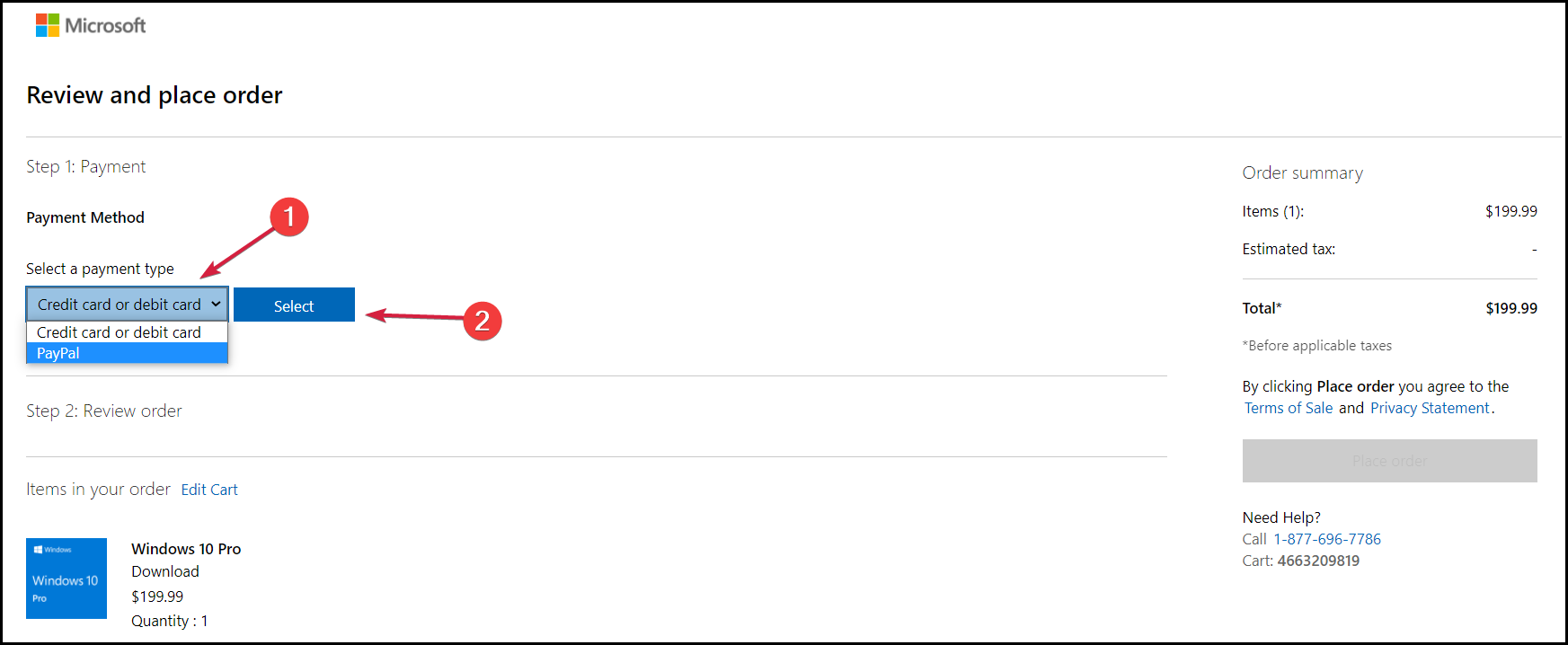
  6. Choose the payment method and click Select.
  7. You will have to complete the credit/debit card information or any other information corresponding to your method of payment. After the transfer, you will receive a link for download and your copy of your license that you will be able to use in order to activate the product.

In October, Microsoft will officially launch Windows 11 to the general public so you will also be able to get a license for the new OS. You just need to wait a little bit more in this case.

How to make sure I get a genuine copy of Windows?

Sometimes, you can go to a store that will sell you an incredibly cheap Windows license. Well, if it looks too good to be true, then it probably is.

You can use the product key, and it works just fine until you need to perform an upgrade like this and discover that it’s not a legitimate key.

The answer to this problem is to look carefully at the tell-tale signs and consider a few key factors before purchasing.

➡ Use only certified stores

Don’t ever buy a Windows license from an unverified source. This goes for every product you want to buy, not only a product key.

If you don’t know anything about the store, if it doesn’t have any credentials, or if the offers look suspicious, avoid it.

We’ve detailed the official method, but there are a lot of web stores that sell genuine licenses. Just keep your eyes open for any reviews or lack of them for that matter.

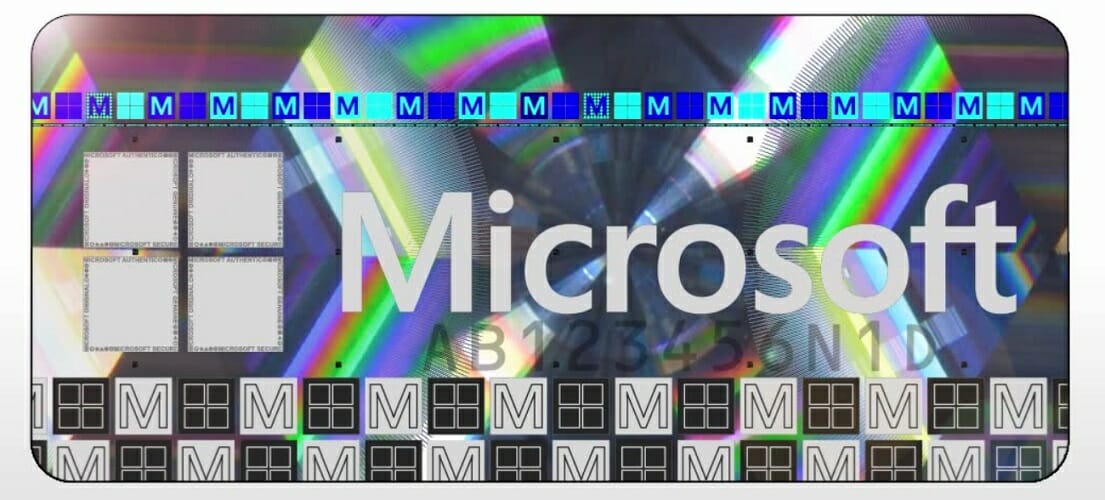
➡ Look for authenticity certificates

Microsoft official hologram for packaged products

It’s essential to keep in mind the key features of genuine Windows software, such as the Certificate of Authenticity (COA), proof of license label, and an edge-to-edge hologram like the one above.

If you’re only receiving a product key and some shady installation instructions, you probably got a pirated copy on your hands.

➡ Buy a product with a licensed copy of Windows

Another way of making sure that you get a genuine copy of Windows is by purchasing a PC or a laptop that comes with Windows preinstalled.

Of course, you should also verify the proof of software authenticity by asking for the documentation and labeling from the store.

We hope that our guide helped you activate your copy of Windows 11 on the virtual machine and you also found out how to stay away from counterfeit products.

There are a lot of illegitimate copies of Windows out there, and using one can lead to a lot of legal trouble, although they can work as the original product.

An activated copy of Windows gives you access to a lot of personalization features and apps that wouldn’t work otherwise.

You can also look at our dedicated list, including the best license key recovery software to help you activate your copy.

If you have any questions or suggestions, please leave them in our comments section below.

Microsoft continues education push with TakeLessons acquisition

Microsoft has taken another step in bolstering its education content with the acquisition of TakeLessons, a program to connect students with instructors by offering private and group lessons (via TechCrunch). The San Diego based company, started in 2006 by offering music lessons online, has branched out to offer lessons for everything from piano, guitar, and more music lessons, to languages including American Sign Language (ASL), math, SAT, Chemistry, and even computer skills, and crafts and hobbies.

There’s no word on terms of the acquisition, but for now it looks like TakeLessons will continue much as it has previously. In a FAQ on the acquisition, TakeLessons says that the activities of choosing instructors and taking lessons should stay relatively the same, but that they “hope to make these experiences even better.” They may add a “Powered By Microsoft” tagline, but have no current plans to change the name, and do plan on benefits from teaming up with Microsoft:

Q: How will TakeLessons teaming up with Microsoft help me?

A: We expect that this change will provide greater resources for TakeLessons to build better products, attract more high quality teachers, and offer a wider selection of subjects.

Q: Will my instructor and pricing stay the same?

A: We expect that the large majority of all instructors will remain on the platform. Instructors will retain the full control they have today to set the hourly pricing for their services. We look forward to providing even more pricing options to students and instructors in the future.

Microsoft has continued to compete with Google and Chromebooks in schools, gearing Teams for Education, leaning on the Minecraft acquisition with Minecraft for Education, and building out OneNote Education. The TakeLessons acquisition is another step in that direction.

Windows 11’s Subsystem for Android caught in Geekbench 5 benchmarks, and the results might surprise you

Microsoft has yet to talk about when Windows 11 users can expect the much-anticipated ability to run Android apps in Windows 11, but somebody might have caught the company’s ongoing behind-the-scenes work. Posted on Twitter by @never_released, alleged Geekbench 5 results highlight the power of the feature, with the Windows Subsystem for Android putting up some decent results.

It is best to treat this Geekbench results page lightly (listings can easily be faked,) but we’re assuming that these Geekbench stats could be the result of running the Android version of Geekbench on Windows 11. We’re not certain of the model of the actual Windows device Microsoft used to get the results, but the numbers put up are quite impressive, especially because the Windows Subsystem for Android is more of a virtual machine, which doesn’t exactly always come home with the best performance.

Per the results, Microsoft’s Windows Subsystem for Android netted an 827 Single-Core score, and a 3070 Multi-Core Score. Tests were done in Android 11, and the processor is listed as a Qualcomm ARMv8, with 8 cores and close to 6GB of RAM. For comparison sake, the Surface Duo, which has an actual Qualcomm 855 processor, netted a 760 Single-Core score, and a 2847 Multi-Core score. This shows how powerful the feature can potentially be.

Now that sample Geekbench tests are out, Microsoft could be getting ready to release the Android apps feature to Windows 11 soon. In fact, a store page for the Windows Subsystem for Android was even spotted just last week. But there is still some doubt, too. Officially, Microsoft suggested that the feature won’t be ready for Windows 11’s October 5 launch.

The company mentioned in a blog post that “We look forward to continuing our journey to bring Android apps to Windows 11 and the Microsoft Store through our collaboration with Amazon and Intel; this will start with a preview for Windows Insiders over the coming months.”

A Star Wars: Knights of the Old Republic remake is coming to Windows PC (and likely Xbox consoles)

During Sony’s PlayStation Showcase this morning, the company officially confirmed the existence of the long rumored remake of the classic Star Wars: Knights of the Old Republic (KOTOR) video game.

No release date for the KOTOR remake was mentioned but it was confirmed that the title is set for release on Windows PC and Sony’s own PlayStation 5 consoles.

“And it’s a console exclusive on PlayStation 5 at launch.”

While there was no mention of a launch on Microsoft’s Xbox One or Xbox Series X console families, the above strategically written text does pretty much confirm that the KOTOR remake is in fact coming to other consoles but that it will come to the PS5 first.

Basically, KOTOR will be a timed exclusive to Sony’s new console before eventually making its way to other console platforms. If this wasn’t the case, the words “at launch” would have been excluded from the announcement.

What Xbox consoles could Star Wars: Knights of the Old Republic come to? The fact that it’s launching on the PS5 and not the PS4 does suggest that it’s going to require modern hardware to run properly so support for the Xbox Series X (and Xbox Series S) is a safe bet. This doesn’t necessarily rule out a launch on the Xbox One though as it is much easier to release a single game across Xbox One and Xbox Series X console generations than it is for both PS4 and PS5.

It’s possible that KOTOR could come to the Nintendo Switch but it would have to be stripped down quite a bit. Unless a more powerful Switch console launches between now and then that is.

The game could always come to the Atari VCS console as well though it’s worth noting that Atari’s new (and admittedly cool) console can also play PC games so Atari VCS owners will likely opt to choose the PC version at launch instead of waiting for the console release.

Funnily enough, this means that despite the KOTOR remake being marketed as a PS5 console launch exclusive, it’ll be playable on the Atari VCS console on Day One as well.

Star Wars: Knights of the Old Republic was a massive hit on the original Xbox console when it launched back in 2003.

Those interested in playing the original version before the remake comes out can actually still play it on Xbox One and Xbox Series X consoles today due to their support for backwards compatibility. Playing it on a new Xbox console also offers a number of improvements over the original experience such as faster loading times and even HDR when plated on an Xbox Series X.

Which platform will you play the Star Wars: Knights of the Old Republic remake on? Share your thoughts with the community in the comments below and then follow us on Pinterest and Twitter for more Xbox gaming news.

Fix Select the driver to install error in Windows 11

Installing a new operating system is usually a simple and hassle-free process, but sometimes issues can occur and interfere with the procedure.

Many users reported getting the Select the driver to install message when trying to install Windows 11 on their PC. This can prevent you from enjoying the operating system, so it’s important to know how to properly fix it.

There are several reasons why this error message can occur, ranging from bad installation media to missing drivers, and in this guide, we’re going to explore them all. Join us while we try to find the best solution for this issue.

Why does the Select the driver to install error occur?

In most cases, this error occurs because you don’t have the necessary drivers in Windows installation media.

This can be the result of a damaged ISO file or a compatibility issue. If it’s caused by a compatibility problem indeed, Microsoft will most likely patch this issue with a future build of Windows.

Is the Select the driver to install error serious?

Yes, this type of error can be serious since it will interfere with the installation of your operating system. If the required driver is missing, the installation can’t access your hard drive or SSD and that is causing the problem to appear.

Such errors are always a concern, especially for less tech-savvy users, but there are a couple of ways to fix this problem on your PC.

How do I fix the Select the driver to install error in Windows 11?

1. Download the Windows 11 ISO again

  1. Go to the Microsoft download section.
  2. Select the version that you want to download.
  3. Now select the desired language.
  4. Lastly, click the download link.
  5. Wait for the ISO file to download.

It’s possible that your Windows 11 ISO file got damaged during the download and that caused some files to go missing, but that should be fixed by downloading the ISO file again.

Some Windows 11 setups show an “Install driver to show hardware” message during installation, so you can follow this guide on fixing the Install driver to show hardware error in Windows 11 when that prompt appears.

Tip icon Tip
Some users reported that the error message didn’t appear when trying to install a different build of Windows 11, so be sure to try that as well.

2. Change SATA Operation Mode

  1. While your PC boots, keep pressing Del to access BIOS.
  2. Navigate to the Peripherals section.
  3. Now set SATA Mode to AHCI.
  4. Save the changes and try to install Windows 11 again.

By modifying this setting, the driver won’t be required during the installation and you won’t’ get Select the driver to install message on Windows 11.

Note icon NOTE
Each motherboard BIOS is different, so check your motherboard manual to find the correct way to access BIOS and change the SATA Mode.

3. Copy the missing drivers to the installation USB

  1. Download the required driver. It’s usually a Rapid Storage or a chipset driver.
  2. Once the drivers are downloaded, extract them.
  3. Now look for any sys, inf, or dll files and copy them.
  4. Paste them to your Windows 11 USB installation media.
  5. Try to perform the installation again.
  6. If asked for drivers, select the ones that you added to the USB drive.

This issue was reported mostly on Dell devices, and the solution mentioned above worked for several users, so we assume that it will work for other PC brands.

Keep in mind that this is an advanced solution and you need to know which drivers to download and add to the installation media. For automatic scans of missing or outdated drivers, we recommend using an automated driver updating tool.

4. Check your hard drive

  1. Make sure that your PC is completely turned off.
  2. Disconnect it from the power outlet.
  3. Open your computer case.
  4. Check the SATA cables and make sure that they are tightly connected to both your drive and the motherboard.
  5. Up next, check the power cable that goes to your drive and ensure that is properly connected.
  6. Close your computer case, connect the PC to the power outlet and check if the issue is gone.

Sometimes loose connections can cause your storage device not to be detected, and lead to the Select the driver to install message when installing Windows 11.

Therefore, check your hardware and ensure that everything is connected properly. The best way to do that is with some advanced hardware diagnostic tools.

How can I make a Windows 11 bootable drive?

To create a Windows 11 bootable drive, you need to download a Windows 11 ISO from Microsoft’s website. Do not download the ISO file from third-party websites, because it might be altered.

After downloading the ISO file, simply use Rufus to create bootable media. For more step-by-step information, check our guide on how to make Windows 11 bootable USB drives.

What are the most common Windows 11 installation errors?

One of the common errors when installing Windows 11 is the TPM device not detected error. If you’re not familiar with TPM, we suggest reading our Windows 11 and TPM guide for more information.

Even if you’re having installation issues, you should be able to solve them after reading our guide dedicated to solving Windows 11 installation problems.

Getting rid of the Select the driver to install message in Windows 11 doesn’t have to be hard, and we hope that you managed to fix this problem using our solutions.

Did you find the fix on your own? In this case, don’t hesitate to share it with us in the comments section below.

Alan Wake Remastered to launch on October 5 on Xbox, PlayStation, and PC

Alan Wake Remastered was officially announced two days ago by Remedy Entertainment, and the game now has an October 5, 2021 release date on PC, Xbox, and PlayStation consoles. The remaster will include the main game and its two story expansions ‘The Signal’ and ‘The Writer’, with improved graphics for modern platforms.

“The game’s cutscenes, quirky cast of characters, and majestic Pacific Northwest vistas have all been enhanced for a visual impact that matches its unnerving atmosphere. The tense, episodic story is packed with unexpected twists, heart-stopping cliff hangers and jaw-dropping, intense bursts of combat where it takes more than bullets to banish the darkness that lies ahead,” the Finnish developer wrote today.

Alan Wake was originally released on Xbox 360 and PC, and this remaster will offer remastered 4K graphics with improved visual effects and lighting. You can learn more about the different performance targets on all platforms below:

  • PlayStation 4 – 1080p / 1080p / 30fps
  • PlayStation 4 Pro (Performance Mode) – 1080p / 1080p / 60fps
  • PlayStation 4 Pro (Quality Mode) – 1296p / 2160p (4K) / 30fps / 4 x MSAA
  • Xbox One – 900p / 900p / 30fps
  • Xbox One X (Performance Mode) – 1080p / 1080p / 60fps
  • Xbox One X (Quality Mode) – 1440p / 2160p (4K) / 30fps / 4 x MSAA
  • PlayStation 5 – 1440p / 2160p (4K) / 60fps / 4X MSAA
  • Xbox Series X – 1440p / 2160p (4K) / 60fps / 4 X MSAA
  • Xbox Series S – 1080p / 1080p / 60fps
  • PC – 4K / unlimited

Alan Wake Remastered is already available for pre-order for $29.99 on Xbox, PlayStation and the Epic Games Store, and the Xbox version of the game also supports Smart Delivery. The cult-classic game from the Xbox 360 era will be released on PlayStation consoles for the first time, and it will also support the PlayStation 5’s DualSense controller’s vibration and haptics.

Alan Wake Remastered
Developer:
Epic Games
Price:
$9.89

GTA V on Xbox Series X|S and PS5 has been delayed to March 2022

The GTA V remaster for Xbox Series X|S and PlayStation 5 consoles has been delayed to March 2022, Rockstar Games announced today. The game was originally set to be released on November 11, just a couple of days after the blockbusters Call of Duty: Vanguard and Forza Horizon 5.

“While we are extremely excited to be bringing GTA V to the latest generation of consoles, the game requires a few additional months for polishing and fine-tuning. We look forward to sharing more details about these expanded and enhanced versions soon, including the new standalone version of GTA Online also coming to PlayStation 5 and Xbox Series X|S in March,” the company said today.

This much-anticipated GTA V remaster will bring improved graphics, enhanced gameplay, and seamless character switching on Xbox Series X|S and PS5 consoles. Thanks to a marketing deal between Sony and Rockstar Games, the new standalone version of GTA Online will also be available to claim for free for PlayStation 5 gamers for the first three months after the game’s launch in March 2022.

GTA V was originally released in 2013 on Xbox 360 and PS3, and Xbox One and PS4 versions followed a year later. The game went to become one of the best-selling games of all time with 150 million copies sold as of August 2021, and its GTA Online mode remains a true money maker for Rockstar Games after all these years. If Xbox Series X|S and PS5 are still very hard to find in 2021, there’s a good chance that this GTA V remaster ends up as one of the best-selling games of 2022.

Nasty bug causes Windows 10 Start menu to pop up on Windows 11

Remember when we said that some Insiders, particularly the ones that conduct their testing on the Dev channel, were about to enter the Windows 11 twilight zone?

We said that because Microsoft itself stated that the preview builds running on the above-mentioned channel were going to become increasingly unstable and buggy.

Now, however, it seems that not only these users find themselves experiencing anomalous behavior, as the upcoming OS starts doing some pretty unexpected tricks.

Windows 11 with a Windows 10 Start menu?

Yes, you heard correctly, there is no smoke or mirrors involved, just another system glitch from our very own Windows 11.

Just when you thought things couldn’t get stranger with this already peculiar operating system, so far, something like this happens.

We can just imagine the smile on some people’s faces, considering that they never liked the new Start menu and wanted a way to go back to the previous one.

But, no matter how much laughter or nostalgia this situation caused, we’re still talking about a bug that needs to be permanently eliminated. After all, this is not Kansas (Windows 10) anymore.

So let’s see exactly what this is about. Recently, this issue surfaced across multiple forums and social media platforms, where Windows Insiders share their findings with the rest of the community.

As you can see in the video above, pressing the Start menu button on this Windows 11 preview build causes the previous version of the menu, the one from the OS before this one, to actually pop up.

If we really think about it, it kind of brings back some memories from the operating systems that came before, don’t you think?

Such as the Aero theme in Windows 8 and later, that replaced the Windows Classic theme, which was only kept around to maintain compatibility with programs not updated to use the newer title bar systems.

But there’s still no reason for something like this to be happening this late into the testing phase. Most people say it’s because this is still Windows 10 with some new tattoos.

People seriously question Windows 11’s originality

This new system bug discourages even the most vehement Windows 11 supporters out there, as it shows once again that the new OS is just what we had before, only with more make-up.

Even if it is so, Microsoft should have done a better job at keeping this for itself and bolster community confidence, instead of shattering it with such silly and avoidable mistakes.

The fact that the old Start Menu is still somewhere in the codebase further proves what an unmanageable and bloated mess Windows has become underneath the new-ish paintjob.

I had something similar happening with the old File Explorer suddenly showing up, apparently the new explorer is also nothing more than a wrapper around the old code that can somehow be disabled.

I do hope someone will figure out a script/ registry key to enable this again permanently.

Yes, people wanted to be able to change such elements in Windows 11 and revert them back to their previous appearance, but not like this.

And rest assured that even if the Redmond-based tech company does fix all these problems before the October 5th rollout starts, users will still find ways to restore vital parts of the OS back to their Windows 10 looks.

Even now, such choices exist, in the form of software such as StartisBack (the new Beta version), and also Start 11 from Stardock.

The main idea here is that Microsoft made too many small mistakes and triggered a snowball effect that will further hurt its image and credibility in the long run.

Once Windows 11 gets released to the general public and people upgrade… these issues will be embarrassing for Microsoft. Once again Microsoft’s image will be tarnished and further erode people’s trust.

But, we all know how it is, you must lie in your bed the way you made it, so Redmond officials will need to find a way to earn some redemption after the dust settles a bit.

Until then, we will just keep testing the future operating system and keep our eyes open for similar or worse situations.

Hopefully, everything will get sorted out in the end, and, putting aside all the drama and mistakes that have clearly been made, Windows 11 will actually be a pleasant, immersive experience.

Remember that we have all sorts of helpful articles that can really come in handy when you are in a pickle. And since we were talking about the Start menu, this one can prove to be a real lifesaver.

Have you also encountered this nasty bug on your Windows 11 device? Let us know in the comments section below.

Microsoft Teams and Outlook are getting big updates to help you adapt to hybrid work

Microsoft today held its “new era of hybrid work” digital event and announced a bunch of features for Teams, Outlook, and Viva that are aimed at making hybrid work easier. The company has also announced some new Teams Rooms innovations to make the meeting experience more engaging. At the event, the company also announced that its US offices won’t be opening until further notice, cancelling the planned October 4th re-openings.

“Our new data shows there is no one-size-fits-all approach to hybrid work, as employee expectations continue to change. The only way for organizations to solve for this complexity is to embrace flexibility across their entire operating model, including the ways people work, the places they inhabit and how they approach business process,” Microsoft CEO Sateya Nadella said today.

As Microsoft announced new AI-powered capabilities coming to Teams Rooms devices back in June, the company has followed up with new intelligent cameras for hybrid meetings. These third-party cameras come with a bunch of unique features such as people recognition, active speaker tracking, and active speaker tracking. Interestingly, the in-room camera will leverage the active speaker tracking feature to use gestures, facial movements, and audio to figure out presenters in the meetings room.

The Companion Mode in the Microsoft Teams mobile is also being improved, with the app now offering quick access to Microsoft Whiteboard, chat and live reactions. The improved Companion Mode will begin rolling out “in the next few months,” and it should also make it easier to access meeting and device controls.

That is not all though. Microsoft Teams is adding support for Apple CarPlay, allowing users to join Teams meetings and make calls while driving. In addition, automatic lighting corrections capabilities will arrive in Teams meetings in the coming months. Microsoft also announced a couple of apps to support the new shared stage experience that was originally announced at Build 2021. The list includes Freehand, Lucidspark, MURAL, Miro, and more.

In early 2022, Microsoft PowerPoint is also gaining a few new capabilities to make hybrid presentations even better. First of all, there is a new feature called Cameo that lets users integrate their Teams camera feed directly into presentations. Speaker Coach is another AI-powered feature that is coming to PowerPoint presentations that monitors speaker’s pace during meetings and reminds them to interact with their audience.

Cameo screenshot

In addition to these PowerPoint features, Outlook is introducing new RSVP experiences that will enable users to specify if they will attend a meeting in person or remotely. The company is improving the working hours feature in Outlook to include work schedule details in the calendars.

Last but not least, Microsoft plans to launch the Viva Connections mobile app in public preview later this month. The Redmond giant has also announced a couple of initiatives to help LinkedIn users improve their skills. The popular social network will offer 36 LinkedIn Learning courses free until November 9, 2021.

Xbox owners will soon be able to control their console with their TV remote

Microsoft has started testing new HDMI-CEC features with Xbox Insiders which will allow gamers to use their regular TV remote to control their console. Xbox One and Xbox Series X|S consoles can already use HDMI-CEC to automatically turn on and off other devices, but navigating the Xbox OS currently requires an Xbox controller or an officially licensed infrared remote.

In addition to using regular TV remotes to control Xbox consoles, the new HDMI-CEC features that Microsoft has started testing also include the ability to switch TV input by pressing the Xbox button on the Xbox controller. These features can be enabled by going to Settings > Power mode & start up > TV & A/V power options and checking “Use TV remote for console” and “Switch TV input using controller”.

These HDMI-CEC improvements are now live for Xbox insiders in the Alpha and Alpha Skip Ahead rings. The latest preview builds also bring controller firmware updates to bring the Dynamic Latency Input (DLI) technology and improved Bluetooth connectivity found on Xbox Series X|S controller to older Xbox controllers.

Microsoft has a new blockbuster ad for Windows 11

Windows 11 is coming soon, and Microsoft revealed today a blockbuster 60 seconds ad for the new OS. The short clip features the same production quality we’ve previously seen in videos for Surface products, and Microsoft wants the ad to show how Windows 11 “brings you closer to what you love.”

“Set to the music of the new single “All Starts Now” by Odessa featuring Tim Myers, the ad follows its hero as she explores the visually stunning new Windows, walking past apps in the new Microsoft Store, playing games with Xbox’s Master Chief, realizing Windows 11 widgets emerging from a beautiful cloud and chatting with a friend who though on the other side of the world seems close enough to touch, all representing the seamless experiences that Windows 11 makes possible,” the company explained today.

The ad starts with a young woman interacting with a Windows 11 PC before being pulled in a colorful corridor filled with Microsoft Store apps and games. The action then transitions to a desert where Halo’s Master Chief steps off a Warthog to shoot a Covenant Banshee with a rocket launcher.

The Windows 11 news widget appears beneath the Pastel explosion, and the rest of the ad is a fast-paced succession of sequences that briefly shows the new Teams for Consumer app that will ship with Windows 11. One of the last shots shows the woman using the new Snap Assist controls to watch a video while having a Teams video call and the Xbox app opened side by side on a Windows 11 PC.

Overall, the new ad may leave many people scratching their heads, as new Windows 11 features don’t exactly get a lot of screen time. This ad is probably not something that will make most Windows 10 users immediately want to upgrade to Windows 11, but that’s probably fine. This ad does mark the launch of an international ad campaign to “raise awareness and excitement around Windows 11,” but Microsoft will also be relying on PC manufacturers to get the word out about Windows 11.

Do you think this is a good ad from Microsoft, or would you have preferred something a little more down-to-earth? Let us know what you think in the comments below.

Microsoft Teams for Education gets new illustrated character to help students express their emotions

Microsoft Teams for Education has announced a new feature to help students share their emotions with educators. As research studies have hinted that the ongoing pandemic has negatively impacted students’ social-emotional skills, Microsoft is adding a new illustrated character within the Reflect app in Teams for Education in an effort to improve student’s emotional vocabulary.

“Later this month, we’re excited to introduce students and educators to a new illustrated character that brings the 51 emotions in Reflect to life. This series of delightful characters helps students expand their emotional vocabulary and gives educators the ability to review students’ feelings over time to better understand their social and emotional health,” said Paige Johnson, Vice President for Microsoft Education.

An image of Reflect in Microsoft Teams for Education.

Microsoft Teams launched the Reflect app for education customers back in February this year. It provides educators an easy and effective way to grow student-teacher connections and get insights into their well-being. The Reflect app in Teams helps learners develop their emotional vocabulary and improve their understanding of the impact of emotions on the learning process. You can learn more about the Reflect app in Microsoft Teams on this page.

Overall, the new illustrated emotion is a welcome addition for educators, and it should support them in incorporating social and emotional learning into their classroom. It offers an effective communication mechanism to make the hybrid learning experience more engaging for students.

How to Set an Alarm on Windows 11

The alarm is one useful feature that we all use on our phones and other devices, but what about alarms on our PCs?

In case you didn’t know, Windows has its own alarm app, and it has been updated in Windows 11 with some new features. Among other new design elements, it now allows you to create focus timers.

The regular alarm feature hasn’t been changed much, and it works similarly to the alarm on Windows 10 while being just as easy to set up.

If you don’t know how to configure alarms on your Windows 11 PC, in this guide we’re going to clarify the process in its entirety.

Can I have Focus sessions using the Clock app?

Yes, the latest version of the Clock app offers a Focus session feature that allows you to organize your work into segments.

By setting work and break timers you’ll be able to boost your productivity. The new Clock app offers To Do and Spotify integration, allowing you to focus on your tasks or enjoy music while working.

If you haven’t used a To-Do app before, be sure to check our guide on how to assign tasks in To-Do to get to know the app better and see what it can help with.

However, this feature is available only in the latest version of the Clock app, so you’ll need to update the app to use it.

How do I update the Clock app?

  1. Open the Microsoft Store by clicking its icon in the Taskbar.
  2. In the search field enter clock and select Alarms & Clock from the list of results.
  3. Now click the Update button.

Microsoft Store has been changed in Windows 11, and to learn more about it, be sure to check our closer look at the new Microsoft Store.

How can I set an alarm on Windows 11?

1. Use the Alarms & Clock app

  1. Click the Search icon in the Taskbar.
  2. Type alarms and select Alarms & Clock from the search results.
  3. Click on Add an alarm button.
  4. Configure your alarm and click on Save.
  5. After doing that, your alarm will appear on the list of alarms.

As you can see, it’s easy to set an alarm with Windows 11, but if you need more features, you might want to try using third-party alarm software.

2. Edit the alarms

  1. Open the Alarms & Clock.
  2. Select the alarm that you want to edit.
  3. Change the settings that you want.
  4. Optional: To delete an alarm, just click the Delete icon in the top right corner.
  5. To disable an alarm, just toggle the icon next to it in the top right corner.

As you can see, editing your alarms is pretty simple, and it only takes a couple of settings to do that.

Will Windows alarm wake up my PC?

No, the Windows alarm won’t wake up your PC to sound the alarm. For the alarm to work, your PC needs to be running and not in Sleep Mode or turned off.

However, other alarm applications might support this feature, so if you’re interested in this feature specifically, you might want to consider using them instead.

That being said, To learn more about Sleep Mode, check our guide on Sleep Mode and Hibernation comparison.

Can I use custom alarm sounds for Windows alarm?

No, Alarms & Clocks app doesn’t support custom sounds, meaning that you can use only the available sounds.

There are 10 different alarm sounds to choose from, so feel free to use any of them on your PC. In case you’re having any issues with the alarm, visit our Alarm sound not working guide for easy fixes.

To set up an alarm on Windows 11, you just need to use the built-in Alarms & Clock app. The app is simple and easy to use, so you’ll have no trouble creating alarms.

This app might not be the most advanced on the market, but it’s simple enough, and it offers great features to all Windows 11 users, so it’s worth trying out.

Are you using the Alarms & Clock app for your alarms or are you using different software? Share your thoughts with us in the comments section below.

5 Best Thermal Printers for Printing Shipping Labels

The E-commerce industry increased in popularity in recent years, along with the modernization of the world. Nowadays, almost every company or shop has an online version that sells to many parts of the state or even around the world.

To ship your items, you need to use special labels. No matter how big or small your store is, if you get those labels wrong, you’re going to have a bad time.

You might not even be able to successfully deliver the package, since they display all the crucial information the courier needs to take the package to the designated location.

This includes the country, postal code, address, ship street, city and state, tracking number, date, package quantity, and weight.

Shipping labels can be purchased from a postal office, but that’s the most expensive way to get one. Every new delivery requires a new label, so it is easier to print them yourself, especially if you’re part of a business.

Inkjet printers vs thermal printers

Now that we established printing labels is more cost-effective than buying them from the postal office, you need to figure out what kind of printer is the best for the job.

➡ Inkjet printers

Take up lots of space and are normally used to print out office documents, photographs, short-term notices, and other temporary signage.

In terms of durability, they don’t last that long. Inkjet printers have many moving parts that can break. And the quality of the images is not that great either.

They may smudge or stain when exposed to moisture, humidity, sunlight, and physical use. This makes stickers, signs, and other ink-based products unreliable for long-term use.

➡ Thermal printers

This type of printer is more compact than an Inkjet one and has fewer moving parts, so the chances of something breaking are lower.

The main use for these devices is printing receipts and shipping labels, which are usually small. As a result, thermal printers are compact, and given the fact that they have fewer moving parts, they are more durable and last longer.

Additionally, labels and signs created by thermal printers are more durable than those created by Inkjet. They also stand up to moisture and other harsher weather conditions.

The thermal printer is clearly the winner here. It brings durability, versatility, and it is overall more cost-effective, even if the materials used to print are a bit more expensive than the ones used in the normal Inkjet printer.

What are the best thermal printers for shipping labels?

JADENS Thermal Printer

  • Doesn’t require a toner or ink
  • Works well with all major shipping and sales platforms
  • Automatically identify and detect the size and characteristics of a label
  • 150mm/s printing speed with 203DPI printing pixels
  • Annual cost savings and up to 72 labels per minute
  • Mac does not support the Bluetooth function

The Jadens Thermal Shipping Label Printer is a portable, compact, and reliable device that only takes one minute to set up.

It is fully compatible with all Windows systems, and since the installation process is quick, it’s also a time and money-saver. Currently, the printer no longer uses CD-ROM, but a USB disk for driver files.

What’s great about this product is the price advantage. It is substantially cheaper than other competitors such as ROLLO or DYMO

Auto-analyze and learn your labels, thus making your business more convenient. It is suitable for most markets such as Warehouses, shipping, food nutrition, Amazon FBA, UPS, USPS, and more.

Besides being a great addition to any kind of business, this thermal printer is compatible with platforms like Etsy, eBay, Amazon, Poshmark, FedEx, ShipStation, ShippingEasy, Shopify, Shippo, Ordoro, Endicia, Stockx, Xps ship, Dazzle, Shipwire, and many others.

Since it doesn’t require any cartridges or ink to run, the device is environmentally friendly, so you can run the business or convenience store without worrying about affecting the world’s well-being.

Jadens also provides free lifetime customer support, ensuring that all customers are happy with their products and that all their problems are being dealt with.

If anything happens with your thermal printer, make sure to ask for help via live chat, phone calls, or by sending an email to their wonderful team. You can also request remote desktop support in case you’re not that great with computers.

ROLLO Label Printer

  • Works with thermal direct labels including free UPS
  • High-speed printing at 150mm/s
  • Doesn’t require toner or ink
  • Compatible with Windows and Mac
  • Prints labels from 1.57 to 4.1 inches
  • You also need to buy the 20$ label stand to properly use the printer

Rollo is a fast, reliable, and affordable thermal printer that lets you create as many labels as you want.

Access the technology widely used by couriers around the world, now available to you, without the need of ink or cartridges, and in a compact yet efficient device.

Rollo uses a patented design to rocket-boost your productivity with economical, high-performance logistics printing for the most demanding conditions.

The printer is engineered to create a high volume of labels, which is suitable for shipping out big amounts of packages.

No matter if you make 5 or 5000 labels daily, Roll will always produce clear and high-quality prints at a surprisingly fast speed.

Rollo never fails to deliver at speeds of up to 150 mm/s, which is exactly one 4×6 shipping label per second.

It’s also compatible with all thermal shipping labels and any couriers such as UPS, UPSP, and many more.

At first, it might not seem like it, but in the long term, you’ll save lots of money you would otherwise spend on cartridges, ink, and maintenance for an InkJet printer.

Rollo works and installs just like any other printer, so it is recognized by all applications that deal with such devices. More so, it supports platforms such as the UPS and FedEx websites, USPS Click N’Ship, and U.S. Patent No. D815198.

DYMO 1755120 LabelWriter 4XL

  • Print labels up to 4 inches wide, including 4×6 shipping, warehouse, barcode and identification labels, and more
  • Select from up to 60 professional templates and customize the text with DYMO software
  • 53 standard 4-line address labels or 129 high-capacity 4-line address labels/minute
  • Compatible with eBay, Amazon, Etsy, and iabol
  • DYMO LabelWriter creates a variety of sizes, including extra-large shipping labels
  • The product is quite expensive

DYMO LabelWriter 4XL is a compact label printer that makes online selling and printing extra-wide labels easy.

The software is great for shipping labels designed for UPS, FedEx, and UPS directly from popular E-commerce sites such as eBay, Etsy, Amazon, and Poshmark.

It can also print barcodes, labels for warehouses, identification, and way more, and thanks to the DYMO Connect Software, you’ll have access to up to 60 professional label templates to customize them and express your brand.

Benefit from crystal clear results thermally printed without the need of an expensive toner or ink. The DYMO Connect app is also free, so don’t worry about price-gated features.

All the paper labels produced by this device are BPA-free, FSC-certified, and guaranteed high-quality.

The printer comes in two color variations, black and gray, utilizes 1 AA battery, has ‎10.25 x 10 x 10 inches, and is 1.82 pounds.

This compact accessory can sit comfortably on a work desk without standing in your way. Additionally, it’s Climate Pledge Friendly, which means that it supports preserving our natural world.

Overall, this product is great for business owners who want to print out labels in mass to ship huge amounts of packages.

iDPRT Thermal Label Printer

  • 5.9 inches and high-speed printing technology
  • Can print 72 sheets of 4×6 labels per minute
  • Sturdy manufacturing makes the printer durable
  • Prints 160,000 standard labels without ink or toner
  • Cost-effective because it doesn’t utilize ink or toner
  • The labels are not included in the package

This shipping label printer meets the requirements for various popular platforms such as UPS, USPS, eBay, Amazon, Shopify, and more.

Since it has fewer moving parts and doesn’t utilize ink or cartridges, it saves up lots of money for maintenance and buying materials.

The device is suitable for multiple types of labels, including stacked and rolled ones. You can freely choose which one you’d like to use.

It is also compatible with multiple sizes of labels ensuring enough diversity to cover the needs of multiple E-commerce businesses.

iDPRT has intelligent paper adjusting functions that precisely position the paper to make the process work smoothly.

With the intelligent function of adjusting paper, iDPRT label printer could adjust the position automatically and precisely, making the process go smoothly.

This is another fast printer, capable of creating up to 150mm per second while making no noise and helping you save time.

Simply download the driver from their website and read the instructions. It is really easy to set up and use, without requiring prior background knowledge.

The iDPRT Thermal Label Printer is compatible with all versions of Windows, Mac, and Linux systems. Additionally to the drivers, you can also use the Free Bartender Label Software provided by the manufacturers to create any print you wish.

Arkscan 2054A

  • Can print multiple types of thermal labels
  • BarTender UltraLite label design software
  • Offers real-time tech support
  • Compatible with Windows, Mac, ChromeOS, and Linux
  • Supports Arkscan’s, Zebra-compatible labels, and Dymo-compatible labels
  • Lacks software for Mac systems

The Arkscan 2054A is a multi-functional thermal printer that can create various items such as shipping, barcode, product, and labels for other purposes.

It can print from 0.75 to 4.25 inches in width, and between 0.4 and 90 inches in length, supporting rolled paper that can be loaded inside the printer and fanfold paper loaded at its back.

Windows users can also install the BarTender UltraLite label design software tool to customize the labels in various ways before they print them.

Additionally, Arkscan offers tech support for U.S. residents via live chat, phone, and remote access software, all of this during extended office hours from the east to the west coast.

The printer works on most operating systems such as Windows, Mac, ChromeOS (only the 4×6 inches layout label), and Ubuntu.

Since it utilizes thermal technology, there’s no need for ink, toner, or cartridges, which saves up a lot of money in the long run.

Arkscan 2054A is perfect for businesses of all sizes since it is durable enough to be used extensively for long periods of time.

What’s the best shipping label size?

The dimension of the label is determined by the item you are planning to ship, and the address. 4×6 inches is the standard printing label size, which is perfect for sending regular or large boxes.

Additionally, they fit perfectly on envelopes or poly mailers. Shipping internationally requires 4×6 inches when printing custom forms as well.

Longer and thinner packages work better with 2×7 inch labels, but they are not that common and are usually only sent within the United States.

How to set up a thermal printer?

Setting up the thermal printers is really easy. Simply plug in the device, check for a CD/DVD/U disk with a driver, or the user manual for a link to a website to download it.

After installing the driver, simply place the special paper inside the printer and you’re good to go. Always read the user manual when you’re in doubt, and keep in mind that not all thermal printers operate the same.

As long as you need to ship at least a moderate amount of packages, owning one of these devices is a must, no matter what kind of business you have.

Check them all out and choose the one who can help your company the most. There are plenty of options on the list, all of them being great products and creating long-lasting and premium labels.

If you have past experiences with any of these thermal printers, or anything else to add to the subject, feel free to tell us in the comments section below.


Microsoft bought Clipchamp and will add it to Windows 11

If you were thinking that Windows 11 can’t get better than it promises to be, you might want to sit down for this one.

Today, Microsoft announced that it will be acquiring Clipchamp, which is clearly an attempt to bolster the upcoming operating system even more.

If you weren’t already familiar, Clipchamp is a free web-based video editing app and, apparently, the tech giant seems keen on integrating its newly acquired video editor into its Microsoft 365 subscription service.

Just to make sure everyone understands what this means, Clipchamp’s days of being a free video editor may be numbered.

New video editing software added to Windows 11

The Redmond-based tech company is clearly firing up all its cylinders, in this tough journey to deliver the most cohesive user experience in years.

As a web app that uses the full power of your PC, Clipchamp is a natural fit to extend the cloud-powered productivity experiences in Microsoft 365 for individuals, families, schools, and businesses. It’s also a great fit for Microsoft Windows, which is a platform for boundless creativity. Whether you are editing game clips, making a school project, putting together a memory of your kids, or assembling the next indie short, Clipchamp and Microsoft will help you express yourself through the emotional power of video. 

This is what Chris Pratley, CVP of Microsoft’s Office Media Group had to say about this new addition coming to your new favorite OS, in the future.

The Redmond official also added that the Clipchamp team is a creative powerhouse dedicated to quality and great customer outcomes, and we welcome them wholeheartedly as kindred spirits.

Clickchamp’s rich library of filters, styles, transitions and stock media combined with the power of a multi-track audio and video compositing editor gives everyone the fine control they need.

You can also receive some artistic help if they need it, to create exactly what they want, quickly and with confidence.

Once you finish whatever it is you are working on, the software helps you share it since it’s built for social media, offering output styles and aspect ratios for all the popular social networks. It lets you tell your story your way.

So, whether it’s a 10-second social media ad, a 2-minute pitch for a product, or a 20-minute instructional video, Clipchamp and Microsoft will provide the tools and experience you need.

Just to make sure we are clear, the Redmond-based tech giant has not shared its full plans for this new feature, so it might be a bit premature to be worried about the future of the video editor.

This action might not attract all the positive feedback that the company was waiting for, as they are taking something free and making people pay for it,

But there are a lot of other free video editors out there, which people can use for their daily tasks.

Have you ever used Clipchamp? If so, what’s your opinion on Microsoft’s latest decision? Let us know in the comments section below.
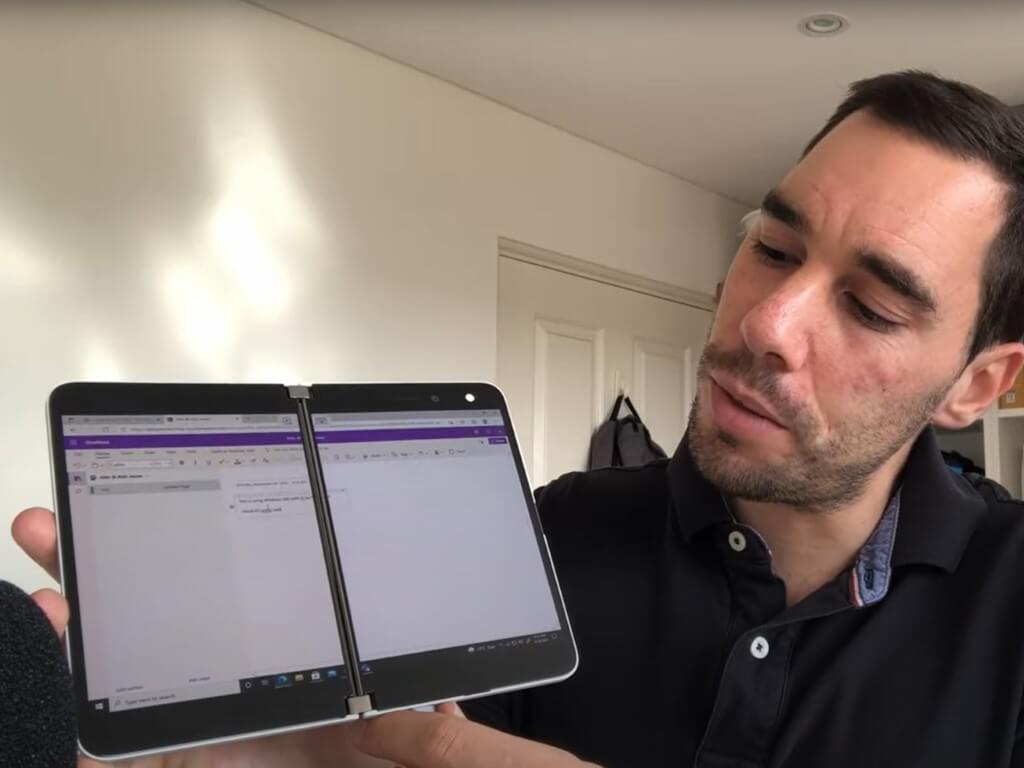
Google completes Rooms to “spaces” rebrand rollout to better compete with Slack and Teams

Google has announced some important updates regarding Google Workspace, the company’s collection of productivity tools for enterprise users. The software giant has revealed that it’s rebranding “Rooms” in Chat to “spaces,” and this update is now generally available for all Workspace customers.

“With spaces, teams can share ideas, collaborate on documents, and manage tasks from a single place,” Sanaz Ahari, Senior Director of Product Management at Google explained (Hi Sanaz!). “Because all their work is preserved for future reference, team members can easily jump in and contribute at a time that works best for them, seeing a full history of the conversations, context, and content along the way.”

4 Companion mode.gif

In addition to this feature, Google is streamlining the UI of Gmail, allowing users to easily access their inbox, chats, meetings, and spaces from a single location. The firm is also planning to add a new Companion mode to Google Meet in November. Additionally, Google Meet will add a live-translated captions feature for all Workspace users later this year.

While Google Workspace was already great for enterprise collaboration, the company is continuing to make it more useful to support hybrid work. These new Workspace features should help Google Workspace better compete with Microsoft Teams and Slack.

Tips & Tricks – how to get the most out of the new Microsoft Start experience

You’ve probably heard of Microsoft Start by now. This is Microsoft’s new personalized news feed, which is an evolution of Microsoft News and MSN.com. It’s designed as a new way for you to stay up to date on your news and interests. There has been some genuine interest in the service so far on its launch week, which is why we’re going to pick through it with some of our favorite tips and tricks.

Overview

Microsoft Start is all about your own interests. It has a card-based feed, where you’ll see stories based on certain topics that you can pre-select. The best part, though, is that you can customize the feed at any point in time. The feed aggregates content from 1,000 different news sources, so there’s always sorts of variety. It even has a card for the weather, finance, sports, and traffic. Click these, and you get hyper-local weather and traffic, helping you save time and energy.

If that sounds familiar, then you’re not mistaken. This is a lot like News and Interests in the Windows 10 Taskbar, and even Widgets in Windows 11. The differentiating factor here, though, is that Microsoft Start is cross-platform. It is currently available on the web via Edge, Chrome, or Firefox, as well as iOS and Android. The News+Interests, Widgets, and Microsoft Edge integrations, however, are not yet available at the time of writing. Regardless, whatever you do on one platform will sync to the other. Microsoft Start uses Microsoft’s cloud to sync things across devices.

‎Microsoft Start
‎Microsoft Start
Price:
Free+


Tips & Tricks for turning things on and off in Microsoft Start

As we hinted, Microsoft Start is an experience that’s heavily customizable. Since it uses AI and machine learning in making its feeds, you can tweak it to your own liking. So, if you’re not happy with what you’re seeing in your feed, just click the Personalize icon at the top right side of the web-based version of the feed. From here, you can switch things up to clean up your feed and get rid of the junk that you’re not interested in.

Some of our tips are below. Of course, these are just our tips for the web-based experience. Maybe you do want to see a feed with tons of news stories! It’s all up to you as Microsoft Start is truly personal!

  • For a cleaner feed, only check the interests boxes for things that actually relevant for you. As an example, If you’re not in the US and don’t care for US news, uncheck it. And, if you’re into celebrity news and gossip, check the celebrities category.
  • Checking the different interest categories will unlock different types of stories in your feed. Unchecking irrelevant boxes will help make your feed a lot cleaner. Some categories might bring more “clickbait” stories (especially celebrities/movies) so be aware of what you’re choosing!
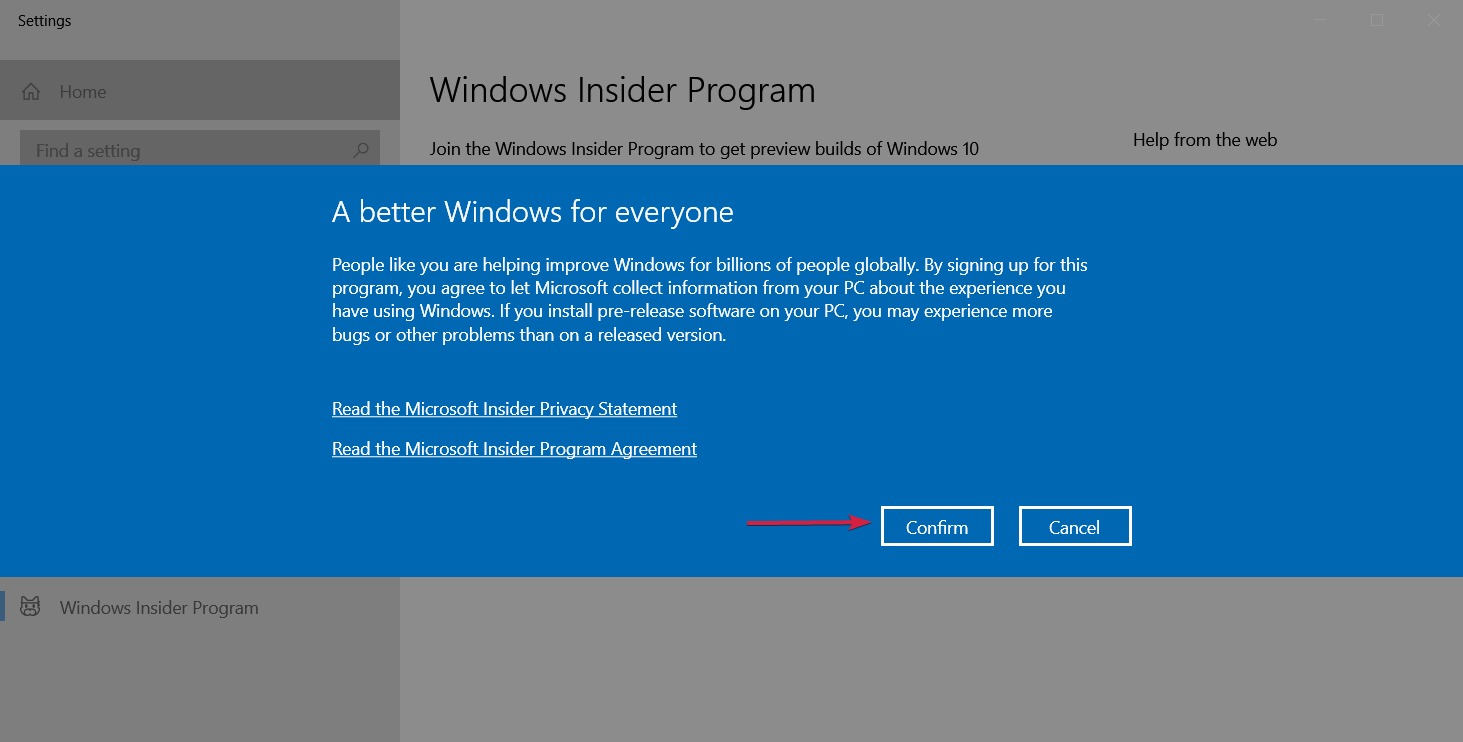
  • Click the “Tune your Feed button” on the web to tune your feed to publishers that you may favor. Examples include AP, Fox News, etc.
  • Click the Followed Interests button in the sidebar, and enter in topics that you may like that aren’t available in Microsoft’s pre-populated lists. This will increase the chances of it showing up in the main feed. (Since we’re a fan of the New York Mets and NASCAR, we added this to our feed manually!)
  • If you don’t like a publisher (say Fox News) click the card on the main feed that has that publisher, and choose the three dots under, and click “Hide stories from…” This helps clean up your feed to your liking.
  • You can remove stories that you don’t like and help make the feed cleaner by clicking the three dots at the bottom of the card on stories you don’t like, and choose “Fewer Stories Like This.” Microsoft’s AI will remember your choice and aggregate new content based on this.

The social aspect

Microsoft Start also has a social aspect to it. You can “react” to stories in your feed, and even comment on them, too. If you click the hamburger menu at the top left of Microsoft Start on the web and then choose Profile, you’ll be able to log in with a Microsoft Account and set up a profile for the social side of things.

Currently, things are very empty here for us, but the more you use Microsoft Start, the better your profile becomes. You even can see your history here, and any articles you’ve read or saved, so you can get back to them later. These options are based on what was previously available with Microsoft News.

Closing thoughts

In using Microsoft Start for the past day, it’s been a very cool way to get news and stay on top of sports and the weather. There are some tweaks that could come to the service, however. We think it’d be great for there to be a paid version, without ads, as the ads can be very intrusive. We’d also like a way to move the cards around and dismiss them once an article is read (without impacting the feed customization.)

There is hope, though. Microsoft is always listening to user feedback. You can submit your thoughts to Microsoft by choosing the “feedback” icon at the bottom of your Microsoft Start Feed.