Amazon Alexa+ Can Now Generate Full AI Podcast Episodes

Amazon is rolling out a new Alexa+ feature that can generate complete podcast episodes using AI-generated hosts. Users can ask Alexa to create a podcast about almost any topic, turning the assistant into a personalized audio learning platform.

The feature focuses on conversational podcast generation powered by publisher-backed information sources and customizable prompts.

Alexa+ creates podcasts from voice prompts

Users simply tell Alexa what they want to learn about, and the assistant creates a draft plan for the episode before generation starts. Alexa then allows users to adjust the podcast’s length, focus, or direction using conversational commands.

Once the user approves the plan, Alexa generates a full podcast episode with AI-generated host voices discussing the topic.

Amazon appears to position Alexa Podcasts as more than a simple text-to-speech tool. The system focuses on creating structured podcast-style discussions using current information and trusted publisher partnerships.

Amazon says podcasts use accurate and up-to-date information

Amazon says Alexa Podcasts pulls information from a large network of publishers to ensure episodes stay accurate and current.

The company listed sources including Associated Press, Reuters, The Washington Post, Forbes, and Business Insider.

After a podcast finishes generating, users receive a notification through compatible Echo Show devices or inside the Alexa app. Episodes can play immediately or remain saved inside the Music and More section for later listening. The feature is currently available for Alexa+ subscribers.

Spotify is also pushing AI-generated podcasts

Amazon joins a growing number of companies experimenting with AI-generated podcast experiences. Spotify recently introduced AI agents that can create and save personalized podcasts directly to user libraries.

Spotify also plans to bring video podcasts to Apple Podcasts as competition in AI-powered audio experiences continues growing.

Steam Controller Struggles With Xbox Game Pass and PC Apps

Valve’s new $99 Steam Controller is running into compatibility problems outside the Steam app, especially with Xbox PC games and third-party launchers, as Windows Central reports.

While the controller works as expected inside Steam, support becomes inconsistent once players launch games through the Xbox app, Game Pass, or other PC storefronts. Instead of acting like a standard gamepad, the controller can fall back to Valve’s older “lizard mode,” where Windows treats it more like a mouse and keyboard.

Xbox app and Game Pass games are affected

One of the biggest frustrations involves Xbox Game Pass titles on PC. Some games launched through Microsoft’s Xbox app fail to recognize the Steam Controller properly, preventing access to its full feature set.

Players testing games like Subnautica 2 reported that even adding the game as a non-Steam shortcut does not always activate Steam Input correctly. In some cases, games interpret the controller as basic desktop input rather than a real controller.

That creates a poor experience for users who expected plug-and-play compatibility across Windows gaming platforms.

Community tools try to fix the issue

PC gaming communities quickly started building workarounds. Open-source tools such as SISR and SteamlessController aim to improve compatibility outside Steam.

However, these unofficial fixes often rely on additional software layers like VIIPER and ViGEmBus. Less experienced Windows users may find the setup process complicated, especially compared to standard Xbox controllers that work natively across most PC games.

The situation also raises concerns for buyers who expected the controller to work smoothly with Game Pass Ultimate libraries.

SDL support improves things, but not everywhere

There is some good news. The Simple DirectMedia Layer (SDL) library now supports more advanced Steam Controller features, including touchpads, grip sensors, and capacitive stick detection.

In theory, that should help more PC games recognize the controller properly without depending entirely on Steam Input. However, SDL integration still depends on individual game developers, meaning many AAA releases and Xbox app games may continue showing inconsistent behavior.

Valve and Microsoft may both share responsibility

Part of the problem may come from Microsoft’s Xbox PC app and how it handles controller input. At the same time, Valve also appears to rely heavily on Steam Input instead of broader native XInput compatibility.

For now, the controller delivers its best experience inside the Steam ecosystem. Outside Steam, support remains hit-or-miss.

The issue already appeared in early reviews, but retail buyers are now running into the same limitations.

Valve’s controller launch still generated excitement for other reasons. The company recently confirmed that future orders may use a reservation system due to demand. Valve also released official CAD models for hardware modifications and customization.

And yes, the controller can apparently scream when dropped.

Microsoft Begins Phasing Out SMS Authentication for Personal Accounts

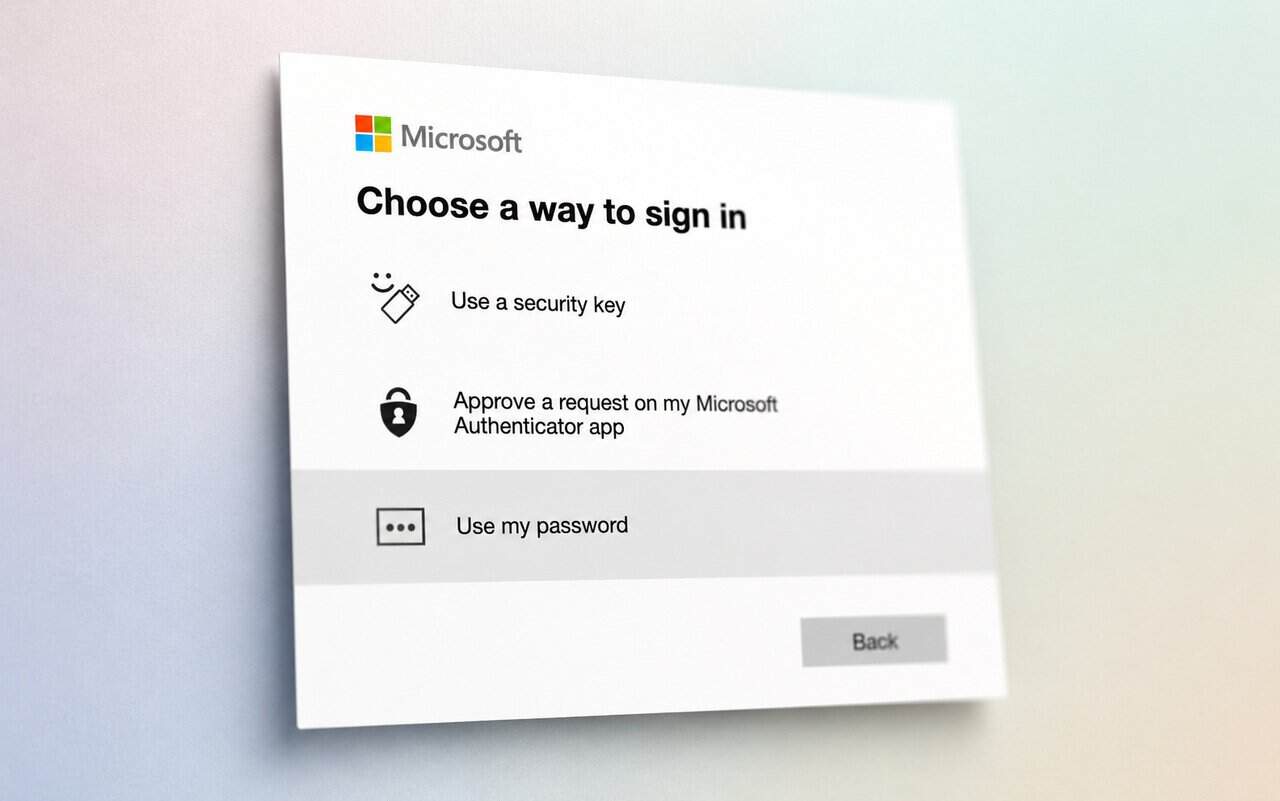
Microsoft is preparing to remove SMS-based verification codes for personal Microsoft accounts, according to a new report from Windows Latest. The company plans to stop using text messages for two-factor authentication and account recovery as it pushes users toward passwordless sign-in methods.

The move comes as Microsoft continues warning that SMS authentication is no longer secure enough for modern cyber threats. The company says text messages have become a major target for fraud and account takeover attacks.

Microsoft says SMS authentication is no longer safe

SMS verification has remained one of the most common forms of two-factor authentication for years. However, Microsoft says the technology was never designed to handle today’s security challenges.

Attackers can intercept text messages, steal one-time passcodes, or use SIM-swap attacks to hijack phone numbers. Once a number is compromised, hackers can often bypass account protections and gain access to sensitive services.

The issue gained more attention recently after threat actors reportedly abused Phone Link-related weaknesses to steal OTP verification codes from users.

Microsoft now considers SMS authentication one of the weaker security options available for personal accounts.

Passkeys and authenticator apps will replace text messages

Instead of SMS codes, Microsoft wants users to rely on passkeys, authenticator apps, and verified backup email addresses.

Passkeys allow users to sign in using Windows Hello, facial recognition, fingerprints, or a device PIN. Unlike passwords or SMS codes, passkeys use cryptographic keys that stay stored locally on a trusted device.

The private key never gets shared with websites or transmitted across networks, which makes phishing and interception attacks far more difficult.

Microsoft says passkeys can also sync securely across ecosystems such as Apple iCloud Keychain and Google Password Manager.

Microsoft will start prompting users to switch

The company is expected to begin encouraging personal Microsoft account holders to configure passkeys and verify backup email addresses.

For many users, the transition could improve security without adding much friction. Signing in with biometrics or a PIN is usually faster than waiting for a text message code.

Still, some advanced users and testers may dislike the change. SMS codes often worked as a simple fallback option when authenticator apps failed or secondary devices were unavailable.

Microsoft joins a growing list of tech companies moving away from passwords and SMS-based security systems. The industry increasingly views passkeys as the long-term replacement for both passwords and text-message verification.

The shift could reduce phishing attacks and account hijacking attempts, but it also removes a familiar recovery method many users still depend on.

Microsoft Explains Why Teams Meeting Recordings Suddenly Disappear

Microsoft says missing recordings are one of the most frustrating Microsoft Teams support issues, but the files usually are not permanently deleted.

The company explained that Teams meeting recordings often appear missing because OneDrive or SharePoint automatically moves them to the recycle bin after expiration dates are reached. In many cases, users can still restore the files before permanent deletion.

Teams recordings are stored outside the app

Microsoft reminded users that Teams recordings are not stored directly inside the Teams application itself.

Instead, recordings are typically saved to either Microsoft OneDrive or SharePoint, depending on the meeting type and organizer setup. This affects several meeting formats, including automatically recorded meetings, manually recorded sessions, delegate-created meetings, Meet now calls, Outlook-scheduled meetings, Teams-scheduled meetings, recurring meetings, webinars, and town halls.

Because the recordings live in cloud storage services, retention and expiration settings from OneDrive and SharePoint also apply to Teams content.

Why Teams recordings suddenly disappear

According to Microsoft, OneDrive and SharePoint continuously monitor expiration policies tied to recordings and transcripts.

Once the expiration date arrives, the services automatically move recordings and transcripts to the recycle bin. Users often assume the files vanished completely, even though the content may still exist inside the recycle bin recovery system.

Microsoft says admins can manage this behavior through the “Recordings and transcripts automatically expire” setting inside the Teams admin center. Organizations can disable the policy entirely or customize expiration behavior based on company needs.

Users still have time to recover recordings

Microsoft says recordings and transcripts moved to the recycle bin remain recoverable for 93 days.

During that recovery window, users or admins can restore the files before permanent deletion occurs. After the 93-day period ends, the content may no longer be recoverable.

The clarification comes shortly after Microsoft Teams experienced a major slowdown issue recently that affected performance for some users. Microsoft says that the outage has now been resolved.

The company is also preparing faster Office file previews for Teams mobile users, while security researchers recently warned that threat actors have abused Teams chats to distribute ModeloRAT malware.

Via Neowin

Microsoft AI CEO Says Most White-Collar Jobs Could Be Automated Within 18 Months

Microsoft AI CEO Mustafa Suleyman believes artificial intelligence could automate a large portion of white-collar work much sooner than many expected. According to comments highlighted by Windows Central, Suleyman said AI may reach human-level performance across many computer-based professional tasks within the next 12 to 18 months.

The warning adds to growing concerns across the tech industry about how quickly AI systems are evolving. Suleyman specifically mentioned jobs such as lawyers, accountants, project managers, and marketing professionals as roles potentially vulnerable to automation.
Microsoft sees rapid AI progress ahead

The concern centers around repetitive digital work. Tasks involving document analysis, reporting, coding, scheduling, presentations, research, or workflow management may become increasingly automated as AI models improve.

Suleyman believes advances in computing power and AI model capabilities are accelerating faster than expected. He argued that future AI systems may eventually outperform most humans at coding and other technical computer-based tasks.

That prediction aligns with broader industry expectations from several major tech leaders. Jensen Huang, Matt Garman, Bill Gates, and Dario Amodei have all previously warned that AI could significantly reshape knowledge-based work.

At the same time, Microsoft continues expanding its AI ambitions. The company has reportedly explored acquiring more AI startups while continuing to integrate Copilot features across Windows and Microsoft 365 products.

However, not everyone believes the strategy is succeeding. Former Microsoft executive Mat Velloso recently claimed Copilot adoption remains far below expectations despite Microsoft’s aggressive AI push.
AI companies continue investing heavily in deployment and infrastructure despite growing concerns around adoption and profitability. OpenAI recently announced a new company focused on AI deployment, signaling that the AI race is still accelerating.
Sony Confirms Shift Away From PC Ports for Major PlayStation Exclusives

Sony may be preparing a major shift in its PlayStation-to-PC strategy following concerns about recent PC sales performance and the long-term value of PlayStation exclusives.
The reported change comes shortly after Sony announced higher PlayStation Plus pricing for new members in several regions. Now, new comments from Sony leadership suggest the company may become far more selective about which PlayStation games make the jump to PC.

According to Bloomberg’s Jason Schreier, Sony Interactive Entertainment Studio Business Group CEO Hermen Hulst confirmed during a company town hall that Sony plans to hold back major single-player narrative games from PC ports going forward.

Sony may keep future story-driven PlayStation games exclusive

Sony’s cinematic single-player exclusives have played a major role in expanding PlayStation’s reach on PC over the past few years. Games like God of War, Spider-Man, Horizon Zero Dawn, and The Last of Us helped introduce PlayStation franchises to a wider audience outside consoles. That strategy may now be changing.

SCOOP: PlayStation studio business CEO Hermen Hulst told staff in a town hall Monday morning that the company's narrative single-player games will now be PlayStation exclusive, confirming Bloomberg's reporting from earlier this year.Original story from March: www.bloomberg.com/news/article…

— Jason Schreier (@jasonschreier.bsky.social) 2026-05-18T18:47:45.020Z

Sony reportedly believes that too many PC ports could weaken the PlayStation brand and reduce the incentive for players to buy PlayStation hardware. Some people inside the company also reportedly feel that recent PC sales did not meet expectations.

If the shift becomes permanent, future single-player PlayStation exclusives may stay locked to PlayStation consoles much longer than before, or avoid PC releases entirely.

Multiplayer games will still expand beyond PlayStation

Sony is not abandoning multiplatform releases completely. The company still appears committed to bringing multiplayer and live-service games to additional platforms when the goal is growing a larger online player base.

Games developed internally or through third-party partnerships with strong multiplayer focus can still launch outside PlayStation hardware. Marvel Tokon: Fighting Souls is reportedly still expected to keep its multiplatform release plans.

Sony has already expanded several multiplayer-focused projects beyond PlayStation in recent years. Helldivers 2 and Marathon both reflect Sony’s growing interest in reaching larger online audiences across multiple platforms.

The company now appears to view multiplayer games as a tool for ecosystem growth, while single-player exclusives remain important for protecting PlayStation hardware sales.

PS6 pricing concerns continue to grow

The reported PC strategy shift also arrives as Sony faces growing pressure around the future cost of the PlayStation 6.

Recent reports suggest Sony is struggling with possible PS6 pricing due to rising memory costs and supply limitations.

At the same time, Sony recently introduced a new PlayStation gaming trends widget as it continues expanding platform features and services.

Valve Updates Steam Tags With 17 New Categories for Better Game Discovery

Valve is updating Steam’s tag system with new, renamed, merged, and removed tags as it tries to improve game discovery and recommendations across the platform.

The update adds 17 new tags, removes 28 old ones, and changes several existing labels. Steam tags help developers describe their games more clearly, while also helping Valve recommend titles to players based on their interests and filters.

Steam gets 17 new tags

The new tags cover several growing game types, themes, and niche categories. One of the most notable additions is Bullet Heaven, a tag for games built around automatic attacks, upgrades, and waves of enemies.

Valve is also adding Desktop Companion for games that use part of the screen while players do other things, along with Organizing, Cleaning, and Decorating for cozy or task-focused games about tidying, arranging, and customizing spaces.

Other new tags include Wuxia, Xianxia, Falling Blocks, Espionage, Samurai, Zoo, Wolves, Capybaras, Animals, Cult, Poker, and Language Learning.

These additions should help smaller genres stand out more clearly, especially as Steam’s catalog continues to grow.

Valve renames and merges older tags

Valve is also changing some existing tags to make them clearer. Clicker has been renamed to Incremental, while Conversation has become Dialogue Heavy. Pool has also been renamed to Billiards.

Some tags will merge into broader categories. Jet is being merged into Flight, while Unforgiving is being merged into Difficult.

Valve is also updating several tags to plural forms, including Dogs, Foxes, Vampires, Elves, Dwarves, and Assassins.

Steam removes subjective and IP-specific tags

Valve is removing 28 tags from Steam, including NSFW, Mature, Masterpiece, Well-Written, Warhammer 40K, LEGO, Kickstarter, and RPGMaker.

The company says many of the removed tags already have better alternatives. For example, instead of using NSFW or Mature, players can rely on more specific tags such as Gore or Violent.

Subjective tags such as Masterpiece and Well-Written are also being removed because they do not describe a game’s actual genre, theme, or mechanics.

Valve is also dropping IP-specific tags, including Warhammer 40K, Dungeons & Dragons, and LEGO. These labels can help players identify franchises, but they do not work as broad discovery categories in the same way as genre or theme tags.

Existing preferences should carry over

Valve says excluded tag preferences should move over to newer replacement tags where possible. This means players who already use tag filters should not have to rebuild all of their preferences manually.

That matters because tags shape how Steam recommends games, hides unwanted content, and organizes store browsing for millions of users.

Singleplayer and Indie remain Steam’s biggest tags

Steam’s largest tags remain broad categories. Singleplayer appears on more than 98,000 games, covering around 62% of Steam’s catalog.

Indie is also one of the biggest tags, appearing on more than 82,000 games and covering around 53% of the store.

The new update suggests Valve wants Steam’s tagging system to become more precise, especially for niche genres, cozy games, card games, animal-themed games, and regional fantasy subgenres.

In other Steam news, Valve is reportedly using a reservation system for new Steam Controller purchases, and the same approach could also apply to Steam Machine. Gamers have also found that the new Steam Controller can make a screaming sound if dropped.

XBOX’s New “Player Voice” Hub Is the Biggest Sign Yet It’s Serious About Feedback

It seems XBOX (yes, all caps) is finally starting to take players’ feedback seriously. After Asha Sharma assumed the role of XBOX CEO, she hinted multiple times that players are the ones who matter the most across the platform. Well, in an effort to make that more visible, XBOX has officially launched XBOX Player Voice.

XBOX launches “Player Voice,” a new feedback hub

The new platform is designed to make feedback sharing simpler while also showing players what actually happens after they submit complaints, ideas, or suggestions. For years, many players felt like feedback simply disappeared into a void. XBOX now apparently wants to close that gap.

With XBOX Player Voice, players can submit feedback about their overall XBOX experience, track whether it has been reviewed, and even receive updates if progress happens around a specific issue or request. Speaking of that, XBOX also clarified that not every suggestion will become a feature. The company says large platform decisions still involve balancing multiple priorities internally.

That being said, the biggest change here is transparency. XBOX says the goal is to make players feel more connected to the decision-making process instead of blindly submitting feedback with no visibility afterward.

Interestingly, XBOX Player Voice is also replacing the old XBOX Cloud Gaming feedback portal. However, it won’t replace things like the XBOX Insider Hub, support forums, or social media discussions. Instead, XBOX describes it as an additional layer focused specifically on feedback tracking and communication.

The new feedback hub will evolve down the line

As of now, the system appears to be launching in a fairly basic form. XBOX says it plans to evolve the platform over time depending on how players use it. Considering the company is currently going through what many fans call a major “XBOX reset,” this move may end up becoming one of the more meaningful community-focused changes yet.

Elon Musk loses lawsuit against OpenAI, Microsoft & Sam Altman

A major legal fight between Elon Musk and OpenAI has officially ended in favor of the AI company. A California jury unanimously ruled against Musk today, dealing a massive blow to his long-running accusations involving Sam Altman, Greg Brockman, and Microsoft.

Jury rules in favor of OpenAI because Musk filed the lawsuit too late

For those unaware, Musk had accused OpenAI of abandoning its original nonprofit mission after transitioning toward a for-profit business structure. He also claimed Microsoft played a role in helping OpenAI move away from what he described as its original charitable purpose.

However, the courtroom battle ultimately didn’t revolve around whether OpenAI changed directions. Rather, the case largely collapsed because the jury agreed Musk filed the claims too late. OpenAI’s legal team heavily leaned on statute-of-limitations arguments throughout the trial.

According to the company, any alleged damage or misconduct related to Musk’s accusations happened years before the lawsuit was filed. The jury apparently found that argument persuasive enough to return a unanimous decision fairly quickly. That’s not all; during discussions around potential damages, Judge Yvonne Gonzalez Rogers also questioned Musk’s legal arguments.

Musk’s team reportedly attempted to compare his OpenAI contributions to investments in a traditional startup. At one point, the judge criticized expert calculations linked to the case, reportedly saying the analysis lacked proper connection to the underlying facts.

Meanwhile, Microsoft welcomed the outcome and reaffirmed its partnership with OpenAI. Musk’s attorney, Marc Toberoff, responded with a short statement, “One word: Appeal” when TechCrunch reached out, hinting the legal fight may not be over yet.

Sony to Increase PlayStation Plus Prices for New Members in Select Regions Starting May 20

Sony has officially announced increase in PlayStation Plus prices again, and this time the hike impacts “new customers” across select regions starting May 20. The company says the price hike is result of “ongoing market conditions,” though it hasn’t shared exact reasons beyond that.

Under the new pricing structure, PlayStation Plus 1-month subscriptions will now start at $10.99 / €9.99 / £7.99. Meanwhile, the 3-month tier jumps to $27.99 / €27.99 / £21.99. As of now, Sony hasn’t mentioned any changes for 12-month subscriptions.

That said, existing PlayStation Plus subscribers won’t immediately feel the impact in most regions. According to Sony, the higher pricing only applies to new customers unless an active subscription lapses, gets canceled, or changes tiers. However, there is one notable exception here. Players in India and Turkey appear to be affected regardless of their current subscription status.

At a time when subscription prices are climbing across the gaming industry, Sony’s latest adjustment may not come as a huge surprise. Over the past couple of years, both Xbox and PlayStation have gradually increased pricing across hardware, accessories, and digital services. Contrary to Sony, Xbox recently dropped the Game Pass prices recently.

For now, it remains unclear whether more regions will see similar increases later this year. With gaming subscriptions becoming more expensive almost everywhere, many players will probably start comparing long-term value much more closely moving forward.

Microsoft Will Let Windows 11 Users Remap the Copilot Key Later This Year

Microsoft is preparing a Windows 11 update that will finally let users remap the dedicated Copilot key on supported PCs. The upcoming change will allow users to turn the key back into a traditional Right Ctrl key or restore the old context menu key functionality.

The update marks a notable shift in Microsoft’s Copilot strategy after the company heavily promoted AI-focused keyboards throughout 2024.

Microsoft is reversing one of its biggest Copilot keyboard changes

Last year, Microsoft encouraged PC makers to replace the Right Ctrl key with a dedicated Copilot button on new Windows 11 laptops and keyboards. The move aimed to strengthen Copilot branding across the Windows ecosystem and position AI features at the center of the PC experience.

Although Microsoft never made the Copilot key mandatory for Windows certification, many manufacturers adopted the design on newer hardware.

One major problem quickly emerged because users lost the ability to remap the key back to its traditional function.

That created frustration for gamers, developers, accessibility-focused workflows, and users who relied on the Right Ctrl key for shortcuts and commands.

The remapping option is coming to Windows Settings

Microsoft says the remapping controls will appear under Settings > Bluetooth & devices > Keyboard. The option will only apply to devices that shipped with a dedicated Copilot key.

Users will be able to replace the default Copilot launch behavior and restore either the Right Ctrl key or the classic context menu key.

The change should remove the need for third-party keyboard remapping utilities many users previously depended on.

Accessibility concerns likely influenced the decision

The dedicated Copilot key created problems beyond simple shortcut compatibility. Some accessibility tools and assistive technologies depend heavily on the Right Ctrl key. Screen reader users and keyboard navigation workflows could behave differently on systems where the key was removed.

Microsoft now warns that remapping the Copilot key back to Right Ctrl may still have limitations on certain keyboards. Some shortcuts involving Left Shift and Right Ctrl may not work consistently depending on the hardware implementation.

The company recommends using Right Shift instead if compatibility issues appear.

Another sign Microsoft may be softening its Copilot push

The decision could reflect broader changes in Microsoft’s AI strategy.

Users have criticized Microsoft for aggressively integrating Copilot across Windows 11, Office, Edge, and even basic apps like Notepad. At the same time, former Microsoft executives recently claimed Copilot adoption remains very low, reportedly around 3% among paying Microsoft 365 users.

Allowing users to reclaim the Copilot key suggests Microsoft is responding to growing feedback around forced AI integrations and reduced customization.

The move may also influence future PC designs if hardware makers decide the dedicated Copilot key no longer provides meaningful value for users.

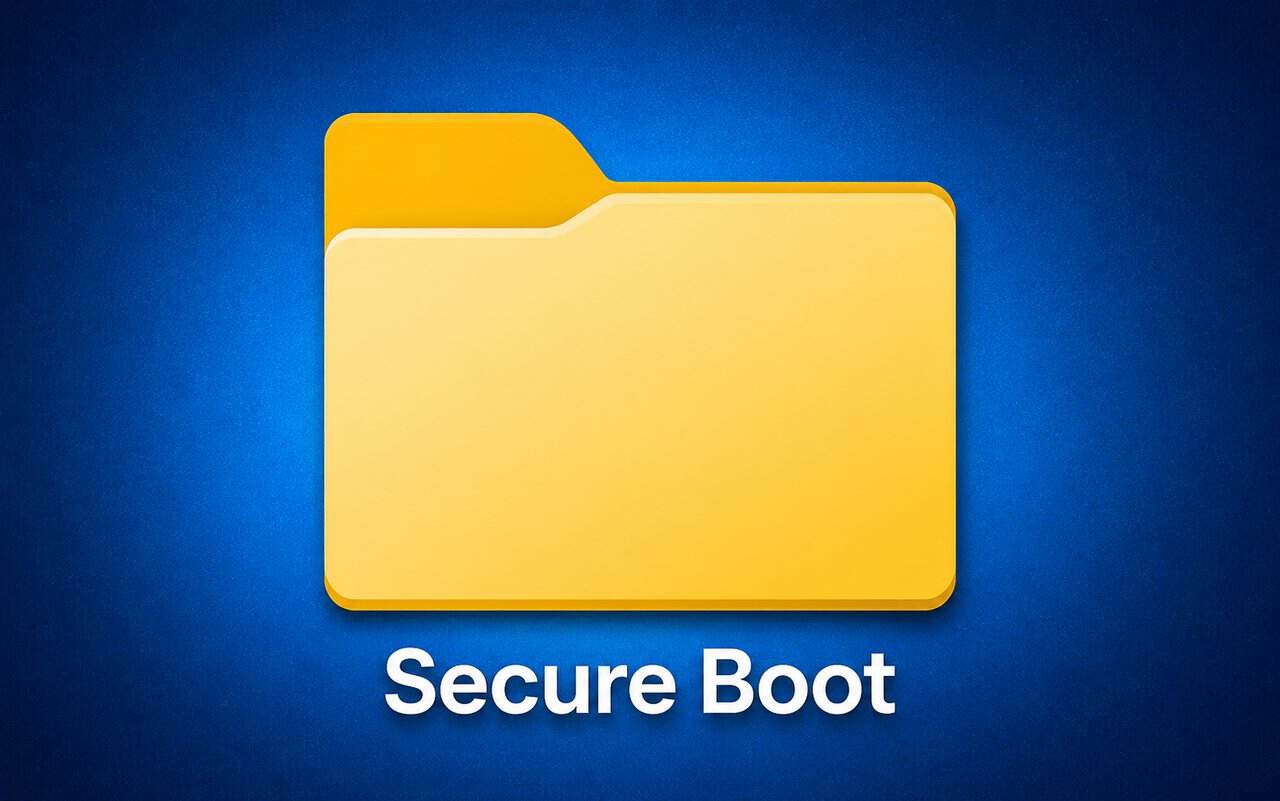
In related Windows news, Microsoft recently promised more Windows 11 customization improvements, while users also spotted a new SecureBoot folder appearing after the KB5089549 update.

Via Windows Central

5 Games Confirmed to Leave Xbox Game Pass in Late May 2026

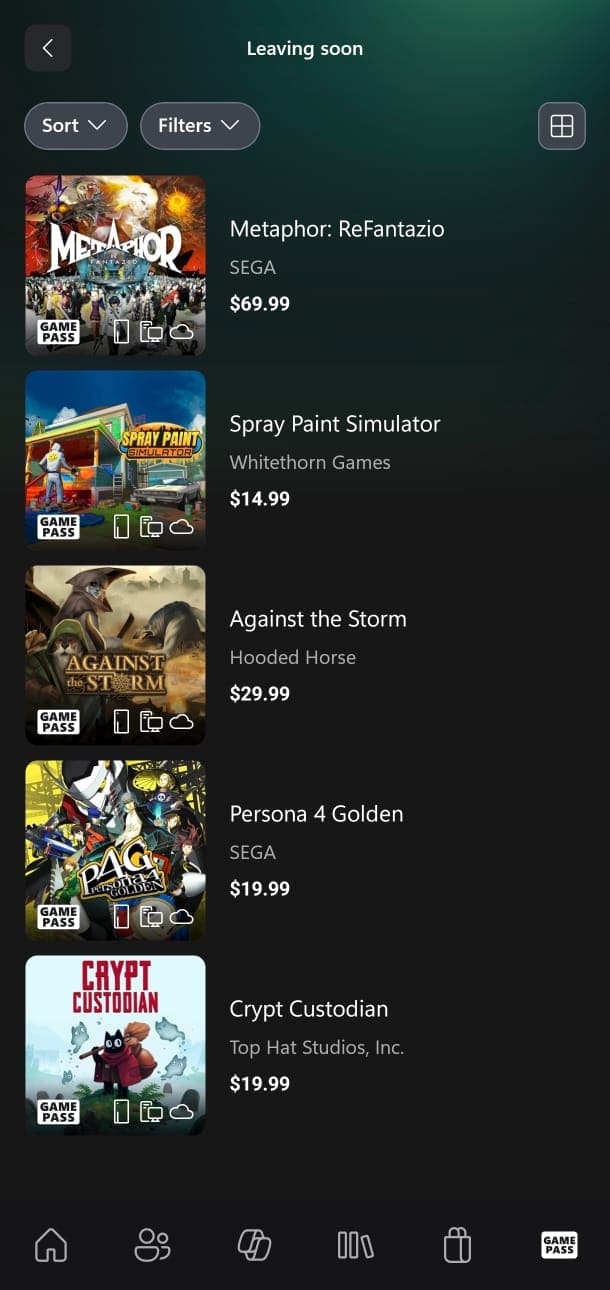
As Xbox continues to drop new games for players, it has also confirmed the next batch of games leaving Xbox Game Pass later this month, and honestly, some of these departures might sting for RPG fans. As seen in the Xbox Mobile app, five titles will exit the service on May 31, 2026.

One of the biggest games leaving this time is definitely Metaphor: ReFantazio. The Atlus RPG received strong reception from players ever since launch, so its removal will likely disappoint quite a few subscribers. Speaking of Atlus and SEGA titles, Persona 4 Golden is also heading out the door on the same date.

Here’s the complete list of games currently scheduled to leave Xbox Game Pass on May 31:

  • Against the Storm
  • Crypt Custodian
  • Metaphor: ReFantazio
  • Persona 4 Golden
  • Spray Paint Simulator

As usual, Xbox is also offering at least a 20% discount if you want to permanently keep any of them before they leave the catalog. Some titles could even receive bigger discounts once upcoming Microsoft Store sales go live over the next few weeks. Not to forget, five games are confirmed to join Xbox Game Pass in June.

Which of the aforementioned games are you sad about leaving Game Pass? Let us know in the comments below. As a reminder, Xbox has also added handheld support for 27 more games and expanded Xbox Play Anywhere lineup by adding 26 new games.

Microsoft Confirms New Teams Performance Issues in Asia-Pacific

Microsoft has confirmed that some Microsoft 365 services are experiencing problems again, with the latest incident mainly affecting Microsoft Teams users in the Asia-Pacific region.

According to the company, affected users may notice that Teams feels slower than normal or less responsive during use. The issue appears to impact overall service performance rather than a complete outage.

Microsoft investigates Teams slowdown

Microsoft says it is currently investigating the problem and has already started deploying a fix in an attempt to restore normal service levels.

While the company has not shared the exact cause of the incident yet, admins can follow updates through the Microsoft 365 Admin Center under tracking ID TM1314397.

At the moment, Microsoft’s public Microsoft 365 Service Health Status page has not listed the incident, which means the issue is currently being communicated mainly through the admin portal.

Microsoft has not said how many users are affected by the incident, but the company specifically confirmed that the Asia-Pacific region is currently impacted.

Microsoft continues changing Teams features

The incident also comes during a broader transition period for Microsoft Teams.

Microsoft is currently removing Together Mode from Teams as part of ongoing interface and feature changes. The company has also been working on improving performance and consistency across the platform.

Recently, Microsoft announced faster Office file previews for Teams, aiming to make Word, Excel, and PowerPoint previews load more quickly and behave more consistently across devices.

At the same time, Microsoft Teams continues attracting attention from cybercriminals.

Security researchers recently warned that attackers are abusing Teams chats and messages to spread ModeloRAT malware through social engineering campaigns. These attacks attempt to trick users into opening malicious content or granting attackers access to systems and accounts.

The combination of service reliability issues, platform changes, and ongoing security threats keeps Teams under close scrutiny as Microsoft continues expanding the service across enterprise and consumer environments.

Via Neowin

Xbox Is Upgrading Achievement Notifications on PC and Handhelds

Microsoft is finally upgrading the Xbox achievement experience on PC, bringing achievement notifications closer to what players already get on Xbox consoles.

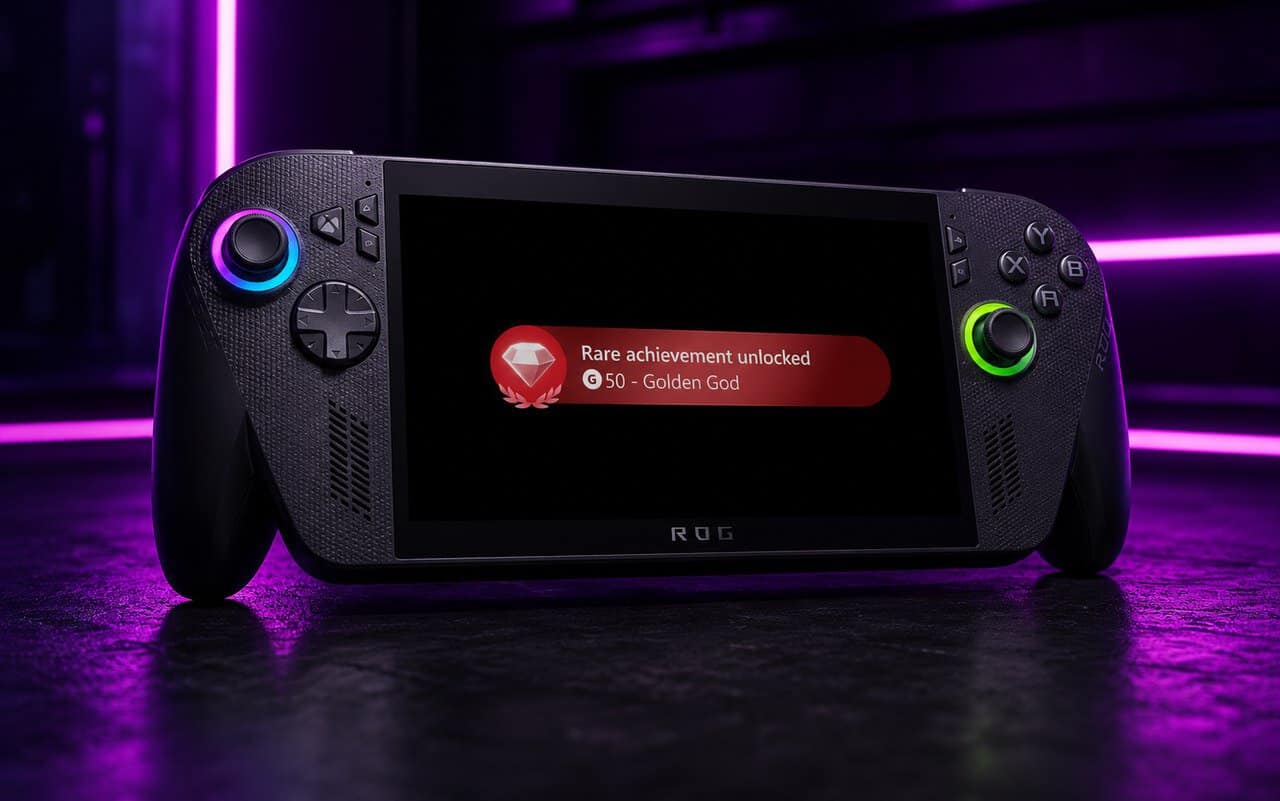
The new achievement visuals are now rolling out to testers in the Xbox Insider PC Delta Ring. The update introduces redesigned achievement banners, dynamic colors, and special animations for rare achievements and 100% game completion milestones.

Xbox achievements on PC have felt unfinished

For years, Xbox achievements have looked and sounded far better on Xbox consoles than on Windows PCs.

On console, achievements appear with the familiar Xbox chime and polished diamond-style pop-up animation. On PC and handheld devices, however, achievement unlocks often feel inconsistent and basic.

Devices like the ROG Ally X and Lenovo Legion Go currently rely on standard Windows-style notifications for achievements. In some cases, the achievement notification does not appear at all, with the alert only showing through the Xbox mobile app.

That disconnect made achievements feel less rewarding on Windows handheld gaming devices compared to Xbox consoles.

New achievement visuals bring a more console-like experience

The updated Xbox PC achievement system adds several visual improvements designed to modernize the experience.

Achievement banners now support dynamic color matching, helping notifications better reflect the style of each game. Rare achievements also receive distinct animations, making special unlocks feel more noticeable.

Microsoft is also adding enhanced visuals for players who fully complete games with 100% achievement completion.

The goal appears to be consistency across Xbox consoles, PC gaming, and future handheld Xbox devices.

Microsoft continues blending Xbox and Windows gaming

The achievement overhaul is another sign that Microsoft wants Xbox and Windows gaming to feel like one connected platform.

Small interface details matter more as Xbox expands into handheld gaming and cross-platform experiences. Better achievement pop-ups may seem minor, but they help create a more premium and recognizable Xbox identity outside traditional consoles.

The changes should especially improve gaming on handheld PCs that increasingly function like portable Xbox systems.

Xbox keeps expanding PC and handheld support

The achievement update arrives during a busy period for Xbox platform changes.

Microsoft recently expanded Xbox Play Anywhere support with 26 additional games while also adding handheld support tags for 27 titles on the Xbox Store.

Xbox is also preparing to get 32 new games this week, while five more games are confirmed for the upcoming Xbox Game Pass June lineup.

Via Windows Central

CHUWI Launches Cheapest Wildcat Lake Laptop in China With $449 Price Tag

Intel’s next generation “Wildcat Lake” processors are reportedly starting to hit the market earlier than expected, and China seems to be getting first access. As spotted by VideoCardz, several OEMs have now started listing laptops powered by Intel’s new Core 300 series processors, with prices targeting the affordable thin-and-light segment currently dominated by Apple’s MacBook Neo. One of the first models to appear is the CHUWI UniBook.

CHUWI UniBook is a China origin laptop with Intel’s Wildcat Lake processor

The laptop ships with Intel’s entry-level Core 3 304 processor, which reportedly comes with a five-core setup. Interestingly, this is currently the only five-core processor within the Wildcat Lake lineup.

The device also packs 8GB LPDDR5X memory running at up to 7,467 MT/s alongside 256GB SSD storage inside a 14-inch chassis with a 1920×1200 IPS display.

At a time when Apple is aggressively pushing affordable MacBooks, the CHUWI UniBook appears to directly target that market, except it runs Windows 11 Pro on Intel’s x86 platform instead of Apple Silicon.

Honor, ASUS and HP laptops with Intel Core 5 320 also debut in China

That’s not all; in a separate report, VideoCardz also notes that other manufacturers including ASUS, HP, and HONOR have also started listing their Wildcat Lake-powered laptops through Chinese retailer JD. Devices including the ASUS Fearless 14SE 2026, HP OmniBook 3, and HONOR Notebook X14 2026 Combat Edition are all powered by the six-core Intel Core 5 320 processor.

Unlike the cheaper CHUWI model, these devices jump to 16GB LPDDR5X RAM and 512GB SSD storage. Pricing reportedly starts around $571 for the HONOR model, while ASUS lands at roughly $597 and HP’s OmniBook 3 reaches $662 before taxes.

Speaking of specs, Intel’s new platform also brings Wi-Fi 7, Bluetooth 6.0, Thunderbolt 4 support, PCIe Gen 4 lanes, and an upgraded NPU capable of 40 TOPS INT8 AI performance. It appears Intel is heavily betting on AI-focused lightweight laptops this generation, especially as competition in the affordable premium segment keeps heating up. Not to forget, Intel also recently confirmed partnership with Google on its new Googlebook laptops.

Microsoft Promises More Windows 11 Customization Features This Year

Microsoft says personalization and customization remain core parts of Windows, and the company now plans to expand Windows 11 customization features throughout the year, according to new statements highlighted by Windows Latest.

The upcoming changes mainly target the taskbar and Start menu, two areas that received heavy criticism after Windows 11 removed several options users relied on in Windows 10.

Microsoft shifts focus back to Windows personalization

Windows users have increasingly criticized Microsoft for prioritizing AI features and Copilot integrations over core Windows improvements. However, despite the AI focus, the Copilot adoption remains low, according to a former Microsoft executive.

Microsoft added Copilot across Windows 11 and even integrated AI features into apps like Notepad, despite many users asking for better usability and customization instead.

The criticism intensified after former Microsoft executives claimed Copilot adoption remains extremely low despite aggressive promotion across Windows and Microsoft 365 products.

Back in March 2026, Microsoft publicly acknowledged broader Windows quality concerns and announced new internal efforts to improve the operating system. One of those efforts reportedly includes the K2 initiative, which focuses on fixing long-standing usability complaints.

Windows chief Pavan Davuluri recently said personalization and customization are part of Windows’ DNA and confirmed Microsoft has been listening to Windows Insider feedback.

Windows 11 removed many customization features

One of the biggest complaints around Windows 11 involved the removal of familiar customization features that existed in Windows 10.

Users criticized Microsoft for limiting taskbar flexibility, reducing Start menu controls, and simplifying interface customization compared to previous Windows versions.

Microsoft now appears ready to reverse parts of that strategy.

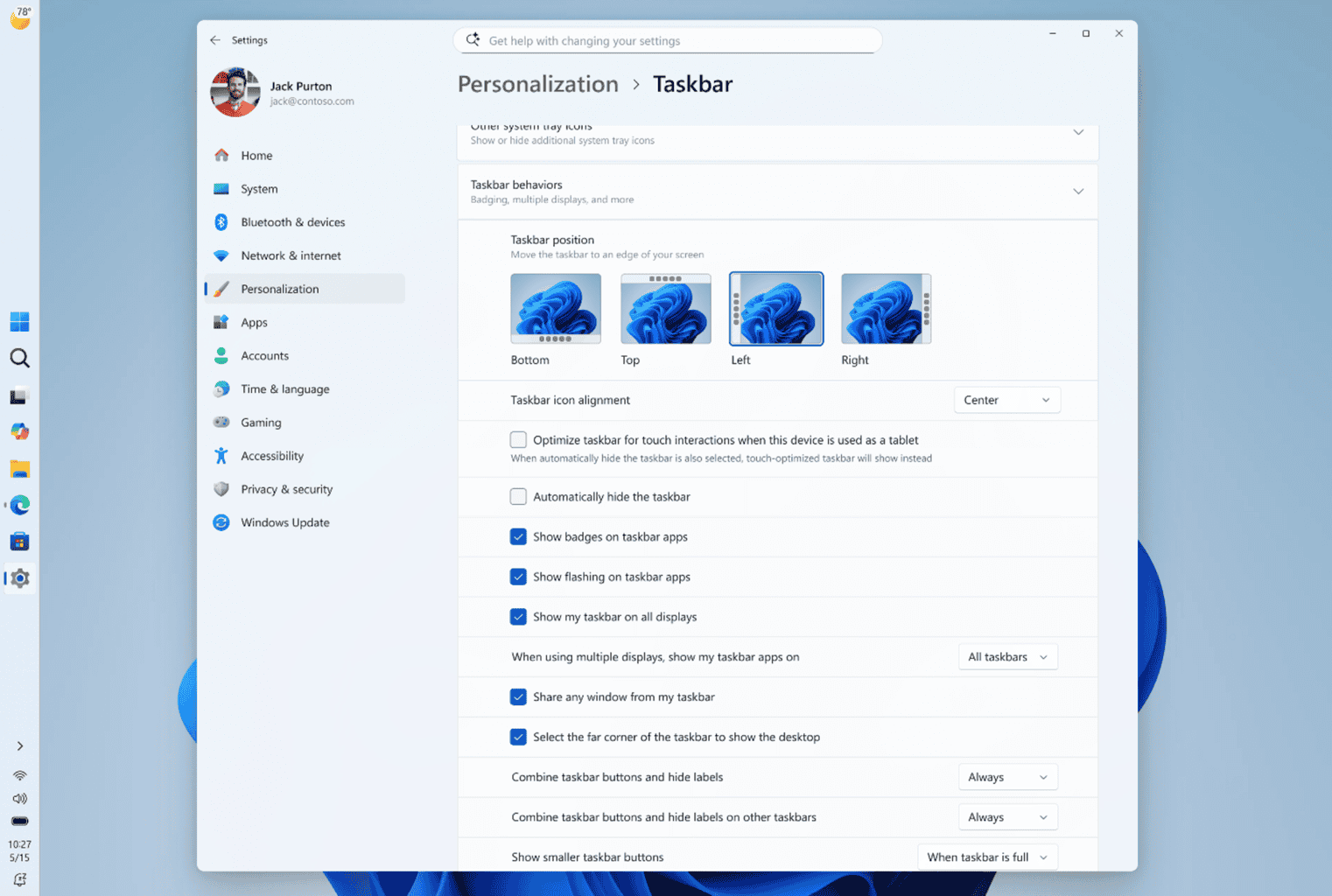
The company recently started testing a movable taskbar internally and through preview builds. Microsoft is also experimenting with a smaller taskbar layout, although the feature reportedly still contains visual and usability bugs during testing. Microsoft says those issues will be resolved before wider rollout.

Start menu customization is expanding

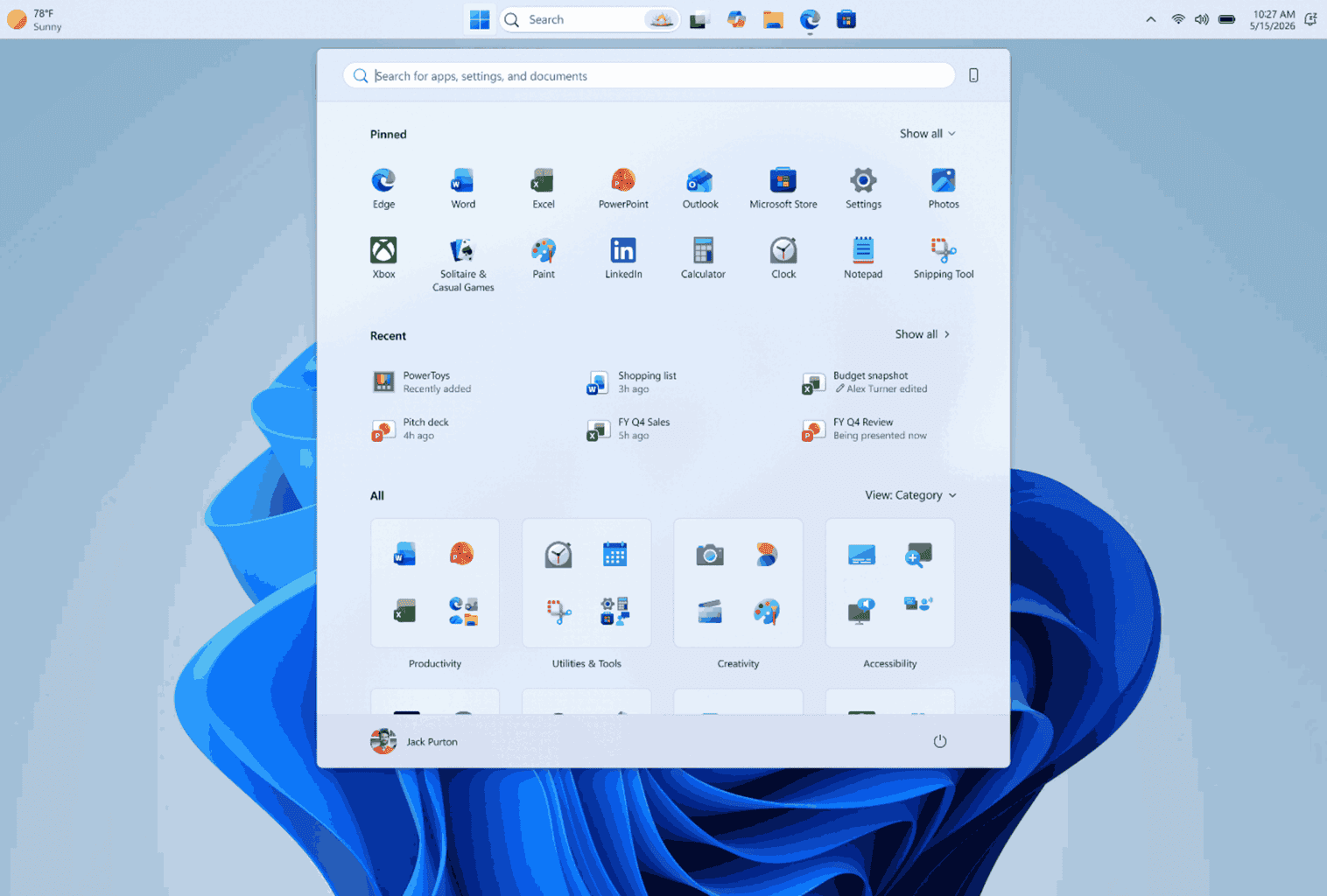
Microsoft is also bringing back Start menu size options in Windows 11.

Current testing versions allow users to switch between small and large Start menu layouts, with additional size configurations potentially arriving later.

Another major change involves the ability to hide individual Start menu sections.

This means users could eventually create simplified Start menus that only display pinned apps or only show the full apps list, depending on personal preference.

The change could help reduce clutter and make Windows 11 feel more customizable again after years of complaints about the operating system becoming too restrictive.

More taskbar changes are planned

Microsoft is also exploring deeper taskbar resizing controls.

The current smaller taskbar option only works as a preset layout, but future versions of Windows 11 may let users resize the taskbar manually by dragging it, similar to how the feature worked in Windows 10.

These changes are expected to roll out gradually over the coming months as Microsoft continues testing new customization features with Windows Insiders.

Ex-Microsoft Executive Says Copilot Adoption Is Far Lower Than Expected

A former Microsoft executive has publicly criticized the company’s AI strategy, arguing that Microsoft “missed the AI wave” despite investing heavily in Copilot, Bing AI, and AI-powered Windows features.

According to comments highlighted by Windows Latest, former Microsoft technical fellow Mat Velloso believes the company now needs what he described as an internal “factory reset” as pressure grows from weak Copilot adoption, expensive AI infrastructure, and rising competition from OpenAI.

Copilot adoption remains surprisingly small

One of the biggest criticisms centers around Microsoft Copilot adoption.

Velloso claims fewer than 3% of paying users actively use Copilot products. Microsoft reportedly has around 450 million Microsoft 365 users, but only about 15 million paid Copilot seats. That translates to roughly 3.3% adoption despite Microsoft integrating Copilot deeply into Windows 11, Microsoft 365 apps, Edge, and the Windows taskbar.

The criticism reflects growing concerns that Microsoft’s aggressive AI rollout is not translating into meaningful daily usage from mainstream consumers or enterprise customers.

Microsoft has continued adding Copilot across nearly every major product category, including Windows PCs, Office apps, Teams, and developer services. However, many users still treat Copilot as an optional feature rather than a core productivity tool.

Bing AI still failed to seriously challenge Google

Velloso also criticized Microsoft’s Bing AI strategy. Microsoft invested billions into OpenAI partnerships and quickly integrated generative AI into Bing search. The company hoped AI-powered search experiences would finally help Bing gain market share against Google.

According to Velloso, that never happened at a meaningful scale. He argues Bing failed to gain even one full percentage point of search market share despite Microsoft’s aggressive AI push and major marketing campaigns around AI search experiences.

The criticism suggests Microsoft’s AI integrations generated attention without fundamentally changing user behavior.

AI PCs and NPUs face a real-world problem

Another major point involves AI hardware and Windows 11 AI PCs. Microsoft strongly encouraged OEM partners to build laptops with dedicated NPUs, or neural processing units, to support upcoming AI features in Windows 11. Companies heavily promoted Copilot+ PCs and AI-ready hardware throughout 2025 and 2026.

Velloso argues consumers still do not see enough practical value from NPUs because Windows and Office lack compelling everyday AI workloads that truly require dedicated hardware acceleration.

The criticism highlights a growing concern across the PC industry: hardware makers invested heavily in AI-focused devices before users fully understood why they needed them.

GitHub reliability and AI infrastructure pressure

Velloso also criticized GitHub reliability and broader infrastructure issues tied to Microsoft’s expanding AI ecosystem.

The report suggests rising AI infrastructure costs combined with weaker-than-expected adoption are forcing Microsoft to rethink parts of its strategy and pay closer attention to customer feedback.

Running large-scale AI systems requires enormous GPU capacity and datacenter spending. That pressure becomes more visible if enterprise customers fail to adopt premium AI subscriptions at the scale Microsoft expected.

OpenAI is becoming a direct enterprise competitor

The former executive also warned that OpenAI is evolving from a Microsoft partner into a serious enterprise threat.

OpenAI recently launched its OpenAI Deployment Company initiative, backed by more than $4 billion. The program sends deployed engineers directly into Fortune 500 companies to help build custom AI solutions.

That approach overlaps with Microsoft’s traditional enterprise model built around Azure, consulting relationships, and long-term enterprise software integrations.

The shift creates an unusual situation where Microsoft simultaneously depends on OpenAI technology while also competing against OpenAI for enterprise AI customers.

Microsoft still has enormous enterprise strength

Despite the criticism, Velloso does not believe Microsoft is collapsing.

He argues the company still has one of the strongest enterprise moats in technology because businesses remain deeply dependent on products like Windows, Microsoft 365, Azure, Active Directory, and decades-old enterprise integrations.

Microsoft has also recently shifted more attention back toward improving core Windows 11 experiences instead of focusing entirely on AI features.

The company recently introduced initiatives like its Driver Quality Initiative and additional WinUI 3 improvements aimed at stability and software quality.

Microsoft is also bringing back several long-requested Windows features, including movable taskbars and additional taskbar size options, signaling renewed focus on basic usability improvements alongside AI development.

Xbox & Walmart Update GTA 6 Pages, Skyrocketing Today’s Pre-Order Speculation

[UPDATE: 18 May, 2026 | 11:36 AM] A post on GTA 6 forum by a user (Graczdari_91) reads, “I don’t want to disappoint anyone, but internal company emails suggest that Best Buy has got it wrong and no pre-orders will be launching today. Things might change at the last minute, but I’d advise keeping your expectations in check.” While the post doesn’t include any real proof, Tom’s Guide, which first reported on it, notes that admins of the forum have verfied the claims personally. All that said, take this information with a grain of salt.


[ORIGINAL STORY] The hype around GTA 6 is so high that players around the globe are doing their bit to find even minute traces that point towards pre-order, which, based on the Best Buy leak, is scheduled to open sometime later today. While we recently covered the claims made by a prominent insider about GTA 6 pre-orders not opening today, it seems pre-orders may be “imminent.”

Xbox and Walmart Canada updates GTA 6 page, hinting pre-order could be imminent

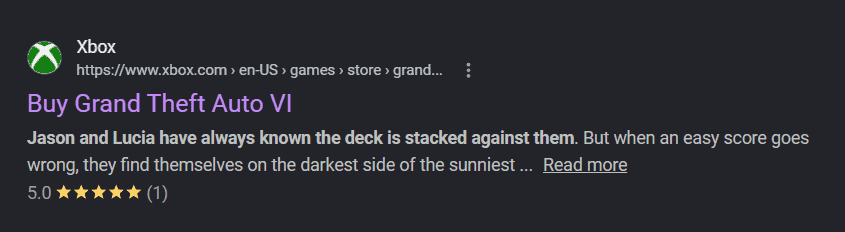
Why? Earlier today, some eagle-eyed GTA 6 fans noticed that Xbox’s GTA 6 store page quietly received an update. Here’s the Google Search result for the game that we last checked.

Screenshotted by Rishaj for WindowsReport

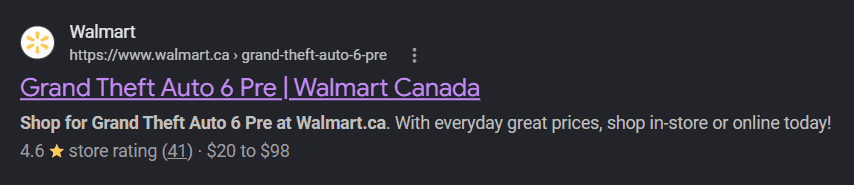
But that’s not all; users across social media also discovered that Walmart Canda also has a listing for pre-ordering the game live as well.

Screenshotted by Rishaj for WindowsReport

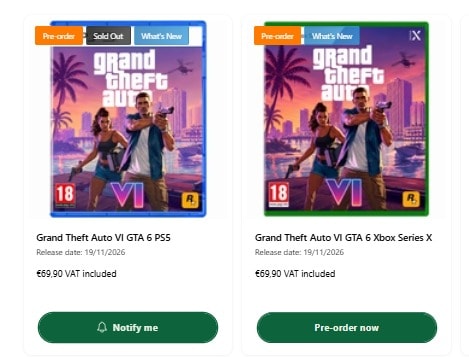
It seems GTA 6 pre-order is live in Europe

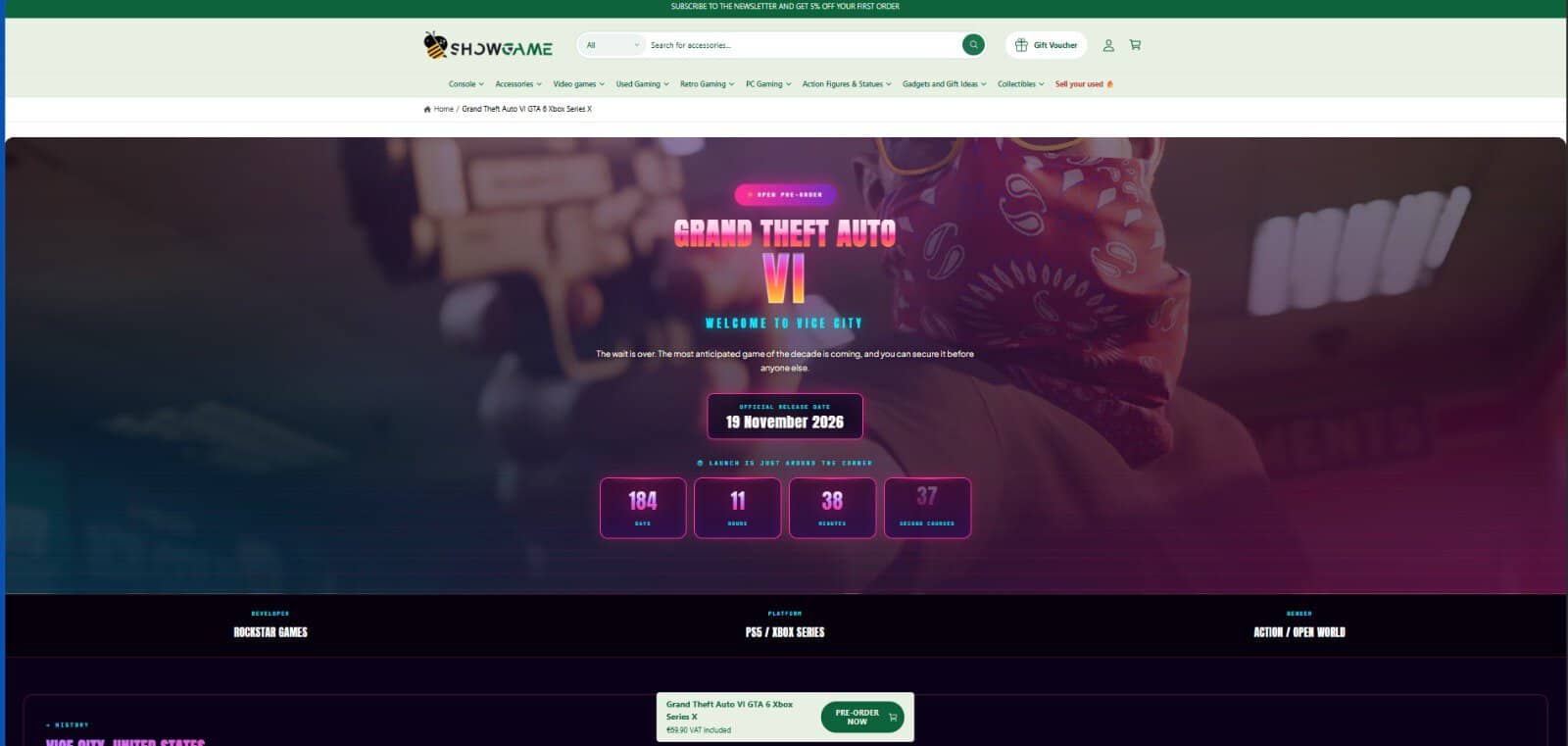
Here, it’s also worth noting that a prominent online retailer from Italy, SHOWGAME, has opened pre-orders for GTA 6. From the looks of it, it seems the retailer may have had some confusion regarding the timings given by Take-Two. One user on Reddit claims to have been able to reach the payment page from the listing as well. Here’s a screenshot from the website.

Image credit: SHOWGAME

As of now, neither Rockstar Games nor Take-Two Interactive have officially confirmed anything. However, considering how closely fans are tracking every tiny development around GTA 6, the timing has definitely raised eyebrows online.

Over the past few months, Take-Two boss, Strauss Zelnick, repeatedly hinted that GTA 6 marketing would ramp up during summer 2026. As of now, the game is still locked in or a November 19, 2026.

All that said, nothing here guarantees pre-orders are actually opening today. Retailers often update backend listings ahead of time, and Rockstar has a history of being extremely unpredictable with marketing plans.

It will be interesting to see whether GTA 6 pre-orders open today or not. We’ll keep you updated with all the latest developments.

GTA 6 Pre-Orders Unlikely to Open Today & Early Review Copies Also in Doubt, It’s Claimed

[UPDATE: 18 May, 2026 | 11:49 AM] A post on GTA 6 forum by a user (Graczdari_91) reads, “I don’t want to disappoint anyone, but internal company emails suggest that Best Buy has got it wrong and no pre-orders will be launching today. Things might change at the last minute, but I’d advise keeping your expectations in check.” While the post doesn’t include any real proof, Tom’s Guide, which first reported on it, notes that admins of the forum have verfied the claims personally. All that said, take this information with a grain of salt.


[ORIGINAL STORY] Last week, a leak emerged from Best Buy hinted that GTA 6 pre-orders will open today, with Insider Gaming confirming that the affiliate email received by some are legit. While many anticipate GTA 6 pre-orders to open today based on the leak, alongside Trailer 3, an insider claims that Rockstar is unlikely to do so.

GTA 6 pre-orders may not open today, despite Best Buy leak

According to Insider Gaming’s Tom Henderson, the leaked email, albeit being legit, doesn’t necessarily mean Rockstar is ready to open pre-orders just yet. During the latest Insider Gaming Weekly podcast, Henderson noted:

“Yeah, we said this for the longest time, right? I think we’ve all said that we believe we’re not going to get anything tangible until July, August, especially August, when their next earnings call is going to be.”

He further added:

“But that email was legitimate. Now, does that mean that they planned to have the trailer and then it got pushed back and then that email got sent out anyway? Was this a mistake? We simply do not know.”

That said, it’s entirely possible that GTA 6 pre-orders may open today. I am all in for it.

Rockstar reportedly won’t send GTA 6’s early review copies for content creators and journalists

That said, another interesting claim is now making rounds online. According to a Brazilian journalist who reportedly worked with some major outlets including Omelete, Rockstar Games may not send review copies of GTA 6 to journalists or content creators ahead of launch.

In fact, Rockstar is reportedly planning secure hands-on review events at controlled locations to avoid leaks before release. Speaking on the same podcast, YouTuber Nukov also claimed:

“There will be no previews of GTA 6. There will be no review copies sent out. There will be nothing.”

As of now, Rockstar has not officially commented on any of these claims. If we hear anything substantial on this matter, we will update you soon. Not to forget, Take Two CEO has recently reaffirmed the GTA 6’s November 19 release date in an interview (embedded below).

Windows 11 KB5089549 Creates New SecureBoot Folder, Microsoft Says It’s Normal

Microsoft has clarified that the new SecureBoot folder appearing after installing Windows 11 update KB5089549 is intentional and not a bug, as Windows Latest writes.

The folder started showing up inside the Windows directory after users installed the May 2026 cumulative update for Windows 11. Some users feared it was related to a failed update or an unwanted system change, but Microsoft now says the folder is part of the company’s Secure Boot certificate transition process.

Microsoft preparing PCs for Secure Boot certificate changes

According to Microsoft, Secure Boot certificates created in 2011 or earlier will begin expiring in June 2026. To avoid compatibility and boot issues, the company is replacing older certificates with newer Secure Boot 2023 certificates.

The SecureBoot folder helps prepare supported systems for that rollout. Microsoft says devices usually receive the newer certificates automatically through Windows Update after installing cumulative updates and rebooting once or twice.

However, the rollout still depends on firmware compatibility. Some older PCs may fail to receive the new certificates if their firmware remains outdated.

Why the folder suddenly appeared

Microsoft updated its support documentation after users noticed the folder appearing on both enterprise and consumer PCs, including Windows 11 Home systems.

The company explained that the folder mostly exists for IT administrators managing large numbers of devices. It contains several PowerShell scripts designed to help monitor and validate the Secure Boot certificate deployment process.

Even though the scripts target enterprise environments, Microsoft says the folder can still appear on regular consumer systems as part of the broader rollout.

What is inside the SecureBoot folder

The SecureBoot folder currently contains seven PowerShell scripts.

Microsoft says the scripts do not make changes automatically on their own. Instead, they help verify whether systems received the newer Secure Boot 2023 certificates correctly.

One script checks if the new certificates are installed and then saves the result into a JSON file. Another script verifies that the scheduled Windows task responsible for applying certificates remains enabled.

The scripts appear to serve mainly diagnostic and deployment purposes rather than actively modifying the operating system.

Microsoft says users should not delete it

Microsoft says there is no reason to manually remove the SecureBoot folder.

The company notes that future Windows updates may still rely on the files inside the folder during the certificate migration process. Microsoft could also remove the folder automatically later once the transition fully completes.

For now, Microsoft recommends leaving the folder untouched.

KB5089549 also causing installation problems

The clarification arrives as some Windows 11 users continue reporting installation failures with KB5089549.

Microsoft has now acknowledged those installation issues and says it is working on a fix. The company has not yet shared details about what causes the failures or when a permanent resolution will arrive.

Microsoft Confirms KB5089549 Fails to Install With 0x800f0922 Error, Shares Temporary Fixes

Last week, Microsoft released May 2026 Patch Tuesday Update, KB5089549, for Windows 11 users with a few improvements, while also fixing the previously reported incorrect BitLocker Recovery prompts. In fact, the company has also confirmed the same issue in the changelog for the latest Windows 10 Extended Security Update.

Windows 11 May 2026 Patch KB5089549 installation fails with error code 0x800f0922, Microsoft confirms

Speaking of KB5089549, Microsoft has officially updated the changelog and acknowledged that some Windows 11 devices may fail to install the latest Patch Tuesday update. Apparently, the update may fail to complete installation with error code 0x800f0922, especially on devices with very limited free space inside the EFI System Partition (ESP).

According to Microsoft, the installation issue affects devices where the ESP has 10MB or less free storage available. What makes the situation confusing is that the update initially appears to install normally. However, during the restart phase, usually around 35–36% completion, Windows suddenly rolls back the installation.

As part of the rollback process, affected users may encounter the message: “Something didn’t go as planned. Undoing changes.” The installation then eventually fails with error code 0x800f0922.

Microsoft also noted that affected systems could generate CBS log entries pointing toward insufficient EFI partition storage. Some of the reported log messages include:

  • SpaceCheck: Insufficient free space
  • ServicingBootFiles failed. Error = 0x70
  • SpaceCheck: used by third-party/OEM files outside of Microsoft boot directories​​​​​​​

The company has shared a few workarounds, though

If KB5089549 fails to install with 0x800f0922 error, you can try the following workarounds:

Option 1: Allow the update to install by modifying an ESP registry setting

  1. Open Command Prompt as an administrator.
  2. Run the following command:​​​​​​​ reg add “HKLM\SYSTEM\CurrentControlSet\Control\Bfsvc /v EspPaddingPercent /t REG_DWORD /d 0 /f”​​​​​​​
  3. Restart the affected device.
  4. Retry installing the update.

Important Note: Editing the registry incorrectly can cause serious system problems. Therefore, Microsoft always recommends backing up the registry before making any changes.

Option 2: Mitigate the issue by using Known Issue Rollback (KIR)

Microsoft also confirms that the users facing the installation error can try Known Issue Rollback (KIR). For most consumer and unmanaged business devices, the fix reportedly rolls out automatically. Restarting the affected PC may help the mitigation apply faster. Meanwhile, enterprise-managed systems will require IT admins to manually deploy a dedicated Group Policy linked to KB5089549.

Fortunately, Microsoft says a permanent fix is currently in progress and will release as part of a future Windows update.

Xbox Game Pass’ June 2026 Lineup Confirmed to Include These 5 Games

Tomorrow is a big day for all Xbox Game Pass members, as Forza Horizon 6 will officially release globally. Notably, the game has already been available in early access for players with the Premium Edition since last week and has racked up one of the best Metacritic score of 92. Not to forget, the game was leaked ahead of early access launch.

Xbox Game Pass confirmed to get these five games in June 2026

However, if you are eager to know what’s coming to Xbox Game Pass in June 2026, this is for you. As of now, there’s no official confirmation, but at least five games are confirmed to release for Xbox Game Pass members in June 2026, thanks to previous announcements and launch updates.

One of the biggest highlights of the June 2026 lineup will be Denshattack!, which joins Game Pass Ultimate and PC Game Pass on June 17. The game offers fast-paced skating action with colorful visuals that heavily resemble Jet Set Radio. Meanwhile, Beastro is now scheduled to launch on June 11 after getting delayed from May. The cozy RPG puts players in charge of a local restaurant while also blending card-based battles into the gameplay loop.

Moving on, Frog Sqwad is also scheduled to launch sometime in June, but we don’t have an exact launch date yet. For those unaware, it is a multiplayer platformer revolving around frogs swinging through sewers using their tongues while solving physics-based puzzles. It comes with support for up to eight players.

That’s not all; Abyssus lands on June 26. It is a co-op roguelite shooter featuring underwater ruins, procedurally generated runs, and weapon upgrades. Last but not least, Vapor World: Over The Mind will also release sometime next month, but its release date is unclear as of now.

Which of the aforementioned games are you excited for the most? Let us know in the comments below.

Xbox Adds Handheld Support Tags to 27 More Games

Microsoft continues expanding its handheld gaming push by adding new handheld support labels to dozens of Xbox Store titles. As True Achivements writes, the latest update brings handheld compatibility tags to 27 additional games, helping players identify which titles should work best on portable gaming devices.

The rollout includes two games marked as Handheld Optimized and another 25 labeled as Handheld Compatible. The update arrives shortly after Microsoft announced 32 new games coming to Xbox platforms and expanded Xbox Play Anywhere support with 26 more titles.

Xbox keeps expanding handheld support

The new handheld tags appear designed to make the Xbox Store more transparent for users playing on portable gaming devices. The labels help players quickly understand whether a game should run smoothly immediately or whether some manual tweaking may still be necessary.

According to the updated classifications, Handheld Optimized games should deliver a strong experience right away on supported handheld systems. Handheld Compatible titles can still run on portable devices, though users may need to adjust graphics settings, controls, or performance options for the best experience.

The update adds more evidence that Microsoft continues pushing deeper into handheld gaming across Windows and Xbox ecosystems.

Two games now marked as Handheld Optimized

Only two newly tagged games currently carry the higher-tier Handheld Optimized label:

  • Comanche
  • Hoomanz!

These games should offer a smoother portable experience without requiring additional configuration.

25 more games gain Handheld Compatible status

The larger compatibility list includes several major releases and multiplayer titles:

  • Airplane Flight Simulator: EVO
  • Albion Online
  • Baldur’s Gate 3
  • Batman: Arkham Knight
  • Call of Duty: Modern Warfare (Windows)
  • Fool’s Pub
  • GluMe – Xbox Edition
  • Guts ‘n Grunts Sr.
  • Holdfast: Nations At War
  • Indoor Baseball
  • Kiln
  • Life is Strange: Reunion
  • Micro Overdrive: Home Tour
  • MotoGP 26
  • Oblitacrater
  • Peter Pan: Hidden Objects
  • Replaced
  • Shy Cats Hidden Orchestra 2
  • Tamashika
  • The Wellmonts Case
  • Truck Simulator Cargo Driver 2025 – USA
  • Undisputed
  • Wildgate
  • WILL: Follow The Light
  • World of Warships: Legends

Microsoft continues building its portable Xbox ecosystem

The latest handheld tag rollout follows a broader push from Microsoft to improve gaming across portable Windows devices. The company has steadily expanded Xbox Play Anywhere support, improved cross-device syncing, and added more store features focused on handheld gaming experiences.

These new compatibility labels could become increasingly important for users playing Xbox titles on devices such as the ASUS ROG Ally, Lenovo Legion Go, MSI Claw, and other Windows-based handheld PCs.

Xbox Quietly Expands Xbox Play Anywhere With 26 New Games

Xbox has announced 32 new games coming this week, but the company also quietly expanded Xbox Play Anywhere support across the Xbox Store, as True Achivements writes.

The new additions include major titles like Batman: Arkham Knight, Subnautica 2, and The Elder Scrolls Online, alongside a wide range of indie and smaller releases.

More Games Now Support Xbox Play Anywhere

Xbox Play Anywhere lets players buy a compatible game once and access it across Xbox Series X|S consoles and Windows PCs while sharing saves, achievements, and progress between platforms.

The latest batch of newly tagged Xbox Play Anywhere titles includes:

  • 70s-style Robot Anime Geppy-X
  • A Frog’s Job 2: Froggina
  • Batman: Arkham Knight
  • Bob The Brick Breaker
  • CONTROL Resonant
  • Dragon Loop
  • Edgar Poe: Hidden Objects Game
  • Froggy Hates Snow
  • Garfield – Escape From Monday
  • Grand Vegas Casino
  • Hell Let Loose: Vietnam
  • Hidden Memory – Nature
  • Journey of Johann: To The Sky
  • Legends of Heropolis DX
  • Lia: Hacking Destiny
  • Little Things
  • Momento
  • Panic Ball!
  • Pit Panic
  • Realm of Ink
  • Slots & Daggers
  • Subnautica 2
  • The Elder Scrolls Online
  • Valor Mortis
  • Werewolf: The Apocalypse – Rageborn
  • World of Tanks: HEAT

Some Titles Were Already Expected

Several of the newly tagged games had already been expected to support Xbox Play Anywhere before the store updates appeared.

CONTROL Resonant had previously confirmed support, while Subnautica 2, Hell Let Loose: Vietnam, and The Elder Scrolls Online were also widely anticipated to receive the feature.

The addition of the Xbox Play Anywhere tag for The Elder Scrolls Online arrived earlier than many expected, as support was previously rumored for June.

The latest Xbox Play Anywhere expansion arrives during a busy week for Xbox.

Alongside announcing 32 upcoming game releases, Microsoft recently changed Xbox branding to “XBOX” in some official materials and also acknowledged ongoing password-related account issues affecting certain users.

Xbox Announces 32 New Games Launching This Week Across Console and PC

Xbox players are getting a massive wave of new releases this week, with 32 games launching across Xbox Series X|S, Xbox One, and PC over the next seven days, as True Achievements writes. The lineup includes major first-party launches, indie titles, remasters, and two day-one Xbox Game Pass additions.

The biggest release of the week is clearly the racing giant Forza Horizon 6, which launches on May 19 for Xbox Series X|S and Windows PC. Microsoft is also bringing the game directly to Game Pass Ultimate and PC Game Pass on day one, continuing the company’s aggressive subscription strategy for first-party releases.

Another major launch arriving the same day is Riven, the modern remake of the classic puzzle-adventure game originally tied to Myst. The title finally lands on Xbox platforms after previously releasing elsewhere.

Forza Horizon 6 headlines the week

Microsoft appears to be positioning Forza Horizon 6 as the centerpiece of this release cycle. The game launches exclusively on Xbox Series X|S and PC, skipping Xbox One entirely as Microsoft continues moving larger first-party projects toward current-generation hardware.

The launch also gives Game Pass subscribers another major day-one title. Alongside Forza Horizon 6, several other releases this week support Xbox Play Anywhere or PC availability.

May 19 releases

  • Forza Horizon 6 — Xbox Series X|S, Windows
  • Riven — Xbox Series X|S, Windows
  • R-Type Dimensions III — Xbox Series X|S, Xbox One
  • Rune Dice — Xbox Series X|S

May 20 releases

  • Atomic Owl — Xbox Series X|S, Xbox One, Windows
  • Cats and Seek: Tokyo — Xbox Series X|S, Xbox One, Windows
  • Chroma Zero — Xbox Series X|S
  • OOLO — Xbox Series X|S, Xbox One
  • Savara — Xbox Series X|S, Windows

May 21 releases

  • Bunny Crunch — Xbox Series X|S, Xbox One, Windows
  • Coffee Talk Tokyo — Xbox Series X|S, Xbox One, Windows
  • FZ: Formation Z — Xbox Series X|S
  • King of Tokyo — Xbox Series X|S, Xbox One
  • Legends of Heropolis DX — Xbox Series X|S, Xbox One, Windows
  • Luna Abyss — Xbox Series X|S, Windows
  • Monster Rush Survivors — Xbox Series X|S, Xbox One
  • Psyvariar 3 — Xbox Series X|S, Xbox One
  • Starbites — Xbox Series X|S
  • Table Flip Simulator — Xbox Series X|S, Xbox One
  • Warhammer 40,000: Mechanicus II — Xbox Series X|S
  • Warhammer 40,000: Speed Freeks — Xbox Series X|S, Windows

May 22 releases

  • Bag Fight — Xbox Series X|S, Xbox One, Windows
  • Bubsy 4D — Xbox Series X|S, Xbox One
  • Chicken Climber — Xbox Series X|S, Xbox One
  • Driftland: The Magic Revival — Xbox Series X|S
  • Lego Batman: Legacy of the Dark Knight — Xbox Series X|S
  • Ocean Oddities — Xbox Series X|S, Xbox One, Windows
  • Panic Ball! — Xbox Series X|S, Xbox One, Windows
  • Suika 3D Fruits — Xbox Series X|S
  • Ultimate Wobble Run — Xbox Series X|S, Xbox One, Windows
  • Word Quest: Horror — Xbox Series X|S, Xbox One
  • Zero Squares — Xbox Series X|S

Xbox continues expanding platform plans

The release wave arrives during a busy period for Microsoft’s gaming division. Xbox recently asked fans to vote on which classic titles they want added to the backward compatibility program, while reports continue discussing internal projects codenamed Saluki and Positron.

Microsoft also recently rebranded the Xbox name stylization to the fully capitalized “XBOX,” signaling another branding shift as the company pushes deeper into its multiplatform and ecosystem-focused strategy.

Tycoon2FA Returns With New Microsoft 365 Device-Code Phishing Attacks

Tycoon2FA has returned to full activity after a major law enforcement disruption earlier this year, and researchers say the phishing platform is now more dangerous than before.

After its infrastructure was disrupted in March, the operators rebuilt the phishing-as-a-service platform on new systems and added additional obfuscation layers designed to make future takedowns significantly harder. The latest campaigns also introduce support for device-code phishing attacks targeting Microsoft 365 accounts.

The updated attacks abuse Microsoft’s legitimate OAuth 2.0 device authorization flow instead of relying only on traditional credential theft pages. Victims are tricked into entering a device authorization code on Microsoft’s real login portal, allowing attackers to gain long-term access without directly stealing passwords.

Tycoon2FA shifts to device-code phishing

Researchers say the phishing kit now supports device-code phishing, a rapidly growing attack method that takes advantage of trusted Microsoft authentication workflows.

In the attack, victims receive invoice-themed phishing emails containing Trustifi click-tracking links. Trustifi is a legitimate email security platform, though researchers still do not know how attackers obtained access to its tracking URLs for these campaigns.

After clicking the email link, victims are redirected through multiple layers that include Trustifi tracking systems, Cloudflare Workers infrastructure, and heavily obfuscated JavaScript code. The user eventually lands on a fake Microsoft CAPTCHA page designed to appear legitimate.

The phishing page retrieves a Microsoft OAuth device code from the attacker-controlled backend and instructs the victim to copy the code into Microsoft’s real device-login page at microsoft.com/devicelogin.

Because the login process occurs on Microsoft’s legitimate authentication portal, many users may not realize the attack is malicious. Once the victim completes multi-factor authentication, Microsoft issues OAuth access and refresh tokens to the attacker-controlled device.

Microsoft 365 accounts can be fully hijacked

The technique effectively registers a rogue device inside the victim’s Microsoft 365 environment.

Once the device becomes authorized, attackers can gain access to email accounts, calendars, cloud storage, and other Microsoft 365 services tied to the compromised account. Since the authentication process uses legitimate OAuth workflows, the attack can bypass some traditional phishing protections and security awareness checks.

Researchers warn that device-code phishing has become one of the fastest-growing account takeover methods this year. Security firm Push Security previously warned that observed attacks using the technique increased 37 times over recent months.

The growing popularity of the tactic has also led to wider adoption across underground phishing ecosystems. At least ten phishing-as-a-service operations and private phishing kits reportedly now support device-code phishing functionality.

Security teams face growing OAuth abuse risks

The latest Tycoon2FA campaigns highlight how attackers continue shifting away from simple password theft toward token-based account compromise methods.

Security experts recommend disabling OAuth device-code flows where organizations do not require them. Companies should also restrict OAuth consent permissions, require administrator approval for third-party applications, and enforce compliant device access policies across Microsoft Entra environments.

Researchers additionally recommend enabling Continuous Access Evaluation and monitoring authentication logs for unusual deviceCode sign-ins, Microsoft Authentication Broker activity, and suspicious Node.js user agents that may indicate automated abuse attempts.

The resurgence of Tycoon2FA comes amid a broader wave of Microsoft-focused security threats. Researchers recently warned that the MiniPlasma privilege escalation exploit can reportedly grant SYSTEM access on fully patched Windows systems, while another researcher claimed Microsoft silently fixed an Azure Backup for AKS vulnerability without publishing a CVE.

Separately, threat actors have also started abusing Microsoft Teams chats to socially engineer employees into deploying ModeloRAT malware inside corporate networks.

Via Bleeping Computer

MiniPlasma Zero-Day Exploit Allegedly Gives SYSTEM Access on Fully Patched Windows 11

A security researcher has released a proof-of-concept exploit for a Windows privilege escalation zero-day called MiniPlasma, raising fresh concerns about the security of fully patched Windows systems.

According to reports highlighted by Bleeping Computer, the exploit allegedly allows attackers to gain SYSTEM privileges on Windows devices by abusing a flaw inside the Windows Cloud Filter driver, cldflt.sys.

The researcher behind the release, known online as Chaotic Eclipse or Nightmare Eclipse, published both the exploit source code and a compiled executable publicly on GitHub. The release quickly attracted attention because the vulnerability appears connected to an older flaw Microsoft previously claimed to have fixed.

Vulnerability tied to older Windows flaw

The issue reportedly affects the HsmOsBlockPlaceholderAccess routine inside the Windows Cloud Filter driver.

Chaotic Eclipse claims the vulnerability remains exploitable even on fully updated Windows systems. The flaw appears linked to a vulnerability originally reported by Google Project Zero researcher James Forshaw in September 2020.

That earlier issue became tracked as CVE-2020-17103, and Microsoft said it fixed the bug in December 2020. However, the newly released MiniPlasma proof-of-concept suggests the vulnerability may still exist in some form.

Researcher says original exploit still works

Chaotic Eclipse claims the original Google Project Zero proof-of-concept continues to work without modifications years later.

The researcher said it remains unclear whether Microsoft’s original patch never fully resolved the flaw or whether a later update accidentally reintroduced the vulnerable behavior.

The exploit allegedly abuses how the Cloud Filter driver handles registry key creation through the undocumented CfAbortHydration API.

Forshaw’s original research claimed attackers could create arbitrary registry keys inside the .DEFAULT user hive without proper access checks. That behavior could potentially allow local attackers to escalate privileges to SYSTEM level.

Security researchers confirm exploit behavior

Vulnerability analyst Will Dormann reportedly tested the exploit and confirmed it works on the latest public Windows 11 release.

Interestingly, reports suggest the exploit does not work on the newest Windows 11 Insider Preview Canary builds. That detail has sparked speculation that Microsoft may already have an internal fix in testing.

Microsoft has not publicly responded to the latest claims surrounding MiniPlasma at the time of writing.

Windows privilege escalation exploits continue surfacing

The MiniPlasma disclosure arrives during a period of increased attention around Windows privilege escalation flaws and bypass techniques.

Recent cybersecurity reports covered BitLocker bypass tools, the YellowKey exploit, the GreenPlasma exploit, and allegations that Microsoft silently patched an Azure Backup for AKS vulnerability without issuing a public CVE.

The continued appearance of kernel-level privilege escalation research highlights how attackers and researchers remain heavily focused on core Windows system components and driver behavior.

GTA 6 Release Date Reaffirmed for November 19, 2026 by Take-Two CEO

Take-Two Interactive CEO Strauss Zelnick has once again reaffirmed that Grand Theft Auto 6 remains on track for its November 19, 2026 release date, despite the game already suffering multiple delays.

Speaking in a recent interview highlighted by Insider Gaming, Zelnick said he knows exactly when the game will launch and repeated the now-familiar date with confidence. The comments arrive as anticipation around GTA 6 continues to dominate the gaming industry ahead of what many analysts expect to become one of the biggest entertainment launches ever.

GTA 6 has already slipped by nearly two years

Rockstar Games originally targeted a 2025 launch window for GTA 6 before pushing the game to May 2026. In November 2025, the company delayed the title again to November 19, 2026.

According to Zelnick, the project now sits roughly 18 months behind its initial internal target. Even so, his latest remarks suggest Take-Two believes development remains stable under the current schedule.

Back in April, during the iicon event, Zelnick joked that many people would likely be “calling in sick” on launch day due to the game’s popularity. His newest comments reinforce that confidence rather than hinting at another delay.

Take-Two calls GTA one of the most valuable entertainment properties ever

During the discussion, Zelnick was asked whether GTA represents the most successful gaming franchise of all time.

He avoided making a direct claim, saying success depends on how people measure it. He compared GTA with massive franchises such as Mario Kart and Call of Duty.

Still, he noted that GTA is widely considered one of the most valuable entertainment intellectual properties ever created.

GTA 5 continues generating massive engagement

Zelnick also briefly discussed the ongoing success of Grand Theft Auto V and Grand Theft Auto Online.

While he declined to reveal total revenue figures for GTA 5, he described the earnings simply as “a lot.” He credited the game’s long-term success to Rockstar’s continued updates, replay value, and strong online social features.

According to Zelnick, GTA Online remains popular because players treat it as both a game and a social platform where they can interact, communicate, and spend time together.

For now, Take-Two continues focusing on the console release of GTA 6 first. A PC version has not received an official release date yet, and industry expectations still point toward a later PC launch following the console debut.

Researcher Claims Microsoft Silently Patched Azure Backup for AKS Vulnerability

Microsoft is facing scrutiny after a security researcher claimed the company quietly changed Azure Backup for AKS behavior after rejecting a vulnerability report tied to Kubernetes cluster-admin access.

Microsoft faces questions over Azure Backup for AKS flaw

Security researcher Justin O’Leary says he found the issue in March 2026 and reported it to Microsoft on March 17. According to his account, the flaw allowed a user with the low-privileged Backup Contributor role to gain cluster-admin access inside an Azure Kubernetes Service cluster.

Microsoft rejected the report on April 13, saying the behavior required the attacker to already have administrator access. O’Leary disputes that conclusion and says the attack required no Kubernetes permissions before exploitation.

The CVE dispute adds to the controversy

O’Leary escalated the case to CERT Coordination Center, which reportedly validated the issue on April 16 and assigned it VU#284781. CERT planned public disclosure for June 1, 2026, but Microsoft allegedly contacted MITRE on May 4 to argue against issuing a CVE.

The case later closed under CNA hierarchy rules. Since Microsoft acts as the CNA for its own products, the company effectively controlled whether the issue received a CVE.

How the attack allegedly worked

The alleged flaw involved Azure Backup for AKS and its Trusted Access relationship with Kubernetes clusters. O’Leary says a Backup Contributor on a backup vault could trigger Azure to configure high-level permissions on a target AKS cluster.

That allegedly allowed the backup service to act with more authority than the user should have had. O’Leary described it as a Confused Deputy vulnerability involving Azure RBAC, Kubernetes RBAC, and the trust boundary between them.

Microsoft says no vulnerability existed

Microsoft told BleepingComputer it does not consider the behavior a security vulnerability. The company also said no product changes were made, no CVE was issued, and no CVSS score applies.

However, O’Leary says the original attack path no longer works. He reported new errors, including UserErrorTrustedAccessGatewayReturnedForbidden, and says Azure Backup for AKS now requires Trusted Access to be configured manually before backup can be enabled.

Defenders may still need to review access

The lack of a CVE leaves security teams without a simple way to track exposure. Organizations that granted Backup Contributor access before May 2026 may want to audit backup activity, vault permissions, and AKS-related role assignments.

In other security news, threat actors are abusing Microsoft Teams to spread ModeloRAT malware, while Exchange Server customers are also dealing with a critical OWA vulnerability.

Microsoft Releases KB5089593 and KB5089591 WinRE Updates for Windows 11

Microsoft has released a new batch of Windows Recovery and Dynamic Update packages alongside this month’s Patch Tuesday rollout for Windows 10 and Windows 11, as Neowin writes.

Earlier this week, the company pushed KB5087544 for Windows 10 and KB5089549 for Windows 11. Microsoft also updated the official Media Creation Tool with the latest cumulative updates integrated into installation media.

Dynamic Updates Improve Windows Deployment

Microsoft says the new Dynamic Updates are designed to improve the Windows deployment process by applying updates to existing Windows images before installation or upgrade procedures begin.

The company says these packages also help preserve Language Packs and Features on Demand during upgrades. Microsoft additionally noted that VBScript currently remains available as a Feature on Demand in Windows 11 version 24H2.

Windows 11 Recovery Environment Updates

Several new Safe OS Dynamic Updates were released for Windows 11 builds. KB5089591 targets Windows 11 version 26H1 and upgrades the Windows Recovery Environment to version 10.0.28000.2110.

Windows 11 versions 24H2 and 25H2 received KB5089593, bringing WinRE to version 10.0.26100.8455. Meanwhile, Windows 11 version 23H2 received KB5087594, which upgrades WinRE to version 10.0.22621.7077.

Windows 10 Recovery Updates Released

Microsoft also pushed multiple Recovery Environment updates for supported Windows 10 releases.

KB5087593 updates WinRE to version 10.0.19041.7290 for Windows 10 versions 21H2 and 22H2. KB5087592 targets Windows 10 version 1809 and Windows Server 2019, bringing WinRE to version 10.0.17763.8751.

Older systems running Windows 10 version 1607 and Windows Server 2016 received KB5087590, which updates the recovery environment to version 10.0.14393.9138.

Updates Install Automatically Through Windows Update

Microsoft says both Setup updates and Recovery updates will download and install automatically through Windows Update.

The rollout arrives as some users continue reporting installation issues tied to the Windows 11 update KB5089549. Reports remain limited for now, but complaints have started appearing shortly after the Patch Tuesday deployment began.

Microsoft Edge Users Furious Over Removal of Collections and Sidebar Apps

Microsoft Edge users are pushing back after Microsoft decided to retire two productivity features many considered key reasons to use the browser: Collections and Sidebar apps.

According to Neowin, the backlash focuses on a familiar complaint: Microsoft appears willing to remove practical user tools while keeping Copilot heavily promoted inside Edge.

Collections Is Being Phased Out

Collections allowed users to organize links, notes, ideas, and research directly inside Edge. For many, it worked better than bookmarks because it offered a more visual and flexible way to group content.

Microsoft has suggested Favorites as an alternative, but users argue that bookmarks do not replace Collections. They lack the same visual layout, research workflow, and quick organization features.

Sidebar Apps Are Also Going Away

Microsoft is also retiring the Sidebar app list, which allowed users to pin web apps and tools directly inside the Edge sidebar.

The feature was especially useful for multitasking, research, messaging, email, and enterprise workflows. Microsoft says the change will help “simplify” Edge, but users are not convinced.

New sidebar apps can no longer be added, and existing apps will eventually disappear. However, Microsoft confirmed that Copilot will remain unaffected.

Copilot Backlash Keeps Growing

That detail has frustrated users the most. Many argue that Microsoft is removing features people actively used while preserving the AI tools it wants to promote.

The criticism also fits a wider pattern. Microsoft recently faced complaints over a floating Copilot button in Excel, which some users described as intrusive and difficult to disable.

For Edge users, the problem is not just feature removal. It is the feeling that Microsoft is stripping away unique browser tools while turning Edge into another Copilot-first product.

Microsoft Teams Is Getting Faster Office File Previews on Mobile

Microsoft has announced a major update for Microsoft Teams on Android and iOS that aims to improve how Office documents preview inside the app. According to the Message Center update MC1310683, the company wants Office file previews to feel faster, more reliable, and more consistent across devices.

The update focuses on previews for Microsoft Word, Microsoft Excel, and Microsoft PowerPoint inside Teams.

Microsoft Wants Teams File Previews To Feel The Same Across Devices

Microsoft says Office file previews across Android, iOS, and desktop Teams will now use a more standardized experience. The goal is to reduce differences between platforms and make document viewing behave more predictably, regardless of device.

The company also says users should notice faster preview loading, improved reliability, and more consistent rendering of Office files across platforms. The changes could especially help users working with protected documents, large spreadsheets, or slower mobile devices where Teams previews have historically felt less responsive than the desktop experience.

PowerPoint And Excel Improvements Arrive First

Microsoft says standardized preview experiences for PowerPoint and Excel will roll out across both Android and iOS. Word previews will first receive the upgraded experience on iOS, while Android support for the new Word preview experience will arrive later.

The company says the changes are backend-driven and enabled automatically. End users do not need to adjust settings or reconfigure Teams, while IT administrators also do not need to deploy the feature manually.

Microsoft Continues Changing Teams

The update arrives as Microsoft continues reshaping Teams across both consumer and enterprise environments. The company recently confirmed it is removing Together Mode from Teams, while security researchers also warned that attackers have started abusing external Teams chats to deploy ModeloRAT malware through social engineering campaigns.

Microsoft continues pushing Teams toward a more unified cross-platform experience as it expands collaboration features and modernizes Office integration across mobile and desktop devices.

Via Neowin

Is Xbox going all caps? Renamed as XBOX on X

Xbox is now XBOX. Yes, you read it correctly, and I haven’t fumbled the caps. For those unaware, XBOX CEO, Asha Sharma, ran a poll on X last week, asking for players’ feedback on how the brand name should look. Among the two options (Xbox and XBOX), the uppercase branding received a whopping 65% of the total 19,176 votes.

Xbox is seemingly rebranding to XBOX

While it seemed like the CEO was casually taking interest in players’ opinions, Sharma, via her X account, confirmed the all caps version, XBOX, by posting a screenshot of the company’s X account .

The rename suggests that Xbox is revisiting its roots yet again. For those unaware, Microsoft’s first gaming console debuted in 2001 and had its logo with Xbox written in uppercase. In fact, other consoles also had a similar all-caps version in their logos. To name a few, I am talking about Xbox 360 and Xbox One.

Image credit: Wikipedia and iFixit

For now, it seems the company has only renamed the X account with the all-caps branding. That’s because almost every other social accounts, including Instagram, YouTube, Threads, Bluesky, and Twitch, still shows the regular “Xbox” brand name, at least at the time of writing this. It’s unclear whether Xbox is planning an all-caps rename across the board.

Major recent announcements by the Xbox CEO

To catch you up, Asha Sharma is on a spree of changes within the company as part of the big Xbox reset plan. From organizational changes to scrapping the Microsoft Gaming branding and winding down Copilot for Gaming, we’ve come across a bunch of announcements. Not to forget, Xbox also recently unveiled a new logo, startup animation, and introduced features requested by fans.

So, what would you prefer, Xbox or XBOX? Let us know what you think about Xbox’s all caps renaming approach.

Microsoft Faces Backlash Over New Floating Copilot Button in Excel

Microsoft is facing renewed criticism after introducing a floating Copilot button directly inside Excel worksheets, following the recent rollout of Copilot Agent mode across Office apps and Microsoft’s broader AI integration push.

As Neowin writes, the new Copilot button now appears in the bottom-right corner of spreadsheets and automatically overlays the worksheet interface. Users say Microsoft currently offers no proper way to fully disable the feature.

New Copilot Button Appears Inside Worksheets

The floating button gives users quick access to several AI-powered Excel tools. Hovering over it displays shortcuts such as “Research with Copilot,” “Create a table,” and “Teach me something with Excel.”

Clicking the button opens the Copilot side panel inside Excel.

Microsoft appears to position the feature as a productivity shortcut designed to make AI tools easier to access during spreadsheet work.

Users Say the Feature Is Distracting

Many Excel users argue the button feels intrusive rather than helpful, especially in large spreadsheets where screen space matters.

Complaints from users include the button obscuring worksheet data, interfering with screenshots, blocking scrollbar interaction, and reducing usable workspace. Some users say the feature becomes especially frustrating on smaller laptop displays.

The criticism reflects broader concerns surrounding Microsoft’s increasingly aggressive Copilot rollout across Windows and Office products.

Docking the Button Does Not Fully Remove It

Microsoft currently allows users to “dock” the Copilot button. However, users point out that this does not actually disable the feature.

Docking simply collapses the floating button into a smaller side caret that can still expand back into the worksheet overlay.

Many users argue that this behavior does not provide meaningful customization or control over the interface.

Excel Feedback Portal Flooded With Complaints

Users on Microsoft’s Excel feedback portal are now demanding a proper toggle to disable Copilot entirely inside worksheets.

Others want Microsoft to return Copilot to the traditional ribbon interface instead of placing persistent floating controls directly over spreadsheets.

Some users also criticized Microsoft for frequently re-enabling or reinstalling Copilot-related features during updates, even after earlier attempts to remove or minimize them.

The Bigger Frustration Is About Control

The backlash does not appear to center around AI itself. Instead, many users say the real issue involves forced visibility and the lack of customization options.

For productivity software like Excel, where precision and workspace efficiency matter, users argue that persistent floating UI elements create unnecessary clutter and distractions.

The controversy also highlights growing tension between Microsoft’s AI-first strategy and users who prefer a cleaner, more traditional Office experience.

You Can Now Resize Windows 11 Start Menu & Disable File Recommendations in Start

Microsoft has released Windows 11 build 26300.8493 to the Experimental channel, and this update brings a smaller Taskbar option and more. In addition to the Taskbar improvements, the build also features several Start Menu changes.

Start menu customization gets simpler

Microsoft is simplifying Start menu customization, and it allows users to hide the Pinned, Recommended, and All apps sections with a quick toggle. This makes it easier to hide individual sections and to create a minimalist Start menu layout.

Additionally, the update allows you to change the Start Menu size and toggle between small and large options with ease, instead of using a single size that adapts to your display.

Another small improvement is the ability to hide your name and profile picture from the Start menu, which should be useful when sharing screenshots or recording your screen.

Recommended settings no longer affect File Explorer

Lastly, disabling the Recommended option in Start won’t disable recent files or jump lists in File Explorer anymore. Instead, it will only disable the Recommended section from the Start menu.

In other changes, Microsoft is renaming the Recommended section to Recent, as users found the name confusing. The section already showed recent files and recently installed apps, so changing it to Recent should make its purpose clearer.

The company has clarified that it intends to keep recently installed apps visible, as it helps users discover new apps. File relevancy is being improved, which should help reduce clutter, show more useful recent files, and improve the workflow.

That’s not all from Microsoft, as the company has released another Windows 11 Experimental build that focuses on Windows Update, and another Canary build focused on audio improvements. For users who want something more stable, there’s a new Beta build available as well.

Windows 11 finally gets movable taskbar, Microsoft says “The Choice is Yours”

When Microsoft first launched Windows 11 back in 2021, it removed the movable taskbar and redesigned taskbar from scratch, dropping vertical and top orientations to place in on bottom center. Needless to say, many users were quite frustrated with this change. For many power users and those with ultrawide monitors, not being able to move the taskbar to the top or sides of the screen was a major dealbreaker.

Microsoft was fully aware of all this, but didn’t speak much about it until recently, when Windows chief Pavan Davuluri outlined a big reset plan to fix Windows 11 from scratch. In the official announcement, Davuluri mentioned about reintroducing movable taskbar, allowing users to customize it the way they want. Well, the good news is that the movable taskbar is finally here.

Windows 11’s new taskbar customization options are rolling out to Insiders

Microsoft is rolling it out to Windows 11 Insiders with the latest Experimental (Dev) Build 26300.8493. With the new taskbar customization option, Windows 11 users will be able to reposition the taskbar on any edge of the screen. Yes, you read that right, move to top, bottom, left, or right, wherever you want. You can further choose icon alignment for every taskbar position at the top or center when the taskbar is on the left or right. For the top and bottom taskbar, you can keep the icons left-aligned or centered.

Image crecit: Microsoft

Since you have the option to move taskbar wherever you want, Start, Search, and other flyouts relative to the taskbar opens accordingly. Microsoft, in an example, showcases Start opening from the top when the taskbar is on the top. You can check the demo image below.

Image credit: Microsoft

Microsoft also understands that some users also like to see labels for each app window on the taskbar (personally, I don’t). That’s why it is giving users to choose “Never combine” option for taskbar buttons. You can choose it from by going to Settings > Personalization > Taskbar > Taskbar Behaviors. When enabled, it allows showing labels, with each app window appearing as a separate labeled button. Microsoft says this makes it easier to identify and switch between windows.

Image credit: Microsoft

There’s more on offer

Alongside, Microsoft is also allowing Windows 11 users to make taskbar smaller, while also letting you resize Start menu. In case you missed, Microsoft has also released three new builds besides the one we mentioned above. You can check all the changes and improvements in our separate coverages for those builds by clicking the links below:

Let us know what you think about the new taskbar customization features in the comments below.