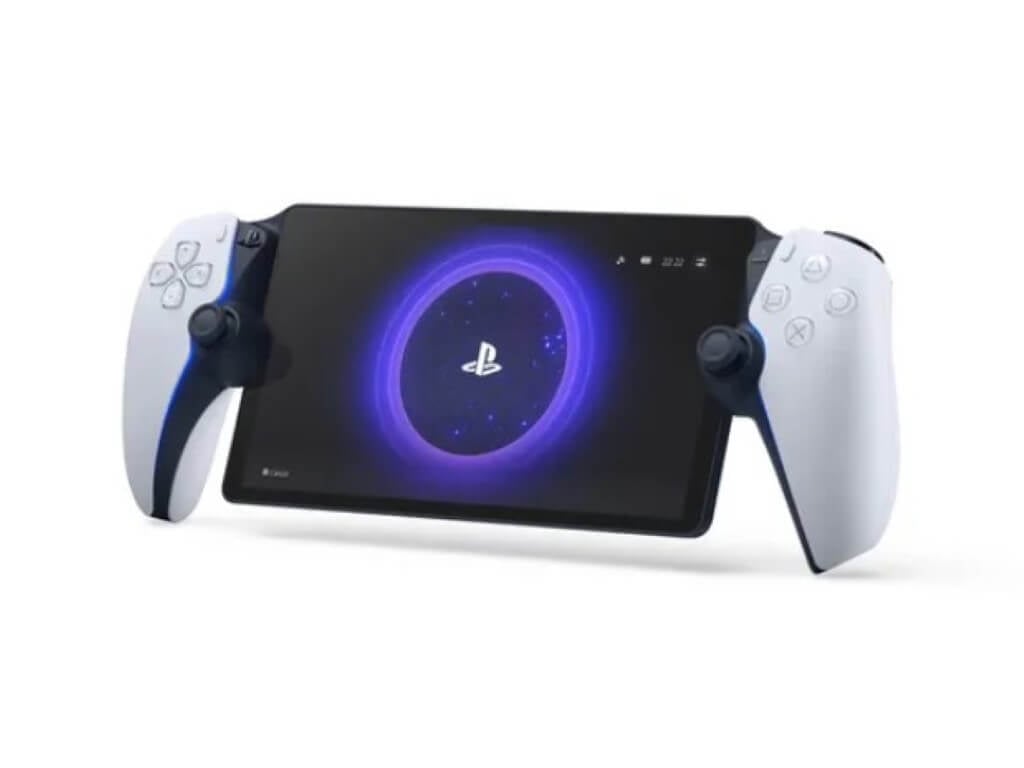
Sony just released a major software update for the PlayStation Portal today, March 18, bringing a highly requested visual upgrade to the handheld device. Players around the world can now access a new high-quality streaming mode that drastically improves how games look on the screen.
This update directly tackles one of the biggest complaints users had about the portable console by allowing games to stream at a much higher data rate than before.
How the new high-quality mode improves remote gameplay
The standard 1080p setting on the PlayStation Portal sometimes struggles with visual compression. This often causes noticeable pixelation or blurry blocks during fast-moving action scenes. To fix this common issue, Sony added a specific 1080p High Quality mode that works across both standard remote play and cloud streaming. This specific setting forces the device to use a higher bitrate.
It gets more data from your internet connection to push a cleaner and much more stable image to the screen. If you have a strong Wi-Fi setup at home, you will immediately notice sharper details and fewer visual artifacts while playing your favorite titles.
Steps to turn on the new visual settings
Players need to turn this feature on manually, as it does not activate by default. You can find it by opening the quick menu, heading into the maximum resolution settings, and selecting the new high-quality option. You must restart your current game session for the graphical changes to actually apply.
Upgraded notifications for trophy hunters and multiplayer
Along with the graphical boost, this software update brings several practical changes to the daily user interface. When you finally unlock a difficult trophy, the on-screen notification now clearly displays the actual name and image of the achievement. Platinum trophies even get a special visual animation. Sony also made it easier to spot game invites while streaming multiplayer titles, so you are less likely to miss a notification when a friend wants to jump into a match.
Better menus and easier setup for new players
Navigating your game library is faster now because the digital keyboard pops up instantly the moment you open the search menu. Sony also improved how game bundles display in the cloud, letting you pick the exact game you want to stream right from the product page. Finally, setting up a brand new device takes much less time.
New buyers can simply scan a QR code with their mobile phone to create a PlayStation account or sign in. This skips the extra process of manually typing out long passwords on a small touch screen.
Google recently removed a massively popular browser extension called “Save image as Type” from the Chrome Web Store after discovering it contained hidden malware. Millions of people relied on this specific tool every day to quickly download pictures from the internet in convenient formats like JPG, PNG, or WebP. The sudden removal left many users confused and scrambling for safe alternatives.
However, the real surprise is how long the extension managed to stay active and highly visible on Chrome. Microsoft actually caught the exact same malware and kicked the tool out of its Edge browser add-on store more than an entire year ago.
How the extension secretly hijacked shopping commissions
While Google simply stated the extension contained malware, independent code investigators uncovered exactly what the program was doing behind the scenes. The tool was not stealing personal passwords or locking up computer files. Instead, it was secretly running a background script to hijack retail affiliate links.
Whenever a user visited a major online store like Amazon or Best Buy, the extension would load a hidden webpage frame. It then swapped out any existing affiliate tags with its own specific tracking codes. This meant the creators of the extension were quietly pocketing the referral money for purchases made by the extension’s one million active users.
It is definitely concerning that a tool with such obviously malicious behavior managed to survive on the official Chrome Web Store for an extra year after a rival company flagged it. During that extended lifespan on Chrome, “Save image as Type” continued to rack up daily downloads. It ultimately reached a high user rating of 4.2 stars based on nearly two thousand reviews.
People genuinely loved how simple and useful the tool was for saving daily images. That basic utility is exactly why the hidden background script was able to go entirely unnoticed by the average internet user for so long.
Wuthering Waves took the gaming community by storm when it originally launched in 2024 for PC and mobile devices, followed by a highly anticipated PlayStation 5 release in 2025. The free-to-play action game quickly built a massive player base by offering fast combat and a sprawling open world to explore.
While PlayStation and PC players have been enjoying the game for a while, Xbox fans were left wondering if they would ever get a chance to play. Now, recent clues suggest the game is actually preparing for an Xbox release.
Clues hidden inside the game files point to an Xbox release
The speculation started when observant players began digging through the latest update files for the game. Data miners discovered new graphic assets that clearly match the standard Xbox controller layout. Along with these new button prompts, they also found specific lines of code tied directly to the Xbox network and profile systems.
Game developers usually only add these specific types of files to the public client when they are actively testing a console port behind the scenes.
While Kuro Games has not made a formal announcement just yet, finding native Xbox icons in the live update code is a very strong indicator that a launch plan is in motion.
Why landing this massive free-to-play game matters for Xbox
Microsoft has historically struggled to land massive free-to-play action role-playing games from Asian development studios at launch. The direct competitor to this game skipped the Xbox platform entirely for years before finally confirming a port just recently. If Wuthering Waves arrives on Xbox consoles, it would be a major win for the platform. Do note that Microsoft is planning to launch Halo and other big games early this year.
Xbox players would get immediate access to a highly popular action game as the community continues to grow. Bringing this specific title over helps Microsoft fill a noticeable gap in its current software library.
It also gives console owners a huge new adventure to dive into without needing to buy an expensive gaming computer or play on a tiny phone screen.
Microsoft just made a notable update to its AI Foundry platform by adding OpenAI’s newest compact models. Developers can now access GPT-5.4 mini and GPT-5.4 nano directly through the service. These smaller versions of the flagship AI are built specifically for speed and efficiency.
Instead of relying on massive computing power for every single task, companies can use these lightweight options to run basic background processes much faster and cheaper.
Why developers care about smaller and faster AI models
Big AI models are great for complex reasoning, but they take time to generate answers and cost a lot to run. The tech industry is shifting toward smaller tools that get specific jobs done without the heavy computing overhead. GPT-5.4 mini handles moderate tasks like drafting text or summarizing long reports quickly.
The nano version is even smaller. It is designed for situations where instant responses are absolutely critical. Think about basic customer service bots that need to reply in milliseconds or simple text sorting tools on smartphones.
By putting these models right into the Foundry ecosystem, Microsoft lets developers swap between heavy and light models depending on exactly what their application needs at any given moment.
What this integration means for everyday software costs
Running AI features constantly can drain a company’s budget quickly. Every time a user interacts with a smart feature, the company pays for the computing power to generate the response. The mini and nano options drastically lower that base cost.
Creators using Microsoft Foundry can now route simple user requests to the cheap nano model. They only need to wake up the larger, more expensive models when a user asks a highly complicated question. This routing strategy makes it economically possible to put smart features into free apps or standard software without losing money.
Smaller businesses that previously could not afford the cloud bills for top-tier artificial intelligence now have a realistic entry point. Ultimately, this means everyday users will start seeing quick text analysis and helpful tools pop up in more standard applications, simply because the developers can finally afford to run them continuously.
For context, running the standard GPT-5.4 model currently costs $2.50 per million input tokens and $15.00 per million output tokens. The new mini and nano options operate at a mere fraction (starting from $0.20/million) of these rates.
OpenAI has signed a new agreement to provide its artificial intelligence models to the United States defense and government agencies using Amazon Web Services. This arrangement covers both classified and unclassified operations. The move gives the company direct access to federal systems where Amazon is already deeply integrated.
It also marks a major operational shift for OpenAI. The company previously limited its federal work to unclassified public sector projects but has now secured a direct pipeline for classified military applications.
OpenAI is filling the void left by the Pentagon’s dropping Anthropic
This new partnership comes right after the Pentagon ended its relationship with rival AI developer Anthropic. Anthropic originally held a major defense contract and worked alongside companies like Palantir to deploy its systems. However, the company refused to allow its models to be used for autonomous weapons or domestic surveillance. The Defense Department then labeled Anthropic a supply chain risk and halted its government projects in February. Notably, the Pentagon is also developing its own AI tools.
OpenAI moved quickly to take over that space. By teaming up with Amazon, OpenAI bypasses the years of compliance testing usually required to build secure federal networks. Instead, the company can simply run its models on Amazon’s existing and approved classified cloud environments.
It is changing the competitiveness for federal tech contracts
Operating inside classified defense networks proves OpenAI is willing to handle highly sensitive national security data. This agreement also builds on the massive $50 billion financial investment Amazon committed to OpenAI earlier this year. While Microsoft remains the primary partner for commercial products, this Amazon channel gives OpenAI a new way to distribute its technology to the public sector.
The market for government technology is highly competitive right now. Companies like Google and Palantir are also chasing these federal contracts. However, plugging directly into Amazon gives OpenAI an immediate advantage in scale and reach.
Transitioning to a new AI system takes time, but defense officials are actively pushing to get these new models operational quickly.
Microsoft just released PowerToys 0.98, and it brings some highly requested updates to the popular utility suite. If you spend time customizing your Windows setup, this release has a few new things you will want to check out. The main highlight is a brand new visual extension called the Command Palette Dock.
Alongside that addition, the company has rebuilt the Keyboard Manager from the ground up and tweaked CursorWrap to handle multiple monitors much better.
A unified look for the keyboard manager
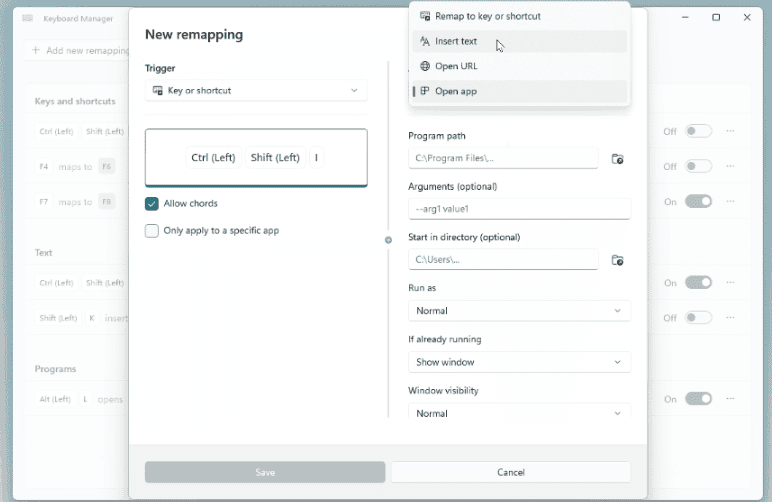
The Keyboard Manager has a completely rebuilt interface. Instead of jumping between separate windows, you now get a single screen to handle all your single key and shortcut remappings. You can also toggle specific remappings on or off without having to delete them entirely. It is still in preview, so you have to enable the new editor in your settings, but your old shortcuts will carry over without any issues.
Pin your favorite tools with the command palette dock
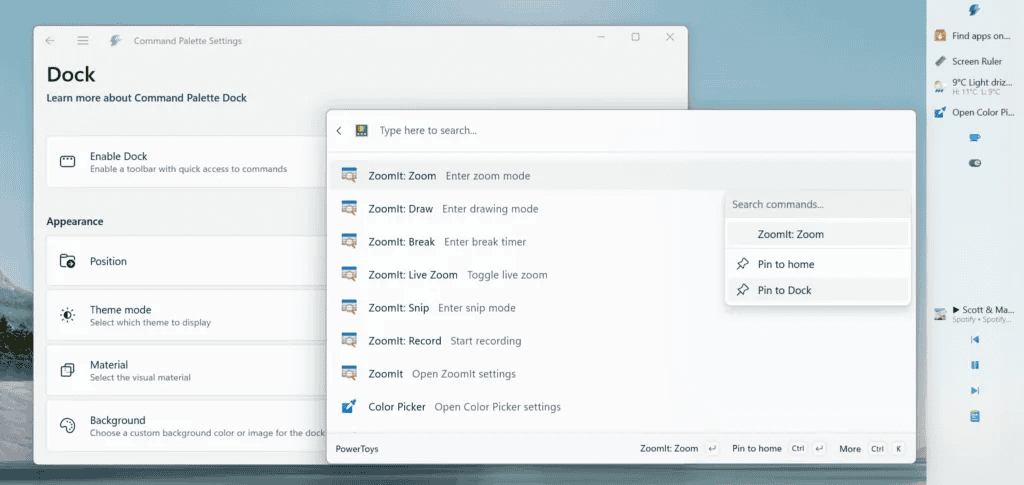
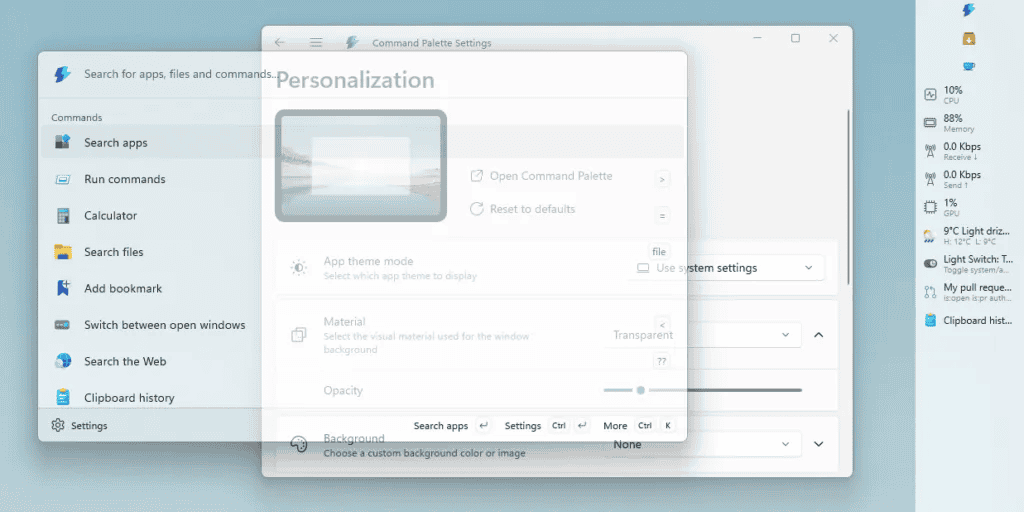
Command Palette now features an optional dock that stays visible on your screen. You can pin the dock to the top, bottom, left, or right edges of your display. It gives you quick access to your most-used commands and extensions. You can right click items in the palette to pin them, and rearrange the dock to fit your daily workflow. The palette itself is also faster now and includes new window transparency options. It’s worth mentioning that a recent PowerToys update fixed some Command Palette issues.
Smarter cursorwrap for multi-monitor setups
CursorWrap just got a rewrite to make it more reliable if you use multiple screens. The underlying engine now understands complex monitor layouts much better. You also get new activation options. For example, you can set CursorWrap to only trigger when you hold the Control or Shift key. You can also disable it entirely if you unplug your extra monitors and only have a single screen connected.
Extra tools get small quality-of-life updates
Other smaller changes include an update to Always on Top. You can now right click a window title bar to pin it to your screen. You can also adjust the transparency of those pinned windows with a quick keyboard shortcut. ZoomIt also received a new video editor to help you trim screen recordings.
Microsoft is significantly reducing free access to its built-in artificial intelligence tools. Starting on April 15, 2026, commercial customers will lose direct access to Copilot Chat inside core Office apps unless they pay for a specific premium license. This change marks a major shift for people who rely on these tools to speed up their daily work without needing to pay extra for an expensive add-on.
What exactly is changing for business users in April
Right now, if you have a qualifying Microsoft 365 business or school account, you can use Copilot Chat directly inside Word, Excel, PowerPoint, and OneNote. This allows you to draft documents, analyze spreadsheet data, or summarize presentations without leaving the app or paying extra.
Starting next month, that changes. Microsoft will require a dedicated Microsoft 365 Copilot license to use the chat assistant inside those specific programs. If you do not have that paid add-on, you will have to use the standalone Microsoft 365 Copilot app instead of having the tool integrated right next to your work.
There is one exception to this new rule. The company says Copilot in Outlook will still work for users without the premium license, allowing them to summarize emails and check their calendars.
Clearing up the confusion around the new pricing tiers
The shift seems to be part of a larger strategy to separate the company’s free and paid artificial intelligence offerings. Microsoft says reserving the in-app experience for paid users ensures those customers get access to advanced reasoning and model choices.
To help users figure out exactly what they have access to, Microsoft is updating its labels. People using the free version will soon see their tool labeled as “Copilot Chat (Basic).” Those who pay for the premium add-on will see “M365 Copilot (Premium).”
If your organization already pays for the Microsoft 365 Copilot license, you will not notice any changes to your daily workflow. The chat tools will remain right where they are in your Office apps.
For everyone else, this marks a clear push by Microsoft to encourage business customers to upgrade their subscriptions if they want to keep using artificial intelligence directly in their documents and spreadsheets.
Microsoft just launched a preview for a new Microsoft 365 feature that turns form responses into formatted files. The tool is called structured document generation. It allows teams to build consistent files like daily reports, contracts, and welcome letters without manually copying and pasting data.
How the document generation works
The process starts with a standard Word document. Artificial intelligence scans your template to identify which fields need custom information. It then automatically creates a shareable form based on those specific blank spaces.
You do not need to write any custom code or build complex automated workflows to make this happen. Once the system generates the form, you can send the link to anyone in your organization. The user simply opens the link and types their answers into the blank boxes. After they click submit, Microsoft 365 instantly creates a new file.
This new file preserves your original layout, fonts, and specific legal language. The only changes are the details the person entered into the form. This setup helps prevent formatting errors and stops people from accidentally deleting important clauses in standard agreements.
It is especially useful for human resources teams generating offer letters or project managers who need to produce predictable weekly status reports.
Where the files live and what you need
Everything you create with this tool connects directly to SharePoint. Storing the output there keeps company records organized in a central location rather than scattered across different hard drives. It also ensures every newly generated file automatically follows your existing security rules and document retention policies.
You will need a Microsoft 365 Copilot license to build the original templates and set up the forms. The people who actually fill out the forms and generate the final files do not need a Copilot license.
This capability is currently available to organizations enrolled in the AI in SharePoint public preview program. Microsoft is actively collecting user feedback during this testing phase to improve how the tool handles large-scale file creation before rolling it out to all users.
The Pentagon is moving away from commercial artificial intelligence providers and building its own systems, after a major legal fallout with Anthropic. Defense officials recently confirmed the military is actively developing internal language models to handle sensitive operations. This decision follows a move to label Anthropic a potential supply chain risk, pushing the government to create tools it can fully control without relying on outside corporations.
Bringing artificial intelligence development inside the government
Relying on outside companies for critical technology has always carried risks for the USA. Cameron Stanley, the chief digital and artificial intelligence officer for the Pentagon, recently stated the military is bringing multiple language models into secure, government-owned environments. Instead of renting software that might change or become restricted by corporate policies, defense leaders want systems they own from the ground up.
Building these tools internally means the military can train models on classified data without worrying about information leaking to public servers. It also allows developers to customize the software specifically for combat logistics, intelligence analysis, and complex mission planning.
The goal is to build an arsenal of artificial intelligence that operates entirely within secure military networks, free from the shifting priorities of the commercial tech industry.
The challenge of replacing established commercial tech companies
Creating a massive artificial intelligence system from scratch is an incredibly difficult undertaking. Companies like Anthropic have spent billions of dollars and years of research to get their models working reliably. The Pentagon now faces the massive task of matching that level of performance using internal government resources.
While the military has the budget to hire top engineering talent, the defense sector often struggles to move as quickly as private startups. However, the decision to label commercial providers as a supply chain threat shows that defense officials prioritize total security and operational control over speed.
Moving away from established tech giants is a huge gamble. The success of this new internal development project will determine how the military handles critical data for the next decade.
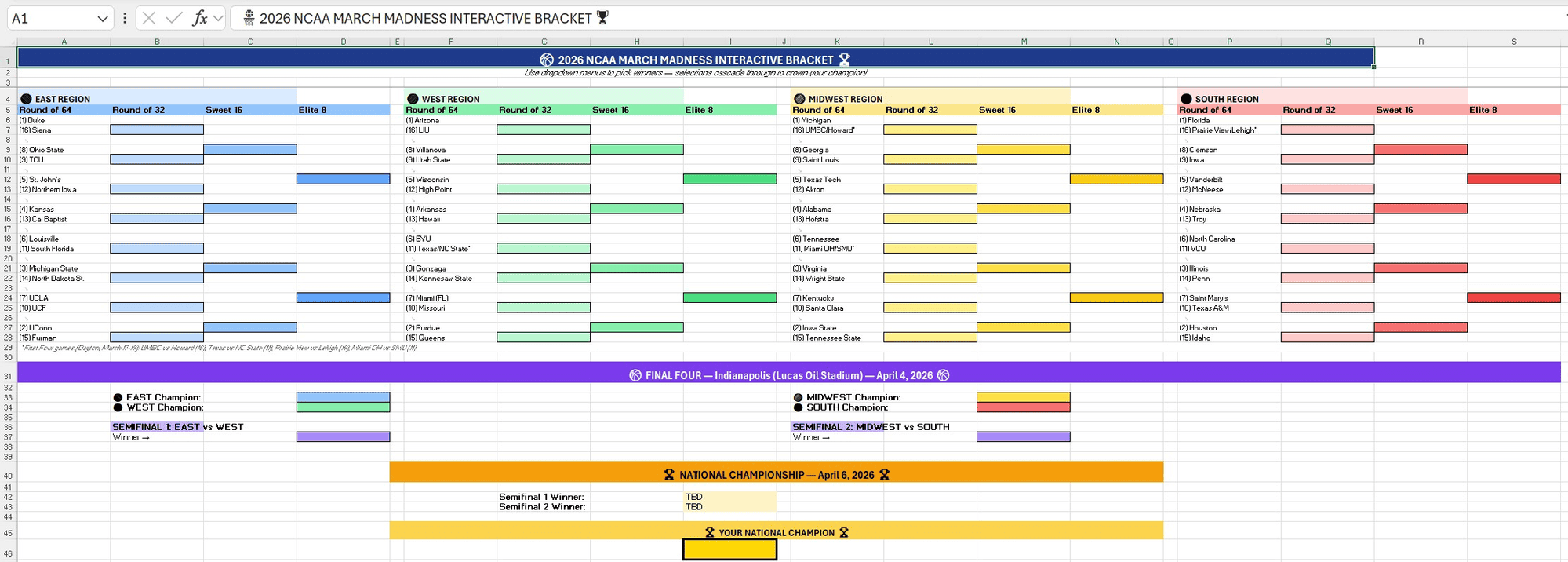
Bracket season comes with a familiar challenge. You want to pick a winning bracket, but you probably do not want to spend hours cross-checking team stats. Microsoft recently outlined a way to skip the manual spreadsheet work entirely. You can now use Copilot in Excel to generate, test, and compare basketball brackets using plain text prompts.
Instead of copying data and building formulas yourself, you just tell Copilot what you want. It handles the formatting and data pulling so you can focus on making your picks. So, here’s how you can set it up.
Setting up your bracket
First, open a new Excel workbook and make sure the Edit with Copilot feature is active. You can then type a prompt asking it to build a 2026 men’s or women’s college basketball bracket.
Tell Copilot to include the latest teams and seeds. You should also ask it to create dropdown menus for the matchups. This gives you a clean template where you can just click to advance teams through each round. You can even ask the tool to customize the sheet with your favorite team’s official hex colors and conditional formatting.
Stress testing the upsets
Picking a bracket strictly by the higher seed rarely works out. You need to account for upsets. Copilot lets you spin up different scenario tabs to see how wild outcomes impact the rest of the tournament.
You can ask it to model a run where a low seed makes it to the Sweet 16. You could also tell it to simulate a bracket where most of the top seeds lose early. The tool will adjust the path to the championship based on those rules. If you want to factor in recent performance, you can prompt Copilot to calculate a momentum multiplier based on late-season games.
Comparing the final options
After running a few scenarios, you will have a few different brackets. Copilot can look at all of them and help you decide which one actually to submit. Ask it to run a comparison analysis. It will generate charts showing how many upsets each bracket relies on and highlight your riskiest picks.
You can then ask for a recommendation based on your strategy. It will tell you which version to use if you want to play it safe, and which one to pick if you are trying to win big.
Last week, Microsoft announced some leadership changes to its experiences and devices division, as long-time leader Rajesh Jha announced to retire this June. Now, the company is making yet another internal restructruing as it looks to double down on its AI goals. In an internal email shared with employees this morning, Microsoft CEO Satya Nadella confirmed that the company is restructuring its Copilot organization to bring consumer and commercial versions under a single unified system.
At a time when AI tools are rapidly evolving beyond simple assistants, Microsoft appears to be positioning Copilot as a more integrated, end-to-end experience. The company says this move will help transition from separate AI products into a connected system spanning apps, platforms, and underlying models.
Microsoft unifies Copilot across products and platforms
As part of the restructring, Jacob Andreou will lead the Copilot experience across both consumer and enterprise segments. He will oversee design, product, growth, and engineering, and will report directly to Nadella. Microsoft says the goal is to streamline how users interact with AI across different services.
Meanwhile, Mustafa Suleyman will continue to lead the company’s AI and “superintelligence” goals. His focus will remain on advancing core AI models, which Microsoft sees as critical to long-term competitiveness. Notably, the restructuring also brings together key leaders including Ryan Roslansky, Perry Clarke, and Charles Lamanna to oversee Microsoft 365 apps and the Copilot platform. Together, they will form a new Copilot Leadership Team which will aim to align product strategy with AI development.
Focus shifts toward AI models and agentic future
Microsoft’s message highlights a bigger shift happening behind the scenes. The company is doubling down on building advanced AI models that can power more complex, multi-step tasks, often referred to as “agentic” capabilities.
Speaking about the change, Suleyman says, “The next phase of this plan is to restructure our organization to enable me to focus all my energy on our Superintelligence efforts and be able to deliver world class models for Microsoft over the next 5 years. These models will enable us to build enterprise tuned lineages that help improve all our products across the company. They’ll also enable us to deliver the COGS efficiencies necessary to be able to serve AI workloads at the immense scale required in the coming years. Achieving all this will be a huge challenge, and I’m committing everything we have – and I have personally – to make it happen.”
Meanwhile, Nadella, speaking about the company’s superintelligence effort and Suleyman’s importance, says, “Mustafa Suleyman and I have been working towards this plan for some time, and he will continue to lead this high ambition work, reporting to me. Mustafa is uniquely qualified to drive this forward, with his deep focus and commitment to advancing the frontiers of model science, while also ensuring that human control, agency, and economic opportunity remain at the center of these advancements.”
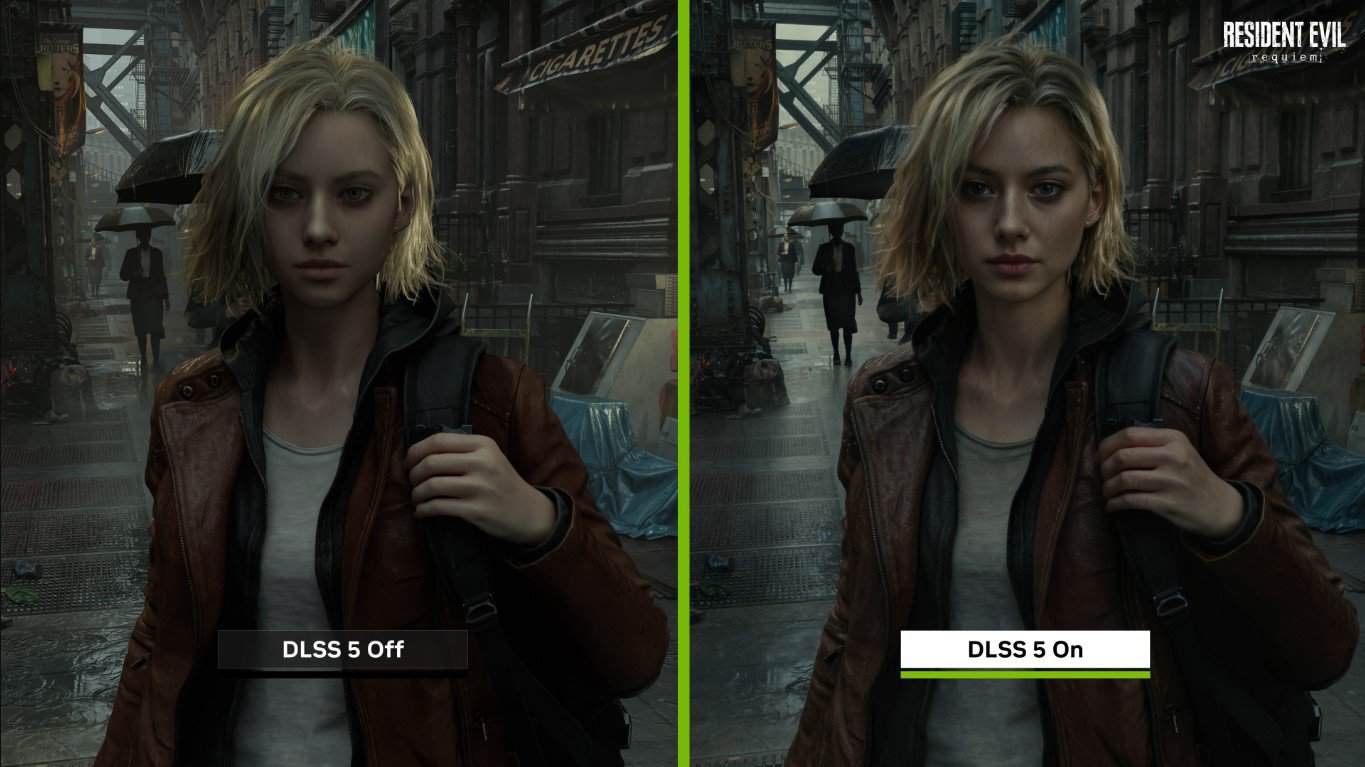
At the ongoing GTC 2026 event, NVIDIA not only unveiled DLSS 5, but also confirmed that 20 games are coming with support for DLSS 4.5 or an upgrade to it.
That said, the company has also noted that before DLSS 5, NVIDIA continues rolling out DLSS 4 Multi Frame Generation with titles like Crimson Desert and DEATH STRANDING 2: ON THE BEACH. Meanwhile, John Carpenter’s Toxic Commando is now available with the feature.
Speaking of games with or an upgrade to DLSS 4.5 and include , here’s a list for you to check:
INDUSTRIA 2 will get DLSS 4.5 Super Resolution support
Samson is releasing on April 8 with DLSS 4.5 Super Resolution and Ray Tracing
Sea of Remnants coming with DLSS 4.5 Super Resolution and Path Tracing
StarRupture is upgrading to DLSS 4.5 and adding Ray Tracing
STAR WARS: Galactic Racer
The Mound: Omen of Cthulhu
The Vernyhorn
Tides of Annihilation
WARDOGS
War Thunder is upgrading to DLSS 4.5 Super Resolution
Where Winds Meet is upgrading to DLSS 4.5 Super Resolution
With DLSS 4.5 already integrated into dozens of titles and DLSS 5 on the horizon, it appears NVIDIA is doubling down on AI-assisted gaming performance. It will be interesting to see how this technology will redefine the visual quality of upcoming AAA titles in PC gaming this year.
Microsoft has paused the automatic rollout of the Microsoft 365 Copilot app on Windows devices outside the European Economic Area. The decision comes unexpectedly as the company continues expanding its AI ecosystem across products.
The Copilot rollout was suddenly halted
According to an update in the Microsoft 365 Admin Center (Message ID MC1152323), Microsoft has stopped automatically installing the Microsoft 365 Copilot app on supported Windows devices outside the EEA. The company has not shared a reason for this change.
The Copilot app connects AI-powered features across Microsoft 365, allowing users to access assistance directly inside apps like Word, Excel, and PowerPoint. It also supports newer capabilities such as AI agents and Copilot Notebooks.
Originally, Microsoft planned to begin automatic installations in December 2025 on devices with Microsoft 365 desktop apps already installed. That rollout has now been put on hold.
Existing users and IT admins unaffected
Devices that already have the Copilot app installed will continue to work normally. The pause only affects new automatic deployments.
IT administrators still retain full control and can deploy the app manually using enterprise management tools. This ensures organizations can continue adopting Copilot on their own schedule.
When Microsoft resumes the rollout, the app will automatically appear in the Start Menu and be enabled by default. Admins will also have the option to disable this behavior through the Microsoft 365 Apps Admin Center.
To opt out of automatic installation, admins can navigate to: Customization > Device Configuration > Modern App Settings. From there, they can disable the option for automatic Copilot app installation.
Copilot strategy continues to evolve
The pause highlights a broader shift in Microsoft’s Copilot strategy. While the company is pushing forward with AI features, it is also adjusting how and when those features reach users.
Recent developments show both expansion and restraint. Microsoft is working on intelligent summaries for the Copilot Dashboard and has introduced new initiatives like Copilot Health. At the same time, the company has stepped back from deeper Copilot integration into Windows 11 areas such as notifications and system settings.
For now, users outside the EEA will not see the Copilot app automatically installed on their devices. Organizations that want early access must deploy it manually.
The pause suggests Microsoft is refining its rollout approach, likely balancing user experience, enterprise control, and feedback before pushing Copilot more broadly across Windows devices.
Xbox Game Pass Wave 2 lineup for rest of March and early April
DreamWorks Gabby’s Dollhouse: Ready to Party is available today on Xbox Game Pass, March 17, across Cloud, Xbox Series X|S, and PC for Ultimate, Premium, and PC Game Pass subscribers. The colorful, music-filled adventure game allows players to explore rooms, enjoy playful mini-games, and celebrate teamwork with Gabby and friends.
Starting tomorrow, March 18, through April 7, 11 new titles will be making their way to the Xbox Game Pass catalog. Here’s a quick look at games coming soon:
Game Title
Release Date
Platforms
South of Midnight
March 18
Cloud, Console, Handheld, and PC
The Alters
March 18
Cloud, Xbox Series X|S, and PC
Disco Elysium – The Final Cut
March 19
Cloud, Xbox Series X|S, and PC
Like a Dragon: Infinite Wealth
March 24
Cloud, Console, Handheld, and PC
Absolum
March 25
Cloud, Xbox Series X|S, and PC
Nova Roma (Game Preview)
March 26
PC | Available day one with Xbox Game Pass
The Long Dark
March 30
Cloud, Console, and PC
Resident Evil 7: Biohazard
March 31
Cloud, Console, and PC
Barbie Horse Trails
April 2
Cloud, Console, Handheld, and PC
Clair Obscur: Expedition 33
April 2
Cloud, Xbox Series X|S, Handheld, and PC
Final Fantasy IV
April 7
Cloud, Xbox Series X|S, and PC
Game updates and in-game benefits
The Wave 2 lineup also includes updates and new content for existing titles. Valorant is releasing a new agent, the Croatian Controller Miks, on March 18. Sea of Thieves Season 19 introduces new Acts, PvP events, and seasonal rewards starting March 19. Meanwhile, in-game packs like the Battleworn Secret Service Pack for The Division 2 and the Supercharge Pack for skate. are available now for Xbox Game Pass subscribers.
Leaving Xbox Game Pass
Microsoft has further confirmed that two titles are leaving at the end of this month, March 31:
Peppa Pig World Adventures
Mad Streets
So you have nearly two weeks to finish your journey with these titles. If you wish to continue playing, make sure to buy them separately. As usual, you will get 20% off on these titles when you buy them.
Microsoft Game Pass continues to rotate its catalog, and Wave 2 for March has been confirmed with some great titles. While new games are on the way, players will lose access to a pair of quick-completion favorites before the month ends.
According to TrueAchievements, only two games are scheduled to leave Xbox Game Pass on March 31, 2026, and both are also exiting PC Game Pass.
Two quick-completion games are leaving soon
The titles set to be removed are Mad Streets and Peppa Pig: World Adventures. Both games built a reputation among players for offering fast and easy achievements, making them popular choices for Gamerscore hunters.
Mad Streets includes 10 achievements, and most players can complete it in under two hours. Some achievements require local multiplayer or co-op, so a second controller or another player may help unlock everything.
Peppa Pig: World Adventures features 12 achievements, and players can finish it in under an hour. The game targets a younger audience, which keeps gameplay simple and makes achievements easy to unlock.
Last chance to unlock achievements before removal
Players still have time to download and complete both games before March 31. Once removed, these titles will no longer be available through the subscription unless purchased separately.
For those aiming to boost their Gamerscore quickly, this marks a limited window to complete both games with minimal time investment.
More Game Pass updates are on the way
Microsoft is already preparing the next batch of titles for the service. Replaced and Aphelion are confirmed for April 2026, with more announcements expected soon.
At the same time, the Stream Your Own Game library continues to expand, recently adding 45 new titles, giving subscribers more flexibility in how they access their games.
Microsoft Offers Solution for Locked Files on the C Drive
While the app was temporarily removed from the Microsoft Store, there’s still an issue with files that were lost after the update. Luckily, Microsoft has released a step-by-step guide that affected users can follow to recover their files.
Firstly, users need to sign in as an administrator and uninstall the Samsung Galaxy Connect app. Next, users need to repair drive permissions and add temporary permissions. Lastly, users need to run a .bat repair script to restore default Windows permissions.
By following these steps, the ownership of the C drive should be restored to TrustedInstaller, and affected users should be able to access their files again.
While these steps might seem daunting, users should be able to complete them by following the instructions on the Microsoft support page. If the issue persists, Microsoft suggests contacting Samsung Support.
That’s not the only issue that Microsoft has fixed, as the company has released the KB5084897 emergency update that fixes missing Bluetooth features in Settings.
Yesterday, Microsoft resolved a widespread Exchange Online outage that disrupted access to mailboxes and calendars across multiple platforms. The problem, logged under EX1253275, affected Outlook on the web, desktop clients, Exchange ActiveSync, and other Exchange Online connection protocols. That said, it seems Microsoft 365 apps are continuing to give headaches to users.
Microsoft is reportedly investigating the Teams Meeting Add-in issue affecting Classic Outlook users
Earlier today, Bleeping Computer, citing Microsoft Admin Center Message ID EX1254044, reported that the company has acknowledged a separate issue impacting the classic Outlook desktop client. Microsoft reportedly says that users with the Microsoft Teams Meeting Add-in enabled may be unable to access Outlook Classic due to a previous Outlook build.
At this point, the only workaround available for users is to update Outlook or perform an Online Repair for click-to-run installs, which reinstalls all Office applications. The company has further confirmed that it is working to push the latest version to mitigate this issue.
The news outlet also notes that the company is looking into other problems, including email connection errors, specifically 0x800CCC0F and 0x80070057, which occur when syncing with Gmail and Yahoo accounts.
For now, the only way to avoid the issue is by following the aforementioned workaround. We’ll update this article as soon as we get any news from Microsoft on a permanent fix.
Modern websites range from simple, fast-loading pages to highly interactive app-like experiences. Understanding static vs interactive web pages is important for businesses, developers, and content creators when building an online presence.
While static pages focus on speed and simplicity, interactive pages offer dynamic and engaging features. In this comparison, let’s explore the key differences between the two approaches, including the pros and cons and how to choose the right option in 2026.
What Are Static Web Pages?
Static web pages display pre-produced content that stays the same for every visitor until it is manually updated. When someone visits the site, the server simply delivers the page exactly as it was created, without generating content dynamically.
Most static pages are built using basic HTML for structure and CSS for styling, sometimes with small amounts of JavaScript for minor interactive elements. Those without design or coding experience can easily create static pages using popular content management systems like WordPress or site builders like Wix.
Because the content is prepared in advance, static pages tend to load very quickly and require minimal server resources. Their simplicity also makes them easy for search engines to crawl.
This makes them a popular choice for websites that mainly present information rather than complex functionality.
Common examples include blogs, documentation sites, landing pages, public-facing company sites, and personal portfolios.
However, even these sites may decide that a more interactive experience is a better way to engage visitors.
Pros
Faster loading times for users and search engines.
Easier and cheaper to host with countless easy-to-use tools.
Stronger security due to fewer moving parts.
Easier for SEO purposes.
Minimalist and professional when done right.
Cons
Limited functionality.
Harder to personalize content.
Updates require manual changes.
Less visually engaging and can look outdated if implemented poorly.
What Are Interactive Web Pages?
Interactive web pages respond to user actions and changing data. They let visitors interact with the site rather than simply viewing static content. Instead of delivering the same page to every visitor, these pages can update information dynamically based on user input, location, preferences, or real-time data.
This typically relies on JavaScript and modern frameworks such as React or Vue.js to update parts of the page without requiring a full reload. They may also connect to APIs or databases to fetch new information as users interact with the site.
Common examples include user dashboards, e-commerce filters, social media feeds, and web applications where users can search, submit forms, or customize content.
However, interactivity doesn’t always mean complex features. Some sites focus on creative visual storytelling, where users explore information through scrolling, animations, or immersive layouts.
Some of the best interactive website designs have largely fixed content but make the experience far more engaging than a traditional static page.
Generally, interactive pages are a bit more complex to crawl and require more attention when optimizing for search engines.
They are also more difficult and costly to develop, though modern AI tools and site builders can now do a lot of the hard work for you.
Pros
Visually appealing and engaging when done right.
Supports personalized content and user accounts.
Advanced features like search, filters, and real-time updates.
Can be developed into full-blown web apps and services.
Cons
More complex development.
Higher hosting and maintenance costs.
Harder to optimize for search engines.
It can look gimmicky and be a bad user experience if done poorly.
Emerging Web Design Trends
In 2026, web design is moving towards immersion and AI-driven personalization. Some of the most popular and emerging features right now include:
Generative User Interfaces (GenUI): Instead of a static design, the website’s interface literally rebuilds itself based on the user’s intent. E.g., If a user is searching for a product, the UI minimizes distractions and highlights product comparison tables.
Hyper-Micro-Interactions: Large animations are becoming less common. Instead, designers are focusing on small, purposeful interactions that improve usability. E.g., a “submit” button might have a slight magnetic pull toward the cursor or a “liquid” ripple effect when pressed.
3D and WebGL: Lightweight 3D graphics like rotating product models, virtual showrooms, and interactive maps.
AI Chat: Conversational interfaces such as chatbots or AI assistants. Allows visitors to interact with websites using natural language rather than menus.
Adaptive Themes: Allowing the interface to adjust automatically based on user preferences or device settings. E.g., Dark and light modes, time-of-day themes, and system color schemes.
Cost and Development
One of the biggest differences between static and interactive web pages is the time, expertise, and resources required to build and maintain them.
Developers can create static pages relatively quickly. Hosting is inexpensive because static files can be served efficiently via content delivery networks (CDNs) without the need for complex backend infrastructure.
Interactive websites typically involve more layers of technology, which increases both development time and ongoing costs. Modern web applications often rely on frameworks like React or Vue.js, along with APIs, databases, and server-side services. This means businesses may need larger development teams, more testing, and continuous updates as features evolve.
Static sites require relatively little upkeep beyond occasional content updates, while interactive platforms may need regular security updates, performance optimization, and feature improvements.
How to Choose?
Choosing between static and interactive pages depends on your goals and budget. It’s also about the type of experience you want to provide for visitors.
A corporate business might be better suited to providing straight, static information to the public. However, an artist might want to serve their portfolio with the same level of creativity that permeates their work.
Generally, static pages are well suited to blogs, documentation, company profiles, landing pages, and other info-driven sites. Because they load quickly and are simple to maintain, they can be ideal when performance, reliability, and cost efficiency are the main priorities.
Interactive pages make more sense when a website needs dynamic features or user-driven functionality, especially when the site itself is the product. For example, online tools, dashboards, e-commerce systems, and web apps. These require the ability to process input, retrieve data, and update content in real time.
In some cases, the best solution is a hybrid approach. A website might use static pages for informational content while adding some interactive features. E.g., search functions, data visualizations, simple forms, etc. This allows developers to maintain strong performance while still delivering engaging features where they matter most.
Final Thoughts on Static vs Interactive Web Pages
Both static and interactive web pages have their place in modern web design. Static sites excel in speed, simplicity, and cost efficiency, while interactive pages provide dynamic experiences and advanced functionality.
In 2026, many websites are moving toward hybrid architectures that combine the performance benefits of static pages with the flexibility of interactive components.
NVIDIA is doubling down on its AI ambitions following major announcements at GTC 2026. Alongside new Vera CPUs and space-focused modules, CEO Jensen Huang revealed a bold financial target that could reshape the tech industry.
Jensen Huang Predicts $1 Trillion AI Revenue Milestone
According to Tom’s Hardware, Jensen Huang stated that NVIDIA expects to generate $1 trillion in AI hardware revenue between 2025 and 2027. If the company reaches this goal, it would mark a historic milestone, positioning NVIDIA as the first company to achieve such revenue purely from AI hardware.
The projection builds on already rapid growth. NVIDIA reported $215 billion in fiscal year 2026 revenue, up from $130.5 billion the year prior, despite a 13% drop in gaming revenue.
Growth Trajectory Signals Massive AI Demand
NVIDIA’s forward guidance reinforces its aggressive expansion strategy. For Q1 fiscal 2027, the company expects around $78 billion in revenue, a sharp increase from roughly $44 billion a year earlier.
If this pace continues, projections suggest NVIDIA could exceed $500 billion in annual revenue within the next few years. Some analysts even believe the company could approach $1 trillion in yearly revenue by 2030, depending on how quickly the AI market expands.
Advanced GPU Architectures to Drive Revenue
Future hardware developments will play a key role in sustaining this growth. NVIDIA is preparing next-generation architectures such as Rubin Ultra GPUs, which are expected to adopt quad-chiplet designs, doubling the current dual-chiplet approach.
This design direction may continue with future architectures like Feynman GPUs. More advanced configurations could increase performance while also pushing higher average selling prices, boosting revenue per unit.
Supply Constraints Remain a Critical Challenge
Despite strong demand, supply limitations remain a major concern. NVIDIA relies heavily on manufacturing partners like TSMC, which are expanding capacity cautiously.
Huang emphasized that TSMC would need to double its chip production capacity to meet the growing demand for AI hardware. Without faster scaling, supply constraints could limit NVIDIA’s ability to fully capitalize on market opportunities.
NVIDIA’s outlook underscores the massive scale of AI-driven demand reshaping the industry. However, achieving trillion-dollar revenue will depend on sustained adoption, pricing power, and the ability to scale production.
While the opportunity is unprecedented, the next few years will determine whether supply chains can keep pace with NVIDIA’s ambitions.
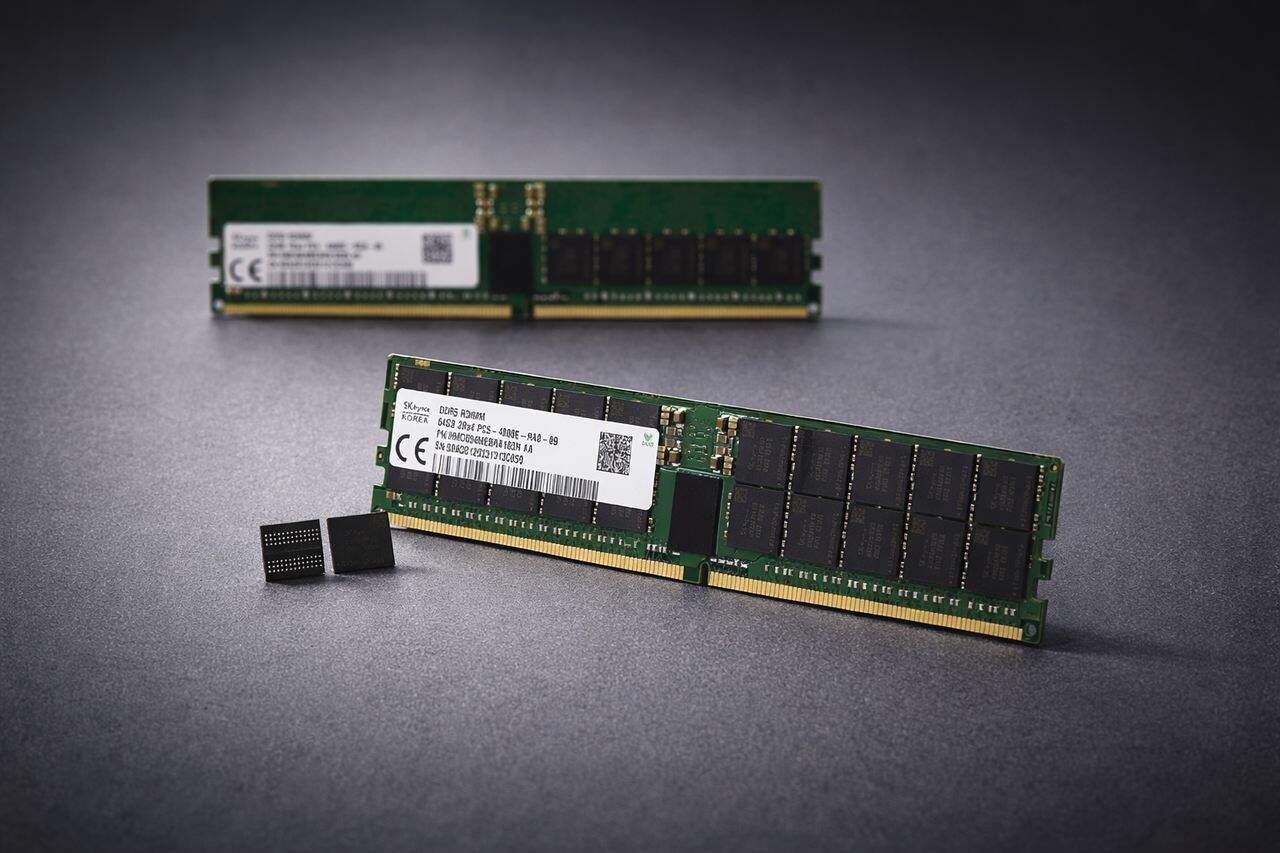
The global memory chip shortage may last significantly longer than expected, with new estimates suggesting it could continue until around 2030. Earlier projections pointed to stabilization by 2028, but fresh insights indicate the imbalance between supply and demand remains far from resolved.
According to Bloomberg, Chey Tae-won, chairman of SK Group, warned that wafer supply currently lags demand by more than 20%. This gap continues to limit semiconductor production and prevents manufacturers from catching up.
AI boom reshapes memory production priorities
The rapid growth of AI infrastructure has shifted how major memory manufacturers allocate resources. Companies such as SK Hynix, Samsung Electronics, and Micron Technology are prioritizing high-bandwidth memory used in AI accelerators, particularly those powering NVIDIA systems.
This strategic pivot has reduced the availability of traditional memory types like DDR and standard DRAM. As a result, industries that rely on conventional memory face increasing supply pressure.
Rising prices and industry-wide impact
The shortage already affects multiple sectors, from consumer electronics to automotive manufacturing and cloud infrastructure. Laptop prices alone could rise by as much as 40% due to ongoing hardware constraints.
Companies also face disrupted planning cycles and tighter profit margins as memory costs remain elevated. The imbalance continues to ripple across supply chains, making long-term forecasting more difficult.
SK Hynix explores financial and pricing strategies
SK Hynix is reportedly working on measures to stabilize memory pricing, though specific plans have not been disclosed. The company is also considering listing American depositary receipts to narrow its valuation gap with competitors such as Micron.
These moves suggest that memory producers are preparing for a prolonged period of constrained supply and strong demand.
AI growth keeps pressure on memory markets
The continued expansion of AI technologies remains the main driver behind the extended shortage. As more companies invest in AI infrastructure, demand for advanced memory solutions continues to rise, leaving less capacity for traditional components.
This shift indicates that elevated memory prices and limited supply may persist for several more years.
In other developments, NVIDIA recently introduced its Vera CPU, designed to handle demanding AI workloads, further highlighting the growing pressure on memory ecosystems.
Intel has officially launched its new Core Ultra 200HX Plus series, bringing fresh options for gamers, creators, and professionals seeking high-performance mobile processors. The new lineup introduces two chips: the Intel Core Ultra 9 290HX Plus and the Intel Core Ultra 7 270HX Plus, both designed to push mobile computing further with smarter performance improvements.
Intel Core Ultra 200HX Plus series boosts mobile performance for gaming and content creation
Intel highlights the new Binary Optimization Tool, a first-of-its-kind feature, which improves native performance in select games and workloads. Combined with higher die-to-die frequencies, the 290HX Plus promises up to 8% faster gaming performance and 7% better single-threaded performance compared to the previous Ultra 9 285HX.
Users upgrading from older devices can see up to 62% faster gaming and 30% faster single-threaded performance compared with Intel Core i9-12900HX. Connectivity and workflow improvements also get a notable upgrade. The processors support Intel Wi-Fi 7, Bluetooth 5.4, and Thunderbolt 5, which allows up to 80 Gbps bidirectional bandwidth. This makes streaming, file transfers, charging, and daisy-chaining multiple peripherals faster and smoother than before.
Intel confirms that several partner OEMs are already rolling out systems powered by the Core Ultra 200HX Plus series. This includes Acer’s Predator Helios Neo lineup, ASUS ROG Strix SCAR 18, Dell Alienware 16 and 18 series, Lenovo Legion Pro 7i, Razer Blade 18, and many others. Availability starts today, March 17, 2026, with more models set to launch throughout the year. Here’s a complete list shared by Intel, in case you want to check:
Origin PC Gaming Notebook EON18X, Origin PC Gaming Notebook EON16X
Puget
Puget Mobile C162-G
Razer
Razer Blade 18
Speaking about the launch, Josh Newman, General Manager and Vice President of Product Marketing, Client Computing Group, says, “With the introduction of the Intel Core Ultra 200HX Plus series, we’re pushing mobile computing performance even further for the gamers, creators, and professionals who demand the best. With higher die-to-die frequencies and our new Intel Binary Optimization Tool, the new Intel Core Ultra 9 290HX Plus and Ultra 7 270HX Plus deliver meaningful, real‑world performance gains so users can experience smoother gameplay, faster creation workflows, and more responsive workstation performance.”
Nintendo has officially rolled out system update 22.0.0 for the Switch 2. The update comes with a few feature upgrades and quality-of-life improvements. However, one feature stands out for gamers who use the Handheld Mode.
Switch 2 update adds Handheld Mode Boost for better visuals while playing Switch 1 games
The new Handheld Mode Boost option allows compatible Switch 1 games to run as if they are in TV mode while in handheld. In simple words, after the update, you are in for better visuals and improved performance when playing on the go, though some features may behave differently.
As far as system changes are concerned, Nintendo has also updated on-screen text and animations when loading virtual game cards. There is now an option to save notes about friends in your Friend List, which remain private and can be edited through the Nintendo Switch App.
The latest Switch 2 update also brings some improvements to GameChat. Players can now invite friends into GameChat rooms more easily, even if they haven’t completed the initial setup. Nintendo has also improved screen sharing quality, which may make multiplayer sessions feel smoother.
Moving on, the update adds small but useful changes like the ability to rewind or skip videos in News and the eShop, better control over Automatic Uploads. Storage management also gets a boost as you get breakdowns of the system and microSD usage.
Notably, Nintendo is also improving Airplane Mode with better control over Bluetooth, Wi-Fi, and NFC settings. “When Airplane Mode is activated, the previously set preferences for Bluetooth, Wi-Fi, or NFC while in Airplane Mode will be saved and applied. Added the ability to individually enable or disable Bluetooth, Wi-Fi, or NFC during Airplane Mode from the Quick Settings,” notes Nintendo in the release notes.
Moreover, the update has also added the “ability to see a notification in the Nintendo Switch Parental Controls smart device application when the Parental Controls PIN is input successfully on the console.” However, Nintendo notes that the app must be on version 2.4.0 or higher to “use this functionality.”
It seems that Microsoft Outlook Mobile users will have to wait a bit longer for a streamlined contact management experience. The company has confirmed a delay for its unified contacts feature, which aims to simplify how contacts appear and behave.
Outlook Mobile unified contacts rollout pushed back
Microsoft initially planned to complete the rollout by the end of February. However, according to the Microsoft 365 Admin Center Message ID MC1093912, the timeline has now shifted to late May.
The delay affects a feature designed to address duplicate contact entries, which currently makes it harder for users to quickly select the correct email address when sending messages.
The unified contacts feature aims to simplify contact management
The upcoming update will merge duplicate entries into a single contact profile view. This change should make the process of finding and selecting contacts faster and more intuitive.
Microsoft is also enhancing contact profiles by adding organizational data from company directories, giving users more context about the people they are contacting.
What users can expect from the update?
With the new experience, Outlook Mobile will automatically hide duplicate contacts and present a unified profile instead. Each contact entry will include additional workplace details when available, helping users identify the correct person more easily.
The feature will be enabled by default, and Microsoft will not provide admin-level controls to disable or postpone it. Users will access their contacts through the Contacts section inside the Apps tab in Outlook Mobile.
Admin guidance ahead of the update
Microsoft advises administrators to prepare users for the change by updating internal documentation and communicating what to expect. Ensuring that users run the latest version of Outlook Mobile will also help avoid potential issues.
At the same time, the company continues investigating sync failures and server errors impacting classic Outlook, suggesting a broader effort to stabilize its email platform before rolling out major improvements.
Upgraded PSSR expands to more PS5 Pro titles with better image clarity and stability
Sony confirms that the enhanced PSSR is now available for games like Silent Hill f, Monster Hunter Wilds, Final Fantasy VII Rebirth, and Crimson Desert, with more titles expected to follow. The company further added that Assassin’s Creed Shadows and Cyberpunk 2077 will also receive a patch in the coming weeks to support the new PSSR.
As far as details about PSSR, Sony notes that the feature improves image stability, sharpens fine details, and delivers more consistent performance during gameplay. The updated PSSR continues to use an AI-powered library that analyzes each frame pixel by pixel. With the latest improvements, Sony says image reconstruction is more precise, while motion handling feels smoother in fast-paced scenes.
Interestingly, the feature is not limited to new titles. Sony has confirmed that upgraded PSSR can also be enabled for existing supported games through an optional system setting on the PS5 Pro.
Sony further confirmed that several development partners have already started integrating the updated PSSR into their games and are reportedly seeing a boost in visual output.
Microsoft continues expanding its Copilot ecosystem, with a new feature focused on helping organizations better understand how the AI assistant gets used across teams.
Microsoft has been steadily positioning Copilot at the center of its strategy. Recent updates include a redesigned Copilot Notebooks experience with a three-column layout, the introduction of Copilot Tasks that move the assistant closer to autonomous AI agents, and early steps into healthcare through the newly announced Copilot Health initiative.
These summaries help organizations quickly identify what’s working and what needs attention in Copilot adoption. Instead of manually reviewing usage data, teams can rely on AI-generated insights that highlight key trends and patterns.
The feature focuses on surfacing the most important information, allowing decision-makers to understand adoption levels without deep analysis.
Designed to improve adoption strategies
Microsoft says the summaries will highlight usage trends and success areas, making it easier to see where Copilot delivers value.
Teams can also identify gaps in adoption and prioritize efforts to improve engagement. The goal is to provide actionable insights that help organizations accelerate adoption strategies using AI.
By reducing the need for manual reporting, the feature streamlines decision-making and allows faster responses to changing usage patterns.
Copilot expansion continues across the Microsoft ecosystem
With intelligent summaries coming to the Copilot Dashboard in April, Microsoft is focusing not just on expanding Copilot, but also on helping organizations measure and optimize how they use it.
Embark Studios has officially confirmed that it has replaced parts of its AI-generated dialogue with human voice actors in ARC Raiders, following players’ feedback after the game’s October launch. The company reportedly made the changes after players pointed out issues with immersion, especially around text-to-speech dialogue.
ARC Raiders gets human voice upgrade after AI backlash
In an interview with GameIndustry.biz last week, Embark Studios CEO Patrick Söderlund admitted that the decision ultimately comes down to quality. He noted that professional voice actors still deliver better results than AI, highlighting a noticeable gap in performance during key story moments.
We pay our actors for all time spent with us in the booth and continue to bring many of them back as we carry on updating the game. For select usage, we also pay them for the approval to license their voices through text-to-speech for lines that aren’t as essential to the immersion of the experience, mostly ping system audio.
As far as changes are concerned, the studio is now working on upgrading selected parts of the dialogue with paid voice actors. That said, Embark has not confirmed any plans to fully replace all AI-generated voice content at this point.
We re-recorded some of the lines post-launch and made them with real voices. There is a quality difference. A real professional actor is better than AI; that’s just how it is. We look at [AI] first and foremost as a production tool. We can test things internally. We can test 15 different lines without recording them, and then we know what to record. It’s also a way for us to work, not replace actors. We don’t necessarily believe in replacing humans with AI all the time.
It’s worth noting that AI has been a hot topic in the gaming industry for a while now, especially after the Clair Obscur: Experdition 33 fiasco. To catch you up, the RPG developed by Sandfall Interactive had two Indie Game Awards wins quietly revoked.
Microsoft is expanding Notepad on Windows 11 with image support, continuing its push to modernize the classic app. The feature has been quietly tested internally and recently teased to Windows Insiders.
Microsoft prepares image support for Notepad
According to Windows Latest, Microsoft hinted at the feature in an email sent to Windows Insiders. The preview showcased a new Notepad version that includes an “insert image” toggle.
Source: Windows Latest
This addition suggests users will soon be able to insert and view images directly inside Notepad. Early details indicate support for multiple images, similar to how WordPad previously handled embedded visuals.
Part of a broader WordPad replacement strategy
Microsoft removed WordPad from Windows 11, leaving a gap for users who relied on lightweight document editing. Notepad has since received steady updates, including Markdown and table support.
Image support appears to be the next step in that transition. Microsoft is gradually turning Notepad into a more capable editor without fully transforming it into a complex word processor.
Focus remains on performance and simplicity
Despite these upgrades, Microsoft still aims to keep Notepad lightweight. The company plans to ensure that new features, including image support, do not significantly impact performance.
Users will also retain control over the experience. Microsoft allows optional features to be disabled in settings, so those who prefer a minimal text editor can keep it simple.
No release date yet
The image support feature has not been officially released, and Microsoft has not confirmed a public rollout timeline. For now, it remains in testing and preview stages.
While Notepad continues gaining new capabilities, Microsoft appears to be adjusting its AI strategy in other areas. Reports indicate the company has dropped plans to integrate Copilot into Windows 11 notifications and Settings.
Notepad is steadily evolving beyond a basic text editor, closing the gap left by WordPad while maintaining its simplicity. If image support rolls out widely, it could make Notepad a more versatile tool for everyday tasks without sacrificing performance.
According to Windows Latest, Microsoft is stepping up efforts to promote AI-powered Electron apps on Windows 11, positioning the operating system as a platform built for AI experiences. The company is now actively encouraging developers to integrate on-device AI features into Electron-based applications, offering tools and training to simplify adoption.
Microsoft backs Electron despite criticism
Electron apps, such as Discord, remain widely used across Windows, even though they are often criticized for high RAM usage due to bundling a full Chromium instance. Despite these concerns, Microsoft has made it clear that Electron will continue to play a key role in the Windows ecosystem.
Calling all Electron developers: ready to bring on-device AI experiences into your Electron apps?
Learn how to build Electron experiences using Windows on-device AI, complete with a sample app, demos, and step-by-step setup to get you shipping faster: https://t.co/qxO7ZbXSCMpic.twitter.com/QP43EdxGvo
The company’s strategy aligns with its broader shift toward transforming Windows 11 into an “AI OS,” despite reports that Microsoft is moving away from its earlier “AI Everywhere” messaging. The new direction focuses on enabling AI apps and autonomous agents to run efficiently on-device.
AI integration without native code
Microsoft now allows Electron apps to access built-in Windows AI capabilities without requiring native development. Developers can integrate AI features using JavaScript, which lowers the barrier to entry and keeps cross-platform workflows intact.
This approach aims to accelerate the adoption of AI features across a wide range of apps, especially those already built on web technologies.
Ongoing concerns about performance and bloat
The continued reliance on web-based frameworks has drawn criticism from developers and industry figures. Brendan Eich, creator of JavaScript, has warned against the rapid shift toward web-based user experiences, arguing that technologies like Electron and WebView2 contribute to system bloat and performance issues.
Some companies have already transitioned away from native Windows apps. Meta, for example, replaced its native WhatsApp client with a WebView2-based version, which has received negative feedback from users.
Microsoft itself has expanded WebView2 usage beyond third-party apps, integrating it into core Windows features such as Agenda View. This move has sparked further backlash from users who prefer lightweight native experiences.
Microsoft works on WebView2 improvements
Microsoft is aware of the criticism and is currently testing new tools aimed at improving WebView2 performance. The goal is to make web-based apps feel closer to native applications while maintaining the flexibility developers expect.
While Electron continues to simplify cross-platform development, the challenge remains clear. Microsoft must balance developer convenience with performance expectations as it pushes Windows 11 deeper into the AI-driven future.
NVIDIA is stepping in to address growing pains around OpenClaw, one of the fastest-rising open-source AI agent platforms. At GTC, the company introduced NemoClaw, a new stack designed to simplify deployment and improve security, scalability, and reliability.
OpenClaw has gained traction for enabling autonomous AI agents, often referred to as “claws,” but users have reported challenges around setup complexity and stability. NVIDIA’s new solution aims to remove those barriers.
NemoClaw simplifies AI agent deployment
NemoClaw introduces a streamlined approach to running AI agents, allowing users to install models and runtime components with a single command. The stack combines NVIDIA Nemotron models with the OpenShell runtime, creating a unified environment for building and managing agents.
The goal is to make autonomous AI more accessible, especially for developers and businesses that want to deploy agents quickly without dealing with fragmented tooling.
Focus on security, privacy, and scalability
NVIDIA emphasizes that NemoClaw brings enterprise-grade safeguards to OpenClaw deployments. The platform uses the NVIDIA Agent Toolkit to provide an isolated sandbox environment where agents can operate safely.
It also introduces policy-based controls for privacy and security, along with restricted network access. These features aim to ensure that autonomous agents can run continuously without exposing sensitive data or creating vulnerabilities.
Hybrid AI approach for flexibility
One of the key innovations in NemoClaw is its hybrid AI model strategy. Users can run models locally using Nemotron or connect to more advanced cloud-based models through a privacy-focused routing system.
This setup allows AI agents to expand their capabilities while still operating within defined guardrails. It also supports continuous learning, enabling agents to evolve and handle more complex tasks over time.
Built for RTX and enterprise AI hardware
NemoClaw supports a wide range of NVIDIA hardware, from GeForce RTX PCs and laptops to RTX PRO workstations and high-end systems like DGX Station and DGX Spark.
These platforms provide the compute power required for always-on AI agents, reinforcing NVIDIA’s vision of persistent personal AI ecosystems.
With NemoClaw, NVIDIA positions itself at the center of the emerging autonomous agent ecosystem, pushing toward a future where personal AI operates continuously across local and cloud environments.
Intel Xeon 6 confirmed as host CPU for DGX Rubin NVL8 systems
In the announcement post, Intel confirmed that Intel Xeon 6 will help manage memory access, workload distribution, and overall system coordination. The company further highlighted that as AI moves toward real-time inference and agentic systems, the role of the CPU becomes increasingly important in keeping GPU performance efficient and stable.
Not to forget, Xeon 6 also brings support for up to 8TB of system memory, along with significantly higher memory bandwidth using MRDIMM technology. It also features PCIe 5.0 lanes, which allow for faster communication between GPUs and other components. Notably, the company is also pushing its efficiency claims, noting better performance per watt and balanced output across mixed workloads.
As far as platform capabilities are concerned, Xeon 6 is designed to support a wide AI software ecosystem, including new support for NVIDIA Dynamo for heterogeneous inference. The processor also focuses on reliability in enterprise environments, with improved orchestration of GPU-accelerated systems.
Intel has also focused on security, as it confirmed integration of features like Trust Domain Extensions and encrypted CPU-to-GPU data paths to protect sensitive AI models and workloads during operation. These additions may appeal to enterprises working with confidential data.
Microsoft has released a new out-of-band update to address a Bluetooth issue affecting Windows 11 users. The fix targets a bug that prevents Bluetooth devices from appearing in system menus, even when they are connected and working.
Bluetooth devices are missing in Windows 11 settings
According to Neowin, the issue impacts systems running Windows 11 24H2 and 25H2. Due to this bug, Bluetooth devices fail to appear in both Settings and Quick Settings, creating confusion for users.
Even when devices remain connected and functional, they do not show up in the interface. This behavior makes it difficult to manage connections or verify device status.
The problem also affects pairing, as new Bluetooth devices do not appear in the available devices list.
KB5084897 update delivers targeted fix
Microsoft has released update KB5084897 as an emergency patch to resolve the issue. The update addresses multiple problems related to Bluetooth visibility across the system.
According to Microsoft, the fix resolves cases where Bluetooth devices are missing from Settings under Bluetooth & devices. It also restores device visibility in the Quick Settings panel.
Limited availability for now
The update currently rolls out only to hotpatch-enabled systems running Windows 11 Enterprise LTSC 2024. On supported devices, the update installs automatically without requiring a restart.
Microsoft has not yet confirmed when the fix will expand to other Windows 11 editions.
Another quick response from Microsoft
This release marks another rapid response from Microsoft following recent issues affecting Windows 11 stability and security.
Recently, the company also released KB5084597 to address a critical network security vulnerability.
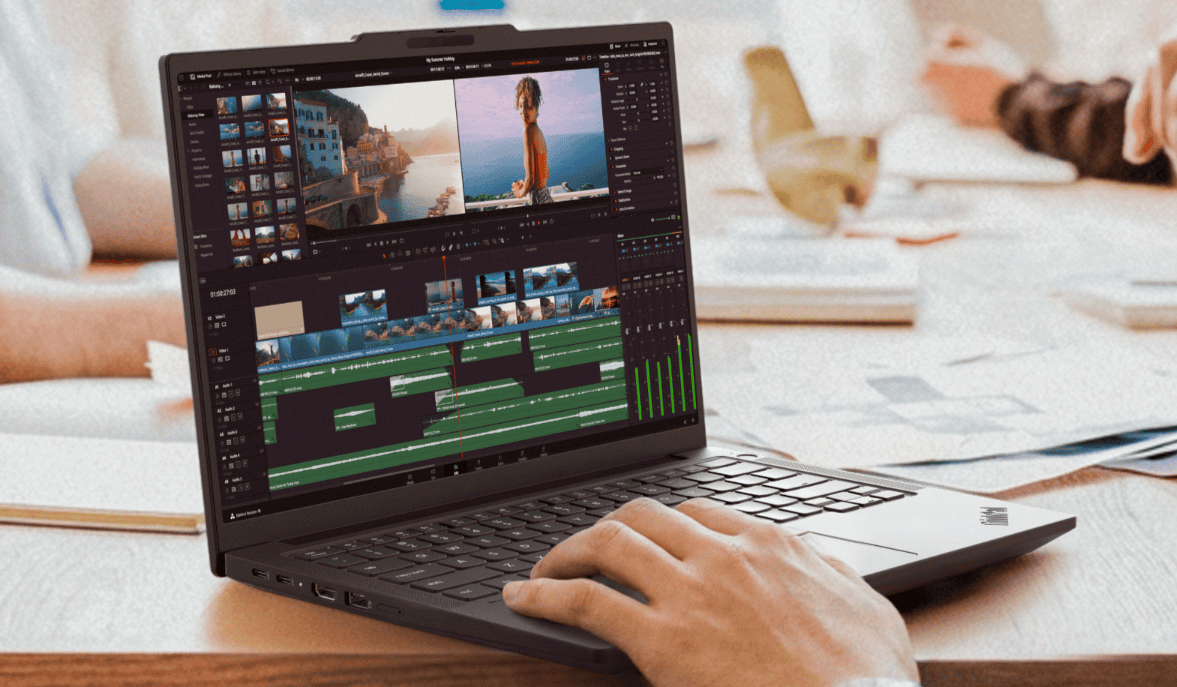
Lenovo is bringing a fresh update to its workstation lineup with the ThinkPad P14s Gen 7 AMD. This 14-inch laptop replaces the older model and packs a surprising amount of memory into a highly portable frame. For professionals across the USA who need a lightweight computer that can still handle heavy workloads, this new release offers a practical mix of mobility and hardware power.
Offers massive power and memory upgrades
The laptop runs on the Ryzen AI 9 HX Pro 470 processor and uses Radeon 890M integrated graphics. Unlike the Intel version of this laptop, the AMD model does not offer a dedicated graphics card. You can load this system with up to 96 gigabytes of DDR5 RAM.
Since the memory is split across two standard slots, you can easily replace or upgrade it yourself. The computer also holds up to two terabytes of internal storage.
These are the screen options and battery life
You can choose between two different screens. The base option is a standard 1200p IPS display. If you need better colors and smoother visuals, you can select the 2.8K OLED panel. The OLED screen includes a 120 hertz refresh rate and full DCI-P3 color coverage. Power comes from either a 60-watt-hour or 75-watt-hour battery. Even with these hardware choices, the laptop remains light and starts at about 2.8 pounds.
Lenovo expects to start selling the ThinkPad P14s Gen 7 AMD in April 2026. The company has not released official prices or full configuration details yet. The new ThinkPad P series offering has arrived soon after the brand introduced the ThinkPad T series of notebooks.
Microsoft is giving PC gamers a feature they have wanted for years. The Xbox app on PC now allows you to manually add almost any game or application to your library. This update means you no longer have to jump between different launchers or dig through your Windows files to find your favorite software.
It is taking a page out of Steam’s playbook
If you use Steam, you probably know about the option to add non-Steam games. Microsoft is doing this for Xbox apps. You can now browse your computer for any .exe or .cmd file and pin it straight to your Xbox library.
This update gives you plenty of control over how things look. Once you add a program, you can customize the name, change the artwork, and even tweak the launch arguments. Whether you are setting up a custom desktop rig or checking out the recent Xbox app on ARM-based Windows 11 PCs update, you can keep all your software organized in one spot.
People are already using it to launch tools like iTunes, Audacity, and Photoshop alternatives right from the Xbox interface.
It is a major win for handhelds and the future
For regular desktop users, this is a nice convenience. For people using handhelds like the ROG Xbox Ally, it is a massive upgrade. Handheld gamers get the best performance when they stay inside the full-screen Xbox app. Dropping into standard Windows 11 mode can be clunky and annoying. Now, you can launch emulators, modding tools, or rival storefronts without ever leaving the Xbox dashboard.
This move also makes sense for Microsoft’s upcoming hardware. Rumors suggest the next console, codenamed Project Helix, will blend console and PC gaming. Letting users manually add their own PC files points to a much more open ecosystem. Along with the recent Xbox Game Pass update that adds 45 new titles to the “Stream Your Own Game” feature, Microsoft is clearly giving players more ways to access their content.
Here’s how to add any game or app
Adding your own software to the Xbox app is simple. Just follow these quick steps:
Open the Xbox PC app on your computer.
Navigate to the “My Library” section.
Look for the small “+” icon in the top right corner and click it.
Pick an app from the suggested drop-down list or click the browse button to manually find your .exe or .cmd file.
Right now, this feature is rolling out to users in the preview ring. Microsoft is testing it to make sure everything works smoothly. If no major bugs pop up, it should go live for everyone on PC soon.
Microsoft Teams is about to get a lot smarter and less annoying. If you use Teams for work, you know it is a handy tool, but it still has a few quirks. Fortunately, Microsoft is rolling out a fresh batch of updates next month to smooth out the experience. The upcoming update will make your workday a little easier with refreshed Microsoft Teams.
Teams will soon get a Do Not Disturb setting built directly into Windows
One of the most requested changes is finally happening. Teams will soon actually pay attention to the Do Not Disturb setting built directly into Windows. Until now, you could set your computer to quiet mode, but Teams would sometimes still push notifications through.
Starting in April, if your Windows machine is set to Do Not Disturb, Teams will automatically pause all your pings and pop-ups. Once you turn off the setting, your notifications will flow back in normally.
There’ll soon be smarter meetings and video summaries
Microsoft is also removing some of the busywork from your calls. You will no longer have to manually select the spoken language for live captions and transcripts. Instead, the software will automatically detect what language is being spoken and adjust on the fly. This makes using live captions and the built-in interpreter much easier.
Speaking of the interpreter, it will soon support your company’s custom dictionary and Traditional Chinese. This means the software will get much better at recognizing specific industry terms or the names of your coworkers.
If you hate reading through long meeting notes, you are in luck. The intelligent meeting recap feature is getting a major upgrade. Along with the standard text summaries, you will soon get video-based recaps that highlight the most important moments from your call.
Teams will offer more control for organizers and admins
Keeping meetings secure and managing teams will also get a lot simpler. Meeting organizers will soon have the ability to spot third-party bots before they join meetings, giving you a chance to keep unwanted AI note-takers out of sensitive discussions. At the same time, system administrators will be able to manage users, passwords, and security settings directly from the Teams interface rather than switching to a different admin portal.
All these changes are expected to launch next month, bringing some welcome quality of life improvements to everyone using the platform.
Adobe and NVIDIA just announced a major partnership to build the next generation of Adobe Firefly AI models. By combining Adobe’s creative tools with NVIDIA’s computing power, the two companies want to speed up how people create and personalize content.
For design and marketing teams across the USA, this collaboration points to a future with much faster and smarter digital workflows.
The partnership is for upgrading the core creative tools
Adobe plans to use advanced NVIDIA technology, including specific computing libraries like CUDA-X and NeMo, to upgrade its foundation Firefly models. This upgrade focuses on giving users more exact control over their generated art and marketing materials.
Through a service called Adobe Firefly Foundry, companies will be able to safely train AI models using their own unique brand assets. This means media studios can create content at scale while protecting their copyrighted material. Don’t forget, NVIDIA also introduced its latest high-end Vera CPU for heavy AI workloads.
It allows creating digital product twins
The partnership also introduces a new 3D digital twin tool. It is built on NVIDIA Omniverse technology and creates permanent virtual copies of physical products. Brands can use these highly accurate digital twins to quickly generate consistent product photos, lifestyle images, or even virtual try-on experiences.
This setup allows marketing teams to skip physical photoshoots and automate their content production entirely in the cloud. For gaming companies, NVIDIA has also revealed DLSS 5, which makes gaming products look more realistic.
Build smarter everyday applications
Beyond high-end design software, these computing updates will reach everyday productivity applications. Adobe Acrobat is set to receive NVIDIA Nemotron capabilities, which will help business professionals handle document intelligence and summarize information much faster. Meanwhile, the popular video collaboration platform Frame.io will use NVIDIA CUDA processing to speed up media decoding.
This change will drastically improve search functions across massive video files and 3D assets. Adobe and NVIDIA are actively developing a joint strategy to bring these practical AI tools directly to enterprise customers soon.
NVIDIA just showed off its new DLSS 5 technology, and it represents a massive jump for video game graphics. The company announced the update at its recent GTC event, promising that this version does a lot more than just boost your frame rate. CEO Jensen Huang even called it a major turning point for the industry. The brand has introduced DLSS 5 alongside the new Vera CPU and Vera Rubin Space modules.
NVIDIA DLSS 5 delivers game-changing uplifts
Older versions of DLSS used artificial intelligence to fill in missing frames or draw pixels to make games run smoother on weaker graphics cards. DLSS 5 takes things in a completely different direction. It uses AI to look at a single frame of a game and instantly understand what is in the scene. The software figures out exactly where characters are standing, what kind of fabric they are wearing, and if the surrounding environment is bright or cloudy.
Once the AI understands the scene, it injects realistic lighting and material textures directly into the game. This means you get true-to-life visual interactions, like light scattering softly through human skin or shining naturally off wet hair.
Before this announcement, you could really only find this level of detail in Hollywood visual effects, which can take hours to process a single frame. DLSS 5 manages to do this in real time while you play at crisp 4K resolution.
Coming to major games this fall
This update is designed to make games look significantly better without forcing players across the USA to buy wildly expensive new hardware. NVIDIA says the AI model is trained to keep the original artistic style of the game completely intact while adding all this extra visual polish.
Game developers are already entirely on board. Major publishers like Bethesda, Capcom, and Ubisoft plan to support the new tech from day one. You can expect to see DLSS 5 working its magic in upcoming massive titles like Assassin’s Creed Shadows, Starfield, and Resident Evil Requiem when the software officially launches this fall.