Quick fix: Windows 10/11 build has no audio

Various issues are a common sight in Windows 10 Preview builds. That’s what the builds are, after all, to show Microsoft what needs to be improved and corrected.

The latest Windows 10 Preview build 15014 is not an exception from the rule, as it brings a few issues of its own. One of the issues from this build that Microsoft warned us about is the problem with audio playback. In fact, more than one audio-related problem may occur, including:

  • No audio
  •  Continuous high CPU/disk usage
  • Edge crashes when opening Settings inside the app

According to Microsoft, the workaround for this issue is simple, you just need to delete a few files, and everything should be back to normal. Here’s exactly what need to do:

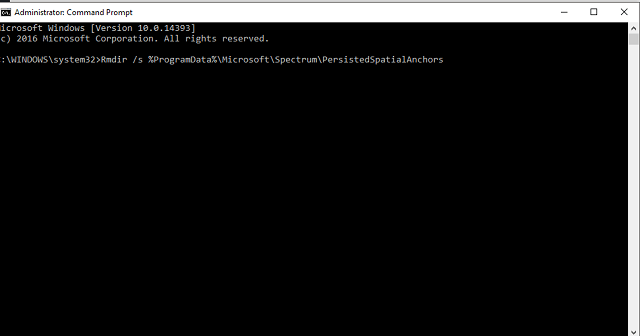
  1. Open a command prompt
  2. Paste the following command:
    • Rmdir /s %ProgramData%\Microsoft\Spectrum\PersistedSpatialAnchors
    • Shutdown /r
  3. Reboot your computer

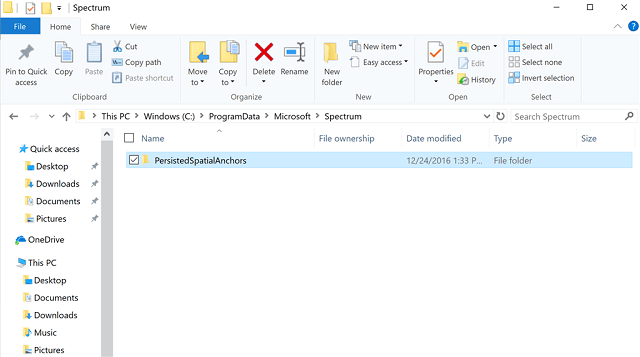
Or, you can delete the same file manually, by yourself:

  1. Open File Explorer
  2. Navigate to this folder:
    • c:\ProgramData\Microsoft\Spectrum
  3. Select the “PersistedSpatialAnchors” folder and click Delete
  4. Reboot the PC

After deleting “PersistedSpatialAnchors“, you shouldn’t have any problems with audio playback in Windows 10 Preview build 15014. On the other hand, if the problem still persists, the cause of the problem is different. In that case, make sure to check out our article about audio issues in Windows 10, for even more solutions.

Microsoft should fix this issue in the coming builds, anyway. So, you don’t have to fear you’ll be stuck with damaged audio forever.

Have you tried our solution to fix the audio issue in Windows 10 Preview build 15014? Was it helpful? Let us know in the comments below.

RELATED STORIES YOU NEED TO CHECK OUT:

Microsoft opens up Office 365 Germany, will keep all data within borders

Today, Microsoft Germany announced (English version) that Office 365 is available for their country as “Office 365 Germany”, with all  data is stored only within its borders.

This isn’t too surprising for business customers in Germany. According to the announcement, research shows that 76% of companies across all industries prefer to keep their data within the borders. Likewise, 65% of migrations to the public cloud want to use datacenters in Germany.

So the data storage in the Microsoft Cloud Germany will be restricted solely to their country’s data centers. More specifically, the Office 365 Productivity Management suite is now available through Frankfurt/Main and Magdeburg. This information will be protected and controlled by the German Data Retractor T-Systems International GmbH and will be available to business customers in German, EU, and in the European Free Trade Area (EFTA).

Because there is such a tight grip on the data, even Microsoft doesn’t have rights to retrieve data without the consent of the data receiver or the customers unless given strict limited-time permission. The security measures are necessary since much of the Office 365 Germany cloud is intended to be used for data sensitive areas such as the public sector, education, and the financial industry.


Xbox Insider program to get its own series of “Rings”

Last November, the Xbox team announced that the Xbox Preview Program would become the Xbox Insider Program, offering additional opportunities to provide feedback along the way. More importantly, we learned that the Xbox Insider Program would be open to all Xbox One users, unlike the Xbox Preview Program which has always been invite-only.

While we didn’t heard much about the Xbox Insider Program since then, it seems that Microsoft quietly made it official yesterday along the release of the the first wave of Xbox One features for the upcoming Creators Update (via Neowin). According to a recent post on the Xbox Insider Forums (you may not be able to see it if you’re not already a member of the Xbox Insider Program), the Xbox team has chosen to make the Xbox Insider Program consistent with the more popular Windows Insider program by dividing it into four different preview rings. Here are the details below:

  • Xbox One Update Preview Alpha – The first Preview ring, this group typically receives 2-3 new system updates per week during a Preview Update wave. Preview Alpha is the cutting edge, and users in this group receive access to new features and fixes as soon as possible at the expense of potential bugs.
  • Xbox One Update Preview Beta – The second Preview ring, this group typically receives 1-2 new system updates per week during a Preview Update wave. Preview Beta users receive frequent system updates and early access to new features and fixes, with somewhat less risk of encountering bugs.
  • Xbox One Update Preview Ring 3 – The third Preview ring, this group typically receives 2-3 new system updates per month during a Preview Update wave. Preview Ring 3 users receive infrequent system updates, and is suited for users who want early access to new features and fixes with less risk of encountering bugs.
  • Xbox One Update Preview Ring 4 – The fourth and final Preview ring, this group typically receives new system updates about once per month. Preview Ring 4 users receive system updates which are almost ready for public release, and thus receive the fewest system updates and are least likely to encounter bugs. In some cases, Preview Ring 4 users may also receive updated versions of the current publicly released build incorporating new fixes.

For now, the latest Xbox One preview build is only rolling out to select members of the Xbox Insider Program, but all Xbox insiders will also be moved to one of these four different rings in the coming weeks, according to the level of feedback they’ve provided so far. That’s right, unlike the Windows 10 Insider program, the Xbox Insider Program will be based on meritocracy, and that may not please those of you who like to live on the bleeding edge but don’t want (or don’t have the time) to provide feedback on the new features. However, the Xbox team explained that Insiders will have many ways to participate and earn the right to move to a higher ring, including:

  • Complete Quests, Surveys, Quick Polls, and Ratings in the Xbox Insider Hub.
  • Participate in any game and app betas available to you via the Xbox Insider Hub.
  • Provide feedback on the official Xbox One Preview forums.
  • Report bugs via Report a problem.
  • Use your Xbox One console regularly.

If you have yet to join the Xbox insider Program, you can do so by downloading the Xbox Insider Hub from the Xbox Store and then follow the steps to enroll your console. Similarly, you will be able to use the Insider Hub to stop stop participating in the Xbox Insider Program whenever you want. We invite you to check the support pages on xbox.com if you need help to get started with the Xbox insider Hub.

Mass Effect: Andromeda to get free trial on Xbox One and Windows on March 16

Just two weeks after EA and developer Bioware announced that Mass Effect: Andromeda would be coming early to EA/Origin Access subscribers ahead of the game’s release in March, we now have more details about how the free trial will work (via Gamerant). Indeed, the official Mass Effect Twitter account revealed yesterday that suscribers will be able to download the game on March 16 and enjoy the Play First trial for 10 hours right away. Moreover, multiplayer gameplay will be available during the free trial and players will also be able to carry their progress over to the full game.

For those unfamiliar, Mass Effect: Andromeda is a futuristic action RPG set in an open world universe, and this 10 hours trial should be more than enough to become familiar with the gameplay. The game will be released on March 21 in North America and then on March 23 in the rest of the world, and you can already pre-order it on both the Xbox Store and Origin.

Warhammer 40,000: Sanctus Reach issues: game won’t launch, faded colors, and more

Warhammer 40,000: Sanctus Reach is a 3D strategy game that will hook you in front of your computer screen for hours on end. As a player, you’ll dive into a dark era of carnage and endless war and lead the Space Wolves as they struggle to defend mankind against vicious enemy attacks.

The game’s fast action may sometimes be slowed down by various issue that limit the gaming experience. In this article, we’re going to list the most common Warhammer 40,000: Sanctus Reach bugs reported by players, so that you don’t get caught by surprise if you experience them. The good news is that Sanctus Reach is an overall stable game, and you won’t experience these bugs too often.

Warhammer 40,000: Sanctus Reach bugs


Camera gets locked

Players report that camera gets locked when they try to move it around. Fortunately, if you’re experiencing this bug, you can quickly fix it by selecting another unit. Slitherine is investigating this issue to find a permanent fix.

When attempting to pan the camera around the map it sometimes gets locked and to unlock I need to select another unit. Is that a bug or some setting or control that I am missing. Is there a way to avoid it?


Colors seem washed out

On some machines, colors appear somehow washed out, with the lighting being either too dark or too light, and the picture blurry. Players changed the computer setting to fix this issue, but the same color issues are present on various settings.

I have a high end machine with a GTX 1070 GPU and i7 6700 CPU. I like the textures, models and effects but the the colors seem washed out, the lighting either too dark or too light, and the picture seems blurry to me.


Mouse issues

Players also report that the game loses mouse focus, returning to the Windows 10 desktop cursor. This is a very annoying issues because it prevents users from playing the game. Other players report that their cursor is constantly racing around the screen edge.

Everytime I launch the game, mouse focus is lost. I can see the game cursor but I am back to my normal Win 10 desktop cursor. If I click the screen after that, the game minimizes. Currently, there is no way to play the game for me.

To fix mouse issues in Warhammer 40,000: Sanctus Reach, try running the game in window mode. Open the user.txt file in MyDocs\MyGames\Sanctus\ and add the following line: Fullscreen 0. Save the file and launch the game again.


Warhammer 40,000: Sanctus Reach won’t start

Some players can’t even launch the game due a flickering menu issue. This usually happens when they launch Sanctus Reach for the second time. Solutions such as deleting local files and updating the graphics driver don’t solve this issue.

I started the game, set my graphic options, played the tutorial, ended the game.
But the next launch, after the launch up into, I only get a b/w flickering main screen and not the menue.


Maps are grey

Players also report that maps are unclear and many elements are blurry. The good news is that the map descriptions do appear when users hoover the mouse on the respective areas.

So once i started up the game I no issues, however next time i started the game (about 2 hours later) the map where i select mission don’t appear, there is only a grey haze, i can still select missions as the discribtion appear once i hover the cusor over the right area. I haven’t changed anything with the grapics to see if that helped yet.


These are the most frequently encountered Warhammer 40,000: Sanctus Reach issues. For more information about other bugs and possible workarounds, you can check the game’s official Steam thread.

RELATED STORIES YOU NEED TO CHECK OUT:

Ashbourne game issues: Too many bugs break a promising game

Ashbourne is a story-based open world action role-playing game that challenges players to take the role of Alexander Marshal, a knight of the Endewyn empire, who fights in the name of his empire to protect his people.

Ashbourne is already pretty popular on Steam, but many players report that the game is affected by various technical issues. In this article, we’ll list the most common issues reported by players. Unfortunately, there are no workarounds available for these bugs.

Ashbourne reported bugs


Ashbourne glitches back to menu

Players report they can play for only a limited time because Ashbourne quickly sends them back to the main menu.

I can’t play more than 10 minuets or so without it cutting to a loading screen then sending me back to the menu with no saved progress :/


Low FPS issues

Users also report that Ashbourne doesn’t have a stable FPS rate, which severely limits the gaming experience.

Played it for a few mins and it’s total trash. Runs like s*** (low fps), jumping/riding animation are pretty much non existant, combat is super trivial


Motion blur and mouse issues

Some gamers also report motion blur and mouse issues. They can’t disable mouse smoothing, and sometimes the UI reacts erroneously to mouse input.

I can add that horse camera is pure ♥♥♥♥, horse speed is insane, UI often reacts to wrong mouse position, there is no way to disable motion blur without other image effects, no way to disable mouse smoothing. And after 5 minutes of playing I died in the first fight for no reason, I didn’t even understand what happened and who could hit me.


Technical issues are inevitable in computer games considering the variety of end-user configurations. Ashbourne developers are doing their best to fix the bugs reported by players as soon as possible. As a matter of fact, the game recently received a hotfix update addressing several issues.

We’re sure that once the optimization issues are fixed, playing Ashbourne will be a ton of fun.

RELATED STORIES YOU NEED TO CHECK OUT:

Windows 10 build crashes when Xbox One Controller is connected, no fix yet

Microsoft plans to take integration between Windows 10 and its consoles (Xbox One and Xbox 360) to a new level in the coming major updates. As the Creators Update is the next major release on the schedule, we should see some improved cross-platform features when it’s released this April.

However, to actually see these features in action, we’ll have to wait for the public release since Windows 10 still struggles with Xbox One and Xbox 360 controllers: The latest Windows 10 build 15014 causes an issue where connecting an Xbox One or Xbox 360 Controller to your PC results in a crash.

“Connecting an Xbox 360 or Xbox One Controller to your PC running this build will cause the DWM to crash resulting in your display flickering and/or appearing blank or black.”

Although this is a known issue confirmed by Microsoft, there’s no actual workaround at the moment. So, Insiders who want to try their Xbox gear in the new Preview build would have to wait for a new release.

If you feel like experimenting, you can try some of the solutions found in our article about the Xbox One Controller issues caused by the Anniversary Update. But keep in mind that we haven’t tested any of these workarounds in Windows 10 Preview build 15014, so we can’t guarantee they will work.

Let us know in the comments about whether or not you were successful with dealing with this problem!

Some Insiders are receiving the ‘First Wave’ of redesigns and new features coming to Xbox

The first wave of Xbox Insider Program members are seeing the next changes for the Windows 10 Creators Update. For a long time, players have been requesting major improvements to the Xbox Hub. Now they’ll not only see a redesign and boost in performance but the select few will notice a list of additional features available moving forward.

According to the announcement, the Creators Update will have “hundreds of improvements” to Xbox One and Windows 10 gaming. Here are the highlights of this Xbox Insider release:

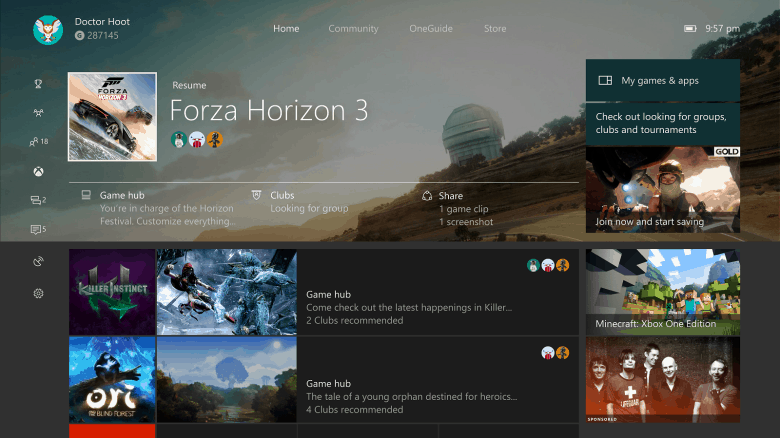
  • Updated Home – The redesigned Home hub has a new UI that is simplified and optimized for speed. This is mainly to highlight many of the other new features such as support for Clubs, LFG, and deeper Game Hub interactions.
  • Better performing Guide w/ Start Page – While playing games, players will notice that a Start Page has been added to the Guide to select top Pins, control your background media, and more.
  • Multitasking Features on the Guide – Quick access to screenshots, media controls, achievement tracker,  and a GameDVR to record clips from your video game.
  • Cortana Updates for Gaming – Players will be able to use Cortana to set alarms for gaming sessions via Xbox One.
  • Improved System Updates – Video game and app updates will be available no matter what power mode as well as a clearer display of when there is a console update and the process.
  • Better Xbox One Accessibility – The Copilot feature is just one example of how Xbox One is becoming more accessible, letting a player use two controllers to act as one. Furthermore, basic tools such as Magnifier and Narrator were improved for gaming experiences.
  • Spatial Audio Output for Developers – Dolby Atmos for Home Theater, Dolby Atmos for Headphones, and Windows HRTF are now supported for app and game developers.
  • Blu-ray Bitstream Passthrough – All bitstream formats are now supported through the Blu-ray disc player so that you can experience the audio natively.

But why just tell you about these changes? Major Nelson a.k.a. Larry Hryb and Xbox Engineer Scott Henson have released a video to walk the unlucky majority through the new features.

Eventually, Xbox fans will see even more to come with features such as Beam, Windows Game Mode, and the Arena. These are almost guaranteed to make an appearance before the Windows 10 Creators Update starts its expected April production release.

Microsoft pushes Chrome shopping extension out to Windows 10 users

Microsoft has been hard at work talking internet users into using Redmond-made products on their PC through a salvo of pop-up ads on Edge and the Start menu. Now, the software giant is bringing its aggressive advertising campaign beyond its own fences to outside properties like Google’s Chrome.

Windows 10 users recently spotted a new pop-up ad on the taskbar promoting its Personal Shopping Assistant, a Chrome extension that helps consumers compare prices across various online shopping stores. The extension is part of Microsoft’s Garage Project.

The software giant intends for the Chrome extension to target users who have configured Chrome as their default browser. An earlier pop-up ad was also advertising a Microsoft rewards program via Edge.

Microsoft’s failed attempts to convince Chrome users to switch to Edge might have prompted the Redmond giant to take things a step further. The idea is that, at the very least, users could check out some software products developed by Microsoft if they can’t change their browser on Windows.

While Microsoft sees its latest advertising push as a vital part of its efforts to roll out new features that enhance the Windows 10 experience for consumers, many users are expressing displeasure at what they say is an annoying taskbar ad since even premium users who have shelled out $100 for the operating system have to endure them.

The ad has been in place for nearly a year now. However, it remains unclear whether the ad campaign will end in the near future or will become a permanent function of the taskbar.

For those wishing to remove the pop-up ad from their taskbar, you can turn it off by following these steps:

  1. Go to Settings, then Notifications > Actions.
  2. Switch off the Get tips, tricks, and suggestions option under Notifications.

This is not the first time that Microsoft launched an aggressive ad campaign on Windows 10, and won’t likely be the last. But if the company wants to monetize Windows 10 successfully, it needs to do so without annoying users.

RELATED STORIES YOU NEED TO CHECK OUT:

President Trump is adding Skype seats to expand White House press reach

It’s not a secret that President Trump has butted heads with a few of the news organizations. The issue has been one that the recently inaugurated has been quite vocal about. Now, he and his administration are intending to change the “fake news” with more diverse exposure (via The Verge.)

Today, Press Secretary Sean Spicer stood up in front of the usual group of journalists during the press briefing and announced that the White House would be expanding its invitations. With the power of Microsoft’s conference calling software, Skype, President Trump’s administration hopes to reach out to journalists that aren’t directly in the Washington, DC area.

“This will open up the briefing to journalists who live beyond 50 miles of the Washington, DC area and to organizations that don’t currently have a day pass,” Spicer said. “As always, any organization is welcome to apply for a day pass. But we’re excited to open up into the field and fold here a diverse group of journalists from around the country who may not have the convenience or funding to travel to Washington. I think this can benefit us all by giving a platform to voices that are not necessarily based here in the beltway.”

In changing how the press accesses news, it seems Spicer feels that it will change the overall perception of President Trump and White House, instead of always being “negative” and “demoralizing”.

The change is expected to begin ‘later this week ‘according to the briefing, adding in four Skype systems to enable the conferences. No further information is known about how it will be implemented and who will be invited to attend through Skype at this time.

Tekken 7 coming to Xbox One, PS4 and PCs on June 2nd

This summer couldn’t come fast enough for fighting game fans. The long anticipated Tekken 7 looks like it’s in the home stretch, moving forward to the expected June 2 launch date later this year (via VentureBeat.)

Today, Bandai Namco released a new trailer tugging at the heartstrings of long-term fans of the franchise. The dramatic battle of Kazuya and Heihachi could very well be reaching an epic conclusion as one of the most well-known father and son conflicts.

The game will also be available on PC which has brought up the question if the likely smaller audience will be able to cross-play between that and consoles. Unfortunately, fans on PC will likely be disappointed that the cross-play isn’t likely. According to a tweet from Game Director Katsuhiro Harada last year, there are security risks and company policies to consider. Since last September, there still isn’t a public decision on the topic.

Pre-orders for Tekken 7 are now open along with the Day 1 Edition. While all pro-orders will have access to the vampire character Eliza, Xbox One exclusive pre-orders will also receive a free backward compatible copy of Tekken 6.

If you’re really invested, you can also choose to purchase the coveted Tekken 7 Collectors Edition complete with Collectors Box, Day 1 Edition game, Steelbook, Soundtrack, and a Collectible Figurine.

Pre-order and make the fight personal on June 2 for Xbox One, PS4, and PC.

Microsoft, others to support Cal’s new research project, RISELab

Despite their often bitter financial and market share competitions, companies such as Amazon, Google, Huawei, Intel, and Microsoft are consumer focused enough to recognize when an industry investment is worth contributing to.

Five years ago, the University of California, Berkeley wrapped up a multi-year project called APMLab centered on computer science research. AMPLab ultimately resulted in the Apache Mesos cluster management software as well as the processing engine, Apache Spark. The two projects essentially help provide efficient power and resource management across distribution applications such as Twitter, HomeAway, Airbnb, and Apple.

For Berkeley’s next multi-year research endeavor, Amazon Web services (AWS), Ant Financial, Capital One, Ericsson, GE Digital, Google, Huawei, Intel, VMware. IBM and Microsoft would like to be involved, even if only financially.

According to a report from VentureBeat, “AMPLab figures Ken Goldberg, Michael Jordan, Randy Katz, Michael Mahoney, David Patterson, and Ion Stoica are sticking around for the new program, alongside new participants like Databricks co-founder and chief executive Ali Ghodsi and Trifacta co-founder and chief strategy officer Joe Hellerstein. But the new organization has a new focus.”

RISELab is the new project being headed by former AMPLand figures and is targeting real-time decision data analysis in software and applications.

“RISELab already has a slew of projects listed on its website. Among them are a tool called Allegro that rewrites queries in order to bring back differentially private results and a modeling framework called Paris that’s meant to figure out performance of workloads using different types of virtual machines (VMs) in public clouds.”

RISELab, with the financial backing of industry giants such as Google, Amazon, and Microsoft could be bringing big things to computer research in the next few years.

Microsoft launches new New Halo Wars 2 and Forza Horizon 3 Xbox One S Bundles

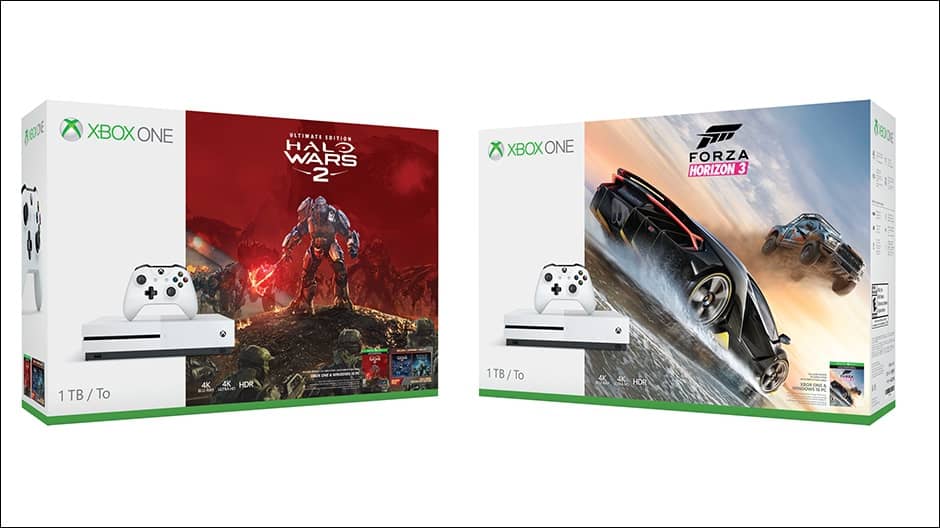
Following the launch of the new Xbox One S back in August, Microsoft’s gaming console enjoyed a lot of momentum in the US, with the company claiming last week that December was “our biggest month ever.” If you have yet to make the jump to the slimmer and sleeker console, the Xbox team has announced today the launch of two new Xbox One S bundles fearuring the critically-acclaimed open world racing game Forza Horizon 3 as well as the upcoming RTS title Halo Wars 2.

The Xbox One S Forza Horizon 3 1TB bundle is available to purchase today for $349.99 at microsoftstore.com and select U.S. retailers, but a $299 500GB bundle is also available to pre-order today with shipping to start on February 7. On this same date, the 500GB will also become available worldwide with pricing to vary by region. All bundles include a digital download code for Forza Horizon 3 plus a 14-day trial membership of Xbox Live Gold.

Unlike the Forza Horizon 3 bundle, the Xbox One S Halo Wars 2 Ultimate Edition Bundle will only be available with 1TB of storage. For $349, the bundle seems a bit more generous though as it includes Halo Wars 2 Ultimate Edition ($79.99 USD value), the game’s Season Pass, a digital download code for Halo Wars: Definitive Edition and a 14-day trial membership of Xbox Live Gold. This bundle is available to pre-order today on the US Microsoft for $349 and will start shipping on February 17, just five days before the worldwide release of the Xbox Play Anywhere title. Last but not least, those of you who pre-order the bundle will get early access to Halo Wars 2 on February 17 as well as a Professor Anders Pack of Blitz cards for use in the game’s Blitz mode.

Do you think these new bundles are a great way for the Xbox team to kick off 2017? Let us know in the comments if you’ll consider purchasing one of them and why.

Microsoft makes managing online classrooms easier with School Data Sync for Office 365

Microsoft today has announced that it is making the managing of online classrooms easier thanks to the power of School Data Sync for Office 365. The announcement was made in a post to the Office Blog by Tim Richardson, lead program manager for School Data Sync.

In the post, Tim Richardson addresses that  School Data Sync (SDS), the online classroom automation solution, moved out of preview and is now generally available. To access the feature, and receive help from Microsoft in deployment, educators and IT admins are urged to fill out a request form. The feature can be used in nearly every country where Office 365 Education is available. It is described:

SDS helps schools automatically create online classrooms in Office 365 from their Student Information System (SIS or MIS). SDS supports virtually every SIS on the market, and hundreds of customers in over 20 countries have already used it to sync over 100,000 teachers and 2 million students.
SDS imports user profiles and rosters from a SIS into Office 365 and automatically keeps them up to date. Schools often find it can be costly and time-consuming to maintain the online classrooms because rosters naturally change throughout the year. With SDS, IT admins can save time creating online classrooms, and teachers can enjoy online classrooms that are up and running with students on the first day of the term.

Microsoft notes that SDS was designed to make life easier for the entire Office 365 ecosystem since SDS saves time for IT admins and teachers, who get more time back for classroom instruction. According to a case study, SDS also keeps students safe since Students with Office 365 Education can use Microsoft Classroom Preview and email to communicate with each other.

IT admins can sign up for SDS here, install the SDS toolkit, watch an SDS demo, or download SDS sample data scripts. Teachers, meanwhile, can visit the Microsoft Classroom Preview website to learn more about SDS, and watch deep dive videos to learn how the Microsoft Classroom works.

Miracast not Working on Windows 10: How to Fix it

Miracast is a wireless technology, but many reported that Miracast is not working on Windows 10. This can be a problem, especially if you need to stream content wirelessly.

In case you’re not familiar, we have a great guide on how to set up Miracast, and we suggest you read it to learn more about this feature.

However, today we’re going to focus on Miracast issues and show you a few simple methods that you can use to fix them.

Why is Miracast not working on Windows 10?

  • Software issues – Outdated drivers or operating systems can cause issues with Miracast.
  • Hardware problems – Check for Miracast support on your PC and ensure all the necessary hardware is working properly.

What can I do if Miracast is not working on Windows 10?

1. Keep Windows up to date

  1. Press Windows key + I to open the Settings app.
  2. Next, navigate to Update & Security.
  3. Click on Check for updates.
  4. Wait while the updates are being downloaded.

2. Update your drivers

  1. Visit your motherboard manufacturer’s website.
  2. Locate your model on the list and go to the Drivers section.
  3. Locate the wireless driver and download it.
  4. Once the driver is downloaded, run the setup file to install it.

Keeping Windows up to date is a great way to ensure that built-in features, such as Miracast are working properly on your PC.

We hope you found this guide useful in fixing Miracast issues on your PC. As you can see, you need to update your operating system in most cases.

Alternatively, it’s advised to update drivers in order to ensure that your hardware is working properly. Usually, the issue is related to network or display drivers.

What methods did you use to fix this issue? Share them with us in the comments section below.

CTRL +C issues in Command Prompt gets fixed in Windows 10

The latest Windows 10 build brings many improvements and bug fixes, making the Creators Update OS more reliable. Build 15014 also fixes a very annoying issue that prevented Insiders from using the CTRL +C function in Command Prompt.

Being able to quickly copy and paste various command lines in Command Prompt is very useful. Many commands include special characters, and there are are also users who created their library of CMD commands that come in very handy when they need to quickly fix something.

CTRL + C has been unavailable since build 15002 was launched. Indeed, it took three builds for Microsoft to fix this issue, but the good news is that once you install build 15014, you’ll be able to use CTRL + C in Command Prompt once again.

We fixed an issue where using CTRL + C to copy in Command Prompt wasn’t working.

Insiders shouldn’t encounter any other Command Prompt issues in build 15014. There are no bugs affecting CMD on Microsoft’s list of known issues, and for the time being, Insiders haven’t reported any Command Prompt issues either.

Command Prompt is here to stay

Speaking of Command Prompt, there were some rumors circulating last year that Microsoft was planning to replace CMD with PowerShell. Build  14971 set PowerShell as Windows 10’s default shell and this was the root-cause of these rumors. Rest assured, Microsoft won’t remove Command Prompt in Windows 10 Creators Update.

CMD is an essential part of Windows 10’s skeleton, and millions of businesses, developers, and IT professionals use it on a daily basis.

Much of the automated system that builds and tests Windows itself is a collection of many Cmd scripts that have been created over many years, without which we couldn’t build Windows itself! […]
Many of our customers and partners are totally dependent on Cmd, and all it’s quirks, for their companies’ existence!
In short: Cmd is an absolutely vital feature of Windows and, until there’s almost nobody running Cmd scripts or tools, Cmd will remain within Windows.

RELATED STORIES YOU NEED TO CHECK OUT:

Windows 10 news recap: ebook store available for some users, people experience delayed and more

Welcome back to our Windows 10 news recap. We are continuing the trend of our weekly “Windows 10 news recap” series where we go over the top stories of the past week in the world of Microsoft’s flagship operating system.

Take a look at build 15014 for the Windows 10 Creators Update

Microsoft released build 15014 to Windows Insiders this week, as part of the Windows 10 Creators Update. Watch our hands-on video to see what’s changed:

Windows 10 people experience delayed until after Creators Update

Back in October 2016, Microsofdt announced a feature it was working on to bring people you’re connected with to the front and center of the computing experience on Windows 10. In its latest update, the company has announced that the “My People” feature will not be arriving in the Windows 10 Creators Update.

Fujitsu is launching a 6-inch Windows 10 tablet in Japan

Fujitsu has announced that it will be launching a new Windows 10 tablet. The tablet will be 6-inch. The first tablet, known as ARROWS Tab V567/P, will launch this month, with 3 more models launching at a later date.

Chrome users on Windows 10 offered Personal Shopping Assistant extension “ad”

Using Chrome on Windows 10? Microsoft has begun showing an ad to users of Chrome, promoting one of its own extensions for the Chrome browser, Personal Shopping Assistant.

chrome Windows 10 Personal shopping assistant notification

Microsoft’s Windows 10 ebook store is now live for some users

Microsoft is bringing an ebook store to Windows 10 through the Windows Store and some users in the Windows Insider program already have access to it. The books will be read via Microsoft Edge, rather than a dedicated reading or ebook app.

Ebooks in Windows 10 Windows Store and Microsoft Edge Browser

That’s the top Windows 10 news this week – we’ll be back next week with more!

Strangely named I Am Bread video game launches on Xbox One

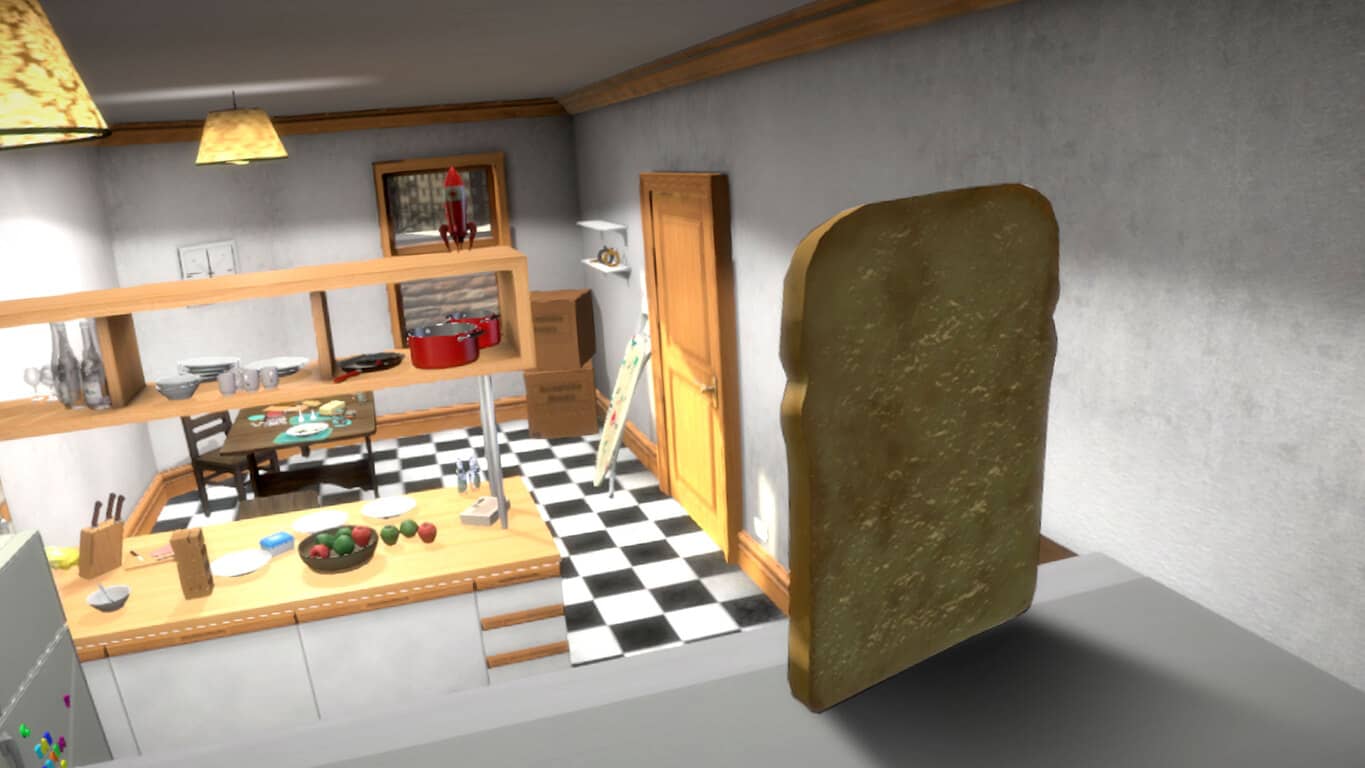
A video game with probably one of the strangest titles in recent history, I Am Bread, is now available to download and play on Microsoft’s Xbox One. The game is about a slice of bread who wishes to become toast and the whole thing is pretty surreal and is also getting quite a bit of buzz online due to its uniqueness. Here’s the official game description:

Embark on an epic journey to become toast! Take on all hazards to deliciousness as you embark on your adventure throughout the home of Bob. the unsuspecting owner: from the kitchen, through the house, to the lounge, and then venture outside into the garden and beyond. Is Bob going mad, or has a slice of bread really come to life? You may even have met Bob before, he’s the passive patient from Surgeon Simulator and this explores the story of his downfall that leads him to the operating table . . .In addition to the deepest story ever seen in a videogame, about a slice of bread, there are a wealth of baked options to sink your teeth into. Additional game modes and other types of bread will cater for all tastes! Set speed records racing across the levels as a bagel; realise your destiny as crispbread in cheese hunt mode; relieve your stress as the baguette and smash everything in sight in rampage mode. Oh, and did we mention bread goes into space too?

Buy I Am Bread on Xbox One

Have you played I Am Bread yet on your Xbox One? Share your impressions with the community in the comments below.

Microsoft, Volvo, and Cortana offer a glimpse of a sexy driverless car future

Volvo announced their partnership with Microsoft that would bring Skype for Business to future Volvo cars a few weeks ago but the company has now released a very cool video showcasing not only Skype but Microsoft’s virtual assistant, Cortana, and their payment solution, Microsoft Wallet, as well.

This new video, first spotted by MSPoweruser, showcases Microsoft’s tech in a near-future scenario where driverless cars are the norm. Beyond the Skype for Business interactivity within the car, there are also some rather interesting uses of Cortana, which is shown being used via a small earpiece, and, what looks like Microsoft Wallet being incorporated into a small cufflink device for a contactless payment at a café.

Microsoft Wallet is a fairly new project of Microsoft’s and works in the same way Apple’s Apple Pay and Google’s Google Wallet do. The Microsoft Wallet app is available in all regions on most Windows phones but the actual contactless payment functionality is currently limited to users in the United States. The project appears to be picking up steam though with several new banks having added support in just the last few months alone.

What do you think about this video? Would you like to see Microsoft Wallet made accessible through a cufflink? Would you wear a Cortana earpiece? Let us know in the comments below.

Bandai Namco’s WRC 6 racing video game coming to Xbox One in March

A new Xbox One car racing game called, WRC 6, has just been given the general release date of “March 2017” in a new teaser trailer. The game is an officially licenced title based on the 2016 FIA World Rally Championship and places a heavy emphasis on realism and representation of official WRC drivers and teams.

A product page has already appeared in the Xbox Store with an official description and Xbox One pre-order details however orders don’t appear to have been activated as of this writing. According to the description, digital pre-orders of WRC 6 will get exclusive access to the YARIS WRC Test car.

Pre-order WRC 6 now and get exclusive free access to the YARIS WRC Test car!On a race track, the car makes all the difference. In a rally, it’s the driver.WRC 6 puts you to the test: fog, mud, punctures, night racing, engine breakdowns… you have to deal with it all. WRC 6 also includes: all of the official 2016 content, 11 Super Special Stages on a 1:1 scale, local split-screen multiplayer, worldwide leaderboards and new online challenges every week, all the cars and courses in very high definition, two brand new modes, even more spectacular game cameras and free access to the entire 2017 eSports WRC!

The listing also confirms eight-player local multiplayer (which is highly unusual and could possibly be a listing error) and eight-player online multiplayer.

Are you excited for WRC 6 on Xbox One and doing you like racing games in general? Share your favorites with the community in the comments below.

Xbox One version of Cities Skylines video game to be shown at GDC

The upcoming Xbox One video game, Cities Skylines, is reportedly going to be shown working the Xbox One at GDC 2017 late next month.

The game had been announced for Microsoft’s video game console almost a year and a half ago during a Gamescom teaser trailer. While no release date has been set yet for the Xbox One version, the fact that it’s ready to be shown to the public is promising and suggests that it isn’t being cancelled like the recently pulled Scalebound title.

Cities Skylines is an incredibly popular city-building video game that’s not too dissimilar from the famous Sim City series. It’s currently available on Windows via Steam, Mac, and Linux machines.

Have you been waiting for Cities Skylines on Xbox One? Let us know in the comments below.

Xbox One glitch reveals secret Achievements’ details

A Reddit user by the name of MoltenPanthar has discovered a rather amusing glitch on Microsoft’s Xbox One video game console that reveals the hidden descriptions of secret Xbox Achievements.

Secret Xbox Achievements are the same as regular Achievements except that their text description remains hidden from users until unlocked by playing the related video game. This is implemented mostly to stop the listings from spoiling video game plot points but can also be used to make an Achievement harder to get and to encourage gamers to play through a game more naturally without the aim of only meeting certain Achievement criteria.

The glitch that reveals the content of these hidden descriptions involves the use of the Xbox One’s voice narrator, which is usually used to assist disabled players in navigating the console’s menu system. The narrator can be turned on by holding down the Xbox button on a controller until a menu pops up. Then simply press the Menu button (the small one with the three horizontal lines) to activate the narrator.

Once activated, begin viewing Xbox Achievements for a game and select a secret one. The narrator will actually read aloud the hidden text! Not bad!

While clearly a glitch that many will find useful, it’s unclear how long it will remain functional now that it’s become more widely known. Would you use this glitch or do you prefer to find out what the secret Achievements are on your own? Let us know in the comments below.

Explorer.exe crash loop fixed in latest Windows 10 build

Many Insiders who installed the latest Windows 10 builds experienced Explorer.exe crashes on various occasions. The good news is that build 15014 finally fixes the annoying Explorer.exe crash loops.

More spefically, this build fixes two issues that caused Explorer.exe to crash loop and improves the system tray logic so as reduce its impact on Explorer.exe. Microsoft explains that desktop shortcuts that include the “%” character would cause Explorer.exe crash loops when users clicked them. Also, Explorer.exe would crash when users projected to a secondary monitor.

Here’s what has been fixed in build 15014:

We fixed an issue where Desktop shortcuts containing the “%” character (usually URI shortcuts with escaped characters) would result in an Explorer.exe crash loop.
We fixed an issue where projecting to a secondary monitor could result in an Explorer.exe crash loop. […]
We’ve updated the system tray logic to be more robust when faced with bad data that could potentially result in Explorer.exe reliability issues.

Explorer.exe crash loops are common issues for users who upgrade to Windows 10 as well. Apparently, there are various apps that somehow interfere with Explorer.exe and cause it to behave in an unusual manner.

I upgraded from Win 7 to 10 last Friday (the last free upgrade day), and after some struggles, I’m in the brave new world. However, every minute or so, everything locks on the desktop, then explorer.exe restarts. I’ve tried a variety of things found in this forum and elsewhere, to no avail. All drivers are up to date. Problem happens even when booted in safe mode.

Most likely, Explorer.exe crash loops are caused by damaged or corrupt files, as users report that installing and running a registry cleaner usually fixes this issue.

Tried everything and finally i just tried to clean with simple program ccleaner, cleaned absolutely all stuff.  Everything works fine now.

RELATED STORIES YOU NEED TO CHECK OUT:

Valve revamps Dota 2 in-game interface

Valve recently added some changes to Dota 2’s in-game interface. These improvements focus mainly on the Shop layout and Hero Control Console. More specifically, the new Shop layout restores the item grid to the right-side, while the Hero Control Console shows both the base and bonus values for damage, armor, and attributes by default.

Dota 2 interface improvements

Valve offers more information about the recent Dota 2 UI changes in its patch notes:

Shop UI improvements:

  • Popular items are now generated automatically per hero based on the top 12 items from players with 5k mmr and above from the most recent two weeks of games
  • Popular items are now highlighted on the item grid directly
  • Shop item grid is now shown on the right side with guides extending to the left
  • A global customizable Pinned Items section has been added to the shop. This section can be used to customize the shop to the items you use most frequently and are not tied to the currently selected hero.

Dota 2 Hero HUD layout changes:

  • Attribute bonuses now show up permanently on the screen
  • Base values for damage, armor, strength, agility and intelligence are now displayed alongside the bonus values (rather than being totaled)
  • HP/Mana Bars are now slightly bigger
  • Added Guide support for Talent Trees
  • Fixed unpublished guides (that were in your cloud) not showing up in your Guide browser.

Dota 2 hotkey changes:

  • Restored the optional ability to bring up learn mode with a hotkey, allowing for a two stage input for leveling abilities
  • Added a hotkey for opening the talent tree UI (your old key used for leveling attributes). While the talent tree UI is open, the hotkeys 1 and 2 can be used to select the left or right branch.

What do you think about these changes? Share your thoughts in the comment section below.

RELATED STORIES YOU NEED TO CHECK OUT:

Xbox news recap: UI update incoming, Beam website revamped, Phil Spencer teases new IP and more

Welcome to our weekly Xbox news recap series, where we go over the top stories of the past week in the world of Xbox. Let’s get started.

New Guide coming in UI update

A new UI update is coming to make Xbox look a little better, and it’s going to slightly change the way you do things on your Xbox One. While there could easily be more updates to the UI, an enterprising Twitter user snagged a screenshot from a stream of what the new Guide is going to look like. It’s been streamlined to offer a more elegant way to switch between tasks, but still stays true to the usual Xbox One style.

Beam website totally revamped

Beam, a game streaming service recently bought by Microsoft, just had its whole website redone. The frontend of Beam has been made to look much cleaner and easier to navigate, creating a more welcoming experience for new and old users alike. With Microsoft pushing Beam further with the impending Creators Update, now is an excellent time for a redesign like this to happen.

Phil Spencer teases new IP

Without its big franchises making their return in 2017, Xbox needs to rely on the undervalued lifeblood of the games industry: new intellectual properties (IP). In a tweet from Xbox boss Phil Spencer, it was noted that a ton of new IP’s are going to be lining the yellow brick road to Project Scorpio later this year. In a time where many companies are terrified to take risks and let new franchises breath, this should be extremely exciting news for Xbox fans.

Microsoft outspends Sony for holiday gaming ads

For those who are still battling it out in the console wars, you’ll be happy to know that Xbox is enjoying a period of victory. The holiday season was excellent for Xbox, and it turns out that a big part of the reason why is because of their advertising budget. Microsoft’s spending on Xbox advertising made up 36.5% of game advertising – a number that dwarfs Sony’s 21.8%. If that advertising keeps up, 2017 might be an even better year for Xbox One. Especially with Scorpio on the way.

Playdead teases new game on Twitter

Remember INSIDE? That haunting game with the kid running from horrible dangers in a physics-based platformer? What about LIMBO – that other haunting game with a kid running from horrible danger in a physics-based platformer? Well, those classics were made by Playdead  – a well respected indie company that’s baffled us with truly memorable experiences. On Twitter, the developers made a very unexpected tease about some “new adventures” that will be dazzling us in the future – complete with a screenshot (or, potentially, piece of concept art) to give us a taste. If I had my guess, I’d say this one looks to be taking place in space, on some sort of desert planet. You should try and interpret it yourself.

Console modder Ben Heck puts an Xbox One into a laptop

It’s not likely that Microsoft will release an Xbox tablet any time soon, but Ben Heck can get you the next best thing. The popular console modder managed to rip apart an Xbox One and put it back together in the form of a laptop, giving it a truly portable form and a pretty sleek look. While the device doesn’t function as a laptop, clearly, it’s a pretty neat way to carry around your Xbox One. Heck put up a 25 minute video detailing the process, and it’s definitely an interesting watch if you’re an Xbox fan with a mind for tinkering.

Ben Heck Xbox One S laptop

Thanks for joining us. To keep up to date with all the latest Xbox news, keep a close eye on our Xbox One news hub.

Windows 10 Mobile news recap: Common shell includes mobile, Microsoft Store selling unlocked Alcatel IDOL 4s and more

Welcome back to our weekly Windows 10 Mobile news recap series, where we go over the top stories of the past week in the world of Microsoft’s mobile operating system. Let’s get started.

PC, Mobile, Xbox to join “One Windows” shell

The “One Windows” promise is something that everyone familiar with Microsoft has been seeing them working towards. With Windows 10 becoming the centerpiece for all of Microsoft’s products, the focus on uniting the company’s ecosystem of products has been extremely important. According to some recent news, we’ll soon be seeing Microsoft rolling Windows 10 on PC, Mobile, and Desktop into one big shell – something familiar across all devices. This will start happening over the course of the next few major updates, after the Creators Update.

Unlocked Alcatel IDOL 4s on sale in Microsoft Stores

The Lumia brand is on the way out, with some phones being unlisted in Microsoft Stores already. 2017 is going to be the year of the third party manufacturers, and we’re kicking it off with the sale of the unlocked Alcatel Idol 4s. The phone goes for about $470, making it significantly more affordable that its $800 competitor in the HP Elite X3.

New Fitbit notifications go into private testing

Those Fitbit users who happen to have a Windows 10 Mobile device can rejoice knowing that a big improvement is coming – eventually, anyways. Private testing has begun for the technology that will open up things like SMS and calendar notifications on Fitbit devices through Windows 10 Mobile. While the testing isn’t available for the public to sign up to yet, this phase of testing means that it can’t be too far off.

Fitbit Surge

Scientists sequence DNA with a Windows Phone

It took a bit of modification, but some scientists over in Sweden used a Lumia 1020 to sequence DNA. The Lumia wasn’t the only phone used in the study, and it wouldn’t have been possible without some custom modification in order to improve the 1020’s capabilities, but the fact remains that our humble operating system helped to make leaps and bounds in science this week.

The new NexDock will turn your phone into a desktop – sort of

The NexDock – a docking unit that’s compatible with a great number of desktop and mobile devices – is going to be working with Intel’s new Compute Card. The Computer Card, which is a fully functional computer that’s roughly the size of a credit card, will be combining with the NexDock to turn any device – including your Windows 10 Mobile handset – into a fully functional desktop. While it’s not clear if many people will adopt this “all-in-one” approach with their tech lives, it’ll be interesting to see how this makes waves.

Thanks for joining us. If you want all of the news as it happens, keep an eye on our Windows 10 Mobile tag.

Disqus Beta updated for Windows 10 devices, brings social login, bug fixes and more

Disqus has released an update to its beta app for Windows 10 devices. The app uses the Universal Windows Platform to work across multiple devices.

This update brings the app to version 4.0.12, with the following changelog:

  • You may now log in with Facebook or Twitter accounts
  • You will now see AdDuplex app promotion ads in feeds
  • Fixed some issues where mentions were inserting in the wrong place
  • Fixed a crash that occurred sometimes in a discussion
  • Fixed an error that occurred when an unregistered user replied to your comment
  • Other small, likely unnoticeable, bug fixes

Overall, a smoother, more stable experience is to be enjoyed, with the added bonus of being able to login with 2 of the top social networks – Facebook and Twitter. Unfortunately, though, you’ll begin to see advertisements in the feeds.

Disqus Beta
Disqus Beta
Developer:
Disqus
Price:
Free

Slack’s new Windows 10 app takes advantage of Project Centennial

A couple of weeks ago, we told you about the launch of Slack’s new app on the Windows Store. The app was made with Microsoft’s executable-to-app bridge known as “Project Centennial,” or “Desktop Bridge.” As a result of using the desktop bridge, Slack’s transition to the Windows Store was painless – both for the developers and the end users. As a result of using this conversion program, Slack’s new version on the Windows Store is effectively the same as its Win32 version.

It promotes Microsoft’s desktop bridge as being a good tool for getting Win32 programs into the Windows Store, as well as providing centralized updates.

For most people, this is where that story begins and ends. If you happen to be interested in doing a deeper dive into what makes Slack tick, the developers have put together a blog post for you to dig through for all of those details.  The post talks about WinRT, NodeRT, the Electron framework and more – complete with snippets of code to read if you need a few examples to follow along with.

The Slack engineers ended the blog post by expressing their excitement about the future of Slack on the UWP, and the promise of doing more work with Electron. For any savvy engineers out there, they even extended an offer to come work with them as an Electron engineer.

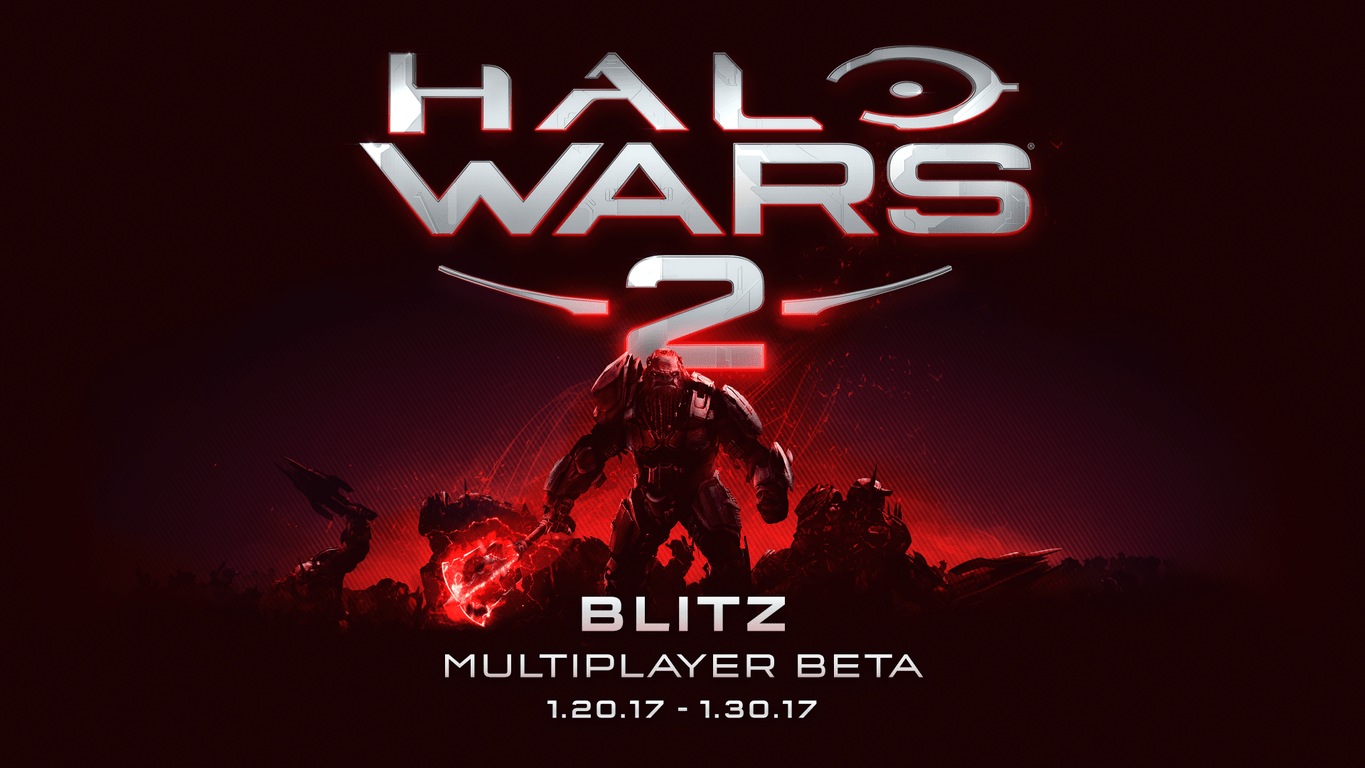
Try Halo Wars 2 Blitz beta on Xbox One and Windows 10 PC today!

Until 30th January, 2017, Halo Wars 2 is hosting its Blitz beta. The beta is available to play on both Xbox and Windows 10 PC.

Halo Wars 2 Blitz Multiplayer provides a new way to play real-time-strategy (RTS) by replacing some of the core functionality with something a little different. Many people will be used to RTS as involving resource collection, base building and tech tree planning. With Blitz, these aspects change, offering a new way to build an army. Players now select their army and Leader Powers before a match even begins.

Players will select a Leader and build a deck of 12 cards, with each card representing a type of unit or Leader Power. All units and Powers have an energy cost associated; finding the right balance of cheap and weak vs. expensive and high-tech units is all part of the deeper strategy.

Halo Wars 2 Blitz Card Deck

All Windows 10 PC users with compatible hardware are able to take part in the beta. For Xbox One players, you’ll need to have an active Xbox Live Gold subscription in order to partake.

Halo Wars 2 Blitz Beta
Developer:
Microsoft Studios
Price:
Free

Dropbox keeps downloading unspecified files [Full Fix]

Dropbox is one of the most popular cloud storage services in the world. However, even a powerful service like Dropbox has its limitations that some people even consider as flaws.

A lot of users have been complaining on Dropbox forums about an error that causes them to download unspecified files instead of real downloads. Reportedly, this issue occurs when you try to download a file or folder from the browser version of Dropbox, and goes without any error message or warning.

Users find this quite annoying as most of them don’t actually know what’s going on. In this article, we’re going to explain the phenomenon of unspecified Dropbox files and tell you what you can do to avoid downloading them in the future.

How can I fix Dropbox downloading unspecified files?

1. Use WinZip

One alternative that could spare you from downloading unspecified files would be to use WinZip before uploading a file on Dropbox. In doing that, most certainly you will not exceed the 1GB download limit size that Dropbox has.

WinZip is one of the most used compression tools for Windows 10. Aside from compressing, WinZip also allows you to manage, share, and backup your files.

The formats that WinZip unzips are RAR, GZIP, VHD, XZ, Zip, Zipx, and more. The tool also allows you to share your files via several social media channels.

With WinZip, you have easy access to convert your PDF files, manage your archives, and integrate them with cloud services.

That being said, you manage various file formats easily without issues and avoid unspecified information on your PC, just by using WinZip.

Here are some of the pros of using WinZip:

  • Archives your data fast.
  • Share your files via social media
  • File management.
  • Converting files, PDF’s, watermarks or images
  • Privacy of your data

2. Download smaller files

Dropbox doesn’t allow you to download files or folders larger than 1GB using the web client. The same goes for folders containing more than 10,000 files.

If you need to download a larger file from Dropbox, break the download into smaller pieces.

So, log in to your Dropbox account, find the folder you want to download files from, and download a bulk of files smaller than 1GB.

While this method allows you to download files directly from the web browser, it can be time-consuming and boring work in general. Another more practical solution is to simply download the Desktop application.

3. Use the desktop client

The Unspecified files rule doesn’t affect Dropbox’s Desktop client. As soon as you have the application installed on your computer, you can move as many files and folders from it to your local storage.

You can download the Dropbox Desktop client for Windows 10 from this link. It’s free of charge.

We doubt Dropbox will change this policy in the future. So, if you deal with files and folders larger than 1GB on a regular basis, we highly advise you to install the Desktop client on your Windows 10 computer.

Not only you’ll be able to download as many files as you want, but you’ll have some additional benefits of using the Desktop application.

That’s about it. If you follow our suggestions you should have no issues in the future when downloading Dropbox files.

If you have any comments, questions, or suggestions, let us know in the comments below.

New puzzle video game KYUB launches today on Windows 10

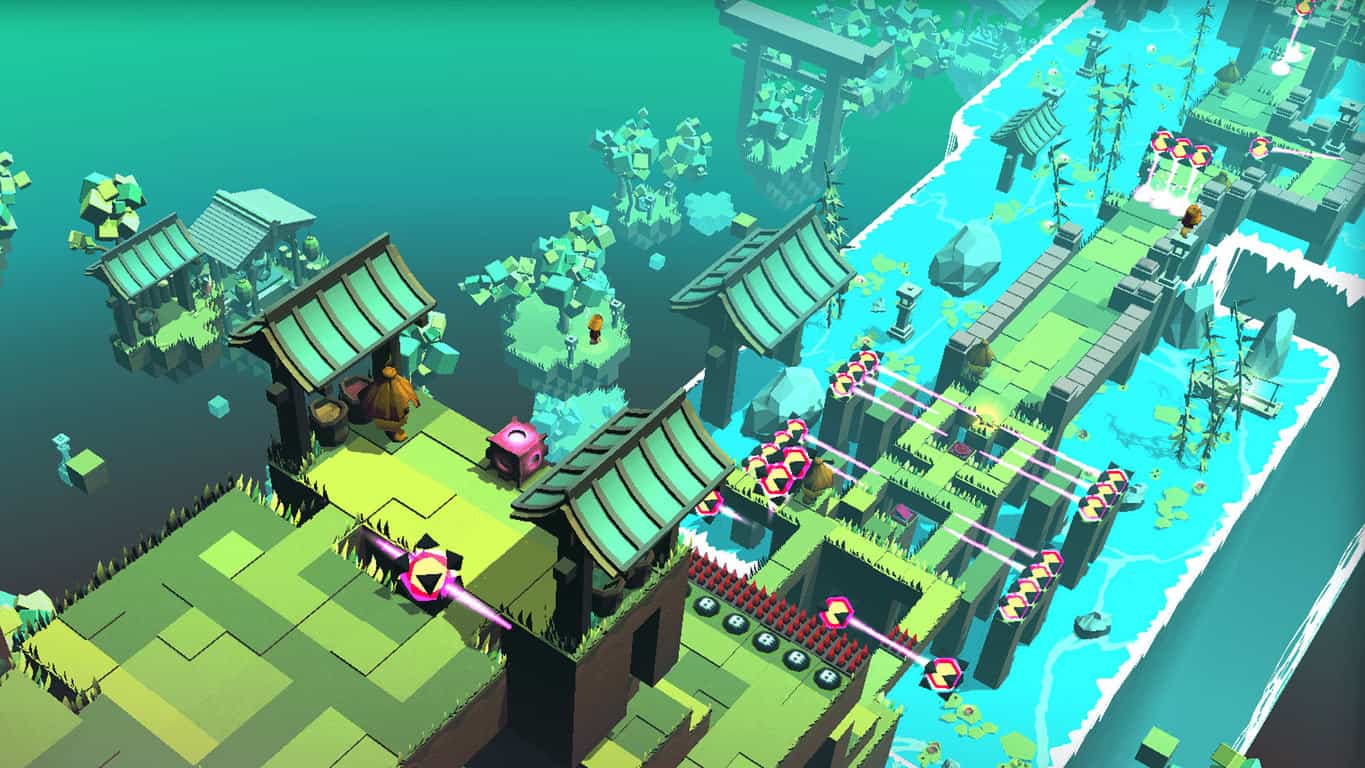
The puzzle game, KYUB, has finally launched on Windows 10 after enjoying several months of release on Microsoft’s Xbox One console. The Windows 10 version also features Xbox Live connectivity and a host of Xbox Achievements to unlock despite the strange absence of the recognizable green Xbox stripe on its promotional artwork in the store listing.

The game is a three dimensional puzzler with over 80s levels spread across four worlds. Here’s the official game description:

Move the “Kyub” and use its abilities to solve devious puzzles and escape malicious traps. Switch between action and puzzle phases where you manipulate other cubes to climb walls and destroy obstacles with lasers or activate switches to trigger new paths. Protect yourself and change the Kyub’s status to become immune to the elements. Master the Kyub and discover all its insane possibilities.

Design your journey at slow pace or furiously fast rhythm. But always be wise & creative because memory, reflexes and rapid execution are the keys to completing each challenge. Die a lot, unlock secrets, collect every medal, and be the fastest among your friends on leaderboards. With more than 80 levels the mysterious world of Kyub offers simple mechanics yet a deep gameplay with thousands of combinations!

Have you played KYUB yet? Let us know if you’re enjoying it in the comments below.

Kyub
Kyub
Developer:
Ninja Egg
Price:
$9.99

New Stardew Valley update will fix a lot of problems on Xbox One

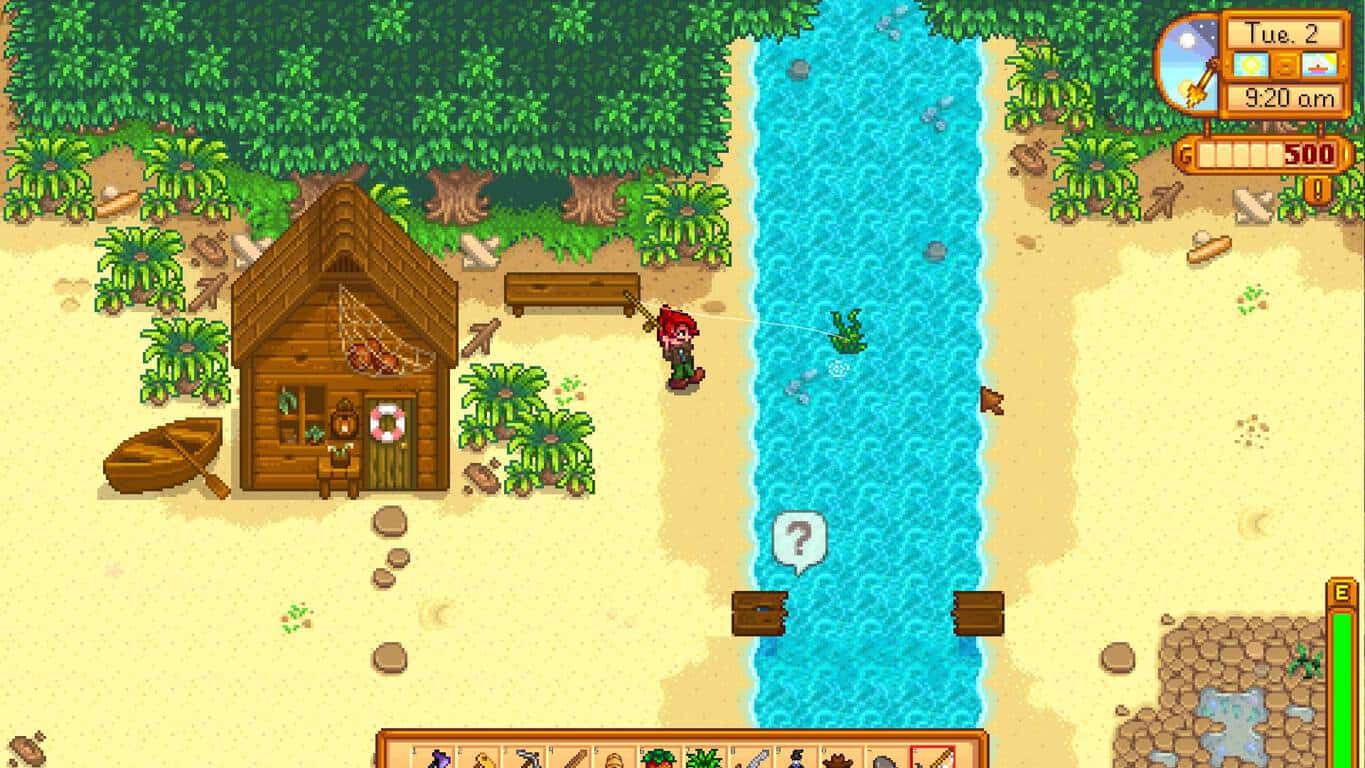
The open-ended roleplaying video game Stardew Valley launched on the Xbox One recently and despite it being rather popular with gamers has suffered from a rather serious bug that’s been corrupting save files and preventing players from continuing from where they left off.

The developer behind Stardew Valley, ConcernedApe, announced in a blog post on the official Stardew Valley website earlier today that an update is being worked on that will fix these save issues. It will be pushed out to consoles in early February after more testing is done. Once this update is downloaded, it should fix the corrupted files and players will no longer have problems saving their progress. Several other unspecified problems will also be fixed.

Are you a fan of Stardew Valley and have you encountered any problems since downloading it on your Xbox One? Let us know in the comments below.

Microsoft’s Windows 10 ebook store is now live for some users

Microsoft’s new ebook store is now available as part of Windows 10’s Store app on both Windows 10 PCs and tablets as well as Windows 10 Mobile devices for Windows Insiders in the U.S.A. with build 15014.

The new ebook section of the Store app, labelled ‘Books’, is fully functional for those that can see it and users are being encouraged by Microsoft to purchase some titles and give them feedback on both the shopping and reading experience.

Interestingly, Microsoft doesn’t seem to have plans to release a dedicated ebooks app for Windows 10 and is instead adding the functionality to its Microsoft Edge web browser. This appears to be a similar strategy to how the company has encouraged Windows 10 users to use Edge for viewing PDF files instead of a separate PDF viewer app.

With this update for Windows Insiders, Microsoft Edge has gained a new hub entry, next to the favorites icon in the upper-right corner of the app, which will act as a user’s personal ebook library. The Edge ebook experience also supports Cortana integration for looking up words, font size and spacing customization, theme and navigation control options, and EPUB file support.

Windows Insiders are a select group of Windows 10 users who test early versions of Windows updates and features before they’re rolled out to the general public. The Windows 10 ebook store will likely become available for everyone when the Creators Update launches sometime during the next few months.

Are you excited for ebooks in Windows 10? Is using Edge as the ebook reader a good decision? Let us know in the comments below.

Microsoft will no longer include Internet Explorer in security updates

Microsoft had implemented an update approach called rollup model for Windows 7 and Windows 8.1 in late 2016 to break away from the individual patches method. The update approach comprises three different parts: Security Monthly Quality Update, a Preview of Monthly Quality Rollup, and a Security Only Quality update. The last method in particular included Internet Explorer patches. Now, the software giant is rolling out changes to how it provides Windows security updates to organizations.
Beginning in February, Microsoft will no longer include Internet Explorer updates and patches in the security-only update. That means Windows security updates will be rolled out in a smaller size for a quicker deployment to users. Also, IE security updates will once again become separate patches as a result of the changes. Security-only updates include new security fixes for a given month, meaning It’s not a cumulative rollup. On the other hand, the IE security updates will be cumulative once the changes take effect. That means the IE patches will contain all previous updates starting next month.
Microsoft will start to enforce the new policy for Patch Tuesdays – the security and quality updates Microsoft rolls out every second Tuesday of the month. The next Patch Tuesday will occur on February 14. The company will also roll out a preview of monthly quality rollup on the third Tuesday of each month. It aims to allow IT professionals to preview the upcoming updates before their release. The preview release will consist of IE security updates as well.

The company began to include IE patches in the security-only updates in December last year. However, the method became a burden for some organizations due to the bulkiness of the updates. With the new approach, the goal is to minimize bandwidth requirements for organizations that use the security-only updates approach.

The Windows security-only updates and IE security updates apply to organizations that use the Windows 7 SP1, Windows 8.1, Windows Server 2008 R2, Windows Server 2012, and Windows Server 2012 R2. Keep in mind, though, that the changes won’t affect consumers using Windows Update to receive updates.

RELATED STORIES YOU NEED TO CHECK OUT:

You can now turn off Skype notifications in OneDrive and Outlook

In a bid to make Skype a universal communication platform for all of its services, Microsoft baked the program into a wide array of services, including OneDrive and Outlook. However, the action led many users to complain about the inability to turn off Skype notifications in Microsoft’s portfolio of websites. Now, it appears the Redmond giant has heard the complaints loud and clear and fixed the issue.

The notification issue started to crop up after Microsoft introduced a plug-in-free version of its Skype pane to Outlook.com, OneDrive.com and other portfolio of websites. As a consequence, the update resulted in the loss of a significant feature that lets users disable Skype notifications.

Fortunately, Windows reporter Paul Thurrott spotted a new button in the Settings menu under Notifications which gives users back the ability to turn notification sounds off in OneDrive and Outlook. Moreover, he disclosed that he turns off Skype notification alerts because he finds them “superfluous and annoying.”

How to disable Skype notification alert sounds

The new button seems to have quietly come into being. Nonetheless, it only means your complaint might not have fallen on deaf ears. Now, here’s how to turn off the notification sounds in Outlook.com or OneDrive.com:

  1. Visit OneDrive.com or Outlook.com.
  2. Click the speech bubble icon of Skype found at the top.
  3. Go to the settings by clicking its icon at the bottom right corner.
  4. Disable the Sound option under the Notifications pane.

Keep in mind that if you turn off the notification sounds in Outlook.com, the change is reflected in OneDrive.com or other Microsoft websites too. Have you checked out the new button already? Share your thoughts about it in the comments.

RELATED STORIES YOU NEED TO CHECK OUT:

Microsoft Teams is hosting very exclusive online sessions; you can register today

Microsoft is launching a new series of online sessions to help collaborators of all kinds find a new home in technologies like Microsoft Teams. The sessions are going to be limited-space affairs that let a roundtable of participants talk to one another about their individual challenges.

If you sign up for a session, here’s what Microsoft says you’ll learn:

  • How Microsoft Teams, the newest collaboration tool
  • How to keep information secure while being productive—Make it easier to work securely and maintain compliance without inhibiting your workflow.
  • How to quickly visualize and analyze complex data—Zero in on the data and insights you need without having to involve a BI expert.
  • How to co-author and share content quickly—Access and edit documents even while others are editing and reviewing them all at the same time.
  • How to get immediate productivity gains—Most attendees leave with enough time-saving skills that time invested to attend a Customer Immersion Experience more than pays for itself in a few short days.

There are only 12 slots available per session, so you’re going to have to sign up quickly if this is something that interests you. Slots could be eaten up fairly quickly – we’re not sure how many sessions there are to fill. If you’ve ever been interested in Microsoft Teams, this should definitely be a valuable experience.