Trailer for upcoming GTA 5 Online DLC released

GTA 5 is one of the most popular games out there, a fact confirmed by the large number of gamers playing it daily. While GTA 5’s Story mode doesn’t receive new DLCs, but when it comes to the GTA Online, Rockstar certainly spoils players with new content often.

GTA V’s new DLC is called “Further Adventures in Finance and Felony” and will be released next week on June 7, 2016, for Xbox One, PS4 and Windows PC.

However, before we’ll tell you more about this upcoming DLC, take a look at its official trailer:

According to Rockstar, in the upcoming “Further Adventures in Finance and Felony” DLC, GTA 5 players will be able to rise to the top of their own corporate criminal enterprise. They’ll be able to sell, buy, and move contraband material across the city of Los Santos. However, the authorities will not sleep and will chase you down along with other rival CEOs.

We are pretty sure this new DLC will bring back the many players who left GTA 5 because they got bored of it. Hopefully, Rockstar will bring more interesting DLCs in the near future, as the game has started to lose players and according to rumors, it will take a few years before the GTA 6 will be released, rumored sometime between 2018 and 2020.

Are you playing GTA 5 Online with your friends? What is your favorite mission in the GTA 5 Online? What do you think is missing from the game?

RELATED STORIES TO CHECK OUT:
Microsoft Research applying artificial intelligence to photo-based storytelling

Photo albums are full of precious moments that we tend to relive over and over again. As more visual representations of our lives become the norm, the experience of living through images and photographs is lost on those that cannot see. Live Science says that this is just one reason that Microsoft Research and their colleagues have begun developing photo-based storytelling.

The strings of sentences and descriptions were constructed by Amason’s Mechanical Turk. Researchers engaged the crowdsourcing marketplace to write descriptions of over 65,000 images for the project, according to Live Science. After all the sentences were gathered, scientists put together approximately 8,100 images to create a storyline for the artificial intelligence project. As LiveScience explains:

As LiveScience explains:

“This is a picture of a family; this is a picture of a cake; this is a picture of a dog; this is a picture of a beach,” the storytelling program might take those same images and say, “The family got together for a cookout; they had a lot of delicious food; the dog was happy to be there; they had a great time on the beach; they even had a swim in the water.”

During their tests, scientists found that the storytelling artificial intelligence produced computer-generated stories faster than human storytellers, as well as matching human judgment through the sentence structures. Unfortunately, the photo-based storyteller needs a bit more work. The project experienced little hiccups such as the artificial intelligence writing in objects or scenes that weren’t actually in the images themselves. These ‘hallucinations’ were due to the computer program not being able to clearly explain what it is seeing.

Nevertheless, Margaret Mitchell from Microsoft Research hopes computerized storytelling will be useful for social media in the future.

“You’d help people share their experiences while reducing nitty-gritty work that some people find quite tedious,” she said. Computerized storytelling “can also help people who are visually impaired, to open up images for people who can’t see them.”

Eventually, she sees the project developing into a stepping stone for video. “For instance, for security cameras, you might just want a summary of anything noteworthy, or you could automatically live tweet events,” Mitchell said.

Later this month, Microsoft Research will be presenting the results of the storytelling computer program at the North American Chapter of Association for Computational Linguistics in San Diego. Let us know in the comments if you think computer-generated storytelling will have an impact.

Latest Sims 4 update removes gender-specific options

We are living in an open-minded world and more proof of that comes in the latest update for The Sims 4 that removes gender-specific options. This means that you can select any type of clothing, hairstyle, physique and voice to personalize your character, irrespective of the gender you selected.

More than 700 items that were previously gender-locked are now available to either male or female Sims. It’s time to be very creative with your character.

For the first time, you’ll be able to customize your Sims without the gender boundaries previously set in place. This means you can now create Sims with any type of physique, walk style, and tone of voice you choose – regardless of their gender.

We’ve also made clothing, hair, jewelry, and other visual options available to all Sims. Over 700 pieces of content previously only available to either male or female Sims, have now been made available to all Sims regardless of initial gender selection.

Electronic Arts says that the game was developed for a diverse audience and it wants its players to be as creative as they can possible be and express themselves naturally. The aim is to allow players to create characters they can identify with or relate to through tools that give them influence over a Sims’ gender, age, ethnicity and other characteristics.

Player reaction has been very supportive of the developer’s actions. They salute the initiative, saying the company has updated the game for the times:

Now my Sims can be gender fluid. Thanks for being open and updating the games for the times.

Since the gender-specific options touch on a very sensitive subject, other players don’t agree with the developer’s decision to make the Sims gender neutral and acuse the company of encouraging gender confusion, suggesting it should focus on more important improvements.

Have you downloaded the update? What do you think about the new features?

RELATED STORIES YOU NEED TO CHECK OUT:

Seattle’s KING5 TV uses Power BI technology for data visualization

On May 24, 2016, Seattle broadcaster KING 5 used the Surface Hub with Microsoft’s Power BI data visualization tool to show local voters real-time election results for the Washington state presidential primary election. Peter O’Connell, executive producer for special projects at KING 5, has yearned to use this type of technology for a while, moving up from the early days of relying on just graphs and charts to show election results:

“This is something I’ve wanted to do for a long time, but it’s never been possible before at the local level, only for the networks, who’ve spent gobs of money on custom software packages that are well beyond local TV capabilities. Today’s technology “has the ‘cool’ factor, yes, but it’s the information that I care about – giving viewers a much better picture of what’s going on in an election and letting them see for themselves, in real-time, the same county returns that we’ve always had internal.”

Marco Lowe, campaign and elections professor at Seattle University, and KING 5 political expert, believes that the broadcast was “a total game-changer.” During the broadcast, KING 5 reporter Natalie Brand and Lowe were able to use the Surface Hub to touch and show viewers the real-time election results going between the Washington county and state map.

Reporter Natalie Brand and Marco Lowe use the Surface Hub to show the data streaming into the Power BI report.
Reporter Natalie Brand and Marco Lowe use Surface Hub to show the data streaming into the Power BI report.

In addition to election results, Lowe sees the potential for Power BI to be used in other KING 5 broadcasts on other election segments.

“The visualization of data is an essential and necessary tool to explain these complex and fluid campaigns. The human eye is attracted to color and movement, so if you’re able to provide data that way, viewers will be able to take in the information at a much faster rate, and you’re providing them with a more compelling story. Standing there with that map filling in the counties as we talked was a very different experience, and now I just don’t even know how you’d tell the story without it.”

For a more in-depth look at how KING 5 used the Surface Hub and Power BI in their Washington state presidential primary election broadcast, visit Microsoft’s Transform blog.

Windows Bridge for iOS is being updated with new features, additional samples, and more

While Microsoft has all but seemingly given up on providing Android developers a porting bridge to Windows 10 by shuttering its Project Astoria tools, the company seems poised to continue full steam head with courting iOS developers.

The Windows team announced today that the Windows Bridge for iOS (Author’s note: I still personally prefer Project Islandwood as a title) is receiving a healthy dose of updates, new features and new samples for developers to play around with.

This week, the Windows Bridge for iOS is gaining a number of new features—including improved support for several widely-used iOS layout APIs—and integrating with the official CoreFoundation framework. Additionally, we’re launching a new repo of open-source sample apps and example code designed to address common app scenarios and demonstrate integrating Universal Windows Platform (UWP) features into your app. To recap, the Windows Bridge for iOS is an open-source project that allows you to create UWP apps that can run on Windows 10 devices using iOS APIs and Objective-C code.”

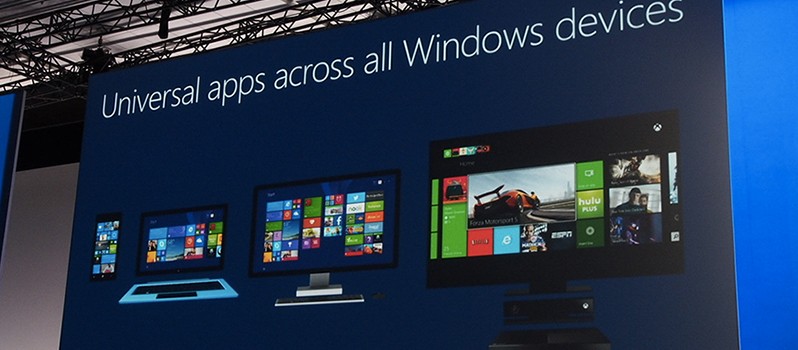
The update to the iOS porting tools comes at a pivotal time in the on-going story that is Windows 10. With a just a little under two months until the release of the Windows 10 Anniversary Update, the Windows team appears set to round all of the rough edges that remain around Windows 10 and the app story, perhaps, remains the harshest. Getting developers to create, port, and transition apps to the Universal Windows Platform seem crucial for the Windows team as it continues to try and sell its App Store as a viable alternative to those on competing platforms.

The appearance of iOS ported apps are spotty at best right now, but with the additions brought in this update, developers might find a reason to try using the tools in more regular fashion. Visit Microsoft’s Building for Windows developer blog for more details and examples on its iOS porting tools.

Film adaption of Tom Clancy’s The Division in the works, Jake Gyllenhaal tapped as lead

Tom Clancy’s The Division is one of the newest video games to come out of Ubisoft. The title was launched to a lot of praise within the gaming community, but also to much scorn. That doesn’t matter much to Ubisoft because the company wants more out of the title than just a video game.

The latest report from Variety has it that Ubisoft is preparing to create a movie based on Tom Clancy’s The Division. Things seem to be moving pretty fast because a lead actor has already been found: Jake Gyllenhaal. It is possible he could also become a producer, but nothing is certain yet because the film still lacks a writer and a director.

Ubisoft seems to be making a concerted push to get its video game franchises onto the big screen. The company is working with 20th Century Fox to kick things off with Assassin’s Creed, and we’re certain if that movie turns out to be a hit, Tom Clancy’s The Division will no doubt find its director soon after.

Another video game franchise turned big blockbuster movie is the World of Warcraft series. The movie itself is called Warcraft, but unlike the game, we do not believe it will be successful: Critics are already destroying this film.

With the oversaturation of comic book movies, Hollywood might feel it needs another big money maker, and making movies based on video games could be the key. However, firsts thing first: the industry needs a few hits first, and Assassin’s Creed could be the opener.

We should also point out that Sony had a hand in the development of Ratchet and Clank movie that failed at the box office. The company will be hoping to change its fortunes with the 2016 movie, Sly Cooper, based on a video game franchise of the same name. Unfortunately, the film is being directed by Kevin Munroe, the same guy who directed Ratchet and Clank. Let’s see where that goes.

RELATED STORIES YOU NEED TO CHECK OUT:

Microsoft Planner for Office 365 reaches General Availability, rolling out in the next several weeks

Microsoft’s Office 365 just got a bit more productive, as if that were even possible. The Office 365 team has announced today that its organizational planning tool, Microsoft Planner, will be rolling out to all eligible Office 365 customers across the world.

What is Microsoft Planner?

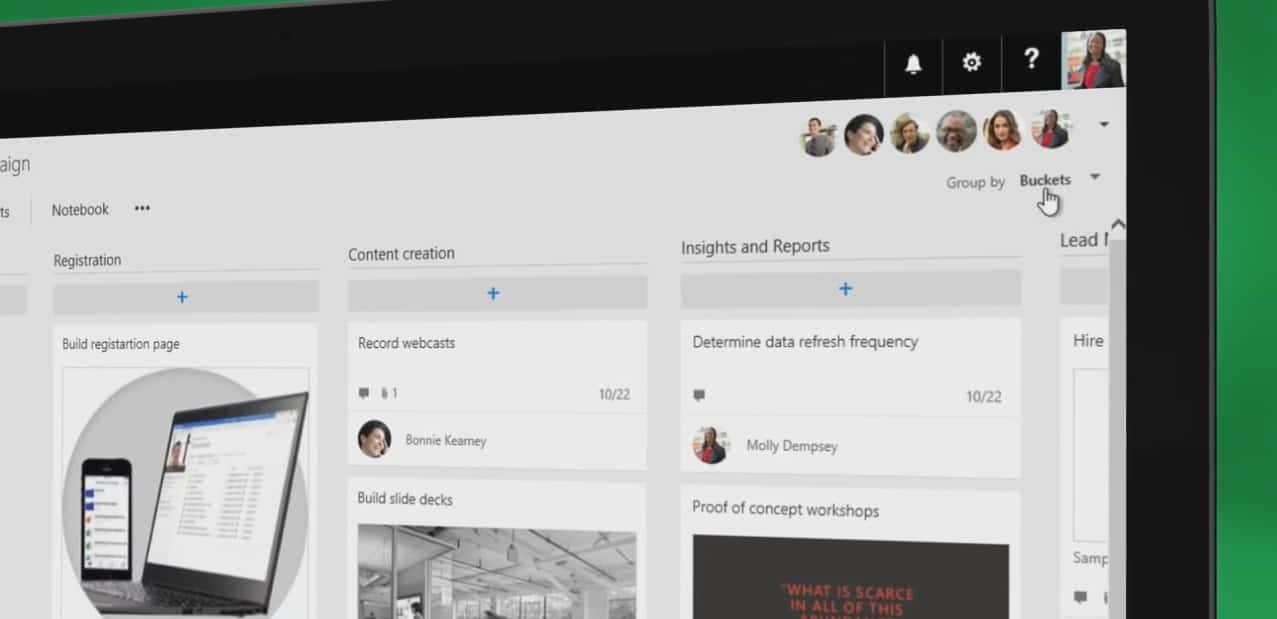
Microsoft Planner is a standalone app that accompanies the suite of productivity apps that make up Office 365 for business and educational customers. With Microsoft Planner, “teams can create new plans; organize, assign and collaborate on tasks; set due dates; update statuses and share files, while visual dashboards and email notifications keep everyone informed on progress.”

How to get it?

There is nothing to it, literally. According to the Office 365 team, customers with eligible subscription plans will just see a new icon or tile appear in their Office 365 launcher upon start up. Admins or IT Pros can rest easy on the Microsoft Planner upgrade as it seems to be a hands-off update done over the air (OTA), however, setting up workloads, notifications, tasks, and due dates are still dependent on the user.

When can I start to use it?

The roll out of Microsoft Planner is scheduled to take place “over the next several weeks” according to the Office 365 team. As of the announcement, some customers will begin to see the addition of Microsoft Planner as early as today.

Who can use it?

Unfortunately, for the average consumer looking to organize small meetings with friends or business associates or a would be a self-starter, Microsoft Planner appears to be only for larger business and educational purposes. Eligible customers include Office 365 Enterprise E1-E5, Business Essentials, Premium and Education subscription customers.

If you happen to meet the criteria, check your Office 365 launcher for the update today.

Hackers bypass Microsoft’s EMET exploit blocker to infect Silverlight and Flash apps

A new report out by ComputerWorld is showing that hackers have bypassed Microsoft’s EMET exploit blocker to infect Silverlight and Flash apps.

In a blog post about the issue, the security Firm FireEye also notes that this is the first time that this Angler EK exploit has appeared in the wild, and that this issue was only affected systems running Windows 7. FireEye also notes that the hack uses complex multi-layered code obfuscation and leverages multiple exploits, making it, “one of the more sophisticated exploit kits in use at this time.”

As CompterWorld reports, the Enhanced Mitigation Experience Toolkit (EMET for short) was first released in 2009. EMET was designed to enforce modern exploit mitigation mechanisms for third-party applications that were built without them. Ultimately, this makes it much harder for attackers to exploit vulnerabilities in those programs.

FireEye notes that a robust vulnerability management program for end user systems, which includes the installation of security updates for third party software is a good mitigation for this threat. FireEye also recommends disabling browser plugins for Flash or Silverlight to reduce the risk of attack.

Microsoft announces ‘extensive commitment’ to Apache Spark

Microsoft is investing in Apache Spark to help power its data and analytic services like Azure, Cortana Intelligence Suite, Power BI, and Microsoft R Server.

Here are the ways Apache Spark will help improve Microsoft’s wide array of services:

  • Spark for Azure HDInsight General Availability, previously announced as public preview, Spark for Azure HDInsight generally available today, and introducing a fully managed Spark service from Hortonworks that has been hardened for the enterprise and made simpler for you to use. You can also rely on the industry’s highest availability service level agreement for Spark at 99.9%. You can get value out of Spark immediately with out-of-the-box integration with Jupyter, the most popular open source notebook for data scientists.
  • R Server for HDInsight in the cloud powered by Spark, previously announced as public preview, R Server for HDInsight will be generally available in the summer making the Spark integration available both on-premises and in the cloud. This makes it easy to move code and projects to the cloud with a few clicks and within a few minutes without buying hardware or hiring specialized operations teams typically associated with big data infrastructure.
  • R Server for Hadoop on-premises now powered by Spark, as the leading solution in the world to run R at scale, R Server for Hadoop will support both Microsoft R and native Spark execution frameworks available in June. Combining R Server with Spark gives users the ability to run R functions over thousands of Spark nodes letting you train your models on data 1000x larger and 100x faster than was possible with open source R and nearly 2x faster than Spark’s own MLLib.
  • Power BI support for Spark Streaming, previously announced with Power BI General Availability, Spark support in Power BI is now expanded with new support for Spark Streaming scenarios. This allows you to publish real-time events from Spark Streaming directly into one of the fastest growing visualization tools in the market today.

Joseph Sirosh, corporate vice president at Microsoft, will be making his keynote at this year’s Spark Summit in San Francisco on Wednesday, June 8, 2016. Sirosh will go into more details in his Spark Summit keynote about how Apache Spark will be integrated into Microsoft software and services.

First wave of the new Xbox One preview will arrive at around 6pm PDT tonight

Earlier today we reported on the fact that a new blog post from Major Nelson finally revealed all the features that will soon be introduced on Microsoft’s Xbox One gaming console. While the post originally mentioned the fact that “new features will roll out to the Preview audience in waves,” we have just learned that the initial Preview build will out to the first wave of people at 6 PM PDT today (June 6th), that is if the PST in the tweet is just a typo

As seen above, the announcement about the build roll out was made by Mike Ybarra on Twitter. It is worth noting, though, that to currently receive this initial Preview build you need to already be a part of the Xbox Preview program, which an invite only program.

As we reported previously, the preview build is expected to be a doozy. Over time, it is promising to bring Cortana to Xbox One, a new Game Collection Interface, a unified Xbox and Windows Store, a more personal activity feed, and much more.  Additionally, Major Nelson also confirmed that Microsoft will be merging the Windows Insider Program with the Xbox One Preview Program to “streamline feedback and updates.” An opt-in program will also let fans choose how they want to participate and help the Xbox team gather feedback those new features before the public release later in the summer.

Watch sports en español with Univision Deportes Windows 10 app

While there are currently over 669,000 apps in the Windows Store, Microsoft has just taken to their firehose blog to feature one of the newest apps to the Windows Store family.

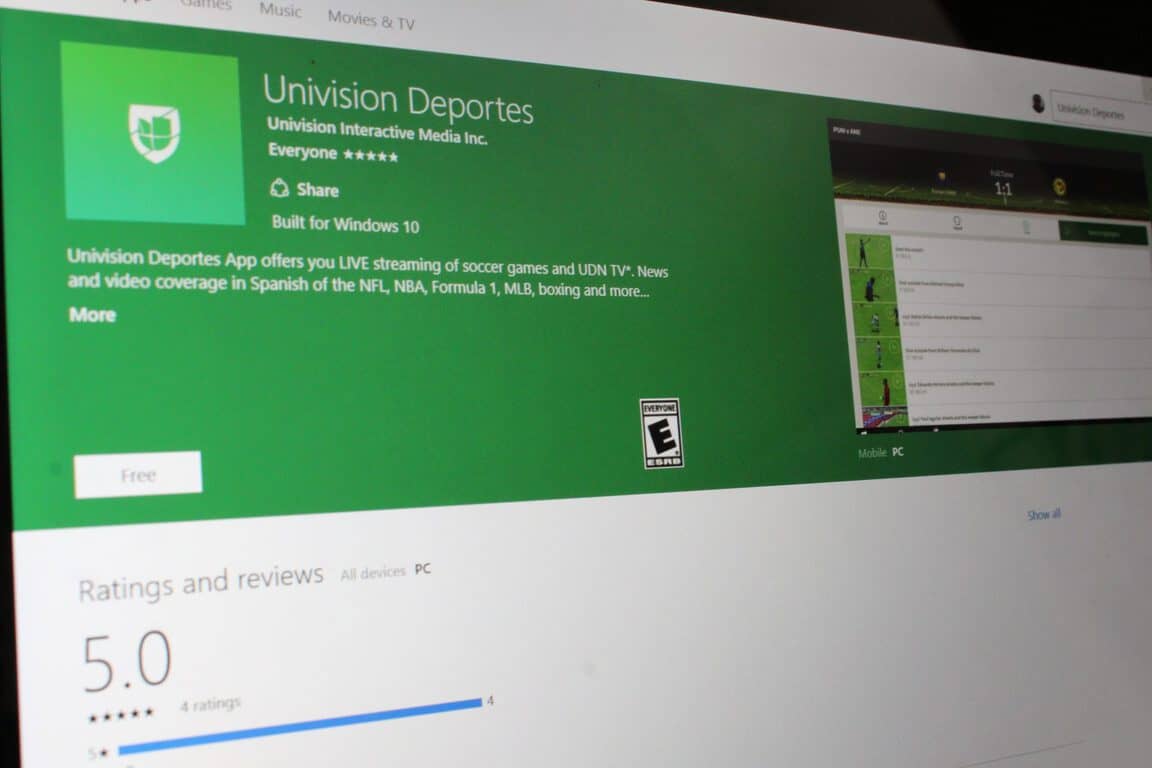
The new UWP app, Univision Deportes for Windows, offers you live streaming of soccer games and UDN TV, news and video coverage in Spanish of the NFL, NBA, Formula 1, MLB, boxing and more. Microsoft even notes that you will be able to get video highlights from streamed games, real-time results, states, lineups and photos from within the app.

Menu Search in the Univision Deportes App

The app also features Twitter feeds from your favorite teams and notifications for match starts. Additionally, Microsoft notes that Soccer fans can even live stream LIga MX, MLS, US and Mexican Men’s National team games  along with UDN TV, just by signing in with their paid TV provider from the app. Copa Américe Centranario soccer games are also included in the app, with the first game just occurring last Friday at 6:30 PM.

So, if you’re interested in this app, be sure to check out the download link below! Once you do check it out, be sure to drop us a comment with your thoughts on how the app experience is going!

New Microsoft Research video demos FlashBack VR technology

While we’ve already covered the latest project from Microsoft Research, the Microsoft Research team is still very busy and hard at work developing new technology. The team has just published a new video to the Microsoft Research page, showing off a new FlashBack VR technology.

Seen above, the video details how the new FlashBack technology will provide better immersion in virtual reality than existing state-of-the-art solutions. Overall, FlashBack takes advantage of the storage on a mobile device by pre-generating all possible player views of a virtual environment, and storing them on a frame cache on the device’s storage. FlashBack also captures the color map of both eyes at every reachable position in the environment and then combines them into a mega frame.

An example of FlashBack's mega frame
An example of FlashBack’s mega frame

Ultimately, then, as the player moved around the environment, FlashBack selects the closest matching mega frame and then warps it to match the player’s field of view. As per Microsoft Research, this technique allows even weaker mobile devices to quickly render the scene without any costly real time rendering.

To end the video, Microsoft Research offers up some comparisons to rendering on a mobile device. The team ultimately notes that FlashBack obtains 15 times lower latency, 100 times better energy efficiency, and 8 times the frame rate without compromising the digital quality. These statistics can be seen as pretty impressive, and can also be seen as a big step forward in the promise of full sensory immersion in a virtual environment, so we would love to hear your thoughts on this FlashBack technology. Be sure to drop us a comment below on what you think FlashBack means for the future of HoloLens, or even Virtual Reality in general.

First big update to Xbox One brings Cortana, revamped game collection, and much more

A few days after Microsoft’s Mike Ybarra teased a new Xbox One preview build for the members of the Xbox One Preview program, today a new blog post from Xbox Live’s Major Nelson finally reveals all the features that will soon be introduced on Microsoft’s gaming console. The preview build is expected to be available this week to Xbox Preview members, but Major Nelson explains that “new features will rollout to the Preview audience in waves.” Furthermore, an opt-in program will let fans choose how they want to participate and help the Xbox team gather feedback those new features before the public release later in the summer.

This preview update will finally bring Cortana to the Xbox One as well as a redesigned game collection, an improved Windows Store, a more personal activity feed with a better sharing feature and an easier way to add friends from Facebook. Please find all the details below.

Cortana on Xbox One

Cortana is coming to Preview in the U.S., U.K., France, Italy, Germany and Spain first, and gamers can expect the familiar Cortana experience found on other Windows 10 devices. Cortana voice commands on Xbox One will work with both headsets and Kinect. You’ll be able to use Cortana to find great new games, see what your friends are up to, start a party, accomplish common tasks, turn on your Xbox One if you’re using Kinect, and more. We’ll continue to build Cortana features over time and our vision is to use Cortana to help elevate your experience as your personal digital assistant for gaming. Just say “Hey Cortana” or launch the app to get started!

New Game Collection

We’re updating the Game Collection interface to make it faster and easier to find and launch the games you’re looking for. Now you’ll be able to see more of your Game Collection, quickly access your own ‘Ready to Install’ tab, and get more information about titles in your queue.

Facebook Friend Finder on Xbox One:

Facebook Friend Finder is expanding from the Xbox app to Xbox One and is a great way to find and add your Facebook friends on Xbox. As more gamers link their Facebook and Xbox Live accounts, you’ll start seeing more suggestions for Facebook friends to add and game with on Xbox Live.

Improved sharing on Xbox One

We’ve made it easier to share your screenshots, GameDVR clips, and achievements on Xbox One. Gamers can now share their most epic clips and captures with the community in fewer steps.

Xbox and Windows Store convergence:

We’re starting to combine the best of the Xbox Store and Windows Store to give gamers a single cohesive experience across their devices. On Xbox One, we’ve streamlined the shopping experience to help you find the games you love faster and at the best prices. You’ll be able to filter, browse and search results by genre, read reviews written by fellow gamers – including those voted “most helpful” by the Xbox Live community, easily recognize what titles are on sale with strikethrough pricing in lists, and more. We’ve also added several new channels to help you discover the content you love even faster. On the Windows Store, we’re adding support so gamers can browse and purchase bundles, episodic games, season passes, virtual currency and other game add-ons and DLC.

More personal Activity Feed:

Being able to choose what’s posted to your Activity Feed across Xbox One and the Xbox app is a big fan-requested feature. With the new settings, you can now decide what will get automatically shared to your feed. You can now also craft the perfect Activity Feed posts. At the top of your Activity Feed, easily access and choose from recently unlocked achievements and captures, preview what your post would look like, and then share your greatest gaming moments.

Additionally, Major Nelson has confirmed today that Microsoft will be merging the the Windows Insider program with the Xbox One Preview program “to streamline feedback and updates.” The Xbox exec adds that “in just this past year, we’ve released more than 200 new features inspired by fan feedback on Xbox One through our regular updates and the New Xbox One Experience”, and it’s definitely great to see the company iterating so fast on the Xbox system software. 

People want EFF to investigate Microsoft for ‘malicious’ Windows 10 upgrade practices

Ever since Microsoft launched the free Windows 10 upgrade, we’ve been covering the various options available for you to install the latest and greatest Windows operating system. It turns out that more than a few people are not very happy about Microsoft’s practices in regards to getting Windows users to upgrade. Todd Kleinpaste is one of these users, and is the founding signature on a new change.org petition to get a digital rights group called Electronic Frontier Foundation (EFF) to investigate Microsoft for ‘malicious’ Windows 10 upgrade practices.

The petition, which has 483 of the required 500 signatures, states that people were forced or tricked into the upgrade from their current and preferred Windows version. It also states:

“Microsoft’s practices with their newest operating system, named Windows 10, has been ignorantly unethical at best and malicious at worst.”

Surface Pro Running Windows 10

Todd’s petition also cites “increasing” instances of where users were forced into the upgrade.  It also calls out Microsoft for putting unblockable tracking mechanisms into Windows 10 and Windows 7 and 8.  Additionally, and in line with this, the petition points out that:

“Windows 10 is uninstalling software from users computers on its own, without requesting it from the user, even software that is compatible with Windows 10.”

Other interesting notes in the petition include the fact that it claims, “Microsoft has stated that they intend to stop allowing software to be installed through any means other than their store.” However, while we’ve already covered the many UWP games available for download, the petition cites the UWP as:

 ..[Giving] Microsoft a cut of every game sold for their platform, a situation unprecedented in the Windows platform and severely hindering the abilities of independent game developers.

With the deadline approaching for the free Windows 10 Upgrade, the petition is nonetheless very interesting and draws attention towards Microsoft’s practices.  Despite the petition, It is worth noting that after the July 29th, all instances of “get Windows 10” will be disabled and eventually removed from PCs worldwide. How do you feel about this petition? Share your thoughts in the comments below.

Microsoft insists users have choice when it comes to Windows 10 upgrade

Over the last two months, accusations and complaints against Microsoft’s Windows 10 heavy-handed update strategy flooded the internet. One theme was common: users accused the tech giant of turning the Windows 10 upgrade pop-up into malware, forcing them to upgrade against their will.

One of Microsoft’s main goals is to turn Windows 10 into the most popular operating system in the world. Its latest OS is currently running on more than 300 million devices worldwide while in some markets like the US, it even ranks first.

In getting there, Microsoft has been heavily criticized for the methods it’s employed to convince people to upgrade to Windows 10, with users angrily claiming the company had completely blocked their ability to choose whether or not to upgrade. They accused Microsoft of cutting off any possibility to refuse or delay the upgrade as the pop-up window offered only two options, “Upgrade now” and “Download now, upgrade later”, while the pop-up’s X button took their no for a yes and proceeded with the installation of Windows 10.

Tired of all these accusations, Microsoft issued an official statement on the matter:

The Register report is inaccurate. The Windows 10 upgrade is a choice – designed to help people take advantage of the most secure, and most productive Windows. People receive multiple notifications to accept the upgrade, and can reschedule or cancel the upgrade if they wish.

The only problem for users is that it’s pretty difficult to find the options allowing them to reschedule or cancel the upgrade. Perhaps Microsoft should publish a how-to guide and offer step-by-step information on how to refuse the upgrade.

Meanwhile, it appears that Microsoft’s aggressive upgrade tactics are working, since Windows 10’s market share increased by 2% compared to April. Analysts also suggest that users will mass-upgrade to Windows 10 following the Redstone update.

RELATED STORIES YOU NEED TO CHECK OUT:

Hands-on with the new Bank of America Universal Windows 10 App

We’ve been expecting Bank of America to release an app for the Windows 10 Universal Platform soon. At first, we were expecting the app on March 28, 2016, and when that date didn’t pan out we learned that Bank of America was planning for a summer release. Well, we’re approaching summer, and right on cue, we’ve managed to get early access to the app and give it a try.

The app only installs on Windows 10 PCs at this point, but we know a Windows 10 Mobile app is in the works. Sideloading the app was painless, and it seems to run reliably on my desktop and Surface Pro 4 where I’ve given it a try.

The app is fairly straightforward and provides the same functionality as the iOS and Android versions. You can do all of your banking via the app, from accessing your accounts, transferring funds, and depositing funds via your camera.

First, you log into your Bank of America account by entering your usual credentials.

BoA app opening screen.

Then, you can see the typical account overview information. You can drill into the account to access the usual activity information search transactions, and access routing information.

BoA Accounts
BoA app accounts screen.

Complete bill pay support is baked in, allowing you to manage payments, access your preset bills, view scheduled payments, and more.

BoA W10 Bill Pay
BoA app bill pay screen.

Transferring funds via the app is as straightforward as via the website, letting you easily select to and from accounts, set the amount, and schedule transactions.

BoA app transfer money.
BoA app transfer money screen.

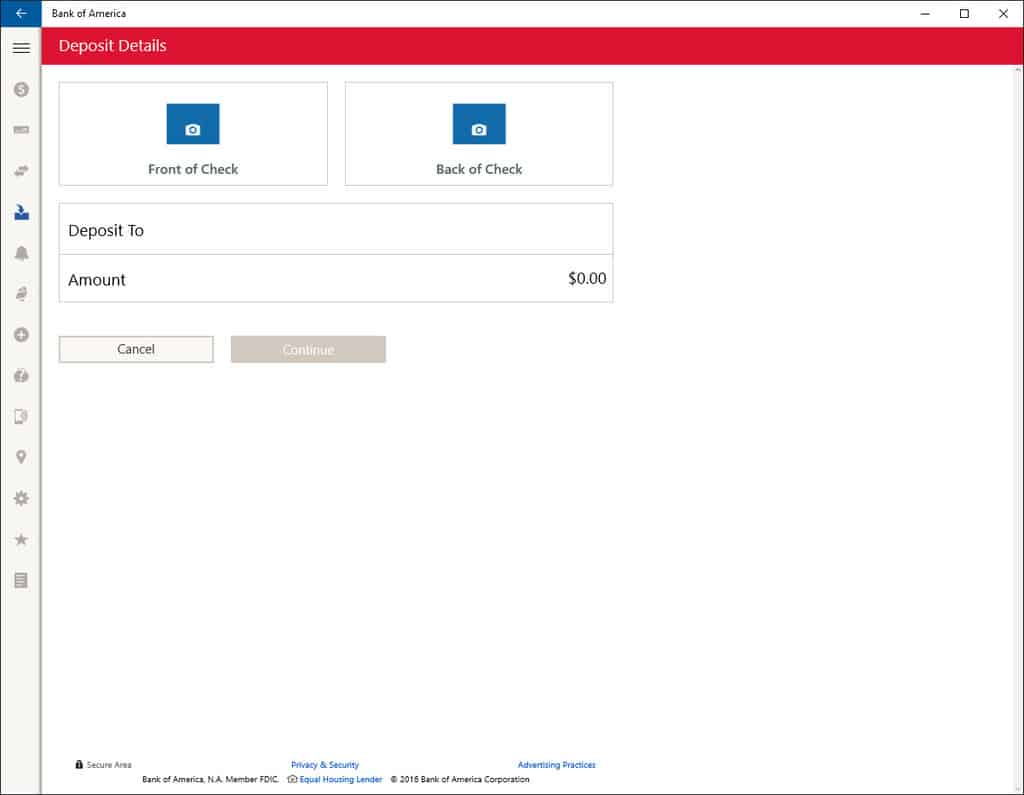
One of the functions that makes banking on a smartphone (or device with camera) so convenient is depositing checks by snapping images of the check’s front and back. The app works just like it does on other supported platforms–just snap a picture of the front and back of the check, select where to deposit the funds, and enter the amount. If the app can verify that all of the required information is included in the images, then the account is processed as quickly as if it was deposited at the bank via teller or ATM.

BoA Deposit
BoA app deposit screen.

Other information is also available via the app, such as a location-aware location finder and access to reward program deals.

BoA app locations screen,
BoA app locations screen.
BoA W10 Deals
BoA app deals screen.

In short, the app works exactly as expected, and that’s a good thing. Once the app is supported on Windows 10 Mobile, then the platform will finally have one small part of the app gap covered. Let us know in the comments if you’re looking forward to the official release, and what other apps you hope to see brought to the Universal Windows Platform soon. At the time of this post, the app is not available for the public just yet.

Sticky Notes app in Windows 10 becomes multifunctional with new useful features

Sticky Notes have been one of the most recognizable features of Windows since Windows 7. Despite being present in every Windows version since then, it has remained virtually the same.

In the latest Windows 10 Preview build 14352, Microsoft finally introduced a few changes to Sticky Notes. First of all, Sticky Notes are now integrated with Cortana so that creating notes with her is now possible. In addition, once you create a reminder with Sticky Notes, it will sync between all your devices to be reminded wherever you are.

To create a reminder with Sticky Notes, write out your reminder and include the time of the reminder. That time will turn blue, creating a hyperlink to a Cortana reminder. Once you click it, Cortana will open, and you’ll be able to set a reminder just like you would normally do.

Speaking of hyperlinks, writing a phone number or an email in Sticky Notes will let you call it or send an email by opening Windows 10’s Mail app. Also, when you include a web address in Sticky Notes, you’ll be able to open it in Microsoft Edge just by clicking on it. For now, only Microsoft Edge is supported.

Just like all the other features and improvements in the latest Windows 10 Preview build 14352, improved Sticky Notes are only available to Windows Insiders. This feature will arrive for regular users with the Anniversary Update for Windows 10 this summer.

RELATED STORIES YOU NEED TO CHECK OUT:

New Facebook Messenger app beta released for Windows 10 Mobile

Facebook Messenger has been available for Windows 10 Mobile for quite some time, but not the latest version. From our understanding, this version is a Universal App and as such, is also available on Windows 10 Desktop.

The new Messenger app is exactly what Windows 10 Mobile users have always wanted. It comes with several key features, and this is possible due to the app being a port from the iOS version rather than something created from the ground up for the platform.

The new Facebook Messenger app comes packed with features such as the ability to view GIFs, add stickers, and add nicknames, along with other cool things. Groups and push notifications are also here, and as expected, Lie Tile support.

It’s in beta at the moment, but it feels as if the app is ready for primetime. Nevertheless, there are a few bugs, but nothing that breaks the app.

Here is its full feature list:

  • Get notifications so you never miss a message
  • See when you have messages waiting for you with a live tile
  • Send photos, videos, GIFs and more
  • Bring your conversations to life with stickers
  • Know when people have seen your messages
  • Create groups for the people you message most—name them and set group photos
  • Forward messages or photos to people who weren’t in the conversation
  • Search for people and groups to quickly get back to them

The current Facebook Messenger app was released first for Windows 10 to raving reviews by fans and critics alike.

Interested in downloading the Facebook Messenger app for Windows 10 Mobile? Click on this link here.

RELATED STORIES YOU NEED TO CHECK OUT:

Microsoft testing Windows 10 Mobile Build 10586.420 internally

Microsoft just released its Windows 10 Mobile build 14356 but takes no time to rest. Its engineering team is allegedly testing a new build internally aimed at bringing new bug fixes and improvements.

No information is available as to when the new build 10586.420 will be pushed to Insiders. However, judging by the build release pattern Microsoft used in the last weeks, this build could actually be directly rolled out to production, on the second Tuesday of June.

Usually Microsoft releases build preview versions two weeks before Patch Tuesday. Then, the company rolls out a new version to production exactly on Patch Tuesday.

Since the Anniversary Update day is closing in, Microsoft is now focusing on improving its builds in order to make them more stable. In other words, we will be seeing very few new features, if any, in the upcoming Windows 10 Preview builds and more bug fixes.

The Windows Insider Team and its new leader did a very good job judging by the huge number of fixes released in the current build and in the build before. However, there are still many issues to be fixed, both in the Mobile build and the desktop build.

The official list of issues for the Windows 10 Mobile build 14356 includes the following problems:

  • Battery life issues are still impacting certain devices. Microsoft fixed a few bugs that improve battery life but it still has more work to do here.
  • Data issues with some Dual-SIM devices where cellular data doesn’t work correctly with a second SIM.
  • The new Cortana features may not work for some users. Restarting your phone is the only workaround available and is should allow you to access the new features.
  • After installing this build, you may notice your Quick Actions icons are not in the same order. This is a side effect of the fixes/changes made to Action Center. To re-arrange your icons, go to Settings > System > Notifications & actions > (Quick actions) and touch, hold, and then drag to re-arrange icons to whatever position you want.
  • Windows 10 phones freeze after touching the screen immediately after enabling Narrator.

Have you encountered any other issues on the Mobile builds, apart from the ones mentioned above?

RELATED STORIES YOU NEED TO CHECK OUT:

Over 100 million copies of Minecraft sold worldwide

It finally happened! Minecraft has passed the 100 million sales milestone, becoming the second best selling single game, after Tetris, which , according Wikipedia, it sold 500 million copies. Since the beginning of 2016, every day, 53,000 people have bought Mojang’s game and four of the customers were living in Antarctica.

Minecraft has become a blockbuster game and Mojang was proud to announce that it was sold 100,000,000 times. The developer has expressed its gratitude on its official website, saying that “We’d like to offer our heartfelt thanks to every one of you who’s bought Minecraft over the past few years, no matter which platform you play on. We’re constantly in awe of our community and the amazing things you achieve together. You really are the best”.

However, it wasn’t easy to achieve this performance, as it took five years for the game to reach this level. As a brief history, Minecraft was released in 2011, being created by programmer Markus “Notch” Persson, and published by Mojang, and since its launch, it received my awards: five in 2011, at the Game Developers Conference (Innovation Award, Best Downloadable Game Award, and Best Debut Game Award) and at the Independent Games Festival (Audience Award and the Seumas McNally Grand Prize), and in 2012 it won a Golden Joystick Award in the category Best Downloadable Game. In 2014, Mojang was purchased by Microsoft for US$2.5 billion and this investment has paid off, as in 2016, every month, over 40 million people have bought a copy of Minecraft.

The game introduces players in the world of textured cubes, where they build constructions, explore maps, gather resources, craft and fight against other players. Minecraft can be played on Windows PC, Macs, Linux and Raspberry Pi devices, as well as on mobile devices running on Android, Android, iOS and Windows Phone, or on consoles such as Xbox 360, Xbox One, PlayStation 3, PlayStation 4, PlayStation Vita and Universal Windows Platform Wii U.

RELATED STORIES TO CHECK OUT:

Import Steam games to your GOG library so that you don’t buy the games twice

Now it’s easier to import your favorite Windows 10 Steam games to your GOG library.  Thanks to a new feature, you can now import 23 Steam games into your GOG library so that you don’t have to buy the same game twice.

To start the import process, go to GOG Connect and sign in to your Steam account. GOG will immediately scan your Steam library and import all games supported by both the platforms. The list of eligible game titles should grow in time, but the 23 titles already represent a satisfying offer taking into account the fact that this compatibility feature just got launched.

Whether you’re checking us out for the first time or have been with us for a while, GOG Connect gets you DRM-free versions of your games, digital extras, and a whole lot of freedom of choice (like whether you go with the GOG Galaxy client or not). It gets you our take on game ownership, and we say: why buy the games more than once?

The compatible game titles are:

  1. Bit.Trip Runner
  2. Braid
  3. Breach & Clear
  4. Breach & Clear: Deadline
  5. Broken Sword
  6. FTL: Advanced Edition
  7. Galactic Civilizations III
  8. Mount & Blade
  9. Project Zomboid
  10. Saint Row 2
  11. Shadowrun returns
  12. Sherlock Holmes: Secret of the Silver earring
  13. Surgeon Simulator 2013
  14. The Incredible Adventures of Van Helsing
  15. Witcher: Enhanced Edition
  16. The Witness
  17. To the Moon
  18. Trine Enchanted Edition
  19. Two Worlds
  20. Unreal Gold
  21. Unreal Tournament Goty
  22. VVVVVV
  23. Xenonauts

The available games will constantly come and go. This means they are limited-time offers made available by participating developers and publishers. The best solution to always be up-to-date concerning the available titles is to regularly check the GOG Connect page. In this manner, you can grab your copies before they vanish.

GOG also offers  -75% discounts for a series of games until June 6. You can now buy Sins of a Solar Empire: Rebellion Ultimate Edition for only $10.89 down from $43.39 or Xenonauts for $15.19 down from $21.69.

GOG is very popular among Windows users because it supports Windows 10 from day one, making all their games compatible with Microsoft’s latest OS.

RELATED STORIES YOU NEED TO CHECK OUT:

Skype UWP for Windows 10 Mobile available for Insiders

A few months ago, we’ve seen how the new Skype UWP looks on Windows 10 PC and Windows 10 Mobile. Well, the application has been recently released for Windows 10 PCs, but it can be downloaded only by Insiders.

The Skype UWP has not been released officially for Windows 10 Mobile devices and Microsoft is still working on optimizing the application for smartphones and tablets. Well, it seems that the Skype UWP application for Windows 10 Mobile has been leaked by a XDA Forums member that goes by the name of Jeremy Sinclair. Today we will tell you how you can test it out on your mobile device.

However, first of all, you should know that you will need to become an Insider and your smartphone must run on the latest Windows 10 Mobile Redstone. These users will be able to download and install the Skype UWP on their smartphones by doing the following steps:

  • Download the .appxbundle for the Skype UWP application from here
  • Copy the .appxbundle file to your smartphone
  • Head to your smartphone’s Settings->Update & Security->For Developers and enable “Developer Mode”
  • Once you’ve enabled the “Developer Mode” on your smartphone, head to the location where you have saved the .appxbundle file and install the file on your device

It is good to know that you can also use the “Device Portal” in order to install Skype UWP on your Windows 10 Mobile device. However, we remind you that this is NOT an official release, so the application might be quite buggy and it might crash from time to time, so you should understand that the developers are doing their best to fix bugs based on user feedback. In other words, if you don’t want to run an “unfinished” application on your Windows 10 Mobile, then you should wait for the official release of it.

RELATED STORIES TO CHECK OUT:
Pilot and destroy giant mechs in Just Cause 3’s upcoming DLC

Square Enix and Avalanche Studios are preparing to release the second of three planned DLC packs for the open world action game Just Cause 3. This DLC will be available for all owners of the Expansion Pass starting June 3, 2016.

According to the game’s Facebook page, the new expansion will take the players to the new island of Lacirma on which protagonist Rico Rodriguez will encounter an abandoned eDen research base. This zone is defended by powerful mechs and Rico will need to use the new Bavarium Power Core rifle in order to disable their shields and hijack them. When Rico gets inside the giant mechs, powerful cannons and GRIP Gravity Guns will be available to smash the enemies into pieces.

Here is a list of things that players can do when this expansion will be released:

– Ability to control two types of powerful Mechs and drive them wherever you want;
– Ability to use the Mech’s Gravitational Remote Influence Project or “GRIP” in order to throw objects at your enemies;
– Ability to jump and smash helicopters from the sky or destroy tanks using the GRIPS’s “Force Pulse” attack;
– Ability to show your skills in Mech Arena challenges in order to earn upgrades;
– A new powerful energy weapon will be added and it will be called Bavarium Power Core rifle.

The game’s Expansion Pass that enables access to all three DLC for Just Cause 3 costs $24.99. However, if you want to purchase only the Mech Land Assault DLC, it will run you $11.99. The third planned DLC pack, named Air, Land & Sea, is expected to arrive before the summer.

RELATED STORIES TO CHECK OUT:

The latest Quantum Break update makes it possible disable V-Sync

Quantum Break received received the third update since its release in April. The new update brought a lot of improvements to the game, but perhaps the most notable addition is the ability to disable V-Sync.

Support for disabling V-Sync will drastically improve graphical performance of the game on some computers, so we can say this is a welcomed addition. Users requested this by themselves, ever since the game was released, and Remedy finally fulfilled their with with the most recent update.

Besides the ability to disable V-Sync, Remedy also revealed other changes brought by this update on its official website. Here’s what else the latest Quantum Break update brought.

  • “Fixed an issue with game controllers not working correctly on some configurations
  • General fixes
  • In response to requests from fans, we have removed SSE4.2, SSE4.1, SSSE3 limitation, which will enable “Quantum Break” on Windows 10 to run on unsupported, below minimum spec hardware”

Microsoft was criticized lately for some lacks of its UWP platform, including the fact that players can’t disable V-Sync in most of the UWP games. Hopefully, developers of other bigger titles for Microsoft’s platform will follow Quantum Break’s example, and deliver the option to disable V-Sync to their games as soon as possible.

To install the latest update for Quantum Break, you just need to go to the Windows Store, and check for updates. Or you can download the updated version from here.

If you already installed the update, you can tell us in the comments how the game performs after you disable V-Sync. Can you notice any performance improvements?

RELATED STORIES YOU NEED TO CHECK OUT:

Microsoft rolling Lumia Sensorcore SDK into Windows 10 APIs

Contextual awareness is one of the big things that’s separating Windows 10 Mobile from the competition, and it’s arguably one of the more interesting features that the OS has going for it. For those who don’t know, contextual awareness is the system by which Windows 10 Mobile is able to draw conclusions about you and your routine using sensors. Using the tech behind contextual awareness, the phone can tell if it’s in the car, in your pocket, or wherever else you’re taking it – and it can decide to do shut down/initiate processes based on that context.

As we move closer to the Windows 10 Anniversary update and start being introduced to more and more new features, developers are getting a chance to get at this contextual sensing (or Lumia SensorCore) SDK, as it’s “gradually being merged into the Windows 10 APIs.” This essentially means that developers are getting a chance to dig into the development of apps that use this technology, starting out with Activity Detection and Pedometer features that are now available as “a part of Windows.”

While Microsoft is merging the contextual sensing technology into the Windows 10 API, it’s also important to note that not everything is being actively supported going into the future. It was also announced that Activity Monitor and Step Counter API’s are being “deprecated” – meaning they’re no longer going to be supported by Microsoft going forward.

You can check Microsoft’s blog page to get the whole story on this, complete with all sorts of development tips for people who want to take advantage of the SDK. Assuming developers take advantage of the full potential of Lumia SensorCore technology, we could end up seeing some truly fantastic apps coming out of it. The availability of this sort of contextual information to developers (which can, of course, be opted out of by privacy-conscious users) could mean a whole lot to Windows 10 Mobile users.


This week’s Windows Store highlights: AccuWeather, Finding Dory, and more

Windows Store is slowly, but surely, getting the apps it deserves. This week, a number of popular apps for Windows 10 and Windows 10 Mobile made their way into the app store, increasing the app count — which matters for some people. Several useful apps and games were added this week, and here’s a brief summary of the most popular ones added this week.

First in the list is one of the most popular weather apps which needs no introduction: AccuWeather. It’s by far one of the best weather apps I’ve used when it comes to finding out about the weather conditions in your area. It doesn’t only tell you the temperature and other weather metrics, but it provides users with weather forecasts — hourly, weekly, monthly — along with Live Tiles support to show you the weather conditions in your favorite locations. Best of all, you can grab the premium ad-free version of the app for just $1.99 instead of $3.99 until June 6th. So, go grab it if you’re looking for a good weather app for your Windows device.

Next in line is the new Univision Deportes app. It offers users coverage of NFL, NBA, Formula 1, MLB, and boxing in Spanish, as well as live streaming of soccer matches, and much more. The app is available for free in the Windows Store.

Last but not the least, the popular game Finding Dory: Just Keep Swimming  is also available in the Windows Store for users who want to have a little fun and pass their time. As a player, your task is to help Dory find her family. There are several challenging levels and different worlds which you can to complete. As you move on with the game, you collect different items, meet Dory’s friends and much more. The game is available in the Windows Store for $3.99.

Head over to the Windows Store using the links below to download the above-mentioned apps and games.

AccuWeather - Weather for Life


Finding Dory: Just Keep Swimming
Developer:
Disney
Price:
Free

Watch Microsoft’s Computex 2016 keynote right here

If you wanted to sit down and watch some Windows-related content this afternoon, or just wanted to have some background noise as you go through your routine, Microsoft’s Channel 9 has uploaded the COMPUTEX 2016 Microsoft Keynote in full. The keynote isn’t breaking all that much ground, but it shows off some new devices from OEM partners, which might appeal to the technophiles among us who want to keep an eye on all of the latest hardware that Windows 10 has made its way onto.

Here’s how Microsoft describes the keynote:

Microsoft talks about opening Windows Holographic to partners for a new era of mixed reality. Join key Microsoft executives as they reveal new devices, innovations and trends coming to the Windows ecosystem during the Microsoft keynote at COMPUTEX 2016. You will see new devices from OEM partners including 2-in-1s, all-in-ones, new gaming devices and how Microsoft is enabling the Internet of Things (IoT).

On top of showing off some new hardware from Microsoft OEM’s, the keynote also goes over a few features included in the Windows 10 Anniversary Update. These are, however, mostly things that we’ve already seen – for example, handwriting on sticky notes being recognized as valid data. Regardless of whether or not it’s all new info, it’s still an interesting keynote, and some Windows fans might enjoy the chance to sit down and watch some of the cool technology behind the Windows 10 Anniversary Update at work. A lot of the features coming in this update seem to be small tweaks that are going to be adding interesting novelties, whether it be the sticky notes or something else; they all tend to be features that are just impressive to watch in action.

Telltale Games to fully support the Windows Store and UWP

Microsoft’s Universal Windows Platform is looking like a sure winner for developers after Telltale Games came out in big support of the platform. This is the first big video game developer to announce these kinds of plans, and we expect an influx of similar announcements in the months after the Anniversary Update and E3 2016.

Surprisingly, Telltale said the Windows Store has a wider reach than Steam because of its 125 million users versus Windows 10’s over 300 million.

“We have a single toolset we use to build content for all those platforms. So we’re kind of always in the state of porting. The studio builds the game with our toolset. And then that same code base cross-compiles to every single platform we’re going to support,” said Zac Litton, Telltale’s VP of Tech.

When it came to porting Minecraft: Story Mode to Windows 10, Litton said it only took a few developers and three months to port the game. That’s great to know as larger companies would not want to focus too much on a port if the plan is to release the game alongside other versions at the same time.

“We started with a PC DirectX 9 engine version,” said Benn Herrera, senior software engineers, “and the Xbox One DirectX 11 with Xbox extensions engine and sort of combined these build configurations to create a desktop DirectX 11 version—and then did the UWP version. So that first initial step is one not a lot of developers are going to have, because most of them are going to probably be starting from DX11. So if you skip that part, the transition to working with UWP was fairly straightforward.”

With all Minecraft: Story Mode games available on Windows 10 right now, Telltale plans to port all its previous and future titles to the Windows Store in the future under the UWP initiative. We hope other developers follow Telltale Games’ push to support UWP and the Windows Store because that would surely make for a better gaming platform.

Telltale’s talk about the Windows Store having more reach due to the over 300 million Windows 10 users might not be entirely true. Steam has 125 million users, all of which are gamers and are always willing to purchase a title — the same can’t precisely be said for the 300 million users on Windows 10.

RELATED STORIES YOU NEED TO CHECK OUT:

Bomberman ’94 comes to Windows Store, brings back the good old times

Do you remember what kind of games you used to play in the 90’s? Back then, pixels were very visible since high-definition graphics didn’t exist. Nevertheless, we all had a blast playing those more simple games. It was no doubt a much simpler time.

For a blast of nostalgia — literally — you’ll be happy to know that Bomberman ’94 is being re-released. This action game was first released in 1993 for PCs only, but the current version is supports the desktop versions of  Windows 8.1 and Windows 10. The UI is available in six languages and the games needs only 33MB to install.

Bomberman ’94 supports single-player and multi-player modes. In the single player mode, your task is to navigate through several levels of mazes and use bombs to destroy the creatures you meet. In the multi-player mode, players defeat each other using bombs.

You can play the game in six different areas: Jamin Jungle, Vaxin Volcano, Slamin Sea, Crankin Castle, Trashin Thundra, and the asteroid lair of Bagular. Move as fast as you can, set the bombs and run.

Many users complained about keyboard issues when trying to play the game:

The keyboard is not working I even tried to configure it in the options still not working.

The solution would be to disable the touch mode, which is default, as one user remarks:

Those of you that want to use key board make sure after configuring the keyboard, change 1P or player one to keyboard instead of touch which is default.

Speaking of games from the pixel era, many of these types of games have seen re-releases on the Windows Store lately. For example, you can now play Pac-Mac, Galaga and Dig-Dug on your Xbox One. Each game is going for $3.99 so if you want to dive back into childhood, go ahead and press the play button.

You can download Bomberman ’94 from the Microsoft Store for only $2.49.

RELATED STORIES YOU NEED TO CHECK OUT:

Intel Core i7 Extreme Edition is the most powerful desktop processor

Intel just announced its new Intel Core i7 processor Extreme Edition, which is supposed to be the company’s “most powerful deskop processor yet”. Intel Core i7 Extreme Edition delivers impressive performances, and is especially aimed at gamers and other multimedia workers.

Processors from this family will deliver up to 10 cores and 20 threads, ensuring the best possible performance that can be found in a processor for desktop PCs today. Additionally, Intel Core i7 Extreme Edition will also feature 40 PCIe lanes, so people will have more options upgrading their computer.

Core i7 Extreme Edition will use Intel’s Turbo Boost Max Technology 3.0, a tool for better performance optimizing. 3D rendering will be up to 35 percent better compared to previous models, so players will be able to record 4K gameplay, while running other tasks in the background.

“Gamers are continually raising the bar, driving their systems to its limits. Now they can push their systems even harder, reaching new heights in performance and overall experience. That’s what the Intel Core i7 processor Extreme Edition is about. And with our new Intel® Turbo Boost Max Technology 3.0, applications are steered to the highest-performing core, giving single-threaded experiences a huge performance boost. With 40 PCIe lanes connected directly into the CPU, gamers have a variety of options at their fingertips to expand their system’s capabilities with Intel® SSD 750 Series of high-performance solid state drives, multiple discrete GFX cards andThunderbolt™ 3 technology,” said a corporate vice president and general manager of the Connected Home and Commercial Client at Intel, Gregory Bryant.

Bryant also promised improved support for virtual reality devices, such as HTC Vive or Oculus Rift. Players will be able to enjoy better VR experience, while developers will have more room to create. And finally, video editors will be able to record and edit stunning 4K videos with ease.

Besides this powerful processor, Intel also announced its 7th generation of processors named Kaby Lake, as well as an entry-level line of processors named Apollo Lake. The 7th generation of Intel processors should be available by the end of this year.

Intel Core i7 Extreme Edition is now available at various online retailers for the price of $1723.

RELATED STORIES YOU NEED TO CHECK OUT:

The GT73 and GT83 Titan SLI are two amazing VR-ready gaming laptops from MSI

MSI announced two new amazing VR-ready laptops that will definitely make VR gaming more appealing to curious gamers. The new GT83 Titan SLI and GT73 Titan SLI gaming laptops are powered by NVIDIA’s GeForce GTX980 SLI graphics cards combined with a 4K display, all to deliver gaming experiences that almost feel real.

It seems that MSI is focusing heavily on VR gaming since the two laptops come shortly after the company introduced its first backpack PC that makes VR mobile. In addition, both laptops support Windows 10 and are equipped with the SLI platform design.

The GT83 Titan SLI packs a NVIDIA GeForce GTX980 SLI graphics solution and the extreme 3+1 of 4K display surround mode delivering true-to-life gaming experience. The GT73 Titan SLI is the lightest mobile SLI with dual GTX980M SLI level graphics, and also supports single GTX980 top-tier mobile graphics, making it ideal for gamers looking for a smooth gameplay at 4K settings under 3-monitor surround mode.

The two high-end gaming laptops will definitely be included in our best Windows 10 gaming laptops list. The GT83 has an impressive 18.4-inch full HD display and is powered by a 6th generation Intel i7 processor. It can support up to 64GB of RAM, helping it to smoothly run even the most demanding games with up to three external displays for an incredible gaming experience.

GT73 on right GT83 on left
GT83, left and GT73, right

The GT83 is equipped with a Cherry MX mechanical keyboard with multicolored backlighting, and a touchpad in case you don’t like using a mouse. However, we do suggest you pair this laptop with the Asus ROG Spatha MMO gaming mouse anyway. The GT83 is the world’s fastest gaming notebook, according to MSI. We wonder what Asus thinks about it since the company also claims its GX800 gaming laptop is the world’s most powerful gaming laptop. You can buy the GT83 starting from August for a price tag of $4,500.

MSI’s GT73 is lighter than its big brother, offering a 17.3-inch full HD antiglare display. It is powered by an Intel i7 processor and can also support up to 64GB of RAM. The GT73 will is available in August and will sport a more affordable price of $2,500.

RELATED STORIES YOU NEED TO CHECK OUT:

How to create paths longer than 260 characters in Windows 10

The Windows file system imposes limits when it comes tfilenames: there are restrictions regarding the type of characters you can use and how long the paths can be. The current maximum path length is 260 characters, but it appears Microsoft has changed that in its Windows 10 build 14352.

More precisely, users can resort to a registry hack to remove the 260 character limit in path lenghts. This feature won’t work for every application, but this could soon be fixed when Microsoft rolls out the Anniversary Update. Microsoft’s explains the process enabling this feature:

Enabling NTFS long paths will allow manifested win32 applications and Windows Store applications to access paths beyond the normal 260 char limit per node. Enabling this setting will cause the long paths to be accessible within the process.

The removal of the 260 character limit is very useful especially for corporations. When engineers do a site migration, they often can’t copy everything simply because certain paths are too long.

There are two ways to enable long character paths in Windows 10: use the Group Policy Editor or edit the registry.

How to enable long paths under the Group Policy Editor:

  1. Type gpedit.msc > select the Group Policy Editor
  2. Go to > Local Computer Policy > Computer Configuration > Administrative Templates > System > Filesystem > NTFS.
  3. Double-click on Enable NTFS long paths
  4. Set it to enabled > click OK.

How to enable long paths using the registry:

  1.  Type regedit.exe and click on Run Command
  2. Go to: HKEY_CURRENT_USER\SOFTWARE\Microsoft\Windows\CurrentVersion\Group Policy Objects\{48981759-12F2-42A6-A048
  3. 028B3973495F}Machine\System\CurrentControlSet\Policies
  4. If the key LongPathsEnabled exists > select it.
  5. If the LongPathsEnabled key doesn’t exist> right-click on Policies> select New > select Dword (32-bit) Value.
  6. Name it LongPathsEnabled.
  7. To activate this feature, set the value to 1.

If you ever encounter an error message informing you that the folder path contains invalid characters, you can use our step-by-step guide  to solve this problem.

RELATED STORIES YOU NEED TO CHECK OUT:

Alcatel Idol 4 Pro with Windows 10 Mobile passes Wi-Fi certification

Alcatel’s alleged flagship phone powered by Windows 10 Mobile, the Alcatel Idol 4 Pro reportedly passed through Wi-Fi certifications. This could mean that Alcatel will release this device soon, but it might not be available to everyone, since mentioned Wi-Fi certification was for T-Mobile only.

As NPU reported, Wi-Fi certification documents for the Alcatel Idol 4 Pro recently leaked. Since results of certification proved to be T-Mobile bound, this device could easily be available only with a contract from T-Mobile. On the other hand, this doesn’t have to be the case, since we have no official confirmation from Alcatel.

Judging by alleged specifications of the Alcatel Idol 4 Pro, which leaked in March, this device tends to be one of the most powerful Windows 10 Mobile devices in the market. Because of that fact, it actually seems unlikely that Alcatel will bound it to T-Mobile users in the US only. Also, there’s no confirmation from T-Mobile about the Alcatel Idol Pro 4, either.

As a reminder, these are the Alcatel Idol 4 Pro’s alleged specs:

  • 5.5-inch 1920×1080 AMOLED display
  • Snapdragon 820 processor
  • 4GB of RAM
  • 64GB of storage
  • 21-megapixel rear and 8-megapixel front camera
  • *probably Continuum support

As soon as we have more info from Alcatel, or any other source, about the device, we’ll make sure to let you know. Until then, you can tell us in the comments, what do you think about the Alcatel Idol 4 Pro, and will you buy it when it gets released (if Alcatel makes it available in your region/country)?

RELATED STORIES YOU NEED TO CHECK OUT:

Download Build 14356 for Windows 10 Mobile devices right now

Two weeks after the previous build, Microsoft is rolling out Mobile build 14356, focusing on improving the Cortana experience and fixing a series of bugs. With it, Cortana will now push your phone notifications, SMS, social media alerts, and missed calls to your PC.

The new notification sync feature is compatible with both Windows 10 phones and Android handsets, but Android devices require Cortana version 1.7.1 or higher. Still, Microsoft informs us that some notifications may not be fully functional yet, such as replying from your PC. However, future builds should fix this issue.

If you need to transfer a photo from your Windows 10 phone to your PC without using a cable, ask Cortana to do it for you by simply saying “Send this photo to my PC”. This feature is compatible with Windows 10 phones only, and Microsoft has yet to mention whether it would bring it to Android phones as well.

The last Cortana improvement is a new animation when tapping the mic icon, and animation that better confirms that Cortana is listening.

These are the three improvements that the latest Windows 10 Mobile build brings. As expected, with the Anniversary Update drawing nearer, Microsoft is focusing on fixing issues and cutting back on new features.

Apart from these three new features, build 14356 brings a plethora of bug fixes:

  • We fixed an issue that was resulting in high battery usage when using the Microsoft Health app.

  • We fixed an issue where the 75-85% battery icon was not very accurate, and made it look like you had more battery left than you actually did.

  • The Settings app will no longer crash when you are re-arranging Quick Actions resulting in the loss of Quick Action slots.

  • We fixed an issue where the Alarms & Clock app might not update corresponding to a time zone change, resulting in an alarm going off at the wrong time.

  • We fixed an issue where the Camera app wouldn’t launch from the hardware key for certain devices if the Flashlight Quick Action was active.

  • We fixed a few issues causing the keyboard not to come up with various UWP apps like the Messaging app, Microsoft Edge, and Cortana.

  • We fixed an issue where diversity emoji might show up as two characters (emoji and diversity modifier) in certain apps, including Messaging.

  • We fixed an issue that resulted in PCs failing to connect to the phone’s mobile hotspot with the error “Can’t set up network”.

  • We fixed an issue that resulted in Groove crashing when swiping to open the hamburger menu.

  • We fixed an issue that could result in Reminders not showing up at the correct time after upgrading.

  • We improved the reliability of Cortana listening after tapping the mic button.

For more information on the full list of fixes, go to Microsoft’s Windows Insider page.

RELATED STORIES YOU NEED TO CHECK OUT:
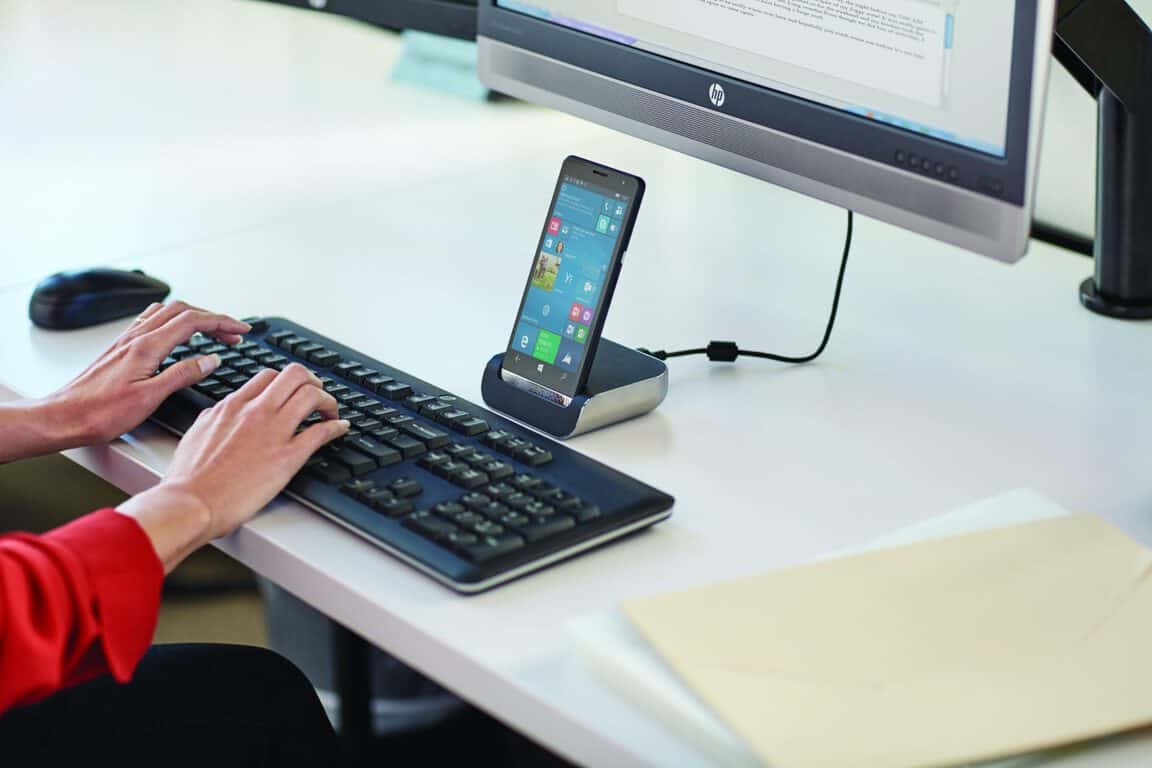
HP releases a few more HP Elite X3 videos highlighting business applications

HP’s upcoming Elite X3 flagship Windows 10 Mobile device has been getting more attention lately, from new information releasing at Computex to a video highlighting some of its capabilities for business customers. Now, HP has released even more videos, and again they’re focusing on how well the Elite X3 helps business users be more productive (via Windows Central).

First up is focus on mobility in the workplace:

Next up is an overview of how the Elite X3 was “build from the ground up for the needs of commercial business users” and how the smartphone can transition from a phone into a “next-gen computing device”:

Finally, this video covers the Qualcomm Snapdragon 820 at the heart of the Elite X3:

So, while the HP Elite X3 remains focused on business customers and its suitability for consumers has so far been downplayed by HP, the smartphone looks like a winner. We’re very much looking forward to seeing this device in the wild, and remain impressed with the design and capabilities that HP is bringing to Windows 10 Mobile.

Yummly app for Windows 10 released to help you turn into a foodie

Some people really like to cook, to spend hours and hours in the kitchen putting together complicated, sometimes healthy meals for themselves, friends, and family. For those people, knowing the details of a recipe can be important, and everyone is different in their approaches to food preparation. With that in mind, the Windows Blog gave Yummly Head of Mobile Yuri Yuryev an opportunity to talk about their app that’s now available for Windows 10.

Check out the video below for a quick introduction to the Yummly app:

Yummly includes over a million recipes, which should be enough to get most people started, and learns your taste preferences to make personalized recommendations. In addition, Yummly supports Cortana, meaning you can talk to Yummly in order to help get started on a meal.

Yummly for Windows 10
Yummly app for Windows 10.

Here’s an overview of a few particularly interesting Yummly features:

  • Live tile updates on the Start menu. When you pin the Yummly app to your Start menu, the Live Tile will display a recipe that is the most relevant to you. So if you are looking on a Saturday or Sunday morning you will get tons of amazing brunch recipe recommendations- a feast for your eyes.
  • Cortana commands: Need to find a recipe fast? Just say, “Hey Cortana, find brunch recipes without eggs on Yummly” or “Hey Cortana, find pescatarian appetizers without peanuts” and instantly get recipes that are tailored to you.
  • Sharing Integration: With a quick click of a button you can send a recipe to anyone via email or post it to your favorite social sites like Facebook or Twitter.
  • Drag & Drop: Simply drag a recipe and drop it into Word or email and it instantly pulls the recipe title, source, ingredients and directions- perfect for making a personalized cookbook or printing out your favorite brunch recipe!

The Yummly app is free and available today. You can download it from the link below, and let us know in the comments if you think Yummly will help you prepare some excellent meals.

Yummly
Yummly
Developer:
Yummly Inc.
Price:
Free